
Next Generation Sequencing
|
|
|
- Rosemary Wilkinson
- 10 years ago
- Views:
Transcription
1 Next Generation Sequencing Cavan Reilly December 5, 2012

2 Table of contents Next generation sequencing NGS and microarrays Study design Quality assessment Burrows Wheeler transform BWT example Introduction to UNIX-like operating systems Installing programs Bowtie SAMtools RNA-Seq Aligning reads to the transcriptome TopHat Cufflinks RNA-Seq using TopHat and Cufflinks RNAseq and count models DNA-Seq BCFtools

3 Next generation sequencing Over the last 5 years or so there has been rapid development of methods for next generation sequencing. Here is the process for the Illumina technology (one of the 3 major producers of platforms for next generation sequencing). The biological sample (e.g. a sample of mrna molecules) is first randomly fragmented into short molecules. Then the ends of the fragments are adenylated and adaptor oligos are attached to the ends.

4 Next generation sequencing The fragments are then size selected, purified and put on a flow cell. An Illumina flow cell has 8 lanes and is covered with other oligonucleotides that bind to the adaptors that have been ligated to the fragmented nucleotide molecules from the sample. The bound fragments are then extended to make copies and these copies bind to the surface of the flow cell. This is continued until there are many copies of the original fragment resulting in a collection of hundreds of millions of clusters.

5

6

7 Next generation sequencing The reverse strands are then cleaved off and washed away and sequencing primer is hybridized to the bound DNA. The individual clusters are then sequenced in parallel, base by base, by hybridizing fluorescently labeled nucleotides. After each round of extension of the nucleotides a laser excites all of the clusters and a read is made of the base that was just added at each cluster. If a very short sequence is bound to the flow cell it is possible that the machine will sequence the adaptor sequence-this is referred to as adaptor contamination. There is also a measure of the quality of the read that is saved along with the read itself.

8 Next generation sequencing These quality measures are on the PHRED scale, so if there is an estimated probability of an error of p, the PHRED based score is 10 log 10 p. If we fragment someone s DNA we can then sequence the fragments, and if we can then put the fragments back together we can then get the sequence of that person s genome or transcriptome. This would allow us to determine what alleles this subject has at every locus that displays variation among humans (e.g. SNPs).

9 Next generation sequencing There are a number of popular algorithms for putting all of the fragments back together: BWA, Maq, SOAP, ELAND and Bowtie. We ll discuss Bowtie in some detail later (BWA uses the same ideas as Bowtie). ELAND is a proprietary algorithm from Illumina and Maq and SOAP use hash tables and are considerably slower than Bowtie.

10 Applications There are many applications of this basic idea: 1. resequencing (DNA-seq) 2. gene expression (RNA-seq) 3. mirna discovery and quantitation 4. DNA methylation studies 5. ChIP-seq studies 6. metagenomics We will focus on resequencing (and SNP calling) and gene expression in this course.

11 NGS and microarrays Some have talked about the death of microarrays due to the use of NGS in the context of gene expression studies, but this hasn t happened yet. Compared to microarrays, RNA-seq 1. higher sensitivity 2. higher dynamic range 3. lower technical variation 4. don t need a sequenced genome (but it helps, a lot) 5. more information about different exon uses (more than 90% of human genes with more than 1 exon have alternative isoforms)

12 NGS and microarrays In one head to head comparison, 30% more genes are found to be differentially expressed with the same FDR (Marioni, Mason, Mane, et al. (2008)). These authors also found that the correlation between normalized intensity values from a microarray had a correlation of with the logarithm of the counts (this is similar to what others have reported). The largest differences occurred when the read count was low and the microarray intensity was high which probably reflects cross-hybridization in the microarray.

13 NGS and microarrays Others have found slightly higher correlations, here is a figure from a study by Su, Li, Chen, et al. (2011).

14 Study design Before addressing the technical details, we will outline some considerations regarding study design specific to NGS technology. There are 3 major manufacturers of the technology necessary to generate short reads, and they all have different platforms with resulting differences in the data and processing methods. These vendors are 1. Illumina, formerly known as Solexa sequencing 2. Roche, which owns 454 Life Sciences 3. Applied Biosciences and their SOLiD platform

15 Study design We will focus on the Illumina technology as the University of Minnesota has invested in this platform (the HiSeq 2000 platform is available in the Biomedical Genomics Center). We also have some capabilities to do 454 sequencing here. This platform produces longer reads (up to several hundred and growing), and is very popular in the microbiomics literature.

16 Study design By sequencing larger numbers of fragments one can estimate the sequence more accurately. The goal of using high sequence coverage is that by using more fragments it is more likely that one fragment will cover any random location in the genome. Clearly one wants to cover the entire genome if the goal is to sequence it, hence the depth of coverage is how many overlapping fragments will cover a random location. By deep sequencing, we mean coverage of 30X to 40X, whereas coverage of 4X or so would be considered low coverage.

17 Study design The rule for determining coverage is: coverage = (length of reads number of reads)/ (length of genome) For a given sequencing budget, there is a tradeoff between the depth of coverage and the number of subjects one can sequence. The objectives of the study should be considered when determining the depth of coverage. If the goal is to accurately sequence a tumor cell then deep coverage is appropriate, however if the goal is to identify rare variants, then lower coverage is acceptable.

18 Study design For example, the 1000 Genomes project is using about 4X coverage. A reasonable rule of thumb is that one probably needs 20-30X coverage to get false negatives less than 1% in nonrepeat regions of a duploid genome (Li, Ruan and Durbin, 2008). If the organism one is sequencing does not have a sequenced genome, the calculations are considerably more complex and one would want greater coverage in this case. Throughout this treatment we will suppose that the organism under investigation has a sequenced genome.

19 Study design Another choice when designing your study regards the use of mate-pairs. With the Illumina system one can sequence both ends of a fragment simultaneously. This greatly improves the accuracy of the method and is highly recommended. If the goal is to characterize copy number variations then getting paired end sequences is crucial.

20 Quality assessment We can use the ShortRead package in R to conduct quality assessment and get rid of data that doesn t meet quality criteria. To explore this we will use some data from dairy cows. You can find a description of the data along with the actual data in sra format at this site. While the NCBI uses the sra format to store data, the standard format for storing data that arises from a sequencing experiment is the fastq format. We can convert these files to fastq files using a number of tools-here is how to use one supported at NCBI called fastq-dump.

21 Quality assessment To use this you need to download the compressed file, unpack it and then enter the directory that holds the executable and issue the command (more on these steps later). sratoolkit centos linux64/bin/fastq-dump SRR sra Then this will generate fastq files which hold the data. If we open the fastq files we see they hold identifiers and information about the reads followed by the actual reads:
22 Quality HWI-EAS283:8:1:9:19 length=36 ACGAGCTGANGCGCCGCGGGAAGAGGGCCTACGGGG +SRR HWI-EAS283:8:1:9:19 length=36 HWI-EAS283:8:1:9:1628 length=36 CCTAATAATNTTTTCCTTTACCCTCTCCACATTAAT +SRR HWI-EAS283:8:1:9:1628 HWI-EAS283:8:1:9:198 length=36 ATTGAATTTGAGTGTAAACATTCACATAAAGAGAGA +SRR HWI-EAS283:8:1:9:198 length=36 The string of letters and symbols encodes quality information for each base in the sequence.
23 Quality assessment Then we define the directory where the data is and read in all of the filenames that are there > library(shortread) > datadir <- "/home/cavan/documents/ngs/bovinerna-seq" > fastqdir <- file.path(datadir, "fastq") > fls <- list.files(fastqdir, "fastq$", full=true) > names(fls) <- sub(".fastq", "", basename(fls))
24 Quality assessment Then we apply the quality assessment function, qa, to each of the files after we read it into R using the readfastq function > qas <- lapply(seq along(fls), function(i, fls) + qa(readfastq(fls[i]), names(fls)[i]), fls) This can take a long time as it has to read all of these files into R, but note that we do not attempt to read the contents of the files into the R session simultaneously (a couple of objects generated by the call to readfastq stored inside R will really bog it down). Then we rbind the quality assessments together and save to an external location. > qa <- do.call(rbind, qas) > save(qa, file=file.path("/home/cavan/documents/ngs/bovinerna-seq","qa.rda")) > report(qa, "/home/cavan/documents/ngs/bovinerna-seq/reportdir") [1] "/home/cavan/documents/ngs/bovinerna-seq/reportdir/index.html"
25 Quality assessment This generates a directory called reportdir and this directory will hold images and an html file that you can open with a browser to inspect the quality report. So we now use the browser to do this-we see the data from run 12 is of considerably higher quality than the others but nothing is too bad. One can implement soft trimming of the sequences to get rid of basecalls that are of poor quality. A function to do this is as follows (thanks to Jeremy Leipzig who posted this on his blog). Note that this can require a lot of computational resources for each fastq file.
26 Quality assessment # softtrim # trim first position lower than minquality and all subsequent positions # omit sequences that after trimming are shorter than minlength # left trim to firstbase, (1 implies no left trim) # input: ShortReadQ reads # integer minquality # integer firstbase # integer minlength # output: ShortReadQ trimmed reads library("shortread") softtrim <- function(reads, minquality, firstbase=1, minlength=5){ qualmat <- as(fastqquality(quality(quality(reads))), matrix ) quallist <-split(qualmat, row(qualmat)) ends <- as.integer(lapply(quallist, function(x){which(x < minquality)[1]-1})) # length=end-start+1, so set start to no more than length+1 to avoid # negative-length starts <-as.integer(lapply(ends,function(x){min(x+1,firstbase)})) # use whatever QualityScore subclass is sent newq <-ShortReadQ(sread=subseq(sread(reads),start=starts,end=ends), quality=new(class=class(quality(reads)), quality=subseq(quality(quality(reads)), start=starts,end=ends)),id=id(reads))
27 Quality assessment } # apply minlength using srfilter lengthcutoff <- srfilter(function(x) { width(x)>=minlength}, name="length cutoff") newq[lengthcutoff(newq)] To use: > library("shortread") > source("softtrimfunction.r") > reads <- readfastq("myreads.fq") > trimmedreads <- softtrim(reads=reads,minquality=5,firstbase=4,minlength=3) > writefastq(trimmedreads,file="trimmed.fq")
28 Bowtie background The keys to understanding how the algorithm implemented by Bowtie are the Burrows Wheeler transform (BWT) and the FM index. 1. the FM index: see Ferragina, P. and Manzini, G. (2000), Opportunistic data structures with applications 2. the Burrows Wheeler transform (BWT): see Burrows, M. and Wheeler, D.J. (1994), A Block-sorting lossless data compression algorithm. The Burrows Wheeler transform is an invertable transformation of a string (i.e. a sequence of letters).
29 Computing the BWT To compute this transform, one 1. determines all rotations of the string 2. sorts the rotations lexicographically to generate an array M 3. saves the last letter of each sorted string in addition to the row of M that corresponds to the original string.
30 Computing the BWT: an example Some descriptions of the algorithm introduce a special character (e.g. $) that is lexicographically smaller than all other letters, then append this letter to the string before starting the rest of the transform. This just guarantees that the first row of M is the original string so that one needn t store the row of M that is the original string. To see how the BWT works, let s consider the consensus sequence just upstream of the transcription start site in humans (from Zhang 1998): GCCACC We will use the modification that introduces the special character.
31 BWT example First add the special character to the end of the sequence we want to transform, denoted S with length N. GCCACC$ then get all of the rotations: $GCCACC C$GCCAC CC$GCCA ACC$GCC CACC$GC CCACC$G GCCACC$
32 BWT example then sort them (i.e. alphabetize these sequences) $GCCACC ACC$GCC C$GCCAC CACC$GC CC$GCCA CCACC$G GCCACC$ so the BWT is just the last column, typically denoted L, and we will refer to element i of this array as L[i] for i = 1,..., N and ranges of elements via L[1,..., k]. L=CCCCAG$
33 BWT example Importantly one can invert this transformation of the string to obtain the original string. This was first developed in the context of data compression, so the idea was to transform the data, then compress it (which can be done very efficiently after applying this transformation), then one can invert the transformation after uncompressing.
34 BWT example Suppose we have the BWT of a genome and want to count the number of occurrences of some pattern, e.g. AC, our query sequence. We can do this as follows. First, create a table that for each letter has the count of the number of occurrences of letters that are lexically smaller than that letter. For us this is just x $ A C G C(x)
35 BWT example Next we need to be able to determine the number of times that a letter x occurs in L[1,..., k] for any k, which we will denote O(x, k). Note that all of these calculations can be done once and stored for future use. Now search for the last letter of our query sequence, which is C, over the range of rows given by [C(x) + 1,..., C(x + 1)] where x is C so the range is [3,6]. Note that these are the rows of M that start with a C although we don t actually need to store all of M to determine this (it just follows from the alphabetization).
36 BWT example Then process the second to last letter, which for our example is A. To determine the range of rows of M to search we look at [C(x) + O(x, s 1 1) + 1,..., C(x) + O(x, s 2 )] where x is A and s 1 and s 2 are the endpoints of the interval from the previous step. Now and O(A, 3 1) = O(A, 2) = 0 O(A, 6) = 1 so the interval is [ ,..., 1 + 1] = [2, 2] then since this is the end of the query sequence we determine the number of occurrences by looking at the size of the range of this interval, which is here just 1.
37 BWT example If the range becomes empty or if the lower end exceeds the upper end the query sequence is not present. For example if we query on CCC and proceed as previously, the first step is the same (since this also ends in C), so then searching for C again we find [C(C) + O(C, s 1 1) + 1, C(x) + O(C, s 2 )] but O(C, 2) = 2 and O(C, 6) = 4 so the interval is
38 BWT example [ , 2 + 4] = [5, 6] which has size 2 (as there are 2 instances of CC in the sequence), so then proceed as in step 2 again to get which is [C(C) + O(C, 5 1) + 1, C(C) + O(C, 6)] [ , 2 + 4] = [7, 6] indicating that this sequence is not present.
39 BWT example For aligning short sequences to a genome we need to know where the short segments align, hence we need to determine the location of the start of the sequence in the genome. If the locations of some of the letters are known we can just trace back to those locations as follows. First, note that we know the first column of the array M. We know this due to 2 facts: 1. the first column will be strictly alphabetized 2. every letter in the sequence is represented in the last column L.
40 BWT example For our problem we have L=CCCCAG$ and so the first column is just F =$ACCCCG. As our sequence is of length N, then if we knew the permutation of 1,..., N that mapped F to L we would know the entire sequence (as we will see shortly). That one can determine this mapping is the key ingredient in computing the inverse BWT. Call this map T where we have F ( T (i) ) = L(i).
41 BWT example To find T, first consider M and a new array, call it M, that is obtained from M by taking the last element from each row and making it the first element but otherwise changing nothing. Here is M : C$GCCAC CACC$GC CC$GCCA CCACC$G ACC$GCC GCCACC$ $GCCACC
42 Inverting the BWT Note that every row of M has a corresponding row in M and like M M has all cyclic rotations of the original sequence S. Also note that the relative order of the rows with the same first letter are the same in both arrays: rows 3, 4, 5 and 6 in M become rows 1, 2, 3 and 4 in M. We can use this insight to determine the mapping from F to L, i.e. T. To determine T, we proceed sequentially as follows. L(1) = C and this is the first C in L so T (1) = i where F (i) is the first C in F so looking at F we see that i = 3.
43 BWT example Then continue with this thinking: T (2) = i and L(2) is the second C in L, but then looking at F we see that the second C in F occurs at position 4, so that T (2) = 4. Continuing in this fashion we find that T = (3, 4, 5, 6, 2, 7, 1).
44 BWT example We can then reconstruct the sequence in reverse order. We know the last element of the sequence is the last element of the first row of M which is the first element of L, which is here C. Then we proceed sequentially using the mapping T as follows S(N i) = L ( T i (1) ) where T i (x) = T i 1( T (x) ), i.e. repeatly apply the mapping T to itself.
45 BWT example so S(N 1) = L ( T (1) ) = L(3) = C S(N 2) = L ( T (3) ) = L(5) = A S(N 3) = L ( T (5) ) = L(2) = C S(N 4) = L ( T (2) ) = L(4) = C S(N 5) = L ( T (4) ) = L(6) = G If we were just trying to find the location of a particular match, like AC we could just stop at that point rather than recover the entire sequence.
46 FM index The FM index is a compressed version of L, C and O along with a compressed version of a set of indices with known locations in S. This allows one to trace back to a known location. So one could align short reads to a genome by first computing the BWT and compressing the results. Unfortunately many of the reads would not align due to sequencing errors and polymorphisms. Hence one needs to allow some discrepancies between the genome and the short reads. While this is adjustable, the default specifications for the program Bowtie are that there is a maximum of 2 mismatches in the first 28 bases and a maximum total quality score of 70 on the PHRED scale.
47 Introduction to Linux In order to use the latest tools in bioinformatics you need access to a linux based operating system (or Mac OS X). So we will give some background on how to use a linux based system. The linux operating system is based on the UNIX operating system (by a guy named Linus Torvalds), but is freely available (UNIX was developed by a private company). There are a number of implementations of linux that go by different names: e.g. Ubuntu, Debian, Fedora, and OPENsuse.
48 Introduction to Linux Most beginners choose Ubuntu (or one of its offshoots, like Mint). I use Fedora on my computers and centos is used on the server we will use for this course. You can install it for free on any PC. Such systems are based on a hierarchical structure for organizing files into directories. Much of the time we will use plain text files: these are files that have no formatting, unlike the files you use in a typical word processing program. To edit such files you need to use a text editor. I like vi and vim (which has capabilities to interact with large files).
49 Introduction to Linux The editor pico is simple to use and installed on the server we will use for this class. To use this you type pico followed by the file name-if the file doesn t exist it will create the file otherwise it will open up the file so that you can edit it. For example [cavanr@boris ~]$ pico temp1 will open the file temp1 for editing. Commands at the bottom of the window tell you how to conduct various operations.
50 Introduction to Linux You can create subdirectories in your home directory by typing ~]$ mkdir NGS This would create a NGS subdirectory where you can put files related to your NGS project. Then to keep your microarray data separate you could do [cavanr@boris ~]$ mkdir microarray To move around hierarchical directory structure you use the command cd. We enter the NGS directory with [cavanr@boris ~]$ cd NGS
51 Introduction to Linux To go back to our home location (i.e. the directory you start from when you log on) you just type cd and if you want to go up one level in the hierarchy you type cd... To list all of the files and directories in your current location you type ls. To copy a file you use cp, to move a file from one location to another you use mv and to remove a file you use rm. One can modify the behavior of these commands by using options.
52 Introduction to Linux For example, if I want to see the size of the files (and some additional information) rather than just list them I could issue the command [cavanr@boris ~]$ ls -l Other useful commands include more and less for viewing the contents of files and man for information about a command (from the manual). For instance [cavanr@boris ~]$ man ls Will open a help file with information about the options that are available for the ls command.
53 Introduction to Linux Wild cards are characters that operating systems use to hold a variable value. These are extremely useful as it lets the user specify many tasks without having to do a bunch of repetitive typing. For example, suppose you had a bunch of files that ended with.txt and you wanted to delete them. You could issue commands like [cavanr@boris ~]$ rm file1.txt [cavanr@boris ~]$ rm file2.txt [cavanr@boris ~]$ rm file3.txt... Or you could just use [cavanr@boris ~]$ rm file*.txt or even [cavanr@boris ~]$ rm *.txt
54 Introduction to Linux Most linux configurations will check that you really want to remove the files, but if you are removing many files, the process of typing yes repeatly is unnecessary. Just type ~]$ rm -f *.txt When you obtain programs from the internet that run on linux systems these programs will typically install many subdirectories, so if you want to get rid of all the contents of a directory, first enter that directory, [cavanr@boris ~]$ cd olddir
55 Introduction to Linux then issue the command olddir]$ rm -rf * then go back up one level [cavanr@boris olddir]$ cd.. and get rid of the directory using the rmdir command [cavanr@boris ~]$ rmdir olddir If you issue a command to run a program but wish you hadn t and want it to stop you push the Ctrl and C keys simultaneously.
56 Introduction to Linux To connect to a linux server from a Windows machine you need a Windows program that allows you to log on to a terminal and the ability to transfer files to and from the remote server and your Windows machine. WinSCP is a free program that allows one to do this. You can download the data from the WinSCP website and it installs like a regular Windows program: just allow your computer to install it and go with the default configuration. To get a terminal window you can use a program called PuTTY. So download the program PuTTY (which is just the file called PuTTY.exe) and create a subdirectory in your Program Files directory called PuTTY.
57 Introduction to Linux Then save PuTTY.exe in the directory you just created. Once installed start WinSCP and use boris.ccbr.umn.edu as the hostname along with your user name and password. You can then get a terminal window using putty: just click on the box that shows 2 computers that are connected right below the session tab. Then disconnect when you are done (using the option in the session tab).
58 Installation of Bowtie Recall: Bowtie is a program that aligns short reads to an indexed genome. Note that there is a beta release of a program called Bowtie 2 that allows gapped alignments, Bowtie just allows a couple of nucleotides to disagree between the read and the genome. To use Bowtie we need a set of short reads (in fastq format) and the index of a genome and of course the program itself. We will download a compressed version of the program (an executable) and after we uncompress it, we can use the executable, i.e. a program that does something. Bowtie has the capability to build indexes if we have the genome sequence.
59 Installation of Bowtie First set up a directory to hold all of this work [cavanr@boris ~]$ mkdir RNAseq then create a directory to hold all of the programs we will download and set up, we will call it bin (for binaries). [cavanr@boris ~]$ mkdir bin Then enter this directory so we can install some programs. [cavanr@boris ~]$ cd bin
60 Installation of Bowtie In order to know what version of software you need to install you need to check the architecture of the computer. To do so we issue the following command bin]$ uname -m x86 64 So this is a 64 bit machine (32 bit machines will report something like i386). So get the appropriate version of Bowtie using the wget command [cavanr@boris bin]$ wget 64.zip
61 Installation of Bowtie then unpack it bin]$ unzip bowtie linux-x86 64.zip Archive: bowtie linux-x86 64.zip creating: bowtie / creating: bowtie /scripts/ inflating: bowtie /scripts/build test.sh inflating: bowtie /scripts/make a thaliana tair.sh... This will generate a subdirectory with the name bowtie , so enter that subdirectory so that you can have access to the executable called bowtie in this subdirectory.
62 Aligning reads to an indexed genome The program ships with some E. coli data, so we will check the installation with this. To use the program, you type the name of the executable, then give the first part of the name of the files that hold the indexes and finally give the location of the set of reads. With the standard Bowtie installation there is a subdirectory called reads that has 1000 short sequences, so we are telling the program to look there for the data. So to test the installation type the following (on some linux installations you don t need to specify the./ before bowtie) [cavanr@boris bowtie ]$./bowtie e coli reads/e coli 1000.fq
63 Aligning reads to an indexed genome Then you get a bunch of output written to the screen and at the end you should see # reads processed: 1000 # reads with at least one reported alignment: 699 (69.90%) # reads that failed to align: 301 (30.10%) Reported 699 alignments to 1 output stream(s) to examine the output you can have Bowtie write it to file by putting a filename after the command (the program will generate this file if it doesn t already exist) [cavanr@boris bowtie ]$./bowtie e coli reads/e coli 1000.fq e coli.map then the file e coli.map will contain all of the stuff that has been written to screen.
64 Aligning reads to an indexed genome If you open e coli.map up you should see r0 - gi ref NC ATGCTGGAATGGCGATAGTTGGGTGGGTATCGTTC :9;;<===>?@@@@AAA ABCCCDE 0 32:T>G,34:G>A r1 - gi ref NC CGGATGATTTTTATCCCATGAGACATCCAGTTCGG :9;;<===>?@@@@AAA ABCCCDE 0 r2 - gi ref NC CATAAAGCAACAGTGTTATACTATAACAATTTTGA :9;;<===>?@@@@AAA ABCCCDE 0 r5 + gi ref NC CAGCATAAGTGGATATTCAAAGTTTTGCTGTTTTA EDCCCBAAAA@@@@?>===<;;9: r7 + gi ref NC GCATATTGCCAATTTTCGCTTCGGGGATCAGGCTA EDCCCBAAAA@@@@?>===<;;9: r8 + gi ref NC GGTTCAGTTCAGTATACGCCTTATCCGGCCTACGG EDCCCBAAAA@@@@?>===<;;9: :A>T,33:C>G r9 - gi ref NC GCCTGTTCGGCGTTGAGGGTAATGAAATCATCGCC :9;;<===>?@@@@AAA ABCCCDE 0
65 Aligning reads to an indexed genome To get a prebuilt index for some other organism, say S. cerevisiae you can go to the site ftp://ftp.cbcb.umd.edu/pub/data/bowtie indexes First get the yeast (i.e. S. cerevisiae) genome build from the Bowtie website (the CYGD version). [cavanr@boris bowtie ]$ wget ftp://ftp.cbcb.umd.edu/pub/data/bowtie indexes/s cerevisiae.ebwt.zip Then move this into the indexes directory (note I mistakenly downloaded it from the main bowtie subdirectory) and unpack it
66 Aligning reads to an indexed genome indexes]$ unzip s cerevisiae.ebwt.zip Archive: s cerevisiae.ebwt.zip inflating: s cerevisiae.1.ebwt inflating: s cerevisiae.2.ebwt inflating: s cerevisiae.3.ebwt... then move back to the main directory and issue the following command [cavanr@boris bowtie ]$./bowtie -c s cerevisiae ATTGTAGTTCGAGTAAGTAATGTGGGTTTG
67 Aligning reads to an indexed genome then you should see output like 0 + Scchr ATTGTAGTTCGAGTAAGTAATGTGGGTTTG IIIIIIIIIIIIIIIIIIIIIIIIIIIIII 0 # reads processed: 1 # reads with at least one reported alignment: 1 (100.00%) # reads that failed to align: 0 (0.00%) Reported 1 alignments to 1 output stream(s) What the command did was align the single sequence ATTGTAGTTCGAGTAAGTAATGTGGGTTTG against the yeast indexed genome. By using the -c option we mapped a single sequence from the command line to the genome-you would never want to do this except for testing.
68 Building a new index We will build an index from a FASTA formatted file for a plasmid from an E. coli strain that was responsible for a food poisoning incident in Japan. First download the sequence file NC fna [cavanr@boris bowtie ]$ wget ftp://ftp.ncbi.nlm.nih.gov/genomes/bacteria/escherichia coli O157 H7 Sakai uid57781/nc fna Here is the top of that file: it is a FASTA file. >gi ref NC Escherichia coli O157:H7 str. plasmid posak1, complete sequence Sakai TTCTTCTGCGAGTTCGTGCAGCTTCTCACACATGGTGGCCTGCTCGTCAGCATCGAGTGCGTCCAGTTTT TCGAGCAGCGTCAGGCTCTGGCTTTTTATGAATCCCGCCATGTTGAGTGCAGTTTGCTGCTGCTTGTTCA TCTTTCTGTTTTCTCCGTTCTGTCTGTCATCTGCGTCGTGTGATTATATCGCGCACCACTTTTCGACCGT
69 Building a new index Then issue the command to build the index: [cavanr@boris bowtie ]$./bowtie-build NC fna e coli O157 H7 which generates some index files [cavanr@boris bowtie ]$ ls e coli O157 H7.* e coli O157 H7.1.ebwt e coli O157 H7.4.ebwt e coli O157 H7.2.ebwt e coli O157 H7.rev.1.ebwt e coli O157 H7.3.ebwt e coli O157 H7.rev.2.ebwt
70 Building a new index Then move these to the indexes directory [cavanr@boris bowtie ]$ mv e coli O157 H7.* indexes then as with the yeast example, let s align a single read from the command line: [cavanr@boris bowtie ]$./bowtie -c e coli O157 H7 GCGTGAGCTATGAGAAAGCGCCACGCTTCC and if everything went as planned you should get 0 + gi ref NC GCGTGAGCTATGAGAAAGCGCCACGCTTCC IIIIIIIIIIIIIIIIIIIIIIIIIIIIII 0 # reads processed: 1 # reads with at least one reported alignment: 1 (100.00%) # reads that failed to align: 0 (0.00%) Reported 1 alignments to 1 output stream(s)
71 Altering your $PATH Note that we need to be in the same directory level as our executable in order to use that executable thus far-this is not necessary. To have access to an executable anywhere in your system you should alter your PATH variable in the linux environment to include where you keep your executables then write the executables to your path. So, let s first make the bin directory we created part of our path: [cavanr@boris ~]$ export PATH=$HOME/bin:$PATH
72 Altering your $PATH and copy the executables: note that by copying the name of the executable without the./ at the start we can just use the name of the executable, i.e. bowtie ]$ cp bowtie $HOME/bin/./bowtie bowtie ]$ cp bowtie-build $HOME/bin/./bowtie-build bowtie ]$ cp bowtie-inspect $HOME/bin/./bowtie-inspect
73 Altering your $PATH To test that this works let s go back to our home directory and issue our bowtie command with the 1000 sample E. coli reads (note that we need to tell Bowtie where to find the fastq and index files) [cavanr@boris ~]$ bowtie $HOME/bin/bowtie /indexes/e coli $HOME/bin/bowtie /reads/e coli 1000.fq and it works fine.
74 Producing SAM files Bowtie can also produce a special file type that is widely used in the NGS world, a SAM file. To do so you use the -S option in the call to bowtie (and use the.sam extension on the output file) [cavanr@boris bowtie ]$ bowtie -S e coli reads/e coli 10000snp.fq ec snp.sam Here is the top of the file ec VN:1.0 SN:gi ref NC ID:Bowtie VN: CL:"bowtie -S e coli reads/e coli 10000snp.fq ec snp.sam" r0 16 gi ref NC M * 0 0 GCAATGATAAAAGGAGTAACCTGTGAAAAAGATGC XA:i:0 MD:Z:35 NM:i:0 r1 0 gi ref NC M * 0 0 TATGTTGGCAATATTGATGAAGATGGCGTCTGCCG EDCCCBAAAA@@@@?>===<;;9: XA:i:0 MD:Z:35 NM:i:0
75 SAMtools The SAM (for sequence alignment/map) file type has a very strict format. These files can be processed in a highly efficient manner using a suite of programs called SAMtools. Here is how to setup these tools Download the latest version in your bin directory samtools tar.bz2. [cavanr@boris bin]$ wget
76 SAMtools then unpack bin]$ tar -jxvf samtools tar.bz2 then there is a directory full of C programs called samtools , so go in there and type [cavanr@boris samtools ]$ make and write the executable to your path [cavanr@boris samtools ]$ cp samtools $HOME/bin/./samtools
77 SAMtools example To use this for variant calling, we need an example with at least 2 subjects, so let s use the example that ships with SAMtools. We will return to this example latter, but for now we will just take a look at the pileup which represents the extent of coverage. Here is how to use SAMtools to index a FASTA file: [cavanr@boris samtools ]$ samtools faidx examples/ex1.fa
78 BAM and SAM files then create a BAM file from the SAM file (BAM files are binary, so they are compressed but not readable by eye) [cavanr@boris samtools ]$ samtools import examples/ex1.fa.fai examples/ex1.sam.gz ex1.bam should get [sam header read2] 2 sequences loaded
79 BAM and SAM files then index the BAM file samtools ]$ samtools index ex1.bam then we can view the alignment to visually examine the extent of coverage and the depth of coverage samtools ]$ samtools tview ex1.bam examples/ex1.fa and hit q to leave that visualization.
80 Visualization of the pileup CACTAGTGGCTCATTGTAAATGTGTGGTTTAACTCGTCCATGGCCCAGCATTAGGGAGCTGTGGACCCTGCAGCCTGGC A...C C T.T.T..T...T..TC C T......,,,,,,,,,,,,,,,,,,,,,,,,,,,,,,,,,,,......T T
81 RNA-Seq As was mentioned previously, we can use next generation sequencing to generate sequences from samples of RNA. The transcriptome is the collection of all transcripts that can be generated from a genome. Current estimates indicate that 92-94% of human transcripts with more than one exon have alternatively spliced isoforms (Wang, Sandberg, Luo, et al. Nature, 2008). This means that the same gene can give rise to multiple mrna molecules. Some will differ because they have have different exons assembled into an mrna, but other possibilities include differences in use of the transcription start site (TSS), and differences in the 5 and 3 untranslated regions (UTRs).
82 Aligning reads to the transcriptome Differences in exon usage will result in mrnas from the same gene leading to different proteins, hence we speak of differential coding DNA sequences (CDS). One of the differences that arises due to differential 3 UTR usage is alternative polyadenelation patterns. These differences in 5 and 3 UTR usage lead to mrna molecules that have differential affinity for proteins that bind to the mature mrna molecule and we are just starting to understand how biological processes are regulated by these subtle mechanisms.
83 RNA-Seq Note that there is a difference in aligning a set of reads from an RNA sample and a DNA sample: the RNA molecules will have undergone removal of introns hence they won t align directly to the genome. If there is an annotated transcriptome for an organism you should start out trying to use this to analyze your data. However most investigations find evidence for transcripts that are not currently annotated, even for well studied organisms like mice and humans.
84 Aligning reads to the transcriptome We will investigate the role of using an annotated transcriptome for a class project: we will split into 4 groups and each group will either not use or use an annotated transcriptome during the mapping stage and during the transcript assembly stage. So we will do a 2 factor complete factorial design: you guys will run the analysis and I will summarize the findings the last day of class. More details on this once we have discussed the details of how to conduct the analysis.
85 Duplicates One of the differences between using next generation sequencing for resequencing and profiling RNA levels is that with libraries prepared from RNA, one often finds duplicate reads. In fact it is not unusual to find that 60-80% of the reads are duplicates.
86 Duplicates In a resequencing study the chances of finding duplicates is quite low: for example, the human haploid genome is about 3 billion bps so the probability of observing a duplicate is about 1 in 3 billion, so with million reads, duplicate reads seem unlikely. Duplicate reads can arise as a PCR artifact, hence in resequencing studies duplicate reads should probably be treated as artifacts and removed. There is a SAMtools function called rmdup that can be used to do this, but read the manual on its use: for example, it is designed for paired end reads by default.
87 Library complexity However, when we consider RNA-Seq libraries, duplicates might arise just due to low complexity of our sample. By low complexity we mean there are not many distinct RNA molecules. The median length of a human transcript is 2186 nucleotides (according to the UCSC hg19 annotation), so if one has a library with only 1 type of transcript and generates 20 million reads from it one is guaranteed to find duplicates. So for analysis of RNA-Seq experiments it is probably unwise to remove duplicates.
88 Alignment algorithms There are a number of algorithms that are designed to align a set of short reads to the transcriptome, here is a short non-exhaustive list. 1. TopHat 2. GSNAP 3. MapSplice 4. SpliceMap 5. HMMSplicer However it is not clear at this point if any of these really dominate the others in terms of performance. However, TopHat is perhaps the most popular currently, and as it builds off of Bowtie, we will use this program in this course.
89 TopHat The basic idea behind TopHat is that if 2 segments of a read map to different locations on the genome then they are likely mapping to 2 different exons. To use TopHat you need fastq files for all of our samples and the genome sequence for the organism. Note that sometimes the data for a single sample will be in more than one fastq file. While we can use Bowtie to align short reads to a genome, reads that span an intron, or genes that span a splice junction, will not align directly to the genome.
90 TopHat If a read contains an internal segment that should map to an exon, Bowtie will fail to map this read to its correct genomic location as it won t match the genome outside of this exon. For this reason, Tophat initially splits the reads up into 25 base units, does the read mapping, then reassembles reads. Note: if you are using a set of reads that are shorter than 50 bases you should instruct TopHat to break the reads into fragments that are about half the length of your reads. For example, if you have a set of Illumina reads that are 36 bases you should instruct TopHat to break them into fragments of length 18 (using the --segment-length options, like --segment-length 18), otherwise it may not detect any splice junctions.
91 TopHat TopHat starts out by mapping the reads to the genome using Bowtie and sets aside those reads that don t map. It then constructs a set of disjoint covered regions (it no longer uses the program Maq as it did at the time of the publication): these are taken to be the initial set of exons observed in that sample. The program determines a consensus sequence using the reads, however in low coverage regions it will use the reference genome to determine the sequence. Also, as the ends of exons are likely only mapped by reads that span the splice junction, the disjoint regions covered by reads are expanded (45 bases by default) using the reference sequence.
92 TopHat For genes that are transcribed at low levels there could be gaps in the exons after the assembly step, hence exons that are very close are merged into a single exon. Introns of length less than 70 bases are rare in mammalian genomes, hence by default we combine exons that are separated by less than this many bases (this can be adjusted). The resulting set of putative exons (with their extensions from the reference genome) we will call islands. The 5 end of an intron is called a donor site and the 3 end is called the acceptor site.
93 TopHat This donor site almost always has the 2 bases GU at the end while the acceptor site is almost always AG, but these are sometimes GC-AG and AU-AC so current versions of TopHat also look for these acceptor and donor sites. TopHat uses these sequence characteristics to find potential donor and acceptor site pairs in the island sequences (not just adjacent ones, but nearby ones to allow for alternative splicing). It then looks at the set of reads that were initially unmapped and examines if any of these map to the sequence that spans the splice junction. To conduct this mapping TopHat uses the fact that most introns are between 70 and 500,000 bases (the maximum differs from the publication): these intron sizes are based on mammals, so the user should specify values for these if using a different organism.
94 TopHat It also requires that at least one read span at least 8 bases on each side of the splice junction by default, but this value can be adjusted. It also only uses the first 28 bases from the 5 end of the read to ensure that the read is of high quality, but this too can be adjusted. Finally the program reports a splice junction only if it occurs in more than 15% of the depth of coverage of the flanking exons (the 15% value comes from the Wang et al. 2008, Nature paper), but this is also adjustable as this is based on human data. If one supplies a transcriptome to TopHat via a GTF file, the program will first map reads to the transcriptome then try to identify splice junctions for the unmapped reads.
95 TopHat One can disable the subsequent search for splice junctions by specifying the -T option if you have provided a transcriptome. If you are going to use an annotated transcriptome then TopHat will need to construct an index for this and if you are processing multiple samples TopHat will redo exactly the same calculation for each. To save time, you should have TopHat do these calculations for the first sample and save the results. You can do this using the --transcriptome-index option. This option expects a directory and a name to use in this directory.
96 TopHat The exact syntax is like this: note that the --transcriptome-index option must be used right after the -G option. tophat -o out sample1 -G known genes.gtf \ --transcriptome-index=transcriptome data/known \ hg19 sample1 1.fq.z Then for processing the other samples we just tell TopHat where these indices are and don t specify the -G option tophat -o out sample2 \ --transcriptome-index=transcriptome data/known \ hg19 sample2 1.fq.z
97 TopHat To use the program first get the latest version bin]$ wget x86 64.tar.gz Then uncompress the binaries, enter the directory that is generated and copy the executables to your path. bin]$ tar zxvf tophat linux x86 64.tar.gz tophat linux x86 64]$ cp tophat $HOME/bin/./tophat tophat linux x86 64]$ cp * $HOME/bin/./
98 TopHat Then you should test the installation, so get some test data. tophat linux x86 64]$ wget data.tar.gz Then uncompress, go into that directory and run a test [cavanr@boris tophat linux x86 64]$ tar zxvf test data.tar.gz [cavanr@boris tophat linux x86 64]$ cd test data Then test by issuing the command [cavanr@boris test data]$ tophat -r 20 test ref reads 1.fq reads 2.fq
99 TopHat and if it is working correctly this yields the following [ :14:56] Beginning TopHat run (v2.0.6) [ :14:56] Checking for Bowtie Bowtie 2 not found, checking for older version.. Bowtie version: [ :14:56] Checking for Samtools Samtools version: [ :14:56] Checking for Bowtie index files [ :14:56] Checking for reference FASTA file [ :14:58] Run complete: 00:00:01 elapsed
100 Cufflinks While TopHat is useful for aligning a set of reads to the transriptome, one must use some other program to generate transcript level summaries of gene expression and test for differences between groups. One such program that is supported by the same group of researchers that develop TopHat is Cufflinks. Cufflinks uses the output from TopHat and we will see that one can use functionality of the R package cummerbund to examine the output and generate reports and publication quality graphs. It is designed for paired end reads but can be used for unpaired reads.
101 Cufflinks Cufflinks uses an expression for the likelihood of a set of paired end reads that depends on the length of the fragments: with paired end reads one can estimate the distribution of the lengths. Note that there is a fundamental identifiability problem with transcript assembly that is only mitigated by the presence of reads that span splice junctions. Suppose there are 2 exons and some reads map to both exons but we are unable to identify any reads that span splice junctions. If there are 2 exons there are 3 possible transcripts (2 with one of each exon and a third that uses both) so if we allow for all 3 transcripts there are an infinite collection of combinations of the 3 transcript levels that are consistent with observed read counts that hit both exons.
102 Cufflinks For this reason one must enforce a constraint on the transcripts: for example, we attempt to find the minimal set of transcripts that explain the exon counts. Cufflinks quantifies the level of expression of a transcript via the number of fragments per kilobase of exon per million fragments mapped (FPKM). This attempts to account for the fact that longer transcripts will generate more reads than shorter transcripts due to their length. Cuffdiff is a program that is bundled with Cufflinks that allows one to test for differences between experimental conditions.
103 Cufflinks The log of the ratio of FPKM values are approximately normal random variables: this allows one to define a test statistic once one determines an approximation to the standard error of this log ratio. This standard error depends on the number of isoforms for the transcript: if there is a single isoform there is no uncertainty in the expression estimate produced by the algorithm and the only source of variability is from biological replicates. If there are no replicates within conditions the standard error is computed by examining the variance across the 2 conditions. If there are not many transcripts that differ in their level of expression this will provide a reasonable standard error, but if there are replicates one can obtain better estimates of the variance of the log ratio by using the negative binomial distribution.
104 Cufflinks If there is only a single isoform then an approach similar to that used in the R package DESeq is used, but if there are multiple isoforms then uncertainty in the isoform expression estimates must be taken into account: this is done using a generalization of the negative binomial distribution called the beta negative binomial distribution. Some useful details: The program will not conduct significance tests with fewer than 3 replicates for each condition unless you explicitly instruct it to do so by specifying a different minimum with the --min-reps-for-js-test option. While both BAM and SAM files can be used for input the program requires that if chromosome names are present in records in the header of the file then the reads must be sorted in the same order.
105 RNA-Seq using TopHat and Cufflinks We ve already installed and tested the latest version of TopHat, so now let s install Cufflinks using what is now the familiar strategy: download the tarball, unpack it and write the executables to our path by copying them to bin. [cavanr@boris bin]$ wget x86 64.tar.gz [cavanr@boris bin]$ tar zxvf cufflinks linux x86 64.tar.gz [cavanr@boris bin]$ cd cufflinks linux x86 64 [cavanr@boris cufflinks linux x86 64]$ cp * $HOME/bin/./
106 RNA-Seq using TopHat and Cufflinks Then test the installation using some test data, so download and run. cufflinks linux x86 64]$ wget data.sam cufflinks linux x86 64]$ cufflinks test data.sam and you should see
107 RNA-Seq using TopHat and Cufflinks You are using Cufflinks v2.0.2, which is the most recent release. [bam header read] EOF marker is absent. [bam header read] invalid BAM binary header (this is not a BAM file). File test data.sam doesn t appear to be a valid BAM file, trying SAM [11:36:11] Assembling transcripts and estimating abundances. > Processed 1 loci. [*************************] 100% Which indicates that this is working properly. This generates a GTF file called transcripts.gtf which has information on transcripts that were identified and their level of expression.
108 RNA-Seq using TopHat and Cufflinks As an example of using the TopHat/Cufflinks programs we will analyze the data that was used to illustrate the protocol developed by the authors of the programs (this is from the Nature Protocols paper from March 2012). The data is already loaded on the server and we ve installed all of the software, so we are almost ready to go. We also need a set of Bowtie indexes and if we want to use an annotated transcriptome we need a GTF file with that information. These have already been set up in the subdirectory /export/home/courses/ph7445/data The indexes are in the files with names that end in ebwt (there are 6 of these and I got them from the Bowtie website). The file Drosophila melanogaster.bdgp5.68.gtf was obtained from ensemble.org.
109 RNA-Seq using TopHat and Cufflinks First we must use TopHat to map the reads in the fastq files to the transcriptome. Note that due to all of the options we are going to use we need to break the command up into multiple lines: we do this by ending each line with a back-slash. [cavanr@boris RNAseq]$ tophat -p 2 -G \ /export/home/courses/ph7445/data/drosophila melanogaster.bdgp5.68.gtf \ -o C1 R1 thout \ --bowtie1 /export/home/courses/ph7445/data/d melanogaster fb5 22 \ /export/home/courses/ph7445/data/gsm C1 R1 1.fq \ /export/home/courses/ph7445/data/gsm C1 R1 2.fq then you should see something like this
110 RNA-Seq using TopHat and Cufflinks [ :47:56] Beginning TopHat run (v2.0.6) [ :47:56] Checking for Bowtie Bowtie version: [ :47:56] Checking for Samtools Samtools version: [ :47:56] Checking for Bowtie index files [ :47:56] Checking for reference FASTA file Warning: Could not find FASTA file /export/home/courses/ph7445/data/d melanogaster fb5 22.fa... [ :47:56] Reconstituting reference FASTA file from Bowtie index
111 RNA-Seq using TopHat and Cufflinks Here is an explanation of the options that have been specified -p specifies the number of processors to use -G is used to give the location of the GTF file -o is used to give the desired location for the output -bowtie1 is used to indicate that we want to use the first version of Bowtie and this is followed by the start of the name of the files that hold the Bowtie indexes last one gives the locations of the fastq files. One then needs to issue similar commands for all of the other samples: for these you just change the name of the output directory and the name of the fastq files.
112 RNA-Seq using TopHat and Cufflinks For example, to process replicate 2 of condition 1 you would issue the command [cavanr@boris RNAseq]$ tophat -p 2 -G \ /export/home/courses/ph7445/data/drosophila melanogaster.bdgp5.68.gtf \ -o C1 R2 thout \ --bowtie1 /export/home/courses/ph7445/data/d melanogaster fb5 22 \ /export/home/courses/ph7445/data/gsm C1 R2 1.fq \ /export/home/courses/ph7445/data/gsm C1 R2 2.fq Then you would do this for all 3 replicates in both conditions.
113 RNA-Seq using TopHat and Cufflinks You will notice that the program first looks for a fasta file holding the genome of D. melanogaster and when it can t find it it reconstitutes the file from the Bowtie index. As it can do this very quickly this isn t much of a concern but we will need it latter on and it is easy to generate: just issue this command. [cavanr@boris RNAseq]$ bowtie-inspect /export/home/courses/ph7445/data/d melanogaster fb5 22 > d melanogaster fb5 22.fa You should then reference this directory when you specify where your index files are located.
114 RNA-Seq using TopHat and Cufflinks Then we process all of the resulting BAM files using cufflinks as follows. RNAseq]$ cufflinks -p 2 -o C1 R1 clout C1 R1 thout/accepted hits.bam Again -p controls the number of processors and -o gives the output directory The next step is to run cuffmerge to merge all of the transcriptome data into a common set of transcripts. To do this you need to create a text file that has the locations of all of the GTF files that were created running cufflinks.
115 RNA-Seq using TopHat and Cufflinks Given our conventions for naming the output files from the cufflinks runs this file just has the contents./c1 R1 clout/transcripts.gtf./c1 R2 clout/transcripts.gtf./c1 R3 clout/transcripts.gtf./c2 R1 clout/transcripts.gtf./c2 R2 clout/transcripts.gtf./c2 R3 clout/transcripts.gtf let s call that file assemblies.txt, then one runs cuffmerge as follows
116 RNA-Seq using TopHat and Cufflinks RNAseq]$ cuffmerge -p 2 \ -g /export/home/courses/ph7445/data/drosophila melanogaster.bdgp5.68.gtf \ -s d melanogaster fb5 22.fa \ assemblies.txt This command generates a directory called merged asm that contains several GTF files and files that hold the FPKM estimates.
117 RNA-Seq using TopHat and Cufflinks Finally you issue the cuffdiff command to test for differential expression RNAseq]$ cuffdiff -o diff out \ -b d melanogaster fb5 22.fa -p 2 -L \ C1,C2 merged asm/merged.gtf C1 R1 thout/accepted hits.bam,\ C1 R2 thout/accepted hits.bam,c1 R3 thout/accepted hits.bam,\ C2 R1 thout/accepted hits.bam,c2 R2 thout/accepted hits.bam,\ C2 R3 thout/accepted hits.bam
118 RNA-Seq using TopHat and Cufflinks As this demonstrates, we need to instruct the program where the fasta file is, the output directory and the number of processors as before, but now we must also include information on the labels to use -L C1,C2 to denote the conditions the location of the merged GTF file the locations of all of the bam files generated by TopHat
119 RNA-Seq using TopHat and Cufflinks Then this will generate the following output You are using Cufflinks v2.0.2, which is the most recent release. [14:55:40] Loading reference annotation and sequence. [14:55:45] Inspecting maps and determining fragment length distributions.... [17:17:31] Testing for differential expression and regulation in locus. > Processed loci. [*************************] 100 Performed isoform-level transcription difference tests Performed 9328 tss-level transcription difference tests Performed 8067 gene-level transcription difference tests Performed 9777 CDS-level transcription difference tests Performed 1523 splicing tests Performed 1219 promoter preference tests Performing 1335 relative CDS output tests... Writing CDS-level read group tracking Writing read group info Writing run info
120 RNA-Seq using cummerbund We can then examine the output using the R package cummerbund, so start up R by typing R at the linux command prompt. When in R load the library and read in the output from cufflinks > library(cummerbund) > cuff data <- readcufflinks( diff out ) Creating database diff out/cuffdata.db Reading diff out/genes.fpkm tracking Checking samples table... Populating samples table... Writing genes table Reshaping genedata table Recasting Writing genedata table...
121 RNA-Seq using cummerbund Then we can examine the object to see what sorts of tests we can examine. > cuff data CuffSet instance with: genes isoforms TSS CDS promoters splicing relcds 2 samples
122 RNA-Seq using cummerbund And we can test for differences in gene expression using straightforward commands as follows. > gene diff <- diffdata(genes(cuff data)) > sig gene diff <- subset(gene diff, + significant== yes ) > nrow(sig gene diff) [1] 246
123 RNA-Seq using cummerbund We can make some exploratory plots as follows > pdf("explorplt1.pdf") > csdensity(genes(cuff data)) > dev.off() > pdf("explorplt2.pdf") > csscatter(genes(cuff data), C1, C2 ) > dev.off() > pdf("explorplt3.pdf") > csvolcano(genes(cuff data), C1, C2 ) > dev.off() > mygene <- getgene(cuff data, regucalcin ) > pdf("explorplt4.pdf") > expressionbarplot(mygene) > dev.off() > pdf("explorplt5.pdf") > expressionbarplot(isoforms(mygene)) > dev.off()
124 genes density sample_name C1 C log10(fpkm)
125 genes 1000 C C1
126 log 2 (fold change) log 10 (p value) significant no yes genes: C2/C1
127 regucalcin XLOC_ FPKM OK OK C1 sample_name C2
128 2500 TCONS_ regucalcin TCONS_ FPKM OK OK OK OK TCONS_ TCONS_ OK OK OK OK C1 C2 sample_name C1 C2
129 RNA-Seq using cummerbund But one can go beyond just testing for differences in gene expression. We can also do tests for differences in isoform, TSS, and CDS usage as follows. > isoform diff <- diffdata(isoforms(cuff data), C1, C2 ) > sig isoform diff <- subset(isoform diff, + significant== yes ) > nrow(sig isoform diff) [1] 205 > tss diff <- diffdata(tss(cuff data), C1, C2 ) > sig tss diff <- subset(tss diff, significant== yes ) > nrow(sig tss diff) [1] 236 > cds diff <- diffdata(cds(cuff data), C1, C2 ) > sig cds diff <- subset(cds diff, significant== yes ) > nrow(sig cds diff) [1] 237
130 RNA-Seq using cummerbund Note that the values returned by diffdata are data.frames so we can examine and manipulate individual elements for further investigation. > colnames(tss diff) [1] "TSS group id" "TSS group id" "sample 1" "sample 2" [5] "status" "value 1" "value 2" "log2 fold change" [9] "test stat" "p value" "q value" "significant" so we can just do > table(tss diff[,12]) no yes
131 RNA-Seq using cummerbund Promoters, splicing and relative CDS are treated a little differently: one uses the distvalues function as follows (this also returns a data frame so we can manipulate the results). > promoter diff <- distvalues(promoters(cuff data)) > sig promoter diff <- subset(promoter diff, + significant== yes ) > nrow(sig promoter diff) [1] 108 > splicing diff <- distvalues(splicing(cuff data)) > sig splicing diff <- subset(splicing diff, + significant== yes ) > nrow(sig splicing diff) [1] 93 > relcds diff <- distvalues(relcds(cuff data)) > sig relcds diff <- subset(relcds diff, + significant== yes ) > nrow(sig relcds diff) [1] 93
132 Negative binomial distribution The Poisson distribution is commonly used as a probability model for data that arises as counts (i.e. the number of occurrences of some event). For this reason, early RNA-Seq papers used this as a model for the number of reads mapping to some genomic feature (e.g. an exon). However one feature of the Poisson distribution is that the mean is equal to the variance and frequently the observed variance exceeds the mean: we call this overdispersion. If one assumes that the means of the count data follow a gamma distribution (which is a particular probability distribution) then if you average over the gamma distribution the distribution of the counts follows a negative binomial distribution.
133 Negative binomial distribution We can do this in R with simulation: > c1 <- rpois(100, 2) > table(c1) c and if we look at the mean and variance: > mean(c1) [1] 2.07 > var(c1) [1]
134 Negative binomial distribution Now simulate data for 100 exons so that first 50 have mean 2 and the last 50 have mean 6 and examine > for(i in 1:50) excnt[i]=rpois(1, 2) > for(i in 51:100) excnt[i]=rpois(1, 6) then the mean and variance are still about equal if you look within exon groups with the same parameters > mean(excnt[1:50]) [1] 2.3 > var(excnt[1:50]) [1] > mean(excnt[51:100]) [1] 6.14 > var(excnt[51:100]) [1]
135 Count based methods but > mean(excnt) [1] 4.22 > var(excnt) [1] the variance is larger than the mean.
136 RNAseq data analysis Now, rather than just using 2 distinct values for the means suppose that they are generated from a gamma distribution, then use these simulated means to simulate data using the Poisson distribution > msim <- rgamma(100,5,3) > excnt <- rpois(100, msim) > mean(excnt) [1] 1.87 > var(excnt) [1] So here, the distribution of excnt is negative binomial.
137 RNAseq data analysis There are 2 popular packages (called edger and DESeq) that assume that one has data in the form of counts of the number of times a read mapped to a genomic feature (e.g. a gene or a transcript). The counts are then modeled as being independently distributed according to the negative binomial distribution. The negative binomial distribution has 2 parameters: one determines the mean and the other, called a dispersion, determines how much bigger the variance is than the mean. Both packages first estimate the size of the library (in slightly different ways) then use a regularized estimate of the dispersion (like variance estimation in microarray analysis).
138 RNAseq data analysis The differences are: 1. the packages use different methods for estimating the library sizes (i.e. the sequencing depth in the different samples) 2. the DESeq package assumes that the dispersions are related to the means and uses this relationship to estimate the feature level dispersions. 3. the DESeq package uses a computationally faster and simpler method for estimating the dispersion parameters (but relies on an approximation that the sum of 2 negative binomial random variables is itself distributed according to the negative binomial distribution) 4. the DESeq package provides a set of graphics functions for model diagnostics
139 RNAseq data analysis The authors of the DESeq package claim that the first property is what makes their method superior because it allows their algorithm to have equal power over the entire range of dispersions. This makes edger conservative for highly expressed genes and anticonservative for genes expressed at low levels. A mathematical proof of this claim isn t presented, but this is seen when analyzing data and in simulations.
140 RNAseq data analysis We can also get data that has been aligned and for which feature counts are available from GEO. As an example, we will use data from the experiment in which 2 groups of cows were under different levels of stress and liver biopsies were obtained near the time of calving (we saw this when discussing quality assessment). The table of counts is on the server, so we can just read in the data. > bovcnts <- read.table("/export/home/courses/ph7445/data/bovinecounts.txt") > dim(bovcnts) [1] Now set up an indicator for group membership. grp <- factor(c(rep(1,5),rep(2,6)))
141 RNAseq data analysis We will next apply a filter to the data and exclude transcripts where the minimum count across all subjects is less than 5 > f1 <- apply(bovcnts,1,min) > length(f1[f1>4]) [1] > bovcntsf <- bovcnts[f1 > 4,] > dim(bovcntsf) [1] Now we will use the edger package to test for differential expression.
142 RNAseq with edger After installing and loading the edger package from Bioconductor we first initialize our DGE list, then estimate the mean dispersion parameter and then use this to get the individual dispersions. > delist <- DGEList(counts=bovCntsF, group=grp) Calculating library sizes from column totals. > delist <- estimatecommondisp(delist) > delist <- estimatetagwisedisp(delist) Then we conduct the exact test that is similar to Fisher s exact test. > et <- exacttest(delist)
143 RNAseq data analysis Then we examine the result > head(et$table) logfc logcpm PValue
144 RNAseq data analysis Then we use the Benjamini Hochberg method to correct for multiple hypothesis testing. > padj <- p.adjust(et$table[,3], method="bh") > length(padj[padj<0.05]) [1] 164 So we are detecting 164 differences in transcript levels while controlling the FDR at 5%. For this example there doesn t appear to be any connection between the estimated level of gene expression (in terms of the average log 2 of the counts per million) and the p-values. > cor(et$table[,2], et$table[,3]) [1]
145 RNAseq data analysis We can also use the DEseq package in a similar fashion: initialize the count data set, estimate library sizes, estimate dispersions and then conduct a test. > cds <- newcountdataset(bovcntsf, grp) > cds <- estimatesizefactors(cds) > cds <- estimatedispersions(cds) > res <- nbinomtest(cds, "1", "2")
146 RNAseq data analysis Next we examine res > head(res) id basemean basemeana basemeanb foldchange log2foldchange pval padj
147 RNAseq data analysis Then we can examine the adjusted p-values (these use the Benjamini Hochberg adjustment) and see that there are fewer differences when we use this method compared to edger. > length(res[res[,8]<.05,8]) [1] 42 In fact, every transcript identified by DESeq was also detected to differ using edger. > table(res[,8]<.05, padj<0.05) FALSE TRUE FALSE TRUE 0 42 We can also make a plot to investigate how the dispersions depend on the mean (which is the crucial difference between DESeq and edger).
148 RNAseq data analysis To this end create the following function, plotdispest <- function(cds){ plot(rowmeans(counts(cds, normalized=true)), fitinfo(cds)$pergenedispests, pch=., log="xy") xg <- 10^seq(-.5, 5, length.out=300) lines(xg, fitinfo(cds)$dispfun(xg), col="red") }
149 RNAseq data analysis and use it as follows > pdf("deseqplot.pdf") > plotdispest(cds) Warning message: In xy.coords(x, y, xlabel, ylabel, log) : 474 y values <= 0 omitted from logarithmic plot > dev.off() Then we see for this data set there is not a very strong relationship between the means and the estimated dispersions.
150 fitinfo(cds)$pergenedispests 1e 04 1e 03 1e 02 1e 01 1e rowmeans(counts(cds, normalized = TRUE))
151 RNAseq data analysis We can also examine the association between the estimated fold changes produced by the 2 methods (they are highly correlated). > cor(2^et$table[,1], res[,5]) [1] > pdf("edgervsdeseq.pdf") > qplot(edgerfc, DESeqFC, colour= -log(edgerp.value,10)) > dev.off()
152 edgerfc DESeqFC log(edgerp.value, 10)
153 DNA-Seq data analysis There are a number of approaches to the analysis of DNA-Seq data. Again we will only consider approaches that have been developed for organisms with genomes. The basic problem all of these methods must try to solve is when to flag a variant based on disagreements between an individual s pile up and the reference genome. We will cover the functionality available for this in SAMtools, an R package called VPA and mention some aspects of the genome analysis toolkit.
154 BCFtools Now we can use bcftools to flag potential variants. To do so issue the following command: samtools ]$ samtools mpileup -uf examples/ex1.fa ex1.bam bcftools/bcftools view -bvcg - > var.raw.bcf then move the bcf file to the bcftools directory [cavanr@boris samtools ]$ mv var.raw.bcf bcftools/. and then go into that directory and issue the command [cavanr@boris bcftools]$./bcftools view var.raw.bcf./vcfutils.pl varfilter -D100 > var.flt.vcf (here the option -D100 sets a maximum on the read depth for calling a SNP).
155 BCFtools and then examine the resulting output file (well I formatted it a little to make it easier to read) [cavanr@boris bcftools]$ more var.flt.vcf ##fileformat=vcfv4.1 ##samtoolsversion= (r982:295) ##INFO=<ID=DP,Number=1,Type=Integer,Description="Raw read depth"> ##INFO=<ID=DP4,Number=4,Type=Integer,Description="# high-quality ref-forward bases, ref-reverse, alt-forward and alt-reverse bases"> ##INFO=<ID=MQ,Number=1,Type=Integer,Description="Root-mean-square mapping quality of covering reads">... ##FORMAT=<ID=PL,Number=G,Type=Integer,Description="List of Phred-scaled genotype likelihoods"> #CHROM POS ID REF ALT QUAL FILTER INFO FORMAT ex1.bam seq A ACATAG 217. INDEL;DP=26;VDB=0.1018;AF1=0.5;AC1=1;DP4=6,4,8,4;MQ=60; FQ=217;PV4=1,0.42,1,0.12 GT:PL:GQ 0/1:255,0,255:99 seq C A 133. DP=39;VDB=0.0921;AF1=0.5;AC1=1;DP4=11,8,4,13;MQ=60; FQ=136;PV4=0.049,0.085,1,1 GT:PL:GQ 0/1:163,0,192:99 seq A G 145. DP=42;VDB=0.1155;AF1=0.5;AC1=1;DP4=13,6,7,11;MQ=58; FQ=146;PV4=0.1,0.13,1,0.28 GT:PL:GQ 0/1:175,0,178:99 seq AA AAGA INDEL;DP=11;VDB=0.0863;AF1=1;AC1=2;DP4=0,0,7,0;MQ=60; FQ=-55.5 GT:PL:GQ 1/1:112,21,0:39 seq A G 158. DP=47;VDB=0.1087;AF1=0.5;AC1=1;DP4=13,11,9,14;MQ=60; FQ=161;PV4=0.39,0.29,0.16,1 GT:PL:GQ 0/1:188,0,198:99 seq CAATT CAATTAATT 214. INDEL;DP=49;VDB=0.1155;AF1=1;AC1=2;DP4=0,0,18,18;MQ=57; FQ=-143 GT:PL:GQ 1/1:255,108,0:99 seq A C 106. DP=30;VDB=0.1087;AF1=0.5;AC1=1;DP4=5,9,3,9;MQ=59; FQ=109;PV4=0.68,0.09,0.06,1 GT:PL:GQ 0/1:136,0,172:99
156 BCFtools You can see that there are 2 sequences and sequence 1 has 3 variants while sequence 2 has 4 variants. Moreover they are all high quality calls as the phred scores are quite high (e.g. 217 means the probability of an error at that call is 1.995e-22). and you can generate a consensus sequence via the following [cavanr@boris samtools ]$ samtools mpileup -uf examples/ex1.fa ex1.bam bcftools/bcftools view -cg - bcftools/vcfutils.pl vcf2fq > cns.fq Further details can be found at
157 Using VPA There is an R package that is designed to allow reading of vcf files called VPA. Recall that BCFtools can generate vcf files from fastq files. This relies on a linux command line tool called tabix, so one needs to download that and uncompress it as with Bowtie, SAMtools, etc. First install the package (note: it is not part of bioconductor). > install.packages("vpa",repos=c(" "
158 Using VPA Now we will use the example data that ships with the package. So find the data and display information about the files. > dirpath=system.file("extdata",package="vpa") read.table(file.path(dirpath,"index1.txt"),sep=" ") V1 V2 V3 V HZ0001 A 1151HZ0001.flt.vcf 1151HZ0001.vcf.gz HZ0002 A 1151HZ0002.flt.vcf 1151HZ0002.vcf.gz HZ0004 A 1151HZ0004.flt.vcf 1151HZ0004.vcf.gz HZ0005 A 1151HZ0005.flt.vcf 1151HZ0005.vcf.gz HZ0006 B 1151HZ0006.flt.vcf 1151HZ0006.vcf.gz HZ0007 B 1151HZ0007.flt.vcf 1151HZ0007.vcf.gz The file index1.txt contains information about the subjects, such as what group each belongs to (in column V2) and the location of the vcf files relative to the dirpath path.
159 Using VPA We can load the data and perform position level quality filtering with a command like the following. > varflt <- LoadFiltering(file.path(dirpath,"index1.txt"), + datadir=dirpath, filtering=true, alter.pl=20, + alter.ad=3, alter.adp=null, QUAL=20, DP=c(10,500), + GQ=20, + tabix="/home/cavan/documents/ngs/tabix-0.2.5/tabix", + parallel=false) The first argument is a formatted file that gives information about the subjects, the second indicates where to look for the data, the filtering argument is indicates that we want quality filtering to take place and the others are as follows:
160 Using VPA alter.pl: phred scaled threshold for the genotype calls alter.ad: the minimum depth for calling a variant allele alter.adp: minimum percentage of read depth containing a variant allele QUAL: phred scaled threshold for a variant call DP: gives the range for depth of coverage GQ: phred scaled score for the most likely genotype tabix: the location of an executable version of tabix parallel: should the function use the snowfall package to do the computation in parallel-if TRUE then one needs to specify pn, which is the number of processors desired.
161 Using VPA Then can take a look at the object > varflt $vcflist $vcflist$ 1151HZ0001 VCF data Calls: 49 positions, 1 sample(s) Names: HEAD CHROM POS ID REF ALT... $vcflist$ 1151HZ0002 VCF data We can use this package to look for patterns of variants. For this example there are 4 cases and 2 controls so we will prioritize variants that occur in at least 1 case but no controls.
162 Using VPA To do this, we specify the minimum and maximum frequency for variants in the case group (sample A) and the control group (sample B) as follows. > pattern <- cbind(a=c(1/4,1), B=c(0,0)) > varpat1 <- Patterning(varflt, pattern, + paired=false, not.covered=null, var.pl=c(false, + TRUE)) We can then inspect this
163 Using VPA > varpat1 $VarVCF $VarVCF$ 1151HZ0001 VCF data Calls: 12 positions, 1 sample(s) Names: HEAD CHROM POS ID REF ALT... $VarVCF$ 1151HZ0002 VCF data Calls: 11 positions, 1 sample(s) Names: HEAD CHROM POS ID REF ALT... $VarVCF$ 1151HZ0004 VCF data Calls: 8 positions, 1 sample(s) Names: HEAD CHROM POS ID REF ALT......
164 Using VPA Then you can supply this to the vcfreq function to test for differences-it also shows the reference sequence and the variants present for each subject. REF 1151HZ HZ HZ HZ HZ HZ0007 > vfreq1 <- vcfreq(varpat1, method="fisher.test", p=1) > vfreq1 1: "C" "C/G" "C/G" "." "C/G" "." "." 1: "G" "G/A" "." "G/A" "." "." "." 1: "C" "C/T" "." "C/T" "." "." "." 1: "C" "C/T" "." "C/T" "." "." "." 1: "G" "G/T" "." "G/T" "." "." "."... A B p.value 1: "0.375" "0" " " 1: "0.25" "0" " " 1: "0.25" "0" " " 1: "0.25" "0" " " 1: "0.25" "0" " "
165 Using VPA So the first variant identified was found in 3 of 8 possible locations in the cases and not in any of the controls: so as a check, here is Fisher s exact test: > fisher.test(matrix(c(3,5,0,4), 2, 2)) Fisher s Exact Test for Count Data data: matrix(c(3, 5, 0, 4), 2, 2) p-value = alternative hypothesis: true odds ratio is not equal to 1 95 percent confidence interval: Inf sample estimates: odds ratio Inf
166 Using VPA We can also look up information about the number positions to see if the variants are in a gene and determine which gene if that is the case. > Pos2Gene("1", "949053", level="gene", ref="hg19") trying URL Content type application/x-gzip length bytes (3.9 Mb) opened URL ================================================== downloaded 3.9 Mb trying URL Content type text/plain length 1682 bytes opened URL ================================================== downloaded 1682 bytes [1] "gene" "ISG15" So the variant numbered is in the gene ISG15 according to the hg19 UCSC genome (which corresponds to the genome reference consortium GRCh37, the latest version).
167 GATK For SNP identification the best practice currently seems to be based on using the genome analysis toolkit (GATK). This toolkit consists of a collection of java programs that implement a multistep analysis. There are 3 phases to the analysis process.
168 GATK In the first phase, raw reads are mapped to generate SAM files and an accurate base error model is used to improve on the vendor s base quality calls (which are not very accurate). In phase 2, the SAM/BAM files are analyzed to discover SNPs, short indels and copy number variants. Finally, in phase 3 additional information, such as pedigree structure, known sites of variation and linkage disequilibrium, is brought to bear on the detected variants.
169 Genome STRiP and copy number variation There is substantial evidence from multiple sources that there is extensive variation in terms of deletions and insertions. Such deletions and insertions imply that certain individuals are missing (or have extra copies of) certain portions of the genome. This leads to copy number variation (CNV). With next generation sequencing we can detect this from paired end reads that span too large of a genomic segment and from local variation in read depth.
170 Genome STRiP and copy number variation The GATK has a workflow for detecting copy number variations: genome STRiP (for genome structure in populations). To use this set of tools you need a FASTA file containing the reference sequence used for alignment and the BAM files that are the result of the alignment. The FASTA file must be indexed using the faidx tool in SAMtools.
171 Genome STRiP and copy number variation You also need to install the alignment program BWA and a set of programs called Picard. The result is a file in the vcf format that has variant calls for each subject. You also need data from at least 20 to 30 subjects, however if your sample size is too small you can use data from the 1000 Genomes project as your background population.
172 Microbiomics One application of DNA-Seq technology is to determine the proportion of microbes in a sample. We can do this as it has been discovered that all bacterial species have a component of the ribosome (the 16S ribosomal RNA) that is similar across species but differs by a sufficient amount at certain hypervariable locations to allow identification of at least the genus of a bacterial species. We note that there are array based tools that allow one to do this too, e.g. the human oral microbe identification microarray (HOMIM). For example we may want to determine what bacterial species are present in some sample, for example, in someone s mouth.
173 Microbiomics The primary limitation of this method is that some common species have very similar sequences, for example here is part of an alignment of 2 Streptococcal species (S. anginosus and S. intermedius) that shows 97% sequence similarity: Length=1558 Sort alignments for this subject sequence by: E value Score Percent identity Query start position Subject start position Score = 2571 bits (2850), Expect = 0.0 Identities = 1502/1555 (97%), Gaps = 0/1555 (0%) Strand=Plus/Plus Query 19 TTTGATCCTGGTTCAGGACGAACGCTGGCGGCGTGCCTAATACATGCAAGTAGGACGCAC 78 Sbjct 1 TTTGATCCTGGTTCAGGACGAACGCTGGCGGCGTGCCTAATACATGCAAGTAGAACGCAC 60 Query 79 AGTTTATACCGTAGCTTGCTACACCATAGACTGTGAGTTGCGAACGGGTGAGTAACGCGT 138 Sbjct 61 AGGATGCACCGTAGTTTACTACACCGTATTCTGTGAGTTGCGAACGGGTGAGTAACGCGT
174 Microbiomics With the HOMIM system one obtains a value between 0 and 5 that indicates the quantity of a combination of species. So a simple application would be to test for differences in microbe levels between 2 patient groups. Given the semi-quantitative nature of this data I have used permutation tests to test for differences-this isn t too computationally intensive as there are only a several hundred bacteria represented on the microarray. What is tricky is that any given probe typically interrogates multiple species, so going from a set of differentially expressed probes to a collection of differentially expressed species is difficult.
175 Microbiomics A far more popular way to address the question of differential microbe levels is to use next generation sequencing. So, one obtains a sample, sequences short reads then aligns these reads to the 16S rrna DNA sequence of many bacteria to determine which it matches the best. Rather than using Illumina s sequencing technology, pyrosequencing (or 454 sequencing) is typically used in these investigations. This technology gives longer reads than Illumina s method: 800 bases are typical currently (and this appears to be increasing over time, as does Illumina s).
176 Microbiomics Most researchers take advantage to the ribosomal database project for alignment of the sequences they generate. Cole JR, Wang Q, Cardenas E et al. (2008), The ribosomal database project: improved alignments and new tools for rrna analysis, Nucleic Acids Research, 37, D141-D145. This resource can then be used to generate a table of counts for each sample and each bacterial species detected. We can then use edger or DESeq to test for differences between groups (and control for covariates).
177 Microbiomics As an example, we will consider a data set I came across where the researchers were interested in bacterial populations in the lungs of COPD patients (thanks to Alexa Pragman, and the Isaacson and Wendt labs). COPD is chronic obstructive pulmonary disease and is very common medical problem throughout the world (its main cause is smoking). As frequent infections are a common symptom, the researchers were interested in comparing the lung microbiome of COPD subjects (classified as either moderate or severe) to healthy controls. They used the resources of the ribosomal database project to generate a table of counts. For further details: Pragman AA, Kim HB, Reilly CS, Wendt C, Isaacson RE (2012), The lung microbiome in moderate and severe chronic obstructive pulmonary disease, PLoS One, 7.
178 Microbiomics First read in the count data and set up the group indicators. > bactcnt <- read.table("/export/home/courses/ph7445/data/bactcounts.txt") > dis <- factor(substring(colnames(bactcnt),1,3)) > dim(bactcnt) [1] Then initialize using the DGElist command. > bactdel<- DGEList(counts=bactCnt, group=dis) Calculating library sizes from column totals.
179 Microbiomics Then set up the design matrix as we ve seen before, and estimate the dispersions. > design <- model.matrix(~dis) > bactdel <- estimateglmtrendeddisp(bactdel, design) So now proceed to get the genus level dispersions. > bactdel <- estimateglmtagwisedisp(bactdel, design) > fit <- glmfit(bactdel, design) > lrt <- glmlrt(fit, coef=2)
180 Microbiomics Then we can examine the top hits in terms of differences between the moderate COPD patients and the controls. Coefficient: dismod logfc logcpm LR PValue FDR Brevibacillus Oribacterium Selenomonas Atopobium Prevotella Actinomyces Campylobacter Centipeda Bifidobacterium Solobacterium
181 Microbiomics Since some genera are represented by a single count in a single subject, we may want to consider doing some filtering. Here is a summary of the total counts for all genera in this data set. > apply(bactcnt,1,sum) Saccharomonospora Ornithinimicrobium Micrococcus Cryptosporangium Kineococcus Dolosigranulum Syntrophomonas Fastidiosipila Enterococcus Pseudoramibacter Clostridium Modestobacter Cryptobacterium Tannerella Dysgonomonas Sphingomonas Streptococcus Corynebacterium Propionibacterium Actinomyces
182 Microbiomics So let s require that there are at least 10 counts total. > bactcntf <- bactcnt[apply(bactcnt,1,sum) >= 10,] > bactdel1 <- DGEList(counts=bactCntF, group=dis) > bactdel1 <- estimateglmtrendeddisp(bactdel1, + design) So proceeding as before. bactdel1 <- estimateglmtagwisedisp(bactdel1, design) Now we ll look at design matrix to determine what the parameters represent.
183 Microbiomics > design (Intercept) dismod dissvr so coefficient 2 in the model corresponds to a difference between the moderates and the controls while coefficient 3 tests for a difference between severe and controls.
184 Microbiomics So now we fit the GLM and conduct tests for the 2 coefficients. By specifying the coefficient we can get genera that differ between the controls and the moderates and the controls and the severe patients. > fit1 <- glmfit(bactdel1, design) > lrt1.2 <- glmlrt(fit1, coef=2) > lrt1.3 <- glmlrt(fit1, coef=3) and we can examine the results sorted by p-values, first the moderates versus the controls
185 Microbiomics > toptags(lrt1.2) Coefficient: dismod logfc logcpm LR PValue FDR Brevibacillus Oribacterium Selenomonas Atopobium Prevotella Actinomyces Campylobacter Centipeda Bifidobacterium Solobacterium
186 Microbiomics and here are the genera that differ between the severe cases and controls > toptags(lrt1.3) Coefficient: dissvr logfc logcpm LR PValue FDR Neisseria e Oribacterium e Selenomonas e Centipeda e Prevotella e Veillonella e Rothia e Eubacterium e Parvimonas e Paenibacillus e Note that Prevotella is in both lists: this genus has been found in samples from patients with respiratory infections and is found in the mouths of patients with periodontal disease. Some of the others (e.g. Neisseria) are known as very bad bacterial strains.
187 Microbiomics And we can further examine the results by accessing this table, for example we may want to control the FDR while accounting for dependence among the tests rather than just using Benjamini Hochberg (which is what is reported in the table): > padj1=p.adjust(lrt1.2$table$pvalue, "BY") > summary(padj1) Min. 1st Qu. Median Mean 3rd Qu. Max > length(padj1[padj1<.1]) [1] 10
188 Microbiomics We can use a similar approach to test for differences between the control group and the severe group. > padj2=p.adjust(lrt1.3$table$pvalue, "BY") > summary(padj2) Min. 1st Qu. Median Mean 3rd Qu. Max > length(padj2[padj2<.1]) [1] 12
189 Microbiomics We can then examine the genera we are identifying with this very conservative approach. > rownames(bactcntf)[padj1<.1] [1] "Solobacterium" "Campylobacter" "Bifidobacterium" "Atopobium" [5] "Oribacterium" "Centipeda" "Selenomonas" "Prevotella" [9] "Brevibacillus" "Actinomyces" > rownames(bactcntf)[padj2<.1] [1] "Eubacterium" "Campylobacter" "Fusobacterium" "Parvimonas" [5] "Veillonella" "Oribacterium" "Centipeda" "Selenomonas" [9] "Neisseria" "Prevotella" "Paenibacillus" "Rothia" > intersect(rownames(bactcntf)[padj1<.1], rownames(bactcntf)[padj2<.1]) [1] "Campylobacter" "Oribacterium" "Centipeda" "Selenomonas" [5] "Prevotella"
Basic processing of next-generation sequencing (NGS) data
 Basic processing of next-generation sequencing (NGS) data Getting from raw sequence data to expression analysis! 1 Reminder: we are measuring expression of protein coding genes by transcript abundance
Introduction to transcriptome analysis using High Throughput Sequencing technologies (HTS)
 Introduction to transcriptome analysis using High Throughput Sequencing technologies (HTS) A typical RNA Seq experiment Library construction Protocol variations Fragmentation methods RNA: nebulization,
Frequently Asked Questions Next Generation Sequencing
 Frequently Asked Questions Next Generation Sequencing Import These Frequently Asked Questions for Next Generation Sequencing are some of the more common questions our customers ask. Questions are divided
Data Analysis & Management of High-throughput Sequencing Data. Quoclinh Nguyen Research Informatics Genomics Core / Medical Research Institute
 Data Analysis & Management of High-throughput Sequencing Data Quoclinh Nguyen Research Informatics Genomics Core / Medical Research Institute Current Issues Current Issues The QSEQ file Number files per
Version 5.0 Release Notes
 Version 5.0 Release Notes 2011 Gene Codes Corporation Gene Codes Corporation 775 Technology Drive, Ann Arbor, MI 48108 USA 1.800.497.4939 (USA) +1.734.769.7249 (elsewhere) +1.734.769.7074 (fax) www.genecodes.com
Challenges associated with analysis and storage of NGS data
 Challenges associated with analysis and storage of NGS data Gabriella Rustici Research and training coordinator Functional Genomics Group [email protected] Next-generation sequencing Next-generation sequencing
Next generation sequencing (NGS)
 Next generation sequencing (NGS) Vijayachitra Modhukur BIIT [email protected] 1 Bioinformatics course 11/13/12 Sequencing 2 Bioinformatics course 11/13/12 Microarrays vs NGS Sequences do not need to be known
Introduction to NGS data analysis
 Introduction to NGS data analysis Jeroen F. J. Laros Leiden Genome Technology Center Department of Human Genetics Center for Human and Clinical Genetics Sequencing Illumina platforms Characteristics: High
Shouguo Gao Ph. D Department of Physics and Comprehensive Diabetes Center
 Computational Challenges in Storage, Analysis and Interpretation of Next-Generation Sequencing Data Shouguo Gao Ph. D Department of Physics and Comprehensive Diabetes Center Next Generation Sequencing
NGS Data Analysis: An Intro to RNA-Seq
 NGS Data Analysis: An Intro to RNA-Seq March 25th, 2014 GST Colloquim: March 25th, 2014 1 / 1 Workshop Design Basics of NGS Sample Prep RNA-Seq Analysis GST Colloquim: March 25th, 2014 2 / 1 Experimental
Using Illumina BaseSpace Apps to Analyze RNA Sequencing Data
 Using Illumina BaseSpace Apps to Analyze RNA Sequencing Data The Illumina TopHat Alignment and Cufflinks Assembly and Differential Expression apps make RNA data analysis accessible to any user, regardless
Bioinformatics Resources at a Glance
 Bioinformatics Resources at a Glance A Note about FASTA Format There are MANY free bioinformatics tools available online. Bioinformaticists have developed a standard format for nucleotide and protein sequences
A Complete Example of Next- Gen DNA Sequencing Read Alignment. Presentation Title Goes Here
 A Complete Example of Next- Gen DNA Sequencing Read Alignment Presentation Title Goes Here 1 FASTQ Format: The de- facto file format for sharing sequence read data Sequence and a per- base quality score
8/7/2012. Experimental Design & Intro to NGS Data Analysis. Examples. Agenda. Shoe Example. Breast Cancer Example. Rat Example (Experimental Design)
 Experimental Design & Intro to NGS Data Analysis Ryan Peters Field Application Specialist Partek, Incorporated Agenda Experimental Design Examples ANOVA What assays are possible? NGS Analytical Process
Tutorial for Windows and Macintosh. Preparing Your Data for NGS Alignment
 Tutorial for Windows and Macintosh Preparing Your Data for NGS Alignment 2015 Gene Codes Corporation Gene Codes Corporation 775 Technology Drive, Ann Arbor, MI 48108 USA 1.800.497.4939 (USA) 1.734.769.7249
FlipFlop: Fast Lasso-based Isoform Prediction as a Flow Problem
 FlipFlop: Fast Lasso-based Isoform Prediction as a Flow Problem Elsa Bernard Laurent Jacob Julien Mairal Jean-Philippe Vert September 24, 2013 Abstract FlipFlop implements a fast method for de novo transcript
Prepare the environment Practical Part 1.1
 Prepare the environment Practical Part 1.1 The first exercise should get you comfortable with the computer environment. I am going to assume that either you have some minimal experience with command line
LifeScope Genomic Analysis Software 2.5
 USER GUIDE LifeScope Genomic Analysis Software 2.5 Graphical User Interface DATA ANALYSIS METHODS AND INTERPRETATION Publication Part Number 4471877 Rev. A Revision Date November 2011 For Research Use
Next Generation Sequencing
 Next Generation Sequencing Technology and applications 10/1/2015 Jeroen Van Houdt - Genomics Core - KU Leuven - UZ Leuven 1 Landmarks in DNA sequencing 1953 Discovery of DNA double helix structure 1977
Next Generation Sequencing: Technology, Mapping, and Analysis
 Next Generation Sequencing: Technology, Mapping, and Analysis Gary Benson Computer Science, Biology, Bioinformatics Boston University [email protected] http://tandem.bu.edu/ The Human Genome Project took
RETRIEVING SEQUENCE INFORMATION. Nucleotide sequence databases. Database search. Sequence alignment and comparison
 RETRIEVING SEQUENCE INFORMATION Nucleotide sequence databases Database search Sequence alignment and comparison Biological sequence databases Originally just a storage place for sequences. Currently the
Introduction. Overview of Bioconductor packages for short read analysis
 Overview of Bioconductor packages for short read analysis Introduction General introduction SRAdb Pseudo code (Shortread) Short overview of some packages Quality assessment Example sequencing data in Bioconductor
Comparing Methods for Identifying Transcription Factor Target Genes
 Comparing Methods for Identifying Transcription Factor Target Genes Alena van Bömmel (R 3.3.73) Matthew Huska (R 3.3.18) Max Planck Institute for Molecular Genetics Folie 1 Transcriptional Regulation TF
Genotyping by sequencing and data analysis. Ross Whetten North Carolina State University
 Genotyping by sequencing and data analysis Ross Whetten North Carolina State University Stein (2010) Genome Biology 11:207 More New Technology on the Horizon Genotyping By Sequencing Timeline 2007 Complexity
Analysis of ChIP-seq data in Galaxy
 Analysis of ChIP-seq data in Galaxy November, 2012 Local copy: https://galaxy.wi.mit.edu/ Joint project between BaRC and IT Main site: http://main.g2.bx.psu.edu/ 1 Font Conventions Bold and blue refers
Lectures 1 and 8 15. February 7, 2013. Genomics 2012: Repetitorium. Peter N Robinson. VL1: Next- Generation Sequencing. VL8 9: Variant Calling
 Lectures 1 and 8 15 February 7, 2013 This is a review of the material from lectures 1 and 8 14. Note that the material from lecture 15 is not relevant for the final exam. Today we will go over the material
Databases and mapping BWA. Samtools
 Databases and mapping BWA Samtools FASTQ, SFF, bax.h5 ACE, FASTG FASTA BAM/SAM GFF, BED GenBank/Embl/DDJB many more File formats FASTQ Output format from Illumina and IonTorrent sequencers. Quality scores:
Analysis of NGS Data
 Analysis of NGS Data Introduction and Basics Folie: 1 Overview of Analysis Workflow Images Basecalling Sequences denovo - Sequencing Assembly Annotation Resequencing Alignments Comparison to reference
Linux command line. An introduction to the Linux command line for genomics. Susan Fairley
 Linux command line An introduction to the Linux command line for genomics Susan Fairley Aims Introduce the command line Provide an awareness of basic functionality Illustrate with some examples Provide
SeqScape Software Version 2.5 Comprehensive Analysis Solution for Resequencing Applications
 Product Bulletin Sequencing Software SeqScape Software Version 2.5 Comprehensive Analysis Solution for Resequencing Applications Comprehensive reference sequence handling Helps interpret the role of each
Welcome to the Plant Breeding and Genomics Webinar Series
 Welcome to the Plant Breeding and Genomics Webinar Series Today s Presenter: Dr. Candice Hansey Presentation: http://www.extension.org/pages/ 60428 Host: Heather Merk Technical Production: John McQueen
Expression Quantification (I)
 Expression Quantification (I) Mario Fasold, LIFE, IZBI Sequencing Technology One Illumina HiSeq 2000 run produces 2 times (paired-end) ca. 1,2 Billion reads ca. 120 GB FASTQ file RNA-seq protocol Task
Just the Facts: A Basic Introduction to the Science Underlying NCBI Resources
 1 of 8 11/7/2004 11:00 AM National Center for Biotechnology Information About NCBI NCBI at a Glance A Science Primer Human Genome Resources Model Organisms Guide Outreach and Education Databases and Tools
Computational Genomics. Next generation sequencing (NGS)
 Computational Genomics Next generation sequencing (NGS) Sequencing technology defies Moore s law Nature Methods 2011 Log 10 (price) Sequencing the Human Genome 2001: Human Genome Project 2.7G$, 11 years
UGENE Quick Start Guide
 Quick Start Guide This document contains a quick introduction to UGENE. For more detailed information, you can find the UGENE User Manual and other special manuals in project website: http://ugene.unipro.ru.
Go where the biology takes you. Genome Analyzer IIx Genome Analyzer IIe
 Go where the biology takes you. Genome Analyzer IIx Genome Analyzer IIe Go where the biology takes you. To published results faster With proven scalability To the forefront of discovery To limitless applications
17 July 2014 WEB-SERVER MANUAL. Contact: Michael Hackenberg ([email protected])
 WEB-SERVER MANUAL Contact: Michael Hackenberg ([email protected]) 1 1 Introduction srnabench is a free web-server tool and standalone application for processing small- RNA data obtained from next generation
DNA Mapping/Alignment. Team: I Thought You GNU? Lars Olsen, Venkata Aditya Kovuri, Nick Merowsky
 DNA Mapping/Alignment Team: I Thought You GNU? Lars Olsen, Venkata Aditya Kovuri, Nick Merowsky Overview Summary Research Paper 1 Research Paper 2 Research Paper 3 Current Progress Software Designs to
Cluster software and Java TreeView
 Cluster software and Java TreeView To download the software: http://bonsai.hgc.jp/~mdehoon/software/cluster/software.htm http://bonsai.hgc.jp/~mdehoon/software/cluster/manual/treeview.html Cluster 3.0
GenBank, Entrez, & FASTA
 GenBank, Entrez, & FASTA Nucleotide Sequence Databases First generation GenBank is a representative example started as sort of a museum to preserve knowledge of a sequence from first discovery great repositories,
Systematic discovery of regulatory motifs in human promoters and 30 UTRs by comparison of several mammals
 Systematic discovery of regulatory motifs in human promoters and 30 UTRs by comparison of several mammals Xiaohui Xie 1, Jun Lu 1, E. J. Kulbokas 1, Todd R. Golub 1, Vamsi Mootha 1, Kerstin Lindblad-Toh
A Tutorial in Genetic Sequence Classification Tools and Techniques
 A Tutorial in Genetic Sequence Classification Tools and Techniques Jake Drew Data Mining CSE 8331 Southern Methodist University [email protected] www.jakemdrew.com Sequence Characters IUPAC nucleotide
New Technologies for Sensitive, Low-Input RNA-Seq. Clontech Laboratories, Inc.
 New Technologies for Sensitive, Low-Input RNA-Seq Clontech Laboratories, Inc. Outline Introduction Single-Cell-Capable mrna-seq Using SMART Technology SMARTer Ultra Low RNA Kit for the Fluidigm C 1 System
Introduction to next-generation sequencing data
 Introduction to next-generation sequencing data David Simpson Centre for Experimental Medicine Queens University Belfast http://www.qub.ac.uk/research-centres/cem/ Outline History of DNA sequencing NGS
BIOL 3200 Spring 2015 DNA Subway and RNA-Seq Data Analysis
 BIOL 3200 Spring 2015 DNA Subway and RNA-Seq Data Analysis By the end of this lab students should be able to: Describe the uses for each line of the DNA subway program (Red/Yellow/Blue/Green) Describe
Discovery and Quantification of RNA with RNASeq Roderic Guigó Serra Centre de Regulació Genòmica (CRG) [email protected]
 Bioinformatique et Séquençage Haut Débit, Discovery and Quantification of RNA with RNASeq Roderic Guigó Serra Centre de Regulació Genòmica (CRG) [email protected] 1 RNA Transcription to RNA and subsequent
Focusing on results not data comprehensive data analysis for targeted next generation sequencing
 Focusing on results not data comprehensive data analysis for targeted next generation sequencing Daniel Swan, Jolyon Holdstock, Angela Matchan, Richard Stark, John Shovelton, Duarte Mohla and Simon Hughes
Command Line - Part 1
 Command Line - Part 1 STAT 133 Gaston Sanchez Department of Statistics, UC Berkeley gastonsanchez.com github.com/gastonstat Course web: gastonsanchez.com/teaching/stat133 GUIs 2 Graphical User Interfaces
Bio-Informatics Lectures. A Short Introduction
 Bio-Informatics Lectures A Short Introduction The History of Bioinformatics Sanger Sequencing PCR in presence of fluorescent, chain-terminating dideoxynucleotides Massively Parallel Sequencing Massively
RNA Express. Introduction 3 Run RNA Express 4 RNA Express App Output 6 RNA Express Workflow 12 Technical Assistance
 RNA Express Introduction 3 Run RNA Express 4 RNA Express App Output 6 RNA Express Workflow 12 Technical Assistance ILLUMINA PROPRIETARY 15052918 Rev. A February 2014 This document and its contents are
Data formats and file conversions
 Building Excellence in Genomics and Computational Bioscience s Richard Leggett (TGAC) John Walshaw (IFR) Common file formats FASTQ FASTA BAM SAM Raw sequence Alignments MSF EMBL UniProt BED WIG Databases
Module 1. Sequence Formats and Retrieval. Charles Steward
 The Open Door Workshop Module 1 Sequence Formats and Retrieval Charles Steward 1 Aims Acquaint you with different file formats and associated annotations. Introduce different nucleotide and protein databases.
SICKLE CELL ANEMIA & THE HEMOGLOBIN GENE TEACHER S GUIDE
 AP Biology Date SICKLE CELL ANEMIA & THE HEMOGLOBIN GENE TEACHER S GUIDE LEARNING OBJECTIVES Students will gain an appreciation of the physical effects of sickle cell anemia, its prevalence in the population,
SeattleSNPs Interactive Tutorial: Web Tools for Site Selection, Linkage Disequilibrium and Haplotype Analysis
 SeattleSNPs Interactive Tutorial: Web Tools for Site Selection, Linkage Disequilibrium and Haplotype Analysis Goal: This tutorial introduces several websites and tools useful for determining linkage disequilibrium
RNA-Seq Tutorial 1. John Garbe Research Informatics Support Systems, MSI March 19, 2012
 RNA-Seq Tutorial 1 John Garbe Research Informatics Support Systems, MSI March 19, 2012 Tutorial 1 RNA-Seq Tutorials RNA-Seq experiment design and analysis Instruction on individual software will be provided
Partek Flow Installation Guide
 Partek Flow Installation Guide Partek Flow is a web based application for genomic data analysis and visualization, which can be installed on a desktop computer, compute cluster or cloud. Users can access
Chapter 2. imapper: A web server for the automated analysis and mapping of insertional mutagenesis sequence data against Ensembl genomes
 Chapter 2. imapper: A web server for the automated analysis and mapping of insertional mutagenesis sequence data against Ensembl genomes 2.1 Introduction Large-scale insertional mutagenesis screening in
An example of bioinformatics application on plant breeding projects in Rijk Zwaan
 An example of bioinformatics application on plant breeding projects in Rijk Zwaan Xiangyu Rao 17-08-2012 Introduction of RZ Rijk Zwaan is active worldwide as a vegetable breeding company that focuses on
Installation Guide for Windows
 Installation Guide for Windows Overview: Getting Ready Installing Sequencher Activating and Installing the License Registering Sequencher GETTING READY Trying Sequencher: Sequencher 5.2 and newer requires
Data Processing of Nextera Mate Pair Reads on Illumina Sequencing Platforms
 Data Processing of Nextera Mate Pair Reads on Illumina Sequencing Platforms Introduction Mate pair sequencing enables the generation of libraries with insert sizes in the range of several kilobases (Kb).
Standards, Guidelines and Best Practices for RNA-Seq V1.0 (June 2011) The ENCODE Consortium
 Standards, Guidelines and Best Practices for RNA-Seq V1.0 (June 2011) The ENCODE Consortium I. Introduction: Sequence based assays of transcriptomes (RNA-seq) are in wide use because of their favorable
TCB No. 2012-008 September 2012. Technical Bulletin. GS FLX+ System & GS FLX System. Installation of 454 Sequencing System Software v2.
 TCB No. 2012-008 September 2012 Technical Bulletin GS FLX+ System & GS FLX System Installation of 454 Sequencing System Software v2.8 Summary This document describes how to upgrade the 454 Sequencing System
CLC Server Command Line Tools USER MANUAL
 CLC Server Command Line Tools USER MANUAL Manual for CLC Server Command Line Tools 2.5 Windows, Mac OS X and Linux September 4, 2015 This software is for research purposes only. QIAGEN Aarhus A/S Silkeborgvej
Using Dedicated Servers from the game
 Quick and short instructions for running and using Project CARS dedicated servers on PC. Last updated 27.2.2015. Using Dedicated Servers from the game Creating multiplayer session hosted on a DS Joining
-> Integration of MAPHiTS in Galaxy
 Enabling NGS Analysis with(out) the Infrastructure, 12:0512 Development of a workflow for SNPs detection in grapevine From Sets to Graphs: Towards a Realistic Enrichment Analy species: MAPHiTS -> Integration
User Manual. Transcriptome Analysis Console (TAC) Software. For Research Use Only. Not for use in diagnostic procedures. P/N 703150 Rev.
 User Manual Transcriptome Analysis Console (TAC) Software For Research Use Only. Not for use in diagnostic procedures. P/N 703150 Rev. 1 Trademarks Affymetrix, Axiom, Command Console, DMET, GeneAtlas,
PreciseTM Whitepaper
 Precise TM Whitepaper Introduction LIMITATIONS OF EXISTING RNA-SEQ METHODS Correctly designed gene expression studies require large numbers of samples, accurate results and low analysis costs. Analysis
An Overview of DNA Sequencing
 An Overview of DNA Sequencing Prokaryotic DNA Plasmid http://en.wikipedia.org/wiki/image:prokaryote_cell_diagram.svg Eukaryotic DNA http://en.wikipedia.org/wiki/image:plant_cell_structure_svg.svg DNA Structure
About the Princess Margaret Computational Biology Resource Centre (PMCBRC) cluster
 Cluster Info Sheet About the Princess Margaret Computational Biology Resource Centre (PMCBRC) cluster Welcome to the PMCBRC cluster! We are happy to provide and manage this compute cluster as a resource
A Primer of Genome Science THIRD
 A Primer of Genome Science THIRD EDITION GREG GIBSON-SPENCER V. MUSE North Carolina State University Sinauer Associates, Inc. Publishers Sunderland, Massachusetts USA Contents Preface xi 1 Genome Projects:
Using Galaxy for NGS Analysis. Daniel Blankenberg Postdoctoral Research Associate The Galaxy Team http://usegalaxy.org
 Using Galaxy for NGS Analysis Daniel Blankenberg Postdoctoral Research Associate The Galaxy Team http://usegalaxy.org Overview NGS Data Galaxy tools for NGS Data Galaxy for Sequencing Facilities Overview
Data Analysis Tools. Tools for Summarizing Data
 Data Analysis Tools This section of the notes is meant to introduce you to many of the tools that are provided by Excel under the Tools/Data Analysis menu item. If your computer does not have that tool
G E N OM I C S S E RV I C ES
 GENOMICS SERVICES THE NEW YORK GENOME CENTER NYGC is an independent non-profit implementing advanced genomic research to improve diagnosis and treatment of serious diseases. capabilities. N E X T- G E
MORPHEUS. http://biodev.cea.fr/morpheus/ Prediction of Transcription Factors Binding Sites based on Position Weight Matrix.
 MORPHEUS http://biodev.cea.fr/morpheus/ Prediction of Transcription Factors Binding Sites based on Position Weight Matrix. Reference: MORPHEUS, a Webtool for Transcripton Factor Binding Analysis Using
Tutorial. Reference Genome Tracks. Sample to Insight. November 27, 2015
 Reference Genome Tracks November 27, 2015 Sample to Insight CLC bio, a QIAGEN Company Silkeborgvej 2 Prismet 8000 Aarhus C Denmark Telephone: +45 70 22 32 44 www.clcbio.com [email protected] Reference
Data Analysis for Ion Torrent Sequencing
 IFU022 v140202 Research Use Only Instructions For Use Part III Data Analysis for Ion Torrent Sequencing MANUFACTURER: Multiplicom N.V. Galileilaan 18 2845 Niel Belgium Revision date: August 21, 2014 Page
Tutorial Guide to the IS Unix Service
 Tutorial Guide to the IS Unix Service The aim of this guide is to help people to start using the facilities available on the Unix and Linux servers managed by Information Services. It refers in particular
SMRT Analysis v2.2.0 Overview. 1. SMRT Analysis v2.2.0. 1.1 SMRT Analysis v2.2.0 Overview. Notes:
 SMRT Analysis v2.2.0 Overview 100 338 400 01 1. SMRT Analysis v2.2.0 1.1 SMRT Analysis v2.2.0 Overview Welcome to Pacific Biosciences' SMRT Analysis v2.2.0 Overview 1.2 Contents This module will introduce
Overview of Eukaryotic Gene Prediction
 Overview of Eukaryotic Gene Prediction CBB 231 / COMPSCI 261 W.H. Majoros What is DNA? Nucleus Chromosome Telomere Centromere Cell Telomere base pairs histones DNA (double helix) DNA is a Double Helix
Next generation DNA sequencing technologies. theory & prac-ce
 Next generation DNA sequencing technologies theory & prac-ce Outline Next- Genera-on sequencing (NGS) technologies overview NGS applica-ons NGS workflow: data collec-on and processing the exome sequencing
MiSeq: Imaging and Base Calling
 MiSeq: Imaging and Page Welcome Navigation Presenter Introduction MiSeq Sequencing Workflow Narration Welcome to MiSeq: Imaging and. This course takes 35 minutes to complete. Click Next to continue. Please
Tutorial for proteome data analysis using the Perseus software platform
 Tutorial for proteome data analysis using the Perseus software platform Laboratory of Mass Spectrometry, LNBio, CNPEM Tutorial version 1.0, January 2014. Note: This tutorial was written based on the information
New solutions for Big Data Analysis and Visualization
 New solutions for Big Data Analysis and Visualization From HPC to cloud-based solutions Barcelona, February 2013 Nacho Medina [email protected] http://bioinfo.cipf.es/imedina Head of the Computational Biology
1 Introduction FrontBase is a high performance, scalable, SQL 92 compliant relational database server created in the for universal deployment.
 FrontBase 7 for ios and Mac OS X 1 Introduction FrontBase is a high performance, scalable, SQL 92 compliant relational database server created in the for universal deployment. On Mac OS X FrontBase can
SRA File Formats Guide
 SRA File Formats Guide Version 1.1 10 Mar 2010 National Center for Biotechnology Information National Library of Medicine EMBL European Bioinformatics Institute DNA Databank of Japan 1 Contents SRA File
Removing Sequential Bottlenecks in Analysis of Next-Generation Sequencing Data
 Removing Sequential Bottlenecks in Analysis of Next-Generation Sequencing Data Yi Wang, Gagan Agrawal, Gulcin Ozer and Kun Huang The Ohio State University HiCOMB 2014 May 19 th, Phoenix, Arizona 1 Outline
Version control. with git and GitHub. Karl Broman. Biostatistics & Medical Informatics, UW Madison
 Version control with git and GitHub Karl Broman Biostatistics & Medical Informatics, UW Madison kbroman.org github.com/kbroman @kwbroman Course web: kbroman.org/tools4rr Slides prepared with Sam Younkin
Bioinformatics Unit Department of Biological Services. Get to know us
 Bioinformatics Unit Department of Biological Services Get to know us Domains of Activity IT & programming Microarray analysis Sequence analysis Bioinformatics Team Biostatistical support NGS data analysis
Text file One header line meta information lines One line : variant/position
 Software Calling: GATK SAMTOOLS mpileup Varscan SOAP VCF format Text file One header line meta information lines One line : variant/position ##fileformat=vcfv4.1! ##filedate=20090805! ##source=myimputationprogramv3.1!
Gene Expression Analysis
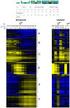 Gene Expression Analysis Jie Peng Department of Statistics University of California, Davis May 2012 RNA expression technologies High-throughput technologies to measure the expression levels of thousands
Practical Guideline for Whole Genome Sequencing
 Practical Guideline for Whole Genome Sequencing Disclosure Kwangsik Nho Assistant Professor Center for Neuroimaging Department of Radiology and Imaging Sciences Center for Computational Biology and Bioinformatics
How To Use The Librepo Software On A Linux Computer (For Free)
 An introduction to Linux for bioinformatics Paul Stothard March 11, 2014 Contents 1 Introduction 2 2 Getting started 3 2.1 Obtaining a Linux user account....................... 3 2.2 How to access your
From Reads to Differentially Expressed Genes. The statistics of differential gene expression analysis using RNA-seq data
 From Reads to Differentially Expressed Genes The statistics of differential gene expression analysis using RNA-seq data experimental design data collection modeling statistical testing biological heterogeneity
Services. Updated 05/31/2016
 Updated 05/31/2016 Services 1. Whole exome sequencing... 2 2. Whole Genome Sequencing (WGS)... 3 3. 16S rrna sequencing... 4 4. Customized gene panels... 5 5. RNA-Seq... 6 6. qpcr... 7 7. HLA typing...
MultiExperiment Viewer Quickstart Guide
 MultiExperiment Viewer Quickstart Guide Table of Contents: I. Preface - 2 II. Installing MeV - 2 III. Opening a Data Set - 2 IV. Filtering - 6 V. Clustering a. HCL - 8 b. K-means - 11 VI. Modules a. T-test
When you install Mascot, it includes a copy of the Swiss-Prot protein database. However, it is almost certain that you and your colleagues will want
 1 When you install Mascot, it includes a copy of the Swiss-Prot protein database. However, it is almost certain that you and your colleagues will want to search other databases as well. There are very
University of Toronto
 1 University of Toronto APS 105 Computer Fundamentals A Tutorial about UNIX Basics Fall 2011 I. INTRODUCTION This document serves as your introduction to the computers we will be using in this course.
Introduction to Bioinformatics 3. DNA editing and contig assembly
 Introduction to Bioinformatics 3. DNA editing and contig assembly Benjamin F. Matthews United States Department of Agriculture Soybean Genomics and Improvement Laboratory Beltsville, MD 20708 [email protected]
Development of Bio-Cloud Service for Genomic Analysis Based on Virtual
 Development of Bio-Cloud Service for Genomic Analysis Based on Virtual Infrastructure 1 Jung-Ho Um, 2 Sang Bae Park, 3 Hoon Choi, 4 Hanmin Jung 1, First Author Korea Institute of Science and Technology