
WELCOME TO COMCAST BUSINESS
|
|
|
- Marvin Cooper
- 10 years ago
- Views:
Transcription
1 WELCOME TO COMCAST BUSINESS CB_BTS_IMS_UG_1014.indd 1 8/21/14 12:31 PM

2 2 THANK YOU FOR CHOOSING COMCAST BUSINESS No matter what industry you re in, communication, connection and information are key to serving customers and taking your business to the next level. With Comcast Business, using the Internet, staying in touch and accessing news and entertainment are simple with easy-to-use interfaces and convenient customer service. We hope you will find this guide to be a useful resource for getting the most out of your services. Easily Manage Your Services Online Please visit business.comcast.com/myaccount to access everything you might need from pre-installation and beyond. From your online account, you can manage your services and features, pay your bill online, as well as access help and support materials. Manage your account and features Manage your services as a user Fast access to answers online Quick access to your and phone features Quick access to manage and pay your bill Activate additional features Visit the cloud marketplace Get Support When You Need It If at any time you have questions that are not answered here, please visit our comprehensive Help & Support library at business.comcast.com/help for hundreds of support articles as well as a community forum where you can get answers from Comcast experts and customers like you. CB_BTS_IMS_UG_1014.indd 2 8/21/14 12:31 PM

3 3 COMCAST BUSINESS PROMISE You depend on Comcast Business for the success of your business and we take that trust seriously. Comcast Business is committed to delivering on the promise of providing customers the most reliable data, voice, and TV services that consistently exceed expectations. If your service is interrupted, we promise to resolve it as quickly as possible. If you report a service interruption that was our issue, you will receive a bill credit. It s that simple. That s Comcast we back our service with this promise because business can t wait. We make the following commitments to our customers: 1. Money Back Guarantee Because if you re not satisfied, neither are we. If you re not completely satisfied within the first 30 days of your Business Voice, Internet or TV service installation, you may cancel that service and we will issue a refund for the monthly recurring fee paid for the first 30 days of service, excluding installation charges, fees, taxes or percall charges. NOTE: If you have Business VoiceEdge or Business Trunks, there is a 60-day money back guarantee. The Money Back Guarantee does not apply to Ethernet or Hospitality video services. 2. Support Everywhere: Phone, Web, Onsite Online account management our enhanced customer website makes it easy for you to review and pay your bill, manage your account, and add services. Our robust help library and online customer forums provide you with fast access to answers, when you need them. And if you need us onsite, our professional, punctual and skilled technicians strive to resolve troubles quickly so that you don t need a repeat service call x7 Dedicated Business Support Our dedicated customer service support teams are available 24x7 to help. To learn more about our Comcast Business Promise, please visit business.comcast.com/promise. CB_BTS_IMS_UG_1014.indd 3 8/21/14 12:31 PM

4 4 CONTENTS 5 6 Comcast Business Internet 7 13 Comcast Business WiFi Upware Marketplace Comcast Business Voice Comcast Business TV Online Bill Pay & Billing Statement Overview 31 Self Service HELP AND SUPPORT Activate Your Online Account business.comcast.com/myaccount Find Fast Access to Answers Online business.comcast.com/help Visit the Cloud Marketplace for Security, Data Back-Up and Business Apps business.comcast.com/upware View Comcast Business News & Events business.comcast.com/social CB_BTS_IMS_UG_1014.indd 4 8/21/14 12:31 PM

5 COMCAST BUSINESS INTERNET EXPERIENCE A NEW BREED OF SPEED QUICK START Thank you for choosing Comcast Business for your Internet service. The benefits go beyond fast-loading Web pages, speedy downloads and a consistent connection. Comcast Business Internet also includes WiFi and a broad range of communication and collaboration tools like Cloud Services from Microsoft, Web Hosting and a host of business applications on our Upware marketplace. And, you don t have to be a techie to set up the service. Simple menus will guide you through the process. After taking just a few minutes to familiarize yourself with the instructions, you can begin using both basic and advanced features right away. Activating your Comcast Business Internet account can be done in less than 15 minutes. To Register Your Account: 1. In your browser, go to business.comcast.com/myaccount and click the Register your account button. 2. Choose whether you are an existing customer, a new customer waiting for installation or not yet a customer. NOTE: Customers can register online as soon as installation is scheduled to set up billing preferences, get installation text reminders and to access the Upware marketplace. Non-customers can also register to access the Upware marketplace. 3. Enter your account number, then select either Phone number or Zip code and enter the appropriate information. Complete the CAPTCHA and select Sign In. 5 CB_BTS_IMS_UG_1014.indd 5 8/21/14 12:31 PM

6 6 COMCAST BUSINESS INTERNET Comcast Business customers have the option to link multiple Comcast Business accounts and access them with a single sign-in address. Linking accounts will allow you to skip the hassle of remembering account information for several accounts and manage billing and other features in one convenient location. NOTE: Only an account that has not previously been activated online can be linked to another account. After you have activated your account, you will need to set up your credentials in order to be able to sign in to your account. If you are a Comcast Business Internet customer, you can choose how you would like to set up your account sign in credentials. You have the option to either use an address that you already have (example: john_ [email protected]) or you can set up a new Comcast Hosted Microsoft Exchange address, which would allow you to use your company name in your address (example: [email protected]). A Hosted Exchange address will also enable you to customize the domain in your address by registering a domain, which is included in your Comcast Business Internet subscription (example: [email protected]). Once you set up the initial Microsoft Hosted Exchange box, you will have Primary Manager privileges that will enable you to activate services included with your Business account. These services are available on UPWARE from Comcast Business an online marketplace of cloud-based business applications. Take advantage of the free services included with your account such as Norton Internet Security, Microsoft Hosted Exchange, Web Hosting, AnyMeeting (web conferencing), DigitalSafe (online storage), & Swiftpage (marketing & social media tools). A few minutes after activating your account, you can check your , create more boxes, install Microsoft Outlook and manage your website from your online account. For more information, please see the Upware marketplace section. HELPFUL TIPS Your account number. You will find this number on the welcome sent after your service was activated, or on the work order you received from the technician who installed your service. Ideas for your username. Usernames must be composed of letters and/or the following characters: period (.), plus sign (+), hyphen (-) and underscore (_). Ideas for your password. Passwords must be 8 to 16 characters long and contain at least one uppercase letter and one number. Ideas for your . Create an using your business name to appear more professional. CB_BTS_IMS_UG_1014.indd 6 8/21/14 12:31 PM

7 7 COMCAST BUSINESS WIFI As a Comcast Business Internet customer, you can now enjoy the convenience of WiFi for your employees and your customers. And it s included with your Business Internet service (not available for Internetonly Starter, Hospitality Internet or Ethernet services). Business WiFi is a comprehensive WiFi solution which includes: Private WiFi a private/secure WiFi connection for your business Public WiFi an XFINITY WiFi Hotspot for patrons and customers About the Business Wireless Gateway Model Number: DPC3939B The Business Wireless Gateway is an all-in-one product that connects Comcast Business Internet and Business WiFi networking. It provides wired and WiFi connectivity, so there s no need for a separate router. The instructions below will guide you through setting up your Private and Public WiFi networks. FIND YOUR DEFAULT WIRELESS NETWORK INFO Your default information is needed if you do a factory reset. Follow the steps below to find your unique wireless network info, and write it down for your records. 1. Lift the Business Wireless Gateway to view the bottom panel. On the bottom panel label, find the two Network Names (SSIDs) and the one Network Key (Password). The case-sensitive password is the same for both Network Names (SSIDs). 2. Write down your information. In the lines below, write down your wireless network information for future reference. Gateway s Bottom Panel Wireless Network Names (SSIDs) Wireless Network Key (Password) Wireless Network Name (SSID 1) for 2.4 GHz WiFi Band (Example: CBCI-XXXX-2.4) Wireless Network Name (SSID 2) for 5 GHz WiFi Band (Example: CBCI-XXXX-5) Wireless Network Key (Password) Same for both bands (case-sensitive) NOTE: The default Network Names (SSIDs) and Network Key (Password) are unique to your Wireless Gateway. We recommend changing the Network Key (Password). CB_BTS_IMS_UG_1014.indd 7

8 8 COMCAST BUSINESS WIFI CONNECT TO YOUR XFINITY WIFI HOTSPOT Your Business Wireless Gateway also broadcasts a Public WiFi network with the SSID xfinitywifi for your customers and patrons. This network provides a separate and secure method for guests to access the internet while at your business. As a Comcast Business Internet customer, you also have access to this hotspot and the broader XFINITY WiFi network of hotspots around town. Log In to XFINITY WiFi 1. Select the xfinitywifi Network Name (SSID) from available networks on your wireless device. 2. Open a browser window. On some systems, such as Apple ios, a browser screen will appear automatically. 3. Follow the on-screen prompts to log in with your Comcast Business Internet credentials. Congratulations! Now that you ve logged in, you will be automatically signed in whenever you are near an XFINITY WiFi Hotspot around town. NOTE: Comcast Business Internet should be unaffected by the Business Public WiFi service. Your Business Private WiFi network, as well as Business Public WiFi, use shared spectrum, and as with any shared medium there can be some impact as more devices share WiFi. Manage Your Business WiFi Hotspot Directory Information Update the information for your business that appears on the XFINITY WiFi app and interactive map. NOTE: Only the Primary Manager or Services Manager can update this information. 1. Sign in to your account at business.comcast. com/myaccount and select Internet from the Manage Services menu. 2. Select Manage XFINITY WiFi Hotspot on the left side of the page. 3. Select Edit at the bottom of the Directory Information window. You can edit the Company Name, Phone Number, Company Website and Business Type fields. The Service Address cannot be edited. 4. Select or deselect the checkbox at the bottom of the directory information to either show or hide your company information on the Hotspot map. NOTE: Changing this information only changes how your business appears on the XFINITY WiFi app and interactive map. CB_BTS_IMS_UG_1014.indd 8

9 COMCAST BUSINESS WIFI 9 CONNECT YOUR PRIVATE WIRELESS NETWORK Now that you have your wireless network information, you re ready to connect your WiFi devices (laptops, tablets, mobile devices) to the Business Wireless Gateway. Follow the steps below for each WiFi device you want to connect to your business network. For the best experience from the Business Wireless Gateway, connect to both 2.4 and 5 GHz networks, if your WiFi device supports both networks (p. 13). If it does not, only connect to the 2.4 GHz network. 1. Go to the WiFi Settings on your WiFi device and ensure WiFi is turned on. Directions to access the WiFi settings for popular operating systems are below. If your operating system is not listed, refer to the manufacturer s guide. Windows On your Windows Desktop, click the Wireless Network icon. Apple Mac OS X On your Mac Desktop, click the WiFi icon. Android From the Apps screen, tap the Settings icon. Tap Wireless & Networks, then WiFi Settings. Apple ios (ipad, iphone, ipod Touch ) From the Home Screen, tap the Settings icon. Tap the WiFi icon. Windows is a registered trademark of Microsoft Corporation in the United States and other countries. Mac OS and OS X are registered trademarks of Apple Inc. IOS is a trademark or registered trademark of Cisco in the U.S. and other countries and is used under license. Android is a trademark of Google Inc. All trademarks are the property of their respective owners. CB_BTS_IMS_UG_1014.indd 9

10 10 COMCAST BUSINESS WIFI 2. Select the 2.4 GHz Network Name (SSID) on your WiFi device. Under the WiFi settings, the list of available networks should appear. Select your business network (such as CBCI-XXXX-2.4) from Step Enter the Network Key (Password) on your WiFi device. When prompted, enter the casesensitive Network Key (Password) from Step 1. Tap the confirmation button usually labeled Join, Connect, or OK. 4. Check if your WiFi device is connected to your 2.4 GHz network. If your WiFi device is connected, you should see a check mark (or other indication) next to the Network Name (SSID) you had selected. 5. Test your Internet connection on your WiFi device. Open a web browser (i.e. Internet Explorer, Chrome, Safari, Firefox), and try to access a site, such as 6. Connect your WiFi device to the 5 GHz band. If your device supports 5 GHz, you should see CBCI-XXXX-5. To connect to 5 GHz, repeat Steps 1-5. If you don t see your 5 GHz network or you don t have a 5 GHz WiFi capable device, skip this step. NOTE: For help with the above steps or to learn about WiFi and 5 GHz, see p CB_BTS_IMS_UG_1014.indd 10

11 COMCAST BUSINESS WIFI 11 LOG IN AND SECURE THE ADMIN TOOL You can manage your network and security settings using the Business Wireless Gateway s Admin Tool. To ensure better security for your Business Wireless Gateway and network, we recommend changing the default password to a password of your own. 1. Open a web browser from a connected wired or WiFi device. Go to and the Login page appears. 2. Enter cusadmin for Username. 1 Enter highspeed for Password. 3. Click LOGIN and the At a Glance page appears. 4. In the upper right corner, click CHANGE PASSWORD for Increased Security (recommended). 1. Enter highspeed in the Current Password field. 2. Create a new password of your choice Re-enter your new password. 4. Click Save. 5. Your settings should now be saved. 1 The username cusadmin cannot be changed. 2 The password must be at least 8 characters and may include letters or numbers or a combination of both (no symbols). For better security, try using at least 1 number and a mix of upper and lower case letters. Business Wireless Gateway enables you to personalize your business network. Features that can be customized using the Admin Tool include: Content Controls Create rules for different network devices. Firewall Manage network security settings. Wireless Network Info The default Network Names (SSIDs) can be changed. You may find it helpful to keep the -2.4 and -5 in the Network Names (SSIDs) to distinguish between the two network bands. The default Network Key (Password), which is the same for both 2.4 and 5 GHz network bands, can be changed. You can change each band separately or use the same password for both. Keep in mind that they are case-sensitive. NOTE: To edit your wireless network info in the Admin Tool, go to Gateway > Connection > WiFi. For more information about the Business Wireless Gateway, visit mydeviceinfo.comcast.net and download the manufacturer s User Guide. CB_BTS_IMS_UG_1014.indd 11

12 12 COMCAST BUSINESS WIFI TROUBLESHOOTING COMCAST BUSINESS WIFI If you re having trouble connecting a WiFi device to your 2.4 and 5 GHz WiFi networks (or if neither network appears in the available networks list), try the following tips in order. After trying a tip, see if you can connect to your network by repeating Steps 1-6 (p. 9-10). If you can t connect, try the next tip. Tip 1. Move the WiFi device next to the Business Wireless Gateway. Tip 2. On the WiFi device, turn the WiFi setting off and then on. Tip 3. Restart the WiFi device by powering off and then on. If none of the above tips resolve your connection issue, reset the Business Wireless Gateway. Caution: Resetting the Gateway will disrupt Business Internet services for a minute or two. How to reset the Business Wireless Gateway. Use a thin object to press the Reset button on the back panel. Hold for 2-5 seconds, and then release. Caution: Holding the Reset button for 15 seconds or more will restore default factory settings. Any changes you ve made to the Business Wireless Gateway (such as passwords, content controls, or firewall settings) will be lost. Or Unplug the Business Wireless Gateway and remove the battery from the bottom panel (if you have one). Insert the battery, then replug. Business Wireless Gateway Where you put the Business Wireless Gateway in your business can affect your connectivity, range (operating distance), and performance of connected WiFi devices. For optimal results from the Business Wireless Gateway, follow these guidelines to identify the ideal location. Place the Business Wireless Gateway in an upright, elevated location (closest to the center of where you ll typically use your WiFi devices). Minimize the number of walls and ceilings between the Business Wireless Gateway and your WiFi devices. Place the Business Wireless Gateway away from electronics that may cause interference (such as cordless phone bases). CB_BTS_IMS_UG_1014.indd 12

13 COMCAST BUSINESS WIFI 13 5 GHz in Your Business Most WiFi networks primarily operate in the 2.4 GHz frequency band only, but the increasingly popular 5 GHz networks offer significant advantages. With dual-band WiFi devices, you ll experience the benefits of both 2.4 and 5 GHz networks. Why use 5 GHz? Higher speed capability than 2.4 GHz Less wireless interference in the 5 GHz band Large data, such as video or game files, download faster than with 2.4 GHz because 5 GHz can support higher speeds Compatible with many newer 5 GHz WiFi consumer electronic devices, such as: Tablets Laptops HD TVs Mobile Phones Game Systems About WiFi and the Business Wireless Gateway Not all WiFi devices support 5 GHz, especially older ones. If your device is 5 GHz capable, you should see the 5 GHz Network Name (SSID) in the list of available networks (p. 9-10). If you don t, and you re unsure if your WiFi device supports 5 GHz, check the manufacturer s documentation. Although the Business Wireless Gateway simultaneously broadcasts both 2.4 and 5 GHz, WiFi devices can connect to only one WiFi network at a time. 5 GHz WiFi signals may not travel as far as 2.4 GHz. In areas of your business that are furthest away from the Business Wireless Gateway, only the 2.4 GHz network may be available. We recommend connecting to both 2.4 and 5 GHz networks during initial set-up of all your WiFi devices. If you re connected to the Business Wireless Gateway s 5 GHz network and move out of the 5 GHz range (move to a different room), your WiFi device may disconnect and automatically reconnect to your 2.4 GHz (if you ve connected to it previously). NOTE: When you re back in the 5 GHz range, go to WiFi settings (p. 9-10) to reconnect to the Wireless Gateway's 5 GHz network in order to experience its benefits. The WiFi bars on your WiFi device indicate signal strength. Some WiFi devices support WiFi Protected Setup (WPS). WPS lets you set up secure WiFi networks without manually entering your WiFi network information. Pressing the WPS button on the Business Wireless Gateway initiates WPS for both 2.4 and 5 GHz WiFi bands. You can then connect to either band using WPS. Learn about the Business Wireless Gateway at business.comcast.com/help. CB_BTS_IMS_UG_1014.indd 13

14 14 UPWARE MARKETPLACE Upware is an online marketplace of cloud-based small business applications that are specifically built for business. Our Comcast Business experts curate and maintain the Upware marketplace, selecting the best apps designed to help boost your business productivity. HOSTED MICROSOFT EXCHANGE Once you have activated your account, follow the prompts to create a username and password and to set up your address. addresses can be in one of the following formats: name@[companyname].comcastbiz.net name@[companyname].com With hosted Microsoft Exchange, you have an on-the-go communications platform including: Microsoft Outlook Share and synchronize , calendars, contacts and tasks. Windows SharePoint Share documents and information, coordinate projects and get up to 10 GB of storage and backup. Mobile Access Communicate from anywhere you have Internet access, on all your mobile devices. Need help migrating from your existing platform to Microsoft Hosted Exchange? Get MaaX, available on the Upware marketplace, easily migrates your , calendar & contacts from your existing to Microsoft Hosted Exchange. CB_BTS_IMS_UG_1014.indd 14

15 UPWARE MARKETPLACE 15 WEB HOSTING Comcast Business Web Hosting enables you to create a Web presence that fits your business: anything from a basic site to a full-featured, professional e-commerce site. Simple, intuitive tools and state-of-the-art hosting services allow you to build the site you need. Options include: Starter Package Included at no extra charge, this package offers the ability to build a 3-page website for your business at your own domain with easy-to-use online site building tools. You get 10 MB of storage space and 100 MB of data transfer. NOTE: The Starter Package does not support FTP. Business Package With 300 GB of storage space, you can build a dynamic site with Web scripting and database support. This package lets you host lots of pages and take lots of hits, but does not cost lots of money. Commerce Package Put a large catalog online and sell your products securely with 400 GB of storage space and integrated e-commerce functionality. Professional Package All of the functionality included in the Commerce Package with even more storage space. This bundle lets you build, run and promote a big website without a big price. NOTE: If you would like to upgrade your service, please visit business.comcast.com/ myaccount, navigate to Manage Services and select Websites then choose Upgrade hosting plan. YOUR SECURITY For your protection, log on to your account at business.comcast.com/upware to download Norton security tools, some of which are included with your service at no additional charge. CB_BTS_IMS_UG_1014.indd 15

16 16 COMCAST BUSINESS VOICE EXPERIENCE A NEW BREED OF PHONE SERVICE VOIC MESSAGES With your Comcast Business Voice service, you will enjoy the convenience of staying connected with high quality and robust voice service. Plus, with Full Featured lines, you get unlimited nationwide direct-dial calling from your office, including calls to Canada and U.S. Territories such as Puerto Rico, U.S. Virgin Islands, Guam and Saipan/N. Mariana Islands. This section provides easy-to-follow instructions for setting up voic , an overview of additional features and functionality, and information on how to manage your voice services online. When you are on the phone, offsite or just need a phone-free hour to focus on a project, Business Voic enables you to manage your time without missing any messages. You can even opt to be notified via that you have voice messages waiting. Setting Up Voic To set up your new Business Voic service, follow these easy-to-use instructions. The first time you call into your voic , you must use your office phone to create a new password and the personalized greeting that callers will hear. Each phone line has its own voic and will need to be set up individually. First Time Voic Activation Following the system installation, you can begin using Business Voic right away. To Activate Voic 1. Dial * 99 from your office telephone. 2. You will be prompted to enter the default password, which is the last four digits of your telephone number. 3. Listen carefully to the recorded instructions an audio tutorial will guide you through the setup of your new voic service. You will be prompted to create a password, record your name and record a customized business greeting. CB_BTS_IMS_UG_1014.indd 16

17 COMCAST BUSINESS VOICE 17 Accessing Voic There are four ways to access your voic From Your Office: 1. Dial * When prompted, enter your password. 3. Make a selection from the Main Menu. Voic Access Number: 1. Dial your Voic Access Number. Press #. 2. You will be prompted to enter your mailbox number, which is your 10-digit telephone number. 3. When prompted, enter your password and make a selection from the Main Menu. Away From Your Office: 1. Dial your office telephone number. 2. When your personal greeting starts, press #. 3. When prompted, enter your password and make a selection from the Main Menu. Online: 1. Log on to your online account at business.comcast.com/myaccount. 2. From the homepage, click My Services from the top navigation and then click My phone. 3. Enter your password which is the last 4 digits of your telephone number plus 648. Once logged in, please change your password for added security. NOTE: If you do not have your Voic Access Number, please contact Business Customer Care at Call Forward Your Phone When Away From the Office Comcast Business Voice allows users to call forward their individual numbers via Remote Access to Call Forwarding (RACF). To do this, you need to set it up once, and then you can use your PIN for activating or deactivating in the future. First-time Use/PIN Setup: Your initial PIN is the last 4 digits of your business telephone number plus 648. For security purposes, it will need to be changed upon your first login. To change your PIN, dial from your office phone, follow the Interactive Voice Response (IVR) and enter your new PIN (must be between 4 and 8 digits). Please do this immediately so you can enjoy the benefits of RACF when you are away from your office or cannot access your office. Next, document this RACF access number, , and keep it in a safe place. This will be the number you dial remotely to activate Call Forwarding. Ongoing Use: Call from a remote phone to access the Call Forwarding IVR. After the IVR prompt, enter the 10-digit business phone number that you want forwarded, beginning with the area code. Once IVR validates the number, enter your PIN (must be between 4 and 8 digits). Once you have successfully entered your PIN, you will be allowed to activate call forwarding, deactivate call forwarding or change the call forwarding number. CB_BTS_IMS_UG_1014.indd 17

18 18 COMCAST BUSINESS VOICE Managing Features Online With Business Voice, you can manage your voice features conveniently online from within our voice management site. Key functionality includes: View recent, missed, and dialed call history Manage voic including setting notifications for new voic messages Activate or deactivate features such as Call Forwarding Visit business.comcast.com/myaccount to activate your online account and to manage services. Once activated, login and click My Services, then My phone to get started Manage your voice features and voic settings View your call history TIP The manage voice features will require a separate login. Enter your password which is the last 4 digits of your telephone number plus 648. Once logged in, please change your password for added security. CB_BTS_IMS_UG_1014.indd 18

19 COMCAST BUSINESS VOICE 19 Feature Access Codes Feature Access Codes enable you to activate or deactivate features by dialing star ( *) codes. The following list shows the most popular codes. For more information about the features with your voice service, please login to your online account at business.comcast.com/myaccount. Feature To Activate To Deactivate Call Forwarding Call Forwarding Not Reachable Call Hold 52 n/a Call Waiting Automatically activated 70 per call Do Not Disturb Call Park 68 n/a Call Retrieve 88 n/a Call Forwarding Busy Call Forwarding No Answer Speed Dial 8 74 n/a Speed Dial n/a Caller ID Blocking Per Call 67 n/a Caller ID Unblocking Per Call n/a 82 Call Trace 57 n/a Selective Call Forwarding Selective Call Rejection Hunt Group Terminal Make Busy (Do Not Disturb) Hunt Group Group Make Busy Anonymous Call Rejection CB_BTS_IMS_UG_1014.indd 19

20 20 COMCAST BUSINESS VOICE HUNT GROUPS A busy signal is an opportunity lost. But with a Hunt Group, when an incoming call reaches a busy line, the call is automatically routed to the next open line. Hunting not only keeps your call volumes flowing at their most efficient levels, but enables you to capture a call that might otherwise be lost. A Hunt Group checks each of your lines, seeking an open line. After it has determined that there are no open lines, Hunt Group forwards the call to the voic of the original line. Please contact Business Customer Care to learn more. Regular Rings each user in the order they appear on the User List Incoming call User 1 User 2 User 3 User 4 Sales Department Hunt Group 1 Two Hunt Groups If you have more than one department that needs help managing and distributing calls, set up two Hunt Groups Incoming call User 1 User 2 User 3 User 4 Technical Support Department Hunt Group 2 Incoming call User 5 User 6 User 7 User 8 The name of the Hunt Group is shown to users along with the Caller ID number so they know what type of call is incoming, such as Sales Group or Customer Care Group. NOTE: In the case of multiple hunt groups, a telephone number may only belong to one Hunt Group. CB_BTS_IMS_UG_1014.indd 20

21 COMCAST BUSINESS VOICE 21 COMCAST BUSINESS VOICE ACCESSIBILITY INFORMATION Comcast Business Voice is committed to providing accessible services to our customers with special needs. Comcast Business Voice provides 711 abbreviated dialing for users of the Telecommunications Relay Service (TRS) center for the hearing impaired in compliance with all applicable federal regulations. TRS permits persons with hearing or speech disabilities to use the telephone system via a text telephone (TTY) or other device to call persons with or without disabilities. Comcast Business Voice is a Provider of Choice in all Telecommunications Relay Service centers as required by the Federal Communications Commission (FCC). Comcast Business Voice supports the use of teletypewriters ( TTY ) and telecommunications devices ( TDD ) for customers with hearing or speaking disabilities. Comcast Business Voice has a Special Needs Group that answers TTYs and TDDs for customers and provides additional assistance. Our customer care representatives will read requested documents to visually impaired customers. Comcast Business Voice provides free domestic Directory Assistance calls and waives operator surcharges upon request for customers with disability certification. Call Comcast customer service for more information. Comcast Business Voice provides Braille and large print bills to customers upon request. Call Comcast customer service for more information. Comcast Business Voice provides 311 service, where available, for assistance with non-emergency concerns or questions. CB_BTS_IMS_UG_1014.indd 21
22 22 COMCAST BUSINESS VOICE MORE SERVICES 911 Emergency Calls In most major cities, emergency police, fire and medical services can be reached by dialing 911. Enhanced 911 (E911) automatically provides the emergency service with your telephone number and location when you dial 911 from your business phone. Comcast Business Voice service may have E911 limitations as specified below: In order for your 911 calls to be properly directed to emergency services, Comcast must have your correct service address. If you move your Comcast Business Voice service to a different address without Comcast approval, 911 calls may be directed to the wrong emergency authority, may transmit the wrong address and/ or Comcast Business Voice service (including 911) may fail altogether. Comcast Business Voice service uses the electrical power in your office. If there is an electrical power outage, 911 calling may be interrupted if the battery backup in the associated multimedia terminal adapter is not installed, fails or is exhausted after several hours. Calls, including calls to 911, may or may not be completed if there is a problem with network facilities, including network congestion, network/equipment/power failure or other technical problems. Prior to changing your address or moving your service, or if you have any 911-related questions, please call Business Customer Care at Comcast will need several business days to update your new service address in the E911 system. Directory Listings A directory listing in both the White Pages and Yellow Pages is included with your Comcast Business Voice service. 411/811/511/211 Services Directory Assistance Dial 411 for access to local, long-distance and international numbers. Directory Assistance Call Completion Dial 411 for access to both local and long-distance numbers, then press the indicated key and your call will be connected. Enhanced Directory Assistance Now when you dial 411, you can get even more valuable information like fully interactive, turn-by-turn driving directions from a live operator. Directory Assistance calls are charged on a per-use basis. Planning Assistance If you are expanding the footprint of your building, follow the call before you dig rule to ensure your service remains fully functional. Dial 811 to access this critical information. CB_BTS_IMS_UG_1014.indd 22
23 COMCAST BUSINESS VOICE 23 Dodge Traffic Congestion Ensure you ll arrive at your destination on time by dialing 511 to get the latest traffic information and avoid congested areas due to accidents or construction. Community Services 211 is an easy-to-remember number that connects you to community services like after-school programs, health services, food banks and other essential human services. NOTE: Although Business Voice supports 511 and 211 services, not all states have fully deployed this service. Check to see if it is available in your area by going to gov/511 or Battery Backup for Your Voice Services Your Comcast Voice modem typically draws power from an external power source like an outlet. However, we provide battery backup for your Comcast Business Voice service so you can maintain service during a power outage. We recommend having one battery in your modem. If your modem has two battery slots, you still only need one battery. In some cases, your modem may not have come with a battery preinstalled. If you don t have a battery, we ll send you one free of charge. During a power outage, your battery backup provides up to 8 hours of standby time and up to 5 hours of talk time. If there s no battery, or if it s faulty, you won t have phone service during an outage. We monitor battery status and will notify you if your system needs a new battery, and we replace the battery free of charge as part of the service. To learn more, visit business.comcast.com/help. Toll Free Service Toll Free Service can help expand your business by enabling your customers to place orders via a Toll Free number. You can include your Toll Free number on your website to make it even easier for customers to do business with you. Getting a Comcast Business Toll Free line for your company is as fast and easy as a Toll Free call to Business Customer Care at Advanced Voice Services Business VoiceEdge and Business Trunks If your Business Voice needs grow, please note that Comcast Business has several voice communication services to meet your needs. Whether you need two lines or two hundred, you can find the right solution for your business. Business VoiceEdge is a hosted solution that enhances business productivity without capital expense. Business Trunks enables cost-efficient scalability and reliability while leveraging your existing PBX system. To learn more about our complete voice solutions, please visit business.comcast.com. CB_BTS_IMS_UG_1014.indd 23
24 24 COMCAST BUSINESS TV THE BEST PROGRAMMING AT A GREAT VALUE TV: When programmed, enables control of your TV. Cable: Enables control of your set-top box. Power: Turns on or off the set-top box or TV component. Setup: Programs your remote to control your TV, DVD player, VCR or audio device. All On: Turns on or off all of the devices programmed into the remote control. Lock: Restricts viewing or purchase of a channel or program. Day -/+: While viewing TV Listings jump ahead or back 24 hours at a time. Page Up/Down: Displays the next or previous page of program listings in the on-screen guide. Arrows: Moves the highlight to the next field within the on-screen guide. OK/Select: Selects a highlighted item. Also displays the Mini-Guide while watching TV. Guide: Shortcut to TV Listings. Info: Provides a description of a program. Menu: Enters or exits the on-screen guide menus. Exit: Exits guide screens and returns you to viewing TV. Last: Returns you to the previous channel or guide screen. FAV: Allows you to view and set up your favorite channels. Input TV/VCR: In cable mode, this bypasses the set-top box. In TV mode, this selects available inputs. Swap: Jumps between two tuners so you can control the playback of two channels. NOTE: Your remote may vary slightly from the one pictured here, but the basic functions should be the same. Some features require your remote to be programmed for operation and may not be available in all areas. CB_BTS_IMS_UG_1014.indd 24
25 COMCAST BUSINESS TV 25 GUIDE Need to see what s on? Press on your remote control. Navigate through the TV Listings grid with the buttons to see different channels and times. TV Listings are color coded to help you scan for your favorite programs. While you re watching TV, press to access a mini-guide. MENU Press once for a Quick Menu of shortcuts and twice for a full Main Menu with all available options. Explore all the features of your on-screen guide such as search tools, TV Listings and more. Use the buttons on your remote to navigate through menu options. CHANNEL LINEUP Log on to your account at business.comcast.com/myaccount and select My Services at the top of the page. Select TV. Sort the list numerically or alphabetically. Scroll left or right using the arrows at the bottom of the page to view more channels. In addition, depending on your area and whether you have a set-top box, you can view your lineup on your TV by one of the following methods: Use the channel up and down buttons on the remote control for your television. Use the on-screen guide, which is accessed through the remote control provided by Comcast. 2:25pm TV Guide Main Menu TV Listings View the TV Listing grid. XFINITY On Demand TV Listings TV Listings By Channel Pay-Per-View Events Setup More Choices Search Interactive TV Parental Control DVR Messages CB_BTS_IMS_UG_1014.indd 25
26 26 COMCAST BUSINESS TV BUSINESS TV PACKAGE OPTIONS We offer a variety of packages to support your Business TV needs, please call to discuss additional package options. You may want to consider increasing your channel selection by upgrading to one of the following packages: Business TV Preferred For offices that want the works, the Preferred Package has our most comprehensive line-up with over 100 channels to choose from. It includes all of the channels in the packages below, plus ESPN News, Bloomberg and more. And with the Preferred Package, you ll provide your customers with a comprehensive sports lineup with NFL, NHL, NBA and MLB! Plus, get programming everyone can enjoy with networks like National Geographic, DIY, The Biography Channel, Style and more. Business TV Standard With its robust channel line-up featuring news, sports, music and general entertainment programming, the Business Standard Package is ideal for any office that hosts a diverse group of customers throughout the day. With more than 80 channels including cable favorites like FX, USA, TNT, ESPN, ESPN2, Food Network, MTV, MSNBC, Fox Business Network and more, your customers will never mind the wait. Business TV Variety Our Variety TV package offers up to 65 channels and gives businesses a costeffective option between Select and Standard. It includes top-rated popular news and entertainment programming at an affordable price. Business TV Select This package offers up to 50 channels and comprises a lineup of news, lifestyle, and children s programming including Disney, Sprout, and Nickelodeon as well as networks like CNBC, The Weather Channel, Headline News, and Golf. CB_BTS_IMS_UG_1014.indd 26
27 COMCAST BUSINESS TV 27 BUSINESS TV FOR PUBLIC VIEWING We offer a variety of packages to support your bar, restaurant or other public viewing location. The most popular packages are below, and please call to discuss additional package options. Sports & Entertainment Deluxe For every sports enthusiast, the sights and sounds of the big game in high definition is a must-have on game day. Sports & Entertainment Deluxe offers our most comprehensive digital line-up with more than 150 popular cable networks plus access to crystal clear HD channels, all packaged together with enough HD equipment to cover up to four HDTVs. Digital Deluxe Digital Deluxe includes a full line-up of ESPN networks as well as access to more than 100 of the most popular cable networks. For any business that needs variety, this is the package that will suit everyone s needs. Now with the NFL Network, NHL Network, MLB Network and NBA TV included at no additional charge! NOTE: Restrictions may apply. Certain services are available separately or as part of other levels of service. A basic service subscription required to receive other levels of service. Not all programming is available in all areas. Call for complete details. CB_BTS_IMS_UG_1014.indd 27
28 28 ONLINE BILL PAY & BILLING STATEMENT OVERVIEW Paying your bill is simple with online billing. You can view your billing details and history, make a one-time payment, set up automatic monthly payments and sign up for Ecobill paperless billing all from within our online account. Login at business.comcast.com/myaccount, and then select Bills from the Manage Account menu. Here, you can manage all of your billing functions easily and it s available to you 24 hours a day, 7 days a week. You can also set up your accounting staff to have access to pay bills online with Billing Manager permissions. The following functionality is available: Billing Details You can view all of your current charges and download previous billing statements. One-Time Payment You can easily pay your monthly bill online when it s most convenient for you. You can select from a variety of payment methods, depending on what suits the needs of your business. CB_BTS_IMS_UG_1014.indd 28
29 ONLINE BILL PAY & BILLING STATEMENT OVERVIEW 29 Set Up Auto Pay Don t worry about missing your monthly payment again. We make staying up-to-date with payments simple with Auto Pay. After a quick setup with a variety of payment options, you no longer have to worry about paying your bill each month. We ll handle it for you. Go Green With Ecobill Protect the environment and free yourself from yet another bill to clutter up your mailbox by going paperless with Comcast s Ecobill. To sign up, visit your account online at business.comcast.com/myaccount. With just a few mouse clicks you can start receiving an notification that your online bill is ready. CB_BTS_IMS_UG_1014.indd 29
30 PO BOX LYNNWOOD WA ONLINE BILL PAY & BILLING STATEMENT OVERVIEW Quick Overview of the Billing Statement One-Stop Shop Box. The first place to go to get important information. Contact Us. Call Business Customer Care at Monthly Statement Summary. This section shows your payment information. New Charges Summary. This section provides an overview of your new charges. News From Comcast. Look here for important information about your account, products and services. NOTE: Not all products are available in all areas. Contact us for availability. Payment Coupon. Simply tear it off and mail it in with your payment. Service Details. A breakdown of your new charges for the current billing period. Partial Month Charges & Credits. If you add, change or remove a service during your billing cycle, any partial month charges or credits are listed here. Taxes, Surcharges & Fees. A breakdown of taxes, surcharges and fees that apply to your Comcast services. Account Number Billing Date 06/08/10 Total Amount Due $ Payment Due By 07/05/10 Page 1 of 4 Monthly Statement Summary Business Office Previous Balance Payment - 06/04/10 - Thank You For service at: New Charges - see below 123 COMCAST AVE., SUITE BOTHELL, WA Total Amount Due $ Payment Due By 07/05/10 News from Comcast New Charges Summary For faster, direct access to Business Services or Business Comcast Bundled Services Repair call toll free We look forward to serving you! Comcast Cable Television Comcast High-Speed Internet Comcast Digital Voice Partial Month Charges & Credits Changes were made to your account this month. See the following pages for more details. Other Charges & Credits Taxes, Surcharges & Fees Total New Charges $ You saved $20.90 this month with your Comcast Services! Detach and enclose this coupon with your payment. Please write your account number on your check or money order. Do not send cash. Account Number Payment Due By 07/05/10 BUSINESS OFFICE 123 COMCAST AVE., SUITE 500 BOTHELL, WA Service Details, cont. Partial Month Charges & Credits, cont. Bundle Discount Total Partial Month Charges & Credits $46.80 Other Charges & Credits Busclass Digital Voice 05/ Activation Charge Service Discount 05/ Installation 05/ Busclass Voice 05/ Installation Charge Service Discount 05/ Total Other Charges & Credits $50.00 Taxes, Surcharges & Fees Cable Television Franchise Fees 6.80 FCC Regulatory Fee 0.08 Digital Voice State and Local Sales Tax Fee(s) 1.40 Total Taxes, Surcharges & Fees $16.57 Total Amount Due $ Amount Enclosed $ Make checks payable to Comcast COMCAST PO BOX SEATTLE WA Account Number Billing Date 06/08/10 Total Amount Due $ Payment Due By 07/05/10 Page 3 of 4 NOTE: If you have Comcast Business Trunks or Business VoiceEdge, you may receive two invoices (one like the invoice depicted above and one for the additional voice service). TIP Visit business.comcast.com/help for resources about how to read your invoice and more. CB_BTS_IMS_UG_1014.indd 30
31 31 SELF SERVICE MANAGE EVERYTHING FROM ANYWHERE MY ACCOUNT Visit business.comcast.com/myaccount to setup your account, create a user profile and manage your settings. Easily view and pay your bill online. Sign up for Auto Pay so you never miss a payment. Register for Ecobill to save time. Access the cloud marketplace for security, data back-up, collaboration, conferencing and other business-grade applications. MOBILE Anytime, anywhere, you can use your smartphone or mobile device to manage your Comcast Business account. Once online, pay your bill, check your connection status to see if an interruption is your connection or a system-wide outage, and search mobile-optimized help and support content. HELP & SUPPORT Find fast access to answers to basic feature questions, complex equipment questions and more. And if you can t find the answer, post a question in our community forums to get answers from other customers or Comcast experts Comcast. All rights reserved. CB_BTS_IMS_UG_1014.indd 31
32 BC BTS-IMS UG CB_BTS_IMS_UG_1014.indd 32
Quick Start Guide. Business Wireless Gateway. WiFi Devices. Model Number: DPC3939B. Business Wireless Gateway
 Business Wireless Gateway Model Number: DPC3939B Quick Start Guide WiFi Devices Business Wireless Gateway Set up your Private and Public WiFi networks About the Business Wireless Gateway Model Number:
WELCOME TO COMCAST BUSINESS
 WELCOME TO COMCAST BUSINESS CB_BTS_IMS_UG_0415.indd 1 2 THANK YOU FOR CHOOSING COMCAST BUSINESS No matter what industry you re in, communication, connection and information are key to serving customers
BUSINESS VOICEEDGE TECHNICAL ADMINISTRATOR USER GUIDE WELCOME TO BUSINESS VOICEEDGE INTRODUCTION TO VOICEEDGE PHONES
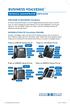 BUSINESS VOICEEDGE TECHNICAL ADMINISTRATOR USER GUIDE WELCOME TO BUSINESS VOICEEDGE As the technical administrator, you can manage features and passwords for all end users as well as manage key group features
BUSINESS VOICEEDGE TECHNICAL ADMINISTRATOR USER GUIDE WELCOME TO BUSINESS VOICEEDGE INTRODUCTION TO VOICEEDGE PHONES
 BUSINESS VOICEEDGE TECHNICAL ADMINISTRATOR USER GUIDE WELCOME TO BUSINESS VOICEEDGE As the technical administrator, you can manage features and passwords for all end users as well as manage key group features
A SCALABLE, COST-EFFECTIVE SOLUTION ENABLING BETTER COMMUNICATIONS
 BUSINESS TRUNKS A SCALABLE, COST-EFFECTIVE SOLUTION ENABLING BETTER COMMUNICATIONS Welcome to Comcast Business Trunks. We are pleased that you have selected Comcast as your voice provider, and look forward
WELCOME TO COMCAST BUSINESS
 WELCOME TO COMCAST BUSINESS BC_BSoft_UG_0413.indd 1 2/21/13 12:43 PM 2 THANK YOU FOR CHOOSING COMCAST BUSINESS No matter what industry you re in, communication, connection and information are key to serving
Welcome to Comcast Digital Voice
 Welcome to Comcast Digital Voice Go ahead. Pick up your phone. Call your neighbor. Your best friend across the country. Or your cousin in Europe. Now that you have Comcast Digital Voice, you can enjoy
WELCOME TO XFINITY INT_V_USER_SIK_0413.indd 1 3/15/13 2:46 PM
 WELCOME TO XFINITY INT_V_USER_SIK_0413.indd 1 2 THANK YOU FOR CHOOSING XFINITY. You ll enjoy superfast Internet access and tons of valuable extras, such as Constant Guard (a $360 value), included with
WELCOME TO COMCAST BUSINESS
 WELCOME TO COMCAST BUSINESS BC_BTS_IMS_UG_0413.indd 1 2 THANK YOU FOR CHOOSING COMCAST BUSINESS No matter what industry you re in, communication, connection and information are key to serving customers
Your XFINITY. Get started with your new XFINITY services.
 Your XFINITY User Guide Get started with your new XFINITY services. The Voice available at xfinity.com/tv The Blacklist available at xfinity.com/tv A Better Entertainment Experience Starts Now Welcome
YOUR BUSINESS PHONE IS NOW A BUSINESS TOOL. Welcome to Comcast Business Class Voice
 YOUR BUSINESS PHONE IS NOW A BUSINESS TOOL. Welcome to Comcast Business Class Voice Table of Contents Welcome to Comcast Business Class Voice........................................... 4 Messages Online
Business Voice Continuity
 Business TRUNKS A SCALABLE, COST-EFFECTIVE SOLUTION ENABLING BETTER COMMUNICATIONS Welcome to Comcast Business Trunks. We are pleased that you have selected Comcast as your voice provider, and look forward
WELCOME TO COMCAST BUSINESS
 WELCOME TO COMCAST BUSINESS BC_BSoft_IMS_UG_0114.indd 1 2 THANK YOU FOR CHOOSING COMCAST BUSINESS No matter what industry you re in, communication, connection and information are key to serving customers
WELCOME TO XFINITY MO_USER_SIK_0414.indd 1 2/28/14 10:37 AM
 WELCOME TO XFINITY MO_USER_SIK_0414.indd 1 2 Thank you for Choosing XFINITY TV. XFINITY TV gives you more ways to get more entertainment. With XFINITY On Demand, enjoy the best selection of current TV
Contents. WOW! Phone Reference Guide
 WOW! Phone Reference Guide Intro to WOW! Phone P-1 WOW! Phone Features P-1 Call Waiting P-1 Call Forwarding P-1 3-Way Calling P-1 Call Return P-1 Anonymous Call Rejection P-2 Caller ID P-2 Caller ID Block
Table Of COnTenT. 1 Advanced Cable Communications. Contact Us...2. Welcome...3. Calling Features...4-11. Frequently Asked Questions...
 Table Of COnTenT Contact Us...2 Welcome...3 Calling Features...4-11 Frequently Asked Questions...12-17 Other Services...18 1 Advanced Cable Communications CONTACT US EMAIL US: [email protected] TelePHOne
Cable TV Quick Start Guide. Enjoy your Midco cable TV experience to the fullest with these helpful tips.
 Cable TV Quick Start Guide Enjoy your Midco cable TV experience to the fullest with these helpful tips. 1 Contents Equipment & Features.......................................................... 4 New Equipment
Quick Reference for:
 Quick Reference for: Optimum Online Boost Plus Optimum Link SM Optimum app Advanced Wireless Router Por español, vea al revérso Version 1.0 9815001CAP0311COL Table of Contents Optimum Online Boost Plus...................
Getting Started. Getting Started with Time Warner Cable Business Class. Voice Manager. A Guide for Administrators and Users
 Getting Started Getting Started with Time Warner Cable Business Class Voice Manager A Guide for Administrators and Users Table of Contents Table of Contents... 2 How to Use This Guide... 3 Administrators...
Digital Cable Your guide to home entertainment with a personal touch
 Your guide to home entertainment with a personal touch 1.888.345.1111 Sudbury 560.1565 eastlink.ca Exciting New Services Welcome to Home Entertainment Questions? We Have the Answers As one of EastLink
COMCAST DIGITAL VOICE USER GUIDE
 COMCAST DIGITAL VOICE USER GUIDE WELCOME TO COMCAST DIGITAL VOICE Go ahead. Pick up your phone. Call your neighbor. Your best friend across the country. Or your cousin in Europe. Now that you have Comcast
Home Phone Quick Start Guide. Review these helpful instructions to understand your Midco home phone service and its many convenient features.
 Home Phone Quick Start Guide Review these helpful instructions to understand your Midco home phone service and its many convenient features. 1 Contents Equipment and Features.......................................................
WELCOME TO XFINITY TV
 WELCOME TO XFINITY TV MORE WAYS TO GET MORE ENTERTAINMENT XFINITY TV offers more ways to get more entertainment so you can enjoy shows and movies instantly on any screen. Catch up on the latest episodes
Welcome to life on. Get started with this easy Self-Installation Guide.
 Welcome to life on Get started with this easy Self-Installation Guide. Welcome to a network that s light years ahead. Welcome to life on FiOS. Congratulations on choosing Verizon FiOS! You re just a few
Keeping You Connected for Less! CUSTOMER HANDBOOK
 Keeping You Connected for Less! CUSTOMER HANDBOOK Stay Connected for Less with Super Saver Bundles Digital Cable Super-Fast Internet Home Phone Service Pick 1 Super Saver Standard Cable Super-Fast Internet
Telephone Users Guide. Equipment, Features & Voice Mail
 Telephone Users Guide Equipment, Features & Voice Mail TABLE OF CONTENTS WELCOME TO ARMSTRONG TELEPHONE Our Commitment to You Identifying Our Employees Dialing 911 - Your Safety Is Important HOW TO MAKE
Virtual Office Account Manager Phone System Setup Guide. 8x8 Virtual Office Phone System Setup Guide
 8x8 Virtual Office Version 1.1, October 2011 Contents Introduction...3 System Requirements...4 Supported Operating Systems....4 Required Plug-ins....4 Supported Browsers....4 Required Firewall Ports...4
AC750 WiFi Range Extender
 Model EX6100 User Manual April 2014 202-11307-03 350 East Plumeria Drive San Jose, CA 95134 USA Support Thank you for selecting NETGEAR products. After installing your device, locate the serial number
NETGEAR genie Apps. User Manual. 350 East Plumeria Drive San Jose, CA 95134 USA. August 2012 202-10933-04 v1.0
 User Manual 350 East Plumeria Drive San Jose, CA 95134 USA August 2012 202-10933-04 v1.0 Support Thank you for choosing NETGEAR. To register your product, get the latest product updates, get support online,
SwannEye HD Security Camera Wi-Fi Connections Quick Setup Guide. Welcome! Lets get started.
 EN SwannEye HD Security Camera Wi-Fi Connections Quick Setup Guide Welcome! Lets get started. 1 1 Introduction 1 2 3 4 Congratulations on your purchase of this SwannEye HD Wi-Fi Security Camera from Swann!
Welcome to Cogeco Business Digital Phone Service
 Welcome Welcome to Cogeco Business Digital Phone Service Congratulations on choosing Cogeco Business Digital Phone Service. 1 Your decision to subscribe to our digital quality phone service is a smart
WELCOME TO. Your step-by-step guide to getting the most out of your Internet, Phone and TV services. VyveBroadband.com
 WELCOME TO Your step-by-step guide to getting the most out of your Internet, Phone and TV services. VyveBroadband.com Thank you for turning your Vyve on! We know you re pretty busy, so we went ahead and
Linksys WAP300N. User Guide
 User Guide Contents Contents Overview Package contents 1 Back view 1 Bottom view 2 How to expand your home network 3 What is a network? 3 How to expand your home network 3 Where to find more help 3 Operating
Digital Cable TV. User Guide
 Digital Cable TV User Guide T a b l e o f C o n T e n T s DVR and Set-Top Box Basics............... 2 Remote Playback Controls................ 4 What s on TV.......................... 6 Using the OK Button..................
XFINITY TV DIGITAL SET-TOP BOX User Guide
 XFINITY TV DIGITAL SET-TOP BOX User Guide Contents 3 Welcome to XFINITY TV 4 XFINITY TV Quick Start Guide 5 Using Your Remote Control 6-12 Using Your On-Screen Guide Main Menu and Quick Menu TV Listings
Welcome to Cogeco Home Phone Service
 Welcome Welcome to Cogeco Home Phone Service By choosing to get your phone service from Cogeco, you have made an important decision about the quality of your connections. Unlike third-party voice over
High-Speed Internet Quick Start Guide
 High-Speed Internet Quick Start Guide Connect Your World. NEED HELP? Call 1.800.239.4430 or visit Frontier.com/HelpCenter Contents PART #1: Wi-Fi Router Setup... 4 PART #2: Configure Wi-Fi Router... 8
8x8 Virtual Office Mobile User Guide for iphone
 8x8 User Guide for iphone Works with iphone, ipad and ipod Touch Version 2.0, September 2010 Table of Contents Introduction...3 Features...3 Technical Requirements...4 Getting Started...5 Ordering from
How To Use Senior Systems Cloud Services
 Senior Systems Cloud Services In this guide... Senior Systems Cloud Services 1 Cloud Services User Guide 2 Working In Your Cloud Environment 3 Cloud Profile Management Tool 6 How To Save Files 8 How To
Cox High Speed InternetSM Connect to your online world faster than you can imagine. Plus, access a whole host of tools to make your Internet
 Cox High Speed InternetSM Connect to your online world faster than you can imagine. Plus, access a whole host of tools to make your Internet experience friendlier, easier and more cutting edge. 43 Connecting
8x8 Virtual Office Mobile User Guide for ios
 8x8 User Guide for ios Works with iphone, ipad and ipod Touch Version 3.0, August 2012 The Champion For Business Communications Table of Contents Introduction...3 Features...3 Technical Requirements...4
Digital Phone Features Guide
 Digital Phone Features Guide WELCOME TO BLUE RIDGE DIGITAL PHONE Congratulations on subscribing to Blue Ridge Digital Phone. We are confident that you will find great savings in the unlimited local and
CABLE TV USER GUIDE. This is way more. than just TV.
 CABLE TV USER GUIDE This is way more than just TV. Your New Home for Entertainment Thank you for choosing Midcontinent Communications as your cable TV service provider. We ve worked hard to create an interactive
BP_UserGuide_0113. Business Phone User Guide
 BP_UserGuide_0113 Business Phone User Guide Contents Welcome to Shaw Business Phone 2 Voicemail 6 Call Forward 7 Call Forward Busy 8 Call Forward No Answer 9 Call Waiting 10 Multi-line Hunting 12 Call
BP_UserGuide_1113. Business Phone User Guide
 BP_UserGuide_1113 Business Phone User Guide Contents Welcome to Shaw Business Phone 2 Voicemail 6 Call Forward 7 Call Forward Busy 8 Call Forward No Answer 9 Call Waiting 10 Multi-line Hunting 12 Call
Welcome to a bigger, faster, more powerful world.
 Welcome to a bigger, faster, more powerful world. User Guide charter.com/welcome 1 LEGAL POLICIES & TERMS AND CONDITIONS FOR CHARTER RESIDENTIAL SERVICES You may obtain a copy of the Terms and Conditions
FOCUS ON YOUR BUSINESS, NOT YOUR BUSINESS COMMUNICATIONS.
 FOCUS ON YOUR BUSINESS, NOT YOUR BUSINESS COMMUNICATIONS. WELCOME TO COMCAST BUSINESS VOICEEDGE TECH ADMIN GUIDE Table of Contents Welcome to Comcast Business VoiceEdge... 3 Tech Admin.... 4 15 Set Up
Quick Start. Nighthawk X8 AC5300 Tri-Band WiFi Router Model R8500. Package Contents. NETGEAR, Inc. 350 East Plumeria Drive San Jose, CA 95134 USA
 Support Thank you for purchasing this NETGEAR product. You can visit www.netgear.com/support to register your product, get help, access the latest downloads and user manuals, and join our community. We
VAST TV. Enjoy watching the channels you love.
 VAST TV Vast is committed to providing you with quality advanced broadband services at a great value. Choose from a variety of TV packages and enjoy more entertainment with Vast OnDemand, digital music
OPS Data Quick Start Guide
 OPS Data Quick Start Guide OPS Data Features Guide Revision: October, 2014 Technical Support (24/7) - (334) 705-1605 http://www.opelikapower.com Quick Start Guide OPS Data: Beginning today, you have access
Digital Phone @ Home Tutorial
 Digital Phone @ Home Tutorial 2 Table of Contents Quick Start Guide... 4 Making Phone Calls... 5 Voicemail Setup... 6 Setup instructions:... 6 To Check Messages:... 6 Quick Key Reference:... 6 Customer
HPUG_1014. Shaw Home Phone. User Guide
 HPUG_1014 Shaw Home Phone. User Guide Hello. Welcome to the wonderful world of Shaw Home Phone. This tiny book tells you every detail you need to know to use all of your new phone features like a superstar.
DVR Guide. Dual Tuner HD-Capable DVR. You go get the popcorn. Your show waits for you.
 DVR Guide Dual Tuner HD-Capable DVR You go get the popcorn. Your show waits for you. USING YOUR REMOTE CONTROL TV: When programmed, enables control of your TV. Cable: Enables control of your digital cable
Discover Broadband. A quick guide to your Virgin Broadband service
 Discover Broadband A quick guide to your Virgin Broadband service Contents Discover the internet with Virgin Broadband 2 Getting to know your Super Hub 4 Top tips on getting the best 6 wireless connection
Virtual Phone System User Guide v4.7
 Virtual Phone System User Guide v4.7 169 Saxony Road, Suite 212 Encinitas, CA 92024 Phone & Fax: (800) 477-1477 Welcome! Thank you for choosing FreedomVoice. This User Guide is designed to help you understand
Introduction. Overview. Contents. Linksys AC1200 Max Wi-Fi Range Extender. Front
 User Guide RE6500 Linksys AC1200 Max Wi-Fi Range Extender Introduction This User Guide can help you connect the extender to your network and solve common setup issues. You can find more help from our award-winning,
THIS IS GOING TO BE EXCITING. AND EASY.
 FiOS TV USER GUIDE 2015 WELCOME TO FiOS TV. NOW YOU CAN Record More Shows. Watch In More Places. Store More Recordings. THIS IS GOING TO BE EXCITING. AND EASY. 1 ALL YOU NEED TO KNOW ABOUT FiOS TV Your
Intermedia Cloud Softphone. User Guide
 Intermedia Cloud Softphone User Guide FOR MORE INFO VISIT: CALL US EMAIL US intermedia.net +1.800.379.7729 [email protected] 1 Contents 1 Introduction... 3 1.1 Cloud Softphone Features... 3 2 Installation...
Fibe Internet Connection Hub Reference Guide
 Fibe Internet Connection Hub Reference Guide FibeInternet_ConnectionHub_ReferenceGuide_Eng_V7 1 Bell Internet Service Agreement Use of the Bell Internet service is subject to the terms and conditions of
Internet and Email Help. Table of Contents:
 Internet and Email Help The following tips are provided to assist you in troubleshooting and managing your Plex Internet and email services. For additional issues or concerns, you may also call our Product
VoiceManager User Guide Release 2.0
 VoiceManager User Guide Release 2.0 Table of Contents 2013 by Cox Communications. All rights reserved. No part of this document may be reproduced or transmitted in any form or by any means, electronic,
Orbitel. Residential Digital Phone Service User s Guide
 Orbitel Residential Digital Phone Service User s Guide All Rights Reserved Copyright 2005 The use, disclosure, modification, transfer, or transmittal of this work for any purpose, in any form, or by any
Business User Guide. Western. /business
 Business User Guide Western /business Thank You for choosing Eastlink - One of Canada s 50 Best Managed Companies. Eastlink prides itself on delivering innovative and reliable business solutions to our
Businessuserguide eastlink.ca/business
 Maritimes/NL Businessuserguide eastlink.ca/business Thank you, for choosing EastLink - One of Canada s 50 Best Managed Companies. EastLink prides itself on delivering innovative and reliable business
N300 WiFi Range Extender
 Model EX2700 User Manual July 2014 202-11395-01 350 East Plumeria Drive San Jose, CA 95134 USA Support Thank you for selecting NETGEAR products. After installing your device, locate the serial number on
CLICK HERE TO ACCESS AN UP-TO-DATE ONLINE VERSION
 CLOUDBOX USER MANUAL CLICK HERE TO ACCESS AN UP-TO-DATE ONLINE VERSION of this document. You will find the most recent content as well as expandable illustrations, easier navigation, and search capability.
Digital Phone Installation & User Guide
 Digital Phone Installation & User Guide Telephone #1 Voicemail PIN Telephone #2 Voicemail PIN skybeam high speed internet digital phone We would like you to verify that the 911 address we have for you
XFINITY INTERNET AND VOICE User Guide
 XFINITY INTERNET AND VOICE User Guide Contents 3 Welcome to XFINITY Internet 4 Internet Quick Start Guide 5-8 Safe and Secure Constant Guard from XFINITY Constant Guard Protection Suite Norton Security
A quick Guide to your Super Hub 2ac
 A quick Guide to your Super Hub 2ac HELLO. W el c o m e t o t h i s h a n d y g u i d e t o y o u r n ew v i r g i n m e d i a b u s i n e s s b r o a d b a n d. What s inside Getting to know your Super
genie app and genie mobile app
 genie app and genie mobile app User Manual 350 East Plumeria Drive San Jose, CA 95134 USA June 2012 202-10933-02 v1.0 2012 NETGEAR, Inc. All rights reserved No part of this publication may be reproduced,
Vehicle Monitoring Quick Reference Guide
 Vehicle Monitoring Quick Reference Guide Powered by Delphi Welcome You re about to experience a powerful device that will deliver a new level of convenience and peace of mind with your vehicle. When combined
Call Answer Service. User Guide. outside front cover
 Call Answer Service User Guide outside front cover 204 225-9999 toll-free Call Answer access number from anywhere in Manitoba 1 866 GET-MSGS toll-free Call Answer access number from anywhere in Canada
Linksys E-Series Routers. User Guide
 Routers User Guide E1200 E1500 E2500 E3200 E4200 E1200/E1500 Contents E1200/E1500 Contents Product overview E1200/E1500 1 Package contents 1 Features 1 Back view 2 Bottom view 2 Setting Up: Basics How
Configuring the wireless security of your Linksys Wireless-N router through the web-based setup page
 Contents Configuring the wireless security of your Linksys Wireless-N router through the web-based setup page.. 2 Checking the Linksys router s wireless settings through the web-based setup page and adding
BlackBerry Link for Windows. Version: 1.2.3. User Guide
 BlackBerry Link for Windows Version: 1.2.3 User Guide Published: 2014-01-20 SWD-20140120093847797 Contents Related resources...5 Getting started...6 About BlackBerry Link... 6 Getting to know BlackBerry
AC1900, N900, and N450 WiFi Cable Data Gateways
 AC1900, N900, and N450 WiFi Cable Data Gateways Models C6300BD, CG4500BD, and CG3000Dv2 User Manual March 2015 202-11434-03 350 East Plumeria Drive San Jose, CA 95134 USA Support Thank you for selecting
FairPoint Hosted PBX Business Advantage Premium Service - User Tutorial
 FairPoint Hosted PBX Business Advantage Premium Service - User Tutorial Welcome This training will help you get the most from your new Hosted PBX service. Service: FairPoint Hosted PBX - Business Advantage
User Guide AT&T Wireless Home Phone and Internet. AT&T Home Base
 User Guide AT&T Wireless Home Phone and Internet AT&T Home Base Welcome to AT&T Thank you for purchasing the AT&T Home Base. To get the most from your new device, check out our videos and interactive tutorials
SET-TOP USER GUIDE SET-TOP USER GUIDE
 SET-TOP USER GUIDE SET-TOP USER GUIDE If you have more questions about your service, go to ArmstrongOneWire.com or call Customer Support at 1.877.277.5711. Table of contents WELCOME TO ARMSTRONG TELEVISION
Quick Start. Guide. The area s ONLY 100% fiber optic network. epbfi.com
 Quick Start Guide The area s ONLY 100% fiber optic network epbfi.com Welcome to Fi Phone SM from EPB Fiber Optics SM With your new Fi Phone service, you ll enjoy crystal clear call quality and many great
Clear Choice Communications. Digital Voice Services User Guide
 Clear Choice Communications Digital Voice Services User Guide 2 P a g e * Feature Access Codes *62 Access Voicemail *72 Call Forwarding Always Activation *73 Call Forwarding Always Deactivation *90 Call
Here s your guide to easy installation. Get the most out of Verizon High Speed Internet.
 Here s your guide to easy installation. Get the most out of Verizon High Speed Internet. Congratulations on choosing Verizon High Speed Internet. In this guide, you ll find everything you need to set up
TELUS Business ConnectTM. User Guide
 TELUS Business ConnectTM User Guide TELUS Business Connect User Guide Table of Contents Table of Contents 3 Part - Getting Started 4 Introduction 5 Overview 6 Messages 7 Call Log 8 Contacts 9 User Settings
SwannSecure Monitoring System
 EN SwannSecure Monitoring System Wi-Fi Connections Quick Setup Guide Welcome! Lets get started. QWIFISS130814E Swann Communications 2014 1 INTRODUCTION 1 2 3 4 By default, the SwannSecure Monitoring System
ADVANCED PHONE SERVICE
 table of contents ADVANCED PHONE SERVICE USER GUIDE December 2009 Version 1-800-360-8555 northerntel.ca/telephony What is NorthernTel Advanced Phone Service 2 What is included with the NorthernTel Advanced
User Manual. Everything you need to know about your new digital telephone service!
 User Manual Everything you need to know about your new digital telephone service! Introduction Dear Cox Customer: Welcome to a better choice in local and long distance phone service and a better value!
Nighthawk AC1900 WiF Range Extender
 Nighthawk AC1900 WiF Range Extender Model EX7000 User Manual December 2014 202-11469-01 350 East Plumeria Drive San Jose, CA 95134 USA Nighthawk AC1900 WiF Range Extender Support Thank you for selecting
Getting Started with Telephone & Internet Services
 Getting Started with Telephone & Internet Services Frequently Asked Questions Phone Features Voice Mail Features DSL Troubleshooting Your First Bill Payment Options Customer Service Frequently Asked Questions
Fi TV Gold Quick Start Guide
 Quick Start Guide Fi TV Gold Quick Start Guide Welcome to Fi TV! We re happy that you chose EPB Fiber Optics to bring the best movies, sports, news and television programming into your home and we will
Mechanics Bank Mobile Banking Mobile Finance Manager (MFM) Application Palm Treo Installation
 Mechanics Bank Mobile Banking Mobile Finance Manager (MFM) Application Palm Treo Installation Thank you for your interest in Mechanics Bank Mobile Banking. This guide will help you get started with Mechanics
Seagate Dashboard User Guide
 Seagate Dashboard User Guide Seagate Dashboard User Guide 2013 Seagate Technology LLC. All rights reserved. Seagate, Seagate Technology, the Wave logo, and FreeAgent are trademarks or registered trademarks
FAMILY. Reference Guide. Pogoplug Family. Reference Guide. 2012 Cloud Engines, Inc. All Rights Reserved.
 Reference Guide Pogoplug Family Reference Guide Table of Contents Table of Contents 1. What s Included 2. Setting Up Your Pogoplug Device 3. Back Up a. Backing Up Your Computers b. Backing Up Your Mobile
All Rights Reserved. Copyright 2009
 IMPORTANT NOTICE CONCERNING EMERGENCY 911 SERVICES Your service provider, not the manufacturer of the equipment, is responsible for the provision of phone services through this equipment. Any services
Features & Instructions Guide For Your New VoIP Services
 Features & Instructions Guide For Your New VoIP Services Coast Communications 349 Damon Rd NE Ocean Shores, WA 98569 Phone: 360-289-2252 Fax: 360-289-2750 Email: [email protected] WELCOME This Guide
Fi Phone Quick Start Guide
 Quick Start Guide Fi Phone Quick Start Guide This guide answers some frequently asked questions about how to get the most out of your home telephone service. If you find that you need help with your service,
RingCentral Office@Hand from AT&T Desktop App for Windows & Mac. User Guide
 RingCentral Office@Hand from AT&T Desktop App for Windows & Mac User Guide RingCentral Office@Hand from AT&T User Guide Table of Contents 2 Table of Contents 3 Welcome 4 Download and install the app 5
Digital Voice Services User Guide
 Digital Voice Services User Guide 2 P a g e * Feature Access Codes *11 Broadworks Anywhere (pulling call to alternate phone) *62 Access Voicemail *72 Call Forwarding Always Activation *73 Call Forwarding