
Common Questions and Answers
|
|
|
- Angelica York
- 10 years ago
- Views:
Transcription
1 Page 1 of 5 1. Why is another area code needed? Available telephone numbers in the 503 area code are limited and cannot support the needed demand for telephone numbers. 2. What is an area code overlay? An area code overlay is a form of area code change that adds area code(s) to the same geographic region. In this case, the 971 area code was previously added to the same geographic region of the 503 area code with the exception of the coastal area. Now, the entire 503 geographic region will have the 971 area code and the 503 area code. In many parts of the country, multiple area codes co-exist within the same geographic region. People with telephone numbers with the 503 area code will retain their current telephone number(s) and area code. People who would like to have new or additional telephone numbers or telecommunications services may be given telephone numbers with the new 971 area code. 3. Why was the area code overlay chosen instead of the area code split? Traditionally, area codes have been split to provide more prefixes for the telecommunications industry and its customers, creating smaller geographic areas. As geographic areas become smaller, it becomes more difficult to subdivide an area code any further without separating close knit communities of interest or cities. The Oregon Public Utility Commission (OPUC) determined that the 503 area code had reached that point, thus choosing the area code overlay instead of the area code split. This overlay is an expansion of the existing 971 overlay which was implemented previously in all of the 503 area except the coastal area. 4. Will I have to change my telephone number or area code? No. Area code overlays allow people to retain their current telephone number(s) and area code. 5. When will telephone numbers with the new 971 area code be available? Telephone numbers with the new 971 area code will be available beginning April 27, Will this area code overlay alter how I dial my local calls, i.e. dialing procedure? Yes. People must dial the area code + telephone number for all local calls. Even if you are calling your next door neighbor, you must dial the area code + telephone number (example ). The Federal Communications Commission (FCC) requires dialing the area code + telephone number for all calls where an area code overlay exists. The FCC believes this maximizes numbering resource optimization, minimizes anti-competitive effects due to dialing disparities, and avoids customer confusion.

2 Page 2 of 5 7. Who will need to use the new dialing procedure? Calls from a landline phone, cellular or mobile phone with telephone numbers with the 503 and 971 area codes will need to dial the area code + telephone number for all local calls. 8.. Will calls to a telephone number with the 503 area code from a telephone number with the 971 area code and vice-versa have to dial 1 + area code + telephone number? Yes, if the call is from a landline phone and the call is a long distance call. If the call is from a cellular or mobile phone, one may dial just the area code + telephone number or 1 + area code + 9. When will the new dialing procedure begin? Starting October 21, 2007, people may use the new dialing procedure. If people forget and use the old dialing procedure, calls will still be completed. Starting April 27, 2008, people must use the new dialing procedure. If people forget and use the old dialing procedure, calls will not be completed, and a recording will instruct them to hang up and redial. 10. After April 27, 2008 what happens if 7-digits are dialed for a call? If 7-digits is dialed, a recording will instruct the caller to hang up and redial using the new dialing procedure. 11. Will there be a change in how I dial emergency calls to 9-1-1? No. People can still just dial only three digits to reach No additional digits will be required to make emergency calls. People can make emergency calls the same way they do today. 12. Will there be a change in how I dial other N-1-1 phone numbers? No. If numbers such as 211, 311, 411, 511, 611,711 and 811 are currently available in your community you can still dial them with just three digits. 13. How will dialing the area code + telephone number impact customer directory listings? Your local telecommunications provider will be updating their upcoming directory listings for all affected communities to identify the associated area code of a Individual customers are responsible for any changes to listings appearing in other directories. Each customer is responsible for telephone numbers appearing in any display advertising. Page 3 of 5

3 14. What can individuals do to prepare for the area code overlay and new dialing procedures? Contact security or alarm vendors to update dial-up numbers to avoid a break in security routines and contacts. Reprogram equipment or features, i.e. automatic dial, speed-dial, call forwarding, modems for computer or internet dial-up access, etc. programmed to dial seven digits to dial area code + Update items like stationary, checks, etc. to include your area code + Start dialing the area code + telephone number for all calls. Teach families, friends, etc. to dial the area code + telephone number for all calls. Give your area code + telephone number, not just the telephone number, as needed. When asking for someone else s number, remember to ask for the area code too. Remember that the 503 and 971 area codes co-exist within the same geographic region. 15. What can businesses do to prepare for the area code overlay and new dialing procedures? Between October 21, 2007 and April 27, 2008, businesses with telephone numbers with the 503 area code should do the following: Notify alarm service providers of all appropriate area code + telephone number(s) so alarm service records and equipment can be updated as needed. Ensure security door and gate systems are reprogrammed to dial area code + Reprogram any call-forwarding, automatic-dial or speed-dial features to dial area code + Test telephone equipment to determine if it can dial and receive area code + Questions regarding changes in telephone equipment should be directed to telephone equipment vendors. Start dialing the area code + telephone number for all calls. Update items like stationary, checks, business cards, advertisements, promotional items, brochures, internet web pages, catalogs, etc. to include your area code + Teach employees, coworkers, customers, etc. to dial the area code + telephone number for all calls. Give your area code + telephone number, not just the telephone number, as needed. When asking for someone else s number, remember to also ask for the area code. Remember that the 503 and 971 area codes co-exist within the same geographic region. 16. Do cellular telephones and other wireless communication devices need to be reprogrammed for dialing area code + telephone number? Customers may need to re-enter telephone numbers to include the area code.

4 Page 4 of How can businesses be affected by the new 971 area code? Between October 21, 2007 and April 27, 2008, businesses with telephone numbers with the 503 area code should do the following: Verify with your telephone equipment vendors to ensure that all special communications equipment, electronic telephone sets, auto-dial or multi-line key systems can dial area code + Some private phone systems like Private Branch Exchanges (PBXs) may require modifications or upgrades to dial or accept + area code + If modifications or upgrades occur after April 27, 2008, there may be interruptions in equipment service and performance. 18. Who is responsible for costs incurred to update customer phone equipments or features, if necessary? Individual consumers are responsible for the costs incurred to update or reprogram their customer phone equipment or features. 19. What will NOT change due to the area code overlay? Cost of calls Local calling areas All existing 503 telephone numbers Three digit calling to 911, 211, 311, 411, 511, 611, 711 and Will the cost of a call differ because of dialing the area code + telephone number? No. 21. Will calls between a telephone number with a 503 area code and a telephone number with a 971 area code be considered long-distance? Calls that were local before the area code overlay will remain local calls. Calls that were long distance calls before the area code overlay will remain long distance calls. 22. Will dialing procedures for Operated Assisted Calls change? Yes. All Operate Assisted Calls must be dialed 0 + area code Who gets the telephone numbers with the 971 area code? Anyone in the 503 Service Area may be assigned a telephone number with the new 971 area code starting April 27, Will all telephone numbers assigned starting April 27, 2008 have the new 971 area code? No. Telephone numbers with the 503 area code may still be available. Check with your preferred telecommunications service provider for availability.

5 Page 5 of Once telephone numbers with the new 971 area code are available, what happens if someone dials the wrong area code when trying to place a call? Callers will not reach the person or business they are trying to call if they dial the wrong area code. It is possible to reach a wrong number or hear an announcement indicating that the number dialed is not in service. Therefore, it is important to know and dial the correct area code + telephone number of the person or business you are trying to reach. 26. How will I know whether a telephone number begins with a 503 or 971 area code after April 27, 2008? Service providers will begin publishing the area code + telephone number in the directories for everyone in the geographic region of the 503 and 971 area codes. It is important to tell people your area code + telephone number so there is no confusion as to which area code you have. When getting a number from someone, be sure to get the area code What other communications services/devices might be affected by the area code overlay? Alarm services Coin-operated telephones Private Branch Exchanges (PBXs) Communications services/devices programmed with just seven digits lists

Call Waiting. Cancel Call Waiting
 PhoneFeatures 1 Call Waiting Cancel Call Waiting 2 Three-Way Calling Personal Ringing 3 Speed Calling Call Transfer 4 Call Hold Call Forwarding 5 Call Forwarding Don t Answer Call Forwarding Busy Line
Calling Feature Instructions
 Rainier Connect Calling Feature Instructions Anonymous Call Rejection (*77) Call Forward Busy (*90) Call Forward No Answer (*92) Also known as Block the Blocker and Privacy Block it blocks private or anonymous
CUSTOM CALLING FEATURES
 CUSTOM CALLING FEATURES Anonymous Call Rejection (*77 & *87) Blocks a private or anonymous call from ringing onto your line. Callers who block their name and/or phone number from being displayed on a Caller
BellSouth Complete Choice for Business plan
 BellSouth Complete Choice for Business plan BellSouth Complete Choice for Business plan Customized to your exact business needs Here s the all-in-one local calling plan where you can customize your local
Electra Elite and InfoSet are registered trademarks of NEC America, Inc.
 reserves the right to change the specifications, functions, or features, at any time, without notice. has prepared this document for the use by its employees and customers. The information contained herein
Telephone User Guide. Mt. Angel. Telephone
 Telephone User Guide Mt. Angel Telephone 4Welcome Thank You for Choosing Mt. Angel Telephone! Additional information about your telephone service may be found in the white pages of the North Willamette
Calling Features User Guide 1
 Calling Features User Guide 1 The services listed in this guide are for traditional telephone service and may not be available or work the same on other technologies. Call 611 from your Lumos Networks
choice. call. telephone. Consumer Assistance It s your It s your It s your Dear Consumer, A PSC Consumer Guide www.askpsc.com
 Dear Consumer, Telephone service competition holds many benefits for New Yorkers. Significant changes are taking place in the world of telecommunications. Different companies are now competing to provide
YOUR HOME PHONE. Horry Telephone Cooperative, Inc.
 YOUR HOME PHONE Horry Telephone Cooperative, Inc. CONTENTS Calling Features Anonymous Call Rejection page 4 Automatic Busy Redial page 4 Automatic Call Return page 5 Call Forwarding page 6 Call Forwarding
FEATURE & INFORMATION GUIDE
 FEATURE & INFORMATION GUIDE LOCAL PHONE Windstream is a registered service mark of Windstream Corporation. 2007 WindstreamCorporation WS F&I ENG 07/07 001519 English_F&I_Guide.indd 1-2 7/23/07 4:31:53
Custom Calling Features
 Quick Reference HOW TO USE: PRESS: Speed Calling 8 *74 Speed Calling 30 *75 Call Return *69 Repeat Dialing *66 Call Trace *57 Call Forwarding *72 Preferred Call Forwarding *63 Call Forwarding Remove Activation
User Manual. Everything you need to know about your new digital telephone service!
 User Manual Everything you need to know about your new digital telephone service! Introduction Dear Cox Customer: Welcome to a better choice in local and long distance phone service and a better value!
CALL FORWARDING (Activate *72 / Deactivate *73) Call Forwarding is a service that automatically forwards all calls to any number you choose.
 St. Joseph Cablevision would like to thank you for making our Digital Phone service part of your home. As a St. Joseph Cablevision customer, you have access to one of the most advanced broadband communications
COMCAST DIGITAL VOICE USER GUIDE
 COMCAST DIGITAL VOICE USER GUIDE WELCOME TO COMCAST DIGITAL VOICE Go ahead. Pick up your phone. Call your neighbor. Your best friend across the country. Or your cousin in Europe. Now that you have Comcast
Voice Messaging. Reference Guide
 Voice Messaging Reference Guide Table of Contents Voice Messaging 1 Getting Started 3 To Play a Message 4 To Answer a Message 5 To Make a Message 6 To Give a Message 7 Message Addressing Options 8 User
Getting Started 2. How to Use Voice Mail 4
 Getting Started 2 How to Use Voice Mail 4 Voice Mail Messages 4 Retrieving Voice Mail Messages 4 Reply to a Voice Mail Message 5 Listening Options 5 Forward a Voice Mail Message 6 Record and Send a Voice
HPUG_1014. Shaw Home Phone. User Guide
 HPUG_1014 Shaw Home Phone. User Guide Hello. Welcome to the wonderful world of Shaw Home Phone. This tiny book tells you every detail you need to know to use all of your new phone features like a superstar.
3904 USER GUIDE. Stores one phone number per key for quick dial.
 AUTO DIAL To Program NOTE To Dial CALL PARK - Park a call - Retrieve the call CALL PICKUP Without Call Pickup key With Call Pickup key CALLING PARTY PRIVACY Stores one phone number per key for quick dial.
How To Set Up Your Voice Mail On A Cell Phone
 How to Setup Your Voice Mail Enter your Voice mail access code (see below) from your home phone. Enter password (default is 0000) and press #. The voice mail prompts you to select your language preference.
Reject calls from callers who block their Caller ID information so their calls don't even ring on your line.
 Anonymous Call Rejection Reject calls from callers who block their Caller ID information so their calls don't even ring on your line. TO ACTIVATE ANONYMOUS CALL REJECTION 1. 2. Press *77 (on a rotary phone,
Guide to Your Telephone Service
 Guide to Your Telephone Service OPTIONS AND FEATURES AVAILABLE WITH EPLUS BROADBAND TELEPHONE SERVICE 422-7500 Table of Contents Included in this guide is a comprehensive list of features and services
Table Of COnTenT. 1 Advanced Cable Communications. Contact Us...2. Welcome...3. Calling Features...4-11. Frequently Asked Questions...
 Table Of COnTenT Contact Us...2 Welcome...3 Calling Features...4-11 Frequently Asked Questions...12-17 Other Services...18 1 Advanced Cable Communications CONTACT US EMAIL US: [email protected] TelePHOne
PBX Fraud Information
 PBX Fraud Information Increasingly, hackers are gaining access to corporate phone and/or voice mail systems. These individuals place long distance and international calls through major telecom networks
Person Calling dials Main line number First additional number Second additional number
 Call Waiting While you re on a call, Call Waiting alerts you that you have another incoming call. s If two calls are on a line at one time, anyone calling will receive a busy signal. The Call Waiting beep
CALLING FEATURES. Speed Calling - 8 Number - Allows you to call any one of the eight frequently called numbers by dialing just one digit.
 Calling features from ToledoTel, offer advanced capabilities that are simple to use. This is a quick reference of the features available for your individual line, and easyto-follow instructions for using
Anonymous Call Rejection
 Anonymous Call Rejection Don t waste time taking calls you don t want. Anonymous Call Rejection (ACR) allows you to block incoming calls from people who use *67 to block their phone number as well as calls
Centrex21. Instruction Guide
 Centrex21 Instruction Guide Welcome Thank you for selecting Qwest Centrex 21. Now your business can take advantage of this great package of functions and calling features, no matter what kind of phone
Custom Calling Features
 Anonymous Call Rejection Anonymous Call Rejection rejects calls from callers who block their Caller ID information, so the calls don t even ring through on your line. To Activate Call Rejection: Pick up
AT&T. MERLIN Plus COMMUNICATIONS SYSTEM. Training Manual
 AT&T MERLIN Plus COMMUNICATIONS SYSTEM Training Manual 1986 AT&T All Rights Reserved Printed in USA Issue 1 December 1986 NOTICE The information in this document is subject to change without notice. AT&T
This service allows you to talk to the 3rd party before transferring the original called party to them. To use Attended Call transfer:
 Calling Features Attend Call Transfer Auto Redial Anonymous Call Rejection Call Blocking Call Forward Busy Line Call Forward Don't Answer Call Forwarding Remote Access Call Forwarding Universal Call Holding
AT&T MERLIN COMMUNICATIONS SYSTEM ADMINISTRATION MANUAL: MODELS 206 AND 410 WITH FEATURE PACKAGE 1
 AT&T MERLIN COMMUNICATIONS SYSTEM ADMINISTRATION MANUAL: MODELS 206 AND 410 WITH FEATURE PACKAGE 1 Table of Contents Page How to Use This Manual The MERLIN Voice Terminal Setting the Control Unit Model
HOW IT WORKS: THE GOVERNMENT EMERGENCY TELECOMMUNICATIONS SERVICE Introduction
 HOW IT WORKS: THE GOVERNMENT EMERGENCY TELECOMMUNICATIONS SERVICE Introduction The Government Emergency Telecommunications Service (GETS) is an easy-to-use calling card program that provides authorized
Reference Guide Table of Contents
 Reference Guide Table of Contents Overview and Quick Start 2 Log in and hear my messages 3 Skip, Forward, Save, or Delete a message 3 Change my PIN number (Passcode) 3 Change my Status while logged in
Meridian Multi-line Telephone User Guide
 Meridian Multi-line Telephone User Guide Your Meridian Multi-line Telephone has many useful business features. Read this user guide to become familiar with the available features. Check with your department
Station-User Guide For Meridian Multi-Line Telephones
 Station-User Guide For Meridian Multi-Line Telephones INTRODUCTION This guide provides instructions on the use of the multi-line telephone instruments in the University of Hawaii's SL-1 Telephone System.
AVAYA VOICE OVER INTERNET PROTOCOL (VOIP) TELEPHONE USER MANUAL. Revised by Leeward CC IT October 2012. University of Hawaiʻi Community Colleges
 AVAYA VOICE OVER INTERNET PROTOCOL (VOIP) TELEPHONE USER MANUAL Revised by Leeward CC IT October 2012 University of Hawaiʻi Community Colleges Hawaiian Telecom Copyright 2012 Table of Contents PLACING
PROPRIETARY INFORMATION
 Centrex User Guide Centrex is a central office-based telecommunications system that lets you customize your telephone service to suit your unique business needs. With Centrex, you can grow from two lines
Welcome to Comcast Digital Voice
 Welcome to Comcast Digital Voice Go ahead. Pick up your phone. Call your neighbor. Your best friend across the country. Or your cousin in Europe. Now that you have Comcast Digital Voice, you can enjoy
Welcome to Meridian Mail Voice Messaging
 Welcome to Meridian Mail Voice Messaging Meridian Mail Voice Messaging from Nortel Networks is an advanced business messaging system that offers convenience and efficiency for managing your incoming and
Contents. WOW! Phone Reference Guide
 WOW! Phone Reference Guide Intro to WOW! Phone P-1 WOW! Phone Features P-1 Call Waiting P-1 Call Forwarding P-1 3-Way Calling P-1 Call Return P-1 Anonymous Call Rejection P-2 Caller ID P-2 Caller ID Block
BP_UserGuide_0113. Business Phone User Guide
 BP_UserGuide_0113 Business Phone User Guide Contents Welcome to Shaw Business Phone 2 Voicemail 6 Call Forward 7 Call Forward Busy 8 Call Forward No Answer 9 Call Waiting 10 Multi-line Hunting 12 Call
Custom Calling Features and how they work
 Custom Calling Features and how they work Call Forwarding (Basic) This feature means your phone can transfer incoming calls to another number of your choice. Call Forwarding is great for the business person
CENTREX User Guide. For Single Line Telephone Service
 CENTREX User Guide For Single Line Telephone Service Calling Features Available to You and Dialing Instructions See Inside... Each department has a designated Area Telecommunications Representative (ATR)
Centrex System Features
 Centrex System Features Programming Standard programming on telephone lines has a one time programming charge to make the appropriate changes in the telephone switch. However, an additional fee is charged
Hawaiian Telcom Calling Services USER GUIDE. qqq qqq. qqq * 69 * 6 9 * 8 9 * 7 7 * 8 7 * 6 6 * 8 6 * 6 0 * 8 0 * 7 2 * 7 3 * 9 0 * 9 1 * 9 2 * 9 3
 Quick Reference Guide Hawaiian Telcom Calling Services USER GUIDE Feature To Use To Cancel * 69 * 6 9 * 8 9 Anonymous Call Rejection * 7 7 * 8 7 Busy Redial * 6 6 * 8 6 Call Block * 6 0 * 8 0 Call Forwarding
Anonymous Call Rejection Refuse calls from those who have blocked their numbers.
 How to Use Your Digital Voice Features Effective 01/12/15 To learn how to use your voice features, locate your service by selecting from the Quick Links that follow, or, you can find the same instructions
Telephone System Information
 Telephone System Information Whether you have a single-line or multi-line set, several features are available for your use. Definitions of some terms used and descriptions of the features with directions
WIRELESS LANDLINE FEATURES USER GUIDE
 WIRELESS LANDLINE FEATURES USER GUIDE TABLE OF CONTENTS Overview Calling...1. Feature set available with Wireless Landline...1. How to configure your Wireless Landline feature settings...2. MySpark...2.
User Guide Verizon Centrex CustoPAK
 User Guide Verizon Centrex CustoPAK Telephone Number Verizon Telephone Number Switch Type: 1A 0 EWSD 2008 Verizon. All Rights Reserved. 3001-0708 Table of Contents Introduction to This Guide... 3 Overview
Meridian 8009 Business Terminal User Guide
 For additional information, Dial Telecommunications Center Centrex Services... -44 University of Nebraska - Lincoln Telecommunications Center Nebraska Hall Lincoln, NE 68588-05 (40) 47-000 The University
Student Quick Reference Guide to Smith College Telephone & Voicemail Systems
 Student Quick Reference Guide to Smith College Telephone & Voicemail Systems Table of Contents Setting up Voicemail...2 - Accessing the Voicemail System - Changing your Password - Recording your Name -
How To Use Your Calling Features. A Simple Guide META. 011910sip
 How To Use Your Calling Features A Simple Guide 011910sip META Unconditional Call Forwarding (Call Forwarding) How to activate Unconditional Call Forwarding: 1. 72 followed by the number to which your
With Fibre Landline service, you make and receive calls on your phone as you normally would on your PSTN line
 SPARK FIBRE LANDLINE SMART FEATURES USER GUIDE SERVICE OVERVIEW Fibre Landline is delivered together with broadband over the same fibre access to your home. The Fibre Landline service can be integrated
BP_UserGuide_1113. Business Phone User Guide
 BP_UserGuide_1113 Business Phone User Guide Contents Welcome to Shaw Business Phone 2 Voicemail 6 Call Forward 7 Call Forward Busy 8 Call Forward No Answer 9 Call Waiting 10 Multi-line Hunting 12 Call
BT Calling Features User Guide. Make more of your phone
 BT Calling Features User Guide Make more of your phone Index Page Never miss another call 2/3 Call Diversion Call Waiting Ring Back 1471 BT Answer 1571 Keep in control of your calls 4/5 Call Barring Anonymous
Calling Features. Connected. Instructional Manual. Your pathway to the world
 Calling Features Instructional Manual Connected Your pathway to the world 328 W Main St New Auburn, WI 54757 Phone (715)237-2605 Web: www.citizens-tel.net Call Waiting Allows you to never have to miss
ACN CALLING PLAN FEATURES ALABAMA GEORGIA FLORIDA KENTUCKY LOUISIANA NORTH CAROLINA SOUTH CAROLINA TENNESSEE
 ACN CALLING PLAN FEATURES ALABAMA GEORGIA FLORIDA KENTUCKY LOUISIANA NORTH CAROLINA SOUTH CAROLINA TENNESSEE USING YOUR NEW FEATURES ACN customers can select from a variety of calling features each designed
Make more of your phone
 Make more of your phone YOUR GUIDE TO BT CALLING FEATURES Never miss another call Call Diversion* Lets you divert your calls to another number when you re away from your phone Call Diversion lets you divert
Calling FEATURES. User s Guide. Call *123 or 336-463-5022 or visit yadtel.com
 Calling FEATURES User s Guide Call * or 6-6-50 or visit yadtel.com Table of Contents QUICK REFERENCE GUIDE... KEEP IN TOUCH Call Waiting.... 5 Cancel Call Waiting.... 5 Three-Way Calling.... 6 Usage Sensitive
Digital Voice Services Residential User Guide
 Digital Voice Services Residential User Guide 2 P a g e * Feature Access Codes *11 Broadworks Anywhere (pulling call to alternate phone) *62 Access Voicemail *72 Call Forwarding Always Activation *73 Call
Calling Features User Guide
 Calling Features User Guide www.etczone.com 866-ETC-4YOU 1 SUNMAN BATESVILLE GREENSBURG BROOKVILLE LIBERTY (812) 623-2122 (812) 932-1000 (812) 222-1000 (765) 547-1000 (765) 223-1000 Today s fast-paced
APTECH IP-PBX QUICK USER S GUIDE. Accounts and Lines
 APTECH IP-PBX QUICK USER S GUIDE Accounts and Lines From a Phone In Off-hook state, select an idle line and dial tone will be heard, or without picking a specific Line start dialing any number and at the
SETUP GUIDE. CapTel. 2400i 305-019451 2/13
 SETUP GUIDE CapTel 2400i 305-019451 2/13 Important Note As you set up your new CapTel phone, be sure to follow the directions on the display screen for registering your phone. Per a recent ruling by the
Exede Voice Desk Reference
 Summary This Desk Reference covers: What is Exede Voice? Pricing Customer Commitment Where is Exede Voice Available? How do I sell Exede Voice? How do I Market Exede Voice? What Should My Customer Expect?
Home Phone Quick Start Guide. Review these helpful instructions to understand your Midco home phone service and its many convenient features.
 Home Phone Quick Start Guide Review these helpful instructions to understand your Midco home phone service and its many convenient features. 1 Contents Equipment and Features.......................................................
To activate Anonymous Call Rejection: 1. Lift the receiver and listen for dial tone. 2. Dial *77. 3. Listen for confirmation tone, hang up.
 Anonymous Call Rejection Anonymous Call Rejection allows a customer to deny any calls from ringing the line if the calling party has blocked the identification number. The calling party receives a message
Q (With a rotary dial phone, skip this step R70. Custom Calling Features. Call Waiting. Call Forwarding. Cancel Call Waiting. Long Distance Alert
 www.gctel.com Custom Calling Features There may be a charge for these services. Listen for two beeps. Call Forwarding is now discontinued. Call Forwarding This feature means your phone can transfer incoming
... SphericallTM. Sphericall Desktop User Manual
 ................................... SphericallTM Sphericall Desktop User Manual ................................... Sphericall Desktop User Manual H T T P : / / W W W. S P H E R E C O M. C O M P A R T
Home Phone Service Guide calling features and services tips and instructions
 Home Phone Service Guide calling features and services tips and instructions Primus Home Phone Service Inside your guide to Primus Home Phone Service Services included with Primus Home Phone Service: 911,
Calling Feature Instructions Digital Phone By Telephone
 Calling Feature Instructions Digital Phone By Telephone Digital Phone Feature Management By Telephone Instructions This document describes how to manage Digital Phone features using your telephone keypad.
Centrex CustoPAK USER GUIDE. Telephone Number. Verizon Telephone Number. Switch Type: 1A 5E DMS 100 EWSD DMS 10
 Centrex CustoPAK USER GUIDE Telephone Number Verizon Telephone Number Switch Type: 1A 5E DMS 100 EWSD DMS 10 Table of Contents Introduction to This Guide... 3 Overview of Your CustoPAK System... 5 Terms
User Guide. Home Voice Mail. Takes your messages even when you re on the phone.
 User Guide Home Voice Mail Takes your messages even when you re on the phone. 0 Verizon. All Rights Reserved. VS-HVM-CNS-E 0/ Verizon offers four types of Home Voice Mail service: Standard HVM Multiple
Telephone Set Capabilities & Instructions
 CALL FORWARD ALL CALLS PERMANENT HOLD SPEED CALL LAST NUMBER REDIAL RING AGAIN CALL PARK CALL PICKUP CALL TRANSFER CONFERENCE CALL (3rd PARTY) Telephone Set Capabilities & Instructions CALL FORWARD ALL
Standard Features What it does Price Exc VAT Price Inc VAT Page. Number Withhold Allows you to withhold your number Free Free 2
 Feature Guide Zen Line Rental Included Features Summary: Standard Features What it does Price Exc VAT Price Inc VAT Page Last Number Called Tells you the number that called last and call return Free Free
Instruction Manual. CORTELCO 2700 Single-Line / Multi-Feature Set
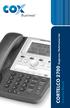 1 Instruction Manual CORTELCO 2700 Single-Line / Multi-Feature Set Table of Contents Why VoiceManager SM with Cortelco Phones?... 2 Cortelco 2700 Set Features... 3 Telephone Set Part Identification...
Conferencing Moderator Guide - Proprietary - 2007 Nextera Communications. Conferencing Moderator Guide
 - Proprietary - Conferencing Moderator Guide TABLE OF CONTENTS 1 INTRODUCTION...3 2 ACTIVATING THE CONFERENCE CALL...3 3 QUICK KEY REFERENCE FOR TELEPHONE ADMINISTRATION...3 4 WEB INTERFACE...4 4.1 Accessing
OmniPCX Enterprise. Easy Reflexes TM. Quick Guide
 OmniPCX Enterprise Easy Reflexes TM Quick Guide User Guide Easy REFLEXESÔ Alcatel OmniPCXÔ 4400 Your Easy REFLEXESÔ terminal provides simple and quick access to all the services and features offered by
Guide to Your Telephone Service
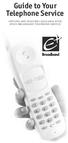 Guide to Your Telephone Service OPTIONS AND FEATURES AVAILABLE WITH EPLUS BROADBAND TELEPHONE SERVICE 422-7500 Table of Contents Included in this guide is a comprehensive list of features and services
Instructions for Bridge Line Scheduling
 What is a Bridge Line Conference Call? A bridge line call is for three or more callers who want to conference together by telephone to conduct a meeting. Participants (callers) dial individually into the
VERIZON VOICE MAIL USER GUIDE DC/DE/MD/NJ/PA/VA REGION BUSINESS
 VERIZON VOICE MAIL USER GUIDE DC/DE/MD/NJ/PA/VA REGION BUSINESS ABOUT YOUR VERIZON BUSINESS VOICE MAIL SERVICE Business Voice Mail service can be a benefit to your business and to callers who need to leave
Digital Phone @ Home Tutorial
 Digital Phone @ Home Tutorial 2 Table of Contents Quick Start Guide... 4 Making Phone Calls... 5 Voicemail Setup... 6 Setup instructions:... 6 To Check Messages:... 6 Quick Key Reference:... 6 Customer
Faculty & Staff Quick Reference Guide to Smith College Telephone & Voicemail Systems
 Faculty & Staff Quick Reference Guide to Smith College Telephone & Voicemail Systems Table of Contents New Employees...2 Setting up Voicemail...3 - Accessing the Voicemail System - Changing your Password
USER REFERENCE MANUAL
 USER REFERENCE MANUAL for Software OCTEL MESSAGING DIVISION THE POWER OF MESSAGING Voice messaging gives you the ability to communicate effectively from any touchtone phone 24 hours a day, with one person
AT&T Voice DNA User Guide
 AT&T Voice DNA User Guide Page 1 Table of Contents GET STARTED... 4 Log In... 5 About the User Dashboard... 9 Manage Personal Profile... 15 Manage Messages... 17 View and Use Call Logs... 22 Search the
2616 TELEPHONE. Listed below are the basic key functions that can be added to the phone.
 2616 TELEPHONE The 2616 Telephone is a multi-line, digital, business phone that has a display. The display provides additional information such as the telephone number calling and the building and room
Call Answer Service. User Guide. outside front cover
 Call Answer Service User Guide outside front cover 204 225-9999 toll-free Call Answer access number from anywhere in Manitoba 1 866 GET-MSGS toll-free Call Answer access number from anywhere in Canada
u s e r g u i d e Centrex
 user guide Centrex Welcome to your Centrex phone Congratulations! You are now using the Centrex service from Telecom. Centrex has many practical features to make using the phone easier. This Guide introduces
BT Calling Features User Guide. Make more of your phone
 BT Calling Features User Guide Make more of your phone Never miss another call Call Diversion* Lets you divert your calls to another number when you re away from your phone Call Diversion lets you divert
BUSINESSLINE FEATURES USER GUIDE. Do more with your business phone
 BUSINESSLINE FEATURES USER GUIDE Do more with your business phone WELCOME TO TELSTRA BUSINESSLINE FEATURES Telstra BusinessLine Features are the smart way to manage your calls and stay connected to your
D I G I T A L P H O N E S E R V I C E F E A T U R E S G U I D E DIGITAL P H O N E S E R V I C E. ACN 2007 useng_featuresguide_prdpv_w_092507
 D I G I T A L P H O N E S E R V I C E F E A T U R E S G U I D E DIGITAL P H O N E S E R V I C E ACN 2007 useng_featuresguide_prdpv_w_092507 TABLE OF CONTENTS Making Phone Calls... 2 Accessing Your Account
Call Forwarding Forward your calls to a number of your choosing. All calls forwarded to a long distance number will be charged to your bill.
 The services listed in this guide are for Integrated Voice Services and may not be available or work the same on other technologies. Some features are web-enabled and others work only through the phone.
PHONE USER 1 GUIDE. Morristown (MUS) Local Customer Calling FROM: Morristown (Area Code 423): 307, 317, 318, 522, 581, 585, 586, 587
 PHONE USER 1 GUIDE Local Calling Area Windstream has defined the following local calling area. All calls to these areas are included in your local monthly charge. Calls outside of this area will be billed
CallNotes Voice Mail. Business User Guide
 CallNotes Voice Mail Business User Guide Welcome to AT&T CallNotes Voice Mail Welcome to CallNotes Voice Mail, an easy to use, easy to set up business messaging tool. Before CallNotes Voice Mail can work