
Custom Calling Features and how they work
|
|
|
- Dinah Lynch
- 10 years ago
- Views:
Transcription
1 Custom Calling Features and how they work Call Forwarding (Basic) This feature means your phone can transfer incoming calls to another number of your choice. Call Forwarding is great for the business person who wants to catch after hours business calls at home, or for anyone who doesn t want to miss an important call. To Forward Your Calls Dial 72. Rotary dial customers dial Now dial the number where you wish your calls forwarded (Remember to dial 1 for long-distance calls). Call Forwarding is now activated. Once you ve activated Call Forwarding, the phone will make one short ring each time a call is forwarded. However, you can still make out-going calls from this phone. If you wish to change the number your calls are being transferred to, just discontinue the first (see below), and redirect your calls using the above steps. To Discontinue Call Forwarding Dial 73. Rotary dial customers dial 1173 Call Forwarding is now deactivated. Call Forwarding (Don t Answer) This feature enables you to transfer incoming calls to another number of your choice after a certain number of rings that you program. To Forward Your Calls Dial 92 and wait for special Rotary dial customers dial 1192 Enter the valid number of rings (ranges 2 through 9) you would like to receive before the call is transferred. Enter the telephone number you would like to have the calls transferred to. Call Forwarding Don t Answer is now activated. To Deactivate This Feature Dial 93. Rotary dial customers dial 1193 Call Forwarding Don t Answer is now deactivated. 1 Call Forwarding (Busy) This feature enables you to transfer incoming calls to another number of your choice if your line is busy. Lift your receiver and listen for Dial 90. Rotary dial customers dial Now dial the number where you wish your calls forwarded. Call Forwarding Busy is now activated. To Deactivate This Feature Lift your receiver and listen for Dial 91. Rotary dial customers dial Call Forwarding Busy is now deactivated. Call Waiting If you have an incoming call while you re already on the line, the Call Waiting feature will alert you. You may then put the first party on hold while you catch your second call. It will greatly reduce missed calls due to a busy phone! Here s How Your Call Waiting Feature Alerts You A beep tone tells you another call is waiting. Only you hear this tone. Another reminder tone will be heard 10 seconds later if the waiting call remains unanswered. The second caller hears the normal ringing tone only. To Answer the Second Call Hold down the switchook/plunger/flash button to place your first call on hold. You will automatically be connected with the second caller. To Alternate Between Calls By pressing the switchook/plunger/flash button you may alternate between calls. Each conversation is private and cannot be heard by the other caller. To Terminate Either Call Simply hang up. Your telephone will then ring. When you answer it, you ll be connected with the other caller. Cancel Call Waiting Lift the handset and listen for the Dial 70. Rotary dial customers dial 1170 Now, dial the number you wish to call. When you disconnect your call, CALL WAITING is automatically reactivated.

2 To Cancel Call Waiting During a Call You must have THREE-WAY CALLING to CANCEL CALL WAITING during a call. Place your current call on hold by holding down the switchhook/plunger/ Listen for the Dial 70. Rotary customers dial Return to your original call by depressing one second. Call Waiting is now deactivated for that call. Distinctive Ring Now know who the call is for before you answer the phone. With Distinctive Ring you can have two telephone numbers assigned to one line. Each number has a distinctive ring, so you can assign a number solely to the children. Or, you can assign a separate number to your home business and one to the family. To Use Distinctive Ring Wait until the full ringing pattern is complete before answering your telephone, so you will know which telephone number was dialed. (Main Telephone Number) RINGING One long ring (Normal ring) If you have CALL FORWARD with Distinctive Ring With Distinctive Ring, CALL FORWARD operates in the same manner as described in the CALL FORWARD description. When the calls are forwarded the distinctive ring WILL NOT ring on the number you have forwarded your calls to. Warm Line Now there s a way to ensure the safety of your loved ones in emergency situations. When injury number, WARM LINE makes sure that they your children, parents, or a sick relative easily reach someone who can help. hook, a predesignated number is automatically dialed. For regular calls, you just pick up the phone and dial any telephone number within 30 seconds. To Use Warm Line Lift the handset and wait 30 seconds. After 30 seconds, the predesignated number is automatically dialed. The predesignated number is chosen by you at the time you select Warm Line. To change the predesignated number, you must contact your (Secondary Telephone Number) RINGING Two short rings NOTE: Although you have two telephone numbers assigned to your line, you have just one line and only one conversation can be held at a time. If You Have Call Waiting With Distinctive Ring The same distinctive ringing patterns are used with CALL WAITING, so you can determine whether or not to interrupt your current conversation, or to answer the incoming call. The distinctive call waiting tones correspond to the distinctive ringing patterns. To Use Distinctive Ring Service With Call Waiting Follow the same procedures for CALL WAITING. 2

3 Three Way Calling This feature lets you turn an every day two-way phone call into a three-way conversation. It s easy! To Add A Third Party First, to hold your existing call, depress the switchhook/plunger/flash button. Then dial the third number. (Speed calling codes may be used if you also have this feature). When the third party answers, you may talk privately before completing your Three-Way connection. With your third party on the line, depress the switchhook/plunger/flash button to add the holding party. Your Three-Way call is now in effect. If for some reason the call to the third party is not completed, depress the switchhook/plunger twice to get back to your held party. To Disconnect the Third Party Depress the switchhook/plunger/flash button. You will now have only the original call on the line. To Disconnect Completely Simply hang up If either of the other two parties hangs up, you can continue to talk to the one remaining. Speed Calling 8 Now you can call up to 8 of your most frequently dialed numbers just by dialing a onedigit code. This includes long distance numbers. To Establish Your Speed Calling List Dial 74. Rotary dial customers dial 1174 and wait 4-seconds. Again, listen for the Dial one of the 8 one-digit access code numbers (2-9) followed by the # key. Rotary dial customers DO NOT dial the # rather wait 4-seconds for After the telephone number has been dialed it will ring the number you are programming as if you had dialed the number. The call DOES NOT need to be answered. At any time you may repeat this process for each number you wish to Speed Code, assigning each a different code number. To Use Your Speed Calling Feature Dial the appropriate one-digit access number (2-9) followed by the # key. Rotary customers dial the code and wait 4-seconds for your call to be connected. To Change Your Speed Calling List Simply follow the same steps for establishing your list. A new number automatically cancels out the corresponding existing number. Speed Calling 30 Now you can call up to 30 of your most frequently dialed numbers just by dialing a twodigit code. This includes long distance DDD numbers. It s a real time-saver! To Establish Your Speed Calling List Dial 75. Rotary dial customers dial 1175 and wait 4-seconds. Again, listen for the Dial one of the 30 two-digit speed dial codes i.e and immediately dial the number you wish to have programmed (Remember to dial 1 if the number is long distance). The number you dialed will now ring that party. The call DOES NOT need to be answered. After the telephone number has been dialed it will ring the number you are programming as if you had dialed the number. The call DOES NOT need to be answered. At any time you may repeat this process for each number you wish to Speed Code, assigning each a different code number. To Use Your Speed Calling Feature Dial the appropriate one-digit access number (20-49) followed by the # key. Rotary customers dial the code and wait 4-seconds for your call to be connected. To Change Your Speed Calling List Simply follow the same steps for establishing your list. A new number automatically cancels out the corresponding existing number. Any or all of these features are available by contacting the Twin Valley Business Office

4 Calling Number Lets you see the number calling before you answer the phone. 1. When you receive a call, wait until your signal. 2. The telephone number of the person calling you will automatically appear on your display screen. 3. If you choose to answer the call, the number will remain on the screen until you or the caller hangs up. Subscription to Calling Number requires the lease or purchase of a display telephone, or an add-on display unit. If the letter P or private appears on your screen, the caller may have blocked the display of their number by pressing 67 (or dialing 1167 on a rotary phone) before placing the call. You can choose to answer the call or not. If a 0 or out of area appears, the caller is in an area that does not support Caller #ID services. Blocking Prevents your phone number from being displayed to the person receiving your call. 1. Pick up your handset and listen for the 2. MNO PRS Press 67. On a rotary 6 7 phone, dial Dial the number you re calling as usual. 4. Private The person you ve called will not be able to see your number displayed on their telephone display screen. Instead, a P or private will be displayed. Note: Custom Calling Features-(Cont d) You must dial 67 before each call you place. Otherwise, your phone number will be released to the person receiving your call. 4 Calling Name and Number Lets you see who s calling before you answer the phone. 1. When you receive a call, wait until your signal. 2. K.Phillips The telephone number calling you and the name associated with that number in telephone company records will automatically appear on your display screen. 3. If you choose to answer the call, the name and number will remain on the screen until you or the caller hangs up. Subscription to Calling Name and Number service requires the lease or purchase of a display telephone, or an add-on display unit. If a P or private appears on your display the display of their name and number by pressing 67 (or dialing 1167 on a rotary phone) before placing the call.you can choose to answer the call or not. If a 0 or out of area appears, the caller is in an area that does not support Caller Name and Number services. Automatic Callback Keeps redialing busy numbers and tells you when the line is free. 1. When you hear a busy signal, depress listen for a special 2. If you ve already hung up, pick up the handset and listen for a normal 3. MNO MNO Press 66. On a rotary 6 6 phone, dial If the line is still busy, hang up. Your phone will check the number for up to 30 minutes. 5. A special callback ring alerts you if the line becomes free (some phones ring normally). 6. Pick up the handset to automatically place the call. (Cont d)

5 To cancel: 7. Depress the switchhook/flash button and release. Listen for a special 8. If you ve already hung up, lift the handset and listen for a normal dial tone. 9. TUV MNO Press 86. On a rotary phone 8 6 dial Listen for confirmation tone or announcement. Hang up. The switchook/flash button is the round, flat, or square button you push to hang up the phone. To restart the 30-minute clock, repeat steps 1 through 4. To know which call is being completed, you must subscribe to Caller #ID service. Service does not work on 800 numbers, 900 numbers, numbers outside the specified service area, or on lines where Call Forward and some other call services have been activated. Automatic Recall Redials your last caller even if you couldn t answer in time. 1. Pick up the handset and listen for a normal 2. If you were already on the phone and ignored a call waiting tone, depress the switchook/flash button. 3. MNO XYZ Press 69. On a rotary phone, 6 9 dial Your call will go through like a normal call. If the line is busy: 4. Hang up. Your phone will keep trying the line for up to 30 minutes. 5. A special callback ring alerts you if the line becomes free. (Some phones ring normally). To cancel: TUV XYZ Press 89. On a rotary phone dial Listen for confirmation tone or announcement. Hang up. The switchhook is the round, flat, or square button you push to hang up the phone. In some areas, after you dial 69, a voice will give you the phone number of the call you missed and ask if you want to use the Automatic Recall feature. Just follow the voice instructions. Does not work on 800 numbers, 900 numbers, numbers outside the specified service area, or lines using Call Forward and some other call services. Priority Call Announces important callers with a special ring. 2. MNO Press 61. On a rotary phone 6 1 dial Listen for an announcement telling you whether the feature is currently on or off. 4. DEF Follow the voice instructions and dial 3 3 to turn the feature ON (if it is currently off), or turn the feature OFF (if it is currently on). 5. If the call is from someone on your list, you ll hear a special ring. All other calls will have a normal ringing pattern. 6. If you have Call Waiting and get a call from a number on your list while you re on another call, you ll hear a special Call Waiting tone. All other calls are signaled by a normal tone. 6. Pick up the handset to automatically place the call. 5

6 Anonymous Call Rejection Lets you refuse calls from callers who block their numbers. 2. PRS PRS Press 77. On a rotary phone, 7 7 dial Listen for a confirmation tone or announcement. Hang Up. 4. Callers who have blocked the display of their number or name will hear an announcement that you do not accept anonymous calls and they should remove Blocking and call again. 5. All other calls will ring through as usual. To cancel: 6. TUV PRS Press 87. On a rotary phone, 8 7 dial Listen for a confirmation tone or announcement. Hang up. You will not be notified when or how many calls have been rejected. Selective Call Forwarding Routes important callers to an alternate phone number. 2. MNO DEF Press 63. On a rotary phone, 6 3 dial Listen for an announcement telling you whether the feature is currently on or off. 4. DEF 3 Follow the voice instructions and dial 3 to turn the feature ON (if it is currently off), or turn the feature OFF (if it is currently on). To enter your Forward-to number: 5. The first time you turn on the service, you ll be asked to enter the number you d like your special calls forwarded to followed by the # key. Rotary customers do not use the # sign, but wait four seconds. To hear the phone numbers on your list: 6. 1 Dial After the list is read, voice instructions will follow. To add a number to your list: 8. # Press # then enter the number and press # again. 9. Follow the voice instructions you ll hear. Cont d 6

7 To remove a number from your list: 10. Press Follow the voice instructions to remove any or all of those numbers from your forward list. To hear instructions again: 12. Dial 0. 0 Custom Calling Features-(Cont d) To hear the phone numbers on your list: 5. Dial After the list is read, voice instructions will follow. To add a number to your list: 7. Press # then enter the number and # press # again. 8. Follow the voice instructions you ll hear. 13. If your service is turned ON, and the caller is on your forward list, the call will be re-routed to your forward-to number. If the caller is not on your forward list, the call will ring at your home as usual. You may press 1, 0, # or at any time rather than waiting for the voice instructions. The list you create here is separate from any other lists you may be using for Distinctive Ringing, Selective Call Acceptance, Selective Call Rejection, and similar services. This service can work with Call Forward (all calls). Numbers on your selective list will follow you to your Selective Call Forward number. All other calls you receive will be routed to your regular Call Forward number. Selective Call Acceptance Gives you control over which calls you ll take. To remove a number from your list: 9. Press then enter the number and press again. 10. Follow the voice instructions to remove any or all of those numbers. 11. When your service is turned ON, you ll receive calls only from those on your acceptance list. 12. Callers who are not on your list will simply hear an announcement that you are not accepting calls at this time. You may press 1, 0, #, or at any time rather than waiting for the voice instructions. The list you create here is separate from any other lists you may be using for Distinctive Ringing, Selective Call Forwarding, Selective Call Rejection, and similar services. 2. MNO GHI Press 64. On a rotary phone, 6 4 dial Listen for an announcement telling you whether the feature is currently on or off. 4. DEF 3 Follow the voice instructions and dial 3 to turn the feature ON (if it is currently off), or turn the feature OFF (if it is currently on). 7

8 Selective Call Rejection Blocks unwanted calls from disturbing you Press 60. On a rotary phone, dial Listen for an announcement telling you whether the feature is currently on or off. DEF 4. Follow the voice instructions and dial 3 3 to turn the feature ON (if it is currently off), or turn the feature OFF (if it is currently on). To add the last caller to your rejection list: 5. MNO # 0 1 # P ress #01#. To hear the phone numbers on your list: 6. Dial After the list is read, voice instructions will follow. To add a number to your list: 8. # Press # then enter the number then press # again. 9. Follow the voice instructions you ll hear. To remove a number from your list: 10 Press then enter the number then press again. 11. Follow the voice instructions to remove any or all of those numbers from your rejection list. 12. If your service is turned ON, callers who are on your rejection list will hear an announcement that your number is not accepting calls at this time. All other calls will ring through as usual. 8 You will not be notified when or how many calls have been rejected. You may press 1, 0, #, or at any time rather than waiting for the voice instructions. The list you create here is separate from any other lists you may be using for Distinctive Ringing, Selective Call Acceptance, Selective Call Forwarding, and similar services. Customer Originated Trace Lets you track harassing callers through the phone company. 1. When you get a nuisance call, just depress the switchhook and release quickly. Listen for a special 2. If you ve already hung up, just pick up the handset again and listen for a normal 3. JKL PRS Press 57. On a rotary phone, 5 7 dial Listen for a confirmation announcement that the last call has been traced. 5. Hang up. 6. The number you traced will be recorded at the phone company. If you decide to follow up on the matter, we ll provide that number to the local authorities. Customer Originated Trace must be used immediately after you hang up on the call you want traced. If you get another call, or hear a Call Waiting tone first, you will trace the wrong call. In some areas, after you dial 57, you ll hear an announcement that the call can be traced. Just follow the voice instructions to dial an additional code, and the call will be traced. The switchhook is the round, flat, or square button you push to hang up the phone. Voice Mail Voice Mail is an easy-to-use voice answering system for residential and small business subscribers.your callers can leave messages for you when you are busy or away from the phone. With Voice Mail, you ll never have to worry about missing a call again. For more information call Twin Valley Telephone at (785) or

Calling Features. Connected. Instructional Manual. Your pathway to the world
 Calling Features Instructional Manual Connected Your pathway to the world 328 W Main St New Auburn, WI 54757 Phone (715)237-2605 Web: www.citizens-tel.net Call Waiting Allows you to never have to miss
Note: You will not be notified when or how many calls have been rejected.
 Anonymous Call Rejection When you ve turned this service on, any callers who have blocked their number from your Caller ID display will hear an announcement that you do not accept anonymous calls. All
Calling FEATURES. User s Guide. Call *123 or 336-463-5022 or visit yadtel.com
 Calling FEATURES User s Guide Call * or 6-6-50 or visit yadtel.com Table of Contents QUICK REFERENCE GUIDE... KEEP IN TOUCH Call Waiting.... 5 Cancel Call Waiting.... 5 Three-Way Calling.... 6 Usage Sensitive
Calling Features User Guide
 Calling Features User Guide www.etczone.com 866-ETC-4YOU 1 SUNMAN BATESVILLE GREENSBURG BROOKVILLE LIBERTY (812) 623-2122 (812) 932-1000 (812) 222-1000 (765) 547-1000 (765) 223-1000 Today s fast-paced
RESIDENTIAL PHONE FEATURES
 RESIDENTIAL PHONE FEATURES User Guide Athens-Dec 9/10 Caller ID The Telephone display screen will show you the caller s name and telephone number, usually after the first complete ring. The service also
CALLING FEATURE USER GUIDE
 CALLING FEATURE USER GUIDE 1801 N Main St, in the Palace Mall ** Mitchell, SD 57301 Phone: (605) 990-1000 Fax: (605) 990-1010 Homepage: www.mitchelltelecom.com Calling Feature User Guide Mitchell Telecom
Anonymous Call Rejection Refuse calls from those who have blocked their numbers.
 How to Use Your Digital Voice Features Effective 01/12/15 To learn how to use your voice features, locate your service by selecting from the Quick Links that follow, or, you can find the same instructions
Custom Calling Features 3 DEF 5. Custom Calling Features User s Manual
 Custom Calling Features 1 2 4 GHI 7 PQRS ABC 3 DEF 5 JKL 8 TUV * 0 6 MNO 9 WXYZ # Custom Calling Features User s Manual Table of Contents This user guide provides instruction for the following Custom-Advanced
Custom Calling Features
 Anonymous Call Rejection Anonymous Call Rejection rejects calls from callers who block their Caller ID information, so the calls don t even ring through on your line. To Activate Call Rejection: Pick up
Q (With a rotary dial phone, skip this step R70. Custom Calling Features. Call Waiting. Call Forwarding. Cancel Call Waiting. Long Distance Alert
 www.gctel.com Custom Calling Features There may be a charge for these services. Listen for two beeps. Call Forwarding is now discontinued. Call Forwarding This feature means your phone can transfer incoming
Reject calls from callers who block their Caller ID information so their calls don't even ring on your line.
 Anonymous Call Rejection Reject calls from callers who block their Caller ID information so their calls don't even ring on your line. TO ACTIVATE ANONYMOUS CALL REJECTION 1. 2. Press *77 (on a rotary phone,
How To Use Your Calling Features. A Simple Guide META. 011910sip
 How To Use Your Calling Features A Simple Guide 011910sip META Unconditional Call Forwarding (Call Forwarding) How to activate Unconditional Call Forwarding: 1. 72 followed by the number to which your
Custom Calling Features
 Quick Reference HOW TO USE: PRESS: Speed Calling 8 *74 Speed Calling 30 *75 Call Return *69 Repeat Dialing *66 Call Trace *57 Call Forwarding *72 Preferred Call Forwarding *63 Call Forwarding Remove Activation
Calling Features User Guide
 Calling Features User Guide Enjoy Great Pay-Per-Use Features No matter what TDS phone service you have, you can also enjoy these great pay-per-use features: *66 Repeat Dialing Tired of receiving a busy
Person Calling dials Main line number First additional number Second additional number
 Call Waiting While you re on a call, Call Waiting alerts you that you have another incoming call. s If two calls are on a line at one time, anyone calling will receive a busy signal. The Call Waiting beep
Call Waiting. Cancel Call Waiting
 PhoneFeatures 1 Call Waiting Cancel Call Waiting 2 Three-Way Calling Personal Ringing 3 Speed Calling Call Transfer 4 Call Hold Call Forwarding 5 Call Forwarding Don t Answer Call Forwarding Busy Line
A Quick Reference to Telephone Features and Services
 A Quick Reference to Telephone Features and Services Table of Contents I. Individual Features A. Call Waiting B. Cancel Call Waiting C. Three-Way Calling D. Speed Calling E. Call Return F. Repeat Dialing
CALLING FEATURES. Speed Calling - 8 Number - Allows you to call any one of the eight frequently called numbers by dialing just one digit.
 Calling features from ToledoTel, offer advanced capabilities that are simple to use. This is a quick reference of the features available for your individual line, and easyto-follow instructions for using
Calling Feature Instructions
 Rainier Connect Calling Feature Instructions Anonymous Call Rejection (*77) Call Forward Busy (*90) Call Forward No Answer (*92) Also known as Block the Blocker and Privacy Block it blocks private or anonymous
CUSTOM CALLING FEATURES
 CUSTOM CALLING FEATURES Anonymous Call Rejection (*77 & *87) Blocks a private or anonymous call from ringing onto your line. Callers who block their name and/or phone number from being displayed on a Caller
ADVANCED AND CUSTOM CALLING FEATURES
 ADVANCED AND CUSTOM CALLING FEATURES Call Waiting Call Waiting Alert: This feature alerts you of new incoming calls when you are already on a call. You will hear a short beep when the second call is received,
FEATURE & INFORMATION GUIDE
 FEATURE & INFORMATION GUIDE LOCAL PHONE Windstream is a registered service mark of Windstream Corporation. 2007 WindstreamCorporation WS F&I ENG 07/07 001519 English_F&I_Guide.indd 1-2 7/23/07 4:31:53
Calling Features User Guide 1
 Calling Features User Guide 1 The services listed in this guide are for traditional telephone service and may not be available or work the same on other technologies. Call 611 from your Lumos Networks
BellSouth Complete Choice for Business plan
 BellSouth Complete Choice for Business plan BellSouth Complete Choice for Business plan Customized to your exact business needs Here s the all-in-one local calling plan where you can customize your local
User Manual. Everything you need to know about your new digital telephone service!
 User Manual Everything you need to know about your new digital telephone service! Introduction Dear Cox Customer: Welcome to a better choice in local and long distance phone service and a better value!
Calling Features User Guide
 CONNECTING OUR COMMUNITY WITH THE LATEST COMMUNICATIONS TECHNOLOGY West Central Calling Features User Guide 2 TABLE OF CONTENTS CALL FORWARDING SERVICES 4 4 4 4 Call Forwarding Call Forward Busy Call Forward
For customers in AL, FL, GA, KS, SC, TN. wowforbusiness.com. Business Services PHONE FEATURES. User Guide BPGS.U.1506.R
 wowforbusiness.com Business Services PHONE FEATURES User Guide BPGS.U.1506.R Anonymous Call Rejection 1. It s easy to activate and start blocking anonymous calls. Simply lift the receiver and press *77.
YOUR HOME PHONE. Horry Telephone Cooperative, Inc.
 YOUR HOME PHONE Horry Telephone Cooperative, Inc. CONTENTS Calling Features Anonymous Call Rejection page 4 Automatic Busy Redial page 4 Automatic Call Return page 5 Call Forwarding page 6 Call Forwarding
To activate Anonymous Call Rejection: 1. Lift the receiver and listen for dial tone. 2. Dial *77. 3. Listen for confirmation tone, hang up.
 Anonymous Call Rejection Anonymous Call Rejection allows a customer to deny any calls from ringing the line if the calling party has blocked the identification number. The calling party receives a message
Telephone User Guide. Mt. Angel. Telephone
 Telephone User Guide Mt. Angel Telephone 4Welcome Thank You for Choosing Mt. Angel Telephone! Additional information about your telephone service may be found in the white pages of the North Willamette
CALLER I.D. Allows you to see the number and name if available of the incoming call.
 CALLER I.D. Allows you to see the number and name if available of the incoming call. A phone with Caller ID capability or a Caller I.D. box is required. Equipment is available from the telephone company
Calling Feature Guide
 Calling Feature Guide Automatic Call Back *66 Mid Century Automatic Call Back will continually dial a busy number automatically for up to 30 minutes. When the line becomes free your phone will ring alerting
For customers in AL, FL, GA, SC, TN. wowforbusiness.com. Business Services PHONE FEATURES. User Guide BPG.U.1303.O
 wowforbusiness.com Business Services PHONE FEATURES User Guide BPG.U.0.O ANONYMOUS CALL REJECTION. It s easy to activate and start blocking anonymous calls. Simply lift the receiver and press *.. When
Centrex21. Instruction Guide
 Centrex21 Instruction Guide Welcome Thank you for selecting Qwest Centrex 21. Now your business can take advantage of this great package of functions and calling features, no matter what kind of phone
CENTREX service. user reference guide. Clearly different.
 CENTREX service user reference guide Clearly different. TABLE OF CONTENTS This user s guide provides instructions for using Centrex features. A check in the circle next to a feature means that your Centrex
It s What We Do. Telephone Get Going Guide
 It s What We Do. Telephone Get Going Guide Welcome and Introduction Welcome to Astound telephone services brought to you by Astound Broadband! This Get Going Guide will familiarize you with our telephone
Call Forwarding Forward your calls to a number of your choosing. All calls forwarded to a long distance number will be charged to your bill.
 The services listed in this guide are for Integrated Voice Services and may not be available or work the same on other technologies. Some features are web-enabled and others work only through the phone.
For customers in IN, IL, OH, MI. wowforbusiness.com. Business Services PHONE FEATURES. User Guide BPGM.U.1506.R
 wowforbusiness.com Business Services PHONE FEATURES User Guide BPGM.U.1506.R Anonymous Call Rejection 1. It s easy to activate and start blocking anonymous calls. Simply lift the receiver and press *77.
Calling Feature Instructions Digital Phone By Telephone
 Calling Feature Instructions Digital Phone By Telephone Digital Phone Feature Management By Telephone Instructions This document describes how to manage Digital Phone features using your telephone keypad.
User Guide Verizon CentraNet CustoPAK
 User Guide Verizon CentraNet CustoPAK Telephone Number Verizon Telephone Number Switch Type: GTD-5 5ESS DMS 100 DMS 10 2008 Verizon. All Rights Reserved. 3056-0708 Thank You for Selecting Verizon CentraNet
CALLING FEATURE USER GUIDE
 Quick Start CALLING FEATURE USER GUIDE FEATURE ACTIVATE CANCEL Call Waiting hookswitch (or flash) 3- Way Calling hookswitch (or flash) *69 Call Return (Automatic Recall) *69 *89 Cancel Call Waiting *70
How Call Forwarding Works
 Learn to use the call forwarding features of you Cox Digital Telephone service. Note: Changing settings for Call Forwarding Busy, Call Forwarding No Answer, and Call Forwarding, is not recommended for
Guide to Your Telephone Service
 Guide to Your Telephone Service OPTIONS AND FEATURES AVAILABLE WITH EPLUS BROADBAND TELEPHONE SERVICE 422-7500 Table of Contents Included in this guide is a comprehensive list of features and services
COMCAST DIGITAL VOICE USER GUIDE
 COMCAST DIGITAL VOICE USER GUIDE WELCOME TO COMCAST DIGITAL VOICE Go ahead. Pick up your phone. Call your neighbor. Your best friend across the country. Or your cousin in Europe. Now that you have Comcast
Hawaiian Telcom Calling Services USER GUIDE. qqq qqq. qqq * 69 * 6 9 * 8 9 * 7 7 * 8 7 * 6 6 * 8 6 * 6 0 * 8 0 * 7 2 * 7 3 * 9 0 * 9 1 * 9 2 * 9 3
 Quick Reference Guide Hawaiian Telcom Calling Services USER GUIDE Feature To Use To Cancel * 69 * 6 9 * 8 9 Anonymous Call Rejection * 7 7 * 8 7 Busy Redial * 6 6 * 8 6 Call Block * 6 0 * 8 0 Call Forwarding
PLAN B. Call Forwarding Allows you to redirect all calls to another telephone number.
 989-453-4321 * 1-800-292-0614 * E-mail: [email protected] SERVING: PIGEON, TWINING, ALBA, AND LAKES OF THE NORTH PLAN B Automatic Recall This feature allows a subscriber to place a call to the source of
Resale Features Guide (Verizon West Footprint)
 Resale Features Guide (Verizon West Footprint) Here are a few tips to assist you in using this guide The touch call/touch-tone pad is the numbered push button pad you use to dial. With some calling services,
BellSouth Centrex USER GUIDE DMS 5ESS 1AESS EWSD
 BellSouth Centrex USER GUIDE DMS 5ESS 1AESS EWSD INTRODUCTION Welcome to BellSouth Centrex service! Your service has been carefully designed to meet your current communications needs. BellSouth Centrex
Cox Digital Telephone Quick Guide
 Cox Digital Telephone Quick Guide Managing Your Calls Voice Mail Phone Tools Quick Reference Guides 2010 CoxCom, Inc. dba Cox Communications Arizona. All rights reserved. Welcome People love choices. Digital
Guide to Your Telephone Service
 Guide to Your Telephone Service OPTIONS AND FEATURES AVAILABLE WITH EPLUS BROADBAND TELEPHONE SERVICE 422-7500 Table of Contents Included in this guide is a comprehensive list of features and services
Centrex CustoPAK USER GUIDE. Telephone Number. Verizon Telephone Number. Switch Type: 1A 5E DMS 100 EWSD DMS 10
 Centrex CustoPAK USER GUIDE Telephone Number Verizon Telephone Number Switch Type: 1A 5E DMS 100 EWSD DMS 10 Table of Contents Introduction to This Guide... 3 Overview of Your CustoPAK System... 5 Terms
VZE-RS-E-5/13. user guide. Instructions on Using Verizon Calling Features
 VZE-RS-E-5/13 user guide Instructions on Using Verizon Calling Features Table of Contents *69...2-3 Anonymous Call Rejection...4 Additional Lines...4 Busy Redial...4-5 Call Block...5 Call Forwarding...6
User Guide Verizon Centrex CustoPAK
 User Guide Verizon Centrex CustoPAK Telephone Number Verizon Telephone Number Switch Type: 1A 0 EWSD 2008 Verizon. All Rights Reserved. 3001-0708 Table of Contents Introduction to This Guide... 3 Overview
Star Access Codes. Feature Access Code Instruction Call Forwarding No Answer Activation
 Automatic Callback Deactivation ex. #8 1. Lift Telephone handset. Press the assigned access code (ex.#8). 2. Replace telephone handset 3. The Automatic Callback Deactivation is now off Call Forwarding
Calling Features WABASH MUTUAL TELEPHONE COMPANY 419-942-1111
 Calling Features WABASH MUTUAL TELEPHONE COMPANY 419-942-1111 900 NUMBER BLOCKING FREE Blocks 900 or Premium calls from being made from your phone. ANONYMOUS CALL REJECTION $1.00 This service automatically
User Guide Verizon CentraNet Service
 User Guide Verizon CentraNet Service EASY STEPS TO GET YOU STARTED. 2008 Verizon. All Rights Reserved. C9000-0708 Thank You for Selecting Verizon CentraNet Service i Table of Contents switches CENTRANET
managedip Hosted TDS Table of Contents Calling Features User Guide
 Table of Contents Anonymous Call Rejection... 2 Automatic Callback... 2 Call Forwarding... 3 Call Park/Directed Call Park... 7 Call Park Retrieve... 8 Call Pickup... 8 Call Retrieve... 8 Call Return...
ACN CALLING PLAN FEATURES ALABAMA GEORGIA FLORIDA KENTUCKY LOUISIANA NORTH CAROLINA SOUTH CAROLINA TENNESSEE
 ACN CALLING PLAN FEATURES ALABAMA GEORGIA FLORIDA KENTUCKY LOUISIANA NORTH CAROLINA SOUTH CAROLINA TENNESSEE USING YOUR NEW FEATURES ACN customers can select from a variety of calling features each designed
Telephone User Guide
 Telephone User Guide For Single Line Sets Calling Features Available to You See inside for instructions and feature descriptions Your telephone service provides you with access to many calling features
User Guide for VERIZON CENTREXPLUS CUSTOPAK. Telephone Number. Verizon Telephone Number 1.800.837.4966. Switch Type: 5ESS DMS 100 DMS 10 SIP
 User Guide for VERIZON CENTREXPLUS CUSTOPAK Telephone Number Verizon Telephone Number 1.800.837.4966 Switch Type: SS 0 Thank You for Selecting the Verizon CentrexPlus CustoPAK Package. 1 TABLE OF CONTENTS
Using Verizon Calling Features User Guide
 VZ-CFG-E-07-14 Instructions on Using Verizon Calling Features User Guide Table of Contents Before you begin...2 *69...2-3 Additional Lines... 4 Anonymous Call Rejection/Anonymous Call Block... 4 Busy Redial...4-5
Bristol: (276) 821-6200 Abingdon: (276) 698-3210 Toll Free: 877-835-1272 www.bvu-optinet.com
 Bristol: (276) 821-6200 Abingdon: (276) 698-3210 Toll Free: 877-835-1272 www.bvu-optinet.com TABLE OF CONTENTS Contact Information...1 Safety Line...1 Favorite Five...2 Caller ID...2 Call Forwarding...2
PROPRIETARY INFORMATION
 Centrex User Guide Centrex is a central office-based telecommunications system that lets you customize your telephone service to suit your unique business needs. With Centrex, you can grow from two lines
Anonymous Call Rejection
 Anonymous Call Rejection Don t waste time taking calls you don t want. Anonymous Call Rejection (ACR) allows you to block incoming calls from people who use *67 to block their phone number as well as calls
Telephony Features and Instructions
 Telephony Features and Instructions Call Forwarding... 1 Call Hold... 1 Call Park... 1 Call Pickup... 2 Call Trace... 2 Consultation Hold... 2 Last Number Redial... 2 Network Speed Dial... 2 Ring Again...
Single-Line Telephone Set Feature Instructions
 Single-Line Telephone Set Feature Instructions FLASH, RECALL, TAP, & R buttons all perform the same function. Any single-line set without one of these buttons will need to use the switch hook button instead.
Voice Feature Guide. Technical Support (24/7/365) - (334) 203-1605
 Voice Feature Guide OPS Voice Features Guide Revision: April, 2015 Technical Support (24/7/365) - (334) 203-1605 http://www.opelikapower.com NECESSARY EQUIPMENT AND SOFTWARE Equipment: Residential: Plain
Home Phone Features User Guide
 Home Phone Features User Guide You re sure when it s Sears Connect. TM Connect to the important things in life Sears Connect home phone service is a great way to stay connected to the important things
VOICE MAIL. Record your name. Your name announcement serves as a label for your mailbox. This can be changed as often as you like.
 VOICE MAIL When you order Home Voice Mail, your representative will tell you how to set-up and enter your mailbox. This varies depending on the type of service you select. The first time you call the Voice
PRIMUS HOSTED PBX CALLING FEATURES REFERENCE GUIDE
 PRIMUS HOSTED PBX CALLING FEATURES REFERENCE GUIDE Flash Calls NOTE: Flash calls are available on devices with flash functionality. Call Transfer While engaged in call to be transferred: 1. Press flash
Calling Features WABASH MUTUAL TELEPHONE COMPANY 419-942-1111
 Calling Features WABASH MUTUAL TELEPHONE COMPANY 419-942-1111 900 NUMBER BLOCKING FREE Blocks 900 or Premium calls from being made from your phone. ANONYMOUS CALL REJECTION $1.00 This service automatically
SECTION 6 SUPPLEMENTAL SERVICES
 Original page 65 SECTION 6 SUPPLEMENTAL SERVICES 6.1 Directory Assistance 6.1.1 Description Provides for identification of telephone directory numbers, via an operator or automated platform. Customers
Primary Contact Numbers. Customer Care 1.855.EL.CARE.1 (352.2731)
 Welcome to Earthlink Business Thank you for selecting us to provide your business communications. This guide is formatted to help you get the most from the Earthlink Business products you have selected.
managedip Hosted TDS Table of Contents Special Calling Features
 Table of Contents Flash Hook Features... 1 Feature Access Code Calls... 1 Access Codes... 5 Additional Support... 5 Flash Hook Features Features using the flash hook are available on devices with flash
Bringing value back to voice. Your Guide to Broadband for Business
 BROADBAND FOR BUSINESS Bringing value back to voice. Your Guide to Broadband for Business TELEPHONE Service 1 Business Phone Services from LUS Fiber connect you to affordability and opportunity. You re
All Rights Reserved. Release 5.6, March 2009
 All Rights Reserved The use, disclosure, modification, transfer or transmittal of this work for any purpose, in any form, or by any means, without the written permission from IDT/Net2Phone is strictly
Flash Calls. Feature Access Code Calls
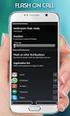 QUIICK REFERENCE GUIIDE SPECIIAL CALLIING FEATURES Flash Calls NOTE: Flash calls are available on devices with flash functionality. Call Transfer While engaged in call to be transferred: 1. Press flash
BT Calling Features User Guide. Make more of your phone
 BT Calling Features User Guide Make more of your phone Index Page Never miss another call 2/3 Call Diversion Call Waiting Ring Back 1471 BT Answer 1571 Keep in control of your calls 4/5 Call Barring Anonymous
This service allows you to talk to the 3rd party before transferring the original called party to them. To use Attended Call transfer:
 Calling Features Attend Call Transfer Auto Redial Anonymous Call Rejection Call Blocking Call Forward Busy Line Call Forward Don't Answer Call Forwarding Remote Access Call Forwarding Universal Call Holding
Bringing value back to voice. Your guide to LUS Fiber Phone
 Bringing value back to voice Your guide to LUS Fiber Phone 1 LUS Fiber puts Lafayette s premier fiber optic phone system right in your hand. You re about to discover the total phone-service satisfaction
Call Forwarding No Answer Interrogation 1. Lift telephone handset. Press the assigned code (ex. *61*).
 QUIICK REFERENCE GUIIDE SPECIIAL CALLIING FEATURES Flash Calls NOTE: Flash calls are available on devices with flash functionality. Call Transfer While engaged in call to be transferred: 1. Press flash
Meridian 8009 Business Terminal User Guide
 For additional information, Dial Telecommunications Center Centrex Services... -44 University of Nebraska - Lincoln Telecommunications Center Nebraska Hall Lincoln, NE 68588-05 (40) 47-000 The University
How To Use Fairpoint.Com On A Cell Phone On A Pc Or Landline Phone On An Iphone Or Ipad Or Ipa Or Ipo Or Cell Phone (For A Cell) On A Landline Or Cellphone On A
 Definition FairPoint Communications Hosted PBX is easy to use and manage. Hosted PBX is packed with a wide variety of useful standard, advanced and business group calling features, including voicemail.
Hosted PBX Calling Features and Voice Mail Guide
 Definition FairPoint Communications Hosted PBX is easy to use and manage. Hosted PBX is packed with a wide variety of useful standard, advanced and business group calling features, including voicemail.
Meridian Multi-line Telephone User Guide
 Meridian Multi-line Telephone User Guide Your Meridian Multi-line Telephone has many useful business features. Read this user guide to become familiar with the available features. Check with your department
Businessuserguide eastlink.ca/business
 Maritimes/NL Businessuserguide eastlink.ca/business Thank you, for choosing EastLink - One of Canada s 50 Best Managed Companies. EastLink prides itself on delivering innovative and reliable business
Placing Calls. Using Your Single Line Telephone. Placing an Outside Call... Calling a Co-Worker, Voice Mail and Paging...
 Using Your Single Line Telephone Placing Calls Due to the flexibility built into the system, your Dialing Codes and Feature Capacities may differ from those in this guide. Check with your communications
UNLIMITED LOCAL WITH LONG DISTANCE PHONE FEATURES REFERENCE GUIDE
 UNLIMITED LOCAL WITH LONG DISTANCE PHONE FEATURES REFERENCE GUIDE Thank You Thank you for considering Unlimited Local with Long Distance Phone service from MCTV. We appreciate your business, and will continue
CALL MANAGEMENT SERVICES. User Guide. 1 888 télébec telebec.com
 CALL MANAGEMENT SERVICES User Guide 888 télébec telebec.com QUICK REFERENCE Télébec Call Management Services - Important Codes Service Activation Cancellation Call Blocking 6 7 Call Forwarding 7 2 7 3
Business Phone Service. Calling Features & Instruction Guide
 Business Phone Service Calling Features & Instruction Guide HUNTING Hunting is a system that routes phone calls through your phone lines until an idle line is found. CALLER ID PER CALL BLOCKING (67) Pressing
HPUG_1014. Shaw Home Phone. User Guide
 HPUG_1014 Shaw Home Phone. User Guide Hello. Welcome to the wonderful world of Shaw Home Phone. This tiny book tells you every detail you need to know to use all of your new phone features like a superstar.
PHONE USER 1 GUIDE. Morristown (MUS) Local Customer Calling FROM: Morristown (Area Code 423): 307, 317, 318, 522, 581, 585, 586, 587
 PHONE USER 1 GUIDE Local Calling Area Windstream has defined the following local calling area. All calls to these areas are included in your local monthly charge. Calls outside of this area will be billed
CCI Hosted Voice Services Special Calling Features Quick Reference Guide
 CCI Hosted Voice Services Special Calling Features Quick Reference Guide Feature Access Code Calls NOTE: Feature access codes provided in this guide are examples. Anonymous Call Rejection Activation 1.
Business Telephone User Guide
 Business Telephone User Guide 1 Proud to provide Conway s Electric, Water, Cable, Internet and Telephone services. Welcome to Conway Corporation Business Telephone Service We take pride in providing superior
Business User Guide. Western. /business
 Business User Guide Western /business Thank You for choosing Eastlink - One of Canada s 50 Best Managed Companies. Eastlink prides itself on delivering innovative and reliable business solutions to our
Welcome to Comcast Digital Voice
 Welcome to Comcast Digital Voice Go ahead. Pick up your phone. Call your neighbor. Your best friend across the country. Or your cousin in Europe. Now that you have Comcast Digital Voice, you can enjoy
Advanced Calling Features Guide
 Advanced Calling Features Guide AUTOMATIC CALLBACK Use: Save time by not calling busy numbers over and over. Description: Calls the last number dialed without having to redial the number. If the redialed