
DIGITAL PHONE USER GUIDE
|
|
|
- Ashlie Neal
- 10 years ago
- Views:
Transcription
1 DIGITAL PHONE USER GUIDE

2 Let s Talk! Thanks for choosing Midcontinent Communications and Digital Phone, the service that s got everyone talking! Here at Midcontinent TM we consider each and every one of our customers to be family. And as with all our new family members, we d just like to start things off by saying welcome. This User Guide will provide information about all the great features available at your fingertips and give you helpful tips on how to get the most out of your new digital phone service. So go ahead: talk it up! midcocomm.com

3 Table of Contents Keep About Your Phone Service 1 Phone Provider Information 4 Telephone Fraud 5 Phone The Way YOU Want It 7 Phone Bill Information 9 Using Your Features 11 How To Use Your Voic 23 Do Not Call Registry Information 28 Help For Low-Income Telephone Subscribers 34 Telephone Relay Services 35 Frequently Asked Questions 39 Customer Care 48 Quick Reference Guide 49 sharing midcocomm.com

4 About Your Phone Service You asked for it, and we answered the call! Your digital phone line is set up and includes all the great features you requested with your order. And we ve created your directory listing we won t change or remove it, unless you ask us to. In the event you feel your services have been taken by a telephone company without your authorization (otherwise known as slamming ), you may contact your state s Public Utilities/ Service Commission: If you ve subscribed to our Digital Phone Package, we ll handle everything for you! Midcontinent will be your local and long distance service provider. If you choose a Local Digital Phone Line only, you may select both an in-state long distance carrier and an out-of-state long distance carrier (for 1+ dialing). SD Public Utilities Commission 500 East Capitol Street Pierre, SD Our friendly Customer Care Team is always just a phone call away and we re here for you 24 hours a day / 7 days a week Telephone Relay Services provide support assistance our hearing and speech impaired customers Care throughout the region. The service utilizes operators who facilitate the communication between the calling and receiving parties. We ll connect you just dial 711. ND Public Service Commission Our Terms and Conditions Agreement for 600 E Broadway, Dept. 408 Telephone Service can be found by visiting Bismarck, ND our website: midcocomm.com For the latest road conditions dial 511. Again, we re thrilled you ve chosen MN Public Utilities Commission, Midcontinent Communications to be your Dial 611 Option 1 to access your voic box. Option 2 to connect with our Customer Care Team. Consumer Affairs Office 121 7th Place East, Suite 350 Saint Paul, MN telephone service provider. Thanks, and here s to years of affordable calls and great conversation or midcocomm.com 2

5 Phone Provider Information Local Phone Service Most of our new customers keep their current phone number(s) when they switch their local telephone service to us. And we handle it all for you! Midcontinent will contact your current local service provider to transfer your existing numbers and to terminate your existing telephone service. If you choose a new telephone number when you switch your local telephone service to us, you must notify your current carrier of the change once your new telephone number has been installed. Long Distance Phone Service* If you are changing to Midcontinent s long distance service, you must notify your current carrier that you want to terminate your long distance service with them. Some carriers will require written authorization. If you choose to keep your current long distance carrier, you must notify them that Midcontinent Communications is now your local telephone service provider. If you relocate to a different address, you must contact Midcontinent Communications to transfer your services and verify your new 911 address information. (Note: though equipment has battery back-up, in the event of an extended power outage 911 service may be limited or unavailable.) * Midcontinent Communications must be designated as your long distance carrier in order to take advantage of our Digital Phone Package with Unlimited Long Distance. 4

6 Telephone Fraud is a Serious Problem Telemarketing schemes. Bogus contests. Phone scams. Telephone fraud is a multi-billion dollar business for criminals. Don t be the next victim. Depending on the type of scam, you can lose anywhere from a small amount of money to your entire life savings and it can be difficult to get your money back. The voice certainly might sound friendly and trustworthy on the other end. But remember it s always better to be safe than sorry when talking on the phone with someone you don t know. We encourage you to keep the following Telephone Fraud* information handy at all times preferably by your phone: If an unsolicited caller ever asks you to purchase something or requests that you give out your credit card number, share bank information, or send a personal check for any reason at all REFUSE! They may entice you by claiming you are eligible for a great offer. Don t fall for their tactics. Never provide your personal or financial information to an unsolicited caller. Check with your local consumer protection agency (Better Business Bureau, etc.) prior to doing business with any company you are unfamiliar with. Con artists often lure victims by asking them to donate money to counterfeit charities. They may use names that sound like better-known, reputable organizations. Before you donate over the phone, ask the caller to send written information about their organization. Reputable charity groups are happy to do this for you. The Federal Trade Commission (FTC) requires telemarketers to make certain disclosures and prohibits certain misrepresentations. It also gives you the power to stop unwanted telemarketing calls and provides state law enforcement officers the authority to prosecute fraudulent telemarketers operating across state lines. Caller Identification or Caller ID ** allows you to identify a caller before you answer your telephone. This service, however, is susceptible to fraud. Using a practice known as Caller ID Spoofing, disreputable parties can deliberately falsify the telephone number relayed as the Caller ID number to disguise the identity and originator of the call. For more information visit: fcc.gov/cgb/consumerfacts/callerid. To obtain more information about telephone fraud, and the rules governing phone telemarketing, contact the Federal Trade Commission at You may be promised free gifts, prizes, or vacations if you act right now. Consider * Midcontinent reserves the right to terminate phone service this a warning! Take your time legitimate due to fraudulent usage. 5 ** Caller ID equipment not included. companies won t pressure you into making midcocomm.com a snap decision. 6

7 Phone the Way YOU Want It Midcontinent s Digital Phone Package : Congratulations! You ve got the best Digital Phone Package available. It includes your local phone line, 9 features, and unlimited local and long distance calling as well! Go ahead, call anywhere you want within the 50 United States or Canada, Puerto Rico, the Virgin Islands, and Guam. Call anytime, day or night. It s hassle free with Midcontinent. No calling-plan minutes to manage, and no annual contract to sign! Digital Phone Package Features Please note several phone features are also available on a pay-per-use basis for Midcontinent telephone customers who are not subscribed to the Digital Phone Package. These features include 3-Way Calling, Continuous Redial, Call Trace, and Last Call Return. If you would like to have these features blocked from your service, please call our Customer Care Team at Midcontinent Digital Phone Package is available to residential customers only and includes one phone line with direct dialed, unlimited local and long distance calling (up to 5,000 minutes per billing cycle) to the continental U.S., Alaska, Hawaii, Canada, U.S. Virgin Islands, Puerto Rico, and Guam. Other locations are considered International and charged at per minute calling rates (please check our website). Calling card calls, collect calls, 900 number calls, operator assisted calls and directory assistance are not included. Caller ID equipment not included. Not all services available in all areas. Digital Phone Service is subject to Terms and Conditions as outlined on our website at midcocomm.com. Digital Phone Package Features Call Waiting ID 3-Way Calling Call Forwarding Universal Last Call Return Continuous Redial Speed Call 30 Distinctive Ringing Caller ID Name & Number (includes Anonymous Call Rejection) Voic with evoice Caller ID equipment not included. 7 8

8 About my bill Your Midcontinent Communications telephone bill includes taxes and fees mandated by law that include the following: Phone Bill Information Understanding Your Telephone Bill Residential Access Line Charge This is the Federal Communications Commission (FCC) charge for providing access to (and maintenance of) the local network. Local Number Portability Surcharge This FCC-approved fee helps phone companies offset the associated with developing systems that allow consumers to keep their same telephone number when switching local providers. 9 Hearing & Speech Impaired Surcharge A state government-imposed monthly charge, which helps to provide telephone services to the hearing and speech impaired. County Government 911 Surcharge This fee helps pay for the emergency 911 calling system. Federal Access Recovery Charge A charge, related to changes in FCC rules, designed to recover the costs of providing access to the telephone network. State and Federal Taxes The amount of your State and Federal taxes varies with your location. All telephone companies assess the same percentages. Federal Universal Service Fund The Federal Universal Service Fund (FUSF) supports the telecommunication needs of consumers in low-income households, rural healthcare providers, schools and libraries. Depending upon your location, other taxes and fees may apply. Midcontinent Communications bills you one month in advance for recurring services (line, features, and options/packages). Your first bill will include your regular monthly charges in addition to any installation fees and partial month charges incurred since installation midcocomm.com 10

9 Using Your Features Call Waiting ID Take a peek! With Call Waiting ID, not only do you hear a quick beep signaling that you have another call coming in, you also get a display that shows you who is calling. You can capture the call information on your display unit even if you choose not to accept the incoming call. (Caller ID display unit must be purchased separately.) To turn off Call Waiting before a call: 1. Push *70 on your touch-tone phone. You will hear three short tones followed by a dial tone. 2. Place your call. 3. Call Waiting is automatically restored when you hang up. How to use Call Waiting: 1. When you hear the tone, press and quickly release the receiver button on your phone and greet your new caller. 2. To alternate between calls or return to your first caller, press and quickly release the receiver button on your phone. 3. To end either conversation, simply hang up. 4. If one of your callers is still on the line, your phone will ring. When you pick up the call, you will be connected to the caller midcocomm.com To turn off Call Waiting during a call: 1. During your conversation, press and quickly release the receiver button on your phone. (If you do this while a call is coming in, you will answer the incoming call.) 2. Push *70 on your touch-tone phone. You will hear three short tones followed by a dial tone. My features 3. Press and quickly release the receiver button on your phone to return to your conversation. 4. Call Waiting is automatically restored when you hang up. 12

10 3-Way Calling* Do you need to talk to two people at the same time? With 3-Way Calling, you have the ability to add a second person to your call or put one person on hold and make a second call. 3-Way Calling works with both local and long distance calls. How to use 3-Way Calling: 1. Place your first caller on hold by pressing and quickly releasing the receiver button on your phone. 2. You will hear a brief stutter tone. When you hear the normal dial tone, you can make your second call. 3. When the second caller answers, press and quickly release the receiver button to connect all callers If the second caller does not answer (or you get a busy signal), press and quickly release the receiver button. This will return you to the first caller. 5. If either party disconnects, you can continue talking with the remaining party. 6. To end the call completely, simply hang up. * This feature is available to all Digital Phone lines. If you do not currently subscribe to this feature it can be used on a pay-per-use basis. Call Forwarding Universal Leaving the house and don t want to miss that important call? Call Forwarding Universal allows you to forward calls temporarily to another number even your cell phone! (Note: toll charges apply to calls forwarded outside of your local call area.) How to use Call Forwarding Universal: 1. On your touch-tone phone, press * When you hear the dial tone, dial the number you want your calls forwarded to. Wait for the person to answer. 3. If no one answers the phone, or the line is busy, hang up and repeat steps one and two. When Call Forwarding Universal has been activated, you will hear a fast busy signal. 4. To verify your calls are being forwarded, press *72 on your touch-tone phone. If you hear Your call forwarding is currently active, Call Forwarding Universal is working. If not, repeat steps one and two. 5. To deactivate call forwarding, press *73 on your touch-tone phone. The stutter tone followed by fast busy signal indicates to you that your calls are no longer being forwarded. Not home, forgot to forward your phone? No problem. Forward your phone online at midcocomm.com. Select Manage Phone Features in the My Phone section midcocomm.com 14

11 evoice Need the power to check voic via ? The power is yours! Your Midcontinent voic can be accessed through as well as from a telephone. To add or activate this feature, go online to My Account at midcocomm.com or call our Customer Care Team at , and let us know the address you ll be using to access your voic messages. When you receive an notifying you of a voic , you have the option of listening to it online or through your phone. You can delete the message from evoice but by doing so you won t have the opportunity to retrieve it later via phone. Continuous Redial* Did you get a busy signal? Continuous Redial lets your phone redial those busy numbers while you make and receive other calls. How to use Continuous Redial: 1. When you get a busy signal, hang up, pick up the receiver again, and press * Your phone will continue to redial that number for up to 30 minutes. 3. A special callback ring notifies you when the call connects. Just pick up the phone, and you re connected to the person you ve been trying to reach. 4. To cancel, lift the receiver and press *86. * This feature is available to all Digital Phone lines. If you do not currently subscribe to this feature it can be used on a pay-per-use basis midcocomm.com 16

12 Speed Call 30 Store up to 30 frequently called numbers and dial them with two digits instead of the entire phone number. Programming Speed Call 30: 1. Lift the handset and dial * Listen for a stutter dial tone. 3. Choose a two-digit speed code (choose any number, 00-29). 4. Dial the phone number you want assigned to that speed code (for long distance numbers, include a 1 and the area code). 5. Press the # key. A fast busy signal indicates the number has been stored. 17 Changing a number in your Speed Call 30 list: 1. Lift the handset and dial * Listen for the stutter dial tone, then enter the twodigit code you wish to change. 3. Enter the new telephone number (for long distance numbers, include a 1 and the area code). 4. Press the # key. A fast busy signal indicates the number has been stored. Using Speed Call 30: 1. Lift the handset and listen for a dial tone. 2. Dial * followed by the desired two-digit speed code. Distinctive Ringing Do you want to know who s calling just by a special ring tone? Distinctive Ringing lets you know with just a ring! How to use Distinctive Ringing: 1. To set up or turn Distinctive Ringing on or off for the most recent phone number that called you, pick up your phone after your call has ended and dial * Follow the recorded instructions. Call Trace* Call Trace helps stop threatening, obscene, or harassing calls. How to use Call Trace: (If you receive a threatening call, hang up immediately.) 1. Directly after you have hung the phone up, lift the receiver and press * Follow the recorded instructions. Always dial 911 in an emergency situation. The caller s name and number will not be released to you under any circumstances. Normally, it takes three successful traces before any deterrent action will be taken by a law enforcement agency. * This feature is available to all Digital Phone lines on midcocomm.com a pay-per-use basis. 18

13 Last Call Return* Did they hang up before you picked up? With *69, you ll be able to return most of those calls. How to use Last Call Return: 1. Lift the handset and dial * A recorded voice will give you the number of the call you missed, and ask if you would like to return the call. 3. Press 1 to connect to that call. Please note that not all numbers will be provided. Last Call Return does not work on 800 or 900 numbers, numbers outside the specified service area, and lines where Call Forwarding and some other call services have been activated. 19 Anonymous Call Rejection** Want to avoid callers who have blocked their caller ID information? Anonymous Call Rejection can do it for you. Manage telephone numbers online through My Account at midcocomm.com or follow the step-by-step instructions below. How to use Anonymous Call Rejection: 1. On your touch-tone phone, press * Two fast busy signals confirm that the service has been activated. 3. To deactivate Anonymous Call Rejection, lift the handset and press *78. A stutter dial tone indicates the service has been cancelled. * This feature is available to all Digital Phone lines. If you do not currently subscribe to this feature it can be used on a pay-per-use basis. ** This service is included with Caller ID Name & Number. Not available by itself. Caller ID Find out who is calling you without having to pick up the phone! To use Caller ID, your phone must have a display unit that stores names and numbers of recent callers. If not, you may purchase Caller ID equipment separately. How to use Caller ID: 1. When your Caller ID service is activated, follow the directions with your display unit. 2. PRIVATE or ANONYMOUS calls come from callers who have their names and numbers blocked. Options to block/unblock your Caller ID: Upon initial installation of your digital telephone service, your name and number will not be blocked unless you have elected Non-Published service. Caller ID Block If you block your name and number, the receiving party s Caller ID equipment will not see this information. PRIVATE will be displayed instead. All outgoing call information will show on Caller ID unless you place a Caller ID Block on your line before dialing. How to use Caller ID Block: 1. Dial *67 before you place a call. 2. When you hang up, your Caller ID feature is restored. 20

14 Unblocking your Caller ID Block (with Non-Published Service) If you have Non-Published Service, you can still unblock the default Caller ID Block feature. How to unblock Caller ID: 1. Dial *82 before you place a call. 2. When you hang up, Caller ID blocking will be restored. Non-Published Service Do you prefer privacy? With Non-Published Service, your number is not listed in the phone book nor is it available from 411 information. Plus, your Caller ID is automatically blocked on all outgoing calls. Non-Listed Service Looking for a way to let people have access to your phone number without being listed in the phone book? With Non-Listed Service, your number is not published in the phone book but is available from 411 information midcocomm.com Your family

15 23 How To Use Your Voic Accessing your Main Menu from your own phone 1. Dial 611 and follow the prompts. (Your 10-digit mailbox number is your area code + phone number.) If Auto Login is ON then you may skip steps 2 and Press #. 3. If requested, enter your password, then #. (Your default password is 0000.) Accessing your Main Menu from another phone 1. Dial and follow the prompts. (Your 10-digit mailbox number is your area code + phone number.) 2. If requested, enter your password, then #. (Your default password is 0000.) Main Menu options Main Menu options Press 1 to retrieve messages. Press 7 to hear current date and time. Press 9 for your mailbox setup menu. Mailbox setup menu options available in the Setup Menu: Press 1 for greeting options. Press 2 to change password. Press 4 to enable/disable auto login. Press 8 to record your name. Press * to return to the main menu midcocomm.com 24

16 Greeting options Greeting options (Pressing 1 from Setup Menu) Press 1 to listen to your greeting. Press 2 to record greeting. Press 3 to delete greeting. Press * to return to the Setup Menu. Changing your password (Pressing 2 from Setup Menu) Enter your NEW password, followed by #. (Your password can be up to 16 digits long. Be sure to remember your new password for future reference.) Re-enter your NEW password to verify it. Listening to Messages How To Use Your Voic Accessing your Main Menu from your own phone Press #. 3. Accessing your Main Menu from another phone How To Use Your Voic Retrieving messages* Options available in the Accessing Retrieve your Menu Main Menu from your own phone Press 1 to go to new messages. 1. Press 2 to go to saved messages. Press * to return to the main menu. While listening to messages 2. Press #. you can: Press 1 to play message. 3. Press 2 to save message and go to next one. Press 3 to delete message Accessing and go to your next one. Main Menu Press 4 to save message from as new. another phone Press 7 to back up 3 seconds. 1. Press 8 to pause/continue message. Press 9 to go forward 3 seconds. 2. Press * to return to the main menu midcocomm.com * You may also listen to voic through your . See evoice for more information. 26

17 Do Not Call Registry Information Do you get annoyed by unsolicited telemarketing calls? Prevent them by registering your home and cell phone numbers with national and state Do Not Call lists. It s a free service. You should stop receiving unsolicited telemarketing calls roughly a month after registering. However, you may still rightfully receive calls from: Companies you have an existing business relationship with. Companies you owe money to. Companies you have previously granted calling permissions. Businesses may also call you to set up a face-to-face meeting but they must not attempt to sell you anything during the call. And even under these circumstances, you can request not to be called in the future. During the phone call, simply ask that you be placed on the company s Do Not Call list. By doing so, the company no longer has the right to contact you. Scam artists have taken advantage of the popularity of Do Not Call lists. These callers claim they are a Do Not Call Registry representative, and need your personal information to verify or confirm that you want to be on the list. These scammers may attempt to trick you into giving up financial information by saying that signing up on the list requires payment or a fee. Once again, NEVER provide your personal or financial information to an unsolicited caller even if they sound 28 friendly or legitimate over the phone.

18 Do Not Call Registry tips for consumers: Once you sign up for the Do Not Call Registry, you do not need to confirm your personal information. Never share your personal information with someone who calls you claiming to represent Do Not Call lists or organizations attempting to stop fraud. You will never receive a legitimate call asking if you want to be put on a Do Not Call list; you must proactively contact the state or national registry on your own. Most telemarketers must buy an updated copy of the state s Do Not Call list every 90 days. By law, telemarketers must identify themselves, the company they represent (they cannot block Caller ID), and the product they are selling. Always keep your bank account, credit card, and Social Security numbers to yourself unless you know exactly who you re dealing with. Fraudulent companies and scammers can electronically debit your account very quickly if you provide them with this information. If you gave your bank account number to a fraudulent telemarketer, contact your bank to stop payment. If the payment has already been taken out, you can still ask your bank to credit your checking or savings account if you did not clearly authorize the debit midcocomm.com For more information or to place your number on the Do Not Call list for free contact: National Registry: Phone: * TTY: donotcall.gov * You must call from your home phone and/or cell phone in order to register. 30

19 To report or receive help with a suspicious call, contact: Nationally: Federal Communications Commission Consumer & Governmental Affairs Bureau Consumer Inquiries & Complaints Division th Street SW Washington, DC Phone: TTY: donotcall.gov In Minnesota: Minnesota Department of Commerce Market Assurance Division 85 7th Place East, Suite 500 St. Paul, MN Phone: or ftc.gov/donotcall In North Dakota: North Dakota Office of Attorney General Consumer Protection Division 4205 State Street Bismarck, ND Phone: or ag.nd.gov/nocall/nocall.htm In South Dakota: South Dakota Public Utilities Commission 500 East Capitol Avenue Pierre, SD Phone: sddonotcall.com midcocomm.com Safe calling

20 Help For Low-Income Telephone Subscribers For some people, especially the homebound, the telephone is a lifeline to the outside world. Low-income telephone subscribers can apply for aid to help with their phone bill through Lifeline Assistance programs. Lifeline Assistance Lifeline Assistance provides eligible subscribers a minimum amount per month toward basic home telephone service. Lifeline subscribers may receive long distance blocking on their telephone line at no charge. How to apply To apply for either of these programs, please click the APPLICATION HERE link at: midcocomm.com/telephoneassistance. Or feel free to call our friendly Customer Care Team at We ll be happy to assist you. ssistance 34

21 Telephone Relay Services Telephone Relay Services provide support assistance to our hearing and speech impaired customers throughout the region. The service utilizes operators, who facilitate the communication between the calling and receiving parties. These services are available 24 hours a day, 365 days a year. Please review the specific information that applies to your state of residence. Minnesota Relay Calling Dial 711 or (SPANISH) Voice Carry Over Speech-to-Speech Captel Minnesota Relay provides free and full telephone accessibility to anyone who is hard of hearing, deaf or speech disabled. For information offered through Minnesota Relay, call or (TTY). The Telephone Equipment Distribution program (TED) provides specialized telephone equipment at no cost for income-eligible Minnesotans. For more information, please call (VOICE) or (TTY) midcocomm.com North Dakota Relay Calling Dial 711 or (TTY Users) (VOICE Users) (SPEECH IMPAIRED Users) (SPANISH) There is no charge for using the relay service within your local calling area. Long distance calls made through the Relay Service Provider will be billed, but at a reduced rate. As a courtesy, this discount is given to compensate for the additional time needed to place a relay call. For online information about Relay North Dakota, go to: relaynorthdakota.com 36
22 South Dakota Relay Calling Dial 711 or (SPANISH) To place your call once connected to the service, ask the communications assistant to dial the area code and telephone number you wish to call. The communications assistant will type spoken words to the TTY user and speak the typed words to the standard phone user. South Dakota residents who are deaf, hard of hearing, deaf-blind or speech disabled are eligible to receive specialized telephone equipment (at minimal or no cost) through the Distribution Program at CSD. For more information on how to obtain specialized telephone equipment in South Dakota, call or (VOICE/TTY). It is best to speak slowly and directly to the person you are calling. Say go ahead or type GA (on the TTY) each time you finish your part of the conversation midcocomm.com Relay Calling
23 Frequently Asked Questions Q. How does Midcontinent Digital Phone Service work? A. Most Midcontinent Digital Phone telephone lines use Voice over Internet Protocol (VoIP) technology that sends your conversation over our private network in highly reliable digital packets. With Midcontinent Digital Phone, the quality and performance of each call is assured with advanced networking equipment and technology not available with regular Internet-based phone service. Under no circumstances should you move or disconnect the power source of the Digital Phone equipment while your services are active. This will ensure that you have dial tone and access to 911. If you need to have your Digital Phone equipment moved, please contact us at and we will gladly assist you. Q. What equipment Ask is needed for Midcontinent Digital Phone Us Service? A. Our qualified technicians will install Digital Phone Service equipment in your home, allowing you to use the telephones you currently have. There is no monthly service charge for this equipment. 39 Q. What should I do with the Midcontinent Digital Phone equipment if I move or disconnect my services? A. If you are moving, please try to call us at least two weeks in advance so your services are not interrupted. When moving within a Digital Phone market, please take your Digital Phone equipment with you and have it available for the technician on the day and time of install. If you are disconnecting your telephone service or moving to a non-digital Phone market, please return the Digital Phone equipment to Midcontinent Communications within five calendar days to avoid a $ $ non-returned equipment charge to your account. Q. Do I need to be home for the installation of Midcontinent Digital Phone Service? A. Yes. You or someone over the age of 18 must be present for the installation. The technician will need to enter your home to install the Digital Phone equipment. The average length of this install is approximately 90 minutes. During this time, the technician will also check other Midcontinent Communications services to ensure that you are receiving the highest quality of service midcocomm.com 40
24 Q. Do I have to subscribe to the Digital Phone Package to have Midcontinent Digital Phone Service? A. No. The Digital Phone Line, any of the great telephone features, or Unlimited Long Distance can be selected with A La Carte pricing. Q. Can I keep my current telephone number? A. Yes, in nearly all cases you can keep your current telephone number when switching to Midcontinent Communications Digital Phone Service. Q. Can I choose my own long distance carrier? A. Absolutely. However, to qualify for our Unlimited Long Distance, which is also included with our Digital Phone package, you must choose Midcontinent Communications as your local and long distance provider. Q. Can I call 911 with Midcontinent Digital Phone Service? A. Absolutely! Q. What happens if power is lost? Will I lose my Digital Phone Service? What about 911? A. It is important to us that your safety is guarded in the event of a power outage. Your Digital Phone Service equipment is backed up with constantly charging battery packs*. Should power be lost, the battery back-up will provide 8 hours of dial tone. It is recommended that during a power outage, phone usage be limited so that the dial tone is available for emergencies. In the event of a power outage, you should NOT touch the batteries, connections, or equipment as this can affect the battery life. If the batteries are removed during a power outage, dial tone will be lost until the power is restored, even if the batteries are replaced. Once power is restored, the batteries will begin charging again. As with all of Midcontinent Communications services, we monitor the quality of our service 24/7. We respond immediately to any and all service interruptions midcocomm.com *Not available in all areas. 42
25 Q. Will Midcontinent Digital Phone Service support my fax or answering machines? A. Yes. Because Midcontinent Communications Digital Phone Service is a true phone service, it works with your fax and answering machines. Q. Will all the phones in my home be connected to Digital Phone Service? A. Yes. If you ve subscribed to our Digital Phone Service, then all of the telephones in your home will have access to Digital Phone Service. Q. Can I make international phone calls with Midcontinent Digital Phone Service? A. Yes, there is a per minute cost per country which can be found on our website: midcocomm.com. Contact us to setup International Calling on your phone line. There is no additional cost for subscribing midcocomm.com? 44 Q. Can I use my calling card with unlimited long distance if I choose the Midcontinent Digital Phone Package? A. At this time, Midcontinent Communications does not offer a calling card with unlimited long distance. To take advantage of unlimited long distance, the phone call must originate from the phone number that has the Digital Phone Package. Q. Can I subscribe to Midcontinent Digital Phone Service for my business? A. Digital Phone is available to businesses in some service areas. Call , or check with your local sales representative. Q. Do I need a special phone when subscribing to Midcontinent Digital Phone Service? A. No. With just a few exceptions, any touch-tone or rotary phone will work with Digital Phone Service, including a cordless phone. Your answering machines and Caller ID will also work with Digital Phone Service.
26 Q. Will the equipment installed in my home ever need to be replaced? A. In an effort to keep your equipment maintained and up-to-date with the latest technology, we may contact you in an effort to get into your home and swap out your equipment. The equipment remains the property of Midcontinent Communications, so if we do upgrade equipment, this would be done at no charge to you. Q. Why should I switch my current service to Digital Phone Service? A. Digital Phone is currently the most advanced phone technology available. In addition to receiving an impeccable quality connection, Digital Phone will enable you to take advantage of future advanced features as the technology develops. Q. Why does my first bill seem to have more than a month s worth of service charges? A. Midcontinent Communications bills are generated once a month and charges are billed one month in advance. If you have recently installed or upgraded services, there may be a partial month billing for the current statement month plus one month in advance. In the event that you have downgraded or disconnected services, you will be credited for the days remaining in the current statement month. 45 Q. What should I do if I don t have a dial tone? A. Check other phones to see if the dial tone is lost only on one phone or all of them. If you have a cordless phone, check the batteries and make sure it is plugged in to an active power outlet. If you have a cordless phone, try to use a corded phone in the phone jack to see if it works. If there is still no dial tone, locate the telephone equipment from Midcontinent that was installed in your home and make sure the equipment is plugged in and/or powered up. If the issue cannot be resolved with the above troubleshooting steps, please contact Customer Care at midcocomm.com 46
27 Customer Care Need help? Have a question? We re here for you 24 hours a day, 7 days a week. Call or visit midcocomm.com. We also have chat and options. Of course, you re always welcome to visit us at a Customer Service Center near you. Stop by and set up services, get a personal demonstration, check out our other services, and more! Ordering, managing and making payments on your service has never been easier. Handle it all online at midcocomm.com midcocomm.com 48
28 Quick Reference Guide Voic Password: Feature Quick Reference: Voic Quick Reference: While listening you can: Call Forwarding Universal... *72 Call Waiting Cancel... *70 (single call only) Continuous Redial... *66 Continuous Redial Cancel... *86 Distinctive Ringing On/Off... *61 Last Call Return... *69 Anonymous Phone Rejection: Turn on: Press *77. Turn off: Press *78. Caller ID Blocking: Turn on: Press *67 before placing call. Turn off: Press *82 before placing call. To access your voic from your home phone, dial 611. If you have auto login enabled, select 1 for voic . If you have auto login disabled, enter your 10-digit mailbox number and password when prompted and press #. Access from another phone: Dial and follow the prompts. (Your 10-digit mailbox number is your area code + phone number.) Retrieving Messages: Access the voic system. Press 1 for new messages. Press 2 for saved messages. Press * to return to the main menu. Press 1 to play message. Press 2 to save message/go next. Press 3 to delete message/go next. Press 4 to save message as new. Press 7 to back up 3 seconds. Press 8 to pause/continue message. Press 9 to go forward 3 seconds. Press * to return to the main menu. Mailbox setup: Press 1 for greeting options. Press 2 to change password. Press 4 to enable/disable auto login. Press * to return to the main menu. Midcontinent telephone service also includes valuable access to: 911 Emergency 811 Call Before You Dig 711 Telecommunications Relay for hearing and speech assistance 611 Customer Service Department/ Voic box 511 Highway Information 411 Local Directory Assistance* Link-Up America and Lifeline Assistance are available to customers who qualify. *411 Directory Assistance fee applies per each use of the service midcocomm.com 50
29 MT23 UG 0614 DIGITAL PHONE USER GUIDE midcocomm.com
Home Phone Quick Start Guide. Review these helpful instructions to understand your Midco home phone service and its many convenient features.
 Home Phone Quick Start Guide Review these helpful instructions to understand your Midco home phone service and its many convenient features. 1 Contents Equipment and Features.......................................................
Welcome to Comcast Digital Voice
 Welcome to Comcast Digital Voice Go ahead. Pick up your phone. Call your neighbor. Your best friend across the country. Or your cousin in Europe. Now that you have Comcast Digital Voice, you can enjoy
Contents. WOW! Phone Reference Guide
 WOW! Phone Reference Guide Intro to WOW! Phone P-1 WOW! Phone Features P-1 Call Waiting P-1 Call Forwarding P-1 3-Way Calling P-1 Call Return P-1 Anonymous Call Rejection P-2 Caller ID P-2 Caller ID Block
Q (With a rotary dial phone, skip this step R70. Custom Calling Features. Call Waiting. Call Forwarding. Cancel Call Waiting. Long Distance Alert
 www.gctel.com Custom Calling Features There may be a charge for these services. Listen for two beeps. Call Forwarding is now discontinued. Call Forwarding This feature means your phone can transfer incoming
Telephone Users Guide. Equipment, Features & Voice Mail
 Telephone Users Guide Equipment, Features & Voice Mail TABLE OF CONTENTS WELCOME TO ARMSTRONG TELEPHONE Our Commitment to You Identifying Our Employees Dialing 911 - Your Safety Is Important HOW TO MAKE
YOUR HOME PHONE. Horry Telephone Cooperative, Inc.
 YOUR HOME PHONE Horry Telephone Cooperative, Inc. CONTENTS Calling Features Anonymous Call Rejection page 4 Automatic Busy Redial page 4 Automatic Call Return page 5 Call Forwarding page 6 Call Forwarding
COMCAST DIGITAL VOICE USER GUIDE
 COMCAST DIGITAL VOICE USER GUIDE WELCOME TO COMCAST DIGITAL VOICE Go ahead. Pick up your phone. Call your neighbor. Your best friend across the country. Or your cousin in Europe. Now that you have Comcast
Midcontinent Digital Phone. Talk about easy.
 Midcontinent Digital Phone Talk about easy. Dial it up! Home phone service doesn t get any easier than this. Our digital phone service works just like your current phone service. You dial the same way.
Welcome to Cogeco Business Digital Phone Service
 Welcome Welcome to Cogeco Business Digital Phone Service Congratulations on choosing Cogeco Business Digital Phone Service. 1 Your decision to subscribe to our digital quality phone service is a smart
HPUG_1014. Shaw Home Phone. User Guide
 HPUG_1014 Shaw Home Phone. User Guide Hello. Welcome to the wonderful world of Shaw Home Phone. This tiny book tells you every detail you need to know to use all of your new phone features like a superstar.
How To Set Up Your Voice Mail On A Cell Phone
 How to Setup Your Voice Mail Enter your Voice mail access code (see below) from your home phone. Enter password (default is 0000) and press #. The voice mail prompts you to select your language preference.
Reject calls from callers who block their Caller ID information so their calls don't even ring on your line.
 Anonymous Call Rejection Reject calls from callers who block their Caller ID information so their calls don't even ring on your line. TO ACTIVATE ANONYMOUS CALL REJECTION 1. 2. Press *77 (on a rotary phone,
Table Of COnTenT. 1 Advanced Cable Communications. Contact Us...2. Welcome...3. Calling Features...4-11. Frequently Asked Questions...
 Table Of COnTenT Contact Us...2 Welcome...3 Calling Features...4-11 Frequently Asked Questions...12-17 Other Services...18 1 Advanced Cable Communications CONTACT US EMAIL US: [email protected] TelePHOne
How To Get At&T Local Service On The Phone
 Your AT&T Local Service Guide INSIDE: Customer Service Information Calling Feature Instructions Keep this guide for future reference. AT&T Local Service CONTENTS General Information 3 Troubleshooting Tip
Home Phone Service Guide calling features and services tips and instructions
 Home Phone Service Guide calling features and services tips and instructions Primus Home Phone Service Inside your guide to Primus Home Phone Service Services included with Primus Home Phone Service: 911,
Note: You will not be notified when or how many calls have been rejected.
 Anonymous Call Rejection When you ve turned this service on, any callers who have blocked their number from your Caller ID display will hear an announcement that you do not accept anonymous calls. All
Anonymous Call Rejection Refuse calls from those who have blocked their numbers.
 How to Use Your Digital Voice Features Effective 01/12/15 To learn how to use your voice features, locate your service by selecting from the Quick Links that follow, or, you can find the same instructions
ACN CALLING PLAN FEATURES ALABAMA GEORGIA FLORIDA KENTUCKY LOUISIANA NORTH CAROLINA SOUTH CAROLINA TENNESSEE
 ACN CALLING PLAN FEATURES ALABAMA GEORGIA FLORIDA KENTUCKY LOUISIANA NORTH CAROLINA SOUTH CAROLINA TENNESSEE USING YOUR NEW FEATURES ACN customers can select from a variety of calling features each designed
Telephone Users Guide
 Telephone Users Guide T A B L E O F C O N T E N T S 1 WELCOME TO ARMSTRONG TELEPHONE 2 Our Commitment to You Identifying Our Employees Dialing 911 - Your Safety Is Important 3 HOW TO MAKE CALLS Domestic
Calling FEATURES. User s Guide. Call *123 or 336-463-5022 or visit yadtel.com
 Calling FEATURES User s Guide Call * or 6-6-50 or visit yadtel.com Table of Contents QUICK REFERENCE GUIDE... KEEP IN TOUCH Call Waiting.... 5 Cancel Call Waiting.... 5 Three-Way Calling.... 6 Usage Sensitive
Quick Start. Guide. The area s ONLY 100% fiber optic network. epbfi.com
 Quick Start Guide The area s ONLY 100% fiber optic network epbfi.com Welcome to Fi Phone SM from EPB Fiber Optics SM With your new Fi Phone service, you ll enjoy crystal clear call quality and many great
VZE-RS-E-5/13. user guide. Instructions on Using Verizon Calling Features
 VZE-RS-E-5/13 user guide Instructions on Using Verizon Calling Features Table of Contents *69...2-3 Anonymous Call Rejection...4 Additional Lines...4 Busy Redial...4-5 Call Block...5 Call Forwarding...6
To activate Anonymous Call Rejection: 1. Lift the receiver and listen for dial tone. 2. Dial *77. 3. Listen for confirmation tone, hang up.
 Anonymous Call Rejection Anonymous Call Rejection allows a customer to deny any calls from ringing the line if the calling party has blocked the identification number. The calling party receives a message
BP_UserGuide_0113. Business Phone User Guide
 BP_UserGuide_0113 Business Phone User Guide Contents Welcome to Shaw Business Phone 2 Voicemail 6 Call Forward 7 Call Forward Busy 8 Call Forward No Answer 9 Call Waiting 10 Multi-line Hunting 12 Call
Digital Phone Features Guide
 Digital Phone Features Guide WELCOME TO BLUE RIDGE DIGITAL PHONE Congratulations on subscribing to Blue Ridge Digital Phone. We are confident that you will find great savings in the unlimited local and
Clear Choice Communications. Digital Voice Services User Guide
 Clear Choice Communications Digital Voice Services User Guide 2 P a g e * Feature Access Codes *62 Access Voicemail *72 Call Forwarding Always Activation *73 Call Forwarding Always Deactivation *90 Call
Bristol: (276) 821-6200 Abingdon: (276) 698-3210 Toll Free: 877-835-1272 www.bvu-optinet.com
 Bristol: (276) 821-6200 Abingdon: (276) 698-3210 Toll Free: 877-835-1272 www.bvu-optinet.com TABLE OF CONTENTS Contact Information...1 Safety Line...1 Favorite Five...2 Caller ID...2 Call Forwarding...2
Home Phone Features User Guide
 Home Phone Features User Guide You re sure when it s Sears Connect. TM Connect to the important things in life Sears Connect home phone service is a great way to stay connected to the important things
BP_UserGuide_1113. Business Phone User Guide
 BP_UserGuide_1113 Business Phone User Guide Contents Welcome to Shaw Business Phone 2 Voicemail 6 Call Forward 7 Call Forward Busy 8 Call Forward No Answer 9 Call Waiting 10 Multi-line Hunting 12 Call
Call Waiting. Cancel Call Waiting
 PhoneFeatures 1 Call Waiting Cancel Call Waiting 2 Three-Way Calling Personal Ringing 3 Speed Calling Call Transfer 4 Call Hold Call Forwarding 5 Call Forwarding Don t Answer Call Forwarding Busy Line
Digital Voice Services Residential User Guide
 Digital Voice Services Residential User Guide 2 P a g e * Feature Access Codes *11 Broadworks Anywhere (pulling call to alternate phone) *62 Access Voicemail *72 Call Forwarding Always Activation *73 Call
Phone Services Summary. Optimum. Essential. Basic Local Calling. Unlimited Unlimited. Unlimited Domestic Long Distance. Unlimited. 7 /minute 7 /minute
 Phone Service Guide TABLE OF CONTENTS GRANDE PHONE SERVICE 1 CALLING PLANS 2 SERVICES 3-4 YOUR ONLINE PHONE MANAGER 5-6 USING YOUR CALLING FEATURES 7-18 YOUR VOICEMAIL SERVICE 19-23 UNDERSTANDING YOUR
User Manual. Everything you need to know about your new digital telephone service!
 User Manual Everything you need to know about your new digital telephone service! Introduction Dear Cox Customer: Welcome to a better choice in local and long distance phone service and a better value!
Using Verizon Calling Features User Guide
 VZ-CFG-E-07-14 Instructions on Using Verizon Calling Features User Guide Table of Contents Before you begin...2 *69...2-3 Additional Lines... 4 Anonymous Call Rejection/Anonymous Call Block... 4 Busy Redial...4-5
DIGITAL PHONE SERVICE. Customer Reference Guide
 DIGITAL PHONE SERVICE Customer Reference Guide Scottsboro Electric Power Board P.O. Box 550 404 E. Willow Street Scottsboro, Alabama 35768 Office Hours: Monday - Friday 8:00 am - 4:30 pm Phone: 256-574-2680
Welcome to Cogeco Home Phone Service
 Welcome Welcome to Cogeco Home Phone Service By choosing to get your phone service from Cogeco, you have made an important decision about the quality of your connections. Unlike third-party voice over
CALL MANAGEMENT SERVICES. User Guide. 1 888 télébec telebec.com
 CALL MANAGEMENT SERVICES User Guide 888 télébec telebec.com QUICK REFERENCE Télébec Call Management Services - Important Codes Service Activation Cancellation Call Blocking 6 7 Call Forwarding 7 2 7 3
Digital Voice Services User Guide
 Digital Voice Services User Guide 2 P a g e * Feature Access Codes *11 Broadworks Anywhere (pulling call to alternate phone) *62 Access Voicemail *72 Call Forwarding Always Activation *73 Call Forwarding
Anonymous Call Rejection
 Anonymous Call Rejection Don t waste time taking calls you don t want. Anonymous Call Rejection (ACR) allows you to block incoming calls from people who use *67 to block their phone number as well as calls
CUSTOM CALLING FEATURES
 CUSTOM CALLING FEATURES Anonymous Call Rejection (*77 & *87) Blocks a private or anonymous call from ringing onto your line. Callers who block their name and/or phone number from being displayed on a Caller
Custom Calling Features
 Anonymous Call Rejection Anonymous Call Rejection rejects calls from callers who block their Caller ID information, so the calls don t even ring through on your line. To Activate Call Rejection: Pick up
YOUR BUSINESS PHONE IS NOW A BUSINESS TOOL. Welcome to Comcast Business Class Voice
 YOUR BUSINESS PHONE IS NOW A BUSINESS TOOL. Welcome to Comcast Business Class Voice Table of Contents Welcome to Comcast Business Class Voice........................................... 4 Messages Online
CALL FORWARDING (Activate *72 / Deactivate *73) Call Forwarding is a service that automatically forwards all calls to any number you choose.
 St. Joseph Cablevision would like to thank you for making our Digital Phone service part of your home. As a St. Joseph Cablevision customer, you have access to one of the most advanced broadband communications
Calling Features User Guide
 Calling Features User Guide Enjoy Great Pay-Per-Use Features No matter what TDS phone service you have, you can also enjoy these great pay-per-use features: *66 Repeat Dialing Tired of receiving a busy
Orbitel. Residential Digital Phone Service User s Guide
 Orbitel Residential Digital Phone Service User s Guide All Rights Reserved Copyright 2005 The use, disclosure, modification, transfer, or transmittal of this work for any purpose, in any form, or by any
Resale Features Guide (Verizon West Footprint)
 Resale Features Guide (Verizon West Footprint) Here are a few tips to assist you in using this guide The touch call/touch-tone pad is the numbered push button pad you use to dial. With some calling services,
Digital Phone @ Home Tutorial
 Digital Phone @ Home Tutorial 2 Table of Contents Quick Start Guide... 4 Making Phone Calls... 5 Voicemail Setup... 6 Setup instructions:... 6 To Check Messages:... 6 Quick Key Reference:... 6 Customer
Features Phone Access... 1. Features Web Access... 3. emta Quick Reference Guide...14. Troubleshooting...15. Quick Reference Guide...
 Phone TABLE OF CONTENTS Features Phone Access... 1 Features Web Access... 3 emta Quick Reference Guide...14 Troubleshooting...15 Quick Reference Guide...16 Features Phone Access Caller ID Feature that
Person Calling dials Main line number First additional number Second additional number
 Call Waiting While you re on a call, Call Waiting alerts you that you have another incoming call. s If two calls are on a line at one time, anyone calling will receive a busy signal. The Call Waiting beep
Calling Features User Guide
 Calling Features User Guide www.etczone.com 866-ETC-4YOU 1 SUNMAN BATESVILLE GREENSBURG BROOKVILLE LIBERTY (812) 623-2122 (812) 932-1000 (812) 222-1000 (765) 547-1000 (765) 223-1000 Today s fast-paced
Custom Calling Features
 Quick Reference HOW TO USE: PRESS: Speed Calling 8 *74 Speed Calling 30 *75 Call Return *69 Repeat Dialing *66 Call Trace *57 Call Forwarding *72 Preferred Call Forwarding *63 Call Forwarding Remove Activation
Call Answer Service. User Guide. outside front cover
 Call Answer Service User Guide outside front cover 204 225-9999 toll-free Call Answer access number from anywhere in Manitoba 1 866 GET-MSGS toll-free Call Answer access number from anywhere in Canada
All Rights Reserved. Copyright 2009
 IMPORTANT NOTICE CONCERNING EMERGENCY 911 SERVICES Your service provider, not the manufacturer of the equipment, is responsible for the provision of phone services through this equipment. Any services
choice. call. telephone. Consumer Assistance It s your It s your It s your Dear Consumer, A PSC Consumer Guide www.askpsc.com
 Dear Consumer, Telephone service competition holds many benefits for New Yorkers. Significant changes are taking place in the world of telecommunications. Different companies are now competing to provide
Calling Feature Instructions
 Rainier Connect Calling Feature Instructions Anonymous Call Rejection (*77) Call Forward Busy (*90) Call Forward No Answer (*92) Also known as Block the Blocker and Privacy Block it blocks private or anonymous
Phone User Guide. Dear FiberNET Phone Customer,
 Phone User Guide Dear FiberNET Phone Customer, Thank you for choosing MUS FiberNET as your broadband services provider. As a FiberNET Telephone service user, you receive your local phone service from Windstream
How To Use Fairpoint.Com On A Cell Phone On A Pc Or Landline Phone On An Iphone Or Ipad Or Ipa Or Ipo Or Cell Phone (For A Cell) On A Landline Or Cellphone On A
 Definition FairPoint Communications Hosted PBX is easy to use and manage. Hosted PBX is packed with a wide variety of useful standard, advanced and business group calling features, including voicemail.
Hosted PBX Calling Features and Voice Mail Guide
 Definition FairPoint Communications Hosted PBX is easy to use and manage. Hosted PBX is packed with a wide variety of useful standard, advanced and business group calling features, including voicemail.
Calling Features. Connected. Instructional Manual. Your pathway to the world
 Calling Features Instructional Manual Connected Your pathway to the world 328 W Main St New Auburn, WI 54757 Phone (715)237-2605 Web: www.citizens-tel.net Call Waiting Allows you to never have to miss
Hawaiian Telcom Calling Services USER GUIDE. qqq qqq. qqq * 69 * 6 9 * 8 9 * 7 7 * 8 7 * 6 6 * 8 6 * 6 0 * 8 0 * 7 2 * 7 3 * 9 0 * 9 1 * 9 2 * 9 3
 Quick Reference Guide Hawaiian Telcom Calling Services USER GUIDE Feature To Use To Cancel * 69 * 6 9 * 8 9 Anonymous Call Rejection * 7 7 * 8 7 Busy Redial * 6 6 * 8 6 Call Block * 6 0 * 8 0 Call Forwarding
Cox Digital Telephone Quick Guide
 Cox Digital Telephone Quick Guide Managing Your Calls Voice Mail Phone Tools Quick Reference Guides 2010 CoxCom, Inc. dba Cox Communications Arizona. All rights reserved. Welcome People love choices. Digital
Guide to Your Telephone Service
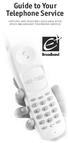 Guide to Your Telephone Service OPTIONS AND FEATURES AVAILABLE WITH EPLUS BROADBAND TELEPHONE SERVICE 422-7500 Table of Contents Included in this guide is a comprehensive list of features and services
Northland Phone Service RESIDENTIAL AND BUSINESS USER GUIDE
 Northland Phone Service RESIDENTIAL AND BUSINESS USER GUIDE Important 911 Information Access to 911 emergency services via our Home Phone service is very similar to traditional 911 service access, but
Bringing value back to voice. Your guide to LUS Fiber Phone
 Bringing value back to voice Your guide to LUS Fiber Phone 1 LUS Fiber puts Lafayette s premier fiber optic phone system right in your hand. You re about to discover the total phone-service satisfaction
Commercial Telephone User Guide
 Commercial Telephone User Guide ing WELCOME Packages Welcome to Ciello. We are pleased to provide you with our quality service and support. We value relationships with our customers and look forward to
Custom Calling Features 3 DEF 5. Custom Calling Features User s Manual
 Custom Calling Features 1 2 4 GHI 7 PQRS ABC 3 DEF 5 JKL 8 TUV * 0 6 MNO 9 WXYZ # Custom Calling Features User s Manual Table of Contents This user guide provides instruction for the following Custom-Advanced
Calling Features User Guide
 CONNECTING OUR COMMUNITY WITH THE LATEST COMMUNICATIONS TECHNOLOGY West Central Calling Features User Guide 2 TABLE OF CONTENTS CALL FORWARDING SERVICES 4 4 4 4 Call Forwarding Call Forward Busy Call Forward
Centrex21. Instruction Guide
 Centrex21 Instruction Guide Welcome Thank you for selecting Qwest Centrex 21. Now your business can take advantage of this great package of functions and calling features, no matter what kind of phone
BellSouth Complete Choice for Business plan
 BellSouth Complete Choice for Business plan BellSouth Complete Choice for Business plan Customized to your exact business needs Here s the all-in-one local calling plan where you can customize your local
Digital Telephone User Guide
 Digital Telephone User Guide 1 Proud to provide Conway s Electric, Water, Cable, Internet and Telephone services. Welcome to Conway Corporation Digital Telephone Service We take pride in providing superior
Business Telephone User Guide
 Business Telephone User Guide 1 Proud to provide Conway s Electric, Water, Cable, Internet and Telephone services. Welcome to Conway Corporation Business Telephone Service We take pride in providing superior
Digital Phone Installation & User Guide
 Digital Phone Installation & User Guide Telephone #1 Voicemail PIN Telephone #2 Voicemail PIN skybeam high speed internet digital phone We would like you to verify that the 911 address we have for you
Telephone User Guide. Mt. Angel. Telephone
 Telephone User Guide Mt. Angel Telephone 4Welcome Thank You for Choosing Mt. Angel Telephone! Additional information about your telephone service may be found in the white pages of the North Willamette
Calling Features User Guide 1
 Calling Features User Guide 1 The services listed in this guide are for traditional telephone service and may not be available or work the same on other technologies. Call 611 from your Lumos Networks
Welcome home. phone service guide. calling features and services tips and instructions
 Welcome home phone service guide calling features and services tips and instructions Primus Local Home Phone Service Inside your guide to Primus Local Home Phone Service Services included with Primus Local
It s What We Do. Telephone Get Going Guide
 It s What We Do. Telephone Get Going Guide Welcome and Introduction Welcome to Astound telephone services brought to you by Astound Broadband! This Get Going Guide will familiarize you with our telephone
Getting Started with Telephone & Internet Services
 Getting Started with Telephone & Internet Services Frequently Asked Questions Phone Features Voice Mail Features DSL Troubleshooting Your First Bill Payment Options Customer Service Frequently Asked Questions
VOICE MAIL. Record your name. Your name announcement serves as a label for your mailbox. This can be changed as often as you like.
 VOICE MAIL When you order Home Voice Mail, your representative will tell you how to set-up and enter your mailbox. This varies depending on the type of service you select. The first time you call the Voice
This is a guide to the Vodafone Red Network. This is how to get started
 This is a guide to the Vodafone Red Network This is how to get started Welcome to the Red Network. This uses the latest technology to help us provide your business with faster response times and an even
Digital Voice Services User Guide
 Digital Voice Services User Guide * Feature Access Codes *72 Call Forwarding Always Activation *73 Call Forwarding Always Deactivation *90 Call Forwarding Busy Activation *91 Call Forwarding Busy Deactivation
WELCOME TO XFINITY INT_V_USER_SIK_0413.indd 1 3/15/13 2:46 PM
 WELCOME TO XFINITY INT_V_USER_SIK_0413.indd 1 2 THANK YOU FOR CHOOSING XFINITY. You ll enjoy superfast Internet access and tons of valuable extras, such as Constant Guard (a $360 value), included with
DTC 13-6 VZ. Ex. 1. Verizon FioS Digital Voice USer guide
 Verizon FioS Digital Voice USer guide THIS IS THIS IS Welcome to Verizon FiOS Digital Voice Congratulations! Your FiOS Digital Voice service is now working. You are about to experience an exciting new
Digital Voice Services Business User Guide
 Digital Voice Services Business User Guide 2 P a g e * Feature Access Codes *11 Broadworks Anywhere (pulling call to alternate phone) *62 Access Voicemail *72 Call Forwarding Always Activation *73 Call
Table of Contents. Troubleshooting Guide... 24 Call Answer Quick Reference Chart... 28 Contacting Us... 29
 Table of Contents Introduction................................ Welcome to MTS Call Answer.................... Call Answer Features at a Glance................ 4 Basic Features.................................
Voicemail Plus User Guide
 Voicemail Plus User Guide Version: 2.0_US Revised: 25 September 2007 Notices Copyright 2007 Vonage. All rights reserved. No part of this documentation may be reproduced in any form or by any means or used
1. Power Light: indicates whether AC power is available to the unit. 2. DS (Downstream): indicates downstream connectivity
 Wave Phone works just like other home phone services you may be used to, though it does require some equipment that you may not be familiar with. A Wave Technician will connect a small device called a
AVAYA Voicemail Messaging System
 The AVAYA Messaging System is similar to your previous voicemail system with a few added features. The phone will automatically route all incoming calls to your voicemail after the third ring or you may
ADVANCED PHONE SERVICE
 table of contents ADVANCED PHONE SERVICE USER GUIDE December 2009 Version 1-800-360-8555 northerntel.ca/telephony What is NorthernTel Advanced Phone Service 2 What is included with the NorthernTel Advanced
D I G I T A L P H O N E S E R V I C E F E A T U R E S G U I D E DIGITAL P H O N E S E R V I C E. ACN 2007 useng_featuresguide_prdpv_w_092507
 D I G I T A L P H O N E S E R V I C E F E A T U R E S G U I D E DIGITAL P H O N E S E R V I C E ACN 2007 useng_featuresguide_prdpv_w_092507 TABLE OF CONTENTS Making Phone Calls... 2 Accessing Your Account
Cox Digital Telephone Enjoy making more calls with a crystal-clear connection. Chat with friends and family on a service that has all of your
 Cox Digital Telephone Enjoy making more calls with a crystal-clear connection. Chat with friends and family on a service that has all of your favorite features, including ones to simplify your life. 53
Bringing value back to voice. Your Guide to Broadband for Business
 BROADBAND FOR BUSINESS Bringing value back to voice. Your Guide to Broadband for Business TELEPHONE Service 1 Business Phone Services from LUS Fiber connect you to affordability and opportunity. You re
PHONE SERVICE QUICK GUIDE PHONE SERVICE QUICK GUIDE
 PHONE SERVICE 1 Your new United Phone service is powered by the area s only fiber network, so you ll enjoy crystal-clear call quality and a variety of advanced features. We ve created this handy guide
Feature Reference. Features: Call Forwarding Call Waiting Conference Calling Outbound Caller ID Block Last Call Return VoiceMail
 Feature Reference This document will provide you with information on and how to use the following features of your phone service with Standard Broadband. Features: Call Forwarding Call Waiting Conference
Business Telephone User Guide
 Business Telephone User Guide Calling WELCOME Packages Welcome to Midwest Connections. We are pleased to provide you with our quality service and support. We value relationships with our customers and
Fi Phone Quick Start Guide
 Quick Start Guide Fi Phone Quick Start Guide This guide answers some frequently asked questions about how to get the most out of your home telephone service. If you find that you need help with your service,
It s What We Do. Telephone Get Going Guide
 It s What We Do. Telephone Get Going Guide Welcome and Introduction Welcome to Astound telephone services brought to you by Astound Broadband! This Get Going Guide will familiarize you with our telephone
AccessPhone. Get Started. A Friendlier Home Phone Service
 AccessPhone Get Started A Friendlier Home Phone Service 1 Important Numbers 24/7 Customer Service 1-866-363-2225 For all customer care & billing inquiries, to set up new services, change existing services