
AccessPhone. Get Started. A Friendlier Home Phone Service
|
|
|
- Joy Henderson
- 10 years ago
- Views:
Transcription
1 AccessPhone Get Started A Friendlier Home Phone Service 1
2 Important Numbers 24/7 Customer Service For all customer care & billing inquiries, to set up new services, change existing services or for product information Press 1 Reporting trouble with existing services Press 2 For office hours, retail locations or to speak to our receptionist Press 3 Fax (Head Office) [email protected] Phone Number Voic Password 2
3 AccessPhone Designed to replace your existing home phone service, AccessPhone is the friendlier home phone service from Access. Includes Great Features The following features come standard with every AccessPhone Package: Name Display Number Display Unlimited Local Calling No Network Access Fees No Time-Of-Day Restrictions Basic White Pages Listing FREE Long Distance Between AccessPhone Customers E911 compatible Low-cost long distance options Safe, secure, reliable The Access Advantage 3
4 Available Line Types Primary Line A primary line is just that a fully featured, main number line that identifies you with Access. Use your current local phone number, or get a new number. Secondary Line It s secondary, but it s still a fully featured line. This line allows another separate phone number under your primary account. Again, you can use either an existing number, or get a new number. A secondary line is often used as a home business line, or perhaps by a teenager in your home. Fax/Modem/Alarm (FMA) Line A FMA line is a special type of secondary line intended for use with Fax, Modem, and Alarm-type applications. The FMA line supports standard voice calls. However, this line is considered un-featured it cannot support active features such as Call Waiting. 4
5 Included Features Call Display (Name & Number) If your phone has a three-line display, both the caller s name and number will appear between the first and second ring. On a two-line display phone, only the caller s number will appear. Unlimited Local Calling Place direct dial calls to any land-line or wireless telephone number within your local exchange, free of charge (i.e. numbers that don t require the long distance designation 1, or 0 ). To place a local call, please dial the full 10-digit number of the local party you wish to reach. Unlimited Subscriber-To-Subscriber Calling Place direct dial calls to any other AccessPhone subscriber regardless of their location (including long distance parties), free of charge. To place a call to another subscriber, please dial 1 then the full 10-digit number (1 + area code + number) of the party you wish to reach. Long Distance Provider When you become an AccessPhone subscriber, Access is your long distance provider. Permission is not needed from Access to switch to an alternate long distance provider (arrangements must be made with the provider of your choice). If you choose to do so, your current Access features and phone service will remain unchanged.* Details on long distance packages, or for North American or International Long Distance rates, can be found at *Access Communications currently does not have agreements in place with alternate long distance providers. This may become available in the future, please make the request with the alternative long distance provider. 5
6 Basic White Pages Listing With each Primary and Secondary line, you get a basic White Pages listing (Name, Address, Phone Number), which appears in both your local telephone directory (paper) and its affiliated online directory. You also receive a basic listing (name and number) for Alternate Numbers (up to two additional numbers per Primary or Secondary line see under Optional Service Features). You may list a different name associated with each number, or use a general reference, such as Teen Line. Yellow Pages listings are the responsibility of the customer and must be activated by the local directory publisher. These listings could be subject to a fee as determined by the directory publisher. Call Trace *57 Have you received a threatening or harassing phone call? Initiate a Call Trace by dialing *57 immediately after hanging up. A Call Trace record is initiated at our Access Central Office. You can then file a complaint about the offending call with your local police. The details of the Call Trace record are kept confidential, and will only be released to an authorized law enforcement official. Caller ID Block *67 If you want privacy when dialing out, block the delivery of your Calling Name and Number on a per-call-basis by dialing *67 before placing your call. You will hear three short beeps, then a second dial tone. Place your call. After you hang up, the Caller ID Block is automatically released. 6
7 Caller ID Block Release *82 If Caller ID Block is your normal default (for example, if you have an unpublished number), you may wish to unblock your number on a per-call-basis perhaps to call someone who subscribes to Anonymous Call Screening. Dial *82 before placing your call. Wait for three short beeps, then a second dial tone. Place your call, and your Calling Name and Number will be displayed on the receiving phone. After you hang up, your default Caller ID Block is automatically restored. Automatic Call Back *66 Forget to say something? Dial *66 to redial the number you just called. If the line is busy, wait for the prompt, then hang up. A different ring will notify you when the line is free. Automatic Recall *69 Missed the last call? Dial *69 to hear the last number that called your phone. To call that number, wait for the prompt, then enter 1 for an automatic redial of the number. If the line is busy, wait for the prompt, hang up, and a different ring will notify you when the line is free. This feature does not work if the person calling uses Caller ID Block, or if the phone number cannot be identified (i.e. a call from an institution or large business). Cell phone and international numbers are often not identified for Recall *69 either. Repair & Maintenance 611 If you are experiencing service issues with your new Home Phone service, please dial 611 to be routed to the AccessPhone technical service centre. If your phone is completely out, call from an alternate phone. 7
8 Message Relay Service 711 The Message Relay Service enables customers who are deaf, hard of hearing, or speech impaired, and who use a Teletypewriter (TTY), to communicate with others via the telephone. You simply type your conversation to a Relay Agent who then reads the typed conversation to the other party. The Message Relay Service is available 24 hours a day, 7 days a week. There is no charge for using the Relay Service to place local calls and regular long distance rates will apply for long distance calls. Calls placed through the Relay Service are entirely confidential. Relay agents are professionally trained and follow a strict code of ethics. No record of conversation content is retained. The Teletypewriter equipment is the responsible of the customer. You can place a call by dialing the number below, depending on whether you are calling another TTY device or a telephone. Voice to TTY dial TTY to Voice dial 711 TTY to TTY dial Police/Fire/Ambulance Enhanced Service 911 In an emergency, dial 911. All Enhanced 911 Call Handling Services are available on your Access lines. Enhanced 911 gives emergency operators Automatic Location Information (delivered onto their screens at the time they receive your call), as well as call control features such as Call Hold, Off Hook Ringback (Howler), On Hook Ringback (ERB), and Force Disconnect. 911 monthly service fee applies. 8
9 Access To Directory Assistance 411 You get standard Directory Assistance access simply call the numbers listed below. Charges apply as follows: Call Type 411: Directory Assistance (Local) Saskatchewan $1 Rate 1-AREA CODE : Long Distance Directory Assistance All Regions $1 9
10 Access To Operator Services 0 To access Operator Services, dial 0. For automated collect calls, dial 0 + the number you wish to reach. Charges apply as follows: Call Type - All Regions Person/Person Operator Assisted Rates* Sent Paid (North America) $4.25 Sent Paid (International Destination) $8.50 Collect (North America) $4.25 Calling Card (North America) $4.25 Calling Card (International) $8.50 Operator Assisted Sent Paid (North America) $2.50 Sent Paid (International Destination) $6.50 Collect (North America) $2.50 Calling Card (North America) $2.50 Calling Card (International) $6.50 Automated Sent Paid (North America) $1.75 Sent Paid (International Destination) $4.00 Collect (North America) $1.75 Calling Card (North America) $1.75 Calling Card (International) $4.00 *3 rd party billing not available An operator assisted call that confirms the called party is available before connecting the call. Charges are applied to the initiated. An operator assisted call in which a live operator provides assistance in completing the call. A call in which an automated operator assistance system was used to complete the call. Long Distance Rates for Operator Assisted Connected Calls Canada United States International calls 0.15 per minute 0.15 per minute 0.50 per minute 10
11 Optional Features You also have a choice of personalized options to add to your standard package.* Voic *98 What would a great phone service be without Voic ? Check out our standard features below. Standard Voic Features Personal greeting length maximum: 120 seconds Extended absence greeting permitted: Yes Number of retained messages maximum: 30 Individual message length maximum: 4 minutes Length of time new messages kept: 21 days Length of time saved messages kept: 7 days Able to send messages within the Voice Messaging System: Yes Number of rings before voic 4 Easy Access: Yes For Standard Voic menu options, see Voice Mailbox Navigational Chart (Page 20). Accessing Voic Retrieving Messages From Your Own Telephone Dial *98 to access your Voic from your home line. Enter your security code (password). Follow the prompts to retrieve your messages or access your Voice Messaging features. *These features can be added to your service for an additional fee. 11
12 Retrieving Messages Away From Home Not at home? No problem. Access your voic away from home by dialing the phone number listed below. Regina (includes Coppersands, White City, Emerald Park and Pilot Butte) Balgonie Battlefords Bienfait Canora Esterhazy Estevan Initializing the Voic for the First Time 1 From your home phone dial *98 2 When prompted, press #. 3 Enter your temporary security code. Initially, this is set as your Access Account Number. Note: For security purposes, please change your pin immediately using the main menu options. 4 Follow system prompts to record your name and personal greeting. 5 Listen to a pre-recorded lesson on how to use the Voice Messaging features. Your Voic is now set up. Kamsack Melville Midale Milestone Weyburn Yorkton
13 Call Waiting You re on the phone for an hour. Did you miss any calls? You don t have to, with Call Waiting. While on the phone, an incoming call is announced you hear the beeps, and the caller hears the line ring. To accept the incoming call, quickly press the receiver (hang up) and release. Or, use the Flash or Link button if available on your phone. The first call is placed on hold while you answer the incoming call. Each call remains private. End either call by hanging up the other call rings back to you. Or toggle between calls by pressing the receiver or Flash/Link buttons. Disable the Call Waiting feature on a per-call-basis by dialing *70 prior to placing your call. Incoming calls will hear a busy signal, or be forwarded to Voic . When you hang up, Call Waiting is restored. 3-Way Calling Connect with two other people at the same time for a 3-Way phone conversation. Place your first call. While on a call, press the receiver (hang up) button to put the first caller on hold. Dial the next number. Upon answer, press the receiver again. Now, everyone can start talking (though maybe not all at once!). If you originated the calls, and you hang up, the other connections are terminated. Call Waiting and Visual Call Waiting features will not work during a 3-Way Call. Incoming calls will hear a busy tone, or be forwarded to Voic . 13
14 Call Forwarding *72 Going somewhere? Forward your incoming calls to a different number (that you specify). Forwarded calls are not re-routed back to your Voic if unanswered. If the forwarded number is long distance, charges will apply to subscriber not caller. Dial *72, listen for three short tones, then dial the number to which you want to forward the call. If someone answers the number you have just dialed, keep the line open for at least five seconds, then hang up. If the number is busy or does not answer, hang up. Lift the receiver again, dial *72 again. Dial the number again. Listen for two short tones, then hang up. Call Forwarding to that number is now active. When Call Forwarding to a local number do not dial a 1 before the area code or you will receive a fast busy signal and the feature will not activate. In order to Call Forward to a long distance number you must use 1 + area code of the number being call forwarded to. Note: if the area code is not entered it will not work or may call forward to a local number using the first 7 digits of the number you entered. To cancel Call Forwarding, dial *73, wait for three short tones, then hang up. Call Transfer (Includes 3-Way Calling) You re on the phone, and you want to transfer the call to someone else. Press the receiver (hang up) button briefly to place your caller on hold. Dial the party to be reached. When the line rings, you can either hang up (cold transfer) which places the caller in direct contact with that party. Or, you can wait and talk to whom ever answers before pressing the receiver to transfer the call (warm transfer). At that point, either remain on the line, or hang up the call will remain in place. 3-Way Calling is included with Call Transfer. With these two features together, the difference is that anyone can hang up without terminating the call. 14
15 Selective Call Rejection *60 Screen up to 12 numbers with the feature. Calls from numbers on this list are filtered out, and not delivered to your phone. Dial *60. You ll be prompted to create, delete, or edit a list of phone numbers to be screened. Dial 0 for instructions. Dial 3 to turn this feature on or off. Dial * to remove one or more entries. Dial 1 to hear the entries on your list. Press 07 to delete the entry. Dial # to add an entry. Anonymous Call Rejection Block the Blocker. If you subscribe to this service, any unidentified calls will be screened out, and not received on your phone. On the other end, a Blocker will hear a busy signal. This Feature is enabled by default when you sign up for this feature. To disable the feature dial *87. It will remain disabled until you reinstate the feature by dialing *77. Unlisted Number An Unlisted Number means that your Primary or Secondary numbers aren t listed with either the local paper directory or online directories, but are still accessible by Operator or Directory Services. Non-Published Number The ultimate privacy. Your number is not published, anywhere. Local paper directories, online directories, and Operator and Directory Services do not have access to your phone number. Visual Call Waiting* *77 *87 If your phone has a three-line display, the incoming Name and Number will be displayed, even though you re already on the phone. Just the Number will appear on a two-line display phone. This always on feature won t activate on a 3-Way-Call. In this case, incoming calls will hear a busy signal, or be forwarded to Voic . *Must subscribe to Call Waiting 15
16 Alternate Numbers-Select Ring With this Optional Service Feature, subscribers can add up to two additional phone numbers to a Primary or Secondary Line. Each Alternate Number is delivered with a distinctive ring tone, indicating to the subscriber which number had been dialed. Subscribers may choose an Alternate Number in the same local exchange as the primary number. An Alternate Number is for incoming calls only. All phone numbers (Primary and Alternate) share a single Voice Mailbox. Call Forwarding *72 only works for Primary and Secondary Lines, Alternate Numbers will not be forwarded. 16
17 Verified Account Code This optional feature allows subscribers to require the correct entry of a 4-digit numeric password before allowing Long Distance calls to be placed on their telephone service. The 4-digit numeric password is selected by the subscriber at the time they order their telephone service or, at a later time when they order the Verified Account Code option. To place a Long Distance call when Verified Account Code is enabled, pick up the handset and dial the Long Distance number you wish to call in the normal fashion by dialing 1 and then the 10-digit number you wish to contact. Once the last digit of the telephone number is entered, callers will hear a special tone (five rapid beeps) after which they must dial their pre-determined 4-digit numeric password. If the password is successfully submitted, the call will be processed normally and the next thing the caller will hear is the called number ring. If the password is not entered, or entered incorrectly, callers will receive a busy signal. 17
18 Unified Messaging (Voic To ) Also known as Voic to , Unified Messaging allows you to receive Voic messages as a wav file audio attachment. This service does not allow to be sent to Voic (i.e. it s one-way only). Voic s are sent to both and the usual Voic system, allowing you to easily access your messages. There can only be one Unified Messaging service ( address) per primary/secondary telephone number. 18
19 Long Distance Plans For more information on Long Distance rates and packages, visit You can save even more when you add one of these plans to your AccessPhone service. We offer long distance savings, convenience, and choice. Pick the long distance plan that s perfect for you. Long Distance Plans 100 Minutes Plan 300 Minute Plan Unlimited Long Distance Plan (landline calls made within Canada, across North America and 30 countries all over the world) Countries Included In The Unlimited Long Distance Plan Argentina Australia Austria Belgium China Denmark France Germany Greece Guam Hong Kong Hungary Ireland Israel Italy Luxembourg Netherlands Norway Poland Portugal Puerto Rico Singapore South Korea Spain Sweden Switzerland Taiwan Thailand United Kingdom Virgin Islands *Access Communications reserves the right to terminate enrolment in the unlimited long distance plan. Unlimited long distance calling within Canada, the U.S. and 30 specified international calling destinations is intended for normal direct dialed residential calling only. Chat lines, data, fax, commercial use and/or long distance calls made using call forwarding and three-way calling are prohibited. North America long distance includes Hawaii and Alaska. Mexico not included. Long distance plans can only be changed on your billing date once a month and minutes do not carry over to the next month. Rates are for wire line calls only. Calls to cellular/mobile phones in international destinations or special country code terminations will be billed at higher rates. Any calls made to the UK that begin with ; ; ; and are rated as mobile calls and are not included in our unlimited long distance package. When you switch to AccessPhone your current phone provider and long distance will be automatically cancelled. 19
20 Voice Mailbox Navigational Chart Main Menu 1. Message Review 2. Send Message 3. Greetings 4. Settings 6. Deleted Messages 0. Help *. Exit Common Keys # End Input and Move Forward * Cancel Input and Move Up 0 Helpful Hints 8 Pause and ResumeVoic Option 1: Message Review 1 - Voic 3 - Faxes Listen to Message 1 - Repeat Message from Start 6 - Speeds Up Message Playback 11 - Jump to Previous Message 66 - Skip Forward 5 Seconds 2 - Reply to Message 7 - Erase Message 3 - Forward Message 8 - Pause Playback 4 - Slows Message Playback 9 - Save Current Message 44 - Skip Back 5 Seconds # - Move to Next Message 5 - Message Details (Time/date/sender) Option 3: Greetings 1 - Setup Personal Greeting 2 - Work with Extended Absence Greeting 3 - Select System Generated Greeting or Change Name Setup Personal Greeting Follow Prompts Work with Extended Absence Greeting 1 - Turn on 2 - Review or Record * - Exit Select System Generated Greeting 1 - Choose Type of Greeting 2 - Review Recorded Name * - Exit 20
21 Option 4: Settings 2 - Handsfree or Timesaver Option 3 - Security 5 - Notifications 6 - Additional Setting Handsfree or Timesaver Option 1 - Change Autoplay Options 2 - Change Settings for Urgent Messages 3 - Change Voic Preferences * - Exit Security 1 - Change Pin 2 - Change Fast Login * - Exit Notification 1 - Message Waiting Indicator (in)active * - Exit Option 6: Deleted Messages Voic 1 - Repeat 2 - Restore 3 - Permanently Erase * - Exit 4 - Reply 5 - Send Copy # - Next Message *Option 2: Send Message requires the optional feature Call Forwarding (page 14). 21
22 FAQs Can I keep my existing phone number? Yes, you can keep your number or receive a new number if you prefer. Your name and number(s) appears in the phone book, just as before. Do I need a different phone? Are my phone jacks altered? You still use your regular telephone, with your existing jacks. It all stays the same. The only difference is that when you pick up the phone, Access is supplying you with a digital-quality line, with digital features, and of course the low, low rates. Will my number still be available in the phone book? Yes, each Primary and Secondary line gets a basic White Page listing. Can I still use directory assistance? Yes, dialing 411 will get Directory Assistance access. There is a fee of $1 per use. What is the speed dial number for accessing voic ? From your home phone, dial *98. When prompted, enter your password. Can I get access to my voic when I m away from home? Yes, see page 12 for the phone number which will allow you remote access to your voic . After dialing, you will be prompted to enter your mailbox number (your full 10-digit phone number) and your password. 22
23 Can I change the number of rings before my voic picks up? Yes, please call one of our friendly customer service representatives at and they will be able to make this change for you. You can also your account information and the number of rings you would like it changed to [email protected] and they will be able to make the change for you. Can I use services? No, services are not supported through our phone network. Will AccessPhone support incoming collect calls? Access Communications currently does not support incoming collect calls, as the 3 rd party collect call management companies must initiate the agreement. This service may become available in the future. Outgoing collect calls are available. Can I use a 3 rd Party Long Distance Provider with AccessPhone? Currently, 3 rd party long distance providers are not available with AccessPhone. Access Communications currently does not have agreements in place with alternate providers to offer Long Distance Service with them. This service may become available in the future, please make the request with the alternative long distance provider. For other important FAQs visit us at under Customer Care 23
24 Build the plan that s right for you /7 Customer Service Regina (Head Office) 2250 Park Street Estevan th Street Humboldt 645 Main Street La Ronge 712 Finlayson Street Melfort 620 Saskatchewan Avenue SE North Battleford Street Weyburn th Avenue SE Yorkton 22 Sixth Avenue N WL/04/14/1M/
Contents. WOW! Phone Reference Guide
 WOW! Phone Reference Guide Intro to WOW! Phone P-1 WOW! Phone Features P-1 Call Waiting P-1 Call Forwarding P-1 3-Way Calling P-1 Call Return P-1 Anonymous Call Rejection P-2 Caller ID P-2 Caller ID Block
Home Phone Service Guide calling features and services tips and instructions
 Home Phone Service Guide calling features and services tips and instructions Primus Home Phone Service Inside your guide to Primus Home Phone Service Services included with Primus Home Phone Service: 911,
HPUG_1014. Shaw Home Phone. User Guide
 HPUG_1014 Shaw Home Phone. User Guide Hello. Welcome to the wonderful world of Shaw Home Phone. This tiny book tells you every detail you need to know to use all of your new phone features like a superstar.
CALL MANAGEMENT SERVICES. User Guide. 1 888 télébec telebec.com
 CALL MANAGEMENT SERVICES User Guide 888 télébec telebec.com QUICK REFERENCE Télébec Call Management Services - Important Codes Service Activation Cancellation Call Blocking 6 7 Call Forwarding 7 2 7 3
YOUR HOME PHONE. Horry Telephone Cooperative, Inc.
 YOUR HOME PHONE Horry Telephone Cooperative, Inc. CONTENTS Calling Features Anonymous Call Rejection page 4 Automatic Busy Redial page 4 Automatic Call Return page 5 Call Forwarding page 6 Call Forwarding
Bristol: (276) 821-6200 Abingdon: (276) 698-3210 Toll Free: 877-835-1272 www.bvu-optinet.com
 Bristol: (276) 821-6200 Abingdon: (276) 698-3210 Toll Free: 877-835-1272 www.bvu-optinet.com TABLE OF CONTENTS Contact Information...1 Safety Line...1 Favorite Five...2 Caller ID...2 Call Forwarding...2
Custom Calling Features
 Quick Reference HOW TO USE: PRESS: Speed Calling 8 *74 Speed Calling 30 *75 Call Return *69 Repeat Dialing *66 Call Trace *57 Call Forwarding *72 Preferred Call Forwarding *63 Call Forwarding Remove Activation
Home Phone Features User Guide
 Home Phone Features User Guide You re sure when it s Sears Connect. TM Connect to the important things in life Sears Connect home phone service is a great way to stay connected to the important things
Home Phone Quick Start Guide. Review these helpful instructions to understand your Midco home phone service and its many convenient features.
 Home Phone Quick Start Guide Review these helpful instructions to understand your Midco home phone service and its many convenient features. 1 Contents Equipment and Features.......................................................
How To Use Fairpoint.Com On A Cell Phone On A Pc Or Landline Phone On An Iphone Or Ipad Or Ipa Or Ipo Or Cell Phone (For A Cell) On A Landline Or Cellphone On A
 Definition FairPoint Communications Hosted PBX is easy to use and manage. Hosted PBX is packed with a wide variety of useful standard, advanced and business group calling features, including voicemail.
Hosted PBX Calling Features and Voice Mail Guide
 Definition FairPoint Communications Hosted PBX is easy to use and manage. Hosted PBX is packed with a wide variety of useful standard, advanced and business group calling features, including voicemail.
Call Answer Service. User Guide. outside front cover
 Call Answer Service User Guide outside front cover 204 225-9999 toll-free Call Answer access number from anywhere in Manitoba 1 866 GET-MSGS toll-free Call Answer access number from anywhere in Canada
BP_UserGuide_0113. Business Phone User Guide
 BP_UserGuide_0113 Business Phone User Guide Contents Welcome to Shaw Business Phone 2 Voicemail 6 Call Forward 7 Call Forward Busy 8 Call Forward No Answer 9 Call Waiting 10 Multi-line Hunting 12 Call
Welcome home. phone service guide. calling features and services tips and instructions
 Welcome home phone service guide calling features and services tips and instructions Primus Local Home Phone Service Inside your guide to Primus Local Home Phone Service Services included with Primus Local
How To Set Up Your Voice Mail On A Cell Phone
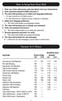 How to Setup Your Voice Mail Enter your Voice mail access code (see below) from your home phone. Enter password (default is 0000) and press #. The voice mail prompts you to select your language preference.
Bringing value back to voice. Your guide to LUS Fiber Phone
 Bringing value back to voice Your guide to LUS Fiber Phone 1 LUS Fiber puts Lafayette s premier fiber optic phone system right in your hand. You re about to discover the total phone-service satisfaction
BP_UserGuide_1113. Business Phone User Guide
 BP_UserGuide_1113 Business Phone User Guide Contents Welcome to Shaw Business Phone 2 Voicemail 6 Call Forward 7 Call Forward Busy 8 Call Forward No Answer 9 Call Waiting 10 Multi-line Hunting 12 Call
ADVANCED PHONE SERVICE
 table of contents ADVANCED PHONE SERVICE USER GUIDE December 2009 Version 1-800-360-8555 northerntel.ca/telephony What is NorthernTel Advanced Phone Service 2 What is included with the NorthernTel Advanced
Bringing value back to voice. Your Guide to Broadband for Business
 BROADBAND FOR BUSINESS Bringing value back to voice. Your Guide to Broadband for Business TELEPHONE Service 1 Business Phone Services from LUS Fiber connect you to affordability and opportunity. You re
Reject calls from callers who block their Caller ID information so their calls don't even ring on your line.
 Anonymous Call Rejection Reject calls from callers who block their Caller ID information so their calls don't even ring on your line. TO ACTIVATE ANONYMOUS CALL REJECTION 1. 2. Press *77 (on a rotary phone,
All Rights Reserved. Release 5.6, March 2009
 All Rights Reserved The use, disclosure, modification, transfer or transmittal of this work for any purpose, in any form, or by any means, without the written permission from IDT/Net2Phone is strictly
Call Waiting. Cancel Call Waiting
 PhoneFeatures 1 Call Waiting Cancel Call Waiting 2 Three-Way Calling Personal Ringing 3 Speed Calling Call Transfer 4 Call Hold Call Forwarding 5 Call Forwarding Don t Answer Call Forwarding Busy Line
Business Phone Service. Calling Features & Instruction Guide
 Business Phone Service Calling Features & Instruction Guide HUNTING Hunting is a system that routes phone calls through your phone lines until an idle line is found. CALLER ID PER CALL BLOCKING (67) Pressing
Telephone Users Guide. Equipment, Features & Voice Mail
 Telephone Users Guide Equipment, Features & Voice Mail TABLE OF CONTENTS WELCOME TO ARMSTRONG TELEPHONE Our Commitment to You Identifying Our Employees Dialing 911 - Your Safety Is Important HOW TO MAKE
Person Calling dials Main line number First additional number Second additional number
 Call Waiting While you re on a call, Call Waiting alerts you that you have another incoming call. s If two calls are on a line at one time, anyone calling will receive a busy signal. The Call Waiting beep
Wightman s. Home Phone. Quick Reference Guide
 Wightman s Home Phone Quick Reference Guide Welcome to Wightman Telecom! We would like to thank you for making the decision to join Wightman Telecom as one of our valued customers. Our goal is to prove
To activate Anonymous Call Rejection: 1. Lift the receiver and listen for dial tone. 2. Dial *77. 3. Listen for confirmation tone, hang up.
 Anonymous Call Rejection Anonymous Call Rejection allows a customer to deny any calls from ringing the line if the calling party has blocked the identification number. The calling party receives a message
Calling Features User Guide 1
 Calling Features User Guide 1 The services listed in this guide are for traditional telephone service and may not be available or work the same on other technologies. Call 611 from your Lumos Networks
Table Of COnTenT. 1 Advanced Cable Communications. Contact Us...2. Welcome...3. Calling Features...4-11. Frequently Asked Questions...
 Table Of COnTenT Contact Us...2 Welcome...3 Calling Features...4-11 Frequently Asked Questions...12-17 Other Services...18 1 Advanced Cable Communications CONTACT US EMAIL US: [email protected] TelePHOne
VIP (Traditional) Home Phone Calling Features
 VIP (Traditional) Home Phone Calling Features This document details each calling feature and its usage. Please note that this document applies only to our VIP Home Phone service for Kitchener-Waterloo,
PHONE USER 1 GUIDE. Morristown (MUS) Local Customer Calling FROM: Morristown (Area Code 423): 307, 317, 318, 522, 581, 585, 586, 587
 PHONE USER 1 GUIDE Local Calling Area Windstream has defined the following local calling area. All calls to these areas are included in your local monthly charge. Calls outside of this area will be billed
Guide to Your Telephone Service
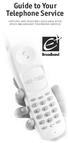 Guide to Your Telephone Service OPTIONS AND FEATURES AVAILABLE WITH EPLUS BROADBAND TELEPHONE SERVICE 422-7500 Table of Contents Included in this guide is a comprehensive list of features and services
For customers in AL, FL, GA, SC, TN. wowforbusiness.com. Business Services PHONE FEATURES. User Guide BPG.U.1303.O
 wowforbusiness.com Business Services PHONE FEATURES User Guide BPG.U.0.O ANONYMOUS CALL REJECTION. It s easy to activate and start blocking anonymous calls. Simply lift the receiver and press *.. When
Feature Reference. Features: Call Forwarding Call Waiting Conference Calling Outbound Caller ID Block Last Call Return VoiceMail
 Feature Reference This document will provide you with information on and how to use the following features of your phone service with Standard Broadband. Features: Call Forwarding Call Waiting Conference
Calling FEATURES. User s Guide. Call *123 or 336-463-5022 or visit yadtel.com
 Calling FEATURES User s Guide Call * or 6-6-50 or visit yadtel.com Table of Contents QUICK REFERENCE GUIDE... KEEP IN TOUCH Call Waiting.... 5 Cancel Call Waiting.... 5 Three-Way Calling.... 6 Usage Sensitive
Anonymous Call Rejection Refuse calls from those who have blocked their numbers.
 How to Use Your Digital Voice Features Effective 01/12/15 To learn how to use your voice features, locate your service by selecting from the Quick Links that follow, or, you can find the same instructions
www.metrocast.com/business
 www.metrocast.com/business All Rights Reserved The use, disclosure, modification, transfer or transmittal of this work for any purpose, in any form, or by any means, without the written permission from
Welcome to Comcast Digital Voice
 Welcome to Comcast Digital Voice Go ahead. Pick up your phone. Call your neighbor. Your best friend across the country. Or your cousin in Europe. Now that you have Comcast Digital Voice, you can enjoy
It s What We Do. Telephone Get Going Guide
 It s What We Do. Telephone Get Going Guide Welcome and Introduction Welcome to Astound telephone services brought to you by Astound Broadband! This Get Going Guide will familiarize you with our telephone
Note: You will not be notified when or how many calls have been rejected.
 Anonymous Call Rejection When you ve turned this service on, any callers who have blocked their number from your Caller ID display will hear an announcement that you do not accept anonymous calls. All
Anonymous Call Rejection
 Anonymous Call Rejection Don t waste time taking calls you don t want. Anonymous Call Rejection (ACR) allows you to block incoming calls from people who use *67 to block their phone number as well as calls
VOICE MAIL USER GUIDE NEVER MISS A MESSAGE. windstream.com 1.877.481.9463
 VOICE MAIL USER GUIDE NEVER MISS A MESSAGE windstream.com 1.877.481.9463 Windstream is a registered service mark of Windstream Corporation. 2009 Windstream Corporation WS VM-METAS 01/09 Table Of Contents
CALL FORWARDING (Activate *72 / Deactivate *73) Call Forwarding is a service that automatically forwards all calls to any number you choose.
 St. Joseph Cablevision would like to thank you for making our Digital Phone service part of your home. As a St. Joseph Cablevision customer, you have access to one of the most advanced broadband communications
Welcome to Cogeco Business Digital Phone Service
 Welcome Welcome to Cogeco Business Digital Phone Service Congratulations on choosing Cogeco Business Digital Phone Service. 1 Your decision to subscribe to our digital quality phone service is a smart
All Rights Reserved. Copyright 2009
 IMPORTANT NOTICE CONCERNING EMERGENCY 911 SERVICES Your service provider, not the manufacturer of the equipment, is responsible for the provision of phone services through this equipment. Any services
Digital Voice Services Residential User Guide
 Digital Voice Services Residential User Guide 2 P a g e * Feature Access Codes *11 Broadworks Anywhere (pulling call to alternate phone) *62 Access Voicemail *72 Call Forwarding Always Activation *73 Call
managedip Hosted TDS Table of Contents Calling Features User Guide
 Table of Contents Anonymous Call Rejection... 2 Automatic Callback... 2 Call Forwarding... 3 Call Park/Directed Call Park... 7 Call Park Retrieve... 8 Call Pickup... 8 Call Retrieve... 8 Call Return...
CALLING FEATURE USER GUIDE
 CALLING FEATURE USER GUIDE 1801 N Main St, in the Palace Mall ** Mitchell, SD 57301 Phone: (605) 990-1000 Fax: (605) 990-1010 Homepage: www.mitchelltelecom.com Calling Feature User Guide Mitchell Telecom
Digital Voice Services User Guide
 Digital Voice Services User Guide 2 P a g e * Feature Access Codes *11 Broadworks Anywhere (pulling call to alternate phone) *62 Access Voicemail *72 Call Forwarding Always Activation *73 Call Forwarding
Digital Telephone User Guide
 Digital Telephone User Guide 1 Proud to provide Conway s Electric, Water, Cable, Internet and Telephone services. Welcome to Conway Corporation Digital Telephone Service We take pride in providing superior
Calling Features User Guide
 CONNECTING OUR COMMUNITY WITH THE LATEST COMMUNICATIONS TECHNOLOGY West Central Calling Features User Guide 2 TABLE OF CONTENTS CALL FORWARDING SERVICES 4 4 4 4 Call Forwarding Call Forward Busy Call Forward
Orbitel. Residential Digital Phone Service User s Guide
 Orbitel Residential Digital Phone Service User s Guide All Rights Reserved Copyright 2005 The use, disclosure, modification, transfer, or transmittal of this work for any purpose, in any form, or by any
Table of Contents. Troubleshooting Guide... 24 Call Answer Quick Reference Chart... 28 Contacting Us... 29
 Table of Contents Introduction................................ Welcome to MTS Call Answer.................... Call Answer Features at a Glance................ 4 Basic Features.................................
CALL PRIVACY CONTINUED
 TOUCH TONE FEATURES Call Privacy Call Answer Call Answer Message Manager Call Display Call Waiting Visual Call Waiting Call Return Three-Way Calling Ident-A-Call Call Forwarding Call Blocking Call Screen
Calling Features. Connected. Instructional Manual. Your pathway to the world
 Calling Features Instructional Manual Connected Your pathway to the world 328 W Main St New Auburn, WI 54757 Phone (715)237-2605 Web: www.citizens-tel.net Call Waiting Allows you to never have to miss
YOUR BUSINESS PHONE IS NOW A BUSINESS TOOL. Welcome to Comcast Business Class Voice
 YOUR BUSINESS PHONE IS NOW A BUSINESS TOOL. Welcome to Comcast Business Class Voice Table of Contents Welcome to Comcast Business Class Voice........................................... 4 Messages Online
Calling Features User Guide
 Calling Features User Guide www.etczone.com 866-ETC-4YOU 1 SUNMAN BATESVILLE GREENSBURG BROOKVILLE LIBERTY (812) 623-2122 (812) 932-1000 (812) 222-1000 (765) 547-1000 (765) 223-1000 Today s fast-paced
Clear Choice Communications. Digital Voice Services User Guide
 Clear Choice Communications Digital Voice Services User Guide 2 P a g e * Feature Access Codes *62 Access Voicemail *72 Call Forwarding Always Activation *73 Call Forwarding Always Deactivation *90 Call
VERIZON VOICE MAIL USER GUIDE DC/DE/MD/NJ/PA/VA REGION BUSINESS
 VERIZON VOICE MAIL USER GUIDE DC/DE/MD/NJ/PA/VA REGION BUSINESS ABOUT YOUR VERIZON BUSINESS VOICE MAIL SERVICE Business Voice Mail service can be a benefit to your business and to callers who need to leave
Digital Phone @ Home Tutorial
 Digital Phone @ Home Tutorial 2 Table of Contents Quick Start Guide... 4 Making Phone Calls... 5 Voicemail Setup... 6 Setup instructions:... 6 To Check Messages:... 6 Quick Key Reference:... 6 Customer
Calling Features WABASH MUTUAL TELEPHONE COMPANY 419-942-1111
 Calling Features WABASH MUTUAL TELEPHONE COMPANY 419-942-1111 900 NUMBER BLOCKING FREE Blocks 900 or Premium calls from being made from your phone. ANONYMOUS CALL REJECTION $1.00 This service automatically
Calling Feature Instructions
 Rainier Connect Calling Feature Instructions Anonymous Call Rejection (*77) Call Forward Busy (*90) Call Forward No Answer (*92) Also known as Block the Blocker and Privacy Block it blocks private or anonymous
Commercial Telephone User Guide
 Commercial Telephone User Guide ing WELCOME Packages Welcome to Ciello. We are pleased to provide you with our quality service and support. We value relationships with our customers and look forward to
VOICE MAIL USER GUIDE NEVER MISS A MESSAGE. windstream.com 1.877.481.9463
 VOICE MAIL USER GUIDE NEVER MISS A MESSAGE windstream.com 1.877.481.9463 Windstream is a registered service mark of Windstream Corporation. 2009 Windstream Corporation WS VM-METAS 01/09 Table Of Contents
# $ %&' ( $" )% %! $" )$) %! &%& $'('!
 !!" # $ %&' ( $" )% %! $" )$) %! &%& $'('! Contents Anonymous Call Rejection 3 Call Block 3 Call Forward 4 Call Return 5 Call Waiting 5 Caller ID 6 Do Not Disturb 7 Find Me 7 Last Number Redial 8 Selective
COMCAST DIGITAL VOICE USER GUIDE
 COMCAST DIGITAL VOICE USER GUIDE WELCOME TO COMCAST DIGITAL VOICE Go ahead. Pick up your phone. Call your neighbor. Your best friend across the country. Or your cousin in Europe. Now that you have Comcast
Phone User Guide. Dear FiberNET Phone Customer,
 Phone User Guide Dear FiberNET Phone Customer, Thank you for choosing MUS FiberNET as your broadband services provider. As a FiberNET Telephone service user, you receive your local phone service from Windstream
Verizon Business National Unified Messaging Service Enhanced Service Guide
 USER GUIDE Voice Verizon Business National Unified Messaging Service Enhanced Service Guide What Is Unified Messaging? Verizon Business National Unified Messaging Service is an interactive voicemail system
Custom Calling Features
 Anonymous Call Rejection Anonymous Call Rejection rejects calls from callers who block their Caller ID information, so the calls don t even ring through on your line. To Activate Call Rejection: Pick up
Business Telephone User Guide
 Business Telephone User Guide 1 Proud to provide Conway s Electric, Water, Cable, Internet and Telephone services. Welcome to Conway Corporation Business Telephone Service We take pride in providing superior
Table of Contents. Conferencing Basics 3. Ready Bridge Set Up Options 4. Call Control Features 5. Security Features 6. Call Control Commands 7
 Table of Contents Conferencing Basics 3 Ready Bridge Set Up Options 4 Call Control Features 5 Security Features 6 Call Control Commands 7 Conference Call Recording 8 International Conferencing 10 Page:
BellSouth Complete Choice for Business plan
 BellSouth Complete Choice for Business plan BellSouth Complete Choice for Business plan Customized to your exact business needs Here s the all-in-one local calling plan where you can customize your local
How To Get At&T Local Service On The Phone
 Your AT&T Local Service Guide INSIDE: Customer Service Information Calling Feature Instructions Keep this guide for future reference. AT&T Local Service CONTENTS General Information 3 Troubleshooting Tip
Q (With a rotary dial phone, skip this step R70. Custom Calling Features. Call Waiting. Call Forwarding. Cancel Call Waiting. Long Distance Alert
 www.gctel.com Custom Calling Features There may be a charge for these services. Listen for two beeps. Call Forwarding is now discontinued. Call Forwarding This feature means your phone can transfer incoming
Phone Services Summary. Optimum. Essential. Basic Local Calling. Unlimited Unlimited. Unlimited Domestic Long Distance. Unlimited. 7 /minute 7 /minute
 Phone Service Guide TABLE OF CONTENTS GRANDE PHONE SERVICE 1 CALLING PLANS 2 SERVICES 3-4 YOUR ONLINE PHONE MANAGER 5-6 USING YOUR CALLING FEATURES 7-18 YOUR VOICEMAIL SERVICE 19-23 UNDERSTANDING YOUR
Welcome to Meridian Mail Voice Messaging
 Welcome to Meridian Mail Voice Messaging Meridian Mail Voice Messaging from Nortel Networks is an advanced business messaging system that offers convenience and efficiency for managing your incoming and
DIGITAL PHONE SERVICE. Customer Reference Guide
 DIGITAL PHONE SERVICE Customer Reference Guide Scottsboro Electric Power Board P.O. Box 550 404 E. Willow Street Scottsboro, Alabama 35768 Office Hours: Monday - Friday 8:00 am - 4:30 pm Phone: 256-574-2680
For customers in IN, IL, OH, MI. wowforbusiness.com. Business Services PHONE FEATURES. User Guide BPGM.U.1506.R
 wowforbusiness.com Business Services PHONE FEATURES User Guide BPGM.U.1506.R Anonymous Call Rejection 1. It s easy to activate and start blocking anonymous calls. Simply lift the receiver and press *77.
VoIP Services User Guide
 VoIP Services User Guide Table of Contents Overview of Services 3 Service Numbers 4 Line Services and Codes 5 Voice Mail 12 Overview of Services This guide is about Tera-Byte's VoIP services for residential
1 P a g e. Digital Voice Services Business User Guide
 1 P a g e Digital Voice Services Business User Guide Feature Access Codes *62 Voice Portal *86 Direct Voice Mail Retrieval *77 Anonymous Call Rejection Activation *87 Anonymous Call Rejection Deactivation
Calling Features WABASH MUTUAL TELEPHONE COMPANY 419-942-1111
 Calling Features WABASH MUTUAL TELEPHONE COMPANY 419-942-1111 900 NUMBER BLOCKING FREE Blocks 900 or Premium calls from being made from your phone. ANONYMOUS CALL REJECTION $1.00 This service automatically
Features Phone Access... 1. Features Web Access... 3. emta Quick Reference Guide...14. Troubleshooting...15. Quick Reference Guide...
 Phone TABLE OF CONTENTS Features Phone Access... 1 Features Web Access... 3 emta Quick Reference Guide...14 Troubleshooting...15 Quick Reference Guide...16 Features Phone Access Caller ID Feature that
This service allows you to talk to the 3rd party before transferring the original called party to them. To use Attended Call transfer:
 Calling Features Attend Call Transfer Auto Redial Anonymous Call Rejection Call Blocking Call Forward Busy Line Call Forward Don't Answer Call Forwarding Remote Access Call Forwarding Universal Call Holding
To set up your mailbox and retrieve your messages, you will need the following information:
 Welcome to Voice Mail! Cincinnati Bell s Voice Messaging services are the best way for you to keep in touch with family and friends. We re pleased you have chosen Voice Mail as your voice messaging solution.
RESIDENTIAL DIGITAL VOICE USER GUIDE
 WELCOME Welcome to USA Communications Digital Voice. We thank you for being our customer; we take pride in providing superior and reliable Residential Digital Voice services to our customers. This document
Getting Started 2. How to Use Voice Mail 4
 Getting Started 2 How to Use Voice Mail 4 Voice Mail Messages 4 Retrieving Voice Mail Messages 4 Reply to a Voice Mail Message 5 Listening Options 5 Forward a Voice Mail Message 6 Record and Send a Voice
VZE-RS-E-5/13. user guide. Instructions on Using Verizon Calling Features
 VZE-RS-E-5/13 user guide Instructions on Using Verizon Calling Features Table of Contents *69...2-3 Anonymous Call Rejection...4 Additional Lines...4 Busy Redial...4-5 Call Block...5 Call Forwarding...6
FEATURE & INFORMATION GUIDE
 FEATURE & INFORMATION GUIDE LOCAL PHONE Windstream is a registered service mark of Windstream Corporation. 2007 WindstreamCorporation WS F&I ENG 07/07 001519 English_F&I_Guide.indd 1-2 7/23/07 4:31:53
Anonymous Call Rejection
 Contents Anonymous Call Rejection 4 Call Block 5 Call Forward 6-7 Call Return 8 Call Waiting 9 Caller ID 10-11 Do Not Disturb 12 Find Me 13 Selective Call Forwarding 14 Speed Dial 15 Three-Way Calling
Digital Phone Features Guide
 Digital Phone Features Guide WELCOME TO BLUE RIDGE DIGITAL PHONE Congratulations on subscribing to Blue Ridge Digital Phone. We are confident that you will find great savings in the unlimited local and
Cisco IP Phone Models 7941 and 7945 Quick Reference Guide December 23, 2011
 Emergency Calls Dial 911 or 3 911 Cisco IP Phone Models 7941 and 7945 Quick Reference Guide December 23, 2011 Place a Call Lift handset (or press the Speaker button, the line button, or New Call soft key)
It s What We Do. Telephone Get Going Guide
 It s What We Do. Telephone Get Going Guide Welcome and Introduction Welcome to Astound telephone services brought to you by Astound Broadband! This Get Going Guide will familiarize you with our telephone
Voicemail Plus User Guide
 Voicemail Plus User Guide Version: 2.0_US Revised: 25 September 2007 Notices Copyright 2007 Vonage. All rights reserved. No part of this documentation may be reproduced in any form or by any means or used
Office Voice User Guide. User Guide
 Office Voice User Guide User Guide Contents Anonymous Call Rejection 3 Call Block 3 Call Forward 4 Call Return 5 Call Waiting 5 Caller ID 6 Do Not Disturb 7 Find Me 7 Last Number Redial 8 Selective Call
Welcome to Cogeco Home Phone Service
 Welcome Welcome to Cogeco Home Phone Service By choosing to get your phone service from Cogeco, you have made an important decision about the quality of your connections. Unlike third-party voice over