
Remove the terminal cover to expose the motor and power terminals.
|
|
|
- Jocelyn Fields
- 10 years ago
- Views:
Transcription
1
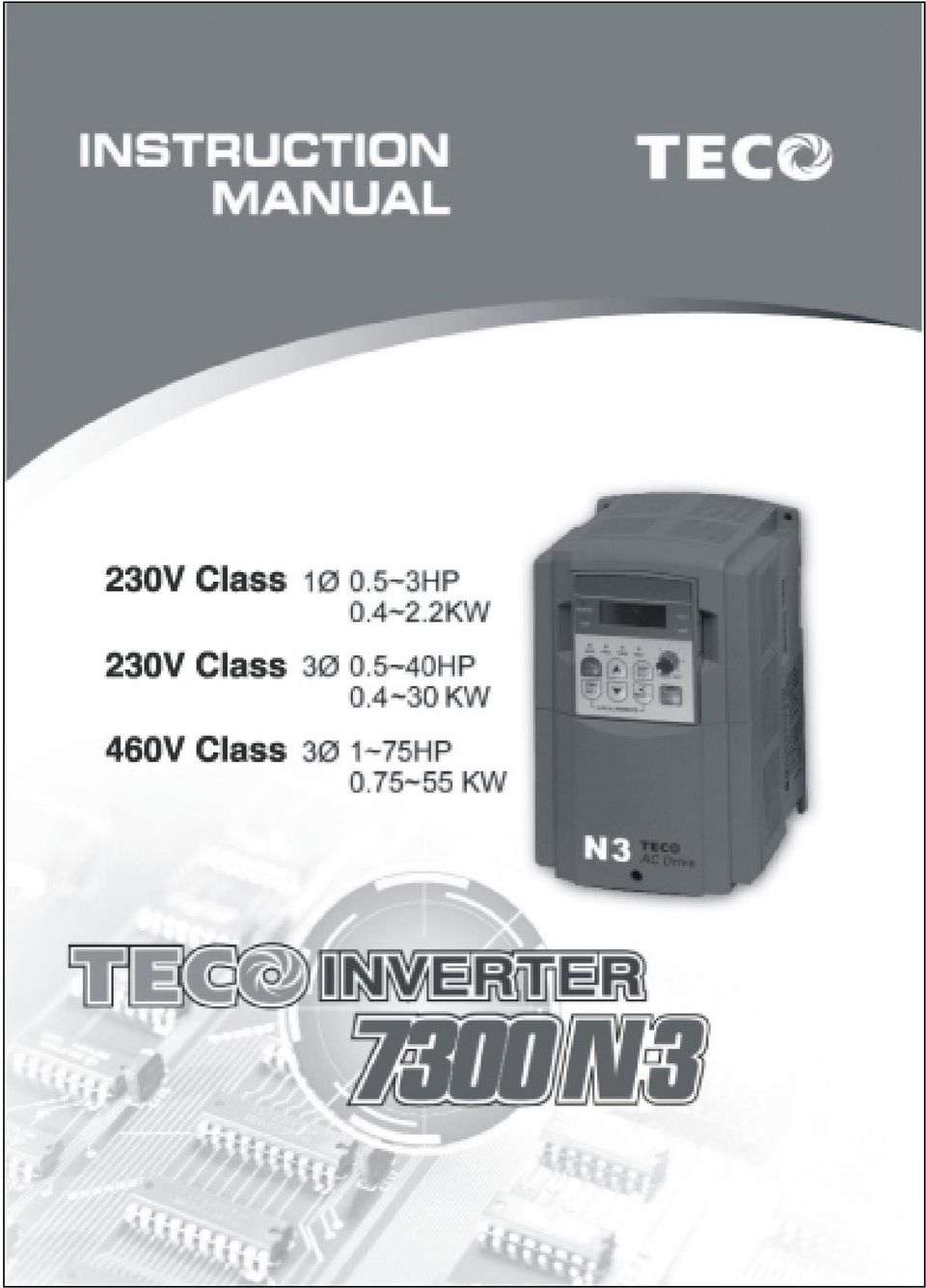
2 Quick Start Guide This guide is to assist in installing and running the inverter to verify that the drive and motor are working properly. Starting, stopping and speed control will be from the keypad. If your application requires external control or special system programming, consult the N3 Instruction Manual supplied with your inverter. Step 1 Before Starting the Inverter Please review Preface and Safety Precautions (page 0-1 through 1-4) of the N3 Instruction Manual. Verify that the drive was installed in accordance with the procedures as described in N3 Ambient Environment and Installation on pages 3-1 through 3-8. If you feel this was improper in any way, do not start the drive until qualified personnel have verified proper installation. (Failure to do so could result in serious injury.) Check inverter and motor nameplates to determine that they have matched HP and voltage ratings. (Ensure that full load motor amps do not exceed that of the inverter.) Remove the terminal cover to expose the motor and power terminals. a. Verify that AC power is wired to L1, L2, and L3 (pages 3-12). b. Verify that Motor leads are connected to T1, T2, and T3 (pages 3-12). (The two leads may need to be reversed if motor rotation is not correct. 1. SEQ LED : 1_00 =1, LED Lit. 2. FRQ LED : 1_01 = 1/2/3/4, LED Lit 3. FWD LED: Forward Direction, LED action(flash in stop, solid in Run). 4. REV LED : Reverse Direction, LED action(flash in stop, solid in Run). 5. Four actions of FUN Hz/RPM VOLT AMP LED and display of four 7-segment display. (Refer to operation description of the keypad.) 6. LCD keypad without FUN, Hz/RPM, VOLT, AMP LED. i

3 Step 2 Apply Power to the Drive Apply AC power to the Drive and observe keypad. Four 7-segments Display should read Power Voltage for 3~5 seconds and then read Frequency/Speed, Four 7-segment Display and FWD LED should be flashing all the time. Step 3 Check Motor Rotation Without Load Press RUN key (FWD LED should light); Four 7-segment Display should run from to Check motor rotation. If it is not correct: Press STOP key. Remove AC power. Wait for LED charge lamp to extinguish. Reverse motor leads T1 and T2.Restart the drive and check new rotation. Press STOP key to stop rotation. Step 4 Check Full Speed at 50Hz/60Hz Frequency/Speed can be changed by pressing the up or down Arrow keys. To move right or left for next digit, press SHIFT / RESET key. Press the READ / ENTER key to set the speed. Set frequency up to 50Hz/60Hz in accordance with the default base frequency. Press RUN key. Check drive acceleration up to full speed. Press STOP key to stop drive and check deceleration. Step 5 Other Operations For information, see N3 Instruction Manual. Please refer to the following pages: Set Accel...p Set Decel... p Set Max Speed... p Set Min Speed... p Set Motor Rated Current.... p Set Control Mode (Vector, V/F).... p ii

4 Table of Contents Quick Start Guide i Preface 0-1 Preface 0-1 Product Inspection 0-1 Chapter 1 Safety Precautions Operation Precautions Before Power UP During Power UP Before Operation During Operation During Maintenance 1-3 Chapter 2 Definition of Model 2-1 Chapter 3 Ambient Environment and Installation Environment Environmental Precautions Inflammable Materials Notice for Wiring Applicable Specification of Magnetic Contactor and Wires Precautions for Peripheral Applications Specifications Products Individual Specifications General Specifications Wiring Diagram N3 Series Inverter Description of Terminals Troubleshooting Inverter Outline Dimension 3-16 Chapter 4 Software Index Keypad Description Keypad Display and Operation Instruction Operation Instruction of the Keypad Operation Instruction of the LED Keypad Operation Instruction of the LCD Keypad Keypad Operating Example Control Mode Selection N3 Programmable Functions List Parameter Function Description 4-22 Chapter 5 Troubleshooting and Maintenance Error Display and Corrective Action Faults which cannot be recovered manually Faults which can be recovered manually and automatically Faults which can be recovered manually but not automatically Special Conditions Operation Errors General Troubleshooting Quick Troubleshooting N3 Series Routine Inspection and Period Inspection 5-13 Chapter 6 Peripheral Components Reactor Specification at Input Side Reactor Specification at DC Side Braking Resistor 6-2 iii

5 6.4 Digital Operator and Extension Cable EMC Filter Interface Card RS-485 Interface Card RS-232 Interface Card Program Copy Unit PDA Link 6-9 AppendixⅠ N3 Motor Internal Parameter List App1 AppendixⅡ N3 Parameters Setting List App2 iv

6 Index of Figures Figure 2-1 Inverter Nameplate Figure 3-1 Panel and Enclosure Arrangement N3 Inverters Figure 3-2 Din Rail Mounting of the N3 Inverter Figure 3-3 Typical Installation Schematic Figure 3-4a) Installation Examples b) Installation Examples Using a Filter c) Installation Examples with Adjacent Signal Conductors Figure 3-5 Processing the Ends of Twisted Pair Cables Figure 3-6 Grounding Examples Figure 3-7 Wiring Diagram Figure 3-8 Power Input Locations Figure 3-9 Frame size 1, 2 Dimensions Figure 3-10 Frame size 3 Dimensions Figure 3-11 Frame size 4, 5, 6 Dimensions Figure 4-1 Keypad Layout Figure 4-2 Keypad Operations Sequence Figure 4-3 LED Keypad Operations Sequence Figure 4-4 LCD Keypad Operations Sequence Figure 4-5 Keypad RUN Sequence Figure 4-6 Control Mode Selection Chart Figure 4-7 S-Curve Characteristics Figure 4-8 DC Injection Braking Example Figure 4-9 Acceleration and Deceleration Prohibit Figure 4-10 UP/DOWN Key Sequencing Figure 4-11 Bias signal Characteristics Figure 4-12 UP/DOWN Profile Example Figure 4-13 UP/DOWN With Incremental Steps Figure 4-14 Single Cycle Auto RUN Figure 4-15 Periodic cycle Auto RUN Figure 4-16 Single Cycle Auto RUN: Final Step Hold Figure 4-17 Auto RUN Cycle with Interrupt Figure 4-18 Analog Scaling Examples Figure 4-19 Frequency Reached Example Figure 4-20 Frequency Within Specified Range Example v

7 Figure 4-21 Frequency Outside of Range Example Figure 4-22 Frequency at or Below Specified Range Example Figure 4-23 Over Torque Detection Example Figure 4-24 Thermal Overload Curves Figure 4-25 Custom V/F settings Figure 4-26 PRE-Configured V/F Settings Figure 4-27 V/F Curve with torque boost Figure 4-28 Thermal Overload Curves Figure 4-29 PID Sleep-Wake Mode Diagram Figure 4-30 PID Display Scaling Figure 4-31 Terminal Board Drive Operation Modes Figure Wire Start/Stop Wiring Figure 4-33 Drive Start/Stop Operation sequences Figure 4-34 Frequency Reference Limits Figure 5-1 N3 Fault Display Troubleshooting Flow Chart Figure 5-2 OC, OL Fault Display Flow Chart Figure 5-3 OV, LV Fault Display Flow Chart Figure 5-4 Run Mode Troubleshooting Flow Chart Figure 5-5 Motor Instability Troubleshooting Flow Chart Figure 5-6 Motor Instability Troubleshooting Flow Chart Figure 6-1 Digital Operator Extension Cable Figure 6-2 LCD Keypad (N3-LED) Mounting Dimensions Figure 6-3 LCD Keypad (N3-LCD) Mounting Dimensions Figure 6-4 N3 External Filter Dimensions Figure 6-5 JUNF34048S-MA Filter Dimensions Figure 6-6 JNSIF-485 Option Card Figure 6-7 JNSIF-485 Wiring Diagram Figure 6-8 JNSIF-232 Option Card Figure 6-9 JNSIF-232 Wiring Diagram Figure 6-10 JNSIF-MP Program Copy Unit Figure 6-11 JNSIF-MP Wiring diagram Figure 6-12 PDA Link Board Installation vi

8 Chapter 0 Preface Preface Preface To extend the performance of the product and ensure personnel safety, please read this manual thoroughly before using the inverter. Should there be any problem in using the product that cannot be solved with the information provided in the manual, contact your nearest Teco s distributor or sales representative who will be willing to help you. Precautions The inverter is an electrical product. For your safety, there are symbols such as Danger, Caution in this manual as a reminder to pay attention to safety instructions on handling, installing, operating, and checking the inverter. Be sure to follow the instructions for highest safety. Danger Caution Indicates a potential hazard could cause death or serious personal injury if misused. Indicates that the inverter or the mechanical system might be damaged if misused. Danger Do not touch any circuit boards or components while the charging indicator is still lit after turned the power off. (The light will fade) Do not wire when the inverter is electrified. Do not check parts and signals on circuit boards during the inverter operation. Do not disassemble the inverter not and modify any internal wires, circuits, or parts. Ground the ground terminal of the inverter properly. For 200V class ground to 100 Ω or below. For 400v class ground to 10Ω or below. Caution Do not perform a voltage test on parts inside the inverter. High voltage can destroy these semiconductor parts. Do not connect T1 (U), T2 (V), and T3 (W) terminals of the inverter to any AC input power supply. CMOS ICs on the inverter s main board are susceptible to static electricity. Do not touch the main circuit board Product Inspection TWMC s inverters have all passed the function test before delivery. Please check the following when you receive and unpack the inverter: The model and capacity of the inverter are the same as those specified in your purchase order. Check for any damages caused by transportation. Please do not apply power, and contact a TWMC sales representative if any of the above problems occurred. 0-1

9 Chapter 1 Safety Precautions 1.1 Operation Precautions Before Power Up Chapter 1 Safety Precautions Caution The line voltage applied must comply with the inverter s specified input voltage.(see product nameplate) Danger Make sure the main circuit connections are correct. L1 (L), L2 and L3 (N) are powerinput terminals and must not be mistaken for T1, T2 and T3. Otherwise, inverter damage can result. Caution To avoid the front cover from disengaging or other damage, do not carry the inverter by its cover. Support the drive by its heat sink when transporting. Improper handling can damage the inverter or injure personnel, and should be avoided. To avoid the risk of fire, do not install the inverter on flammable objects. Install on nonflammable objects such as metal surfaces. If several inverters are placed in the same control panel, provide heat removal means to keep the temperature below 40 C to avoid overheat or fire. When removing or installing the operator, turn OFF the power first, and manipulate the operator following the instruction of the diagram to avoid operator error or no display caused by bad contact. Warning This product is sold subject to IEC In a domestic environment this product may cause radio interference in which case the user may be required to apply corrective measures. 1-1

10 Chapter 1 Safety Precautions During Power Up Danger Do not insert or remove input line connectors on the inverter when powered up to avoid the control panel damage resulting from possible voltage surge from contact bounce. When momentary power loss is longer than 2 seconds (the larger of horse power, the longer of time), the inverter does not have enough storage power to control the circuit; Therefore, when power is regenerated, the operation of the inverter is based on the setup of B000 / A015 and the condition of external switch, this is considered to be restart in the following paragraphs. When the momentary power loss is short, the inverter still has enough storage power to control the circuit. Therefore, when power is regenerated, the inverter will automatically restart depending on the setup of A013/A014. When restarting the inverter, the operation of the inverter is based on the setup of B000 and A015 and the condition of external switch (FWD/REV button). Attention: the start operation is irrelevant with A013/A014/A018/A When B000=0000, the inverter will not automatically run after restart. 2. When B000=0001 and the external switch (FWD/REV button) is OFF, the inverter will not run after restart. 3. When B000=0001, the external switch (FWD/REV button) is ON, and A015=0000, the inverter will run automatically after restart. Attention: In the sake of safety, please turn off the external switch (FWD/REV button) after power loss to avoid damage to the machine and injury to personnel after sudden regeneration of power. To ensure the safety of people and machine, please refer to the description and warnings for A Before Operation Danger Make sure the model and inverter capacity match the A175 setting. Caution The inverter will flash display the power voltage set by A007 for 5 seconds when applying power. 1-2

11 Chapter 1 Safety Precautions During Operation Danger Do not connect or disconnect the motor during operation. Otherwise, the over-current will cause the inverter to trip or damage the unit. Danger To avoid electric shock, do not take the front cover off when power is on. The motor will restart automatically after stop when auto-restart function is on. In this case, use caution while working near the drive, motor, or driven equipment. Note: The stop switch function is different from the emergency stop switch, which must be set first to be effective. Caution Do not touch heat-generating components such as heat sinks and braking resistors. The inverter can drive the motor from low speed to high speed. Verify the allowable capacities range of the motor and the associated machinery. Note the settings related to the braking reactor. Do not check signals on circuit boards while the inverter is running. Caution Allow 5 minutes after disconnecting power before disassembling or checking the components. The power led should not be illuminated During Maintenance Caution The inverter should be used in a non-condensing environment with temperature range of F ( C) and a relative humidity of 95% non-condensing. Caution When the inverter top cover has removed, it can be used in a non-condensing environment with temperature from F ( 10 C to +50 C) and relative humidity of 95%, but the environment should be free from water and metal dust. 1-3

12 Chapter 2 Description of models Chapter 2 Definition of model Inverter model MODEL: N3-2P5-SCF Input voltage I/P: AC 1 PH 200~240V 50/60Hz Output specifications O/P: AC 3PH 0~264V 1.2 KVA 3.1 A TECO ELECTRIC & MACHINERY CO., LTD. N3-2 P5 - C S F Series: 2:230V 4:460V Horsepower: P5:0.5 HP 01:1.0 HP 02:2.0 HP 03:3.0 HP 05:5.0 HP C: IP20 N1: NEMA1 F: Filter Built-in Blank: No filter Built-in 07:7.5 HP 10:10 HP 15:15 HP 20:20 HP Power supply: S: Single phase Blank: Three phase 25:25 HP 30:30 HP 40:40 HP 50:50 HP 60:60 HP 75:75 HP Figure 2-1 Inverter Nameplate 2-1

13 3.1 Environment Chapter 3 Ambient Environment and Installation Chapter 3 Ambient Environment and Installation The environment will directly affect the proper operation and the life span of the inverter, so install the inverter in an environment complying with the following conditions: Ambient temperature: (-10 o C o C); without cover: (-10 o C o C) Avoid exposure to rain or moisture. Avoid direct sunlight. Avoid oil mist and salinity. Avoid corrosive liquid and gas. Avoid dust, lint fibers, and small metal Keep away from radioactive and filings. flammable materials. Avoid electromagnetic interference (soldering machine, power machine). Avoid vibration (stamping, punching machine). Add a vibration-proof pad if the situation cannot be avoided. If several inverters are placed in the same control panel, provide heat removal means to maintain temperatures below 40 o C. fan fan PANEL PANEL Enclosure Enclosure (Correct configuration) (Incorrect configuration) (Correct configuration) (Incorrect configuration) Figure 3-1 Panel and enclosure arrangement for N3 inverters Place the front side of the inverter onward and top upward to in favor of heat sink. Install the inverter according to the following figures: (take the dustproof cover off in favor of heat sinking if it is installed in a box or the environment allows to do so) FRONT N3 Figure 3-2 DIN RAIL MOUNTING OF THE N3 INVERTER Air convection (-10 o C o C) (a) Front view 3-1 (b) Side view

14 3.2 Environmental precautions Do not use the inverter in an environment with the following conditions: Chapter 3 Ambient Environment and Installation Oil Direct sunlight Corrosive gas and liquid Oil Mist Salt Salt Wind, rain, and water drops may get into Iron filings, dust Strong vibration Extreme low temperature Excessive high temperature Electromagnetic wave and ultra high wave (Near an electric welding machine) Radioactive materials Inflammable materials 3-2

15 3.3 Inflammable materials Chapter 3 Ambient Environment and Installation Notice for wiring A. Tightening torque: Wine with a screwdriver or other tools per the tightening the torques listed below: Tightening torque Horsepower Power source Nominal torque for TM1 terminal 0.5/1/2(3φ) V 1/ V 2(1φ)/3/5/7.5/ V 3/ 5/ 7.5/ 10/ V 15/20/ V 20/25/ V 30/ V 40/50/60/ V 0.59/0.08 (LBS-FT / KG-M) 1.5/0.21 (LBS-FT/KG-M) 1.84/0.3 (LBS-FT / KG-M) 4.42/0.66 (LBS-FT/KG-M) 7.10/8.20 (LBS-IN/KG-CM) 18.00/20.28 (LBS-IN/KG-CM) 22.1/30 (LBS-IN/KG-CM) 53.1/66 (LBS-IN/KG-CM) B. Power wires: Power wires are connecting to L1, L2, L3, T1, T2, T3, P, BR and P1. Select power wire in accordance with the following criteria: (1) Use copper wires only. Proper diameters of wires should be based on ratings at 105 o C. (2) For rating voltage of wires, the minimum voltage of 230VAC type is 300V, and 460VAC type is 600V. (3) For safety reasons, the power wires should be fixed by terminal type. C. Control wires: Control wires are wires connecting to TM2 control terminal. Choose the wire in accordance with the following criteria: (1) Use copper wires only. Proper diameters of wires should be based on ratings at 105 o C. (2) To avoid noise interference, do not route control wiring in the same conduit with power wires and motor wiring. D. Nominal electrical specifications of the terminals Block: The following list is nominal values of TM1: Horsepower Power source Volts Amps 0.5/1/ 2(3φ) V 1/ V 15A 5/ 7.5/ V 2(1φ)/3/ 5/ 7.5/ 10/ V 40A 15/20/ V A 20/25/ V 60A V 40/ V 100A V 60/ V 150A Note: Nominal values of input and output signals (TM2) follow the specifications of class 2 wiring. 3-3

16 E. Fuse types Chapter 3 Ambient Environment and Installation Drive input fuses are provided to disconnect the drive from power in the event that a component fails in the drive s power circuitry. The drive s electronic protection circuitry is designed to clear drive output short circuits and ground faults without blowing the drive input fuses. Below table shows the N3 input fuse ratings. To protect the inverter most effectively, use fuses with current-limit function. RK5, CC/T TYPE FUSE FOR N3 220V class (1φ) 220V class (3φ) 440V class (3φ) N3-2 HP KW KVA 100% CONT Output AMPS (A) Max.RK5 FUSE Rating(A) Max.CC or T FUSE Rating(A) P5-S S S S N3-2 HP KW KVA 100% CONT Output AMPS (A) Max.RK5 FUSE Rating(A) Max.CC or T FUSE Rating(A) P N3-4 HP KW KVA 100% CONT Output AMPS (A) Max.RK5 FUSE Rating(A) Max.CC or T FUSE Rating(A) *Fuse ratings are based upon 250V fuses for 230V inverter, and 600V for 460V inverters 3-4

17 Chapter 3 Ambient Environment and Installation Notice To avoid shock hazards, do not touch any electrical component when the power is applied or with in five minutes after the power is disconnected. The other action should be performed after the charge indicator goes off. Do not perform wiring on the inverter while it is still connected. Disregarding this notice of this notice could cause serious insure or death to personnel. This product is designed to use in Pollution Degree 2 environment or equivalent environments Applicable specification of magnetic contactor and wires Molded-case circuit breaker/magnetic contactor Teco bears no responsibility to service for failures caused by the following conditions: (1) A molded-case circuit breaker is not installed, or an improper or overrated breaker is used, between the power source and the inverter. (2) A magnetic contactor, a phase capacitor, or a burst absorber is connected between the inverter and the motor. N3 model N3-2 Molded-case circuit breaker made by Teco Magnetic contactor (MC) made by Teco Main circuit terminals (TM1) Signal terminals (TM2) P TO-50E 10A TO-50E 20A TO-50E 30A TO-50E 30A TO-50E 30A TO-50E 50A TO-100S 60A CN-11 CN-16 CN-18 CN-25 TO-100S 100A CN- 50 TO-100S 100A CN-65 TO-225S 150A CN-80 TO-225S 175A Wire gauge 2.0 mm 2 Wire gauge 3.5 mm 2 Wire gauge 5.5 mm 2 Wire gauge 22 mm 2 Wire gauge 30mm 2 Wire gauge 0.75mm 2 ( # 18 AWG) CN- 100 TO-225S 175A CN- 125 Wire gauge 50mm 2 N3 model Molded-case circuit breaker made by Teco Magnetic contactor (MC) made by Teco Main circuit terminals (TM1) Signal terminals (TM2) N3-4 01/ 02/ 03/ TO-50E 15A TO-50E 20A TO-50E 30A TO-50E 50A TO-100S 50A TO-100S 75A TO-100S 100A TO-100S 100A TO-125S 125A TO-225S 175A TO-225S 175A CN-11 CN-16 CN-18 CN-25 CN-35 CN-50 CN-50 CN-65 CN-80 CN-100 CN-125 Wire gauge 2.0mm 2 Wire gauge 3.5mm 2 Wire gauge Wire gauge 14mm 2 Wire gauge 5.5mm 2 30mm 2 Wire gauge 0.75mm 2 ( # 18 AWG), terminal screw M3 Wire gauge 50mm 2 Wire gauge 50mm 2 Use three-phase squirrel cage induction motor with capacity suitable for the inverter. If one inverter is driving several motors, the total current of all motors running simultaneously must be less than the rated current of the inverter, and each motor has to be equipped with a proper thermal overload relay. Do not add capacitive components, such as a phase capacitors, LC or RC, between the inverter and the motor. 3-5

18 Chapter 3 Ambient Environment and Installation Precautions for peripheral applications: Power supply: Make sure the correct voltage is applied to avoid damaging the inverter. A molded-case circuit breaker or fused disconnect must be installed between the AC source and the inverter Molded-case circuit breaker: Use a molded-case circuit breaker that conforms to the rated voltage and current of the inverter to control the power and protect the inverter. Do not use the circuit breaker as the run/stop switch for the inverter. Leakage breaker: Install a leakage breaker to prevent problems caused by electric leakage and to protect personnel. Setting current should be 200mA or above and the operating time at 0.1 second or longer to prevent malfunctions. Magnetic contactor: Normal operations do not need a magnetic contactor. However a contactor has to be installed in primary side when performing functions such as external control and auto restart after power failure, or when using a brake controller. Do not use the magnetic contactor as the run/stop switch of the inverter. AC Line reactor for power quality improvement: When inverters below 200V/400V 15KW are supplied with high capacity (above 600KVA) power source or an AC reactor can be connected to improve the power performance. Input noise filter: A filter must be installed when there are inductive loads affecting the inverter Inverter: Input power terminals L1, L2, and L3 can be used in any sequence regardless of phase. Output terminals T1, T2, and T3 are connected to U, V, and W terminals of the motor. If the motor is reversed while the inverter is set to run forward, just swap any two terminals of T1, T2, and T3. To avoid damaging the inverter, do not connect the input terminals T1, T2, and T3 to AC input power. Connect the ground terminal properly. 230 V series: class 3 grounding, <100Ω; 460 V series : <10Ω. Figure 3-3 Typical Installation Schematic 3-6

19 Chapter 3 Ambient Environment and Installation Make external connections according to the following instruction. Check connections after wiring to make sure all connections are correct. (Do not use the control circuit buzzer to check connections) Figure 3-4a Installation Examples The inverter uses dedicated power line A general noise filter may not provide correct results CORRECT Add a noise filter or separation transformer when shaning the power line with other machines. the inverter shares the power line with other machines. Figure 3-4b Installation Examples using a filter Correct (A) Main circuit s wiring must separate from other high voltage or high current power line to avoid noise interference. Refer to the figures below: A noise filter in the output of the main circuit can suppress conductive noise. To prevent radiative noise, the wires should be put in a ferromagnetic metal pipe and sepoorated from all other signal lines by at least 1ft.. Power Supply MCCB Noise Filter Metal Box N3 Noise Filter Metal Pipe above Signal Wire 3-7 Controller Figure 3-4c Installation Examples with Adjacent Signal Conductors

20 Chapter 3 Ambient Environment and Installation When the connection between the inverter and the motor appears long, factor in the voltage drop of the cables. Phase-to-phase voltage drop (V) = 3 resistance of wire (Ω/km) length of line (m) current The number of carriers must be adjusted based on the line length. Cable length between the Below 75ft Below 150ft Below 300ft Above 300ft inverter and the motor Recommended carrier Below 16KHz Below 12KHz Below 8KHz Below 5KHz frequency allowed Setting of parameter (B) The control circuit wiring must be separated and routed away from the main circuit control line or other high voltage or current power lines to avoid noise interference To avoid erroneous operation caused by noise interference, shield the control circuit wiring with twisted-wires, and connect the shielded wire to a ground terminal. Refer to the figure below. The wiring distance should not exceed 150ft. Armor Shielding sheath Figure 3-5 Processing he ends of twisted pair cables To ground terminal Do not connect this end Wrapped with insulating tape (C) Ground the ground terminal of the inverter properly. For 230V class ground 100Ω or less; for 460V class ground 10Ω or less. Ground wiring AWG is sized per the electrical equipment specifications. Minimize wire length is recommended. Do not share the ground of the inverter with other high current loads (welding machine, high power motor). Connect the terminals to their own ground. Do not make a loop when several inverters share a common ground point. Figure 3-6 Grounding Examples (a) Good (b) Good (c) Bad (D) To ensure maximum safety, use proper wire gauges (AWG) for the main power circuit and control circuit. (See table in section 3.2.2) (E) Verify that all wiring is correct, wires are intact, and terminal screws are secured. 3-8

21 3.4 Specifications Product Specifications Single phase, V model Chapter 3 Ambient Environment and Installation N3-2 -SC/SCF P Horsepower(HP) Max Applicable Motor Output (KW) Rated Output Current(A) Rated Capacity(KVA) Max. Input Voltage Single Phase: 200~240V +10% -15%,50/60H Z ± 5% Max. Output Voltage Three Phase: 200~240V Input Current(A) Net Weight Lb(KG) 2.87(1.3) 2.87(1.3) 3.31(1.8) 5.07(2.3) Allowable momentary power loss time (second) Three phase, V model N3-2 -C/N1 P Horsepower(HP) Max Applicable Motor Output (KW) Rated Output Current(A) Rated Capacity(KVA) Max. Input Voltage Three Voltage: 200~240V +10% -15%,50/60H Z ± 5% Max. Output Voltage Three Voltage: 200~240V Input Current(A) Net Weight Lb(KG) 2.65 (1.2) 2.65 (1.2) 2.65 (1.2) 3.85 (1.75) 4.19 (1.9) 12.3 (5.6) 12.3 (5.6) 33. 1(15) Allowable momentary power loss time (second) Three phase, V model N3-4 -C/CF/N Horsepower(HP) Max Applicable Motor Output (KW) Rated Output Current(A) Rated Capacity(KVA) Max. Input Voltage Three Voltage:380~480V +10% -15%, 50/60H Z ± 5% Max. Output Voltage Three Voltage: 380~480V Input Current(A) Net Weight Lb(KG) Allowable momentary power loss time (second) 2.87 (1.3) 2.87 (1.3) 3.31 (2.2) 3.31 (2.2) 12.3 (6.6) 12.3 (6.6) 12.3 (6.6) 33.1 (15) 33.1 (15) 33.1 (15) 33.1 (15) 72.8 (33) 33.1 (15) 72.8 (33) 72.8 (33) 110 (50) 75.0 (34) 110 (50)
22 3.4.2 General Specifications Chapter 3 Ambient Environment and Installation Frequency Control Item Control Mode Range Start control torque Speed control range Speed Control Precision Setting resolution Keypad setting Display Function External signal setting Frequency Limit Function Carrier frequency V/F pattern Acc/Dec control Multifunction analog output Multifunction input Multifunction output Digital Input Signal Other Functions N3 TYPE V/F or Current Vector Control 0.1~650.0 Hz 150%/1Hz (Current Vector) 50:1 (Current Vector) ±0.5% (Current Vector) Digital:0.01Hz( Note *1 );Analog: 0.06Hz/ 60Hz(10bits) Set directly with keys or the VR on the keypad Four digital LED (or 2 16 LCD) and status indicator; display frequency/ speed/ line speed/ DC voltage/ Output voltage/ Current/ Rotation direction/ Inverter parameter/ Trouble Log/ Program Version 1. External potentiometer/ 0-10V/ 0-20mA/ 10-0V/ 20-0mA 2. Performs up/down controls, speed control or automatic procedure control with multifunctional contacts on the terminal block (TM2) Upper/lower frequency limits and three skip frequencies 2 ~ 16 khz 18 pre-configured patterns, 1programable curve Two-stage Acc/Dec time (0.1 3,600 seconds) and two-stage S curves (refer to descriptions on 3-05) 6 functions (refer to description on A103/A104) 30 functions (refer to description on A050~A056) 16 functions (refer to description on A105~A106) NPN (SINK) / PNP (SOURCE) toggle Momentary Power Loss Restart, Speed Search, Overload Detection, 8 preset speeds. Acc/Dec Switch (2 Stages), S Curves, 3-wire Control, PID control, torque boost, Slip Compensation, Frequency Upper/ Lower Limit, Auto energy saving, Modbus slave and PC/PDA Link, Auto Restart. 3-10
23 Item Communication Control N3 TYPE Chapter 3 Ambient Environment and Installation 1. Control by RS232 or RS One to one or one to more (RS485 ONLY) control. 3. BAUD RATE/STOP BIT/PARITY/bit can be set Braking Torque Operation temperature (-10 ~ 50 )(note 2) Storage temperature (-20 ~ 60 ) About 20%, the model built-in braking transistor and connected braking resistor is 100% Humidity 0 95% Relative Humidity(Non-condense) Vibration 1G (9.8m/s 2 ) EMC Complies with requirement EN (with optional Filter). LVD Complies with requirement EN Protective Functions Enclosure Safety Level Overload protection Over Voltage Under Voltage Momentary Power Loss Restart Stall Prevention Short-circuit output terminal Grounding Fault Other Function IP20 ( NEMA 1 by external box attached) UL 508C The relays to protect the motor (the curve can be set) and the inverter (150 % / 1min) 230V class:dc Voltage>410V 460V class:dc Voltage>820V 230V class:dc Voltage<190V 460V class:dc Voltage<380V Stop for more than 15ms-power-loss can be restarted with spin start after momentary power loss in Max 2 sec.15ms Stall prevention for Acceleration/ Deceleration/ Operation. Electronic Circuit Protection Electronic Circuit Protection Protection for overheating of heat sink, over torque detection, error contact control, reverse prohibit, prohibit for direct start after power up and error recovery, parameter lock out. ( 220V, 15HP and above capacity are not CE complied) Note 1:The setting resolution of above 100Hz is 0.1Hz when controlled by the keypad, and 0.01 Hz when controlled using computer (PC) or programmable controller (PLC). Note 2: ( 10 ~ 50 ) in distributor (without dustproof cover), ( 10 ~ 40 ) outside distributor (with dustproof cover). 3-11
24 3.5 Wiring diagram N3 series inverter Chapter 3 Ambient Environment and Installation DC reactor Braking Resistor (note1) Molded-case circuit breaker Magnetic contactor AC Power source Power input Power output Induction motor 200v: Class 3 ground 400v: Special ground Burst absorber Multifunction input terminal Forward/stop or run/stop Reverse/stop or reverse/forward Speed control Digital control panel Common point for PNP inp Common t point for NPN Reset / Error recovery (Multifunction input terminal) Multifunctional output terminals Frequency setting device Frequency indicator 0~10VDC SW2:AIN 0~10V/0~20mA selective SW3:S6 0~10V/0~20mA selective or 2~10V/ 4~20mA (after Ver.2.3) I POSITION:0~20mA signal V POSITION:0~10V signal SW1:NPN/PNP selective Figure 3-7 Wiring Diagram Note 1:Please refer to description of main circuit terminals (P1, BR) and specification of braking resistor for value selection. Note 2:Above scheme applies for models 230V:0.5~10HP and 460V:1~15HP only. 3-12
25 230V: 25HP 440V: 25~30HP Chapter 3 Ambient Environment and Installation 230V: 30~40HP 440: 40~75HP 3-13
26 3.6 Description of terminals of troubleshooting inverter Descriptions of main circuit terminals Chapter 3 Ambient Environment and Installation Symbol R / L1 ( L ) S / L2 T / L3 ( N ) P1 Main power input BR P1 P DC reactor connecting terminals B1/P B2 Θ Single-phase: L/N Three-phase: L1/L2/L3 Description Braking resistor connection terminal: Used in cases where the inverter regenerates due to large load inertias or short deceleration time (refer to specifications of the braking resistor) B1/P-Θ:DC power supply input B1/P-B2:External braking resistor (For 230V:15~20HP and 460V:20HP) - U / T1 V / T2 W / T3 Inverter outputs - For 230V:0.5~10HP, 460V:1~15HP -Θ:DC power supply input or External braking unit. See Chapter 6.3 For 230V:25~40HP and 460V:25~75HP Descriptions of N3 control circuit terminals Symbol Description R2A Multifunctional terminal Normal open Contact rated capacity: R2B (250VAC/1A or 30VDC/1A) R1C Common contact Multifunctional output Contact using description:(refer R1B Normal close contact terminals to parameters 8-02, 8-03) R1A Normal open contact 10V Frequency knob (VR) power source terminal (pin 3) AIN Analog frequency signal input terminal or multifunction input terminals S7 (H level:>8v, L level:<2v, PNP only) (refer to parameter A056 description) 24V Common for S1~S5 (S6, S7) in PNP (Source) input. Connect pin 2 and pin 3 (refer to N3 wiring diagram) of SW1 when using PNP input COM Common for analog input /output signal for S1~S5in NPN (Sink) input. Connect pin 2 and pin 3 (refer to N3 wiring diagram) of SW1 when used NPN input FM+ The positive multifunction analog output signal for multifunction (refer to parameter A103 description), the signal for output terminal is 0-10VDC (below 2mA)..230V:15 ~ 20 HP 460V:20HP R / L S / L T Power / L U/T1 V/T2 W/T3 B1/ B Dynamic.230V 25 ~ 40HP 460V 25~75HP To Motor / R / L1 S / L2 T / L3 U / V/ W / T1 T2 T3 Figure 3-8 Power input locations 3-14
27 Chapter 3 Ambient Environment and Installation Symbol S1 S2 S3 S4 S5 Function Description Multifunction input terminals(refer to parameters A050 ~ A054 description) (S5 = Encoder input terminal. Encoder voltage range: 19.2V~24.7V) Multifunction input terminals (Digital terminal high level:>8v, Low level:<2v, PNP S6 only) or analog input terminal AI2(0~10Vdc/4~20mA)( refer to A055 description) Descriptions of SW function SW2/SW3 Type of external signal Remarks V 0~10VDC analog signal I V Effective when External control is used as (B004=0002) 0~20mA analog signal I SW1 Type of external signal Remarks NPN (SINK) input PNP (SOURCE) input Factory default 3-15
28 3.7 Outline Dimensions (1) Frame1:Single phase N3-2 -S: P5, 01 Three phase N3-2/4 : P5, 01, 02 (2) Frame2:Single phase N3-2 -S: 02, 03 Three phase N3-2/4 : 03, 05 Chapter 3 Ambient Environment and Installation Figure 3-9 Frames1, 2 Dimensions Unit : mm/inch LENGTH MODEL A B C D Frame 1 163/ /5.9 78/ /3.54 Frame / / / /5.04 LENGTH MODEL E F G Frame 1 147/ /5.55 7/0.28 Frame 2 148/ /5.59 7/
29 (3) Frame3:Three phase N3-2 : 07, 10 N3-4 : 07, 10, 15 Chapter 3 Ambient Environment and Installation / 0.22 Unit : mm/inch LENGTH MODEL A B C D E F Frame 3 260/ / / / / /7.4 Figure 3-10 Frames 3 Dimensions 3-17
30 (4) Frame4:Three phase N3-2 : 15, 20, 25 N3-4 : 20, 25, 30 Chapter 3 Ambient Environment and Installation (5) Frame5:Three phase N3-2 : 30, 40 N3-4 : 40, 50 (6) Frame6:Three phase N3-4 : 60, 75 (Open Chassis Type-IP00) Unit : mm/inch LENGTH MODEL A B C D E F Frame4 360/ / / / / /9.7 Frame5 553/ / / / / /12 Frame6 653/ / / / / /15.2 Figure 3-11 FRAMES SIZE 4, 5, 6 DIMENSIONS 3-18
31 Chapter 4 Software Index Chapter 4 Software Index 4.1 Keypad Description 4.1.1Keypad Display and Operation Instruction Figure 4-1 Keypad Layout 1. SEQ LED: Parameter B000 =1/2/3, LED Lit. 2. FRQ LED: Parameter B004 = 1/2/3/4, LED Lit 3. FWD LED: Forward Direction, LED action (Flash while stopped, solid during Lit operation). 4. REV LED: Reverse Direction, LED action (Flash while stopped, solid during Lit operation). 5. Four actions of FUN mode: Hz/RPM, VOLT, AMP LED, and display of four 7-segment display. (Refer to operation description of the keypad). 6. LCD keypad in display mode: Hz/RPM, VOLT, AMP, LED and FREQ.SET pot. Caution To avoid keypad damage, do not operate it with a screwdriver or any sharp and hard tool. Remote/Local Mode Local mode Operation Command via RUN/STOP key on keypad Frequency Command by key on keypad Remote mode Operating Command via B000 Frequency Command via B004 To Change the Remote/Local mode, you must push FWD/REV and /RESET key at the same time. The Remote /Local mode of change can be used in STOP mode, but is not allowed in Run mode. 4-1
32 4.1.2 Operation Instruction of the keypad Chapter 4 Software Index Power On LED Light Lit :LED Light Flash Power Voltage (*1) 5 seconds later or after Enter operation signal, Press DSP to modify frequency. HZ/RPM Frequency/Speed /Line Speed ^ v < HZ/RPM Frequency/Speed/ Line Speed RUN/STOP (*3) HZ/RPM Frequency/Speed /Line Speed READ/ ENTER (*2) DSP DSP FUN FUN Selecting the parameter group ^ v Selecting the parameter group READ/ ENTER DSP END FUN Parameter Setting READ/ ENTER DSP Output Voltage VOLT DSP DC Voltage VOLT DSP DSP Output Current AMP (*4) Figure 4-2 Keypad Operations Sequence *1: The inverter will flash the current setting of A007 (power supply voltage) after power up. *2: A045, A046 determines the displaying of frequency, speed or line speed. *3: It is not necessary to press ENTER key when stopped for modification. Refer to example 1, 2. *4: Whether output current, output voltage, DC voltage is displayed or not is determined by B013 ~ B015 respectively. 4-2
33 Chapter 4 Software Index Operation Instruction of the LED keypad Power On : LED Light Lit : LED Light Flash 5 seconds later or after Enter operation signal, Press DSP to modify the display HZ/RPM ^ v < HZ/RPM RUN/STOP HZ/RPM READ/ ENTER DSP FUN READ/ ENTER FUN ^ v DSP ^ v FUN FUN READ/ ENTER DSP DSP VOLT VOLT DSP DSP AMP Figure 4-3 LED Operations Instruction Keypad 4-3
34 4.1.4 Operation Instruction of the LCD keypad Chapter 4 Software Index Power On NOTE: x = Blinking Character Power Source 220 V 5 seconds later or after Enter operation signal or Press DSP to modify frequency Master Freq Hz ^ v < Setting Freq Hz RUN/STOP Output Freq Hz READ/ ENTER DSP A000=Vector(CT) Control Mode ^ v A006=Disabled Auto Tuning READ/ ENTER DSP END A006= 0 Disabled ^ v A006= 1 Enabled READ/ ENTER DSP DSP Output Voltage 220V DSP DC Bus Voltage 311V DSP DSP Output Current 3.1 Amp Figure 4-4 LCD Operations Instruction Keypad 4-4
35 4.1.5 Keypad Operating Example Chapter 4 Software Index 4-5
36 Chapter 4 Software Index Example4. Modify the Frequency in Operating Example4. Modify the Value of Parameter A 4 Example 5. Operation Control A061 A061 Power On FWD REV RUN STOP FWD REV RUN STOP Figure 4-5 Keypad RUN Sequence FWD LED REV LED : LED Lit : LED Flashing : LED Off 4-6
37 Chapter 4 Software Index 4.2 Control Mode Selection The N3 Series inverter has three control modes: 1. General Vector Control Mode 2. VT Vector Control Mode (Special for Fans, Blowers, Pumps). 3. V/F Control Mode The user can choose these modes with the digital keypad according to the application characteristics. The factory setting is general vector control mode. Before operation, please set the control mode and the relative parameters of the motor in accordance with the following flow chart. (The Vector control mode only applies when the inverter is power matched to the motor, or varies by 1HP rating). Figure 4-6 Control Mode Selection Chart Setting procedure for control mode Vector Control Control mode V/F Control Control mode selection A000=2 Set the following parameters: V/F Pattern B009 Torque Boost A129 Motor no load current A130 (<=A002) Motor Rated Slip A131 Max output frequency A132 Max output voltage A133 Medium output Frequency A134 Medium output voltage A135 Min output frequency A136 Min output voltage A137 Suitable motor capacity A002 (OL1 reference) Control mode selection A000=0 A000=1 Set the following parameters: Motor rated voltage A001 Motor rated current A002 Motor power A003 Motor rated Speed A004 Motor rated Frequency A005 Power Voltage A007 Perform Auto tuning (A006=1) End Note: 1. Use V/F Control Mode: (1) Use one inverter to drive several motors simultaneously (2) Motor s nameplate is unknown or motor s specifications are too special, it will cause Auto-tuning fault. (3) Specification of inverter and motor differ more than 1 class. 2. One inverter drives several motors (Only in V/F mode); set the motor parameters according to the following rules: (1). Sum the rated current of all motors for total inverter current. (2). Input correct VF Pattern parameter (A132~A137). 3. When the nameplate of the motor is unknown, the inverter will set the internal parameters according to the standard TWMC motor. 4. When parameter A000 is set to 2, the keypad will display Err2 when performing Auto tuning. 5. In VF control, A001~A005 max. & min. values are determined by the TWMC standard motor specification limit. 4-7
38 Chapter 4 Software Index The N3 inverter has a wide variety of programmable functions. They are organized into two categories: 1) Advanced or "A" parameters and 2) Basic or "B" parameters. Basic parameters are intended for applications that are straightforward. They include the set of parameters that almost all users need to consider. Examples of basic settings are acceleration and deceleration rates (B007 and B008), Run command and frequency sources (B000 and B004), and optional current and voltage displays (B013 - B015). The user can also select whether to allow access to the advanced parameters. (B011). In order to see and change "A" parameters, B011 must be set to enable. Advanced parameters are intended for specific and more focused applications. They provide the means to set up the N3 inverter to operate in specialized ways, such as applying a PID control mode, Auto-run mode, RS485 communication set-up, Vector control mode plus more. In addition, all analog and digital input and output configurations plus motor parameters are entered in the Advanced Parameters. The table below summarizes all parameters. They are individually discussed in detail below the table. 4-8
39 4.3 N3 Programmable Functions List Chapter 4 Software Index Function Code No. LCD Display Description Range/Code Factory Setting Remarks A000 (Control Mode) Control Mode 0000: Vector (General Purpose) 0001: Vector (Variable Torque) 0002 *3 0002: Volts/Hz A001 (Motor Rated Volt) Motor Rated Voltage (Vac) *3*5 A002 (Motor Rated Amps) Motor Rated Current (Amp) *3*5 A003 (Motor Rated HP) Motor Rated Power (HP) *3*5 A004 (Motor Rated RPM) Motor Rated Speed (RPM)X *3*5 A005 (Motor Rated Hz) Motor Rated Frequency (Hz) *3*5 A006 (Auto Tuning) Motor Parameter Auto Tuning 0000: Disabled 0001: Enabled 0000 A007 (AC Input Volt) AC Line Input Voltage (Vac) 230V SERIES:170.0~ V SERIES:323.0~528.0 *3 A008 A009 (Reserved) Reserved A010 A011 (Keypad Stop) (Keypad Up/Down) Keypad Stop Button (In External Run/Stop Mode) Keypad Frequency Setting with Up/Down Keys in Run Mode A012 (Starting Method) Starting Method Selection A013 (PwrL Selection) A014 (PwrL Ridethru T) Momentary Power Loss and Restart Momentary Power Loss Ride-Thru Time (Seconds) A015 (Dir Start Sel) Direct Run After Power-Up 0000: Stop Button Enabled 0001: Stop Button Disabled 0000: Enter must be pressed after frequency change with Up/Down Keys on keypad. 0001: Frequency will be changed directly when Up/Down Keys are Pressed 0000: Normal Start 0001: Enable Speed Search 0000: Momentary power loss and restart disable 0001: Momentary power loss and restart enable 0002: Momentary power loss and restart enable while CPU is still powered up : Enable Direct run after power-up 0001: Disable Direct run after power-up A016 (Dir Start Delay) Delay-ON Timer (Seconds) A017 (Auto Restart) Auto Restart Method 0000: Enable Speed Search 0001: Normal Start 0000 A018 ( Auto Restart Sel) Number of Auto Restart Attempts
40 Function Code No. LCD Display Description 4-10 Range/Code Chapter 4 Software Index Factory Remarks Setting A019 Auto Restart Delay Time (Auto Restart Delay) (Seconds) : Enable Reset Only when Run A020 (Reset Mode Sel) Reset Mode Setting Command is Off 0001: Enable Reset when Run 0000 Command is On or Off A021 A022 (Reserved) Reserved A023 (S-Curve 1) S-Curve Acc/Dec # 1 (Seconds) A024 (S-Curve 2) S-Curve Acc/Dec # 2(Seconds) A025 (Accel Time 2) Acceleration Time # 2 (MFIT) (Seconds) *1 A026 (Decel Time 2) Deceleration Time # 2 (MFIT) (Seconds) *1 A027 (Jog Acc Time) Jog Acceleration Time (MFIT) (Seconds) *1 A028 (Jog Dec Time) Jog Deceleration Time (MFIT) (Seconds) *1 A029 (DC Inj Freq) DC Injection Braking Start Frequency (Hz) A030 (DC Inj Level) % (Level 100% by based on DC Injection Braking Level (%) Motor Rate Voltage A001) 5.0 A031 (DC Inj Time) DC Injection Braking Time (Seconds) A032 (Skip Freq 1) Skip Frequency # 1 (Hz) *1 A033 (Skip Freq 2) Skip Frequency # 2 (Hz) *1 A034 (Skip Freq 3) Skip Frequency # 3 (Hz) *1 A035 A036 A037 A038 (Skip Bandwidth) (Reserved) Skip Frequency Bandwidth(± Hz) Reserved A039 (Parameter Lock) Parameter Lock A040 ( Parameter Copy) Copy Unit A041 (Fan Control) Fan Control A042 (Energy Save Mode) Energy Saving Mode *1 : MFIT =Multi-function input terminal *1 0000: Enable all Functions 0001: A059 A068 cannot be changed 0002: All Functions Except A059 A068 cannot be changed 0003: Disable All Functions 0000: Disable 0001: Inverter to Copy Unit 0002: Copy Unit to Inverter 0003: Verify Copy Operation 0000: Auto (Depend on temp.) 0001: Operate while in RUN mode 0002: Always Running 0003: Always Stopped 0000: Disabled 0001: Controlled by MFIT at Set Frequency *6
41 Chapter 4 Software Index Function LCD Factory Description Range/Code Remarks Code No. Display Setting A043 (Energy Save Gain) Energy Saving Gain (%) *6 A044 (Carrier Freq) Carrier Frequency (khz) A045 A046 A047 A048 A049 (Display Units) (Display Scaling) (Reserved) Custom Units (Line Speed) Display Mode Custom Units (Line Speed) Value Reserved 0000: Drive Output Frequency is Displayed 0001: Line Speed is Displayed as an Integer (xxxx) 0002: Line Speed is Displayed with One Decimal Place (xxx.x) 0003: Line Speed is Displayed with Two Decimal Places (xx.xx) 0004: Line Speed is Displayed with Three Decimal Places (x.xxx) 0000 * *1 4-11
42 Chapter 4 Software Index Function Code No. LCD Display Description Range/Code Factory Setting 0000: Forward/Stop Command 0001: Reverse/Stop Command A050 ( S1 Terminal Sel) Multifunction Input Term. S1 0002: Frequency Command 2 (A062) : Frequency Command 3 (A063) 0004: Frequency Command 4 (A065) 0005: Jog A051 ( S2 Terminal Sel) Multifunction Input Term. S2 0006: Acc/Dec # : Emergency Stop A Contact 0008: Base Block 0009: Speed Search 0010: Energy Saving A052 ( S3 Terminal Sel) Multifunction Input Term. S : Control Signal Selection 0012: Communication Selection 0013: Acc/Dec Disabled A053 ( S4 Terminal Sel) Multifunction Input Term. S4 0014: Up Command : Down Command 0016: Master/Auxiliary Speed A054 ( S5 Terminal Sel) Multifunction Input Term. S5 0017: PID Function Disabled : Reset 0019: Pulse Input terminal ( terminal A055 ( S6 Terminal Sel) Multifunction Input Term. S6 S5 ) : PID feedback signal AI2 ( terminal S6) 0021: AI2 Bias signal 1 input Multifunction Input Term. (terminal S6) A056 (AIN Term Sel) AIN 0022: AI2 Bias signal 2 input 0023 (terminal S6) 0023: Analog input(terminal AIN) 0024: Multi-Sequence Control Multifunction Input Term. S1 - A057 (Term Scan Time) S6 Signal Verification Scan (4-400msec) 5(20ms) Time (msec X 4 ) Remarks 4-12
43 Chapter 4 Software Index Function Code No. LCD Display Description A058 (Up/Dn Stop Mod) Stop Mode Using Up/Down Range/Code 0000: When the terminals are Programmed for Up/Down Frequency Control, the Set Frequency will remain when the Drive stops. When the Drive stops, Up/Down Function Disabled. 0001: Up/Down is used. The preset frequency is reset to 0 Hz as the inverter stops. 0002: When the terminals are Programmed for Up/Down Frequency Control, the Set Frequency will remain when the Drive stops. When the Drive stops, Up/Down Function is Enabled. Factory Setting 0000 Remarks A059 (Jog Freq) Jog Frequency (Hz) *1 A060 (Up/Down Step Fnct) Up/Down Step Function (Hz) A061 (Freq command 1) Frequency Command 1 (Hz) *1 A062 (Freq command 2) Frequency Command 2 (Hz) *1 A063 (Freq command 3) Frequency Command 3 (Hz) *1 A064 (Freq command 4) Frequency Command 4 (Hz) *1 A065 (Freq command 5) Frequency Command 5 (Hz) *1 A066 (Freq command 6) Frequency Command 6 (Hz) *1 A067 (Freq command 7) Frequency Command 7 (Hz) *1 A068 (Freq command 8) Frequency Command 8 (Hz) A069 A070 (Reserved) Reserved A071 (Auto_ Run Sel 1) Auto_ Run Mode Operation Selection 1 A072 (Auto_ Run Sel 2) Auto_Run Mode Operation Selection 2 ( sec) 0000 A073 (Auto_ Run Sel 3) Auto_Run Mode Operation Selection
44 Chapter 4 Software Index Function Code No. LCD Display A074 (Auto_ Run Sel 4) A075 (Auto_ Run Sel 5) A076 (Auto_ Run Sel 6) A077 (Auto_ Run Sel 7) A078 (Auto_ Run Sel 8) A079 A080 (Reserved) Description Auto_Run Mode Operation Selection 4 Auto_Run Mode Operation Selection 5 Auto_Run Mode Operation Selection 6 Auto_Run Mode Operation Selection 7 Auto_Run Mode Operation Selection 8 Reserved Range/Code Factory Setting ( sec) 0000 A081 (Auto _ Run Stop 1) Auto_ Run Stop A082 (Auto _ Run Stop 2) Auto_ Run Stop A083 (Auto _ Run Stop 3) Auto_ Run Stop : STOP A084 (Auto _ Run Stop 4) Auto_ Run Stop : Forward A085 (Auto _ Run Stop 5) Auto_ Run Stop : Reverse A086 (Auto _ Run Stop 6) Auto_ Run Stop A087 (Auto _ Run Stop 7) Auto_ Run Stop A088 (Auto _ Run Stop 8) Auto_ Run Stop 8 A089 A090 (Reserved) Reserved 0000 Remarks 4-14
45 Chapter 4 Software Index Function Code No. LCD Display Description Range/Code Factory Setting Remarks 0000: Auto Run mode not effective 0001: Auto Run mode for cycle. (continue running from the unfinished step if restarting) 0002: Auto Run mode performed periodically (continue running from the unfinished step if restarting) 0003: Auto Run mode for cycle, then A091 (Auto Run Invalid) Operation Mode Selection During Auto Run hold the speed of final step to run. (continue running from the unfinished step if restarting) : Auto Run mode for cycle. (starting a new cycle if restarting) 0005: Auto Run mode be performed periodically (starting a new cycle if restarting) 0006: Auto Run mode for one single cycle, then hold the speed of final step to run. (starting a new cycle if restarting) A092 (AIN Gain) AIN Gain (%) *1 A093 (AIN Offset) AIN Bias (%) *1 A094 (AIN Bias) AIN Bias Selection 0000: Positive 0001: Negative 0000 *1 A095 (AIN Slope) AIN Slope 0000: Positive 0001: Negative 0000 *1 A096 (AIN Scan Time) AIN Signal Verification Scan Time (AIN, AI2) (msec x 2) A097 (AI2 Gain) AI2 Gain (%)(S6) *1 A098 Pulse Inp. Mult. Encoder Impulse Ratio A099 Ref. Source2 Select the source of auxiliary frequency command A100 A102 (Reserved) Reserved 4-15
46 Chapter 4 Software Index Function Code No. LCD Display Description Range/Code Factory Setting Remarks A103 (AO Mode Sel) Analog Output Voltage Mode (0-10 VDC, Term. FM+) 0000: Output Run Frequency 0001:Input Frequency Setting 0002: Output Voltage 0003: DC Voltage 0004: Output Current 0005: PID Feedback 0000 *1 A104 (AO Gain) Analog Output Gain (%) *1 A105 A106 A107 A108 A109 A110 A111 A112 A113 A114 (Relay R1 Sel) (Relay R2 Sel) (Freq Agree) (Freq Agree width) (Reserved) (Trip Prevent ACC) (Trip ACC Level) (Trip Prevent -DEC) (Trip DEC Level) Output Relay R1 Operation Mode Output Relay R2 Operation Mode Frequency Reached (Hz) (Refer to A105: 0001) Frequency Reached Bandwidth (± Hz) Reserved Trip Prevention Selection During Acceleration Trip Prevention Level During Acceleration (%) Trip Prevention Selection During Deceleration Trip Prevention Level During Deceleration (%) 0000: Run 0001: Frequency Reached (Frequency Command) (Set Frequency ± 8-05) 0002: Set Frequency (8-04 ± 8-05) 0003: Frequency Threshold Level (> 8-04) - Frequency Reached 0004: Frequency Threshold Level (< 8-04) - Frequency Reached 0005: Over torque Threshold Level 0006: Fault 0007: Auto Restart 0008: Momentary AC Power Loss 0009: Rapid Stop Mode 0010: Coast-to-Stop Mode 0011: Motor Overload Protection 0012: Drive Overload Protection 0013: PID Feedback Signal Loss 0014: PLC Operation 0015: Under torque Threshold Level * *1 0000: Enable Trip Prevention During Acceleration 0001: Disable Trip Prevention During Acceleration (Level 100% based on Motor HP setting A003) 0000: Enable Trip Prevention During Deceleration 0001: Disable Trip Prevention During Deceleration (Level 100% based on Motor HP setting A003)
47 Chapter 4 Software Index Function Code No. A115 A116 A117 A118 A119 LCD Display (Trip Prevent -RUN) (Trip Run Level) (Dec Trip Time) (Dec Trip Time) (Motor OL1 Sel) Description Trip Prevention Selection in Run Mode Trip Prevention Level In Run Mode (%) Trip Prevention Deceleration Time Selection in Run Mode Deceleration Time In Trip Prevention Mode (Seconds) Electronic Motor Overload Protection Operation Mode A120 (Motor Type) Motor type Selection A121 A122 A123 A124 A125 A126 (Motor OL1 Curve) (Motor OL1 Operat) (Torq Det Sel) (Torq Det Res) (Torq Hi Level) (Torq Hi Delay) Motor Overload Protection Curve Selection Operation After Overload Protection is Activated Over/Under torque Detection Selection Operation After Over/Under torque Detection is Activated Over-torque Threshold Level (%) Over-torque Activation Delay Time (Seconds) Range/Code 0000: Enable Trip Prevention in Run Mode 0001: Disable Trip Prevention in Run Mode (Level 100% based on Motor HP setting A003) 0000: Trip Prevention Deceleration Time Set by B : Trip Prevention Deceleration Time Set by A118 Factory Setting : Enable Electronic Motor Overload Protection 0001: Disable Electronic Motor Overload Protection 0000: Electronic Motor Overload Protection Set for Non-Inverter Duty Motors 0001: Electronic Motor Overload Protection Set for Inverter Duty Motors 0000: Curve 1 (OL =103 %) (150 % for 1 Minute) 0001: Curve 1 (OL = 113 %) (123 % for 1 Minute) 0000: Coast-to-Stop After Overload Protection is Activated 0001: Drive Will Not Trip when Overload Protection is Activated (OL1) 0000: Disable Over/Under torque Operation 0001: Enable Over/Under torque Operation Only if at Set Frequency 0002: Enable Over/Under torque Operation while the Drive is in Run Mode 0000: Drive will Continue to Operate After Over-torque is Activated 0001: Coast-to-Stop After Overtorque is Activated (Level 100% based by Motor HP A003) Remarks 4-17
48 Function Code No. A127 A128 A129 A130 LCD Display (Torq Low Level) (Torque Reserved Time) (Torque Boost) (Motor noload Amp) Description Under-torque Threshold Level (%) Under-torque Activation Delay Time (Seconds) Volts/Hz Curve Modification (Torque Boost) (%) Motor No Load Current (Amps AC) Chapter 4 Software Index Range/Code Factory Setting Remarks (Level 100% based by Motor HP A003) *1* *5*6 A131 (Motor rated Slip) Motor Slip Compensation (%) *1*6 A132 (Max frequency) Maximum Frequency (Hz) / *4*6 A133 (Max Voltage) Maximum Frequency Voltage Ratio (%) A134 (Mid frequency) Mid Frequency (Hz) A135 (Mid Voltage) Mid Frequency Voltage Ratio (%) (l 100% based on AC Input Volt A007) (100% based on AC Input Volt A007) * / *4* *6 A136 (Min frequency) Minimum Frequency (Hz) / 0.60 *6 A137 (Min Voltage) Minimum Frequency Voltage Ratio (%) (100% based on AC Input Volt A007) 1.0 *6 A138 A139 Reserved Reserved A140 (PID Mode Sel) Mode Selection 0000: Disabled 0001: Bias D Control 0002: Feedback D Control 0003: Bias D Reversed Characteristics Control 0004: Feedback D Reversed Characteristics Control 0005: Frequency Command + Bias D Control : Frequency Command + Feedback D Control 0007: Frequency Command + Bias D Reversed Characteristics Control 0008: Frequency Command + Feedback D Reversed Characteristics Control A141 (Feedback Gain) Feedback Gain (%) *1 A142 (PID Gain) Proportional Gain (%) *1 A143 (PID I Time) Integration Time (Seconds) *1 A144 (PID D Time) Differentiation Time (Seconds) *1 A145 (PID Offset) PID Offset 0000: Positive 0001: Negative 0000 *1 A146 (PID Offset Adj) PID Offset Adjust (%) *1 A147 (Output Filter T) Output Lag Filter Time (Seconds) *1 4-18
49 Chapter 4 Software Index Function Code No. LCD Display Description Range/Code Factory Setting Remarks A148 (Fdbk Sel) 0000: Disabled 0001: Enabled - Drive Continues to Feedback Loss Detection Mode Operate After Feedback Loss : Enabled - Drive "STOPS" After Feedback Loss A149 (Fdbk Lvl) Feedback Loss Detection Level (%) A150 (Fdbk Los Time) Feedback Loss Detection Delay Time (Seconds) 1.0 A151 (PID I Limit) Integration Limit Value (%) *1 A152 (I Time value Sel) Integration Value Resets to Zero 0000: Disabled when Feedback Signal Equals 0001: 1 Second 0000 the set point 0030: 30 Seconds Allowable Integration Error A153 (I Error Margin) Margin (Units) (1 Unit = 1/8192) A154 (PID Comm. Source) PID Feedback signal 0000: 0~10V or 0~20mA 0001: 2~10V or 4~20mA 0000 A155 (Sleep Level) Sleep Function Operation Level A156 (Sleep Delay Time) Sleep Function Delay Time A157 (Unit : NONE) Engineering Unit (only for PID feedback used for LCD type) 0000 : NONE 0001 : FPM (feet per minute) 0002 : CFM (cubic feet per minute) 0003 : PSI (pounds per square inch) 0004 : GPH (gallons per hour) 0005 : GPM (gallons per minute) 0006 : in 0007 : ft 0008 : /s (units per second) 0009 : /m (units per minute) 0010 : /h (units per hour) 0011 :Deg F 0012 : inw (inches in water column) 0013 : HP 0014 : m/s (meters per second) 0015 : MPM (meters per minute) 0016 : CMM (cubic meters per minute) 0017 : W 0018 : kw 0019 : m 0020 : Deg C 0021 : % 0022 : rpm
50 Chapter 4 Software Index Function Code No. A158 LCD Display (PID Fdbk Dsp Max) Description PID Feedback Display Unit Max Range/Code Factory Setting A159 (PID Fdbk Dsp Min) PID Feedback Display Unit Min A160 A162 A163 (Reserved) (Se Comm Adr) Reserved Assigned Communication Station Number A164 (Se Baud Rate) Baud Rate Setting (bps) Remarks Only for LCD keypad Only for LCD keypad *2*3 0000: : : : : 1 Stop Bit 0003 *2*3 A165 (Comm Stop Bit) Stop Bit Selection 0001: 2 Stop Bits 0000 *2*3 A166 A167 (Comm Parity Sel) Parity Selection (Comm Data Format) Data Format Selection 0000: Without Parity 0001: With Even Parity 0002: With Odd Parity 0000: 8-Bits Data 0001: 7-Bits Data 0000 *2* *2*3 A168 (Stator Resistor) Stator Resistance (Ohms) *3*5 A169 (Rotor Resistor) Rotor Resistance (Ohms) *3*5 A170 (Equi Inductance) Equivalent Inductance (mh) *3*5 A171 (Magnet Current) Magnetizing Current (Amps AC) *3*5 A172 (Ferrite Loss) Ferrite Loss Conductance (gm) *3*5 A173 A174 Reserved Reserved A175 (Drive Model) Drive Horsepower Code *3 A176 (Software Version) Software Version *3 A177 (Fault Log) Fault Jog (Last 3 Faults) *3 A178 A179 A180 (Elapsed Hours) (Elapsed Hr*10000) (Elapsed Time Sel) Accumulated Operation Time (Hours) Accumulated Operation Time (Hours X 10000) Accumulated Operation Time Mode A181 (Reset Parameter) Reset Drive to Factory Settings * *3 0000: Time Under Power 0001: Run Time 1110: Reset for 50 Hz Motor Operation 1111: Reset for 60 Hz Motor Operation 0000 * *4 4-20
51 Chapter 4 Software Index Function Code No. LCD Display Description Range/Code Factory Setting Remarks B000 (Run Source) Run Command Source Selection 0000: Keypad 0001: External Run/Stop Control 0002: Communication 0000 B001 (MFIT Run Mode) Run/Stop-Forward/Reverse Operation Mode with External Terminals 0000: Forward/Stop-Reverse/Stop 0001: Run/Stop-Forward/Reverse 0002: 3-Wire Control Mode- Run/Stop 0000 B002 (Reverse Oper) Reverse Prohibit operation 0000: Enable Reverse Command 0001: Disable Reverse Command 0000 B003 (Stopping Method) Stopping Method Selection 0000: Deceleration-to- Stop with DC Injection Braking (Rapid Stop) 0001: Coast to a Stop 0000: Keypad 0001: Potentiometer on Keypad 0002: External Analog Signal Input B004 (Frequency Source) Frequency Command Source Selection or Remote Potentiometer 0003: Up/Down Frequency Control Using MFIT (S1 - S6) 0004: Communication setting frequency 0005: Pulse Follower B005 (Freq Upper Limit) Frequency Upper Limit (Hz) / *4 B006 (Freq Lower Limit) Frequency Lower Limit (Hz) B007 (Accel Time 1) Acceleration Time # 1 (Seconds) *1 B008 (Decel Time 1) Deceleration Time # 1 (Seconds) *
52 Chapter 4 Software Index Function Code No. B009 LCD Display (V/F Selection) Description Volts/Hz Patterns(Password protected B010 (Password) Parameter Lock(except B010) B011 (Advanced Display) Advanced Display B012 (Select Language) Language Selection B013 B014 B015 B016 (Mtr Current) (Mtr Voltage) (Bus Voltage) Motor Current Display Selection Motor Voltage Display Selection DC Bus Voltage Display Selection Range/Code Factory Setting Remarks *4*6 0000: Disable 0001: Enable 0000: Disable 0001: Enable 0000: English 0001: German 0002: French 0003: Italian 0004: Spanish 0000: Disable Motor Current Display 0001: Enable Motor Current Display 0000: Disable Motor Voltage Display 0001: Enable Motor Voltage Display 0000: Disable Bus Voltage Display 0001: Enable Bus Voltage Display 0000: Disable PID Feedback Display (PID Fdbk(S6)Disp) PID Feedback Display Selection 0001: Enable PID Feedback Display Notes: *1 can be modified during run *2 cannot be modified while communication is active *3 do not change while performing auto tuning or serial settings *4 related to factory setting in North America or overseas *5 the parameter will be changed by replacing motor (see descriptions of the POSTSCRIPT 1) *6 only available in V/F mode Only for LCD keypad 0000 * * * *1 4-22
53 4.4 Parameter Function Description Chapter 4 Software Index A000:Control Mode 0000:Vector mode (General Mode) 0001:Vector mode (VT Mode) 0002:V/F mode Select the appropriate vector control mode or V/F mode according to the load characteristics. 1. Vector (general mode) is best suited to control the general load or rapidly-changed torque load. 2. Vector (VT mode) is suitable for Blower/ Pump and HVAC loads. The magnetic current of motor will vary with the torque, which will reduce the current and save energy. 3. If V/F mode is selected, please set parameters, B000 & A129~A137 to comply with the load features. A001:Motor Rated Voltage(Vac) A002:Motor Rated Current (A) A003:Motor Rated Power (kw) A004:Motor Rated Speed (RPM) A005:Motor Rated Frequency (Hz) A006:Motor Parameter Auto Tuning 0000: Disabled 0001: Enabled It is necessary to input data on the motor nameplate and auto tune whenever vector mode is selected. Auto tuning: Input the data to A001~A005 according to the nameplate after power off, then set A006=0001and perform auto tuning; the detected internal data will automatically be written to parameter group 14 when display shows End. Ex. If the motor rated speed is 1700 rpm, set A004 to 17.0 Precaution 1. The motor parameter auto tuning is stationary auto tuning. During motor auto tuning, the motor does not rotate, and the keypad displays -AT-. 2. During motor parameter auto tuning, the input signal in the control circuit is invalid. 3. Before motor parameter auto tuning, please confirm the motor is stopped. 4. The motor parameter auto tuning is only available for vector control modes (A000=0000or A000=0001). A007 AC Line Input Voltage (Volts AC) 230V series:170.0~ V series:323.0~528.0 To accurately represent the voltage level of inverter, please input the actual on-site line voltage. A010 : Keypad Stop Button 0000: Stop Button Enable 0001: Stop Button Disable A010=0000, The STOP key is available for commanding the inverter to stop. A011:Keypad Operation with Up/Down Keys in Run Mode 0000: Enter must be pressed after frequency changes with the Up/Down Keys on keypad. 0001: Frequency will be changed directly when Up/Down Keys are Pressed 4-23
54 Chapter 4 Software Index A012 : Starting Method Selection 0000: Normal Start 0001: Enable Speed Search 1.) A012=0000: At start, the inverter accelerates from 0 to target frequency in the set time. 2.) A012=0001: At start, the inverter accelerates to target frequency from the detected speed of motor. A013: Momentary Power Loss and Restart 0000: Momentary Power Loss and Restart Disable 0001: Momentary Power Loss and Restart is Enable 0002: Momentary Power Loss and Restart Enable while CPU is Operating. A014 : Momentary Power Loss Ride-Thru Time(sec): second 1.) Changing power supply often results in lowering the voltage below the under voltage threshold level and the inverter will stop at once. If the power supply recovers within the A014 preset time, it will spin start from the trip frequency, or the inverter will trip with LV-C displayed. 2.) The allowable power loss time differs with the models ratings. The range is from 1 to 2 seconds. 3.) A013=0000: if power is lost, the inverter will not start. 4.) A013=0001: if the loss time is less than the value of A014, the inverter will Spin Start in 0.5 second as the power is re-supplied, and restart times are unlimited. 5.) A013=0002: the power is lost for on extended time, before the inverter loses control power for the CPU, the inverter will restart according to the B000 and A017 settings and status of external switch as the power re-applied. Note: B000=0001, A017=0000, A013=0001 or 0002 after power is lost for an extended time, please disconnect the power and power switches to avoid injury to personnel and equipment by the re-applied power. A015 :Direct run after power up: 0000: Enable Direct Run After Power Up 0001: Disable Direct Run After Power Up Danger: 1.) A015=0000 and the inverter is set external terminal control (B000=0001). If the run switch is ON as power is supplied, the inverter will auto-start. It is recommend to disconnect the power switch and run switch to avoid injury to personnel or equipment as power is re-applied. 2.) A015=0001and the inverter is set external terminal control (B000=0001). If the run switch is ON as power is supplied, the inverter will not auto start and flash STP1. It is necessary to disconnect the run switch and then restart. A016 : Delay-ON Timer (seconds): 0 ~ second On power up with A015=0000, the inverter will perform auto restart after the time for the selected delay. 4-24
55 Chapter 4 Software Index A017 : Auto restart method: 0000: Enable Speed Search 0001: Normal Start 1.) A017=0000: the inverter will detect motor speed and accelerate to the set frequency. 2.) A017=0001: the inverter will be accelerated from stop (zero speed) to set frequency. A018: Number of Auto restart Attempts :0 ~ 10 times A019: Auto restart Delay Time :0 ~ second 1.) A018=0: the inverter will not auto restart after fault trip. 2.) A018>0, A019= 0: The inverter will conduct SPIN START 0.5 seconds after fault trip. The motor will inertia run to frequency at the trip stop, then according to acceleration or deceleration time to set frequency. 3.) A018>0, A019>0: The output will be stopped for a period which is determined by parameters A019 after fault trip. Then, the inverter spin starts to present set frequency. 4.) If the inverter is set in braking deceleration or DC braking, it will not perform restart after fault trip. A020: Error reset mode setting 0000: Enable Reset Only when Run Command is Off 0001: Enable Reset when Run Command is On or Off A020=0000 if the inverter trips on fault, remove the Run switch to perform reset, or restarting is not possible unless power is cycled. B007 : Acceleration Time #1 (second): B008 : Deceleration Time #1 (second): A023 : S Curve of First Acceleration Stage (second): A024 : S Curve of Second Acceleration Stage (second): A025 : Acceleration Time #2 (second): A026 : Deceleration Time #2 (second): A027 : Jog Acceleration Time (second): A028 : Jog Deceleration Time (second): ) Formula for calculating acceleration and deceleration time: The denominator is based on the rated frequency of the motor. Preset frequency Preset frequency Acceleration time = B007 (or A025) x,deceleration time = B008 (or A026) x A005 A005 2.)When A050 A056 is set as 06 (the second acceleration and deceleration time), the first acceleration/ deceleration/ S curve or the second acceleration/ deceleration/ S curve will be set by the external input terminal. 3.) When A050 A056 is set as 05 (Jog), Jog run is controlled by external terminals. The acceleration and deceleration action will be at Jog acceleration and deceleration times. 4-25
56 Chapter 4 Software Index 4.) When A050 A056 is set as 05(Jog) and 06(acceleration and deceleration time 1/2 toggle), to change the acceleration and deceleration times by the external terminals, and the settings as shown: Function Acc/ Dec time 1(B007/B008) Acc/ Dec time 2 (A025/A026) JOG Acc/Dec time (A027/A028) preset value B004 determines the output B004 determines the output frequency frequency Run at A059Jog frequency A050~A056=05 Jog command Off Off On A050~A056=04 Toggle Acc/Dec time. Off On Off 5.) When S curve time (A023/A024) is set as 0, the S curve is ignored. Acceleration and deceleration ramps are linear. 6.) When S curve time (A023/A024) is greater than 0, the acceleration and deceleration action is as shown in figure ) Regardless of the stall prevention period, actual acceleration and deceleration time =preset acceleration / deceleration time + S curve time. For example: acceleration time = B008+ A ) During acceleration and deceleration process, there might be residual error in acceleration and deceleration toggling. Please set the S curve time as 0 (A023/A024), if you need to toggle acceleration and deceleration time in acceleration / deceleration process. S Curve time Output frequency Time Figure 4-7 S-Curve characteristics A029 : DC Injection Brake Start Frequency (Hz) : A030 : DC Injection Brake Level (%) : A031 : DC Injection Brake Time(second) : A031 / A029 is the active time and start frequency of DC braking, as shown below: HZ t Figure 4-8 DC Injection Braking Example 4-26
57 Chapter 4 Software Index A032 : Skip Frequency #1 (Hz) : A033 : Skip Frequency #2 (Hz) : A034 : Skip Frequency #3 (Hz) : A035 : Skip Frequency Bandwidth (± Hz) : Example: A032is set to 10.0Hz / A033 to 20.0 Hz / A034 to 30.0 Hz / A035 to 2.0Hz 10Hz ±2Hz=8-12Hz 20Hz ±2Hz=18-22Hz skip frequency 30Hz ±2Hz=28-32Hz A035 A034 A033 A032 A039: Parameter lock function 0000: Enable all Functions 0001: A059 - A068 cannot be changed 0002: All Functions Except A059 - A068 cannot be changed 0003: Disable All Functions A040: Parameter Copy 0000: Disable 0001: Inverter to Copy Unit 0002: Copy Unit to Inverter 0003: Verify 1.) A040=0000: Inverter copy operation not in copy mode. 2.) A040=0001: Copy the inverter parameters to keypad module. 3.) A040=0002: Copy the keypad module parameters to inverter. 4.) A040=0003: Copy the parameters to inverter or keypad module to mutually verify the parameters. Note: The copy function is only available for the models with same ratings. A041: Fan Run Control 0000: Auto (Depend on temp.) 0001: Operate while in RUN Mode 0002: Always Running 0003: Always Stopped 1.) A041=0000: The fan runs as the inverter senses temperature, extending the service period. 2.) A041=0001: The fan runs while the inverter is running. 3.) A041=0002: The fan is continuously running regardless of the action of the inverter. 4.) A041=0003: The fan is always stopped regardless of the action of the inverter. Note: Depending on the hardware; the function is disabled at and above 15HP for 230V class and above 20HP for 460V class. The fan is running after the inverter power on. 4-27
58 Chapter 4 Software Index A042: Energy Saving Mode Operation 0000: Disabled 0001: Controlled by MFIT at Set Frequency A043: Energy saving operation gain (%): (see Note 1) 1.) With FANS, PUMPS or other heavy inertia loads, starting torques are typically high, while at speed torque demand is less. Consequently, the output voltage can be lowered to save energy by setting A ) A050 ~A056 (Multifunction input terminal) set to 10 to enable energy saving. 3.) A042=0001, If the multifunction terminal is set as 10(energy saving control terminal), the output voltage will gradually decline to original voltage A043 preset value as the terminal is ON. The output voltage will rise to original voltage if the input is low. Note:1. The declining and rising speeds of voltage for energy saving are the same as those for SPEED SEARCH. 2. Energy saving mode is only available in V/F mode. (A000 = 0002). A044: Carrier Frequency (KHz) : 2-16 A044 Carrier Carrier Carrier Carrier A044 A044 A044 Frequency Frequency Frequency Frequency 2 2KHz 6 6KHz 10 10KHz 14 14KHz 3 3KHz 7 7KHz 11 11KHz 15 15KHz 4 4KHz 8 8KHz 12 12KHz 16 16KHz 5 5KHz 9 9KHz 13 13KHz Note: Increasing the carrier frequency will generally result in quieter operation of the motor. However, increased carrier frequencies can potentially cause electrical interference on other equipment operating in proximity to the N3 inverter. A045 : Custom Units (Line Speed) Display Mode 0000:Drive Output Frequency is Displayed 0001:Line Speed is Displayed as an Integer (xxxx) 0002:Line Speed is Displayed with One Decimal Place (xxx.x) 0003:Line Speed is Displayed with Two Decimal Places (xx.xx) 0004:Line Speed is Displayed with Three Decimal Places (x.xxx) The preset frequency is displayed when the inverter is stopped while the operation line speed is displayed while the inverter is running. A046:Custom Units (Line Speed) Value : The max preset line value of A046 is equal to the rated frequency (A005) of the motor. For instance, line speed at 1800 RPM is equal to 900 RPM when output is 30Hz while the base frequency is 60Hz. 4-28
59 Chapter 4 Software Index Multifunction input terminals (TM2 S1-S6/AIN) controlling: A050~A : Forward/Stop Command 0001: Reverse/Stop Command 0002: Frequency Command 2 (A062) 0003: Frequency Command 3 (A063) 0004: Frequency Command 4 (A065) 0005: Jog 0006: Acc/Dec time # : Emergency Stop Contact A 0008: Base Block 0009: Speed Search Stop 0010: Energy Saving 0011: Control Signal Selection 0012: Communication Control Signal Selection 0013: Acc/Dec Disabled 0014: Up Command 0015: Down Command 0016: Master/Auxiliary Speed 0017: PID Function Disabled 0018: Reset 0019: Pulse Input Terminal(Terminal S5) 0020: PID Feedback Signal AI2 (Terminal S6) 0021: AI2 Bias Signal 1 Input(Terminal S6) 0022: AI2 Bias Signal 2 Input(Terminal S6) 0023: Analog Input(Terminal AIN) 0024: Multi-Sequence Control A. The terminals S1-AIN on terminal block (TM2) are multifunction input terminals. The 30 functions shown above can be set in these terminals. B. Function Description for A050~A056: 1. A050~A056=0/1(Forward/Reverse/Stop) If forward command is ON, the inverter runs and stops when the command is OFF. The A050 factory setting is forward. As reverse command is ON, the inverter runs stops when the command is OFF. The A051 factory setting is reverse. 2. A050~A056=2-4 (Frequency Command 2/3/4 at A062/A063/A065) When External multifunction input terminals are ON, the inverter operates at the preset speed, and the duration is determined by the time the input is ON. The corresponding frequency parameter match to the terminal input states is shown in the table on the next page. 4-29
60 Chapter 4 Software Index 3. A050~A056=5(Jog) When Jog operation, is selected, the inverter operates at the Jog acceleration and deceleration times. The corresponding jog frequency parameter is shown below: The priority order of frequency: Jog Speed Preset Speed Keypad frequency or external frequency signal Multifunction terminal3 Preset value=04 Multifunction terminal 2 Preset value =03 Multifunction terminal 1 Preset value =02 Jog Command terminal Preset value =05 Output frequency preset value X X X 1 A A A A A A A A A050~A056=6 (toggle acceleration and deceleration time) This input selects the acceleration 1/ deceleration 1/ S curve 1 or acceleration 2/ deceleration 2/ S curve A050~A056=7: External Emergency Stop Contact A. The inverter will decelerate to stop and Flash E.S as the emergency stop signal is received regardless of B003 setting. After the signal is released, toggle the run input or press the run key in keypad mode and the inverter will restart from the start frequency. If the emergency signal is released before the inverter stops completely, the inverter still carries out the emergency stop. The A105/A106 determines the action of the error terminal. If A105/A106=0: the fault is not enabled when the external emergency signal is input. If A105/A106=9, the fault is actuated when the emergency signal is input. 6. A050~A056=8: Base Block The inverter immediately stops sending output voltage, and the motor does a Coast stop. 7. A050~A056=9: Speed Search Stop When starting, the inverter detects the present speed of the motor, then accelerates from that present speed to preset speed. 8. A050~A056=10: Energy-saving operation With FANS, PUMPS, or other heavy inertia loads, starting torques are typically higher while at speed, torque demand is less. Consequently the output voltage is reduced to save energy. The output voltage gradually declines as the input is ON. It will gradually increase (to the original voltage) as the input is OFF. Note: The acceleration and deceleration speed of energy saving operation is the same as the speed of SPEED SEARCH. 9. A050~A056=11: Switch of the control signal OFF: B000/B001 determines the operation signal and frequency signal. ON: Keypad controls the operation signal and frequency signal. NOTE: Switch of control signal via A050~A056=11 is allowed while the drive is running (on the fly). Please exercise caution around operating equipment when operating in this mode. 4-30
61 Chapter 4 Software Index 10. A050~A056=12: Switch of the inverter control (RS485) communication OFF: in communication, the master (PC or PLC) can control the inverter operation and frequency signal and allow modification or the parameters. The operation signals from Keypad and TM2 are idle. Furthermore, the keypad can only display the voltage, current and frequency; the parameters are read-only, while Emergency Stop is valid. ON: in communication, the inverter is controlled by the keypad regardless of the settings of B000/B004 and master. Under such circumstance, the RS485 master still can read and write the inverter parameters. 11. A050~A056=13: Disable acceleration and deceleration The acceleration and deceleration action is unavailable until the disable signals are released. The action is illustrated in the graph below: Operation Signal Disable ACC/DEC Output Frequency Figure 4-9 Acceleration and deceleration Prohibit 12. A050~A056=14,15: UP / DOWN Function (Actual ACC/DEC time is based on the setting): (1) B004 = 3 to use the UP/DOWN Function. The other frequency signals are useless. (2)Set A058 = 0 and A060 = 0. The inverter accelerates to the preset value of A061 when in RUN, then it maintains a constant speed. As the inverter receives either the UP/DOWN command, it will accelerate / decelerate until the command is released. The inverter runs at the speed setting at the time of release. The inverter will ramp stop or Free-Fun stop which is determined by the B003 as long as the inverter receives the STOP command. The frequency at Stop time will be stored in A061. The UP/DOWN KEY is invalid when the inverter is stopped. It is necessary to use the Keypad to modify the preset parameters. (3)Set A058 = 1, the inverter will operate from 0Hz when the operation terminal is ON. The action of UP/DOWN is the same as above. The inverter will ramp stop or free-run stop as determined by B003 setting when it receives the Stop Command. The next operation will start at 0 Hz. (4) UP/Down Signals simultaneously pressed are invalid (5) A060 0, the inverter accelerates to the setting of A061 and maintains speed. When the UP/Down terminal is ON, setting frequency is the value A061±A060, and the inverter will accelerate/ decelerate to frequency A061. The upper frequency limit and lower frequency limit also restrict the operation. If the signal of UP/ DOWN is maintained over 2 seconds, the inverter will begin to accelerate/ decelerate. If A060=0, the operation is the same, until the UP/ DOWN signal is released. Please refer to the time diagram of A
62 Chapter 4 Software Index Operation UP DOWN Output Frequency A A050~A056=16 Principal/Auxiliary speed toggle OFF: the frequency is set by the potentiometer (Master Speed) on the Keypad. ON: the frequency is set by the analog signal terminal (Auxiliary Speed) on TM A050~A056=17(PID Function Disable) When the PID Function Disable is ON, PID is not controlled by A A050~A056=18(Reset Command) The Reset command is same as the Reset Key on the panel. When the command is OFF, the inverter does not respond. The factory default of A055 is Reset command. 16. A054=19 (Pulse Input Terminal) The multifunction terminal S5 is set at 19 and becomes the input terminal for encoder signals. 17. A055=20 (PID feedback input terminal) The multifunction terminal S6=20 becomes the PID feedback input terminal and 0~10V (0~ 20 ma) or 2~10V (4~20mA) is available by the setting of A A055=21 /22(Bias signal 1/2 input) To regulate the Offset of the Keypad Potentiometer or AIN analog input (only 0~10V (0~ 20 ma) or 2~10V (4~20mA) is available). A055=21 Function Hz Upper Frequency Limit B005 Figure 4-10 UP/DOWN key sequencing A055=22Function * The value is 0 when AIN+ (S6-5V)<0 V 0 AIN+S AIN+ (S6-5V) Figure 4-11 Bias signal characteristics 19. A056=23 (Analog input AIN) The multifunction terminal AIN = 23. This is provided for setting the frequency. 20. A050~A056=24 (Multi-Sequence Control) The Multi-Sequence control is set at 24 to become the input terminal for the Auto_Run Mode. Hz Upper Frequency Limit B005 V 4-32
63 Chapter 4 Software Index Digital /Analog input signal scan times: A057: Multifunction terminal S1~S6 and AIN signal confirm the scan times (msec X 4),1~100 times 1.TM2 terminal is used for scanning. If there are the same signals continuously input for N times, the inverter will treat the signal as normal. During the signal evaluation, if the scan times are less than N, the signal will be treated as noise. 2. Each scan period is 4ms. 3. The user can specify the scan times interval duration according to the noise environment. If the noise is serious, increase the value of A057, however the response will be slower. 4. Note: If the S6 and AIN is digital, the voltage level for digital signal above 8V is treated as ON, below 2V is OFF. Stop Mode Using Up/Down: A058: 0000: When Up/Down is used, the preset frequency is held as the inverter stops, and the UP/Down is idle. 0001: When Up/Down is used, the preset frequency is reset to 0 Hz as the inverter stops. 0002: When Up/Down is used, the preset frequency is held as the inverter stops, and the UP/Down is available. (1) 0: the inverter will accelerate to the speed set in parameter 6-00 upon receiving the Run command and run at commanded speed. The inverter begins to accelerate (decelerate) as the UP (Down) terminal is energized. The inverter will hold the speed as the UP/DOWN command released. When the Run Signal releases, the inverter will ramp stop or stop as determined by the B003. It will store the frequency when the run signal is removed. UP/DOWN keys are idle when the inverter is stopped. The keypad is available to modify the preset frequency (6-00). If A058=0002, the UP/Down is available as the inverter stops. (2) 1: as the Run terminal is energized, the inverter operates from 0 Hz, the Function of UP/DOWN is same as the above description. When the Run signal is released, the inverter will ramp stop or stop output (determined by B003) to 0 Hz. The next run command will always begin from 0 Hz. Jog and Preset (MFIT) Speed Setting on Keypad: A059 & A061~A068: Set Jog and preset speed by Keypad A. A050~056=2-4(preset speed 1~3) ON: the inverter operates at preset speed. The operation time of the 8 stages is based on the bit pattern of the three available inputs. Please refer to the corresponding parameters list: 4-33
64 B. A050~056=5(Jog terminal) ON: the inverter operates in Jog acceleration time/ Jog decelerate time/on Function LCD Description Code No. Display Chapter 4 Software Index Range/Code A059 (Jog Freq) Jog Frequency (Hz) A061 (Freq Command 1) Frequency Command 1 (Hz) A062 (Freq Command 2) Frequency Command 2 (Hz) A063 (Freq Command 3) Frequency Command 3 (Hz) A064 (Freq Command 4) Frequency Command 4 (Hz) A065 (Freq Command 5) Frequency Command 5 (Hz) A066 (Freq Command 6) Frequency Command 6 (Hz) A067 (Freq Command 7) Frequency Command 7 (Hz) A068 (Freq Command 8) Frequency Command 8 (Hz) Priority in reading the frequency: Jog > Preset speed > Keypad frequency or external frequency signal Multifunction terminal3 Multifunction terminal 2 Multifunction terminal 1 Jog Command terminal Output frequency preset Preset value=04 Preset value =03 Preset value =02 Preset value =05 value A061 X X X 1 A A A A A A A A
65 Chapter 4 Software Index Step of Up/Down Function (Hz): A060: Up/Down (Hz) There are two modes covered below: (1) A060 = 0.00, The operation is just as the original one. When the UP terminal is ON, the frequency increases; while the DOWN terminal is ON, the frequency decreases. (Refer to the following graph). Figure 4-12 UP/DOWN profile example (2) A060 = 0.01 to 5.00, and UP/ DOWN terminal ON, is equivalent to a step increase/ decrease at the increment frequency in A060. If UP/DOWN is pressed over 2 seconds, the original UP/DOWN mode is restored (Please refer to the following diagram) Figure 4-13 UP/DOWN with incremental steps 4-35
66 Chapter 4 Software Index A061 : Auto _ Run Mode Frequency Command 1 (0-400Hz) A062 : Auto _ Run Mode Frequency Command 2 (0-400Hz) A063 : Auto _ Run Mode Frequency Command 3 (0-400Hz) A064 : Auto _ Run Mode Frequency Command 4 (0-400Hz) A065 : Auto _ Run Mode Frequency Command 5 (0-400Hz) A066 : Auto _ Run Mode Frequency Command 6 (0-400Hz) A067 : Auto _ Run Mode Frequency Command 7 (0-400Hz) A068 : Auto _ Run Mode Frequency Command 8 (0-400Hz) A071 : Auto _ Run Mode Operation Selection 1 (0-3600sec) A072 : Auto _ Run Mode Operation Selection 2 (0-3600sec) A073 : Auto _ Run Mode Operation Selection 3 (0-3600sec) A074 : Auto _ Run Mode Operation Selection 4 (0-3600sec) A075 : Auto _ Run Mode Operation Selection 5 (0-3600sec) A076 : Auto _ Run Mode Operation Selection 6 (0-3600sec) A077 : Auto _ Run Mode Operation Selection 7 (0-3600sec) A078 : Auto _ Run Mode Operation Selection 8 (0-3600sec) A081: Auto _ Run Stop 1 (0000 : STOP 0001:forward 0002:reverse) A082: Auto _ Run Stop 2 (0000 : STOP 0001:forward 0002:reverse) A083: Auto _ Run Stop 3 (0000 : STOP 0001:forward 0002:reverse) A084: Auto _ Run Stop 4 (0000 : STOP 0001:forward 0002:reverse) A085: Auto _ Run Stop 5 (0000 : STOP 0001:forward 0002:reverse) A086: Auto _ Run Stop 6 (0000 : STOP 0001:forward 0002:reverse) A087: Auto _ Run Stop 7 (0000 : STOP 0001:forward 0002:reverse) A088: Auto _ Run Stop 8 (0000 : STOP 0001:forward 0002:reverse) Operation Mode Selection During Auto Run A091: 0000: Auto Run mode not effective. 0001: Auto Run mode for one cycle. (continuing running from the unfinished step if restarting) 0002: Auto Run mode be performed periodically (continuing running from the unfinished step if restarting) 0003: Auto Run mode for one cycle, then hold the speed of final step to run. (continuing running from the unfinished step if restarting) 0004: Auto Run mode for one cycle. (starting a new cycle if restarting) 0005: Auto Run mode be performed periodically (starting a new cycle if restarting) 0006: Auto Run mode for one single cycle, then hold the speed of final step to run. (starting a new cycle if restarting) 4-36
67 Chapter 4 Software Index (1) Auto_Run Mode Selection (A091) (2) Auto_Run Mode Setting Selection (A061~A068 A071~A078 A081~A088) A PLC operation mode is ready to use with the following settings of the multi-step frequency command 1~8 (A061~A068), Auto_Run mode time setting (A071~A078) under the Auto_Run mode selection (A091). The FWD/REV direction can be set with the setting of (A081~A088). In the Auto_Run mode, the multi-step frequency commands 2~4 are ineffective. Some examples in auto_run mode follow: (A) Single Cycle Running (A091= 1, 4) The inverter will run for a single full cycle based upon the specified setting mode. Then, it will stop. For example: A091=1 A081~83=1(FWD) A084=2(REV) A085~88=0 A061=15Hz A062=30Hz A063=50Hz A064=20Hz A071=20s A072=25s A073=30s A074=40s A065~68=0Hz A075~78=0s Freq. 50 Hz 30 Hz 15 Hz A061 A062 A Hz A064 20s 25s 30s 40s (A071) (A072) (A073) (A074) Figure 4-14 Single cycle auto run (B) Periodic Running (A091=2, 5) The inverter will repeat the same cycle periodically. For example: A091 = 2 A061~68, A071~78, A : same setting as the example (A) Freq. 50 Hz 30 Hz 15 Hz A061 A062 A063 A061 A062 A Hz A064 20s 25s 30s 40s (A071) (A072) (A073) (A074) 20s (A071) Figure 4-15 Periodic cycle auto run A064 25s 30s 40s (A072) (A073) (A074) 4-37
68 Chapter 4 Software Index (C) Auto_Run Mode for Single Cycle (A091 = 3, 6) The speed of final step will be held to run. For example: A091 = 3 A081~84 = 1 (FWD) A085~88 = 0 A061~68, A071~78 : same setting as the example (A) Freq. 50 Hz A Hz A062 A064 (20Hz) 15 Hz A061 20s 25s 30s 40s (A071) (A072) (A073) (A074) Figure 4-16 Single cycle auto run: final step hold A091 = 1~3 : If the inverter stops and re-starts, it will continue running from the unfinished step, according to the setting of A091. = 4~6 : If the inverter stops and re-starts, it will begin a new cycle and continue running according to the setting of A091. A091 1~3 4~6 Output Frequency Run Command Output Frequency run stop run Continue running from unfinished step time Run Command Output Frequency run stop run begin a new cycle time Figure 4-17 AUTO_RUN cycle with interrupt ACC/DEC time follow the setting of B007, B008 in Auto_Run Mode. 4-38
69 Chapter 4 Software Index Analog Input Signal Operation Mode: A092:AIN Gain(%) A093:AIN Bias(%) A094:AIN Bias Selection: 0000:positive 0001:Negative A095:AIN Slope: 0000:positive 0001:Negative A096: AIN signal verification Scan Time (AIN, AI2) ( 4mSec) A097: AI2 Gain (%)(S6) A094 = 0: 0V (0mA) corresponding to Lower Frequency Limit., 10V (20mA) corresponding to Upper Frequency Limit. 2. A094 = 1: 10V (20mA) corresponding to Lower Frequency Limit, 0V (0mA) corresponding to Upper Frequency Limit. 3.A154 = 0: 0~10V (0~20mA) F= I*(B005)/20 I>=0; SW2=I or F=V*(B005)/10 V>=0; SW2=V = 1: 2~10V (4~20mA) (PID FEEDBACK) F= (I-4)*(B005)/16 I>=4; SW2=I F=0 I<4 F= (V-2)*(B005)/8 V>=2; SW2=V or F=0 V<2 Figure 4-18 Analog scaling examples The setting of figure 4-18A: The setting of figure 4-18B: A092 A093 A094 A095 A097 A092 A093 A094 A095 A097 A 100% 50% % C 100% 50% % B 100% 0% % D 100% 0% % The setting of figure 4-18C: D 0Hz V 0V 5V 10V (0mA) (20mA) The setting of figure 4-18D: A092 A093 A094 A095 A097 A092 A093 A094 A095 A097 E 100% 20% % F 100% 50% % Bias 0% -50% -100% Bias 100% 50% 60Hz 30Hz 0Hz Hz 60Hz 30Hz 0Hz 0V (0mA) Hz E A 2V (4mA) B V 5V 10V (20mA) Upper Frequency Limit (B005=60) 10V (20mA) Upper Frequency (B005=60) V Bias 100% Bias -0% -50% Upper Frequency Limit (B005=60) -100% 3. The inverter reads the average value of A/D signals once per (A096 4ms). Set scan intervals according to noise in the environment. Increase A096 in a noisy environment, but the response time will increase accordingly. 50% Hz 60Hz 30Hz 60Hz 30Hz 0Hz Hz C F 5V Upper Frequency Limit (B005=60) 10V (20mA) V 4-39
70 Chapter 4 Software Index Multifunction analog output control: A103: Analog Output Voltage Mode: 0000: Output frequency 0001: Frequency Setting 0002: Output voltage 0003: DC Voltage 0004: Output current 0005: PID Feedback A104: Analog Output Gain = 0 ~ 200% The multifunction analog output terminal of the terminal block (TM2), is 0~10Vdc analog output volts. The output type is determined by A104. A104 is to calibrate the external voltage meter and peripheral equipment, according to A103. The FEEDBACK value of PID (the input voltage and current of S6) outputs analog value from FM+ terminal. (Set by parameter B016) The value corresponds to the input signal 0~10V (0 ~ 20 ma) or 2~10V (4~20mA). Note: The max output voltage is 10V Multifunction output terminals control: A105: RELAY1(R1C,R1B,R1A terminal on TM2) A106: RELAY2(R2C,R2A terminal on TM2) 0000: Run 0001: Frequency Reached (Target Frequency) (Set Frequency ± A108) 0002: Set Frequency (A107 ± A108) 0003: Frequency Threshold Level (> A107) - Frequency Reached 0004: Frequency Threshold Level (< A107) - Frequency Reached 0005: Over-torque Threshold Level 0006: Fault 0007: Auto-restart 0008: Momentary AC Power Loss 0009: Rapid Stop Mode 0010: Coast-to-Stop Mode 0011: Motor Overload Protection 0012: Drive Overload Protection 0013: PID Feedback Signal Break 0014: Power On : 0015: Under-torque Threshold Level A107: Frequency Reached Output Setting =0 ~ 400Hz A108: Frequency Reached Bandwidth =0 ~ 30Hz 4-40
71 A105/A106= 01: The preset frequency is reached ( ± A108) Chapter 4 Software Index Figure 4-19 Frequency reached example A105/A106= 02: Arbitrary frequency consistency Fout = A107 ± A108 Figure 4-20 Frequency within specified range example A105/A106 = 03: frequent detection Fout > A107 Figure 4-21 Frequency outside of range example 4-41
72 A105/A106 = 04: frequent detection Fout < A107 Chapter 4 Software Index Figure 4-22 Frequency at or below specified range example A105/A106= 05: over torque detection Figure 4-23 Over torque detection example A111: Trip Prevention Selection During Acceleration: 0000: Enable Trip Prevention During Acceleration 0001: Disable Trip Prevention During Acceleration A112: Trip Prevention Level During Acceleration: 50% ~ 300%(based by Motor HP A003) A113: Trip Prevention Selection During Deceleration: 0000: Enable Trip Prevention During Deceleration 0001: Disable Trip Prevention During Deceleration A114: Trip Prevention Level During Deceleration: 50% ~ 300%(based by Motor HP A003) A115: Trip Prevention Selection in Run Mode: 0000: Enable Trip Prevention in Run Mode 0001: Disable Trip Prevention in Run Mode A116: Trip Prevention Level in Run Mode: 50% ~ 300%(based by Motor HP A003) A117: Trip Prevention Deceleration Time Selection in Run Mode: 0000: Trip Prevention Deceleration Time Set by B : Trip Prevention Deceleration Time Set by A118 A118: Deceleration Time in Trip Prevention Mode (sec): 0.1 ~ During acceleration, the inverter will delay the acceleration time if the acceleration time is too short, and otherwise resulting in the over current trip. 2. During deceleration, the inverter will delay the deceleration time if the deceleration time is too short, otherwise resulting in the over voltage of DC BUS trips with OV displayed. 3. Some mechanical equipment (such as a press) or unusual breakdown (seizing due to insufficient lubrication, uneven operation, impurities of processed materials, etc.) will cause the inverter to trip. When the operating torque of the inverter exceeds the setting of A116, the inverter will lower the output frequency following the deceleration time set by A117, and return to the normal operation frequency after the torque level stabilizes. 4-42
73 Chapter 4 Software Index A119: Electronic Motor Overload Protection Operation Mode: 0000: Enable Electronic Motor Overload Protection 0001: Disable Electronic Motor Overload Protection A120: Motor Type Selection: 0000: Electronic Motor Overload Protection Set for Non-Inverter Duty Motor 0001: Electronic Motor Overload Protection Set for Inverter Duty Motor A121: Motor Overload Protection Curve Selection: 0000: Constant Torque (OL=103%)(150%,1 minute) 0001: Variable Torque (OL=113%)(123%,1 minute) A122: Operation After Overload Protection is Activated: 0000: Coast-to-Stop After Overload Protection is Activated 0001: Drive Will not Trip when Overload Protection is Activated (OL1) Description of the thermal relay function: 1. A121 = 0000: protect the general mechanical load. If the load is less than 103% rated current, the motor continues to run. If the load is larger than 150% rated current, the motor will run for 1 minute. (Refer to curve (1). = 0001: protect HVAC load (FAN PUMP so on): If the load is less than 113% rated current, the motor continues to run. If the load is larger than 123% rated current, the motor will run for 1 minute. 2. The heat sink function will diminish when the motor runs at low speed. The thermal relay action level will diminish at the same time. (The curve 1 will change to curve 2). 3. A120 = 0000: set A005 as the rated frequency of the motor. A122 = 0000: the inverter coasts to stop as the thermal relay acts and flash OL1. Press the reset or the external reset terminal to continue to run = 0001: the inverter continues to run as the thermal relay acts and the display flashes OL1. Until the current declines to 103% or 113 %( determined by A121), then OL1 disappears. Figure 4-24 Thermal Overload Curves 4-43
74 Chapter 4 Software Index A123: Over/Under Torque Detection Selection:00 = 0000: Disable Over/Under Torque Operation = 0001: Enable Over/Under Torque Operation Only if at Set Frequency = 0002: Enable Over/Under Torque Operation while the Drive is in Run Mode A124: Operation After Over/Under Torque Detection is Activated: = 0000: Drive will Continue to Operate After Over/Under Torque is Activated = 0001: Coast-to-Stop After Over/Under Torque is Activated A125: Over Torque Threshold Level (%): % A126: Over Torque Activation Delay Time (s): A127: Under torque Threshold Level (%): 0-100% A128: Under torque activation Delay Time (Seconds): The over torque is defined as the output torque is active for longer than parameter A126 and, the voltage level (the inverter rated torque is 100%) exceeds over A125 parameter. Over Torque: A124 = 0000: If there is over torque, the inverter can continue to run and flashes OL3 until the output torque is less than the A125 setting value. = 0001: If there is over torque, the inverter coasts to stop and flashes OL3. It is required to press RESET or external terminal to continue running. Parameter A105, A106 (Multifunction output terminal) = 05, the output terminal is output over torque signal. The Under torque is defined as the output torque is active for longer than parameter A126 and the voltage level (the inverter rated torque is 100%) is less than A125 parameter. Under Torque: A124 = 0000: If there is under torque, the inverter can continue to run and flashes OL4 until the output torque is over than the A125 setting value. = 0001: If there is under torque, the inverter coasts to stop and flashes OL4. It is required to press RESET or external terminal to continue running. Parameter A105, A106 (Multifunction output terminal) = 15, the output terminal is output under torque signal. 4-44
75 Chapter 4 Software Index Note: Over torque output signal will be output as the parameter A123=0001or 0002 when the set level and time are over the range. V/F PATTERN Selection B009: V/F PATTERN Selection = 0 18 A129: Torque boost gain(v/f pattern modulation)% = % A130: Motor no load current(amps AC) A131: Motor rated slip compensation(%) = % A132: Max output frequency(hz) = Hz A133: Max output frequency voltage ratio(%) = % A134: Medium frequency(hz) = Hz A135: Medium output frequency voltage ratio (%) = % A136: Min output frequency(hz) = Hz A137: Min output frequency voltage ratio (%) = % 1. B009=18, set the V/F pattern freely complying with A132~A137 (Refer to following diagram) (V) A133 (Vmax) A135 (Vmid) A137 (Vmin) A136 A134 A Figure 4-25 Custom V/F Settings Hz 4-45
76 Chapter 4 Software Index 2. B009 = 0 17 V / F Pattern (Refer to following list) type Fun ctio n B00 9 V/F pattern type Fun ctio n B009 V/F pattern 50 General Use 0 V (%) 100 B C 60 General Use 9 V (%) 100 B C Hz Hz Hz High start torque V (%) 100 B C Hz High start torque V (%) 100 B C Hz Decreasing torque V (%) 100 B C Hz Decreasing torque 14 V (%) 100 B C Constant torque V (%) B C Constant torque 17 V (%) 100 B C Hz Figure 4-26 Custom V/F Patterns 4-46
77 Chapter 4 Software Index B009 B C 0 / % 1.0% 1 / % 1.0% 2 / % 1.0% 3 / % 1.0% 4 / % 1.0% 5 / % 1.0% 6 / % 1.0% 7 / % 1.0% 8 / % 1.0% 3. The inverter will output the value of B, C voltage (refer to B009) points according the A129 V/F pattern setting. The starting torque will be raised as shown. Voltage Figure 4-27 V/F curve with torque boost 100% B A129= C 1 2.5/3.0 50/60 Hz Note: A129=0, Torque boost function is invalid 4. When the induction motor is in running, there must be slip due to the load. It is necessary to boost voltage to improve the precision of the speed. Output Current-(A130) Note : A002=motor rated current Slip frequency boost = (A131) (A002)-(A130) A130=motor no load current A131 approximate value= Motor synchronization speed (RPM)= (Motor synchronization speed Rated speed) / Motor synchronization speed 120 Motor Poles Marked on the motor nameplate Motor rated frequency (50Hz or 60Hz) Example: 4 Poles,60Hzinduction motor synchronization speed = =1800 RPM Note: Motor no load current (A130) differs with the inverter capacities (A175) (Refer to A002 note). It should be regulated according to actual conditions. 4-47
78 Chapter 4 Software Index A140: PID Operation Selection 0000: PID disable 0001: PID enable (Deviation is D-controlled) 0002: PID Feedback D-controlled 0003: PID D Reverse characteristic controlled 0004: PID Feedback D characteristic controlled 0005: PID, Frequency command + D controlled 0006: PID, Frequency command + Feedback D controlled 0007: PID, Frequency Command + D reverse Characteristic controlled. 0008: PID, Frequency Command + Feedback D reverse Characteristic controlled. See figure 4-28 for A140 =1, D is the deviation of the process error signal in unit time (A144). =2, D is the deviation of the feedback in unit time (A144). =3, D is the deviation of the process error signal in the unit time (A144). If the deviation is positive, the output frequency decreases and vice versa. =4, D is the deviation of feedback in unit time (A144). When the deviation is positive, the frequency decreases, and vice versa. =5, D is equal to the deviation of the process error signal in unit time (A144) +Frequency command. =6, D is equal to the deviation of feedback in unit time + Frequency command. =7, D is equal to the deviation of the process error signal in unit time +Frequency command. If the deviation is positive, the output frequency decreases, and vice versa. =8, D is equal to the deviation of feedback in unit time + Frequency command. When the deviation is positive, the frequency decreases, vice versa. A141: Feedback Calibration Gain(%) : A141 is the calibration gain. Deviation = (set point feedback signal) A141 A142: Proportion Gain(%) : A142: Proportion gain for P control. A143: Integrate Time(s) : A143: Integrate time for I control A144: Differential Time(s) : A144: Differential time for D control A145: PID Offset : 0000 : Positive Direction 0001 :Negative Direction A146: PID Offset Adjust (%) : -109% ~ +109% A145/A146: PID the calculated result pluses A146 (the sign of A146 is determined by A145). 4-48
79 Chapter 4 Software Index A147: Output Lag Filter Time(s) : A147: Update time for output frequency. Note: PID Function is available for controlling the output flow, external fan flow and temperature. The PID block diagram is as follows: Figure 4-28 PID BLOCK DIAGRAM 1. To enable PID control, set A055=20, AI2 (S6) on TM2 is defined as the PID feedback signal. 2. The set point in the above diagram is the B004 input frequency. 3. There are two ways to view the PID feedback signal: one is using the Keypad switch display (B016 must be set to 1), the other is using analog output FM+ (A103 must be set to 5). 4-49
80 Chapter 4 Software Index A148: Feedback Loss Detection Mode: 0000:Disable 0001:Enable Drive Continues to Operate After Feedback Loss 0002:Enable Drive STOPS After Feedback Loss A148= 0: Disable; A148= 1: detect, continue running, and display PDER ;A148= 2: detect, stop, and display PDER A149: Feedback Loss Detection Mode (%): A149 is the level for signal loss. Error = (Set point Feedback value). When the error is larger than the loss level setting, the feedback signal is considered lost. A150: Feedback Loss Detection Delay Time (s): A150: the minimum time window to consider the feedback signal lost. A151: Integrate Limit Value (%): A151: the Limiter to prevent the PID from saturating. A152: Integrator Reset to 0 when Feedback Signal Equals the set point: 0000:Disable 0001:1 second 0030: 30 seconds A152=0: As PID feedback value reaches the set point, the integrator will not be reset to 0. A152=1~30: As PID feedback value reaches the set point, reset to 0 in 1~30 seconds and inverter stops. The inverter will run again when the feedback value differs from the set point value. A153: Allowable Integration Error Margin (Unit Value) (1 Unit = 1/8192): A153=0 ~ 100% unit value: Restart the tolerance after the integrator reset to 0. A154: PID Feedback Signal: 0000: 0~10V or 0~20mA 0001: 2~10V or 4~20mA A154: Feedback signal selection, A154=0: 0~10V or 0~20mA (signal V or I set by SW3) A154=1: 2~10V or 4~20mA (signal V or I set by SW3) A155, A156: PID Sleep Mode PID SLEEP MODE: A140=1(PID Enable) A055=20(PID FEEDBACK Enable) B004=PID setting frequency source (Target Value) A155: set the sleep threshold frequency, Unit: HZ A156: set the time for sleep delay, Unit: sec When PID output frequency is less than the sleep threshold frequency and exceeds the time of sleep delay, the inverter will decelerate to 0 and enter PID sleep mode. 4-50
81 Chapter 4 Software Index When PID output frequency is larger than the sleep threshold frequency for sleep start the inverter will reactivate and enter PID wake mode. The time diagram is as follow: Figure 4-29 PID sleep wake mode diagram A157: Engineering Units(only for PID feedback used on LCD display) 0000 : NONE 0012 : inw (inches in water column) 0001 : FPM (feet per minute) 0013 : HP 0002 : CFM (cubic feet per minute) 0014 : m/s (meters per second) 0003 : PSI (pounds per square inch) 0015 : MPM (meters per minute) 0004 : GPH (gallons per hour) 0016 : CMM (cubic meters per minute) 0005 : GPM (gallons per minute) 0017 : W 0006 : in 0018 : kw 0007 : ft 0019 : m 0008 : /s (units per second) 0020 : C 0009 : /m (units per minute) 0021 : % 0010 : /h (units per hour) 0022 : rpm 0011 : F A158: PID Feedback Display Unit Max : (only for PID feedback used on LCD type display) A159: PID Feedback Display Unit Min : (only for PID feedback used on LCD type display) A157: PID Feedback Engineering Unit. 4-51
82 A158:PID Feedback Display Maximum A159:PID Feedback Display Minimum EngineeringUnit Value Figure 4-30 PID Display Scaling Chapter 4 Software Index PID Feedback Dsp Max:A158 PID Feedback Dsp Min:A159 0V (4mA) 10V (20mA) Input voltage (Input current) A163: RS485 Communication Station Drop Number: A163: to set the RS485 communication station codes which are suitable for driving multi drop situations on inverter networks. A164: Baud Rate setting (bps): 0000: : : : A165: Stop Bit Selection: 0000: 1 stop bit 0001: 2 stop bit A166: Parity Selection : 0000 : no parity 0001 : even parity 0002 : odd parity A167: Data Format Selection: 0000 : 8 bit data 0001 : 7 bit data 1. RS-485 Communication: (1)1 vs. 1 Control: to control one inverter by a PC or PLC or controller. (set A163 = 1~254) (2)1 vs. Multiple Drop Control: to control more than one inverter by PC, PLC, or Host Controller (The max number of inverter drops is 254. Set A163 = 1~254). When the inverter receives the host communication (station code = 0), the communication command is followed regardless the setting value of A RS-232communication: (RS232 interface is required) 1vs1 control only: to control one inverter by a PC, PLC, or controller. (Set A163 = 1~254) Note: a. The BAUD RATE (A164) of PC (or PLC or Controller) has to match the inverter baud rate setting. Communication format (A165/A166/A167) should also be set as the same. b. The inverter will confirm and acknowledge commands as PC modifies the parameters of the inverter. c. Please refer to the N3 Communication PROTOCOL. 4-52
83 Chapter 4 Software Index A168: Stator Resistance(Ohms) Gain A169: Rotator Resistance(Ohms) Gain A170: Equivalent Inductance(mH) Gain A171: Magnetized Current(Amps AC) Gain A172: Ferrite Loss Conduction (gm) Gain 1. If A000=0 or 1(vector control mode), when powered up, set A006=1. The motor will run while the inverter performs auto tuning. Once the motor stops, auto tuning is finished. The inverter will write the internal parameters of the motor to A168~ A172, and auto reset the A006 to Auto tuning must be carried out whenever the motor is changed. If the internal parameters are known already, they can be input to A168~A172 directly. 3. Set A006=1 to perform auto tuning. When finished, A006 auto resets to 0. The Keypad displays END. 4. The parameter group is only effective in current vector mode. 5. Never perform the auto tune when the inverter and motor are not connected. A175: Drive Horsepower Code A175 Inverter Model A175 Inverter Model 2P5 2P5-SC/SCF/C C/CF SC/SCF/C C/CF SC/SCF/C C/CF SC/SCF/C C/CF C C/CF C C/CF N C C/CF N N N N N N N N N N N N N1 A176: Software Version A177: Fault Jog(Latest 3 times) 1. When the inverter trips on a fault, the former fault log stored in2.xxxx will be transferred to 3.xxxx, the one in 1.xxxx to 2.xxxx. The present fault will be stored in the blank 1.xxxx. The fault stored in 3.xxxx is the earliest one of the most recent three, while the one 1.xxxx is the latest. 2. When pressing ENTER at A177, the fault 1.xxxx will be displayed first. Press, to read 2.xxx 3.xxx 1.xxx press, and the order is 3.xxx 2.xxx 1.xxx 3.xxx. 3. When pressing ENTER at A177, the three fault log will be cleared when the reset key is pressed. The log content will change to 1.---,2.---, E.g. the fault log content is 1.OCC, this indicates the latest fault is OC-C, etc. 4-53
84 Chapter 4 Software Index A178: Accumulated Operation Time 1 (Hours): A179: Accumulated Operation Time 2 (Hours X 10000): 0-27 A180: Accumulated Operation Time Mode: 0000: Power on time 0001: Operation time 1. When the operation time is to 9999 as the elapsed time 1 is set. The next hour will be carried to operation A179. Meanwhile, the recorded value will be cleared to 0000, and the record value of operation duration 2 will be Description of operation time selection: Preset value Description 0 Power on, count the accumulated time. 1 Inverter operation, count the accumulated operation time A181: Reset to the factory setting: 1110: Reset to the 50Hz factory setting 1111: Reset to the 60Hz factory setting When A181 is set to 1111, the parameter will be reset to the factory setting. The max output voltage will comply with the voltage and frequency (A001/A005) on the nameplate of the motor. The output frequency is 60Hz if the upper frequency limit is not set. Note: Motor parameters (A168~A172) will be modified under V/F control mode when reset factory setting is performed. Motor parameters (A168~A172) will not be modified under vector control mode when reset factory setting is performed. B000 : Run Command Source Selection 0000:Keypad 0001:External terminal control 0002:Communication control 1.) B000=0000 the inverter is controlled by the keypad. 2.) B000=0001 the inverter is controlled by the external terminals. The Stop key for emergency will function. (Refer to A010 description). Note: B000=0001, please refer to parameter group A013, A014, A019 and A018 for detail description for safety of persons and machines. 3.) B000=0002 the inverter is Rs485 communication controlled. 4-54
85 Chapter 4 Software Index B001 : Operation modes for external terminals 0000:Forward/stop-reverse/stop 0001:Run/stop-forward/reverse 0002:3-wire control mode -run/stop 1.) When operation command B000 = 0001 (external terminal), B001 is valid. 2.) When operation command B000 = 0001 (external terminal control), the stop button for emergency is available. (Refer to A010 for detail description). 3.) When both forward and reverse commands are ON will be treated as STOP. B001 = 0000, Control mode is as below: (1).Input signal is NPN: S1 (forward) S2 (reverse) COM (0V common) (2). Input signal is PNP: S1 (forward) S2 (reverse) 24V (common) 正 轉 B001 = 0001, Control mode is as below: (1). Input signal is NPN: S1 (run) S2 (forward/reverse) COM (0Vcommon) (2). Input signal is PNP: S1 (run) S2 (forward/reverse) 24V (common) Figure 4-31 Terminal Board Drive Operation Modes B001 = 0002, Control mode is as below: (1). Input signal is NPN: (2). Input signal is PNP: S1 (run) S2 (stop) S3 (FWD/REV) COM (0Vcommon) S1 (run) S2 (stop) S3 (FWD/REV) 24V (common) Figure Wire start/stop wiring 4-55
86 Chapter 4 Software Index Note: As 3 wire control mode is selected, the terminal S3 is not controlled by A052. Figure 4-33 Drive start/stop operation sequences Note: B002=0001, the reverse command is unavailable. B002 : Prohibition of Reverse Operation 0000: Enable Reverse Command 0001: Disable Reverse Command B002=0001, the reverse command is invalid. B003 : Stopping Method 0000: Controlled Deceleration-to- Stop with DC Injection Braking (Rapid Stop) 0001: Free run stop (Coast stop) 1.) B003=0000: the inverter will decelerate to 0Hz within configured deceleration time after receiving the stop command. 2.) B003=0001: the inverter will stop after receiving the stop command. The motor will coast to stop. 4-56
87 Chapter 4 Software Index B004 : Frequency Command Source Selection 0000: Set the Frequency with Keypad 0001: Potentiometer on Keypad 0002: External Analog Signal Input or Remote Potentiometer 0003: Up/Down Frequency Control Using MFIT (S1 - S6) 0004: Communication Setting Frequency 0005: Impulse frequency (S5) setting frequency (ver2.3) 1.) B004=0001: if one of the parameters in group A050~ A056is set to 16 and the multifunction terminal is OFF, the frequency is set by the potentiometer (VR for principal speed) on keypad. While the multifunction is ON, the frequency is set by analog signal (auxiliary speed) on terminal block (TM2). 2.) B004=0002: if one of the parameters in group A050~ A056 is set to 16 and the multifunction terminal is OFF, the frequency is set by the analog signal (principal speed) on terminal block (TM2), While the input is ON, the frequency is set by the potentiometer (VR for auxiliary speed) on the keypad. 3.) Please refer to the description of parameter group A050~ A056 (multifunction input terminals) for the function Up/Down terminal. 4.) The priority in reading frequency is Jog> preset speed> on keypad or Up / Down or communication control. B005: Frequency Upper limit(hz) : B006: Frequency Lower limit(hz) : Internal frequency (note) B005 (upper frequency limit) B006 (lower frequency limit) Figure 4-34 Frequency reference limits Note: When B006 = 0 Hz and frequency command is 0 Hz, the inverter will stop at 0 speed. When B006 > 0 Hz and frequency command B006, the inverter will output the B006 preset value. B010 : Parameter Lock(except B010) : 0000: Disable 0001: Enable 0000: Disable parameter lock. 0001: Enable parameter lock. 4-57
88 Chapter 4 Software Index B011 : Advanced Display : 0000: Disable 0001: Enable 0000: Disable advanced display. 0001: Enable access to advanced functions (A000~A181). B012 Language Selection 0000: English 0001: German 0002: French 0003: Italian 0004: Spanish The function is only available for the products with LCD operation keypad. The operation is not valid with the LED keypad. B013:Motor Current Display Selection: 0000: Disable Motor Current Display 0001: Enable Motor Current Display B014:Motor Voltage Display Selection: 0000: Disable Motor Voltage Display 0001: Enable Motor Voltage Display B015:DC Bus Voltage Display Selection: 0000: Disable Bus Voltage Display 0001: Enable Bus Voltage Display B016:PID Feedback Display 0000:Disabled 0001:Enable Keypad displays PID feedback value: Parameter A055=20 (When S6 is set as the PID feedback analog terminal, refer to PID), A140=1(PID is enabled), and B016=1 (Displays S6 as PID analog feedback value 0~100, the formula is as follows: If feedback signal is 0~10V, (A154=0000), the keypad display value = (S6/10V)*100 If feedback Signal is 4~20mA, (A154=0001), the keypad display value = (S6/20mA)*100 Note: Please press DSP Key to switch between the output frequency and PID feedback value. Note: The inverter displays XXXF when in Run mode, while XXXr when stopped. 4-58
89 Chapter 5 Troubleshooting and maintenance Chapter 5 Troubleshooting and maintenance 5.1. Error display and corrective action Faults which can not be recovered manually Display Fault Cause Corrective action CPF EPR Program problem EEPROM problem External noise interference Faulty EEPROM Connect a parallel RC suppressor across the magnetizing coil of the magnetic contactor that causes the interference Replace -OV- Voltage too high when stopped Detection circuit malfunction Return the -LV- Voltage too low when stopped 1. Power voltage too low 2. Pre-charge resistor or fuse burnt out. 3. Detection circuit malfunction 1. Check if the power voltage is correct 2. Replace the pre-charge resistor or the fuse 3. Return the -OH- The inverter is overheated when stopped 1. Detection circuit malfunction 2. Ambient temperature too high or bad ventilation 1. Return the inverter 2. Improve ventilation conditions CTER Current Sensor detection error Current sensor error or circuit malfunction Return the inverter the Failure contact does not function. 5-1
90 Chapter 5 Troubleshooting and maintenance Faults which can be recovered manually and automatically Display Fault Cause Corrective Action OC-S OC-D OC-A Over current at start Over-current at deceleration Over-current at acceleration 1. the motor winding short circuit 2. motor contacts and ground short circuit 3. the IGBT module damaged The preset deceleration time is too short. 1. Acceleration time too short 2. The capacity of the motor exceeds the capacity of the inverter 3. Short circuit between the motor coil and the case 4. Short circuit between motor wiring and ground 5. IGBT module damaged 1. inspect the motor 2. inspect the wiring 3. replace the transistor module Set a longer deceleration time 1. Set a longer acceleration time 2. Replace inverter with one that has the same rating as that of the motor 3. Check the motor 4. Check the wiring 5. Replace the IGBT module OC-C Over-current at fixed speed 1. Transient load change 2. Transient power change 1.Increase the capacity of the inverter 2.Repeat parameter auto tuning (A006 = 1) 3.Reduce stator resistance (A168) if the above actions are ineffective OV-C Err4 OVSP Excessive Voltage during operation/ deceleration Illegal interrupt of CPU Over speed during operating 1. Deceleration time setting too short or excessive load inertia 2. Power voltage varies widely (fluctuates) Outside noise interference 1. Motor load too big or Inverter capacity too small 2. Motor parameter error (vector mode) 3. The gain is excessive in vector mode 4. Current detection circuit fault 1. Set a longer deceleration time 2. Add a brake resistor or brake module 3. Add a reactor at the power input side 4. Increase inverter capacity Return unit if this happens regularly 1. Increase acceleration / deceleration time (B007/B008) 2. Input correct motor Parameter 3.Change stator Resistance gain and Rotor resistance gain (A168/A169), (suggest incremental Decrease of 50~100) 4. (Return unit) 5-2
91 Chapter 5 Troubleshooting and maintenance Faults which can be recovered manually but not automatically Display Fault Cause Corrective Action OC Over-current during stop 1. Detection circuit malfunction 2. Bad connection for CT signal cable 1.Check the noise between Power line and motor line 2.Return the inverter for repair OL1 Motor overload 1. Excessive load 2. Inappropriate settings on A002, A119~A Increase the motor capacity 2. set A002, A119~A122 properly OL2 Inverter overload Excessive Load Increase the inverter capacity OL3 LV-C OH-C Over torque Voltage too low during operation Heat-sink temperature too High during operation 1. Excessive Load 2. Improper settings on A125, A Power voltage too low 2. Power voltage varies widely (fluctuates) 1. Excessive load 2. Ambient temperature too high or bad ventilation 1. Increase the inverter capacity 2. set A125, A126 properly 1. Improve power quality or increase the value of A Set a longer acceleration time 3. Add a reactor at the power input side 1. Check if there are any problems with the load 2. Increase inverter capacity 3. Improve ventilation conditions 5-3
92 Chapter 5 Troubleshooting and maintenance Special conditions Display Fault Description STP0 Zero speed stop Occurs when preset frequency <0.1Hz STP1 Fail to start directly 1. If the inverter is set for external terminal control mode (B000=1) and direct start is disabled (A017=0001) The inverter cannot be started and will flash STP1. The run input is active at power-up (refer to descriptions of A017). 2. Direct start is possible when A017=0001. STP2 Keypad emergency stop 1. If the inverter is set in external control mode (B000=0001) and the Stop key is enabled (A010=0000), the inverter will stop according to the setting on B003. When the Stop key is pressed, STP2 flashes after stop. Release and re-assert the run contact to restart the inverter. 2. If the inverter is in communication mode and the Stop key is enabled (A010=0000), the inverter will stop in the way set by B003 when Stop key is pressed during operation and then flashes STP2. The Host controller has to send a Stop command then a Run command to the inverter for it to be restarted. 3. Stop key cannot perform an emergency stop when A010=0001 E.S. b.b. External emergency stop External base block The inverter will ramp stop and then flash E.S., when input external emergency stop signal via the multifunctional input terminal activates (refer to descriptions of A050~A056). The inverter stops immediately and then flashes b.b., when external base block is input through the multifunctional input terminal activates (refer to descriptions of A050~A056). ATER Auto-tuning faults 1. Motor data error resulting in for auto-tuning failure 2. Stopping the inverter during Auto-tuning before completion PDER PID feedback loss PID feedback loss detect 5-4
93 Chapter 5 Troubleshooting and maintenance Operation errors Display Error Cause Corrective Action LOC Err1 Err2 Err5 Err6 Err7 Parameter and frequency reverse already locked Keypad operation error Parameter setting error Modification of parameter is not available in RS485 communication Communication failed Parameter conflict 1.Attempt to modify frequency parameter while A039> Attempt to reverse while B002= Press or while B004>0 or running at preset speed. 2. Attempt to modify the parameter can not be modified during operation (refer to the parameter list). 1. B006 is within the range of A032 ± A035 or A033 ± A035or A034 ± A B005 B Setting error while performing Auto tuning(e.g. B000 0,B004 0 ) 1. Issue a control command during RS485 communication disallowed 2.Modify the function A164 ~ A167 during RS485 communication 1. Wiring error 2. Communication parameter setting error. 3. Sum-check error 4. Incorrect communication protocol 1. Attempt to modify the function A Voltage and current detection circuit is abnormal 1. Set A039= Set B002= The or is available for modifying the parameter only when B004=0 2.Modify the parameter while STOP 1. Modify A032~A034 or A B005>B006 Set B000=0, B004=0 during Auto tuning 1. Issue enable command before communication 2. Set parameters function before RS485 communication 1.Check hardware and wiring 2.Check Functions A161 ~ A164 If Reset is not available, please contact TWMC EPr1 Parameter setting error copy unit failed 1. Set A040=1/2 to without connecting copy unit. 2. Copy unit failed. 1.Modify A040 2.Replace copy unit EPr2 Parameter mismatch Problem during copying of the parameter to inverter to 1.Retry copy command 2.Replace copy unit 5-5
94 Chapter 5 Troubleshooting and maintenance 5.2 General troubleshooting Status Checking point Remedy Motor can not run Is power applied to L1 (L), L2, and L3 (N) terminals (is the charging indicator lit)? Is there voltage across the output terminals T1, T2, and T3? Is overload causing the motor to stall? Are there any abnormalities in the inverter? Is forward or reverse run command issued? Has the analog frequency signal been input? Is the power applied? Turn the power OFF and then ON again. Make sure the power voltage is correct. Make sure screws are secured firmly. Turn the power OFF and then ON again. Reduce the load so the motor will run. See error descriptions to check wiring and correct if necessary. Is analog frequency input signal wiring correct? Is voltage of frequency input correct? Is the operation mode setting correct? Operate through the digital keypad. Motor runs in wrong direction The motor speed can not be regulated. Motor running speed too high or too low Motor speed varies unusually Is the wiring for output terminals T1, T2, and T3 correct? Is the wiring for forward and reverse signals correct? Is the wiring for the analog frequency inputs correct? Is the setting of operation mode correct? Is the load too excessive? Are specifications for the motor (poles, voltage ) correct? Is the gear ratio correct? Is the setting of the highest output frequency correct? Is the load too excessive? Does the load vary excessively? Is the input power erratic or is a phase loss occurring? Wiring must match U, V, and W terminals of the motor. Check wiring are correct if necessary. Check wiring are correct if necessary. Check the operation mode of the operator. Reduce the load. Confirm the motor specifications. Confirm the gear ratio. Confirm the highest output frequency. Reduce the load. Minimize the variation of the load. Increase capacities of the inverter and the motor. Add an AC reactor at the power input side if using single-phase power. Check wiring if using three-phase power. 5-6
95 Chapter 5 Troubleshooting and maintenance 5.3 Quick troubleshooting of N3 N3 INV Fault DM = Diode Module I.G.B.T = Inverter Gate Bipolar Transistor Is fault known? NO YES Symptoms other than burn out, damage, or fuse meltdown in the inverter? YES NO Any symptoms of burn out and damage? YES Check burnt and damaged parts Fault signal? YES Check according to displayed fault messages NO Is the main circuit DM intact? YES NO Replace DM Is the fuse intact? NO Replace fuse YES Is the main circuit I.G.B.T intact? NO Replace I.G.B.T Visually check controller and driver boards YES Any visual abnormalities? YES 有 Replace the defective boards Apply the power Are displays and indicators of the operating unit working normally? YES NO Is LED lit? NO Replace the precharge resistor Any fault display? NO YES Any fault display? What s the message? Is the DC input voltage controlling the power correct? YES NO Check terminals and wiring 3 fault values in A177 Check 3 fault values of 15-2 with key. Is +5V control voltage correct? YES Replace control board and digital operating unit NO Replace the driver board Is the error eliminated after replacing control board? YES NO The inverter has faulted Perform detailed check *to next page Figure 5-1 N3 fault display troubleshooting flow chart 5-7
96 Chapter 5 Troubleshooting and maintenance *to previous page Check Inverter parameters Perform parameter initializations Specify operation control mode FWD or REV LED light after flashes? NO Replace the control board YES Set up frequency command Is the frequency value displayed in operation unit? NO Replace the control board YES Are there voltage outputs at terminals U, V and W? NO Replace the control board YES Connect the motor to run Does the control board function after replacement? YES NO Is there any fault display? YES NO Are output currents of each phase even? YES The inverter is OK NO The inverter is faulted Perform detailed check Figure 5-1 N3 fault display troubleshooting flow chart 5-8
97 Chapter 5 Troubleshooting and maintenance Troubleshooting for OC, OL error displays The inverter displays OC, OL errors Is the main circuit I.G.B.T working? NO Replace I.G.B.T YES Any visual abnormalities? Replace faulty circuit board Apply power Any abnormal indications? Input operation command YES Is the current detector OK? YES Replace control board NO Replace the current controller Is FWD LED illuminated? YES Input frequency command NO Replace control board Is the output frequency of the operating unit displayed? NO Replace control board YES Is there voltage at U, V and W output terminals? NO Replace control board YES Connect the motor to run Is the inverter operating well after ports replacement? NO Any fault values displayed? YES YES NO Is the output current of each phase even? NO YES The inverter s output is OK The inverter is faulted Perform detailed check Figure 5-2 OC, OL Fault Flow Chart 5-9
98 Chapter 5 Troubleshooting and maintenance Troubleshooting for OV, LV error The inverter displays OV, LV Is the main circuit fuse intact? YES NO Replace the main circuit fuse Any visual abnormalities? YES Replace the bad circuit board NO Apply power Any abnormal indications? NO Input operation command YES Replace the control board Is FWD LED still illuminated after flash? fl h? YES Input frequency commands NO Replace the control board Is the output frequency of the operating unit displayed? NO Replace the control board YES Is there voltage at T1, T2, T3 output terminals? YES Connect the motor to run Any abnormal value? NO YES Replace the control board Is the inverter working well after replacement? YES NO NO Is the current on all phases even? YES The inverter s output is OK NO The inverter is faulted Perform detailed check Figure 5-3 OC, LV Fault Flow Chart 5-10
99 Chapter 5 Troubleshooting and maintenance The motor can not run YES Is MCCB applied? NO Can MCCB be applied? NO Short circuited wiring YES (within ±10% of the normal value) Are voltages between power terminals correct? NO The power is abnormal Bad wiring Is LED 101lit? NO N3 fault Is the operation switch in RUN"? NO The operation switch is set to RUN position YES Are there outputs between the U, V, and W terminals of the motor? NO N3 fault Are outputs between U, V, W even? NO N3 fault Motor Motor faults Bad wiring YES (voltage deviation between output pairs are even if within ±3% of the normal value without the motor connected) Figure 5-4 RUN MODE TROUBLESHOOTING Flow Chart 5-11
100 Chapter 5 Troubleshooting and maintenance The motor is overheated Is load or current exceeding the specified value? NO Is motor running at low speed for a long time? NO YES YES Reduce the load. Increase capacities of N3 and the motor. Select the motor again Is motor voltage between U-V, V-W, W- Ucorrect? YES (within ±3% of the normal value) N3 faults Is there any deterrence preventing cooling of the motor? NO Bad connection between N3 drive and the motor YES YES Clear the deterrence Correct the bad connection Figure 5-5 Motor Overheat Troubleshooting Flow Chart Motor runs unevenly Does it happen during deceleration? YES Is the acceleration time correct? NO Increase the acc/ dec time NO YES Reduce the load. Increase capacities of N3 and the motor. Are the output voltages between U-V, V-W, W-U balanced? NO YES (within ±3% of rated output voltage N3 faults Is the load fluctuating? YES Reduce the load fluctuation or add a flywheel. NO Any mechanical vibration or gear backlash? Inspect the mechanical system Minimal N3 faults Figure 5-6 Motor Instability Troubleshooting Flow Chart 5-12
101 Chapter 5 Troubleshooting and maintenance 5.4 Routine inspection and period inspection To ensure stable and safe operations, check and maintain the inverter at regular intervals. The table below lists the items to be checked to ensure stable and safe operations. Check these items 5 minutes after the Charge indicator goes out to prevent injury to personnel by residual electric power. Checking Items Details period Methods Criteria Remedies Ambient conditions around the machine Installation and grounding of the inverter Input power voltage External terminals and internal mounting screws of the inverter Internal wiring of the inverter Heat sink Printed circuit board Cooling fan Power component Capacitor Confirm the temperature and humidity at the machine Are there inflammable materials in the vicinity? Any unusual vibration from the machine Is the grounding resistance correct? Is the voltage of the main circuit correct? Are secure parts loose? Is the terminal base damaged? Visual rust stains present? Any unusual bends or breaks? Any damage of the wire insulation? Excessive dust or debris Excessive conductive metal shavings or oil sludge Discolored, overheated, or burned parts Unusual vibration and noise Excessive dust or debris Excessive dust or debris Check resistance between each terminals Any unusual odor or leakage Any deformity or protrusion Daily 1Year Measure with thermometer and hygrometer according to installation notices. Temperature: o C ( ) Humidity: Below 95% RH Visual check Keep area clear Improve the ambient or relocate the drive to a better area. Visual, hearing check No vibration Secure screws Measure the resistance with a multi-tester Measure the voltage with a multi-tester Visual check Check with a screwdriver Visual check 200V series: below 100Ω 400V series: below 10Ω Voltage must conform with the specifications Secure terminals and no rust No abnormalities Visual check No abnormalities Visual check Visual or hearing check Visual check No abnormalities No abnormalities Visual check No abnormalities Measure with a multi-tester Visual check No short circuit or broken circuit in three-phase output No abnormalities Improve the grounding Improve input voltage Secure or send back for repair Replace or send back for repair Clean up debris or dust Clean or replace the circuit board Replace the cooling fan Clean fan Clean component Replace power component or inverter Replace capacitor or inverter 5-13
102 Chapter 6 Peripherals Components Chapter Reactor specification at Input side Peripherals Components N3- Model AC inductance at input side AC inductance at input side Model Inductance Inductance Current (A) Current (A) (mh) (mh) 2P N Reactor specification at DC side Model DC inductance at input side Current (A) Inductance (mh) 2P N
103 Inverter Model 6.3 Braking unit and braking resistor N3 series braking specifications Braking Unit Model Number used Braking Resistor per braking unit Type Suitable Motor Capacity (HP) Suitable Motor Capacity (KW) Chapter 6 Peripherals Components Braking resistor Specification (W) (Ω) Braking resistor Duty Cycle (%) Braking torque (%) Resistor dimension (L*W*H) mm (inches) 2P5 - - JNBR-150W *28*60 (9.88*1.10*2.36) JNBR-150W *28*60 (9.88*1.10*2.36) JNBR-150W *28*60 (9.88*1.10*2.36) JNBR-260W *34*78 (10.79*1.34*3.07) JNBR-390W *34*78 (10.79*1.34*3.07) JNBR-520W *40*100 (15.7*1.57*3.94) JNBR-780W *40*100 (15.7*1.57*3.94) JNBR-2R4KW13R *50*110 (*2 pcs) (21.1*1.96*4.33) JNBR-3KW *50*110 (*2 pcs) 225 JNTBU JNBR-4R8KW JNTBU JNBR-4R8KW6R JNTBU JNBR-3KW JNBR-150W JNBR-150W JNBR-260W JNBR-400W JNBR-600W JNBR-800W JNBR-1R6KW JNBR-1R5KW JNTBU JNBR-4R8KW JNTBU JNBR-4R8KW27R JNTBU JNBR-6KW JNVPHV *5 JNBR-9R6KW JNVPHV *5 JNBR-9R6KW13R JNTBU JNBR-6KW Formula for brake resistor: W= ( Vpnb * Vpnb ) * ED% / R 1. W : braking resistor power (Watts) 2. Vpnb: braking voltage (220V=380VDC, 440V=760VDC) 3. ED%: braking effective period 4. R: braking resistor rated ohms 5. Alternative selection choice: 450: (JNTBU JNBR-4R8KW32) 2 460: (JNTBU JNBR-4R8KW27R2) 2 Above 25HP, please add Braking Transistor Units: 200V JNTBU V JNTBU V JUVPHV-0060 For more detailed information, please contact TWMC. 535*50*110 (*4 pcs) (21.1*1.96*4.33) 535*50*110 (*4 pcs) (21.1*1.96*4.33) 615*50*110 (*2 pcs) (24.21*1.96*4.33) 251*28*60 (9.88*1.10*2.36) 251*28*60 (9.88*1.10*2.36) 274*34*78 (10.79*1.34*3.07) 395*34*78 (10.79*1.34*3.07) 470*50*100 (15.7*1.57*3.94) 535*50*110 (24.21*1.96*4.33) 615*50*110 (24.21*1.96*4.33) 615*50*110 (24.21*1.96*4.33) 535*50*110 (*4 pcs) (21.1*1.96*4.33) 535*50*110 (*4 pcs) (21.1*1.96*4.33) 615*50*110 (*4 pcs) (24.21*1.96*4.33) 535*50*110 (*4 pcs) (21.1*1.96*4.33) 535*50*110 (*4 pcs) (21.1*1.96*4.33) 615*50*110 (*4 pcs) (24.21*1.96*4.33) 6-2
104 Chapter 6 Peripherals Components 6.4 Digital operator and extension cable A. Remote Cable Kit Inverter Model Extension Cable Kit Cable Length FT (Meter) JNSW-30P5 1.6 (0.5 ) JNSW (1.0) All models JNSW (2.0) JNSW (3.0) JNSW (5.0) Figure 6-1 Digital Operator Extension Cable B. Content Inverter LED (N3-LED) or LCD (N3-LCD) Keypad REMOTE Cable for Keypad C. Operation procedure: Warning: Disconnect the power supply. The following procedures should be performed after there is no display on the keypad. 1. Remove the keypad from the Inverter. 2. Please refer to Figure 6-1 before mounting the keypad to your machine or Panel. 3. Connect the inverter and the keypad with the remote cable in accordance with the Figure 6-1. Supply power ONLY after all components are secured. 6-3
105 Chapter 6 Peripherals Components LED Keypad (N3-LED) Mounting Dimensions Unit: in (mm) Figure 6-2 LED Keypad (N3-LED) Mounting Dimensions LCD Keypad (N3-LCD) Mounting Dimensions Unit: in (mm) Figure 6-3 LCD Keypad (N3-LCD) Mounting Dimensions 6-4
106 Chapter 6 Peripherals Components 6. 5 EMC Filter The inverter adopts rapid switching components to improve the efficiency of the motor and to reduce the motor noise. Using the EMC Filter allows the EMI (Electromagnetic Interference) and RFI (Radio Frequency interference) to be controlled within ranges compliant with the directives as shown. EMC Directives The inverter with optional filter complies with the EMC directives 89/336/EEC, limiting the environmental EMI and RFI. Independent tests have demonstrated compliance to the following standards when the optional filters are used. EMI radio standard EMS immunity standard EN /A11: 2000: First Environment Unrestricted Distribution (Class B). EN /A11: 2000: First Environment Restricted Distribution Filter Selection Filter Model Inverter Model Rating (INPUT) First Environment Restricted Distribution First Environment Unrestricted Distribution 2P5-SCF 1 φ 170 ~264V Built in FS SCF 1 φ 170~264V Built in FS SCF 1 φ 170~264V Built in FS SCF 1 φ 170 ~264V Built in FS P5-SC 1 φ 170 ~264V FS SC 1 φ 170~264V FS SC 1 φ 170~264V FS SC 1 φ 170 ~264V FS P5-C 3 φ 170 ~264V FS C 3 φ 170 ~264V FS C 3 φ 170 ~264V FS C 3 φ 170 ~264V FS C 3 φ 170 ~264V FS C 3 φ 170 ~264V FS C 3 φ 170 ~264V FS CF 3 φ 323~528 V Built in FS CF 3 φ 323~528 V Built in FS N3 403-CF 3 φ 323~528 V Built in FS CF 3 φ 323~528 V Built in FS CF 3 φ 323~528 V Built in FS CF 3 φ 323~528 V Built in FS CF 3 φ 323~528 V Built in FS C 3 φ 323~528 V FS C 3 φ 323~528 V FS C 3 φ 323~528 V FS C 3 φ 323~528 V FS C 3 φ 323~528 V FS C 3 φ 323~528 V FS C 3 φ 323~528 V FS N1 3 φ 323~528 V JUNF34048S-MA N1 3 φ 323~528 V KMF370A N1 3 φ 323~528 V KMF370A N1 3 φ 323~528 V KMF3100A N1 3 φ 323~528 V KMF3100A N1 3 φ 323~528 V KMF3150A N1 3 φ 323~528 V KMF3180A
107 Chapter 6 Peripherals Components Figure 6-4 N3 External Filter Dimensions MODEL SIZE FS FS FS FS FS FS FS FS In (mm) Inverter Mounting Dimensions (C*B) 3.07*5.91 (78 * 150) 4.51*6.71 (114.6 * 170.5) 6.81*9.61 (173 * 244) In (mm) External Filter Size (W*H*D) 3.58*7.56*1.10 (91 * 192 * 28) 5.04*8.46*1.46 (128 * 215 * 37) 7.40*11.34*1.65 (188 * 289 * 42) In (mm) External Filter Mounting Dimensions(E*A) 2.91*7.13 (74 * 181) 4.37*8.03 (111 * 204) 6.50*10.94 (165 * 278) Figure 6-5 JUNF34048S-MA: Model Dimensions in(mm) W W1 H H1 D d M KMF370A 3.66(93) 3.11(79) 12.3(312) 11.7(298) 7.48(190) 0.28(7) M6 KMF3100A 3.66(93) 3.11(79) 12.3(312) 11.7(298) 7.48(190) 0.28(7) M6 KMF3150A 4.96(126) 4.41(112) 12.3(312) 11.7(298) 8.82(224) 0.28(7) M6 KMF3180A 4.96(126) 4.41(112) 12.3(312) 11.7(298) 8.82(224) 0.28(7) M6 6-6
108 Chapter 6 Peripherals Components 6.6 Interface Card RS-485 Interface Card (Model: JNSIF-485) Figure 6-6 JNSIF-485 OPTION CARD Figure 6-7 JNSIF-485 Wiring Diagram: Note: Please reinstall the cover of inverter to avoid electrical noise disturbances on the Interface Card. Please use isolated RS232 / RS485 converter to link the PC and interface card to avoid equipment damage. 6-7
109 Chapter 6 Peripherals Components RS-232 Interface Card (Model: JNSIF-232) Figure 6-8 JNSIF-232 OPTION CARD Figure 6-9 JNSIF-232Wiring Diagram: THREE-PHASE POWER SUPPLY L1 (L) L2 L3 (N) T1 T2 T3 M N3 SERIES INVERTER RS-232 JNSIF-232 CON2 (12P) 5.9ft (1.8m) 6-8
110 Chapter 6 Peripherals Components Program Copy Unit (Model: JNSIF-MP) Figure 6-10 Program Copy Unit Figure 6-11 JNSIF-MP Wiring Diagram THREE-PHASE POWER SUPPLY L1 (L) L2 L3 (N) T1 T2 T3 M N3 SERIES INVERTER JNSIF-MP CON2 (12P) PDA Link. HP ipaq Pocket PC h2210. (PDA) / PC hx2190. PDA wire (JNSWPDA).. RS-232 Interface Card (JNSIF-232).. Inverter m (2.16in) Figure 6-12 PDA Link Board Installation 6-9
111 Appendix Appendix 1: N3 Motor Internal Parameter List Factory Setting of the Motor Internal Parameters: Model N3 Parameter A168 (Stator Resistance) A169 (Rotor Resistance) 2P A170 (Equivalent Inductance) 800 A171 (Magnetization Current) A172 (Iron Loss Conductance) Note: 1. The above motor internal parameters are not used in V/F Control Mode. These parameters are used for vector control mode only. 2. The motor parameters (A168~A172) are not be modified when factory setting under vector mode. The internal parameters will be maintained after auto tuning (refer to Auto Tuning and Description on motor Internal Parameter). 3. The motor parameters (A168~A172) will be modified to factory setting completely under any operation mode. When conducting factory setting, change the Drive Horsepower code (A175). App 1
112 Appendix Appendix 2: N3 parameter setting list Customer Inverter Model Using Site Contact Phone Address Parameter Code Setting Content Parameter Code Setting Content Parameter Code Setting Content Parameter Code Setting Content Parameter Code A000 A040 A080 A120 A160 A001 A041 A081 A121 A161 A002 A042 A082 A122 A162 A003 A043 A083 A123 A163 A004 A044 A084 A124 A164 A005 A045 A085 A125 A165 A006 A046 A086 A126 A166 A007 A047 A087 A127 A167 A008 A048 A088 A128 A168 A009 A049 A089 A129 A169 A010 A050 A090 A130 A170 A011 A051 A091 A131 A171 A012 A052 A092 A132 A172 A013 A053 A093 A133 A173 A014 A054 A094 A134 A174 A015 A055 A095 A135 A175 A016 A056 A096 A136 A176 A017 A057 A097 A137 A177 A018 A058 A098 A138 A178 A019 A059 A099 A139 A179 A020 A060 A100 A140 A179 A021 A061 A101 A141 A180 A022 A062 A102 A142 A181 A023 A063 A103 A143 B000 A024 A064 A104 A144 B001 A025 A065 A105 A145 B02 A026 A066 A106 A146 B003 A027 A067 A107 A147 B004 A028 A068 A108 A148 B005 A029 A069 A109 A149 B006 A030 A070 A110 A150 B007 A031 A071 A111 A151 B008 A032 A072 A112 A152 B009 A033 A073 A113 A153 B010 A034 A074 A114 A154 B011 A035 A075 A115 A155 B012 A036 A076 A116 A156 B013 A037 A077 A117 A157 B014 A038 A078 A118 A158 B015 A039 A079 A119 A159 B016 Setting Content App 2
113
VCM Installation and Operations Manual. Table of Contents
 Table of Contents VCM Installation and Operations Manual 1.0 Introduction... 1 2.0 Product Inspection... 2 2.1 Nameplate Layout... 2 3.0 Operating Precautions... 3 3.1 Before Power up... 3 3.2 During Power
A1000 Cheat Sheet (Open Loop Vector)
 A1000 Cheat Sheet (Open Loop Vector) The following procedure is a supplement to supplied with this equipment and will guide the user in properly wiring the A1000 and. It will also show the user how to
SAFETY INSTRUCTIONS WARNING
 Important User Information Thank you for purchasing LS Variable Frequency Drives! SAFETY INSTRUCTIONS Always follow safety instructions to prevent accidents and potential hazards from occurring. In this
TABLE OF CONTENTS. Fig. 1 EV Pictorial Wiring Diagram 5. Section 2 Inverter Option Modules 6
 TABLE OF CONTENTS Introduction.. 3 Section 1 Safety Precautions.. 3 1.1 Preface.. 3 1.2 Receiving and Inspection... 3 1.3 Installation and Pre-operation 4 1.4 During Power ON. 4 Fig. 1 EV Pictorial Wiring
Emotron VSA Variable Speed Drive
 Emotron VSA Variable Speed Drive Instruction manual English Quick Start Guide This guide is designed to assist in installing and running the variable speed drive to verify that the drive and motor are
SAFETY INSTRUCTIONS. Always follow safety instructions to prevent accidents and potential hazards from occurring.
 Thank you for purchasing LS Variable Frequency Drives! SAFETY INSTRUCTIONS Always follow safety instructions to prevent accidents and potential hazards from occurring. In this manual, safety messages are
GPD 506/P5 Start-up Procedure and Checklist
 GPD 506/P5 Start-up Procedure and Checklist Preparation for GPD506/P5 Drive Start-Up...2 HVAC Start-Up Procedure for GPD 506/P5 WITH Bypass Option:...4 HVAC Start-Up Procedure for GPD 506/P5 WITHOUT Bypass
SAFETY INSTRUCTIONS. Always follow safety instructions to prevent accidents and potential hazards from occurring.
 Thank you for purchasing LS Variable Frequency Drives! SAFETY INSTRUCTIONS Always follow safety instructions to prevent accidents and potential hazards from occurring. In this manual, safety messages are
CAUTION OPC-LM1-IL. Option Card for Encoder of Line Driver Output. Instruction Manual
 Instruction Manual OPC-LM1-IL Option Card for Encoder of Line Driver Output CAUTION Deliver this instruction manual without fail to those who actually operate the equipment. Read this operation manual
SAFETY INSTRUCTIONS WARNING
 Thank you for purchasing LG Variable Frequency Drives! SAFETY INSTRUCTIONS Always follow safety instructions to prevent accidents and potential hazards from occurring. In this manual, safety messages are
CAUTION OPC-LM1-ID. Option Card for Frequency Divider. Fuji Electric FA Components & Systems Co., Ltd. Instruction Manual
 Instruction Manual Option Card for Frequency Divider Deliver this instruction manual without fail to those who actually operate the equipment. Read this operation manual and understand the description
VARIABLE SPEED DRIVE UNIT INVERTER. VAT20 1ph 200V-240V system, 0.2-0.75kW 1ph/3ph 200/240V system, 1.5-2.2kW. 3ph 380/460V system, 0.75-2.
 GE Power Controls VARIABLE SPEED DRIVE UNIT INVERTER VAT20 1ph 200V-240V system, 0.2-0.75kW 1ph/3ph 200/240V system, 1.5-2.2kW 3ph 380/460V system, 0.75-2.2kW INSTRUCTION MANUAL ------------------------------------------------------------
VS-606V7 Series Instruction Manual COMPACT GENERAL-PURPOSE INVERTER (VOLTAGE VECTOR CONTROL)
 VS-606V7 Series Instruction Manual COMPACT GENERAL-PURPOSE INVERTER (VOLTAGE VECTOR CONTROL) PREFACE YASKAWA s VS-606V7 is such a small and simple inverter; as easy as using a contactor. This instruction
LS1024B / LS2024B/ LS3024B. Solar Charge Controller USER MANUAL
 EPSOLAR LS1024B / LS2024B/ LS3024B Solar Charge Controller USER MANUAL Thank you very much for selecting our product! This manual offers important information and suggestions with respect to installation,
Manual No. YEG-TOE-S616-55.1-OY. VARISPEED F7 Vector Control Frequency Inverter USER S MANUAL
 Manual No. YEG-TOE-S616-55.1-OY VARISPEED F7 Control Frequency Inverter USER S MANUAL Table of Content Warnings... VII Safety Precautions and Instructions for Use... VIII EMC Compatibility... X Line Filters...
110V 0.2 0.75KW (0.2 1HP) 220V 0.2 2.2KW (0.2 3HP) 440V 0.75 2.2KW (1 3HP)
 Distributor This manual may be modified when necessary because of improvement of the product, modification, or changes in specifications, This manual is subject to change without notice. Quick Start Guide
NX Series Inverters. HVAC Pocket Programming Guide
 NX Series Inverters HVAC Pocket Programming Guide HVAC Pocket Programming Guide HVAC Pocket Programming Guide / Contents This guide provides a single reference document for the user of NXL HVAC (product
J1000. System configuration
 YASKAWA JZ J1000 The basic inverter V/f controlled inverter Good torque performance (150% / 3 Hz) Double rating ND 120%/1min and HD 150%/1 min Overload detection function (150% during 60s) thermal function
SAFETY INSTRUCTIONS. To prevent injury and property damage, follow these instructions during the installation and operation of the inverter.
 Thank you for purchasing LS Variable Frequency Drives! SAFETY INSTRUCTIONS To prevent injury and property damage, follow these instructions during the installation and operation of the inverter. Incorrect
Variable Speed AC Motor Drives SM-Basic Installation and Operation Manual
 ELECTRIC MOTORS, GEARMOTORS AND DRIVES Variable Speed AC Motor Drives SM-Basic Installation and Operation Manual We, EC Declaration of Conformity In accordance with EN45014:1998 Leeson Electric Corporation
Single Phase Soft Starter
 Single Phase Soft Starter Installation & Operating Manual 6/02 Table of Contents Section 1 General Information................................................... 1 1 General Description................................................
Instruction Manual Copy Adapter "CPAD-C1A" "CP Fuji Electric Systems Co., Ltd. INR-SI47-0886a-EU Rev 052010
 Instruction n Manual Copy Adapter "CPAD-C1A" Thank you for purchasing our Copy Adapter CPAD-C1A. This product is designed to copy function codes and their data, which are stored in the FRENIC-Mini series
Content. Operational manual for RBU
 Content Operational manual for RBU 1 Safety Precautions...1 1.1 Safety definition... 1 1.2 Warning symbols... 1 1.3 Safety guidelines... 1 2 Inspection...4 2.1 Unpacking inspection... 4 2.2 Application
2011 Industrial Catalog. DRIVES, PAC, PLCs. Industrial Catalog 2011. www.toshiba.com/ind
 www.toshiba.com/ind 2011 Toshiba International Corporation Rev. 110504 Industrial Catalog 2011 13131 W. Little York Road Houston, TX 77041 Tel: 713-466-0277 Fax: 713-466-8773 US: 800-231-1412 Canada: 800-872-2792
VARISPEED V7 IP65 Compact Sensorless Vector Inverter USER S MANUAL
 V7_IP65.qxd 15.02.2006 13:17 Uhr Seite 1 Manual No. I161E-EN-01 VARISPEED V7 IP65 Compact Sensorless Vector Inverter USER S MANUAL OMRON YASKAWA MOTION CONTROL B.V. Wegalaan 65 2132 JD Hoofddorp The Netherlands
MTE SERIES RLW. World REACTORS USER MANUAL PART NO. INSTR 030 REL. 090930. 2009 MTE Corporation
 MTE SERIES RLW World REACTORS USER MANUAL PART NO. INSTR 030 REL. 090930 2009 MTE Corporation IMPORTANT USER INFORMATION NOTICE MTE Series RLW reactors are components designed to improve the reliability
VLT 6000 HVAC. Contents
 Contents Introduction Safety...3 Safety Guidelines...3 Warnings Against Unintended Start...3 Introduction...4 About this manual...4 Assumptions...4 References...4 Trademarks...5 Programming the VLT 6000
VS mini J7. USER S Manual. Compact General Purpose Inverter. VS mini J7
 Manual No. I63E-EN-01 Manual No. I63E-EN-01 VS mini J7 USER S MANUAL OMRON YASKAWA MOTION CONTROL B.V. Wegalaan 65 2132 JD Hoofddorp The Netherlands phone: + 31 (0) 23 568 74 00 fax: + 31 (0) 23 568 74
MC1000 Series Installation and Operation Manual
 MC1000 Series Installation and Operation Manual NOTE! The manual covers software version M108314 and above. Refer to parameter 63 for the software version of the drive you are working with. If you are
User Manual. MODBUS-RTU Option Board for SV-iS5 Series. LG Industrial Systems
 User Manual MODBUS-RTU Option Board for SV-iS5 Series Read this manual carefully before using the MODBUS-RTU Option board and follow the instructions exactly. After reading this manual, keep it at handy
VLT Series 3500 Adjustable Frequency Drive Instruction Manual
 Adjustable Frequency Drive Instruction Manual VLT Series 3500 Instruction Manual 175R5237 - Document Version 5.00 This manual applies to all VLT Series 3502-3800 Adjustable Frequency Drives with software
HCS-3300/3302/3304 USB Remote Programmable Laboratory Grade Switching Mode Power Supply
 1. INTRODUCTION HCS-3300/3302/3304 USB Remote Programmable Laboratory Grade Switching Mode Power Supply User Manual This family of efficient, upgraded SMPS with small form factor, auto cross over CV CC,
SINUS M. USER MANUAL -Installation and Programming Instructions-
 15P0073B1 SINUS M VARIABLE FREQUENCY DRIVE USER MANUAL -Installation and Programming Instructions- Issued on 17/02/11 R.03.1 SW Ver. EU2.3 English This manual is integrant and essential to the product.
CAUTION! THE 7I29 USES VOLTAGE AND POWER LEVELS THAT REPRESENT A HAZARD TO LIFE AND LIMB.
 7I29 MANUAL Rev 1.5 CAUTION! THE 7I29 USES VOLTAGE AND POWER LEVELS THAT REPRESENT A HAZARD TO LIFE AND LIMB. THE 7I29 IS INTENDED FOR USE BY OEMS THAT WILL INTEGRATE IT INTO A SYSTEM WITH INTERLOCKS AND
Specifying a Variable Frequency Drive s
 Specifying a Variable Frequency Drive s Put on by Bruce Reeves and Jeremy Gonzales Dykman Electrical Covering the Western US For all of your VFD and Soft Start and Motor Needs How To Specify a Variable
VSD Series Drives. November 2009 Supersedes September 2006. Powered by Eaton Technology. User Manual
 Powered by Eaton Technology VSD Series Drives User Manual Supersedes September 2006 LIT-1201828 For more information visit: www.johnsoncontrols.com Powered by Eaton Technology VSD Series Drives User Manual
MCR1900 Media Converter 19-Slot Chassis
 MCR1900 Media Converter 19-Slot Chassis Installation Guide Part #5500304-11 Copyright Statement This document must not be reproduced in any way whatsoever, either printed or electronically, without the
Instruction Manual. Designed for Fan and Pump Applications
 Instruction Manual Designed for Fan and Pump Applications Thank you for purchasing our FRENIC-Eco series of inverters. This product is designed to drive a three-phase induction motor. Read through this
650W Single Output Power Supply
 AK-650 series Features : Universal AC input with active PFC Programmable output Voltage ( 0% ~ 05% ) Programmable output Current ( % ~ 05% ) High efficiency up to 9% + / 0.5A auxiliary output Intelligent
T7560A,B,C Digital Wall Module
 T7560A,B,C Digital Wall Module HONEYWELL EXCEL 5000 OPEN SYSTEM BEFORE INSTALLATION All wiring must comply with local electrical codes and ordinances or as specified on installation wiring diagrams. Digital
ETC TWO STAGE ELECTRONIC TEMPERATURE CONTROL
 RANCO INSTALLATION INSTRUCTIONS ETC TWO STAGE ELECTRONIC TEMPERATURE CONTROL Relay Electrical Ratings PRODUCT DESCRIPTION The Ranco ETC is a microprocessor-based family of electronic temperature controls,
Daker DK 1, 2, 3 kva. Manuel d installation Installation manual. Part. LE05334AC-07/13-01 GF
 Daker DK 1, 2, 3 kva Manuel d installation Installation manual Part. LE05334AC-07/13-01 GF Daker DK 1, 2, 3 kva Index 1 Introduction 24 2 Conditions of use 24 3 LCD Panel 25 4 Installation 28 5 UPS communicator
DLP-PU/E Instruction Manual
 Instruction Manual BEFORE USING THE POWER SUPPLY UNIT Pay attention to all warnings and cautions before using the unit. Incorrect usage could lead to an electrical shock, damage to the unit or a fire hazard.
How To Control A Power Supply With A Mini Transmitter And Switch (Power Supply)
 transmitter (2 wire) / switch for continuous or On/Off Control Indication, monitoring, transmitting and continuous or On/Off control in one device Output signal 4...20 ma, 2-wire for continuous control
/ Instruction Manual. Analog Input/Output Interface Card "OPC-G1-AIO"
 / Instruction Manual Analog Input/Output Interface Card "OPC-G1-AIO" Fuji Electric Co., Ltd. INR-SI47-1288b-JE English Version Preface Thank you for purchasing our analog input/output interface card.
38 Series - Relay interface modules 0.1-2 - 3-5 - 6-8 A
 38 Series - Relay interface modules 0.1-2 - 3-5 - 6-8 A Common features Instant ejection of relay by plastic retaining clip Integral coil indication and protection circuit EMR Electromechanical Relays
650W Single Output Power Supply 15V 24V. 27V 48V Rated Current. 0 ~ 100A 0 ~ 50A 0 ~ 40A 0 ~ 27A 0 ~ 24A 0 ~ 13.6A Rated Power
 Features: Universal AC input / Full range Programmable output Voltage (0% ~ 05%) Programmable output Current (% ~ 05%) + / 0.5A auxiliary output Forced current sharing at parallel operation Power OK signal
YASKAWA AC Drive-J1000
 YASKAWA AC Drive-J1000 Compact V/f Control Drive Quick Start Guide Type: CIMR-JU Models: 200 V Class, Three-Phase Input: 0.1 to 5.5 kw 200 V Class, Single-Phase Input: 0.1 to 2.2 kw 400 V Class, Three-Phase
Technical Description. Transistor D.C. Chopper Controller Type GS 24 S
 Technical Description Transistor D.C. Chopper Controller Type GS 24 S Table of contents 1. Getting started guide 2. General information 2.1. Characteristics 2.2. Accessories 3. Information about the Machine
Varispeed V7 INSTRUCTION MANUAL
 YASKAWA Varispeed V7 INSTRUCTION MANUAL COMPACT GENERAL-PURPOSE INVERTER (VOLTAGE VECTOR CONTROL) FOR DeviceNet COMMUNICATIONS Upon receipt of the product and prior to initial operation, read these instructions
1000W Single Output Power Supply 15V 24V. Protection type: Total Power limit, Latch-style (Recovery after reset AC power ON or inhibit)
 000W Single Output Power Supply AK-000 series Features: Universal AC input / Full range Programmable output Voltage (0% ~ 05%) Programmable output Current (% ~ 05%) + / 0.5A auxiliary output U profile,
..OR How To Protect your 3-Phase Equipment Investment with 3-Phase Monitors from Time Mark...
 ..OR How To Protect your 3-Phase Equipment Investment with 3-Phase Monitors from Time Mark... TIME MARK CORPORATION 11440 EAST PINE STREET TULSA, OK 74116 USA tel 918 438-1220 fax 918 437-7584 www.time-mark.com
Bulletin 150 Smart Motor Controllers SMC-3 Smart Motor Controller
 Overview/Modes of Operation Bulletin 150 Smart Motor Controller The SMC-3 is a compact, simple to use, solid-state motor controller designed to operate 3-phase motors. It features a built-in overload relay
Advantium 2 Plus Alarm
 ADI 9510-B Advantium 2 Plus Alarm INSTALLATION AND OPERATING INSTRUCTIONS Carefully Read These Instructions Before Operating Carefully Read These Controls Corporation of America 1501 Harpers Road Virginia
ADM1TE 5/30A DIN rail single phase two wire energy meter
 ADMTE 5/30A DIN rail single phase two wire energy meter. Safety instruction.2 Foreword.3 Performance criteria.4 Specifications.5 Basic errors.6 Description.7 Dimensions.8 Installation.9 Operating.0 Troubleshooting.
DRM75A 230V 20/100A DIN rail single phase two wire energy meter
 DRM75A 230V 20/100A DIN rail single phase two wire energy meter 1.1 Safety instruction 1.2 Foreword 1.3 Performance criteria 1.4 Specifications 1.5 Basic errors 1.6 Description 1.7 Dimensions 1.8 Installation
Adjustment functions for both span and shift have been incorporated
 SENSORS FOR SERIES LED Type Wafer Alignment Sensor FX-0-F FT-F9 FD-F7 EX-F70/F60 M SH-7 FD-L4 M-DW The use of a safe LED light beam now allows for high precision detection with a resolution of 0!m (.8
LIFT CONTROL SYSTEMS CATALOGUE 2007
 LIFT CONTROL SYSTEMS CATALOGUE 2007 All Your Needs For Elevators INDEX 1. Lift Control Cards... 3 2. Speed Control Units... 7 3. Emergency Rescue Cards... 8 4. Lift Control Panels... 10 5. Photocells...
Installation, Operation and Maintenance Manual
 Installation, Operation and Maintenance Manual VLT 6000 Series Adjustable Frequency Drive 12/01 23-6108-00 Revision K Rotating shafts and electrical equipment can be hazardous. Therefore, it is strongly
4H358D0180009. Installation Manual MA7200. AC Inverter. 208 to 230V 1 / 3 Phase 1 ~ 3HP 3 Phase 5 ~ 40HP 380 to 460V 3 Phase 1 ~ 75HP
 4H358D0180009 Installation Manual MA7200 AC Inverter 208 to 230V 1 / 3 Phase 1 ~ 3HP 3 Phase 5 ~ 40HP 380 to 460V 3 Phase 1 ~ 75HP SAFE OPERATION NOTES Read this instruction manual thoroughly before installation,
SJ200 Series Inverter Quick Reference Guide
 SJ2 Series Inverter Quick Reference Guide Single-phase Input 2V Class Three-phase Input 2V Class Three-phase Input 4V Class Hitachi Industrial Equipment Systems Co., Ltd. Manual No. NB6501XA March 24 Caution:
RISH CON - Hz. Salient Features : Application : Product Features: FREQUENCY TRANSDUCER
 Application : The RISH CON - Hz transducer is used for frequency measurement. The output signal is proportional to measured frequency and is either load independent DC Current or load independent DC Voltage.
SERVICE MANUAL FOR 6535 SERIES TWO TON HIGH EFFICIENCY PACKAGED HEAT PUMPS
 SERVICE MANUAL FOR 6535 SERIES TWO TON HIGH EFFICIENCY PACKAGED HEAT PUMPS TABLE OF CONTENTS 1. Warnings...2 2. Accessibility Of Appliance...3 3. Unit Dimensions And Specifications...3 4. Unit Specifications
Duct Humidity Transmitter
 SDC-H Duct Humidity Transmitter Features Replaceable sensor element Humidity measurement for air ducts Minimum and maximum value memory 0 0V, 0 0mA or 0V, 4 0mA measuring signals selectable with jumpers
MasterINTERFACE 39 Series - Relay interface modules
 MasterINTERFACE 39 Series - Relay interface modules Common features Space saving 6.2 mm wide Connections for 16-way jumper link Integral coil indication and protection circuit Secure retention and easy
User manual. MODBUS-RTU SV-iC5. LG Industrial Systems
 User manual MODBUS-RTU SV-iC5 Read this manual carefully before installing, wiring, operating, servicing or inspecting the drive. Keep this manual within easy reach for quick reference. LG Industrial Systems
User Manual. Hybrid 1KW-5KW INVERTER / CHARGER. Version: 1.1
 User Manual Hybrid 1KW-5KW INVERTER / CHARGER Version: 1.1 Table of Contents ABOUT THIS MANUAL... 1 Purpose... 1 Scope... 1 SAFETY INSTRUCTIONS... 1 INTRODUCTION... 2 Product Overview... 3 INSTALLATION...
Single-phase (220...240 V) voltage monitoring: Undervoltage Overvoltage Window mode (overvoltage + undervoltage) Voltage fault memory selectable
 Features 70.11 70.31 70.41 Electronic voltage monitoring relays for single and three-phase applications Multifunctional types, providing the flexibility of monitoring Undervoltage, Overvoltage, Window
Service manual. Website: www.andico.com.au CAUTION - BEFORE SERVICING THE UNIT, READ THE SAFETY - PRECAUTIONS IN THIS MANUAL.
 Website: www.andico.com.au Service manual CAUTION - BEFORE SERVICING THE UNIT, READ THE SAFETY - PRECAUTIONS IN THIS MANUAL. - ONLY FOR AUTHORISED SERVICE PERSONNEL. MODELS: MPK1-09CR-QB8 MPK1-12ER-QB6
LIFT CONTROL SYSTEMS CATALOGUE 2007
 LIFT CONTROL SYSTEMS CATALOGUE 2007 All Your Needs For Elevators INDEX 1. Lift Control Cards... 3 2. Speed Control Units... 7 3. Emergency Rescue Cards... 8 4. Lift Control Panels... 10 5. Photocells...
Easy to connect - Easy to configure Easy to install
 SIMPLE TO USE... CG Drive- SK is an easy drive - easy to connect, easy to configure and easy to install. Easy to connect - All connectors are generously sized and clearly labeled. Easy to configure - The
EET272 Worksheet Week 9
 EET272 Worksheet Week 9 answer questions 1-5 in preparation for discussion for the quiz on Monday. Finish the rest of the questions for discussion in class on Wednesday. Question 1 Questions AC s are becoming
CQM1-SF200/CS1W-SF200
 Safety Relay Unit ( I/O Unit Type) CQM1-SF200/CS1W-SF200 CSM_CQM1-SF200_CS1W-SF200_DS_E_2_1 A Safety Relay Unit That Functions as a I/O Unit. Less Installation Space and Wiring Required. Safety Relay Unit
CONSTRUCTION STANDARDS DIVISION 23 HEATING VENTILATING AND AIR CONDITIONING
 PART 1-GENERAL 1.01 DESCRIPTION A. This specification is to cover a complete Variable Frequency motor Drive (VFD) consisting of a pulse width modulated (PWM) inverter designed for use on a standard NEMA
Match. GE Digital Energy. Uninterruptible Power Supply 500-1500 VA. Technology for the Digital World. Match UPS. GE Digital Energy.
 Match Uninterruptible Power Supply 500-1500 VA Manufactured by: General Electric Company Telephone +41 (0)91 / 850 51 51 CH 6595 Riazzino (Locarno) Fax +41 (0)91 / 850 51 44 Switzerland Website www.gedigitalenergy.com
How To Use The Vacon 0 Machinery
 vacon 0 machinery how would you like your ac drive today? easy adaptation for customer requirements The Vacon 0 Machinery is an extremely compact AC drive for machine builders in the power range from 0.25
REGAL-BELOIT. Installation and Operation Manual. Variable Speed AC Motor Drives. Micro and PowerWash Series
 REGAL-BELOIT Variable Speed AC Motor Drives Micro and PowerWash Series Installation and Operation Manual Manual Number: SB184 TABLE OF CONTENTS 1.0 GENERAL................................................1
MasterINTERFACE 39 Series - Relay interface modules
 MasterINTERFACE 39 Series - 39 Common features Space saving 6.2 mm wide Connections for 16-way jumper link Integral coil indication and protection circuit Secure retention and easy ejection by plastic
CONTROLS DATA MANAGEMENT PROCESS AUTOMATION EUROCUBE. General purpose single phase thyristors and solid state relays Product data.
 425 CONTROLS DATA MANAGEMENT PROCESS AUTOMATION EUROCUBE General purpose single phase thyristors and solid state relays Product data abc 425 EUROCUBE A complete range of low cost solid state relays and
AMFA-27 AMFA-29. Operator s Manual & Installation Instructions. Rev. 2.5
 AMFA-27 AMFA-29 Operator s Manual & Installation Instructions Rev. 2.5 Date: 17 July, 2010 Permanently-connected, utility Interactive, single-phase, inverters Model AMFA-27 WIND TURBINE INVERTER (240 VAC
32VFD Variable Frequency Drives for Centrifugal Chillers
 32VFD 32VFD Variable Frequency Drives for Centrifugal Chillers ENERGY-SAVING CONTROL FOR CENTRIFUGAL CHILLERS Reduce energy consumption in your existing centrifugal chiller Your chiller was specified to
Fixed - Over/Under voltage limits, (0.75...1.2) U N respectivity Link selectable - 5 min or 10 min delay. Fixed limits
 Features 71.11.8.230.0010 71.11.8.230.1010 1 - Phase 230 V Over & Under voltage monitoring relays 71.11.8.230.0010 - Fixed Over & Under voltage detection - Link selectable 5 or 10 minute lock-out delay
TAKEDO -3VF V20 INSTRUCTION MANUAL. www.sms.bo.it 3 18-10-2013. REL. DATE T.M. Check and Approval
 TAKEDO -3VF V20 INSTRUCTION MANUAL 3 18-10-2013 REL. DATE T.M. Check and Approval www.sms.bo.it PAGE INTENTIONALLY LEFT BLANK 1 INTRODUCTION TAKEDO-3VF V20 is a new type of drive with built-in EMC filter,
GLOLAB Two Wire Stepper Motor Positioner
 Introduction A simple and inexpensive way to remotely rotate a display or object is with a positioner that uses a stepper motor to rotate it. The motor is driven by a circuit mounted near the motor and
Whale 3. User Manual and Installation Guide. DC Servo drive. Contents. 1. Safety, policy and warranty. 1.1. Safety notes. 1.2. Policy. 1.3. Warranty.
 Whale 3 DC Servo drive User Manual and Installation Guide Contents 1. Safety, policy and warranty. 1.1. Safety notes. 1.2. Policy. 1.3. Warranty. 2. Electric specifications. 2.1.Operation ranges. 3. Connections
Instruction Manual. 2in1 LAN Tester & Multimeter. Model: LA-1011
 Instruction Manual 2in1 LAN Tester & Multimeter Model: LA-1011 1 Contents Introduction... Features... Safety Precautions.. Meter Description... Electrical Specification... Operation.. AutoRanging Multimeter.
FlexPak 3000 Digital DC Drive Software Reference Manual Version 4.3
 FlexPak 3000 Digital DC Drive Software Reference Manual Version 4.3 Instruction Manual D2-3405-2 The information in this manual is subject to change without notice. Throughout this manual, the following
AIR-CONDITIONER SPLIT TYPE
 FILE NO. A08-016 SERVICE MANUAL AIR-CONDITIONER SPLIT TYPE RAS-M10PKVP-E, RAS-M13PKVP-E, RAS-M16PKVP-E, RAS-M18PKVP-E / RAS-M10PKVP-ND, RAS-M13PKVP-ND, RAS-M16PKVP-ND, RAS-M18PKVP-ND / RAS-3M26GAV-E1,
User s Manual AURORA 1.2K/2.2K
 User s Manual AURORA 1.2K/2.2K Uninterruptible Power System Safety CAUTION This UPS utilizes voltages that may be hazardous. Do not attempt to disassemble the unit. The unit contains no user serviceable
XFE. The cost effective starter for all AC induction motors from 4A 2800A The choice for small to medium industrial applications
 The cost effective starter for all AC induction motors from 4A 2800A The choice for small to medium industrial applications The XFE Soft Starter range provides a combination of competitive prices, flexible
38 Series - Relay interface modules 0.1-2 - 3-5 - 6-8 - 16 A
 38 Series - Relay interface modules 0.1-2 - 3-5 - 6-8 - 16 A 38 SERIES Common features Instant ejection of relay by plastic retaining clip Integral coil indication and protection circuit EMR Electromechanical
Manual No. TOE-S606-12F-OY. VS mini J7. Compact General Purpose Inverter USER S MANUAL
 Manual No. TOE-S606-12F-OY VS mini J7 Compact General Purpose Inverter USER S MANUAL PREFACE YASKAWA s VS mini J7 (hereinafter, called VS mini). is a small and simple inverter; as easy as using a contactor.
User's Guide. Integrating Sound Level Datalogger. Model 407780. Introduction
 User's Guide 99 Washington Street Melrose, MA 02176 Phone 781-665-1400 Toll Free 1-800-517-8431 Visit us at www.testequipmentdepot.com Back to the Extech 407780 Product Page Integrating Sound Level Datalogger
TOSVERT VF-MB1. Functions for lift application
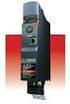 TOSVERT VF-MB1 Functions for lift application The technical information in this manual is provided to explain the principal functions and applications of the product, but not to grant you a license to
Product Description Full Voltage Starting Electric Fire Pump Controllers FTA1000
 Product Description Full Voltage Starting Electric Fire Pump Controllers FTA1000 Description Firetrol FTA1000 Full Voltage Fire Pump Controllers are intended for use with electric motor driven fi re pumps
Apéndice E Listado de constantes
 Listado de constantes Operation U1 Monitor U1--01 Frequency Ref Hz -- -- Q Q Q Q U1--02 Output freq Hz -- -- Q Q Q Q U1--03 Output current A -- -- Q Q Q Q U1--04 Control Method -- -- -- Q Q Q Q U1--05
Installation and Operating Instructions. AC Variable Speed Drive 0.75kW - 160kW 200-480 Volt 1 & 3 Phase
 Installation and Operating Instructions AC Variable Speed Drive 0.75kW - 160kW 200-480 Volt 1 & 3 Phase Easy Start Up Guide: QD:HVAC IP55 Mechanical Mounting Information can be found on page 12 HVAC Display
YASKAWA AC Drive A1000
 YASKAWA AC Drive A1000 Crane Software Application Manual Software No. VSA90507X Type: CIMR-AC Models: 200 V Class: 0.4 to 110 kw (1.2 to 160 kva) 400 V Class: 0.4 to 300 kw (1.4 to 460 kva) To properly
MILLENIUM INSTALLATION MANUAL NTR 735 A. Simple Automation Control Module (MAS)
 MILLENIUM Table of contents 1. INTRODUCTION 1 2. HARDWARE DESCRIPTION 2 3. INSTALLATION 5 4. CONNECTION 6 5. USER SAFETY AND PROTECTION OF EQUIPMENT 8 1. Introduction The MILLENIUM series has been designed