
Exterior features. Rear parking sensors. Personalisation kits. puncture repair kit. Guide-me-home lighting
|
|
|
- Theodora Griffith
- 10 years ago
- Views:
Transcription
1
2 Exterior features Personalisation kits These self-adhesive decals form part of a range of kits, very different one from another, which allow you to create a unique and attractive exterior for your vehicle. Rear parking sensors This system provides a warning when reversing by detecting obstacles located behind the vehicle. 19 Guide-me-home lighting After switching off the ignition, under low lighting conditions the headlamps remain on for a few seconds to help you leave the vehicle. puncture repair kit plete system consisting of a compressor and integral sealant product, to allow the temporary repair of a tyre

3 Familiarisation Open Remote control key Fuel tank Bonnet A. Unfolding/Folding the key. B. Unlocking the vehicle. 1. Opening the fuel filler flap.. Opening and hooking the fuel filler cap. 80 Other functions... C. Normal locking of the vehicle Vehicle location. Tank capacity: - approximately 50 litres (petrol), - approximately 48 litres (Diesel). 9 A. Interior release lever. B. Exterior safety catch. C. Bonnet stay. 161

4 Interior features Gear change indicator Associated with the manual gearbox, this system suggests when to change up to obtain optimum fuel consumption. Scented air freshener The scented air freshener diffuses the selected fragrance throughout the passenger compartment from its location in the ventilation system. 69 Digital air conditioning After setting the desired level of comfort, the system then automatically controls this level according to the exterior climatic conditions Interior mood lighting This subdued passenger compartment lighting improves visibilty inside the vehicle in low lighting conditions. It comprises several lamps, located in the footwells and in the lower dashboard storage compartment. 107 Audio and communication systems These systems benefit from the latest technology: MP3 compatible Audio system, Bluetooth system and USB Box, MyWay with 16/9 colour screen, auxiliary inputs, Hi-Fi audio system. MyWay 17 Audio system 45

5 11 Familiarisation Instruments and controls 1. Cruise control/speed limiter controls.. Headlamp height adjustment. 3. Steering wheel adjustment. 4. Lighting and direction indicator stalk 5. Instrument panel. 6. Driver's airbag. Horn. 7. Gear lever V accessory socket USB port/auxiliary socket. 9. Heated seat control. 10. Bonnet release lever. 11. Door mirror controls. Electric window controls. 1. Fusebox. 13. Electronic stability programme button (ESP/ASR). 14. Front door window demisting/defrosting vent. 15. Speaker (tweeter). 16. Windscreen demisting/defrosting vent.

6 Instruments and controls 1. Steering lock and ignition.. Audio equipment steering wheel controls. 3. Wipers/wash-wipe/trip computer stalk. 4. Scented air freshener. 5. Central locking button. 6. Multifunction screen. 7. Hazard warning lamp switch. 8. Central adjustable air vents. 9. Sunshine sensor Hi-Fi audio system central speaker. 10. Passenger's airbag. 11. Side adjustable air vent. 1. Glove box/passenger airbag deactivation. 13. Parking brake. 14. Central armrest with storage. 15. Upper and lower storage. 16. MyWay or Audio system. 17. Heating/air conditioning controls.

7 13 Familiarisation Sitting comfortably Front seats 1. Forwards-backwards adjustment.. Height adjustment. 3. Seat back angle adjustment. 71

8 Sitting comfortably Other adjustments Steering wheel adjustment 4. Head restraint height adjustment Unlock the adjustment mechanism.. Adjust for height and reach. 3. Lock the adjustment mechanism. Other functions... Access to rear seats. Heated seats. For reasons of safety, these operations must only be carried out with the vehicle stationary. 75

9 15 Familiarisation Sitting comfortably Door mirrors Rear view mirror Front seat belts Adjustment A. Selecting the door mirror. B. Adjusting the position of the door mirror. C. De-selecting the door mirror. 76 Other functions... Folding/Unfolding. Manual day/night type 1. Selecting the "day" position of the rear view mirror.. Rear view mirror orientation. 77 Automatic day/night type 1. Automatic detection of day/night mode.. Rear view mirror orientation. A. Fitting the belt. B. Fastening. C. Check that the belt is correctly fastened by pulling on the belt webbing

10 Seeing clearly Lighting Wipers Ring A Ring B Lighting off. Automatic illumination of headlamps. Sidelamps. Dipped/main beam headlamps. Front and rear foglamps. 96 Control stalk A: windscreen wipers. Fast wipe. 1. Normal wipe. Int. Intermittent wipe. 0. Park. AUTO Automatic wiping or single wipe. Wash-wipe: pull the stalk towards you. 10 Switching on "AUTO" mode Push the stalk downwards and release it. Switching off "AUTO" mode Push the stalk upwards and return it to position "0". 104 Ring B: rear wiper 103 Park. Intermittent wipe. Wash-wipe.

11 17 Familiarisation Ventilation Advice on interior settings Heating or Manual air conditioning I require... Air distribution Air flow Air recirculation/ Exterior air intake Temperature Manual A/C HEAT COOL DEMISTING DEFROSTING Digital air conditioning: use of the fully automatic mode by pressing the "AUTO" button is preferable.

12 Monitoring Instrument panel Warning lamps Switch panel On switching on, the dial needles go to the extent of their travel then return to 0. A. With the ignition on, the fuel gauge bars for the fuel remaining should light up. B. With the engine running, the associated low level warning lamp should switch off. C. With the ignition on, the oil level indicator should display "OIL OK" for a few seconds. If the levels are not correct, top up the level which is low. 1. With the ignition on, the orange and red warning lamps come on.. With the engine running, these warning lamps should switch off. If a warning lamp remains on, refer to the page concerned. 6 Lighting of the indicator lamp indicates deactivation of the ESP/ASR system

13 Familiarisation Passenger safety Front passenger's airbag Front seat belts and passenger's front airbag Personalise your vehicle Using expressive stickers 1. Open the glove box.. Insert the key. 3. Select position: "ON" (activation), with front passenger or "forwards facing" child seat, "OFF" (deactivation), with "rear facing" child seat. 4. Remove the key keeping the switch in the new position. 137 A. Front seat belts not fastened or unfastened warning lamp. 133 B. Front passenger's airbag deactivation indicator lamp. C. Front passenger's airbag activation indicator lamp. 138 These styling stickers are treated to give good resistance to ageing and tearing. They have been designed to allow you to personalise your vehicle's bodywork. Available also as accessories, we recommend that you have them fitted by a CITROËN dealer. When using a high pressure jet wash, keep the end of the lance at least 30 centimetres from the stickers

14 Driving safely Speed limiter "LIMIT" Cruise control "CRUISE" Display in the instrument panel 1. Selecting/Switching off speed limiter mode.. Decrease the programmed value. 3. Increase the programmed value. 4. Speed limiter on/off. The values must be set with the engine running Selecting/Switching off cruise control mode.. Decrease the programmed value. 3. Increase the programmed value. 4. Cruise control Off/Resume. In order to be programmed or activated, the vehicle speed must be higher than 5 mph (40 km/h), with at least fourth gear engaged on a manual gearbox (second gear on an automatic gearbox). The cruise control or speed limiter mode appears on the instrument panel when it is selected. Cruise control 153 Speed limiter

15 Petrol - Diesel instrument panels, manual or automatic gearbox Provided with permanent back-lighting, the instrument panel groups together the vehicle's dials and indicator and warning lamps. Dials 1. Rev counter. Indicates the speed of rotation of the engine (x rpm).. Vehicle speed. Indicates the current speed of the moving vehicle (km/h or mph). 3. Engine coolant temperature. Indicates the temperature of the engine coolant liquid ( Celsius). 4. Display screen. 5. Fuel level. Indicates the quantity of fuel remaining in the tank. 6. Display management button Alternates display between range and trip mileage recorder. Servicing information. Resets the selected function to zero (trip distance recorder or service indicator). 7. Lighting rheostat button. Adjusts the level of the instrument and controls illumination and the interior mood lighting. For more information, refer to the paragraph relating to the button or function and its associated display.

16 5 Instruments and controls Screen A. Speed limiter (mph or km/h) or Cruise control. B. Gear change indicator. C. Automatic gearbox information. D. Range (miles or km) or Trip mileage recorder. E. Service indicator (miles or km), then Total mileage recorder These two functions are displayed successively when switching on the ignition F. Engine oil level indicator Appears a few seconds after switching on the ignition, then disappears.

17 Indicator and warning lamps Visual indicators informing the driver that a system is in operation (operation or deactivation indicator lamps) or of the occurrence of a fault (warning lamp). When the ignition is switched on Certain warning lamps come on for a few seconds when the vehicle's ignition is switched on. When the engine is started, these same warning lamps should switch off. If they remain on, before moving off, refer to the information on the warning lamp concerned. The passenger airbag system operation lamp stays on for about a minute after switching on the ignition, even after the engine has started. Associated warnings The switching on of certain warning lamps may be accompanied by an audible signal and a message on the multifunction screen. The warning lamps may come on continuously (fixed) or flash. Certain warning lamps may come on in two different modes. Only by relating the type of lighting to the operating status of the vehicle can it be ascertained whether the situation is normal or whether a fault has occurred.

18 7 Instruments and controls Operation indicator lamps If one of the following indicator lamps comes on, this confirms that the corresponding system has come into operation. Warning lamp is on Cause Action/Observations Left-hand direction indicator flashing with buzzer. The lighting stalk is pushed down. Right-hand direction indicator flashing with buzzer. The lighting stalk is pushed up. Sidelamps fixed. The lighting stalk is in the "Sidelamps" position. Turn the control to the desired position. Dipped beam headlamps fixed. The lighting stalk is in the "Dipped beam headlamps" position. Turn the control to the desired position. Main beam headlamps fixed. The lighting stalk is pulled towards you. Pull the stalk to return to dipped beam headlamps. Front foglamps fixed. The front foglamps are switched on. Turn the ring on the stalk rearwards twice to switch off the front foglamps. Rear foglamps fixed. The rear foglamps are switched on. Turn the ring on the stalk rearwards to switch off the rear foglamps.

19 Warning lamp is on Cause Action/Observations Diesel engine pre-heating fixed. The ignition switch is at the nd position (ignition on). Wait until the warning lamp has switched off before starting. The duration for which the warning lamp is on is determined by the climatic conditions. Parking brake fixed. The parking brake is applied or not properly released. Release the parking brake to switch off the warning lamp, keeping your foot on the brake pedal. Observe the safety recommendations. For further information on the parking brake, refer to the "Driving" section. Engine coolant temperature fixed blue. On starting the engine, it indicates that the engine is cold. After a few minutes driving, it swiches off to indicate that the engine temperature is normal. In order to protect your engine, avoid driving too hard until the warning lamp has switched off. Passenger's airbag system fixed. The control switch, located in the glove box, is in the "ON " position. The passenger's front airbag is activated. In this case, do not install a rear-facing child seat. Turn the control switch to the " OFF " position to deactivate the front passenger's airbag. In this case you can install a rear-facing child seat. The passenger's airbag system is automatically put into service on starting the vehicle ("ON " position). Foot on the brake pedal fixed. With an automatic gearbox, you have forgotten to press the brake pedal to come out of the P postion. With the engine running, before releasing the parking brake you must press the brake pedal to unlock the the automatic gear selector lever and come out of the P position. Automatic wiping fixed. The wiper control is pushed downwards. Automatic front wiping is activated.

20 9 Instruments and controls Deactivation indicator lamps If one of the following indicator lamps comes on, this confirms that the corresponding system has been switched off intentionally. This is accompanied by an audible signal and a message on the multifunction screen. Warning lamp is on Cause Action/Observations Passenger's airbag system fixed. The control, located in the glove box, is set to the OFF position. The passenger's front airbag is deactivated. In this case you can install a "rear facing" child seat. Set the control to the ON position to activate the passenger's front airbag. In this case, do not fit a child seat in the rear-facing position. The passenger's airbag system is put into service automatically when the vehicle is started ( ON position). ESP/ASR fixed. The button, located at the bottom left of the dashboard, is pressed. Its indicator lamp is on. The ESP/ASR is deactivated. ESP: electronic stability programme. ASR: anti-skid regulation. Press the button again to manually reactivate the ESP/ASR. Its indicator lamp switches off. From approximately 30 mph (50 km/h), the system is reactivated automatically (except for the 1.6 litre THP 150 engine). The ESP/ASR system is activated automatically when the vehicle is started.

21 Warning lamps When the engine is running or the vehicle is being driven, the switching on of one of the following warning lamps indicates a fault which requires action on the part of the driver. Any fault resulting in the switching on of a warning lamp must be investigated further by reading the associated message on the multifunction screen. If you encounter any problems, do not hesitate to contact a CITROËN dealer. Warning lamp is on Cause Action/Observations STOP fixed, associated with another warning lamp and accompanied by an audible signal. It is associated with the braking system or the engine coolant temperature. Stop as soon as it is safe to do so. Park, switch off the ignition and call a CITROËN dealer. Service temporarily. A minor fault has occurred for which there is no specific warning lamp. Identify the fault by reading the message shown on the screen, such as, for example: - the engine oil level, - the screenwash level, - the remote control battery, - saturation of the particle emission filter (Diesel). For any other faults, contact a CITROËN dealer. fixed. A major fault has occurred for which there is no specific warning lamp. Identify the fault by reading the message shown on the screen and contact a CITROËN dealer.
22 31 Instruments and controls Warning lamp is on Cause Action/Observations + Braking fixed. The braking system fluid level has dropped significantly. fixed, associated with the ABS warning lamp. The electronic brake force distribution (EBFD) system has a fault. Top up with brake fluid recommended by CITROËN. If the problem persists, have the system checked by a CITROËN dealer. Have it checked by a CITROËN dealer. Anti-lock Braking System (ABS) fixed. The anti-lock braking system has a fault. The vehicle retains conventional braking. Drive carefully at reduced speed and contact a CITROËN dealer without delay. Dynamic stability control (ESP/ASR) flashing. The ESP/ASR regulation is active. The system optimises traction and improves the directional stability of the vehicle. fixed. Unless it has been deactivated with the indicator lamp on the button on, the ESP/ASR system is faulty. Have it checked by a CITROËN dealer.
23 Warning lamp is on Cause Action/Observations Engine autodiagnosis system fixed. The emission control system has a fault. flashing. The engine management system has a fault. This lamp should switch off when the engine is started. If it does not switch off, contact a CITROËN dealer urgently. Risk of destruction of the catalytic convertor. Have it checked by a CITROËN dealer. Low fuel level fixed. When it first comes on there remains approximately 5 litres of fuel in the tank. You must refuel as soon as possible to avoid running out of fuel. This warning lamp will come on every time the ignition is switched on, until a sufficient addition of fuel is made. Fuel tank capacity: approximately 50 litres (petrol) or 48 litres (Diesel). Never continue to drive until you run out of fuel as this could damage the emission control and injection systems. Maximum coolant temperature fixed red. The temperature of the cooling system is too high. Stop as soon as it is safe to do so. Wait until the engine has cooled down before topping up the level, if necessary. If the problem persists, contact a CITROËN dealer.
24 33 Instruments and controls Warning lamp is on Cause Action/Observations Engine oil pressure fixed. There is a fault with the engine lubrication system. Stop as soon it is safe to do so. Park, switch off the ignition and contact a CITROËN dealer. Battery charge fixed. The battery charging circuit has a fault (dirty or loose terminals, slack or cut alternator belt,...). This lamp should switch off when the engine is started. If it does not switch off, contact a CITROËN dealer. fixed if the speed is below 6 mph (10 km/h). Door(s) open fixed and accompanied by an audible signal if the speed is above 6 mph (10 km/h). A door or the boot is still open. Close the door or boot.
25 Warning lamp is on Cause Action/Observations Airbags temporarily. This lamp comes on for a few seconds when you turn on the ignition, then switches off. fixed. One of the airbag or seat belt pretensioner systems has a fault. This lamp should switch off when the engine is started. If it does not switch off, contact a CITROËN dealer. Have it checked by a CITROËN dealer. Seat belt not fastened/ unfastened fixed then flashing accompanied by an increasing audible signal. The driver and/or the front passenger has not fastened or has unfastened their seat belt. Pull the strap then insert the tongue in the buckle. Power steering fixed. The power steering has a fault. Drive carefully at reducd speed. Have it checked by a CITROËN dealer.
26 35 Instruments and controls Coolant temperature indicator With the engine running, when the needle is: - in zone A, the temperature is correct, - in zone B, the temperature is too high; the central STOP warning lamp and the maximum temperature warning lamp 1 light up in red, accompanied by an audible signal and a message on the multifunction screen. You must stop as soon as it is safe to do so. Wait a few minutes before switching off the engine. Consult a CITROËN dealer. After driving for a few minutes, the temperature and pressure in the cooling system increase. To top up the level: wait for the engine to cool down, unscrew the cap by two turns to allow the pressure to drop, when the pressure has dropped, remove the cap, top up the level to the "MAX" mark.
27 Service indicator System which informs the driver when the next service is due, in accordance with the manufacturer's servicing schedule. The point at which the service is due is calculated from the last indicator zero reset. It is determined by two parameters: - the distance travelled, - the time elapsed since the last service. More than 600 miles (1 000 km) remain before the next service is due For 5 seconds after the ignition is switched on, the spanner symbolising the service operations comes on. The distance recorder display line indicates the distance remaining before the next service is due. Example: km remain before the next service is due. For 5 seconds after the ignition is switched on, the display indicates: 5 seconds after the ignition is switched on, the spanner is switched off; f the distance recorder resumes its normal operation. The display then indicates the total and trip distances. Less than 600 miles (1 000 km) remain before the next service is due Example: 400 miles (900 km) remain before the next service is due. For 5 seconds after the ignition is switched on, the display indicates: 5 seconds after the ignition is switched on, the distance recorder resumes its normal operation. The spanner remains on to indicate that a service must be carried out soon.
28 37 Instruments and controls Service overdue For 5 seconds after the ignition is switched on, the spanner flashes to indicate that the service must be carried out as soon as possible. Example: the service is overdue by 300 km. For 5 seconds after the ignition is switched on, the display indicates: 5 seconds after the ignition is switched on, the distance recorder resumes its normal operation. The spanner remains lit. The distance remaining may be weighted by the time factor, depending on the driver's driving habits. Therefore, the spanner may also come on if you have exceeded the two year service interval. Service indicator zero reset After each service, the service indicator must be reset to zero. The procedure for resetting to zero is as follows: switch off the ignition, press and hold the trip distance recorder zero reset button, switch on the ignition; the distance recorder display begins a countdown, when the display indicates "=0", release the button; the spanner disappears. Following this operation, if you wish to disconnect the battery, lock the vehicle and wait at least five minutes for the zero reset to be taken into account. Retrieving the service information You can access the service information at any time. Press the trip distance recorder zero reset button. The service information is displayed for a few seconds, then disappears.
29 Engine oil level indicator System which informs the driver whether the engine oil level is correct or not. This information is indicated for a few seconds when the ignition is switched on, after the service information. The level read will only be correct if the vehicle is on level ground and the engine has been off for more than 15 minutes. Oil level correct Lack of oil This is indicated by the flashing of "OIL", linked with the service warning lamp, accompanied by an audible signal and a message on the multifunction screen. If the lack of oil is confirmed by a check using the dipstick, it is essential that the level is topped up to prevent damage to the engine. Oil level indicator fault This is indicated by the flashing of "OIL--". Consult a CITROËN dealer. Dipstick Refer to the "Checks" section to locate the dipstick and the oil filler cap on your engine. There are marks on the dipstick: - A = max; never exceed this level (risk of damage to the engine), - B = min; top up the level via the oil filler cap, using the grade of oil suited to your engine.
30 Instruments and controls Total distance recorder Trip distance recorder Lighting rheostat System which measures the total distance travelled by the vehicle during its life. The total and trip distances are displayed for thirty seconds when the ignition is switched off, when the driver's door is opened and when the vehicle is locked or unlocked. System which measures a distance travelled during a day or other period until it is reset to zero by the driver. With the ignition on, press the button until zeros appear. System for manual adjustment of the brightness of the instruments and controls in relation to the exterior brightness. Activation When the lighting is on: press the button to change the brightness of the instruments and controls, when the level of brightness required is reached, release the button. Deactivation When the lighting is off, or in day mode on vehicles fitted with LED lamps, pressing the button does not have any effect.
31 Black panel System allowing certain displays to be switched off for night driving. The instrument panel remains lit with only the vehicle speed and cruise control or speed limiter information, if in use. If there is an alert or a change in a function or to a setting, the black panel mode is interrupted. Activation With the lighting on, press the left hand button of the instrument panel several times to progressively reduce the dashboard lighting level. Press the button again to reduce the lighting to the minimum level and switch off the ambience lighting. Press the button again to activate the black panel.
32 41 Instruments and controls Trip computer System which provides current information concerning the trip travelled (range, fuel consumption...). Monochrome screen A The trip computer provides the following information: - range, - current fuel consumption, Data displays Press the button, located at the end of the wiper stalk, to display the various items of trip computer data in succession. - distance travelled, - average fuel consumption, - average speed. Zero reset Press the control for more than two seconds to reset to zero the distance travelled, the average fuel consumption and the average speed. The next press then returns you to the normal display.
33 Trip computer System which provides current information concerning the route travelled (range, consumption ). Monochrome screen C - the current information tab with: consumption, be travelled. Data displays Press the button, located at the end of the wiper stalk, to display the various trip computer tabs in succession: - the trip "1" tab with: consumption, first route. - the trip "" tab with: consumption, second route. Pressing the button again returns you to the normal display. Trip zero reset When the route required is displayed, press the control for more than two seconds. Trips "1" and "" are independent but their use is identical. Trip "1" permits, for example, daily calculations, and trip "" monthly calculations.
34 43 Instruments and controls A few definitions Range (miles or km) This indicates the distance which can still be travelled with the fuel remaining in the tank in relation to the average fuel consumption over the last few miles (kilometres) travelled. This value may vary following a change in the style of driving or the relief, resulting in a significant change in the current fuel consumption. When the range falls below 0 miles (30 km), dashes are displayed. After filling with at least 5 litres of fuel, the range is recalculated and is displayed when it exceeds 60 miles (100 km). If dashes are displayed continuously while driving in place of the digits, contact a CITROËN dealer. Current fuel consumption (mpg or l/100 km or km/l) This is the average fuel consumption during the last few seconds. This function is only displayed from 0 mph (30 km/h). Average fuel consumption (mpg or l/100 km or km/l) This is the average fuel consumption since the last trip computer zero reset. Distance travelled (miles or km) This indicates the distance travelled since the last trip computer zero reset. Average speed (mph or km/h) This is the average speed calculated since the last trip computer zero reset (ignition on). Distance remaining to destination (miles or km) This is the distance remaining to be travelled to the final destination. It can be entered by the user. If the distance is not entered, dashes are displayed in place of the digits.
35 Monochrome screen A Displays on the screen Controls General menu This displays the following information: - time, - date, - ambient temperature (this flashes if there is a risk of ice), - status of the doors and boot, - audio sources (radio, CD...), - trip computer (refer to the "Instruments and Controls" section). Warning messages (e.g.: "Emission control system faulty") or information messages (e.g.: "Boot open") may appear temporarily. These can be cleared by pressing the "ESC" button. From the control panel of your Audio system, you can: press the "MENU" button to gain access to the general menu, press the " " or " " buttons to scroll through the items on the screen, press the "MODE" button to change the permanent application (date, audio source...), press the " " or " " buttons to change a setting value, press the "OK" button to confirm, or press the "ESC" button to abandon the operation in progress. Press the "MENU" button to gain access to the general menu, then press the " " or " " buttons to scroll through the various menus: - radio-cd, - vehicle configuration, - options, - display settings, - languages, - units. Press the "OK" button to select the menu required.
36 47 Multifuntion screens Radio-CD With the Audio system switched on, once the "Radio-CD" menu has been selected you can activate or deactivate the functions linked with use of the radio (RDS, REG), or the CD (introscan, shuffle, CD repeat). For further details concerning the "Radio-CD" application, refer to the Audio system part of the "Audio and Telematics" section. Once the "Vehicle Configuration" menu has been selected, you can activate or deactivate the following equipment: - wiper linked with reverse gear (refer to the "Visibility" section), - "guide-me-home" lighting (refer to the "Visibility" section), - parking assistance (refer to the "Driving" section). Options Once the "Options" menu has been selected, you can start diagnostics of the status of the equipment (active, not active, faulty).
37 Display settings Once the "Display settings" menu has been selected, you can gain access to the following settings: - year, - month, - day, - hour, - minutes, - 1 or 4 hour mode. For safety reasons, configuration by the driver of the multifunction screen must only be done when stationary. Once you have selected a setting, press the " " or " " buttons to change its value. Press the " " or " " buttons to switch respectively to the previous or next setting. Press the "OK" button to save the change and return to the normal display or press the "ESC" button to cancel. Languages Once the "Languages" menu has been selected, you can change the language used by the display (Français, Italiano, Nederlands, Portugues, Portugues-Brasil, Deutsch, English, Espanol). Units Once the "Units" menu has been selected, you can change the units of the following parameters: - temperature ( C or F), - fuel consumption (l/100 km, mpg or km/l). Once the fuel consumption units have been set to mpg, the information in the instrument panel screen on speed and distance will also be in mph and miles.
38 49 Multifuntion screens Monochrome screen C Displays on the screen Controls General menu This displays the following information: - time, - date, - ambient temperature (this flashes if there is a risk of ice), - status of doors and boot, - audio sources (radio, CD, USB port, jack socket etc.), - trip computer (refer to the "Instruments and controls" section). Warning messages (E.g. "Emisions control system faulty") or information messages (E.g.: Automatic headlamps active") may appear temporarily. These can be cleared by pressing the "ESC" button. From your Audio system control panel, you can: press the "MENU" button to gain access to the general menu, press the " " or " " buttons to scroll through the items on the screen, press the "MODE" button to change the permanent application (trip computer, audio source...), press the " " or " " buttons to change a setting value, press the "OK" button to confirm, or press the "ESC" button to abandon the operation in progress. Press the "MENU" button to gain access to the general menu : - audio functions, - the trip computer, - personalisation-configuration, - telephone (hands-free kit). Press the " " or " " buttons to select the menu required, then confirm by pressing the "OK" button.
39 "Audio functions" menu "Trip computer" menu With the Audio system switched on, once this menu has been selected you can activate or deactivate the functions linked with use of the radio (RDS, REG, RadioText), the CD (introscan, shuffle, CD repeat) or the MP3 player (USB port/jack socket). For further details on the "Audio functions" application, refer to the Audio system part of the "Audio and Telematics" section. Once this menu has been selected, you can consult information concerning the status of the vehicle (warnings log, status of functions, etc.). Alert log This summarises the active warning messages, displaying them in succession on the multifunction screen. Press the "MENU" button to gain access to the general menu. Press the arrows, then the "OK" button to select the "Trip computer " menu. Status of functions This summarises the status (active or inactive) of the vehicle's functions. In the "Trip computer" menu, select one of the following applications: Enter distance to destination This allows you to enter an approximate distance until your final destination.
40 51 Multifuntion screens "Personalisation- Configuration" menu Example: setting of the duration of the "guideme-home" lighting Press the " " or "" buttons, then the "OK" button to select the menu required. Once this menu has been selected, you can gain access to the following functions: - define the vehicle parameters, - display configuration, - choice of language. Press the " " or " " buttons, then the "OK" button to select the "OK" box and confirm or press the "ESC" button to cancel. Once this menu has been selected, you can activate or deactivate the following equipment: - wiper linked to reverse gear (refer to the "Visibility" section), - "guide-me-home" lighting - parking assistance (refer to the "Driving" section). Press the " " or "" buttons, then the "OK" button to select the "Guide-me-home headlamps" line. Press the " " or " " buttons to set the value required (15, 30 or 60 seconds), then press the "OK" button to confirm.
41 Once this menu has been selected, you can gain access to the following settings: - brightness-video setting, - date and time setting, - selection of units. Once the fuel consumption units have been changed to mpg, the information in the screen relating to speed and distance also changes to mph and miles respectively. Choice of language Once this menu has been selected, you can change the language used by the display (Deutsch, English, Espanol, Français, Italiano, Nederlands, Portugues, Portugues-Brasil, Türkçe * ). For safety reasons, configuration by the driver of the multifunction screen must only be done when stationary. "Telephone" Menu With Audio system on, once this menu is selected you can configure your Bluetooth hands-free kit (pairing), view the various telephone directories (list of calls, services...) and manage your calls (call, hang up, second call, secret mode...). For more details on the "Telephone" function, refer to the Audio system part of the "Audio and telematics" section. * According to country of destination.
42 53 Multifuntion screens 16/9 colour screen (MyWay) Displays on the screen Controls It displays the following information automatically and directly: - time, - date, - altitude, - ambient temperature (the value displayed flashes if there is a risk of ice), - check of the doors, - warning and vehicle function status messages, displayed temporarily, - audio functions, - satellite navigation system information. MyWay To select one of the applications, at the control panel: press the dedicated "RADIO", "MUSIC", "NAV", "TRAFFIC", "SETUP" or "PHONE" button for access to the corresponding menu, turn the dial to change the selection, press the dial to confirm the selection, or press the "ESC" button to abandon the current operation and return to the previous display. For further information on these applications, refer to the "Audio and Telematics" section or to the specific user guide given to you with the other owner's documents.
43 "SETUP" menu Press the "SETUP" button to gain access to the "SETUP" menu. This allows you to select from the following functions: - "System language", - "Date and time", - "Display", - "Vehicle", - "Units", - "System". System language This menu allows you to select the language used by the display: Deutsch, English, Espanol, Français, Italiano, Nederlands, Polski, Portugues, Türkçe *. Date and time This menu allows you to set the date and time, the format of the date and the format of the time (refer to the "Audio and Telematics" section or to the specific user guide given to you with the other owner's documents). Display This menu allows you to set the brightness of the screen, the screen colour scheme and the colour of the map (day/night or auto mode). Vehicle This menu allows you to activate or deactivate certain driving and comfort equipment: - wiper linked with reverse gear (refer to the "Visibility" section), - guide-me-home lighting and duration (refer to the "Visibility" section), - parking assistance (refer to the "Driving" section). Units This menu allows you to select the units: temperature ( C or F) and fuel consumption (km/l, l/100 or mpg). System This menu allows you to restore the factory configuration, display the software version and activate scrolling text. For safety reasons, configuration of the multifunction screen by the driver must only be done when stationary. * According to country.
44 Ventilation Air intake The air circulating in the passenger compartment is filtered and originates either from the outside via the grille located at the base of the windscreen or from the inside in air recirculation mode. Air treatment The incoming air follows various routes depending on the controls selected by the driver: - direct arrival in the passenger compartment (air intake), - passage through a heating circuit (heating), - passage through a cooling circuit (air conditioning). The temperature control enables you to obtain the level of comfort required by mixing the air of the various circuits. The air distribution control enables you to diffuse the air in the passenger compartment combining several air vents. The air flow control enables you to increase or reduce the speed of the ventilation blower. Control panel The controls of this system are grouped together on control panel A on the centre console. Depending on the model, the functions offered are: - the level of comfort required, - air flow, - air distribution, - demisting-defrosting, - manual or digital air conditioning controls. Air distribution 1. Windscreen demisting-defrosting vents.. Front side window demisting-defrosting vents. 3. Side adjustable air vents. 4. Central adjustable air vents. 5. Air outlets to the front footwells. 6. Air outlets to the rear footwells.
45 59 Comfort Recommendations for ventilation and air conditioning In order for these systems to be fully effective, follow the operation and maintenance guidelines below: To obtain an even air distribution, take care not to obstruct the exterior air intake grilles located at the base of the windscreen, the nozzles, the vents and the air outlets, as well as the air extractor located in the boot. Do not cover the sunshine sensor, located on the dashboard; this is used for regulation of the air conditioning system. Operate the air conditioning system for at least 5 to 10 minutes, once or twice a month to keep it in perfect working order. Ensure that the passenger compartment filter is in good condition and have the filter elements replaced regularly (refer to the "Checks" section). We recommend the use of a combined passenger compartment filter. Thanks to its special active additive, it contributes to the purification of the air breathed by the occupants and the cleanliness of the passenger compartment (reduction of allergic symptoms, bad odours and greasy deposits). To guarantee correct operation of the air conditioning system, you are also advised to have it checked regularly as recommended in the Maintenance and Warranty Guide. If the system does not produce cold air, deactivate it and contact a CITROËN dealer. When towing the maximum load on a steep gradient in high temperatures, switching off the air conditioning increases the available engine power and so improves the towing ability. If after an extended stop in sunshine, the interior temperature is very high, first ventilate the cabin for a few moments. Put the air flow control at a setting high enough to quickly change the air in the passenger compartment. The air conditioning system does not contain chlorine and does not present any danger to the ozone layer. The condensation created by the air conditioning results in a discharge of water under the vehicle which is perfectly normal.
46 Heating/Ventilation Manual control panel Electric control panel
47 1. Temperature adjustment Turn the dial from blue (cold) to red (hot) to adjust the temperature to your requirements. Turn the dial from position 1 to position 5 to obtain a comfortable air flow. If you place the air flow control in position 0 (deactivation of the system), the temperature is no longer maintained at a comfortable level. However, a slight flow of air, due to the movement of the vehicle, can still be felt. 3. Air distribution adjustment Windscreen and side windows. Windscreen, side windows and footwells. Footwells. Central and side vents. The air distribution can be adapted by placing the dial in an intermediate position. 4. Air intake/air recirculation The intake of exterior air avoids the formation of mist on the windscreen and side windows. The recirculation of interior air insulates the passenger compartment from exterior odours and smoke. Return to exterior air intake as soon as possible to prevent deterioration of the air quality and the formation of mist. Manual control panel Press the button to recirculate the interior air. The indicator lamp comes on to confirm this. Press the button again to permit the intake of exterior air. The indicator lamp switches off to confirm this.
48 Comfort Electric control panel Press the button to recirculate the interior air. This is confirmed by lighting of the indicator lamp. Press the button again to allow fresh air into the passenger compartment. This is confirmed by the indicator lamp switching off. 5. Air conditioning On/Off The air conditioning is designed to operate effectively in all seasons, with the windows closed. It enables you to: - lower the temperature, in summer, - increase the effectiveness of the demisting in winter, above 3 C. Press the "A/C" button, the associated green indicator lamp comes on. is in position "0". Press the "A/C" button again, the associated green indicator lamp switches off.
49 Front demist - defrost These markings on the control panel indicate the control positions for rapid demisting or defrosting of the windscreen and side windows. system Put the temperature and air flow controls to the dedicated marked position. Put the air intake control to the "Exterior air intake" position (manual control to the right or electric control with indicator lamp off). Put the air distribution control to the "Windscreen" position. conditioning system Put the temperature and air flow controls to the dedicated marked position. Put the air intake control to the "Exterior air intake" position (manual control to the right or electric control with indicator lamp off). Put the air distribution control to the "Windscreen" position. Switch on the air conditioning by pressing the "A/C" button; the associated green warning lamp comes on.
50 65 Comfort Rear screen demist - defrost The control button is located on the heating or air conditioning system control panel. The rear screen demisting/defrosting can only operate when the engine is running. Press this button to demist/defrost the rear screen and (depending on version) the door mirrors. The indicator lamp associated with the button comes on. The demisting/defrosting switches off automatically to prevent an excessive consumption of current. It is possible to stop the demisting/ defrosting operation before it is switched off automatically by pressing the button again. The indicator lamp associated with the button switches off. If the engine is switched off before the demisting/defrosting is switched off automatically, demisting/defrosting will resume next time the engine is switched on. Switch off the demisting/defrosting of the rear screen and door mirrors as soon as appropriate as lower current consumption results in reduced fuel consumption.
51 Manual air conditioning Manual control panel Electric control panel 61 Comfort
52 1. Temperature adjustment Turn the dial from blue (cold) to red (hot) to adjust the temperature to your requirements. Turn the dial from position 1 to position 5 to obtain a comfortable air flow. If you place the air flow control in position 0 (deactivation of the system), the temperature is no longer maintained at a comfortable level. However, a slight flow of air, due to the movement of the vehicle, can still be felt. 3. Air distribution adjustment Windscreen and side windows. Windscreen, side windows and footwells. Footwells. Central and side vents. The air distribution can be adapted by placing the dial in an intermediate position. 4. Air intake/air recirculation The intake of exterior air avoids the formation of mist on the windscreen and side windows. The recirculation of interior air insulates the passenger compartment from exterior odours and smoke. Return to exterior air intake as soon as possible to prevent deterioration of the air quality and the formation of mist. Manual control panel Press the button to recirculate the interior air. The indicator lamp comes on to confirm this. Press the button again to permit the intake of exterior air. The indicator lamp switches off to confirm this.
53 Comfort Electric control panel Press the button to recirculate the interior air. This is confirmed by lighting of the indicator lamp. Press the button again to allow fresh air into the passenger compartment. This is confirmed by the indicator lamp switching off. 5. Air conditioning On/Off The air conditioning is designed to operate effectively in all seasons, with the windows closed. It enables you to: - lower the temperature, in summer, - increase the effectiveness of the demisting in winter, above 3 C. Press the "A/C" button, the associated green indicator lamp comes on. is in position "0". Press the "A/C" button again, the associated green indicator lamp switches off.
54 Front demist - defrost These markings on the control panel indicate the control positions for rapid demisting or defrosting of the windscreen and side windows. system Put the temperature and air flow controls to the dedicated marked position. Put the air intake control to the "Exterior air intake" position (manual control to the right or electric control with indicator lamp off). Put the air distribution control to the "Windscreen" position. conditioning system Put the temperature and air flow controls to the dedicated marked position. Put the air intake control to the "Exterior air intake" position (manual control to the right or electric control with indicator lamp off). Put the air distribution control to the "Windscreen" position. Switch on the air conditioning by pressing the "A/C" button; the associated green warning lamp comes on.
55 65 Comfort Rear screen demist - defrost The control button is located on the heating or air conditioning system control panel. The rear screen demisting/defrosting can only operate when the engine is running. Press this button to demist/defrost the rear screen and (depending on version) the door mirrors. The indicator lamp associated with the button comes on. The demisting/defrosting switches off automatically to prevent an excessive consumption of current. It is possible to stop the demisting/ defrosting operation before it is switched off automatically by pressing the button again. The indicator lamp associated with the button switches off. If the engine is switched off before the demisting/defrosting is switched off automatically, demisting/defrosting will resume next time the engine is switched on. Switch off the demisting/defrosting of the rear screen and door mirrors as soon as appropriate as lower current consumption results in reduced fuel consumption.
56 Front demist - defrost These markings on the control panel indicate the control positions for rapid demisting or defrosting of the windscreen and side windows. system Put the temperature and air flow controls to the dedicated marked position. Put the air intake control to the "Exterior air intake" position (manual control to the right or electric control with indicator lamp off). Put the air distribution control to the "Windscreen" position. conditioning system Put the temperature and air flow controls to the dedicated marked position. Put the air intake control to the "Exterior air intake" position (manual control to the right or electric control with indicator lamp off). Put the air distribution control to the "Windscreen" position. Switch on the air conditioning by pressing the "A/C" button; the associated green warning lamp comes on.
57 65 Comfort Rear screen demist - defrost The control button is located on the heating or air conditioning system control panel. The rear screen demisting/defrosting can only operate when the engine is running. Press this button to demist/defrost the rear screen and (depending on version) the door mirrors. The indicator lamp associated with the button comes on. The demisting/defrosting switches off automatically to prevent an excessive consumption of current. It is possible to stop the demisting/ defrosting operation before it is switched off automatically by pressing the button again. The indicator lamp associated with the button switches off. If the engine is switched off before the demisting/defrosting is switched off automatically, demisting/defrosting will resume next time the engine is switched on. Switch off the demisting/defrosting of the rear screen and door mirrors as soon as appropriate as lower current consumption results in reduced fuel consumption.
58 Digital air conditioning The air conditioning can only operate when the engine is running. Automatic operation For your comfort, when the engine is switched off, the settings are retained until the engine is switched on again. To prevent too great a distribution of cold air when the engine is cold, the air flow will only reach its optimum level gradually. On entering the vehicle, if the interior is very cold or hot, there is no need to change the value displayed in order to reach the required level of comfort. The system corrects the temperature difference automatically and as quickly as possible. 1. Automatic "comfort" programme Press the "AUTO" button. The "AUTO" symbol is displayed. We recommend that you use this mode. It provides optimised automatic control of all of the following functions: passenger compartment temperature, air flow, air distribution and air intake, in accordance with the comfort value that you have chosen. This system is designed to operate effectively in all seasons, with the windows closed.. Temperature adjustment The value indicated on the display corresponds to a level of comfort and not to a temperature in degrees Celsius or Fahrenheit. Press the "" and "" buttons to change this value. A setting around the value 1 enables optimum comfort to be obtained. However, depending on your requirements, a setting between 18 and 4 is usual. programme The automatic comfort programme may not be sufficient for rapid demisting or defrosting of the windscreen and side windows (humidity, several passengers, ice, etc.). In this case, select the automatic visibility programme. The button 3 indicator lamp comes on. The system automatically controls the air conditioning and the flow of air and provides optimum air distribution to the windscreen and side windows. It deactivates air recirculation 5. To exit this programme, press button 3 again or "AUTO"," the indicator lamp on the button is switched off and "AUTO" is displayed.
59 67 Comfort It is possible to adjust one or more functions manually while leaving the other functions in automatic mode. The "AUTO" symbol switches off. To return to automatic mode, press the "AUTO" button. Switching to manual mode may not be suitable (temperature, humidity, odour, condensation) and does not provide optimum comfort. 4. Air conditioning on/off Press this button to switch off the air conditioning. Stopping the air conditioning may cause some problems (humidity, misting). Automatic operation of the air conditioning is resumed when the button is pressed again. The symbol "A/C" is displayed. 5. Air intake/air recirculation Press this button for recirculation of the interior air. The air recirculation symbol 5 is displayed. Air recirculation enables the passenger compartment to be isolated from exterior odours and smoke. Press this button again or press the "AUTO" button to resume automatic management of the intake of air. The air recirculation symbol 5 is switched off. For maximum cooling or heating of the cabin, it is possible to go beyond the minimum 14 or maximum 8 values. Press the blue button until "LO" is displayed or the red button until "HI" is displayed. Avoid prolonged recirculation of interior air (risk of condensation or deterioration of the air quality).
60 Pressing this button several times in succession enables the air flow to be directed in turn towards: - the windscreen and the side windows (demisting or defrosting), - the windscreen, side windows and air vents, - the windscreen, the side windows, the air vents and the footwells, - the windscreen, the side windows and the footwells, - the footwells, - the air vents and the footwells, - the air vents. Press the "full fan" button to increase the air flow. The air flow symbol, the fan, fills progressively according to the value requested. Press the "empty fan" button to decrease the air flow. Press the air flow "empty fan" 7 until the fan symbol disappears. This action switches off all of the functions of the air conditioning system. Thermal comfort is no longer controlled. A slight flow of air resulting from the movement of the vehicle, remains perceptible however. Pressing the air flow "full fan" button 7 or on "AUTO" reactivates the system with the values set before it was switched off. Avoid driving for long periods with the air conditioning switched off (risk of misting and reduction of the air quality in the cabin).
61 Scented air freshener System permitting the diffusion of a fragrance in the passenger compartment in accordance with your requirements, by means of the adjustment dial and the various fragrance cartridges available. Adjustment dial Fragrance cartridge This cartridge can be removed easily. The first time it is used, replace the plug with a real cartridge. You can change it at any time and store it in the sealed case which keeps it closed once it has been opened. You can obtain different fragrance cartridges from CITROËN dealers. Do not discard the original cartridge as this serves as a plug when no fragrance cartridge is in use. In order to preserve the service life of the cartridge, turn the dial fully to the left when you no longer wish to diffuse the fragrance in the passenger compartment. 69 Comfort This dial is located on the dashboard. It allows you to adjust the intensity of diffusion of the fragrance. Turn the dial to the right to permit diffusion of the fragrance. Turn the dial to the left to stop diffusion of the fragrance. Leave the central vents open. The intensity of diffusion of the fragrance may depend on the ventilation or air conditioning settings. As a safety precaution, do not carry out any action on the cartridge while driving. Do not dismantle the cartridges. Do not attempt to refill the fragrance diffuser or the cartridges. Avoid all contact with the skin and eyes. Keep out of reach of children and animals.
62 Press the dial and turn it a quarter of a turn anti-clockwise. Remove the cartridge. Refit its sealing case. Remove the cartridge from the sealing case. Install the cartridge (flower at top left). Press the dial and turn it a quarter of a turn clockwise.
63 Front seats Seat consisting of a seat cushion, a seat back and a head restraint which can all be adjusted to adapt your position for ease of driving and comfort. Manual adjustments 71 Comfort Raise the control and slide the seat forwards or backwards. Pull the control upwards to raise or push it downwards to lower, as many times as necessary, to obtain the position required. Seat back angle adjustment Push the control rearwards.
64 Additional adjustments To raise the head restraint, pull it upwards. To remove the head restraint, press the lug A and pull the head restraint upwards. To put the head restraint back in place, engage the head restraint stems in the openings keeping them in line with the seat back. To lower the head restraint, press the lug A and the head restraint at the same time. The head restraint is fitted with a frame with notches which prevents it from lowering; this is a safety device in case of impact. Never drive with the head restraints removed; they must be in place and adjusted correctly.
65 73 Comfort Pull the control upwards to fold the seat back and move the seat forward. When put back in place, the seat returns to its initial position. No person or object should prevent the seat slide from returning to its initial position; the return to this position is necessary for longitudinal locking. Check that the seat belt has reeled in correctly so as to not impede access to the rear seats for passengers. This easy to use handle, located at the top of the side trim: - provides a means of support for the outer rear passengers when moving, - provides a hand hold to ease access to the rear seats, - facilitates exit from the rear seats. Heated seats control With the engine running, the front seats can be heated separately. Use the adjustment dial, placed on the side of each front seat, to switch on and select the level of heating required: 0: Off. 1: Low. : Medium. 3 : High.
66 Rear seats When repositioning the rear seat backrest: Straighten the seat back and secure it. Check that the red indicator, located next to the control 1, is no longer visible. When repositioning the seat backrest, take care not to trap the seat belts. Move the corresponding front seat forward if necessary. Check that the seat belt is positioned correctly on the side of the seat back. Place the head restraints in the low position. Pull control 1 forwards to release the seat back. Fold the seat back on to the cushion.
67 75 Comfort Steering wheel adjustment These have one position for use (up) and a stowed position (down). They can also be removed. To remove a head restraint: release the backrest using control 1, tilt the backrest slightly forwards, pull the head restraint upwards to the stop, then, press the lug A., pull the control lever to release the steering wheel. Adjust the height and reach to suit your driving position. Push the control lever to lock the steering wheel. Never drive with the head restraints removed; they must be in place and correctly adjusted. As a safety precaution, these operations should only be carried out while the vehicle is stationary.
68 75 Comfort Steering wheel adjustment These have one position for use (up) and a stowed position (down). They can also be removed. To remove a head restraint: release the backrest using control 1, tilt the backrest slightly forwards, pull the head restraint upwards to the stop, then, press the lug A., pull the control lever to release the steering wheel. Adjust the height and reach to suit your driving position. Push the control lever to lock the steering wheel. Never drive with the head restraints removed; they must be in place and correctly adjusted. As a safety precaution, these operations should only be carried out while the vehicle is stationary.
69 Mirrors Door mirrors Folding From outside: lock the vehicle using the remote control or the key. From inside: with the ignition on, pull control A rearwards. If the mirrors are folded using control A, they will not unfold when the vehicle is unlocked. Pull again on control A. Each fitted with an adjustable mirror glass permitting the lateral rearward vision necessary for overtaking or parking. They can also be folded for parking in confined spaces. If your vehicle is fitted with heated mirrors, the demisting - defrosting operates with the engine running, by switching on the heated rear screen (refer to the "Rear screen demist - defrost" page). Adjustment Move control A to the right or to the left to select the corresponding mirror. Move control B in all four directions to adjust. Return control A to the central position. The objects observed are, in reality, closer than they appear. Take this into account in order to correctly judge the distance of vehicles approaching from behind. Unfolding From outside: unlock the vehicle using the remote control or the key. From inside: with the ignition on, pull control A rearwards. The folding and unfolding of the door mirrors using the remote control can be deactivated by a CITROËN dealer. Never fold or unfold the electric folding mirrors manually.
70 77 Comfort Adjustable mirror providing a central rearward view. Equipped with an anti-dazzle system, useful in poor light. Adjustment Adjust the mirror so that the glass is directed correctly in the "day" position. Pull the lever to change to the "night" antidazzle position. Push the lever to change to the normal "day" position. By means of a sensor, which measures the light from the rear of the vehicle, this system automatically and progressively changes between the day and night uses. It has an anti-dazzle system which darkens the mirror glass: this reduces any driver discomfort caused by the light beam of following vehicles, the sun... In order to guarantee optimum visibility during your manoeuvres, the mirror lightens automatically when reverse gear is engaged. As a safety precaution, the mirrors must be adjusted to reduce the "blind spot".
71 Remote control key System which permits central unlocking or locking of the vehicle using the lock or from a distance. It is also used to locate and start the vehicle, as well as providing protection against theft. Unlocking the vehicle Unlocking using the remote control Press the open padlock to unlock the vehicle. Unfolding the key First press button A to unfold the key. Unlocking using the key Turn the key to the left in the driver's door lock to unlock the vehicle. Unlocking is confirmed by rapid flashing of the direction indicators for approximately two seconds. According to version, the door mirrors unfold at the same time.
72 81 Access Locking the vehicle Locking using the remote control Press the closed padlock to lock the vehicle. Locking using the key Turn the key to the right in the driver's door lock to lock the vehicle completely. Locking is confirmed by fixed lighting of the direction indicators for approximately two seconds. According to version, the door mirrors fold at the same time. If one of the doors or the boot is still open, the central locking does not take place. When the vehicle is locked, if it is unlocked inadvertently, it will relock automatically after thirty seconds unless a door or the boot is open. Folding the key First press button A to fold the key. The folding and unfolding of the door mirrors using the remote control can be deactivated by a CITROËN dealer.
73 Locating your vehicle Press the closed padlock to locate your locked vehicle in a car park. lamps and flashing of the direction indicators for a few seconds. Anti-theft protection Electronic engine immobiliser The key contains an electronic chip which has a special code. When the ignition is switched on, this code must be recognised in order for starting to be possible. This electronic engine immobiliser locks the engine management system a few minutes after the ignition is switched off and prevents starting of the engine by anyone who does not have the key. Ignition switch In the event of a malfunction, you are informed by lighting of this warning lamp, an audible signal and a message on the multifunction screen. In this case, your vehicle does not start; contact a CITROËN dealer as soon as possible. - Position 1: Stop - Position : Ignition - Position 3: Starting
74 85 Access Lost keys Visit a CITROËN dealer with the vehicle's V5 registration document and your personal identification documents. The CITROËN dealer will be able to retrieve the key code and the transponder code required to order a replacement key. Remote control The high frequency remote control is a sensitive system; do not operate it while it is in your pocket as there is a possibility that it may unlock the vehicle, without you being aware of it. Do not repeatedly press the buttons of your remote control out of range and out of sight of your vehicle. You run the risk of stopping it from working and the remote control would have to be reinitialised. The remote control does not operate when the key is in the ignition, even when the ignition is switched off, except for reinitialisation. Do not throw the remote control batteries away, they contain metals which are harmful to the environment. Take them to an approved collection point. Locking the vehicle Driving with the doors locked may make access to the passenger compartment by the emergency services more difficult in an emergency. As a safety precaution (with children on board), remove the key from the ignition when you leave the vehicle, even for a short time. Anti-theft protection Do not make any modifications to the electronic engine immobiliser system; this could cause malfunctions. When purchasing a second-hand vehicle Have the key codes memorised by a CITROËN dealer, to ensure that the keys in your possession are the only ones which can start the vehicle.
75 Locating your vehicle Press the closed padlock to locate your locked vehicle in a car park. lamps and flashing of the direction indicators for a few seconds. Anti-theft protection Electronic engine immobiliser The key contains an electronic chip which has a special code. When the ignition is switched on, this code must be recognised in order for starting to be possible. This electronic engine immobiliser locks the engine management system a few minutes after the ignition is switched off and prevents starting of the engine by anyone who does not have the key. Ignition switch In the event of a malfunction, you are informed by lighting of this warning lamp, an audible signal and a message on the multifunction screen. In this case, your vehicle does not start; contact a CITROËN dealer as soon as possible. - Position 1: Stop - Position : Ignition - Position 3: Starting
76 85 Access Lost keys Visit a CITROËN dealer with the vehicle's V5 registration document and your personal identification documents. The CITROËN dealer will be able to retrieve the key code and the transponder code required to order a replacement key. Remote control The high frequency remote control is a sensitive system; do not operate it while it is in your pocket as there is a possibility that it may unlock the vehicle, without you being aware of it. Do not repeatedly press the buttons of your remote control out of range and out of sight of your vehicle. You run the risk of stopping it from working and the remote control would have to be reinitialised. The remote control does not operate when the key is in the ignition, even when the ignition is switched off, except for reinitialisation. Do not throw the remote control batteries away, they contain metals which are harmful to the environment. Take them to an approved collection point. Locking the vehicle Driving with the doors locked may make access to the passenger compartment by the emergency services more difficult in an emergency. As a safety precaution (with children on board), remove the key from the ignition when you leave the vehicle, even for a short time. Anti-theft protection Do not make any modifications to the electronic engine immobiliser system; this could cause malfunctions. When purchasing a second-hand vehicle Have the key codes memorised by a CITROËN dealer, to ensure that the keys in your possession are the only ones which can start the vehicle.
77 83 Access Starting the vehicle Switching the vehicle off Insert the key in the ignition switch. The system recognises the starting code. Turn the key fully towards the fascia to position 3 (Starting). When the engine starts, release the key. Immobilise the vehicle. Turn the key fully towards you to position 1 (Stop). Remove the key from the ignition switch. Key reminder If the key is left in the ignition switch, an audible signal sounds when the driver's door is opened. Do not attach any heavy objects to the key as this could weigh down on it when in the ignition switch and cause a fault.
78 Remote control problem Following disconnection of the vehicle battery, replacement of the remote control battery or in the event of a remote control malfunction, you can no longer unlock, lock or locate your vehicle. First of all, use the key in the lock to unlock or lock your vehicle. Then, reinitialise the remote control. If the problem persists, contact a CITROËN dealer as soon as possible. Reinitialisation Switch off the ignition. Turn the key to position (Ignition). Press the closed padlock immediately for a few seconds. Switch off the ignition and remove the key from the ignition switch. The remote control is fully operational again. Changing the battery Battery ref.: CR160/3 volts. This replacement battery is available from CITROËN dealers. If the battery is flat, you are informed by lighting of this warning lamp in the instrument panel, an audible signal and a message on the multifunction screen. Unfold the key. Release the chrome finisher by pressing on lug A. Maintain pressure on lug A and remove the chrome finisher by sliding it off at 45. Unclip the casing by inserting a coin at the notch and rotating. Slide the flat battery out of its location. Slide the new battery into its location observing the original direction. Clip the casing in place, then the chrome finisher. Reinitialise the remote control.
79 85 Access Lost keys Visit a CITROËN dealer with the vehicle's V5 registration document and your personal identification documents. The CITROËN dealer will be able to retrieve the key code and the transponder code required to order a replacement key. Remote control The high frequency remote control is a sensitive system; do not operate it while it is in your pocket as there is a possibility that it may unlock the vehicle, without you being aware of it. Do not repeatedly press the buttons of your remote control out of range and out of sight of your vehicle. You run the risk of stopping it from working and the remote control would have to be reinitialised. The remote control does not operate when the key is in the ignition, even when the ignition is switched off, except for reinitialisation. Do not throw the remote control batteries away, they contain metals which are harmful to the environment. Take them to an approved collection point. Locking the vehicle Driving with the doors locked may make access to the passenger compartment by the emergency services more difficult in an emergency. As a safety precaution (with children on board), remove the key from the ignition when you leave the vehicle, even for a short time. Anti-theft protection Do not make any modifications to the electronic engine immobiliser system; this could cause malfunctions. When purchasing a second-hand vehicle Have the key codes memorised by a CITROËN dealer, to ensure that the keys in your possession are the only ones which can start the vehicle.
80 Window controls System which opens or closes a window manually or automatically. It is fitted with anti-pinch protection on the driver's side. Driver's electric window The electric window switches remain operational for approximately 45 seconds after the ignition is switched off or until a door is opened. If, during this period of 45 seconds, you open a door while operating a window, the window stops. Any new operation of the window switch will only be taken into account after the door has closed. There are two methods of operation: - manual mode Press or pull the switch without passing the point of resistance. The window stops as soon as the switch is released. 1. Driver's electric window switch.. Passenger's electric window switch. Passenger's electric window Press or pull the switch. The window stops as soon as the switch is released. - automatic mode Press or pull the switch fully. The window opens or closes completely when the switch is released. Pressing or pulling the switch again stops the movement of the window.
81 87 Access Safety anti-pinch On the driver's side, the one-touch front electric window has a safety anti-pinch function. When the window rises and meets an obstacle, it stops and partially lowers again. In the event of unwanted opening of the window on closing (for example in the presence of frost): press the switch until it opens completely, then pull it immediately until it closes, continue to hold the switch for approximately one second after the window has closed. The safety anti-pinch function is not active during these operations. Reinitialisation In the event of a malfunction you have to reinitialise the operation of the electric windows: release the switch and pull it again until the window closes completely, hold the switch for approximately one second after closing, press the switch to lower the window automatically. The safety anti-pinch function is not active during these operations. Always remove the key from the ignition when leaving the vehicle, even for a short time. In the event of contact during operation of the windows, reverse the movement of the window. To do this, press the corresponding switch. When the driver operates the passenger electric window switch, they should ensure that no one is preventing correct closing of the window. The driver should ensure that the passenger uses the electric window correctly. Be aware of children when operating the windows.
82 Doors Closing When a door is not closed correctly: - when the engine is running, this warning lamp comes on, accompanied by a message on the multifunction screen for a few seconds, - when the vehicle is moving (speed higher than 6 mph (10 km/h)), this warning lamp comes on, accompanied by an audible signal and a message on the multifunction screen for a few seconds. From outside After unlocking the vehicle using the remote control or the key, pull the door handle. From inside Pull the door lever to open the door; this unlocks this vehicle completely.
83 89 Access Manual centralised control Automatic centralised control System which provides full automatic locking or unlocking of the doors and the boot while driving. You can activate or deactivate this function. Locking When the speed exceeds 6 mph (10 km/h), the doors and the boot lock automatically. System which provides full manual locking or unlocking of the doors from the inside. Locking Press button A to lock the vehicle. The red indicator lamp on the button comes on. If one of the doors is open, central locking from the inside does not take place. Unlocking Press button A again to unlock the vehicle. The red indicator lamp on the button switches off. If the vehicle is locked from the outside, the red indicator lamp flashes and button A is inactive. In this case, use the remote control or the key to unlock the vehicle. If one of the doors is open, the automatic central locking does not take place. If the boot is open, the automatic central locking of the doors is active. Unlocking Above 6 mph (10 km/h), press button A to unlock the doors and the boot temporarily.
84 Emergency control System which locks or unlocks the doors mechanically in the event of a malfunction of the central locking. Activation Press button A for more than two seconds. A confirmation message appears on the multifunction screen, accompanied by an audible signal. Locking the driver's door Insert the key in the lock, then turn it to the right. Locking the passenger door Insert the key in the lock, located on the edge of the door, then turn it one eighth of a turn. Deactivation Press button A again for more than two seconds. A confirmation message appears on the multifunction screen, accompanied by an audible signal. Unlocking the driver's door Insert the key in the lock, then turn it to the left. Unlocking the passenger door Pull the interior door opening control.
85 91 Access Boot Opening Closing Tailgate release Lower the tailgate using the interior grab handle. If the tailgate is not closed correctly: - when the engine is running, this warning lamp comes on, accompanied by a message on the multifunction screen for a few seconds, After unlocking the vehicle using the remote control or the key, pull the handle and raise the tailgate. - when the vehicle is moving (speed above 6 mph (10 km/h)), this warning lamp comes on, accompanied by an audible signal and a message on the multifunction screen for a few seconds. System for mechanical unlocking of the boot in the event of a battery or central locking malfunction. Unlocking Fold back the rear benchseat to gain access to the lock from inside the boot. Insert a small screwdriver into hole A of the lock to unlock the tailgate.
86 Fuel tank Fuel tank capacity: approximately 50 litres (petrol) or 48 litres (Diesel). Low fuel level When the fuel tank minimum level is reached this warning lamp comes on on the instrument panel. When it first comes on there remains approximately 5 litres of fuel in the tank. You must refuel as soon as possible to avoid running out of fuel. If you run out of fuel (Diesel), refer also to the "Checks" section. Filling A label affixed to the inside of the flap reminds you of the type of fuel to be used depending on your engine. Additions of fuel must be of at least 5 litres, in order to be taken into account by the fuel gauge. To fill the tank in complete safety: the engine must be switched off, open the fuel filler flap, insert the key in the cap, then turn it to the left, remove the cap and hook it onto the clip located on the inside of the flap, fill the tank, but do not continue after the 3rd cut-off of the pump ; this could cause malfunctions. The key cannot be removed from the lock until the cap is refitted. Opening the filler cap may create a noise a caused by an inrush of air. This vacuum is entirely normal, resulting from the sealing of the fuel system. When you have filled the tank: put the cap back in place, turn the key to the right, then remove it from the cap, close the flap.
87 93 Access Quality of the fuel used for petrol engines The petrol engines are perfectly compatible with E10 type petrol biofuels (containing 10 % ethanol), conforming to European standards EN 8 and EN E85 type fuels (containing up to 85 % ethanol) are reserved exclusively for vehicles marketed for the use of this type of fuel (BioFlex vehicles). The quality of the ethanol must comply with European standard EN For Brazil only, special vehicles are marketed to run on fuels containing up to 100 % ethanol (E100 type). Quality of the fuel used for Diesel engines The Diesel engines are perfectly compatible with biofuels which conform to current and future European standards (Diesel fuel which complies with standard EN 590 mixed with a biofuel which complies with standard EN 1414) available at the pumps (containing up to 7 % Fatty Acid Methyl Ester). The B30 biofuel can be used in certain Diesel engines; however, this use is subject to strict application of the special servicing conditions. Consult a CITROËN dealer. The use of any other type of (bio)fuel (vegetable or animal oils, pure or diluted, domestic fuel...) is strictly prohibited (risk of damage to the engine and fuel system).
88 Lighting controls System for selection and control of the various front and rear lamps providing the vehicle's lighting. Main lighting Programming The various front and rear lamps of the vehicle are designed to adapt the driver's visibility progressively according to climatic conditions: - sidelamps, to be seen, - dipped beam headlamps to see without dazzling other drivers, - main beam headlamps to see clearly when the road is clear. Various automatic lighting control modes are also available according to the following options: - guide-me-home lighting, - automatic illumination of headlamps. In some climatic conditions (e.g. low temperature or humidity), the presence of misting on the internal surface of the glass of the headlamps and rear lamps is normal; it disappears after the lamps have been on for a few minutes. Additional lighting Other lamps are installed to fulfil the requirements of particular conditions of visibility: - a rear foglamp to be seen from afar, - front foglamps for improved vision. - LED lamps to be seen during the daytime.
89 97 Visibility Manual controls Displays Model without AUTO lighting The lighting commands are issued directly by the driver by means of the ring A and the stalk B. A. Main lighting mode selection ring: turn it to position the symbol required facing the mark. Lamps off. Automatic lighting. Sidelamps only. Dipped headlamps or main beam headlamps. Lighting of the corresponding indicator lamp on the instrument panel confirms the switching on of the lighting selected. The instrument panel has permanent backlighting. Illumination of the instrument panel is therefore not linked to the exterior lighting. Model with AUTO lighting B. Stalk for switching the headlamp beam: pull the stalk to switch between dipped and main beam headlamps. In the lamps off and sidelamps modes, the driver can switch on the main beam headlamps temporarily ("headlamp flash") by maintaining a pull on the stalk.
90 Model with front foglamps and a rear foglamp C. Foglamp selection ring. The foglamps operate with the dipped and main beam headlamps. Front and rear foglamps Rotate and release the ring C: forwards a first time to switch on the front foglamps. forwards a second time to switch on the rear foglamp, rearwards a first time to switch off the rear foglamp rearwards a second time to switch of the front fog lamps. When the lighting is switched off automatically (with AUTO model) or when the dipped headlamps are switched off manually, the foglamps and sidelamps will remain on. Turn the ring rearwards to switch off the foglamps, the sidelamps will then switch off. In good or rainy weather, by both day and night, the front foglamps and the rear foglamp are prohibited. In these situations, the power of their beams may dazzle other drivers. Do not forget to switch off the front foglamps and the rear foglamp when they are no longer necessary. Lighting on buzzer When the ignition is switched off, all of the lamps switch off automatically, unless "guide-me-home lighting" is activated. If the lighting is switched on manually after switching off the ignition, there is an audible signal when a front door is opened to warn the driver that they have forgotten to switch off the vehicle's lighting, with the ignition off.
91 99 Visibility Manual guide-me-home lighting Temporarily keeping the dipped beam headlamps on after the vehicle's ignition has been switched off makes the driver's exit easier when the light is poor. Switching on With the ignition off, "flash" the headlamps using the lighting stalk. A further "headlamp flash" switches the function off. Switching off The manual guide-me-home lighting switches off automatically after a set time.
92 Automatic illumination of headlamps switched on automatically, without any action on the part of the driver, when a low level of external light is detected or in certain cases of activation of the windscreen wipers. As soon as the brightness returns to a sufficient level or after the windscreen wipers are switched off, the lamps are switched off automatically. Activation Turn ring A to the "AUTO" position. The automatic illumination of headlamps is accompanied by a message on the multifunction screen. Deactivation Turn ring A to a position other than "AUTO". Deactivation is accompanied by a message on the multifunction screen. Coupling with the automatic "Guide-me-home" lighting Association with the automatic illumination of headlamps provides "guide-me-home" lighting with the following additional options: - selection of the lighting duration to 15, 30 or 60 seconds in the vehicle parameters on the multifunction screen configuration menu (except in the case of the monochrome screen A, for which the duration is set: 60 seconds), - automatic activation of "guide-me-home" lighting when automatic lighting is in operation. Operating fault In the event of a fault with the brightness sensor, the lighting come on, this warning lamp is displayed on the instrument panel and/or a message appears on the multifunction screen, accompanied by an audible signal. Consult a CITROËN dealer. In fog or snow, the brightness sensor may detect sufficient light. Therefore, the lighting will not come on automatically. Do not cover the brightness sensor, coupled with the rain sensor and located in the centre of the windscreen behind the rear view mirror; the associated functions would no longer be controlled.
93 101 Visibility LED lamps Daytime external lighting using specific front lamps providing a signature of the vehicle. Comprising two sets of six diodes, they are located in the vertical scoops below each headlamp. Programming Headlamp adjustment For countries where exterior lighting by day is not a legal requirement, you can activate or deativate the function via the multifunction screen configuration menu. On starting the vehicle, in daylight the LED lamps come on automatically, if the lighting stalk is in position "0" or "AUTO". If the dipped beam headlamps are switched on manually or automatically, the LED lamps switch off. In countries where it is a legal requirement: - this function is activated by default and cannot be deactivated, - in daylight, the sidelamps and number plate lamps also come on, - If the dipped beam headlamps are switched on manually or automatically, the LED lamps switch off. To avoid causing a nuisance to other road users, the height of the headlamps should be adjusted in relation to the load in the vehicle. 0. Driver only or driver + front passenger. -. Intermediate setting 1. 5 people people + load in the boot.. Driver only + maximum authorised load in the boot. This position is sufficient to avoid causing dazzle. Higher settings may limit the spread of light from the headlamps. The initial setting is position "0".
94 Wiper controls System for selection and control of the various front and rear wiping modes for the elimination of rain and cleaning. The vehicle's front and rear wipers are designed to improve the driver's visibility progressively according to the climatic conditions. Manual controls The wiper commands are issued directly by the driver by means of the stalk A and the ring B. Windscreen wipers A. wiping speed selection stalk: fast (heavy rain), Programming Model with intermittent wiping Various automatic wiper control modes are also available according to the following options: - automatic rain sensitive windscreen wipers, - rear wiping on engaging reverse gear. normal (moderate rain), intermittent (proportional to the speed of the vehicle), park, single wipe (press downwards), or automatic, then single wipe (see following page). Model with AUTO wiping
95 103 Visibility B. rear wiper selection ring: park, intermittent wipe, wash-wipe (set duration). Rear wiper If a significant accumulation of snow or ice is present, or when using a tailgate bicycle carrier, deactivate the automatic rear wiper via the multifunction screen configuration menu. Reverse gear When reverse gear is engaged, the rear wiper will come into operation if the windscreen wipers are operating. Programming The function is activated or deactivated via the multifunction screen configuration menu. This function is activated by default. Windscreen wash Pull the wiper stalk towards you. The windscreen wash, then the windscreen wipers, operate for a specified time.
96 windscreen wipers The windscreen wipers operate automatically, without any action on the part of the driver, if rain is detected (sensor behind the rear view mirror), adapting their speed to the intensity of the rainfall. Activation This is controlled manually by the driver by pushing stalk A to the "AUTO" position. Switching off This is controlled manually by the driver by moving stalk A upwards, returning it to position "0". The automatic wiping must be reactivated if the ignition has been off for more than one minute, by pushing stalk A downwards. It is accompanied by the lighting of this indicator lamp in the instrument panel and a message on the multifunction screen. It is accompanied by the indicator lamp in the instrument panel switching off and a message on the multifunction screen.
97 105 Visibility Vertical windscreen wiper position Operating fault If an automatic wiping malfunction occurs, the wipers will operate in intermittent mode. Have it checked by a CITROËN dealer. Do not cover the rain sensor, linked with the brightness sensor and located in the centre of the windscreen behind the rear view mirror. Switch off the automatic wiping when using an automatic car wash. In winter, it is advisable to wait until the windscreen is completely clear of ice before activating the automatic wiping. This position allows the wiper blades to be lifted for winter parking, cleaning or replacement without damaging the bonnet. In the minute following switching off of the ignition, any action on the wiper stalk positions the wipers vertically. To park the wipers after this has been done, switch on the ignition and operate the wiper stalk. To retain the effectiveness of the "flatblade" wiper blades, it is advisable to: - handle them with care, - clean them regularly using soapy water, - not use them to hold a sheet of cardboard against the windscreen, - replace them at the first signs of wear.
98 Courtesy lamp Courtesy lamp Map reading lamps In this position, the courtesy lamp comes on gradually: - when the vehicle is unlocked, - when the key is removed from the ignition, - when a door is opened, - when the remote control locking button is activated, in order to locate your vehicle. With the ignition on, press the corresponding switch. A. Courtesy lamp B. Map reading lamps It switches off gradually: - when the vehicle is locked, - when the ignition is switched on, - 30 seconds after the last door is closed. Permanently off. Permanent lighting. With the "permanent lighting" mode, the duration of lighting varies, depending on the circumstances: - with the ignition off, approximately ten minutes, - in energy economy mode, approximately thirty seconds, - with the engine running, unlimited.
99 107 Visibility Interior mood lighting The dimmed passenger compartment lighting improves visibility in the vehicle when the light is poor. Boot lamp Switching on At night, the illumination of footwells and the central dashboard storage compartment comes on automatically when the sidelamps are switched on. Switching off The interior mood lighting switches off automatically when the sidelamps are switched off. It can be switched off manually using the instrument panel lighting rheostat button. With the lighting on, press several times on the left hand button of the instrument panel to progressively reduce the dashboard lighting level. Press again to reduce the lighting level to the minimum and switch off the interior mood lighting. This comes on automatically when the boot is opened and switches off automatically when the boot is closed. Different lighting times are provided: - when the ignition is off, approximately ten minutes, - in energy economy mode, approximately thirty seconds, - when the engine is running, no limit.
100 1. Sun visor (see details on the following page). Illuminated glove box (see details on the following page) 3. Door tray 4. Upper storage compartment 5. Lower storage compartment with non-slip mat 6. USB port/auxiliary socket (see details on the following pages) 7. 1 V accessories socket (see details on following pages) 8. Centre armrest with storage (see details on the following page) or Cup/bottle holder
101 Fittings Sun visor Illuminated glove box Centre armrest Component which protects against sunlight from the front or the side, also equipped with an illuminated courtesy mirror. With the ignition on, raise the concealing flap; the mirror is lit automatically. This sun visor is also equipped with a ticket holder. This can be used to hold a water bottle. Its lid has a location for storing the vehicle's handbook pack. To open the glove box, raise the handle. It is lit when the lid is opened. It houses the front passenger airbag deactivation switch A. If the vehicle is fitted with air conditioning, it provides access to the ventilation nozzle B, distributing the same conditioned air as the vents in the passenger compartment. Comfort and storage system for the driver and front passenger. Storage For access to the closed storage box, lift the lever to open the lid. For access to the open storage box below the armrest, lift the complete armrest towards the rear. These can be used for portable devices (mobile phone, MP3 player...) which can be connected to the USB port/jack socket or charged from the 1 V socket in the centre console.
102 Auxiliary socket USB Player 1 V accessories socket This connection box, consisting of a JACK socket is located on the centre console. It permits the connection of portable equipment, such as a digital audio player of the ipod type. It reads the audio file formats (mp3, ogg, wma, wav,...) which are transmitted to your audio equipment and played via the vehicle's speakers. You can manage these files using the steering wheel controls or the audio equipment control panel and display them on the multifunction screen. This connection box, consisting of a JACK socket and a USB port, is located on the centre console. It permits the connection of portable equipment, such as a digital audio player of the ipod or USB stick type. It reads the audio file formats (mp3, ogg, wma, wav...) which are transmitted to your audio equipment and played via the vehicle's speakers. You can manage these files using the steering wheel controls or the audio equipment control panel and display them on the multifunction screen. To connect a 1 V accessory (max power: 10 Watts), remove the cover and connect a suitable adaptor. When it is in use, the portable equipment charges automatically. When it is in use, the portable equipment charges automatically. For more information on the use of this equipment, refer to the MyWay or Audio system part of the "Audio and Telematics" section. For more information on the use of this equipment, refer to the Audio system part of the "Audio and Telematics" section.
103 Fittings Mats Removable carpet protection component. Fitting Removal To remove the mat on the driver's side: move the seat as far back as possible, unclip the fixings, remove the mat. When fitting the mat for the first time, on the driver's side, use only the fixings provided in the wallet attached. The other mats are simply placed on the carpet. Refitting To refit the mat on the driver's side: position the mat correctly, refit the fixings by pressing, check that the mat is secured correctly. To avoid any risk of jamming of the pedals: - only use mats which are suited to the fixings already present in the vehicle; their use is essential, - never fit one mat on top of another.
104 1. Rear parcel shelf (see the following page for details). Retaining strap 3. Location for Hi-Fi amplifier 4. Stowing rings 5. Storage box (version equipped with a temporary puncture repair kit) (see the following page for details) or Tool box (version equipped with a spare wheel) (refer to section "Practical Information - Changing a wheel")
105 Fittings Rear parcel shelf Storage box To remove the shelf: unhook the two cords, raise the shelf slightly, then unclip it on each side. Raise the boot carpet by pulling the strap upwards to gain access to the storage box. This has areas for storing a temporary puncture repair kit, a box of spare bulbs, a first aid kit, two warning triangles,... refit the boot floor carpet by folding it slightly in the middle.
106 General points relating to child seats Although one of CITROËN's main criteria when designing your vehicle, the safety of your children also depends on you. For maximum safety, please observe the following recommendations: - in accordance with European regulations, all children under the age of 1 or less than one and a half metres tall must travel in approved child seats suited to their weight, on seats fitted with a seat belt or ISOFIX mountings *, - statistically, the safest seats in your vehicle for carrying children are the rear seats, - a child weighing less than 9 kg must travel in the "rearwards-facing" position both in the front and in the rear. CITROËN recommends that children should travel in the rear seats of your vehicle: - "rearwards-facing" up to the age of, - "forwards-facing" over the age of. * The rules for carrying children are specific to each country. Refer to the current legislation in your country.
107 Child safety Child seat in the front "Rearwards-facing" When a "rearwards-facing" child seat is installed on the front passenger seat, it is essential that the passenger airbag is deactivated. Otherwise, the child would risk being seriously injured or killed if the airbag were to inflate. "Forwards-facing" When a "forwards-facing" child seat is installed on the front passenger seat, adjust the vehicle's seat to the intermediate longitudinal position with the seat back upright and leave the passenger airbag activated. Intermediate longitudinal position
108 Child seats recommended by CITROËN CITROËN offers a complete range of recommended child seats which are secured using a three point seat belt : Group 0: from birth to 10 kg Group 0+: from birth to 13 kg L1 "RÖMER Baby-Safe Plus" Installed in the rearwardsfacing position. Groups 1, and 3: from 9 to 36 kg L "KIDDY Life" The use of the restraining cushion is compulsory for carrying young children (from 9 to 18 kg). Groups and 3: from 15 to 36 kg Passenger air bag OFF L3 "RECARO Start'' L4 "KLIPPAN Optima" From the age of 6 years (approximately kg), the booster is used on its own. L5 "RÖMER KIDFIX" Can be fitted to the vehicle's ISOFIX anchorages. The child is restrained by the seat belt.
109 Advice on child seats The incorrect installation of a child seat in a vehicle compromises the child's protection in the event of an accident. Remember to fasten the seat belts or the child seat harness keeping the slack in relation to the child's body to a minimum, even for short journeys. To install a child seat using the vehicle's seat belt, ensure that the belt is well tightened on the child seat and that it holds the child seat firmly against the vehicle's seat. For optimum installation of the "forward facing" child seat, ensure that the back of the child seat is in contact with the back of the vehicle's seat and that the head restraint does not cause any discomfort. If the head restraint has to be removed, ensure that it is stored or attached securely to prevent it from being thrown around the vehicle in the event of sharp braking. Children under the age of 10 must not travel in the "forward facing" position on the front passenger seat, unless the rear seats are already occupied by other children, cannot be used or are absent. Deactivate the passenger airbag * when a "rear facing" child seat is installed on the front seat. Otherwise, the child would risk being seriously injured or killed if the airbag were to inflate. Installing a booster seat The chest part of the seat belt must be positioned on the child's shoulder without touching the neck. Ensure that the lap part of the seat belt passes correctly over the child's thighs. CITROËN recommends the use of a booster seat which has a back, fitted with a seat belt guide at shoulder level. As a safety precaution, do not leave: - one or more children alone and unsupervised in a vehicle, - a child or an animal in a vehicle which is exposed to the sun, with the windows closed, - the keys within reach of children inside the vehicle. To protect young children from the rays of the sun, fit side blinds on the rear windows. * According to country.
110 13 Child safety "ISOFIX" mountings Your vehicle has been approved in accordance with the new ISOFIX regulation. The seats, represented below, are fitted with regulation ISOFIX mountings: There are three rings for each seat: - two rings A, located between the vehicle seat back and cushion, indicated by a label, This ISOFIX mounting system guarantees you fast, reliable and safe fitting of the child seat in your vehicle. The ISOFIX child seats are fitted with two locks which are secured easily on the two rings A. Some also have an upper strap which is attached to ring B. To attach this strap, raise the vehicle seat's head restraint then pass the hook between its rods. Then fix the hook on ring B and tighten the upper strap. The incorrect installation of a child seat in a vehicle compromises the child's protection in the event of an accident. - a ring B, behind the seat, referred to as the TOP TETHER for fixing the upper strap. For information regarding the ISOFIX child seats which can be installed in your vehicle, consult the summary table for the location of the ISOFIX child seats.
111 ISOFIX child seat recommended by CITROËN and approved for your vehicle RÖMER Duo Plus ISOFIX (size category B1 ) Group 1: from 9 to 18 kg Installed in the forwards-facing position. Fitted with an upper strap to be secured on the upper ring B, referred to as the TOP TETHER. Three seat body angles: sitting, reclining, lying. This child seat can also be used on seats which are not fitted with ISOFIX mountings. In this case, it must be attached to the vehicle seat using the three point seat belt. Follow the instructions for fitting the child seat given in the seat manufacturer's installation guide.
112 15 Child safety Installing ISOFIX child seats ISOFIX mountings. In the case of the universal and semi-universal ISOFIX child seats, the child seat's ISOFIX size category, determined by a letter between A and G, is indicated on the child seat next to the ISOFIX logo. Weight of the child//indicative age Less than 10 kg (group 0) Up to 6 months approx Less than 10 kg (group 0) Less than 13 kg (group 0+) Up to 1 year approx From 9 to 18 kg (group 1) From 1 to 3 years approx Type of ISOFIX child seat Infant car seat * "rear facing" "rear facing" "forward facing" ISOFIX size category F G C D E C D A B B1 Universal and semi-universal ISOFIX child seats which can be installed on the rear outer seats X X IL-SU X IL-SU IUF IL-SU IUF: seat suitable for the installation of an Isofix U niversal seat, "F orward facing" and secured using the "Top Tether" upper strap. IL-SU: seat suitable for the installation an I sofix S emi-u niversal seat which is: - "rear facing" fitted with a "Top Tether" upper strap or a stay, - "forward facing" fitted with a stay, For the securing of the "Top Tether" upper strap, refer to the "Isofix Mountings" section. X: seat which is not suitable for the installation of an ISOFIX seat of the size category indicated. * Infant car seats and "car cots" cannot be installed on the front passenger seat.
113 Direction indicators "Motorway" function Press briefly upwards or downwards, without going beyond the point of resistance; the direction indicators will flash 3 times. Hazard warning lamps Selection of the left or right direction indicators to signal a change of direction of the vehicle. Left: lower the lighting stalk beyond the point of resistance. Right: raise the lighting stalk beyond the point of resistance. A visual warning by means of the direction indicators to alert other road users to a vehicle breakdown, towing or accident. Press this button, the direction indicators flash. They can operate with the ignition off.
114 Safety Horn Automatic operation of hazard warning lamps When braking in an emergency, depending on the deceleration, the hazard warning lamps come on automatically. They switch off automatically the first time you accelerate. You can also switch them off by pressing the button. Audible warning to alert other road users to an imminent danger. Press one of the spokes of the steering wheel. Use the horn moderately and only in the following cases: - immediate danger, - overtaking a cyclist or pedestrian, - when approaching an area where there is no visibility.
115 Braking assistance systems Group of supplementary systems which help you to obtain optimum braking in complete safety in emergency situations: - anti-lock braking system (ABS), - electronic brake force distribution (EBFD), - emergency braking assistance (EBA). Anti-lock braking system and electronic brake force distribution Linked systems which improve the stability and manoeuvrability of your vehicle when braking, in particular on poor or slippery surfaces. Activation The anti-lock braking system comes into operation automatically when there is a risk of wheel lock. Normal operation of the ABS may make itself felt by slight vibration of the brake pedal. When braking in an emergency, press very firmly without releasing the pressure. Operating fault If this warning lamp comes on, accompanied by an audible signal and a message on the multifunction screen, it indicates a malfunction of the antilock braking system which could result in loss of control of the vehicle when braking. If this warning lamp comes on, together with the STOP and ABS warning lamps, accompanied by an audible signal and a message on the multifunction screen, it indicates a malfunction of the electronic brake force distribution which could result in loss of control of the vehicle when braking. You must stop as soon as it is safe to do so. In either case, contact a CITROËN dealer. When replacing wheels (tyres and rims), ensure that they conform to the manufacturer's recommendations.
116 131 Safety Trajectory control systems Emergency braking assistance System which, in an emergency, enables you to obtain the optimum braking pressure more quickly, thus reducing the stopping distance. Activation It is triggered by the speed at which the brake pedal is pressed. The effect of this is a reduction in the resistance of the pedal and an increase in braking efficiency. When braking in an emergency, press firmly without releasing the pressure. Anti-skid regulation (ASR) and electronic stability programme (ESP) The anti-skid regulation (also known as Traction Control) optimises traction to prevent skidding of the wheels, by acting on the brakes of the driving wheels and on the engine. The electronic stability programme acts on the brake of one or more wheels and on the engine to keep the vehicle on the trajectory required by the driver, within the limits of the laws of physics. Activation These systems are activated automatically each time the vehicle is started. They come into operation in the event of a grip or trajectory problem. This is indicated by flashing of this warning lamp on the instrument panel.
117 Safety Seat belts Front seat belts The front seat belts are fitted with a pretensioning and force limiting system. This system improves safety in the front seats in the event of a front impact. Depending on the severity of the impact, the pretensioning system instantly tightens the seat belts against the body of the occupants. The pretensioning seat belts are active when the ignition is on. The force limiter reduces the pressure of the seat belt on the chest of the occupant, so improving their protection. Fastening Pull the strap, then insert the tongue in the buckle. Check that the seat belt is fastened correctly by pulling the strap. Unfastening Press the red button on the buckle. Guide the seat belt as it is reeled in. Seat belt not fastened/ unfastened warning lamp When the ignition is switched on, this warning lamp comes on in the instrument panel, if the driver and/or the front passenger has not fastened their seat belt. From approximately 1 mph (0 km/h) this warning lamp flashes for two minutes accompanied by an audible signal of increasing volume. Once these two minutes have elapsed, this warning lamp remains on until the driver and/or the front passenger fastens their seat belt.
118 Rear seat belts The rear seats are each fitted with a three-point inertia reel seat belt with force limiter. Fastening Pull the strap, then insert the tongue in the buckle. Check that the seat belt is fastened correctly by pulling the strap. Unfastening Press the red button on the buckle. Guide the seat belt as it is reeled in.
119 135 Safety The driver must ensure that passengers use the seat belts correctly and that they are all restrained securely before setting off. Wherever you are seated in the vehicle, always fasten your seat belt, even for short journeys. Do not invert the seat belt buckles as they will not fulfil their role fully. The seat belts are fitted with an inertia reel permitting automatic adjustment of the length of the strap to your size. The seat belt is stored automatically when not in use. Before and after use, ensure that the seat belt is reeled in correctly. The lower part of the strap must be positioned as low as possible on the pelvis. The upper part must be positioned in the hollow of the shoulder. The inertia reels are fitted with an automatic locking device which comes into operation in the event of a collision, emergency braking or if the vehicle rolls over. You can release the device by pulling firmly on the strap and releasing it so that it re-winds slightly. In order to be effective, a seat belt must: - be tightened as close to the body as possible, - be pulled in front of you with a smooth movement, checking that it does not twist, - be used to restrain only one person, - not bear any trace of cuts or fraying, - not be converted or modified to avoid affecting its performance. In accordance with current safety regulations, all repairs and checks must be carried out by a CITROËN dealer who guarantees that the work is carried out correctly. Have your seat belts checked regularly by a CITROËN dealer and particularly if the straps show signs of damage. Clean the seat belt straps with soapy water or a textile cleaning product, sold by CITROËN dealers. After folding or moving a seat or rear bench seat, ensure that the seat belt is positioned and reeled in correctly. Recommendations for children Use a suitable child seat if the passenger is less than 1 years old or shorter than one and a half metres. Never use the same seat belt to secure more than one person. Never allow a child to travel on your lap. In the event of an impact Depending on the nature and seriousness of the impacts, the pre-tensioning device may be triggered before and independently of the airbags. Triggering of the pretensioners is accompanied by a slight discharge of harmless smoke and a noise, due to the activation of the pyrotechnic cartridge incorporated in the system. In all cases, the airbag warning lamp comes on. Following an impact, have the seat belts system checked, and if necessary replaced, by a CITROËN dealer.
120 Airbags System designed to maximise the safety of the occupants (with the exception of the rear centre passenger) in the event of violent collisions. It supplements the action of the force-limiting seat belts (with the exception of the rear centre passenger). If a collision occurs, the electronic detectors record and analyse the front and side impacts sustained in the impact detection zones: - in the case of a serious impact, the airbags are triggered instantly and protect the occupants of the vehicle (with the exception of the rear centre passenger); immediately after the impact, the airbags deflate rapidly so that they do not hinder visibility or the exit of the occupants, - in the case of a minor or rear impact or in certain roll-over conditions, the airbags will not be triggered; the seat belt alone is sufficient to provide optimum protection in these situations. The airbags do not operate when the ignition is switched off. This equipment will only deploy once. If a second impact occurs (during the same or a subsequent accident), the airbag will not be triggered again. Impact detection zones A. Front impact zone. B. Side impact zone. Triggering of the airbag(s) is accompanied by a slight emission of harmless smoke and a noise, due to the activation of the pyrotechnic cartridge incorporated in the system. This smoke is not harmful, but sensitive individuals may experience slight irritation. The noise of the detonation may result in a slight loss of hearing for a short time.
121 137 Safety Front airbags System which protects the driver and front passenger in the event of a serious front impact in order to limit the risk of injury to the head and chest. The driver's airbag is incorporated in the centre of the steering wheel; the front passenger's airbag is incorporated in the dashboard above the glove box. Activation The airbags are triggered simultaneously, unless the passenger's front airbag is deactivated, in the event of a serious front impact applied to all or part of the front impact zone A, in the longitudinal centreline of the vehicle on a horizontal plane and directed from the front to the rear of the vehicle. The front airbag inflates between the headthorax of the front occupant of the vehicle and the dashboard to cushion their forward movement.
122 Deactivation Only the passenger's front airbag can be deactivated: with the ignition off, f insert the key in the passenger airbag deactivation switch 1, turn it to the "OFF" position, then, remove the key keeping the switch in the new position. This warning lamp comes on in the instrument panel when the ignition is on and until the airbag is re-activated. To assure the safety of your child, the passenger's front airbag must be deactivated when you install a "rear facing" child seat on the front passenger seat. Otherwise, the child would risk being seriously injured or killed if the airbag were triggered. Reactivation When you remove the child seat, turn switch 1 to the "ON" position to re-activate the airbag and so assure the safety of your front passenger in the event of an impact. With the ignition on, this warning lamp comes on in the instrument panel for approximately one minute, if the passenger's front airbag is activated. Operating fault If this warning lamp comes on on the instrument panel, accompanied by an audible warning and a message on the multifunction screen, contact a CITROËN dealer to have the system checked. The airbags may no longer be triggered in the event of a serious impact. If this warning lamp flashes, contact a CITROËN dealer. The passenger's front airbag may no longer be triggered in the event of a serious impact. If at least one of the two airbag warning lamps come on continuously, do not install a child seat on the front passenger seat. Have the system checked by a CITROËN dealer.
123 139 Safety Lateral airbags System which protects the driver and front passenger in the event of a serious side impact in order to limit the risk of injury to the chest. Each lateral airbag is built into the seat backrest frame, door side. Activation Impact detection zones The lateral airbags are triggered unilaterally in the event of a serious side impact applied to all or part of the side impact zone B, perpendicular to the longitudinal centreline of the vehicle on a horizontal plane and directed from the outside towards the inside of the vehicle. The lateral airbag inflates between the front occupant of the vehicle and the corresponding door trim panel. A. Front impact zone. B. Side impact zone.
124 Curtain airbags System which protects the driver and passengers (with the exception of the rear centre passenger) in the event of a serious side impact in order to limit the risk of injury to the side of the head. Each curtain airbag is built into the pillars and the upper passenger compartment area. Activation The curtain airbag is triggered at the same time as the corresponding lateral airbag in the event of a serious side impact applied to all or part of the side impact zone B, perpendicular to the longitudinal centreline of the vehicle on a horizontal plane and directed from the outside towards the inside of the vehicle. The curtain airbag inflates between the front or rear occupant of the vehicle and the windows. Operating fault If this warning lamp comes on on the instrument panel, accompanied by an audible signal and a message on the multifunction screen, contact a CITROËN dealer to have the system checked. The airbags may no longer be triggered in the event of a serious impact. In the event of a minor impact or bump on the side of the vehicle or if the vehicle rolls over, the airbag may not be triggered. In the event of a rear or front collision, the airbag is not triggered.
125 141 Safety For the airbags to be fully effective, observe the following safety rules: Sit in a normal upright position. Wear a correctly adjusted seat belt. Do not leave anything between the occupants and the airbags (a child, pet, object...). This could hamper the operation of the airbags or injure the occupants. After an accident or if the vehicle has been stolen or broken into, have the airbag systems checked. All work on the airbag system is strictly forbidden unless it is carried out by qualified personnel of the CITROËN dealer network. Even if all of the precautions mentioned are observed, a risk of injury or of minor burns to the head, chest or arms when an airbag is triggered cannot be ruled out. The bag inflates almost instantly (within a few milliseconds) then deflates within the same time discharging the hot gas via openings provided for this purpose. Front airbags Do not drive holding the steering wheel by its spokes or resting your hands on the centre part of the wheel. Passengers must not place their feet on the dashboard. If possible, do not smoke as deployment of the airbags can cause burns or the risk of injury from a cigarette or pipe. Never remove or pierce the steering wheel or hit it violently. Side airbags Use only approved covers on the seats. These will not hinder inflation of the side airbags. Consult a CITROËN dealer. Do not fix or attach anything to the seat backs (clothing...). This could cause injury to the chest or arms if the side airbag is triggered. Do not sit with the upper part of the body any nearer to the door than necessary. Curtain airbags Do not fix or attach anything to the roof. This could cause injury to the head if the curtain airbag is triggered. Do not remove the grab handles installed on the roof, they play a part in securing the curtain airbags.
126 Parking brake Applying Pull the parking brake lever fully up to immobilise your vehicle. Releasing Pull the parking brake lever gently, press the release button then lower the lever fully. When parking on a slope, direct your wheels against the pavement, apply the parking brake and engage a gear. When the vehicle is being driven, if this warning lamp and the STOP warning lamp come on, accompanied by an audible signal and a message on the multifunction screen, this indicates that the parking brake is still on or has not been properly released.
127 145 Driving 6-speed manual gearbox Engaging reverse gear Raise the ring under the knob and push the gear lever to the left then forwards. Only engage reverse gear when the vehicle is stationary with the engine at idle. As a safety precaution and to facilitate starting of the engine: - always select neutral, - press the clutch pedal.
128 Gear change indicator * Operation The system intervenes only when driving economically. Depending on the driving situation and your vehicle's equipment, the system may advise you to skip one or more gears. You can follow this instruction without engaging the intermediate gears. The gear engagement recommendations must not be considered compulsory. In fact, the configuration of the road, the amount of traffic and safety remain determining factors when choosing the best gear. Therefore, the driver remains responsible for deciding whether or not to follow the advice given by the system. This function cannot be deactivated. Example: - You are in third gear. - You press the accelerator pedal moderately. The information appears in the form of an arrow on the instrument panel display. Depending on your vehicle's equipment, this arrow may be accompanied by the recommended gear. In the case of driving which makes particular demands on the performance of the engine (firm pressure on the accelerator pedal, for example, when overtaking...), the system will not recommend a gear change. The system never suggests: - engaging first gear, - engaging reverse gear, - engaging a lower gear. * According to engine. - The system may suggest that you engage a higher gear, if appropriate.
129 147 Driving Automatic gearbox Four-speed automatic gearbox which offers a choice between the comfort of fully automatic operation, enhanced by sport and snow programmes, or manual gear changing. Therefore, four driving modes are offered: - automatic operation for electronic management of the gears by the gearbox, - sport programme for a more dynamic style of driving, - snow programme to improve driving when traction is poor, - manual operation for sequential changing of the gears by the driver. Gear selection gate 1. Gear lever.. Button "S" (sport). 3. Button "" (snow). Gear lever P. Park. - Immobilisation of the vehicle, parking brake on or off. - Starting the engine. R. Reverse. - Reversing manoeuvres, vehicle stationary, engine at idle. N. Neutral. - Immobilisation of the vehicle, parking brake on. - Starting the engine. D. Automatic operation. M. +/- Manual operation with sequential changing of the four gears. Push forwards to change up through the gears. or Pull backwards to change down through the gears.
130 Displays on the instrument panel When you move the lever in the gate to select a position, the corresponding indicator is displayed on the instrument panel. P. Park R. Reverse N. Neutral D. Drive (Automatic driving) S. Sport programme. Snow programme 1,, 3, 4. Gear engaged during manual operation -. Invalid value during manual operation Foot on brake Press the brake pedal when this indicator lamp is displayed on the instrument panel (e.g.: starting the engine). Moving off Apply the parking brake. Select position P or N. Start the engine. If this procedure is not followed, an audible signal is heard, accompanied by a message on the multifunction screen. With the engine running, press the brake pedal. Release the parking brake. Select position R, D or M, Gradually release the brake pedal. The vehicle moves off immediately. If position N is engaged inadvertently while driving, allow the engine to return to idle then engage position D to accelerate. When the engine is running at idle, with the brakes released, if position R, D or M is selected, the vehicle moves even without the accelerator being pressed. When the engine is running, never leave children in the vehicle without supervision. When carrying out maintenance with the engine running, apply the parking brake and select position P.
131 149 Driving Automatic operation Select position D for automatic changing of the four gears. The gearbox then operates in auto-adaptive mode, without any intervention on the part of the driver. It continuously selects the most suitable gear according to the style of driving, the profile of the road and the load in the vehicle. For maximum acceleration without touching the lever, press the accelerator pedal down fully (kick down). The gearbox changes down automatically or maintains the gear selected until the maximum engine speed is reached. On braking, the gearbox changes down automatically to provide efficient engine braking. If you release the accelerator sharply, the gearbox will not change to a higher gear for safety reasons. Never select position N while the vehicle is moving. Never select positions P or R unless the vehicle is completely stationary. Sport and snow programmes These two special programmes supplement the automatic operation in very specific conditions of use. Sport programme "S" Press button "S", after starting the engine. The gearbox automatically favours a dynamic style of driving. S appears on the instrument panel. Snow programme " " Press button "", after starting the engine. The gearbox adapts to driving on slippery roads. This programme improves starting and drive when traction is poor. appears on the instrument panel. Return to automatic operation At any time, press the button selected again to quit the programme engaged and return to auto-adaptive mode.
132 Manual operation Operating fault Select position M for sequential changing of the four gears. Push the lever towards the + sign to change up a gear. Pull the lever towards the - sign to change down a gear. It is only possible to change from one gear to another if the vehicle speed and engine speed permit; otherwise, the gearbox will operate temporarily in automatic mode. D disappears and the gears engaged appear in succession on the instrument panel. In the event of the engine labouring or over-revving, the gear selected flashes for a few seconds, then the actual gear engaged is displayed. It is possible to change from position D (automatic) to position M (manual) at any time. When the vehicle is stationary or moving very slowly, the gearbox selects gear M1 automatically. The sport and snow programmes do not operate in manual mode. Invalid value during manual operation This symbol is displayed if a gear is not engaged correctly (selector between two positions). Stopping the vehicle Before switching off the engine, you can engage position P or N to place the gearbox in neutral. In both cases, apply the parking brake to immobilise the vehicle. If the lever is not in position P, when the driver's door is opened or approximately 45 seconds after the ignition is switched off, a message appears in the multifunction screen. Return the lever to position P; the message disappears. When the ignition is on, the lighting of this warning lamp, accompanied by an audible signal and a message on the multifunction screen, indicates a gearbox malfunction. In this case, the gearbox switches to back-up mode and is locked in 3rd gear. You may feel a substantial knock when changing from P to R and from N to R. This will not cause any damage to the gearbox. Do not exceed 60 mph (100 km/h), local speed restrictions permitting. Contact a CITROËN dealer as soon as possible. There is a risk of damage to the gearbox: - if you press the accelerator and brake pedals at the same time, - if you force the movement of the gear lever from the P position to another position when the battery is flat. To reduce fuel consumption when at a prolonged standstill with the engine running (traffic jam...), put the gear lever in the N position and apply the parking brake.
133 151 Driving Speed limiter System which prevents the vehicle from exceeding the speed programmed by the driver. When the programmed speed limit is reached, pressing the accelerator pedal in the normal manner no longer has any effect. The speed limiter is switched on manually: it requires a programmed speed of at least 0 mph (30 km/h). The speed limiter is switched offf by manual operation of the control. The programmed speed can be exceeded temporarily by pressing the accelerator firmly. To return to the programmed speed, simply slow down to a speed below the programmed speed. The programmed speed remains in the memory when the ignition is switched off. Steering mounted controls The controls of this system are grouped together on stalk A. 1. Speed limiter mode selection thumb wheel. Value decrease button 3. Value increase button 4. Speed limiter on/off button Displays on the instrument panel The programmed information is grouped together on the instrument panel display. 5. Speed limiter on/off indication 6. Speed limiter mode selection indication 7. Programmed speed value The speed limiter cannot, in any circumstances, replace the need to respect speed limits, nor can it replace the need for vigilance and responsibility on the part of the driver.
134 Programming Turn thumb wheel 1 to the "LIMIT" position: the speed limiter mode is selected but is not switched on (PAUSE). You do not have to switch the speed limiter on in order to set the speed. Set the speed value by pressing button or 3 (e.g.: 55 mph (90 km/h)). You can then change the programmed speed using buttons and 3 : - by + or - 1 mph (km/h) = short press, - by + or - 5 mph (km/h) = long press, - in steps of + or - 5 mph (km/h) = maintained press. Switch the speed limiter on by pressing button 4. Switch the speed limiter off by pressing button 4: the display confirms that it has been switched off (PAUSE). Switch the speed limiter back on by pressing button 4 again. Leaving limiter mode Turn thumb wheel 1 to the "0" position: the speed limiter mode is deselected. The display returns to the distance recorder. Operating fault In the event of a speed limiter malfunction, the speed is cleared resulting in flashing of the dashes. Have the system checked by a CITROËN dealer. Exceeding the programmed speed Pressing the accelerator pedal to exceed the programmed speed will not have any effect unless you press the pedal firmly past the point of resistance. The speed limiter is deactivated temporarily and the programmed speed, which is still displayed, flashes. Returning to the programmed speed, by means of intentional or unintentional deceleration of the vehicle, automatically cancels the flashing of the programmed speed. On a steep descent or in the event of sharp acceleration, the speed limiter will not be able to prevent the vehicle from exceeding the programmed speed. To avoid any risk of jamming of the pedals: - ensure that the mat is positioned correctly, - do not fit one mat on top of another.
135 153 Driving Cruise control System which automatically maintains the speed of the vehicle at the value programmed by the driver, without any action on the accelerator pedal. The cruise control is switched on manually: it requires a minimum vehicle speed of 5 mph (40 km/h), as well as the engagement of: - fourth gear on a manual gearbox, - second gear on an automatic gearbox, in sequential mode, - position D on an automatic gearbox. The cruise control is switched off f manually or by pressing the brake or clutch pedal or on triggering of the ESP system for safety reasons. It is possible to exceed the programmed speed temporarily by pressing the accelerator pedal. To return to the programmed speed, simply release the accelerator pedal. Switching off the ignition cancels any programmed speed value. Steering mounted controls The controls of this system are grouped together on stalk A. 1. Cruise control mode selection thumb whel. Value decrease button 3. Value increase button 4. Cruise control off/resume button Displays on the instrument panel The programmed information is grouped together on the instrument panel display. 5. Cruise control off/resume indication 6. Cruise control mode selection indication 7. Programmed speed value The cruise control cannot, in any circumstances, replace the need to respect speed limits, nor can it replace the need for vigilance and responsibility on the part of the driver.
136 Programming Turn thumb wheel 1 to the "CRUISE" position: the cruise control mode is selected but is not switched on (PAUSE). Set the programmed speed by accelerating to the required speed, then press button or 3 (e.g.: 70 mph (110 km/h)). Operating fault In the event of a cruise control malfunction, the speed is cleared resulting in flashing of the dashes. Have it checked by a CITROËN dealer. You can then change the programmed speed using buttons and 3 : - by + or - 1 mph (km/h) = short press, - by + or - 5 mph (km/h) = long press, - in steps of + or - 5 mph (km/h) = maintained press. Switch off the cruise control by pressing button 4 : the display confirms that it has been switched off (PAUSE). Switch the cruise control back on by pressing button 4 again. Exceeding the programmed speed Intentional or unintentional exceeding of the programmed speed results in flashing of this speed on the display. Return to the programmed speed, by means of intentional or unintentional deceleration of the vehicle, automatically cancels the flashing of the speed. Leaving cruise control mode Turn thumb wheel 1 to the "0" position: the cruise control mode is deselected. The display returns to the distance recorder. When the cruise control is switched on, be careful if you maintain the pressure on one of the programmed speed changing buttons: this may result in a very rapid change in the speed of your vehicle. Do not use the cruise control on slippery roads or in heavy traffic. On a steep descent, the cruise control will not be able to prevent the vehicle from exceeding the programmed speed. To avoid any risk of jamming of the pedals: - ensure that the mat is positioned correctly, - never fit one mat on top of another.
137 155 Driving Rear parking sensors Activation System consisting of four proximity sensors, located in the rear bumper. This detects any obstacle (person, vehicle, tree, gate, etc.) behind the vehicle, except obstacles located just below the bumper. An object, such as a stake, a roadworks cone or any other similar object may be detected at the beginning of the manoeuvre, but may no longer be detected when the vehicle comes close to it. The system is activated as soon as reverse gear is engaged, accompanied by an audible signal. The proximity information is given by: - an audible signal, which becomes more rapid as the vehicle approaches the obstacle. - a graphic on the multifunction screen, with blocks which become increasingly closer to the vehicle. The parking sensor system cannot, in any circumstances, take the place of the vigilance and responsibility of the driver. When the distance between the rear of the vehicle and the obstacle is less than thirty centimetres, the audible signal becomes continuous and the "Danger" symbol appears on the multifunction screen. On completion of the manoeuvre, when you exit reverse gear, the system becomes inactive.
138 Programming Operating faults You can activate or deactivate the system by means of the multifunction screen configuration menu. The system state is memorised when switching off the ignition. For more information on access to the parking assistance menu, refer to vehicle configuration in the "Multifunction screens" section corresponding to your screen. If there is an operating fault, when reverse gear is engaged this warning lamp comes on on the instrument panel, accompanied by an audible signal (short beep) and a message on the multifunction screen. In bad or wintry weather, ensure that the sensors are not covered with mud, frost or snow. The system will be deactivated automatically when towing a trailer or when a bicycle carrier is fitted (vehicle fitted with a towbar or bicycle carrier recommended by CITROËN).
139 161 Checks Bonnet Protects the components of the engine and provides access for checking levels. Opening Open the front left door. Pull the interior release lever A, located at the bottom of the door aperture. Push the exterior safety catch B to the left and raise the bonnet. Unclip the bonnet stay C from its housing, holding it by its foam protection. Fix the stay in the notch to hold the bonnet open. The location of the interior release lever prevents opening of the bonnet while the front left door is closed. When the engine is hot, handle the exterior safety catch and the stay with care.
140 Closing Take the stay out of the support notch. Clip the stay in its housing. Lower the bonnet and release it at the end of its travel. Pull on the bonnet to check that it is fully latched. Running out of fuel (Diesel) If your vehicle is fitted with an HDI engine, the fuel system must be primed if you run out of fuel. This system consists of a priming pump, a transparent pipe and a bleed screw under the bonnet. HDi 90 and HDi 110 FAP engines Fill the fuel tank with at least five litres of Diesel. Open the bonnet. Depending on version, unclip the cover to gain access to the priming pump. Squeeze and release the priming pump until fuel appears in the transparent pipe with the green connector. Operate the starter until the engine starts. Depending on version, put the cover back in position and clip it in place. Close the bonnet. If the engine does not start at the first attempt, do not try again. Operate the priming pump again, then the starter.
141 163 Checks Petrol engines 1. Screenwash reservoir.. Coolant header tank. 3. Air filter *. 4. Brake fluid reservoir. 5. Battery. 6. Fusebox. 7. Engine oil dipstick. 8. Engine oil filler cap. * According to engine.
142 Diesel engines 1. Screenwash reservoir.. Coolant header tank. 3. Air filter *. 4. Brake fluid reservoir. 5. Battery. 6. Fusebox. 7. Engine oil dipstick. 8. Engine oil filler cap. 9. Priming pump *. * According to engine.
143 165 Checks Checking levels Check all of these levels regularly and top them up if necessary, unless otherwise indicated. If a level drops significantly, have the corresponding system checked by a CITROËN dealer. Oil level The reading will only be correct if the vehicle is on level ground and the engine has been off for more than 15 minutes. The check is carried out either when the ignition is switched on using the oil level indicator on the instrument panel, or using the dipstick. Engine oil change Refer to the Maintenance and Warranty Guide for details of the interval for this operation. In order to maintain the reliability of the engine and emission control system, the use of additives in the engine oil is prohibited. Oil grade The oil must be suitable for your engine and conform to the manufacturer's recommendations. Brake fluid level The brake fluid level should be close to the "MAX" mark. If it is not, check the brake pad wear. Refer to the Maintenance and Warranty Guide for details of the interval for this operation. The brake fluid must conform to the manufacturer's recommendations and meet the DOT4 standard.
144 Coolant level The coolant level should be close to the "MAX" mark but should never exceed it. When the engine is warm, the temperature of the coolant is regulated by the fan. This can operate with the ignition off. On vehicles which are fitted with a particle emission filter, the fan may operate after the vehicle has been switched off, even if the engine is cold. In addition, as the cooling system is pressurised, wait at least one hour after switching off the engine before carrying out any work. To avoid any risk of scalding, unscrew the cap by two turns to allow the pressure to drop. When the pressure has dropped, remove the cap and top up the level. Changing the coolant The coolant does not have to be changed. The coolant must conform to the manufacturer's recommendations. Screenwash fluid level Top up the level when necessary. For optimum cleaning and to avoid freezing, this fluid must not be topped up or replaced with water. Take care when carrying out checks under the bonnet as some parts of the engine can be very hot (risk of burns).
145 167 Checks Diesel additive level (Diesel engine with particle emission filter) A low additive level is indicated by lighting of the service warning lamp, accompanied by an audible warning and a message on the multifunction screen. Used products Avoid prolonged contact of used oil or fluids with the skin. Most of these fluids are harmful to health or indeed very corrosive. Topping up This additive must be topped up by a CITROËN dealer without delay. Do not discard used oil or fluids into sewers or onto the ground. Take used oil to a CITROËN dealer (France) or an authorised waste disposal site.
146 Checks Unless otherwise indicated, check these components in accordance with the Maintenance and Waranty Guide and according to your engine. Otherwise, have them checked by a CITROËN dealer. Battery The battery does not require any maintenance. However, check that the terminals are clean and correctly tightened, particularly in summer and winter. When carrying out work on the battery, refer to the "Practical information" section for details of the precautions to be taken before disconnecting the battery and following its reconnection. Air filter and passenger compartment filter Refer to the Maintenance and Warranty Guide for details of the replacement intervals for these components. Depending on the environment (e.g. dusty atmosphere) and the use of the vehicle (e.g. city driving), replace them twice as often if necessary (refer to the "Engines" paragraph). A clogged passenger compartment filter may have an adverse effect on the performance of the air conditioning system and generate undesirable odours. Oil filter Replace the oil filter each time the engine oil is changed. Refer to the Maintenance and Warranty Guide for details of the replacement interval for this component. Particle emission filter (Diesel) It is imperative that the maintenance of the particle emission filter is carried out by a CITROËN dealer. Following prolonged operation of the vehicle at very low speed or at idle, you may, in exceptional circumstances, notice the emission of water vapour at the exhaust on acceleration. This does not affect the behaviour of the vehicle or the environment.
147 169 Checks Manual gearbox The gearbox does not require any maintenance (no oil change). Refer to the Warranty and Maintenance Record for the details of the level checking interval for this component. Automatic gearbox The gearbox does not require any maintenance (no oil change). Refer to the Warranty and Maintenance Record for details of the level checking interval for this component. Brake pads Brake wear depends on the style of driving, particularly in the case of vehicles used in town, over short distances. It may be necessary to have the condition of the brakes checked, even between vehicle services. Unless there is a leak in the circuit, a drop in the brake fluid level indicates that the brake pads are worn. Brake disc wear For information relating to checking the brake disc wear, contact a CITROËN dealer. Parking brake If a loss of effectiveness of this system is noticed, the parking brake must be checked, even between two services. This system must be checked by a CITROËN dealer. Only use products recommended by CITROËN or products of equivalent quality and specifications. In order to optimise the operation of units as important as the braking system, CITROËN selects and offers very specific products. To avoid damaging the electrical units, the use of a high pressure washer in the engine compartment is strictly prohibited.
148 Temporary puncture repair kit Complete system consisting of a compressor and an incorporated sealant cartridge which permits temporary repairr of the tyre so that you can drive to the nearest garage. Access to the kit Using the kit This repair kit is available from CITROËN dealers. It is designed to repair most punctures which could affect the tyre, located on the tyre tread or shoulder. Avoid removing any foreign bodies which have penetrated the tyre. This procedure, comprising several steps, must be carried out in full. Switch off the ignition. Turn the selector A to the "SEALANT" position. Check that the switch B is in position "0".
149 173 Practical information Connect the white pipe C to the valve of the tyre to be repaired. Connect the compressor's electric plug to the vehicle's 1 V socket. Affix the speed limitation sticker to the vehicle's steering wheel to remind you that a wheel is in temporary use. Start the vehicle and leave the engine running. Switch on the compressor by moving the switch B to position "1" until the tyre pressure reaches.0 bars. If after around 5 to 7 minutes the pressure is not attained, this indicates that the tyre is not repairable; contact a CITROËN dealer for assistance.
150 Remove the kit, taking care to avoid staining your vehicle with traces of fluid. Keep the kit to hand. Drive immediately for approximately three miles (five kilometres), at reduced speed (between 15 and 35 mph [0 and 60 km/h]), to plug the puncture. Stop to check the repair and the tyre pressure using the kit. Turn the selector A to the AIR position. Connect the black pipe D to the valve of the wheel. Checking/Adjusting tyre pressures Connect the compressor's electric plug to the vehicle's 1 V socket. Start the vehicle again and leave the engine running. You can use this kit to inflate other accessories such as a ball or bicycle tyres. To do this, turn the selector to the "Inflation (AIR)" position, connect the black pipe with the appropriate adaptor to the accessory to be inflated, then follow the rest of the procedure below as far as removal of the kit. You can also use this kit for routine checking and adjustment of the tyre pressures on your vehicle. For this, carry out just the following 6 points.
151 175 Practical information Adjust the pressure using the compressor (to inflate: switch B in position "1"; to deflate: switch B in position "0" and press button E), in accordance with the vehicle's tyre pressure label (located on the left hand door aperture). A loss of pressure indicates that the puncture has not been fully plugged; contact a CITROËN dealer for assistance. Remove and stow the kit. Drive at reduced speed (50 mph [80 km/h] max) limiting the distance travelled to approximately 10 miles (00 km). Visit a CITROËN dealer as soon as possible to have the tyre repaired or replaced by a technician. Take care, this product is harmful (e.g. ethylene-glycol, colophony, ethanediol...) if swallowed and causes irritation to the eyes. Keep it out of reach of children. The expiry date of the fluid is indicated on the cartridge. The sealant cartridge is designed for single use; even if only partly used, it must be replaced. To remove the cartridge, unscrew it completely at its cap and pull off. After use, do not discard the cartridge into the environment, take it to an authorised waste disposal site or a CITROËN dealer. Do not forget to obtain a new sealant cartridge, available from CITROËN dealers.
152 Changing a wheel Procedure for changing a faulty wheel for the spare wheel using the tools provided with the vehicle. Access to the tools Wheel with trim When removing the wheel, first detach the trim using the wheelbrace 1 pulling at the valve passage hole. When refitting the wheel, refit the trim starting by placing its cut-out at the valve and press around its edge with the palm of your hand. The tools are installed in the boot under the floor. To gain access to them: open the boot, lift the boot carpet by pulling the strap upwards, remove the polystyrene storage box, unclip and remove the box containing the tools. List of tools All of these tools are specific to your vehicle. Do not use them for other purposes. 1. Wheelbrace. For removal of the wheel trim and removal of the wheel fixing bolts.. Jack with integral handle. For raising the vehicle. 3. "Bolt cover" tool. For removal of the bolt protectors (covers) on alloy wheels. 4. Socket for the security wheel bolts (located in the glove box). For adaptation of the wheelbrace to the special security wheel bolts.
153 177 Practical information Access to the spare wheel The spare wheel is installed in the boot under the floor. According to country, you will have either a "space saver" spare wheel or a temporary puncture repair kit. For access to it, refer to the paragraph "Access to the tools" on the previous page. Fitting the "space-saver" type spare wheel If your vehicle is fitted with alloy wheels, it is normal to notice, when tightening the bolts on fitting, that the washers do not come into contact with the "space-saver" type spare wheel. The wheel is secured by the conical contact of each bolt. Taking out the wheel Unscrew the yellow central bolt. Raise the spare wheel towards you from the rear. Take the wheel out of the boot.
154 Putting the wheel back in place Put the wheel back in its housing. Unscrew the yellow central bolt by a few turns then place it in the centre of the wheel. Tighten fully until the central bolt clicks to retain the wheel correctly. Put the box back in place in the centre of the wheel and clip it. Put the polystyrene storage box back in place. Refit the boot floor carpet by lightly folding it in the middle (refer to the section "Fittings - Storage box"). On vehicles equipped with a "spacesaver" type spare wheel, the punctured wheel can be stowed in place of the "space-saver" wheel; however the boot floor will not then be flat.
155 Practical information Removing the wheel Parking the vehicle Immobilise the vehicle where it does not block traffic: the ground must be level, stable and not slippery. Apply the parking brake, switch off the ignition and engage first gear * to lock the wheels. If necessary, place a chock under the wheel diagonally opposite the wheel to be changed. It is imperative that you ensure that the occupants get out of the vehicle and wait where they are safe. Never go underneath a vehicle raised using a jack; use an axle stand. List of operations Remove the chromed bolt cover from each of the bolts using the tool 3 (alloy wheels only). Fit the socket 4 on the wheelbrace 1 to slacken the security bolt. Slacken the other bolts using the wheelbrace 1 only. * position P for an automatic gearbox.
156 Place the jack in contact with one of the two front A or rear B locations provided on the underbody, whichever is closest to the wheel to be changed. On vehicles fitted with sill finshers, the jacking location is indicated by a marking on the finisher. The jack must be placed centrally in line with this marking, at the jacking point located behind the finisher and not on the plastic finisher itself. Extend the jack until its base plate is in contact with the ground. Ensure that the centreline of the jack base plate is directly below the location A or B used. Raise the vehicle until there is sufficient space between the wheel and the ground so that the spare (not punctured) wheel can then be fitted without difficulty. Remove the bolts and store them in a clean place. Remove the wheel.
157 181 Practical information Fitting the wheel After changing a wheel To store the punctured wheel in the boot correctly, first remove the central cover. When using the "space-saver" type temporary use spare wheel, do not exceed 50 mph (80 km/h). Have the tightening of the bolts and the pressure of the spare wheel checked by a CITROËN dealer without delay. Have the punctured wheel repaired and replace it on the vehicle as soon as possible. Do not drive with more than one temporary use spare wheel fitted to the vehicle at one time. List of operations Put the wheel in place on the hub. Screw in the bolts by hand. Pre-tighten the security bolt using the wheelbrace 1 fitted with the socket 4. Pre-tighten the other bolts using the wheelbrace 1 only.
158 Lower the vehicle fully. Fold the jack and detach it. Tighten the security bolt using the wheelbrace 1 fitted with the socket 4. Tighten the other bolts using the wheelbrace 1 only. Refit the chromed bolt covers on each of the bolts. Store the tools in the box.
159 183 Practical information Changing a bulb Procedure for replacing a faulty bulb with a new bulb. The headlamps are fitted with polycarbonate glass with a protective coating: do not clean them using a dry or abrasive cloth, nor with a detergent or solvent product, use a sponge and soapy water, when using a high pressure washer on persistent marks, do not direct at the lamps or their outlines for too long, so as not to damage their protective coating and seals. Do not touch the bulb directly with your fingers, use lint-free cloths. Changing a halogen bulb should only be done after the headlamp has been switched off for a few minutes (risk of serious burns). It is imperative to use only antiultraviolet (UV) type bulbs in order not to damage the headlamp. Front lamps 1. Direction indicators (PY1W amber).. Sidelamps (W5W). 3. Main beam headlamps (H1-55W). 4. Dipped beam headlamps (H7-55W). 5. Front foglamps (PSX4W). 6. LED lamps (diodes).
160 Changing direction indicator bulbs Rapid flashing of the direction indicator warning lamp (right or left) indicates the failure of a bulb on that side. Turn the bulb holder a quarter of a turn and extract it. Pull out the bulb and change it. To refit, carry out these operations in reverse order. Amber coloured bulbs, such as the direction indicators, must be replaced with bulbs of identical specifications and colour. When refitting, close the protective cover carefully to preserve the sealing of the headlamp. Changing dipped beam headlamp bulbs Remove the protective cover by pulling on the tab. Disconnect the bulb connector. Spread the springs to release the bulb. Extract the bulb and change it. To refit, carry out these operations in reverse order.
161 185 Practical information Changing main beam headlamp bulbs Remove the protective cover by pulling on the tab. Disconnect the bulb connector. Spread the springs to release the bulb. Remove the bulb and change it. To refit, carry out these operations in reverse order. Changing sidelamp bulbs Remove the protective cover by pulling on the tab. Pull the bulb holder pressing on the tabs on both sides. Pull the bulb and change it. To refit, carry out these operations in reverse order. Changing integrated direction indicator side repeaters Insert a screwdriver towards the centre of the repeater between the repeater and the base of the door mirror. Tilt the screwdriver to extract the repeater and remove it. Disconnect the repeater connector. Replace the module. To refit, carry out these operations in reverse order. Contact a CITROËN dealer to obtain a replacement side repeater module.
162 Changing front foglamp bulbs Access to the front foglamp is through the aperture below the bumper. Disconnect the black bulb holder connector, by pressing on the tab at the top. Remove the bulb-holber by pressing on the clips (at the top and the bottom). Replace the module. To refit, carry out these operations in reverse order. To obtain a replacement module, contact your CITROËN dealer. If you experience any difficulty in replacing bulbs, contact your CITROËN dealer. Changing the LED lamps For the replacement of this type of diode lamp, contact a CITROËN dealer.
163 187 Practical information Rear lamps 1. Brake lamps/sidelamps (P1/5W).. Sidelamps (P5W). 3. Direction indicators (PY1W amber) 4. Foglamp, left-hand side (PR1W red) Reversing lamp, right-hand side (P1W). Amber or red bulbs, such as those for the direction indicators and rear foglamp, must be replaced by bulbs of the same rating and colour. Changing bulbs Open the boot. Remove the access flap from the corresponding side trim panel. Unscrew the butterfly nut securing the lamp unit. Unclip the lamp unit connector. Extract the lamp unit carefully pulling in its middle towards the outside. Spread the four tabs and remove the bulb holder. Turn the bulb a quarter of a turn and change it. To refit, carry out these operations in reverse order. Take care to engage the lamp unit in its guides, while keeping it in line with the vehicle.
164 Changing the number plate lamp bulbs (W5W) Insert a thin screwdriver into one of the outer holes of the lens. Push it outwards to unclip. Remove the lens. Pull the bulb out and change it. Third brake lamp (4 W5W bulbs) Open the boot. Remove the plugs A on the inner panel. Push on the centre of the lamp using two screwdrivers to lever it outwards. Disconnect the connector and if necessary the screenwash pipe from the lamp. Turn the bulb holder for the faulty bulb a quarter of a turn. Pull out the bulb and change it. To refit, carry out these operations in reverse order. Third brake lamp (diodes) For the replacement of this type of diode lamp, contact a CITROËN dealer.
165 189 Practical information Interior lighting Interior lamp (1/W5W) Detach the cover of the interior lamp 1 with a thin screwdriver, close to the button, to access the faulty bulb. Boot illumination (W5W) Detach the unit by pushing it rearwards. Glove box illumination (W5W) Detach the unit for access to the bulb. Map reading lamps (/W5W) Detach the cover of the interior lamp 1. To access the faulty bulb, detach the partition for the reading lamp concerned. Footwell and central storage illumination (W5W) Detach the unit for access to the bulb.
166 Changing a fuse Access to the tools The extraction pliers and the spare fuse storage locations are fitted to the back of the dashboard fuse box cover. For access to them: unclip the cover by pulling on the side, remove the cover completely, remove the pliers. Changing a fuse Correct Incorrect Before changing a fuse, the cause of the failure must be identified and rectified. Identify the faulty fuse by checking the condition of its filament. Use the special pliers to extract the fuse from its housing. Always replace the faulty fuse with a fuse of the same rating. Check the correspondence between the number etched on the box, the rating etched on the fuse and the tables below. Installing electrical accessories Your vehicle's electrical system is designed to operate with standard or optional equipment. Before installing other electrical equipment or accessories on your vehicle, contact a CITROËN dealer. CITROËN will not accept responsibility for the cost incurred in repairing your vehicle or for rectifying malfunctions resulting from the installation of accessories not supplied and not recommended by CITROËN and not installed in accordance with its instructions, in particular when the combined consumption of all of the additional equipment connected exceeds 10 milliamperes.
167 191 Practical information Dashboard fuse box Fuse tables Fuse N Rating Functions FH36 5 A Trailer relay unit. FH37 - Not used. FH38 0 A Hi-Fi amplifier. FH39 0 A Heated seats. FH40 30 A Trailer relay unit. The fuse box is placed in the lower section of the dashboard (left-hand side). Access to the fuses Refer to the paragraph "Access to the tools". Rating F1 15 A Rear wiper. F - Not used. Functions F3 5 A Airbags and pretensioners control unit. F4 F5 10 A 30 A Air conditioning, clutch switch, electrochromatic mirror, particle filter pump (Diesel), diagnostic socket, airflow sensor (Diesel). Electric windows panel, passenger's electric window control, front electric window motor. F6 30 A Driver's electric window motor. F7 5 A Courtesy lamp, glove box lighting.
168 Fuse N Rating Functions F8 0 A Multifunction screen, audio system, navigation radio, alarm control unit, alarm siren. F9 30 A 1 V socket, portable navigation support supply. F10 15 A Steering wheel controls. F11 15 A Ignition, diagnostic socket, automatic gearbox control unit. F1 15 A Rain/brightness sensor, trailer relay unit. F13 5 A Main stop switch, engine relay unit. F14 15 A Parking sensors control unit, airbag control unit, instrument panel, digital air conditioning, USB Box, Hi-Fi amplifier. F15 30 A Locking. F16 - Not used. F17 40 A Rear screen and door mirrors demisting/defrosting. SH - PARC shunt.
169 193 Practical information Engine compartment fuse box The fuse box is placed in the engine compartment near the battery (left-hand side). Access to the fuses Unclip the cover. Change the fuse (see corresponding paragraph). When you have finished, close the cover carefully to ensure the sealing of the fuse box.
170 Fuse table Fuse N Rating Functions F1 0 A Engine control unit supply, cooling fan unit control relay, multifunction engine control main relay, injection pump (Diesel). F 15 A Horn. F3 10 A Front/rear wash-wipe. F4 0 A LED lamps. F5 15 A Diesel heater (Diesel), particle filter additive pump (Diesel), air flow sensor (Diesel), blow-by heater and electrovalves (VTi). F6 10 A ABS/ESP control unit, secondary stop switch. F7 10 A Electric power steering, automatic gearbox. F8 5 A Starter control. F9 10 A Switching and protection unit (Diesel). F10 30 A Fuel heater (Diesel), blow-by heater (Diesel), fuel pump (VTi), injectors and ignition coils (petrol). F11 40 A Heater blower.
171 195 Practical information Fuse N Rating Functions F1 30 A Windscreen wipers slow/fast speed. F13 40 A Built-in systems interface supply (ignition positive). F14 30 A Valvetronic supply (VTi). F15 10 A Right-hand main beam headlamps. F16 10 A Left-hand main beam headlamps. F17 15 A Left-hand dipped beam headlamps. F18 15 A Right-hand dipped beam headlamps. F19 15 A Oxygen sensors and electrovalves (VTi), electrovalves (Diesel), EGR electrovalve (Diesel). F0 10 A Pumps, electronic thermostat (VTi), timimg electrovalve (THP), water in fuel sensor (Diesel). F1 5 A Fan assembly control supply, ABS/ESP, turbo pump (THP).
172 Table of maxi-fuses Fuse N Rating Functions MF1* 60 A Fan assembly. MF* 30 A ABS/ESP pump. MF3 * 30 A ABS/ESP electrovalves. MF4 * 60 A Built-in Systems Interface (BSI) supply. MF5 * 60 A Built-in Systems Interface (BSI) supply. MF6 * 0 A Additional cooling fan unit (THP). MF7* - Dashboard fusebox. MF8 * - Not used. * The maxi-fuses provide additional protection for the electrical systems. All work on the maxi-fuses must be carried out by a CITROËN dealer.
173 Practical information Battery Procedure for charging your battery when it is flat or for starting the engine using another battery. Access to the battery Starting using another battery The battery is located under the bonnet. To gain access to it: open the bonnet using the interior release lever, then the exterior safety catch, secure the bonnet stay, remove the plastic cover by pulling on its grip for access to the two terminals, unclip the fusebox to remove the battery, if necessary. Connect the red cable to the positive terminal (+) of the flat battery A, then to the positive terminal (+) of the slave battery B. Connect one end of the green or black cable to the negative terminal (-) of the slave battery B. Connect the other end of the green or black cable to the negative terminal (-) of the flat battery A. Start the slave vehicle. Operate the starter of the broken down vehicle and let the engine run. Wait until the engine returns to idle and disconnect the cables.
174 Charging the battery using a battery charger Disconnect the battery from the vehicle. Follow the instructions for use provided by the manufacturer of the charger. Reconnect starting with the negative terminal (-). Check that the terminals and connectors are clean. If they are covered with sulphate (whitish or greenish deposit), remove them and clean them. Batteries contain harmful substances such as sulphuric acid and lead. They must be disposed of in accordance with regulations and must not, in any circumstances, be discarded with household waste. Take used remote control batteries and vehicle batteries to a special collection point. Do not disconnect the terminals while the engine is running. Do not charge the batteries without disconnecting the terminals first. Before disconnecting the battery Wait minutes after switching off the ignition before disconnecting the battery. Close the windows and the doors before disconnecting the battery. Following reconnection of the battery Following reconnection of the battery, switch on the ignition and wait 1 minute before starting to permit initialisation of the electronic systems. However, if minor problems persist following this operation, contact a CITROËN dealer. Referring to the corresponding section, you should yourself reinitialise: - the remote control key, - the GPS satellite navigation system. It is advisable to disconnect the battery if the vehicle is to be left unused for more than one month.
175 199 Practical information Load reduction mode System which manages the use of certain functions according to the level of charge remaining in the battery. When the vehicle is being driven, the load reduction function temporarily deactivates certain functions, such as the air conditioning, the heated rear screen... The deactivated functions are reactivated automatically as soon as conditions permit. Energy economy mode System which manages the period of use of certain functions to conserve a sufficient level of charge in the battery. After the engine has stopped, you can still use functions such as the audio equipment, windscreen wipers, dipped beam headlamps, courtesy lamps, etc. for a maximum combined period of thirty minutes. This period may be greatly reduced if the battery is not fully charged. Exiting economy mode These functions are reactivated automatically the next time the vehicle is driven. In order to resume the use of these functions immediately, start the engine and let it run for a few minutes. The time available to you will then be double the period for which the engine is left running. However, this period will always be between five and thirty minutes. Switching to economy mode Once this period has elapsed, a message appears on the multifunction screen indicating that the vehicle has switched to economy mode and the active functions are put on standby. A flat battery prevents the engine from starting (refer to the corresponding paragraph). If the telephone is being used at the same time on the MyWay audio navigation system, it will be interrupted after 10 minutes.
176 Changing a front or rear wiper blade Procedure for replacing a worn wiper blade with a new one without the use of tools. Before removing a front wiper blade Within one minute after switching off the ignition, operate the wiper stalk to position the wiper blades in the vertical position. This position must be used in order to avoid damaging the wiper blade and the bonnet. Fitting At the front, check the size of the wiper blade as the shorter blade is fitted to the passenger side of the vehicle. Put the corresponding new wiper blade in place and clip it. Fold down the wiper arm carefully. Removal Raise the corresponding wiper arm. Unclip the wiper blade and remove it. After fitting a front wiper blade Switch on the ignition. Operate the wiper stalk again to park the wiper blades.
177 Towing the vehicle Procedure for having your vehicle towed or for towing another vehicle using a removable towing eye. Access to the tools 01 Practical information Towing your vehicle Towing another vehicle The towing eye is installed in the boot under the floor. To gain access to it: open the boot, raise the floor, remove the polystyrene storage box, remove the towing eye from the holder. On the front bumper, unclip the cover by pressing at the bottom. Screw the towing eye in fully. Install the towing bar. Switch on the hazard warning lamps on the towed vehicle. Place the gear lever in neutral (position N for an automatic gearbox). Failure to observe this special condition could result in damage to certain braking components and the absence of braking assistance the next time the engine is started. On the rear bumper, unclip the cover by pressing at the bottom. Screw the towing eye in fully. Install the towing bar. Switch on the hazard warning lamps on the towed vehicle. When towing with all four wheels on the ground, always use a towing bar. When towing with only two wheels on the ground, always use professional lifting equipment. When towing with the engine off, there is no longer any assistance for braking or steering.
178 Towing a trailer, a caravan, etc. Towbar suitable for the attachment of a trailer or caravan with additional lighting and signalling. Your vehicle is primarily designed for transporting people and luggage, but it may also be used for towing a trailer. We recommend the use of genuine CITROËN towbars and their harnesses that have been tested and approved from the design stage of your vehicle, and that the fitting of the towbar is entrusted to a CITROËN dealer. If the trailer is not fitted by a CITROËN dealer, it is imperative that it is fitted using the electrical pre-equipment installed at the rear of the vehicle, in accordance with the manufacturer's instructions. Driving with a trailer subjects the towing vehicle to more significant stress and its driver must be particularly careful.
179 03 Practical information Driving advice Distribution of loads Distribute the load in the trailer so that the heaviest items are as close as possible to the axle and the nose weight approaches the maximum permitted without exceeding it. Air density decreases with altitude, thus reducing engine performance. Above metres, the maximum towing load must be reduced by 10 % and so on for every metres of altitude. Refer to the "Technical Data" section for details of the weights and towing loads which apply to your vehicle. Cooling Towing a trailer on a slope increases the temperature of the coolant. As the fan is electrically controlled, its cooling capacity is not dependent on the engine speed. To lower the engine speed, reduce your speed. The maximum towing load on a long slope depends on the gradient and the ambient temperature. In all cases, pay attention to the coolant temperature. If the warning lamp and the STOP warning lamp come on, stop the vehicle and switch off the engine as soon as possible. Tyres Check the tyre pressures of the towing vehicle and of the trailer, observing the recommended pressures. Lighting Check the electrical lighting and signalling on the trailer. The rear parking sensors will be deactivated automatically if a genuine CITROËN towbar is used. Side wind Take into account the increased sensitivity to side wind. Braking Towing a trailer increases the braking distance.
180 Accessories A wide range of accessories and genuine parts is offered by the CITROËN dealer network. These accessories and parts have been tested and approved for reliability and safety. They are all adapted to your vehicle and benefit from CITROËN's recommendation and warranty. This product range is structured around 5 categories: "Protection": anti-theft alarm, wheel antitheft devices, stolen vehicle tracking system, breathalyser, first aid kit, warning triangle, high visibility safety jacket, snow chains, non-skid covers, parking sensors, transluscent bumper protection strips... "Comfort and leisure": mats *, boot tray, boot carpet, boot net, load fixing kit for boot carpet, mudflaps, sun blinds, door deflectors, isotherm module, fragrance cartridges, transverse roof bars, bicycle carrier, ski carrier, roof boxes, towbars, wiring harnesses, 30 V socket, coat hanger fixed to head restraint, front centre armrest, child seats and booster cushions, moveable mirror... "Navigation and communication": Bluetooth hands-free kit, universal mobile phone charger, audio equipment, portable satellite navigation system, semi-integral portable navigation system carrier, speed camera warning, DVD player, auxiliary cable for connecting a portable MP3 player, USB Box, speakers, subwoofer speakers... Installation of radio communication transmitters Before instaliing on your vehicle any after-market radio communication transmitter with external aerial, we recommend that you contact a CITROËN dealer. The CITROËN dealer network will give you the specification for transmitters which can be fitted (frequency, maximum power, aerial position, specific installation requirements), in line with the Vehicle Electromagnetic Compatibility Directive (004/104/EC). * To avoid any risk of jamming of the pedals: - ensure that the mat is positioned and secured correctly, - never fit one mat on top of another.
181 05 Practical information "Personalisation": seat covers, leather steering wheel, coloured and leather gear lever knobs, coloured interior trim kits, aluminium footrest, spoiler, alloy wheels, coloured wheel trims, coloured wheel centres, exterior stickers, exterior chrome kit... "Accessories": windscreen wash fluid, interior and exterior cleaning and maintenance products, bodywork touch-up aerosol and pen... Depending on the country in which the vehicle is sold, it may be compulsory to have a high visibility safety jacket, warning triangle and spare bulbs available in the vehicle. The fitting of electrical equipment or accessories which are not recommended by CITROËN may result in a failure of your vehicle's electronic system and excessive electrical consumption. Please note this specific warning. You are advised to contact a CITROËN representative to be shown the range of recommended equipment and accessories.
182 MODELS: Model codes: SA... ENGINES AND GEARBOXES 8FR0 5FS0 5FS9 5FXH PETROL ENGINES VTi 95 VTi 10 THP 150 Cubic capacity (cc) Bore x stroke (mm) 77 x x x 85.8 Max power: EU standard (kw) * Max power engine speed (rpm) Max torque: EU standard (Nm) Max torque engine speed (rpm) Fuel Unleaded Unleaded Unleaded Catalytic converter yes yes yes GEARBOX Manual (5-speed) Manual (5-speed) Auto (4-speed) Manual (6-speed) OIL CAPACITIES (in litres) Engine (with filter replacement) Gearbox - Final drive * Belgium only.
183 MODELS: ENGINES AND GEARBOXES Model codes: SA... 8HZC 9HP0 9HR8 DIESEL ENGINES HDi 70 PEF HDi 90 PEF HDi 110 PEF Cubic capacity (cc) Bore x stroke (mm) - x - 75 x x 88.3 Max power: EU standard (kw) Max power engine speed (rpm) Max torque: EU standard (Nm) Max torque engine speed (rpm) Fuel Diesel Diesel Diesel Catalytic converter yes yes yes Particle emissions filter (PEF) yes yes yes GEARBOX Manual (5-speed) Manual (5-speed) Manual (6-speed) OIL CAPACITIES (in litres) Engine (with filter replacement) Gearbox - Final drive
184 09 Technical data WEIGHTS AND TOWED LOADS (in kg) Petrol engines VTi 95 VTi 10 THP 150 Gearboxes Manual Manual Auto Manual Model codes: SA... 8FR0 5FS0 5FS9 5FXH - Unladen weight Kerb weight Gross vehicle weight (GVW) Gross train weight (GTW) on a 1 % gradient - Braked trailer (within the GTW limit) on a 1 % gradient - Braked trailer * (with load transfer within the GTW limit) Unbraked trailer Recommended nose weight * The weight of the braked trailer can be increased, within the GTW limit, if the GVW of the towing vehicle is reduced by an equal amount. Warning: towing using a lightly loaded towing vehicle may have an adverse effect on its road holding. The GTW and towed load values indicated are valid up to a maximum altitude of metres; the towed load mentioned must be reduced by 10 % for each additional metres of altitude. The speed of a towing vehicle must not exceed 60 mph (100 km/h) (comply with the legislation in force in your country). High ambient temperatures may result in a reduction in the performance of the vehicle to protect the engine; if the ambient temperature is above 37 C, limit the towed load.
185 11 Technical data WEIGHTS AND TOWED LOADS (in kg) Diesel engines HDi 70 PEF HDi 90 PEF HDi 110 PEF Gearbox Manual Manual Manual Model codes: SA... 8HZC 9HP0 9HR8 - Unladen weight Kerb weight Gross vehicle weight (GVW) Gross train weight (GTW) on a 1 % gradient - Braked trailer (within GTW limit) on 1 % gradient - Braked trailer * (with load transfer with the GTW limit) Unbraked trailer Recommended nose weight * The weight of the braked trailer can be increased, within the GTW limit, if the GVW of the towing vehicle is reduced by an equal amount. Warning: towing using a lightly loaded towing vehicle may have an adverse effect on its road holding. The GTW and towed load values indicated are valid up to a maximum altitude of metres; the towed load mentioned must be reduced by 10 % for each additional metres of altitude. The speed of a towing vehicle must not exceed 60 mph (100 km/h) (comply with the legislation in force in your country). High ambient temperatures may result in a reduction in the performance of the vehicle to protect the engine; if the ambient temperature is above 37 C, limit the towed load.
186 Dimensions (in mm)
187 13 Technical data Various visible markings for the identification of your vehicle. It bears the following information: - the tyre pressures, for unladen and laden conditions, - the wheel rim and tyre sizes, - the brands of tyre recommended by the manufacturer, - the spare tyre inflation pressure, - the paint colour code. Wheels which are fitted with 05/45 R17 tyres cannot be fitted with snow chains. For further information, contact a CITROËN dealer. A. Vehicle identification number (VIN) under the bonnet. This number is engraved on the bodywork near the damper mounting. C. Manufacturer's label. The VIN is indicated on a self-destroying label affixed to the driver's centre pillar. The inflation pressures must be checked when the tyres are cold, at least once a month. B. Vehicle identification number on the dashboard. This number is indicated on a self-adhesive label which is visible through the windscreen. D. Tyre/paint label. This label is affixed to the driver's centre pillar. If the inflation pressures are too low, this increases fuel consumption.
188 MyWay 17 operate in your vehicle. If it is to be installed in another the system. For safety reasons, it is imperative that the driver carries the vehicle is stationary. Certain functions described in this handbook will become CONTENTS
189 Short press: on/off. demonstration mode. Selection of the successive display of: Selection of the previous/next radio station from the list. Selection of the previous/next MP3 directory. Selection of the previous/next radio station. Selection of the previous/next line of a list. Buttons 1 to 6: Selection of the stored radio station. context of the menu. displayed.
190 SETUP: mode". refer to section 10.
191 on the screen. VOICE ADVICE AM IN AM MODE TA SCAN SELECT MUSIC END CALL DIAL SET DESTINATION
192 1 Map data updates are available from CITROËN dealers. 1 Press the NAV button. Select the "Address input" function Menu function. Once the country has been selected, turn the dial and select the town Select the letters of the town one by the dial. DESTINATION INPUT country selected can be accessed via the LIST button on the virtual keypad.
193 To clear a destination; from steps 1 to 3, select "Choose from last destinations". 7 To speed up the process, the post code can be entered directly after Repeat steps 5 to 7 for the "Street" and "House number" functions. Select the route type: It is also possible to select a destination via "Choose from address book" or "Choose from last destinations". Select the "Save to address book" function to record the address It is possible to scroll the map or select its orientation via the short-
194 The route selected by the MyWay audio/telephone depends directly on the route options. 1 Press the NAV button. Select the "Route dynamics" function. dynamic" options. Select the "Route options" function Select the "Avoidance criteria" function. This function provides Select the "Route type" function and 7 Turn the dial and select the "Recalculate" function to take into account the route options selected.
195 Stopovers can be added to the route once the destination has been selected. 1 Press the NAV button. Once the new address has been Select the "Stopovers" function and 7 Select "Recalculate" and press the Select the "Add stopover" function to continue to the next destination. Otherwise, the MyWay will always return you to the previous stopover.
196 1 Press the NAV button. Select the "POI in city" function to search for POIs in the city required. Select the country then enter the keypad. A list of cities present in the country selected can be accessed via the LIST button on the virtual keypad. Select the "POI search" function and Select the "POI nearby" function to search for POIs around the vehicle. 7 Select the "POI in country" function to search for POIs in the country required. Select the "POI near destination" function to search for POIs near the point of arrival of the route. Select the "POI near route" function to search for POIs near the route.
197 shows details of the POIs.
198 7 1 Press the NAV button. the transmission of an alert. function to select the POIs to be displayed on the map by default. Select "Set parameters for risk areas" map", "Visual alert" and "Sound alert" functions. Select the "Navi volume" function and turn the dial to set the volume of each Contact a CITROËN dealer for the procedure to follow to obtain the NAVI VOLUME
199 received in real time and transmitted to the driver in the form of audible announcements and 1 Press the TRAFFIC button. order of proximity. with the route, press the dial to route are selected, the addition of a movement of the vehicle. and on the list.
200 1 of the audio source resumes at the end of the transmission of the 1 With the current audio source displayed on the screen, press the dial. TA
201 radio waves are transmitted and does not in any way indicate a failure of the audio equipment. 1 the list of stations received locally sorted in alphabetical order. 1 When the current radio station is displayed on the screen, press the dial. The radio source short-cuts menu appears and provides access to TA buttons to select the previous or next station on the list. AM automatic search for a station with a lower or Select the function required and press Press one of the buttons on the numeric keypad for more than seconds to store the current station. Press the button on the numeric keypad to recall the stored radio station. a journey.
202 and the WMA format, an abbreviation of Windows Media Audio and the property of Microsoft, are audio compression standards which standard. If the disc is recorded in another format it may not be played correctly. for optimum sound quality. recommended. problems.
203 1 Select the music source required: Press the up or down button to select the next/previous folder. select the "Music" Menu function and "MUSIC" MENU Press one of the buttons to select a music track. Press and hold one of the buttons for fast forward or rewind play. Select the "Select music" function and SELECT MUSIC
204 1 Connect the portable device (MP3/WMA cable. and press the dial to activate it. automatically. MUSIC MENU
205 telephone used. Check the telephone manual and with your network provider for details of the services available to you. A list of mobile telephones with the best level of compatibility is available from the dealer network. mobile telephone to the hands-free system of the MyWay must be "Search phone" and press the dial to telephone. 1 Activate the telephone's Bluetooth function. The last telephone connected is reconnected automatically. telephone. The code to be entered is displayed on the screen. 1 Once the telephone has been connected, MyWay can synchronise the address book and the call list. This synchronisation may take a Phone Menu and press the dial to on the multifunction screen. Select the telephone required for a new connection. Select "Connect phone". Select the
206 1 on the multifunction screen. 1 Select the "Yes" tab to accept or "No" dial. NO The list of the last 0 calls made and received in the vehicle appears under "Phone" Menu. You can select a number and press the dial to make the call. Select the "Phone" Menu function and keypad. END CALL It is also possible to select a number from the address book. You can up to entries.
207 1 disconnected. DATE & TIME the dial. Select the "Time format" function and SET DATE & TIME to: means of the dial. DEMO MODE
208 Selection of the next entry in the address book. Volume increase. - Make a call from the address book. - Press for more than seconds: access to the address book. Mute: function activated increase and decrease buttons simultaneously. Restore the sound by volume buttons. Selection of the previous entry in the address book. Volume decrease.
209 "MUSIC" MENU SELECT MUSIC Linear Classic Rock/Pop Techno Vocal AM MANUAL TUNE Linear Classic Rock/Pop Techno Vocal
210 1 3 3 DESTINATION INPUT 4 Address input 4 Fast route Short route 4 Country 4 Choose from address book 4 4 City 4 Choose from last destinations 3 4 Street House number 3 4 Semi-dynamic Postal code 4 Save to address book 4 Intersection 4 City district 4 4 Map Fast route 4 Short route Avoid motorways 4 Avoid toll roads 4 Avoid ferries Visual alert 4 Sound alert 4
211 "SETUP" MENU Status of functions Pop titanium Toffee Blue steel UNITS Celsius Fahrenheit CALL LISTS Rename phone Show details
212 There is a difference in sound quality between the different audio the sources listened to. It is advisable to set position, select the Linear musical ambience and set the loudness correction to the "Active" in radio mode. automatically or is not played by the player. data or contains an audio format which the player cannot play. equipment. - Check the content in the case of a recorded - - Because of their quality level, certain writeable is poor. suitable conditions. an ambience.
213 The stored stations do not function (no sound, An incorrect waveband is selected. stations are stored. The quality of reception of the radio station deteriorates or the stored stations do not function (no The vehicle is too far from the transmitter used by the station listened to or to check whether there is a more powerful This phenomenon is normal and does not indicate a failure of the audio equipment. Have the aerial checked by a CITROËN dealer. Sound cut-outs of 1 to seconds in radio mode. is too frequent and always on the same route. the audio equipment switches off after a few minutes of use. The switch-off is normal: the audio equipment switches to economy mode
214 The TA box is ticked. are not indicated in real time. This phenomenon is normal. The system is The time taken to calculate a route sometimes seems I receive a speed camera alert for a camera which is not on my route. The audible speed camera alert is not calculated. forward of the vehicle. It may detect speed cameras on nearby or parallel roads. Audible alerts are not active. The alert volume level is set to minimum. speed camera. Increase the speed camera alert volume. The altitude is not displayed. receive more than 3 satellites correctly. Wait until the system has started up completely. This phenomenon is normal. The system is dependent on the conditions of reception of the The route is not calculated successfully. Check the exclusion criteria.
215 When a new medium is inserted, the system reads a certain amount of This phenomenon is normal. I cannot connect my Bluetooth telephone. The telephone's Bluetooth function may be deactivated or the equipment may not be visible. - Check that your telephone's Bluetooth function is activated. - Check that your telephone is visible. A telephone connected by Bluetooth is inaudible. The volume level depends on both the system and the telephone. maximum, and increase the telephone volume level if necessary.
216 Your Audio system is coded in such a way that it will only operate in your vehicle. If it is to be installed in another the system. For safety reasons, the driver must carry out operations stationary. off after a few minutes. CONTENTS
217 On/Off and volume adjustment. modes: functions. mode. nd press: display of a black screen. 3rd press: return to the standard display. Selection of source: Selection of FM1, FM, FMast and AM wavebands. Selection of the previous/next MP3 folder. artist/playlist. loudness, sound ambience. the MP3 folders. Buttons 1 to 6: Selection of a stored radio station. Abandon current operation.
218 : : : alerts, status of functions. : menus available, refer to the "Screen menu map" section of this chapter.
219 AUDIO does not indicate any failure of the audio equipment. 1 times in succession and select the radio. 1 a waveband: FM1, FM, FMast, AM. carry out an automatic search of the radio stations. Press one of the buttons to carry out a manual search of the radio stations. display the list of stations received To update this list, press for more than two seconds.
220 AUDIO CD Insert circular compact discs only. Insert an MP3 compilation in the player. The audio equipment searches for all of the music tracks, which may over 8 directory levels. However, it is advisable to keep to a limit of 1 Press one of the buttons to select a 1 To play a disc which has already been several times in succession and Press and hold one of the buttons for fast forward or backward. Press one of the buttons to select a display the list of directories of the MP3 compilation. Press and hold one of the buttons for fast forward or backward play.
221 AUDIO If the disc is recorded in another format, it may not be played correctly. for optimum sound quality. recommended. problems.
222 The list of compatible equipment and the compression rates supported are available from CITROËN dealers. 1 listened to via the vehicle's speakers. of - the Ipod lead is essential, for the best connection. Other Ipod portable equipment. 1 Connect the memory stick to the port, directly or The playlists types accepted are m3u,.pls,.wpl. retained.
223 Press and hold LIST to display the access to the previous/next track on played. Press and hold one of the buttons for fast forward or backward play. - by Artist: all of the artist names alphabetical order. - by Playlist: in accordance with the Folder, Artist or Playlist on the played. 1 ipod
224 1 First adjust the volume of your portable equipment. 1 Connect the portable equipment (MP3 Then adjust the volume of your audio equipment. portable equipment.
225 The services offered depend on the network, the SIM card and the compatibility of the Bluetooth equipment used. a CITROËN dealer. mobile telephone with the Bluetooth hands-free system of your audio equipment must be carried out with the vehicle stationary and the Select the telephone to be connected from the list. Only one telephone can be connected at a time. 1 Activate the telephone's Bluetooth function. 7 A virtual keypad is displayed on the In the menu, select: - Bluetooth telephone function - Audio - Perform a Bluetooth search The automatic connection authorised is only active after the accessed after the synchronisation period.
226 1 on the multifunction screen. 1 telephone function menu or via the telephone's keypad. 1 Or To dial a number, use your telephone's keypad, with the vehicle stationary. Select the telephone to be connected from the telephone function menu. The audio system connects to a newly paired telephone automatically. tracks to be played can be controlled as usual via the buttons on the Radio can be displayed on the screen. keypad.
227 station. Selection of the previous item on a menu. Selection of the previous item. Volume increase. telephone. - Press for more than seconds: access to the telephone menu. Mute: press the volume increase and decrease buttons simultaneously. The sound is restored by volume buttons. Selection of the next item on a menu. Volume decrease. Selection of the next item.
228 1 7
229 MINUTES ITALIANO ESPANOL screen: OPTIONS UNITS TE CD/ CDCD CD
230 MINUTES ITALIANO ESPANOL screen: OPTIONS UNITS TE CD/ CDCD CD
231 activate/deactivate normal video 3 4 activate/deactivate 4 inverse video 4 Consult the paired device activate/deactivate 3 4 Perform a Bluetooth search 3 4 activate/deactivate 3 4 activate/deactivate 1 3 hour/minute adjustment 4 choice of 1 h/4 h mode Celsius/ Fahrenheit 4 CALL
232 sound quality between the different audio automatically or is not played by the player. peripheral error" is displayed on the screen. is poor. data or contains an audio format which the player cannot play. The Bluetooth connection is cut. The memory stick may be corrupt. the sources listened to. It is advisable to set position, select the musical ambience "None" and set the loudness correction to the "Active" in radio mode. - Check the content in the case of a recorded will not be played by the audio system. Reformat the memory stick. suitable conditions. an ambience.
233 The stored stations do not function (no sound, An incorrect waveband is selected. stations are stored. information. The quality of reception of the radio station deteriorates or the stored stations do not function (no Sound cut-outs of 1 to seconds in radio mode. the audio equipment switches off after a few minutes of use. The vehicle is too far from the transmitter used by the station listened to or The switch-off is normal: the audio equipment switches to economy mode information. to check whether there is a more powerful This phenomenon is normal and does not indicate a failure of the audio equipment. Have the aerial checked by a CITROËN dealer. is too frequent and always on the same route. system is overheated" appears on the display. the audio equipment switches to an automatic thermal protection mode Switch the audio system off for a few minutes to allow the system to cool.
INSTRUMENTS and CONTROLS
 INSTRUMENTS and CONTROLS PETROL - DIESEL MANUAL GEARBOX INSTRUMENT PANELS Screen 1 Panel grouping together the vehicle operation indication dials and warning lamps. Dials 1. Rev counter. Indicates the
Table of Contents. Introducing AYGO. Accessing your vehicle 2 3. Lights 9. Wipers 10. Electric windows 4. Gear change 11
 AYGO Brief Guide Table of Contents Accessing your vehicle 2 3 Electric windows 4 Steering wheel (Vehicles with an adjustable type) 4 Seat and seat belt adjustment 5 Instrument Panel overview 6 Instrument
2009 QUICK REFERENCE GUIDE GET INFORMED. ROLL.
 xb 2009 QUICK REFERENCE GUIDE GET INFORMED. ROLL. 2009 Scion xb This Quick Reference Guide is a summary of basic vehicle operations. It contains brief descriptions of fundamental operations so you can
Multi-information Display (see MID )
 Driving Position Memory (see Seats ) Power Mirrors (see Mirrors ) Indicators/Gauges (see Instrument Panel ) Multi-information Display (see MID ) HomeLink (see HomeLink ) Navigation System (see Navigation
Exterior FAMILIARISATION
 5 Exterior FAMILIARISATION 1 Exterior 6 Key - Remote control Complete unlocking of the vehicle. Complete locking of the vehicle. Key : chapter identification : page identification Sliding side door 2a
2. READY TO SET OFF 18-42. 3. EASE OF USE and COMFORT 43-84 1. FAMILIARISATION 4-17 4. SAFETY 85-102. Contents
 WELCOME Please note the following point: the fitting of electrical equipment or accessories which are not recommended by PEUGEOT may result in a failure of your vehicle's electronic system. Please note
QUICK GUIDE WEB EDITION WELCOME TO YOUR NEW VOLVO! VOLVO C30
 VOLVO C30 QUICK GUIDE WEB EDITION WELCOME TO YOUR NEW VOLVO! Getting to know your new car is an exciting experience. Look through this Quick Guide in order to quickly and easily learn some of the most
xd 2010 QUICK REFERENCE GUIDE GET INFORMED. ROLL.
 xd 2010 QUICK REFERENCE GUIDE GET INFORMED. ROLL. 2010 Scion xd This Quick Reference Guide is a summary of basic vehicle operations. It contains brief descriptions of fundamental operations so you can
Operating Instructions Display, graphic. Numeric language
 Operating Instructions Display, graphic Numeric language Contents Numeric language, general... 1 Numeric language, general... 1 Display control stalk... 1 Text strings... 1 Stop message... 2 Change language...
Owner s Manual. Operation, Safety and Maintenance TS 1515-A-08 MOVANO. Copyright by Vauxhall Motors Ltd., England.
 Owner s Manual MOVANO Operation, Safety and Maintenance Reproduction or translation, in whole or in par ts, is not permitted without prior written consent from Vauxhall Motors Ltd. All rights as understood
4008 FEATURES AND SPECIFICATIONS
 ACTIVE BODYSTYLE 5 door compact SUV SAFETY Driver and front passenger airbags Front side airbags Full length curtain airbags Driver knee airbag ABS with Electronic Brake Force Distribution (EBFD) Emergency
2015 Scion tc Quick Reference Guide
 2015 Scion tc Quick Reference Guide 2015 Scion tc This Quick Reference Guide is a summary of basic vehicle operations. It contains brief descriptions of fundamental operations so you can locate and use
Scion xb. Pocket Reference Guide. <http://www.scion.com/>, Contact
 EMAIL US , Contact 2006 CHAT On weekdays you can chat with a Scion Customer Advocate. , Have a Question? or Contact CALL US For the Scion Customer Experience
2015 Scion xb Quick Reference Guide
 2015 Scion xb Quick Reference Guide 2015 Scion xb This Quick Reference Guide is a summary of basic vehicle operations. It contains brief descriptions of fundamental operations so you can locate and use
Audi A3 Audi A3 Sportback Quick reference guide
 Audi A Audi A Sportback Quick reference guide Dear Audi Driver, This quick reference guide gives you a brief introduction to the main features and controls of your vehicle. However, it cannot replace the
XC60. Quick GUIDE Web Edition
 XC60 Quick GUIDE Web Edition WELCOME TO THE GLOBAL FAMILY OF VOLVO OWNERS! This Quick Guide provides a brief overview of the most common features and functions in your Volvo. The Owner s Manual and the
WHY CHOOSING GENUINE PARTS
 F I A T 5 0 0 L O W N E R H A N D B O O K WHY CHOOSING GENUINE PARTS We really know your car because we invented, designed and built it: we really know every single detail. At Fiat Service authorised workshops
SIMPLY CLEVER. ŠKODA Yeti OWNER'S MANUAL
 SIMPLY CLEVER ŠKODA Yeti OWNER'S MANUAL Introduction You have opted for a ŠKODA our sincere thanks for your confidence in us. Your new ŠKODA offers you a vehicle featuring the most modern engineering
SIMPLY CLEVER. ŠKODA Citigo OWNER'S MANUAL
 SIMPLY CLEVER ŠKODA Citigo OWNER'S MANUAL Preface You have opted for a ŠKODA our sincere thanks for your confidence in us. Your new ŠKODA offers you a vehicle featuring the most modern engineering and
Workshop Repair Manual
 Workshop Repair Manual N.T. 2863A All types Basic manual: M.R. 302 - M.R. 307 - M.R. 311 - M.R. 312 M.R. 291 - M.R. 293 77 11 196 407 OCTOBER 1997 Edition Anglaise "The repair methods given by the manufacturer
INSTRUMENT PANEL. 1995 Volvo 850 DESCRIPTION & OPERATION. 1995-96 ACCESSORIES & EQUIPMENT Volvo Instrument Panels
 INSTRUMENT PANEL 1995 Volvo 850 1995-96 ACCESSORIES & EQUIPMENT Volvo Instrument Panels 850 WARNING: When working around steering column and before performing repairs, disconnect and shield battery ground
Ell STEERING COLUMN CONTROLS STEERING COLUMN CONTROLS
 STEERING COLUMN CONTROLS Ignition Switch........ 2-1 LightinglTurn Signal Control Lever... 2-5 Windshield Wiper and Washer Lever... 2-6 Rear Window Wiper/Washer Switch (if equipped)... 2-8 Tilt Steering
Wiring diagrams 14 1. Component key for wiring diagrams 1 to 29 Note: Not all the items listed will be fitted to all models
 Wiring diagrams 14 1 Component key for wiring diagrams 1 to 29 Note: Not all the items listed will be fitted to all models No Description 00200 Alternator with built-in regulator 00500 Battery 01001 Starter
ŠKODA Fabia OWNER'S MANUAL
 ŠKODA Fabia OWNER'S MANUAL Introduction You have opted for a Škoda - our sincere thanks for your confidence in us. Your new Škoda offers you a vehicle featuring the most modern engineering and a wide range
Quick Guide WELCOME TO YOUR NEW VOLVO! VOLVO XC90 WEB EDITION
 VOLVO XC90 Quick Guide WEB EDITION WELCOME TO YOUR NEW VOLVO! Getting to know your car is an exciting experience. fter looking through this Quick Guide you'll like your new Volvo even more. You can find
2014 SENTRA QUICK REFERENCE GUIDE
 24 SENTRA QUICK REFERENCE GUIDE Behind Steering Wheel 09 05 06 04 Behind Steering Wheel 15 16 07 08 10 17 11 12 13 14 TRIP COMPUTER LOW TIRE PRESSURE WARNING LIGHT HEADLIGHT AND TURN SIGNAL CONTROL 04
Guide to the... Nissan Leaf. Completely harmless fun with. City Car Club 100% electric
 Guide to the... Nissan Leaf Completely harmless fun with City Car Club 100% electric Contents 1. First arrival at the car 2. Starting the car 3. Basic controls 4. Getting the most from the battery 5. Finished
USER INSTRUCTIONS FOR GET PORTABLE 12k BTU AIR CONDITIONER MODEL No. GPACU12HR
 USER INSTRUCTIONS FOR GET PORTABLE 12k BTU AIR CONDITIONER MODEL No. GPACU12HR CONTENTS Introduction Safety Notes Identification of parts Installation instructions Operation instructions Maintenance Troubleshooting
ŠkodaOctavia Tour OWNER S MANUAL SIMPLY CLEVER
 ŠkodaOctavia Tour OWNER S MANUAL SIMPLY CLEVER Introduction You have opted for a Škoda - our sincere thanks for your confidence in us. Your new Škoda offers you a vehicle featuring the most modern engineering
2014 Scion xd Quick Reference Guide
 2014 Scion xd Quick Reference Guide 2014 INDEX Scion xd OVERVIEW Engine maintenance 7 This Quick Reference Guide is a summary of basic vehicle operations. It contains brief descriptions of fundamental
Ex-Demonstrator 2016 Mitsubishi Triton MQ GLS Utility Double Cab 4dr Spts Auto 5sp 4x4 2.4DT [MY16]
![Ex-Demonstrator 2016 Mitsubishi Triton MQ GLS Utility Double Cab 4dr Spts Auto 5sp 4x4 2.4DT [MY16]](/thumbs/40/21188139.jpg "Ex-Demonstrator 2016 Mitsubishi Triton MQ GLS Utility Double Cab 4dr Spts Auto 5sp 4x4 2.4DT [MY16]") Contact: Blake Campaniello - E: [email protected] T: 08 8345 7400 F: 08 8445 7112 1032 Port Road, Albert Park, South Australia 5014 61338 Ex-Demonstrator 2016 Mitsubishi Triton MQ
Contact: Blake Campaniello - E: [email protected] T: 08 8345 7400 F: 08 8445 7112 1032 Port Road, Albert Park, South Australia 5014 61338 Ex-Demonstrator 2016 Mitsubishi Triton MQ
MULTIPLEXED BSI OPERATING PRINCIPLE FOR THE XSARA PICASSO AND XSARA CITROËN UK LTD 221 BATH ROAD SLOUGH SL1 4BA
 CITROËN TECHNICAL TRAINING MULTIPLEXED BSI OPERATING PRINCIPLE FOR THE XSARA PICASSO AND XSARA CITROËN UK LTD 221 BATH ROAD SLOUGH SL1 4BA DEALER PERSONNEL DEVELOPMENT AND TRAINING CITROËN UK LTD. Reproduction
SIMPLY CLEVER. ŠKODA Octavia Owner's Manual
 SIMPLY CLEVER ŠKODA Octavia Owner's Manual Preface You have opted for a ŠKODA our sincere thanks for your confidence in us. Your new ŠKODA offers you a vehicle featuring the most modern engineering and
HEATER, AIR CONDITIONING AND VENTILATION
 55-1 GROUP 55 HEATER, AIR CONDITIONING AND VENTILATION CONTENTS GENERAL DESCRIPTION 55-2 HEATER AND AIR CONDITIONING SYSTEM 55-4 HEATER CONTROL 55-6 A/C-ECU 55-7 A/C COMPRESSOR 55-9 CONDENSER 55-9 DUCT
Operating Instructions Display, graphic T3014418
 Operating Instructions Display, graphic T3014418 Introduction... 1 Display, general... 1 Location and content of display... 2 Display control stalk... 3 Display menus... 4 Display symbols... 7 Alarm,
Mercedes-Benz Vito. Specifications
 Mercedes-Benz Vito Specifications Mercedes-Benz Technical Data Panel Van Specification Body Style Rated output (kw @ rpm) Max torque (Nm @ rpm) Injection Fuel consumption 1 (litres/100km) Front axle load
SIMPLY CLEVER. ŠKODA Fabia OWNER'S MANUAL
 SIMPLY CLEVER ŠKODA Fabia OWNER'S MANUAL Introduction You have opted for a ŠKODA our sincere thanks for your confidence in us. Your new ŠKODA offers you a vehicle featuring the most modern engineering
X-TYPE QUICK START GUIDE
 X-TYPE QUICK START GUIDE VEHICLE ACCESS 0 CLOCK ADJUSTMENT 03 COMFORT AND SAFETY 04 CLIMATE CONTROL 07 FACIA OVERVIEW 08 WIPERS AND WASHERS 09 EXTERIOR LIGHTING 0 DRIVING AUDIO SYSTEM NAVIGATION AND TELEPHONE
Grand Prix 7Jx17 alloy 225/45 R17. Porto 7½Jx17 alloy 225/45 R17. Toronto 6½Jx16 alloy 205/55 R16. Sedona 6½Jx16 alloy 205/55 R16
 1.6 Guarantees Trunk sill protection, plastic X X X X X X X X X 3-year / 120 000 km warranty X X X X X X X X X Volkswagen AutoMotion Plan : 5yr / 60 000 km X X X X X X X X X 15 000 km service intervals
5 Mechanisms and accessories
 5 Mechanisms and accessories 51A SIDE OPENING ELEMENT MECHANISMS 52A NON-SIDE OPENING ELEMENT MECHANISMS 54A WINDOWS 55A EXTERIOR PROTECTION 56A EXTERIOR EQUIPMENT 57A INTERIOR EQUIPMENT X79 NOVEMBER 2009
using the Remote Touch unit and push knob to select. STEP 5 Select category and push knob to select. Scroll to specific customization setting.
 Lexus Personalized Settings Your vehicle includes a variety of electronic features that can be programmed to your preferences. Programming of these features is performed once at no charge by your Lexus
Transporter Fitting Locations No. 804 / 1
 Page 1 of 10 Transporter Fitting Locations No. 804 / 1 Pin connector assigment of selected connections Overview: 1 - Ignition/starter switch -D- On steering column Connector assigment chapter 2 - Onboard
STEERING COLUMN CONTROLS
 STEERING COLUMN CONTROLS Ignition Switch... 2-1 Lighting/Turn Signal Control Lever... 2-5 Windshield Wiper and Washer Lever... 2-6 Rear Window WiperlWasher Switch (if equipped)... 2-8 Tilt Steering Lock
ŠkodaOctavia OWNER S MANUAL SIMPLY CLEVER
 ŠkodaOctavia OWNER S MANUAL SIMPLY CLEVER Introduction You have opted for a Škoda - our sincere thanks for your confidence in us. Your new Škoda offers you a vehicle featuring the most modern engineering
Automatic air conditioning system
 Automatic air conditioning system Airflow and outlets are automatically adjusted according to the temperature setting. Control panel Windshield defogger Driver s side temperature control dial Air conditioning
SIMPLY CLEVER. ŠKODA Octavia OWNER'S MANUAL
 SIMPLY CLEVER ŠKODA Octavia OWNER'S MANUAL Introduction You have opted for a ŠKODA our sincere thanks for your confidence in us. Your new ŠKODA offers you a vehicle featuring the most modern engineering
RENAULT LIGHT COMMERCIAL VEHICLE. drive the change
 RENAULT LIGHT COMMERCIAL VEHICLE Trafic drive the change RENAULT TRAFIC IT LOOKS GOOD. AND IT WILL MAKE YOU LOOK GOOD TOO. With its ergonomic dashboard, the Trafic is even more user friendly. Perfect integration,
A name a commitment! These are the criteria which have characterized the development of dependable everyday cars up to the present time.
 A name a commitment! Automobile development has been a ŠKODA commitment since 1905. Even in those days, the trade press wrote enthusiastically above the Laurin & Klement Model A: Solidly built, dependable
the alarm B If the vehicle is out of range when the button is pressed, the most recently stored status information will be shown.
 REMOTE KEY WITH PCC* personal car communicator Locks the doors and trunk and arms the alarm A. PCC* 1 Green light: vehicle is locked. 2 Yellow light: vehicle is unlocked. 3 Red light: alarm has been triggered.
G-100/200 Operation & Installation
 G-100/200 Operation & Installation 2 Contents 7 Installation 15 Getting Started 16 GPS Mode Setup 18 Wheel Sensor Mode Setup 20 Fuel Calibration 23 Basic Operation 24 Telemetery Screen 27 Entering a Distance
A/C-HEATER SYSTEM - AUTOMATIC
 A/C-HEATER SYSTEM - AUTOMATIC 1995 Volvo 850 1995-96 Auto. A/C-Heater Systems Volvo 850 * PLEASE READ THIS FIRST * WARNING: To avoid injury from accidental air bag deployment, read and carefully follow
How you can contribute to a cleaner environment
 How you can contribute to a cleaner environment The fuel consumption of your Škoda - and thus the level of pollutants contained in the exhaust - is also determined by how you drive. The noise level and
2013 Chevrolet Volt Owner Manual M
 2013 Chevrolet Volt Owner Manual M In Brief........................ 1-1 Instrument Panel.............. 1-2 Initial Drive Information........ 1-4 Vehicle Features............. 1-16 Battery and Efficiency........
Specifications. Equipment Level and Technical Data 5 DOOR CITY CAR 1.2 LITRE. 16v ENGINE ABS EBD. Active. safety. features.
 Specifications Equipment Level and Technical Data 5 DOOR CITY CAR 1.2 LITRE 16v ENGINE ABS EBD Active safety features 360k year mile warranty Equipment Level A Audio Integrated Clarion radio/cd player
Headlight switch. The daytime running. lights) turn on.
 Headlight switch The headlights can be operated manually or automatically. U.S.A. Canada The daytime running lights turn on The side marker, parking (vehicles with halogen headlights), daytime running
ŠkodaFabia ŠkodaRoomster SUPPLEMENT TO THE OWNER'S MANUAL
 ŠkodaFabia ŠkodaRoomster SUPPLEMENT TO THE OWNER'S MANUAL Technical Changes 11/2010 SIMPLY CLEVER Introduction 1 Introduction This supplement to the FABIA Owner's manual Edition 05.10 and the ROOMSTER
Quick GUIDE Web Edition
 S60 Quick GUIDE Web Edition WELCOME TO THE GLOBAL FAMILY OF VOLVO OWNERS! Getting to know your new vehicle is an exciting experience. This Quick Guide provides a brief overview of the most common features
Owner s Manual RBC-AMS41E. Remote controller with weekly timer. Owner s Manual
 Owner s Manual Remote controller with weekly timer RBC-AMS41E Owner s Manual Remote controller Mode d emploi Télécommande Bedienungsanleitung Fernbedienung Manuale di istruzioni Telecomando Manual del
How To Use A 2010 Element
 Element 2 0 1 0 Technology Reference Guide Indicators/Info Display/TPMS Instrument Panel Indicators Indicators briefly appear with each engine start. Red and amber indicators are most critical. Blue and
The Crafter Electrical system
 Service Training Self-study Programme 370 Commercial Vehicles The Crafter Electrical system Design and function Innovations in automotive engineering are also taking place in the commercial vehicle segment.
RETAINS STEERING WHEEL CONTROLS, SYNC MEDIA PLAYER, SYNC BLUETOOTH AND MORE!
 Owner's Guide Mustang & Kenwood radio RETAINS STEERING WHEEL CONTROLS, SYNC MEDIA PLAYER, SYNC BLUETOOTH AND MORE! PRODUCTS REQUIRED idatalink Maestro RR Radio Replacement Interface MUS1 Dash Kit OPTIONAL
Supplementary restraints system
 Supplementary restraints system PRINCIPLE OF OPERATION High speed impacts may cause serious injury or death irrespective of safety features fitted to the vehicle. Always drive with caution and consideration
Porsche Service. Cayenne (from MY 2008 for the following countries:
 Porsche Service Cayenne (from MY 2008 for the following countries: Abu Dhabi, Bahrain, Dubai, Jordan, Qatar, Kuwait, Lebanon, Oman, Saudi Arabia, Syria) Porsche Cayenne Maintaining driving pleasure No
Subaru Reference. This reference contains the following information: connector pinouts. connector pinouts
 Subject: Source: 1993 2010 Impreza, WRX, and Sti and 2002 07 Outback Sport ABS wiring diagrams, harness routing, and connector locations and pinouts Subaru service manuals This reference contains the following
Driver Information Center Controls (on lever) Exterior Lamps Control
 Review this Quick Reference Guide for an overview of some important features in your Buick Encore. More detailed information can be found in your Owner Manual. Some optional equipment described in this
ŠkodaOctavia SUPPLEMENT TO THE OWNER'S MANUAL
 SIMPLY CLEVER ŠkodaOctavia SUPPLEMENT TO THE OWNER'S MANUAL Technical Changes 11/2009 Introduction 1 Introduction Electronic stability programme (ESP)* This supplement replaces the Owner's manual Edition
TSB #: 74 Date: 9/7/2013 HOLDEN VE/WM HVAC & A/C DIAGNOSTIC HINTS
 HOLDEN VE/WM HVAC & A/C DIAGNOSTIC HINTS TSB #: 74 Date: 9/7/2013 Initial Once Read: In this technical bulletin we have listed diagnostic advice relating to the Holden VE/WM HVAC & A/C system. This information
Portable Air Conditioner. OWNER S MANUAL Read these instructions before use. Model: MF08CESWW. Voltage rating: 115V~60Hz Power rating : 800W
 MODE ALARM Portable Air Conditioner OWNER S MANUAL Read these instructions before use 8 Model: MF08CESWW Voltage rating: 115V~60Hz Power rating : 800W Customer Support : 1-800-474-2147 For product inquiries
PROCEDURES FOR SELF DIAGNOSTICS
 PROCEDURES FOR SELF DIAGNOSTICS Baum Tools Unlimited Inc. March 31, 1999 TAU 2.1 READING ACTUAL VALUES 1. Remove the operating console from the TAU 2. At the upper side of the operating consol there is
CLK Cabriolet Operator s Manual
 CLK Cabriolet Operator s Manual CLK 320 CLK 430 Our company and staff congratulate you on the purchase of your new Mercedes-Benz. Your selection of our product is a demonstration of your trust in our company
Electronic Manual Gearbox
 Service. Self-Study Programme 221 Electronic Manual Gearbox Design and Function Taking the Lupo as the basis, Volkswagen has developed the world's first 3 L car that will also go into volume production.
User Guide. Vehicle Diagnostics by Delphi
 User Guide Vehicle Diagnostics by Delphi Table Of Contents Welcome...9 Is My Vehicle Compatible?...9 Equipment Overview...10 Package Contents...10 System Requirements...11 Installation Requirements...11
2012 Chevrolet Orlando Owner Manual M
 Black plate (1,1) 2012 Chevrolet Orlando Owner Manual M In Brief........................ 1-1 Instrument Panel.............. 1-2 Initial Drive Information........ 1-4 Vehicle Features............. 1-15
Wipers and washers WINDSCREEN WIPERS. Intermittent variable delay
 Wipers and washers WINDSCREEN WIPERS S Do not operate the wipers on a dry screen. The drag on the wiper mechanism may cause damage. Before operating in freezing or very hot conditions, ensure that the
288-289 29024V COMPACT ALARM SYSTEMS
 288-289 29024V COMPACT ALARM SYSTEMS The system is manufactured from the highest quality components to ensure a long trouble free operating life. These instructions are intended to familiarise you with
VAUXHALL Insignia. Owner s Manual Model Year 2009.5 Edition: January 2009 TS 1674-B-09
 VAUXHALL Insignia VAUXHALL Insignia 0-1 Owner s Manual Model Year 2009.5 Edition: January 2009 TS 1674-B-09 Contents Introduction... 2 In brief... 6 Keys, doors and windows... 19 Seats, restraints... 39
Electronic Power Control
 Service. Self-Study Programme 210 Electronic Power Control Design and Function With the Electronic Power Control system, the throttle valve is actuated only by an electric motor. This eliminates the need
Automatic air conditioning system (with the Lexus Display Audio system)
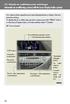 Automatic air conditioning system (with the Lexus Display Audio system) Air outlets and fan speed are automatically adjusted according to the temperature setting. To display the air conditioning operation
Instrument panel. Volkswagen Touareg - Instrument panel. Special tools, testers and auxiliary items required. Release lever T10039
 Volkswagen Touareg - Instrument panel Page 1 / 14 70-1 Instrument panel Tools Special tools, testers and auxiliary items required Release lever T10039 Instrument panel, removing and installing Removing
FORD B-MAX Owner's Manual
 FORD B-MAX Owner's Manual The information contained in this publication was correct at the time of going to print. In the interest of continuous development, we reserve the right to change specifications,
ELECTRICAL WIRING (R.H. DRIVE VEHICLES)
 C-1 ELECTRICAL WIRING (R.H. DRIVE VEHICLES) CONTENTS GENERAL.......................... 3 WIRING HARNESS CONFIGURATION DIAGRAMS......................... 4 ENGINE COMPARTMENT................ 4 DASH PANEL...........................
Automatic air conditioning system
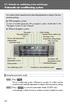 Automatic air conditioning system Air outlets and fan speed are automatically adjusted according to the temperature setting. With navigation system Owners of models equipped with a navigation system should
C USTOMER CONVENIENCE/PERSONALIZATION G UIDE
 C USTOMER CONVENIENCE/PERSONALIZATION G UIDE Review this guide for an overview of some important features in your Cadillac SRX. Some optional equipment (denoted by ) described in this guide may not be
Vehicle electrics in Polo Model Year 2002
 Service. Self-Study Programme 265 Vehicle electrics in Polo Model Year 2002 265_061 The range of electrical systems in new vehicles is expanding increasingly as a result of the ever more effective safety
OPEL ASTRA. Owner's Manual
 OPEL ASTRA Owner's Manual Contents Introduction... 2 In brief... 6 Keys, doors and windows... 20 Seats, restraints... 47 Storage... 67 Instruments and controls... 86 Lighting... 117 Climate control...
G PART NUMBER OF CONNECTORS
 A 1 A/C Ambient Temp. Sensor 90980 11070 Buckle SW RH (w/ Power Seat) A/C Condenser Fan Motor (1G FE) 90980 10928 B 9 Buckle SW RH (w/o Power Seat) 90980 11212 A 2 A/C Condenser Fan Motor (2JZ GE) 90980
INSTRUMENT PANEL. Instrument Cluster Symbols. Lights On Reminder Airbag Readiness Check Engine Antilock Brake System Low Tire Pressure
 Review this Quick Reference Guide for an overview of some important features in your Chevrolet Tahoe or Suburban. More detailed information can be found in your Owner Manual. Some optional equipmentf described
INFO DIAG DIAGNOSTIC TOOLS CITROËN SELLING DEALERS : - PDI technicians - Campaign co-ordinators AUTHORISED REPAIRERS :
 CITROËN AFTER SALES DIVISION TECHNICAL SERVICES INFO DIAG DIAGNOSTIC TOOLS CITROËN SELLING DEALERS : - PDI technicians - Campaign co-ordinators AUTHORISED REPAIRERS : - Service Managers - Consultant technicians
Accent 1.6 Motion Accent 1.6 Fluid Accent 1.6 Fluid. 4 Door Sedan 4 Door Sedan 4 Door Sedan. Petrol Petrol Petrol
 A C C E N T Accent 1.6 Motion Accent 1.6 Fluid Accent 1.6 Fluid ENGINE General Data Displacement (cc) 1 591 1 591 1 591 Bore x Stroke (mm) 77 X 85.44 77 X 85.44 77 X 85.44 Compression Ratio 10.5 : 1 10.5
Installing RNS-E SAT NAV for Audi A4
 As one of the major options on the A4 you can get a DVD Satellite Navigation System call the RNS-E. With the help of ebay these sat nav systems are now available to by at a rough cost of 650 plus the cost
Quick guide. How to use a Mobeazy car, e-scooter or e-bike
 Quick guide How to use a Mobeazy car, e-scooter or e-bike Important INFORMATION In case of emergency: Dial 112 (European emergency number) 112 Mobeazy General: For general information, during office hours
Trip Odometer Reset Stem. Hood Release Lever. Cruise Control Set StabiliTrak Active StabiliTrak Off Lamps On Reminder Low Tire Pressure Reduced Engine
 Review this Quick Reference Guide for an overview of some important features in your Chevrolet Trax. More detailed information can be found in your Owner Manual. Some optional equipment described in this
Touareg Component Locations No. 802 / 1
 Touareg Component Locations No. 802 / 1 1 Fuses 1.1 Fuses 1.1.1 Overview of Fuses 1 - Fuses (SB) on fuse panel B on left instrument panel Location page 3 Fuse Arrangements, from November 2006 page 4 2
2012 Chevrolet Cruze Owner Manual M
 2012 Chevrolet Cruze Owner Manual M In Brief........................ 1-1 Instrument Panel.............. 1-2 Initial Drive Information........ 1-4 Vehicle Features............. 1-15 Performance and Maintenance................
Cooling system components, removing and installing
 Engine BHW Cooling system components, removing and installing Page 1 / 24 19-1 Cooling system components, removing and installing Warning! When doing any repair work, especially in the engine compartment,
CAR DAILY VEHICLE PRE CHECKS INFORMATION. Page 1 of 6
 Page 1 of 6 CAR DAILY VEHICLE PRE CHECKS INFORMATION There are approximately 2.5 million vehicles in national fleet in Ireland. As vehicles age they are subject to wear and tear and unless attended to