
The Crafter Electrical system
|
|
|
- Patience Shanon York
- 10 years ago
- Views:
Transcription
1 Service Training Self-study Programme 370 Commercial Vehicles The Crafter Electrical system Design and function

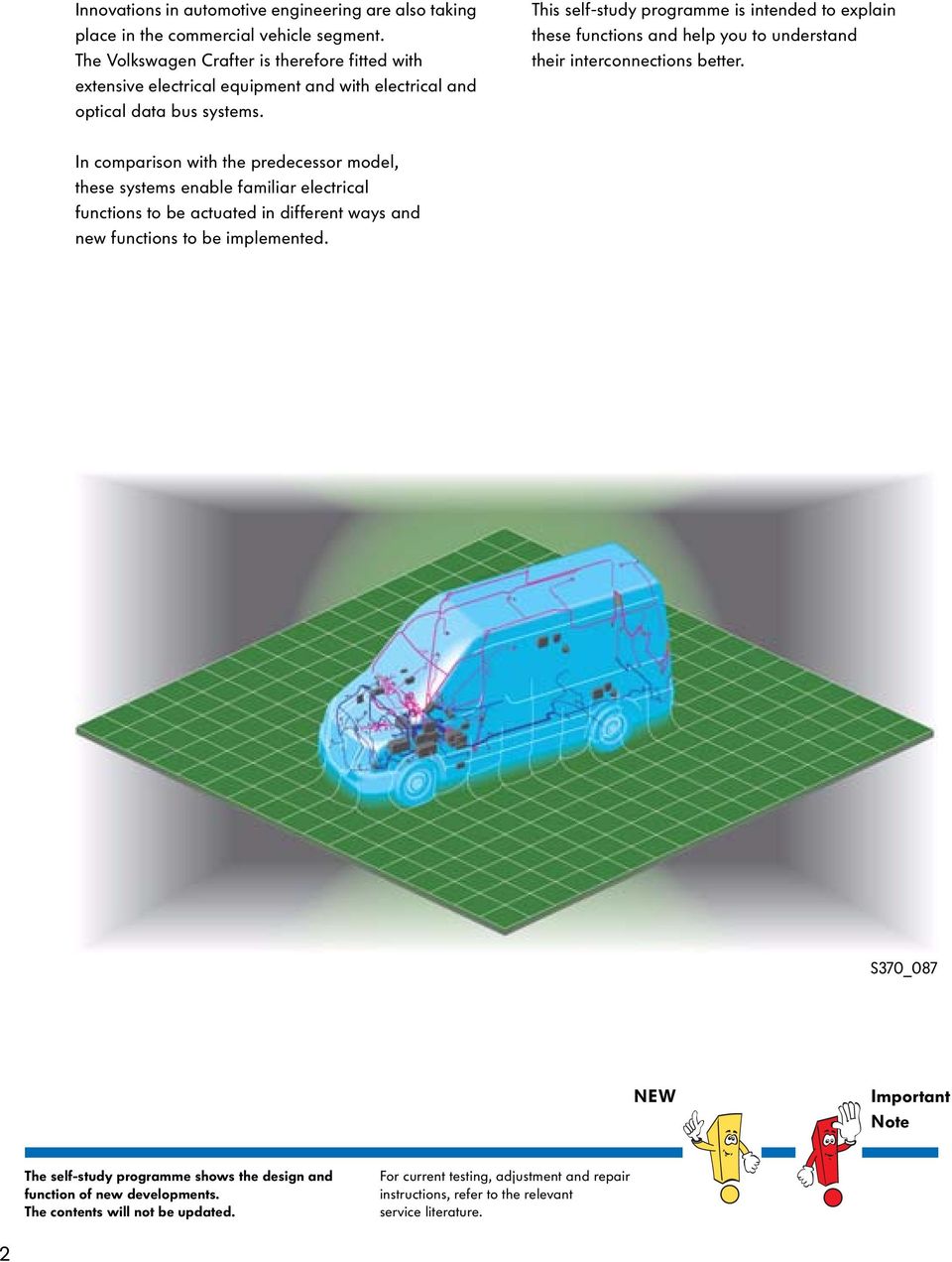
2 Innovations in automotive engineering are also taking place in the commercial vehicle segment. The Volkswagen Crafter is therefore fitted with extensive electrical equipment and with electrical and optical data bus systems. This self-study programme is intended to explain these functions and help you to understand their interconnections better. In comparison with the predecessor model, these systems enable familiar electrical functions to be actuated in different ways and new functions to be implemented. S370_087 NEW Important Note The self-study programme shows the design and function of new developments. The contents will not be updated. For current testing, adjustment and repair instructions, refer to the relevant service literature. 2
3 Contents Introduction Vehicle electrical system Ignition lock Anti-theft system Dash panel Convenience systems Tachograph Special control units Service Glossary Test yourself

4 Introduction Data bus systems Data bus networking The Volkswagen Crafter's control units are networked via the CAN data bus and the MOST data bus. Networking enables data to be exchanged between the individual control units. Instead of using conventional (discrete) cable connections, the data are transmitted via the data buses in digital form as an electrical signal or as a light signal. This makes it possible to make data available to several control units. The CAN data bus is sub-divided into three individual systems, the CAN drive data bus, the CAN convenience data bus and the CAN diagnostic data bus. All three bus systems are connected to each other via the electronic ignition lock D9, and are therefore able to exchange information. Diagnostic interface CAN drive data bus CAN convenience data bus MOST data bus interface MOST data bus Data bus K-wire Serial data cable S370_080 4

5 Legend D9 E16 Electronic ignition lock Heater/heat output switch J104 ABS control unit J234 Airbag control unit J285 Control unit in dash panel insert J301 Air conditioning system control unit J345 Trailer detector control unit J364 Auxiliary heater control unit J386 Driver door control unit J412 Mobile telephone operating electronics control unit J446 Parking aid control unit J502 Tyre pressure monitor control unit J503 Control unit with display for radio and navigation J514 Electronic manual gearbox control unit J519 Onboard supply control unit J527 Steering column electronics control unit J528 Roof electronics control unit J604 Auxiliary air heater control unit J621 Tachograph control unit J623 Engine control unit J764 Electronic steering column lock control unit J819 Control unit for middle of dash panel J820 Control unit for programmable special functions R R41 T16 Radio CD changer 16-pin connector (diagnostic connection) S370_001 5

6 Introduction Installation locations of the electrical components Overview of installation locations The vehicle electrical system has a decentralised structure; the fuse and relay installation locations are therefore in different locations throughout the vehicle. Junction boxes 2 and 3 for bus systems, on the right A pillar Fuse holder (SA), on right-hand side of battery, visible only following removal Connector (T16, diagnostic connection), on the left A pillar 6

7 Fuse holder D (SD), beneath the driver's seat Fuse holder B (SB), left A pillar Fuse holder C (SC), on the left A pillar Junction box 1 for bus systems, beneath the front left dash panel S370_002 7

8 Introduction Installation locations of the control units in the CAN drive data bus Control units and installation locations The adjacent illustration shows the control units which take part in CAN drive data bus data communication and their installation locations. Data are transmitted at a speed of 500 kbit/s. Transmission is carried out via the CAN high cable and the CAN low cable. CAN high cables are green/white and the CAN low cables are green. To ensure reliable data transmission, the CAN cables are twisted together. The CAN drive data bus is not 1-wire-capable; if a CAN cable fails, no data transmission is possible. Steering column electronics control unit J527, on the steering column Electronic ignition lock D9, on the right next to the steering wheel 8

9 ABS control unit J104, on the left in the engine compartment Engine control unit J623, on the left in the engine compartment S370_004 9

10 Introduction Installation locations of the control units in the CAN convenience data bus Control units and installation locations The adjacent illustration shows the control units which take part in CAN convenience data bus data communication and their installation locations. Air conditioning system control unit J301, in centre of dash panel Data are transmitted at a speed of 83.3 kbit/s. Transmission is carried out via the CAN high cable and the CAN low cable. CAN high cables are brown/red and the CAN low cables are brown. To ensure reliable data transmission, the CAN cables are twisted together. The CAN convenience data bus is 1-wire-capable; if a CAN cable fails, data transmission remains possible. Control unit for middle of dash panel J819, in centre of dash panel Radio R/control unit with display for radio and navigation J503 *, in centre of dash panel * Acts as the interface for the MOST infotainment data bus Electronic ignition lock D9, on the right next to the steering wheel 10

11 Airbag control unit J234, beneath the centre console Auxiliary heater control unit J364, in moulded headlining near to the interior mirror Roof electronics control unit J528, in moulded headlining near to the interior mirror Trailer detector control unit J345, beneath the front left seat Control unit for programmable special functions J820, beneath the front left seat Parking aid control unit J446, beneath the front left seat Tyre pressure monitor control unit J502, beneath the front left seat Driver door control unit J386, in the front left door Onboard supply control unit J519, on the left A pillar S370_003 11

12 Introduction Installation locations of the control units in the MOST infotainment data bus Control units and installation locations Besides the familiar CAN data bus systems, the Volkswagen Crafter is also equipped with an optical data bus system. This data bus system has been named according to the "Media Oriented Systems Transport" (MOST) cooperation. This co-operation has been established by various car manufacturers, their suppliers and software companies in order to implement a standardised system for fast data transmission. The optical MOST data bus is used to exchange data between the radio/control unit with display for radio and navigation, the CD changer and the mobile telephone operating electronics control unit by means of light waves. Mobile telephone operating electronics control unit J412, behind the glove box In comparison with radio waves, light waves have very short wavelengths, do not generate electromagnetic interference waves, are simultaneously insensitive to these and have a significantly higher data transmission rate than electronic data bus systems. On routing, the radius of the fibre optical cable must be at least 25 mm. Control unit with display unit for radio and navigation J503/radio R, in centre of dash panel 12

13 CD changer R41, centre of vehicle interior During diagnosis, please observe the Guided Fault Finding instructions. S370_071 13

14 Vehicle electrical system Batteries Equipment The Volkswagen Crafter can be optionally equipped with a dual-battery vehicle electrical system; in this case, a starter and a vehicle electrical supply battery are installed. Starter battery The vehicle electrical system's standard 12 V vehicle voltage is supplied by the maintenance-free starter battery. The starter battery is installed in the covered battery recess in front of the driver's seat (left-hand drive vehicle) or the front passenger's seat (right-hand drive vehicle). A vent pipe emerges into the open air from the recess. S370_049 Vehicle electrical system battery To supply high-current, body-side consumers, a second battery, located on the left of the engine compartment, is available in addition to the starter battery (left-hand drive vehicles only). This second battery is not intended as a starter battery. By supplying the high-current consumers, it is instead intended to protect the starter battery from discharge, thereby maintaining the vehicle's ability to start. S370_050 14

15 Functional diagram The second battery A1 is only available in combination with the battery isolation relay J7. This prevents battery A from being drained by consumers which are connected to the second battery. At the same time, drainage of the second battery by the standard consumers is prevented. J519 J7 SA S S S S S S A1 A TV32 B S370_051 Legend A A1 B J7 J519 SA TV32 Battery Second battery Starter Battery isolation relay Onboard supply control unit Fuse holder A Jump start connection Signal output Ground Signal input Positive CAN data bus cable The signal cable colours shown in the illustration apply to all subsequent functional diagrams. 15

16 Vehicle electrical system Jump start connections Equipment The Volkswagen Crafter is equipped with a positive and a negative connection for jump-starting and for charging the battery. Positive jump start connection Jump start connection To connect a jump-starting cable or a battery charger, a connection point for the positive cable is located on the left-hand side of the air filter housing in the engine compartment. S370_052 Negative jump start connection Jump start connection To connect a jump-starting cable or a battery charger, a connection point for the negative cable is located on the left-hand wing in the engine compartment. S370_053 16

17 Negative main connection The optional, main connection for the battery negative cable is located on the right next to the accelerator pedal. The connection and the ground bolt can be separated by pulling the red actuation tab. This enables the battery to be isolated from the vehicle electrical system if necessary or prescribed for repair work. Main connection Actuation tab S370_054 17

18 Vehicle electrical system Onboard supply control unit Installation location The onboard supply control unit (OBSCU) J519 is located, together with the fuse and relay box, on the left of the vehicle interior in the footwell beneath the instrument panel. S370_006 Variants It is available in the following variants: Relay box Onboard supply control unit - Standard - Low line - Mid line and - High line The different variants offer various functions. Fuse box S370_007 18

19 Functions Function Standard Low line Mid-line High-line Exterior light control system with bulb monitoring X X X X High-level brake light X X Fog lights X X Turn signal actuation X X X X Interior light control system X X X X Interior convenience light X Windscreen wiper and washer system X X X X Rear window wiper and washer system X X Heated rear window X X Heated windscreen X Central locking: Sliding door, hinged rear door X X X Central locking: 2nd sliding door X X Rotary light switch input X X X X Sensor signal and switch input X X X X Vent windows X Headlight washer system X X Auxiliary turn signal module X X Alarm function X X X X ATA function X X X X Central locking: Front passenger door X X X X Window regulator: Front passenger door X X X X 19

20 Vehicle electrical system Light switch Function The light switch E1 is responsible for actuating the exterior light functions. The onboard supply control unit reads in the signals from the voltage-coded light switch directly. The signals for the turn signal and main beam functions are transmitted from the steering column electronics control unit via the CAN drive data bus and the CAN convenience data bus. S370_005 Variants The light swicth is available in eight different variants. Variant 1 Variant 2 Variant 3 Variant 4 Variant 5 Variant 6 Variant 7 Variant 8 Off Autom. driving lights Off Autom. driving lights Left parking light Left parking light Left parking light Left parking light Side light Off Side light Off Right parking light Right parking light Right parking light Right parking light Dipped beam Side light Dipped beam Side light Off Autom. driving lights Off Autom. driving lights Rear fog light Dipped beam Rear fog light Dipped beam Side light Off Side light Off Rear fog light Fog light Rear fog light Dipped beam Side light Dipped beam Side light Fog light Rear fog light Dipped beam Rear fog light Dipped beam Rear fog light Fog light Rear fog light Fog light 20

21 Turn signal control system Function description The onboard supply control unit is the master for the turn signal function and carries out the various turn signal functions. It receives all requests to actuate the turn signals, prioritises these and is the only control unit to implement a turn signal pulse on the CAN data bus. All of the other involved control units evaluate this turn signal pulse. Turn signal actuation priority The turn signals are actuated according to the following piority: 1 Airbag hazard warning flashing 2 Special alarm flashing 3 Direction indication or hazard warning flashing 4 ATA alarm flashing 5 Central locking feedback flashing Airbag hazard warning flashing In the event of airbag deployment, the airbag control unit transmits a CAN message to the onboard supply control unit. The hazard warning flashing function is then triggered. This function is deactivated by actuating the hazard warning lights button (E229) once or by switching the ignition off, on and off again. Electronic ignition lock D9 Turn signal bulbs Airbag control unit J234 Onboard supply control unit J519 S370_008 21
22 Vehicle electrical system Special alarm flashing The control unit for programmable special functions can request alarm flashing with a pre-specified on/off phase from the onboard supply control unit. Depending on the way in which the control unit for programmable special functions is programmed, the following lighting facilities can be actuated in the event of special alarm flashing: - Main beam, - Fog lights and - Turn signals The special alarm flashing function is used, e.g. in emergency vehicles. Switch Control unit for programmable special functions Onboard supply control unit Bulbs S370_009 Hazard warning flashing Control unit for middle of dash panel The onboard supply control unit receives the hazard warning flashing signal from the control unit for middle of dash panel J819, which reads in the signals from the hazard warning lights button E229. The onboard supply control unit then actuates all turn signals. No bulb monitoring is carried out during hazard warning flashing. The hazard warning flashing function is always operational. Onboard supply control unit J519 Hazard warning lights button E229 Turn signal bulbs S370_010 22
23 Direction indication The signal for direction indication is received by the onboard supply control unit from the steering column electronics control unit J527, which reads in the signals from the turn signal switch E2 in voltage-coded form. The electronic ignition lock (EIL) D9 transfers the signals from the CAN drive data bus to the CAN convenience data bus. The onboard supply control unit actuates the turn signal bulbs as requested. During direction indication, the turn signal bulbs are monitored for bulb failure. The bulbs' flashing frequency is doubled in the event of bulb failure. Actuation of the turn signal warning lamps is carried out via the CAN convenience data bus and the control unit in the dash panel insert. The direction indication function is only active in the case of "terminal 15 on". Steering column electronics control unit J527 Onboard supply control unit J519 Turn signal bulbs, right CAN drive data bus CAN convenience data bus Turn signal switch E2 S370_011 23
24 Vehicle electrical system ATA alarm flashing The ATA alarm flashing function is active if no authorised key is located in the electronic ignition lock (EIL). The alarm is output via the alarm horn H12 and the turn signals. In this case, the roof electronics control unit transmits a request to the onboard supply control unit via the CAN convenience data bus. Bulb monitoring is not carried out during ATA alarm flashing. Roof electronics control unit Onboard supply control unit Alarm horn Turn signals S370_012 Central locking feedback flashing Unlocking the vehicle is indicated by all of the turn signals' flashing twice. Locking the vehicle is indicated by all of the turn signals' flashing once. The request for central locking feedback flashing is transmitted by the electronic ignition lock via the CAN convenience data bus. This function is only active if no authorised key is located in the electronic ignition lock. Radio remote control Electronic ignition lock Onboard supply control unit Turn signals S370_013 24
25 Special direction indication The control unit for programmable special functions is able to request direction indication from the onboard supply control unit. The onboard supply control unit handles this request like a request from the steering column electronics control units, although these requests have priority. The control unit for programmable special functions does not send a request, or ends its request, as soon as it detects a request for direction indication from the steering column electronics control unit. Onboard supply control unit Control unit for programmable special functions Turn signals S370_014 Special hazard warning flashing Control unit for programmable special functions The control unit for programmable special functions is able, like the control unit for middle of dash panel, to request hazard warning flashing from the onboard supply control unit. It withdraws its request as soon as it detects a request from the control unit for middle of dash panel. This function is deactivated either by the control unit for programmable special functions or by actuating the hazard warning lights button. Onboard supply control unit Hazard warning lights button Control unit for middle of dash panel Turn signals S370_015 25
26 Vehicle electrical system Lighting Parking light The left or right side light bulbs and the left or right tail light bulbs are actuated by the onboard supply control unit. The request to switch on the parking lights comes directly from the light switch. Light switch Onboard supply control unit The parking light function is active if no authorised key is located in the EIL. Bulb monitoring is carried out when the parking light function is on. Left side light bulb Left tail light bulb S370_016 Side light and tail light The left and right side and tail light bulbs are actuated by the onboard supply control unit. The request to switch on comes directly from the light switch. The side and tail lights can also be switched on if the ignition key has been removed, in which case an acoustic signal is emitted. Light switch Onboard supply control unit Side light and tail light bulbs S370_017 26
27 Dipped beam (driving lights) The left and right dipped beam bulbs are actuated by the onboard supply control unit. The request to switch on comes directly from the light switch. Dipped beam is switched on in the case of "terminal 15 on" and when the switch is set to dipped beam. The headlights, side lights, tail lights and number plate lights are also switched on. The side lights are switched on instead of dipped beam in the case of "terminal 15 off". Light switch Dipped beam bulbs and side light bulbs Onboard supply control unit "Terminal 15 on" via CAN data bus "Terminal 15 on" discrete Tail light bulbs Electronic ignition lock S370_018 27
28 Vehicle electrical system Automatic driving lights (option) The automatic driving lights are controlled by the rain and light sensor G397, which automatically switches the driving lights on and off when the light switch is set to the "Auto" position. The roof electronics control unit reads in the signals from the rain and light sensor, and sends a corresponding message on the CAN convenience data bus. The onboard supply control unit then supplies the dipped beam headlight bulbs with current. Rain and light sensor Dipped beam bulbs and side light bulbs Roof electronics control unit Light switch Onboard supply control unit Tail light bulbs S370_019 28
29 Daylight driving lights (DDL) The master for the daylight driving lights is the control unit in dash panel insert, via which the following functions are activated. Dipped beam Side lights Tail lights Number plate lights When the engine is running, "terminal 61 active" is sent by the onboard supply control unit via the CAN convenience data bus. The control unit in dash panel insert then activates the daylight driving lights via the onboard supply control unit. The daylight driving light function can be activated and deactivated via the control unit in dash panel insert. The daylight driving lights are switched off when the engine is switched off ("terminal 61 not active"). When the light switch is switched to the "side light" or "dipped beam" position, the daylight driving lights are also switched off, and the light function selected at the light switch is active. In countries in which daylight driving lights are legally required, only the headlight flasher, not main beam, is permissible when DDL is activated. In countries in which the daylight driving lights can be activated/deactivated by the user via the instrument cluster, the headlight flasher and main beam are permissible when DDL is activated. The logic for this is contained in the control unit in dash panel insert It cannot be deactivated in those countries in which daylight driving lights are legally required! Dipped beam bulbs and side light bulbs Control unit in dash panel insert Onboard supply control unit Tail light bulbs Alternator S370_020 29
30 Vehicle electrical system Main beam / headlight flasher The steering column electronics control unit receives the signals from the headlight dipper/flasher switch E4 and, in the case of "terminal 15 on", sends a corresponding message on the CAN convenience data bus. The onboard supply control unit then switches main beam or the headlight flashers on and also sends a message on the CAN convenience data bus, whereupon the control unit in dash panel insert actuates the main beam warning lamp K1. Steering column electronics control unit Headlight dipper/flasher switch Control unit in dash panel insert Onboard supply control unit Main beam bulb S370_021 Brake light ABS control unit The brake light bulbs are actuated by the onboard supply control unit via semi-conductors. The request to switch on the brake lights comes - in discrete form via brake light switch F and - the CAN data bus via the electronic ignition lock from the ABS control unit - or, in vehicles without ABS, from the control unit in dash panel insert, which reads in the information from brake light switch F. As soon as one of the two pieces of input information requests brake light actuation, the brake lights are switched on. Electronic ignition lock Control unit in dash panel insert Onboard supply control unit Brake light bulbs Brake light switch S370_022 30
31 Reversing light The reversing light bulbs are actuated by the onboard supply control unit. The signals from the reversing light switch F4 are read in by the onboard supply control unit. The "terminal 15 on" terminal status of the electronic ignition lock D9 is transmitted via the CAN convenience data bus. Electronic ignition lock Onboard supply control unit Reversing light switch Reversing light bulbs S370_026 31
32 Vehicle electrical system Emergency light The objective of the emergency light function is to avoid the failure of the vehicle's entire lighting system due to a single fault in the control unit or implausible signals from the light switch. The emergency light function is only active in the case of "terminal 15 on". Dipped beam, the tail lights and side lights are switched on in the event that the controller in the onboard supply control unit fails. The trailer tail lights are switched on in the event that the controller in the trailer detector control unit fails. On failure of one of the two controllers, the brake lights are only activated via discrete signal inputs to control units. The emergency light function is activated in the event of Implausible light switch statuses, Failure of the CAN data bus or Failure of the rain and light sensor. Once the emergency light cause has disappeared, the emergency light function is independently deactivated. The dash panel insert indicates the emergency light function in the same manner as bulb failure. Light switch Front vehicle lights Onboard supply control unit Trailer detector control unit Rear vehicle lights Electronic ignition lock Control unit in dash panel insert Trailer lights ABS control unit S370_027 32
33 Trailer lighting The trailer detector control unit J345 controls all of the lighting functions of a trailer connected to the vehicle. Installation location The trailer detector control unit is located on the righthand side beneath the front left seat. Trailer detection Trailer detection is carried out in purely electronic form. To do this, the brake light and the left-hand direction indicator are briefly supplied with current whilst switched off. S370_028 The voltage level which is established is used to determine whether a trailer is connected. If a light is detected, a trailer is regarded as detected. CAN drive data bus CAN convenience data bus Electronic ignition lock Trailer detector control unit Onboard supply control unit ABS control unit Control unit in dash panel insert Light switch Trailer lights Brake light switch S370_029 33
34 Vehicle electrical system Windscreen wiper and washer system Installation locations Intermittent wiper switch E22 The switch is located in the steering column switch. Intermittent wiper switch S370_059 Wiper motor switch-over relay 1 J368 and wiper motor switch-over relay 2 J369 The switch-over relays are located on the fuse and relay box on the left-hand A pillar. S370_060 Wiper motor switch-over relay 2 Wiper motor switch-over relay 1 34
35 Wiping the windscreen The windscreen wiper is activated via the intermittent wiper switch E22. Depending on the variant, the signals from the intermittent wiper switch are read in by the steering column electronics control unit (vehicles with ABS) or the electronic ignition lock (vehicles without ABS) and are sent on the CAN drive data bus and the CAN convenience data bus. The onboard supply control unit receives the signals and actuates wiper motor switch-over relay 1 J368 and wiper motor switch-over relay 2 J369. The wipers are switched on/off via wiper motor switch-over relay 1. Wiper motor switch-over relay 2 J369 is used to switch between the first and second wiper stage. The onboard supply control unit is the master for this function. CAN convenience data bus J519 J368 J369 J527 S V A E22 Legend A Battery E22 Intermittent wiper switch J368 Wiper motor switch-over relay 1 J369 Wiper motor switch-over relay 2 J519 Onboard supply control unit J527 Steering column electronics control unit S Fuse V Windscreen wiper motor S370_061 35
36 Vehicle electrical system Rain and light sensor If the rain and light sensor G397 is installed and the intermittent function is active, wiping is requested by the sensor. It is connected to the roof electronics control unit. Data communication between the roof electronics control unit and the onboard supply control unit takes place via the CAN convenience data bus. The rain and light sensor can be used to control the interval times from "wipers off" to "continuous wiping in stage 1 or 2". During rain sensor operation, the roof electronics control unit acts as the master and the onboard supply control unit as the slave. This means that wiper control is carried out entirely by the roof electronics control unit; the onboard supply control unit only actuates wiper motor switch-over relay 1 J368 and wiper motor switch-over relay 2 J369 when requested to do so by the roof electronics control unit J528. The "touch-wiping" and "washing" switch positions are the exceptions. Rain and light sensor G397 Light-emitting diode Photo diodes S370_084 Functional prerequisite Communication between the onboard supply control unit and the roof electronics control unit only takes place if the "rain/light sensor" option has been adapted as present in the variant coding in the EIL. If this is not the case, the onboard supply control unit controls the "intermittent wiping" function as in vehicles without a rain and light sensor. 36
37 Speed reduction At a vehicle speed of < 5 km/h, the wiper speed is reduced. Functional prerequisite: Intermittent function (rain and light sensor not installed) or Stage 1 or Stage 2 Speed reduction is withdrawn again under the following conditions: Vehicle speed > 8 km/h Actuation of the windscreen wiper switch for intermittent mode (intermittent, stage 1, stage 2, except touch-wiping and washing) Without rain and light sensor The wiper speed is reduced by one stage, - From stage 2 to stage 1, - From stage 1 to intermittent with an interval of 6 sec. - From intermittent with an interval of 6 sec to intermittent with an interval of 9 sec. With rain and light sensor If the sensor is installed, no speed reduction takes place. The wiping speed or intermittent interval is adapted by the sensor as required. CAN convenience data bus J528 J519 J527 J368 J369 S G397 V A E22 S370_062 Legend A Battery E22 Intermittent wiper switch G397 Rain and light sensor J368 Wiper motor switch-over relay 1 J369 Wiper motor switch-over relay 2 J519 Onboard supply control unit J527 Steering column electronics control unit J528 Roof electronics control unit S Fuse V Windscreen wiper motor 37
38 Vehicle electrical system Rear window wiper and washer system Rear window wiper Up to two rear window wipers may be installed. The rear window wipers and the "rear window washing" function are switched on and off via the rear wiper switch E34. The "wiping on reversing" function is automatically switched on when reverse gear is engaged and the windscreen wipers are active. The rear wiper switch has the following settings: Wash-wipe function on with intermittent rear wiping on Intermittent rear wiping on Intermittent rear wiping off Wash-wipe function on The onboard supply control unit is the master for these functions and actuates both the windscreen washer pump and the rear wipers. If the ignition (terminal 15) is switched off whilst the rear wipers are active, the rear wipers remain in their present position. CAN convenience data bus J519 J527 J329 S S S E34 A V92 V93 S370_065 Legend A Battery E34 Rear wiper switch J329 Terminal 15 voltage supply relay J519 Onboard supply control unit J527 Steering column electronics control unit V92 Rear left wing door window wiper motor V93 Rear right wing door window wiper motor S Fuse 38
39 Functions Rear wiping with windscreen wipers switched off Rear window wiping with windscreen wipers set to "intermittent" When the windscreen wipers are switched off, the rear window wiping function is carried out in intermittent mode with the standard interval time of 6 seconds. When intermittent windscreen wiping is switched on, the rear window wiping function is dependent on the presence of a rain and light sensor. Without sensor: Rear wiping is synchronised with windscreen wiping With sensor: Rear wiping is carried out with the standard interval time of 6 sec. Windscreen wipers set to stage 1 or 2 Rear door open If the windscreen wiper switch for intermittent mode is set to stage 1 or 2, rear wiper actuation is always synchronised with the windscreen wipers, in which case the rear wipers only wipe for a defined percentage of the windscreen wiper cycle. This percentage is speed-dependent. The wash-wipe function is interrupted when the vehicle is stationary and the rear door is open, and is continued when the rear door is closed. v < 80 km/h: Rear wipers wipe for 1/10 of the windscreen wiper cycle. v > 80 km/h: Rear wipers wipe for 1/7 of the windscreen wiper cycle. 39
40 Vehicle electrical system Heated windscreen Function An optional, heated windscreen may be installed; this contains two heating elements (e. g. driver and front passenger). The heated windscreen is switched on and off via the heated windscreen switch in the control unit for middle of dash panel. The switch contains a function indicator, which lights up when the heated windscreen is switched on. The maximum heating time is limited to 5 minutes. The control unit for middle of dash panel is the master for this function. The function request is forwarded from the control unit for middle of dash panel to the onboard supply control unit via the CAN convenience data bus. The heated windscreen relay is actuated by the onboard supply control unit. Functional prerequisite Functional prerequisite for reading in the switch and function indicator: CAN data bus signal "terminal 61 on" Functional prerequisite for actuating the heated windscreen: CAN data bus signal "terminal 61 on" Idle speed stable: The heated windscreen can only be actuated when the engine is running at a stable speed (approx. 800 rpm). Function abortion: CAN data bus signal "terminal 61 off" The functional prerequisite and function abortion link takes place in the control unit for middle of dash panel. Switch for heated windscreen Fuse CAN convenience data bus Control unit for middle of dash panel Heated windscreen Onboard supply control unit Relay for heated windscreen Battery S370_072 40
41 Heated rear window Function An optional, heated rear window may be installed. In the case of rear wing doors, the heating wires for the heated rear window in left wing door Z26 and the heated rear window in right wing door Z27 are wired in parallel. In vehicles which are fitted with optional interior monitoring, each heating wire is individually supplied with current. The heated rear window is switched on and off using the heated rear window button E230 in the control unit for middle of dash panel J819. The button contains a function indicator, which lights up continuously when the heated rear window is switched on. A fault is displayed by the indicator's flashing. The maximum heating time is limited to 15 minutes. The control unit for middle of dash panel is the master for this function. The heated rear window relay J9 and the additional relay for heated rear window J109 (with interior monitor only) are located on fuse carrier D beneath the driver's seat. Both relays are actuated by the onboard supply control unit. Functional prerequisite The functional prerequisites correspond to those for the heated windscreen. Heated rear window button Fuse CAN convenience data bus Control unit for middle of dash panel Battery Heated rear window in left wing door Heated rear window in right wing door Onboard supply control unit Heated rear window relay S370_073 41
42 Vehicle electrical system Roof electronics control unit General function The roof electronics control unit J528 variants are dependent on the various special equipment items which are installed. Depending on equipment, the control unit is responsible for manual operation and dimming of the interior light and reading lights plus actuation of the rain and light sensor, anti-theft alarm system and sliding roof. It additionally houses the microphone for the hands-free system. Installation location The roof electronics control unit is located in the upper centre of the vehicle behind the trim panel for the interior lights and buttons. S370_057 42
43 Variants Standard Low line with ATA, without glass sliding roof High-line with ATA, with glass sliding roof Interior lighting Interior lighting Interior lighting Separately operable reading spotlights for driver and front passenger Glasses compartment Separately operable reading spotlights for driver and front passenger Separately operable reading spotlights for driver and front passenger Telephone hands-free microphone Telephone hands-free microphone Telephone hands-free microphone Switch for interior light and reading spotlights Switch for interior light and reading spotlights Switch for interior light and reading spotlights Interior light on/off (button) Interior light on/off (button) Interior light on/off (button) Door contact on/off (switch) Door contact on/off (switch) Door contact on/off (switch) Driver reading spotlight on/off (button) Driver reading spotlight on/off (button) Driver reading spotlight on/off (button) Front passenger reading spotlight on/ off (button) Front passenger reading spotlight on/ off (button) ATA interior monitor sensors (optional) Electronics incl. interface for the rain and light sensor Electronics for ATA/IM and interface to the alarm horn CAN interface Front passenger reading spotlight on/ off (button) ATA interior monitor sensors (optional) Electronics incl. interface for the rain and light sensor Electronics for ATA/IM and interface to the alarm horn CAN interface Switch for sliding roof Evaluation of sliding roof motor Hall senders 43
44 Vehicle electrical system Actuation of the interior lights General description The interior lighting is switched on via an automatic function (e.g. door open). If the interior illumination switch is now actuated, the interior lighting is switched off. It is only switched on again following further actuation of the switch. Actuation of the interior lights The interior lights are sub-divided into two circuits. The front circuit is influenced by the driver and front passenger doors, the rear circuit by the left and right sliding doors and the rear lid or rear door and the interior illumination switch E599. The following components are actuated by the roof electronics control unit - The front passenger reading light W13, - The left interior light W16, - The right interior light W17 and - The driver side reading light W19. The following components are actuated by the onboard supply control unit - The front interior light W1, - The centre interior light W7 and - The rear interior light W43. Priorities The following priorities apply to all front and rear interior light control system applications: Priority Function 1 Special alarm and ATA alarm 2 Manual activation via button/switch 3 Automatic interior light control system (doors/sliding doors/rear door) 4 Automatic interior light control system (locking/unlocking/ignition) 44
45 Functional example Rear sliding roof control unit Driver side reading light Rear sliding roof motor Front passenger reading light Right interior light Roof electronics control unit Left interior light Onboard supply control unit Front interior light Centre interior light Driver door control unit Rear interior light Rear left entry light Rear right entry light Front left entry light Front right entry light Interior light relay S370_058 45
46 Ignition lock Electronic ignition lock Installation location The electronic ignition lock (EIL) D9 is located on the right-hand side next to the steering wheel. S370_030 Variants Different variants of the electronic ignition lock are installed. The variant is dependent on the radio frequency of the central locking system and the presence of the steering column electronics control unit. Distinguishing features For vehicles with steering column electronics control unit (vehicles with ABS/ESP) and radio frequency of 433 MHz (Europe and other countries which use this frequency). For vehicles with steering column electronics control unit (vehicles with ABS/ESP) and radio frequency of 315 MHz (Europe and other countries which use this frequency). For vehicles without steering column electronics control unit (vehicles without ABS/ESP) and radio frequency of 433 MHz. For vehicles without steering column electronics control unit (vehicles without ABS/ESP) and radio frequency of 315 MHz. 46
47 Immobilizer and starting fucntions Mounting the ignition key Mounting the transponder coil for polling the ignition key ID and transponder data Rotary lock inhibitor in the case of an unauthorised key Immobilizer communication between the ignition key, engine control unit J623 and electronic steering column lock control unit J764 Reading in the steering column switch signals when no steering column electronics control unit is installed. Starting The vehicle is started via communication between the immobilizer in the electronic ignition lock with the ignition key, the engine control unit and the electronic steering column lock control unit. By inserting a key into the EIL, the electronics are activated and the key is supplied with energy (inductively) from the EIL. The key is identified by means of bi-directional data exchange. The "drive authorisation system" (DAS) in the EIL releases the control units via the CAN data bus. At the same time, the mechanical lock (ESL, steering wheel lock) is released via a serial interface. Electronic steering column lock control unit Engine control unit Electronic ignition lock Key with transponder S370_055 47
48 Ignition lock Central locking system functions The electronic ignition lock (EIL) is the master control unit for all opening and closing functions. The vehicle can also be locked via radio remote control. The HF receiver is integrated into the EIL. The HF signals are decoded exclusively by the EIL. The resulting actuation requests are then transferred onto the CAN convenience data bus by the EIL and are read in by the driver door control unit J386. The driver door control unit actuates the driver door central locking motor V56 directly. The onboard supply control unit actuates - The front passenger door central locking motor V57, - The right sliding door central locking motor V58, - The left sliding door central locking motor V95 and - The rear wing door central locking motor V96, when the driver door control unit sends a corresponding message on the CAN convenience data bus. Key with radio remote control Driver door control unit Driver door contact switch Driver door central locking motor Front passenger door contact switch Front passenger door central locking motor Rear right door contact switch Right sliding door central locking motor Rear left door contact switch Left sliding door central locking motor Rear right door contact switch Electronic ignition lock Onboard supply control unit S370_056 Rear right central locking switch Rear wing door central locking motor 48
49 Diagnostic interface function Data bus systems are necessary due to the high number of data which have to be transmitted in the vehicle. The electronic ignition lock undertakes the tasks of a networking gateway for data bus systems, the principle task of which is to form the interface between the various, independent data bus systems in the vehicle. The electronic ignition lock is the interface between the CAN drive data bus, the CAN convenience data bus and the CAN diagnostic data bus. Amongst others, the following, logical signals are transmitted on the CAN data bus systems by the EIL: Bus status signals for terminal 15 and terminal 50 Transmission of diagnostic messages between the VAS diagnostic tester and the individual control units Wake-up signals on opening with the radio remote control, on starting diagnosis and on insertion of the ignition key VAS 5052 S370_074 49
50 Anti-theft system Electronic steering column lock (ESL) Electronic steering column lock control unit J764 The electronic steering column lock is actuated by the electronic ignition lock (EIL). Locking, unlocking and diagnosis are controlled via a serial data bus link with the EIL. The control unit is located on the steering column and is secured with "shear head bolts". Electronic steering column lock control unit S370_064 Actuation The electronic steering column lock control unit is connected to the voltage supply via the fuse holder on the onboard supply control unit and to earth via the right-hand earth point in the A pillar. The actuation signals for unlocking and locking are transmitted by the EIL via a serial data cable in the form of encrypted data to the electronic steering column lock control unit. Electronic steering column lock control unit Onboard supply control unit CAN convenience data bus Electronic ignition lock Serial data bus cable Final control for steering column lock S370_075 50
51 Function If the authorised ignition key is inserted into the electronic ignition lock, the encrypted data are transmitted to the electronic steering column lock via the data cable. If the data are recognised to be correct, the electric motor is activated; it draws the locking bar out of the locking ring on the steering spindle. A terminal switch reports the released position to the electronics. The release signal is only sent to the electronic ignition lock when all data are recognised as correct. The key can now be turned to position I, II or III (position I without detent). Before the key reaches position I, the electronic steering lock's voltage supply is interrupted in the electronic ignition lock. This interruption is withdrawn when the ignition key is turned to position 0 again. When removing the ignition key in position 0, a signal is sent to the electronic steering lock. The electric motor moves the locking bar into the locking position, in which it prevents the the locking ring from rotating. Terminal switch Worm gear drive Locking bar Electric motor Steering tube S370_063 51
52 Anti-theft system Anti-theft alarm system Description The anti-theft alarm system is available as an option. Its functions are distributed amongst several control units. The master function is undertaken by the roof electronics control unit J528; it is linked to all of the other involved control units via the CAN data bus. Installation location The roof electronics control unit is located in the moulded headlining near to the interior mirror. Variants The anti-theft alarm system is available in the following variants: S370_057 Electronic immobilizer, with anti-theft alarm system Anti-theft alarm system, interior monitor and towing sensor Anti-theft alarm system, interior monitor, back-up horn (alarm horn) and towing sensor 52
53 Function The ATA monitors the doors via the door contact switches; the engine compartment is additionally secured via the bonnet contact switch. The signal from the - Driver door contact switch F2 is read in by the driver door control unit J386, - Bonnet contact switch by the control unit in dash panel insert J285. The signals from the - Front passenger door contact switch F3, - Rear right door contact switch for sliding door or side door F7, - Rear left door contact switch for sliding door or side door F176 and - Rear right door contact switch F226 are read in by the onboard supply control unit. Activation of the ATA The ATA can only be activated when the ignition is switched off (terminal 15 off). The radio remote control is used to lock the vehicle. When all of the vehicle's doors are locked, the ATA carries out a self-test and is activated. If not all of the vehicle's doors are locked, the ATA cannot be activated. Deactivation of the ATA The ATA is deactivated by unlocking the vehicle using the radio remote control or via the detection of a valid key in the EIL. Successful locking or unlocking is acknowledged by the turn signal lights' acknowledge signal. Onboard supply control unit Roof electronics control unit Driver door control unit Control unit in dash panel insert Fuse Driver door contact switch Bonnet contact switch Front passenger door contact switch Rear left door contact switch Rear right door contact switch Rear door contact switch Alarm horn S370_076 53
54 Anti-theft system Interior monitor (IM) The interior monitor monitors the interior of the vehicle and reacts if attempts are made to penetrate the vehicle from the outside. The alarm which is triggered is output optically via the turn signals and constantly illuminated interior lights and acoustically via the horn or the optional alarm horn. Incompletely closed windows or sliding roofs influence the sensitivity of the interior monitor. The passenger compartment is monitored by means of ultrasonic sensors, whilst the rear window is monitored using the heated rear window's heating wire. An alarm is triggered as soon as the heating wires are separated. The interior monitor is activated approx. 40 seconds after the vehicle has been locked. Interior monitor sensors Interior monitor sensors S370_024 Deactivation If the interior monitor deactivation switch E183 is actuated when terminal 15 is switched off and the IM is not active, the interior monitor is deactivated until terminal 15 is switched on again. The warning lamp lights up for 5 sec. to confirm this. S370_077 54
55 Towing sensor The vehicle inclination sender G384 is located in the roof electronics control unit. The sender reports a change in position as soon as the vehicle is raised for towing or to unbolt the wheels, in which case the roof electronics control unit triggers an alarm. The towning sensor is activated approx. 20 seconds after the vehicle has been locked. Following ATA activation, the vehicle inclination sender determines the relative resting position of the vehicle (zero level). An alarm is triggered as soon as the vehicle's position changes by an angle of more than 0.8. Once the alarm has been triggered, the current angle is taken over as the zero level. Normal vehicle position Vehicle raised S370_025 Deactivation If the deactivation button for vehicle inclination sender E360 is actuated when terminal 15 is switched off and the ATA is not active, the vehicle inclination sender is deactivated until terminal 15 is switched on again. The warning lamp lights up for 5 sec. to confirm this. S370_023 55
56 Dash panel Control unit in dash panel insert Variants The control unit in dash panel insert J285 is available in - Low line and - High line variants. Low line variant Warning lamps S370_066 Rev. counter G5 Segmented display Speedometer G21 The low line variant is equipped with: Dial gauges Warning lamps Rev. counter G5 Bulb failure Glow period warning lamp Speedometer G21 Door open warning lamp EOBD TCS/ESP/BAS ABS Coolant temperature Turn signals/hazard warning lights Segmented display Coolant level Main beam Fuel gauge (bar scale) Air filter soiled Washer fluid level Brake pad wear Brake fluid - parking brake warning lamp Glowing Odometer Engine start/stop Airbag Trip odometer Working speed governor Seat belt warning Time ESP Exterior temperature Reserve fuel Menu displays Particulate filter Gear indicator for automated manual gearbox 56
57 High line variant Warning lamps S370_067 Rev. counter G5 Multi-function display, lower section The high line variant is equipped with: Speedometer G21 Multi-function display, upper section Dial gauges Upper display Rev. counter G5 Odometer Speedometer G21 Trip odometer Fuel gauge G1 Menu displays ESI display Lower display Warning lamps Time Glow period display Parking brake Gear indicator for automated manual gearbox Exterior temperature indicator ESP Left direction indicator ABS Daylight driving lights Brake lining, brake fluid, electronic brake pressure distribution Speed Tyre pressure warning lamp EOBD Main beam Right direction indicator Seat belt warning 57
58 Dash panel Menu display in low line variant In the low line variant, the following menus can be called up by actuating the "menu button" in the segmented display: Read service date Actuate the menu button until the remaining distance in kilometres or the remaining time in days is displayed. Pre-select/set auxiliary heater activation time Actuate the menu button until the "auxiliary heater" symbol is shown in the segmented display; a pre-set starting time can then be selected with the + or - button. Set time Actuate the menu button until the hours display flashes. The + and - buttons can then be used to set the hour. The minutes display can then be set via the reset button and the + and - buttons. Set date Actuate the menu button until the day display flashes. The + and - buttons can then be used to set the day. The month and year display can then be set via the reset button and the + and - buttons. 58
59 Menu display in high line variant Multi-function buttons The high line variant is equipped with multi-function buttons in the steering wheel for controlling the menus. The buttons can be used to select the menus and to carry out the desired settings in the selected menu. S370_032 Menu selection Starting from the basic mask, various setting and information menus can be switched through in the display during vehicle operation by changing the display level with the multi-function buttons in the steering wheel. These are shown exclusively in the upper area of the display; the exterior temperature, time, gear and gearbox programme are constantly shown in the lower status area. Only those functions whose systems are actually fitted in the vehicle are run through. The precise procedure is described in the operating instructions. DOWN UP No Settings Reset Press reset button for 3 s malfunction S370_031 59
60 Convenience systems Parking aid Description The Volkswagen Crafter can be optionally equipped with an ultrasound-based parking aid at the front and rear. The system can be manually deactivated using a button. The parking aid displays are located on the instrument panel and in the outside rear-view mirrors. If the distance between the vehicle and an obstacle is less than 40 cm, an acoustic warning is sounded. Installation location The parking aid control unit J446 is located on the right-hand side beneath the front left seat. S370_034 Parking aid button E226 The button is located in the control unit for middle of dash panel J819 and serves to switch the parking aid off and on manually. The status is indicated via an LED in the button. LED illuminated: System off LED not illuminated: System active S370_035 60
61 Warning displays In the case of the parking aid, obstacles are displayed using one double and two individual warning elements. The front left parking aid display Y13 and the front right parking aid display Y14 for the front area are positioned centrally on the instrument panel. The control segments show the distance between the sensors and the obstacle on the left and right sides of the vehicle. S370_036 The rear left parking aid display Y27 and the rear right parking aid display Y28 for the rear area are housed in the left and right outside rear-view mirrors respectively. S370_037 Displays The warning display for each side of the vehicle is sub-divided into five yellow and two red segments. When the yellow "ready" displays light up, the parking aid is ready to measure. If only the red segments light up, a malfunction is present. 61
62 Convenience systems Functional check After the ignition has been switched on, "terminal 15 on", the parking aid control unit J446 actuates all parking aid displays for approx. 1 second. The correct function of the system is optically confirmed by the LEDs' lighting up. The control unit, the sensors, the cables to the sensors, the parking aid displays and the cables to the displays are checked. Operational readiness The system is ready to operate when the ignition has been switched on, the parking brake has been released and the vehicle speed is < 18 km/h. In vehicles with a manual gearbox, the front and rear display units are activated when reverse gear is engaged. If reverse gear is not engaged, only the front display units are active. System activation is indicated by the rectangular, yellow LEDs. S370_039 62
63 Activation of the functions: Trailer operation If a trailer is connected to the vehicle, the parking aid is switched off. The presence of a trailer is detected via the trailer detector control unit J345. The trailer detector control unit makes this information available on the CAN convenience data bus. Speed-dependent The system is active until a speed of approx. 18 km/h is exceeded, after which it switches the display units to stand-by. The display units' and sensors' voltage supply switches off completely on exceeding a speed of approx. 40 km/h, and switches back on again when the vehicle speed falls below approx. 40 km/h. The warning elements are only switched on again when the vehicle speed falls below 16 km/h. Vehicle stationary The statuses of the handbrake warning switch F9 and the wheel speed sensors are evaluated. If the value of the wheel speed sensors does not change in three successive measurements, no new, acoustic warnings are emitted, but current ones are carried out to completion. All optical warnings are also suppressed. The parking aid is activated again when the handbrake is released or the vehicle moves off. Reverse gear engaged In vehicles with a manual gearbox, the front and rear warning elements are active when reverse gear is engaged. If reverse gear is not engaged, only the front area is monitored (exception: Rolling-back warning). If the vehicle is reversing and the steering angle lies within a defined range, acoustic warnings in the front area are suppressed. Optically, however, the distances are displayed in full. 63
64 Convenience systems Detection range Six sensors are mounted in the front bumper and four in the rear bumper to detect obstacles. The two outer sensors at the front additionally serve to protect the corners vehicle front swivel range). Four sensors in the rear bumper are sufficient, as the corner area is covered by the side mirrors in this case. S5 S6 S4 S3 S4 S3 S2 S2 Displaying obstacles S1 S1 S370_033 There is a left and right-hand detection range in front of and behind the vehicle. The more the distance decreases, the more segments are activated. The vehicle corner measuring range starts at a distance of 65 cm at the front and 100 cm at the rear. The display range emcompasses 7 LEDs, in which case 5 yellow LEDs cover an obstacle distance of approx. 40 cm and 100 cm at the front and 180 cm at the rear. The 30 cm to 40 cm range is depicted by 2 red LEDs. Warning display Optical front S1 and S6 Optical front S2 to S5 Optical rear S1 and S4 Optical rear S2 and S3 Acoustic sound 1st segment, yellow < 100 cm < 180 cm 2nd segment, yellow < 85 cm < 100 cm 3rd segment, yellow < 65 cm < 70 cm < 100 cm < 100 cm 4th segment, yellow < 55 cm < 60 cm < 70 cm < 70 cm 5th segment, yellow < 45 cm < 50 cm < 50 cm < 50 cm 6th segment, red < 35 cm < 40 cm < 40 cm < 40 cm < 40 cm intermittent 7th segment, red < 25 cm < 30 cm < 30 cm < 30 cm Continuous 64
65 Rolling-back warning If the vehicle's rolling back is detected by the parking aid when reverse gear is not engaged (via evaluation of the wheel speed sensors), proximity warning for the rear area is activated. If an obstacle is located a maximum of 80 cm away, all of the warning segments light up and the continuous warning tone is sounded. Minimum height of obstacles Due to the particular physical characteristics of the ultrasonic signals emitted by the sensors, the system cannot always reliably detect obstacles which are lower than the height at which the sensors are installed (approx. 50 cm depending on load). 50 cm 50 cm S370_038 The parking aid cannot replace the driver's attentiveness. The driver bears responsibility during parking and similar driving manoeuvres. 65
66 Convenience systems Tyre pressure monitor Function The tyre pressure monitor serves to constantly monitor the tyre inflation pressure during vehicle operation. At certain intervals, the tyre pressure of each wheel is recorded by the tyre pressure sensors G222 - G225 and is transmitted, via the front and rear tyre pressure monitor aerials, R95 and R96, and a LIN data bus link, to the tyre pressure monitor control unit J502. In the event of pressure loss, a warning message is indicated in the upper section of the multi-function display and via the tyre pressure warning lamp K230. Installation location The tyre pressure monitor control unit J502 is located in the centre under the left front seat. S370_040 66
67 Front and rear tyre pressure monitor aerials R95 and R96 The front aerial is located in the engine compartment next to the passenger compartment fan. The rear aerial is located between the rear wheels. They receive the tyre pressure sensor signals and forward these to the tyre pressure monitor control unit via the LIN data bus. S370_078 Tyre pressure sensors G222 - G225 The sensors are located in the wheel rims and transmit data to the aerials via radio. Each sensor has an individual serial number (ID), which is recorded by the tyre pressure monitor control unit during calibration. Based on this ID, the control unit is able to assign the individual data to the wheels. Depending on the country in which the system is used, the transmission frequency is 315 MHz or 433 MHz. S370_041 With regard to renewing batteries, please note the instructions in the electronic repair information system (ELSA) or in the operating instructions. 67
68 Convenience systems Overview of the system Front right tyre pressure sensor G223 Rear right tyre pressure sensor G225 Front tyre pressure monitor aerial R95 LIN data bus CAN data bus Rear tyre pressure monitor aerial R96 Dash panel Tyre pressure monitor control unit J502 LIN data bus Front left tyre pressure sensor G222 Rear left tyre pressure sensor G224 S370_042 Calibration The system automatically detects the new tyre inflation pressures after - The tyre pressure has been increased, - Wheels or tyres have been renewed or - New wheels or tyres have been fitted. If automatic detection is not carried out, the system can be re-calibrated in the dash panel. The system initialisation time may take up to 15 minutes. Please refer to the electronic repair information system (ELSA) or the operating instructions for the procedure for calibrating new tyre inflation pressures. 68
69 Warnings Soft warning The operating status "soft warning" describes a pressure loss in which operating safety is still guaranteed. At the end of the journey, a request for the driver to correct the tyre inflation pressure at the next opportunity appears in the upper section of the multi-function display. This message is displayed for approx. 30 sec. when the ignition is switched off ("terminal 15 off"). The "soft warning" is triggered when the temperaturecompensated tyre pressure has fallen by more than 0.25 bar in comparison with the inflation pressure. No single tyre is specified; all tyre pressures have to be checked. Hard warning The operating status "hard warning" describes a pressure loss in which operating safety is no longer fully guaranteed. In the upper section of the multifunction display, the driver is requested, during vehicle operation, to check the tyres. A "hard warning" is triggered when one of the following conditions is met: The warning is displayed until the ignition is switched off (terminal 15 off). If the ignition is switched off and on again, the tyre pressure warning lamp is actuated immediately. The warning in the upper section of the multi-function display is active again after travelling for approx. 5min. The tyre pressure falls below 2.6 bar. The tyre pressure falls by 20% in comparison with the inflation pressure (max. 0.5 bar). In the case of the "hard warning" operating status, the affected tyre is specified in the multi-function display. In parallel with the "hard warning", the tyre pressure warning lamp is actuated. This actuation is only withdrawn following re-activation of the system or when pressure correction has been determined by the system. 69
70 Convenience systems RCD 2001 Radio system RCD 2001 is equipped with an audio CD drive and a CD changer connection. The radio unit has a single FM and AM tuner and a TP/TA traffic radio function. The display is monochromatic and dimmable; connection of a CD changer, a mobile telephone operating electronics control unit or a telephone mute switch via a discrete cable connection is possible. RCD 2001 is integrated into CAN data bus communication via the CAN convenience data bus and is therefore diagnosis-capable. Operation is carried out via: - Three buttons for audio source selection (FM, AM and CD), - A button for ejecting the audio CD, - Five memory buttons beneath the display, - A button for the sound menu, - A button for muting, - On the left-hand side, a rotary push-button for switching on and off and for regulating the volume, - On the right-hand side, a multi-function button and a SCAN button. Four channels, which are wired depending on the equipment which is fitted, are available as loudspeaker outputs. The HF connection is provided by a passive rod aerial on the roof. S370_043 70
71 RCD 4001 Radio system RCD 4001 is based on RCD 2001, but is additionally equipped with a MOST data bus interface via which a CD changer and a mobile telephone can be connected. The display is characterised by good legibility in the case of high light incidence. Four channels, which are wired depending on the equipment which is fitted, are available as loudspeaker outputs. Operation is carried out via: - The telephone buttons on the right-hand side, - Four function buttons beneath the display, - Eight function buttons on the left-hand side, - A button for ejecting the CD beneath the display, - A multi-function button at the bottom right for operating the telephone and - The rotary push-button at the bottom left for switching on and off and for regulating the volume. S370_045 71
72 Convenience systems RNS 4001 Radio/navigation system RNS 4001 is based on the RCD 4001, but its functions are extended by a navigation system with arrow depictions. The display is characterised by good legibility in the case of high light incidence. Four channels, which are wired depending on the equipment which is fitted, are available as loudspeaker outputs. Operation is carried out via: - The telephone buttons on the right-hand side, - Four function buttons for activating the navigation functions, muting and operating the telephone plus a button for ejecting the CD beneath the display, - Eight function buttons on the left-hand side, - Function buttons on the left and right next to the display, - A multi-function button for operating the navigation unit at the bottom right and - The rotary push-button at the bottom left for switching on and off and for regulating the volume. S370_044 72
73 RNS 5001 Radio/navigation system RNS 5001 is based on the RNS 4001, but is equipped with map depiction instead of arrow navigation and with a DVD player instead of the CD player. A 6.5'' TFT colour display is installed; four channels, which are wired depending on the equipment which is fitted, are available as loudspeaker outputs. Operation is carried out via: - The telephone buttons on the right-hand side, - Four function buttons for activating the navigation functions, muting and operating the telephone plus a button for ejecting the CD/DVD beneath the display, - Eight function buttons on the left-hand side, - Function buttons on both the left and right next to the display, - A multi-function button for operating the navigation unit at the bottom right and - The rotary push-button at the bottom left for switching on and off and for regulating the volume. S370_046 73
74 Convenience systems CD changer R41 The Crafter can be fitted with an optional 6-fold CD changer (not with RCD 2001). The CD changer is equipped with an automatic magazine for six CDs, which are loaded via a central intake shaft. The 6 selection buttons which are available can be used to load and remove the CDs individually or all at once. The CD changer is controlled via the RCD or RNS unit which is connected. The CD changer is able to transmit digital audio signals in stereo and Dolby Surround. The connection to the RCD/RNS is carried out via the MOST data bus. S370_047 Supplementary blower for radio Supplementary blower for radio V384 is fitted in combination with a radio unit in vehicles which are equipped with rear loudspeakers. The supplementary blower is supplied with current via the circuit output for the aerial amplifier. S370_048 74
75 Telephone Preparation for mobile telephone installation is optionally available. This preparation for mobile telephone installation is linked, via the MOST bus, to the RCD/RNS and therefore to the CAN convenience data bus. Telephone data and information can therefore be displayed in the dash panel insert display. Telephone microphone R38 is located in the roof electronics control unit and is oriented towards the driver. The audio system's loudspeakers are used for listening. When a call is made or received, the radio or CD are muted; navigation system messages have priority. If a mobile telephone is located in the mobile telephone bracket, the multi-function steering wheel or the RCD/RNS buttons can be used to make calls and accept calls. Roof electronics control unit Mobile telephone bracket Steering column electronics control unit Control unit with display for radio and navigation Mobile telephone operating electronics control unit Multi-function buttons in the steering wheel Control unit in dash panel insert CD changer S370_068 75
76 Tachograph Tachograph control unit J621 General description The Volkswagen Crafter can be optionally equipped with an additional tachograph. A modular and a digital tachograph are available. The tachograph is positioned in the centre console in place of the CD changer. Modular tachograph The tachograph records the vehicle's speed and the relevant driver's driving times on corresponding control disks (tachograph disks). Records can be documented for two drivers. The speed data are supplied by the tachograph sender G75; the sender is fitted with a lead seal. Dash panel Tachograph control unit Tachograph sender S370_069 76
77 Digital tachograph The tachograph stores the vehicle's speed and the relevant driver's driving times. If necessary, the data can be printed out or downloaded via a download key and further processed on a PC. An authorisation card must be inserted into the device in order to use it. Usage can be carried out with the following authorisation cards: Driver card Company card Control card Workshop card Tachograph control unit Insert for authorisation card Driver card Workshop card S370_070 Work on the tachograph system must only be carried out by trained personnel. Whoever carries out modifications which influence the recording may violate criminal and regulatory laws. 77
78 Special control units Control unit for programmable special functions Introduction The control unit for programmable special functions J820 forms the necessary interface to enable body manufacturers and suppliers to access vehicle signals. Installation location The control unit for programmable special functions J820 is located on the left-hand side beneath the front left seat. S370_079 Connection to the CAN data bus The control unit for programmable special functions is connected to the CAN convenience data bus. 78
79 Function The control unit for programmable special functions undertakes the tasks of a bi-directional gateway for vehicle and body part information. This therefore enables body-related intervention, e.g. into engine functions (constant speed maintenance), or CAN data bus information can be output (e.g. lighting or vehicle speed). Programming is carried out using the vehicle diagnosis, testing and information system VAS 5051 B or vehicle diagnosis and service information system VAS 5052 in the service department or directly at the body manufacturer's or supplier's premises according to defined specifications. The control unit for programmable special functions may also be used to actively intervene into the vehicle electronics. The requests which the control unit receives via - Discrete inputs or - The data bus used by the body manufacturer are forwarded via the CAN convenience data bus. The control unit for programmable special functions is integrated into Guided Fault Finding for diagnostic purposes. The contents of the CAN data bus messages are used as the basis of the control unit functions. Via this, the control unit obtains information on the vehicle's status. This information is forwarded to the control unit's corresponding outputs and is processed by the body's electronic components. Please refer to the electronic repair information system (ELSA) and the body manufacturer's customer service documents for further information on the control unit for programmable special functions. 79
80 Service Diagnosis Diagnostic equipment To carry out diagnosis on the Volkswagen Crafter, the vehicle diagnosis, testing and information system VAS 5051 B or the vehicle diagnosis and service information system VAS 5052 and, at the very least, the basic CD V and brand CD V are required. Vehicle diagnosis, testing and information system VAS 5051 B Vehicle diagnosis and service information system VAS 5052 S370_083 S370_082 80
81 Adapting control units Control units which it is sensible to retrofit (e.g. trailer detector control unit, auxiliary heater control unit) can be adapted in the electronic ignition lock by means of variant coding. Participation in communication with other control units which are installed in the vehicle via the CAN data bus systems is only possible following adaptation. Renewal of immobilizer components The following electronic components are immobilizer components: Engine control unit Electronic steering column lock control unit Electronic ignition lock Transponder in the ignition key Only two of these components can be renewed at the same time. On-line adaptation then has to be carried out. If it is necessary to renew more than two components (e.g. following an accident) at the same time, all components must be renewed and must subsequently be adapted via an on-line link to the manufacturer. On-line adaptation An on-line link to the vehicle manufacturer's server is required to adapt the following control units following renewal: Engine control unit J623 Airbag control unit J234 Electronic steering column lock control unit J764 Electronic ignition lock D9 Keys 81
82 Glossary ADL/Auto Automatic driving lights OBSCU Onboard supply control unit Voltage-coded light switch The voltage input into the light switch is changed in such a way by means of internal resistors that a voltage value can be assigned to each switch position. Based on these voltage values, the reading control unit recognises the selected switch position. CAN Controller Area Network ATA Anti-theft alarm system EIL Electronic ignition lock DAS Drive authorisation system CCS Cruise control system IM Interior monitor LIN data bus link Local Interconnect Network (see SSP 286) DDL Daylight driving lights ESI Extended servicing intervals 82
83 Test yourself 1.) Which data transmission rates do not exist in the Crafter? a) 500 kbit/s b) 100 kbit/s c) 83.3 kbit/s d) 50 kbit/s 2.) Via which control unit are the bus systems linked together? a) J533 data bus diagnostic interface b) J285 control unit in dash panel insert c) D9 electronic ignition lock d) T16 16-pin connector (diagnostic connector) 3.) Which components do not belong to the CAN drive data bus? a) J234 airbag control unit b) J104 ABS control unit c) J623 engine control unit d) J527 steering column electronics control unit Answers: 1 b; d; 2 c; 3 a 83
84 370 VOLKSWAGEN AG, Wolfsburg All rights and rights to make technical alterations reserved Technical status Volkswagen AG Service Training VSQ-1 Brieffach 1995 D Wolfsburg This paper was manufactured from pulp that was bleached without the use of chlorine.
Transporter Fitting Locations No. 804 / 1
 Page 1 of 10 Transporter Fitting Locations No. 804 / 1 Pin connector assigment of selected connections Overview: 1 - Ignition/starter switch -D- On steering column Connector assigment chapter 2 - Onboard
The Touareg Electrical System
 Service. Self-Study Programme 298 The Touareg Electrical System Design and Function Vehicles with off-road capability are no longer just utility vehicles for a limited group of people. At all levels in
The Touran Electrical system
 Service. Self-study programme 307 The Touran Electrical system Design and function The networking technology, used until now only in luxury class vehicles, will be a feature in compact vans, such as the
Vehicle electrics in Polo Model Year 2002
 Service. Self-Study Programme 265 Vehicle electrics in Polo Model Year 2002 265_061 The range of electrical systems in new vehicles is expanding increasingly as a result of the ever more effective safety
5 Mechanisms and accessories
 5 Mechanisms and accessories 51A SIDE OPENING ELEMENT MECHANISMS 52A NON-SIDE OPENING ELEMENT MECHANISMS 54A WINDOWS 55A EXTERIOR PROTECTION 56A EXTERIOR EQUIPMENT 57A INTERIOR EQUIPMENT X79 NOVEMBER 2009
Instrument panel. Volkswagen Touareg - Instrument panel. Special tools, testers and auxiliary items required. Release lever T10039
 Volkswagen Touareg - Instrument panel Page 1 / 14 70-1 Instrument panel Tools Special tools, testers and auxiliary items required Release lever T10039 Instrument panel, removing and installing Removing
VEHICLE THEFT/SECURITY SYSTEMS
 DN VEHICLE THEFT/SECURITY SYSTEMS 8Q - 1 VEHICLE THEFT/SECURITY SYSTEMS TABLE OF CONTENTS page GENERAL INFORMATION INTRODUCTION...1 VEHICLE THEFT SECURITY SYSTEM....1 ENABLING...1 ARMING...1 DISARMING...2
Service. ŠkodaOctavia The second generation. Electrical components. Self-study programme
 Service 54 ŠkodaOctavia The second generation Electrical components Self-study programme This self-study programme informs you about the design and the function of certain components of the electrical
Electronic Power Control
 Service. Self-Study Programme 210 Electronic Power Control Design and Function With the Electronic Power Control system, the throttle valve is actuated only by an electric motor. This eliminates the need
Introduction... 2. Body Specifications... 3. Technical Data... 4. Body... 5. Interior Rear Seats... 6. Center Arm Rest... 7. Child Seat Restraint...
 Table of Contents Subject Page Introduction.......................................... 2 Body Specifications.................................... 3 Technical Data........................................
ELECTRICAL WIRING (R.H. DRIVE VEHICLES)
 C-1 ELECTRICAL WIRING (R.H. DRIVE VEHICLES) CONTENTS GENERAL.......................... 3 WIRING HARNESS CONFIGURATION DIAGRAMS......................... 4 ENGINE COMPARTMENT................ 4 DASH PANEL...........................
KEYLESS ENTRY UPGRADE SECURITY SYSTEM for 2004 TOYOTA HIGHLANDER
 KEYLESS ENTRY UPGRADE SECURITY SYSTEM for 2004 TOYOTA HIGHLANDER DEALER SERVICE AND INSTALLATION MANUAL KIT NO. 00016-30915 Contents PARTS LIST... 2 PARTS ILLUSTRATIONS... 2 VEHICLE PREPARATION... 3 INSTALLING
G PART NUMBER OF CONNECTORS
 A 1 A/C Ambient Temp. Sensor 90980 11070 Buckle SW RH (w/ Power Seat) A/C Condenser Fan Motor (1G FE) 90980 10928 B 9 Buckle SW RH (w/o Power Seat) 90980 11212 A 2 A/C Condenser Fan Motor (2JZ GE) 90980
1R / 4-BUTTON SERIES
 Button 1 1R / 4-BUTTON SERIES VEHICLE SECURITY SYSTEM Standard Features: Two 4-Button Remote Transmitters Status indicator (LED) Valet / override switch Multi-tone siren Dual stage impact detector Remote
Wiring diagrams 14 1. Component key for wiring diagrams 1 to 29 Note: Not all the items listed will be fitted to all models
 Wiring diagrams 14 1 Component key for wiring diagrams 1 to 29 Note: Not all the items listed will be fitted to all models No Description 00200 Alternator with built-in regulator 00500 Battery 01001 Starter
Table of Contents. Introducing AYGO. Accessing your vehicle 2 3. Lights 9. Wipers 10. Electric windows 4. Gear change 11
 AYGO Brief Guide Table of Contents Accessing your vehicle 2 3 Electric windows 4 Steering wheel (Vehicles with an adjustable type) 4 Seat and seat belt adjustment 5 Instrument Panel overview 6 Instrument
MULTIPLEXED BSI OPERATING PRINCIPLE FOR THE XSARA PICASSO AND XSARA CITROËN UK LTD 221 BATH ROAD SLOUGH SL1 4BA
 CITROËN TECHNICAL TRAINING MULTIPLEXED BSI OPERATING PRINCIPLE FOR THE XSARA PICASSO AND XSARA CITROËN UK LTD 221 BATH ROAD SLOUGH SL1 4BA DEALER PERSONNEL DEVELOPMENT AND TRAINING CITROËN UK LTD. Reproduction
Interior - Lights and Switches
 Interior - Lights and Switches Стр. 1 из 3 96-1 Interior - Lights and Switches Footwell Lights Footwell lights: Left Footwell Light W9 Right Footwell Light W10 Note: The front foot well lights are located
LAND ROVER MANUAL CONTENTS APPLICATIONS GENERAL OPERATION SPECIAL FUNCTIONS REMOTE CONTROL PROGRAMMING
 LAND ROVER LAND ROVER MANUAL CONTENTS APPLICATIONS GENERAL OPERATION SPECIAL FUNCTIONS REMOTE CONTROL PROGRAMMING APPLICATIONS VEHICLE SYSTEM YEAR CABLE CLASSIC RANGE ROVER 10AS 95 ON ADC110-B DEFENDER
Multi Function, User Configurable Remote Vehicle Security System with 4 Button Replaceable Membrane Remote Transmitter
 MODEL PRO-9744 INSTALLATION MANUAL Multi Function, User Configurable Remote Vehicle Security System with 4 Button Replaceable Membrane Remote Transmitter This System Allows The Transmitter Buttons To Be
INSTALLATION MANUAL 3RP / 5RP 4-BUTTON SERIES VEHICLE SECURITY SYSTEMS
 3RP / 5RP 4-BUTTON SERIES VEHICLE SECURITY SYSTEMS INSTALLATION MANUAL Before you begin the installation Read the INSTRUCTIONS! Always use a multi-meter when verifying vehicle wiring. Before mounting the
SECTION 1-5 OPERATION OF INSTRUMENTS AND CONTROLS 06.0.711. Lights, Wipers and Defogger
 OPERATION OF INSTRUMENTS AND CONTROLS Lights, Wipers and Defogger SECTION 1-5 Headlights and turn signals................................... 76 Emergency flashers..........................................
SECTION 2 3 OPERATION OF INSTRUMENTS AND CONTROLS. Lights, Wipers and Defogger
 OPERATION OF INSTRUMENTS AND CONTROLS Lights, Wipers and Defogger SECTION 2 3 Headlights and turn signals................................... 92 Emergency flashers..........................................
Electronic Manual Gearbox
 Service. Self-Study Programme 221 Electronic Manual Gearbox Design and Function Taking the Lupo as the basis, Volkswagen has developed the world's first 3 L car that will also go into volume production.
BMW Parts and Accessories Installation Instructions
 BMW Parts and Accessories Installation Instructions Retrofit Anti-theft Alarm System (DWA) series-identical retrofit for BMW 5 Series saloon and touring (E 9, E 9/) left-hand drive F 9 005 W Installation
2003/2004/2005 TOYOTA COROLLA
 2003/2004/2005 TOYOTA COROLLA KEYLESS ENTRY UPGRADE SECURITY SYSTEM INSTALLATION INSTRUCTIONS KIT NO. 00016-30120 SPECIAL NOTE: Installation Sequences After TMS and Safety mandated preparatory steps have
PROCEDURES FOR SELF DIAGNOSTICS
 PROCEDURES FOR SELF DIAGNOSTICS Baum Tools Unlimited Inc. March 31, 1999 TAU 2.1 READING ACTUAL VALUES 1. Remove the operating console from the TAU 2. At the upper side of the operating consol there is
Subaru Reference. This reference contains the following information: connector pinouts. connector pinouts
 Subject: Source: 1993 2010 Impreza, WRX, and Sti and 2002 07 Outback Sport ABS wiring diagrams, harness routing, and connector locations and pinouts Subaru service manuals This reference contains the following
Owner s Manual. Operation, Safety and Maintenance TS 1515-A-08 MOVANO. Copyright by Vauxhall Motors Ltd., England.
 Owner s Manual MOVANO Operation, Safety and Maintenance Reproduction or translation, in whole or in par ts, is not permitted without prior written consent from Vauxhall Motors Ltd. All rights as understood
VEHICLE THEFT/SECURITY SYSTEM
 PL VEHICLE THEFT/SECURITY SYSTEM 8Q - 1 VEHICLE THEFT/SECURITY SYSTEM TABLE OF CONTENTS page DESCRIPTION AND OPERATION INTRODUCTION...1 VEHICLE THEFT/SECURITY SYSTEM (VTSS)... 1 (SKIS)... 2 SENTRY KEY
PRO PLM Installation Instructions
 PRO PLM Installation Instructions PROFESSIONAL INSTALLATION STRONGLY RECOMMENDED Installation Precautions: Roll down window to avoid locking keys in vehicle during installation Avoid mounting components
ANTI-THEFT SYSTEM. 1995 Volvo 850 DESCRIPTION & OPERATION BASIC ALARM. 1995-96 ACCESSORIES & EQUIPMENT Volvo Anti-Theft Systems
 ANTI-THEFT SYSTEM 1995 Volvo 850 1995-96 ACCESSORIES & EQUIPMENT Volvo Anti-Theft Systems 850 DESCRIPTION & OPERATION WARNING: Deactivate air bag system before performing any service operation. For 1995
Audi A4 No. 2/1. Standard Equipment. Wiring diagram. from 2002 m. y. Edition 08/01 W42.USA.5504.01.21. Main fuse
 Audi A4 No. / Standard Equipment fm 00 m. y. Main fuse A97--00 Connector station E-box, plenum chamber 4 5 6 7 A97--048 4-Pin Relay Carrier w ith threaded connection A B C D E F 4 G H A97--045 Edition
A/C-HEATER SYSTEM - AUTOMATIC
 A/C-HEATER SYSTEM - AUTOMATIC 1995 Volvo 850 1995-96 Auto. A/C-Heater Systems Volvo 850 * PLEASE READ THIS FIRST * WARNING: To avoid injury from accidental air bag deployment, read and carefully follow
Mercedes-Benz Vito. Specifications
 Mercedes-Benz Vito Specifications Mercedes-Benz Technical Data Panel Van Specification Body Style Rated output (kw @ rpm) Max torque (Nm @ rpm) Injection Fuel consumption 1 (litres/100km) Front axle load
INSTALLATION GUIDE OWNER S GUIDE
 INSTALLATION GUIDE OWNER S GUIDE KEYLESS ENTRY MODELS KE100 / KE150 / 1702 CONTENTS System Features... 1 System Components... 1 Technical Assistance... 1 Before You Begin... 1 Precautions... 1-2 Making
Heating/Ventilation. As regards the heating and ventilation system in the Fabia, two equipment versions are available:
 Heating/Ventilation SP 32_111 As regards the heating and ventilation system in the Fabia, two equipment versions are available: a heater unit an automatic heater/air conditioning unit. A recirculated air
2009 QUICK REFERENCE GUIDE GET INFORMED. ROLL.
 xb 2009 QUICK REFERENCE GUIDE GET INFORMED. ROLL. 2009 Scion xb This Quick Reference Guide is a summary of basic vehicle operations. It contains brief descriptions of fundamental operations so you can
Transporter Current Flow Diagram No. 80 / 1
 Transporter Current Flow Diagram No. 80 / 1 2.5 l/65 kw direct injection turbo diesel, engine code AJT From May 1999 2.5 l/75 kw direct injection turbo diesel, engine codes ACV, AUF 2.5 l/111 kw direct
Electrical/electronic components and installation locations
 Volkswagen Passat B5 - Electrical/electronic components and installation locations Page 1 / 24 45-3 Electrical/electronic components and installation locations ABS/EDL/ASR Bosch 5.3 ABS hydraulic unit
2001 Mercedes-Benz ML320
 MODEL IDENTIFICATION 2001-04 STARTING & CHARGING SYSTEMS Starters - 163 Chassis WARNING: Vehicles are equipped with air bag supplemental restraint system. Before attempting any repairs involving steering
Introduction. In this Self-study Programme we will explain to you the design and function of the CAN data bus. SSP 186/01
 Introduction The requirements relating to driving safety, driving comfort, exhaust emissions and fuel economy are are becoming ever more stringent. This entails more intensive information exchange between
Data Exchange On The CAN Bus I
 Service. Self-Study Programme 238 Data Exchange On The CAN Bus I Basics The CAN bus system in a car interlinks the control units to form a network. This produces new functions in the car and in diagnostics
BODY ELECTRICAL MAZDA
 BODY ELECTRICAL ASSIGNMENT WORKSHEETS Version 1.3 MAZDA ELECTRICAL WIRING DIAGRAM WORKBOOK http://www.autoshop101.com Developed by Kevin R. Sullivan All rights reserved. MAZDA Table of Contents Wiring
Ell STEERING COLUMN CONTROLS STEERING COLUMN CONTROLS
 STEERING COLUMN CONTROLS Ignition Switch........ 2-1 LightinglTurn Signal Control Lever... 2-5 Windshield Wiper and Washer Lever... 2-6 Rear Window Wiper/Washer Switch (if equipped)... 2-8 Tilt Steering
Air conditioning, electrical testing
 just a test. Air conditioning, electrical testing 01-253 Wire and component test using VAG1598 A test box Special tools and equipment VAG 1598 A test box and VAG 1598/11 adapter cable and VAG 1598/12 VAG1526
Octavia (1U) 17-Dashboard up to 00 identification Octavia (1U) 17-Dashboard up to 00 07 - Coding Octavia (1U) 17-Dashboard up to 00 10 - Adaptation
 Octavia (1U) 17-Dashboard up to 00 identification Octavia (1U) 17-Dashboard up to 00 07 - Coding Octavia (1U) 17-Dashboard up to 00 10 - Adaptation Octavia (1U) 17-Dashboard from 01 identification Octavia
Multi-information Display (see MID )
 Driving Position Memory (see Seats ) Power Mirrors (see Mirrors ) Indicators/Gauges (see Instrument Panel ) Multi-information Display (see MID ) HomeLink (see HomeLink ) Navigation System (see Navigation
The Child Reminder System Installation Manual
 The Child Reminder System Installation Manual Revised June, 2006 Detailed installation information can be found at www.childreminder.com. Get through your installation quickly and easily by calling 1-888-330-6786
Anti-Theft Alarm System
 Volkswagen Touareg - Anti-Theft Alarm Sy Стр. 1 из 5 96-10 Anti-Theft Alarm System General information Anti-theft alarm system functions are integrated with those of the Comfort System Central Control
Copyright 2002-2004 Triple S Customs
 CHEVROLET SILVERADO 1988-2005 VEHICLE WIRING Copyright 2002-2004 Triple S Customs WIRING INFORMATION: 1988 Chevy Silverado Full-Size 2- POWER DOOR LOCK (5-wire reverse polarity) POWER DOOR UNLOCK (5-wire
Headlight switch. The daytime running. lights) turn on.
 Headlight switch The headlights can be operated manually or automatically. U.S.A. Canada The daytime running lights turn on The side marker, parking (vehicles with halogen headlights), daytime running
WIRING HARNESS FOR AS635P4. BLUE PLUG RED, BLUE, BLACK, WHITE - Plug in dual stage sensor harness
 WIRING HARNESS FOR AS635P4 ANTENNA NOT USED 5 PIN WHITE PLUG 2 PIN WHITE PLUG GREEN - PARKING BRAKE INPUT (-) BLUE - NOT USED 3 PIN BLUE PLUG RED, BLUE, BLACK, WHITE - Plug in dual stage sensor harness
FUNCTIONS FUNCTIONS PROGRAMMABLE THROUGH THE TRANSMITTER DESCRIPTION
 DESCRIPTION The systems 7463 and 7462 are modular systems which consists of an alarm unit and one audible external siren. These alarm systems can be installed on vehicles with 12V battery with negative
Audi A3 Audi A3 Sportback Quick reference guide
 Audi A Audi A Sportback Quick reference guide Dear Audi Driver, This quick reference guide gives you a brief introduction to the main features and controls of your vehicle. However, it cannot replace the
Car Alarm Series 2 B 2 Buttons
 Car Alarm Series 2 B 2 Buttons G22 SE (External - Shock Sensor) Version 3 Software 67 Plus www.geniuscaralarm.com 21 CAR ALARM GENIUS Series 2B 2 Buttons - G22 Se (External Shock Sensor) Module controlled
INSTRUMENT PANEL. 1995 Volvo 850 DESCRIPTION & OPERATION. 1995-96 ACCESSORIES & EQUIPMENT Volvo Instrument Panels
 INSTRUMENT PANEL 1995 Volvo 850 1995-96 ACCESSORIES & EQUIPMENT Volvo Instrument Panels 850 WARNING: When working around steering column and before performing repairs, disconnect and shield battery ground
Windshield Wiper System
 Windshield Wiper System Page 1 / 17 92-1 Windshield Wiper System General information Caution! When disconnecting and reconnecting battery terminals, observe all applicable Notes and torque specifications,
ABS- 0011 Left front wheel sensor Faulty signal. ABS- 0012 Left front wheel sensor Faulty signal. ABS- 0022 Right front wheel sensor.
 ABS- 0010 Left front wheel sensor Signal missing. Permanent fault ABS- 0011 Left front wheel sensor Faulty signal ABS- 0012 Left front wheel sensor Faulty signal ABS- 0020 Right front wheel sensor. Signal
VEHICLE SPEED CONTROL SYSTEM
 PL VEHICLE SPEED CONTROL SYSTEM 8H - 1 VEHICLE SPEED CONTROL SYSTEM TABLE OF CONTENTS page DESCRIPTION AND SPEED CONTROL SYSTEM...1 SPEED CONTROL SERVO-PCM OUTPUT....2 SPEED CONTROL SWITCHES PCM INPUT...2
e-ask electronic Access Security Keyless-entry
 e-ask electronic Access Security Keyless-entry e-fob Keyless-entry entry System Full-Function Function Installation Manual FCC ID: TV2EFOB1 (UM20 ~ 22793-02) Table of Contents Introduction... 1 e-fob Operation
Jaguar XJ6 series 3 Schematic Drawings
 Jaguar XJ6 series 3 Schematic Drawings http://www.skjagtech.co.uk 1979-1986 Document date 15-May-2006 Contents Head, Side and Fog light Schematic 3 Headlamp wash wipe 4 Cruise Control 4 Wash wipe Reverse
4008 FEATURES AND SPECIFICATIONS
 ACTIVE BODYSTYLE 5 door compact SUV SAFETY Driver and front passenger airbags Front side airbags Full length curtain airbags Driver knee airbag ABS with Electronic Brake Force Distribution (EBFD) Emergency
AUTOBOSS V30 hand-held diagnostic tool developed for the European market - the true all-in-one scan tool. OEM COVERAGE FOR EUROPEAN/ASIAN/US VEHICLES
 AUTOBOSS V30 hand-held diagnostic tool developed for the European market - the true all-in-one scan tool. OEM COVERAGE FOR EUROPEAN/ASIAN/US VEHICLES Feature LARGE VGA COLOUR TOUCH SCREEN Software updates
Central Body Electronics...5 Introduction...5 General Module V (GM V)...5
 Table of Contents Subject Page....................................5 Introduction.............................................5 General Module V (GM V)...................................5 Power Windows............................................7
HOW TO READ THE WIRING DIAGRAMS
 A-1 HOW TO READ THE WIRING DIAGRAMS CONTENTS COMPOSITION AND CONTENTS OF WIRING DIAGRAMS... 2 HOW TO READ CONFIGURATION DIAGRAMS... 3 MARKING FOR CONNECTOR EARTHING... 6 WIRE COLOUR CODES... 9 ABBREVIATION
Operating Instructions Display, graphic. Numeric language
 Operating Instructions Display, graphic Numeric language Contents Numeric language, general... 1 Numeric language, general... 1 Display control stalk... 1 Text strings... 1 Stop message... 2 Change language...
Installing RNS-E SAT NAV for Audi A4
 As one of the major options on the A4 you can get a DVD Satellite Navigation System call the RNS-E. With the help of ebay these sat nav systems are now available to by at a rough cost of 650 plus the cost
OPEL ASTRA. Owner's Manual
 OPEL ASTRA Owner's Manual Contents Introduction... 2 In brief... 6 Keys, doors and windows... 20 Seats, restraints... 47 Storage... 67 Instruments and controls... 86 Lighting... 117 Climate control...
Legal Requirements for. Motor Vehicles and Trailers. according to ECE Regulation 48. Our Ideas, Your Success. Customized Solutions
 Innovative Technologies Customized Solutions Intensive Support Our Ideas, Your Success. Legal Requirements for Motor Vehicles and Trailers according to ECE Regulation 48 Ideas today for the cars of tomorrow
by Myles H. Kitchen M.H. KITCHEN & ASSOCIATES www.auto-electronic.com (2002 X5 4.4 owner) March 2, 2004
 INSTALLING THE TEKONSHA PRODIGY ELECTRIC TRAILER BRAKE CONTROL IN THE BMW X5 by Myles H. Kitchen M.H. KITCHEN & ASSOCIATES www.auto-electronic.com (2002 X5 4.4 owner) March 2, 2004 INTRODUCTION The 2000
SIMPLY CLEVER. ŠKODA Yeti OWNER'S MANUAL
 SIMPLY CLEVER ŠKODA Yeti OWNER'S MANUAL Introduction You have opted for a ŠKODA our sincere thanks for your confidence in us. Your new ŠKODA offers you a vehicle featuring the most modern engineering
QUICK GUIDE WEB EDITION WELCOME TO YOUR NEW VOLVO! VOLVO C30
 VOLVO C30 QUICK GUIDE WEB EDITION WELCOME TO YOUR NEW VOLVO! Getting to know your new car is an exciting experience. Look through this Quick Guide in order to quickly and easily learn some of the most
Original BMW Accessories. Installation Instructions.
 Original BMW Accessories. Installation Instructions. Rear view camera retrofit BMW X5 (E70) These installation instructions are only valid for cars with: SA 508 (PDC) with SA 601 (TV function) SA 508 (PDC)
A name a commitment! These are the criteria which have characterized the development of dependable everyday cars up to the present time.
 A name a commitment! Automobile development has been a ŠKODA commitment since 1905. Even in those days, the trade press wrote enthusiastically above the Laurin & Klement Model A: Solidly built, dependable
Windshield Wiper System
 Volkswagen Golf 5 - Windshield Wiper System Volkswagen Technical Site: http://volkswagen.msk.ru http://vwts.info Page 1 / 15 92-1 Windshield Wiper System General information The windshield wiper system
MOST Technology... 3. MOST Multimedia Network... 3. Data Transport... 5. Optical Bus... 6 Optical Transmitter... 6 Optical Receiver...
 Table of Contents Subject Page MOST Technology... 3 MOST Multimedia Network... 3 Data Transport... 5 Optical Bus... 6 Optical Transmitter... 6 Optical Receiver... 6 Control Unit Connections... 7 Interfaces...
Touareg Heating/air-conditioning system
 Service. Self-Study Programme 301 Touareg Heating/air-conditioning system Design and function The automobile is accompanying people more and more in their recreational time. In addition to the pure transport
Automotive Architectures for Interior Electronics
 Automotive Architectures for Interior Electronics Disclaimer : Although every attempt has been made to make the information in this document as accurate as possible it is not guaranteed to be 100% accurate.
Group R-70 to R-75: only Vauxhall. Subject. Sound Package. Vehicles. Omega-B (only Saloon) General
 Group R-70 to R-75: only Vauxhall Subject Sound Package Vehicles Omega-B (only Saloon) General The Sound Package is available exclusively together with Radios SC 804 CDC or CD 300 RDS. In addition to the
using the Remote Touch unit and push knob to select. STEP 5 Select category and push knob to select. Scroll to specific customization setting.
 Lexus Personalized Settings Your vehicle includes a variety of electronic features that can be programmed to your preferences. Programming of these features is performed once at no charge by your Lexus
RS-1301DP/1303DP/1304DP 1-WAY SYSTEM RS-1300DP ADD-ON MODULE DP SERIES (Data Port)
 RS-1301DP/1303DP/1304DP 1-WAY SYSTEM RS-1300DP ADD-ON MODULE DP SERIES (Data Port) OPERATING INSTRUCTIONS **IMPORTANT NOTES:- FOR RS-1300DP MODEL ONLY** RS-1300DP Model is an add-on/expansion unit, without
Installation Manual, DEFA Auto Security Car Alarm 800 Series
 Installation Manual, DEFA Auto Security Car Alarm 800 Series 8028 (D11) 1 DEFA Auto Security 800 Series Glassbreake Sensor Microwave Sensor Backup Alarm Immobilizer Module 8028 (D10) 2 Wiring diagram 14
INSTRUCTION MANUAL CIRRO MK 3/TYPE 2 MIST GENERATOR
 INSTRUCTION MANUAL CIRRO MK 3/TYPE 2 MIST GENERATOR INTRODUCTION The Cirro MK 3 is a fully professional mist generator for producing sufficient airborne reflection particles to enable effect lighting to
Touareg Component Locations No. 802 / 1
 Touareg Component Locations No. 802 / 1 1 Fuses 1.1 Fuses 1.1.1 Overview of Fuses 1 - Fuses (SB) on fuse panel B on left instrument panel Location page 3 Fuse Arrangements, from November 2006 page 4 2
1993 WIRING DIAGRAMS Volkswagen Wiring Diagrams. Volkswagen; EuroVan
 Article Text ARTICLE BEGINNING 1993 WIRING DIAGRAMS Volkswagen Wiring Diagrams Volkswagen; EuroVan COMPONENT LOCATION MENU COMPONENT LOCATIONS TABLE ÄÄÄÄÄÄÄÄÄÄÄÄÄÄÄÄÄÄÄÄÄÄÄÄÄÄÄÄÄÄÄÄÄÄÄÄÄÄÄÄÄÄÄÄÄÄÄÄÄÄÄÄÄÄÄÄÄÄÄÄÄÄÄÄÄ
INSTALLATION INSTRUCTIONS
 INSTALLATION INSTRUCTIONS Accessory Application Publications No. AII23628 2003 PILOT Issue Date MAY 2002 PARTS LIST Security System Kit (sold separately): P/N 08E51-S84-100 2 Remote controls Attachment
Vehicle Security System VSS3 - Alarm system remote. System Setting Guide - English
 Vehicle Security System VSS3 - Alarm system remote System Setting Guide - English Dear Customer, In this guide you will find the information and operations necessary in order to activate and deactivate
Hybrid System Overview
 1 Hybrid System Overview January 31, 2004 2 Chevrolet Silverado / GMC Sierra Models: Extended Cab Short Box, 2WD & 4WD Engine: VORTEC 5.3 Liter V-8 Transmission: 4-speed auto transmission Power: 295 hp
Scion xb. Pocket Reference Guide. <http://www.scion.com/>, Contact
 EMAIL US , Contact 2006 CHAT On weekdays you can chat with a Scion Customer Advocate. , Have a Question? or Contact CALL US For the Scion Customer Experience
VAUXHALL Insignia. Owner s Manual Model Year 2009.5 Edition: January 2009 TS 1674-B-09
 VAUXHALL Insignia VAUXHALL Insignia 0-1 Owner s Manual Model Year 2009.5 Edition: January 2009 TS 1674-B-09 Contents Introduction... 2 In brief... 6 Keys, doors and windows... 19 Seats, restraints... 39
BODY ELECTRICAL TOYOTA ELECTRICAL WIRING DIAGRAM WORKBOOK. ASSIGNMENT Version 1.8 WORKSHEETS. http://www.autoshop101.com
 BODY ELECTRICAL ASSIGNMENT Version 1.8 WORKSHEETS TOYOTA ELECTRICAL WIRING DIAGRAM WORKBOOK http://www.autoshop101.com Developed by Kevin R. Sullivan All Rights Reserved TOYOTA Table of Contents Wiring
288-289 29024V COMPACT ALARM SYSTEMS
 288-289 29024V COMPACT ALARM SYSTEMS The system is manufactured from the highest quality components to ensure a long trouble free operating life. These instructions are intended to familiarise you with
LPE Handheld Programmer
 Lingenfelter Performance Engineering 1557 Winchester Road Decatur, IN 46733 Tel.: 260-724-2552 Fax: 260-724-8761 www.lingenfelter.com LPE Handheld Programmer Operating Instructions LPE PROGRAMMER OVERVIEW
Service. Workshop Manual OCTAVIA. Electrical System. Service Department. Technical Information. S00.5117.50.20 Edition 08.96
 Service Workshop Manual OCTAVIA Electrical System Service Department. Technical Information S00.5117.50.20 Edition 08.96 The Workshop Manual is intended only for use within the ŠKODA Organisation; it is
SIMPLY CLEVER. ŠKODA Octavia Owner's Manual
 SIMPLY CLEVER ŠKODA Octavia Owner's Manual Preface You have opted for a ŠKODA our sincere thanks for your confidence in us. Your new ŠKODA offers you a vehicle featuring the most modern engineering and
This Feature reprinted from the December 1999 issue of Import Service magazine.
 High technology theft-prevention systems have hit the automotive market full-force. Several manufacturers now offer antitheft protection integrated with the vehicle s PCM to prevent hotwiring the ignition
6-speed automatic transmission 09D
 Service. Self-Study Programme 300 6-speed automatic transmission 09D Design and function Compared to the 5-speed automatic transmission, the 09D 6-speed automatic transmission provides: a reduction in
Electronic Diesel Control EDC 16
 Service. Self-Study Programme 304 Electronic Diesel Control EDC 16 Design and Function The new EDC 16 engine management system from Bosch has its debut in the V10-TDI- and R5-TDI-engines. Increasing demands
Button 1 Button 2. Button 3 Button 4. Programmed Remote Transmitter. Button Function Condition
 WWW.STELLAR.COM ST9000 SECURITY SYSTEM Button Function Condition 1 a. Arm and lock doors b. Car finder with sound c. Temporary stop alarm from sounding d. Remote lock doors 1 for 2 sec. Panic Anytime a.