
X-TYPE QUICK START GUIDE
|
|
|
- Allison Stanley
- 9 years ago
- Views:
Transcription
1 X-TYPE QUICK START GUIDE VEHICLE ACCESS 0 CLOCK ADJUSTMENT 03 COMFORT AND SAFETY 04 CLIMATE CONTROL 07 FACIA OVERVIEW 08 WIPERS AND WASHERS 09 EXTERIOR LIGHTING 0 DRIVING AUDIO SYSTEM NAVIGATION AND TELEPHONE SYSTEMS 4 GAS STATION INFORMATION 6 Some of the information in this guide may not apply to your vehicle. You must refer to your Owner's Handbook for full operating instructions.

2 Vehicle access and Clock adjustment Locking and unlocking Dependent upon specification and vehicle configuration, the operation of the remote handset may differ from the following. Remote handset Press to release door key. Press once to lock the vehicle and arm the alarm. Press once to disarm the alarm, unlock the driver s door and unlock the luggage compartment. Press again to unlock remaining doors. Press once to switch the headlamps on for 5 seconds. Press to unlock and open the luggage compartment. Note: Operation of this button is inhibited when the key is in the starter switch. Unlocking mode alternatives Single stage unlocking will unlock the vehicle with a single press. Two stage unlocking will unlock the driver's door and luggage compartment with a single press and all other doors with a second press. To change between modes, press and hold the lock and unlock buttons for four seconds. The direction indicators will flash twice to confirm the change. Unlocking with the door key If the vehicle is unlocked manually via the door lock, the key must be inserted into the starter switch within 5 seconds to prevent the alarm being activated. Central door locking To lock all doors, press the lock lever on either of the front doors. To unlock all doors, pull the lock lever on either of the front doors. Drive away door locking The doors and luggage compartment will automatically lock when the vehicle s forward speed exceeds 7 km/h (5 mph). This feature can be disabled by your Jaguar Dealer.

3 Luggage compartment The luggage compartment is electrically locked and unlocked in conjunction with the driver s door. To open the luggage compartment with the vehicle locked, press the luggage compartment button on the remote handset. To open the luggage compartment with the vehicle unlocked, press the release button on the luggage compartment lid/tailgate. Tailgate glass - Wagon To open the tailgate glass, press the release button, located on the reverse of the tailgate handle and lift the glass. Care Point The release button on the luggage compartment lid/tailgate is disabled when the vehicle is locked with the remote control. Clock adjustment Non-touch screen. Repeatedly press and release the MODE button (on the audio unit) until ADV MODE N/Y is displayed.. Rotate the volume control to select ADV MODE YES and then press MODE. Touch screen. Press the MENU button on the touch-screen surround to access the MENU screen.. Touch System Setup to access the SYSTEM SETUP screen. 3. Touch the Set Clock icon. SET CLOCK Cancel PM TP ST PM 3. CLOCK SET will be displayed with the /4 hours indicator flashing. Rotate the volume control clockwise for 4-hour display; counterclockwise for -hour display. 4. Press MODE to select the hour setting. Rotate the volume control clockwise or counterclockwise to adjust the setting. 5. Press MODE to select the minutes setting. Rotate the volume control clockwise or counterclockwise to adjust the setting. 6. To exit press and hold MODE or wait approximately five seconds until the display reverts to audio mode. /4 Set 4. Adjust the time by touching the hour and minute up or down arrow icons. 5. Touch the /4 icon to select between or 4 hour display. 6. Touch Set to confirm your new settings. 3

4 Comfort and safety Steering column adjustment Push the steering column adjustment lever downwards. Move the steering wheel to the required position, then fully raise the lever to lock the steering column in position. Driver s seat adjustment. Seat position switch. Controls fore/aft position and front and rear cushion height.. Seat back angle switch. 3. Lumbar support switch. 3 4

5 Windows and door mirrors Resonance with lowered windows If a resonance/booming sound occurs when a rear window is open, lowering an adjacent front window about 5 mm ( inch) will eliminate the condition. 3 4 Windows The windows can be fully opened or closed with a single operation of the switch. To open a window, fully press the respective switch. Press the switch again to stop the window from fully opening. To close a window, pull the switch fully upwards. Pull the switch again to stop the window from fully closing. To partially open a window, lightly press the appropriate switch and release when the window reaches the required position. Press button to inhibit the operation of the rear window switches. Door mirrors Select the appropriate mirror using selector switch 3. Use the four-way switch to adjust the position of the mirror glass. Power fold mirrors (when fitted) The mirrors can be folded towards the door for better clearance and protection. With the starter switch in position I or II, press button 4 to fold the mirrors. A second press returns the mirrors to their normal position. Driving position memory Once you have adjusted the driver s seat and exterior mirrors for your ideal driving position, the vehicle can memorize these settings for future use.. With the starter switch in position I or II, press the M button on the driver s seat switchpack. A chime will sound to indicate the seat is in memory mode.. Within five seconds, press button, or 3 to memorize the current settings. A double chime will sound to confirm that the settings are memorized. Any existing settings will be overwritten. To recall a memorized driving position, press button, or 3. This feature will only operate if the automatic transmission is in P (Park) or N (Neutral). 5

6 Comfort and safety Seat belts and child restraints A warning indicator on the instrument pack will illuminate to alert you that the driver s and/or front passenger s seat belt is unbuckled. Dependent upon specification this may be accompanied by an intermittent chime. Child Seats It is important to remember that your child s weight, rather than age, determines the type of seat that is required. Refer to Child Safety in the Owner s Handbook to determine the correct seat for your child. Automatic Locking Reels (ALR) (when fitted) Passenger seat belts have ALR fitted for use with child seats. To engage: extend the belt to maximum length to enable locking mechanism. To disengage: unbuckle the belt and allow the belt to fully retract. Rear centre seat belt interlock - Wagon only The centre rear seat belt is anchored to the back of the seat. If the seat backrest is not correctly latched, the seat belt reel will not extend. With ALR enabled, as the seat belt retracts, it will automatically lock preventing re-extension. Ensure passengers do not fully extend the restraints and inadvertently engage this feature during normal use. Overhead console Sunroof The sunroof is fitted with a facility that allows it to be fully opened or closed with a single operation of switch. Garage door opener The buttons on the overhead console can be programmed to transmit radio frequencies that can operate external devices e.g. garage doors, entry gates, security systems, etc. For more information, refer to the Owner s Handbook. Parking assist 6 With the starter switch in position II, parking assist is switched on whenever reverse gear is selected. If an obstruction is detected by the sensors, an intermittent tone will sound. As the vehicle moves closer to the obstruction, the intermittent tone increases in frequency. When the distance between the sensor and the obstruction is less than about 30 cm ( foot), the tone becomes continuous. Parking assist care points Sensors may activate on detection of water, snow or ice on their surface. This is entirely normal and regular cleaning will aid performance. Parking assist may sound if it detects a signal operating at the same frequency to that of the sensors (e.g. motorcycles, airbrakes).

7 Climate control These are the primary functions of the climate control system. 6 :46 PM C/ F For those vehicles fitted with the touch-screen navigation system, the advanced climate control functions can be accessed by pressing the CLIMATE button. Recommended mode Select AUTO as the normal operating mode. This will help prevent window misting and odours from the climate control system. AUTO (automatic) mode Press to select automatic operation of the climate control system. The system will adjust the heat output, blower speed, air intake and airflow distribution to maintain the selected temperature(s) and reduce misting, without further adjustments. Screen heaters and timed air recirculation may be selected whilst in AUTO mode. Selecting any other function will cancel AUTO operation. Air conditioning (A/C) Air conditioning is an integral part of the climate control system, providing cooled and dehumidified air for occupant comfort; the dry airflow is also effective in preventing misting of the windows. Air conditioning is controlled automatically when the vehicle is in AUTO mode. Deselecting A/C will cancel AUTO mode. External water deposits The air conditioning system removes moisture from the air and deposits the excess water beneath the vehicle. Puddles may form, but this is normal and no cause for concern. Air recirculation Air recirculation is used to stop outside odours from entering the vehicle or to improve performance of the air conditioning system in regions of high ambient temperatures. Press the button to switch timed air recirculation system on or off. Temperature selection Press the red buttons to increase temperature and the blue buttons to decrease temperature. To quickly jump from HI or LO to a midrange temperature setting, press and hold the AUTO button for a few seconds. Defrost and demist mode Press the DEF button to remove frost or heavy misting from the windshield. The rear screen and windshield heaters will be activated. To deselect defrost mode, press AUTO. The rear screen and windshield heaters will remain on. Heated windshield Heated rear screen and door mirrors Screen heaters The windshield and rear screen heaters will automatically activate on operation of the DEF button. 7

8 Facia overview Direction indicators and trip computer switch 9 Dynamic Stability Control (DSC) switch Instrument pack and warning indicators 0 Sport mode button 3 Wiper and washer switch Cruise control switches 4 Hazard warning switch Horn 5 Audio system 3 Audio switches 6 Heating and ventilation system 4 Hood release 7 Passenger air bag deactivation indicator 5 Trip computer reset switch 8 Gear selector lever 6 Lamps master switch Passenger air bag indicator The front passenger seat is fitted with an occupancy sensor system that determines the state of seat occupancy and sets the air bag status to suit: Seat unoccupied - air bag deactivated and indicator off. Seat occupied - air bag activated and indicator off. Seat occupied by a child seat or low weight object - air bag deactivated and indicator on. Passenger position too close to an airbag - air bag deactivated and indicator on. For further information refer to Occupant Protection in the Owner s Handbook. 8

9 Warning indicators (information) The following will illuminate during normal driving to indicate that a particular system or feature is operating. If any other warning indicator illuminates, refer to the Owner s Handbook. Seat belt reminder Front fog lamps on Parkbrake on Rear fog lamps on Door or luggage compartment open Direction indicator Side lamps on Cruise control active Headlamp high beam on Wipers and washers Windshield wipers 4 3 Operation of single wipe Sedan models - Pull the lever towards you for a single wipe. Holding the lever in this position will operate the wiper continuously until released. Wagon models - Push the lever downwards through the off position 0 for a single wipe. Holding the lever in this position will operate the wiper continuously until released. 0 Rear wiper and washer 0. Off position.. Intermittent wipe.. Low speed operation. 3. High speed operation. 4. Rotary collar. When intermittent wipe is selected, the interval between wipes can be varied by turning collar 4. Windshield washer Press the button for windshield wash and wipe. Automatic operation The wiper lever must be in position and AUTO selected on the collar to enable automatic operation of the wipers. Push the lever to position for intermittent operation of the rear wiper. Push and hold the lever in position to operate the rear washer and wiper. 9

10 Driving Exterior lighting Exterior lamps master switch 3. Exterior lamps off. Side lamps 3. Dipped headlamps 4. Autolamps A 4 Autolamps If Autolamps is selected, a sensor monitors the exterior light levels and will automatically switch the side lamps and dipped headlamps on and off. With Autolamps selected, if the windshield wipers are operated continuously for more than 0 seconds, then the exterior lamps will be switched on automatically. B Operating note Fog lamps can only be operated when the master switch is in either position or 3. A. Front fog lamps Pull the switch to position A to switch on the front fog lamps. B. Rear fog lamps Pull the switch to position B to switch on the front and rear fog lamps. Direction Indicators Move the lever up or down to activate the direction indicators. Headlamp high beam Pull the lever to the first position and release to flash the headlamps. Pull the lever to the second position and release to switch on the high beam. To switch off the high beam, again pull the lever to the second position and release. 0

11 Transmission Gearshift interlock The starter switch must be in position II and the foot brake applied before the gear selector can be moved from P (Park) to R (Reverse). The lever can be moved into P with the starter switch off. Gear selector The J-gate gear selector lever is designed to accommodate two different driving techniques as follows: Automatic selection: the right-hand side of the selector gate. Manual selection: the left-hand side of the selector gate to individually select 4th, 3rd or nd gear. After selecting R (Reverse) or D (Drive) from N (Neutral) or P (Park), wait briefly for the transmission to engage before accelerating. Sport mode Press the switch (arrowed) to select Sport mode. A red indicator in the switch will illuminate to indicate that Sport mode is active. When Sport mode is selected, the gear change points are modified to make full use of the engine s power. With the gear selector in D (Drive) and Sport mode active, the transmission will use 5th gear less at higher cruising speeds. Fuel consumption will be adversely affected. Cruise (speed) control The cruise control system will maintain a set road speed until either cruise control is cancelled, or the brake or clutch pedal is used. The system is controlled via switches on the steering wheel:. SET - Rotate the thumb wheel to the + position and release the accelerator pedal to set and maintain the vehicle s current speed. The message CRUISE ENGAGED briefly appears in the message centre. The speed can be increased or decreased by rotating the thumb wheel to the + or - positions.. RESUME - to resume a set speed retained in memory. 3. CANCEL - cancels cruise control but retains the set speed in memory. When the vehicle is accelerated above the set speed, cruise control cancels, but resumes when the vehicle slows down to the set speed. The message CRUISE CANCELLED or CRUISE ENGAGED appears in the message centre to indicate the status of the system. SET Operating note Cruise control will automatically disengage when the vehicle speed falls below 8 km/h (8 mph). Cruise control will only be engaged when the required speed has been set and the accelerator pedal released. 3

12 Audio system Key features A B General operation Press the control knob A to switch on or off and rotate to adjust the volume. To adjust the sound settings, press the MODE button B repeatedly, until the required setting is displayed. Turn the control knob A to adjust the level or rating. After approximately five seconds, the system will return to normal control mode. 4 3 Steering wheel controls. Press to mute audio unit (non-voice only).. Rotate as required to increase or decrease volume. 3. Press and release to cycle through Radio, FM, AM, Cassette, CD, MD and CD multichanger. 4. Rotate and release to cycle through preset radio stations, the next CD/MD track or to use cassette AMS (Automatic Music Search). Rotate and hold for at least two seconds to cycle to the next strongest station, next CD or to change cassette side. Radio operation To switch on the radio function, press the AM/FM button. Pressing this button repeatedly scrolls through FM, MW and LW wavebands. To search for a radio station, press the Seek arrow buttons. Setting the radio presets Once a radio station has been tuned, press and hold the desired preset button (or touch a station position on the touch-screen) until a beep is heard. The preset is now stored. A total of nine presets can be stored for each waveband. The radio presets can be automatically set by using the Auto Memory function. Press and hold the A MEM button for two seconds. The radio will be briefly muted while it searches the selected waveband for the nine strongest stations. Activating TA (Radio Broadcast Data System) To activate this function, press and release the TA button until RBDS ON is displayed. With RBDS activated and FM selected, RBDS station names will be displayed. RBDS also displays the type of broadcast material, e.g. Rock, News, Classical. To de-activate this feature, press and release the TA button again.

13 CD operation Single CD player If the radio or CD multichanger is being used, pressing the CD button will resume playing any CD installed in the player mechanism. When a CD is loaded into the aperture, it will begin to load and play automatically. Pressing the CD button, whilst in CD play mode, will pause the current track. A subsequent press of the CD button will resume play mode. Six discs can be loaded into the multichanger unit, and a further single disc in the audio console (when fitted). To skip tracks, continually press the Seek arrow buttons to move back or forward accordingly. Pressing and holding these buttons will search through the selected track. When a disc is inserted, the CD icon is displayed. Press the disc Eject button to eject the CD. The display will show DISC EJECT and the CD icon will be turned off. CD Multichanger The CD multichanger is located in the luggage compartment. To load a CD into the multichanger:. Slide open the multichanger door, press the Eject button and remove the magazine. Close the door.. Pull a tray out from the magazine and insert a CD (label side up). Slide tray into magazine until a click is heard. 3. Slide open the multichanger door and ensuring correct orientation, replace the magazine. Make sure the magazine clicks into position. CD selection. Press the CDC button (CD button on MiniDisc and cassette player systems) to select the CD multichanger mode.. Press preset buttons to 6 to select the appropriate CD loaded in the multichanger. If a touch-screen is fitted to the vehicle, disc selection can be made by touching the relevant numbered disc icon. 3. When playing a CD, press the CDC button to pause play. Press again to continue play. Care point Remember to close the multichanger door - this will prevent dirt getting into the unit and help reduce skipping. Playing random tracks To play random tracks from the disc, press and release the MIX button. To cancel, press the MIX button again. To play random tracks from all discs loaded in the multichanger, press the MIX button for two seconds. To cancel, press and hold the MIX button. 3

14 Navigation and telephone systems Navigation The screen allows touch-control of the navigation system. The screen only requires a light touch to operate the function. Excess pressure on the screen could result in damage. On initial activation, make sure that both the correct country and area have been selected. Route Preferences should be checked and selected prior to setting a destination. Access via Nav menu then Route Options. Setting a destination To set a destination and start using the navigation system, use the following procedure:. With the vehicle stationary, press the NAV button (arrowed in illustration). When prompted, touch Agree on the touch-screen to access the initial map screen.. Touch Nav menu to access the navigation menu, and then touch Destination Entry. 3. Touch either Address or Zip code. 4. Enter the address or zip code using the on-screen keypad, ensuring a space ( ) is entered in the zip code. Touch OK to enter. 5. Touch Dest to calculate the route. 6. Once calculated, the screen displays the route. To scroll through alternative routes, touch Next on the screen. 7. Touch Start to commence navigation. Drive away, following the voice guidance. Touch the Audible repeat icon to hear the last voice instruction again. Audible guidance can be selected or deselected via the Nav menu. When your destination is reached, voice and visual confirmation is given. 4 Cancelling guidance Touch Nav Menu, select Route options, Cancel guidance and touch Confirm.

15 Telephone Bluetooth system Mobile phones with Bluetooth capability can communicate with the vehicle's inbuilt telephone system. The following procedure demonstrates how to connect the most popular brands of mobile phone. Pairing a handset to the vehicle. Turn the starter switch to position II.. Press the button on the centre console. The touch screen will display the message No BT phone. On non-touch screen systems the message SIG will be displayed. 3. Either using the on-screen or the audio panel keyboard, press ##3#*#, then touch the on-screen icon or press the button on the audio panel. 4. Prepare the handset for pairing to the system. See the telephone manufacturer s instructions for further details, or follow the table below for generic commands. Nokia Motorola Ericsson Select Menu Select Menu Select Menu Select Settings Select Settings Select Connectivity 3 Select Bluetooth Select Connection Select Bluetooth or Connectivity then Bluetooth 4 Select On Select Bluetooth link Select My Devices 5 Select Search for Select Hands-free With New Device audio devices highlighted, select Add. Press OK to confirm 6 After search, Select Look for After search, select Jaguar devices select Jaguar 7 Enter pass code After search, Select Connect 33. Press OK select Jaguar to confirm. 8 No connection? Permission to bond? Enter pass code Select Bluetooth Select Yes, and enter 33 after prompt (Menu) then Paired pass code 33 devices Jaguar When the handset has been successfully paired to the system, the touch screen message changes to REGISTERED or PHONE CONNECTED. On non touch-screen systems, the audio system message changes to SIG *. For best results when pairing your handset to the system, ensure the handset is fully charged. Mobile phone compatibility There are a number of mobile phones that have been tested to function correctly with the Jaguar system; however, not all mobile phones are compatible. For the latest list of compatible phones and software versions, please refer to Alternatively consult your Jaguar Dealer. Downloading phone book entries. Turn the starter switch to position II, and make sure the handset is paired to the vehicle s system.. Press the button. 3. Either using the on-screen keypad or the audio panel keyboard, press ###*#, then touch the on-screen icon or press the button on the audio panel. 4. Switch off the starter switch for six minutes to allow the system to complete the download process. Making a call. Press and hold the SOURCE switch on the steering wheel control, or press on the audio panel. Phone will be displayed.. Key in the phone number required using the on-screen or audio panel keyboard. 3. Press on the steering wheel control, or on the audio panel. Calling will be displayed. 4. To end call, press on the steering wheel control, or on the audio panel. Receiving a call To answer or end a call, press on the steering wheel control or on the audio panel. 5

16 Gas station information Fuel filling Fuel filler flap location A small arrow on the fuel gauge indicates which side the fuel filler flap is located. Tire pressure label Tire pressure label A label showing the correct tire pressures for your vehicle is attached to the pillar behind the driver s door. Fuel filler flap release The fuel filler flap release is located on the floor near the driver s seat. Pull the lever to release the fuel filler flap. TIRE PRESSURE REMINDER For your convenience, record the tire pressures specific to your vehicle. Front Rear Docking the filler cap The filler cap is secured to the vehicle by a strap. For your convenience, a hook is provided on the flap to hold the cap whilst refuelling. Equipment necessary for use of fuels containing more than 0 per cent ethanol is not fitted to this vehicle. Do not use E85 fuels (85 per cent ethanol content). If E85 fuels are used serious engine and fuel system damage will occur. Incorrect fuelling If the vehicle is filled with the wrong type of fuel: DO NOT start the engine! Call for Roadside Assistance! 6 Part No. JJM Jaguar Cars Limited

QUICK GUIDE WEB EDITION WELCOME TO YOUR NEW VOLVO! VOLVO C30
 VOLVO C30 QUICK GUIDE WEB EDITION WELCOME TO YOUR NEW VOLVO! Getting to know your new car is an exciting experience. Look through this Quick Guide in order to quickly and easily learn some of the most
X-TYPE OWNER S HANDBOOK. Publication Part No. JJM 10 02 20 801
 X-TYPE OWNER S HANDBOOK Publication Part No. JJM 10 02 20 801 This handbook forms part of the Owner literature supplied with your new vehicle. Left-hand drive and right-hand drive conditions may be shown
2009 QUICK REFERENCE GUIDE GET INFORMED. ROLL.
 xb 2009 QUICK REFERENCE GUIDE GET INFORMED. ROLL. 2009 Scion xb This Quick Reference Guide is a summary of basic vehicle operations. It contains brief descriptions of fundamental operations so you can
2014 SENTRA QUICK REFERENCE GUIDE
 24 SENTRA QUICK REFERENCE GUIDE Behind Steering Wheel 09 05 06 04 Behind Steering Wheel 15 16 07 08 10 17 11 12 13 14 TRIP COMPUTER LOW TIRE PRESSURE WARNING LIGHT HEADLIGHT AND TURN SIGNAL CONTROL 04
XC60. Quick GUIDE Web Edition
 XC60 Quick GUIDE Web Edition WELCOME TO THE GLOBAL FAMILY OF VOLVO OWNERS! This Quick Guide provides a brief overview of the most common features and functions in your Volvo. The Owner s Manual and the
Table of Contents. Introducing AYGO. Accessing your vehicle 2 3. Lights 9. Wipers 10. Electric windows 4. Gear change 11
 AYGO Brief Guide Table of Contents Accessing your vehicle 2 3 Electric windows 4 Steering wheel (Vehicles with an adjustable type) 4 Seat and seat belt adjustment 5 Instrument Panel overview 6 Instrument
the alarm B If the vehicle is out of range when the button is pressed, the most recently stored status information will be shown.
 REMOTE KEY WITH PCC* personal car communicator Locks the doors and trunk and arms the alarm A. PCC* 1 Green light: vehicle is locked. 2 Yellow light: vehicle is unlocked. 3 Red light: alarm has been triggered.
Quick GUIDE Web Edition
 S60 Quick GUIDE Web Edition WELCOME TO THE GLOBAL FAMILY OF VOLVO OWNERS! Getting to know your new vehicle is an exciting experience. This Quick Guide provides a brief overview of the most common features
Adaptive cruise control (ACC)
 Adaptive cruise control (ACC) PRINCIPLE OF OPERATION The Adaptive Cruise Control (ACC) system is designed to assist the driver in maintaining a gap from the vehicle ahead, or maintaining a set road speed,
xd 2010 QUICK REFERENCE GUIDE GET INFORMED. ROLL.
 xd 2010 QUICK REFERENCE GUIDE GET INFORMED. ROLL. 2010 Scion xd This Quick Reference Guide is a summary of basic vehicle operations. It contains brief descriptions of fundamental operations so you can
Ell STEERING COLUMN CONTROLS STEERING COLUMN CONTROLS
 STEERING COLUMN CONTROLS Ignition Switch........ 2-1 LightinglTurn Signal Control Lever... 2-5 Windshield Wiper and Washer Lever... 2-6 Rear Window Wiper/Washer Switch (if equipped)... 2-8 Tilt Steering
STEERING COLUMN CONTROLS
 STEERING COLUMN CONTROLS Ignition Switch... 2-1 Lighting/Turn Signal Control Lever... 2-5 Windshield Wiper and Washer Lever... 2-6 Rear Window WiperlWasher Switch (if equipped)... 2-8 Tilt Steering Lock
Multi-information Display (see MID )
 Driving Position Memory (see Seats ) Power Mirrors (see Mirrors ) Indicators/Gauges (see Instrument Panel ) Multi-information Display (see MID ) HomeLink (see HomeLink ) Navigation System (see Navigation
Audi A3 Audi A3 Sportback Quick reference guide
 Audi A Audi A Sportback Quick reference guide Dear Audi Driver, This quick reference guide gives you a brief introduction to the main features and controls of your vehicle. However, it cannot replace the
Scion xb. Pocket Reference Guide. <http://www.scion.com/>, Contact
 EMAIL US , Contact 2006 CHAT On weekdays you can chat with a Scion Customer Advocate. , Have a Question? or Contact CALL US For the Scion Customer Experience
How To Use A 2010 Element
 Element 2 0 1 0 Technology Reference Guide Indicators/Info Display/TPMS Instrument Panel Indicators Indicators briefly appear with each engine start. Red and amber indicators are most critical. Blue and
Introduction... 2. Body Specifications... 3. Technical Data... 4. Body... 5. Interior Rear Seats... 6. Center Arm Rest... 7. Child Seat Restraint...
 Table of Contents Subject Page Introduction.......................................... 2 Body Specifications.................................... 3 Technical Data........................................
Quick Guide WELCOME TO YOUR NEW VOLVO! VOLVO XC90 WEB EDITION
 VOLVO XC90 Quick Guide WEB EDITION WELCOME TO YOUR NEW VOLVO! Getting to know your car is an exciting experience. fter looking through this Quick Guide you'll like your new Volvo even more. You can find
2015 Scion tc Quick Reference Guide
 2015 Scion tc Quick Reference Guide 2015 Scion tc This Quick Reference Guide is a summary of basic vehicle operations. It contains brief descriptions of fundamental operations so you can locate and use
using the Remote Touch unit and push knob to select. STEP 5 Select category and push knob to select. Scroll to specific customization setting.
 Lexus Personalized Settings Your vehicle includes a variety of electronic features that can be programmed to your preferences. Programming of these features is performed once at no charge by your Lexus
INSTRUMENT PANEL. Instrument Cluster Symbols. Lights On Reminder Airbag Readiness Check Engine Antilock Brake System Low Tire Pressure
 Review this Quick Reference Guide for an overview of some important features in your Chevrolet Tahoe or Suburban. More detailed information can be found in your Owner Manual. Some optional equipmentf described
2015 Scion xb Quick Reference Guide
 2015 Scion xb Quick Reference Guide 2015 Scion xb This Quick Reference Guide is a summary of basic vehicle operations. It contains brief descriptions of fundamental operations so you can locate and use
CONNECTIVITY QUICK START GUIDE
 CONNECTIVITY QUICK START GUIDE MZD-CONNECT 1 MZD-CONNECT INFOTAINMENT SYSTEM The MZD-Connect system is divided into five sections as displayed on the Home screen. The Home screen can be accessed at any
Wipers and washers WINDSCREEN WIPERS. Intermittent variable delay
 Wipers and washers WINDSCREEN WIPERS S Do not operate the wipers on a dry screen. The drag on the wiper mechanism may cause damage. Before operating in freezing or very hot conditions, ensure that the
Transporter Fitting Locations No. 804 / 1
 Page 1 of 10 Transporter Fitting Locations No. 804 / 1 Pin connector assigment of selected connections Overview: 1 - Ignition/starter switch -D- On steering column Connector assigment chapter 2 - Onboard
Driver Information Center Controls (on lever) Exterior Lamps Control
 Review this Quick Reference Guide for an overview of some important features in your Buick Encore. More detailed information can be found in your Owner Manual. Some optional equipment described in this
2014 Scion xd Quick Reference Guide
 2014 Scion xd Quick Reference Guide 2014 INDEX Scion xd OVERVIEW Engine maintenance 7 This Quick Reference Guide is a summary of basic vehicle operations. It contains brief descriptions of fundamental
Automatic air conditioning system
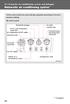 Automatic air conditioning system Airflow and outlets are automatically adjusted according to the temperature setting. Control panel Windshield defogger Driver s side temperature control dial Air conditioning
Trip Odometer Reset Stem. Hood Release Lever. Cruise Control Set StabiliTrak Active StabiliTrak Off Lamps On Reminder Low Tire Pressure Reduced Engine
 Review this Quick Reference Guide for an overview of some important features in your Chevrolet Trax. More detailed information can be found in your Owner Manual. Some optional equipment described in this
Getting to Know Xsight... 3. Home Screen and Everyday Use... 9. Settings... 11. PC Setup... 17. 2 www.oneforall.com
 User Manual English English Getting to Know Xsight........................................ 3 Unpacking and Setting Up Xsight............................................................. 3 Using Xsight
Keys... 2-2 Master, submaster and valet key... 2-2 Key number... 2-2. Door locks... 2-3 Power door locking switches... 2-5
 Doors and locks Keys........................................................................... 2-2 Master, submaster and valet key..................................... 2-2 Key number...............................................................
Getting to Know Your 2016 Sierra Denali
 Getting to Know Your 2016 Sierra Denali www.gmc.com Review this Quick Reference Guide for an overview of some important features in your GMC Sierra Denali. More detailed information can be found in your
ŠkodaOctavia Tour CAR RADIO SYMPHONY SIMPLY CLEVER
 ŠkodaOctavia Tour CAR RADIO SYMPHONY SIMPLY CLEVER Contents 1 Contents Radio....................................... Radio - Overview............................. Important information........................
Owner's Manual for your BMW Business CD Car Radio. For your listening enjoyment.
 Owner's Manual for your BMW Business CD Car Radio. For your listening enjoyment. 2n This Owner's Manual is intended to familiarize you with the details of your BMW car radio. In addition, we recommend
Part 2. Copyright 1998 Philips Consumer Communications L.P. All rights reserved. Printed in Mexico. Issue 1AT&T 848229506
 2 User's Manual for Two-Line Digital Answering System Telephone with Speakerphone 1872 Fold open this paper for information about this telephone's installation and operation. Please read Part 1 Important
4008 FEATURES AND SPECIFICATIONS
 ACTIVE BODYSTYLE 5 door compact SUV SAFETY Driver and front passenger airbags Front side airbags Full length curtain airbags Driver knee airbag ABS with Electronic Brake Force Distribution (EBFD) Emergency
Subaru Reference. This reference contains the following information: connector pinouts. connector pinouts
 Subject: Source: 1993 2010 Impreza, WRX, and Sti and 2002 07 Outback Sport ABS wiring diagrams, harness routing, and connector locations and pinouts Subaru service manuals This reference contains the following
2.4 GHz Dual Handset Cordless Telephone Answering System 2255 with Caller ID/Call Waiting
 USER S MANUAL Part 2 2.4 GHz Dual Handset Cordless Telephone Answering System 2255 with Caller ID/Call Waiting Please also read Part 1 Important Product Information AT&T and the globe symbol are registered
ŠkodaAuto CAR RADIO BEAT SIMPLY CLEVER
 ŠkodaAuto CAR RADIO BEAT SIMPLY CLEVER Contents 1 Contents Radio....................................... Radio - Overview............................. Important information........................ Anti-theft
ALL-NEW MAZDA3 CONNECTIVITY QUICK START GUIDE
 ALL-NEW MAZDA3 CONNECTIVITY QUICK START GUIDE 1 MZD-CONNECT INFOTAINMENT SYSTEM For more information on any of the topics covered in this guide as well as detailed how-to guides for most functions please
Instrument Panel. Symbols. Turn Signal Lever/Windshield Wipers Lever. Driver Information Center. Cruise Control Buttons
 Review this Quick Reference Guide for an overview of some important features in your Buick Enclave. More detailed information can be found in your Owner Manual. Some optional equipment described in this
Mercedes-Benz Vito. Specifications
 Mercedes-Benz Vito Specifications Mercedes-Benz Technical Data Panel Van Specification Body Style Rated output (kw @ rpm) Max torque (Nm @ rpm) Injection Fuel consumption 1 (litres/100km) Front axle load
ŠKODA Octavia and Octavia RS Price and Equipment Overview MY15/CW45
 ŠKODA Octavia and Octavia RS Price and Equipment Overview MY15/CW45 Octavia Pricing Summary MY15/CW45 Octavia Sedan Ambition Ambition Plus Elegance RS Engine Transmission Power Torque MLP # / Driveaway^
MAGICAR M871A. Car alarm with two-way remote User s guide
 MAGICAR M871A Car alarm with two-way remote User s guide EN MAGICAR M871A Car alarm with two-way remote User s guide TABLE OF CONTENTS Table of contents...2 1. Important notice...4 2. Introduction...4
C USTOMER CONVENIENCE/PERSONALIZATION G UIDE
 C USTOMER CONVENIENCE/PERSONALIZATION G UIDE Review this guide for an overview of some important features in your Cadillac SRX. Some optional equipment (denoted by ) described in this guide may not be
The new ŠKODA Octavia Price and Equipment Overview
 The new ŠKODA Octavia Price and Equipment Overview Octavia Sedan Engine Transmission Power Torque MLP # / Driveaway^ MLP # / Driveaway^ MLP # / Driveaway^ MLP # / Driveaway^ 103TSI 6-sp Manual 103kW@5000
SMART ENTRY WITH PUSH BUTTON START
 SMART ENTRY WITH PUSH BUTTON START Operate certain functions of your vehicle by simply having the remote transmitter within operating range. Featured on all trims except LX, HF, Natural Gas & Natural Gas
Owner s Manual. Operation, Safety and Maintenance TS 1515-A-08 MOVANO. Copyright by Vauxhall Motors Ltd., England.
 Owner s Manual MOVANO Operation, Safety and Maintenance Reproduction or translation, in whole or in par ts, is not permitted without prior written consent from Vauxhall Motors Ltd. All rights as understood
2012 Chevrolet Orlando Owner Manual M
 Black plate (1,1) 2012 Chevrolet Orlando Owner Manual M In Brief........................ 1-1 Instrument Panel.............. 1-2 Initial Drive Information........ 1-4 Vehicle Features............. 1-15
ŠKODA Octavia and Octavia RS Price and Equipment Overview
 ŠKODA Octavia and Octavia RS Price and Equipment Overview Octavia Pricing Summary MY15 Octavia Sedan Ambition Ambition Plus Elegance Engine Transmission Power Torque MLP # / Driveaway^ MLP # / Driveaway^
SECTION 2 3 OPERATION OF INSTRUMENTS AND CONTROLS. Lights, Wipers and Defogger
 OPERATION OF INSTRUMENTS AND CONTROLS Lights, Wipers and Defogger SECTION 2 3 Headlights and turn signals................................... 92 Emergency flashers..........................................
Guide to the... Nissan Leaf. Completely harmless fun with. City Car Club 100% electric
 Guide to the... Nissan Leaf Completely harmless fun with City Car Club 100% electric Contents 1. First arrival at the car 2. Starting the car 3. Basic controls 4. Getting the most from the battery 5. Finished
2014 Chevrolet Cruze Owner Manual M
 2014 Chevrolet Cruze Owner Manual M In Brief........................ 1-1 Instrument Panel.............. 1-2 Initial Drive Information........ 1-4 Vehicle Features............. 1-15 Performance and Maintenance................
Operating Instructions Display, graphic. Numeric language
 Operating Instructions Display, graphic Numeric language Contents Numeric language, general... 1 Numeric language, general... 1 Display control stalk... 1 Text strings... 1 Stop message... 2 Change language...
Owner s Manual FULL PREPARATION PACKAGE MOBILE PHONE
 Owner s Manual FULL PREPARATION PACKAGE MOBILE PHONE 2007 Bayerische Motoren Werke Aktiengesellschaft Munich, Germany Reprinting, including excerpts, only with the written consent of BMW AG, Munich.
MODEL S SOFTWARE RELEASE NOTES v5.8
 MODEL S SOFTWARE RELEASE NOTES v5.8 With this release, Model S owners will be able to use Wi-Fi to enable Internet connectivity, and Maps will feature a new heading-up orientation. In addition, there are
UVO SYSTEM QUICK REFERENCE GUIDE
 UVO SYSTEM QUICK REFERENCE GUIDE Congratulations on the Purchase of your new UVO system! Your new UVO system allows you to enjoy various audio and multimedia features through the main audio system. For
Exterior features. Rear parking sensors. Personalisation kits. puncture repair kit. Guide-me-home lighting
 Exterior features Personalisation kits These self-adhesive decals form part of a range of kits, very different one from another, which allow you to create a unique and attractive exterior for your vehicle.
ATS-505. GB Version 1
 ATS-505 GB Version 1 Control Locations Power/Sleep Power On/off/Alarm off/sleep function Display Switch between radio frequency and time while radio is power on Mode Mode set up (please see below mode
ELECTRICAL WIRING (R.H. DRIVE VEHICLES)
 C-1 ELECTRICAL WIRING (R.H. DRIVE VEHICLES) CONTENTS GENERAL.......................... 3 WIRING HARNESS CONFIGURATION DIAGRAMS......................... 4 ENGINE COMPARTMENT................ 4 DASH PANEL...........................
2. READY TO SET OFF 18-42. 3. EASE OF USE and COMFORT 43-84 1. FAMILIARISATION 4-17 4. SAFETY 85-102. Contents
 WELCOME Please note the following point: the fitting of electrical equipment or accessories which are not recommended by PEUGEOT may result in a failure of your vehicle's electronic system. Please note
REMOTE START SECURITY SYSTEM OWNERS MANUAL
 REMOTE START SECURITY SYSTEM OWNERS MANUAL Standard Features The System has the following standard features: 5-button remote transmitter Status indicator (LED) Valet/Service mode switch Remote Start capabilities
2013 Chevrolet Volt Owner Manual M
 2013 Chevrolet Volt Owner Manual M In Brief........................ 1-1 Instrument Panel.............. 1-2 Initial Drive Information........ 1-4 Vehicle Features............. 1-16 Battery and Efficiency........
SCORPION. micron security products
 SCORPION 4120 6020 & 8020 USER INSTRUCTIONS Thank you for purchasing a Quality Micron Security Alarm Controller. Micron product is manufactured to exacting quality standards. We understand the importance
2012 Chevrolet Cruze Owner Manual M
 2012 Chevrolet Cruze Owner Manual M In Brief........................ 1-1 Instrument Panel.............. 1-2 Initial Drive Information........ 1-4 Vehicle Features............. 1-15 Performance and Maintenance................
Remote Engine Start System User s Information Manual
 Remote Engine Start System User s Information Manual A Few Words About Safety Your safety, and the safety of others, is very important. Operating this Remote Engine Starter System safely is an important
Owner s Guide. ca6554
 PROFESSIONAL SERIES Owner s Guide For Models: ca6554 Deluxe Vehicle Security and Remote Start System with 2 Way Confirming LCD Remote Control IMPORTANT NOTE: The operation of the Security and Convenience
Grand Prix 7Jx17 alloy 225/45 R17. Porto 7½Jx17 alloy 225/45 R17. Toronto 6½Jx16 alloy 205/55 R16. Sedona 6½Jx16 alloy 205/55 R16
 1.6 Guarantees Trunk sill protection, plastic X X X X X X X X X 3-year / 120 000 km warranty X X X X X X X X X Volkswagen AutoMotion Plan : 5yr / 60 000 km X X X X X X X X X 15 000 km service intervals
2016 Infiniti Q50 Hybrid. Quick Reference Guide
 06 Infiniti Q50 Hybrid Quick Reference Guide 3 4 6 5 Behind steering wheel 7 6 0 Behind steering wheel 9 8 7 8 7 9 5 0 3 4 3 VEHICLE INFORMATION DISPLAY LOW TIRE PRESSURE WARNING LIGHT 3 HEADLIGHT AND
2014 Cadillac ATS Owner Manual M
 2014 Cadillac ATS Owner Manual M In Brief........................ 1-1 Instrument Panel.............. 1-2 Initial Drive Information........ 1-4 Vehicle Features............. 1-15 Performance and Maintenance................
Digital Radio/DAB+/FM RDS digital clock radio with dual alarm Operating instruction
 381SE1D-A Digital Radio/DAB+/FM RDS digital clock radio with dual alarm Operating instruction GB Contents Controls... 2-3 Using the clock radio for the first time... 4 Operating your clock radio... 5 Selecting
BODY ELECTRICAL TOYOTA ELECTRICAL WIRING DIAGRAM WORKBOOK. ASSIGNMENT Version 1.8 WORKSHEETS. http://www.autoshop101.com
 BODY ELECTRICAL ASSIGNMENT Version 1.8 WORKSHEETS TOYOTA ELECTRICAL WIRING DIAGRAM WORKBOOK http://www.autoshop101.com Developed by Kevin R. Sullivan All Rights Reserved TOYOTA Table of Contents Wiring
2013 Chevrolet Equinox Owner Manual M
 2013 Chevrolet Equinox Owner Manual M In Brief........................ 1-1 Instrument Panel.............. 1-2 Initial Drive Information........ 1-4 Vehicle Features............. 1-15 Performance and Maintenance................
BLUETOOTH. COLOR INFORMATION DISPLAY p.10. HANDSFREELINK p.28. NAVIGATION p.26. ECO ASSIST TM p.13. INSTRUMENT PANEL p.6
 T E C H N O L O G Y R E F E R E N C E G U I D E w w w. m y h o n d a. c a 3 1 T 2 A R 0 0 2013 Honda Accord Sedan Technology Reference Guide 00X31- T2A- R000 2012 Honda Canada Inc. All Rights Reserved
CAR RADIO BLUES OWNER'S MANUAL
 CAR RADIO BLUES OWNER'S MANUAL Contents 1 Contents Radio........................................ Radio - Overview............................. Important information........................ Anti-theft
This Important Information To Be REMOVED AND READ BY THE CUSTOMER
 This Important Information To Be REMOVED AND READ BY THE CUSTOMER Instrument Panel...2 Remote Keyless Entry Transmitter...4 Rear Door Safety Locks...4 Tilt/Telescopic Steering Wheel..4 Driver s Seat Adjustments...5
Getting to know your Q5 SQ5. Quick Questions & Answers
 Getting to know your Q5 SQ5 Quick Questions & Answers The information within this guide must be used in conjunction with the information in the Audi Owner s Manuals. Refer to your vehicle s Owner s Manual
BMW Universal Bluetooth TM Hands-Free System (ULF) Owner s Manual
 BMW Universal Bluetooth TM Hands-Free System (ULF) Owner s Manual P/N 84 11 0 302 638 6/5/03 Dear BMW Owner: Congratulations on your purchase of the BMW Universal Bluetooth TM Hands-Free System (ULF) for
2014 Honda Odyssey Touring and Touring Elite 3 1 T K 8 D 3 0 Technology Reference Guide 00X31- TK8- D300 2013 American Honda Motor Co., Inc.
 TECHNOLOGY REFERENCE GUIDE o w n e r s. h o n d a. c o m 2014 Honda Odyssey Touring and Touring Elite 3 1 T K 8 D 3 0 Technology Reference Guide 00X31- TK8- D300 2013 American Honda Motor Co., Inc. All
How To Buy A Fisker Karma Ecochic
 AT Car ID: AT-18711259 Page 1 of 11 AT Car ID: AT-18711259 Mileage... 8632 Exterior Color... Eclipse Interior Color... Glacier Tri-Tone Body Style... Sedan Transmission... Continuously Variable Automatic
SECTION 1-5 OPERATION OF INSTRUMENTS AND CONTROLS 06.0.711. Lights, Wipers and Defogger
 OPERATION OF INSTRUMENTS AND CONTROLS Lights, Wipers and Defogger SECTION 1-5 Headlights and turn signals................................... 76 Emergency flashers..........................................
CR9986 ROBERTS. Dual Alarm CD Clock Radio. Sound for Generations. Please read this manual before use
 ROBERTS Sound for Generations CR9986 Dual Alarm CD Clock Radio Please read this manual before use Contents Contents... Controls... - Switching on and setting the time... 4 Listening to the radio... 5 Compact
VAUXHALL Insignia. Owner s Manual Model Year 2009.5 Edition: January 2009 TS 1674-B-09
 VAUXHALL Insignia VAUXHALL Insignia 0-1 Owner s Manual Model Year 2009.5 Edition: January 2009 TS 1674-B-09 Contents Introduction... 2 In brief... 6 Keys, doors and windows... 19 Seats, restraints... 39
Owner s Manual AWM910 JENSEN AWM910 COMPACT DISC PLAYER RADIO CD COMPACT MUSIC SYSTEM MUTE AUX BAND AUX IN PUSH PUSH PWR VOL ALARM T/F AUD SPK A SPK B
 AWM910 Owner s Manual COMPACT DISC PLAYER PUSH 1 2 3 4 5 6 RPT SCAN RDM H M PUSH PWR VOL ALARM SET ON/OFF EQ T/F AUD RADIO CD COMPACT MUSIC SYSTEM MUTE AUX BAND CD AUX IN A B A+B JENSEN AWM910 Thank You!
The Crafter Electrical system
 Service Training Self-study Programme 370 Commercial Vehicles The Crafter Electrical system Design and function Innovations in automotive engineering are also taking place in the commercial vehicle segment.
CLK Cabriolet Operator s Manual
 CLK Cabriolet Operator s Manual CLK 320 CLK 430 Our company and staff congratulate you on the purchase of your new Mercedes-Benz. Your selection of our product is a demonstration of your trust in our company
Interior - Lights and Switches
 Interior - Lights and Switches Стр. 1 из 3 96-1 Interior - Lights and Switches Footwell Lights Footwell lights: Left Footwell Light W9 Right Footwell Light W10 Note: The front foot well lights are located
Radio BMR100 INSTRUCTION MANUAL. ENGLISH (Original instructions)
 ENGLISH (Original instructions) INSTRUCTION MANUAL Radio BMR00 WARNING: For your personal safety, READ and UNDERSTAND before using. SAVE THESE INSTRUCTIONS FOR FUTURE REFERENCE. Symbols The following show