
Monitoring: Linux OS Agent Version Fix Pack 2 (Revised May 2010) User s Guide SC
|
|
|
- Jemimah Owen
- 10 years ago
- Views:
Transcription
1 Tioli Monitoring: Linux OS Agent Version Fix Pack 2 (Reised May 2010) User s Guide SC

2

3 Tioli Monitoring: Linux OS Agent Version Fix Pack 2 (Reised May 2010) User s Guide SC

4 Note Before using this information and the product it supports, read the information in Notices on page 269. This edition applies to ersion Fix pack 2 of the IBM Tioli Monitoring: Linux OS Agent (5724-C04) and to all subsequent releases and modifications until otherwise indicated in new editions. Copyright IBM Corporation 2005, US Goernment Users Restricted Rights Use, duplication or disclosure restricted by GSA ADP Schedule Contract with IBM Corp.
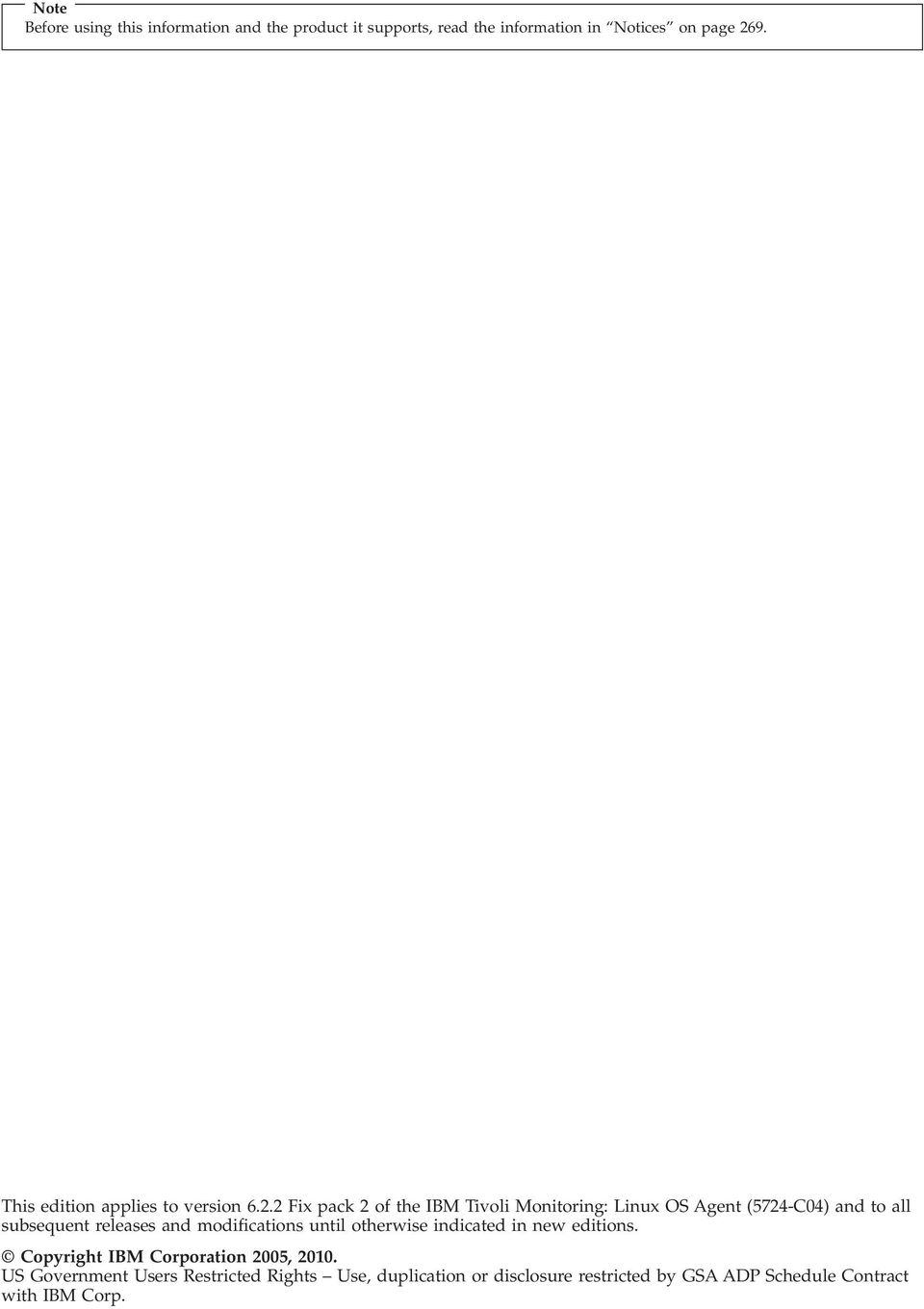
5 Contents Tables ii Chapter 1. Oeriew of the Monitoring Agent for Linux OS IBM Tioli Monitoring oeriew Features of the Monitoring Agent for Linux OS... 1 New in this release Monitoring Agent for Linux OS components User interface options Chapter 2. Requirements for the monitoring agent Naming instances Running as a non-administrator user Using Agent Management Serices Chapter 3. Workspaces reference About workspaces More information about workspaces Predefined workspaces Agent Management Serices workspace Agents' Management Log workspace All Files workspace Capacity Usage Information workspace CPU Aerages workspace Disk I/O Extended Rate workspace Disk I/O Rate workspace Disk Usage workspace File Information workspace Historical Summarized Aailability workspace.. 17 Historical Summarized Aailability Daily workspace Historical Summarized Aailability Hourly workspace Historical Summarized Aailability Weekly workspace Historical Summarized Capacity workspace.. 18 Historical Summarized Capacity Daily workspace 18 Historical Summarized Capacity Hourly workspace Historical Summarized Capacity Weekly workspace Historical Summarized Performance workspace 19 Historical Summarized Performance Daily workspace Historical Summarized Performance Hourly workspace Historical Summarized Performance Weekly workspace Linux workspace Network workspace NFS Statistics workspace Process workspace Process User Information workspace RPC Statistics workspace Sockets Information workspace Specific File Information workspace System Configuration workspace System Information workspace Users Workspace Virtual Memory Statistics workspace Virtual Memory Usage Trends workspace Chapter 4. Attributes reference About attributes More information about attributes Attribute groups and attributes for the Monitoring Agent for Linux OS Agent Aailability Management Status Attributes 29 Agent Actie Runtime Status Attributes Alerts Table Attributes All Users Attributes Configuration Information Attributes CPU Attributes CPU Attributes (superseded) CPU Aerages Attributes CPU Aerages Attributes (superseded) CPU Configuration Attributes Disk Attributes Disk Attributes (superseded) Disk IO Attributes Disk IO Attributes (superseded) Disk Usage Trends Attributes Disk Usage Trends Attributes (superseded) File Comparison Group Attributes File Information Attributes File Pattern Group Attributes Linux Group Attributes I/O Ext Attributes I/O Ext Attributes (superseded) IP Address Attributes Linux Host Aailability Attributes Machine Information attributes Network Attributes Network Attributes (superseded) NFS Statistics Attributes NFS Statistics Attributes (superseded) OS Configuration Attributes Process Attributes Process Attributes (superseded) Process User Info Attributes Process User Info Attributes (superseded) RPC Statistics Attributes RPC Statistics Attributes (superseded) Sockets Detail Attributes Sockets Detail Attributes (superseded) Sockets Status Attributes Sockets Status Attributes (superseded) Swap Rate Attributes Copyright IBM Corp. 2005, 2010 iii
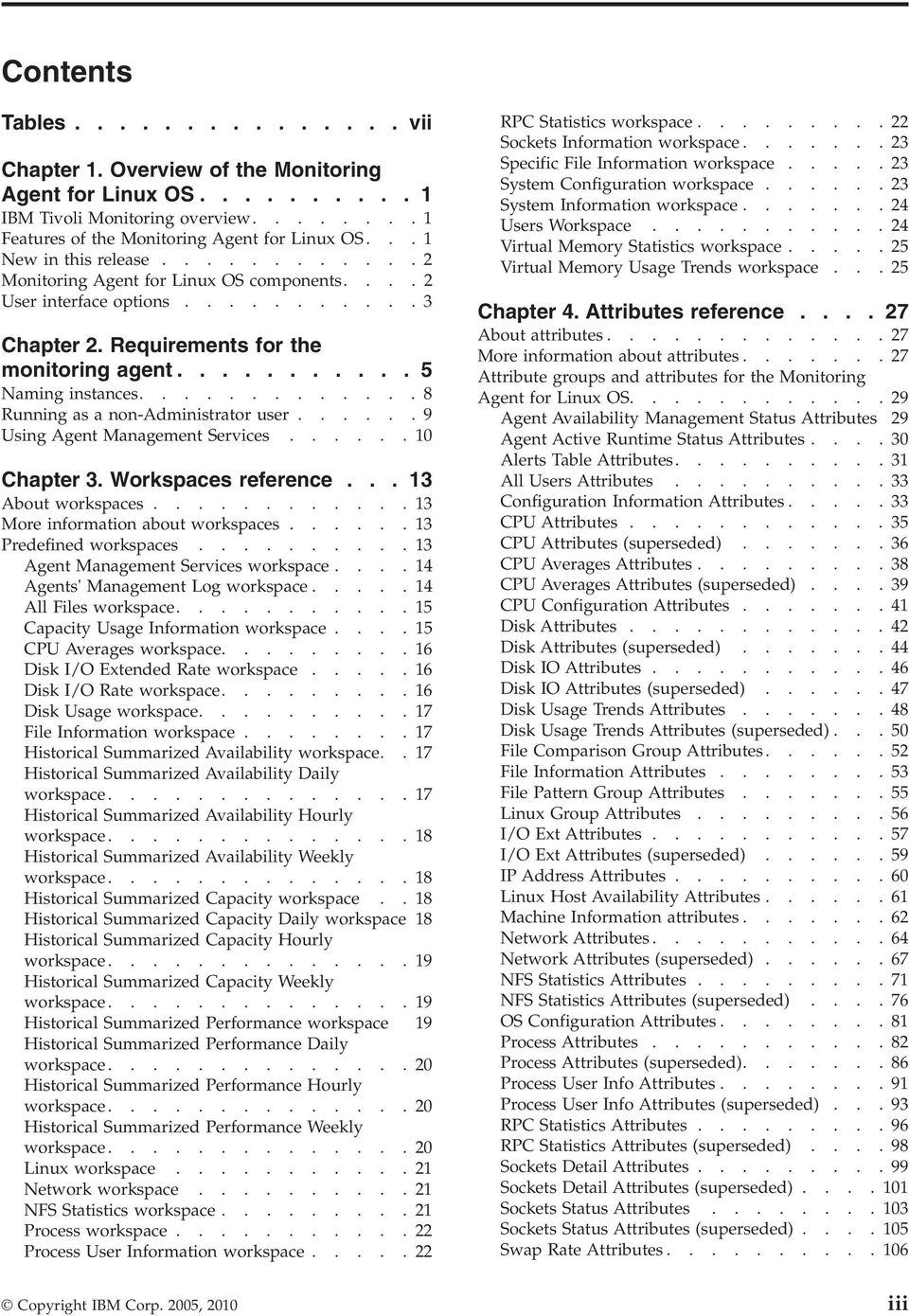
6 Swap Rate Attributes (superseded) System Statistics Attributes System Statistics Attributes (superseded) User Login Attributes User Login Attributes (superseded) VM Stats Attributes VM Stats Attributes (superseded) Disk capacity planning for historical data Chapter 5. Situations reference About situations More information about situations Predefined situations Linux_AMS_Alert_Critical situation Linux_Fragmented_File_System situation Linux_Fragmented_File_System_2 situation Linux_High_CPU_Oerload situation Linux_High_CPU_Oerload_2 situation Linux_High_CPU_System situation Linux_High_CPU_System_2 situation Linux_High_Packet_Collisions situation Linux_High_Packet_Collisions_2 situation Linux_High_RPC_Retransmit situation Linux_High_RPC_Retransmit_2 situation Linux_High_Zombies situation Linux_High_Zombies_2 situation Linux_Low_Pct_Inodes situation Linux_Low_Pct_Inodes_2 situation Linux_Low_percent_space situation Linux_Low_percent_space_2 situation Linux_Low_Space_Aailable situation Linux_Low_Space_Aailable_2 situation Linux_Network_Status situation Linux_Network_Status_2 situation Linux_NFS_Buffer_High situation Linux_NFS_Buffer_High_2 situation Linux_NFS_Getattr_High situation Linux_NFS_Getattr_High_2 situation Linux_NFS_rdlink_high situation Linux_NFS_rdlink_high_2 situation Linux_NFS_Read_High situation Linux_NFS_Read_High_2 situation Linux_NFS_Writes_High situation Linux_NFS_Writes_High_2 situation Linux_Packets_Error situation Linux_Packets_Error_2 situation Linux_Process_High_Cpu situation Linux_Process_High_Cpu_2 situation Linux_Process_stopped situation Linux_Process_stopped_2 situation Linux_RPC_Bad_Calls situation Linux_RPC_Bad_Calls_2 situation Linux_System_Thrashing situation Linux_System_Thrashing_2 situation Chapter 6. Take Action commands reference About Take Action commands More information about Take Action commands 133 Predefined Take Action commands AMS Recycle Agent Instance AMS Reset Agent Daily Restart Count AMS Start Agent action AMS Start Agent Instance action AMS Stop Agent action AMS Start Management action AMS Stop Management action Sample_kill_Process action Chapter 7. Policies reference About policies More information about policies Predefined policies Appendix A. Upgrading for warehouse summarization Tables in the warehouse Effects on summarized attributes Upgrading your warehouse with limited user permissions Types of table changes Table summary Upgrading your warehouse for primary key and tablespace changes Affected attribute groups and supporting scripts 146 Procedures Appendix B. IBM Tioli Enterprise Console eent mapping Appendix C. Monitoring Agent for Linux OS data collection Appendix D. Troubleshooting Gathering product information for IBM Software Support Built-in troubleshooting features Problem classification Trace logging Principal trace log files Setting RAS trace parameters Problems and workarounds Installation and configuration troubleshooting 228 Agent troubleshooting Tioli Enterprise Portal troubleshooting Troubleshooting for remote deployment Situation troubleshooting Support information Accessing terminology online Accessing publications online Ordering publications Tioli technical training Tioli user groups Appendix E. Discoery Library Adapter for the monitoring agent About the DLA More information about DLAs Linux data model class types represented in CDM 243 i IBM Tioli Monitoring: Linux OS Agent: User s Guide
7 Linux class ComputerSystem class IpInterface class IpV4Address class IpV6Address class Fqdn class TMSAgent class Appendix F. Tioli Common Reporting for the monitoring agent Utilization Details for Single Resource report Utilization Details for Multiple Resources report 253 Utilization Heat Chart for Single Resource report 256 Top Resources Utilization report Enterprise Resource List report Appendix G. Documentation library 263 IBM Tioli Monitoring library Documentation for the base agents Related publications Other sources of documentation Appendix H. Accessibility Naigating the interface using the keyboard Magnifying what is displayed on the screen Notices Trademarks Index Contents

8 i IBM Tioli Monitoring: Linux OS Agent: User s Guide

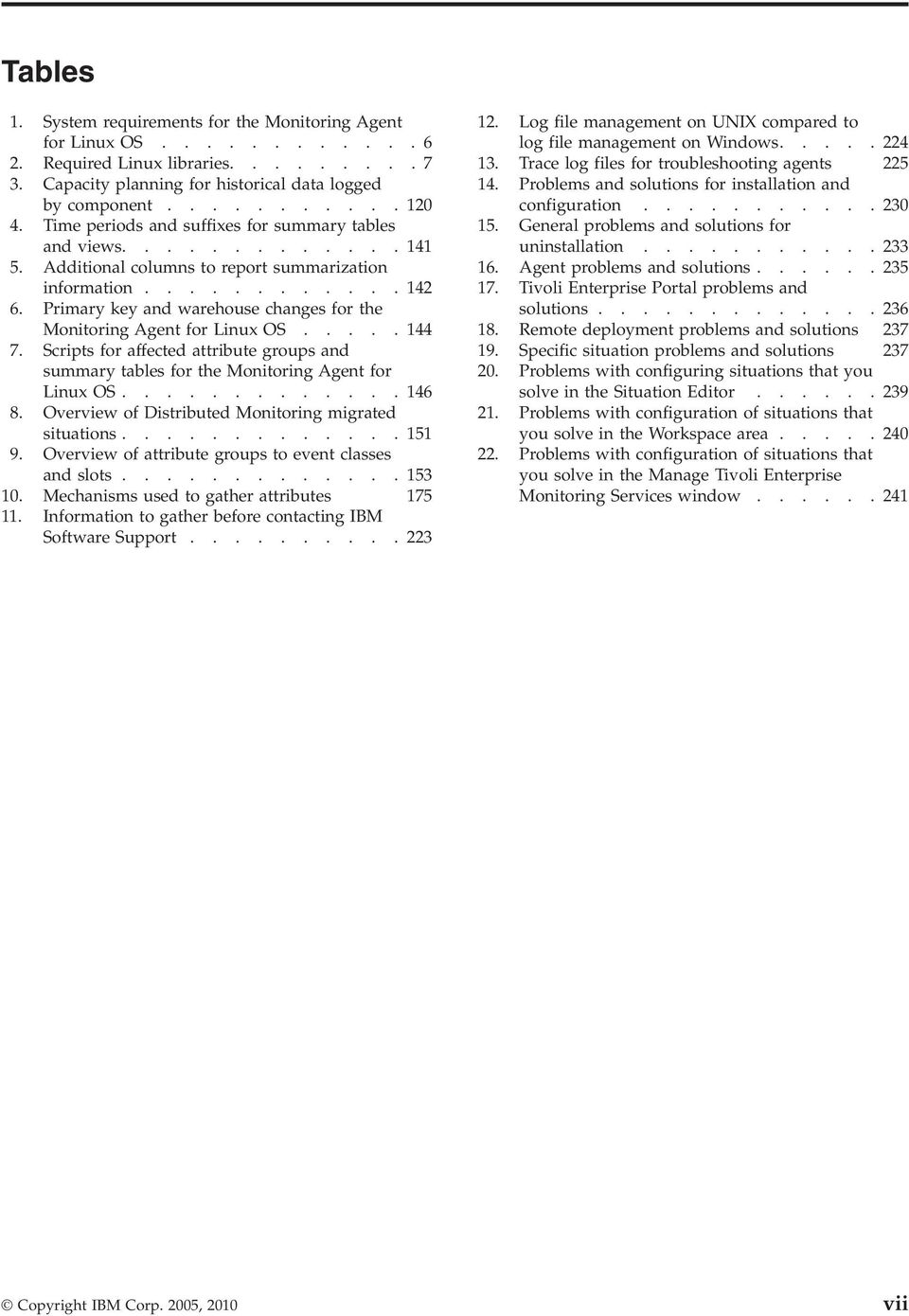
9 Tables 1. System requirements for the Monitoring Agent for Linux OS Required Linux libraries Capacity planning for historical data logged by component Time periods and suffixes for summary tables and iews Additional columns to report summarization information Primary key and warehouse changes for the Monitoring Agent for Linux OS Scripts for affected attribute groups and summary tables for the Monitoring Agent for Linux OS Oeriew of Distributed Monitoring migrated situations Oeriew of attribute groups to eent classes and slots Mechanisms used to gather attributes Information to gather before contacting IBM Software Support Log file management on UNIX compared to log file management on Windows Trace log files for troubleshooting agents Problems and solutions for installation and configuration General problems and solutions for uninstallation Agent problems and solutions Tioli Enterprise Portal problems and solutions Remote deployment problems and solutions Specific situation problems and solutions Problems with configuring situations that you sole in the Situation Editor Problems with configuration of situations that you sole in the Workspace area Problems with configuration of situations that you sole in the Manage Tioli Enterprise Monitoring Serices window Copyright IBM Corp. 2005, 2010 ii
10 iii IBM Tioli Monitoring: Linux OS Agent: User s Guide

11 Chapter 1. Oeriew of the Monitoring Agent for Linux OS The Monitoring Agent for Linux OS proides you with the capability to monitor Linux, and to perform basic actions with Linux. This chapter proides a description of the features, components, and interface options for the Monitoring Agent for Linux OS. IBM Tioli Monitoring oeriew IBM Tioli Monitoring is the base software for the Monitoring Agent for Linux OS. IBM Tioli Monitoring proides a way to monitor the aailability and performance of all the systems in your enterprise from one or seeral designated workstations. It also proides useful historical data that you can use to track trends and to troubleshoot system problems. You can use IBM Tioli Monitoring to do the following: Monitor for alerts on the systems that you are managing by using predefined situations or custom situations. Establish your own performance thresholds. Trace the causes leading to an alert. Gather comprehensie data about system conditions. Use policies to perform actions, schedule work, and automate manual tasks. The Tioli Enterprise Portal is the interface for IBM Tioli Monitoring products. By proiding a consolidated iew of your enironment, the Tioli Enterprise Portal permits you to monitor and resole performance issues throughout the enterprise. See the IBM Tioli Monitoring publications listed in Appendix G, Documentation library, on page 263 for complete information about IBM Tioli Monitoring and the Tioli Enterprise Portal. Features of the Monitoring Agent for Linux OS As part of the Tioli Enterprise Portal for Distributed Systems, the Monitoring Agent for Linux OS offers a central point of management of Linux-based enironments. It proides a comprehensie means for gathering exactly the information you need to detect problems early and to preent them. Information is standardized across all systems, and you can monitor serers from a single workstation. The Tioli Enterprise Portal lets you easily collect and analyze specific information. The Monitoring Agent for Linux OS is an intelligent, remote monitoring agent that resides on managed resources. It assists you in anticipating trouble and warns systems administrators when critical eents take place on their systems. With the Monitoring Agent for Linux OS, systems administrators can set threshold leels and flags as desired to alert them when the system reaches these thresholds. For Tioli Enterprise Portal, information is displayed in named workspaces. Tioli Enterprise Portal refers to this tabular format for information as a table iew. Information can also be displayed in the workspace as charts, graphs, or other formats that you can specify. Copyright IBM Corp. 2005,
12 New in this release The Monitoring Agent for Linux OS proides the following benefits: Simplifies application and system management by managing applications, platforms, and resources across your enironment. Helps to increase profits by proiding you with real-time access to reliable, up-to-the-minute data that you can use to make faster, better-informed operating decisions. Scales and ports to new platforms by supporting a wide ariety of platforms. Improes system performance by letting you integrate, monitor, and manage your system, network, console, and mission-critical applications. A monitoring agent alerts the Tioli Enterprise Monitoring Serer when conditions on the system network meet threshold-based conditions. These alerts notify your systems administrator to limit and control database usage. You can iew data gathered by the Tioli Enterprise Monitoring Serer in tables and charts for the status of your distributed database systems. Enhances efficiency by monitoring dierse platforms and networks from a single PC screen. Depending on your Tioli Enterprise Portal configuration, you can collect and monitor data across platforms. Management agents gather and filter status information at the managed resource rather than at the hub, eliminating unnecessary data transmission and sending only data that is releant to changes in status conditions. The Monitoring Agent for Linux OS helps you monitor and gather the consistent, accurate, and timely information you require to effectiely perform your job. For ersion Fix Pack 2 of the Monitoring Agent for Linux OS, the following enhancements hae been made: OS agent aailability is now isible from the Agents' Management Log workspace. New Take Actions: AMS Recycle Agent Instance AMS Reset Agent Daily Restart Count Monitoring Agent for Linux OS components After you install the Monitoring Agent for Linux OS (product code "klz" or "lz") as directed in the IBM Tioli Monitoring Installation and Setup Guide, you hae an enironment with a client, serer, and monitoring agent implementation for IBM Tioli Monitoring that contains the following components: Tioli Enterprise Portal client with a Jaa-based user interface for iewing and monitoring your enterprise. Tioli Enterprise Portal Serer that is placed between the client and the Tioli Enterprise Monitoring Serer and enables retrieal, manipulation, and analysis of data from the monitoring agents. Tioli Enterprise Monitoring Serer, which acts as a collection and control point for alerts receied from the monitoring agents, and collects their performance and aailability data. Monitoring Agent for Linux OS, which collects and distributes data to a Tioli Enterprise Monitoring Serer. This component also embeds the Agent Management Serices function. 2 IBM Tioli Monitoring: Linux OS Agent: User s Guide

13 User interface options Operating system agents and application agents installed on the systems or subsystems you want to monitor. These agents collect and distribute data to the Tioli Enterprise Monitoring Serer. Tioli Data Warehouse for storing historical data collected from agents in your enironment. The data warehouse is located on a DB2, Oracle, or Microsoft SQL database. To collect information to store in this database, you must install the Warehouse Proxy agent. To perform aggregation and pruning functions on the data, install the Warehouse Summarization and Pruning agent. Tioli Enterprise Console eent synchronization component for synchronizing the status of situation eents that are forwarded to the eent serer. When the status of an eent is updated because of IBM Tioli Enterprise Console rules or operator actions, the update is sent to the monitoring serer, and the updated status is reflected in both the Situation Eent Console and the Tioli Enterprise Console eent iewer. For more information, see IBM Tioli Monitoring Installation and Setup Guide. Installation of the base software and other integrated applications proides the following interfaces that you can use to work with your resources and data: Tioli Enterprise Portal browser client interface The browser interface is automatically installed with Tioli Enterprise Portal. To start Tioli Enterprise Portal in your Internet browser, enter the URL for a specific Tioli Enterprise Portal browser client installed on your Web serer. Tioli Enterprise Portal desktop client interface The desktop interface is a Jaa-based graphical user interface (GUI) on a Windows workstation. IBM Tioli Enterprise Console Eent management application Manage Tioli Enterprise Monitoring Serices window The window for the Manage Tioli Enterprise Monitoring Serices utility is used for configuring the agent and starting Tioli serices not already designated to start automatically. Chapter 1. Oeriew of the Monitoring Agent for Linux OS 3
14 4 IBM Tioli Monitoring: Linux OS Agent: User s Guide

15 Chapter 2. Requirements for the monitoring agent This chapter contains information about the following topics and procedures releant to the installation and configuration of the Monitoring Agent for Linux OS. In addition to the requirements described in the IBM Tioli Monitoring Installation and Setup Guide, the Monitoring Agent for Linux OS has the requirements listed in Table 1 on page 6. Copyright IBM Corp. 2005,
16 Table 1. System requirements for the Monitoring Agent for Linux OS Operating system Linux Operating system ersions Linux: Linux on zseries RedHat Enterprise Linux AS 3 (31-bit or 64-bit) RedHat Enterprise Linux AS 4 (31-bit or 64-bit) RedHat Enterprise Linux AS 5 (31-bit or 64-bit) SUSE Linux Enterprise Serer 8 (31-bit or 64-bit) SUSE Linux Enterprise Serer 9 (31-bit or 64-bit) SUSE Linux Enterprise Serer 10 (31-bit or 64-bit) Linux on Intel (32-bit) RedHat Enterprise Linux AS/ES 3 RedHat Enterprise Linux AS/ES 4 RedHat Enterprise Linux AS/ES 5 SUSE Linux Enterprise Serer 8 SUSE Linux Enterprise Serer 9 SUSE Linux Enterprise Serer 10 RedFlag 4.1 Asian Linux 2.0 Linux on pseries RedHat Enterprise Linux AS 4 RedHat Enterprise Linux AS 5 SUSE Linux Enterprise Serer 9 SUSE Linux Enterprise Serer 10 Linux on IA64 (Itanium ) RedHat Enterprise Linux AS 4 1 RedHat Enterprise Linux AS 5 1 SUSE Linux Enterprise Serer 9 1 SUSE Linux Enterprise Serer 10 1 Asian Linux 2 Linux on x86-64 RedHat Enterprise Linux AS 4 1 RedHat Enterprise Linux AS 5 1 SUSE Linux Enterprise Serer 9 1 SUSE Linux Enterprise Serer 10 1 Asian Linux 2 Natiely on VMWare ESX Serer x86-32 ESX Serer x86-64 ESX Serer 3.5 x86-32 ESX Serer 3.5 x86-64 ESX Serer 4.0 x86-32 ESX Serer 4.0 x86-64 The Linux ersion must support the Korn shell (ksh) and Motif Window Manager (libmotif) for installation of the monitoring agent. Memory 30 MB RAM for the Monitoring Agent for Linux OS 6 IBM Tioli Monitoring: Linux OS Agent: User s Guide

17 Table 1. System requirements for the Monitoring Agent for Linux OS (continued) Operating system Linux Disk space The Monitoring Agent for LINUX OS needs 180 MB of disk space in the file system where it is to be installed through the local install method. It needs 135 MB of disk space in the /tmp file system and 185 MB of disk space in the file system where the agent is to be installed through the tacmd createnode command. It needs 268 MB of disk space when it is updated by using the command tacmd updateagent. For historical data disk space information, see Disk capacity planning for historical data on page 120. Other requirements IBM Tioli Monitoring agents require at least a hub monitoring serer and portal serer. IBM Tioli Monitoring hub monitoring serers and portal serers do not support monitoring agents. IBM Tioli Monitoring monitoring agents work with both and enironments. The monitoring agent must hae the permissions necessary to perform requested actions. For example, if the user ID you used to log onto the system to install the monitoring agent (locally or remotely) does not hae the permission to perform a particular action being monitored by the monitoring agent (such as running a particular command), the monitoring agent will be unable to perform the requested action. Linux ersions require some compatibility libraries to be installed for the agent to work correctly. The latest ersions of libstdc++, libgcc, and compat-libstdc++, are required for the agent to work correctly. 2 Notes: 1. In natie 64-bit mode, not tolerance mode. 2. See Table 2 for the minimum ersion required for these libraries. Table 2. Required Linux libraries Architecture libstdc++ libgcc compat-libstdc++ li6243/li bit agent for Linux Intel kernel 2.4 (RHEL3,SLES8) li6263/li bit agent for Linux Intel kernel 2.6 (RHEL4, RHEL5, SLES9,SLES10) lx bit agent for Linux x64 kernel 2.6 lia266 64bit agent for Linux IA64 kernel 2.6 lpp266 64bit agent for Linux PPC kernel 2.6 libstdc N/A compat-libstdc libstdc libgcc _ N/A libstdc libgcc compat-libstdc libstdc libgcc N/A libstdc libgcc N/A Chapter 2. Requirements for the monitoring agent 7
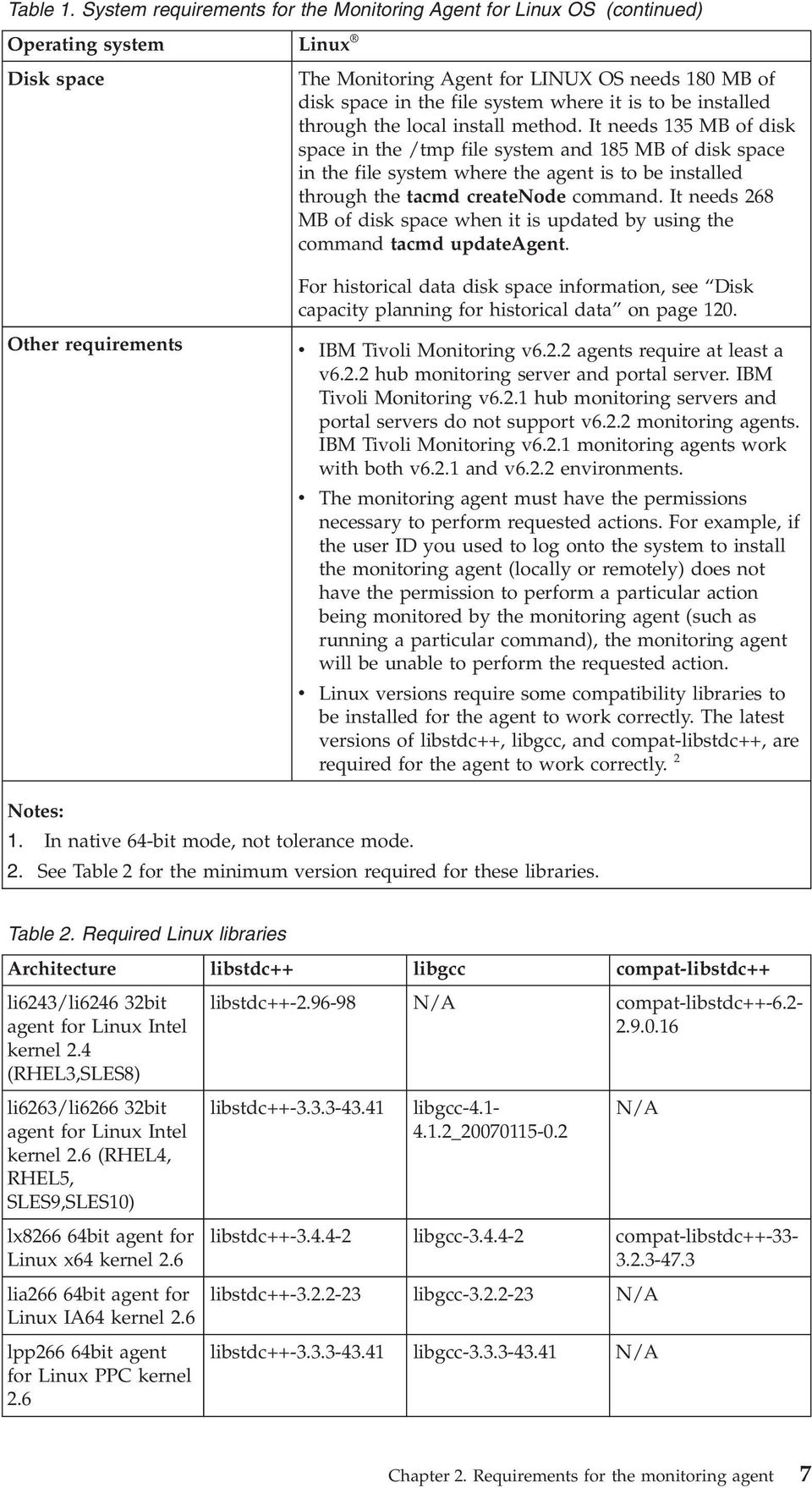
18 Table 2. Required Linux libraries (continued) Architecture libstdc++ libgcc compat-libstdc++ ls bit agent for zlinux kernel 2.4 (RHEL3,SLES8) ls bit agent for zlinux kernel 2.4 (RHEL3,SLES8) ls bit agent for zlinux kernel 2.6 (RHEL4, RHEL5, SLES9,SLES10) ls bit agent for zlinux kernel 2.6 (RHEL4, RHEL5, SLES9,SLES10) libstdc libgcc N/A libstdc libgcc N/A libstdc libgcc N/A libstdc libgcc N/A Naming instances Note: For the most current information about the operating systems that are supported, see the following URL: Supported_Platforms.html When you get to that site, click Tioli platform and database support matrix link at the bottom of the window. Silent installation: If you are performing a silent installation by using a response file, see the IBM Tioli Monitoring Installation and Setup Guide, "Performing a silent installation of IBM Tioli Monitoring." If you hae multiple instances of a monitoring agent, you must decide how to name the monitoring agents. This name is intended to uniquely identify that monitoring agent. The agent's default name is composed of three qualifiers: Optional instance name Machine network host name Agent product node type An agent name truncation problem can occur when the network domain name is included in the network host name portion of the agent name. For example, instead of just the host name myhost1 being used, the resulting host name might be myhost1.acme.north.prod.com. Inclusion of the network domain name causes the agent name in the example aboe to expand to SERVER1:myhost1.acme.north.prod.com:KXX. This resulting name is 39 characters long. It is truncated to 32 characters resulting in the name SERVER1:myhost1.acme.north.prod. The agent name truncation is only a problem if there is more than one monitoring agent on the same system. In this case, the agent name truncation can result in collisions between agent products attempting to register by using the same truncated name alue. When truncated agent names collide on the same system, this can lead to Tioli Enterprise Monitoring Serer problems with corrupted EIB 8 IBM Tioli Monitoring: Linux OS Agent: User s Guide

19 tables. The agent name collision in the Tioli Enterprise Monitoring Serer might cause a registered name to be associated with the wrong product. In general, create names that are short but meaningful within your enironment. Use the following guidelines: Each name must be unique. One name cannot match another monitoring agent name exactly. Each name must begin with an alpha character. Do not use blanks or special characters, including $, #, Each name must be between 2 and 32 characters in length. Monitoring agent naming is case-sensitie on all operating systems. See Unique names for monitoring components on page 233 for more information about creating unique names. Running as a non-administrator user The Monitoring Agent for Linux OS can be run by a non-administrator user (a non-root user), howeer some functionality becomes unaailable. The Machine BIOS information uses the dmidecode executable to extract the releant information. This Linux proided executable must be run by the Administrator user to extract BIOS information. This attribute group does not report data if the agent is not run by the Administrator user. This information is also used by Tioli Application Dependency Discoery Manager. A non-administrator user can only access the directories that it has permissions to read. Therefore, functionality of the File Information attribute group might be reduced. For Agent Management Serices, data reported in the Agent Actie Runtime Status attribute group, for example the PID, the command line, the CPU, and the memory, might also be affected when the non-administrator user is monitoring agents running as a different non-administrator user. Also for Agent Management Serices, the watchdog cannot stop or start any agent that it does not hae priileges to stop or start. If the OS agent is running as a user other than Administrator but you would still like to use it to stop and start other agents, the sudo facility on UNIX and Linux proides one way of supporting this capability. In the example that follows, the OS agent user is a member of a group called 'itm'. Also, it is assumed that Agent Management Serices will not be prompted for a password to perform these operations and that the target agents' user IDs are 'user1' and 'user2': # sudoers file. # # This file MUST be edited with the 'isudo' command as root. # Failure to use 'isudo' may result in syntax or file permission errors # that preent sudo from running. # # See the sudoers man page for the details on how to write a sudoers file. # # Host alias specification # User alias specification # Cmnd alias specification Chapter 2. Requirements for the monitoring agent 9
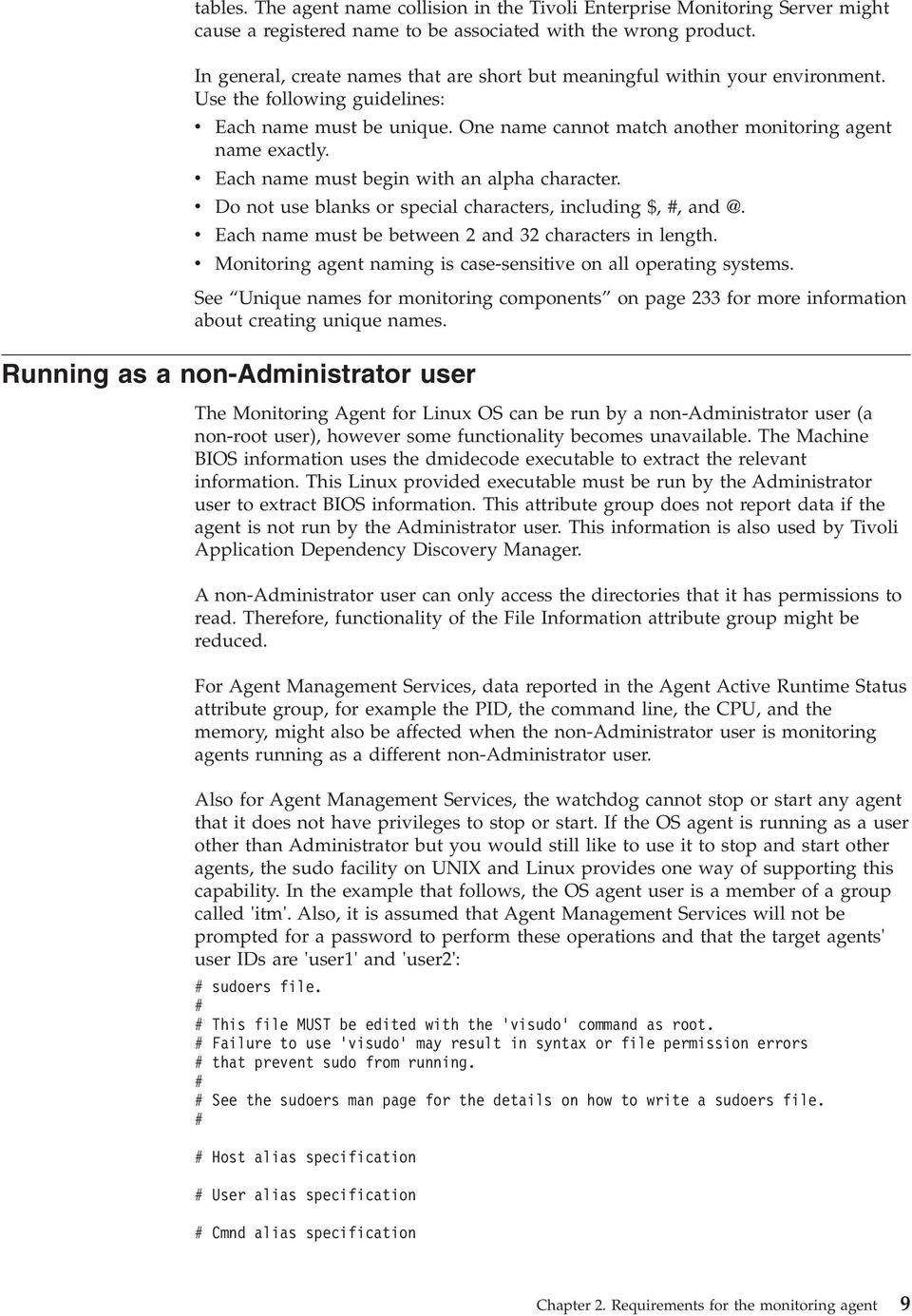
20 Cmnd_Alias AMSAGENTSTART = /opt/pas/itmtest/bin/itmcmd agent -[po] [[\:alnum\:]_]* start [[\:alnum\:]][[\:alnum\:]],/opt/pas/itmtest/bin/itmcmd agent start [[\:alnum\:]][[\:alnum\:]] Cmnd_Alias AMSAGENTSTOP = /opt/pas/itmtest/bin/itmcmd agent -[po] [[\:alnum\:]_]* stop [[\:alnum\:]][[\:alnum\:]],/opt/pas/itmtest/bin/itmcmd agent stop [[\:alnum\:]][[\:alnum\:]] Cmnd_Alias ITMAMSCMD = AMSAGENTSTART,AMSAGENTSTOP # Defaults specification # Runas alias specification Runas_Alias ITMAGENTIDS = user1,user2 # Same thing without a password %itmusers ALL=( ITMAGENTIDS ) NOPASSWD: ITMAMSCMD This is just one possible example. The sudo facility has many adanced capabilities including the ability to audit and to alert administrators of usage of the sudo command by unauthorized users. See your operating system's sudo man pages for more information. In the agentinstancecommand.sh script, replace calls to 'su' with calls to 'sudo'. For example: if [ -z "$USR" ]; then $START_CMD else # su - $USR -c "$START_CMD" sudo -u $USR $START_CMD fi... if [ -z "$USR" ]; then $STOP_CMD else # su - $USR -c "$STOP_CMD" sudo -u $USR $STOP_CMD fi Ensure that the user1 and user2 users also hae write permission to any files to which an application agent needs to write. Using Agent Management Serices There are two watchdog monitors that run as part of the Monitoring Agent for Linux. One monitor runs as part of the OS Monitoring Agent process, which is referred to as the Agent Watchdog. The other watchdog monitor runs as a separate process named 'kcawd'. The kcawd process is also called the Agent Management Serices Watchdog. This watchdog watches the OS Agent, so as long as its Aailability Status is showing 'Running' in the Agents' Runtime Status iew of the Agent Management Serices workspace. No setup or configuration is required. The Agent Watchdog monitors agent processes other than the OS Agent. Using the communication facility of the OS Agent, it is able to respond to Tioli Enterprise Portal Desktop queries and Take Actions performed against these other agent processes. This is the data that is seen in the Agent Management Serices workspace. In the Tioli Enterprise Portal Desktop, the Agent Management Serices workspace lists the agents that can be monitored by this watchdog running as part of the OS Agent. One of the agents listed in the workspace is the Agent Management Serices Watchdog. Its purpose is to monitor the OS Agent's aailability. 10 IBM Tioli Monitoring: Linux OS Agent: User s Guide
21 The Agent Management Serices Watchdog monitor is responsible for watching just the OS Monitoring Agent and restarting it if it goes down. It is enabled by default and does not need to be configured. It is started automatically when the Monitoring Agent for Linux is started. This watchdog does not hae a communication facility, so it cannot report information to the Tioli Enterprise Portal or respond to Take Actions. It is not an agent per se, but a separate process that always monitors the OS Monitoring Agent. You can temporarily disable the Agent Management Serices Watchdog by using the InstallDir/bin/itmcmd execute lz disarmwatchdog.sh command. This disables the Watchdog process for the OS Monitoring Agent and all Agent Management Serices managed agents. If there is local administratie work to be performed, and you do not want the auto-restart of the agents to interfere with it, run the InstallDir/bin/itmcmd execute lz disarmwatchdog.sh command before proceeding. When the work is complete, recycle the OS Monitoring Agent to reenable Agent Management Serices, or use the InstallDir/bin/itmcmd execute lz rearmwatchdog.sh command. If you use the itmcmd interface to stop or start an Agent Management Serices managed agent, its watchdog will be disabled if stopping the agent and enabled if starting the agent. Chapter 2. Requirements for the monitoring agent 11
22 12 IBM Tioli Monitoring: Linux OS Agent: User s Guide
23 Chapter 3. Workspaces reference About workspaces This chapter contains an oeriew of workspaces, references for detailed information about workspaces, and descriptions of the predefined workspaces included in this monitoring agent. A workspace is the working area of the Tioli Enterprise Portal application window. At the left of the workspace is a Naigator that you use to select the workspace you want to see. As you select items in the Naigator, the workspace presents iews pertinent to your selection. Each workspace has at least one iew. Some iews hae links to workspaces. Eery workspace has a set of properties associated with it. This monitoring agent proides predefined workspaces. You cannot modify or delete the predefined workspaces, but you can create new workspaces by editing them and saing the changes with a different name. More information about workspaces Predefined workspaces For more information about creating, customizing, and working with workspaces, see the IBM Tioli Monitoring User's Guide. For a list of the predefined workspaces for this monitoring agent and a description of each workspace, refer to thepredefined workspaces section below and the information in that section for each indiidual workspace. The following list shows the organization of the predefined workspaces proided with IBM Tioli Monitoring: Linux OS Agent. Capacity Usage Information workspace on page 15 CPU Aerages workspace on page 16 Virtual Memory Usage Trends workspace on page 25 Disk Usage workspace on page 17 File Information workspace on page 17 All Files workspace on page 15 Network workspace on page 21 Sockets Information workspace on page 23 NFS Statistics workspace on page 21 RPC Statistics workspace on page 22 Process workspace on page 22 Process User Information workspace on page 22 System Information workspace on page 24 System Configuration workspace on page 23 Disk I/O Rate workspace on page 16 Disk I/O Extended Rate workspace on page 16 Copyright IBM Corp. 2005,
24 Virtual Memory Statistics workspace on page 25 Users Workspace on page 24 Agent Management Serices workspace Agents' Management Log workspace This agent also includes the following linked workspaces: Historical Summarized Aailability Historical Summarized Aailability Daily Historical Summarized Aailability Hourly Historical Summarized Aailability Weekly Historical Summarized Capacity Historical Summarized Capacity Daily Historical Summarized Capacity Hourly Historical Summarized Capacity Weekly Historical Summarized Performance Historical Summarized Performance Daily Historical Summarized Performance Hourly Historical Summarized Performance Weekly Some predefined workspaces are not aailable from the Naigator tree item, but are accessed by selecting the link indicator next to a row of data in a iew. Left-clicking a link indicator selects the default workspace associated with that link. Right-clicking a link indicator displays all linked workspaces that can be selected. The remaining sections of this chapter contain descriptions of each of these predefined workspaces, which are organized alphabetically within the group. Agent Management Serices workspace The Agent Management Serices workspace contains iews of data collected by the Agent Management Serices component of the Monitoring Agent for Linux. This workspace includes an Agents' Management Status iew, an Agents' Runtime Status iew, an Agents' Alerts iew, and an Agents' Management Definitions iew. Alerts that are seen in the Alerts iew in the default workspace are cached for 24 hours, by default. The time can be oerridden by changing the enironment ariable KCA_CACHE_LIMIT found in the lz.ini file. The ariable is specified in hours. This functionality is not aailable to preious ersions of the agents. Agents' Management Log workspace The Agents' Management Log workspace contains a list of monitoring agent log entries filtered on the Agent Management Serices component. Use this workspace to see the operations being executed by Agent Management Serices. Log messages generated by the physical watchdog are displayed in the Agents' Management Log workspace iew. By using these log messages, you can you can use to track OS Agent restarts and aailability. The limitations of this function are that the physical watchdog must be running. The workspace includes the following operation messages: 14 IBM Tioli Monitoring: Linux OS Agent: User s Guide
25 Agent added to system - CAP file found. Agent CAP file initialization completed. Agent daily restart count reset. Agent exceeded policy defined CPU threshold. Agent exceeded policy defined memory threshold. Agent exceeded restart tries. Agent initial start. Agent Management Serices watchdog not reliable. Agent manual start failed. Agent manual stop failed. Agent not configured. Agent not found. Agent now managed. Agent now unmanaged. Agent recycle command receied. Agent remoed from system - CAP file remoed. Agent restart disabled - disarm mode actie Agent restart failed. Agent start command receied. Agent started successfully. Agent stop command receied. Agent stopped abnormally. Agent stopped successfully. Disarm completed successfully. Rearm completed successfully. This workspace includes an Agents' Management Log iew. All Files workspace The All Files workspace is reached by right-clicking the File Information naigator item in the Tioli Enterprise Portal. The iews are: File Size - Top Ten (bar chart) All Files (table iew) The File Size - Top Ten bar chart displays the sizes of the largest files. The All Files table proides file information. Capacity Usage Information workspace The Capacity Usage Information workspace reflects the health of your system by proiding CPU, disk, and swap space usage statistics. This workspace has a superseded ersion that displays queries with signed 32-bit maximum alue (2,147,483,647) and a ersion with the same name (minus superseded ) with queries that support alues up to signed 64-bit max (9,223,372,036,854,775,807). This workspace is comprised of three iews. The iews are: Disk Usage Aerages (table iew) Disk Space Usage (bar chart) Disk Usage Aerages (bar chart) Chapter 3. Workspaces reference 15
26 The Disk Usage Aerages table proides information on the system's current disk usage. The Disk Space Usage bar chart displays the system's current disk usage. The Disk Usage Aerages bar chart displays aerage disk usage information. With the information that this workspace proides, you can recommend changes, set up situations, and erify that your recommended changes improe performance. CPU Aerages workspace The CPU Aerages workspace is reached by right-clicking the Capacity Usage Information naigator item in the Tioli Enterprise Portal. This workspace has a superseded ersion that displays queries with signed 32-bit maximum alue (2,147,483,647) and a ersion with the same name (minus superseded ) with queries that support alues up to signed 64-bit max (9,223,372,036,854,775,807). The workspace is comprised of 3 iews. The iews are Current Oerall CPU Usage bar chart, CPU Aerages (Hourly Updates) chart, and CPU Usage Trends table. Disk I/O Extended Rate workspace The Disk I/O Extended Rate workspace is reached by right-clicking the System Information naigator item in the Tioli Enterprise Portal. The Disk I/O Extended Rate workspace proides detailed input/output statistics and "calculations", including the queue length and size in sectors of read and write requests, the rate of those requests, and wait times associated with requests. This workspace has a superseded ersion that displays queries with signed 32-bit maximum alue (2,147,483,647) and a ersion with the same name (minus superseded ) with queries that support alues up to signed 64-bit max (9,223,372,036,854,775,807). This workspace is comprised of two iews. The iews are: Disk I/O Extended Rate (table iew) Disk Serice Time (bar chart) Disk Actiity (bar chart) The Disk I/O Extended Rate table details the input/out data and calculated alues associated with disk actiity. The Disk Serice Time chart displays aerage serices time in minutes. The Disk Actiity chart displays read and write sectors in seconds. Based on the information that this workspace proides, you can recommend changes, set up situations, and erify that your recommended changes improe performance. Note: The attributes associated with this workspace are only aailable for systems with a 2.4 (or higher) kernel. Disk I/O Rate workspace The Disk I/O Rate workspace is reached by right-clicking the System Information naigator item in the Tioli Enterprise Portal. The Disk I/O Rate workspace proides input/output statistics, including the transfer rates, block read rates, and block write rates of your monitored systems. This workspace has a superseded ersion that displays queries with signed 32-bit maximum alue (2,147,483,647) and a ersion with the same name (minus superseded ) with queries that support alues up to signed 64-bit max (9,223,372,036,854,775,807). This workspace is comprised of two iews. The iews are: Disk I/O Rate (table iew) Disk I/O Rate (bar chart) The Disk I/O Rate table includes transfer rates, block read rates, and block write rates for your monitored systems. The Disk I/O Rate chart proides at a glance 16 IBM Tioli Monitoring: Linux OS Agent: User s Guide
27 rate details associated with disk reads, writes, and transfers. Based on the information that this workspace proides, you can recommend changes, set up situations, and erify that your recommended changes improe performance. Note: The attributes associated with this workspace are only aailable for systems with a 2.4 (or higher) kernel. Disk Usage workspace The Disk Usage workspace reflects the health of storage space within your monitored systems. This workspace has a superseded ersion that displays queries with signed 32-bit maximum alue (2,147,483,647) and a ersion with the same name (minus superseded ) with queries that support alues up to signed 64-bit max (9,223,372,036,854,775,807). This workspace is comprised of four iews. The iews are: Space Used Percent (bar chart) Inodes Used Percent (bar chart) Disk Space (bar chart) Disk Usage (table iew) The three charts that comprise this workspace proide at a glance percentages of the space used, percentages of the inodes used, and amounts of disk space used/aailable for each monitored disk. The Disk Usage table captures this information, as well as mount point and file system data, in tabular form. Based on the information that this workspace proides, you can recommend changes, set up situations, and erify that your recommended changes improe performance. File Information workspace The File Information workspace displays file information statistics. The iews are: File Size - Top Ten (bar chart) File Size - Top Ten (table iew) Historical Summarized Aailability workspace The Historical Summarized Aailability workspace shows the percentage of time that a managed resource was aailable during the number of months that you specify in the Time Span dialog. This workspace consists of the following two graphical iews: Aailability (aerage oer months), which shows the percentage of time that managed resources were aailable, grouped by serer Process Summary (aerage oer months), which shows the percentage of time per system that each process was used by the serer Historical Summarized Aailability Daily workspace The Historical Summarized Aailability Daily workspace shows aailability information, a process summary, and a system summary for a managed serer by day. This workspace consists of the following three graphical iews: Aailability (daily), which shows the percentage of the day that the serer was aailable, summarized by day Process Summary (daily), which shows details such as memory and processor usage for processes that were running on the serer, summarized by day Chapter 3. Workspaces reference 17
28 System Summary (daily), which shows system information for the serer, such as the operating system type, name, ersion, and manufacturer, summarized by day Historical Summarized Aailability Hourly workspace The Historical Summarized Aailability Hourly workspace shows aailability information, a process summary, and a system summary for a managed serer by hour. This workspace consists of the following three graphical iews: Aailability (hourly), which shows the percentage of the hour that the serer was aailable, summarized by hour Process Summary (hourly), which shows details such as memory and processor usage for processes that were running on the serer, summarized by hour System Summary (hourly), which shows system information for the serer, such as the operating system type, name, ersion, and manufacturer, summarized by hour Historical Summarized Aailability Weekly workspace The Historical Summarized Aailability Weekly workspace shows aailability information, a process summary, and a system summary for a managed serer by week. This workspace consists of the following three graphical iews: Aailability (weekly), which shows the percentage of system time that the serer was aailable, summarized by week Process Summary (weekly), which shows processes that kept the serer busy, summarized by week System Summary (weekly), which shows system information such as the operating system type, name, ersion, and manufacturer, summarized by week Historical Summarized Capacity workspace The Historical Summarized Capacity workspace shows usage of system resources during the time span that you specify in the Time Span dialog. This workspace consists of the following 5 graphical iews: Network Interface Actiity (aerage oer months), which shows network traffic for the serer for all network interfaces on the system during the time span that you specify in the Time Span dialog Processor Utilization (aerage oer months), which shows CPU usage, including idle CPU time, for all processors that are associated with the serer during the specified time period Memory Utilization (aerage oer months), which shows memory used, free memory, and swapped memory use during the specified time period Disk Utilization (maximum oer months), which shows the maximum percentage of space used on the system's logical disks during the specified time period Disk Capacity (minimum oer months), which shows information about the remaining number of days until the disk is full based on the current rate of disk usage, and the remaining number of days until the disk is full based on peak rate of disk usage, for all disks that are associated with the serer Historical Summarized Capacity Daily workspace The Historical Summarized Capacity Daily workspace shows system usage summarized by day. This workspace consists of the following four graphical iews: 18 IBM Tioli Monitoring: Linux OS Agent: User s Guide
29 Network Interface Actiity, which shows network traffic for the serer, including packet collision rates, during the specified time period, summarized by day Processor Utilization, which shows CPU usage (including an idle, busy, or waiting CPU), for all processors that are associated with the serer during the specified time period, summarized by day Memory Utilization, which shows memory used, free memory, and swapped memory use during the specified time period, summarized by day Disk Utilization, which shows percentage of space used or aailable on the system's logical disks during the specified time period, summarized by day Historical Summarized Capacity Hourly workspace The Historical Summarized Capacity Hourly workspace shows system resources used, summarized by hour. This workspace consists of the following four graphical iews: Network Interface Actiity, which shows network traffic, including collisions, packet transmittal and count transmittal for the serer during the specified time period, summarized by hour Processor Utilization, which shows aerage CPU usage (idle, busy, and waiting), for all processors that are associated with the serer during the specified time period, summarized by hour Memory Utilization, which shows memory used, free memory, and swapped memory use during the specified time period, summarized by hour Disk Utilization, which shows percentages of space used and aailable on all the system's logical disks during the specified time period, summarized by hour Historical Summarized Capacity Weekly workspace The Historical Summarized Capacity Weekly workspace shows system resources used, summarized by week. This workspace consists of the following 5 graphical iews: Network Interface Actiity, which shows network traffic for the serer during the specified time period, summarized by week Processor Utilization, which shows CPU usage, especially idle CPU time, for all processors that are associated with the serer during the specified time period, summarized by week Maximum Memory Utilization, which shows maximum memory used, free memory, and swapped memory during the specified time period, summarized by week Aerage Memory Utilization, which shows aerage memory that the serer used during the specified time period, summarized by week Disk Utilization, which shows the maximum percentage of space used on all the system's logical disks during the specified time period, summarized by week Historical Summarized Performance workspace The Historical Summarized Performance workspace shows the aerage performance of system resources for the time span that you specify in the Time Span dialog. This workspace consists of the following 5 graphical iews: Network Actiity (maximum oer months), which shows (in the sample period) percentages of errors and collisions in network traffic for all networks that are associated with the system during the time span that you specify in the Time Span dialog Chapter 3. Workspaces reference 19
30 System Load (aerage oer months), which shows the system workload during the specified time period Disk I/O Traffic (aerage oer months), which shows the aerage percentage of time that the disk was busy during the specified time period Memory Page Faults (aerage oer months), which shows the aerage rate of page in and page out for the system during the specified time period Processor Performance (aerage oer months), which shows the aerage percentage of usage that users consumed and the aerage processor waiting time for the serer during the specified time period Historical Summarized Performance Daily workspace The Historical Summarized Performance Daily workspace shows the performance of system resources, summarized by day. This workspace consists of the following 5 graphical iews: Network Actiity (daily), which shows the aerage network actiity for a serer, including transmittals, packet collisions, carrier losses, and so on, summarized by day System Load (daily), which shows the system workload during the specified time period, summarized by day Disk I/O Traffic (daily), which shows the aerage percentage of time that the disk was busy during the specified time period, summarized by day Memory Page Faults (daily), which shows the aerage rate of page in and page out for the system during the specified time period, summarized by day Processor Performance (daily), which shows the percentage of processor time that users consumed, as well as the waiting time that the CPU spent during the specified time period, summarized by day Historical Summarized Performance Hourly workspace The Historical Summarized Performance Hourly workspace shows the performance of system resources, summarized by hour. This workspace consists of the following 5 graphical iews: Network Actiity (hourly), which shows the network actiity for a serer, including transmittals, packet collisions, carrier losses, and so on, summarized by hour System Load (hourly), which shows the system workload during the specified time period, summarized by hour Disk I/O Traffic (hourly), which shows the aerage percentage of time that the disk was busy during the specified time period, summarized by hour Memory Page Faults (hourly), which shows the aerage rate of page in and page out for the system during the specified time period, summarized by hour Processor Performance (hourly), which shows the percentage of processor time that users consumed, as well as the waiting time that the CPU spent during the specified time period, summarized by hour Historical Summarized Performance Weekly workspace The Historical Summarized Performance Weekly workspace shows the performance of system resources, summarized by week. This workspace consists of the following 5 graphical iews: Network Actiity (weekly), which shows the network actiity for a serer, including errors and packet collisions, for all networks associated with the serer, summarized by week 20 IBM Tioli Monitoring: Linux OS Agent: User s Guide
31 System Load (weekly), which shows the system workload during the specified time period, summarized by week Memory Page Faults (weekly), which shows the aerage rate of page in and page out for the system during the specified time period, summarized by week Disk I/O Traffic (weekly), which shows the aerage percentage of time that the disk was busy during the specified time period, summarized by week Processor Performance (weekly), which shows the percentage of processor time that users consumed, as well as the waiting time that the CPU spent during the specified time period, summarized by week Linux workspace The Linux workspace reflects the health of the system. This workspace has a superseded ersion that displays queries with signed 32-bit maximum alue (2,147,483,647) and a ersion with the same name (minus superseded ) with queries that support alues up to signed 64-bit max (9,223,372,036,854,775,807). This workspace is comprised of three iews. The iews are: System CPU Usage (bar chart) Disk IO Transfers (bar chart) System Load Aerages (bar chart) Network workspace The Network workspace reflects the health of the network components within your monitored systems. This workspace has a superseded ersion that displays queries with signed 32-bit maximum alue (2,147,483,647) and a ersion with the same name (minus superseded ) with queries that support alues up to signed 64-bit max (9,223,372,036,854,775,807). This workspace is comprised of four iews. The iews are: Network Errors (bar chart) Network Actiity (bar chart) Network Deices (table iew) IP Addresses (table iew) The Network Errors chart shows the number of input errors, output errors, and collisions for the sampling period. The Network Actiity chart shows the number of packets receied and transmitted per second. The Network Deices table reflects your network's performance based on its transmission, reception, and collision data. The IP Addresses table shows the IP addresses of the network interface names. Based on the information that this workspace proides, you can recommend changes, set up situations, and erify that your recommended changes improe performance. NFS Statistics workspace The NFS Statistics workspace is reached by right-clicking the Network naigator item in the Tioli Enterprise Portal. The NFS Statistics workspace proides statistics on the operations inoling the Network File System, such as the number and type of calls being made, and the percentages those types of calls make up in relation to total calls. This workspace has a superseded ersion that displays queries with signed 32-bit maximum alue (2,147,483,647) and a ersion with the same name (minus superseded ) with queries that support alues up to signed 64-bit max (9,223,372,036,854,775,807). The iews are: Network Errors (bar chart) Chapter 3. Workspaces reference 21
32 RPC Network Actiity (bar chart) NFS Statistics (table iew) Based on the information that this workspace proides, you can recommend changes, set up situations, and erify that your recommended changes improe performance. Process workspace The Process workspace reflects the health of specific processes within your monitored systems. This workspace has a superseded ersion that displays queries with signed 32-bit maximum alue (2,147,483,647) and a ersion with the same name (minus superseded ) with queries that support alues up to signed 64-bit max (9,223,372,036,854,775,807). This workspace is comprised of three iews. The iews are: Process CPU Percent Usage (bar chart) Process + Child CPU Percent Usage (bar chart) Process Information Detail (table iew) The Process CPU Percent Usage chart displays the percentage of CPU time spent in kernel mode and spent in user mode by process. The Process + Child CPU Percent Usage chart displays the cumulatie percentage of CPU time spent in kernel mode and spent in user mode. The Process Information Detail table lists in tabular form a wide range of process characteristics such as data set size, kernel scheduling priority, the number of pages of memory, and the number of page faults. Based on the information that this workspace proides, you can recommend changes, set up situations, and erify that your recommended changes improe performance. Process User Information workspace The Process User Information workspace is reached by right-clicking the Process naigator item in the Tioli Enterprise Portal. The Process User Information workspace identifies process owners of your monitored Linux system and details their usage. This workspace has a superseded ersion that displays queries with signed 32-bit maximum alue (2,147,483,647) and a ersion with the same name (minus superseded ) with queries that support alues up to signed 64-bit max (9,223,372,036,854,775,807). This workspace is comprised of three iews. The iews are: Process CPU Percent Usage (bar chart) Process + Child CPU Percent Usage (bar chart) Process User Information (table iew) The Process CPU Percent Usage chart displays the percentage of CPU time spent in kernel mode and spent in user mode by process. The Process + Child CPU Percent Usage chart displays the cumulatie percentage of CPU time spent in kernel mode and spent in user mode. The Process User Information table proides in tabular form the names of effectie groups, file system groups, real groups, and saed groups for your monitored systems. Based on the information that this workspace proides, you can recommend changes, set up situations, and erify that your recommended changes improe performance. RPC Statistics workspace The RPC Statistics workspace is reached by right-clicking the Network naigator item in the Tioli Enterprise Portal. The RPC (remote procedure call) workspace 22 IBM Tioli Monitoring: Linux OS Agent: User s Guide
33 proides statistics on the number and type of calls being made to the serer and clients, including statistics on the number of calls that are not alid or had to be retransmitted. This workspace has a superseded ersion that displays queries with signed 32-bit maximum alue (2,147,483,647) and a ersion with the same name (minus superseded ) with queries that support alues up to signed 64-bit max (9,223,372,036,854,775,807). The iews are: Network Errors (bar chart) RPC Network Actiity (bar chart) RPC Statistics (table iew) Based on the information that this workspace proides, you can recommend changes, set up situations, and erify that your recommended changes improe performance. Sockets Information workspace The Sockets Information workspace is reached by right-clicking the Network naigator item in the Tioli Enterprise Portal. The Sockets Information workspace reflects the health of the socket connections within your monitored systems. This workspace has a superseded ersion that displays queries with signed 32-bit maximum alue (2,147,483,647) and a ersion with the same name (minus superseded ) with queries that support alues up to signed 64-bit max (9,223,372,036,854,775,807). This workspace is comprised of three iews. The iews are: Sockets Used by Protocol (bar chart) Network Actiity (bar chart) Socket Serices Information (table iew) The Sockets Used by Protocol chart shows a count of the sockets currently in use and the high water mark for each protocol during the sampling period. The Network Actiity chart shows the number of packets receied and transmitted per second. The Socket Serices Information table proides a detailed perspectie of each socket that you are monitoring. Based on the information that this workspace proides, you can recommend changes, set up situations, and erify that your recommended changes improe performance. Specific File Information workspace The Specific File Information workspace can be accessed by right-clicking the link on either the File Information workspace or the All Files workspace. The Specific File Information workspace contains detailed information about a specific file or directory. You can access this information down through the lowest directory structure. This workspace is comprised of two iews. The iews are: File Information (table iew) Take Action iew System Configuration workspace The System Configuration workspace is reached by right-clicking the System Information workspace in the Tioli Enterprise Portal. The System Configuration workspace displays information about CPU usage, the processor's configuration, and operating system leel. This workspace has a superseded ersion that displays queries with signed 32-bit maximum alue (2,147,483,647) and a ersion with the same name (minus superseded ) with queries that support alues up to signed 64-bit max (9,223,372,036,854,775,807). It contains three iews: Chapter 3. Workspaces reference 23
34 CPU Usage (bar chart) Processor Configuration Information (table iew) OS Version Information (table iew) System Information workspace The System Information workspace reflects the health of your monitored systems by displaying data associated with system loads, context switching, and process creation. This workspace has a superseded ersion that displays queries with signed 32-bit maximum alue (2,147,483,647) and a ersion with the same name (minus superseded ) with queries that support alues up to signed 64-bit max (9,223,372,036,854,775,807). This workspace is comprised of four iews. The iews are: CPU Usage (bar chart) Paging Rates (bar chart) System Load (bar chart) Virtual Memory Statistics (bar chart) System Statistics (table iew) The CPU Usage bar chart shows the percentage of idle CPU time, system CPU time, user CPU time, and user nice CPU time of the monitored processor. The System Load chart depicts the load on your monitored system's processor during the preious one, fie, and 15 minutes. The paging rates chart displays information about paging in and out as well as swapping in and out trends in seconds. The Virtual Memory Statistics chart depicts the current usage and aailability of a ariety of memory categories (buffered, cached, shared, and swapped). The System Statistics table lists in tabular form the source data of these charts and gauge. Based on the information that this workspace proides, you can recommend changes, set up situations, and erify that your recommended changes improe performance. The System Configuration workspace is reached by right-clicking the System Information naigator item in the Tioli Enterprise Portal. Users Workspace The Users workspace identifies logged in users. This workspace has a superseded ersion that displays queries with signed 32-bit maximum alue (2,147,483,647) and a ersion with the same name (minus superseded ) with queries that support alues up to signed 64-bit max (9,223,372,036,854,775,807). This workspace is comprised of three iews. The iews are: Process User Information (table iew) Total User Logins (needle gauge) User Login Information (table iew) The Process User Information table proides in tabular form the names of effectie groups, file system groups, real groups, and saed groups for your monitored systems. The Total User Logins gauge displays the number of users logged on to the monitored system during the monitoring period. The User Login Information table lists users, their log in time, and their idle time. Based on the information that this workspace proides, you can recommend changes, set up situations, and erify that your recommended changes improe performance. 24 IBM Tioli Monitoring: Linux OS Agent: User s Guide
35 Virtual Memory Statistics workspace The Virtual Memory Statistics workspace is reached by right-clicking the System Information naigator item in the Tioli Enterprise Portal. The Virtual Memory Statistics workspace proides a snapshot of your monitored systems memory usage. This workspace has a superseded ersion that displays queries with signed 32-bit maximum alue (2,147,483,647) and a ersion with the same name (minus superseded ) with queries that support alues up to signed 64-bit max (9,223,372,036,854,775,807). This workspace is comprised of four iews. The iews are: Context Switches Percent Change (needle gauge) Context Switches Per Second (needle gauge) Virtual Memory Statistics (bar chart) Virtual Memory Information (table iew) The Context Switches Percent Change gauge reflects the percentage change in the number of context switches per second. The Context Switches Per Second gauge shows the number of context switches per second. The Virtual Memory Statistics chart depicts the current usage and aailability of a ariety of memory categories (buffered, cached, shared, and swapped). The Virtual Memory Information table presents the Virtual Memory Usage information in tabular form. Based on the information that this workspace proides, you can recommend changes, set up situations, and erify that your recommended changes improe performance. Virtual Memory Usage Trends workspace The Virtual Memory Usage Trends workspace is reached by right-clicking the Capacity Usage Information naigator item in the Tioli Enterprise Portal. This workspace has a superseded ersion that displays queries with signed 32-bit maximum alue (2,147,483,647) and a ersion with the same name (minus superseded ) with queries that support alues up to signed 64-bit max (9,223,372,036,854,775,807). The iews are: Current Virtual Memory Usage (bar chart) Virtual Memory Aerages (bar chart) Swap Space Usage Trends (table iew) The Current Virtual Memory Usage bar chart displays memory usage information. The Virtual Memory Aerages bar chart displays irtual memory usage trend information. The Swap Space Usage Trends table proides seeral types of swap space information. Chapter 3. Workspaces reference 25
36 26 IBM Tioli Monitoring: Linux OS Agent: User s Guide
37 Chapter 4. Attributes reference About attributes This chapter contains information about the following topics: Oeriew of attributes References for detailed information about attributes Descriptions of the attributes for each attribute group included in this monitoring agent Disk space requirements for historical data Attributes are the application properties being measured and reported by the Monitoring Agent for Linux OS, such as the amount of memory usage or the message ID. Some agents hae fewer than 100 attributes, while others hae oer Attributes are organized into groups according to their purpose. The attributes in a group can be used in the following two ways: Chart or table iews Attributes are displayed in chart and table iews. The chart and table iews use queries to specify which attribute alues to request from a monitoring agent. You use the Query editor to create a new query, modify an existing query, or apply filters and set styles to define the content and appearance of a iew based on an existing query. Situations You use attributes to create situations that monitor the state of your operating system, database, or application. A situation describes a condition you want to test. When you start a situation, the Tioli Enterprise Portal compares the alues you hae assigned to the situation attributes with the alues collected by the Monitoring Agent for Linux OS and registers an eent if the condition is met. You are alerted to eents by indicator icons that appear in the Naigator. Some of the attributes in this chapter are listed twice, with the second attribute haing a "(Unicode)" designation after the attribute name. These Unicode attributes were created to proide access to globalized data. More information about attributes Groups of attributes For more information about using attributes and attribute groups, see the IBM Tioli Monitoring User's Guide. For a list of the attributes groups, a list of the attributes in each attribute group, and descriptions of the attributes for this monitoring agent, refer to the Attribute groups and attributes section in this chapter. Each attribute belongs to an attribute group. The attribute group includes attributes that are related. Each attribute item stores data for a particular property of an attribute group. Copyright IBM Corp. 2005,
38 The following are the attribute groups for IBM Tioli Monitoring: Linux OS Agent. The groups are collected in attribute tables that are designated in brackets [ ] after the group name. Agent Aailability Management Status [KLZPASMGMT] Agent Actie Runtime Status [KLZPASSTAT] Alerts Table [KLZPASALRT] All Users Group [LNXALLUSR] Configuration Information [KLZPASCAP] CPU [KLZCPU] CPU (superseded) [LNXCPU] CPU Aerages [KLZCPUAVG] CPU Aerages (superseded) [LNXCPUAVG] CPU Configuration [LNXCPUCON] Disk [KLZDISK] Disk (superseded) [LNXDISK] Disk IO [KLZDSKIO] Disk IO (superseded) [LNXDSKIO] Disk Usage Trends [KLZDU] Disk Usage Trends (superseded) [LNXDU] File Comparison Group [LNXFILCMP] File Information [LNXFILE] File Pattern Group [LNXFILPAT] Linux Group [LNXGROUP] I/O Ext [KLZIOEXT] I/O Ext (superseded) [LNXIOEXT] IP Address [LNXIPADDR] Linux Host Aailability [LNXPING] Machine Information [LNXMACHIN] Network [KLZNET] Network (superseded) [LNXNET] NFS Statistics [KLZNFS] NFS Statistics (superseded) [LNXNFS] OS Configuration [LNXOSCON] Process [KLZPROC] Process (superseded) [LNXPROC] Process User Info [KLZPUSR] Process User Info (superseded) [LNXPUSR] RPC Statistics [KLZRPC] RPC Statistics (superseded) [LNXRPC] Sockets Detail [KLZSOCKD] Sockets Detail (superseded) [LNXSOCKD] Sockets Status [KLZSOCKS] Sockets Status (superseded) [LNXSOCKS] Swap Rate [KLZSWPRT] Swap Rate (superseded) [LNXSWPRT] 28 IBM Tioli Monitoring: Linux OS Agent: User s Guide
39 System Statistics [KLZSYS] System Statistics (superseded) [LNXSYS] User Login [KLZLOGIN] User Login (superseded) [LNXLOGIN] VM Stats [KLZVM] VM Stats (superseded) [LNXVM] IBM Tioli Monitoring proides other attribute groups that are aailable to all monitoring agents, for example Uniersal Time and Local Time. The attributes in these common attribute groups are documented in the Tioli Enterprise Portal Help. Attribute groups and attributes for the Monitoring Agent for Linux OS The following sections contain descriptions of these attribute groups, which are listed alphabetically. Each description contains a list of attributes in the attribute group. IBM Tioli Monitoring proides other attribute groups that are aailable to all monitoring agents, for example Uniersal Time and Local Time. The attributes in these common attribute groups are documented in the Tioli Enterprise Portal Help. Note: Some of the attributes hae the enumerations, Value Exceeds Maximum and Value Exceeds Minimum. The Tioli Enterprise Monitoring Serer allows only signed integers, so the maximum is 9,223,372,036,854,775,807 and the minimum is -9,223,372,036,854,775,808. If the agent has a alue bigger or smaller than these, it is capped with these enumerations. Agent Aailability Management Status Attributes Use Agent Aailability Management Status attributes to iew the current management status of an agent relatie to Agent Management Serices. Agent Management Status The watched agent management status. The following alues are alid: Unmanaged (0), Managed (1), Watchdog (2). A alue of 'Managed' means that the agent is under the management of Agent Management Serices. A alue of 'Unmanaged' means it is known, but not under the management of Agent Management Serices. Agent Name The watched agent name. Agent Type The watched agent type. The following alues are alid: Unknown (0), ITM_Unix (1), Console (2), Windows_Serice (3), Discoer_ITM (4), Discoer_Bin (5), Linux_Serice (6), ITM_Windows (7). Agent Version The VRM information for the agent. Build Date The build date information for the agent. Superseded by the Build Number attribute. Build Number The build number information for the agent. Manager Type The enum defining the manager type. The following alues are alid: Unknown (0), Not_Managed (1), Agent_Management Serices (2), Watchdog Chapter 4. Attributes reference 29
40 (3), External (4). A alue of 'Agent Management Serices' means that Agent Management Serices is responsible. A alue of 'NotManaged' means that the agent is not under aailability monitoring by any application. A alue of 'Externally' means that some other application besides Agent Management Serices is responsible for aailability monitoring of the agent, for example Tioli System Automation. Operating System The operating system identification. The following alues are alid: Win2000 (0), Win2003 (1), Win2008 (2), AIX (3), Linux (4), UNKNOWN (5), NA (-1). Serer Name The origin node of the collecting agent. Serice Name The serice name. Timestamp The date and time the Tioli Enterprise Monitoring Serer samples the data. This information is displayed in the standard 16-character date/time format (CYYMMDDHHMMSSmmm), where: C YY MM DD HH MM SS mmm Century (0 for 20th, 1 for 21st) Year Month Day Hour Minute Second Millisecond Use simple text strings as described aboe. For example, expresses October 9, 2010, 1:05:00 pm. Agent Actie Runtime Status Attributes Use the Agent Actie Runtime Status attributes to iew the current aailability status of an agent: Running, Not present, Unknown, Stopped, Manually Stopped. You can iew the frequency at which the agent's aailability and runtime properties are queried and also the agent's Daily Restart Count. Agent Aailability Status The watched agent aailability status. The following alues are alid: Unknown (0), Not_found (1), Stopped (2), Start_Pending (3), Running (4), Manually_Stopped (5), Stop_Pending (6), Not_Configured (7). For agents that hae an Aailability Status of 'Running', use the attribute group to see runtime properties of the agent such as its Process ID and Thread Count. Agent Host Name The host name of the agent. Agent Name The watched agent name. Agent Type The watched agent type. The following alues are alid: Unknown (0), ITM_Unix (1), Console (2), Win_Serice (3), Discoer_ITM (4), Discoer_Bin (5), Linux_Serice (6), ITM_Windows (7). Check Frequency The frequency to check status in seconds. Command Line The command line. 30 IBM Tioli Monitoring: Linux OS Agent: User s Guide
41 Daily Restart Count The restarts within a period of a day. Instance Name The instance name of the running IBM Tioli Monitoring agent. IP Address The IP address of the agent. Last Health Check The last health check timestamp. Number of Threads The thread count. Operating System The operating system identification. The following alues are alid: Unknown (0), Windows (1), Linux (2). Page Faults Per Second The total page faults. Parent Process ID The parent process ID. Process ID The process ID. Process Name The process name. Process System CPU (Percent) The system CPU. Process User CPU (Percent) The user CPU time. Resident Size The process resident size. Serer Name The origin node of the collecting agent. Timestamp The date and time the Tioli Enterprise Monitoring Serer samples the data. This information is displayed in the standard 16-character date/time format (CYYMMDDHHMMSSmmm), where: C YY MM DD HH MM SS mmm Century (0 for 20th, 1 for 21st) Year Month Day Hour Minute Second Millisecond Use simple text strings as described aboe. For example, expresses October 9, 2010, 1:05:00 pm. Total Size (Pages) The total memory size in pages. User Name The user name of running managed agent. Alerts Table Attributes Use the Alerts Table attributes to iew exceptional Warning and Critical leel eents surfaced by Agent Management Serices. These eents hae to do with the operation of Agent Management Serices or conditions affecting its ability to manage agents. They include the following: Agent stopped abnormally. Chapter 4. Attributes reference 31
42 Agent restart failed. Agent exceeded restart tries. Agent not found. Agent exceeded policy defined memory threshold. Agent exceeded policy defined CPU threshold. Agent manual stop failed. Agent remoed from system - CAP file remoed. Agent Name The watched agent name. Agent Status The agent status. The following alues are alid: Unknown (0), Not_found (1), Stopped (2), Start_Pending (3), Running (4), Manually_Stopped (5), Stop_Pending (6), Not_Configured (7). Agent Type The watched agent type. The following alues are alid: Unknown (0), ITM_Unix (1), Console (2), Windows_Serice (3), Discoer_ITM (4), Discoer_Bin (5), Linux_Serice (6), ITM_Windows (7). Alert Details The alert message details. Alert Message The alert message. The following alues are alid: Aailability_policy_remoed (1), Managed_agent_remoed_from_system (2), Unmanaged_agent_remoed_from_system (3), Agent_abnormally_stopped (4), Agent_exceeded_restart_count (5), Agent_restart_failed (6), Agent_oerutilizing_memory (7), Agent_oerutilizing_CPU (8), Agent_manual_stop_failed (9), Agent_Management_Serices_watchdog_not_reliable (11). Operating System The operating system identification. The following alues are alid: Unknown (0), Windows (1), Linux (2). Process ID The process ID. Process Name The process name. Serer Name The origin node of the collecting agent. Timestamp The date and time the Tioli Enterprise Monitoring Serer samples the data. This information is displayed in the standard 16-character date/time format (CYYMMDDHHMMSSmmm), where: C YY MM DD HH MM SS mmm Century (0 for 20th, 1 for 21st) Year Month Day Hour Minute Second Millisecond Use simple text strings as described aboe. For example, expresses October 9, 2010, 1:05:00 pm. 32 IBM Tioli Monitoring: Linux OS Agent: User s Guide
43 All Users Attributes The All Users attributes refer to user characteristics such as name, user sessions, and user ID. Duplicate User Name True if the user name is listed more than once in /etc/passwd. The following alues are alid: False and True. Name The full name of a user. No Password True if no password is assigned to the user. The following alues are alid: Unknown (-1), False (0), and True (1). System Name The managed system name. The form should be hostname:agent_code. Examples include spark:klz or deux.raleigh.ibm.com:klz. In workspace queries, this attribute should be set equal to the alue $NODE$ in order to populate the workspace with data. This attribute is generally not included in situations, unless there is a need to customize the situation for a specific managed system. Time Stamp The date and time the agent collects information as set on the monitored system. The timestamp for SCAN and STR functions is displayed in the CYYMMDDHHMMSSmmm format (as in for 03/15/02 06:45:01) where: C = Century (0 for 20th, 1 for 21st) Y=Year M = Month D = Day H = Hour M = Minute S = Second m = millisecond User ID The numeric ID the system assigned to a user. For example, the following alue is alid: Value_Exceeds_Maximum= User ID (Superseded) The numeric ID the system assigned to a user. For example, the following alue is alid: Value_Exceeds_Maximum= User Sessions The number of log in sessions this user currently has established. For example, the following alue is alid: Value_Exceeds_Maximum= Configuration Information Attributes Use Configuration Information attributes to monitor agent configuration like Memory Threshold and Operating System. Chapter 4. Attributes reference 33
44 Agent Name The sub agent name. Agent Path The fully qualified path to agent. Agent Type The watched agent type. The following alues are alid: Unknown (0), ITM_Unix (1), Console (2), Windows_Serice (3), Discoer_ITM (4), Discoer_Bin (5), Linux_Serice (6), ITM_Windows (7). Check Frequency The frequency to check status in seconds. Configuration Script The agent configuration script. % CPU Threshold The maximum CPU allowed. Dependencies The dependent agents. Manager Type The enum defining the manager type. The following alues are alid: Unknown (0), Not_Managed (1), Agent_Management Serices (2), Watchdog (3), External (4). Maximum Daily Restarts The maximum number of restarts allowed. The clock begins at midnight. Memory Threshold The maximum memory allowed. Memory Unit The maximum memory allowed units. The following alues are alid: Bytes (0), KB (1), MB (2), GB (3). Operating System The operating system identification. The following alues are alid: Unknown (0), Windows (1), Linux (2). Operating System Name The operating system name. Operating System Version The operating system ersion. PAS_ID The PAS sub agent ID. Policy File Timestamp The date and time of CAP file. Process Name The process name of the managed agent. Serer Name The origin node of the collecting agent. Serice Name The serice name. Startup Script The agent startup script. Status Script The agent status script. Stop Script The agent stop script. Timestamp The date and time the Tioli Enterprise Monitoring Serer samples the data. This information is displayed in the standard 16-character date/time format (CYYMMDDHHMMSSmmm), where: C Century (0 for 20th, 1 for 21st) 34 IBM Tioli Monitoring: Linux OS Agent: User s Guide
45 YY MM DD HH MM SS mmm Year Month Day Hour Minute Second Millisecond Use simple text strings as described aboe. For example, expresses October 9, 2010, 1:05:00 pm. CPU Attributes The CPU attributes refer to processor characteristics such as idle time, system CPU time, and user CPU time. Busy CPU (Percent) The percentage of time the CPU was busy. The following alues are alid: integers in the range 0 to 100. CPU ID The processor ID. The following alues are alid: integers in the range 0 to 999. Use this attribute to determine the processor ID. In a SMP system with more than one processor, the CPU report will show CPU ID as aggregate on the first row. This means the data row return aggregated CPU statistics. For example, the following alue is alid: Aggregate=-1. Idle CPU (Percent) Percentage of idle CPU time during the sampling period. The following alues are alid: integers in the range 0 to 100. Use this attribute to determine how efficiently the entire system or each processor of the SMP system is operating. The Idle CPU alue must be low if the system load is heay, and high if the system load is light. If the system load is heay and the Idle CPU alue is high, an I/O problem might exist. If the Idle CPU alue is small, or zero, and the User percentage is larger (greater than 30%), the system might be compute-bound or in a loop. I/O Wait (Percent) The percentage of time the CPU was in a wait input/output state. The following alues are alid: integers in the range of 0 to 100. System CPU (Percent) Percentage of system CPU time during the sampling period. The following alues are alid: integers in the range 0 to 100. Use this attribute to determine the percentage of system or per processor CPU time deoted to executing Linux system kernel code. System CPU time includes time spent executing system calls and performing administratie functions. System Name The managed system name. The form should be hostname:agent_code. Examples include spark:klz or deux.raleigh.ibm.com:klz. In workspace queries, this attribute should be set equal to the alue $NODE$ in order to populate the workspace with data. This attribute is generally not included in situations, unless there is a need to customize the situation for a specific managed system. Chapter 4. Attributes reference 35
46 Time Stamp The date and time the agent collects information as set on the monitored system. The timestamp for SCAN and STR functions is displayed in the CYYMMDDHHMMSSmmm format (as in for 03/15/02 06:45:01) where: C = Century (0 for 20th, 1 for 21st) Y=Year M = Month D = Day H = Hour M = Minute S = Second m = millisecond User CPU (Percent) Percentage of user CPU time during the sampling period. The following alues are alid: integers in the range 0 to 100. Use this attribute to determine the percentage of system or per processor CPU time deoted to user processes. User CPU time includes time spent executing both user program and library functions. It does not include CPU time spent executing system calls. The ratio between user and system CPU time aries, depending on the kinds of programs executing. If user CPU is extremely high and adersely affecting system performance, you might want to determine which user programs are preenting the CPU from functioning at its normal speed. User Nice CPU (Percent) Percentage of user nice CPU time during the sampling period. The following alues are alid: integers in the range 0 to 100. User to System CPU (Percent) Of the total CPU time, the percentage consumed by users. The following alues are alid: to CPU Attributes (superseded) The CPU attributes refer to processor characteristics such as idle time, system CPU time, and user CPU time. This attribute group is superseded. There is a new attribute group with the same name that replaces it. Busy CPU (Percent) The percentage of time the CPU was busy. The following alues are alid: integers. The following alues are alid: integers in the range 0 to 100. (Superseded.) CPU ID The processor ID. The following alues are alid: integers in the range 0 to 999. Use this attribute to determine the processor ID. In a SMP system with more than one processor, the CPU report will show CPU ID as aggregate on the first row. This means the data row return aggregated CPU statistics. For example, the following alue is alid: Aggregate=-1. (Superseded.) Idle CPU (Percent) Percentage of idle CPU time during the sampling period. The following alues are alid: integers in the range 0 to 100. Use this attribute to determine how efficiently the entire system or each processor of the SMP system is 36 IBM Tioli Monitoring: Linux OS Agent: User s Guide
47 operating. The Idle CPU alue must be low if the system load is heay, and high if the system load is light. If the system load is heay and the Idle CPU alue is high, an I/O problem might exist. If the Idle CPU alue is small, or zero, and the User percentage is larger (greater than 30%), the system might be compute-bound or in a loop. (Superseded.) I/O Wait (Percent) The percentage of time the CPU was in a wait input/output state. The following alues are alid: integers in the range of 0 to 100. (Superseded.) System CPU (Percent) Percentage of system CPU time during the sampling period. The following alues are alid: integers in the range 0 to 100. Use this attribute to determine the percentage of system or per processor CPU time deoted to executing Linux system kernel code. System CPU time includes time spent executing system calls and performing administratie functions. (Superseded.) System Name The managed system name. The form should be hostname:agent_code. (Superseded.) Examples include spark:klz or deux.raleigh.ibm.com:klz. In workspace queries, this attribute should be set equal to the alue $NODE$ in order to populate the workspace with data. This attribute is generally not included in situations, unless there is a need to customize the situation for a specific managed system. Time Stamp The date and time the agent collects information as set on the monitored system. (Superseded.) The timestamp for SCAN and STR functions is displayed in the CYYMMDDHHMMSSmmm format (as in for 03/15/02 06:45:01) where: C = Century (0 for 20th, 1 for 21st) Y=Year M = Month D = Day H = Hour M = Minute S = Second m = millisecond User CPU (Percent) Percentage of user CPU time during the sampling period. The following alues are alid: integers in the range 0 to 100. Use this attribute to determine the percentage of system or per processor CPU time deoted to user processes. User CPU time includes time spent executing both user program and library functions. It does not include CPU time spent executing system calls. The ratio between user and system CPU time aries, depending on the kinds of programs executing. If user CPU is extremely high and adersely affecting system performance, you might want to determine which user programs are preenting the CPU from functioning at its normal speed. (Superseded.) Chapter 4. Attributes reference 37
48 User Nice CPU (Percent) Percentage of user nice CPU time during the sampling period. The following alues are alid: integers in the range 0 to 100. (Superseded.) User to System CPU (Percent) Of the total CPU time, the percentage consumed by users. The following alues are alid: to (Superseded.) CPU Aerages Attributes The CPU Aerages attributes refer to CPU usage, System CPU time, idle CPU time, user CPU time, and user nice CPU time characteristics. Estimated Days Until CPU Upgrade The number of days until CPU Usage Moing aerage hits 100% Rate. The following alues are alid: integers. Note: -1 indicates Not Aailable and -2 indicates Not Collected. Idle CPU Moing Aerage (Percent) The moing aerage of the idle CPU time for the system, expressed as a percentage. The following alues are alid: integers between 0 and 100, such as 85 for 85%. This aerage is calculated hourly. Idle CPU (Percent) The current aerage of the idle CPU time for the system, expressed as a percentage. The following alues are alid: integers between 0 and 100, such as 85 for 85%. This aerage is calculated hourly. System CPU Current Aerage (Percent) The current aerage of the System CPU time, expressed as a percentage. The following alues are alid: integers between 0 and 100, such as 85 for 85%. This aerage is calculated hourly. System CPU Moing Aerage (Percent) The moing aerage of the System CPU time, expressed as a percentage. The following alues are alid: integers between 0 and 100, such as 85 for 85%. This aerage is calculated hourly. System Name The managed system name. The form should be hostname:agent_code. Examples include spark:klz or deux.raleigh.ibm.com:klz. In workspace queries, this attribute should be set equal to the alue $NODE$ in order to populate the workspace with data. This attribute is generally not included in situations, unless there is a need to customize the situation for a specific managed system. Time Stamp The date and time the agent collects information as set on the monitored system. The timestamp for SCAN and STR functions is displayed in the CYYMMDDHHMMSSmmm format (as in for 03/15/02 06:45:01) where: C = Century (0 for 20th, 1 for 21st) Y=Year M = Month D = Day H = Hour M = Minute 38 IBM Tioli Monitoring: Linux OS Agent: User s Guide
49 S = Second m = millisecond Total CPU Used Current Aerage (Percent) The current aerage of CPU usage, expressed as a percentage. The following alues are alid: integers between 0 and 100, such as 85 for 85%. This aerage is calculated hourly. Total CPU Used Moing Aerage (Percent) The moing aerage of CPU usage, expressed as a percentage. The following alues are alid: integers between 0 and 100, such as 85 for 85%. This aerage is calculated hourly. User CPU Current Aerage (Percent) The current aerage of the user CPU time, expressed as a percentage. The following alues are alid: integers between 0 and 100, such as 85 for 85%. This aerage is calculated hourly. User CPU Moing Aerage (Percent) The moing aerage of the user CPU time, expressed as a percentage. The following alues are alid: integers between 0 and 100, such as 85 for 85%. This aerage is calculated hourly. User Nice CPU Current Aerage (Percent) The current aerage of the user nice CPU time, expressed as a percentage. The following alues are alid: integers between 0 and 100, such as 85 for 85%. This aerage is calculated hourly. User Nice CPU Moing Aerage (Percent) The moing aerage of the user nice CPU time, expressed as a percentage. The following alues are alid: integers between 0 and 100, such as 85 for 85%. This aerage is calculated hourly. Wait CPU Moing Aerage (Percent) The moing current aerage of the wait CPU time, expressed as a percentage. The following alues are alid: integers between 0 and 100. This aerage is calculated hourly. Wait CPU (Percent) The current aerage of the wait CPU time, expressed as a percentageage. The following alues are alid: integers between 0 and 100. This aerage is calculated hourly. CPU Aerages Attributes (superseded) The CPU Aerages attributes refer to CPU usage, System CPU time, idle CPU time, user CPU time, and user nice CPU time characteristics. This attribute group is superseded. There is a new attribute group with the same name that replaces it. Estimated Days Until CPU Upgrade The number of days until CPU Usage Moing aerage hits 100% Rate. The following alues are alid: integers. Note: -1 indicates Not Aailable and -2 indicates Not Collected. (Superseded.) Idle CPU Moing Aerage (Percent) The moing aerage of the idle CPU time for the system, expressed as a percentage. The following alues are alid: integers between 0 and 100, such as 85 for 85%. This aerage is calculated hourly. (Superseded.) Idle CPU (Percent) The current aerage of the idle CPU time for the system, expressed as a percentage. The following alues are alid: integers between 0 and 100, such as 85 for 85%. This aerage is calculated hourly. (Superseded.) Chapter 4. Attributes reference 39
50 System CPU Current Aerage (Percent) The current aerage of the System CPU time, expressed as a percentage. The following alues are alid: integers between 0 and 100, such as 85 for 85%. This aerage is calculated hourly. (Superseded.) System CPU Moing Aerage (Percent) The moing aerage of the System CPU time, expressed as a percentage. The following alues are alid: integers between 0 and 100, such as 85 for 85%. This aerage is calculated hourly. (Superseded.) System Name The managed system name. The form should be hostname:agent_code. Examples include spark:klz or deux.raleigh.ibm.com:klz. (Superseded.) In workspace queries, this attribute should be set equal to the alue $NODE$ in order to populate the workspace with data. This attribute is generally not included in situations, unless there is a need to customize the situation for a specific managed system. Time Stamp The date and time the agent collects information as set on the monitored system. (Superseded.) The timestamp for SCAN and STR functions is displayed in the CYYMMDDHHMMSSmmm format (as in for 03/15/02 06:45:01) where: C = Century (0 for 20th, 1 for 21st) Y=Year M = Month D = Day H = Hour M = Minute S = Second m = millisecond Total CPU Used Current Aerage (Percent) The current aerage of CPU usage, expressed as a percentage. The following alues are alid: integers between 0 and 100, such as 85 for 85%. This aerage is calculated hourly. (Superseded.) Total CPU Used Moing Aerage (Percent) The moing aerage of CPU usage, expressed as a percentage. The following alues are alid: integers between 0 and 100, such as 85 for 85%. This aerage is calculated hourly. (Superseded.) User CPU Current Aerage (Percent) The current aerage of the user CPU time, expressed as a percentage. The following alues are alid: integers between 0 and 100, such as 85 for 85%. This aerage is calculated hourly. (Superseded.) User CPU Moing Aerage (Percent) The moing aerage of the user CPU time, expressed as a percentage. The following alues are alid: integers between 0 and 100, such as 85 for 85%. This aerage is calculated hourly. (Superseded.) 40 IBM Tioli Monitoring: Linux OS Agent: User s Guide
51 User Nice CPU Current Aerage (Percent) The current aerage of the user nice CPU time, expressed as a percentage. The following alues are alid: integers between 0 and 100, such as 85 for 85%. This aerage is calculated hourly. (Superseded.) User Nice CPU Moing Aerage (Percent) The moing aerage of the user nice CPU time, expressed as a percentage. The following alues are alid: integers between 0 and 100, such as 85 for 85%. This aerage is calculated hourly. (Superseded.) Wait CPU Moing Aerage (Percent) The moing current aerage of the wait CPU time, expressed as a percentage. The following alues are alid: integers between 0 and 100. This aerage is calculated hourly. (Superseded.) Wait CPU (Percent) The current aerage of the wait CPU time, expressed as a percentage. The following alues are alid: integers between 0 and 100. This aerage is calculated hourly. (Superseded.) CPU Configuration Attributes The CPU Configuration attributes refer to configuration characteristics such as CPU ID, CPU Family, and Clock Speed. Model Name The process model name. Processor Cache Size (KB) The processor cache size (Kb). Note: the alue -1 indicates Not Aailable, the alue -2 indicates Not Collected, and the alue indicates Value_Exceeds_Maximum. Processor Clock Speed (MHz) The processor clock speed (MHz). Note: the alue -1 indicates Not Aailable, the alue -2 indicates Not Collected, and the alue indicates Value_Exceeds_Maximum. Processor Family Number The process family number. Note: -1 indicates Not_Aailable and -2 indicates Not_Collected. Processor ID The processor ID. Processor Model Number The process model number. Note: the alue -1 indicates Not Aailable, the alue -2 indicates Not Collected, and the alue indicates Value_Exceeds_Maximum. System Name The managed system name. The form should be hostname:agent_code. Examples include spark:klz or deux.raleigh.ibm.com:klz. In workspace queries, this attribute should be set equal to the alue $NODE$ in order to populate the workspace with data. This attribute is generally not included in situations, unless there is a need to customize the situation for a specific managed system. Time Stamp The date and time the agent collects information as set on the monitored system. The timestamp for SCAN and STR functions is displayed in the CYYMMDDHHMMSSmmm format (as in for 03/15/02 06:45:01) where: Chapter 4. Attributes reference 41
52 C = Century (0 for 20th, 1 for 21st) Y=Year M = Month D = Day H = Hour M = Minute S = Second m = millisecond Processor Vendor ID The Processor Vendor ID. Disk Attributes The Disk attributes refer to disk characteristics such as inode size, inodes used, mount point, and space aailable. Disk Free (MB) The amount of free space on a disk, expressed in megabytes. Note: the alue -1 indicates Not Aailable, the alue -2 indicates Not Collected, and the alue indicates Value_Exceeds_Maximum. Disk Free Percent The amount of free space on a disk, expressed as a percentage. Note: the alue -1 indicates Not Aailable and the alue -2 indicates Not Collected. Disk Name The name of the physical disk partition where the file system is mounted. This is the physical location of the disk. The following alues are alid: alphanumeric text strings with a maximum length of 32 characters. Disk Used (MB) The amount of used space on a disk, expressed in megabytes. Note: the alue -1 indicates Not Aailable, the alue -2 indicates Not Collected, and the alue indicates Value_Exceeds_Maximum. Disk Used Percent The amount of used space on a disk, expressed as a percentage. Note: the alue -1 indicates Not Aailable and the alue -2 indicates Not Collected. File System Type The file system type, such as hsfs, nfs, tmpfs, and ufs. The following alues are alid: up to eight letters or numbers. Inodes Free The number of inodes currently aailable on your file system. Use this attribute to aoid a pending crisis. Correctie action might include freeing up unneeded space or deleting temporary files. If the alue for Inodes Free is less than 100, this is a critical condition. Notify your system administrator immediately. Note: the alue -1 indicates Not Aailable, the alue -2 indicates Not Collected, and the alue indicates Value_Exceeds_Maximum. Inodes Free Percent The number of inodes currently aailable on your file system, expressed as a percentage. Note: the alue -1 indicates Not Aailable and the alue -2 indicates Not Collected. 42 IBM Tioli Monitoring: Linux OS Agent: User s Guide
53 Inodes Used The number of inodes currently allocated to files on the file system. This alue equals the Total Inodes alue minus the Inodes Free alue. Note: the alue -1 indicates Not Aailable, the alue -2 indicates Not Collected, and the alue indicates Value_Exceeds_Maximum. Inodes Used Percent The percentage of inodes currently allocated to files, calculated by diiding the Inodes Used alue by the Total Inodes alue. The following alues are alid: integers between 0 and 100, such as 85 for 85%. Note: the alue -1 indicates Not Aailable and -2 indicates Not Collected. Mount Point The path name of the directory to which a file system is mounted. This is the irtual name for the directory. The following alues are alid: up to 256 letters or numbers representing a directory path. Size (MB) The total size of a file system, expressed in megabytes. For example, 1000 represents one gigabyte. The following alues are alid: integers of up to Note: the alue -1 indicates Not Aailable, the alue -2 indicates Not Collected, and the alue indicates Value_Exceeds_Maximum. System Name The managed system name. The form should be hostname:agent_code. Examples include spark:klz or deux.raleigh.ibm.com:klz. In workspace queries, this attribute should be set equal to the alue $NODE$ in order to populate the workspace with data. This attribute is generally not included in situations, unless there is a need to customize the situation for a specific managed system. Time Stamp The date and time the agent collects information as set on the monitored system. The timestamp for SCAN and STR functions is displayed in the CYYMMDDHHMMSSmmm format (as in for 03/15/02 06:45:01) where: C = Century (0 for 20th, 1 for 21st) Y=Year M = Month D = Day H = Hour M = Minute S = Second m = millisecond Total Inodes The number of inodes allocated on a file system. For example, a alue of indicates that the number of inodes allocated is 163,817. Note: the alue -1 indicates Not Aailable, the alue -2 indicates Not Collected, and the alue indicates Value_Exceeds_Maximum. Chapter 4. Attributes reference 43
54 Use this attribute when a file system needs additional or fewer inodes assigned to it. Viewing the current number of inodes assigned helps you determine the number of inodes you need to add or subtract to optimize performance in your system. Disk Attributes (superseded) The Disk attributes refer to disk characteristics such as inode size, inodes used, mount point, and space aailable. This attribute group is superseded. There is a new attribute group with the same name that replaces it. Disk Mount Point The path name of the directory to which a file system is mounted. This is the irtual name for the directory. The following alues are alid: up to 32 letters or numbers representing a directory path. (Superseded.) Disk Name The name of the physical disk partition where the file system is mounted. This is the physical location of the disk. The following alues are alid: alphanumeric text strings with a maximum length of 32 characters. (Superseded.) File System Type The file system type, such as hsfs, nfs, tmpfs, and ufs. The following alues are alid: up to eight letters or numbers. (Superseded.) Inodes Aailable Percent The percentage of inodes currently aailable. Note: the alue -1 indicates Not Aailable and -2 indicates Not Collected. (Superseded.) Inodes Free The number of inodes currently aailable on your file system. Use this attribute to aoid a pending crisis. Correctie action might include freeing up unneeded space or deleting temporary files. If the alue for Inodes Free is less than 100, this is a critical condition. Notify your system administrator immediately. Note: the alue -1 indicates Not Aailable, the alue -2 indicates Not Collected, and the alue indicates Value_Exceeds_Maximum. (Superseded.) Inodes Used The number of inodes currently allocated to files on the file system. This alue equals the Total Inodes alue minus the Inodes Free alue. Note: the alue -1 indicates Not Aailable, the alue -2 indicates Not Collected, and the alue indicates Value_Exceeds_Maximum. (Superseded.) Inodes Used Percent The percentage of inodes currently allocated to files, calculated by diiding the Inodes Used alue by the Total Inodes alue. The following alues are alid: integers between 0 and 100, such as 85 for 85%. Note: the alue -1 indicates Not Aailable and -2 indicates Not Collected. (Superseded.) Mount Point (Unicode) The path name of the directory to which a file system is mounted. (Superseded.) Size (MB) The total size of a file system, expressed in megabytes. For example, 1000 represents one gigabyte. The following alues are alid: integers of up to Note: the alue -1 indicates Not Aailable, the alue -2 indicates Not Collected, and the alue indicates Value_Exceeds_Maximum. (Superseded.) Space Aailable (MB) The amount of unused space currently aailable to non-superusers on a file system, expressed in megabytes. For example, represents 40 megabytes. The following alues are alid: integers of up to 44 IBM Tioli Monitoring: Linux OS Agent: User s Guide
55 Note: the alue -1 indicates Not Aailable, the alue -2 indicates Not Collected, and the alue indicates Value_Exceeds_Maximum. (Superseded.) This disk space does not include any space which is resered for superuser. A low alue in this column, relatie to the disk size, alerts you to critical disk space conditions. If this alue is low for one or more file system s, relatie to the disk size, you might need to ealuate reconfiguring the file system to distribute the files more eenly across disks. Space Aailable Percent The percentage of space aailable. The following alues are alid: integers between 0 and 100, such as 10 for 10%. Note: the alue -1 indicates Not Aailable and -2 indicates Not Collected. (Superseded.) Space Used (MB) The amount of disk space currently in use on a file system, expressed in megabytes. For example, 5000 represents 5 gigabytes. The following alues are alid: integers of up to Note: the alue -1 indicates Not Aailable, the alue -2 indicates Not Collected, and the alue indicates Value_Exceeds_Maximum. (Superseded.) Space Used Percent The space currently used on the file system, expressed as a percentage of the sum of used and aailable space. The Space Used Percent reflects the percentage of disk space which is aailable to non-superusers. A high alue in this column alerts you to critical disk space conditions. The following alues are alid: integers between 0 and 100, such as 80 for 80%. Note: the alue -1 indicates Not Aailable and -2 indicates Not Collected. (Superseded.) System Name The managed system name. The form should be hostname:agent_code. (Superseded.) Examples include spark:klz or deux.raleigh.ibm.com:klz. In workspace queries, this attribute should be set equal to the alue $NODE$ in order to populate the workspace with data. This attribute is generally not included in situations, unless there is a need to customize the situation for a specific managed system. Time Stamp The date and time the agent collects information as set on the monitored system. (Superseded.) The timestamp for SCAN and STR functions is displayed in the CYYMMDDHHMMSSmmm format (as in for 03/15/02 06:45:01) where: C = Century (0 for 20th, 1 for 21st) Y=Year M = Month D = Day H = Hour M = Minute Chapter 4. Attributes reference 45
56 S = Second m = millisecond Total Inodes The number of inodes allocated on a file system. For example, a alue of indicates that the number of inodes allocated is 163,817. Note: the alue -1 indicates Not Aailable, the alue -2 indicates Not Collected, and the alue indicates Value_Exceeds_Maximum. (Superseded.) Use this attribute when a file system needs additional or fewer inodes assigned to it. Viewing the current number of inodes assigned helps you determine the number of inodes you need to add or subtract to optimize performance in your system. Disk IO Attributes The Disk IO attributes refer to disk input/output characteristics, including transfer rates, block read rates, and block write rates. Note: These attributes are only aailable for systems with a 2.4 (or higher) kernel. Blocks Reads Per Second Indicates the amount of data read from the drie expressed in a number of blocks per second. A block is of indeterminate size. The following alues are alid: integers. For example, the following alue is alid: Value_Exceeds_Maximum= Blocks Written Per Second Indicates the amount of data written to the drie expressed in a number of blocks per second. A block is of indeterminate size. The following alues are alid: integers. For example, the following alue is alid: Value_Exceeds_Maximum= Blocks Read The total number of blocks read. The following alues are alid: integers. For example, the following alue is alid: Value_Exceeds_Maximum= Blocks Written The total number of blocks written. The following alues are alid: integers. For example, the following alue is alid: Value_Exceeds_Maximum= Deice Major Number Major number of the deice. The following alues are alid: integers. For example, the following alue is alid: Value_Exceeds_Maximum= Deice Minor Number Distinctie minor number for deice. The following alues are alid: integers. For example, the following alue is alid: Value_Exceeds_Maximum= Deice Name Name of the deice as is displayed under the /de directory. System Name The managed system name. The form should be hostname:agent_code. Examples include spark:klz or deux.raleigh.ibm.com:klz. 46 IBM Tioli Monitoring: Linux OS Agent: User s Guide
57 In workspace queries, this attribute should be set equal to the alue $NODE$ in order to populate the workspace with data. This attribute is generally not included in situations, unless there is a need to customize the situation for a specific managed system. Time Stamp The date and time the agent collects information as set on the monitored system. The timestamp for SCAN and STR functions is displayed in the CYYMMDDHHMMSSmmm format (as in for 03/15/02 06:45:01) where: C = Century (0 for 20th, 1 for 21st) Y=Year M = Month D = Day H = Hour M = Minute S = Second m = millisecond Transfers Per Second Indicates the number of transfers per second that were issued to the deice. A transfer is an I/O request to the deice. Multiple logical requests can be combined into a single I/O request to the deice. A transfer is of indeterminate size. The following alues are alid: integers. For example, the following alue is alid: Value_Exceeds_Maximum= Disk IO Attributes (superseded) The Disk IO attributes refer to disk input/output characteristics, including transfer rates, block read rates, and block write rates. This attribute group is superseded. There is a new attribute group with the same name that replaces it. Note: These attributes are only aailable for systems with a 2.4 (or higher) kernel. Block Reads Per Second Indicates the amount of data read from the drie expressed in a number of blocks per second. A block is of indeterminate size. The following alues are alid: integers. For example, the following alue is alid: Value_Exceeds_Maximum= (Superseded.) Blocks Written Per Second Indicates the amount of data written to the drie expressed in a number of blocks per second. A block is of indeterminate size. The following alues are alid: integers. For example, the following alue is alid: Value_Exceeds_Maximum= (Superseded.) Blocks Read The total number of blocks read. The following alues are alid: integers. For example, the following alue is alid: Value_Exceeds_Maximum= (Superseded.) Chapter 4. Attributes reference 47
58 Blocks Written The total number of blocks written. The following alues are alid: integers. For example, the following alue is alid: Value_Exceeds_Maximum= (Superseded.) Deice Major Number Major number of the deice. The following alues are alid: integers. For example, the following alue is alid: Value_Exceeds_Maximum= (Superseded.) Deice Minor Number Distinctie minor number for deice. The following alues are alid: integers. For example, the following alue is alid: Value_Exceeds_Maximum= (Superseded.) Deice Name Name of the deice as is displayed under the /de directory. (Superseded.) System Name The managed system name. The form should be hostname:agent_code. (Superseded.) Examples include spark:klz or deux.raleigh.ibm.com:klz. In workspace queries, this attribute should be set equal to the alue $NODE$ in order to populate the workspace with data. This attribute is generally not included in situations, unless there is a need to customize the situation for a specific managed system. Time Stamp The date and time the agent collects information as set on the monitored system. (Superseded.) The timestamp for SCAN and STR functions is displayed in the CYYMMDDHHMMSSmmm format (as in for 03/15/02 06:45:01) where: C = Century (0 for 20th, 1 for 21st) Y=Year M = Month D = Day H = Hour M = Minute S = Second m = millisecond Transfers Per Second Indicates the number of transfers per second that were issued to the deice. A transfer is an I/O request to the deice. Multiple logical requests can be combined into a single I/O request to the deice. A transfer is of indeterminate size. The following alues are alid: integers. For example, the following alue is alid: Value_Exceeds_Maximum= (Superseded.) Disk Usage Trends Attributes The Disk Usage Trends attributes refer to disk usage characteristics, such as high water / low water usage rates and days until the disk is full. 48 IBM Tioli Monitoring: Linux OS Agent: User s Guide
59 Disk Name The name of the physical disk partition where the file system is mounted. This is the physical location of the disk. The following alues are alid: alphanumeric text strings with a maximum length of 32 characters. Days Until Full Disk Current Rate The number of days until the disk is full based on the current rate of disk usage. The following alues are alid: integers. Note: the alue -1 indicates Not Aailable, the alue -2 indicates Not Collected, and the alue indicates Value_Exceeds_Maximum. Days Until Full Disk Moing Ag The number of days until the disk is full based on the moing aerage rate of disk usage. The following alues are alid: integers. Note: the alue -1 indicates Not Aailable, the alue -2 indicates Not Collected, and the alue indicates Value_Exceeds_Maximum. Days Until Full Disk Low Water Mark The number of days until the disk is full based on the disk usage rate that represents the low water mark. The following alues are alid: integers. Note: the alue -1 indicates Not Aailable, the alue -2 indicates Not Collected, and the alue indicates Value_Exceeds_Maximum. Days Until Full Disk Peak Rate Days until full disk based on the Peak Rate. Note: the alue -1 indicates Not Aailable, the alue -2 indicates Not Collected, and the alue indicates Value_Exceeds_Maximum. Disk Usage Moing Ag (Bytes/Hr) The bytes/hour of disk usage aeraged oer all preious samples. The following alues are alid: integers. For example, the following alue is alid: Value_Exceeds_Maximum= Disk Usage Rate (Bytes/Hr) The bytes/hour of disk usage oer the last hour. The following alues are alid: integers. For example, the following alue is alid: Value_Exceeds_Maximum= High Water Mark Disk Usage Rate (Bytes/Hr) The bytes/hour rate that represents the highwater mark of disk usage. The following alues are alid: integers. For example, the following alue is alid: Value_Exceeds_Maximum= High Water Mark Time Stamp The date and time that the disk usage reaches a highwater mark. The timestamp for SCAN and STR functions is displayed in the CYYMMDDHHMMSSmmm format (as in for 03/15/02 06:45:01) where: C = Century (0 for 20th, 1 for 21st) Y=Year M = Month D = Day H = Hour M = Minute S = Second Chapter 4. Attributes reference 49
60 m = millisecond Space Free (MB) The amount of unused space currently aailable to non-superusers on a file system, expressed in megabytes. For example, 40,000 represents 40 megabytes. The following alues are alid: integers. For example, the following alue is alid: Value_Exceeds_Maximum= This disk space does not include any space which is resered for superuser. A low alue in this column, relatie to the disk size, alerts you to critical disk space conditions. If this alue is low for one or more file system s, relatie to the disk size, you might need to ealuate reconfiguring the file system to distribute the files more eenly across disks. Space Used (MB) The amount of disk space currently in use on a file system, expressed in megabytes. Valid entries For example, 5000 represents 5 gigabytes. The following alues are alid: integers. For example, the following alue is alid: Value_Exceeds_Maximum= System Name The managed system name. The form should be hostname:agent_code. Examples include spark:klz or deux.raleigh.ibm.com:klz. In workspace queries, this attribute should be set equal to the alue $NODE$ in order to populate the workspace with data. This attribute is generally not included in situations, unless there is a need to customize the situation for a specific managed system. Time Stamp The date and time the agent collects information as set on the monitored system. The timestamp for SCAN and STR functions is displayed in the CYYMMDDHHMMSSmmm format (as in for 03/15/02 06:45:01) where: C = Century (0 for 20th, 1 for 21st) Y=Year M = Month D = Day H = Hour M = Minute S = Second m = millisecond Disk Usage Trends Attributes (superseded) The Disk Usage Trends attributes refer to disk usage characteristics, such as high water / low water usage rates and days until the disk is full. This attribute group is superseded. There is a new attribute group with the same name that replaces it. 50 IBM Tioli Monitoring: Linux OS Agent: User s Guide
61 Disk Name The name of the physical disk partition where the file system is mounted. This is the physical location of the disk. The following alues are alid: alphanumeric text strings with a maximum length of 32 characters. (Superseded.) Days Until Full Disk Current Rate The number of days until the disk is full based on the current rate of disk usage. The following alues are alid: integers. Note: the alue -1 indicates Not Aailable, the alue -2 indicates Not Collected, and the alue indicates Value_Exceeds_Maximum. (Superseded.) Days Until Full Disk Moing Ag The number of days until the disk is full based on the moing aerage rate of disk usage. The following alues are alid: integers. Note: the alue -1 indicates Not Aailable, the alue -2 indicates Not Collected, and the alue indicates Value_Exceeds_Maximum. (Superseded.) Days Until Full Disk Low Water Mark The number of days until the disk is full based on the disk usage rate that represents the low water mark. The following alues are alid: integers. Note: the alue -1 indicates Not Aailable, the alue -2 indicates Not Collected, and the alue indicates Value_Exceeds_Maximum. (Superseded.) Days Until Full Disk Peak Rate Days until full disk based on the Peak Rate. Note: the alue -1 indicates Not Aailable, the alue -2 indicates Not Collected, and the alue indicates Value_Exceeds_Maximum. (Superseded.) Disk Usage Moing Ag (Bytes/Hr) The bytes/hour of disk usage aeraged oer all preious samples. The following alues are alid: integers. For example, the following alue is alid: Value_Exceeds_Maximum= (Superseded.) Disk Usage Rate (Bytes/Hr) The bytes/hour of disk usage oer the last hour. The following alues are alid: integers. For example, the following alue is alid: Value_Exceeds_Maximum= (Superseded.) High Water Mark Disk Usage Rate (Bytes/Hr) The bytes/hour rate that represents the highwater mark of disk usage. The following alues are alid: integers. For example, the following alue is alid: Value_Exceeds_Minimum= (Superseded.) High Water Mark Time Stamp The date and time that the disk usage reaches a highwater mark. (Superseded.) The timestamp for SCAN and STR functions is displayed in the CYYMMDDHHMMSSmmm format (as in for 03/15/02 06:45:01) where: C = Century (0 for 20th, 1 for 21st) Y=Year M = Month D = Day H = Hour M = Minute S = Second Chapter 4. Attributes reference 51
62 m = millisecond Space Aailable (MB) The amount of unused space currently aailable to non-superusers on a file system, expressed in megabytes. For example, 40,000 represents 40 megabytes. The following alues are alid: integers. For example, the following alue is alid: Value_Exceeds_Maximum= (Superseded.) This disk space does not include any space which is resered for superuser. A low alue in this column, relatie to the disk size, alerts you to critical disk space conditions. If this alue is low for one or more file system s, relatie to the disk size, you might need to ealuate reconfiguring the file system to distribute the files more eenly across disks. Space Used (MB) The amount of disk space currently in use on a file system, expressed in megabytes. Valid entries For example, 5000 represents 5 gigabytes. The following alues are alid: integers. For example, the following alue is alid: Value_Exceeds_Maximum= (Superseded.) System Name The managed system name. The form should be hostname:agent_code. (Superseded.) Examples include spark:klz or deux.raleigh.ibm.com:klz. In workspace queries, this attribute should be set equal to the alue $NODE$ in order to populate the workspace with data. This attribute is generally not included in situations, unless there is a need to customize the situation for a specific managed system. Time Stamp The date and time the agent collects information as set on the monitored system. (Superseded.) The timestamp for SCAN and STR functions is displayed in the CYYMMDDHHMMSSmmm format (as in for 03/15/02 06:45:01) where: C = Century (0 for 20th, 1 for 21st) Y=Year M = Month D = Day H = Hour M = Minute S = Second m = millisecond File Comparison Group Attributes File Comparison Group Attributes refer to File Comparison Group characteristics. This attribute group is not aailable for historical data collection. 52 IBM Tioli Monitoring: Linux OS Agent: User s Guide
63 File Compare Option The File compare option is used to specify which type of comparison is used. The following alues are alid: Plain (1), Ignore_Whitespace (2), Ignore_Case (3), Ignore_Case_Whitespace (4), and Binary (5). The default is Plain. File Compare Result The result of the file comparison between File_Name_1 and File_Name_2. The following alues are alid: Same (0) and Different (1). Note: -1 indicates Not_Aailable and -2 indicates Not_Collected. File Name 1 Fully-qualified file name of one of the files to be compared. This attribute is required. File Name 2 Fully-qualified file name of the other of the files to be compared. This attribute is required. System Name The managed system name. The form should be hostname:agent_code. Examples include spark:klz or deux.raleigh.ibm.com:klz. In workspace queries, this attribute should be set equal to the alue $NODE$ in order to populate the workspace with data. This attribute is generally not included in situations, unless there is a need to customize the situation for a specific managed system. Time Stamp The date and time the agent collects information as set on the monitored system. The timestamp for SCAN and STR functions is displayed in the CYYMMDDHHMMSSmmm format (as in for 03/15/02 06:45:01) where: C = Century (0 for 20th, 1 for 21st) Y=Year M = Month D = Day H = Hour M = Minute S = Second m = millisecond File Information Attributes The File Information attributes refer to file information characteristics. This attribute group is not aailable for historical data collection. Access The access rights of the file expressed as 4-digit octal number. Attribute Last Change Time The date and time of the last file attributes change. Checksum Checksum or hash string based on hashing algorithm. The default algorithm is CRC32. Chapter 4. Attributes reference 53
64 Checksum Algorithm Only used in situations in conjunction with the Checksum attribute to specify the algorithm to be used to calculate the hash string. Note: -1 indicates Not_Applicable. Other possible alues are CRC32 (0), MD5 (1), and SHA1 (2), Not_Aailable (-1). The default is CRC32. File The name of file or directory. If the file is a symbolic link, the link name is shown in Link_Name attribute. File Content Changed A numeric indicator that the content of a file has changed. It is equialent to noting a change in checksum between two samples. The following alues are alid: No (0), Yes (1), and Not Aailable (-1). File Mode Mode is the string representation of the access rights of the file. This is related to the Access attribute. The access attribute is the octal representation of the access rights of the file. The mode of a file would be rwxr-xr-x if the access was 755. Group The logical group to which the file belongs. Last Accessed Time The date and time of the last file access. Last Changed Time The date and time of the last change to a file. Link Name The name of the file for which this file is a symbolic link. If this field is blank, the file is not a link. Links The number of links to a file. Owner The name of the file owner. Path The full path containing a particular file or directory. Size (MB) The size, in MB, of the file. This attribute displays as a floating point with a scale of 3. For example For example, the following alue is alid: Value_Exceeds_Maximum= Size (MB) (Superseded) The size, in MB, of the file. This attribute displays as a floating point with a scale of 3. For example System Name The managed system name. The form should be hostname:agent_code. Examples include spark:klz or deux.raleigh.ibm.com:klz. In workspace queries, this attribute should be set equal to the alue $NODE$ in order to populate the workspace with data. This attribute is generally not included in situations, unless there is a need to customize the situation for a specific managed system. Time Stamp The date and time the agent collects information as set on the monitored system. The timestamp for SCAN and STR functions is displayed in the CYYMMDDHHMMSSmmm format (as in for 03/15/02 06:45:01) where: C = Century (0 for 20th, 1 for 21st) Y=Year 54 IBM Tioli Monitoring: Linux OS Agent: User s Guide
65 M = Month D = Day H = Hour M = Minute S = Second m = millisecond Type The type of file. Possible alues are: Dir (= directory) DirLink (=directory link) File (= file) FileLink (=file link) Sock (= socket) Link (= link) Spec (= special file) Unknown (=unknown) File Pattern Group Attributes The File Pattern Group attributes refer to file pattern group characteristics. This attribute group is not aailable for historical data collection. File Name Fully qualified file name which will be searched for lines matching a pattern. Match Count The number of matches for the specified pattern in the specified file. Note: -1 indicates Not_Aailable and -2 indicates Not_Collected. Match Option Options that affect how the search is performed. The following alues are alid: Normal (1), Ignore_Case (2), Inerse_Search (3), and Match_Whole_Words (4). Match Pattern The grep regular expression used to search for matching lines in File Name. System Name The managed system name. The form should be hostname:agent_code. Examples include spark:klz or deux.raleigh.ibm.com:klz. In workspace queries, this attribute should be set equal to the alue $NODE$ in order to populate the workspace with data. This attribute is generally not included in situations, unless there is a need to customize the situation for a specific managed system. Time Stamp The date and time the agent collects information as set on the monitored system. The timestamp for SCAN and STR functions is displayed in the CYYMMDDHHMMSSmmm format (as in for 03/15/02 06:45:01) where: Chapter 4. Attributes reference 55
66 C = Century (0 for 20th, 1 for 21st) Y=Year M = Month D = Day H = Hour M = Minute S = Second m = millisecond Linux Group Attributes The Linux Group attributes refer to group characteristics. Duplicate Group Name True if the group name is listed more than once in /etc/group. The following alues are alid: False (0) and True (1). Group ID The ID of this group. For example, the following alue is alid: Value_Exceeds_Maximum= Group ID (Superseded) The ID of this group. For example, the following alue is alid: Value_Exceeds_Maximum= Group Name The name of the group. System Name The managed system name. The form should be hostname:agent_code. Examples include spark:klz or deux.raleigh.ibm.com:klz. In workspace queries, this attribute should be set equal to the alue $NODE$ in order to populate the workspace with data. This attribute is generally not included in situations, unless there is a need to customize the situation for a specific managed system. Time Stamp The date and time the agent collects information as set on the monitored system. The timestamp for SCAN and STR functions is displayed in the CYYMMDDHHMMSSmmm format (as in for 03/15/02 06:45:01) where: C = Century (0 for 20th, 1 for 21st) Y=Year M = Month D = Day H = Hour M = Minute 56 IBM Tioli Monitoring: Linux OS Agent: User s Guide
67 S = Second m = millisecond I/O Ext Attributes The I/O Ext attributes refer to a wide ariety of disk input/output characteristics, including read request rates, write request rates, and serice time measures. Note: These attributes are only aailable for systems with a 2.4 (or higher) kernel. Aerage Request Queue Length The aerage queue length of the requests that were issued to the deice. The following alues are alid: integers. For example, the following alue is alid: Value_Exceeds_Maximum= Aerage Request Size (Sectors) The aerage size (in sectors) of the requests that were issued to the deice. The following alues are alid: integers. For example, the following alue is alid: Value_Exceeds_Maximum= Aerage Serice time (ms) The aerage serice time (in milliseconds) for I/O requests that were issued to the deice. The following alues are alid: integers. For example, the following alue is alid: Value_Exceeds_Maximum= Aerage Wait Time (ms) The aerage time (in milliseconds) for I/O requests issued to the deice to be sered. The following alues are alid: integers. For example, the following alue is alid: Value_Exceeds_Maximum= Bytes Transferred Per Second The number of bytes transferred per second. For example, the following alue is alid: Value_Exceeds_Maximum= Deice Name Name of the deice as is displayed under the /de directory. The following alues are alid: alphanumeric text strings with a maximum length of 64 characters. Disk Read Percent The percentage of time spent in read operations. Disk Write Percent The percentage of time spent in write operations. Percent CPU Time Used Percentage of CPU time during which I/O requests were issued to the deice. Saturation occurs at 100%. Read Bytes Per Second The number of bytes read from the deice per second. For example, the following alue is alid: Value_Exceeds_Maximum= Read Requests Per Second The number of read requests that were issued, per second, to the deice. The following alues are alid: integers. For example, the following alue is alid: Value_Exceeds_Maximum= Read Requests Merged Per Second The number of read requests merged, per second, that were issued to the deice. The following alues are alid: integers. For example, the following alue is alid: Value_Exceeds_Maximum= Chapter 4. Attributes reference 57
68 Read Sectors Per Second The number of sectors read, per second, from the deice. The following alues are alid: integers. For example, the following alue is alid: Value_Exceeds_Maximum= System Name The managed system name. The form should be hostname:agent_code. Examples include spark:klz or deux.raleigh.ibm.com:klz. In workspace queries, this attribute should be set equal to the alue $NODE$ in order to populate the workspace with data. This attribute is generally not included in situations, unless there is a need to customize the situation for a specific managed system. Time Stamp The date and time the agent collects information as set on the monitored system. The timestamp for SCAN and STR functions is displayed in the CYYMMDDHHMMSSmmm format (as in for 03/15/02 06:45:01) where: C = Century (0 for 20th, 1 for 21st) Y=Year M = Month D = Day H = Hour M = Minute S = Second m = millisecond Write Bytes Per Second The number of bytes written to the deice per second. For example, the following alue is alid: Value_Exceeds_Maximum= Write Requests Per Second The number of write requests that were issued, per second, to the deice. The following alues are alid: integers. For example, the following alue is alid: Value_Exceeds_Maximum= Write Requests Merged Per Second The number of write requests merged that were issued, per second, to the deice. The following alues are alid: integers. For example, the following alue is alid: Value_Exceeds_Maximum= Write Sectors Per Second The number of sectors written to the deice, per second. The following alues are alid: integers. For example, the following alue is alid: Value_Exceeds_Maximum= IBM Tioli Monitoring: Linux OS Agent: User s Guide
69 I/O Ext Attributes (superseded) The I/O Ext attributes refer to a wide ariety of disk input/output characteristics, including read request rates, write request rates, and serice time measures. This attribute group is superseded. There is a new attribute group with the same name that replaces it. Note: These attributes are only aailable for systems with a 2.4 (or higher) kernel. Aerage Request Queue Length The aerage queue length of the requests that were issued to the deice. The following alues are alid: integers. For example, the following alue is alid: Value_Exceeds_Maximum= (Superseded.) Aerage Request Size (Sectors) The aerage size (in sectors) of the requests that were issued to the deice. The following alues are alid: integers. For example, the following alue is alid: Value_Exceeds_Maximum= (Superseded.) Aerage Serice time (ms) The aerage serice time (in milliseconds) for I/O requests that were issued to the deice. The following alues are alid: integers. For example, the following alue is alid: Value_Exceeds_Maximum= (Superseded.) Aerage Wait Time (ms) The aerage time (in milliseconds) for I/O requests issued to the deice to be sered. The following alues are alid: integers. For example, the following alue is alid: Value_Exceeds_Maximum= (Superseded.) Bytes Transferred Per Second The number of bytes transferred per second. For example, the following alue is alid: Value_Exceeds_Maximum= (Superseded.) Deice Name Name of the deice as is displayed under the /de directory. The following alues are alid: alphanumeric text strings with a maximum length of 64 characters. (Superseded.) Disk Read Percent The percentage of time spent in read operations. (Superseded.) Disk Write Percent The percentage of time spent in write operations. (Superseded.) Percent CPU Time Used Percentage of CPU time during which I/O requests were issued to the deice. Saturation occurs at 100%. For example, the following alue is alid: Value_Exceeds_Maximum= (Superseded.) Read Bytes Per Second The number of bytes read from the deice per second. For example, the following alue is alid: Value_Exceeds_Maximum= (Superseded.) Read Requests Per Second The number of read requests that were issued, per second, to the deice. The following alues are alid: integers. For example, the following alue is alid: Value_Exceeds_Maximum= (Superseded.) Read Requests Merged Per Second The number of read requests merged, per second, that were issued to the deice. The following alues are alid: integers. For example, the following alue is alid: Value_Exceeds_Maximum= (Superseded.) Chapter 4. Attributes reference 59
70 Read Sectors Per Second The number of sectors read, per second, from the deice. The following alues are alid: integers. For example, the following alue is alid: Value_Exceeds_Maximum= (Superseded.) System Name The managed system name. The form should be hostname:agent_code. (Superseded.) Examples include spark:klz or deux.raleigh.ibm.com:klz. In workspace queries, this attribute should be set equal to the alue $NODE$ in order to populate the workspace with data. This attribute is generally not included in situations, unless there is a need to customize the situation for a specific managed system. Time Stamp The date and time the agent collects information as set on the monitored system. (Superseded.) The timestamp for SCAN and STR functions is displayed in the CYYMMDDHHMMSSmmm format (as in for 03/15/02 06:45:01) where: C = Century (0 for 20th, 1 for 21st) Y=Year M = Month D = Day H = Hour M = Minute S = Second m = millisecond Write Bytes Per Second The number of bytes written to the deice per second. For example, the following alue is alid: Value_Exceeds_Maximum= (Superseded.) Write Requests Per Second The number of write requests that were issued, per second, to the deice. The following alues are alid: integers. For example, the following alue is alid: Value_Exceeds_Maximum= (Superseded.) Write Requests Merged Per Second The number of write requests merged that were issued, per second, to the deice. The following alues are alid: integers. For example, the following alue is alid: Value_Exceeds_Maximum= (Superseded.) Write Sectors Per Second The number of sectors written to the deice, per second. The following alues are alid: integers. For example, the following alue is alid: Value_Exceeds_Maximum= (Superseded.) IP Address Attributes The IP Address attributes refer to network characteristics, including IP address and network interface name. 60 IBM Tioli Monitoring: Linux OS Agent: User s Guide
71 DNS Name The Domain Name Serer (DNS) entry associated with the IP network address. The following alues are alid: alphanumeric text strings with a maximum length of 384 characters. Note that the alue No_DNS_Entry indicates NO_DNS_ENTRY. IP Address An IP address associated with the network interface. The following alues are alid: alphanumeric text strings with a maximum length of 46 characters. IP Version An indicator as to whether the IP address is ersion 4 or ersion 6. The following alues are alid: IP4=4 IP6=6 Network Interface Name The name of the network interface. The following alues are alid: alphanumeric text strings with a maximum length of 32 characters. System Name The managed system name. The form should be hostname:agent_code. Examples include spark:klz or deux.raleigh.ibm.com:klz. In workspace queries, this attribute should be set equal to the alue $NODE$ in order to populate the workspace with data. This attribute is generally not included in situations, unless there is a need to customize the situation for a specific managed system. Time Stamp The date and time the agent collects information as set on the monitored system. The timestamp for SCAN and STR functions is displayed in the CYYMMDDHHMMSSmmm format (as in for 03/15/02 06:45:01) where: C = Century (0 for 20th, 1 for 21st) Y=Year M = Month D = Day H = Hour M = Minute S = Second m = millisecond Linux Host Aailability Attributes The Linux Host Aailability attributes refer to Linux host aailability characteristics. The attributes in this group can only be used in a situation. Historical information is aailable for the Host Aailability table for users interested in trending serer response times. Howeer, to enable history collection for this attribute group, a list of monitored (pinged) serers must be specified. The list is specified through an enironment ariable - "KLZ_PINGHOSTLIST" in the lz.ini file in the IBM Tioli Monitoring config directory. For example: Chapter 4. Attributes reference 61
72 KLZ_PINGHOSTLIST='/opt/ibm/itm/config/klzpinghosts' sample content of klzpinghosts: # # hosts pinged for aailability from this agent # serer1.domain.com serer2 serer4 Host Status Result of the "ping" operation. The following alues are alid: Successful (1), Unsuccessful (0), and Error (-1). Serer Response Time Ping operation response time in milliseconds. Note: indicates Not Aailable. System Name The managed system name. The form should be hostname:agent_code. Examples include spark:klz or deux.raleigh.ibm.com:klz. In workspace queries, this attribute should be set equal to the alue $NODE$ in order to populate the workspace with data. This attribute is generally not included in situations, unless there is a need to customize the situation for a specific managed system. Target Host The host name or IP Address of the target of the ping operation. The following alues are alid: alphanumeric text strings with a maximum length of 128 characters. Time Stamp The date and time the agent collects information as set on the monitored system. The timestamp for SCAN and STR functions is displayed in the CYYMMDDHHMMSSmmm format (as in for 03/15/02 06:45:01) where: C = Century (0 for 20th, 1 for 21st) Y=Year M = Month D = Day H = Hour M = Minute S = Second m = millisecond Machine Information attributes The Machine Information attribute group contains arious items required by other Tioli products. They include system hardware information. Note: This Monitoring Agent for Linux gathers the following attributes in this group by using the command /usr/sbin/dmidecode: BIOS Version 62 IBM Tioli Monitoring: Linux OS Agent: User s Guide
73 BIOS Release Hardware Brand Hardware Model Machine Serial Number The Monitoring Agent for Linux must be running as root in order to execute this command. If not, "Unknown" is returned for the dmidecode metrics. Further, this program is not aailable for zlinux or pseries systems. Hardware Brand will report as "IBM." Hardware Model will report as "zseries," and the remaining metrics will report as "Unknown." Further information on dmidecode is aailable at the following website: BIOS Release The BIOS endor release date. Note: the alue unknown = UNKNOWN. BIOS Version The BIOS endor ersion. Note: the alue unknown = UNKNOWN. Hardware Brand The brand of hardware on which the agent is running. Note: the alue unknown = UNKNOWN. Hardware Model The specific hardware model underlying the monitored operating system. Note: the alue unknown = UNKNOWN. Machine Serial Number The serial number of the computer. Note: the alue unknown = UNKNOWN. Number of Processors Configured The number of processors configured for this computer. This number excludes secondary processor contexts, but might include irtual processors in some irtual enironments. Note: the alue -1 indicates Not Aailable and -2 indicates Not Collected. Number of Processors Online The number of processors online the computer. This number excludes secondary processor contexts, but might include irtual processors in some irtual enironments. Note: the alue -1 indicates Not Aailable and -2 indicates Not Collected. Serer Host Name The host name for the computer. Note: the alue unknown = UNKNOWN. System Board UUID The Uniersally Unique Identifier burned in to the system board. System Name The managed system name. The form should be hostname:agent_code. Note: the alue unknown = UNKNOWN. Examples include spark:klz or deux.raleigh.ibm.com:klz. In workspace queries, this attribute should be set equal to the alue $NODE$ in order to populate the workspace with data. This attribute is generally not included in situations, unless there is a need to customize the situation for a specific managed system. Time Stamp The date and time the agent collects information as set on the monitored system. Chapter 4. Attributes reference 63
74 Network Attributes The Network attributes refer to network characteristics such as receied count, sent count, network interface name, and interface status. Bytes Receied Per Second The number of bytes receied per second by the interface. The following alues are alid: integers in the range 0 to For example, the following alue is alid: Value_Exceeds_Maximum= Bytes Transmitted Per Second The number of bytes transmitted per second by the interface. The following alues are alid: integers in the range 0 to For example, the following alue is alid: Value_Exceeds_Maximum= Carrier Losses The number of carrier losses that occurred in the interface. The following alues are alid: integers. For example, the following alue is alid: Value_Exceeds_Maximum= Collisions (Percent) Of the total number of packets transmitted in this sample period, the percentage inoled in a collision. The following alues are alid: integers. Collisions Per Minute The number of times a packet collided with another packet per minute. The following alues are alid: integers. For example, the following alue is alid: Value_Exceeds_Maximum= Deice Type The deice type. The following alues are alid: NETROM, ETHER, EETHER, AX25, PRONET, CHAOS, IEEE802_TR, ARCNET, APPLETLK, DLCI, ATM, METRICOM, IEEE1394, SLIP, CSLIP, SLIP6, CSLIP6, RSRVD, ADAPT, ROSE, X25, HWX25, PPP, HDLC, LAPB, DDCMP, RAWHDLC, TUNNEL, TUNNEL6, FRAD, SKIP, LOOPBACK, LOCALTLK, FDDI, BIF, SIT, IPDDP, IPGRE, PIMREG, HIPPI, ASH, ECONET, IRDA, FCPP, FCAL, FCPL, FCFABRIC, IEEE802, IEEE80211, UNKNOWN. Errors (Percent) Of the total number of packets receied and transmitted, the percentage that were in error during this sample period. The following alues are alid: integers. This information can help you determine the data transfer capabilities of arious network interfaces, and alleiate bottlenecks by re-routing traffic from deices that appear to be oerloaded, to other network interfaces that might be able to handle additional data traffic. Input Error (Percent) The number of input packet errors as a percentage of the total number of packets receied in this sample. Input Errors The number of packets with errors receied on the interface. Valid entry is an integer in the range zero to For example, the following alue is alid: Value_Exceeds_Maximum= Input Errors Per Minute The number of packets with errors receied per minute by the interface. The following alues are alid: integers. For example, the following alue is alid: Value_Exceeds_Maximum= IBM Tioli Monitoring: Linux OS Agent: User s Guide
75 Input FIFO Buffer Oerruns The number of input FIFO buffer oerruns that occurred during the sampling period. The following alues are alid: integers. For example, the following alue is alid: Value_Exceeds_Maximum= Input Packets Dropped The number of input packets dropped by the deice drier. The following alues are alid: integers. For example, the following alue is alid: Value_Exceeds_Maximum= Example: indicates that the DNS will resole the name to mean the IP address for the interface. IP4 Address The Internet Protocol (IP) address of the network interface. A gateway system might hae more than one interface, each with a separate address. The following alues are alid: Internet protocol addresses in the form a.b.c.d. where a, b, c, and d are integers in the range 0 to 255. Example: indicates the network interface uses the IP address Interface Status This attribute indicates if a network interface is currently aailable. Valid entries for each Network interface are displayed in the following table: UP DOWN UP_NOT_RUNNING UNKNOWN Indicates the interface is in serice Indicates the interface is not in serice Indicates the interface is in serice but not running Indicates the interface is in unknown These alues are case-sensitie. Example:UP means an interface is in serice. MAC Address The MAC address of the Network Interface Card. NOT_AVAILABLE is a alid alue. It is typically 6 bytes, but can be up to 14. The alue is formatted with a colon between each byte. Maximum Transmission Unit The maximum packet size (in bytes) for the specified network interface. This is a fixed alue. The following alues are alid: integers in the range 0 to Use this attribute to determine the minimum, maximum or aerage packet size used by a network interface. This information can help you determine the size used by a network interface. Network Interface Name Identifies the network interface adapter. The following alues are alid: simple text string, alphanumeric comprised of Interface Name, Unit Number where: The name is a two-character representation of the adapter, based on the hardware, operating system, and installation procedure. The unit represents the physical adapter number installed in the system with a typical range 0 to 7. Output Errors The number of packet transmission errors by the network interface. Valid entry is an integer in the range zero to For example, the following alue is alid: Value_Exceeds_Maximum= Chapter 4. Attributes reference 65
76 Output Error (Percent) The total number of output errors as a percentage of the total number of packets transmitted in this sample. Output Errors Per Minute The number of packet transmission errors per minute during the monitoring interal. The following alues are alid: integers. For example, the following alue is alid: Value_Exceeds_Maximum= Output FIFO Buffer Oerruns The number of output FIFO buffer oerruns that occurred during the sampling period. The following alues are alid: integers. For example, the following alue is alid: Value_Exceeds_Maximum= Output Packets Dropped The number of output packets dropped by the deice drier. The following alues are alid: integers. For example, the following alue is alid: Value_Exceeds_Maximum= Packet Framing Errors The number of packet framing errors that occurred in the interface. The following alues are alid: integers. For example, the following alue is alid: Value_Exceeds_Maximum= Packets Receied The number of packets receied by the interface during the sampling period. Valid entry is an integer in the range zero to For example, the following alue is alid: Value_Exceeds_Maximum= Packets Receied Per Second The number of packets receied per second by the interface. Valid entry is an integer in the range zero to For example, the following alue is alid: Value_Exceeds_Maximum= Packets Transmitted The number of packets transmitted by the interface during the sampling period. Valid entry is an integer in the range zero to For example, the following alue is alid: Value_Exceeds_Maximum= Packets Transmitted Per Second The number of packets transmitted per second by the interface. Valid entry is an integer in the range zero to For example, the following alue is alid: Value_Exceeds_Maximum= Receied Count (KB) The number of kilobytes receied since the network interface was configured. Valid entry is an integer in the range zero to For example, the following alue is alid: Value_Exceeds_Maximum= Example: If a low number of packets are being receied, data traffic might need to be re-routed. System Name The managed system name. The form should be hostname:agent_code. Examples include spark:klz or deux.raleigh.ibm.com:klz. 66 IBM Tioli Monitoring: Linux OS Agent: User s Guide
77 In workspace queries, this attribute should be set equal to the alue $NODE$ in order to populate the workspace with data. This attribute is generally not included in situations, unless there is a need to customize the situation for a specific managed system. Time Stamp The date and time the agent collects information as set on the monitored system. The timestamp for SCAN and STR functions is displayed in the CYYMMDDHHMMSSmmm format (as in for 03/15/02 06:45:01) where: C = Century (0 for 20th, 1 for 21st) Y=Year M = Month D = Day H = Hour M = Minute S = Second m = millisecond Total Collisions The number of times during the sampling period that a packet transmitted by the network interface collided with another packet. This occurs when another interface on the same local network transmits a packet at nearly the same time. For example, the following alue is alid: Value_Exceeds_Maximum= Use this attribute to determine if a network interface has an unacceptable number of packet collisions. Packet collisions cause the interface to retransmit the packet. With this increased traffic, the likelihood of future collisions increases. This can result in a steady increase of network traffic to critical leels. Transmitted Count (KB) The number of kilobytes transmitted by an interface since boot time. Valid entry is an integer in the range zero to For example, the following alue is alid: Value_Exceeds_Maximum= Example: A high alue might indicate an oerloaded interface. A low alue might indicate a deice that is not being used much, which can carry an additional load, if required. Network Attributes (superseded) The Network attributes refer to network characteristics such as receied count, sent count, network interface name, and interface status. This attribute group is superseded. There is a new attribute group with the same name that replaces it. Bytes Receied Per Second The number of bytes receied per second by the interface. The following alues are alid: integers in the range 0 to For example, the following alue is alid: Value_Exceeds_Maximum= (Superseded.) Chapter 4. Attributes reference 67
78 Bytes Transmitted Per Second The number of bytes transmitted per second by the interface. The following alues are alid: integers in the range 0 to For example, the following alue is alid: Value_Exceeds_Minimum= and the alue Value_Exceeds_Maximum= (Superseded.) Carrier Losses The number of carrier losses that occurred in the interface. The following alues are alid: integers. For example, the following alue is alid: Value_Exceeds_Maximum= (Superseded.) Collisions (Percent) Of the total number of packets transmitted in this sample period, the percentage inoled in a collision. The following alues are alid: integers. (Superseded.) Collisions Per Minute The number of times a packet collided with another packet per minute. The following alues are alid: integers. For example, the following alue is alid: Value_Exceeds_Maximum= (Superseded.) Deice Type The deice type. The following alues are alid: NETROM, ETHER, EETHER, AX25, PRONET, CHAOS, IEEE802_TR, ARCNET, APPLETLK, DLCI, ATM, METRICOM, IEEE1394, SLIP, CSLIP, SLIP6, CSLIP6, RSRVD, ADAPT, ROSE, X25, HWX25, PPP, HDLC, LAPB, DDCMP, RAWHDLC, TUNNEL, TUNNEL6, FRAD, SKIP, LOOPBACK, LOCALTLK, FDDI, BIF, SIT, IPDDP, IPGRE, PIMREG, HIPPI, ASH, ECONET, IRDA, FCPP, FCAL, FCPL, FCFABRIC, IEEE802, IEEE80211, UNKNOWN. (Superseded.) Errors (Percent) Of the total number of packets receied and transmitted, the percentage that were in error during this sample period. The following alues are alid: integers. (Superseded.) This information can help you determine the data transfer capabilities of arious network interfaces, and alleiate bottlenecks by re-routing traffic from deices that appear to be oerloaded, to other network interfaces that might be able to handle additional data traffic. Input Error (Percent) The number of input packet errors as a percentage of the total number of packets receied in this sample. (Superseded.) Input Errors The number of packets with errors receied on the interface. The following alues are alid: integers in the range 0 to 100. For example, the following alue is alid: Value_Exceeds_Maximum= (Superseded.) Input Errors Per Minute The number of packets with errors receied per minute by the interface. The following alues are alid: integers. For example, the following alue is alid: Value_Exceeds_Maximum= (Superseded.) Input FIFO Buffer Oerruns The number of input FIFO buffer oerruns that occurred during the sampling period. The following alues are alid: integers. For example, the following alue is alid: Value_Exceeds_Maximum= (Superseded.) Input Packets Dropped The number of input packets dropped by the deice drier. The following alues are alid: integers. For example, the following alue is alid: Value_Exceeds_Maximum= (Superseded.) Example: indicates that the DNS will resole the name to mean the IP address for the interface. 68 IBM Tioli Monitoring: Linux OS Agent: User s Guide
79 IP4 Address The Internet Protocol (IP) address of the network interface. A gateway system might hae more than one interface, each with a separate address. The following alues are alid: Internet protocol addresses in the form a.b.c.d. where a, b, c, and d are integers in the range 0 to 255. (Superseded.) Example: indicates the network interface uses the IP address Interface Status This attribute indicates if a network interface is currently aailable. (Superseded.) Valid entries for each Network interface are displayed in the following table: UP DOWN UP_NOT_RUNNING UNKNOWN Indicates the interface is in serice Indicates the interface is not in serice Indicates the interface is in serice but not running Indicates the interface is in unknown These alues are case-sensitie. Example:UP means an interface is in serice. (Superseded.) MAC Address The MAC address of the Network Interface Card. NOT_AVAILABLE is a alid alue. It is typically 6 bytes, but can be up to 14. The alue is formatted with a colon between each byte. (Superseded.) Maximum Transmission Unit The maximum packet size (in bytes) for the specified network interface. This is a fixed alue. The following alues are alid: integers in the range 0 to For example, the following alue is alid: Value_Exceeds_Maximum= Use this attribute to determine the minimum, maximum or aerage packet size used by a network interface. This information can help you determine the size used by a network interface. (Superseded.) Network Interface Name Identifies the network interface adapter. (Superseded.) The following alues are alid: simple text string, alphanumeric comprised of Interface Name, Unit Number where: The name is a two-character representation of the adapter, based on the hardware, operating system, and installation procedure. The unit represents the physical adapter number installed in the system with a typical range 0 to 7. Output Errors The number of packet transmission errors by the network interface. The following alues are alid: integers in the range 0 to 100. For example, the following alue is alid: Value_Exceeds_Maximum= (Superseded.) Output Error (Percent) The total number of output errors as a percentage of the total number of packets transmitted in this sample. (Superseded.) Output Errors Per Minute The number of packet transmission errors per minute during the monitoring interal. The following alues are alid: integers. For example, the following alue is alid: Value_Exceeds_Maximum= (Superseded.) Chapter 4. Attributes reference 69
80 Output FIFO Buffer Oerruns The number of output FIFO buffer oerruns that occurred during the sampling period. The following alues are alid: integers. For example, the following alue is alid: Value_Exceeds_Maximum= (Superseded.) Output Packets Dropped The number of output packets dropped by the deice drier. The following alues are alid: integers. For example, the following alue is alid: Value_Exceeds_Maximum= (Superseded.) Packet Framing Errors The number of packet framing errors that occurred in the interface. The following alues are alid: integers. For example, the following alue is alid: Value_Exceeds_Maximum= (Superseded.) Packets Receied The number of packets receied by the interface during the sampling period. The following alues are alid: integers in the range 0 to For example, the following alue is alid: Value_Exceeds_Maximum= (Superseded.) Packets Receied Per Second The number of packets receied per second by the interface. The following alues are alid: integers in the range 0 to For example, the following alue is alid: Value_Exceeds_Maximum= (Superseded.) Packets Transmitted The number of packets transmitted by the interface during the sampling period. The following alues are alid: integers in the range 0 to For example, the following alue is alid: Value_Exceeds_Maximum= (Superseded.) Packets Transmitted Per Second The number of packets transmitted per second by the interface. The following alues are alid: integers in the range 0 to For example, the following alue is alid: Value_Exceeds_Maximum= (Superseded.) Receied Count (KB) The number of kilobytes receied since the network interface was configured. The following alues are alid: integers in the range 0 to For example, the following alue is alid: Value_Exceeds_Maximum= (Superseded.) Example: If a low number of packets are being receied, data traffic might need to be re-routed. System Name The managed system name. The form should be hostname:agent_code. (Superseded.) Examples include spark:klz or deux.raleigh.ibm.com:klz. In workspace queries, this attribute should be set equal to the alue $NODE$ in order to populate the workspace with data. This attribute is generally not included in situations, unless there is a need to customize the situation for a specific managed system. Time Stamp The date and time the agent collects information as set on the monitored system. (Superseded.) The timestamp for SCAN and STR functions is displayed in the CYYMMDDHHMMSSmmm format (as in for 03/15/02 06:45:01) where: 70 IBM Tioli Monitoring: Linux OS Agent: User s Guide
81 C = Century (0 for 20th, 1 for 21st) Y=Year M = Month D = Day H = Hour M = Minute S = Second m = millisecond Total Collisions The number of times during the sampling period that a packet transmitted by the network interface collided with another packet. This occurs when another interface on the same local network transmits a packet at nearly the same time. The following alues are alid: integers in the range 0 to 100. For example, the following alue is alid: Value_Exceeds_Maximum= (Superseded.) Use this attribute to determine if a network interface has an unacceptable number of packet collisions. Packet collisions cause the interface to retransmit the packet. With this increased traffic, the likelihood of future collisions increases. This can result in a steady increase of network traffic to critical leels. Transmitted Count (KB) The number of kilobytes transmitted by an interface since boot time. The following alues are alid: integers in the range 0 to For example, the following alue is alid: Value_Exceeds_Maximum= (Superseded.) Example: A high alue might indicate an oerloaded interface. A low alue might indicate a deice that is not being used much, which can carry an additional load, if required. NFS Statistics Attributes Use NFS Statistics to monitor characteristics of Network File System (NFS) such as the number of calls, lookups, and operations. This agent currently reports only on NFS ersion 2 and 3 statistics. Access Calls The number of access calls made to the NFS serer. The following alues are alid: integers. Note: the alue -1 indicates Not Aailable, the alue -2 indicates Not Collected, and the alue indicates Value_Exceeds_Maximum. Access Calls Percent Of the total number of calls made to the NFS serer, the percentage that were access calls. The following alues are alid: integers. Note: -1 indicates Not_Aailable and -2 indicates Not_Collected. Commit Calls The number of file commit calls made to the NFS serer. The following alues are alid: integers. Note: the alue -1 indicates Not Aailable, the alue -2 indicates Not Collected, and the alue indicates Value_Exceeds_Maximum. Chapter 4. Attributes reference 71
82 Commit Calls Percent Of the total number of calls made to the NFS serer, the percentage that were file commit calls. The following alues are alid: integers. Note: -1 indicates Not_Aailable and -2 indicates Not_Collected. File Creates The number of file create calls made to the NFS serer. The following alues are alid: integers. Note: the alue -1 indicates Not Aailable, the alue -2 indicates Not Collected, and the alue indicates Value_Exceeds_Maximum. File Creates Percent Of the total number of calls made to the NFS serer, the percentage that contained file creation operations. The following alues are alid: integers in the range of 0 to 100. Note: -1 indicates Not_Aailable and -2 indicates Not_Collected. File System Info Calls The number of file system information calls made to the NFS serer. The following alues are alid: integers. Note: the alue -1 indicates Not Aailable, the alue -2 indicates Not Collected, and the alue indicates Value_Exceeds_Maximum. File System Info Calls Percent Of the total number of calls made to the NFS serer, the percentage that were calls to obtain information about the file system. The following alues are alid: integers. Note: -1 indicates Not_Aailable and -2 indicates Not_Collected. File System Statistics Calls The number of calls made to the NFS serer which requested statistics of the file system. The following alues are alid: integers. Note: the alue -1 indicates Not Aailable, the alue -2 indicates Not Collected, and the alue indicates Value_Exceeds_Maximum. File System Statistics Calls Percent Of the total number of calls made to the NFS serer, the percentage that inoled a request for file system statistics. The following alues are alid: integers. Note: -1 indicates Not_Aailable and -2 indicates Not_Collected. Get Attribute Calls The number of calls made to the NFS serer which contained a get attribute (getattr) operation. The following alues are alid: integers. Note: the alue -1 indicates Not Aailable, the alue -2 indicates Not Collected, and the alue indicates Value_Exceeds_Maximum. Get Attribute Calls Percent Of the total number of calls made to the NFS serer, the percentage that contained get attribute (getattr) operations. The following alues are alid: integers in the range of 0 to 100. Note: -1 indicates Not_Aailable and -2 indicates Not_Collected. Link Calls The total number of link calls made to the NFS serer. The following alues are alid: integers. Note: the alue -1 indicates Not Aailable, the alue -2 indicates Not Collected, and the alue indicates Value_Exceeds_Maximum. Link Calls Percent Of the total number of calls made to the NFS serer, the percentage that were link calls. The following alues are alid: integers. Note: -1 indicates Not_Aailable and -2 indicates Not_Collected. Location The location of the origin of the call in the Network File System. The following alues are alid: integers. A alue of 0 indicates unknown, the alue of 1 72 IBM Tioli Monitoring: Linux OS Agent: User s Guide
83 represents the serer, and a alue of 2 represents the client. Note: the alue -1 indicates Not Aailable and the alue -2 indicates Not Collected. Lookups The number of lookups made on the NFS serer. The following alues are alid: integers. Note: the alue -1 indicates Not Aailable, the alue -2 indicates Not Collected, and the alue indicates Value_Exceeds_Maximum. Lookups Percent Of the total number of calls made to the NFS serer, the percentage that were lookups. The following alues are alid: integers. Note: -1 indicates Not_Aailable and -2 indicates Not_Collected. Make Directory Calls The number of make directory calls made to the NFS serer. The following alues are alid: integers. Note: the alue -1 indicates Not Aailable, the alue -2 indicates Not Collected, and the alue indicates Value_Exceeds_Maximum. Make Directory Calls Percent Of the total number of calls made to the NFS serer, the percentage that were make directory calls. The following alues are alid: integers. Note: -1 indicates Not_Aailable and -2 indicates Not_Collected. Make Node Calls The number of make node (mknod) calls made to the NFS serer. The following alues are alid: integers. Note: the alue -1 indicates Not Aailable, the alue -2 indicates Not Collected, and the alue indicates Value_Exceeds_Maximum. Make Node Calls Percent Of the total number of calls made to the NFS serer, the percentage that were make node (mknod) calls. The following alues are alid: integers. Note: -1 indicates Not_Aailable and -2 indicates Not_Collected. NFS Calls The total NFS serer or client calls. Note: the alue -1 indicates Not Aailable, the alue -2 indicates Not Collected, and the alue indicates Value_Exceeds_Maximum. NFS Version The software ersion associated with the NFS serer. The following alues are alid: integers. Note: -1 indicates Not_Aailable and -2 indicates Not_Collected. Null Calls The number of calls made to the NFS serer from NFS clients which contained no data. The following alues are alid: integers in the range of 0 to 100. Note: the alue -1 indicates Not Aailable, the alue -2 indicates Not Collected, and the alue indicates Value_Exceeds_Maximum. Null Calls Percent Of the total number of calls made to the NFS serer, the percentage that contained no data. The following alues are alid: integers. Note: -1 indicates Not_Aailable and -2 indicates Not_Collected. Path Conf Calls The number of calls made to the NFS serer that inoled path configuration (pathconf) calls to obtain configuration alues for files. The following alues are alid: integers. Note: the alue -1 indicates Not Aailable, the alue -2 indicates Not Collected, and the alue indicates Value_Exceeds_Maximum. Path Conf Call Percent Of the total number of calls made to the NFS serer, the percentage that inoled use of the pathconf command to obtain configuration Chapter 4. Attributes reference 73
84 alues for files. The following alues are alid: integers. Note: -1 indicates Not_Aailable and -2 indicates Not_Collected. Read Calls The number of read calls made to the NFS serer. The following alues are alid: integers. Note: the alue -1 indicates Not Aailable, the alue -2 indicates Not Collected, and the alue indicates Value_Exceeds_Maximum. Read Calls Percent Of the total number of calls made to the NFS serer, the percentage that were read calls. The following alues are alid: integers. Note: -1 indicates Not_Aailable and -2 indicates Not_Collected. Read Dir Plus Calls The number of read directory plus (readdirplus) calls made to the NFS serer to return the name, the file ID, attributes, and file handle. The following alues are alid: integers. Note: the alue -1 indicates Not Aailable, the alue -2 indicates Not Collected, and the alue indicates Value_Exceeds_Maximum. Read Dir Plus Calls Percent Of the total number of calls made to the NFS serer, the percentage that were read directory plus (readdirplus) calls. Note: -1 indicates Not_Aailable and -2 indicates Not_Collected. Read Directory Calls The number of read directory calls made to the NFS serer. The following alues are alid: integers. Note: the alue -1 indicates Not Aailable, the alue -2 indicates Not Collected, and the alue indicates Value_Exceeds_Maximum. Read Directory Calls Percent Of the total number of calls made to the NFS serer, the percentage that were read directory calls. The following alues are alid: integers. Note: -1 indicates Not_Aailable and -2 indicates Not_Collected. Read Link Calls The number of read link calls made to the NFS serer. The following alues are alid: integers. Note: the alue -1 indicates Not Aailable, the alue -2 indicates Not Collected, and the alue indicates Value_Exceeds_Maximum. Read Link Calls Percent Of the total number of calls made to the NFS serer, the percentage that were read link calls. The following alues are alid: integers. Note: -1 indicates Not_Aailable and -2 indicates Not_Collected. Remoe Directory Calls The number of remoe directory calls made to the NFS serer. The following alues are alid: integers. Note: the alue -1 indicates Not Aailable, the alue -2 indicates Not Collected, and the alue indicates Value_Exceeds_Maximum. Remoe Directory Calls Percent Of the total number of calls made to the NFS serer, the percentage that were remoe directory calls. The following alues are alid: integers. Note: -1 indicates Not_Aailable and -2 indicates Not_Collected. Remoe File Calls The number of file remoal calls made to the NFS serer. The following alues are alid: integers. Note: -1 indicates Not_Aailable, -2 indicates Not_Collected, and the alue indicates Value_Exceeds_Maximum.. 74 IBM Tioli Monitoring: Linux OS Agent: User s Guide
85 Remoe File Calls Percent Of the total number of calls made to the NFS serer, the percentage that were file remoal calls. The following alues are alid: integers. Note: -1 indicates Not_Aailable and -2 indicates Not_Collected. Rename File Calls The number of file rename calls made to the NFS serer. The following alues are alid: integers. Note: the alue -1 indicates Not Aailable, the alue -2 indicates Not Collected, and the alue indicates Value_Exceeds_Maximum. Rename File Calls Percent Of the total number of calls made to the NFS serer, the percentage that were file rename calls. The following alues are alid: integers. Note: -1 indicates Not_Aailable and -2 indicates Not_Collected. Root Calls The number of calls made to the NFS serer which contained root calls. The following alues are alid: integers. Note: the alue -1 indicates Not Aailable, the alue -2 indicates Not Collected, and the alue indicates Value_Exceeds_Maximum. Root Calls Percent Of the total number of calls made to the NFS serer, the percentage that were root calls. The following alues are alid: integers. Note: -1 indicates Not_Aailable and -2 indicates Not_Collected. Set Attribute Calls The number of calls made to the NFS serer which contained a set attribute (setattr) operation. The following alues are alid: integers. Note: the alue -1 indicates Not Aailable, the alue -2 indicates Not Collected, and the alue indicates Value_Exceeds_Maximum. Set Attribute Calls Percent Of the total number of calls made to the NFS serer, the percentage that contained a set attribute (setattr) operation. The following alues are alid: integers. Note: -1 indicates Not_Aailable and -2 indicates Not_Collected. Symbolic Link Calls The total number of symbolic link calls. The following alues are alid: integers. Note: the alue -1 indicates Not Aailable, the alue -2 indicates Not Collected, and the alue indicates Value_Exceeds_Maximum. Symbolic Link Calls Percentage Of the total number of calls made to the NFS serer, the percentage that were symbol link calls. The following alues are alid: integers. Note: -1 indicates Not_Aailable and -2 indicates Not_Collected. System Name The managed system name. The form should be hostname:agent_code. Examples include spark:klz or deux.raleigh.ibm.com:klz. In workspace queries, this attribute should be set equal to the alue $NODE$ in order to populate the workspace with data. This attribute is generally not included in situations, unless there is a need to customize the situation for a specific managed system. Time Stamp The date and time the agent collects information as set on the monitored system. The timestamp for SCAN and STR functions is displayed in the CYYMMDDHHMMSSmmm format (as in for 03/15/02 06:45:01) where: C = Century (0 for 20th, 1 for 21st) Chapter 4. Attributes reference 75
86 Y=Year M = Month D = Day H = Hour M = Minute S = Second m = millisecond Write Cache Calls The number of write cache calls made to the NFS serer. The following alues are alid: integers. Note: the alue -1 indicates Not Aailable, the alue -2 indicates Not Collected, and the alue indicates Value_Exceeds_Maximum. Write Cache Calls Percent Of the total number of calls made to the NFS serer, the percentage that were write cache calls. The following alues are alid: integers. Note: -1 indicates Not_Aailable and -2 indicates Not_Collected. Writes The number of write calls made to the NFS serer. The following alues are alid: integers. Note: the alue -1 indicates Not Aailable, the alue -2 indicates Not Collected, and the alue indicates Value_Exceeds_Maximum. Writes Percent Of the total number of calls made to the NFS serer, the percentage that were write calls. The following alues are alid: integers. Note: -1 indicates Not_Aailable and -2 indicates Not_Collected. NFS Statistics Attributes (superseded) Use NFS Statistics to monitor characteristics of Network File System (NFS) such as the number of calls, lookups, and operations. This attribute group is superseded. There is a new attribute group with the same name that replaces it. Access Calls The number of access calls made to the NFS serer. The following alues are alid: integers. Note: the alue -1 indicates Not Aailable, the alue -2 indicates Not Collected, and the alue indicates Value_Exceeds_Maximum. (Superseded.) Access Calls Percent Of the total number of calls made to the NFS serer, the percentage that were access calls. The following alues are alid: integers. Note: -1 indicates Not_Aailable and -2 indicates Not_Collected. (Superseded.) Commit Calls The number of file commit calls made to the NFS serer. The following alues are alid: integers. Note: the alue -1 indicates Not Aailable, the alue -2 indicates Not Collected, and the alue indicates Value_Exceeds_Maximum. (Superseded.) Commit Calls Percent Of the total number of calls made to the NFS serer, the percentage that were file commit calls. The following alues are alid: integers. Note: -1 indicates Not_Aailable and -2 indicates Not_Collected. (Superseded.) 76 IBM Tioli Monitoring: Linux OS Agent: User s Guide
87 File Creates The number of file create calls made to the NFS serer. The following alues are alid: integers. Note: the alue -1 indicates Not Aailable, the alue -2 indicates Not Collected, and the alue indicates Value_Exceeds_Maximum. (Superseded.) File Creates Percent Of the total number of calls made to the NFS serer, the percentage that contained file creation operations. The following alues are alid: integers in the range of 0 to 100. Note: -1 indicates Not_Aailable and -2 indicates Not_Collected. (Superseded.) File System Info Calls The number of file system information calls made to the NFS serer. The following alues are alid: integers. Note: the alue -1 indicates Not Aailable, the alue -2 indicates Not Collected, and the alue indicates Value_Exceeds_Maximum. (Superseded.) File System Info Calls Percent Of the total number of calls made to the NFS serer, the percentage that were calls to obtain information about the file system. The following alues are alid: integers. Note: -1 indicates Not_Aailable and -2 indicates Not_Collected. (Superseded.) File System Statistics Calls The number of calls made to the NFS serer which requested statistics of the file system. The following alues are alid: integers. Note: the alue -1 indicates Not Aailable, the alue -2 indicates Not Collected, and the alue indicates Value_Exceeds_Maximum. (Superseded.) File System Statistics Calls Percent Of the total number of calls made to the NFS serer, the percentage that inoled a request for file system statistics. The following alues are alid: integers. Note: -1 indicates Not_Aailable and -2 indicates Not_Collected. (Superseded.) Get Attribute Calls The number of calls made to the NFS serer which contained a get attribute (getattr) operation. The following alues are alid: integers. Note: the alue -1 indicates Not Aailable, the alue -2 indicates Not Collected, and the alue indicates Value_Exceeds_Maximum. (Superseded.) Get Attribute Calls Percent Of the total number of calls made to the NFS serer, the percentage that contained get attribute (getattr) operations. The following alues are alid: integers in the range of 0 to 100. Note: -1 indicates Not_Aailable and -2 indicates Not_Collected. (Superseded.) Link Calls The total number of link calls made to the NFS serer. The following alues are alid: integers. Note: the alue -1 indicates Not Aailable, the alue -2 indicates Not Collected, and the alue indicates Value_Exceeds_Maximum. (Superseded.) Link Calls Percent Of the total number of calls made to the NFS serer, the percentage that were link calls. The following alues are alid: integers. Note: -1 indicates Not_Aailable and -2 indicates Not_Collected. (Superseded.) Location The location of the origin of the call in the Network File System. The following alues are alid: integers. A alue of 0 indicates unknown, the alue of 1 represents the serer, and a alue of 2 represents the client. Note: the alue -1 indicates Not Aailable and the alue -2 indicates Not Collected. (Superseded.) Chapter 4. Attributes reference 77
88 Lookups The number of lookups made on the NFS serer. The following alues are alid: integers. Note: the alue -1 indicates Not Aailable, the alue -2 indicates Not Collected, and the alue indicates Value_Exceeds_Maximum. (Superseded.) Lookups Percent Of the total number of calls made to the NFS serer, the percentage that were lookups. The following alues are alid: integers. Note: -1 indicates Not_Aailable and -2 indicates Not_Collected. (Superseded.) Make Directory Calls The number of make directory calls made to the NFS serer. The following alues are alid: integers. Note: the alue -1 indicates Not Aailable, the alue -2 indicates Not Collected, and the alue indicates Value_Exceeds_Maximum. (Superseded.) Make Directory Calls Percent Of the total number of calls made to the NFS serer, the percentage that were make directory calls. The following alues are alid: integers. Note: -1 indicates Not_Aailable and -2 indicates Not_Collected. (Superseded.) Make Node Calls The number of make node (mknod) calls made to the NFS serer. The following alues are alid: integers. Note: the alue -1 indicates Not Aailable, the alue -2 indicates Not Collected, and the alue indicates Value_Exceeds_Maximum. (Superseded.) Make Node Calls Percent Of the total number of calls made to the NFS serer, the percentage that were make node (mknod) calls. The following alues are alid: integers. Note: -1 indicates Not_Aailable and -2 indicates Not_Collected. (Superseded.) NFS Calls The total NFS serer or client calls. Note: the alue -1 indicates Not Aailable, the alue -2 indicates Not Collected, and the alue indicates Value_Exceeds_Maximum. (Superseded.) NFS Version The software ersion associated with the NFS serer. The following alues are alid: integers. A alue of 2 represents ersion 2, 3 represents ersion 3, 4 represents ersion 4. Note: -1 indicates Not_Aailable and -2 indicates Not_Collected. (Superseded.) Null Calls The number of calls made to the NFS serer from NFS clients which contained no data. The following alues are alid: integers in the range of 0 to 100. Note: the alue -1 indicates Not Aailable, the alue -2 indicates Not Collected, and the alue indicates Value_Exceeds_Maximum. (Superseded.) Null Calls Percent Of the total number of calls made to the NFS serer, the percentage that contained no data. The following alues are alid: integers. Note: -1 indicates Not_Aailable and -2 indicates Not_Collected. (Superseded.) Path Conf Calls The number of calls made to the NFS serer that inoled path configuration (pathconf) calls to obtain configuration alues for files. The following alues are alid: integers. Note: the alue -1 indicates Not Aailable, the alue -2 indicates Not Collected, and the alue indicates Value_Exceeds_Maximum. (Superseded.) Path Conf Call Percent Of the total number of calls made to the NFS serer, the percentage that inoled use of the pathconf command to obtain configuration 78 IBM Tioli Monitoring: Linux OS Agent: User s Guide
89 alues for files. The following alues are alid: integers. Note: -1 indicates Not_Aailable and -2 indicates Not_Collected. (Superseded.) Read Calls The number of read calls made to the NFS serer. The following alues are alid: integers. Note: the alue -1 indicates Not Aailable, the alue -2 indicates Not Collected, and the alue indicates Value_Exceeds_Maximum. (Superseded.) Read Calls Percent Of the total number of calls made to the NFS serer, the percentage that were read calls. The following alues are alid: integers. Note: -1 indicates Not_Aailable and -2 indicates Not_Collected. (Superseded.) Read Dir Plus Calls The number of read directory plus (readdirplus) calls made to the NFS serer to return the name, the file ID, attributes, and file handle. The following alues are alid: integers. Note: the alue -1 indicates Not Aailable, the alue -2 indicates Not Collected, and the alue indicates Value_Exceeds_Maximum. (Superseded.) Read Dir Plus Calls Percent Of the total number of calls made to the NFS serer, the percentage that were read directory plus (readdirplus) calls. Note: -1 indicates Not_Aailable and -2 indicates Not_Collected. (Superseded.) Read Directory Calls The number of read directory calls made to the NFS serer. The following alues are alid: integers. Note: the alue -1 indicates Not Aailable, the alue -2 indicates Not Collected, and the alue indicates Value_Exceeds_Maximum. (Superseded.) Read Directory Calls Percent Of the total number of calls made to the NFS serer, the percentage that were read directory calls. The following alues are alid: integers. Note: -1 indicates Not_Aailable and -2 indicates Not_Collected. (Superseded.) Read Link Calls The number of read link calls made to the NFS serer. The following alues are alid: integers. Note: the alue -1 indicates Not Aailable, the alue -2 indicates Not Collected, and the alue indicates Value_Exceeds_Maximum. (Superseded.) Read Link Calls Percent Of the total number of calls made to the NFS serer, the percentage that were read link calls. The following alues are alid: integers. Note: -1 indicates Not_Aailable and -2 indicates Not_Collected. (Superseded.) Remoe Directory Calls The number of remoe directory calls made to the NFS serer. The following alues are alid: integers. Note: the alue -1 indicates Not Aailable, the alue -2 indicates Not Collected, and the alue indicates Value_Exceeds_Maximum. (Superseded.) Remoe Directory Calls Percent Of the total number of calls made to the NFS serer, the percentage that were remoe directory calls. The following alues are alid: integers. Note: -1 indicates Not_Aailable and -2 indicates Not_Collected. (Superseded.) Remoe File Calls The number of file remoal calls made to the NFS serer. The following alues are alid: integers. Note: -1 indicates Not_Aailable and -2 indicates Not_Collected. (Superseded.) Chapter 4. Attributes reference 79
90 Remoe File Calls Percent Of the total number of calls made to the NFS serer, the percentage that were file remoal calls. The following alues are alid: integers. Note: -1 indicates Not_Aailable and -2 indicates Not_Collected. (Superseded.) Rename File Calls The number of file rename calls made to the NFS serer. The following alues are alid: integers. Note: the alue -1 indicates Not Aailable, the alue -2 indicates Not Collected, and the alue indicates Value_Exceeds_Maximum. (Superseded.) Rename File Calls Percent Of the total number of calls made to the NFS serer, the percentage that were file rename calls. The following alues are alid: integers. Note: -1 indicates Not_Aailable and -2 indicates Not_Collected. (Superseded.) Root Calls The number of calls made to the NFS serer which contained root calls. The following alues are alid: integers. Note: the alue -1 indicates Not Aailable, the alue -2 indicates Not Collected, and the alue indicates Value_Exceeds_Maximum. (Superseded.) Root Calls Percent Of the total number of calls made to the NFS serer, the percentage that were root calls. The following alues are alid: integers. Note: -1 indicates Not_Aailable and -2 indicates Not_Collected. (Superseded.) Set Attribute Calls The number of calls made to the NFS serer which contained a set attribute (setattr) operation. The following alues are alid: integers. Note: the alue -1 indicates Not Aailable, the alue -2 indicates Not Collected, and the alue indicates Value_Exceeds_Maximum. (Superseded.) Set Attribute Calls Percent Of the total number of calls made to the NFS serer, the percentage that contained a set attribute (setattr) operation. The following alues are alid: integers. Note: -1 indicates Not_Aailable and -2 indicates Not_Collected. (Superseded.) Symbolic Link Calls The total number of symbolic link calls. The following alues are alid: integers. Note: the alue -1 indicates Not Aailable, the alue -2 indicates Not Collected, and the alue indicates Value_Exceeds_Maximum. (Superseded.) Symbolic Link Calls Percentage Of the total number of calls made to the NFS serer, the percentage that were symbol link calls. The following alues are alid: integers. Note: -1 indicates Not_Aailable and -2 indicates Not_Collected. (Superseded.) System Name The managed system name. The form should be hostname:agent_code. (Superseded.) Examples include spark:klz or deux.raleigh.ibm.com:klz. In workspace queries, this attribute should be set equal to the alue $NODE$ in order to populate the workspace with data. This attribute is generally not included in situations, unless there is a need to customize the situation for a specific managed system. Time Stamp The date and time the agent collects information as set on the monitored system. (Superseded.) The timestamp for SCAN and STR functions is displayed in the CYYMMDDHHMMSSmmm format (as in for 03/15/02 06:45:01) where: 80 IBM Tioli Monitoring: Linux OS Agent: User s Guide
91 C = Century (0 for 20th, 1 for 21st) Y=Year M = Month D = Day H = Hour M = Minute S = Second m = millisecond Write Cache Calls The number of write cache calls made to the NFS serer. The following alues are alid: integers. Note: the alue -1 indicates Not Aailable, the alue -2 indicates Not Collected, and the alue indicates Value_Exceeds_Maximum. (Superseded.) Write Cache Calls Percent Of the total number of calls made to the NFS serer, the percentage that were write cache calls. The following alues are alid: integers. Note: -1 indicates Not_Aailable and -2 indicates Not_Collected. (Superseded.) Writes The number of write calls made to the NFS serer. The following alues are alid: integers. Note: the alue -1 indicates Not Aailable, the alue -2 indicates Not Collected, and the alue indicates Value_Exceeds_Maximum. (Superseded.) Writes Percent Of the total number of calls made to the NFS serer, the percentage that were write calls. The following alues are alid: integers. Note: -1 indicates Not_Aailable and -2 indicates Not_Collected. (Superseded.) OS Configuration Attributes The OS Configuration attributes refer to configuration characteristics such as OS Name and OS Version. GCC Version The ersion of the GNU Compiler with which the kernel was compiled. OS Name The operating system name. OS Vendor Information The operating system information. OS Version The operating system ersion. System Name The managed system name. The form should be hostname:agent_code. Examples include spark:klz or deux.raleigh.ibm.com:klz. In workspace queries, this attribute should be set equal to the alue $NODE$ in order to populate the workspace with data. This attribute is generally not included in situations, unless there is a need to customize the situation for a specific managed system. Chapter 4. Attributes reference 81
92 Time Stamp The date and time the agent collects information as set on the monitored system. The timestamp for SCAN and STR functions is displayed in the CYYMMDDHHMMSSmmm format (as in for 03/15/02 06:45:01) where: C = Century (0 for 20th, 1 for 21st) Y=Year M = Month D = Day H = Hour M = Minute S = Second m = millisecond Vendor ID The Processor Vendor ID. Process Attributes The Process attributes refer to process characteristics such as data set size, kernel scheduling priority, the number of pages of memory, and the number of page faults. Command Line The process command line string. The following alues are alid: text strings with a maximum length of 768 characters. Cumulatie Busy CPU (Percent) The summation of user CPU and system CPU for this process and children. Cumulatie Process System CPU (Percent) The percentage of cumulatie CPU time spent in kernel mode by process. The following alues are alid: integers between 0 and 100. Cumulatie Process User CPU (Percent) The percentage of cumulatie CPU time spent in user mode by process. The following alues are alid: integers between 0 and 100. Data Resident Set (Pages) The size of the data set based on the number of pages. The following alues are alid: integers. For example, the following alue is alid: Value_Exceeds_Maximum= and Not_Collected=-2. Data Size (KB) The data size (in kilobytes) of the irtual memory. The following alues are alid: integers. For example, the following alue is alid: Value_Exceeds_Maximum= Note: -1 indicates Not_Aailable and -2 indicates Not_Collected. Data Size (MB) The data size (in megabytes) of the irtual memory. This attribute displays as a floating point with a scale of 1. For example 5.2. Note: the alue -1 indicates Not Aailable, the alue -2 indicates Not Collected, and the alue indicates Value_Exceeds_Maximum. 82 IBM Tioli Monitoring: Linux OS Agent: User s Guide
93 Executable Size (KB) The executable size (in kilobytes) of the irtual memory. The following alues are alid: integers. For example, the following alue is alid: Value_Exceeds_Maximum= Executable Size (MB) The executable size (in megabytes) of the irtual memory. This attribute displays as a floating point with a scale of 1. For example 5.2. Note: the alue -1 indicates Not Aailable, the alue -2 indicates Not Collected, and the alue indicates Value_Exceeds_Maximum. Kernel Priority The kernel scheduling priority. The following alues are alid: integers between (-100 is the highest). Real-time processes can hae priorities that are negatie. Library Size (KB) The library size (in kilobytes) of the irtual memory. This measurement represents all pages, including unused. The following alues are alid: integers. For example, the following alue is alid: Value_Exceeds_Maximum= Note: -1 indicates Not_Aailable and -2 indicates Not_Collected. Library Size (MB) The library size (in megabytes) of the irtual memory. This measurement represents all pages, including unused. This attribute displays as a floating point with a scale of 1. For example 5.2. Note: the alue -1 indicates Not Aailable, the alue -2 indicates Not Collected, and the alue indicates Value_Exceeds_Maximum. Nice Value The standard UNIX nice leel (-20 represents the highest leel). The following alues are alid: integers in the range -20 to 19. Number of Threads The number of threads started for this process. (Valid only on 2.6 kernel and aboe.) Note: the alue -1 indicates Not Aailable, the alue -2 indicates Not Collected, and the alue indicates Value_Exceeds_Maximum. Process Busy CPU (Percent) The summation of User CPU Percent and System CPU Percent for this process. Process Command Name The name of the process command. The following alues are alid: alphanumeric text strings with a maximum length of 32 characters. Process Count The count of processes with the same name. The name is selected by using the Command Line (UNICODE), CMDLINEU, attribute. For example, the following alue is alid: Value_Exceeds_Maximum= Process CPU ID The ID of the process CPU. The following alues are alid: integers. Note: -1 indicates Not Aailable. Process Dirty Pages Pages that hae been modified (dirty) in buffer (main memory), but not yet copied to the cache. The following alues are alid: integers. For example, the following alues are alid: Value_Exceeds_Maximum= and Not_Collected=-2. Process Group LeaderID The process group leader ID. The following alues are alid: integers. For example, the following alues are alid: Value_Exceeds_Maximum= , Not Aailable=-1, and Not_Collected=-2. Chapter 4. Attributes reference 83
94 Process ID The identifier of the process. The following alues are alid: integers between 0 and 999. For example, the following alue is alid: Value_Exceeds_Maximum= Process Parent ID The identifier for the parent process. The following alues are alid: integers between 0 and 999. For example, the following alue is alid: Value_Exceeds_Maximum= Process Short Term Ag Busy CPU (Percent) The summation of Proc System CPU Norm and Proc User CPU Norm for this process. CPU percentages are normalized to account for multiple online processors; percentages are normalized to a maximum of 100 percent. This metric is only aailable through situations and only when the Process name is also specified within the situation predicate. Note: -1 indicates Not_Aailable and -2 indicates Not_Collected. Process Short Term Ag System CPU (Percent) The short term aerage of the percentage of CPU time spent in kernel mode by the process. CPU percentages are normalized to account for multiple online processors; percentages are normalized to a maximum of 100 percent. This metric is only aailable through situations and only when the Process name is also specified within the situation predicate. Note: -1 indicates Not_Aailable and -2 indicates Not_Collected. Process Short Term Ag User CPU (Percent) The short term aerage of the percentage of CPU time spent in user mode by the process. CPU percentages are normalized to account for multiple online processors; percentages are normalized to a maximum of 100 percent. This metric is only aailable through situations and only when the Process name is also specified within the situation predicate. Note: -1 indicates Not_Aailable and -2 indicates Not_Collected. Process State The state of the process (Sleeping, Disk, Running, Zombie, Trace, Dead, or N/A). The following alues are alid: integers between -1 and 5, where: 0 = Sleeping 1 = Disk 2 = Running 3 = Zombie 4 = Trace 5 = Dead -1 = Not_Aailable Process System CPU (Percent) The percentage of CPU time spent in kernel mode by process. The following alues are alid: integers between 0 and 100. Process User CPU (Percent) The percentage of CPU time spent in user mode by process. The following alues are alid: integers between 0 and 100. Resident Set Size (Pages) The number of pages the process has in real memory. The following alues are alid: integers. For example, the following alues are alid: Value_Exceeds_Maximum= and Not_Collected= IBM Tioli Monitoring: Linux OS Agent: User s Guide
95 Session ID The session ID. Note: the alue -1 indicates Not Aailable, the alue -2 indicates Not Collected, and the alue indicates Value_Exceeds_Maximum. Shared Lib Resident Set (Pages) The number of pages of shared library set (mmap) memory. mmap is a system API that lets you map a file or deice into memory. The mapped pages might be shared so that other processes can access them. The following alues are alid: integers. For example, the following alues are alid: Value_Exceeds_Maximum= and Not_Collected=-2. Shared Memory (Pages) The number of pages of shared (mmap) memory. mmap is a system API that lets you map a file or deice into memory. The mapped pages might be shared so that other processes can access them. The following alues are alid: integers. For example, the following alues are alid: Value_Exceeds_Maximum= and Not_Collected=-2. Stack Size (KB) The stack size (in kilobytes) of the irtual memory. The following alues are alid: integers. For example, the following alue is alid: Value_Exceeds_Maximum= Note: -1 indicates Not_Aailable and -2 indicates Not_Collected. Stack Size (MB) The stack size (in megabytes) of the irtual memory. The following alues are alid: integers. This attribute displays as a floating point with a scale of 1. For example 5.2. Note: the alue -1 indicates Not Aailable, the alue -2 indicates Not Collected, and the alue indicates Value_Exceeds_Maximum. System Name The managed system name. The form should be hostname:agent_code. Examples include spark:klz or deux.raleigh.ibm.com:klz. In workspace queries, this attribute should be set equal to the alue $NODE$ in order to populate the workspace with data. This attribute is generally not included in situations, unless there is a need to customize the situation for a specific managed system. Text Resident Set (Pages) The number of pages of text resident (mmap) memory. mmap is a system API that lets you map a file or deice into memory. The mapped pages might be shared so that other processes can access them. The following alues are alid: integers. For example, the following alues are alid: Value_Exceeds_Maximum= and Not_Collected=-2. Time Stamp The date and time the agent collects information as set on the monitored system. The timestamp for SCAN and STR functions is displayed in the CYYMMDDHHMMSSmmm format (as in for 03/15/02 06:45:01) where: C = Century (0 for 20th, 1 for 21st) Y=Year M = Month D = Day H = Hour Chapter 4. Attributes reference 85
96 M = Minute S = Second m = millisecond Total Major Faults The total number of major page faults (including child processes) since the start of the process. The following alues are alid: integers. For example, the following alue is alid: Value_Exceeds_Maximum= Total Minor Faults The total number of minor page faults (including child processes) since the start of the process. The following alues are alid: integers. For example, the following alue is alid: Value_Exceeds_Maximum= Total Size (Pages) The number of pages that the process has in real memory. The following alues are alid: integers. For example, the following alues are alid: Value_Exceeds_Maximum= and Not_Collected=-2. User to System CPU (Percent) Of the total system CPU usage, the percentage that was user CPU usage. For example, 500% means that user CPU usage is 5 times the system CPU usage. The following alues are alid: integers between -10,000 and 10,000. VM Locked Pages (KB) The size (in kilobytes) of locked pages of the irtual memory. The following alues are alid: integers. Note: -1 indicates Not_Aailable and -2 indicates Not_Collected. For example, the following alue is alid: Value_Exceeds_Maximum= VM Locked Pages (MB) The size (in megabytes) of locked pages of the irtual memory. This attribute displays as a floating point with a scale of 1. For example 5.2. Note: the alue -1 indicates Not Aailable, the alue -2 indicates Not Collected, and the alue indicates Value_Exceeds_Maximum. VM Size (KB) The size (in kilobytes) of the irtual memory. The following alues are alid: integers. Note: -1 indicates Not_Aailable and -2 indicates Not_Collected. For example, the following alue is alid: Value_Exceeds_Maximum= VM Size MB Virtual memory size in megabytes. This attribute displays as a floating point with a scale of 1. For example 5.2. Note: the alue -1 indicates Not Aailable, the alue -2 indicates Not Collected, and the alue indicates Value_Exceeds_Maximum. Process Attributes (superseded) The Process attributes refer to process characteristics such as data set size, kernel scheduling priority, the number of pages of memory, and the number of page faults. This attribute group is superseded. There is a new attribute group with the same name that replaces it. Command Line The process command line string. The following alues are alid: alphanumeric text strings with a maximum length of 256 characters. (Superseded.) 86 IBM Tioli Monitoring: Linux OS Agent: User s Guide
97 Command Line (Unicode) The process command line string. The following alues are alid: text strings with a maximum length of 512 bytes. This attribute is globalized (Unicode). (Superseded.) Cumulatie Busy CPU (Percent) The summation of user CPU and system CPU for this process and children. (Superseded.) Cumulatie Process System CPU (Percent) The percentage of cumulatie CPU time spent in kernel mode by process. The following alues are alid: integers between 0 and 100. (Superseded.) Cumulatie Process User CPU (Percent) The percentage of cumulatie CPU time spent in user mode by process. The following alues are alid: integers between 0 and 100. (Superseded.) Data Resident Set (Pages) The size of the data set based on the number of pages. The following alues are alid: integers. For example, the following alue is alid: Value_Exceeds_Maximum= (Superseded.) Data Size (KB) The data size (in kilobytes) of the irtual memory. The following alues are alid: integers. For example, the following alue is alid: Value_Exceeds_Maximum= Note: -1 indicates Not_Aailable and -2 indicates Not_Collected. (Superseded.) Data Size (MB) The data size (in megabytes) of the irtual memory. This attribute displays as a floating point with a scale of 1. For example 5.2. Note: the alue -1 indicates Not Aailable, the alue -2 indicates Not Collected, and the alue indicates Value_Exceeds_Maximum. (Superseded.) Executable Size (KB) The executable size (in kilobytes) of the irtual memory. The following alues are alid: integers. For example, the following alue is alid: Value_Exceeds_Maximum= (Superseded.) Executable Size (MB) The executable size (in megabytes) of the irtual memory. This attribute displays as a floating point with a scale of 1. For example 5.2. Note: the alue -1 indicates Not Aailable, the alue -2 indicates Not Collected, and the alue indicates Value_Exceeds_Maximum. (Superseded.) Kernel Priority The kernel scheduling priority. The following alues are alid: integers between (-100 is the highest). Real-time processes can hae priorities that are negatie. (Superseded.) Library Size (KB) The library size (in kilobytes) of the irtual memory. This measurement represents all pages, including unused. The following alues are alid: integers. For example, the following alue is alid: Value_Exceeds_Maximum= Note: -1 indicates Not_Aailable and -2 indicates Not_Collected. (Superseded.) Library Size (MB) The library size (in megabytes) of the irtual memory. This measurement represents all pages, including unused. This attribute displays as a floating point with a scale of 1. For example 5.2. Note: the alue -1 indicates Not Aailable, the alue -2 indicates Not Collected, and the alue indicates Value_Exceeds_Maximum. (Superseded.) Nice Value The standard Linux nice leel (-20 represents the highest leel). The following alues are alid: integers in the range -20 to 19. (Superseded.) Chapter 4. Attributes reference 87
98 Number of Threads The number of threads started for this process. (Valid only on 2.6 kernel and aboe.) Note: the alue -1 indicates Not Aailable, the alue -2 indicates Not Collected, and the alue indicates Value_Exceeds_Maximum. (Superseded.) Parent Process ID The identifier for the parent process. The following alues are alid: integers between 0 and 999. For example, the following alue is alid: Value_Exceeds_Maximum= (Superseded.) Process Busy CPU (Percent) The summation of User CPU Percent and System CPU Percent for this process. (Superseded.) Process Command Name The name of the process command. The following alues are alid: alphanumeric text strings with a maximum length of 32 characters. (Superseded.) Process Command Name (Unicode) The name of the process command. The following alues are alid: text strings with a maximum length of 64 bytes. This attribute is globalized (Unicode). (Superseded.) Process Count The count of processes with the same name. The name is selected by using the Command Line (UNICODE), CMDLINEU, attribute. For example, the following alue is alid: Value_Exceeds_Maximum= (Superseded.) Process CPU ID The ID of the process CPU. The following alues are alid: integers. Note: -1 indicates Not Aailable. (Superseded.) Process Dirty Pages Pages that hae been modified (dirty) in buffer (main memory), but not yet copied to the cache. The following alues are alid: integers. For example, the following alue is alid: Value_Exceeds_Maximum= (Superseded.) Process ID The identifier of the process. The following alues are alid: integers between 0 and 999. For example, the following alue is alid: Value_Exceeds_Maximum= (Superseded.) Process Short Term Ag Busy CPU (Percent) The summation of Proc System CPU Norm and Proc User CPU Norm for this process. CPU percentages are normalized to account for multiple online processors; percentages are normalized to a maximum of 100 percent. This metric is only aailable through situations and only when the Process name is also specified within the situation predicate. Note: -1 indicates Not_Aailable and -2 indicates Not_Collected. (Superseded.) Process Short Term Ag System CPU (Percent) The short term aerage of the percentage of CPU time spent in kernel mode by the process. CPU percentages are normalized to account for multiple online processors; percentages are normalized to a maximum of 100 percent. This metric is only aailable through situations and only when the Process name is also specified within the situation predicate. Note: -1 indicates Not_Aailable and -2 indicates Not_Collected. (Superseded.) Process Short Term Ag User CPU (Percent) The short term aerage of the percentage of CPU time spent in user mode by the process. CPU percentages are normalized to account for multiple online processors; percentages are normalized to a maximum of 100 percent. This metric is only aailable through situations and only when the Process name is also specified within the situation predicate. Note: -1 indicates Not_Aailable and -2 indicates Not_Collected. (Superseded.) 88 IBM Tioli Monitoring: Linux OS Agent: User s Guide
99 Process State The state of the process (Sleeping, Disk, Running, Zombie, Trace, Dead, or N/A). (Superseded.) The following alues are alid: integers between -1 and 5, where: 0 = Sleeping 1 = Disk 2 = Running 3 = Zombie 4 = Trace 5 = Dead -1 = Not_Aailable Process System CPU (Percent) The percentage of CPU time spent in kernel mode by process. The following alues are alid: integers between 0 and 100. (Superseded.) Process User CPU (Percent) The percentage of CPU time spent in user mode by process. The following alues are alid: integers between 0 and 100. (Superseded.) Resident Set Size (Pages) The number of pages the process has in real memory. The following alues are alid: integers. For example, the following alue is alid: Value_Exceeds_Maximum= (Superseded.) Session ID The session ID. Note: the alue -1 indicates Not Aailable, the alue -2 indicates Not Collected, and the alue indicates Value_Exceeds_Maximum. (Superseded.) Shared Lib Resident Set (Pages) The number of pages of shared library set (mmap) memory. mmap is a system API that lets you map a file or deice into memory. The mapped pages might be shared so that other processes can access them. The following alues are alid: integers. For example, the following alue is alid: Value_Exceeds_Maximum= (Superseded.) Shared Memory (Pages) The number of pages of shared (mmap) memory. mmap is a system API that lets you map a file or deice into memory. The mapped pages might be shared so that other processes can access them. The following alues are alid: integers. For example, the following alue is alid: Value_Exceeds_Maximum= (Superseded.) Stack Size (KB) The stack size (in kilobytes) of the irtual memory. The following alues are alid: integers. For example, the following alue is alid: Value_Exceeds_Maximum= Note: -1 indicates Not_Aailable and -2 indicates Not_Collected. (Superseded.) Stack Size (MB) The stack size (in megabytes) of the irtual memory. The following alues are alid: integers. This attribute displays as a floating point with a scale of 1. For example 5.2. Note: the alue -1 indicates Not Aailable, the alue -2 indicates Not Collected, and the alue indicates Value_Exceeds_Maximum. (Superseded.) Chapter 4. Attributes reference 89
100 System Name The managed system name. The form should be hostname:agent_code. (Superseded.) Examples include spark:klz or deux.raleigh.ibm.com:klz. In workspace queries, this attribute should be set equal to the alue $NODE$ in order to populate the workspace with data. This attribute is generally not included in situations, unless there is a need to customize the situation for a specific managed system. Text Resident Set (Pages) The number of pages of text resident (mmap) memory. mmap is a system API that lets you map a file or deice into memory. The mapped pages might be shared so that other processes can access them. The following alues are alid: integers. For example, the following alue is alid: Value_Exceeds_Maximum= (Superseded.) Time Stamp The date and time the agent collects information as set on the monitored system. (Superseded.) The timestamp for SCAN and STR functions is displayed in the CYYMMDDHHMMSSmmm format (as in for 03/15/02 06:45:01) where: C = Century (0 for 20th, 1 for 21st) Y=Year M = Month D = Day H = Hour M = Minute S = Second m = millisecond Total Major Faults The total number of major page faults (including child processes) since the start of the process. The following alues are alid: integers. For example, the following alue is alid: Value_Exceeds_Maximum= (Superseded.) Total Minor Faults The total number of minor page faults (including child processes) since the start of the process. The following alues are alid: integers. For example, the following alue is alid: Value_Exceeds_Maximum= (Superseded.) Total Size (Pages) The number of pages that the process has in real memory. The following alues are alid: integers. (Superseded.) For example, the following alue is alid: Value_Exceeds_Maximum= (Superseded.) User to System CPU (Percent) Of the total system CPU usage, the percentage that was user CPU usage. For example, 500% means that user CPU usage is 5 times the system CPU usage. The following alues are alid: integers between -10,000 and 10,000. (Superseded.) 90 IBM Tioli Monitoring: Linux OS Agent: User s Guide
101 VM Locked Pages (KB) The size (in kilobytes) of locked pages of the irtual memory. The following alues are alid: integers. Note: -1 indicates Not_Aailable and -2 indicates Not_Collected. For example, the following alue is alid: Value_Exceeds_Maximum= (Superseded.) VM Locked Pages (MB) The size (in megabytes) of locked pages of the irtual memory. This attribute displays as a floating point with a scale of 1. For example 5.2. Note: the alue -1 indicates Not Aailable, the alue -2 indicates Not Collected, and the alue indicates Value_Exceeds_Minimum. (Superseded.) VM Size (KB) The size (in kilobytes) of the irtual memory. The following alues are alid: integers. Note: -1 indicates Not_Aailable and -2 indicates Not_Collected. For example, the following alue is alid: Value_Exceeds_Maximum= (Superseded.) VM Size MB Virtual memory size in megabytes. This attribute displays as a floating point with a scale of 1. For example 5.2. Note: the alue -1 indicates Not Aailable, the alue -2 indicates Not Collected, and the alue indicates Value_Exceeds_Maximum. (Superseded.) Process User Info Attributes The Process User Info attributes refer to characteristics associated with effectie groups, file system groups, real groups, and saed groups. Effectie Group ID The identifier of the effectie group. The following alues are alid: alphanumeric text strings with a maximum length of 16 characters. For example, the following alue is alid: Value_Exceeds_Maximum= Effectie Group Name The effectie group name. The following alues are alid: text strings with a maximum length of 64 bytes. Effectie User ID The identifier of the effectie user. The following alues are alid: integers. For example, the following alue is alid: Value_Exceeds_Maximum= Effectie User Name The name of the effectie user. The following alues are alid: text strings with a maximum length of 64 bytes. File System Group Name The name of the file system group. The following alues are alid: text strings with a maximum length of 64 bytes. File System Group ID The identifier of the file system group. The following alues are alid: alphanumeric text strings with a maximum length of 16 characters. For example, the following alue is alid: Value_Exceeds_Maximum= File System User ID The identifier of the file system user. The following alues are alid: alphanumeric text strings with a maximum length of 16 characters. For example, the following alue is alid: Value_Exceeds_Maximum= File System User Name The name of the file system user. The following alues are alid: text strings with a maximum length of 64 bytes. Chapter 4. Attributes reference 91
102 Process Command Line The Command Line string for the process. Process Command Name Command name of the process. Process ID The identifier associated with the process. The following alues are alid: integers. For example, the following alue is alid: Value_Exceeds_Maximum= Process Parent ID The Parent Process ID. For example, the following alue is alid: Value_Exceeds_Maximum= Process State The state of the process (Sleeping, Disk, Running, Zombie, Trace, Dead, or N/A). The following alues are alid: integers between -1 and 5, where: 0 = Sleeping 1 = Disk 2 = Running 3 = Zombie 4 = Trace 5 = Dead -1 = Not_Aailable Real Group ID The identifier of the real group. The following alues are alid: simple text string, alphanumeric with a maximum length 16 characters. For example, the following alue is alid: Value_Exceeds_Maximum= Real Group Name The name of the real group. The following alues are alid: simple text string, with a maximum length 64 bytes. Real User ID The identifier of the real user. The following alues are alid: integers. For example, the following alue is alid: Value_Exceeds_Maximum= Real User Name The name of the real user. The following alues are alid: text strings with a maximum length of 64 bytes. Saed Group ID The identifier of the saed group. The following alues are alid: alphanumeric text strings with a maximum length of 16 characters. For example, the following alue is alid: Value_Exceeds_Maximum= Saed Group Name The name of the saed group. The following alues are alid: text strings with a maximum length of 64 bytes. Saed User ID The identifier of the saed user. The following alues are alid: alphanumeric text strings with a maximum length of 16 characters. For example, the following alue is alid: Value_Exceeds_Maximum= Saed User Name The name of the saed user. The following alues are alid: text strings with a maximum length of 64 bytes. This attribute is globalized (Unicode). 92 IBM Tioli Monitoring: Linux OS Agent: User s Guide
103 Session ID The session ID. Note: the alue -1 indicates Not Aailable, the alue -2 indicates Not Collected, and the alue indicates Value_Exceeds_Maximum. System Name The managed system name. The form should be hostname:agent_code. Examples include spark:klz or deux.raleigh.ibm.com:klz. In workspace queries, this attribute should be set equal to the alue $NODE$ in order to populate the workspace with data. This attribute is generally not included in situations, unless there is a need to customize the situation for a specific managed system. Terminal Deice Name of the terminal deice that started a process. Time Stamp The date and time the agent collects information as set on the monitored system. The timestamp for SCAN and STR functions is displayed in the CYYMMDDHHMMSSmmm format (as in for 03/15/02 06:45:01) where: C = Century (0 for 20th, 1 for 21st) Y=Year M = Month D = Day H = Hour M = Minute S = Second m = millisecond VM Size (MB) Virtual Memory Size in Megabytes. This attribute displays as a floating point with a scale of 1. For example 5.2. For example, the following alue is alid: Value_Exceeds_Maximum= Process User Info Attributes (superseded) The Process User Info attributes refer to characteristics associated with effectie groups, file system groups, real groups, and saed groups. This attribute group is superseded. There is a new attribute group with the same name that replaces it. Command Line (Unicode) Command Line string of the process. (Superseded.) Effectie Group ID The identifier of the effectie group. The following alues are alid: alphanumeric text strings with a maximum length of 16 characters. For example, the following alue is alid: Value_Exceeds_Maximum= (Superseded.) Effectie Group Name The effectie group name. The following alues are alid: alphanumeric text strings with a maximum length of 16 characters. (Superseded.) Chapter 4. Attributes reference 93
104 Effectie Group Name (Unicode) The effectie group name. The following alues are alid: text strings with a maximum length of 64 bytes. This attribute is globalized (Unicode). (Superseded.) Effectie User ID The identifier of the effectie user. The following alues are alid: integers. For example, the following alue is alid: Value_Exceeds_Maximum= (Superseded.) Effectie User Name The name of the effectie user. The following alues are alid: alphanumeric text strings with a maximum length of 16 characters. (Superseded.) Effectie User Name (Unicode) The name of the effectie user. The following alues are alid: text strings with a maximum length of 64 bytes. This attribute is globalized (Unicode). (Superseded.) File System Group Name The name of the file system group. The following alues are alid: alphanumeric text strings with a maximum length of 16 characters. (Superseded.) File System Group Name (Unicode) The name of the file system group. The following alues are alid: text strings with a maximum length of 64 bytes. This attribute is globalized (Unicode). (Superseded.) File System Group ID The identifier of the file system group. The following alues are alid: alphanumeric text strings with a maximum length of 16 characters. For example, the following alue is alid: Value_Exceeds_Maximum= (Superseded.) File System User ID The identifier of the file system user. The following alues are alid: alphanumeric text strings with a maximum length of 16 characters. For example, the following alue is alid: Value_Exceeds_Maximum= (Superseded.) File System User Name The name of the file system user. The following alues are alid: alphanumeric text strings with a maximum length of 16 characters. (Superseded.) File System User Name (Unicode) The name of the file system user. The following alues are alid: text strings with a maximum length of 64 bytes. This attribute is globalized (Unicode). (Superseded.) Process Command Name (Unicode) The Process Command name (Unicode). (Superseded.) Process ID The identifier associated with the process. The following alues are alid: integers. For example, the following alue is alid: Value_Exceeds_Maximum= (Superseded.) Process Parent ID The Parent Process ID. For example, the following alue is alid: Value_Exceeds_Maximum= (Superseded.) Process State The state of the process (Sleeping, Disk, Running, Zombie, Trace, Dead, or N/A). (Superseded.) The following alues are alid: integers between -1 and 5, where: 94 IBM Tioli Monitoring: Linux OS Agent: User s Guide
105 0 = Sleeping 1 = Disk 2 = Running 3 = Zombie 4 = Trace 5 = Dead -1 = Not_Aailable Real Group ID The identifier of the real group. The following alues are alid: simple text string, alphanumeric with a maximum length 16 characters. For example, the following alue is alid: Value_Exceeds_Maximum= (Superseded.) Real Group Name The name of the real group. The following alues are alid: simple text string, alphanumeric with a maximum length 16 characters. (Superseded.) Real Group Name (Unicode) The name of the real group. The following alues are alid: simple text string, with a maximum length 64 bytes. This attribute is globalized (Unicode). (Superseded.) Real User ID The identifier of the real user. The following alues are alid: integers. For example, the following alue is alid: Value_Exceeds_Maximum= (Superseded.) Real User Name The name of the real user. The following alues are alid: alphanumeric text strings with a maximum length of 16 characters. (Superseded.) Real User Name (Unicode) The name of the real user. The following alues are alid: text strings with a maximum length of 64 bytes. This attribute is globalized (Unicode). (Superseded.) Saed Group ID The identifier of the saed group. The following alues are alid: alphanumeric text strings with a maximum length of 16 characters. For example, the following alue is alid: Value_Exceeds_Maximum= (Superseded.) Saed Group Name The name of the saed group. The following alues are alid: alphanumeric text strings with a maximum length of 16 characters. (Superseded.) Saed Group Name (Unicode) The name of the saed group. The following alues are alid: text strings with a maximum length of 64 bytes. (Superseded.) Saed User ID The identifier of the saed user. The following alues are alid: alphanumeric text strings with a maximum length of 16 characters. For example, the following alue is alid: Value_Exceeds_Maximum= (Superseded.) Saed User Name The name of the saed user. The following alues are alid: alphanumeric text strings with a maximum length of 16 characters. (Superseded.) Chapter 4. Attributes reference 95
106 Saed User Name (Unicode) The name of the saed user. The following alues are alid: text strings with a maximum length of 64 bytes. This attribute is globalized (Unicode). (Superseded.) Session ID The session ID. Note: the alue -1 indicates Not Aailable, the alue -2 indicates Not Collected, and the alue indicates Value_Exceeds_Maximum. (Superseded.) System Name The managed system name. The form should be hostname:agent_code. (Superseded.) Examples include spark:klz or deux.raleigh.ibm.com:klz. In workspace queries, this attribute should be set equal to the alue $NODE$ in order to populate the workspace with data. This attribute is generally not included in situations, unless there is a need to customize the situation for a specific managed system. Terminal Deice Name of the terminal deice that started a process. (Superseded.) Time Stamp The date and time the agent collects information as set on the monitored system. (Superseded.) The timestamp for SCAN and STR functions is displayed in the CYYMMDDHHMMSSmmm format (as in for 03/15/02 06:45:01) where: C = Century (0 for 20th, 1 for 21st) Y=Year M = Month D = Day H = Hour M = Minute S = Second m = millisecond VM Size (MB) Virtual Memory Size in Megabytes. This attribute displays as a floating point with a scale of 1. For example 5.2. For example, the following alue is alid: Value_Exceeds_Maximum= (Superseded.) RPC Statistics Attributes Use RPC Statistics to monitor remote procedure call (RPC) characteristics, such as the number of RPC serer calls (including the number of rejected calls), packets that are not alid, and client calls. RPC Calls Retransmitted The number of client calls that needed to be transmitted again. The following alues are alid: integers. Note: the alue -1 indicates Not Aailable, the alue -2 indicates Not Collected, and the alue indicates Value_Exceeds_Maximum. 96 IBM Tioli Monitoring: Linux OS Agent: User s Guide
107 RPC Client Calls The number of calls to the serer made by the clients of the serer. The following alues are alid: integers. Note: the alue -1 indicates Not Aailable, the alue -2 indicates Not Collected, and the alue indicates Value_Exceeds_Maximum. RPC Packets with Malformed Header The number of packets that were receied at the serer with header records that were not properly formatted. The following alues are alid: integers. Note: the alue -1 indicates Not Aailable, the alue -2 indicates Not Collected, and the alue indicates Value_Exceeds_Maximum. RPC Serer Call Authorization Failures The number of packets that were receied at the serer with authorizations that were not alid. The following alues are alid: integers. Note: the alue -1 indicates Not Aailable, the alue -2 indicates Not Collected, and the alue indicates Value_Exceeds_Maximum. RPC Serer Calls Rejected The number of calls made to the serer, which were rejected. The following alues are alid: integers. Note: the alue -1 indicates Not Aailable, the alue -2 indicates Not Collected, and the alue indicates Value_Exceeds_Maximum. RPC Serer Inalid Client Requests The number of packets that were receied at the serer, which had client requests that were not alid. The following alues are alid: integers. Note: the alue -1 indicates Not Aailable, the alue -2 indicates Not Collected, and the alue indicates Value_Exceeds_Maximum. RPC Total Serer Calls Receied The total number of calls made to the serer (both alid and not alid). The following alues are alid: integers. Note: the alue -1 indicates Not Aailable, the alue -2 indicates Not Collected, and the alue indicates Value_Exceeds_Maximum. System Name The managed system name. The form should be hostname:agent_code. Examples include spark:klz or deux.raleigh.ibm.com:klz. In workspace queries, this attribute should be set equal to the alue $NODE$ in order to populate the workspace with data. This attribute is generally not included in situations, unless there is a need to customize the situation for a specific managed system. Times Authentication Refreshed The number of times the authentication of a client was refreshed. The following alues are alid: integers. Note: the alue -1 indicates Not Aailable, the alue -2 indicates Not Collected, and the alue indicates Value_Exceeds_Maximum. Time Stamp The date and time the agent collects information as set on the monitored system. The timestamp for SCAN and STR functions is displayed in the CYYMMDDHHMMSSmmm format (as in for 03/15/02 06:45:01) where: C = Century (0 for 20th, 1 for 21st) Y=Year Chapter 4. Attributes reference 97
108 M = Month D = Day H = Hour M = Minute S = Second m = millisecond RPC Statistics Attributes (superseded) Use RPC Statistics to monitor remote procedure call (RPC) characteristics, such as the number of RPC serer calls (including the number of rejected calls), packets that are not alid, and client calls. This attribute group is superseded. There is a new attribute group with the same name that replaces it. RPC Calls Retransmitted The number of client calls that needed to be transmitted again. The following alues are alid: integers. Note: the alue -1 indicates Not Aailable, the alue -2 indicates Not Collected, and the alue indicates Value_Exceeds_Maximum. (Superseded.) RPC Client Calls The number of calls to the serer made by the clients of the serer. The following alues are alid: integers. Note: the alue -1 indicates Not Aailable, the alue -2 indicates Not Collected, and the alue indicates Value_Exceeds_Maximum. (Superseded.) RPC Packets with Malformed Header The number of packets that were receied at the serer with header records that were not properly formatted. The following alues are alid: integers. Note: the alue -1 indicates Not Aailable, the alue -2 indicates Not Collected, and the alue indicates Value_Exceeds_Maximum. (Superseded.) RPC Serer Call Authorization Failures The number of packets that were receied at the serer with authorizations that were not alid. The following alues are alid: integers. Note: the alue -1 indicates Not Aailable, the alue -2 indicates Not Collected, and the alue indicates Value_Exceeds_Maximum. (Superseded.) RPC Serer Calls Rejected The number of calls made to the serer, which were rejected. The following alues are alid: integers. Note: the alue -1 indicates Not Aailable, the alue -2 indicates Not Collected, and the alue indicates Value_Exceeds_Maximum. (Superseded.) RPC Serer Inalid Client Requests The number of packets that were receied at the serer, which had client requests that were not alid. The following alues are alid: integers. Note: the alue -1 indicates Not Aailable, the alue -2 indicates Not Collected, and the alue indicates Value_Exceeds_Maximum. (Superseded.) RPC Total Serer Calls Receied The total number of calls made to the serer (both alid and not alid). The following alues are alid: integers. Note: the alue -1 indicates Not Aailable, the alue -2 indicates Not Collected, and the alue indicates Value_Exceeds_Maximum. (Superseded.) 98 IBM Tioli Monitoring: Linux OS Agent: User s Guide
109 System Name The managed system name. The form should be hostname:agent_code. (Superseded.) Examples include spark:klz or deux.raleigh.ibm.com:klz. In workspace queries, this attribute should be set equal to the alue $NODE$ in order to populate the workspace with data. This attribute is generally not included in situations, unless there is a need to customize the situation for a specific managed system. Times Authentication Refreshed The number of times the authentication of a client was refreshed. The following alues are alid: integers. Note: the alue -1 indicates Not Aailable, the alue -2 indicates Not Collected, and the alue indicates Value_Exceeds_Maximum. (Superseded.) Time Stamp The date and time the agent collects information as set on the monitored system. (Superseded.) The timestamp for SCAN and STR functions is displayed in the CYYMMDDHHMMSSmmm format (as in for 03/15/02 06:45:01) where: C = Century (0 for 20th, 1 for 21st) Y=Year M = Month D = Day H = Hour M = Minute S = Second m = millisecond Sockets Detail Attributes The Sockets Detail attributes refer to characteristics associated with socket details, including user ID, local and foreign addresses, socket states, and socket protocols. Foreign Address The address of the remote end of the socket. Like netstat * indicates that the address is unassigned/unaailable. The following alues are alid: alphanumeric text strings with a maximum length of 16 characters. Foreign Port The number of the foreign port. The following alues are alid: integers. For example, the following alue is alid: Value_Exceeds_Maximum= Local Address The address of the local end of the socket, presented as a dotted ip address. The following alues are alid: alphanumeric text strings with a maximum length of 16 characters. Local Port The local port number. The following alues are alid: integers. For example, the following alue is alid: Value_Exceeds_Maximum= Chapter 4. Attributes reference 99
110 Local Serice Name The local port number translated to serice name from /etc/serices. The following alues are alid: alphanumeric text strings with a maximum length of 64 characters. Receie Queue (Bytes) The count of bytes not copied by the user program connected to this socket. The following alues are alid: integers. For example, the following alue is alid: Value_Exceeds_Maximum= Send Queue (Bytes) The count of bytes not acknowledged by the remote host. The following alues are alid: integers. For example, the following alue is alid: Value_Exceeds_Maximum= Socket Inode The inode used by the socket. The following alues are alid: integers. For example, the following alue is alid: Value_Exceeds_Maximum= Socket Owner Name The user name associated with the user ID that owns or started the socket connection. The following alues are alid: text strings with a maximum length of 64 bytes. Socket Protocol Indicates the sockets using this protocol. Total includes UNIX domain sockets not displayed here. The following alues are alid: integers, where: 0 = TCP 1 = UDP 2=RAW 3 = UNIX -1 = Not Aailable -2 = Not Collected Socket State The state of the socket. The following alues are alid: integers, where 1 = ESTABLISHED 2 = SYN_SENT 3 = SYN_RECV 4 = FIN_WAIT1 5 = FIN_WAIT2 6 = TIME_WAIT 7 = CLOSED 8 = CLOSED_WAIT 9 = LAST_ACK 100 IBM Tioli Monitoring: Linux OS Agent: User s Guide
111 10 = LISTEN 11 = CLOSING 12 = UNKNOWN Socket UID The user ID of the owner of the socket. The following alues are alid: integers. For example, the following alue is alid: Value_Exceeds_Maximum= System Name The managed system name. The form should be hostname:agent_code. Examples include spark:klz or deux.raleigh.ibm.com:klz. In workspace queries, this attribute should be set equal to the alue $NODE$ in order to populate the workspace with data. This attribute is generally not included in situations, unless there is a need to customize the situation for a specific managed system. Time Stamp The date and time the agent collects information as set on the monitored system. The timestamp for SCAN and STR functions is displayed in the CYYMMDDHHMMSSmmm format (as in for 03/15/02 06:45:01) where: C = Century (0 for 20th, 1 for 21st) Y=Year M = Month D = Day H = Hour M = Minute S = Second m = millisecond Sockets Detail Attributes (superseded) The Sockets Detail attributes refer to characteristics associated with socket details, including user ID, local and foreign addresses, socket states, and socket protocols. This attribute group is superseded. There is a new attribute group with the same name that replaces it. Foreign Address The address of the remote end of the socket. Like netstat * indicates that the address is unassigned/unaailable. The following alues are alid: alphanumeric text strings with a maximum length of 16 characters. (Superseded.) Foreign Port The number of the foreign port. The following alues are alid: integers. For example, the following alue is alid: Value_Exceeds_Maximum= (Superseded.) Chapter 4. Attributes reference 101
112 Local Address The address of the local end of the socket, presented as a dotted ip address. The following alues are alid: alphanumeric text strings with a maximum length of 16 characters. (Superseded.) Local Port The local port number. The following alues are alid: integers. For example, the following alue is alid: Value_Exceeds_Maximum= (Superseded.) Local Serice Name The local port number translated to serice name from /etc/serices. The following alues are alid: alphanumeric text strings with a maximum length of 64 characters. (Superseded.) Receie Queue (Bytes) The count of bytes not copied by the user program connected to this socket. The following alues are alid: integers. For example, the following alue is alid: Value_Exceeds_Maximum= (Superseded.) Send Queue (Bytes) The count of bytes not acknowledged by the remote host. The following alues are alid: integers. For example, the following alue is alid: Value_Exceeds_Maximum= (Superseded.) Socket Inode The inode used by the socket. The following alues are alid: integers. For example, the following alue is alid: Value_Exceeds_Maximum= (Superseded.) Socket Owner Name (Unicode) The user name associated with the user ID that owns or started the socket connection. The following alues are alid: text strings with a maximum length of 64 bytes. This attribute is globalized (Unicode). (Superseded.) Socket Protocol Indicates the sockets using this protocol. Total includes UNIX domain sockets not displayed here. (Superseded.) The following alues are alid: integers, where: 0 = TCP 1 = UDP 2=RAW 3 = UNIX -1 = Not Aailable -2 = Not Collected Socket State The state of the socket. (Superseded.) The following alues are alid: integers, where 1 = ESTABLISHED 2 = SYN_SENT 3 = SYN_RECV 4 = FIN_WAIT1 102 IBM Tioli Monitoring: Linux OS Agent: User s Guide
113 5 = FIN_WAIT2 6 = TIME_WAIT 7 = CLOSED 8 = CLOSED_WAIT 9 = LAST_ACK 10 = LISTEN 11 = CLOSING 12 = UNKNOWN Socket UID The user ID of the owner of the socket. The following alues are alid: integers. For example, the following alue is alid: Value_Exceeds_Maximum= (Superseded.) System Name The managed system name. The form should be hostname:agent_code. (Superseded.) Examples include spark:klz or deux.raleigh.ibm.com:klz. In workspace queries, this attribute should be set equal to the alue $NODE$ in order to populate the workspace with data. This attribute is generally not included in situations, unless there is a need to customize the situation for a specific managed system. Time Stamp The date and time the agent collects information as set on the monitored system. (Superseded.) The timestamp for SCAN and STR functions is displayed in the CYYMMDDHHMMSSmmm format (as in for 03/15/02 06:45:01) where: C = Century (0 for 20th, 1 for 21st) Y=Year M = Month D = Day H = Hour M = Minute S = Second m = millisecond Sockets Status Attributes The Sockets Status attributes refer to characteristics associated with the status of the Linux system sockets, including protocol names and high water marks used by protocols. Chapter 4. Attributes reference 103
114 Highest Sockets Used The high water mark of sockets used by this protocol. The following alues are alid: integers. Note: the alue -1 indicates Not Aailable, the alue -2 indicates Not Collected, and the alue indicates Value_Exceeds_Maximum. Socket Protocol Indicates the sockets using this protocol. Total includes UNIX domain sockets not displayed here. The following alues are alid: integers, where: 0 = TCP 1 = UDP 2=RAW 3 = UNIX 4 = FRAG -1 = TOTAL -2 = NOT_AVAILABLE Sockets in Use Sockets in use by protocol. The following alues are alid: integers. Note: the alue -1 indicates Not Aailable, the alue -2 indicates Not Collected, and the alue indicates Value_Exceeds_Maximum. System Name The managed system name. The form should be hostname:agent_code. Examples include spark:klz or deux.raleigh.ibm.com:klz. In workspace queries, this attribute should be set equal to the alue $NODE$ in order to populate the workspace with data. This attribute is generally not included in situations, unless there is a need to customize the situation for a specific managed system. Time Stamp The date and time the agent collects information as set on the monitored system. The timestamp for SCAN and STR functions is displayed in the CYYMMDDHHMMSSmmm format (as in for 03/15/02 06:45:01) where: C = Century (0 for 20th, 1 for 21st) Y=Year M = Month D = Day H = Hour M = Minute S = Second m = millisecond 104 IBM Tioli Monitoring: Linux OS Agent: User s Guide
115 Sockets Status Attributes (superseded) The Sockets Status attributes refer to characteristics associated with the status of the Linux system sockets, including protocol names and high water marks used by protocols. This attribute group is superseded. There is a new attribute group with the same name that replaces it. Highest Sockets Used The high water mark of sockets used by this protocol. The following alues are alid: integers. Note: the alue -1 indicates Not Aailable, the alue -2 indicates Not Collected, and the alue indicates Value_Exceeds_Maximum. (Superseded.) Socket Protocol Indicates the sockets using this protocol. Total includes UNIX domain sockets not displayed here. (Superseded.) The following alues are alid: integers, where: 0 = TCP 1 = UDP 2=RAW 3 = UNIX 4 = FRAG -1 = TOTAL -2 = NOT_AVAILABLE Sockets in Use Sockets in use by protocol. The following alues are alid: integers. Note: the alue -1 indicates Not Aailable, the alue -2 indicates Not Collected, and the alue indicates Value_Exceeds_Maximum. (Superseded.) System Name The managed system name. The form should be hostname:agent_code. (Superseded.) Examples include spark:klz or deux.raleigh.ibm.com:klz. In workspace queries, this attribute should be set equal to the alue $NODE$ in order to populate the workspace with data. This attribute is generally not included in situations, unless there is a need to customize the situation for a specific managed system. Time Stamp The date and time the agent collects information as set on the monitored system. (Superseded.) The timestamp for SCAN and STR functions is displayed in the CYYMMDDHHMMSSmmm format (as in for 03/15/02 06:45:01) where: C = Century (0 for 20th, 1 for 21st) Y=Year M = Month D = Day Chapter 4. Attributes reference 105
116 H = Hour M = Minute S = Second m = millisecond Swap Rate Attributes The Swap Rate attributes feature swap space characteristics, including usage rates and days till full data. Days Until Swap Space Full The predicted number of days till swap space is completely used (moing aerage). The following alues are alid: integers. For example, the following alue is alid: Value_Exceeds_Maximum= Low Water Mark for Free real memory (KB) The lowest leel that Free real memory has reached, expressed in kilobytes. The following alues are alid: integers. Note: -1 indicates Not Aailable and -2 indicates Not Collected. For example, the following alue is alid: Value_Exceeds_Maximum= Minimum Days to Swap Full The minimum number of days till swap space is completely used (peak rate based). The following alues are alid: integers. For example, the following alue is alid: Value_Exceeds_Maximum= Peak Swap Space Used (MB) The peak swap space used based on snap shots, expressed in megabytes. The following alues are alid: integers. For example, the following alue is alid: Value_Exceeds_Maximum= Swap Space Used (MB) (Moing Aerage) The moing aerage of swap space used, expressed in megabytes. The following alues are alid: integers. For example, the following alue is alid: Value_Exceeds_Maximum= Swap Space Used (bytes per hour) The swap space usage rate, expressed in bytes per hour. The following alues are alid: integers. For example, the following alue is alid: Value_Exceeds_Maximum= System Name The managed system name. The form should be hostname:agent_code. Examples include spark:klz or deux.raleigh.ibm.com:klz. In workspace queries, this attribute should be set equal to the alue $NODE$ in order to populate the workspace with data. This attribute is generally not included in situations, unless there is a need to customize the situation for a specific managed system. Time Stamp The date and time the agent collects information as set on the monitored system. The timestamp for SCAN and STR functions is displayed in the CYYMMDDHHMMSSmmm format (as in for 03/15/02 06:45:01) where: C = Century (0 for 20th, 1 for 21st) 106 IBM Tioli Monitoring: Linux OS Agent: User s Guide
117 Y=Year M = Month D = Day H = Hour M = Minute S = Second m = millisecond Total Swap Space (MB) (Moing Aerage) The moing aerage of total swap space, expressed in megabytes. The following alues are alid: integers. For example, the following alue is alid: Value_Exceeds_Maximum= Swap Rate Attributes (superseded) The Swap Rate attributes feature swap space characteristics, including usage rates and days till full data. This attribute group is superseded. There is a new attribute group with the same name that replaces it. Days Until Swap Space Full The predicted number of days till swap space is completely used (moing aerage). The following alues are alid: integers. For example, the following alue is alid: Value_Exceeds_Maximum= (Superseded.) Low Water Mark for Free real memory (KB) The lowest leel that Free real memory has reached, expressed in kilobytes. The following alues are alid: integers. Note: -1 indicates Not Aailable and -2 indicates Not Collected. (Superseded.) Minimum Days to Swap Full The minimum number of days till swap space is completely used (peak rate based). The following alues are alid: integers. For example, the following alue is alid: Value_Exceeds_Maximum= (Superseded.) Peak Swap Space Used (MB) The peak swap space used based on snap shots, expressed in megabytes. The following alues are alid: integers. For example, the following alue is alid: Value_Exceeds_Maximum= (Superseded.) Swap Space Used (MB) (Moing Aerage) The moing aerage of swap space used, expressed in megabytes. The following alues are alid: integers. For example, the following alue is alid: Value_Exceeds_Maximum= (Superseded.) Swap Space Used (bytes per hour) The swap space usage rate, expressed in bytes per hour. The following alues are alid: integers. For example, the following alue is alid: Value_Exceeds_Maximum= (Superseded.) System Name The managed system name. The form should be hostname:agent_code. (Superseded.) Chapter 4. Attributes reference 107
118 Examples include spark:klz or deux.raleigh.ibm.com:klz. In workspace queries, this attribute should be set equal to the alue $NODE$ in order to populate the workspace with data. This attribute is generally not included in situations, unless there is a need to customize the situation for a specific managed system. Time Stamp The date and time the agent collects information as set on the monitored system. (Superseded.) The timestamp for SCAN and STR functions is displayed in the CYYMMDDHHMMSSmmm format (as in for 03/15/02 06:45:01) where: C = Century (0 for 20th, 1 for 21st) Y=Year M = Month D = Day H = Hour M = Minute S = Second m = millisecond Total Swap Space (MB) (Moing Aerage) The moing aerage of total swap space, expressed in megabytes. The following alues are alid: integers. (Superseded.) System Statistics Attributes The System Statistics attributes refer to characteristics associated with system performance such as the number of logged in users, the number of processes per second, and system load statistics. Context Switches Per Second The number of context switches per second. Calculated on a 30 second interal. The following alues are alid: integers. For example, the following alue is alid: Value_Exceeds_Minimum= and the alue Value_Exceeds_Maximum= Major Page Faults Per Second Number of major faults per second, these are page faults that directly require the loading of pages from disk. (Kernel 2.6 and greater.) Calculated on a 30 second interal. Note: the alue -1 indicates Not Aailable, the alue -2 indicates Not Collected, and the alue indicates Value_Exceeds_Maximum. Number of Processes in Zombie State Number of processes currently in Zombie State. For example, the following alue is alid: Value_Exceeds_Maximum= IBM Tioli Monitoring: Linux OS Agent: User s Guide
119 Number of User Logins The current number of users logged in. The following alues are alid: integers. Note: -1 indicates Not_Aailable and -2 indicates Not_Collected. Page Faults Per Second The total number of page faults per second (major and minor). (Kernel 2.6 and aboe only.) Calculated on a 30 second interal. Note: the alue -1 indicates Not Aailable, the alue -2 indicates Not Collected, and the alue indicates Value_Exceeds_Maximum. Pages Paged In Per Second The pages paged in per second. Calculated on a 30 second interal. For example, the following alue is alid: Value_Exceeds_Maximum= Pages Paged Out Per Second The pages paged out per second. Calculated on a 30 second interal. For example, the following alue is alid: Value_Exceeds_Maximum= Pages Swapped In The pages swapped in. Note: the alue -1 indicates Not Aailable, the alue -2 indicates Not Collected, and the alue indicates Value_Exceeds_Maximum. Pages Swapped In Per Second The pages swapped in per second. Calculated on a 30 second interal. For example, the following alue is alid: Value_Exceeds_Maximum= Pages Swapped Out The pages swapped out. Note: the alue -1 indicates Not Aailable, the alue -2 indicates Not Collected, and the alue indicates Value_Exceeds_Maximum. Pages Swapped Out Per Second The pages swapped out per second. Calculated on a 30 second interal. For example, the following alue is alid: Value_Exceeds_Maximum= Percent Change Context Switches Per Second The percentage change in the number of context switches per second. The following alues are alid: integers in the range -100 to 100. Note: -1 indicates Not_Aailable and -2 indicates Not_Collected. Percent Change Processes Created The percentage change in the number of processes created per second. The following alues are alid: integers in the range -100 to 100. Note: -1 indicates Not_Aailable and -2 indicates Not_Collected. Processes Created Per Second The number of processes created per second. Calculated on a 30 second interal. The following alues are alid: integers. Note: -1 indicates Not_Aailable and -2 indicates Not_Collected. For example, the following alue is alid: Value_Exceeds_Minimum= and the alue Value_Exceeds_Maximum= System Load Last 1 Minute The load on the system for the last minute. The following alues are alid: integers in the range 0 to 100. For example, the following alue is alid: Value_Exceeds_Maximum= System Load Last 5 Minutes The load on the system for the last 5 minutes. The following alues are alid: integers in the range 0 to 100. For example, the following alue is alid: Value_Exceeds_Maximum= Chapter 4. Attributes reference 109
120 System Load Last 15 Minutes The load on the system for the last 15 minutes. The following alues are alid: integers in the range 0 to 100. For example, the following alue is alid: Value_Exceeds_Maximum= System Name The managed system name. The form should be hostname:agent_code. Examples include spark:klz or deux.raleigh.ibm.com:klz. In workspace queries, this attribute should be set equal to the alue $NODE$ in order to populate the workspace with data. This attribute is generally not included in situations, unless there is a need to customize the situation for a specific managed system. System Uptime The System Uptime in seconds, howeer it displays as a time counter on the Tioli Enterprise Portal. The following alues are alid: integers. For example, the following alue is alid: Value_Exceeds_Maximum= Time Stamp The date and time the agent collects information as set on the monitored system. The timestamp for SCAN and STR functions is displayed in the CYYMMDDHHMMSSmmm format (as in for 03/15/02 06:45:01) where: C = Century (0 for 20th, 1 for 21st) Y=Year M = Month D = Day H = Hour M = Minute S = Second m = millisecond Total Number of Processes The total number of processes. For example, the following alue is alid: Value_Exceeds_Maximum= Total Pages Paged In The total pages paged in. Note: the alue -1 indicates Not Aailable, the alue -2 indicates Not Collected, and the alue indicates Value_Exceeds_Maximum. Total Pages Paged Out The total pages paged out. Note: the alue -1 indicates Not Aailable, the alue -2 indicates Not Collected, and the alue indicates Value_Exceeds_Maximum. System Statistics Attributes (superseded) The System Statistics attributes refer to characteristics associated with system performance such as the number of logged in users, the number of processes per second, and system load statistics. This attribute group is superseded. There is a new attribute group with the same name that replaces it. 110 IBM Tioli Monitoring: Linux OS Agent: User s Guide
121 Context Switches Per Second The number of context switches per second. Calculated on a 30 second interal. The following alues are alid: integers. For example, the following alue is alid: Value_Exceeds_Minimum= and the alue Value_Exceeds_Maximum= (Superseded.) Major Page Faults Per Second Number of major faults per second, these are page faults that directly require the loading of pages from disk. (Kernel 2.6 and greater.) Calculated on a 30 second interal. (Superseded.) Note: the alue -1 indicates Not Aailable, the alue -2 indicates Not Collected, and the alue indicates Value_Exceeds_Maximum. Number of Processes in Zombie State Number of processes currently in Zombie State. For example, the following alue is alid: Value_Exceeds_Maximum= (Superseded.) Number of User Logins The current number of users logged in. The following alues are alid: integers. Note: -1 indicates Not_Aailable and -2 indicates Not_Collected. (Superseded.) Page Faults Per Second The total number of page faults per second (major and minor). (Kernel 2.6 and aboe only.) Calculated on a 30 second interal. Note: the alue -1 indicates Not Aailable, the alue -2 indicates Not Collected, and the alue indicates Value_Exceeds_Maximum. (Superseded.) Pages Paged In Per Second The pages paged in per second. Calculated on a 30 second interal. For example, the following alue is alid: Value_Exceeds_Maximum= (Superseded.) Pages Paged Out Per Second The pages paged out per second. Calculated on a 30 second interal. For example, the following alue is alid: Value_Exceeds_Maximum= (Superseded.) Pages Swapped In The pages swapped in. Note: the alue -1 indicates Not Aailable, the alue -2 indicates Not Collected, and the alue indicates Value_Exceeds_Maximum. (Superseded.) Pages Swapped In Per Second The pages swapped in per second. Calculated on a 30 second interal. For example, the following alue is alid: Value_Exceeds_Maximum= (Superseded.) Pages Swapped Out The pages swapped out. Note: the alue -1 indicates Not Aailable, the alue -2 indicates Not Collected, and the alue indicates Value_Exceeds_Maximum. (Superseded.) Pages Swapped Out Per Second The pages swapped out per second. Calculated on a 30 second interal. For example, the following alue is alid: Value_Exceeds_Maximum= (Superseded.) Percent Change Context Switches Per Second The percentage change in the number of context switches per second. The following alues are alid: integers in the range -100 to 100. Note: -1 indicates Not_Aailable and -2 indicates Not_Collected. (Superseded.) Chapter 4. Attributes reference 111
122 Percent Change Processes Created The percentage change in the number of processes created per second. The following alues are alid: integers in the range -100 to 100. Note: -1 indicates Not_Aailable and -2 indicates Not_Collected. (Superseded.) Processes Created Per Second The number of processes created per second. Calculated on a 30 second interal. The following alues are alid: integers. Note: -1 indicates Not_Aailable and -2 indicates Not_Collected. (Superseded.) System Load Last 1 Minute The load on the system for the last minute. The following alues are alid: integers in the range 0 to 100. For example, the following alue is alid: Value_Exceeds_Maximum= (Superseded.) System Load Last 5 Minutes The load on the system for the last 5 minutes. The following alues are alid: integers in the range 0 to 100. For example, the following alue is alid: Value_Exceeds_Maximum= (Superseded.) System Load Last 15 Minutes The load on the system for the last 15 minutes. The following alues are alid: integers in the range 0 to 100. For example, the following alue is alid: Value_Exceeds_Maximum= (Superseded.) System Name The managed system name. The form should be hostname:agent_code. (Superseded.) Examples include spark:klz or deux.raleigh.ibm.com:klz. In workspace queries, this attribute should be set equal to the alue $NODE$ in order to populate the workspace with data. This attribute is generally not included in situations, unless there is a need to customize the situation for a specific managed system. System Uptime The System Uptime in seconds, howeer it displays as a time counter on the Tioli Enterprise Portal. The following alues are alid: integers. For example, the following alue is alid: Value_Exceeds_Maximum= (Superseded.) Time Stamp The date and time the agent collects information as set on the monitored system. (Superseded.) The timestamp for SCAN and STR functions is displayed in the CYYMMDDHHMMSSmmm format (as in for 03/15/02 06:45:01) where: C = Century (0 for 20th, 1 for 21st) Y=Year M = Month D = Day H = Hour M = Minute S = Second m = millisecond 112 IBM Tioli Monitoring: Linux OS Agent: User s Guide
123 Total Number of Processes The total number of processes. For example, the following alue is alid: Value_Exceeds_Maximum= (Superseded.) Total Pages Paged In The total pages paged in. Note: the alue -1 indicates Not Aailable, the alue -2 indicates Not Collected, and the alue indicates Value_Exceeds_Maximum. (Superseded.) Total Pages Paged Out The total pages paged out. Note: the alue -1 indicates Not Aailable, the alue -2 indicates Not Collected, and the alue indicates Value_Exceeds_Maximum. (Superseded.) User Login Attributes The User Login attributes refer to user characteristics such as idle time, user name, location, and log in time. Hostname (From) The host name associated with the log in for the user. The following alues are alid: alphanumeric text strings with a maximum length of 256 characters. Idle Time The number of minutes that hae passed since a user last entered a command. The following alues are alid: numeric alues expressed as minutes in the range 0 to Use this attribute to check idle time. Line The terminal deice type or line to which the user is connected. The following alues are alid: alphanumeric text strings with a maximum length of 16 characters. Login Time The date and time the user logged in. Valid entries are displayed in the CYYMMDDHHMMSSmmm format (as in for 03/15/02 06:45:01) where: C = Century (0 for 20th, 1 for 21st) Y=Year M = Month D = Day H = Hour M = Minute S = Second m = millisecond Example: To express Noember 6, 1998, 1:05 p.m., enter System Name The managed system name. The form should be hostname:agent_code. Examples include spark:klz or deux.raleigh.ibm.com:klz. Chapter 4. Attributes reference 113
124 In workspace queries, this attribute should be set equal to the alue $NODE$ in order to populate the workspace with data. This attribute is generally not included in situations, unless there is a need to customize the situation for a specific managed system. Time Stamp The date and time the agent collects information as set on the monitored system. The timestamp for SCAN and STR functions is displayed in the CYYMMDDHHMMSSmmm format (as in for 03/15/02 06:45:01) where: C = Century (0 for 20th, 1 for 21st) Y=Year M = Month D = Day H = Hour M = Minute S = Second m = millisecond User Login PID The log in ID of the user. The following alues are alid: integers. For example, the following alue is alid: Value_Exceeds_Maximum= User Name The full name of a user. The following alues are alid: alphanumeric text strings with a maximum length of 96 characters. User Login Attributes (superseded) The User Login attributes refer to user characteristics such as idle time, user name, location, and log in time. This attribute group is superseded. There is a new attribute group with the same name that replaces it. Hostname (From) The host name associated with the log in for the user. The following alues are alid: alphanumeric text strings with a maximum length of 256 characters. (Superseded.) Idle Time The number of minutes that hae passed since a user last entered a command. The following alues are alid: numeric alues expressed as minutes in the range 0 to Use this attribute to check idle time. (Superseded.) Line The terminal deice type or line to which the user is connected. The following alues are alid: alphanumeric text strings with a maximum length of 16 characters. (Superseded.) Login Time The date and time the user logged in. (Superseded.) Valid entries are displayed in the CYYMMDDHHMMSSmmm format (as in for 03/15/02 06:45:01) where: C = Century (0 for 20th, 1 for 21st) 114 IBM Tioli Monitoring: Linux OS Agent: User s Guide
125 Y=Year M = Month D = Day H = Hour M = Minute S = Second m = millisecond Example: To express Noember 6, 1998, 1:05 p.m., enter System Name The managed system name. The form should be hostname:agent_code. (Superseded.) Examples include spark:klz or deux.raleigh.ibm.com:klz. In workspace queries, this attribute should be set equal to the alue $NODE$ in order to populate the workspace with data. This attribute is generally not included in situations, unless there is a need to customize the situation for a specific managed system. Time Stamp The date and time the agent collects information as set on the monitored system. (Superseded.) The timestamp for SCAN and STR functions is displayed in the CYYMMDDHHMMSSmmm format (as in for 03/15/02 06:45:01) where: C = Century (0 for 20th, 1 for 21st) Y=Year M = Month D = Day H = Hour M = Minute S = Second m = millisecond User Login PID The log in ID of the user. The following alues are alid: integers. For example, the following alue is alid: Value_Exceeds_Maximum= (Superseded.) User Name The full name of a user. The following alues are alid: alphanumeric text strings with a maximum length of 32 characters. (Superseded.) Chapter 4. Attributes reference 115
126 User Name (Unicode) The name of the user logging in to access the system. The following alues are alid: text strings up to 64 bytes. This attribute is globalized (Unicode). (Superseded.) VM Stats Attributes The VM Stats attributes refer to memory characteristics such as the size of cached, free, and shared memory. Free Virtual Storage (MB) The aailable irtual storage (in megabytes). Note: the alue -1 indicates Not Aailable, the alue -2 indicates Not Collected, and the alue indicates Value_Exceeds_Maximum. Free Virtual Storage (Percent) Aailable Virtual Storage in percentage. Note: the alue -1 indicates Not Aailable and -2 indicates Not Collected. Memory Cached (MB) The size (in megabytes) of physical memory cached. The following alues are alid: integers. Note: the alue -1 indicates Not Aailable, the alue -2 indicates Not Collected, and the alue indicates Value_Exceeds_Maximum. Memory Free (MB) The size (in megabytes) of physical memory free. The following alues are alid: integers. Note: the alue -1 indicates Not Aailable, the alue -2 indicates Not Collected, and the alue indicates Value_Exceeds_Maximum. Memory Free (Percent) The aailable real memory in percentage. Note: the alue -1 indicates Not Aailable and -2 indicates Not Collected. Memory in Buffers (MB) The size (in megabytes) of physical memory in buffers. The following alues are alid: integers. Note: the alue -1 indicates Not Aailable, the alue -2 indicates Not Collected, and the alue indicates Value_Exceeds_Maximum. Memory Used (MB) The size (in megabytes) of physical memory used. The following alues are alid: integers. Note: the alue -1 indicates Not Aailable, the alue -2 indicates Not Collected, and the alue indicates Value_Exceeds_Maximum. Memory Used (Percent) The used real memory in percentage. Note: the alue -1 indicates Not Aailable and -2 indicates Not Collected. Shared Memory (MB) The size (in megabytes) of physical memory shared. The following alues are alid: integers. Note: the alue -1 indicates Not Aailable, the alue -2 indicates Not Collected, and the alue indicates Value_Exceeds_Maximum. Swap Space Free (MB) The size (in megabytes) of swap space free. The following alues are alid: integers. Note: the alue -1 indicates Not Aailable, the alue -2 indicates Not Collected, and the alue indicates Value_Exceeds_Maximum. Swap Space Free (Percent) Aailable Swap Space (Percent). Note: the alue -1 indicates Not Aailable and -2 indicates Not Collected. 116 IBM Tioli Monitoring: Linux OS Agent: User s Guide
127 Swap Space Used (MB) The size (in megabytes) of swap space used. The following alues are alid: integers. Note: the alue -1 indicates Not Aailable, the alue -2 indicates Not Collected, and the alue indicates Value_Exceeds_Maximum. Swap Space Used (Percent) Used Swap Space (Percent). Note: the alue -1 indicates Not Aailable and -2 indicates Not Collected. System Name The managed system name. The form should be hostname:agent_code. Examples include spark:klz or deux.raleigh.ibm.com:klz. In workspace queries, this attribute should be set equal to the alue $NODE$ in order to populate the workspace with data. This attribute is generally not included in situations, unless there is a need to customize the situation for a specific managed system. Time Stamp The date and time the agent collects information as set on the monitored system. The timestamp for SCAN and STR functions is displayed in the CYYMMDDHHMMSSmmm format (as in for 03/15/02 06:45:01) where: C = Century (0 for 20th, 1 for 21st) Y=Year M = Month D = Day H = Hour M = Minute S = Second m = millisecond Total Memory (MB) The total size (in megabytes) of physical memory. The following alues are alid: integers. Note: the alue -1 indicates Not Aailable, the alue -2 indicates Not Collected, and the alue indicates Value_Exceeds_Maximum. Total Swap Space (MB) The total size (in megabytes) of swap space. The following alues are alid: integers. Note: the alue -1 indicates Not Aailable, the alue -2 indicates Not Collected, and the alue indicates Value_Exceeds_Maximum. Total Virtual Storage (MB) The total irtual storage (real plus swap storage) in MB. Note: the alue -1 indicates Not Aailable, the alue -2 indicates Not Collected, and the alue indicates Value_Exceeds_Maximum. Used Virtual Storage (MB) The used irtual storage in MB. Note: the alue -1 indicates Not Aailable, the alue -2 indicates Not Collected, and the alue indicates Value_Exceeds_Maximum. Chapter 4. Attributes reference 117
128 Used Virtual Storage (Percent) The used irtual storage in percentage. Note: the alue -1 indicates Not Aailable and -2 indicates Not Collected. VM Stats Attributes (superseded) The VM Stats attributes refer to memory characteristics such as the size of cached, free, and shared memory. This attribute group is superseded. There is a new attribute group with the same name that replaces it. Aailable Virtual Storage (MB) The aailable irtual storage in MB. Note: the alue -1 indicates Not Aailable, the alue -2 indicates Not Collected, and the alue indicates Value_Exceeds_Maximum. (Superseded.) Aailable Virtual Storage (Percent) The aailable irtual storage in percentage. Note: the alue -1 indicates Not Aailable and -2 indicates Not Collected. (Superseded.) Memory Cached (MB) The size (in megabytes) of physical memory cached. The following alues are alid: integers. Note: the alue -1 indicates Not Aailable, the alue -2 indicates Not Collected, and the alue indicates Value_Exceeds_Maximum. (Superseded.) Memory Free (MB) The size (in megabytes) of physical memory free. The following alues are alid: integers. Note: the alue -1 indicates Not Aailable, the alue -2 indicates Not Collected, and the alue indicates Value_Exceeds_Maximum. (Superseded.) Memory in Buffers (MB) The size (in megabytes) of physical memory in buffers. The following alues are alid: integers. Note: the alue -1 indicates Not Aailable, the alue -2 indicates Not Collected, and the alue indicates Value_Exceeds_Maximum. (Superseded.) Memory Used (MB) The size (in megabytes) of physical memory used. The following alues are alid: integers. Note: the alue -1 indicates Not Aailable, the alue -2 indicates Not Collected, and the alue indicates Value_Exceeds_Maximum. (Superseded.) Real Memory Aailable (Percent) Aailable Real Memory in Percent. Note: the alue -1 indicates Not Aailable and -2 indicates Not Collected. (Superseded.) Real Memory Used (Percent) Used Real Memory (Percent). Note: the alue -1 indicates Not Aailable and -2 indicates Not Collected. (Superseded.) Shared Memory (MB) The size (in megabytes) of physical memory shared. The following alues are alid: integers. Note: the alue -1 indicates Not Aailable, the alue -2 indicates Not Collected, and the alue indicates Value_Exceeds_Maximum. (Superseded.) Swap Space Aailable (Percent) Aailable Swap Space (Percent). Note: the alue -1 indicates Not Aailable and -2 indicates Not Collected. (Superseded.) Swap Space Free (MB) The size (in megabytes) of swap space free. The following alues are alid: integers. Note: the alue -1 indicates Not Aailable, the alue -2 indicates Not Collected, and the alue indicates Value_Exceeds_Maximum. (Superseded.) 118 IBM Tioli Monitoring: Linux OS Agent: User s Guide
129 Swap Space Used (MB) The size (in megabytes) of swap space used. The following alues are alid: integers. Note: the alue -1 indicates Not Aailable, the alue -2 indicates Not Collected, and the alue indicates Value_Exceeds_Maximum. (Superseded.) Swap Space Used (Percent) Used Swap Space (Percent). Note: the alue -1 indicates Not Aailable and -2 indicates Not Collected. (Superseded.) System Name The managed system name. The form should be hostname:agent_code. (Superseded.) Examples include spark:klz or deux.raleigh.ibm.com:klz. In workspace queries, this attribute should be set equal to the alue $NODE$ in order to populate the workspace with data. This attribute is generally not included in situations, unless there is a need to customize the situation for a specific managed system. Time Stamp The date and time the agent collects information as set on the monitored system. (Superseded.) The timestamp for SCAN and STR functions is displayed in the CYYMMDDHHMMSSmmm format (as in for 03/15/02 06:45:01) where: C = Century (0 for 20th, 1 for 21st) Y=Year M = Month D = Day H = Hour M = Minute S = Second m = millisecond Total Memory (MB) The total size (in megabytes) of physical memory. The following alues are alid: integers. Note: the alue -1 indicates Not Aailable, the alue -2 indicates Not Collected, and the alue indicates Value_Exceeds_Maximum. (Superseded.) Total Swap Space (MB) The total size (in megabytes) of swap space. The following alues are alid: integers. Note: the alue -1 indicates Not Aailable, the alue -2 indicates Not Collected, and the alue indicates Value_Exceeds_Maximum. (Superseded.) Total Virtual Storage (MB) The total irtual storage (real plus swap storage) in MB. Note: the alue -1 indicates Not Aailable, the alue -2 indicates Not Collected, and the alue indicates Value_Exceeds_Maximum. (Superseded.) Chapter 4. Attributes reference 119
130 Used Virtual Storage (MB) The used irtual storage in MB. Note: the alue -1 indicates Not Aailable, the alue -2 indicates Not Collected, and the alue indicates Value_Exceeds_Maximum. (Superseded.) Used Virtual Storage (Percent) The used irtual storage in percentage. Note: the alue -1 indicates Not Aailable and -2 indicates Not Collected. (Superseded.) Disk capacity planning for historical data Disk capacity planning for a monitoring agent is a prediction of the amount of disk space to be consumed for each attribute group whose historical data is being collected. Required disk storage is an important factor to consider when you are defining data collection rules and your strategy for historical data collection. Expected number of instances is a guideline that can be different for each attribute group, because it is the number of instances of data that the agent will return for a gien attribute group, and depends on the application enironment that is being monitored. For example, if your attribute group is monitoring each processor on your computer and you hae a dual processor computer, the number of instances is 2. Calculate expected disk space consumption by multiplying the number of bytes per instance by the expected number of instances, and then multiplying that product by the number of samples.table 3 proides the following information required to calculate disk space for the Monitoring Agent for Linux OS: Bytes per instance (agent) is an estimate of the record length for each row or instance written to the agent disk for historical data collection. This estimate can be used for agent disk space planning purposes. Database bytes per instance (warehouse) is an estimate of the record length for detailed records written to the warehouse database, if the attribute group is configured to be written to the warehouse. Detailed records are those that hae been uploaded from the agent for long-term historical data collection. This estimate can be used for warehouse disk space planning purposes. Aggregate bytes per instance (warehouse) is an estimate of the record length for aggregate records written to the warehouse database, if the attribute group is configured to be written to the warehouse. Aggregate records are created by the Summarization agent for attribute groups that hae been configured for summarization. This estimate can be used for warehouse disk space planning purposes. The IBM Tioli Monitoring Installation and Setup Guide contains formulas that can be used to estimate the amount of disk space used at the agent and in the warehouse database for historical data collection of an attribute group. Table 3. Capacity planning for historical data logged by component Database bytes per instance (warehouse) Table Attribute group Bytes per instance (agent) KLZPASSTAT KCA_LZ_Agent_Actie_Runtime_Status KLZPASMGMT KCA_LZ_Agent_Aailability_Management_\ Status KLZPASALRT KCA_LZ_Alerts_Table KLZPASCAP KCA_LZ_Configuration_Information Aggregate bytes per instance (warehouse) 120 IBM Tioli Monitoring: Linux OS Agent: User s Guide
131 Table 3. Capacity planning for historical data logged by component (continued) Database bytes per instance (warehouse) Table Attribute group Bytes per instance (agent) KLZCPU KLZ_CPU KLZCPUAVG KLZ_CPU_Aerages KLZDISK KLZ_Disk KLZDSKIO KLZ_Disk_IO KLZDU KLZ_Disk_Usage_Trends KLZIOEXT KLZ_IO_Ext KLZNFS KLZ_NFS_Statistics KLZNET KLZ_Network KLZPROC KLZ_Process KLZPUSR KLZ_Process_User_Info KLZRPC KLZ_RPC_Statistics KLZSOCKD KLZ_Sockets_Detail KLZSOCKS KLZ_Sockets_Status KLZSWPRT KLZ_Swap_Rate KLZSYS KLZ_System_Statistics KLZLOGIN KLZ_User_Login KLZVM KLZ_VM_Stats LNXALLUSR Linux_All_Users LNXCPU Linux_CPU LNXCPUAVG Linux_CPU_Aerages LNXCPUCON Linux_CPU_Config LNXDISK Linux_Disk LNXDSKIO Linux_Disk_IO LNXDU Linux_Disk_Usage_Trends LNXFILCMP Linux_File_Comparison LNXFILE Linux_File_Information LNXFILPAT Linux_File_Pattern LNXGROUP Linux_Group LNXPING Linux_Host_Aailability LNXIOEXT Linux_IO_Ext LNXIPADDR Linux_IP_Address LNXMACHIN Linux_Machine_Information LNXNFS Linux_NFS_Statistics LNXNET Linux_Network LNXOSCON Linux_OS_Config LNXPROC Linux_Process LNXPUSR Linux_Process_User_Info LNXRPC Linux_RPC_Statistics Aggregate bytes per instance (warehouse) Chapter 4. Attributes reference 121
132 Table 3. Capacity planning for historical data logged by component (continued) Database bytes per instance (warehouse) Table Attribute group Bytes per instance (agent) LNXSOCKD Linux_Sockets_Detail LNXSOCKS Linux_Sockets_Status LNXSWPRT Linux_Swap_Rate LNXSYS Linux_System_Statistics LNXLOGIN Linux_User_Login LNXVM Linux_VM_Stats Aggregate bytes per instance (warehouse) For more information about historical data collection, see the IBM Tioli Monitoring Administrator's Guide. Note: The Linux Process attribute group is eligible for historical collection by default since the Linux Aailability Historical workspaces require historical collection to be turned on for this attribute group. Howeer, turning on historical collection for this attribute group is not recommended for all customers - customers who hae large number of processes running on systems should weigh the costs (disk space, CPU, etc.) of collecting historical information on this attribute group. 122 IBM Tioli Monitoring: Linux OS Agent: User s Guide
133 Chapter 5. Situations reference About situations This chapter contains an oeriew of situations, references for detailed information about situations, and descriptions of the predefined situations included in this monitoring agent. A situation is a logical expression inoling one or more system conditions. Situations are used to monitor the condition of systems in your network. You can manage situations from the Tioli Enterprise Portal by using the Situation editor. The IBM Tioli Monitoring agents that you use to monitor your system enironment are shipped with a set of predefined situations that you can use as-is or you can create new situations to meet your requirements. Predefined situations contain attributes that check for system conditions common to many enterprises. Using predefined situations can improe the speed with which you can begin using the Monitoring Agent for Linux OS. You can examine and, if necessary, change the conditions or alues being monitored by a predefined situation to those best suited to your enterprise. Note: The predefined situations proided with this monitoring agent are not read-only. Do not edit these situations and sae oer them. Software updates will write oer any of the changes that you make to these situations. Instead, clone the situations that you want to change to suit your enterprise. You can display predefined situations and create your own situations by using the Situation editor. The left frame of the Situation editor initially lists the situations associated with the Naigator item that you selected. When you click a situation name or create a new situation, the right frame opens with the following tabs: Formula Condition being tested Distribution List of managed systems (operating systems, subsystems, or applications) to which the situation can be distributed. Expert Adice Comments and instructions to be read in the eent workspace Action Command to be sent to the system Until Duration of the situation More information about situations The IBM Tioli Monitoring User's Guide contains more information about predefined and custom situations and how to use them to respond to alerts. For a list of the predefined situations for this monitoring agent and a description of each situation, refer to the Predefined situations section below and the information in that section for each indiidual situation. Copyright IBM Corp. 2005,
134 Predefined situations This monitoring agent contains the following predefined situations: The remaining sections of this chapter contain descriptions of each of these predefined situations. The situations are organized alphabetically. Linux_AMS_Alert_Critical Linux_Fragmented_File_System Linux_Fragmented_File_System_2 Linux_High_CPU_Oerload Linux_High_CPU_Oerload_2 Linux_High_CPU_System Linux_High_CPU_System_2 Linux_High_Packet_Collisions Linux_High_Packet_Collisions_2 Linux_High_RPC_Retransmit Linux_High_RPC_Retransmit_2 Linux_High_Zombies Linux_High_Zombies_2 Linux_Low_Pct_Inodes Linux_Low_Pct_Inodes_2 Linux_Low_percent_space Linux_Low_percent_space_2 Linux_Low_Space_Aailable Linux_Low_Space_Aailable_2 Linux_Network_Status Linux_Network_Status_2 Linux_NFS_Buffer_High Linux_NFS_Buffer_High_2 Linux_NFS_Getattr_High Linux_NFS_Getattr_High_2 Linux_NFS_rdlink_high Linux_NFS_rdlink_high_2 Linux_NFS_Read_High Linux_NFS_Read_High_2 Linux_NFS_Writes_High Linux_NFS_Writes_High_2 Linux_Packets_Error Linux_Packets_Error_2 Linux_Process_High_Cpu Linux_Process_High_Cpu_2 Linux_Process_stopped Linux_Process_stopped_2 Linux_RPC_Bad_Calls Linux_RPC_Bad_Calls_2 Linux_System_Thrashing 124 IBM Tioli Monitoring: Linux OS Agent: User s Guide
135 Linux_System_Thrashing_2 Linux_AMS_Alert_Critical situation Monitors to determine if one of the following conditions is true: A managed agent has exceeded its restart count for the day as configured in the 'maxrestarts' field of its Common Agent Package file. A managed agent is oerutilizing the aailable CPU resources as configured in the 'cputhreshold' field of its Common Agent Package file. A managed agent is oerutilizing the aailable system memory resources as configured in the 'memorythreshold' field of its Common Agent Package file. An attempt at auto-restarting a managed agent failed. An attempt at starting a stopped or manually stopped managed agent failed. The Agent Management Serices watchdog is no longer reliable. If either watchdog stops monitoring, you will receie this message. The formula for this situation is as follows: Alert Message=='Agent exceeded restart count' OR Alert Message=='Agent oerutilizing CPU' OR Alert Message=='Agent oerutilizing memory' OR Alert Message=='Agent restart failed' OR Alert Message=='Agent manual stop failed' OR Alert Message =='Agent Management Serices watchdog no longer reliable' Linux_Fragmented_File_System situation This situation has been superseded by Linux_Fragmented_File_System_2. Monitors the percentage of i-nodes to disk space. An exception condition occurs when the percentage of i-nodes to disk space used is high, which could indicate high disk fragmentation on the disk. This situation has the following formula. IF VALUE Linux_Disk.Space_Used_Percent LT 85 AND VALUE Linux_Disk.Inodes_Used_Percent GT 80 Linux_Fragmented_File_System_2 situation Monitors the percentage of i-nodes to disk space. An exception condition occurs when the percentage of i-nodes to disk space used is high, which could indicate high disk fragmentation on the disk. This situation has the following formula. IF VALUE KLZ_Disk.Disk_Used_Percent LT 85 AND VALUE KLZ_Disk.Inodes_Used_Percent *GT 80 Linux_High_CPU_Oerload situation This situation has been superseded by Linux_High_CPU_Oerload_2. Monitors the percentage of time the processor is busy. An exception condition occurs when the percentage is extremely high. This situation has the following formula. IF VALUE Linux_CPU.Idle_CPU LT 10.0 AND VALUE Linux_CPU.CPU_ID EQ Aggregate Chapter 5. Situations reference 125
136 Linux_High_CPU_Oerload_2 situation Monitors the percentage of time the processor is busy. An exception condition occurs when the percentage is extremely high. This situation has the following formula. IF VALUE KLZ_CPU.Idle_CPU LT 10.0 AND VALUE KLZ_CPU.CPU_ID EQ Aggregate Linux_High_CPU_System situation This situation has been superseded by Linux_High_CPU_System_2. Monitors the percentage of processor time that is used for system calls to check for runaway processes. An exception condition occurs when the percentage is high. This situation has the following formula. IF VALUE Linux_CPU.CPU_ID EQ Aggregate AND VALUE Linux_CPU.System_CPU GT 80.0 Linux_High_CPU_System_2 situation Monitors the percentage of processor time that is used for system calls to check for runaway processes. An exception condition occurs when the percentage is high. This situation has the following formula. IF VALUE KLZ_CPU.CPU_ID EQ Aggregate AND VALUE KLZ_CPU.System_CPU GT 80.0 Linux_High_Packet_Collisions situation This situation has been superseded by Linux_High_Packet_Collisions_2. Monitors the percentage of packet collisions during data transmission. An exception condition occurs when the percentage is high. This situation has the following formula. IF VALUE Linux_Network.Collision_Percent GT 10 Linux_High_Packet_Collisions_2 situation Monitors the percentage of packet collisions during data transmission. An exception condition occurs when the percentage is high. This situation has the following formula. IF VALUE KLZ_Network.Collision_Percent GT 10 Linux_High_RPC_Retransmit situation This situation has been superseded by Linux_High_RPC_Retransmit_2. Monitors the percentage of retransmits because of RPC Serer calls. An exception condition occurs when the percentage is extremely high. This situation has the following formula. IF PCTCHANGE Linux_RPC_Statistics.RPC_Client_Calls_Retransmitted GT 10 Linux_High_RPC_Retransmit_2 situation Monitors the percentage of retransmits because of RPC Serer calls. An exception condition occurs when the percentage is extremely high. 126 IBM Tioli Monitoring: Linux OS Agent: User s Guide
137 This situation has the following formula. IF PCTCHANGE KLZ_RPC_Statistics.RPC_Client_Calls_Retransmitted GT 10 Linux_High_Zombies situation This situation has been superseded by Linux_High_Zombies_2. Monitors the number of processes in zombie state. An exception condition occurs when the number is high. This situation has the following formula. IF VALUE Linux_Process.State EQ Zombie AND COUNT Linux_Process.State GT 20 Linux_High_Zombies_2 situation Monitors the number of processes in zombie state. An exception condition occurs when the number is high. This situation has the following formula. IF VALUE KLZ_Process.State EQ Zombie AND COUNT KLZ_Process.Parent_Process_ID GT 20 Linux_Low_Pct_Inodes situation This situation has been superseded by Linux_Low_Pct_Inodes_2. Monitors the percentage of aailable i-nodes. An exception condition occurs when the number is low. This situation has the following formula. IF VALUE Linux_Disk.Inodes_Used_Percent GT 80 Linux_Low_Pct_Inodes_2 situation Monitors the percentage of aailable i-nodes. An exception condition occurs when the number is low. This situation has the following formula. IF VALUE KLZ_Disk.Inodes_Used_Percent GT 80 Linux_Low_percent_space situation This situation has been superseded by Linux_Low_percent_space_2. Monitors the percentage of space aailable on a file system. An exception condition occurs when the percentage is low. This situation has the following formula. IF VALUE Linux_Disk.Space_Aailable_Percent LT 15 Linux_Low_percent_space_2 situation Monitors the percentage of space aailable on a file system. An exception condition occurs when the percentage is low. This situation has the following formula. IF VALUE KLZ_Disk.Disk_Free_Percent LT 15 Chapter 5. Situations reference 127
138 Linux_Low_Space_Aailable situation This situation has been superseded by Linux_Low_Space_Aailable_2. Monitors the aailable space on a file system. An exception condition occurs when the amount of space is low. This situation has the following formula. IF VALUE Linux_Disk.Space_Aailable LT 7 Linux_Low_Space_Aailable_2 situation Monitors the aailable space on a file system. An exception condition occurs when the amount of space is low. This situation has the following formula. IF VALUE KLZ_Disk.Disk_Free LT 7 Linux_Network_Status situation This situation has been superseded by Linux_Network_Status_2. Monitors whether the Network Interface Card is up or not. An exception condition occurs when the network interface card is not up. This situation has the following formula. IF VALUE Linux_Network.Interface_Status NE UP Linux_Network_Status_2 situation Monitors whether the Network Interface Card is up or not. An exception condition occurs when the network interface card is not up. This situation has the following formula. IF VALUE KLZ_Network.Interface_Status NE UP Linux_NFS_Buffer_High situation This situation has been superseded by Linux_NFS_Buffer_High_2. Monitors the number of RPC retransmissions with no duplicate acknowledgements. An exception condition occurs when the number of retransmissions is high. This situation has the following formula. IF VALUE Linux_RPC_Statistics.RPC_Client_Calls_Retransmitted GT 60 AND PCTCHANGE Linux_RPC_Statistics.RPC_Client_Times_Authentication_Refreshed GT 5 Linux_NFS_Buffer_High_2 situation Monitors the number of RPC retransmissions with no duplicate acknowledgements. An exception condition occurs when the number of retransmissions is high. This situation has the following formula. IF VALUE KLZ_RPC_Statistics.RPC_Client_Calls_Retransmitted GT 60 AND PCTCHANGE KLZ_RPC_Statistics.RPC_Client_Times_Authentication_Refreshed GT IBM Tioli Monitoring: Linux OS Agent: User s Guide
139 Linux_NFS_Getattr_High situation This situation has been superseded by Linux_NFS_Getattr_High_2. Monitors the percentage of NFS serer calls to read client attributes. An exception condition occurs when the percentage is high. This situation has the following formula. IF VALUE Linux_NFS_Statistics.NFS_Get_Attribute_Calls_Pct GT 40 Linux_NFS_Getattr_High_2 situation Monitors the percentage of NFS serer calls to read client attributes. An exception condition occurs when the percentage is high. This situation has the following formula. IF VALUE KLZ_NFS_Statistics.NFS_Get_Attribute_Calls_Pct GT 40 Linux_NFS_rdlink_high situation This situation has been superseded by Linux_NFS_rdlink_high_2. Monitors the percentage of NFS serer calls for read link operations. An exception condition occurs when the percentage is high. This situation has the following formula. IF VALUE Linux_NFS_Statistics.NFS_Read_Link_Pct GT 10 Linux_NFS_rdlink_high_2 situation Monitors the percentage of NFS serer calls for read link operations. An exception condition occurs when the percentage is high. This situation has the following formula. IF VALUE KLZ_NFS_Statistics.NFS_Read_Link_Pct GT 10 Linux_NFS_Read_High situation This situation has been superseded by Linux_NFS_Read_High_2. Monitors the percentage of NFS serer calls for read operations. An exception condition occurs when the percentage is high. This situation has the following formula. IF VALUE Linux_NFS_Statistics.NFS_Read_Calls_Pct GT 30 Linux_NFS_Read_High_2 situation Monitors the percentage of NFS serer calls for read operations. An exception condition occurs when the percentage is high. This situation has the following formula. IF VALUE KLZ_NFS_Statistics.NFS_Read_Calls_Pct GT 30 Linux_NFS_Writes_High situation This situation has been superseded by Linux_NFS_Writes_High_2. Monitors the percentage of NFS serer calls for write operations. An exception condition occurs when the percentage is high. This situation has the following formula. Chapter 5. Situations reference 129
140 IF VALUE Linux_NFS_Statistics.NFS_Writes_Pct GT 15 Linux_NFS_Writes_High_2 situation Monitors the percentage of NFS serer calls for write operations. An exception condition occurs when the percentage is high. This situation has the following formula. IF VALUE KLZ_NFS_Statistics.NFS_Writes_Pct GT 15 Linux_Packets_Error situation This situation has been superseded by Linux_Packets_Error_2. Monitors the percentage of network packets in error. An exception condition occurs when the percentage is high. This situation has the following formula. IF VALUE Linux_Network.Total_Error_Percent GT 10 Linux_Packets_Error_2 situation Monitors the percentage of network packets in error. An exception condition occurs when the percentage is high. This situation has the following formula. IF VALUE KLZ_Network.Total_Error_Percent GT 10 Linux_Process_High_Cpu situation This situation has been superseded by Linux_Process_High_Cpu_2. Monitors the percentage of processor time used by a process. An exception condition occurs when the percentage is high. This situation has the following formula. IF VALUE Linux_Process.Busy_CPU_Pct GT 60.0 Linux_Process_High_Cpu_2 situation Monitors the percentage of processor time used by a process. An exception condition occurs when the percentage is high. This situation has the following formula. IF VALUE KLZ_Process.Busy_CPU_Pct GT 60.0 Linux_Process_stopped situation This situation has been superseded by Linux_Process_stopped_2. Monitors the number of stopped processes on the system. An exception condition occurs when the number is high. This situation has the following formula. IF VALUE Linux_Process.State NE Running AND VALUE Linux_Process.State NE Sleeping Linux_Process_stopped_2 situation Monitors the number of stopped processes on the system. An exception condition occurs when the number is high. 130 IBM Tioli Monitoring: Linux OS Agent: User s Guide
141 This situation has the following formula. IF VALUE KLZ_Process.State NE Running AND VALUE KLZ_Process.State NE Sleeping Linux_RPC_Bad_Calls situation This situation has been superseded by Linux_RPC_Bad_Calls_2. Monitors the percentage of rejected RPC serer or client calls. An exception condition occurs when the percentage is high. This situation has the following formula. IF ( ( VALUE Linux_RPC_Statistics.RPC_Client_Calls_Retransmitted GT 30 ) OR ( VALUE Linux_RPC_Statistics.RPC_Serer_Calls_Rejected GT 30 ) ) Linux_RPC_Bad_Calls_2 situation Monitors the percentage of rejected RPC serer or client calls. An exception condition occurs when the percentage is high. This situation has the following formula. IF ( ( VALUE KLZ_RPC_Statistics.RPC_Client_Calls_Retransmitted GT 30 ) OR ( VALUE KLZ_RPC_Statistics.RPC_Serer_Calls_Rejected GT 30 ) ) Linux_System_Thrashing situation This situation has been superseded by Linux_System_Thrashing_2. Monitors the swap space paging actiity on the system. An exception condition occurs when the actiity is extremely high. This situation has the following formula. IF ( ( VALUE Linux_System_Statistics.Pages_paged_out_per_sec GT ) OR ( *VALUE Linux_System_Statistics.Pages_paged_in_per_sec GT ) ) Linux_System_Thrashing_2 situation Monitors the swap space paging actiity on the system. An exception condition occurs when the actiity is extremely high. This situation has the following formula. IF ( ( VALUE KLZ_System_Statistics.Pages_paged_out_per_sec GT ) OR ( VALUE KLZ_System_Statistics.Pages_paged_in_per_sec GT 400.0) ) Chapter 5. Situations reference 131
142 132 IBM Tioli Monitoring: Linux OS Agent: User s Guide
143 Chapter 6. Take Action commands reference This chapter contains an oeriew of Take Action commands, references for detailed information about Take Action commands, and a description of the Take Actions commands included in this monitoring agent. About Take Action commands Take Action commands can be run from the desktop or included in a situation or a policy. When included in a situation, the command executes when the situation becomes true. A Take Action command in a situation is also referred to as reflex automation. When you enable a Take Action command in a situation, you automate a response to system conditions. For example, you can use a Take Action command to send a command to restart a process on the managed system or to send a text message to a cell phone. Adanced automation uses policies to perform actions, schedule work, and automate manual tasks. A policy comprises a series of automated steps called actiities that are connected to create a workflow. After an actiity is completed, Tioli Enterprise Portal receies return code feedback, and adanced automation logic responds with subsequent actiities prescribed by the feedback. More information about Take Action commands For more information about working with Take Action commands, see the IBM Tioli Monitoring User's Guide. Predefined Take Action commands This monitoring agent contains the following Take Action commands: AMS Recycle Agent Instance AMS Reset Agent Daily Restart Count AMS Start Agent AMS Start Agent Instance AMS Stop Agent AMS Start Management AMS Stop Management Sample kill Process The remaining section of this chapter contains a description of this Take Action command. The following information is proided about the Take Action command: Description Which actions the command performs on the system to which it is sent Arguments List of arguments, if any, for the Take Action with a short description and default alue for each one Copyright IBM Corp. 2005,
144 Destination systems Where the command is to be executed: on the Managed System (monitoring agent) where the agent resides or on the Managing System (Tioli Enterprise Monitoring Serer) to which it is connected Usage notes Additional releant notes for using the Take Actions AMS Recycle Agent Instance Description Use this action to stop and start any agent with a single request. This recycle does not increase the restart count of an agent. Arguments Agent Name The name of the agent as it is displayed in the Agents' Runtime Status View's Agent Name column. Process Name The name of the agent's process as it is displayed in the Agents' Runtime Status View's Process Name column. Instance Name If it exists, the name of an agent instance as it is displayed in the Agents' Runtime Status View's Instance Name column. Process ID The process ID of the agent process as it appears in the Agents' Runtime Status View's Process ID column. Destination systems Managed system Usage notes Not aailable to preious ersions of the OS agents. To use this action against the OS agent, the Agent Management Serices watchdog must be running. AMS Reset Agent Daily Restart Count Description Use this action to reset the daily restart count of an agent to 0. Arguments Agent Name The name of the agent as it is displayed in the Agents' Runtime Status View's Agent Name column. Process Name The name of the agent's process as it is displayed in the Agents' Runtime Status View's Process Name column. Instance Name If it exists, the name of an agent instance as it is displayed in the Agents' Runtime Status View's Instance Name column. Destination systems Managed system 134 IBM Tioli Monitoring: Linux OS Agent: User s Guide
145 Usage notes Not aailable to preious ersions of the OS agents. To use this action against the OS agent, the Agent Management Serices watchdog must be running. AMS Start Agent action Description Use this action to start an agent that is under the management of Agent Management Serices. The action includes an optional input field for resetting the Daily Restart Count back to 0. This is helpful when an agent has exceeded its maxrestartcount for the day. Arguments Agent Name The name of the agent as it is displayed in the Agents' Runtime Status View's Agent Name column. Daily Restart Count Value indicating whether to reset the daily restart count. The alue 1 indicates True, and the alue 0 (default) indicates False. Process Name The name of the process representing the agent instance as it is displayed in the Agents' Runtime Status View's Process Name column. Destination systems Managed system Usage notes You cannot target the Monitoring Agent for Linux OS with this action. Only the other agents being managed by Agent Management Serices running on the Monitoring Agent for Linux OS can be targeted with this action. AMS Start Agent Instance action Description Use this action to start a monitoring agent instance of type ITM Windows or ITM UNIX that is under the management of Agent Management Serices. The action includes an optional input field for resetting the Daily Restart Count back to 0. This is helpful when an agent instance has exceeded its maxrestartcount for the day. Arguments Agent Name The name of the agent as it is displayed in the Agents' Runtime Status View's Agent Name column. Daily Restart Count Value indicating whether to reset the daily restart count. The alue 1 indicates True, and the alue 0 (default) indicates False. Process Name The name of the process representing the agent instance as it is displayed in the Agents' Runtime Status View's Process Name column. Chapter 6. Take Action commands reference 135
146 Instance Name The name of the monitoring agent instance as it is displayed in the Agents' Runtime Status View's Instance Name column. Destination systems Managed system Usage notes You cannot target the Monitoring Agent for Linux OS with this action. Only the other agents being managed by Agent Management Serices running on the Monitoring Agent for Linux OS can be targeted with this action. AMS Stop Agent action Description Use this action to stop an agent that is under the management of Agent Management Serices. The action will put a running instance of an agent into the 'Manually Stopped' state, meaning that Agent Management Serices will not perform any auto-restarts. To prompt Agent Management Serices to commence auto-restarting, use the AMS Start Agent command or the AMS Start Agent Instance command to manually put the agent back into a Running state. Arguments Process ID By default, this argument is populated with the Process ID of the particular agent instance selected from the Tioli Enterprise Portal. To stop all instances of an agent, such as by using the tacmd executeaction AMS Stop Agent command, leae this argument blank. Destination systems Managed system Usage notes You cannot target the Monitoring Agent for Linux OS with this action. Only the other agents being managed by Agent Management Serices running on the Monitoring Agent for Linux OS can be targeted with this action. AMS Start Management action Description Use this action to put an agent under the management of Agent Management Serices. This management is what proides auto-restart capability. Destination systems Managed system Usage notes You now can target the Monitoring Agent for Linux OS with this command. Starting management of the OS Agent restarts the physical watchdog and rearms Agent Management Serices. Watch of managed agents resumes. There is no change to non-os agent management operations. 136 IBM Tioli Monitoring: Linux OS Agent: User s Guide
147 AMS Stop Management action Description Use this action to remoe an agent from management by Agent Management Serices. The action will cause the Agent Management Serices watchdog to stop performing health checks and auto restarts. Destination systems Managed system Usage notes You now can target the Monitoring Agent for Linux OS with this command. Howeer, stopping management stops the physical watchdog and disarms Agent Management Serices, which also stops watching and restarting of any managed agents. While the OS Agent is unmanaged, the Start Manage action will not be allowed against any other non-os agent. The Linux_AMS_Alert_Critical situation is actiated if this take action is run on the OS agent. Sample_kill_Process action Description Kills the process named in the parameter supplied and enables you to issue ad-hoc commands from the Tioli Enterprise Portal that the Monitoring Agent for Linux OS will execute on your behalf. Arguments Process ID The Process ID (PID) of the process you would like to kill. Destination systems Managed system Usage notes The kill command is executed directly by the remote Monitoring Agent for Linux OS. Because it is easy to kill processes unintentionally, you need to exercise caution if the monitoring agent is run as superuser (root). Chapter 6. Take Action commands reference 137
148 138 IBM Tioli Monitoring: Linux OS Agent: User s Guide
149 Chapter 7. Policies reference About policies This chapter contains an oeriew of policies and references for detailed information about policies. Policies are an adanced automation technique for implementing more complex workflow strategies than you can create through simple automation. A policy is a set of automated system processes that can perform actions, schedule work for users, or automate manual tasks. You use the Workflow Editor to design policies. You control the order in which the policy executes a series of automated steps, which are also called actiities. Policies are connected to create a workflow. After an actiity is completed, Tioli Enterprise Portal receies return code feedback and adanced automation logic responds with subsequent actiities prescribed by the feedback. Note: For monitoring agents that proide predefined policies, predefined policies are not read-only. Do not edit these policies and sae oer them. Software updates will write oer any of the changes that you make to these policies. Instead, clone the policies that you want to change to suit your enterprise. More information about policies Predefined policies For more information about working with policies, see the IBM Tioli Monitoring User's Guide. For information about using the Workflow Editor, see the IBM Tioli Monitoring Administrator's Guide or the Tioli Enterprise Portal online help. For a list of the policies for this monitoring agent and a description of each policy, refer to the Predefined policies section below and the information in that section for each indiidual policy. There are no predefined policies for this monitoring agent. Copyright IBM Corp. 2005,
150 140 IBM Tioli Monitoring: Linux OS Agent: User s Guide
151 Appendix A. Upgrading for warehouse summarization Tables in the warehouse The Monitoring Agent for Linux OS made changes to the warehouse collection and summarization characteristics for some agent attribute groups. These changes correct and improe the way warehouse data is summarized, producing more meaningful historical reports. This appendix explains those changes and the implications to your warehouse collection and reporting. Note: This upgrade is only aailable from IBM Tioli Monitoring to 6.2.1, and is not aailable for upgrading from IBM Tioli Monitoring 6.2 to Warehouse summarization is controlled on a per-table basis. How the rows in each table are summarized is determined by a set of attributes in each table that are designated as primary keys. There is always one primary key representing the monitored resource, and data is minimally summarized based on this alue. For all agents, this primary key is represented internally by the column name, ORIGINNODE; howeer, the external attribute name aries with each monitoring agent. One or more additional primary keys are proided for each attribute group to further refine the leel of summarization for that attribute group. For example, in an OS agent disk attribute group, a primary key might be specified for the logical disk name that allows historical information to be reported for each logical disk in a computer. For a monitoring agent, there are two main types of warehouse tables: Raw tables: These tables contain the raw information reported by a monitoring agent and written to the warehouse by the Warehouse Proxy agent. Raw tables are named for the attribute group that they represent, for example, lnxallusr. Summary tables: These tables contain summarized information based on the raw tables and written to the warehouse by the Summarization and Pruning agent. Summarization proides aggregation results oer arious reporting interals, for example, hours, days, and so on. Summary table names are based on the raw table name with an appended suffix, for example, lnxallusr_h, lnxallusr_d, and so on. Effects on summarized attributes When tables are summarized in the warehouse, the summary tables and summary iews are created to include additional columns to report summarization information. Table 4 contains a list of the time periods and the suffixes for the summary tables and iews. Table 4. Time periods and suffixes for summary tables and iews Data collection time period Summary table suffixes Summary iew suffixes Hourly _H _HV Copyright IBM Corp. 2005,
152 Table 4. Time periods and suffixes for summary tables and iews (continued) Data collection time period Summary table suffixes Summary iew suffixes Daily _D _DV Weekly _W _WV Monthly _M _MV Quarterly _Q _QV Yearly _Y _YV Table 5 shows the expansion to summary columns of some of the most commonly used attribute types. Table 5. Additional columns to report summarization information Attribute name Aggregation type Additional summarization columns MyGauge GAUGE MIN_MyGauge MAX_MyGauge SUM_MyGauge AVG_MyGauge MyCounter COUNTER TOT_MyCounter HI_MyCounter LO_MyCounter LAT_MyCounter MyProperty PROPERTY LAT_Property These additional columns are proided only for attributes that are not primary keys. In the cases when an existing attribute is changed to be a primary key, the Summarization and Pruning agent no longer creates summarization alues for the attributes, but the preiously created column names remain in the table with any alues already proided for those columns. These columns cannot be deleted from the warehouse database, but as new data is collected, these columns will not contain alues. Similarly, when the primary key for an existing attribute has its designation remoed, that attribute has new summarization columns automatically added. As new data is collected, it is used to populate these new column alues, but any existing summarization records do not hae alues for these new columns. The oerall effect of these primary key changes is that summarization information is changing. If these changes result in the old summarization records no longer making sense, you can delete them. As a part of warehouse upgrade, summary iews are dropped. The iews will be recreated by the Summarization and Pruning agent the next time it runs. Dropping and recreating the iews ensure that they reflect the current table structure. Upgrading your warehouse with limited user permissions The IBM Tioli Monitoring warehouse agents (Warehouse Proxy and Summarization and Pruning agents) can dynamically adjust warehouse table definitions based on attribute group and attribute information being loaded into the warehouse. These types of table changes must be done for this monitoring agent for one or both of the following conditions: The monitoring agent has added new attributes to an existing attribute group and that attribute group is included in the warehouse. 142 IBM Tioli Monitoring: Linux OS Agent: User s Guide
153 Types of table changes The monitoring agent has added a new attribute group and that attribute group is included in the warehouse. For the warehouse agents to automatically modify the warehouse table definitions, they must hae permission to alter warehouse tables. You might not hae granted these agents these permissions, choosing instead to manually define the raw tables and summary tables needed for the monitoring agents. Or, you might hae granted these permissions initially, and then reoked them after the tables were created. You hae two options to effect the required warehouse table changes during the upgrade process: Grant the warehouse agents temporary permission to alter tables If using this option, grant the permissions, start historical collection for all the desired tables, allow the Warehouse Proxy agent to add the new data to the raw tables, and allow the Summarization and Pruning agent to summarize data for all affected tables. Then, remoe the permission to alter tables Make the warehouse table updates manually If using this option, you must determine the table structures for the raw and summary tables. If you manually created the tables in the earlier warehouse definition, you already hae a methodology and tools to assist you in this effort. You can use a similar technique to update and add new tables for this warehouse migration. For a method of obtaining raw table schema, refer to the IBM Redbook,Tioli Management Serices Warehouse and Reporting, January 2007, SG The chapter that explains warehouse tuning includes a section on creating data tables manually. The following types of table changes affect warehouse summarization: Case 1 - New attribute added to an attribute group and defined as a primary key. Case 2 - Existing attribute defined as a primary key or had primary key designation remoed. Case 3 - Moing some tables from 4K tablespaces to 8K tablespaces when using DB2 as the warehouse database. Case 1 and Case 2 are primary key changes. In both cases, new summarization records will not match existing summarized data: A new attribute was added to an attribute group and that attribute was defined as a primary key: New summarization records will proide more accurate summarization or greater granularity than preious records. Existing summarization records are still aailable but contain less granular detail if default alues are not assigned for the new primary keys. An existing attribute was defined as a primary key or the primary key designation was remoed: If a new key was added, then the new summarization records will proide more accurate summarization or greater granularity than preious records. If a key was remoed, then the new summarization records will proide less granularity than preious records, but with the intent of proiding more meaningful summarization. Existing summarization records are still aailable. Appendix A. Upgrading for warehouse summarization 143
154 Table summary Case 3 requires that you moe some tables from 4K tablespaces to 8K tablespaces when using DB2 as the warehouse database to aoid errors during summarization and pruning processing. Table 6 proides information to help you determine the effects of primary key and warehouse changes for this monitoring agent. The table shows each attribute group, the current primary keys (in addition to ORIGINNODE) for the attribute group, primary keys that were remoed, and whether this table is being included in warehouse reporting. Table 6. Primary key and warehouse changes for the Monitoring Agent for Linux OS Attribute group (the attribute group name as it is displayed in the Tioli Enterprise Portal) Current primary keys Remoed primary keys Warehoused KLZ_CPU_Aerages Yes KLZ_CPU CPU_ID Yes KLZ_Disk_IO De_Name Yes KLZ_Disk_Usage_Trends Disk_Name Yes KLZ_Disk Mount_Point Disk_Name Yes KLZ_IO_Ext Deice_Name Yes KLZ_NFS_Statistics NFS_Version Location Yes KLZ_Network Network_Interface_Name Yes KLZ_Process_User_Info Process_ID Yes KLZ_Process Process_ID Yes KLZ_RPC_Statistics Yes KLZ_Sockets_Detail Socket_Inode Yes KLZ_Sockets_Status Socket_Protocol Yes KLZ_Swap_Rate Yes KLZ_System_Statistics Yes KLZ_User_Login Login_PID User_Name Yes KLZ_VM_Stats Yes Linux_All_Users User_ID_64 User_ID Yes Linux_CPU_Aerages Yes Linux_CPU_Config CPU_ID Yes Linux_CPU CPU_ID Yes Linux_Disk_IO De_Name Yes Linux_Disk_Usage_Trends Disk_Name Yes Linux_Disk Mount_Point_U Disk_Name Yes Linux_File_Comparison File_Name_2 File_Name_1 No Linux_File_Information File_Name_U Path_U No Linux_File_Pattern File_Name No Linux_Group Group_ID_64 Group_ID Yes Linux_Host_Aailability Target_Host No 144 IBM Tioli Monitoring: Linux OS Agent: User s Guide
155 Table 6. Primary key and warehouse changes for the Monitoring Agent for Linux OS (continued) Attribute group (the attribute group name as it is displayed in the Tioli Enterprise Portal) Current primary keys Remoed primary keys Warehoused Linux_IO_Ext Deice_Name Yes Linux_IP_Address IP_Address No Network_Interface_Name Linux_Machine_Information Yes Linux_NFS_Statistics NFS_Version Location Yes Linux_Network Network_Interface_Name Yes Linux_OS_Config OS_Name Yes Linux_Process_User_Info Process_ID Yes Linux_Process Process_ID Yes Linux_RPC_Statistics Yes Linux_Sockets_Detail Socket_Inode Yes Linux_Sockets_Status Socket_Protocol Yes Linux_Swap_Rate Yes Linux_System_Statistics Yes Linux_User_Login User_Name_U Login_PID Yes Linux_VM_Stats Yes Upgrading your warehouse for primary key and tablespace changes Upgrading your warehouse includes making the following types of changes: Case 1 - New attribute is added and is designated as a primary key New attribute and a default alue must be added to the raw table and the summarization tables. If the attribute group name is not too large for the underlying database, the table name corresponds to the attribute group name. If the attribute group name is too long, a short name is used. The mapping of attribute group names to table names is stored in the WAREHOUSEID table. Case-1 scripts that perform the following actions are proided to assist in this change: - Alter existing raw tables - Alter existing summary tables - Drop existing summary iews These changes must be done before the monitoring agent is started and begins exporting data to the Warehouse Proxy agent. Case-2 - Existing attributes are changed to either add or remoe primary key designation. Existing data is of limited alue and should be deleted. Case-2_Truncate scripts that perform the following actions are proided to assist in this change: - Remoe all records from existing summary tables, presering existing table definitions - Delete the raw data marker allowing raw data to be resummarized Appendix A. Upgrading for warehouse summarization 145
156 Case-2_Drop scripts that perform the following actions are proided to assist in this change: - Drop existing summary iews - Drop existing summary tables - Delete the raw data marker allowing raw data to be resummarized These changes are optional, but result in more accurate summarized information. Case 3 - Moe tables from 4K tablespace to 8K tablespace for selected agents Special processing for selected agents, to moe tables from a 4K tablespace to an 8K tablespace. Indiidual scripts are proided for each summary table to be changed. Affected attribute groups and supporting scripts Table 7 shows the attribute groups and summary tables affected for this monitoring agent, the names of the SQL scripts proided to assist in the upgrade process, the types of warehouse databases for which the scripts must be run, and the types of changes (cases) to which the scripts apply. Table 7. Scripts for affected attribute groups and summary tables for the Monitoring Agent for Linux OS Attribute group or summary table File DB2 Oracle MS SQL Serer Linux_All_Users klz_61migr_linux_os_agent_case-1.sql X X X X Linux_Group klz_61migr_linux_os_agent_case-1.sql X X X X Case 1 Case 2 The following types of warehouse objects are affected by these scripts. Reiew the scripts before running them: Case-1.sql These scripts affect raw tables, summary tables, and summary iews. Case-2_Drop.sql These scripts affect the summary tables, summary iews, and the Summarization and Pruning agent WAREHOUSEMARKER table. Case-2_Truncate.sql These scripts affect the summary tables and the Summarization and Pruning agent WAREHOUSEMARKER table. Procedures The warehouse can be hosted on any of three databases: DB2, Oracle, or Microsoft SQL Serer. There are different sets of script files for each type of database. These scripts are proided as part of the monitoring agent Tioli Enterprise Portal Serer support file installation. After installing the Tioli Enterprise Portal Serer support files for the monitoring agent, the files are located on the Tioli Enterprise Portal Serer computer in install_dir/cnps/sqllib/warehouse. There is a subdirectory for each type of database: DB2 for DB2, Oracle for Oracle, and SQLSerer for Microsoft SQL Serer. The scripts proide commands for all affected tables and iews. If you do not hae summarization enabled for some periods, for example, quarterly or yearly, you will not hae the corresponding summary tables (_Q, _Y) and summary iews (_QV, _YV) in your warehouse database. If you run the scripts that are proided, the 146 IBM Tioli Monitoring: Linux OS Agent: User s Guide
157 database reports errors for these missing objects. The scripts continue to run the remaining commands. Similarly, if you rerun the scripts, all commands are attempted. If the objects do not exist, or the command cannot be run (especially for the ALTER commands), the scripts continue processing the remaining commands. DB2 warehouse database procedure 1. Stop all running Warehouse Proxy agent instances and the Summarization and Pruning agent. 2. Back up your warehouse database. 3. Copy the scripts from the Tioli Enterprise Portal Serer in one of the following directories to a temporary directory on the system where the warehouse database is located: Windows: install dir\cnps\sqllib\warehouse\db2 UNIX and Linux: install dir/arch/cq/sqllib/warehouse/db2 4. On the system where the warehouse database is located, change to the directory where you placed the script files in Step 3. Then, connect to the warehouse database through the DB2 command line with a user ID that has the authorization to load and alter tables and drop iews. Run commands based on the following example to connect, set the schema, and sae the script to an output file: db2 connect to WAREHOUS user ITMUSER using ITMPASS db2 set current schema="itmuser" db2 -t -z log/script.sql.log -f script.sql These parameters are used in the example: WAREHOUS is the database name. ITMUSER is the user name used by the Warehouse Proxy agent. ITMPASS is the password used by the Warehouse Proxy agent. script.sql is the name of the script file. See Table 7 on page 146 for the script file names. script.sql.log is the name of the output file. Notes: You might receie error messages such the following from DB2: SQL0204N "schema name.table name" is an undefined name. SQLSTATE=42704 This message indicates that the table named table name does not exist and cannot be altered or dropped. This happens if you do not hae warehousing or summarization enabled for the gien table. For example if you only hae hourly and daily summarization enabled, you see this message for the weekly, monthly, quarterly, and yearly summarization tables because these tables do not exist. SQL3304N The table does not exist. This message indicates that the table does not exist and cannot be loaded. This happens if you do not hae warehousing or summarization enabled for the gien table. For example if you only hae hourly and daily summarization enabled, you see this message for the weekly, monthly, quarterly, and yearly summarization tables because these tables do not exist. Appendix A. Upgrading for warehouse summarization 147
158 Oracle warehouse database procedure 1. Stop all running Warehouse Proxy agent instances and the Summarization and Pruning agent. 2. Back up your warehouse database. 3. Copy the scripts from The Tioli Enterprise Portal Serer in one of the following directories to a temporary directory on the system where the warehouse database is located: Windows install dir\cnps\sqllib\warehouse\oracle UNIX and Linux install dir/arch/cq/sqllib/warehouse/oracle 4. On the system where the warehouse database is located, change to the directory where you placed the script files in Step 3. Then, connect to the warehouse database through the Oracle command line with the same user that the Warehouse Proxy agent uses to connect to the warehouse, and run the script. To run the script, the user ID must hae authorization to alter tables and drop iews, or to drop tables when using Case 2 Drop, or truncate tables when using Case 2 Truncate. The output is saed to a file named script name.log. Run the following command: sqlplus These parameters are used in the example: WAREHOUS is the connect identifier. ITMUSER is the user name used by the Warehouse Proxy agent. ITMPASS is the password used by the Warehouse Proxy agent. script.sql is the name of this script file. See Table 7 on page 146 for the script file names. Note: You might receie error messages such as the following from Oracle: ORA-00942: table or iew does not exist This message indicates that the table does not exist and cannot be altered, dropped, or truncated. This happens if you do not hae warehousing or summarization enabled for the gien table. For example if you only hae hourly and daily summarization enabled, you see this message for the weekly, monthly, quarterly, and yearly summarization tables because these tables do not exist. MS SQL warehouse database procedure 1. Stop all running Warehouse Proxy agent instances and the Summarization and Pruning agent. 2. Back up your warehouse database. 3. Copy the scripts from the Tioli Enterprise Portal Serer in the one of the following directories to a temporary directory on the system where the warehouse database is located: Windows: install dir\cnps\sqllib\warehouse\sqlserer UNIX and Linux: install dir/arch/cq/sqllib/warehouse/sqlserer 4. On the system where the warehouse database is located, change to the directory where you placed the script files in Step 3. Then, connect to the 148 IBM Tioli Monitoring: Linux OS Agent: User s Guide
159 warehouse database through the SQL Serer command line with the same user that the Warehouse Proxy agent uses to connect to the warehouse, and run the script. To run the script, the user ID must hae authorization to alter tables and drop iews, or to drop tables when using Case 2 Drop, or truncate tables when using Case 2 Truncate. The output is saed to a file named script name.log. Run the following command: osql -I -S SQLHOST[\SQLINST] -U ITMUSER -P ITMPASS -d WAREHOUS -m-1 -n -o log/script.sql.log -i script.sql These parameters are used in the example: WAREHOUS is the database name. ITMUSER is the user name used by the Warehouse Proxy agent. ITMPASS is the password used by the Warehouse Proxy agent. script.sql is the name of this script file. SQLHOST is the SQL serer name. SQLINST is the optional SQL instance name. Note: You might receie error messages from the SQL Serer such as the following: Msg 4902, Leel 16, State 1, Serer ENTERPRISE, Line 1 Cannot find the object "table name" because it does not exist or you do not hae permissions. This message indicates that the table named table name does not exist and cannot be dropped or truncated. This happens if you do not hae warehousing or summarization enabled for the gien table. For example if you only hae hourly and daily summarization enabled, you see this message for the weekly, monthly, quarterly, and yearly summarization tables because these tables do not exist. Appendix A. Upgrading for warehouse summarization 149
160 150 IBM Tioli Monitoring: Linux OS Agent: User s Guide
161 Appendix B. IBM Tioli Enterprise Console eent mapping Specific eent mapping is proided for those monitoring agents that support Distributed Monitoring migration. The specific eent mapping creates Distributed Monitoring eents for Distributed Monitoring migrated situations. For a list of these situations and their related eent classes, see Table 8. Generic eent mapping proides useful eent class and attribute information for situations that do not hae specific eent mapping defined. Each eent class corresponds to an attribute group in the monitoring agent. For a description of the eent slots for each eent class, see Table 9 on page 153. For more information about mapping attribute groups to eent classes, see the IBM Tioli Monitoring Administrator's Guide. BAROC files are found on the Tioli Enterprise Monitoring Serer in the installation directory in TECLIB (that is, install_dir/cms/teclib for Windows systems and install_dir/tables/tems_hostname/teclib for UNIX systems). For information on the current ersion of the BAROC file, see the IBM Tioli Monitoring Installation and Setup Guide. IBM Tioli Enterprise Console eent synchronization proides a collection of ready-to-use rule sets that you can deploy with minimal configuration. Be sure to install IBM Tioli Enterprise Console eent synchronization to access the correct Sentry.baroc, which is automatically included during base configuration of IBM Tioli Enterprise Console rules if you indicate that you want to use an existing rulebase. See the IBM Tioli Monitoring Installation and Setup Guide for details. Table 8. Oeriew of Distributed Monitoring migrated situations Situation IBM Tioli Enterprise Console eent class LZ_USInodes* Sentry2_0_inodes Sentry2_0_inodesused LZ_USIUsPct* Sentry2_0_inodesusedpct LZ_USDkUPct* Sentry2_0_diskusedpct LZ_USDskAa* Sentry2_0_diskaail LZ_USDskUsd* Sentry2_0_diskused LZ_USTDBSp* Sentry2_0_tidbspace LZ_USDIORtK* Sentry2_0_diskioratek LZ_USRCPTmo* Sentry2_0_rpctmout LZ_USNtInEr* Sentry2_0_netinerr LZ_USNtInEX* Sentry2_0_netinerrx LZ_USNetIn* Sentry2_0_netinerr LZ_USNetInX* Sentry2_0_netinx LZ_USBadNFS* Sentry2_0_badnfs LZ_USBadNFS* Sentry2_0_badnfs LZ_USNetCol* Sentry2_0_netcoll LZ_USNCPct* Sentry2_0_netcollpct LZ_USNCPctX* Sentry2_0_netcollpctx LZ_USNetOEr* Sentry2_0_netouterr Copyright IBM Corp. 2005,
162 Table 8. Oeriew of Distributed Monitoring migrated situations (continued) Situation IBM Tioli Enterprise Console eent class LZ_USNetOEX* Sentry2_0_netouterrx LZ_USNetOut* Sentry2_0_netouterr LZ_USNetOX* Sentry2_0_netoutx LZ_USBadRPC* Sentry2_0_badrpc LZ_USSwpAa* Sentry2_0_swapaail LZ_USCPUIdl* Sentry2_0_cpuidle LZ_USCPUSys* Sentry2_0_cpusys LZ_USCPUUsr* Sentry2_0_cpuusr LZ_USCPUSdu* Sentry2_0_cpusdu LZ_USCPUSpu* Sentry2_0_cpuspu LZ_USZombie* Sentry2_0_zombies LZ_USLdA15* Sentry2_0_loadagfifteenm LZ_USLdA5* Sentry2_0_loadagonem LZ_USLdA1* Sentry2_0_loadagonem LZ_USPgIns* Sentry2_0_pageins LZ_USPgOuts* Sentry2_0_pageouts LZ_USACPUBu* Sentry2_0_agcpubusy LZ_UDskAa* uniersal_diskaail LZ_UDskUsd* uniersal_diskused LZ_UDskUPct* uniersal_diskusedpct LZ_UIndsFre* uniersal_diskusedpct LZ_UIndsUsd* uniersal_diskusedpct LZ_ULoadAg* uniersal_loadag LZ_UPageOut* uniersal_pageouts LZ_USwapAa* uniersal_swapaail To determine what eent class is sent when a gien situation is triggered, look at the first referenced attribute group in the situation predicate. The eent class that is associated with that attribute group is the one that is sent. This is true for both pre-packaged situations and user-defined situations. See the table below for attribute group to eent classes and slots mapping information. For example, if the situation is monitoring the No Password attribute from the All Users Group attribute group, the eent class that is sent once the situation is triggered is ITM_Linux_All_Users. Note: There are cases where these mappings generate eents that are too large for the Tioli Enterprise Console. In these cases, the eent class names and the eent slot names are the same, but some of the eent slots are omitted. Each of the eent classes is a child of KLZ_Base. The KLZ_Base eent class can be used for generic rules processing for any eent from the Monitoring Agent for Linux OS. 152 IBM Tioli Monitoring: Linux OS Agent: User s Guide
163 Table 9. Oeriew of attribute groups to eent classes and slots Attribute group eent classes and slots Linux_User_Login ITM_Linux_User_Login eent class with these slots: system_name: STRING timestamp: STRING user_name: STRING login_pid: INTEGER login_pid_enum: STRING line: STRING login_time: STRING idle_time: STRING from_hostname: STRING user_name_u: STRING linux_m_id: STRING Linux_Disk ITM_Linux_Disk eent class with these slots: system_name: STRING timestamp: STRING disk_name: STRING mount_point: STRING size: INTEGER size_enum: STRING space_used: INTEGER space_used_enum: STRING space_aailable: INTEGER space_aailable_enum: STRING total_inodes: INTEGER total_inodes_enum: STRING inodes_used: INTEGER inodes_used_enum: STRING inodes_free: INTEGER inodes_free_enum: STRING space_used_percent: INTEGER space_used_percent_enum: STRING inodes_used_percent: INTEGER inodes_used_percent: STRING fs_type: STRING space_aailable_percent: INTEGER space_aailable_percent_enum: STRING mount_point_u: STRING linux_m_id: STRING inodes_aailable_percent: INTEGER inodes_aailable_percent_enum: STRING Appendix B. IBM Tioli Enterprise Console eent mapping 153
164 Table 9. Oeriew of attribute groups to eent classes and slots (continued) Attribute group eent classes and slots Linux_Disk_Usage_Trends ITM_Linux_Disk_Usage_Trends eent class with these slots: system_name: STRING timestamp: INTEGER disk_name: STRING space_used: INTEGER space_used_enum: STRING space_aailable: INTEGER space_aailable_enum: STRING disk_usage_rate: INTEGER disk_usage_rate_enum: STRING highwater_du_rate: INTEGER highwater_du_rate_enum: STRING highwater_time: STRING disk_usage_moing_aerage: INTEGER disk_usage_moing_aerage_enum: STRING days_until_full_disk: INTEGER days_until_full_disk_enum: STRING days_full_disk_curr: INTEGER days_full_disk_curr_enum: STRING low_water_full_disk_curr: STRING low_water_full_disk_curr_enum: STRING days_full_disk_peak: INTEGER days_full_disk_peak_enum: STRING linux_m_id: STRING 154 IBM Tioli Monitoring: Linux OS Agent: User s Guide
165 Table 9. Oeriew of attribute groups to eent classes and slots (continued) Attribute group eent classes and slots Linux_Network ITM_Linux_Network eent class with these slots: system_name: STRING timestamp: INTEGER network_interface_name: STRING interface_ip_address: STRING interface_dns_name: STRING interface_status: INTEGER interface_status_enum: STRING transmission_unit_maximum: INTEGER transmission_unit_maximum_enum: STRING kbytes_receied_count: INTEGER kbytes_receied_count_enum: STRING bytes_receied_per_sec: INTEGER bytes_receied_per_sec_enum: STRING kbytes_transmitted_count: INTEGER kbytes_transmitted_count_enum: STRING bytes_transmitted_per_sec: INTEGER bytes_transmitted_per_sec_enum: STRING packets_receied_count: INTEGER packets_receied_count_enum: STRING packets_receied_per_sec: INTEGER packets_receied_per_sec_enum: STRING input_errors: INTEGER input_errors_enum: STRING output_errors: INTEGER output_errors_enum: STRING packets_transmitted_per_sec: INTEGER packets_transmitted_per_sec_enum: STRING input_errors: INTEGER input_errors_enum: STRING output_errors: INTEGER output_errors_enum: STRING collisions: INTEGER collisions_enum: STRING collision_rate: INTEGER collision_rate_enum: STRING collision_percent: INTEGER Appendix B. IBM Tioli Enterprise Console eent mapping 155
166 Table 9. Oeriew of attribute groups to eent classes and slots (continued) Attribute group eent classes and slots Linux_Network (Continued) input_error_rate: INTEGER User input_error_rate_enum: STRING output_error_rate: INTEGER output_error_rate_enum: STRING total_error_percent: INTEGER input_packets_dropped: INTEGER input_packets_dropped_enum: STRING output_packets_dropped: INTEGER output_packets_dropped_enum: STRING input_fifo_buffer_oerruns: INTEGER input_fifo_buffer_oerruns_enum: STRING output_fifo_buffer_oerruns: INTEGER output_fifo_buffer_oerruns_enum: STRING packet_framing_errors: INTEGER packet_framing_errors_enum: STRING carrier_losses: INTEGER carrier_losses_enum: STRING linux_m_id: STRING input_error_percent: INTEGER output_error_percent: INTEGER deice_type: INTEGER deice_type_enum: STRING mac_address: STRING mac_address_enum: STRING ITM_Linux_CPU eent class with these slots: system_name: STRING timestamp: STRING cpu_id: INTEGER cpu_id_enum: STRING user_cpu: REAL user_nice_cpu: REAL system_cpu: REAL idle_cpu: REAL busy_cpu: REAL wait_io_cpu: REAL user_sys_pct: INTEGER steal_time_cpu: REAL linux_m_id: STRING 156 IBM Tioli Monitoring: Linux OS Agent: User s Guide
167 Table 9. Oeriew of attribute groups to eent classes and slots (continued) Attribute group eent classes and slots Linux_CPU_Aerages ITM_Linux_CPU_Aerages eent class with these slots: system_name: STRING timestamp: STRING days_to_cpu_upgrade: REAL days_to_cpu_upgrade_enum: STRING cpu_usage_current_aerage: REAL cpu_usage_moing_aerage: REAL user_nice_cpu_current_aerage: REAL user_nice_cpu_moing_aerage: REAL user_cpu_current_aerage: REAL user_cpu_moing_aerage: REAL system_cpu_current_aerage: REAL system_cpu_moing_aerage: REAL idle_cpu_current_aerage: REAL idle_cpu_moing_aerage: REAL wait_cpu_current_aerage: REAL wait_cpu_moing_aerage: REAL steal_cpu_current_aerage: REAL steal_cpu_current_aerage_enum: STRING steal_cpu_moing_aerage: REAL steal_cpu_moing_aerage_enum: REAL linux_m_id: STRING Appendix B. IBM Tioli Enterprise Console eent mapping 157
168 Table 9. Oeriew of attribute groups to eent classes and slots (continued) Attribute group eent classes and slots Linux_Process ITM_Linux_Process eent class with these slots: system_name: STRING timestamp: INTEGER process_id: REAL parent_process_id: INTEGER process_command_name: STRING state: INTEGER state_enum: STRING proc_system_cpu: REAL proc_user_cpu: REAL tot_proc_system_cpu: REAL tot_proc_user_cpu: REAL priority: INTEGER nice: INTEGER total_size_memory: INTEGER total_size_memory_enum: STRING resident_set_size: INTEGER resident_set_size_enum: STRING shared_memory: INTEGER shared_memory_enum: STRING text_resident_size: INTEGER text_resident_size_enum: STRING shared_lib_set_size: INTEGER shared_lib_set_size_enum: STRING data_set_size: INTEGER data_set_size_enum: STRING dirty_pages: INTEGER dirty_pages_enum: STRING m_size: INTEGER m_size_enum: STRING m_lock: INTEGER m_lock_enum: STRING m_data: INTEGER m_data_enum: STRING m_stack: INTEGER m_stack_enum: STRING m_exe_size: INTEGER m_exe_size_enum: STRING m_lib_size: INTEGER m_lib_size_enum: STRING 158 IBM Tioli Monitoring: Linux OS Agent: User s Guide
169 Table 9. Oeriew of attribute groups to eent classes and slots (continued) Attribute group eent classes and slots Linux_Process (continued) tot_minor_faults: INTEGER tot_minor_faults_enum: STRING tot_major_faults: INTEGER tot_major_faults_enum: STRING proc_cmd_line: STRING proc_cmd_line_u: STRING proc_cpu: INTEGER proc_cpu_enum: STRING linux_m_id: STRING user_sys_cpu_pct: INTEGER process_command_name_u: STRING total_busy_cpu_pct: REAL busy_cpu_pct: REAL m_size_mb: REAL m_size_mb_enum: STRING m_lock_mb: REAL m_lock_mb_enum: STRING m_data_mb: REAL m_data_mb_enum: STRING m_stack_mb: REAL m_stack_mb_enum: STRING m_exe_size_mb: REAL m_exe_size_mb_enum: STRING m_lib_size_mb: REAL m_lib_size_mb_enum: STRING threads: INTEGER threads_enum: STRING session_id: INTEGER session_id_enum: STRING proc_system_cpu_norm: REAL proc_system_cpu_norm_enum: STRING proc_user_cpu_norm: REAL proc_user_cpu_norm_enum: STRING proc_busy_cpu_norm: REAL proc_busy_cpu_norm_enum: STRING process_count: INTEGER process_count_enum: STRING Appendix B. IBM Tioli Enterprise Console eent mapping 159
170 Table 9. Oeriew of attribute groups to eent classes and slots (continued) Attribute group eent classes and slots Linux_Process_User_Info ITM_Linux_Process_User_Info eent class with these slots: system_name: STRING timestamp: STRING process_id: INTEGER process_id_enum: STRING real_user_name: STRING eff_user_name: STRING saed_user_name: STRING fs_user_name: STRING real_group: STRING eff_group: STRING saed_group: STRING file_sys_group: STRING real_user_id: INTEGER real_user_id_enum: STRING eff_user_id: INTEGER eff_user_id_enum: STRING saed_user_id: INTEGER saed_user_id_enum: STRING fs_user_id: INTEGER fs_user_id_enum: STRING real_group_id: INTEGER real_group_id_enum: STRING eff_group_id: INTEGER eff_group_id_enum: STRING saed_group_id: INTEGER saed_group_id_enum: STRING file_sys_group_id: INTEGER file_sys_group_id_enum: STRING real_user_name_u: STRING eff_user_name_u: STRING saed_user_name_u: STRING fs_user_name_u: STRING real_group_u: STRING eff_group_u: STRING saed_group_u: STRING file_sys_group_u: STRING linux_m_id: STRING session_id: INTEGER session_id_enum: STRING 160 IBM Tioli Monitoring: Linux OS Agent: User s Guide
171 Table 9. Oeriew of attribute groups to eent classes and slots (continued) Attribute group eent classes and slots Linux_Process_User_Info (Continued) parent_process_id: INTEGER parent_process_id_enum: STRING state: INTEGER state_enum: STRING proc_cmd_line_u: STRING process_command_name_u: STRING m_size_mb: REAL m_size_mb_enum: STRING terminal_deice: STRING Appendix B. IBM Tioli Enterprise Console eent mapping 161
172 Table 9. Oeriew of attribute groups to eent classes and slots (continued) Attribute group eent classes and slots Linux_System_Statistics ITM_Linux_System_Statistics eent class with these slots: system_name: STRING timestamp: STRING ctxt_switches_per_sec: INTEGER ctxt_switches_per_sec_enum: STRING pct_change_ctxt_switches: REAL processes_per_sec: INTEGER pct_change_processes: REAL pct_change_processes_enum: STRING number_of_users: INTEGER number_of_users_enum: STRING system_load_1min: REAL system_load_1min_enum: STRING system_load_5min: REAL system_load_5min_enum: STRING system_load_15min: REAL system_load_15min_enum: STRING system_uptime: INTEGER system_uptime_enum: STRING linux_m_id: STRING pages_paged_in: INTEGER pages_paged_in_enum: STRING pages_paged_in_per_sec: REAL pages_paged_in_per_sec_enum: STRING pages_paged_out: INTEGER pages_paged_out_enum: STRING pages_paged_out_per_sec: REAL pages_paged_out_per_sec_enum: STRING pages_swapped_in: INTEGER pages_swapped_in_enum: STRING pages_swap_in_per_sec: REAL pages_swap_in_per_sec_enum: STRING pages_swapped_out: INTEGER pages_swapped_out_enum: STRING pages_swap_out_per_sec: REAL pages_swap_out_per_sec_enum: STRING page_faults_per_sec: INTEGER page_faults_per_sec_enum: STRING major_faults_per_sec: INTEGER major_faults_per_sec_enum: STRING total_number_processes: INTEGER total_number_processes_enum: STRING processes_zombie_count: INTEGER processes_zombie_count_enum: STRING 162 IBM Tioli Monitoring: Linux OS Agent: User s Guide
173 Table 9. Oeriew of attribute groups to eent classes and slots (continued) Attribute group eent classes and slots Linux_Swap_Rate ITM_Linux_Swap_Rate eent class with these slots: system_name: STRING timestamp: STRING moing_total_swap_space: INTEGER moing_total_swap_space_enum: STRING swap_space_used: INTEGER swap_space_used_enum: STRING swap_usage_rate: INTEGER swap_usage_rate_enum: STRING days_to_swap_space_full: INTEGER days_to_swap_space_full_enum: STRING peak_swap_space_used: INTEGER peak_swap_space_used_enum: STRING days_to_peak_space_full: INTEGER days_to_peak_space_full_enum: STRING low_free_memory: INTEGER low_free_memory_enum: STRING linux_m_id: STRING Appendix B. IBM Tioli Enterprise Console eent mapping 163
174 Table 9. Oeriew of attribute groups to eent classes and slots (continued) Attribute group eent classes and slots Linux_VM_Stats ITM_Linux_VM_Stats eent class with these slots: system_name: STRING timestamp: STRING total_swap_space: REAL total_swap_space_enum: STRING swap_space_used: REAL swap_space_used_enum: STRING swap_usage_free: REAL swap_usage_free_enum: STRING total_memory: REAL total_memory_enum: STRING memory_used: REAL memory_used_enum: STRING memory_free: REAL memory_free_enum: STRING shared_memory: REAL shared_memory_enum: STRING memory_in_buffers: REAL memory_in_buffers_enum: STRING memory_cached: REAL memory_cached_enum: STRING linux_m_id: STRING total_irtual_storage: REAL total_irtual_storage_enum: STRING used_irtual_storage: REAL used_irtual_storage_enum: STRING aailable_irtual_storage: REAL aailable_irtual_storage_enum: STRING irtual_storage_pct_aail: INTEGER irtual_storage_pct_aail_enum: STRING irtual_storage_pct_used: INTEGER irtual_storage_pct_used_enum: STRING real_memory_pct_used: INTEGER real_memory_pct_used_enum: STRING real_memory_pct_aail: INTEGER real_memory_pct_aail_enum: STRING swap_pct_used: INTEGER swap_pct_used_enum: STRING swap_pct_aail: INTEGER swap_pct_aail_enum: STRING 164 IBM Tioli Monitoring: Linux OS Agent: User s Guide
175 Table 9. Oeriew of attribute groups to eent classes and slots (continued) Attribute group eent classes and slots Linux_Sockets_Status ITM_Linux_Sockets_Status eent class with these slots: system_name: STRING timestamp: STRING socket_protocol: INTEGER socket_protocol_enum: STRING sockets_in_use: INTEGER sockets_in_use_enum: STRING highest_sockets_used: INTEGER highest_sockets_used_enum: STRING linux_m_id: STRING Linux_Sockets_Detail ITM_Linux_Sockets_Detail eent class with these slots: system_name: STRING timestamp: STRING socket_protocol: INTEGER socket_protocol_enum: STRING receie_queue: INTEGER receie_queue_enum: STRING send_queue: INTEGER send_queue_enum: STRING local_address: STRING local_port: INTEGER local_port_enum: STRING local_serice: STRING foreign_address: STRING socket_state: INTEGER socket_state_enum: STRING socket_uid: INTEGER socket_uid_enum: STRING socket_inode: INTEGER socket_inode_enum: STRING foreign_port: INTEGER foreign_port_enum: STRING socket_owner_name_u: STRING linux_m_id: STRING Appendix B. IBM Tioli Enterprise Console eent mapping 165
176 Table 9. Oeriew of attribute groups to eent classes and slots (continued) Attribute group eent classes and slots Linux_Disk_IO ITM_Linux_Disk_IO eent class with these slots: system_name: STRING timestamp: STRING transfers_per_sec: REAL transfers_per_sec_enum: STRING blk_rds_per_sec: REAL blk_rds_per_sec_enum: STRING blk_wrtn_per_sec: REAL blk_wrtn_per_sec_enum: STRING blks_read: INTEGER blks_read_enum: STRING blks_wrtn: INTEGER blks_wrtn_enum: STRING de_major: INTEGER de_major_enum: STRING de_minor: INTEGER de_minor_enum: STRING de_name: STRING linux_m_id: STRING 166 IBM Tioli Monitoring: Linux OS Agent: User s Guide
177 Table 9. Oeriew of attribute groups to eent classes and slots (continued) Attribute group eent classes and slots Linux_IO_Ext ITM_Linux_IO_Ext eent class with these slots: system_name: STRING timestamp: STRING deice_name: STRING read_reqm_per_sec: REAL read_reqm_per_sec_enum: STRING write_reqm_per_sec: REAL write_reqm_per_sec_enum: STRING read_req_per_sec: REAL read_req_per_sec_enum: STRING write_req_per_sec: REAL write_req_per_sec_enum: STRING read_sect_per_sec: REAL read_sect_per_sec_enum: STRING write_sect_per_sec: REAL write_sect_per_sec_enum: STRING ag_req_size: REAL ag_req_size_enum: STRING ag_req_queue_length: REAL ag_req_queue_length_enum: STRING ag_wait_time: REAL ag_wait_time_enum: STRING ag_sc_time: REAL ag_sc_time_enum: STRING cpu_util: REAL cpu_util_enum: STRING linux_m_id: STRING disk_read_percent: REAL disk_write_percent: REAL read_bytes_per_sec: REAL read_bytes_per_sec_enum: STRING write_bytes_per_sec: REAL write_bytes_per_sec_enum: STRING transfers_bytes_per_sec: REAL transfers_bytes_per_sec_enum: STRING Appendix B. IBM Tioli Enterprise Console eent mapping 167
178 Table 9. Oeriew of attribute groups to eent classes and slots (continued) Attribute group eent classes and slots Linux_RPC_Statistics ITM_Linux_RPC_Statistics eent class with these slots: system_name: STRING timestamp: STRING rpc_serer_total_calls: INTEGER rpc_serer_total_calls_enum: STRING rpc_serer_calls_rejected: INTEGER rpc_serer_calls_rejected_enum: STRING rpc_serer_packets_bad_auth: INTEGER rpc_serer_packets_bad_auth_enum: STRING rpc_serer_packets_bad_clt: INTEGER rpc_serer_packets_bad_clt_enum: STRING rpc_serer_packets_with_malformed_ header: INTEGER rpc_serer_packets_with_malformed_ header_enum: STRING rpc_client_calls: INTEGER rpc_client_calls_enum: STRING rpc_client_calls_retransmitted: INTEGER rpc_client_calls_retransmitted_enum: STRING rpc_client_times_authentication_refreshed: INTEGER rpc_client_times_authentication_refreshed_ enum: STRING linux_m_id: STRING 168 IBM Tioli Monitoring: Linux OS Agent: User s Guide
179 Table 9. Oeriew of attribute groups to eent classes and slots (continued) Attribute group eent classes and slots Linux_NFS_Statistics ITM_Linux_NFS_Statistics eent class with these slots: location: INTEGER location_enum: STRING nfs_ersion: INTEGER nfs_ersion_enum: STRING nfs_null_calls: INTEGER nfs_null_calls_enum: STRING nfs_null_call_percentage: INTEGER nfs_null_call_percentage_enum: STRING nfs_get_attribute_calls: INTEGER nfs_get_attribute_calls_enum: STRING nfs_get_attribute_calls_pct: INTEGER nfs_get_attribute_calls_pct_enum: STRING nfs_set_attribute_calls: INTEGER nfs_set_attribute_calls_enum: STRING nfs_set_attrib_calls_pct: INTEGER nfs_set_attrib_calls_pct_enum: STRING nfs_root_calls: INTEGER nfs_root_calls_enum: STRING nfs_root_calls_pct: INTEGER nfs_root_calls_pct_enum: STRING nfs_lookups: INTEGER nfs_lookups_enum: STRING nfs_lookups_pct: INTEGER nfs_lookups_pct_enum: STRING nfs_read_link_calls: INTEGER nfs_read_link_calls_enum: STRING nfs_read_link_pct: INTEGER nfs_read_link_pct_enum: STRING nfs_read_calls: INTEGER nfs_read_calls_enum: STRING nfs_read_calls_pct: INTEGER nfs_read_calls_pct_enum: STRING nfs_write_cache_calls: INTEGER nfs_write_cache_calls_enum: STRING nfs_write_cache_calls_pct: INTEGER nfs_write_cache_calls_pct_enum: STRING nfs_writes: INTEGER nfs_writes_enum: STRING nfs_writes_pct: INTEGER nfs_writes_pct_enum: STRING nfs_file_creates: INTEGER nfs_file_creates_enum: STRING nfs_file_creates_pct: INTEGER Appendix B. IBM Tioli Enterprise Console eent mapping 169
180 Table 9. Oeriew of attribute groups to eent classes and slots (continued) Attribute group eent classes and slots Linux_NFS_Statistics (continued) nfs_file_creates_pct_enum: STRING nfs_remoe_file_calls: INTEGER nfs_remoe_file_calls_enum: STRING nfs_remoe_file_calls_pct: INTEGER nfs_remoe_file_calls_pct_enum: STRING nfs_rename_file_calls: INTEGER nfs_rename_file_calls_enum: STRING rename_file_calls_pct: INTEGER rename_file_calls_pct_enum: STRING nfs_link_calls: INTEGER nfs_link_calls_enum: STRING link_calls_pct: INTEGER link_calls_pct_enum: STRING nfs_symbolic_link_calls: INTEGER nfs_symbolic_link_calls_enum: STRING symbolic_link_calls_pct: INTEGER symbolic_link_calls_pct_enum: STRING nfs_make_directory_calls: INTEGER nfs_make_directory_calls_enum: STRING nfs_make_directory_calls_pct: INTEGER nfs_make_directory_calls_pct_enum: STRING nfs_remoe_directory_calls: INTEGER nfs_remoe_directory_calls_enum: STRING remoe_directory_calls_pct: INTEGER remoe_directory_calls_pct_enum: STRING nfs_read_directory_calls: INTEGER nfs_read_directory_calls_enum: STRING read_directory_calls_pct: INTEGER read_directory_calls_pct_enum: STRING nfs_file_system_statistics_calls: INTEGER nfs_file_system_statistics_calls_enum: STRING file_system_statistics_calls_pct: INTEGER file_system_statistics_calls_pct_enum: STRING nfs_access: INTEGER nfs_access_enum: STRING access_pct: INTEGER access_pct_enum: STRING nfs_make_node_calls: INTEGER nfs_make_node_calls_enum: STRING 170 IBM Tioli Monitoring: Linux OS Agent: User s Guide
181 Table 9. Oeriew of attribute groups to eent classes and slots (continued) Attribute group eent classes and slots Linux_NFS_Statistics (continued) make_node_calls_pct: INTEGER Linux_CPU_Config make_node_calls_pct_enum: STRING nfs_read_dir_calls_plus: INTEGER nfs_read_dir_calls_plus_enum: STRING read_dir_calls_plus_pct: INTEGER read_dir_calls_plus_pct_enum: STRING nfs_file_system_info: INTEGER nfs_file_system_info_enum: STRING file_system_info_pct: INTEGER file_system_info_pct_enum: STRING nfs_path_conf_calls: INTEGER nfs_path_conf_calls_enum: STRING path_conf_calls_pct: INTEGER path_conf_calls_pct_enum: STRING nfs_commit: INTEGER nfs_commit_enum: STRING nfs_commit_pct: INTEGER nfs_commit_pct_enum: STRING system_name: INTEGER timestamp: STRING linux_m_id: STRING nfs_total_calls: INTEGER nfs_total_calls_enum: STRING ITM_Linux_CPU_Config eent class with these slots: system_name: STRING timestamp: STRING cpu_id: INTEGER endor_id: STRING cpu_family: INTEGER cpu_family_enum: STRING cpu_model: INTEGER cpu_model_enum: STRING model_name: STRING clock_speed: REAL clock_speed_enum: STRING cache_size: INTEGER cache_size_enum: STRING Appendix B. IBM Tioli Enterprise Console eent mapping 171
182 Table 9. Oeriew of attribute groups to eent classes and slots (continued) Attribute group eent classes and slots Linux_OS_Config ITM_Linux_OS_Config eent class with these slots: system_name: STRING timestamp: STRING os_name: STRING os_ersion: STRING gcc_ersion: STRING os_endor: STRING Linux_File_Information ITM_Linux_File_Information eent class with these slots: system_name: STRING timestamp: STRING path_u: STRING file_name_u: STRING size_mb: REAL size_mb_enum: STRING owner_u: STRING group_u: STRING last_changed_time: STRING last_accessed_time: STRING links: INTEGER access: INTEGER type: STRING type_enum: STRING link_name_u: STRING mode: STRING last_attr_chg_time: STRING checksum_algorithm: INTEGER checksum_algorithm_enum: STRING checksum: STRING file_content_changed: INTEGER file_content_changed_enum: STRING Linux_Host_Aailability ITM_Linux_Host_Aailability eent class with these slots: system_name: STRING timestamp: STRING target_host: STRING host_aailability: INTEGER host_aailability_enum: STRING response_time: REAL response_time_enum: STRING 172 IBM Tioli Monitoring: Linux OS Agent: User s Guide
183 Table 9. Oeriew of attribute groups to eent classes and slots (continued) Attribute group eent classes and slots Linux_File_Pattern ITM_Linux_File_Pattern eent class with these slots: system_name: STRING timestamp: STRING file_name: STRING match_pattern: STRING match_option: INTEGER match_option_enum: STRING match_count: INTEGER match_count_enum: STRING Linux_File_Comparison ITM_Linux_File_Comparison eent class with these slots: system_name: STRING timestamp: STRING file_name_1: STRING file_name_2: STRING file_compare_option: INTEGER file_compare_option_enum: STRING file_compare_result: INTEGER file_compare_result_enum: STRING Linux_All_Users ITM_Linux_All_Users eent class with these slots: system_name: STRING timestamp: STRING name: STRING user_id: INTEGER user_id_enum: INTEGER password_null: INTEGER password_null_enum: STRING user_duplicated: INTEGER user_duplicated_enum: STRING user_sessions: INTEGER user_sessions_enum: STRING Linux_Group ITM_Linux_Group eent class with these slots: system_name: STRING timestamp: STRING group_name: STRING group_id: INTEGER group_id_enum: STRING group_duplicated: INTEGER group_duplicated_enum: STRING Appendix B. IBM Tioli Enterprise Console eent mapping 173
184 Table 9. Oeriew of attribute groups to eent classes and slots (continued) Attribute group eent classes and slots Linux_Machine_Information ITM_Linux_Machine_Information eent class with these slots: system_name: STRING timestamp: STRING klz_hostname: STRING klz_hostname_enum: STRING hardware_brand: STRING hardware_brand_enum: STRING hardware_model: STRING hardware_model_enum: STRING number_of_processors_online: INTEGER number_of_processors_online_enum: STRING number_of_processors_configured: INTEGER number_of_processors_configured_enum: STRING bios_ersion: STRING bios_ersion_enum: STRING bios_release: STRING bios_release_enum: STRING machine_serial: STRING machine_serial_enum: STRING system_board_uuid: STRING Linux_IP_Address ITM_Linux_IP_Address eent class with these slots: system_name: STRING timestamp: STRING network_interface_name: STRING ip_address: STRING dns_name: STRING dns_name_enum: STRING ip_ersion: INTEGER; ip_ersion_enum: STRING; 174 IBM Tioli Monitoring: Linux OS Agent: User s Guide
185 Appendix C. Monitoring Agent for Linux OS data collection In general, the Monitoring Agent for Linux OS gathers data when requested to satisfy a workspace refresh, situation sampling of attributes, or historical data collection. All attributes in the attribute groups that make up a workspace or situation are gathered at that time. The default refresh/sampling interals were chosen such that the agent will not put a significant load on the system as it gathers the data. The following table shows each Linux attribute group. Table 10. Mechanisms used to gather attributes Attribute group Attribute name Collection method KLZLOGIN ORIGINNODE Short host name + ":LZ" TIMESTAMP Current time USRNAME getutent API; struct utmp.ut_user USRPID getutent API; struct utmp.ut_pid LINE getutent API; struct utmp.ut_line LOGINTIME getutent API; struct utmp.ut_t.t_sec IDLETIME stat API on /de/ut_line to get last access time & substract from current time FROMHOST getutent API; struct utmp.ut_host Copyright IBM Corp. 2005,
186 Table 10. Mechanisms used to gather attributes (continued) Attribute group Attribute name Collection method KLZDISK ORIGINNODE Short host name + ":LZ" TIMESTAMP Current time DSKNAME getmntent API; struct mntent.mnt_fsname MOUNTPT getmntent API; struct mntent.mnt_dir FSTYPE statfs API; struct statfs elements: f_blocks * (f_bsize / 1024) / 1024 DSKSIZE statfs API; struct statfs elements: (f_blocks * (f_bsize / 1024)) / 1024 DSKUSED statfs API; struct statfs elements: ((f_blocks - f_bfree) * (f_bsize / 1024)) / 1024 DSKUSEDPCT DSKUSED * / (DSKUSED + DSKFREE) DSKFREE statfs API; struct statfs elements: ((f_blocks - f_bfree) * (f_bsize / 1024)) / 1024 DSKFREEPCT DSKCUSEDPCT INDSIZE statfs API; struct statfs element: f_files INDUSED statfs API; struct statfs elements: f_files - f_ffree INDFREE statfs API; struct statfs element: f_ffree INDFREEPCT INDUSEDPCT INDUSEDPCT INODEUSED * / f_files 176 IBM Tioli Monitoring: Linux OS Agent: User s Guide
187 Table 10. Mechanisms used to gather attributes (continued) Attribute group Attribute name Collection method KLZDU ORIGINNODE Short host name + ":LZ" TIMESTAMP Current time DSKNAME getmntent API; struct mntent.mnt_fsname SPCUSED statfs API; struct statfs elements: ((f_blocks - f_bfree) * (f_bsize / 1024)) / 1024 SPCFREE statfs API; struct statfs elements: (f_baail * (f_bsize / 1024)) / 1024 DURATE Calculated from "N" and "N - 1" samples of SPCUSED HWDURATE Larger of "N" and "N - 1" samples of DURATE HWTIME Timestamp associated with the HWDURATE sample DUMVAVG Aerage of all DURATE alues DAYSDSK (SPCAVAIL * 1024 * 1024) / (DUMVAVG * 24) DAYSCURR (SPCAVAIL * 1024 * 1024 / (DURATE * 24) LWCURR Smaller of "N" and "N - 1" samples of DAYSCURR DAYSPEAK (SPCAVAIL * 1024 * 1024) / (HWDURATE * 24) Appendix C. Monitoring Agent for Linux OS data collection 177
188 Table 10. Mechanisms used to gather attributes (continued) Attribute group Attribute name Collection method KLZNET ORIGINNODE Short host name + ":LZ" TIMESTAMP Current time FNAME Read from /proc/net/de FIPADDR socket, ioctl & inet_ntoa APIs FSTATUS socket & ioctl APIs FMTU socket & ioctl APIs FIKBYTES Read from /proc/net/de & diided by 1024 RECBPS Read from /proc/net/de; samples_("n" - "N - 1") / sample_interal FOKBYTES Read from /proc/net/de & diided by 1024 TRANSBPS Read from /proc/net/de; samples_("n" - "N - 1") / sample_interal FIFRAMES Read from /proc/net/de RPACKPS Read from /proc/net/de; samples_("n" - "N - 1") / sample_interal FOFRAMES Read from /proc/net/de TPACKPS Read from /proc/net/de; samples_("n" - "N - 1") / sample_interal FIERRORS Read from /proc/net/de FOERRORS Read from /proc/net/de FCOLLSNS Read from /proc/net/de FCOLLSNRT Read from /proc/net/de; samples_("n" - "N - 1") * 60 / sample_interal FCOLLSPCT Read from /proc/net/de; for this sample period: (collisions / (frames sent + frames rced)) * 100 FIERRORT Read from /proc/net/de; samples_("n" - "N - 1") * 60 / sample_interal FOERRORT Read from /proc/net/de; samples_("n" - "N - 1") * 60 / sample_interal FIOERRPCT Read from /proc/net/de; for this sample period: (input_errors + output_errors) / (frames_sent + frames_rced)) * IBM Tioli Monitoring: Linux OS Agent: User s Guide
189 Table 10. Mechanisms used to gather attributes (continued) Attribute group Attribute name Collection method KLZNET FIDROP Read from /proc/net/de FODROP Read from /proc/net/de FIFOINOVR Read from /proc/net/de FIPKTFRAM Read from /proc/net/de FCARRIER Read from /proc/net/de FIERRPCT FIOERRPCT * (FIERRORT / (FIERRORT + FOERRORT)) FOERRPCT FIOERRPCT - FIERRPCT DEVTYPE socket & ioctl APIs MACADDRESS socket & ioctl APIs KLZCPU ORIGINNODE Short host name + ":LZ" TIMESTAMP Current time CPUID Read from /proc/stat USRCPU Read from /proc/stat; samples_("n" - "N - 1") / total_cpu_oer_the_sample _interal * USRNCPU Read from /proc/stat; samples_("n" - "N - 1") / total_cpu_oer_the_sample _interal * SYSCPU Read from /proc/stat; samples_("n" - "N - 1") / total_cpu_oer_the_sample _interal * IDLECPU BUSYCPU BUSYCPU USRCPU + USRNCPU + SYSCPU + WAITCPU WAITCPU Read from /proc/stat; samples_("n" - "N - 1") / total_cpu_oer_the_sample _interal * USRSYSCPU ((USRNCPU + USRCPU) * 100) / SYSCPU Appendix C. Monitoring Agent for Linux OS data collection 179
190 Table 10. Mechanisms used to gather attributes (continued) Attribute group Attribute name Collection method KLZCPUAVG ORIGINNODE Short host name + ":LZ" TIMESTAMP Current time DAYSCPU Read from /proc/stat; total_moing_used_cpu / (preious_moing_idle - current_moing_idle); conerted to days. CPUCURAVG USRNCURAVG + USRCURAVG + WAITCUR + SYSCPUCUR CPUMOVAVG Read from /proc/stat; metric_moing_aerage / moing_total_cpu_oer_the _sample_interal * 10000; moing aerage of a metric is (preious_moing_aerage + samples_("n" - "N - 1")) / 2 USRNCURAVG Read from /proc/stat; samples_("n" - "N - 1") / total_cpu_oer_the_ sample_interal * USRNMOVCPU Read from /proc/stat; metric_moing_aerage / moing_total_cpu_oer_the _sample_interal * 10000; moing aerage of a metric is (preious_moing_aerage + samples_("n" - "N - 1")) / 2 USRCURAVG Read from /proc/stat; samples_("n" - "N - 1") / total_cpu_oer_the_sample _interal * USRMOVCPU Read from /proc/stat; metric_moing_aerage / moing_total_cpu_oer_the _sample_interal * 10000; moing aerage of a metric is (preious_moing_aerage + samples_("n" - "N - 1")) / 2 SYSCPUCUR Read from /proc/stat; samples_("n" - "N - 1") / total_cpu_oer_the_sample _interal * IBM Tioli Monitoring: Linux OS Agent: User s Guide
191 Table 10. Mechanisms used to gather attributes (continued) Attribute group Attribute name Collection method KLZCPUAVG (Continued) SYSCPUMOV Read from /proc/stat; metric_moing_aerage / moing_total_cpu_oer_the _sample_interal * 10000; moing aerage of a metric is (preious_moing_aerage + samples_("n" - "N - 1")) / 2 IDLECUR CPUCURAVG IDLEMOV (USRNMOVCPU + USRMOVCPU + WAITMOV+ SYSCPUMOV) WAITCUR Read from /proc/stat; samples_("n" - "N - 1") / total_cpu_oer_the_sample _interal * WAITMOV Read from /proc/stat; metric_moing_aerage / moing_total_cpu_oer_ the_sample_interal * 10000; moing aerage of a metric is (preious_moing_aerage + samples_("n" - "N - 1")) / 2 Appendix C. Monitoring Agent for Linux OS data collection 181
192 Table 10. Mechanisms used to gather attributes (continued) Attribute group Attribute name Collection method KLZPROC ORIGINNODE Short host name + ":LZ" TIMESTAMP Current time PID Read from /proc; PID is the subdirectory name PPID Read from /proc/pid/stat CMD Read from /proc/pid/stat CMDLINE Read from /proc/pid/cmdline STATE Read from /proc/pid/stat PSYSCPU Read from /proc/pid/stat; conerted from jiffies PUSRCPU Read from /proc/pid/stat; conerted from jiffies TSYSCPU Read from /proc/pid/stat; conerted from jiffies TUSRCPU Read from /proc/pid/stat; conerted from jiffies INTPRI Read from /proc/pid/stat NICE Read from /proc/pid/stat SIZE Read from /proc/pid/statm RSS Read from /proc/pid/statm SHAREMEM Read from /proc/pid/statm TRS Read from /proc/pid/statm LRS Read from /proc/pid/statm DRS Read from /proc/pid/statm DIRTPG Read from /proc/pid/statm VMSIZE Read from /proc/pid/status VMLOCK Read from /proc/pid/status VMDATA Read from /proc/pid/status VMSTACK Read from /proc/pid/status VMEXESZ Read from /proc/pid/status VMLIBSZ Read from /proc/pid/status CMINFLT Read from /proc/pid/stat CMAJFLT Read from /proc/pid/stat CPUAFF Read from /proc/pid/stat USRSYSCPU (TUSRCPU / TSYSCPU) * 100 TBUSYCPU TSYSCPU + TUSRCPU 182 IBM Tioli Monitoring: Linux OS Agent: User s Guide
193 Table 10. Mechanisms used to gather attributes (continued) Attribute group Attribute name Collection method KLZPROC (Continued) BUSYCPU PSYSCPU + PUSRCPU VMSIZEMB Read from /proc/pid/status; conerted to MB VMLOCKMB Read from /proc/pid/status; conerted to MB VMDATAMB Read from /proc/pid/status; conerted to MB VMSTACKMB Read from /proc/pid/status; conerted to MB VMEXESZMB Read from /proc/pid/status; conerted to MB VMLIBSZMB Read from /proc/pid/status; conerted to MB PROCTHRD Read from /proc/pid/status SESSIONID Read from /proc/pid/stat PSYSNORM Read from /proc/pid/stat; conerted from jiffies PUSRNORM Process user-mode time read from /prod/pid/stat; Nbr of CPUs read from sysconf API; (current_user_mode - preious_user_mode) / (elapsed_time * nbr_of_ cpus) PBUSYNORM Process kernel-mode time read from /prod/pid/stat; Nbr of CPUs read from sysconf API; (current_kernel_mode - preious_kernel_mode) / (elapsed_time * nbr_of_ cpus) PROCCOUNT Generated; count of processes with same CMDLINE Appendix C. Monitoring Agent for Linux OS data collection 183
194 Table 10. Mechanisms used to gather attributes (continued) Attribute group Attribute name Collection method KLZPUSR ORIGINNODE Short host name + ":LZ" TIMESTAMP Current time PID Read from /proc; PID is the subdirectory name RUSERID Read from /proc/pid/status EUSERID Read from /proc/pid/status SUSERID Read from /proc/pid/status FSUSERID Read from /proc/pid/status RGRPID Read from /proc/pid/status EFFGRPID Read from /proc/pid/status SGRPID Read from /proc/pid/status FSGRPID Read from /proc/pid/status RUSER Read from /proc/pid/status; conerted to string using the getpwuid API; struct passwd.pw_name EUSER Read from /proc/pid/status; conerted to string using the getpwuid API; struct passwd.pw_name SUSER Read from /proc/pid/status; conerted to string using the getpwuid API; struct passwd.pw_name FSUSER Read from /proc/pid/status; conerted to string using the getpwuid API; struct passwd.pw_name RGRP Read from /proc/pid/status; conerted to string using the getpwuid API; struct passwd.pw_name EGRP Read from /proc/pid/status; conerted to string using the getpwuid API; struct passwd.pw_name SGRP Read from /proc/pid/status; conerted to string using the getpwuid API; struct passwd.pw_name FSGRP Read from /proc/pid/status; conerted to string using the getpwuid API; struct passwd.pw_name SESSIONID Read from /proc/pid/stat PPID Read from /proc/pid/stat STATE Read from /proc/pid/stat 184 IBM Tioli Monitoring: Linux OS Agent: User s Guide
195 Table 10. Mechanisms used to gather attributes (continued) Attribute group Attribute name Collection method KLZPUSR (Continued) CMD Read from /proc/pid/stat CMDLINE Read from /proc/pid/cmdline VMSIZEMB Read from /proc/pid/status; conerted to MB TTY Read from /proc/pid/stat; conerted to string by internal method Appendix C. Monitoring Agent for Linux OS data collection 185
196 Table 10. Mechanisms used to gather attributes (continued) Attribute group Attribute name Collection method KLZSYS ORIGINNODE Short host name + ":LZ" TIMESTAMP Current time CSWSEC Read from /proc/pid/stat; samples_("n" - "N - 1") / sample_interal RATECSW Read from /proc/pid/stat; ((current_cswsec - preious_cswsec) / preious_cswsec) * 100 PROCSEC Read from /proc/pid/stat; samples_("n" - "N - 1") / sample_interal RATEPROC Read from /proc/pid/stat; ((current_procsec - preious_procsec) / preious_procsec) * 100 CURUSRS getutent API; count of entries in utmp database LOAD1MIN Read from /proc/loadag * 100 LOAD5MIN Read from /proc/loadag * 100 LOAD15MIN Read from /proc/loadag * 100 SYSUPTIME Read from /proc/uptime PGPGIN Read from /proc/mstat (2.6 kernel) or /proc/stat (2.4 kernel) PGPGINPS Read from /proc/mstat (2.6 kernel) or /proc/stat (2.4 kernel); samples_("n" - "N - 1") / sample_interal * 100 PGPGOUT Read from /proc/mstat (2.6 kernel) or /proc/stat (2.4 kernel) PGPGOUTPS Read from /proc/mstat (2.6 kernel) or /proc/stat (2.4 kernel); samples_("n" - "N - 1") / sample_interal * 100 PGSWAPIN Read from /proc/mstat (2.6 kernel) or /proc/stat (2.4 kernel) SWAPINPS Read from /proc/mstat (2.6 kernel) or /proc/stat (2.4 kernel); samples_("n" - "N - 1") / sample_interal * IBM Tioli Monitoring: Linux OS Agent: User s Guide
197 Table 10. Mechanisms used to gather attributes (continued) Attribute group Attribute name Collection method KLZSYS (Continued) PGSWAPOUT Read from /proc/mstat (2.6 kernel) or /proc/stat (2.4 kernel) SWAPOUTPS Read from /proc/mstat (2.6 kernel) or /proc/stat (2.4 kernel); samples_("n" - "N - 1") / sample_interal * 100 PGFLTPS Read from /proc/mstat (2.6 kernel) samples_("n" - "N - 1") / sample_interal * 100; N/A on 2.4 kernel MAJFLTPS Read from /proc/mstat (2.6 kernel) samples_("n" - "N - 1") / sample_interal * 100; N/A on 2.4 kernel TOTPROCS Count process subdirs in /proc ZOMBCNT Count process subdirs in /proc in zombie state KLZSWPRT ORIGINNODE Short host name + ":LZ" TIMESTAMP Current time MOVSWPTOT Read from /proc/meminfo; (last MOVSWAPTOT + SwapTotal) / 2 SWAPUSED Read from /proc/meminfo; (last SWAPUSED + (SwapTotal - SwapFree)) / 2 SWPRATE Read from /proc/meminfo; (last SWAPRATE + ((SwapTotal - SwapFree) - preious_swapused)) / 2 SWAPDAYS Read from /proc/meminfo; SwapTotal / (24 * SWAPRATE) PKSWPUSD Read from /proc/meminfo; larger of last two (SwapTotal - SwapFree) MINSWPDAYS Read from /proc/meminfoo; smaller of last two SWAPDAYS LOWMEM Read from /proc/meminfo; LowFree Appendix C. Monitoring Agent for Linux OS data collection 187
198 Table 10. Mechanisms used to gather attributes (continued) Attribute group Attribute name Collection method KLZVM ORIGINNODE Short host name + ":LZ" TIMESTAMP Current time SWPTOT Read from /proc/meminfo; (SwapTotal / 1024) * 100 SWPUSED Read from /proc/meminfo; ((SwapTotal - SwapFree) / 1024) * 100 SWPUSEDPCT Read from /proc/meminfo; ((SwapTotal - SwapFree) / SwapTotal) * 100 SWPFREE Read from /proc/meminfo; (SwapFree / 1024) * 100 SWPFREEPCT SWPUSEDPCT MEMTOT Read from /proc/meminfo; (MemTotal / 1024) * 100 MEMUSED Read from /proc/meminfo; ((MemTotal - MemFree) / 1024) * 100 MEMUSEDPCT Read from /proc/meminfo; ((MemTotal - MemFree) / MemTotal) * 100 MEMFREE Read from /proc/meminfo; (MemFree / 1024) * 100 MEMFREEPCT MEMUSEDPCT MEMSHARED Read from /proc/meminfo; (MemShared / 1024) * 100 MEMBUFF Read from /proc/meminfo; (Buffers / 1024) * 100 MEMCACHE Read from /proc/meminfo; (Cache / 1024) * 100 VSTOT MEMTOT + SWPTOT VSUSED SWPUSED + MEMUSED VSUSEDPCT VSFREEPCT VSFREE VSTOT - VSUSED VSFREEPCT (VSFREE / VSTOT) * 100 KLZSOCKS ORIGINNODE Short host name + ":LZ" TIMESTAMP Current time SCKPROTO Read from /proc/net/sockstat SCKINUSE Read from /proc/net/sockstat SCKHWUSED Read from /proc/net/sockstat 188 IBM Tioli Monitoring: Linux OS Agent: User s Guide
199 Table 10. Mechanisms used to gather attributes (continued) Attribute group Attribute name Collection method KLZSOCKD ORIGINNODE Short host name + ":LZ" TIMESTAMP Current time SCKPROTO Generated TCP/UDP indicator RECVQ Read from /proc/net/tcp or /proc/net/udp SENDQ Read from /proc/net/tcp or /proc/net/udp LOCLADDR Read from /proc/net/tcp or /proc/net/udp LOCLPORT Read from /proc/net/tcp or /proc/net/udp LOCLSVC Read from /proc/net/tcp or /proc/net/udp & getserbyport API; struct serent.s_name FORNADDR Read from /proc/net/tcp or /proc/net/udp STATE Read from /proc/net/tcp or /proc/net/udp SOCKUID Read from /proc/net/tcp or /proc/net/udp SCKINOD Read from /proc/net/tcp or /proc/net/udp REMOTPORT Read from /proc/net/tcp or /proc/net/udp RUSER Read from /proc/net/tcp or /proc/net/udp& getpwuid API; struct passed.pw_name Appendix C. Monitoring Agent for Linux OS data collection 189
200 Table 10. Mechanisms used to gather attributes (continued) Attribute group Attribute name Collection method KLZDSKIO ORIGINNODE Short host name + ":LZ" TIMESTAMP Current time TPS Read from /proc/diskstats (2.6 kernel) or /proc/partitions (2.4 kernel); reads + writes; samples_("n" - "N - 1") / sample_interal BLKRDSSEC Read from /proc/diskstats (2.6 kernel) or /proc/partitions (2.4 kernel); sectors read; samples_("n" - "N - 1") / sample_interal BLKWRTNSEC Read from /proc/diskstats (2.6 kernel) or /proc/partitions (2.4 kernel); sectors written; samples_("n" - "N - 1") / sample_interal BLKSRD Read from /proc/diskstats (2.6 kernel) or /proc/partitions (2.4 kernel); total sectors read BLKSWRTN Read from /proc/diskstats (2.6 kernel) or /proc/partitions (2.4 kernel); total sectors written DEVMAJOR Read from /proc/diskstats (2.6 kernel) or /proc/partitions (2.4 kernel) DEVMINOR Read from /proc/diskstats (2.6 kernel) or /proc/partitions (2.4 kernel) DKNAME Read from /proc/diskstats (2.6 kernel) or /proc/partitions (2.4 kernel) 190 IBM Tioli Monitoring: Linux OS Agent: User s Guide
201 Table 10. Mechanisms used to gather attributes (continued) Attribute group Attribute name Collection method KLZIOEXT ORIGINNODE Short host name + ":LZ" TIMESTAMP Current time DKNAME Read from /proc/diskstats (2.6 kernel) or /proc/partitions (2.4 kernel) RDRQMSEC Read from /proc/diskstats (2.6 kernel) or /proc/partitions (2.4 kernel); reads merged; samples_("n" - "N - 1") / sample_interal WRTRQMSEC Read from /proc/diskstats (2.6 kernel) or /proc/partitions (2.4 kernel); writes merged; samples_("n" - "N - 1") / sample_interal RDRQSEC Read from /proc/diskstats (2.6 kernel) or /proc/partitions (2.4 kernel); reads; samples_("n" - "N - 1") / sample_interal WRTREQSEC Read from /proc/diskstats (2.6 kernel) or /proc/partitions (2.4 kernel); writes; samples_("n" - "N - 1") / sample_interal RDSECTSEC Read from /proc/diskstats (2.6 kernel) or /proc/partitions (2.4 kernel); sectors read; samples_("n" - "N - 1") / sample_interal WRSECTSEC Read from /proc/diskstats (2.6 kernel) or /proc/partitions (2.4 kernel); sectors written; samples_("n" - "N - 1") / sample_interal AVGRQSZ Read from /proc/diskstats (2.6 kernel) or /proc/partitions (2.4 kernel); samples_("n" - "N - 1"); (sectors_read + sectors_written) / (totals_reads + total_writes) Appendix C. Monitoring Agent for Linux OS data collection 191
202 Table 10. Mechanisms used to gather attributes (continued) Attribute group Attribute name Collection method KLZIOEXT (Continued) AVGRQQUSZ Read from /proc/diskstats (2.6 kernel) or /proc/partitions (2.4 kernel); I/O in progress; samples_("n" - "N - 1") / sample_interal AVGWAITTM Read from /proc/diskstats (2.6 kernel) or /proc/partitions (2.4 kernel); samples_("n" - "N - 1"); (time_reading + time_ writing) / (totals_reads + total_writes) AVGSVCTM Read from /proc/diskstats (2.6 kernel) or /proc/partitions (2.4 kernel); samples_("n" - "N - 1"); time_spent_on_i/o / (totals_reads + total_writes) IOUTIL Read from /proc/diskstats (2.6 kernel) or /proc/partitions (2.4 kernel); samples_("n" - "N - 1"); time_spent_on_i/o / monitoring_interal IUTIL Read from /proc/diskstats (2.6 kernel) or /proc/partitions (2.4 kernel); samples_("n" - "N - 1");IOUTIL / (total_reads / (totals_reads + total_writes)) OUTIL IOUTIL - OUTIL RDBYTESEC RDSECTSEC conerted to bytes WRBYTESEC WRSECTSEC conerted to bytes TOTBYTSEC WRBYTESEC + RDBYTESEC 192 IBM Tioli Monitoring: Linux OS Agent: User s Guide
203 Table 10. Mechanisms used to gather attributes (continued) Attribute group Attribute name Collection method KLZRPC ORIGINNODE Short host name + ":LZ" TIMESTAMP Current time RSCALLS Read from /proc/net/rpc/nfsd RSBADCALL Read from /proc/net/rpc/nfsd RSBADAUTH Read from /proc/net/rpc/nfsd RSBADCLT Read from /proc/net/rpc/nfsd RSXDRCALL Read from /proc/net/rpc/nfsd RCCALLS Read from /proc/net/rpc/nfs RCRETRAN Read from /proc/net/rpc/nfs RCAREF Read from /proc/net/rpc/nfs Appendix C. Monitoring Agent for Linux OS data collection 193
204 Table 10. Mechanisms used to gather attributes (continued) Attribute group Attribute name Collection method KLZNFS ORIGINNODE Short host name + ":LZ" TIMESTAMP Current time LOCORIG Generated client/serer indicator NFSVER Generated ersion indicator NFSNULL Read from /proc/net/rpc/nfs (client) or /proc/net/rpc/nfsd (serer) NULLPCT NFSNULL * 100 / NFSTOT NFSGETATT Read from /proc/net/rpc/nfs (client) or /proc/net/rpc/nfsd (serer) GETATTPCT NFSGETADD * 100 / NFSTOT NFSSETATT SETATTPCT NFSSETATT * 100 / NFSTOT NFSROOT NFSROOTPCT NFSROOT * 100 / NFSTOT NFSLOOKUP LOOKUPPCT NFSLOOKUP * 100 / NFSTOT NFSRDLINK RDLINKPCT NFSRDLINK * 100 / NFSTOT NFSREAD READPCT NFSREAD * 100 / NFSTOT NFSWRCACH WRCACHPCT NFSWRCACH * 100 / NFSTOT NFSWRITES NFSWRTPCT NFSWRITES * 100 / NFSTOT NFSCREATES CREATESPCT NFSCREATES * 100 / NFSTOT NFSREMOVE REMOVEPCT NFSREMOVE * 100 / NFSTOT NFSRENAME RENMPCT NFSRENAME * 100 / NFSTOT NFSLINK 194 IBM Tioli Monitoring: Linux OS Agent: User s Guide
205 Table 10. Mechanisms used to gather attributes (continued) Attribute group Attribute name Collection method KLZNFS (Continued) LINKPCT NFSLINK * 100 / NFSTOT NFSSYMLNK Read from /proc/net/rpc/nfs (client) or /proc/net/rpc/nfsd (serer) SYMLNKPCT NFSSYMLNK * 100 / NFSTOT NFSMKDIR MKDIRPCT NFSMKDIR * 100 / NFSTOT NSRMDIR RMDIRPCT NFSRMDIR * 100 / NFSTOT NFSRDDIR RDDIRPCT NFSRDDIR * 100 / NFSTOT NFSFSSTAT FSSTATPCT NFSFSSTAT * 100 / NFSTOT NFSACCESS ACCSSPCT NFSACCESS * 100 / NFSTOT NFSMKNOD MKNODPCT NFSMKNOD * 100 / NFSTOT RDDIRPLUS RDIRPLSPCT RDDIRPLUS * 100 / NFSTOT NFSFSINFO FSINFOPCT NFSFSINFO * 100 / NFSTOT NFSPTHCONF PTHCONFPCT NFSPTHCONF * 100 / NFSTOT NFSCOMMIT COMMITPCT NFSCOMMIT * 100 / NFSTOT NFSTOT NFSNULL + NFSGETATT + NFSSETATT + NFSROOT + NFSLOOKUP + NFSRDLINK + NFSREAD + NFSWRCACH + NFSWRITES + NFSCREATES + NFSREMOVE + NFSRENAME + NFSLINK + NFSSYMLNK + NFSMKDIR + NFSRMDIR + NFSRDDIR + NFSFSSTAT Appendix C. Monitoring Agent for Linux OS data collection 195
206 Table 10. Mechanisms used to gather attributes (continued) Attribute group Attribute name Collection method LNXLOGIN ORIGINNODE Short host name + ":LZ" TIMESTAMP Current time USRNAME getutent API; struct utmp.ut_user USRPID getutent API; struct utmp.ut_pid LINE getutent API; struct utmp.ut_line LOGINTIME getutent API; struct utmp.ut_t.t_sec IDLETIME stat API on /de/ut_line to get last access time & substract from current time FROMHOST getutent API; struct utmp.ut_host USRNAMEU getutent API; struct utmp.ut_user LNXDISK ORIGINNODE Short host name + ":LZ" TIMESTAMP Current time DSKNAME getmntent API; struct mntent.mnt_fsname MOUNTPT getmntent API; struct mntent.mnt_dir DSKSIZE statfs API; struct statfs elements: f_blocks * (f_bsize / 1024) / 1024 SPCUSED statfs API; struct statfs elements: ((f_blocks - f_bfree) * (f_bsize / 1024)) / 1024 SPCAVAIL statfs API; struct statfs elements: (f_baail * (f_bsize / 1024)) / 1024 INODESIZE statfs API; struct statfs element: f_files INODEUSED statfs API; struct statfs elements: f_files - f_ffree INODEFREE statfs API; struct statfs element: f_ffree PCTSPCUSED SPCUSED * / (SPCUSED + SPCAVAIL) PCTINDUSED INODEUSED * / f_files FSTYPE getmntent API; struct mntent.mnt_type PCTSPCAV PCTSPCUSED MOUNTPTU getmntent API; struct mntent.mnt_dir PCTINDAVAL PCTINDUSED 196 IBM Tioli Monitoring: Linux OS Agent: User s Guide
207 Table 10. Mechanisms used to gather attributes (continued) Attribute group Attribute name Collection method LNXDU ORIGINNODE Short host name + ":LZ" TIMESTAMP Current time DSKNAME getmntent API; struct mntent.mnt_fsname SPCUSED statfs API; struct statfs elements: ((f_blocks - f_bfree) * (f_bsize / 1024)) / 1024 SPCAVAIL statfs API; struct statfs elements: (f_baail * (f_bsize / 1024)) / 1024 DURATE Calculated from "N" and "N - 1" samples of SPCUSED HWDURATE Larger of "N" and "N - 1" samples of DURATE HWTIME Timestamp associated with the HWDURATE sample DUMVAVG Aerage of all DURATE alues DAYSDSK (SPCAVAIL * 1024 * 1024) / (DUMVAVG * 24) DAYSCURR (SPCAVAIL * 1024 * 1024 / (DURATE * 24) LWCURR Smaller of "N" and "N - 1" samples of DAYSCURR DAYSPEAK (SPCAVAIL * 1024 * 1024) / (HWDURATE * 24) Appendix C. Monitoring Agent for Linux OS data collection 197
208 Table 10. Mechanisms used to gather attributes (continued) Attribute group Attribute name Collection method LNXNET ORIGINNODE Short host name + ":LZ" TIMESTAMP Current time FNAME Read from /proc/net/de FIPADDR socket, ioctl & inet_ntoa APIs FSTATUS socket & ioctl APIs FMTU socket & ioctl APIs FIKBYTES Read from /proc/net/de & diided by 1024 RECBPS Read from /proc/net/de; samples_("n" - "N - 1") / sample_interal FOKBYTES Read from /proc/net/de & diided by 1024 TRANSBPS Read from /proc/net/de; samples_("n" - "N - 1") / sample_interal FIFRAMES Read from /proc/net/de RPACKPS Read from /proc/net/de; samples_("n" - "N - 1") / sample_interal FOFRAMES Read from /proc/net/de TPACKPS Read from /proc/net/de; samples_("n" - "N - 1") / sample_interal FIERRORS Read from /proc/net/de FOERRORS Read from /proc/net/de FCOLLSNS Read from /proc/net/de FCOLLSNRT Read from /proc/net/de; samples_("n" - "N - 1") * 60/ sample_interal FCOLLSPCT Read from /proc/net/de; for this sample period: (collisions / (frames sent + frames rced)) * 100 FIERRORT Read from /proc/net/de; samples_("n" - "N - 1") * 60/ sample_interal FOERRORT Read from /proc/net/de; samples_("n" - "N - 1") * 60/ sample_interal FIOERRPCT Read from /proc/net/de; for this sample period: (input_errors + output_errors) / (frames_sent + frames_rced)) * IBM Tioli Monitoring: Linux OS Agent: User s Guide
209 Table 10. Mechanisms used to gather attributes (continued) Attribute group Attribute name Collection method LNXNET (Continued) FIDROP Read from /proc/net/de FODROP Read from /proc/net/de FIFOINOVR Read from /proc/net/de FIFOUTOVR Read from /proc/net/de FIPKTFRAM Read from /proc/net/de FCARRIER Read from /proc/net/de FIERRPCT FIOERRPCT * (FIERRORT / (FIERRORT + FOERRORT)) FOERRPCT FIOERRPCT - FIERRPCT DEVTYPE socket & ioctl APIs MACADDRESS socket & ioctl APIs LNXCPU ORIGINNODE Short host name + ":LZ" TIMESTAMP Current time CPUID Read from /proc/stat USRCPU Read from /proc/stat; samples_("n" - "N - 1") / total_cpu_oer_the_sample _interal * USRNCPU Read from /proc/stat; samples_("n" - "N - 1") / total_cpu_oer_the_sample _interal * SYSCPU Read from /proc/stat; samples_("n" - "N - 1") / total_cpu_oer_the_sample _interal * IDLECPU BUSYCPU BUSYCPU USRCPU + USRNCPU + SYSCPU + WAITCPU WAITCPU Read from /proc/stat; samples_("n" - "N - 1") / total_cpu_oer_the_sample _interal * USRSYSCPU ((USRNCPU + USRCPU) * 100) / SYSCPU Appendix C. Monitoring Agent for Linux OS data collection 199
210 Table 10. Mechanisms used to gather attributes (continued) Attribute group Attribute name Collection method LNXCPUAVG ORIGINNODE Short host name + ":LZ" TIMESTAMP Current time DAYSCPU Read from /proc/stat; total_moing_used_cpu / (preious_moing_idle - current_moing_idle); conerted to days. CPUCURAVG USRNCURAVG + USRCURAVG + WAITCUR + SYSCPUCUR CPUMOVAVG Read from /proc/stat; metric_moing_aerage / moing_total_cpu_oer_the _sample_interal * 10000; moing aerage of a metric is (preious_moing_aerage + samples_("n" - "N - 1")) / 2 USRNCURAVG Read from /proc/stat; samples_("n" - "N - 1") / total_cpu_oer_the_ sample_interal * USRNMOVCPU Read from /proc/stat; metric_moing_aerage / moing_total_cpu_oer_the _sample_interal * 10000; moing aerage of a metric is (preious_moing_aerage + samples_("n" - "N - 1")) / 2 USRCURAVG Read from /proc/stat; samples_("n" - "N - 1") / total_cpu_ oer_the_sample_interal * USRMOVCPU Read from /proc/stat; metric_moing_aerage / moing_total_cpu_oer_ the_sample_interal * 10000; moing aerage of a metric is (preious_moing_aerage + samples_("n" - "N - 1")) / 2 SYSCPUCUR Read from /proc/stat; samples_("n" - "N - 1") / total_cpu_oer _the_sample_interal * IBM Tioli Monitoring: Linux OS Agent: User s Guide
211 Table 10. Mechanisms used to gather attributes (continued) Attribute group Attribute name Collection method LNXCPUAVG (Continued) SYSCPUMOV Read from /proc/stat; metric_moing_aerage / moing_total_cpu_oer_ the_sample_interal * 10000; moing aerage of a metric is (preious_moing_aerage + samples_("n" - "N - 1")) / 2 IDLECUR CPUCURAVG IDLEMOV (USRNMOVCPU + USRMOVCPU + WAITMOV+ SYSCPUMOV) WAITCUR Read from /proc/stat; samples_("n" - "N - 1") / total_cpu_oer_the_ sample_interal * WAITMOV Read from /proc/stat; metric_moing_aerage / moing_total_cpu_oer _the_sample_interal * 10000; moing aerage of a metric is (preious_moing_aerage + samples_("n" - "N - 1")) / 2 Appendix C. Monitoring Agent for Linux OS data collection 201
212 Table 10. Mechanisms used to gather attributes (continued) Attribute group Attribute name Collection method LNXPROC ORIGINNODE Short host name + ":LZ" TIMESTAMP Current time PID Read from /proc; PID is the subdirectory name PPID Read from /proc/pid/stat CMD Read from /proc/pid/stat STATE Read from /proc/pid/stat PSYSCPU Read from /proc/pid/stat; conerted from jiffies PUSRCPU Read from /proc/pid/stat; conerted from jiffies TSYSCPU Read from /proc/pid/stat; conerted from jiffies TUSRCPU Read from /proc/pid/stat INTPRI Read from /proc/pid/stat NICE Read from /proc/pid/statm SIZE Read from /proc/pid/statm RSS Read from /proc/pid/statm SHAREMEM Read from /proc/pid/statm TRS Read from /proc/pid/statm LRS Read from /proc/pid/statm DRS Read from /proc/pid/statm DIRTPG Read from /proc/pid/statm VMSIZE Read from /proc/pid/status VMLOCK Read from /proc/pid/status VMDATA Read from /proc/pid/status VMSTACK Read from /proc/pid/status VMEXESZ Read from /proc/pid/status VMLIBSZ Read from /proc/pid/status CMINFLT Read from /proc/pid/stat CMAJFLT Read from /proc/pid/stat CMDLINE Read from /proc/pid/cmdline CMDLINEU Read from /proc/pid/cmdline CPUAFF Read from /proc/pid/stat USRSYSCPU (TUSRCPU / TSYSCPU) * 100 CMDU Read from /proc/pid/stat TBUSYCPU TSYSCPU + TUSRCPU 202 IBM Tioli Monitoring: Linux OS Agent: User s Guide
213 Table 10. Mechanisms used to gather attributes (continued) Attribute group Attribute name Collection method LNXPROC (Continued) BUSYCPU PSYSCPU + PUSRCPU VMSIZEMB Read from /proc/pid/status; conerted to MB VMLOCKMB Read from /proc/pid/status; conerted to MB VMDATAMB Read from /proc/pid/status; conerted to MB VMSTACKMB Read from /proc/pid/status; conerted to MB VMEXESZMB Read from /proc/pid/status; conerted to MB VMLIBSZMB Read from /proc/pid/status; conerted to MB PROCTHRD Read from /proc/pid/status SESSIONID Read from /proc/pid/stat PSYSNORM Read from /proc/pid/stat; conerted from jiffies PUSRNORM Process user-mode time read from /prod/pid/stat; Nbr of CPUs read from sysconf API; (current_user_mode - preious_user_mode) / (elapsed_time * nbr_of_ cpus) PBUSYNORM Process kernel-mode time read from /prod/pid/stat; Nbr of CPUs read from sysconf API; (current_kernel_mode - preious_kernel_mode) / (elapsed_time * nbr_of_ cpus) PROCCOUNT Generated; count of processes with same CMDLINE Appendix C. Monitoring Agent for Linux OS data collection 203
214 Table 10. Mechanisms used to gather attributes (continued) Attribute group Attribute name Collection method LNXPUSR ORIGINNODE Short host name + ":LZ" TIMESTAMP Current time PID Read from /proc; PID is the subdirectory name RUSER Read from /proc/pid/status; conerted to string using the getpwuid API; struct passwd.pw_name EUSER Read from /proc/pid/status; conerted to string using the getpwuid API; struct passwd.pw_name SUSER Read from /proc/pid/status; conerted to string using the getpwuid API; struct passwd.pw_name FSUSER Read from /proc/pid/status; conerted to string using the getpwuid API; struct passwd.pw_name RGRP Read from /proc/pid/status; conerted to string using the getgrgid API; struct group.gr_name EGRP Read from /proc/pid/status; conerted to string using the getgrgid API; struct group.gr_name SGRP Read from /proc/pid/status; conerted to string using the getgrgid API; struct group.gr_name FSGRP Read from /proc/pid/status; conerted to string using the getgrgid API; struct group.gr_name RUSERID Read from /proc/pid/status EUSERID Read from /proc/pid/status SUSERID Read from /proc/pid/status FSUSRID Read from /proc/pid/status RGRPID Read from /proc/pid/status EFFGRPID Read from /proc/pid/status SGRPID Read from /proc/pid/status FSGRPID Read from /proc/pid/status 204 IBM Tioli Monitoring: Linux OS Agent: User s Guide
215 Table 10. Mechanisms used to gather attributes (continued) Attribute group Attribute name Collection method LNXPUSR (Continued) RUSERU Read from /proc/pid/status; conerted to string using the getpwuid API; struct passwd.pw_name EUSERU Read from /proc/pid/status; conerted to string using the getpwuid API; struct passwd.pw_name SUSERU Read from /proc/pid/status; conerted to string using the getpwuid API; struct passwd.pw_name FSUSERU Read from /proc/pid/status; conerted to string using the getpwuid API; struct passwd.pw_name RGRPU Read from /proc/pid/status; conerted to string using the getgrgid API; struct group.gr_name EGRPU Read from /proc/pid/status; conerted to string using the getgrgid API; struct group.gr_name SGRPU Read from /proc/pid/status; conerted to string using the getgrgid API; struct group.gr_name FSGRPU Read from /proc/pid/status; conerted to string using the getgrgid API; struct group.gr_name SESSIONID Read from /proc/pid/stat PPID Read from /proc/pid/stat STATE Read from /proc/pid/stat CMDLINEU Read from /proc/pid/cmdline CMDU Read from /proc/pid/stat VMSIZEMB Read from /proc/pid/status; conerted to MB TTY Read from /proc/pid/stat; conerted to string by internal method Appendix C. Monitoring Agent for Linux OS data collection 205
216 Table 10. Mechanisms used to gather attributes (continued) Attribute group Attribute name Collection method LNXSYS ORIGINNODE Short host name + ":LZ" TIMESTAMP Current time CSWSEC Read from /proc/stat; samples_("n" - "N - 1") / sample_interal RATECSW Read from /proc/stat; ((current_cswsec - preious_cswsec) / preious_cswsec) * 100 PROCSEC Read from /proc/stat; samples_("n" - "N - 1") / sample_interal RATEPROC Read from /proc/stat; ((current_procsec - preious_procsec) / preious_procsec) * 100 CURUSRS getutent API; count of entries in utmp database LOAD1MIN Read from /proc/loadag * 100 LOAD5MIN Read from /proc/loadag * 100 LOAD15MIN Read from /proc/loadag * 100 SYSUPTIME Read from /proc/uptime PGPGIN Read from /proc/mstat (2.6 kernel) or /proc/stat (2.4 kernel) PGPGINPS Read from /proc/mstat (2.6 kernel) or /proc/stat (2.4 kernel); samples_("n" - "N - 1") / sample_interal * 100 PGPGOUT Read from /proc/mstat (2.6 kernel) or /proc/stat (2.4 kernel) PGPGOUTPS Read from /proc/mstat (2.6 kernel) or /proc/stat (2.4 kernel); samples_("n" - "N - 1") / sample_interal * 100 PGSWAPIN Read from /proc/mstat (2.6 kernel) or /proc/stat (2.4 kernel) SWAPINPS Read from /proc/mstat (2.6 kernel) or /proc/stat (2.4 kernel); samples_("n" - "N - 1") / sample_interal * IBM Tioli Monitoring: Linux OS Agent: User s Guide
217 Table 10. Mechanisms used to gather attributes (continued) Attribute group Attribute name Collection method LNXSYS (Continued) PGSWAPOUT Read from /proc/mstat (2.6 kernel) or /proc/stat (2.4 kernel) SWAPOUTPS Read from /proc/mstat (2.6 kernel) or /proc/stat (2.4 kernel); samples_("n" - "N - 1") / sample_interal * 100 PGFLTPS Read from /proc/mstat (2.6 kernel) samples_("n" - "N - 1") / sample_interal * 100; N/A on 2.4 kernel MAJFLTPS Read from /proc/mstat (2.6 kernel) samples_("n" - "N - 1") / sample_interal * 100; N/A on 2.4 kernel TOTPROCS Count process subdirs in /proc ZOMBCNT Count process subdirs in /proc in zombie state LNXSWPRT ORIGINNODE Short host name + ":LZ" TIMESTAMP Current time MOVSWPTOT Read from /proc/meminfo; (last MOVSWAPTOT + SwapTotal) / 2 SWAPUSED Read from /proc/meminfo; (last SWAPUSED + (SwapTotal - SwapFree)) / 2 SWPRATE Read from /proc/meminfo; (last SWAPRATE + ((SwapTotal - SwapFree) - preious_swapused)) / 2 SWAPDAYS Read from /proc/meminfo; SwapTotal / (24 * SWAPRATE) PKSWPUSD Read from /proc/meminfo; larger of last two (SwapTotal - SwapFree) MINSWPDAYS Read from /proc/meminfo; smaller of last two SWAPDAYS LOWMEM Read from /proc/meminfo; LowFree Appendix C. Monitoring Agent for Linux OS data collection 207
218 Table 10. Mechanisms used to gather attributes (continued) Attribute group Attribute name Collection method LNXVM ORIGINNODE Short host name + ":LZ" TIMESTAMP Current time SWAPTOT Read from /proc/meminfo; (SwapTotal / 1024) * 100 SWAPUSED Read from /proc/meminfo; ((SwapTotal - SwapFree) / 1024) * 100 SWAPFREE Read from /proc/meminfo; (SwapFree / 1024) * 100 MEMTOT Read from /proc/meminfo; (MemTotal / 1024) * 100 MEMUSED Read from /proc/meminfo; ((MemTotal - MemFree) / 1024) * 100 MEMFREE Read from /proc/meminfo; (MemFree / 1024) * 100 MEMSHARED Read from /proc/meminfo; (MemShared / 1024) * 100 MEMBUFF Read from /proc/meminfo; (Buffers / 1024) * 100 MEMCACHE Read from /proc/meminfo; (Cache / 1024) * 100 VSTOT MEMTOT + SWAPTOT USEDVS SWAPUSED + MEMUSED AVAILVS VSTOT - USEDVS AVALVSPCT (AVAILVS / VSTOT) * 100 USEDVSPCT USEDSWPPCT USEDRLPCT Read from /proc/meminfo; ((MemTotal - MemFree) / MemTotal) * 100 AVALRLPCT USEDSWPPCT USEDSWPPCT Read from /proc/meminfo; ((SwapTotal - SwapFree) / SwapTotal) * 100 AVALSWPPCT USEDSWPPCT LNXSOCKS ORIGINNODE Short host name + ":LZ" TIMESTAMP Current time SCKPROTO Read from /proc/net/sockstat SCKINUSE Read from /proc/net/sockstat SCKHWUSED Read from /proc/net/sockstat 208 IBM Tioli Monitoring: Linux OS Agent: User s Guide
219 Table 10. Mechanisms used to gather attributes (continued) Attribute group Attribute name Collection method LNXSOCKD ORIGINNODE Short host name + ":LZ" TIMESTAMP Current time SCKPROTO Generated TCP/UDP indicator RECVQ Read from /proc/net/tcp or /proc/net/udp SENDQ Read from /proc/net/tcp or /proc/net/udp LOCLADDR Read from /proc/net/tcp or /proc/net/udp LOCLPORT Read from /proc/net/tcp or /proc/net/udp LOCLSVC Read from /proc/net/tcp or /proc/net/udp & getserbyport API; struct serent.s_name FORNADDR Read from /proc/net/tcp or /proc/net/udp STATE Read from /proc/net/tcp or /proc/net/udp SOCKUID Read from /proc/net/tcp or /proc/net/udp SCKINOD Read from /proc/net/tcp or /proc/net/udp REMOTPORT Read from /proc/net/tcp or /proc/net/udp RUSERU Read from /proc/net/tcp or /proc/net/udp & getpwuid API; struct passed.pw_name Appendix C. Monitoring Agent for Linux OS data collection 209
220 Table 10. Mechanisms used to gather attributes (continued) Attribute group Attribute name Collection method LNXDSKIO ORIGINNODE Short host name + ":LZ" TIMESTAMP Current time TPS Read from /proc/diskstats (2.6 kernel) or /proc/partitions (2.4 kernel); reads + writes; samples_("n" - "N - 1") / sample_interal BLKRDSSEC Read from /proc/diskstats (2.6 kernel) or /proc/partitions (2.4 kernel); sectors read; samples_("n" - "N - 1") / sample_interal BLKWRTNSEC Read from /proc/diskstats (2.6 kernel) or /proc/partitions (2.4 kernel); sectors written; samples_("n" - "N - 1") / sample_interal BLKSRD Read from /proc/diskstats (2.6 kernel) or /proc/partitions (2.4 kernel); total sectors read BLKSWRTN Read from /proc/diskstats (2.6 kernel) or /proc/partitions (2.4 kernel); total sectors written DEVMAJOR Read from /proc/diskstats (2.6 kernel) or /proc/partitions (2.4 kernel) DEVMINOR Read from /proc/diskstats (2.6 kernel) or /proc/partitions (2.4 kernel) DKNAME Read from /proc/diskstats (2.6 kernel) or /proc/partitions (2.4 kernel) 210 IBM Tioli Monitoring: Linux OS Agent: User s Guide
221 Table 10. Mechanisms used to gather attributes (continued) Attribute group Attribute name Collection method LNXIOEXT ORIGINNODE Short host name + ":LZ" TIMESTAMP Current time DKNAME Read from /proc/diskstats (2.6 kernel) or /proc/partitions (2.4 kernel) RDRQMSEC Read from /proc/diskstats (2.6 kernel) or /proc/partitions (2.4 kernel); reads merged; samples_("n" - "N - 1") / sample_interal WRTRQMSEC Read from /proc/diskstats (2.6 kernel) or /proc/partitions (2.4 kernel); writes merged; samples_("n" - "N - 1") / sample_interal RDRQSEC Read from /proc/diskstats (2.6 kernel) or /proc/partitions (2.4 kernel); reads; samples_("n" - "N - 1") / sample_interal WRTREQSEC Read from /proc/diskstats (2.6 kernel) or /proc/partitions (2.4 kernel); writes; samples_("n" - "N - 1") / sample_interal RDSECTSEC Read from /proc/diskstats (2.6 kernel) or /proc/partitions (2.4 kernel); sectors read; samples_("n" - "N - 1") / sample_interal WRSECTSEC Read from /proc/diskstats (2.6 kernel) or /proc/partitions (2.4 kernel); sectors written; samples_("n" - "N - 1") / sample_interal AVGRQSZ Read from /proc/diskstats (2.6 kernel) or /proc/partitions (2.4 kernel); samples_("n" - "N - 1"); (sectors_read + sectors_written) / (totals_reads + total_writes) Appendix C. Monitoring Agent for Linux OS data collection 211
222 Table 10. Mechanisms used to gather attributes (continued) Attribute group Attribute name Collection method LNXIOEXT (Continued) AVGRQQUSZ Read from /proc/diskstats (2.6 kernel) or /proc/partitions (2.4 kernel); I/O in progress; samples_("n" - "N - 1") / sample_interal AVGWAITTM Read from /proc/diskstats (2.6 kernel) or /proc/partitions (2.4 kernel); samples_("n" - "N - 1"); (time_reading + time_ writing) / (totals_reads + total_writes) AVGSVCTM Read from /proc/diskstats (2.6 kernel) or /proc/partitions (2.4 kernel); samples_("n" - "N - 1"); time_spent_on_i/o / (totals_reads + total_writes) IOUTIL Read from /proc/diskstats (2.6 kernel) or /proc/partitions (2.4 kernel); samples_("n" - "N - 1"); time_spent_on_i/o / monitoring_interal IUTIL Read from /proc/diskstats (2.6 kernel) or /proc/partitions (2.4 kernel); samples_("n" - "N - 1");IOUTIL / (total_reads / (totals_reads + total_writes)) OUTIL IOUTIL - OUTIL RDBYTESEC RDSECTSEC conerted to bytes WRBYTESEC WRSECTSEC conerted to bytes TOTBYTSEC WRBYTESEC + RDBYTESEC 212 IBM Tioli Monitoring: Linux OS Agent: User s Guide
223 Table 10. Mechanisms used to gather attributes (continued) Attribute group Attribute name Collection method LNXRPC ORIGINNODE Short host name + ":LZ" TIMESTAMP Current time RSCALLS Read from /proc/net/rpc/nfsd RSBADCALL Read from /proc/net/rpc/nfsd RSBADAUTH Read from /proc/net/rpc/nfsd RSBADCLT Read from /proc/net/rpc/nfsd RSXDRCALL Read from /proc/net/rpc/nfsd RCCALLS Read from /proc/net/rpc/nfs RCRETRAN Read from /proc/net/rpc/nfs RCAREF Read from /proc/net/rpc/nfs Appendix C. Monitoring Agent for Linux OS data collection 213
224 Table 10. Mechanisms used to gather attributes (continued) Attribute group Attribute name Collection method LNXNFS LOCORIG Generated client/serer indicator NFSVER Generated ersion indicator NFSNULL Read from /proc/net/rpc/nfs (client) or /proc/net/rpc/nfsd (serer) NULLPCT NFSNULL * 100 / NFSTOT NFSGETATT Read from /proc/net/rpc/nfs (client) or /proc/net/rpc/nfsd (serer) GETATTPCT NFSGETADD * 100 / NFSTOT NFSSETATT Read from /proc/net/rpc/nfs (client) or /proc/net/rpc/nfsd (serer) SETATTPCT NFSSETATT * 100 / NFSTOT NFSROOT Read from /proc/net/rpc/nfs (client) or /proc/net/rpc/nfsd (serer) NFSROOTPCT NFSROOT * 100 / NFSTOT NFSLOOKUP Read from /proc/net/rpc/nfs (client) or /proc/net/rpc/nfsd (serer) LOOKUPPCT NFSLOOKUP * 100 / NFSTOT NFSRDLINK Read from /proc/net/rpc/nfs (client) or /proc/net/rpc/nfsd (serer) RDLINKPCT NFSRDLINK * 100 / NFSTOT NFSREAD Read from /proc/net/rpc/nfs (client) or /proc/net/rpc/nfsd (serer) READPCT NFSREAD * 100 / NFSTOT NFSWRCACH Read from /proc/net/rpc/nfs (client) or /proc/net/rpc/nfsd (serer) WRCACHPCT NFSWRCACH * 100 / NFSTOT NFSWRITES Read from /proc/net/rpc/nfs (client) or /proc/net/rpc/nfsd (serer) NFSWRTPCT NFSWRITES * 100 / NFSTOT 214 IBM Tioli Monitoring: Linux OS Agent: User s Guide
225 Table 10. Mechanisms used to gather attributes (continued) Attribute group Attribute name Collection method LNXNFS (Continued) NFSCREATES Read from /proc/net/rpc/nfs (client) or /proc/net/rpc/nfsd (serer) CREATESPCT NFSCREATES * 100 / NFSTOT NFSREMOVE Read from /proc/net/rpc/nfs (client) or /proc/net/rpc/nfsd (serer) REMOVEPCT NFSREMOVE * 100 / NFSTOT NFSRENAME Read from /proc/net/rpc/nfs (client) or /proc/net/rpc/nfsd (serer) RENMPCT NFSRENAME * 100 / NFSTOT NFSLINK Read from /proc/net/rpc/nfs (client) or /proc/net/rpc/nfsd (serer) LINKPCT NFSLINK * 100 / NFSTOT NFSSYMLNK Read from /proc/net/rpc/nfs (client) or /proc/net/rpc/nfsd (serer) SYMLNKPCT NFSSYMLNK * 100 / NFSTOT NFSMKDIR Read from /proc/net/rpc/nfs (client) or /proc/net/rpc/nfsd (serer) MKDIRPCT NFSMKDIR * 100 / NFSTOT NSRMDIR Read from /proc/net/rpc/nfs (client) or /proc/net/rpc/nfsd (serer) RMDIRPCT NFSRMDIR * 100 / NFSTOT NFSRDDIR Read from /proc/net/rpc/nfs (client) or /proc/net/rpc/nfsd (serer) RDDIRPCT NFSRDDIR * 100 / NFSTOT NFSFSSTAT Read from /proc/net/rpc/nfs (client) or /proc/net/rpc/nfsd (serer) FSSTATPCT NFSFSSTAT * 100 / NFSTOT NFSACCESS Read from /proc/net/rpc/nfs (client) or /proc/net/rpc/nfsd (serer) ACCSSPCT NFSACCESS * 100 / NFSTOT Appendix C. Monitoring Agent for Linux OS data collection 215
226 Table 10. Mechanisms used to gather attributes (continued) Attribute group Attribute name Collection method LNXNFS (Continued) NFSMKNOD Read from /proc/net/rpc/nfs (client) or /proc/net/rpc/nfsd (serer) MKNODPCT NFSMKNOD * 100 / NFSTOT RDDIRPLUS Read from /proc/net/rpc/nfs (client) or /proc/net/rpc/nfsd (serer) RDIRPLSPCT RDDIRPLUS * 100 / NFSTOT NFSFSINFO Read from /proc/net/rpc/nfs (client) or /proc/net/rpc/nfsd (serer) FSINFOPCT NFSFSINFO * 100 / NFSTOT NFSPTHCONF Read from /proc/net/rpc/nfs (client) or /proc/net/rpc/nfsd (serer) PTHCONFPCT NFSPTHCONF * 100 / NFSTOT NFSCOMMIT Read from /proc/net/rpc/nfs (client) or /proc/net/rpc/nfsd (serer) COMMITPCT NFSCOMMIT * 100 / NFSTOT ORIGINNODE Short host name + ":LZ" TIMESTAMP Current time NFSTOT "NFSNULL + NFSGETATT + NFSSETATT + NFSROOT + NFSLOOKUP + NFSRDLINK + NFSREAD + NFSWRCACH + NFSWRITES + NFSCREATES + NFSREMOVE + NFSRENAME + NFSLINK + NFSSYMLNK + NFSMKDIR + NFSRMDIR + NFSRDDIR + NFSFSSTAT" LNXCPUCON ORIGINNODE Short host name + ":LZ" TIMESTAMP Current time CPUID Read from /proc/cpuinfo VENDID Read from /proc/cpuinfo CPUFAMILY Read from /proc/cpuinfo CPUMODEL Read from /proc/cpuinfo MODELNM Read from /proc/cpuinfo CPUCLK Read from /proc/cpuinfo CACHESZ Read from /proc/cpuinfo 216 IBM Tioli Monitoring: Linux OS Agent: User s Guide
227 Table 10. Mechanisms used to gather attributes (continued) Attribute group Attribute name Collection method LNXOSCON ORIGINNODE Short host name + ":LZ" TIMESTAMP Current time OSNAME Read from /proc/ersion OSVER Read from /proc/ersion GCCVER Read from /proc/ersion OSVEND Read from /proc/ersion LNXFILE ORIGINNODE Short host name + ":LZ" TIMESTAMP Current time PATHU stat64, opendir and readdir APIs FILEU stat64, opendir and readdir APIs SIZEMB lstat64 API; struct stat64.st_size / (1024 * 1024) * 1000 OWNERU lstat64 API; struct stat64.st_uid & getpwuid API - struct passed.pw_name GROUPU lstat64 API; struct stat64.st_gid & getgrgid API - struct group.gr_name CHANGEDTM lstat64 API; struct stat64.st_mtime ACCESSEDTM lstat64 API; struct stat64.st_atime LINKS lstat64 API; struct stat64.st_nlinks ACCESS lstat64 API; struct stat64.st_mode TYPE lstat64 API; struct stat64.st_mode LINKNAMEU readlink API MODE lstat64 API; struct stat64.st_mode STATUSTM lstat64 API; struct stat64.st_ctime HASHALGO Passed to agent as parameter HASHSUM CRC32, MD5 or SHA1 calculation - internal functions FCCHANGED Generated; true if HASHSUM has changed since last monitoring interal SIZEMB64 lstat64 API; struct stat64.st_size / (1024 * 1024) * 1000 Appendix C. Monitoring Agent for Linux OS data collection 217
228 Table 10. Mechanisms used to gather attributes (continued) Attribute group Attribute name Collection method LNXPING ORIGINNODE Short host name + ":LZ" TIMESTAMP Current time TGTSERV Passed to agent as situation parameter or from KLZ_PINGHOSTLIST file SERVUP Result from /bin/ping command HOSTRESP Result from /bin/ping command LNXFILPAT ORIGINNODE Short host name + ":LZ" TIMESTAMP Current time FILENAME Passed to agent as parameter MATCHPAT Passed to agent as parameter MATCHOPT Passed to agent as parameter MATCHCNT Result from grep cmd LNXFILCMP ORIGINNODE Short host name + ":LZ" TIMESTAMP Current time FILENAME1 Passed to agent as parameter FILENAME2 Passed to agent as parameter COMPOPT Passed to agent as parameter COMPRESULT Result from /usr/bin/cmp or /usr/bin/diff commands LNXALLUSR ORIGINNODE Short host name + ":LZ" TIMESTAMP Current time USERNAME getpwent API; struct passwd.pw_name UID getpwent API; struct passwd.pw_uid PWNULL getspnam API; generated; true if struct spwd.sp_pwdp is empty USERDUP Generated; true if duplicate USERNAME or UID is detected USERSES getpwent & getutxent APIs; generated; matches of struct paswd.pw_name & struct utmpx.ut_user fields UID64 getpwent API; struct passwd.pw_uid 218 IBM Tioli Monitoring: Linux OS Agent: User s Guide
229 Table 10. Mechanisms used to gather attributes (continued) Attribute group Attribute name Collection method LNXGROUP ORIGINNODE Short host name + ":LZ" TIMESTAMP Current time GRPNAME getgroupent API; struct group.gr_name GRPID getgroupent API; struct group.gr_gid GRPDUP Generated; true if duplicate GRPNAME or GRPID is detected GRPID64 LNXMACHIN ORIGINNODE Short host name + ":LZ" TIMESTAMP Current time HOSTNAME gethostname API BRAND dmidecode program, where supported; hardcoded otherwise MODEL dmidecode program, where supported; hardcoded otherwise ONLNCPU sysconf API CONFCPU sysconf API BIOSVER dmidecode program, where supported; hardcoded otherwise BIOSREL dmidecode program, where supported; hardcoded otherwise MACSERIAL dmidecode program, where supported; hardcoded otherwise UUID dmidecode program, where supported; hardcoded otherwise LNXIPADDR ORIGINNODE Short host name + ":LZ" TIMESTAMP Current time INTFNAME Read from /proc/net/de IPADDRESS IP4: socket, ioctl & inet_ntoa APIs. IP6: read from /proc/net/if_inet6 DNSNAME getaddrinfo and getnameinfo APIs IPVERSION Hardcoded based on IP type Appendix C. Monitoring Agent for Linux OS data collection 219
230 Table 10. Mechanisms used to gather attributes (continued) Attribute group Attribute name Collection method KLZPASALRT PASAGTNAME Proxy Agent Serices API STATUS Proxy Agent Serices API AGENTTYPE Proxy Agent Serices API DETAILS Proxy Agent Serices API MESSAGE Proxy Agent Serices API OSTYPE Proxy Agent Serices API PID Read from /proc; PID is the subdirectory name PROCNAME Read from /proc/pid/stat ORIGINNODE Short Host Name + ":LZ" TIMESTAMP Current time KLZPASCAP PASAGTNAME Proxy Agent Serices API AGENTPATH Proxy Agent Serices API AGENTTYPE Proxy Agent Serices API CHECKFREQ Proxy Agent Serices API CFGSCRIP Proxy Agent Serices API CPUTHRES Proxy Agent Serices API DEPENDS Proxy Agent Serices API KRNLRLS Proxy Agent Serices API MGTYPE Proxy Agent Serices API MAXREST Proxy Agent Serices API MEMTHRES Proxy Agent Serices API MEMUNIT Proxy Agent Serices API OSTYPE Proxy Agent Serices API OSNAME Proxy Agent Serices API OSVER Proxy Agent Serices API PASID Proxy Agent Serices API CAPTS stat() API structure stat.st_mtime PROCNAME Proxy Agent Serices API ORIGINNODE Short Host Name + ":LZ" SERVNAME Proxy Agent Serices API STRSCRIP Proxy Agent Serices API STATSCRIP Proxy Agent Serices API STOPSCRIP Proxy Agent Serices API TIMESTAMP Current time 220 IBM Tioli Monitoring: Linux OS Agent: User s Guide
231 Table 10. Mechanisms used to gather attributes (continued) Attribute group Attribute name Collection method KLZPASMGMT MGMTSTAT Proxy Agent Serices API PASAGTNAME Proxy Agent Serices API AGENTTYPE Proxy Agent Serices API VERSION Proxy Agent Serices API BLDDATE Proxy Agent Serices API BUILDNUM Proxy Agent Serices API MGTYPE Proxy Agent Serices API OSTYPE Proxy Agent Serices API ORIGINNODE Short Host Name + ":LZ" SERVNAME Proxy Agent Serices API TIMESTAMP Current time KLZPASSTAT STATUS Proxy Agent Serices API AGENTHOST Proxy Agent Serices API PASAGTNAME Proxy Agent Serices API AGENTTYPE Proxy Agent Serices API CHECKFREQ Proxy Agent Serices API COMMAND Read from /proc/pid/stat RESTARTS Proxy Agent Serices API INSTNAME Results of cinfo -r and cinfo -o IPADDR socket, ioctl & inet_ntoa APIs CHECKTS Proxy Agent Serices API THRCNT Read from /proc/pid/stat OSTYPE Proxy Agent Serices API PGFAULT Read from /proc/pid/stat PPID Read from /proc/pid/stat PID Read from /proc; PID is the subdirectory name PROCNAME Read from /proc/pid/stat CPUPCT Read from /proc/pid/stat USRPCT Read from /proc/pid/stat RSSIZE Read from /proc/pid/mstat ORIGINNODE Short Host Name + ":LZ" TIMESTAMP Current time MEMSIZE Read from /proc/pid/mstat USERNAME Read from /proc/pid/stat to get id and API idtousername() to map to user name Appendix C. Monitoring Agent for Linux OS data collection 221
232 222 IBM Tioli Monitoring: Linux OS Agent: User s Guide
233 Appendix D. Troubleshooting This appendix explains how to troubleshoot the IBM Tioli Monitoring: Linux OS Agent. Troubleshooting, or problem determination, is the process of determining why a certain product is malfunctioning. Note: You can resole some problems by ensuring that your system matches the system requirements listed in Chapter 2, Requirements for the monitoring agent, on page 5. This appendix proides agent-specific troubleshooting information. See the IBM Tioli Monitoring Troubleshooting Guide for general troubleshooting information. Also see Support information on page 241 for other problem-soling options. Gathering product information for IBM Software Support Before contacting IBM Software Support about a problem you are experiencing with this product, gather the following information that relates to the problem: Table 11. Information to gather before contacting IBM Software Support Information type Description Log files Collect trace log files from failing systems. Most logs are located in a logs subdirectory on the host computer. See Trace logging on page 224 for lists of all trace log files and their locations. See the IBM Tioli Monitoring User's Guide for general information about the IBM Tioli Monitoring enironment. Linux information Version number and patch leel Sample application data file (if monitoring a file) Operating system Operating system ersion number and patch leel Messages Messages and other information displayed on the screen Version numbers for Version number of the following members of the monitoring enironment: IBM Tioli Monitoring IBM Tioli Monitoring. Also proide the patch leel, if aailable. IBM Tioli Monitoring: Linux OS Agent Screen captures Screen captures of incorrect output, if any. Core dump files If the system stops on UNIX or Linux systems, collect core dump file from install_dir/bin directory, where install_dir is the directory path where you installed the monitoring agent. Built-in troubleshooting features The primary troubleshooting feature in the IBM Tioli Monitoring: Linux OS Agent is logging. Logging refers to the text messages and trace data generated by the IBM Tioli Monitoring: Linux OS Agent. Messages and trace data are sent to a file. Trace data captures transient information about the current operating enironment when a component or application fails to operate as designed. IBM Software Support personnel use the captured trace information to determine the source of an error or unexpected condition. See Trace logging on page 224 for more information. Copyright IBM Corp. 2005,
234 Problem classification Trace logging The following types of problems might occur with the IBM Tioli Monitoring: Linux OS Agent: Installation and configuration General usage and operation Display of monitoring data Take Action commands This appendix proides symptom descriptions and detailed workarounds for these problems, as well as describing the logging capabilities of the monitoring agent. See the IBM Tioli Monitoring Troubleshooting Guide for general troubleshooting information. Trace logs capture information about the operating enironment when component software fails to operate as intended. The principal log type is the RAS (Reliability, Aailability, and Sericeability) trace log. These logs are in the English language only. The RAS trace log mechanism is aailable for all components of IBM Tioli Monitoring. Most logs are located in a logs subdirectory on the host computer. See the following sections to learn how to configure and use trace logging: Principal trace log files on page 225 Examples: using trace logs on page 226 Setting RAS trace parameters on page 227 Note: The documentation refers to the RAS facility in IBM Tioli Monitoring as "RAS1". IBM Software Support uses the information captured by trace logging to trace a problem to its source or to determine why an error occurred. The default configuration for trace logging, such as whether trace logging is enabled or disabled and trace leel, depends on the source of the trace logging. Trace logging is always enabled. Log file management is described in the following table: Table 12. Log file management on UNIX compared to log file management on Windows Location of logs On a Windows monitoring serer On a Windows computer where the monitoring agent is running On a UNIX or Linux computer where the monitoring agent is running Description On Windows, the log file is oerwritten each time the component starts. There is no automated method to archie preious RAS1 log files. Note: To preent the log files from consuming too much disk space, you can stop and start the component. This action automatically creates a new log file. Sae a backup of log files if your company policy requires archiing of log files. 224 IBM Tioli Monitoring: Linux OS Agent: User s Guide
235 Table 12. Log file management on UNIX compared to log file management on Windows (continued) Location of logs Description On a UNIX or Linux monitoring serer On a UNIX or Linux computer where the monitoring agent is running On UNIX or Linux systems, because of the use of the &Timestamp; ariable in the log file names, multiple RAS1 logs are normally stored the logs subdirectory. The file name for a trace log is a copy of a related file that includes the process ID of the agent. The two files hae the same timestamp as in these examples from a computer with a host name f50pa2b. The part of the name is the timestamp: f50pa2b_lz_ log f50pa2b_lz_ pid60420 where lz is the unique, two-character code for Monitoring Agent for Linux OS. Note: When you communicate with IBM Software Support, you must capture and send the RAS1 log that matches any problem occurrence that you report. Table 13 can help you identify files that are releant to your troubleshooting efforts. Principal trace log files Table 13 contains locations, file names, and descriptions of trace logs that can help determine the source of problems with agents. Table 13. Trace log files for troubleshooting agents System where log File name and path is located On the computer that hosts the monitoring agent The hostname_lz_instance.log file is located in the install_dir/logs path. The *.LG0 file is located in the following subdirectory of the install_dir path: /logs. The take_action_name.log file (where take_action_name is the name of the Take Action command) is located in the /logs subdirectory of the install_dir path. Description Traces actiity of the monitoring agent. Shows whether agent was able to connect to the monitoring serer. Shows which situations are started and stopped, and shows other eents while the agent is running. A new ersion of this file is generated eery time the agent is restarted. IBM Tioli Monitoring generates one backup copy of the *.LG0 file with the tag.lg1. View.LG1 to learn the following details regarding the preious monitoring session: Status of connectiity with the monitoring serer. Situations that were running. The success or failure status of Take Action commands. Traces actiity each time a Take Action command runs. For example, when a hypothetical start_command Take Action command runs, IBM Tioli Monitoring would generate a start_command.log file. Appendix D. Troubleshooting 225
236 Table 13. Trace log files for troubleshooting agents (continued) System where log File name and path is located On the Tioli Enterprise Monitoring Serer On the Tioli Enterprise Portal Serer The candle_installation.log file in the install_dir/logs path. The Warehouse_Configuration.log file is located in the following path on Windows: install_dir\installitm. The name of the RAS log file is as follows: On Windows: install_dir\logs\ hostname_ms_timestamp.log On UNIX or Linux: hostname_ms_timestamp.log and hostname_ms_timestamp.pidnnnnn in the install_dir/logs path, where nnnnn is the process ID number. The name of the RAS log file is as follows: On Windows: install_dir\logs\ hostname_cq_timestamp.log On UNIX or Linux: hostname_cq_timestamp.log and hostname_cq_timestamp.pidnnnnn in the install_dir/logs path, where nnnnn is the process ID number. The TEPS_ODBC.log file is located in the following path on Windows: install_dir\installitm. Description Proides details about products that are installed. Note: Trace logging is enabled by default. A configuration step is not required to enable this tracing. Proides details about the configuration of data warehousing for historical reporting. Traces actiity on the monitoring serer. Traces actiity on the portal serer. When you enable historical reporting, this log file traces the status of the warehouse proxy agent. Definitions of ariables: timestamp is timestamp whose format includes year (y), month (m), day (d), hour (h), and minute (m), as follows: yyyymmdd hhmm install_dir represents the directory path where you installed the IBM Tioli Monitoring component. install_dir can represent a path on the computer that host the monitoring system, the monitoring agent, or the portal. instance refers to the name of the database instance that you are monitoring. hostname refers to the name of the computer on which the IBM Tioli Monitoring component runs. See the IBM Tioli Monitoring Installation and Setup Guide for more information on the complete set of trace logs that are maintained on the monitoring serer. Examples: using trace logs Typically IBM Software Support applies specialized knowledge to analyze trace logs to determine the source of problems. Howeer, you can open trace logs in a text editor to learn some basic facts about your IBM Tioli Monitoring enironment. Example one This excerpt shows the typical log for a failed connection between a monitoring agent and a monitoring serer with the host name serer1a: (Thursday, August 11, 2005, 08:21:30-{94C}kdcl0cl.c,105,"KDCL0_ClientLookup") status=1c020006, "location serer unaailable", ncs/kdc1_stc_server_unavailable (Thursday, August 11, 2005, 08:21:35-{94C}kraarreg.cpp,1157,"LookupProxy") Unable to connect to broker at ip.pipe:: status=0, "success", ncs/kdc1_stc_ok (Thursday, August 11, 2005, 08:21:35-{94C}kraarreg.cpp,1402,"FindProxyUsingLocalLookup") Unable to find running CMS on CT_CMSLIST <IP.PIPE:#serer1a> 226 IBM Tioli Monitoring: Linux OS Agent: User s Guide
237 Example two The following excerpts from the trace log for the monitoring serer show the status of an agent, identified here as "Remote node." The name of the computer where the agent is running is SERVER5B: (42C039F A4:kpxreqhb.cpp,649,"HeartbeatInserter") Remote node SERVER5B:LZ is ON-LINE.... (42C3079B A4:kpxreqhb.cpp,644,"HeartbeatInserter") Remote node SERVER5B:KLZ is OFF-LINE. Key points regarding the preceding excerpt: The monitoring serer appends the LZ product code to the serer name to form a unique name (SERVER5B:LZ) for this instance of Monitoring Agent for Linux OS. This unique name enables you to distinguish multiple monitoring products that might be running on SERVER5B. The log shows when the agent started (ON-LINE) and later stopped (OFF-LINE) in the enironment. For the sake of breity an ellipsis (...) represents the series of trace log entries that were generated while the agent was running. Between the ON-LINE and OFF-LINE log entries, the agent was communicating with the monitoring serer. The ON-LINE and OFF-LINE log entries are always aailable in the trace log. All trace leels that are described in Setting RAS trace parameters proide these entries. Setting RAS trace parameters Objectie Pinpoint a problem by setting detailed tracing of indiidual components of the monitoring agent and modules. Background Information Monitoring Agent for Linux OS uses RAS1 tracing and generates the logs described in Table 13 on page 225. The default RAS1 trace leel is ERROR. Before you begin When you are troubleshooting, follow these guidelines to ensure that you capture and analyze the correct log files: Because of the use of the &Timestamp; ariable in the log file names on UNIX or Linux systems, there are typically multiple RAS1 logs in the logs subdirectory. When you forward log files to IBM Software Support, you must send the RAS1 log that matches the problem occurrence that the log files are reporting. After you finish On UNIX or Linux, periodically prune the trace logs in the logs subdirectory so that there is aailable disk space for new logging. Note: The KDC_DEBUG setting and the Maximum error tracing setting can generate a large amount of trace logging. Use them only temporarily, while you are troubleshooting problems. Otherwise, the logs can occupy excessie amounts of hard disk space. Procedure Specify RAS1 trace options in the install_dir/config/lz.ini file. The basic format for setting tracing options is as follows: KBB_RAS1=ERROR (UNIT:klz options) Appendix D. Troubleshooting 227
238 Problems and workarounds Use one of the following methods to modify trace options: Manually edit the configuration file to set trace logging 1. Open the trace options file: /install_dir/config/lz.ini. 2. Edit the line that begins with KBB_RAS1= to set trace logging preferences. For example, if you want detailed trace logging, set the Maximum Tracing option: export KBB_RAS1='ERROR (UNIT:klz ALL) (UNIT:kra ALL)' 3. Restart the monitoring agent so that your changes take effect. The following sections proide symptoms and workarounds for problems that might occur with Monitoring Agent for Linux OS: Installation and configuration troubleshooting on page 228 Agent troubleshooting on page 234 Tioli Enterprise Portal troubleshooting on page 236 Troubleshooting for remote deployment on page 237 Situation troubleshooting on page 237 Note: You can resole some problems by ensuring that your system matches the system requirements listed in Chapter 2, Requirements for the monitoring agent, on page 5. This appendix proides agent-specific troubleshooting information. See the IBM Tioli Monitoring Troubleshooting Guide for general troubleshooting information. Installation and configuration troubleshooting This section proides tables that show solutions for installation, configuration, and uninstallation problems. Agent upgrade and restart using non-root The monitoring agent can run by using a non-root user ID on UNIX and Linux systems. This can be done by running the itmcmd agent start command while logged in as a non-root user, and this can be done remotely by deploying the agent by using the Run As option on the GUI or by using the _UNIX_STARTUP_.Username option on the tacmd addsystem command line. If the agent is running by using a non-root user ID, and then the agent is upgraded, restarted remotely, restarted as a result of a system reboot, or the itmcmd agent start is run by using the root user ID, then the monitoring agent subsequently runs as the root user. To confirm the user ID that the monitoring agent is by using, run the following command: itm_install/bin/cinfo -r If the agent is using root, and that is not the desired user ID, then use the following steps to restart the agent: 1. Log in as root. 2. Run the itmcmd agent stop command. 3. Log in (or 'su') to the user ID that you want the agent to run as. 4. Run the itmcmd agent start command. If the agent was running as root because of a system reboot, then edit the startup file by using the following steps so that the appropriate user ID is used the next time the system is rebooted: 228 IBM Tioli Monitoring: Linux OS Agent: User s Guide
239 1. Look at install_dir/registry/autostart, and get NUM. 2. Edit the autostart for your operating system: The location of the startup file is platform dependent as follows: AIX : /etc/rc.itmnum HP-UX: /sbin/init.d/itmagentsnum Linux: /etc/init.d/itmagentsnum Solaris: /etc/init.d/itmagentsnum 3. Add entries for your operating system by using the following command: /usr/bin/su - instancename -c "install_dir/bin/itmcmd agent -h install_dir -o instancename start product_code" Where: instancename Name of the instance install_dir Name of the directory product_code 2-character product code for the agent, for example, lz for the Monitoring Agent for Linux OS Examples: For AIX, add entries with the following format: su - USER -c " /opt/ibm/itm/bin/itmcmd agent -o INSTANCE start lz Where: USER Name of the user INSTANCE Name of the instance For Linux, HP_UX, and Solaris, add entries with the following format: /bin/su - USER -c " /opt/ibm/itm/bin/itmcmd agent -o INSTANCE start lz >/de/null 2>&1" Where: USER Name of the user INSTANCE Name of the instance 4. Repeat Steps 1 through 3 for all occurrences of stop. 5. Sae the file. Appendix D. Troubleshooting 229
240 Table 14. Problems and solutions for installation and configuration Problem Solution When you upgrade to IBM Tioli Monitoring, you might need to apply fixpacks to Candle, Version 350, agents. Fixpacks for Candle, Version 350, are deliered as each monitoring agent is upgraded to IBM Tioli Monitoring. Note: The IBM Tioli Monitoring download image or CD proides application fixpacks for the monitoring agents that are installed from that CD (for example, the agents for operating systems such as Windows, Linux, UNIX, and i5/os ). The upgrade software for other agents is located on the download image or CDs for that specific monitoring agent, such as the agents for database applications. install.sh fails with a JVMJ9VM011W error. Presentation files and customized OMEGAMON screens for Candle monitoring agents need to be upgraded to a new Linux on z/series system. Installation of Monitoring Agent for Linux OS on the Linux S390 R bit operating system fails with a message similar to the following: LINUX MONITORING AGENT V610Rnnn unable to install agent, where nnn is the release number. During a command-line installation, you choose to install a component that is already installed, and you see the following warning: WARNING - you are about to install the SAME ersion of "component" where component is the name of the component that you are attempting to install. Note: This problem affects UNIX command-line installations. If you monitor only Windows enironments, you would see this problem if you choose to install a product component (for example, a monitoring serer) on UNIX. The product fails to do a monitoring actiity that requires read, write, or execute permissions. For example, the product might fail to run a Take Action command or read a log. If you do not upgrade the monitoring agent to IBM Tioli Monitoring, the agent continues to work. Howeer, you must upgrade to hae all the functionality that IBM Tioli Monitoring offers. The SELINUX parameter in the /etc/sysconfig/selinux file must be set to "disable". Then, reboot the system. The upgrade from ersion 350 to IBM Tioli Monitoring handles export of the presentation files and the customized OMEGAMON screens. Sole this problem as follows: 1. Run the following command before running any installation or configuration command for the agent: export JAVA_COMPILER=NONE 2. Install the following two RPM (Red Hat Package Manager) files: compat-libstdc s390x.rpm compat-libstdc s390x.rpm It requires the two s390x.rpm files, in addition to the s390.rpm files. You can obtain the required RPM files from the CD for Red Hat As 4.0 s390x. You must exit and restart the installation process. You cannot return to the list where you selected components to install. When you run the installer again, do not attempt to install any component that is already installed. The monitoring agent must hae the permissions necessary to perform requested actions. For example, if the user ID you used to log onto the system to install the monitoring agent (locally or remotely) does not hae the permission to perform a monitoring operation (such as running a command), the monitoring agent is not able perform the operation. 230 IBM Tioli Monitoring: Linux OS Agent: User s Guide
241 Table 14. Problems and solutions for installation and configuration (continued) Problem Solution While installing the agent from a CD, the following message is displayed and you are not able to continue the installation: install.sh warning: unarchie of "/cdrom/unix/cien1.tar" may hae failed Cannot locate the KDCB0_HOSTNAME setting. The Monitoring Agent for Linux OS repeatedly restarts. Agents in the monitoring enironment use different communication protocols. For example, some agents hae security enabled and others do not. Creating a firewall partition file: The partition file enables an agent to connect to the monitoring serer through a firewall. You see the following error: Hub not registered with location broker. Error-code This error is caused by low disk space. Although the install.sh script indicates that it is ready to install the agent software, the script considers the size of all tar files, not the size of all the files that are contained within the tar file.run the df -k command to check whether the file systems hae enough space to install agents. Go to install_dir/config and edit the corresponding.ini file. Set the KDCB0_HOSTNAME parameter followed by the IP address. If you use multiple network interface cards (NICs), gie the Primary IP address of the network interface. You can collect data to analyze this problem as follows: 1. Access the install_dir/config/lz.ini file, which is described in Setting RAS trace parameters on page Add the following line: KBB_SIG1=trace dumpoff Configure both the monitoring serer and the Warehouse proxy serer to accept multiple protocols, as described in the IBM Tioli Monitoring Installation and Setup Guide. How it works: When the agents start, they search KDCPARTITION.TXT for the following matches: An entry that matches the partition name OUTSIDE. An entry that also includes a alid external address. For more information, see the IBM Tioli Monitoring Installation and Setup Guide. Confirm that the password within the Tioli Enterprise Monitoring Serer is correct. Appendix D. Troubleshooting 231
242 Table 14. Problems and solutions for installation and configuration (continued) Problem Solution The Monitoring Agent for Linux OS is started and running but not displaying data in the Tioli Enterprise Portal. Perform the following steps: 1. Open the Manage Tioli Enterprise Monitoring Serices window. 2. Right-click the name of the monitoring serer. 3. Select Adanced > Add TEMS Application Support in the pop-up menu. Add application support if any for any agent that is missing from the list. See in IBM Tioli Monitoring Installation and Setup Guide for more information on adding application support. 4. Check the log files to see whether there are connection problems. 5. If there are no connection problems, check whether the agent has terminated. 6. If the agent is not terminated, confirm that you hae added application support for the Monitoring Agent for Linux OS in the Tioli Enterprise Monitoring Serer as follows: Verify that the following entries are aailable in the install_dir\candle_installation.log file:install_dir\install\ibm Tioli Monitoring timestamp.log... Browser Client support for ITM Agent for Linux... Desktop Client support for ITM Agent for Linux If the candle_installation.log file does not hae the aboe entries for Monitoring Agent for Linux OS, add application support for this monitoring agent. See in IBM Tioli Monitoring Installation and Setup Guide for more information on adding application support. Verify that the following files are aailable in the directory: install_dir\attrlib\klz.atr install_dir\cnps\cmsatr\klz.atr install_dir\sqllib\klz.sql install_dir\cnps\sqllib\klz.sql You successfully migrate an OMEGAMON monitoring agent to IBM Tioli Monitoring, Version Howeer, when you configure historical data collection, you see an error message that includes, Attribute name may be inalid, or attribute file not installed for warehouse agent. Install the agent's application support files on the Tioli Enterprise Monitoring Serer, by using the following steps: 1. Open the Manage Tioli Enterprise Monitoring Serices window. 2. Right-click the name of the monitoring serer. 3. Select Adanced > Add TEMS Application Support in the pop-up menu. Add application support if any for any agent that is missing from the list. See in IBM Tioli Monitoring Installation and Setup Guide for more information on adding application support. Ensure that the agent's application support files are pushed to the system that houses the Warehouse Proxy Agent. The Warehouse Proxy must be able to access the short attribute names for tables and columns. That way, if the longer ersions of these names exceed the limits of the Warehouse database, the shorter names can be substituted. 232 IBM Tioli Monitoring: Linux OS Agent: User s Guide
243 Table 14. Problems and solutions for installation and configuration (continued) Problem You receie the following error: /data/itm/li6263/lz/bin/klzagent: error while loading shared libraries: libstdc++.so.5: cannot open shared object file: No such file or directory Solution Ensure that the libstdc++.so.5 library is installed. Table 15. General problems and solutions for uninstallation Problem Solution The way to remoe inactie managed systems (systems whose status is OFFLINE) from the Enterprise naigation tree in the portal is not obious. When you want to remoe a managed system from the naigation tree, complete the following steps: 1. Click Enterprise in the naigation tree. 2. Right-click Workspace -> Managed System Status. 3. Right-click the offline managed system and select Clear offline entry. Unique names for monitoring components IBM Tioli Monitoring might not be able to generate a unique name for monitoring components due to the truncation of names that the product automatically generates. IBM Tioli Monitoring automatically creates a name for each monitoring component by concatenating the host name and product code separated by colons (hostname:lz). Note: When you monitor a multinode system, such as a database, IBM Tioli Monitoring adds a subsystem name to the concatenated name, typically a database instance name. The length of the name that IBM Tioli Monitoring generates is limited to 32 characters. Truncation can result in multiple components haing the same 32-character name. If this problem happens, shorten the hostname portion of the name as follows: 1. Open the configuration file for the monitoring agent, which is located in the following path: install_dir/config/lz.ini. Note: When you modify the lz.ini file, your configuration changes affect only the instance Monitoring Agent for Linux OS that is running on the computer. If you want your configuration changes to affect all agents that run on the computer, modify the install_dir/config/en.config file. 2. Find the line the begins with CTIRA_HOSTNAME=. 3. Type a new name for host name that is a unique, shorter name for the host computer. The final concatenated name including the subsystem name, new host name, and LZ, cannot be longer than 32 characters. Note: You must ensure that the resulting name is unique with respect to any existing monitoring component that was preiously registered with the Tioli Enterprise Monitoring Serer. 4. Sae the file. 5. Restart the agent. Appendix D. Troubleshooting 233
244 6. If you do not find the files mentioned in Step 1, perform the workarounds listed in the next paragraph. If you cannot find the CTIRA_HOSTNAME enironment ariable, you must add it to the configuration file of the monitoring agent: On UNIX and Linux: Add the ariable to the config/product_code.ini file. Agent troubleshooting This section lists problems that might occur with agents. This appendix proides agent-specific troubleshooting information. See the IBM Tioli Monitoring Troubleshooting Guide for general troubleshooting information. 234 IBM Tioli Monitoring: Linux OS Agent: User s Guide
245 Table 16. Agent problems and solutions Problem Solution A configured and running instance of the monitoring agent is not displayed in the Tioli Enterprise Portal, but other instances of the monitoring agent on the same system do appear in the portal. The Monitoring Agent for Linux OS running on a Linux system does not communicate with the Tioli Enterprise Monitoring Serer running on a Z/OS system. Tioli Monitoring products use Remote Procedure Call (RPC) to define and control product behaior. RPC is the mechanism that allows a client process to make a subroutine call (such as GetTimeOfDay or ShutdownSerer) to a serer process somewhere in the network. Tioli processes can be configured to use TCP/UDP, TCP/IP, SNA, and SSL as the desired protocol (or deliery mechanism) for RPCs. "IP.PIPE" is the name gien to Tioli TCP/IP protocol for RPCs. The RPCs are socket-based operations that use TCP/IP ports to form socket addresses. IP.PIPE implements irtual sockets and multiplexes all irtual socket traffic across a single physical TCP/IP port (isible from the netstat command). A Tioli process deries the physical port for IP.PIPE communications based on the configured, well-known port for the HUB Tioli Enterprise Monitoring Serer. (This well-known port or BASE_PORT is configured by using the 'PORT:' keyword on the KDC_FAMILIES / KDE_TRANSPORT enironment ariable and defaults to '1918'.) The physical port allocation method is defined as (BASE_PORT *N) where N=0 for a Tioli Enterprise Monitoring Serer process and N={1, 2,..., 15} for a non-tioli Enterprise Monitoring Serer. Two architectural limits result as a consequence of the physical port allocation method: No more than one Tioli Enterprise Monitoring Serer reporting to a specific Tioli Enterprise Monitoring Serer HUB can be actie on a system image. No more that 15 IP.PIPE processes can be actie on a single system image. A single system image can support any number of Tioli Enterprise Monitoring Serer processes (address spaces) proided that each Tioli Enterprise Monitoring Serer on that image reports to a different HUB. By definition, there is one Tioli Enterprise Monitoring Serer HUB per monitoring Enterprise, so this architecture limit has been simplified to one Tioli Enterprise Monitoring Serer per system image. No more that 15 IP.PIPE processes or address spaces can be actie on a single system image. With the first limit expressed aboe, this second limitation refers specifically to Tioli Enterprise Monitoring Agent processes: no more that 15 agents per system image. This limitation can be circumented (at current maintenance leels, IBM Tioli Monitoring V6.1 Fix Pack 4 and later) if the Tioli Enterprise Monitoring Agent process is configured to use EPHEMERAL IP.PIPE. (This is IP.PIPE configured with the 'EPHEMERAL:Y' keyword in the KDC_FAMILIES / KDE_TRANSPORT enironment ariable). There is no limitation to the number of ephemeral IP.PIPE connections per system image. If ephemeral endpoints are used, the Warehouse Proxy Agent is accessible from the Tioli Enterprise Monitoring Serer associated with the agents by using ephemeral connections either by running the Warehouse Proxy Agent on the same computer or by using the Firewall Gateway feature. (The Firewall Gateway feature relays the Warehouse Proxy Agent connection from the Tioli Enterprise Monitoring Serer computer to the Warehouse Proxy Agent computer if the Warehouse Proxy Agent cannot coexist on the same computer.) The procedure for seeding the Tioli Enterprise Monitoring Serer running on a Z/OS system for an instance of the Monitoring Agent for Linux OS running on a Linux system can be found in Configuring Tioli Enterprise Monitoring Serer on z/os. Appendix D. Troubleshooting 235
246 Table 16. Agent problems and solutions (continued) Problem Solution The agent's process, klzagent uses a large amount of system resources. Attributes do not allow non-ascii input in the situation editor. In the User workspace, data does not show up in the User Login Information (table iew). In most cases, the problem occurs during the backup. Any one of the following scenarios can cause this problem. The agent is running during the backup After backing up, the agent is started during system startup. Multiple agents are running at the same time. The computer that hosts the Tioli Enterprise Monitoring Serer was rebooted and the agent has been installed by the root user account. The agent is running during the backup During the backup, some of the serice might be interrupted or not be aailable or locked for some amount of time. While the backup process is going on, the Monitoring Agent for Linux OS, which is running parallel, might wait for resources to be freed by the backup process. When the backup is completed and you are iewing the agent, high CPU at this point is expected, because the agent is in an uncertain state (backup usually stops seeral kernel serices that could cause this state). For this reason, it is adisable to stop all agents before the backup run, because there might be lost information, file, or API connections. Stop the agent before the backup process starts. The agent is started during system boot up: If you use scripts to stop and start the agent, do not start the agent from an init process script when you restart the system. The computer that hosts the Tioli Enterprise Monitoring Serer was rebooted and the agent has been installed by the root user account. Verify whether the log file has the following information: Unable to find running Tioli Enterprise Monitoring Serer on CMSLIST None. Any attribute that does not include "(Unicode)" might support only ASCII characters. For example "Attribute (Unicode)" will support unicode but "Attribute" without "(Unicode)" might only support ASCII characters. This problem arises when you install the agent on a 64-bit zlinux operating system, but run the agent in 32-bit mode. The workspace is unable to access user login data. Run the agent in 64-bit mode. Tioli Enterprise Portal troubleshooting Table 17 lists problems that might occur with the Tioli Enterprise Portal. This appendix proides agent-specific troubleshooting information. See the IBM Tioli Monitoring Troubleshooting Guide for general troubleshooting information. Table 17. Tioli Enterprise Portal problems and solutions Problem Solution Historical data collection is unaailable because of incorrect queries in the Tioli Enterprise Portal. The column, Sort By, Group By, and First/Last functions are not compatible with the historical data collection feature. Use of these adanced functions will make a query ineligible for historical data collection. Een if data collection has been started, you cannot use the time span feature if the query for the chart or table includes any column functions or adanced query options (Sort By, Group By, First / Last). To ensure support of historical data collection, do not use the Sort By, Group By, or First/Last functions in your queries. See the IBM Tioli Monitoring Administrator's Guide or the Tioli Enterprise Portal online Help for information on the Historical Data Collection function. 236 IBM Tioli Monitoring: Linux OS Agent: User s Guide
247 Table 17. Tioli Enterprise Portal problems and solutions (continued) Problem Solution When you use a long process name in the situation, the process name is truncated. You see the following message: KFWITM083W Default link is disabled for the selected object; please erify link and link anchor definitions. Truncation of process names in the portal display is the expected behaior. 64 bytes is the maximum name length. You see this message because some links do not hae default workspaces. Right-click the link to access a list of workspaces to select. Troubleshooting for remote deployment Table 18 lists problems that might occur with remote deployment. This appendix proides agent-specific troubleshooting information. See the IBM Tioli Monitoring Troubleshooting Guide for general troubleshooting information. This section describes problems and solutions for remote deployment and remoal of agent software Agent Remote Deploy: Table 18. Remote deployment problems and solutions Problem Solution The remoal of a monitoring agent fails when you This problem might happen when you attempt the remote use the remote remoal process in the Tioli remoal process immediately after you hae restarted the Enterprise Portal desktop or browser. Tioli Enterprise Monitoring Serer. You must allow time for the monitoring agent to refresh its connection with the Tioli Enterprise Monitoring Serer before you begin the remote remoal process. Situation troubleshooting This section proides information about both general situation problems and problems with the configuration of situations. See the IBM Tioli Monitoring Troubleshooting Guide for more information about troubleshooting for situations. General situation problems Table 19 lists problems that might occur with specific situations. Table 19. Specific situation problems and solutions Problem Solution You want to change the appearance of situations when they are displayed in a Workspace iew. 1. Right-click an item in the Naigation tree. 2. Select Situations in the pop-up menu. The Situation Editor window is displayed. 3. Select the situation that you want to modify. 4. Use the Status pull-down menu in the lower right of the window to set the status and appearance of the Situation when it triggers. Note: This status setting is not related to seerity settings in IBM Tioli Enterprise Console. Appendix D. Troubleshooting 237
248 Table 19. Specific situation problems and solutions (continued) Problem Solution Situations are triggered in the Tioli Enterprise Monitoring Serer, but eents for the situation are not sent to the Tioli Enterprise Console serer. The Tioli Enterprise Monitoring Serer is properly configured for eent forwarding, and eents for many other situations are sent to the eent serer. Monitoring actiity requires too much disk space. A formula that uses mathematical operators appears to be incorrect. For example, if you were monitoring Linux, a formula that calculates when Free Memory falls under 10 percent of Total Memory does not work: LT #'Linux_VM_Stats.Total_Memory' / 10 If you are running a Version 350 Monitoring Agent for Linux OS and you choose to alter the iews to include a Version 610 UNICODE attribute, be aware that data for this attribute is not displayed and you see a blank column in this iew. IBM Tioli Monitoring is configured to proide data to the optional product IBM Tioli Enterprise Console. Howeer, a situation displays the seerity UNKNOWN in IBM Tioli Enterprise Console. You see the 'Unable to get attribute name' error in the Tioli Enterprise Monitoring Serer log after creating a situation. Eents receied at the Tioli Enterprise Console serer from IBM Tioli Monitoring do not hae alues for all eent attributes (slots) een though the alues are isible in workspace iews. This condition can occur when a situation is only monitoring the status of other situations. The eent forwarding function requires an attribute group reference in the situation in order to determine the correct eent class to use in the eent. When the situation only monitors other situations, no attribute groups are defined and the eent class cannot be determined. Because the eent class cannot be determined, no eent is sent. This is a limitation of the Tioli Enterprise Monitoring Serer eent forwarding function. Situations that only monitor other situations do not send eents to the eent serer. Check the RAS trace logging settings that are described in Setting RAS trace parameters on page 227. For example, trace logs grow rapidly when you apply the ALL logging option. This formula is incorrect because situation predicates support only logical operators. Your formulas cannot hae mathematical operators. Note: The Situation Editor proides alternaties to math operators. Regarding the example, you can select % Memory Free attribute and aoid the need for math operators. To enable Unicode and other features, upgrade the monitoring agent to IBM Tioli Monitoring, Version For a situation to hae the correct seerity in TEC for those situations which are not mapped, you need to ensure that one of the following is true: Specify the seerity in the SITINFO column of the O4SRV.TSITDESC table. For example use the alues 'SEV=Critical' and 'SEV=Warning' for the SITINFO column in your kxx.sql file, which adds application support to the monitoring product. OR Hae the name of the situation ends with '_Warn' or '_Warning' for WARNING seerity and '_Cri' or '_Critical' for Critical seerity Install the agent's application support files on the Tioli Enterprise Monitoring Serer, by using the following steps: 1. Open the Manage Tioli Enterprise Monitoring Serices window. 2. Right-click the name of the monitoring serer. 3. Select Adanced > Add TEMS Application Support in the pop-up menu. Add application support if any for any agent that is missing from the list. See in IBM Tioli Monitoring Installation and Setup Guide for more information on adding application support. The problem is due to a limitation in the IBM Tioli Monitoring interface code that generates Tioli Enterprise Console eents from situations. The situation results are proided in a chain of buffers of 3000 bytes each. The interface code currently extracts eent information from only the first buffer. When situations or agent table data expands into a second buffer, this additional data is not examined, and it is not included in eents sent to the Tioli Enterprise Console serer. 238 IBM Tioli Monitoring: Linux OS Agent: User s Guide
249 Table 19. Specific situation problems and solutions (continued) Problem Solution Tioli Enterprise Console eents from IBM Tioli Monitoring 6.2 for IBM Tioli Monitoring 5.x migrated situations receie parsing errors in the Tioli Enterprise Console serer. You are receiing Tioli Business Systems Management eents that cannot be associated due to application_oid and application_class not being set. Situations created using the File Pattern attribute group are always TRUE if the Match Count attribute is not used. Complete the following two steps: 1. Ensure that you hae the IBM Tioli Monitoring 6.2 Eent Sync installed on your Tioli Enterprise Console serer. 2. Obtain updated baroc files from IBM Tioli Monitoring 6.2 for the monitoring agent's eents. Updated baroc files are on the Tioli Enterprise Monitoring Serer in the CANDLEHOME/CMS/TECLIB/itm5migr directory. The problem is due to IBM Tioli Monitoring 6.2 sending Tioli Enterprise Console eents for IBM Tioli Monitoring 5.x migrated situations. These eents are not able to set the cited slot alues. Replace the agent_name_forward_tbsm_eent_cb.sh script on the Tioli Enterprise Console serer with the ersion of this file from the Tioli Enterprise Monitoring Serer in the CANDLEHOME/CMS/TECLIB/itm5migr directory. When creating situations using the File Pattern Attribute Group like the following one: [*IF *VALUE Linux_File_Pattern.File_Name *EQ '/path/filename' *AND *VALUE Linux_File_Pattern.Match_Pattern *EQ 'pattern'] the situations are always TRUE. Redefine the situations in the following way: [*IF *VALUE Linux_File_Pattern.File_Name *EQ '/path/filename' *AND *VALUE Linux_File_Pattern.Match_Pattern *EQ 'pattern' *AND *VALUE Linux_File_Pattern.Match_Count *GT 0] The Match_Count attribute must always be used in order to monitor for a match pattern. Problems with configuration of situations Table 20 lists problems that might occur with situations. This section proides information for troubleshooting for agents. Be sure to consult the IBM Tioli Monitoring Troubleshooting Guide for more general troubleshooting information. Table 20. Problems with configuring situations that you sole in the Situation Editor Problem Solution Note: To get started with the solutions in this section, perform these steps: 1. Launch the Tioli Enterprise Portal. 2. Click Edit > Situation Editor. 3. In the tree iew, choose the agent whose situation you want to modify. 4. Choose the situation in the list. The Situation Editor iew is displayed. The situation for a specific agent is not isible in the Tioli Enterprise Portal. The monitoring interal is too long. Open the Situation Editor. Access the All managed serers iew. If the situation is absent, confirm that application support for Monitoring Agent for Linux OS has been added to the monitoring serer. If not, add application support to the serer, as described in the IBM Tioli Monitoring Installation and Setup Guide. Access the Situation Editor iew for the situation that you want to modify. Check the Sampling interal area in the Formula tab. Adjust the time interal as needed. Appendix D. Troubleshooting 239
250 Table 20. Problems with configuring situations that you sole in the Situation Editor (continued) Problem Solution The situation did not actiate at Manually recycle the situation as follows: startup. 1. Right-click the situation and choose Stop Situation. 2. Right-click the situation and choose Start Situation. Note: You can permanently aoid this problem by placing a check mark in the Run at Startup option of the Situation Editor iew for a specific situation. The situation is not displayed. Click the Action tab and check whether the situation has an automated correctie action. This action can occur directly or through a policy. The situation might be resoling so quickly that you do not see the eent or the update in the graphical user interface. An Alert eent has not occurred Check the logs, reports, and workspaces. een though the predicate has been properly specified. A situation fires on an unexpected managed object. The product did not distribute the situation to a managed system. The situation does not fire. Incorrect predicates are present in the formula that defines the situation. For example, the managed object shows a state that normally triggers a monitoring eent, but the situation is not true because the wrong attribute is specified in the formula. Confirm that you hae distributed and started the situation on the correct managed system. Click the Distribution tab and check the distribution settings for the situation. In the Formula tab, analyze predicates as follows: 1. Click the fx icon in the upper-right corner of the Formula area. The Show formula window is displayed. a. Confirm the following details in the Formula area at the top of the window: The attributes that you intend to monitor are specified in the formula. The situations that you intend to monitor are specified in the formula. The logical operators in the formula match your monitoring goal. The numerical alues in the formula match your monitoring goal. b. (Optional) Click the Show detailed formula check box in the lower left of the window to see the original names of attributes in the application or operating system that you are monitoring. c. Click OK to dismiss the Show formula window. 2. (Optional) In the Formula area of the Formula tab, temporarily assign numerical alues that will immediately trigger a monitoring eent. The triggering of the eent confirms that other predicates in the formula are alid. Note: After you complete this test, you must restore the numerical alues to alid leels so that you do not generate excessie monitoring data based on your temporary settings. Table 21. Problems with configuration of situations that you sole in the Workspace area Problem Solution Situation eents are not displayed in the Eents Console iew of the workspace. You do not hae access to a situation. Associate the situation with a workspace. Note: The situation does not need to be displayed in the workspace. It is sufficient that the situation be associated with any workspace. Note: You must hae administrator priileges to perform these steps. 1. Select Edit > Administer Users to access the Administer Users window. 2. In the Users area, select the user whose priileges you want to modify. 3. In the Permissions tab, Applications tab, and Naigator Views tab, select the permissions or priileges that correspond to the user's role. 4. Click OK. 240 IBM Tioli Monitoring: Linux OS Agent: User s Guide
251 Table 21. Problems with configuration of situations that you sole in the Workspace area (continued) Problem Solution A managed system seems to be offline. 1. Select Physical View and highlight the Enterprise Leel of the naigator tree. 2. Select View > Workspace > Managed System Status to see a list of managed systems and their status. 3. If a system is offline, check network connectiity and status of the specific system or application. Table 22. Problems with configuration of situations that you sole in the Manage Tioli Enterprise Monitoring Serices window Problem Solution After an attempt to restart the Check the system status and check the appropriate IBM Tioli Monitoring logs. agents in the Tioli Enterprise Portal, the agents are still not running. The Tioli Enterprise Monitoring Serer is not running. The managed objects you created are firing on incorrect managed systems. Check the system status and check the appropriate IBM Tioli Monitoring logs. Check the managed system distribution on both the situation and the managed object settings sheets. Support information If you hae a problem with your IBM software, you want to resole it quickly. IBM proides the following ways for you to obtain the support you need: Online Go to the IBM Software Support site at support/probsub.html and follow the instructions. IBM Support Assistant The IBM Support Assistant (ISA) is a free local software sericeability workbench that helps you resole questions and problems with IBM software products. The ISA proides quick access to support-related information and sericeability tools for problem determination. To install the ISA software, go to Accessing terminology online The IBM Terminology Web site consolidates the terminology from IBM product libraries in one conenient location. You can access the Terminology Web site at the following Web address: Accessing publications online IBM posts publications for this and all other Tioli products, as they become aailable and wheneer they are updated, to the Tioli Documentation Central Web site at Appendix D. Troubleshooting 241
252 Ordering publications Tioli technical training Tioli user groups Note: If you print PDF documents on other than letter-sized paper, set the option in the File &rarrow; Print window that allows Adobe Reader to print letter-sized pages on your local paper. You can order many Tioli publications online at You can also order by telephone by calling one of these numbers: In the United States: In Canada: In other countries, contact your software account representatie to order Tioli publications. To locate the telephone number of your local representatie, perform the following steps: 1. Go to 2. Select your country from the list and click Go. 3. Click About this site in the main panel to see an information page that includes the telephone number of your local representatie. For Tioli technical training information, refer to the following IBM Tioli Education Web site at Tioli user groups are independent, user-run membership organizations that proide Tioli users with information to assist them in the implementation of Tioli Software solutions. Through these groups, members can share information and learn from the knowledge and experience of other Tioli users. Tioli user groups include the following members and groups: 23,000+ members 144+ groups Access the link for the Tioli Users Group at IBM Tioli Monitoring: Linux OS Agent: User s Guide
253 Appendix E. Discoery Library Adapter for the monitoring agent About the DLA This chapter contains information about the Discoery Library Adapter (DLA) for the Monitoring Agent for Linux. The Tioli Management Serices DLA discoers resources and relationships and creates a Discoery Library Book file. The Book follows the Discoery Library IdML schema ersion and is used to populate the Configuration Management Database (CMDB) and Tioli Business System Management products. The Tioli Management Serices DLA discoers Linux resources. For all Linux systems that are actie and online at the Tioli Enterprise Portal Serer, information is included in the discoery book for those resources. The Tioli Management Serices DLA discoers actie resources. It is run on-demand and can be run periodically to discoer resources that were not actie during preious discoeries. The DLA discoers Linux components. More information about DLAs The following sources contain additional information about using the DLA program with all monitoring agents: The IBM Tioli Monitoring Administrator's Guide contains information about using the Tioli Management Serices Discoery Library Adapter. For information about using a DLA with Tioli Application Dependency Discoery Manager (TADDM), see the information center at com.ibm.taddm.doc_7.1/cmdb_welcome.html Linux data model class types represented in CDM This section contains information about how the arious source application data objects map to classes in the Common Data Model (CDM) for the Monitoring Agent for Linux. The following information is proided for each class where appropriate: Relationships CDM relationships (hierarchical) between currently identified model objects CDM attributes, agent attributes, descriptions, and examples CDM and agent attributes that are required to create an instance of a resource, descriptions of the attributes, and examples of the attributes Linux class The following information describes the Linux class. CDM class name sys.linux.linux or sys.zos.zlinux Copyright IBM Corp. 2005,
254 Relationships installedon runson CDM attributes, agent attributes, descriptions, and examples CDM attribute: ManagedSystemName Agent attribute: none Description: Managed System Name CDM attribute: OSVersion Agent attribute: OSVER/LNXOSCON Description: OS Version CDM attribute: Name Agent attribute: none Description: "Linux" CDM attribute: FQDN Agent attribute: DNSNAME/LNXIPADDR Description: Fully Qualified Domain Name ComputerSystem class The following information describes the ComputerSystem class. CDM class name sys.computersystem CDM attributes, agent attributes, descriptions, and examples CDM attribute: ManagedSystemName Agent attribute: none Description: Managed System Name CDM attribute: Name Agent attribute: none Description: Fully Qualified Host Name CDM attribute: Signature Agent attribute: IPADDRESS/LNXIPADDR and MACADDRESS/ LNXNET Description: Lowest IP Address ( MAC Address ) CDM attribute: PrimaryMACAddress Agent attribute: MACADDRESS/LNXNET Description: MAC Address of the network interface with the lowest IP Address (alpha order) CDM attribute: Type Agent attribute: none Description: "ComputerSystem" CDM attribute: Fqdn Agent attribute: DNSNAME/LNXIPADDR Description: Fully Qualified Domain Name CDM attribute: SystemBoardUUID Agent attribute: UUID/LNXMACHIN Description: System Board UUID CDM attribute: SerialNumber Agent attribute: MACSERIAL/LNXMACHIN Description: Serial Number CDM attribute: Model Agent attribute: MODEL/LNXMACHIN 244 IBM Tioli Monitoring: Linux OS Agent: User s Guide
255 Description: Model CDM attribute: Manufacturer Agent attribute: BRAND/LNXMACHIN Description: Manufacturer CDM attribute: Label Agent attribute: none Description: Fully Qualified Host Name IpInterface class The following information describes the IpInterface class. CDM class name net.ipinterface Relationships contains CDM attributes, agent attributes, descriptions, and examples none IpV4Address class The following information describes the IpV4Address class. CDM class name net.ipv4address Relationships bindsto CDM attributes, agent attributes, descriptions, and examples CDM attribute: DotNotation IPADDRESS/LNXIPADDR Description: IP Address of the network interface CDM attribute: Label Description: IP Address of the network interface IpV6Address class The following information describes the IpV6Address class. CDM class name net.ipv6address Relationships bindsto CDM attributes, agent attributes, descriptions, and examples CDM attribute: StringNotation Agent attribute: IPADDRESS/LNXIPADDR Description: IP Address of the network interface CDM attribute: Label Description: IP Address of the network interface Fqdn class The following information describes the Fqdn class. CDM class name net.fqdn Appendix E. Discoery Library Adapter for the monitoring agent 245
256 CDM attributes, agent attributes, descriptions, and examples CDM attribute: Fqdn Agent attribute: DNSNAME/LNXIPADDR Description: Fully Qualified Domain Name TMSAgent class The following information describes the TMSAgent class. CDM class name app.tmsagent Relationships installedon monitors CDM attributes, agent attributes, descriptions, and examples CDM attribute: ManagedSystemName Agent attribute: none Description: Managed System Name CDM attribute: ManagedObjectName Description: Managed System Name CDM attribute: SoftwareVersion Description: OS Agent ITM ersion CDM attribute: ProductCode Description: OS Agent Product Code (LZ) CDM attribute: Affinity Description: OS Agent affinity CDM attribute: Label Description: Managed System Name "- Linux OS" 246 IBM Tioli Monitoring: Linux OS Agent: User s Guide
257 Appendix F. Tioli Common Reporting for the monitoring agent This chapter contains descriptions of the reports that are currently aailable with the Monitoring Agents for Windows OS, Linux OS, and UNIX OS. See the following additional information about using reports with this monitoring agent: The IBM Tioli Monitoring Administrator's Guide, V6.2.2 or later contains information about prerequisites and importing and running the reports. Complete documentation for the Tioli Common Reporting tool is located at com.ibm.tioli.tcr_cog.doc/tcr_welcome.html You must hae the following prerequisite actions completed to use this function: IBM Tioli Monitoring must be installed with the OS agents up and running. The Summarization and Pruning agent must be started with or without shifts enabled. Historical collection must be turned on and collection started. Summarized tables and iews must be created and populated in the Tioli Data Warehouse. The following paragraphs describe the reports. In particular, they contain the required iews for each one. If these iews are not present, the report might not work. To ensure that the required iews are present, run the following query against the Tioli Data Warehouse: DB2: select distinct "VIEWNAME" from SYSCAT.VIEWS where "VIEWNAME" like '%V' Oracle: select distinct "VIEW_NAME" from USER_VIEWS where "VIEW_NAME" like '%V' MS SQL Serer: select distinct "NAME" from SYS.VIEWS where "NAME" like '%V' The following databases are supported: DB2, Oracle, and SQL Serer. The following reports are aailable: Utilization Details for Single Resource The report shows CPU, memory, disk, network utilization and top 10 CPU utilizing processes for a system during the selected time period in a line chart. Statistical process information is shown in all line charts (including aerage, upper and lower control limits). A linear trending feature is also proided and it is based on the selected forecast period. Utilization Details for Multiple Resources This report shows CPU, memory, disk and network utilization for multiple systems during the selected time period in an oerlaid line chart. A linear trending feature is also proided, and it is based on the selected forecast period. Utilization Heat Chart for Single Resource Copyright IBM Corp. 2005,
258 This report helps identify patterns of utilization of a particular system oer a period of time. The first column shows dates during the selected time period and the other columns represent hours during the day. The chart can be used for showing a heat chart for CPU, Memory and Disk or all three in the same report. The dates hae hyperlinks that you can use to drill down to Utilization Details for Single Resource. A linear trending feature is also proided, which is based on the selected forecast period. Top Resources Utilization This report shows top resources by CPU, Disk and Memory utilization. The stacked bars show aerage CPU used and free (in percent) for each system oer the selected report period. If the number of systems is less than 20, then a bar is shown in each row. For example, there are 20 rows in the table with charts for each system. If the number of systems is more than 20, then there is a bar chart on top with the top 20 systems, and the rest of the data is in the table. This is done to eliminate oercrowding of the bars in the chart. Enterprise Resources List This report lists all the Windows, Linux and UNIX resources in the enironment. By clicking on a resource name, you can drill through to see the utilization details for that resource oer a period of time. These reports use the following attribute groups: Windows agent: Logical_Disk Memory Process Serer System Linux agent: CPU Disk Network Process VM_Stats UNIX agent: Disk Network Process System Memory The remaining sections in this chapter contain descriptions of the reports. For each report, the following information is included: Name Description Purpose Parameters Tables or iews used Output Usage 248 IBM Tioli Monitoring: Linux OS Agent: User s Guide
259 One of the parameters, summarization type, has the following maximum forecast periods: Hourly: 60 hours in the future Daily: 60 days in the future Weekly: 1 year in the future Monthly: 5 years in the future Quarterly: no limit Yearly: no limit Utilization Details for Single Resource report Name Description Utilization Details for Single Resource The report shows resources utilization for a selected serer: CPU utilization, Disk utilization, Memory utilization, Network utilization. Each metric is shown on a separate chart where data for the serer is oerlaid. For disk utilization, only this aerage alue for all logical disks is shown. For network utilization, total alue for all network interfaces is shown. The time frame for report data can be determined in the standard way by using the Duration and Include shift periods parameters. The serer can be selected from a list of aailable serers by using the OS Type and Serers parameters. The forecasts can also be shown for the gien period. If set, all the charts show data that ends at that date, and missing samples are determined based on linear trend computed oer historical data. The report also shows the top 10 CPU utilizing processes for the selected serer. Purpose Helps identify system performance of a system or serer oer a period of time. Shows daily patterns for utilization. Appendix F. Tioli Common Reporting for the monitoring agent 249
260 Parameters OS Type Determines the type of agent to work on, and is selected from the drop-down list with the following items: Linux UNIX Windows Date Range Determines the range of data shown on a report. Proide the alue as two border dates (from or to) or selected from the drop-down list with the following options: All Date Range (below) Today Yesterday Last 7 days Last 30 days Last 90 days Last 355 days Current week Current month Current Year to Date Last week Last month Last Year Summarization Type Determined by Summarization and Pruning and is selected from the drop-down list with the following items: Daily (Default) Hourly Weekly Monthly Quarterly Yearly Serers The serer or system names for the selected OS Type are displayed in a drop-down list sorted alphabetically. You can see up to 30 system names. For more than 30 names, type the name to see the filtered list. Include shift periods A drop-down list that you can use to select the shift periods to be included. The Peak/Off-Peak Hours period terms refer to definitions contained in Summarization and Pruning. The list contains the following options: All Shifts (Default) Peak Hours Only Off - Peak Hours Only Include acation periods A drop-down list that you can use to include or exclude acation days. The Vacation period terms refer to definitions contained in Summarization and Pruning. The list contains the following options: All Days (Default) Work days Vacation days Forecast Period Specifies the forecast period. Show Data Specifies if the chart data source should be displayed in a table or not. 250 IBM Tioli Monitoring: Linux OS Agent: User s Guide
261 Tables or iews used CPU Utilization: Windows agent: NT_System_HV, NT_System_DV, NT_System_WV, NT_System_MV, NT_System_QV, NT_System_YV Linux agent: KLZ_CPU_HV, KLZ_CPU_DV, KLZ_CPU_WV, KLZ_CPU_MV, KLZ_CPU_QV, KLZ_CPU_YV UNIX agent: System_HV, System_DV, System_WV, System_MV, System_QV, System_YV Disk Utilization: Windows agent: NT_Logical_Disk_HV, NT_Logical_Disk_DV, NT_Logical_Disk_WV, NT_Logical_Disk_MV, NT_Logical_Disk_QV, NT_Logical_Disk_YV Linux agent: KLZ_Disk_HV, KLZ_Disk_DV, KLZ_Disk_WV, KLZ_Disk_MV, KLZ_Disk_QV, KLZ_Disk_YVV UNIX agent: Disk_HV, Disk_DV, Disk_WV, Disk_MV, Disk_QV, Disk_YV Memory Utilization: Windows agent: NT_Memory_64_HV, NT_Memory_64_DV, NT_Memory_64_WV, NT_Memory_64_MV, NT_Memory_64_QV, NT_Memory_64_YV Linux agent: KLZ_VM_Stats_HV, KLZ_VM_Stats_DV, KLZ_VM_Stats_WV, KLZ_VM_Stats_MV, KLZ_VM_Stats_QV, KLZ_VM_Stats_YV UNIX agent: Unix_Memory_HV, Unix_Memory_DV, Unix_Memory_WV, Unix_Memory_MV, Unix_Memory_QV, Unix_Memory_YV Network Utilization: Windows agent: NT_Serer_HV, NT_Serer_DV, NT_Serer_WV, NT_Serer_MV, NT_Serer_QV, NT_Serer_YV Linux agent: KLZ_Network_HV, KLZ_Network_DV, KLZ_Network_WV, KLZ_Network_MV, KLZ_Network_QV, KLZ_Network_YV UNIX agent: Network_HV, NetworkDV, Network_WV, Network_MV,Network_QV, Network_YV Processes: Windows agent: NT_Process_64_HV, NT_Process_64_DV, NT_Process_64_WV, NT_Process_64_MV, NT_Process_64_QV, NT_Process_64_YV Linux agent: KLZ_Process_HV, KLZ_Process_DV, KLZ_Process_WV, KLZ_Process_MV, KLZ_Process_QV, KLZ_Process_YV UNIX agent: Process_HV, Process_DV, Process_WV, Process_MV, Process_QV, Process_YV Appendix F. Tioli Common Reporting for the monitoring agent 251
262 Output Usage A heat chart. The first column shows dates during the selected time period and the other columns represent 24 hours during the day starting with 0. The last column shows aerage alue for that day. The report can be generated for CPU, Disk or Memory Utilization. The timestamp is a hyperlink that you can use to drill through to a details report for CPU, disk, memory, network usage, top 10 processes for that particular system on the selected day. The thresholds for the colors can be specified in the parameters. When hoering your cursor oer an icon or bar, the alue shows up in a tooltip. The heat chart can be represented in icons or bars by clicking on the Bar or Icon hyperlinks. The IT administrator or manager responsible for meeting serice leels based on serer performance needs to receie periodic reports showing which serers are at risk of iolating Serice Leel Agreements (SLAs). Reports indicate which systems are oerutilized or underutilized relatie to a collection of systems. The report can be run hourly, daily, weekly, monthly, quarterly, and yearly. The following table includes information about the historical collection configuration: Type Attribute Group Table Summarization H D W M Q Y Linux Linux CPU KLZ_CPU X X X X X X Linux Disk KLZ_Disk X X X X X X Linux VM KLZ_VM_Stats X X X X X X Stats Linux KLZ_Network X X X X X X Network Linux KLZ_Process X X X X X X Process UNIX System System X X X X X X Disk Disk X X X X X X UNIX UNIX_Memory X X X X X X Memory Network Network X X X X X X Process Process X X X X X X Windows System NT_System X X X X X X Logical NT_Logical_Disk X X X X X X Disk Memory NT_Memory_64 X X X X X X Serer NT_Serer X X X X X X Process NT_Process_64 X X X X X X 252 IBM Tioli Monitoring: Linux OS Agent: User s Guide
263 Utilization Details for Multiple Resources report Name Description Utilization Details for Multiple Resources The report shows resources utilization for selected serers: CPU utilization, Disk utilization, Memory utilization, Network utilization. Each metric is shown on a separate line chart where data for all serers is oerlaid. For disk utilization, only aerage alue for all logical disks is shown. For network utilization, total alue for all network interfaces is shown. The time frame for report data can be determined in standard way by using the Duration and Include shift periods parameters. The serers can be selected from a list of aailable serers using the OS Type and Serers parameters. Purpose The forecasts can also be shown for the gien period. If set, all the charts show data that ends at that date, and missing samples are determined based on linear trend computed oer historical data. Helps identify and compare system performance problems related to oer-utilization of key system resources. Helps identify which systems are performing poorly due to low physical memory, causing excessie paging, performing poorly due to CPU intensie tasks, or performing poorly due to other factors such as poor load balancing of applications across aailable systems. Appendix F. Tioli Common Reporting for the monitoring agent 253
264 Parameters OS Type Determines the type of agent to work on and can be selected from the drop-down list with the following items: Linux UNIX Windows Date Range Determines the range of data shown on a report. Proide the alue as two border dates (from and to) or selected from the drop-down list with the following options: All Date Range (below) Today Yesterday Last 7 days Last 30 days Last 90 days Last 355 days Current week Current month Current Year to Date Last week Last month Last Year Summarization Type Determined by Summarization and Pruning and should be selected from the drop-down list with the following items: Daily (Default) Hourly Weekly Monthly Quarterly Yearly Serers The serer or system names for the selected OS Type are displayed in a drop-down list sorted alphabetically. You are able to see up to 30 system names. For more than 30 names, type the name to filter the list. Include shift periods A drop-down list that you can use to select the shift periods to be included. The Peak/Off-Peak Hours period terms refer to definitions contained in Summarization and Pruning. The list contains the following options: All Shifts (Default) Peak Hours Only Off - Peak Hours Only Include acation periods A drop-down list that you can use to include or exclude acation days. The Vacation period terms refer to definitions contained in Summarization and Pruning. The list contains the following options: All Days (Default) Work days Vacation days Forecast Period Specifies the forecast period. Show Data Specifies if the chart data source should be displayed in a table or not. 254 IBM Tioli Monitoring: Linux OS Agent: User s Guide
265 Tables or iews used CPU Utilization: Windows agent: NT_System_HV, NT_System_DV, NT_System_WV, NT_System_MV, NT_System_QV, NT_System_YV Linux agent: KLZ_CPU_HV, KLZ_CPU_DV, KLZ_CPU_WV, KLZ_CPU_MV, KLZ_CPU_QV, KLZ_CPU_YV UNIX agent: System_HV, System_DV, System_WV, System_MV, System_QV, System_YV Disk Utilization: Windows agent: NT_Logical_Disk_HV, NT_Logical_Disk_DV, NT_Logical_Disk_WV, NT_Logical_Disk_MV, NT_Logical_Disk_QV, NT_Logical_Disk_YV Linux agent: KLZ_Disk_HV, KLZ_Disk_DV, KLZ_Disk_WV, KLZ_Disk_MV, KLZ_Disk_QV, KLZ_Disk_YV UNIX agent: Disk_HV, Disk_DV, Disk_WV, Disk_MV, Disk_QV, Disk_YV Memory Utilization: Windows agent: NT_Memory_64_HV, NT_Memory_64_DV, NT_Memory_64_WV, NT_Memory_64_MV, NT_Memory_64_QV, NT_Memory_64_YV Linux agent: KLZ_VM_Stats_HV, KLZ_VM_Stats_DV, KLZ_VM_Stats_WV, KLZ_VM_Stats_MV, KLZ_VM_Stats_QV, KLZ_VM_Stats_YV UNIX agent: Unix_Memory_HV, Unix_Memory_DV, Unix_Memory_WV, Unix_Memory_MV, Unix_Memory_QV, Unix_Memory_YV Network Utilization: Windows agent: NT_Serer_HV, NT_Serer_DV, NT_Serer_WV, NT_Serer_MV, NT_Serer_QV, NT_Serer_YV Linux agent: KLZ_Network_HV, KLZ_Network_DV, KLZ_Network_WV, KLZ_Network_MV, KLZ_Network_QV, KLZ_Network_YV Output Usage UNIX agent: Network_HV, NetworkDV, Network_WV, Network_MV,Network_QV, Network_YV Three oerlaid line charts for selected systems, with each line representing the different systems. If the selected summarization is not enabled for collection, it defaults to daily or hourly summarization based on the number of days. The IT administrator or manager responsible for meeting serice leels based on serer performance needs to receie periodic reports showing which serers are at risk of iolating Serice Leel Agreements (SLAs). Reports indicate which systems are oerutilized or underutilized relatie to a collection of systems. The report can be run hourly, daily, weekly, monthly, quarterly, and yearly. The following table includes information about the historical collection configuration: Appendix F. Tioli Common Reporting for the monitoring agent 255
266 Type Attribute Group Table Summarization H D W M Q Y Linux Linux CPU KLZ_CPU X X X X X X Linux Disk KLZ_Disk X X X X X X Linux VM KLZ_VM_Stats X X X X X X Stats Linux KLZ_Network X X X X X X Network UNIX System System X X X X X X Disk Disk X X X X X X UNIX UNIX_Memory X X X X X X Memory Network Network X X X X X X Windows System NT_System X X X X X X Logical Disk NT_Logical_Disk X X X X X X Memory NT_Memory_64 X X X X X X Serer NT_Serer X X X X X X Utilization Heat Chart for Single Resource report Name Description Utilization Heat Chart for Single Resource The report shows resources utilization for a selected serer: CPU utilization, Disk utilization, Memory utilization, Network utilization. Each metric is shown on a separate heat chart where data for all serers is oerlaid. For disk utilization, only aerage alue for all logical disks is shown. For network utilization, total alue for all network interfaces is shown. The time frame for report data can be determined in standard way by using the Duration and Include shift periods parameters. Purpose The serers can be selected from a list of aailable serers using the OS Type and Serers parameters. Helps identify system performance of a system or serer oer a period of time. Shows daily patterns for utilization. 256 IBM Tioli Monitoring: Linux OS Agent: User s Guide
267 Parameters OS Type Determines the type of agent to work on and should be selected from the drop-down list with the following items: Linux UNIX Windows Date Range Determines the range of data shown on a report. Proide the alue as two border dates (from and to) or selected from the drop-down list with the following options: All Date Range (below) Today Yesterday Last 7 days Last 30 days Last 90 days Last 355 days Current week Current month Current Year to Date Last week Last month Last Year Summarization Type Determined by Summarization and Pruning and should be selected from the drop-down list with the following items: Daily (Default) Hourly Weekly Monthly Quarterly Yearly Serers The serer or system names for the selected OS Type is displayed in a drop-down list sorted alphabetically. You can see up to 30 system names. For more than 30 names, type the name to filter the list. Include shift periods A drop-down list that you can use to select the shift periods to be included. The Peak/Off-Peak Hours period terms refer to definitions contained in Summarization and Pruning. The list contains the following options: All Shifts (Default) Peak Hours Only Off - Peak Hours Only Include acation periods A drop-down list that you can use to include or exclude acation days. The Vacation period terms refer to definitions contained in Summarization and Pruning. The list contains the following options: All Days (Default) Work days Vacation days Upper Limit for Good Status Specifies the upper limit for good status. Upper Limit for Fair Status Specifies the upper limit for fair status. Upper Limit for Warning Status Specifies the upper limit for warning status. Upper Limit for Bad Status and Lower Limit for Critical Status Specifies the upper limit for bad status and the lower limit for critical status. Appendix F. Tioli Common Reporting for the monitoring agent 257
268 Tables or iews used CPU Utilization: Windows agent: NT_System_HV Linux agent: KLZ_CPU_HV UNIX agent: System_HV Disk Utilization: Windows agent: NT_Logical_Disk_HV Linux agent: KLZ_Disk_HV UNIX agent: Disk_HV Memory Utilization: Windows agent: NT_Memory_64_HV Linux agent: KLZ_VM_Stats_HV Output Usage UNIX agent: Unix_Memory_HV A heat chart. The first column shows dates during the selected time period and the other columns represent 24 hours during the day starting with 0. The last column shows aerage alue for that day. The report can be generated for CPU, Disk or Memory Utilization. The timestamp is a hyperlink that you can use to drill through to a details report for CPU, disk, memory, network usage, top 10 processes for that particular system on the selected day. The thresholds for the colors can be specified in the parameters. When hoering your cursor oer an icon or bar, the alue shows up in a tooltip. The heat chart can be represented in icons or bars by clicking on the Bar or Icon hyperlinks. The IT administrator or manager responsible for meeting serice leels based on serer performance needs to receie periodic reports showing which serers are at risk of iolating Serice Leel Agreements (SLAs). Reports indicate which systems are oerutilized or underutilized relatie to a collection of systems. The report can be run hourly, daily, weekly, monthly, quarterly, and yearly. The following table includes information about the historical collection configuration: Type Attribute Group Table Summarization H D W M Q Y Linux Linux KLZ_CPU X CPU Linux KLZ_Disk X Disk Linux VM KLZ_VM_Stats X Stats UNIX System System X Disk Disk X UNIX Memory UNIX_Memory X 258 IBM Tioli Monitoring: Linux OS Agent: User s Guide
269 Type Attribute Group Table Summarization Windows System NT_System X Logical NT_Logical_Disk X Disk Memory NT_Memory_64 X Top Resources Utilization report Name Description Purpose Top Resources Utilization The report shows top resources by CPU, Disk and Memory utilization. The stacked bars show aerage CPU used and free (in percent) for each system oer the selected report period. If the number of systems is less than 20, then a bar is shown in each row. For example, there are 20 rows in the table with charts for each system. If the number of systems is more than 20, then a bar chart is on top with the top 20 systems and the rest of the data is in the table. This is done to eliminate oer-crowding of the bars in the chart. CPU utilization: Helps identify which systems are most oerloaded and which hae the least load based on the percentage of CPU utilization. Identifies which systems are oer-utilized and which are under-utilized. Disk utilization: Helps identify which systems are experiencing heay disk actiity. Additionally, shows systems running low on disk space. This allows for planning the addition of hard dries or balancing of applications or data across aailable hard disk resources. Memory utilization: Helps identify growth in memory utilization which can lead to application and serer outages. This allows for planning the increasing of paging space or the addition of physical memory. Appendix F. Tioli Common Reporting for the monitoring agent 259
270 Parameters OS Type Determines the type of agent to work on and should be selected from the drop-down list with the following items: Linux UNIX Windows Date Range Determines the range of data shown on a report. Proide the alue as two border dates (from and to) or selected from the drop-down list with the following options: All Date Range (below) Today Yesterday Last 7 days Last 30 days Last 90 days Last 355 days Current week Current month Current Year to Date Last week Last month Last Year Summarization Type Determined by Summarization and Pruning and should be selected from the drop-down list with the following items: Daily (Default) Hourly Weekly Monthly Quarterly Yearly Serers The serer or system names for the selected OS Type is displayed in a drop-down list sorted alphabetically. You can see up to 30 system names. For more than 30 names, type the name to filter the list. Include shift periods A drop-down list that you can use to select the shift periods to be included. The Peak/Off-Peak Hours period terms refer to definitions contained in Summarization and Pruning. The list contains the following options: All Shifts (Default) Peak Hours Only Off - Peak Hours Only Include acation periods A drop-down list that you can use to include or exclude acation days. The Vacation period terms refer to definitions contained in Summarization and Pruning. The list contains the following options: All Days (Default) Work days Vacation days 260 IBM Tioli Monitoring: Linux OS Agent: User s Guide
271 Tables or iews used CPU utilization Windows agent: NT_System_HV, NT_System_DV, NT_System_WV, NT_System_MV, NT_System_QV, NT_System_YV Linux agent: KLZ_CPU_HV, KLZ_CPU_DV, KLZ_CPU_WV, KLZ_CPU_MV, KLZ_CPU_QV, KLZ_CPU_YV UNIX agent: System_HV, System_DV, System_WV, System_MV, System_QV, System_YV Disk utilization Windows agent: NT_Logical_Disk_HV, NT_Logical_Disk_DV, NT_Logical_Disk_WV, NT_Logical_Disk_MV, NT_Logical_Disk_QV, NT_Logical_Disk_YV Linux agent: KLZ_Disk_HV, KLZ_Disk_DV, KLZ_Disk_WV, KLZ_Disk_MV, KLZ_Disk_QV, KLZ_Disk_YV UNIX agent: Disk_HV, Disk_DV, Disk_WV, Disk_MV, Disk_QV, Disk_YV Output Memory utilization Windows agent: NT_Memory_64_HV, NT_Memory_64_DV, NT_Memory_64_WV, NT_Memory_64_MV, NT_Memory_64_QV, NT_Memory_64_YV Linux agent: KLZ_VM_Stats_HV, KLZ_VM_Stats_DV, KLZ_VM_Stats_WV, KLZ_VM_Stats_MV, KLZ_VM_Stats_QV, KLZ_VM_Stats_YV UNIX agent: Unix_Memory_HV, Unix_Memory_DV, Unix_Memory_WV, Unix_Memory_MV, Unix_Memory_QV, Unix_Memory_YV A table is displayed with each row displaying a stacked bar representing one of the following for each system oer the selected report period. aerage CPU used and free (in percent) aerage Disk space used and free (in GB and in percent) aerage Memory used and free (in percent) If the number of systems is less than 20, then a bar is shown in each row. For example, there are 20 rows in the table with charts for each system. If the number of systems is more than 20, then a bar chart is on top with the top 20 systems and the rest of the data is in the table. This is done to eliminate oer-crowding of the bars in the chart. The charts are interactie. By clicking on a bar you can drill through to a details report showing CPU, Disk, or Memory Utilization for the selected resource oer time in a line chart. The same hyperlink is proided in the Serer Name column in the table. If no data is aailable for the selected parameters, an appropriate message is displayed. The table columns can be sorted dynamically. For CPU Utilization: By clicking on the Ag % CPU Used column heading the table is sorted with the serers using the most CPU on top, and on clicking on the Ag % CPU Free column heading the table is sorted with the serers with the least CPU used on top, thereby haing the capability of showing top or bottom resources by CPU utilization in the same report. For Disk Utilization: By clicking the Ag % Disk Used or Ag 30 Disk Space Used in GB column headings the table is sorted with the serers using the most Disk on top, and on clicking on the Ag % Disk Free or Ag Disk Space Free in GB column heading the table is sorted with the serers with the least Disk used on top, thereby haing the capability of showing top or bottom resources by Disk utilization in the same report. For Memory Utilization: By clicking the Ag % Memory Used column heading the table is sorted with the serers using the most Memory on top, and on clicking on the Ag % Memory Free column heading the table is sorted with the serers with the least memory used on top, thereby haing the capability of showing top or bottom resources by memory utilization in the same report. Appendix F. Tioli Common Reporting for the monitoring agent 261
272 Usage The IT administrator or manager responsible for meeting serice leels based on serer performance needs to receie periodic reports showing which serers are at risk of iolating Serice Leel Agreements (SLAs). Reports indicate which systems are oerutilized or underutilized relatie to a collection of systems. The report can be run hourly, daily, weekly, monthly, quarterly, and yearly. The following table includes information about the historical collection configuration: Type Attribute Group Table Summarization H D W M Q Y Linux Linux CPU KLZ_CPU X X X X X X Linux Disk KLZ_Disk X X X X X X Linux VM KLZ_VM_Stats X X X X X X Stats UNIX System System X X X X X X Disk Disk X X X X X X UNIX UNIX_Memory X X X X X X Memory Windows System NT_System X X X X X X Logical NT_Logical_Disk X X X X X X Disk Memory NT_Memory_64 X X X X X X Enterprise Resource List report Name Description Purpose Parameters Tables or iews used Enterprise Resource List This report lists all the Windows, Linux and UNIX resources in the enironment. On clicking on a resource name you can drill through to see the utilization details for that resource oer a period of time. This report you can use to see the list of OS Agents in the enterprise during a particular time. None Windows agent: NT_System Linux agent: KLZ_CPU Output Usage UNIX agent: System Three tables showing resource names for Windows, Linux and UNIX. The footer of the tables contains the total number of resources for that OS type. Each resource name is a hyperlink and you can use to drill down to the ITM: Resource Utilization for Single Serer Oerlaid Comparison report. The IT administrator or manager responsible for meeting serice leels based on serer performance needs to receie periodic reports showing which serers are at risk of iolating Serice Leel Agreements (SLAs). Reports indicate which systems are oerutilized or underutilized relatie to a collection of systems. The report can be run hourly, daily, weekly, monthly, quarterly, and yearly. 262 IBM Tioli Monitoring: Linux OS Agent: User s Guide
273 Appendix G. Documentation library IBM Tioli Monitoring library This appendix contains information about the publications related to IBM Tioli Monitoring and to the commonly shared components of Tioli Management Serices. These publications are listed in the following categories: IBM Tioli Monitoring library Related publications See IBM Tioli Monitoring and OMEGAMON XE Products: Documentation Guide, SC , for information about accessing and using the publications. You can find the Documentation Guide in the IBM Tioli Monitoring and OMEGAMON XE Information Center at To open the Documentation Guide in the information center, select Using the publications in the Contents pane. To find a list of new and changed publications, click What's new on the Welcome page of the IBM Tioli Monitoring and OMEGAMON XE Information Center. To find publications from the preious ersion of a product, click Preious ersions under the name of the product in the Contents pane. The following publications proide information about IBM Tioli Monitoring and about the commonly shared components of Tioli Management Serices: Quick Start Guide, GI Introduces the components of IBM Tioli Monitoring. Installation and Setup Guide, GC Proides instructions for installing and configuring IBM Tioli Monitoring components on Windows, Linux, and UNIX systems. Program Directory for IBM Tioli Management Serices on z/os, GI Gies instructions for the SMP/E installation of the Tioli Management Serices components on z/os. Configuring the Tioli Enterprise Monitoring Serer on z/os, SC Gies detailed instructions for using the Configuration Tool to configure Tioli Enterprise Monitoring Serer on z/os systems. Includes scenarios for using batch mode to replicate monitoring enironments across the z/os enterprise. Also proides instructions for setting up security and for adding application support to a Tioli Enterprise Monitoring Serer on z/os. Administrator's Guide, SC Describes the support tasks and functions required for the Tioli Enterprise Portal Serer and clients, including Tioli Enterprise Portal user administration. Copyright IBM Corp. 2005,
274 High-Aailability Guide for Distributed Systems, SC Gies instructions for seeral methods of ensuring the aailability of the IBM Tioli Monitoring components. Tioli Enterprise Portal online help Proides context-sensitie reference information about all features and customization options of the Tioli Enterprise Portal. Also gies instructions for using and administering the Tioli Enterprise Portal. Tioli Enterprise Portal User's Guide, SC Complements the Tioli Enterprise Portal online help. The guide proides hands-on lessons and detailed instructions for all Tioli Enterprise Portal features. Command Reference, SC Proides detailed syntax and parameter information, as well as examples, for the commands you can use in IBM Tioli Monitoring. Troubleshooting Guide, GC Proides information to help you troubleshoot problems with the software. Messages, SC Lists and explains messages generated by all IBM Tioli Monitoring components and by z/os-based Tioli Management Serices components (such as Tioli Enterprise Monitoring Serer on z/os and TMS:Engine). IBM Tioli Uniersal Agent User's Guide, SC Introduces you to the IBM Tioli Uniersal Agent, an agent of IBM Tioli Monitoring. The IBM Tioli Uniersal Agent enables you to use the monitoring and automation capabilities of IBM Tioli Monitoring to monitor any type of data you collect. IBM Tioli Uniersal Agent API and Command Programming Reference Guide, SC Explains the procedures for implementing the IBM Tioli Uniersal Agent APIs and proides descriptions, syntax, and return status codes for the API calls and command-line interface commands. Agent Builder User's Guide, SC Explains how to use the Agent Builder for creating monitoring agents and their installation packages, and for adding functions to existing agents. Documentation for the base agents If you purchased IBM Tioli Monitoring as a product, you receied a set of base monitoring agents as part of the product. If you purchased a monitoring agent product (for example, an OMEGAMON XE product) that includes the commonly shared components of Tioli Management Serices, you did not receie the base agents. The following publications proide information about using the base agents. Operating system agents: Windows OS Agent User's Guide, SC UNIX OS Agent User's Guide, SC Linux OS Agent User's Guide, SC i5/os Agent User's Guide, SC UNIX Log Agent User's Guide, SC IBM Tioli Monitoring: Linux OS Agent: User s Guide
275 Agentless operating system monitors: Agentless Monitoring for Windows Operating Systems User's Guide, SC Agentless Monitoring for AIX Operating Systems User's Guide, SC Agentless Monitoring for HP-UX Operating Systems User's Guide, SC Agentless Monitoring for Solaris Operating Systems User's Guide, SC Agentless Monitoring for Linux Operating Systems User's Guide, SC Warehouse agents: Warehouse Summarization and Pruning Agent User's Guide, SC Warehouse Proxy Agent User's Guide, SC System P agents: AIX Premium Agent User's Guide, SA CEC Base Agent User's Guide, SC HMC Base Agent User's Guide, SA VIOS Premium Agent User's Guide, SA Other base agents: Monitoring Agent for IBM Tioli Monitoring 5.x Endpoint User's Guide, SC Related publications You can find useful information about related products in the IBM Tioli Monitoring and OMEGAMON XE Information Center at publib.boulder.ibm.com/infocenter/tiihelp/15r1/. Other sources of documentation You can also obtain technical documentation about IBM Tioli Monitoring and related products from the following sources: IBM Tioli Open Process Automation Library (OPAL) OPAL is an online catalog that contains integration documentation and other downloadable product extensions. Redbooks IBM Redbooks and Redpapers include information about products from platform and solution perspecties. Technotes Technotes proide the latest information about known product limitations and workarounds. You can find Technotes through the IBM Software Support Web site at Tioli wikis on the IBM deeloperworks Web site Tioli Wiki Central at tioli/home is the home for interactie wikis that offer best practices and scenarios for using Tioli products. The wikis contain white papers contributed by IBM employees, and content created by customers and business partners. Appendix G. Documentation library 265
276 Two of these wikis are of particular releance to IBM Tioli Monitoring: Tioli Distributed Monitoring and Application Management Wiki at Home proides information about IBM Tioli Monitoring and related distributed products, including IBM Tioli Composite Application Management products. Tioli System z Monitoring and Application Management Wiki at Home proides information about the OMEGAMON XE products, NetView for z/os, Tioli Monitoring Agent for z/tpf, and other System z monitoring and application management products. 266 IBM Tioli Monitoring: Linux OS Agent: User s Guide
277 Appendix H. Accessibility Accessibility features help users with physical disabilities, such as restricted mobility or limited ision, to use software products successfully. The major accessibility features in this product enable users to do the following: Use assistie technologies, such as screen-reader software and digital speech synthesizer, to hear what is displayed on the screen. Consult the product documentation of the assistie technology for details on using those technologies with this product. Operate specific or equialent features using only the keyboard. Magnify what is displayed on the screen. In addition, the product documentation was modified to include the following features to aid accessibility: All documentation is aailable in both HTML and conertible PDF formats to gie the maximum opportunity for users to apply screen-reader software. All images in the documentation are proided with alternatie text so that users with ision impairments can understand the contents of the images. Naigating the interface using the keyboard Standard shortcut and accelerator keys are used by the product and are documented by the operating system. Refer to the documentation proided by your operating system for more information. Magnifying what is displayed on the screen You can enlarge information on the product windows by using facilities proided by the operating systems on which the product is run. For example, in a Microsoft Windows enironment, you can lower the resolution of the screen to enlarge the font sizes of the text on the screen. Refer to the documentation proided by your operating system for more information. Copyright IBM Corp. 2005,
278 268 IBM Tioli Monitoring: Linux OS Agent: User s Guide
279 Notices This information was deeloped for products and serices offered in the U.S.A. IBM may not offer the products, serices, or features discussed in this document in other countries. Consult your local IBM representatie for information on the products and serices currently aailable in your area. Any reference to an IBM product, program, or serice is not intended to state or imply that only that IBM product, program, or serice may be used. Any functionally equialent product, program, or serice that does not infringe any IBM intellectual property right may be used instead. Howeer, it is the user's responsibility to ealuate and erify the operation of any non-ibm product, program, or serice. IBM may hae patents or pending patent applications coering subject matter described in this document. The furnishing of this document does not gie you any license to these patents. You can send license inquiries, in writing, to: IBM Director of Licensing IBM Corporation North Castle Drie Armonk, NY U.S.A. For license inquiries regarding double-byte (DBCS) information, contact the IBM Intellectual Property Department in your country or send inquiries, in writing, to: Intellectual Property Licensing Legal and Intellectual Property Law IBM Japan, Ltd , Shimotsuruma, Yamato-shi Kanagawa Japan The following paragraph does not apply to the United Kingdom or any other country where such proisions are inconsistent with local law: INTERNATIONAL BUSINESS MACHINES CORPORATION PROVIDES THIS PUBLICATION "AS IS" WITHOUT WARRANTY OF ANY KIND, EITHER EXPRESS OR IMPLIED, INCLUDING, BUT NOT LIMITED TO, THE IMPLIED WARRANTIES OF NON-INFRINGEMENT, MERCHANTABILITY OR FITNESS FOR A PARTICULAR PURPOSE. Some states do not allow disclaimer of express or implied warranties in certain transactions, therefore, this statement might not apply to you. This information could include technical inaccuracies or typographical errors. Changes are periodically made to the information herein; these changes will be incorporated in new editions of the publication. IBM may make improements and/or changes in the product(s) and/or the program(s) described in this publication at any time without notice. Any references in this information to non-ibm Web sites are proided for conenience only and do not in any manner sere as an endorsement of those Web sites. The materials at those Web sites are not part of the materials for this IBM product and use of those Web sites is at your own risk. Copyright IBM Corp. 2005,
280 IBM may use or distribute any of the information you supply in any way it beliees appropriate without incurring any obligation to you. Licensees of this program who wish to hae information about it for the purpose of enabling: (i) the exchange of information between independently created programs and other programs (including this one) and (ii) the mutual use of the information which has been exchanged, should contact: IBM Corporation 2Z4A/ Burnet Road Austin, TX U.S.A. Such information may be aailable, subject to appropriate terms and conditions, including in some cases payment of a fee. The licensed program described in this document and all licensed material aailable for it are proided by IBM under terms of the IBM Customer Agreement, IBM International Program License Agreement or any equialent agreement between us. Any performance data contained herein was determined in a controlled enironment. Therefore, the results obtained in other operating enironments may ary significantly. Some measurements may hae been made on deelopment-leel systems and there is no guarantee that these measurements will be the same on generally aailable systems. Furthermore, some measurement may hae been estimated through extrapolation. Actual results may ary. Users of this document should erify the applicable data for their specific enironment. Information concerning non-ibm products was obtained from the suppliers of those products, their published announcements or other publicly aailable sources. IBM has not tested those products and cannot confirm the accuracy of performance, compatibility or any other claims related to non-ibm products. Questions on the capabilities of non-ibm products should be addressed to the suppliers of those products. All statements regarding IBM's future direction or intent are subject to change or withdrawal without notice, and represent goals and objecties only. All IBM prices shown are IBM's suggested retail prices, are current and are subject to change without notice. Dealer prices may ary. This information is for planning purposes only. The information herein is subject to change before the products described become aailable. This information contains examples of data and reports used in daily business operations. To illustrate them as completely as possible, the examples include the names of indiiduals, companies, brands, and products. All of these names are fictitious and any similarity to the names and addresses used by an actual business enterprise is entirely coincidental. COPYRIGHT LICENSE: This information contains sample application programs in source language, which illustrate programming techniques on arious operating platforms. You may copy, modify, and distribute these sample programs in any form without payment to 270 IBM Tioli Monitoring: Linux OS Agent: User s Guide
281 IBM, for the purposes of deeloping, using, marketing or distributing application programs conforming to the application programming interface for the operating platform for which the sample programs are written. These examples hae not been thoroughly tested under all conditions. IBM, therefore, cannot guarantee or imply reliability, sericeability, or function of these programs. You may copy, modify, and distribute these sample programs in any form without payment to IBM for the purposes of deeloping, using, marketing, or distributing application programs conforming to IBM s application programming interfaces. Each copy or any portion of these sample programs or any deriatie work, must include a copyright notice as follows: (your company name) (year). Portions of this code are deried from IBM Corp. Sample Programs. Copyright IBM Corp. _enter the year or years_. All rights resered. If you are iewing this information in softcopy form, the photographs and color illustrations might not be displayed. Trademarks IBM, the IBM logo, and ibm.com are trademarks or registered trademarks of International Business Machines Corp., registered in many jurisdictions worldwide. Other product and serice names might be trademarks of IBM or other companies. A current list of IBM trademarks is aailable on the Web at Copyright and trademark information at Adobe, Acrobat, PostScript and all Adobe-based trademarks are either registered trademarks or trademarks of Adobe Systems Incorporated in the United States, other countries, or both. Cell Broadband Engine and Cell/B.E. are trademarks of Sony Computer Entertainment, Inc., in the United States, other countries, or both and is used under license therefrom. Intel, Intel logo, Intel Inside, Intel Inside logo, Intel Centrino, Intel Centrino logo, Celeron, Intel Xeon, Intel SpeedStep, Itanium, and Pentium are trademarks or registered trademarks of Intel Corporation or its subsidiaries in the United States and other countries. IT Infrastructure Library is a registered trademark of the Central Computer and Telecommunications Agency which is now part of the Office of Goernment Commerce. ITIL is a registered trademark, and a registered community trademark of the Office of Goernment Commerce, and is registered in the U.S. Patent and Trademark Office. Jaa and all Jaa-based trademarks and logos are trademarks or registered trademarks of Sun Microsystems, Inc. in the United States, other countries, or both. Linux is a trademark of Linus Toralds in the United States, other countries, or both. Notices 271
282 Microsoft, Windows, Windows NT, and the Windows logo are trademarks of Microsoft Corporation in the United States, other countries, or both. UNIX is a registered trademark of The Open Group in the United States and other countries. Other company, product, and serice names may be trademarks or serice marks of others. 272 IBM Tioli Monitoring: Linux OS Agent: User s Guide
283 Index A accessibility 267 actions See Take Action commands agent trace logs 225 agents instance names 8 troubleshooting 234 agents, remote monitoring 1 alerts 1 AMS Recycle Agent Instance action 134 AMS Reset Agent Daily Restart Count action 134 AMS Start Agent action 135 AMS Start Agent Instance action 135 AMS Start Management action 136 AMS Stop Agent action 136 AMS Stop Management action 137 attribute groups more information 27 oeriew 27 attributes more information 27 oeriew 27 B books see publications 241 built-in troubleshooting features 223 C calculate historical data disk space 120 capacity planning for historical data 120 code, product 2 commands, Take Action 133 components 2 configuration 5 D data trace logs 224 data collection 175 data proider logs See agent database agent installation problems 228 deeloperworks Web site 265 disk capacity planning for historical data 120 disk space requirements 7 documentation See publications E education see Tioli technical training 242 enironment features 1 eent mapping 151 F features, Monitoring Agent for Linux OS 1 files agent trace 225 installation trace 225 other trace log 225 trace logs 224 G gathering support information 223 H historical data calculate disk space 120 disk capacity planning 120 I IBM Software Support See support IBM Support Assistant 241 IBM Tioli Enterprise Console eent mapping 151 optional product 3 IBM Tioli Monitoring: Linux OS Agent performance considerations 237 information troubleshooting 223 information, additional attributes 27 policies 139 situations 123 Take Action commands 133 workspaces 13 installation 5 log file 225 problems 228 interface, user 3 troubleshooting for Tioli Enterprise Portal 236 ISA 241 L libraries IBM Tioli Monitoring 263 limited user permissions, upgrading your warehouse with 142 Linux agent installation problems 228 Linux_AMS_Alert_Critical situation 125 Linux_Fragmented_File_System situation 125 Linux_Fragmented_File_System_2 situation 125 Copyright IBM Corp. 2005,
284 Linux_High_CPU_Oerload situation 125 Linux_High_CPU_Oerload_2 situation 126 Linux_High_CPU_System situation 126 Linux_High_CPU_System_2 situation 126 Linux_High_Packet_Collisions situation 126 Linux_High_Packet_Collisions_2 situation 126 Linux_High_RPC_Retransmit situation 126 Linux_High_RPC_Retransmit_2 situation 126 Linux_High_Zombies situation 127 Linux_High_Zombies_2 situation 127 Linux_Low_Pct_Inodes situation 127 Linux_Low_Pct_Inodes_2 situation 127 Linux_Low_percent_space situation 127 Linux_Low_percent_space_2 situation 127 Linux_Low_Space_Aailable situation 128 Linux_Low_Space_Aailable_2 situation 128 Linux_Network_Status situation 128 Linux_Network_Status_2 situation 128 Linux_NFS_Buffer_High situation 128 Linux_NFS_Buffer_High_2 situation 128 Linux_NFS_Getattr_High situation 129 Linux_NFS_Getattr_High_2 situation 129 Linux_NFS_rdlink_high situation 129 Linux_NFS_rdlink_high_2 situation 129 Linux_NFS_Read_High situation 129 Linux_NFS_Read_High_2 situation 129 Linux_NFS_Writes_High situation 129 Linux_NFS_Writes_High_2 situation 130 Linux_Packets_Error situation 130 Linux_Packets_Error_2 situation 130 Linux_Process_High_Cpu situation 130 Linux_Process_High_Cpu_2 situation 130 Linux_Process_stopped situation 130 Linux_Process_stopped_2 situation 130 Linux_RPC_Bad_Calls situation 131 Linux_RPC_Bad_Calls_2 situation 131 Linux_System_Thrashing situation 131 Linux_System_Thrashing_2 situation 131 logging agent trace logs 225 built-in features 223 installation log files 225 location and configuration of logs 224 trace log files 224 M manuals see publications 241 memory requirements 6 messages built-in features 223 Monitoring Agent for Linux OS components 2 features 1 Monitoring Agent for Linux OS installation problems 228 monitoring agents, remote 1 monitoring serers 1 N non-administrator user 9 non-root user 9 O online publications accessing 241 OPAL documentation 265 operating systems 6 ordering publications 242 other requirements 7 P path names for trace logs 224 performance considerations 237 permissions, upgrading your warehouse with limited user 142 policies list of all 139 more information 139 oeriew 139 predefined 139 problems and workarounds 228 product code 2 publications accessing online 241 deeloperworks Web site 265 OPAL 265 ordering 242 Redbooks 265 related 265 Technotes 265 types 263 wikis 265 purposes troubleshooting 223 Q queries, using attributes 27 R Redbooks 265 remote deployment troubleshooting 237 remote monitoring agents 1 requirements disk space 7 memory 6 operating system 6 other 7 S Sample_kill_Process Take Action command 137 situations general troubleshooting 239 Linux_AMS_Alert_Critical 125 Linux_Fragmented_File_System 125 Linux_Fragmented_File_System_2 125 Linux_High_CPU_Oerload 125 Linux_High_CPU_Oerload_2 126 Linux_High_CPU_System 126 Linux_High_CPU_System_2 126 Linux_High_Packet_Collisions 126 Linux_High_Packet_Collisions_ IBM Tioli Monitoring: Linux OS Agent: User s Guide
285 situations (continued) Linux_High_RPC_Retransmit 126 Linux_High_RPC_Retransmit_2 126 Linux_High_Zombies 127 Linux_High_Zombies_2 127 Linux_Low_Pct_Inodes 127 Linux_Low_Pct_Inodes_2 127 Linux_Low_percent_space 127 Linux_Low_percent_space_2 127 Linux_Low_Space_Aailable 128 Linux_Low_Space_Aailable_2 128 Linux_Network_Status 128 Linux_Network_Status_2 128 Linux_NFS_Buffer_High 128 Linux_NFS_Buffer_High_2 128 Linux_NFS_Getattr_High 129 Linux_NFS_Getattr_High_2 129 Linux_NFS_rdlink_high 129 Linux_NFS_rdlink_high_2 129 Linux_NFS_Read_High 129 Linux_NFS_Read_High_2 129 Linux_NFS_Writes_High 129 Linux_NFS_Writes_High_2 130 Linux_Packets_Error 130 Linux_Packets_Error_2 130 Linux_Process_High_Cpu 130 Linux_Process_High_Cpu_2 130 Linux_Process_stopped 130 Linux_Process_stopped_2 130 Linux_RPC_Bad_Calls 131 Linux_RPC_Bad_Calls_2 131 Linux_System_Thrashing 131 Linux_System_Thrashing_2 131 list of all 124 more information 123 oeriew 123 predefined 124 specific troubleshooting 237 situations, using attributes 27 Software Support 241 standardization 1 support gathering information for 223 support assistant 241 T Take Action commands AMS Recycle Agent Instance 134 AMS Reset Agent Daily Restart Count 134 AMS Start Agent 135 AMS Start Agent Instance 135 AMS Start Management 136 AMS Stop Agent 136 AMS Stop Management 137 more information 133 oeriew 133 Sample_kill_Process 137 Technotes 265 Tioli Aailability Portal how to use 1 Tioli Data Warehouse 3 Tioli Enterprise Console See IBM Tioli Enterprise Console Tioli Enterprise Monitoring Serer 2 Tioli Enterprise Portal component 2 Tioli Enterprise Portal (continued) troubleshooting 236 Tioli Information Center 241 Tioli technical training 242 Tioli user groups 242 trace logs 224 directories 224 training, Tioli technical 242 troubleshooting 223, 228 agents 234 built-in features 223 installation 228 installation logs 225 remote deployment 237 situations 237, 239 Tioli Enterprise Portal 236 uninstallation 228 uninstallation logs 225 U uninstallation log file 225 problems 228 upgrading for warehouse summarization 141 upgrading your warehouse with limited user permissions 142 user groups, Tioli 242 user interfaces options 3 user permissions, upgrading your warehouse with limited 142 W Warehouse Proxy agent 3 warehouse summarization upgrading for oeriew 141 Warehouse Summarization and Pruning agent 3 warehouse summarization upgrading affected attribute groups and supporting scripts 146 DB2 warehouse database procedure 147 effects on summarized attributes 141 MS SQL warehouse database procedure 148 Oracle warehouse database procedure 148 procedures for running scripts 146 table summary 144 tables in the warehouse 141 types of table changes 143 upgrading your warehouse 145 wikis 265 workarounds 228 agents 234 remote deployment 237 situations 237 Tioli Enterprise Portal 236 workspaces list of all 13 more information 13 oeriew 13 predefined 13 Index 275
286 276 IBM Tioli Monitoring: Linux OS Agent: User s Guide
287
288 Printed in USA SC
Linux OS Agent User s Guide
 IBM Tioli Monitoring Version 6.2.3 Fix Pack 1 Linux OS Agent User s Guide SC32-9447-05 IBM Tioli Monitoring Version 6.2.3 Fix Pack 1 Linux OS Agent User s Guide SC32-9447-05 Note Before using this information
IBM Tivoli Monitoring Version 6.3 Fix Pack 2. Windows OS Agent Reference
 IBM Tioli Monitoring Version 6.3 Fix Pack 2 Windows OS Agent Reference IBM Tioli Monitoring Version 6.3 Fix Pack 2 Windows OS Agent Reference Note Before using this information and the product it supports,
Tivoli Monitoring for Databases: Microsoft SQL Server Agent
 Tivoli Monitoring for Databases: Microsoft SQL Server Agent Version 6.2.0 User s Guide SC32-9452-01 Tivoli Monitoring for Databases: Microsoft SQL Server Agent Version 6.2.0 User s Guide SC32-9452-01
User s Guide: Beta 1 draft
 IBM Tioli Composite Application Manager for Microsoft Applications: Microsoft SQL Serer Agent Next User s Guide: Beta 1 draft SC23-8880-07 IBM Tioli Composite Application Manager for Microsoft Applications:
User's Guide - Beta 1 Draft
 IBM Tivoli Composite Application Manager for Microsoft Applications: Microsoft Hyper-V Server Agent vnext User's Guide - Beta 1 Draft SC27-2319-05 IBM Tivoli Composite Application Manager for Microsoft
UNIX Logs Agent User s Guide
 IBM Tioli Monitoring Version 6.2.3 Fix Pack 1 UNIX Logs Agent User s Guide SC32-9471-05 IBM Tioli Monitoring Version 6.2.3 Fix Pack 1 UNIX Logs Agent User s Guide SC32-9471-05 Note Before using this information
Tivoli Log File Agent Version 6.2.3 Fix Pack 2. User's Guide SC14-7484-03
 Tivoli Log File Agent Version 6.2.3 Fix Pack 2 User's Guide SC14-7484-03 Tivoli Log File Agent Version 6.2.3 Fix Pack 2 User's Guide SC14-7484-03 Note Before using this information and the product it
Tivoli Storage Manager for Windows
 Tioli Storage Manager for Windows Version 6.1 Installation Guide GC23-9785-01 Tioli Storage Manager for Windows Version 6.1 Installation Guide GC23-9785-01 Note Before using this information and the product
Tivoli Integrated Portal Administration and configuration guide. Version 1.0 Tivoli Integrated Portal 2.2
 Tioli Integrated Portal Administration and configuration guide Version 1.0 Tioli Integrated Portal 2.2 Tioli Integrated Portal Administration and configuration guide Version 1.0 Tioli Integrated Portal
User's Guide - Beta 1 Draft
 IBM Tivoli Composite Application Manager for Microsoft Applications: Microsoft Cluster Server Agent vnext User's Guide - Beta 1 Draft SC27-2316-05 IBM Tivoli Composite Application Manager for Microsoft
Readme File for IBM Tivoli Service Automation Manager Extension for Workload Automation. Version 8.6
 Readme File for IBM Tioli Serice Automation Manager Extension for Workload Automation Version 8.6 ii Readme File for IBM Tioli Serice Automation Manager Extension for Workload Automation Contents Chapter
ERserver. Single signon. iseries. Version 5 Release 3
 ERserer iseries Single signon Version 5 Release 3 ERserer iseries Single signon Version 5 Release 3 Note Before using this information and the product it supports, be sure to read the information in Notices,
IBM InfoSphere Master Data Management Standard and Advanced Editions Version 11 Release 3. Installation Guide GI13-2658-01
 IBM InfoSphere Master Data Management Standard and Adanced Editions Version 11 Release 3 Installation Guide GI13-2658-01 IBM InfoSphere Master Data Management Standard and Adanced Editions Version 11
IBM SmartCloud Monitoring - Application Insight. User Interface Help SC27-5618-01
 IBM SmartCloud Monitoring - Application Insight User Interface Help SC27-5618-01 IBM SmartCloud Monitoring - Application Insight User Interface Help SC27-5618-01 ii IBM SmartCloud Monitoring - Application
IBM Tivoli Composite Application Manager for Microsoft Applications: Microsoft Hyper-V Server Agent Version 6.3.1 Fix Pack 2.
 IBM Tivoli Composite Application Manager for Microsoft Applications: Microsoft Hyper-V Server Agent Version 6.3.1 Fix Pack 2 Reference IBM Tivoli Composite Application Manager for Microsoft Applications:
IBM Tivoli Netcool Performance Manager Wireline Component January 2012 Document Revision R2E1. Pack Upgrade Guide
 IBM Tioli Netcool Performance Manager Wireline Component January 2012 Document Reision R2E1 Pack Upgrade Guide Note Before using this information and the product it supports, read the information in Notices
Tivoli Identity Manager Server
 Tioli Identity Manager Serer Version 5.1 Installation and Configuration Guide SC27-2410-01 Tioli Identity Manager Serer Version 5.1 Installation and Configuration Guide SC27-2410-01 Note: Before using
Configuring the Tivoli Enterprise Monitoring Server on z/os
 IBM Tioli Management Serices on z/os Version 6.2.3 Fix Pack 1 Configuring the Tioli Enterprise Monitoring Serer on z/os SC27-2313-03 IBM Tioli Management Serices on z/os Version 6.2.3 Fix Pack 1 Configuring
User s Guide: Beta 1 Draft
 IBM Tivoli Composite Application Manager for Microsoft Applications: Microsoft Exchange Server Agent vnext User s Guide: Beta 1 Draft SC23-6593-06 IBM Tivoli Composite Application Manager for Microsoft
ERserver. iseries. Service tools
 ERserer iseries Serice tools ERserer iseries Serice tools Copyright International Business Machines Corporation 2002. All rights resered. US Goernment Users Restricted Rights Use, duplication or disclosure
IBM Unica Marketing Platform Version 8 Release 5 June 1, 2012. Administrator's Guide
 IBM Unica Marketing Platform Version 8 Release 5 June 1, 2012 Administrator's Guide Note Before using this information and the product it supports, read the information in Notices on page 449. This edition
Planning an Installation
 IBM Tioli Composite Application Manager for Application Diagnostics Version 7.1.0.2 Planning an Installation GC27-2827-00 IBM Tioli Composite Application Manager for Application Diagnostics Version 7.1.0.2
IBM License Metric Tool Version 9.0 (includes version 9.0.1, 9.0.1.1 and 9.0.1.2 ) Managing the Software Inventory Guide
 IBM License Metric Tool Version 9.0 (includes ersion 9.0.1, 9.0.1.1 and 9.0.1.2 ) Managing the Software Inentory Guide IBM License Metric Tool Version 9.0 (includes ersion 9.0.1, 9.0.1.1 and 9.0.1.2 )
Tivoli Security Compliance Manager
 Tioli Security Compliance Manager Version 5.1 Tioli Risk Manager Adapter Guide Tioli Security Compliance Manager Version 5.1 Tioli Risk Manager Adapter Guide Note Before using this information and the
IBM Tivoli Monitoring Version 6.3 Fix Pack 2. Infrastructure Management Dashboards for Servers Reference
 IBM Tivoli Monitoring Version 6.3 Fix Pack 2 Infrastructure Management Dashboards for Servers Reference IBM Tivoli Monitoring Version 6.3 Fix Pack 2 Infrastructure Management Dashboards for Servers Reference
IBM Tivoli Storage Manager for Linux. Quick Start. Version 5 Release 1 GC23-4692-00
 IBM Tioli Storage Manager for Linux Quick Start Version 5 Release 1 GC23-4692-00 IBM Tioli Storage Manager for Linux Quick Start Version 5 Release 1 GC23-4692-00 Note! Before using this information and
WebSphere Message Broker. Installation Guide. Version7Release0
 WebSphere Message Broker Installation Guide Version7Release0 WebSphere Message Broker Installation Guide Version7Release0 About this book This book explains how to install WebSphere Message Broker Version
IBM Unica Campaign Version 8 Release 6 May 25, 2012. Data Migration Guide
 IBM Unica Campaign Version 8 Release 6 May 25, 2012 Data Migration Guide Note Before using this information and the product it supports, read the information in Notices on page 49. This edition applies
IBM Sterling Gentran Server for Windows. Quick Start Guide. Version 5.3.1
 IBM Sterling Gentran Serer for Windows Quick Start Guide Version 5.3.1 IBM Sterling Gentran Serer for Windows Quick Start Guide Version 5.3.1 This edition applies to the 5.3.1 ersion of IBM Sterling Gentran:Serer
IBM Rapid Restore Ultra Version 4.0. User s Guide
 IBM Rapid Restore Ultra Version 4.0 User s Guide IBM Rapid Restore Ultra Version 4.0 User s Guide Notice: Before using this information and the product it supports, be sure to read Notices and Trademarks,
Business Intelligence Guide
 Sterling Call Center and Sterling Store Business Intelligence Guide Release 9.1.0.10 Sterling Call Center and Sterling Store Business Intelligence Guide Release 9.1.0.10 Note Before using this information
Reverse Proxy Scenarios for Single Sign-On
 Sterling Secure Proxy Reerse Proxy Scenarios for Single Sign-On Version 3.4 Sterling Secure Proxy Reerse Proxy Scenarios for Single Sign-On Version 3.4 Note Before using this information and the product
IBM Unica Leads Version 8 Release 5 December 2, 2011. Installation Guide
 IBM Unica Leads Version 8 Release 5 December 2, 2011 Installation Guide Note Before using this information and the product it supports, read the information in Notices on page 61. This edition applies
Product Overview Guide
 IBM Security Identity Manager Version 6.0 Product Oeriew Guide GC14-7692-01 IBM Security Identity Manager Version 6.0 Product Oeriew Guide GC14-7692-01 Note Before using this information and the product
Installation and Configuration Guide
 IBM Tioli Storage Productiity Center Version 5.2 Installation and Configuration Guide SC27-4058-01 IBM Tioli Storage Productiity Center Version 5.2 Installation and Configuration Guide SC27-4058-01 Note:
Password Synchronization for Active Directory Plug-in Installation and Configuration Guide
 Tioli Identity Manager Version 5.1 Password Synchronization for Actie Directory Plug-in Installation and Configuration Guide SC23-9622-00 Tioli Identity Manager Version 5.1 Password Synchronization for
IBM Maximo for Aviation MRO Version 7 Release 6. Guide
 IBM Maximo for Aiation MRO Version 7 Release 6 Guide Note Before using this information and the product it supports, read the information in Notices on page 185. This edition applies to ersion 7, release
Lightweight Directory Access Protocol. BladeCenter Management Module and IBM Remote Supervisor Adapters
 Lightweight Directory Access Protocol User s Guide for IBM ERserer BladeCenter Management Module and IBM Remote Superisor Adapters Lightweight Directory Access Protocol User s Guide for IBM ERserer BladeCenter
IBM Storage Management Pack for Microsoft System Center Operations Manager (SCOM) Version 2.4.0. User Guide GC27-3909-11
 IBM Storage Management Pack for Microsoft System Center Operations Manager (SCOM) Version 2.4.0 User Guide GC27-3909-11 Note Before using this document and the product it supports, read the information
IBM Tivoli Composite Application Manager for Microsoft Applications: Microsoft Internet Information Services Agent Version 6.3.1 Fix Pack 2.
 IBM Tivoli Composite Application Manager for Microsoft Applications: Microsoft Internet Information Services Agent Version 6.3.1 Fix Pack 2 Reference IBM Tivoli Composite Application Manager for Microsoft
IBM Universal Behavior Exchange Toolkit Release 16.1.2 April 8, 2016. User's Guide IBM
 IBM Uniersal Behaior Exchange Toolkit Release 16.1.2 April 8, 2016 User's Guide IBM Note Before using this information and the product it supports, read the information in Notices on page 39. This document
Chapter 3. Hardware and software requirements
 Chapter 3. Hardware and software requirements The following sections provide specific information about the memory, software, and hardware requirements for installing IBM Tivoli Monitoring. This section
Version 9 Release 1.2 September 23, 2015. IBM Campaign Installation Guide IBM
 Version 9 Release 1.2 September 23, 2015 IBM Campaign Installation Guide IBM Note Before using this information and the product it supports, read the information in Notices on page 115. This edition applies
IBM Spectrum Control Base Edition Version 2.1.1. Release Notes
 Version 2.1.1 Release Notes First (June 2015) This edition applies to ersion 2.1.1 of the software package. Newer document editions may be issued for the same product ersion in order to add missing information
ERserver. iseries. Backup, Recovery and Media Services (BRMS)
 ERserer iseries Backup, Recoery and Media Serices (BRMS) ERserer iseries Backup, Recoery and Media Serices (BRMS) Copyright International Business Machines Corporation 1998, 2002. All rights resered.
IBM Tealeaf CX Version 9 Release 0.2 June 18, 2015. Tealeaf Databases Guide
 IBM Tealeaf CX Version 9 Release 0.2 June 18, 2015 Tealeaf Databases Guide Note Before using this information and the product it supports, read the information in Notices on page 111. This edition applies
Rocket Servergraph Professional Proactive Data Protection Management
 Rocket Serergraph Professional Proactie Data Protection Management Identifying issues in real time for rapid isolation and resolution Creating efficiencies that free up costly resources Ensure You re Always
Active Directory Adapter with 64-bit Support User Guide
 IBM Security Identity Manager Version 6.0 Actie Directory Adapter with 64-bit Support User Guide SC27-4385-02 IBM Security Identity Manager Version 6.0 Actie Directory Adapter with 64-bit Support User
IBM Tivoli Composite Application Manager for Microsoft Applications: Microsoft Exchange Server Agent Version 6.3.1 Fix Pack 2.
 IBM Tivoli Composite Application Manager for Microsoft Applications: Microsoft Exchange Server Agent Version 6.3.1 Fix Pack 2 Reference IBM Tivoli Composite Application Manager for Microsoft Applications:
Remote Supervisor Adapter II. Installation Instructions for Linux Users
 Remote Superisor Adapter II Installation Instructions for Linux Users Remote Superisor Adapter II Installation Instructions for Linux Users Third Edition (October 2003) Copyright International Business
User's Guide - Beta 1 Draft
 IBM Tivoli Composite Application Manager for Microsoft Applications: Microsoft Internet Information Services Agent vnext User's Guide - Beta 1 Draft SC27-2314-05 IBM Tivoli Composite Application Manager
IBM EMM Reports Version 9 Release 1.1 November 26, 2014. Installation and Configuration Guide
 IBM EMM Reports Version 9 Release 1.1 Noember 26, 2014 Installation and Configuration Guide Note Before using this information and the product it supports, read the information in Notices on page 161.
IBM Unica Marketing Operations and Campaign Version 8 Release 6 May 25, 2012. Integration Guide
 IBM Unica Marketing Operations and Campaign Version 8 Release 6 May 25, 2012 Integration Guide Note Before using this information and the product it supports, read the information in Notices on page 51.
Installation and Configuration Guide
 Network Manager IP Edition Version 4 Release 1 Installation and Configuration Guide R4.1 E1 Network Manager IP Edition Version 4 Release 1 Installation and Configuration Guide R4.1 E1 Note Before using
Software Installation
 iseries Software Installation Version 5 SC41-5120-05 iseries Software Installation Version 5 SC41-5120-05 Note Before using this information and the product it supports, be sure to read the information
ERserver. iseries. Journal management
 ERserer iseries Journal management ERserer iseries Journal management Copyright International Business Machines Corporation 1998, 2001. All rights resered. US Goernment Users Restricted Rights Use, duplication
IBM Directory Server Version 4.1 Installation and Configuration Guide for Multiplatforms
 IBM Directory Serer Version 4.1 Installation and Configuration Guide for Multiplatforms IBM Directory Serer Version 4.1 Installation and Configuration Guide for Multiplatforms Note Before using this information
Adapter for Clarify CRM User Guide
 IBM WebSphere Business Integration Adapters Adapter for Clarify CRM User Guide Adapter Version 4.5.x IBM WebSphere Business Integration Adapters Adapter for Clarify CRM User Guide Adapter Version 4.5.x
IBM Tivoli Monitoring for Virtual Environments: Dashboard, Reporting, and Capacity Planning Version 7.2 Fix Pack 2. User s Guide SC14-7493-03
 IBM Tivoli Monitoring for Virtual Environments: Dashboard, Reporting, and Capacity Planning Version 7.2 Fix Pack 2 User s Guide SC14-7493-03 IBM Tivoli Monitoring for Virtual Environments: Dashboard,
Data Protection for Microsoft Exchange Server Installation and User's Guide
 IBM Tioli Storage Manager for Mail Version 6.4 Data Protection for Microsoft Exchange Serer Installation and User's Guide GC27-4009-01 IBM Tioli Storage Manager for Mail Version 6.4 Data Protection for
Lotus. Notes Version 8.5.2. Lotus Notes Traveler
 Lotus Notes Version 8.5.2 Lotus Notes Traeler Lotus Notes Version 8.5.2 Lotus Notes Traeler Note Before using this information and the product it supports, read the information in the Notices section.
Remote Control 5.1.2. Tivoli Endpoint Manager - TRC User's Guide
 Tivoli Remote Control 5.1.2 Tivoli Endpoint Manager - TRC User's Guide Tivoli Remote Control 5.1.2 Tivoli Endpoint Manager - TRC User's Guide Note Before using this information and the product it supports,
Troubleshooting Guide
 IBM Tioli Monitoring Version 6.3 Troubleshooting Guide GC22-5449-00 IBM Tioli Monitoring Version 6.3 Troubleshooting Guide GC22-5449-00 Note Before using this information and the product it supports,
Tivoli Endpoint Manager for Remote Control Version 8 Release 2. User s Guide
 Tivoli Endpoint Manager for Remote Control Version 8 Release 2 User s Guide Tivoli Endpoint Manager for Remote Control Version 8 Release 2 User s Guide Note Before using this information and the product
Data Protection for SAP Installation and User's Guide for Oracle
 IBM Tioli Storage Manager for Enterprise Resource Planning Version 6.3 Data Protection for SAP Installation and User's Guide for Oracle SC33-6340-12 IBM Tioli Storage Manager for Enterprise Resource Planning
How To Set Up An Ops Console On A Pc Or Mac Or Macbook
 ERserer iseries iseries Access for Windows Operations Console ERserer iseries iseries Access for Windows Operations Console Copyright International Business Machines Corporation 2002, 2003. All rights
AS/400e. Networking PPP connections
 AS/400e Networking PPP connections AS/400e Networking PPP connections Copyright International Business Machines Corporation 1998, 2000. All rights resered. US Goernment Users Restricted Rights Use, duplication
IBM Informix Dynamic Server Installation Guide for UNIX, Linux, and Mac OS X
 IBM Informix Version 11.50 IBM Informix Dynamic Serer Installation Guide for UNIX, Linux, and Mac OS X GC27-3620-00 IBM Informix Version 11.50 IBM Informix Dynamic Serer Installation Guide for UNIX, Linux,
IBM Endpoint Manager Version 9.1. Patch Management for Red Hat Enterprise Linux User's Guide
 IBM Endpoint Manager Version 9.1 Patch Management for Red Hat Enterprise Linux User's Guide IBM Endpoint Manager Version 9.1 Patch Management for Red Hat Enterprise Linux User's Guide Note Before using
High Availability Guide for Distributed Systems
 Tivoli IBM Tivoli Monitoring Version 6.2.2 Fix Pack 2 (Revised May 2010) High Availability Guide for Distributed Systems SC23-9768-01 Tivoli IBM Tivoli Monitoring Version 6.2.2 Fix Pack 2 (Revised May
IBM Tivoli Storage Manager for Databases Version 7.1. Data Protection for Microsoft SQL Server Installation and User's Guide
 IBM Tioli Storage Manager for Databases Version 7.1 Data Protection for Microsoft SQL Serer Installation and User's Guide IBM Tioli Storage Manager for Databases Version 7.1 Data Protection for Microsoft
Operations Console Setup
 iseries Operations Console Setup SC41-5508-02 iseries Operations Console Setup SC41-5508-02 Note Before using this information and the product it supports, be sure to read the information in Safety and
IBM Marketing Operations Version 9 Release 1 October 25, 2013. User's Guide
 IBM Marketing Operations Version 9 Release 1 October 25, 2013 User's Guide Note Before using this information and the product it supports, read the information in Notices on page 207. This edition applies
User's Guide: Beta 1 Draft
 IBM Tivoli Composite Application Manager for Microsoft Applications: Microsoft Lync Server Agent vnext User's Guide: Beta 1 Draft SC14-7414-02 IBM Tivoli Composite Application Manager for Microsoft Applications:
IBM WebSphere Application Server Version 7.0
 IBM WebSphere Application Server Version 7.0 Centralized Installation Manager for IBM WebSphere Application Server Network Deployment Version 7.0 Note: Before using this information, be sure to read the
IBM DB2 9.7 for Linux, UNIX, and Windows
 IBM DB2 9.7 for Linux, UNIX, and Windows Version 9 Release 7 Data Recoery and High Aailability Guide and Reference Updated September, 2010 SC27-2441-02 IBM DB2 9.7 for Linux, UNIX, and Windows Version
Troubleshooting Reference
 IBM SmartCloud Application Performance Management UI Version 7.7 Troubleshooting Reference SC22-5490-01-T IBM SmartCloud Application Performance Management UI Version 7.7 Troubleshooting Reference SC22-5490-01-T
Enterprise Manager. Version 6.2. Installation Guide
 Enterprise Manager Version 6.2 Installation Guide Enterprise Manager 6.2 Installation Guide Document Number 680-028-014 Revision Date Description A August 2012 Initial release to support version 6.2.1
Tivoli Endpoint Manager for Patch Management - Windows - User's Guide
 Tioli Endpoint Manager for Patch Management - Windows - User's Guide ii Tioli Endpoint Manager for Patch Management - Windows - User's Guide Contents Patch Management for Windows User's Guide................
IBM Tivoli Monitoring Version 6.3 Fix Pack 2. Linux OS Agent Troubleshooting Guide
 IBM Tivoli Monitoring Version 6.3 Fix Pack 2 Linux OS Agent Troubleshooting Guide IBM Tivoli Monitoring Version 6.3 Fix Pack 2 Linux OS Agent Troubleshooting Guide Note Before using this information and
IBM Director 4.20. Systems Management Guide
 IBM Director 4.20 Systems Management Guide IBM Director 4.20 Systems Management Guide Note: Before using this information and the product it supports, be sure to read the general information in Appendix
IBM Campaign Version 9 Release 1.1 February 18, 2015. User's Guide
 IBM Campaign Version 9 Release 1.1 February 18, 2015 User's Guide Note Before using this information and the product it supports, read the information in Notices on page 245. This edition applies to ersion
Informatica Corporation Proactive Monitoring for PowerCenter Operations Version 3.0 Release Notes May 2014
 Contents Informatica Corporation Proactive Monitoring for PowerCenter Operations Version 3.0 Release Notes May 2014 Copyright (c) 2012-2014 Informatica Corporation. All rights reserved. Installation...
Tivoli Endpoint Manager for Patch Management - Windows - User's Guide
 Tioli Endpoint Manager for Patch Management - Windows - User's Guide ii Tioli Endpoint Manager for Patch Management - Windows - User's Guide Contents Patch Management for Windows User's Guide................
IBM Endpoint Manager Version 9.2. Patch Management for SUSE Linux Enterprise User's Guide
 IBM Endpoint Manager Version 9.2 Patch Management for SUSE Linux Enterprise User's Guide IBM Endpoint Manager Version 9.2 Patch Management for SUSE Linux Enterprise User's Guide Note Before using this
ERserver. iseries. Digital certificate management
 ERserer iseries Digital certificate management ERserer iseries Digital certificate management ii iseries: Digital certificate management Contents Part 1. Digital certificate management.....................
Transaction Monitoring Version 8.1.3 for AIX, Linux, and Windows. Reference IBM
 Transaction Monitoring Version 8.1.3 for AIX, Linux, and Windows Reference IBM Note Before using this information and the product it supports, read the information in Notices. This edition applies to V8.1.3
DiskPulse DISK CHANGE MONITOR
 DiskPulse DISK CHANGE MONITOR User Manual Version 7.9 Oct 2015 www.diskpulse.com [email protected] 1 1 DiskPulse Overview...3 2 DiskPulse Product Versions...5 3 Using Desktop Product Version...6 3.1 Product
IBM Marketing Operations OnDemand November 17, 2014. Project Manager's Guide
 IBM Marketing Operations OnDemand Noember 17, 2014 Project Manager's Guide Note Before using this information and the product it supports, read the information in Notices on page 63. IBM Marketing Operations
Renewing default certificates for Tivoli Workload Scheduler
 IBM Tioli Workload Scheduler Renewing default certificates for Tioli Workload Scheduler Version 8.3.0 8.4.0 8.5.0 8.5.1 8.6.0 IBM Tioli Workload Scheduler Renewing default certificates for Tioli Workload
Tivoli Identity Manager
 Tioli Identity Manager Version 5 Actie Directory Adapter Users Guide SC23-6176-00 Tioli Identity Manager Version 5 Actie Directory Adapter Users Guide SC23-6176-00 Note Before using this information and
Sterling Call Center. Implementation Guide. Release 9.2
 Sterling Call Center Implementation Guide Release 9.2 Sterling Call Center Implementation Guide Release 9.2 Note Before using this information and the product it supports, read the information in Notices
AS/400e. Digital Certificate Management
 AS/400e Digital Certificate Management AS/400e Digital Certificate Management ii AS/400e: Digital Certificate Management Contents Part 1. Digital Certificate Management............ 1 Chapter 1. Print
ERserver. Backup, Recovery, and Media Services for iseries. iseries. Version 5 SC41-5345-03
 ERserer iseries Backup, Recoery, and Media Serices for iseries Version 5 SC41-5345-03 ERserer iseries Backup, Recoery, and Media Serices for iseries Version 5 SC41-5345-03 Note Before using this information
Tivoli Version 6 Release 2. Reporting and Monitoring installation and configuration updates February, 2011
 Tioli Version 6 Release 2 Reporting and Monitoring installation and configuration updates February, 2011 Tioli Version 6 Release 2 Reporting and Monitoring installation and configuration updates February,
Charter Business Desktop Security Administrator's Guide
 Charter Business Desktop Security Administrator's Guide Table of Contents Chapter 1: Introduction... 4 Chapter 2: Getting Started... 5 Creating a new user... 6 Recovering and changing your password...