
Top. Enterprise Reasons to Select kiteworks by Accellion
|
|
|
- Cori Cameron
- 10 years ago
- Views:
Transcription
1 Top 10 Enterprise Reasons to Select kiteworks by Accellion
2 Top 10 Enterprise Reasons to Select kiteworks Accellion enables enterprise organizations to enhance business productivity, while ensuring data security and compliance by securely connecting employees to enterprise content. 1. Proven Enterprise Solution Accellion has a proven track record of successfully providing enterprises with highly scalable and flexible secure solutions that meet the strictest security requirements to comply with industry and government regulations, including HIPAA, SOX, and GLBA. Hyundai, Procter & Gamble, Kaiser Permanente, and Cimarex are a few of the organizations currently using Accellion to securely share information with both internal and external stakeholders. 2. Secure Content Platform To unleash productivity gains, enterprise organizations need to create new workflows that enable users to work from wherever. With the kiteworks platform, developers can leverage out-of-the-box security and productivity features; to quickly design and deploy enterprise applications that securely connect employees with enterprise content, from any device. The kiteworks platform offers developers with enterprise-grade mobile SDKs and APIs for rapidly developing custom applications - leveraging a secure mobile container for securely accessing, editing, and sharing enterprise content. 3. Secure Multi-Tier Architecture Enterprise organizations require solutions that deliver extreme scalability. An industry first, kiteworks offers a private cloud multi-tier architecture that offers extreme deployment flexibility by allowing web, application, and storage tiers to be separated and placed anywhere on the network. With just a few clicks, administrators can flexibly scale each tier separately; or all together, as organizations grow and requirements change. Single Virtual Appliance Deployment web service storage service application service Independently Scaled Multi-Tier Deployment web service storage service application service 4. Private Cloud, On-Premise Deployment Enterprises require secure deployment options. Accellion is the leading provider of private cloud solutions enabling deployment in virtual environments, including VMware and Hyper-V. The kiteworks private cloud deployment architecture ensures availability, integrity, and confidentiality of information; and is preferred by many enterprises and IT organizations for its enhanced information security and control capabilities. Located inside the firewall, kiteworks private cloud on-premise deployments are owned and controlled by the IT organization; allowing information to be solely managed by enterprises, rather than delegated to third party cloud providers.
3 Delivered as private cloud infrastructure, Accellion enables organizations to keep servers, storage, application service, meta-data, and authentication within the firewall. SLAs and security are dependent on parameters set by an organization; not those of public cloud solution providers. Private cloud hosted deployments give organizations the opportunity to leverage cloud computing infrastructure and resources, while ensuring that data is not co-mingled. Organizations can immediately take advantage of cloud infrastructure to handle spikes in usage and bandwidth needs. Accellion private cloud deployment options include: Private Cloud On-Premise Private Cloud Hosted Hybrid Combination of on-premise and hosted private clouds 5. Universal Access to Enterprise Content Secure ECM Access. No VPN The kiteworks by Accellion platform provides secure, VPN-less access and sharing of enterprise content, regardless of where it is stored. Users can link content from multiple content sources in a single kiteworks folder to share with external users. Documents of record are always maintained in the source system, along with a complete audit trail. The kiteworks solution also enables users to securely download, edit, and create Microsoft Word, PowerPoint, and Excel documents on ipads; and store them back to enterprise content sources with just a few swipes. And do it all while IT enforces security policies across all content stores for auditing, reporting, and compliance. Content sources supported via kiteworks include:microsoft SharePoint 2007, 2010, and 2013 Microsoft SharePoint 2007, 2010, and 2013 SharePoint Online Windows File Shares (CIFS/DFS) Home Share Documentum OpenText Content Server 10 and Livelink Secure Mobile Container OpenText edocs DM version Patch 6 Google Drive Microsoft OneDrive Box Dropbox For organizations managing BYOD and mobile productivity requirements, kiteworks has secure native mobile applications for Apple ios and Android. Users can securely create, edit, view, and collaborate on Microsoft Word, Excel, and PowerPoint files as well as annotate PDFs without having to move data outside of the kiteworks secure container. The kiteworks native app also enables users to open and securely upload files directly to kiteworks folders from s, images from the camera roll, and other applications. With kiteworks, IT can control which users can download, edit, create, and save files on devices. The applications used to open files from Accellion can be whitelisted, PIN access to the app can be configured, and the remote wipe feature can be used to remove content stored in the kiteworks, secure container, when a user leaves the organization or a device is lost/stolen. The kiteworks Mobile App also works with MDM solutions from MobileIron, Good Technology, and Symantec. 7. Centralized IT Control and Management Enterprise organizations need solutions to easily control enterprise content sharing. Accellion provides admins with a streamlined and centralized admin interface to quickly configure, deploy, manage, and maintain the system. Interactive and real-time dashboards help bring to the forefront, the status of all important services and activities that administrators need to manage day-to-day. Real-time system health alerts deliver critical system information at a glance. Visual admin dashboards deliver: Status of system services Licenses consumed/remaining Storage allocation System-wide activities System health alerts Key security and admin features include: Auditing and reporting Remote wipe Anti-Virus App whitelisting LDAP/AD, SSO, and Two-factor Offline PIN authentication Restricted admin access to content Encryption keys ownership User-friendly DRM with Online viewer watermarking, view only, and file DLP withdraw capabilities 8. Enterprise Authentication Strong authentication is essential to ensure that only authorized users have access to information. The kiteworks solution integrates with LDAP/AD to authenticate and manage users. The kiteworks solution supports single sign-on through the SAML (Secure Assertion Markup Language) 2.0 protocol and two-factor authentication.
4 9. Enterprise File Synchronization Increased Security and Business Productivity Today s 24/7 business climate demands that employees have secure access to the latest information across devices, online and offline. The kiteworks file synchronization gives employees access to up-to-date files, regardless of location or device, offline and online. It combines the ease-of-use of consumer solutions with the controls, security, and management that organizations require. The solution provides both continuous and on-demand file synchronization, so that users can select how files are synchronized to optimize business productivity, network storage, and bandwidth. Content added to sync-enabled folders are synchronized via kiteworks; and accessible across mobile, web, and desktop. With the kiteworks desktop, client users can also right-click on any file to send content securely. 10. Secure File Sharing and Collaboration Ease-of-Use with High User Adoption Enterprises require real-time project and team collaboration for easy and secure information exchange; inside and outside the office, across laptops, desktops, tablets, smartphones. The kiteworks solution enhances employee productivity by enabling users to easily collaborate with internal and external stakeholders, by assigning roles. Real-time activity and file views enable users to quickly monitor the most pertinent activities taking place across the kiteworks solution. Users can quickly manage tasks, organize content as well as comment, add new versions, lock/unlock, update, synchronize, share, and send files. With full content search, users can quickly find documents across kiteworks folders. Using the intuitive Move Tray, users can easily drag and drop files across kiteworks folders or enterprise content sources to manage and organize content. The kiteworks solution facilitates real-time collaboration via innovative features, including: Activity stream Move tray Task management File synchronization Online viewer File locking Secure file sharing File versioning Comments Watermarking File withdrawal I can t put a high enough dollar amount on the efficiency gains that have resulted from using Accellion. Kawa Farid Infrastructure Manager, Hyundai Motor Company Australia
5 Accellion Enterprise Customers Include:
6 Accellion, Inc. is the industry leader in providing private cloud solutions for secure access and sharing of enterprise information across devices, enabling employees to work securely wherever. Founded in 1999, Accellion is an awardwinning, private company headquartered in Palo Alto, California with offices in North America, APAC, and Europe. The company has evolved from its roots in cloud storage into a leading enterprise security software provider. More than 12 million business users and 2,000 of the world s leading corporations and government agencies, including Procter & Gamble; Indiana University Health; Kaiser Permanente; Lovells; Bridgestone; Harvard University; the Securities and Exchange Commission; and NASA use Accellion solutions to protect confidential information, ensure compliance, increase business productivity, and reduce IT costs Embarcadero Road Palo Alto, CA USA [email protected] Accellion, Inc. All rights reserved
Top. Reasons Federal Government Agencies Select kiteworks by Accellion
 Top 10 Reasons Federal Government Agencies Select kiteworks by Accellion Accellion Government Customers Include: Top 10 Reasons Federal Government Agencies Select kiteworks Accellion provides government
Top. Reasons Legal Firms Select kiteworks by Accellion
 Top 10 Reasons Legal Firms Select kiteworks by Accellion Accellion Legal Customers Include: Top 10 Reasons Legal Firms Select kiteworks kiteworks by Accellion provides law firms with secure wherever, whenever
How To Secure Shareware Kiteworks By Accellion
 Top 10 Reasons Universities Select kiteworks by Accellion Top 10 Reasons Universities Select kiteworks kiteworks by Accellion provides higher education institutions with secure wherever, whenever access
Enterprise Content Sharing: A Data Security Checklist. Whitepaper Enterprise Content Sharing: A Data Security Checklist
 Enterprise Content Sharing: A Data Security Checklist Executive Summary Secure file sharing, syncing, and productivity solutions enable mobile workers secure whenever, wherever access to files from any
BYOD File Sharing - Go Private Cloud to Mitigate Data Risks. Whitepaper BYOD File Sharing Go Private Cloud to Mitigate Data Risks
 BYOD File Sharing - Go Private Cloud to Mitigate Data Risks An Accellion Whitepaper BYOD File Sharing Go Private Cloud to Mitigate Data Risks Executive Summary The consumerization of IT and the popularity
Solve the Dropbox Problem with Enterprise Content Connectors. Whitepaper Solve the Dropbox Problem with Enterprise Content Connectors
 Solve the Dropbox Problem with Enterprise Content Connectors An Accellion Whitepaper Solve the Dropbox Problem with Enterprise Content Connectors Executive Summary Dropbox is one of the most popular services
Security Overview kiteworks
 Security Overview kiteworks An Accellion Whitepaper Security Overview kiteworks Why Accellion? There s a reason why more than 2,000 corporations and government agencies trust Accellion with their file
Enterprise Mobility Management: A Data Security Checklist. Whitepaper Enterprise Mobility Management: A Checklist for Securing Content
 Enterprise Mobility Management: A Data Security Checklist Executive Summary Secure file sharing, syncing and productivity solutions enable mobile workers to access the files they need from any source at
Ensuring Enterprise Data Security with Secure Mobile File Sharing.
 A c c e l l i o n S e c u r i t y O v e r v i e w Ensuring Enterprise Data Security with Secure Mobile File Sharing. Accellion, Inc. Tel +1 650 485-4300 1804 Embarcadero Road Fax +1 650 485-4308 Suite
Security Overview Enterprise-Class Secure Mobile File Sharing
 Security Overview Enterprise-Class Secure Mobile File Sharing Accellion, Inc. 1 Overview 3 End to End Security 4 File Sharing Security Features 5 Storage 7 Encryption 8 Audit Trail 9 Accellion Public Cloud
10 Mobile Security Requirements for the BYOD Enterprise
 10 Mobile Security Requirements for the BYOD Enterprise An Accellion Whitepaper 10 Mobile Security Requirements for the BYOD Enterprise Executive Summary Enterprises need to ensure that mobile workers
BYOD File Sharing Go Private Cloud to Mitigate Data Risks
 AN ACCELLION WHITE PAPER BYOD File Sharing Go Private Cloud to Mitigate Data Risks Accellion, Inc. Tel +1 650 485-4300 1804 Embarcadero Road Fax +1 650 485-4308 Suite 200 www.accellion.com Palo Alto, CA
What We Do: Simplify Enterprise Mobility
 What We Do: Simplify Enterprise Mobility AirWatch by VMware is the global leader in enterprise-grade mobility solutions across every device, every operating system and every mobile deployment. Our scalable
Symantec Mobile Management 7.1
 Scalable, secure, and integrated device management for healthcare Data Sheet: Industry Perspectives Healthcare Overview The rapid proliferation of mobile devices in the workplace is outpacing that of any
BYOD How-To Guide. How do I securely deliver my company s applications and data to BYOD?
 BYOD How-To Guide How do I securely deliver my company s applications and data to BYOD? Table of Contents Harness the power of BYOD with Mobile Workspaces Why BYOD? Enterprise Mobile Requirements Mobile
8 Critical Requirements for Secure, Mobile File Transfer and Collaboration
 A N A C C E L L I O N W H I T E P A P E R 8 Critical Requirements for Secure, Mobile File Transfer and Collaboration Accellion, Inc. Tel +1 650 485-4300 1804 Embarcadero Road Fax +1 650 485-4308 Suite
Symantec Mobile Management 7.1
 Scalable, secure, and integrated device management Data Sheet: Endpoint Management and Mobility Overview The rapid proliferation of mobile devices in the workplace is outpacing that of any previous technology,
Symantec Mobile Management 7.2
 Scalable, secure, and integrated device management Data Sheet: Endpoint Management and Mobility Overview The rapid proliferation of mobile devices in the workplace is outpacing that of any previous technology
Symantec Mobile Management for Configuration Manager 7.2
 Symantec Mobile Management for Configuration Manager 7.2 Scalable, Secure, and Integrated Device Management Data Sheet: Endpoint Management and Mobility Overview The rapid proliferation of mobile devices
Roadmap to Solving Enterprise Mobility
 Roadmap to Solving Enterprise Mobility OUTLINE Enterprise Mobility Problem Start with email and device security Workspace is the right solution for existing assets How to build new apps? Bringing it all
Egnyte Cloud File Server. White Paper
 Egnyte Cloud File Server White Paper Revised July, 2013 Egnyte Cloud File Server Introduction Egnyte Cloud File Server (CFS) is the software as a service layer that powers online file sharing and storage
MobileIron for ios. Our Mobile IT Platform: Purpose-Built for Next Gen Mobility. MobileIron Platform: Accelerating ios Adoption in the Enterprise
 MobileIron for ios Mobile technology is driving a massive shift in the ability of IT to support the way people want to work. The adoption of smartphones and tablets has transformed the way users interact
White Paper. Anywhere, Any Device File Access with IT in Control. Enterprise File Serving 2.0
 White Paper Enterprise File Serving 2.0 Anywhere, Any Device File Access with IT in Control Like it or not, cloud- based file sharing services have opened up a new world of mobile file access and collaborative
Auditing the Security and Management of Smart Devices. ISACA Dallas Meeting February 13, 2014
 Securely Manage your devices, applications and data. Deploy your corporate policies on smart devices. Comply with Regulatory Laws. Auditing the Security and Management of Smart Devices ISACA Dallas Meeting
Athena Mobile Device Management from Symantec
 Athena Mobile Device Management from Symantec Scalable, Secure, and Integrated Device Management for ios and Android Data Sheet: Endpoint Management and Mobility Overview The rapid proliferation of mobile
ShareFile for enterprises
 Product Overview ShareFile for enterprises Secure, sync and share enterprise files everywhere ShareFile is a secure enterprise file sync and sharing service that meets the mobility and collaboration needs
Five Best Practices for Secure Enterprise Content Mobility
 A N A C C E L L I O N W H I T E P A P E R Five Best Practices for Secure Enterprise Content Mobility Accellion, Inc. Tel +1 650 485-4300 1804 Embarcadero Road Fax +1 650 485-4308 Suite 200 www.accellion.com
RFI Template for Enterprise MDM Solutions
 RFI Template for Enterprise MDM Solutions 2012 Zenprise, Inc. 1 About This RFI Template A secure mobile device management solution is an integral part of any effective enterprise mobility program. Mobile
Citrix ShareFile Enterprise technical overview
 Citrix ShareFile Enterprise technical overview 2 The role of IT organizations is changing rapidly as the forces of consumerization pose new challenges. IT is transitioning from the sole provider of user
How To Make Files Share Secure (Fss) Work For Corporate Use
 Private Enterprise File Sync & Share Whitepaper by CTERA Networks Highlights The need for file sync & share (FSS) solutions in the enterprise Benefits of FSS vis-à-vis traditional file sharing solutions
Where are Organizations Today? The Cloud. The Current and Future State of IT When, Where, and How To Leverage the Cloud. The Cloud and the Players
 The Current and Future State of IT When, Where, and How To Leverage the The and the Players Software as a Service Citrix VMWare Google SalesForce.com Created and Presented by: Rand Morimoto, Ph.D., MCITP,
ShareFile Enterprise technical overview
 Overview Guide ShareFile Enterprise technical overview Secure data sync and sharing services ShareFile empowers users to securely share files with anyone and to sync files across all of their devices The
The User is Evolving. July 12, 2011
 McAfee Enterprise Mobility Management Securing Mobile Applications An overview for MEEC The User is Evolving 2 The User is Evolving 3 IT s Challenge with Mobile Devices Web 2.0, Apps 2.0, Mobility 2.0
NCSU SSO. Case Study
 NCSU SSO Case Study 2 2 NCSU Project Requirements and Goals NCSU Operating Environment Provide support for a number Apps and Programs Different vendors have their authentication databases End users must
MaaSter Microsoft Ecosystem Management with MaaS360. Chuck Brown Jimmy Tsang www.maas360.com
 MaaSter Microsoft Ecosystem Management with MaaS360 Chuck Brown Jimmy Tsang www.maas360.com Introductions Chuck Brown Product Management IBM MaaS360 Jimmy Tsang Director of Product Marketing IBM MaaS360
EMC Syncplicity Overview. Copyright 2015 EMC Corporation. All rights reserved.
 EMC Syncplicity Overview 1 Topics The Challenge Syncplicity Overview Driving Customer Success Industry Reaction 2 The Way We Work I s Changing Access Share Send Protect 3 The Enterprise Is Less Secure
The increasing popularity of mobile devices is rapidly changing how and where we
 Mobile Security BACKGROUND The increasing popularity of mobile devices is rapidly changing how and where we consume business related content. Mobile workforce expectations are forcing organizations to
BYOD. and Mobile Device Security. Shirley Erp, CISSP CISA November 28, 2012
 BYOD and Mobile Device Security Shirley Erp, CISSP CISA November 28, 2012 Session is currently being recorded, and will be available on our website at http://www.utsystem.edu/compliance/swcacademy.html.
BYOD How-To Guide. Securely deliver business applications and data to BYOD using Workspace as a Service
 BYOD How-To Guide Securely deliver business applications and data to BYOD using Workspace as a Service WORKSPOT UNDERSTANDS END USER COMPUTING AMITABH SINHA, CEO PUNEET CHAWLA, CTO (GM XenApp/XenDesktop,
Company Facts. 1,800 employees. 150 countries. 12,000 customers and growing. 17 languages. 11 global offices
 Disclaimer This presentation may contain product features that are currently under development. This overview of new technology represents no commitment from VMware to deliver these features in any generally
The Essential Security Checklist. for Enterprise Endpoint Backup
 The Essential Security Checklist for Enterprise Endpoint Backup IT administrators face considerable challenges protecting and securing valuable corporate data for today s mobile workforce, with users accessing
AirWatch Enterprise Mobility Management. AirWatch Enterprise Mobility Management
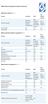 Device Vendor Comparisons Deployment options ( + / -) Vendor for On premises Cloud/SaaS and other platforms supported (+ / -) Vendor for ios Android Extended Android APIs Knox, Safe Safe BlackBerry Windows
Introducing KASPERSKY ENDPOINT SECURITY FOR BUSINESS.! Guyton Thorne! Sr. Manager System Engineering! [email protected]
 Introducing KASPERSKY ENDPOINT SECURITY FOR BUSINESS! Guyton Thorne! Sr. Manager System Engineering! [email protected] 1 Business drivers and their impact on IT AGILITY! Move fast, be nimble
When enterprise mobility strategies are discussed, security is usually one of the first topics
 Acronis 2002-2014 Introduction When enterprise mobility strategies are discussed, security is usually one of the first topics on the table. So it should come as no surprise that Acronis Access Advanced
Access All Your Files on All Your Devices
 d Access All Your Files on All Your Devices The Best Performance, Features and Price for Private cloud storage for all platforms Windows, Mac, Linux, ios, Android, Blackberry & more Enterprise Private
Cisco Mobile Collaboration Management Service
 Cisco Mobile Collaboration Management Service Cisco Collaboration Services Business is increasingly taking place on both personal and company-provided smartphones and tablets. As a result, IT leaders are
TCS Hy5 Presidio Your Mobile Environment, Your Way Configure, Secure, Deploy. Mobility Solutions
 TCS Hy5 Presidio Your Mobile Environment, Your Way Configure, Secure, Deploy Mobility Solutions The growth of in-house and third-party enterprise mobile applications; device diversity across ios, Android,
Comparing Alternatives for Business-Grade File Sharing. intermedia.net 1.800.379.7729. [email protected] CALL US EMAIL US ON THE WEB
 for -Grade CALL US EMAIL US ON THE WEB 1.800.379.7729 [email protected] intermedia.net for -Grade Goal of this report This report compares and contrasts various alternatives for file sharing in a business
Mobile Device Management
 Mobile Device Management Complete remote management for company devices Corporate and personal mobile devices (commonly referred to as Bring Your Own Device, or BYOD) must be provisioned, configured, monitored,
Cortado Corporate Server
 Cortado Corporate Server 100 % On Premise Installed & Run Entirely On Your Corporate Network Feature Mobile Device Device Policy Application E-mail Push Wi-Fi Configuration Push Enable secure BYOD and
A Secure, IT-approved Alternative to Personal File Sharing Services in the Enterprise
 A Secure, IT-approved Alternative to Personal File Sharing Services in the Enterprise Protect business data. Gain secure IT oversight. Provide single point of access to enterprise data for mobile workforces.
Introducing Databackup.com Cloud Backup. File Locker File Sharing & Collaboration EndGaurd EndPoint Protection & Device Management
 Introducing Databackup.com Cloud Backup File Locker File Sharing & Collaboration EndGaurd EndPoint Protection & Device Management Global Explosion of Data The demand for cloud storage is just getting started.
Workspot Enables Spectrum of Trust. Photo by Marc_Smith - Creative Commons Attribution License http://www.flickr.com/photos/49503165485@n01
 Workspot Enables Spectrum of Trust Photo by Marc_Smith - Creative Commons Attribution License http://www.flickr.com/photos/49503165485@n01 Created with Haiku Deck TABLE OF CONTENTS Leadership Team Problem:
CTERA Enterprise File Services Platform Architecture for HP Helion Content Depot
 CTERA Enterprise File Services Platform Architecture for HP Helion Content Depot Whitepaper by CTERA Networks Highlights How unstructured data growth drives cloud storage adoption Putting cloud storage
Systems Manager Cloud Based Mobile Device Management
 Datasheet Systems Manager Systems Manager Cloud Based Mobile Device Management Overview Meraki Systems Manager provides cloud-based over-the-air centralized management, diagnostics, and monitoring of the
What is OneDrive for Business?
 What is OneDrive for Business? This article is based on public presentations at the Microsoft Ignite event and is not an official Microsoft document and may not represent an official Microsoft position
Symantec Mobile Management Suite
 Symantec Mobile Management Suite One Solution For All Enterprise Mobility Needs Data Sheet: Mobile Security and Management Introduction Most enterprises have multiple mobile initiatives spread across the
Dropbox for Business. Secure file sharing, collaboration and cloud storage. G-Cloud Service Description
 Dropbox for Business Secure file sharing, collaboration and cloud storage G-Cloud Service Description Table of contents Introduction to Dropbox for Business 3 Security 7 Infrastructure 7 Getting Started
Secure, Centralized, Simple
 Whitepaper Secure, Centralized, Simple Multi-platform Enterprise Mobility Management 2 Controlling it all from one place BlackBerry Enterprise Service 10 (BES10) is a unified, multi-platform, device, application,
Fileweave. Large File Transfer. Seamless Microsoft Outlook add-in. Simple drag and drop functionality
 Overview The sparkweave suite of applications is next-generation secure communication and collaboration technology for the changing needs of the enterprise. Sparkweave combines the best attributes of consumer
STRONGER AUTHENTICATION for CA SiteMinder
 STRONGER AUTHENTICATION for CA SiteMinder Adding Stronger Authentication for CA SiteMinder Access Control 1 STRONGER AUTHENTICATION for CA SiteMinder Access Control CA SITEMINDER provides a comprehensive
ShareFile Enterprise for healthcare
 for healthcare Secure, HIPAA-compliant file sharing & data storage with mobile data access Safeguard protected health information (PHI), support regulatory compliance and mobilize data access with Citrix.
IBM United States Software Announcement 215-078, dated February 3, 2015
 IBM United States Software Announcement 215-078, dated February 3, 2015 solutions provide a comprehensive, secure, and cloud-based enterprise mobility management platform to protect your devices, apps,
FileDrawer An Enterprise File Sharing and Synchronization (EFSS) solution.
 FileDrawer An Enterprise File Sharing and Synchronization (EFSS) solution. In today s world the potential for ready access to data from virtually any device over any type of network connection creates
Research Information Security Guideline
 Research Information Security Guideline Introduction This document provides general information security guidelines when working with research data. The items in this guideline are divided into two different
Symantec App Center. Mobile Application Management and Protection. Data Sheet: Mobile Security and Management
 Mobile Application Management and Protection Data Sheet: Mobile Security and Management Overview provides integrated mobile application and device management capabilities for enterprise IT to ensure data
Mobilize SharePoint Securely: Top 5 Enterprise Requirements
 AN ACCELLION WHITE PAPER Mobilize SharePoint Securely: Top 5 Enterprise Requirements Accellion, Inc. Tel +1 650 485-4300 1804 Embarcadero Road Fax +1 650 485-4308 Suite 200 www.accellion.com Palo Alto,
Generating leads with Meraki's Systems Manager. Partner Training"
 Generating leads with Meraki's Systems Manager Partner Training Agenda Systems Manager overview Starting the conversation & uncovering opportunities Sales tools and collateral Systems Manager solution
CTERA Cloud Storage Platform Architecture
 CTERA Cloud Storage Platform Architecture Whitepaper by CTERA Networks Highlights How unstructured data growth drives cloud storage adoption The killer apps of cloud storage reviewed Putting cloud storage
How To Protect The Agency From Hackers On A Cell Phone Or Tablet Device
 PRODUCT DESCRIPTION Product Number: 0.0.0 MOBILE DEVICE MANAGEMENT (MDM) Effective Date: Month 00, 0000 Revision Date: Month 00, 0000 Version: 0.0.0 Product Owner: Product Owner s Name Product Manager:
ENTERPRISE MOBILITY MANAGEMENT & REMOTE ACCESS SOLUTIONS
 ENTERPRISE MOBILITY MANAGEMENT & REMOTE ACCESS SOLUTIONS Secure Remote Desktop & Application Access Mobile Device Management Mobile Content Management Mobile Email & PIM Secure Mobile Containerization
Deployment Guide Sept-2014 rev. a. Array Networks Deployment Guide: AG Series and DesktopDirect with VMware Horizon View 5.2
 Deployment Guide Sept-2014 rev. a Array Networks Deployment Guide: AG Series and DesktopDirect with VMware Horizon View 5.2 Table of Contents 1 Introduction... 2 1.1 Array Networks AG Series Secure Access
Choosing a File Sync & Share Solution. PRESENTATION TITLE GOES HERE Darryl Pace Optimal Computer Solutions
 Choosing a File Sync & Share Solution PRESENTATION TITLE GOES HERE Darryl Pace Optimal Computer Solutions Agenda File Sync & Share What and Why File Sync & Share How Selection Criteria Q & A Summary 3
Mobile Access Software Blade
 Mobile Access Software Blade Dimension Data BYOD event Jeroen De Corel SE BeLux 2012 Check Point Software Technologies Ltd. [PROTECTED] All rights reserved. 2012 Check Point Software Technologies Ltd.
F5 Identity and Access Management (IAM) Overview. Laurent PETROQUE Manager Field Systems Engineering, France
 F5 Identity and Access Management (IAM) Overview Laurent PETROQUE Manager Field Systems Engineering, France F5 s Security Strategy Protect Apps/Data Wherever They Reside Control Access to Apps/Data from
5 Magical Things. Why Nomadesk is the right product for you
 5 Magical Things Why Nomadesk is the right product for you 2 November 2015 What is Nomadesk? secure file sharing and synchronisation designed for business professionals Zero thought, in-the-flow file sharing,
Portal for ArcGIS. Satish Sankaran Robert Kircher
 Portal for ArcGIS Satish Sankaran Robert Kircher ArcGIS A Complete GIS Data Management Planning & Analysis Field Mobility Operational Awareness Constituent Engagement End to End Integration Collect, Organize,
Mobile Device Security Is there an app for that?
 Mobile Device Security Is there an app for that? Session Objectives. The security risks associated with mobile devices. Current UC policies and guidelines designed to mitigate these risks. An approach
McAfee Enterprise Mobility Management Versus Microsoft Exchange ActiveSync
 McAfee Enterprise Mobility Management Versus Microsoft Secure, easy, and scalable mobile device management Table of Contents What Can Do? 3 The smartphone revolution is sweeping the enterprise 3 Can enterprises
Windows Phone 8.1 in the Enterprise
 Windows Phone 8.1 in the Enterprise Version 1.4 MobileIron 415 East Middlefield Road Mountain View, CA 94043 USA Tel. +1.650.919.8100 Fax +1.650.919.8006 [email protected] Introduction 3 Why Windows
AUT OneDrive for Business. Instructions for Using OneDrive on Windows Platform
 AUT OneDrive for Business Instructions for Using OneDrive on Windows Platform Contents 1 What s OneDrive for Business?... 3 2 Storing Files... 5 1.1 Saving and Opening files from your Office applications...
FileCloud Security FAQ
 is currently used by many large organizations including banks, health care organizations, educational institutions and government agencies. Thousands of organizations rely on File- Cloud for their file
Making the Enterprise Mobile First. Riccardo Canetta Regional Sales Director, Mediterranean
 Making the Enterprise Mobile First Riccardo Canetta Regional Sales Director, Mediterranean 1960+ 1980+ 1995+ 2010+ Past technology transitions Change the way people work Mainframe Era PC Era Internet Era
MobileIron Product Packaging
 MobileIron Product Packaging The MobileIron Enterprise Mobility Management [EMM] Solution is a purpose-built mobile IT platform. It provides users with seamless access to the business processes and content
Total Enterprise Mobility
 Total Enterprise Mobility Presented by Wlodek Dymaczewski, IBM Wlodek Dymaczewski [email protected] www.maas360.com Top Enterprise Mobility Initiatives Embrace Bring Your Own Device (BYOD) Migrate
Symantec IT Management Suite 7.5 powered by Altiris
 Symantec IT Management Suite 7.5 powered by Altiris IT flexibility. User freedom. Data Sheet: Endpoint Management Overview technology enables IT to make better decisions, be more flexible, improve productivity,
MAM - Mobile Application Management
 Page 1 About 1Mobility 1Mobility has successfully established itself as a global company, offering cloud based, internationalized and scalable Enterprise Mobility Management (EMM) solution that monitors,
Copyright 2013, 3CX Ltd. http://www.3cx.com E-mail: [email protected]
 Manual Copyright 2013, 3CX Ltd. http://www.3cx.com E-mail: [email protected] Information in this document is subject to change without notice. Companies names and data used in examples herein are fictitious