
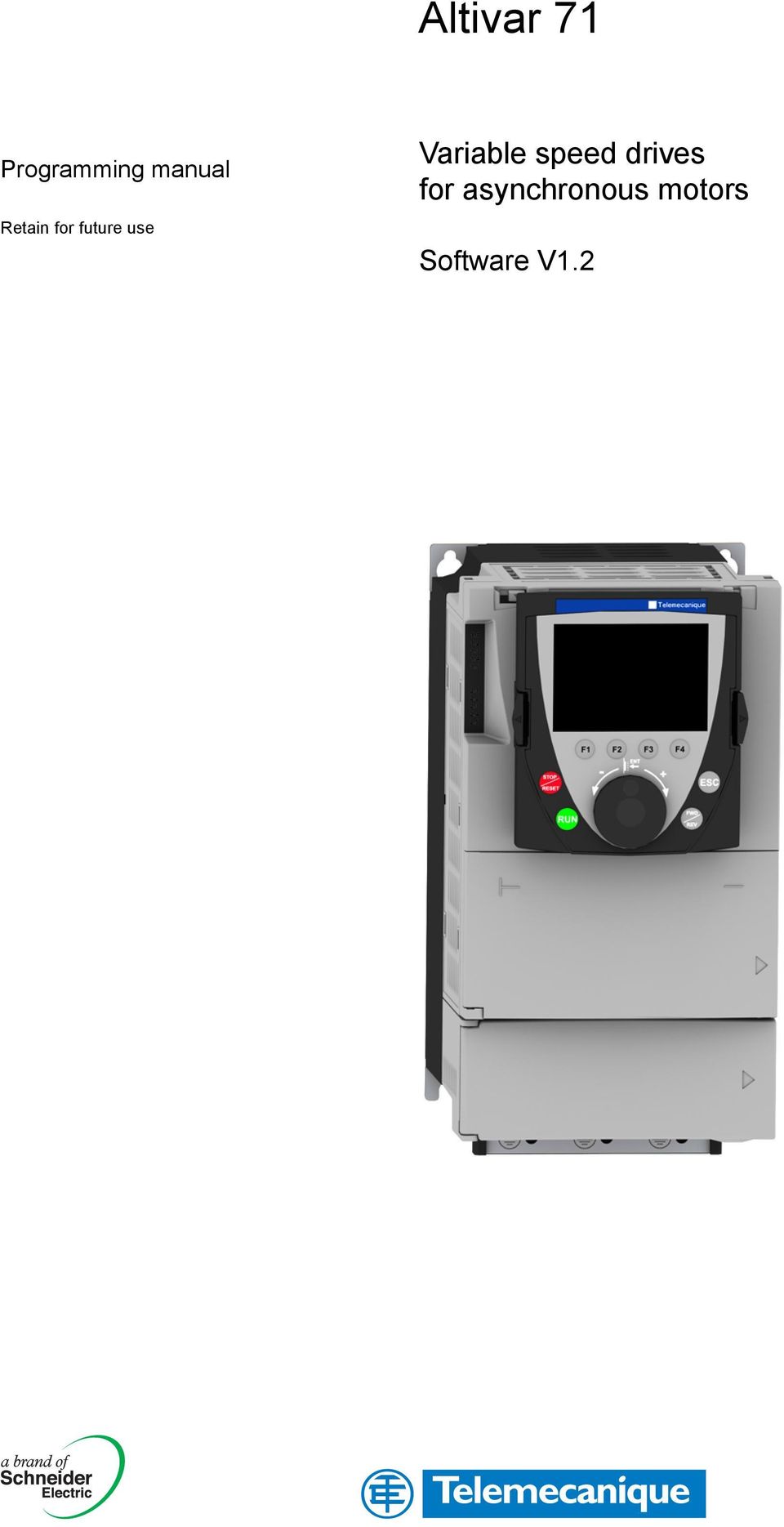
Altivar 71. Variable speed drives for asynchronous motors. Software V1.2. Programming manual. Retain for future use
|
|
|
- Scott Haynes
- 9 years ago
- Views:
Transcription
1 Altivar 71 Programming manual Retain for future use Variable speed drives for asynchronous motors Software V1.2
2

3 Contents Before you begin 4 Documentation structure 5 Software enhancements 6 Steps for setting up the braking unit 8 Factory configuration 9 Application functions 10 Setup Preliminary recommendations 14 Graphic display terminal 16 Description of terminal 16 Description of the graphic screen 17 First powerup [5. LANGUAGE] menu 20 Subsequent power ups 21 Programming: Example of accessing a parameter 22 Quick navigation 23 Integrated display terminal 26 Functions of the display and the keys 26 Accessing menus 27 Accessing menu parameters 28 [2. ACCESS LEVEL] (LAC) 29 Structure of parameter tables 32 Interdependence of parameter values 33 Finding a parameter in this document 34 [1.1 SIMPLY START] (SIM) 35 [1.2 MONITORING] (SUP) 43 [1.3 SETTINGS] (SEt) 52 [1.4 MOTOR CONTROL] (drc) 66 [1.5 INPUTS / OUTPUTS CFG] (IO) 85 [1.6 COMMAND] (CtL) 113 [1.7 APPLICATION FUNCT.] (FUn) 126 [1.8 FAULT MANAGEMENT] (FLt) 210 [1.9 COMMUNICATION] (COM) 234 [1.10 DIAGNOSTICS] 238 [1.11 IDENTIFICATION] 240 [1.12 FACTORY SETTINGS] (FCS) 241 [1.13 USER MENU] (USr) 244 [1.14 PROGRAMMABLE CARD] (PLC) 245 [3. OPEN/SAVE AS] 246 [4. PASSWORD] (COd) 248 [6 MONITORING CONFIG.] 250 [7 DISPLAY CONFIG.] 254 [MULTIPOINT SCREEN] 259 Maintenance 260 Faults Causes Remedies 261 User settings tables 267 Index of functions 269 Index of parameter codes 270 3
![LANGUAGE] menu 20 Subsequent power ups 21 Programming: Example of accessing a parameter 22 Quick navigation 23 Integrated display terminal 26 Functions of the display and the keys 26 Accessing menus](/docs-images/46/21216811/images/page_3.jpg "27 Accessing menu parameters 28 [2. ACCESS LEVEL] (LAC) 29 Structure of parameter tables 32 Interdependence of parameter values 33 Finding a parameter in this document 34 [1.")
4 Before you begin Read and understand these instructions before performing any procedure on this drive. HAZARDOUS VOLTAGE DANGER Read and understand the Installation Manual before installing or operating the ATV71 drive. Installation, adjustment, repair, and maintenance must be performed by qualified personnel. The user is responsible for compliance with all international and national electrical standards in force concerning protective grounding of all equipment. Many parts of this variable speed drive, including the printed circuit boards, operate at the line voltage. DO NOT TOUCH. Use only electrically insulated tools. DO NOT touch unshielded components or terminal strip screw connections with voltage present. DO NOT short across terminals PA/+ and PC/ or across the DC bus capacitors. Install and close all the covers before applying power or starting and stopping the drive. Before servicing the variable speed drive Disconnect all power. Place a DO NOT TURN ON label on the variable speed drive disconnect. Lock the disconnect in the open position. Disconnect all power including external control power that may be present before servicing the drive. WAIT 15 MINUTES to allow the DC bus capacitors to discharge. Then follow the DC bus voltage measurement procedure given in the Installation Manual to verify that the DC voltage is less than 45 V. The drive LEDs are not accurate indicators of the absence of DC bus voltage. Electric shock will result in death or serious injury. CAUTION DAMAGED EQUIPMENT Do not operate or install any drive that appears damaged. Failure to follow this instruction can result in equipment damage. 4

5 Documentation structure The following Altivar 71 technical documents are available on the Telemecanique website ( as well as on the CDROM supplied with the drive. Installation Manual This describes how to assemble and connect the drive. Programming manual This describes the functions, parameters and use of the drive terminal (integrated display terminal and graphic display terminal). The communication functions are not described in this manual, but in the manual for the bus or network used. Communication Parameters Manual This manual describes: The drive parameters with specific information for use via a bus or communication network. The operating modes specific to communication (state chart). The interaction between communication and local control. Manuals for Modbus, CANopen, Ethernet, Profibus, INTERBUS, UniTelway, FIPIO and Modbus Plus, etc. These manuals describe the assembly, connection to the bus or network, signaling, diagnostics, and configuration of the communicationspecific parameters via the integrated display terminal or the graphic display terminal. They also describe the communication services of the protocols. ATV 5858F/ATV 71 Migration Manual This manual describes the differences between the Altivar 71 and the Altivar 58/58F and explains how to replace an Altivar 58 or 58F, including how to replace drives communicating on a bus or a network. 5

6 Software enhancements Since the Altivar ATV 71 was first launched, it has benefited from the addition of several new functions. Software version V1.1 has now been updated to V1.2. The new version can be substituted for the old one without making any changes. Although this documentation relates to version V1.2, it can still be used with version V1.1, as the update merely involves the addition of new values and parameters and none of the previous version parameters have been modified or removed. The software version is indicated on the nameplate attached to the body of the drive. Enhancements made to version V1.2 in comparison to V1.1 Factory setting Note 1: In version V1.1, the analog input was 0 ± 10 V. For safety reasons, in the new version this input has been set to V. Note 2: In version V1.1, analog output AO1 was assigned to the motor frequency. In the new version, this output is not assigned at all. With the exception of these two parameters, the factory settings of version V1.1 remain the same in the new version. The new functions are factoryset to disabled. Motor frequency range The maximum output frequency has been extended from 1000 to 1600 Hz (depending on the drive rating and control profile). New parameters and functions Menu [1.2 MONITORING] (SUP) Addition of internal states and values relating to the new functions described below. Menu [1.3 SETTINGS] (SEt) [High torque thd.] (tth) page 64. [Low torque thd.] (ttl) page 64. [Pulse warning thd.] (FqL) page 65. [Freewheel stop Thd.] (FFt) page65. Menu[1.4 MOTOR CONTROL] (drc) [rpm increment] (InSP) page 67. Extension of the following configurations to all drive ratings; previously limited to 45 kw (60 HP) for ATV71pppM3X and to 75 kw (100 HP) for ATV71pppN4:synchronous motor[sync. mot.] (SYn) page 69, sinus filter [Sinus filter] (OFI) page 79, noise reduction [Noise reduction] (nrd) page 80, braking balance [Braking balance] (bba) page 82. Menu [1.5 INPUTS / OUTPUTS CFG] (IO) Input Al1 can now be configured to V or 0 ± 10 V via [AI1 Type] (AI1t) page 91. [AI net. channel] (AIC1) page 95. New methods of assigning relays and logic outputs page 100 : rope slack, high torque threshold, low torque threshold, motor in forward rotation, motor in reverse rotation, measured speed threshold reached, load variation detection. Analog output AO1 can now be used as a logic output and assigned to relay functions and logic outputs, page 105. New method of modifying the scale of analog outputs page 107 using the parameters [Scaling AOx min] (ASLx) and [Scaling AOx max] (ASHx). New methods of assigning logic outputs page 108: signed motor torque and measured motor speed. New methods of assigning alarm groups page 112 : rope slack, high torque threshold, low torque threshold, measured speed threshold reached, load variation detection. 6

7 Software enhancements Menu [1.7 APPLICATION FUNCT.] (Fun) The summing, subtraction and multiplication reference functions can now be assigned to virtual input [Network AI] (AIU1) page 133. New parameter [Freewheel stop Thd.] (FFt) page 137 used to set a threshold for switching to freewheel at the end of a stop on ramp or fast stop. Brake engage at regulated zero speed [Brake engage at 0] (becd) page 158. Weight [Weight sensor ass.] (PES) page 163 can now be assigned to virtual input [Network AI] (AIU1). New "rope slack" function page 167, with the parameters [Rope slack config.] (rsd) and [Rope slack trq level] (rstl). Use of the ramp [Acceleration 2] (AC2) page 175 when starting and "waking up" the PID function. The torque limitation [TORQUE LIMITATION] (tol) page 182 can now be configured in whole % or in 0.1% increments using [Torque increment] (IntP) and assigned to virtual input [Network AI] (AIU1). New "stop at distance calculated after deceleration limit switch" function page 191, with the parameters [Stop distance] (Std), [Rated linear speed] (nls) and [Stop corrector] (SFd). Positioning by sensors or limit switch [POSITIONING BY SENSORS] (LPO) page 192 can now be configured in positive logic or negative logic using [Stop limit config. (SAL) and [Slowdown limit cfg.] (dal). Parameter set switching [PARAM. SET SWITCHING] (MLP) page 195 can now be assigned to the frequency thresholds attained [Freq. Th. att.] (FtA) and [Freq. Th. 2 attain.] (F2A). New halffloor: menu [HALF FLOOR] (HFF) page 208. Menu [1.8 FAULT MANAGEMENT] (FLt) Possibility of reinitializing the drive without turning it off, via [Product reset] (rp) page 213. Possibility of reinitializing the drive via a logic input without turning it off, using [Product reset assig.] (rpa) page 213. The possibility of configuring the "output phase loss" fault [Output Phase Loss] (OPL) page 217 to [Output cut] (OAC) has been extended to all drive ratings (previously limited to45 kw (60 HP) for ATV71pppM3X and 75 kw (100HP) for ATV71pppN4). The external fault [EXTERNAL FAULT] (EtF) page 220 can now be configured in positive or negative logic via [External fault config.] (LEt). New monitoring function based on speed measurement via "Pulse input" page 227, via the [FREQUENCY METER] menu (FqF). New function for detecting load variation page 229, via the [DYNAMIC LOAD DETECT] menu (dld). Shortcircuit faults on the braking unit can now be configured via[brake res. fault Mgt] bub) page 231. Menu [7 DISPLAY CONFIG.] In [7.4 KEYPAD PARAMETERS] page 258, the [KEYPAD CONTRAST] and [KEYPAD STANDBY] parameters to adjust the contrast and standby mode of the graphic display unit. 7
![Brake engage at regulated zero speed [Brake engage at 0] (becd) page 158. Weight [Weight sensor ass.] (PES) page 163 can now be assigned to virtual input [Network AI] (AIU1).](/docs-images/46/21216811/images/page_7.jpg "New \"rope slack\" function page 167, with the parameters [Rope slack config.] (rsd) and [Rope slack trq level] (rstl).")
8 Steps for setting up the braking unit INSTALLATION v 1 Consult the Installation Manual PROGRAMMING b 2 Power up without run command v If you are using a separate power supply for the control section, follow the instructions on page 14. b 3 Select the language, if the drive has a graphic display terminal Tips: Before you start programming, complete the user setting tables, page 267. Perform an autotuning operation to optimize performance, page 41. If you get lost, return to the factory settings, page 243. b 4 Configure the [SIMPLY START] (SIM) menu v 2wire or 3wire control v Macro configuration v Motor parameters Perform an autotuning operation v Motor thermal current v Acceleration and deceleration ramps v Speed variation range Note: Check that the wiring of the drive is compatible with its configuration. b 5 Start 8

9 Factory configuration Drive factory settings The Altivar 71 is factoryset for the most common operating conditions: Macro configuration: Start/Stop Motor frequency: 50 Hz Constant torque application, with sensorless flux vector control Normal stop mode on deceleration ramp Stop mode in the event of a fault: freewheel Linear, acceleration and deceleration ramps: 3 seconds Low speed: 0 Hz High speed: 50 Hz Motor thermal current = rated drive current Standstill injection braking current = 0.7 x rated drive current, for 0.5 seconds No automatic starts after a fault Switching frequency 2.5 khz or 4 khz depending on drive rating Logic inputs: LI1: forward, LI2: Forward (2 operating direction), 2wire control on transition L13, L14, LI5, LI6: inactive (not assigned) Analog inputs: AI1: speed reference V AI2: 020 ma, inactive (not assigned) Relay R1: The contact opens in the event of a fault (or drive off). Relay R2: Inactive (not assigned) Analog output AO1: 020 ma, inactive (not assigned) If the above values are compatible with the application, the drive can be used without changing the settings. Option card factory settings The option card inputs/outputs are not factoryset. 9

10 Application functions The tables on the following pages show the most common combinations of functions and applications, in order to guide your selection. The applications in these tables relate to the following machines in particular: Hoisting: cranes, overhead cranes, gantries (vertical hoisting, translation, slewing), lifting platforms Elevators: elevators in retrofit up to 1.2 m/s Handling: palletizers/depalletizers, conveyors, roller tables Packing: carton packers, labeling machines Textiles: weaving looms, carding frames, washing machines, spinners, drawing frames Wood: automatic lathes, saws, milling High inertia: centrifuges, mixers, unbalanced machines (beam pumps, presses) Process Each machine has its own special features, and the combinations listed here are neither mandatory nor exhaustive. Some functions are designed specifically for a particular application. In this case, the application is identified by a tab in the margin on the relevant programming pages. Motor control functions Functions Page Applications Hoisting Lifts Handling Packing Textiles Wood High inertia Process V/f ratio 69 b b b Sensorless flux vector control 69 b b b b b b b b Flux vector control with sensor 69 b b b b b b b b 2point vector control 69 b b Openloop synchronous motor 69 b Output frequency of up to 1600 Hz 67 b b Motor overvoltage limiting 80 b b DC bus connection (see User's Manual) b b Motor fluxing using a logic input 150 b b b Switching frequency of up to 16 khz 79 b b b Autotuning 68 b b b b b b b b 10

11 Application functions Functions on speed references Functions Page Differential bipolar reference 88 b b b Reference delinearization (magnifying glass effect) 90 b b Hoisting Lifts Handling Applications Frequency control input 122 b b Reference switching b Reference summing 131 b Reference subtraction 131 b Reference multiplication 131 b S ramps 134 b b b Jog operation 141 b b b Preset speeds 142 b b b b b + speed / speed using single action pushbuttons (1 step) + speed / speed using double action pushbuttons (2 steps) / speed around a reference 147 b b Save reference 149 b b Packing Textiles Wood High inertia Process b 11

12 Application functions Applicationspecific functions Applications Functions Page Hoisting Lifts Handling Packing Textiles Wood High inertia Fast stop 137 b b Limit switch management 151 b b b Brake control 153 b b b Load measurement 162 b b Highspeed hoisting 164 b Process Rope slack 167 b PID regulator 169 b Torque monitoring 178 b b b Motor/generator torque limit 181 b b b b Load sharing 82 b b Line contactor control 185 b b b Output contactor control 187 b Positioning by limit switches or sensors 189 b b Stop at distance calculated after deceleration limit switch 191 b b ENA system (mechanical with unbalanced load) 77 b Parameter switching 194 b b b b b b b b Motor or configuration switching 197 b b b Traverse control 200 b Stop configuration 137 b b b b Evacuation 207 b Half floor 208 b 12

13 Application functions Safety functions/fault management Functions Page Applications Power Removal (safety function, see User's Manual) b b b b b b b b Deferred stop on thermal alarm 219 b Alarm handling 112 b b b b b b b b Fault management 211 to 233 b b b b b b b b IGBT tests 222 b b b b b b b b Catch a spinning load 215 b b b Braking resistor thermal protection 231 b b b b Motor protection with PTC probes 211 b b b b b b b b Undervoltage management 221 b b b 420mA loss 223 b b b b b b Uncontrolled output cut (output phase loss) 217 b Automatic restart 214 b Use of the "Pulse input" input to measure the speed of rotation of the motor. 227 Load variation detection 229 b Hoisting Lifts Handling b b b Packing Textiles Wood High inertia Process 13

14 Setup Preliminary recommendations Turning on and configuring the drive UNINTENDED EQUIPMENT OPERATION DANGER Before turning on and configuring the Altivar 71, check that the PWR (POWER REMOVAL) input is deactivated (at state 0) in order to prevent unintended operation. Before turning on the drive, or when exiting the configuration menus, check that the inputs assigned to the run command are deactivated (at state 0) since they can cause the motor to start immediately. Failure to follow these instructions will result in death or serious injury. INCOMPATIBLE LINE VOLTAGE CAUTION Before turning on and configuring the drive, ensure that the line voltage is compatible with the supply voltage range shown on the drive nameplate. The drive may be damaged if the line voltage is not compatible. Failure to follow this instruction can result in equipment damage. Separate control section power supply When the drive control section is powered independently of the power section (P24 and 0V terminals), whenever an option card is added or replaced, only the power section must be supplied with power next time the drive is powered up. By default the new card would not be recognized and it would be impossible to configure it, thereby causing the drive to lock in fault mode. Power switching via line contactor CAUTION Avoid operating the contactor frequently (premature ageing of the filter capacitors). Cycle times < 60 s may result in damage to the precharge resistor. Failure to follow this instruction can result in equipment damage. User adjustment and extension of functions The display unit and buttons can be used to modify the settings and to extend the functions described in the following pages. Return to factory settings is made easy by the [1.12 FACTORY SETTINGS] (FCS) menu, see page 241. There are three types of parameter: Display: Values displayed by the drive Adjustment: Can be changed during operation or when stopped Configuration: Can only be modified when stopped and no braking is taking place. Can be displayed during operation. DANGER UNINTENDED EQUIPMENT OPERATION Check that changes made to the settings during operation do not present any danger. We recommend stopping the drive before making any changes. Failure to follow these instructions will result in death or serious injury. 14

15 Setup Preliminary recommendations Starting Important: In factory settings mode, the motor can only be supplied with power once the forward, reverse and DC injection stop commands have been reset: On powerup or a manual fault reset or after a stop command If they have not been reset, the drive will display "nst" but will not start. If the automatic restart function has been configured ([Automatic restart] (Atr) parameter in the [1.8FAULT MANAGEMENT] (FLt) menu, see page 214), these commands are taken into account without a reset being necessary. Test on a low power motor or without a motor In factory settings mode, [Output Phase Loss] detection (OPL) page 217 is active (OPL = YES). To check the drive in a test or maintenance environment without having to switch to a motor with the same rating as the drive (particularly useful in the case of high power drives), deactivate [Output Phase Loss] (OPL = no). Configure [Motor control type] (Ctt) = [V/F 2pts] (UF2) or [V/F 5pts] (UF5) ([1.4MOTOR CONTROL] (drc) menu, see page 69) CAUTION Motor thermal protection will not be provided by the drive if the motor current is less than 0.2 times the rated drive current. Provide an alternative means of thermal protection. Failure to follow this instruction can result in equipment damage. Using motors in parallel Configure [Motor control type] (Ctt) = [V/F 2pts] (UF2) or [V/F 5pts] (UF5) ([1.4MOTOR CONTROL] (drc) menu, see page 69) CAUTION Motor thermal protection is no longer provided by the drive. Provide an alternative means of thermal protection on every motor. Failure to follow this instruction can result in equipment damage. 15
![If the automatic restart function has been configured ([Automatic restart] (Atr) parameter in the [1.](/docs-images/46/21216811/images/page_15.jpg "8FAULT MANAGEMENT] (FLt) menu, see page 214), these commands are taken into account without a reset being necessary.")
16 Graphic display terminal Although the graphic display terminal is optional for lowpower drives, it is a standard component on highpower drives (see catalog). The graphic display terminal can be disconnected and connected remotely (on the door of an enclosure for example) using the cables and accessories available as options (see catalog). Description of terminal 1 Graphic display 2 Function keys F1, F2, F3, F4, see page STOP/RESET button 7 ESC key: Aborts a value, a parameter or a menu to return to the previous selection 4 RUN button 6 Button for reversing the direction of rotation of the motor 5 Navigation button: Press (ENT): Turn CW/ CCW: To save the current value To enter the selected menu or parameter To increment or decrement a value To go to the next or previous line To increase or decrease the reference if control via the terminal is activated Note: Buttons 3, 4, 5 and 6 can be used to control the drive directly, if control via the terminal is activated. Disconnected terminal When the terminal is disconnected, 2 LEDs become visible: Green LED: DC bus ON Red LED: Fault HMI Modbus 16

17 Graphic display terminal Description of the graphic screen RDY Term Hz 0A 1 DRIVE MENU 1.1 SIMPLY START 1.2 MONITORING 1.3 SETTINGS 1.4 MOTOR CONTROL 1.5 INPUTS / OUTPUTS CFG Code << >> Quick 6 5 F1 F2 F3 F4 1. Display line. Its content can be configured; the factory settings show: The drive state (see page 18) The active control channel: Term: Terminals HMI: Graphic display terminal MDB: Integrated Modbus CAN: Integrated CANopen NET: Communication card APP: Controller Inside card Frequency reference Current in the motor 2. Menu line. Indicates the name of the current menu or submenu. 3. Menus, submenus, parameters, values, bar charts, etc., are displayed in dropdown window format on a maximum of 5 lines. The line or value selected by the navigation button is displayed in reverse video. 4. Section displaying the functions assigned to the F1 to F4 keys and aligned with them, for example: Code F1 : Displays the code of the selected parameter, i.e., the code corresponding to the 7segment display. HELP F1 : Contextual help << F2 : Navigate horizontally to the left, or go to previous menu/submenu or, for a value, go to the next digit up, displayed in reverse video (see the example on page 19). >> F3 : Navigate horizontally to the right or go to next menu/submenu (going to the [2 ACCESS LEVEL] menu in this example) or, for a value, go to the next digit down, displayed in reverse video (see the example on page 19). Quick F4 : Quick navigation, see page 23. The function keys are dynamic and contextual. Other functions (application functions) can be assigned to these keys via the [1.6 COMMAND] menu. 5. Indicates that there are no more levels below this display window. Indicates that there are more levels below this display window. 6. Indicates that this display window does not scroll further up. Indicates that there are more levels above this display window. 17

18 Graphic display terminal Drive state codes: ACC: Acceleration CLI: Current limit CTL: Controlled stop on input phase loss DCB: DC injection braking in progress DEC: Deceleration FLU: Motor fluxing in progress FST: Fast stop NLP: No line power (no line supply on L1, L2, L3) NST: Freewheel stop OBR: Autoadapted deceleration PRA: Power Removal function active (drive locked) RDY: Drive ready RUN: Drive running SOC: Controlled output cut in progress TUN: Autotuning in progress USA: Undervoltage alarm 18

19 Graphic display terminal Example configuration windows: RDY Term +0.00Hz 0A 5 LANGUAGE English Français Deutsch Español Italiano << >> Quick Chinese When only one selection is possible, the selection made is indicated by Example: Only one language can be chosen. PARAMETER SELECTION 1.3 SETTINGS Ramp increment Acceleration Deceleration Acceleration 2 Deceleration 2 Edit When multiple selection is possible, the selections made are indicated by Example: A number of parameters can be chosen to form the [USER MENU]. Example configuration window for one value: RDY Term +0.00Hz 0A Acceleration 9.51 s Min = 0.01 Max = << >> Quick >> RDY Term +0.00Hz 0A Acceleration 951 s Min = 0.01 Max = << >> Quick The << and >> arrows (keys F2 and F3) are used to select the digit to be modified, and the navigation button is rotated to increase or decrease this number. 19

20 Graphic display terminal First powerup [5. LANGUAGE] menu The first time the drive is powered up, the user will automatically be guided through the menus as far as [1. DRIVE MENU]. The parameters in the [1.1 SIMPLY START] submenu must be configured and autotuning performed before the motor is started up. ATV31HU22N4 2.2kW/3HP 380/480V Config. n 1 Display for 3 seconds following powerup 3 seconds English Français Deutsch Español Italiano 5 LANGUAGE Automatically switches to [5 LANGUAGE] menu 3 seconds later. Select the language and press ENT. Chinese RDY Term +0.00Hz 0.0A 2 ACCESS LEVEL Basic Standard Advanced Expert Switches to [2 ACCESS LEVEL] menu (see page 29) Select the access level and press ENT. RDY Term +0.00Hz 0.0A 1 DRIVE MENU 1.1 SIMPLY START 1.2. MONITORING 1.3. SETTINGS 1.4. MOTOR CONTROL 1.5. INPUTS / OUTPUTS CFG Code << >> Quick Switches to [1 DRIVE MENU] (see page 25) ESC RDY Term +0.00Hz 0.0A MAIN MENU 1 DRIVE MENU 2 ACCESS LEVEL 3 OPEN / SAVE AS 4 PASSWORD 5 LANGUAGE Code Quick Press ESC to return to [MAIN MENU] 20
![n 1 Display for 3 seconds following powerup 3 seconds English Français Deutsch Español Italiano 5 LANGUAGE Automatically switches to [5 LANGUAGE] menu 3 seconds later.](/docs-images/46/21216811/images/page_20.jpg "Select the language and press ENT. Chinese RDY Term +0.00Hz 0.0A 2 ACCESS LEVEL Basic Standard Advanced Expert Switches to [2 ACCESS LEVEL] menu (see page 29) Select the access level and press ENT.")
21 Graphic display terminal Subsequent power ups ATV71HU22N4 2.2kW/3HP 380/480V Config. n 1 3 seconds RDY Term +38Hz 0.0A 1. DRIVE MENU 1.1 SIMPLY START 1.2 MONITORING 1.3 SETTINGS 1.4 MOTOR CONTROL 1.5 INPUTS / OUTPUTS CFG Code << >> Quick Switches to [1. DRIVE MENU] 3 seconds later. 10 seconds RDY Term +38Hz 0.0A Frequency ref. Min=0 38 Hz Max=60 Quick If no operator inputs are made, switches to "Display" automatically 10 seconds later (the display will vary depending on the selected configuration). ENT or ESC RDY Term +38Hz 0.0A MAIN MENU 1 DRIVE MENU 2 ACCESS LEVEL 3 OPEN / SAVE AS 4 PASSWORD 5 LANGUAGE Code Quick Users can return to [MAIN MENU] by pressing ENT or ESC. 21
22 Graphic display terminal Programming: Example of accessing a parameter Accessing the acceleration ramp RDY Term +0.00Hz 0A 1 DRIVE MENU 1.1 SIMPLY START 1.2 MONITORING 1.3 SETTINGS 1.4 MOTOR CONTROL 1.5 INPUTS / OUTPUTS CFG Code << >> Quick ENT ESC RDY Term +0.00Hz 0A 1.3 SETTINGS Ramp increment: 01 Acceleration 9.51 s Deceleration: 9.67 s Acceleration 2: s Deceleration 2: s Code << >> Quick ENT ENT or ESC RDY Term +0.00Hz 0A Acceleration 9.51 s Min = 0.01 Max = << >> Quick Note: To select a parameter: Turn the navigation button to scroll vertically. To modify a parameter: Use the << and >> keys (F2 and F3) to scroll horizontally and select the digit to be modified (the selected digit changes to white on a black background). Turn the navigation button to modify the digit. To cancel the modification: Press ESC. To save the modification: Press the navigation button (ENT). 22
23 Graphic display terminal Quick navigation If the "Quick" function is displayed above the F4 key, you can gain quick access to a parameter from any screen. Example: RDY Term +0.00Hz 0A 1.4 MOTOR CONTROL Standard mot. freq: 5 0Hz IEC Rated motor power: 0.37 kw (0.5 HP) Rated motor volt.: 206 V Rated mot. current: 1.0 A Rated motor freq.: 50.0 Hz Code << >> Quick Press F4 to access the Quick screen, which contains 4 selection options. [HOME]: Return to [MAIN MENU]. RDY Term +0.00Hz 0A QUICK NAVIGATION RETURN TO MAIN MENU DIRECT ACCESS TO LAST MODIFICATIONS GOTO MULTIPOINT SCREEN Code ENT RDY Term +0.00Hz 0A MAIN MENU 1 DRIVE MENU 2 ACCESS LEVEL 3 OPEN / SAVE AS 4 PASSWORD 5 LANGUAGE Code Quick See page 259 [DIRECT ACCESS TO...] : Opens the direct access window, which will contain the text "1". The function keys << and >> (F2 and F3) can be used to select each of the numbers and the navigation button to increment or decrement the numbers: 1.3 in the example below. RDY Term +0.00Hz 0A DIRECT ACCESS TO SETTINGS << >> ENT RDY Term +0.00Hz 0A 1.3 SETTINGS Ramp increment: 01 Acceleration 9.51 s Deceleration: 9.67 s Acceleration 2: s Deceleration 2: s Code << >> Quick [10 LAST MODIFICATIONS]: Opens a window in which the last 10 parameters modified can be accessed directly. RDY Term +0.00Hz 0A 10 LAST MODIFICATIONS Acceleration: 10 s ENA prop.gain: 1.2 Rated mot. current: 15 A Preset speed 4: 20 Hz Preset speed 5: 30 Hz Code ENT ESC RDY Term +0.00Hz 0A Rated mot. current 15.0 A << >> 23
24 Graphic display terminal [MAIN MENU] Menu mapping RDY Term +0.00Hz 0A MAIN MENU 1 DRIVE MENU 2 ACCESS LEVEL 3 OPEN / SAVE AS 4 PASSWORD 5 LANGUAGE Code Quick 6 MONITORING CONFIG. 7 DISPLAY CONFIG. RDY Term +0.00Hz 0A 1 DRIVE MENU 1.1 SIMPLY START 1.2 MONITORING 1.3 SETTINGS 1.4 MOTOR CONTROL 1.5 INPUTS / OUTPUTS CFG Code << >> Quick 1.6 COMMAND 1.7 APPLICATION FUNCT. 1.8 FAULT MANAGEMENT 1.9 COMMUNICATION 1.10 DIAGNOSTICS 1.11 IDENTIFICATION 1.12 FACTORY SETTINGS 1.13 USER MENU 1.14 PROGRAMMABLE CARD Content of [MAIN MENU] menus [1 DRIVE MENU] See next page [2 ACCESS LEVEL] Defines which menus can be accessed (level of complexity) [3 OPEN / SAVE AS] Can be used to save and recover drive configuration files [4 PASSWORD] Provides password protection for the configuration [5 LANGUAGE] Language selection [6 MONITORING CONFIG.] Customization of information displayed on the graphic display terminal during operation [7 DISPLAY CONFIG.] Customization of parameters Creation of a customized user menu Customization of the visibility and protection mechanisms for menus and parameters 24
25 Graphic display terminal [1 DRIVE MENU] RDY Term +0.00Hz 0A 1 DRIVE MENU 1.1 SIMPLY START 1.2 MONITORING 1.3 SETTINGS 1.4 MOTOR CONTROL 1.5 INPUTS / OUTPUTS CFG Code << >> Quick 1.6 COMMAND 1.7 APPLICATION FUNCT. 1.8 FAULT MANAGEMENT 1.9 COMMUNICATION 1.10 DIAGNOSTICS 1.11 IDENTIFICATION 1.12 FACTORY SETTINGS 1.13 USER MENU 1.14 PROGRAMMABLE CARD Content of [1. DRIVE MENU] menus: [1.1 SIMPLY START]: Simplified menu for a quick start [1.2 MONITORING]: Visualization of current, motor and input/output values [1.3 SETTINGS]: Accesses the adjustment parameters, which can be modified during operation [1.4 MOTOR CONTROL]: Motor parameters (motor nameplate, autotuning, switching frequency, control algorithms, etc.) [1.5 INPUTS / OUTPUTS CFG]: I/O configuration (scaling, filtering, 2wire control, 3wire control, etc.) [1.6 COMMAND]: Configuration of command and reference channels (graphic display terminal, terminals, bus, etc.) [1.7 APPLICATION FUNCT.] : Configuration of application functions (e.g., preset speeds, PID, brake logic control, etc.) [1.8 FAULT MANAGEMENT]: Configuration of fault management [1.9 COMMUNICATION]: Communication parameters (fieldbus) [1.10 DIAGNOSTICS]: Motor/drive diagnostics [1.11 IDENTIFICATION]: Identifies the drive and the internal options [1.12 FACTORY SETTINGS]: Access to configuration files and return to factory settings [1.13 USER MENU]: Specific menu set up by the user in the [7. DISPLAY CONFIG.] menu [1.14 PROGRAMMABLE CARD]: : Configuration of optional Controller Inside card 25
26 Integrated display terminal Lowpower Altivar 71 drives (see catalog) feature an integrated display terminal with a 7segment 4digit display. The graphic display terminal described on the previous pages can also be connected to these drives as an option. Functions of the display and the keys 2 Modbus status LEDs Four 7segment displays 2 CANopen status LEDs Returns to the previous menu or parameter, or increases the displayed value Goes to the next menu or parameter, or decreases the displayed value Exits a menu or parameter, or aborts the displayed value to return to the previous value in the memory Enters a menu or parameter, or saves the displayed parameter or value Note: Pressing or does not store the selection. Press and hold down (>2 s) or to scroll through the data quickly. Save and store the selection: ENT The display flashes when a value is stored. Normal display, with no fault present and no startup: 43.0 : Display of the parameter selected in the SUP menu (default selection: motor frequency) CLI: Current limit CtL: Controlled stop on input phase loss dcb: DC injection braking in progress FLU: Motor fluxing in progress FSt: Fast stop. nlp: No line power (no line supply on L1, L2, L3) nst: Freewheel stop Obr: Autoadapted deceleration PrA: Power Removal function active (drive locked) rdy = Drive ready SOC: Controlled output cut in progress tun: Autotuning in progress USA: Undervoltage alarm The display flashes to indicate the presence of a fault. 26
27 Integrated display terminal Accessing menus Powerup XXX Displays the state of the drive ENT ESC SIM ENT ESC SIMPLY START (page 35) Simplified menu for fast startup ESC SUP ENT ESC MONITORING (page 43) Visualization of current, motor and input/output values ESC SEt ENT ESC SETTINGS (page 52) Adjustment parameters, can be modified during operation ESC drc ENT ESC MOTOR CONTROL (page 68) Motor parameters (motor nameplate, autotuning, switching frequency, control algorithms, etc.) Menus ESC ESC ESC IO CtL FUn ENT ESC ENT ESC ENT ESC INPUTS / OUTPUTS CFG COMMAND APPLICATION FUNCT. (page 85) I/O configuration (scaling, filtering, 2wire control, 3wire control, etc.) (page 113) Configuration of command and reference channels (graphic display terminal, terminals, bus, etc.) (page 126)Configuration of application functions (e.g., preset speeds, PID, brake logic control, etc.) ESC FLt ENT ESC FAULT MANAGEMENT (page 210) Configuration of fault management ESC CON ENT ESC COMMUNICATION (page 234) Communication parameters (fieldbus) ESC FCS ENT ESC FACTORY SETTINGS (page 241) Access to configuration files and return to factory settings ESC USr ENT ESC USER MENU (page 244) Specific menu, set up by the user using the graphic display terminal. ESC SPL ENT ESC PROGRAMMABLE CARD (page 245) Menu for the Controller Inside card, if present. ESC COd ENT ESC PASSWORD (page 248) ESC LAC ENT ESC ACCESS LEVEL (page 29) A dash appears after menu and submenu codes to differentiate them from parameter codes. Examples: FUn menu, ACC parameter. The grayedout menus may not be accessible depending on the control access (LAC) configuration. 27
28 Integrated display terminal Accessing menu parameters Save and store the displayed selection : ENT Menu Parameter Value or assignment The display flashes when a value is stored. SEt ENT ESC (Next parameter) ENT ACC 15.0 dec ESC ESC ENT 1 flash (save) Menu ENT 1 st All the menus are "dropdown" type menus, which means that after the last parameter, if you continue to press, you will return to the first parameter and, conversely, you can switch from the first parameter to the last parameter by pressing. ESC n th last Selection of multiple assignments for one parameter IO ENT ESC Alarm not selected Example: List of group 1 alarms in [INPUTS / OUTPUTS CFG] menu (IO) A number of alarms can be selected by "checking" them as follows. The digit on the right indicates: selected Alarm selected not selected. The same principle is used for all multiple selections. 28
29 [2. ACCESS LEVEL] (LAC) With graphic display terminal Basic Access to 5 menus only, and access to 6 submenus only in the [1. DRIVE MENU] menu. A single function can be assigned to each input. RDY Term +0.00Hz 0A 2 ACCESS LEVEL Basic Standard Advanced Expert << >> Quick RDY Term +0.00Hz 0A MAIN MENU 1 DRIVE MENU 2 ACCESS LEVEL 3 OPEN / SAVE AS 4 PASSWORD 5 LANGUAGE Code << >> Quick RDY Term +0.00Hz 0A 1. DRIVE MENU 1.1 SIMPLY START 1.2. MONITORING 1.3. SETTINGS IDENTIFICATION FACTORY SETTINGS Code << >> Quick 1.13 USER MENU Standard This is the factoryset level. Access to 6 menus only, and access to all submenus in the [1. DRIVE MENU] menu. A single function can be assigned to each input. RDY Term +0.00Hz 0A MAIN MENU 1 DRIVE MENU 2 ACCESS LEVEL 3 OPEN / SAVE AS 4 PASSWORD 5 LANGUAGE Code Quick 6 MONITORING CONFIG. Advanced Access to all menus and submenus. Several functions can be assigned to each input. RDY Term +0.00Hz 0A MAIN MENU 1 DRIVE MENU 2 ACCESS LEVEL 3 OPEN / SAVE AS 4 PASSWORD 5 LANGUAGE Code Quick 6 MONITORING CONFIG. 7 DISPLAY CONFIG. RDY Term +0.00Hz 0A 1 DRIVE MENU 1.1 SIMPLY START 1.2 MONITORING 1.3 SETTINGS 1.4 MOTOR CONTROL 1.5 INPUTS / OUTPUTS CFG Code << >> Quick 1.6 COMMAND 1.7 APPLICATION FUNCT. 1.8 FAULT MANAGEMENT 1.9 COMMUNICATION 1.10 DIAGNOSTICS 1.11 IDENTIFICATION 1.12 FACTORY SETTINGS 1.13 USER MENU 1.14 PROGRAMMABLE CARD Expert Access to all menus and submenus as for [Advanced] level, and access to additional parameters. Several functions can be assigned to each input. RDY Term +0.00Hz 0A MAIN MENU 1 DRIVE MENU 2 ACCESS LEVEL 3 OPEN / SAVE AS 4 PASSWORD 5 LANGUAGE Code Quick 6 MONITORING CONFIG. 7 DISPLAY CONFIG. 29
30 [2. ACCESS LEVEL] (LAC) With integrated display terminal: Powerup XXX Displays the state of the drive ENT ESC SIM ESC COd ENT ESC LAC ESC ACCESS LEVEL Code Name/Description Factory setting LACbAS Std Adu Epr bas: Limited access to SIM, SUP, SEt, FCS, USr, COd and LAC menus. Only one function can be assigned to each input. Std: Access to all menus on the integrated display terminal. Only one function can be assigned to each input. AdU: Access to all menus on the integrated display terminal. Several functions can be assigned to each input. EPr: Access to all menus on the integrated display terminal and access to additional parameters. Several functions can be assigned to each input. Std 30
31 [2. ACCESS LEVEL] (LAC) Comparison of the menus that can be accessed on the graphic display terminal/ integrated display terminal Graphic display terminal Integrated display terminal Access level [2 ACCESS LEVEL] LAC (Access level) [3 OPEN/SAVE AS] [4 PASSWORD] COd (Password) [5 LANGUAGE] [1 DRIVE MENU] [1.1 SIMPLY START] SIM (Simply start) A single function can be assigned to each input. [1.2 MONITORING] SUP(Monitoring) [1.3 SETTINGS] SEt (Settings) [1.11 IDENTIFICATION] [1.12 FACTORY SETTINGS] FCS (Factory settings) [1.13 USER MENU] USr (User menu) A single function can be assigned to each input. [1.4 MOTOR CONTROL] drc (Motor control) [1.5 INPUTS / OUTPUTS CFG] IO (I/O configuration) [1.6 COMMAND] CtL (Command) [1.7 APPLICATION FUNCT.] FUn (Application functions) [1.8 FAULT MANAGEMENT] FLt (Fault management) Basic bas Standard Std(factory setting) Advanced AdU Expert EPr [1.9 COMMUNICATION] COM (Communication) [1.10 DIAGNOSTICS] [1.14 PROGRAMMABLE CARD] (1) PLC (Controller Inside card) (1) [6 MONITORING CONFIG.] A single function can be assigned to each input. A single function can be assigned to each input. [7 DISPLAY CONFIG.] Several functions can be assigned to each input. Several functions can be assigned to each input. Expert parameters Expert parameters Several functions can be assigned to each input. Several functions can be assigned to each input. (1)Can be accessed if the Controller Inside card is present. 31
32 Structure of parameter tables The parameter tables in the descriptions of the various menus can be used with both the graphic display terminal and the integrated display terminal. They, therefore, contain information for these two terminals in accordance with the description below. Example: 5 1 [1.7 APPLICATION FUNCT.] (FUn) UPd Code Name/Description Adjustment range Factory setting USP no LI1 b [+/ SPEED] Function can be accessed for reference channel [Ref.2 channel] (Fr2) = [+/ speed] (UPdt), see page 123 M [+ speed assignment] v [No] (): function inactive v [LI1] (LI1) 7 8 [No] () 1. Name of menu on 4digit 7segment display. 2. Submenu code on 4digit 7segment display. 3. Parameter code on 4digit 7segment display. 4. Parameter value on 4digit 7segment display. 5. Name of menu on graphic display terminal. 6. Name of submenu on graphic display terminal. 7. Name of parameter on graphic display terminal. 8. Value of parameter on graphic display terminal. Note : The text in square brackets [ ] indicates what you will see on the graphic display terminal. The factory settings correspond to [Macro configuration] (CFG) = [Start/Stop] (StS). This is the macro configuration set at the factory. 32
33 Interdependence of parameter values The configuration of certain parameters modifies the adjustment range of other parameters, in order to reduce the risk of errors. This may result in the modification of a factory setting or a value you have already selected. Example: 1. [Current Limitation] (CLI) page 59 set to 1.6 In or left at its factory setting, 1.5 In 2. [Switching freq.] (SFr) page 59 set to 1 khz (and confirmed with "ENT") restricts [Current Limitation] (CLI) to 1.36 In 3. If [Switching freq.] (SFr) is increased to 4 khz, [Current limitation] (CLI) is no longer restricted, but remains at 1.36 In. If you require 1.6 In, you must reset [Current Limitation] (CLI). 33
34 Finding a parameter in this document The following assistance with finding explanations on a parameter is provided: With the integrated display terminal: Direct use of the parameter code index, page 270, to find the page giving details of the displayed parameter. With the graphic display terminal: Select the required parameter and press of its name while the key is held down. Example: ACC F1 : [Code]. The parameter code is displayed instead RDY Term +0.00Hz 0A 1.3 SETTINGS Ramp increment: 01 Acceleration 9.51 s Deceleration: 9.67 s Acceleration 2: s Deceleration 2: s Code << >> Quick Code RDY Term +0.00Hz 0A 1.3 SETTINGS Ramp increment: 01 ACC 9.51 s Deceleration: 9.67 s Acceleration 2: s Deceleration 2: s Code << >> Quick Then use the parameter code index, page 270, to find the page giving details of the displayed parameter. 34
35 [1.1 SIMPLY START] (SIM) With graphic display terminal: RDY Term +0.00Hz 0A MAIN MENU 1 DRIVE MENU 2 ACCESS LEVEL 3 OPEN / SAVE AS 4 PASSWORD 5 LANGUAGE Code Quick ENT RDY Term +0.00Hz 0A 1 DRIVE MENU 1.1 SIMPLY START 1.2 MONITORING 1.3 SETTINGS 1.4 MOTOR CONTROL 1.5 INPUTS / OUTPUTS CFG Code << >> Quick ENT RUN Term Hz 80A 1.1 SIMPLY START 2/3 wire control Macro configuration Customized macro Standard mot. freq Input phase loss Code << >> Quick With integrated display terminal: Powerup XXX Displays the state of the drive ENT ESC SIM ENT ESC SIMPLY START ESC SUP ESC LAC The [1.1SIMPLY START] (SIM) menu can be used for fast startup, which is sufficient for the majority of applications. The parameters in this menu can only be modified when the drive is stopped and no run command is present, with the following exceptions: Autotuning, which causes the motor to start up The adjustment parameters on page 42 Note : The parameters of the [1.1 SIMPLY START] (SIM) menu must be entered in the order in which they appear, as the later ones are dependent on the first ones. For example [2/3 wire control] (tcc) must be configured before any other parameters. The [1.1 SIMPLY START] (SIM) menu should be configured on its own or before the other drive configuration menus. If a modification has previously been made to any of them, in particular in [1.4 MOTOR CONTROL] (drc), some [1.1 SIMPLY START] (SIM) parameters may be changed, for example, the motor parameters, if a synchronous motor has been selected. Returning to the [1.1 SIMPLY START] (SIM) menu after modifying another drive configuration menu is unnecessary but does not pose any risk. Changes following modification of another configuration menu are not described, to avoid unnecessary complication in this section. Macro configuration Macro configuration provides a means of speeding up the configuration of functions for a specific field of application. 7 macro configurations are available: Start/stop (factory configuration) Handling General use Hoisting PID regulator Communication bus Master/slave Selecting a macro configuration assigns the parameters in this macro configuration. Each macro configuration can still be modified in the other menus. 35
36 [1.1 SIMPLY START] (SIM) Macro configuration parameters Assignment of the inputs/outputs Input/ output [Start/Stop] [M. handling] [Gen. Use] [Hoisting] [PID regul.] [Network C.] [Mast./ slave] AI1 [Ref.1 channel] [Ref.1 channel] [Ref.1 channel] [Ref.1 channel] [Ref.1 channel] [Ref.2 channel] [Ref.1 channel] (PID reference) ([Ref.1 channel] = integrated Modbus) (1) AI2 [No] [Summing ref. 2] [Summing ref. 2] [No] [PID feedback] [No] [Torque reference] AO1 [No] [No] [No] [No] [No] [No] [No] R1 [No drive flt] [No drive flt] [No drive flt] [No drive flt] [No drive flt] [No drive flt] [No drive flt] R2 [No] [No] [No] [Brk control] [No] [No] [No] LI1 (2wire) [Forward] [Forward] [Forward] [Forward] [Forward] [Forward] [Forward] LI2 (2wire) [Reverse] [Reverse] [Reverse] [Reverse] [Reverse] [Reverse] [Reverse] LI3 (2wire) [No] [2 preset speeds] [Jog] [Fault reset] [PID integral reset] LI4 (2wire) [No] [4 preset speeds] [Fault reset] [External fault] [2 preset PID ref.] LI5 (2wire) [No] [8 preset speeds] [Torque limitation] [No] [4 preset PID ref.] [Ref. 2 switching] [Fault reset] [No] [Trq/spd switching] [Fault reset] LI6 (2wire) [No] [Fault reset] [No] [No] [No] [No] [No] LI1 (3wire) Stop Stop Stop Stop Stop Stop Stop LI2 (3wire) [Forward] [Forward] [Forward] [Forward] [Forward] [Forward] [Forward] LI3 (3wire) [Reverse] [Reverse] [Reverse] [Reverse] [Reverse] [Reverse] [Reverse] LI4 (3wire) [No] [2 preset speeds] [Jog] [Fault reset] [PID integral reset] LI5 (3wire) [No] [4 preset speeds] [Fault reset] [External fault] [2 preset PID ref.] LI6 (3wire) [No] [8 preset speeds] [Torque limitation] [No] [4 preset PID ref.] Option cards [Ref. 2 switching] [Fault reset] [No] [No] [Trq/spd switching] [Fault reset] LI7 to LI14 [No] [No] [No] [No] [No] [No] [No] LO1 to LO4 [No] [No] [No] [No] [No] [No] [No] R3/R4 [No] [No] [No] [No] [No] [No] [No] AI3, AI4 [No] [No] [No] [No] [No] [No] [No] RP [No] [No] [No] [No] [No] [No] [No] AO2 [I motor] [I motor] [I motor] [I motor] [I motor] [I motor] [I motor] AO3 [No] [Sign. torque] [No] [Sign. torque] [PID Output] [No] [Motor freq.] Graphic display terminal keys F1 key [No] [No] [No] [No] [No] Control via graphic display terminal [No] F2, F3, F4 keys [No] [No] [No] [No] [No] [No] [No] [No] In 3wire control, the assignment of inputs LI1 to LI6 shifts. (1) To start with integrated Modbus [Modbus Address] (Add) must first be configured, page 236. Note: These assignments are reinitialized every time the macro configuration changes. 36
37 [1.1 SIMPLY START] (SIM) Macro configuration parameters Other configurations and settings In addition to the assignment of inputs/outputs, other parameters are assigned only in the Hoisting and Mast./slave macro configurations. Hoisting: [Movement type] (bst) = [Hoisting] (UEr) page 157 [Brake contact] (bci) = [No] () page 157 [Brake impulse] (bip) = [No] () page 157 [Brake release I FW] (Ibr) = [Rated mot. current] (ncr) page 157 [Brake Release time] (brt) = 0.5 s page 158 [Brake release freq] (bir) = [Auto] (AUtO) page 158 [Brake engage freq] (ben) = [Auto] (AUto) page 158 [Brake engage time] (bet) = 0.5 s page 158 [Engage at reversal] (bed) = [No] () page 159 [Jump at reversal] (JdC) = [Auto] (AUtO) page 159 [Time to restart] (ttr) = 0 s page159 [Current ramp time] (brr) = 0 s page 161 [Low speed] (LSP) = Rated motor slip calculated by the drive, page 42 [Output Phase Loss] (OPL) = [Yes] (YES) page 217. No further modifications can be made to this parameter. [Catch on the fly] (FLr) = [No] () page 215. No further modifications can be made to this parameter. Mast./slave: [Motor control type] (Ctt) = [SVC I] (CUC) page 69 Note: These assignments are forced every time the macro configuration changes, except for [Motor control type] (Ctt) for the Mast./slave macro configuration, if it is configured in [FVC] (FUC). Return to factory settings: Returning to factory settings with [Config. Source] (FCSI) = [MacroConf] (InI) page 243 will return the drive to the selected macro configuration. The [Macro configuration] (CFG) parameter does not change, although [Customized macro] (CCFG) disappears. Note : The factory settings that appear in the parameter tables correspond to [Macro configuration] (CFG) = [Start/Stop] (StS). This is the macro configuration set at the factory. 37
38 [1.1 SIMPLY START] (SIM) Example diagrams for use with the macro configurations [Hoisting] (HSt) diagram 3 Forward (Ascend) Reverse (Descend) (1) L1 L2 L3 ATV71H U V W LI1 +24 AI1 LI2 R2A R2C 2 KM10 Electromagnetic brake M 3 (1)A contact on the Preventa module must be inserted in the brake control circuit to engage it safely when the "Power Removal" safety function is activated (see connection diagrams in the Installation Manual). [Mast./slave] (MSL) diagram 3 Forward Reverse Forward Reverse Speed Torque 3 L1 U L2 V L3 LI1 +24 LI2 ATV 71Hpppp AI1 Master drive W A01 COM LI1 LI2 +24 AI1 LI3 L1 L2 L3 ATV 71Hpppp Slave drive COM AI2 U V W M1 3 M2 3 When the two motors are mechanically connected, the Speed/torque contact closing results in operation in Mast./slave mode. The master drive regulates the speed and controls the slave drive in torque mode to ensure distribution of the load. 38
39 [1.1 SIMPLY START] (SIM) Code Name/Description Adjustment range Factory setting tcc M [2/3 wire control] [2 wire] (2C) 2C 3C v [2 wire] (2C) v [3 wire] (3C) 2wire control: This is the input state (0 or 1) or edge (0 to 1 or 1 to 0), which controls running or stopping. Example of "source" wiring: ATV LI1 LIx LI1: forward LIx: reverse 3wire control (pulse commands): A "forward" or "reverse" pulse is sufficient to command starting, a "stop" pulse is sufficient to command stopping. Example of "source" wiring: ATV LI1 LI2 LIx LI1: stop LI2: forward LIx: reverse UNINTENDED EQUIPMENT OPERATION WARNING To change the assignment of [2/3 wire control] (tcc) press and hold down the ENT key for 2 s. The following function will be returned to factory settings: [2 wire type] (tct) page 86 as will all functions which assign logic inputs. The macro configuration selected will also be reset it if has been customized (loss of custom settings). Check that this change is compatible with the wiring diagram used. Failure to follow these instructions can result in death or serious injury. CFG M [Macro configuration] [Start/Stop] (StS) StS HdG HSt GEn PId net MSL v [Start/Stop] (StS): Start/stop v [M. handling] (HdG): Handling v [Hoisting] (HSt): Hoisting v [Gen. Use] (GEn): General use v [PID regul.] (PId): PID regulation v [Network C.] (net): Communication bus v [Mast./slave] (MSL): Master/slave WARNING UNINTENDED EQUIPMENT OPERATION To change the assignment of [Macro configuration] (CFG) press and hold down the ENT key for 2 s. Check that the selected macro configuration is compatible with the wiring diagram used. Failure to follow these instructions can result in death or serious injury. CCFG YES M [Customized macro] Readonly parameter, only visible if at least one macro configuration parameter has been modified. v [Yes] (YES) 39
40 [1.1 SIMPLY START] (SIM) Code Name/Description Adjustment range Factory setting bfr M [Standard mot. freq] [50Hz IEC] (50) IPL npr UnS ncr FrS nsp tfr YES v [50Hz IEC] (50): IEC v [60Hz NEMA] (60): NEMA This parameter modifies the presets of the following parameters:[rated motor volt.] (UnS) below, [High speed] (HSP) page 42, [Freq. threshold] (Ftd) page 65, [Rated motor freq.] (FrS) and [Max frequency] (tfr). M [Input phase loss] According to drive rating v [Ignore] (): Fault ignored, to be used when the drive is supplied via a singlephase supply or by the DC bus. v [Freewheel] (YES): Fault, with freewheel stop. If one phase disappears, the drive switches to fault mode [Input phase loss] (IPL), but if 2 or 3 phases disappear, the drive continues to operate until it trips on an undervoltage fault. This parameter is only accessible in this menu on ATV71H037M3 to HU75M3 drives (used with a single phase supply). M [Rated motor power] According to drive rating According to drive rating Rated motor power given on the nameplate, in kw if [Standard mot. freq] (bfr) = [50Hz IEC] (50), in HP if [Standard mot. freq] (bfr) = [60Hz NEMA] (60). M [Rated motor volt.] Rated motor voltage given on the nameplate. ATV71pppM3: 100 to 240 V ATV71pppN4: 200 to 480 V M [Rated mot. current] Rated motor current given on the nameplate. M [Rated motor freq.] M [Rated motor speed] According to drive rating According to drive rating and [Standard mot. freq] (bfr) 0.25 to 1.5 In (1) According to drive rating and [Standard mot. freq] (bfr) 10 to 500 Hz 50 Hz Rated motor frequency given on the nameplate. The factory setting is 50 Hz, or preset to 60 Hz if [Standard mot. freq] (bfr) is set to 60 Hz. 0 to RPM According to drive rating Rated motor speed given on the nameplate. 0 to 9999 rpm then to krpm on the integrated display terminal. If, rather than the rated speed, the nameplate indicates the synchronous speed and the slip in Hz or as a %, calculate the rated speed as follows: 100 slip as a % Nominal speed = Synchronous speed x 100 or 50 slip in Hz Nominal speed = Synchronous speed x (50 Hz motors) 50 or 60 slip in Hz Nominal speed = Synchronous speed x (60 Hz motors) 60 M [Max frequency] 10 to 1600 Hz 60 Hz The factory setting is 60 Hz, or preset to 72 Hz if [Standard mot. freq] (bfr) is set to 60 Hz. The maximum value is limited by the following conditions: It must not exceed 10 times the value of [Rated motor freq.] (FrS) It must not exceed 500 Hz if the drive rating is higher than ATV71HD37 (values between 500 Hz and 1600 Hz are only possible for powers limited to 37 kw (50 HP). (1)In corresponds to the rated drive current indicated in the Installation Manual and on the drive nameplate. 40
41 [1.1 SIMPLY START] (SIM) Code Name/Description Factory setting tun M [Auto tuning] [No] () YES done v [No] (): Autotuning not performed. v [Yes] (YES): Autotuning is performed as soon as possible, then the parameter automatically changes to [Done] (done). v [Done] (done): Use of the values given the last time autotuning was performed. Caution: It is essential that all motor parameters ([Rated motor volt.] (UnS), [Rated motor freq.] (FrS), [Rated mot. current] (ncr), [Rated motor speed] (nsp), [Rated motor power] (npr)) are configured correctly before starting autotuning. If at least one of these parameters is modified after autotuning has been performed, [Auto tuning] (tun) will return to [No] () and must be repeated. Autotuning is only performed if no stop command has been activated. If a "freewheel stop" or "fast stop" function has been assigned to a logic input, this input must be set to 1 (active at 0). Autotuning takes priority over any run or prefluxing commands, which will be taken into account after the autotuning sequence. If autotuning fails, the drive displays [No] () and, depending on the configuration of [Autotune fault mgt] (tnl) page 231, may switch to [Autotuning] (tnf) fault mode. Autotuning may last for 1 to 2 seconds. Do not interrupt the process. Wait for the display to change to "[Done] (done)" or "[No] ()". Note: During autotuning the motor operates at rated current. tus tab PEnd PrOG FAIL done PHr AbC ACb M [Auto tuning status] [Not done] (tab) (for information only, cannot be modified) v [Not done] (tab): The default stator resistance value is used to control the motor. v [Pending] (PEnd): Autotuning has been requested but not yet performed. v [In Progress] (PrOG): Autotuning in progress. v [Failed] (FAIL): Autotuning has failed. v [Done] (done): The stator resistance measured by the autotuning function is used to control the motor. [ABC] (AbC) M [Output Ph rotation] v [ABC] (AbC): Forward v [ACB] (ACb): Reverse This parameter can be used to reverse the direction of rotation of the motor without reversing the wiring. 41
42 [1.1 SIMPLY START] (SIM) Parameters that can be changed during operation or when stopped Code Name/Description Factory setting ItH M [Mot. therm. current] 0.2 to 1.5 In (1) According to drive rating Motor thermal protection current, to be set to the rated current indicated on the nameplate. ACC M [Acceleration] 0.1 to s 3.0 s dec LSP HSP Time to accelerate from 0 to the [Rated motor freq.] (FrS) (page 40). Make sure that this value is compatible with the inertia being driven. M [Deceleration] 0.1 to s 3.0 s Time to decelerate from the [Rated motor freq.] (FrS) (page 40) to 0. Make sure that this value is compatible with the inertia being driven. M [Low speed] Motor frequency at minimum reference, can be set between 0 and [High speed] (HSP). M [High speed] 0 50 Hz Motor frequency at maximum reference, can be set between [Low speed] (LSP) and [Max frequency] (tfr). The factory setting changes to 60 Hz if [Standard mot. freq] (bfr) = [60Hz NEMA] (60). (1)In corresponds to the rated drive current indicated in the Installation Manual and on the drive nameplate. 42
43 [1.2 MONITORING] (SUP) With graphic display terminal: RDY Term +0.00Hz 0A MAIN MENU 1 DRIVE MENU 2 ACCESS LEVEL 3 OPEN / SAVE AS 4 PASSWORD 5 LANGUAGE Code Quick ENT RDY Term +0.00Hz 0A 1 DRIVE MENU 1.1 SIMPLY START 1.2 MONITORING 1.3 SETTINGS 1.4 MOTOR CONTROL 1.5 INPUTS / OUTPUTS CFG Code << >> Quick ENT RUN Term Hz 80A 1.2 MONITORING I/O MAP PROG. CARD I/O MAP COMMUNICATION MAP Alarm groups : HMI Frequency ref. : Code << >> Quick With integrated display terminal: Powerup XXX Displays the state of the drive ENT ESC SIM ESC SUP ENT ESC MONITORING ESC SEt ESC LAC 43
44 [1.2 MONITORING] (SUP) With graphic display terminal This menu can be used to display the inputs/outputs, the drive internal states and values, and the communication data and values. RUN Term Hz 80A 1.2 MONITORING I/O MAP PROG. CARD I/O MAP COMMUNICATION MAP Alarm groups: HMI Frequency ref.: Code << >> Quick I/O I/O of the Controller Inside card if it is present Communication data and values Drive internal drive states and values (see page 49) I/O RUN Term Hz 80A Move from one screen to another I/O MAP (from LOGIC INPUT MAP LOGIC INPUT MAP to FREQ. SIGNAL IMAGE) ANALOG INPUTS IMAGE LOGIC OUTPUT MAP by turning the navigation button ANALOG OUTPUTS IMAGE FREQ. SIGNAL IMAGE Code Quick State 0 State 1 RUN Term Hz 80A RUN Term Hz 80A Access to the selected input or LOGIC INPUT MAP LI1 assignment output configuration: PR LI1 LI2 LI3 LI4 LI5 LI6 LI7 Forward 1 Press ENT. 0 Pre Fluxing LI8 LI9 LI10 LI11 LI12 LI13 LI14 LI1 On Delay : 0 ms 1 0 << >> Quick << >> Quick RUN Term Hz 80A RUN Term Hz 80A ANALOG INPUTS IMAGE ENT AI1 assignment AI1 : 9.87 V Ref.1 channel AI2 : 2.35 ma Forced local Torque reference AI1 min value : 0.0 V AI1 max value : 10.0 V Code << >> Quick Quick State 0 State 1 RUN Term Hz 80A RUN Term Hz 80A LOGIC OUTPUT MAP ENT LO1 assignment R1 R2 LO No LO1 delay time : 0 ms LO1 active at : 1 LOA: b LO1 holding time : 0 ms << >> Quick << >> Quick RUN Term Hz 80A RUN Term Hz 80A ANALOG OUTPUTS IMAGE ENT AO1 assignment AO1 : 9.87 V Motor freq. AO1 min output : 4 ma AO1 max output : 20 ma AO1 Filter : 10 ms Code << >> Quick Quick RUN Term Hz 80A RUN Term Hz 80A FREQ. SIGNAL IMAGE ENT RP assignment RP input : khz Frequency ref. Encoder : 225 khz RP min value : 2 khz RP max value : 50 khz RP filter : 0 ms Code << >> Quick Quick 44
45 [1.2 MONITORING] (SUP) With graphic display terminal Controller Inside card I/O RUN Term Hz 80A Move from one screen to another PROG. CARD I/O MAP (from PROG CARD LI MAP PROG CARD LI MAP to PROG. CARD AO MAP) PROG. CARD AI MAP PROG CARD LO MAP by turning the navigation button PROG. CARD AO MAP Code Quick State 0 State 1 RUN Term Hz 80A PROG CARD LI MAP LI51 LI52 LI53 LI54 LI55 LI56 LI57 LI LI59 LI << >> Quick RUN Term Hz 80A RUN Term Hz 80A PROG CARD AI MAP AI51 ENT AI51 : ma AI52 : 9.87 V 0 ma Min = Max = 20,000 Code << >> Quick << >> Quick State 0 State 1 RUN Term Hz 80A PROG CARD LO MAP 1 0 LO51 LO52 LO53 LO54 LO55 LO56 << >> Quick RUN Term Hz 80A RUN Term Hz 80A PROG. CARD AO MAP AO51 ENT AO51 : ma AO52 : 9.87 V 0 ma Min = Max = 20,000 Code << >> Quick << >> Quick 45
46 [1.2 MONITORING] (SUP) With graphic display terminal Communication RUN Term Hz 80A COMMUNICATION MAP Command Channel : Modbus Cmd value : ABCD Hex Active ref. channel: CANopen Frequency ref. : 12.5 Hz ETA state word: 2153 Hex Code Quick W3141 : F230 Hex W2050 : F230 Hex W4325 : F230 Hex W0894 : F230 Hex COM. SCANNER INPUT MAP COM SCAN OUTPUT MAP CMD. WORD IMAGE FREQ. REF. WORD MAP MODBUS NETWORK DIAG MODBUS HMI DIAG CANopen MAP PROG. CARD SCANNER [COMMUNICATION MAP] indicates the types of bus used for control or reference, the corresponding command and reference values, the status word, the words selected in the [DISPLAY CONFIG.] menu, etc. The display format (hexadecimal or decimal) can be configured in the [DISPLAY CONFIG.] menu. RUN Term Hz 80A COM. SCANNER INPUT MAP Com Scan In1 val.: 0 Com Scan In2 val.: 0 Com Scan In3 val.: 0 Com Scan In4 val.: 0 Com Scan In5 val.: 0 Code Quick Com Scan In6 val.: 0 Com Scan In7 val.: 0 Com Scan In8 val.: 0 RUN Term Hz 80A COM SCAN OUTPUT MAP Com Scan Out1 val.: 0 Com Scan Out2 val.: 0 Com Scan Out3 val.: 0 Com Scan Out4 val.: 0 Com Scan Out5 val.: 0 Code Quick Com Scan Out6 val.: 0 Com Scan Out7 val.: 0 Com Scan Out8 val.: 0 RUN Term Hz 80A CMD. WORD IMAGE Modbus cmd.: 0000 Hex. CANopen cmd.: 0000 Hex. COM. card cmd. : 0000 Hex. Prog. card cmd: 0000 Hex. Code Quick RUN Term Hz 80A FREQ. REF. WORD MAP Ref. Modbus: 0.0 Hz Ref. CANopen: 0.0 Hz Com. card ref. : 0.0 Hz Prog. Card ref: 0.0 Hz Code Quick [COM. SCANNER INPUT MAP] and [COM SCAN OUTPUT MAP]: Visualization of registers exchanged periodically (8 input and 8 output) for integrated Modbus and for fieldbus cards. 46
47 [1.2 MONITORING] (SUP) With graphic display terminal Communication (continued) RUN Term Hz 80A COMMUNICATION MAP Command Channel : Modbus Cmd value : ABCD Hex Active ref. channel: CANopen Frequency ref. : 12.5 Hz ETA state word: 2153 Hex Code Quick W3141 : F230 Hex W2050 : F230 Hex W4325 : F230 Hex W0894 : F230 Hex COM. SCANNER INPUT MAP COM SCAN OUTPUT MAP CMD. WORD IMAGE FREQ. REF. WORD MAP MODBUS NETWORK DIAG MODBUS HMI DIAG CANopen MAP PROG. CARD SCANNER The state of the LEDs, the periodic data, the address, the speed, and the format, etc,. is given for each bus. LED off LED on Communication via Modbus RUN Term Hz 80A MODBUS NETWORK DIAG COM LED : Mb NET frames nb. Mb NET CRC errors Code Quick Communication via the graphic display terminal RUN Term Hz 80A MODBUS HMI DIAG COM LED : Mb HMI frames nb. Mb HMI CRC errors Code Quick Communication via CANopen RUN Term Hz 80A CANopen MAP RUN LED: ERR LED: PDO1 IMAGE PDO2 IMAGE PDO3 IMAGE Code Quick Canopen NMT state Number of TX PDO 0 Number of RX PDO 0 Error code 0 RX Error Counter 0 TX Error Counter 0 PDO images are only visible if CANopen has been enabled (address other than OFF) and if the PDOs are active. PDO configuration using the network tool. Some PDOs cannot be used. RUN Term Hz 80A PDO1 IMAGE Received PDO11 : FDBA Hex Received PDO12 Received PDO13 Received PDO14 Transmit PDO11 : FDBA Hex Code Quick Transmit PDO12 Transmit PDO13 Transmit PDO14 RUN Term Hz 80A PDO2 IMAGE Received PDO21 : FDBA Hex Received PDO22 Received PDO23 Received PDO24 Transmit PDO21 : FDBA Hex Code Quick Transmit PDO22 Transmit PDO23 Transmit PDO24 RUN Term Hz 80A PDO3 IMAGE Received PDO31 : FDBA Hex Received PDO32 Received PDO33 Received PDO34 Transmit PDO31 : FDBA Hex Code Quick Transmit PDO32 Transmit PDO33 Transmit PDO34 47
48 [1.2 MONITORING] (SUP) With graphic display terminal Communication (continued) RUN Term Hz 80A COMMUNICATION MAP Command Channel : Modbus Cmd value : ABCD Hex Active ref. channel: CANopen Frequency ref. : 12.5 Hz ETA state word: 2153 Hex Code Quick W3141 : F230 Hex W2050 : F230 Hex W4325 : F230 Hex W0894 : F230 Hex COM. SCANNER INPUT MAP COM SCAN OUTPUT MAP CMD. WORD IMAGE FREQ. REF. WORD MAP MODBUS NETWORK DIAG MODBUS HMI DIAG CANopen MAP PROG. CARD SCANNER Controller Inside card RUN Term Hz 80A PROG. CARD SCANNER Input scanner Output scanner RUN Term Hz 80A Input scanner Prg.card. scan in1: 0 Prg.card. scan in2: 0 Prg.card. scan in3: 0 Prg.card. scan in4: 0 Prg.card. scan in5: 0 Code Quick Prg.card scan in6: 0 Prg.card scan in7: 0 Prg.card scan in8: 0 Code Quick RUN Term Hz 80A Output scanner PLC card.scan Out1: 0 PLC card.scan Out2: 0 PLC card.scan Out3: 0 PLC card.scan Out4: 0 PLC card.scan Out5 : 0 Code Quick PLC card.scan Out6: 0 PLC card.scan Out7: 0 PLC card.scan Out8: 0 [Input scanner] and [Output scanner]: Visualization of registers exchanged periodically (8 input and 8 output). 48
49 [1.2 MONITORING] (SUP) With graphic display terminal: Driveinternal states and values Name/Description [Alarm groups] (ALGr) [HMI Frequency ref.] (LFr) [Internal PID ref.] (rpi) [HMI torque ref.] (Ltr) [Multiplying coeff.] (MFr) [Frequency ref.] (FrH) [Torque reference] (trr) [Output frequency] (rfr) [Measured output fr.] (MMF) [Pulse in. work. freq.] (FqS) [Motor current] (LCr) [ENA avg speed] (AUS) [Motor speed] (SPd) [Motor voltage] (UOP) [Motor power] (OPr) [Motor torque] (Otr) [Mains voltage] (ULn) [Motor thermal state] (thr) [Drv.thermal state] (thd) [DBR thermal state] (thb) [Consumption] (APH) [Run time] (rth) [Power on time] (PtH) [IGBT alarm counter] (tac) [PID reference] (rpc) [PID feedback] (rpf) [PID error] (rpe) [PID Output] (rpo) [Date/Time] (CLO) [ ] (o02) to [ ] (o06) [Config. active] (CnFS) [Utilised param. set] (CFPS) [ALARMS] (ALr) [OTHER STATE] (SSt) Current alarm group numbers in Hz. Frequency reference via the graphic display terminal (can be accessed if the function has been configured). as a process value. PID reference via graphic display terminal (can be accessed if the function has been configured). as a % of the rated torque. Torque reference via graphic display terminal. as a % (can be accessed if [Multiplier ref. ] (MA2,MA3) page 133 has been assigned) in Hz as a % of the rated torque (can be accessed if the function has been configured) in Hz in Hz: The measured motor speed is displayed if an encoder card has been inserted and configured in speed feedback mode, otherwise 0 appears. in Hz: Frequency of the "Pulse input" input used by the [FREQUENCY METER] (FqF) function, page 228. in A in Hz: The parameter can be accessed if [ENA system] (EnA) = [Yes] (YES) (see page 78) in rpm in V as a % of the rated power as a % of the rated torque in V. Line voltage from the point of view of the DC bus, motor running or stopped. as a % as a % as a % (can only be accessed on high rating drives) in Wh, kwh or MWh (accumulated consumption) in seconds, minutes or hours (length of time the motor has been switched on) in seconds, minutes or hours (length of time the drive has been switched on) in seconds (length of time the "IGBT temperature" alarm has been active) as a process value (can be accessed if the PID function has been configured) as a process value (can be accessed if the PID function has been configured) as a process value (can be accessed if the PID function has been configured) in Hz (can be accessed if the PID function has been configured) Current date and time generated by the Controller Inside card (can be accessed if the card has been inserted) Words generated by the Controller Inside card (can be accessed if the card has been inserted) Active configuration [Config. n 0, 1 or 2] [Set n 1, 2 or 3] (can be accessed if parameter switching has been enabled, see page 195) List of current alarms. If an alarm is present, a appears. List of secondary states: [In motor fluxing] (FLX): In motor fluxing [PTC1 alarm] (PtC1): Probe alarm 1 [PTC2 alarm] (PtC2): Probe alarm 2 [LI6=PTC alarm] (PtC3): LI6 = PTC probe alarm [Fast stop in prog.] (FSt): Fast stop in progress [Current Th. attained] (CtA): Current threshold attained ([Current threshold] (Ctd) page 64) [Freq. Th. attained] (FtA): Frequency threshold attained ([Freq. threshold] (Ftd) page 65) [Freq. Th. 2 attained] (F2A): 2 nd frequency threshold attained ([Freq. threshold 2] (F2d) page 65) [Frequency ref. att.] (SrA): Frequency reference attained [Motor th. state att.] (tsa): Motor 1 thermal state attained [External fault alarm] (EtF): External fault alarm [Auto restart] (AUtO): Automatic restart in progress [Remote] (FtL) : Line mode control [Autotuning] (tun): Performing autotuning [Undervoltage] (USA): Undervoltage alarm [Cnfg.1 act.] (CnF1): Configuration 1 active [Cnfg.2 act.] (CnF2): Configuration 2 active [HSP attained] (FLA): High speed attained [Load slipping] (AnA): Slipping alarm [Set 1 active] (CFP1): Parameter set 1 active [Set 2 active] (CFP2): Parameter set 2 active [Set 3 active] (CFP3): Parameter set 3 active [In braking] (brs): Drive braking [DC bus loading] (dbl): DC bus loading [Forward] (MFrd): Motor running forward [Reverse] (MrrS): Motor running in reverse [High torque alarm] (ttha): Motor torque overshooting high threshold [High torque thd.] (tth) page 64. [Low torque alarm] (ttla): Motor torque undershooting low threshold [Low torque thd.] (ttl) page 64. [Freq. meter Alarm] (FqLA): Measured speed threshold attained: [Pulse warning thd.] (FqL) page
50 [1.2 MONITORING] (SUP) With integrated display terminal This menu can be used to display the drive inputs, states and internal values. Code Name/Description Adjustment range Factory setting IOM I/O MAP L1A to L14A LIAb Logic input functions Can be used to display the functions assigned to each input. If no functions have been assigned, is displayed. Use the and arrows to scroll through the functions. If a number of functions have been assigned to the same input, check that they are compatible. LIS1 b State of logic inputs LI1 to LI8 Can be used to visualize the state of logic inputs LI1 to LI8 (display segment assignment: high = 1, low = 0) State 1 LIS2 State 0 LI1 LI2 LI3 LI4 LI5 LI6 LI7 LI8 Example above: LI1 and LI6 are at 1; LI2 to LI5, LI7 and LI8 are at 0. b State of logic inputs LI9 to LI14 and Power Removal Can be used to visualize the state of logic inputs LI9 to LI14 and PR (Power Removal) (display segment assignment: high = 1, low = 0) State 1 AI1A AI2A AI3A AI4A State 0 LI9 LI10 LI11 LI12 LI13 LI14 Example above: LI9 and LI14 are at 1, LI10 to LI13 are at 0 and PR (Power Removal) is at 1. AIAb Analog input functions PR Can be used to display the functions assigned to each input. If no functions have been assigned, is displayed. Use the and arrows to scroll through the functions. If a number of functions have been assigned to the same input, check that they are compatible. 50
51 [1.2 MONITORING] (SUP) With integrated display terminal: Driveinternal states and values Code Name/Description Unit ALGr rpi Alarm groups: Current alarm group numbers Internal PID reference: PID reference via graphic display terminal (can be accessed if the function has been configured). as a process value MFr Multiplication coefficient (can be accessed if [Multiplier ref. ] (MA2,MA3) page 133 has been assigned) % FrH Frequency ref. Hz trr Torque reference: Can be accessed if the function has been configured %. rfr Output frequency Hz MMF The measured motor speed is displayed if an encoder card has been inserted and configured in speed feedback mode, otherwise 0 appears. FqS Frequency of the "Pulse input" input used by the [FREQUENCY METER] (FqF) function, page 228. Hz LCr Motor current A AUS ENA avg SPEED: The parameter can be accessed if EnA = YES (see page 78) Hz SPd Motor speed rpm UOP Motor voltage V OPr Otr Motor power Motor torque ULn Line voltage: Line voltage from the point of view of the DC bus, motor running or stopped. V thr Motor thermal state thd Drv thermal state % thb DBR thermal state: Can be accessed on high rating drives only. % APH Power consumption Wh, kwh or MWh rth PtH Run time: Length of time the motor has been turned on Power on time: Length of time the drive has been turned on seconds, minutes or hours tac IGBT alarm counter: Length of time the "IGBT temperature" alarm has been active seconds rpc PID reference: Can be accessed if the PID function has been configured as a process value rpf PID feedback: Can be accessed if the PID function has been configured rpe PID error: Can be accessed if the PID function has been configured rpo PID Output: Can be accessed if the PID function has been configured Hz CLO o02 o03 o04 o05 o06 CnFS CFPS time, day: Current date and time generated by the Controller Inside card (can be accessed if the card has been inserted) Word generated by the Controller Inside card (can be accessed if the card has been inserted) Word generated by the Controller Inside card (can be accessed if the card has been inserted) Word generated by the Controller Inside card (can be accessed if the card has been inserted) Word generated by the Controller Inside card (can be accessed if the card has been inserted) Word generated by the Controller Inside card (can be accessed if the card has been inserted) Config. active: CnF0, 1 or 2 (can be accessed if motor or configuration switching has been enabled, see page 199) Utilised param. set: CFP1, 2 or 3 (can be accessed if parameter switching has been enabled, see page 195) Hz % % % 51
52 [1.3 SETTINGS] (SEt) With graphic display terminal: RDY Term +0.00Hz 0A MAIN MENU 1 DRIVE MENU 2 ACCESS LEVEL 3 OPEN / SAVE AS 4 PASSWORD 5 LANGUAGE Code Quick ENT RDY Term +0.00Hz 0A 1 DRIVE MENU 1.1 SIMPLY START 1.2 MONITORING 1.3 SETTINGS 1.4 MOTOR CONTROL 1.5 INPUTS / OUTPUTS CFG Code << >> Quick ENT RUN Term Hz 80A 1.3 SETTINGS Ramp increment Acceleration Deceleration Acceleration 2 Deceleration 2 Code << >> Quick With integrated display terminal: Powerup XXX Displays the state of the drive ENT ESC SIM ESC SEt ENT ESC ADJUST ESC drc ESC LAC 52
53 [1.3 SETTINGS] (SEt) The adjustment parameters can be modified with the drive running or stopped. DANGER UNINTENDED EQUIPMENT OPERATION Check that changes made to the settings during operation do not present any danger. We recommend stopping the drive before making any changes. Failure to follow these instructions will result in death or serious injury. Code Name/Description Adjustment range Factory setting Inr M [Ramp increment] 0,01 0,1 1 0, v [0,01]: ramp up to seconds v [0,1]: ramp up to seconds v [1]: ramp up to 6000 seconds This parameter is valid for [Acceleration] (ACC), [Deceleration] (dec), [Acceleration 2] (AC2) and [Deceleration 2] (de2). ACC M [Acceleration] 0.01 to 6000 s (1) 3.0 s Time to accelerate from 0 to the [Rated motor freq.] (FrS) (page 67). Make sure that this value is compatible with the inertia being driven. dec M [Deceleration] 0.01 to 6000 s (1) 3.0 s Time to decelerate from the [Rated motor freq.] (FrS) (page 67) to 0. Make sure that this value is compatible with the inertia being driven. AC2 M [Acceleration 2] 0.01 to 6000 s (1) 5.0 s g de2 M [Deceleration 2] See page 136 Time to accelerate from 0 to the [Rated motor freq.] (FrS). Make sure that this value is compatible with the inertia being driven to 6000 s (1) 5.0 s g ta1 g ta2 g ta3 g See page 136 Time to decelerate from the [Rated motor freq.] (FrS) to 0. Make sure that this value is compatible with the inertia being driven. M [Begin Acc round] 0 to 100% 10% See page 135 Rounding of start of acceleration ramp as a % of the [Acceleration] (ACC) or [Acceleration 2] (AC2) ramp time. M [End Acc round] See page 135 Rounding of end of acceleration ramp as a % of the [Acceleration] (ACC) or [Acceleration 2] (AC2) ramp time. Can be set between 0 and (100% [Begin Acc round] (ta1)) M Begin Dec round] 10% 0 to 100% 10% See page 135 Rounding of start of deceleration ramp as a % of the [Deceleration] (dec) or [Deceleration 2] (de2) ramp time. (1)Range 0.01 to s or 0.1 to s or 1 to 6000 s according to [Ramp increment] (Inr). g These parameters only appear if the corresponding function has been selected in another menu. When the parameters can also be accessed and adjusted from within the configuration menu for the corresponding function, their description is detailed in these menus, on the pages indicated, to aid programming. 53
54 [1.3 SETTINGS] (SEt) Code Name/Description Adjustment range Factory setting ta4 g M [End Dec round] See page 135 Rounding of end of deceleration ramp as a % of the [Deceleration] (dec) or [Deceleration 2] (de2) ramp time. Can be set between 0 and (100% [Begin Dec round] (ta3)) LSP M [Low speed] 0 Hz Motor frequency at minimum reference, can be set between 0 and [High speed] (HSP). HSP M [High speed] 50 Hz 10% ItH SPG SIt SFC Motor frequency at maximum reference, can be set between [Low speed] (LSP) and [Max frequency] (tfr). The factory setting changes to 60 Hz if [Standard mot. freq] (bfr) = [60Hz NEMA] (60). M [Mot. therm. current] 0.2 to 1.5 In (1) According to drive rating Motor thermal protection current, to be set to the rated current indicated on the nameplate. M [Speed prop. gain] Speed loop proportional gain M [Speed time integral] Speed loop integral time constant. M [K speed loop filter] Speed loop filter coefficient. 0 to 1000% 40% 1 to 1000% 100% 0 to (1)In corresponds to the rated drive current indicated in the Installation Manual or on the drive nameplate. 54
55 [1.3 SETTINGS] (SEt) Parameter settings for [K speed loop filter] (SFC), [Speed prop. gain] (SPG) and [Speed time integral] (SIt) The following parameters can only be accessed in vector control profiles: [Motor control type] (Ctt) page 69 = [SVC V] (UUC), [SVC I] (CUC), [FVC] (FUC) and [Sync. mot.] (SYn) and if [ENA system] (EnA) page 78 = [No] (). The factory settings are suitable for most applications. General case: Setting for [K speed loop filter] (SFC) = 0 The regulator is an "IP" type with filtering of the speed reference, for applications requiring flexibility and stability (hoisting or high inertia, for example). [Speed prop. gain] (SPG) affects excessive speed. [Speed time integral] (SIt) affects the passband and response time. Initial response Reduction in SIT Reduction in SIT Reference division Reference division Reference division 1 0,8 0,6 0,4 0, Time in ms 1 0,8 0,6 0,4 0, Time in ms 1 0,8 0,6 0,4 0, Time in ms Initial response Increase in SPG Increase in SPG Reference division Reference division Reference division 1 0,8 0,6 0,4 0, Time in ms 1 0,8 0,6 0,4 0, Time in ms 1 0,8 0,6 0,4 0, Time in ms 55
56 [1.3 SETTINGS] (SEt) Special case: Parameter [K speed loop filter] (SFC) not 0 This parameter must be reserved for specific applications that require a short response time (trajectory positioning or servo control). When set to 100 as described above the regulator is a PI type, without filtering of the speed reference. Settings between 0 and 100 will obtain an intermediate function between the settings below and those on the previous page. Example: Setting for [K speed loop filter] (SFC) = 100 [Speed prop. gain] (SPG) affects the passband and response time. [Speed time integral] (SIt) affects excessive speed. Initial response Reduction in SIT Reduction in SIT Reference division Reference division Reference division 1 0,8 0,6 0,4 0, Time in ms 1 0,8 0,6 0,4 0, Time in ms 1 0,8 0,6 0,4 0, Time in ms Initial response Increase in SPG Increase in SPG Reference division Reference division Reference division 1 0,8 0,6 0,4 0, Time in ms 1 0,8 0,6 0,4 0, Time in ms 1 0,8 0,6 0,4 0, Time in ms 56
57 [1.3 SETTINGS] (SEt) Code Name/Description Adjustment range Factory setting GPE M [ENA prop.gain] 1 to g See page 78 GIE M [ENA integral gain] g See page 78 UFr M [IR compensation] g See page 72 SLP M [Slip compensation] g See page 72 dcf M [Ramp divider] g See page 137 IdC M [DC inject. level 1] 0 to to 200% 100% 0 to 300% 100% 0 to to 1.41 In (1) 0.64 In (1) g See page 138 Level of DC injection braking current activated via logic input or selected as stop mode. CAUTION Check that the motor will withstand this current without overheating. Failure to follow this instruction can result in equipment damage. tdi M [DC injection time 1] 0.1 to 30 s 0.5 s g See page 138 Maximum current injection time [DC inject. level 1] (IdC). After this time the injection current becomes [DC inject. level 2] (IdC2). IdC2 M [DC inject. level 2] g 0.1 In (2) to [DC inject. level 1] (IdC) 0.5 In (1) See page 138 Injection current activated by logic input or selected as stop mode, once period of time [DC injection time 1] (tdi) has elapsed. CAUTION Check that the motor will withstand this current without overheating. Failure to follow this instruction can result in equipment damage. tdc M [DC injection time 2] 0.1 to 30 s 0.5 s g See page 138 Maximum injection time [DC inject. level 2] (IdC2) for injection selected as stop mode only. (1)In corresponds to the rated drive current indicated in the Installation Manual or on the drive nameplate. g These parameters only appear if the corresponding function has been selected in another menu. When the parameters can also be accessed and adjusted from within the configuration menu for the corresponding function, their description is detailed in these menus, on the pages indicated, to aid programming. 57
58 [1.3 SETTINGS] (SEt) Code Name/Description Adjustment range Factory setting SdC1 M [Auto DC inj. level 1] 0 to 1.2 In (1) 0.7 In (1) g Level of standstill DC injection current. This parameter can be accessed if [Auto DC injection] (AdC) page 139 is not [No] () This parameter is forced to 0 if [Motor control type] (Ctt) page 69 = [Sync. mot.] (SYn). CAUTION Check that the motor will withstand this current without overheating. Failure to follow this instruction can result in equipment damage. tdci M [Auto DC inj. time 1] 0.1 to 30 s 0.5 s g Standstill injection time. This parameter can be accessed if [Auto DC injection] (AdC) page 139 is not [No] () If [Motor control type] (Ctt) page 69 = [FVC] (FUC) or [Sync. mot.] (SYn) this time corresponds to the zero speed maintenance time. SdC2 M [Auto DC inj. level 2] 0 to 1.2 In (1) 0.5 In (1) g 2 nd level of standstill DC injection current. This parameter can be accessed if [Auto DC injection] (AdC) page 139 is not [No] () This parameter is forced to 0 if [Motor control type] (Ctt) page 69 = [Sync. mot.] (SYn). CAUTION Check that the motor will withstand this current without overheating. Failure to follow this instruction can result in equipment damage. tdc2 M [Auto DC inj. time 2] 0 to 30 s 0 s g 2 nd standstill injection time. This parameter can be accessed if [Auto DC injection] (AdC) page 139 = [Yes] (YES) AdC SdC2 Operation YES x Ct 0 Ct = 0 I SdC1 SdC2 I SdC1 SdC2 I SdC1 tdc1 tdc1 tdc1 + tdc2 t t Note: When [Motor control type] (Ctt) page 69 = [FVC] (FUC): [Auto DC inj. level 1] (SdC1), [Auto DC inj. level 2] (SdC2) and [Auto DC inj. time 2] (tdc2) are not accessible. Only [Auto DC inj. time 1] (tdc1) can be accessed. This then corresponds to a zero speed maintenance time. t Run command 1 0 t Speed 0 t (1)In corresponds to the rated drive current indicated in the Installation Manual or on the drive nameplate. 58
59 [1.3 SETTINGS] (SEt) Code Name/Description Adjustment range Factory setting SFr M [Switching freq.] According to rating According to rating Switching frequency setting. Adjustment range: This can vary between 1 and 16 khz, but the minimum and maximum values, as well as the factory setting, can be limited in accordance with the type of drive (ATV71H or W), the rating and the configuration of the [Sinus filter] (OFI) and [Motor surge limit] (SUL) parameters, page 80. If the value is less than 2 khz, [Current Limitation] (CLI) and [I Limit. 2 value] (CL2) page 59 are limited to 1.36 In. Adjustment with drive running: If the initial value is less than 2 khz, it is not possible to increase it above 1.9 khz while running. If the initial value is greater than or equal to 2 khz, a minimum of 2 khz must be maintained while running. Adjustment with the drive stopped: No restrictions. Note: In the event of excessive temperature rise, the drive will automatically reduce the switching frequency and reset it once the temperature returns to normal. Note: If [Motor control type] (Ctt) page 69 = [FVC] (FUC), we do not recommend setting the switching frequency to a value less than 2 khz (in order to avoid speed instability).. CAUTION On ATV71p075N4 to U40N4, drives, if the RFI filters are disconnected (operation on an IT system), the drive's switching frequency must not exceed 4 khz. Failure to follow this instruction can result in equipment damage. CLI M [Current Limitation] 0 to 1.65 In (1) 1.5 In (1) Used to limit the motor current. The adjustment range is limited to 1.36 In if [Switching freq.] (SFr) page 59 is less than 2 khz. Note: If the setting is less than 0.25 In, the drive may lock in [Output Phase Loss] (OPF) fault mode if this has been enabled (see page 217). If it is less than the noload motor current, the limitation no longer has any effect. CL2 g M [I Limit. 2 value] 0 to 1.65 In (1) 1.5 In (1) See page 184 The adjustment range is limited to 1.36 In if [Switching freq.] (SFr) page 59 is less than 2 khz. Note: If the setting is less than 0.25 In, the drive may lock in [Output Phase Loss] (OPF) fault mode if this has been enabled (see page 217). If it is less than the noload motor current, the limitation no longer has any effect. (1)In corresponds to the rated drive current indicated in the Installation Manual or on the drive nameplate. g These parameters only appear if the corresponding function has been selected in another menu. When the parameters can also be accessed and adjusted from within the configuration menu for the corresponding function, their description is detailed in these menus, on the pages indicated, to aid programming. 59
60 [1.3 SETTINGS] (SEt) Code Name/Description Adjustment range Factory setting FLU FnC FCt F [No] (F) M [Motor fluxing] v [Not cont.] (FnC): Noncontinuous mode v [Continuous] (FCt): Continuous mode. This option is not possible if [Auto DC injection] (AdC) page 139 is [Yes] (YES) or if [Type of stop] (Stt) page 137 is [Freewheel] (nst). v [No] (F): Function inactive This option is not possible if [Motor control type] (Ctt) page 69 = [SVCI] (CUC) or [FVC] (FUC). If [Motor control type] (Ctt) page 69 = [SVCI] (CUC), [FVC] (FUC) or [Sync. mot.] (SYn) the factory setting is replaced by [Not cont.] (FnC). In order to obtain rapid high torque on startup, magnetic flux needs to already have been established in the motor. In [Continuous] (FCt) mode, the drive automatically builds up flux when it is powered up. In [Not cont.] (FnC) mode, fluxing occurs when the motor starts up. The flux current is greater than ncr (configured rated motor current) when the flux is established and is then adjusted to the motor magnetizing current... CAUTION Check that the motor will withstand this current without overheating. Failure to follow this instruction can result in equipment damage. tls JGF g JGt g If [Motor control type] (Ctt) page 69 = [Sync. mot.] (SYn), the [Motor fluxing] (FLU) parameter causes the alignment of the rotor and not the fluxing. If [Brake assignment] (blc) page 157 is not [No] (), the [Motor fluxing] (FLU) parameter has no effect. M [Low speed time out] 0 to s 0 s Maximum operating time at [Low speed] (LSP) (see page 42) Following operation at LSP for a defined period, a motor stop is requested automatically. The motor will restart if the reference is greater than LSP and if a run command is still present. Caution: A value of 0 indicates an unlimited period of time. M [Jog frequency] Note: If [Low speed time out] (tls) is not 0, [Type of stop] (Stt) page 137 is forced to [Ramp stop] (rmp) (only if a ramp stop can be configured). See page 141 Reference in jog operation M [Jog delay] See page 141 Antirepeat delay between 2 consecutive jog operations. 0 to 10 Hz 10 Hz 0 to 2.0 s 0.5 s (1)In corresponds to the rated drive current indicated in the Installation Manual or on the drive nameplate. g These parameters only appear if the corresponding function has been selected in another menu. When the parameters can also be accessed and adjusted from within the configuration menu for the corresponding function, their description is detailed in these menus, on the pages indicated, to aid programming. 60
61 [1.3 SETTINGS] (SEt) Code Name/Description Adjustment range Factory setting SP2 M [Preset speed 2] 0 to 1600 Hz 10 Hz g See page 144 Preset speed 2 SP3 M [Preset speed 3] 0 to 1600 Hz 15 Hz g See page 144 Preset speed 3 SP4 M [Preset speed 4] 0 to 1600 Hz 20 Hz g See page 144 Preset speed 4 SP5 M [Preset speed 5] g See page 144 Preset speed 5 SP6 M [Preset speed 6] g See page 144 Preset speed 6 SP7 M [Preset speed 7] g See page 144 Preset speed 7 SP8 M [Preset speed 8] g See page 144 Preset speed 8 SP9 M [Preset speed 9] g See page 144 Preset speed 9 SP10 M [Preset speed 10] g See page 144 Preset speed 10 SP11 M [Preset speed 11] g See page 144 Preset speed 11 SP12 M [Preset speed 12] g See page 144 Preset speed 12 SP13 M [Preset speed 13] g See page 144 Preset speed 13 SP14 M [Preset speed 14] 0 to 1600 Hz 25 Hz 0 to 1600 Hz 30 Hz 0 to 1600 Hz 35 Hz 0 to 1600 Hz 40 Hz 0 to 1600 Hz 45 Hz 0 to 1600 Hz 50 Hz 0 to 1600 Hz 55 Hz 0 to 1600 Hz 60 Hz 0 to 1600 Hz 70 Hz 0 to 1600 Hz 80 Hz g g See page 144 Preset speed 14 These parameters only appear if the corresponding function has been selected in another menu. When the parameters can also be accessed and adjusted from within the configuration menu for the corresponding function, their description is detailed in these menus, on the pages indicated, to aid programming. 61
62 [1.3 SETTINGS] (SEt) Code Name/Description Adjustment range Factory setting SP15 M [Preset speed 15] 0 to 1600 Hz 90 Hz g See page 144 Preset speed 15 SP16 M [Preset speed 16] 0 to 1600 Hz 100 Hz g MFr SrP g rpg g rig g rdg g PrP g POL g POH g PAL g PAH g See page 144 Preset speed 16 M [Multiplying coeff.] 0 to 100% 100% Multiplying coefficient, can be accessed if [Multiplier ref.] (MA2,MA3) page 133 has been assigned to the graphic terminal M [+/Speed limitation] See page 148 Limitation of +/ speed variation M [PID prop. gain] See page 173 Proportional gain M [PID integral gain] See page 174 Integral gain M [PID derivative gain] See page 174 Derivative gain M [PID ramp] 0 to 50% 10% 0.01 to to to to 99.9 s 0 See page 174 PID acceleration/deceleration ramp, defined to go from [Min PID reference] (PIP1) to [Max PID reference] (PIP2) and vice versa. M [Min PID output] See page 174 Minimum value of regulator output in Hz M [Max PID output] See page 174 Maximum value of regulator output in Hz M [Min fbk alarm] See page 174 Minimum monitoring threshold for regulator feedback M [Max fbk alarm] See page 174 Maximum monitoring threshold for regulator feedback 500 to 500 or 1600 to 1600 according to rating 0 to 500 or 1600 according to rating 0 Hz 60 Hz See page 174 (1) 100 See page 174 (1) 1000 (1)If a graphic display terminal is not in use, values greater than 9999 will be displayed on the 4digit display with a period mark after the thousand digit, e.g., for g These parameters only appear if the corresponding function has been selected in another menu. When the parameters can also be accessed and adjusted from within the configuration menu for the corresponding function, their description is detailed in these menus, on the pages indicated, to aid programming. 62
63 [1.3 SETTINGS] (SEt) Code Name/Description Adjustment range Factory setting PEr M [PID error Alarm] 0 to (1) 100 g See page 174 Regulator error monitoring threshold PSr M [Speed input %] g See page 175 Multiplying coefficient for predictive speed input. rp2 M [Preset ref. PID 2] g See page 177 Preset PID reference rp3 M [Preset ref. PID 3] g See page 177 Preset PID reference rp4 M [Preset ref. PID 4] 1 to 100% 100% See page 177 (1) 300 See page 177 (1) 600 See page 177 (1) 900 g Ibr g Ird g brt g bir g ben g tbe g See page 177 Preset PID reference M [Brake release I FW] See page 157 Brake release current threshold for lifting or forward movement M [Brake release I Rev] See page 157 Brake release current threshold for lowering or reverse movement M [Brake Release time] See page 158 Brake release time delay M [Brake release freq] See page 158 Brake release frequency threshold M [Brake engage freq] See page 158 Brake engage frequency threshold M [Brake engage delay] 0 to 1.32 In (2) 0 0 to 1.32 In (2) 0 0 to 5.00 s 0 s [Auto] (AUtO) 0 to 10 Hz [Auto] (AUtO) 0 to 10 Hz 0 to 5.00 s 0 s [Auto] (AUtO) [Auto] (AUtO) See page 158 Time delay before request to engage brake. To delay the engaging of the brake, for horizontal movement only, if you wish the brake to engage when the drive comes to a complete stop. (1)If a graphic display terminal is not in use, values greater than 9999 will be displayed on the 4digit display with a period mark after the thousand digit, e.g., for (2)In corresponds to the rated drive current indicated in the Installation Manual or on the drive nameplate. g These parameters only appear if the corresponding function has been selected in another menu. When the parameters can also be accessed and adjusted from within the configuration menu for the corresponding function, their description is detailed in these menus, on the pages indicated, to aid programming. 63
64 [1.3 SETTINGS] (SEt) Code Name/Description Adjustment range Factory setting bet M [Brake engage time] 0 to 5.00 s 0 s g JdC See page 158 Brake engage time (brake response time) M [Jump at reversal] g See page 159 [Auto] (AUtO) 0 to 10 Hz [Auto] (AUtO) ttr g tlim g tlig g trh M [Time to restart] 0 to 5.00 s 0 s See page 159 Time between the end of a brake engage sequence and the start of a brake release sequence M [Motoring torque lim] 0 to 300% 100% See page 182 Torque limitation in generator mode, as a % or in 0.1% increments of the rated torque in accordance with the [Torque increment] (IntP) parameter, page 182. M [Gen. torque lim] 0 to 300% 100% See page 182 Torque limitation in generator mode, as a % or in 0.1% increments of the rated torque in accordance with the [Torque increment] (IntP) parameter, page 182. M [Traverse freq. high] g See page to 10 Hz 4 Hz trl M [Traverse freq. low] g See page to 10 Hz 4 Hz qsh M [Quick step High] g See page 205 qsl M [Quick step Low] g See page to [Traverse freq. high] (trh) 0 to [Traverse freq. low] (trl) 0 Hz 0 Hz Ctd tth ttl M [Current threshold] 0 to 1.5 In (1) In (1) Current threshold for [I attained] (CtA) function assigned to a relay or a logic output (see page 100). M [High torque thd.] 300% to +300% 100% High current threshold for [High tq. att.] (ttha) function assigned to a relay or a logic output (see page 100), as a % of the rated motor torque. M [Low torque thd.] 300% to +300% 50% Low current threshold for [Low tq. att.] (ttla) function assigned to a relay or a logic output (see page 100), as a % of the rated motor torque. (1)In corresponds to the rated drive current indicated in the Installation Manual or on the drive nameplate. g These parameters only appear if the corresponding function has been selected in another menu. When the parameters can also be accessed and adjusted from within the configuration menu for the corresponding function, their description is detailed in these menus, on the pages indicated, to aid programming. 64
65 [1.3 SETTINGS] (SEt) Code Name/Description Adjustment range Factory setting FqL M [Pulse warning thd.] 0 Hz to khz 0 Hz g Speed threshold measured by the FREQUENCY METER] FqF) function, page 228, assigned to a relay or a logic output (see page 100). Ftd M [Freq. threshold] 0.0 to 1600 Hz [High speed] (HSP) Frequency threshold for [Freq.Th.att.] (FtA) function assigned to a relay or a logic output (see page 100), or used by the [PARAM. SET SWITCHING] (MLP) function, page 195. F2d M [Freq. threshold 2] 0.0 to 1600 Hz [High speed] (HSP) FFt g ttd g Frequency threshold for [Freq. Th. 2 attain.] (F2A) function assigned to a relay or a logic output (see page 100), or used by the [PARAM. SET SWITCHING] (MLP) function, page 195. M [Freewheel stop Thd] 0.0 to 1600 Hz 0.0 Hz See page 137 This parameter supports switching from a ramp stop or a fast stop to a freewheel stop below a low speed threshold. It can be accessed if [Type of stop] (Stt) = [Fast stop] (FSt) or [Ramp stop] (rmp). v 0.0: Does not switch to freewheel stop. v 0,1 to 1600 Hz: Speed threshold below which the motor will switch to freewheel stop. M [Motor therm. level] See page 217 Trip threshold for motor thermal alarm (logic output or relay) 0 to 118% 100% LbC M [Load correction] 0 to 1000 Hz 0 g See page 82 Rated correction in Hz. g These parameters only appear if the corresponding function has been selected in another menu. When the parameters can also be accessed and adjusted from within the configuration menu for the corresponding function, their description is detailed in these menus, on the pages indicated, to aid programming. 65
66 [1.4 MOTOR CONTROL] (drc) With graphic display terminal: RDY Term +0.00Hz 0A MAIN MENU 1 DRIVE MENU 2 ACCESS LEVEL 3 OPEN / SAVE AS 4 PASSWORD 5 LANGUAGE Code Quick ENT RDY Term +0.00Hz 0A 1 DRIVE MENU 1.1 SIMPLY START 1.2 MONITORING 1.3 SETTINGS 1.4 MOTOR CONTROL 1.5 INPUTS / OUTPUTS CFG Code << >> Quick ENT RUN Term Hz 80A 1.4 MOTOR CONTROL Standard mot. freq Rated motor power Rated motor volt. Rated mot. current Rated motor freq. Code << >> Quick With integrated display terminal: Powerup XXX Displays the state of the drive ENT ESC SIM ESC drc ENT ESC MOTOR CONTROL ESC IO ESC LAC 66
67 [1.4 MOTOR CONTROL] (drc) The parameters in the [1.4 MOTOR CONTROL] (drc) menu can only be modified when the drive is stopped and no run command is present, with the following exceptions: [Auto tuning] (tun) page 68, which may cause the motor to start up. Parameters containing the sign in the code column, which can be modified with the drive running or stopped. Code Name/Description Adjustment range Factory setting bfr M [Standard mot. freq] [50Hz IEC] (50) npr UnS ncr FrS v [50Hz IEC] (50): IEC v [60Hz NEMA] (60) : NEMA This parameter modifies the presets of the following parameters: [High speed] (HSP) page 42, [Freq. threshold] (Ftd) page 65, [Rated motor volt.] (UnS), [Rated motor freq.] (FrS) and [Max frequency] (tfr). M [Rated motor power] According to drive rating According to drive rating The parameter cannot be accessed if [Motor control type] (Ctt) page 69 = [Sync. mot.] (SYn). Rated motor power given on the nameplate, in kw if [Standard mot. freq] (bfr) = [50Hz IEC] (50), in HP if [Standard mot. freq] (bfr) = [60Hz NEMA] (60). M [Rated motor volt.] According to drive rating The parameter cannot be accessed if [Motor control type] (Ctt) page 69 = [Sync. mot.] (SYn). Rated motor voltage given on the nameplate. ATV71pppM3X: 100 to 240 V ATV71pppN4: 200 to 480 V M [Rated mot. current] According to drive rating and [Standard mot. freq] (bfr) 0.25 to 1.5 In (1) According to drive rating and [Standard mot. freq] (bfr) The parameter cannot be accessed if [Motor control type] (Ctt) page 69 = [Sync. mot.] (SYn). Rated motor current given on the nameplate. M [Rated motor freq.] 10 to 1600 Hz 50 Hz The parameter cannot be accessed if [Motor control type] (Ctt) page 69 = [Sync. mot.] (SYn). Rated motor frequency given on the nameplate. The factory setting is 50 Hz, or preset to 60 Hz if [Standard mot. freq] (bfr) is set to 60 Hz. The maximum value is limited to 500 Hz if [Motor control type] (Ctt) (page 69) is not V/F or if the drive rating is higher than ATV71HD37. Values between 500 Hz and 1600 Hz are only possible in V/F control and for powers limited to 37 kw (50 HP). In this case configure [Motor control type] (Ctt) before [Rated motor freq.] (FrS). InSP M [rpm increment] [x1 rpm] (1) 1 10 Increment of parameter [Rated motor speed] (nsp). v [x1 rpm] (1): Increment of 1 rpm, to be used if [Rated motor speed] (nsp) does not exceed rpm. v [x10 rpm] (10) : Increment of 10 rpm, to be used if [Rated motor speed] (nsp) exceeds rpm. Note: Changing [rpm increment] (InSP) will restore [Rated motor speed] (nsp) to its factory setting. nsp M [Rated motor speed] 0 to rpm According to drive rating The parameter cannot be accessed if [Motor control type] (Ctt) page 69 = [Sync. mot.] (SYn). Rated motor speed given on the nameplate. Adjustable between 0 and rpm if [rpm increment] (InSP) = [x1 rpm] (1) or between 0.00 and krpm if [rpm increment] (InSP) = [x10 rpm] (10). 0 to 9999 rpm then to or krpm on the integrated display terminal. If, rather than the rated speed, the nameplate indicates the synchronous speed and the slip in Hz or as a %, calculate the rated speed as follows: 100 slip as a % 100 Nominal speed = Synchronous speed x or 50 slip in Hz Nominal speed = Synchronous speed x (50 Hz motors) 50 or 60 slip in Hz Nominal speed = Synchronous speed x (60 Hz motors) 60 (1)In corresponds to the rated drive current indicated in the Installation Manual and on the drive nameplate. 67
68 [1.4 MOTOR CONTROL] (drc) Code Name/Description Factory setting tfr M [Max frequency] 10 to 1600 Hz The factory setting is 60 Hz, or preset to 72 Hz if [Standard mot. freq] (bfr) is set to 60 Hz. The maximum value is limited by the following conditions: It must not exceed 10 times the value of [Rated motor freq.] (FrS) It must not exceed 500 Hz if [Motor control type] (Ctt) (page 69) is not V/F or if the drive rating is higher than ATV71HD37. Values between 500 Hz and 1600 Hz are only possible in V/F control and for powers limited to 37 kw (50 HP). In this case configure [Motor control type] (Ctt) before [Max frequency] (tfr). tun M [Auto tuning] [No] () YES done v [No] (): Autotuning not performed. v [Yes] (YES): Autotuning is performed as soon as possible, then the parameter automatically changes to [Done] (done). v [Done] (done): Use of the values given the last time autotuning was performed. Caution: It is essential that all the motor parameters are correctly configured before starting autotuning. Asynchronous motor: [Rated motor volt.](uns), [Rated motor freq.] (FrS), [Rated mot. current] (ncr), [Rated motor speed] (nsp), [Rated motor power] (npr) Synchronous motor: [Nominal I sync.] (ncrs), [Nom motor spdsync] (nsps), [Pole pairs] (PPnS), [Syn. EMF constant] (PHS), [Autotune L daxis] (LdS), [Autotune L qaxis] (LqS) AUt tus YES tab PEnd PrOG FAIL done CUS If one or more of these parameters is modified after autotuning has been performed, [Auto tuning] (tun) will return to [No] () and the procedure must be repeated. Autotuning is only performed if no stop command has been activated. If a "freewheel stop" or "fast stop" function has been assigned to a logic input, this input must be set to 1 (active at 0). Autotuning takes priority over any run or prefluxing commands, which will be taken into account after the autotuning sequence. If autotuning fails, the drive displays [No] () and, depending on the configuration of [Autotune fault mgt] (tnl) page 231, may switch to [Autotuning] (tnf) fault mode. Autotuning may last for 1 to 2 seconds. Do not interrupt the process. Wait for the display to change to "[Done] (done)" or "[No] ()". Note: During autotuning the motor operates at rated current. M [Automatic autotune] v [No] (): Function inactive v [Yes] (YES): Autotuning is performed on every powerup. Caution: Same comments as for [Auto tuning] (tun) above. M [Auto tuning state] [No] () [Not done] (tab) For information only, cannot be modified. v [Not done] (tab): The default stator resistance value is used to control the motor. v [Pending] (PEnd): Autotuning has been requested but not yet performed. v [In Progress] (PrOG): Autotuning in progress v [Failed] (FAIL): Autotuning has failed. v [Done] (done): The stator resistance measured by the autotuning function is used to control the motor. v [Customized] (CUS): Autotuning has been performed, but at least one parameter set by this autotuning operation has subsequently been modified. The [Auto tuning] (tun) parameter then returns to [No] (). The following autotuning parameters are affected: [Cust. stator R syn] (rsas) page 72, [Cust stator resist.] (rsa), [Idw] (IdA), [LFw] (LFA) and [T2w] (tra) page 73. PHr M [Output Ph rotation] [ABC] (AbC) AbC ACb v [ABC] (AbC): Forward v [ACB] (ACb): Reverse This parameter can be used to reverse the direction of rotation of the motor without reversing the wiring. Do not modify the [Output Ph rotation] (PHr) parameter when [Motor control type] (Ctt) page 69 = [FVC] (FUC). The direction of rotation must be modified, if required, before or during the procedure to check the encoder page 76 when [Motor control type] (Ctt) is not [FVC] (FUC). 68
69 [1.4 MOTOR CONTROL] (drc) Code Name/Description Adjustment range Factory setting Ctt M [Motor control type] [SVC V] (UUC) UUC CUC FUC UF2 v [SVC V] (UUC): Openloop voltage flux vector control. This type of control is recommended when replacing an ATV58. It supports operation with a number of motors connected in parallel on the same drive. v [SVC I] (CUC): Openloop current flux vector control. This type of control is recommended when replacing an ATV58F used in an openloop configuration. It does not support operation with a number of motors connected in parallel on the same drive. v [FVC] (FUC) : Closedloop current flux vector control for motor with incremental encoder type sensor, can only be selected if an encoder card has been inserted. This type of control is recommended when replacing an ATV58F used in a closedloop configuration. It provides better performance in terms of speed and torque accuracy and enables torque to be obtained at zero speed. It does not support operation with a number of motors connected in parallel on the same drive. It is essential that the encoder check page 76 is performed successfully before selecting [FVC] (FUC). v [V/F 2pts] (UF2): Simple V/F profile without slip compensation. It supports operation with: Special motors (wound rotor, tapered rotor, etc.) A number of motors in parallel on the same drive Highspeed motors Motors with a low power rating in comparison to that of the drive Voltage UnS The profile is defined by the values of parameters UnS, FrS and U0. U0 UF5 Frequency FrS v [V/F 5pts] (UF5): 5segment V/F profile: As V/F 2 pts profile but also supports the avoidance of resonance (saturation). Voltage UnS U5 U4 U3 U1 U2 U0 The profile is defined by the values of parameters UnS, FrS, U0 to U5 and F0 to F5. FrS > F5 > F4 > F3 > F2 > F1 F1 F2 F3 F4 F5 FrS Frequency SYn v [Sync. mot.] (SYn): For synchronous permanent magnet motors with sinusoidal electromotive force (EMF) only. This selection makes the asynchronous motor parameters inaccessible, and the synchronous motor parameters accessible 69
70 [1.4 MOTOR CONTROL] (drc) Code Name/Description Adjustment range Factory setting U0 M [U0] 0 to 600 or 1000 V according to rating V/F profile setting. The parameter can be accessed if [Motor control type] (Ctt) = [V/F 2pts] (UF2) or [V/F 5pts] (UF5) U1 M [U1] 0 to 600 or 1000 V according to rating F1 M [F1] V/F profile setting. The parameter can be accessed if [Motor control type] (Ctt) = [V/F 5pts] (UF5) 0 to 1600 Hz 0 V/F profile setting. The parameter can be accessed if [Motor control type] (Ctt) = [V/F 5pts] (UF5) U2 M [U2] 0 to 600 or 1000 V according to rating F2 M [F2] V/F profile setting. The parameter can be accessed if [Motor control type] (Ctt) = [V/F 5pts] (UF5) 0 to 1600 Hz 0 V/F profile setting. The parameter can be accessed if [Motor control type] (Ctt) = [V/F 5pts] (UF5) U3 M [U3] 0 to 600 or 1000 V according to rating F3 M [F3] V/F profile setting. The parameter can be accessed if [Motor control type] (Ctt) = [V/F 5pts] (UF5) 0 to 1600 Hz 0 V/F profile setting. The parameter can be accessed if [Motor control type] (Ctt) = [V/F 5pts] (UF5) U4 M [U4] 0 to 600 or 1000 V according to rating F4 M [F4] V/F profile setting. The parameter can be accessed if [Motor control type] (Ctt) = [V/F 5pts] (UF5) 0 to 1600 Hz 0 V/F profile setting. The parameter can be accessed if [Motor control type] (Ctt) = [V/F 5pts] (UF5) U5 M [U5] 0 to 600 or 1000 V according to rating F5 M [F5] V/F profile setting. The parameter can be accessed if [Motor control type] (Ctt) = [V/F 5pts] (UF5) 0 to 1600 Hz 0 V/F profile setting. The parameter can be accessed if [Motor control type] (Ctt) = [V/F 5pts] (UF5)
71 [1.4 MOTOR CONTROL] (drc) Code Name/Description Adjustment range Factory setting UC2 M [Vector Control 2pt] [No] () YES The parameter can be accessed if [Motor control type] (Ctt) is not [Sync. mot.] (SYn). v [No] (): Function inactive v [Yes] (YES): Function active. Used in applications in which the motor rated speed and frequency need to be exceeded in order to optimize operation at constant power, or when the maximum voltage of the motor needs to be limited to a value below the line voltage. The voltage/frequency profile must then be adapted in accordance with the motor's capabilities to operate at maximum voltage UCP and maximum frequency FCP. Max. voltage UCP Motor voltage Rated motor volt. UnS Rated motor freq. Frequency Freq. Const Power FCP UCP FCP M [V. constant power] According to drive rating The parameter can be accessed if [Vector Control 2pt] (UC2) = [Yes] (YES) M [Freq. Const Power] According to drive rating and [Rated motor freq.] (FrS) The parameter can be accessed if [Vector Control 2pt] (UC2) = [Yes] (YES) According to drive rating and [Standard mot. freq] (bfr) = [Standard mot. freq] (bfr) 71
72 [1.4 MOTOR CONTROL] (drc) Synchronous motor parameters: These parameters can be accessed if [Motor control type] (Ctt) page 69 = [Sync. mot.] (SYn). In this case, the asynchronous motor parameters cannot be accessed. Code Name/Description Adjustment range Factory setting ncrs M [Nominal I sync.] 0.25 to 1.5 In (2) According to drive rating nsps PPnS PHS LdS LqS rsas Rated synchronous motor current given on the nameplate. M [Nom motor spdsync] Rated motor speed given on the nameplate. On the integrated display unit: 0 to 9999 rpm then to krpm. M [Pole pairs] Number of pairs of poles on the synchronous motor. M [Syn. EMF constant] Synchronous motor EMF constant, in mv per rpm (peak voltage per phase). On the integrated display unit: 0 to 9999 then to (10000 to 65536). M [Autotune L daxis] 0 to rpm According to drive rating 1 to 50 According to drive rating 0 to According to drive rating 0 to According to drive rating Axis "d" stator inductance in mh (per phase). On motors with smooth poles [Autotune L daxis] (LdS) = [Autotune L qaxis] (LqS) = Stator inductance L. M [Autotune L qaxis] 0 to According to drive rating Axis "q" stator inductance in mh (per phase). On motors with smooth poles [Autotune L daxis] (LdS) = [Autotune L qaxis] (LqS) = Stator inductance L. M [Cust. stator R syn] According to drive rating According to drive rating Cold state stator resistance (per winding) The factory setting is replaced by the result of the autotuning operation, if it has been performed. The value can be entered by the user, if he knows it. Value in milliohms (mω) up to 75 kw (100 HP), in hundredths of milliohms (mω/100) above 75 kw (100 HP). On the integrated display unit: 0 to 9999 then to (10000 to 65536). Code Name/Description Adjustment range Factory setting UFr M [IR compensation] (1) 25 to 200% 100% SLP The parameter can be accessed if [Motor control type] (Ctt) is not [V/F 2pts] (UF2) and [V/F 5pts] (UF5). Used to optimize the torque at very low speed (increase [IR compensation] (UFr) if the torque is insufficient). Check that the [IR compensation] (UFr) value is not too high when the motor is warm (risk of instability). M [Slip compensation] (1) 0 to 300% 100% The parameter can be accessed if [Motor control type] (Ctt) is not [V/F 2pts] (UF2), [V/F 5pts] (UF5) and [Sync. mot.] (SYn). Adjusts the slip compensation around the value set by the rated motor speed. The speeds given on motor nameplates are not necessarily exact. If slip setting < actual slip: The motor is not rotating at the correct speed in steady state, but at a speed lower than the reference. If slip setting > actual slip: The motor is overcompensated and the speed is unstable. (1)The parameter can also be accessed in the [1.3 SETTINGS] (SEt) menu. (2)In corresponds to the rated drive current indicated in the Installation Manual and on the drive nameplate. Parameter that can be modified during operation or when stopped. 72
73 [1.4 MOTOR CONTROL] (drc) Motor parameters that can be accessed in [Expert] mode. These include: Parameters calculated by the drive during autotuning, in readonly mode. For example, R1r, calculated cold stator resistance. The possibility of replacing some of these calculated parameters by other values, if necessary. For example, R1w, measured cold stator resistance. When a parameter Xyw is modified by the user, the drive uses it in place of the calculated parameter Xyr. Asynchronous motor If an autotuning operation is performed or if one of the motor parameters on which autotuning depends is modified ([Rated motor volt.] (UnS), [Rated motor freq.] (FrS), [Rated mot. current] (ncr), [Rated motor speed] (nsp), [Rated motor power] (npr)), parameters Xyw return to their factory settings. Code rsm Name/Description M [Stator R measured] Cold stator resistance, calculated by the drive, in readonly mode. Value in milliohms (mω) up to 75 kw (100 HP), in hundredths of milliohms (mω/100) above 75 kw (100 HP). IdM M [Idr] Magnetizing current in A, calculated by the drive, in readonly mode. LFM M [Lfr] Leakage inductance in mh, calculated by the drive, in readonly mode. trm M [T2r] Rotor time constant in ms, calculated by the drive, in readonly mode. nsl M [Nominal motor slip] Rated slip in Hz, calculated by the drive, in readonly mode. To modify the rated slip, modify the [Rated motor speed] (nsp) (page 67). PPn M [Pr] Number of pairs of poles, calculated by the drive, in readonly mode. rsa M [Cust stator resist.] Cold state stator resistance (per winding), modifiable value. In milliohms (mω) up to 75 kw (100 HP), in hundredths of milliohms (mω/100) above 75 kw (100 HP). On the integrated display unit: 0 to 9999 then to (10000 to 65536). IdA M [Idw] Magnetizing current in A, modifiable value. LFA M [Lfw] Leakage inductance in mh, modifiable value. tra M [T2w] Rotor time constant in ms, modifiable value. 73
74 [1.4 MOTOR CONTROL] (drc) Synchronous motor Code rsms FrSS Name/Description M [R1rS] Cold state stator resistance (per winding), in readonly mode. This is the drive factory setting or the result of the autotuning operation, if it has been performed. Value in milliohms (mω) up to 75 kw (100 HP), in hundredths of milliohms (mω/100) above 75 kw (100 HP). On the integrated display unit: 0 to 9999 then to (10000 to 65536). M [Nominal freq sync.] Motor frequency at rated speed in Hz, calculated by the drive (rated motor frequency), in readonly mode. 74
75 [1.4 MOTOR CONTROL] (drc) Selecting the encoder Follow the recommendations in the catalog and the Installation Manual. Code Name/Description Adjustment range Factory setting EnS M [Encoder type] [AABB] (AAbb) AAbb Ab A PGI To be configured in accordance with the type of card and encoder used (1). v [] (): Card missing. v [AABB] (AAbb): For signals A, A, B, B. v [AB] (Ab): For signals A, B. v [A] (A): For signal A. Value cannot be accessed if [Encoder usage] (EnU) page 76 = [Spd fdk reg.] (reg). M [Number of pulses] Number of pulses per encoder revolution. The parameter can be accessed if an encoder card has been inserted (1). 100 to (1)The encoder parameters can only be accessed if the encoder card has been inserted, and the available selections will depend on the type of encoder card used. The encoder configuration can also be accessed in the [1.5 INPUTS / OUTPUTS CFG] (I/O) menu. 75
76 [1.4 MOTOR CONTROL] (drc) Encoder check procedure 1. Set [Motor control type] (Ctt) to a value other than [FVC] (FUC) even if it is the required configuration. 2. Set up in openloop mode, following the recommendations on page Set [Encoder usage] (EnU) = [No] (). 4. Set [Encoder type] (EnS) and [Number of pulses] (PGI) accordingly for the encoder used. 5. Set [Encoder check] (EnC) = [Yes] (YES) 6. Check that the rotation of the motor is safe. 7. Set the motor rotating at stabilized speed 15% of the rated speed for at least 3 seconds, and use the [1.2MONITORING] (SUP) menu to monitor its behavior. 8. If it trips on an [Encoder fault] (EnF), [Encoder check] (EnC) returns to [No] (). Check [Number of pulses] (PGI) and [Encoder type] (EnS). Check that the mechanical and electrical operation of the encoder, its power supply and connections are all correct. Reverse the direction of rotation of the motor ([Output Ph rotation] (PHr) parameter page 68) or the encoder signals. 9. Repeat the operations from 5 onwards until [Encoder check] (EnC) changes to [Done] (done). 10. If necessary, change [Motor control type] (Ctt) to [FVC] (FUC). Code Name/Description Adjustment range Factory setting EnC M [Encoder check] [Not done] () YES done EnU SEC reg PGr Check encoder feedback See the procedure below. The parameter can be accessed if an encoder card has been inserted (1). v [Not done] () Check not performed. v [Yes] (YES): Activates monitoring of the encoder. v [Done] (done): Check performed successfully. The check procedure checks: The direction of rotation of the encoder/motor The presence of signals (wiring continuity) The number of pulses/revolution If a fault is detected, the drive locks in [Encoder fault] (EnF) fault mode. M [Encoder usage] [No] () The parameter can be accessed if an encoder card has been inserted (1). v [No] (): Function inactive v [Fdbk monit.] (SEC): The encoder provides speed feedback for monitoring only. v [Spd fdk reg.] (reg): The encoder provides speed feedback for regulation and monitoring. This configuration is automatic if the drive is configured for closedloop operation ([Motor control type] (Ctt) = [FVC] (FUC). If [Motor control type] (Ctt) = [SVC V] (UUC) the encoder operates in speed feedback mode and enables static correction of the speed to be performed. This configuration is not accessible for other [Motor control type] (Ctt) values. v [Speed ref.] (PGr): The encoder provides a reference. (1)The encoder parameters can only be accessed if the encoder card has been inserted, and the available selections will depend on the type of encoder card used. The encoder configuration can also be accessed in the [1.5 INPUTS / OUTPUTS CFG] (I/O) menu. 76
77 [1.4 MOTOR CONTROL] (drc) [ENA SYSTEM] ENA SYSTEM is a control profile designed for rotating machines with unbalanced load. It is used primarily for oil pumps. The operating principle applied: Allows operation without a braking resistor Reduces mechanical stress on the rod Reduces line current fluctuations Reduces energy consumption by improving the electric power/current ratio [ENA prop.gain] This setting is used to achieve a compromise between the reduced energy consumption (and/or line current fluctuations) and the mechanical stress to which the rod is subject. Energy is saved by reducing current fluctuations and increasing the current while retaining the same average speed. Beam pumps [ENA integral gain] This setting is used to smooth the DC bus voltage. Start up the machine with a low integral and proportional gain (proportional 25% and integral 10%) in order to avoid an overvoltage trip in the absence of a braking resistor. See if these settings are suitable. Recommended adjustments to be made during operation: To eliminate the braking resistor and, therefore, the increase in the DC bus voltage: Display the machine speed on the graphic display terminal. Reduce the integral gain value until the machine speed drops. When this point is reached, increase the integral gain until the machine speed stabilizes. Use the graphic display terminal or an oscilloscope to check that the DC bus voltage is stable. To save energy: Reducing the proportional gain (gradually) may increase energy savings by reducing the maximum value of the line current, but it will increase speed variations and, therefore, mechanical stress. The aim is to identify settings that will enable energy to be saved and minimize mechanical stress. When reducing the proportional gain, it may be necessary to readjust the integral gain in order to avoid an overvoltage trip. Note: Once the adjustments are complete, check that the pump starts up correctly. If the ENA integral gain setting is too low, this may lead to insufficient torque on startup. [Reduction ratio] This setting corresponds to the motor speed ahead of gearbox/speed after gearbox ratio. This parameter is used to display the average speed in Hz and the machine speed in customer units (e.g., in strokes per minute) on the graphic display terminal. In order to be displayed on the graphic display terminal, these values must be selected in the [1.2 MONITORING] (SUP) menu. 77
78 [1.4 MOTOR CONTROL] (drc) Beam pumps Code Name/Description Adjustment range Factory setting EnA M [ENA system] [No] () YES The parameter can be accessed if [Motor control type] (Ctt) = [SVC V] (UUC), see page 69. v [No] () : Function inactive v [Yes] (YES) : Function active. GPE M [ENA prop.gain] (1) 1 to The parameter can be accessed if [ENA system] (EnA) = [Yes] (YES) GIE M [ENA integral gain] (1) 0 to The parameter can be accessed if [ENA system] (EnA) = [Yes] (YES) rap M [Reduction ratio] (1) 10.0 to The parameter can be accessed if [ENA system] (EnA) = [Yes] (YES) (1)The parameter can also be accessed in the [1.3 SETTINGS] (SEt)menu. Parameter that can be modified during operation or when stopped. 78
79 [1.4 MOTOR CONTROL] (drc) Code Name/Description Adjustment range Factory setting OFI M [Sinus filter] [No] () YES v [No] (): No sinus filter v [Yes] (YES): Use of a sinus filter, to limit overvoltages on the motor and reduce the ground fault leakage current. [Sinus filter] (OFI) is forced to [No] () on ATV71p037M3 and ATV71p075N4. Note: The settings for [Current Limitation] (CLI) and [I Limit. 2 value] (CL2) page 59 must be made once [Sinus filter] (OFI) has been set to [Yes] (YES) and [Motor control type] (Ctt) page 69 has been set to [V/ F 2pts] (UF2) or [V/F 5pts] (UF5). This is due to the fact that for certain ratings, this configuration will result in a reduced factory setting (1.36 In) for current limitations. CAUTION If [Sinus filter] (OFI) = [Yes] (YES), [Motor control type] (Ctt) page 69 must be [V/F 2pts] (UF2), [V/F 5pts] (UF5), or [SVC V] (UUC) only, and [Max frequency] (tfr) must not exceed 100 Hz. Failure to follow this instruction can result in equipment damage. SFr M [Switching freq.] (1) According to rating According to rating Switching frequency setting. Adjustment range: This can vary between 1 and 16 khz, but the minimum and maximum values, as well as the factory setting, can be limited in accordance with the type of drive (ATV71H or W), the rating and the configuration of the [Sinus filter] (OFI) and [Motor surge limit] (SUL) parameters, page 80. If the value is less than 2 khz, [Current Limitation] (CLI) and [I Limit. 2 value] (CL2) page 59 are limited to 1.36 In. Adjustment with drive running: If the initial value is less than 2 khz, it is not possible to increase it above 1.9 khz while running. If the initial value is greater than or equal to 2 khz, a minimum of 2 khz must be maintained while running. Adjustment with the drive stopped: No restrictions. Note: In the event of excessive temperature rise, the drive will automatically reduce the switching frequency and reset it once the temperature returns to normal. Note: If [Motor control type] (Ctt) page 69 = [FVC] (FUC), we do not recommend setting the switching frequency to a value less than 2 khz (in order to avoid speed instability). CAUTION On ATV71p075N4 to U40N4, drives, if the RFI filters are disconnected (operation on an IT system), the drive's switching frequency must not exceed 4 khz. Failure to follow this instruction can result in equipment damage. CLI M [Current Limitation] (1) 0 to 1.65 In (2) 1.5 In (2) Used to limit the motor current. The adjustment range is limited to 1.36 In if [Switching freq.] (SFr) is less than 2 khz. Note: If the setting is less than 0.25 In, the drive may lock in [Output Phase Loss] (OPF) fault mode if this has been enabled (see page 217). If it is less than the noload motor current, the limitation no longer has any effect. (1)The parameter can also be accessed in the [1.3 SETTINGS] (SEt)menu. (2)In corresponds to the rated drive current indicated in the Installation Manual and on the drive nameplate. Parameter that can be modified during operation or when stopped. 79
80 [1.4 MOTOR CONTROL] (drc) Code Name/Description Adjustment range Factory setting nrd M [Noise reduction] According to rating YES v [No] (): Fixed frequency. Factory setting at and above 55 kw (75 HP) for ATV71pppM3X and at and above 90 kw (120 HP) for ATV71pppN4. v [Yes] (YES): Frequency with random modulation. Factory setting up to 45 kw (60 HP) for ATV71pppM3X and up to 75 kw (100 HP) for the ATV71pppN4. Random frequency modulation prevents any resonance, which may occur at a fixed frequency. SUL M [Motor surge limit.] [No] () SOP YES This function limits motor overvoltages and is useful in the following applications: NEMA motors Japanese motors Spindle motors Rewound motors v [No] () : Function inactive v [Yes] (YES) : Function active This parameter is forced to [No] () if [Sinus filter] (OFI) previous page = [Yes] (YES). This parameter can remain = [No] () for 230/400 V motors used at 230 V, or if the length of cable between the drive and the motor does not exceed: 4 m with unshielded cables 10 m with shielded cables M [Volt surge limit. opt] 10 μs Optimization parameter for transient overvoltages at the motor terminals. Can be accessed if [Motor surge limit.] (SUL) = [Yes] (YES). Set to 6, 8, or 10 μs, according to the following table. The value of the "SOP" parameter corresponds to the attenuation time of the cable used. It is defined to prevent the superimposition of voltage wave reflections resulting from long cable lengths. It limits overvoltages to twice the DC bus rated voltage. The tables on the following page give examples of correspondence between the "SOP" parameter and the length of the cable between the drive and the motor. For longer cable lengths, a sinus filter or a dv/dt protection filter must be used. For motors in parallel, the sum of all the cable lengths must be taken into consideration. Compare the length given in the table row corresponding to the power for one motor with that corresponding to the total power, and select the shorter length. Example: Two 7.5 kw (10 HP) motors take the lengths on the 15 kw (20 HP) table row, which are shorter than those on the 7.5 kw (10 HP) row, and divide by the number of motors to obtain the length per motor (with unshielded "GORSE" cable and SOP = 6, the result is 40/2 = 20 m maximum for each 7.5 kw (10 HP) motor). In special cases (for example, different types of cable, different motor powers in parallel, different cable lengths in parallel, etc.), we recommend using an oscilloscope to check the overvoltage values obtained at the motor terminals. To retain the overall drive performance, do not increase the SOP value unnecessarily. 80
81 [1.4 MOTOR CONTROL] (drc) Tables giving the correspondence between the SOP parameter and the cable length, for 400 V line supply Altivar 71 Motor Cable crosssection Maximum cable length in meters Reference Power Unshielded "GORSE" cable Type H07 RNF 4Gxx Shielded "GORSE" cable Type GVCSTVLS/LH kw HP in mm 2 AWG SOP = 10 SOP = 8 SOP = 6 SOP = 10 SOP = 8 SOP = 6 ATV71H075N yd yd yd yd yd yd ATV71HU15N yd yd yd yd yd yd ATV71HU22N yd yd yd yd yd yd ATV71HU30N yd yd yd yd yd yd ATV71HU40N yd yd yd yd yd yd ATV71HU55N yd yd yd yd yd yd ATV71HU75N yd yd yd yd yd yd ATV71HD11N yd yd yd yd yd yd ATV71HD15N yd yd yd yd yd yd ATV71HD18N yd yd yd yd yd yd ATV71HD22N yd yd yd yd yd yd ATV71HD30N yd yd yd yd yd yd ATV71HD37N yd yd yd yd yd yd ATV71HD45N yd yd yd yd yd yd ATV71HD55N / yd yd yd yd yd yd ATV71HD75N / yd yd yd yd yd yd Altivar 71 Motor Cable crosssection Maximum cable length in meters Reference Power Shielded "BELDEN" cable Type 2950x Shielded "PROTOFLEX" cable Type EMV 2YSLCYJ kw HP in mm 2 AWG SOP = 10 SOP = 8 SOP = 6 SOP = 10 SOP = 8 SOP = 6 ATV71H075N yd yd yd ATV71HU15N yd yd yd ATV71HU22N yd yd yd ATV71HU30N yd yd yd ATV71HU40N yd yd yd ATV71HU55N yd yd yd ATV71HU75N yd yd yd ATV71HD11N yd yd yd ATV71HD15N yd yd yd ATV71HD18N yd yd yd ATV71HD22N yd yd yd ATV71HD30N yd yd yd ATV71HD37N yd yd yd ATV71HD45N yd yd yd ATV71HD55N / yd yd yd ATV71HD75N / yd yd yd For 230/400 V motors used at 230 V, the [Motor surge limit.] (SUL) parameter can remain = [No] (). 81
82 [1.4 MOTOR CONTROL] (drc) Code Name/Description Adjustment range Factory setting Ubr M [Braking level] According to drive voltage rating bba YES DC bus voltage threshold above which the braking transistor cuts in to limit this voltage. ATV71ppppM3p: factory setting 395 V. ATV71ppppN4: factory setting 785 V. The adjustment range depends on the voltage rating of the drive and the [Mains voltage] (UrES) parameter, page 221. [No] () M [Braking balance] v [No] () : Function inactive v [Yes] (YES) : Function active, to be used on drives connected in parallel via their DC bus. Used to balance the braking power between the drives. The [Braking level] (Ubr) parameter must be set to the same value on the various drives. The value[yes] (YES) is possible only if [Dec ramp adapt.] (bra) = [No] () (see page 136) LbA M [Load sharing] [No] () YES When 2 motors are connected mechanically and therefore at the same speed, and each is controlled by a drive, this function can be used to improve torque distribution between the two motors. To do this, it varies the speed based on the torque. v [No] () : Function inactive v [Yes] (YES) : Function active The parameter can only be accessed if [Motor control type] (Ctt) page 69 is not [V/F 2pts] (UF2) or [V/F 5pts] (UF5). LbC M [Load correction] (1) 0 to 1000 Hz 0 Rated correction in Hz. The parameter can be accessed if [Load sharing] (LbA) = [Yes] (YES) Torque Nominal torque LbC 0 Frequency Nominal torque LbC (1)The parameter can also be accessed in the [1.3 SETTINGS] (SEt)menu. Parameter that can be modified during operation or when stopped. 82
83 [1.4 MOTOR CONTROL] (drc) Load sharing, parameters that can be accessed at expert level Principle Reference Ramp Speed + Speed loop Torque reference Balancing K LBC LBC1 LBC2 LBC3 Filter LBF The load sharing factor K is determined by the torque and speed, with two factors K1 and K2 (K = K1 x K2). K1 1 LBC1 LBC2 Speed K2 LBC LBC3 LBC3 Torque Rated torque x (1 + LBC3) LBC 83
84 [1.4 MOTOR CONTROL] (drc) Code Name/Description Adjustment range Factory setting LbC1 M [Correction min spd] 0 to Hz 0 The parameter can be accessed if [Load sharing] (LbA) = [Yes] (YES) Minimum speed for load correction in Hz. Below this threshold, no corrections are made. Used to prevent correction at very low speed if this would hamper rotation of the motor. LbC2 M [Correction max spd] [Correction min spd] (LbC1) at 1000 Hz The parameter can be accessed if [Load sharing] (LbA) = [Yes] (YES) Speed threshold in Hz above which maximum load correction is applied. LbC3 M [Torque offset] 0 to 300% 0% The parameter can be accessed if [Load sharing] (LbA) = [Yes] (YES) Minimum torque for load correction as a % of the rated torque. Below this threshold, no corrections are made. Used to avoid torque instabilities when the torque direction is not constant. LbF M [Sharing filter] 100 ms to 20 s 100 ms The parameter can be accessed if [Load sharing] (LbA) = [Yes] (YES) Time constant (filter) for correction in ms. Used in the event of flexible mechanical coupling in order to avoid instabilities. 0,1 Parameter that can be modified during operation or when stopped. 84
85 [1.5 INPUTS / OUTPUTS CFG] (IO) With graphic display terminal: RDY Term +0.00Hz 0A MAIN MENU 1 DRIVE MENU 2 ACCESS LEVEL 3 OPEN / SAVE AS 4 PASSWORD 5 LANGUAGE Code Quick ENT RDY Term +0.00Hz 0A 1 DRIVE MENU 1.1 SIMPLY START 1.2 MONITORING 1.3 SETTINGS 1.4 MOTOR CONTROL 1.5 INPUTS / OUTPUTS CFG Code << >> Quick ENT RUN Term Hz 80A 1.5 INPUTS / OUTPUTS CFG 2/3 wire control 2 wire type Reverse assign. LI1 CONFIGURATION LIx CONFIGURATION Code << >> Quick With integrated display terminal: Powerup XXX Displays the state of the drive ENT ESC SIM ESC IO ENT ESC INPUTS / OUTPUTS CFG ESC CtL ESC LAC 85
86 [1.5 INPUTS / OUTPUTS CFG] (IO) The parameters in the [1.5 INPUTS / OUTPUTS CFG] (IO) menu can only be modified when the drive is stopped and no run command is present. Code Name/Description Adjustment range Factory setting tcc M [2/3 wire control] [2 wire] (2C) 2C 3C v [2 wire] (2C) v [3 wire] (3C) 2wire control: This is the input state (0 or 1) or edge (0 to 1 or 1 to 0), which controls running or stopping. Example of "source" wiring: ATV LI1 LIx LI1: forward LIx: reverse 3wire control (pulse commands): A "forward" or "reverse" pulse is sufficient to command starting, a "stop" pulse is sufficient to command stopping. Example of "source" wiring: ATV LI1 LI2 LIx LI1: stop LI2: forward LIx: reverse WARNING UNINTENDED EQUIPMENT OPERATION To change the assignment of [2/3 wire control] (tcc) press and hold down the ENT key for 2 s. It causes the following functions to return to factory setting: [2 wire type] (tct) and [Reverse assign.] (rrs) below, and all functions which assign logic inputs and analog inputs. The macro configuration selected will also be reset it if has been customized (loss of custom settings). It is advisable to configure this parameter before configuring the [1.6 COMMAND] (CtL) and [1.7 APPLICATION FUNCT.] (FUn) menus. Check that this change is compatible with the wiring diagram used. Failure to follow these instructions can result in death or serious injury. tct rrs LEL trn PFO LI1 C101 Cd00 [Transition] (trn) M [2 wire type] v [Level] (LEL): State 0 or 1 is taken into account for run (1) or stop (0). v [Transition] (trn): A change of state (transition or edge) is necessary to initiate operation, in order to prevent accidental restarts after a break in the power supply. v [Fwd priority] (PFO): State 0 or 1 is taken into account for run or stop, but the "forward" input always takes priority over the "reverse" input. [LI2] (LI2) M [Reverse assign.] v [No] (): Not assigned v [LI1] (LI1) to [LI6] (LI6) v [LI7] (LI7) to [LI10] (LI10): If VW3A3201 logic I/O card has been inserted v [LI11] (LI11) to [LI14] (LI14): If VW3A3202 extended I/O card has been inserted v [C101] (C101) to [C115] (C115): With integrated Modbus in [I/O profile] (IO) v [C201] (C201) to [C215] (C215): With integrated CANopen in [I/O profile] (IO) v [C301] (C301) to [C315] (C315): With a communication card in [I/O profile] (IO) v [C401] (C401) to [C415] (C415): With a Controller Inside card in [I/O profile] (IO) v [CD00] (Cd00) to [CD13] (Cd13): In [I/O profile] (IO) can be switched with possible logic inputs v [CD14] (Cd14) to [CD15] (Cd15): In [I/O profile] (IO) can be switched without logic inputs Assignment of the reverse direction command. 86
87 [1.5 INPUTS / OUTPUTS CFG] (IO) Code Name/Description Adjustment range Factory setting L1 b [LI1 CONFIGURATION] L1A M [LI1 assignment] Readonly parameter, cannot be configured. It displays all the functions that are assigned to input LI1 in order to check for multiple assignments. L1d M [LI1 On Delay] 0 to 200 ms 0 This parameter is used to take account of the change of the logic input to state 1 with a delay that can be adjusted between 0 and 200 milliseconds, in order to filter out possible interference. The change to state 0 is taken into account without delay. WARNING UNINTENDED EQUIPMENT OPERATION Check that the delay set does not pose a risk or lead to undesired operation. The relative order in which these inputs are taken into account may be modified according to the delay values of the various logic inputs, and thus lead to unintended operation. Failure to follow these instructions can result in death or serious injury. L b [LIx CONFIGURATION] All the logic inputs available on the drive are processed as in the example for LI1 above, up to LI6, LI10 or LI14, depending on whether or not option cards have been inserted. 87
88 [1.5 INPUTS / OUTPUTS CFG] (IO) Configuration of analog inputs and Pulse input The minimum and maximum input values (in volts, ma, etc.) are converted to % in order to adapt the references to the application. Minimum and maximum input values: The minimum value corresponds to a reference of 0% and the maximum value to a reference of 100%. The minimum value may be greater than the maximum value: Reference 100% Reference 100% 0% [Min value] (CrLx or ULx or PIL) [Max value] (CrHx or UHx or PFr) 20 ma or 10 V or khz Current or voltage or frequency input 0% [Max value] (CrHx or UHx or PFr) [Min value] (CrLx or ULx or PIL) Current or voltage or frequency input 20 ma or 10 V or khz For +/ bidirectional inputs, the min. and max. are relative to the absolute value, for example, +/ 2 to 8 V. Negative min. value of Pulse input: Reference 100% 30,00 khz [RP min value] (PIL) 0% [RP max value] (PFr) khz Frequency input Range (output values): For analog inputs only This parameter is used to configure the reference range to [0% V100%] or [100% V +100%] in order to obtain a bidirectional output from a unidirectional input. Reference Reference 100% 100% 0% [Min value] [Max value] Range 0 V 100% 20 ma or 10 V Current or voltage input 0% [Min value] [Max value] Current or voltage input 20 ma or 10 V 100% Range 100% V + 100% 88
89 [1.5 INPUTS / OUTPUTS CFG] (IO) Code Name/Description Adjustment range Factory setting bsp M [Reference template] [Standard] (bsd) bsd v [Standard] (bsd) Frequency HSP At zero reference the frequency = LSP LSP 100% 0% LSP +100% Reference HSP bls v [Pedestal] (bls) Frequency HSP At reference = 0 to LSP the frequency = LSP 100% LSP LSP +100% Reference HSP bns v [Deadband] (bns) Frequency HSP At reference = 0 to LSP the frequency = 0 100% LSP 0 LSP +100% Reference HSP bns0 v [Deadband 0] (bns0) Frequency HSP LSP 100% 0% LSP HSP +100% Reference This operation is the same as [Standard] (bsd), except that in the following cases at zero reference, the frequency = 0: The signal is less than [Min value], which is greater than 0 (example 1 V on a 2 10 V input) The signal is greater than [Min value], which is greater than [Max value] (example 11 V on a 10 0 V input). If the input range is configured as "bidirectional", operation remains identical to [Standard] (bsd). This parameter defines how the speed reference is taken into account, for analog inputs and Pulse input only. In the case of the PID regulator, this is the PID output reference. The limits are set by the [Low speed] (LSP) and [High speed] (HSP) parameters, page 42 89
90 [1.5 INPUTS / OUTPUTS CFG] (IO) Delinearization: For analog inputs only The input can be delinearized by configuring an intermediate point on the input/output curve of this input: For range 0 V 100% Reference 100% [Interm. point Y] 0% Current or voltage input [Min value] (0%) [Interm. point X] [Max value] (100%) 20 ma or 10 V Note: For [Interm. point X], 0% corresponds to [Min value] and 100% to [Max value] For range 100% V 100% Reference 100% [Interm. point Y] 0% [Interm. point Y] [Min value] ( 100%) [Interm. point X] Current or voltage input 0% [Interm. point X] [Max value] (100%) 20 ma or 10 V 100% 90
91 [1.5 INPUTS / OUTPUTS CFG] (IO) AI1 Code Name/Description Adjustment range Factory setting AI1A AI1t 10U n10u UIL1 b [AI1 CONFIGURATION] M [AI1 assignment] Readonly parameter, cannot be configured. It displays all the functions associated with input AI1 in order to check, for example, for compatibility problems. [Voltage] (10U) M [AI1 Type] v [Voltage] (10U): Positive voltage input (negative values are interpreted as zero: the input is unidirectional). v [Voltage +/] (n10u): Positive and negative voltage input (the input is bidirectional). M [AI1 min value] 0 to 10.0 V 0 V UIH1 M [AI1 max value] 0 to 10.0 V 10.0 V AI1F M [AI1 filter] Interference filtering. AI1E M [AI1 Interm. point X] Input delinearization point coordinate. 0% corresponds to [AI1 min value] (UIL1). 100% corresponds to [AI1 max value] (UIH1). AI1S M [AI1 Interm. point Y] 0 to s 0 s 0 to 100% 0% 0 to 100% 0% Output delinearization point coordinate (frequency reference). 91
92 [1.5 INPUTS / OUTPUTS CFG] (IO) AI2 Code Name/Description Adjustment range Factory setting AI2A AI2t CrL2 UIL2 CrH2 UIH2 AI2F AI2L 10U 0A POS neg b [AI2 CONFIGURATION] M [AI2 assignment] Readonly parameter, cannot be configured. It displays all the functions associated with input AI2 in order to check, for example, for compatibility problems. M [AI2 Type] v [Voltage] (10U): Voltage input v [Current] (0 A): Current input M [AI2 min value] The parameter can be accessed if [AI2 Type] (AI2t) = [Current] (0 A) M [AI2 min value] The parameter can be accessed if [AI2 Type] (AI2t) = [Voltage] (10U) M [AI2 max. value] The parameter can be accessed if [AI2 Type] (AI2t) = [Current] (0 A) M [AI2 max. value] The parameter can be accessed if [AI2 Type] (AI2t) = [Voltage] (10U) M [AI2 filter] Interference filtering. M [AI2 range] v [0 100%] (POS): Unidirectional input v [+/ 100%] (neg): Bidirectional input Example: On a 0/10 V input 0 V corresponds to reference 100% 5 V corresponds to reference 0% 10 V corresponds to reference + 100% AI2E M [AI2 Interm. point X] 0 to 20.0 ma 0 ma 0 to 10.0 V 0 V [Current] (0 A) 0 to 20.0 ma 20.0 ma 0 to 10.0 V 10.0 V 0 to s 0 s 0 to 100% 0% Input delinearization point coordinate. 0% corresponds to [Min value] if the range is 0 V 100%. [Max value] + [Min value] 0% corresponds to 2 if the range is 100% V + 100%. [0 100%] (POS) 100% corresponds to [Max value]. AI2S M [AI2 Interm. point Y] 0 to 100% 0% Output delinearization point coordinate (frequency reference). 92
93 [1.5 INPUTS / OUTPUTS CFG] (IO) AI3 Code Name/Description Adjustment range Factory setting AI3A AI3t CrL3 0A b [AI3 CONFIGURATION] Can be accessed if a VW3A3202 option card has been inserted M [AI3 assignment] Readonly parameter, cannot be configured. It displays all the functions associated with input AI3 in order to check, for example, for compatibility problems. M [AI3 Type] Readonly parameter, cannot be configured. v [Current] (0 A): Current input M [AI3 min. value] 0 to 20.0 ma 0 ma [Current] (0 A) CrH3 M [AI3 max. value] 0 to 20.0 ma 20.0 ma AI3F AI3L POS neg M [AI3 filter] Interference filtering. 0 to s 0 s [0 100%] (POS) M [AI3 range] v [0 100%] (POS): Unidirectional input v [+/ 100%] (neg): Bidirectional input Example: On a 4 20 ma input 4 ma corresponds to reference 100% 12 ma corresponds to reference 0% 20 ma corresponds to reference + 100% Since AI3 is, in physical terms, a bidirectional input, the [+/ 100%] (neg) configuration must only be used if the signal applied is unidirectional. A bidirectional signal is not compatible with a bidirectional configuration. AI3E M [AI3 Interm. point X] 0 to 100% 0% Input delinearization point coordinate. 0% corresponds to [Min value] (CrL3) if the range is 0 V 100%. [AI3 max. value] (CrH3) [AI3 min. value] 0% corresponds to (CrL3) if the range is 100% V +100% % corresponds to [AI3 max. value] (CrH3). AI3S M [AI3 Interm. point Y] Output delinearization point coordinate (frequency reference). 0 to 100% 0% 93
94 [1.5 INPUTS / OUTPUTS CFG] (IO) AI4 Code Name/Description Adjustment range Factory setting AI4A AI4t CrL4 UIL4 CrH4 UIH4 AI4F AI4L 10U 0A POS neg b [AI4 CONFIGURATION] Can be accessed if a VW3A3202 option card has been inserted M [AI4 assignment] Readonly parameter, cannot be configured. It displays all the functions associated with input AI4 in order to check, for example, for compatibility problems. M [AI4 Type] v [Voltage] (10U): Voltage input v [Current] (0 A): Current input M [AI4 min value] The parameter can be accessed if [AI4 Type] (AI4t) = [Current] (0 A) M [AI4 min value] The parameter can be accessed if [AI4 Type] (AI4t) = [Voltage] (10U) M [AI4 max value] The parameter can be accessed if [AI4 Type] (AI4t) = [Current] (0 A) M [AI4 max value] The parameter can be accessed if [AI4 Type] (AI4t) = [Voltage] (10U) M [AI4 filter] Interference filtering. M [AI4 range] v [0 100%] (POS): Unidirectional input v [+/ 100%] (neg): Bidirectional input Example: On a 0/10 V input 0 V corresponds to reference 100% 5 V corresponds to reference 0% 10 V corresponds to reference + 100% AI4E M [AI4 Interm.point X] 0 to 20.0 ma 0 ma 0 to 10.0 V 0 V [Voltage] (10U) 0 to 20.0 ma 20.0 ma 0 to 10.0 V 10.0 V 0 to s 0 s 0 to 100% 0% Input delinearization point coordinate. 0% corresponds to [Min value] if the range is 0 V 100%. [Max value] + [Min value] 0% corresponds to 2 if the range is 100% V + 100%. [0 100%] (POS) 100% corresponds to [Max value]. AI4S M [AI4 Interm.point Y] 0 to 100% 0% Output delinearization point coordinate (frequency reference). 94
95 [1.5 INPUTS / OUTPUTS CFG] (IO) AU1 Code Name/Description Adjustment range Factory setting AIC1 Mdb CAn net APP b [VIRTUAL AI1] M [AI net. channel] [No] () Virtual input. This parameter can also be accessed in the [PID REGULATOR] (PId)submenu page 173. [No] (): Not assigned (in this case, the virtual input does not appear in the analog input assignment parameters for the functions) v [Modbus] (Mdb): Integrated Modbus v [CANopen] (CAn): Integrated CANopen v [Com. card] (net): Communication card (if inserted) v [C.Insid. card] (APP): Controller Inside card (if inserted) Scale: the value 8192 transmitted by this input is equivalent to 10 V on a 10 V input. WARNING UNINTENDED EQUIPMENT OPERATION If the equipment switches to forced local mode (see page 237), the virtual input remains fixed at the last value transmitted. Do not use the virtual input and forced local mode in the same configuration. Failure to follow these instructions can result in death or serious injury. 95
96 [1.5 INPUTS / OUTPUTS CFG] (IO) PLI Code Name/Description Adjustment range Factory setting PIA PIL PFr PFI b [RP CONFIGURATION] Can be accessed if a VW3A3202 option card has been inserted M [RP assignment] Readonly parameter, cannot be configured. It displays all the functions associated with the Pulse In input in order to check, for example, for compatibility problems. M [RP min value] Frequency corresponding to the minimum speed M [RP max value] Frequency corresponding to the maximum speed M [RP filter] Interference filtering to khz 0 0 to khz khz 0 to 1000 ms 0 96
97 [1.5 INPUTS / OUTPUTS CFG] (IO) Configuration of the encoder input serving as a reference, with a frequency generator This reference is not signed, therefore the directions of operation must be given via the control channel (logic inputs, for example). Minimum and maximum values (input values): The minimum value corresponds to a minimum reference of 0% and the maximum value to a maximum reference of 100%. The minimum value may be greater than the maximum value. It may also be negative. Reference 100 % Reference 100 % 0 [Freq. min. value] [Freq. max. value] (EIL) (EFr) 300 khz Frequency input 0 [Freq. max. value] (EFr) [Freq. min. value] (EIL) Frequency input 300 khz Reference 100 % [Freq. min. value] (EIL) 0 [Freq. max. value] (EFr) 300 khz Frequency input A reference can be obtained at zero frequency by assigning a negative value to the minimum value. 97
98 [1.5 INPUTS / OUTPUTS CFG] (IO) The encoder configuration can also be accessed in the [1.4 MOTOR CONTROL] (drc) menu. IEn Code Name/Description Adjustment range Factory setting EnS AAbb Ab A EnC YES done b [ENCODER CONFIGURATION] The encoder parameters can only be accessed if the encoder card has been inserted, and the available selections will depend on the type of encoder card used. M [Encoder type] [AABB] (AAbb) The parameter can be accessed if an encoder card has been inserted. To be configured in accordance with the type of encoder used. v [] (): Card missing. v [AABB] (AAbb): For signals A, A, B, B. v [AB] (Ab): For signals A and B. v [A] (A) : For signal A. Value cannot be accessed if [Encoder usage] (EnU) page 99 = [Spd fdk reg.] (reg). M [Encoder check] [Not done] () Checks the encoder feedback. See procedure page 77. The parameter can be accessed if an encoder card has been inserted and if [Encoder usage] (EnU) page 99 is not [Speed ref.] (PGr). v [Not done] (): Check not performed. v [Yes] (YES): Activates monitoring of the encoder. v [Done] (done): Check performed successfully. The check procedure checks: The direction of rotation of the encoder/motor The presence of signals (wiring continuity) The number of pulses/revolution If a fault is detected, the drive locks in [Encoder fault] (EnF) fault mode. 98
99 [1.5 INPUTS / OUTPUTS CFG] (IO) Code Name/Description Adjustment range Factory setting b [ENCODER CONFIGURATION] (continued) EnU PGI PGA EIL EFr EFI SEC reg PGr EnC PtG M [Encoder usage] [No] () The parameter can be accessed if an encoder card has been inserted. v [No] (): Function inactive. In this case, the other parameters cannot be accessed. v [Fdbk monit.] (SEC): The encoder provides speed feedback for monitoring only. v [Spd fdk reg.] (reg): The encoder provides speed feedback for regulation and monitoring. This configuration is automatic if the drive has been configured for closedloop operation, and is only possible in this case. v [Speed ref.] (PGr): The encoder provides a reference. M [Number of pulses] Number of pulses per encoder revolution. The parameter can be accessed if an encoder card has been inserted. M [Reference type] 100 to The parameter can be accessed if [Encoder usage] (EnU) = [Speed ref.] (PGr). v [Encoder] (EnC) : Use of an encoder. v [Freq. gen.] (PtG): Use of a frequency generator (unsigned reference). M [Freq. min. value] 300 to 300 khz 0 [Encoder] (EnC) The parameter can be accessed if [Encoder usage] (EnU) = [Speed ref.] (PGr) and if [Reference type] (PGA) = [Freq. gen.] (PtG). Frequency corresponding to the minimum speed M [Freq. max value] 0.00 to 300 khz 300 khz The parameter can be accessed if [Encoder usage] (EnU) = [Speed ref.] (PGr) and if [Reference type] (PGA) = [Freq. gen.] (PtG). Frequency corresponding to the maximum speed M [Freq. signal filter] 0 to 1000 ms 0 The parameter can be accessed if [Encoder usage] (EnU) = [Speed ref.] (PGr). Interference filtering. 99
100 [1.5 INPUTS / OUTPUTS CFG] (IO) Code Name/Description Adjustment range Factory setting r1 b [R1 CONFIGURATION] r1 FLt run FtA FLA CtA SrA tsa PEE PFA AP2 F2A tad rsda ttha ttla MFrd MrrS ts2 ts3 AtS CnF0 CnF1 CnF2 CFP1 CFP2 CFP3 dbl brs PrM FqLA MCP LSA dlda AG1 AG2 AG3 P1A P2A PLA EFA USA UPA AnA tha bsa bca SSA rta tja boa APA AP3 AP4 rdy M [R1 Assignment] [No drive flt] (FLt) v [No] (): Not assigned v [No drive flt] (FLt): Drive not faulty (relay normally energized, and deenergized if there is a fault) v [Drv running] (run): Drive running v [Freq. Th. attain.] (FtA): Frequency threshold attained ([Freq. threshold] (Ftd) page 65) v [HSP attain.] (FLA): High speed attained v [I attained] (CtA): Current threshold attained ([Current threshold] (Ctd) page 64) v [Freq.ref.att] (SrA): Frequency reference attained v [Th.mot. att.] (tsa): Motor 1 thermal state attained v [PID error al] (PEE): PID error alarm v [PID fdbk al] (PFA): PID feedback alarm v [AI2 Al. 420] (AP2): Alarm indicating absence of 420 ma signal on input A12 v [Freq. Th 2 attain.] (F2A): Frequency threshold 2 attained ([Freq. threshold 2] (F2d) page 65) v [Th. drv. att.] (tad): Drive thermal state attained v [Rope slack ] (rsda): Rope slack (see [Rope slack config.] parameter (rsd) page 168) v [High tq. att.] (ttha): Motor torque overshooting high threshold[high torque thd.] (tth) page 64. v [Low tq. att.] (ttla): Motor torque undershooting low threshold[low torque thd.] (ttl) page 64. v [Forward] (MFrd): Motor in forward rotation v [Reverse] (MrrS): Motor in reverse rotation v [Th.mot2 att] (ts2): Motor 2 thermal state attained v [Th.mot3 att] (ts3): Motor 3 thermal state attained v [Neg Torque] (AtS): Negative torque (braking) v [Cnfg.0 act.] (CnF0): Configuration 0 active v [Cnfg.1 act.] (CnF1): Configuration 1 active v [Cnfg.2 act.] (CnF2): Configuration 2 active v [Set 1 active] (CFP1): Parameter set 1 active v [Set 2 active] (CFP2): Parameter set 2 active v [Set 3 active] (CFP3): Parameter set 3 active v [DC charged] (dbl): DC bus charging v [In braking] (brs): Drive braking v [P. removed] (PRM): Drive locked by "Power removal" input v [Fr.met. alar.] (FqLA): Measured speed threshold attained: [Pulse warning thd.] (FqL) page 65. v [I present] (MCP): Motor current present v [Limit sw. att] (LSA): Limit switch attained v [Load alarm] (dlda): Load variation detection (see page 230). v [Alarm Grp 1] (AGI): Alarm group 1 v [Alarm Grp 2] (AG2): Alarm group 2 v [Alarm Grp 3] (AG3): Alarm group 3 v [PTC1 alarm] (P1A): Probe alarm 1 v [PTC2 alarm] (P2A): Probe alarm 2 v [LI6=PTC al.] (PLA): LI6 = PTC probe alarm v [Ext. fault al] (EFA): External fault alarm v [Under V. al.] (USA): Undervoltage alarm v [Uvolt warn] (UPA): Undervoltage warning v [slipping al.] (AnA): Slipping alarm v [Al. C drv] (tha): Drive overheating v [Load mvt al] (bsa): Braking speed alarm v [Brk cont. al] (bca): Brake contact alarm v [Lim T/I att.] (SSA): Torque limit alarm v [Trq. ctrl. al.] (rta): Torque control alarm v [IGBT al.] (tja): IGBT alarm v [Brake R. al.] (boa): Braking resistor temperature alarm v [Option al.] (APA): Alarm generated by the Controller Inside card. v [AI3 Al. 420] (AP3): Alarm indicating absence of 420 ma signal on input AI3 v [AI4 Al. 420] (AP4): Alarm indicating absence of 420 ma signal on input AI4 v [Ready] (rdy): Drive ready 100
101 [1.5 INPUTS / OUTPUTS CFG] (IO) Code Name/Description Adjustment range Factory setting b [R1 CONFIGURATION] (continued) r1d r1s r1h POS neg M [R1 Delay time] 0 to 9999 ms 0 The change in state only takes effect once the configured time has elapsed, when the information becomes true. The delay cannot be set for the [No drive flt] (FLt) assignment, and remains at 0. M [R1 Active at] Configuration of the operating logic: v [1] (POS): State 1 when the information is true v [0] (neg): State 0 when the information is true Configuration [1] (POS) cannot be modified for the [No drive flt] (FLt), assignment. M [R1 Holding time] 0 to 9999 ms 0 [1 ] (POS) The change in state only takes effect once the configured time has elapsed, when the information becomes false. The holding time cannot be set for the [No drive flt] (FLt) assignment, and remains at 0. r2 b [R2 CONFIGURATION] r2 r2d r2s r2h blc LLC OCC EbO tsy dco POS neg M [R2 Assignment] [No] () Identical to R1 (see page 100) with the addition of (shown for information only as these selections can only be configured in the [1.7 APPLICATION FUNCT.] (Fun)) menu: v [Brk control] (blc): Brake contactor control v [Input cont.] (LLC): Line contactor control v [Output cont] (OCC): Output contactor control v [End reel] (EbO): End of reel(traverse control function) v [Sync. wobble] (tsy): "Counter wobble" synchronization v [DC charging] (dco): DC bus precharging contactor control. M [R2 Delay time] 0 to 9999 ms 0 The delay cannot be set for the [No drive flt] (FLt), [Brk control] (blc), [Output cont.] (OCC), [DC charging] (dco), and [Input cont.] (LLC) assignments, and remains at 0. The change in state only takes effect once the configured time has elapsed, when the information becomes true. M [R2 Active at] [1 ] (POS) Configuration of the operating logic: v [1] (POS): State 1 when the information is true v [0] (neg): State 0 when the information is true The configuration [1 ] (POS) cannot be modified for the [No drive flt] (FLt), [Brk control] (blc), [DC charging] (dco), and [Input cont.] (LLC) assignments. M [R2 Holding time] 0 to 9999 ms 0 The holding time cannot be set for the [No drive flt] (FLt), [Brk control] (blc), [DC charging] (dco), and [Input cont] (LLC) assignments, and remains at 0. The change in state only takes effect once the configured time has elapsed, when the information becomes false. 101
102 [1.5 INPUTS / OUTPUTS CFG] (IO) Code Name/Description Adjustment range Factory setting r3 b [R3 CONFIGURATION] Can be accessed if a VW3A3201 option card has been inserted r3 r3d r3s r3h POS neg M [R3 Assignment] Identical to R2 M [R3 Delay time] 0 to 9999 ms 0 [No] () The delay cannot be set for the [No drive flt] (FLt), [Brk control] (blc), [Output cont.] (OCC), [DC charging] (dco), and [Input cont.] (LLC) assignments, and remains at 0. The change in state only takes effect once the configured time has elapsed, when the information becomes true. M [R3 Active at] [1 ] (POS) Configuration of the operating logic: v [1] (POS): State 1 when the information is true v [0] (neg): State 0 when the information is true The configuration [1 ] (POS) cannot be modified for the [No drive flt] (FLt), [Brk control] (blc), [DC charging] (dco), and [Input cont.] (LLC) assignments. M [R3 Holding time] 0 to 9999 ms 0 The holding time cannot be set for the [No drive flt] (FLt), [Brk control] (blc), [DC charging] (dco), and [Input cont] (LLC) assignments, and remains at 0. The change in state only takes effect once the configured time has elapsed, when the information becomes false. r4 b [R4 CONFIGURATION] Can be accessed if a VW3A3202 option card has been inserted r4 M [R4 Assignment] Identical to R2 (see page 101) [No] () r4d r4s r4h POS neg M [R4 Delay time] 0 to 9999 ms 0 The delay cannot be set for the [No drive flt] (FLt), [Brk control] (blc), [Output cont.] (OCC), [DC charging] (dco), and [Input cont.] (LLC) assignments, and remains at 0. The change in state only takes effect once the configured time has elapsed, when the information becomes true. M [R4 Active at] [1 ] (POS) Configuration of the operating logic: v [1] (POS): State 1 when the information is true v [0] (neg): State 0 when the information is true The configuration [1 ] (POS) cannot be modified for the [No drive flt] (FLt), [Brk control] (blc), [DC charging] (dco), and [Input cont.] (LLC) assignments. M [R4 Holding time] 0 to 9999 ms 0 The holding time cannot be set for the [No drive flt] (FLt), [Brk control] (blc), [DC charging] (dco), and [Input cont] (LLC) assignments, and remains at 0. The change in state only takes effect once the configured time has elapsed, when the information becomes false. 102
103 [1.5 INPUTS / OUTPUTS CFG] (IO) LO1 Code Name/Description Adjustment range Factory setting LO1 LO1d LO1S LO1H LO2 LO2 blc LLC OCC EbO tsy dco POS neg b [LO1 CONFIGURATION] Can be accessed if a VW3A3201 option card has been inserted M [LO1 assignment] [No] () Identical to R1 (see page 100) with the addition of (shown for information only as these selections can only be configured in the [1.7 APPLICATION FUNCT.] (Fun)) menu: v [Brk control] (blc): Brake contactor control v [Input cont.] (LLC): Line contactor control v [Output cont] (OCC): Output contactor control v [End reel] (EbO): End of reel(traverse control function) v [Sync. wobble] (tsy): "Counter wobble" synchronization v [DC charging] (dco): DC bus precharging contactor control. M [LO1 delay time] 0 to 9999 ms 0 The delay cannot be set for the [No drive flt] (FLt), [Brk control] (blc), [Output cont.] (OCC), [DC charging] (dco), and [Input cont.] (LLC) assignments, and remains at 0. The change in state only takes effect once the configured time has elapsed, when the information becomes true. M [LO1 active at] [1 ] (POS) Configuration of the operating logic: v [1] (POS): State 1 when the information is true v [0] (neg): State 0 when the information is true The configuration [1 ] (POS) cannot be modified for the [No drive flt] (FLt), [Brk control] (blc), [DC charging] (dco), and [Input cont.] (LLC) assignments. M [LO1 holding time] 0 to 9999 ms 0 The holding time cannot be set for the [No drive flt] (FLt), [Brk control] (blc), [DC charging] (dco), and [Input cont] (LLC) assignments, and remains at 0. The change in state only takes effect once the configured time has elapsed, when the information becomes false. b [LO2 CONFIGURATION] Can be accessed if a VW3A3201 option card has been inserted M [LO2 assignment] Identical to LO1. [No] () LO2d LO2S LO2H POS neg M [LO2 delay time] 0 to 9999 ms 0 The delay cannot be set for the [No drive flt] (FLt), [Brk control] (blc), [Output cont.] (OCC), [DC charging] (dco), and [Input cont.] (LLC) assignments, and remains at 0. The change in state only takes effect once the configured time has elapsed, when the information becomes true. M [LO2 active at] [1 ] (POS) Configuration of the operating logic: v [1] (POS): State 1 when the information is true v [0] (neg): State 0 when the information is true The configuration [1 ] (POS) cannot be modified for the [No drive flt] (FLt), [Brk control] (blc), [DC charging] (dco), and [Input cont.] (LLC) assignments. M [LO2 holding time] 0 to 9999 ms 0 The holding time cannot be set for the [No drive flt] (FLt), [Brk control] (blc), [DC charging] (dco), and [Input cont] (LLC) assignments, and remains at 0. The change in state only takes effect once the configured time has elapsed, when the information becomes false. 103
104 [1.5 INPUTS / OUTPUTS CFG] (IO) LO3 Code Name/Description Adjustment range Factory setting LO3 b [LO3 CONFIGURATION] Can be accessed if a VW3A3202 option card has been inserted M [LO3 assignment] Identical to LO1 (see page 103). [No] () LO3d LO3S LO3H LO4 LO4 POS neg M [LO3 delay time] 0 to 9999 ms 0 The delay cannot be set for the [No drive flt] (FLt), [Brk control] (blc), [Output cont.] (OCC), [DC charging] (dco), and [Input cont.] (LLC) assignments, and remains at 0. The change in state only takes effect once the configured time has elapsed, when the information becomes true. M [LO3 active at] [1 ] (POS) Configuration of the operating logic: v [1] (POS): State 1 when the information is true v [0] (neg): State 0 when the information is true The configuration [1 ] (POS) cannot be modified for the [No drive flt] (FLt), [Brk control] (blc), [DC charging] (dco), and [Input cont.] (LLC) assignments. M [LO3 holding time] 0 to 9999 ms 0 The holding time cannot be set for the [No drive flt] (FLt), [Brk control] (blc), [DC charging] (dco), and [Input cont] (LLC) assignments, and remains at 0. The change in state only takes effect once the configured time has elapsed, when the information becomes false. b [LO4 CONFIGURATION] Can be accessed if a VW3A3202 option card has been inserted M [LO4 assignment] Identical to LO1 (see page 103). [No] () LO4d LO4S LO4H POS neg M [LO4 delay time] 0 to 9999 ms 0 The delay cannot be set for the [No drive flt] (FLt), [Brk control] (blc), [Output cont.] (OCC), [DC charging] (dco), and [Input cont.] (LLC) assignments, and remains at 0. The change in state only takes effect once the configured time has elapsed, when the information becomes true. M [LO4 active at] [1 ] (POS) Configuration of the operating logic: v [1] (POS): State 1 when the information is true v [0] (neg): State 0 when the information is true The configuration [1 ] (POS) cannot be modified for the [No drive flt] (FLt), [Brk control] (blc), [DC charging] (dco), and [Input cont.] (LLC) assignments. M [LO4 holding time] 0 to 9999 ms 0 The holding time cannot be set for the [No drive flt] (FLt), [Brk control] (blc), [DC charging] (dco), and [Input cont] (LLC) assignments, and remains at 0. The change in state only takes effect once the configured time has elapsed, when the information becomes false. 104
105 [1.5 INPUTS / OUTPUTS CFG] (IO) Use of analog output AO1 as a logic output Analog output AO1 can be used as a logic output, by assigning DO1. In this case, when set to 0 this output corresponds to the AO1 min. value (0 V or 0 ma, for example), and when set to 1 to the AO1 max. value (10 V or 20 ma, for example). The electrical characteristics of this analog output remain unchanged. As these differ from logic output characteristics, it is important to ensure that they are compatible with the intended application. do1 Code Name/Description Adjustment range Factory setting do1 do1d do1s do1h blc LLC OCC EbO tsy dco POS neg b [DO1 CONFIGURATION] M [DO1 assignment] [No] () Identical to R1 (see page 100) with the addition of (shown for information only as these selections can only be configured in the [1.7 APPLICATION FUNCT.] (Fun)) menu: v [Brk control] (blc): Brake contactor control v [Input cont.] (LLC): Line contactor control v [Output cont] (OCC): Output contactor control v [End reel] (EbO): End of reel(traverse control function) v [Sync. wobble] (tsy): "Counter wobble" synchronization v [DC charging] (dco): DC bus precharging contactor control. M [DO1 delay time] 0 to 9999 ms 0 The delay cannot be set for the [No drive flt] (FLt), [Brk control] (blc), [Output cont.] (OCC), [DC charging] (dco), and [Input cont.] (LLC) assignments, and remains at 0. The change in state only takes effect once the configured time has elapsed, when the information becomes true. M [DO1 active at] [1 ] (POS) Configuration of the operating logic: v [1] (POS): State 1 when the information is true v [0] (neg): State 0 when the information is true The configuration [1 ] (POS) cannot be modified for the [No drive flt] (FLt), [Brk control] (blc), [DC charging] (dco), and [Input cont.] (LLC) assignments. M [DO1 holding time] 0 to 9999 ms 0 The holding time cannot be set for the [No drive flt] (FLt), [Brk control] (blc), [DC charging] (dco), and [Input cont] (LLC) assignments, and remains at 0. The change in state only takes effect once the configured time has elapsed, when the information becomes false. 105
106 [1.5 INPUTS / OUTPUTS CFG] (IO) Configuration of analog outputs Minimum and maximum values (output values): The minimum output value, in volts or ma, corresponds to the lower limit of the assigned parameter and the maximum value corresponds to its upper limit. The minimum value may be greater than the maximum value: Parameter assigned Upper limit Parameter assigned Upper limit Lower limit [Min Output] (AOLx or UOLx) [Max Output] (AOHx or UOHx) 20 ma or 10 V Current or voltage output Lower limit [Max Output] (AOHx or UOHx) [Min Output] (AOLx or UOLx) 20 ma or 10 V Current or voltage output Outputs AO2 and AO3 configured as bipolar outputs (strongly recommended for signed parameters): The [min Output] (UOLx) and [max Output] (UOHx) parameters are absolute values, although they function symmetrically. In the case of bipolar outputs, always set the maximum value higher than the minimum value. The [max Output] (UOHx) corresponds to the upper limit of the assigned parameter, and the [min Output] (UOLx) corresponds to an average value between the upper and lower limits (0 for a signed and symmetrical parameter such as in the example below). Parameter assigned Upper limit 10 V [Min Output] (UOLx) [Max Output] (UOHx) + 10 V Voltage output Lower limit 106
107 [1.5 INPUTS / OUTPUTS CFG] (IO) Scaling of the assigned parameter The scale of the assigned parameter can be adapted in accordance with requirements by modifying the values of the lower and upper limits by means of two parameters for each analog output. These parameters are given in %; 100% corresponds to the total variation range of the configured parameter, so: 100% = upper limit lower limit For example, [Sign. torque] (Stq) which varies between 3 and +3 times the rated torque, 100% corresponds to 6 times the rated torque. The parameter [Scaling AOx min] (ASLx) modifies the lower limit: new value = lower limit + (range x ASLx). The value 0% (factory setting) does not modify the lower limit. The parameter [Scaling AOx max] (ASHx) modifies the upper limit: new value = lower limit + (range x ASLx). The value 100% (factory setting) does not modify the upper limit. [Scaling AOx min] (ASLx) must always be lower than [Scaling AOx max] (ASHx). Upper limit of the assigned parameter 100 % ASHx New scale ASLx Lower limit of the assigned parameter Application example 1 The value of the signed motor torque at the AO2 output is to be transferred with +/ 10 V, with a range of 2 Tr to +2 Tr. The parameter [Sign. torque.] (Stq) varies between 3 and +3 times the rated torque, or a range of 6 times the rated torque. [Scaling AO2 min] (ASL2) must modify the lower limit by 1x the rated torque, or 100/6 = 16.7% (new value = lower limit + (range x ASL2). [Scaling AO2 max] (ASH2) must modify the upper limit by 1x the rated torque, or /6 = 83.3 % (new value = lower limit + (range x ASH2). Application example 2 The value of the motor current at the AO2 output is to be transferred with 0 20 ma, range 2 In motor, In motor being the equivalent of a 0.8 In drive. The parameter [I motor] (OCr) varies between 0 and 2 times the rated drive current, or a range of 2.5 times the rated drive current. [Scaling AO2 min] (ASL2) must not modify the lower limit, which therefore remains at its factory setting of 0%. [Scaling AO2 max] (ASH2) must modify the upper limit by 0.5x the rated motor torque, or /5 = 80 % (new value = lower limit + (range x ASH2). 107
108 [1.5 INPUTS / OUTPUTS CFG] (IO) AO1 Code Name/Description Adjustment range Factory setting AO1 OCr OFr OrP trq Stq OrS OPS OPF OPE OPI OPr thr thd tqms OFrr OFS thr2 thr3 Utr Str tql UOP do1 b [AO1 CONFIGURATION] [No] () M [AO1 assignment] v [No] (): Not assigned v [I motor] (OCr): Current in the motor, between 0 and 2 In (In = rated drive current indicated in the Installation Manual and on the drive nameplate). v [Motor freq.] (OFr): Output frequency, from 0 to [Max frequency] (tfr) v [Ramp out.] (OrP): From 0 to [Max frequency] (tfr) v [Motor torq.] (trq): Motor torque, between 0 and 3 times the rated motor torque. v [Sign. torque] (Stq): Signed motor torque, between 3 and +3 times the rated motor torque. The + sign corresponds to the motor mode and the sign to the generator mode (braking). v [sign ramp] (OrS) : Signed ramp output, between [Max frequency] (tfr) and + [Max frequency] (tfr) v [PID ref.] (OPS) : PID regulator reference between [Min PID reference] (PIP1) and [Max PID reference] (PIP2) v [PID feedback] (OPF): PID regulator feedback between [Min PID feedback] (PIF1) and [Max PID feedback] (PIF2) v [PID error] (OPE): PID regulator error between 5 % and + 5 % of ([Max PID feedback] (PIF2) [Min PID feedback] (PIF1)) v [PID Output] (OPI) : PID regulator output between [Low speed] (LSP) and [High speed] (HSP) v [Mot. power] (OPr): Motor power, between 0 and 2.5 times [Rated motor power] (npr) v [Mot thermal] (thr): Motor thermal state, between 0 and 200% of the rated thermal state. v [Drv thermal] (thd): Drive thermal state, between 0 and 200% of the rated thermal state. v [Torque 4Q] (tqms) : Signed motor torque, between 3 and +3 times the rated motor torque. The + sign and the sign correspond to the physical direction of the torque, regardless of mode (motor or generator). Example of usage: "masterslave" with the TORQUE CONTROL] (tor) function, page 179. v [Meas.mot.fr] (OFrr): Measured motor speed. v [Sig. o/p frq.] (OFS): Signed output frequency, between [Max frequency] (tfr) and + [Max frequency] (tfr) v [Mot therm2] (thr2): Motor thermal state 2, between 0 and 200 % of the rated thermal state. v [Mot therm3] (thr3): Motor thermal state 3, between 0 and 200% of the rated thermal state. v [Uns. TrqRef] (Utr): Torque reference, between 0 and 3 times the rated motor torque v [Uns. TrqRef] (Utr): Signed torque reference, between 3 and + 3 times the rated motor torque v [Torque lim.] (tql): Torque limit, between 0 and 3 times the rated motor torque v [Motor volt.] (UOP): Voltage applied to the motor, between 0 and [Rated motor volt.] (UnS) v [do1] (do1): Assignment to a logic output. This assignment can only appear if [DO1 assignment] (do1) page 105 has been assigned. This is the only possible choice in this case, and is only displayed for informational purposes. AO1t AOL1 AOH1 UOL1 UOH1 10U 0A M [AO1 Type] v [Voltage] (10U): Voltage output v [Current] (0A): Current output M [AO1 min Output] The parameter can be accessed if [AO1 Type] (AO1t) = [Current] (0A) M [AO1 max Output] The parameter can be accessed if [AO1 Type] (AO1t) = [Current] (0A) M [AO1 min Output] The parameter can be accessed if [AO1 Type] (AO1t) = [Voltage] (10U) M [AO1 max Output] The parameter can be accessed if [AO1 Type] (AO1t) = [Voltage] (10U) 0 to 20.0 ma 0 ma [Current] (0A) 0 to 20.0 ma 20.0 ma 0 to 10.0 V 0 V 0 to 10.0 V 10.0 V 108
109 [1.5 INPUTS / OUTPUTS CFG] (IO) Code Name/Description Adjustment range Factory setting AO1 ASL1 ASH1 AO1F b [AO1 CONFIGURATION] (continued) M [Scaling AO1 min] 0 to % 0 % Scaling of the lower limit of the assigned parameter, as a % of the maxiumum possible variation. M [Scaling AO1 max] 0 to % % Scaling of the upper limit of the assigned parameter, as a % of the maxiumum possible variation. M [AO1 Filter] 0 to s 0 s Interference filtering. This parameter is forced to 0 if[ao1 asisgnment] (AO1) = [do1] (do1). 109
110 [1.5 INPUTS / OUTPUTS CFG] (IO) AO2 Code Name/Description Adjustment range Factory setting AO2 AO2t 10U 0A n10u AOL2 AOH2 UOL2 UOH2 ASL2 ASH2 AO2F b [AO2 CONFIGURATION] Can be accessed if a VW3A3202 option card has been inserted M [AO2 assignment] Same assignments as AO1, without [do1] (do1). M [AO2 Type] v [Voltage] (10U): Voltage output v [Current] (0A): Current output v [Voltage +/] (n10u): Bipolar voltage output. M [AO2 min Output] The parameter can be accessed if [AO2 Type] (AO2t) = [Current] (0A) M [AO2 max Output] The parameter can be accessed if [AO2 Type] (AO2t) = [Current] (0A) M [AO2 min Output] [No] () 0 to 20.0 ma 0 ma [Current] (0A) 0 to 20.0 ma 20.0 ma 0 to 10.0 V 0 V The parameter can be accessed if [AO2 Type] (AO2t) = [Voltage] (10U) or [Voltage +/] (n10u) M [AO2 max Output] 0 to 10.0 V 10.0 V The parameter can be accessed if [AO2 Type] (AO2t) = [Voltage] (10U) or [Voltage +/] (n10u) M [Scaling AO2 min] 0 to % 0 % Scaling of the lower limit of the assigned parameter, as a % of the maxiumum possible variation. M [Scaling AO2 max] 0 to % % Scaling of the upper limit of the assigned parameter, as a % of the maxiumum possible variation. M [AO2 Filter] Interference filtering. 0 to s 0 s 110
111 [1.5 INPUTS / OUTPUTS CFG] (IO) AO3 Code Name/Description Adjustment range Factory setting AO3 AO3t 10U 0A n10u AOL3 AOH3 UOL3 UOH3 ASL3 ASH3 AO3F b [AO3 CONFIGURATION] Can be accessed if a VW3A3202 option card has been inserted M [AO3 assignment] Same assignments as AO1, without [do1] (do1). M [AO3 Type] v [Voltage] (10U): Voltage output v [Current] (0A): Current output v [Voltage +/] (n10u): Bipolar voltage output. M [AO3 min Output] The parameter can be accessed if [AO3 Type] (AO3t) = [Current] (0A) M [AO3 max Output] The parameter can be accessed if [AO3 Type] (AO3t) = [Current] (0A) M [AO3 min Output] [No] () 0 to 20.0 ma 0 ma [Current] (0A) 0 to 20.0 ma 20.0 ma 0 to 10.0 V 0 V The parameter can be accessed if [AO3 Type] (AO3t) = [Voltage] (10U) or [Voltage +/] (n10u) M [AO3 max Output] 0 to 10.0 V 10.0 V The parameter can be accessed if [AO3 Type] (AO3t) = [Voltage] (10U) or [Voltage +/] (n10u) M [Scaling AO3 min] 0 to % 0 % Scaling of the lower limit of the assigned parameter, as a % of the maxiumum possible variation. M [Scaling AO3 max] 0 to % % Scaling of the upper limit of the assigned parameter, as a % of the maxiumum possible variation. M [AO3 Filter] Interference filtering. 0 to s 0 s 111
112 [1.5 INPUTS / OUTPUTS CFG] (IO) The following submenus group the alarms into 1 to 3 groups, each of which can be assigned to a relay or a logic output for remote signaling. These groups can also be displayed on the graphic display terminal (see [6 MONITORING CONFIG.] menu) and viewed via the [1.2 MONITORING] (SUP) menu. When one or a number of alarms selected in a group occurs, this alarm group is activated. Code Name/Description Adjustment range Factory setting A1C PLA P1A P2A EFA USA AnA CtA FtA F2A SrA tsa ts2 ts3 UPA FLA tha bsa bca PEE PFA AP2 AP3 AP4 SSA tad tja rta boa APA UrA rsda ttha ttla FqLA dlda A2C b [ALARM GRP1 DEFINITION] Selection to be made from the following list: v [LI6=PTC al.] (PLA): LI6 = PTC probe alarm v [PTC1 alarm] (P1A): Probe alarm 1 v [PTC2 alarm] (P2A): Probe alarm 2 v [Ext. fault al.] (EFA): External fault alarm v [Under V. al.] (USA): Undervoltage alarm v [slipping al.] (AnA): Slipping alarm v [I attained] (CtA): Current threshold attained ([Current threshold] (Ctd) page 64) v [Freq.Th.att.] (FtA): Frequency threshold attained ([Freq. threshold] (Ftd) page 65) v [Freq. Th. 2 attain.] (F2A): Frequency threshold 2 attained ([Freq. Th. 2 attain] (F2d) page 65) v [Freq.ref.att] (SrA): Frequency reference attained v [Th.mot. att.] (tsa): Motor 1 thermal state attained v [Th.mot2 att] (ts2): Motor 2 thermal state attained v [Th.mot3 att] (ts3) : Motor 3 thermal state attained v [Uvolt warn] (UPA): Undervoltage warning v [HSP attain.] (FLA): High speed attained v [Al. C drv] (tha): Drive overheating v [Load mvt al] (bsa): Braking speed alarm v [Brk cont. al] (bca): Brake contact alarm v [PID error al] (PEE): PID error alarm v [PID fdbk al.] (PFA): PID feedback alarm v [AI2 Al. 420] (AP2): Alarm indicating absence of 420 ma signal on input A12 v [AI3 Al. 420] (AP3): Alarm indicating absence of 420 ma signal on input AI3 v [AI4 Al. 420] (AP4): Alarm indicating absence of 420 ma signal on input AI4 v [Lim T/I att.] (SSA): Torque limit alarm v [Th. drv. att.] (tad): Drive thermal state attained v [IGBT alarm] (tja): IGBT alarm v [Torque Control al.] (rta): Torque control alarm v [Brake R. al.] (boa): Braking resistor temperature alarm v [Option al.] (APA): Alarm generated by an option card. v [Regen. underv. al.] (UrA): Reserved. v [Rope slack alarm] (rsda) : Rope slack (see [Rope slack config.] (rsd) parameter page 168) v [High torque alarm] (ttha): Motor torque overshooting high threshold [High torque thd.] (tth) page 64. v [Low torque alarm] (ttla) : Motor torque undershooting low threshold[low torque thd.] (ttl) page 64. v [Freq. meter Alarm] (FqLA) : Measured speed threshold attained: [Pulse warning thd.] (FqL) page 65. v [Dynamic load alarm] (dlda): Load variation detection (see[dynamic LOAD DETECT.] (dld) page 230). See the multiple selection procedure on page 28 for the integrated display terminal, and page 19 for the graphic display terminal. b [ALARM GRP2 DEFINITION] Identical to [ALARM GRP1 DEFINITION] (A1C) A3C b [ALARM GRP3 DEFINITION] Identical to [ALARM GRP1 DEFINITION] (A1C) 112
113 [1.6 COMMAND] (CtL) With graphic display terminal: RDY Term +0.00Hz 0A MAIN MENU 1 DRIVE MENU 2 ACCESS LEVEL 3 OPEN / SAVE AS 4 PASSWORD 5 LANGUAGE Code Quick ENT RDY Term +0.00Hz 0A 1 DRIVE MENU 1.1 SIMPLY START 1.2 MONITORING 1.3 SETTINGS 1.4 MOTOR CONTROL 1.5 INPUTS / OUTPUTS CFG Code << >> Quick 1.6 COMMAND 1.7 APPLICATION FUNCT. 1.8 FAULT MANAGEMENT 1.9 COMMUNICATION 1.10 DIAGNOSTICS 1.11 IDENTIFICATION 1.12 FACTORY SETTINGS 1.13 USER MENU 1.14 PROGRAMMABLE CARD ENT RUN Term Hz 80A 1.6 COMMAND Ref. 1 channel RV Inhibition Stop Key priority Profile Cmd switching Code << >> Quick With integrated display terminal: Powerup XXX Displays the state of the drive ENT ESC SIM ESC IO ESC CtL ENT ESC COMMAND ESC FUn ESC LAC 113
114 [1.6 COMMAND] (CtL) The parameters in the [1.6 COMMAND] (CtL) menu can only be modified when the drive is stopped and no run command is present. Command and reference channels Run commands (forward, reverse, stop, etc.) and references can be sent using the following channels: Control Terminals: logic inputs LI Graphic display terminal Integrated Modbus Integrated CANopen Communication card Controller Inside card Reference Terminals: analog inputs AI, frequency input, encoder Graphic display terminal Integrated Modbus Integrated CANopen Communication card Controller Inside card +/ speed via the terminals +/ speed via the graphic display terminal The behavior of the Altivar 71 can be adapted according to requirements: [8 serie] (SE8): To replace an Altivar 58. See the Migration Manual. [Not separ.] (SIM): Command and reference are sent via the same channel. [Separate] (SEP): Command and reference may be sent via different channels. In these configurations, control via the communication bus is performed in accordance with the DRIVECOM standard with only 5 freelyassignable bits (see Communication Parameters Manual). The application functions cannot be accessed via the communication interface. [I/O profile] (IO): The command and the reference can come from different channels. This configuration both simplifies and extends use via the communication interface. Commands may be sent via the logic inputs on the terminals or via the communication bus. When commands are sent via a bus, they are available on a word, which acts as virtual terminals containing only logic inputs. Application functions can be assigned to the bits in this word. More than one function can be assigned to the same bit. Note: Stop commands from the terminals remain active even if the terminals are not the active command channel. Note : The integrated Modbus channel has 2 physical communication ports: The Modbus network port The Modbus HMI port The drive does not differentiate between these two ports, but recognizes the graphic display terminal irrespective of the port to which it is connected. 114
115 [1.6 COMMAND] (CtL) Reference channel for [Not separ.] (SIM), [Separate] (SEP) and [I/O profile] (IO) configurations, PID not configured [Ref 1B switching] H/> [Ref.1 channel] 2H$ 2H$> FRA [Ref.1B channel] [Summing ref. 2] ;% [Summing ref. 3] ;& [Subtract. ref. [Subtract. ref. [Multiplier ref. 2] 8% [Multiplier ref. 3] 8& (FRA + SA2 + SA3 da2 da3) x MA2 x MA3 Preset speeds (SP1) SP2 SP16 Graphic display terminal +/ speed around a reference 0V 72H AI1 AI2 AI3 AI4 LCC LI 279/ Jog operation Note: Forced local is not active in [I/O profile]. [Ref.2 channel] 2H% [PID REGULATOR] PID not assigned Key: :52 Channel Channel 1 H2/ [Ref. 2 switching] [High LI speed] HSP FrH LSP [Low speed] 279 Forced local Ramps ACC DEC AC2 DE2 rfr Parameter: The black square represents the factory setting assignment Instructions Fr1, SA2, SA3, da2, da3, MA2, MA3: Terminals, graphic display terminal, integrated Modbus, integrated CANopen, communication card, Controller Inside card Fr1b, for SEP and IO: Terminals, graphic display terminal, integrated Modbus, integrated CANopen, communication card, Controller Inside card Fr1b, for SIM: Terminals, only accessible if Fr1 = terminals Fr2: Terminals, graphic display terminal, integrated Modbus, integrated CANopen, communication card, Controller Inside card, and +/ speed Note :[Ref.1B channel] (Fr1b) and [Ref 1B switching] (rcb) must be configured in the [1.7 APPLICATION FUNCT.] (Fun) menu. 115
116 [1.6 COMMAND] (CtL) Reference channel for [Not separ.] (SIM), [Separate] (SEP) and [I/O profile] (IO) configurations, PID configured with PID references at the terminals [Ref 1B switching] H/> [Ref.1 channel] 2H$ 2H$> FRA 0V AI1 AI2 279/ Note: Forced local is not active in [I/O profile]. [Ref.1B channel] [Summing ref. 2] ;% [Summing ref. 3] ;& [Subtract. ref. [Subtract. ref. FRA + SA2 + SA3 da2 da3 A PID See page 169 B 72H Graphic display terminal AI3 AI4 LCC [Ref.2 channel] 2H% Channel 1 Channel 2 LI [High speed] Ramps (1) HSP ACC DEC FrH LSP AC2 DE2 [Low speed] rfr Key: H2/ [Ref. 2 switching] 279 Forced local Parameter: The black square represents the factory setting assignment Instructions Fr1: Terminals, graphic display terminal, integrated Modbus, integrated CANopen, communication card, Controller Inside card Fr1b, for SEP and IO: Terminals, graphic display terminal, integrated Modbus, integrated CANopen, communication card, Controller Inside card Fr1b, for SIM: Terminals, only accessible if Fr1 = terminals SA2, SA3, da2, da3: Fr2: Terminals only Terminals, graphic display terminal, integrated Modbus, integrated CANopen, communication card, Controller Inside card, and +/ speed (1) Ramps not active if the PID function is active in automatic mode. Note :[Ref.1B channel] (Fr1b) and [Ref 1B switching] (rcb) must be configured in the [1.7 APPLICATION FUNCT.] (Fun) menu. 116
117 [1.6 COMMAND] (CtL) Command channel for [Not separ.] (SIM) configuration Reference and command, not separate The command channel is determined by the reference channel. Parameters Fr1, Fr2, rfc, FLO and FLOC are common to reference and command. Example: if the reference is Fr1 = AI1 (analog input at the terminals), control is via LI (logic input at the terminals). 279/ LI AI1 AI2 [Ref.1 channel] 2H$ AI3 AI4 (RUN/STOP FWD/REV) LCC Graphic display terminal LI [Profile] [Ref. 2 switching] H2/ /4/2 279 Forced local SIM Graphic display terminal STOP YES LI :;I CMD Forward Reverse STOP 2H% (Stop Key priority) [Ref.2 channel] Key: Parameter: The black square represents the factory setting assignment 117
118 [1.6 COMMAND] (CtL) Command channel for [Separate] (SEP) configuration Separate reference and command Parameters FLO and FLOC are common to reference and command. Example: If the reference is in forced local mode via AI1 (analog input at the terminals), command in forced local mode is via LI (logic input at the terminals). The command channels Cd1 and Cd2 are independent of the reference channels Fr1, Fr1b and Fr2. 279/ LI AI1 AI2 [Cmd channel 1] (RUN/STOP FWD/REV) AI3 AI4 LCC Graphic display terminal LI [Cmd switching] //; [Profile] /4/2 279 Forced local SEP [Cmd channel 2] Graphic display terminal STOP YES CMD :;I (Stop Key priority) Forward Reverse STOP Key: Parameter: The black rectangle represents the factory setting assignment, except for [Profile]. Commands Cd1, Cd2: Terminals, graphic display terminal, integrated Modbus, integrated CANopen, communication card, Controller Inside card 118
119 [1.6 COMMAND] (CtL) Command channel for [I/O profile] (IO) configuration Separate reference and command, as in [Separate] (SEP) configuration The command channels Cd1 and Cd2 are independent of the reference channels Fr1, Fr1b and Fr2. [Cmd channel 1] Note: Forced local is not active in [I/O profile]. LI [Cmd switching] //; [Profile] /4/2 279 Forced local I/O CMD Forward Reverse STOP Graphic display terminal STOP YES [Cmd channel 2] :;I (Stop Key priority) Key: Parameter: The black rectangle represents the factory setting assignment, except for [Profile]. Commands Cd1, Cd2: Terminals, graphic display terminal, integrated Modbus, integrated CANopen, communication card, Controller Inside card 119
120 [1.6 COMMAND] (CtL) Command channel for [I/O profile] (IO) configuration Selection of a command channel: A command or an action can be assigned: To a fixed channel by selecting an LI input or a Cxxx bit: By selecting e.g., LI3, this action will always be triggered by LI3 regardless of which command channel is switched. By selecting e.g., C214, this action will always be triggered by integrated CANopen with bit 14 regardless of which command channel is switched. To a switchable channel by selecting a CDxx bit: By selecting, e.g., CD11, this action will be triggered by LI12 if the terminals channel is active C111 if the integrated Modbus channel is active C211 if the integrated CANopen channel is active C311 if the communication card channel is active C411 if the Controller Inside card channel is active If the active channel is the graphic display terminal, the functions and commands assigned to CDxx switchable internal bits are inactive. Note: CD14 and CD15 can only be used for switching between 2 networks. They do not have equivalent logic inputs. Terminals Integrated Modbus Integrated CANopen Communication card Controller Inside card (1)If [2/3 wire control] (tcc) page 86 = [3 wire] (3C), LI2, C101, C201, C301, and C401 cannot be accessed. Internal bit, can be switched CD00 LI2 (1) C101 (1) C201 (1) C301 (1) C401 (1) CD01 LI3 C102 C202 C302 C402 CD02 LI4 C103 C203 C303 C403 CD03 LI5 C104 C204 C304 C404 CD04 LI6 C105 C205 C305 C405 CD05 LI7 C106 C206 C306 C406 CD06 LI8 C107 C207 C307 C407 CD07 LI9 C108 C208 C308 C408 CD08 LI10 C109 C209 C309 C409 CD09 LI11 C110 C210 C310 C410 CD10 LI12 C111 C211 C311 C411 CD11 LI13 C112 C212 C312 C412 CD12 LI14 C113 C213 C313 C413 CD13 C114 C214 C314 C414 CD14 C115 C215 C315 C415 CD15 120
121 [1.6 COMMAND] (CtL) Assignment conditions for logic inputs and control bits The following elements are available for every command or function that can be assigned to a logic input or a control bit: [LI1] (LI1) to [LI6] (LI6) [LI7] (LI7) to [LI10] (LI10) [LI11] (LI11) to [LI14] (LI14) [C101] (C101) to [C110] (C110) [C111] (C111) to [C115] (C115) [C201] (C201) to [C210] (C210) [C211] (C211) to [C215] (C215) [C301] (C301) to [C310] (C310) [C311] (C311) to [C315] (C315) [C401] (C401) to [C410] (C410) [C411] (C411) to [C415] (C415) [CD00] (Cd00) to [CD10] (Cd10) [CD11] (Cd11) to [CD15] (Cd15) Drive with or without option With VW3A3201 logic I/O card With VW3A3202 extended I/O card With integrated Modbus in [I/O profile] (IO) configuration With integrated Modbus regardless of configuration With integrated CANopen in [I/O profile] (IO) configuration With integrated CANopen regardless of configuration With a communication card in [I/O profile] (IO) configuration With a communication card regardless of configuration With Controller Inside card in [I/O profile] (IO) configuration With Controller Inside card regardless of configuration In [I/O profile] (IO) configuration Regardless of configuration Note : In [I/O profile] (IO) configuration, LI1 cannot be accessed and if [2/3 wire control] (tcc) page 86 = [3 wire] (3C), LI2, C101, C201, C301 and C401 cannot be accessed either. UNINTENDED EQUIPMENT OPERATION WARNING Inactive communication channels are not monitored (no lock following malfunction in the event of a communication bus failure). Make sure that the commands and functions assigned to bits C101 to C415 will not pose a risk in the event of the failure of the associated communication bus. Failure to follow these instructions can result in death or serious injury. 121
122 [1.6 COMMAND] (CtL) Code Name/Description Adjustment range Factory setting Fr1 M [Ref.1 channel] [AI1] (AI1) rin PSt CHCF AI1 AI2 AI3 AI4 LCC Mdb CAn net APP PI PG YES YES SE8 SIM SEP IO v [AI1] (AI1): Analog input v [AI2] (AI2): Analog input v [AI3] (AI3): Analog input, if VW3A3202 extension card has been inserted v [AI4] (AI4): Analog input, if VW3A3202 extension card has been inserted v [HMI] (LCC): Graphic display terminal v [Modbus] (Mdb): Integrated Modbus v [CANopen] (CAn): Integrated CANopen v [Com. card] (net): Communication card (if inserted) v [C.Insid. card] (APP): Controller Inside card (if inserted) v [RP] (PI): Frequency input, if VW3A3202 extension card has been inserted, v [Encoder] (PG): Encoder input, if encoder card has been inserted [No] () M [RV Inhibition] v [No] () v [Yes] (YES) Inhibition of movement in reverse direction, does not apply to direction requests sent by logic inputs. Reverse direction requests sent by logic inputs are taken into account. Reverse direction requests sent by the graphic display terminal are not taken into account. Reverse direction requests sent by the line are not taken into account. Any reverse speed reference originating from the PID, summing input, etc., is interpreted as a zero reference. [Yes] (YES) M [Stop Key priority] v [No] () v [Yes] (YES): Gives priority to the STOP key on the graphic display terminal when the graphic display terminal is not enabled as the command channel. Press and hold down ENT for 2 seconds in order for any change in the assignment of [Stop Key priority] (PSt) to be taken into account. This will be a freewheel stop. If the active command channel is the graphic display terminal, the stop will be performed according to the [Type of stop] (Stt) page 137 irrespective of the configuration of [Stop Key priority] (PSt). M [Profile] [Not separ.] (SIM) v [8 serie] (SE8): ATV58 interchangeability (see Migration Manual). The[8 serie] (SE8) configuration is used to load, via PowerSuite, for example, an ATV58 drive configuration in an ATV71 that has already been set to this configuration.this assignment cannot be accessed if a Controller Inside card has been inserted. Note: Modifications to the configuration of the ATV71 must only be made using PowerSuite when it is in this configuration, otherwise operation cannot be guaranteed. v [Not separ.] (SIM): Reference and command, not separate v [Separate] (SEP): Separate reference and command. This assignment cannot be accessed in [I/O profile] (IO). v [I/O profile] (IO): I/O profile When [8 serie] (SE8) is selected and [I/O profile] (IO) is deselected, the drive automatically returns to the factory setting (this is mandatory). This factory setting only affects the [1 DRIVE MENU] menu. It does not affect either [1.9 COMMUNICATION] or [1.5 PROGRAMMABLE CARD]. With the graphic display terminal, a screen appears to perform this operation. Follow the instructions on the screen. With the integrated display terminal, press ENT and hold it down (for 2 s). This will save the selection and return to the factory setting. 122
123 [1.6 COMMAND] (CtL) Code Name/Description Adjustment range Factory setting CCS Cd1 Cd2 M [Cmd switching] The parameter can be accessed if [Profile] (CHCF) = [Separate] (SEP) or [I/O profile] (IO) v [ch1 active] (Cd1): [Cmd channel 1] (Cd1) active (no switching) v [ch2 active] (Cd2): [Cmd channel 2] (Cd2) active (no switching) [ch1 active] (Cd1) LI1 v [LI1] (LI1) : : v [...] (...): See the assignment conditions on page 121 (not CDOO to CD14). If the assigned input or bit is at 0, channel [Cmd channel 1] (Cd1) is active. If the assigned input or bit is at 1, channel [Cmd channel 2] (Cd2) is active. Cd1 M [Cmd channel 1] [Terminals] (ter) ter LCC Mdb CAn net APP v [Terminals] (ter): Terminals v [HMI] (LCC): Graphic display terminal v [Modbus] (Mdb): Integrated Modbus v [CANopen] (CAn): Integrated CANopen v [Com. card] (net): Communication card (if inserted) v [C.Insid. card] (APP): Controller Inside card (if inserted) The parameter is available if [Profile] (CHCF) = [Separate] (SEP) or [I/O profile] (IO). Cd2 M [Cmd channel 2] [Modbus] (Mdb) rfc ter LCC Mdb CAn net APP Fr1 Fr2 LI1 v [Terminals] (ter): Terminals v [HMI] (LCC): Graphic display terminal v [Modbus] (Mdb): Integrated Modbus v [CANopen] (CAn): Integrated CANopen v [Com. card] (net): Communication card (if inserted) v [C.Insid. card] (APP): Controller Inside card (if inserted) The parameter is available if [Profile] (CHCF) = [Separate] (SEP) or [I/O profile] (IO). M [Ref. 2 switching] v [ch1 active] (Fr1): no switching, [Ref.1 channel] (Fr1) active v [ch2 active] (Fr2): no switching, [Ref.2 channel] (Fr2) active v [LI1] (LI1) : : v [...] (...): See the assignment conditions on page 121 (not CDOO to CD14). [ch1 active] (Fr1) Fr2 AI1 AI2 AI3 AI4 UPdt LCC Mdb CAn net APP PI PG If the assigned input or bit is at 0, channel [Ref.1 channel] (Fr1) is active. If the assigned bit or input is at 1, channel [Ref.2 channel] (Fr2) is active. [No] () M [Ref.2 channel] v [No] (): Not assigned. If [Profile] (CHCF) = [Not separ.] (SIM) the command is at the terminals with a zero reference. If [Profile] (CHCF) = [Separate] (SEP) or [I/O profile] (IO) the reference is zero. v [AI1] (AI1): Analog input v [AI2] (AI2): Analog input v [AI3] (AI3): Analog input, if VW3A3202 extension card has been inserted v [AI4] (AI4): Analog input, if VW3A3202 extension card has been inserted v [+/ Speed] (UPdt) : +/ Speed command v [HMI] (LCC): Graphic display terminal v [Modbus] (Mdb): Integrated Modbus v [CANopen] (CAn): Integrated CANopen v [Com. card] (net): Communication card (if inserted) v [C.Insid. card] (APP): Controller Inside card (if inserted) v [RP] (PI): Frequency input, if VW3A3202 extension card has been inserted v [Encoder] (PG): Encoder input, if encoder card has been inserted 123
124 [1.6 COMMAND] (CtL) Code Name/Description Adjustment range Factory setting COP M [Copy channel 1 <> 2] [No] () SP Cd ALL Can be used to copy the current reference and/or the command by means of switching, in order to avoid speed surges, for example. If [Profile] (CHCF) page 122 = [Not separ.] (SIM) or [Separate] (SEP), copying will only be possible from channel 1 to channel 2. If [Profile] (CHCF) = [I/O profile] (IO), copying will be possible in both directions. v [No] (): No copy v [Reference] (SP): Copy reference v [Command] (Cd): Copy command v [Cmd + ref.] (ALL): Copy command and reference A reference or a command cannot be copied to a channel on the terminals. The reference copied is FrH (before ramp) unless the destination channel reference is set via +/ speed. In this case, the reference copied is rfr (after ramp). WARNING UNINTENDED EQUIPMENT OPERATION Copying the command and/or reference can change the direction of rotation. Check that this is safe. Failure to follow these instructions can result in death or serious injury. 124
125 [1.6 COMMAND] (CtL) As the graphic display terminal may be selected as the command and/or reference channel, its action modes can be configured. The parameters on this page can only be accessed on the graphic display terminal, and not on the integrated display terminal. Comments: The display terminal command/reference is only active if the command and/or reference channels from the terminal are active with the exception of [T/K] (command via the display terminal), which takes priority over these channels. Press [T/K] (command via the display terminal) again to revert control to the selected channel. Command and reference via the display terminal are impossible if the latter is connected to more than one drive. The JOG, preset speed and +/ speed functions can only be accessed if [Profile] (CHCF) = [Not separ.] (SIM). The preset PID reference functions can only be accessed if [Profile] (CHCF) = [Not separ.] (SIM) or [Separate] (SEP) The [T/K] (command via the display terminal) can be accessed regardless of the [Profile] (CHCF). Name/Description Adjustment range Factory setting M [F1 key assignment] [No] v [No]: Not assigned v [Jog] : JOG operation v [Preset spd2]: Press the key to run the drive at the 2 nd preset speed [Preset speed 2] (SP2) page 144. Press STOP to stop the drive. v [Preset spd3]: Press the key to run the drive at the 3 rd preset speed [Preset speed 3] (SP3) page 144. Press STOP to stop the drive. v [PID ref. 2]: Sets a PID reference equal to the 2 nd preset PID reference [Preset ref. PID 2] (rp2) page 177, without sending a run command. Only operates if [Ref.1 channel] (Fr1) = [HMI] (LCC). Does not operate with the [T/K] function. v [PID ref. 3] : Sets a PID reference equal to the 3 rd preset PID reference [Preset ref. PID 3] (rp3) page 177, without sending a run command. Only operates if [Ref.1 channel] (Fr1) = [HMI] (LCC). Does not operate with the [T/K] function. v [+speed]: Faster, only operates if [Ref.2 channel] (Fr2) = [HMI] (LCC). Press the key to run the drive and increase the speed. Press STOP to stop the drive. v [ speed]: Slower, only operates if [Ref.2 channel] (Fr2) = [HMI] (LCC) and if a different key has been assigned to [+ speed]. Press the key to run the drive and decrease the speed. Press STOP to stop the drive. v [T/K]: Command via the display terminal: takes priority over[cmd switching] (CCS) and over [Ref. 2 switching] (rfc). M [F2 key assignment] Identical to [F1 key assignment]. M [F3 key assignment] Identical to [F1 key assignment]. M [F4 key assignment] Identical to [F1 key assignment]. M [HMI cmd.] When the [T/K] function is assigned to a key and that function is active, this parameter defines the behavior at the moment when control returns to the graphic display terminal. v [Stop] : Stops the drive (although the controlled direction of operation and reference of the previous channel are copied (to be taken into account on the next RUN command)). v [Bumpless]: Does not stop the drive (the controlled direction of operation and the reference of the previous channel are copied). [No] [No] [No] [Stop] 125
126 [1.7 APPLICATION FUNCT.] (FUn) With graphic display terminal: RDY Term +0.00Hz 0A MAIN MENU 1 DRIVE MENU 2 ACCESS LEVEL 3 OPEN / SAVE AS 4 PASSWORD 5 LANGUAGE Code Quick 6 MONITORING CONFIG. 7 DISPLAY CONFIG. ENT RDY Term +0.00Hz 0A 1 DRIVE MENU 1.1 SIMPLY START 1.2 MONITORING 1.3 SETTINGS 1.4 MOTOR CONTROL 1.5 INPUTS / OUTPUTS CFG Code << >> Quick 1.6 COMMAND 1.7 APPLICATION FUNCT. 1.8 FAULT MANAGEMENT 1.9 COMMUNICATION 1.10 DIAGNOSTICS 1.11 IDENTIFICATION 1.12 FACTORY SETTINGS 1.13 USER MENU 1.14 PROGRAMMABLE CARD ENT RUN Term Hz 80A 1.7 APPLICATION FUNCT. REFERENCE SWITCH. REF. OPERATIONS RAMP STOP CONFIGURATION AUTO DC INJECTION Code << >> Quick With integrated display terminal: Powerup XXX Displays the state of the drive ESC ESC ESC ESC ESC ENT SIM CtL FUn FLt LAC ENT ESC APPLICATION FUNCT. Summary of functions: Code Name Page ref [REFERENCE SWITCH.] 132 OAI [REF. OPERATIONS] 133 rpt [RAMP] 134 Stt [STOP CONFIGURATION] 137 AdC [AUTO DC INJECTION] 139 JOG [JOG] 141 PSS [PRESET SPEEDS] 143 UPd [+/ SPEED] 146 SrE [+/SPEED AROUND REF.] 148 SPM [MEMO REFERENCE] 149 FLI [FLUXING BY LI] 150 LSt [LIMIT SWITCHES] 152 blc [BRAKE LOGIC CONTROL] 157 ELM [EXTERNAL WEIGHT MEAS.] 163 HSH [HIGH SPEED HOISTING] 168 PId [PID REGULATOR] 173 Pr1 [PID PRESET REFERENCES] 177 tor [TORQUE CONTROL] 179 tol [TORQUE LIMITATION] 182 CLI [2nd CURRENT LIMIT.] 184 LLC [LINE CONTACTOR COMMAND] 186 OCC [OUTPUT CONTACTOR CMD] 188 LPO [POSITIONING BY SENSORS] 192 MLP [PARAM. SET SWITCHING] 195 MMC [MULTIMOTORS/CONFIG.] 199 tnl [AUTO TUNING BY LI] 199 tro [TRAVERSE CONTROL] 205 rft [EVACUATION] 207 HFF [HALF FLOOR] 208 dco [DC BUS SUPPLY]
127 [1.7 APPLICATION FUNCT.] (FUn) The parameters in the [1.7 APPLICATION FUNCT.] (FUn) menu can only be modified when the drive is stopped and there is no run command, except for parameters with a symbol in the code column, which can be modified with the drive running or stopped. Note: Compatibility of functions The choice of application functions may be limited by the number of I/O and by the fact that some functions are incompatible with one another. Functions that are not listed in the table below are fully compatible. If there is an incompatibility between functions, the first function configured will prevent the others being configured. Each of the functions on the following pages can be assigned to one of the inputs or outputs. A single input can activate several functions at the same time (reverse and 2 nd ramp for example), The user must therefore ensure that these functions can be used at the same time. It is only possible to assign one input to several functions at [Advanced] (AdU) and [Expert] (EPr) levels. Before assigning a command, reference or function to an input or output, the user must make sure that this input or output has not already been assigned and that another input or output has not been assigned to an incompatible or undesirable function. The drive factory setting or macro configurations automatically configure functions, which may prevent other functions being assigned. It may be necessary to unconfigure one or more functions in order to be able to enable another. Check the compatibility table below. 127
128 [1.7 APPLICATION FUNCT.] (FUn) Compatibility table Ref. operations (page 133) +/ speed (3) (page 146) Management of limit switches (page 152) Preset speeds (page 143) PID regulator (page 173) Traverse control (page 205) JOG operation (page 141) Brake logic control (page 157) Catch on the fly (page 215) DC injection stop (page 137) Fast stop (page 137) Freewheel stop (page 137) +/ speed around a reference (page 148) High speed hoisting (page 168) Torque control (page 179) Load sharing (page 82) Positioning by sensors (page 192) Synchronous motor (page 74) Ref. operations (page 133) A p(4) A p(1) +/ speed (3) (page 146) p p p(1) Management of limit switches (page 152) p Preset speeds (page 143) X A p(1) PID regulator (page 173) p(4) p p p p p p p(1) p p Traverse control (page 205) p p p p p p(1) JOG operation (page 141) X p X p p p p p p(1) Brake logic control (page 157) p p p p p p Catch on the fly (page 215) p p(1) DC injection stop (page 137) p p(2) A p Fast stop (page 137) p(2) A Freewheel stop (page 137) X X +/ speed around a reference (page 148) p p p p(1) High speed hoisting (page 168) p p p p p Torque control (page 179) p(1) p(1) p(1) p(1) p(1) p(1) p p(1) p(1) p p p(1) p Load sharing (page 82) p p Positioning by sensors (page 192) p p p(1) Synchronous motor (page 74) p p p (1)Torque control and these functions are only incompatible while torque control mode is active. (2)Priority is given to the first of these two stop modes to be activated. (3)Excluding special application with reference channel Fr2 (see diagrams on pages 115 and 116). (4)Only the multiplier reference is incompatible with the PID regulator. Incompatible functions Compatible functions Not applicable Priority functions (functions, which cannot be active at the same time): The function indicated by the arrow has priority over the other. Stop functions have priority over run commands. Speed references via logic command have priority over analog references. Note: This compatibility table does not affect commands that can be assigned to the keys of the graphic display terminal (see page
129 [1.7 APPLICATION FUNCT.] (FUn) Incompatible functions The following functions will be inaccessible or deactivated in the cases described below: Automatic restart This is only possible for control type [2/3 wire control] (tcc) = [2 wire] (2C) and [2 wire type] (tct) = [Level] (LEL) or [Fwd priority] (PFO). See page 86. Catch a spinning load This is only possible for control type [2/3 wire control] (tcc) = [2 wire] (2C) and [2 wire type] (tct) = [Level] (LEL) or [Fwd priority] (PFO). See page 86. This function is locked if automatic injection on stop [Auto DC injection] (AdC) = [Continuous] (Ct). See page 139. The SUP monitoring menu (page 43) can be used to display the functions assigned to each input in order to check their compatibility. When a function is assigned, a appears on the graphic display terminal, as illustrated in the example below: RDY Term +0.00Hz 0A 1.7 APPLICATION FUNCT. REFERENCE SWITCH. REF. OPERATIONS RAMP STOP CONFIGURATION AUTO DC INJECTION Code << >> Quick JOG If you attempt to assign a function that is incompatible with another function that has already been assigned, an alarm message will appear: With the graphic display terminal: RDY Term +0.00Hz 0A INCOMPATIBILITY The function can't be assigned because an incompatible function is already selected. See programming book. ENT or ESC to continue With the integrated display terminal: COMP flashes until ENT or ESC is pressed. When you assign a logic input, an analog input, a reference channel or a bit to a function, pressing the HELP button will display the functions that may already have been activated by this input, bit or channel. 129
130 [1.7 APPLICATION FUNCT.] (FUn) When a logic input, an analog input, a reference channel or a bit that has already been assigned is assigned to another function, the following screens appear: With the graphic display terminal: RUN Hz 1250A Hz WARNING ASSIGNED TO Ref. 2 switching ENT>Continue ESC>Cancel If the access level permits this new assignment, pressing ENT confirms the assignment. If the access level does not permit this new assignment, pressing ENT results in the following display: RUN Hz 1250A Hz ASSIGNMENT FORBIDDEN Unassign the present functions, or select Advanced access level With the integrated display terminal: The code for the first function, which is already assigned, is displayed flashing. If the access level permits this new assignment, pressing ENT confirms the assignment. If the access level does not permit this new assignment, pressing ENT has no effect, and the message continues to flash. It is only possible to exit by pressing ESC. 130
131 [1.7 APPLICATION FUNCT.] (FUn) Summing input/subtracting input/multiplier Fr1 or Fr1b SA2 SA3 da2 A da3 MA2 MA3 A = (Fr1 or Fr1b + SA2 + SA3 da2 da3) x MA2 x MA3 If SA2, SA3, da2, da3 are not assigned, they are set to 0. If MA2, MA3 are not assigned, they are set to 1. A is limited by the minimum LSP and maximum HSP parameters. For multiplication, the signal on MA2 or MA3 is interpreted as a %; 100% corresponds to the maximum value of the corresponding input. If MA2 or MA3 is sent via the communication bus or graphic display terminal, an MFr multiplication variable, page 49 must be sent via the bus or graphic display terminal. Reversal of the direction of operation in the event of a negative result can be inhibited (see page 122). 131
132 [1.7 APPLICATION FUNCT.] (FUn) ref Code Name/Description Adjustment range Factory setting rcb Fr1 Fr1b b [REFERENCE SWITCH.] M [Ref 1B switching] See the diagrams on pages 115 and 116. v [ch1 active] (Fr1): no switching, [Ref.1 channel] (Fr1) active v [ch1b active] (Fr1b): no switching, [Ref.1B channel] (Fr1b) active [ch1 active] (Fr1) LI1 v [LI1] (LI1) : : v [...] (...): See the assignment conditions on page 121 (not CDOO to CD14). If the assigned input or bit is at 0, [Ref.1 channel] (Fr1) is active (see page 122). If the assigned input or bit is at 1, [Ref.1B channel] (Fr1b) is active. Fr1b [Ref 1B switching] (rcb) is forced to [ch1 active] (Fr1) if [Profile] (CHCF) = [Not separ.] (SIM) with [Ref.1 channel] (Fr1) assigned via the terminals (analog inputs, encoder, pulse input); see page 122. M [Ref.1B channel] [No] () AI1 AI2 AI3 AI4 LCC Mdb CAn net APP PI PG v [No] (): Not assigned v [AI1] (AI1): Analog input v [AI2] (AI2): Analog input v [AI3] (AI3): Analog input, if VW3A3202 extension card has been inserted v [AI4] (AI4): Analog input, if VW3A3202 extension card has been inserted v [HMI] (LCC): Graphic display terminal v [Modbus] (Mdb): Integrated Modbus v [CANopen] (CAn): Integrated CANopen v [Com. card] (net): Communication card (if inserted) v [C.Insid. card] (APP): Controller Inside card (if inserted) v [RP] (PI): Frequency input, if VW3A3202 extension card has been inserted v [Encoder] (PG): Encoder input, if encoder card has been inserted Note: In the following instances, only assignments via the terminals are possible: [Profile] (CHCF) = [Not separ.] (SIM) with [Ref.1 channel] (Fr1) assigned via the terminals (analog inputs, encoder, pulse input); see page 122. PID configured with PID references via the terminals 132
133 [1.7 APPLICATION FUNCT.] (FUn) OAI Code Name/Description Adjustment range Factory setting b [REF. OPERATIONS] Reference = (Fr1 or Fr1b + SA2 + SA3 da2 da3) x MA2 x MA3. See the diagrams on pages115 and 116. Note: This function cannot be used with certain other functions. Follow the instructions on page 127. SA2 M [Summing ref. 2] [No] () AI1 AI2 AI3 AI4 LCC Mdb CAn net APP PI PG AIU1 Selection of a reference to be added to [Ref.1 channel] (Fr1) or [Ref.1B channel] (Fr1b). v [No] (): No source assigned v [AI1] (AI1): Analog input v [AI2] (AI2): Analog input v [AI3] (AI3): Analog input, if VW3A3202 extension card has been inserted v [AI4] (AI4): Analog input, if VW3A3202 extension card has been inserted v [HMI] (LCC): Graphic display terminal v [Modbus] (Mdb): Integrated Modbus v [CANopen] (CAn): Integrated CANopen v [Com. card] (net): Communication card (if inserted) v [C.Insid. card] (APP): Controller Inside card (if inserted) v [RP] (PI): Frequency input, if VW3A3202 extension card has been inserted v [Encoder] (PG): Encoder input, if encoder card has been inserted v [Network AI] (AIU1): Virtual input via communication bus, can be configured using [AI net. channel] (AIC1) page 95. SA3 M [Summing ref. 3] da2 M [Subtract. ref. 2] da3 M [Subtract. ref. 3] MA2 M [Multiplier ref. 2] MA3 M [Multiplier ref. 3] WARNING UNINTENDED EQUIPMENT OPERATION If the equipment switches to forced local mode (see page 237), the virtual input remains fixed at the last value transmitted. Do not use the virtual input and forced local mode in the same configuration. Failure to follow these instructions can result in death or serious injury. Selection of a reference to be added to [Ref.1 channel] (Fr1) or [Ref.1B channel] (Fr1b). Possible assignments are identical to [Summing ref. 2] (SA2) above. [No] () [No] () Selection of a reference to be subtracted from [Ref.1 channel] (Fr1) or [Ref.1B channel] (Fr1b). Possible assignments are identical to [Summing ref. 2] (SA2) above. [No] () Selection of a reference to be subtracted from [Ref.1 channel] (Fr1) or [Ref.1B channel] (Fr1b). Possible assignments are identical to [Summing ref. 2] (SA2) above. Selection of a multiplier reference [Ref.1 channel] (Fr1) or [Ref.1B channel] (Fr1b). Possible assignments are identical to [Summing ref. 2] (SA2) above. Selection of a multiplier reference [Ref.1 channel] (Fr1) or [Ref.1B channel] (Fr1b). Possible assignments are identical to [Summing ref. 2] (SA2) above. [No] () [No] () 133
134 [1.7 APPLICATION FUNCT.] (FUn) rpt Code Name/Description Adjustment range Factory setting rpt LIn S U CUS b [RAMP] M [Ramp type] v [Linear] (LIn) v [S ramp] (S) v [U ramp] (U) v [Customized] (CUS) S ramps [Linear] (LIn) f (Hz) FrS FrS f (Hz) The rounding coefficient is fixed, where t2 = 0.6 x t1 and t1 = set ramp time. 0 t2 t 0 t2 t t1 t1 U ramps f (Hz) f (Hz) FrS 0 t2 FrS 0 t t2 t The rounding coefficient is fixed, where t2 = 0.5 x t1 and t1 = set ramp time. t1 t1 Customized ramps f (Hz) FrS 0 ta1 ta2 t f (Hz) FrS 0 ta3 ta4 t1 t1 t ta1: adjustable from 0 to 100% ta2: adjustable from 0 to (100% ta1) ta3: adjustable from 0 to 100% ta4: adjustable from 0 to (100% ta3) As a % of t1, where t1 = set ramp time Inr M [Ramp increment] (1) [0,1 ] (0.1) ACC dec v [0,01]: Ramp up to seconds v [0,1]: Ramp up to seconds v [1]: Ramp up to 6000 seconds This parameter is valid for [Acceleration] (ACC), [Deceleration] (dec), [Acceleration 2] (AC2) and [Deceleration 2] (de2). M [Acceleration] (1) 0.01 to 6000 s (2) 3.0 s Time to accelerate from 0 to the [Rated motor freq.] (FrS) (page 67). Make sure that this value is compatible with the inertia being driven. M [Deceleration] (1) 0.01 to 6000 s (2) 3.0 s Time to decelerate from the [Rated motor freq.] (FrS) (page 67) to 0. Make sure that this value is compatible with the inertia being driven. (1)The parameter can also be accessed in the [1.3 SETTINGS] (SEt)menu. (2)Range 0.01 to s or 0.1 to s or 1 to 6000 s according to [Ramp increment] (Inr). Parameter that can be modified during operation or when stopped. 134
135 [1.7 APPLICATION FUNCT.] (FUn) Code Name/Description Adjustment range Factory setting b [RAMP] (continued) ta1 ta2 ta3 ta4 M [Begin Acc round] (1)The parameter can also be accessed in the [1.3 SETTINGS] (SEt)menu. (1) 0 to 100% 10% Rounding of start of acceleration ramp as a % of the [Acceleration] (ACC) or [Acceleration 2] (AC2) ramp time. Can be set between 0 and 100% The parameter can be accessed if the [Ramp type] (rpt) is [Customized] (CUS). M [End Acc round] (1) 10% Rounding of end of acceleration ramp as a % of the [Acceleration] (ACC) or [Acceleration 2] (AC2) ramp time. Can be set between 0 and (100% [Begin Acc round] (ta1)) The parameter can be accessed if the [Ramp type] (rpt) is [Customized] (CUS). M [Begin Dec round] (1) 0 to 100% 10% Rounding of start of deceleration ramp as a % of the [Deceleration] (dec) or [Deceleration 2] (de2) ramp time. Can be set between 0 and 100% The parameter can be accessed if the [Ramp type] (rpt) is [Customized] (CUS). M [End Dec round] (1) 10% Rounding of end of deceleration ramp as a % of the [Deceleration] (dec) or [Deceleration 2] (de2) ramp time. Can be set between 0 and (100% [Begin Dec round] (ta3)) The parameter can be accessed if the [Ramp type] (rpt) is [Customized] (CUS). Parameter that can be modified during operation or when stopped. 135
136 [1.7 APPLICATION FUNCT.] (FUn) Code Name/Description Adjustment range Factory setting b [RAMP] (continued) Frt M [Ramp 2 threshold] 0 to 500 or 1600 Hz according to rating Ramp switching threshold The 2 nd ramp is switched if the value of Frt is not 0 (0 deactivates the function) and the output frequency is greater than Frt. Threshold ramp switching can be combined with [Ramp switch ass.] (rps) switching as follows: LI or bit Frequency Ramp 0 <Frt ACC, dec 0 >Frt AC2, de2 1 <Frt AC2, de2 1 >Frt AC2, de2 0 Hz rps AC2 de2 bra LI1 YES dyna dynb dync M [Ramp switch ass.] v [No] (): Not assigned v [LI1] (LI1) : : v [...] (...): See the assignment conditions on page 121. ACC and dec are enabled when the assigned input or bit is at 0. AC2 and de2 are enabled when the assigned input or bit is at 1. M [Acceleration 2] [No] () (1) 0.01 to 6000 s (2) 5.0 s Time to accelerate from 0 to the [Rated motor freq.] (FrS). Make sure that this value is compatible with the inertia being driven. The parameter can be accessed if [Ramp 2 threshold] (Frt) > 0 or if [Ramp switch ass.] (rps) is assigned. M [Deceleration 2] (1) 0.01 to 6000 s (2) 5.0 s Time to decelerate from [Rated motor freq.] (FrS) to 0. Make sure that this value is compatible with the inertia being driven. The parameter can be accessed if [Ramp 2 threshold] (Frt) > 0 or if [Ramp switch ass.] (rps) is assigned. M [Dec ramp adapt.] [Yes] (YES) Activating this function automatically adapts the deceleration ramp, if this has been set at too low a value for the inertia of the load, which can cause an overvoltage fault. v [No] (): Function inactive v [Yes] (YES): Function active, for applications that do not require strong deceleration. The following selections appear depending on the rating of the drive and [Motor control type] (Ctt) page 69. They enable stronger deceleration to be obtained than with [Yes] (YES). Use comparative testing to determine your selection. v [High torq. A] (dyna) v [High torq. B] (dynb) v [High torq. C] (dync) [Dec ramp adapt.] (bra) is forced to [No] () if the brake logic control[brake assignment] (blc) is assigned (page 157), or if [Braking balance] (bba) page 82 = [Yes] (YES). The factory setting changes to [High torq. A] (dyna) with certain ratings if [Sinus filter] (OFI) page 79 = [Yes] (YES). The function is incompatible with applications requiring: Positioning on a ramp The use of a braking resistor (the resistor would not operate correctly) (1)The parameter can also be accessed in the [1.3 SETTINGS] (SEt)menu. (2)Range 0.01 to s or 0.1 to s or 1 to 6000 s according to [Ramp increment] (Inr) page 134. Parameter that can be modified during operation or when stopped. 136
137 [1.7 APPLICATION FUNCT.] (FUn) Stt Code Name/Description Adjustment range Factory setting Stt rmp FSt nst dci b [STOP CONFIGURATION] Note: Some types of stop cannot be used with all other functions. Follow the instructions on page 127. M [Type of stop] Stop mode on disappearance of the run command or appearance of a stop command. v [Ramp stop] (rmp): Stop on ramp. v [Fast stop] (FSt): Fast stop v [Freewheel stop] (nst): Freewheel stop v [DC injection] (dci): DC injection stop [Ramp stop] (rmp) FFt nst FSt dcf LI1 C101 Cd00 LI1 Note: If the "brake logic" function on page 157 has been enabled, or if [Low speed time out] (tls) page 60 or 176 is not 0, only ramp type stops may be configured. M [Freewheel stop Thd.] (1) 0.0 to 1600 Hz 0.0 Hz This parameter supports switching from a ramp stop or a fast stop to a freewheel stop below a low speed threshold. It can be accessed if [Type of stop] (Stt) = [Fast stop] (FSt) or [Ramp stop] (rmp). v 0.0: Does not switch to freewheel stop. v 0.1 to 1600 Hz: Speed threshold below which the motor will switch to freewheel stop. [No] () M [Freewheel stop ass.] v [No] (): Not assigned v [LI1] (LI1) to [LI6] (LI6) v [LI7] (LI7) to [LI10] (LI10): If VW3A3201 logic I/O card has been inserted v [LI11] (LI11) to [LI14] (LI14): If VW3A3202 extended I/O card has been inserted v [C101] (C101) to [C115] (C115): With integrated Modbus in [I/O profile] (IO) v [C201] (C201) to [C215] (C215): With integrated CANopen in [I/O profile] (IO) v [C301] (C301) to [C315] (C315): With a communication card in [I/O profile] (IO) v [C401] (C401) to [C415] (C415): With a Controller Inside card in [I/O profile] (IO) v [CD00] (Cd00) to [CD13] (Cd13): In [I/O profile] can be switched with possible logic inputs v [CD14] (Cd14) to [CD15] (Cd15): In [I/O profile] can be switched without logic inputs The stop is activated when the input or the bit changes to 0. If the input returns to state 1 and the run command is still active, the motor will only restart if [2/3 wire control] (tcc) page 86 = [2 wire] (2C) and the [2 wire type] (tct) = [Level] (LEL) or [Fwd priority] (PFO). If not, a new run command must be sent. M [Fast stop assign.] [No] () Note: This function cannot be used with certain other functions. Follow the instructions on page 127. v [No] (): Not assigned v [LI1] (LI1) : : v [...] (...): See the assignment conditions on page 121. The stop is activated when the input changes to 0 or the bit changes to 1 (bit in [I/O profile] (IO) at 0). If the input returns to state 1 and the run command is still active, the motor will only restart if [2/3 wire control] (tcc) page 86 = [2 wire] (2C) and the [2 wire type] (tct) = [Level] (LEL) or [Fwd priority] (PFO). If not, a new run command must be sent. M [Ramp divider] (1) 0 to 10 4 The parameter can be accessed if [Type of stop] (Stt) = [Fast stop] (FSt) and if [Fast stop assign.] (FSt) is not [No] (). The ramp that is enabled (dec or de2) is then divided by this coefficient when stop requests are sent. Value 0 corresponds to a minimum ramp time. (1)The parameter can also be accessed in the [1.3 SETTINGS] (SEt)menu. Parameter that can be modified during operation or when stopped. 137
138 [1.7 APPLICATION FUNCT.] (FUn) Code Name/Description Adjustment range Factory setting b [STOP CONFIGURATION] (continued) dci M [DC injection assign.] [No] () Note: This function cannot be used with certain other functions. Follow the instructions on page 127. IdC LI1 v [No] (): Not assigned v [LI1] (LI1) : : v [...] (...): See the assignment conditions on page 121. DC injection braking is initiated when the assigned input or bit changes to state 1. If the input returns to state 1 and the run command is still active, the motor will only restart if [2/3 wire control] (tcc) page 86 = [2 wire] (2C) and [2 wire type] (tct) = [Level] (LEL) or [Fwd priority] (PFO). If not, a new run command must be sent. M [DC inject. level 1] (1) (3) 0.1 to 1.41 In (2) 0.64 In (2) Level of DC injection braking current activated via logic input or selected as stop mode. The parameter can be accessed if [Type of stop] (Stt) = [DC injection] (dci) or if [DC injection assign.] (dci) is not [No] (). CAUTION Check that the motor will withstand this current without overheating. Failure to follow this instruction can result in equipment damage. tdi IdC2 M [DC injection time 1] (1) (3) 0.1 to 30 s 0.5 s Maximum current injection time [DC inject. level 1] (IdC). After this time the injection current becomes [DC inject. level 2] (IdC2). The parameter can be accessed if [Type of stop] (Stt) = [DC injection] (dci) or if [DC injection assign.] (dci) is not [No] (). M [DC inject. level 2] (1) (3) 0.1 In (2) to [DC inject. level 1] (IdC) 0.5 In (2) Injection current activated by logic input or selected as stop mode, once period of time [DC injection time 1] (tdi) has elapsed. The parameter can be accessed if [Type of stop] (Stt) = [DC injection] (dci) or if [DC injection assign.] (dci) is not [No] (). CAUTION Check that the motor will withstand this current without overheating. Failure to follow this instruction can result in equipment damage. tdc M [DC injection time 2] (1) (3) 0.1 to 30 s 0.5 s Maximum injection time [DC inject. level 2] (IdC2) for injection, selected as stop mode only. The parameter can be accessed if [Stop type] (Stt) = [DC injection] (dci). (1)The parameter can also be accessed in the [1.3 SETTINGS] (SEt)menu. (2)In corresponds to the rated drive current indicated in the Installation Manual and on the drive nameplate. (3)Warning: These settings are independent of the [AUTO DC INJECTION] (AdC) function. Parameter that can be modified during operation or when stopped. 138
139 [1.7 APPLICATION FUNCT.] (FUn) AdC Code Name/Description Adjustment range Factory setting AdC SdC1 YES Ct b [AUTO DC INJECTION] M [Auto DC injection] Automatic current injection on stopping (at the end of the ramp) [Yes] (YES) v [No] (): No injection. v [Yes] (YES): Adjustable injection time. v [Continuous] (Ct): Continuous standstill injection. Warning, there is an interlock between this function and [Motor fluxing] (FLU) page 150. If [Motor fluxing] (FLU) = [Continuous] (FCt) [Auto DC injection] (Adc) must be [No] (). Note: This parameter gives rise to the injection of current even if a run command has not been sent. It can be accessed with the drive running. M [Auto DC inj. level 1] (1) 0 to 1.2 In (2) 0.7 In (2) Level of standstill DC injection current [Auto DC injection] (AdC) is not [No] (). This parameter is forced to 0 if [Motor control type] (Ctt) page 69 = [Sync. mot.] (SYn).. CAUTION Check that the motor will withstand this current without overheating. Failure to follow this instruction can result in equipment damage. tdc1 SdC2 M [Auto DC inj. time 1] (1) 0.1 to 30 s 0.5 s Standstill injection time. The parameter can be accessed if [Auto DC injection] (AdC) is not [No] (). If [Motor control type] (Ctt) page 69 = [FVC] (FUC) or [Sync. mot.](syn) this time corresponds to the zero speed maintenance time. M [Auto DC inj. level 2] (1) 0 to 1.2 In (2) 0.5 In (2) 2 nd level of standstill DC injection current. The parameter can be accessed if [Auto DC injection] (AdC) is not [No] (). This parameter is forced to 0 if [Motor control type] (Ctt) page 69 = [Sync. mot.] (SYn).. CAUTION Check that the motor will withstand this current without overheating. Failure to follow this instruction can result in equipment damage. (1)The parameter can also be accessed in the [1.3 SETTINGS] (SEt)menu. (2)In corresponds to the rated drive current indicated in the Installation Manual and on the drive nameplate. Parameter that can be modified during operation or when stopped. 139
140 [1.7 APPLICATION FUNCT.] (FUn) Code Name/Description Adjustment range Factory setting b [AUTO DC INJECTION] (continued) tdc2 M [Auto DC inj. time 2] (1) 0 to 30 s 0 s 2 nd standstill injection time. The parameter can be accessed if [Auto DC injection] (AdC) = [Yes] (YES.) AdC SdC2 Operation YES x Ct 0 Ct = 0 I SdC1 SdC2 I SdC1 SdC2 I SdC1 tdc1 tdc1 tdc1 + tdc2 t t Note: When [Motor control type] (Ctt) page 69 = [FVC] (FUC): [Auto DC inj. level 1] (SdC1), [Auto DC inj. level 2] (SdC2) and [Auto DC inj. time 2] (tdc2) cannot be accessed, only [Auto DC inj. time 1] (tdc1) can be accessed. This then corresponds to a zero speed maintenance time. t Run command 1 0 t Speed 0 t (1)The parameter can also be accessed in the [1.3 SETTINGS] (SEt)menu. Parameter that can be modified during operation or when stopped. 140
141 [1.7 APPLICATION FUNCT.] (FUn) JOG Code Name/Description Adjustment range Factory setting b [JOG] Note: This function cannot be used with certain other functions. Follow the instructions on page 127. JOG M [JOG] [No] () LI1 C101 Cd00 Pulse operation. The JOG function is only active if the command channel and the reference channels are on the terminals. Selecting the assigned logic input or bit activates the function. v [No] (): Not assigned v [LI1] (LI1) to [LI6] (LI6) v [LI7] (LI7) to [LI10] (LI10): If VW3A3201 logic I/O card has been inserted v [LI11] (LI11) to [LI14] (LI14): If VW3A3202 extended I/O card has been inserted v [C101] (C101) to [C115] (C115): With integrated Modbus in [I/O profile] (IO) profile v [C201] (C201) to [C215] (C215): With integrated CANopen in [I/O profile] (IO) profile v [C301] (C301) to [C315] (C315): With a communication card in [I/O profile] (IO) profile v [C401] (C401) to [C415] (C415): With a Controller Inside card in [I/O profile] (IO) profile v [CD00] (Cd00) to [CD13] (Cd13): In [I/O profile] profile can be switched with possible logic inputs v [CD14] (Cd14) to [CD15] (Cd15): In [I/O profile] profile can be switched without logic inputs The function is active when the assigned input or bit is at 1. Example: 2wire control operation (tcc = 2C) Motor frequency Reference JGF reference Ramp DEC/DE2 Ramp forced to 0.1 s JGF reference 0 LI (JOG) 1 Forward 0 1 JGt 0 Reverse 1 0 JGF JGt M [Jog frequency] The parameter can be accessed if [JOG] (JOG) is not [No] (). Reference in jog operation M [Jog delay] The parameter can be accessed if [JOG] (JOG) is not [No] (). Antirepeat delay between 2 consecutive jog operations. (1) 0 to 10 Hz 10 Hz (1) 0 to 2.0 s 0.5 s (1)The parameter can also be accessed in the [1.3 SETTINGS] (SEt) menu. Parameter that can be modified during operation or when stopped. 141
142 [1.7 APPLICATION FUNCT.] (FUn) Preset speeds 2, 4, 8 or 16 speeds can be preset, requiring 1, 2, 3 or 4 logic inputs respectively. Note: You must configure 2 and 4 speeds in order to obtain 4 speeds. You must configure 2, 4 and 8 speeds in order to obtain 8 speeds. You must configure 2, 4, 8, and 16 speeds in order to obtain 16 speeds. Combination table for preset speed inputs 16 speeds LI (PS16) 8 speeds LI (PS8) 4 speeds LI (PS4) (1)See the diagram on page 115: Reference 1 = (SP1). 2 speeds LI (PS2) Speed reference Reference (1) SP SP SP SP SP SP SP SP SP SP SP SP SP SP SP16 142
143 [1.7 APPLICATION FUNCT.] (FUn) PSS Code Name/Description Adjustment range Factory setting b [PRESET SPEEDS] Note: This function cannot be used with certain other functions. Follow the instructions on page 127. PS2 M [2 preset speeds] [No] () LI1 v [No] (): Function inactive v [LI1] (LI1) : : v [...] (...): See the assignment conditions on page 121. PS4 PS8 PS16 LI1 LI1 LI1 M [4 preset speeds] v [No] (): Function inactive v [LI1] (LI1) : : v [...] (...): See the assignment conditions on page 121. To obtain 4 speeds you must also configure 2 speeds. M [8 preset speeds] v [No] (): Function inactive v [LI1] (LI1) : : v [...] (...): See the assignment conditions on page 121. To obtain 8 speeds you must also configure 2 and 4 speeds. M [16 preset speeds] v [No] (): Function inactive v [LI1] (LI1) : : v [...] (...): See the assignment conditions on page 121. To obtain 16 speeds you must also configure 2, 4 and 8 speeds. [No] () [No] () [No] () 143
144 [1.7 APPLICATION FUNCT.] (FUn) Code Name/Description Adjustment range Factory setting b [PRESET SPEEDS] (continued) SP2 M [Preset speed 2] (1) 0 to 1600 Hz 10 Hz SP3 SP4 SP5 SP6 SP7 SP8 SP9 SP10 SP11 SP12 SP13 SP14 SP15 M [Preset speed 3] M [Preset speed 4] M [Preset speed 5] M [Preset speed 6] M [Preset speed 7] M [Preset speed 8] M [Preset speed 9] M [Preset speed 10] M [Preset speed 11] M [Preset speed 12] M [Preset speed 13] M [Preset speed 14] M [Preset speed 15] (1) 15 Hz (1) 20 Hz (1) 25 Hz (1) 30 Hz (1) 35 Hz (1) 40 Hz (1) 45 Hz (1) 50 Hz (1) 55 Hz (1) 60 Hz (1) 70 Hz (1) 80 Hz (1) 90 Hz SP16 M [Preset speed 16] (1) 100 Hz The appearance of these [Preset speed x] (SPx) parameters is determined by the number of speeds configured. (1)The parameter can also be accessed in the [1.3 SETTINGS] (SEt)menu. Parameter that can be modified during operation or when stopped. 144
145 [1.7 APPLICATION FUNCT.] (FUn) +/ speed Two types of operation are available. 1. Use of single action buttons: Two logic inputs are required in addition to the operating direction(s). The input assigned to the + speed command increases the speed, the input assigned to the speed command decreases the speed. 2. Use of double action buttons: Only one logic input assigned to + speed is required. +/ speed with doublepress buttons: Description: 1 button pressed twice (2 steps) for each direction of rotation. A contact closes each time the button is pressed. Released ( speed) 1 st press (speed maintained) 2 nd press (faster) Forward button a a and b Reverse button c c and d Example of wiring: ATV 71 control terminals LI1 LIx LIy +24 LI1: forward LIx: Reverse LIy: + speed b d a c Motor frequency LSP 0 LSP Forward 2 nd press 1 nd press 0 Reverse 2 nd press 1 nd press 0 b b a a a a a a a c d c c Do not use this +/speed type with 3wire control. Whichever type of operation is selected, the max. speed is set by [High speed] (HSP) (see page 42). Note: If the reference is switched via rfc (see page 123) from any one reference channel to another reference channel with "+/ speed", the value of reference rfr (after ramp) may be copied at the same time in accordance with the [Copy channel 1 > 2] (COP) parameter, see page 124. If the reference is switched via rfc (see page 123) from one reference channel to any other reference channel with "+/ speed", the value of reference rfr (after ramp) is always copied at the same time. This prevents the speed being incorrectly reset to zero when switching takes place. 145
146 [1.7 APPLICATION FUNCT.] (FUn) UPd Code Name/Description Adjustment range Factory setting b [+/ SPEED] Function can be accessed if reference channel [Ref.2 channel] (Fr2) = [+/Speed] (UPdt) see page 123. Note: This function cannot be used with certain other functions. Follow the instructions on page 127. USP LI1 C101 Cd00 dsp LI1 C101 Cd00 Str ram EEP [No] () M [+ speed assignment] v [No] (): Function inactive v [LI1] (LI1) to [LI6] (LI6) v [LI7] (LI7) to [LI10] (LI10): If VW3A3201 logic I/O card has been inserted v [LI11] (LI11) to [LI14] (LI14): If VW3A3202 extended I/O card has been inserted v [C101] (C101) to [C115] (C115): With integrated Modbus in [I/O profile] (IO) v [C201] (C201) to [C215] (C215): With integrated CANopen in [I/O profile] (IO) v [C301] (C301) to [C315] (C315): With a communication card in [I/O profile] (IO) v [C401] (C401) to [C415] (C415): With a Controller Inside card in [I/O profile] (IO) v [CD00] (Cd00) to [CD13] (Cd13): In [I/O profile] can be switched with possible logic inputs v [CD14] (Cd14) to [CD15] (Cd15): In [I/O profile] can be switched without logic inputs Function active if the assigned input or bit is at 1. [No] () M [Speed assignment] v [No] (): Function inactive v [LI1] (LI1) to [LI6] (LI6) v [LI7] (LI7) to [LI10] (LI10): If VW3A3201 logic I/O card has been inserted v [LI11] (LI11) to [LI14] (LI14): If VW3A3202 extended I/O card has been inserted v [C101] (C101) to [C115] (C115): With integrated Modbus in [I/O profile] (IO) v [C201] (C201) to [C215] (C215): With integrated CANopen in [I/O profile] (IO) v [C301] (C301) to [C315] (C315): With a communication card in [I/O profile] (IO) v [C401] (C401) to [C415] (C415): With a Controller Inside card in [I/O profile] (IO) v [CD00] (Cd00) to [CD13] (Cd13): In [I/O profile] can be switched with possible logic inputs v [CD14] (Cd14) to [CD15] (Cd15): In [I/O profile] can be switched without logic inputs Function active if the assigned input or bit is at 1. M [Reference saved] [No] () Associated with the "+/ speed" function, this parameter can be used to save the reference: When the run commands disappear (saved to RAM) When the line supply or the run commands disappear (saved to EEPROM) Therefore, the next time the drive starts up, the speed reference is the last reference saved. v [No] (): No save (the next time the drive starts up, the speed reference is [Low speed] (LSP), see page 42) v [RAM] (ram): Saved in RAM v [EEprom] (EEP): Saved in EEPROM 146
147 [1.7 APPLICATION FUNCT.] (FUn) +/ speed around a reference The reference is given by Fr1 or Fr1b with summing/subtraction/multiplication functions and preset speeds if relevant (see the diagram on page 115). For improved clarity, we will call this reference A. The action of the +speed and speed buttons can be set as a % of this reference A. On stopping, the reference (A +/ speed) is not saved, so the drive restarts with reference A+ only. The maximum total reference is always limited by [High speed] (HSP) and the minimum reference by [Low speed] (LSP), see page 42. Example of 2wire control: Motor frequency + SrP% Reference A + SrP% [Acceleration 2] (AC2) [Deceleration 2] (de2) LSP LSP SrP% Reference A + SrP% +speed speed Direction of operation Forward Forward Reverse 147
148 [1.7 APPLICATION FUNCT.] (FUn) SrE Code Name/Description Adjustment range Factory setting b [+/SPEED AROUND REF.] The function can be accessed for reference channel [Ref.1 channel] (Fr1). Note: This function cannot be used with certain other functions. Follow the instructions on page 127. USI dsi LI1 LI1 M [+ speed assignment] v [No] (): Function inactive v [LI1] (LI1) : : v [...] (...): See the assignment conditions on page 121. Function active if the assigned input or bit is at 1. M [Speed assignment] v [No] (): Function inactive v [LI1] (LI1) : : v [...] (...): See the assignment conditions on page 121. [No] () [No] () SrP Function active if the assigned input or bit is at 1. M [+/Speed limitation] AC2 M [Acceleration 2] de2 M [Deceleration 2] 0 to 50 % 10 % This parameter limits the variation range with +/ speed as a % of the reference. The ramps used in this function are[acceleration 2] (AC2) and [Deceleration 2] (de2). The parameter can be accessed if +/ speed is assigned. (1) 0.01 to 6000 s (2) 5.0 s Time to accelerate from 0 to the [Rated motor freq.] (FrS). Make sure that this value is compatible with the inertia being driven. The parameter can be accessed if +/ speed is assigned. (1) 0.01 to 6000 s (2) 5.0 s Time to decelerate from the [Rated motor freq.] (FrS) to 0. Make sure that this value is compatible with the inertia being driven. The parameter can be accessed if +/ speed is assigned. (1)The parameter can also be accessed in the [1.3 SETTINGS] (SEt)menu. (2)Range 0.01 to s or 0.1 to s or 1 to 6000 s according to [Ramp increment] (Inr) page 134. Parameter that can be modified during operation or when stopped. 148
149 [1.7 APPLICATION FUNCT.] (FUn) Save reference Saving a speed reference value using a logic input command lasting longer than 0.1 s. This function is used to control the speed of several drives alternately via a single analog reference and one logic input for each drive. It is also used to confirm a line reference (communication bus or network) on several drives via a logic input. This allows movements to be synchronized by getting rid of variations when the reference is set. The reference is acquired 100 ms after the rising edge of the request. A new reference is not then acquired until a new request is made. F: Motor frequency Reference 0 Run command t 1 0 LIx (saved) t ms 100 ms 100 ms t SPM Code Name/Description Adjustment range Factory setting SPM LI1 LI14 b [MEMO REFERENCE] M [Ref. memo ass.] v [No] (): Function inactive v [LI1] (LI1) to [LI6] (LI6) v [LI7] (LI7) to [LI10] (LI10): If VW3A3201 logic I/O card has been inserted v [LI11] (LI11) to [LI14] (LI14): If VW3A3202 extended I/O card has been inserted Assignment to a logic input Function active if the assigned input is at 1. [No] () 149
150 [1.7 APPLICATION FUNCT.] (FUn) FLI Code Name/Description Adjustment range Factory setting FLU FnC FCt F b [FLUXING BY LI] M [Motor fluxing] (1) [No] (F) v [Not cont.] (FnC): Noncontinuous mode v [Continuous] (FCt): Continuous mode. This option is not possible if [Auto DC injection] (AdC) page 139 is [Yes] (YES) or if [Type of stop] (Stt) page 137 is [Freewheel] (nst). v [No] (F): Function inactive This option is not possible if [Motor control type] (Ctt) page 69 = [SVCI] (CUC) or [FVC] (FUC). If [Motor control type] (Ctt) page 69 = [SVCI] (CUC), [FVC] (FUC) or [Sync. mot.] (SYn) or [SVC V] (UUC) at and above 55 kw (75 HP) for ATV71ppppM3X and at and above 90 kw (120 HP) for ATV71ppppN4, the factory setting is replaced by [Not cont.] (FnC). In order to obtain rapid high torque on startup, magnetic flux needs to already have been established in the motor. In [Continuous] (FCt) mode, the drive automatically builds up flux when it is powered up. In [Not cont.] (FnC) mode, fluxing occurs when the motor starts up. The flux current is greater than ncr (configured rated motor current) when the flux is established and is then adjusted to the motor magnetizing current... CAUTION Check that the motor will withstand this current without overheating. Failure to follow this instruction can result in equipment damage. FLI LI1 If [Motor control type] (Ctt) page 69 = [Sync. mot.] (SYn), the [Motor fluxing] (FLU) parameter causes the alignment of the rotor and not the fluxing. If [Brake assignment] (blc) page 157 is not [No] (), the [Motor fluxing] (FLU) parameter has no effect. M [Fluxing assignment] v [No] (): Function inactive v [LI1] (LI1) : : v [...] (...): See the assignment conditions on page 121. [No] () Assignment is only possible if [Motor fluxing] (FLU) is not [Continuous] (FCt). In [Not cont.] (FnC) mode: If an LI or a bit is assigned to the motor fluxing command, flux is built up when the assigned input or bit is at 1. If an LI or a bit has not been assigned, or if the LI or bit assigned is at 0 when a run command is sent, fluxing occurs when the motor starts. In [No] (F) mode: If an LI or a bit is assigned to the motor fluxing command, flux is built up when the assigned input or bit is at 1 and is suppressed when the assigned input or bit is at 0. (1)The parameter can also be accessed in the [1.3 SETTINGS] (SEt)menu. Parameter that can be modified during operation or when stopped. 150
151 [1.7 APPLICATION FUNCT.] (FUn) Limit switch management This function can be used to manage trajectory limits using limit switches. The stop mode is configurable. When the stop contact is activated, startup in the other direction is authorized. Example: Handling Reverse stop Reverse Forward Forward stop The stop is activated when the input is at 0 (contact open). Hoisting Lifts 151
152 [1.7 APPLICATION FUNCT.] (FUn Handling Code Name/Description Adjustment range Factory setting LSt LAF LI1 C101 Cd00 LAr b [LIMIT SWITCHES] Note: This function cannot be used with certain other functions. Follow the instructions on page 127. [No] () M [Stop FW limit sw.] v [No] (): Function inactive v [LI1] (LI1) to [LI6] (LI6) v [LI7] (LI7) to [LI10] (LI10): If VW3A3201 logic I/O card has been inserted v [LI11] (LI11) to [LI14] (LI14): If VW3A3202 extended I/O card has been inserted v [C101] (C101) to [C115] (C115): With integrated Modbus in [I/O profile] (IO) v [C201] (C201) to [C215] (C215): With integrated CANopen in [I/O profile] (IO) v [C301] (C301) to [C315] (C315): With a communication card in [I/O profile] (IO) v [C401] (C401) to [C415] (C415): With a Controller Inside card in [I/O profile] (IO) v [CD00] (Cd00) to [CD13] (Cd13): In [I/O profile] (IO) can be switched with possible logic inputs v [CD14] (Cd14) to [CD15] (Cd15): In [I/O profile] (IO) can be switched without logic inputs M [Stop RV limit sw.] Same assignments possible as for [Stop FW limit sw.] (LAF) below. [No] () LAS rmp FSt nst [Freewheel] (nst) M [Stop type] v [Ramp stop] (rmp) v [Fast stop] (FSt) v [Freewheel] (nst) When the assigned input changes to 0, the stop is controlled in accordance with the selected type. Restarting is only authorized for the other operating direction once the motor has stopped. If the two inputs [Stop FW limit sw.] (LAF) and [Stop RV limit sw.] (LAr) are assigned and at state 0, restarting will be impossible. The parameter can be accessed if [Stop FW limit sw.] (LAF) or [Stop RV limit sw.] (LAr) is assigned. Hoisting Lifts 152
153 [1.7 APPLICATION FUNCT.] (FUn) Brake logic control Used to control an electromagnetic brake by the drive, for horizontal and vertical hoisting applications, and for unbalanced machines. Principle: Vertical hoisting movement: Maintain motor torque in the driving load holding direction during brake opening and closing, in order to hold the load, start smoothly when the brake is released and stop smoothly when the brake is engaged. Handling Horizontal movement: Synchronize brake release with the buildup of torque during startup and brake engage at zero speed on stopping, to prevent jolting. Recommended settings for brake logic control for a vertical hoisting application: WARNING UNINTENDED EQUIPMENT OPERATION Check that the selected settings and configurations will not result in the dropping or loss of control of the load being lifted. Failure to follow these instructions can result in death or serious injury. Lifts 1. Brake impulse (bip): YES. Ensure that the direction of rotation FW corresponds to lifting the load. For applications in which the load being lowered is very different from the load being lifted, set BIP = 2 Ibr (e.g., ascent always with a load and descent always without a load). 2. Brake release current (Ibr and Ird if BIP = 2 Ibr): Adjust the brake release current to the rated current indicated on the motor. During testing, adjust the brake release current in order to hold the load smoothly. 3. Acceleration time: For hoisting applications it is advisable to set the acceleration ramps to more than 0.5 seconds. Ensure that the drive does not exceed the current limit. The same recommendation applies for deceleration. Reminder: For a hoisting movement, a braking resistor should be used. 4. Brake release time (brt): Set according to the type of brake. It is the time required for the mechanical brake to release. 5. Brake release frequency (bir), in openloop mode only: Leave in [Auto], adjust if necessary. 6. Brake engage frequency (ben): Leave in [Auto], adjust if necessary. Hoisting 7. Brake engage time (bet): Set according to the type of brake. It is the time required for the mechanical brake to engage. Recommended settings for brake logic control for a horizontal hoisting application: 1. Brake impulse (bip): No 2. Brake release current (Ibr): Set to Brake release time (brt): Set according to the type of brake. It is the time required for the mechanical brake to release. 4. Brake engage frequency (ben), in openloop mode only: Leave in [Auto], adjust if necessary. 5. Brake engage time (bet): Set according to the type of brake. It is the time required for the mechanical brake to engage. 153
154 [1.7 APPLICATION FUNCT.] (FUn) Brake logic control, horizontal movement in openloop mode Handling Frequency Reference ben t Flux current Rated flux current Torque current Fluxed motor Ibr attained SdC1 t Lifts Ibr 0 attained t Direction of operation Forward Reverse t Hoisting Relay or logic output 0 Brake contact t t State of brake Released Engaged brt tbe bet ttr t Type of motor control Flux Torque Frequency Injection Locking Key: (ben): [Brake engage freq] (bet): [Brake engage time] (brt): [Brake Release time] (Ibr): [Brake release I FW] (SdC1): [Auto DC inj. level 1] (tbe): [Brake engage delay] (ttr): [Time to restart] 154
155 [1.7 APPLICATION FUNCT.] (FUn) Brake logic control, vertical movement in openloop mode Frequency Reference bir JdC JdC ben t Handling Flux current Rated flux current Torque current Fluxed motor Ibr attained t Ibr 0 attained t Lifts Direction of operation Ascending Descending t Relay or logic output 0 Brake contact t t Hoisting State of brake Released Engaged brt tbe bet ttr t Type of motor control Flux Torque Frequency Injection Locking Key: (ben): [Brake engage freq] (bet): [Brake engage time] (bir): [Brake release freq] (brt): [Brake Release time] (Ibr): [Brake release I FW] (JdC): [Jump at reversal] (tbe): [Brake engage delay] (ttr): [Time to restart] 155
156 [1.7 APPLICATION FUNCT.] (FUn) Brake logic control, vertical or horizontal movement in closedloop mode Handling Frequency Reference t Flux current Rated flux current Torque current Fluxed motor Ibr attained t Lifts Ibr 0 attained t Direction of operation Forward or ascending Reverse or descending t Hoisting Relay or logic output 0 Brake contact t t State of brake Released Engaged brt tbe bet ttr t Type of motor control Flux Torque Frequency Injection Locking Key: (bet): [Brake engage time] (brt): [Brake Release time] (Ibr): [Brake release I FW] (tbe): [Brake engage delay] (ttr): [Time to restart] 156
157 [1.7 APPLICATION FUNCT.] (FUn) blc Code Name/Description Adjustment range Factory setting blc bst bci bip r2 r4 LO1 LO4 do1 HOr UEr LI1 YES 2Ibr Ibr Ird b [BRAKE LOGIC CONTROL] Note: This function cannot be used with certain other functions. Follow the instructions on page 127. M [Brake assignment] [No] () Note: If the brake is assigned, only a ramp stop is possible. Check the [Type of stop] (Stt) page 137. Brake logic control can only be assigned if [Motor control type] (Ctt) page 69 = [SVC V] (UUC), [SVC I] (CUC) or [FVC] (FUC). Logic output or control relay v [No] (): Function not assigned (in this case, none of the function parameters can be accessed). v [R2] (r2) to [R4] (r4): Relay (selection extended to R3 or R4 if one or two I/O cards have been inserted). [LO1] (LO1) to [LO4] (LO4): Logic output (if one or two I/O cards have been inserted, LO1 to LO2 or LO4 can be selected). v [do1] (do1): Analog output AO1 functioning as a logic output. Selection can be made if [AO1 assignment] (AO1) page 108 = [No] (). [Hoisting] (UEr) M [Movement type] v [Traveling] (HOr): Resistiveload movement (translational motion of overhead crane, for example). v [Hoisting] (UEr): Drivingload movement (hoisting winch, for example). If [Weight sensor ass.] (PES) page 163 is not [No] () [Movement type] (bst) is forced to [Hoisting] (UEr). M [Brake contact] If the brake has a monitoring contact (closed for released brake). v [No] (): Function inactive v [LI1] (LI1) : : v [...] (...): See the assignment conditions on page 121. M [Brake impulse] [No] () [No] () The parameter can be accessed if [Weight sensor ass.] (PES) = [No] () (see page 163) and if [Movement type] (bst) = [Hoisting] (UEr). v [No] (): The motor torque is given in the required operating direction, at current Ibr. v [Yes] (YES): The motor torque is always Forward (check that this direction corresponds to ascending), at current Ibr. v [2 IBR] (2Ibr): The torque is in the required direction, at current Ibr for Forward and Ird for Reverse, for certain specific applications. M [Brake release I FW] (1) 0 to 1.32 In (2) 0 Brake release current threshold for ascending or forward movement The parameter can be accessed if [Weight sensor ass.] (PES) = [No] () (see page 163). M [Brake release I Rev] (1) 0 to 1.32 In (2) 0 Brake release current threshold for descending or reverse movement The parameter can be accessed if [Brake impulse] (bip) = [2 IBR] (2Ibr). Handling Lifts Hoisting (1)The parameter can also be accessed in the [1.3 SETTINGS] (SEt)menu. (2)In corresponds to the rated drive current indicated in the Installation Manual and on the drive nameplate. Parameter that can be modified during operation or when stopped. 157
158 [1.7 APPLICATION FUNCT.] (FUn) Handling Lifts Code Name/Description Adjustment range Factory setting b [BRAKE LOGIC CONTROL] (continued) brt bir AUtO ben AUtO M [Brake Release time] Brake release time delay M [Brake release freq] (1) 0 to 5.00 s 0 (1) [Auto] (AUtO) Brake release frequency threshold (initialization of acceleration ramp). The parameter can be accessed if [Motor control type] (Ctt) page 69 is not [FVC] (FUC) and if [Movement type] (bst) page 157 is [Hoisting] (UEr). v [Auto] (AUtO): The drive takes a value equal to the rated slip of the motor, calculated using the drive parameters. v 0 to 10 Hz: Manual control M [Brake engage freq] (1) [Auto] (AUtO) Brake engage frequency threshold The parameter can be accessed if [Motor control type] (Ctt) page 69 is not [FVC] (FUC). v [Auto] (AUtO): The drive takes a value equal to the rated slip of the motor, calculated using the drive parameters. v 0 to 10 Hz: Manual control becd M [Brake engage at 0] [No] () Hoisting tbe bet SdC1 Brake engages at regulated zero speed. The parameter can be accessed if [Motor control type] (Ctt) page 69 = [FVC] (FUC). Can be used to engage the brake at zero speed in closedloop mode with speed regulation. This parameter can be used to adjust the brake engage delay once zero speed has been reached. If a speed other than zero is then required, the command to release the brake is sent following torque application. v [No] (): Brake does not engage at regulated zero speed. v 0.0 to 30.0 s: Brake engage delay once zero speed is reached. M [Brake engage delay] (1) 0 to 5.00 s 0 Time delay before request to engage brake. To delay brake engagement, if you wish the brake to be engaged when the drive comes to a complete stop. M [Brake engage time] Brake engage time (brake response time) M [Auto DC inj. level 1] (1) 0 to 5.00 s 0 (1) 0 to 1.2 In (2) 0.7 In (2) Level of standstill DC injection current. Note: The parameter can be accessed if [Motor control type] (Ctt) page 69 is not [FVC] (FUC) and if [Movement type] (bst) page 157 is [Traveling] (HOr). CAUTION Check that the motor will withstand this current without overheating. Failure to follow this instruction can result in equipment damage. (1)The parameter can also be accessed in the [1.3 SETTINGS] (SEt)menu. (2)In corresponds to the rated drive current indicated in the Installation Manual and on the drive nameplate. Parameter that can be modified during operation or when stopped. 158
159 [1.7 APPLICATION FUNCT.] (FUn) Code Name/Description Adjustment range Factory setting b [BRAKE LOGIC CONTROL] (continued) bed JdC YES AUtO ttr M [Engage at reversal] [No] () v [No] (): The brake does not engage. v [Yes] (YES): The brake engages. Can be used to select whether or not the brake engages on transition to zero speed when the operating direction is reversed. M [Jump at reversal] (1) 0 to 10.0 Hz [Auto] (AUtO) The parameter can be accessed if [Motor control type] (Ctt) page 69 is not [FVC] (FUC) and if [Movement type] (bst) page 157 is [Hoisting] (UEr). v [Auto] (AUtO): The drive takes a value equal to the rated slip of the motor, calculated using the drive parameters. v 0 to 10 Hz: Manual control When the reference direction is reversed, this parameter can be used to avoid loss of torque (and consequential release of load) on transition to zero speed. Parameter is not applicable if [Engage at reversal] (bed) = [Yes] (YES). M [Time to restart] (1) 0 to 5.00 s 0 Time between the end of a brake engage sequence and the start of a brake release sequence Handling (1)The parameter can also be accessed in the [1.3 SETTINGS] (SEt)menu. Parameter that can be modified during operation or when stopped. Hoisting Lifts 159
160 [1.7 APPLICATION FUNCT.] (FUn) Brake control logic expert parameters Handling Code Name/Description Adjustment range Factory setting brh0 M [BRH b0] Selection of the brake restart sequence if a run command is repeated while the brake is engaging. v [0] (0): The engage/release sequence is executed in full. v [1] (1): The brake is released immediately. Use in openloop and closedloop mode. A run command may be requested during the brake engagement phase. Whether or not the brake release sequence is executed depends on the value selected for [BRH b0] (brh0). Run command Frequency Lifts Relay or logic output [BRH b0] (brh0) = 0 Frequency ben Relay or logic output [BRH b0] (brh0) = 1 Hoisting Note: If a run command is requested during the "ttr" phase, the complete brake control sequence is initialized. brh1 M [BRH b1] Deactivation of the brake contact in steady state fault. 0 v [0] (0): The brake contact in steady state fault is active (fault if the contact is open during operation). The brf brake contact fault is monitored in all operating phases. 1 v [1] (1): The brake contact in steady state fault is inactive. The brf brake contact fault is only monitored during the brake release and engage phases
161 [1.7 APPLICATION FUNCT.] (FUn) Code Name/Description Adjustment range Factory setting brh2 M [BRH b2] Taking the brake contact into account for the brake control sequence. v [0] (0): The brake contact is not taken into account. v [1] (1): The brake contact is taken into account. Handling Use in openloop and closedloop mode. If a logic input is assigned to the brake contact. [BRH b2] (brh2) = 0: During the brake release sequence, the reference is enabled at the end of the time [Brake Release time] (brt). During the brake engage sequence, the current changes to 0 according to the ramp [Current ramp time] (brr) at the end of the [Brake engage time] (bet). [BRH b2] (brh2) = 1: When the brake is released, the reference is enabled when the logic input changes to 1. When the brake is engaged, the current changes to 0 according to the ramp [Current ramp time] (brr) when the logic input changes to 0. Run command Relay or logic output Lifts Frequency brt Torque current Ibr bet brr [BRH b2] (brh2) = 0 Logic input Brake contact Frequency blr Torque current Ibr brr [BRH b2] (brh2) = 1 brh3 M [BRH b3] 0 brh4 brr In closedloop mode only. Management of the absence of brake contact response, if it is assigned. v [0] (0): During the brake engage sequence, the brake contact must be open before the end of [Brake engage time] (bet), otherwise the drive locks in a brf brake contact fault. v [1] (1): During the brake engage sequence, the brake contact must be open before the end of [Brake engage time] (bet), otherwise a bca brake contact alarm is triggered and zero speed is maintained. M [BRH_b4] In closedloop mode only. Activation of the speed loop at zero if a movement for which no command has been given occurs (measurement of a speed greater than a fixed min. threshold). v [0] (0): No action in the event of a movement for which no command has been given. v [1] (1): If a movement occurs for which no command has been given, the drive switches to zero speed regulation, with no brake release command, and a bsa alarm is triggered. M [Current ramp time] 0 to 5.00 s 0 s Torque current ramp time (increase and decrease) for a current variation equal to [Brake release I FW] (Ibr). 0 Hoisting Parameter that can be modified during operation or when stopped. 161
162 [1.7 APPLICATION FUNCT.] (FUn) Load measurement Lifts This function uses the information supplied by a weight sensor to adapt the current [Brake release I FW] (Ibr) of the [BRAKE LOGIC CONTROL] (blc) function. The signal from the weight sensor can be assigned to an analog input (usually a 4 20 ma signal), to the pulsein input or to the encoder input, according to the type of weight sensor. Examples: Measurement of the total weight of a hoisting winch and its load Measurement of the total weight of an elevator winch, the cabin and counterweight The current [Brake release I FW] (Ibr) is adapted in accordance with the curve below. Ibr [Point 2y] (CP2) Hoisting 0 [Point 1x] (LP1) Zero load [Point 2x] LP2 100% Weight sensor signal [Point 1y] (CP1) This curve can represent a weight sensor on an elevator winch, where zero load on the motor occurs when the load in the cabin is not zero. 162
163 [1.7 APPLICATION FUNCT.] (FUn) ELM Code Name/Description Adjustment range Factory setting PES AI1 AI2 AI3 AI4 PI PG AIU1 b [EXTERNAL WEIGHT MEAS.] M [Weight sensor ass.] LP1 M [Point 1 X] [No] () Function can be accessed if brake logic control is assigned (see page 157). If [Weight sensor ass.] (PES) is not [No] (), [Movement type] (bst) page 157 is forced to [Hoisting] (UEr). v [No] (): Function inactive v [AI1] (AI1): Analog input v [AI2] (AI2): Analog input v [AI3] (AI3): Analog input, if VW3A3202 extension card has been inserted v [AI4] (AI4): Analog input, if VW3A3202 extension card has been inserted v [RP] (PI): Frequency input, if VW3A3202 extension card has been inserted v [Encoder] (PG): Encoder input, if encoder card has been inserted v [Network AI] (AIU1): Virtual input via communication bus, to be configured via [AI net. channel] (AIC1) page 95. WARNING UNINTENDED EQUIPMENT OPERATION If the equipment switches to forced local mode (see page 237), the virtual input remains fixed at the last value transmitted. Do not use the virtual input and forced local mode in the same configuration. Failure to follow these instructions can result in death or serious injury. 0 to 99.99% 0 Lifts Hoisting CP1 M [Point 1Y] LP2 M [Point 2X] CP2 M [Point 2Y] 0 to 99.99% of signal on assigned input. [Point 1x] (LP1) must be less than [Point 2x] (LP2). The parameter can be accessed if [Weight sensor ass.] (PES) is assigned to In (1) In Current corresponding to load [Point 1 X] (LP1), in A. The parameter can be accessed if [Weight sensor ass.] (PES) is assigned to 100% 50% 0.01 to 100% of signal on assigned input. [Point 2x] (LP2) must be greater than [Point 1x] (LP1). The parameter can be accessed if [Weight sensor ass.] (PES) is assigned to In (1) 0 IbrA Current corresponding to load [Point 2x] (LP2), in A. The parameter can be accessed if [Weight sensor ass.] (PES) is assigned. M [Ibr 420 ma loss] 0 to 1.36 In (1) 0 Brake release current in the event of the loss of the weight sensor information. This parameter can be accessed if the weight sensor is assigned to an analog current input and the 420 ma loss fault is deactivated. Recommended settings: 0 for elevators Rated motor current for a hoisting application (1)In corresponds to the rated drive current indicated in the Installation Manual and on the drive nameplate. Parameter that can be modified during operation or when stopped. 163
164 [1.7 APPLICATION FUNCT.] (FUn) Highspeed hoisting Hoisting This function can be used to optimize the cycle times for hoisting movements for zero or lightweight loads. It authorizes operation at "constant power" in order to reach a speed greater than the rated speed without exceeding the rated motor current. The speed remains limited by the [High speed] (HSP) parameter, page 42. The function acts on the speed reference pedestal and not on the reference itself. Principle: High speed HSP Frequency Ascending Rated motor frequency FrS Constant power 0 Tr: Rated motor torque Torque max. Torque Rated motor frequency FrS Constant power Descending High speed HSP 164
165 [1.7 APPLICATION FUNCT.] (FUn) There are 2 possible operating modes: "Speed reference" mode: The maximum permissible speed is calculated by the drive during a speed step that is set so that the drive can measure the load. "Current limitation" mode: The maximum permissible speed is the speed that supports current limitation in motor mode, in the "Ascending" direction only. For the "Descending" direction, operation is always in "Speed reference" mode. Speed reference mode Hoisting Ascend or Descend command t Reference HSP FrS OSP 0 t Frequency HSP Calculated limit FrS OSP 0 tos t OSP: Adjustable speed step for load measurement tos: Load measuring time Two parameters are used to reduce the speed calculated by the drive, for ascending and descending. 165
166 [1.7 APPLICATION FUNCT.] (FUn) Current limiting mode Hoisting Ascend command t Reference HSP FrS SCL 0 t Frequency HSP FrS SCL Limit imposed by current limitation 0 t Current CLO t SCL: Adjustable speed threshold, above which current limitation is active CLO: Current limitation for highspeed function 166
167 [1.7 APPLICATION FUNCT.] (FUn) Rope slack The "rope slack" function can be used to prevent starting up at high speed when a load has been set down ready for lifting but the rope is still slack (as illustrated below). Speed Hoisting OSP Load tos rstl The speed step (OSP parameters) described on page 165 is used to measure the load. The effective measurement cycle will not be triggered until the load reaches the adjustable threshold rstl, which corresponds to the weight of the hook. A logic output or a relay can be assigned to the indication of the "rope slack" state in the [1.5 INPUTS / OUTPUTS CFG] (IO) menu. 167
168 [1.7 APPLICATION FUNCT.] (FUn) Hoisting HSH Code Name/Description Adjustment range Factory setting HSO COF COr tos OSP CLO SCL rsd rstl SSO CSO dri PES b [HIGH SPEED HOISTING] Note: This function cannot be used with certain other functions. Follow the instructions on page 127. M [High speed hoisting] v [No] (): Function inactive v [Speed ref] (SSO): "Speed reference" mode v [I Limit] (CSO): "Current limitation" mode M [Motor speed coeff.] [No] () 0 to 100% 100% Speed reduction coefficient calculated by the drive for Ascending direction. The parameter can be accessed if [High speed hoisting] (HSO) = [Speed ref] (SSO). M [Gen. speed coeff] 0 to 100% 50% Speed reduction coefficient calculated by the drive for Descending direction. The parameter can be accessed if [High speed hoisting] (HSO) is not [No] (). M [Load measuring tm.] 0.1 s to 65 s 0.5 s Duration of speed step for measurement. The parameter can be accessed if [High speed hoisting] (HSO) is not [No] (). M [Measurement spd] 0 to [Rated motor freq.] (FrS) Speed stabilized for measurement. The parameter can be accessed if [High speed hoisting] (HSO) is not [No] (). M [High speed I Limit] 0 to 1.65 In (1) In 40 Hz Current limitation at high speed. The parameter can be accessed if [High speed hoisting] (HSO) = [I Limit] (CSO). The adjustment range is limited to 1.36 In if [Switching freq.](sfr) page 59 is less than 2 khz. Note: If the setting is less than 0.25 In, the drive may lock in [Output Phase Loss] (OPF) fault mode if this has been enabled (see page 217). M [I Limit. frequency] 0 to 500 or 1600 Hz according to rating Frequency threshold, above which the highspeed limitation current is active. The parameter can be accessed if [High speed hoisting] (HSO) = [I Limit] (CSO) M [Rope slack config.] 40 Hz [No] () Rope slack function. The parameter can be accessed if [High speed hoisting] (HSO) is not [No] (). v [No] (): Function inactive v [Drive estim.] (dri): Measurement of the load by estimating the torque generated by the drive. v [Ext. sensor] (PES): Measurement of the load using a weight sensor, can only be assigned if [Weight sensor ass.] (PES) page 163 is not [No] (). M [Rope slack trq level] 0 to 100% 0% Adjustment threshold corresponding to a load weighing slightly less than the hook when offload, as a % of the rated load. The parameter can be accessed if [Rope slack trq level] (rsd) has been assigned. (1)In corresponds to the rated drive current indicated in the Installation Manual and on the drive nameplate. Parameter that can be modified during operation or when stopped. 168
169 [1.7 APPLICATION FUNCT.] (FUn) PID regulator Block diagram The function is activated by assigning an analog input to the PID feedback (measurement). Internal reference PII rpi YES A Reference A Pages 116 and 117 PIF rp2 rp3 rp4 LI Pr2 Pr4 Ramp PrP + Error inversion PIC x(1) YES tls 0 Restart error threshold (wakeup) rsl rdg rig rpg Gains POH POL AC2 (1) + + Auto/ Manual PAU (manu) B Pages 116 and 117 Process Preset PID references AI1... AI4 RP Encoder Network AI PID feedback Manual reference PIN Scaling PIF1 / PIF2 PIP1 / PIP2 Preset manual references SP2 Predictive speed reference FPI x PSr Key: Ramps ACC DEC SP16 Parameter: The black rectangle represents the factory setting assignment (1)Ramp AC2 is only active when the PID function starts up and during PID "wakeups". PID feedback: The PID feedback must be assigned to one of the analog inputs AI1 to AI4, to the frequency input or the encoder, according to whether any extension cards have been inserted. PID reference: The PID reference must be assigned to the following parameters: Preset references via logic inputs (rp2, rp3, rp4) In accordance with the configuration of [Act. internal PID ref.] (PII) pages 173: Internal reference (rpi) or Reference A (Fr1 or Fr1b, see page 116) Combination table for preset PID references LI (Pr4) LI (Pr2) Pr2 = Reference rpi or A 0 0 rpi or A 0 1 rp2 1 0 rp3 1 1 rp4 A predictive speed reference can be used to initialize the speed on restarting the process. 169
170 [1.7 APPLICATION FUNCT.] (FUn) Process Scaling of feedback and references: PIF1, PIF2 parameters Can be used to scale the PID feedback (sensor range). This scale MUST be maintained for all other parameters. PIP1, PIP2 parameters Can be used to scale the adjustment range, i.e., the reference. The adjustment range MUST lie within the sensor range. The maximum value of the scaling parameters is To facilitate installation, we recommend using values as close as possible to this maximum level, while retaining powers of 10 in relation to the actual values. Example (see graph below): Adjustment of the volume in a tank, between 6 m 3 and 15 m 3. Sensor used 420 ma, 4.5 m 3 for 4 ma, 20 m 3 for 20 ma, with the result that PIF1 = 4500 and PIF2 = Adjustment range 6 to 15 m 3, with the result that PIP1 = 6000 (min. reference) and PIP2 = (max. reference). Example references: rp1 (internal reference) = 9500 rp2 (preset reference) = 6500 rp3 (preset reference) = 8000 rp4 (preset reference) = The [DISPLAY CONFIG.] menu can be used to customize the name of the unit displayed and its format. Adjustment range (reference) PIP2 (15000) PIP1 (6000) PIF1 (4500) PIF2 (20000) PID feedback Other parameters: rsl parameter: Can be used to set the PID error threshold, above which the PID regulator will be reactivated (wakeup) after a stop due to the max. time threshold being exceeded at low speed (tls). Reversal of the direction of correction (PIC): If PIC =, the speed of the motor will increase when the error is positive, for example: pressure control with a compressor. If PIC = YES, the speed of the motor will decrease when the error is positive, for example: temperature control using a cooling fan. The integral gain may be shortcircuited by a logic input. An alarm on the PID feedback may be configured and indicated by a logic output. An alarm on the PID error may be configured and indicated by a logic output. 170
171 [1.7 APPLICATION FUNCT.] (FUn) "Manual Automatic" operation with PID This function combines the PID regulator, the preset speeds and a manual reference. Depending on the state of the logic input, the speed reference is given by the preset speeds or by a manual reference input via the PID function. Manual reference (PIM) Analog inputs AI1 to AI4 Frequency input Encoder Process Predictive speed reference (FPI) [AI1] (AI1): Analog input [AI2] (AI2): Analog input [AI3] (AI3): Analog input, if VW3A3202 extension card has been inserted [AI4] (AI4): Analog input, if VW3A3202 extension card has been inserted [RP] (PI): Frequency input, if VW3A3202 extension card has been inserted [Encoder] (PG): Encoder input, if encoder card has been inserted [HMI] (LCC): Graphic display terminal [Modbus] (Mdb): Integrated Modbus [CANopen] (CAn): Integrated CANopen [Com. card] (net): Communication card (if inserted) [C.Insid. card] (APP): Controller Inside card (if inserted) Setting up the PID regulator 1. Configuration in PID mode See the diagram on page Perform a test in factory settings mode (in most cases, this will be sufficient). To optimize the drive, adjust rpg or rig gradually and independently and observe the effect on the PID feedback in relation to the reference. 3. If the factory settings are unstable or the reference is incorrect Perform a test with a speed reference in Manual mode (without PID regulator) and with the drive on load for the speed range of the system: In steady state, the speed must be stable and comply with the reference and the PID feedback signal must be stable. In transient state, the speed must follow the ramp and stabilize quickly, and the PID feedback must follow the speed. If this is not the case, see the settings for the drive and/or sensor signal and wiring. Switch to PID mode. Set bra to no (no autoadaptation of the ramp). Set the PID ramp (PrP) to the minimum permitted by the mechanism without triggering an ObF fault. Set the integral gain (rig) to minimum. Leave the derivative gain (rdg) at 0. Observe the PID feedback and the reference. Switch the drive ON/OFF a number of times or vary the load or reference rapidly a number of times. Set the proportional gain (rpg) in order to ascertain the best compromise between response time and stability in transient phases (slight overshoot and 1 to 2 oscillations before stabilizing). If the reference varies from the preset value in steady state, gradually increase the integral gain (rig), reduce the proportional gain (rpg) in the event of instability (pump applications), find a compromise between response time and static precision (see diagram). Lastly, the derivative gain may permit the overshoot to be reduced and the response time to be improved, although this will make it more difficult to obtain a compromise in terms of stability, as it depends on 3 gains. Perform inproduction tests over the whole reference range. 171
172 [1.7 APPLICATION FUNCT.] (FUn) Process Proportional gain Regulated value Reference Stabilization time rpg high Overshoot rpg low Rise time Static error Integral gain Reference rig high time rig low Reference rpg and rig correct time rdg increased time The oscillation frequency depends on the system kinematics. Parameter Rise time Overshoot Stabilization time Static error rpg = rig rdg = = 172
173 [1.7 APPLICATION FUNCT.] (FUn) PId Code Name/Description Adjustment range Factory setting PIF AI1 AI2 AI3 AI4 PI PG AIU1 AIC1 PIF1 PIF2 PIP1 PIP2 PII rpi rpg Mdb CAn net APP YES b [PID REGULATOR] Note: This function cannot be used with certain other functions. Follow the instructions on page 127. [No] () M [PID feedback ass.] v [No] (): Not assigned (function inactive) In this case, none of the function parameters can be accessed. v [AI1] (AI1): Analog input v [AI2] (AI2): Analog input v [AI3] (AI3): Analog input, if VW3A3202 extension card has been inserted v [AI4] (AI4): Analog input, if VW3A3202 extension card has been inserted v [RP] (PI): Frequency input, if VW3A3202 extension card has been inserted v [Encoder] (PG): Encoder input, if encoder card has been inserted v [Network AI] (AIU1): Virtual input via communication bus Note: If the equipment switches to forced local mode (see page 237), the virtual input remains fixed at the last value transmitted. M [AI net. channel] [No] () The parameter can be accessed if [PID feedback ass.] (PIF) = [Network AI] (AIU1). This parameter can also be accessed in the [1.5 INPUTS / OUTPUTS CFG] (IO) menu. v [No] (): Not assigned v [Modbus] (Mdb): Integrated Modbus v [CANopen] (CAn): Integrated CANopen v [Com. card] (net): Communication card (if inserted) v [C.Insid. card] (APP): Controller Inside card (if inserted) M [Min PID feedback] (1) 100 Value for minimum feedback. Adjustment range from 0 to [Max PID feedback] (PIF2) (2). M [Max PID feedback] (1) 1000 Value for maximum feedback Adjustment range from [Min PID feedback] (PIF1) to (2). M [Min PID reference] (1) 150 Minimum process value. Adjustment range from [Min PID feedback] (PIF1) to [Max PID reference] (PIP2) (2). M [Max PID reference] (1) 900 Maximum process value Adjustment range from [Min PID reference] (PIP1) to [Max PID feedback] (PIF2) (2). [No] () M [Act. internal PID ref.] Internal PID regulator reference v [No] (): The PID regulator reference is given by Fr1 or Fr1b with summing/subtraction/multiplication functions (see the diagram on page 115). v [Yes] (YES): The PID regulator reference is internal via parameter rpi. M [Internal PID ref.] Internal PID regulator reference This parameter can also be accessed in the [1.2 MONITORING] (SUP) menu. Adjustment range from [Min PID reference] (PIP1) to [Max PID reference] (PIP2) (2). M [PID prop. gain] Proportional gain 0.01 to Process (1)The parameter can also be accessed in the [1.3 SETTINGS] (SEt)menu. (2)If a graphic display terminal is not in use, values greater than 9999 will be displayed on the 4digit display with a period mark after the thousand digit, e.g., for Parameter that can be modified during operation or when stopped. 173
174 [1.7 APPLICATION FUNCT.] (FUn) Process Code Name/Description Adjustment range Factory setting b [PID REGULATOR] (continued) rig rdg PrP PIC POL POH PAL PAH PEr PIS YES LI1 M [PID integral gain] Integral gain M [PID derivative gain] Derivative gain M [PID ramp] 0.01 to to (1) 0 to 99.9 s 0 s PID acceleration/deceleration ramp, defined to go from [Min PID reference] (PIP1) to [Max PID reference] (PIP2) and vice versa. [No] () M [PID correct. reverse] v [No] () v [Yes] (YES) Reversal of the direction of correction (PIC): If PIC =, the speed of the motor will increase when the error is positive. Example: pressure control with a compressor. If PIC = YES, the speed of the motor will decrease when the error is positive. Example: temperature control using a cooling fan. M [Min PID output] Minimum value of regulator output in Hz M [Max PID output] Maximum value of regulator output in Hz M [Min fbk alarm] (1) 500 to 500 or 1600 to 1600 according to rating (1) 0 to 500 or 1600 according to rating 0 Hz 60 Hz (1) 100 Minimum monitoring threshold for regulator feedback Adjustment range from [Min PID feedback] (PIF1) to [Max PID feedback] (PIF2) (2). M [Max fbk alarm] (1) 1000 Maximum monitoring threshold for regulator feedback Adjustment range from [Min PID feedback] (PIF1) to [Max PID feedback] (PIF2) (2). M [PID error Alarm] Regulator error monitoring threshold (1) 0 to (2) 100 M [PID integral reset] v [No] (): Function inactive v [LI1] (LI1) : : v [...] (...): See the assignment conditions on page 121. If the assigned input or bit is at 0, the function is inactive (the PID integral is enabled). If the assigned input or bit is at 1, the function is active (the PID integral is disabled). [No] () (1)The parameter can also be accessed in the [1.3 SETTINGS] (SEt)menu. (2)If a graphic display terminal is not in use, values greater than 9999 will be displayed on the 4digit display with a period mark after the thousand digit, e.g., for Parameter that can be modified during operation or when stopped. 174
175 [1.7 APPLICATION FUNCT.] (FUn) Code Name/Description Adjustment range Factory setting b [PID REGULATOR] (continued) FPI PSr PAU AC2 PIM AI1 AI2 AI3 AI4 LCC Mdb CAn net APP PI PG LI1 AI1 AI2 AI3 AI4 PI PG M [Speed ref. assign.] PID regulator predictive speed input v [No] (): Not assigned (function inactive) v [AI1] (AI1): Analog input v [AI2] (AI2): Analog input v [AI3] (AI3): Analog input, if VW3A3202 extension card has been inserted v [AI4] (AI4): Analog input, if VW3A3202 extension card has been inserted v [HMI] (LCC): Graphic display terminal v [Modbus] (Mdb): Integrated Modbus v [CANopen] (CAn): Integrated CANopen v [Com. card] (net): Communication card (if inserted) v [C.Insid. card] (APP): Controller Inside card (if inserted) v [RP] (PI): Frequency input, if VW3A3202 extension card has been inserted v [Encoder] (PG): Encoder input, if encoder card has been inserted M [Speed input %] [No] () (1) 1 to 100% 100% Multiplying coefficient for predictive speed input. The parameter cannot be accessed if [Speed ref. assign.] (FPI) = [No] (). M [Auto/Manual assign.] v [No] (): The PID is always active. v [LI1] (LI1) : : v [...] (...): See the assignment conditions on page 121. If the assigned input or bit is at 0, the PID is active. If the assigned input or bit is at 1, manual operation is active. M [Acceleration 2] [No] () (1) 0.01 to 6000 s (3) 5.0 s Time to accelerate from 0 to the [Rated motor freq.] (FrS). Make sure that this value is compatible with the inertia being driven. Ramp AC2 is only active when the PID function starts up and during PID "wakeups". M [Manual reference] [No] () Manual speed input. The parameter can be accessed if [Auto/Manual assign.] (PAU) is not [No] (). v [No] (): Not assigned (function inactive) v [AI1] (AI1): Analog input v [AI2] (AI2): Analog input v [AI3] (AI3): Analog input, if VW3A3202 extension card has been inserted v [AI4] (AI4): Analog input, if VW3A3202 extension card has been inserted v [RP] (PI): Frequency input, if VW3A3202 extension card has been inserted v [Encoder] (PG): Encoder input, if encoder card has been inserted The preset speeds are active on the manual reference if they have been configured. Process (1)The parameter can also be accessed in the [1.3 SETTINGS] (SEt)menu. (2)If a graphic display terminal is not in use, values greater than 9999 will be displayed on the 4digit display with a period mark after the thousand digit, e.g., for (3)Range 0.01 to s or 0.1 to s or 1 to 6000 s according to [Ramp increment] (Inr) page 134. Parameter that can be modified during operation or when stopped. 175
176 [1.7 APPLICATION FUNCT.] (FUn) Process Code Name/Description Adjustment range Factory setting b [PID REGULATOR] (continued) tls M [Low speed time out] (1) 0 to s 0 s Maximum operating time at [Low speed] (LSP) (see page 42) Following operation at LSP for a defined period, a motor stop is requested automatically. The motor restarts if the reference is greater than LSP and if a run command is still present. Caution: Value 0 corresponds to an unlimited period. rsl Note: If [Low speed time out] (tls) is not 0, [Type of stop] (Stt) page 137 is forced to [Ramp stop] (rmp) (only if a ramp stop can be configured). M [PID wake up thresh.] 0.0 to If the "PID" and "Low speed operating time" tls functions are configured at the same time, the PID regulator may attempt to set a speed lower than LSP. This results in unsatisfactory operation, which consists of starting, operating at low speed then stopping, and so on Parameter rsl (restart error threshold) can be used to set a minimum PID error threshold for restarting after a stop at prolonged LSP. The function is inactive if tls = 0 or if rsl = 0. WARNING UNINTENDED EQUIPMENT OPERATION Check that unintended restarts will not present any danger. Failure to follow these instructions can result in death or serious injury. (1)The parameter can also be accessed in the [1.3 SETTINGS] (SEt)menu. Parameter that can be modified during operation or when stopped. 176
177 [1.7 APPLICATION FUNCT.] (FUn) Pr1 Code Name/Description Adjustment range Factory setting Pr2 Pr4 rp2 rp3 rp4 LI1 LI1 b [PID PRESET REFERENCES] Function can be accessed if [PID feedback ass.] (PIF) is assigned. M [2 preset PID ref.] v [No] (): Function inactive v [LI1] (LI1) : : v [...] (...): See the assignment conditions on page 121. If the assigned input or bit is at 0, the function is inactive. If the assigned input or bit is at 1, the function is active. M [4 preset PID ref.] [No] () [No] () Make sure that [2 preset PID ref.] (Pr2) has been assigned before assigning this function. v [No] (): Function inactive v [LI1] (LI1) : : v [...] (...): See the assignment conditions on page 121. If the assigned input or bit is at 0, the function is inactive. If the assigned input or bit is at 1, the function is active. M [2 preset PID ref.] (1) 300 The parameter can be accessed if [Preset ref. PID 2] (Pr2) is assigned. Adjustment range from [Min PID reference] (PIP1) to [Max PID reference] (PIP2) (2). M [3 preset PID ref.] (1) 600 The parameter can be accessed if [Preset ref. PID 4] (Pr4) is assigned. Adjustment range from [Min PID reference] (PIP1) to [Max PID reference] (PIP2) (2). M [4 preset PID ref.] (1) 900 The parameter can be accessed if [Preset ref. PID 4] (Pr4) is assigned. Adjustment range from [Min PID reference] (PIP1) to [Max PID reference] (PIP2) (2). Process (1)The parameter can also be accessed in the [1.3 SETTINGS] (SEt)menu. (2)If a graphic display terminal is not in use, values greater than 9999 will be displayed on the 4digit display with a period mark after the thousand digit, e.g., for Parameter that can be modified during operation or when stopped. 177
178 [1.7 APPLICATION FUNCT.] (FUn) Torque regulation Speed reference Speed control Speed Torque reference [Torque ref. sign] (tsd) [Torque ratio] (trt) [Torque ramp time] (trp) Torque Torque/ current limitation M LI LI The function can be used to switch between operation in speed regulation mode and operation in torque control mode. In torque control mode, the speed may vary within a configurable "deadband". When it reaches a lower or upper limit, the drive automatically reverts to speed regulation mode (fallback) and remains at this limit speed. The regulated torque is therefore no longer maintained and two scenarios may occur. If the torque returns to the required value, the drive will return to torque control mode. If the torque does not return to the required value at the end of a configurable period of time, the drive will switch to fault or alarm mode. UNINTENDED EQUIPMENT OPERATION WARNING Check that the changes in the behavior of the motor do not present any danger. Failure to follow these instructions can result in death or serious injury. Torque Torque limitation A Torque reference B E C Speed dead band D Speed reference Speed AB and CD: "Fallback" to speed regulation BC: Torque control zone E: Ideal operating point The torque sign and value can be transmitted via a logic output and an analog output. 178
179 [1.7 APPLICATION FUNCT.] (FUn) tor Code Name/Description Adjustment range Factory setting b [TORQUE CONTROL] This function can only be accessed for [Motor control type] (Ctt) = [SVC I] (CUC) or [FVC] (FUC). Note: This function cannot be used with certain other functions. Follow the instructions on page 127. tss tr1 tsd trt trp tst SPt YES LI1 AI1 AI2 AI3 AI4 LCC Mdb CAn net APP PI PG LI1 SPd YES SPn M [Trq/spd switching] v [No] (): Function inactive, thereby preventing access to other parameters. v [Yes] (YES): Permanent torque control v [LI1] (LI1) : : v [...] (...): See the assignment conditions on page 121. If the assigned input or bit is at 1: Torque control If the assigned input or bit is at 0: Speed regulation M [Torque ref. channel] v [No] (): Not assigned (zero torque reference). v [AI1] (AI1): Analog input v [AI2] (AI2): Analog input v [AI3] (AI3): Analog input, if VW3A3202 I/O card has been inserted v [AI4] (AI4): Analog input, if VW3A3202 I/O card has been inserted v [HMI] (LCC): Graphic display terminal v [Modbus] (Mdb): Integrated Modbus v [CANopen] (CAn): Integrated CANopen v [Com. card] (net): Communication card (if inserted) v [C.Insid. card] (APP): Controller Inside card (if inserted) v [RP] (PI): Frequency input, if VW3A3202 I/O card has been inserted v [Encoder] (PG): Encoder input, if encoder card has been inserted 100% of the reference corresponds to 300% of the rated torque. M [Torque ref. sign] v [No] (): Function inactive v [LI1] (LI1) : : v [...] (...): See the assignment conditions on page 121. If the assigned input or bit is at 0, the torque sign is the same as the reference. If the assigned input or bit is at 1, the torque sign is the opposite of the reference. M [Torque ratio] Coefficient applied to [Torque reference] (tr1). M [Torque ramp time] Rise and fall time for a variation of 100% of the rated torque. [No] () [No] () [No] () 0 to 1000% 100% 0 to s 3 s [Speed] (SPd) M [Torque control stop] v [Speed] (SPd): Speed regulation stop, in accordance with the type of stop configuration (see page 137) v [Freewheel] (YES): Freewheel stop v [Spin] (SPn): Zero torque stop, but maintaining the flux in the motor. This type of operation is only possible if [Motor control type] (Ctt) = [FVC] (FUC). M [Spin time] 0 to 3600 s 1 The parameter can be accessed if [Torque control stop] (tst) = [Spin] (SPn) Spin time following stop, in order to remain ready to restart quickly. Parameter that can be modified during operation or when stopped. 179
180 [1.7 APPLICATION FUNCT.] (FUn) Code Name/Description Adjustment range Factory setting b [TORQUE CONTROL] (continued) dbp dbn rto tob ALrM FLt M [Positive deadband] Positive deadband. Value added algebraically to the speed reference. Example for dbp = 10: If reference = +50 Hz: = 60 If reference = 50 Hz: = 40 M [Negative deadband] Negative deadband. Value subtracted algebraically from the speed reference. Example for dbn = 10: If reference = +50 Hz: = 40 If reference = 50 Hz: = 60 M [Torque ctrl time out] 0 to 2 x [Max frequency] (tfr) 0 to 2 x [Max frequency] (tfr) 0 to s 60 Time following automatic exit of torque control mode in the event of a fault or alarm. M [Torq. ctrl fault mgt] Response of drive once time [Torque ctrl time out] (rto) has elapsed. v [Alarm] (ALrM) v [Fault] (FLt) : Fault with freewheel stop. 10 Hz 10 Hz [Alarm] (ALrM) Parameter that can be modified during operation or when stopped. 180
181 [1.7 APPLICATION FUNCT.] (FUn) Torque limitation There are two types of torque limitation: With a value that is fixed by a parameter With a value that is set by an analog input (AI, pulse or encoder) If both types are enabled, the lowest value is taken into account. The two types of limitation can be configured or switched remotely using a logic input or via the communication bus. [Torque limit. activ.] (tla) [Motoring torque lim] (tlim) [Gen. torque lim] (tlig) Torque limitation via parameter [Yes] (YES) [LI] LI [No] () [Analog limit. act.] (tlc) Lowest value taken into account Limitation value [AI.] (AI.) [RP] (PI) [Encoder] (PG) Torque limitation via analog input, RP or Encoder [Yes] (YES) [LI] [AI] LI [No] () [Torque ref. assign.] (taa) 181
182 [1.7 APPLICATION FUNCT.] (FUn) tol Code Name/Description Adjustment range Factory setting tla IntP tlim tlig taa YES LI AI1 AI4 PI PG AIU1 b [TORQUE LIMITATION] This function cannot be accessed in V/F profile mode. M [Torque limit. activ.] v [No] (): Function inactive v [Yes] (YES): Function always active v [LI1] (LI1) : : v [...] (...): See the assignment conditions on page 121. If the assigned input or bit is at 0, the function is inactive. If the assigned input or bit is at 1, the function is active. M [Torque increment] [No] () [1 %] (1) The parameter cannot be accessed if [Torque limit. activ.] (tla) = [No] () Selection of units for the [Motoring torque lim] (tlim) and [Gen. torque lim] (tlig) parameters. v [0,1%] (0.1) : unit 0.1%. v [1%] (1): unit 1%. M [Motoring torque lim] (1) 0 to 300% 100% The parameter cannot be accessed if [Torque limit. activ.] (tla) = [No] () Torque limitation in motor mode, as a % or in 0.1% increments of the rated torque in accordance with the [Torque increment] (IntP) parameter. M [Gen. torque lim] (1) 0 to 300% 100% The parameter cannot be accessed if [Torque limit. activ.] (tla) = [No] () Torque limitation in generator mode, as a % or in 0.1% increments of the rated torque in accordance with the [Torque increment] (IntP) parameter. M [Torque ref. assign.] [No] () If the function is assigned, the limitation varies between 0% and 300% of the rated torque on the basis of the 0% to 100% signal applied to the assigned input. Examples: 12 ma on a 420 ma input results in limitation to 150% of the rated torque. 2.5 V on a 10 V input results in 75% of the rated torque. v [No] (): Not assigned (function inactive) v [AI1] (AI1) to [AI4] (AI4): Analog input, if VW3A3202 I/O card has been inserted v [RP] (PI): Frequency input, if VW3A3202 I/O card has been inserted v [Encoder] (PG): Encoder input, if encoder card has been inserted v [Network AI] (AIU1): Virtual input via communication bus, to be configured via [AI net. channel] (AIC1) page 95. WARNING UNINTENDED EQUIPMENT OPERATION If the equipment switches to forced local mode (see page 237), the virtual input remains fixed at the last value transmitted. Do not use the virtual input and forced local mode in the same configuration. Failure to follow these instructions can result in death or serious injury. (1)The parameter can also be accessed in the [1.3 SETTINGS] (SEt)menu. Parameter that can be modified during operation or when stopped. 182
183 [1.7 APPLICATION FUNCT.] (FUn) Code Name/Description Adjustment range Factory setting b [TORQUE LIMITATION] (continued) tlc YES LI1 M [Analog limit. act.] [Yes] (YES) The parameter can be accessed if [Torque ref. assign.] (taa) is not [No] (). v [Yes] (YES): The limitation depends on the input assigned by [Torque ref. assign.] (taa). v [LI1] (LI1) : : v [...] (...): See the assignment conditions on page 121. If the assigned input or bit is at 0: The limitation is specified by the [Motoring torque lim] (tlim) and [Gen. torque lim.] parameters (tlig) if [Torque limit. activ.] (tla) is not [No] (). No limitation if [Torque limit. activ.] (tla) = [No] (). If the assigned input or bit is at 1: The limitation depends on the input assigned by [Torque ref. assign.] (taa). Note: If [Torque limitation] (tla) and [Torque ref. assign.] (taa) are enabled at the same time, the lowest value will be taken into account. 183
184 [1.7 APPLICATION FUNCT.] (FUn) CLI Code Name/Description Adjustment range Factory setting b [2nd CURRENT LIMIT.] LC2 M [Current limit 2] [No] () CL2 CLI LI1 v [No] (): Function inactive. v [LI1] (LI1) : : v [...] (...): See the assignment conditions on page 121. If the assigned input or bit is at 0, the first current limitation is active. If the assigned input or bit is at 1, the second current limitation is active. M [I Limit. 2 value] (1) 0 to 1.65 In (2) 1.5 In (2) Second current limitation The parameter can be accessed if [Current limit 2] (LC2) is not [No] (). The adjustment range is limited to 1.36 In if [Switching freq.] (SFr) page 59 is less than 2 khz. Note: If the setting is less than 0.25 In, the drive may lock in [Output Phase Loss] (OPF) fault mode if this has been enabled (see page 217). If it is less than the noload motor current, the limitation no longer has any effect. M [Current Limitation] (1) 0 to 1.65 In (2) 1.5 In (2) First current limitation The adjustment range is limited to 1.36 In if [Switching freq.] (SFr) page 59 is less than 2 khz. Note: If the setting is less than 0.25 In, the drive may lock in [Output Phase Loss] (OPF) fault mode if this has been enabled (see page 217). If it is less than the noload motor current, the limitation no longer has any effect. (1)The parameter can also be accessed in the [1.3 SETTINGS] (SEt)menu. (2)In corresponds to the rated drive current indicated in the Installation Manual and on the drive nameplate. Parameter that can be modified during operation or when stopped. 184
185 [1.7 APPLICATION FUNCT.] (FUn) Line contactor command The line contactor closes every time a run command (forward or reverse) is sent and opens after every stop, as soon as the drive is locked. For example, if the stop mode is stop on ramp, the contactor will open when the motor reaches zero speed. Note: The drive control power supply must be provided via an external 24 V source. Example circuit: Emergency stop Note: The "Run/Reset" button must be pressed once the "Emergency stop" button has been released. 3 a line Run/Reset K11 K10 KM1 K11 L1 L2 L3 U V W M 3 ATV 71 0 LIp Forward or reverse P24 LIn LO/Rp K11 K10 LIp = Run command [Forward] or [Reverse] LO/Rp [Line contactor ass.] (LLC) LIn = [Drive lock] (LES) 0 V 24 V 24 V power supply CAUTION This function can only be used for a small number of consecutive operations with a cycle time longer than 60 s (in order to avoid premature aging of the filter capacitor charging circuit). Failure to follow this instruction can result in equipment damage. 185
186 [1.7 APPLICATION FUNCT.] (FUn) LLC Code Name/Description Adjustment range Factory setting LLC LES LCt LO1 LO4 r2 r4 do1 LI1 b [LINE CONTACTOR COMMAND] M [Line contactor ass.] [No] () Logic output or control relay v [No] (): Function not assigned (in this case, none of the function parameters can be accessed). v [LO1] (LO1) to [LO4] (LO4): Logic output (if one or two I/O cards have been inserted, LO1 to LO2 or LO4 can be selected). [R2] (r2) to [R4] (r4): Relay (selection of R2 extended to R3 or R4 if one or two I/O cards have been inserted). v [do1] (do1): Analog output AO1 functioning as a logic output. Selection can be made if [AO1 assignment] (AO1) page 108 = [No] (). M [Drive lock] v [No] (): Function inactive. v [LI1] (LI1) : : v [...] (...): See the assignment conditions on page 121. The drive locks when the assigned input or bit changes to 0. M [Mains V. time out] 5 to 999 s 5 s [No] () Monitoring time for closing of line contactor. If, once this time has elapsed, there is no voltage on the drive power circuit, the drive will lock with a "Line contactor" fault (LCF). 186
187 [1.7 APPLICATION FUNCT.] (FUn) Output contactor command This allows the drive to control a contactor located between the drive and the motor. The request for the contactor to close is made when a run command is sent. The request for the contactor to open is made when there is no longer any current in the motor. CAUTION If a DC injection braking function has been configured it should not be left operating too long in stop mode, as the contactor only opens at the end of braking. Failure to follow this instruction can result in equipment damage. Output contactor feedback The corresponding logic input should be at 1 when there is no run command and at 0 during operation. In the event of an inconsistency, the drive trips on an FCF2 fault if the output contactor fails to close (LIx at 1) and on an FCF1 fault if it is stuck (LIx at 0). The parameter [Delay to motor run] (dbs) can be used to delay tripping in fault mode when a run command is sent and the [Delay to open cont.] (das) parameter delays the fault when a stop command is set. Note: Fault FCF2 (contactor failing to close) can be reset by the run command changing state from 1 to 0 (0 > 1 > 0 in 3wire control). ATV 71 Control Feedback U V W 0 LOp/Rp P24 LIp KM2 K20 KM2 K20 M 3 KM2 The [Out. contactor ass.] (OCC) and [Output contact. fdbk] (rca) functions can be used individually or together. 187
188 [1.7 APPLICATION FUNCT.] (FUn) OCC Code Name/Description Adjustment range Factory setting OCC rca dbs das LO1 LO4 r2 r4 do1 LI1 b [OUTPUT CONTACTOR CMD] M [Out. contactor ass.] [No] () Logic output or control relay v [No] (): Function not assigned (in this case, none of the function parameters can be accessed). v [LO1] (LO1) to [LO4] (LO4): Logic output (if one or two I/O cards have been inserted, LO1 to LO2 or LO4 can be selected). [R2] (r2) to [R4] (r4): Relay (selection of R2 extended to R3 or R4 if one or two I/O cards have been inserted). v [do1] (do1): Analog output AO1 functioning as a logic output. Selection can be made if [AO1 assignment] (AO1) page 108 = [No] (). M [Output contact. fdbk] v [No] (): Function inactive v [LI1] (LI1) : : v [...] (...) : See the assignment conditions on page 121. The motor starts up when the assigned input or bit changes to 0. M [Delay to motor run] 0.05 to 60 s 0.15 [No] () Time delay for: Motor control following the sending of a run command Output contactor fault monitoring, if the feedback is assigned. If the contactor fails to close at the end of the set time, the drive will lock in FCF2 fault mode. This parameter can be accessed if [Output cont] (OCC) is assigned or if [Output contact. fdbk] (rca) is assigned. The time delay must be greater than the closing time of the output contactor. M [Delay to open cont.] 0 to 5.00 s 0.10 Time delay for output contactor opening command following motor stop. This parameter can be accessed if [Output contact. fdbk] (rca) is assigned. The time delay must be greater than the opening time of the output contactor. If it is set to 0, the fault will not be monitored. If the contactor fails to open at the end of the set time, the drive will lock in FCF1 fault mode. Parameter that can be modified during operation or when stopped. 188
189 [1.7 APPLICATION FUNCT.] (FUn) Positioning by sensors or limit switches This function is used for managing positioning using position sensors or limit switches linked to logic inputs or using control word bits: Slowing down Stopping The action logic for the inputs and bits can be configured on a rising edge (change from 0 to 1) or a falling edge (change from 1 to 0). The example below has been configured on a rising edge: Forward run command 0 Reverse run command 0 [Slowdown forward] 0 [Stop FW limit sw.] 0 Speed [Low speed] (LSP) 0 The slowdown mode and stop mode can be configured. The operation is identical for both directions of operation. Slowdown and stopping operate according to the same logic, described below. Example: Forward slowdown, on rising edge Forward slowdown takes place on a rising edge (change from 0 to 1) of the input or bit assigned to forward slowdown if this rising edge occurs in forward operation. The slowdown command is then memorized, even in the event of a power outage. Operation in the opposite direction is authorized at high speed. The slowdown command is deleted on a falling edge (change from 1 to 0) of the input or bit assigned to forward slowdown if this falling edge occurs in reverse operation. A bit or a logic input can be assigned to disable this function. Although forward slowdown is disabled while the disable input or bit is at 1, sensor changes continue to be monitored and saved. 189
190 [1.7 APPLICATION FUNCT.] (FUn) Example: Positioning on a limit switch, on rising edge Reverse stop Reverse slowdown Reverse Forward Forward slowdown Forward stop Operation with short cams: In this instance, when operating for the first time or after restoring the factory settings, the drive must initially be started outside the slowdown and stop zones in order to initialize the function. Forward slowdown zone Forward slowdown Forward stop zone Forward stop Operation with long cams: In this instance, there is no restriction, which means that the function is initialized across the whole trajectory. Forward slowdown zone Forward slowdown Forward stop zone Forward stop 190
191 [1.7 APPLICATION FUNCT.] (FUn) Stop at distance calculated after deceleration limit switch This function can be used to control the stopping of the moving part automatically once a preset distance has been traveled after the slowdown limit switch. On the basis of the rated linear speed and the speed estimated by the drive when the slowdown limit switch is tripped, the drive will induce the stop at the configured distance. This function is useful in applications where one manualreset overtravel limit switch is common to both directions. It will then only respond to ensure safety if the distance is exceeded. The stop limit switch retains priority in respect of the function. The [Deceleration type] (dsf) parameter can be configured to obtain either of the functions described below: Frequency [Deceleration type] (dsf) = [Standard] (Std) Slowdown frequency Frequency A [Stop distance] (Std) B Distance A: Slowdown limit switch reached B: Automatic stop at a distance [Deceleration type] (dsf) = [Optimized] (OPt) Slowdown frequency A B Distance Note : If the deceleration ramp is modified while stopping at a distance is in progress, this distance will not be observed. If the direction is modified while stopping at a distance is in progress, this distance will not be observed.. UNINTENDED EQUIPMENT OPERATION DANGER Check that the parameters configured are consistent (in particular, you should check that the required distance is possible). This function does not replace the stop limit switch, which remains necessary for safety reasons. Failure to follow these instructions will result in death or serious injury. 191
192 [1.7 APPLICATION FUNCT.] (FUn) LPO Code Name/Description Adjustment range Factory setting b [POSITIONING BY SENSORS] Note: This function cannot be used with certain other functions. Follow the instructions on page 127. SAF LI1 C101 Cd00 [No] () M [Stop FW limit sw.] v [No] (): Not assigned v [LI1] (LI1) to [LI6] (LI6) v [LI7] (LI7) to [LI10] (LI10): If VW3A3201 logic I/O card has been inserted v [LI11] (LI11) to [LI14] (LI14): If VW3A3202 extended I/O card has been inserted v [C101] (C101) to [C115] (C115): With integrated Modbus in [I/O profile] (IO) v [C201] (C201) to [C215] (C215): With integrated CANopen in [I/O profile] (IO) v [C301] (C301) to [C315] (C315): With a communication card in [I/O profile] (IO) v [C401] (C401) to [C415] (C415): With a Controller Inside card in [I/O profile] (IO) v [CD00] (Cd00) to [CD13] (Cd13): In [I/O profile] (IO) can be switched with possible logic inputs v [CD14] (Cd14) to [CD15] (Cd15): In [I/O profile] (IO) can be switched without logic inputs SAr M [Stop RV limit sw.] Same assignments possible as for [Stop FW limit sw.] (SAF) above. [No] () SAL LO HIG M [Stop limit config.] [Active high] (HIG) The parameter can be accessed if at least one limit switch or one stop sensor has been assigned. It defines the positive or negative logic of the bits or inputs assigned to the stop. v [Active low] (LO): Stop controlled on a falling edge (change from 1 to 0) of the assigned bits or inputs. v [Active high] (HIG): Stop controlled on a rising edge (change from 0 to 1) of the assigned bits or inputs. daf M [Slowdown forward] Same assignments possible as for [Stop FW limit sw.] (SAF) above. [No] () dar M [Slowdown reverse] Same assignments possible as for [Stop FW limit sw.] (SAF) above. [No] () dal LO HIG M [Slowdown limit cfg.] [Active high] (HIG) The parameter can be accessed if at least one limit switch or one slowdown sensor has been assigned. It defines the positive or negative logic of the bits or inputs assigned to the slowdown. v [Active low] (LO): Slowdown controlled on a falling edge (change from 1 to 0) of the assigned bits or inputs. v [Active high] (HIG): Slowdown controlled on a rising edge (change from 0 to 1) of the assigned bits or inputs. 192
193 [1.7 APPLICATION FUNCT.] (FUn) Code Name/Description Adjustment range Factory setting b [POSITIONING BY SENSORS] (continued) CLS PAS dsf Std nls SFd LI1 rmp FSt YES Std OPt M [Disable limit sw.] [No] () The parameter can be accessed if at least one limit switch or one sensor has been assigned. v [No] (): Not assigned v [LI1] (LI1) : : v [...] (...): See the assignment conditions on page 121. The action of the limit switches is disabled when the assigned bit or input is at 1. If, at this time, the drive is stopped or being slowed down by limit switches, it will restart up to its speed reference. M [Stop type] The parameter can be accessed if at least one limit switch or one sensor has been assigned. v [Ramp stop] (rmp): On ramp v [Fast stop] (FSt): Fast stop (ramp time reduced by [Ramp divider] (dcf), see page 137) v [Freewheel] (YES): Freewheel stop [Ramp stop] (rmp) [Standard] (Std) M [Deceleration type] The parameter can be accessed if at least one limit switch or one sensor has been assigned. v [Standard] (Std): Uses the [Deceleration] (dec) or [Deceleration 2] (de2) ramp (depending on which has been enabled). v [Optimized] (OPt): The ramp time is calculated on the basis of the actual speed when the slowdown contact switches, in order to limit the operating time at low speed (optimization of the cycle time: the slowdown time is constant regardless of the initial speed). M [Stop distance] [No] () The parameter can be accessed if at least one limit switch or one sensor has been assigned. Activation and adjustment of the "Stop at distance calculated after the slowdown limit switch" function. v [No] (): Function inactive (the next two parameters will, therefore, be inaccessible). v 0.01 yd to yd: Stop distance range in yards. M [Rated linear speed] 0.20 to 5.00 m/s 1.00 m/s The parameter can be accessed if at least one limit switch or one sensor has been assigned. Rated linear speed in meters/second. M [Stop corrector] 50 to 200% 100% The parameter can be accessed if at least one limit switch or one sensor has been assigned. Scaling factor applied to the stop distance to compensate, for example, a nonlinear ramp. 193
194 [1.7 APPLICATION FUNCT.] (FUn) Parameter set switching [PARAM. SET SWITCHING] A set of 1 to 15 parameters from the [1.3 SETTINGS] (SEt) menu on page 52 can be selected and 2 or 3 different values assigned. These 2 or 3 sets of values can then be switched using 1 or 2 logic inputs or control word bits. This switching can be performed during operation (motor running). It can also be controlled on the basis of one or two frequency thresholds, whereby each threshold acts as a logic input (0 = threshold not reached, 1 = threshold reached). Parameter 1 Parameter 2 Parameter 3 Parameter 4 Parameter 5 Parameter 6 Parameter 7 Parameter 8 Parameter 9 Parameter 10 Parameter 11 Parameter 12 Parameter 13 Parameter 14 Parameter 15 Input LI or bit or frequency threshold 2 values Input LI or bit or frequency threshold 3 values Values 1 Values 2 Values 3 Parameter 1 Parameter 2 Parameter 3 Parameter 4 Parameter 5 Parameter 6 Parameter 7 Parameter 8 Parameter 9 Parameter 10 Parameter 11 Parameter 12 Parameter 13 Parameter 14 Parameter 15 Parameter 1 Parameter 2 Parameter 3 Parameter 4 Parameter 5 Parameter 6 Parameter 7 Parameter 8 Parameter 9 Parameter 10 Parameter 11 Parameter 12 Parameter 13 Parameter 14 Parameter 15 Parameter 1 Parameter 2 Parameter 3 Parameter 4 Parameter 5 Parameter 6 Parameter 7 Parameter 8 Parameter 9 Parameter 10 Parameter 11 Parameter 12 Parameter 13 Parameter 14 Parameter or Note: Do not modify the parameters in the [1.3 SETTINGS] (SEt) menu, because any modifications made in this menu ([1.3 SETTINGS] (SEt)) will be lost on the next powerup. The parameters can be adjusted during operation in the [PARAM. SET SWITCHING] (MLP) menu, on the active configuration. Note: Parameter set switching cannot be configured from the integrated display terminal. Parameters can only be adjusted on the integrated display terminal if the function has been configured previously via the graphic display terminal, by PowerSuite or via the bus or communication network. If the function has not been configured, the MLP menu and the PS1, PS2, PS3 submenus will not appear. 194
195 [1.7 APPLICATION FUNCT.] (FUn) MLP Code Name/Description Adjustment range Factory setting CHA1 CHA2 FtA F2A LI1 FtA F2A LI1 b [PARAM. SET SWITCHING] M [2 parameter sets] v [No] (): Function inactive. v [Freq. Th.att.] (FtA): Switching via [Freq. threshold] (Ftd) page 65. v [Freq. Th. 2 attain.] (F2A): Switching via [Freq. threshold 2] (Ftd) page 65. v [LI1] (LI1) : : v [...] (...): See the assignment conditions on page 121. Switching 2 parameter sets M [3 parameter sets] v [No] (): Function inactive. v [Freq. Th.att.] (FtA): Switching via [Freq. threshold] (Ftd) page 65. v [Freq. Th. 2 attain.] (F2A): Switching via [Freq. threshold 2] (Ftd) page 65. v [LI1] (LI1) : : v [...] (...): See the assignment conditions on page 121. Switching 3 parameter sets Note: In order to obtain 3 parameter sets, [2 parameter sets] must also be configured. M [PARAMETER SELECTION] [No] () [No] () The parameter can only be accessed on the graphic display terminal if [2 parameter sets] is not [No]. Making an entry in this parameter opens a window containing all the adjustment parameters that can be accessed. Select 1 to 15 parameters using ENT (a tick then appears next to the parameter). Parameter(s) can also be deselected using ENT. Example: PARAMETER SELECTION 1.3 SETTINGS Ramp increment PS1 M [SET 1] The parameter can be accessed if at least 1 parameter has been selected in [PARAMETER SELECTION]. Making an entry in this parameter opens a settings window containing the selected parameters in the order in which they were selected. With the graphic display terminal : RDY Term +0.00Hz 0A SET1 Acceleration : 9.51 s ENT Deceleration : 9.67 s Acceleration 2 : s Deceleration 2 : s Begin Acc round: 2.3 s Code Quick RDY Term +0.00Hz 0A Acceleration 9.51 s Min = 0.1 Max = << >> Quick With the integrated display terminal: Proceed as in the Settings menu using the parameters that appear. 195
196 [1.7 APPLICATION FUNCT.] (FUn) Code Name/Description Adjustment range Factory setting b [PARAM. SET SWITCHING] (continued) PS2 M [SET 2] PS3 M [SET 3] The parameter can be accessed if at least 1 parameter has been selected in [PARAMETER SELECTION]. Procedure identical to [SET 1] (PS1). The parameter can be accessed if [3 parameter sets] is not [No] and if at least 1 parameter has been selected in [PARAMETER SELECTION]. Procedure identical to [SET 1] (PS1). Note: We recommend that a parameter set switching test is carried out while stopped and a check is made to ensure that it has been performed correctly. Some parameters are interdependent and in this case may be restricted at the time of switching. Interdependencies between parameters must be respected, even between different sets. Example: The highest [Low speed] (LSP) must be below the lowest [High speed] (HSP). 196
197 [1.7 APPLICATION FUNCT.] (FUn) Motor or configuration switching [MULTIMOTORS/CONFIG.] The drive may contain up to 3 configurations, which can be saved using the [1.12 FACTORY SETTINGS] (FCS) menu, page 241. Each of these configurations can be activated remotely, enabling adaptation to: 2 or 3 different motors or mechanisms (multimotor mode) 2 or 3 different configurations for a single motor (multiconfiguration mode) The two switching modes cannot be combined. Note: The following conditions MUST be observed: Switching may only take place when stopped (drive locked). If a switching request is sent during operation, it will not be executed until the next stop. In the event of motor switching, the following additional conditions apply: When the motors are switched, the power and control terminals concerned must also be switched as appropriate. The maximum power of the drive must not be exceeded by any of the motors. All the configurations to be switched must be set and saved in advance in the same hardware configuration, this being the definitive configuration (option and communication cards). Failure to follow this instruction can cause the drive to lock on an [Incorrect config.] (CFF) fault. Menu and parameters switched in multimotor mode [1.3 SETTINGS] (SEt) [1.4 MOTOR CONTROL] (drc) [1.5 INPUTS / OUTPUTS CFG] (IO) [1.6 COMMAND] (CtL) [1.7 APPLICATION FUNCT.] (FUn) with the exception of the [MULTIMOTORS/CONFIG.] function (to be configured once only) [1.8 FAULT MANAGEMENT] (FLt) [1.13 USER MENU] [USER CONFIG.]: The name of the configuration specified by the user in the [1.12 FACTORY SETTINGS] (FCS) menu Menu and parameters switched in multiconfiguration mode As in multimotor mode, except for the motor parameters that are common to the three configurations: Rated current Thermal current Rated voltage Rated frequency Rated speed Rated power IR compensation Slip compensation Synchronous motor parameters Type of thermal protection Thermal state The autotuning parameters and motor parameters that can be accessed in expert mode Type of motor control Note: No other menus or parameters can be switched. 197
198 [1.7 APPLICATION FUNCT.] (FUn) Switching command Depending on the number of motors or selected configuration (2 or 3), the switching command is sent using one or two logic inputs. The table below lists the possible combinations. LI 2 motors or configurations LI 3 motors or configurations Number of configuration or active motor Schematic diagram for multimotor mode ATV 71 LI Configuration 0 LO or R Configuration 0 if the 2 contacts are open Configuration 1 Configuration V LI Configuration 1 Configuration 2 LO or R LO or R M0 M1 M2 Autotuning in multimotor mode This autotuning can be performed: Manually using a logic input when the motor changes Automatically each time the motor is activated for the 1 st time after switching on the drive, if the [Automatic autotune] (AUt) parameter on page 68 = [Yes] (YES). Motor thermal states in multimotor mode: The drive protects the three motors individually. Each thermal state takes into account all stop times, including drive shutdowns. It is, therefore, not necessary to perform autotuning every time the power is switched on. It is sufficient to autotune each motor at least once. Configuration information output In the [1.5 INPUTS / OUTPUTS CFG] (IO) menu, a logic output can be assigned to each configuration or motor (2 or 3) for remote information transmission. Note: As the [1.5 INPUTS / OUTPUTS CFG] (IO) menu is switched, these outputs must be assigned in all configurations in which information is required. 198
199 [1.7 APPLICATION FUNCT.] (FUn) MMC Code Name/Description Adjustment range Factory setting b [MULTIMOTORS/CONFIG.] CHM CnF1 YES LI1 C111 CnF2 LI1 C111 M [Multimotors] v [No] (): Multiconfiguration possible v [Yes] (YES): Multimotor possible M [2 Configurations] v [No] (): No switching v [LI1] (LI1) to [LI6] (LI6) v [LI7] (LI7) to [LI10] (LI10): If VW3A3201 logic I/O card has been inserted v [LI11] (LI11) to [LI14] (LI14): If VW3A3202 extended I/O card has been inserted v [C111] (C111) to [C115] (C115): With integrated Modbus v [C211] (C211) to [C215] (C215): With integrated CANopen v [C311] (C311) to [C315] (C315): With a communication card v [C411] (C411) to [C415] (C415): With a Controller Inside card Switching of 2 motors or 2 configurations M [3 Configurations] v [No] (): No switching v [LI1] (LI1) to [LI6] (LI6) v [LI7] (LI7) to [LI10] (LI10): If VW3A3201 logic I/O card has been inserted v [LI11] (LI11) to [LI14] (LI14): If VW3A3202 extended I/O card has been inserted v [C111] (C111) to [C115] (C115): With integrated Modbus v [C211] (C211) to [C215] (C215): With integrated CANopen v [C311] (C311) to [C315] (C315): With a communication card v [C411] (C411) to [C415] (C415): With a Controller Inside card [No] () [No] () [No] () Switching of 3 motors or 3 configurations tnl tul LI1 Note: In order to obtain 3 motors or 3 configurations, [2 Configurations] (CnF1) must also be configured. b [AUTO TUNING BY LI] M [Autotune assign.] v [No] (): Not assigned v [LI1] (LI1) : : v [...] (...): See the assignment conditions on page 121. Autotuning is performed when the assigned input or bit changes to 1. [No] () Note: Autotuning causes the motor to start up. 199
200 [1.7 APPLICATION FUNCT.] (FUn) Traverse control Textiles Function for winding reels of yarn (in textile applications) Traverse control drive Winding drive Reel of yarn Gearbox Main shaft Winding motor Thread guide Thread Gearbox Traverse control motor Cam The speed of rotation of the cam must follow a precise profile to ensure that the reel is steady, compact and linear: Run command t LI or traverse control bit Motor speed Base reference ACC ramp dec ramp t t Bit 15 of word LRS1 (traverse control active) start of function end of function t The function starts when the drive has reached its base reference and the traverse control command has been enabled. When the traverse control command is disabled, the drive returns to its base reference, following the ramp determined by the traverse control function. The function then stops, as soon as it has returned to this reference. Bit 15 of word LRS1 is at 1 while the function is active. 200
201 [1.7 APPLICATION FUNCT.] (FUn) Function parameters: These define the cycle of frequency variations around the base reference, as shown in the diagram below: Motor speed Base reference tdn tup qsh qsl Frequency jump trh trl Textiles Frequency jump 0 t trc: tdn: tup: trh: trl: qsh: qsl: [Yarn control]: Assignment of the traverse control command to a logic input or to a communication bus control word bit [Traverse ctrl. decel] time, in seconds [Traverse ctrl. accel.] time, in seconds [Traverse freq. high], in Hertz [Traverse Freq. Low], in Hertz [Quick step High], in Hertz [Quick step Low], in Hertz Reel parameters: tbo: dtf: [Reel time]: Time taken to make a reel, in minutes. This parameter is intended to signal the end of winding. When the traverse control operating time since command trc reaches the value of tbo, the logic output or one of the relays changes to state 1, if the corresponding function EbO has been assigned. The traverse control operating time EbOt can be monitored online by a communication bus and in the Monitoring menu. [Decrease ref. speed]: Decrease in the base reference. In certain cases, the base reference has to be reduced as the reel increases in size. The dtf value corresponds to time tbo. Once this time has elapsed, the reference continues to fall, following the same ramp. If low speed LSP is at 0, the speed reaches 0 Hz, the drive stops and must be reset by a new run command. If low speed LSP is not 0, the traverse control function continues to operate above LSP. Motor speed Base reference dtf With LSP = 0 0 tbo t Motor speed Base reference dtf With LSP > 0 LSP 0 t tbo 201
202 [1.7 APPLICATION FUNCT.] (FUn) Textiles rtr: [Init. traverse ctrl] Reinitialize traverse control. This command can be assigned to a logic input or to a communication bus control word bit. It resets the EbO alarm and the EbOt operating time to zero and reinitializes the reference to the base reference. As long as rtr remains at 1, the traverse control function is disabled and the speed remains the same as the base reference. This command is used primarily when changing reels. Motor speed Base reference dtf 0 tbo t Run 0 trc t 0 EbOt tbo 0 bit 15 of LRS1 t t 0 t EbO 0 rtr t 0 t 202
203 [1.7 APPLICATION FUNCT.] (FUn) Counter wobble Master drive Slave drive Textiles tsy SnC Synchronization Reel of yarn Gearbox Main shaft Winding motor Thread guide Thread Gearbox Thread guide motor Cam The "Counter wobble" function is used in certain applications to obtain a constant yarn tension when the "Traverse control" function is producing considerable variations in speed on the yarn guide motor (trh and trl, see page 205). Two motors must be used (one master and one slave). The master controls the speed of the yarn guide, the slave controls the winding speed. The function assigns the slave a speed profile, which is in antiphase to that of the master. This means that synchronization is required, using one of the master s logic outputs and one of the slave s logic inputs. Run command on master and slave t Traverse control command on master and slave t Yarn guide motor speed (master drive) trh trl t tsy/snc synchronization t Winding motor speed (slave drive) trh trl t 203
204 [1.7 APPLICATION FUNCT.] (FUn) Connection of synchronization I/O Textiles Master drive Slave drive ATV 71 ATV 71 (SnCO) LOp COM LIp (SnCI) COM The starting conditions for the function are: Base speeds reached on both drives [Yarn control] (trc) input activated Synchronization signal present Note: On the slave drive, the [Quick step High] (qsh) and [Quick step Low] (qsl) parameters should generally be left at zero. 204
205 [1.7 APPLICATION FUNCT.] (FUn) tro Code Name/Description Adjustment range Factory setting trc trh LI1 b [TRAVERSE CONTROL] Note: This function cannot be used with certain other functions. Follow the instructions on page 127. [No] () M [Yarn control] v [No] (): Function inactive, thereby preventing access to other parameters. v [LI1] (LI1) : : v [...] (...): See the assignment conditions on page 121. The "traverse control" cycle starts when the assigned input or bit changes to 1 and stops when it changes to 0. M [Traverse freq. high] (1) 0 to 10 Hz 4 Hz Textiles trl M [Traverse Freq. Low] (1) 0 to 10 Hz 4 Hz qsh M [Quick step High] (1) 0 to [Traverse freq. high] (trh) 0 Hz qsl M [Quick step Low] (1) 0 to [Traverse Freq. Low] (trl) 0 Hz tup tdn M [Traverse ctrl. accel.] M [Traverse ctrl. decel] 0.1 to s 4 s 0.1 to s 4 s tbo EbO LO1 LO4 r2 r4 do1 M [Reel time] Reel execution time 0 to 9999 minutes 0 minute [No] () M [End reel] v [No] (): Function not assigned. v [LO1] (LO1) to [LO4] (LO4): Logic output (if one or two I/O cards have been inserted, LO1 to LO2 or LO4 can be selected). v [R2] (r2) to [R4] (r4): Relay (selection of R2 extended to R3 or R4 if one or two I/O cards have been inserted). v [do1] (do1): Analog output AO1 functioning as a logic output. Selection can be made if [AO1 assignment] (AO1) page 108 = [No] (). The assigned output or relay changes to state 1 when the traverse control operating time reaches the [Reel time] (tbo). (1)The parameter can also be accessed in the [1.3 SETTINGS] (SEt)menu. Parameter that can be modified during operation or when stopped. 205
206 [1.7 APPLICATION FUNCT.] (FUn) Textiles Code Name/Description Adjustment range Factory setting b [TRAVERSE CONTROL] (continued) SnC tsy dtf rtr LI1 LO1 LO4 r2 r4 do1 LI1 M [Counter wobble] v [No] (): Function not assigned. v [LI1] (LI1) : : v [...] (...): See the assignment conditions on page 121. Synchronization input. To be configured on the winding drive (slave) only. [No] () [No] () M [Sync. wobble] v [No] (): Function not assigned. v [LO1] (LO1) to [LO4] (LO4): Logic output (if one or two I/O cards have been inserted, LO1 to LO2 or LO4 can be selected). v [R2] (r2) to [R4] (r4): Relay (selection of R2 extended to R3 or R4 if one or two I/O cards have been inserted). v [do1] (do1): Analog output AO1 functioning as a logic output. Selection can be made if [AO1 assignment] (AO1) page 108 = [No] (). Synchronization output. To be configured on the yarn guide drive (master) only. M [Decrease ref. speed] Decrease in the base reference during the traverse control cycle. 0 to 1600 Hz 0 Hz [No] () M [Init. traverse ctrl] v [No] (): Function not assigned. v [LI1] (LI1) : : v [...] (...): See the assignment conditions on page 121. When the state of the assigned input or bit changes to 1, the traverse control operating time is reset to zero, along with [Decrease ref. speed] (dtf). 206
207 [1.7 APPLICATION FUNCT.] (FUn) Evacuation function The evacuation function is designed for "elevator" applications. It is only accessible for ATV71pppN4 (380/480 V) drives, up to 75 kw (100 HP) only. When an elevator is stuck between 2 floors due to a power outage, it must be possible to evacuate its occupants within a reasonable period of time. This function requires an emergency power supply to be connected to the drive. This power supply is at a reduced voltage, and only allows a derated operating mode, at reduced speed, but with full torque. Elevator The function requires: One logic input to control "evacuation" operation Reduction of the voltage monitoring threshold An appropriate low speed reference Following a power outage and turning off of the drive, the latter can be powered up again without going into [Undervoltage] (USF) fault mode if the corresponding control bit or logic input is at 1 at the same time. It is then possible to control ascent (FW) or descent (RV). CAUTION This input must not be at 1 when the drive is powered from the line supply. To ensure this and also avoid any shortcircuits, supply changeover contactors must be used. Set this input to 0 before connecting the emergency power supply to the line supply. Failure to follow these instructions can result in equipment damage. rft Code Name/Description Adjustment range Factory setting rft LI1 LI14 rsu b [EVACUATION] Function only accessible for ATV71pppN4 (380/480 V) drives, up to 75 kw (100 HP) only. M [Evacuation assign.] v [No] (): Function not assigned. v [LI1] (LI1) to [LI6] (LI6) v [LI7] (LI7) to [LI10] (LI10): If VW3A3201 logic I/O card has been inserted v [LI11] (LI11) to [LI14] (LI14): If VW3A3202 extended I/O card has been inserted. Evacuation is activated when the assigned input is at 1, if the drive is stationary. Evacuation is activated when the assigned input is at 0, as soon as the drive stops. M [Evacuation Input V.] [No] () 220 to 320 V 220 V Minimum permissible AC voltage value of the emergency power supply. The parameter can be accessed if [Evacuation assign.] (rft) is not [No] (). rsp M [Evacuation freq.] Value of the "evacuation" mode frequency reference. The parameter can be accessed if [Evacuation assign.] (rft) is not [No] (). The adjustment range is determined by the [Low speed] (LSP) (page 54), [Rated motor freq.] (FrS) and [Rated motor volt.] (UnS) (page 67) parameters and by [Evacuation Input V.] (rsu) above. If LSP < (Frs x rsu/uns): rsp min. = LSP, rsp max. = (Frs x rsu/uns) If LSP u (Frs x rsu/uns): rsp = (Frs x rsu/uns). 5 Hz Parameter that can be modified during operation or when stopped. 207
208 [1.7 APPLICATION FUNCT.] (FUn) Half floor Elevator The "half floor" function is designed for "elevator" applications. When an elevator sets off from floors and half floors, the cycle time for half floors can be too long, as the elevator does not have time to reach full speed before crossing the slowdown limit switch. As a result, the slowdown time is unnecessarily long. The "half floor" function can be used to compensate this by not triggering slowdown until the speed reaches a preset threshold [Halffloor speed] (HLS) in order that the final part of the path will be the same as for a standard floor. The graphs below illustrate the various operating scenarios with and without the function: Frequency Standard floor A: Slowdown limit switch reached B: Stop limit switch reached Slowdown frequency A B Distance Frequency Half floor without function Slowdown frequency A B Distance Frequency Half floor with function [Halffloor speed] (HLS) Slowdown frequency A B Distance The function is only activated if, when the slowdown limit switch is tripped, the motor frequency is less than [Halffloor speed] (HLS). Acceleration is then maintained up to this value prior to slowing down. The final part of the path is identical to that of the standard floor. HFF Code Name/Description Adjustment range Factory setting HLS b [HALF FLOOR] M [Halffloor speed] [No] () Activation and adjustment of the "half floor" function. This function has priority over all speed reference functions (preset speeds, for example) with the exception of those generated via fault monitoring (fallback speed, for example). v [No] (): Function inactive v 0.1 Hz to Hz: Activation of the function by adjusting the motor frequency to be reached prior to slowing down. 208
209 [1.7 APPLICATION FUNCT.] (FUn) Direct power supply via DC bus This function is only accessible for ATV71pppM3 u 18.5 kw (25 HP)and ATV71pppN kw (25 HP) drives. Direct power supply via the DC bus requires a protected direct current source with adequate power and voltage as well as a suitably dimensioned resistor and capacitor precharging contactor. Consult Schneider Electric for information about specifying these components. The "direct power supply via DC bus" function can be used to control the precharging contactor via a relay or a logic input on the drive. Example circuit using R2 relay: DC power supply + Contactor power supply KM1 A1 A2 A1 ATV71ppp U1 PC / PA /+ P0 V1 W1 U / T1 V / T2 W / T3 R2A R2C M 3 a Code Name/Description Adjustment range Factory setting dco dco LO1 LO4 r2 r4 do1 b [DC BUS SUPPLY] This function is only accessible for ATV71pppM3 drives u 18.5 kw (25 HP) and ATV71pppN4 drives 18.5 kw (25 HP). M [Precharge cont. ass.] [No] () Logic output or control relay v [No] (): Function not assigned. v [LO1] (LO1) to [LO4] (LO4): Logic output (if one or two I/O cards have been inserted, LO1 to LO2 or LO4 can be selected). [R2] (r2) to [R4] (r4): Relay (selection of R2 extended to R3 or R4 if one or two I/O cards have been inserted). v [do1] (do1): Analog output AO1 functioning as a logic output. Selection can be made if [AO1 assignment] (AO1) page 108 = [No] (). 209
210 [1.8 FAULT MANAGEMENT] (FLt) With graphic display terminal: RDY Term +0.00Hz 0A MAIN MENU 1 DRIVE MENU 2 ACCESS LEVEL 3 OPEN / SAVE AS 4 PASSWORD 5 LANGUAGE Code Quick ENT RDY Term +0.00Hz 0A 1 DRIVE MENU 1.1 SIMPLY START 1.2 MONITORING 1.3 SETTINGS 1.4 MOTOR CONTROL 1.5 INPUTS / OUTPUTS CFG Code << >> Quick 1.6 COMMAND 1.7 APPLICATION FUNCT. 1.8 FAULT MANAGEMENT 1.9 COMMUNICATION 1.10 DIAGNOSTICS 1.11 IDENTIFICATION 1.12 FACTORY SETTINGS 1.13 USER MENU 1.14 PROGRAMMABLE CARD ENT RUN Term Hz 80A 1.8 FAULT MANAGEMENT PTC MANAGEMENT FAULT RESET AUTOMATIC RESTART CATCH ON THE FLY MOTOR THERMAL PROT. Code << >> Quick With integrated display terminal: Powerup XXX Displays the state of the drive ESC ESC ESC ESC ESC ENT SIM FUn FLt CON LAC ENT ESC FAULT MANAGEMENT Summary of functions: Code Name Page PtC [PTC MANAGEMENT] 212 rst [FAULT RESET] 213 Atr [AUTOMATIC RESTART] 214 FLr [CATCH ON THE FLY] 215 tht [MOTOR THERMAL PROT.] 217 OPL [OUTPUT PHASE LOSS] 217 IPL [INPUT PHASE LOSS] 218 OHL [DRIVE OVERHEAT] 218 SAt [THERMAL ALARM STOP] 219 EtF [EXTERNAL FAULT] 220 USb [UNDERVOLTAGE MGT] 221 tit [IGBT TESTS] 222 LFL [420mA LOSS] 223 InH [FAULT INHIBITION] 224 CLL [COM. FAULT MANAGEMENT] 225 Sdd [ENCODER FAULT] 226 tid [TORQUE OR I LIM. DETECT] 226 FqF [FREQUENCY METER] 228 dld [DYNAMIC LOAD DETECT.] 230 brp [DB RES. PROTECTION] 231 buf [BU PROTECTION] 231 tnf [AUTO TUNING FAULT] 231 PPI [CARDS PAIRING] 232 LFF [FALLBACK SPEED] 233 FSt [RAMP DIVIDER] 233 dci [DC INJECTION]
211 [1.8 FAULT MANAGEMENT] (FLt) The parameters in the [1.8 FAULT MANAGEMENT] (FLt) menu can only be modified when the drive is stopped and there is no run command, except for parameters with a symbol in the code column, which can be modified with the drive running or stopped. PTC probes 3 sets of PTC probes can be managed by the drive in order to protect the motors: 1 on logic input LI6 converted for this use by switch "SW2" on the control card. 1 on each of the 2 option cards VW3A3201 and VW3A3202. Each of these sets of PTC probes is monitored for the following faults: Motor overheating Sensor break fault Sensor shortcircuit fault Protection via PTC probes does not disable protection via I 2 t calculation performed by the drive (the two types of protection can be combined). 211
212 [1.8 FAULT MANAGEMENT] (FLt) PtC Code Name/Description Adjustment range Factory setting PtCL PtC1 PtC2 AS rds rs AS rds rs AS rds rs b [PTC MANAGEMENT] [No] () M [LI6 = PTC probe] Can be accessed if switch SW2 on the control card is set to PTC. v [No] (): Not used v [Always] (AS): "PTC probe" faults are monitored permanently, even if the power supply is not connected (as long as the control remains connected to the power supply). v [Power ON] (rds): "PTC probe" faults are monitored while the drive power supply is connected. v [Motor ON] (rs): "PTC probe" faults are monitored while the motor power supply is connected. [No] () M [PTC1 probe] Can be accessed if a VW3A3201 option card has been inserted. v [No] (): Not used v [Always] (AS): "PTC probe" faults are monitored permanently, even if the power supply is not connected (as long as the control remains connected to the power supply). v [Power ON] (rds): "PTC probe" faults are monitored while the drive power supply is connected. v [Motor ON] (rs): "PTC probe" faults are monitored while the motor power supply is connected. M [PTC2 probe] [No] () Can be accessed if a VW3A3202 option card has been inserted. v [No] (): Not used v [Always] (AS): "PTC probe" faults are monitored permanently, even if the power supply is not connected (as long as the control remains connected to the power supply). v [Power ON] (rds): "PTC probe" faults are monitored while the drive power supply is connected. v [Motor ON] (rs): "PTC probe" faults are monitored while the motor power supply is connected. 212
213 [1.8 FAULT MANAGEMENT] (FLt) rst Code Name/Description Adjustment range Factory setting rsf LI1 C101 Cd00 rp YES b [FAULT RESET] M [Fault reset] [No] () Manual fault reset v [No] (): Function inactive v [LI1] (LI1) to [LI6] (LI6) v [LI7] (LI7) to [LI10] (LI10): If VW3A3201 logic I/O card has been inserted v [LI11] (LI11) to [LI14] (LI14): If VW3A3202 extended I/O card has been inserted v [C101] (C101) to [C115] (C115): With integrated Modbus in [I/O profile] (IO) v [C201] (C201) to [C215] (C215): With integrated CANopen in [I/O profile] (IO) v [C301] (C301) to [C315] (C315): With a communication card in [I/O profile] (IO) v [C401] (C401) to [C415] (C415): With a Controller Inside card in [I/O profile] (IO) v [CD00] (Cd00) to [CD13] (Cd13): In [I/O profile] (IO) can be switched with possible logic inputs v [CD14] (Cd14) to [CD15] (Cd15): In [I/O profile] (IO) can be switched without logic inputs Faults are reset when the assigned input or bit changes to 1, if the cause of the fault has disappeared. The STOP/RESET button on the graphic display terminal performs the same function. See pages 261 to 265 for a list of faults that can be reset manually. M [Product reset] [No] () Parameter can only be accessed in [ACCESS LEVEL] = [Expert] mode. Drive reinitialization. Can be used to reset all faults without having to disconnect the drive from the power supply. v [No] (): Function inactive v [Yes] (YES): Reinitialization. Press and hold down the "ENT" key for 2 s. The parameter changes back to [No] () automatically as soon as the operation is complete. The drive can only be reinitialized when locked. CAUTION Make sure that the cause of the fault that led to the drive locking has been removed before reinitializing. Failure to follow this instruction can result in equipment damage. rpa LI1 LI14 M [Product reset assig.] [No] () Parameter can only be modified in [ACCESS LEVEL] = [Expert] mode. Drive reinitialization via logic input. Can be used to reset all faults without having to disconnect the drive from the power supply. The drive is reinitialized on a rising edge (change from 0 to 1) of the assigned input. The drive can only be reinitialized when locked. v [No] (): Function inactive v [LI1] (LI1) to [LI6] (LI6) v [LI7] (LI7) to [LI10] (LI10): If VW3A3201 logic I/O card has been inserted v [LI11] (LI11) to [LI14] (LI14): If VW3A3202 extended I/O card has been inserted. To assign reinitialization, press and hold down the "ENT" key for 2 s. CAUTION Make sure that the cause of the fault that led to the drive locking has been removed before reinitializing. Failure to follow this instruction can result in equipment damage. 213
214 [1.8 FAULT MANAGEMENT] (FLt) Atr Code Name/Description Adjustment range Factory setting Atr YES b [AUTOMATIC RESTART] [No] () M [Automatic restart] v [No] (): Function inactive v [Yes] (YES): Automatic restart, after locking on a fault, if the fault has disappeared and the other operating conditions permit the restart. The restart is performed by a series of automatic attempts separated by increasingly longer waiting periods: 1 s, 5 s, 10 s, then 1 minute for the following attempts. The drive fault relay remains activated if this function is active. The speed reference and the operating direction must be maintained. Use 2wire control ([2/3 wire control] (tcc) = [2 wire] (2C) and [2 wire type] (tct) = [Level] (LEL) see page 86). WARNING UNINTENDED EQUIPMENT OPERATION Check that an automatic restart will not endanger personnel or equipment in any way. Failure to follow these instructions can result in death or serious injury. tar h 2h 3h Ct If the restart has not taken place once the configurable time tar has elapsed, the procedure is aborted and the drive remains locked until it is turned off and then on again. The faults, which permit this function, are listed on page 264: [5 minutes] (5) M [Max. restart time] v [5 min] (5): 5 minutes v [10 minutes] (10): 10 minutes v [30 minutes] (30): 30 minutes v [1 hour] (1h): 1 hour v [2 hours] (2h): 2 hours v [3 hours] (3h): 3 hours v [Unlimited] (Ct): Unlimited This parameter appears if [Automatic restart] (Atr) = [Yes] (YES). It can be used to limit the number of consecutive restarts on a recurrent fault. 214
215 [1.8 FAULT MANAGEMENT] (FLt) FLr Code Name/Description Adjustment range Factory setting b [CATCH ON THE FLY] Note: This function cannot be used with certain other functions. Follow the instructions on page 127. FLr UCb YES M [Catch on the fly] [No] () Used to enable a smooth restart if the run command is maintained after the following events: Loss of line supply or disconnection Reset of current fault or automatic restart Freewheel stop. The speed given by the drive resumes from the estimated speed of the motor at the time of the restart, then follows the ramp to the reference speed. This function requires 2wire level control. v [No] (): Function inactive v [Yes] (YES): Function active When the function is operational, it activates at each run command, resulting in a slight delay of the current (0.5 s max.). [Catch on the fly] (FLr) is forced to[no] () if the braking command [Brake assignment] (blc) is assigned (page 157) or if, in openloop control, [Auto DC injection] (AdC) page 139 = [Continuous] (Ct). M [Sensitivity] 0.4 to 15% 0.6% The parameter can be accessed at and above 55 kw (75 HP) for the ATV71pppM3X and at and above 90 kw (120 HP) for the ATV71pppN4. Adjusts the catchonthefly sensitivity around the zero speed. Decrease the value if the drive is not able to perform the catch on the fly, and increase it if the drive locks on a fault as it performs the catch on the fly. Parameter that can be modified during operation or when stopped. 215
216 [1.8 FAULT MANAGEMENT] (FLt) Motor thermal protection Function: Thermal protection by calculating the I 2 t. Note:The memory of the motor thermal state is saved when the drive is switched off. The poweroff time is used to recalculate the thermal state the next time the drive is switched on. Naturallycooled motors: The tripping curves depend on the motor frequency. Forcecooled motors: Only the 50 Hz tripping curve needs to be considered, regardless of the motor frequency. Trip time in seconds Hz 3 Hz 5 Hz 10 Hz 20 Hz 50 Hz ,7 0,8 0,9 1 1,1 1,2 1,3 1,4 1,5 1,6 Motor current/ith 216
217 [1.8 FAULT MANAGEMENT] (FLt) tht Code Name/Description Adjustment range Factory setting tht ttd ttd2 ttd3 OLL OPL ACL FCL YES Stt LFF rls rmp FSt dci OPL YES OAC b [MOTOR THERMAL PROT.] [Self cooled] (ACL) M [Motor protect. type] v [No] (): No protection. v [Self cooled] (ACL): For selfcooled motors v [Forcecool] (FCL): For forcecooled motors Note: A fault trip will occur when the thermal state reaches 118% of the rated state and reactivation will occur when the state falls back below 100%. M [Motor therm. level] Trip threshold for motor thermal alarm (logic output or relay) M [Motor2 therm. level] Trip threshold for motor 2 thermal alarm (logic output or relay) M [Motor3 therm. level] Trip threshold for motor 3 thermal alarm (logic output or relay) M [Overload fault mgt] (1) 0 to 118% 100% 0 to 118% 100% 0 to 118% 100% [Freewheel] (YES) Type of stop in the event of a motor thermal fault. v [Ignore] (): Fault ignored. v [Freewheel] (YES): Freewheel stop. v [Per STT] (Stt): Stop according to configuration of [Type of stop] (Stt) page 137, without fault tripping. In this case the fault relay does not open and the drive is ready to restart as soon as the fault disappears, according to the restart conditions of the active command channel (e.g., according to [2/3 wire control] (tcc) and [2 wire type] (tct) page 86 if control is via the terminals). Configuring an alarm for this fault is recommended (assigned to a logic output, for example) in order to indicate the cause of the stop. v [fallback spd] (LFF): Change to fallback speed, maintained as long as the fault persists and the run command has not been removed (2). v [Spd maint.] (rls): The drive maintains the speed being applied when the fault occurred, as long as the fault is present and the run command has not been removed (2). v [Ramp stop] (rmp): Stop on ramp. v [Fast stop] (FSt): Fast stop. v [DC injection] (dci): DC injection stop. This type of stop cannot be used with certain other functions. See table on page 127. b [OUTPUT PHASE LOSS] [Yes] (YES) M [Output Phase Loss] v [No] (): Function inactive v [Yes] (YES): Tripping on OPF fault with freewheel stop. v [Output cut] (OAC): No fault triggered, but management of the output voltage in order to avoid an overcurrent when the link with the motor is reestablished and catch on the fly performed (even if this function has not been configured). Odt Note: [Output Phase Loss] (OPL) is forced to [Yes] (YES) if brake logic control is configured (see page 157). M [OutPh time detect] Time delay for taking the [Output Phase Loss] (OPL) fault into account. 0.5 to 10 s 0.5 s (1)The parameter can also be accessed in the [1.3 SETTINGS] (SEt)menu. (2)Because, in this case, the fault does not trigger a stop, it is essential to assign a relay or logic output to its indication. Parameter that can be modified during operation or when stopped. 217
218 [1.8 FAULT MANAGEMENT] (FLt) IPL IPL OHL OHL tha YES YES Stt LFF rls rmp FSt dci b [INPUT PHASE LOSS] M [Input phase loss] According to drive rating v [Ignore] (): Fault ignored, to be used when the drive is supplied via a single phase supply or by the DC bus. v [Freewheel] (YES): Fault with freewheel stop. If one phase disappears, the drive switches to fault mode [Input phase loss] (IPL) but if 2 or 3 phases disappear, the drive continues to operate until it trips on an undervoltage fault. Factory setting: [Ignore] () for ATV71p037M3 to U30M3, [Freewheel] (YES) for all others. b [DRIVE OVERHEAT] M [Overtemp fault mgt] [Freewheel] (YES) Behavior in the event of the drive overheating v [Ignore] (): Fault ignored. v [Freewheel] (YES): Freewheel stop. v [Per STT] (Stt): Stop according to configuration of [Type of stop] (Stt) page 137, without fault tripping. In this case the fault relay does not open and the drive is ready to restart as soon as the fault disappears, according to the restart conditions of the active command channel (e.g., according to [2/3 wire control] (tcc) and [2 wire type] (tct) page 86 if control is via the terminals). Configuring an alarm for this fault is recommended (assigned to a logic output, for example) in order to indicate the cause of the stop. v [fallback spd] (LFF): Change to fallback speed, maintained as long as the fault persists and the run command has not been removed (1). v [Spd maint.] (rls): The drive maintains the speed being applied when the fault occurred, as long as the fault is present and the run command has not been removed (1). v [Ramp stop] (rmp): Stop on ramp. v [Fast stop] (FSt): Fast stop. v [DC injection] (dci): DC injection stop. This type of stop cannot be used with certain other functions. See table on page 127. Note: A fault trip will occur when the thermal state reaches 118% of the rated state and reactivation will occur when the state falls back below 90%. M [Drv therm. state al] Trip threshold for drive thermal alarm (logic output or relay) 0 to 118% 100% Parameter that can be modified during operation or when stopped. (1)Because, in this case, the fault does not trigger a stop, it is essential to assign a relay or logic output to its indication. 218
219 [1.8 FAULT MANAGEMENT] (FLt) Deferred stop on thermal alarm This function is designed in particular for elevator applications. It prevents the elevator stopping between two floors if the drive or motor overheats, by authorizing operation until the next stop. At the next stop, the drive is locked until the thermal state falls back to a value, which undershoots the set threshold by 20%. Example: A trip threshold set at 80% enables reactivation at 60%. One thermal state threshold must be defined for the drive, and one thermal state threshold for the motor(s), which will trip the deferred stop. Elevator SAt Code Name/Description Adjustment range Factory setting SAt YES b [THERMAL ALARM STOP] [No] () M [Thermal alarm stop] v [No] () : Function inactive (in this case, the following parameters cannot be accessed) v [Yes] (YES) : Freewheel stop on drive or motor thermal alarm CAUTION The drive and motor are no longer protected in the event of thermal alarm stops. This invalidates the warranty. Check that the possible consequences do not present any risk. Failure to follow this instruction can result in equipment damage. tha ttd ttd2 ttd3 M [Drv therm. state al] Thermal state threshold of the drive tripping the deferred stop. M [Motor therm. level] Thermal state threshold of the motor tripping the deferred stop. M [Motor2 therm. level] Thermal state threshold of the motor 2 tripping the deferred stop. M [Motor3 therm. level] Thermal state threshold of the motor 3 tripping the deferred stop. 0 to 118% 100% 0 to 118% 100% 0 to 118% 100% 0 to 118% 100% Parameter that can be modified during operation or when stopped. 219
220 [1.8 FAULT MANAGEMENT] (FLt) EtF Code Name/Description Adjustment range Factory setting EtF LEt LI1 LO HIG b [EXTERNAL FAULT] [No] () M [External fault ass.] v [No] (): Function inactive v [LI1] (LI1) : : v [...] (...) : See the assignment conditions on page 121. If the assigned bit is at 0, there is no external fault. If the assigned bit is at 1, there is an external fault. Logic can be configured via [External fault config] (LEt) if a logic input has been assigned. M [External fault config] [Active high] (HIG) Parameter can be accessed if the external fault has been assigned to a logic input. It defines the positive or negative logic of the input assigned to the fault. v [Active low] (LO): Fault on falling edge (change from 1 to 0) of the assigned input. v [Active high] (HIG): Fault on rising edge (change from 0 to 1) of the assigned input. EPL YES Stt LFF rls rmp FSt dci M [External fault mgt] [Freewheel] (YES) Type of stop in the event of an external fault v [Ignore] (): Fault ignored. v [Freewheel] (YES): Freewheel stop. v [Per STT] (Stt): Stop according to configuration of [Type of stop] (Stt) page 137, without fault tripping. In this case the fault relay does not open and the drive is ready to restart as soon as the fault disappears, according to the restart conditions of the active command channel (e.g., according to [2/3 wire control] (tcc) and [2 wire type] (tct) page 86 if control is via the terminals). Configuring an alarm for this fault is recommended (assigned to a logic output, for example) in order to indicate the cause of the stop. v [fallback spd] (LFF): Change to fallback speed, maintained as long as the fault persists and the run command has not been removed (1). v [Spd maint.] (rls): The drive maintains the speed being applied when the fault occurred, as long as the fault is present and the run command has not been removed (1). v [Ramp stop] (rmp): Stop on ramp. v [Fast stop] (FSt): Fast stop. v [DC injection] (dci): DC injection stop. This type of stop cannot be used with certain other functions. See table on page 127. (1)Because, in this case, the fault does not trigger a stop, it is essential to assign a relay or logic output to its indication. 220
221 [1.8 FAULT MANAGEMENT] (FLt) USb Code Name/Description Adjustment range Factory setting USb UrES USL USt StP tsm UPL StM tbs MMS rmp LnF b [UNDERVOLTAGE MGT] M [UnderV. fault mgt] [Flt&R1open] (0) Behavior of the drive in the event of an undervoltage v [Flt&R1open] (0): Fault and fault relay open. v [Flt&R1close] (1): Fault and fault relay closed. v [Alarm] (2): Alarm and fault relay remains closed. The alarm can be assigned to a logic output or a relay. M [Mains voltage] Rated voltage of the line supply in V. For ATV71ATV71pppM3: v [200V ac] (200): 200 Volts AC v [220V ac] (220): 220 Volts AC v [240V ac] (240): 240 Volts AC v [260V ac] (260): 260 Volts AC (factory setting) For ATV71pppN4: v [380V ac] (380): 380 Volts AC v [400V ac] (400): 400 Volts AC v [440V ac] (440): 440 Volts AC v [460V ac] (460): 460 Volts AC v [480V ac] (480): 480 Volts AC (factory setting) M [Undervoltage level] According to drive voltage rating According to drive voltage rating Undervoltage fault trip level setting in V. The adjustment range and factory setting are determined by the drive voltage rating and the [Mains voltage] (UrES) value. M [Undervolt. time out] Time delay for taking undervoltage fault into account M [UnderV. prevention] 0.2 s to s 0.2 s [No] () Behavior in the event of the undervoltage fault prevention level being reached v [No] (): No action v [DC Maintain] (MMS): This stop mode uses the inertia to maintain the DC bus voltage as long as possible. v [Ramp stop] (rmp): Stop following an adjustable ramp [Max stop time] (StM). v [Lockout] (LnF): Lock (freewheel stop) without fault M [UnderV. restart tm] 1.0 s to s 1.0 s Time delay before authorizing the restart after a complete stop for [UnderV. prevention] (StP) = [Ramp stop] (rmp), if the voltage has returned to normal. M [Prevention level] Undervoltage fault prevention level setting in V, which can be accessed if [UnderV. prevention] (StP) is not [No] (). The adjustment range and factory setting are determined by the drive voltage rating and the [Mains voltage] (UrES) value. M [Max stop time] Ramp time if [UnderV. prevention] (StP) = [Ramp stop] (rmp). M [DC bus maintain tm] DC bus maintain time if [UnderV. prevention] (StP) = [DC Maintain] (MMS) to s 1.00 s 1 to 9999 s 9999 s Parameter that can be modified during operation or when stopped. 221
222 [1.8 FAULT MANAGEMENT] (FLt) tit Code Name/Description Adjustment range Factory setting Strt YES b [IGBT TESTS] [No] () M [IGBT test] v [No] (): No test v [Yes] (YES): The IGBTs are tested on power up and every time a run command is sent. These tests cause a slight delay (a few ms). In the event of a fault, the drive will lock. The following faults can be detected: Drive output shortcircuit (terminals UVW): SCF display IGBT faulty: xtf, where x indicates the number of the IGBT concerned IGBT shortcircuited: x2f, where x indicates the number of the IGBT concerned 222
223 [1.8 FAULT MANAGEMENT] (FLt) LFL Code Name/Description Adjustment range Factory setting LFL2 LFL3 LFL4 YES Stt LFF rls rmp FSt dci YES Stt LFF rls rmp FSt dci YES Stt LFF rls rmp FSt dci b [420mA LOSS] M [AI2 420mA loss] v [Ignore] (): Fault ignored. This configuration is the only one possible if [AI2 min. value] (CrL2) page 92 is not greater than 3 ma or if [AI2 Type] (AI2t) page 92 = [Voltage] (10U). v [Freewheel] (YES): Freewheel stop. v [Per STT] (Stt): Stop according to configuration of [Type of stop] (Stt) page 137, without fault tripping. In this case the fault relay does not open and the drive is ready to restart as soon as the fault disappears, according to the restart conditions of the active command channel (e.g., according to [2/3 wire control] (tcc) and [2 wire type] (tct) page 86 if control is via the terminals). Configuring an alarm for this fault is recommended (assigned to a logic output, for example) in order to indicate the cause of the stop. v [fallback spd] (LFF): Change to fallback speed, maintained as long as the fault persists and the run command has not been removed (1). v [Spd maint.] (rls): The drive maintains the speed being applied when the fault occurred, as long as the fault is present and the run command has not been removed (1). v [Ramp stop] (rmp): Stop on ramp. v [Fast stop] (FSt): Fast stop. v [DC injection] (dci): DC injection stop. This type of stop cannot be used with certain other functions. See table on page 127. (1)Because, in this case, the fault does not trigger a stop, it is essential to assign a relay or logic output to its indication. [Ignore] () [Ignore] () M [AI3 420mA loss] v [Ignore] (): Fault ignored. This configuration is the only one possible if [AI3 min. value] (CrL3) page 93 is not greater than 3 ma. v [Freewheel] (YES): Freewheel stop. v [Per STT] (Stt): Stop according to configuration of [Type of stop] (Stt) page 137, without fault tripping. In this case the fault relay does not open and the drive is ready to restart as soon as the fault disappears, according to the restart conditions of the active command channel (e.g., according to [2/3 wire control] (tcc) and [2 wire type] (tct) page 86 if control is via the terminals). Configuring an alarm for this fault is recommended (assigned to a logic output, for example) in order to indicate the cause of the stop. v [fallback spd] (LFF): Change to fallback speed, maintained as long as the fault persists and the run command has not been removed (1). v [Spd maint.] (rls): The drive maintains the speed being applied when the fault occurred, as long as the fault is present and the run command has not been removed (1). v [Ramp stop] (rmp): Stop on ramp. v [Fast stop] (FSt): Fast stop. v [DC injection] (dci): DC injection stop. This type of stop cannot be used with certain other functions. See table on page 127. [Ignore] () M [AI4 420mA loss] v [Ignore] (): Fault ignored. This configuration is the only one possible if [AI4 min. value] (CrL4) page 94 is not greater than 3 ma or if [AI4 Type] (AI4t) page 94 = [Voltage] (10U). v [Freewheel] (YES): Freewheel stop. v [Per STT] (Stt): Stop according to configuration of [Type of stop] (Stt) page 137, without fault tripping. In this case the fault relay does not open and the drive is ready to restart as soon as the fault disappears, according to the restart conditions of the active command channel (e.g., according to [2/3 wire control] (tcc) and [2 wire type] (tct) page 86 if control is via the terminals). Configuring an alarm for this fault is recommended (assigned to a logic output, for example) in order to indicate the cause of the stop. v [fallback spd] (LFF): Change to fallback speed, maintained as long as the fault persists and the run command has not been removed (1). v [Spd maint.] (rls): The drive maintains the speed being applied when the fault occurred, as long as the fault is present and the run command has not been removed (1). v [Ramp stop] (rmp): Stop on ramp. v [Fast stop] (FSt): Fast stop. v [DC injection] (dci): DC injection stop. This type of stop cannot be used with certain other functions. See table on page
224 [1.8 FAULT MANAGEMENT] (FLt) Parameter can be accessed in [Expert] mode. Code Name/Description Adjustment range Factory setting InH InH b [FAULT INHIBITION] M [Fault inhibit assign.] To assign fault inhibit, press and hold down the ENT key for 2 s. [No] () CAUTION Inhibiting faults results in the drive not being protected. This invalidates the warranty. Check that the possible consequences do not present any risk. Failure to follow this instruction can result in equipment damage. LI1 v [No] (): Function inactive v [LI1] (LI1) : : v [...] (...) : See the assignment conditions on page 121. If the assigned input or bit is at 0, fault monitoring is active. If the assigned input or bit is at 1, fault monitoring is inactive. Active faults are reset on a rising edge (change from 0 to 1) of the assigned input or bit. Note: The "Power Removal" function and any faults that prevent any form of operation are not affected by this function. A list of faults affected by this function appears on pages 261 to
225 [1.8 FAULT MANAGEMENT] (FLt) CLL Code Name/Description Adjustment range Factory setting CLL COL SLL YES Stt LFF rls rmp FSt dci YES Stt LFF rls rmp FSt dci YES Stt LFF rls rmp FSt dci b [COM. FAULT MANAGEMENT] M [Network fault mgt] (1)Because, in this case, the fault does not trigger a stop, it is essential to assign a relay or logic output to its indication. [Freewheel] (YES) Behavior of the drive in the event of a communication fault with a communication card v [Ignore] (): Fault ignored. v [Freewheel] (YES): Freewheel stop. v [Per STT] (Stt): Stop according to configuration of [Type of stop] (Stt) page 137, without fault tripping. In this case the fault relay does not open and the drive is ready to restart as soon as the fault disappears, according to the restart conditions of the active command channel (e.g., according to [2/3 wire control] (tcc) and [2 wire type] (tct) page 86 if control is via the terminals). Configuring an alarm for this fault is recommended (assigned to a logic output, for example) in order to indicate the cause of the stop. v [fallback spd] (LFF): Change to fallback speed, maintained as long as the fault persists and the run command has not been removed (1). v [Spd maint.] (rls): The drive maintains the speed being applied when the fault occurred, as long as the fault is present and the run command has not been removed (1). v [Ramp stop] (rmp): Stop on ramp. v [Fast stop] (FSt): Fast stop. v [DC injection] (dci): DC injection stop. This type of stop cannot be used with certain other functions. See table on page 127. M [CANopen fault mgt] [Freewheel] (YES) Behavior of the drive in the event of a communication fault with integrated CANopen v [Ignore] (): Fault ignored. v [Freewheel] (YES): Freewheel stop. v [Per STT] (Stt): Stop according to configuration of [Type of stop] (Stt) page 137, without fault tripping. In this case the fault relay does not open and the drive is ready to restart as soon as the fault disappears, according to the restart conditions of the active command channel (e.g., according to [2/3 wire control] (tcc) and [2 wire type] (tct) page 86 if control is via the terminals). Configuring an alarm for this fault is recommended (assigned to a logic output, for example) in order to indicate the cause of the stop. v [fallback spd] (LFF): Change to fallback speed, maintained as long as the fault persists and the run command has not been removed (1). v [Spd maint.] (rls): The drive maintains the speed being applied when the fault occurred, as long as the fault is present and the run command has not been removed (1). v [Ramp stop] (rmp): Stop on ramp. v [Fast stop] (FSt): Fast stop. v [DC injection] (dci): DC injection stop. This type of stop cannot be used with certain other functions. See table on page 127. M [Modbus fault mgt] [Freewheel] (YES) Behavior of the drive in the event of a communication fault with integrated Modbus v [Ignore] (): Fault ignored. v [Freewheel] (YES): Freewheel stop. v [Per STT] (Stt): Stop according to configuration of [Type of stop] (Stt) page 137, without fault tripping. In this case the fault relay does not open and the drive is ready to restart as soon as the fault disappears, according to the restart conditions of the active command channel (e.g., according to [2/3 wire control] (tcc) and [2 wire type] (tct) page 86 if control is via the terminals). Configuring an alarm for this fault is recommended (assigned to a logic output, for example) in order to indicate the cause of the stop. v [fallback spd] (LFF): Change to fallback speed, maintained as long as the fault persists and the run command has not been removed (1). v [Spd maint.] (rls): The drive maintains the speed being applied when the fault occurred, as long as the fault is present and the run command has not been removed (1). v [Ramp stop] (rmp): Stop on ramp. v [Fast stop] (FSt): Fast stop. v [DC injection] (dci): DC injection stop. This type of stop cannot be used with certain other functions. See table on page
226 [1.8 FAULT MANAGEMENT] (FLt) Sdd Code Name/Description Adjustment range Factory setting Sdd ECC ECt tid SSb StO no YES YES YES Stt LFF rls rmp FSt dci b [ENCODER FAULT] Can be accessed if the encoder option card has been inserted and the encoder is used for speed feedback (see page 76). [No] () M [Load slip detection] v [No] (): Fault not monitored. Only the alarm may be assigned to a logic output or a relay. v [Yes] (YES): Fault monitored. The fault is triggered by comparison with the ramp output and the speed feedback, and is only effective for speeds greater than 10% of the [Rated motor freq.] (FrS), see page 67. In the event of a fault, the drive will switch to a freewheel stop, and if the brake logic control function has been configured, the brake command will be set to 0. [No] () M [Encoder coupling] v [No] (): Fault not monitored. v [Yes] (YES): Fault monitored. If the brake logic control function has been configured, the factory setting changes to [Yes] (YES). [Encoder coupling] (ECC) = [Yes] (YES) is only possible if [Load slip detection] (Sdd) = [Yes] (YES) and [Motor control type] (Ctt) page 69 = [FVC] (FUC) and [Brake assignment] (blc) page 157 is not [No] (). The fault monitored is the break in the mechanical coupling of the encoder. In the event of a fault, the drive will switch to a freewheel stop, and if the brake logic control function has been configured, the brake command will be set to 0. M [Encoder check time] 2 to 10 s 2 s Encoder faults filtering time. The parameter can be accessed if [Encoder coupling] (ECC) = [Yes] (YES) b [TORQUE OR I LIM. DETECT] M [Trq/I limit. stop] [Ignore] () Behavior in the event of switching to torque or current limitation v [Ignore] (): Fault ignored. v [Freewheel] (YES): Freewheel stop. v [Per STT] (Stt): Stop according to configuration of [Type of stop] (Stt) page 137, without fault tripping. In this case the fault relay does not open and the drive is ready to restart as soon as the fault disappears, according to the restart conditions of the active command channel (e.g., according to [2/3 wire control] (tcc) and [2 wire type] (tct) page 86 if control is via the terminals). Configuring an alarm for this fault is recommended (assigned to a logic output, for example) in order to indicate the cause of the stop. v [fallback spd] (LFF): Change to fallback speed, maintained as long as the fault persists and the run command has not been removed (1). v [Spd maint.] (rls): The drive maintains the speed being applied when the fault occurred, as long as the fault is present and the run command has not been removed (1). v [Ramp stop] (rmp): Stop on ramp. v [Fast stop] (FSt): Fast stop. v [DC injection] (dci): DC injection stop. This type of stop cannot be used with certain other functions. See table on page 127. M [Trq/I limit. time out] (If fault has been configured) Time delay for taking SSF "Limitation" fault into account 0 to 9999 ms 1000 ms Parameter that can be modified during operation or when stopped. (1)Because, in this case, the fault does not trigger a stop, it is essential to assign a relay or logic output to its indication. 226
227 [1.8 FAULT MANAGEMENT] (FLt) Use of the "Pulse input" input to measure the speed of rotation of the motor. This function uses the "Pulse input" input from the VW3A3202 extension card and can, therefore, only be used if this card has been inserted and if the "Pulse input" input is not being used for another function. Example of use An indexed disk driven by the motor and connected to a proximity sensor can be used to generate a frequency signal that is proportional to the speed of rotation of the motor. Handling T Time, in seconds Elevators When applied to the "Pulse input" input, this signal supports: Measurement and display of the motor speed: signal frequency = 1/T. This frequency is displayed by means of the [Pulse in. work. freq.] (FqS) parameter, page 49 or 51. Overspeed detection (if the measured speed exceeds a preset threshold, the drive will trip on a fault). Brake failure detection, if brake logic control has been configured: If the speed does not drop sufficiently quickly following a command to engage the brake, the drive will trip on a fault. This function can be used to detect worn brake linings. Detection of a speed threshold that can be adjusted using [Pulse warning thd.] (FqL) page 65 and is assignable to a relay or logic output, see page 100. Hoisting 227
228 [1.8 FAULT MANAGEMENT] (FLt) Handling Elevators Hoisting FqF Code Name/Description Adjustment range Factory setting FqF FqC FqA tds Fdt Fqt YES b [FREQUENCY METER] Can be accessed if a VW3A3202 option card has been inserted M [Frequency meter] [No] () Activation of the speed measurement function. v [No] (): Function inactive, In this case, none of the function parameters can be accessed. v [Yes] (YES): Function active, assignment only possible if no other functions have been assigned to the "Pulse input" input. M [Pulse scal. divisor] 1.0 to Scaling factor for the "Pulse input" input (divisor). The frequency measured is displayed by means of the [Pulse in. work. freq.] (FqS) parameter, page 49 or 51. M [Overspd. pulse thd.] [No] () Activation and adjustment of overspeed monitoring: [Overspeed] (SOF) fault. v [No] (): No overspeed monitoring. v 1 Hz to Hz: Adjustment of the frequency tripping threshold on the "Pulse input" input divided by [Pulse scal. divisor] (FqC). M [Pulse overspd delay] Time delay for taking overspeed fault into account M [Level fr. pulse ctrl] 0.0 s to 10.0 s 0.0 s [No] () Activation and adjustment of monitoring for the input Pulse input (speed feedback): [Speed fdback loss] (SPF) fault. v [No] (): No monitoring of speed feedback. v 0.1 Hz to Hz: Adjustment of the motor frequency threshold for tripping a speed feedback fault (difference between the estimated frequency and the measured speed). M [Pulse thd. wo Run] [No] () Activation and adjustment of brake failure monitoring: [Brake feedback] (brf). If brake logic control [Brake assignment] (blc) page 157 is not configured, this parameter is forced to [No] (). v [No] (): No brake monitoring. v 1 Hz to 1000 Hz: Adjustment of the motor frequency threshold for tripping abrake failure fault (detection of speeds other than zero). tqb M [Pulse thd. wo Run] Time delay for taking brake failure fault into account. 0.0 s to 10.0 s 0.0 s 228
229 [1.8 FAULT MANAGEMENT] (FLt) Load variation detection This detection is only possible with the "highspeed hoisting" function. It can be used to detect if an obstacle has been reached, triggering a sudden (upward) increase or (downward) decrease in the load. Load variation detection triggers a [Dynamic load fault] fault (dlf). The [Dyn. load Mgt.] (dlb) parameter can be used to configure the response of the drive in the event of this fault. Load variation detection can also be assigned to a relay or a logic output. There are two possible detection modes, depending on the configuration of highspeed hoisting: "Speed reference" mode [High speed hoisting] (HSO) page 168 = [Speed ref] (SSO). Torque variation detection. During highspeed operation, the load is compared to that measured during the speed step. The permissible load variation and its duration can be configured. If exceeded, the drive switches to fault mode. "Current limitation" mode [High speed hoisting] (HSO) page 168 = [Current Limit] (CSO). On ascend, during highspeed operation, an increase in load will result in a drop in speed. Even if highspeed operation has been activated, if the motor frequency drops below the [I Limit Frequency] (SCL) threshold page 168 the drive will switch to fault mode. On descend, operation takes the form of "speed reference" mode. Hoisting 229
230 [1.8 FAULT MANAGEMENT] (FLt) Hoisting dld Code Name/Description Adjustment range Factory setting tld dld b [DYNAMIC LOAD DETECT.] Load variation detection. This can be accessed if [High speed hoisting] (HSO) page 168 is not [No] (). M [Dynamic load time] [No] () Activation of load variation detection and adjustment of time delay for taking load variation fault[dynamic load fault] (dlf) into account. v [No] (): No load variation detection. v 0.00 s to s : Adjustment of the time delay for taking fault into account. M [Dynamic load time] 1 to 100 % 100 % Adjustment of the trip threshold for load variation detection, as a % of rated motor torque. dlb YES Stt LFF rls rmp FSt M [Dyn. load Mgt.] [Freewheel] (YES) Behavior of the drive in the event of a load variation fault. v [Ignore] (): Fault ignored. v [Freewheel] (YES): Freewheel stop. v [Per STT] (Stt): Stop according to configuration of[type of stop] (Stt) page 137, without tripping fault. In this case the fault relay does not open and the drive is ready to restart as soon as the fault disappears, according to the restart conditions of the active command channel, (e.g. according to [2/3 wire control] (tcc) and [2 wire type] (tct) page 86 if control is via the terminals). Configuring an alarm for this fault is recommended (assigned to a logic output, for example) in order to indicate the cause of the stop. v [Fallback spd.] (LFF): Change to fallback speed, maintained as long as the fault persists and the run command has not been removed (1). v [Spd maint.] (rls): The drive maintains the speed at the time the fault occurred, as long as the fault persists and the run command has not been removed (1). v [Ramp stop] (rmp): Stop on ramp. v [Fast stop] (FSt): Fast stop. (1)Because, in this case, the fault does not trigger a stop, it is essential to assign a relay or logic output to its indication. 230
231 [1.8 FAULT MANAGEMENT] (FLt) brp Code Name/Description Adjustment range Factory setting bro brp bru buf bub YES FLt YES b [DB RES. PROTECTION] [No] () M [DB res. protection] v [No] (): No braking resistor protection (thereby preventing access to the other function parameters). v [Alarm] (YES): Alarm. The alarm may be assigned to a logic output or a relay (see page 100) v [Fault] (FLt): Switch to fault (bof) with locking of drive (freewheel stop). Note: The thermal state of the resistor can be displayed on the graphic display terminal. It is calculated for as long as the drive control remains connected to the power supply. M [DB Resistor Power] 0.1 kw (0.13 HP) to 1000 kw (1333 HP) This parameter can be accessed if[db res. protection] (bro) is not [No] (). Rated power of the resistor used. M [DB Resistor value] 0.1 kw (0.13 HP) 0.1 to 200 ohms 0.1 ohms This parameter can be accessed if[db res. protection] (bro) is not [No] (). Rated value of the braking resistor in ohms. b [BU PROTECTION] This can be accessed from 55 kw (75 HP) upwards for the ATV71pppM3X and from 90 kw (120 HP) upwards for the ATV71pppN4. [Freewheel] (YES) M [Brake res. fault Mgt] Management of shortcircuit [DB unit sh. circuit] (buf) and overheating [Internal th. sensor] (InFb) faultsin the braking unit. v [Ignore] (): Fault ignored. Configuration to be used if there is no resistor or braking unit connected to the drive. v [Freewheel] (YES): freewheel stop. tnf tnl YES b [AUTO TUNING FAULT] M [Autotune fault mgt] v [Ignore] (): Fault ignored. v [Freewheel] (YES): Freewheel stop. [Freewheel] (YES) Parameter that can be modified during operation or when stopped. 231
232 [1.8 FAULT MANAGEMENT] (FLt) Card pairing Function can only be accessed in [Expert] mode. This function is used to detect whenever a card has been replaced or the software has been modified in any way. When a pairing password is entered, the parameters of the cards currently inserted are stored. On every subsequent powerup these parameters are verified and, in the event of a discrepancy, the drive locks in HCF fault mode. Before the drive can be restarted you must revert to the original situation or reenter the pairing password. The following parameters are verified: The type of card for: all cards. The software version for: the two control cards, the VW3A3202 extension card, the Controller Inside card and the communication cards. The serial number for: the two control cards. PPI Code Name/Description Adjustment range Factory setting PPI b [CARDS PAIRING] M [Pairing password] OFF to 9999 [OFF] (OFF) The [OFF] (OFF) value signifies that the card pairing function is inactive. The [ON] (On) value signifies that card pairing is active and that an access code must be entered in order to start the drive in the event of a card pairing fault. As soon as the code has been entered the drive is unlocked and the code changes to [ON] (On). The PPI code is an unlock code known only to Schneider Electric Product Support. 232
233 [1.8 FAULT MANAGEMENT] (FLt) LFF Code Name/Description Adjustment range Factory setting LFF FSt dcf dci IdC b [FALLBACK SPEED] M [Fallback speed] Selection of the fallback speed b [RAMP DIVIDER] M [Ramp divider] 0 to 1600 Hz 0 Hz (1) 0 to 10 4 The ramp that is enabled (dec or de2) is then divided by this coefficient when stop requests are sent. Value 0 corresponds to a minimum ramp time. b [DC INJECTION] M [DC inject. level 1] (1) (3) 0.1 to 1.41 In (2) 0.64 In (2) Level of DC injection braking current activated via logic input or selected as stop mode. CAUTION Check that the motor will withstand this current without overheating. Failure to follow this instruction can result in equipment damage. tdi IdC2 M [DC injection time 1] (1) (3) 0.1 to 30 s 0.5 s Maximum current injection time [DC inject. level 1] (IdC). After this time the injection current becomes [DC inject. level 2] (IdC2). M [DC inject. level 2] (1) (3) 0.1 In (2) to [DC inject. level 1] (IdC) 0.5 In (2) Injection current activated by logic input or selected as stop mode, once period of time [DC injection time 1] (tdi) has elapsed. CAUTION Check that the motor will withstand this current without overheating. Failure to follow this instruction can result in equipment damage. tdc M [DC injection time 2] (1) (3) 0.1 to 30 s 0.5 s Maximum injection time [DC inject. level 2] (IdC2) for injection, selected as stop mode only. (Can be accessed if [Type of stop] (Stt) = [DC injection] (dci)). (1)The parameter can also be accessed in the [1.3 SETTINGS] (SEt) and [1.7 APPLICATION FUNCT.] (FUn) menus. (2)In corresponds to the rated drive current indicated in the Installation Manual and on the drive nameplate. (3)Warning: These settings are independent of the [AUTO DC INJECTION] (AdC) function. Parameter that can be modified during operation or when stopped. 233
234 [1.9 COMMUNICATION] (COM) With graphic display terminal: RDY Term +0.00Hz 0A MAIN MENU 1 DRIVE MENU 2 ACCESS LEVEL 3 OPEN / SAVE AS 4 PASSWORD 5 LANGUAGE Code Quick ENT RDY Term +0.00Hz 0A 1 DRIVE MENU 1.1 SIMPLY START 1.2 MONITORING 1.3 SETTINGS 1.4 MOTOR CONTROL 1.5 INPUTS / OUTPUTS CFG Code << >> Quick 1.6 COMMAND 1.7 APPLICATION FUNCT. 1.8 FAULT MANAGEMENT 1.9 COMMUNICATION 1.10 DIAGNOSTICS 1.11 IDENTIFICATION 1.12 FACTORY SETTINGS 1.13 USER MENU 1.14 PROGRAMMABLE CARD ENT RUN Term Hz 80A 1.9 COMMUNICATION COM. SCANNER INPUT COM. SCANNER OUTPUT MODBUS HMI MODBUS NETWORK CANopen Code << >> Quick With integrated display terminal: Powerup XXX Displays the state of the drive ENT ESC SIM ESC FLt ESC CON ENT ESC COMMUNICATION ESC FCS ESC LAC 234
235 [1.9 COMMUNICATION] (COM) Code Name/Description Adjustment range Factory setting b [COM. SCANNER INPUT] Only accessible via graphic display terminal nma1 nma2 nma3 nma4 nma5 nma6 nma7 nma8 nca1 nca2 nca3 nca4 nca5 nca6 nca7 nca8 M [Scan. IN1 address] Address of the 1 st input word. M [Scan. IN2 address] Address of the 2 nd input word. M [Scan. IN3 address] Address of the 3 rd input word. M [Scan. IN4 address] Address of the 4 th input word. M [Scan. IN5 address] Address of the 5 th input word. M [Scan. IN6 address] Address of the 6 th input word. M [Scan. IN7 address] Address of the 7 th input word. M [Scan. IN8 address] Address of the 8 th input word. b [COM. SCANNER OUTPUT] Only accessible via graphic display terminal M [Scan.Out1 address] Address of the 1 st output word. M [Scan.Out2 address] Address of the 2 nd output word. M [Scan.Out3 address] Address of the 3 rd output word. M [Scan.Out4 address] Address of the 4 th output word. M [Scan.Out5 address] Address of the 5 th output word. M [Scan.Out6 address] Address of the 6 th output word. M [Scan.Out7 address] Address of the 7 th output word. M [Scan.Out8 address] Address of the 8 th output word
236 [1.9 COMMUNICATION] (COM) Md2 Code Name/Description Adjustment range Factory setting tbr2 tfo2 Md1 Add AMOA AMOC tbr tfo tto C AdCO bdco ErCO b [MODBUS HMI] Communication with the graphic display terminal M [HMI baud rate] 19.2 kbps 9.6 or 19.2 kbps via the integrated display terminal or bauds via the graphic display terminal. The graphic display terminal only operates if [HMI baud rate] (tbr2) = bauds (19.2 kbps). In order for any change in the assignment of [HMI baud rate] (tbr2) to be taken into account you must: Provide confirmation in a confirmation window if using the graphic display terminal Press the ENT key for 2 s if using the integrated display terminal M [HMI format] Readonly parameter, cannot be modified. b [MODBUS NETWORK] M [Modbus Address] OFF to 247 M [Modbus add Prg C.] Modbus address of the Controller Inside card OFF at 247 The parameter can be accessed if the Controller Inside card has been inserted and depending on its configuration (please consult the specific documentation). M [Modbus add Com.C.] Modbus address of the communication card OFF to 247 The parameter can be accessed if a communication card has been inserted and depending on its configuration (please consult the specific documentation). M [Modbus baud rate] kbps on the integrated display terminal. 4800, 9600, or bauds on the graphic display terminal. M [Modbus format] 8O1 8E1 8n1, 8n2 M [Modbus time out] 0.1 to 30 s b [CANopen] M [CANopen address] OFF to 127 M [CANopen bit rate] kbps 1 Mbps M [Error code] Readonly parameter, cannot be modified. 8E1 OFF OFF OFF 19.2 kbps 8E s OFF 125 kbps 236
237 [1.9 COMMUNICATION] (COM) Code Name/Description Adjustment range Factory setting b [COMMUNICATION CARD] LCF FLO LI1 LI14 FLOC AI1 AI2 AI3 AI4 LCC PI PG See the specific documentation for the card used. b [FORCED LOCAL] M [Forced local assign.] v [No] (): Function inactive v [LI1] (LI1) to [LI6] (LI6) v [LI7] (LI7) to [LI10] (LI10): If VW3A3201 logic I/O card has been inserted v [LI11] (LI11) to [LI14] (LI14): If VW3A3202 extended I/O card has been inserted [No] () Forced local mode is active when the input is at state 1. [Forced local assign.] (FLO) is forced to [No] () if [Profile] (CHCF) page 122 = [I/O profile] (IO). [No] () M [Forced local Ref.] v [No] (): Not assigned (control via the terminals with zero reference). v [AI1] (AI1): Analog input v [AI2] (AI2): Analog input v [AI3] (AI3): Analog input, if VW3A3202 extension card has been inserted v [AI4] (AI4): Analog input, if VW3A3202 extension card has been inserted v [HMI] (LCC): Assignment of the reference and command to the graphic display terminal. Reference: [HMI Frequency ref.] (LFr), page 49, command: RUN/STOP/FWD/REV buttons. v [RP] (PI): Frequency input, if VW3A3202 extension card has been inserted v [Encoder] (PG): Encoder input, if encoder card has been inserted If the reference is assigned to an analog input, [RP] (PI) or [Encoder] (PG) the command is automatically assigned to the terminals as well (logic inputs) FLOt M [Timeout forc. local] 0.1 to 30 s The parameter can be accessed if [Forced local assign.] (FLO) is not [No] (). Time delay before communication monitoring is resumed on leaving forced local mode s 237
238 [1.10 DIAGNOSTICS] This menu can only be accessed with the graphic display terminal. RDY Term +0.00Hz 0A MAIN MENU 1 DRIVE MENU 2 ACCESS LEVEL 3 OPEN / SAVE AS 4 PASSWORD 5 LANGUAGE Code Quick ENT RDY Term +0.00Hz 0A 1 DRIVE MENU 1.1 SIMPLY START 1.2 MONITORING 1.3 SETTINGS 1.4 MOTOR CONTROL 1.5 INPUTS / OUTPUTS CFG Code << >> Quick 1.6 COMMAND 1.7 APPLICATION FUNCT. 1.8 FAULT MANAGEMENT 1.9 COMMUNICATION 1.10 DIAGNOSTICS 1.11 IDENTIFICATION 1.12 FACTORY SETTINGS 1.13 USER MENU 1.14 PROGRAMMABLE CARD ENT RUN Term Hz 80A 1.10 DIAGNOSTICS FAULT HISTORY CURRENT FAULT LIST MORE FAULT INFO TEST PROCEDURES SERVICE MESSAGE Code << >> Quick RUN Term Hz 80A FAULT HISTORY internal com. link Code Quick RUN Term Hz 80A CURRENT FAULT LIST internal com. link Code Quick ENT ENT RUN Term Hz 80A internal com. link Drive state RDY ETA status word... ETI status word... Cmd word... Motor current... HELP Quick Output frequency... Elapsed time... Line voltage... Motor thermal state... Command Channel... Channel ref. active... This screen indicates the state of the drive at the moment the selected fault occurred. RUN Term Hz 80A MORE FAULT INFO Network fault 0 Application fault 0 Internal link fault 1 0 Internal link fault 2 0 This screen indicates the number of communication faults, for example, with the option cards. Number: from 0 to Code Quick 238
239 [1.10 DIAGNOSTICS] [THYRISTORS TEST] is only accessible for ATV71pppM3 u 18.5 kw (25 HP) and ATV71pppN kw (25 HP) drives. RDY Term Hz 0A TEST PROCEDURES THYRISTORS TEST TRANSISTOR TEST ENT RDY Term Hz 0A THYRISTORS TEST ENT 2 s RDY Term Hz 0A TEST IN PROGRESS ENT to perform the test ESC to cancel Quick RDY Term Hz 0A THYRISTORS RESULT Thyristor 1 Failed Thyristor 2 OK Thyristor 3 OK Quick ENT RDY Term Hz 0A TRANSISTOR TEST Check that a motor is connected. Enter the motor nameplate data. ENT 2 s RDY Term Hz 0A TEST IN PROGRESS ENT to perform the test ESC to cancel The result for each IGBT is displayed on 2 lines: The first line shows whether or not it has shortcircuited The second line shows whether or not it is open RDY Term Hz 0A TRANSISTOR RESULT IGBT 1 OK IGBT 1 OK IGBT 2 OK IGBT 2 Open IGBT 3 OK Quick IGBT 3 OK IGBT 4 OK IGBT 4 OK IGBT 5 OK IGBT 5 OK IGBT 6 shortcircuit IGBT 6 OK Note: To start the tests, press and hold down (2 s) the ENT key. 239
240 [1.11 IDENTIFICATION] RDY Term +0.00Hz 0A MAIN MENU 1 DRIVE MENU 2 ACCESS LEVEL 3 OPEN / SAVE AS 4 PASSWORD 5 LANGUAGE Code Quick ENT RDY Term +0.00Hz 0A 1 DRIVE MENU 1.1 SIMPLY START 1.2 MONITORING 1.3 SETTINGS 1.4 MOTOR CONTROL 1.5 INPUTS / OUTPUTS CFG Code << >> Quick 1.6 COMMAND 1.7 APPLICATION FUNCT. 1.8 FAULT MANAGEMENT 1.9 COMMUNICATION 1.10 DIAGNOSTICS 1.11 IDENTIFICATION 1.12 FACTORY SETTINGS 1.13 USER MENU 1.14 PROGRAMMABLE CARD ENT RUN Term 1250A Hz 1.11 IDENTIFICATION ATV71HU15N4 xx.x kw / yy.y HP 380/480 V Appli. Software Vx.x IE xx MC Software Vx.x IE xx << >> Quick 6W0410xxxxxxxxxx product Vx.x OPTION 1 I/O EXTENSION CARD Vx.x IE xx OPTION 2 FIPIO CARD Vx.x IE xx GRAPHIC TERMINAL GRAPHIC S Vx.x IE xx ENCODER RS 422 The [1.11 IDENTIFICATION] menu can only be accessed on the graphic display terminal. This is a readonly menu that cannot be configured. It enables the following information to be displayed: Drive reference, power rating and voltage Drive software version Drive serial number Type of options present, with their software version 240
241 [1.12 FACTORY SETTINGS] (FCS) With graphic display terminal: RDY Term +0.00Hz 0A MAIN MENU 1 DRIVE MENU 2 ACCESS LEVEL 3 OPEN / SAVE AS 4 PASSWORD 5 LANGUAGE Code Quick ENT RDY Term +0.00Hz 0A 1 DRIVE MENU 1.1 SIMPLY START 1.2 MONITORING 1.3 SETTINGS 1.4 MOTOR CONTROL 1.5 INPUTS / OUTPUTS CFG Code << >> Quick 1.6 COMMAND 1.7 APPLICATION FUNCT. 1.8 FAULT MANAGEMENT 1.9 COMMUNICATION 1.10 DIAGNOSTICS 1.11 IDENTIFICATION 1.12 FACTORY SETTINGS 1.13 USER MENU 1.14 PROGRAMMABLE CARD ENT RUN Term Hz 80A 1.12 FACTORY SETTINGS Config. source : MacroConf. PARAMETER GROUP LIST Goto FACTORY SETTINGS Save config : No Code << >> Quick With integrated display terminal: Powerup XXX Displays the state of the drive ENT ESC SIM ESC CON ESC FCS ENT ESC FACTORY SETTINGS ESC LAC The [1.12 FACTORY SETTINGS] (FCS) menu is used to: Replace the current configuration with the factory configuration or a previously saved configuration. All or part of the current configuration can be replaced: select a group of parameters in order to select the menus you wish to load with the selected source configuration. Save the current configuration to a file. 241
242 [1.12 FACTORY SETTINGS] (FCS) RUN Term 1250A Hz 1.12 FACTORY SETTINGS Config. source : MacroConf. PARAMETER GROUP LIST Goto FACTORY SETTINGS Save config : No ENT RUN Term 1250A Hz Config. Source MacroConf Config 1 Config 2 Selection of source configuration Code << >> Quick Quick ENT RUN Term 1250A Hz PARAMETER GROUP LIST All Drive menu Settings Motor param Comm. menu Code Quick Selection of the menus to be replaced Note: In factory configuration and after a return to "factory settings", [PARAMETER GROUP LIST] will be empty. ENT RUN Term 1250A Hz Goto FACTORY SETTINGS PLEASE CHECK THAT THE DRIVE WIRING IS OK Command to return to "factory settings" ESC=abort ENT=validate RUN Term 1250A Hz Goto FACTORY SETTINGS First select the parameter group(s) Press ENT or ESC to continue This window appears if no group of parameters is selected. ENT RUN Term 1250A Hz Save config No Config 0 Config 1 Config 2 Quick 242
243 [1.12 FACTORY SETTINGS] (FCS) Code FCSI InI CFG1 CFG2 FrY GFS SCSI ALL drm SEt MOt COM PLC MOn dis YES Str0 Str1 Str2 Name/Description M [Config. Source] Choice of source configuration. v [MacroConf] (InI) Factory configuration, return to selected macro configuration. v [Config 1] (CFG1) v [Config 2] (CFG2) If the configuration switching function is configured, it will not be possible to access [Config 1] (CFG1) and [Config 2] (CFG2). M [PARAMETER GROUP LIST] Selection of menus to be loaded v [All] (ALL): All parameters. v [Drive menu] (drm): The [1 DRIVE MENU] menu without [1.9 COMMUNICATION] and [1.14 PROGRAMMABLE CARD]. In the[7 DISPLAY CONFIG.]menu, [Return std name] page 255 returns to [No]. v [Settings] (SEt): The [1.3 SETTINGS] menu without the [IR compensation] (UFr), [Slip compensation (SLP) and [Mot. therm. current] (ItH) parameters v [Motor param] (MOt):motor parameters, see list below. The following selections can only be accessed if [Config. Source] (FCSI) = [MacroConf.] (InI): v [Comm. menu] (COM): The [1.9 COMMUNICATION] menu without either [Scan. In1 address] (nma1) to [Scan. In8 address] (nma8) or [Scan.Out1 address] (nca1) to [Scan.Out8 address] (nca8). v [Prog. card menu] (PLC): the [1.14 PROGRAMMABLE CARD] menu. v [Monitor config.] (MOn): the [6 MONITORING CONFIG.] menu. v [Display config.] (dis): the [7 DISPLAY CONFIG.] menu. See the multiple selection procedure on page 28 for the integrated display terminal and page 19 for the graphic display terminal. Note: In factory configuration and after a return to "factory settings", [PARAMETER GROUP LIST] will be empty. M [Goto FACTORY SETTINGS] It is only possible to revert to the factory settings if at least one group of parameters has previously been selected. With the integrated display terminal: No Yes: The parameter changes back to automatically as soon as the operation is complete. With the graphic display terminal: see previous page M [Save config] v [No] (): v [Config 0] (Str0): Press and hold down the "ENT" key for 2 s. v [Config 1] (Str0): Press and hold down the "ENT" key for 2 s. v [Config 2] (Str0): Press and hold down the "ENT" key for 2 s. The active configuration to be saved does not appear for selection. For example, if it is [Config 0] (Str0), only [Config 1] (Str1) and [Config 2] (Str2) appear. The parameter changes back to[no] () as soon as the operation is complete. List of motor parameters [1.4 MOTOR CONTROL] (drc) menu: [Rated motor power] (npr) [Rated motor volt.] (UnS) [Rated mot current] (ncr) [Rated motor freq.] (FrS) [Rated motor speed] (nsp) [Auto tuning] (tun) [Auto tuning status] (tus) [U0] (U0) to [U5] (U5) [F1] (F1) to [F5] (F5) [V. constant power] (UCP) [Freq. Const Power] (FCP) [Nominal I sync] (ncrs) [Nom motor spdsync] (nsps) [Pole pairs.] (PPnS) [Syn. EMF constant] (PHS) [Autotune L d axis] (LdS) [Autotune L qaxis] (LqS) [Cust. stator R syn] (rsas) [IR compensation] (UFr) [Slip compensation] (SLP) motor parameters that can be accessed in[expert] mode page 73. [1.3 SETTINGS] (SEt) menu: [Mot. therm. current] (ItH) Example of total return to factory settings 1. [Config. Source] (FCSI) = [MacroConf] (InI) 2. [PARAMETER GROUP LIST] (FrY) = [All] (ALL) 3. [Goto FACTORY SETTINGS] (GFS = YES) 243
244 [1.13 USER MENU] (USr) This menu contains the parameters selected in the [7 DISPLAY CONFIG.] menu on page 254. With graphic display terminal: RDY Term +0.00Hz 0A MAIN MENU 1 DRIVE MENU 2 ACCESS LEVEL 3 OPEN / SAVE AS 4 PASSWORD 5 LANGUAGE Code Quick ENT RDY Term +0.00Hz 0A 1 DRIVE MENU 1.1 SIMPLY START 1.2 MONITORING 1.3 SETTINGS 1.4 MOTOR CONTROL 1.5 INPUTS / OUTPUTS CFG Code << >> Quick 1.6 COMMAND 1.7 APPLICATION FUNCT. 1.8 FAULT MANAGEMENT 1.9 COMMUNICATION 1.10 DIAGNOSTICS 1.11 IDENTIFICATION 1.12 FACTORY SETTINGS 1.13 USER MENU 1.14 PROGRAMMABLE CARD ENT RUN Term 1250A Hz 1.13 USER MENU << >> Quick With integrated display terminal: Powerup XXX Displays the state of the drive ENT ESC SIM ESC FCS ESC USr ENT ESC USER MENU ESC ESC LAC 244
245 [1.14 PROGRAMMABLE CARD] (PLC) This menu can only be accessed if a Controller Inside card has been inserted. Please refer to the documentation specific to this card. With graphic display terminal: RDY Term +0.00Hz 0A MAIN MENU 1 DRIVE MENU 2 ACCESS LEVEL 3 OPEN / SAVE AS 4 PASSWORD 5 LANGUAGE Code Quick ENT RDY Term +0.00Hz 0A 1 DRIVE MENU 1.1 SIMPLY START 1.2 MONITORING 1.3 SETTINGS 1.4 MOTOR CONTROL 1.5 INPUTS / OUTPUTS CFG Code << >> Quick 1.6 COMMAND 1.7 APPLICATION FUNCT. 1.8 FAULT MANAGEMENT 1.9 COMMUNICATION 1.10 DIAGNOSTICS 1.11 IDENTIFICATION 1.12 FACTORY SETTINGS 1.13 USER MENU 1.14 PROGRAMMABLE CARD ENT RUN Term 1250A Hz 1.14 PROGRAMMABLE CARD << >> Quick With integrated display terminal: Powerup XXX Displays the state of the drive ENT ESC SIM ESC USr ESC PLC ENT ESC PROGRAMMABLE CARD ESC COd ESC LAC 245
246 [3. OPEN/SAVE AS] This menu can only be accessed with the graphic display terminal. RDY Term +0.00Hz 0A MAIN MENU 1 DRIVE MENU 2 ACCESS LEVEL 3 OPEN / SAVE AS 4 PASSWORD 5 LANGUAGE Code Quick ENT RUN Term 1250A Hz 3. OPEN / SAVE AS OPEN SAVE AS Code << >> Quick [Open]: To download one of the 4 files from the graphic display terminal to the drive. [SAVE AS]: To download the current drive configuration to the graphic display terminal. RDY Term +0.00Hz 0A 3. OPEN / SAVE AS OPEN SAVE AS Code << >> Quick ENT RDY Term +0.00Hz 0A OPEN File 1 Used File 2 Empty File 3 Empty File 4 Empty Code << >> Quick Note: Opening an empty file has no effect. ENT RDY Term +0.00Hz 0A DOWNLOAD GROUP None All Drive menu Motor parameters Communication Code Quick Prog. control. inside card ENT See details on the next page RDY Term +0.00Hz 0A DOWNLOAD PLEASE CHECK THAT THE DRIVE WIRING IS OK ESC = abort ENT = continue ENT Code ENT Quick RDY Term +0.00Hz 0A SAVE AS File 1 Used File 2 Free File 3 Free File 4 Free ENT RDY Term +0.00Hz 0A DOWNLOAD IN PROGRESS Code Quick Saving to a used file deletes and replaces the configuration contained in this file. Code ENT Quick RDY Term +0.00Hz 0A DOWNLOAD DONE ENT or ESC to continue Code Quick Various messages may appear when the download is requested: [IN PROGRESS] [DONE] Error messages if download not possible [Motor parameters are NOT COMPATIBLE. Do you want to continue?]: In this case the download is possible, but the parameters will be restricted. 246
247 [3. OPEN/SAVE AS] [DOWNLOAD GROUP] [None] : No parameters [All]: All parameters in all menus [Drive menu] : The entire [1 DRIVE MENU] without [1.9 COMMUNICATION] and [1.14 PROGRAMMABLE CARD]. [Motor parameters]: [Rated motor power] (npr) in the [1.4 MOTOR CONTROL] (drc) menu [Rated motor volt.] (UnS) [Rated mot. current] (ncr) [Rated motor freq.] (FrS) [Rated motor speed] (nsp) [Auto tuning] (tun) [Auto tuning status] (tus) [U0] (U0) to [U5] (U5) [F1] (F1) to [F5] (F5) [V. constant power] (UCP) [Freq. Const Power] (FCP) [Nominal I sync.] (ncrs) [Nom motor spdsync] (nsps) [Pole pairs] (PPnS) [Syn. EMF constant] (PHS) [Autotune L daxis] (LdS) [Autotune L qaxis] (LqS) [Cust. stator R syn] (rsas) [IR compensation] (UFr) [Slip compensation] (SLP) The motor parameters that can be accessed in [Expert] mode, page 73 [Mot. therm. current] (ItH) in the [1.3 SETTINGS] (SEt) menu [Communication] : All the parameters in the [1.9 COMMUNICATION] menu [Prog. control. inside card] : All the parameters in the [1.14 PROGRAMMABLE CARD] menu 247
248 [4. PASSWORD] (COd) With graphic display terminal: RDY Term +0.00Hz 0A MAIN MENU 1 DRIVE MENU 2 ACCESS LEVEL 3 OPEN / SAVE AS 4 PASSWORD 5 LANGUAGE Code Quick ENT RUN Term Hz 80A 4 PASSWORD Status : Unlocked PIN code 1 : Unlocked PIN code 2 : Unlocked Upload rights : Permitted Download rights : Unlock. drv Code << >> Quick With integrated display terminal: Powerup XXX Displays the state of the drive ENT ESC SIM ESC COd ENT ESC PASSWORD ESC LAC Enables the configuration to be protected with an access code or a password to be entered in order to access a protected configuration. Example with graphic display terminal: RUN Term Hz 80A RUN Term Hz 80A 4 PASSWORD PIN code 1 Status : Unlocked PIN code 1 : Unlocked PIN code 2 : Unlocked 9520 Upload rights : Permitted Download rights : Unlock. drv Min = Unlocked Max = 9999 Code << >> Quick << >> Quick The drive is unlocked when the PIN codes are set to [unlocked] (OFF) (no password) or when the correct code has been entered. Before protecting the configuration with an access code, you must: Define the [Upload rights] (ULr) and [Download rights] (dlr). Make a careful note of the code and keep it in a safe place where you will always be able to find it. The drive has 2 access codes, enabling 2 access levels to be set up. PIN code 1 is a public unlock code: PIN code 2 is an unlock code known only to Schneider Electric Product Support. It can only be accessed in [Expert] mode. Only one PIN1 or PIN2 code can be used the other must remain set to [OFF] (OFF). Note: When the unlock code is entered, the user access code appears. The following items are accessprotected: Return to factory settings ( [1.12 FACTORY SETTINGS] (FCS) menu. The channels and parameters protected by the [1.13 USER MENU] as well as the menu itself. The custom display settings ([7 DISPLAY CONFIG.] menu). 248
249 [4. PASSWORD] (COd) Code Name/Description Adjustment range Factory setting CSt LC ULC M [Status] Information parameter, cannot be modified. v [Locked] (LC): The drive is locked by a password. v [Unlocked] (ULC): The drive is not locked by a password. COd M [PIN code 1] COd2 M [PIN code 2] OFF to 9999 [Unlocked] (ULC) [OFF] (OFF) 1 st access code. The value [OFF] (OFF) indicates that no password has been set [Unlocked]. The value [ON] (On) indicates that the drive is protected and an access code must be entered in order to unlock it. Once the correct code has been entered, it remains on the display and the drive is unlocked until the next time the power supply is disconnected. PIN code 1 is a public unlock code: OFF to 9999 [OFF] (OFF) ULr ULr0 ULr1 dlr dlr0 dlr1 dlr2 dlr3 Parameter can only be accessed in [Expert] mode. 2 nd access code. The value [OFF] (OFF) indicates that no password has been set [Unlocked]. The value [ON] (On) indicates that the drive is protected and an access code must be entered in order to unlock it. Once the correct code has been entered, it remains on the display and the drive is unlocked until the next time the power supply is disconnected. PIN code 2 is an unlock code known only to Schneider Electric Product Support. [Permitted] (ULr0) M [Upload rights] Read or copy the current configuration to the drive. v [Permitted] (ULr0): The current drive configuration can always be uploaded to the graphic display terminal or PowerSuite. v [Not allowed] (ULr1): The current drive configuration can only be uploaded to the graphic display terminal or PowerSuite if the drive is not protected by an access code or if the correct code has been entered. M [Download rights] [Unlock. drv] (dlr1) Writes the current configuration to the drive or downloads a configuration to the drive v [Locked drv] (dlr0): A configuration file can only be downloaded to the drive if the drive is protected by an access code, which is the same as the access code for the configuration to be downloaded. v [Unlock. drv] (dlr1): A configuration file can be downloaded to the drive or a configuration in the drive can be modified if the drive is unlocked (access code entered) or is not protected by an access code. v [Not allowed] (dlr2): Download not authorized. v [Lock/unlock] (dlr3): Combination of [Locked drv.] (dlr0) and [Unlock. drv] (dlr1). 249
250 [6 MONITORING CONFIG.] This menu can only be accessed with the graphic display terminal. RDY Term +0.00Hz 0A MAIN MENU 1 DRIVE MENU 2 ACCESS LEVEL 3 OPEN / SAVE AS 4 PASSWORD 5 LANGUAGE Code Quick 6 MONITORING CONFIG. 7 DISPLAY CONFIG. ENT RUN Term Hz 80A 6 MONITORING CONFIG. 6.1 PARAM. BAR SELECT 6.2 MONITOR SCREEN TYPE 6.3 COM. MAP CONFIG. Code << >> Quick This can be used to configure the information displayed on the graphic display screen during operation. RUN Term Hz 80A 6 MONITORING CONFIG. 6.1 PARAM. BAR SELECT 6.2 MONITOR SCREEN TYPE 6.3 COM. MAP CONFIG. Code << >> Quick [6.1. PARAM. BAR SELECT]: Selection of 1 to 2 parameters displayed on the top line (the first 2 cannot be modified). [6.2. MONITOR SCREEN TYPE]: Selection of parameters displayed in the centre of the screen and the display mode (digital values or bar graph format). [6.3. COM. MAP CONFIG.]: Selection of the words displayed and their format. 250
251 [6 MONITORING CONFIG.] Name/Description b [6.1 PARAM. BAR SELECT] v [Alarm groups] v [Frequency ref.] v [Torque reference] v [Output frequency] v [Motor current] v [ENA avg speed] v [Motor speed] v [Motor voltage] v [Motor power] v [Motor torque] v [Mains voltage] v [Motor thermal state] v [Drv. thermal state] v [DBR thermal state] v [Consumption] v [Run time] v [Power on time] v [IGBT alarm counter] v [PID reference] v [PID feedback] v [PID error] v [PID Output] v [ 02] to v [ 06] v [Config. active] v [Utilised param. set] Select the parameter using ENT (a 1 or 2 parameters can be selected. Example: in Hz: parameter displayed in factory configuration. as a % in Hz in A: parameter displayed in factory configuration. in Hz in rpm in V in W as a % in V as a % as a % as a % in Wh or kwh depending on drive rating in hours (length of time the motor has been switched on) in hours (length of time the drive has been switched on) in seconds (total time of IGBT overheating alarms) as a % as a % as a % in Hz Word generated by the Controller Inside card (can be accessed if the card has been inserted) Word generated by the Controller Inside card (can be accessed if the card has been inserted) CNFO, 1 or 2 (see page 197) SET1, 2 or 3 (see page 195) then appears next to the parameter). Parameter(s) can also be deselected using ENT. PARAM. BAR SELECT MONITORING 251
252 [6 MONITORING CONFIG.] Name/Description b [6.2. MONITOR SCREEN TYPE] M [Display value type] v [Digital]: Display of one or two digital values on the screen (factory configuration). v [Bar graph]: Display of one or two bar graphs on the screen. v [List]: Display a list of between one and five values on the screen. M [PARAMETER SELECTION] v [Alarm groups] v [Frequency ref.] v [Torque reference] v [Output frequency] v [Motor current] v [ENA avg speed] v [Motor speed] v [Motor voltage] v [Motor power] v [Motor torque] v [Mains voltage] v [Motor thermal state] v [Drv. thermal state] v [DBR thermal state] v [Consumption] v [Run time] v [Power on time] v [IGBT alarm counter] v [PID reference] v [PID feedback] v [PID error] v [PID Output] v [ 02] to v [ 06] v [Config. active] v [Utilised param. set] Select the parameter(s) using ENT (a can only be accessed if [Display value type] = [List] in Hz: parameter displayed in factory configuration. as a % in Hz in A in Hz in rpm in V in W as a % in V as a % as a % as a % in Wh or kwh depending on drive rating in hours (length of time the motor has been switched on) in hours (length of time the drive has been switched on) in seconds (total time of IGBT overheating alarms) as a % as a % as a % in Hz Word generated by the Controller Inside card (can be accessed if the card has been inserted) Word generated by the Controller Inside card (can be accessed if the card has been inserted) CNFO, 1 or 2 (see page 197), can only be accessed if [Display value type] = [List] SET1, 2 or 3 (see page 195), can only be accessed if [Display value type] = [List] then appears next to the parameter). Parameter(s) can also be deselected using ENT. PARAMETER SELECTION MONITORING Examples include: Display of 2 digital values Display of 2 bar graphs Display of a list of 5 values RUN Term Hz 80A RUN Term Hz 80A RUN Term Hz 80A Motor speed Min Motor speed max MONITORING rpm 1500 Frequency ref. : 50.1Hz 1250 rpm Motor current: 80 A Motor current Min Motor current max Motor speed: 1250 rpm 0 80 A 150 Motor thermal state: 80% 80 A Drv thermal state : 80% Quick Quick Quick 252
253 [6 MONITORING CONFIG.] Name/Description b [6.3. COM. MAP CONFIG.] M [Word 1 add. select.] Select the address of the word to be displayed by pressing the <<, >> (F2 and F3) keys and rotating the navigation button. M [Format word 1] Format of word 1. v [Hex]: Hexadecimal v [Signed] : Decimal with sign v [Unsigned] : Decimal without sign M [Word 2 add. select.] Select the address of the word to be displayed by pressing the <<, >> (F2 and F3) keys and rotating the navigation button. M [Format word 2] Format of word 2. v [Hex]: Hexadecimal v [Signed] : Decimal with sign v [Unsigned] : Decimal without sign M [Word 3 add. select.] Select the address of the word to be displayed by pressing the <<, >> (F2 and F3) keys and rotating the navigation button. M [Format word 3] Format of word 3. v [Hex]: Hexadecimal v [Signed] : Decimal with sign v [Unsigned] : Decimal without sign M [Word 4 add. select.] Select the address of the word to be displayed by pressing the <<, >> (F2 and F3) keys and rotating the navigation button. M [Format word 4] Format of word 4. v [Hex]: Hexadecimal v [Signed] : Decimal with sign v [Unsigned] : Decimal without sign It will then be possible to view the selected words in the [COMMUNICATION MAP] submenu of the [1.2 MONITORING] menu. Example: RUN Term Hz 80A COMMUNICATION MAP W3141: F230 Hex << >> Quick 253
254 [7 DISPLAY CONFIG.] This menu can only be accessed with the graphic display terminal. It can be used to customize parameters or a menu and to access parameters. RDY Term +0.00Hz 0A MAIN MENU 1 DRIVE MENU 2 ACCESS LEVEL 3 OPEN / SAVE AS 4 PASSWORD 5 LANGUAGE Code Quick 6 MONITORING CONFIG. 7 DISPLAY CONFIG. ENT Rdy Term +0.00Hz 0A 7 DISPLAY CONFIG. 7.1 USER PARAMETERS 7.2 USER MENU 7.3 PARAMETER ACCESS 7.4 KEYPAD PARAMETERS Code << >> Quick 7.1: USER PARAMETERS: Customization of 1 to 15 parameters. 7.2 USER MENU: Creation of a customized menu. 7.3 PARAMETER ACCESS: Customization of the visibility and protection mechanisms of menus and parameters. 7.4 KEYPAD PARAMETERS: Adjustment of the contrast and standby mode of the graphic display terminal (parameters stored in the terminal rather than in the drive). 254
255 [7 DISPLAY CONFIG.] If [Return std name] = [Yes] the display reverts to standard but the custom settings remain stored. RDY Term +0.00Hz 0A 7.1 USER PARAMETERS Return std name : No PARAMETER SELECTION CUSTOMIZED SELECTION USER MENU NAME DEVICE NAME Code << >> Quick SERVICE MESSAGE CONFIGURATION 0 CONFIGURATION 1 CONFIGURATION 2 ATV SERIAL NUMBER ENT PARAMETER SELECTION 1 DRIVE MENU ENT 1.1 SIMPLY START 1.2 MONITORING 1.3 SETTINGS 1.4 MOTOR CONTROL 1.5 INPUTS / OUTPUTS CFG Code << >> Quick RDY Term +0.00Hz 0A CUSTOMIZED SELECTION Ramp increment Acceleration Speed prop. gain PARAMETER SELECTION 1.3 SETTINGS Ramp increment ENT Acceleration Deceleration Acceleration 2 Deceleration 2 List List Selection of 1 to 15 parameters to be customized Note : The 1 st line is [PARAMETER SELECTION] or [RDY Term Hz 0A] depending on the path (ENT or List). List of customized parameters Delete ENT RDY Term +0.00Hz 0A Ramp increment User name Unit Multiplier Divisor Offset ENT RDY Term +0.00Hz 0A User name 1 DRIVE MENU FLOW REFERENCE Nb characters max. 13 ABC << >> If no custom settings have been made, the standard value appears (names, units, etc.). Display on 1 or 2 lines of characters. Offsets and coefficients are numerical values. Do not use too high a multiplier (99999 max display). Use F1 to change to ABC, abc, 123, *[. Use the navigation selector button to increment the character (alphabetical order) and << and >> (F2 and F3) to switch to the next or previous character respectively. ENT Standard: use of the factory set unit Customized: customization of the unit %, ma, etc.: select from dropdown list RDY Term +0.00Hz 0A Unit Standard Customized % ma Quick RDY Term +0.00Hz 0A Customized 1 DRIVE MENU LBS Nb characters max. 3 ABC << >> Once you have entered the unit, if you press ENT, the Ramp increment screen will reappear in order to display the name. Press ESC to return to Unit. RDY Term +0.00Hz 0A SERVICE MESSAGE LINE 1 LINE 2 LINE 3 LINE 4 LINE 5 View Quick The message entered appears while the "View" button is pressed. ENT RDY Term +0.00Hz 0A LINE 2 1 DRIVE MENU For any service, dial: Nb characters max. 23 ABC << >> Quick RDY Term +0.00Hz 0A USER MENU NAME 1 DRIVE MENU FLOW REFERENCE Nb characters max. 18 ABC << >> Quick Names (USER MENU NAME, DRIVE NAME, configuration, serial no., lines of messages, names of units, etc.) are customized as in the example of the parameter name shown opposite. If no custom settings have been made, the standard value appears (names, units, etc.). Display on 1 or 2 lines of characters. Use F1 to change to ABC, abc, 123, *[. Use the navigation selector button to increment the character (alphabetical order) and << and >> (F2 and F3) to switch to the next or previous character respectively. 255
256 [7 DISPLAY CONFIG.] RDY Term +0.00Hz 0A 7.2 USER MENU PARAMETER SELECTION SELECTED LIST Code << >> Quick ENT PARAMETER SELECTION 1 DRIVE MENU 1.1 SIMPLY START 1.2 MONITORING 1.3 SETTINGS 1.4 MOTOR CONTROL 1.5 INPUTS / OUTPUTS CFG Code << >> Quick ENT PARAMETER SELECTION 1.3 SETTINGS Ramp increment Acceleration Deceleration Acceleration 2 Deceleration 2 List Selection of parameters included in the user menu ENT List Note: The 1 st line is [PARAMETER SELECTION] or [RDY Term Hz 0A] depending on the path (ENT or List). RDY Term +0.00Hz 0A SELECTED LIST Ramp increment Acceleration Speed prop. gain Parameter list making up the user menu. Delete Up Down Use the F2 and F3 keys to arrange the parameters in the list (example below using F3). RDY Term +0.00Hz 0A SELECTED LIST Acceleration Ramp increment Speed prop. gain Delete Up Down 256
257 [7 DISPLAY CONFIG.] RDY Term +0.00Hz 0A 7.3 PARAMETER ACCESS PROTECTION VISIBILITY ENT Code << >> Quick RDY Term +0.00Hz 0A VISIBILITY PARAMETERS MENUS ENT RDY Term +0.00Hz 0A PARAMETERS Active All Selection to display all parameters or only the active parameters. Press ESC to exit this screen. Code Quick Quick ENT ENT MENUS 1. DRIVE MENU 1.1 SIMPLY START 1.2 MONITORING 1.3 SETTINGS 1.4 MOTOR CONTROL 1.5 INPUTS / OUTPUTS CFG You remain exclusively in the [1. DRIVE MENU] menu. All menus are selected by default. Press ENT to deselect a menu. Press ENT to reselect a menu. RDY Term +0.00Hz 0A PROTECTION PROTECTED CHANNELS PROTECTED PARAMS Code Quick ENT RDY Term +0.00Hz 0A PROTECTED CHANNELS HMI POWERSUITE MODBUS CANopen COM. CARD Code Quick PROG. CARD IMPORTANT: The protected channel (or channels) must be selected, as a protected parameter on a selected channel remains accessible on the channels that are not selected. ENT PROTECTED PARAMS 1 DRIVE MENU 1.1 SIMPLY START 1.2 MONITORING 1.3 SETTINGS 1.4 MOTOR CONTROL 1.5 INPUTS / OUTPUTS CFG 1.7 APPLICATION FUNCT. ENT PROTECTED PARAMS 1.3 SETTINGS Ramp increment Acceleration Deceleration Acceleration 2 Deceleration 2 All In these screens all parameters in the [1. DRIVE MENU] menu can be protected and are displayed for selection, except for the Expert parameters. Press the All button to select all the parameters. Press the All button again to deselect all the parameters. No selections can be made in this screen if there are no parameters. PROTECTED PARAMS 1.7 APPLICATION FUNCT. REF. OPERATIONS RAMP STOP CONFIGURATION AUTO DC INJECTION JOG ENT PROTECTED PARAMS JOG JOG Jog frequency Jog delay Note: The protected parameters are no longer accessible and are not, therefore, displayed for the selected channels. 257
258 [7 DISPLAY CONFIG.] RDY Term +0.00Hz 0A 7.4 KEYPAD PARAMETERS Contrast Keypad standby Code << >> Quick Name/Description Adjustment range Factory setting M [Keypad contrast] 0 to 100 % 50 % Adjustment of contrast on graphic display unit. M [Keypad standby] Configures and adjusts the standby mode of the graphic display unit. v [No]: No standby mode. v [1] to [10]: Adjusts the time during which the terminal is to remain idle before standby mode is triggered, in minutes. After this idle time, the display backlight turns off and the contrast is reduced. The screen returns to normal operation when a key or the navigation button is pressed. It also returns to normal operation if the terminal exits the normal display mode, for example, if a fault occurs. [5] 258
259 [MULTIPOINT SCREEN] Communication is possible between a graphic display terminal and a number of drives connected on the same bus. The addresses of the drives must be configured in advance in the [1.9 COMMUNICATION] menu using the [Modbus Address] (Add) parameter, page 236. When a number of drives are connected to the same display terminal, the terminal automatically displays the following screens: CONNECTION IN PROGRESS Vxxxxxx ENT MULTIPOINT ADDRESSES Address 1 Address 2 Address 3 Address 4 Address 5 Address 6 Selection of drives for multipoint dialog (select each address and check the box by pressing ENT). This screen only appears the first time the drive is powered up, or if the "Cfg Add" function key on the MULTIPOINT SCREEN is pressed (see below). ESC MULTIPOINT SCREEN Rdy 0 Rpm 0 A 2 RUN +952 Rpm 101 A 3 NLP Rpm 1250 A 4 Not connected 5 Rdy + 0 Rpm 0 A 6 Cfg Add Cfg Add ESC ENT RUN +952 Rpm 101 A 3 Motor speed HOME +952 rpm Motor current 101 A T/K Selection of a drive for multipoint dialog In multipoint mode, the command channel is not displayed. From left to right, the state, then the 2 selected parameters and finally the drive address appear. All menus can be accessed in multipoint mode. Only drive control via the graphic display terminal is not authorized, apart from the Stop key, which locks all the drives. If there is a fault on a drive, this drive is displayed. 259
260 Maintenance Servicing The Altivar 71 does not require any preventive maintenance. It is nevertheless advisable to perform the following regularly: Check the condition and tightness of the connections. Ensure that the temperature around the unit remains at an acceptable level and that ventilation is effective (average service life of fans: 3 to 5 years, depending on the operating conditions). Remove any dust from the drive. Assistance with maintenance, fault display If a problem arises during setup or operation, first check that the recommendations relating to the environment, mounting and connections have been observed. The first fault detected is saved and displayed, and the drive locks. The drive switching to fault mode can be indicated remotely via a logic output or a relay, which can be configured in the [1.5 INPUTS / OUTPUTS CFG] (IO) menu, see, for example, [R1 CONFIGURATION] (r1) page 100. Menu [1.10 DIAGNOSTICS] This menu can only be accessed with the graphic display terminal. It displays faults and their cause in plain text and can be used to carry out tests, see page 238. Clearing the fault Disconnect the drive power supply in the event of a nonresettable fault. Wait for the display to disappear completely. Find the cause of the fault in order to correct it. The drive is unlocked after a fault: By switching off the drive until the display disappears completely, then switching on again Automatically in the scenarios described for the[automatic RESTART] (Atr) function, page 214 By means of a logic input or control bit assigned to the [FAULT RESET] (rst) function, page 213 By pressing the STOP/RESET button on the graphic display terminal Menu [1.2 MONITORING] (SUP): This is used to prevent and find the causes of faults by displaying the drive state and its current values. It can be accessed with the integrated display terminal. Spares and repairs: Consult Schneider Electric product support. 260
261 Faults Causes Remedies Drive does not start, no fault displayed If the display does not light up, check the power supply to the drive. The assignment of the "Fast stop" or "Freewheel" functions will prevent the drive starting if the corresponding logic inputs are not powered up. The ATV71 then displays [Freewheel] (nst) in freewheel stop and [Fast stop] (FSt) in fast stop. This is normal since these functions are active at zero so that the drive will be stopped safely if there is a wire break. Make sure that the run command input or inputs are activated in accordance with the selected control mode ([2/3 wire control] (tcc) and [2 wire type] (tct) parameters, page 86). If an input is assigned to the limit switch function and this input is at zero, the drive can only be started up by sending a command for the opposite direction (see pages 151 and 189). If the reference channel or command channel is assigned to a communication bus, when the power supply is connected, the drive will display [Freewheel] (nst) and remain in stop mode until the communication bus sends a command. Faults, which cannot be reset automatically The cause of the fault must be removed before resetting by turning off and then back on. AnF, brf, ECF, EnF, SOF, SPF and tnf faults can also be reset remotely by means of a logic input or control bit ([Fault reset] (rsf) parameter, page 213). AnF, EnF, InFA, InFb, SOF, SPF, and tnf faults can be inhibited and cleared remotely by means of a logic input or control bit ([Fault inhibit assign.] (InH) parameter, page 224). Fault Name Probable cause Remedy AI2F [AI2 input] Nonconforming signal on analog input AI2 AnF [Load slipping] The encoder speed feedback does not match the reference bof [DBR overload] The braking resistor is under excessive stress brf [Brake feedback] The brake feedback contact does not match the brake logic control The brake does not stop the motor quickly enough (detected by measuring the speed on the "Pulse input" input). buf [DB unit sh. Circuit] Shortcircuit output from braking unit Braking unit not connected CrF1 [Precharge] Charging relay control fault or charging resistor damaged CrF2 [Thyr. soft charge] DC bus charging fault (thyristors) Check the wiring of analog input AI2 and the value of the signal. Check the motor, gain and stability parameters. Add a braking resistor. Check the size of the motor/drive/load. Check the encoder s mechanical coupling and its wiring. Check the size of the resistor and wait for it to cool down Check the [DB Resistor Power] (brp) and [DB Resistor value] (bru) parameters, page 231. Check the feedback circuit and the brake logic control circuit Check the mechanical state of the brake Check the brake linings Check the wiring of the braking unit and the resistor. Check the braking resistor The monitoring of this fault must be disabled by the [Brake res. fault Mgt.] (bub) parameter, page 231 if there is no resistor or braking unit connected to the drive, at and above 55 kw (75 HP) for ATV71pppM3X and at and above 90 kw (120 HP) for ATV71pppN4. Turn the drive off and then back on again Check the internal connections Inspect/repair the drive ECF [Encoder coupling] Break in encoder s mechanical coupling Check the encoder s mechanical coupling EEF1 [Control Eeprom] Internal memory fault, control card Check the environment (electromagnetic compatibility) Turn off, reset, return to factory settings EEF2 [Power Eeprom] Internal memory fault, power card Inspect/repair the drive EnF [Encoder] Encoder feedback fault Check [Number of pulses] (PGI) and [Encoder type] (EnS) page 75. Check that the encoder s mechanical and electrical operation, its power supply and connections are all correct If necessary, reverse the direction of rotation of the motor ([Output Ph rotation] (PHr) parameter, page 68) or the encoder signals FCF1 [Out. contact. stuck] The output contactor remains closed although the opening conditions have been met Check the contactor and its wiring Check the feedback circuit 261
262 Faults Causes Remedies Faults, which cannot be reset automatically (continued) Fault Name Probable cause Remedy HdF [IGBT desaturation] Shortcircuit or grounding at the drive output ILF [internal com. link] Communication fault between option card and drive InF1 [Rating error] The power card is different from the card stored InF2 [Incompatible PB] The power card is incompatible with the control card InF3 [Internal serial link] Communication fault between the internal cards Check the cables connecting the drive to the motor, and the motor insulation. Perform the diagnostic tests via the [1.10 DIAGNOSTICS] menu. Check the environment (electromagnetic compatibility) Check the connections Check that no more than 2 option cards (max. permitted) have been installed on the drive Replace the option card Inspect/repair the drive Check the reference of the power card Check the reference of the power card and its compatibility. Check the internal connections Inspect/repair the drive InF4 [Internalmftg zone] Internal data inconsistent Recalibrate the drive (performed by Schneider Electric Product Support). InF6 [Internal fault option] The option installed in the drive is not recognized InF7 [Internalhard init.] Initialization of the drive is incomplete Turn off and reset. Check the reference and compatibility of the option. InF8 [Internalctrl supply] The control power supply is incorrect Check the control section power supply InF9 InFA InFb InFC [Internal I measure] The current measurements are incorrect Replace the current sensors or the power card. Inspect/repair the drive [Internalmains circuit] [Internal th. sensor] [Internaltime meas.] The input stage is not operating correctly The drive temperature sensor is not operating correctly The braking unit's temperature sensor is not operating correctly. Fault on the electronic time measurement component Perform the diagnostic tests via the [1.10 DIAGNOSTICS] menu. Inspect/repair the drive Replace the drive temperature sensor Inspect/repair the drive Replace the braking unit's temperature sensor Inspect/repair the braking unit The monitoring of this fault must be disabled by the [Brake res. fault Mgt.] (bub) parameter, page 231 if there is no braking unit connected to the drive. Inspect/repair the drive InFE [internal CPU ] Internal microprocessor fault Turn off and reset. Inspect/repair the drive. OCF [Overcurrent] Parameters in the [SETTINGS] (SEt) and [1.4 MOTOR CONTROL] (drc) menus are not correct. Inertia or load too high Mechanical locking PrF [Power removal] Fault with the drive s "Power removal" safety function SCF1 [Motor short circuit] SCF2 [Impedant sh. circuit] SCF3 [Ground short circuit] Shortcircuit or grounding at the drive output Significant earth leakage current at the drive output if several motors are connected in parallel Check the parameters. Check the size of the motor/drive/load. Check the state of the mechanism. Inspect/repair the drive Check the cables connecting the drive to the motor, and the motor insulation. Perform the diagnostic tests via the [1.10 DIAGNOSTICS] menu. Reduce the switching frequency. Connect chokes in series with the motor. SOF [Overspeed] Instability or driving load too high Check the motor, gain and stability parameters. Add a braking resistor. Check the size of the motor/drive/load. Check the parameters settings for the [FREQUENCY METER] (FqF) function, page 228, if it is configured 262
263 Faults Causes Remedies Faults, which cannot be reset automatically (continued) Fault Name Probable cause Remedy SPF [Speed fdback loss] Encoder feedback signal missing Signal on "Pulse input" missing, if the input is used for speed measurement tnf [Autotuning] Special motor or motor whose power is not suitable for the drive Motor not connected to the drive Check the wiring between the encoder and the drive Check the encoder Check the wiring of the input cable and the detector used Check that the motor/drive are compatible Check that the motor is present during autotuning If an output contactor is being used, close it during autotuning 263
264 Faults Causes Remedies Faults that can be reset with the automatic restart function, after the cause has disappeared These faults can also be reset by turning on and off or by means of a logic input or control bit ([Fault reset] (rsf) parameter, page 213). APF, CnF, COF, EPF1, EPF2, FCF2, LFF2, LFF3, LFF4, ObF, OHF, OLF, OPF1, OPF2, OSF, OtF1, OtF2, OtFL, PHF, PtF1, PtF2, PtFL, SLF1, SLF2, SLF3, SrF, SSF and tjf faults can be inhibited and cleared remotely by means of a logic input or control bit ([Fault inhibit assign.] (InH)parameter, page 224). Fault Name Probable cause Remedy APF [Application fault] Controller Inside card fault Please refer to the card documentation blf [Brake control] Brake release current not reached Brake engage frequency threshold [Brake engage freq] (ben) only regulated when brake logic control is assigned CnF [Com. network] Communication fault on communication card COF [CANopen com.] Interruption in communication on the CANopen bus EPF1 [External fltli/bit] EPF2 FCF2 [External fault com.] [Out. contact. open.] Fault triggered by an external device, depending on user Fault triggered by a communication network The output contactor remains open although the closing conditions have been met Check the drive/motor connection Check the motor windings Check the [Brake release I FW] (Ibr) and [Brake release I Rev] (Ird) settings, page 157 Apply the recommended settings for [Brake engage freq] (ben). Check the environment (electromagnetic compatibility) Check the wiring. Check the timeout Replace the option card Inspect/repair the drive Check the communication bus. Check the timeout Refer to the CANopen User's Manual Check the device which caused the fault, and reset Check for the cause of the fault and reset Check the contactor and its wiring Check the feedback circuit LCF [input contactor] The drive is not turned on even though Check the contactor and its wiring [Mains V. time out ] (LCt) has elapsed. Check the timeout Check the line/contactor/drive connection LFF2 LFF3 LFF4 [AI2 420mA loss] [AI3 420mA loss] [AI4 420mA loss] Loss of the 420 ma reference on analog input AI2, AI3 or AI4 Check the connection on the analog inputs. ObF [Overbraking] Braking too sudden or driving load Increase the deceleration time Install a braking resistor if necessary Activate the [Dec ramp adapt.] (bra) function, page 136, if it is compatible with the application OHF [Drive overheat] Drive temperature too high Check the motor load, the drive ventilation and the ambient temperature. Wait for the drive to cool down before restarting. OLF [Motor overload] Triggered by excessive motor current Check the setting of the motor thermal protection, check the motor load. Wait for the drive to cool down before restarting. OPF1 [1 output phase Loss of one phase at drive output Check the connections from the drive to the motor loss] 264
265 Faults Causes Remedies Faults that can be reset with the automatic restart function, after the cause has disappeared (continued) Fault Name Probable cause Remedy OPF2 [3 motor phase loss] Motor not connected or motor power too low Output contactor open Instantaneous instability in the motor current OSF [Mains overvoltage] Line voltage too high Disturbed mains supply Check the connections from the drive to the motor If an output contactor is being used, parameterize [Output Phase Loss] (OPL) = [Output cut] (OAC), page 217. Test on a low power motor or without a motor:in factory settings mode, motor phase loss detection is active [Output Phase Loss] (OPL) = [Yes] (YES). To check the drive in a test or maintenance environment, without having to use a motor with the same rating as the drive (in particular for high power drives), deactivate motor phase loss detection [Output Phase Loss] (OPL) = [No] () Check and optimize the following parameters: [IR compensation] (UFr), page 72, [Rated motor volt.] (UnS) and [Rated mot. current] (ncr) page 67 and perform [Autotuning] (tun) page 68. Check the line voltage OtF1 [PTC1 overheat] Overheating of the PTC1 probes detected OtF2 [PTC2 overheat] Overheating of the PTC2 probes detected OtFL [LI6=PTC overheat] Overheating of PTC probes detected on input LI6 PtF1 [PTC1 probe] PTC1 probes open or shortcircuited PtF2 [PTC2 probe] PTC2 probes open or shortcircuited PtFL [LI6=PTC probe] PTC probes on input LI6 open or shortcircuited Check the motor load and motor size. Check the motor ventilation. Wait for the motor to cool before restarting Check the type and state of the PTC probes Check the PTC probes and the wiring between them and the motor/drive SCF4 [IGBT short circuit] Power component fault Perform a test via the [1.10 DIAGNOSTICS] menu. Inspect/repair the drive SCF5 [Motor short circuit] Shortcircuit at drive output Check the cables connecting the drive to the motor, and the motor s insulation Perform tests via the [1.10 DIAGNOSTICS] menu. Inspect/repair the drive SLF1 [Modbus com.] Interruption in communication on the Modbus bus SLF2 [PowerSuite com.] Fault communicating with PowerSuite SLF3 [HMI com.] Fault communicating with the graphic display terminal SrF [TORQUE TIME OUT FLT] The timeout of the torque control function is attained Check the communication bus. Check the timeout Refer to the Modbus User's Manual Check the PowerSuite connecting cable. Check the timeout Check the terminal connection Check the timeout Check the function s settings Check the state of the mechanism SSF [Torque/current lim] Switch to torque limitation Check if there are any mechanical problems Check the parameters of [TORQUE LIMITATION] (tla) page 182 and the parameters of the [TORQUE OR I LIM. DETECT.] (tid) fault, page 226). tjf [IGBT overheat] Drive overheated Check the size of the load/motor/drive. Reduce the switching frequency. Wait for the motor to cool before restarting 265
266 Faults Causes Remedies Faults that can be reset as soon as their causes disappear The USF fault can be inhibited and cleared remotely by means of a logic input or control bit ([Fault inhibit assign.] (InH) parameter, page 224). Fault Name Probable cause Remedy CFF [Incorrect config.] Option card changed or removed Control card replaced by a control card configured on a drive with a different rating Check that there are no card errors. In the event of the option card being changed/removed deliberately, see the remarks below Check that there are no card errors. In the event of the control card being changed deliberately, see the remarks below The current configuration is inconsistent CFI [Invalid config.] Invalid configuration The configuration loaded in the drive via the bus or communication network is inconsistent. dlf [Dynamic load fault] Abnormal load variation HCF [Cards pairing] The [CARDS PAIRING] (PPI) function, page 232, has been configured and a drive card has been changed PHF [Input phase loss] Drive incorrectly supplied or a fuse blown Failure of one phase 3phase ATV71 used on a singlephase line supply Unbalanced load This protection only operates with the drive on load USF [Undervoltage] Line supply too low Transient voltage dip Return to factory settings or retrieve the backup configuration, if it is valid (see page 243) Check the configuration loaded previously. Load a compatible configuration Check that the load is not blocked by an obstacle Removal of a run command causes a reset In the event of a card error, reinsert the original card Confirm the configuration by entering the [Pairing password] (PPI) if the card was changed deliberately Check the power connection and the fuses. Use a 3phase line supply. Disable the fault by[input phase loss] (IPL) = [No] (). (page 218) Check the voltage and the parameters of [UNDERVOLTAGE MGT] (USb), page 221 Option card changed or removed When an option card is removed or replaced by another, the drive locks in [Incorrect config.] (CFF) fault mode on powerup. If the card has been deliberately changed or removed, the fault can be cleared by pressing the ENT key twice, which causes the factory settings to be restored (see page 243) for the parameter groups affected by the card. These are as follows: Card replaced by a card of the same type I/O cards: [Drive menu] (drm) Encoder cards: [Drive menu] (drm) Communication cards: only the parameters that are specific to communication cards Controller Inside cards: [Prog. card menu] (PLC) Card removed (or replaced by a different type of card) I/O card: [Drive menu] (drm) Encoder card: [Drive menu] (drm) Communication card: [Drive menu] (drm) and parameters specific to communication cards Controller Inside card: [Drive menu] (drm) and [Prog. card menu] (PLC) Control card changed When a control card is replaced by a control card configured on a drive with a different rating, the drive locks in [Incorrect config.] (CFF) fault mode on powerup. If the card has been deliberately changed, the fault can be cleared by pressing the ENT key twice, which causes all the factory settings to be restored. 266
267 User settings tables Menu [1.1 SIMPLY START] (SIM) Code Name Factory setting Customer setting tcc [2/3 wire control] [2 wire] (2C) CFG [Macro configuration] [Start/Stop] (StS) bfr [Standard mot. freq] [50 Hz] (50) npr [Rated motor power] According to drive rating UnS [Rated motor volt.] According to drive rating ncr [Rated mot. current] According to drive rating FrS [Rated motor freq.] 50 Hz nsp [Rated motor speed] According to drive rating tfr [Max frequency] 60 Hz PHr [Output Ph rotation] ABC ItH [Mot. therm. current] According to drive rating ACC [Acceleration] 3.0 s dec [Deceleration] 3.0 s LSP [Low speed] 0 HSP [High speed] 50 Hz Functions assigned to I/O Inputs Outputs Functions assigned Inputs Outputs Functions assigned LI1 LO1 LI2 LO2 LI3 LO3 LI4 LO4 LI5 AI1 LI6 AI2 LI7 AI3 LI8 AI4 LI9 R1 LI10 R2 LI11 R3 LI12 R4 LI13 RP LI14 Encoder 267
268 User settings tables Other parameters (table to be created by the user) Code Name Customer setting Code Name Customer setting 268
269 Index of functions [2 wire] (2C) 39 [2nd CURRENT LIMIT.] 184 [3 wire] (3C) 39 +/ speed 145 +/ speed around a reference 147 [AUTO DC INJECTION] 139 [AUTOMATIC RESTART] 214 [Auto tuning] 41 [AUTO TUNING BY LI] 199 Brake logic control 153 [CATCH ON THE FLY] 215 Command and reference channels 114 Deferred stop on thermal alarm 219 Direct power supply via DC bus 209 [DRIVE OVERHEAT] 218 [ENA SYSTEM] 77 [ENCODER CONFIGURATION] 98 [EVACUATION] 207 [1.12 FACTORY SETTINGS] (FCS) 241 [FAULT RESET] 213 [FLUXING BY LI] 150 Half floor 208 Highspeed hoisting 164 [JOG] 141 Limit switch management 151 Line contactor command 185 Load measurement 162 [Load sharing] 82 Load variation detection 229 Motor or configuration switching [MULTIMOTORS/CONFIG.] 197 Motor thermal protection 216 [Noise reduction] 80 Output contactor command 187 Parameter set switching [PARAM. SET SWITCHING] 194 [4. PASSWORD] (COd) 248 PID regulator 169 Positioning by sensors or limit switches 189 Preset speeds 142 PTC probes 211 [RAMP] 134 [REFERENCE SWITCH.] 132 Rope slack 167 [RP CONFIGURATION] 96 Save reference 149 [STOP CONFIGURATION] 137 Stop at distance calculated after deceleration limit switch 191 Summing input/subtracting input/multiplier 131 Synchronous motor 74 Torque limitation 181 Torque regulation 178 Traverse control 200 Use of the "Pulse input" input to measure the speed of rotation of the motor
270 Index of parameter codes Code Page [1.1 SIMPLY START] (SIM) [1.2 MONITORING] (SUP) [1.3 SETTINGS] (SEt) [1.4 MOTOR CONTROL] (drc) [1.5 INPUTS / OUTPUTS CFG] (IO) [1.6 COMMAND] (CtL) [1.7 APPLICATION FUNCT.] (FUn) [1.8 FAULT MANAGEMENT] (FLt) [1.9 COMMUNICATION] (COM) [1.12 FACTORY SETTINGS] (FCS) [4 PASSWORD] (COd) A1C 112 A2C 112 A3C 112 AC ACC AdC 139 AdCO 236 Add 236 AI1A AI1E 91 AI1F 91 AI1S 91 AI1t 91 AI2A AI2E 92 AI2F 92 AI2L 92 AI2S 92 AI2t 92 AI3A AI3E 93 AI3F 93 AI3L 93 AI3S 93 AI3t 93 AI4A AI4E 94 AI4F 94 AI4L 94 AI4S 94 AI4t 94 AIC ALGr 49, 51 AMOA 236 AMOC 236 AO
271 Index of parameter codes Code Page [1.1 SIMPLY START] (SIM) [1.2 MONITORING] (SUP) [1.3 SETTINGS] (SEt) [1.4 MOTOR CONTROL] (drc) [1.5 INPUTS / OUTPUTS CFG] (IO) [1.6 COMMAND] (CtL) [1.7 APPLICATION FUNCT.] (FUn) [1.8 FAULT MANAGEMENT] (FLt) [1.9 COMMUNICATION] (COM) [1.12 FACTORY SETTINGS] (FCS) [4 PASSWORD] (COd) AO1F 109 AO1t 108 AO2 110 AO2F 110 AO2t 110 AO3 111 AO3F 111 AO3t 111 AOH1 108 AOH2 110 AOH3 111 AOL1 108 AOL2 110 AOL3 111 APH 49, 51 ASH1 109 ASH2 110 ASH3 111 ASL1 109 ASL2 110 ASL3 111 Atr 214 AU1 95 AUS 49, 51 AUt 68 bba 82 bci 157 bdco 236 becd 158 bed 159 ben bet bfr bip 157 bir blc
272 Index of parameter codes Code Page [1.1 SIMPLY START] (SIM) [1.2 MONITORING] (SUP) [1.3 SETTINGS] (SEt) [1.4 MOTOR CONTROL] (drc) [1.5 INPUTS / OUTPUTS CFG] (IO) [1.6 COMMAND] (CtL) [1.7 APPLICATION FUNCT.] (FUn) [1.8 FAULT MANAGEMENT] (FLt) [1.9 COMMUNICATION] (COM) [1.12 FACTORY SETTINGS] (FCS) [4 PASSWORD] (COd) bra 136 brh0 160 brh1 160 brh2 161 brh3 161 brh4 161 bro 231 brp 231 brr 161 brt bru 231 bsp 89 bst 157 bub 231 CCFG 39 CCS 123 Cd1 123 Cd2 123 CFG 39 CFPS 49, 51 CHA1 195 CHA2 195 CHCF 122 CHM 199 CL CLI CLL 225 CLO 168 CLS 193 CnF1 199 CnF2 199 CnFS 49, 51 COd 249 COd2 249 COF 168 COL
273 Index of parameter codes Code Page [1.1 SIMPLY START] (SIM) [1.2 MONITORING] (SUP) [1.3 SETTINGS] (SEt) [1.4 MOTOR CONTROL] (drc) [1.5 INPUTS / OUTPUTS CFG] (IO) [1.6 COMMAND] (CtL) [1.7 APPLICATION FUNCT.] (FUn) [1.8 FAULT MANAGEMENT] (FLt) [1.9 COMMUNICATION] (COM) [1.12 FACTORY SETTINGS] (FCS) [4 PASSWORD] (COd) COP 124 COr 168 CP1 163 CP2 163 CrH2 92 CrH3 93 CrH4 94 CrL2 92 CrL3 93 CrL4 94 CSt 249 Ctd 64 Ctt 69 da2 133 da3 133 daf 192 dal 192 dar 192 das 188 dbn 180 dbp 180 dbs 188 dcf dci 138 dco 209 de , 148 dec dlb 230 dld 230 dlr 249 do1 105 do1d 105 do1h 105 do1s 105 dsf 193 dsi
274 Index of parameter codes Code Page [1.1 SIMPLY START] (SIM) [1.2 MONITORING] (SUP) [1.3 SETTINGS] (SEt) [1.4 MOTOR CONTROL] (drc) [1.5 INPUTS / OUTPUTS CFG] (IO) [1.6 COMMAND] (CtL) [1.7 APPLICATION FUNCT.] (FUn) [1.8 FAULT MANAGEMENT] (FLt) [1.9 COMMUNICATION] (COM) [1.12 FACTORY SETTINGS] (FCS) [4 PASSWORD] (COd) dsp 146 dtf 206 EbO 205 ECC 226 ECt 226 EFI 99 EFr 99 EIL 99 EnA 78 EnC EnS EnU EPL 220 ErCO 236 EtF 220 F1 70 F2 70 F2d 65 F3 70 F4 70 F5 70 FCP 71 FCSI 243 Fdt 228 FFt FLI 150 FLO 237 FLOC 237 FLOt 237 FLr 215 FLU FPI 175 FqA 228 FqC 228 FqF 228 FqL
275 Index of parameter codes Code Page [1.1 SIMPLY START] (SIM) [1.2 MONITORING] (SUP) [1.3 SETTINGS] (SEt) [1.4 MOTOR CONTROL] (drc) [1.5 INPUTS / OUTPUTS CFG] (IO) [1.6 COMMAND] (CtL) [1.7 APPLICATION FUNCT.] (FUn) [1.8 FAULT MANAGEMENT] (FLt) [1.9 COMMUNICATION] (COM) [1.12 FACTORY SETTINGS] (FCS) [4 PASSWORD] (COd) FqS 49, 51 Fqt 228 Fr1 122 Fr1b 132 Fr2 123 FrH 49, 51 FrS FrSS 74 Frt 136 FrY 243 FSt 137 Ftd 65 GFS 243 GIE GPE HFF 208 HLS 208 HSO 168 HSP Ibr IbrA 163 IdA 73 IdC IdC IdM 73 InH 224 Inr InSP 67 IntP 182 IPL Ird ItH JdC JGF JGt JOG
276 Index of parameter codes Code Page [1.1 SIMPLY START] (SIM) [1.2 MONITORING] (SUP) [1.3 SETTINGS] (SEt) [1.4 MOTOR CONTROL] (drc) [1.5 INPUTS / OUTPUTS CFG] (IO) [1.6 COMMAND] (CtL) [1.7 APPLICATION FUNCT.] (FUn) [1.8 FAULT MANAGEMENT] (FLt) [1.9 COMMUNICATION] (COM) [1.12 FACTORY SETTINGS] (FCS) [4 PASSWORD] (COd) L1A to L14A L1d to L14d 87 LAF 152 LAr 152 LAS 152 LbA 82 LbC LbC1 84 LbC2 84 LbC3 84 LbF 84 LC2 184 LCr 49, 51 LCt 186 LdS 72 LES 186 LEt 220 LFA 73 LFF 233 LFL2 LFL3 LFL4 LFM 73 LIS1 50 LIS2 50 LLC 186 LO1 103 LO1d 103 LO1H 103 LO1S 103 LO2 103 LO2d 103 LO2H 103 LO2S 103 LO3 104 LO3d 104 LO3H
277 Index of parameter codes Code Page [1.1 SIMPLY START] (SIM) [1.2 MONITORING] (SUP) [1.3 SETTINGS] (SEt) [1.4 MOTOR CONTROL] (drc) [1.5 INPUTS / OUTPUTS CFG] (IO) [1.6 COMMAND] (CtL) [1.7 APPLICATION FUNCT.] (FUn) [1.8 FAULT MANAGEMENT] (FLt) [1.9 COMMUNICATION] (COM) [1.12 FACTORY SETTINGS] (FCS) [4 PASSWORD] (COd) LO3S 104 LO4 104 LO4d 104 LO4H 104 LO4S 104 LP1 163 LP2 163 LqS 72 LSP MA2 133 MA3 133 MFr 49, MMF 49, 51 nca1 235 nca2 235 nca3 235 nca4 235 nca5 235 nca6 235 nca7 235 nca8 235 ncr ncrs 72 nls 193 nma1 235 nma2 235 nma3 235 nma4 235 nma5 235 nma6 235 nma7 235 nma8 235 npr nrd 80 nsl 73 nsp
278 Index of parameter codes Code Page [1.1 SIMPLY START] (SIM) [1.2 MONITORING] (SUP) [1.3 SETTINGS] (SEt) [1.4 MOTOR CONTROL] (drc) [1.5 INPUTS / OUTPUTS CFG] (IO) [1.6 COMMAND] (CtL) [1.7 APPLICATION FUNCT.] (FUn) [1.8 FAULT MANAGEMENT] (FLt) [1.9 COMMUNICATION] (COM) [1.12 FACTORY SETTINGS] (FCS) [4 PASSWORD] (COd) nsps 72 nst 137 o02 49, 51 o03 49, 51 o04 49, 51 o05 49, 51 o06 49, 51 OCC 188 Odt 217 OFI 79 OHL 218 OLL 217 OPL 217 OPr 49, 51 OSP 168 PAH PAL PAS 193 PAU 175 PEr PES 163 PFI 96 PFr 96 PGA 99 PGI PHS 72 PHr PIA 96 PIC 174 PIF 173 PIF1 173 PIF2 173 PII 173 PIL 96 PIM 175 PIP
279 Index of parameter codes Code Page [1.1 SIMPLY START] (SIM) [1.2 MONITORING] (SUP) [1.3 SETTINGS] (SEt) [1.4 MOTOR CONTROL] (drc) [1.5 INPUTS / OUTPUTS CFG] (IO) [1.6 COMMAND] (CtL) [1.7 APPLICATION FUNCT.] (FUn) [1.8 FAULT MANAGEMENT] (FLt) [1.9 COMMUNICATION] (COM) [1.12 FACTORY SETTINGS] (FCS) [4 PASSWORD] (COd) PIP2 173 PIS 174 POH POL PPI 232 PPn 73 PPnS 72 Pr2 177 Pr4 177 PrP PS1 195 PS2 196 PS3 196 PS2 143 PS4 143 PS8 143 PS PSr PSt 122 PtC1 212 PtC2 212 PtCL 212 PtH 49, 51 qsh qsl r1 100 r1d 101 r1h 101 r1s 101 r2 101 r2d 101 r2h 101 r2s 101 r3 102 r3d 102 r3h
280 Index of parameter codes Code Page [1.1 SIMPLY START] (SIM) [1.2 MONITORING] (SUP) [1.3 SETTINGS] (SEt) [1.4 MOTOR CONTROL] (drc) [1.5 INPUTS / OUTPUTS CFG] (IO) [1.6 COMMAND] (CtL) [1.7 APPLICATION FUNCT.] (FUn) [1.8 FAULT MANAGEMENT] (FLt) [1.9 COMMUNICATION] (COM) [1.12 FACTORY SETTINGS] (FCS) [4 PASSWORD] (COd) r3s 102 r4 102 r4d 102 r4h 102 r4s 102 rap 78 rca 188 rcb 132 rdg rfc 123 rfr 49, 51 rft 207 rig rin 122 rp 213 rp rp rp rpa 213 rpc 49, 51 rpe 49, 51 rpf 49, 51 rpg rpi 173 rpo 49, 51 rps 136 rpt 134 rrs 86 rsa 73 rsas 72 rsd 168 rsf 213 rsl 176 rsm 73 rsms 74 rsp
281 Index of parameter codes Code Page [1.1 SIMPLY START] (SIM) [1.2 MONITORING] (SUP) [1.3 SETTINGS] (SEt) [1.4 MOTOR CONTROL] (drc) [1.5 INPUTS / OUTPUTS CFG] (IO) [1.6 COMMAND] (CtL) [1.7 APPLICATION FUNCT.] (FUn) [1.8 FAULT MANAGEMENT] (FLt) [1.9 COMMUNICATION] (COM) [1.12 FACTORY SETTINGS] (FCS) [4 PASSWORD] (COd) rstl 168 rsu 207 rth 49, 51 rto 180 rtr 206 SA2 133 SA3 133 SAF 192 SAL 192 SAr 192 SAt 219 SCL 168 SCSI 243 SdC , 158 SdC Sdd 226 SFC 54 SFd 193 SFr SIt 54 SLL 225 SLP SnC 206 SOP 80 SP SP SP SP SP SP SP SP SP SP SP SP
282 Index of parameter codes Code Page [1.1 SIMPLY START] (SIM) [1.2 MONITORING] (SUP) [1.3 SETTINGS] (SEt) [1.4 MOTOR CONTROL] (drc) [1.5 INPUTS / OUTPUTS CFG] (IO) [1.6 COMMAND] (CtL) [1.7 APPLICATION FUNCT.] (FUn) [1.8 FAULT MANAGEMENT] (FLt) [1.9 COMMUNICATION] (COM) [1.12 FACTORY SETTINGS] (FCS) [4 PASSWORD] (COd) SP SP SP SPd 49, 51 SPG 54 SPM 149 SPt 179 SrP SSb 226 Std 193 StM 221 StO 226 StP 221 Str 146 Strt 222 Stt 137 SUL 80 ta ta ta ta taa 182 tac 49, 51 tar 214 tbe tbo 205 tbr 236 tbr2 236 tbs 221 tcc tct 86 tdi tdc tdc tdc tdn
283 Index of parameter codes Code Page [1.1 SIMPLY START] (SIM) [1.2 MONITORING] (SUP) [1.3 SETTINGS] (SEt) [1.4 MOTOR CONTROL] (drc) [1.5 INPUTS / OUTPUTS CFG] (IO) [1.6 COMMAND] (CtL) [1.7 APPLICATION FUNCT.] (FUn) [1.8 FAULT MANAGEMENT] (FLt) [1.9 COMMUNICATION] (COM) [1.12 FACTORY SETTINGS] (FCS) [4 PASSWORD] (COd) tds 228 tfo 236 tfo2 236 tfr tha 218, 219 thd 49, 51 thr 49, 51 tht 217 tla 182 tlc 183 tld 230 tlig tlim tls tnl 231 tob 180 tos 168 tqb 228 tr1 179 tra 73 trc 205 trh trl trm 73 trp 179 trr 49, 51 trt 179 tsd 179 tsm 221 tss 179 tst 179 tsy 206 ttd , 219 ttd2 217,
284 Index of parameter codes Code Page [1.1 SIMPLY START] (SIM) [1.2 MONITORING] (SUP) [1.3 SETTINGS] (SEt) [1.4 MOTOR CONTROL] (drc) [1.5 INPUTS / OUTPUTS CFG] (IO) [1.6 COMMAND] (CtL) [1.7 APPLICATION FUNCT.] (FUn) [1.8 FAULT MANAGEMENT] (FLt) [1.9 COMMUNICATION] (COM) [1.12 FACTORY SETTINGS] (FCS) [4 PASSWORD] (COd) ttd3 217, 219 tth 64 ttl 64 tto 236 ttr tul 199 tun tup 205 tus U0 70 U1 70 U2 70 U3 70 U4 70 U5 70 Ubr 82 UC2 71 UCb 215 UCP 71 UFr UIH1 91 UIH2 92 UIH4 94 UIL1 91 UIL2 92 UIL4 94 ULn 49, 51 ULr 249 UnS UOH1 108 UOH2 110 UOH3 111 UOL1 108 UOL2 110 UOL
285 Index of parameter codes Code Page [1.1 SIMPLY START] (SIM) [1.2 MONITORING] (SUP) [1.3 SETTINGS] (SEt) [1.4 MOTOR CONTROL] (drc) [1.5 INPUTS / OUTPUTS CFG] (IO) [1.6 COMMAND] (CtL) [1.7 APPLICATION FUNCT.] (FUn) [1.8 FAULT MANAGEMENT] (FLt) [1.9 COMMUNICATION] (COM) [1.12 FACTORY SETTINGS] (FCS) [4 PASSWORD] (COd) UOP 49, 51 UPL 221 UrES 221 USb 221 USI 148 USL 221 USP 146 USt
286 atv71_programming_manual_en_v
Altivar 71. Variable speed drives for synchronous and asynchronous motors. Programming manual. Software V3.3 12/2009. www.schneider-electric.
 2354235 11/2008 Altivar 71 Variable speed drives for synchronous and asynchronous motors Programming manual Software V3.3 12/2009 1755855 www.schneiderelectric.com Contents Before you begin 4 Documentation
Altivar 71. Variable speed drives for synchronous and asynchronous motors. Specification 383 Software V2.4. Programming manual. Retain for future use
 Altivar 71 Programming manual Retain for future use Variable speed drives for synchronous and asynchronous motors Specification 383 Software V2.4 Contents Before you begin 4 Documentation structure 5
Altivar 71. Communication parameters. Software V2.7. User s manual. Retain for future use
 Altivar 71 User s manual Communication parameters Retain for future use Software V2.7 Contents Document structure and directions for use 5 Presentation 7 Software enhancements 9 Enhancements made to version
Altivar 71. Communication parameters. User's manual. Retain for future use
 Altivar 71 User's manual Communication parameters Retain for future use Documentation structure Installation manual This manual describes How to assemble the drive How to connect the drive Programming
Altivar 61 Variable Speed Drives Simplified Manual
 Instruction Bulletin Retain for future use. Altivar 61 Variable Speed Drives Simplified Manual 0.5 60 hp (0.37 45 kw) / 200 240 V 1 100 hp (0.75 75 kw) / 380 480 V 3 100 hp (2.2 90 kw) / 500 690 V For
A1000 Cheat Sheet (Open Loop Vector)
 A1000 Cheat Sheet (Open Loop Vector) The following procedure is a supplement to supplied with this equipment and will guide the user in properly wiring the A1000 and. It will also show the user how to
Variable speed drives for synchronous and asynchronous motors
 Imptant infmation Altivar XXXXXX Variable speed drives f synchronous and asynchronous mots ATEX manual F ATEX applications in explosive gas atmosphere in the presence of combustible dust 0/010 S1A0 www.schneider-electric.com
NX Series Inverters. HVAC Pocket Programming Guide
 NX Series Inverters HVAC Pocket Programming Guide HVAC Pocket Programming Guide HVAC Pocket Programming Guide / Contents This guide provides a single reference document for the user of NXL HVAC (product
Altivar 31. Programming manual. Variable speed drives for asynchronous motors
 Altivar 31 Programming manual Variable speed drives for asynchronous motors Contents Warnings 2 Steps for setting up the starter 3 Factory configuration 4 Basic functions 5 Setup - Preliminary recommendations
APPENDIX. SureSERVO QUICK START GUIDE. In This Appendix... Quick Start for SureServo Drives...A 2. Tuning Quick Start for SureServo Drives...
 SureSERVO QUICK START GUIDE APPENDIX BA In This Appendix... Quick Start for SureServo Drives.............A 2 Spin the Motor......................................A 2 Position Mode Quick Start (Pt & Pr)......................A
Altivar 71. Modbus Plus card VW3 A3 302. User's manual. Retain for future use
 Altivar 71 User's manual Retain for future use Modbus Plus card VW3 A3 302 Contents 1. Before you begin 3 2. Documentation structure 4 3. Introduction 5 3. 1. Presentation 5 3. 2. Notation 5 4. Hardware
Contents Energy savings Ctt tls PIF
 Contents Important information 4 Before you begin 5 Documentation structure 7 Steps for setting up (also refer to Quick Start) 8 Setup - Preliminary recommendations 9 Drive ratings 10 Dimensions and weights
ABB general machinery drives. User s manual ACS355 drives
 ABB general machinery drives User s manual ACS355 drives List of related manuals Drive manuals and guides Code (English) ACS355 user s manual 3AUA0000066143 1) ACS355 drives with IP66/67 / UL Type 4x enclosure
ACS800. Firmware Manual ACS800 Standard Control Program 7.x
 ACS800 Firmware Manual ACS800 Standard Control Program 7.x ACS800 Standard Control Program 7.x Firmware Manual 3AFE64527592 REV I EN EFFECTIVE: 18.05.2007 2007 ABB Oy. All Rights Reserved. 5 Table of
Easy to connect - Easy to configure Easy to install
 SIMPLE TO USE... CG Drive- SK is an easy drive - easy to connect, easy to configure and easy to install. Easy to connect - All connectors are generously sized and clearly labeled. Easy to configure - The
ACH550 BCR/BDR/VCR/VDR E-Clipse Bypass Drives. User s Manual. ACH550 E-Clipse Bypass User s Manual 2-1
 ACH550 E-Clipse Bypass User s Manual 2-1 ACH550 BCR/BDR/VCR/VDR E-Clipse Bypass Drives 1 400 HP User s Manual ACH550-EB_UM (3AUA0000016461) Rev D EN EFFECTIVE: 2010-04-01 SUPERSEDES: ACH550-EB_UM (3AUA0000016461)
Permissible ambient temperature Operation Storage, transport
 The Sitras PRO combined DC protective unit and controller is used in the power supply for DC railways in mass transit and main-line systems up 3,000 V DC. It protects DC switch gear and contact line systems
ABB general purpose drives. Firmware manual ACS580 standard control program
 ABB general purpose drives Firmware manual ACS580 standard control program List of related manuals Drive manuals and guides ACS580 firmware manual ACS580-01 hardware manual ACS580-01 quick installation
Addendum to the Operating Instructions
 Drive Technology \ Drive Automation \ System Integration \ Services Addendum to the Operating Instructions MOVIMOT with AS-Interface and AC Motor DT/DV Unit Replacement MOVIMOT MM..C -> MM..D with MLK3A
VLT AutomationDrive for Marine winch applications
 MAKING MODERN LIVING POSSIBLE VLT APPLICATION NOTE VLT AutomationDrive for Marine winch applications This Application note is meant to be a guideline for using Danfoss VLT AutomationDrive in winch applications.
SINAMICS BOP-2. Basic Operator Panel 2. Operating Instructions March 2010 SINAMICS
 SINAMICS BOP-2 Basic Operator Panel 2 Operating Instructions March 2010 SINAMICS Safety notes 1 Overview 2 SINAMICS SINAMICS Operating Instructions Installation 3 Monitoring 4 Control 5 Diagnostics 6
FlexPak 3000 Digital DC Drive Software Reference Manual Version 4.3
 FlexPak 3000 Digital DC Drive Software Reference Manual Version 4.3 Instruction Manual D2-3405-2 The information in this manual is subject to change without notice. Throughout this manual, the following
ACS800. Firmware Manual ACS800 Pump Control Application Program 7.2 (+N687)
 ACS800 Firmware Manual ACS800 Pump Control Application Program 7.2 (+N687) ACS800 Pump Control Application Program 7.2 Firmware Manual 3AFE68478952 REV D EN EFFECTIVE: 2012-03-01 2012 ABB Oy. All Rights
1 Application Description... 3. 1.1 Objective... 3 1.2 Goals... 3
 Contents Moxa Technical Support Team [email protected] 1 Application Description... 3 1.1 Objective... 3 1.2 Goals... 3 2 System Topology... 3 3 Hardware and Software Requirements... 4 4 Configuration...
GPD 506/P5 Start-up Procedure and Checklist
 GPD 506/P5 Start-up Procedure and Checklist Preparation for GPD506/P5 Drive Start-Up...2 HVAC Start-Up Procedure for GPD 506/P5 WITH Bypass Option:...4 HVAC Start-Up Procedure for GPD 506/P5 WITHOUT Bypass
POWERDRIVE MD. Variable speed drive. Commissioning manual. 3871 en - 2011.05 / h. Digital input polarity 8.29. Input or output.
 Digital input or output DIO 8.29 Digital input polarity Negative Input or output selection Positive 8.3 Output DIO state 8. Invert 8. Input Digital input or output 2 DIO2 DIO2 state 8.2 Input or output
Number 1 in efficiency
 PowerXL DE1 Variable Speed Starter www.eaton.eu/de1 Number 1 in efficiency The easiest way of variable motor speed NEW Variation DE11 The new device category! The PowerXL DE1 Variable Speed Starter Why
ABB machinery drives. User s manual ACS355 drives
 ABB machinery drives User s manual ACS355 drives List of related manuals Drive manuals and guides ACS355 user s manual ACS355 drives with IP66/67 / UL Type 4x enclosure supplement ACS355 quick installation
Altivar 31. Adjustable Speed Drive Controllers Variadores de velocidad ajustable Variateurs de vitesse
 Altivar 31 Adjustable Speed Drive Controllers Variadores de velocidad ajustable Variateurs de vitesse Start-Up Guide Guía de puesta en marcha Guide de mise en service Retain for future use. Conservar para
Altivar 212. Variable speed drives for asynchronous motors. Programming Manual 09/2011. www.schneider-electric.com S1A53838
 Altivar 22 Variable speed drives for asynchronous motors Programming Manual 9/2 SA53838 www.schneider-electric.com The information provided in this documentation contains general descriptions and/or technical
Altivar 71. "Controller Inside" Card VW3 A3 501. User's manual. Retain for future use
 Altivar 71 User's manual Retain for future use "Controller Inside" Card VW3 A3 501 Sommaire Before you begin 4 Documentation structure 5 Introduction 6 Presentation 6 Description 6 Dialog 7 Master CANopen
... Electronic Softstarter...
 . CT-START Electronic Softstarter. 6 A. to 900. A......... CT START CT-START is a multi-function electronic system with a microcontroller and thyristors, designed for use with all 3-phase squirrel cage
Altivar 71. Variable speed drives for synchronous motors and asynchronous motors
 Altivar 71 Installation Manual Retain for future use Variable speed drives for synchronous motors and asynchronous motors 0.37 (0.5 HP)... 45 KW (60 HP)/200-24 0.75 (1 HP)... 75 KW (100 HP)/380-48 1.5
2354235 11/2008. Altivar 61/71. Profibus DP. User manual 11/2009. www.schneider-electric.com
 2354235 11/2008 Altivar 61/71 Profibus DP User manual 11/2009 1755873 www.schneider-electric.com Contents Before you begin 4 Documentation structure 5 Introduction 6 Presentation 6 Notation 6 Hardware
Analog Servo Drive 25A8
 Description Power Range NOTE: This product has been replaced by the AxCent family of servo drives. Please visit our website at www.a-m-c.com or contact us for replacement model information and retrofit
ACS800. Firmware Manual ACS800 Standard Control Program 7.x
 ACS800 Firmware Manual ACS800 Standard Control Program 7.x ACS800 Standard Control Program 7.x Firmware Manual 3AFE64527592 REV L EN EFFECTIVE: 2011-08-25 2011 ABB Oy. All Rights Reserved. 5 Table of
SJ200 Series Inverter Quick Reference Guide
 SJ2 Series Inverter Quick Reference Guide Single-phase Input 2V Class Three-phase Input 2V Class Three-phase Input 4V Class Hitachi Industrial Equipment Systems Co., Ltd. Manual No. NB6501XA March 24 Caution:
Modular I/O System Analog and Digital Interface Modules
 OPERATING INSTRUCTIONS Modular I/O System Analog and Digital Interface Modules Installation Operation Maintenance Document Information Document ID Title: Operating Instructions Modular I/O System Part
Phone: 800.894.0412 - Fax: 888.723.4773 - Web: www.clrwtr.com - Email: [email protected]
 Product description Wide rated operational voltage 208 600 V AC Wide rated control supply voltage 100 250 V, 50/60 Hz Rated operational current 18 to 370 A Wide ambient temperature range, -25 to +60 ºC
32VFD Variable Frequency Drives for Centrifugal Chillers
 32VFD 32VFD Variable Frequency Drives for Centrifugal Chillers ENERGY-SAVING CONTROL FOR CENTRIFUGAL CHILLERS Reduce energy consumption in your existing centrifugal chiller Your chiller was specified to
Softstarters. Type PSTX Fieldbus communication, Built-in Modbus RTU. 1SFC132089M0201 April 2015 1SFC132089M0201 1
 Softstarters Type PSTX Fieldbus communication, Built-in Modbus RTU 1SFC132089M0201 April 2015 1SFC132089M0201 1 1 Modbus RTU The Modbus protocol is a fieldbus protocol that provides full control and status
CPW Current Programmed Winder. Application Handbook. Copyright 2002 by Eurotherm Drives, Inc.
 CPW Current Programmed Winder Application Handbook Copyright 2002 by Eurotherm Drives, Inc. All rights strictly reserved. No part of this document may be stored in a retrieval system, or transmitted, in
Instruction Bulletin 52012-008-01 March 1997 Price $10.00 ALTIVAR 18. Adjustable Speed Drive Controllers for Asynchronous Motors.
 Instruction Bulletin 52012-008-01 March 1997 Price $10.00 ALTIVAR 18 Adjustable Speed Drive Controllers for Asynchronous Motors User s Manual DANGER HAZARDOUS VOLTAGE. Read and understand this bulletin
Altivar 61 Variable Speed Drive Controllers Simplified Manual
 Instruction Bulletin 30072-452-65 Retain for future use. Altivar 61 Variable Speed Drive Controllers Simplified Manual 75 125 hp (55 90 kw) / 200 240 V 125 900 hp (90 630 kw) / 380 480 V 125 800 hp (110
ABB PSPS Erich Steinmann; Generator control-2013
 ABB PSPS Erich Steinmann; Generator control-2013 GENERATOR CONTROL THE MODULAR SOLUTION FOR GENERATORS To make sure that power is efficiently converted into electric energy, it is necessary to supervise
mecotron Safety relay ESTOP-2 For emergency stop monitoring
 E0006 000824 Safety relay E-2 For emergency stop monitoring Description The safety module E-2 for emergency stop monitoring is used for safety breaking one or more circuits and is designed to be incorporated
TOSVERT VF-MB1. Functions for lift application
 TOSVERT VF-MB1 Functions for lift application The technical information in this manual is provided to explain the principal functions and applications of the product, but not to grant you a license to
MC Series Drives. Flexible, simple, rugged, robust! Phone: 800.894.0412 - Fax: 888.723.4773 - Web: www.actechdrives.com - Email: info@actechdrives.
 Drives Flexible, simple, rugged, robust! Our promise Commitment to Price Leadership Price leadership is serious business. It takes continuous life cycle management to make price leadership a sustainable
Frequency Converter Fv
 2 Bosch Rexroth AG Electric Drives and Controls Documentation Brake chopper with up to 30 kw continuous braking power Easy to operate and service (detachable fan, LCD operating panel with copy function)
Process modules Digital input PMI for 24 V DC inputs for 120 V AC inputs
 E031026 000823 Process modules Digital input PMI for inputs for 120 V AC inputs PMI Input E4, E5, GND L- PMI 120 V AC Input E4, E5, Common C E6, E7, GND L- E6, E7, Common C LEDs for the inputs operation
User's Guide. Integrating Sound Level Datalogger. Model 407780. Introduction
 User's Guide 99 Washington Street Melrose, MA 02176 Phone 781-665-1400 Toll Free 1-800-517-8431 Visit us at www.testequipmentdepot.com Back to the Extech 407780 Product Page Integrating Sound Level Datalogger
How to read this guide
 How to read this guide The following shows the symbols used in this Quick start guide with descriptions and examples. Symbol Description Example P oint Reference Caution [ ] This symbol explains information
Specifying a Variable Frequency Drive s
 Specifying a Variable Frequency Drive s Put on by Bruce Reeves and Jeremy Gonzales Dykman Electrical Covering the Western US For all of your VFD and Soft Start and Motor Needs How To Specify a Variable
TABLE OF CONTENTS. Fig. 1 EV Pictorial Wiring Diagram 5. Section 2 Inverter Option Modules 6
 TABLE OF CONTENTS Introduction.. 3 Section 1 Safety Precautions.. 3 1.1 Preface.. 3 1.2 Receiving and Inspection... 3 1.3 Installation and Pre-operation 4 1.4 During Power ON. 4 Fig. 1 EV Pictorial Wiring
Safety automation solutions
 Operating principle, characteristics Preventa safety s types XPS AV,, For and switch monitoring Operating principle Safety s XPS AV, and are used for monitoring circuits conforming to standards EN/ISO
VLT 6000 HVAC. Contents
 Contents Introduction Safety...3 Safety Guidelines...3 Warnings Against Unintended Start...3 Introduction...4 About this manual...4 Assumptions...4 References...4 Trademarks...5 Programming the VLT 6000
Variable Speed AC Motor Drives SM-Basic Installation and Operation Manual
 ELECTRIC MOTORS, GEARMOTORS AND DRIVES Variable Speed AC Motor Drives SM-Basic Installation and Operation Manual We, EC Declaration of Conformity In accordance with EN45014:1998 Leeson Electric Corporation
Brake module AX5021. Documentation. Please read this document carefully before installing and commissioning the brake module!
 Documentation Brake module AX5021 Please read this document carefully before installing and commissioning the brake module! Version : 1.2 : 2012.03.05 Date Article-no. : TDmlAX-5021-0000-0200 Page 2/8
Bulletin 150 SMC Flex Smart Motor Controller Specifications
 Specifications Specifications Standard Features Optional Features Installation Setup Communications Power Wiring Control Wiring Keypad Software Starting and Stopping Modes Protection and Diagnostics Metering
Altivar 28 Telemecanique
 Guide d'exploitation User's manual Bedienungsanleitung Guía de explotación Altivar 28 Telemecanique Variateurs de vitesse pour moteurs asynchrones, Variable speed controllers for asynchronous motors, Frequenzumrichter
Transmitter Interface Program
 Transmitter Interface Program Operational Manual Version 3.0.4 1 Overview The transmitter interface software allows you to adjust configuration settings of your Max solid state transmitters. The following
2354235 11/2008. Altivar 12. Variable speed drives for asynchronous motors. User manual 05/2010 BBV28581. www.schneider-electric.
 2354235 11/2008 Altivar 12 Variable speed drives for asynchronous motors User manual 05/2010 BBV28581 www.schneider-electric.com Contents Contents 3 Important information 4 Before you begin 5 Documentation
ACS 800. Supplement Traverse Control Application Program 7.x
 ACS 800 Supplement Traverse Control Application Program 7.x Traverse Control Application Program 7.x Supplement ACS 800 Code: 3AFE 64618334 Rev B EN EFFECTIVE: 27.07.2002 FIDRI\EIF200 PDM code: 00191176.zip
Whale 3. User Manual and Installation Guide. DC Servo drive. Contents. 1. Safety, policy and warranty. 1.1. Safety notes. 1.2. Policy. 1.3. Warranty.
 Whale 3 DC Servo drive User Manual and Installation Guide Contents 1. Safety, policy and warranty. 1.1. Safety notes. 1.2. Policy. 1.3. Warranty. 2. Electric specifications. 2.1.Operation ranges. 3. Connections
Medical Vacuum Systems-PXMI
 Medical Vacuum Systems-PXMI Please read and save these instructions. Read carefully before attempting to assemble, install, operate or maintain the product described. Protect yourself and others by observing
Application Note AN-SERV-006
 THIS INFORMATION PROVIDED BY AUTOMATIONDIRECT.COM TECHNICAL SUPPORT IS SUPPLIED "AS IS", WITHOUT ANY GUARANTEE OF ANY KIND. These documents are provided by our technical support department to assist others.
PRODUCTIVITY THROUGH INNOVATION 600 CONTROL DIRECT DRIVE TECHNICAL/OPERATION MANUAL
 Rev. D PRODUCTIVITY THROUGH INNOVATION 600 CONTROL DIRECT DRIVE TECHNICAL/OPERATION MANUAL 10 BORIGHT AVENUE, KENILWORTH NEW JERSEY 07033 TELEPHONE: 800-524-0273 FAX: 908-686-9317 TABLE OF CONTENTS Page
Configuring Allen-Brandly ControlLogix PLC with Moxa MGate 5105-MB-EIP. 1 Application Description... 3. 1.1 Objective... 3 1.2 Goals...
 Moxa MGate 5105-MB-EIP Contents Moxa Technical Support Team [email protected] 1 Application Description... 3 1.1 Objective... 3 1.2 Goals... 3 2 System Topology... 3 3 Hardware and Software Requirements...
Automation System TROVIS 6400 TROVIS 6493 Compact Controller
 Automation System TROVIS 6400 TROVIS 6493 Compact Controller For panel mounting (front frame 48 x 96 mm/1.89 x 3.78 inch) Application Digital controller to automate industrial and process plants for general
ABB Drives. User s Manual. Pulse Encoder Interface Module RTAC-01
 ABB Drives User s Manual Pulse Encoder Interface Module RTAC-0 Pulse Encoder Interface Module RTAC-0 User s Manual 3AFE 64486853 REV A EN EFFECTIVE:.5.00 00 ABB Oy. All Rights Reserved. Safety instructions
Parts List. Navigation
 Parts List quantity description 1 LCD-200 Display 1 LCD-200 Display cable 1 CD-ROM 2 dual lock or velcro 1 1GB SD card (optional) 1 CAN termination plug Navigation Main Menu Begin Log/Stop Log page 4 Log
Softstarters. Type PST/PSTB Fieldbus communication CANopen for PST sw CU 06.00.00. 1SFC132070M0201 February 2011 1SFC132070M0201 1
 Softstarters Type PST/PSTB Fieldbus communication CANopen for PST sw CU 06.00.00 1SFC132070M0201 February 2011 1SFC132070M0201 1 CANopen The CANopen protocol is a fieldbus protocol that provides full control
Reliance Electric GV3000/SE Industrial AC Drive
 Reliance Electric GV3000/SE Industrial AC Drive Multi-Purpose variable speed control of 1-400 HP three-phase motors, with Volts/Hertz or Vector mode operation as standard FLEXIBLE Control Whether you need
PK-01. Standalone door control module. SATEL sp. z o.o. ul. Schuberta 79 80-172 Gdańsk POLAND tel. + 48 58 320 94 00
 Standalone door control module PK-01 Firmware version 1.00 pk-01_en 06/12 SATEL sp. z o.o. ul. Schuberta 79 80-172 Gdańsk POLAND tel. + 48 58 320 94 00 [email protected] www.satel.eu WARNINGS Read carefully
ABB HVAC Drives ACH400 Vertical Electronic Bypass to ACH550 E-Bypass, 1-25Hp @ 208V, 1-50Hp @ 480V (R1... R4 Frame Size Drives)
 ABB HVAC Drives ACH400 Vertical Electronic Bypass to ACH550 E-Bypass, 1-25Hp @ 208V, 1-50Hp @ 480V (R1... R4 Frame Size Drives) Retrofit Guide PRODUCTS ACH400 to ACH550 Drive Replacement Instructions This
ABB Drives. User s Manual HTL Encoder Interface FEN-31
 ABB Drives User s Manual HTL Encoder Interface FEN-31 HTL Encoder Interface FEN-31 User s Manual 3AUA0000031044 Rev B EN EFFECTIVE: 2010-04-06 2010 ABB Oy. All Rights Reserved. 5 Safety instructions
Installation and User Guide
 Installation and User Guide 458-UNI8 8-Channel Universal Dimmer Module Introduction The 458/UNI8 is an 8-channel universal, digital transistor, dimmer module. Each channel s mode can be selected for either
DeviceNet Communication Manual
 DeviceNet Communication Manual Soft-Starter Series: SSW-07/SSW-08 Language: English Document: 10000046963 / 00 03/2008 Summary ABOUT THIS MANUAL... 5 ABBREVIATIONS AND DEFINITIONS... 5 NUMERICAL REPRESENTATION...
M O D U L E - 7 E Model CS-Caliprompter Operator s Manual
 O P E R A T I O N S A N D P R O C E D U R E S F O R C S - C A L I P R O M P T E R A N D A C C E S S O R I E S Model CS-Caliprompter Visual screen display allows easy step-by-step operation On-site programming
DeviceNet Bus Software Help for Programming an Allen Bradley Control System
 FBP FieldBusPlug V7 DeviceNet Bus Software Help for Programming an Allen Bradley Control System DeviceNet Software Help for Programming an Allen Bradley Control System Contents Page General Purpose...
Programmable set for Ethernet Modbus/TCP in IP67 TI-BL67-PG-EN-2
 Type code Ident no. 1545065 Number of channels 2 Dimensions (W x L x H) 108 x 145 x 77.5 mm CoDeSys-programmable acc. to IEC 61131-3 Cable max. 50 m between interface and read/write head 10/100 Mbps Male
ACS800. Master/Follower Application Guide Supplement to Firmware Manual for ACS800 Standard Application Program
 ACS800 Master/Follower Application Guide Supplement to Firmware Manual for ACS800 Standard Application Program Master/Follower Application Guide Supplement to Firmware Manual ACS800 Standard Application
Troubleshooting and Diagnostics
 Troubleshooting and Diagnostics The troubleshooting and diagnostics guide provides instructions to assist in tracking down the source of many basic controller installation problems. If there is a problem
JCUT CNC Router 3030A/6090/8090/1212/60150/1218/1224/1325/1530/A/B
 JCUT CNC Router 3030A/6090/8090/1212/60150/1218/1224/1325/1530/A/B User s Operation Manual Jinan Jcut CNC Equipment Co., Ltd. Content Content... 1 Ⅰ. Introduction of wiring of CNC router.......2.2 Ⅱ.Install
Firmware version: 1.10 Issue: 7 AUTODIALER GD30.2. Instruction Manual
 Firmware version: 1.10 Issue: 7 AUTODIALER GD30.2 Instruction Manual Firmware version: 2.0.1 Issue: 0.6 Version of the GPRS transmitters configurator: 1.3.6.3 Date of issue: 07.03.2012 TABLE OF CONTENTS
SAFETY INSTRUCTIONS WARNING
 Thank you for purchasing LG Variable Frequency Drives! SAFETY INSTRUCTIONS Always follow safety instructions to prevent accidents and potential hazards from occurring. In this manual, safety messages are
BIG SAVINGS FOR A LOT MORE APPLICATIONS
 MSF SOFT STARTERS BIG SAVINGS FOR A LOT MORE APPLICATIONS Soft Starters from Emotron Unique features built into Emotron MSF Soft Starters reduce costs significantly for many more applications when compared
SECTION 26 29 23 VARIABLE FREQUENCY DRIVES
 SECTION 26 29 23 VARIABLE FREQUENCY DRIVES PART 1 GENERAL 1.01 SCOPE A. Furnish and install individual freestanding variable frequency AC drives (VFD) as shown on the Drawings and specified herein. 1.02
G3 Series PROFIBUS DP Technical Manual
 G3 Series PROFIBUS DP Technical 3835063 A - Table of Contents PAGE About PROFIBUS-DP...3 Overview...3 G3 PROFIBUS-DP Features...3 Cabling and Drop Line Lengths (as defined by PROFIBUS specification)...3
TAKEDO -3VF V20 INSTRUCTION MANUAL. www.sms.bo.it 3 18-10-2013. REL. DATE T.M. Check and Approval
 TAKEDO -3VF V20 INSTRUCTION MANUAL 3 18-10-2013 REL. DATE T.M. Check and Approval www.sms.bo.it PAGE INTENTIONALLY LEFT BLANK 1 INTRODUCTION TAKEDO-3VF V20 is a new type of drive with built-in EMC filter,
MEMOBUS/Modbus Communications
 2 2.1 MEMOBUS/MODBUS CONFIGURATION............260 2.2 COMMUNICATION SPECIFICATIONS..............261 2.3 COMMUNICATION TERMINAL RESISTANCE........262 2.4 CONNECTING A PLC...........................263 2.5
EFC 3600. Frequency converters
 2 Bosch Rexroth AG Electric Drives and Controls Documentation Compact and complete: space saving side-by-side assembly, plug-in I/O terminals, with brake chopper and mains filter for ultra-simple installation
Programming Logic controllers
 Programming Logic controllers Programmable Logic Controller (PLC) is a microprocessor based system that uses programmable memory to store instructions and implement functions such as logic, sequencing,
WINDOW's Programming Software USER MANUAL
 www.danahermotion.com High frequency inverter ACO5000 by ACOMEL WINDOW's Programming Software USER MANUAL DANAHER MOTION S.A. La Pierreire 2, CH-1029 Villars-Ste-Croix Telephone +41 21 631 33 33, Telefax
PLC Control Unit for a CSM-C Steam Compact Clean Steam Generator
 3.635.5275.251 IM-P486-19 CH Issue 2 PLC Control Unit for a CSM-C Steam Compact Clean Steam Generator Installation, Start-up and Operation Manual 1. Safety information 2. General product information 3.
Configuring PROFINET
 CHAPTER 9 This chapter describes how to configure the PROFINET feature on the Cisco IE 3000 switch. Understanding PROFINET, page 9-1, page 9-4 Displaying the PROFINET Configuration, page 9-5 Troubleshooting
LIFT CONTROL SYSTEMS CATALOGUE 2007
 LIFT CONTROL SYSTEMS CATALOGUE 2007 All Your Needs For Elevators INDEX 1. Lift Control Cards... 3 2. Speed Control Units... 7 3. Emergency Rescue Cards... 8 4. Lift Control Panels... 10 5. Photocells...
Multi-Protocol decoder 76 200 with Load regulation
 Multi-Protocol decoder 76 2 with Load regulation For locomotives with universal motors on digital layouts operating in the DCC and Motorola data format. Features 76 2 Load regulated multi-protocol decoder
Inductive Sensors Single or Dual Loop Detectors Type LD with teach-in
 Inductive Sensors Single or Dual Loop Detectors Type LD with teach-in Single or Dual loop detector Automatically adjustment of detection level Manual sensitivity for compensations of variations Easy installation
ARCO Electric Products Installation and Maintenance Manual Low Voltage Automatic Power Factor Correction Capacitor Systems 2013
 ARCO Electric Products Installation and Maintenance Manual Low Voltage Automatic Power Factor Correction Capacitor Systems 2013 READ CAREFULLY These instructions are intended to cover good practices in