
Altivar 31. Programming manual. Variable speed drives for asynchronous motors
|
|
|
- Damon Hamilton
- 9 years ago
- Views:
Transcription
1 Altivar 31 Programming manual Variable speed drives for asynchronous motors

2 Contents Warnings 2 Steps for setting up the starter 3 Factory configuration 4 Basic functions 5 Setup - Preliminary recommendations 7 Functions of the display and the keys 8 Remote terminal option 10 Programming 11 Function compatibility 13 List of functions which can be assigned to inputs/outputs 14 Settings menu SEt- 16 Motor control menu drc- 20 I/O menu I-O- 23 Control menu CtL- 26 Application functions menu FUn- 37 Fault menu FLt- 60 Communication menu COM- 63 Display menu SUP- 64 Maintenance 67 Faults - Causes - Remedies 68 Configuration/Settings table 70 Index of parameter codes 74 Index of functions 75 NOTE: Please also refer to the "Installation Guide". 1

3 Warnings When the drive is powered up, the power components and some of the control components are connected to the line supply. It is extremely dangerous to touch them. The drive cover must be kept closed. In general, the drive power supply must be disconnected before any operation on either the electrical or mechanical parts of the installation or machine. After the ALTIVAR has been switched off and the display has disappeared completely, wait for 10 minutes before working on the equipment. This is the time required for the capacitors to discharge. The motor can be stopped during operation by inhibiting start commands or the speed reference while the drive remains powered up. If personnel safety requires prevention of sudden restarts, this electronic locking system is not sufficient: fit a cut-off on the power circuit. The drive is fitted with safety devices which, in the event of a fault, can shut down the drive and consequently the motor. The motor itself may be stopped by a mechanical blockage. Finally, voltage variations, especially line supply failures, can also cause shutdowns. If the cause of the shutdown disappears, there is a risk of restarting which may endanger certain machines or installations, especially those which must conform to safety regulations. In this case the user must take precautions against the possibility of restarts, in particular by using a low speed detector to cut off power to the drive if the motor performs an unprogrammed shutdown. The drive must be installed and set up in accordance with both international and national standards. Bringing the device into conformity is the responsibility of the systems integrator who must observe the EMC directive among others within the European Union. The specifications contained in this document must be applied in order to comply with the essential requirements of the EMC directive. The Altivar 31 must be considered as a component: it is neither a machine nor a device ready for use in accordance with European directives (machinery directive and electromagnetic compatibility directive). It is the responsibility of the end user to ensure that the machine meets these standards. The drive must not be used as a safety device for machines posing a potential risk of material damage or personal injury (lifting equipment, for example). In such applications, overspeed checks and checks to ensure that the trajectory remains under constant control must be made by separate devices which are independent of the drive. The products and equipment described in this document may be changed or modified at any time, either from a technical point of view or in the way they are operated. Their description can in no way be considered contractual. 2

4 Steps for setting up the starter 1 - Delivery of the drive Check that the drive reference printed on the label is the same as that on the delivery note corresponding to the purchase order. Remove the Altivar 31 from its packaging and check that it has not been damaged in transit. 2 - Check that the line voltage is compatible with the supply voltage range of the drive (see the ATV 31Installation Manual). - The drive may be damaged if the line voltage is not compatible. 3 - Fit the drive 4 - Connect the following to the drive: The line supply, ensuring that it is: - compatible with the voltage range of the drive - switched off The motor, ensuring that its coupling corresponds to the line voltage The control via the logic inputs The speed reference via the logic or analog inputs 5 - Switch on the drive, but do not give a run command 6 - Configure the following: The nominal frequency (bfr) of the motor, if it is different from 50 Hz. 7 - Configure the following in the drc- menu: The motor parameters, only if the factory configuration of the drive is not suitable. 8 - Configure the following in the I-O-, CtL- and FUn- menus: The application functions (only if the factory configuration of the drive is not suitable), for example the control mode: 3-wire, or 2-wire transition detection, or 2-wire level detection, or 2-wire level detection with forward direction priority, or local control for ATV31pppA. The user must ensure that the programmed functions are compatible with the wiring diagram used. 9 - Set the following in the SEt- menu: - The ACC (Acceleration) and dec (Deceleration) parameters - The LSP (Low speed when the reference is zero) and HSP (High speed when the reference is maximum) parameters - The ItH parameter (Motor thermal protection) 10 - Start the drive Practical recommendations Preparations can be made for programming the drive by filling in the configuration and settings tables (see page 70), in particular when the factory configuration has to be changed. It is always possible to return to the factory settings using the FCS parameter in the drc-, I-O-, CtL- and FUn- menus (set InI to activate the function, see page 22, 25, 36 or 59). Auto-tuning, which is performed using the drc- menu, can be applied to optimize performance in terms of accuracy and response time. Auto-tuning measures the stator resistance of the motor in order to optimize the control algorithms. 3

5 Factory configuration Factory settings The Altivar 31 is factory-set for the most common operating conditions: Display: Drive ready (rdy) with motor stopped, and motor frequency with motor running Motor frequency (bfr): 50 Hz Constant torque application with sensorless flux vector control (UFt = n) Normal stop mode on deceleration ramp (Stt = rmp). Stop mode in the event of a fault: Freewheel Linear ramps (ACC, dec): 3 seconds Low speed (LSP): 0 Hz High speed (HSP): 50 Hz Motor thermal current (ItH) = nominal motor current (value depending on drive rating) Standstill injection braking current (SdC) = 0.7 x nominal drive current, for 0.5 seconds Automatic adaptation of the deceleration ramp in the event of overvoltage on braking No automatic restarting after a fault Switching frequency 4 khz Logic inputs: - LI1, LI2 (2 directions of operation): 2-wire transition detection control, LI1 = forward, LI2 = reverse, inactive on ATV 31ppppppA drives (not assigned) - LI3, LI4: 4 preset speeds (speed 1 = speed reference or LSP, speed 2 = 10 Hz, speed 3 = 15 Hz, speed 4 = 20 Hz). - LI5 - LI6: Inactive (not assigned) Analog inputs: - AI1: Speed reference 0-10 V, inactive on ATV 31ppppppA (not assigned) - AI2: Summed speed reference input 0±10 V - AI3: 4-20 ma inactive (not assigned) Relay R1: The contact opens in the event of a fault (or drive off) Relay R2: Inactive (not assigned) Analog output AOC: 0-20 ma inactive (not assigned) ATV 31ppppppA range When they leave the factory, ATV 31ppppppA drives are supplied with local control activated: the RUN, STOP buttons and the drive potentiometer are active. Logic inputs LI1 and LI2 and analog input AI1 are inactive (not assigned). If the above values are compatible with the application, the drive can be used without changing the settings. 4

6 Basic functions Drive thermal protection Functions: Thermal protection by PTC probe fitted on the heatsink or integrated in the power module. Indirect protection of the drive against overloads by tripping in the event of an overcurrent. Typical tripping points: - Motor current = 185% of nominal drive current: 2 seconds - Motor current = 150% of nominal drive current: 60 seconds Time (seconds) Motor current/drive In Drive ventilation The fan starts up when the drive is powered up then shuts down after 10 seconds if a run command has not been received. The fan is powered automatically when the drive is unlocked (operating direction + reference). It is powered down a few seconds after the drive is locked (motor speed < 0.2 Hz and injection braking completed). 5

7 Basic functions Motor thermal protection Function: Thermal protection by calculating the I 2 t. The protection takes account of self-cooled motors. Caution: The memory of the motor thermal state returns to zero when the drive is disconnected. Trip time t in seconds 1Hz 3Hz 5Hz Hz 20 Hz 50 Hz Motor current/ith 6

8 Setup - Preliminary recommendations Prior to switching on and configuring the drive With power switching via line contactor User adjustment and extension of functions If necessary, the display and buttons can be used to modify the settings and to extend the functions described in the following pages. It is very easy to return to the factory settings using the FCS parameter in the drc-, I-O-, CtL- and FUn- menus (set InI to activate the function, see page 22, 25, 36 or 59). There are three types of parameter: - Display: Values displayed by the drive - Setting: Can be changed during operation or when stopped - Configuration: Can only be modified when stopped and no braking is taking place. Can be displayed during operation. Start up - Check that the line voltage is compatible with the supply voltage range of the drive (see pages 3 and 4 of the ATV 31 Installation Manual). The drive may be damaged if the line voltage is not compatible. - Ensure the logic inputs are switched off (state 0) to prevent accidental starting. Otherwise, an input assigned to the run command may cause the motor to start immediately on exiting the configuration menus. - Avoid operating the contactor frequently (premature ageing of the filter capacitors). Use inputs LI1 to LI6 to control the drive. - These instructions are vital for cycles < 60 s, otherwise the load resistor may be damaged. - Check that changes to the current operating settings do not present any danger. Changes should preferably be made with the drive stopped. Important: In factory settings mode on power-up, or in a manual fault reset or after a stop command, the motor can only be powered once the "forward", "reverse" and "DC injection stop" commands have been reset. If they have not been reset, the drive will display "nst" but will not start. If the automatic restart function is configured (parameter Atr in the FLt- menu, see page 60), these commands are taken into account without a reset being necessary. Test on a low power motor or without a motor In factory settings mode, "motor phase loss" detection is active (OPL = YES). To check the drive in a test or maintenance environment without having to switch to a motor with the same rating as the drive (particularly useful in the case of high power drives), deactivate "motor phase loss" detection (OPL = NO). Configure the voltage/frequency ratio: UFt = L (drc- menu on page 21) Motor thermal protection will not be provided by the drive if the motor current is less than 0.2 times the nominal drive current. Using motors in parallel Configure the voltage/frequency ratio: UFt = L (drc- menu on page 21) Motor thermal protection is no longer provided by the drive. Provide an alternative means of thermal protection on every motor. 7

9 Functions of the display and the keys Red LED "DC bus ON" Four 7-segment displays Altivar 31 RUN CAN ERR 2 CANopen status LEDs Returns to the previous menu or parameter, or increases the displayed value Goes to the next menu or parameter, or decreases the displayed value Exits a menu or parameter, or clears the displayed value to return to the previous stored value Enters a menu or a parameter, or saves the displayed parameter or value Pressing or does not store the selection. Press and hold down (>2 s) or to scroll through the data quickly. To save and store the selection: The display flashes when a value is stored. Normal display, with no fault present and no starting: : Display of the parameter selected in the SUP- menu (default selection: motor frequency). In current limit mode, the display flashes. - init: Initialization sequence - rdy: Drive ready - dcb: DC injection braking in progress - nst: Freewheel stop - FSt: Fast stop - tun: Auto-tuning in progress The display flashes to indicate the presence of a fault. 8

10 Functions of the display and the keys ATV31ppppppA: Red LED "DC bus ON" Altivar 31 Four 7-segment displays RUN CAN 2 CANopen status LEDs Returns to the previous menu or parameter, or increases the displayed value ERR Exits a menu or a parameter, or clears the displayed value to return to the previous stored value Goes to the next menu or parameter, or decreases the displayed value Enters a menu or a parameter, or saves the displayed parameter or value Reference potentiometer, active if the Fr1 parameter in the CtL- menu is configured as AIP RUN button: Controls motor switch-on in forward mode, if parameter tcc in the I-O- menu is configured as LOC RUN STOP RESET STOP/RESET button Used to reset faults Can be used to control motor stopping - If tcc (I-O- menu) is not configured as LOC, it is a freewheel stop. - If tcc (I-O- menu) is configured as LOC, stopping is on a ramp, but if injection braking is in progress, a freewheel stop takes place. Pressing or does not store the selection. Press and hold down (>2 s) or to scroll through the data quickly. To save and store the selection: The display flashes when a value is stored. Normal display, with no fault present and no starting: : Display of the parameter selected in the SUP- menu (default selection: output frequency applied to the motor). In current limit mode, the display flashes. - init: Initialization sequence - rdy: Drive ready - dcb: DC injection braking in progress - nst: Freewheel stop - FSt: Fast stop - tun: Auto-tuning in progress The display flashes to indicate the presence of a fault. 9

11 Remote terminal option This module is a local control unit which can be mounted on the door of the wall-mounted or floor-standing enclosure. It has a cable with connectors, which is connected to the drive serial link (see the manual supplied with the terminal). It has the same display and the same programming buttons as the Altivar 31 with the addition of a switch to lock access to the menus and three buttons for controlling the drive: FWD/REV: reversal of the direction of rotation RUN: motor run command STOP/RESET: Motor stop command or fault reset Pressing the button a first time stops the motor, and if DC injection standstill braking is configured, pressing it a second time stops this braking. View of the front panel: View of the rear panel: 4-character display unit Connector FWD REV RUN STOP RESET Access locking switch: positions: settings and display accessible (SEt- and SUP- menus) position: all menus can be accessed Note: Customer password protection has priority on the switch. The access locking switch on the remote terminal also prevents the drive settings being accessed via the keypad. When the remote terminal is disconnected, if the drive has been locked, the keypad will remain locked. In order for the remote terminal to be active, the tbr parameter in the COM- menu must remain in factory settings mode: 19.2 (see page 73). Saving and loading configurations Up to four complete configurations for ATV 31 drives can be stored on the remote terminal. These configurations can be saved, transported and transferred from one drive to another of the same rating. 4 different operations for the same device can also be stored on the terminal. See the SCS and FCS parameters in the drc-, I-O-, CtL- and FUn- menus. 10

12 Programming Access to menus Power-up XXX Displays the drive status bfr Motor frequency (the factory setting is only visible the first time the drive is powered up) SEt- Settings drc- Motor control I-O- I/O Menus CtL- FUn- Control Functions FLt- Faults CON- Communication SUP- Monitoring Some parameters can be accessed in a number of menus for increased user-friendliness: - Entering settings - Return to factory settings - Restoring and saving the configuration A dash appears after menu and sub-menu codes to differentiate them from parameter codes. Examples: FUn- menu, ACC parameter. 11

13 Programming Accessing menu parameters To save and store the selection: The display flashes when a value is stored. Example: Menu Parameter Value or assignment SEt- ACC 15.0 dec (Next parameter) flash (save) All the menus are "drop-down" type menus, which means that after the last parameter, if you continue to press first parameter and, conversely, you can switch from the first parameter to the last parameter by pressing., you will return to the Menu 1 st n th last If, after modifying any of the parameters (n th ), you quit a menu and return to this menu without having accessed another menu in the meantime, you will be taken directly to the n th parameter (see below). If, in the meantime, you have accessed another menu or have restarted the system, you will always be taken to the first parameter in the menu (see above). 1 st Menu n th last Configuration of the bfr parameter This parameter can only be modified in stop mode without a run command. >.H Code Description Adjustment Factory setting range bfr Standard motor frequency 50 This parameter is only visible the first time the drive is switched on. It can be modified at any time in the drc- menu. 50 Hz: IEC 60 Hz: NEMA This parameter modifies the presets of the following parameters: HSP page 16, Ftd page 19, FrS page 20 and tfr page

14 Function compatibility Incompatible functions The following functions will be inaccessible or deactivated in the cases described below: Automatic restart This is only possible for 2-wire level detection control (tcc = 2C and tct = LEL or PFO). Flying restart This is only possible for 2-wire level detection control (tcc = 2C and tct = LEL or PFO). This function is locked if automatic standstill injection is configured as DC (AdC = Ct). Reverse On the ATV31pppA range only, this function is locked if local control is active (tcc = LOC). Function compatibility table The choice of application functions may be limited by the number of I/O and by the fact that some functions are incompatible with one another. Functions which are not listed in this table are fully compatible. If there is an incompatibility between functions, the first function configured will prevent the remainder being configured. Summing inputs Summing inputs p A p A +/- speed (1) p p p p Management of limit switches p Preset speeds X p p A PI regulator p p p p p p Jog operation X p X p p Brake sequence p p p DC injection stop p A Fast stop A Freewheel stop X X +/- speed (1) Management of limit switches Preset speeds PI regulator Jog operation Brake sequence DC injection stop Fast stop Freewheel stop (1)Excluding special application with reference channel Fr2 (see diagrams 28 and 30) p Incompatible functions Compatible functions Not applicable Priority functions (functions which cannot be active simultaneously): The function indicated by the arrow has priority over the X A other. Stop functions have priority over run commands. Speed references via logic command have priority over analog references. Logic and analog input application functions Each of the functions on the following pages can be assigned to one of the inputs. A single input can activate several functions at the same time (reverse and 2 nd ramp for example). The user must therefore ensure that these functions are compatible. The SUP- display menu (parameters LIA and AIA on page 66) can be used to display the functions assigned to each input in order to check their compatibility. 13

15 List of functions which can be assigned to inputs/outputs Logic inputs Page Code Factory setting ATV31ppp ATV31pppA Not assigned - - LI5 - LI6 LI1 - LI2 LI5 - LI6 Forward - - LI1 2 preset speeds 44 PS2 LI3 LI3 4 preset speeds 44 PS4 LI4 LI4 8 preset speeds 44 PS8 16 preset speeds 45 PS16 2 preset PI references 51 Pr2 4 preset PI references 51 Pr4 + speed 48 USP - speed 48 dsp Jog operation 46 JOG Ramp switching 38 rps Switching for 2 nd current limit 55 LC2 Fast stop via logic input 39 FSt DC injection via logic input 39 dci Freewheel stop via logic input 40 nst Reverse 23 rrs LI2 External fault 61 EtF RESET (fault reset) 60 rsf Forced local mode 63 FLO Reference switching 34 rfc Control channel switching 35 CCS Motor switching 56 CHP Limiting of forward motion (limit switch) 58 LAF Limiting of reverse motion (limit switch) 58 LAr Fault inhibit 62 InH Analog inputs Page Code Factory setting ATV31ppp ATV31pppA Not assigned - - AI3 AI1 - AI3 Reference 1 33 Fr1 AI1 AIP (potentiometer) Reference 2 33 Fr2 Summing input 2 42 SA2 AI2 AI2 Summing input 3 42 SA3 PI regulator feedback 51 PIF Analog/logic output Page Code Factory setting Not assigned - - AOC/AOV Motor current 24 OCr Motor frequency 24 rfr Motor torque 24 OLO Power supplied by the drive 24 OPr Drive fault (logic data) 24 FLt Drive running (logic data) 24 run Frequency threshold reached (logic data) 24 FtA High speed (HSP) reached (logic data) 24 FLA Current threshold reached (logic data) 24 CtA Frequency reference reached (logic data) 24 SrA Motor thermal threshold reached (logic data) 24 tsa Brake sequence (logic data) 54 blc 14

16 List of functions which can be assigned to inputs/outputs Relay Page Code Factory setting Not assigned - - R2 Drive fault 24 FLt R1 Drive running 24 run Frequency threshold reached 24 FtA High speed (HSP) reached 24 FLA Current threshold reached 24 CtA Frequency reference reached 24 SrA Motor thermal threshold reached 24 tsa Brake sequence 54 blc 15

17 Settings menu SEt- SEt- LFr Speed reference via the terminal rpi ACC SdS Spd parameter scale factor The adjustment parameters can be modified with the drive running or stopped. Check that it is safe to make changes during operation. Changes should preferably be made in stop mode. These parameter appear regardless of how the other menus have been configured. These parameters only appear if the corresponding function has been selected in another menu. When the corresponding function is also accessible and adjustable from within the configuration menu, to aid programming their description is detailed in these menus, on the pages indicated. SEt- Code Description Adjustment range (1)In corresponds to the nominal drive current indicated in the Installation Manual and on the drive rating plate. Factory setting LFr Speed reference via the remote terminal 0 to HSP This parameter appears if LCC = YES (page 35) or if Fr1/Fr2 = LCC (page 33), and if the remote terminal is online. In this case, LFr can also be accessed via the drive keypad. LFr is reset to 0 when the drive is powered down. rpi Internal PI regulator reference See page to 100% 0 ACC Acceleration ramp time 0.1 to s 3 s Defined as the acceleration time between 0 and the nominal frequency FrS (parameter in the drc- menu). AC2 2 nd acceleration ramp time See page to s 5 s de2 2 nd deceleration ramp time See page to s 5 s dec Deceleration ramp time 0.1 to s 3 s Defined as the deceleration time between the nominal frequency FrS (parameter in the drc- menu) and 0. Check that the value of dec is not too low in relation to the load to be stopped. ta1 Start of CUS-type acceleration ramp rounded as % of total ramp time (ACC or AC2) See page 37 0 to % ta2 ta3 End of CUS-type acceleration ramp rounded as % of total ramp time (ACC or AC2) Start of CUS-type deceleration ramp rounded as % of total ramp time (dec or de2) See page 37 0 to (100-tA1) 10% See page 37 0 to % ta4 End of CUS-type deceleration ramp rounded See page 37 0 to (100-tA3) 10% as % of total ramp time (dec or de2) LSP Low speed 0 to HSP 0 Hz (Motor frequency at min. reference) HSP High speed LSP to tfr bfr (Motor frequency to max. reference): Check that this setting is suitable for the motor and the application. ItH Motor thermal protection - max. thermal current 0.2 to 1.5 In (1) According to drive rating Set ItH to the nominal current on the motor rating plate. Please refer to OLL on page 61 if you wish to suppress thermal protection. 16

18 Settings menu SEt- SEt- Code Description Adjustment Factory setting range UFr IR compensation/voltage boost 0 to 100% 20 - For UFt (page 21) = n or nld: IR compensation - For UFt = L or P: Voltage boost Used to optimize the torque at very low speed (increase UFr if the torque is insufficient). Check that the value of UFr is not too high for when the motor is warm (risk of instability). Modifying UFt (page 21) will cause UFr to return to the factory setting (20%). FLG Frequency loop gain 1 to 100% 20 Parameter can only be accessed if UFt (page 21) = n or nld. The FLG parameter adjusts the drive s ability to follow the speed ramp based on the inertia of the machine being driven. Too high a gain may result in operating instability. Hz FLG low Hz Hz FLG correct FLG high In this case, increase FLG In this case, reduce FLG t t t StA Frequency loop stability 1 to 100% 20 Parameter can only be accessed if UFt (page 21) = n or nld. Used to adapt the return to steady state after a speed transient (acceleration or deceleration), according to the dynamics of the machine. Gradually increase the stability to avoid any overspeed. Hz StA low Hz StA correct Hz StA high In this case, increase StA In this case, reduce StA t t t SLP Slip compensation 0 to 150% 100 Parameter can only be accessed if UFt (page 21) = n or nld. Used to adjust the slip compensation value fixed by nominal motor speed. The speeds given on motor rating plates are not necessarily exact. If slip setting < actual slip: the motor is not rotating at the correct speed in steady state. If slip setting > actual slip: the motor is overcompensated and the speed is unstable. IdC Level of DC injection braking current activated via logic input or selected as stop mode (2). See page 39 0 to In (1) 0.7 In (1) tdc Total DC injection braking time selected as stop mode (2). See page to 30 s tdc1 Automatic standstill DC injection time See page to 30 s 0.5 s SdC1 Level of automatic standstill DC injection current See page 41 0 to 1.2 In (1) 0.7 In (1) tdc2 2 nd automatic standstill DC injection time See page 41 0 to 30 s 0 s SdC2 2 nd level of standstill DC injection current See page 41 0 to 1.2 In (1) 0.5 In (1) (1)In corresponds to the nominal drive current indicated in the Installation Manual and on the drive rating plate. (2)Caution: These settings are not related to the "automatic standstill DC injection" function. These parameters only appear if the corresponding function has been selected in another menu. When the corresponding function is also accessible and adjustable from within the configuration menu, to aid programming their description is detailed in these menus, on the pages indicated. Those which are underlined appear in factory settings mode. 0.5 s 17

19 Settings menu SEt- SEt- Code Description Adjustment Factory setting range JPF Skip frequency 0 to Hz Prevents prolonged operation at a frequency range of ± 1 Hz around JPF. This function prevents a critical speed which leads to resonance. Setting the function to 0 renders it inactive. JF2 2 nd skip frequency 0 to Hz Prevents prolonged operation at a frequency range of ± 1 Hz around JF2. This function prevents a critical speed which leads to resonance. Setting the function to 0 renders it inactive. JGF Jog operating frequency See page 46 0 to 10 Hz 10 Hz rpg PI regulator proportional gain See page to rig PI regulator integral gain See page to 100/s 1/s FbS PI feedback multiplication coefficient See page to PIC Reversal of the direction of correction of the PI regulator See page 51 no - YES rp2 2 nd preset PI reference See page 51 0 to 100% 30% rp3 3 rd preset PI reference See page 51 0 to 100% 60% rp4 4 th preset PI reference See page 51 0 to 100% 90% SP2 2 nd preset speed See page 45 0 to 500 Hz 10 Hz SP3 3 rd preset speed See page 45 0 to 500 Hz 15 Hz SP4 4 th preset speed See page 45 0 to 500 Hz 20 Hz SP5 5 th preset speed See page 45 0 to 500 Hz 25 Hz SP6 6 th preset speed See page 45 0 to 500 Hz 30 Hz SP7 7 th preset speed See page 45 0 to 500 Hz 35 Hz SP8 8 th preset speed See page 45 0 to 500 Hz 40 Hz SP9 9 th preset speed See page 45 0 to 500 Hz 45 Hz SP10 10 th preset speed See page 45 0 to 500 Hz 50 Hz SP11 11 th preset speed See page 45 0 to 500 Hz 55 HZ SP12 12 th preset speed See page 45 0 to 500 Hz 60 Hz SP13 13 th preset speed See page 45 0 to 500 Hz 70 Hz SP14 14 th preset speed See page 45 0 to 500 Hz 80 Hz SP15 15 th preset speed See page 45 0 to 500 Hz 90 Hz SP16 16 th preset speed See page 45 0 to 500 Hz 100 Hz CLI Current limit 0.25 to 1.5 In (1) 1.5 In (1) Used to limit the torque and the temperature rise of the motor. CL2 2 nd current limit See page to 1.5 In (1) 1.5 In (1) tls Low speed operating time 0 to s 0 (no time limit) Following operation at LSP for a defined period, a motor stop is requested automatically. The motor restarts if the frequency reference is greater than LSP and if a run command is still present. Caution: Value 0 corresponds to an unlimited time rsl Restart error threshold ("wake-up" threshold) See page 52 0 to 100% 0 UFr2 IR compensation, motor 2 See page 57 0 to 100% 20 FLG2 Frequency loop gain, motor 2 See page 57 1 to 100% 20 StA2 Stability, motor 2 See page 57 1 to 100% 20 SLP2 Slip compensation, motor 2 See page 57 0 to 150% 100% (1)In corresponds to the nominal drive current indicated in the Installation Manual and on the drive rating plate. These parameters only appear if the corresponding function has been selected in another menu. When the corresponding function is also accessible and adjustable from within the configuration menu, to aid programming their description is detailed in these menus, on the pages indicated. Those which are underlined appear in factory settings mode. no 18

20 Settings menu SEt- SEt- Code Description Adjustment range Ftd Motor frequency threshold above which the relay contact (R1 or R2 = FtA) closes or output AOV = 10 V (do = StA) ttd Motor thermal state threshold above which the relay contact (R1 or R2 = tsa) closes or output AOV = 10 V (do = tsa) Ctd SdS Motor current threshold beyond which the relay contact (R1 or R2 = CtA) closes or output AOV = 10 V (do = CtA) 0 to 500 Hz bfr (1)In corresponds to the nominal drive current indicated in the Installation Manual and on the drive rating plate. 0 to 118% 100% 0 to 1.5 In (1) In (1) Factory setting Scale factor for display parameter SPd1/SPd2/SPd3 (SUP- 0.1 to menu on page 65) Used to scale a value in proportion to the output frequency rfr: the machine speed, the motor speed, etc. - If SdS y 1, SPd1 is displayed (possible definition = 0.01) - If 1 < SdS y 10, SPd2 is displayed (possible definition = 0.1) - If SdS > 10, SPd3 is displayed (possible definition = 1) - If SdS > 10 and SdS x rfr > 9999: SdS x rfr Display of Spd3 = to 2 decimal places 1000 Example: For , display is If SdS > 10 and SdS x rfr > 65535, display locked at Example: Display motor speed for 4-pole motor, 1500 rpm at 50 Hz (synchronous speed): SdS = 30 SPd3 = 1500 at rfr = 50 Hz SFr Switching frequency See page to 16 khz 4 khz This parameter can also be accessed in the drc- menu. 19

21 Motor control menu drc- drc- bfr Standard motor frequency tai FCS Return to factory settings/restore configuration With the exception of tun, which can power up the motor, parameters can only be modified in stop mode, with no run command present. On the optional remote terminal, this menu can be accessed with the switch in the position. Drive performance can be optimized by: - Entering the values given on the motor rating plate in the drive menu - Performing an auto-tune operation (on a standard asynchronous motor) drc- Code Description Adjustment Factory setting range bfr Standard motor frequency Hz: IEC 60 Hz: NEMA This parameter modifies the presets of the following parameters: HSP page 16, Ftd page 19, FrS page 20 and tfr page 22. UnS Nominal motor voltage given on the rating plate According to drive rating ATV31pppM2: 100 to 240 V ATV31pppM3X: 100 to 240 V ATV31pppN4: 100 to 500 V ATV31pppS6X: 100 to 600 V FrS Nominal motor frequency given on the rating plate 10 to 500 Hz 50 Hz According to drive rating UnS (in volts) The ratio must not exceed the following values: FrS (in Hz) ATV31pppM2: 7 max. ATV31pppM3X: 7 max. ATV31pppN4: 14 max. ATV31pppS6X: 17 max. The factory setting is 50 Hz, or preset to 60 Hz if bfr is set to 60 Hz. ncr Nominal motor current given on the rating plate 0.25 to 1.5 In (1) According to drive rating nsp Nominal motor speed given on the rating plate 0 to RPM According to drive rating 0 to 9999 RPM then to KRPM If, rather than the nominal speed, the rating plate indicates the synchronous speed and the slip in Hz or as a %, calculate the nominal speed as follows: slip as a % Nominal speed = Synchronous speed x 100 or 50 - slip in Hz Nominal speed = Synchronous speed x (50 Hz motors) 50 or 60 - slip in Hz Nominal speed = Synchronous speed x (60 Hz motors) 60 COS Motor Cos Phi given on the rating plate 0.5 to 1 According to drive rating (1)In corresponds to the nominal drive current indicated in the Installation Manual and on the drive rating plate. 20
22 Motor control menu drc- drc- Code Description Adjustment Factory setting range rsc Cold state stator resistance no no: Function inactive. For applications which do not require high performance or do not tolerate automatic autotuning (passing a current through the motor) each time the drive is powered up. InIt: Activates the function. To improve low-speed performance whatever the thermal state of the motor. XXXX: Value of cold state stator resistance used, in mω. Caution: It is strongly recommended that this function is activated in Lifting and Handling applications. The function should only be activated (InIt) when the motor is in cold state. When rsc = InIt, parameter tun is forced to POn. At the next run command, the stator resistance is measured with an auto-tune. Parameter rsc then changes to this value (XXXX) and maintains it; tun remains forced to POn. Parameter rsc remains at InIt as long as the measurement has not been performed. Value XXXX can be forced or modified using the keys. tun Motor control auto-tuning no It is essential that all the motor parameters (UnS, FrS, ncr, nsp, COS) are configured correctly before performing auto-tuning. no: Auto-tuning not performed. YES: Auto-tuning is performed as soon as possible, then the parameter automatically switches to done or no in the event of a fault (the tnf fault is displayed if tnl = YES (see page 62). done: Use of the values given the last time auto-tuning was performed. run: Auto-tuning is performed every time a run command is sent. POn: Auto-tuning is performed on every power-up. LI1 to LI6: Auto-tuning is performed on the transition from 0 V 1 of a logic input assigned to this function. Caution: tun is forced to POn if rsc is other than no. Auto-tuning is only performed if no command has been activated. If a "freewheel stop" or "fast stop" function is assigned to a logic input, this input must be set to 1 (active at 0). Auto-tuning may last for 1 to 2 seconds. Do not interrupt; wait for the display to change to "done" or "no". During auto-tuning the motor operates at nominal current. tus Auto-tuning status tab (information only, cannot be modified) tab: The default stator resistance value is used to control the motor. PEnd: Auto-tuning has been requested but not yet performed. PrOG: Auto-tuning in progress FAIL: Auto-tuning has failed. done: The stator resistance measured by the auto-tuning function is used to control the motor. Strd: The cold state stator resistance (rsc other than no) that is used to control the motor. UFt Selection of the type of voltage/frequency ratio n L: Constant torque for motors connected in parallel or special motors P: Variable torque: pump and fan applications n: Sensorless flux vector control for constant torque applications nld: Energy saving, for variable torque applications not requiring high dynamics (behaves in a similar way to the P ratio at no load and the n ratio on load) Voltage UnS L n P FrS Frequency 21
23 Motor control menu drc- drc- Code Description Adjustment Factory setting range nrd Random switching frequency YES YES: Frequency with random modulation no: Fixed frequency Random frequency modulation prevents any resonance which may occur at a fixed frequency. SFr Switching frequency 2.0 to 16 khz 4 khz (1) The frequency can be adjusted to reduce the noise generated by the motor. If the frequency has been set to a value higher than 4 khz, in the event of an excessive rise in temperature, the drive will automatically reduce the switching frequency and increase it again once the temperature has returned to normal. tfr Maximum output frequency 10 to 500 Hz 60 Hz The factory setting is 60 Hz, or preset to 72 Hz if bfr is set to 60 Hz. SrF Suppression of the speed loop filter no no: The speed loop filter is active (prevents the reference being exceeded). YES: The speed loop filter is suppressed (in position control applications, this reduces the response time and the reference may be exceeded). Hz Hz SrF=nO SrF = YES SCS FCS ,1 0,2 0,3 0,4 0,5 t ,1 0,2 0,3 0,4 0,5 Saving the configuration no (1) no: Function inactive StrI: Saves the current configuration (but not the result of auto-tuning) to EEPROM. SCS automatically switches to no as soon as the save has been performed. This function is used to keep another configuration in reserve, in addition to the current configuration. When drives leave the factory the current configuration and the backup configuration are both initialized with the factory configuration. If the remote terminal option is connected to the drive, the following additional selection options will appear: FIL1, FIL2, FIL3, FIL4 (files available in the remote terminal's EEPROM memory for saving the current configuration). They can be used to store between 1 and 4 different configurations which can also be stored on or even transferred to other drives of the same rating. SCS automatically switches to no as soon as the save has been performed. Return to factory settings/restore configuration no (1) no: Function inactive reci: The current configuration becomes identical to the backup configuration previously saved by SCS = StrI. reci is only visible if the backup has been carried out. FCS automatically changes to no as soon as this action has been performed. InI: The current configuration becomes identical to the factory setting. FCS automatically changes to no as soon as this action has been performed. If the remote terminal option is connected to the drive, the following additional selection options appear, as long as the corresponding files have been loaded in the remote terminal's EEPROM memory (0 to 4 files): FIL1, FIL2, FIL3, FIL4. They enable the current configuration to be replaced with one of the 4 configurations which may be loaded on the remote terminal. FCS automatically changes to no as soon as this action has been performed. Caution: If nad appears on the display briefly once the parameter has switched to no, this means that the configuration transfer is not possible and has not been performed (different drive ratings for example). If ntr appears on the display briefly once the parameter has switched to no, this means that a configuration transfer error has occurred and the factory settings must be restored using InI. In both cases, check the configuration to be transferred before trying again. t For reci, InI and FL1 to FL4 to be taken into account, the key must be held down for 2 s. (1)SCS and FCS can be accessed via several configuration menus but they concern all menus and parameters as a whole. (2)Parameter can also be accessed in the settings menu (SEt-). 22
24 I/O menu I-O- I-O- tcc 2-wire/3-wire control FCS Return to factory settings/restore configuration The parameters can only be modified when the drive is stopped and no run command is present. On the optional remote terminal, this menu can be accessed with the switch in the position. I-O- Code Description Factory setting tcc 2-wire/3-wire control (Type of control) 2C ATV31pppA: LOC Control configuration: 2C = 2-wire control 3C = 3-wire control LOC = local control (drive RUN/STOP/RESET) for ATV31pppA only (invisible if LAC = L3, see page 33). 2-wire control: The open or closed state of the input controls running or stopping. Wiring example: LI1: forward LIx: reverse ATV V LI1 LIx 3-wire control (pulse control): A "forward" or "reverse" pulse is sufficient to control starting, a "stop" pulse is sufficient to control stopping. Example of wiring: LI1: stop LI2: forward LIx: reverse ATV V LI1 LI2 LIx To change the assignment of tcc press the "" key for 2 s. This causes the following functions to return to their factory setting: rrs, tct and all functions affecting logic inputs. tct Type of 2-wire control (parameter only accessible if tcc = 2C) trn LEL: State 0 or 1 is taken into account for run or stop. trn: A change of state (transition or edge) is necessary to initiate operation, in order to prevent accidental restarts after a break in the power supply. PFO: State 0 or 1 is taken into account for run or stop, but the "forward" input always takes priority over the "reverse" input. rrs Reverse operation via logic input if tcc = 2C: LI2 if tcc = 3C: LI3 if tcc = LOC: no If rrs = no, reverse operation is active, by means of negative voltage on AI2 for example. no: Not assigned LI2: Logic input LI2, can be accessed if tcc = 2C LI3: Logic input LI3 LI4: Logic input LI4 LI5: Logic input LI5 LI6: Logic input LI6 23
25 I/O menu I-O- I-O- Code Description Factory setting CrL3 CrH3 Value for low speed (LSP) on input AI3, can be set between 0 and 20 ma Value for high speed (HSP) on input AI3, can be set between 4 and 20 ma These two parameters are used to configure the input for 0-20 ma, 4-20 ma, 20-4 ma, etc. Frequency Frequency HSP Example: HSP 20-4 ma 4 ma 20 ma LSP LSP 0 CrL3 CrH3 20 AI 3 (ma) AO1t Configuration of the analog output 0A 0A: 0-20 ma configuration (use terminal AOC) 4A: 4-20 ma configuration (use terminal AOC) 10U: 0-10 V configuration (use terminal AOV) do Analog/logic output AOC/AOV no no: Not assigned OCr: Motor current. 20 ma or 10 V corresponds to twice the nominal drive current. OFr: Motor frequency. 20 ma or 10 V corresponds to the maximum frequency tfr (page 22). Otr: Motor torque. 20 ma or 10 V corresponds to twice the nominal motor torque. OPr: Power supplied by the drive. 20 ma or 10 V corresponds to twice the nominal drive power. Making the following assignments (1) will transform the analog output to a logic output (see the diagram in the Installation Manual): FLt: Drive fault run: Drive running FtA: Frequency threshold reached (Ftd parameter in the SEt- menu, page 19) FLA: High speed (HSP) reached CtA: Current threshold reached (Ctd parameter in the SEt- menu, page 19) SrA: Frequency reference reached tsa: Motor thermal threshold reached (ttd parameter in the SEt- menu, page 19) blc: Brake sequence (for information, as this assignment can be only be activated or deactivated from the FUn- menu, see page 54) APL: Loss of 4-20 ma signal, even if LFL = no (page 62) The logic output is in state 1 (24 V) when the selected assignment is active, with the exception of FLt (state 1 if the drive is not faulty). (1) With these assignments, configure AOt = 0A. r1 Relay r1 FLt no: Not assigned FLt: Drive fault run: Drive running FtA: Frequency threshold reached (Ftd parameter in the SEt- menu, page 19) FLA: High speed (HSP) reached CtA: Current threshold reached (Ctd parameter in the SEt- menu, page 19) SrA: Frequency reference reached tsa: Motor thermal threshold reached (ttd parameter in the SEt- menu, page 19) APL: Loss of 4-20 ma signal, even if LFL = no (page 62) The relay is powered up when the selected assignment is active, with the exception of FLt (powered up if the drive is not faulty). r2 Relay r2 no no: Not assigned FLt: Drive fault run: Drive running FtA: Frequency threshold reached (Ftd parameter in the SEt- menu, page 19) FLA: High speed (HSP) reached CtA: Current threshold reached (Ctd parameter in the SEt- menu, page 19) SrA: Frequency reference reached tsa: Motor thermal threshold reached (ttd parameter in the SEt- menu, page 19) blc: Brake sequence (for information, as this assignment can be only be activated or deactivated from the FUn- menu, see page 54) APL: Loss of 4-20 ma signal, even if LFL = no (page 62) The relay is powered up when the selected assignment is active, with the exception of FLt (powered up if the drive is not faulty). 0 CrH3 (4 ma) CrL3 (20 ma) AI 3 (ma) 24
26 I/O menu I-O- I-O- Code Description Factory setting SCS Saving the configuration (1) no: Function inactive StrI: Saves the current configuration (but not the result of auto-tuning) to EEPROM. SCS automatically switches to no as soon as the save has been performed. This function is used to keep another configuration in reserve, in addition to the current configuration. When drives leave the factory the current configuration and the backup configuration are both initialized with the factory configuration. If the remote terminal option is connected to the drive, the following additional selection options will appear: FIL1, FIL2, FIL3, FIL4 (files available in the remote terminal's EEPROM memory for saving the current configuration). They can be used to store between 1 and 4 different configurations which can also be stored on or even transferred to other drives of the same rating. SCS automatically switches to no as soon as the save has been performed. FCS Return to factory settings/restore configuration (1) no: Function inactive reci: The current configuration becomes identical to the backup configuration previously saved by SCS = StrI. reci is only visible if the backup has been carried out. FCS automatically changes to no as soon as this action has been performed. InI: The current configuration becomes identical to the factory setting. FCS automatically changes to no as soon as this action has been performed. If the remote terminal option is connected to the drive, the following additional selection options appear, as long as the corresponding files have been loaded in the remote terminal's EEPROM memory (0 to 4 files): FIL1, FIL2, FIL3, FIL4. They enable the current configuration to be replaced with one of the 4 configurations that may be loaded on the remote terminal. FCS automatically changes to no as soon as this action has been performed. Caution: If nad appears on the display briefly once FCS has switched to no, this means that the configuration transfer is not possible and has not been performed (different drive ratings for example). If ntr appears on the display briefly once the parameter has switched to no, this means that a configuration transfer error has occurred and the factory settings must be restored using InI. In both cases, check the configuration to be transferred before trying again. For reci, InI and FL1 to FL4 to be taken into account, the key must be held down for 2 s. (1)SCS and FCS can be accessed via several configuration menus but they concern all menus and parameters as a whole. 25
27 Control menu CtL- CtL- LAC Function access level Fr1 FCS Return to factory settings/restore configuration The parameters can only be modified when the drive is stopped and no run command is present. On the optional remote terminal, this menu can be accessed with the switch in the position. Control and reference channels Run commands (forward, reverse, etc.) and references can be sent using the following methods: Command CMD Reference rfr ter: Terminal (LI.) AI1-AI2-AI3: Terminal LOC: Keypad (RUN/STOP) on ATV31pppA only AIP: Potentiometer on ATV31pppA only LCC: Remote terminal (RJ45 socket) LCC: ATV31 keypad or ATV31pppA keypad or remote terminal Mdb: Modbus (RJ45 socket) Mdb: Modbus (RJ45 socket) CAn: CANopen (RJ45 socket) CAn: CANopen (RJ45 socket) Note: The STOP keys on the keypad and the remote terminal may retain priority (PSt parameter in the CtL- menu). The LAC parameter in the CtL- menu can be used to select priority modes for the control and reference channels. It has 3 function levels: LAC = L1: Basic functions, with priority via communication bus. This level is interchangeable with ATV28. LAC = L2: Provides the option of additional functions compared with L1: - +/- speed (motorized potentiometer) - Brake control - Switching for 2nd current limit - Motor switching - Management of limit switches LAC = L3: Same options as with L2, plus mixed mode for control and reference channels. These channels can be combined as follows if parameter LAC = L1 or L2. Highest priority to lowest priority: Local forcing, CANopen, Modbus, Remote terminal, Terminal/Keypad (from right to left in the diagram below). Terminal/Keypad LCC Remote terminal Modbus CANopen FLO Forced local mode See the detailed diagrams on pages 28 and 29. On ATV31 drives, in factory settings mode, control and reference are managed by the terminal. On ATV31pppA drives, in factory settings mode, control is via the keypad and the reference is set via the potentiometer for this keypad. With a remote terminal, if LCC = YES (CtL- menu), control and reference are managed by the remote terminal (reference via LFr, SEtmenu). 26
28 Control menu CtL- These channels can be combined in other ways described below if LAC = L3. Combined control and reference (parameter CHCF = SIM): Selection of reference channel: parameter Fr1 The control channel is connected to the same source. Control and reference Selection of reference channel: parameter Fr2 The control channel is connected to the same source. H.+ Parameter rfc can be used to select channel Fr1 or Fr2 or to configure a logic input or a control word bit for remote switching of either. See the detailed diagrams on pages 30 et 32. Separate control and reference (parameter CHCF = SEP): Reference Selection of reference channel: parameter Fr1 Reference Selection of reference channel: parameter Fr2 H.+ Parameter rfc can be used to select channel Fr1 or Fr2 or to configure a logic input or a control word bit for remote switching of either. Control Selection of control channel: parameter Cdl Control Selection of control channel: parameter Cd2 ++5 Parameter CCS can be used to select channel Cd1 or Cd2 or to configure a logic input or a control word bit for remote switching of either. See the detailed diagrams on pages 30 and
29 Control menu CtL- Reference channel for LAC = L1 or L2 Fr1 UPdt UPdH + speed - speed Note: If the +/- speed command is configured (Fr1 = UPdt or UPdH), summing inputs SA2/SA3 are not active. AI1 AI2 AI3 AIP no AI1 AI2 AI3 AIP SA2 Preset speeds no (SP1) SP2 SP16 LI Remote terminal LFr LI Jog operation SA3 PI not assigned no PIF no AI1 PI assigned AI2 AI3 AIP UPdt UPdH Fr2 no AI1 AI2 AI3 PIF + speed - speed ) * PI function see page 49 Channel 1 Channel 2 rfc no YES no LCC no FLO HSP LSP Modbus Forced local mode CANopen "Modbus" or "CANopen" is selected online by writing the appropriate control word (see the busspecific documentation). Ramps ACC DEC.H0 H.H AC2 DE2 no AI1 AI2 AI3 AIP Key: Parameter: The black square represents the factory setting assignment Function accessible for LAC = L2 28
30 Control menu CtL- Control channel for LAC = L1 or L2 Parameters FLO, LCC and the selection of the Modbus or CANopen bus are common to the reference and control channels. Example: LCC = YES sets the drive to control and reference via the remote terminal. tcc LI 2C LCC LI LI 3C LOC no YES no FLO CMD Forward Reverse STOP Modbus CANopen RUN STOP ATV31pppA keypad RUN STOP FWD / REV Remote terminal ATV31pppA keypad STOP no YES STOP Remote terminal PSt (STOP priority) Key: Parameter: The black square represents the factory setting assignment 29
31 Control menu CtL- Reference channel for LAC = L3 Fr1 UPdt UPdH + speed - speed Note: If the +/- speed command is configured (Fr1 = UPdt or UPdH), summing inputs SA2/SA3 are not active. FLOC LFr Remote terminal AI1 AI2 AI3 AIP LCC Mdb CAn Preset speeds no (SP1) SP2 LFr Remote terminal AI1 AI2 AI3 AIP LCC LFr no AI1 AI2 AI3 AIP LCC SA2 LI Mdb CAn SP16 PI not assigned no PI assigned PIF LI Jog operation Remote terminal Mdb CAn no AI1 AI2 SA3 Channel 1 Channel 2 rfc no LI no FLO Forced local mode Ramps HSP ACC DEC.H0 H.H LSP AC2 DE2 LFr Remote terminal AI3 AIP LCC Mdb CAn no AI1 AI2 PIF ) PI function see page 49 Fr2 AI3 UPdt + speed * UPdH - speed no AI1 AI2 Key: LFr Remote terminal AI3 AIP LCC Mdb CAn Parameter: The black square represents the factory setting assignment 30
32 Control menu CtL- Control channel for LAC = L3 Combined reference and control Parameters Fr1, Fr2, rfc, FLO and FLOC are common to reference and control. The control channel is therefore determined by the reference channel. Example: If reference Fr1 = AI1 (analog input on terminal block) control is via LI (logic input on terminal block).. Fr1 FLOC LI AI1 LI ATV31pppA keypad RUN STOP UPdt UPdH AI1 AI2 AI3 AIP LCC ATV31pppA keypad (RUN / STOP) (RUN / STOP FWD / REV Remote terminal AI2 AI3 AIP LCC RUN/STOP FWD / REV Remote terminal Mdb CAn rfc SEP CHCF no LI FLO Forced local mode SIM ATV31pppA keypad STOP no CMD Forward Reverse STOP Fr2 STOP YES PSt LI UPdt UPdH Remote terminal (STOP has priority) no AI1 ATV31pppA keypad RUN STOP AI2 AI3 AIP LCC RUN/STOP FWD / REV Remote terminal Mdb CAn Key: Parameter: The black square represents the factory setting assignment 31
33 Control menu CtL- Control channel for LAC = L3 Mixed mode (separate reference and control) Parameters FLO and FLOC are common to reference and control. Example: If the reference is in local forced mode via AI1 (analog input on terminal block) control in local forced mode is via LI (logic input on terminal block). Cd1 FLOC LI ATV31pppA keypad RUN STOP ter LOC (RUN / STOP) LI Keypad ATV31pppA AI1 AI2 AI3 AIP LCC RUN/STOP FWD / REV Remote terminal LCC Mdb CAn (RUN / STOP FWD / REV) Remote terminal LI LI CCS SEP SIM CHCF ATV31pppA keypad STOP no no FLO Forced CMD local Forward Reverse STOP YES LI ATV31pppA keypad ter Cd2 STOP Remote terminal PSt (STOP has priority) RUN STOP LOC RUN/STOP FWD / REV Remote terminal LCC Mdb CAn Key: Parameter: The black square represents the factory setting assignment 32
34 There may be an incompatibility between functions (see the incompatibility table 13). In this case, the first function configured will prevent the remainder being configured. Code Description Adjustment Factory setting range LAC Function access level L1 L1: Access to standard functions. Significantly, this level is interchangeable with ATV28. L2: Access to advanced functions in the FUn- menu: - +/- speed (motorized potentiometer) - Brake control - Switching for second current limit - Motor switching - Management of limit switches L3: Access to advanced functions and management of mixed control modes. Assigning LAC to L3 will restore the factory settings of the Fr1 (below), Cd1 (page 34), CHCF (page 34), and tcc (page 23) parameters. The latter is forced to "2C" on ATV31pppA. L3 can only be restored to L2 or L1 and L2 to L1 by means of a "factory setting" via FCS (page 36). In order to change the assignment of LAC, you must press and hold down the "" key for 2 seconds. Fr1 Configuration reference 1 AI1 AIP for ATV31pppA AI1: Analog input AI1 AI2: Analog input AI2 AI3: Analog input AI3 AIP: Potentiometer (ATV31pppA only) If LAC = L2 or L3, the following additional assignments are possible: Control menu CtL- CtL- UPdt: (1) + speed/- speed via LI UpdH: (1) + speed/- speed via keys r on the ATV31 or ATV31pppA keypad or remote terminal. For operation, display the frequency rfr (see page 65) If LAC = L3, the following additional assignments are possible: LCC: Reference via the remote terminal, LFr parameter in the SEt- menu page 16. Ndb: Reference via Modbus CAn: Reference via CANopen Fr2 Configuration reference 2 no no: Not assigned AI1: Analog input AI1 AI2: Analog input AI2 AI3: Analog input AI3 AIP: Potentiometer (ATV31pppA only) If LAC = L2 or L3, the following additional assignments are possible: UPdt: (1) + speed/- speed via LI UpdH: (1) + speed/- speed via keys r on the ATV31 or ATV31pppA keypad or remote terminal. For operation, display the frequency rfr (see page 65) If LAC = L3, the following additional assignments are possible: LCC: Reference via the remote terminal, LFr parameter in the SEt- menu page 16. Ndb: Reference via Modbus CAn: Reference via CANopen (1)Caution: You cannot assign UPdt to Fr1 or Fr2 and UPdH to Fr1 or Fr2 at the same time. Only one of the UPdt/UPdH assignments is permitted on each reference channel. r r 33
35 Control menu CtL- CtL- Code Description Adjustment Factory setting range rfc Reference switching Fr1 Parameter rfc can be used to select channel Fr1 or Fr2 or to configure a logic input or a control bit for remote switching of Fr1 or Fr2. Fr1: Reference = Reference 1 Fr2: Reference = Reference 2 LI1: Logic input LI1 LI2: Logic input LI2 LI3: Logic input LI3 LI4: Logic input LI4 LI5: Logic input LI5 LI6: Logic input LI6 If LAC = L3, the following additional assignments are possible: C111: Bit 11 of the Modbus control word C112: Bit 12 of the Modbus control word C113: Bit 13 of the Modbus control word C114: Bit 14 of the Modbus control word C115: Bit 15 of the Modbus control word C211: Bit 11 of the CANopen control word C212: Bit 12 of the CANopen control word C213: Bit 13 of the CANopen control word C214: Bit 14 of the CANopen control word C215: Bit 15 of the CANopen control word The reference can be switched with the drive running. Fr1 is active when the logic input or control word bit is in state 0. Fr2 is active when the logic input or control word bit is in state 1. CHCF Mixed mode (control channels separated from reference channels) SIM Can be accessed if LAC = L3 SIN: Combined SEP: Separate Cd1 Configuration of control channel 1 ter LOC for ATV31pppA Can be accessed if CHCF = SEP and LAC = L3 ter: Terminal block control LOC: Keypad control (ATV31pppA only) LCC: Remote terminal control Ndb: Control via Modbus CAn: Control via CAN Cd2 Configuration of control channel 2 Mdb: Can be accessed if CHCF = SEP and LAC = L3 ter: Terminal block control LOC: Keypad control (ATV31pppA only) LCC: Remote terminal control Ndb: Control via Modbus CAn: Control via CAN These parameters only appear if the function has been enabled. 34
36 Control menu CtL- CtL- Code Description Adjustment range Factory setting CCS Control channel switching Cd1 Can be accessed if CHCF = SEP and LAC = L3 Parameter CCS can be used to select channel Cd1 or Cd2 or to configure a logic input or a control bit for remote switching of Cd1 or Cd2. Cd1: Control channel = Channel 1 Cd2: Control channel = Channel 2 LI1: Logic input LI1 LI2: Logic input LI2 LI3: Logic input LI3 LI4: Logic input LI4 LI5: Logic input LI5 LI6: Logic input LI6 C111: Bit 11 of the Modbus control word C112: Bit 12 of the Modbus control word C113: Bit 13 of the Modbus control word C114: Bit 14 of the Modbus control word C115: Bit 15 of the Modbus control word C211: Bit 11 of the CANopen control word C212: Bit 12 of the CANopen control word C213: Bit 13 of the CANopen control word C214: Bit 14 of the CANopen control word C215: Bit 15 of the CANopen control word Channel 1 is active when the input or control word bit is in state 0. Channel 2 is active when the input or control word bit is in state 1. COp Copy channel 1 to channel 2 no (copy only in this direction) Can be accessed if LAC = L3 no: No copy SP: Copy reference Cd: Copy control ALL: Copy control and reference If channel 2 is controlled via the terminal block, channel 1 control is not copied. If channel 2 reference is set via AI1, AI2, AI3 or AIP, channel 1 reference is not copied. The reference copied is FrH (before ramp) unless the channel 2 reference is set via +/- speed. In this case, the reference copied is rfr (after ramp) - Copying the control and/or the reference may change the direction of rotation. LCC Control via remote terminal no Parameter can only be accessed with the remote terminal option and if LAC = L1 or L2. no: Function inactive YES: Enables control of the drive using the STOP/RESET, RUN and FWD/REV buttons on the terminal. The speed reference is then given by parameter LFr in the SEt- menu. Only the freewheel, fast stop and DC injection stop commands remain active on the terminal block. If the drive/terminal connection is cut or if the terminal has not been connected, the drive locks in an SLF fault. PSt Stop priority YES This function gives priority to the STOP key on the keypad (ATV31pppA only) or the STOP key on the remote terminal, regardless of the control channel (terminal block or communication bus). no: Function inactive YES: STOP key priority In order to change the assignment of PSt, you must press and hold down the "" key for 2 seconds. rot Direction of operation authorized dfr Direction of operation authorized for the RUN key on the keypad (ATV31pppA only) or the RUN key on the remote terminal. dfr: Forward drs: Reverse bot: Both directions are authorized (except for the keypad on the ATV31pppA: Forward only). These parameters only appear if the function has been enabled. 35
37 Control menu CtL- CtL- Code Description Adjustment Factory setting range SCS Saving the configuration (1) no: Function inactive StrI: Saves the current configuration (but not the result of auto-tuning) to EEPROM. SCS automatically switches to no as soon as the save has been performed. This function is used to keep another configuration in reserve, in addition to the current configuration. When drives leave the factory the current configuration and the backup configuration are both initialized with the factory configuration. If the remote terminal option is connected to the drive, the following additional selection options will appear: FIL1, FIL2, FIL3, FIL4 (files available in the remote terminal's EEPROM memory for saving the current configuration). They can be used to store between 1 and 4 different configurations which can also be stored on or even transferred to other drives of the same rating. SCS automatically switches to no as soon as the save has been performed. FCS Return to factory settings/restore configuration (1) no: Function inactive reci: The current configuration becomes identical to the backup configuration previously saved by SCS = StrI. reci is only visible if the backup has been carried out. FCS automatically changes to no as soon as this action has been performed. InI: The current configuration becomes identical to the factory setting. FCS automatically changes to no as soon as this action has been performed. If the remote terminal option is connected to the drive, the following additional selection options appear, as long as the corresponding files have been loaded in the remote terminal's EEPROM memory (0 to 4 files): FIL1, FIL2, FIL3, FIL4. They enable the current configuration to be replaced with one of the 4 configurations that may be loaded on the remote terminal. FCS automatically changes to no as soon as this action has been performed. Caution: If nad appears on the display briefly once FCS has switched to no, this means that the configuration transfer is not possible and has not been performed (different drive ratings for example). If ntr appears on the display briefly once the parameter has switched to no, this means that a configuration transfer error has occurred and the factory settings must be restored using InI. In both cases, check the configuration to be transferred before trying again. For reci, InI and FL1 to FL4 to be taken into account, the key must be held down for 2 s. (1)SCS and FCS can be accessed via several configuration menus but they concern all menus and parameters as a whole. 36
38 Application functions menu FUn- FUn- rpc- Sub-menu SA1- Sub-menu FCS The parameters can only be modified when the drive is stopped and no run command is present. On the optional remote terminal, this menu can be accessed with the switch in the position. There may be an incompatibility between functions (see the incompatibility table 13). In this case, the first function configured will prevent the remainder being configured. Some functions have numerous parameters. In order to clarify programming and avoid having to scroll through endless parameters, these functions have been grouped in sub-menus. Like menus, sub-menus are identified by a dash after their code: PSS- for example. FUn- rpc- Code Description Adjustment range rpt Ramps Type of ramp Defines the shape of the acceleration and deceleration ramps. LIn: Linear S: S ramp U: U ramp CUS: Customized S ramps Factory setting LIn HSP f (Hz) HSP f (Hz) The curve coefficient is fixed, with t2 = 0.6 x t1 with t1 = set ramp time. 0 t2 t 0 t2 t t1 t1 U ramps HSP f (Hz) HSP f (Hz) The curve coefficient is fixed, with t2 = 0.5 x t1 with t1 = set ramp time. 0 t2 t 0 t2 t t1 t1 Customized ramps f (Hz) f (Hz) HSP HSP 0 0 t ta1 ta2 ta3 ta4 ACC or AC2 dec or de2 t ta1: Can be set between 0 and 100% (of ACC or AC2) ta2: Can be set between 0 and (100% - ta1) (of ACC or AC2) ta3: Can be set between 0 and 100% (of dec or de2) ta4: Can be set between 0 and (100% - ta3) (of dec or de2) ta1 Start of CUS-type acceleration ramp rounded as % of total ramp time (ACC or AC2) 0 to % These parameters only appear if the function has been enabled. 37
39 FUn- Application functions menu FUn- rpc- (continued) (1)Parameter can also be accessed in the SEt- menu. Code Description Adjustment range ta2 ta3 ta4 ACC dec End of CUS-type acceleration ramp rounded as % of total ramp time (ACC or AC2) Start of CUS-type deceleration ramp rounded as % of total ramp time (dec or de2) End of CUS-type deceleration ramp as % of total ramp time (dec or de2) Acceleration and deceleration ramp times (1) 0 to (100-tA1) 10% 0 to % 0 to (100-tA3) 10% 0.1 to s 0.1 to s Factory setting Defined for accelerating and decelerating between 0 and the nominal frequency FrS (parameter in the drc- menu). Check that the value of dec is not too low in relation to the load to be stopped. rps Ramp switching no This function remains active regardless of the control channel. no: Not assigned LI1: Logic input LI1 LI2: Logic input LI2 LI3: Logic input LI3 LI4: Logic input LI4 LI5: Logic input LI5 LI6: Logic input LI6 If LAC = L3, the following assignments are possible: Cd11: Bit 11 of the Modbus or CANopen control word Cd12: Bit 12 of the Modbus or CANopen control word Cd13: Bit 13 of the Modbus or CANopen control word Cd14: Bit 14 of the Modbus or CANopen control word Cd15: Bit 15 of the Modbus or CANopen control word ACC and dec are enabled when the logic input or control word bit is in state 0. AC2 and de2 are enabled when the logic input or control word bit is in state 1. Frt Ramp switching threshold 0 to 500 Hz 0 The second ramp is switched if the value of Frt is not equal to 0 (0 deactivates the function) and the output frequency is greater than Frt. Threshold ramp switching can be combined with switching via LI or bit as follows: LI or bit Frequency Ramp <Frt >Frt <Frt >Frt ACC, dec AC2, de2 AC2, de2 AC2, de2 AC2 2 nd acceleration ramp time (1): Enabled via logic input (rps) or frequency threshold (Frt). de2 2 nd deceleration ramp time (1): Enabled via logic input (rps) or frequency threshold (Frt). 3 s 3 s 0.1 to s 5 s 0.1 to s 5 s bra Deceleration ramp adaptation YES Activating this function automatically adapts the deceleration ramp, if this has been set at too low a value for the inertia of the load. no: Function inactive YES: Function active. The function is incompatible with applications requiring: Positioning on a ramp The use of a braking resistor (no guarantee of the function operating correctly) bra is forced to no if brake control (blc) is assigned (page 54). These parameters only appear if the function has been enabled. 38
40 Application functions menu FUn- FUn- StC- Code Description Adjustment range Factory setting Stop modes Stt Normal stop mode Stn Stop mode on disappearance of the run command or appearance of a stop command. rmp: On ramp FSt: Fast stop nst: Freewheel stop dci: DC injection stop FSt Fast stop via logic input no no: Not assigned LI1: Logic input LI1 LI2: Logic input LI2 LI3: Logic input LI3 LI4: Logic input LI4 LI5: Logic input LI5 LI6: Logic input LI6 If LAC = L3, the following assignments are possible: Cd11: Bit 11 of the Modbus or CANopen control word Cd12: Bit 12 of the Modbus or CANopen control word Cd13: Bit 13 of the Modbus or CANopen control word Cd14: Bit 14 of the Modbus or CANopen control word Cd15: Bit 15 of the Modbus or CANopen control word The stop is activated when the logic state of the input changes to 0 and the control word bit changes to 1. The fast stop is a stop on a reduced ramp via parameter dcf. If the input falls back to state 1 and the run command is still active, the motor will only restart if 2-wire level control has been configured (tcc = 2C and tct = LEL or PFO, see page 23). In other cases, a new run command must be sent. dcf Coefficient for dividing the deceleration ramp 0 to 10 4 time for fast stopping. Ensure that the reduced ramp is not too low in relation to the load to be stopped. The value 0 corresponds to the minimum ramp. dci DC injection via logic input no no: Not assigned LI1: Logic input LI1 LI2: Logic input LI2 LI3: Logic input LI3 LI4: Logic input LI4 LI5: Logic input LI5 LI6: Logic input LI6 If LAC = L3, the following assignments are possible: Cd11: Bit 11 of the Modbus or CANopen control word Cd12: Bit 12 of the Modbus or CANopen control word Cd13: Bit 13 of the Modbus or CANopen control word Cd14: Bit 14 of the Modbus or CANopen control word Cd15: Bit 15 of the Modbus or CANopen control word IdC tdc Braking is activated when the logic state of the input or control word bit is at 1. Level of DC injection braking current activated 0 to In (2) 0.7 In (2) via logic input or selected as stop mode (1)(3) After 5 seconds the injection current is peak limited at 0.5 Ith if it is set at a higher value. Total DC injection braking time selected as normal stop mode (1)(3) 0.1 to 30 s 0.5 s (1)Parameter can also be accessed in the settings menu (SEt-). (2)In corresponds to the nominal drive current indicated in the Installation Manual and on the drive rating plate. (3)Caution: These settings are not related to the "automatic standstill DC injection" function. These parameters only appear if the function has been enabled. 39
41 FUn- Application functions menu FUn- StC- (continued) Code Description Adjustment range nst Freewheel stop via logic input no no: Not assigned LI1: Logic input LI1 LI2: Logic input LI2 LI3: Logic input LI3 LI4: Logic input LI4 LI5: Logic input LI5 LI6: Logic input LI6 Factory setting The stop is activated when the input is in logic state 0. If the input falls back to state 1 and the run command is still active, the motor will only restart if 2-wire level control has been configured. In other cases, a new run command must be sent. 40
42 Application functions menu FUn- FUn- AdC- Code Description Adjustment range Standstill DC injection Factory setting AdC Automatic standstill DC injection YES (at the end of the ramp) no: No injection YES: Standstill injection for adjustable period Ct: Continuous standstill injection This parameter gives rise to the injection of current even if a run command has not been sent. It can be accessed with the drive running. tdc1 Automatic standstill DC injection time (1) 0.1 to 30 s 0.5 s SdC1 Level of automatic standstill DC injection current (1) 0 to 1.2 In (2) 0.7 In (2) Check that the motor will withstand this current without overheating. tdc2 2 nd automatic standstill DC injection time (1) 0 to 30 s 0 s SdC2 2 nd level of standstill DC injection current (1) 0 to 1.2 In (2) 0.5 In (2) Check that the motor will withstand this current without overheating. AdC SdC2 Operation I YES x SdC1 SdC2 tdc1 tdc1 + tdc2 t I Ct 0 SdC1 SdC2 tdc1 t I Ct = 0 SdC1 t Run command 1 0 t Speed 0 t (1)Parameter can also be accessed in the settings menu (SEt-). (2)In corresponds to the nominal drive current indicated in the Installation Manual and on the drive rating plate. These parameters only appear if the function has been enabled. 41
43 Application functions menu FUn- FUn- Summing inputs SAI- Code Description Adjustment range Summing inputs Can be used to sum one or two inputs to reference Fr1 only. SA2 Summing input 2 AI2 no: Not assigned AI1: Analog input AI1 AI2: Analog input AI2 AI3: Analog input AI3 AIP: Potentiometer (type A drives only) If LAC = L3, the following assignments are possible: Factory setting Ndb: Reference via Modbus CAn: Reference via CANopen LCC: Reference via the remote terminal, LFr parameter in the SEt- menu page 16. SA3 Summing input 3 no no: Not assigned AI1: Analog input AI1 AI2: Analog input AI2 AI3: Analog input AI3 AIP: Potentiometer (type A drives only) If LAC = L3, the following assignments are possible: Ndb: Reference via Modbus CAn: Reference via CANopen LCC: Reference via the remote terminal, LFr parameter in the SEt- menu page 16..H 5) Note: AI2 is an input ± 10 V, which can allow a subtraction by summing a negative signal. 5)! See the complete diagrams on pages 28 and
44 Application functions menu FUn- Preset speeds 2, 4, 8 or 16 speeds can be preset, requiring 1, 2, 3 or 4 logic inputs respectively. The following order of assignments must be observed: PS2, then PS4 then PS8, then PS16. Combination table for preset speed inputs 16 speeds LI (PS16) 8 speeds LI (PS8) 4 speeds LI (PS4) 2 speeds LI (PS2) (1)See the diagrams on page 28 and page 30: Reference 1 = (SP1). Speed reference Reference (1) SP SP SP SP SP SP SP SP SP SP SP SP SP SP SP16 43
45 Application functions menu FUn- FUn- PSS- Code Description Adjustment range Factory setting Preset speeds PS2 2 preset speeds If tcc = 2C: LI3 Selecting the assigned logic input activates the function. If tcc = 3C: no no: Not assigned If tcc = LOC: LI3 LI1: Logic input LI1 LI2: Logic input LI2 LI3: Logic input LI3 LI4: Logic input LI4 LI5: Logic input LI5 LI6: Logic input LI6 If LAC = L3, the following assignments are possible: Cd11: Bit 11 of the Modbus or CANopen control word Cd12: Bit 12 of the Modbus or CANopen control word Cd13: Bit 13 of the Modbus or CANopen control word Cd14: Bit 14 of the Modbus or CANopen control word Cd15: Bit 15 of the Modbus or CANopen control word PS4 4 preset speeds If tcc = 2C: LI4 Selecting the assigned logic input activates the function. If tcc = 3C: no Check that PS2 has been assigned before assigning PS4. If tcc = LOC: LI4 no: Not assigned LI1: Logic input LI1 LI2: Logic input LI2 LI3: Logic input LI3 LI4: Logic input LI4 LI5: Logic input LI5 LI6: Logic input LI6 If LAC = L3, the following assignments are possible: Cd11: Bit 11 of the Modbus or CANopen control word Cd12: Bit 12 of the Modbus or CANopen control word Cd13: Bit 13 of the Modbus or CANopen control word Cd14: Bit 14 of the Modbus or CANopen control word Cd15: Bit 15 of the Modbus or CANopen control word PS8 8 preset speeds no Selecting the assigned logic input activates the function. Check that PS4 has been assigned before assigning PS8. no: Not assigned LI1: Logic input LI1 LI2: Logic input LI2 LI3: Logic input LI3 LI4: Logic input LI4 LI5: Logic input LI5 LI6: Logic input LI6 If LAC = L3, the following assignments are possible: Cd11: Bit 11 of the Modbus or CANopen control word Cd12: Bit 12 of the Modbus or CANopen control word Cd13: Bit 13 of the Modbus or CANopen control word Cd14: Bit 14 of the Modbus or CANopen control word Cd15: Bit 15 of the Modbus or CANopen control word 44
46 Application functions menu FUn- FUn- Code Description Adjustment Factory setting range PS16 16 preset speeds no Selecting the assigned logic input activates the function. Check that PS8 has been assigned before assigning PS16. no: Not assigned LI1: Logic input LI1 LI2: Logic input LI2 LI3: Logic input LI3 LI4: Logic input LI4 LI5: Logic input LI5 LI6: Logic input LI6 (1)Parameter can also be accessed in the settings menu (SEt-). If LAC = L3, the following assignments are possible: Cd11: Bit 11 of the Modbus or CANopen control word Cd12: Bit 12 of the Modbus or CANopen control word Cd13: Bit 13 of the Modbus or CANopen control word Cd14: Bit 14 of the Modbus or CANopen control word Cd15: Bit 15 of the Modbus or CANopen control word SP2 2 nd preset speed (1) 0.0 to Hz 10 Hz SP3 3 rd preset speed (1) 0.0 to Hz 15 Hz SP4 4 th preset speed (1) 0.0 to Hz 20 Hz SP5 5 th preset speed (1) 0.0 to Hz 25 Hz SP6 6 th preset speed (1) 0.0 to Hz 30 Hz SP7 7 th preset speed (1) 0.0 to Hz 35 Hz SP8 8 th preset speed (1) 0.0 to Hz 40 Hz SP9 9 th preset speed (1) 0.0 to Hz 45 Hz SP10 10 th preset speed (1) 0.0 to Hz 50 Hz SP11 11 th preset speed (1) 0.0 to Hz 55 Hz SP12 12 th preset speed (1) 0.0 to Hz 60 Hz SP13 13 th preset speed (1) 0.0 to Hz 70 Hz SP14 14 th preset speed (1) 0.0 to Hz 80 Hz SP15 15 th preset speed (1) 0.0 to Hz 90 Hz SP16 16 th preset speed (1) 0.0 to Hz 100 Hz These parameters only appear if the function has been enabled. 45
47 Application functions menu FUn- FUn- JOG- Code Description Adjustment range Factory setting Jog operation JOG Jog operation If tcc = 2C: no If tcc = 3C: LI4 If tcc = LOC: no Selecting the assigned logic input activates the function. no: Not assigned LI1: Logic input LI1 LI2: Logic input LI2 LI3: Logic input LI3 LI4: Logic input LI4 LI5: Logic input LI5 LI6: Logic input LI6 Example: 2-wire control operation (tcc = 2C) Motor frequency Reference JGF reference Ramp DEC/DE2 Ramp forced to 0.1 s JGF reference LI (JOG) Forward u 0.5 s Reverse (1)Parameter can also be accessed in the settings menu (SEt-). JGF Jog operation reference (1) 0 to 10 Hz 10 Hz These parameters only appear if the function has been enabled. 46
48 Application functions menu FUn- +/- speed The function can only be accessed if LAC = L2 or L3 (see page 33). Two types of operation are available. 1 Use of single action buttons: Two logic inputs are required in addition to the operating direction(s). The input assigned to the "+ speed" command increases the speed, the input assigned to the "- speed" command decreases the speed. 2 Use of double action buttons: Only one logic input assigned to "+ speed" is required. + speed/- speed with double action buttons: Description: 1 button pressed twice for each direction of rotation. Each action closes a contact. Example of wiring: Released (- speed) 1 st press (speed maintained) 2 nd press (+ speed) Forward button a a and b Reverse button c c and d LI1: forward LIx: reverse LIy: + speed ATV 31 control terminals LI1 LIx LIy +24 b d a c Motor frequency LSP 0 LSP Forward 2 nd press 1 st press 0 b b a a a a a a a Reverse 2 nd press 1 st press 0 c d c This type of +/- speed is incompatible with 3-wire control. Whichever type of operation is selected, the max. speed is set by HSP (see page 16). Note: If the reference is switched via rfc (see page 34) from any reference channel to another with "+/- speed" the value of reference rfr (after ramp) is copied at the same time. This prevents the speed being incorrectly reset to zero when switching takes place. 47
49 Application functions menu FUn- FUn- UPd- Code Description Adjustment range USP dsp Factory setting +/- speed (motorized potentiometer) The function can only be accessed if LAC = L2 or L3 and UPdH or UPdt has been selected (see page 33). + speed Can only be accessed for UPdt. Selecting the assigned logic input activates the function. no: Not assigned LI1: Logic input LI1 LI2: Logic input LI2 LI3: Logic input LI3 LI4: Logic input LI4 LI5: Logic input LI5 LI6: Logic input LI6 - speed Can only be accessed for UPdt. Selecting the assigned logic input activates the function. no: Not assigned LI1: Logic input LI1 LI2: Logic input LI2 LI3: Logic input LI3 LI4: Logic input LI4 LI5: Logic input LI5 LI6: Logic input LI6 Str Save reference no Associated with the "+/- speed" function, this parameter can be used to save the reference: When the run commands disappear (saved to RAM) When the mains supply or the run commands disappear (saved to EEPROM) On the next start-up, the speed reference is the last reference saved. no: No save ran: Save to RAM EEP: Save to EEPROM no no These parameters only appear if the function has been enabled. 48
50 Application functions menu FUn- PI regulator Diagram The function is activated by assigning an analog input to the PI feedback (measurement). Internal reference rpi YES no Reference A Pages 28 and 30 PII (rp1) rp2 rp3 rp4 LI Pr2 Pr4 no + - PIC Error inversion no x1 x(-1) YES tls 0 Restart error threshold (wake-up) rsl rpg rig Gains no AI1 AI2 AI3 PIF (auto) (manu) rfc HSP LSP Ramps ACC DEC.H0 H.H AC2 DE2 PIF Preset PI references Key: PI feedback no AI1 AI2 AI3 Reference B Pages 28 and 30 FbS x FbS Parameter: The black square represents the factory setting assignment PI feedback: The PI feedback must be assigned to one of the analog inputs (AI1, AI2 or AI3). PI reference: The PI reference can be assigned to the following parameters in order of priority: - Preset references via logic inputs (rp2, rp3, rp4) - Internal reference (rpi) - Reference Fr1 (see page 33) Combination table for preset PI references LI (Pr4) LI (Pr2) Pr2 = no Reference rpi or Fr1 0 0 rpi or Fr1 0 1 rp2 1 0 rp3 1 1 rp4 Parameters which can be accessed in the settings menu (SEt-): Internal reference (rpi) Preset references (rp2, rp3, rp4) Regulator proportional gain (rpg) Regulator integral gain (rig) FbS parameter: The FbS parameter can be used to scale the reference on the basis of the variation range of the PI feedback (sensor rating). E.g.: Pressure control PI reference (process) 0-5 bar (0-100%) Rating of pressure sensor 0-10 bar FbS = Max. sensor scale/max. process FbS = 10/5= 2 rsl parameter: Can be used to set the PI error threshold above which the PI regulator will be reactivated (wake-up) after a stop due to the max. time threshold being exceeded at low speed (tls). Reversal of the direction of correction (PIC): If PIC = no, the speed of the motor will increase when the error is positive, for example: pressure control with a compressor. If PIC = YES, the speed of the motor will decrease when the error is positive, for example: temperature control via a cooling fan. 49
51 Application functions menu FUn- "Manual - Automatic" operation with PI This function combines the PI regulator and the switching of reference rfc (page 34). The speed reference is given by Fr2 or by the PI function, depending on the state of the logic input. Setting up the PI regulator 1 Configuration in PI mode See the diagram on page Perform a test in factory settings mode (in most cases, this will be sufficient). To optimize the drive, adjust rpg or rig gradually and independently and observe the effect on the PI feedback in relation to the reference. 3 If the factory settings are unstable or the reference is incorrect: Perform a test with a speed reference in Manual mode (without PI regulator) and with the drive on load for the speed range of the system: - In steady state, the speed must be stable and comply with the reference and the PI feedback signal must be stable. - In transient state, the speed must follow the ramp and stabilize quickly and the PI feedback must follow the speed. If this is not the case, see the settings for the drive and/or sensor signal and cabling. Switch to PI mode. Set bra to no (no auto-adaptation of the ramp). Set the speed ramps (ACC, dec) to the minimum permitted by the mechanics without triggering an ObF fault. Set the integral gain (rig) to minimum. Observe the PI feedback and the reference. Do several RUN/STOP or vary the load or reference rapidly. Set the proportional gain (rpg) in order to ascertain the ideal compromise between response time and stability in transient phases (slight overshoot and 1 to 2 oscillations before stabilizing). If the reference varies from the preset value in steady state, gradually increase the integral gain (rig), reduce the proportional gain (rpg) in the event of instability (pump applications), find a compromise between response time and static precision (see diagram). Perform in-production tests throughout the reference range. Proportional gain Regulated value Reference Stabilization time rpg high Overshoot rpg low Rise time Static error time Integral gain Reference rig high rig low time Reference rpg and rig correct The oscillation frequency depends on the system kinematics. time rpg rig Parameter Rise time Overshoot Stabilization time = Static error 50
52 Application functions menu FUn- FUn- PI- Code Description Adjustment range PI regulator PIF PI regulator feedback no no: Not assigned AI1: Analog input AI1 AI2: Analog input AI2 AI3: Analog input AI3 rpg PI regulator proportional gain (1) 0.01 to Contributes to dynamic performance during rapid changes in the PI feedback. rig PI regulator integral gain (1) 0.01 to Contributes to static precision during slow changes in the PI feedback. FbS PI feedback multiplication coefficient (1) 0.1 to For process adaptation PIC Reversal of the direction of correction of the PI no regulator (1) no: normal YES: reverse Pr2 2 preset PI references no Selecting the assigned logic input activates the function. no: Not assigned LI1: Logic input LI1 LI2: Logic input LI2 LI3: Logic input LI3 LI4: Logic input LI4 LI5: Logic input LI5 LI6: Logic input LI6 If LAC = L3, the following assignments are possible: Cd11: Bit 11 of the Modbus or CANopen control word Cd12: Bit 12 of the Modbus or CANopen control word Cd13: Bit 13 of the Modbus or CANopen control word Cd14: Bit 14 of the Modbus or CANopen control word Cd15: Bit 15 of the Modbus or CANopen control word Pr4 4 preset PI references no Selecting the assigned logic input activates the function. Check that Pr2 has been assigned before assigning Pr4. no: Not assigned LI1: Logic input LI1 LI2: Logic input LI2 LI3: Logic input LI3 LI4: Logic input LI4 LI5: Logic input LI5 LI6: Logic input LI6 If LAC = L3, the following assignments are possible: Cd11: Bit 11 of the Modbus or CANopen control word Cd12: Bit 12 of the Modbus or CANopen control word Cd13: Bit 13 of the Modbus or CANopen control word Cd14: Bit 14 of the Modbus or CANopen control word Cd15: Bit 15 of the Modbus or CANopen control word rp2 2 nd preset PI reference (1) 0 to 100% 30% Only appears if Pr2 has been enabled by selecting an input. rp3 3 rd preset PI reference (1) 0 to 100% 60% Only appears if Pr4 has been enabled by selecting an input. rp4 4 th preset PI reference (1) 0 to 100% 90% Only appears if Pr4 has been enabled by selecting an input. Factory setting (1)Parameter can also be accessed in the settings menu (SEt-). These parameters only appear if the function has been enabled. 51
53 FUn- Application functions menu FUn- PI- (continued) Code Description Adjustment range (1)Parameter can also be accessed in the settings menu (SEt-). Factory setting rsl Restart error threshold ("wake-up" threshold) 0 to 100% 0 If the "PI" and "Low speed operating time"(tls) (see page 18) functions are configured at the same time, the PI regulator may attempt to set a speed lower than LSP. This results in unsatisfactory operation which consists of starting, operating at low speed then stopping, and so on... Parameter rsl (restart error threshold) can be used to set a minimum PI error threshold for restarting after a stop at prolonged LSP. The function is inactive if tls = 0. PII Internal PI regulator reference no no: The PI regulator reference is Fr1, except for UPdH and UPdt (+/- speed cannot be used as the PI regulator reference). YES: The PI regulator reference is internal via parameter rpi. rpi Internal PI regulator reference (1) 0 to 100% 0 These parameters only appear if the function has been enabled. 52
54 Application functions menu FUn- Brake control The function can only be accessed if LAC = L2 or L3 (page 28). This function, which can be assigned to relay R2 or to logic output AOC, enables the drive to manage an electromagnetic brake. Principle: Synchronize brake release with the build-up of torque during start-up and brake engage at zero speed on stopping, to prevent jolting. Brake sequence Motor speed Speed reference 0 t Relay R2 or logic output AOC 1 0 t Motor current brt Ibr 0 t Motor frequency Speed reference bet brl ben 0 t LI forward or reverse 1 0 Brake status Engaged Released Engaged t Settings which can be accessed in the FUn- menu: - Brake release frequency (brl) - Brake release current (Ibr) - Brake release time (brt) - Brake engage frequency (ben) - Brake engage time (bet) - Brake release pulse (bip) Recommended settings for brake control: 1 Brake release frequency: - Horizontal movement: Set to 0. - Vertical movement: Set to a frequency equal to the nominal slip of the motor in Hz. 2 Brake release current (Ibr): - Horizontal movement: Set to 0. - Vertical movement: Preset the nominal current of the motor then adjust it in order to prevent jolting on start-up, making sure that the maximum load is held when the brake is released. 3 Brake release time (brt): Adjust according to the type of brake. It is the time required for the mechanical brake to release. 4 Brake engage frequency (ben) - Horizontal movement: Set to 0. - Vertical movement: Set to a frequency equal to the nominal slip of the motor in Hz. Caution: ben maxi = LSP, you must therefore first set LSP to a sufficient value. 5 Brake engage time (bet): Adjust according to the type of brake. It is the time required for the mechanical brake to engage. 6 Brake release pulse: - Horizontal movement: Set to no. - Vertical movement: Set to YES and check that the motor torque direction for "Forward" control corresponds to the upward direction of the load. If necessary, reverse two motor phases. This parameter generates motor torque in an upward direction regardless of the direction of operation commanded in order to maintain the load whilst the brake is releasing. 53
55 Application functions menu FUn- FUn- blc- Code Description Adjustment range Factory setting Brake control The function can only be accessed if LAC = L2 or L3 (page 28). blc Brake control configuration no no: Not assigned r2: Relay R2 do: Logic output AOC If blc is assigned, parameter FLr (page 61) and bra (page 38) are forced to no, and parameter OPL (page 61) is forced to YES. brl Brake release frequency 0.0 to 10.0 Hz According to drive rating Ibr Motor current threshold for brake release 0 to 1.36 In (1) According to drive rating brt Brake release time 0 to 5 s 0.5 s LSP Low speed 0 to HSP (page 16) 0 Hz Motor frequency at min. reference. This parameter can also be modified in the SEt- menu (page 16). ben Brake engage frequency threshold no - 0 to LSP no no: Not adjusted 0 to LSP: Adjustment range (Hz) If blc is assigned and ben remains equal to no, the drive will lock on a blf fault at the first run command. bet Brake engage time 0 to 5 s 0.5 s bip Brake release pulse no no: Whilst the brake is releasing, the motor torque direction corresponds to the direction of rotation commanded. YES: Whilst the brake is releasing, the motor torque direction is always forward, regardless of the direction of operation commanded. Check that the motor torque direction for "Forward" control corresponds to the upward direction of the load. If necessary, reverse two motor phases. (1)In corresponds to the nominal drive current indicated in the Installation Manual and on the drive rating plate. These parameters only appear if the function has been enabled. 54
56 Application functions menu FUn- FUn- LC2- Code Description Adjustment range Switching for second current limit The function can only be accessed if LAC = L2 or L3 (page 28). LC2 Switching for second current limit no Selecting the assigned logic input activates the function. no: Not assigned LI1: Logic input LI1 LI2: Logic input LI2 LI3: Logic input LI3 LI4: Logic input LI4 LI5: Logic input LI5 LI6: Logic input LI6 If LAC = L3, the following assignments are possible: Cd11: Bit 11 of the Modbus or CANopen control word Cd12: Bit 12 of the Modbus or CANopen control word Cd13: Bit 13 of the Modbus or CANopen control word Cd14: Bit 14 of the Modbus or CANopen control word Cd15: Bit 15 of the Modbus or CANopen control word (1)Parameter can also be accessed in the settings menu (SEt-). (2)In corresponds to the nominal drive current indicated in the Installation Manual and on the drive rating plate. Factory setting CL1 is enabled when the logic input or control word bit is in state 0 (SEt- menu page 18). CL2 is enabled when the logic input or control word bit is in state 1. CL2 2 nd current limit (1) 0.25 to 1.5 In (2) 1.5 In (2) These parameters only appear if the function has been enabled. 55
57 Application functions menu FUn- FUn- CHP- Code Description Adjustment range Motor switching The function can only be accessed if LAC = L2 or L3 (page 28). CHP Switching, motor 2 no no: Not assigned LI1: Logic input LI1 LI2: Logic input LI2 LI3: Logic input LI3 LI4: Logic input LI4 LI5: Logic input LI5 LI6: Logic input LI6 Factory setting If LAC = L3, the following assignments are possible: Cd11: Bit 11 of the Modbus or CANopen control word Cd12: Bit 12 of the Modbus or CANopen control word Cd13: Bit 13 of the Modbus or CANopen control word Cd14: Bit 14 of the Modbus or CANopen control word Cd15: Bit 15 of the Modbus or CANopen control word LI or bit = 0: Motor 1 LI or bit = 1: Motor 2 - The motor switching function disables motor thermal protection. An external means of motor thermal protection must therefore be provided. - If you use this function, do not use the tun auto-tuning function (page 21) on motor 2 and do not configure tun = run or POn. - Changes to parameters are only taken into account when the drive is locked. UnS2 FrS2 Nominal motor voltage (motor 2) given on the rating plate ATV31pppM2: 100 to 240 V ATV31pppM3X: 100 to 240 V ATV31pppN4: 100 to 500 V ATV31pppS6X: 100 to 600 V Nominal motor frequency (motor 2) given on the rating plate According to drive rating 10 to 500 Hz 50 Hz According to drive rating ncr2 nsp2 UnS (in volts) The ratio must not exceed the following values FrS (in Hz) ATV31pppM2: 7 max. ATV31pppM3X: 7 max. ATV31pppN4: 14 max. ATV31pppS6X: 17 max. The factory setting is 50 Hz, or 60 Hz if bfr is set to 60 Hz. Nominal motor current (motor 2) given on the rating plate Nominal motor speed (motor 2) given on the rating plate 0.25 to 1.5 In (2) According to drive rating 0 to RPM According to drive rating 0 to 9999 RPM then to KRPM If, rather than the nominal speed, the rating plate indicates the synchronous speed and the slip in Hz or as a %, calculate the nominal speed as follows: slip as a % Nominal speed = Synchronous speed x 100 or 50 - slip in Hz Nominal speed = Synchronous speed x (50 Hz motors) 50 or 60 - slip in Hz Nominal speed = Synchronous speed x (60 Hz motors) 60 (1)Parameter can also be accessed in the settings menu (SEt-). (2)In corresponds to the nominal drive current indicated in the Installation Manual and on the drive rating plate. These parameters only appear if the function has been enabled. 56
58 FUn- Application functions menu FUn- CHP- (continued) Code Description Adjustment range COS2 UFt2 Motor Cos Phi (motor 2) given on the rating plate Factory setting 0.5 to 1 According to drive rating Selection of the type of voltage/frequency ratio n motor 2 L: Constant torque for motors connected in parallel or special motors P: Variable torque: Pump and fan applications n: Sensorless flux vector control for constant torque applications nld: Energy saving, for variable torque applications not requiring high dynamics (behaves in a similar way to the P ratio at no load and the n ratio on load). Voltage UnS L n P FrS Frequency UFr2 IR compensation/voltage boost, motor 2 (1) 0 to 100% 20 For UFt2 = n or nld: IR compensation. For UFt2 = L or P: Voltage boost. Used to optimize the torque at very low speed (increase UFr2 if the torque is insufficient). Check that the value of UFr2 is not too high for when the motor is warm (risk of instability). Modifying UFt2 will cause UFr2 to return to the factory setting (20%). FLG2 Frequency loop gain, motor 2 (1) 1 to 100% 20 Parameter can only be accessed if UFt2 = n or nld. The FLG2 parameter adjusts the drive s ability to follow the speed ramp based on the inertia of the machine being driven. Too high a gain may result in operating instability. FLG2 low FLG2 correct FLG2 high Hz Hz Hz In this case, increase FLG In this case, reduce FLG t t t StA2 Frequency loop stability, motor 2 (1) 1 to 100% 20 Parameter can only be accessed if UFt2 = n or nld. Used to adapt the return to steady state after a speed transient (acceleration or deceleration), according to the dynamics of the machine. Gradually increase the stability to avoid any overspeed. StA2 low StA2 correct StA2 high Hz Hz Hz In this case, increase StA In this case, reduce StA t t t (1)Parameter can also be accessed in the settings menu (SEt-). SLP2 Slip compensation, motor 2 (1) 0 to 150% 100 Parameter can only be accessed if UFt2 = n or nld. Used to adjust the slip compensation value fixed by nominal motor speed. The speeds given on motor rating plates are not necessarily exact. If slip setting < actual slip: the motor is not rotating at the correct speed in steady state. If slip setting > actual slip: the motor is overcompensated and the speed is unstable. These parameters only appear if the function has been enabled. 57
59 Management of limit switch The function can only be accessed if LAC = L2 or L3 (page 28). It can be used to manage the operation of one or two limit switches (1 or 2 directions of operation): - Assignment of one or two logic inputs (forward limit, reverse limit) - Selection of the type of stop (on ramp, fast or freewheel) Following a stop, the motor is permitted to restart in the opposite direction only. - The stop is performed when the input is in state 0. The direction of operation is authorized in state 1. Application functions menu FUn- FUn- LSt- Code Description Adjustment range Management of limit switches The function can only be accessed if LAC = L2 or L3 (page 28). LAF Limit, forward direction no no: Not assigned LI1: Logic input LI1 LI2: Logic input LI2 LI3: Logic input LI3 LI4: Logic input LI4 LI5: Logic input LI5 LI6: Logic input LI6 LAr Limit, reverse direction no no: Not assigned LI1: Logic input LI1 LI2: Logic input LI2 LI3: Logic input LI3 LI4: Logic input LI4 LI5: Logic input LI5 LI6: Logic input LI6 LAS Type of limit switch stop nst rmp: On ramp FSt: Fast stop nst: Freewheel stop Factory setting These parameters only appear if the function has been enabled via the selection of a logic input. 58
60 Application functions menu FUn- FUn- SCS Saving the configuration (1) no no: Function inactive StrI: Saves the current configuration (but not the result of auto-tuning) to EEPROM. SCS automatically switches to no as soon as the save has been performed. This function is used to keep another configuration in reserve, in addition to the current configuration. When drives leave the factory the current configuration and the backup configuration are both initialized with the factory configuration. If the remote terminal option is connected to the drive, the following additional selection options will appear: FIL1, FIL2, FIL3, FIL4 (files available in the remote terminal's EEPROM memory for saving the current configuration). They can be used to store between 1 and 4 different configurations which can also be stored on or even transferred to other drives of the same rating. SCS automatically switches to no as soon as the save has been performed. FCS Return to factory setting/restore configuration (1) no no: Function inactive reci: The current configuration becomes identical to the backup configuration previously saved by SCS = StrI. reci is only visible if the backup has been carried out. FCS automatically changes to no as soon as this action has been performed. InI: The current configuration becomes identical to the factory setting. FCS automatically changes to no as soon as this action has been performed. If the remote terminal option is connected to the drive, the following additional selection options appear, as long as the corresponding files have been loaded in the remote terminal's EEPROM memory (0 to 4 files): FIL1, FIL2, FIL3, FIL4. They enable the current configuration to be replaced with one of the 4 configurations that may be loaded on the remote terminal. FCS automatically changes to no as soon as this action has been performed. Caution: If nad appears on the display briefly once FCS has switched to no, this means that the configuration transfer is not possible and has not been performed (different drive ratings for example). If ntr appears on the display briefly once the parameter has switched to no, this means that a configuration transfer error has occurred and the factory settings must be restored using InI. In both cases, check the configuration to be transferred before trying again. For reci, InI and FL1 to FL4 to be taken into account, the key must be held down for 2 s. (1)SCS and FCS can be accessed via several configuration menus but they concern all menus and parameters as a whole. 59
61 Fault menu FLt- FLt- Atr Automatic restart rpr Operating time reset to zero The parameters can only be modified when the drive is stopped and no run command is present. On the optional remote terminal, this menu can be accessed with the switch in the position. FLt- Code Description Factory setting Atr Automatic restart no no: Function inactive YES: Automatic restart, after locking on a fault, if the fault has disappeared and the other operating conditions permit the restart. The restart is performed by a series of automatic attempts separated by increasingly longer waiting periods: 1 s, 5 s, 10 s, then 1 min for the following periods. If the restart has not taken place once the configurable time tar has elapsed, the procedure is aborted and the drive remains locked until it is powered down then powered up. The following faults permit this function: External fault (EPF) Loss of 4-20 ma reference (LFF) CANopen fault (COF) System overvoltage (OSF) Loss of a line phase (PHF) Loss of a motor phase (OPF) DC bus overvoltage (ObF) Motor overload (OLF) Serial link (SLF) Drive overheating (OHF) The drive safety relay remains activated if this function is active. The speed reference and the operating direction must be maintained. Use 2-wire control (tcc = 2C) with tct = LEL or PFO (page 23). Check that an automatic restart will not endanger personnel or equipment in any way. tar Max. duration of restart process 5 5: 5 minutes 10: 10 minutes 30: 30 minutes 1h: 1 hour 2h: 2 hours 3h: 3 hours Ct: Unlimited This parameter appears if Atr = YES. It can be used to limit the number of consecutive restarts on a recurrent fault. rsf Reset of current fault no no: Not assigned LI1: Logic input LI1 LI2: Logic input LI2 LI3: Logic input LI3 LI4: Logic input LI4 LI5: Logic input LI5 LI6: Logic input LI6 These parameters only appear if the function has been enabled. 60
62 Fault menu FLt- FLt- Code Description Factory setting FLr Flying restart (automatic catching a spinning load on ramp) no Used to enable a smooth restart if the run command is maintained after the following events: - Loss of line supply or disconnection - Reset of current fault or automatic restart - Freewheel stop The speed given by the drive resumes from the estimated speed of the motor at the time of the restart, then follows the ramp to the reference speed. This function requires 2-wire control (tcc = 2C) with tct = LEL or PFO. no: Function inactive YES: Function active When the function is operational, it activates at each run command, resulting in a slight delay (1 second max.). FLr is forced to no if brake control (blc) is assigned (page 54). EtF External fault no no: Not assigned LI1: Logic input LI1 LI2: Logic input LI2 LI3: Logic input LI3 LI4: Logic input LI4 LI5: Logic input LI5 LI6: Logic input LI6 If LAC = L3, the following assignments are possible: Cd11: Bit 11 of the Modbus or CANopen control word Cd12: Bit 12 of the Modbus or CANopen control word Cd13: Bit 13 of the Modbus or CANopen control word Cd14: Bit 14 of the Modbus or CANopen control word Cd15: Bit 15 of the Modbus or CANopen control word EPL Stop mode in the event of an external fault EPF YES no: Fault ignored YES: Fault with freewheel stop rnp: Fault with stop on ramp FSt: Fault with fast stop OPL Configuration of motor phase loss fault YES no: Function inactive YES: Triggering of OPF fault OAC: No fault triggered but management of the output voltage in order to avoid an overcurrent when the link with the motor is re-established and flying restart even if FLr = no. To be used with downstream contactor. OPL is forced to YES if brake control (blc) is assigned (page 54). IPL Configuration of line phase loss fault YES This parameter is only accessible on 3-phase drives. no: Fault ignored YES: Fault with fast stop OHL Stop mode in the event of a drive overheating fault OHF YES no: Fault ignored YES: Fault with freewheel stop rnp: Fault with stop on ramp FSt: Fault with fast stop OLL Stop mode in the event of a motor overload fault OLF YES no: Fault ignored YES: Fault with freewheel stop rnp: Fault with stop on ramp FSt: Fault with fast stop 61
63 Fault menu FLt- FLt- Code Description Adjustment Factory setting range SLL Stop mode in the event of a Modbus serial link fault SLF YES no: Fault ignored YES: Fault with freewheel stop rnp: Fault with stop on ramp FSt: Fault with fast stop COL Stop mode in the event of a CANopen serial link fault COF YES no: Fault ignored YES: Fault with freewheel stop rnp: Fault with stop on ramp FSt: Fault with fast stop tnl Configuration of auto-tuning fault tnf YES no: Fault ignored (the drive reverts to the factory settings) YES: Fault with drive locked LFL Stop mode in the event of a loss of 4-20 ma signal fault LFF no no: Fault ignored (only value possible if CrL3 y 3 ma, see page 24) YES: Fault with freewheel stop LFF: The drive switches to the fallback speed (LFF parameter) rls: The drive maintains the speed at which it was travelling when the fault occurred until the fault has disappeared. rnp: Fault with stop on ramp FSt: Fault with fast stop Before setting LFL to YES, rmp or FSt, check the connection of input AI3. Otherwise, the drive may immediately switch to an LFF fault. LFF Fallback speed 0 to 500 Hz 10 Hz Fallback speed setting for stopping in the event of a fault drn Derated operation in the event of an overvoltage no no: Function inactive YES: The line voltage monitoring threshold is: ATV31pppM2: 130 V ATV31pppM3X: 130 V ATV31pppN4: 270 V ATV31pppS6X: 340 V In this case, a line choke must be used and the performance of the drive cannot be guaranteed. In order to assign this function, you must press and hold down the "" key for 2 seconds. StP Controlled stop on mains power break no no: Locking of the drive and freewheel stopping of the motor NNS: This stop mode uses the inertia to maintain the drive power supply as long as possible. rnp: Stop according to the valid ramp (dec or de2) FSt: Fast stop, the stopping time depends on the inertia and the braking ability of the drive. InH Fault inhibit no Inhibiting faults may damage the drive beyond repair. This would invalidate the guarantee. no: Not assigned LI1: Logic input LI1 LI2: Logic input LI2 LI3: Logic input LI3 LI4: Logic input LI4 LI5: Logic input LI5 LI6: Logic input LI6 Fault monitoring is active when the input is in state 0. It is inactive when the input is in state 1. All active faults are reset on a rising edge (from 1 to 0) of the input. In order to assign this function, you must press and hold down the "" key for 2 seconds. rpr Operating time reset to zero no no: No rth: Operating time reset to zero The rpr parameter automatically falls back to no as soon as the reset to zero is performed. 62
64 Communication menu COM- CON- Add FLOC The parameters can only be modified when the drive is stopped and no run command is present. Modifications to parameters Add, tbr, tfo, AdCO and bdco are only taken into account following a restart. On the optional remote terminal, this menu can be accessed with the switch in the position. CON- Code Description Adjustment Factory setting range Add Modbus: Drive address 1 to tbr Modbus: Transmission speed : 4800 bps 9.6: 9600 bps 19.2: bps (Caution: The remote terminal can only be used with this value.) tfo Modbus communication format 8E1 8O1: 8 data bits, odd parity, 1 stop bit 8E1: 8 data bits, even parity, 1 stop bit (Caution: The remote terminal can only be used with this value.) 8n1: 8 data bits, no parity, 1 stop bit 8n2: 8 data bits, no parity, 2 stop bits tto Modbus: Time-out 0.1 to 10 s 10 s AdCO CANopen: Drive address 0 to bdco CANopen: Transmission speed : 10 kbps 20.0: 20 kbps 50.0: 50 kbps 125.0: 125 kbps 250.0: 250 kbps 500.0: 500 kbps 1000: 1000 kbps ErCO CANopen: Error registry (read-only) 0: "No error" 1: "Bus off error" 2: "Life time error" 3: "CAN overrun" 4: "Heartbeat error" FLO Forced local mode no no: Not assigned LI1: Logic input LI1 LI2: Logic input LI2 LI3: Logic input LI3 LI4: Logic input LI4 LI5: Logic input LI5 LI6: Logic input LI6 In forced local mode, the terminal block and display terminal regain control of the drive. FLOC Selection of the reference and control channel in forced local mode Can only be accessed if LAC = 3 AI1 AIP for ATV31pppA In forced local mode, only the speed reference is taken into account. PI functions, summing inputs, etc. are not active. See the diagrams on pages 28 to 31. AI1: Analog input AI1, logic inputs LI AI2: Analog input AI2, logic inputs LI AI3: Analog input AI3, logic inputs LI AIP: Potentiometer (type A drives only), RUN/STOP buttons LCC: Remote terminal: LFr reference page 16, RUN/STOP/FWD/REV buttons. These parameters only appear if the function has been enabled. 63
65 Display menu SUP- SUP- LFr LIA- Sub-menu CPU Parameters can be accessed with the drive running or stopped. On the optional remote terminal, this menu can be accessed with the switch in any position. Some functions have numerous parameters. In order to clarify programming and avoid having to scroll through endless parameters, these functions have been grouped in sub-menus. Like menus, sub-menus are identified by a dash after their code: LIA- for example. When the drive is running, the value displayed is that of one of the monitoring parameters. By default, the value displayed is the output frequency applied to the motor (rfr parameter). Whilst the value of the new monitoring parameter required is being displayed, press and hold down the "" key (2 seconds) to confirm the change of monitoring parameter and store this. From now on, the value of this parameter will be displayed while the drive is running (even after it has been disconnected). If the new choice is not confirmed by pressing the "" key a second time, the drive will return to the previous parameter after it has been switched off. 64
66 Display menu SUP- SUP- Code Description Variation range LFr Frequency reference for control via built-in terminal or remote terminal 0 to 500 Hz rpi Internal PI reference 0 to 100% FrH Frequency reference before ramp (absolute 0 to 500 Hz value) rfr Output frequency applied to the motor Hz to Hz SPd1 or SPd2 or SPd3 LCr Opr ULn thr thd LFt Output value in customer units SPd1 or SPd2 or SPd3 depending on the SdS parameter, see page 19 (SPd3 in factory settings mode). Current in the motor Motor power 100% = Nominal motor power, calculated using the parameters entered in the drc- menu. Line voltage (gives the line voltage via the DC bus, motor running or stopped) Motor thermal state 100% = Nominal thermal state 118% = "OLF" threshold (motor overload) Drive thermal state 100% = Nominal thermal state 118% = "OHF" threshold (motor overload) Last fault blf: Brake control fault CFF: Configuration (parameters) incorrect CFI: Configuration (parameters) invalid COF: Communication fault line 2 (CANopen) CrF: Capacitor pre-charge fault EEF: EEPROM memory fault EPF: External fault InF: Internal fault LFF: 4-20 ma fault on AI3 nof: No fault saved ObF: DC bus overvoltage fault OCF: Overcurrent fault OHF: Drive overheating fault OLF: Motor overload fault OPF: Motor phase loss fault OSF: Line supply overvoltage fault PHF: Line supply phase loss fault SCF: Motor short-circuit fault (phase, earth) SLF: Modbus communication fault SOF: Motor overspeed fault tnf: Auto-tuning fault USF: Line supply undervoltage fault Otr Motor torque 100% = Nominal motor torque, calculated using the parameters entered in the drc- menu. rth Operating time 0 to hours Total time the motor has been powered up: 0 to 9999 (hours), then to (kilo-hours). Can be reset to zero by the rpr parameter in the FLt- menu (see page 62). These parameters only appear if the function has been enabled. 65
67 Display menu SUP- SUP- Code COd Description Terminal locking code Enables the drive configuration to be protected using an access code. Caution: Before entering a code, do not forget to make a careful note of it. LIA- tus UdP LI1A LI2A LI3A LI4A LI5A LI6A LIS 0FF: No access locking codes - To lock access, enter a code (2 to 9999). The display can be incremented using. Now press "". "On" appears on the screen to indicate that the parameters have been locked. On: A code is locking access (2 to 9999) - To unlock access, enter the code (incrementing the display using ) and press "". The code remains on the display and access is unlocked until the next power down. Parameter access will be locked again on the next power-up. - If an incorrect code is entered, the display changes to "On" and the parameters remain locked. XXXX: Parameter access is unlocked (the code remains on the screen). - To reactivate locking with the same code when the parameters have been unlocked, return to "On" using the button then press "". "On" appears on the screen to indicate that the parameters have been locked. - To lock access with a new code when the parameters have been unlocked, enter a new code (increment the display using or ) and press "". "On" appears on the screen to indicate that the parameters have been locked. - To clear locking when the parameters have been unlocked, return to "OFF" using the button and press "". "OFF" remains on the screen. The parameters are unlocked and will remain unlocked until the next restart. When access is locked using a code, only the monitoring parameters can be accessed, with only a temporary choice of parameter displayed. State of auto-tuning tab: The default stator resistance value is used to control the motor. PEnd: Auto-tuning has been requested but not yet performed. PrOG: Auto-tuning in progress. FAIL: Auto-tuning has failed. done: The stator resistance measured by the auto-tuning function is used to manage the drive. Strd: The cold stator resistance (rsc other than no) that is used to control the motor. Indicates the ATV31 firmware version. E.g.: 1102 = V1.1 IE02. Logic input functions Can be used to display the functions assigned to each input. If no functions have been assigned, no is displayed. Use the and arrows to scroll through the functions. If a number of functions have been assigned to the same input, check that they are compatible. Can be used to display the state of the logic inputs (using the segments of the display: high = 1, low = 0) State 1 AIA- AI1A AI2A AI3A State 0 LI1 LI2 LI3 LI4 LI5 LI6 Example above: LI1 and LI6 are at 1, LI2 to LI5 are at 0. Analog input functions Can be used to display the functions assigned to each input. If no functions have been assigned, no is displayed. Use the and arrows to scroll through the functions. If a number of functions have been assigned to the same input, check that they are compatible. 66
68 Maintenance Servicing The Altivar 31 does not require any preventative maintenance. It is nevertheless advisable to perform the following regularly: Check the condition and tightness of connections. Ensure that the temperature around the unit remains at an acceptable level and that ventilation is effective (average service life of fans: 3 to 5 years depending on the operating conditions). Remove any dust from the drive. Assistance with maintenance, fault display If a problem arises during setup or operation, ensure that the recommendations relating to the environment, mounting and connections have been observed. The first fault detected is stored and displayed, flashing, on the screen: the drive locks and the fault relay (RA - RC) contact opens, if it has been configured for this function. Clearing the fault Cut the power supply to the drive in the event of a non-resettable fault. Wait for the display to go off completely. Find the cause of the fault in order to correct it. The drive is unlocked after a fault by: Switching off the drive until the display disappears completely, then switching on again Automatically in the cases described in the "automatic restart" function (FLt- menu, Atr = YES) Via a logic input when this input is assigned to the "fault reset" function (FLt- menu, rsf = LIp) Monitoring menu: This is used to prevent and find the causes of faults by displaying the drive status and its current values. Spares and repairs: Consult Schneider Electric product support. 67
69 Faults - Causes - Remedies Drive does not start, no fault displayed If the display does not light up, check the power supply to the drive. The assignment of the "Fast stop" or "Freewheel stop" functions will prevent the drive from starting if the corresponding logic inputs are not powered up. The ATV31 then displays "nst" in freewheel stop mode and "FSt" in fast stop mode. This is normal since these functions are active at zero so that the drive will be stopped safely if there is a wire break. Check that the run command input(s) have been actuated in accordance with the chosen control mode (tcc parameter in the I-O- menu). If an input is assigned to the limit switch function and this input is at zero, the drive can only be started up by sending a command for the opposite direction (see page 58). If the reference channel (page 28) or the control channel (page 29) is assigned to Modbus or CANopen, the drive displays nst on power-up and remains at stop until the communication bus sends a command. Faults which cannot be reset automatically The cause of the fault must be removed before resetting by switching off and then on again. CrF, SOF, tnf, blf and OPF faults can also be reset remotely via logic input (rsf parameter in the FLt- menu page 60). Fault Probable cause Remedy blf Brake sequence CrF Capacitor load circuit EEF EEPROM fault InF Internal fault OCF Overcurrent SCF Motor short-circuit SOF Overspeed tnf Auto-tuning fault Brake release current not reached Brake engage frequency ben = no (not adjusted) when brake logic blc is assigned. Load relay control fault or charging resistor damaged Internal memory fault Internal fault Incorrect parameters in the SEtand drc- menus Inertia or load too high Mechanical blockage Short-circuit or earthing at the drive output Significant earth leakage current at the drive output when several motors are connected in parallel Instability or Driving load too high Special motor or motor whose power is not suitable for the drive Motor not connected to the drive Check the drive/motor connection. Check the motor windings. Check the Ibr setting in the FUn- menu (see page 54). Carry out the recommended adjustment of ben (see pages 53 and 54). Replace the drive. Check the environment (electromagnetic compatibility). Replace the drive. Check the environment (electromagnetic compatibility). Replace the drive. Check the SEt- and drc- parameters. Check the size of the motor/drive/load. Check the state of the mechanism. Check the cables connecting the drive to the motor, and the motor insulation. Reduce the switching frequency. Connect chokes in series with the motor. Check the motor, gain and stability parameters. Add a braking resistor. Check the size of the motor/drive/load. Use the L or the P ratio (see Uft page 21). Check the presence of the motor during auto-tuning. If a downstream contactor is being used, close it during auto-tuning. 68
70 Faults - Causes - Remedies Faults which can be reset with the automatic restart function, after the cause has disappeared These faults can also be reset by switching the drive off and on again or via a logic input (rsf parameter in the FLt- menu page 60) Fault Probable cause Remedy COF CAnopen fault EPF External fault LFF Loss of 4-20mA ObF Overvoltage during deceleration OHF Drive overheated OLF Motor overload OPF Motor phase loss OSF Overvoltage PHF Line phase failure SLF Modbus fault Interruption in communication on the CANopen bus According to user Loss of the 4-20 ma reference on input AI3 Braking too sudden or driving load Drive temperature too high Triggered by excessive motor current Loss of one phase at drive output Downstream contactor open Motor not connected or motor power too low Instantaneous instability in the motor current Line voltage too high Disturbed line supply Drive incorrectly supplied or a fuse blown Failure of one phase 3-phase ATV31 used on a single phase line supply Unbalanced load This protection only operates with the drive on load. Interruption in communication on the Modbus bus Check the communication bus. Please refer to the product-specific documentation. According to user Check the connection on input AI3. Increase the deceleration time. Install a braking resistor if necessary. Activate the bra function (page 38) if it is compatible with the application. Check the motor load, the drive ventilation and the environment. Wait for the drive to cool down before restarting. Check the ItH setting (motor thermal protection) (page 16), check the motor load. Wait for the drive to cool down before restarting. Check the connections from the drive to the motor. If a downstream contactor is being used, set OPL to OAC (FLt- menu page 61). Test on a low power motor or without a motor: In factory settings mode, motor phase loss detection is active (OPL = YES). To check the drive in a test or maintenance environment without having to switch to a motor with the same rating as the drive (particularly useful in the case of high power drives), deactivate motor phase loss detection (OPL = no). Check and optimize the UFr (page 17), UnS and ncr (page 20) parameters and perform auto-tuning with tun (page 21). Check the line voltage. Check the power connection and the fuses. Reset. Use a 3-phase line supply. Disable the fault by setting IPL = no (FLt- menu page 61). Check the communication bus. Please refer to the product-specific documentation. Faults which can be reset as soon as their cause disappears Fault Probable cause Remedy CFF Configuration fault CFI Configuration fault via serial link USF Undervoltage The current configuration is inconsistent. Invalid configuration The configuration loaded in the drive via the serial link is inconsistent. Line supply too low Transient voltage dip Damaged load resistor Return to factory settings or call up the backup configuration, if it is valid. See the FCS parameter in the I-O-, drc-, CtL- or FUn- menu. Check the configuration loaded previously. Load a consistent configuration. Check the voltage and the voltage parameter. Replace the drive. 69
71 Configuration/Settings table Drive ATV Customer ID no. (if applicable)... 1st level adjustment parameter >.H Code Factory setting Customer setting bfr 50 Settings menu SEt- Code Factory setting Customer setting Code Factory setting Customer setting ACC 3 s s rp2 30% % AC2 5 s s rp3 60% % de2 5 s s rp4 90% % dec 3 s s SP2 10 Hz Hz ta1 10% % SP3 15 Hz Hz ta2 10% % SP4 20 Hz Hz ta3 10% % SP5 25 Hz Hz ta4 10% % SP6 30 Hz Hz LSP 0 Hz Hz SP7 35 Hz Hz HSP bfr Hz SP8 40 Hz Hz ItH According to drive rating A SP9 45 Hz Hz UFr 20% % SP10 50 Hz Hz FLG 20% % SP11 55 HZ Hz StA 20% % SP12 60 Hz Hz SLP 100 Hz % SP13 70 Hz Hz IdC 0.7 In (1) A SP14 80 Hz Hz tdc 0.5 s s SP15 90 Hz Hz tdc1 0.5 s s SP Hz Hz SdC1 0.7 In (1) A CLI 1.5 In (1) A tdc2 0 s s CL2 1.5 In (1) A SdC2 0.5 In (1) A tls 0 (no time limit) s JPF 0 Hz Hz rsl 0 JF2 0 Hz Hz UFr2 20% % JGF 10 Hz Hz FLG2 20% % rpg 1 StA2 20% % rig 1 / s / s SLP2 100% % FbS 1 Ftd bfr Hz PIC no ttd 100% % Ctd In (1) A SdS 30 SFr 4 khz khz (1)In corresponds to the nominal drive current indicated in the Installation Manual and on the drive rating plate. These parameters only appear if the corresponding function has been selected in another menu. The majority can also be accessed and adjusted in the function configuration menu. Those which are underlined appear in factory settings mode. 70
72 Configuration/Settings table Motor control menu Code Factory setting Customer setting Code Factory setting Customer setting bfr 50 Hz Hz tus tab UnS According to drive rating V UFt n FrS 50 Hz Hz nrd YES ncr According to drive rating A SFr 4 khz khz nsp According to drive rating RPM tfr 60 Hz Hz COS According to drive rating SrF no rsc no I/O menu Code Factory setting Customer setting Code Factory setting Customer setting tcc 2C AO1t 0A ATV31pppA: LOC tct trn do no rrs if tcc = 2C, LI2 if tcc = 3C, LI3 if tcc = LOC: no r1 FLt CrL3 4 ma ma r2 no CrH3 20 ma ma Control menu drc- I-O- CtL- Code Factory setting Customer setting Code Factory setting Customer setting LAC L1 Cd2 Mdb Fr1 AI1 CCS Cd1 AIP for ATV31pppA Fr2 no COp no rfc Fr1 LCC no CHCF SIM PSt YES Cd1 ter LOC for ATV31pppA rot dfr These parameters only appear if the corresponding function has been enabled. 71
73 Configuration/Settings table Application functions menu FUn- Code Factory setting Customer setting Code Factory setting Customer setting rpc- rpt LIn JOG- JOG If tcc = 2C: no If tcc = 3C: LI4 If tcc = LOC: no ta1 10% % JGF 10 Hz Hz ta2 10% % UPd- USP no ta3 10% % dsp no ta4 10% % Str no ACC 3 s s PI- PIF no dec 3 s s rpg 1 rps no rig 1 Frt 0 Hz FbS 1 AC2 5 s s PIC no de2 5 s s Pr2 no bra YES Pr4 no StC- Stt Stn rp2 30% % FSt no rp3 60% % dcf 4 rp4 90% % dci no rsl 0 IdC 0.7 In A PII no tdc 0.5 s s rpi 0% % nst no blc- blc no AdC- AdC YES brl According to drive Hz tdc1 0.5 s s Ibr rating A SdC1 0.7 In (1) A brt 0.5 s s tdc2 0 s s ben no Hz SdC2 0.5 In (1) A bet 0.5 s s SAI- SA2 AI2 bip no SA3 no LC2- LC2 no PSS- PS2 If tcc = 2C: LI3 CL2 1.5 In (1) A If tcc = 3C: LI4 If tcc = LOC: LI3 PS4 If tcc = 2C: LI4 CHP- CHP no If tcc = 3C: no If tcc = LOC: LI4 PS8 no UnS2 According to drive V rating PS16 no FrS2 50 Hz Hz SP2 10 Hz Hz ncr2 A SP3 15 Hz Hz nsp2 According to drive RPM rating SP4 20 Hz Hz COS2 SP5 25 Hz Hz UFt2 n SP6 30 Hz Hz UFr2 20% % SP7 35 Hz Hz FLG2 20% % SP8 40 Hz Hz StA2 20% % SP9 45 Hz Hz SLP2 100 Hz Hz SP10 50 Hz Hz LSt- LAF no SP11 55 Hz Hz LAr no SP12 60 Hz Hz LAS nst SP13 70 Hz Hz SP14 80 Hz Hz SP15 90 Hz Hz SP Hz Hz (1)In corresponds to the nominal drive current indicated in the Installation Manual and on the drive rating plate. These parameters only appear if the corresponding function has been enabled. They can also be accessed in the SEt menu. 72
74 Configuration/Settings table Fault menu Code Factory setting Customer setting Code Factory setting Customer setting Atr no SLL YES tar 5 COL YES rsf no tnl YES FLr no LFL no EtF no LFF 10 Hz Hz EPL YES drn no OPL YES StP no IPL YES InH no OHL YES rpr no OLL YES Communication menu FLt- CON- Code Factory setting Customer setting Code Factory setting Customer setting Add 1 bdco 125 tbr FLO no tfo 8E1 FLOC AI1 tto 10 s s AIP for ATV31pppA AdCO 0 These parameters only appear if the corresponding function has been enabled. 73
75 Index of parameter codes AC2 38 ACC 38 AdC 41 AdCO 63 Add 63 AI1A 66 AI2A 66 AI3A 66 AO1t 24 Atr 60 bdco 63 ben 54 bet 54 bfr 20 bip 54 blc 54 bra 38 brl 54 brt 54 CCS 35 Cd1 34 Cd2 34 CHCF 34 CHP 56 CL2 55 CLI 18 COd 66 COp 35 COS 20 COS2 57 CrH3 24 CrL3 24 Ctd 19 dcf 39 dci 39 de2 38 dec 16 do 24 drn 62 dsp 48 EPL 61 ErCO 63 EtF 61 FbS 51 FCS 22 FLG 17 FLG2 57 FLO 63 FLOC 63 FLr 61 Fr1 33 Fr2 33 FrH 65 FrS 20 FrS2 56 Frt 38 FSt 39 Ftd 19 HSP 16 Ibr 54 IdC 39 InH 62 IPL 61 ItH 16 JF2 18 JGF 46 JOG 46 JPF 18 LAC 33 LAF 58 LAr 58 LAS 58 LC2 55 LCC 35 LCr 65 LFF 62 LFL 62 LFr 65 LFt 65 LI1A 66 LI2A 66 LI3A 66 LI4A 66 LI5A 66 LI6A 66 LIS 66 LSP 16 ncr 20 ncr2 56 nrd 22 nsp 20 nsp2 56 nst 40 OHL 61 OLL 61 OPL 61 Opr 65 Otr 65 PIC 51 PIF 51 Pr2 51 Pr4 51 PS16 45 PS2 44 PS4 44 PS8 44 PSt 35 r1 24 r2 24 rfc 34 rfr 65 rig 51 rot 35 rp2 51 rp3 51 rp4 51 rpg 51 rpi 52 rpi 65 rpr 62 rps 38 rpt 37 rrs 23 rsc 21 rsf 60 rsl 52 rth 65 SA2 42 SA3 42 SCS 22 SdC1 41 SdC2 41 SdS 19 SFr 22 SLL 62 SLP 17 SLP2 57 SP10 45 SP11 45 SP12 45 SP13 45 SP14 45 SP15 45 SP16 45 SP2 45 SP3 45 SP4 45 SP5 45 SP6 45 SP7 45 SP8 45 SP9 45 SPd1 65 SPd2 65 SPd3 65 SrF 22 StA 17 StA2 57 StP 62 Str 48 Stt 39 ta1 37 ta2 38 ta3 38 ta4 38 tar 60 tbr 63 tcc 23 tct 23 tdc 39 tdc1 41 tdc2 41 tfr 22 thd 65 thr 65 tls 18 ttd 19 tto 63 tun 21 tus 21 tus 66 UdP 66 UFr 17 UFr2 57 UFt 21 UFt2 57 ULn 65 UnS 20 UnS2 56 USP 48 74
76 Index of functions +/- speed 47 2-wire/3-wire control 23 Analog/logic output AOC/AOV 24 Automatic restart 60 Automatic standstill DC injection 41 Brake control 53 CANopen: Drive address 63 Control and reference channels 26 Control channel switching 35 Current limit 18 DC injection via logic input 39 Deceleration ramp adaptation 38 Drive thermal protection 5 Drive ventilation 5 Fast stop via logic input 39 Flying restart (automatic catching a spinning load on ramp) 61 Forced local mode 63 Freewheel stop via logic input 40 Function access level 33 Jog operation 46 Management of limit switch 58 Modbus: Drive address 63 Motor control auto-tuning 21 Motor switching 56 Motor thermal protection 6 Motor thermal protection - max. thermal current 16 PI regulator 49 Preset speeds 43 Ramp switching 38 Ramps 37 Reference switching 34 Relay r1 24 Relay r2 24 Reset of current fault 60 Return to factory settings/restore configuration 22 Saving the configuration 22 Selection of the type of voltage/frequency ratio 21 Skip frequency 18 Stop modes 39 Summing inputs 42 Switching for second current limit 55 Switching frequency 22 75
77 VVDED EN atv31_programming manual_en_v
Altivar 31. Adjustable Speed Drive Controllers Variadores de velocidad ajustable Variateurs de vitesse
 Altivar 31 Adjustable Speed Drive Controllers Variadores de velocidad ajustable Variateurs de vitesse Start-Up Guide Guía de puesta en marcha Guide de mise en service Retain for future use. Conservar para
Altivar 28 Telemecanique
 Guide d'exploitation User's manual Bedienungsanleitung Guía de explotación Altivar 28 Telemecanique Variateurs de vitesse pour moteurs asynchrones, Variable speed controllers for asynchronous motors, Frequenzumrichter
A1000 Cheat Sheet (Open Loop Vector)
 A1000 Cheat Sheet (Open Loop Vector) The following procedure is a supplement to supplied with this equipment and will guide the user in properly wiring the A1000 and. It will also show the user how to
Instruction Bulletin 52012-008-01 March 1997 Price $10.00 ALTIVAR 18. Adjustable Speed Drive Controllers for Asynchronous Motors.
 Instruction Bulletin 52012-008-01 March 1997 Price $10.00 ALTIVAR 18 Adjustable Speed Drive Controllers for Asynchronous Motors User s Manual DANGER HAZARDOUS VOLTAGE. Read and understand this bulletin
Altivar 71. Communication parameters. User's manual. Retain for future use
 Altivar 71 User's manual Communication parameters Retain for future use Documentation structure Installation manual This manual describes How to assemble the drive How to connect the drive Programming
GPD 506/P5 Start-up Procedure and Checklist
 GPD 506/P5 Start-up Procedure and Checklist Preparation for GPD506/P5 Drive Start-Up...2 HVAC Start-Up Procedure for GPD 506/P5 WITH Bypass Option:...4 HVAC Start-Up Procedure for GPD 506/P5 WITHOUT Bypass
Number 1 in efficiency
 PowerXL DE1 Variable Speed Starter www.eaton.eu/de1 Number 1 in efficiency The easiest way of variable motor speed NEW Variation DE11 The new device category! The PowerXL DE1 Variable Speed Starter Why
LG Air Conditioning Multi F(DX) Fault Codes Sheet. Multi Split Units
 Multi Split Units If there is a fault on any LG Multi unit, an Error mark is indicated on the display window of the indoor unit, wired-remote controller, and LED s of outdoor unit control board. A two
Contents Energy savings Ctt tls PIF
 Contents Important information 4 Before you begin 5 Documentation structure 7 Steps for setting up (also refer to Quick Start) 8 Setup - Preliminary recommendations 9 Drive ratings 10 Dimensions and weights
APPENDIX. SureSERVO QUICK START GUIDE. In This Appendix... Quick Start for SureServo Drives...A 2. Tuning Quick Start for SureServo Drives...
 SureSERVO QUICK START GUIDE APPENDIX BA In This Appendix... Quick Start for SureServo Drives.............A 2 Spin the Motor......................................A 2 Position Mode Quick Start (Pt & Pr)......................A
NX Series Inverters. HVAC Pocket Programming Guide
 NX Series Inverters HVAC Pocket Programming Guide HVAC Pocket Programming Guide HVAC Pocket Programming Guide / Contents This guide provides a single reference document for the user of NXL HVAC (product
Analog Servo Drive 25A8
 Description Power Range NOTE: This product has been replaced by the AxCent family of servo drives. Please visit our website at www.a-m-c.com or contact us for replacement model information and retrofit
VLT AutomationDrive for Marine winch applications
 MAKING MODERN LIVING POSSIBLE VLT APPLICATION NOTE VLT AutomationDrive for Marine winch applications This Application note is meant to be a guideline for using Danfoss VLT AutomationDrive in winch applications.
Altivar 71. Variable speed drives for synchronous and asynchronous motors. Programming manual. Software V3.3 12/2009. www.schneider-electric.
 2354235 11/2008 Altivar 71 Variable speed drives for synchronous and asynchronous motors Programming manual Software V3.3 12/2009 1755855 www.schneiderelectric.com Contents Before you begin 4 Documentation
32VFD Variable Frequency Drives for Centrifugal Chillers
 32VFD 32VFD Variable Frequency Drives for Centrifugal Chillers ENERGY-SAVING CONTROL FOR CENTRIFUGAL CHILLERS Reduce energy consumption in your existing centrifugal chiller Your chiller was specified to
SJ200 Series Inverter Quick Reference Guide
 SJ2 Series Inverter Quick Reference Guide Single-phase Input 2V Class Three-phase Input 2V Class Three-phase Input 4V Class Hitachi Industrial Equipment Systems Co., Ltd. Manual No. NB6501XA March 24 Caution:
FlexPak 3000 Digital DC Drive Software Reference Manual Version 4.3
 FlexPak 3000 Digital DC Drive Software Reference Manual Version 4.3 Instruction Manual D2-3405-2 The information in this manual is subject to change without notice. Throughout this manual, the following
Easy to connect - Easy to configure Easy to install
 SIMPLE TO USE... CG Drive- SK is an easy drive - easy to connect, easy to configure and easy to install. Easy to connect - All connectors are generously sized and clearly labeled. Easy to configure - The
Altivar 71. Variable speed drives for asynchronous motors. Software V1.2. Programming manual. Retain for future use
 Altivar 71 Programming manual Retain for future use Variable speed drives for asynchronous motors Software V1.2 Contents Before you begin 4 Documentation structure 5 Software enhancements 6 Steps for
CPW Current Programmed Winder. Application Handbook. Copyright 2002 by Eurotherm Drives, Inc.
 CPW Current Programmed Winder Application Handbook Copyright 2002 by Eurotherm Drives, Inc. All rights strictly reserved. No part of this document may be stored in a retrieval system, or transmitted, in
Operational Overview and Controls Guide. Two or Three Pump IronHeart Lite with Variable Frequency Drives
 DOCUMENT: ECSEQ6-0 EFFECTIVE: 09/23/10 SUPERSEDES: Operational Overview and Controls Guide Two or Three Pump IronHeart Lite with Variable Frequency Drives 6700 Best Friend Road. Norcross, GA 30071. (770)
VLT 6000 HVAC. Contents
 Contents Introduction Safety...3 Safety Guidelines...3 Warnings Against Unintended Start...3 Introduction...4 About this manual...4 Assumptions...4 References...4 Trademarks...5 Programming the VLT 6000
Siemens Standard Drives. Application Handbook
 Siemens Standard Drives Application Handbook Martin Brown Siemens Standard Drives Congleton December 1997 1. Introduction....4 1.1 What is a Variable Speed Drive?...4 1.2 The Variable Frequency Inverter...7
POWERDRIVE MD. Variable speed drive. Commissioning manual. 3871 en - 2011.05 / h. Digital input polarity 8.29. Input or output.
 Digital input or output DIO 8.29 Digital input polarity Negative Input or output selection Positive 8.3 Output DIO state 8. Invert 8. Input Digital input or output 2 DIO2 DIO2 state 8.2 Input or output
Product Description Primary Resistance Starting Electric Fire Pump Controllers FTA1500
 Product Description Primary Resistance Starting Electric Fire Pump Controllers FTA1500 Description Firetrol FTA1500 Primary Resistance Fire Pump Controllers use resistors in the line to reduce line voltage
SINAMICS BOP-2. Basic Operator Panel 2. Operating Instructions March 2010 SINAMICS
 SINAMICS BOP-2 Basic Operator Panel 2 Operating Instructions March 2010 SINAMICS Safety notes 1 Overview 2 SINAMICS SINAMICS Operating Instructions Installation 3 Monitoring 4 Control 5 Diagnostics 6
mecotron Safety relay ESTOP-2 For emergency stop monitoring
 E0006 000824 Safety relay E-2 For emergency stop monitoring Description The safety module E-2 for emergency stop monitoring is used for safety breaking one or more circuits and is designed to be incorporated
Variable speed drives for synchronous and asynchronous motors
 Imptant infmation Altivar XXXXXX Variable speed drives f synchronous and asynchronous mots ATEX manual F ATEX applications in explosive gas atmosphere in the presence of combustible dust 0/010 S1A0 www.schneider-electric.com
Application Note AN-SERV-006
 THIS INFORMATION PROVIDED BY AUTOMATIONDIRECT.COM TECHNICAL SUPPORT IS SUPPLIED "AS IS", WITHOUT ANY GUARANTEE OF ANY KIND. These documents are provided by our technical support department to assist others.
... Electronic Softstarter...
 . CT-START Electronic Softstarter. 6 A. to 900. A......... CT START CT-START is a multi-function electronic system with a microcontroller and thyristors, designed for use with all 3-phase squirrel cage
ABB Drives. User s Manual. Pulse Encoder Interface Module RTAC-01
 ABB Drives User s Manual Pulse Encoder Interface Module RTAC-0 Pulse Encoder Interface Module RTAC-0 User s Manual 3AFE 64486853 REV A EN EFFECTIVE:.5.00 00 ABB Oy. All Rights Reserved. Safety instructions
HITACHI INVERTER SJ/L100/300 SERIES PID CONTROL USERS GUIDE
 HITACHI INVERTER SJ/L1/3 SERIES PID CONTROL USERS GUIDE After reading this manual, keep it for future reference Hitachi America, Ltd. HAL1PID CONTENTS 1. OVERVIEW 3 2. PID CONTROL ON SJ1/L1 INVERTERS 3
Product Description Digital Solid State Starting Electric Fire Pump Controllers FTA1930
 Product Description Digital Solid State Starting Electric Fire Pump Controllers FTA1930 Description Firetrol FTA1930 Digital Solid State Starting Fire Pump Controllers feature soft start, soft stop and
Install the DeviceNet Module using the following procedure:
 Installation INSTALLATION INSTRUCTIONS: MCD DEVICENET MODULE Order Code: 175G9002 1. Installation Install the DeviceNet Module using the following procedure: 1. Remove control power and mains supply from
Whale 3. User Manual and Installation Guide. DC Servo drive. Contents. 1. Safety, policy and warranty. 1.1. Safety notes. 1.2. Policy. 1.3. Warranty.
 Whale 3 DC Servo drive User Manual and Installation Guide Contents 1. Safety, policy and warranty. 1.1. Safety notes. 1.2. Policy. 1.3. Warranty. 2. Electric specifications. 2.1.Operation ranges. 3. Connections
Modular I/O System Analog and Digital Interface Modules
 OPERATING INSTRUCTIONS Modular I/O System Analog and Digital Interface Modules Installation Operation Maintenance Document Information Document ID Title: Operating Instructions Modular I/O System Part
SAFETY INSTRUCTIONS WARNING
 Thank you for purchasing LG Variable Frequency Drives! SAFETY INSTRUCTIONS Always follow safety instructions to prevent accidents and potential hazards from occurring. In this manual, safety messages are
Product Description Full Voltage Starting Electric Fire Pump Controllers FTA1000
 Product Description Full Voltage Starting Electric Fire Pump Controllers FTA1000 Description Firetrol FTA1000 Full Voltage Fire Pump Controllers are intended for use with electric motor driven fi re pumps
2354235 11/2008. Altivar 61/71. Profibus DP. User manual 11/2009. www.schneider-electric.com
 2354235 11/2008 Altivar 61/71 Profibus DP User manual 11/2009 1755873 www.schneider-electric.com Contents Before you begin 4 Documentation structure 5 Introduction 6 Presentation 6 Notation 6 Hardware
Altivar 71. Modbus Plus card VW3 A3 302. User's manual. Retain for future use
 Altivar 71 User's manual Retain for future use Modbus Plus card VW3 A3 302 Contents 1. Before you begin 3 2. Documentation structure 4 3. Introduction 5 3. 1. Presentation 5 3. 2. Notation 5 4. Hardware
Transmitter Interface Program
 Transmitter Interface Program Operational Manual Version 3.0.4 1 Overview The transmitter interface software allows you to adjust configuration settings of your Max solid state transmitters. The following
3753 en - 04.2004/b VE/B - VE/RG Va V riable speed drives
 3753 en 04.2004/b Variable speed drives LEROYSOMER's drives provide SPEED VARIATION for a DC motor, SIMPLY and ECONOMICALLY from a singlephase power supply. CMStype technology is used. These products conform
TC-9102 Series Surface Mount Temperature Controllers
 TC-9102 Series Surface Mount Temperature Controllers General Description & Applications The TC-9102 Series Temperature Controller offers a versatile solution for a wide variety of applications that may
Operating instructions Optical distance sensor O1D100 O1D103 704991 / 00 08 / 2012
 Operating instructions Optical distance sensor UK O1D100 O1D103 704991 / 00 08 / 2012 Contents 1 Preliminary note4 1.1 Symbols used 4 1.2 Warning signs used 4 2 Safety instructions 4 3 Functions and features
Softstarters. Type PST/PSTB Fieldbus communication CANopen for PST sw CU 06.00.00. 1SFC132070M0201 February 2011 1SFC132070M0201 1
 Softstarters Type PST/PSTB Fieldbus communication CANopen for PST sw CU 06.00.00 1SFC132070M0201 February 2011 1SFC132070M0201 1 CANopen The CANopen protocol is a fieldbus protocol that provides full control
MIGRATION HEIGHT-ADJUSTABLE DESKS. Troubleshooting Guide
 Troubleshooting Guide Control Box Power Cable Wire Manager Controller Lifting Column Foot Low-Voltage Cable MIGRATION HEIGHT-ADJUSTABLE DESKS HOW THEY WORK Each Lifting Column contains an individual motorized
Speed Control Methods of Various Types of Speed Control Motors. Kazuya SHIRAHATA
 Speed Control Methods of Various Types of Speed Control Motors Kazuya SHIRAHATA Oriental Motor Co., Ltd. offers a wide variety of speed control motors. Our speed control motor packages include the motor,
Process modules Digital input PMI for 24 V DC inputs for 120 V AC inputs
 E031026 000823 Process modules Digital input PMI for inputs for 120 V AC inputs PMI Input E4, E5, GND L- PMI 120 V AC Input E4, E5, Common C E6, E7, GND L- E6, E7, Common C LEDs for the inputs operation
DC Electronic Loads 8500 series
 Data Sheet DC Electronic Loads 8500 series 2400W 600 W - 1200 W 300 W Versatile & Economical DC Electronic Loads The 8500 series Programmable DC Electronic Loads can be used for testing and evaluating
Technical Manual. FAN COIL CONTROLLER COOLING or HEATING ANALOG or PWM Art. 119914 631001A
 COOLING or HEATING ANALOG or PWM Art. 119914 631001A TOTAL AUTOMATION GENERAL TRADING CO. LLC SUITE NO.506, LE SOLARIUM OFFICE TOWER, SILICON OASIS, DUBAI. UAE. Tel. +971 4 392 6860, Fax. +971 4 392 6850
Installation and User Guide
 Installation and User Guide 458-UNI8 8-Channel Universal Dimmer Module Introduction The 458/UNI8 is an 8-channel universal, digital transistor, dimmer module. Each channel s mode can be selected for either
ABB general machinery drives. User s manual ACS355 drives
 ABB general machinery drives User s manual ACS355 drives List of related manuals Drive manuals and guides Code (English) ACS355 user s manual 3AUA0000066143 1) ACS355 drives with IP66/67 / UL Type 4x enclosure
ABB Drives. User s Manual HTL Encoder Interface FEN-31
 ABB Drives User s Manual HTL Encoder Interface FEN-31 HTL Encoder Interface FEN-31 User s Manual 3AUA0000031044 Rev B EN EFFECTIVE: 2010-04-06 2010 ABB Oy. All Rights Reserved. 5 Safety instructions
GENERATOR START CONTROL MODULE - MINI (2 Wire to 3 Wire)
 FEATURES & APPLICATIONS Inexpensive 2 wire to 3 wire start controller for electric start high speed gas generators. Optimized for use with Outback Invertors. Supports three types of 3 wire generator control
MDC151-024031 Series
 MDC151-024031 Series 24V, 3A Brushless DC Controller User s Guide A N A H E I M A U T O M A T I O N 910 East Orangefair Lane, Anaheim, CA 92801 e-mail: [email protected] (714) 992-6990 fax: (714)
ACS 800. Supplement Traverse Control Application Program 7.x
 ACS 800 Supplement Traverse Control Application Program 7.x Traverse Control Application Program 7.x Supplement ACS 800 Code: 3AFE 64618334 Rev B EN EFFECTIVE: 27.07.2002 FIDRI\EIF200 PDM code: 00191176.zip
MC Series Drives. Flexible, simple, rugged, robust! Phone: 800.894.0412 - Fax: 888.723.4773 - Web: www.actechdrives.com - Email: info@actechdrives.
 Drives Flexible, simple, rugged, robust! Our promise Commitment to Price Leadership Price leadership is serious business. It takes continuous life cycle management to make price leadership a sustainable
DRTS 33. The new generation of advanced test equipments for Relays, Energy meters, Transducers and Power quality meters
 The new generation of advanced test equipments for Relays, Energy meters, Transducers and Power quality meters Testing all relay technologies: electromechanical, solid state, numerical and IEC61850 Manual
VLT Series 3500 Adjustable Frequency Drive Instruction Manual
 Adjustable Frequency Drive Instruction Manual VLT Series 3500 Instruction Manual 175R5237 - Document Version 5.00 This manual applies to all VLT Series 3502-3800 Adjustable Frequency Drives with software
Altivar 61 Variable Speed Drives Simplified Manual
 Instruction Bulletin Retain for future use. Altivar 61 Variable Speed Drives Simplified Manual 0.5 60 hp (0.37 45 kw) / 200 240 V 1 100 hp (0.75 75 kw) / 380 480 V 3 100 hp (2.2 90 kw) / 500 690 V For
Altivar 71. Variable speed drives for synchronous motors and asynchronous motors
 Altivar 71 Installation Manual Retain for future use Variable speed drives for synchronous motors and asynchronous motors 0.37 (0.5 HP)... 45 KW (60 HP)/200-24 0.75 (1 HP)... 75 KW (100 HP)/380-48 1.5
Multi-Protocol decoder 76 200 with Load regulation
 Multi-Protocol decoder 76 2 with Load regulation For locomotives with universal motors on digital layouts operating in the DCC and Motorola data format. Features 76 2 Load regulated multi-protocol decoder
FREQUENCY CONTROLLED AC MOTOR DRIVE
 FREQUENCY CONTROLLED AC MOTOR DRIVE 1.0 Features of Standard AC Motors The squirrel cage induction motor is the electrical motor motor type most widely used in industry. This leading position results mainly
TURBOtech srl. SED-635 Digital Excitation System. Industrial Electronics Sector FEATURES
 SED-635 Digital Excitation System SED-635 is a complete excitation system capable of adapting to control synchronous generators of any size. The integration of the TOUCH SCREEN operator interface and a
Single Phase Soft Starter
 Single Phase Soft Starter Installation & Operating Manual 6/02 Table of Contents Section 1 General Information................................................... 1 1 General Description................................................
ACS800. Firmware Manual ACS800 Standard Control Program 7.x
 ACS800 Firmware Manual ACS800 Standard Control Program 7.x ACS800 Standard Control Program 7.x Firmware Manual 3AFE64527592 REV I EN EFFECTIVE: 18.05.2007 2007 ABB Oy. All Rights Reserved. 5 Table of
MEMOBUS/Modbus Communications
 2 2.1 MEMOBUS/MODBUS CONFIGURATION............260 2.2 COMMUNICATION SPECIFICATIONS..............261 2.3 COMMUNICATION TERMINAL RESISTANCE........262 2.4 CONNECTING A PLC...........................263 2.5
Operating Manual for the Electronic Built-in Interval Timer. Micro II (Countdown Timer)
 Operating Manual for the Electronic Built-in Interval Timer Micro II (Countdown Timer) Note: This document has been designed for our OEM customers. They can use it as supporting material when creating
Frequency Converter Fv
 2 Bosch Rexroth AG Electric Drives and Controls Documentation Brake chopper with up to 30 kw continuous braking power Easy to operate and service (detachable fan, LCD operating panel with copy function)
2354235 11/2008. Altivar 12. Variable speed drives for asynchronous motors. User manual 05/2010 BBV28581. www.schneider-electric.
 2354235 11/2008 Altivar 12 Variable speed drives for asynchronous motors User manual 05/2010 BBV28581 www.schneider-electric.com Contents Contents 3 Important information 4 Before you begin 5 Documentation
TOSVERT VF-MB1. Functions for lift application
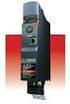 TOSVERT VF-MB1 Functions for lift application The technical information in this manual is provided to explain the principal functions and applications of the product, but not to grant you a license to
Features, Benefits, and Operation
 Features, Benefits, and Operation 2014 Decibel Eleven Contents Introduction... 2 Features... 2 Rear Panel... 3 Connections... 3 Power... 3 MIDI... 3 Pedal Loops... 4 Example Connection Diagrams... 5,6
R438 A.V.R. Installation and maintenance R 438. This manual is to be given to. the end user T10. Armature 6- Field X2 Z1 X1 Z2 E+ E- 0V 110 220
 Armature 6- This manual is to be given to the end user 1 T5 Field Slow fuse 250V 8 A with LAM without LAM 10 Yellow 11 Red 12 Black 9 Green X2 Z1 X1 Z2 E+ E- 0V 110 220 T3 quency T10 50Hz 60Hz LAM 13 %
Application Engineering
 Application Engineering February 2011 Electronic Unit Controller Table of Contents 1. Introduction and Features... 2 1.1 Technical Specifi cations... 3 1.2 Pressure Probe Error Bypass... 3 1.3 Bump Start...
2354235 11/2008. Altivar 12. Variable speed drives for asynchronous motors. User manual 04/2009 BBV28581. www.schneider-electric.
 2354235 11/2008 Altivar 12 Variable speed drives for asynchronous motors User manual 04/2009 BBV28581 www.schneider-electric.com Contents Important information 4 Before you begin 5 Documentation structure
ABB PSPS Erich Steinmann; Generator control-2013
 ABB PSPS Erich Steinmann; Generator control-2013 GENERATOR CONTROL THE MODULAR SOLUTION FOR GENERATORS To make sure that power is efficiently converted into electric energy, it is necessary to supervise
PID Microprocessor temperature controllers CTD43 - CTD46 - CTH46
 PID Microprocessor temperature controllers CTD43 - CTD46 - CTH46 Display 1. Red measurement display (or the set point for CTD 43 by pressing, indicated by a flashing decimal point). 2. Green display of
1 Application Description... 3. 1.1 Objective... 3 1.2 Goals... 3
 Contents Moxa Technical Support Team [email protected] 1 Application Description... 3 1.1 Objective... 3 1.2 Goals... 3 2 System Topology... 3 3 Hardware and Software Requirements... 4 4 Configuration...
Antec TruePower User's Manual
 User s Manual Antec TruePower User's Manual Antec TruePower ATX12V power supply Models: TRUE330, TRUE380, TRUE430, TRUE480, TRUE550 Antec Low Noise Technology: The Antec TruePower power supply is equipped
TABLE OF CONTENTS. Fig. 1 EV Pictorial Wiring Diagram 5. Section 2 Inverter Option Modules 6
 TABLE OF CONTENTS Introduction.. 3 Section 1 Safety Precautions.. 3 1.1 Preface.. 3 1.2 Receiving and Inspection... 3 1.3 Installation and Pre-operation 4 1.4 During Power ON. 4 Fig. 1 EV Pictorial Wiring
AMFA-27 AMFA-29. Operator s Manual & Installation Instructions. Rev. 2.5
 AMFA-27 AMFA-29 Operator s Manual & Installation Instructions Rev. 2.5 Date: 17 July, 2010 Permanently-connected, utility Interactive, single-phase, inverters Model AMFA-27 WIND TURBINE INVERTER (240 VAC
MP-4000 Alarm List (Software version 2.4.3 or later)
 Service Bulletin SUBJECT: MP4000 Alarm s BULLETIN: C 100 DATE: June 19, 2013 ALARM LIST Where it is possible the alarm number is kept the same as for MP-3000. MP-3000 holds alarm number from 0 to 127.
ST Series POWER SUPPLIES USER INSTRUCTIONS
 Introduction These instructions detail the installation and operation requirements for the ST20 & ST35 power supplies. These have been designed for operation in RV s providing a DC power system, with optional
NC-12 Modbus Application
 NC-12 Modbus Application NC-12 1 Table of Contents 1 Table of Contents... 2 2 Glossary... 3 SCADA...3 3 NC-12 Modbus in general... 3 4 Entire system... 4 4.1 PFC to PC connection alternatives...4 4.1.1
ABB machinery drives. User s manual ACS355 drives
 ABB machinery drives User s manual ACS355 drives List of related manuals Drive manuals and guides ACS355 user s manual ACS355 drives with IP66/67 / UL Type 4x enclosure supplement ACS355 quick installation
TAKEDO -3VF V20 INSTRUCTION MANUAL. www.sms.bo.it 3 18-10-2013. REL. DATE T.M. Check and Approval
 TAKEDO -3VF V20 INSTRUCTION MANUAL 3 18-10-2013 REL. DATE T.M. Check and Approval www.sms.bo.it PAGE INTENTIONALLY LEFT BLANK 1 INTRODUCTION TAKEDO-3VF V20 is a new type of drive with built-in EMC filter,
R448 & R448 V50 A.V.R.
 Armature + 6- This manual is to be given to the end user F1 ST5 Field Slow fuse 250V 10 A with LAM without LAM 10 Yellow 11 Red 12 Black 9 Green X2 Z1 X1 Z2 E+ E- 0V 110 22 ST3 requency ST10 50Hz 60Hz
RF Etch Monitor. Introduction
 RF Etch Monitor Introduction A newly designed RF Matching Controller & RF Etch Monitor replaces the old OEM design of the RF Matching Controller and the RF Etch Monitor. OEM RF Matching Controller: - Analog
Variable Frequency Drive For use with Block Machines
 Variable Frequency Drive For use with Block Machines Columbia Machine, Inc. Vancouver, Washington This manual provides installation and operation information applicable to the Columbia Variable Frequency
CAT AVR V2.3. Instruction Manual. Voltage regulator for generators. March 2008
 CAT AVR V2.3 Voltage regulator for generators March 2008 Instruction Manual Warnings WARNING The system should not be installed, operated, serviced or modified except by qualified personnel who understand
Substation Automation Products Relion 670/650 series IEC and ANSI Hardware
 Substation Automation Products Relion 670/650 series IEC and ANSI Hardware ABB Group 1MRG014097 October 2013 Relion 670/650 series hardware Contents Relion 670/650 series Relion Hardware Relion Common
Bulletin 150 SMC Flex Smart Motor Controller Specifications
 Specifications Specifications Standard Features Optional Features Installation Setup Communications Power Wiring Control Wiring Keypad Software Starting and Stopping Modes Protection and Diagnostics Metering
Electric Landing Gear controllers and sequencer LGC12 / LGC 13C
 Electric Landing Gear controllers and sequencer LGC12 / LGC 13C Users Guide. Torrent d en Puig, 31. 08358, Arenys de Munt, Barcelona,Catalonia,Spain E-mail: [email protected]. Fax: +34 933 969 743 web: www.xicoy.com
Inductive Sensors Single or Dual Loop Detectors Type LD with teach-in
 Inductive Sensors Single or Dual Loop Detectors Type LD with teach-in Single or Dual loop detector Automatically adjustment of detection level Manual sensitivity for compensations of variations Easy installation
Duct Humidity Transmitter
 SDC-H Duct Humidity Transmitter Features Replaceable sensor element Humidity measurement for air ducts Minimum and maximum value memory 0 0V, 0 0mA or 0V, 4 0mA measuring signals selectable with jumpers
Operational Overview and Controls Guide
 DOCUMENT: ECSEQ2-1 EFFECTIVE: 02/14/07 SUPERSEDES: 02/26/03 Operational Overview and Controls Guide Standard Two or Three Pump Type VFD Booster Controls 6700 Best Friend Road. Norcross, GA 30071. (770)
HCS-3300/3302/3304 USB Remote Programmable Laboratory Grade Switching Mode Power Supply
 1. INTRODUCTION HCS-3300/3302/3304 USB Remote Programmable Laboratory Grade Switching Mode Power Supply User Manual This family of efficient, upgraded SMPS with small form factor, auto cross over CV CC,
VCM Installation and Operations Manual. Table of Contents
 Table of Contents VCM Installation and Operations Manual 1.0 Introduction... 1 2.0 Product Inspection... 2 2.1 Nameplate Layout... 2 3.0 Operating Precautions... 3 3.1 Before Power up... 3 3.2 During Power
WINDOW's Programming Software USER MANUAL
 www.danahermotion.com High frequency inverter ACO5000 by ACOMEL WINDOW's Programming Software USER MANUAL DANAHER MOTION S.A. La Pierreire 2, CH-1029 Villars-Ste-Croix Telephone +41 21 631 33 33, Telefax
PLL frequency synthesizer
 ANALOG & TELECOMMUNICATION ELECTRONICS LABORATORY EXERCISE 4 Lab 4: PLL frequency synthesizer 1.1 Goal The goals of this lab exercise are: - Verify the behavior of a and of a complete PLL - Find capture