
Your Simple Guide to Battery. Replacement. Customer Care:
|
|
|
- Colin Goodman
- 9 years ago
- Views:
Transcription
1 Previous Menu Your Simple Guide to Battery Replacement p e t s ts ep -by Customer Care: FA/1565 9/00

2 Table of Contents: page Introduction Quick-Keys Type Type Motion Detector Door/Window Transmitters Type Type Type Personal Pendants Type Type Remote Control Hand Held Wireless Keypads Type Type Glassbreak Detectors Type Type Smoke Detectors Heat Detector

3 Common Questions&Answers Regarding Battery Replacement Your First Alert Professional Security System has been professionally installed using only the highest quality materials. While you can expect the batteries in each of your wireless transmitters to provide years of trouble-free service, they will eventually require replacement. This guide will show you step-by-step just how simple they are to change.* And, replacing batteries yourself can save you the cost of a service call. When Do I Need To Change Batteries? The batteries installed in your wireless transmitters are designed to last over 3 years depending on the type of transmitter and the amount of use. Your security system will identify a low battery condition and display a message at the keypad. The message will identify the transmitter that requires battery replacement: *Zone 12 and 10 are used as examples only. What tools will I need? The only tools you will need to replace the batteries in your wireless devices are a small, flat head screwdriver and a small phillips head screwdriver. How do I know if the battery is in correctly? Every battery has a positive side and a negative side, distinguished by a plus (+) or a minus (-). When you change batteries, you will notice that every wireless transmitter battery compartment will indicate the proper positive (+) and negative (-) placement. Where can I purchase replacement batteries? Batteries are available for purchase at most local retailers. Be sure to buy fresh, brand-name batteries. What do I do if I need help? If a transmitter is not readily accessible, or you choose to have your First Alert Professional Authorized Dealer perform the battery replacement, just call First Alert Professional Customer Care at for the First Alert Professional Authorized Dealer nearest you. r e m o t s cu care How much time do I have to replace a battery after I receive a low battery message? You have up to 30 days, depending on the type of transmitter and amount of use, to replace a battery. 2 *The photos in this document are for illustration purposes only. When replacing batteries, avoid removing transmitters from their installed locations. 3

4 Quick Key Type 1 2. Place the case, buttons down, on work surface. Remove case back by inserting the blade of a small flat head screwdriver into the seam around the case and prying the case open. Leave the circuit board assembly in the case front, buttons down. 3. Remove the existing batteries by carefully lifting them out with a small screwdriver. 4. Push new batteries into the case back locations. Be sure to observe the proper positive/negative placement. 5. Close by snapping case front and back together. 6. Activate device by pressing any button. The keypad will beep 3 times confirming reception. 7. Exit the alarm system TEST mode 4 5

5 Quick Key Type 2 2. Remove the screw from the case back, using small Phillips head screwdriver. 5. Place new batteries in the case back locations. Be sure to observe the proper positive/negative placement. 6. Close the case by snapping case front and back together. 3. Place the case, buttons down, on work surface. Remove case back by inserting the blade of a small flat head screwdriver into the seam around the case and prying the case open. Leave the circuit board assembly in the case front, buttons down. 4. Remove the existing batteries. 7. Replace the screw to secure the case. Do not over-tighten the screw. 8. Activate device by pressing any button. The keypad will beep 3 times confirming reception Exit the alarm system TEST mode 7

6 Passive Infrared Motion Detector 2. Remove transmitter s cover by inserting the blade of a small flat head screwdriver into the pry-off slot at the bottom of the unit and twisting the blade. 4. Observe proper battery placement and insert the new batteries into the battery holder. 5. Replace the cover, engage the hooks on the top end of the unit and snap the bottom of the cover shut. 3. Remove existing batteries from the transmitter by carefully lifting them out with a small screwdriver. 6. Allow the motion detector to re-set by leaving the room for at least 4 minutes; then walk past the detector to activte it. The keypad will beep 3 times confirming reception. 7. Exit the alarm system TEST mode 8 9

7 Door/Window Transmitters Type 1 ARROW INDICATES PRY-OFF SLOT LOCATION FOR EACH 4. Observe proper battery placement and insert the new battery into the battery holder. Antenna 2. Remove transmitter s cover by inserting the blade of a small flat head screwdriver into the pry-off slot and twisting the blade. NOTE: While the transmitter s cover is off, be careful not to bend the wire antenna. 3. Remove existing battery from the transmitter, carefully lifting it out with a small screwdriver. 5. Replace the cover, engage the hooks on the end of the cover nearest the cover s decorative ribs and snap the cover shut. 6. Activate the transmitter by opening and shutting the door or window. The keypad will beep 3 times confirming reception. 7. Exit the alarm system TEST mode 10 11

8 Door/Window Transmitter Type 2 go off momentarily. While the alarm 2. Remove transmitter s cover by inserting the blade of a small flat head screwdriver into the pry-off slot and twisting the blade. 4. Observe proper battery placement and insert the new battery into the battery holder. 5. Replace the cover and snap shut. 3. Carefully remove the existing battery with a small screwdriver. 6. Activate the transmitter by opening and shutting the door or window. The keypad will beep 3 times confirming reception. 7. Exit the alarm system TEST mode 12 13

9 Door/Window Transmitter Type 3 go off momentarily. While the alarm 2. Using the blade of a small flat head screwdriver, insert into the slot and make a short counterclockwise turn to remove the cover. 5. Observing proper battery placement, insert a new battery by gently snapping it into place. 6. Slide the circuit board back into place. Replace the cap and using the blade of a small flat head screwdriver, turn briefly clockwise. 3. Carefully remove green circuit board. 7. Activate the transmitter by opening and shutting the door or window. The keypad will beep 3 times confirming reception. 4. Gently remove battery from the compartment. 8. Exit the alarm system TEST mode 14 15

10 Personal Pendant Type 1 2. Remove transmitter s battery access cover by using a small flat head screwdriver and turning the cover 1/8 of a turn in a counter-clockwise direction. 4. Insert a new battery, observing proper placement. The positive (+) side must face up (visible when installed). Push in firmly on the center of the battery until it snaps in under the pin. 5. Align the tabs on the battery cover with the slots in the back cover. Turn the battery cover 1/8 turn in a clockwise direction to install the battery cover and secure it in the case back. 3. Remove the existing battery by pressing on the edge of the battery at the point shown. The battery will pop out. 6. Activate device by pressing the button. The keypad will beep 3 times confirming reception Exit the alarm system TEST mode 17

11 Personal Pendant Type 2 go off momentarily. While the alarm system is in the TEST mode, the keypad will beep every 30 seconds. 4. Insert new batteries, observing proper placement. The positive (+) side must face up, visible when placed in the battery brackets. Close the unit by placing the circuit board assembly over the case back and snapping it closed. 2. Remove the transmitter from the outer casing (if used) and using a small Phillips screwdriver, turn the screw counterclockwise to remove it. Using the blade of a small flat head screwdriver, pry open the case at the arrow where it says OPEN. 3. Remove the existing batteries by holding the case back at an angle until the batteries fall out. 5. Replace the screw using a small Phillips screwdriver, turning clockwise. Do not over-tighten. Place the transmitter back into the outer casing (if used). 6. Activate device by pressing the 2 buttons simultaneously. The keypad will beep 3 times confirming reception. 7. Exit the alarm system TEST mode 18 19

12 Remote Control Hand Held 2. Remove the cover by inserting the blade of a small flat head screwdriver into the slot at the bottom of the case and twisting. 4. Observing observing proper positive/negative placement, place the new battery into the battery holder. Make sure the battery is firmly seated. 5. Replace the cover by first engaging the hooks at the bottom and then snapping the cover closed at the top. 3. Remove the existing battery from the battery compartment by carefully lifting out the battery. 6. Activate the device by pressing any button. The keypad will beep 3 times confirming reception. 7. Exit the alarm system TEST mode 20 21

13 Wireless Keypad Type 1 2. Remove top cover by inserting the blade of a small flat head screwdriver into the pry-off location and twisting the blade. 4. Observing proper battery placement, insert the new battery into the battery holder. 5. Replace the cover, engage the hooks at the top (A) and snap shut at other end (B). (A) 3. Remove existing battery from the transmitter. (B) 6. Exit the alarm system TEST mode the number 1 (OFF) Use the device to arm or disarm your system. Low battery message should disappear. 23

14 Wireless Keypad Type 2 go off momentarily. While the alarm system is in the TEST mode, the keypad will beep every 30 seconds. 2. On the back of the keypad, push the battery cover off in the direction of the arrow. 4. Observing proper battery placement, insert the new battery into the battery compartment. 5. Replace the battery cover by sliding into place until you hear a click. 3. Using the blade of a small flat head screwdriver, gently lift the battery out of the compartment. 6. Exit the alarm system TEST mode the number 1 (OFF). 7. Use the device to arm or disarm your system. Low battery message should disappear

15 Glassbreak Detector Type 1 2. Open the detector's cover door. 5. Press the end of the battery down until it is securely seated in the holder. 6. Close the cover door. 3. Remove the battery by carefully lifting up the end opposite the embossed polarity markings with a screwdriver. Wait at least 30 seconds before installing the new battery. 7. Exit the alarm system TEST mode the number 1 (OFF). 4. Insert the new battery into the battery holder (terminal end first) with the battery ( +) terminals matching and toward the embossed polarity ( +) markings on the detector/transmitter case. 8. Low battery message should clear within 90 minutes

16 Glassbreak Detector Type 2 go off momentarily. While the alarm system is in the TEST mode, the keypad will beep every 30 seconds. 2. Remove the detector s cover by inserting the blade of a small flat head screwdriver into the pry-off slot and twisting the blade. 4. Observe proper battery placement, and push the new batteries into place. 5. Replace the cover and snap shut. 3. Carefully remove the existing batteries with the blade of a small flat head screwdriver. Wait at least 30 seconds before installing new batteries. 6. Exit the alarm system TEST mode the number 1 (OFF). 7. Low battery message should clear within 90 minutes

17 Smoke Detectors 2. Remove smoke detector body by turning the body approximately 1/2 inch counterclockwise (until ridge on body aligns with raised arrow on base) and pulling body off base. 4. Observing proper positive/negative placement, insert the new battery into the battery holder and slide it under the clip. Then, insert the second battery into the battery holder pushing it into position. 5. Replace the smoke detector body by aligning the ridge on the body with the raised arrow on the base and twisting the body approximately 1/2 inch clockwise. 3. Remove the first battery by lifting the end nearest the edge of the smoke detector body. Slide the remaining battery toward the edge of the smoke detector and remove it. Wait at least 30 seconds before installing new batteries. 6. Press the test button, hold until keypad activates (approximately 30 seconds), then release Exit the alarm system TEST mode 31

18 Heat Detector 4. Install the new battery in the battery compartment, observing proper positive/negative placement. Make sure the battery is firmly seated. 5. Install the heat detector back onto its base. (A) Align the exposed corner of the PC board with the tamper switch on the base and 2. Remove the heat detector from its base by turning the detector about 3/4" counterclockwise. (A) (B) the retaining screws on the detector with the holes in the base. 3. Remove the battery from the battery compartment. Wait at least 30 seconds before installing new battery. (B) Turn the detector about 3/4" clockwise. 6. Exit the alarm system TEST mode the number 1 (OFF) Low battery message should clear within 90 minutes. 33

WIRELESS SENSOR BATTERY REPLACEMENT INSTRUCTIONS For Safewatch Residential Control Panels
 www.adt.ca WIRELESS SENSOR For Safewatch Residential Control Panels Your ADT Safewatch QuickConnect, SafeWatch 3000 or Vista Series residential security system may be installed with wireless sensors, such
WIRELESS SENSOR BATTERY REPLACEMENT INSTRUCTIONS For Safewatch Residential and Small Business Control Panels
 www.adt.com WIRELESS SENSOR For Safewatch Residential and Small Business Control Panels Your ADT Safewatch QuickConnect, SafeWatch 3000 or Vista Series residential or small business security system may
GE Wireless Devices Battery Replacement
 60-506-319.5 Crystal Smoke Detector Two 9V Duracell 9V 1. Twist counter-clockwise until detector become loose from base. 2. Replace batteries observing correct polarity. 3. Replace detector by twisting
Replacement Instructions. Warning: During this procedure, keep small parts away from children.
 apple ibook G4 Memory Card Replacement Instructions Follow the instructions in this sheet carefully. Failure to follow these instructions could damage your equipment and void its warranty. Note: Written
Wireless Alarm System. Wireless Keypad. User s Manual. Choice ALERT. Control all sensors, accessories and remote transmitters from one location
 Wireless Alarm System Wireless Keypad User s Manual 1 2 3 4 Choice ALERT Control all sensors, accessories and remote transmitters from one location Table of Contents Important Safeguards 4 Introduction
Alarm Security Kit - NVR
 Alarm Security Kit - NVR EN The alarm configuration menu (see above right screenshot) allows you to configure and change settings for the PIR movement sensors, window/door sensors, remote controls (key
Quick Installation Guide LCD GSM ALARM SYSTEM LH http://www.usmartbuy.com
 A. Manipulation Specification Quick Installation Guide 1. Arming Arming means all-around guarded when there is no person at home. All detectors are working. Once something triggers any of the detectors,
Wireless Alarm System. Panic Button. User s Manual. Choice ALERT. Control all sensors, accessories and remote transmitters from one location
 Wireless Alarm System Panic Button User s Manual Choice ALERT Control all sensors, accessories and remote transmitters from one location Table of Contents Important Safeguards 4 Introduction 5 Activating
FRONT BUMPER INSTALLATION INSTRUCTIONS 2007-2011 DODGE / MERCEDES SPRINTER
 Aluminess Products Inc 9402 Wheatlands Ct. #A Santee, CA 92071 619-449-9930 FRONT BUMPER INSTALLATION INSTRUCTIONS 2007-2011 DODGE / MERCEDES SPRINTER Please read before beginning Stainless steel hardware
CAD-05 Kit GSM Auto Dialer. Owner s Manual
 CAD-05 Kit GSM Auto Dialer Owner s Manual CAD-05 Kit Manual.indd 1 Warnings: This device complies with Part 15 of the FCC rules, Operation of this device is subject to the following conditions: 1. This
GE Simon XT Quick User Guide
 GE Simon XT Quick User Guide GE Simon XT Quick User Guide Page 1 Before Calling Is the keypad beeping? Press STATUS. This will silence the beeping and let you know where the trouble is. Is there a flashing
Total Protection Alarm System
 www.skylinkhome.com Total Protection Alarm System MODEL: SC-10 101A073-001 AUG, 2005. CUSTOMER SERVICE 17 Sheard Avenue, Brampton, Ontario, Canada L6Y 1J3 Tel : (800) 304-1187 Fax : (800) 286-1320 Email
Wireless Home Security Alarm System AM 500
 Wireless Home Security Alarm System AM 500 12 MONTH GUARANTEE Installation & Operating Instructions INTRODUCTION The AM500 is a simple self-contained alarm system. It protects the home by sounding a siren
MAINTENANCE & TROUBLESHOOTING
 MAINTENANCE & TROUBLESHOOTING This section describes how to: clean the lens replace the projection lamp replace the batteries in the remote use the security lock feature troubleshoot the projector Cleaning
BODY-12, Door Handle - Removal, Installation, and Adjustment
 Introduction BODY-12, Door Handle - Removal, Installation, and Adjustment There are many different procedures floating around describing how to replace the door handles on a 944 and every one of them will
GE Concord 4 Quick User Guide
 GE Concord 4 Quick User Guide GE Concord 4 Quick User Guide Page 1 Before Calling Is the keypad beeping? Press *. This will silence the beeping and let you know where the trouble is. Is there a flashing
SIMPLEX UNICAN LOCKS CHANGING THE CODE / COMBINATION 900 Series 1000 Series L1000 Series LP1000 Series EE1000 Series 2000 Series 2015 Series
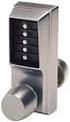 SIMPLEX UNICAN LOCKS CHANGING THE CODE / COMBINATION 900 Series 1000 Series L1000 Series LP1000 Series EE1000 Series 2000 Series 2015 Series 2400/2500 Series 3000 Series 3100 Series Simplex 5000 Series
UPGRADING AND SERVICING GUIDE
 UPGRADING AND SERVICING GUIDE HPTouchSmart 610 PC Computer features may vary by model. Removing and Replacing a CD/DVD Drive...2 Removing the CD/DVD Drive... 2 Installing a New CD/DVD Drive... 5 Removing
Building A Computer: A Beginners Guide
 Building A Computer: A Beginners Guide Mr. Marty Brandl The following was written to help an individual setup a Pentium 133 system using an ASUS P/I- P55T2P4 motherboard. The tutorial includes the installation
apple Service Source PowerBook G4 (DVI) Updated 4 December 2003 2003 Apple Computer, Inc. All rights reserved.
 apple Service Source PowerBook G4 (DVI) Updated 4 December 2003 2003 Apple Computer, Inc. All rights reserved. apple Service Source Upgrades PowerBook G4 (DVI) 2003 Apple Computer, Inc. All rights reserved.
TX GSM SMS Auto-dial Alarm System. Installation and User Manual
 TX GSM SMS Auto-dial Alarm System Installation and User Manual Product Features: 1. 16 wireless zones, 3 wired zones alarm system, suitable for small to medium size offices and homes. 2. The system uses
WIRELESS HOME ALARM SYSTEM (WHA1)
 WIRELESS HOME ALARM SYSTEM (WHA1) IMPORTANT : PLEASE READ THIS MANUAL CAREFULLY BEFORE ATTEMPTING TO INSTALL AND OPERATE THIS ALARM SYSTEM. SAFETY Please note: Before you start to install this alarm, we
KEYPAD LOCK RETROFIT KIT
 KEYPAD LOCK RETROFIT KIT INSTRUCTIONS FOR ASSEMBLY IMPORTANT READ & SAVE THESE INSTRUCTIONS Tools Required for Assembly 5/32 hex (Allen) wrench #2 Phillips screwdriver Isopropyl alcohol or alcohol wipes
HP Pavilion All-in-One MS200 series PC. Upgrading and Servicing Guide. Printed in
 HP Pavilion All-in-One MS200 series PC *579907-001* *579907-001* Printed in Upgrading and Servicing Guide Replacing a Wireless Keyboard or Mouse...2 Before You Begin... 2 Replacing the Keyboard or Mouse...
Written By: Walter Galan
 Installing iphone 4S Display Assembly Written By: Walter Galan TOOLS: Phillips 00 Screwdriver (1) Plastic Opening Tools (1) PARTS: iphone 4S Display Assembly (1) iphone 4 and 4S Screen Protector (1) Small
Wireless Home Security System Product Manual (Model #80355)
 Wireless Home Security System Product Manual (Model #80355) Installation Instructions During set-up, if no key is pressed for 15 seconds it will come out of the setup mode and you will have to start over.
WIRELESS ALARM KIT INSTRUCTION MANUAL COMPLETE ALARM SYSTEM FOR HOME OR BUSINESS. Model Number: IT214054
 WIRELESS ALARM KIT COMPLETE ALARM SYSTEM FOR HOME OR BUSINESS Model Number: IT214054 INSTRUCTION MANUAL Warranty Details/Support This product is warranted against defects for a period of One year if the
Retrofit Instructions Installing a Sport Heated Steering Wheel - Leather, Multifunction BMW X5, E53, 2001 2006
 Retrofit Instructions Installing a Sport Heated Steering Wheel - Leather, Multifunction BMW X5, E53, 2001 2006 Disclaimer: This set of instructions is simply a guide on how I installed my own heated steering
GT3B Hack Kit Install Instructions Written By Austin Hutchison
 GT3B Hack Kit Install Instructions Written By Austin Hutchison Step 1: Remove 4 screws located on top of the radio. 1 Step 2: There are small plastic latches that also hold the top in place. The easiest
Dell P Series Monitor VESA Mounting Bracket Installation Instructions
 Dell P Series Monitor VESA Mounting Bracket Installation Instructions The VESA mounting bracket enables a Wyse cloud client to be mounted to the Dell P Series Monitor and the Dell E24 Monitor. The cloud
Memory Modules. Document Part Number: 407947-001. This guide explains how to replace and upgrade memory in the computer. May 2006
 Memory Modules Document Part Number: 407947-001 May 2006 This guide explains how to replace and upgrade memory in the computer. Contents 1 Adding or replacing memory modules Adding or replacing a memory
Memory Modules User Guide
 Memory Modules User Guide Copyright 2008 Hewlett-Packard Development Company, L.P. The information contained herein is subject to change without notice. The only warranties for HP products and services
MODELS 7007 Gorilla Cycle Alarm 7017 Gorilla Cycle Alarm with 2-way pager system 1017 2-way pager system
 MODELS 7007 Gorilla Cycle Alarm 7017 Gorilla Cycle Alarm with 2-way pager system 1017 2-way pager system Remote Control Motorcycle Alarm System Installation & Operation Instructions Sistema de Alarma de
Wiper Motor Marinco 2.5. Installation Instructions
 Wiper Motor Marinco 2.5 Installation Instructions Wiper Motor Marinco-2.5 The Marinco 2.5 Wiper Motor Offers the Following Features: Fully sealed base and housing which allows installation in outdoor wet
Z-Truck (Vertical Moving) Z-truck Flag. Y-Truck (Horizontal Moving) FIGURE 1: VIEW OF THE Z-TRUCK. Flexshaft Assembly
 Replacing the Cover Micro-Switch To remove and replace the Cover Micro-Switch you will need the following tools: #2 Phillips screwdriver (magnetic tip preferred) #1 Phillips screwdriver (magnetic tip preferred)
MODELS 8007 Gorilla Cycle Alarm 8017 Gorilla Cycle Alarm with 2-way pager system 1018 2-way pager system
 MODELS 8007 Gorilla Cycle Alarm 8017 Gorilla Cycle Alarm with 2-way pager system 1018 2-way pager system Remote Control Motorcycle Alarm System Installation & Operation Instructions Sistema de Alarma de
AD-01 Slave Auto Dialer. Owner s Manual
 AD-01 Slave Auto Dialer Owner s Manual AD-01 Slave Manual.indd 1 10/15/2009 10:20:44 AM 2 AD-01 Slave Manual.indd 2 10/15/2009 10:20:44 AM Features: Programmable entry/exit delay time; select up to 9 (32
Service Guide. Gateway M275
 Service Guide Gateway M275 Contents Replacing Gateway M275 Components.................................... 1 Identifying the convertible tablet PC model...................................... 2 Identifying
Wireless AUTODIAL GSM SMS Home Alarm Security System 900/ 1800/ 1900Mhz(CK-GSM-9003)
 CN2HK LIMITED Wireless AUTODIAL GSM SMS Home Alarm Security System 900/ 1800/ 1900Mhz(CK-GSM-9003) User Manual Please read this manual before operating this product. After you finish reading this manual,
Triac Printed Circuit Board Replacement
 Technical Service Bulletin: Triac Printed Circuit Board Replacement TRONIC 5000C Pro Models: WH17, WH27, WH36 Introduction Fig. 1 ELECTRICITY IS EXTREMELY DANGEROUS. TAKE EXTRA PRECAUTIONS AND ENSURE ALL
Wireless Indoor/ Outdoor Thermometer
 Wireless Indoor/ Outdoor Thermometer Owner s Manual Please read before using this equipment. ˆ Contents FCC Information... 3 FCC Declaration of Conformity... 5 Preparation... 5 Installing Batteries...
Wireless Alarm system s manual
 MOUNTVIEW TECH AUSTRALIA PTY LTD Wireless Alarm system s manual ADS A180 Series ADS Security 1/11/2011 1. Before You Begin For your safety and the safety of others, and to ensure that you get the most
Memory Modules. Document Part Number: 396849-001. This guide explains how to replace and upgrade memory in the computer.
 Memory Modules Document Part Number: 396849-001 March 2006 This guide explains how to replace and upgrade memory in the computer. Contents 1 Adding or replacing memory modules Adding a memory module to
Spreader Light Bulb Replacement Instructions
 Spreader Light Bulb Replacement Instructions IMPORTANT: DISCONNECT LIGHT FROM BATTERY BEFORE PROCEEDING. FAILURE TO DO SO MAY RESULT IN PERSONAL INJURY OR OTHER DAMAGE. Tools Needed You will need the following
XIRING@DOC00131-A. Xi-Sign 4400 User Manual
 XIRING@DOC00131-A Xi-Sign 4400 User Manual 2 3 Table of contents 1 Opening the box 4 2 Installing the batteries 5 3 Description of the reader 7 3.1 Front of the Card-Reader 7 3.2 Top side of the Card-Reader
Installing the Video Input and TV Tuner Cards in a Compact Computer or a Dual PCI-Slot Tower Computer
 Installing the Video Input and TV Tuner Cards in a Compact Computer or a Dual PCI-Slot Tower Computer This booklet describes how to install the video input and TV tuner cards in a compact Macintosh computer
Upgrading and Servicing Guide
 Upgrading and Servicing Guide The only warranties for Hewlett-Packard products and services are set forth in the express statements accompanying such products and services. Nothing herein should be construed
INSTRUCTION MANUAL All-In-One GSM Home Alarm System SB-SP7200-GSM
 INSTRUCTION MANUAL All-In-One GSM Home Alarm System SB-SP7200-GSM Revised: August 28, 2014 PRODUCT REFERENCE MOUNTING ACCESSORIES PIR / MOTION DETECTION UNIT MAIN UNIT POWER ADAPTER MOUNTING ACCESSORIES
SERVICE GUIDE. Gateway Notebook
 SERVICE GUIDE Gateway Notebook Contents Replacing Gateway Notebook Components...................................1 Identifying the notebook model......................................... 2 Identifying
Front Panel Board Cable Replacement Instructions
 apple Mac Pro Front Panel Board Cable Replacement Instructions First Steps 1 Shut down computer. Note: Follow these instructions carefully. Failure to do so could damage your equipment and void its warranty.
Replacing a Vantage Vue Transmitter
 Replacing a Vantage Vue Transmitter Included in this replacement transmitter kit: SIM transmitter Cable tray Instructions Tools Required Phillips head screwdriver Small pliers To replace the transmitter
PRODUCT WARRANTY. Page 20
 PRODUCT WARRANTY Manufactured equipment is warranted to be free from defects in material and workmanship for a period of twelve (12) months from date of manufacture as indicated by the date stamp and/or
2.0 Installation 1. Remove the cover using a small flat blade screwdriver. Figure 2: Cover Removal
 O N DS160/DS161 Installation Guide High Performance Request-to-Exit Sensors 1.0 Description The DS160/161 is a passive-infrared (PIR) detector designed for Request to Exit (REX) interior applications.
LUCCI AIRFUSION QUEST II CEILING FAN
 LUCCI AIRFUSION QUEST II CEILING FAN WITH IR REMOTE INSTALLATION OPERATION MAINTENANCE WARRANTY INFORMATION CAUTION READ INSTRUCTIONS CAREFULLY FOR SAFE INSTALLATION AND FAN OPERATION. V1.0 QUEST II IR
Installing Home Security. alarm system. user guide. Enquiries 132 553. nrma.com.au/homesecurity. Attach Alarm Console Serial Number here
 NRMA Home Security user guide Installing your NRMA Home Security alarm system Enquiries 132 553 nrma.com.au/homesecurity Attach Alarm Console Serial Number here NRMA Home Security is provided by Insurance
Keys... 2-2 Master, submaster and valet key... 2-2 Key number... 2-2. Door locks... 2-3 Power door locking switches... 2-5
 Doors and locks Keys........................................................................... 2-2 Master, submaster and valet key..................................... 2-2 Key number...............................................................
Installation Instructions
 Installation Instructions For Use with PXPV230, PXPV265, PXPD230, and PXPD265 models Attention! - Please read these instructions completely before attempting installation. Always unplug the power supply
The Parts of the System
 2 The Parts of the System THE RECEIVER THE RECEIVER FRONT PANEL Power Light This green light on the receiver front panel lights up when the receiver is turned ON. This light flashes when the receiver memory
apple Service Source Power Mac G4 Cube Updated June 2, 2003 2002 Apple Computer, Inc. All rights reserved.
 apple Service Source Power Mac G4 Cube Updated June 2, 2003 2002 Apple Computer, Inc. All rights reserved. apple Service Source Take Apart Power Mac G4 Cube 2002 Apple Computer, Inc. All rights reserved.
TraceTek TTDM Series Leak Detection and Location Modules Replacement Parts Installation Instructions
 TraceTek TTDM Series Leak Detection and Location Modules Replacement Parts Installation Instructions TRACETEK TraceTek TTDM Replacement Parts General Information These instructions detail the steps to
WIRELESS ALARM SYSTEM WITH TELEPHONE AUTO DIALER
 BAT.LOW AC WIRELESS ALARM SYSTEM WITH TELEPHONE AUTO DIALER THE SYSTEM THAT CALLS YOU! Our WIRELESS ALARM SYSTEM WITH TELEPHONE AUTO DIALER is designed to allow you to create your own security system.
Installation instructions, accessories. Cruise control. Volvo Car Corporation Gothenburg, Sweden. Instruction No Version Part. No. 30739998 1.
 Instruction No Version Part. No. 30739998 1.1 Cruise control Page 1 / 11 Equipment A0000162 A0000161 A0801178 D8802049 Page 2 / 11 M8802108 Page 3 / 11 IMG-223164 Page 4 / 11 IMG-213320 Page 5 / 11 INTRODUCTION
tattletale User Guide Consumer unit version 2.48 1 P a g e
 tattletale User Guide Consumer unit version 2.48 1 P a g e Contents Basic 1... 4 Base Unit Features... 4 Initial Setup... 4 Arming... 5 Disarming... 5 Quiet Button... 5 Settings... 5 Settings 2... 6 Quick
Compaq Presario Desktop Products. Upgrading and Servicing Guide
 Compaq Presario Desktop Products Upgrading and Servicing Guide The information in this document is subject to change without notice. Hewlett-Packard Company makes no warranty of any kind with regard to
INSTALLATION INSTRUCTIONS
 INSTALLATION INSTRUCTIONS Accessory Application Publications No. ACCORD All 30209 2-AND 4-DOOR SYSTEM (VP, LX, SE) Issue Date AUG 2005 PARTS LIST Security System Attachment: P/N 08E55-SDA-100A Unit panel
DESTINY 1/19/96 # 800-6006A
 DESTINY TABLE OF CONTENTS KEYPAD AND PHONE DIGIT QUICK REFERENCE NOTE: KEYPAD AND PHONE DIGIT QUICK REFERENCE POWER STATUS HOME AWAY MONITOR DESTINY INTRODUCTION CONTROL PANEL DETECTION DEVICES SWITCHES
o^c a (fg 1) Telephone Line Socket ( flcg. 2b ) ) fig. 2a ) TeiePhone b ^^I r DC Adaptor
 INTRODUCTION Our jnique passive in`raroc ^ys,e^ii conccotrates on the protected area you select. Whenever the unit is set at ARMED, the motion detector will concentrate on the protected area. Once there
ALARM SYSTEM INSTALLATION GUIDE
 ALARM SYSTEM INSTALLATION GUIDE Congratulations on the purchase of your Egardia alarm system. Egardia's website www.egardia.com Customer services Please visit www.egardia.com if you would like further
PRODUCT: WASHER / WASHER-DRYER COMBO MODEL: AW 120 / AW 122 / AW 125 AWD 120 / AWD 121 / AWD 129
 PRODUCT: WASHER / WASHER-DRYER COMBO MODEL: The information included in this Splendide Repair Manual may change without notice. Please see our web site www.splendide.com/service/docs.html for updates,
Retail Reception kiosk
 Retail Reception kiosk put 42" corner post in below 66" to allow post to extend above kiosk for raised box sign Mini cantilever option - 24" overhead support leg Mini cantilever option - 24" overhead 66/48E
Table of Contents Function Keys of Your RF Remote Control Quick Setup Guide Advanced Features Setup Troubleshooting
 Congratulations on your purchase of the AT&T U-verse TV Point Anywhere RF Remote Control. This product has been designed to provide many unique and convenient features to enhance your AT&T U-verse experience.
Mini Portable Reader (MPR) Model HS 5900L F
 Mini Portable Reader (MPR) Model HS 5900L F TABLE OF CONTENTS Chapter 1: Mini Portable Reader (MPR) Basics 1 1.1 Preparing for Operation 1 1.2 Installing/Changing Batteries 1 1.3 Scanning with the Mini
5800 Temperature Sensor Cable Assembly
 5800 Temperature Sensor Cable Assembly Removal and Replacement Instruction Sheet #60-4702-070 Revision D, January 14, 2013 Overview The 5800 has two refrigeration temperature sensors, one attached to the
GSM AD05 Slave GSM Auto Dialer- Instruction Manual
 GSM AD05 Slave GSM Auto Dialer- Instruction Manual Please read these instructions before you start the installation Features LCD display Programmable 9 x 32 digit phone numbers for each trigger. 10 second
New GSM Alarm System. User s Manual. Profile For a better understanding of this product, please read this user manual thoroughly before using it.
 New GSM Alarm System User s Manual Profile For a better understanding of this product, please read this user manual thoroughly before using it. Chapter 1. Features Chapter 2. Alarm Host Introduction Chapter
INSTALLATION INSTRUCTIONS
 INSTALLATION INSTRUCTIONS Accessory Application Publications No. AII 26327 2004 S2000 Issue Date OCT 2004 PARTS LIST Security System: P/N 08E51-S84-100 Attachment Kit: P/N 08E55-S2A-101 2 Remote controls
Wireless Alarm System. Window/Door Sensor. User s Manual. Choice ALERT. Control all Sensors & accessories from one location
 45131 Wireless Alarm System Window/Door Sensor User s Manual Choice ALERT Control all Sensors & accessories from one location Table of Contents Important Safeguards 4 Introduction 5 Installation 6 Assigning
COMBUSTIBLE GAS AND HC REFRIGERANT LEAK DETECTOR OPERATING INSTRUCTIONS DETECTS ALL HYDROCARBON & OTHER COMBUSTIBLE GASES JB INDUSTRIES
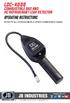 LDC-4000 COMBUSTIBLE GAS AND HC REFRIGERANT LEAK DETECTOR OPERATING INSTRUCTIONS DETECTS ALL HYDROCARBON & OTHER COMBUSTIBLE GASES WWW.JBIND.COM 800.323.0811 [email protected] TABLE OF CONTENTS LDC-4000
INSTALLATION INSTRUCTIONS
 INSTALLATION INSTRUCTIONS Accessory TRIM Application 2008 ACCORD 4-DOOR Publications No. AII 35362 Issue Date AUG 2007 PARTS LIST Steering Wheel Trim (Without Navigation) P/N 08Z13-TA0-100 Right steering
Installing RNS-E SAT NAV for Audi A4
 As one of the major options on the A4 you can get a DVD Satellite Navigation System call the RNS-E. With the help of ebay these sat nav systems are now available to by at a rough cost of 650 plus the cost
Installation Guide. Wyse D Class 4-GB RAM Upgrade Option Kit. Products: D90D7, D90DW. Issue: 121312 PN: 883884-35L Rev. A
 Installation Guide Wyse D Class 4-GB RAM Upgrade Option Kit Products: D90D7, D90DW Issue: 121312 PN: 883884-35L Rev. A Copyright Notices 2012, Wyse Technology Inc. All rights reserved. This manual and
DIRECTIONS FOR ASSEMBLING BASE & WALL CABINETS
 DIRECTIONS FOR ASSEMBLING BASE & WALL CABINETS TheRTAStore.com STEP 1: CLEAR A WORK SPACE Place your RTA cabinet panels on a smooth, scratch resistant surface in a large, open area. (Some people like to
How To Program An Autodialer
 GJD HYL005 GSM Autodialer Instruction Manual Please read these instructions before you start the installation Features: LCD display. Programmable 9 x 32 digit phone numbers for each trigger. 10 second
DeskCycleTM USER S MANUAL QUESTIONS / PROBLEMS. Order# Support for US Customers TOLL-FREE SUPPORT 877-426-3292 EMAIL SUPPORT support@3dinnovations.
 TM DeskCycleTM USER S MANUAL Visit us at www.deskcycle.com for, Usage Tips Calorie Calculator Accessories And More QUESTIONS / PROBLEMS Support for US Customers TOLL-FREE SUPPORT 877-426-3292 EMAIL SUPPORT
SECTION G2: CABLE PROCESSOR MODULE MAINTENANCE
 SECTION G2: CABLE PROCESSOR MODULE MAINTENANCE Cable Processor Module overview WARNING! When tipping the Cable Processor Module back, (after removing the toggle arm pin), use extreme caution not to drop
Kurzweil KORE 64. ROM Expansion Board for the PC3 and PC3K
 Kurzweil KORE 64 ROM Expansion Board for the PC3 and PC3K Installation Instructions August 1, 2012 2012 Young Chang Co., Ltd. All rights reserved. Kurzweil is a product line of Young Chang Co., Ltd. Kurzweil,
GSM Alarm System User Manual
 GSM Alarm System User Manual For a better understanding of this product, please read this user manual thoroughly before using it. Quick Guider After getting this alarm system, you need to do the following
WIRELESS ALARM SYSTEM WITH TELEPHONE AUTO DIALER
 BAT.LOW AC WIRELESS ALARM SYSTEM WITH TELEPHONE AUTO DIALER THE SYSTEM THAT CALLS YOU! Our WIRELESS ALARM SYSTEM WITH TELEPHONE AUTO DIALER is designed to allow you to create your own security system.
Replacing the Gateway M320 Keyboard
 Replacing the Gateway M320 Keyboard This package includes a replacement keyboard for your Gateway M320 notebook and these printed instructions. Tools you need You need a small Phillips and a small flat-blade
NOTE: The home screen always displays the day and month, time, & P1 (Partition 1)
 GE Concord 4 System NOTE: The home screen always displays the day and month, time, & P1 (Partition 1) STAY AWAY DISARM The Asterisk key on your user interface pad is the most commonly used key. This is
GSM Autodialer Professional GJD700 Speech & Text Autodialer
 Text Edit message GSM Autodialer Professional GJD700 Speech & Text Autodialer Introduction The GSM Autodialer Professional works in conjunction with standard alarm systems and makes use of your preferred
How To Control A Marmitek X10 With A Remote Control
 SAFEGUARD TOTALGUARDtm ENGLISH USER S GUIDE 20071 / 20070228 SAFEGUARD TM / TOTALGUARD TM ALL RIGHTS RESERVED 2007 INDEX Introduction Safety warnings BASIC OPTIONS 1. Your Marmitek surveillance system
PC Tab INSTALLATION MANUAL SECURE-IT, INC. EAST LONGMEADOW, MA 01028. 800-451-7592 / 413-525-7039 (fax) 413-525-8807 http://www.secure-it.
 PC Tab INSTALLATION MANUAL SECURE-IT, INC. EAST LONGMEADOW, MA 01028 800-451-7592 / 413-525-7039 (fax) 413-525-8807 http://www.secure-it.com IMPORTANT READ ENTIRE MANUAL BEFORE STARTING!!! System Overview
GENUINE PARTS INSTALLATION INSTRUCTIONS
 GENUINE PARTS INSTALLATION INSTRUCTIONS DESCRIPTION: Illuminated Kick Plate APPLICATION: Rogue (2011) PART NUMBER: 999G6 GX010 KIT CONTENTS: Item A B C G H QTY 1 1 1 D 1 E 1 F 3 15 6 Description Kick Plate,
Permanent Magnet Motor Kit, Magnetic Reed Type. (SKY-ReedMotorKit) Instructions
 Permanent Magnet Motor Kit, Magnetic Reed Type (SKY-ReedMotorKit) Instructions This kit contains powerful permanent magnets. Exercise caution when handling them as they can pull on iron tools and snap
Master Code 2. Troubleshooting: Installation 7. Troubleshooting: Door Jamming and Door Handing 8. Troubleshooting: Keypad 12
 Programming and Troubleshooting Guide 1 2 3 4 5 6 Master Code 2 Troubleshooting: Installation 7 Troubleshooting: Door Jamming and Door Handing 8 Troubleshooting: Keypad 12 Troubleshooting: Battery 13 Battery
Inspiron 15. Service Manual. 3000 Series
 Inspiron 15 3000 Series Service Manual Computer Model: Inspiron 15 3541/Inspiron 15 3542/Inspiron 15 3543 Regulatory Model: P40F Regulatory Type: P40F001/P40F002 Notes, Cautions, and Warnings NOTE: A NOTE
Wall-Mounting your HP computer. User Guide
 Wall-Mounting your HP computer User Guide The only warranties for Hewlett-Packard products and services are set forth in the express statements accompanying such products and services. Nothing herein should