
BAR CODE CONTROL BAR CODE CONTROL - 1
|
|
|
- Lee Thompson
- 9 years ago
- Views:
Transcription
1 BAR CODE CONTROL BAR CODE CONTROL - 1

2 CONTENTS 1. INTRODUCTION PRINT BAR CODES OR EXPANDED CHARACTERS DEFINITION OF PARAMETERS Bar Code Mode Bar Code Style, Expanded Character Shading, Line Block Drawing & Box Drawing Shading Bar Code Scaling (Width only) Bar Code Human Readable Line On or Off Quiet Zone Bar Code, Expanded Character Unit, Line Block Drawing & Box Drawing Units Bar Code, Expanded Character, Line, Block Drawing & Box Drawing Offset in the X-axis Bar Code & Expanded Character Offset in the Y-axis Bar Code, Expanded Character, Line, Block Drawing & Box Drawing Height Expanded Character, Line Block Drawing & Box Drawing Width Expanded Character Rotation Bar Code Data Start Box Drawing Line Block Drawing Expanded Character Data Start EXAMPLE PROGRAM LISTINGS BAR CODE CONTROL - 2

3 1. INTRODUCTION Some of the HL series printers can print bar codes in the HP LaserJet, EPSON FX-850, and IBM Proprinter XL emulation modes, refer to the printer User guide for information. BAR CODE CONTROL - 3

4 2. PRINT BAR CODES OR EXPANDED CHARACTERS ESC i n... n \ (27)(105)n... n (92) <1Bh><69h>n... n <5Ch> Creates bar codes or expanded characters according to the parameters n n. For further information about the parameters, see the following Definition of Parameters. This command must end with the \ code (5CH). BAR CODE CONTROL - 4

5 3. DEFINITION OF PARAMETERS This bar code command can have the following parameters in the parameter segment (n... n). Parameters are effective only within the single command sequence using the syntax ESC i n... n \. They do not take effect in any subsequent bar code commands. If any parameters are not specified, they take the default settings. The last parameter must be the bar code data start identifier ( b or B ) or the expanded character data start identifier ( l or L ). Other parameters can be specified in any sequence. The prefix of each parameter can be either a lower-case or upper-case character, - for example, t0 or T0, s3 or S3, etc Bar Code Mode n = t0 or T0 CODE 39 (default) n = t1 or T1 Interleaved 2 of 5 n = t3 or T3 FIM (US-Post Net) n = t4 or T4 Post Net (US-Post Net) n = t5 or T5 EAN 8, EAN 13, or UPC A n = t6 or T6 UPC E n = t9 or T9 Codabar n = t12 or T12 Code 128 set A n = t13 or T13 Code 128 set B n = t14 or T14 Code 128 set C n = t130 or T130 ISBN (EAN) n = t131 or T131 ISBN (UPC-E) n = "t132" or "T132" EAN 128 set A n = "t133" or "T133" EAN 128 set B n = "t134" or "T134" EAN 128 set C This parameter selects the bar code mode as above. When n is t5 or T5, the bar code mode (EAN 8, EAN 13, or UPC A) varies according to the number of characters in the data Bar Code Style, Expanded Character Shading, Line Block Drawing & Box Drawing Shading Bar Code Style n = s0 or S0 3 : 1 (default) n = s1 or S1 2 : 1 n = s3 or S3 2.5 : 1 This parameter selects the bar code style as above. When the EAN 8, EAN 13 or UPC-A bar code mode is selected, this bar code style parameter is ignored. Expanded Character shading S 0 = White 1 = Black 2 = Vertical stripes 3 = Horizontal stripes 4 = Cross hatch e.g. S n1 n2 n1 = Background fill pattern n2 = Foreground fill pattern If S is followed by only one parameter, the parameter is a foreground fill pattern. BAR CODE CONTROL - 5

6 Line Block Drawing & Box Drawing Shading S 1 = Black 2 = Vertical stripes 3 = Horizontal stripes 4 = Cross hatch 3.3. Bar Code Scaling (Width only) n = mnnn or Mnnn (nnn = 0 ~ 32767) This parameter specifies the bar code width scaling. The unit of "nnn" is %. The default value is m100 (100%) Bar Code Human Readable Line On or Off n = r0 or R0 n = r1 or R1 Human readable line OFF Human readable line ON Default: Human readable line ON when the following barcode types are selected. (1) T5 or t5 (2) T6 or t6 (3) T130 or t130 (4) T131 or t131 Default: Human readable line OFF All others This parameter specifies whether or not the printer prints the human readable line below the bar code. Human readable characters are always printed with OCR-B font at 10 cpi pitch and all the current character style enhancements are masked. Note that the default setting is subject to the bar code mode selected by t or T Quiet Zone n = onnn or Onnn (nnn = 0 ~ 32767) Quiet Zone is the space on both side of the bar codes. Its width can be specified using the units which are set by the "u" or "U" parameter. ( For the description of "u" or "U" parameter, see the next section.) The default setting of Quiet Zone width is 1 inch Bar Code, Expanded Character Unit, Line Block Drawing & Box Drawing Units n = u0 or U0 Millimeters (default) n = u1 or U1 1/10 n = u2 or U2 1/100 n = u3 or U3 1/12 n = u4 or U4 1/120 n = u5 or U5 1/10 Millimeter n = u6 or U6 1/300 n = u7 or U7 1/720 This parameter specifies the measurement units of X-axis offset, Y-axis offset and bar code height. BAR CODE CONTROL - 6

7 3.7. Bar Code, Expanded Character, Line, Block Drawing & Box Drawing Offset in the X-axis n = xnnn or Xnnn This parameter specifies the offset from the current print position in the u - or U -specified units Bar Code & Expanded Character Offset in the Y-axis n = ynnn or Ynnn This parameter specifies the downward offset from the current print position in the u - or U -specified units Bar Code, Expanded Character, Line, Block Drawing & Box Drawing Height n = hnnn, Hnnn, dnnn, or Dnnn Default heights (1) EAN13, EAN8, UPC-A, ISBN (EAN13, EAN8, UPC-A), ISBN (UPC-E): 22 mm (2) UPC-E: 18 mm (3) Others: 12 mm Expanded characters 2.2 mm (default) Line Block Drawing & Box Drawing 1 dot This parameter specifies the height of bar codes or expanded characters as above. It can take the prefix h, H, d, or D. The height is specified in the u - or U -specified units. Note that the default setting of the bar code height (12 mm, 18 mm or 22 mm) is subject to the bar code mode selected by t or T Expanded Character, Line Block Drawing & Box Drawing Width n = wnnn or Wnnn Default widths Expanded character 1.2 mm Line Block Drawing & Box Drawing 1 dot This parameter specifies the width of expanded characters in the selected units as above Expanded Character Rotation n = a0 or A0 n = a1 or A1 n = a2 or A2 n = a3 or A3 Upright (default) Rotated 90 degrees clockwise Upside down, rotated 180 degrees clockwise Rotated 270 degrees clockwise BAR CODE CONTROL - 7

8 3.12. Bar Code Data Start n = b or B Data that follows b or B is read in as bar code data. Bar code data must end with the \ code (5CH), which also terminates this command. The acceptable bar code data is subject to the bar code mode selected by t or T as listed below. When the CODE 39 is selected with the parameter t0 or T0 : Forty three characters 0 to 9, A to Z,,., (space), $, /, +, and % can be accepted as bar code data. Other characters cause data error. The number of characters for bar codes is not limited. The bar code data automatically starts and ends with an asterisk * (start character and stop character). If the received data has an asterisk * at its beginning or end, the asterisk is regarded as a start character or stop character. When you put "?" on the end of the data, a check digit is automatically added. When the Interleaved 2 of 5 is selected with the parameter t1 or T1 : Ten numerical characters 0 to 9 can be accepted as bar code data. Other characters cause data error. The number of characters for bar codes is not limited. Since this mode of bar codes require even characters, if the bar code data has odd characters, the zero character 0 is automatically added to the end of the bar code data. When you put "?" on the end of the data, a check digit is automatically added. When the FIM (US-Post Net) is selected with the parameter t3 or T3 : Characters A to D are valid and 1 digit of data can be printed. Uppercase and lowercase alphabet characters can be accepted. When the Post Net (US-Post Net) is selected with the parameter t4 or T4 : Characters 0 to 9 can be accepted as bar code data and it must be terminated by a check digit.? can be used in place of a check digit. When the EAN 8, EAN 13, or UPC A is selected with the parameter t5 or T5 : Ten numerical characters 0 to 9 can be accepted as bar code data. The number of characters for bar codes is limited as follows. EAN 8: Total 8 digits (7 digits + 1 check digit) EAN 13: Total 13 digits (12 digits + 1 check digit) UPC A: Total 12 digits (11 digits + 1 check digit) Any number of characters other than as above causes a data error and the bar code data is printed as normal print data. If the check digit is incorrect, the printer calculates it and replaces it with the correct check digit so that the correct bar code data will be printed. When EAN13 is selected, adding + and a 2-or 5-digit number after the data will create the add-on code. When UPC-E is selected with the parameter t6 or T6 : The numerical characters 0 to 9 can be accepted as bar code data. 8 digits Standard format. The first character must be 0 and the data must be terminated by a check digit. Total 8 digits = "0" + 6 digits + 1 check digit 6 digits The first character "0" and the last check digit are removed from the 8 digit data. *1: For 8 digits,? can be used in place of a check digit. *2: Adding + and 2- or 5-digit number after the data creates an add-on code for all 6 and 8 digit formats. When Codabar is selected with the parameter t9 or T9 : Characters 0 to 9,,., $, /, +, : can be printed. Characters A to D can be printed as a start-stop code, which can be uppercase or lowercase. If there is no start-stop code, an error will occur. The check digit cannot be added and? causes an error. BAR CODE CONTROL - 8

9 When Code 128 Set A, Set B, or Set C is selected with the parameter t12 or 12, t13 or T13, or t14 or T14 respectively: Code sets A, B and C are individually selectable. Set A encodes characters in the range Hex 00 to 5F. Set B encodes characters in the range Hex 20 to 7F. Set C encodes numeric pairs in the range 00 to Switching is allowed between the code sets by sending %A, %B, or %C. - FNC 1, 2, 3, and 4 are produced with %1, %2, %3, and %4. - The SHIFT code, %S, allows temporary switching (for 1 character only) between set A and set B and vice versa. - To print the % character, it must be sent twice. When ISBN (EAN) is selected with the parameter t130 or T130 : The rules are the same as for t5 or T5 When the ISBN (UPC-E) is selected with the parameter t131 or T131 : The rules are the same as for t6 or T6 When EAN 128 set A, set B or set C is selected with the parameter "t132" or "T132," "t133" or "T133" or "t134" or "T134" respectively: Same rules apply as for "t12" or "T12," "t13" or "T13", or "t14" or "T14." Box Drawing ESC i... E (or e) E or e is a terminator Line Block Drawing ESC i V (or v) V or v is a terminator Expanded Character Data Start n = l or L Data that follows l or L is read in as expanded character data (or labeling data). Expanded character data must end with the \ code (5CH), which also terminates this command. To print the '\' character, you must input '\\'. BAR CODE CONTROL - 9

10 4. EXAMPLE PROGRAM LISTINGS 10 ' Barcode 20 WIDTH "LPT1:", ' CODE LPRINT CHR$(27); "it0r1s0x00y00b123456\"; 50 'INTER LEAVED 60 LPRINT CHR$(27); "it1r1s0x70y00b123456\"; 70 ' EAN LPRINT CHR$(27); "it5r1s0x00y020b ?\"; 90 LPRINT CHR$(27); "it5r1s0x70y020b ?+12345\"; 100 ' UPC-A 110 LPRINT CHR$(27); "it5r1s0x00y050b ?\"; 120 LPRINT CHR$(27); "it5r1s0x70y050b ?+12345\"; 130 ' EAN LPRINT CHR$(27); "it5r1s0x00y080b ?\"; 150 LPRINT CHR$(27); "it5r1s0x70y080b ?+12345\"; 160 ' UPC-E 170 LPRINT CHR$(27); "it6r1s0x00y110b ?\"; 180 LPRINT CHR$(27); "it6r1s0x70y110b ?+12344\"; 190 ' CODABAR 195 LPRINT CHR$(27); "it9r1s0x00y140ba123456a\"; 210 ' POST NET 220 LPRINT CHR$(27); "it4r1x70y140b ?\"; 230 ' FIM 240 LPRINT CHR$(27); "it3r1x130y140ba\"; 250 ' ISBN 260 LPRINT CHR$(27); "it130r1s0x00y170b ?+12345\"; 270 LPRINT CHR$(27); "it130r1s0x70y170b ?+12345\"; 280 LPRINT CHR$(27); "it130r1s0x00y200b ?+12345\"; 300 ' LABEL PRINT 310 LPRINT CHR$(27); "ih10w10x25y230lsample\"; 320 LPRINT CHR$(27); "ix90y230s4h10w10f2g2e"; 330 LPRINT CHR$(27); "ix105y230s4h10w10v"; 400 LPRINT CHR$(&HC); < Sample 19 > BAR CODE CONTROL - 10
; \"it6r1s0x00y110b0123456?\\"; 180 LPRINT CHR$(27); \"it6r1s0x70y110b0123456?")
CHAPTER 8 BAR CODE CONTROL
 CHAPTER 8 BAR CODE CONTROL CHAPTER 8 BAR CODE CONTROL - 1 CONTENTS 1. INTRODUCTION...3 2. PRINT BAR CODES OR EXPANDED CHARACTERS... 4 3. DEFINITION OF PARAMETERS... 5 3.1. Bar Code Mode... 5 3.2. Bar Code
Barcode Definitions. Labels: Getting Started. Overview. Defining a barcode definition
 1 Labels: Getting Started Barcode Definitions Overview Barcode definitions contain information for different types of barcodes. You may skip this document if you are not printing barcodes, or if you are
Enhanced Bar Code Engine
 Enhanced Bar Code Engine Introduction Access to the Kofax Standard bar code recognition engine is provided through ImageControls-based applications and ISIS-based applications. In addition to the standard
GS1-128 CARTON LABELING
 Appendix SP-2 UCC 128 Label Requirements GS1-128 CARTON LABELING All cartons being shipped to Kohl s stores or distribution centers must have a compliant Kohl s GS1-128 carton label. These logistical labels
BARCODE PRINTING SET UP BARCODE PRINTING
 21 BARCODE PRINTING The Barcode Printing option can be purchased for an additional cost. You will receive a floppy disk or CD that you can use to activate this feature. SET UP BARCODE PRINTING To start,
Create!form Barcodes. User Guide
 Create!form Barcodes User Guide Barcodes User Guide Version 6.3 Copyright Bottomline Technologies, Inc. 2008. All Rights Reserved Printed in the United States of America Information in this document is
All V7 registers support barcode printing, except the Sharp 410/420 1A ROM and that limitation is based upon the register.
 Tools Section Barcode Printing These are basic instructions for Version 7 Polling barcode printing. Users will need to have a PLU/UPC file containing either UPC-A, UPC-E, EAN 13 or EAN 8 numbers, label
Xi2000 Series Configuration Guide
 U.S. Default Settings Sequence Reset Scanner Xi2000 Series Configuration Guide Auto-Sense Mode ON UPC-A Convert to EAN-13 OFF UPC-E Lead Zero ON Save Changes POS-X, Inc. 2130 Grant St. Bellingham, WA 98225
The Barcode Printing option may be purchased for an additional cost. You will receive a CD that you will use to activate this feature.
 27 BARCODE PRINTING Barcode Printing takes your museum to the next level of inventory control and tracking. Barcoding is a proven technology that can eliminate keyboard data entry errors. There are many
Register your product and get support at www.philips.com/dictation DPM8500. Barcode scanner configuration guide
 Register your product and get support at www.philips.com/dictation DPM8500 Barcode scanner configuration guide Table of contents 1 Introduction 5 Operational Parameters 5 Parameter defaults 5 2 Set default
Elfring Fonts LaserJet Bar Codes & More
 Elfring Fonts LaserJet Bar Codes & More This package contains five separate types of bar code fonts, and two OCR fonts. These PCL bar code fonts can not be used unless you understand how each bar code
User Manual Microsoft Dynamics AX Add-on LabAX Label Printing
 User Manual Microsoft Dynamics AX Add-on LabAX Label Printing Version 1.7 Last Update: 17.04.2011 User Manual Microsoft Dynamics AX Add-on LabAX Label Printing Page 2 / 23 Contents 1 Introduction... 3
Version of Barcode Toolbox adds support for Adobe Illustrator CS
 Introduction Traditionally the printing industry has used manual design paste up and stripping for the implementation of barcode symbols but today the computer is used more often to generate barcode symbols
IBM Emulation Mode Printer Commands
 IBM Emulation Mode Printer Commands Section 3 This section provides a detailed description of IBM emulation mode commands you can use with your printer. Control Codes Control codes are one-character printer
Softek Software Ltd. Softek Barcode Reader Toolkit for Android. Product Documentation V7.5.1
 Softek Software Ltd Softek Barcode Reader Toolkit for Android Product Documentation V7.5.1 1 Contents 2... 1 3 Installation... 1 4 Calling Bardecoder from another App... 1 5 Settings for the Bardecoder
Technical Reference DYMO LabelWriter SE450 Label Printer
 Technical Reference DYMO LabelWriter SE450 Label Printer Copyright 2010 Sanford, L.P. All rights reserved. Revised 7/26/2010. No part of this document or the software may be reproduced or transmitted in
Japanese Character Printers EPL2 Programming Manual Addendum
 Japanese Character Printers EPL2 Programming Manual Addendum This addendum contains information unique to Zebra Technologies Japanese character bar code printers. The Japanese configuration printers support
The ID Technology. Introduction to GS1 Barcodes
 The ID Technology Introduction to GS1 Barcodes Contents GS1 - The Basics 2 Starting Point - GTIN 3 GTIN Labels for Cases - ITF-14 5 Adding More Data - GS1 128 6 GS1 Application Identifiers 7 Logistics
Laser Scanner Programming Guide (SE923 laser engine)
 Laser Scanner Programming Guide (SE923 laser engine) CONTENT Technical note... 5 How to recognise the type of the laser barcode engine... 5 How to program the laser barcode reader into default value...
Bar Code Printing Guide
 Bar Code Printing Guide Please read this guide before operating this equipment. After you finish reading this guide, store it in a safe place for future reference. ENG Bar Code Printing Guide How This
QuickScan i. QD2100 Barcode Imager. Product Reference Guide
 QuickScan i QD2100 Barcode Imager Product Reference Guide Configuring the Interface KEYBOARD FEATURES AT, PS/2 25-286, 30-286, 50, 50Z, 60, 70, 80, 90 & 95 w/standard Key Encoding Select KBD-AT Keyboard
BAR CODE 2 OF 5 INTERLEAVED
 ELFRING FONTS INC BAR CODE 2 OF 5 INTERLEAVED This package includes 25 bar code 2 of 5 interleaved fonts in TrueType and PostScript formats, a Windows utility, Bar25i.exe, to help make your bar codes,
BCST-20 Barcode Scanner. Instruction Manual. www.inateck.com
 BCST-20 Barcode Scanner Instruction Manual www.inateck.com IMPORTANT NOTICE Safety Precaution * DO NOT disassemble the scanner, or place foreign matter into the scanner causing a short circuit or circuit
ELFRING FONTS UPC BAR CODES
 ELFRING FONTS UPC BAR CODES This package includes five UPC-A and five UPC-E bar code fonts in both TrueType and PostScript formats, a Windows utility, BarUPC, which helps you make bar codes, and Visual
Barcode Command. ConnectCode Barcode Software. http://www.connectcode.net/barcodesoftwaremac.shtml
 ConnectCode Barcode Software Barcode Command http://www.connectcode.net/barcodesoftwaremac.shtml Copyright (c) 2012, ConnectCode All Rights Reserved. ConnectCode accepts no responsibility for any adverse
Programming Reference Guide HP USB Barcode Scanner
 Programming Reference Guide HP USB Barcode Scanner Document Part Number: 430944-002 August 2006 Print this document before setting up the HP USB Barcode Scanner. The document provides the programming bar
 [Format] [Range] [Default] [Description] The name of the command. The code sequence. [ ]k indicates the contents of the [ ] should be repeated k times. Gives the allowable ranges, if any, for the arguments.
SocketScan Software Advanced Programming Guide
 SocketScan Software Advanced Programming Guide A guide to help you program symbology and parameter settings for the following Socket barcode scanning products: Secure Digital Scan Card Series 3 CompactFlash
How To Use A Microsoft Powerbook With A Microtron 2 (Ios) On A Microsatellite (Ipl) On An Iphone Or Ipro (Iphones) On Your Computer Or Ipo (Iphone)
 MP-4000 TH Programmer's Manual Rev.1.4 August 2007 (First edition: November 2006) Copyright by Bematech S.A, Curitiba-PR, Brazil. All rights reserved. No part of this publication may be copied, reproduced,
operating manual Axicon Filmbars barcode software package THE BARCODE EXPERTS
 THE BARCODE EXPERTS Axicon Filmbars barcode software package operating manual Church Road, Weston on the Green, Oxfordshire, OX25 3QP, UK Tel: +44 (0)1869 351155 Email: [email protected] Web: Contents Important
actidata Bar Code Label Specification for LTO Ultrium Cartridges
 actidata Bar Code Label Specification for LTO Ultrium Cartridges 1 Contents Introduction"................................ page 3 Barcode Label Data..................................... page 3 Human Readable
Bar Code Label Specification
 1Tandberg Data Corporation Bar Code Label Specification 2for LTO Ultrium Cartridges 1004080-000 Rev C #1004080-000C# Copyright Disclaimer Copyright 2000 2007 by Tandberg Data Corporation. All rights reserved.
2 Advanced Scanner Configuration Guide
 2 Advanced Scanner Configuration Guide Table of contents Introduction...4 Operational Parameters...4 Set Default Parameter...7 Default Parameters...7 Beeper Volume...7 Beeper Tone...8 Beeper Frequency
The process to convert a computer message into a bar code symbol is a fourstep
 Bar Code Symbologies A bar code symbology is a system for representing data in the bars and spaces of a bar code. A bar code consists of a number of printed bars and intervening spaces. The width of the
FLEETMATE. Overview. Barcode Scanner. CUSTOMER GUIDE: Barcode Features
 Overview FLEETMATE supports a variety of linear barcode symbologies. The box to the left provides a list of barcode symbol sets that are supported within the FLEETMATE software. You do not need to use
Dynamic Barcodes. User Guide
 User Guide Contents 1. Copyright Notice... 4 2. What is a barcode?...6 3. Getting Started with... 7 4. Using in Unlicensed Mode... 8 5. Basics...9 5.1 Creating a Barcode...9 5.2 Editing a Barcode...11
Barcode-ABC. For further information, please visit our website at www.gbo.com/bioscience or contact us: 4/2005
 For further information, please visit our website at www.gbo.com/bioscience or contact us: Germany (Main office) Greiner Bio-One GmbH Maybachstraße 2 D-72636 Frickenhausen Phone: (+49) 70 22 9 48-0 Fax:
Elliott NWSM Laser Form Technical Information
 Introduction Elliott NWSM Laser Form Technical Information Elliott NWSM Laser Form supports form printing on blank paper with professional output. Elliott Business Software supports user definable form
Intro to Excel spreadsheets
 Intro to Excel spreadsheets What are the objectives of this document? The objectives of document are: 1. Familiarize you with what a spreadsheet is, how it works, and what its capabilities are; 2. Using
UCC 128 Carton Label
 UCC 128 Carton Label 1 Compliance guidelines for UCC 128 Label UCC /EAN 128 symbology The UCC / EAN-128 symbology and the associated Application Identifiers (AIs) are used to represent the SSCC, and any
Software Developer's Manual
 Software Developer's Manual P-touch Template 2.0 Command Reference RJ-4030/4040 Version 1.0 The Brother logo is a registered trademark of Brother Industries, Ltd. Brother is a registered trademark of Brother
Forms Printer 2500 Series
 Forms Printer 2500 Series User's Guide September 2011 www.lexmark.com Lexmark and Lexmark with diamond design are trademarks of Lexmark International, Inc., registered in the United States and/or other
 mpdf Example 37. Barcodes
 Barcode Scanner User Manual V6.6.2
 Barcode Scanner User Manual V6.6.2 CONTENTS.......................................................................................... 1 1 2 2 3 4 13 14 15 17 17 19 19 20 22 23 23 28 29 33 42 60 65 85 87
Code. Barc. ber 20100
 PrecisionID Code 128 Barc code Fonts User Manual Updated Septemb ber 20100 Copyright 2010 - PrecisionID, LLC PrecisionID Code 128 Barcode Font User Manual Notice: When you use this product you agree to
User Guide. Printing Unicode characters from SAP to SATO GT4xxe Printers. www.satoworldwide.com. Version 061030-02
 Printing Unicode characters from SAP to SATO GT4xxe Printers User Guide Version 061030-02 2006 SATO Corporation. All rights reserved. Table of Contents 1. Introduction... 3 2. Configuration at SAP environment...
Thermal Control Board User Manual 1
 Thermal Control Board User Manual 1 1 Outline... 2 2 HOW TO USE... 2 2.1 Printing test... 2 2.2 On board LED... 2 3 MECHANISM... 2 4 CONNECTOR... 3 5 ESC/POS PRINTING COMMAND SET... 3 5.1 Set of Command...
Customer Barcoding Technical Specifications
 Customer Barcoding Technical Specifications June 1998 Contents Revised 3 Aug 2012 Introduction 2 Key features of the barcoding system 2 About this document 2 Why we are introducing Customer Barcoding 3
BAR CODE 39 ELFRING FONTS INC.
 ELFRING FONTS INC. BAR CODE 39 This package includes 18 versions of a bar code 39 font in scalable TrueType and PostScript formats, a Windows utility, Bar39.exe, that helps you make bar codes, and Visual
TMCT-10 Barcode Scanner User Manual. 102, 5661-99 St. Edmonton, AB T6E 3N8 Ph. 780.988.0215 Fax 780.988.0465
 TMCT-10 Barcode Scanner User Manual 102, 5661-99 St. Edmonton, AB T6E 3N8 Ph. 780.988.0215 Fax 780.988.0465 IMPORTANT NOTICE Safety Precaution * DO NOT disassemble the scanner, or place foreign matter
BARCODE READER V 2.1 EN USER MANUAL
 BARCODE READER V 2.1 EN USER MANUAL INSTALLATION OF YOUR DEVICE PS-2 Connection RS-232 Connection (need 5Volts power supply) 1 INSTALLATION OF YOUR DEVICE USB Connection 2 USING THIS MANUAL TO SETUP YOUR
!"#$$$$First in Document Technology BARCODE 2000. User Guide & Programming Manual
 %&' BARCODE 2000 User Guide & Programming Manual November 99 For Laser Printers in PCL Format Includes: OCR & MICR Fonts Most Standard Scalable Barcode Fonts Euro Symbol Fonts Barcodes & More Product and
dlsoft Barcodes By dlsoft
 dlsoft Barcodes By dlsoft This manual was produced using ComponentOne Doc-To-Help. Contents Barcodes 1 Introduction...1 1D Barcodes...1 Barcode types supported...2 Barcode Types Table...3 EAN...4 ISBN...6
DL910 SERIES. Instruction Manual
 DL910 SERIES Instruction Manual DL910 SERIES INSTRUCTION MANUAL ALL RIGHTS RESERVED Datalogic reserves the right to make modifications and improvements without prior notification. Datalogic shall not
BAR CODE GUIDELINES Revision 12/18/2015
 BAR CODE GUIDELINES Revision 12/18/2015 General Bar Code Guidelines Pep Boys has a commitment to increasing supply chain efficiency. Barcode scanning is a proven way to identify products at the item level.
Wireless Scanner. User s Manual - MS910 - Version 1.0
 Wireless Scanner - MS910 - User s Manual Version 1.0 Table of Contents Chapter 1 Overview... 1 Introducing the MS910... 1 Package Contents... 2 Chapter 2 Installation and Connection... 5 Connecting (Pairing)
APPENDIX E COMMAND BARCODES
 APPENDIX E COMMAND BARCODES Scan command barcode(s) to quickly configure the Socket Bluetooth Cordless Hand Scanner v3 (1D laser versions). By default, the CHS is in HID mode as a Keyboard device. IMPORTANT!
Command Emulator STAR Line Mode Command Specifications
 Line Thermal Printer Command Emulator STAR Line Mode Command Specifications Revision 0.01 Star Micronics Co., Ltd. Special Products Division Table of Contents 1. Command Emulator 2 1-1) Command List 2
Part No. : MUL-53221-07 PROGRAMMING GUIDE
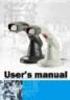 Part No. : MUL-53221-07 PROGRAMMING GUIDE PROGRAMMING GUIDE for BARCODE SCANNERS The guide can be used as keyboard emulation, RS- 232C serial interface, and USB 1.1 interface and wand emulation. IMPORTANT
DPP-250 Thermal Printer User Manual
 1 DATECS DPP-250 Thermal Printer User Manual The information in this document cannot be reproduced in any mechanical, electrical or electronic way and under any circumstances without the written consent
Bar Code CCD Scanner OPERATION MANUAL
 ISO 9002 Certified Lead with technology Win customers with service Bar Code CCD Scanner OPERATION MANUAL 69 Jarltech International Inc. 1998. All rights reserved. Under the copyright laws, this manual
Destiny lets you print copy labels individually, for copies you're adding, for those added after a certain date, or for those in a Resource List.
 How do I print spine and pocket labels? Destiny lets you print copy labels individually, for copies you're adding, for those added after a certain date, or for those in a Resource List. Important: You
3/08 Rev. 4.04-01 EASY PLUG MANUAL All Devices. Bar Code Information
 3/08 Rev. 4.04-01 EASY PLUG MANUAL Bar Code Information Commonly used bar codes... 2 Code 2/5 Interleaved... 2 EAN 8 / EAN 13... 2 Code 39... 3 Code 93... 4 Code 128... 4 UPC... 5 EAN 128... 5 Codabar...
Identification of products that require activation at the Pointof-sale. www.gs1.eu The global language of business. in Europe
 in Europe Identification of products that require activation at the Pointof-sale Technical specifications for GS1 DataBar Version 1.0, November 2014 www.gs1.eu The global language of business Contents
User Manual Printer driver PRO 300 / ECO 200 / Express Plus / Pegasus State: April 2003 3073.01.991.90.08
 User Manual Printer driver PRO 300 / ECO 200 / Express Plus / Pegasus State: April 2003 3073.01.991.90.08 Installation instructions driver PRO300 / ECO200 / Express / Plus / Pegasus 3 Contents 1. Introduction
Technical guide 1. june 2011
 Technical guide 1. june 2011 Bar code labelling on primary and secondary packages for pharmaceutical products patient safety Preface This technical guide is designed to help companies put bar code labels
AWB AWBs can be printed on regular blank sheets using a laser printer or on preprinted forms using a dot matrix/impact printer.
 Printing Introduction One of the most important aspects of the program is its ability to print documents. There are a few things that can be tweaked to get a nice print. Print preview Note that in all
Revision 5 - (Released April 2008) Added further definitions of RFID tag contents and testing requirements for RFID tag read range.
 IBM LTO Ultrium Cartridge Label Specification (Revision 6) Part Number 19P0034 EC - M10321 Feb, 2009 IBM Corporation 9000 South Rita Road Tucson, AZ 85744 Notes: The hard copy version of this document
Crystal Reports. Overview. Contents. Adding barcodes to reports
 Crystal Repts Adding barcodes to repts Overview Contents This document provides an overview of barcodes, how barcodes wk in the Crystal Repts Designer, and examples of the barcode font types. This document
User Guide LabelManager 420P
 User Guide LabelManager 420P 17 18 19 20 21 22 16 1 15 2 14 13 3 4, - + 5 % Shift 6 12 7 8 11 10 9 Figure 1DYMO LabelManager 420P label maker 1 Print 9 Accented characters 17 Format 2 Preview 10 Space
Wireless Laser Barcode Scanner ils 6300BU. User s Manual
 Wireless Laser Barcode Scanner ils 6300BU User s Manual FCC Compliance This equipment has been tested and found to comply with the limits for a Class A digital device, pursuant to Part 15 of the FCC Rules.
Barcode Scanning Made Easy. Programming Guide
 Barcode Scanning Made Easy Programming Guide CCD Scanner Programming Guide Please Read Note: The Wasp WCS3900 Series Scanners are ready to scan the most popular barcodes out of the box. This manual should
User Manual. BarcodeOCR 4.12.3.2. Version: September 2012 - Page 1 of 25 - BarcodeOCR 4.12.3.2
 User Manual BarcodeOCR 4.12.3.2 Version: September 2012 - Page 1 of 25 - BarcodeOCR 4.12.3.2 Contents Contents... 2 Introduction... 3 What is BarcodeOCR?... 3 Which barcodes are supported?... 3 System
CT20 Barcode Scanner User Manual
 CT20 Barcode Scanner User Manual IMPORTANT NOTICE Safety Precaution * DO NOT disassemble the scanner, or place foreign matter into the scanner cause a short circuit or circuit damage. * DO NOT expose the
MIRROR VT/5250 Terminal Emulation
 MIRROR VT/5250 Terminal Emulation 9300 / 9400 / 9500CE / 9600 Series Mobile Computers DOC Version 1.12 Copyright 2007~ 2009 CIPHERLAB CO., LTD. All rights reserved The software contains proprietary information
The Layman's Guide to ANSI, CEN, and ISO Bar Code Print Quality Documents
 The Layman's Guide to ANSI, CEN, and ISO Bar Code Print Quality Documents AIM, Inc. 634 Alpha Drive Pittsburgh, PA 15238-2802 Phone: +1 412 963 8588 Fax: +1 412 963 8753 Web: www.aimglobal.org This Guideline
ELFRING FONTS THE RETAIL BAR CODE SOLUTION
 ELFRING FONTS THE RETAIL BAR CODE SOLUTION This package includes every kind of bar code needed to produce retail product and shipping bar codes. These bar code types include EAN-13, ISBN (Bookland), ITF-14,
BI-300. Barcode configuration and commands Manual
 BI-300 Barcode configuration and commands Manual 1. Introduction This instruction manual is designed to set-up bar code scanner particularly to optimize the function of BI-300 bar code scanner. Terminal
DUET / VS800 Scanner. DUET Scanner VS800 Scanner. Programming Kit
 DUET / VS800 Scanner DUET Scanner VS800 Scanner Programming Kit PSC Scanning, Inc. 959 Terry Street Eugene, Oregon 97402 Telephone: (541) 683-5700 Telefax: (541) 345-7140 PSC and the PSC logo are registered
Barcode Scanning Made Easy. WWS500 Programming Guide
 Barcode Scanning Made Easy WWS500 Programming Guide Table of Contents Chapter 1. Introduction...........................2 Chapter 2. Barcode Symbologies...................3 Chapter 3. Quick Start............................4
Layman's Guide to ANSI X3.182
 Layman's Guide to ANSI X3.182 This Guideline was developed by AIM USA, an affiliate of AIM International, the world-wide trade association for manufacturers and providers of automatic data collection
Barcode Scanner CLV62x CLV62x Bar Code Scanner
 Online Help ONLINE HELP Bar Code Scanner Standard Line Software Versions Online Help Software/Tool Version Device description Device specific software module for configuration software SOPAS-ET V 2.0 SOPAS-ET
Lexmark Forms Printer 2400 Series User s Guide
 Lexmark Forms Printer 2400 Series User s Guide Edition: June 2000 The following paragraph does not apply to any country where such provisions are inconsistent with local law: LEXMARK INTERNATIONAL, INC.,
PrecisionID ITF (Interleaved 2 of 5) Barcode Font User Manual
 PrecisionID ITF (Interleaved 2 of 5) Barcode Font User Manual Notice: When you use this product you agree to the End User License Agreement (EULA). The EULA is provided as a file in the package for this
Contents. Bar code data transmission specifications...b-1. A-61099 October 1997 i
 Contents Bar Code Made Easy 1 What is a bar code?.......................................... 1 Which bar code type should I use?............................... 2 How are bar codes read?.......................................
ET215 Ethernet Terminal Product Definition Version 1.20
 ET215 Ethernet Terminal Product Definition Version 1.20 Introduction The ET215 Ethernet Terminal is a small, low cost data collection device that communicates with a software application program over a
TaoTronics Laser Barcode Scanner User s Manual
 TaoTronics Laser Barcode Scanner User s Manual SETUP from PC keyboard For KBW or KBW/RS232 interface 1 Features * Simple installation,keyboard Wedge Serial, Wand Emulation tc * Superior keyboard wedge
Barcodes principle. Identification systems (IDFS) Department of Control and Telematics Faculty of Transportation Sciences, CTU in Prague
 Barcodes principle Identification systems (IDFS) Department of Control and Telematics Faculty of Transportation Sciences, CTU in Prague Contents How does it work? Bulls eye code PostNet 1D Bar code 2D
Understanding barcodes. www.brightpearl.com/ca101
 Understanding barcodes This ebook gives an overview of product codes, barcodes, scanners and describes where barcode management could fit in your business. www.brightpearl.com/ca0 to Understanding barcodes
May 2001. Prepared: Product version: Keyword: Accelio Present Central 5.4. Original value:
 : Page 1 : : ANSI/AIM BC2-1995, Uniform Symbology Specification - Interleaved 2 of 5 0 2 of 5 Industrial Interleaved 2 of 5 (also called I-2/5 and ITF) is suitable for encoding general purpose all-numeric
Ten steps to GS1 barcode implementation. User Manual
 Ten steps to GS1 barcode implementation User Manual Issue 2, Final, January 2015 Document Summary Document Item Document Title Current Value Ten steps to GS1 barcode implementation User Manual Date Last
Barcode Scanner CLV640 CLV640 Bar Code Scanner
 Online Help ONLINE HELP Bar Code Scanner Advanced Line Software Versions Online Help Software/Tool Version Device description Device specific software module for configuration software SOPAS-ET V 3.0 SOPAS-ET
Printer setup and first steps
 Printer setup and first steps Contents: PrintJet II:... 3 Install printer driver... 3 Calibrating the PrintJet II... 3 Setting marker types... 6 Calibrating the marker type:... 7 PrintJet PRO:... 12 Install
Instructions for Android TSC Bluetooth/Ethernet. library functions
 Instructions for Android TSC Bluetooth/Ethernet library functions 1. openport() Bluetooth openport(a) Description: Start the printer spool. a: String Input the Bluetooth Mac Address, example: 00:19:0E:A0:04:E1
LEAR Corporation Sweden. Odette Transport Label Guideline Vers. 1 Rev. 4
 LEAR Corporation Sweden Odette Transport Label Guideline Vers. 1 Rev. 4 Contents 1. Introduction... 3 2. Paper, Size and Materials... 4 3. Printers and Software... 5 4. Data Area Layout... 6 4.1 Data Area
XR-500 [Receipt Printer User s Manual ]
![XR-500 [Receipt Printer User s Manual ]](/thumbs/40/21302789.jpg "XR-500 [Receipt Printer User s Manual ]") XR-500 [Receipt Printer User s Manual ] All specifications are subjected to change without notice TABLE OF CONTENTS 1. Parts Identifications 2 2. Setting up the printer 3 2.1 Unpacking 3 2.2 Connecting
XR-500 [Receipt Printer User s Manual ] All specifications are subjected to change without notice TABLE OF CONTENTS 1. Parts Identifications 2 2. Setting up the printer 3 2.1 Unpacking 3 2.2 Connecting
QUICK START GUIDE. Wasp WLS 9500. www.waspbarcode.com
 QUICK START GUIDE Wasp WLS 9500 www.waspbarcode.com LED Scan Window Beeper Trigger CORD ATTACHMENT Model Number and Serial Number appear here. Cable interface Interface cable modular connector Interface