
Create!form Barcodes. User Guide
|
|
|
- Shauna Curtis
- 9 years ago
- Views:
Transcription
1 Create!form Barcodes User Guide

2

3 Barcodes User Guide Version 6.3 Copyright Bottomline Technologies, Inc All Rights Reserved Printed in the United States of America Information in this document is subject to change without notice and does not represent a commitment on the part of Bottomline Technologies. Bottomline Technologies makes no warranties with respect to this documentation and disclaims any implied warranties of merchantability or fitness for particular purpose. Bottomline Technologies 325 Corporate Drive Portsmouth, NH Telephone: (603) Fax: (603) [email protected] Internet: SWR-AEBCUG63-REF

4

5 T ABLE OF CONTENTS v Chapter 1: Overview. 7 Introduction Barcode Standards How to Install Barcodes Printer Requirements 11 Distribution Files PostScript Dictionary Files PostScript Printer Fonts. 12 Preparing the Printer for Barcodes Chapter 2: Barcode Standards..15 Code 3 of Dictionary File for Code 3 of PDF Dictionary File for PDF USS Dictionary File for USS EAN-8 and EAN Dictionary File for EAN-8 23 Dictionary File for EAN UCC/EAN Dictionary File for UCC/EAN Interleaved 2 of Dictionary File for Interleaved 2 of Postnet Dictionary File for Postnet Dictionary File for Postnet-FIM 29 UPC 30 Distribution File for UPC-A Distribution Files for UPC-A-FDA.. 31 Distribution Files for UPC-E.. 32 ISS MaxiCode.. 33 Dictionary Files for ISS MaxiCode.. 34 Barcodes v

6 vi Appendix A: References..35 vi Barcodes

7 Chapter 1: Overview CHAPTER OVERVIEW Topics covered in this chapter are: Introduction Barcode Standards How to Install Barcodes Printer Requirements Distribution Files Preparing the Printer for Barcodes Barcodes 7

8 8 OVERVIEW Introduction Introduction Create!form enables you to integrate barcoding systems with your application. In most cases no change to your application will be necessary. Barcode systems originated in the 1930s but were not used in earnest until the early 1970s. A universal barcode system for general use was not introduced until the early 1980s. The main reason barcodes have become more popular recently is because more sophisticated equipment, in particular laser printers and hand held laser scanners, have been developed. Barcode symbology (its alphabet) is designed to meet specific market requirements and many different kinds of barcodes have carved a niche for themselves in particular industries. Static and variable barcodes objects can be inserted into forms with Create!form Designer. 8 Barcodes

9 OVERVIEW Barcode Standards 9 Barcode Standards A variety of barcode standards are available. Your choice of barcode standard will be based on the standards used in your industry. You should consult your industry associations for information on the barcode standard your industry has adopted. Create!form Designer supports the following standards: Code 3 of 9 USS-128 PDF 417 EAN-8 EAN-13 UCC/EAN-128 Interleaved 2 of 5 Postnet MaxiCode UPC Barcodes 9

10 10 OVERVIEW How to Install Barcodes How to Install Barcodes Barcode dictionaries for each of the above standards are automatically installed when you install the Create!form Designer. In the event that barcodes have been removed from Create!form Designer they may be re-installed by copying each of the *.BAR files from the \Utilities\Barcodes\bar directory on the installation CD into the \<install path>\temp directory, where <install path> is the directory into which you installed Create!form. When Create!form Designer is next run, the barcodes will be added automatically. 10 Barcodes

11 OVERVIEW Printer Requirements 11 Printer Requirements Any PostScript printer can be used to print barcodes provided it has sufficient memory. Refer to Chapter 2, Standards, for the memory requirements specific to your barcode. A PostScript Level 2+ printer is recommended for printing custom forms designed in the Create!form Designer. Barcodes 11

12 12 OVERVIEW Distribution Files Distribution Files There are two types of files installed for use with barcodes: PostScript dictionary files PostScript printer fonts PostScript Dictionary Files For every barcode standard there is a PostScript dictionary file. This file is transferred to your Windows print server or printer when a form project containing barcodes is transferred. By default, the dictionary files are installed to the following directory: <install dir>\systemresource\barcode PostScript Printer Fonts The Universal Product Code UPC barcode as well as the EAN-8 and EAN-13 barcodes make use of the font CLSOCRB.FNT. This font is used by Create!form Designer and should be stored both on your PC, Windows print server and printer. This font is transferred to your Windows print server or printer when the form project containing barcodes is transferred. By default, the FNT files are copied to the following directory: <install dir>\systemresource\font 12 Barcodes

13 OVERVIEW Preparing the Printer for Barcodes 13 Preparing the Printer for Barcodes Transferring a form project containing barcodes to the Windows print server or printer will automatically load the required barcode dictionaries and fonts. Barcodes 13

14 14 OVERVIEW Preparing the Printer for Barcodes 14 Barcodes

15 Chapter 2: Barcode Standards CHAPTER BARCODE STANDARDS Topics covered in this chapter are: Code 3 of 9 PDF 417 USS-128 EAN-8 and EAN-13 UCC/EAN-128 Interleaved 2 of 5 Postnet UPC ISS MaxiCode Barcodes 15

16 16 BARCODE STANDARDS Code 3 of 9 Code 3 of 9 Encoding Standard: Uniform Symbology Specification There are a number of variations or densities for Code 3 of 9 (Uniform Symbology Specification). For example, CODE 39 [3.00] is a barcode name that appears in the barcode list box of the Barcode Information dialog. The density in characters per inch appears in brackets. There are 12 densities available ranging from 9.4 to 0.7. Each barcode sequence begins and ends with an asterisk * and an optional check digit. When calculating the density you require, remember that these characters are added to the characters you input. You do not need to change your application programs as these will be added automatically. Create!form Designer provides an option to automatically calculate the check digit for you. This check digit is not its only checking facility. The design of the barcode characters makes it a naturally self checking code. The check digit option is provided as an extended checking facility. You should consult your industry association on whether you should be using the check digit option. It is normally not used. Standard Code 3 of 9 supports only a subset of the ASCII characters. These are: 0 to 9, A to Z, dash, period, space, dollar, slash, plus and percentage. Code 3 of 9 can be extended to support the full ASCII character set by encoding an ASCII character outside the above range to two characters in the range. Memory Requirements: 18k 16 Barcodes

17 BARCODE STANDARDS Code 3 of 9 17 For example a is represented by +A and? as %J. Refer to the table on the following page for a full list of extended characters. Table 2.1: First Character $ % / + A SOH ESC! A B STX FS " b C ETX GS # c D EOT RS S d E ENQ US % e F ACK ; & f G BELL < g H BS = ( h I HT > ) i Second Character J LF? * j K VT [ + k L FF l M CR ] m N SO ^ n O SI? o P DLE { p Q DC1 q R DC2 } r S DC3 ~ s T DC4 DEL t U NAK NUL u V SYN v W ETB w X CAN DEL x Y EM DEL y Z SUB DEL : z Barcodes 17

18 18 BARCODE STANDARDS Code 3 of 9 Dictionary File for Code 3 of 9 This section details the files that are installed with Code 3 of 9. CODE39: PostScript dictionary for Code 3 of 9 Note As the Code 3 of 9 standard allows for variable length data, the size (width and height) of the resulting barcode will be dependent upon the density selected and the number of characters used. Table 2.2: Bar File Code 39 (0.75) / Code 39 (0.75) Full ASCII Code 39 (0.85) / Code 39 (0.85) Full ASCII Code 39 (1.42) / Code 39 (1.42) Full ASCII Code 39 (1.50) / Code 39 (1.50) Full ASCII Code 39 (1.55) / Code 39 (1.55) Full ASCII Code 39 (1.70) / Code 39 (1.70) Full ASCII Code 39 (1.87) / Code 39 (1.87) Full ASCII Code 39 (2.04) / Code 39 (2.04) Full ASCII Density printed at 0.75 characters per inch / All ASCII characters including control codes printed at 0.85 characters per inch / All ASCII characters including control codes printed at 1.42 characters per inch / All ASCII characters including control codes printed at 1.50 characters per inch / All ASCII characters including control codes printed at 1.55 characters per inch / All ASCII characters including control codes printed at 1.70 characters per inch / All ASCII characters including control codes printed at 1.87 characters per inch / All ASCII characters including control code printed at 2.04 characters per inch / All ASCII characters including control codes 18 Barcodes

19 BARCODE STANDARDS Code 3 of 9 19 Table 2.2: Code 39 (3.00) / Code 39 (3.00) Full ASCII Code 39 (5.40) / Code 39 (5.40) Full ASCII Code 39 (7.80) / Code 39 (7.80) Full ASCII Code 39 (9.40) / Code 39 (9.40) Full ASCII printed at 3.00 characters per inch / All ASCII characters including control codes printed at 5.40 characters per inch / All ASCII characters including control codes printed at 7.80 characters per inch / All ASCII characters including control codes printed at 9.40 characters per inch / All ASCII characters including control codes Barcodes 19

20 20 BARCODE STANDARDS PDF 417 PDF 417 The PDF 417 barcode standard provides a 2-dimensional barcode allowing up to 2000 characters to be represented in a single barcode (the maximum number of characters is dependent upon the density of the barcode). Each PDF 417 barcode is comprised of start and stop indicators which surround the barcode data. These indicators extend the full height of the barcode. The actual size of the barcode as printed is dependent upon the amount of data it represents - the more data, the bigger the barcode. Both the length and width of the barcode will be adjusted to accommodate the data. PDF 417 uses an automatic error correction process and sets the appropriate level according to the input data. This cannot be changed by the user. PDF 417 supports the full ASCII character set, including all control codes. If a control code appears as data for the barcode it will, by default, trigger the control code event (such as 10 to indicate a line feed, 13 to trigger a carriage return, and so on). To prevent control code characters triggering events when read and to ensure the data is rendered as required, the control code character must be entered in the format #!10!#. This six-character format will be output as the single-character data value when the barcode is rendered. Memory Requirements: 153k Dictionary File for PDF 417 PDF417: PostScript dictionary for PDF 417 The following table lists the available denisities for the PDF 417 barcode when printed from Create!form Designer. As described above, the actual size of the barcode is dependent upon the amount of data it represents. Table 2.3: Bar File PDF 417 (4.24) PDF 417 (5.40) PDF 417 (4.24) Trunc PDF 417 (5.40) Trunc Density printed at 4.24 characters per inch printed at 5.40 characters per inch printed at 4.24 characters per inch (truncated) printed at 5.40 characters per inch (truncated) 20 Barcodes

21 BARCODE STANDARDS PDF In the Truncated densities, the right-hand row indicator and portions of the top code are omitted from the barcode. These characters are only required if the barcode becomes damaged. Barcodes 21
22 22 BARCODE STANDARDS USS-128 USS-128 Encoding Standard: Uniform Symbology Specification Memory Requirements: 36k Dictionary File for USS-128 USS128: PostScript dictionary for USS-128 The following table lists the available densities for the USS-128 barcode when printed from Create!form Designer. The actual size of the barcode is dependent upon the amount of data it represents. Table 2.4: BAR File USS-128 (1.82) USS-128 (2.27) USS-128 (3.03) USS-128 (4.55) USS-128 (5.35) USS-128 (6.49) USS-128 (7.57) USS-128 (9.09) USS-128 (10.10) USS-128 (11.35) USS-128 (12.12) Density printed at 1.82 characters per inch printed at 2.27 characters per inch printed at 3.03 characters per inch printed at 4.55 characters per inch printed at 5.35 characters per inch printed at 6.49 characters per inch printed at 7.57 characters per inch printed at 9.09 characters per inch printed at characters per inch printed at characters per inch printed at characters per inch 22 Barcodes
23 BARCODE STANDARDS EAN-8 and EAN EAN-8 and EAN-13 Encoding Standard: European Article Numbering There are a number of variations or densities for both EAN-8 and EAN-13. For example, EAN-13[1.50] is a barcode name that appears in the barcode list box of the Barcode Information dialog. The density magnification of the standard appears in brackets. There are many barcode densities available. For EAN-8 there are 26 densities and for EAN densities, ranging from a magnification of 0.80 to 2.00 of the standard. The EAN-8 barcode densities are preceded by EAN-8; EAN-13 barcode densities are preceded by EAN-13. The last digit is reserved for the check digit and cannot be typed in. EAN-8 allows you to enter exactly 7 numbers. EAN-13 allows you to enter exactly 12 numbers, no more and no less. No other characters are permitted. Memory Requirements: European Article Number (7 digits): 10k European Article Number (12 digits): 13k Dictionary File for EAN-8 EAN8: PostScript dictionary for EAN-8 The following table lists the width and height for EAN-8 barcodes when printed from Create!form Designer. The scaling has been set to 1 for both X and Y. Barcodes 23
24 24 BARCODE STANDARDS EAN-8 and EAN-13 Table 2.5: Standard Width Height Inch Cm Point Inch Cm Point EAN-8 (0.80) EAN-8 (0.85) EAN-8 (0.90) EAN-8 (0.95) EAN-8 (1.00) EAN-8 (1.05) EAN-8 (1.10) EAN-8 (1.15) EAN-8 (1.20) EAN-8 (1.25) EAN-8 (1.30) EAN-8 (1.35) EAN-8 (1.40) EAN-8 (1.45) EAN-8 (1.50) EAN-8 (1.55) EAN-8 (1.60) EAN-8 (1.65) EAN-8 (1.70) EAN-8 (1.75) EAN-8 (1.80) EAN-8 (1.85) EAN-8 (1.90) EAN-8 (1.95) EAN-8 (2.00) Dictionary File for EAN-13 EAN13: PostScript dictionary for EAN Barcodes
25 BARCODE STANDARDS EAN-8 and EAN The following table lists the width and height for the EAN-13 barcodes when printed from Create!form Designer. The scaling has been set to 1 for both X and Y. Table 2.6: Standard Width Height Inch Cm Point Inch Cm Point EAN13 (0.80) EAN13 (0.85) EAN13 (0.90) EAN13 (0.95) EAN13 (1.00) EAN13 (1.05) EAN13 (1.10) EAN13 (1.15) EAN13 (1.20) EAN13 (1.25) EAN13 (1.30) EAN13 (1.35) EAN13 (1.40) EAN13 (1.45) EAN13 (1.50) EAN13 (1.55) EAN13 (1.60) EAN13 (1.65) EAN13 (1.70) EAN13 (1.75) EAN13 (1.80) EAN13 (1.85) EAN13 (1.90) EAN13 (1.95) EAN13 (2.00) Barcodes 25
26 26 BARCODE STANDARDS UCC/EAN-128 UCC/EAN-128 Encoding Standard: Uniform Code Council, Uniform Symbology Specification, European Article Numbering There a number of variations of densities for UCC/EAN-128 barcodes. For example UCC/EAN-128 (10.10), is a barcode name that appears in a barcode list box of the barcode information dialog. The density magnification of the standard appears in brackets. There are barcode densities available. For UCC/EAN there are 11 densities. The UCC/EAN-128 barcode densities are preceded by UCC EAN-128. Memory Requirements: 41k Dictionary File for UCC/EAN-128 UCC128: PostScript dictionary for UCC/EAN Barcodes
27 BARCODE STANDARDS Interleaved 2 of 5 27 Interleaved 2 of 5 Encoding Standard: Uniform Symbology Specification There are a number of variations or densities for Interleaved 2 of 5 barcodes. For example, Code 25[16.7] is a barcode name that appears in the barcode box list box of the Barcode Information dialog. The density magnification of the standard appears in brackets. There are many densities available. For Interleaved 2 of 5 there are 4 densities. The Interleaved 2 of 5 barcode densities are preceded by Code 25. Memory Requirements: 23k Dictionary File for Interleaved 2 of 5 CODE25: PostScript dictionary for Interleaved 2 of 5 Barcodes 27
28 28 BARCODE STANDARDS Postnet Postnet There are a number of Postnet standards. The standards installed with Create!form Designer are: Postnet Postnet-Delivery Point Postnet-FIM There is one density for each type of Postnet barcode. For example, FIM is a barcode name that appears in the barcode list box of the Barcode Information dialog. Postnet requires 9 numberic characters, Postnet-Delivery Point requires 11 numeric characters and Postnet-FIM requires 1 numeric character. Memory Requirements: 2 Postnet 11k 2 Postnet-Delivery Point:... 11k 2 Postnet-FIM:. 9k Dictionary File for Postnet POSTNET: PostScript dictionary for Postnet The following table lists the width and height for the Postnet-Delivery Point barcode when printed from Create!form Designer. The scaling has been set to 1 for both X and Y. Table 2.7: Bar File Width Height Inch Cm Point Inch Cm Point Delivery Point (4.17) Barcodes
29 BARCODE STANDARDS Postnet 29 Dictionary File for Postnet-FIM FIM: PostScript dictionary for Postnet-FIM Barcodes 29
30 30 BARCODE STANDARDS UPC UPC Encoding Standard: Universal Product Code There are a wide variety of UPC standards. The standards installed with Create!form Designer are: UPC-A UPC-E UPC is a fixed number character barcode. All UPC versions have the same data input format. SXXXXXXXXXX where S is the number system character and x is any digit 0-9. The National Drug Code (NDC) and National Health Related Items Code (HRI) are UPC-A codes that are administered by the US Food and Drug Administration (FDA). UPC-A Standard: SXXXXX-XXXXXC UPC-A (FDA) NDC (4-4-2): 30XXX-XXXX-XXC NDC (5-4-1): 3XXXXX-XXXX-XC NDC (5-3-3): 3XXXXX-XXX-XXC HRI (4-6): 38XXX-XXXXXXC HRI (5-5): 9XXXX-XXXXXC UPC-E Standard: 0XXX-XXXC Where C is the automatically calculated check digit. Memory Requirements: (inclusive of memory requirements of CLSOCRB.FNT) Universal Product Code (Regular Symbol) (UPC-A):23k Universal Product Code (Administered by US Food and Drug Administration) 30 Barcodes
31 BARCODE STANDARDS UPC 31 (UPC-A-FDA):30k Universal Product Code (Zero Suppression Symbol) (UPC-A):25k Distribution File for UPC-A Dictionary File for UPC-A UPCAPostScript dictionary for UPCA Font File for UPC-A CLSOCRBPatient Flow System PostScript OCRB font The following table lists the width and height for the UPC-A barcode when printed from Create!form Designer. The scaling has been set to 1 for both X and Y. Table 2.8: Standard Width Height Inch Cm Point Inch Cm Point UPCA-Standard Distribution Files for UPC-A-FDA Dictionary File for UPC-A-FDA UPCAFDA: PostScript dictionary for UPCAFDA Font File for UPC-A-FDA CLSOCRB: Create!form PostScript OCRB font The following tables list the width and height for UPC-A-FDA barcodes when printed from Create!form Designer. The scaling has been set to 1 for both X and Y. Barcodes 31
32 32 BARCODE STANDARDS UPC Table 2.9: National Health Related Items Code Standard Width Height Inch Cm Point Inch Cm Point UPC-A-HRI (5-5) UPC-A-HRI (4-6) Table 2.10: National Drug Code Standard Width Height Inch Cm Point Inch Cm Point UPC-A-NDC (4-4-2) UPC-A-NDC (5-3-2) UPC-A-NDC (5-4-1) Distribution Files for UPC-E Dictionary File for UPC-E UPCE: PostScript dictionary for UPCE Font file for UPC-E CLSOCRB: Patient Flow System PostScript OCRB font The following table lists the width and height for the UPC-E barcode when printed from Create!form Designer. The scaling has been set to 1 for both X and Y. Table 2.11: Standard Width Height Inch Cm Point Inch Cm Point UPCE-Standard Barcodes
33 BARCODE STANDARDS ISS MaxiCode 33 ISS MaxiCode Encoding Standard: International Symbology Specification-formerly UPScode ISS MaxiCode is a two-dimensional barcode symbology introduced by UPS in The code is able to encode approximately 100 characters of data in an area of one square inch. Within this small space are two MaxiCode components: black and white hexagons that store information, and a target-like central pattern that allows the symbol to be easily located at hight speeds. MaxiCode is most useful for sorting and tracking cargo and transport packages. Extensive built-in error correction capability means MaxiCode also offers extremely reliable performance which provides for the recovery of symbol information from labels that are damaged. With full ASCII suport and the ability to chain several MaxiCodes together, MaxiCode is a uniquely flexible coding system. The MaxiCode barcode is always of a fixed size, containing a fixed number of hexagonal modules and allows for a primary and a secondary message. There are 5 variations or modes for MaxiCode barcodes. For example, MaxiCode (Mode 3) is a barcode aname that appears in the barcode list box of the Barcode information dialog. The mode of the standard appears in brackets. The following details the differences between each of the MaxiCode modes: Mode 2: Designed for use within the transport industry. The destination address and class of service (as defined by the carrier) is encoded. A Mode 2 barcode has a numeric postal code only. Mode 3: Also designed for use within the transport industry, this mode encodes the destination address and the class of service (as defined by the carrier). A Mode 3 barcode may contain an alphanumeric barcode. Mode 4: Mode 4 indicates that the barcode employs Enhanced Error Correction (EEC) in the primary message and Standard Error Correction (SEC) for the secondary message. Mode 5: Mode 5 indicates that the barcode employs Enhanced Error Correction (EEC) for both the primary and secondary message. Mode 6: Mode 6 indicates that the barcode contains instructions for programming the reader system, and that the Standard Error Correction (SEC) is used for the secondary message. When a Mode 6 symbol is read no data is transmitted. Memory Requirements: 23k Barcodes 33
34 34 BARCODE STANDARDS ISS MaxiCode Dictionary Files for ISS MaxiCode MaxiCode: Patient Flow System MaxiCode dictionary 34 Barcodes
35 Appendix A: References APPENDIX REFERENCES Barcode Standards References 1 Allais, David C. January 1989, Barcode Symbology, INTERMEC. 2 UPC Symbol Specification Manual January 1986, Uniform Code Council, Inc. Dayton. 3 UPC Film Master Verification Manual April 1986, Uniform Code Council, Inc. Dayton. 4 UPC Symbol Location Guidelines Manual September 1986, Uniform Code Council, Inc. Dayton. 5 UPC Guidelines Manual May 1988, Uniform Code Council, Inc. Dayton. 6 Product Numbering and Barcoding, Information Brochure, Australian Product Number Association, Australia. 7 Character set for optical character recognition (OCR-B) January 1975, American National Standard, ANSI X USS-39 Uniform Symbology Specification 1986, AIM. 9 USS-128 Uniform Symbology Specification 1986, AIM. 10 Barcode Symbol for Uniform Commodity Code 1985, Japanese Industrial Standard X Barcode Symbol for Dispatch Unit Code 1987, Japanese Industrial Standard X Application Specification for the UCC-128 Serial Shipping Container Code: (with symbol and shipping label guidelines) 1989, Uniform Code Council, Inc. Dayton. Barcodes 15
36 16 REFERENCES 16 Barcodes
37 I NDEX 37 A Appendix A References 35 B Barcodes distribution files 12 how to install 10 introduction 8 PostScript Dictionary Files 12 PostScript printer fonts 12 preparing the printer 13 printer requirements 11 standards 9 E EAN-8 and EAN S Standards Code 3 of 9 16 dictionary file for code 3 of 9 18 dictionary file for EAN dictionary file for EAN-8 23 dictionary file for Interleaved 2 of 5 27 dictionary file for pdf dictionary file for Postnet 28 dictionary file for Postnet-FIM 29 dictionary file for UCC/EAN dictionary file for USS dictionary files for ISS MaxiCode 34 distribution file for UPC-A 31 distribution file for UPC-A-FDA 31 distribution files for UPC-E 32 Interleaved 2 of 5 27 Barcodes 37
38 38 ISS MaxiCode 33 pdf Postnet 28 UCC/EAN UPC 30 USS Barcodes
BI-300. Barcode configuration and commands Manual
 BI-300 Barcode configuration and commands Manual 1. Introduction This instruction manual is designed to set-up bar code scanner particularly to optimize the function of BI-300 bar code scanner. Terminal
BAR CODE 39 ELFRING FONTS INC.
 ELFRING FONTS INC. BAR CODE 39 This package includes 18 versions of a bar code 39 font in scalable TrueType and PostScript formats, a Windows utility, Bar39.exe, that helps you make bar codes, and Visual
Xi2000 Series Configuration Guide
 U.S. Default Settings Sequence Reset Scanner Xi2000 Series Configuration Guide Auto-Sense Mode ON UPC-A Convert to EAN-13 OFF UPC-E Lead Zero ON Save Changes POS-X, Inc. 2130 Grant St. Bellingham, WA 98225
CHAPTER 8 BAR CODE CONTROL
 CHAPTER 8 BAR CODE CONTROL CHAPTER 8 BAR CODE CONTROL - 1 CONTENTS 1. INTRODUCTION...3 2. PRINT BAR CODES OR EXPANDED CHARACTERS... 4 3. DEFINITION OF PARAMETERS... 5 3.1. Bar Code Mode... 5 3.2. Bar Code
BARCODE READER V 2.1 EN USER MANUAL
 BARCODE READER V 2.1 EN USER MANUAL INSTALLATION OF YOUR DEVICE PS-2 Connection RS-232 Connection (need 5Volts power supply) 1 INSTALLATION OF YOUR DEVICE USB Connection 2 USING THIS MANUAL TO SETUP YOUR
Barcode Scanning Made Easy. Programming Guide
 Barcode Scanning Made Easy Programming Guide CCD Scanner Programming Guide Please Read Note: The Wasp WCS3900 Series Scanners are ready to scan the most popular barcodes out of the box. This manual should
Barcode Scanning Made Easy. WWS500 Programming Guide
 Barcode Scanning Made Easy WWS500 Programming Guide Table of Contents Chapter 1. Introduction...........................2 Chapter 2. Barcode Symbologies...................3 Chapter 3. Quick Start............................4
Voyager 9520/40 Voyager GS9590 Eclipse 5145
 Voyager 9520/40 Voyager GS9590 Eclipse 5145 Quick Start Guide Aller à www.honeywellaidc.com pour le français. Vai a www.honeywellaidc.com per l'italiano. Gehe zu www.honeywellaidc.com für Deutsch. Ir a
ASCII Code. Numerous codes were invented, including Émile Baudot's code (known as Baudot
 ASCII Code Data coding Morse code was the first code used for long-distance communication. Samuel F.B. Morse invented it in 1844. This code is made up of dots and dashes (a sort of binary code). It was
S302D. Programming Guide. 2D Imaging Barcode Scanner. Advanced Handheld High-Speed Laser Scanner
 S302D 2D Imaging Barcode Scanner Programming Guide 1 Advanced Handheld High-Speed Laser Scanner Revision History Changes to the original manual are listed below: Version Date Description of Version 1.0
Part No. : MUL-53221-07 PROGRAMMING GUIDE
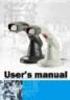 Part No. : MUL-53221-07 PROGRAMMING GUIDE PROGRAMMING GUIDE for BARCODE SCANNERS The guide can be used as keyboard emulation, RS- 232C serial interface, and USB 1.1 interface and wand emulation. IMPORTANT
Index...1. Introduction...3. Installation- Keyboard Wedge...3 RS-232...3 USB...3. Default Setting for each barcode shown as below:...
 Index Index...1 Introduction...3 Installation- Keyboard Wedge...3 RS-232...3 USB...3 Default Setting for each barcode shown as below:...4 Programming the MS320...5 Interface Selection...7 Keyboard wedge...8
Memory is implemented as an array of electronic switches
 Memory Structure Memory is implemented as an array of electronic switches Each switch can be in one of two states 0 or 1, on or off, true or false, purple or gold, sitting or standing BInary digits (bits)
May 2001. Prepared: Product version: Keyword: Accelio Present Central 5.4. Original value:
 : Page 1 : : ANSI/AIM BC2-1995, Uniform Symbology Specification - Interleaved 2 of 5 0 2 of 5 Industrial Interleaved 2 of 5 (also called I-2/5 and ITF) is suitable for encoding general purpose all-numeric
 Bar Code Reader Models 1000/1002 USER'S MANUAL 2190 Regal Parkway Euless, TX 76040 (817) 571-9015 (800) 648-4452 FAX (817) 685-6232 FCC NOTICE WARNING: This equipment generates, uses and can radiate radio
BARCODE PRINTING SET UP BARCODE PRINTING
 21 BARCODE PRINTING The Barcode Printing option can be purchased for an additional cost. You will receive a floppy disk or CD that you can use to activate this feature. SET UP BARCODE PRINTING To start,
Symbols in subject lines. An in-depth look at symbols
 An in-depth look at symbols What is the advantage of using symbols in subject lines? The age of personal emails has changed significantly due to the social media boom, and instead, people are receving
The Barcode Printing option may be purchased for an additional cost. You will receive a CD that you will use to activate this feature.
 27 BARCODE PRINTING Barcode Printing takes your museum to the next level of inventory control and tracking. Barcoding is a proven technology that can eliminate keyboard data entry errors. There are many
URL encoding uses hex code prefixed by %. Quoted Printable encoding uses hex code prefixed by =.
 ASCII = American National Standard Code for Information Interchange ANSI X3.4 1986 (R1997) (PDF), ANSI INCITS 4 1986 (R1997) (Printed Edition) Coded Character Set 7 Bit American National Standard Code
Code. Barc. ber 20100
 PrecisionID Code 128 Barc code Fonts User Manual Updated Septemb ber 20100 Copyright 2010 - PrecisionID, LLC PrecisionID Code 128 Barcode Font User Manual Notice: When you use this product you agree to
DL910 SERIES. Instruction Manual
 DL910 SERIES Instruction Manual DL910 SERIES INSTRUCTION MANUAL ALL RIGHTS RESERVED Datalogic reserves the right to make modifications and improvements without prior notification. Datalogic shall not
Command Emulator STAR Line Mode Command Specifications
 Line Thermal Printer Command Emulator STAR Line Mode Command Specifications Revision 0.01 Star Micronics Co., Ltd. Special Products Division Table of Contents 1. Command Emulator 2 1-1) Command List 2
SocketScan Software Advanced Programming Guide
 SocketScan Software Advanced Programming Guide A guide to help you program symbology and parameter settings for the following Socket barcode scanning products: Secure Digital Scan Card Series 3 CompactFlash
Computer Peripherals
 Computer Peripherals School of Computer Engineering Nanyang Technological University Singapore These notes are part of a 3rd year undergraduate course called "Computer Peripherals", taught at Nanyang Technological
Laser Scanner Programming Guide (SE923 laser engine)
 Laser Scanner Programming Guide (SE923 laser engine) CONTENT Technical note... 5 How to recognise the type of the laser barcode engine... 5 How to program the laser barcode reader into default value...
ASCII CODES WITH GREEK CHARACTERS
 ASCII CODES WITH GREEK CHARACTERS Dec Hex Char Description 0 0 NUL (Null) 1 1 SOH (Start of Header) 2 2 STX (Start of Text) 3 3 ETX (End of Text) 4 4 EOT (End of Transmission) 5 5 ENQ (Enquiry) 6 6 ACK
Barcode Magstripe. Decoder & Scanner. Programming Manual
 Barcode Magstripe Decoder & Scanner Programming Manual CONTENTS Getting Started... 2 Setup Procedures... 3 Setup Flow Chart...4 Group 0 : Interface Selection... 5 Group 1 : Device Selection for keyboard
Enter/Exit programming
 P/N: MUL-53247-02 Enter/Exit programming (This barcode is also found at back cover page.) Framed values are default values. All Rights Reserved This guide is designed for advanced settings of Hand Free
The ASCII Character Set
 The ASCII Character Set The American Standard Code for Information Interchange or ASCII assigns values between 0 and 255 for upper and lower case letters, numeric digits, punctuation marks and other symbols.
Bar Code CCD Scanner OPERATION MANUAL
 ISO 9002 Certified Lead with technology Win customers with service Bar Code CCD Scanner OPERATION MANUAL 69 Jarltech International Inc. 1998. All rights reserved. Under the copyright laws, this manual
Scanner Configuration
 Scanner Configuration SmartScan Manual DOC Version 2.21 This document is specifically designed for the user to print two pages per sheet of paper with optimal print quality. Copyright 2005~ 2008 CIPHERLAB
Programming Reference Guide HP USB Barcode Scanner
 Programming Reference Guide HP USB Barcode Scanner Document Part Number: 430944-002 August 2006 Print this document before setting up the HP USB Barcode Scanner. The document provides the programming bar
MK-5200 2D Imager Barcode Scanner Configuration Guide
 MK-5200 2D Imager Barcode Scanner Configuration Guide V 1.2 Programming the Engine Code Programming On/Off Read the barcode to activate Code Programming function. One or more Code Programming barcodes
Identification of products that require activation at the Pointof-sale. www.gs1.eu The global language of business. in Europe
 in Europe Identification of products that require activation at the Pointof-sale Technical specifications for GS1 DataBar Version 1.0, November 2014 www.gs1.eu The global language of business Contents
Register your product and get support at www.philips.com/dictation DPM8500. Barcode scanner configuration guide
 Register your product and get support at www.philips.com/dictation DPM8500 Barcode scanner configuration guide Table of contents 1 Introduction 5 Operational Parameters 5 Parameter defaults 5 2 Set default
TELOCATOR ALPHANUMERIC PROTOCOL (TAP)
 TELOCATOR ALPHANUMERIC PROTOCOL (TAP) Version 1.8 February 4, 1997 TABLE OF CONTENTS 1.0 Introduction...1 2.0 TAP Operating Environment...1 3.0 Recommended Sequence Of Call Delivery From An Entry Device...2
BAR CODE CONTROL BAR CODE CONTROL - 1
 BAR CODE CONTROL BAR CODE CONTROL - 1 CONTENTS 1. INTRODUCTION... 3 2. PRINT BAR CODES OR EXPANDED CHARACTERS... 4 3. DEFINITION OF PARAMETERS... 5 3.1. Bar Code Mode............ 5 3.2. Bar Code Style,
plc numbers - 13.1 Encoded values; BCD and ASCII Error detection; parity, gray code and checksums
 plc numbers - 3. Topics: Number bases; binary, octal, decimal, hexadecimal Binary calculations; s compliments, addition, subtraction and Boolean operations Encoded values; BCD and ASCII Error detection;
GS1-128 CARTON LABELING
 Appendix SP-2 UCC 128 Label Requirements GS1-128 CARTON LABELING All cartons being shipped to Kohl s stores or distribution centers must have a compliant Kohl s GS1-128 carton label. These logistical labels
This is great when speed is important and relatively few words are necessary, but Max would be a terrible language for writing a text editor.
 Dealing With ASCII ASCII, of course, is the numeric representation of letters used in most computers. In ASCII, there is a number for each character in a message. Max does not use ACSII very much. In the
Technical Reference DYMO LabelWriter SE450 Label Printer
 Technical Reference DYMO LabelWriter SE450 Label Printer Copyright 2010 Sanford, L.P. All rights reserved. Revised 7/26/2010. No part of this document or the software may be reproduced or transmitted in
MK-SERIE 1000/1500/2000 AllOfBarcode.de Michael Krug - 83278Traunstein BARCODE SCANNER
 MK-SERIE 1000/1500/2000 AllOfBarcode.de Michael Krug - 83278Traunstein BARCODE SCANNER Configuration Guide - 1 - Table of Contents Chapter 1 System Information 1.1 About this manual 3 1.2 How to set up
HANDHELD LASER SCANNER
 HANDHELD LASER SCANNER PROGRAMMING GUIDE PSC Scanning, Inc. En Suisse: 959 Terry Street GOMARO s.a. Eugene, Oregon 97402-9120 1123 Aclens - Switzerland Telephone: (541) 683-5700 http://www.gomaro.ch/ Toll
DEBT COLLECTION SYSTEM ACCOUNT SUBMISSION FILE
 CAPITAL RESOLVE LTD. DEBT COLLECTION SYSTEM ACCOUNT SUBMISSION FILE (DCS-ASF1107-7a) For further technical support, please contact Clive Hudson (IT Dept.), 01386 421995 13/02/2012 Account Submission File
CD-3860 Bar Code Scanner User s Manual
 CD-3860 Bar Code Scanner User s Manual Important Notice Rev. Original No warranty of any kind is made in regard to this material, including, but not limited to, implied warranties of merchantability or
The Truth About UPC Bar Codes
 About the Author Gary Elfring has worked with bar codes since 1979. His software company, Elfring Fonts, Inc sells programs to print bar codes and licenses bar code technology to other firms. He has created
Frequently Asked Questions
 Advanced Function Presentation Consortium Bar Code Object Content Architecture Frequently Asked AFPC-0011-02 Questions Implementation Tips for Producing Bar Codes with the Bar Code Object Content Architecturee
S PT-H500LI ELECTRONIC E C LABELING L SYSTEM INTRODUCTION EDITING A LABEL LABEL PRINTING USING THE FILE MEMORY USING P-TOUCH SOFTWARE
 ELECTRONIC E C LABELING L SYSTEM S PT-H00LI In order to use your P-touch labeler safely, read the included Quick Setup Guide first. Read this guide before using your P-touch labeler. Keep this guide in
Table of Contents. Part I Introduction 3 Part II Install Font Files 3. Part III Office 2007 & 2010 4. Part IV Office 2000 & 2003 14
 Contents 1 Table of Contents Foreword 0 Part I Introduction 3 Part II Install Font Files 3 1 Trial Version... 3 2 Full Version... 3 Part III Office 2007 & 2010 4 1 Word... 4 Install Template... File 4
Barcode reader setup manual
 Barcode reader setup manual Setup procedures are as follows: 1 Scan Begin setting 2 Scan your required function and its corresponding barcode 3 Scan End setting 4 All the setting parameters will be saved
PCL Barcode Font Kits Downloadable barcode fonts for PCL-compatible printers
 PCL Barcode Font Kits Downloadable barcode fonts for PCL-compatible printers User Manual (c) Copyright 2001-2009 Measurement Equipment Corporation; All rights reserved Published by Measurement Equipment
Enhanced Bar Code Engine
 Enhanced Bar Code Engine Introduction Access to the Kofax Standard bar code recognition engine is provided through ImageControls-based applications and ISIS-based applications. In addition to the standard
ESC/POS Command Specifications
 Hybrid Printer ESC/POS Command Specifications Revision 0.00 Star Micronics Co., Ltd. Special Products Operating Division Contents 1) GENERAL DESCRIPTION 1-1 2) COMMAND FUNCTION LIST 2-1 3) COMMAND DETAILS
Version of Barcode Toolbox adds support for Adobe Illustrator CS
 Introduction Traditionally the printing industry has used manual design paste up and stripping for the implementation of barcode symbols but today the computer is used more often to generate barcode symbols
Model 200 / 250 / 260 Programming Guide
 Model 200 / 250 / 260 Programming Guide E-SEEK Inc. R & D Center 9471 Ridgehaven Court #E San Diego, CA 92123 Tel: 858-495-1900 Fax: 858-495-1901 Sales & Marketing 245 Fischer Ave #D5 Costa Mesa, CA 92626
Scanner Configuration Manager Manual. for PC type computers
 Scanner Configuration Manager Manual for PC type computers TABLE OF CONTENTS 1. SCANNER CONFIGURATION MANAGER......... 1 Start it Up...................... 1 First Look...................... 3 Settings......................
NOTICE: respective owner. Note: Specification is subject to changes without. notice.
 0 NOTICE: This device complies with Part 15 of the FCC Rules. Operation shall be subject to the following two conditions: (1) This device may not cause harmful interface, and (2) This device must accept
Numeral Systems. The number twenty-five can be represented in many ways: Decimal system (base 10): 25 Roman numerals:
 Numeral Systems Which number is larger? 25 8 We need to distinguish between numbers and the symbols that represent them, called numerals. The number 25 is larger than 8, but the numeral 8 above is larger
GS1 QR Code. GS1 US Guideline
 QR Code US Guideline June 2012 V1.2 9 May 2012, Issue #1 All contents copyright 2009 Page 1 of 15 Document Summary Document Item Current Value Document Title QR CODE Date Last Modified 14 May 2012 Current
2 Advanced Scanner Configuration Guide
 2 Advanced Scanner Configuration Guide Table of contents Introduction...4 Operational Parameters...4 Set Default Parameter...7 Default Parameters...7 Beeper Volume...7 Beeper Tone...8 Beeper Frequency
Microsoft Dynamics NAV Connector. User Guide
 Microsoft Dynamics NAV Connector User Guide Microsoft Dynamics NAV Connector, version 1.0 Copyright Bottomline Technologies, Inc. 2008. All Rights Reserved Information in this document is subject to change
UCC 128 Carton Label
 UCC 128 Carton Label 1 Compliance guidelines for UCC 128 Label UCC /EAN 128 symbology The UCC / EAN-128 symbology and the associated Application Identifiers (AIs) are used to represent the SSCC, and any
Allen-Bradley. Bar Code. 2-D Hand-Held. Programming Guide. Bar Code. Scanners. (Cat. No. 2755-HTG-4)
 Allen-Bradley 2-D Hand-Held Bar Code Scanners Bar Code Programming Guide (Cat. No. 2755-HTG-4) Important User Information The illustrations, charts, sample programs and layout examples shown in this guide
Dynamic Barcodes. User Guide
 User Guide Contents 1. Copyright Notice... 4 2. What is a barcode?...6 3. Getting Started with... 7 4. Using in Unlicensed Mode... 8 5. Basics...9 5.1 Creating a Barcode...9 5.2 Editing a Barcode...11
MD6 Series 2D Barcode Scanner
 MD6 Series 2D Barcode Scanner User Manual Version: MD6_UM_EN_V1.1.9 2 Warning: Ensure that the optional DC adapter works at +5V, especially for the RS-232 interface cable. NOTICE: 1. All software, including
MetroSelect Programming Guide. MLPN 2407/December 1998
 MetroSelect Programming Guide MLPN 2407/December 1998 Locations: USA Corporate Headquarters Europe Metrologic Instruments, Inc. Metrologic Instruments GmbH 90 Coles Road Dornierstrasse 2 Blackwood, NJ
Representação de Caracteres
 Representação de Caracteres IFBA Instituto Federal de Educ. Ciencia e Tec Bahia Curso de Analise e Desenvolvimento de Sistemas Introdução à Ciência da Computação Prof. Msc. Antonio Carlos Souza Coletânea
ELFRING FONTS UPC BAR CODES
 ELFRING FONTS UPC BAR CODES This package includes five UPC-A and five UPC-E bar code fonts in both TrueType and PostScript formats, a Windows utility, BarUPC, which helps you make bar codes, and Visual
The process to convert a computer message into a bar code symbol is a fourstep
 Bar Code Symbologies A bar code symbology is a system for representing data in the bars and spaces of a bar code. A bar code consists of a number of printed bars and intervening spaces. The width of the
7-Bit coded Character Set
 Standard ECMA-6 6 th Edition - December 1991 Reprinted in electronic form in August 1997 Standardizing Information and Communication Systems 7-Bit coded Character Set Phone: +41 22 849.60.00 - Fax: +41
FLEETMATE. Overview. Barcode Scanner. CUSTOMER GUIDE: Barcode Features
 Overview FLEETMATE supports a variety of linear barcode symbologies. The box to the left provides a list of barcode symbol sets that are supported within the FLEETMATE software. You do not need to use
Elliott NWSM Laser Form Technical Information
 Introduction Elliott NWSM Laser Form Technical Information Elliott NWSM Laser Form supports form printing on blank paper with professional output. Elliott Business Software supports user definable form
Laser Barcode Scanner
 Laser Barcode Scanner User s Manual FCC Compliance This equipment has been tested and found to comply with the limits for a Class A digital device, pursuant to Part 15 of the FCC Rules. These limits are
MINIMAG. Magnetic Stripe Reader Keyboard Wedge. User s Manual
 MINIMAG Magnetic Stripe Reader Keyboard Wedge User s Manual TM Agency Approved Specifications for subpart B of part 15 of FCC rule for a Class A computing device. Limited Warranty ID TECH warrants to the
Ten steps to GS1 barcode implementation. User Manual
 Ten steps to GS1 barcode implementation User Manual Issue 2, Final, January 2015 Document Summary Document Item Document Title Current Value Ten steps to GS1 barcode implementation User Manual Date Last
Barcodes principle. Identification systems (IDFS) Department of Control and Telematics Faculty of Transportation Sciences, CTU in Prague
 Barcodes principle Identification systems (IDFS) Department of Control and Telematics Faculty of Transportation Sciences, CTU in Prague Contents How does it work? Bulls eye code PostNet 1D Bar code 2D
Wasp Labeler User Manual
 Copyright 2012 Wasp Barcode Technologies 1400 10 th St. Plano, TX 75074 All Rights Reserved STATEMENTS IN THIS DOCUMENT REGARDING THIRD PARTY PRODUCTS OR SERVICES ARE BASED ON INFORMATION MADE AVAILABLE
dlsoft Barcodes By dlsoft
 dlsoft Barcodes By dlsoft This manual was produced using ComponentOne Doc-To-Help. Contents Barcodes 1 Introduction...1 1D Barcodes...1 Barcode types supported...2 Barcode Types Table...3 EAN...4 ISBN...6
How To Use A Microsoft Powerbook With A Microtron 2 (Ios) On A Microsatellite (Ipl) On An Iphone Or Ipro (Iphones) On Your Computer Or Ipo (Iphone)
 MP-4000 TH Programmer's Manual Rev.1.4 August 2007 (First edition: November 2006) Copyright by Bematech S.A, Curitiba-PR, Brazil. All rights reserved. No part of this publication may be copied, reproduced,
The ID Technology. Introduction to GS1 Barcodes
 The ID Technology Introduction to GS1 Barcodes Contents GS1 - The Basics 2 Starting Point - GTIN 3 GTIN Labels for Cases - ITF-14 5 Adding More Data - GS1 128 6 GS1 Application Identifiers 7 Logistics
Elfring Fonts, Inc. PCL MICR Fonts
 Elfring Fonts, Inc. PCL MICR Fonts This package contains five MICR fonts (also known as E-13B), to print magnetic encoding on checks, and six Secure Number fonts, to print check amounts. These fonts come
APPENDIX E COMMAND BARCODES
 APPENDIX E COMMAND BARCODES Scan command barcode(s) to quickly configure the Socket Bluetooth Cordless Hand Scanner v3 (1D laser versions). By default, the CHS is in HID mode as a Keyboard device. IMPORTANT!
Barcode-ABC. For further information, please visit our website at www.gbo.com/bioscience or contact us: 4/2005
 For further information, please visit our website at www.gbo.com/bioscience or contact us: Germany (Main office) Greiner Bio-One GmbH Maybachstraße 2 D-72636 Frickenhausen Phone: (+49) 70 22 9 48-0 Fax:
Barcode Command. ConnectCode Barcode Software. http://www.connectcode.net/barcodesoftwaremac.shtml
 ConnectCode Barcode Software Barcode Command http://www.connectcode.net/barcodesoftwaremac.shtml Copyright (c) 2012, ConnectCode All Rights Reserved. ConnectCode accepts no responsibility for any adverse
BAR CODE GUIDELINES Revision 12/18/2015
 BAR CODE GUIDELINES Revision 12/18/2015 General Bar Code Guidelines Pep Boys has a commitment to increasing supply chain efficiency. Barcode scanning is a proven way to identify products at the item level.
Laser Barcode Scanner User s Manual
 Laser Barcode Scanner User s Manual FCC Compliance This equipment has been tested and found to comply with the limits for a Class A digital device, pursuant to Part 15 of the FCC Rules. These limits are
Barcode Definitions. Labels: Getting Started. Overview. Defining a barcode definition
 1 Labels: Getting Started Barcode Definitions Overview Barcode definitions contain information for different types of barcodes. You may skip this document if you are not printing barcodes, or if you are
T GG GG P IT RO Q U Q I C I K K S T S A A T R T G U D
 TAGGIT PRO Q U I C K S T A R T G U I D E Table of Contents Security Key Installation... 1 System Requirements / Installing... 2 Installing a Printer... 3 Creating Tags and Labels... 5 Opening Tag and Label
Bar Code & Label Layout Specification
 Bar Code & Label Layout Specification 2004 FedEx Ground Package System, Inc. All rights reserved. FY04.A Effective January 2004 This document outlines the FedEx Ground bar code specifications and provides
CHAPTER I INTRODUCTION
 CHAPTER I INTRODUCTION 1.1 Introduction Barcodes are machine readable symbols made of patterns and bars. Barcodes are used for automatic identification and usually are used in conjunction with databases.
Let s talk symbology. A guide to decoding barcodes
 Let s talk symbology A guide to decoding barcodes Symbology in barcodes Barcode technologies provide fast reliable data collection to ensure part or product traceability, error-proof assembly processes,
Bar Code Printing Guide
 Bar Code Printing Guide Please read this guide before operating this equipment. After you finish reading this guide, store it in a safe place for future reference. ENG Bar Code Printing Guide How This
QR Codes and Other Symbols Seen in Mobile Commerce
 QR Codes and Other Symbols Seen in Mobile Commerce This section describes bar code symbols frequently encountered in mobile commerce campaigns. and typical applications for each are listed. One symbology,
BCST-20 Barcode Scanner. Instruction Manual. www.inateck.com
 BCST-20 Barcode Scanner Instruction Manual www.inateck.com IMPORTANT NOTICE Safety Precaution * DO NOT disassemble the scanner, or place foreign matter into the scanner causing a short circuit or circuit
CCD Programming Guide
 CCD Programming Guide Please Read Note: The Wasp CCD Scanner is ready to scan the most popular bar codes out of the box. This manual should only be used to make changes in the configuration of the scanner
Chapter 1. Binary, octal and hexadecimal numbers
 Chapter 1. Binary, octal and hexadecimal numbers This material is covered in the books: Nelson Magor Cooke et al, Basic mathematics for electronics (7th edition), Glencoe, Lake Forest, Ill., 1992. [Hamilton
Software Developer's Manual
 Software Developer's Manual ESC/P Command Reference QL-720NW Version 1.0 The Brother logo is a registered trademark of Brother Industries, Ltd. Brother is a registered trademark of Brother Industries,
Chapter 5. Binary, octal and hexadecimal numbers
 Chapter 5. Binary, octal and hexadecimal numbers A place to look for some of this material is the Wikipedia page http://en.wikipedia.org/wiki/binary_numeral_system#counting_in_binary Another place that
Revision History. Advanced Handheld CCD/Laser Scanner
 Revision History Changes to the original manual are listed below: Version Date Description of Version 1.0 September 9, 2010 Initial release 1.1 February 18, 2011 Added Blink mode selections. i Important
Barcode Support. Table of Contents
 Barcode Support Table of Contents Barcode Scanning and Labeling Support... 2 Scanning in Barcodes... 2 Basic Scanning Techniques... 2 Quick Barcode Scanning... 2 Using the Quick Find Fields with Scanners...