
mpdf Example 37. Barcodes <?php
|
|
|
- Barbra Phelps
- 9 years ago
- Views:
Transcription
1 mpdf Example 37. Barcodes <?php $html = ' <html> <head> <style> body {font-family: sans-serif; font-size: 9pt; background: transparent url(\'bgbarcode.png\') repeat-y scroll left top; h5, p { margin: 0pt; table.items { font-size: 9pt; border-collapse: collapse; border: 3px solid #880000; td { vertical-align: top; table thead td { background-color: #EEEEEE; text-align: center; table tfoot td { background-color: #AAFFEE; text-align: center;.barcode { padding: 1.5mm; margin: 0; vertical-align: top; color: #000000;.barcodecell { text-align: center; vertical-align: middle; padding: 0; </style> </head> <body> <!--mpdf <htmlpagefooter name="myfooter"> <div style="border-top: 1px solid #000000; font-size: 9pt; text-align: center; padding-top: 3mm; "> Page {PAGENO of 8 </htmlpagefooter> <sethtmlpagefooter name="myfooter" value="on" /> mpdf--> <h1>mpdf</h1> <h2>barcodes</h2> <p>nb <b>quiet zones</b> - The barcode object includes space to the right/left or top/bottom only when the specification states a \'quiet zone\' or \'light margin\'. All the examples below also have CSS property set on the barcode object i.e. padding: 1.5mm; </p> <h3>ean-13 Barcodes (EAN-2 and EAN-5)</h3> <p>nb EAN-13, UPC-A, UPC-E, and EAN-8 may all include an additional bar code(ean-2 and EAN-5) to the right of the main bar code (see below).</p> <p>a nominal height and width for these barcodes is defined by the specification. \'size\' will scale

2 both the height and width. Values between 0.8 and 2 are allowed (i.e. 80% to 200% of the nominal size). \'height\' can also be varied as a factor of 1; this is applied after the scaling factor used for \'size\'.</p> <!-- ITEMS HERE --> <td align="center">ean13</td> <td>standard EAN-13 barcode. Accepts 12 or 13 characters (creating checksum digit if required). [0-9] numeric only.</td> <td class="barcodecell"><barcode code=" " text="1" class="barcode" /></td> <td align="center">isbn</td> <td>standard EAN-13 barcode with \'ISBN\' number shown above [shown at height="0.66"]</td> <td class="barcodecell"><barcode code=" " type="isbn" class="barcode" height="0.66" text="1" /></td> <td align="center">issn</td> <td>standard EAN-13 barcode with \'ISSN\' number shown above [shown at size="0.8"]</td> <td class="barcodecell"><barcode code=" " type="issn" size="0.8" class="barcode" text="1" /></td> <h3>ean-8, UPC-A and UPC-E Barcodes</h3> <p>upc-a, UPC-E, EAN-13, and EAN-8 may all include an additional bar code(ean-2 and EAN-5) to the right of the main bar code (see below).</p> <p>a nominal height and width for these barcodes is defined by the specification. \'size\' will scale both the height and width. Values between 0.8 and 2 are allowed (i.e. 80% to 200% of the nominal size). \'height\' can also be varied as a factor of 1; this is applied after the scaling factor used for \'size\'.</p> <!-- ITEMS HERE --> <td align="center">upca</td> <td>upc-a barcode. This is a subset of the EAN-13. ( ) Accepts 11 or 12 characters (creating checksum digit if required). [0-9] numeric only</td> <td class="barcodecell"><barcode code=" " type="upca" class="barcode" /></td> <td align="center">upce</td> <td>upc-e barcode. Requires the UPC-A code to be entered as above (e.g to give ). NB mpdf will die with an error message if the code is not valid, as only some UPC-A codes can be converted into valid UPC-E codes. UPC-E doesn\'t have a check digit encoded explicity, rather the check digit is encoded in the parity of the other six characters. The check digit that is encoded is the check digit from the original UPC-A barcode.</td> <td class="barcodecell"><barcode code=" " type="upce" class="barcode" /></td> <td align="center">ean8</td> <td>ean-8. Accepts 7 or 8 characters (creating checksum digit if required). [0-9] numeric only</td> <td class="barcodecell"><barcode code=" " type="ean8" class="barcode" /></td>
![Accepts 12 or 13 characters (creating checksum digit if required). [0-9] numeric only.](/docs-images/48/18512902/images/page_2.jpg "</td> <td class=\"barcodecell\"><barcode code=\"978-0-9542246-0\" text=\"1\" class=\"barcode\" /></td> <td align=\"center\">isbn</td> <td>standard EAN-13 barcode with \'ISBN\' number shown above [shown at")
3 <h3>ean-2 and EAN-5 supplements, and combined forms</h3> <p>upc-a, UPC-E, EAN-13, and EAN-8 may all include an additional bar code(ean-2 and EAN-5) to the right of the main bar code.</p> <!-- ITEMS HERE --> <td align="center">ean2</td> <td colspan="2">ean-2 supplement barcode. mpdf does not generate EAN-5 barcode on its own; see supplements below. Used to denote an issue of a periodical. EAN-2 supplement accepts 2 digits [0-9] only, EAN-5 five.</td> <td align="center">ean5</td> <td colspan="2">ean-5 supplement barcode. mpdf does not generate EAN-5 barcode on its own; see supplements below. Usually used in conjunction with EAN-13 for the price of books is the code for no price. </td> <td align="center">ean13p2</td> <td>standard EAN-13 barcode with 2-digit UPC supplement (07)</td> <td class="barcodecell"><barcode code=" " type="ean13p2" class="barcode" /></td> <td align="center">isbnp2</td> <td>standard EAN-13 barcode with \'ISBN\' number shown above, and 2-digit EAN-2 supplement</td> <td class="barcodecell"><barcode code=" " type="isbnp2" class="barcode" text="1" /></td> <td align="center">issnp2</td> <td>standard EAN-13 barcode with \'ISSN\' number shown above, and 2-digit EAN-2 supplement</td> <td class="barcodecell"><barcode code=" " type="issnp2" class="barcode" text="1" /></td> <td align="center">upcap2</td> <td>upc-a barcode with 2-digit EAN-2 supplement. This is a subset of the EAN-13. </td> <td class="barcodecell"><barcode code=" " type="upcap2" class="barcode" /></td> <td align="center">upcep2</td> <td>upc-e barcode with 2-digit EAN-2 supplement. </td> <td class="barcodecell"><barcode code=" " type="upcep2" class="barcode" /></td> <td align="center">ean8p2</td> <td>ean-8 barcode with 2-digit EAN-2 supplement</td> <td class="barcodecell"><barcode code=" " type="ean8p2" class="barcode" /></td> <td align="center">ean13p5</td> <td>standard EAN-13 barcode with 5-digit UPC supplement (90000)</td> <td class="barcodecell"><barcode code=" " type="ean13p5" class="barcode" /></td> <td align="center">isbnp5</td> <td>standard EAN-13 barcode with \'ISBN\' number shown above, and 5-digit EAN-5 supplement</td> <td class="barcodecell"><barcode code=" " type="isbnp5" class="barcode" text="1"
![Used to denote an issue of a periodical. EAN-2 supplement accepts 2 digits [0-9] only, EAN-5 five.</td> <td align="center">ean5</td> <td colspan="2">ean-5 supplement barcode.](/docs-images/48/18512902/images/page_3.jpg "mpdf does not generate EAN-5 barcode on its own; see supplements below. Usually used in conjunction with EAN-13 for the price of books. 90000 is the code for no price.")
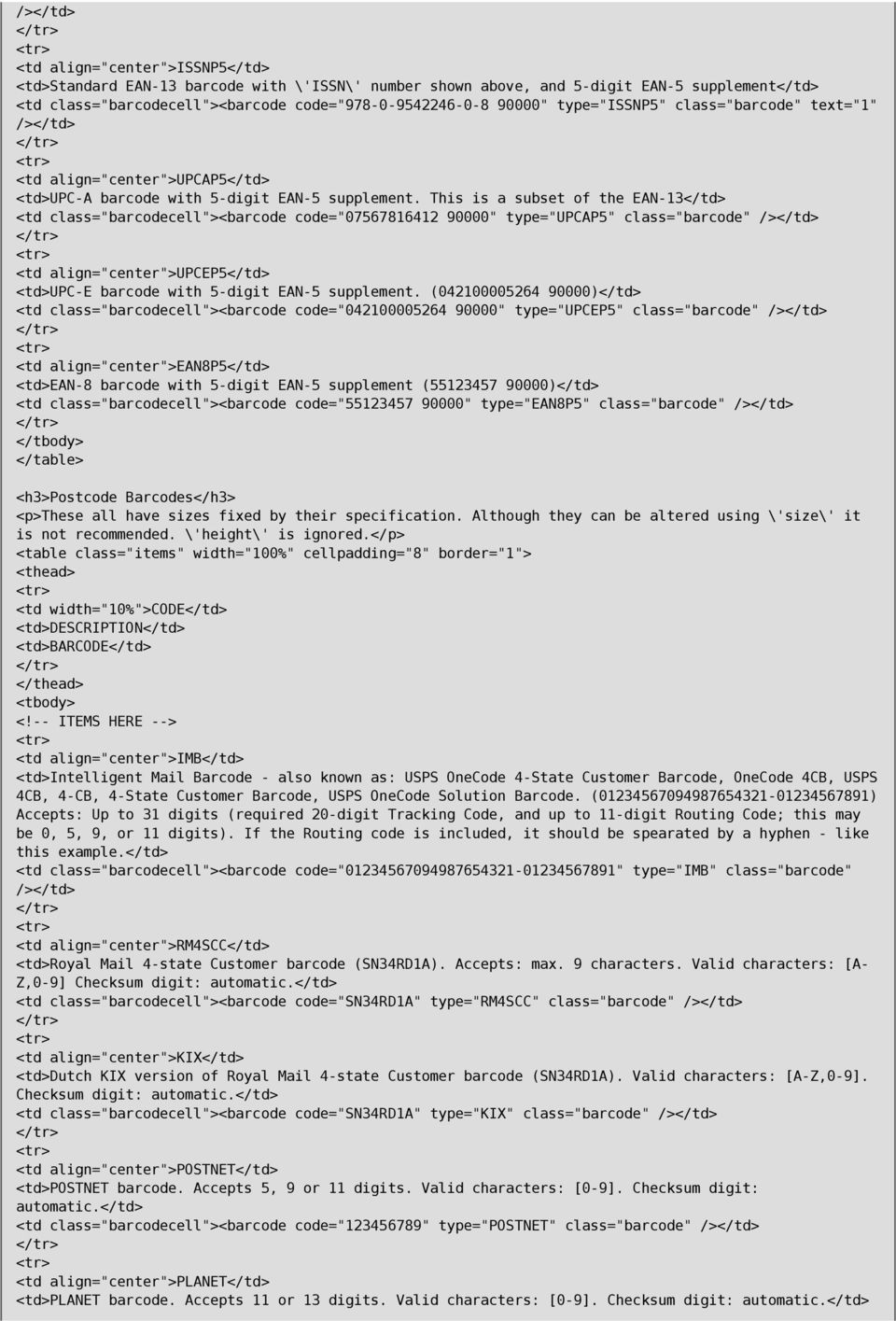
4 /></td> <td align="center">issnp5</td> <td>standard EAN-13 barcode with \'ISSN\' number shown above, and 5-digit EAN-5 supplement</td> <td class="barcodecell"><barcode code=" " type="issnp5" class="barcode" text="1" /></td> <td align="center">upcap5</td> <td>upc-a barcode with 5-digit EAN-5 supplement. This is a subset of the EAN-13</td> <td class="barcodecell"><barcode code=" " type="upcap5" class="barcode" /></td> <td align="center">upcep5</td> <td>upc-e barcode with 5-digit EAN-5 supplement. ( )</td> <td class="barcodecell"><barcode code=" " type="upcep5" class="barcode" /></td> <td align="center">ean8p5</td> <td>ean-8 barcode with 5-digit EAN-5 supplement ( )</td> <td class="barcodecell"><barcode code=" " type="ean8p5" class="barcode" /></td> <h3>postcode Barcodes</h3> <p>these all have sizes fixed by their specification. Although they can be altered using \'size\' it is not recommended. \'height\' is ignored.</p> <!-- ITEMS HERE --> <td align="center">imb</td> <td>intelligent Mail Barcode - also known as: USPS OneCode 4-State Customer Barcode, OneCode 4CB, USPS 4CB, 4-CB, 4-State Customer Barcode, USPS OneCode Solution Barcode. ( ) Accepts: Up to 31 digits (required 20-digit Tracking Code, and up to 11-digit Routing Code; this may be 0, 5, 9, or 11 digits). If the Routing code is included, it should be spearated by a hyphen - like this example.</td> <td class="barcodecell"><barcode code=" " type="imb" class="barcode" /></td> <td align="center">rm4scc</td> <td>royal Mail 4-state Customer barcode (SN34RD1A). Accepts: max. 9 characters. Valid characters: [A- Z,0-9] Checksum digit: <td class="barcodecell"><barcode code="sn34rd1a" type="rm4scc" class="barcode" /></td> <td align="center">kix</td> <td>dutch KIX version of Royal Mail 4-state Customer barcode (SN34RD1A). Valid characters: [A-Z,0-9]. Checksum digit: <td class="barcodecell"><barcode code="sn34rd1a" type="kix" class="barcode" /></td> <td align="center">postnet</td> <td>postnet barcode. Accepts 5, 9 or 11 digits. Valid characters: [0-9]. Checksum digit: <td class="barcodecell"><barcode code=" " type="postnet" class="barcode" /></td> <td align="center">planet</td> <td>planet barcode. Accepts 11 or 13 digits. Valid characters: [0-9]. Checksum digit:
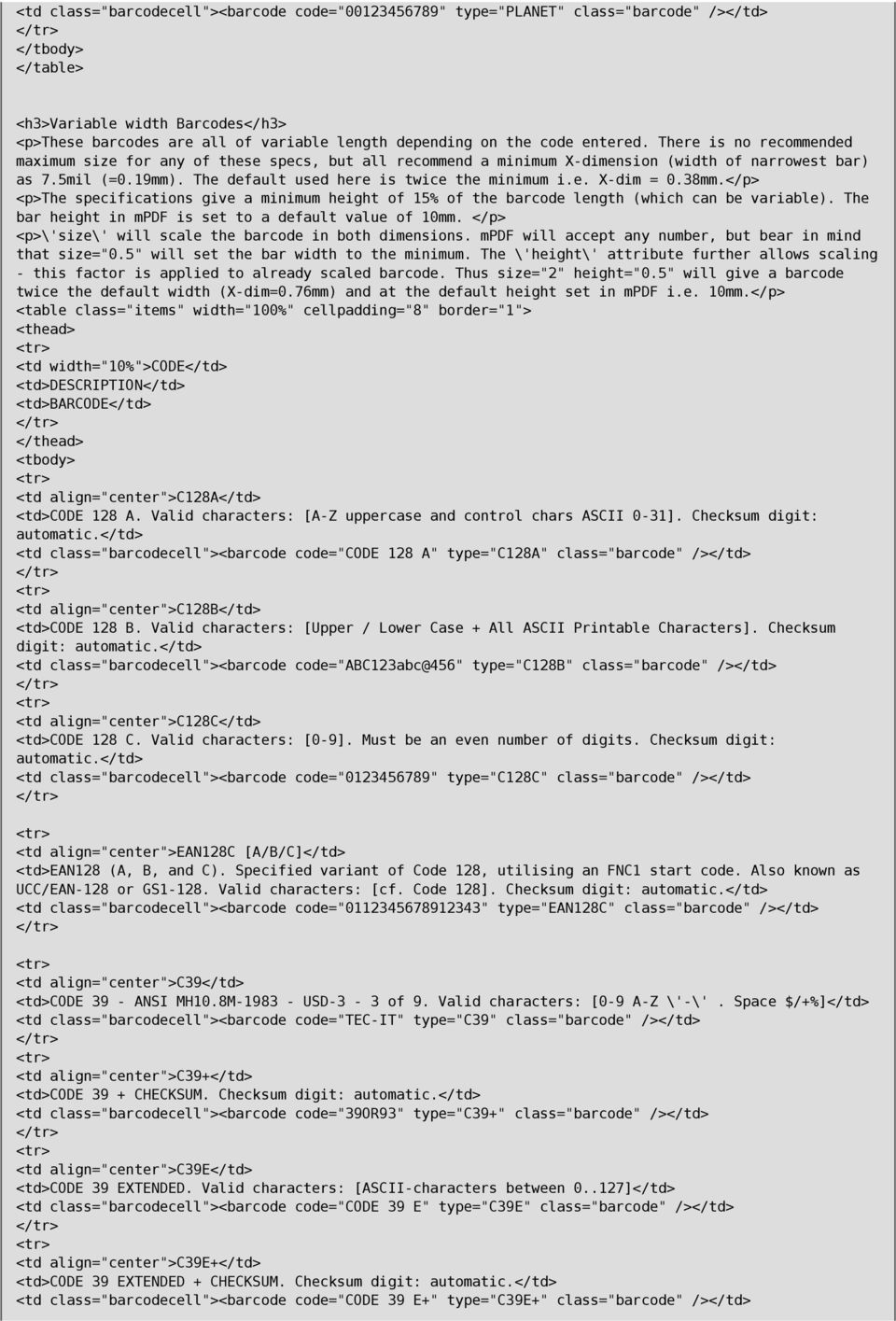
5 <td class="barcodecell"><barcode code=" " type="planet" class="barcode" /></td> <h3>variable width Barcodes</h3> <p>these barcodes are all of variable length depending on the code entered. There is no recommended maximum size for any of these specs, but all recommend a minimum X-dimension (width of narrowest bar) as 7.5mil (=0.19mm). The default used here is twice the minimum i.e. X-dim = 0.38mm.</p> <p>the specifications give a minimum height of 15% of the barcode length (which can be variable). The bar height in mpdf is set to a default value of 10mm. </p> <p>\'size\' will scale the barcode in both dimensions. mpdf will accept any number, but bear in mind that size="0.5" will set the bar width to the minimum. The \'height\' attribute further allows scaling - this factor is applied to already scaled barcode. Thus size="2" height="0.5" will give a barcode twice the default width (X-dim=0.76mm) and at the default height set in mpdf i.e. 10mm.</p> <td align="center">c128a</td> <td>code 128 A. Valid characters: [A-Z uppercase and control chars ASCII 0-31]. Checksum digit: <td class="barcodecell"><barcode code="code 128 A" type="c128a" class="barcode" /></td> <td align="center">c128b</td> <td>code 128 B. Valid characters: [Upper / Lower Case + All ASCII Printable Characters]. Checksum digit: <td class="barcodecell"><barcode code="abc123abc@456" type="c128b" class="barcode" /></td> <td align="center">c128c</td> <td>code 128 C. Valid characters: [0-9]. Must be an even number of digits. Checksum digit: <td class="barcodecell"><barcode code=" " type="c128c" class="barcode" /></td> <td align="center">ean128c [A/B/C]</td> <td>ean128 (A, B, and C). Specified variant of Code 128, utilising an FNC1 start code. Also known as UCC/EAN-128 or GS Valid characters: [cf. Code 128]. Checksum digit: <td class="barcodecell"><barcode code=" " type="ean128c" class="barcode" /></td> <td align="center">c39</td> <td>code 39 - ANSI MH10.8M USD-3-3 of 9. Valid characters: [0-9 A-Z \'-\'. Space $/+%]</td> <td class="barcodecell"><barcode code="tec-it" type="c39" class="barcode" /></td> <td align="center">c39+</td> <td>code 39 + CHECKSUM. Checksum digit: <td class="barcodecell"><barcode code="39or93" type="c39+" class="barcode" /></td> <td align="center">c39e</td> <td>code 39 EXTENDED. Valid characters: [ASCII-characters between ]</td> <td class="barcodecell"><barcode code="code 39 E" type="c39e" class="barcode" /></td> <td align="center">c39e+</td> <td>code 39 EXTENDED + CHECKSUM. Checksum digit: <td class="barcodecell"><barcode code="code 39 E+" type="c39e+" class="barcode" /></td>
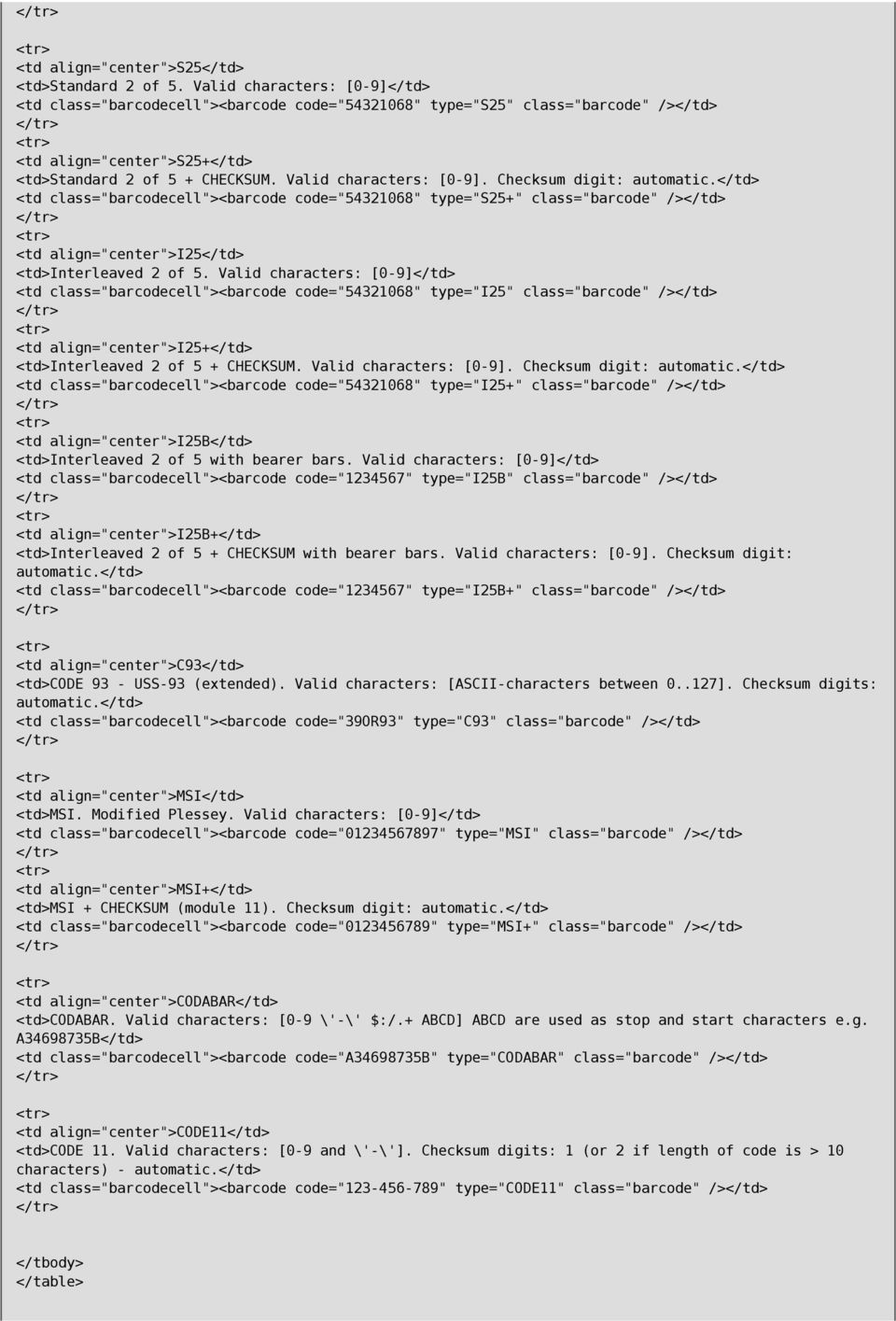
6 <td align="center">s25</td> <td>standard 2 of 5. Valid characters: [0-9]</td> <td class="barcodecell"><barcode code=" " type="s25" class="barcode" /></td> <td align="center">s25+</td> <td>standard 2 of 5 + CHECKSUM. Valid characters: [0-9]. Checksum digit: <td class="barcodecell"><barcode code=" " type="s25+" class="barcode" /></td> <td align="center">i25</td> <td>interleaved 2 of 5. Valid characters: [0-9]</td> <td class="barcodecell"><barcode code=" " type="i25" class="barcode" /></td> <td align="center">i25+</td> <td>interleaved 2 of 5 + CHECKSUM. Valid characters: [0-9]. Checksum digit: <td class="barcodecell"><barcode code=" " type="i25+" class="barcode" /></td> <td align="center">i25b</td> <td>interleaved 2 of 5 with bearer bars. Valid characters: [0-9]</td> <td class="barcodecell"><barcode code=" " type="i25b" class="barcode" /></td> <td align="center">i25b+</td> <td>interleaved 2 of 5 + CHECKSUM with bearer bars. Valid characters: [0-9]. Checksum digit: <td class="barcodecell"><barcode code=" " type="i25b+" class="barcode" /></td> <td align="center">c93</td> <td>code 93 - USS-93 (extended). Valid characters: [ASCII-characters between ]. Checksum digits: <td class="barcodecell"><barcode code="39or93" type="c93" class="barcode" /></td> <td align="center">msi</td> <td>msi. Modified Plessey. Valid characters: [0-9]</td> <td class="barcodecell"><barcode code=" " type="msi" class="barcode" /></td> <td align="center">msi+</td> <td>msi + CHECKSUM (module 11). Checksum digit: <td class="barcodecell"><barcode code=" " type="msi+" class="barcode" /></td> <td align="center">codabar</td> <td>codabar. Valid characters: [0-9 \'-\' $:/.+ ABCD] ABCD are used as stop and start characters e.g. A B</td> <td class="barcodecell"><barcode code="a b" type="codabar" class="barcode" /></td> <td align="center">code11</td> <td>code 11. Valid characters: [0-9 and \'-\']. Checksum digits: 1 (or 2 if length of code is > 10 characters) - <td class="barcodecell"><barcode code=" " type="code11" class="barcode" /></td>
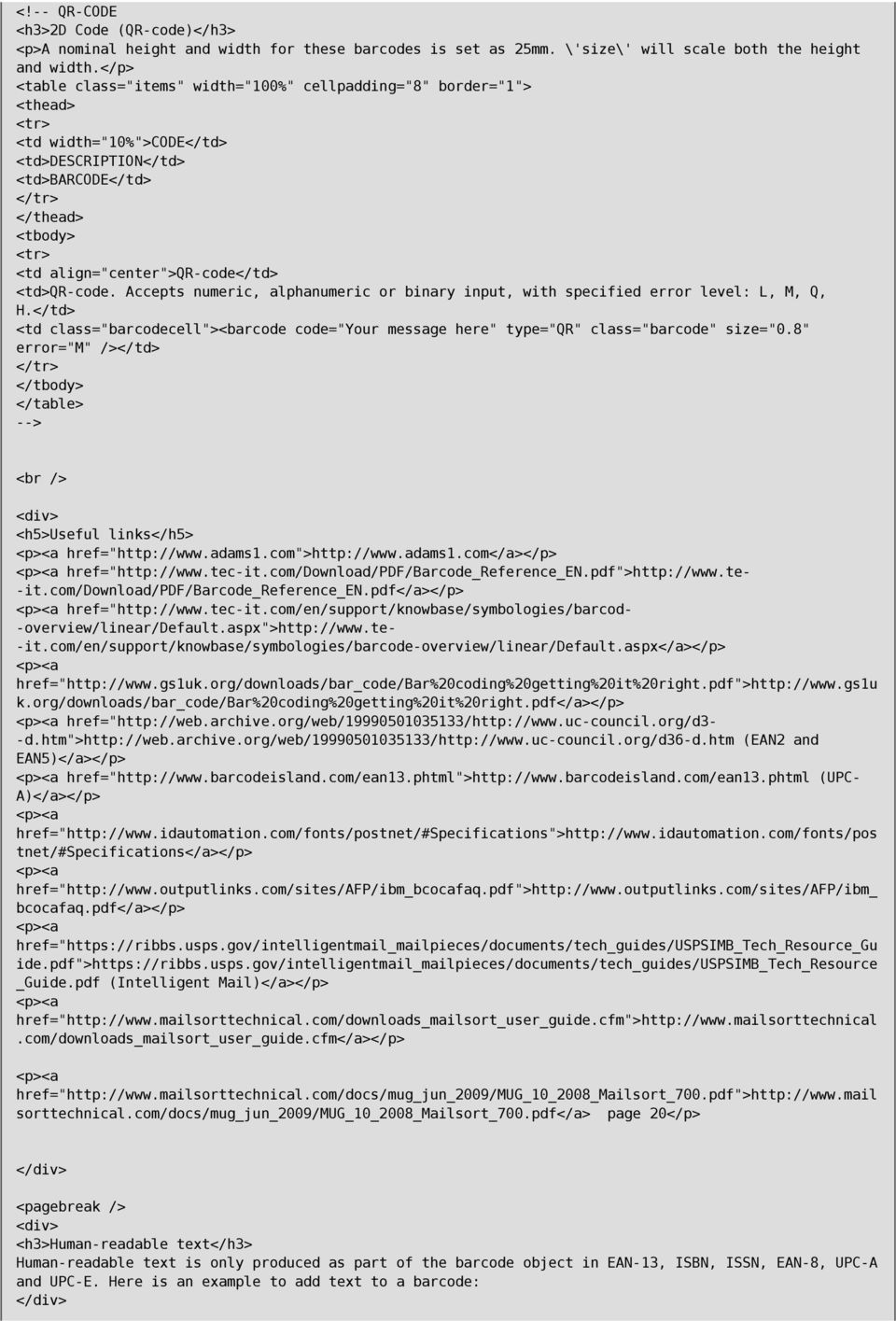
7 <!-- QR-CODE <h3>2d Code (QR-code)</h3> <p>a nominal height and width for these barcodes is set as 25mm. \'size\' will scale both the height and width.</p> <td align="center">qr-code</td> <td>qr-code. Accepts numeric, alphanumeric or binary input, with specified error level: L, M, Q, H.</td> <td class="barcodecell"><barcode code="your message here" type="qr" class="barcode" size="0.8" error="m" /></td> --> <br /> <div> <h5>useful links</h5> href=" href=" -it.com/download/pdf/barcode_reference_en.pdf</a></p> href=" -overview/linear/default.aspx"> -it.com/en/support/knowbase/symbologies/barcode-overview/linear/default.aspx</a></p> href=" k.org/downloads/bar_code/bar%20coding%20getting%20it%20right.pdf</a></p> href=" -d.htm"> (EAN2 and EAN5)</a></p> href=" (UPC- A)</a></p> href=" tnet/#specifications</a></p> href=" bcocafaq.pdf</a></p> href=" ide.pdf"> _Guide.pdf (Intelligent Mail)</a></p> href=" href=" sorttechnical.com/docs/mug_jun_2009/mug_10_2008_mailsort_700.pdf</a> page 20</p> <pagebreak /> <div> <h3>human-readable text</h3> Human-readable text is only produced as part of the barcode object in EAN-13, ISBN, ISSN, EAN-8, UPC-A and UPC-E. Here is an example to add text to a barcode:
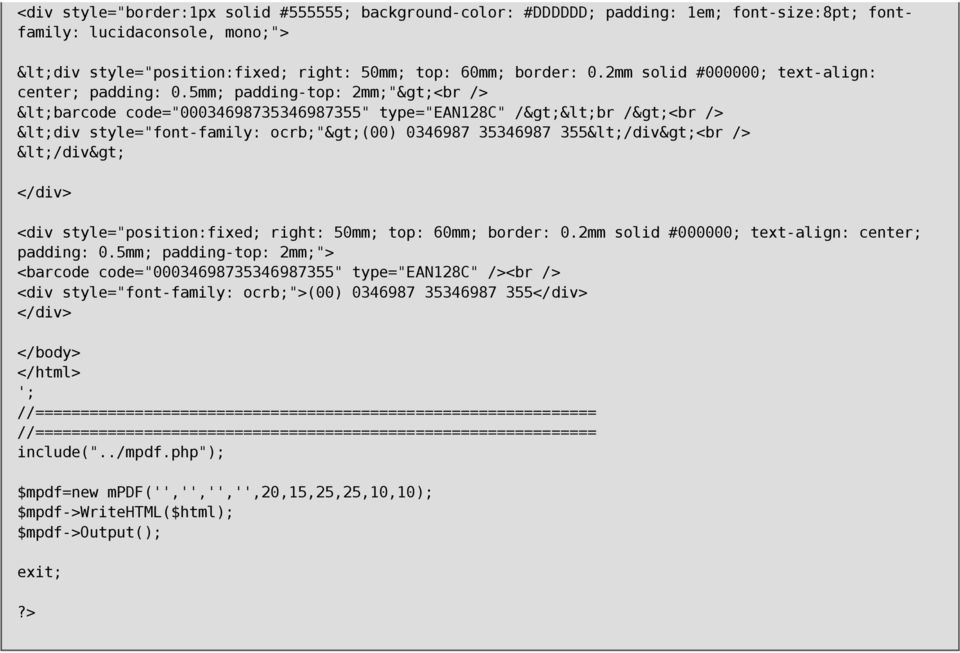
8 <div style="border:1px solid #555555; background-color: #DDDDDD; padding: 1em; font-size:8pt; fontfamily: lucidaconsole, mono;"> <div style="position:fixed; right: 50mm; top: 60mm; border: 0.2mm solid #000000; text-align: center; padding: 0.5mm; padding-top: 2mm;"><br /> <barcode code=" " type="ean128c" /><br /><br /> <div style="font-family: ocrb;">(00) </div><br /> </div> <div style="position:fixed; right: 50mm; top: 60mm; border: 0.2mm solid #000000; text-align: center; padding: 0.5mm; padding-top: 2mm;"> <barcode code=" " type="ean128c" /><br /> <div style="font-family: ocrb;">(00) </body> </html> '; //============================================================== //============================================================== include("../mpdf.php"); $mpdf=new mpdf('','','','',20,15,25,25,10,10); $mpdf->writehtml($html); $mpdf->output(); exit;?>
Create Your own Company s Design Theme
 Create Your own Company s Design Theme A simple yet effective approach to custom design theme INTRODUCTION Iron Speed Designer out of the box already gives you a good collection of design themes, up to
Outline of CSS: Cascading Style Sheets
 Outline of CSS: Cascading Style Sheets nigelbuckner 2014 This is an introduction to CSS showing how styles are written, types of style sheets, CSS selectors, the cascade, grouping styles and how styles
What is CSS? Official W3C standard for controlling presentation Style sheets rely on underlying markup structure
 CSS Peter Cho 161A Notes from Jennifer Niederst: Web Design in a Nutshell and Thomas A. Powell: HTML & XHTML, Fourth Edition Based on a tutorials by Prof. Daniel Sauter / Prof. Casey Reas What is CSS?
Web Design Basics. Cindy Royal, Ph.D. Associate Professor Texas State University
 Web Design Basics Cindy Royal, Ph.D. Associate Professor Texas State University HTML and CSS HTML stands for Hypertext Markup Language. It is the main language of the Web. While there are other languages
How to use SSO with SharePoint 2010 (FBA) using subdomains. Moataz Esmat EXT.1386
 How to use SSO with SharePoint 2010 (FBA) using subdomains Moataz Esmat EXT.1386 I. Browse the web applications using subdomains: After creating the FBA web applications you need to simulate browsing the
CHAPTER 10. When you complete this chapter, you will be able to:
 Data Tables CHAPTER 10 When you complete this chapter, you will be able to: Use table elements Use table headers and footers Group columns Style table borders Apply padding, margins, and fl oats to tables
Embedding a Data View dynamic report into an existing web-page
 Embedding a Data View dynamic report into an existing web-page Author: GeoWise User Support Released: 23/11/2011 Version: 6.4.4 Embedding a Data View dynamic report into an existing web-page Table of Contents
Web Development CSE2WD Final Examination June 2012. (a) Which organisation is primarily responsible for HTML, CSS and DOM standards?
 Question 1. (a) Which organisation is primarily responsible for HTML, CSS and DOM standards? (b) Briefly identify the primary purpose of the flowing inside the body section of an HTML document: (i) HTML
HTML Tables. IT 3203 Introduction to Web Development
 IT 3203 Introduction to Web Development Tables and Forms September 3 HTML Tables Tables are your friend: Data in rows and columns Positioning of information (But you should use style sheets for this) Slicing
ITNP43: HTML Lecture 4
 ITNP43: HTML Lecture 4 1 Style versus Content HTML purists insist that style should be separate from content and structure HTML was only designed to specify the structure and content of a document Style
Web Design and Databases WD: Class 7: HTML and CSS Part 3
 Web Design and Databases WD: Class 7: HTML and CSS Part 3 Dr Helen Hastie Dept of Computer Science Heriot-Watt University Some contributions from Head First HTML with CSS and XHTML, O Reilly Recap! HTML
8 STEPS TO CODE KILLER RESPONSIVE EMAILS
 8 STEPS TO CODE KILLER RESPONSIVE EMAILS THAT WILL MAKE YOUR EMAILS BEAUTIFUL 3 BUILD RESPONSIVE EMAIL STEP BY STEP Steps to create a simple responsive email template. (fluid image, main content, two
Web Building Blocks. Joseph Gilbert User Experience Web Developer University of Virginia Library joe.gilbert@virginia.
 Web Building Blocks Core Concepts for HTML & CSS Joseph Gilbert User Experience Web Developer University of Virginia Library [email protected] @joegilbert Why Learn the Building Blocks? The idea
Web Design and Development ACS-1809. Chapter 9. Page Structure
 Web Design and Development ACS-1809 Chapter 9 Page Structure 1 Chapter 9: Page Structure Organize Sections of Text Format Paragraphs and Page Elements 2 Identifying Natural Divisions It is normal for a
CREATING A NEWSLETTER IN ADOBE DREAMWEAVER CS5 (step-by-step directions)
 CREATING A NEWSLETTER IN ADOBE DREAMWEAVER CS5 (step-by-step directions) Step 1 - DEFINE A NEW WEB SITE - 5 POINTS 1. From the welcome window that opens select the Dreamweaver Site... or from the main
Identification of products that require activation at the Pointof-sale. www.gs1.eu The global language of business. in Europe
 in Europe Identification of products that require activation at the Pointof-sale Technical specifications for GS1 DataBar Version 1.0, November 2014 www.gs1.eu The global language of business Contents
Website Login Integration
 SSO Widget Website Login Integration October 2015 Table of Contents Introduction... 3 Getting Started... 5 Creating your Login Form... 5 Full code for the example (including CSS and JavaScript):... 7 2
Responsive Email Design
 Responsive Email Design For the Hospitality Industry By Arek Klauza, Linda Tran & Carrie Messmore February 2013 Responsive Email Design There has been a lot of chatter in recent months in regards to Responsive
The ID Technology. Introduction to GS1 Barcodes
 The ID Technology Introduction to GS1 Barcodes Contents GS1 - The Basics 2 Starting Point - GTIN 3 GTIN Labels for Cases - ITF-14 5 Adding More Data - GS1 128 6 GS1 Application Identifiers 7 Logistics
Web Design with CSS and CSS3. Dr. Jan Stelovsky
 Web Design with CSS and CSS3 Dr. Jan Stelovsky CSS Cascading Style Sheets Separate the formatting from the structure Best practice external CSS in a separate file link to a styles from numerous pages Style
HTML CSS Basic Structure. HTML Structure [Source Code] CSS Structure [Cascading Styles] DIV or ID Tags and Classes. The BOX MODEL
![HTML CSS Basic Structure. HTML Structure [Source Code] CSS Structure [Cascading Styles] DIV or ID Tags and Classes. The BOX MODEL](/thumbs/40/20611446.jpg "HTML CSS Basic Structure. HTML Structure [Source Code] CSS Structure [Cascading Styles] DIV or ID Tags and Classes. The BOX MODEL") HTML CSS Basic Structure HTML [Hypertext Markup Language] is the code read by a browser and defines the overall page structure. The HTML file or web page [.html] is made up of a head and a body. The head
HTML CSS Basic Structure HTML [Hypertext Markup Language] is the code read by a browser and defines the overall page structure. The HTML file or web page [.html] is made up of a head and a body. The head
Frequently Asked Questions
 Advanced Function Presentation Consortium Bar Code Object Content Architecture Frequently Asked AFPC-0011-02 Questions Implementation Tips for Producing Bar Codes with the Bar Code Object Content Architecturee
A send-a-friend application with ASP Smart Mailer
 A send-a-friend application with ASP Smart Mailer Every site likes more visitors. One of the ways that big sites do this is using a simple form that allows people to send their friends a quick email about
Email Campaign Guidelines and Best Practices
 epromo Guidelines HTML Maximum width 700px (length = N/A) Maximum total file size, including all images = 200KB Only use inline CSS, no stylesheets Use tables, rather than layout Use more TEXT instead
<script type="text/javascript"> var _gaq = _gaq []; _gaq.push(['_setaccount', 'UA 2418840 25']); _gaq.push(['_trackpageview']);
![<script type=text/javascript> var _gaq = _gaq []; _gaq.push(['_setaccount', 'UA 2418840 25']); _gaq.push(['_trackpageview']);](/thumbs/39/19204685.jpg "<script type=text/javascript> var _gaq = _gaq []; _gaq.push(['_setaccount', 'UA 2418840 25']); _gaq.push(['_trackpageview']);")
Implementing Specialized Data Capture Applications with InVision Development Tools (Part 2)
 Implementing Specialized Data Capture Applications with InVision Development Tools (Part 2) [This is the second of a series of white papers on implementing applications with special requirements for data
Appendix for Tx5xx and P85x1 manuals
 Appendix for Tx5xx and P85x1 manuals Content Appendix for Tx5xx and P85x1 manuals...1 Content...1 Design of www pages for Tx5xx and P85x1 Ethernet transducers...2 Procedure of creation of www pages for
How to Properly Compose E-Mail HTML Code : 1
 How to Properly Compose E-Mail HTML Code : 1 For any successful business, creating and sending great looking e-mail is essential to project a professional image. With the proliferation of numerous e-mail
Xi2000 Series Configuration Guide
 U.S. Default Settings Sequence Reset Scanner Xi2000 Series Configuration Guide Auto-Sense Mode ON UPC-A Convert to EAN-13 OFF UPC-E Lead Zero ON Save Changes POS-X, Inc. 2130 Grant St. Bellingham, WA 98225
Responsive Web Design: Media Types/Media Queries/Fluid Images
 HTML Media Types Responsive Web Design: Media Types/Media Queries/Fluid Images Mr Kruyer s list of HTML Media Types to deliver CSS to different devices. Important note: Only the first three are well supported.
RESPONSIVE EMAIL DESIGN BY COMMUNIGATOR
 RESPONSIVE EMAIL DESIGN BY COMMUNIGATOR RESPONSIVE EMAIL DESIGN According to stats from Litmus, in 2014 at least 53% of emails were opened on a mobile device. That is a huge increase from 2011 when the
Web Design I. Spring 2009 Kevin Cole Gallaudet University 2009.03.05
 Web Design I Spring 2009 Kevin Cole Gallaudet University 2009.03.05 Layout Page banner, sidebar, main content, footer Old method: Use , , New method: and "float" CSS property Think
In this chapter, you will learn how to...
 LEARNING OUTCOMES In this chapter, you will learn how to... Create a table on a web page Apply attributes to format tables, table rows, and table cells Increase the accessibility of a table Style an HTML
Last week we talked about creating your own tags: div tags and span tags. A div tag goes around other tags, e.g.,:
 CSS Tutorial Part 2: Last week we talked about creating your own tags: div tags and span tags. A div tag goes around other tags, e.g.,: animals A paragraph about animals goes here
CREATING HORIZONTAL NAVIGATION BAR USING ADOBE DREAMWEAVER CS5
 CREATING HORIZONTAL NAVIGATION BAR USING ADOBE DREAMWEAVER CS5 Step 1 - Creating list of links - (5 points) Traditionally, CSS navigation is based on unordered list - . Any navigational bar can be
BAR CODE CONTROL BAR CODE CONTROL - 1
 BAR CODE CONTROL BAR CODE CONTROL - 1 CONTENTS 1. INTRODUCTION... 3 2. PRINT BAR CODES OR EXPANDED CHARACTERS... 4 3. DEFINITION OF PARAMETERS... 5 3.1. Bar Code Mode............ 5 3.2. Bar Code Style,
WHITEPAPER. Skinning Guide. Let s chat. 800.9.Velaro www.velaro.com [email protected]. 2012 by Velaro
 WHITEPAPER Skinning Guide Let s chat. 2012 by Velaro 800.9.Velaro www.velaro.com [email protected] INTRODUCTION Throughout the course of a chat conversation, there are a number of different web pages that
CHAPTER 8 BAR CODE CONTROL
 CHAPTER 8 BAR CODE CONTROL CHAPTER 8 BAR CODE CONTROL - 1 CONTENTS 1. INTRODUCTION...3 2. PRINT BAR CODES OR EXPANDED CHARACTERS... 4 3. DEFINITION OF PARAMETERS... 5 3.1. Bar Code Mode... 5 3.2. Bar Code
Web Design Revision. AQA AS-Level Computing COMP2. 39 minutes. 39 marks. Page 1 of 17
 Web Design Revision AQA AS-Level Computing COMP2 204 39 minutes 39 marks Page of 7 Q. (a) (i) What does HTML stand for?... () (ii) What does CSS stand for?... () (b) Figure shows a web page that has been
Barcodes principle. Identification systems (IDFS) Department of Control and Telematics Faculty of Transportation Sciences, CTU in Prague
 Barcodes principle Identification systems (IDFS) Department of Control and Telematics Faculty of Transportation Sciences, CTU in Prague Contents How does it work? Bulls eye code PostNet 1D Bar code 2D
Script Handbook for Interactive Scientific Website Building
 Script Handbook for Interactive Scientific Website Building Version: 173205 Released: March 25, 2014 Chung-Lin Shan Contents 1 Basic Structures 1 11 Preparation 2 12 form 4 13 switch for the further step
Dreamweaver CS4 Day 2 Creating a Website using Div Tags, CSS, and Templates
 Dreamweaver CS4 Day 2 Creating a Website using Div Tags, CSS, and Templates What is a DIV tag? First, let s recall that HTML is a markup language. Markup provides structure and order to a page. For example,
Web Development 1 A4 Project Description Web Architecture
 Web Development 1 Introduction to A4, Architecture, Core Technologies A4 Project Description 2 Web Architecture 3 Web Service Web Service Web Service Browser Javascript Database Javascript Other Stuff:
Version of Barcode Toolbox adds support for Adobe Illustrator CS
 Introduction Traditionally the printing industry has used manual design paste up and stripping for the implementation of barcode symbols but today the computer is used more often to generate barcode symbols
Create Webpages using HTML and CSS
 KS2 Create Webpages using HTML and CSS 1 Contents Learning Objectives... 3 What is HTML and CSS?... 4 The heading can improve Search Engine results... 4 E-safety Webpage... 5 Creating a Webpage... 6 Creating
OmniPage Capture SDK s enhanced barcode recognition capabilities.
 OmniPage Capture SDK s enhanced barcode recognition capabilities. Judit Lánczky, Principal Software Engineer Dr. István Marosi, Senior Project Lead Nuance Document Imaging Developers Conference 2013 2002-2013
Introduction to Adobe Dreamweaver CC
 Introduction to Adobe Dreamweaver CC What is Dreamweaver? Dreamweaver is the program that we will be programming our websites into all semester. We will be slicing our designs out of Fireworks and assembling
Creating a Resume Webpage with
 Creating a Resume Webpage with 6 Cascading Style Sheet Code In this chapter, we will learn the following to World Class CAD standards: Using a Storyboard to Create a Resume Webpage Starting a HTML Resume
BAR CODE FORMAT REQUIREMENTS Europe DVD EDS027 Issue 1 Apr 2014
 R O FORMT RQUIRMNTS urope V S027 Issue 1 pr 2014 Scope: This document presents the sizes of bar codes in accordance with Polish standards (PN-ISO/I 15420:2007) depending on the Magnification factor of
Create!form Barcodes. User Guide
 Create!form Barcodes User Guide Barcodes User Guide Version 6.3 Copyright Bottomline Technologies, Inc. 2008. All Rights Reserved Printed in the United States of America Information in this document is
Stylesheet or in-line CSS CSS attributes, used in stylesheets or in-line, can define:
 Stylesheet or in-line CSS CSS attributes, used in stylesheets or in-line, can define: body, div, p, h1 - h6, hr, table, thead, tr, th, td, blockquote, address, ol, ul, dl, dt, dd span, a, font class e.g..stylename
CS412 Interactive Lab Creating a Simple Web Form
 CS412 Interactive Lab Creating a Simple Web Form Introduction In this laboratory, we will create a simple web form using HTML. You have seen several examples of HTML pages and forms as you have worked
How to code, test, and validate a web page
 Chapter 2 How to code, test, and validate a web page Slide 1 Objectives Applied 1. Use a text editor like Aptana Studio 3 to create and edit HTML and CSS files. 2. Test an HTML document that s stored on
Essential HTML & CSS for WordPress. Mark Raymond Luminys, Inc. 949-654-3890 [email protected] www.luminys.com
 Essential HTML & CSS for WordPress Mark Raymond Luminys, Inc. 949-654-3890 [email protected] www.luminys.com HTML: Hypertext Markup Language HTML is a specification that defines how pages are created
Using Style Sheets for Consistency
 Cascading Style Sheets enable you to easily maintain a consistent look across all the pages of a web site. In addition, they extend the power of HTML. For example, style sheets permit specifying point
Style & Layout in the web: CSS and Bootstrap
 Style & Layout in the web: CSS and Bootstrap Ambient intelligence: technology and design Fulvio Corno Politecnico di Torino, 2014/2015 Goal Styling web content Advanced layout in web pages Responsive layouts
dlsoft Barcodes By dlsoft
 dlsoft Barcodes By dlsoft This manual was produced using ComponentOne Doc-To-Help. Contents Barcodes 1 Introduction...1 1D Barcodes...1 Barcode types supported...2 Barcode Types Table...3 EAN...4 ISBN...6
PL/PDF. PL/PDF Barcode User's Guide. v4.0.0
 PL/PDF Barcode User's Guide v4.0.0 Contents code39...1 code39...1 ean13...1 upc_a...1 b2of5...2 pdf417...2 postnet...2 code128...3 code128w...3 code128w...3 qrsize...4 qrcode...4 datamatrixsize...4 qrcode...4
CSS - Cascading Style Sheets
 CSS - Cascading Style Sheets From http://www.csstutorial.net/ http://www.w3schools.com/css/default.asp What is CSS? CSS stands for Cascading Style Sheets Styles define how to display HTML elements External
CST 150 Web Design I CSS Review - In-Class Lab
 CST 150 Web Design I CSS Review - In-Class Lab The purpose of this lab assignment is to review utilizing Cascading Style Sheets (CSS) to enhance the layout and formatting of web pages. For Parts 1 and
2 Advanced Scanner Configuration Guide
 2 Advanced Scanner Configuration Guide Table of contents Introduction...4 Operational Parameters...4 Set Default Parameter...7 Default Parameters...7 Beeper Volume...7 Beeper Tone...8 Beeper Frequency
WEB DESIGN LAB PART- A HTML LABORATORY MANUAL FOR 3 RD SEM IS AND CS (2011-2012)
 WEB DESIGN LAB PART- A HTML LABORATORY MANUAL FOR 3 RD SEM IS AND CS (2011-2012) BY MISS. SAVITHA R LECTURER INFORMATION SCIENCE DEPTATMENT GOVERNMENT POLYTECHNIC GULBARGA FOR ANY FEEDBACK CONTACT TO EMAIL:
Barcode Scanning Made Easy. Programming Guide
 Barcode Scanning Made Easy Programming Guide CCD Scanner Programming Guide Please Read Note: The Wasp WCS3900 Series Scanners are ready to scan the most popular barcodes out of the box. This manual should
Web Reporting by Combining the Best of HTML and SAS
 Web Reporting by Combining the Best of HTML and SAS Jason Chen, Kaiser Permanente, San Diego, CA Kim Phan, Kaiser Permanente, San Diego, CA Yuexin Cindy Chen, Kaiser Permanente, San Diego, CA ABSTRACT
The process to convert a computer message into a bar code symbol is a fourstep
 Bar Code Symbologies A bar code symbology is a system for representing data in the bars and spaces of a bar code. A bar code consists of a number of printed bars and intervening spaces. The width of the
Web layout guidelines for daughter sites of Scotland s Environment
 Web layout guidelines for daughter sites of Scotland s Environment Current homepage layout of Scotland s Aquaculture and Scotland s Soils (September 2014) Design styles A daughter site of Scotland s Environment
Basics of HTML (some repetition) Cascading Style Sheets (some repetition) Web Design
 Basics of HTML (some repetition) Cascading Style Sheets (some repetition) Web Design Contents HTML Quiz Design CSS basics CSS examples CV update What, why, who? Before you start to create a site, it s
BlueHornet Whitepaper
 BlueHornet Whitepaper Best Practices for HTML Email Rendering BlueHornet.com Page Page 1 1 2007 Inc. A wholly owned subsidiary of Digital River, Inc. (619) 295-1856 2150 W. Washington Street #110 San Diego,
dlsoft Barcodes By dlsoft
 dlsoft Barcodes By dlsoft This manual was produced using ComponentOne Doc-To-Help. Contents Barcodes 1 Introduction... 1 1D Barcodes... 1 Barcode types supported... 2 GS1 - EAN and UCC barcodes... 31 Recommended
Caldes CM2: Marketing Emails Support Document v1.12
 Caldes CM2: Marketing Emails Support Document v1.12 Caldes Enterprise software can be used to send out marketing email. Due to the nature of these being bespoke designs, Caldes make a one off charge to
Bar Code & Label Layout Specification
 Bar Code & Label Layout Specification 2004 FedEx Ground Package System, Inc. All rights reserved. FY04.A Effective January 2004 This document outlines the FedEx Ground bar code specifications and provides
Cascading Style Sheet (CSS) Tutorial Using Notepad. Step by step instructions with full color screen shots
 Updated version September 2015 All Creative Designs Cascading Style Sheet (CSS) Tutorial Using Notepad Step by step instructions with full color screen shots What is (CSS) Cascading Style Sheets and why
Barcode Scanning Made Easy. WWS500 Programming Guide
 Barcode Scanning Made Easy WWS500 Programming Guide Table of Contents Chapter 1. Introduction...........................2 Chapter 2. Barcode Symbologies...................3 Chapter 3. Quick Start............................4
GS1-128 Label Specifications. Version 1.0
 GS1-128 Label Specifications Version 1.0 Note: Field lengths are shown for ASN label printing purposes only and may be shorter than the actual field length in any respective ASN or MITS tables. Zone: A
Softek Software Ltd. Softek Barcode Reader Toolkit for Android. Product Documentation V7.5.1
 Softek Software Ltd Softek Barcode Reader Toolkit for Android Product Documentation V7.5.1 1 Contents 2... 1 3 Installation... 1 4 Calling Bardecoder from another App... 1 5 Settings for the Bardecoder
Designing HTML Emails for Use in the Advanced Editor
 Designing HTML Emails for Use in the Advanced Editor For years, we at Swiftpage have heard a recurring request from our customers: wouldn t it be great if you could create an HTML document, import it into
Laser Scanner Programming Guide (SE923 laser engine)
 Laser Scanner Programming Guide (SE923 laser engine) CONTENT Technical note... 5 How to recognise the type of the laser barcode engine... 5 How to program the laser barcode reader into default value...
ICE: HTML, CSS, and Validation
 ICE: HTML, CSS, and Validation Formatting a Recipe NAME: Overview Today you will be given an existing HTML page that already has significant content, in this case, a recipe. Your tasks are to: mark it
JJY s Joomla 1.5 Template Design Tutorial:
 JJY s Joomla 1.5 Template Design Tutorial: Joomla 1.5 templates are relatively simple to construct, once you know a few details on how Joomla manages them. This tutorial assumes that you have a good understanding
Selectors in Action LESSON 3
 LESSON 3 Selectors in Action In this lesson, you will learn about the different types of selectors and how to use them. Setting Up the HTML Code Selectors are one of the most important aspects of CSS because
{color:blue; font-size: 12px;}
 CSS stands for cascading style sheets. Styles define how to display a web page. Styles remove the formatting of a document from the content of the document. There are 3 ways that styles can be applied:
Barcode Command. ConnectCode Barcode Software. http://www.connectcode.net/barcodesoftwaremac.shtml
 ConnectCode Barcode Software Barcode Command http://www.connectcode.net/barcodesoftwaremac.shtml Copyright (c) 2012, ConnectCode All Rights Reserved. ConnectCode accepts no responsibility for any adverse
GS1-128 CARTON LABELING
 Appendix SP-2 UCC 128 Label Requirements GS1-128 CARTON LABELING All cartons being shipped to Kohl s stores or distribution centers must have a compliant Kohl s GS1-128 carton label. These logistical labels
Ten steps to GS1 barcode implementation. User Manual
 Ten steps to GS1 barcode implementation User Manual Issue 2, Final, January 2015 Document Summary Document Item Document Title Current Value Ten steps to GS1 barcode implementation User Manual Date Last
May 2001. Prepared: Product version: Keyword: Accelio Present Central 5.4. Original value:
 : Page 1 : : ANSI/AIM BC2-1995, Uniform Symbology Specification - Interleaved 2 of 5 0 2 of 5 Industrial Interleaved 2 of 5 (also called I-2/5 and ITF) is suitable for encoding general purpose all-numeric
Table of Contents THE DESIGNER S GUIDE TO CREATING NEWZAPP DRAG AND DROP TEMPLATES... 6 THE NEWZAPP SYSTEM... 7
 Version 4.0.1 Table of Contents THE DESIGNER S GUIDE TO CREATING NEWZAPP DRAG AND DROP TEMPLATES... 6 THE NEWZAPP SYSTEM... 7 HOW THE SYSTEM WORKS... 7 THE TWO MAIN HTML EMAIL DESIGN OPTIONS FOR NEWZAPP...
CSS for Page Layout. Key Concepts
 CSS for Page Layout Key Concepts CSS Page Layout Advantages Greater typography control Style is separate from structure Potentially smaller documents Easier site maintenance Increased page layout control
Cisco Adaptive Security Appliance (ASA) Web VPN Portal Customization: Solution Brief
 Guide Cisco Adaptive Security Appliance (ASA) Web VPN Portal Customization: Solution Brief Author: Ashur Kanoon August 2012 For further information, questions and comments please contact [email protected]
Bar Code Printing Guide
 Bar Code Printing Guide Please read this guide before operating this equipment. After you finish reading this guide, store it in a safe place for future reference. ENG Bar Code Printing Guide How This
Drafted by the ISBN-13 Task Force of the Book Industry Study Group, Inc.
 A Concise Guide to Book Industry Product Identifiers Drafted by the ISBN-13 Task Force of the Book Industry Study Group, Inc. ISBN-10 International Standard Book Number (in its ten-digit form) Used worldwide
CIS 467/602-01: Data Visualization
 CIS 467/602-01: Data Visualization HTML, CSS, SVG, (& JavaScript) Dr. David Koop Assignment 1 Posted on the course web site Due Friday, Feb. 13 Get started soon! Submission information will be posted Useful
actidata Bar Code Label Specification for LTO Ultrium Cartridges
 actidata Bar Code Label Specification for LTO Ultrium Cartridges 1 Contents Introduction"................................ page 3 Barcode Label Data..................................... page 3 Human Readable