
CONFIGURING THE SOUNDSTATION VTX 1000 AS A DOWNLOAD SERVER
|
|
|
- Ethan Hodge
- 9 years ago
- Views:
Transcription
1 CONFIGURING THE SOUNDSTATION VTX 1000 AS A DOWNLOAD SERVER APPLICATION NOTE Revision 1.0 Jeff Rodman Fellow/CTO October 17, 2003 [email protected] 2003 POLYCOM, INC. ALL RIGHTS RESERVED. POLYCOM, AND THE POLYCOM LOGO, ARE REGISTERED TRADEMARKS, AND SOUNDSTATION VTX 1000 IS A TRADEMARK OF POLYCOM, INC. IN THE UNITED STATES AND OTHER COUNTRIES. ALL OTHER TRADEMARKS ARE THE PROPERTY OF THEIR RESPECTIVE COMPANIES.

2 INTRODUCTION The SoundStation VTX 1000 is the world s first speakerphone that can update its internal software from the field. This is done by configuring it to call a software download server over a normal analog phone line. What makes this especially convenient is that a standard SoundStation VTX 1000 can also be configured to operate as such a server, so that no additional computers, networks, or other equipment are necessary when at least two SoundStation VTX 1000 s are available. In some situations, such as large companies, dealers and distributors, or regional offices, it may be desirable to have more than one SoundStation VTX 1000 configured as a server. Polycom s Milpitas office, for example, has twelve SoundStation VTX 1000 s configured on a local hunt group within the facility PBX. The purpose of this paper is to explain how to configure a SoundStation VTX 1000 to operate as a server, and how to configure more complex multi-server installations for best performance and reliability. WHEN IS A SERVER NEEDED? A server is needed to install new software into a SoundStation VTX 1000 system. Polycom may provide occasional updates to the operating software within the SoundStation VTX As of the time of this paper, three releases have been published, incorporating new countries, performance enhancements, and new features. We anticipate that desirable new elements will continue to arrive periodically. While it is not mandatory to update SoundStation VTX 1000 units already in the field, specific aspects of a release may make it a candidate for one or more users. Polycom has found that when it provides a new release for the SoundStation VTX 1000, most users are generally eager to get their units updated with the new software. A reasonable expectation, then, is that all SoundStation VTX 1000 units within the scope of the server will want to be upgraded once or twice in the first year, and perhaps once a year thereafter. HOW MANY SERVERS DO YOU NEED? How many servers are needed depends on how many users will be updating their software, and how many server locations are being developed. The question really comes Polycom, Inc. Page 2 of 7

3 down to these two: how many server locations will there be, and how many users will be using each of these locations? For most applications, a single server location will work fine. Multiple locations may be desirable when users are located in larger clusters that are geographically remote from one another, or when telephone calls are unreliable or unduly expensive from a particular cluster to a centralized server. One or two locations in Europe, for example, may be adequate for most of Europe, while a separate server location may be needed for each of the wider-spaced Asian countries. The number of server units at a particular location is related to the number of users that will be accessing that location. One server is not needed for every client, however, for the same reason that one cross-country phone line is not needed for every inhabitant in that country: the real usage averages out, so a large number of clients can be supported by a relatively small number of servers (or lines). This is the subject of a standard line-usage measurement called the Erlang, which is detailed in a number of books and websites. As a rule of thumb, however, adequate service will likely be achieved by following the guidelines in Table One. Number of users Number of servers Contact Polycom Table One: Server count vs. User count in SOUNDSTATION VTX 1000 software updating As additional SoundStation VTX 1000 units are deployed in the region, it may be necessary to increase the number of servers. Growing complaints about busy signals when calling the server will be one indicator that this has happened: clients will start to run into each other if there are too few servers. GETTING RELIABLE SERVER OPERATION Whether single or multiple servers are being installed, there are some basic requirements for reliable operation. Polycom, Inc. Page 3 of 7

4 We will start with a review of how a server operates. While it is operating in server mode, the SoundStation VTX 1000 will not operate as a speakerphone. It will automatically answer the phone line, handshake the far-end client, and begin training and downloading. Once this is complete, it will hang up and await the next call. The whole procedure takes about 15 minutes. A SoundStation VTX 1000 in server mode will answer within four rings. A SoundStation VTX 1000 in client mode will ring about 20 times before giving up. Such a long ring time is allowed so that long delays in establishing a connection don t interfere with achieving a successful download. Because one or more servers are performing a function that users are counting on, it is recommended that all servers be checked once a day. If a SoundStation VTX 1000 download is interrupted, the system usually terminates the call properly. It has been noted, however, that in rare instances, a SoundStation VTX 1000 server may hang up the call and refuse to answer thereafter. If this happens, remove power from the server to reset it, then restore power and re-configure the unit as a server. Be sure that the software version in the server is the version you want to distribute. A server will update other units only with whatever it has itself. If uncertain, contact your Polycom representative. CONFIGURING A SINGLE SERVER The simplest situation is when a single server is being configured. This is suitable when a single client will be updated, or when multiple clients can perform updates according to a coordinated schedule to avoid conflicts. When this is the situation, the SoundStation VTX 1000 server is just connected to an analog phone line, either directly or through a PBX. Two important points: a. The SoundStation VTX 1000 server must be directly accessible, such as through a direct line to the local phone office, or a direct-dial line. If the caller has to separately enter an extension, or go through an operator, the system will not work. b. Call waiting and caller ID must be disabled on the line used by the server. As with a computer modem, these functions will disrupt usage. CONFIGURING MULTIPLE SERVERS IN A CLUSTER Each server must have a dedicated phone line. As before, all phone lines connected to servers must have Call Waiting and Caller ID disabled. Polycom, Inc. Page 4 of 7

5 While multiple servers can be connected to multiple standard phone lines, this becomes inconvenient for users. It is best to configure multiple servers in a hunt group on the PBX, in the same kind of configuration that is often used for service centers (any call goes to the next available service rep). This allows all outside clients to dial the same single phone number, and the PBX takes of routing multiple simultaneous clients to multiple servers. For reliable operation, the following points are important. a. The PBX should automatically roll an incoming call over to the next server if one has not answered within six rings (to prevent one failed server from locking up the system). b. The PBX should automatically roll an incoming call over to the next server if one is busy (this is normal operation for a PBX set to this mode). c. The PBX should allow at least three rings before giving up on a server d. As above, check all servers daily. For this reason, it is strongly advised to not locate dedicated servers in a site remote from supervising personnel. e. Once the system is fully configured, do some test downloads over the next few days to confirm that the system is consistent and robust. Also test the corner cases : unplug one of the servers and see that the PBX skips over it, take one of the servers off hook and see that the PBX treats it as a busy line, etc. f. Servers should have some form of power backup to be sure they can continue operating in the event of a power failure. A conventional UPS (un-interruptible power system), such as would be used with an office computer, may be suitable for this depending on the duration of power failures that are experienced. Polycom, Inc. Page 5 of 7

6 CONCLUSION Following these guidelines, you should achieve long and reliable performance from your SOUNDSTATION VTX 1000 server systems. Here is a convenient review of the top points, suitable for framing: FOR SOUNDSTATION VTX 1000 SERVER HEALTH Check Your Servers Daily! Have the Correct Software in Your Servers! Be Sure Your Clients Have the Correct Number! Be Sure Your Clients Can Dial Your Servers Directly! Test Your Server Site Before Telling Clients It s Ready! Polycom, Inc. Page 6 of 7

7 TROUBLESHOOTING Here are some typical problems, and what to do about them. PROBLEM CAUSE SOLUTION Server has wrong software loaded. Client gets wrong software version Check server software version, and get correct software installed. Client cannot connect Update starts but does not complete Software update was not successful Client is calling wrong server Server is disconnected or PBX problem Server software is hung up Call distance is too long Call distance is too long Caller ID or Call Waiting are enabled LEDs don t light up on client Client software is confused Display immediately reports Phone line is not working NO DIALTONE Client unit is confused Check that client is configured in client mode, server is operating correctly Confirm that the right server is being called Check server configuration. Call server from a standard phone and confirm modem tones Re-boot server Try dialing a SoundStation VTX 1000 server closer to home Try dialing a SoundStation VTX 1000 server closer to home Disable Caller ID and Call Waiting on all phone lines used by the servers Re-boot client Return client to normal mode, take off hook to listen for dial tone Re-boot client Polycom, Inc. Page 7 of 7

CALLING FEATURE USER GUIDE
 Quick Start CALLING FEATURE USER GUIDE FEATURE ACTIVATE CANCEL Call Waiting hookswitch (or flash) 3- Way Calling hookswitch (or flash) *69 Call Return (Automatic Recall) *69 *89 Cancel Call Waiting *70
Home Phone Features Manual Last Update: March 12, 2010
 Home Phone Features Manual Last Update: March 12, 2010 Table of Contents Introduction... 2 Calling Features Call Display. 3 Call Waiting. 3 Voicemail. 4 Call Return.. 5 3-Way Calling.... 6 Call Forwarding..
Calling Features. Connected. Instructional Manual. Your pathway to the world
 Calling Features Instructional Manual Connected Your pathway to the world 328 W Main St New Auburn, WI 54757 Phone (715)237-2605 Web: www.citizens-tel.net Call Waiting Allows you to never have to miss
BP_UserGuide_1113. Business Phone User Guide
 BP_UserGuide_1113 Business Phone User Guide Contents Welcome to Shaw Business Phone 2 Voicemail 6 Call Forward 7 Call Forward Busy 8 Call Forward No Answer 9 Call Waiting 10 Multi-line Hunting 12 Call
1. Power Light: indicates whether AC power is available to the unit. 2. DS (Downstream): indicates downstream connectivity
 Wave Phone works just like other home phone services you may be used to, though it does require some equipment that you may not be familiar with. A Wave Technician will connect a small device called a
BP_UserGuide_0113. Business Phone User Guide
 BP_UserGuide_0113 Business Phone User Guide Contents Welcome to Shaw Business Phone 2 Voicemail 6 Call Forward 7 Call Forward Busy 8 Call Forward No Answer 9 Call Waiting 10 Multi-line Hunting 12 Call
Feature Reference. Features: Call Forwarding Call Waiting Conference Calling Outbound Caller ID Block Last Call Return VoiceMail
 Feature Reference This document will provide you with information on and how to use the following features of your phone service with Standard Broadband. Features: Call Forwarding Call Waiting Conference
MAX Communication Server Release 7.5
 MAX Communication Server Release 7.5 Polycom IP Phone Configuration Guide Intended audience: AltiGen Authorized Partners September 30, 2014 Contents Introduction... 3 Prerequisites... 3 Supported Polycom
AT&T MERLIN COMMUNICATIONS SYSTEM USER S GUIDE MODELS 206, 410 AND 820 WITH FEATURE PACKAGE 2
 AT&T MERLIN COMMUNICATIONS SYSTEM USER S GUIDE MODELS 206, 410 AND 820 WITH FEATURE PACKAGE 2 Table of Contents Page Page Available Features Key to Symbols Placing and Answering Calls Line Buttons and
Call Waiting. Cancel Call Waiting
 PhoneFeatures 1 Call Waiting Cancel Call Waiting 2 Three-Way Calling Personal Ringing 3 Speed Calling Call Transfer 4 Call Hold Call Forwarding 5 Call Forwarding Don t Answer Call Forwarding Busy Line
FortiVoice. Version 7.00 User Guide
 FortiVoice Version 7.00 User Guide FortiVoice Version 7.00 User Guide Revision 2 28 October 2011 Copyright 2011 Fortinet, Inc. All rights reserved. Contents and terms are subject to change by Fortinet
Update Configuration. Reboot Phone To upload files to assist in diagnostics, you can choose:
 Updating, Troubleshooting, and Resetting SoundPoint IP, SoundStation IP, and VVX 1500 Phones This quick tip provides step-by-step instructions on how to use multiple key combinations and phone menu options
RESIDENTIAL PHONE FEATURES
 RESIDENTIAL PHONE FEATURES User Guide Athens-Dec 9/10 Caller ID The Telephone display screen will show you the caller s name and telephone number, usually after the first complete ring. The service also
For customers in IN, IL, OH, MI. wowforbusiness.com. Business Services PHONE FEATURES. User Guide BPGM.U.1506.R
 wowforbusiness.com Business Services PHONE FEATURES User Guide BPGM.U.1506.R Anonymous Call Rejection 1. It s easy to activate and start blocking anonymous calls. Simply lift the receiver and press *77.
Model SP-208 (2 lines x 8 extensions) Automated Telephone System
 Model SP-208 (2 lines x 8 extensions) Automated Telephone System SOHO-PBX is your ideal small or home office receptionist. The SP-208 is features packed and very easy to use. For more information please
Hardware Overview. Ooma Linx devices These are installed around the office and are used to connect phones and other devices to your Ooma Office system
 Quick Start Guide Introduction Installation Overview Setting up the Ooma Office system in your business is easy. You should have your first extensions up and running in about 20 minutes. Ooma Office blends
How To Use Allworx On A Pc Or Mac Or Ipod Or Ipo Or Ipode Or Ipro Or Iporode Or Mac (For A Mac) Or Ipore Or Ipos Or Ipob Or Ipocode (
 Allworx User s Guide (Release 7.2.3.x) No part of this publication may be reproduced, stored in a retrieval system, or transmitted, in any form or by any means, electronic, mechanical, photocopy, recording,
For customers in AL, FL, GA, KS, SC, TN. wowforbusiness.com. Business Services PHONE FEATURES. User Guide BPGS.U.1506.R
 wowforbusiness.com Business Services PHONE FEATURES User Guide BPGS.U.1506.R Anonymous Call Rejection 1. It s easy to activate and start blocking anonymous calls. Simply lift the receiver and press *77.
Northland Phone Service RESIDENTIAL AND BUSINESS USER GUIDE
 Northland Phone Service RESIDENTIAL AND BUSINESS USER GUIDE Important 911 Information Access to 911 emergency services via our Home Phone service is very similar to traditional 911 service access, but
Calling Features User Guide 1
 Calling Features User Guide 1 The services listed in this guide are for traditional telephone service and may not be available or work the same on other technologies. Call 611 from your Lumos Networks
OneSolutions Hosted IP PBX Cisco IP Phone Training
 OneSolutions Hosted IP PBX Cisco IP Phone Training Download the Service User Guides at: http://www.onecommunications.com/knowledgecenter.aspx?id=4704 2009 One Communications. The One Communications logo
Call Forwarding Forward your calls to a number of your choosing. All calls forwarded to a long distance number will be charged to your bill.
 The services listed in this guide are for Integrated Voice Services and may not be available or work the same on other technologies. Some features are web-enabled and others work only through the phone.
Model SP-108 (1 line + 8 extensions) Automated Telephone System
 Model SP-108 (1 line + 8 extensions) Automated Telephone System SOHO-PBX is your ideal small or home office receptionist. The SP-108 is features packed and very easy to use. For more information please
Four-Line Intercom Speakerphone 944
 1 USER S MANUAL Part 2 Four-Line Intercom Speakerphone 944 Please also read Part 1 Important Product Information AT&T and the globe symbol are registered trademarks of AT&T Corp. licensed to Advanced American
Intermedia Cloud Softphone. User Guide
 Intermedia Cloud Softphone User Guide FOR MORE INFO VISIT: CALL US EMAIL US intermedia.net +1.800.379.7729 [email protected] 1 Contents 1 Introduction... 3 1.1 Cloud Softphone Features... 3 2 Installation...
For customers in AL, FL, GA, SC, TN. wowforbusiness.com. Business Services PHONE FEATURES. User Guide BPG.U.1303.O
 wowforbusiness.com Business Services PHONE FEATURES User Guide BPG.U.0.O ANONYMOUS CALL REJECTION. It s easy to activate and start blocking anonymous calls. Simply lift the receiver and press *.. When
New Features Guide. MAXCS 7.5 Patch 1
 New Features Guide MAXCS 7.5 Patch 1 May 13, 2015 Contents Requirements... 3 Applying MaxCS 7.5 Patch 1... 4 Server Update... 4 Client Update... 4 Update Notes... 4 Rollback Instructions... 4 Enhancements
Configuration Notes 0217
 PBX Remote Line Extension using Mediatrix 1104 and 1204 Introduction... 2 Application Scenario... 2 Running the Unit Manager Network (UMN) Software... 3 Configuring the Mediatrix 1104... 6 Configuring
VIP (Traditional) Home Phone Calling Features
 VIP (Traditional) Home Phone Calling Features This document details each calling feature and its usage. Please note that this document applies only to our VIP Home Phone service for Kitchener-Waterloo,
Find Me Call Forwarding
 Find Me Call Forwarding Find Me forwards phone calls in sequence or simultaneously between your office, cell and home phone, remote sales agents or stores in unique locations based on your office schedule.
Using Your ShoreTel 210 IP Phone
 Using Your ShoreTel 210 IP Phone Document and Software Copyrights Copyright 1998 2005 by ShoreTel, Inc., Sunnyvale, California, U.S.A. All rights reserved. Printed in the United States of America. Contents
Wave ISM 1.5 SP3. Wave Phone User Guide
 Wave ISM 1.5 SP3 Wave Phone User Guide Release 1.5 SP3 Vertical Communications, Inc. reserves the right to revise this publication and to make changes in content without notice. 2009 by Vertical Communications,
Northland Phone Service RESIDENTIAL AND BUSINESS USER GUIDE
 Northland Phone Service RESIDENTIAL AND BUSINESS USER GUIDE Important 911 Information Access to 911 emergency services via our Home Phone service is very similar to traditional 911 service access, but
IP Office Essential Edition IP Office Essential Edition - Quick Version Phone Based Administration
 - Quick Version Phone Based Administration - Issue 3d - (31 May 2011) 2011 AVAYA All Rights Reserved. Notices While reasonable efforts have been made to ensure that the information in this document is
Bizfō n 680. Administrator's Guide
 Bizfō n 680 Administrator's Guide Bizfon, Inc. 50 Stiles Road Salem, NH 03079 Tel 800.282.6163 Fax 877.603.4149 www.bizfon.com Notice 2005 Bizfon, Inc. All rights reserved. This document is subject to
PROPRIETARY INFORMATION
 Centrex User Guide Centrex is a central office-based telecommunications system that lets you customize your telephone service to suit your unique business needs. With Centrex, you can grow from two lines
CUSTOM CALLING FEATURES
 CUSTOM CALLING FEATURES Anonymous Call Rejection (*77 & *87) Blocks a private or anonymous call from ringing onto your line. Callers who block their name and/or phone number from being displayed on a Caller
IP Office Basic Edition IP Office Basic Edition - Quick Mode Phone Based Administration
 - Quick Mode Phone Based Administration - Issue 4c - (28 November 2011) 2011 AVAYA All Rights Reserved. Notices While reasonable efforts have been made to ensure that the information in this document is
Asterisk 10 Digium Partner Certification Interoperability Report ESCENE SayHi IP Phone
 Asterisk 10 Digium Partner Certification Interoperability Report ESCENE SayHi IP Phone Digium, Inc. 445 Jan Davis Drive NW Huntsville, AL 35806 United States Main Number: 1.256.428.6000 Tech Support: 1.256.428.6161
ShoreTel 115 IP Phone User Guide
 ShoreTel 115 IP Phone User Guide Document and Software Copyrights Copyright 1998 2007 by ShoreTel, Inc., Sunnyvale, California, U.S.A. All rights reserved. Printed in the United States of America. Contents
Connect to telephone. Connect to wall jack
 AD350-SE Multi-Function Auto Dialer Installation Install the AD350 SE Multi Function Auto Dialer as shown in the below diagram. The AD350 SE is only work on standard analog phones. Do not install the dialer
Getting Started...2 Landline vs. Non-landline... 2 Provisioning (Landline version only)... 2
 User Guide table of contents iii Getting Started...2 Landline vs. Non-landline... 2 Provisioning (Landline version only)... 2 Basic Calling...4 Verify ooma Service is Working... 4 Placing Calls... 4 Answering
Hosted PBX Phone Setup & End User Training Guide
 Hosted PBX Phone Setup & End User Training Guide HOSTED PBX PHONE SETUP GUIDE REQUIRED FOR INSTALL Modem / Router Ethernet Power Supply or Switch (CAT5, CAT5e, CAT6) (if required) POLYCOM SOUNDPOINT IP
AudioCodes. MP-20x Telephone Adapter. Frequently Asked Questions (FAQs)
 AudioCodes MP-20x Telephone Adapter Frequently Asked Questions (FAQs) Page 2 AudioCodes Customer Support Table of Contents Introduction... 6 Frequently Asked Questions... 7 Web Access... 7 Q1: How must
Using Your ShoreTel 110 IP Phone
 Using Your ShoreTel 110 IP Phone Document and Software Copyrights Copyright 1998 2005 by ShoreTel, Inc., Sunnyvale, California, U.S.A. All rights reserved. Printed in the United States of America. Contents
Orbitel. Residential Digital Phone Service User s Guide
 Orbitel Residential Digital Phone Service User s Guide All Rights Reserved Copyright 2005 The use, disclosure, modification, transfer, or transmittal of this work for any purpose, in any form, or by any
HPUG_1014. Shaw Home Phone. User Guide
 HPUG_1014 Shaw Home Phone. User Guide Hello. Welcome to the wonderful world of Shaw Home Phone. This tiny book tells you every detail you need to know to use all of your new phone features like a superstar.
It s What We Do. Telephone Get Going Guide
 It s What We Do. Telephone Get Going Guide Welcome and Introduction Welcome to Astound telephone services brought to you by Astound Broadband! This Get Going Guide will familiarize you with our telephone
Bristol: (276) 821-6200 Abingdon: (276) 698-3210 Toll Free: 877-835-1272 www.bvu-optinet.com
 Bristol: (276) 821-6200 Abingdon: (276) 698-3210 Toll Free: 877-835-1272 www.bvu-optinet.com TABLE OF CONTENTS Contact Information...1 Safety Line...1 Favorite Five...2 Caller ID...2 Call Forwarding...2
Clear Choice Communications. Digital Voice Services User Guide
 Clear Choice Communications Digital Voice Services User Guide 2 P a g e * Feature Access Codes *62 Access Voicemail *72 Call Forwarding Always Activation *73 Call Forwarding Always Deactivation *90 Call
Calling Feature Guide
 Calling Feature Guide Automatic Call Back *66 Mid Century Automatic Call Back will continually dial a busy number automatically for up to 30 minutes. When the line becomes free your phone will ring alerting
TruConnect. Hosted PBX User Guide. Quick Start Guide - Page 2. Table of Contents - Page 5. 1-800-768-1212 www.truvista.net
 TruConnect Hosted PBX User Guide R R Quick Start Guide - Page 2. Table of Contents - Page 5. 1-800-768-1212 www.truvista.net TruConnect User Guide Page 1. Hosted TruConnect IP PBX Quick Reference Guide
Gazelle Hosted PBX V8.0 End User Guide
 Gazelle Hosted PBX V8.0 End User Guide Document VPM-777-200, Version 1.2 08 Apr 2013 Document Version 1.2 Gazelle Communications Metaswitch Hosted PBX V8.0 08 Apr 2013 End User Guide Contents 1 Introduction...
All Rights Reserved. Copyright 2009
 IMPORTANT NOTICE CONCERNING EMERGENCY 911 SERVICES Your service provider, not the manufacturer of the equipment, is responsible for the provision of phone services through this equipment. Any services
8x8 Auto Attendant Administrator Guide
 8x8 Auto Attendant Administrator Guide Version 2.0, May 2010 Table of Contents Overview...3 Before You Start...4 Initial Set-Up...4 What To Expect...4 How to Call into Your Auto Attendant...4 Primary Auto
User s Guide for Polycom SoundStructure Systems and the Polycom Touch Control Device
 User s Guide for Polycom SoundStructure Systems and the Polycom Touch Control Device Version 1.0 January 2011 1725-33214-001/A Trademark Information Polycom, the Polycom Triangles logo, and the names and
ISDN 970 Telephone USER MANUAL. Copyright 1999 Lucent Technologies Inc. All rights reserved. Printed in Mexico. Issue L3 847937794
 ISDN 970 Telephone USER MANUAL Copyright 1999 Lucent Technologies Inc. All rights reserved. Printed in Mexico. Issue L3 847937794 Table of Contents ABOUT ISDN... 3 ISDN TERMS... 3 A GUIDE TO THIS MANUAL...
AASTRA 9110 User Guide
 AASTRA 9110 User Guide Key Descriptions Redial Save Flash Mute Handset Ringer Switch Set Indicator Light Volume Bar Dial Pad Handsfree/Mute 7 Memory Keys Making and Answering Calls Making a call With your
USER MANUAL. For. Unlimited Audio Conferencing
 USER MANUAL For Unlimited Audio Conferencing Table of Contents How to Start a Conference Call... 2 System Features... 3 Conference Viewer... 7 Online Customer Care Center... 8 Appendix A: Frequently Asked
COMCAST DIGITAL VOICE USER GUIDE
 COMCAST DIGITAL VOICE USER GUIDE WELCOME TO COMCAST DIGITAL VOICE Go ahead. Pick up your phone. Call your neighbor. Your best friend across the country. Or your cousin in Europe. Now that you have Comcast
Cisco Unified MobilityManager Version 1.2
 Cisco Unified MobilityManager Version 1.2 Cisco Unified MobilityManager Version 1.1, Release 1.2 The Cisco Unified Communications system of voice and IP communications products and applications enables
Digital Voice Services Residential User Guide
 Digital Voice Services Residential User Guide 2 P a g e * Feature Access Codes *11 Broadworks Anywhere (pulling call to alternate phone) *62 Access Voicemail *72 Call Forwarding Always Activation *73 Call
Reject calls from callers who block their Caller ID information so their calls don't even ring on your line.
 Anonymous Call Rejection Reject calls from callers who block their Caller ID information so their calls don't even ring on your line. TO ACTIVATE ANONYMOUS CALL REJECTION 1. 2. Press *77 (on a rotary phone,
Levelling the Playing Field
 ROGERS WHITE PAPER 1 Rev. May 2011 page 2 2 TABLE OF CONTENTS Introduction 3 Small Business Telephony Options 4 Basic Phone Service 4 Traditional PBX and Key Systems 4 Digital Services Business Cable and
WorkTime UC Mobile Admin Guide
 WorkTime UC Mobile Admin Guide Release: 20.1.1 Android 20.1.2 ios Document Version 1.0 Table of Contents 1 About XO Hosted PBX UC Mobile Client...1 2 Use Cases...2 2.1 Placing Outbound Calls... 2 2.2 Receiving
Calling Features User Guide
 Calling Features User Guide www.etczone.com 866-ETC-4YOU 1 SUNMAN BATESVILLE GREENSBURG BROOKVILLE LIBERTY (812) 623-2122 (812) 932-1000 (812) 222-1000 (765) 547-1000 (765) 223-1000 Today s fast-paced
Administration. Avaya Business Communications Manager Find Me/Follow Me. Introduction. Find Me/Follow Me Fundamentals
 Avaya Business Communications Manager Find Me/Follow Me Administration Introduction Find Me/Follow Me allows simultaneous ringing on up to five different external destinations. Users and administrators
TOTALCLOUD PBX FEATURES GUIDE
 TOTALCLOUD PBX FEATURES GUIDE With TotalCloud PBX, Birch offers all the features your business needs in a phone system. Included Features Mobility Mobile Communicator A softphone application that extends
Contents. WOW! Phone Reference Guide
 WOW! Phone Reference Guide Intro to WOW! Phone P-1 WOW! Phone Features P-1 Call Waiting P-1 Call Forwarding P-1 3-Way Calling P-1 Call Return P-1 Anonymous Call Rejection P-2 Caller ID P-2 Caller ID Block
May 2006 Edition 3725-21286-008/A. Getting Started Guide for the VSX Series Version 8.5
 May 2006 Edition 3725-21286-008/A Getting Started Guide for the VSX Series Version 8.5 GETTING STARTED GUIDE FOR THE VSX SERIES Trademark Information Polycom, the Polycom logo design, and ViewStation are
Automated Telephone System
 Model SP- 308C (3 CO lines + 8 extensions) Model SP- 416C (4 CO lines + 16 extensions) Model SP- 432 (4 CO lines + 32 extensions) TABLE OF CONTENTS Section 1 SYSTEM FEATURES ------------------------------------------3
ADVANCED AND CUSTOM CALLING FEATURES
 ADVANCED AND CUSTOM CALLING FEATURES Call Waiting Call Waiting Alert: This feature alerts you of new incoming calls when you are already on a call. You will hear a short beep when the second call is received,
Cbeyond FAQs TABLE OF CONTENTS
 Cbeyond FAQs TABLE OF CONTENTS Call Forwarding Setup Instructions. 2 How to Engage Call Forwarding from Outside Office...... 3 How to Remove Call Forwarding from Outside Office 4 Call Forwarding Busy Setup
Calling FEATURES. User s Guide. Call *123 or 336-463-5022 or visit yadtel.com
 Calling FEATURES User s Guide Call * or 6-6-50 or visit yadtel.com Table of Contents QUICK REFERENCE GUIDE... KEEP IN TOUCH Call Waiting.... 5 Cancel Call Waiting.... 5 Three-Way Calling.... 6 Usage Sensitive
DIGITAL PHONE SERVICE. Customer Reference Guide
 DIGITAL PHONE SERVICE Customer Reference Guide Scottsboro Electric Power Board P.O. Box 550 404 E. Willow Street Scottsboro, Alabama 35768 Office Hours: Monday - Friday 8:00 am - 4:30 pm Phone: 256-574-2680
Vista. Vista 150 User Guide
 Vista Vista 150 User Guide TABLE of CONTENTS Call Waiting Display 1 Installing your Vista telephone 2 Checking your telephone 2 Key reference 3 Personalizing your telephone 3 Options 4 Visual Call Waiting
WiLine Networks. Phone Feature Guide
 WiLine Networks Phone Feature Guide Copyright Disclaimer Trademarks and patents Copyright 2009, WiLine Networks All rights reserved. This document may not be copied or otherwise reproduced, in whole or
Business Phone Service. Calling Features & Instruction Guide
 Business Phone Service Calling Features & Instruction Guide HUNTING Hunting is a system that routes phone calls through your phone lines until an idle line is found. CALLER ID PER CALL BLOCKING (67) Pressing
Four-Line Small Business System Speakerphone 945
 945 CIB 2ATT 3/14/05 9:58 AM Page III USER S MANUAL Part 2 Four-Line Small Business System Speakerphone 945 Please also read Part 1 Important Product Information 2005 Advanced American Telephones. All
MAXCS Release 7.0. Application Note: Remote MultiVoIP Gateway Configuration. Intended audience: AltiGen Authorized Partners
 MAXCS Release 7.0 Application Note: Remote MultiVoIP Gateway Configuration Intended audience: AltiGen Authorized Partners March 4, 2014 Contents Introduction... 3 Requirements... 3 MultiVoIP Gateway Configuration...
Custom Calling Features
 Anonymous Call Rejection Anonymous Call Rejection rejects calls from callers who block their Caller ID information, so the calls don t even ring through on your line. To Activate Call Rejection: Pick up
EC500 User Guide. Michigan State University Avaya Campus PBX
 Michigan State University Avaya Campus PBX EC 500 (Extension to Cellular) is an available feature for Avaya telephone users. EC500 allows you to integrate your cell phone with your Avaya Campus PBX number.
FEATURE & INFORMATION GUIDE
 FEATURE & INFORMATION GUIDE LOCAL PHONE Windstream is a registered service mark of Windstream Corporation. 2007 WindstreamCorporation WS F&I ENG 07/07 001519 English_F&I_Guide.indd 1-2 7/23/07 4:31:53
Automatic Call Distribution (ACD) AGENT USER GUIDE. 76-110-0430/E Release 5 Issue 1
 Automatic Call Distribution (ACD) AGENT USER GUIDE 76-110-0430/E Release 5 Issue 1 76-110-0430/E Release 5 Issue 1 Automatic Call Distribution (ACD) AGENT USER MANUAL Telrad Telecommunications Inc. Woodbury,
VoIP H.323 Series. VoIP Gatways: VoIP 422/404/440/800 VoIP Routers: VoIP 404R/440R/200R/110R. Quick Setup Guide
 VoIP H.323 Series VoIP Gatways: VoIP 422/404/440/800 VoIP Routers: VoIP 404R/440R/200R/110R Quick Setup Guide Important Information In this guide, you will learn how to setup our VoIP gateway and Routers
Hosted PBX introduction
 Hosted PBX introduction Looking to buy a new phone system or replace your outdated business phone system? Don't overlook the potential of hosted PBX services as a reasonable phone system alternative. For
User s manual. speakerphone/ answering system and answering system with caller ID/call waiting caller ID/ call waiting
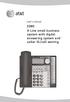 User s manual 1080 Corded 4-Line small telephone/ business small system business with digital system/ speakerphone/ answering system and answering system with caller ID/call waiting caller ID/ call waiting
The Bizfon is sold direct through the web site, through our telephone sales division and through our dealer network.
 Who is Bizfon, Inc? What is a Bizfon? Bizfon, Inc. is a developer, manufacturer and marketer of full featured, affordable phone systems for the SOHO (small office/home office) market. Bizfon, Inc. was
CapTel 800i. Installation Guide 305-016702-A 11/09
 CapTel 800i Installation Guide 305-016702-A 11/09 About Your New CapTel 800i Your new CapTel 800i is like any other telephone in many ways: it connects to a telephone line, you talk and listen to your
Frequently Asked Questions
 Frequently Asked Questions Polycom SoundStation2W What is SoundStation2W? SoundStation2W is Polycom s next-generation, wireless conference phone that gives users the freedom to conference anywhere team
AT&T. PARTNER Plus/PARTNER II. Quick Reference for Use with MLS-Series Telephones. Communications System
 AT&T PARTNER Plus/PARTNER II Communications System Quick Reference for Use with MLS-Series Telephones Copyright 1994 AT&T All Rights Reserved Printed in U.S.A. 518-455-327 Issue 1 August 1994 MLS-34D,
Business Phone Features Quick Reference Book
 Business Phone Features Quick Reference Book M6 Communications Application Server Release 7.1 Supported Phones: Cisco 7902 Cisco 7905 Cisco 7906 Cisco 7910 Cisco 7911 Cisco 7912 Cisco 7914 Cisco 7940 SCCP
Wave Phone User Guide
 Wave Phone User Guide Release 2.0 Service Pack 1 Vertical Communications, Inc. reserves the right to revise this publication and to make changes in content without notice. 2011 by Vertical Communications,
Digital Voice Services User Guide
 Digital Voice Services User Guide 2 P a g e * Feature Access Codes *11 Broadworks Anywhere (pulling call to alternate phone) *62 Access Voicemail *72 Call Forwarding Always Activation *73 Call Forwarding
CALLING FEATURE USER GUIDE
 CALLING FEATURE USER GUIDE 1801 N Main St, in the Palace Mall ** Mitchell, SD 57301 Phone: (605) 990-1000 Fax: (605) 990-1010 Homepage: www.mitchelltelecom.com Calling Feature User Guide Mitchell Telecom
Get the message wherever you are Call Minder User Guide
 Get the message wherever you are Call Minder User Guide Now with Call Minder Let your mobile keep you in touch See page for more details. Use Remote Access to listen to your messages from a different phone
The Critical Role Accuracy and Speed Play in Outbound Call Detection in Today s Regulatory Environment
 The Critical Role Accuracy and Speed Play in Outbound Call Detection in Today s Regulatory Environment Avaya outbound dialing solutions continue to lead the way with Enhanced Call Progress Analysis Table
Calling Feature Instructions
 Rainier Connect Calling Feature Instructions Anonymous Call Rejection (*77) Call Forward Busy (*90) Call Forward No Answer (*92) Also known as Block the Blocker and Privacy Block it blocks private or anonymous
AT&T Voice DNA Quick Reference Guide for the Polycom SoundPoint IP 650 and 670 Phones
 AT&T Voice DNA Quick Reference Guide for the Polycom SoundPoint IP 650 and 670 Phones This guide contains the key information you need to get started using your Polycom SoundPoint IP 650 or IP 670 phone
Getting Started Guide for the VSX Series
 Getting Started Guide for the VSX Series July 2004 Edition 3725-21286-005/A GETTING STARTED GUIDE FOR THE VSX SERIES Trademark Information Polycom and the Polycom logo design are registered trademarks