
Statistics with the TI-83 calculator
|
|
|
- Marylou Miles
- 9 years ago
- Views:
Transcription
1 Statistics with the TI-83 calculator 1. To enter a data list: Press: STAT EDIT Begin typing your numbers into any of the six lists. If a list has data in it that you want to clear out: Highlight the name of the list. Press: CLEAR ~, 2. To make a histogram of data in a list. I will use L1 as my example. Press: 2nd Y= (this gives you the stat plot key) Highlight: ON histogram type in: Xlist: L1 Freq: 1 Type in: Xmin= (type in the smallest lower class limit or cut point) Xmax= (type in the largest lower class limit or cut point; this number must be larger than any number in the data set) Xscl=(type in the desired class width) Ymin= type -5 Ymax= (type in a guess of the largest frequency for any.class) Note: ZOOM 9 will automatically set the window Press: Graph 3. To determine frequencies and lower class limits of a histogram once you have it graphed: Press: TRACE 4. To make a histogram of a frequency table. Type: the data list into L~ and the frequency list into Press: 2 nd Y= (this gives you the stat plot key) Highlight: ON histogram type in: Xlist: Freq: L 2 Follow the directions in # 2 for setting up the window and graphing. 5. To obtain the following descriptive statistics from your calculator: Mean: Y ; sum of the list: ~x; sum of the square of each number in the list: ~",x2 ; Sample standard deviation: Sx; population standard deviation: crx; number in the list: n, minimum number: minx; 25th percentile: Q~;median: Med; 75 th percentile: Q3 ; maximum number: maxx Press: STAT CALC 1 (1-Var Stats will appear on the screen; type in the name of the list where you have stored the data) Press: ENTER
2 6. To make a boxplot of data in a list. I will use L~ as my example. Note: Press: 2nd Y= (this gives you the stat plot key) Highlight: ON boxplot type in: Xlist: L1 Freq: Type in: Xmin= (type in the smallest number in the list) Xmax= (type in the largest number in the list) Xscl=l Ymin= type 0 Ymax= 10 ZOOM 9 will automatically set the window Press: Graph To get 5 number summary for a data set when the boxplot is graphed: Press: TRACE To get multiple boxplots: Turn on STATPLOTS 2 or 3 and set Xmin and Xmax in the WINDOW to the smallest and largest numbers in all lists. 8. To graph a scatter plot: To make a scatter plot of data in two lists. I will use L~ and L 2 as my example. Note: Press: 2nd Y= (this gives you the star plot key) Highlight: ON scatter plot type in: Xlist: L~ L2 type in the smallest number for X) Xmax= (type in the largest number for x) Xscl=(type how far tick marks are apart) Ymin= (type in smallest number for Y) Ymax= (type largest number for Y) Yscl=(type how far tick marks are apart) ZOOM 9 will automatically set the window Ylist: L_~ Press: Graph Press: TRACE (to get the coordinates of each plotted point)
3 Normal Distribution: Statistics with the TI-83 calculator To find the proportion of data or probability of X between a lower bound and an upper bound: 2nd--Distr--2: normalcdf (lower bound, upper bound, mean, standard deviation) To find the value ofx associated with having a given area to the left of x: 2nd--Distr--3: invnorm(area, mean, standard deviation) Binomial Distribution: To set ~ug a binomial table with the probabilities of each x from 0 to n: Y= 2n --Distr--0: binompdf(n,p) 2n~t window (tableset) tblstart=0 Atbl=l 2nd graph (table) To find the sum of the probabilities ofx from 0 to a specified value of x: 2" ~--Distr--A: binomcdf(n,p,x) t distribution To find the probabilities.of the t distribution from a lower bound to an upper bound With a specified number for the degrees of fteedom: 2n~---Distr--5: tcdf(lower bound, upper bound, dr)
4
5 ~ Using the TI To enter a data list: Press: STAT, then for 1 :EDIT Begin typing your numbers into any of the six lists. o If a list has data in it that you want to clear out: ~ Highlight the name of the list. Press: CLEAR and then ENTER " 1, 2. To make a histogram of data in a list: This example will consider L 1 as the list of data. o Press: 2 nd, then Y = (see Figure 1) o for l Plotl o~ Highlight: ON, Histogram (see Figure 2) (If necessary, type in: Xlist: L~ and Freq: 1) o o Type in: o Xmin = (type in the smallest lower class limit or outpoint) o Xmax = (type in the largest lower class limit or outpoint; ~ this number must be larger than any number in the data set) o Xscl = (type in the desired class width) o Ymin = type 0 or-2 o Ymax = (type in a guess of the largest frequency for any class) Press: GRAPH. Figure! 3. To make a histogram of a frequency table: o Type the data list into L~ and the frequency listinto L_~ Press: 2 nd, then Y = (this gives you the "Stat Plot" key) ~ for 1: Plotl o Highlight: ON; HiStogram (If n egessary, :.type in: Xlist: L~ and..freq L 2 ) " % o Follow the directions in #2 for setting up the window and:,graphing. To make a scatter~plo{~of data in twolists: ~ Enter your data lists into L~.and Li~ ~ Press:._?n~., ~ then. Y=.,. (this ~,ges you the "Stat P10t" key) :~... o for 1 Plotl k : ~ ~,~ o Press: EN~ER ~.".: ~..o~~ Highlighf: ON, scalier plot (sec Figure 2 above) o lfcalculalor dd~ not already de~mlt to these values, t~e in: Xlist: L~ and Ylist: L~ * Press: ZOOM - " Press: 9 for 9: ZoomStat - This. will make your window dimensions default to the data in your list (see Figure 3)
6 5. To graph a scatter plot with specific window dimensions: Create a scatter plot as in #4 above Instead of hitting ZOOM 9, do the following: o Xmin = (type in the smallest number for X) o Xmax = (type in the largest number for X) o Xscl = (type how far tick marks are apm~) o Ymin = (type in smallest number for Y) o Ymax = (type largest number for Y) o Yscl = (type how far tick marks.are apart) Press: GRAPH Press: TRACE (to get the coordinates of each plotted point) WINOOW X~in=-5 X~ax=5 Xscl=l Y~in=-lO Y~ax=2000 Vsol=l Xres=l Figure 4 To determine a Linear Model: Enter the data into L~ and L 2 Graph a scatter plot using steps 4 or 5 Press: STAT o Press: -> to CALC - Press: 4 for 4: LinReg (ax + b) (see Figure 5) - Press: ENTER o Now your viewing window will show the values of "a" and "b" that can be used for your linear equation (see Figure 6) EOIT~ TESTS l-var3tats 2: 2-Vat Stats Med-Med LimReg(ax+b) eg Cub i oreg?~quartreg Figure 5 LinReg ~=ax+b a= b= rz= r=-, Figure 6 e To graph the Linear Model created in,,step #6: o Press: Y and now move tim cursor to the Yi that you want your equation to appear Press: VARS Press: 5 for 5: Statistics... Press: -) to EQ (see Figure 7) for 1: RegE.Q (this is for Regression Equation) (Now your equation should appear in the Y= wind~w) Press: GRAPH (You should now see a straight line going through your data points in the scatter plot!) Figure 7
Academic Support Center. Using the TI-83/84+ Graphing Calculator PART II
 Academic Support Center Using the TI-83/84+ Graphing Calculator PART II Designed and Prepared by The Academic Support Center Revised June 2012 1 Using the Graphing Calculator (TI-83+ or TI-84+) Table of
2 Describing, Exploring, and
 2 Describing, Exploring, and Comparing Data This chapter introduces the graphical plotting and summary statistics capabilities of the TI- 83 Plus. First row keys like \ R (67$73/276 are used to obtain
How Does My TI-84 Do That
 How Does My TI-84 Do That A guide to using the TI-84 for statistics Austin Peay State University Clarksville, Tennessee How Does My TI-84 Do That A guide to using the TI-84 for statistics Table of Contents
Getting to know your TI-83
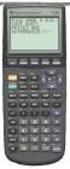 Calculator Activity Intro Getting to know your TI-83 Press ON to begin using calculator.to stop, press 2 nd ON. To darken the screen, press 2 nd alternately. To lighten the screen, press nd 2 alternately.
USING A TI-83 OR TI-84 SERIES GRAPHING CALCULATOR IN AN INTRODUCTORY STATISTICS CLASS
 USING A TI-83 OR TI-84 SERIES GRAPHING CALCULATOR IN AN INTRODUCTORY STATISTICS CLASS W. SCOTT STREET, IV DEPARTMENT OF STATISTICAL SCIENCES & OPERATIONS RESEARCH VIRGINIA COMMONWEALTH UNIVERSITY Table
You buy a TV for $1000 and pay it off with $100 every week. The table below shows the amount of money you sll owe every week. Week 1 2 3 4 5 6 7 8 9
 Warm Up: You buy a TV for $1000 and pay it off with $100 every week. The table below shows the amount of money you sll owe every week Week 1 2 3 4 5 6 7 8 9 Money Owed 900 800 700 600 500 400 300 200 100
Lesson 3 Using the Sine Function to Model Periodic Graphs
 Lesson 3 Using the Sine Function to Model Periodic Graphs Objectives After completing this lesson you should 1. Know that the sine function is one of a family of functions which is used to model periodic
Pre-Calculus Graphing Calculator Handbook
 Pre-Calculus Graphing Calculator Handbook I. Graphing Functions A. Button for Functions This button is used to enter any function to be graphed. You can enter up to 10 different functions at a time. Use
I. Turn it on: Press É
 Graphing Calculator Guide for the TI-83/84 Plus The following pages describe how to use the calculator to graph functions, use some of the matrix menu, use scientific notation, and other various keys.
Math Tools Cell Phone Plans
 NATIONAL PARTNERSHIP FOR QUALITY AFTERSCHOOL LEARNING www.sedl.org/afterschool/toolkits Math Tools Cell Phone Plans..............................................................................................
TI-83, TI-83 Plus and the TI-84 GRAPHING CALCULATOR MANUAL. Introductory Statistics. Prem S. Mann Eastern Connecticut State University
 TI-83, TI-83 Plus and the TI-84 GRAPHING CALCULATOR MANUAL James A. Condor Manatee Community College to accompany Introductory Statistics Sixth Edition by Prem S. Mann Eastern Connecticut State University
Guide for Texas Instruments TI-83, TI-83 Plus, or TI-84 Plus Graphing Calculator
 Guide for Texas Instruments TI-83, TI-83 Plus, or TI-84 Plus Graphing Calculator This Guide is designed to offer step-by-step instruction for using your TI-83, TI-83 Plus, or TI-84 Plus graphing calculator
DATA HANDLING AND ANALYSIS ON THE TI-82 AND TI-83/83 PLUS GRAPHING CALCULATORS:
 DATA HANDLING AND ANALYSIS ON THE TI-82 AND TI-83/83 PLUS GRAPHING CALCULATORS: A RESOURCE FOR SCIENCE AND MATHEMATICS STUDENTS John L. McClure Scott A. Sinex Barbara A. Gage Prince George s Community
Scatter Plot, Correlation, and Regression on the TI-83/84
 Scatter Plot, Correlation, and Regression on the TI-83/84 Summary: When you have a set of (x,y) data points and want to find the best equation to describe them, you are performing a regression. This page
Introduction to the Graphing Calculator
 Unit 0 Introduction to the Graphing Calculator Intermediate Algebra Update 2/06/06 Unit 0 Activity 1: Introduction to Computation on a Graphing Calculator Why: As technology becomes integrated into all
Quadratic Functions Applications
 Quadratic Functions Applications CA 8.0 Students solve and graph quadratic equations by using the quadratic formula. Students apply these techniques in solving word problems. Today you will be investigating/experiencing
Calculator Notes for the TI-89, TI-92 Plus, and Voyage 200
 CHAPTER 1 Note 1A Reentry Calculator Notes for the TI-89, TI-92 Plus, and Voyage 200 If you want to do further calculation on a result you ve just found, and that result is the first number in the expression
Tutorial for the TI-89 Titanium Calculator
 SI Physics Tutorial for the TI-89 Titanium Calculator Using Scientific Notation on a TI-89 Titanium calculator From Home, press the Mode button, then scroll down to Exponential Format. Select Scientific.
Stats on the TI 83 and TI 84 Calculator
 Stats on the TI 83 and TI 84 Calculator Entering the sample values STAT button Left bracket { Right bracket } Store (STO) List L1 Comma Enter Example: Sample data are {5, 10, 15, 20} 1. Press 2 ND and
V. Systems of Equations and Inequalities
 VIRGINIA DEPARTMENT OF EDUCATION Worksheets to accompany Videos VIRGINIA STANDARDS OF LEARNING MATHEMATICS AND THE TEXAS INSTRUMENT GRAPHING CALCULATOR Worksheets for SIX PROGRAMS Written by Ellen S. Hook
Probability Distributions
 CHAPTER 6 Probability Distributions Calculator Note 6A: Computing Expected Value, Variance, and Standard Deviation from a Probability Distribution Table Using Lists to Compute Expected Value, Variance,
Using Your TI-89 in Elementary Statistics
 Using Your TI-89 in Elementary Statistics Level of Handout: Target: Intermediate users of the TI-89. If you are a new user, pair up with someone in the class that is a bit familiar with the TI-89. You
14 Financial. Functions. Financial Functions 14-1. Contents
 14 Financial Functions Contents Getting Started: Financing a Car... 14-2 Getting Started: Computing Compound Interest... 14-3 Using the TVM Solver... 14-4 Using the Financial Functions... 14-5 Calculating
HSPA 10 CSI Investigation Height and Foot Length: An Exercise in Graphing
 HSPA 10 CSI Investigation Height and Foot Length: An Exercise in Graphing In this activity, you will play the role of crime scene investigator. The remains of two individuals have recently been found trapped
Statistics with the TI-86
 Statistics with the TI-86 The TI-86 Manual, besides coming with your calculator, can be downloaded or read in a browser in Adobe Acrobat Reader form from http://education.ti.com/product/pdf/gb/ti86book.pdf.
Exercise 1.12 (Pg. 22-23)
 Individuals: The objects that are described by a set of data. They may be people, animals, things, etc. (Also referred to as Cases or Records) Variables: The characteristics recorded about each individual.
Calculator Notes for the CFX-9850GB Plus
 CHAPTER 1 Calculator Notes for the Note 1A Entering Lists The calculator contains six folders, each with six preset lists. You can enter 255 elements into a list if enough memory is available. You can
Unit 7 Quadratic Relations of the Form y = ax 2 + bx + c
 Unit 7 Quadratic Relations of the Form y = ax 2 + bx + c Lesson Outline BIG PICTURE Students will: manipulate algebraic expressions, as needed to understand quadratic relations; identify characteristics
Definition: A vector is a directed line segment that has and. Each vector has an initial point and a terminal point.
 6.1 Vectors in the Plane PreCalculus 6.1 VECTORS IN THE PLANE Learning Targets: 1. Find the component form and the magnitude of a vector.. Perform addition and scalar multiplication of two vectors. 3.
Introductory Handbook for the TI-89 Titanium
 Introductory Handbook for the TI-89 Titanium Note: This handbook will, for the most part, work for the standard TI-89 as well. The color-coding used on the TI-89 differs from the color-coding used on the
(1) S = R, where S is the sum, i is the rate of interest per compounding
 Solving Annuity Formulas for Interest Rate Iterative Routines on the TI 83/84 Floyd Vest Basic to mathematics of finance is the formula for the sum of an ordinary annuity. The formula in traditional terminology
In the Herb Business, Part III Factoring and Quadratic Equations
 74 In the Herb Business, Part III Factoring and Quadratic Equations In the herbal medicine business, you and your partner sold 120 bottles of your best herbal medicine each week when you sold at your original
For another way to generate recursive sequences, see Calculator Note 1D.
 !"# If you want to do further calculation on a result you ve just found, and that result is the first number in the expression you now want to evaluate, you can simply continue the expression. For example,
EASY STEPS TO SUCCESS: A GRAPHING CALCULATOR GUIDE
 EASY STEPS TO SUCCESS: A GRAPHING CALCULATOR GUIDE TO ACCOMPANY MATHEMATICAL APPLICATIONS FOR THE MANAGEMENT, LIFE, AND SOCIAL SCIENCES EIGHTH EDITION HARSHBARGER/REYNOLDS LISA S. YOCCO Georgia Southern
Copyright 2013 by Laura Schultz. All rights reserved. Page 1 of 7
 Using Your TI-83/84/89 Calculator: Linear Correlation and Regression Dr. Laura Schultz Statistics I This handout describes how to use your calculator for various linear correlation and regression applications.
6 3 The Standard Normal Distribution
 290 Chapter 6 The Normal Distribution Figure 6 5 Areas Under a Normal Distribution Curve 34.13% 34.13% 2.28% 13.59% 13.59% 2.28% 3 2 1 + 1 + 2 + 3 About 68% About 95% About 99.7% 6 3 The Distribution Since
TI 83/84 Calculator The Basics of Statistical Functions
 What you want to do How to start What to do next Put Data in Lists STAT EDIT 1: EDIT ENTER Clear numbers already in a list: Arrow up to L1, then hit CLEAR, ENTER. Then just type the numbers into the appropriate
Part V: Texas Instruments TI-92, TI-92 Plus, Voyage 200
 Part V: Texas Instruments TI-92, TI-92 Plus, Voyage 200 V.1 Getting started with the TI-92, TI-92 Plus, Voyage 200 Note: All keystroke sequences given for the Voyage 200 are applicable to the TI-92 and
Introduction to Statistics Using the TI-83 Graphing Calculator. Dr. Robert Knight
 Introduction to Statistics Using the TI-83 Graphing Calculator By Dr. Robert Knight This document is a working text that is designed specifically for the course of Introductory Statistics that I teach.
Topic Area: Circles. Definitions. Formulas Distance Formula: D = ( x x ) + ( y ) Equation of a Circle: Activity 8 Algebra II with the Casio fx-9750gii
 Where Did That Come From? Teacher Notes Topic Area: Circles NCTM Standards: Use symbolic algebra to represent and explain mathematical relationships. Use geometric models to gain insights into, and answer
Casio FX-9750G Plus. with the. Activities for the Classroom
 PRE-CALCULUS with the Casio FX-9750G Plus Evaluating Trigonometric Functions Graphing Trigonometric Functions Curve Fitting with Sine Regression Amplitude and Period Evaluating Inverse Trigonometric Functions
TI-83 GRAPHING CALCULATOR BASIC OPERATIONS by Carolyn Meitler Concordia University Wisconsin
 TI-83 GRAPHING CALCULATOR BASIC OPERATIONS by Carolyn Meitler Concordia University Wisconsin B-1 Getting Started Press ON to turn on the calculator. Press 2nd + to get the MEMORY screen (shown at the right).
How To Use The Ti-83+/84+ Calculator For Math 111
 Using the TI-83+/84+ Graphing Calculator in Math 111 at Tacoma Community College Version 1.0 Scott MacDonald Copyright c 2005 by Scott MacDonald Permission is given to reproduce this document in whole
AP STATISTICS REVIEW (YMS Chapters 1-8)
 AP STATISTICS REVIEW (YMS Chapters 1-8) Exploring Data (Chapter 1) Categorical Data nominal scale, names e.g. male/female or eye color or breeds of dogs Quantitative Data rational scale (can +,,, with
Equations, Lenses and Fractions
 46 Equations, Lenses and Fractions The study of lenses offers a good real world example of a relation with fractions we just can t avoid! Different uses of a simple lens that you may be familiar with are
Engineering Problem Solving and Excel. EGN 1006 Introduction to Engineering
 Engineering Problem Solving and Excel EGN 1006 Introduction to Engineering Mathematical Solution Procedures Commonly Used in Engineering Analysis Data Analysis Techniques (Statistics) Curve Fitting techniques
Georgia Department of Education Common Core Georgia Performance Standards Framework Teacher Edition Coordinate Algebra Unit 4
 Equal Salaries for Equal Work? Mathematical Goals Represent data on a scatter plot Describe how two variables are related Informally assess the fit of a function by plotting and analyzing residuals Fit
STATS8: Introduction to Biostatistics. Data Exploration. Babak Shahbaba Department of Statistics, UCI
 STATS8: Introduction to Biostatistics Data Exploration Babak Shahbaba Department of Statistics, UCI Introduction After clearly defining the scientific problem, selecting a set of representative members
How Many Drivers? Investigating the Slope-Intercept Form of a Line
 . Activity 1 How Many Drivers? Investigating the Slope-Intercept Form of a Line Any line can be expressed in the form y = mx + b. This form is named the slopeintercept form. In this activity, you will
Statistics with List Editor Application for the TI-89 / TI-92 Plus
 Statistics with List Editor Application for the TI-89 / TI-92 Plus The Statistics with List Editor application (Stats/List Editor) adds inferential and more advanced statistics functionality to the TI-89
Pearson s Correlation Coefficient
 Pearson s Correlation Coefficient In this lesson, we will find a quantitative measure to describe the strength of a linear relationship (instead of using the terms strong or weak). A quantitative measure
Calculator Notes for the TI-Nspire and TI-Nspire CAS
 CHAPTER 11 Calculator Notes for the Note 11A: Entering e In any application, press u to display the value e. Press. after you press u to display the value of e without an exponent. Note 11B: Normal Graphs
GeoGebra Statistics and Probability
 GeoGebra Statistics and Probability Project Maths Development Team 2013 www.projectmaths.ie Page 1 of 24 Index Activity Topic Page 1 Introduction GeoGebra Statistics 3 2 To calculate the Sum, Mean, Count,
1) Write the following as an algebraic expression using x as the variable: Triple a number subtracted from the number
 1) Write the following as an algebraic expression using x as the variable: Triple a number subtracted from the number A. 3(x - x) B. x 3 x C. 3x - x D. x - 3x 2) Write the following as an algebraic expression
APPLYING PRE-CALCULUS/CALCULUS SHARP EL-9600. Graphing Calculator DAVID P. LAWRENCE
 APPLYING PRE-CALCULUS/CALCULUS SHARP U S I N G T H E EL-9600 Graphing Calculator DAVID P. LAWRENCE Applying PRE-CALCULUS/CALCULUS using the SHARP EL-9600 GRAPHING CALCULATOR David P. Lawrence Southwestern
TI-83 GRAPHING CALCULATOR GUIDEBOOK
 TI-83 GRAPHING CALCULATOR GUIDEBOOK TI-GRAPH LINK, Calculator-Based Laboratory, CBL, CBL 2, Calculator-Based Ranger, CBR, Constant Memory, Automatic Power Down, APD, and EOS are trademarks of Texas Instruments
7.1 Graphs of Quadratic Functions in Vertex Form
 7.1 Graphs of Quadratic Functions in Vertex Form Quadratic Function in Vertex Form A quadratic function in vertex form is a function that can be written in the form f (x) = a(x! h) 2 + k where a is called
Graphs. Exploratory data analysis. Graphs. Standard forms. A graph is a suitable way of representing data if:
 Graphs Exploratory data analysis Dr. David Lucy [email protected] Lancaster University A graph is a suitable way of representing data if: A line or area can represent the quantities in the data in
Absorbance Spectrophotometry: Analysis of FD&C Red Food Dye #40 Calibration Curve Procedure
 Absorbance Spectrophotometry: Analysis of FD&C Red Food Dye #40 Calibration Curve Procedure Note: there is a second document that goes with this one! 2046 - Absorbance Spectrophotometry. Make sure you
MATH 10: Elementary Statistics and Probability Chapter 7: The Central Limit Theorem
 MATH 10: Elementary Statistics and Probability Chapter 7: The Central Limit Theorem Tony Pourmohamad Department of Mathematics De Anza College Spring 2015 Objectives By the end of this set of slides, you
Normal Distribution. Definition A continuous random variable has a normal distribution if its probability density. f ( y ) = 1.
 Normal Distribution Definition A continuous random variable has a normal distribution if its probability density e -(y -µ Y ) 2 2 / 2 σ function can be written as for < y < as Y f ( y ) = 1 σ Y 2 π Notation:
Business Statistics. Successful completion of Introductory and/or Intermediate Algebra courses is recommended before taking Business Statistics.
 Business Course Text Bowerman, Bruce L., Richard T. O'Connell, J. B. Orris, and Dawn C. Porter. Essentials of Business, 2nd edition, McGraw-Hill/Irwin, 2008, ISBN: 978-0-07-331988-9. Required Computing
1.3. Maximum or Minimum of a Quadratic Function. Investigate A
 < P1-6 photo of a large arched bridge, similar to the one on page 292 or p 360-361of the fish book> Maximum or Minimum of a Quadratic Function 1.3 Some bridge arches are defined by quadratic functions.
1.2 Break-Even Analysis and Market Equilibrium
 Math 142 c Roberto Barrera, Fall 2015 1 1.2 Break-Even Analysis and Market Equilibrium Mathematical models of cost, revenue, and profits Two types of costs: 1. Fixed costs: 2. Variable costs: Total cost:
Functions Modeling Change: A Precalculus Course. Marcel B. Finan Arkansas Tech University c All Rights Reserved
 Functions Modeling Change: A Precalculus Course Marcel B. Finan Arkansas Tech University c All Rights Reserved 1 PREFACE This supplement consists of my lectures of a freshmen-level mathematics class offered
2.4 Real Zeros of Polynomial Functions
 SECTION 2.4 Real Zeros of Polynomial Functions 197 What you ll learn about Long Division and the Division Algorithm Remainder and Factor Theorems Synthetic Division Rational Zeros Theorem Upper and Lower
Calculator Notes for the TI-89, TI-92 Plus, and Voyage 200
 CHAPTER 8 Note 8A Changing Mode Calculator Notes for the TI-89, TI-92 Plus, and Voyage 200 For your work in this chapter, check and change, if necessary, three settings. a. Press MODE. In the first line,
The Normal Distribution
 Chapter 6 The Normal Distribution 6.1 The Normal Distribution 1 6.1.1 Student Learning Objectives By the end of this chapter, the student should be able to: Recognize the normal probability distribution
Z-table p-values: use choice 2: normalcdf(
 P-values with the Ti83/Ti84 Note: The majority of the commands used in this handout can be found under the DISTR menu which you can access by pressing [ nd ] [VARS]. You should see the following: NOTE:
Normal Probability Distribution
 Normal Probability Distribution The Normal Distribution functions: #1: normalpdf pdf = Probability Density Function This function returns the probability of a single value of the random variable x. Use
seven Statistical Analysis with Excel chapter OVERVIEW CHAPTER
 seven Statistical Analysis with Excel CHAPTER chapter OVERVIEW 7.1 Introduction 7.2 Understanding Data 7.3 Relationships in Data 7.4 Distributions 7.5 Summary 7.6 Exercises 147 148 CHAPTER 7 Statistical
There are six different windows that can be opened when using SPSS. The following will give a description of each of them.
 SPSS Basics Tutorial 1: SPSS Windows There are six different windows that can be opened when using SPSS. The following will give a description of each of them. The Data Editor The Data Editor is a spreadsheet
The Big Picture. Correlation. Scatter Plots. Data
 The Big Picture Correlation Bret Hanlon and Bret Larget Department of Statistics Universit of Wisconsin Madison December 6, We have just completed a length series of lectures on ANOVA where we considered
Paper 2 Revision. (compiled in light of the contents of paper1) Higher Tier Edexcel
 Paper 2 Revision (compiled in light of the contents of paper1) Higher Tier Edexcel 1 Topic Areas 1. Data Handling 2. Number 3. Shape, Space and Measure 4. Algebra 2 Data Handling Averages Two-way table
Instruction Manual for SPC for MS Excel V3.0
 Frequency Business Process Improvement 281-304-9504 20314 Lakeland Falls www.spcforexcel.com Cypress, TX 77433 Instruction Manual for SPC for MS Excel V3.0 35 30 25 LSL=60 Nominal=70 Capability Analysis
Chapter 13 Introduction to Linear Regression and Correlation Analysis
 Chapter 3 Student Lecture Notes 3- Chapter 3 Introduction to Linear Regression and Correlation Analsis Fall 2006 Fundamentals of Business Statistics Chapter Goals To understand the methods for displaing
Scatter Plots with Error Bars
 Chapter 165 Scatter Plots with Error Bars Introduction The procedure extends the capability of the basic scatter plot by allowing you to plot the variability in Y and X corresponding to each point. Each
business statistics using Excel OXFORD UNIVERSITY PRESS Glyn Davis & Branko Pecar
 business statistics using Excel Glyn Davis & Branko Pecar OXFORD UNIVERSITY PRESS Detailed contents Introduction to Microsoft Excel 2003 Overview Learning Objectives 1.1 Introduction to Microsoft Excel
Descriptive Statistics
 Descriptive Statistics Descriptive statistics consist of methods for organizing and summarizing data. It includes the construction of graphs, charts and tables, as well various descriptive measures such
Section 1.5 Linear Models
 Section 1.5 Linear Models Some real-life problems can be modeled using linear equations. Now that we know how to find the slope of a line, the equation of a line, and the point of intersection of two lines,
3.4 The Normal Distribution
 3.4 The Normal Distribution All of the probability distributions we have found so far have been for finite random variables. (We could use rectangles in a histogram.) A probability distribution for a continuous
LAYOUT OF THE KEYBOARD
 Dr. Charles Hofmann, LaSalle [email protected] Dr. Roseanne Hofmann, MCCC [email protected] ------------------------------------------------------------------------------------------------- DISPLAY CONTRAST
Copyright 2007 by Laura Schultz. All rights reserved. Page 1 of 5
 Using Your TI-83/84 Calculator: Linear Correlation and Regression Elementary Statistics Dr. Laura Schultz This handout describes how to use your calculator for various linear correlation and regression
MatLab Basics. Now, press return to see what Matlab has stored as your variable x. You should see:
 MatLab Basics MatLab was designed as a Matrix Laboratory, so all operations are assumed to be done on matrices unless you specifically state otherwise. (In this context, numbers (scalars) are simply regarded
Curriculum Map Statistics and Probability Honors (348) Saugus High School Saugus Public Schools 2009-2010
 Curriculum Map Statistics and Probability Honors (348) Saugus High School Saugus Public Schools 2009-2010 Week 1 Week 2 14.0 Students organize and describe distributions of data by using a number of different
Confidence Intervals
 Section 6.1 75 Confidence Intervals Section 6.1 C H A P T E R 6 4 Example 4 (pg. 284) Constructing a Confidence Interval Enter the data from Example 1 on pg. 280 into L1. In this example, n > 0, so the
Business Statistics Stat 2160
 Business Statistics Stat 2160 2010 Edition Prepared by: Statistical Computation Lab (SCL) Department of Statistics Western Michigan University 2 Copyright c 2010 by Joshua D. Naranjo at Western Michigan
Lecture 1: Review and Exploratory Data Analysis (EDA)
 Lecture 1: Review and Exploratory Data Analysis (EDA) Sandy Eckel [email protected] Department of Biostatistics, The Johns Hopkins University, Baltimore USA 21 April 2008 1 / 40 Course Information I Course
Acceleration of Gravity Lab Basic Version
 Acceleration of Gravity Lab Basic Version In this lab you will explore the motion of falling objects. As an object begins to fall, it moves faster and faster (its velocity increases) due to the acceleration