
CONTENTS Remote Description... 2 Programming Instructions... 3 Programming Codes... 6 More Information... 10
|
|
|
- Cordelia Mosley
- 9 years ago
- Views:
Transcription
1 REMOTE MANUAL Product Type: Universal IR Remote Model Line: ZEN (all) Product Year: 1999/2000 Manual Part #: Electronic Version Only NOTE: This manual was designed to help you program your Zenith Remote Control. If you need the complete Operating Guide for your Zenith Product, please contact Zenith National Parts Sales at ZENITH ( , Mon-Fri 7-8 CST, Sat 8-5 CST). Models: All ZEN Model Remotes ZEN100 ZEN300 ZEN350 ZEN400 ZEN425 ZEN450 ZEN525 ZEN700 ZEN725 ZENDTV CONTENTS Remote Description... 2 Programming Instructions... 3 Programming Codes... 6 More Information Published by Technical Publications Zenith Electronics Corporation 201 James Record Road - Huntsville, Alabama Copyright June 2000 by Zenith Electronics Corporation

2 REMOTES ZEN UNIVERSAL REMOTE CONTROL NOTE: Your ZEN model remote may not look exactly like the one below, but all functions for the ZEN models are similar. The descriptions below refer to using the remote with Zenith products, non-zenith products may behave differently. INDICATOR LIGHT Lights when buttons are pressed. CODE SEARCH Used to program the remote or to search through codes. MUTE Turns sound off and on while picture remains. CHANNEL (Up/Down) Selects next channel in TV s memory. Press and hold to repeat. NUMBER PAD Selects channels directly. ENTER Shows Channel/Time, enters channel, or removes any on-screen menus. A Multifunction Button. Turns Surf Channel On/Off. When on, the Channel Up/Down keys only "Surf" through channels selected in the Add/Del/Surf Menu. MENU Displays menus for TV and other options. LEFT/RIGHT ARROWS Chooses and shows the desired menu option. C Multifunction Button. Usually turns PIP on/off. POWER VCR CBL AUX TV AUX1 CODE SEARCH VOL - ENTER A M en u C CHAN + M CHAN - PREV CHAN VOL + TV/VCR B Q ui t cc REW PLAY F.FWD RECORD STOP PAUSE POWER Turns the active component on and off (see mode). MODE Sets which audio/video component the remote will control. PREV CHANNEL Returns to previous Channel. VOLUME (Left/Right) Increases TV s sound level. TV/VCR SOURCE Steps through source options. B Multifunction Button. Usually PIP Channel. Toggles the channel button operation between PIP screen and full screen. QUIT Exits from on-screen display, turns the sound enhancement feature on or off, and freezes the PIP Screen. UP & DOWN ARROWS Moves highlighted bar within menu to select an option. CC Displays closed caption options menu. MEDIA CONTROLS Controls VCR, DVD, CD, TAPE, etc. media functions. These buttons will control the VCR when TV or VCR is the active component. ZEN UNIVERSAL REMOTE ZENITH REMOTE MANUAL 2 ZEN SERIES

3 ZEN REMOTE PROGRAMMING BATTERY INSTALLATION Your Universal Remote requires two AAA alkaline batteries. To install the batteries: 1. On the back of the remote, push down on the tab and lift the cover off. 2. Match the batteries to the + and - marks inside the battery case, then insert the batteries. 3. Press the battery cover back into place. BATTERY SAVER Your Zenith remote will automatically time-out if the keys are depressed more than two minutes. This will save your batteries should your remote get stuck in a place where the keys remain depressed (e.g., between the sofa cushions). CODE SAVER You will have no more than 90 seconds to change the batteries in your remote without losing codes you have programmed. However, do not press any buttons until batteries are secured in the remote. If buttons are pressed without batteries in the remote, all codes will be lost. GLOW KEYS Glow Keys must be exposed to light in order for the keys to glow in the dark. The longer the exposure to light, the longer they will glow. Do not place in Direct Sunlight. Natural day light or light from a Filament lamp or fluorescent Lamp is sufficient to recharge the glow material. BUTTON FUNCTIONS Some buttons on the remote control might have functions that are referred to by different names on your product. For example, Prev Ch may be the same as RECALL on your remote. Differences depend on the brand and model of your product. Also, this remote can only operate features that exist on your product. For example, your product must be equipped with Prev Ch ability for the Prev Ch button to operate this feature. Note: The REC button must be pressed TWICE to record from your VCR. For Zenith brand VCRs, press the REC button once, then press it again for three seconds. PROGRAMMING TVS NOTE: If your remote deosn t have a CODE SEARCH button (ZEN300 for example), use the Remotes With No Code Search instructions at the end of this section. 1. Manually turn on the TV. 2. Press and hold the CODE SEARCH button until the Indicator Light lights, then release the CODE SEARCH 3. Press and release the TV button (the Indicator Light will blink and then remain lit). 4. Find the three digit code for your TV in the code list in this booklet and enter it using the Number Buttons. After your code is entered, the Indicator will turn off. Note: If the LED blinked rapidly when you entered the code, you may have entered an invalid code. Recheck the code list and try again. 5. Now check to see if the correct code was entered. With your TV on, press some of the buttons. If the TV responds correctly to each of the buttons, no further programming is required. Note: If some buttons do not operate your equipment, try one of the other codes or our brand. PROGRAMMING VCRS 1. Manually turn on the VCR. 2. Press and hold the CODE SEARCH button until the Indicator Light lights, then release the CODE SEARCH 3. Press and release the VCR button (the Indicator Light will blink and then remain lit). 4. Find the three digit code for your VCR in the code list and enter it using the Number Buttons. After your code is entered, the Indicator will turn off. Note: If the LED blinked rapidly when you entered the code, you may have entered an invalid code. Recheck the code list and try again. 5. Now check to see if the correct code was entered. With your TV on, press some of the buttons. If the VCR responds correctly to each of the buttons, no further programming is required. Note: If some buttons do not operate your equipment, try one of the other codes for your brand. Note: The REC button must be pressed TWICE to record from your VCR. For Zenith brand VCRs, press the REC button once, then press it again for three seconds. ZENITH REMOTE MANUAL 3 ZEN SERIES

4 ZEN REMOTE PROGRAMMING PROGRAMMING CABLE BOXES 1. Manually turn on the Cable Box. 2. Press and hold the CODE SEARCH button until the Indicator Li ght lights, then release the CODE SE ARCH 3. Press and release the CBL button (the Indicator Light will blink and then remain lit). 4. Find the three digit code for your Cable box in the code list and enter it using the Number Buttons. After your code is entered, the Indicator will turn off. Note: If the LED blinked rapidly when you entered the code, you may have entered an invalid code. Recheck the code list and try again. 5. Now check to see if the correct code was entered. With your TV and Cable Box on, press some of the buttons. If the Cable Box responds correctly to each of the buttons, no further programming is required. Note: If some buttons do not operate your equipment, try one of the other codes or our brand. PROGRAMMING AUX DEVICES Aux buttons allow you program a CD, second TV, satellite system or second VCR. 1. Manually turn on the device you wish to program. 2. Press and hold the CODE SEARCH button until the Indicator Light lights, then release the CODE SEARCH 3. Press and release the AUX button (the Indicator Light will blink and then remain lit). 4. Find the three digit code for your device in the code list and enter it using the Number Buttons. After your code is entered, the Indicator will turn off. Note: If the LED blinked rapidly when you entered the code, you may have entered an invalid code. Recheck the code list and try again. 5. Now check to see if the correct code was entered. With your device on, press some of the buttons. If the device responds correctly to each of the buttons, no further programming is required. Note: If some buttons do not operate your equipment, try one of the other codes or our brand. 7. Repeat these steps for the other AUX buttons. PROGRAMMING WITH CODE SEARCH If your code for your TV, VCR, Cable Box, Satellite, Home Control, or CD Player is not listed, try the following procedure to find the code for your device. 1. Manually turn on the device you wish to program. 2. Press and hold the CODE SEARCH button until the Indicator Light turns on, then release the CODE SEARCH 3. Press TV, VCR, CBL, or AUX (depending on which device you wish to program). The Indicator Light will blink again then remain lit. 4. Cycle through the codes by pressing and releasing the POWER Keep pressing POWER until the device shuts off, this may take up to 300 tries. (If skip over a code, press CHANNEL DOWN to back up) 5. Press MUTE to complete setup. 6. Now read below to learn how to identify your code number for future use. CODE IDENTIFICATION 1. Press and hold CODE SEARCH until Indicator Light turns on. Release CODE SEARCH 2. Press and release desired Mode button (TV, VCR, CBL, or AUX). Indicator Light will blink once to indicate key-press acceptance. 3. Press and release the CODE SEARCH Indicator Light will blink off to indicate key-press acceptance. 4. To find the first digit, press the numeric keys from 0 to 9. When the Indicator Light blinks off and on once, that number is the first stored digit. Repeat to find the second digit. 5. To find the third digit, repeat step four. This time the Indicator Light will remain off once the key corresponding to the third digit is pressed. ZENITH REMOTE MANUAL 4 ZEN SERIES

5 ZEN REMOTE PROGRAMMING REMOTES WITH NO CODE SEARCH BUTTON The ZEN300 model remote has no CODE SEARCH Follow the instructions below to program it. 1. Manually turn on the device you wish to program. 2. Press and hold a mode button (TV, VCR, or CBL) until the Indicator Light lights, then release the mode 4. Find the three digit code for your Cable box in the code list and enter it using the REW, PLAY, and F.F. buttons. Examples: If the code is 123, press the REW button once for 1, press PLAY twice for 2, and then press F.F. three times for 3. If the number is 0, then skip that If the code is 013, do not press the REW button, press PLAY once for 1, and press F.F. three times for After your code is entered, the Indicator Light will turn off. Press MUTE to save the code. If your code for your device is not listed, try the following procedure to find the code for your device: 1. Manually turn on the device you wish to program. 2. Press and hold the desired mode button until the Indicator Light turns on, then release the mode 3. Press POWER to initiate the search 4. Cycle through the codes by pressing and releasing the CHAN + button (Up Arrow). Keep pressing CHAN + until the device responds (this may take up to 300 tries). If skip over a code, press CHANNEL DOWN to back up. 5. Press MUTE to complete setup. 6. Now read below to learn how to identify your code number for future use. To indentify the code assigned to a mode button, follow the procedure below: 1. Press and hold a mode button (TV, VCR, or CBL) until the Indicator Light lights, then release the mode 2. Press and release the mode button again. The indicator light should remain on. 3. Press the REW button for the first digit of the code. The Indicator Light will flash on and off a number of times. Count how many times the light flashes. That number is the first digit of the code. Repeat this process for the second and third digits using the PLAY and F.F. buttons respectively. 4. Write down the code for future reference. ZENITH REMOTE MANUAL 5 ZEN SERIES

6 ZEN REMOTE CODES TV ADMIRAL 701, 918 ADVENTURA 019, 117 AIKO 203 ALLERON 206 AKAI 801 AMARK 720 AMSTRAD 520 ANAM NATIONAL AOC 002, 003, 102, 119, 217, 302, 502 ARCHER 603 AUDIOVOX 906 BELCOR 002 BELL & HOWELL 506, 601, 701 BRADFORD 906 BROKSONIC 215, 316 BROKWOOD 002 CANDLE 002, 019, 402, 502 CAPEHART 119 CELEBRITY 801 CENTURION 502 CITIZEN 002, 19, 112, 203, 319, 402, 502, 512, 701, 805, 906 CLAIRTONE 003 CLASSIC 805 CLP CLASSIC 020, 100, 98 COLORTYME 002, 502, 602 CONCERTO 002, 502 CONTEC/CONY 033, 502, 702, 802, 805, 902, 906 CRAIG 805, 906 CROWN 502, 805, 906 CURTIS MATHES 002, 103, 112, 502, 506, 512, 601, 701 CXC 805, 906 DAEWOO 002, 102, 110, 203, 214, 221, 303, 311, 314, 403, 407, 502, 503, 505, 512, 611, 805 DAYTRON 002, 502 DUMONT 002, 713 DYNATECH 419 ELEKTRA 701 ELECTROBAND 003, 801 ELECTROHOME 002, 102, 502, 803, 901 EMERSON 002, 003, 004, 005, 006, 014, 104, 105, 106, 204, 205, 206, 221, 304, 305, 316, 319, 405, 502, 505, 506, 519, 604, 605, 704, 705, 804, 805, 903, 904, 905, 906, 913 FISHER 506, 606, 619, 902 FUJITSU 206 FUNAI 206, 805, 906 FUTURETECH 805, 906 GE 002, 007, 018, 107, 310, 318, 502, 601, 719, 803, 806, 901 GIBRALTER 002, 713 GOLDSTAR 002, 102, 117, 207, 217, 307, 502, 713, 818, 916 GRUNDY 206, 502, 906 HALLMARK 002, 602 HARVARD 906 HITACHI 002, 016, 116, 218, 310, 315, 415, 502, 507, 516, 619, 607, 615, 701, 702, 707, 715, 815, 902, 915 IMA 906 INFINITY 807 INTEO 713 JANEIL 019 JBL 807 JCB 801 JC PENNY 002, 007, 102, 112, 310, 402, 414, 502, 512, 601, 719, 803, 806, 818, 907 JENSEN 002, 502 JVC 007, 108, 208, 308, 417, 502, 510, 617, 607, 702, 902 KAWASHO 002, 502, 801 KAYPANI 119 KEC 805 KENWOOD 002, 502 KLOSS NOVABEAM 019, 408, 508 KW 003, 319, 502, 608, 805, 906 LODGENET 601, 701 LOGIK 601, 701 LUXMAN 002, 502 LXI 117, 502, 506, 512, 601, 719, 807 MAGNAVOX 002, 009, 109, 118, 209, 309, 402, 408, 502, 508, 510, 807, 914 MAJESTIC 601, 701 MARANTZ 002, 502, 409, 807 MATSUI 807 MEGATRON 502, 507 MEl 033 MEMOREX 102, 502, 506, 601, 701 MGA 002, 102, 206, 502, 509, 619, 803 MIDLAND 007, 502, 713, 719, 818 MITSUBISHI 002, 102, 114, 206, 502, 509, 510, 619, 709, 803 MONTGOMERY WARD 601, 701 MOTOROLA 901, 918 MTC 002, 003, 102, 112, 419, 502, 512 MULTITECH 419, 906 MULTIVISION 010 NAD 120, 502, 512 NEC 002, 102, 110, 111, 502, 510, 602, 901 NIKEI 805 NIKKO 203, 502 NTC 203 ONWA 805, 906 OPTIMUS 120, 618 OPTONICA 111, 918 ORION 105 PANASONIC 017, 516, 618, 807, 901 PHILCO 002, 009, 102, 109, 309, 402, 408, 502, 508, 807, 901 PHILIPS 002, 009, 109, 202, 209, 221, 310, 402, 408, 502, 508, 510, 807, 901 PIONEER 002, 103, 120, 502, 519, 810 PORTLAND 002, 102, 203, 502 PRICE CLUB 112 PRISM 007 PROSCAN 601, 719 PROTON 002, 119, 220, 502, 910 PULSAR 002, 713 QUASAR 007, 011, 608, 901 RADIO SHACK /REALISTIC 000, 111, 117, 221, 502, 506, 601, 618, 702, 705, 805, 818, 906 RCA 002, 102, 211, 302, 320, 402, 406, 411, 502, 511, 514, 519, 601, 711, 719, 811, 901, 911 RUNCO 713 SAMSUNG 002, 102, 103, 112, 212, 502, 512, 702, 818, 908 SANSUI 215 SANYO 002, 312, 412, 506, 619, 902 SCOTCH 502 SCOTT 002, 004, 105, 206, 502, 805, 906 SEARS 002, 112, 221, 206, 208, 502, 506, 512, 520, 601, 612, 619, 719, 902 SHARP 002, 013, 111, 502, 712, 812, 813, 918 SHOGUN 002 SIGNATURE 601, 701, 903 SIMPSON 402 SONIC 003 SONY 202, 801 SOUNDESIGN 002, 206, 402, 502, 805, 906 SOUAREVIEW 520 SSS 002, 805, 906 STARLITE 906 SUPRE-MACY 019 SUPREME 801 SYLVANIA 002, 009, 109, 117, 209, 309, 402, 408, 502, 508, 717, 807 SYMPHONIC 117, 520, 904, 906 TANDY 918 TATUNG 419, 901 TECHNICS 007 TECH WOOD 002, 007, 502 TEKNIKA 002, 019, 102, 112, 203, 206, 209, 402, 502, 512, 601, 618, 701, 805, 902, 906 TELERENT 601, 701 TERA 220 TMK 002, 502 TOSHIBA 112, 313, 413, 506, 510, 512, 902 TOTEVISION 502 UNIVERSAL 310, 806 VICTOR 208, 607 VIOTECH 002, 102, 502 VIKING 019 WARDS 002, 004, 009, 102, 109, 111, 206, 209, 310, 408, 502, 508, 513, 601, 613, 701, 606, 807 XR , 701 YAMAHA 002, 102, 502 ZENITH 008, 117, 311, 405, 407, 512, 601, 701, 713, 916 ZENITH REMOTE MANUAL 6 ZEN SERIES

7 ZEN REMOTE CODES VCR ADMIRAL 731 ADVENTURA 234, 831 AIKO 334 AIWA 234, 831 AKAI 32, 132, 232, 432, 534, 742, 842, 931 ALLEGRO 042, 433, 833 AMERICAN HIGH 637 ASHA 932 AUDIO DYNAMICS 532, 632 AUDIOVOX 033 BELL & HOWELL 732 BEAUMARK 932 BROKSONIC 134, 140, 832 CALIX 033 CANDLE 033, 133, 233, 333, 532, 533, 932 CANON 043, 443, 637 CAPEHART 042, 642 CARVER 837 CCE 334, 737 CITIZEN 033, 133, 233, 333, 334, 532, 533, 932 COLORTYME 532 CRAIG 033, 737, 932, 933 CURTIS-MATHES 034, 143, 233, 532, 631, 637, 831, 932 DAEWOO 033, 133, 134, 234, 334, 434, 533, 642 DAYTRON 642 DBX 532, 632 DYNATECH 234, 831 ELECTROHOME 033, 534 ELECTROPHONIC 033 EMERSON 033, 034, 035, 036, 133, 134, 135, 136, 138, 142, 232, 234, 235, 243, 335, 336, 435, 534, 535, 535, 634, 635, 637, 734, 735, 831, 832, 834, 835, 934, 935 FISHER 436, 532, 536, 636, 732, 836, 837, 933 FUJI 032, 637 FUNAI 234, 831 GARRARD 234 GE 143, 631, 637, 643, 932, 936 GOLDSTAR 033, 037, 042, 532, 743 GRADIENTE 234 HARLEY DAVIDSON 234 HARMAN KARDON 438, 532 HARWOOD 737 HEADOUARTER 732 HITACHI 137, 237, 337, 342, 643, 742, 831, 843 HI-O 933 INSTANT REPLAY 637 INTEO 033 JCL 637 JC PENNEY 033, 137, 237, 342, 532, 632, 637, 732, 932, 143, 443, 742 JENSEN 742 JVC 532, 545, 632, 645, 732, 742, 833, 943 KENWOOD 233, 532, 632, 732, 742, 943 KLH 737, 744 KODAK 033, 637 LLOYD 234, 831 LOGIK 737 LXI 033, 831 MAGNAVOX 042, 044, 443, 637, 837, 937 MARANTZ 038, 043, 233, 532, 632, 637, 732, 837 MASUSHITA 637 MEl 637 MEMOREX 033, 042, 234, 637, 731, 732, 831, 842, 932, 933, 935 MGA 138, 534 MGN TECHNOLOGY 932 MIDLAND 936 MINOLTA 137, 237, 342 MITSUBISHI 039, 137, 138, 237, 238, 438, 534, 538, 638, 738, 835, 938, 943 MONTGOMERY WARD 139, 731 MOTOROLA 637, 731 MTC 234, 831, 932 MULTITECH 234, 737, 831, 932, 936 NEC 038, 233, 239, 339, 439, 532, 539, 632, 732, 742, 943 NIKKO 033 OLYMPUS 637 OPTIMUS 033, 245, 345, 542, 731 OPTONICA 045, 139 PANASONIC 143, 144, 244, 344, 542, 637 PENTAX 137, 233, 237, 342, 532, 643 PHILCO 143, 637, 837, 937 PHILIPS 044, 139, 637, 837 PILOT 033 PIONEER 137, 632, 639, 739, 943 PORTLAND 033, 233, 533, 642 PROSCAN 631 PROTEC 737 PULSAR 042 DUARTER 732 QUARTZ 732 QUASAR 143, 144, 637 RCA 040, 137, 140, 143, 144, 237, 240, 340, 342, 440, 540, 631, 637, 640, 643, 743, 839, 931, 932, 939 RADIOSHACK /REALISTIC 033, 139, 143, 234, 245, 345, 445, 534, 536, 542, 631, 636, 637, 731, 732, 831, 842, 932, 933 RICOH 444 RUNCO 042 SAMSUNG 045, 132, 133, 842, 932, 934, 936 SANSUI 135, 140, 632, 742, 943 SANYO 732, 932, 933 SCOTT 133, 134, 138, 243, 435, 832, 834, 940 SEARS 033, 137, 237, 342, 436, 443, 536, 636, 637, 732, 837, 933 SHARP 139, 333, 534, 731, 831 SHINTOM 032, 237, 44, 737, 844 SHOGUN 932 SIGNATURE 831 SINGER 637, 737 SONY 032, 444, 541, 543 STS 342, 637 SYLVANIA 044, 138, 143, 234, 637, 831, 837, 937 SYMPHONIC 234, 831 TANDY 732, 831 TASHIKO 033 TATUNG 742 TEAC 140, 234, 742, 831 TECHNICS 542, 637 TEKNIKA 033, 234, 544, 637, 641, 831 TOSHIBA 133, 137, 138, 243, 536, 837, 940 TOTEVSION 033, 932 TMK 034, 336, 932 UNITECH 932 VECTOR RESEARCH133, 233, 532, 632 VICTOR 632 VIDEO CONCEPTS 133, 233, 532, 534, 632 VIDEOSONIC 932 WARDS 033, 133, 137, 139, 234, 237, 243, 342, 534, 637, 731, 737, 741, 831, 932, 933 XR , 637, 737, 831 YAMAHA 532, 632, 732, 742 ZENITH 032, 033, 042, 140, 334, 433, 444, 543, 831, 833, 943 ZENITH REMOTE MANUAL 7 ZEN SERIES

8 ZEN REMOTE CODES Cable Boxes ABC 052, 152, 252, 352, 751, 851, 951 ALLEGRO 058, 158, 752 AMERECAST 358 ANTRONIX 452, 552 ARCHER 452, 552, 652, 752 CABLETENNA 452 CABLEVIEW 452 CENTURY 752 CITIZEN 752 COLOUR VOICE 852, 952 COMTRONICS 053, 153 CONTEC 253 EASTERN 353 GARRARD 752 GC ELECTRONICS 552 GEMINI 453, 553 GENERAL INSTRUMENT 054, 152, 258, 657, 751, 951 HAMLIN 653, 753, 853 HITACHI 951 HYTEK 851 JASCO 752 JERROLD 052, 054, 152, 258, 352, 453, 556, 557, 656, 657, 751, 951 MAGNAVOX 154 MEMOREX 254 MOVIE TIME 354, 851 NSC 354, 851 OAK 253, 554, 851 PANASONIC 456, 756, 651 PARAGON 254 PHILIPS 154, 553, 654, 752, 754, 852, 854, 952 PIONEER 055, 954 PULSAR 254 RADIO SHACK 156, 752 RCA 356, 651 REALISTIC 552 REGAL 853 REGENCY 353 REMBRANDT 951 RUNCO 254 SAMSUNG 053 SCIENTIFIC ATLANTA 057, 252, 255, 355, 455, 457, 657, 956 SIGNAL 053, 453 SIGNATURE 951 SPRUCER 651 STANDARD COMPONENTS 555 STARCOM 352, 453, 751 STARGATE 053, 453 STARQUEST 453 STAR TRAK 257 TANDY 655 TELEVIEW 053 TEXSCAN 555 TOCOM 052, 657, 755 TOSHIBA 254 TUSA 453 TV UNIKA 452, 552, 752 UNITED ARTISTS 853 UNITED CABLE 751 UNIVERSAL 058, 452, 552, 652, 752, 855 VIDEOWAY 056 VIEWSTAR 153, 154, 354, 655 ZENITH 254, 357, 454, 457, 557, 657, 757, 857, 955, 957 NOTE: Codes listed below are only for ZEN400 series or higher remotes. TV/VCR Combo ADVENTURA 117, 831 BROKSONIC 215, 140 DAEWOO 505, 334 EMERSON 205, 735, 316, 134 FUNAI 117, 831 GOLDSTAR 713, 942, 916, 033 HITACHI 117, 831 LXI 117, 831 MAGNAVOX 113, 633, 807, 837 PANASONIC 618, 542 RCA 113, 633 RS 618, 542 SAMSUNG 908, 944 SANSUI 215, 140 SHARP 113, 633 SYLVANIA 117, 831 SYMPHONIC 117, 831 XR , 831 ZENITH 033, 117, 140, 215, 713, 831, 916, 942 CD Players ADC 681 AIWA 881, 981 AKAI 187, 389 AUDIO ALCHEMY 82 AUDIO TECHNICA 590 BSR 82 CALIFORNIA AUDIO LABS 287 CAPETRONIC 582 CARRERA 82 CARVER 282, 382, 482 CURTIS MATHES 393 DENON 682, 782 EMERSON 783, 882, 982 FISHER 083, 183, 283, 382, 383, 487 GE 188 GENEXXA 483, 587, 882, 982 GOLDSTAR 683, 687, 688 HARMON KARDON 683, 784 HITACHI 483 INKEL 783 JC PENNEY 393, 684 JVC 883, 996 KENWOOD 083, 084, 184, 388, 488, 983 KRELL 282 KYOCERA 681 LUXMAN 284, 384, 588, 489 LXI 393, 882 MAGNAVOX 282, 695, 788 MARANTZ 282, 484, 584, 888 MCS 393, 684 MGA 784 MISSION 282 MITSUBISHI 784, 884 NAD 589, 787 NAKAMICHI 085, 984 NEC 684 NIKKO 283, 590, 982 NSM 282 ONKYO 185, 285, 887, 796 OPTIMUS 082, 084, 090, 382, 385, 390, 482, 483, 485, 585, 685, 790, 882 PANASONIC 287, 689, 988 PHILIPS 282, 788 PIONEER 483, 587, 785, 885 PROTON 282 OUASAR 287 RCA 195, 382, 781, 882, 985, 987 REALISTIC 382, 385, 483, 582, 584, 585, 781, 882, 982 ROTEL 282 SAE 282 SAMSUNG 789 SANSUI 086, 089, 282, 882, 987 SANYO 186, 189, 382, 487, 889 SCOTT 781, 882, 982 SEARS 084, 393, 584, 882 SHARP 084, 584 SHERWOOD 286, 485, 584, 783 SHURE 684 SONY 095, 386, 486, 894 STS 681 SYLVANIA 282 SYMPHONIC 586 TEAC 283, 584, 585, 586, 686, 786 TECHNICS 287, 289, 697, 988 THETA DIGITAL 788 TOSHIBA 787 VECTOR RESEARCH 082, 583 VICTOR 883 YAMAHA 088, 590, 886, 986 ZENITH 094, 283, 591, 688, 989 ZENITH REMOTE MANUAL 8 ZEN SERIES

9 ZEN REMOTE CODES NOTE: Codes listed below are only for ZEN500 series or higher remotes. Satellite AMPLICA 163 BIROVIEW 263 CHANNEL MASTER 363, 463, 563 CHAPPARAL 661, 663, 761 CHEYENNE 761 DISH NETWORK 467 DRAKE 063, 164, 264, 364, 861, 961 DX ANTENNA 462, 863 ECHOSPHERE 467 ECHOSTAR 464, 467, 564, 664 FUJITSU 764, 864 GENERAL INSTRUMENTS 062, 262, 510, 964 HITACHI DSS 766, 867 HUGHES SATELLITE 667 JANEIL 265 JERROLD 365 KENWOOD 465 LUXOR 565 MACOM STATE 665 MAGNAVOX DSS 568 NORSTAT 765, 865 PANASONIC DSS 267, 567 PRIMESTAR 367 RCA DSS 268, 368, 866 REALISTIC 066, 362, 965 SCIENTIFIC ATLANTA 366 SIERRA I, II, III 761 SONY DSS 966 STAR SIGHT 667 STAR TRAK 466 STS 462, 562, 662, 762 SUPER GUIDE 566 TOSHIBA 862 TOSHIBA DSS 067, 167, 767 UNIDEN 766, 962 UNIDEN DSS 967 VIDEO CIPHER II 764 ZENITH 063, 68, 168, 364, 861 Home Control GE HOMEMINDER 200 HOME AUTOMATION 100 X-10 (nec) 000 NOTE: Codes listed below are only for ZEN700 series or higher remotes. Amplifier, Tuner, Tape Players CARVER 198 DENON 397, 995 FISHER 097, 797 GOLDSTAR 688 JVC 579, 694, 996 HARMON/KARDON 096, 497 KENWOOD 084, 297, 496, 983 MAGNAVOX 097, 295 MARANTZ 098, 484 ONKYO 196, 796, 896 OPTIMUS 091, 382, 390, 490, 590, 690, 790, 890, 994 PANASONIC 197, 696, 794 PHILIPS 097, 098, 198, 295, 997 PIONEER 091, 790, 890, 994 RCA 195, 387, 793 REALISTIC 897 SANYO 186 SCOTT 492 SHARP 084, 596 SHERWOOD 286, 288, 296 SONY 395, 495, 595 TEAC 396, 686, 794 TECHNICS 197, 696, 794, 997 VENTURER 190 YAMAHA 795, 895 ZENITH 094, 097, 192, 283, 591, 688, 989 DVD DENON 376 MAGNAVOX 176 MARANTZ 176 MITSUBISHI 576 PANASONIC 376, 476 PHILIPS 176 PIONEER 776 PROSCAN 676 RCA 676 SONY 276 TOSHIBA 176 ZENITH 176 ZENITH DIVX 876 Laser Disc DENON 639 PIONEER 639 PROSCAN 939 RCA 939 SANYO 332 SONY 441 ZENITH 332 ZENITH REMOTE MANUAL 9 ZEN SERIES

10 For free programming assistance, call the Zenith Remote Hotline: For Customer Service on Zenith Products contact: Zenith Response Center 201 James Record Road Huntsville, AL (256) Mon.-Fri. 7am to 8pm CST Sat. 8am to 5pm CST Published by: Technical Publications Zenith Electronics Corporation 201 James Record Road Huntsville, Alabama Copyright June 2000 by Zenith Electronics Corporation 10

Watch Remote Manual.0814.qxd 8/14/01 4:49 PM Page 1. Watch Remote Control
 Watch Remote Manual.0814.qxd 8/14/01 4:49 PM Page 1 Watch Remote Control Watch Remote Manual.0814.qxd 8/14/01 4:49 PM Page 2 Watch Remote Manual.0814.qxd 8/14/01 4:49 PM Page 3 Operation range of your
Synergy V Universal / DVR Remote Control Model RT-U62CD
 Synergy V Universal / DVR Remote Control Model RT-U62CD Programming And Operating Instructions Rev. 09/04 2004 CONTEC CORPORATION - 1 - 1. Introduction Your Synergy V Universal / DVR remote control is
Synergy V Universal / DVR Remote Control Model RC-U63CDR
 Synergy V Universal / DVR Remote Control Model RC-U63CDR Programming And Operating Instructions (Part # 9-542-906) 2007, Contec Holdings, LLC, Rev. 06/07-1 - 1. Introduction Your Synergy V Universal /
INSTALLING BATTERIES IN REMOTE TYPE A
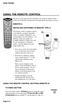 USING THE REMOTE CONTROL The next several pages provide instructions for using the remote control. Follow the instructions that pertain to the appropriate model type you have. REMOTE A INSTALLING BATTERIES
TEK PARTNER TM UNIVERSAL REMOTE CONTROL USER S MANUAL
 TEK PARTNER TM UNIVERSAL REMOTE CONTROL USER S MANUAL Congratulations! Your TEK PARTNER TM Universal Remote Control is a state-of-the-art device which integrates many different infra-red remote controls.
UNIVERSAL REMOTE CONTROL
 Cox Manual 11/27/01 7:14 PM Page 1 UNIVERSAL REMOTE CONTROL User s Guide 4th Draft Cox Manual 11/27/01 7:14 PM Page 2 TABLE OF CONTENTS Introduction................................ 3 Features And Functions......................
VIZIO Universal Remote Control User Guide
 Table of Contents Chapter 1 - Introduction 2 Chapter 2 - Remote Control Button Description 3 2.1 - Key Remote Control Functions 3 2.2 - Insertion of Batteries in the Remote Control 6 2.3 - Remote Control
text_dishpvr.fm Page 1 Tuesday, March 2, 2004 12:35 PM Remote Control Basics... 2
 text_dishpvr.fm Page 1 Tuesday, March 2, 2004 12:35 PM TABLE OF CONTENTS Remote Control Basics... 2 Models Supported by this Guide... 2 UHF and IR Signals... 3 Installing Batteries... 3 Converting the
oooa? OOOOA You will need the list of codes to manually select and input the correct codes to your specific device.
 BUTTON DESCRIPTIONS CODE SEARCH: Used to program the remote or to search through codes. SIGNAL INDICATOR LIGHT (LED): The Indicator Light flashes to show that the remote is working properly. ON/OFF BUTTON:
URC 4080/4081 VIDEO EXPERT
 URC 4080/4081 VIDEO EXPERT User s Guide TABLE OF CONTENTS Introduction........................... 3 Features And Functions...................... 4 Key Charts............................... 5 Installing
About the Remote Control... page 2
 TABLE OF CONTENTS About the Remote Control... page 2 Remote Control Signals: UHF or IR...page 2 Installing Batteries in the Remote Control...page 3 Remote Control Modes...page 3 Using the Remote Control
2-in-1 Universal Remote Control
 2-in-1 Universal Remote Control Owner s Manual Please read before using this equipment. ˆ Contents Features... 3 Introduction... 4 Preparation... 5 Installing Batteries... 5 Setting Up Your Remote Control...
ATLAS DVR/PVR 5-DEVICE Universal Remote Control
 ATLAS DVR/PVR 5-DEVICE Universal Remote Control User s Guide Atlas DVD/PVR Manual 2/14/03 5:00 PM Page 2 TABLE OF CONTENTS Introduction...................................... 3 Features And Functions............................
Model IRC 550 Universal Remote Control
 Model IRC 550 Universal Remote Control Programming and Operating Instructions To have a clearer idea of the features and capabilities of your remote control, take a moment to read these instructions. Save
CDKN-7402. User Manual
 CDKN-7402 User Manual FCC INFORMATION This equipment has been tested and found to comply with the limits for a Class B digital device, pursuant to Part 15 of the FCC Rules. These limits are designed to
TROUBLESHOOTING TABLES REMOTE CONTROL DEVICE CODES
 Troubleshooting and Device Codes What you ll find in this chapter: TROUBLESHOOTING TABLES REMOTE CONTROL DEVICE CODES 119 Troubleshooting Tables TROUBLESHOOTING TABLES Use these tables if you have problems
Problem: Remote is not working A remote control may not be responding as expected when a customer presses certain buttons
 Welcome to Comcast! We are proud to be the exclusive broadband digital video provider for the University of Alabama. The digital cable service provided in your dorm room gives you additional channel offerings,
ENTONE REMOTE Programming Instructions
 ENTONE REMOTE Programming Instructions A brand new ENTONE remote control must first be registered with the set top box (STB) before it can be manually programmed to a specific TV. Program Remote # 1 to
TEK PARTNER UNIVERSAL REMOTE CONTROL
 TEK PARTNER UNIVERSAL REMOTE CONTROL SPECIFICATIONS... 2 SETUP... 3 PROGRAMMING... 3 POWER SCAN... 3 ID RECALL... 4 VOLUME PUNCH THROUGH... 4 MASTER POWER... 4 MENU MODE... 4 FREQUENTLY ASKED QUESTIONS...
Verizon FiOS TV User Guide
 Verizon FiOS TV User Guide Welcome to Verizon FiOS TV Congratulations. You made a great choice by subscribing to FiOS SM TV. It s going to revolutionize your television experience. As a Verizon FiOS TV
CTGAE3P 3021 manual booklet 5/24/04 12:46 PM Page 1
 CTGAE3P 3021 manual booklet 5/24/04 12:46 PM Page 1 1 CTGAE3P 3021 manual booklet 5/24/04 12:46 PM Page 2 TABLE OF CONTENTS Introduction...................................................................
TABLE OF CONTENTS. Introduction... 3 Features And Functions... 4 Key Charts... 5 Device Table... 6
 CTGAE4P 4021 manual booklet 5/24/04 12:10 PM Page 2 TABLE OF CONTENTS Introduction....................................................... 3 Features And Functions..............................................
Universal Remote Instruction Manual
 24959 Universal Remote Instruction Manual Table of Contents Introduction...3 Button Functions...4 Initial Setup...6 Battery Installation...6 Battery Saver...6 Code Saver...6 Code Setup...6 Direct Code
OCE-0024B_Rev05 2007.3.9 9:35 AM 페이지1 Owner s Manual
 Owner s Manual Thank You! TM Thank you for purchasing the MX-50 Pre-Programmed and Learning Remote Control. This manual is designed to assist you step-by-step as you setup the MX-50 to replace all of your
Jumbo Universal Remote Control
 Jumbo Universal Remote Control Catalog #1526 User s Guide This universal remote allows user to easily see and push buttons to control TV, VCR, DVD, Cable and Satellite receivers. The large buttons are
Set-up one component at a time, and you ll move quickly through your system.
 Congratulations! With your new WR7 universal remote, you now have the power to control your home entertainment system with just one easy-to-use control. Thousands of audio and video component codes have
2008 PVR Remote Functionality Guide V1.1
 2008 PVR Remote Functionality Guide V1.1 1. LED Indications 1 2. Basic Colour Button Functionality 1 3. Shift Functionality 1 4. Programming 2 4.1. Programming a Device onto your Remote Control 2 4.1.1.
Welcome to Verizon FiOS TV
 Welcome to Verizon FiOS TV Congratulations. You made a great choice by subscribing to FiOS TV. It s going to revolutionize your television experience. As a Verizon FiOS TV subscriber, you can unleash the
RR-939B REMOTE CONTROL TÉLÉCOMMANDE FERNBEDIENUNG MANDO A DISTANCIA COMANDO A DISTANZA AFSTANDSBEDIENING FJERNBETJENING
 RR-B REMTE CNTRL TÉLÉCMMANDE FERNBEDIENUNG MAND A DISTANCIA CMAND A DISTANZA AFSTANDSBEDIENING FJERNBETJENING AUD TAPE DVD SAT TV VCR CBL PWER BAND VL CH T / V SURRUND + N SCREEN C. DELAY TRACK TRACK +
XFINITY Spectrum. Remote Control Programming Guide
 XFINITY Spectrum Remote Control Programming Guide 2 Programming Your Remote Control Channel + / Press to change channels. Info Press to display information about the program you are currently watching.
DIRECTV Universal Remote Control User Guide
 DIRECTV Universal Remote Control User Guide CONTENTS Introduction............................................ 3 Features and Functions................................... 4 Key Charts.........................................
LCD Flat Television Users Guide For Model: LT-37X987
 LCD Flat Television Users Guide For Model: LT-37X987 Illustration of LT-37X987 and RM-C18G Important Note: In the spaces below, enter the model and serial number of your television (located at the rear
DIRECTV Digital Satellite Receiver Operating Instructions TZ-DBS01
 DIRECTV Digital Satellite Receiver Operating Instructions TZ-DBS01 For product assistance, please call: 1-888-726-2377 or send e-mail to: [email protected] TQB2AA0366 10301 PRINTED IN MEXICO
1-800-SAMSUNG(1-800-726-7864)
 -800-SAMSUNG(-800-76-7864) U.S.A Samsung Electronics America Service Division 400 Valley Road, Suite 0 Mount Arlington, NJ 07856 www.samsungusa.com Canada Samsung Electronics Canada Inc. Samsung Customer
ATLAS OCAP 5-Device Remote Control with Learning
 ATLAS OCAP 5-Device Remote Control with Learning Users Guide PREPROGRAMMED FOR YOUR SET-TOP BOX TABLE OF CONTENTS Introduction............................................ 4 Features and Functions...................................
Integrated High Definition LCD Television 42LX196 47LX196
 HIGH-DEFINITION TELEVISION Integrated High Definition LCD Television 42LX196 47LX196 IMPORTANT NOTE Before connecting, operating, or adjusting this product, carefully read the Important Safety, Installation,
1-877-9-ZENITH (http://www.zenithservice.com) For service/ support Call: Toll Free Number. With Analog Pass-Through
 Installation and Operating Guide Warranty Model Number DTT901 Digital TV Tuner Converter Box With Analog Pass-Through As an ENERGY STAR Partner, LG has determined that this product or product models meet
User s Manual. High Definition Cable Receiver Personal Video Recorder
 User s Manual High Definition Cable Receiver Personal Video Recorder Important safety instructions Safety Warnings CAUTION RISK OF ELECTRIC SHOCK DO NOT OPEN CAUTION : To reduce the risk of electrical
DIRECTV Universal Remote Control User Guide
 DIRECTV Universal Remote Control User Guide CONTENTS Introduction............................................ 3 Features and Functions................................... 4 Key Charts.........................................
High-Definition Microdisplay TV
 HP Pavilion md5020n/md5820n/md5880n/md6580n High-Definition Microdisplay TV User s Guide Copyright 2005 Hewlett-Packard Development Company, L.P. Reproduction, adaptation or translation without prior written
25 Liquid Crystal Display Television Téléviseur à Écran à Cristaux Liquides TV de Pantalla de Cristal Líquido S_ST259_UM_US_V01_H 1506-0BXA000
 25 Liquid Crystal Display Television Téléviseur à Écran à Cristaux Liquides TV de Pantalla de Cristal Líquido S_ST259_UM_US_V01_H 1506-0BXA000 Table of Contents Regulatory Information... 3 Description
WOW! CABLE REFERENCE GUIDE
 TABLE OF CONTENTS WOW! CABLE REFERENCE GUIDE TABLE OF CONTENTS WOW! DIGITAL TV OPERATION The WOW! Digital TV Remote...C-1 The WOW! Atlas Universal Remotes...C-3 Getting Started...C-5 Using the Interactive
ABOUT YOUR SATELLITE RECEIVER
 2 Satellite Receiver ABOUT YOUR SATELLITE RECEIVER This chapter gives you an overview and a description of your satellite receiver. SATELLITE RECEIVER OVERVIEW SINGLE AND DUAL MODES REMOTE CONTROL SATELLITE
UNIVERSAL REMOTE CONTROL GUIDE
 UNIVERSAL REMOTE CONTROL GUIDE Service provided by We Keep You Connected Your new AT6400 AllTouch Infrared (IR) Universal Remote Control (remote) is a true universal remote, functioning as four remotes
Care and Use Cleaning: Do NOT use liquid, abrasive, solvent, or aerosol cleaners. Use a damp cloth for cleaning.
 Basic Remote Safety Instructions You must keep safety in mind while using this device. Keep these and any other instructions for future reference. Observe Warnings: Carefully follow all warnings on the
Video Cassette Recorder
 3-868-107-12 (1) Video Cassette Recorder Operating Instructions If you have any questions about this product, you may call: Sony Customer Information Center 1-800-222-SONY (7669) or write to: Sony Customer
OWNER'S MANUAL Projection Television
 Introduction OWNE'S MANUAL Projection Television TM emote Control s H 0H H H Owner's ecord The model number and serial number are on the back of. ecord these numbers in the spaces below. efer to these
CABLE ONE ALL DIGITAL
 CABLE ONE ALL DIGITAL The world is going All Digital and so is Cable ONE. With the switch from analog to digital technology, Cable ONE will be able to add new channels, especially more HD channels, and
PROGRAMMING YOUR PBTV REMOTE FOR POWER & VOLUME
 PROGRAMMING YOUR PB REMOTE FOR POWER & VOLUME START WITH TURNED ON CODE SEARCH METHOD The following steps need to be done in quick succession. Press and release the button. Press and hold the RCU SETUP
User s Guide. Record without limitations or fees.
 User s Guide Record without limitations or fees. Important Software Notice As with all software controlled products, unexpected behavior could arise if the user tries to perform operations in a non-routine
INSTRUCTIONS VIDEO CASSETTE RECORDER HR-S5901/5911U CONTENTS CAUTIONS
 VIDEO CASSETTE RECORDER HR-S5901/5911U LPT0638-001A CONTENTS Buttons, Connectors and Indicators...4 Connections and Plug&Play Setting...5 Initial Settings...6 Language Setting...6 Clock Setting...6 Tuner
IR Blasting Setup Guide
 IR Blasting Setup Guide Table of Contents USB UIRT Naming.3 IR Blasting Hardware Setup..4 IR Blasting Software Setup.5 Creating a Set top Box Profile. 6 Testing your New Set top Box Profile 9 Configuring
Using the System ORDER YOUR BELL EXPRESSVU PROGRAMMING. Page 3-1
 Using the System ORDER YOUR BELL EXPRESSVU PROGRAMMING This procedure notifies the Bell ExpressVu Customer Service Call Centre that your system is on-line and installed. You need to have your services
Turn On the Entertainment
 Cox Advanced TV Experience 100% digital picture and sound, and hundreds of channels including the best in HD. Now you have access to all local channels and popular networks like ESPN, Discovery, History,
Receiver and Remote Controls
 9242_4_Ch2_eng 6/11/07 9:29 AM Page 1 2 Receiver and Remote Controls ABOUT YOUR SATELLITE RECEIVER This chapter helps you get to know your remote control, which lets you use all the functions of your receiver.
OWNER'S MANUAL Projection Television
 Introduction OWNE'S MANUAL Projection Television emote Control s 43H7 53H7 6H7 Owner's ecord The model number and serial number are on the back of. ecord these numbers in the spaces below. efer to these
AVR 158. Audio/video receiver. Quick-Start Guide ENGLISH
 158 Audio/video receiver ENGLISH Quick-Start Guide 158 Introduction, Speaker Placement and Connection Introduction Thank you for choosing a harman kardon product! This quick-start guide contains all the
The Parts of the System
 2 The Parts of the System THE RECEIVER THE RECEIVER FRONT PANEL Power Light This green light on the receiver front panel lights up when the receiver is turned ON. This light flashes when the receiver memory
Turn On the Entertainment
 from Cox Welcome to Contour! Contour from Cox lets you watch TV in a way that perfectly fits you by learning what you like and serving up recommendations based on the shows you watch and the choices you
Agency Certifications
 Page 1 Page 2 Contents Agency Certifications... 5 Getting Started - Overview... 7 Before you begin, please insert two AA batteries as labeled on the remote control... 7 Control 6 different Devices... 7
Connecting Additional Equipment 4-075-501-21. Trinitron Color TV. Operating Instructions KV-20FV12 KV-24FV12. 2000 by Sony Corporation
 Connecting Additional Equipment 4-075-501-21 Trinitron Color TV Operating Instructions KV-20V12 KV-24V12 2000 by Sony Corporation User Guide Connecting Additional Equipment WARNING To reduce the risk of
Using your Sky digibox
 Using your Sky digibox Your Sky remote control Sets your remote control to control your digibox tv Sets your remote control to control your TV box office Shows the Box Office screen tv guide Shows the
Getting to Know Xsight... 3. Home Screen and Everyday Use... 9. Settings... 11. PC Setup... 17. 2 www.oneforall.com
 User Manual English English Getting to Know Xsight........................................ 3 Unpacking and Setting Up Xsight............................................................. 3 Using Xsight
Digital Cable TV. User Guide
 Digital Cable TV User Guide T a b l e o f C o n T e n T s DVR and Set-Top Box Basics............... 2 Remote Playback Controls................ 4 What s on TV.......................... 6 Using the OK Button..................
Primare C31 Remote Control User Guide
 Primare C31 Remote Control User Guide i Preface COPYRIGHT AND ACKNOWLEDGMENTS Copyright 2001 Primare Systems AB. All rights reserved. Primare Systems AB Idavägen 17D SE-352 46 Växjö Sweden The information
CINEMATE 1 SR DIGITAL HOME THEATER SPEAKER SYSTEM. Operating Guide Guía del usuario Guide d utilisation
 CINEMATE 1 SR DIGITAL HOME THEATER SPEAKER SYSTEM Operating Guide Guía del usuario Guide d utilisation Notice This equipment has been tested and found to comply with the limits for a Class B digital device,
Alternative Adjustment Guide For Some Remote Controls Issued by Large Cable and Satellite Providers.
 Alternative Adjustment Guide For Some Remote Controls Issued by Large Cable and Satellite Providers. DirecTV, Dish, Comcast, Verizon FIOS and AT&T remotes are described. If you have one the remote controls
DVR GUIDE. Using your DVR/Multi-Room DVR. 1-866-WAVE-123 wavebroadband.com
 DVR GUIDE Using your DVR/Multi-Room DVR 1-866-WAVE-123 wavebroadband.com Table of Contents Control Live TV... 4 Playback Controls... 5 Remote Control Arrow Buttons... 5 Status Bar... 5 Pause... 6 Rewind...
2-187-189-11(2) DVD Recorder. Operating Instructions RDR-HX900. 2004 Sony Corporation
 2-187-189-11(2) DVD Recorder Operating Instructions RDR-HX900 2004 Sony Corporation WARNING To prevent fire or shock hazard, do not expose the unit to rain or moisture. To avoid electrical shock, do not
Kiva Technology User s Manual
 2009 Kiva Technology User s Manual For Support Contact Call Center (816) 235-2000: Monday Friday 7:00 am 7:00 pm ILE Support E-Mail: [email protected] URL: http://www.umkc.edu/is/cts/ilesupport/ctssupporttext.asp
Introducing the hard disc recorder and Beo4, Daily use, Advanced operation, Preference settings, Set up the hard disc recorder, On-screen menus,
 HDR 2 Guide Contents 3 Introducing the hard disc recorder and Beo4, 4 Find out how to operate the hard disc recorder with the Beo4 remote control and bring up the menus on your television screen. Daily
Video Cassette Recorder/ DVD Recorder RDR-VX500. Operating Instructions 2-186-506-12(1) 2004 Sony Corporation
 2-186-506-12(1) Video Cassette Recorder/ DVD Recorder Operating Instructions RDR-VX500 For customers in the U.S.A Owner s Record The model and serial numbers are located at the rear of the unit. Record
TIME WARNER DIGITAL CABLE
 IF IT S WORTH WATCHING IN 3D IT S ON TIME WARNER DIGITAL CABLE 3D TV FAQ & SETUP GUIDE What Equipment do I Need to View Sports in 3D? Equipment I Need Time Warner Digital Cable Set Top Box (Connected Directly
Digital Television User Guide
 Digital Television User Guide Table of Contents THE HURONTEL HOME BUNDLE >> Finally you can receive Home Phone (with Calling Features), High Speed Fibre Optic Internet and 100% Digital TV including 1 Digital
let us guide you Your Interactive Program Guide (IPG) will help you get the most out of all CentraCom Digital Cable has to offer.
 let us guide you Your Interactive Program Guide (IPG) will help you get the most out of all CentraCom Digital Cable has to offer. Using Your Remote Using Your Cable Set-Top Box Accessing Your IPG Menus
Videoconference Room Guide
 Videoconference Room Guide Technical Support Should you encounter technical problems please contact Help Desk 250-852-6800 Videoconference classrooms are equipped with two cameras and a ceiling mount LCD
DIGITAL CABLE & DVR QUICK GUIDE. cable television made simple
 DIGITAL CABLE & DVR QUICK GUIDE Grande Communications cable television made simple Table of Contents TABLE OF CONTENTS Using Your Remote remote Control 1 programming the Remote 2 Interactive Program Guide
Welcome to the world of SkyHD
 using SkyHD Welcome to the world of SkyHD This is your essential guide What do you want to do? to using your SkyHD box Learn about HD page 6 Get started page 10 See what s on page 16 Use your Planner page
VIDEO CASSETTE RECORDER OWNER S GUIDE
 VIDEO CASSETTE RECORDER OWNER S GUIDE HIGH DEFINITION DIGITAL VCR MODEL HS-HD2000U VCR Plus+, C 3, ALLSET and PlusCode are trademarks of Gemstar Development Corporation. The VCR Plus+ system is manufactured
Simple Directions For Common Converter Boxes
 Simple Directions For Common Converter Boxes This document contains basic instructions for using the following converter box models. Page numbers refer to the owner's manual that comes with your converter
Big Sandy Broadband DVR Guide
 Big Sandy Broadband DVR Guide Contents Big Sandy Broadband DVR Don t Miss a Thing 3 Control Live TV 3 Playback Controls Using the Video Control Buttons 4 Playback Controls Using the Remote Control Arrow
Table of Contents Function Keys of Your RF Remote Control Quick Setup Guide Advanced Features Setup Troubleshooting
 Congratulations on your purchase of the AT&T U-verse TV Point Anywhere RF Remote Control. This product has been designed to provide many unique and convenient features to enhance your AT&T U-verse experience.
PERSONAL music center II
 PERSONAL music center II Owner s Guide Guía de usario Notice d utilisation Français English INTRODUCTION Thank you By choosing a Bose PERSONAL music center II, you have opened the door to a variety of
Watching and Recording TV. User Guide
 Watching and Recording TV User Guide The only warranties for Hewlett-Packard products and services are set forth in the express statements accompanying such products and services. Nothing herein should
Equipment Guide Human Resources Training Room Suite 205, Building 3377
 Equipment Guide Human Resources Training Room Suite 205, Building 3377 Equipment For technical help with running the equipment please contact HR Training at 4-8534. The room is equipped with: 1. A ceiling-mounted
DVD Player/ Video Cassette Recorder
 3-083-945-14 (1) US DVD Player/ Video Cassette Recorder Operating Instructions For customers in the USA If you have any questions about your Sony DVD-VCR, you may call Sony Customer Information Services
LINE IN, LINE OUT TO TV, VIDEO IN, VIDEO OUT
 1 Based on the information you provided we are unable to match you with a specific hookup recommendation. For your convenience this document provides the four most common hookup configurations for the
Hargray s. Digital Television. powered by Ericsson Mediaroom
 Hargray s Digital Television powered by Ericsson Mediaroom Hargray Digital Television powered by Ericsson Mediaroom Watch What Hargray Digital Television Service Can Do For Your Home Entertainment. Welcome
Recorder. Controlling Live TV. Control a Live Program You Are Watching
 PVR Personal Video Recorder Green Area of Bar Indicates Stored or Recorded Programming Triangle Indicates Your Current Position in Program Red Area of Bar Indicates Missed Programming T11170 "Paused" Status
Care and Use Cleaning: Do NOT use liquid, abrasive, solvent, or aerosol cleaners. Use a damp cloth for cleaning.
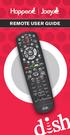 REMOTE USER GUIDE Safety Instructions You must keep safety in mind while using this device. Keep these and any other instructions for future reference. Observe Warnings: Carefully follow all warnings on
Getting Started With the Multi-Room DVR System
 CH+ CH + GUIDE POWER VOL Ñ VOL + INFO CH Ñ EXIT LIST L AUDIO R VIDEO SELECT Getting Started With the Multi-Room DVR System Multi-Room Digital Video Recording (MR-DVR) System Record all of your favorite
MEDIA SHARE Set Up Guide for PCs with Windows 7
 MEDIA SHARE Set Up Guide for PCs with Windows 7 AT&T Media Share allows you to view photos and listen to music files that are stored on your PC on your U-verse-connected TV. In order to share photo and
DVD Player/ Video Cassette Recorder
 3-093-964-11 (1) DVD Player/ Video Cassette Recorder Operating Instructions Manual de instrucciones US ES For customers in the USA If you have any questions about your Sony DVD-VCR, you may call Sony Customer
DVR Guide. Dual Tuner HD-Capable DVR. You go get the popcorn. Your show waits for you.
 DVR Guide Dual Tuner HD-Capable DVR You go get the popcorn. Your show waits for you. USING YOUR REMOTE CONTROL TV: When programmed, enables control of your TV. Cable: Enables control of your digital cable
IPTV STB QUICK GUIDE. Detailed user manual download from www.my-home-television.com
 IPTV STB QUICK GUIDE Detailed user manual download from www.my-home-television.com Dolby Digital: Manufactured under license from Dolby Laboratories. Dolby and the double-d symbol are trademarks of Dolby
VideOh! DVD Media Center PCI Edition AVC-2410
 VideOh! DVD Media Center PCI Edition AVC-2410 Getting Started R DISCLAIMER: This product may be designed to assist you in reproducing materials. In doing so, you must have permission from the copyright
ENJOY ENTERTAINMENT BETTER
 TV ENJOY ENTERTAINMENT BETTER 1 2 Table Of Contents 4 Setting Up Your Remote Control 5 Find Channels/Search 7 Aspect Ratio Settings 8 Output Resolution Settings 9 Parental Control 10 Menu Bar 10 Settings