
The Consultant s Guide to SAP SRM
|
|
|
- Cleopatra Gaines
- 10 years ago
- Views:
Transcription
1 Padma Prasad Munirathinam, Ramakrishna Potluri The Consultant s Guide to SAP SRM Bonn Boston
2 Contents at a Glance 1 Supplier Relationship Management An Overview of SAP Supplier Relationship Management (SAP SRM) SAP SRM Basic Settings SAP SRM Deployment Scenarios Operational Procurement SAP SRM Plan-Driven Procurement Advanced Topics in Invoicing SAP SRM Business Workflow Catalog Management Sourcing Service Procurement Contract Management Supplier Self-Services with Materials Management Integration Supplier Self-Services with SRM Enterprise Buyer Professional Integration SAP NetWeaver for SAP SRM FAQs, Troubleshooting Tips and Tricks in SAP SRM Customer Scenarios and Enhancements Conclusion A Commonly Used Abbreviations B References C Useful Links D Author Biographies

3 Contents Dedications Acknowledgments Foreword John Zepecki Foreword Armin Schwarz Foreword Clas Neumann Preface Purchasing has experienced a sea of change in recent years and is poised to undergo further transformation in the coming decade. Purchasing is becoming more strategic and procurement strategies are becoming vital in extending a company s competitive advantage Supplier Relationship Management The Evolution of Procurement Advances in IT Driving Procurement Transformation Globalization and Innovation Driving Procurement Factors Affecting Purchasing Product Segmentation Industry in which the Organization Operates Procurement Models Summary An Overview of SAP Supplier Relationship Management (SAP SRM) Sourcing The Bidding Process Live Auction Process Operational Procurement Self-Service Procurement Service Procurement Plan-Driven Procurement Supplier Enablement Contract Management Contract Development Contract Execution Contract Monitoring Category Management Catalog Management

4 Contents 2.7 Analytics Spend Analysis Purchasing Control Supplier Evaluation Transactional Analysis Deployment Scenarios Summary Mapping a company s organizational structure to organizational elements in SAP applications and defining master data are the first steps in the design of a good SAP implementation. In this chapter, we will discuss the basic settings required for these steps in SAP SRM implementations SAP SRM Basic Settings Case Study: Procurement Automation at Besttec Industries System Landscape SAP SRM 2007 Components Overview Sample SAP SRM System Landscape System Landscape for Besttec Industries Master Data in SAP SRM Basic Technical Settings and Maintaining Product Master Data Basic Technical Settings Settings for Product Master Data Replication Product Master Data Maintenance in SAP SRM Defining the Organization Copy the SAP R/3 HR Organization to SAP SRM Define an Organizational Structure in SAP SRM Organizational Plan Prerequisites Configuring an Organizational Plan General Steps Organizational Plan for Besttec Industries Maintain the Vendor Organizational Structure Enhancing the Organizational Plan External Business Partners Upload Payment Terms Upload QM Systems Initial Download of Vendor Master Records from the Backend SAP ERP System Add, Change, or Delete Purchasing Organizations in the Vendor Master Mapping Vendors in a Multiple Backend System Scenario Vendor Master Update Synchronization Schedule the Synchronization Program

5 Contents Customer Fields Replication in Vendor Master Data Creating Vendor Contact Persons Common Basic Technical Settings Create an ALE Distribution Model Generate Partner Profiles in the Backend System Technical Settings for Set Control Parameters Jobs for Scheduling Reports Start Application Monitors Modifying the ITS Login Page Summary SAP SRM is flexibly integrated with backend planning, inventory, and accounting systems. In this chapter, we will discuss in detail the different deployment scenarios possible to enable different levels of integration with backend ERP systems SAP SRM Deployment Scenarios The Standalone or Local Scenario Applicability of the Standalone Scenario Process Flow Important Settings That Determine the Standalone Scenario The Classic Scenario Applicability of the Classic Scenario Process Flow Important Settings that Determine the Classic Scenario The Extended Classic Scenario Applicability of the Extended Classic Scenario Process Flow Important Settings that Determine the Extended Classic Scenario The Decoupled Scenario Applicability of the Decoupled Scenario Process Flow Deployment Scenario Implementation Settings Comparison of Deployment Scenarios Summary SAP SRM operational procurement enables companies to automate the requisition- to- pay process, and self- service procurement empowers all employees to procure their routine requirements with very little or no training while companies retain control on spend. In this chapter, you will learn about different scenarios in operational procurement and the implementation of self- service procurement Operational Procurement Scenarios in Operational Procurement An Introduction to Self-Service Procurement Case Study: Eprocurement at a Global Software Services Company

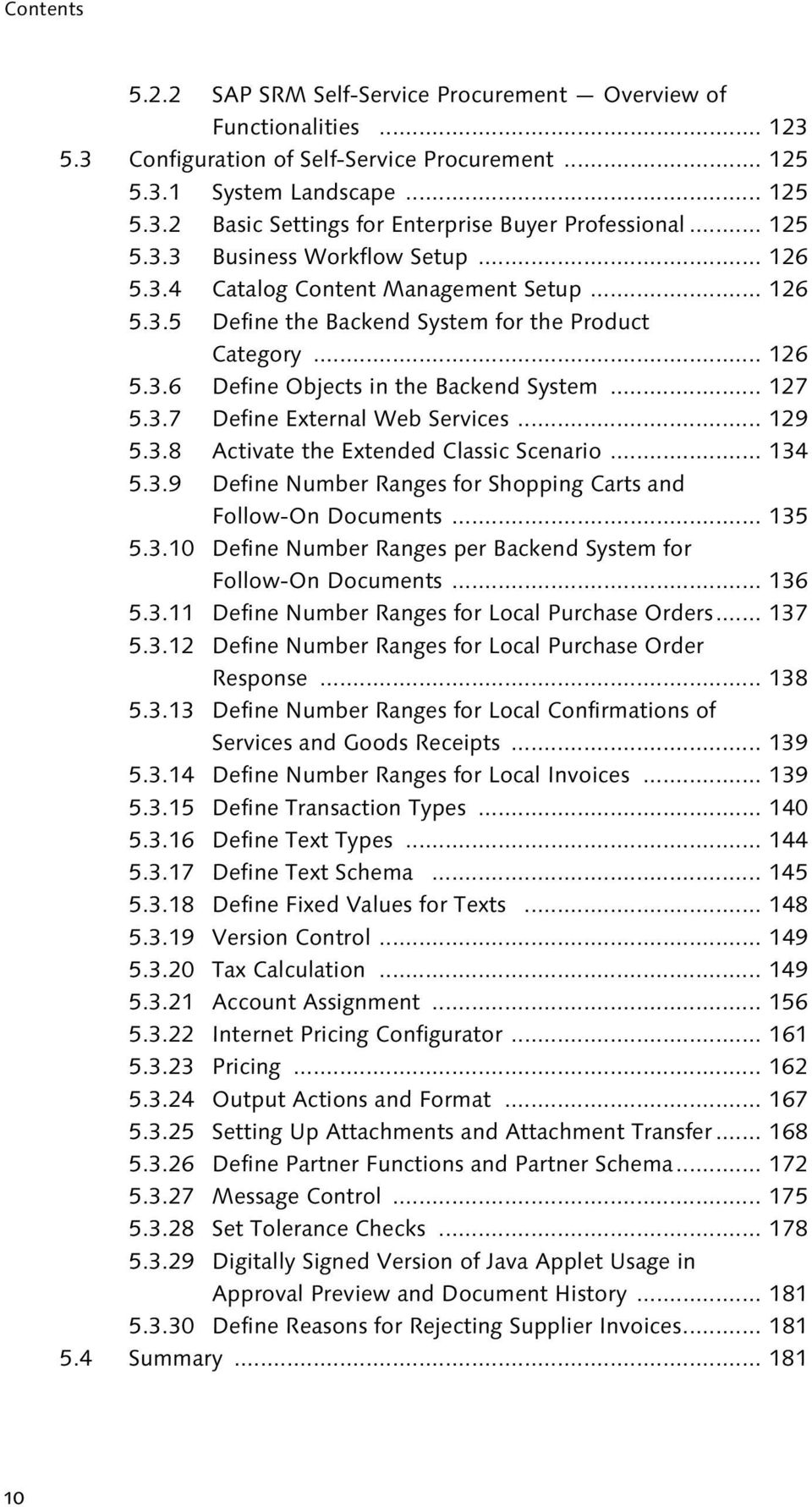
6 Contents SAP SRM Self-Service Procurement Overview of Functionalities Configuration of Self-Service Procurement System Landscape Basic Settings for Enterprise Buyer Professional Business Workflow Setup Catalog Content Management Setup Define the Backend System for the Product Category Define Objects in the Backend System Define External Web Services Activate the Extended Classic Scenario Define Number Ranges for Shopping Carts and Follow-On Documents Define Number Ranges per Backend System for Follow-On Documents Define Number Ranges for Local Purchase Orders Define Number Ranges for Local Purchase Order Response Define Number Ranges for Local Confirmations of Services and Goods Receipts Define Number Ranges for Local Invoices Define Transaction Types Define Text Types Define Text Schema Define Fixed Values for Texts Version Control Tax Calculation Account Assignment Internet Pricing Configurator Pricing Output Actions and Format Setting Up Attachments and Attachment Transfer Define Partner Functions and Partner Schema Message Control Set Tolerance Checks Digitally Signed Version of Java Applet Usage in Approval Preview and Document History Define Reasons for Rejecting Supplier Invoices Summary
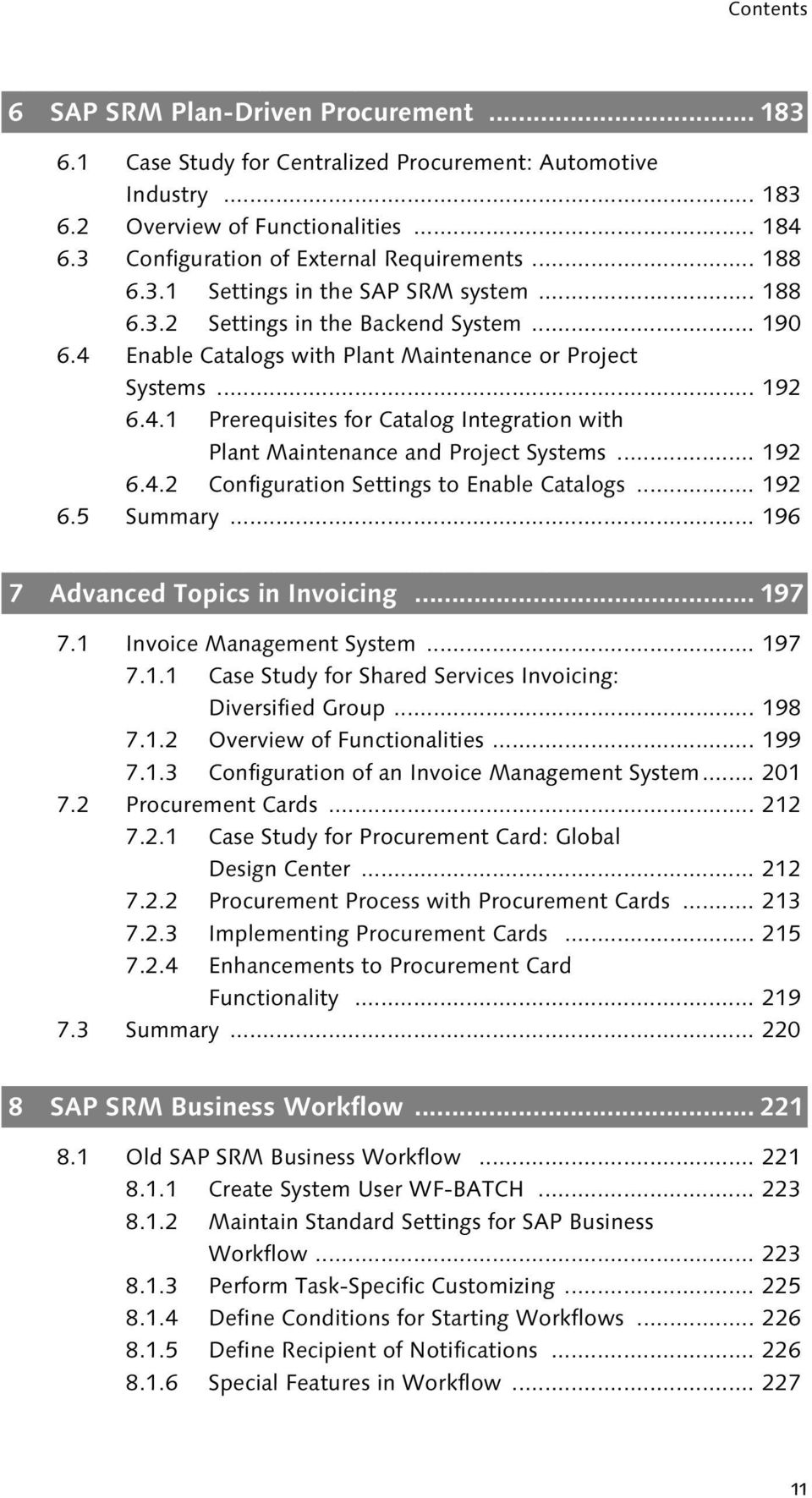
7 Contents SAP SRM plan- driven procurement enables companies to transfer procurement requirements from external planning systems, like SAP ERP, to SAP SRM to reap the benefits of centralized procurement SAP SRM Plan-Driven Procurement Case Study for Centralized Procurement: Automotive Industry Overview of Functionalities Configuration of External Requirements Settings in the SAP SRM system Settings in the Backend System Enable Catalogs with Plant Maintenance or Project Systems Prerequisites for Catalog Integration with Plant Maintenance and Project Systems Configuration Settings to Enable Catalogs Summary SAP SRM Invoice Management System (IMS) provides companies with advanced, collaborative, invoice exception- handling functionalities. Companies can also automate their invoicing and payment processes using procurement cards functionality in SAP SRM Advanced Topics in Invoicing Invoice Management System Case Study for Shared Services Invoicing: Diversified Group Overview of Functionalities Configuration of an Invoice Management System Procurement Cards Case Study for Procurement Card: Global Design Center Procurement Process with Procurement Cards Implementing Procurement Cards Enhancements to Procurement Card Functionality Summary Workflow is defined as the systematic routing of documents to the users responsible for processing them. It is the way people, tasks, controls, and documents interact to ensure a smooth flow of business processes SAP SRM Business Workflow Old SAP SRM Business Workflow Create System User WF-BATCH Maintain Standard Settings for SAP Business Workflow Perform Task-Specific Customizing Define Conditions for Starting Workflows Define Recipient of Notifications Special Features in Workflow
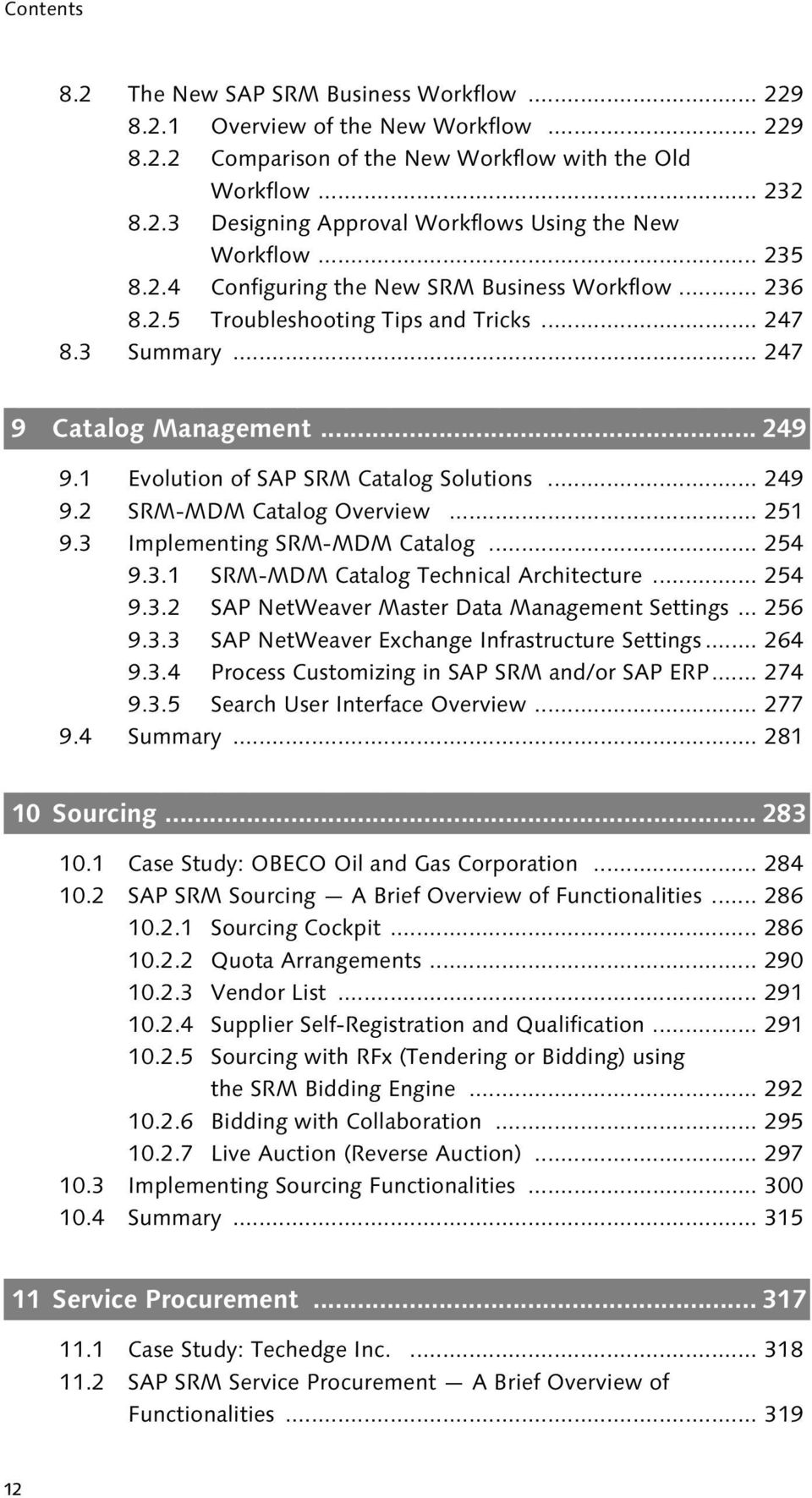
8 Contents 8.2 The New SAP SRM Business Workflow Overview of the New Workflow Comparison of the New Workflow with the Old Workflow Designing Approval Workflows Using the New Workflow Configuring the New SRM Business Workflow Troubleshooting Tips and Tricks Summary Catalog items are considered master data by many organizations and are now an integral part of the master data management strategy. SRM- MDM Catalog enables consistent product master data between SRM- MDM Catalog, SAP SRM, and SAP ERP, and supports consolidation of catalog data from suppliers and procurement systems Catalog Management Evolution of SAP SRM Catalog Solutions SRM-MDM Catalog Overview Implementing SRM-MDM Catalog SRM-MDM Catalog Technical Architecture SAP NetWeaver Master Data Management Settings SAP NetWeaver Exchange Infrastructure Settings Process Customizing in SAP SRM and/or SAP ERP Search User Interface Overview Summary Sourcing refers to a number of procurement practices, aimed at finding, evaluating, and engaging suppliers of goods and services. Global sourcing is a procurement strategy aimed at exploiting global efficiencies in production Sourcing Case Study: OBECO Oil and Gas Corporation SAP SRM Sourcing A Brief Overview of Functionalities Sourcing Cockpit Quota Arrangements Vendor List Supplier Self-Registration and Qualification Sourcing with RFx (Tendering or Bidding) using the SRM Bidding Engine Bidding with Collaboration Live Auction (Reverse Auction) Implementing Sourcing Functionalities Summary Procurement of services differs significantly from procurement of materials and is more complex. Requirements for services are largely undefined at the time of requisition the scope is not fully known until the service is actually performed. SAP SRM supports the services procurement with flexible, collaborative capabilities for managing the cost constraints and variability associated with procuring services such as temporary labor, consulting, maintenance, marketing, printing, and facility management Service Procurement Case Study: Techedge Inc SAP SRM Service Procurement A Brief Overview of Functionalities
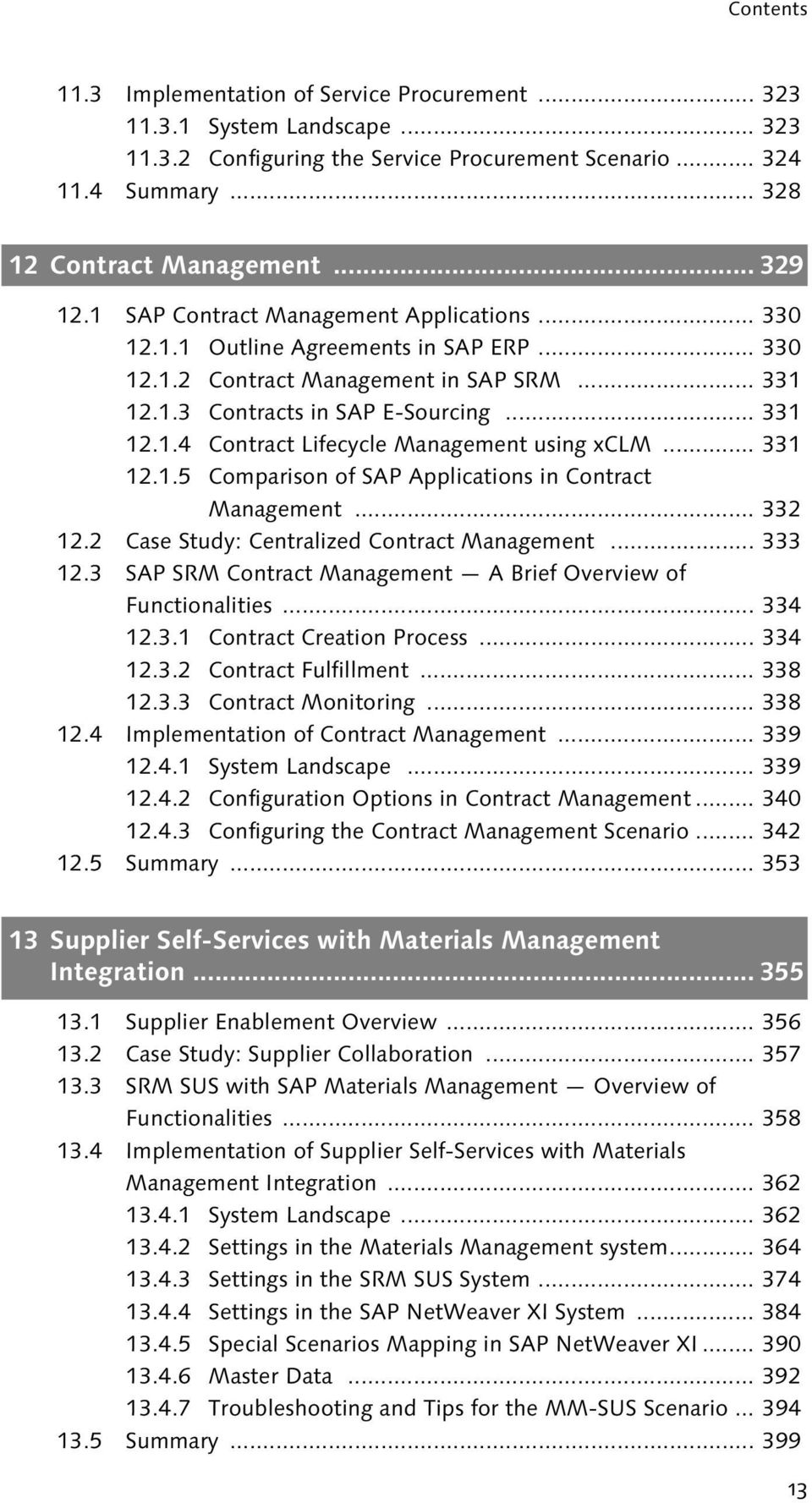
9 Contents 11.3 Implementation of Service Procurement System Landscape Configuring the Service Procurement Scenario Summary Globalization, failure of several high- profile corporations in the early years of this century, and SOX compliance have been some of the key drivers for Contract Management. Maintaining a central repository of contracts and ensuring contract compliance across the organization are essential in today s business Contract Management SAP Contract Management Applications Outline Agreements in SAP ERP Contract Management in SAP SRM Contracts in SAP E-Sourcing Contract Lifecycle Management using xclm Comparison of SAP Applications in Contract Management Case Study: Centralized Contract Management SAP SRM Contract Management A Brief Overview of Functionalities Contract Creation Process Contract Fulfillment Contract Monitoring Implementation of Contract Management System Landscape Configuration Options in Contract Management Configuring the Contract Management Scenario Summary Supplier Self-Services with Materials Management Integration Supplier Enablement Overview Case Study: Supplier Collaboration SRM SUS with SAP Materials Management Overview of Functionalities Implementation of Supplier Self-Services with Materials Management Integration System Landscape Settings in the Materials Management system Settings in the SRM SUS System Settings in the SAP NetWeaver XI System Special Scenarios Mapping in SAP NetWeaver XI Master Data Troubleshooting and Tips for the MM-SUS Scenario Summary
10 Contents Supplier Self- Services with SRM enables organizations to exchange documents with suppliers easily. While SUS with Materials Management (MM) facilitates collaboration with direct material suppliers, SUS with SRM EBP facilitates collaboration with indirect materials suppliers and service providers Supplier Self-Services with SRM Enterprise Buyer Professional Integration EBP-SUS Scenario A Brief Overview of Functionalities Order Collaboration in the EBP-SUS Scenario Applicability of the EBP-SUS Scenario Implementing the EBP-SUS Scenario Settings in the SRM EBP system Settings in the SRM-SUS System Settings in SAP NetWeaver XI Troubleshooting and Tips for the EBP-SUS Scenario Summary SAP NetWeaver is the technical foundation for all SAP applications. It is a comprehensive integration and application platform that works with a customer s existing IT infrastructure to enable and manage change. SAP SRM provides innovative applications to customers by leveraging the strengths of the NetWeaver platform SAP NetWeaver for SAP SRM SAP SRM on SAP NetWeaver A Brief Overview SAP NetWeaver Portal SAP NetWeaver XI SAP NetWeaver BI Implementing SAP NetWeaver Components for SAP SRM Implementing SAP NetWeaver Portal Implementing SAP NetWeaver XI Implementing SAP NetWeaver BI Content for SAP SRM Summary Progress comes from the intelligent use of experience FAQs, Troubleshooting Tips and Tricks in SAP SRM Frequently Asked Questions (FAQs) Troubleshooting Tips and Tricks Useful SAP Notes Summary Any packaged application can satisfy only 60% 80% of a customer s requirements. However, applications built on open and flexible technologies can be molded to satisfy all customer requirements. To that end, SAP SRM is built on the SAP NetWeaver platform and provides great flexibility to define customer processes Customer Scenarios and Enhancements Little-Known SAP SRM Scenarios Lease Asset Management Ordering Materials and External Staff from SAP PLM cprojects Customer Service Outsourcing Design Collaboration with SAP PLM cfolders

11 Contents 17.2 Enhancement Framework BAdI Implementations and Customer Fields Customer Fields Determine Driver Function Modules for Backend Systems Integration Define Grouping Criteria for Local Purchase Orders Archive SAP SRM Documents Determine the Target Object in the Backend System Transfer Document Data to the Backend System Change SAP XML Mapping Complex Customer Scenarios Public Sector 2-Envelope Bidding Process Enabling Different Price UOMs in SUS Summary Conclusion Appendix A Commonly Used Abbreviations B References C Useful Links D Author Biographies Index

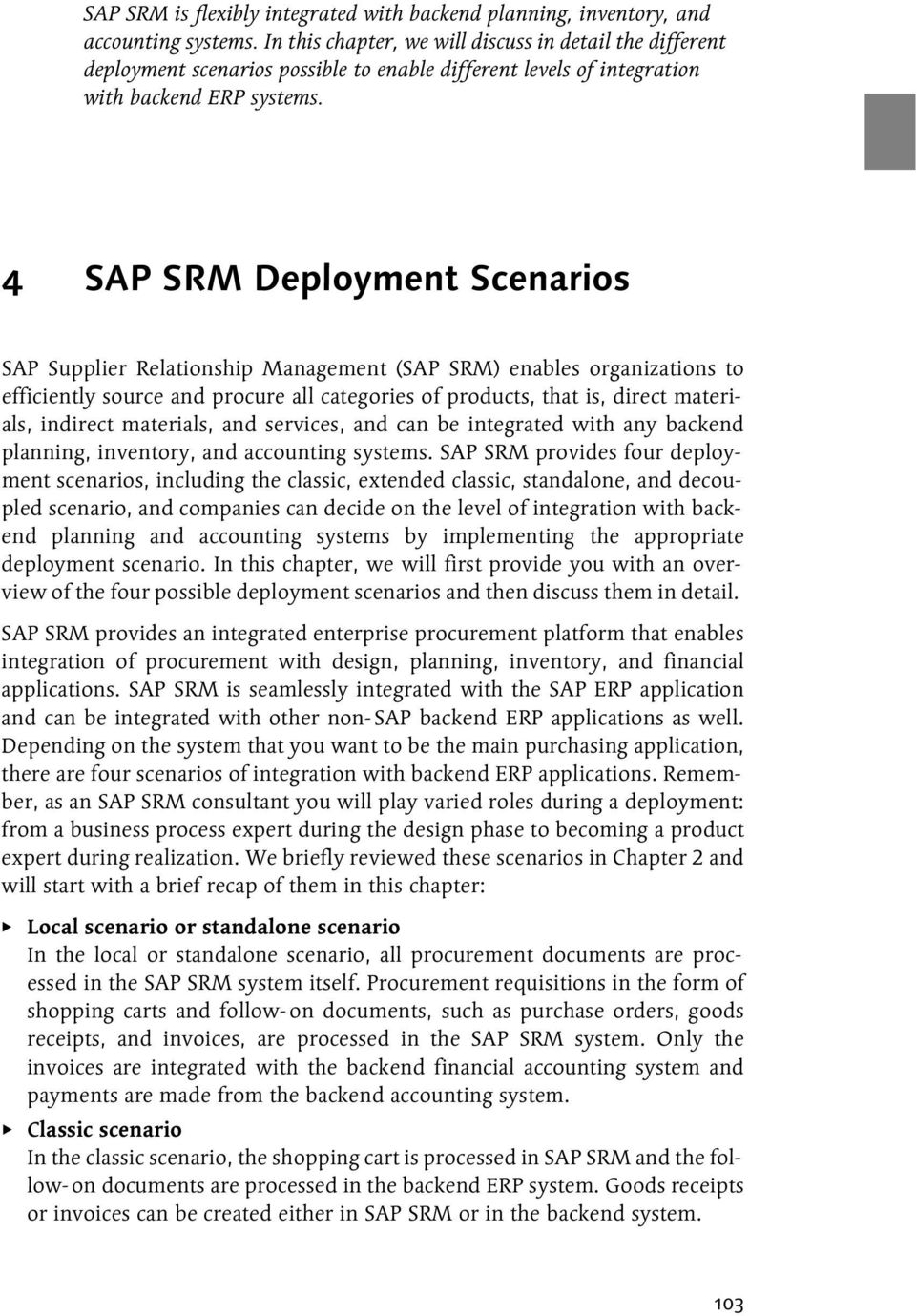
12 SAP SRM is flexibly integrated with backend planning, inventory, and accounting systems. In this chapter, we will discuss in detail the different deployment scenarios possible to enable different levels of integration with backend ERP systems. 4 SAP SRM Deployment Scenarios SAP Supplier Relationship Management (SAP SRM) enables organizations to efficiently source and procure all categories of products, that is, direct materials, indirect materials, and services, and can be integrated with any backend planning, inventory, and accounting systems. SAP SRM provides four deployment scenarios, including the classic, extended classic, standalone, and decoupled scenario, and companies can decide on the level of integration with backend planning and accounting systems by implementing the appropriate deployment scenario. In this chapter, we will first provide you with an overview of the four possible deployment scenarios and then discuss them in detail. SAP SRM provides an integrated enterprise procurement platform that enables integration of procurement with design, planning, inventory, and financial applications. SAP SRM is seamlessly integrated with the SAP ERP application and can be integrated with other non- SAP backend ERP applications as well. Depending on the system that you want to be the main purchasing application, there are four scenarios of integration with backend ERP applications. Remember, as an SAP SRM consultant you will play varied roles during a deployment: from a business process expert during the design phase to becoming a product expert during realization. We briefly reviewed these scenarios in Chapter 2 and will start with a brief recap of them in this chapter: Local scenario or standalone scenario In the local or standalone scenario, all procurement documents are processed in the SAP SRM system itself. Procurement requisitions in the form of shopping carts and follow- on documents, such as purchase orders, goods receipts, and invoices, are processed in the SAP SRM system. Only the invoices are integrated with the backend financial accounting system and payments are made from the backend accounting system. Classic scenario In the classic scenario, the shopping cart is processed in SAP SRM and the follow- on documents are processed in the backend ERP system. Goods receipts or invoices can be created either in SAP SRM or in the backend system. 103
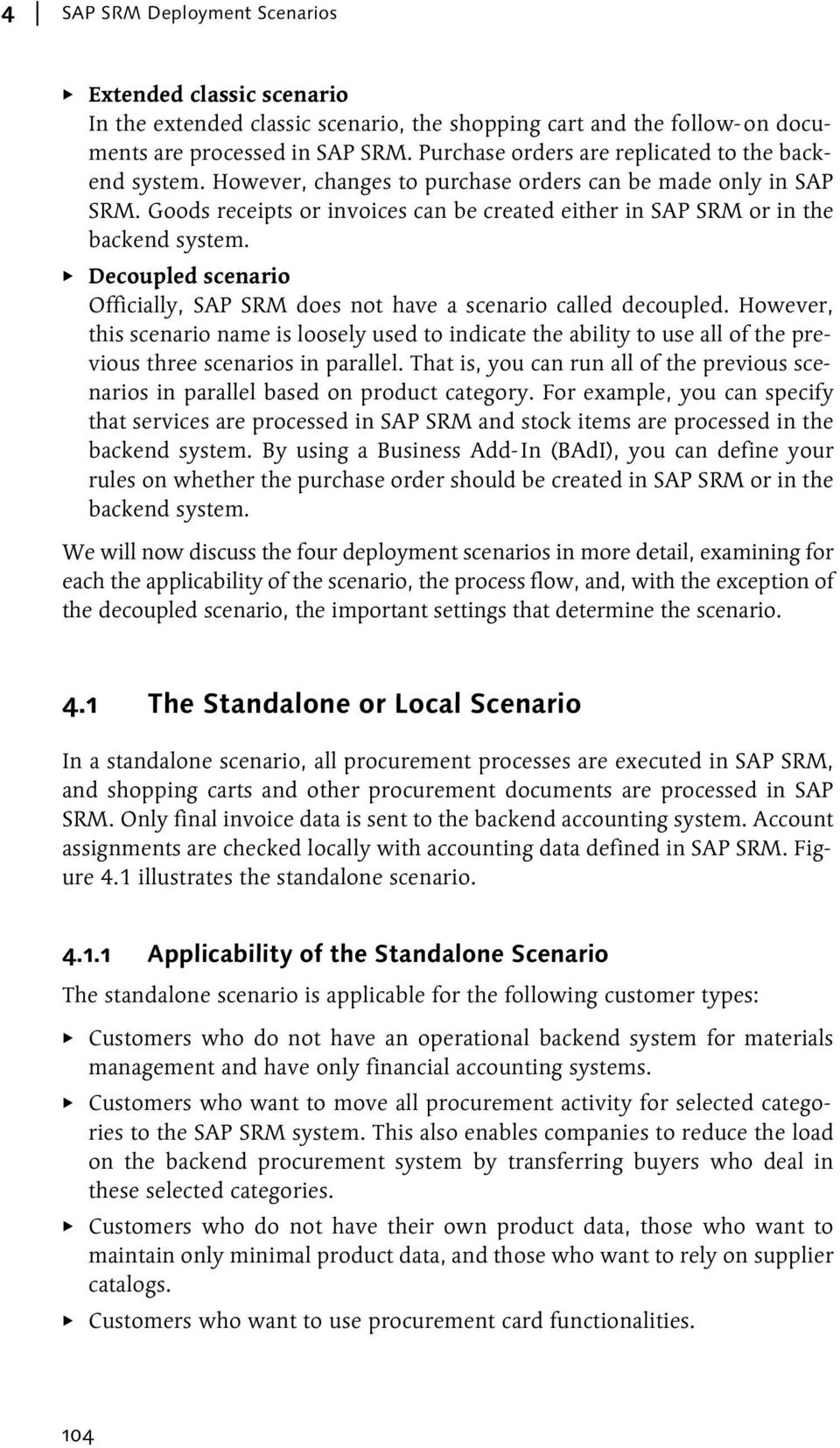
13 4 SAP SRM Deployment Scenarios Extended classic scenario In the extended classic scenario, the shopping cart and the follow- on documents are processed in SAP SRM. Purchase orders are replicated to the backend system. However, changes to purchase orders can be made only in SAP SRM. Goods receipts or invoices can be created either in SAP SRM or in the backend system. Decoupled scenario Officially, SAP SRM does not have a scenario called decoupled. However, this scenario name is loosely used to indicate the ability to use all of the previous three scenarios in parallel. That is, you can run all of the previous scenarios in parallel based on product category. For example, you can specify that services are processed in SAP SRM and stock items are processed in the backend system. By using a Business Add- In (BAdI), you can define your rules on whether the purchase order should be created in SAP SRM or in the backend system. We will now discuss the four deployment scenarios in more detail, examining for each the applicability of the scenario, the process flow, and, with the exception of the decoupled scenario, the important settings that determine the scenario. 4.1 The Standalone or Local Scenario In a standalone scenario, all procurement processes are executed in SAP SRM, and shopping carts and other procurement documents are processed in SAP SRM. Only final invoice data is sent to the backend accounting system. Account assignments are checked locally with accounting data defined in SAP SRM. Figure 4.1 illustrates the standalone scenario Applicability of the Standalone Scenario The standalone scenario is applicable for the following customer types: Customers who do not have an operational backend system for materials management and have only financial accounting systems. Customers who want to move all procurement activity for selected categories to the SAP SRM system. This also enables companies to reduce the load on the backend procurement system by transferring buyers who deal in these selected categories. Customers who do not have their own product data, those who want to maintain only minimal product data, and those who want to rely on supplier catalogs. Customers who want to use procurement card functionalities. 104
14 The Standalone or Local Scenario 4.1 Backend System Accounting (FI/CO) mysap SRM SRM Server Create & Approve Shopping Cart Item Create Purchase Order Commitment in Controlling Create & Approve Confirmation Create Invoice Accounts Payable Invoice Figure 4.1 Standalone Scenario Customers who want to use all of the functionalities in the service procurement scenario. Customers who want to involve suppliers in procurement transactions using Supplier Self- Service (SUS) integration with SAP SRM. Note From SAP SRM 2007 on, the procurement card functionality is also available in the extended classic scenario Process Flow Figure 4.1 also illustrates the standalone scenario process flow. The process is as follows: 1. An employee searches the catalogs and creates an online shopping cart for his requirements. 105

15 4 SAP SRM Deployment Scenarios 2. The system triggers an approval workflow based on the workflow start conditions defined in the configuration settings. The workflow is routed to the mailbox of the approving manager, who approves or rejects the shopping cart. 3. If the shopping cart is approved, the system creates a purchase order in the SAP SRM system. If the data is incomplete, the shopping cart is moved to a purchaser s worklist in sourcing (commonly referred to as the sourcing cockpit) from where the purchaser creates the purchase order. 4. The goods receipt for materials or service entry sheet for services is created in the SAP SRM sytem as confirmation. 5. An invoice is created in the SAP SRM system, which creates an accounting document in the backend system Important Settings That Determine the Standalone Scenario The following settings determine the standalone scenario: Product categories are created in SAP SRM directly, that is, local product categories. The SAP SRM system is defined as the local system in the configuration setting Define Backend Systems. An accounting system is defined as the backend system in the configuration setting Define Backend Systems. The target system for the product category should be the SAP SRM system in the configuration setting Define Backend System for Product Category. You can also use the standalone scenario using backend product categories with this setting. Optionally, BAdI BBP_DETERMINE_LOGSYS is implemented to determine the target system as the SAP SRM system. 4.2 The Classic Scenario In a classic scenario, the SAP SRM system is used mainly to capture procurement requisitions from employees in the form of shopping carts. All other procurement activities take place in the backend materials management system Applicability of the Classic Scenario The classic scenario is applicable to customers who have a strong backend procurement system and where buyers do not want to use multiple systems for their operations. However, such customers may want to enable large numbers of employees to create requisitions with minimal or no training. If these customers want to use special purchase order features available in SAP ERP, such 106

16 The Classic Scenario 4.2 as one- time- vendor purchase order, partner functions, external services with many outline levels, and complex pricing with delivery costs, then the classic scenario is recommended. Classic scenario is also recommended for customers who want to involve suppliers in procurement transactions using SUS integration with Materials Management (MM) Process Flow Figure 4.2 illustrates the classic scenario process flow, which is as follows: 1. An employee searches the catalogs and creates an online shopping cart for his requirements. The employee can also view the stock status for the material. 2. The system triggers an approval workflow based on the workflow start conditions defined in the configuration settings. The workflow is routed to the mailbox of the approving manager, who approves or rejects the shopping cart. Backend System mysap SRM Accounting (FI/CO) Materials Management Create Reservation Follow-on documents based on settings insrm SRM Server Create & Approve Shopping Cart Item Create Requisition Output to supplier (XML/ /Fax/Print) Create Purchase Order Budgets & Commitments In Controlling Create Goods Receipt Create Invoice Goods receipt & invoice can be created in backend or in SRM Create & Approve Confirmation Create Invoice Accounts Payable Figure 4.2 Classic Scenario 3. If the shopping cart is approved, the system creates a follow- on document in the backend system. The settings in the configuration setting Define objects in backend system determine the type of follow- on document. The following settings are possible for each product category: If stock for the material is available on the requested date in the backend system, you can specify that a reservation (material issue requisition) is created. 107
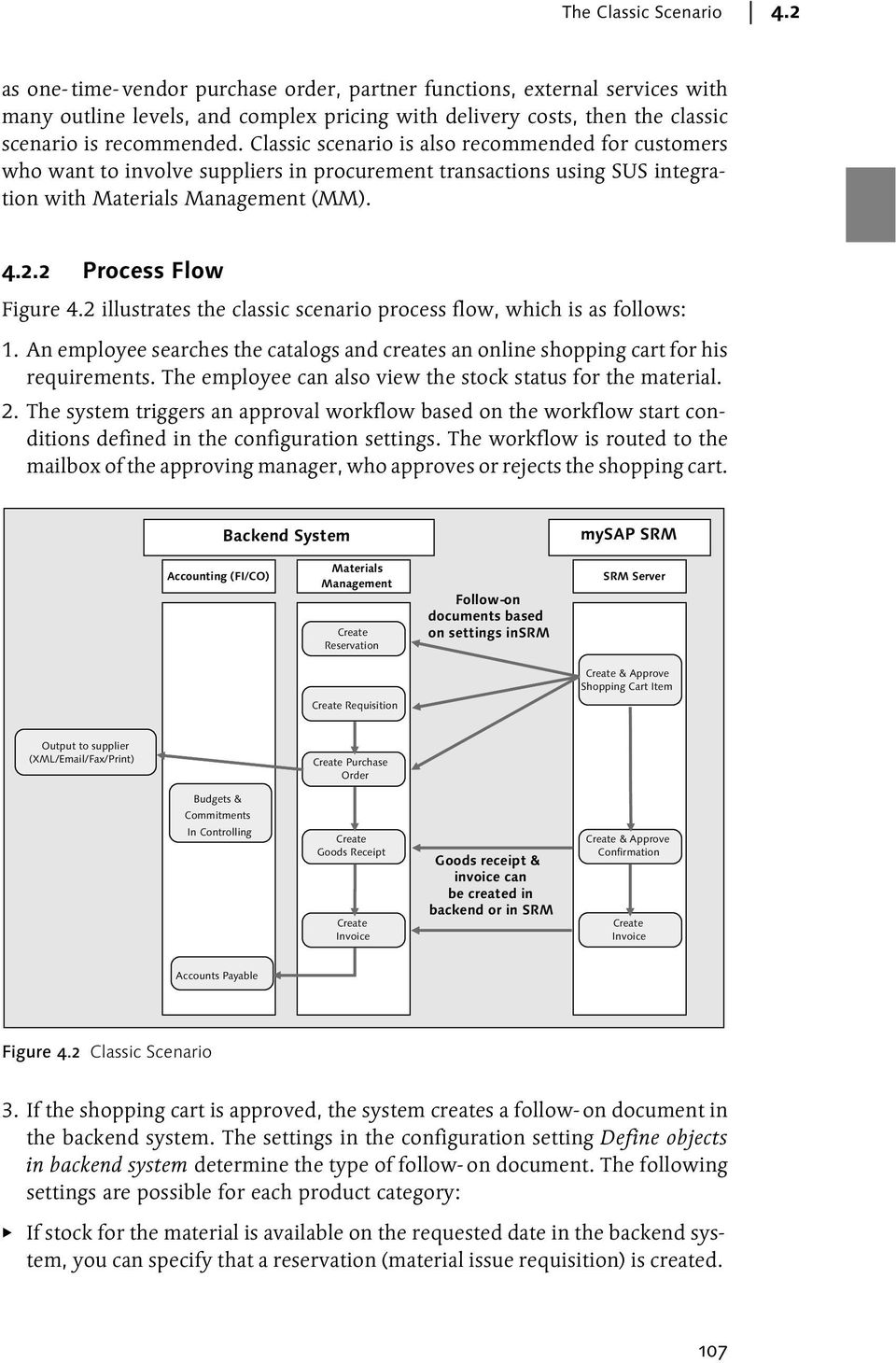
17 4 SAP SRM Deployment Scenarios Settings can be configured in such a way that the system always creates a reservation if the material belongs to a material type that is subjected to inventory management in the backend system. Settings can also be configured in such a way that the system never creates a reservation and always creates either a purchase requisition or purchase order. Settings can be configured to always create purchase requisitions in the backend system. The system can be configured to create a purchase order, if the shopping cart data is complete. If the data is not complete, the system creates a purchase requisition. Optionally, you can use customer- specific rules to determine the backend object by implementing BAdI BBP_TARGET_OBJTYPE. 4. If the system creates a purchase requisition in the backend system, purchasers need to process the requisition and create a purchase order in the backend system. 5. The purchase order is available only in the backend system. However, requisitioners can check the status of the shopping cart and view the essential purchase order information in the SAP SRM system, also. 6. The goods receipt for materials or service entry sheet for services is created directly in the backend system. Alternatively, users can also create the confirmations in the SAP SRM system and the system automatically creates a goods receipt in the backend system. 7. The invoice can be entered directly in the backend system. Alternatively, users can create an invoice in the SAP SRM system, which creates an invoice document in the backend system Important Settings that Determine the Classic Scenario The following settings are required for the classic scenario: At least one backend materials management system and accounting system is connected to the SAP SRM system and defined in the configuration setting Define Backend Systems. Product categories from the backend procurement system are replicated and used in the SAP SRM system. The target system for each product category is the backend system in the configuration setting Define Backend Systems for Product Category. Optionally, BAdI BBP_DETERMINE_LOGSYS is implemented to determine the backend system based on shopping cart data. 108
18 The Extended Classic Scenario 4.3 The extended classic scenario should not be activated in the configuration setting Activate Extended Classic Scenario. If the extended classic scenario is activated, then BAdI BBP_EXTLOCALPO_BADI should be implemented to enable the classic scenario based on customer- defined rules. 4.3 The Extended Classic Scenario In an extended classic scenario, the procurement process takes place in the SAP SRM system. The purchase order is created in the SAP SRM system and a readonly copy of the purchase order is replicated to the backend system. Goods receipts and invoices can be entered either in the backend system or in the SAP SRM system Applicability of the Extended Classic Scenario The extended classic scenario is applicable to customers who want sophisticated procurement functionalities in SAP SRM, such as the following: Purchase order response from the vendor can be captured in SAP SRM. Differences between purchase order and purchase order response, if any, can be approved by the purchaser in an interactive user interface. The full sourcing capabilities of SAP SRM are available in the extended classic scenario. Direct material procurement is enabled in the extended classic scenario only. Sophisticated workflow functionality is available in SAP SRM. Entry of confirmation is easier in SAP SRM compared to backend ERP. In SAP ERP, goods receipt for materials and service entry for services are done in two different transactions whereas in SAP SRM both goods receipts and service confirmations are done in the same transaction. In addition, SAP SRM also provides approval workflow for confirmations. Procurement card functionality is available in the extended classic and standalone scenarios only Process Flow Figure 4.3 illustrates the extended classic scenario process flow, which is as follows: 1. An employee searches the catalogs and creates an online shopping cart for his requirements. The employee can also view the stock status, if the material used is a stock material. 109

19 4 SAP SRM Deployment Scenarios 2. The system triggers an approval workflow based on the workflow start conditions defined in the configuration settings. The workflow is routed to the mailbox of the approving manager, who approves or rejects the shopping cart. 3. If the shopping cart is approved, the system creates a purchase order in the SAP SRM system. If the data is incomplete, the shopping cart is moved to the sourcing cockpit for further action from the purchaser. 4. In the extended classic scenario, purchase orders can be created in the following ways: From a shopping cart From an external requirement created in the backend system and transferred to SAP SRM Directly in SAP SRM from the Transaction Create purchase order From the winning bid in a bidding or reverse auction process Backend System mysap SRM Accounting (FI/CO) Materials Management SRM Server Create & Approve Requisition Requisition replicated to SRM for sourcing Create & Approve Shopping Cart Item Sourcing Cockpit or Bidding Budgets & Commitments In Controlling Create Purchase Order (Copy) Purchase Order changed Replication of purchase order Replication of changes Create Purchase Order Change Purchase Order Output to supplier (XML/ /Fax/Print) Enter & Approve Purchase Order Response Accounts Payable Create Goods Receipt Create Invoice Goods receipt & invoice can be created in backend or in SRM Create & Approve Confirmation Create & Approve Invoice Figure 4.3 Extended Classic Scenario 5. The purchase order is created in the SAP SRM system. A copy of the purchase order is replicated to the backend system. The purchase order in SAP SRM is the leading purchase order, and any changes to the purchase order can only be made in SAP SRM. The data replicated to the backend system can be influenced by implementing BAdI BBP_ECS_PO_OUT_BADI. For example, a purchasing organization in SAP SRM can be mapped to a purchasing organization in SAP ERP using this BAdI. 110

20 The Extended Classic Scenario The purchase order response from the supplier can be entered directly in SAP SRM or updated automatically via XML communication. The supplier may indicate a different delivery date or a different price in the response. The differences can be approved or rejected by the purchaser in an interactive user interface. A workflow can also be activated for purchase order response approvals. 7. The goods receipt for materials or service entry sheet for services is created directly in the backend system. Alternatively, users can also create the confirmations in the SAP SRM system and the system automatically creates a goods receipt in the backend system. 8. Invoices can be entered directly in the backend system. Alternatively, users can create invoices in the SAP SRM system, which in turn creates an invoice document in the backend system Important Settings that Determine the Extended Classic Scenario The following settings are required for the extended classic scenario: At least one backend materials management system and accounting system is connected to the SAP SRM system and defined in the configuration setting Define Backend Systems. Product categories from the backend procurement system are replicated and used in the SAP SRM system. The target system for each product category is the backend system in the configuration setting Define Backend Systems for Product Category. Optionally, BAdI BBP_DETERMINE_LOGSYS is implemented to determine the backend system. The extended classic scenario is activated in the configuration setting Activate Extended Classic Scenario. Alternatively, BAdI BBP_EXTLOCALPO_BADI is implemented to control the extended classic scenario based on customerdefined rules. If the backend system is an SAP R/3 version lower than 4.6B, you must define local purchasing organizations and purchasing groups. If the backend system is an SAP R/3 version 4.6B or higher, you need to map the purchasing group used in the purchase order to the backend purchase group in one of the following ways: Use a backend purchasing organization and purchasing group in the shopping cart and purchase order. Use BAdI BBP_PGRP_FIND to determine a backend purchasing group in the shopping cart. 111

21 4 SAP SRM Deployment Scenarios If a local (created in SAP SRM without reference to a backend system) purchasing group and purchasing organization are used, then a valid backend purchasing group is assigned to the RFC user that created the backend purchase order. This assignment is made in the backend system using user parameter EKG in Transaction code SU01. Implement the user exit of the BAPIs BAPI_PO_CREATE1 (EXIT_ SAPL2012_001 and EXIT_SAPL2012_003), and BAPI_PO_CHANGE (EXIT_SAPL2012_002 and EXIT_SAPL2012_004) to determine the purchasing group with a customer- specific logic. 4.4 The Decoupled Scenario As mentioned earlier in this chapter, SAP SRM officially does not have a scenario called decoupled. However, as also mentioned earlier, this scenario name is loosely used to indicate the ability to use the other three scenarios in parallel. SAP recognizes that the procurement strategy for each category of purchases can be different and any procurement solution should offer flexibility during implementation to cater to all requirements. Hence, SAP SRM provides the flexibility to implement all three scenarios in parallel, based on customers requirements Applicability of the Decoupled Scenario Companies that wish to fully leverage the flexibility offered by SAP SRM use the decoupled scenario. For example, a company might want to use the standalone scenario for certain indirect materials and routine services, the classic scenario for stock materials so that inventory and planning capabilities of backend materials management system can be utilized, and the extended classic scenario for purchases where flexibility and greater collaboration with suppliers is required in purchase order responses Process Flow Figure 4.4 illustrates the decoupled scenario process flow. The process is as follows: 1. An employee searches the catalogs and creates an online shopping cart for his requirements. The employee can also view the stock status for the material. 2. The system triggers an approval workflow based on the workflow start conditions defined in the configuration setting. The workflow is routed to the mailbox of the approving manager, who approves or rejects the shopping cart. 112
22 The Decoupled Scenario 4.4 External Requirement from Backend System Sourcing Cockpit Assign Source of Supply /Complete Bidding/Auction process C A B Shopping Cart Approval Workflow 1) Configuration settings in Define backend system for product category 2) BADI BBP_DETERMINE_LOGSYS 1) Activate Extended Classic Scenariosetting 2) BADI BBP_EXTLOCALPO_BADI 1)Configuration settings in Define objects in backend system (Puch req,reservations, purchase orders) 2) BADI BBP_TARGET_OBJTYPE Relevant for Sourcing C Yes Stock Exists? NO Data Complete? No No YES Yes No C C A B Requisition in Backend Local Scenario? NO Extended Classic? Direct Material? Yes No (Classic Scenario) Reservation in backend Yes Yes Copy of PO (BBP_ECS_PO_OUT_BADI) Purchase Order in Backend Purchase Order in SRM SRM Confirmation Approval Workflow SRM Invoice Approval Workflow 1) Purchase Order and all follow-on documents are created in SRM system in local scenario 2) Purchase Order is created in backend system in classic scenario 3) Purchase Order is created in SRM in extended classic scenario and a copy is created in backend system. 4) Confirmations or Goods receipts and invoices can be created either in SRM or in backend system in classic & extended classic scenarios Figure 4.4 Decoupled Scenario 3. Alternatively, an external requirement from the backend system is received in the SAP SRM system. 4. The system verifies whether the product category used is a local SAP SRM product category. If the product category is a backend product category, the system verifies whether the target system defined in the configuration setting Define backend system for product category is a local SAP SRM system. Processing of such shopping cart items is handled in SAP SRM as a standalone scenario. On approval of such a shopping cart, the system creates a purchase order in the SAP SRM system. If the data is incomplete, the shopping cart is moved to the sourcing cockpit from where the purchaser creates the purchase order. Goods receipts or service confirmations and invoices are created in SAP SRM. Accounting documents from invoice postings are updated in the backend accounting system. 5. If the shopping cart does not belong to a standalone scenario, the system verifies whether the extended classic scenario is activated in the configuration setting Activate extended classic scenario. If the setting is activated, the system processes the shopping cart as described in the extended classic scenario. 6. If the extended classic scenario is not activated, the system checks whether the BAdI to control the extended classic scenario (BBP_EXTLOCALPO_BADI) is implemented. If the BAdI is implemented, then the system verifies the shopping cart data with the conditions specified in the BAdI. If the condi- 113
23 4 SAP SRM Deployment Scenarios tions in the BAdI are met, then the system processes the shopping cart as described in the extended classic scenario. 7. If the extended classic scenario does not apply to the shopping cart, then the system processes the shopping cart as per the classic scenario process. Let s now move on to learning about deployment scenarios. 4.5 Deployment Scenario Implementation Settings For quick reference, Table 4.1 summarizes the settings that determine a deployment scenario in an implementation: Scenario Settings Remarks Standalone Classic Extended classic The product category used in the shopping cart should be local. In the configuration setting Define backend systems for product category OR in BAdI BBP_DETERMINE_LOGSYS, the target system should be the SAP SRM system. The product category used in the shopping cart should be the backend product category. In the configuration setting Define backend systems for product category OR in BAdI BBP_DETERMINE_LOGSYS, the target system should be the backend system. The extended classic scenario should not be activated in the configuration setting Activate Extended Classic Scenario. If the extended classic scenario is activated in configuration setting Activate Extended Classic Scenario, then BAdI BBP_ EXTLOCALPO_BADI should be implemented. The product category used in the shopping cart should be the backend. In the configuration setting Define backend systems for product category, the target system should be the backend system OR the target system determined in BAdI BBP_ DETERMINE_LOGSYS should be the backend system. If a product category is created in the SAP SRM system, then it is called local. If a product category is replicated from the backend system into the SAP SRM system, then it is called the backend product category. Table 4.1 Determination of Deployment Scenarios 114
24 Comparison of Deployment Scenarios 4.6 Scenario Settings Remarks Extended classic Decoupled scenario The extended classic scenario should be activated in the configuration setting Activate Extended Classic Scenario. If the extended classic scenario is not activated in the configuration setting Activate Extended Classic Scenario, then BAdI BBP_ EXTLOCALPO_BADI should be implemented. BAdI BBP_EXTLOCALPO_BADI should be implemented along with the settings described for the previous scenarios. Table 4.1 Determination of Deployment Scenarios (Cont.) Let s compare deployment scenarios now. 4.6 Comparison of Deployment Scenarios A comparison of the deployment scenarios is given in Table 4.2. Item Classic Extended Classic Standalone Indirect material procurement (requirement with account assignment) Shopping cart Created in SAP SRM. Created in SAP SRM. Created in SAP SRM. Shopping cart approval Done in SAP SRM. Done in SAP SRM. Done in SAP SRM. Shopping cart follow-on documents without sourcing Purchase requisition, reservation, or purchase order in the backend system. Purchase order in SAP SRM; purchase order copy is available in the backend system. Purchase order in SAP SRM. External requirements Approval of external requirements Purchase requisition is created in the backend system and transferred to SAP SRM as a shopping cart in the sourcing cockpit. Only approved purchase requisitions are transferred from the backend. No approval in SAP SRM. Purchase requisition is created in the backend system and transferred to SAP SRM as a shopping cart in the sourcing cockpit. Only approved purchase requisitions are transferred from the backend. No approval in SAP SRM. Purchase requisition is created in the backend system and transferred to SAP SRM as a shopping cart in the sourcing cockpit. Only approved purchase requisitions are transferred from the backend. No approval in SAP SRM. Table 4.2 Comparison of Deployment Scenarios 115
25 4 SAP SRM Deployment Scenarios Item Classic Extended Classic Standalone Purchase order creation Purchase order is created in the backend system from the shopping cart process or from the sourcing process. Purchase order is created in SAP SRM from the shopping cart process, from the sourcing process, or directly from the Create purchase order transaction. A copy is created in the backend. Purchase order is created in SAP SRM only. Purchase order change Purchase order is maintained only in the backend system. Changes can be done only in SAP SRM. Changes can be done only in SAP SRM. Purchase order display Complete document in the backend system and important data in the shopping cart follow-on documents. Both SAP SRM and the backend system. SAP SRM only. Goods receipt or service entry Backend system (can be entered as confirmation in SAP SRM also). Backend system (can be entered as confirmation in SAP SRM also). Confirmations are entered in SAP SRM only. Invoice Backend system (can be entered in SAP SRM also). Backend system (can be entered in SAP SRM also). Entered in SAP SRM only (accounting document is created in the backend). Use of SUS Use SUS with MM. (Refer to Chapter 13). Not supported fully. Refer to SAP Note Use SUS with SAP SRM (refer to Chapter 14). Use of account assignment categories with special stocks in SAP ERP Not supported (See SAP Note ). Not supported (See SAP Note ). Not supported (See SAP Note ). Use of procurement cards Not supported. Supported from SAP SRM on. Supported. Table 4.2 Comparison of Deployment Scenarios (Cont.) 116
26 Summary 4.7 Item Classic Extended Classic Standalone Direct material procurement (requirement without account assignment i.e., order as direct material) Shopping cart Created in SAP SRM with Order as Direct material. Created in SAP SRM with Order as Direct material. Not applicable. Shopping cart follow-on documents without sourcing Purchase order in SAP SRM; purchase order copy is available in the backend system. Purchase order in SAP SRM; purchase order copy is available in the backend system. Not applicable. External requirements Approval of external requirements Purchase requisition is created in the backend system and transferred to SAP SRM as a shopping cart in sourcing. Only approved purchase requisitions are transferred from the backend. No approval in SAP SRM. Purchase requisition is created in the backend system and transferred to SAP SRM as a shopping cart in sourcing. Only approved purchase requisitions are transferred from the backend. No approval in SAP SRM. Not applicable. Not applicable. Purchase order creation Purchase order is created in SAP SRM. A copy is created in the backend. Purchase order is created in SAP SRM. A copy is created in the backend. Not applicable. Purchase order change Purchase order can be changed in SAP SRM only. Purchase order can be changed in SAP SRM only. Not applicable. Use of SUS Not supported fully. Refer to SAP Note Not supported fully. Refer to SAP Note Not applicable. Table 4.2 Comparison of Deployment Scenarios (Cont.) 4.7 Summary In this chapter, you learned that SAP SRM can be flexibly integrated with backend ERP systems. Customers can choose the level of integration depending on their organization s requirements. This flexibility ensures that customers are not left with rigid rules in their procurement processes and they can choose the processes based on the requirements of each product category. 117
27 4 SAP SRM Deployment Scenarios In Chapter 5, we will discuss scenarios in operational procurement and implementation of self- service procurement. Also, the configuration settings mentioned in this chapter are explained in detail in Chapter
28 Index 2- Envelope Bidding 486 A Account assignment 104, 156 Account assignment category 157 Adapter engine 430 Adobe document server (ADS) 212 Adobe interactive form 197 ADS 201 Advanced Planning and Optimization (APO) 462 Advanced shipping notification (ASN) 360 ALE 349 ALEAUD 372 Alert 337 Alert management 346 Alert threshold 347 Alert workflows 226 ALV 365 Application gateway 324, 363, 406 Application Linking and Enabling (ALE) 97 Distribution model 98 Application monitors 101 ASAP 362 Attachment 168, 171 Attributes 90 Auction 297 Authorization object 205 Automation 33 Automotive 31 B Backend system 104, 106, 107, 108 BAdI 71, 169 BBP_ACCCAT_MAP_EXP 159 BBP_ACCCAT_MAP_IMP 159 BBP_ALERTING 346 BBP_AVL_DETERMINE 304 BBP_BID_EVAL_DISPLAY 461 BBP_BS_GROUP_BE 136 BBP_CAT_CALL_ENRICH 263 BBP_CHANGE_SF_BID 305 BBP_CREAT_RFQ_IN_DPE 287 BBP_CREATE_BE_PO_NEW 169 BBP_CREATE_BE_RQ_NEW 169 BBP_CREATE_PO_BACK 169 BBP_CTR 341 BBP_CTR_BE_CREATE 341 BBP_CTR_INIT_UP 341, 462 BBP_CTR_INIT_UP_PI 342 BBP_CTR_STAT 350 BBP_CUF_BADI_2 219 BBP_DET_TAXCODE_BADI 154 BBP_DETERMINE_ACCT 160 BBP_DETERMINE_LOGSYS 106, 108, 111, 287, 294, 341, 344 BBP_DOC_CHANGE_BADI 220, 398 BBP_DOC_CHECK_BADI 462 BBP_ECS_PO_OUT_BADI 110 BBP_EXTLOCALPO_BADI 109, 113, 135 BBP_F4_READ_ON_ENTRY 95 BBP_FREIGHT_BADI 155 BBP_GET_VMDATA_CF 97 BBP_GROUP_LOC_PO 303, 462 BBP_LONGTEXT_BADI 148, 344 BBP_MSG_CTRL_CUST 95 BBP_OFFLINE_APP_BADI 246 BBP_OUPUT_CHANGE_SF 168 BBP_PC_ACLPAY_BADI 219 BBP_PGRP_FIND 111, 134 BBP_QA_REDETERM_CTR 290 BBP_SAPXML1_IN_BADI 397, 421 BBP_SAPXML1_OUT_BADI 276 BBP_SAVE_BID_ON_HOLD 303 BBP_SC_TRANSFER_BE 136 BBP_SC_TRANSFER_GROUPED 287 BBP_SC_VALUE_GET 453 BBP_SKILLS 325 BBP_SOS_BADI 290 BBP_SOURCING_BADI 287 BBP_SRC_DETERMINE 289, 302 BBP_TARGET_OBJTYPE 108, 127 BBP_TAX_MAP_BADI 156 BBP_TRANSFER_GROUP 303 BBP_TREX_BADI 327 BBP_UNPLAN_ITEM_BADI 327 BBP_VERSION_CONTROL 302, 344 BBP_WFL_APPROV_BADI 227, 233 BBP_WFL_SECURE_BADI 228 DOC_PERSONALIZE_BCS 168 FILL_DUMMY_CONTACTPERSON
29 Index ME_TAX_FROM_ADDRESS 156 PLM_CATALOG_IF 196 ROS_BUPA_DATA_CHECK 291 ROS_CUST_WEL_TXT 291 ROS_REQ_CUF 291 Bank statement 214 BAPI BAPI_PO_CHANGE 112, 134 BAPI_PO_CREATE1 112, 134 BBP_PCSTAT 98 META_PO_CREATE 480 Bid 166 Bid invitation 293 Bidder 32 Bidding engine (BE) 46, 65, 292 Bidding engine analytics 58 Brazil 447 BRF event 230 BRF group 244 Budget 227, 234 Business Application Programming Interface (BAPI) 75 Business package 426 Business partner 30, 86, 130 Business Rule Framework (BRF) 221, 229, 441 Business Server Pages (BSP) 375 Business system 269, 386 Business- to- Business (B2B) procurement 32 C Calculation schema 164 Call structure Integrated 131 Standard 131 Card company 214 Cardholder 217 Cascading auctions 298 Case study 121, 198, 212, 284, 318, 333, 357 Catalog 32, 55, 194 Catalog Content Management (CCM) 66 Catalog management 45 Category management 45, 46 CCM catalog 131 Central User Administration (CUA) 461 cfolders 171, 295, 306, 356, 446 Change list 389 Class type 365 Classic scenario 58, 103, 106, 127, 219 Collaborative replenishment 357 Communication channel 270, 387 Company code 89, 156 Components 38 Condition group 165 Condition type 162, 345 Confirmation 33, 108, 111, 124 Confirmation control 360 Confirmation control key 360 Consignment stock 361 Content manager 251 Contract 130, 166 Contract authoring 329 Contract confidentiality 336 Contract fulfillment 338 Contract hierarchies 336, 352 Contract Lifecycle Management (CLM) 329 Contract management 45, 329 Contract monitoring 58 cprojects 65, 356, 468, 471 Credit memo 374 Currency 71, 77 Customer 468 Customer fields 396, 397, 420, 455, 477 Customer Relationship Management (CRM) 468 Customer service 473 D Dangerous goods 38 Data manager 252 Decision set 231 Decision type 231, 242 Decoupled scenario 59, 104, 112 DELINS 371 Demand aggregation 34 DESADV 372 Design collaboration 356 Direct materials 37, 109 Dispute management 199 Distribution model 366 DMS 352 Document Management System 169 Document type 343 Download monitor 83 Duet 67 Duplicate invoice 207 Dynamic attributes
30 Index E eclass 251 ECLViewer 451 Electronic Data Interchange (EDI) 197, 355, 368 Electronic Request for Quotation/Proposal (erfx) integration 311 Enhancement framework 475 Enhancement spot BBP_BDI_MAPPING_SAPXML1 471 Enrich product 252 Enterprise Buyer Professional (EBP) 34, 46, 48, 65, 426 Enterprise Resource Planning (ERP) 29 Enterprise Services Architecture (ESA) 423 EPRTRANS 192 ERP 30 ERS 370 E- sourcing 331 Evaluated Receipt Settlement (ERS) 404 Evaluation ID 230 Event 229 Linkage 225, 237 Schema 142, 346 Exception 200 Exchange rate 71 Exchange rate thresholds 336 Exits ACCID BBPPC CL_BBP_SMTP_INBOUND_INV 212 EXIT_SAPL2012_ EXIT_SAPL2012_ EXIT_SAPL2012_ EXIT_SAPL2012_ EXIT_SAPLACC1_ EXIT_SAPLEINM_ MCDOKZNR 170 MEREQ MM06E MM06E Expression 230 Expression of Interest (EOI) 293 Extended classic scenario 59, 104, 109, 134, 212 External requirement 185 External web service 129, 263, 274 F Factored- cost bidding 298 Freight 154 Frequently Asked Questions (FAQs) 361, 441 Full text search 337 Function type 173 G GL account 160 Global contract 34 Global Outline Agreement (GOA) 166, 331, 462 Global spend analysis 432 Globalization 33 Goods receipt 106, 108, 111, 124, 360 Goods receipt (GR) notification 374 GR notification 360 Group condition 164 GSVERF 371 H HR 460 I IDoc 359 ACC_GOODS_MOVEMENT ACLPAY 219 ACLPAY BBP_PCSTAT01 214, 218 STPPOD.DELVRY Import manager 252 Import server 252 Inbound delivery 360 Inbound mail 311 India 447 India localization 360 Indirect materials 37 Info record 289, 349 Initial upload 335 Integrated call structure 274 Integration Builder 269, 387, 428 Integration directory 269, 387, 428 Integration engine 266, 377, 408, 430 Integration Repository 270, 388, 428 Integration scenarios 269,
31 Index Integration server 269, 386 Interface determination 273 Internet Pricing Configurator (IPC) 161 Invoice 108, 111, 124, 361, 372, 404 Invoice exception 205 Invoice Management System (IMS) 120, 197 Invoice monitor 201, 203, 205 Invoice simulation 175, 177 Invoice verification 199 J Java applet 171, 181 Just- in- time 38 K Key mapping 261 Key performance indicator (KPI) 434 L LAC 297, 463 Landscape 363 Lease Asset Management (LAM) 468 Lexicographical 78 Limit 349 Limit purchase order 180 Limit shopping carts 49 Live auction cockpit see also LAC 297 Live Auction Cockpit (LAC) 46, 65 Local scenario 103 Location 89 Logical system 131 Name 73 Logistics invoice verification 373 Lookup tables 258 Lotting 298 M Maintenance order 192 Maintenance, repair, and operations (MRO) 48 Maintenance, Repair, and Overhaul (MRO) 87 Make- to- order 38 Make- to- stock 38 Mask 253, 262 Mass changes 336 Material 82 Group 71, 82 Type 82 Materials Management (MM) 357 Maverick buying 31 MDM CLIX 251 MDM console 251 MDM generic extractor 256, 258 Means of transport 383 Message control 176, 178 Message schema 368 Message server 267, 385 Message type 365 ACC_GOODS_MOVEMENT 98, 219 ACLPAY 98, 219 BBPCO 98 BBPIV 98 CREMAS 365 MBGMCR 98 Z_CREMAS_SUSMM 365 Microsoft Visio 252 Middleware 463 N Named search 253, 262 NetWeaver 423 Network plan type 194 Nonstock materials 38 Notification 226 Number range 88 Confirmation 139 Invoice 139 Purchase order 137 Purchase order response 138 Shopping cart 135 O OCI Mapping 278 OEM 39 Office supplies 32 Offline approval 228, 233 Oil and gas 31 One- time vendor 205 Open Catalog Interface (OCI) 51, 54, 66, 130, 192, 250, 253, 263 Operational contracts
32 Index Operational procurement 45, 48, 119 Operational purchasing analysis 58 ORDCHG 372 Order acknowledgement 360 Order collaboration 33, 355 Order response 360, 403 Order type 194 Organizational plan 90, 133, 188, 234, 275, 326, 379 Organizational structure 61, 85 Organizational unit 86 Outbound parameter 372 Outline agreement 330 Output 167 Output message type 368 Outsourcing 468 P Partner determination procedure 174 Partner function 172 Partner profile 348, 370 Partner profiles 99 Partner schema 142, 172, 174 P- card 212 PDF form 167 Personal Object Work List (POWL) 442 Personnel number 217 Plan- driven procurement 50, 92, 120, 183 Planned delivery costs 205 Planning plant 194 Plant 89 Plant maintenance (PM) 192 PLM 295 PO 403 Port 364, 385 Prefix number 224 Price variance 180, 205 Pricing 302, 344 Pricing procedure 345 Privacy 310, 381 Process levels 230, 238 Process schema 230, 240 Process schema evaluation 230 Procurement card (P- Card) 49, 104, 105, 109, 120, 197, 212 Procurement models 42 Center-led 43 Centralized 42 Decentralized 43 Product 32, 165 Catalog 129 Categories 307 Category 71, 126 Hierarchy 85 Lifecycle Management (PLM) 356 Linkage 165 Master 61, 70 Schema 251 Segmentation 36 Vendor linkages 288 Program /CCM/CLEANUP_CATALOG 454 /SAPSRM/OFFLINEAPPROVALSEND 246 BBP_ANALYSE_PERFORMANCE 452 BBP_ATTR_COPY_ACCESS_RIGHTS 460 BBP_CND_CUSTOMIZING_CHECK 162 BBP_CONTRACT_CHECK 347 BBP_CONTRACT_INITIAL_UPLOAD 335, 341 BBP_CONTRACT_MASS_UPDATE 352 BBP_COPY_FI_INFO_TO_ITEM 398 BBP_EXTREQ_TRANSFER 191 BBP_GET_CURRENCY 77 BBP_GET_EXRATE 77 BBP_GET_STATUS_2 101 BBP_GET_VENDOR_MAPPING 399 BBP_IV_AUTO_COMPLETE 202 BBP_LA_CREATE_QUOTATION 452 BBP_LOCATIONS_GET_ALL 454 BBP_ORGANIZATION_GETDETAIL 399 BBP_SC_TRANSFER_GROUPED 303, 462 BBP_TREX_INDEX_ADMIN 210, 347 BBP_UPDATE_MAPPING 96 BBP_UPDATE_PORG 95 BBP_UPLOAD_PAYMENT_TERMS 95 BBP_UPLOAD_QM_SYSTEMS 95 BBP_VENDOR_READ_DETAIL 399 BBP_VENDOR_SYNC 97 BBPPCRECN 215, 219 CLEAN_REQREQ_UP 100, 211, 460 HRALXSYNC 89 IMS_FI_DOUBLECHECK 210 RBBP_IMS_MAIL_PROCESS 202 REPAIR_BDS_OC1 312, 451 ROS_DELETE_REJECTED_BP 312 ROS_SUPPLIER_SEND_TO_CATALOG 276 RPODDELVRY 361, 374 RSCONN RSSCRPINT RSVMCRT_HEALTH_CHECK 161,
33 Index UXS_ADD_MISSING_XSLT_NAME 312, 456 W3_PUBLISH_SERVICES 78, 454 Project Systems (PS) 192 Proxy 430 Proxy bidding 298 PS 194 Purchase order 108, 128 Purchase order response 111, 178 Purchase request 32 Purchase requisition 108, 128 Purchasing control 56 Purchasing group 86, 111 Purchasing organization 86, 111, 379 Q qrfc 460 Quantity variance 180, 205 Questionnaire 307 Queue 83 Quota arrangement 290 R Raw materials 38 Rebilling 473 Region 88 Register queues 266, 378, 409 Rejection 147 Remote Function Call (RFC) 67 Replication 81 Report /SAPSRM/WF_CFG_ANALYSIS_ Repository 251, 257 Repository schema 261 Repository structure 261 Request for Information (RFI) 47, 293 Request for Proposal (RFP) 47, 293 Request for Quotation (RFQ) 32, 47, 293 Reservation 107, 127 Responsible agent 230 Return delivery 147, 176, 360 Reverse auction 46, 66, 283 Reviewer 242 RFC destination 74, 265, 364, 376, 377, 407 RFC user 73 Role 72, 375 SAP_EC_BBP_ACCOUNTANT 205 Z_IMS_ROLE 211 S SAP Catalog Content Management (CCM) 250 SAP CCM catalog 193 SAP ERP SAP NetWeaver 423 Adobe Document Server (SAP NetWeaver ADS) 67 Application Server (AS) 424 Application Server (SAP NetWeaver AS) 66 Business Intelligence (BI) 46 Business Intelligence (SAP NetWeaver BI) 66, 338, 361, 423 Exchange Infrastructure (SAP NetWeaver XI) 171, 253, 359, 384, 423 Exchange Infrastructure (XI) 51, 66, 468 Master Data Management (MDM) 55, 425 Master Data Management (SAP NetWeaver MDM) 250, 423 Portal 66 Text Retrieval and Information Extraction (TREX) 66 SAP NetWeaver BI 305 SAP NetWeaver MDM ports 259 SAP NetWeaver Portal 324, 363, 406, 424 SAP NetWeaver XI 338, 418 SAP R/3 Plug- In 67 SAP SRM Server 65 SAP Web Dispatcher 69, 406 SAP xapp Contract Life Cycle Management (xclm) 52 SAPSLDAPI 265, 377 Scheduling agreement 360 Search User Interface (UI) 277 Self- registration 375 Self- service procurement 48, 120, 123 Service 82 Category 82 Order 473 Procurement 49, 120 Shared services model 197 Shop on behalf of 91 Shopping cart 107, 123 Simplified pricing 161 Single sign on (SSO) 424, 459 Site 79 Slave repository 263 SLD 409 SmartForm 167 BBP_BIDINV_BID
34 Index Software Deployment Manager (SDM) 436 Solution Manager 67 Sourcing 45, 335 Sourcing cockpit 286, 335 Spares 32, 39 Special stock 446 Spend analysis 56 Spend categories 31 Spending limit 227 SPML 314 SRM Analytics 46 SRM Live Auction Cockpit (SRM LAC) 66 SRM MDM- Catalog 46 SRM server 446 SRM- MDM Catalog 66, 131, 193, 249, 338 SSO 311 Standalone scenario 59, 103, 104, 212 Standard task 227, 230 Stock materials 38 STPPOD 371 Strategic purchasing 33 Supplier 156 Enablement 45, 355 Evaluation, see also Vendor evaluation 33, 433 Managed inventory (SMI) 357 Master 70 Self-registration 291, 356 Self-Services (SUS) 46, 50, 65, 199, 355, 426 Valuation 57 Supply chain management (SCM) 357 Supply management 36 Surrogate bidding 299 SUS 489 SUS analytics 361 System landscape 61, 68 System Landscape Directory (SLD) 76, 378, 385, 428 T Target host 364 Task list 192 Tax 464 Amount 180 Calculation 149 Category 153 Code 151, 152, 153, 373 Transaction Engine (TTE) 150 Variance 180, 206 Taxware 150 Technical bid 486 Technical system 267, 385 Text schema 142, 145, 302, 344 Text type 144, 302, 344 Time zone 77 Tolerance group 178 Tolerance key 178, 180 Transaction type 140, 301, 343 TREX 201, 207, 256, 337, 347, 446 Troubleshooting 83, 89, 93, 162, 228, 247, 350, 394, 420, 448 U Unarchive 256 Unit of measure (UOM) 71 Universal Worklist (UWL) 442 UNSPSC 251 User exit BBPK MEETA MM06E , 397 MRMH V55K VSV , 397 Utilities 31 UWL 234 V Vendor 366 Evaluation 433 Hierarchies 352 List 287, 291 Master 61, 392 Synchronization 97 Version control 149 Vertex 150 Virtual Machine Container (VMC) 161 W Web Application Server (WAS) 51 Web dispatcher 324, 339, 363 Web Presentation Server (WPS) 65 WebDynpro 251,
35 Index WebDynpro metadata 455 Weighting 304 Withholding tax 155 Workflow 32, 202, 221, 252 Workflow template 230 Workstation application 353 X xclm 330, 331 XML 359 Inbound 175, 177 Invoice 199 Xpath
Introduction to Supplier Relationship Management p. 29 e-procurement and SRM p. 30 The SRM Vendor Landscape p. 34 Why SAP SRM p. 34 Summary p.
 Introduction to Supplier Relationship Management p. 29 e-procurement and SRM p. 30 The SRM Vendor Landscape p. 34 Why SAP SRM p. 34 Summary p. 37 SAP SRM — An Introduction p. 41 Evolution of SAP
What makes SAP SRM 7.01 impressive? Rakesh Singh, GyanSys Inc. Naveen Rajan, GyanSys Inc.
 What makes SAP SRM 7.01 impressive? Rakesh Singh, GyanSys Inc. Naveen Rajan, GyanSys Inc. ] [ Agenda GyanSys Brief Overview SRM 7.01 New Features 7.01 Case Study [ GyanSys Brief Overview Offices Global
How B.Braun, A Global Medical Products Company, is Leveraging SAP SRM 7.0 to Achieve Procure-to-Pay Optimization
 How B.Braun, A Global Medical Products Company, is Leveraging SAP SRM 7.0 to Achieve Procure-to-Pay Optimization Rainer Schimpf CIO Asia Pacific Lalitha Rajagopalan Sr.Director, SAP Global Marketing Agenda
Sungard Banner Integration
 Project Team eprocurement Overview Advantages of Implementing HigherMarkets Sungard Banner Integration Savings Overview Questions BUSINESS INTELLIGENCE REPORTS SOURCING MANAGER CONTRACT MANAGER SPEND
THE SAP SRM (SUPPLIER RELATIONSHIP MANAGEMENT) SUPPLIER S USER GUIDE
 THE SAP SRM (SUPPLIER RELATIONSHIP MANAGEMENT) SUPPLIER S USER GUIDE Table of Contents 1 INTRODUCTION... 2 1.1 The KPA ICT development... 2 1.2 The SAP SRM (E-Procurement)... 2 2 GETTING STARTED IN SRM...
Create Space Rental Requisition Lease In Process. Overview The steps within the Lease In process are shown in the below schema:
 Create Space Rental Requisition Lease In Process Overview The steps within the Lease In process are shown in the below schema: The process can be described with the following main sub-processes If no contract
SC121 Umoja Contractor & Consultant Services Overview. Umoja Contractor & Consultant Services Overview Version 7
 SC121 Umoja Contractor & Consultant Services Overview Umoja Contractor & Consultant Services Overview Version 7 Last Copyright Modified: United 14-August-13 Nations 1 Agenda Course Introduction Module
1... Overview of Project Portfolio Management with SAP... 15 1.1... Requirements Scenario for Project Portfolio Management... 15...
 1... Overview of Project Portfolio Management with SAP... 15 1.1... Requirements Scenario for Project Portfolio Management... 15... Project Initialization 1... 15... Project Planning 2... 17... Resource
SAP Courses. SAP eacademy Net/Weaver-ABAP Basics (SAP NetWeaver ) 25 R 50 000.00. SAP eacademy SAP NetWeaver Business Warehouse 7.0 25 R 70 000.
 Course Title SAP Courses Duration & Hours Cost per Person Excluding VAT SAP eacademy Net/Weaver-ABAP Basics (SAP NetWeaver ) 25 R 50 000.00 SAP eacademy SAP NetWeaver Business Warehouse 7.0 25 R 70 000.00
WebLearning SAP Best Practice CD-ROM Courseware and e-library Titles. SAP Best Practices for Business Intelligence and Warehouse - BW
 WebLearning SAP Best Practice CD-ROM Courseware and e-library Titles SAP Best Practices for Business Intelligence and Warehouse - BW SAP Best Practices for Business Intelligence support the fast and smooth
SAP Supplier Relationship Management
 SAP Supplier Relationship Management Custom-made IT-Solutions www.ba-gmbh.com Supplier Relationship Management Optimization of your purchasing processes In your company also lies valuable potential in
This paper looks at current order-to-pay challenges. ECM for Order-to-Pay. Maximize Operational Excellence
 J A N U A R Y 2 0 1 4 ECM for Order-to-Pay Maximize Operational Excellence This paper looks at current order-to-pay challenges and trends; what organizations should consider in an order-to-pay solution;
Ariba Integration Platform
 Ariba Integration Platform Walter Metrich Product Manager Agenda Integration Goals Integration Toolkit Transfer Tool DB Connector Open Protocol Tool Web Services Current Approach to Integration Ariba Platform
What's New - Application in Microsoft Dynamics AX 2012 for Supply Chain Management, and Manufacturing Course 80163A: 1 Day; Instructor-Led
 What's New - Application in Microsoft Dynamics AX 2012 for Supply Chain Management, and Manufacturing Course 80163A: 1 Day; Instructor-Led About this Course This one-day instructor-led course provides
Global Roll Out of Supplier Relationship Management UsingAgile Methodology. Naveen Rajan GyanSys Inc. [email protected]
 Global Roll Out of Supplier Relationship Management UsingAgile Methodology Naveen Rajan GyanSys Inc [email protected] Who are we? 10 years of Growth with Stability 75+ Customers Globally Solution
Office of Contracting & Procurement and Support Service Center Desk Reference
 Oracle PeopleSoft Enterprise I m in. DETROIT PUBLIC SCHOOLS Office of Contracting & Procurement and Support Service Center Desk Reference Created by the Division of Finance Office of Strategic Management
R12 Oracle Purchasing Fundamentals
 R12 Oracle Purchasing Fundamentals 5 Days What you will learn: In this course, participants learn how to set up and use R12 Oracle Purchasing to managing the purchasing process. They learn how to create
Stefan Glatzmaier, Michael Sokollek. Project Portfolio Management with SAP. RPM and cprojects. Bonn Boston
 Stefan Glatzmaier, Michael Sokollek Project Portfolio Management with SAP RPM and cprojects Bonn Boston Contents Acknowledgements... 9 Introduction... 11 1 Overview of Project Portfolio Management with
ORACLE SERVICES PROCUREMENT
 ORACLE SERVICES PROCUREMENT KEY FEATURES Create contracts for services with complex payment terms Incorporate progress payment schedule into services contracts Track and report progress based on schedule
Informatica Procurement
 Brochure Informatica Procurement Version 7.3 (English) This document contains Confidential, Proprietary and Trade Secret Information ( Confidential Information ) of Informatica Corporation and may not
QlikView's Value Proposition to SAP Accounts
 QlikView's Value Proposition to SAP Accounts Key Themes and Agenda Time To Value Performance Total Cost of Ownership SAP Background QlikView and SAP Business Warehouse Business Objects Common Data Warehouse
ENTERPRISE MANAGEMENT AND SUPPORT IN THE AUTOMOTIVE INDUSTRY
 ENTERPRISE MANAGEMENT AND SUPPORT IN THE AUTOMOTIVE INDUSTRY The Automotive Industry Businesses in the automotive industry face increasing pressures to improve efficiency, reduce costs, and quickly identify
Automating Invoice Processing in SAP Accounts Payable
 Automating Invoice Processing in SAP Accounts Payable Applies to: SAP 4.6C, SAP 4.7 Enterprise, mysap ERP 2004, mysap ERP 2004 Summary Paying to the vendor who supplies good or provides services is the
ENTERPRISE MANAGEMENT AND SUPPORT IN THE INDUSTRIAL MACHINERY AND COMPONENTS INDUSTRY
 ENTERPRISE MANAGEMENT AND SUPPORT IN THE INDUSTRIAL MACHINERY AND COMPONENTS INDUSTRY The Industrial Machinery and Components Industry Manufacturers in the industrial machinery and components (IM&C) industry
ENTERPRISE MANAGEMENT AND SUPPORT IN THE TELECOMMUNICATIONS INDUSTRY
 ENTERPRISE MANAGEMENT AND SUPPORT IN THE TELECOMMUNICATIONS INDUSTRY The Telecommunications Industry Companies in the telecommunications industry face a number of challenges as market saturation, slow
Optimizing Value Flows with SAP* ERP
 Andrea Holzlwimmer Optimizing Value Flows with SAP* ERP Galileo Press Bonn Boston Contents Acknowledgments 13 Foreword 15 ^^B^^^E^^^^^^^^^^^^^^^^^^^^^^^^^^^^^^H * JftEf 1.1 Content and Structure 18 1.2
GXS Active. Orders. Optimizing the Procure-to-Pay Process. Order Planning and Execution. Order Lifecycle Management. www.gxs.com
 www.gxs.com SM GXS Active Orders Optimizing the Procure-to-Pay Process GXS Active Orders automates the procure-to-pay process for companies interacting with a global and diverse supplier community. Active
Leverage Your Procurement Workflows in Release 12. Cal Kondratiuk O2Works, LLC
 Leverage Your Procurement Workflows in Release 12 Cal Kondratiuk O2Works, LLC Learning Objectives After this presentation, you will be able to: Understand workflows in Advanced Procurement Analyze and
Ensuring Contract Compliance through integration of Ariba Contracts and SAP ECC Michael Chavez and Sean Rhoades, Deloitte Consulting LLP
 Orange County Convention Center Orlando, Florida June 3-5, 2014 Ensuring Contract Compliance through integration of Ariba Contracts and SAP ECC Michael Chavez and Sean Rhoades, Deloitte Consulting LLP
Workshop Presentation PRO 08 Self Service Procurement Shopping Cart
 Workshop Presentation PRO 08 Self Service Procurement Shopping Cart November 08, 2011 Department of Finance and Administration Office of the Mississippi Management and Reporting System 1/12/2012 1 1. Workshop
What s new in Shared Services Highlevel Overview. Bernhard Fischer Solution Management Shared Services SAP AG
 What s new in Shared Services Highlevel Overview Bernhard Fischer Solution Management Shared Services SAP AG Agenda 1. Customer Expectations 2. The SAP Shared Service Framework 3. How SAP Shared Service
... Foreword... 17. ... Introduction... 21
 ... Foreword... 17... Introduction... 21 1... SAP Transportation Management Foundations... 43 1.1... SAP Business Suite and SAP NetWeaver... 43 1.1.1... Layers and Components of an SAP System... 44 1.1.2...
Business Process Flowchart. Supplier Management. Packet Description. MAGIC Roles. MAGIC Flows. Help or Questions
 Business Process Flowchart Supplier Management Packet Description The Supplier Management Packet describes how to handle errors, updates to attributes and organizational structures, and user account management.
SAP SCM SUMMIT Best Practices for Supply Chain Optimization in SAP for Vendor Managed Services
 Best Practices for Supply Chain Optimization in SAP for Vendor Managed Services Ken Kumar & Gautam Mandal SAP Supply Chain Summit, July 2011 About Presenters Ken Kumar, Director IT Applications, Celgene
Oracle Order Management
 Oracle Order Management Oracle Order Management is an order-to-cash solution that provides capabilities for customers, partners and employees to select the right products and services, negotiate the best
Best-in-Breed P2P Automation:! A PwC Perspective! Best of Breed P2P Automation PwC
 Best-in-Breed P2P Automation:! A Perspective! Best of Breed P2P Automation 1 Managing Director, US Leader Shared Services and Outsourcing Advisory, Founder and President, Direct Commerce We frequently
NA101 Umoja Overview
 NA101 Umoja Overview 1 Agenda Course Introduction Module 1: Umoja Introduction Module 2: Umoja Foundation Solution Course Summary Course Assessment Course Survey 2 Course Overview The Umoja Overview course
Orange County Convention Center Orlando, Florida June 3-5, 2014. Architecturing the cloud for your SAP landscape Florian Stilkerich
 Orange County Convention Center Orlando, Florida June 3-5, 2014 Architecturing the cloud for your SAP landscape Florian Stilkerich LEARNING POINTS What are the different types of Cloud Enterprise Architecture
SAP Certified - Associate Business Foundation & Integration with SAP ERP 6.0 EHP5. SAP ERP Financials
 2012 1 30 Application Associate SAP ERP 6.0 EHP5 SAP Certified - Associate Business Foundation & Integration with SAP ERP 6.0 EHP5 SAP ERP Financials SAP Certified Application Associate - Financial Accounting
SAP xapp Resource and Portfolio Management (SAP xrpm)
 SAP xapp Resource and Management (SAP xrpm) Version 2.0 Kai Nylen Solution Adviser, SAP Finland Outline Challenges Facing Organizations SAP xrpm Product Overview SAP xrpm Architecture SAP xrpm Customer
Security and Your SAP System When Working with Winshuttle Products
 Security and Your SAP System When Working with Winshuttle Products 2014 Winshuttle, LLC. All rights reserved. 2/14 www.winshuttle.com Background Companies running SAP systems are accustomed to configuring
SRM 7.0 Approver for Shopping Carts. Course Number: TV0012
 SRM 7.0 Approver for Shopping Carts Course Number: TV0012 Rev. July 2013 Welcome! Thank you for taking time to complete this course 3 Course Navigation Course Navigation The information in this course
SAP RDS - Business Suite Integration with the Ariba Network V2.731. Solution Summary
 SAP RDS - Business Suite Integration with the Ariba Network V2.731 Solution Summary Jump start collaboration with your business network Business Challenges Error-prone, time- and labor-intensive paper-based
SAP Certified - Associate Business Foundation & Integration with SAP ERP 6.0 EHP6
 2014 9 9 Application Associate SAP ERP 6.0 EHP6 SAP Certified - Associate Business Foundation & Integration with SAP ERP 6.0 EHP6 SAP ERP 6.0 EHP5 SAP Certified - Associate Business Foundation & Integration
SAP Supply Chain Solutions. Which SAP Warehouse Management Application is Right for You?
 Which SAP Warehouse Management Application is Right for You? Executive Summary The supply chain is getting faster, more dynamic, and ultimately more challenging every day. The next level of performance
SAP NetWeaver Information Lifecycle Management
 SAP NetWeaver Information Lifecycle Management What s New in Release 7.03 and Future Direction June 2012 SAP NetWeaver Information Lifecycle Management Information lifecycle management Retention management
ORACLE isupplier PORTAL
 ORACLE isupplier PORTAL Key Features Supplier collaboration for complex goods and services Advanced supplier change order management PO status tracking Non-PO self-service invoicing Invoice dispute resolution
Effective Master Data Management with SAP. NetWeaver MDM
 Andy Walker, Jagadeesh Ganapathy Effective Master Data Management with SAP NetWeaver MDM Bonn Boston Contents at a Glance PART I MDM Business Background and Skills 1 Introducing MDM Concepts and Definitions...
USA CANADA INDIA. R12.x Oracle E-Business Suite Essentials for Implementers
 USA CANADA INDIA Modules in Oracle Manufacturing R12.x Oracle E-Business Suite Essentials for Implementers R12.1 Oracle E-Business Essentials for Implementers: Overview Objectives Course purpose More help
ERP and Business Processes
 ERP and Business Processes Presentation Overview About ERP Evolution of ERP Implementation Issues What is the State of the ERP Market? Case Study:An ERP success: NESTLE ERP and Business Process Modelling
Compare & Adjust How to Guide for Compare & Adjust in SAP Solution Manager Application Lifecycle Management
 Compare & Adjust How to Guide for Compare & Adjust in SAP Solution Manager Application Lifecycle Management www.sap.com TABLE OF CONTENTS COPYRIGHT... 3 1.0 Motivation... 4 2.0 Method and Prerequisites...
SAP. To help you drive the most value from certification opportunities, SAP is now offering multi-tiered certification paths for specific subjects.
 SAP Over the course of three decades, SAP has evolved from a small, regional enterprise into a world-class international company. Headquartered in Walldorf, Germany, SAP is the global market leader in
Summit Platform. IT and Business Challenges. SUMMUS IT Management Solutions. IT Service Management (ITSM) Datasheet. Key Benefits
 Summit Platform The Summit Platform provides IT organizations a comprehensive, integrated IT management solution that combines IT service management, IT asset management, availability management, and project
PerfectSource SM. www.perfect.com. PerfectProcure PerfectSource PerfectPIM The OSN
 SM Perfect Commerce s suite is an On-Demand solution that supports best-in-class supply management, from RFx s to contracts to results. provides visibility and control to strategic decisions made before
KPLC SUPPLIER RELATIONSHIP MANAGEMENT USER GUIDE FOR VENDOR REGISTRATION, RFX PARTICIPATION AND PURCHASE ORDER COLLABORATION
 KPLC SUPPLIER RELATIONSHIP MANAGEMENT USER GUIDE FOR VENDOR REGISTRATION, RFX PARTICIPATION AND PURCHASE ORDER COLLABORATION 1 This document is updated to reflect approved changes to the content, and is
ALSTOM Grid Private Community Powered by Amalto e-business Cloud
 Success Story: ALSTOM Grid Private Community Powered by Amalto e-business Cloud Industry Electric Power Distribution, Manufacturing of products and systems to transmit and distribute electricity. Business
Product Suite LCM. Integrated and standardized Enterprise Information Management. The Quality Group
 Product Suite LCM Integrated and standardized Enterprise Information Management The Quality Group Product Suite LCM Product Suite LCM The Product Suite LCM is a company-wide solution for the optimization
Overview Duet Enterprise Feature Pack 1 InnoJam. Holger Bruchelt, Solution Management Duet Enterprise October, 2011
 Overview Duet Enterprise Feature Pack 1 InnoJam Holger Bruchelt, Solution Management Duet Enterprise October, 2011 SAP and Microsoft Applications Growing Demand to Connect These Software Solutions Business
CORPORATE EBS PROFILE
 CORPORATE EBS PROFILE Corporate Profile Addvantum, is a global service provider of Information Technology consulting and services, to customers in ASEAN and EMEA region. Addvantum has technical delivery
How to evaluate and choose the right SAP Procurement and Supplier Collaboration solution for your organization. Uttam Agiwal, CPIM, PMP
 How to evaluate and choose the right SAP Procurement and solution for your organization Uttam Agiwal, CPIM, PMP LEARNING POINTS NTT Data and Global SAP Practice Procure to Pay Process SAP Procurement &
Oracle E-Business Suite and Oracle Cloud: Practical Coexistence Scenarios
 Oracle E-Business Suite and Oracle Cloud: Practical Coexistence Scenarios Nadia Bendjedou Senior Director, Product Strategy E-Business Suite Development Oracle Corporation Safe Harbor Statement The following
SAP-integrated Travel Scenarios in SharePoint
 SAP-integrated Travel Scenarios in SharePoint built with ERPConnect Services and the Nintex Workflow Automation Platform November 2015 Theobald Software GmbH Kernerstr 50 D 70182 Stuttgart Phone: +49 711
Contract Management The Mavericks Won t Like This!
 Contract Management The Mavericks Won t Like This! Keith Wallis How Much Did That Project Cost? Real Life Example Original contract amount $500K Variations scope changes not visible Total variations =
ERP and SAP. Sumantra Sarkar Georgia State University Robinson College of Business 8 th November, 2011. SAP University Alliances. Version 2.
 ERP and SAP SAP University Alliances Version 2.01 Sumantra Sarkar Georgia State University Robinson College of Business 8 th November, 2011 Presentation Overview Business Challenges Introduction to ERP
GXS Active. Orders. Optimising the Procure-to-Pay Process. Order Planning and Execution. Order Lifecycle Management. www.gxs.co.uk
 www.gxs.co.uk SM GXS Active Orders Optimising the Procure-to-Pay Process GXS Active Orders automates the procure-to-pay process for companies interacting with a global and diverse supplier community. Active
Name of the system: Accura Supply Chain Name of the company offering it: Accura Software Link to website: http://www.accurasoft.
 Seydi Abdishev, Activity #5, ID:100071130 1. Supply Chain Management Systems Name of the system: Accura Supply Chain Name of the company offering it: Accura Software Link to website: http://www.accurasoft.com/
Intellicyber s Enterprise Integration and Application Tools
 Intellicyber s Enterprise Integration and Application Tools The IDX product suite provides Intellicyber s customers with cost effective, flexible and functional products that provide integration and visibility
Data Consistency Management Overview January 2014. Customer
 Data Consistency Management Overview January 2014 Customer Agenda Motivation SAP Solution Manager as Tool for Data Consistency Management Transactional Correctness (TC) Guided Self Service Data Consistency
Tl enterprise i..motos*:o()0: fr/per'ise achnoa. SAP NetWeaver MDM 7.1. Administrator's Guide. Uday Rao J PUBLISHING. excel
 - excel SAP NetWeaver MDM 7.1 Administrator's Guide Don't just manage data with SAP NetWeaver MDM 7.1 at managing your master Uday Rao [ l I J PUBLISHING Tl enterprise i..motos*:o()0: fr/per'ise achnoa
Business Process Flowchart. Accounts Payable. Packet Description. MAGIC Roles. MAGIC Flows. Help or Questions
 Business Process Flowchart Accounts Payable Packet Description The Accounts Payable Packet describes how an invoice will be entered in MAGIC and what triggers a vendor payment for goods or services received.
Microsoft Dynamics AX 2012 Licensing Guide. August 2011 Customer Edition
 Microsoft Dynamics AX 2012 Licensing Guide August 2011 Customer Edition Using This Guide Use this guide to improve your understanding of how to license Microsoft Dynamics AX 2012. It is not intended to
SAP NetWeaver & Enterprise Services Architecture
 SAP NetWeaver & Enterprise Services Architecture Market Strategy, Technology Denis Rousseau SAP NetWeaver and... Enterprise Services Architecture! Business Drives Technology! Enterprise Services Architecture!
2016 SAP SE or an SAP affiliate company. All rights reserved. 1
 2016 SAP SE or an SAP affiliate company. All rights reserved. 1 ASUG SAP HANA Platform Program The ASUG SAP HANA Platform Program will focus on providing SAP HANA platform education, customer experience,
Boost the performance of your Accounts Payable and Treasury departments thanks to the Ariba Network
 Boost the performance of your Accounts Payable and Treasury departments thanks to the Ariba Network Franck Dupas, Business Networks Executive / SAP France September 9th, 2015 Optimizing Payables Via Invoice
How Automation is Driving Strategic Sourcing Transformation at Citi
 How Automation is Driving Strategic Sourcing Transformation at Citi Michael Krassos SVP Strategic Sourcing & Procurement Services Procurement Systems / Applications Management July 2012 Agenda Who We Are
A basic knowledge of ERP concepts will help you in understanding the concepts of SAP Material Management System described in this tutorial.
 About the Tutorial SAP is an enterprise resource planning software that was basically designed to manage resources, information and activities that are required to complete business processes such as procurement
Proactive Monitoring and Alerting to support Stabilization after Go-Live!
 Orange County Convention Center Orlando, Florida June 3-5, 2014 Proactive Monitoring and Alerting to support Stabilization after Go-Live! Marci Braybrooks, IBIS America Community Facilitator, ASUG SIG
SAP ERP OPERATIONS SOLUTION OVERVIEW
 SAP ERP OPERATIONS SOLUTION OVERVIEW YOUR SUCCESS Solving business problems is the general criterion for measuring success... SAP provides us with the powerful tools we need to solve our business problems.
SRM User Interface Add-On 1.0 Overview. Michael Jud March 2013
 SRM User Interface Add-On 1.0 Overview Michael Jud March 2013 Legal Disclaimer This presentation is not subject to your license agreement or any other agreement with SAP. SAP has no obligation to pursue
SAP ERP Functional Enhancements
 Functional Enhancements Release Available my 2004 Solution Area Procurement and Logistics Execution Module(s) Delta Functionality Functionality Description Business Benefits MM Order processing with radio
Is it appropriate to integrate a SaaS purchase solution with a SAP backbone. Session F-3. Nils Panchaud Patrick Atanassian
 Is it appropriate to integrate a SaaS purchase solution with a SAP backbone Session F-3 Nils Panchaud Patrick Atanassian Présentation EPFL-Public 2015 1 AGENDA EPFL at a Glance Context Discussion Wrap
Purchase Order. Management P2P. Payments & Discounting. The science of procurement. The heart of performance.
 Procure-to-Pay Suite Requisition Processing Purchase Order Catalog P2P Electronic Invoice Capture Payments & Discounting Matching & Workflow The science of procurement. The heart of performance. A Guided
... Foreword... 17. ... Preface... 19
 ... Foreword... 17... Preface... 19 PART I... SAP's Enterprise Information Management Strategy and Portfolio... 25 1... Introducing Enterprise Information Management... 27 1.1... Defining Enterprise Information
Interorganizational Systems, ERPs and CRM
 Interorganizational Systems, ERPs and CRM Athens University of Economics and Business Department of Management Science and Technology ISTLab/ Wireless Research Center George M. Giaglis [email protected]
BlueCielo Meridian Today
 BlueCielo Meridian Today Positioning of our current product portfolio BlueCielo Meridian Customer Day June 26, 2014 Gilze Rijen The Netherlands Edwin van Dijk, Business Solution Specialist BlueCielo ECM
Business Process Flowchart. Contract Management. Packet Description. MAGIC Roles. MAGIC Flows
 Business Process Flowchart Contract Management Packet Description The Contract Management packet describes the process of creating contracts from a Shopping Cart, RFx, or Contract link. MAGIC Flows The
[ COREY PEARSON. Driving Process Efficiency through SAP Business Workflow at Stanley - 1803. John Hoover, Stanley Works Rajkishore Una, GyanSys Inc.
 Driving Process Efficiency through SAP Business Workflow at Stanley - 1803 ] John Hoover, Stanley Works Rajkishore Una, GyanSys Inc. [ CHAVONE JACOBS ASUG INSTALLATION MEMBER MEMBER SINCE: 2003 [ ALLAN
Intelligent Inventory and Professional License Management
 Intelligent Inventory and Professional License Management RayVentory is part of RaySuite. Smarter Software and Hardware Inventory Top Benefits Various collection methods Agent-based and agentless inventory
Reading Sample. Integration Scenarios with Other Project Management Tools. Contents. Index. The Author. Project Management with SAP Project System
 First-hand knowledge. Reading Sample SAP Project System s innovative design allows for cross-platform usage. This is good news for companies who manage projects through different programs and software.
SAP NetWeaver MDM Business Content
 SAP NetWeaver MDM Business Content What s In It For You? SAP NetWeaver MDM Solution Management August 2010 Business Content for SAP NetWeaver MDM Introduction The Issue Organizational intricacies are always
This presentation provides a SECOND LEVEL of information about the topic of Central Finance.
 This presentation provides a SECOND LEVEL of information about the topic of Central Finance. Central Finance is not a product rather it is a non-disruptive approach for SAP s customers to get the benefits
Oracle Supplier Management
 Oracle Management Implementation and Administration Guide Release 12.1 Part No. E16533-01 August 2010 Oracle Management Implementation and Administration Guide, Release 12.1 Part No. E16533-01 Copyright
HR Data Retrieval in a LDAP- Enabled Directory Service
 HR Data Retrieval in a LDAP- Enabled Directory Service HELP.PORTMANAGER Release 50A Copyright Copyright 2001 SAP AG. All rights reserved. No part of this publication may be reproduced or transmitted in
Achieve greater efficiency in asset management by managing all your asset types on a single platform.
 Asset solutions To support your business objectives Achieve greater efficiency in asset by managing all your asset types on a single platform. Obtain an entirely new level of asset awareness Every company
Continuous Audit and Case Management For SAP: Prevent Errors and Fraud in your most important Business Processes
 REMEDYNE Fraud Prevention Document Version: Rel. 1.4 2015-03-05 Continuous Audit and Case Management For SAP: Prevent Errors and Fraud in your most important Business Processes TABLE OF CONTENTS 1. SOLUTION
The ROI Engine of E-Procurement
 The ROI Engine of E-Procurement Automated procurement technologies deliver tremendous value to businesses striving to cut costs and boost efficiencies related to processing direct and indirect purchases.