
System Manual In-Home bus: Video Issue 2015
|
|
|
- Brianna Wade
- 10 years ago
- Views:
Transcription
1 System Manual In-Home bus: Video Issue 2015

2 Contents 1 In-Home bus: Video System desription 3 2 Siedle Systemtehnik Jung indoor stations 3 3 Safety remarks Danger 3 4 Configuration, ondutor lengths User assignment 4 Single line system 6 Single line system with bus distributor 8 Single line system with bus distributor and ZBVNG Multiple line system 10 Example to determine the attenuation 12 Installation with YR 13 Installation with J-Y(ST)Y, inreased range 13 Bus distributor appliation 14 Bus distributor attenuation values 15 5 In-Home: Video users Door loudspeakers, all buttons 16 Door stations 17 Bus and external ameras 18 Bus distributor, Bus video transmitter 20 Power supply, line retifiers 21 Swithing, ontrol 22 Gateway, Software, Liense, PC interfae, DoorCom 23 Bus indoor devies 25 Jung indoor stations 30 Table-top aessory 31 Aessory 32 6 Installation General information 34 Bus all button module, bus video line retifier 35 Modular Jung indoor station Installation video Siedle Vario with BVPS/ BVPC Siedle Vario with S 851-0/ SGM Siedle Vario with SG Siedle Vario with S 851-0/ SGM 650-0/SG Siedle Vario 44 Side iruit 46 2 Star-shaped installation 47 Siedle ustom-fit door loudspeaker 48 Siedle Classi 50 Siedle Selet 52 Siedle Steel 54 Siedle Vario with Interom funtions 56 Siedle Vario 2 door stations 58 Multiple line system 60 Call via display all module 62 Additional external amera Installation audio & video Siedle Vario 66 DoorCom Analog DCA Siedle Vario 2 door stations 70 Multiple line system Siedle Systemtehnik installation Jung video indoor station 74 Jung audio & video indoor station 76 Jung standard audio indoor station & video indoor station 78 Siedle and Jung indoor stations ombined 80 7 Programming Overview of funtions 82 Remarks Programming manual Ativating the bus line retifier 89 Ativating the bus door loudspeaker 90 Ativating the indoor devies 91 Ativating Jung indoor devies 92 Door all to bus telephone 94 Door all to bus handsfree telephone 95 Door all to Siedle Sope/ Smart Gateway Mini 96 Door all to standard bus video panel 97 Door all to deluxe bus video panel 98 Door all via the storey all button 99 Parallel door all 100 Internal all 101 Dialling the door station 103 Seletion external amera 104 Call differentiation of 2 door stations 105 Additional ontat on the BSM Button of a bus telephone on the BSM Call button of a door station on the BSE Button of a bus telephone on the BSE Bus seondary signal unit BNS Call via DRM Door all to Jung indoor station 112 Parallel door all to Jung indoor station 113 Internal all between Jung indoor stations Programming Plug+Play Basis 116 Example of a 4-family home 118 Proedure Example Programming with PC BPS 650- and PRI 602- USB Supplementary funtions Swithing and ontrol funtions 121 Swithing and ontrol funtions 122 Door release atuation 124 Parallel door all, supplementary power supply, video memory 126 Storey all parallel swithing 130 Supplementary ontat, radio hime, pilfer safeguard 131 Stairase light/outside light Serviing Restart, exhange, operating mode 133 Operating mode swith BVNG LED displays BVNG Measured values Glossary, Index 137

3 1 In-Home bus: Video System desription 2 Siedle Systemtehnik Jung indoor stations 3 Safety remarks Danger Configuration Single line The In-Home bus: Video features the same basi struture as a Siedle In-Home bus: Audio installation. Here too, the installation omprises a two-ore line. The essential differene to the In-Home bus: Audio is supplementary transmission of the video signal to the ores. Up to 31 different users an be onneted, e.g. bus telephones with video, handsfree bus telephones with video, door stations or devies for swithing and ontrol funtions. Tehnially speaking, one devie an enompass several users. If the building installation permits, installation an be performed between one bus telephone with video and the next bus telephone with video. If the building installation does not permit looping through between bus telephones, additional bus video distributors must be used. Without a bus video distributor, no nodes or branhes are permissible in the line. Configuration Multiple line In-Home bus: Video single line system is restrited to 31 users; In order to onnet more than 31 users, up to 15 lines an be oupled together. Eah line requires its own bus video line retifier BVNG 650- Siedle Systemtehnik and the relevant logo are used to desribe devies, omponents or systems whih are not manufatured and designed by Siedle but are fitted with Siedle tehnology. The Systemtehnik logo guarantees tehnial ompatibility with the Siedle system world. Produts identified with Siedle Systemtehnik may therefore be used without restritions as omponents of a Siedle ommuniation system. Jung indoor stations in swith design Within the framework of a ooperation agreement with the ompany Jung, Siedle equips Jung indoor stations with Siedle Systemtehnik. Indoor stations from Jung whih bear the Systemtehnik logo on their omponents, their pakaging or the produt information, are fully ompatible with Siedle tehnology. They are integrated in this manual as Siedle system omponents. Mounting, installation and serviing work on eletrial devies may only be performed by a suitably qualified eletriian. Failure to observe this regulation ould result in the risk of serious damage to health or fatal injury due to eletri shoks. When working at the devie, observe the remarks relating to mains ut-off. Observe the DIN EN standard! When establishing the eletroni onnetion, observe the requirements of VDE 0805 or EN The building installation must inlude an all-pole mains swith with a ontat separation of at least 3 mm. Ensure maximum fusing of 16 A for the mains onnetion in the building installation. When planning large-sale (omplex) systems, the distributor spae required for the swith panel mounting devies must be taken into onsideration in the distributor planning proess. No external voltages >30 V AC/DC may be applied to bus users. Devies with 230 V onnetion In aordane with DIN VDE 0100 part 410, setion attention must be paid to ensuring a safe separation between system lines and the mains voltage; i.e. system and mains ores must not be permitted to touh! The system line able (extra-low safety voltage) must be stripped bak by the minimum possible. 3

4 4 Configuration, ondutor lengths User assignment Devies oupying 1 user Devies oupying 2 users BTS 850- BFS 850- BTC 850- BFC 850- BNS 750- BTSV 850- BFSV 850- BTCV 850- BFCV 850- BVPS 850- BVPC 850- S 851- SGM 650- BSE 650- BEM 650- BSM 650- BTLM 650- CL V xx B-02 CSV/STV/SBV 850- STL BTLE 050- BVA 650- Devies with variable user assignment (depending on programming) DCA 650- SG 650- Devies oupying no users BNG 650- BVNG 650- VNG 602- LNG 600- NG 602- TR 603- BCMC 650- BCM 653- BCM 658- BTM 650- BAA 650- BVVU 650- BVVS 650- BIM 650- PRI 602- USB BRMA 050- BVS 650-4

5 Devies oupying 1 user SI 4 A.. SI AM SI AI SI VI Devies oupying no users SI VM SI TM SI TM

6 4 Configuration, ondutor lengths Single line system Camera branh max. 150 m/492 ft Monitor branh max. 150 m/492 ft J-Y(St)Y Configuration of In-Home: Video The basi Siedle In-Home bus installation type is the single line system. Within this one line, installation takes plae from one devie to the next, provided this is allowed by the building installation. In buildings with a side iruit and individual branhes into the apartments, the bus video distributor must be used. A maximum of 31 users are admissible within any one line. Users are defined as devies whih oupy their own address within the bus. If more than 31 users are required, additional lines must be onfigured. With only a few exeptions, all devies are assigned an address. Up to 15 lines with 31 users eah an be onfigured. Camera branh and monitor branh Within a line, a distintion is made between the amera branh and the monitor branh. Video door stations are onneted to the amera branh, while bus telephones with video are onneted to the monitor branh. If the installation requires an additional monitor branh, so-alled bus distributors must be used. Users without video In the ase of In-Home: Video, audio users an only be onneted via a bus audio deoupler BAA 650- Swithing and ontrol devies are also onneted to the BAA 650- Power supply The nerve entre of every line is the bus video line retifier, whih ontrols all the system funtions. The amera branh and monitor branh are onneted to it via separate terminals. Condutor material Teleommuniation or light urrent ondutors an be used for installation: J-Y(St)Y CAT A2Y(St)2Y YR Twisted pair ondutors, shielded Network able Buried teleommuniation able Light urrent ondutor 0.8 mm ore diameter The In-Home bus must be installed on one pair of ores when using J-Y(ST)Y, and when using a YR ondutor, on two YR ores positioned side by side. Using J-Y(ST)Y ondutors redues the likelihood of interferene. Condutor length Condutor material J-Y(St)Y able with 0.8 mm diameter: max. 150 m from the bus video line retifier to the most distant user in the monitor branh max. 150 m from the bus video line retifier to the most distant user in the amera branh With a ore diameter of 0.6 mm, the range is halved. Within the line, the maximum length of the ondutor material must not exeed 1,500 m. Systems an also be onfigured with using ondutor material YR with a ore diameter of 0.8 mm. This will signifiantly redue operating ranges. page 13 When installing, ensure without fail that the amera branh and monitor branh are not laid in the same able. Forward and return lines to a bus telephone with video must not be laid in the same able. Otherwise, piture disturbane may result. 6

7 If installation from one bus telephone to the next bus telephone is not possible, bus distributors must be used. In this ase, attenuation of the ondutor material and bus distributors must be additionally taken into onsideration. Terminating resistor Transmission of signals within Siedle In-Home: Video takes plae using high-frequeny tehnology. In order to avoid disturbane on the bus ores, the end of eah monitor branh must terminated with an RC element. The RC element omprises a resistor with 100 Ohm and a apaitor with 1 nf. In its as-delivered status, eah bus telephone with olour monitor has a small fitted iruit board with this terminating resistor at output terminals TaM/ TbM. 7

8 4 Configuration, ondutor lengths Single line system with bus distributor Total attenuation max. 45 db Camera branh 1 max. 150 m/492 ft Monitor branh 1 max. 150 m/492 ft J-Y(St)Y Camera branh 2 max. 150 m/492 ft Monitor branh 2 max. 150 m/492 ft Condutor length with bus distributor If the use of bus distributors is neessary for installation, in addition to the maximum range, attenuation of the bus distributors and ondutor material must be additionally taken into aount. The following information relating to ondutor lengths refers to one amera branh and one monitor branh. If several branhes are installed within a line, the information is appliable to eah branh. Whihever value (attenuation or ondutor length) is reahed first is appliable as a speifiation of the admissible value. Condutor length Condutor material J-Y(St)Y able with 0.8 mm diameter: max. 150 m from the bus video line retifier to the most distant user in the monitor branh max. 150 m from the bus video line retifier to the most distant user in the amera branh max. 45 db attenuation from the most distant user in the amera branh to the most distant user in the monitor branh With a ore diameter of 0.6 mm, the range is halved. The maximum admissible attenuation is 45 db within a line. General rule for J-Y(St)Y able material: 10 m ondutor length orresponds to 2 db attenuation! Within the line, the maximum length of the ondutor material must not exeed 1,500 m. Signal transmission Only signals from the In-Home bus may be transmitted over the laid ondutor material. No additional transmissions, for example PBX extensions of a telephone system, S0 Bus (ISDN) or data lines of an alarm system in the same able. The amera branh and monitor branh must be laid separately and must not be loated in the same able. This an result in disturbane to the piture omposition. Terminating resistor Transmission of signals within Siedle In-Home: Video takes plae using high-frequeny tehnology. In order to avoid disturbane on the bus ores, the end of eah monitor branh must terminated with an RC element. The RC element omprises a resistor with 100 Ohm and a apaitor with 1 nf. In its as-delivered status, eah bus telephone with olour monitor has a small fitted iruit board with this terminating resistor at output terminals TaM/ TbM. If the maximum admissible attenuation of 45 db is exeeded, the bus video line retifier aessory ZBVNG 650- must be used in the BVNG 650- to ompensate for this loss. 8

9 Single line system with bus distributor and ZBVNG 650- Condutor length with bus distributor and ZBVNG 650- The ZBVNG 650- aessory amplifies the video signal, so permitting greater attenuation in the amera branh and monitor branh. To do this, the inserted jumper ard in the BVNG 650- is removed and the ZBVNG 650- inserted in the same slot. Attenuation max. 45 db Attenuation max. 55 db Camera branh 1 max. 150 m/492 ft Monitor branh 1 max. 150 m/492 ft J-Y(St)Y Camera branh 2 max. 150 m/492 ft Monitor branh 2 max. 150 m/492 ft The following information relating to ondutor lengths refers to one amera branh and one monitor branh. If several branhes are installed within a line, the information is appliable to eah branh. Whihever value (attenuation or ondutor length) is reahed first is appliable as a speifiation of the admissible value. The limiting values must be adhered to for eah of the branhes. Condutor length Condutor material J-Y(St)Y able with 0.8 mm diameter: max. 150 m from the bus video line retifier to the most distant user in the monitor branh max. 150 m from the bus video line retifier to the most distant user in the amera branh max. 45 db attenuation from the bus video line retifier to the most distant user in the amera branh max. 55 db attenuation from the bus video line retifier to the most distant user in the monitor branh With a ore diameter of 0.6 mm, the range is halved. Within the line, the maximum length of the ondutor material must not exeed 1,500 m. 9

10 4 Configuration, ondutor lengths Multiple line system Line 1 Line 2 Line 15 Camera branh max. 150 m/492 ft Monitor branh max. 150 m/492 ft Camera branh max. 150 m/492 ft Monitor branh max. 150 m/492 ft Attenuation max. 45 db Attenuation max. 55 db Camera branh 1 max. 150 m/492 ft Monitor branh 1 max. 150 m/492 ft Camera branh 2 max. 150 m/492 ft Monitor branh 2 max. 150 m/492 ft J-Y(St)Y Most distant BVNG-BVNG (SaV/SbV) onnetion max. 150 m/492 ft 10

11 Configuration of the multiple line system A multiple line system omprises individual lines whih are linked together by two ores. The lines are onneted at the bus video line retifier using terminals SaV and SbV. In multiple line systems, speeh and video onnetions are possible from one line to another. To generate a multiple line system, the bus line retifier aessory ZBVG 650- is required in one of the bus video line retifiers. In eah bus video line retifier, the bus video line retifier aessory ZBVNG 650- is required. Differentiation between line 1 and line 2 The lines are onseutively numbered using the address swith Adr. at the bus video line retifier BVNG 650- Up to 15 lines an be linked via the SaV and SbV ores. The bus video line retifier is onneted via the bus distributor BVVU 650- At the bus video line retifier, a bus line retifier an be onneted diretly via the ores Sa and Sb in order to link a line with In-Home: Audio. During installation, ensure that eah line is laid in a separate able. Funtions appliable aross individual lines Door alls, seletive door dialling and swithing and ontrol funtions an also be used aross individual lines. Internal speeh ommuniation and all forwarding between users is only possible within a line. Condutor length between the lines The admissible ondutor lengths within a line are idential to those in a single line system. In addition, the admissible ondutor length between the bus video line retifiers must be taken into aount. This must be no more than 150 m (45 db) between the most distant bus video line retifiers (using J-Y(St)Y able with 0.8 mm diameter). As only data exhange takes plae between the bus video line retifiers, i.e. no urrent flows, it is possible to ahieve a range of up to 300 m using a CAT installation able (e.g. CAT5). In a multiple line system omprising only 2 lines, onnetion between the two bus video line retifiers is possible without bus distributor BVVU 650- The maximum admissible lengths within a line and the attenuation values ontinue to be valid. When installing, ensure without fail that the amera branh and monitor branh are not laid in the same able. Forward and return lines to a bus telephone with video must not be laid in the same able. Otherwise, piture disturbane may result. 11

12 4 Configuration, ondutor lengths Example to determine the attenuation BVVU 1 db BVVU 1 db BVVU 1 db BAA 0 db 25 m 11 m 4 m 4 m 12 m 7 m 12 db 5 m 12 db 5 m 12 db 5 m Apartment 1 Apartment 2 Apartment 3 Apartment 4 Example to determine the attenuation with bus distributor The system is installed using J-Y(St)Y able 0.8 mm diameter. This means that 10 m of ondutor length have an attenuation of 2 db. Apartment 4 is deoupled using a bus audio deoupler BAA 650-, apartment 1 - apartment 3 are onneted via bus video distributor BVVU 650- Attenuation in the amera branh Condutor length between the door station and the sub-distributor 25 m. 25 m = 5 db Attenuation in the monitor branh to apartment 3 Condutor length of the installation able. All values added, from the bus video line retifier to the bus telephone: 11 m + 4 m + 5 m = 20 m 20 m ondutor length orresponds to 4 db attenuation Attenuation of the bus distributor BVVU 650- = 12 db Total value: 12 db distributor + 4 db ondutor = 16 db This means that apartment 3 has a total attenuation from the amera to the bus telephone of 16 db + 5 db = 21 db Attenuation in the monitor branh to apartment 1 Condutor length of the installation able. All values added, from the bus video line retifier to the bus telephone: 11 m + 4 m + 4 m + 12 m + 7 m = 38 m 38 m of ondutor material add up to 7.6 db Attenuation of all bus distributors: 1 db + 1 db + 12 db = 14 db Total value: 14 db distributor db ondutor = 21.6 db Apartment 1 has a total attenuation from the amera to the bus telephone of 21.6 db + 5 db = 26.6 db The maximum value with this example would be 26.6 db from the most distant video door station to the most distant bus telephone, the maximum admissible would be 45 db. With greater attenuation over 45 db, aessory ZBVNG 650- an be used to inrease attenuation in the amera branh to 45 db and in the monitor branh to 55 db. On the following double page, the preise funtion of the bus distributor is explained in detail. 12

13 Installation with YR Installation with J-Y(ST)Y, inreased range Monitor branh max. 100 m/328 ft/45 db Camera branh max. 100 m/328 ft/45 db Installation with YR Systems an also be onfigured with using ondutor material YR with a ore diameter of 0.8 mm. However, this will signifiantly redue operating ranges. Even if parts of the system are onfigured using YR 0.8 mm ore diameter ondutors, the redued range will still ome into effet. Condutor material YR able with 0.8 mm ore diameter: max. 100 m from the bus video line retifier to the most distant user in the monitor branh max. 100 m from the bus video line retifier to the most distant user in the amera branh If it is neessary to use bus distributors within the installation, the attenuation of the ondutor material and the bus distributor must be taken into onsideration. With a ore diameter of 0.6 mm, the range is halved. Installation is also possible in a multiple line system with 0.8 mm ondutor material. Monitor branh 1 max. 200 m/656 ft/55 db Camera branh max. 150 m/492 ft/45 db Installation with J-Y(ST)Y, inreased range The ZBVNG 650- must be plugged into the BVNG 650-! When using able material J-Y(ST)Y with 0.8 mm, it is possible to inrease the distane from the bus video line retifier to the bus telephones with olour monitor. In this ase, eah bus telephone with olour monitor must be provided with an additional power supply (e.g. video line retifier VNG 602- ). At the bus video line retifier BVNG 650- the operating mode swith must be set to 2. Condutor material J-Y(ST)Y able with 0.8 mm diameter: max. 200 m from the bus video line retifier to the most distant user in the monitor branh. In a multiple line system this faility an be used to inrease the range in every line. In the ase of a parallel all to several bus telephones with video, the admissible ondutor length of the power supply must be noted. page 126 Within the line, the maximum length of the ondutor material must not exeed 1,500 m. Installation is also possible in a multiple line system with 0.8 mm ondutor material. 13

14 4 Configuration, ondutor lengths Bus distributor appliation Camera branh Monitor branh Distributor BAA BAA Distributor BVVS BVVS Distributor BVVS BVVU BVVU BVVU Camera branh: No bus distributor required with a door station. Monitor branh: No bus distributor required when looping through from bus telephone to bus telephone. The integrated bus distributor in the bus telephones is used. Attenuation: No attenuation to be onsidered. BAA 650- in the amera branh: Connetion of audio users (e.g. BTLM 650- or BTLE 050- ) or users for swithing and ontrol funtions. BAA 650- in the monitor branh: Connetion of audio users (BTS/BFS/BTC/ BFC 850-, DCA 650- ) or users for swithing and ontrol funtions. Attenuation: No attenuation to be taken into onsideration if deoupled. BVVS 650- in the amera branh: More than one video door station in the amera branh with star shaped ondutor routing. BVVS 650- in the monitor branh: Within the In-Home bus: Video more than one side iruit is required. Attenuation: The attenuation from BVVS 650-, BVVU 650- and the ondutor length must be taken into onsideration. BVVU BVVU Distributor BVVU 650- in the amera branh: More than one video door station in the amera branh with loop through ondutor routing. BVVU 650- in the monitor branh: Connetion of a bus telephone with monitor to a side iruit with looped through ondutor routing. Attenuation: The attenuation from BVVU 650- and the ondutor length must be taken into onsideration. 14

15 Bus distributor attenuation values BAA 650- in the amera branh BVVS 650- in the amera branh BVVU 650- in the amera branh Video doorstation Diretion Distributor Video doorstation Diretion Distributor Video doorstation Diretion Distributor Audio user Video doorstation Video doorstation Attenuation Attenuation Attenuation BAA In the amera branh BVVS In the amera branh BVVS In the amera branh Appliation Connetion of a door station without video (e.g. BTLM 650- / BTLE 050- ) or swithing and ontrol devies (BSE/BSM/BEM 650- ) at the Siedle In-Home bus: Video. page 70 Appliation When more than one video door station is operated within a amera branh. page 58 Appliation When more than one video door station is operated within a line. BAA 650- in the monitor branh BVVS 650- in the monitor branh BVVU 650- in the monitor branh Diretion Distributor Bus telephone with monitor Diretion Distributor Diretion Distributor Diretion Distributor Bus telephone with monitor Audio user Diretion Distributor Bus telephone with monitor Attenuation Attenuation Attenuation BAA In the monitor branh BVVS In the monitor branh BVVU In the monitor branh Appliation Connetion of pure audio users (BTS/ BFS/BTC/BFC 850-, DCA 650- ) or users for swithing and ontrol funtions (BSE/BSM/BSE 650- ) within an Siedle In-Home bus: Video. page 66 Appliation When more than one rising main/ side iruit is required within the Siedle In-Home bus. At the outputs, additional distribution is required via BVVU 650- or BAA 650- Diret devie onnetion is not admissible. Appliation Deoupling a video user from a side iruit into the apartment. page 46 15

16 5 In-Home: Video users Door loudspeakers, all buttons OK BTLM Bus door loudspeaker module for In-Home bus. Loudspeaker and mirophone integrated, illuminated light button, integrated door release ontat (DR) Aousti aknowledgement on pressing a button, an be ativated if required with the BPS 650- ontat load max. 15 V AC, 30 V DC, 2 A, swithing time DR fixed at 3 seonds. Aousti feedbak when atuating the all buttons. BTM to 04 Bus all button modules for In-Home bus 1 4 all buttons, integrated LED lighting. Connetion by means of ribbon able to the bus door loudspeaker. Supply to the LED lighting via terminal b and with 12 V AC, urrent onsumption 20 ma per bus all button module BTM 650- DRM Display all module as an input devie with 4-line display for plaing door alls. Indiation of names in the display in alphabetial order. The DRM 612- an also be used in ombination with the COM 611- in order to display the input via the COM 611- BTLE Bus ustom-fit door loudspeaker inl. bus all button matrix for In-Home bus. Integrated door release ontat (DR). Max. load 15 V AC, 30 V DC, 2 A. Connetion of existing all buttons (self-leaning) via bus all button matrix BRMA 050-, swithing time DR fixed at 3 seonds. For optimum mounting in an existing on-site ommuniation ompartment, universal mounting adapter ZTL an be used. BRMA Bus all button matrix for the onnetion of existing all buttons to the ustom-fit door loudspeaker BTLE 050- /ATLE 670- Max. 160 all buttons an be onneted. However, a bus all button matrix BRMA 050- is required for eah started group of 12 all buttons. 16

17 Door stations STV 850- Selet video door station for surfae mounting with 1, 2 or 4 all buttons. With the basi funtions alling, speeh, vision and door release. Illuminated light button. Connetion to Siedle In-Home bus: Video. Siedle Classi Door station in the Classi design line, with stainless steel front, door loudspeaker, all buttons and Bus amera. LED-illuminated bell buttons, 5 ma, 12 V AC eah per button. Siedle Steel Door station in the Steel design line, with stainless steel front, door loudspeaker, all buttons and Bus amera. LED-illuminated bell buttons, 3 ma, 12 V AC eah per button. SBV 850- Selet letterbox video. Letterbox with integrated video door ommuniation. Plasti housing with solid aluminium front, for surfae-mounting. Removal from the front, with newspaper ompartment. In ompliane with DIN EN

18 5 In-Home: Video users Bus and external ameras BCMC Bus olour amera module for Siedle In-Home bus: Video. Integrated 2-step heating, infrared lighting and video signal onverter. Supply via Siedle In-Home bus: Video, heating supply 12 V AC, 130 ma. BCM Bus amera module 130 for installation in Siedle Vario 611 and the In-Home bus Siedle interom system. Colour system: PAL Image pik-up: CMOS sensor 1/3" 728 x 488 pixel (horizontal/vertial) Automati day/night swithover Lens attahment: 2.1 mm Aperture angle: horizontal appr. 130, vertial appr. 100 (due to the wide-angle lens, straight edges in the peripheral areas of the piture appear urved) Resolution: horizontal 520 TV-lines Integrated lighting: infrared 2-stage heating: 12 V AC max. 130 ma BCM Bus amera module 180 for installation in Siedle Vario 611 and the In-Home bus Siedle interom system. Colour system: PAL Image pik-up: CMOS sensor 1/3" 1280 x 960 pixel (horizontal/vertial) Automati day/night swithover Lens attahment: 1.4 mm Aperture angle: horizontal appr. 170, vertial appr. 135 (due to the wide-angle lens, straight edges in the peripheral areas of the piture appear urved) Resolution: horizontal 600 TV-lines Integrated lighting: infrared 2-stage heating: 12 V AC max. 130 ma 18

19 CE External olour CCD video amera for external mounting with weather proof housing, wall arm with ball head and internal wiring. Operating voltage: V DC Operating urrent: max. 250 ma Protetion system: IP 67 Ambient temperature: 20 C to +50 C Dimensions (mm) W x H x D: 75.3 x 69 x CE External olour CCD video amera for external mounting with weather proof housing and sun shade, wall arm with ball head and internal wiring. Operating voltage: V DC Operating urrent: max. 500 ma Protetion system: IP 67 Ambient temperature: 20 C to +50 C Dimensions (mm) W x H x D: 100 x x

20 5 In-Home: Video users Bus distributor, Bus video transmitter BAA Bus audio deoupling for onnetion of audio users suh as BTS/BFS/ BTC/BFC 850-, DCA 650- or swithing and ontrol devies within In-Home: Video. Srew terminals for bus input, looped bus throughput and onnetion of audio users. BVVU Asymmetrial bus video distributor for oupling/deoupling In-Home: Video users. Srew terminals for bus input, looped bus throughput and bus output. BVVS Symmetrial bus video distributor with 2 outputs, suitable for mounting in a 55 juntion box, for reation of a tree struture or in the ase of several risers. BVA 650- Bus video interfaing module for atuation of external video ameras without door station. Seletive dialling of the amera from a bus telephone possible via a programmed button. BVS Bus video transmitter in the surfae-mount housing with able glands for onnetion of an external video amera to a bus door loudspeaker. Is used, for instane, if a modular amera is not possible or a ustom-fit door loudspeaker BTLE 050- has to be equipped with video surveillane. 20

21 Power supply, line retifiers BVNG Bus video line retifier in a 9-grid housing. Primary:, 50/60 Hz, door release ontat 15 V AC, 30 V DC, 2 A, swithing time fixed at 3 seonds. Light ontat 15 V AC, 30 V DC, 2 A, swithing time 0.4 seonds, modifiation possible using bus programming software BPS 650- VNG Video line retifier in a 10-grid housing. Primary:, 50/60 Hz Seondary: 30 V DC, 1.1 A stabilized. For supplying bus video indoor devies in ase of parallel alls, if the video memory is used or for external ameras. TR Transformer in a 3-grid housing. Primary:, 50/60 Hz Seondary: 12 V AC, 1.3 A Supply to the LED lighting of the bus all button module, door release or heating for the bus amera. LNG Power line retifier in the swith panel housing for the entral supply of LED modules and bus video panels. One LNG 600- supplies max. 3 BVPS/BVPC 850- devies Operating voltage: V AC +/ 10 %, 50/60 Hz Operating urrent: 0.3 A to 0.7A Output voltage: 30 V DC Output urrent: 1.1 A DC NG Bus line retifier in a 6-grid housing. Primary:, 50/60 Hz Seondary: 12 V AC, 1.6 A and 23.3 V DC A stabilized. For additional power supply to a BTSV/BFSV/BTCV/BFCV 850- in ase of parallel door alls. ANG Aess line retifier in swith panel housing for power supply e.g. to the ATLC 670- with swithing ontat. Operating voltage: V AC +/ 10 %, 50/60 Hz Operating urrent: A Output voltage: 48 V DC Output urrent: 800 ma 21
22 5 In-Home: Video users Swithing, ontrol BSM Bus swithing module in 3-grid housing. 4 integrated relays, eah with a potential-free working ontat. Atuation via the all buttons of the bus telephones or light button at the door station. Relay funtions as a timer between 0.4 seonds and 12 seonds. Max. ontat load 15 V AC, 30 V DC, 2 A. 12 V AC supply required, 250 ma. BSE Bus swithing unit for mounting in 70 mm boxes. LED for status display and programming mode button. Atuation via the all buttons of the bus telephones or light button at the door station. The relay funtions as a button, swith or timer for max. 19 minutes 59 seonds. Max. ontat load 250 V AC/6 A. BEM Bus input module for mounting in a 55 juntion box with an input for tripping swithing funtions/transmitting messages at the In-Home bus. Ativation possible via potential-free ontat or 4 30 V DC, 10 ma. BIM Bus interfae module in swith panel housing, used for onnetion between Siedle Vario bus and Siedle In-Home bus. It is always required when a bus door loudspeaker has to be equipped with a COM or DRM and all ontroller RC 602- in addition to or instead of diret all buttons. BVD The bus video demodulator in a 6-grid swith panel housing onverts the video image at the bus ores of the In-Home bus: video into a standard FBAS video signal. The onverted video image an subsequently be transmitted to any video monitor or any TV with a suitable input or an be further proessed in a video system. For onnetion of BSM/BSE/ BEM 650- to the In-Home bus: Video, the BAA 650- is required. 22
23 Gateway, Software, Liense, PC interfae, DoorCom BSHT Bus-Software Haustelefon S. Siedle & Söhne Furtwangen 2014/03.14 SGM The Smart Gateway Mini permits mobile video door ommuniation with the Siedle App for In-Home. By extending the SGM 650- to inlude a handset SZM 851-, the unit beomes a Siedle Sope S 851- with full funtional sope. 2 years of updates inluded. Performane features: Gateway for operation of the Siedle app for In-Home (iphone and ipad) Gateway for door ommuniation, landline telephony and internal telephony Compatible with DECT telephones of other makes in ompliane with GAP profile Upgradable: up to 8 ordless handsets (max. 8 Sope ordless handsets, max. 4 GAP telephones) Upgradable using repeaters Range outdoors up to 300 m, indoors up to 50 m Wall and table-top mounting Simple ommissioning Update apability using the web browser SG The Smart Gateway links the In-Home bus to IP networks, permitting the integration of IP devies into the door ommuniation. 2 years of updates inluded. Performane features: Interfae between the In-Home bus and IP networks Transmission of door ommuniation all, audio, video and ontrol signals via the Ethernet/Internet to IP users Utilization of IP devies (smartphones, tablets, Windows PC) as a door ommuniation indoor station Support for apps for iphone or ipad Up to 50 IP users (subjet to liene, 2 lienes inluded) Parallel all to IP and In-Home bus terminals possible Video surveillane Diret door dialling from list Central video memory Swithing and ontrol funtions (e.g. for door opening and light swithing) Link-up of IP ameras in onnetion with the virtual in-house telephone and Siedle App The following funtions will be delivered subsequently in a software update: Link-up of VoIP telephone CTI door all: Audio transmission via the telephone network in parallel with the video signal possible over Ethernet, ensuring an audio link in optimum TC quality BSHT The virtual in-house telephone assumes the funtion of a video indoor station as the lient software on a Windows PC or a Windowsbased operating panel. Performane features: Control diretly at the monitor by mouse lik or fingertip pressure Two view modes: Window and widget view Audio and video door ommuniation Camera surveillane Video memory Diret door dialling from list Reeiving group alls Swithing and ontrol funtions (e.g. for door opening and light swithing) Available for the Smart Gateway Subjet to liene, 2 lienes for Smart Gateway inluded The following funtions will be delivered subsequently in a software update: CTI door all: Audio transmission via the telephone network in parallel with the video signal possible over Ethernet, ensuring an audio link in optimum TC quality Version for Apple 23
24 5 In-Home: Video users Gateway, Software, Liense, PC interfae, DoorCom PRI Programming interfae for onnetion of a Windows PC via serial interfae to the Vario bus. The Vario bus is programmed using programming software PRS 602-, provided with the delivery. If the BIM 650- is additionally used, the In-Home bus an also be programmed. PRI USB Programming interfae for onnetion of a Windows PC via USB port to the ZBVG 650- interfae. The ZBVG 650- is plugged into bus line retifier BNG/BVNG 650- Commissioning, programming and serviing faility for the In-Home bus using BPS 650- software. BPS Bus programming software for programming In-Home bus systems. For this, the programming interfae PRI 602- is also required in onjuntion with a BIM 650- or the PRI 602- USB. DCA DoorCom-Analog for onnetion of one or more door stations to an analogue PBX extension of a telephone system. Up to 31 all numbers an be stored. The all an be made using bell buttons or the display all module from the door station. Power supply with 12 V AC to terminals b and, onnetion to the In-Home: Video only via BAA 650- BLC Liene for an additional IP user at the Smart Gateway (SG 650- ) The liene is linked to the hardware. If a Smart Gateway fails, Siedle transfers all lienes purhased within the last 2 years free of harge to an idential substitute devie (investment protetion). 24
25 Bus indoor devies BTS Standard bus telephone. Connetion at bus ores Ta and Tb. Funtions: Calling, speeh, door release and storey all Door release and light button Internal speeh ommuniation 11 ringtones Call and voie volume adjustable in 5 steps Muting button for ringtone Double assignment of the light button and silening button possible. Integration of ZAR 850- aessory possible BTC Deluxe bus telephone. Connetion at bus ores Ta and Tb. Funtions: Calling, speeh, door release and storey all Door release and light button Internal speeh ommuniation 11 ring tones Call and speeh volume an be hanged in 5 steps Silening button for the ring tone 7 keys for swithing and ontrol funtions with double assignment faility 7 LEDs under the buttons for display of swithing statuses Integration of ZAR/ZPS 850- aessory possible BFS Standard bus handsfree telephone. Connetion at bus ores Ta and Tb. Funtions: Calling, handsfree/push to talk, door release and storey alls Speeh/ontrol button Door release and light button Internal speeh ommuniation 11 ring tones Call and speeh volume an be hanged in 5 steps Silening button for the ring tone Double assignment of the light button and silening button possible. Integration of ZARF 850- aessory possible 25
26 5 In-Home: Video users Bus indoor devies BFC Deluxe handsfree bus telephone interom. Connetion at bus ores Ta and Tb. Funtions: Calling, handsfree/simplex ommuniation, door release and storey alls Speeh/ontrol button Door release and light button Internal speeh ommuniation 11 ring tones Call and speeh volume an be modified in 5 stages Muting button for the ring tone 7 keys for swithing and ontrol funtions with double assignment faility Additional interomfuntions possible Integration of ZARF/ZPSF 850- aessory possible BTSV Standard bus telephone with olour monitor for Siedle in-home bus Funtions: Calling, speeh, vision, door release and storey all Colour monitor 8.8 m Door opener and light button Mute button for all tone 11 all tone melodies Monitor button for urrent piture Brightness and olour regulation BTCV Comfort bus telephone with olour monitor for door and internal telephony. Funtions: Calling, speeh, vision, door release and storey alls Colour monitor 8.8 m Integrated video memory for 28 pitures, upgradable with SD ard Door release and light button Keys for swithing and ontrol funtions Internal speeh ommuniation display of swithing statuses Silening button for the ring tone 11 ring tones Call and speeh volume an be modified in 5 stages Monitor button for urrent piture 5-way button for video memory and zoom funtion Video memory funtion (only with additional installation) 26
27 BFSV Standard handsfree bus telephone with olour monitor for Siedle in-home bus Funtions: Calling, hands-free/simplex ommuniation, video, door release and storey all Colour monitor 8.8 m Speeh/ontrol button Door release and light button Internal speeh ommuniation 11 ring tones Call and speeh volume an be modified in 5 stages Silening button for the ring tone Double assignment of the light button and silening button possible. Monitor button for urrent piture Brightness and olour regulation BFCV Deluxe handsfree bus telephone interom with olour monitor for Siedle In-Home bus Funtions: Calling, speeh, vision, door release and storey all Speeh/ontrol button Colour monitor 8.8 m Integrated video memory for 28 pitures, memory upgrade possible using an SD ard Door release and light button Buttons for swithing and ontrol funtions Internal speeh ommuniation Display of swithing statuses Muting button for all tone 11 ring tones Call and speeh volume an be modified in 5 stages Monitor button for urrent piture 5-way button for video memory and zoom funtion Video memory funtion (only with additional installation) 27
28 5 In-Home: Video users Bus indoor devies S Siedle Sope mobile video interom and ordless landline telephone for the In-Home bus. Comprising the Smart Gateway Mini whih is used as a base station, handset, harging radle and the Siedle App for Smart Gateway Mini. Siedle Sope and the Siedle app ombine their strength to provide the ideal ombination for mobile video door ommuniation. Sope offers all the funtions of a video indoor station inluding handsfree funtion, door release button and swithing funtions. At the same time, it is a DECT telephone for external and internal telephony. 2 years of updates inluded. Performane features: Exlusive design with high-grade materials and fine workmanship Gateway for operation of the Siedle app for Smart Gateway Mini (iphone and ipad) Compatible with DECT telephones of other makes in ompliane with GAP profile Upgradable: up to 8 ordless handsets (max. 8 Sope ordless handsets, max. 4 GAP telephones) Upgradable: up to 6 repeaters Range outdoors up to 300 m, indoors up to 50 m ECO mode with redued transmission output of the ordless handset Deluxe diretory for 1600 all numbers (max. 3 all numbers per ontat) Control of house funtions suh as light, garage door or roller blinds Door all forwarding Display of the video image with piture exerpt Video swivel funtion of the piture exerpt Video memory for max. 50 images Doormati Update apability using the web browser BVPS Standard bus video panel with olour display 17.8 m for the Siedle In-Home bus. Funtions: Calling, speeh, vision, door release, light, storey all/swithing/ ontrol funtions, signal displays and internal ommuniation Integrated video memory for 50 images Door release, light, all silening and speeh/ontrol button Monitor button for piture onnetion Integrated 5-way ontrol button for operation of the video memory, brightness, olour, date/time setting 11 different eletroni all tones to hose from 8 swithing/ontrol funtions in onjuntion with the bus swithing module BSM/BSE 650- Status display with ative speeh onnetion Call silening and status display Optial all display by flashing of the speeh button Call volume adjustable in 5 stages up to max. 83 db(a) Door/video onnetion possible at any time 28
29 BVPC Deluxe bus video panel with touhsreen 17.8 m for the Siedle In-Home bus. Funtions: Calling, speeh, vision, door release, light, storey all/swithing/ ontrol funtions, signal displays and internal ommuniation Integrated video memory, apaity for over 2000 images with the supplied SD ard (4GB) 15 swithing/ontrol funtions in onjuntion with the bus swithing module BSM/BSE signal displays Optimized depition of swithing/ ontrol funtions and messages Voie volume adjustable in 5 stages 11 different eletroni all tones to hose from Optial all display by flashing of the speeh button Seletive dialling of max. 15 door loudspeakers/ameras Call silening and status display Call volume adjustable in 5 stages up to max. 83 db(a) Door release/light funtion at any time using bus ores Door/video onnetion possible at any time Feedbak for swithing/ontrol funtions and messages in onjuntion with bus input module BEM 650- Internal telephony with max. 15 indoor stations Call forwarding Colletive announement Automati all pik-up of internal alls 29
30 5 In-Home: Video users Jung indoor stations SI 4 A.. Audio indoor station standard Audio indoor station design standard Calling, speeh, door release, light, storey all, swithing/ontrol funtions and internal ommuniation. Polarity reversal-proof 2-wire installation Connetion for Siedle In-Home bus Connetion for storey all button Call generator with 11 all tone sequenes, inluding hime Muting and status display SI AM The audio module is the basi module of the modular strutured flush mounted indoor station. This is where the Siedle In-Home bus is onneted. If no all button module or video module is onneted, the audio module funtions as a seondary signal unit (bell). SI VM The video module has a TFT olour monitor with sreen diagonal 55 mm (2.2") and 320 x 240 Pixel. The video module is supplied inluding the video onneting able (blak, 220 mm). Operation is only possible in onjuntion with universal all button module and audio module. SI TM The standard all button module has 5 LEDs for display (e.g. door open) without additional wiring, one ready status using LED and one optial all display by means of a flashing LED at the speeh button. The standard all button module is supplied inluding insription film for audio / video and audio onneting able (red, 220 mm). 30 SI TM The universal all button module has 5 LEDs for display (e.g. door open) without additional wiring, one ready status using LED and one optial all display by means of a flashing LED at the speeh button. The universal all button module with insription field apable of illumination is supplied inluding insription film for audio / video and audio onneting able (red, 220 mm). The universal all button module has one terminal for a supplemen- tary power supply. This is required for operation of a video module, illumination of the insription field in the universal all button module, and when onneting a seond all button module. An additional all button module (standard or universal, max. 2 all button modules per indoor station) an be onneted.
31 Table-top aessory ZTS Standard table-top aessory for bus telephones BTS/BFS/BFC 850- for onversion from a wall-mounted to a table-top unit. Connetion of the table top unit to an 8-pin teleom soket type UAE 8(8). ZTC Deluxe table-top aessory for the bus telephone BTC 850- for onversion from a wall to a table top unit. Connetion of the table top unit to an 8-pin teleom soket type UAE 8/8(8). ZTCV Table-top aessory for bus telephones with olour monitor BTCV/ BFCV 850- as well as BTSV/ BFSV for onversion from a wall to a table-top unit. Slip-proof onsole with 2 rubber feet but without teleom soket UAE 8(8). ZTVP Table-top aessory for the video panel BVPS/BVPC 850- for onversion from a wall to a table unit. Slip-proof table foot, onneting able with RJ45 plug, but without teleom soket UAE 8(8). 31
32 5 In-Home: Video users Aessory SZM Siedle Sope supplementary ordless handset with harging radle and plug-in line retifier. The SZM 851- is a mobile video interom and ordless landline telephone (DECT) in one, and extends the Siedle Sope S 851- or Smart Gateway Mini SGM 650- DR The DECT repeater extends the send and reeive range of video ommuniation from DECT telephones. It is ompatible with the Siedle Sope S 851- and the Smart Gateway Mini SGM 650- BNS Bus seondary signal unit, for signalling door and storey door alls in another room or orridor. Connetion to In-Home bus: Audio Call volume steplessly adjustable up to max. 86 db(a). Call differentiation for door alls and storey alls. Connetion to the In-Home: Video only via BAA 650- ZBVNG Bus video line retifier aessory as a plug-in ard for installation in bus video line retifier BVNG 650- Required where attenuation within a line is > 45 db or for the reation of a multiple-line system with more than one BVNG 650- In the ase of multiple line systems, the ZBVNG 650- must be installed in eah BVNG 650- ZBVG Bus supply unit aessory as a plug-in ard for integration in bus line retifier BNG 650- or bus video line retifier BVNG 650- with 8-pin Western soket for onnetion of the programming interfae PRI 602- USB. Is required in systems with more than one line or for programming the in-home bus via a Windows PC and PRI 602- USB. Only one unit may be installed within the Siedle In-Home bus. 32
33 ZPS Parallel swithing aessory for integration into deluxe bus telephone BTC 850- Ciruit board for onnetion of an additional power supply. Required in ase of manual programming from the third BTC 850-, with PC programming from the fifth BTC 850- Supply V DC from NG 602- or VNG 602-, urrent onsumption max. 100 ma ZARF Handsfree interfaing relay aessory for integration into the bus hands free telephone BFS 850- Universal swithing relay for seondary signal unit, video atuation or swithing relay, potential-free swithing ontat. Potential-free ontat max. 15 V AC, 30 V DC, 1 A, swithing time 0.4 seonds 19 minutes. Supply via the In-Home bus. In their basi equipment onfiguration, bus telephones BTSV/ BTCV 850- provide one potential-free ontat. ZPSF Parallel swithing aessory for integration into deluxe handsfree bus telephone BFC 850- Ciruit board for onnetion of an additional power supply. When programming manually, required from the third BFC 850-, when programming by PC from the fifth BFC 850- Supply V DC from NG 602- or VNG 602-, urrent onsumption max. 100 ma. Required for the funtion parallel door all, olletive paging announement/internal group all to more than 2 bus telephones. When programming with BPS bus telephones. ZAR Interfaing relay aessory for integration into bus telephone BTS/ BTC 850- Universal swithing relay for seondary signal unit, video interfaing or swithing relay. Potential-free swithing ontat max. 15 V AC, 30 V DC, 1 A, swithing time 0.4 seonds 19 minutes Supply via the In-Home bus. In their basi equipment onfiguration, bus telephones BTSV/ BTCV 850- provide one potential-free ontat. 33
34 6 Installation General information Installation In eah bus indoor devie with olour display, there is a terminating iruit board onneted in the as-delivered status in the entre of the onneting terminals TaM and TbM. This iruit board is an RC element whih omprises a resistor with 100 Ohm and a apaitor 1 nf. When looping through from one bus indoor devie to the next bus indoor devie in the installation, this terminating iruit board must be removed. If, however, bus distributors are used in the installation, or if there is only 1 bus indoor devie with olour display in the line, the terminating element remains in the bus indoor devie. Terminal BTSV/BFSV/BTCV/BFCV/ BVPS/BVPC 850- Connetion for one bus indoor devie or the last bus indoor devie in the line. RC element Connetion when looping through from one bus indoor devie to another bus indoor devie. Consumers Voltage Current Door release 12 V AC appr. 600 ma Camera heating 12 V AC 130 ma Vario bus all button module 12 V AC max. 20 ma (BTM to -04) Steel button illumination 12 V AC max. 3 ma V DC Classi button illumination CL V AC V DC max. 25 ma max. 30 ma Classi button illumination CL V AC V DC max. 5 ma Models Terminal assignment Voltage Current BVNG 650- TaK, TbK 29 V DC 1200 ma TaM, TbM 29 V DC 1200 ma BNG 650- Ta, Tb 27.5 V DC 500 ma b, 12 V AC 1000 ma NG , V DC 300 ma b, 12 V AC 1600 ma TR 603- b, 12 V AC 1300 ma TR 602- b, 12 V AC 2500 ma VNG M, -M 30 V DC 1100 ma LNG , - 30 V DC 1100 ma ANG , - 48 V DC 800 ma Cable laying Only signals from the In-Home bus may be transmitted via the laid ondutor material. No additional transmission is possible, for instane to PBX extensions of a telephone system or an S0 bus (ISDN). The amera branh and monitor branh must be laid in a separate able and must not be installed inside the same onduit. This an result in disturbane to the piture omposition. Note As in the as-delivered/de-energized status, the ontat position of the bistable relay (ontat S1/S1) annot be defined, the bus supply to the devie must be onneted beforehand to ensure that the bistable relay funtions orretly. 34
35 Bus all button module, bus video line retifier In-Home-Bus BTLM In-Home-Bus IN BTLM Bus all button module Connetion of the bus all button modules to the bus door loudspeaker via ribbon able. The name plate lighting is supplied from the terminal blok of the BTLM The number of bus all button modules whih an be illuminated depends on the overall load of the TR 603- (1,3 A). OUT IN OUT up to max. 160 all buttons up to max. 40 bus all button module a b d e f Bus video line retifier At BVNG 650-0, the operating mode seletor swith must be set to Norm in a new system (as-delivered status). If bus telephones from the predeessor series are used within the line, (e.g. BTS/BTC with bus video reeiver BVE 650- ), the operating mode swith must be set to 1. page 134 a 1 = Reverse ompatible (with BVSG 650- ) Norm = Operation as a new system 2 = Inreased range mode b In-Home bus: Video an be swithed on and off. LED 1 = Operational LED LED 2 = Error LED d Button for programming mode ON/OFF. e Address setting from 1-15 (1-F) required in multiple-line systems. f Soket for onnetion of PRI 602- USB, only available if ZBVG 650- is plugged in. The address is set at the bus video line retifier using the Addr. rotary swith. In single line systems, this is address 1 in the as-delivered status. This setting does not need to be altered. In multiple-line systems, the bus video line retifiers are addressed in onseutive sequene. 35
36 6 Installation Modular Jung indoor station TOP VIDEO TOP ERT ETb TbM TbM TaM TaM AUDIO VIDEO TOP +M -M AUDIO AUDIO TOP AUDIO SI VM... SI AM... SI TM SI TM Every module is mounted in a flush-mounting juntion box in ompliane with DIN We reommend using a deep juntion box for mounting. Mounting takes plae using the provided support rings. Mounting an take plae in ombination or individually horizontally or vertially. The modules are interonneted using the supplied onneting ables. Connetion to the In-Home bus takes plae at the audio module. The universal all button module has one terminal for a supplementary power supply. This is required for operation of a video module, illumination of the insription field in the universal all button module, and when onneting a seond all button module. An additional all button module (standard or universal, max. 2 all button modules per indoor station) an be onneted. SI AI Audio indoor station Item no. Item designation SI AM Audio module SI TM Standard all button module SI VI Video indoor station SI VM SI AM SI TM Video module Audio module Universal all button module 36
37 Audio ombinations Item no. Item designation SI AM Audio module SI TM Standard all button module SI AM SI TM Audio module Universal all button module SI AM SI TM SI TM Audio module Universal all button module Standard all button module SI AM SI TM SI TM Audio module Universal all button module Universal all button module Video ombinations SI VM SI AM SI TM Video module Audio module Universal all button module SI VM SI AM SI TM SI TM Video module Audio module Universal all button module Standard all button module SI VM SI AM SI TM SI TM Video module Audio module Universal all button module Universal all button module 37
38 6.1 Installation video Siedle Vario with BVPS/BVPC BCM BTLM IN BTM TaK TbK b GND V Tb Ta Ta Tb V GND b ) TaK TaM TaM TaM TaM TaM TbK TbM TbM TbM ETb ERT ERT ERT ERT ERT + M- M+ b Tö Tö Li Li N L1 N L1 N L1 TR BVNG LNG BVPC BVPS a) b) - Devie requirement Remarks Siedle Vario BCM BTLM BTM Tö 12 V AC min. 20 Ohm TbM TbM ETb M- M+ i) TaM TbM ETb TaM TbM ERT M- M+ BVPS
39 Siedle Vario with BVPS/ BVPC Funtional Calling, speeh and video funtions between door station and the onneted bus indoor devies with olour display. Audio and video privay of existing alls from other bus indoor devies is assured. Door release button for the door release funtion, light button for the light swithing funtion. Pressing the monitor button will show the amera piture from the door station whih plaed the last door all. This funtion is only possible if no all exists. Connetion of a storey all button (ERT) for alling from an apartment door. Ringtones an be seleted for alls from the front door, apartment door or internal alls. Other bus door loudspeakers with video are onneted with bus video distributors BVVU 650- or BVVS 650- Supplementary funtions Internal speeh ommuniation between bus indoor devies is only possible internally within the same line. Connetion of bus telephones BTS/BFS/BTC/BFC 850- or devies for swithing and ontrol funtions via bus audio deoupler BAA 650- page 66 Swithing and ontrol funtions are possible with the bus swithing modules BSM/BSE/BEM 650-, feedbak to the deluxe bus indoor devies an be programmed. page 121 Bus seondary signal unit BNS 750- possible. page 130 Devie requirement Remarks i) - + N L1 In-Home-Bus: Video LNG TaE TbE TbA TaD TbD TaA 1 BVVU Parallel door and storey all Up to 8 bus indoor devies with olour display an be alled simultaneously via one all button. From the seond bus telephone BTSV/BTCV/ BFSV/BFCV 850- eah devie must be additionally supplied at terminals +M/ M. Only possible within a line. Every bus video panel must have its own separate supply. Seletive dialling of the door station possible via additional free buttons. ERT Juntion box UAE 8(8) ZTVP BVPS BVPC Remarks a) The TR 603- (12 V AC, 1.3 A) an supply the door release, amera heating and max. 30 bus all button modules. Where more bus all button modules are used, an additional TR 603- is required for the door release. b) Door release/light ontat load in the bus video line retifier BVNG 650- max. 15 V AC, 30 V DC, 2 A. ) Door release 12 V AC, use at least 20 Ohm (e.g. TÖ 615- ). page 124 i) One LNG 600- supplies max. 3 BVPS/BVPC 850- devies page
40 6.1 Installation video Siedle Vario with S 851-0/SGM BTLM BTM TaK TbK b GND V Tb Ta Ta Tb V GND b ) TaK TaM 1 TbK TbM 2 3 (ETb) 4 b Tö Tö Li Li N L1 N L1 BCM IN Devie requirement Remarks Siedle Vario BCM BTLM BTM Tö 12 V AC min. 20 Ohm ERT (ERT) In-Home TR BVNG Juntion box UAE 8(8) Siedle Sope Base station/ Smart Gateway Mini a) b) d) e) Line LAN Power Power Siedle Sope Charging tray SZM
41 Siedle Vario with SG BTLM IN BTM TaK TbK b GND V Tb Ta Ta Tb V GND b ) TaK TaM TaM TbK TbM TbM ETb ERT b Tö Tö Li Li + + N L1 N L1 N L1 TR BVNG ANG SG a) b) h) d) g) - - BCM Devie requirement Remarks Siedle Vario BCM BTLM BTM Tö 12 V AC min. 20 Ohm ERT LAN 41
42 6.1 Installation video Siedle Vario with S 851-0/SGM 650-0/SG Siedle Vario with S 851-0/ SGM 650-0/SG Funtional Calling, speeh and video funtions between door station and the onneted bus indoor devies with olour display. Audio and video privay of existing alls from other bus indoor devies is assured. Door release button for the door release funtion, light button for the light swithing funtion. Connetion of a storey all button (ERT) for alling from an apartment door. Ring tones an be seleted for alls from the front door, apartment door or internal alls. If more than one S 851- / SGM 650- or other bus indoor devies with olour display are installed in a system, a BVVU 650- is required for eah S 851- / SGM 650- Other bus door loudspeakers with video are onneted with bus video distributors BVVU 650- or BVVS 650- Supplementary funtions Internal speeh ommuniation between bus indoor devies is only possible internally within the same line. Connetion of bus telephones BTS/BFS/BTC/BFC 850- or devies for swithing and ontrol funtions via bus audio deoupler BAA 650- page 66 Swithing and ontrol funtions are possible with the bus swithing modules BSM/BSE/BEM 650-, feedbak to the deluxe bus indoor devies an be programmed. page 121 In-Home-Bus: Video Devie requirement Remarks TaE TbE TaD TbD BVVU f) TaA 1 TbA 2 ERT Bus seondary signal unit BNS 750- possible. page 130 Parallel door and storey all Up to 8 bus indoor devies with olour display an be alled simultaneously via one all button. From the seond bus telephone BTSV/BTCV/ BFSV/BFCV 850- eah devie must be additionally supplied at terminals +M/ M. Only possible within a line. Every bus video panel must have its own separate supply. Seletive dialling of the door station possible via additional free buttons. Remarks a) The TR 603- (12 V AC, 1.3 A) an supply the door release, amera heating and max. 30 bus all button modules. Where more bus all button modules are used, an additional TR 603- is required for the door release. b) Door release/light ontat load in the bus video line retifier BVNG 650- max. 15 V AC, 30 V DC, 2 A. ) Door release 12 V AC, use at least 20 Ohm (e.g. TÖ 615- ). page Juntion box UAE 8(8) In-Home d) Condutor length bus indoor devie storey all button ERT max. 50 m. e) If more than one S 851- / SGM 650- or other bus indoor devies with olour display are installed in a system, a BVVU 650- is required for eah S 851- / SGM 650- f) If several BVVU 650- units are swithed in series, the ombination of resistor and apaitor at TaD, TbD must be removed. g) Power supply via ANG 600- or via PoE in aordane with IEEE802.3af. h) Every SG 650- must be supplied via a separate ANG
43 In-Home Internet Router Mobile ommuniation network (e.g. 3G) WLAN System struture S 851-0/ SGM The interfae between the app and the In-Home bus additionally offers DECT funtionality. Charateristis: The SGM 650- is an In-Home user, irrespetive of how many SZM 851- units or apps are integrated. 4 apps running in parallel operation 8 SZM 851- in parallel operation 4 GAP ompatible telephones Audio and video door ommuniation with the Siedle app for Smart Gateway Mini Liene free (4 app users) App ommuniation via WiFi and later also over mobile SGM DECT SZM Virtual video in-house telephone VoIP telephone IP amera Swith Router Internet WLAN Mobile ommuniation network (e.g. 3G) System struture SG Central interfae between the In-Home bus and IP world. Charateristis: The SG 650- assigns one liene per user. Liene model (2 lienes inlusive, upgradeable to max. 50) 50 users on the IP side App ommuniation via WiFi and later also over mobile Audio and video door ommuniation with the Siedle app for Smart Gateway Extended performane sope, dashboard, internal alls, ontat list, swithing and ontrol funtions, all funtion Virtual in-house telephone BSHT 650- Connetion of VoIP telephone and IP ameras at a later date In-Home SG
44 6.1 Installation video Siedle Vario BCM BTLM IN BTM TaK TaK TaM TaM TaM TaM TaM TaM TaM TaM TaM TbK TbK TbM TbM TbM TbM TbM TbM TbM TbM TbM b GND V Tb Ta ETb ETb ETb ETb Ta Tb ERT ERT ERT ERT V ERT ERT ERT ERT GND b b Tö Tö 12 V AC min. 20 Ohm Tö Li Li +M -M N L1 N L1 TR BVNG BTSV BFSV BTCV BFCV ) a) b) d) d) d) e) d) e) +M -M N L1 VNG Devie requirement Remarks Siedle Vario BCM BTLM BTM
45 Siedle Vario Funtional Calling, speeh and video funtions between door station and the onneted bus indoor devies with olour display. Audio and video privay of existing alls from other bus indoor devies is assured. Door release button for the door release funtion, light button for the light swithing funtion. Pressing the monitor button will show the amera piture from the door station whih plaed the last door all. This funtion is only possible if no all exists. Connetion of a storey all button (ERT) for alling from an apartment door. Ringtones an be seleted for alls from the front door, apartment door or internal alls. Connetion of other bus indoor devies with olour display when looping through from one devie to the next. Other bus door loudspeakers with video are onneted with bus video distributors BVVU 650- or BVVS 650- Supplementary funtions Internal speeh ommuniation between bus indoor devies is only possible internally within the same line. Connetion of bus telephones BTS/BFS/BTC/BFC 850- or devies for swithing and ontrol funtions via bus audio deoupler BAA 650- page 66 Swithing and ontrol funtions are possible with the bus swithing modules BSM/BSE/BEM 650-, feedbak to the deluxe bus indoor devies an be programmed. page 121 Bus seondary signal unit BNS 750- possible. page 130 Parallel door and storey all Up to 8 bus indoor devies with olour display an be alled simultaneously via one all button. From the seond bus telephone BTSV/BTCV/ BFSV/BFCV 850- eah devie must be additionally supplied at terminals +M/ M. Only possible within a line. Seletive dialling of the door station possible via additional free buttons. Video memory funtion possible with bus indoor devies BVPS/BVPC 850- and BTCV/ BFCV 850-, additional installation required (for BTCV/BFCV 850- ). Remarks a) The TR 603- (12 V AC, 1.3 A) an supply the door release, amera heating and max. 30 bus all button modules. Where more bus all button modules are used, an additional TR 603- is required for the door release. b) Door release/light ontat load in the bus video line retifier BVNG 650- max. 15 V AC, 30 V DC, 2 A. ) Door release 12 V AC, use at least 20 Ohm (e.g. TÖ 615- ). page 124 d) Condutor length bus indoor devie storey all button ERT max. 50 m. e) When using the video memory module, the bus telephone BTCV/ BFCV 850- must be supplied by an additional diret voltage (20 30 V DC, 350 ma). VNG 602- an be used for this purpose. page 126 f) If several BVVU 650- units are swithed in series, the ombination of resistor and apaitor at TaD, TbD must be removed. 45
46 6.1 Installation video Siedle Vario with BVVU 650- Side iruit BCM BTLM TaK TbK b GND V Tb Ta Ta Tb V GND b b Tö TaK TaM TaE TaD TaE TaD TbK TbM TbE TbD TbE TbD TaA TaM TaM TaA TaM TaM TbA TbM TbM TbA TbM TbM ETb ETb ERT ERT ERT ERT Tö 12 V AC min. 20 Ohm IN Tö Li BTM Li N L1 N L1 Siedle Vario BCM BTLM BTM TR BVNG BVVU BFSV BVVU BTCV ) a) b) f) d) f) d) e) TaE TaD TbE TbD TaA TaM TaM TbA TbM TbM ETb ERT ERT BVVU BFCV f) d) e) Devie requirement Remarks For notes on the wiring diagram, see the previous page 46
47 Siedle Vario with BVVU 650- Star-shaped installation BCM BTLM TaK TbK b GND V Tb Ta Ta Tb V GND b b Tö TaK TaM TaE TaD TaE TaD TaE TaD TbK TbM TbE TbD TbE TbD TbE TbD TaA TaM TaM TbA TbM TbM TaA TbA TaA TbA TaM TaM TbM TbM ETb ETb ETb TaM TaM TbM TbM IN Tö 12 V AC min. 20 Ohm ERT ERT ERT Tö Li ERT ERT ERT BTM Li N L1 N L1 Devie requirement Siedle Vario BCM BTLM BTM TR BVNG BVVU BVVU BVVU BFSV BTSV BTCV Remarks ) a) b) f) f) f) d) d) d) e) For notes on the wiring diagram, see the previous page 47
48 BTLE IN BRMA Ta Ta Tb Tb V V GND GND TaK TbK TaK TaM TbK TbM TaM TaM TaM TaM TbM TbM TbM TbM TaM TaM TbM TbM b Tö ETb ETb ETb L/S + L/S N L1 Tö Li Li N L1 ERT ERT ERT ERT ERT NG BVNG BTSV BFSV ) a) f) b) d) d) d) e) - Devie requirement Remarks Tö 12 V AC min. 20 Ohm + ERT Bus ustom-fit door loudspeaker BTLE BRMA CE BVS BTCV ERT TaM TaM TbM TbM ETb ERT BFCV d) e) Installation video Siedle ustom-fit door loudspeaker 48
49 Siedle ustom-fit door loudspeaker Funtional Calling, speeh and video funtions between door station and the onneted bus indoor devies with olour display. Audio and video privay of existing alls from other bus indoor devies is assured. Door release button for the door release funtion, light button for the light swithing funtion. Pressing the monitor button will show the amera piture from the door station whih plaed the last door all. This funtion is only possible if no all exists. Connetion of a storey all button (ERT) for alling from an apartment door. Ringtones an be seleted for alls from the front door, apartment door or internal alls. Connetion of other bus indoor devies with olour display when looping through from one devie to the next. Other bus door loudspeakers with video are onneted with bus video distributors BVVU 650- or BVVS 650- Supplementary funtions Internal speeh ommuniation between bus indoor devies is only possible internally within the same line. Connetion of bus telephones BTS/BFS/BTC/BFC 850- or devies for swithing and ontrol funtions via bus audio deoupler BAA 650- page 66 Swithing and ontrol funtions are possible with the bus swithing modules BSM/BSE/BEM 650-, feedbak to the deluxe bus indoor devies an be programmed. page 121 Bus seondary signal unit BNS 750- possible. page 130 Parallel door and storey all Up to 8 bus indoor devies with olour display an be alled simultaneously via one all button. From the seond bus telephone BTSV/BTCV/ BFSV/BFCV 850- eah devie must be additionally supplied at terminals +M/ M. Only possible within a line. Seletive dialling of the door station possible via additional free buttons. Video memory funtion possible with bus indoor devies BVPS/BVPC 850- and BTCV/ BFCV 850-, additional installation required (for BTCV/BFCV 850- ). Remarks a) The NG 602- (12 V AC, 1.6 A) an also provide a supply for illumination of existing all buttons. A voltage of 12 V AC, max. 1 A is available for illumination. With a higher urrent onsumption, an additional transformer must be used. b) Door release/light ontat load in the bus video line retifier BVNG 650- max. 15 V AC, 30 V DC, 2 A. ) Door release 12 V AC, use at least 20 Ohm (e.g. TÖ 615- ). page 124 d) Condutor length bus indoor devie storey all button ERT max. 50 m. e) When using the video memory module, the bus telephone BTCV/ BFCV 850- must be supplied by an additional diret voltage (20 30 V DC, 350 ma). VNG 602- an be used for this purpose. page 126 f) When using amera CE 950-, a VNG 602- is required at this point. The door release must then be supplied via an additional TR
50 6.1 Installation video Siedle Classi CBCM BTLE IN b) TaM TaM TaM TaM TaM TaM TaM TaM TbM TbM TbM TbM TbM TbM TbM TbM ETb ETb ETb ETb ERT ERT ERT ERT BTSV BFSV BTCV BFCV d) d) d) e) d) e) BRMA TaK TbK b GND V Tb Ta Ta Tb V GND b b b Tö 6 TaK TaM TbK TbM Tö Li Li N L1 N L1 Devie requirement Remarks Tö 12 V AC min. 20 Ohm Siedle Classi CL V B-02 Siedle Classi all buttons TR BVNG ) a) ERT ERT ERT ERT 50
51 Siedle Classi Funtional Calling, speeh and video funtions between door station and the onneted bus indoor devies with olour display. Audio and video privay of existing alls from other bus indoor devies is assured. Door release button for the door release funtion, light button for the light swithing funtion. Pressing the monitor button will show the amera piture from the door station whih plaed the last door all. This funtion is only possible if no all exists. Connetion of a storey all button (ERT) for alling from an apartment door. Ringtones an be seleted for alls from the front door, apartment door or internal alls. Connetion of other bus indoor devies with olour display when looping through from one devie to the next. Other bus door loudspeakers with video are onneted with bus video distributors BVVU 650- or BVVS 650- Supplementary funtions Internal speeh ommuniation between bus indoor devies is only possible internally within the same line. Connetion of bus telephones BTS/BFS/BTC/BFC 850- or devies for swithing and ontrol funtions via bus audio deoupler BAA 650- page 66 Swithing and ontrol funtions are possible with the bus swithing modules BSM/BSE/BEM 650-, feedbak to the deluxe bus indoor devies an be programmed. page 121 Bus seondary signal unit BNS 750- possible. page 130 Parallel door and storey all Up to 8 bus indoor devies with olour display an be alled simultaneously via one all button. From the seond bus telephone BTSV/BTCV/ BFSV/BFCV 850- eah devie must be additionally supplied at terminals +M/ M. Only possible within a line. Seletive dialling of the door station possible via additional free buttons. Video memory funtion possible with bus indoor devies BVPS/BVPC 850- and BTCV/ BFCV 850-, additional installation required (for BTCV/BFCV 850- ). Remarks a) The TR 603- (12 V AC, 1.3 A) an supply the door release, amera heating and max. 120 bus all buttons. Where more all buttons are used, an additional TR 603- is required for the door release. b) Door release/light ontat load in the bus video line retifier BVNG 650- max. 15 V AC, 30 V DC, 2 A. ) Door release 12 V AC, use at least 20 Ohm (e.g. TÖ 615- ). page 124 d) Condutor length bus indoor devie storey all button ERT max. 50 m. e) When using the video memory module, the bus telephone BTCV/ BFCV 850- must be supplied by an additional diret voltage (20 30 V DC, 350 ma). VNG 602- an be used for this purpose. page
52 6.1 Installation video Siedle Selet TaK TaK TaM TaM TaM TaM TaM TaM TaM TaM TaM TbK TbK TbM TbM TbM TbM TbM TbM TbM TbM TbM ETb ETb ETb ETb ERT ERT ERT ERT ERT ERT ERT ERT b b Tö Tö 12 V AC min. 20 Ohm Tö Li Li +M -M N L1 N L1 TR BVNG BTSV BFSV BTCV BFCV ) a) b) d) d) d) e) d) e) +M -M N L1 VNG Devie requirement Remarks STV SBV
53 Siedle Selet Funtional Calling, speeh and video funtions between door station and the onneted bus indoor devies with olour display. Audio and video privay of existing alls from other bus indoor devies is assured. Door release button for the door release funtion, light button for the light swithing funtion. Pressing the monitor button will show the amera piture from the door station whih plaed the last door all. This funtion is only possible if no all exists. Connetion of a storey all button (ERT) for alling from an apartment door. Ringtones an be seleted for alls from the front door, apartment door or internal alls. Connetion of other bus indoor devies with olour display when looping through from one devie to the next. Other bus door loudspeakers with video are onneted with bus video distributors BVVU 650- or BVVS 650- Supplementary funtions Internal speeh ommuniation between bus indoor devies is only possible internally within the same line. Connetion of bus telephones BTS/BFS/BTC/BFC 850- or devies for swithing and ontrol funtions via bus audio deoupler BAA 650- page 66 Swithing and ontrol funtions are possible with the bus swithing modules BSM/BSE/BEM 650-, feedbak to the deluxe bus indoor devies an be programmed. page 121 Bus seondary signal unit BNS 750- possible. page 126 Parallel door and storey all Up to 8 bus indoor devies with olour display an be alled simultaneously via one all button. From the seond bus telephone BTSV/BTCV/ BFSV/BFCV 850- eah devie must be additionally supplied at terminals +M/ M. Only possible within a line. Seletive dialling of the door station possible via additional free buttons. Video memory funtion possible with bus indoor devies BVPS/BVPC 850- and BTCV/ BFCV 850-, additional installation required (for BTCV/BFCV 850- ). Remarks a) The TR 603- (12 V AC, 1.3 A) supplies the door release and amera. b) Door release/light ontat load in the bus video line retifier BVNG 650- max. 15 V AC, 30 V DC, 2 A. ) Door release 12 V AC, use at least 20 Ohm (e.g. TÖ 615- ). page 124 d) Condutor length bus indoor devie storey all button ERT max. 50 m. e) When using the video memory module, the bus telephone BTCV/ BFCV 850- must be supplied by an additional diret voltage (20 30 V DC, 350 ma). VNG 602- an be used for this purpose. page
54 6.1 Installation video Siedle Steel SBTLM TaK TbK TaK TaM TaM TaM TaM TaM TaM TaM TaM TbK TbM TbM TbM TbM TbM TbM TbM TbM b b Tö Tö Li Li N L1 N L1 SBCM Call buttons Devie requirement Remarks ETb ETb ETb ETb ERT ERT ERT ERT ERT ERT ERT ERT Tö 12 V AC min. 20 Ohm Siedle Steel SBCM SBTLM TR BVNG BTSV BFSV BTCV BFCV ) a) b) d) d) d) e) d) e) 54
55 Siedle Steel Funtional Calling, speeh and video funtions between door station and the onneted bus indoor devies with olour display. Audio and video privay of existing alls from other bus indoor devies is assured. Door release button for the door release funtion, light button for the light swithing funtion. Pressing the monitor button will show the amera piture from the door station whih plaed the last door all. This funtion is only possible if no all exists. Connetion of a storey all button (ERT) for alling from an apartment door. Ringtones an be seleted for alls from the front door, apartment door or internal alls. Connetion of other bus indoor devies with olour display when looping through from one devie to the next. Other bus door loudspeakers with video are onneted with bus video distributors BVVU 650- or BVVS 650- Supplementary funtions Internal speeh ommuniation between bus indoor devies is only possible internally within the same line. Connetion of bus telephones BTS/BFS/BTC/BFC 850- or devies for swithing and ontrol funtions via bus audio deoupler BAA 650- page 66 Swithing and ontrol funtions are possible with the bus swithing modules BSM/BSE/BEM 650-, feedbak to the deluxe bus indoor devies an be programmed. page 121 Bus seondary signal unit BNS 750- possible. page 130 Parallel door and storey all Up to 8 bus indoor devies with olour display an be alled simultaneously via one all button. From the seond bus telephone BTSV/BTCV/ BFSV/BFCV 850- eah devie must be additionally supplied at terminals +M/ M. Only possible within a line. Seletive dialling of the door station possible via additional free buttons. Video memory funtion possible with bus indoor devies BVPS/BVPC 850- and BTCV/ BFCV 850-, additional installation required (for BTCV/BFCV 850- ). Remarks a) The TR 603- (12 V AC, 1.3 A) an supply the door release, amera heating and max. 200 bus all buttons. Where more all buttons are used, an additional TR 603- is required for the door release. b) Door release/light ontat load in the bus video line retifier BVNG 650- max. 15 V AC, 30 V DC, 2 A. ) Door release 12 V AC, use at least 20 Ohm (e.g. TÖ 615- ). page 124 d) Condutor length bus indoor devie storey all button ERT max. 50 m. e) When using the video memory module, the bus telephone BTCV/ BFCV 850- must be supplied by an additional diret voltage (20 30 V DC, 350 ma). VNG 602- an be used for this purpose. page
56 6.1 Installation video Siedle Vario with Interom funtions BCM BTLM IN BTM TaK TaK TaM TaM TaM TaM TaM TaM TaM TaM TaM TbK TbK TbM TbM TbM TbM TbM TbM TbM TbM TbM b GND V Tb Ta Ta ETb ETb ETb ETb Tb V GND b ERT ERT ERT ERT ERT ERT ERT ERT b Tö Tö Li Li +M -M +M +M -M -M +M -M +M -M +M -M N L1 N L1 N L1 N L1 Devie requirement Remarks Tö 12 V AC min. 20 Ohm Siedle Vario BCM BTLM BTM TR BVNG VNG NG BFCV BFCV BFCV BFCV ) a) b) d) e) d) e) d) e) d) e) 56
57 Siedle Vario with Interom funtions Funtional Calling, speeh and video funtions between door station and the onneted bus indoor devies with olour display. Audio and video privay of existing alls from other bus indoor devies is assured. Door release button for the door release funtion, light button for the light swithing funtion. Pressing the monitor button will show the amera piture from the door station whih plaed the last door all. This funtion is only possible if no all exists. Connetion of a storey all button (ERT) for alling from an apartment door. Ringtones an be seleted for alls from the front door, apartment door or internal alls. Connetion of other bus indoor devies with olour display when looping through from one devie to the next. Other bus door loudspeakers with video are onneted with bus video distributors BVVU 650- or BVVS 650- Basi funtions with all bus indoor devies Internal speeh ommuniation between bus indoor devies is only possible internally within the same line. Connetion of bus telephones BTS/BFS/BTC/BFC 850- or devies for swithing and ontrol funtions via bus audio deoupler BAA 650- page 66 Swithing and ontrol funtions are possible with the bus swithing modules BSM/BSE/BEM 650-, feedbak to the deluxe bus indoor devies an be programmed. page 121 Bus seondary signal unit BNS 750- possible. page 130 Parallel door and storey all Up to 8 bus indoor devies with olour display an be alled simultaneously via one all button. From the seond bus telephone BTSV/BTCV/ BFSV/BFCV 850- eah devie must be additionally supplied at terminals +M/ M. Only possible within a line. Seletive dialling of the door station possible via additional free buttons. Additional interom funtions With bus indoor devies BVPC/ BFCV 850-, additional onveniene funtions are possible for internal ommuniation. Internal all with allbak funtion (BFCV 850- ) Automati all pik-up of internal alls Internal group all Colletive paging announement (*only with supplementary supply) Video memory funtion possible with bus indoor devies BVPS/BVPC 850- and BTCV/ BFCV 850-, additional installation required (for BTCV/BFCV 850- ). Remarks a) The TR 603- (12 V AC, 1.3 A) an supply the door release, amera heating and max. 30 bus all button modules. Where more bus all button modules are used, an additional TR 603- is required for the door release. b) Door release/light ontat load in the bus video line retifier BVNG 650- max. 15 V AC, 30 V DC, 2 A. ) Door release 12 V AC, use at least 20 Ohm (e.g. TÖ 615- ). page 124 d) Condutor length bus indoor devie storey all button ERT max. 50 m. e) When using the video memory module, the bus telephone BTCV/ BFCV 850- must be supplied by an additional diret voltage (20 30 V DC, 350 ma). VNG 602- an be used for this purpose. page
58 6.1 Installation video Siedle Vario 2 door stations BTLM BTM TaK TaA TbK TbA GND V Tb Ta Ta Tb V GND b TaK TaA TaE TaK TaM TaM TaM TaM TaM TaM TaM b b TbE TbK TbM TbM TbM TbM TbM TbM TbM GND V Tb Ta ETb ETb ETb Ta Tb V GND b Tö Tö TbK TbA ERT ERT ERT ERT ERT ERT b Tö Tö Li Li N L1 N L1 BCM IN Devie requirement Remarks Tö 12 V AC min. 20 Ohm Tö 12 V AC min. 20 Ohm Siedle Vario BCM BTLM BTM Siedle Vario BCM BTLM BTM BVVS TR BVNG BTSV BFSV BTCV ) ) a) b) d) d) d) e) 58
59 Siedle Vario 2 door stations Funtional Calling, speeh and video funtions between door station and the onneted bus indoor devies with olour display. Audio and video privay of existing alls from other bus indoor devies is assured. Door release button for the door release funtion, light button for the light swithing funtion. Pressing the monitor button will show the amera piture from the door station whih plaed the last door all. This funtion is only possible if no all exists. Connetion of a storey all button (ERT) for alling from an apartment door. Ringtones an be seleted for alls from the front door, apartment door or internal alls. Connetion of other bus indoor devies with olour display when looping through from one devie to the next. Other bus door loudspeakers with video are onneted with bus video distributors BVVU 650- or BVVS 650- Supplementary funtions Internal speeh ommuniation between bus indoor devies is only possible internally within the same line. Connetion of bus telephones BTS/BFS/BTC/BFC 850- or devies for swithing and ontrol funtions via bus audio deoupler BAA 650- page 66 Swithing and ontrol funtions are possible with the bus swithing modules BSM/BSE/BEM 650-, feedbak to the deluxe bus indoor devies an be programmed. page 121 Bus seondary signal unit BNS 750- possible. page 130 Parallel door and storey all Up to 8 bus indoor devies with olour display an be alled simultaneously via one all button. From the seond bus telephone BTSV/BTCV/ BFSV/BFCV 850- eah devie must be additionally supplied at terminals +M/ M. Only possible within a line. Seletive dialling of the door station possible via additional free buttons. Video memory funtion possible with bus indoor devies BVPS/BVPC 850- and BTCV/ BFCV 850-, additional installation required (for BTCV/BFCV 850- ). Remarks a) The TR 603- (12 V AC, 1.3 A) an supply the door release, amera heating and max. 25 bus all button modules. Where more bus all button modules are used, an additional TR 603- is required for the door release. b) Door release/light ontat load in the bus video line retifier BVNG 650- max. 15 V AC, 30 V DC, 2 A. ) Door release 12 V AC, use at least 20 Ohm (e.g. TÖ 615- ). page 124 d) Condutor length bus indoor devie storey all button ERT max. 50 m. e) When using the video memory module, the bus telephone BTCV/ BFCV 850- must be supplied by an additional diret voltage (20 30 V DC, 350 ma). VNG 602- an be used for this purpose. page
60 6.1 Installation video Multiple line system TaK TbK b GND V Tb Ta Ta Tb V GND b TaK TaM TaM TbK b Tö TbM SaV SbV TbM ETb TaM TaM TaM TbM TbM TbM TaM TaM TaM TaM TaM TbM TbM TbM TbM TbM ERT ERT ERT ERT ERT ERT ERT ERT Tö Li Li BCM BTLM IN BTM Devie requirement Remarks ETb TaE TbE TaA TbA TaD TbD SaV SbV ETb ETb Tö 12 V AC min. 20 Ohm N L1 N N L1 L1 Siedle Vario BCM BTLM BTM TR BFCV BFSV BVVU BVNG BVNG ZBVNG ZBVNG ZBVG BTSV BTCV ) a) b) d) e) d) d) d) e) max. 29 Video indoor devies max. 31 Video indoor devies Additional BVNG
61 Multiple line system Funtional Calling, speeh and video funtions between door station and the onneted bus indoor devies with olour display. Audio and video privay of existing alls from other bus indoor devies is assured. Door release button for the door release funtion, light button for the light swithing funtion. Pressing the monitor button will show the amera piture from the door station whih plaed the last door all. This funtion is only possible if no all exists. Connetion of a storey all button (ERT) for alling from an apartment door. Ringtones an be seleted for alls from the front door, apartment door or internal alls. Connetion of other bus indoor devies with olour display when looping through from one devie to the next. Other bus door loudspeakers with video are onneted with bus video distributors BVVU 650- or BVVS 650- In a multiple line system omprising only 2 lines, onnetion between the two bus video line retifiers is possible without bus distributor BVVU 650- Up to 15 lines an be linked via BVVU 650- Supplementary funtions Internal speeh ommuniation between bus indoor devies is only possible internally within the same line. Connetion of bus telephones BTS/BFS/BTC/BFC 850- or devies for swithing and ontrol funtions via bus audio deoupler BAA 650- page 66 Swithing and ontrol funtions are possible with the bus swithing modules BSM/BSE/BEM 650-, feedbak to the deluxe bus indoor devies an be programmed. page 121 Bus seondary signal unit BNS 750- possible. page 130 Parallel door and storey all Up to 8 bus indoor devies with olour display an be alled simultaneously via one all button. From the seond bus telephone BTSV/BTCV/ BFSV/BFCV 850- eah devie must be additionally supplied at terminals +M/ M. Only possible within a line. Seletive dialling of the door station possible via additional free buttons. Video memory funtion possible with bus indoor devies BVPS/BVPC 850- and BTCV/ BFCV 850-, additional installation required (for BTCV/BFCV 850- ). Remarks a) The TR 603- (12 V AC, 1.3 A) an supply the door release, amera heating and max. 30 bus all button modules. Where more bus all button modules are used, an additional TR 603- is required for the door release. b) Door release/light ontat load in the bus video line retifier BVNG 650- max. 15 V AC, 30 V DC, 2 A. ) Door release 12 V AC, use at least 20 Ohm (e.g. TÖ 615- ). page 124 d) Condutor length bus indoor devie storey all button ERT max. 50 m. e) When using the video memory module, the bus telephone BTCV/ BFCV 850- must be supplied by an additional diret voltage (20 30 V DC, 350 ma). VNG 602- an be used for this purpose. page
62 BCM BTLM IN BTM DRM TaK TbK b GND V Tb Ta Ta Tb V GND CD6 b TbD TaD TaE TaK TaM TaM TaM TaM TaM TaM TaM TbE Ta Tb b Tö Ta Tb TbK Li Li TbM TbM TbM TbM TbM TbM TbM ETb ETb ERT ERT ERT ETb ERT ERT ERT Tö 12 V AC min. 20 Ohm Tö 6 1 bv v v Da Da Db Db b bv Siedle Vario-Bus N N L1 L1 N L1 TR TR BAA BIM ZWA BVNG BTSV BFSV BTCV or UAE 8(8) ) a) h) b) d) d) e) d) Bühner Claudia Maier Klaus Shuhmaher Mihael Namensuhe mit Devie requirement Remarks Bühner Claudia Maier Klaus Shuhmaher Mihael Namensuhe mit Siedle Vario BCM BTLM BTM DRM OK OK 6.1 Installation video Call via display all module 62
63 Call via display all module Funtional Calling, speeh and video funtions between door station and the onneted bus indoor devies with olour display. Seletion of bus indoor devies via the display all module. Seletion of names takes plae in alphabetial order. Connetion of bus all button modules possible, e.g. for door all at the reeption. Audio and video privay of existing alls from other bus indoor devies is assured. Door release button for the door release funtion, light button for the light swithing funtion. Pressing the monitor button will show the amera piture from the door station whih plaed the last door all. This funtion is only possible if no all exists. Connetion of a storey all button (ERT) for alling from an apartment door. Ringtones an be seleted for alls from the front door, apartment door or internal alls. Connetion of other bus indoor devies with olour display when looping through from one devie to the next. Other bus door loudspeakers with video are onneted with bus video distributors BVVU 650- or BVVS 650- Supplementary funtions Internal speeh ommuniation between bus indoor devies is only possible internally within the same line. Connetion of bus telephones BTS/BFS/BTC/BFC 850- or devies for swithing and ontrol funtions via bus audio deoupler BAA 650- page 66 Swithing and ontrol funtions are possible with the bus swithing modules BSM/BSE/BEM 650-, feedbak to the deluxe bus indoor devies an be programmed. page 121 Bus seondary signal unit BNS 750- possible. page 130 Parallel door and storey all Up to 8 bus indoor devies with olour display an be alled simultaneously via one all button. From the seond bus telephone BTSV/BTCV/ BFSV/BFCV 850- eah devie must be additionally supplied at terminals +M/ M. Only possible within a line. Seletive dialling of the door station possible via additional free buttons. Video memory funtion possible with bus indoor devies BVPS/BVPC 850- and BTCV/ BFCV 850-, additional installation required (for BTCV/BFCV 850- ). Remarks a) The TR 603- (12 V AC, 1.3 A) an supply the door release, amera heating and max. 30 bus all button modules. Where more bus all button modules are used, an additional TR 603- is required for the door release. b) Door release/light ontat load in the bus video line retifier BVNG 650- max. 15 V AC, 30 V DC, 2 A. ) Door release 12 V AC, use at least 20 Ohm (e.g. TÖ 615- ). page 124 d) Condutor length bus indoor devie storey all button ERT max. 50 m. e) When using the video memory module, the bus telephone BTCV/ BFCV 850- must be supplied by an additional diret voltage (20 30 V DC, 350 ma). VNG 602- an be used for this purpose. page 126 h) For programming names, the programming software PRS and programming interfae PRI 602-0/ BIM 650- are required. Names are entered in the display all module using the PRS from V Connetion with e.g. ZWA
64 6.1 Installation video Additional external amera BTLM BTM TaK TbK b GND V Tb Ta Ta Tb V GND b TaK TbK TaA TbA TaA TbA TaE TbE TaK TaM TaM TaM TaM TaM TbK b Tö TbM TbM TbM TbM TbM ETb ERT ERT ERT ETb ERT Tö 12 V AC min. 20 Ohm L/S L/S + - Tö Li Li N L1 BCM IN Devie requirement Remarks + - N L1 Siedle Vario BCM BTLM BTM CE BVA NG BVVS BVNG BTSV BTCV ) h) a) f) b) d) d) e) 64
65 Additional external amera Funtional Calling, speeh and video funtions between door station and the onneted bus indoor devies with olour display. Audio and video privay of existing alls from other bus indoor devies is assured. Door release button for the door release funtion, light button for the light swithing funtion. Pressing the monitor button will show the amera piture from the door station whih plaed the last door all. This funtion is only possible if no all exists. Connetion of a storey all button (ERT) for alling from an apartment door. Ringtones an be seleted for alls from the front door, apartment door or internal alls. Connetion of other bus indoor devies with olour display when looping through from one devie to the next. Other bus door loudspeakers with video are onneted with bus video distributors BVVU 650- or BVVS 650- Supplementary funtions Internal speeh ommuniation between bus indoor devies is only possible internally within the same line. Connetion of bus telephones BTS/BFS/BTC/BFC 850- or devies for swithing and ontrol funtions via bus audio deoupler BAA 650- page 66 Swithing and ontrol funtions are possible with the bus swithing modules BSM/BSE/BEM 650-, feedbak to the deluxe bus indoor devies an be programmed. page 121 Bus seondary signal unit BNS 750- possible. page 130 Parallel door and storey all Up to 8 bus indoor devies with olour display an be alled simultaneously via one all button. From the seond bus telephone BTSV/BTCV/ BFSV/BFCV 850- eah devie must be additionally supplied at terminals +M/ M. Only possible within a line. Seletive dialling of the door station possible via additional free buttons. Video memory funtion possible with bus indoor devies BVPS/BVPC 850- and BTCV/ BFCV 850-, additional installation required (for BTCV/BFCV 850- ). Remarks a) The NG 602- (12 V AC, 1.6 A) an supply the door release, amera heating and max. 34 bus all button modules. Where more bus all button modules are used, an additional TR 603- is required for the door release. b) Door release/light ontat load in the bus video line retifier BVNG 650- max. 15 V AC, 30 V DC, 2 A. ) Door release 12 V AC, use at least 20 Ohm (e.g. TÖ 615- ). page 124 d) Condutor length bus indoor devie storey all button ERT max. 50 m. e) When using the video memory module, the bus telephone BTCV/ BFCV 850- must be supplied by an additional diret voltage (20 30 V DC, 350 ma). VNG 602- an be used for this purpose. page 126 f) When using amera CE 950-, a VNG 602- is required at this point. The door release must then be supplied via an additional TR h) Ativation of the BVA 650- via the programming button in the BVA 650- Further programming orresponds to the proedure used for programming a door all. 65
66 6.2 Installation audio & video Siedle Vario BCM BTLM IN BTM TaK TbK b GND V Tb Ta Ta Tb V GND b TaK TaM TaM TaM TaE TaD TbK b Tö TbM TbM TbM TbE TbD Ta Ta Ta Tb Tb Tb ETb ETb ERT ERT ERT ERT ERT ERT ERT TaM TaM TbM TbM ERT Tö Li Li N L1 N L1 Devie requirement Remarks Tö 12 V AC min. 20 Ohm Siedle Vario BCM BTLM BTM TR BVNG BTSV BAA BTS BFS BFCV ) a) b) d) d) d) d) e) 66
67 Siedle Vario Funtional Calling, speeh and video funtions between door station and the onneted bus indoor devies with olour display. Calling and speeh between the door station and onneted bus telephones BTS/BFS/BTC/BFC 850- Audio and video privay of existing alls from other bus indoor devies is assured. Door release button for the door release funtion, light button for the light swithing funtion. Pressing the monitor button will show the amera piture from the door station whih plaed the last door all. This funtion is only possible if no all exists. Connetion of a storey all button (ERT) for alling from an apartment door. Ringtones an be seleted for alls from the front door, apartment door or internal alls. Connetion of other bus indoor devies with olour display when looping through from one devie to the next. Other bus door loudspeakers with video are onneted with bus video distributors BVVU 650- or BVVS 650- Supplementary funtions Internal speeh ommuniation between bus indoor devies is only possible internally within the same line. Swithing and ontrol funtions are possible with the bus swithing modules BSM/BSE/BEM 650-, feedbak to the deluxe bus indoor devies an be programmed. page 121 Bus seondary signal unit BNS 750- possible. page 130 Parallel door and storey all Up to 8 bus indoor devies with olour display an be alled simultaneously via one all button. From the seond bus telephone BTSV/BTCV/ BFSV/BFCV 850- eah devie must be additionally supplied at terminals +M/ M. Only possible within a line. Seletive dialling of the door station possible via additional free buttons. Video memory funtion possible with bus indoor devies BVPS/BVPC 850- and BTCV/ BFCV 850-, additional installation required (for BTCV/BFCV 850- ). Remarks a) The TR 603- (12 V AC, 1.3 A) an supply the door release, amera heating and max. 30 bus all button modules. Where more bus all button modules are used, an additional TR 603- is required for the door release. b) Door release/light ontat load in the bus video line retifier BVNG 650- max. 15 V AC, 30 V DC, 2 A. ) Door release 12 V AC, use at least 20 Ohm (e.g. TÖ 615- ). page 124 d) Condutor length bus indoor devie storey all button ERT max. 50 m. e) When using the video memory module, the bus telephone BTCV/ BFCV 850- must be supplied by an additional diret voltage (20 30 V DC, 350 ma). VNG 602- an be used for this purpose. page
68 6.2 Installation audio & video DoorCom Analog DCA 650- ERT ERT ERT ERT BCM BTLM IN BTM Devie requirement Remarks TaK TbK b GND V Tb Ta Ta Tb V GND b TaK TaM TaE TaD TaM TaM TaM TaM TbK TbM TbE TbD TbM TbM TbM TbM Ta Tb ETb ETb b Tö b Ta Tb b Tö 12 V AC min. 20 Ohm Tö Li Li La Lb N L1 N L1 N L1 Siedle Vario BCM BTLM BTM TR BVNG BAA BTSV BFCV TR DCA ) a) b) d) d) e) g) Analog telephone onnetion to TBR 21 68
69 DoorCom Analog DCA 650- Funtional Calling and speeh between the door station and the onneted a/b telephones of a telephone system. The DoorCom-Analog DCA is able to forward the all from up to 31 bell buttons to a telephone system. The DCA alls the PBX extensions of the telephone system using dual-tone multiple frequeny dialling DTMF. Audio and video privay of existing alls from other telephones is assured. The funtion for door release and light swithing via DTMF symbols is possible at onneted a/b telephones in the telephone system. Connetion of other bus indoor devies with olour display when looping through from one devie to the next. Other bus door loudspeakers with video are onneted with bus video distributors BVVU 650- or BVVS 650- Supplementary funtions Internal speeh ommuniation between bus indoor devies is only possible internally within the same line. Connetion of bus telephones BTS/BFS/BTC/BFC 850- or devies for swithing and ontrol funtions via bus audio deoupler BAA 650- page 66 Swithing and ontrol funtions are possible with the bus swithing modules BSM/BSE/BEM 650-, feedbak to the deluxe bus indoor devies an be programmed. page 121 Bus seondary signal unit BNS 750- possible. page 130 Parallel door and storey all Up to 8 bus indoor devies with olour display an be alled simultaneously via one all button. From the seond bus telephone BTSV/BTCV/ BFSV/BFCV 850- eah devie must be additionally supplied at terminals +M/ M. Only possible within a line. Seletive dialling of the door station possible via additional free buttons. Video memory funtion possible with bus indoor devies BVPS/BVPC 850- and BTCV/ BFCV 850-, additional installation required (for BTCV/BFCV 850- ). Remarks a) The TR 603- (12 V AC, 1.3 A) an supply the door release, amera heating and max. 30 bus all button modules. Where more bus all button modules are used, an additional TR 603- is required for the door release. b) Door release/light ontat load in the bus video line retifier BVNG 650- max. 15 V AC, 30 V DC, 2 A. ) Door release 12 V AC, use at least 20 Ohm (e.g. TÖ 615- ). Weitere Informationen siehe Seite 124 d) Condutor length bus indoor devie storey all button ERT max. 50 m. e) When using the video memory module, the bus telephone BTCV/ BFCV 850- must be supplied by an additional diret voltage (20 30 V DC, 350 ma). VNG 602- an be used for this purpose. page 126 g) Every DCA 650- must be supplied via a separate TR 603- If the predeessor model DCA is used, the operating mode swith of the BNG/BVNG 650- must be in position 1. The maximum distane of the DCA 650- from the TR 603- is 20 m. 69
70 6.2 Installation audio & video Siedle Vario 2 door stations BCM BTLM TaK TaD TaE TbK TbD TbE b GND V Tb Ta Ta Tb V GND b Tö Ta Ta Tb Tb b Tö TaK TaM TaM TaM TaM TaM TaM TaM TbK b Tö TbM TbM TbM TbM TbM TbM TbM ETb ETb ETb ERT ERT ERT ERT ERT ERT Tö Tö IN Tö Li BTM Li N L1 N L1 Devie requirement Siedle Vario BCM BTLM BTM Siedle Vario BTLM BTM BAA TR BVNG BTSV BFSV BTCV Remarks ) ) a) b) d) d) d) e) Tö 12 V AC min. 20 Ohm 70
71 Siedle Vario 2 door stations Funtional Calling, speeh and video funtions between door station and the onneted bus indoor devies with olour display. Call and speeh funtions from the door station without video. Audio and video privay of existing alls from other bus indoor devies is assured. Via BAA 650- in the monitor branh, it is also possible to onnet bus telephones BTS/BFS/ BTC/BFC 850- Door release button for the door release funtion, light button for the light swithing funtion. Pressing the monitor button will show the amera piture from the door station whih plaed the last door all. This funtion is only possible if no all exists. Connetion of a storey all button (ERT) for alling from an apartment door. Ringtones an be seleted for alls from the front door, apartment door or internal alls. Connetion of other bus indoor devies with olour display when looping through from one devie to the next. Other bus door loudspeakers with video are onneted with bus video distributors BVVU 650- or BVVS 650- Supplementary funtions Internal speeh ommuniation between bus indoor devies is only possible internally within the same line. Connetion of bus telephones BTS/BFS/BTC/BFC 850- or devies for swithing and ontrol funtions via bus audio deoupler BAA 650- page 66 Swithing and ontrol funtions are possible with the bus swithing modules BSM/BSE/BEM 650-, feedbak to the deluxe bus indoor devies an be programmed. page 121 Bus seondary signal unit BNS 750- possible. page 130 Parallel door and storey all Up to 8 bus indoor devies with olour display an be alled simultaneously via one all button. From the seond bus telephone BTSV/BTCV/ BFSV/BFCV 850- eah devie must be additionally supplied at terminals +M/ M. Only possible within a line. Seletive dialling of the door station possible via additional free buttons. Video memory funtion possible with bus indoor devies BVPS/BVPC 850- and BTCV/ BFCV 850-, additional installation required (for BTCV/BFCV 850- ). Remarks a) The TR 603- (12 V AC, 1.3 A) an supply the door release, amera heating and max. 30 bus all button modules. Where more bus all button modules are used, an additional TR 603- is required for the door release. b) Door release/light ontat load in the bus video line retifier BVNG 650- max. 15 V AC, 30 V DC, 2 A. ) Door release 12 V AC, use at least 20 Ohm (e.g. TÖ 615- ). page 124 d) Condutor length bus indoor devie storey all button ERT max. 50 m. e) When using the video memory module, the bus telephone BTCV/ BFCV 850- must be supplied by an additional diret voltage (20 30 V DC, 350 ma). VNG 602- an be used for this purpose. page
72 6.2 Installation audio & video Multiple line system BCM BTLM BTM TaK TbK b GND V Tb Ta Ta Tb V GND b b Tö TaK TaM TaM TaM TaM TaM TbK Li Li TbM TbM TbM TbM TbM ETb ERT ERT ERT ETb ERT Ta Tb b Ta Tb Tö b Tö Li Tö Sa Sb Li Sa Sb N L1 N L1 N L1 IN Devie requirement Remarks Tö 12 V AC min. 20 Ohm Tö 12 V AC min. 20 Ohm ERT ERT ERT Ta Ta Tb Tb ERT Siedle Vario BCM BTLM BTM TR BTSV BFCV BNG BTS BTC BVNG ZBVG Siedle Vario BTLM BTM ) a) b) d) d) e) ) b) d) d) 72
73 Multiple line system Funtional Calling, speeh and video funtions between door station and the onneted bus indoor devies with olour display. Calling and speeh between the door station and onneted bus telephones BTS/BFS/BTC/BFC 850- Audio and video privay of existing alls from other bus indoor devies is assured. Door release button for the door release funtion, light button for the light swithing funtion. Pressing the monitor button will show the amera piture from the door station whih plaed the last door all. This funtion is only possible if no all exists. Connetion of a storey all button (ERT) for alling from an apartment door. Ringtones an be seleted for alls from the front door, apartment door or internal alls. Connetion of other bus indoor devies with olour display when looping through from one devie to the next. Other bus door loudspeakers with video are onneted with bus video distributors BVVU 650- or BVVS 650- Supplementary funtions Internal speeh ommuniation between bus indoor devies is only possible internally within the same line. Connetion of bus telephones BTS/BFS/BTC/BFC 850- or devies for swithing and ontrol funtions via bus audio deoupler BAA 650- page 66 Swithing and ontrol funtions are possible with the bus swithing modules BSM/BSE/BEM 650-, feedbak to the deluxe bus indoor devies an be programmed. page 121 Bus seondary signal unit BNS 750- possible. page 130 Parallel door and storey all Up to 8 bus indoor devies with olour display an be alled simultaneously via one all button. From the seond bus telephone BTSV/BTCV/ BFSV/BFCV 850- eah devie must be additionally supplied at terminals +M/ M. Only possible within a line. Seletive dialling of the door station possible via additional free buttons. Video memory funtion possible with bus indoor devies BVPS/BVPC 850- and BTCV/ BFCV 850-, additional installation required (for BTCV/BFCV 850- ). Remarks a) The TR 603- (12 V AC, 1.3 A) an supply the door release, amera heating and max. 30 bus all button modules. Where more bus all button modules are used, an additional TR 603- is required for the door release. b) Door release/light ontat load in the bus video line retifier BVNG 650- max. 15 V AC, 30 V DC, 2 A. ) Door release 12 V AC, use at least 20 Ohm (e.g. TÖ 615- ). page 124 d) Condutor length bus indoor devie storey all button ERT max. 50 m. e) When using the video memory module, the bus telephone BTCV/ BFCV 850- must be supplied by an additional diret voltage (20 30 V DC, 350 ma). VNG 602- an be used for this purpose. page
74 6.3 Siedle Systemtehnik installation Jung video indoor station BCM BTLM IN BTM TaK TaK TaM TaM TaM TaM TaM TaM TaM TaM TaM TbK TbK TbM TbM TbM TbM TbM TbM TbM TbM TbM b GND V Tb Ta ETb ETb ETb ETb Ta Tb ERT ERT ERT ERT V ERT ERT ERT ERT GND b b Tö Tö 12 V AC min. 20 Ohm Tö Li +M Li -M +M +M +M -M -M -M +M -M N L1 N L1 N L1 Devie requirement Remarks Siedle Vario BCM BTLM BTM TR BVNG SI VI... SI VI... SI VI... SI VI... VNG ) a) b) d) d) d) d) e) 74
75 Jung video indoor station Funtional Calling, speeh and video funtions between door station and the onneted Jung video indoor stations. Audio and video privay of existing alls from other bus indoor devies is assured. Door release button for the door release funtion, light button for the light swithing funtion. Pressing the piture onnetion button will show the amera piture from the door station whih plaed the last door all. This funtion is only possible if no all exists. Connetion of a storey all button (ERT) for alling from an apartment door. Ring tones an be seleted for alls from the front door, apartment door or internal alls. Connetion of other bus indoor devies with olour display when looping through from one devie to the next. Other bus door loudspeakers with video are onneted with bus video distributors BVVU 650- or BVVS 650- Supplementary funtions Internal speeh ommuniation between bus indoor devies is only possible internally within the same line. Connetion of bus telephones BTS/BFS/BTC/BFC 850- or devies for swithing and ontrol funtions via bus audio deoupler BAA 650- Connetion of the audio indoor station Standard SI 4 A.. takes plae using BAA 650- page 66 Swithing and ontrol funtions are possible with the bus swithing modules BSM/BSE/BEM 650-, feedbak to the deluxe bus indoor devies and Jung indoor devies an be programmed. Connetion of the audio indoor station Standard SI 4 A.. takes plae using BAA 650- page 121 Bus seondary signal unit BNS 750- possible. page 130 Parallel door and storey all Up to 8 video indoor stations an be alled simultaneously via one bell button. Up to 4 audio indoor stations an be alled simultaneously via one bell button without an additional supply. Only possible within a line. Seletive dialling of the door station possible via additional free buttons. Remarks a) The TR 603- (12 V AC, 1.3 A) an supply the door release, amera heating and max. 30 bus all button modules. Where more bus all button modules are used, an additional TR 603- is required for the door release. b) Door release/light ontat load in the bus video line retifier BVNG 650- max. 15 V AC, 30 V DC, 2 A. ) Door release 12 V AC, use at least 20 Ohm (e.g. TÖ 615- ). page 124 d) Condutor length bus indoor devie storey all button ERT max. 50 m. e) Every Jung video indoor station must be supplied with diret voltage of (22 30 V DC, 170 ma). The VNG 602- an be used for this purpose. page
76 6.3 Siedle Systemtehnik installation Jung audio & video indoor station BCM BTLM IN BTM TaK TaK TaM TaM TaM TaM TaM TaM TaM TaM TaM TbK TbK TbM TbM TbM TbM TbM TbM TbM TbM TbM b GND V Tb Ta ETb ETb ETb ETb Ta Tb ERT ERT ERT ERT V ERT ERT ERT ERT GND b b Tö Tö Li +M Li -M +M -M +M -M N L1 N L1 N L1 Devie requirement Remarks Tö 12 V AC min. 20 Ohm Siedle Vario BCM BTLM BTM TR BVNG SI VI... SI AM... SI TM SI AI... SI AM... VNG ) a) b) d) d) d) d) e) 76
77 Jung audio & video indoor station Funtional Calling, speeh and video funtions between door station and the onneted Jung video indoor stations. Calling and speeh between door station and the onneted Jung audio indoor stations. Audio and video privay of existing alls from other bus indoor devies is assured. Door release button for the door release funtion, light button for the light swithing funtion. Pressing the piture onnetion button will show the amera piture from the door station whih plaed the last door all. This funtion is only possible if no all exists. Connetion of a storey all button (ERT) for alling from an apartment door. Ring tones an be seleted for alls from the front door, apartment door or internal alls. Connetion of other bus indoor devies with olour display when looping through from one devie to the next. Other bus door loudspeakers with video are onneted with bus video distributors BVVU 650- or BVVS 650- Supplementary funtions Internal speeh ommuniation between bus indoor devies is only possible internally within the same line. Connetion of bus telephones BTS/BFS/BTC/BFC 850- or devies for swithing and ontrol funtions via bus audio deoupler BAA 650- Connetion of the audio indoor station Standard SI 4 A.. takes plae using BAA 650- page 66 Swithing and ontrol funtions are possible with the bus swithing modules BSM/BSE/BEM 650-, feedbak to the deluxe bus indoor devies and Jung indoor devies an be programmed. Connetion of the audio indoor station Standard SI 4 A.. takes plae using BAA 650- page 121 Bus seondary signal unit BNS 750- possible. page 130 Parallel door and storey all Up to 8 video indoor stations an be alled simultaneously via one bell button. Up to 4 audio indoor stations an be alled simultaneously via one bell button without an additional supply. Only possible within a line. Seletive dialling of the door station possible via additional free buttons. Remarks a) The TR 603- (12 V AC, 1.3 A) an supply the door release, amera heating and max. 30 bus all button modules. Where more bus all button modules are used, an additional TR 603- is required for the door release. b) Door release/light ontat load in the bus video line retifier BVNG 650- max. 15 V AC, 30 V DC, 2 A. ) Door release 12 V AC, use at least 20 Ohm (e.g. TÖ 615- ). page 124 d) Condutor length bus indoor devie storey all button ERT max. 50 m. e) Every Jung video indoor station must be supplied with diret voltage of (22 30 V DC, 170 ma). The VNG 602- an be used for this purpose. page
78 6.3 Siedle Systemtehnik installation Jung standard audio indoor station & video indoor station BCM BTLM IN BTM TaK TbK b GND V Tb Ta Ta Tb V GND b TaK TaM TaM TaM TaM TaM TaE TaD TbK b Tö TbM TbM TbM TbM TbM TbE TbD ETb Ta Ta Tb Tb ERT ERT ERT ERT ERT ETb ERT ETb ERT Ta Tb ETb ERT Tö Li M+ Li M- M+ M- M+ M- N L1 N L1 N L1 Devie requirement Remarks Tö 12 V AC min. 20 Ohm Siedle Vario BCM BTLM BTM TR BVNG SI VI... SI VI... VNG BAA SI 4 A.. SI 4 A.. ) a) b) d) d) e) d) d) 78
79 Jung standard audio indoor station & video indoor station Funtional Calling, speeh and video funtions between door station and the onneted Jung video indoor stations. Calling and speeh between door station and the onneted Jung audio indoor stations. Audio and video privay of existing alls from other bus indoor devies is assured. Door release button for the door release funtion, light button for the light swithing funtion. Pressing the piture onnetion button will show the amera piture from the door station whih plaed the last door all. This funtion is only possible if no all exists. Connetion of a storey all button (ERT) for alling from an apartment door. Ring tones an be seleted for alls from the front door, apartment door or internal alls. Connetion of other bus indoor devies with olour display when looping through from one devie to the next. Other bus door loudspeakers with video are onneted with bus video distributors BVVU 650- or BVVS 650- Supplementary funtions Internal speeh ommuniation between bus indoor devies is only possible internally within the same line. Connetion of bus telephones BTS/BFS/BTC/BFC 850- or devies for swithing and ontrol funtions via bus audio deoupler BAA 650- Connetion of the audio indoor station Standard SI 4 A.. takes plae using BAA 650- page 66 Swithing and ontrol funtions are possible with the bus swithing modules BSM/BSE/BEM 650-, feedbak to the deluxe bus indoor devies and Jung indoor devies an be programmed. Connetion of the audio indoor station Standard SI 4 A.. takes plae using BAA 650- page 121 Bus seondary signal unit BNS 750- possible. page 130 Parallel door and storey all Up to 8 video indoor stations an be alled simultaneously via one bell button. Up to 4 audio indoor stations an be alled simultaneously via one bell button without an additional supply. Only possible within a line. Seletive dialling of the door station possible via additional free buttons. Remarks a) The TR 603- (12 V AC, 1.3 A) an supply the door release, amera heating and max. 30 bus all button modules. Where more bus all button modules are used, an additional TR 603- is required for the door release. b) Door release/light ontat load in the bus video line retifier BVNG 650- max. 15 V AC, 30 V DC, 2 A. ) Door release 12 V AC, use at least 20 Ohm (e.g. TÖ 615- ). page 124 d) Condutor length bus indoor devie storey all button ERT max. 50 m. e) Every Jung video indoor station must be supplied with diret voltage of (22 30 V DC, 170 ma). The VNG 602- an be used for this purpose. page
80 6.3 Siedle Systemtehnik installation Siedle and Jung indoor stations ombined BCM BTLM IN BTM TaK TbK b GND V Tb Ta Ta Tb V GND b TaK TaM TaM TaM TaE TaD TbK b Tö TbM TbM TbM TbE TbD Ta Ta Tb Tb ETb ETb TaM TaM TbM TbM ERT ERT ERT ERT ERT ERT ERT Tö Li +M Li -M N L1 N L1 N L1 Devie requirement Remarks TaM TaM TbM TbM ETb ERT Tö 12 V AC min. 20 Ohm +M -M Siedle Vario BCM BTLM BTM TR BVNG BTSV BAA BTS SI VI... SI AI... VNG ) a) b) d) d) d) d) e) 80
81 Siedle and Jung indoor stations ombined Funtional Calling, speeh and video funtions between door station and the onneted video indoor stations. Calling and speeh between door station and the onneted audio indoor stations. Audio and video privay of existing alls from other bus indoor devies is assured. Door release button for the door release funtion, light button for the light swithing funtion. Pressing the piture onnetion button will show the amera piture from the door station whih plaed the last door all. This funtion is only possible if no all exists. Connetion of a storey all button (ERT) for alling from an apartment door. Ring tones an be seleted for alls from the front door, apartment door or internal alls. Connetion of other bus indoor devies with olour display when looping through from one devie to the next. Other bus door loudspeakers with video are onneted with bus video distributors BVVU 650- or BVVS 650- Supplementary funtions Internal speeh ommuniation between bus indoor devies is only possible internally within the same line. Connetion of bus telephones BTS/BFS/BTC/BFC 850- or devies for swithing and ontrol funtions via bus audio deoupler BAA 650- Connetion of the audio indoor station Standard SI 4 A.. takes plae using BAA 650- page 66 Swithing and ontrol funtions are possible with the bus swithing modules BSM/BSE/BEM 650-, feedbak to the deluxe bus indoor devies and Jung indoor devies an be programmed. Connetion of the audio indoor station Standard SI 4 A.. takes plae using BAA 650- page 121 Bus seondary signal unit BNS 750- possible. page 130 Parallel door and storey all Up to 8 video indoor stations an be alled simultaneously via one bell button. Up to 4 audio indoor stations an be alled simultaneously via one bell button without an additional supply. Only possible within a line. Seletive dialling of the door station possible via additional free buttons. Remarks a) The TR 603- (12 V AC, 1.3 A) an supply the door release, amera heating and max. 30 bus all button modules. Where more bus all button modules are used, an additional TR 603- is required for the door release. b) Door release/light ontat load in the bus video line retifier BVNG 650- max. 15 V AC, 30 V DC, 2 A. ) Door release 12 V AC, use at least 20 Ohm (e.g. TÖ 615- ). page 124 d) Condutor length bus indoor devie storey all button ERT max. 50 m. e) Every Jung video indoor station must be supplied with diret voltage of (22 30 V DC, 170 ma). The VNG 602- an be used for this purpose. page
82 7 Programming Overview of funtions Funtions with Siedle In-Home and programming possibilities. Terms used in the table are explained in detail on the next page. - not available /-/- Plug+Play programming -/ /- Manual programming -/-/ PC programming Basi funtions BTS 850- Door all / / / / / / / / -Storey all -Door release button -Light button -Call silening and display (Funtional following installation) Dialling last door -/-/ -/-/ -/-/ -/-/ Double lik on the light button (Funtional following installation) Call tone onfiguration -/ / -/ / -/ / -/ / Setting at the bus indoor devie Supplementary funtions BSE Groups -/-/ -/-/ -/-/ -/-/ Group formation -/-/ -/-/ -/-/ -/-/ Internal all -/ / -/ / -/ / -/ / Camera step Seondary signal unit -/ / -/ / -/ / -/ / Parallel devie -/ / -/ / -/ / -/ / Status display (via LED) - -/-/ - -/-/ Control funtion -/-/ -/ / -/-/ -/ / Door dialling -/ / -/ / -/ / -/ / Doormati - -/-/ - -/-/ Door all aeptane -/-/ -/-/ -/-/ -/-/ Door all forwarding - -/-/ - -/-/ Time for light ontat -/-/ -/-/ -/-/ -/-/ Seond button level -/-/ -/-/ -/-/ -/-/ Interom funtions Internal group all - -/-/ - -/-/ Colletive announement /-/ Automati all aeptane /-/ Set all-bak - -/-/ - -/-/ Reeive allbak - -/-/ - -/-/ BTC 850- BFS 850- BFC
83 Basi funtions BTSV 850- BTCV 850- BFSV 850- BFCV 850- BVPS 850- BVPC 850- S 851- SGM 650- mit App SG 650- mit App Door all / / / / / / / / / / / / / / -/-/ -/-/ -Storey all -Door release button -Light button -Call silening and display (Funtional following installation) Dialling last door -/-/ -/-/ -/-/ -/-/ -/-/ -/-/ -/-/ -/-/ -/-/ (Funtional following installation) Call tone onfiguration -/ / -/ / -/ / -/ / -/ / -/ / Setting at the bus indoor devie Supplementary funtions BSE Groups -/-/ -/-/ -/-/ -/-/ -/-/ -/-/ -/-/ -/-/ - Group formation -/-/ -/-/ -/-/ -/-/ -/-/ -/-/ -/-/ -/-/ -/-/ Internal all -/ / -/ / -/ / -/ / -/ / -/-/ -/-/ - -/-/ Camera step -/-/ -/-/ -/-/ -/-/ -/-/ -/-/ Seondary signal unit -/ / -/ / -/ / -/ / -/ / -/ / -/ / -/-/ -/-/ Parallel devie -/ / -/ / -/ / -/ / -/ / -/ / -/ / -/-/ -/-/ Status display (via LED) - -/-/ - -/-/ - -/-/ Control funtion -/-/ -/ / -/-/ -/ / -/-/ -/-/ -/-/ - - Door dialling -/ / -/ / -/ / -/ / -/-/ -/-/ -/-/ -/-/ -/-/ Doormati - -/-/ - -/-/ - -/-/ -/-/ - - Door all aeptane -/-/ -/-/ -/-/ -/-/ Door all forwarding - -/-/ - -/-/ - -/-/ Time for light ontat -/-/ -/-/ -/-/ -/-/ -/-/ -/-/ -/-/ -/-/ -/-/ Seond button level -/-/ -/-/ -/-/ -/-/ -/-/ Interom funtions Internal group all - -/-/ - -/-/ - -/-/ Colletive announement /-/ - -/-/ Automati all aeptane /-/ - -/-/ Set all-bak - -/-/ - -/-/ - -/-/ Reeive allbak - -/-/ - -/-/ - -/-/
84 7 Programming Overview of funtions Funtions with Siedle In-Home and programming possibilities. Terms used in the table are explained in detail on the next page. - not available /-/- Plug+Play programming -/ /- Manual programming -/-/ PC programming Basi funtions Door all / / / / / / -Storey all -Door release button -Light button -Call silening and display (Funtional following installation) Dialling last door -/-/ -/-/ -/-/ (Funtional following installation) Call tone onfiguration -/ / -/ / -/ / Setting at the bus indoor devie Supplementary funtions BSE Groups -/-/ -/-/ -/-/ Group formation -/-/ -/-/ -/-/ Internal all -/ / -/ / -/ / Camera step - - -/-/ Seondary signal unit -/ / -/ / -/ / Parallel devie -/ / -/ / -/ / Status display (via LED) -/-/ -/-/ -/-/ Control funtion -/ / -/ / -/ / Door dialling -/ / -/ / -/ / Doormati - -/-/ -/-/ Door all aeptane -/-/ -/-/ -/-/ Door all forwarding - -/-/ -/-/ Time for light ontat Seond button level Interom funtions Internal group all - -/-/ -/-/ Colletive announement - - -/-/ Automati all aeptane - -/-/ -/-/ Set all-bak - -/-/ -/-/ Reeive allbak - -/-/ -/-/ SI 4 A.. SI AI SI VI 84
85 85
86 7 Programming Overview of funtions Dialling last door The door station from whih the last door all was plaed an be dialled by double liking the light button. Automati all aeptane The handsfree indoor devie automatially piks up inoming internal alls and swithes on the speeh onnetion. BSE Groups Several bus swithing units are assigned to a group. This allows several BSE 650- units to be exeuted simultaneously with one swithing ontat, e.g. shutter ontrol. Storey all The storey all button (ERT) is used to all into the apartment from an apartment door. Appliation e.g. apartment building with 4 apartments and a ommon stairase. Storey all buttons are installed in front of every apartment front door. Group formation Several bus indoor devies are assigned to a group. This allows up to 8 bus indoor devies to be alled with one button. A bus indoor devie an belong to up to 4 different groups. Interom The term Interom denotes internal ommuniation within one building. Using handsfree bus indoor devies, interom ommuniation is partiularly simple and onvenient, as it does not require a reeiver to be lifted. Internal all Bus indoor devies an plae alls to eah other using the buttons. Using the standard indoor devie, 4 users an be alled. The deluxe indoor devies are able to all up to 14 users. Internal alls are only possible within a line. Internal group all Internal all to several indoor devies simultaneously. The devie whih initially establishes the onnetion has the all. Light button In the as-delivered status, the light button in the bus indoor devie swithes the ontat in the bus line retifier for 0.4 seonds. Using the bus programming software BPS 650- this time an be altered. The funtion of the light button an be reprogrammed, e.g. for internal alls. Camera step At the button of a bus indoor devie BTCV/BFCV/BVPC 850- it is possible to dial up to 8 door stations with video or external ameras in sequene. With eah atuation, the piture from the next amera is displayed. Seondary signal unit The interfaing relay aessory is available for bus telephones BTS/BFS 850- for atuating a signalling devie or a lamp. For BFS/BFC 850- use aessory ZARF 850- A bus seondary signal unit BNS 750- an be programmed in parallel to a bus indoor devie. Parallel devie Max. 8 bus indoor devies an ring simultaneously when atuating a doorbell button. Call silening and display The all an be swithed off at the bus indoor devies. Deativation is signalled at the devie. Call tone onfiguration At eah bus indoor devie, different all tones an be seleted for every all type (door all, internal all, storey all). Reeive allbak If you are available to aept an internal all, a allbak an be requested. This is optially signalled at the deluxe indoor devie. This funtion an be programmed at all deluxe bus indoor devies. Set all-bak If you make an internal all and the user does not pik up, you an request a allbak. To do this, press the flashing button twie. Colletive announement Paging announement to one or more deluxe handsfree devies. Can be used for instane for making an announement in a waiting room or for searhing for individual personnel in a building. Status display (via LED) The supplementary devies bus swithing module BSE 650- and bus input module BEM 650- send feedbak signals to the In-Home bus. These an be displayed at the bus indoor devies, e.g. whether the garage door is open. Control funtion The supplementary devies bus swithing unit BSE 650-, bus input module BEM 650- and bus swithing module BSM 650- an exeute different swithing and ontrol funtions for individual operations. 86
87 Teah-in Term for manual programming of bus users. Door dialling One or more door stations an be seletively dialled and a speeh onnetion established. Doormati The door release ontat in the bus video line retifier and in the alling bus door loudspeaker swithes for 3 seonds after the door bell button has been pressed. The funtion an be atively swithed from the deluxe bus indoor devie. Door release button The door release button on the bus indoor devie always swithes the DR ontat at the bus line retifier for 3 seonds and the DR ontat in the door loudspeaker whih plaed the all. Door all When a visitor presses the door bell button, the bus telephone rings and the all silening button flashes. In handsfree bus telephones, the speeh button flashes. Door all aeptane A door all from a bus telephone an be aepted in a different room. Door all forwarding The door all an be re-routed from a deluxe bus indoor devie by pressing a button to a different bus indoor devie, e.g. rerouting of a door all from the seretary to the aretaker. The bus indoor devies must be loated in the same line. Time for light ontat The swithing time of the light ontat is 0.4 seonds in the as-delivered status. This time an be altered using the bus programming software BPS 650- from V
88 7 Programming Remarks The In-Home bus an be programmed in three ways: 1 Programming manual page 88 2 Programming Plug+Play page Programming with PC page 120 Important remarks prior to programming The entire installation must have been ompleted. When programming using the Plug+Play method, the housing of the bus indoor devies must not yet be losed. The Siedle Sope base station must not be onneted to the In-Home bus. Before starting programming, all buttons should be insribed to allow them to be assigned to the relevant bus indoor devies. It is only ever possible to ativate one door loudspeaker in the programming mode. If an already programmed all button is pressed for longer than 3 seonds in the programming mode at the ativated door loudspeaker, after one seond a warningtone is sounded, and after 3 seonds the onfirmation tone. After this, the all button is deleted if there was no bus indoor devie ative. However, if there is a bus indoor devie ative at this moment, the button is overwritten with the new address. All BNG/BVNG 650- units must be onneted to mains voltage of. In multiple line systems with several BNG/BVNG 650- units, atuating the Prog. mode button at one BNG/BVNG 650- swithes all other onneted BNG/BVNG 650- units to the programming mode. In multiple line systems, at eah BNG/BVNG 650- a different address must be set. The number 0 annot be used as an address! In multiple line systems bus power supply aessory ZBVG 650- must be additionally plugged into one BNG/BVNG 650- The bus video line retifier aessory ZBVNG 650- must be piugged into eah BVNG 650- Programming manual Proedure: On priniple, the In-Home bus an be ommissioned and programmed by one person. However, as work has to be exeuted both at the door loudspeaker and the bus indoor devie, we reommend that ommissioning be arried out by two people for larger-sale projets. Complete the installation Chek the swith positions at the BNG/BVNG 650-, in new systems set the swith setting to Norm. Ativate the programming mode at the bus line retifier Set the door station to the programming mode Program the users Quit the programming mode While the bus line retifier is in the programming mode, several steps an be programmed in sequene. There is no need to quit the programming mode after every operation. Handsfree bus telephones and Siedle Sope With the handsfree bus telephones BFS/BFSV/BFC/BFCV 850- and with Siedle Sope, the reeiver does not need to be piked up and replaed. The handsfree bus telephones swith over to the programming mode by pressing the light swith. With Siedle Sope, the Prog. button on the base station has to be pressed. One the programming step has been performed, the devie swithes bak to the idle status. All other programming steps are idential. Deluxe bus video panel With the BVPC 850- the programming mode is ativated via the menu user interfae. Tab: > Settings > Installation > Start programming mode > Start. The devie is then swithed to the programming mode. One the programming step has been performed, the devie swithes bak to the idle status. All other programming steps are idential. 88
89 7.1 Programming manual Ativating the bus line retifier To ativate the programming mode at the bus line retifier, the programming mode button has to be briefly pressed down. LED 1 indiates whether the programming mode is swithed on. After ativating the programming mode, LED 1 hanges over from normal mode to programming mode. Indiation at LED 1 Funtion display LED flashes briefly 0.02 seonds long pause 1 seond Pause Pause Pause et. Using a small srewdriver, set the bus line retifier to the programming mode through the opening in the over. Note: If no programming proess takes plae within 10 minutes, the BNG 650- swithes bak to the standard operating mode. Indiation at LED 1 Programming mode ative LED flashes briefly 0.3 seonds long pause 2 seonds Pause Pause et. 89
90 7.1 Programming manual Ativating the bus door loudspeaker Depending on the type of door station, the programming mode has to be ativated in a different way. 1 Siedle Vario In the ase of door loudspeaker module BTLM 650- the programming mode is ativated using the light button. Hold down the light button for 4 seonds until a protrated signal tone is audible. 2 Siedle ustom-fit door loudspeaker In the ase of the BTLE 050- the programming mode is ativated using the programming button. Next to the terminal, hold down the programming button for 4 seonds until a protrated signal tone is audible. 3 Siedle Classi CL V xx B-02 is set to the programming mode by atuating the programming button behind the front panel. Hold down the light button for 4 seonds until a protrated signal tone is audible. 4 Siedle Selet The Siedle Selet door station an be set to the programming mode using the light button. Hold down the light button for 4 seonds until a protrated signal tone is audible. 5 Siedle Steel The programming button is only aessible with the ontrol panel removed. To atuate the programming button, use the blunt end of the plasti key inserted in the inspetion shaft over. Hold down the light button for 4 seonds until a protrated signal tone is audible. 90
91 Ativating the indoor devies 1 Ativating the bus telephone The reeiver must be off the hook. Repeated short tones are audible in the reeiver of the bus telephone. These indiate that the programming mode is ative at the BNG/ BVNG Hold down the light button for 4 seonds. A protrated aknowledgement tone is audible in the reeiver as onfirmation. The bus telephone is now in the programming mode, the muting button is flashing. Do not replae the reeiver until after programming has been ompleted at the bus telephone. 2 Ativating the bus handsfree telephone Hold down the light button for 4 seonds. A protrated aknowledgement tone sounds as onfirmation and the muting button begins to flash. The bus handsfree telephone establishes the speeh onnetion to the door station. The bus handsfree telephone is now in the programming mode. In-Home Prog. 4 Sek. 4 Sek. 3 Ativate/Smart Gateway Mini Sope Press the Prog. button on the base station for 4 seonds. The LED Prog. then flashes in a one-seond rhythm. The Siedle Sope/Smart Gateway Mini is now in the programming mode. 4 Standard bus video panel Hold down the light button for 4 seonds. A protrated aknowledgement tone sounds as onfirmation and the muting button begins to flash. The standard bus video panel establishes the speeh onnetion to the door station. The standard bus video panel is now in the programming mode. 5 Deluxe bus video panel Press Settings; > Installation; > Start programming; > Start. The deluxe bus video panel establishes the speeh onnetion to the door station. The deluxe bus video panel is now in the programming mode. 91
92 7.1 Programming manual Ativating Jung indoor devies 1 Ativate the standard audio indoor station Hold down the light button for 4 seonds. A protrated aknowledgement tone sounds as onfirmation and the muting button begins to flash. The standard audio indoor station establishes the speeh onnetion to the door station. The standard audio indoor station is now in the programming mode. 2 Ativate the audio indoor station Hold down the light button for 4 seonds. A protrated aknowledgement tone sounds as onfirmation and the muting button begins to flash. The audio indoor station establishes the speeh onnetion to the door station. The audio indoor station is now in the programming mode. 3 Ativate the video indoor station Hold down the light button for 4 seonds. A protrated aknowledgement tone sounds as onfirmation and the muting button begins to flash. The video indoor station establishes the speeh onnetion to the door station. The video indoor station is now in the programming mode. 92
93 93
94 7.1 Programming manual Door all to bus telephone At the bus telephone, a different ring tone optionally be seleted. The volume of the door all an be hanged at the bus telephone. 1 Swith on the programming mode. At the BNG/BVNG 650-, press the programming mode button briefly. The LED 1 flashes in a 2-seond rhythm to indiate that the programming mode is ative. 2 At the door station, hold down the light/programming button for 4 seonds. A protrated aknowledgement tone is then audible whih is repeated every 5 seonds as long as the programming mode remains ative. 3 Lift the reeiver at the bus telephone whih you wish to program. 4 Hold down the light button for 4 seonds. A protrated aknowledgement tone sounds in the reeiver, the muting button flashes. A speeh onnetion exists to the door station. The bus telephone is now in the programming mode. Leave the reeiver off the hook. 5 At the door station, hold down the required all button for 4 seonds until a protrated tone sounds at the door loudspeaker. The all button is now assigned to the bus indoor devies, no speeh onnetion now exists. 6 Replae the reeiver at the bus telephone. The all button is now firmly assigned to the bus telephone. Program additional users using the same proedure or quit the programming mode. 94
95 Door all to bus handsfree telephone At the bus handsfree telephone a different ring tone an optionally be seleted for the door all. The volume of the door all an be hanged at the bus handsfree telephone. 1 Swith on the programming mode. At the BNG/BVNG 650-, press the programming mode button briefly. The LED 1 flashes in a 2-seond rhythm to indiate that the programming mode is ative. 2 At the door station, hold down the light/programming button for 4 seonds. A protrated aknowledgement tone is then audible whih is repeated every 5 seonds as long as the programming mode remains ative. 3 Hold down the light button for 4 seonds. A prolonged aknowledgement tone is audible in the reeiver, the muting button flashes. A speeh onnetion exists to the door station. The bus telephone is now in the programming mode. 4 At the door station, hold down the required all button for 4 seonds until a protrated tone sounds at the door loudspeaker. The all button is now assigned to the bus indoor devies, no speeh onnetion now exists. 5 The all button is now firmly assigned to the handsfree bus telephone. Program additional users using the same proedure or quit the programming mode. 95
96 7.1 Programming manual Door all to Siedle Sope/Smart Gateway Mini At the Siedle Sope, a different ring tone an optionally be seleted for the door all. The volume of the door all an be hanged at the Siedle Sope. In-Home Prog. 4 Sek. 1 Swith on the programming mode. At the BNG/BVNG 650-, press the programming mode button briefly. The LED 1 flashes in a 2-seond rhythm to indiate that the programming mode is ative. 2 At the door station, hold down the light/programming button for 4 seonds. A protrated aknowledgement tone is then audible whih is repeated every 5 seonds as long as the programming mode remains ative. 3 Press the Prog. button on the base station for 4 seonds. The LED Prog. then flashes in a one-seond rhythm. The Siedle Sope/Smart Gateway Mini is now in the programming mode. 4 At the door station, hold down the required all button for 4 seonds until a protrated tone sounds at the door loudspeaker. The all button is now assigned to the bus indoor devies, no speeh onnetion now exists. 5 The all button is now firmly assigned to the Sope/Smart Gateway Mini. Program additional users using the same proedure or quit the programming mode. 96
97 Door all to standard bus video panel At the bus video panel, a different ringtone an optionally be seleted for the door all. The volume of the door all an be hanged at the bus video panel. 4 Sek. 1 Swith on the programming mode. At the BNG/BVNG 650-, press the programming mode button briefly. The LED 1 flashes in a 2-seond rhythm to indiate that the programming mode is ative. 2 At the door station, hold down the light/programming button for 4 seonds. A protrated aknowledgement tone is then audible whih is repeated every 5 seonds as long as the programming mode remains ative. 3 Hold down the light button for 4 seonds. A protrated aknowledgement tone sounds as onfirmation and the muting button begins to flash. The standard bus video panel establishes the speeh onnetion to the door station. The standard bus video panel is now in the programming mode. 4 At the door station, hold down the required all button for 4 seonds until a protrated tone sounds at the door loudspeaker. The all button is now assigned to the bus indoor devies, no speeh onnetion now exists. 5 The all button is now firmly assigned to the bus video panel. Program additional users using the same proedure or quit the programming mode. 97
98 7.1 Programming manual Door all to deluxe bus video panel At the bus video panel, a different ringtone an optionally be seleted for the door all. The volume of the door all an be hanged at the bus video panel. 1 Swith on the programming mode. At the BNG/BVNG 650-, press the programming mode button briefly. The LED 1 flashes in a 2-seond rhythm to indiate that the programming mode is ative. 2 At the door station, hold down the light/programming button for 4 seonds. A protrated aknowledgement tone is then audible whih is repeated every 5 seonds as long as the programming mode remains ative. 3 Press Settings; > Installation; > Start programming; > Start. The deluxe bus video panel establishes the speeh onnetion to the door station. The deluxe bus video panel is now in the programming mode. 4 At the door station, hold down the required all button for 4 seonds until a protrated tone sounds at the door loudspeaker. The all button is now assigned to the bus indoor devies, no speeh onnetion now exists. 5 The all button is now firmly assigned to the bus video panel. Program additional users using the same proedure or quit the programming mode. 98
99 Door all via the storey all button Programming is only possible when the storey all button (ERT) is onneted to the bus indoor devie. If there is no aess available to an apartment, programming an still be arried out in this way. 1 Swith on the programming mode. At the BNG/BVNG 650-, press the programming mode button briefly. The LED 1 flashes in a 2-seond rhythm to indiate that the programming mode is ative. 2 At the door station, hold down the light/programming button for 4 seonds. A protrated aknowledgement tone is then audible whih is repeated every 5 seonds as long as the programming mode remains ative. 3 Hold down the storey all button onneted to the bus indoor devie for 4 seonds. The bus indoor devie is now in the programming mode. During this period, no ringing is admissible within the system. 4 At the door station, hold down the required all button for 4 seonds until a protrated tone sounds at the door loudspeaker. The all button is now assigned to the bus indoor devies, no speeh onnetion now exists. 5 The all button is now firmly assigned to the bus indoor devies. Program additional users using the same proedure or quit the programming mode. 99
100 7.1 Programming manual Parallel door all Where a door all has to be signalled at several bus telephones simultaneously. With more than 1 bus telephone all other bus telephones with olour monitor must have an additional power supply. page 126 Programming must start at the bus telephone to whih no supplementary power supply is onneted. Tel. 1 1 Swith on the programming mode. At the BNG/BVNG 650-, press the programming mode button briefly. The LED 1 flashes in a 2-seond rhythm to indiate that the programming mode is ative. 2 At the door station, hold down the light/programming button for 4 seonds. A protrated aknowledgement tone is then audible whih is repeated every 5 seonds as long as the programming mode remains ative. 3 Lift the reeiver at the bus telephone whih you wish to program. Hold down the light button for 4 seonds. A protrated signal tone is audible in the reeiver. A speeh onnetion exists to the door station. The bus telephone is now in the programming mode. Do not replae the reeiver! Tel. 2 4 Lift the reeiver at the seond bus telephone whih you wish to program. Hold down the light button for 4 seonds. Do not replae the reeiver! Perform the same proedure in all other bus telephones. 5 At the door station, hold down the required all button for 4 seonds until a protrated tone sounds at the door loudspeaker. The all button is now assigned to the bus indoor devies, no speeh onnetion now exists. 6 Replae the reeiver at all bus telephones whih have been programmed. The all button is now firmly assigned to all bus telephones. Program additional users using the same proedure or quit the programming mode. 100
101 Internal all You wish a bus telephone to be able to all and ommuniate with another bus telephone in the system. An internal all for the BVPC 850- is programmed at the PC using the bus programming software BPS 650- Tel. 1 Tel. 1 1 Swith on the programming mode. At the BNG/BVNG 650-, press the programming mode button briefly. The LED 1 flashes in a 2-seond rhythm to indiate that the programming mode is ative. 2 Lift the reeiver at the first bus telephone you wish to enable for internal alls. The programming mode tone is audible. 3 Hold the light button down for 4 seonds. The aknowledgement tone is audible. Do not replae the reeiver. Tel. 2 Tel. 2 4 Lift the reeiver at the seond bus telephone you wish to enable for internal alls. The programming mode tone is audible. 5 Hold the light button down for 4 seonds. The aknowledgement tone is audible. Do not replae the reeiver. 6 A speeh onnetion now exists between the two bus telephones. 101
102 Tel. 1 Tel. 2 7 At the first bus telephone, hold down the internal all button you wish to use to all the seond bus telephone for 4 seonds. A protrated tone is audible. The bus telephone is now programmed. Do not yet replae the reeiver. 8 At the seond bus telephone, hold down the internal all button you wish to use to all the first bus telephone for 4 seonds. A protrated tone is audible. The buttons are now programmed at both bus telephones. 9 Replae the reeiver at both bus telephones. Program additional bus telephones using the same proedure or quit the programming mode. 10 Swith off the programming mode at the BNG/BVNG
103 7.1 Programming manual Dialling the door station You wish to be able to all one or more door stations from a bus telephone using buttons, e.g. in order to seletively speak to a visitor. This funtion an be programmed for any bus telephone to any button. The only exeption is the door release button. 1 Swith on the programming mode. At the BNG/BVNG 650-, press the programming mode button briefly. The LED 1 flashes in a 2-seond rhythm to indiate that the programming mode is ative. 2 At the door station, hold down the light/programming button for 4 seonds. A protrated aknowledgement tone is then audible whih is repeated every 5 seonds as long as the programming mode remains ative. 3 Lift the reeiver at the bus telephone whih you wish to program. 4 Hold down the light button for 4 seonds. A protrated aknowledgement tone sounds in the reeiver, the muting button flashes. A speeh onnetion exists to the door station. The bus telephone is now in the programming mode. Leave the reeiver off the hook. 5 At the bus telephone, hold down the button you wish to use to all the door station for 4 seonds. Replae the reeiver. The button is now assigned to the door station. The door loudspeaker an be dialled at any time. 6 Replae the reeiver. Continue to program more bus telephones or quit the programming mode. 103
104 7.1 Programming manual Seletion external amera The BVA 650- is used for atuation of an external video amera without door station to the Siedle In-Home bus: Video. Dialling the external amera an be programmed as a funtion to one of the buttons of a bus telephone. This funtion an be programmed for any bus telephone to any button. The only exeption is the door release button. 1 Swith on the programming mode. At the BNG/BVNG 650-, press the programming mode button briefly. The LED 1 flashes in a 2-seond rhythm to indiate that the programming mode is ative. 2 At the BVA 650- hold the programming button down for 4 seonds. After this, the status LED flashes at short intervals as long as the programming mode is ative. 3 Lift the reeiver at the bus telephone whih you wish to program. 4 Hold down the light button for 4 seonds. A protrated signal tone is audible in the reeiver. The bus telephone is now in the programming mode. Do not replae the reeiver! The amera piture an be seen on the monitor. 5 At the bus telephone, hold down the button you wish to use to all the external amera for 4 seonds. Replae the reeiver at the bus telephone. The button is now assigned to the external amera. The external amera an be seleted at any time. 6 Replae the reeiver. Continue to program more bus telephones or quit the programming mode. 104
105 Call differentiation of 2 door stations At the bus telephone you wish to be able to tell at whih door the door all has been made, e.g. whether a door all has ome from the main entrane or a side entrane. Call differentiation an take plae from max. 2 doors. Door all 1 = Tone sequene 1 Door all 2 = Tone sequene 2 1 Swith on the programming mode. At the BNG/BVNG 650-, press the programming mode button briefly. The LED 1 flashes in a 2-seond rhythm to indiate that the programming mode is ative. 2 At the door station, hold down the light/programming button for 4 seonds. A protrated aknowledgement tone is then audible whih is repeated every 5 seonds as long as the programming mode remains ative. 3 Hold down the light/programming button again for 3 seonds. A short aknowledgement tone is audible. At the bus telephones, a different tone sequene is audible when a all is plaed by this door station. 4 Swith off the programming mode at the BNG/BVNG
106 7.1 Programming manual Additional ontat on the BSM 650- In addition to an already programmed bus telephone, you wish a potential-free swithing ontat to be losed when a door all is plaed. Atuation of an additional bell or lamp on plaement of a door all. 1 Swith on the programming mode. At the BNG/BVNG 650-, press the programming mode button briefly. The LED 1 flashes in a 2-seond rhythm to indiate that the programming mode is ative. 2 Swith the BSM 650- to the programming mode. To do this, briefly press the programming mode button using a small srewdriver. LED 1 lights up and flashes slowly after appr. 3 seonds. 3 Selet the relevant relay by atuating the Prog. mode button at the BSM 650- with a srewdriver until the required LED lights up (LED2 = relay2, press 2x). 4 Press the button to whih you wish the relay to be assigned and hold down for 4 seonds. A protrated aknowledgement tone is audible in the reeiver. 5 The swithing time for the ontat is determined by the time for whih the srewdriver is held down. 6 Continue to program more ontrol buttons or quit the programming mode. 106
107 Button of a bus telephone on the BSM 650- Atuation of a ontat in the BSM 650-, e.g. in order to open a garage or swith on a stairase light. In the BVPC 850-, programming is performed at the PC using bus programming software BPS 650- Using the bus programming software BPS 650- the swithing funtion/time an now be hanged. 1 Swith on the programming mode. At the BNG/BVNG 650-, press the programming mode button briefly. The LED 1 flashes in a 2-seond rhythm to indiate that the programming mode is ative. 2 Swith the BSM 650- to the programming mode. To do this, briefly press the programming mode button using a small srewdriver. LED 1 lights up and flashes slowly after appr. 3 seonds. 3 Selet the relevant relay by atuating the programming mode button at the BSM 650- with the srewdriver until the required LED lights up (LED 1=relay 1). 4 Lift the reeiver at the bus telephone at whih you wish to program a button. Press the button you wish to program and hold down for 4 seonds. A protrated aknowledgement tone is audible in the reeiver. 5 The swithing time for the ontat is determined by the time for whih the srewdriver is held down. 6 Continue to program more ontrol buttons or quit the programming mode. 107
108 7.1 Programming manual Call button of a door station on the BSE 650- Potential-free swithing ontat whih is losed on plaement of a door all. Atuation of e.g. a battery-operated hime or additional bell on plaement of a door all. Due to the struture design, the BSE 650- an be mounted in a 55 juntion box. The bus telephone must already be programmed to the all button. If the BSE 650- is not atuated in parallel with a bus telephone, before pressing the all button the door loudspeaker must be set to the programming mode. 1 Swith on the programming mode. At the BNG/BVNG 650-, press the programming mode button briefly. The LED 1 flashes in a 2-seond rhythm to indiate that the programming mode is ative. 2 Swith the BSE 650- to the programming mode. To do this, briefly press the programming mode button with a small srewdriver. The LED flashes slowly. 3 At the door station, press the all button you wish to be assigned to the BSE 650- An assignment to one or more bus telephones must exist. 4 Program additional users using the same proedure or quit the programming mode. 108
109 Button of a bus telephone on the BSE 650- Atuation of additional funtions suh as swithing on the stairase light or garage door OPEN/SHUT. Swithing time with manual programming 1 seond. In the BVPC 850-, programming is performed at the PC using bus programming software BPS Swith on the programming mode. At the BNG/BVNG 650-, press the programming mode button briefly. The LED 1 flashes in a 2-seond rhythm to indiate that the programming mode is ative. 2 Swith the BSE 650- to the programming mode. To do this, briefly press the programming mode button with a small srewdriver. The LED flashes slowly. 3 Lift the reeiver at the bus telephone whih you wish to program. 4 Press the button you wish to program and hold down for 4 seonds. A protrated aknowledgement tone is audible in the reeiver. The swithing ontat of the BSE 650- is losed for 1 seond. 5 Program additional users using the same proedure or quit the programming mode. 109
110 7.1 Programming manual Bus seondary signal unit BNS 750- Signal devie to additionally indiate the door all and/or storey all in another room. Where there are several doors, the same programming sequene must be used every time. For ativating an indoor devie (swithing to the programming mode). page 91 1 Swith on the programming mode. At the BNG/BVNG 650-, press the programming mode button briefly. The LED 1 flashes in a 2-seond rhythm to indiate that the programming mode is ative. 2 At the door station, hold down the light/programming button for 4 seonds. A protrated aknowledgement tone is then audible whih is repeated every 5 seonds as long as the programming mode remains ative. 3 Lift the reeiver at the bus telephone whih you wish to program. Hold down the light button for 4 seonds. A protrated aknowledgement tone sounds in the reeiver, the muting button flashes. A speeh onnetion exists to the door station. The bus telephone is now in the programming mode. Leave the reeiver off the hook. 4 Hold down the programming button of the bus seondary signal unit through the opening in the louvre for 4 seonds. A brief aknowledgement tone is audible. 5 At the door station, hold down the required all button for 4 seonds until a protrated tone sounds at the door loudspeaker. Both users are programmed to this all button. 6 Replae the reeiver. Continue to program more bus telephones or quit the programming mode. 110
111 Call via DRM 612- Bus telephones are alled from the door station via the display all module DRM 612- The names in the display all module DRM 612- must be assigned already prior to the start of user programming. Names are entered at a PC using the programming software PRS 602- For onnetion of the PC to the DRM 612- the programming interfae PRI 602- is required. Bühner Claudia Maier Klaus Shuhmaher Mihael Namensuhe mit OK 1 Swith on the programming mode. At the BNG/BVNG 650-, press the programming mode button briefly. The LED 1 flashes in a 2-seond rhythm to indiate that the programming mode is ative. 2 At the door station, hold down the light/programming button for 4 seonds. A protrated aknowledgement tone is then audible whih is repeated every 5 seonds as long as the programming mode remains ative. 3 Hold down the light button for 4 seonds. A prolonged aknowledgement tone is audible in the reeiver, the muting button flashes. A speeh onnetion exists to the door station. The bus telephone is now in the programming mode. Bühner Claudia Maier Klaus Shuhmaher Mihael Namensuhe mit Bühner Claudia Maier Klaus Shuhmaher Mihael Namensuhe mit OK OK 4 At the door station, selet the required name using the two arrow buttons. 5 When the seleted name is shown in the display, hold down the OK button on the DRM 612- for 4 seonds until a protrated tone is audible at the door loudspeaker. The seleted name is now assigned to the bus telephone. The speeh onnetion is interrupted. If the name was already programmed, the OK button must be pressed 2x. 6 Program additional users using the same proedure or quit the programming mode. 111
112 7.1 Programming manual Door all to Jung indoor station At the Jung indoor station, a different ring tone an optionally be seleted for the door all. The volume of the door all an be hanged at the Jung indoor devie. 1 Swith on the programming mode. At the BNG/BVNG 650-, press the programming mode button briefly. The LED 1 flashes in a 2-seond rhythm to indiate that the programming mode is ative. 2 At the door station, hold down the light/programming button for 4 seonds. A protrated aknowledgement tone is then audible whih is repeated every 5 seonds as long as the programming mode remains ative. 3 Hold down the light button for 4 seonds. A protrated aknowledgement tone sounds as onfirmation and the muting button begins to flash. The video indoor station establishes the speeh onnetion to the door station. The video indoor station is now in the programming mode. 4 At the door station, hold down the required all button for 4 seonds until a protrated tone sounds at the door loudspeaker. The all button is now assigned to the bus indoor devies, no speeh onnetion now exists. 5 The all button is now firmly assigned to the video indoor station. Program additional users using the same proedure or quit the programming mode. 112
113 Parallel door all to Jung indoor station A door all has to be signalled at several Jung indoor stations simultaneously. 1 Swith on the programming mode. At the BNG/BVNG 650-, press the programming mode button briefly. The LED 1 flashes in a 2-seond rhythm to indiate that the programming mode is ative. 2 At the door station, hold down the light/programming button for 4 seonds. A protrated aknowledgement tone is then audible whih is repeated every 5 seonds as long as the programming mode remains ative. 3 Video indoor station 1: Hold down the light button for 4 seonds. A protrated aknowledgement tone sounds as onfirmation and the muting button begins to flash. The video indoor station establishes the speeh onnetion to the door station. The video indoor station is now in the programming mode. 4 Video indoor station 2: Hold down the light button for 4 seonds. A protrated aknowledgement tone sounds as onfirmation and the muting button begins to flash. Perform the same proedure in all other video indoor stations. 5 At the door station, hold down the required all button for 4 seonds until a protrated tone sounds at the door loudspeaker. The all button is now assigned to the bus indoor devies, no speeh onnetion now exists. 6 The all button is now firmly assigned to all the video indoor stations. Program additional users using the same proedure or quit the programming mode. 113
114 7.1 Programming manual Internal all between Jung indoor stations You wish a Jung indoor station to be able to all and ommuniate with another Jung indoor station in the system. 1 Swith on the programming mode. At the BNG/BVNG 650-, press the programming mode button briefly. The LED 1 flashes in a 2-seond rhythm to indiate that the programming mode is ative. 2 Video indoor station 1: Hold down the light button for 4 seonds. A protrated aknowledgement tone sounds as onfirmation and the muting button begins to flash. 3 Video indoor station 2: Hold down the light button for 4 seonds. A protrated aknowledgement tone sounds as onfirmation and the muting button begins to flash. 4 A speeh onnetion now exists between the two video indoor stations. 5 Video indoor station 1: Hold down the internal all button you wish to use to all the seond devie for 4 seonds. A protrated tone is audible. 6 Video indoor station 2: Hold down the internal all button you wish to use to all the first devie for 4 seonds. A protrated tone is audible. The buttons are now programmed at both devies. 114
115 7 Swith off the programming mode at the BNG/BVNG
116 7.2 Programming Plug+Play Basis Plug+Play programming offers the opportunity for those without programming experiene to ommission an In-Home bus system. The entire installation of all users must have been ompleted. The housings of the bus telephones must not yet have been losed. The Plug+Play mode must be ativated at the bus line retifier. By being onneted to the bus door loudspeaker, the all buttons at the bus all button module are assigned a onseutive number. The bus telephones are subsequently loked onto the base plates in this sequene. Conditions for Plug+Play: Plug+play-programming is only possible with new bus indoor devies, new bus door loudspeaker BTLM /BTLE , bus all button modules BTM , -02, -03, -04, BRMA and bus line retifiers BNG/BVNG 650- Plug+play-programming only works for bus indoor devies within any one line. Several door stations within a line are programmed simultaneously with the same assignment, e.g. two door stations with 4 all buttons have the same assignment. Where there is more than one bus all button module, numbering of the all buttons takes plae in the same sequene in whih the modules are onneted to eah other via the IN/OUT onnetions. Conditions for Plug+Play: Install the system in aordane with the wiring diagram. Connet the base plates of the bus telephones, do not yet lose the housings. With Smart Gateway Mini/Siedle Sope, do not yet onnet the base station to the In-Home bus. Connet the Jung modules to eah other using the supplied onneting ables. The terminal blok must not yet be plugged in. At the door station, doument the assignment of all buttons or if possible insribe straight away. Set the bus line retifier to the Plug+Play mode by holding down the programming mode button for 5 seonds. LED 1 must stay on ontinuously. Mount the bus telephones on the base plates in the same sequene as the assignment of all buttons. (reeiver down) With Smart Gateway Mini/Siedle Sope, onnet the base station to the In-Home bus. Where a Jung indoor station is used, plug in the terminal blok. The storey all is audible briefly after appr. 7 seonds as an aknowledgement and the LED under the all silening button starts to flash. The next bus telephone an then be losed. After all the telephones have been losed, at the bus line retifier press the programming mode button. The programming mode is swithed off, the programming of the system is omplete. Reset Plug+Play: All already onneted bus telephones must be loked into position on the base plates. Swith off the supply voltage to the bus line retifier. Disonnet terminals Ta and Tb Change the address of the bus line retifier, e.g. from address 1 to address 2 Hold down the Prog. mode button for around 3 seonds and swith on the supply voltage of the bus line retifier. After around 3 seonds release the button, wait until LED 1 indiates the standard operating mode again. Reonnet terminals Ta and Tb and wait until the system has finished running up. Pik up all bus telephones from the base plates again. Return the address swith to its original status, e.g. hange from 2 to 1, and wait until the system has finished running up. Chek whether all the bus telephones have been piked up again. Plug+Play programming an begin again. 116
117 Bus ustom-fit door loudspeaker The sequene of terminals on the bus all button matrix orresponds to the sequene of bus telephones. Terminal 7.1 = Bus telephone 1 et. Terminal 7.12 = Bus telephone 12 Siedle Classi The sequene of terminals on the bus all button matrix orresponds to the sequene of bus telephones. The uppermost button is button 1, remaining buttons follow in onseutive sequene. Terminal 7.1 = Bus telephone 1 et. Terminal 7.4 = Bus telephone 4 Siedle Selet Button assignment Upper button = Bus telephone 1 Lower button = Bus telephone 4 Assignment of bell buttons: BTM BTM BTM BTM In-Home-Bus BTLM BTM BTM BTM BTM
118 7.2 Programming Plug+Play Example of a 4-family home Apartment 1 BCM Apartment 2 BTLM Apartment 3 BTM Apartment 4 Restritions Bus telephones whih are already assigned to a door loudspeaker in the same line are not reprogrammed. Bus telephones whih are already programmed in a different line are reassigned to a bell button. Call buttons of the BTLM/BTLE are disabled during Plug+Play programming, no inputs an be made. Plug+Play programming an be ontinued in an existing system. The next free all button is assigned. Bus telephones whih you wish to ring in parallel or devies for swithing and ontrol funtions must be programmed manually or via the PC and BPS 650- This step an also be performed at a later stage. Possible errors If unsuitable devies log in during Plug+Play programming (old bus telephone models suh as BTS/ BTC 750- or BSM et.) the onfiguration is aborted and an error signal sent to fault LED 2 at the BNG/BVNG 650- If door bell buttons have been assigned to the wrong bus telephones during Plug+Play programming, the BNG/BVNG 650- must be restored to as-delivered status and Plug+Play programming repeated. Alternatively it is possible to overwrite the bus telephones using manual programming. Note With Smart Gateway Mini/Siedle Sope, the base station must not be onneted to the In-Home bus. Replaing the bus telephone is equivalent to onneting the Smart Gateway Mini/Siedle Sope base station during Plug+Play programming. 118
119 Proedure Example Apartment 1 Apartment 1 Apartment 2 Apartment 2 Apartment 3 Apartment 3 Apartment 4 Apartment 4 1 Ativate the Plug+Play-mode at the BNG/BVNG 650-, hold down the programming mode button for 5 seonds. LED 1 lights up permanently. 2 Set up the bus telephone in apartment 1 with the reeiver in plae, the storey all sounds as an aknowledgement tone and the LED of the muting button flashes. Bus telephone 1 is assigned to button 1. 3 Set up the bus telephone in apartment 2 with the reeiver in plae, the storey all sounds as an aknowledgement tone and the LED of the muting button flashes. Apartment 1 Apartment 1 Apartment 2 Apartment 2 Apartment 3 Apartment 3 Apartment 4 Apartment 4 4 Set up the bus telephone in apartment 3 with the reeiver in plae, the storey all sounds as an aknowledgement tone and the LED of the muting button flashes. 5 Set up the bus telephone in apartment 4 with the reeiver in plae, the storey all sounds as an aknowledgement tone and the LED of the muting button flashes. 6 Swith off the Plug+Play-mode at the BNG/BVNG 650- by briefly pressing the programming mode key. The LED 1 at the BNG/ BVNG 650- now flashes again to indiate normal operation. All LEDs at the bus telephones are off, the system is ready for operation. 119
120 7.3 Programming with PC BPS 650- and PRI 602- USB Using bus programming software BPS 650- the entire funtion of an In-Home system an be programmed using a Windows PC. For onnetion of the PC to the In-Home installation, the pro gramming interfae PRI 602- USB and the bus power supply aessory ZBVG 650- are required. The ZBVG 650- is plugged one within a system and one in a BNG/BVNG 650- The PRI 602- USB an be permanently installed in a system or an be plugged in via an 8-pin Western juntion box. The software BPS 650- is provided together with the PRI 602- USB. Current updates for the BPS 650- software are available in the download area under For more information on how to ommission the system using the Bus programming software BPS 650- refer to the software online help. The user interfae of the deluxe bus video panel is transmitted to the Mobile operation Permanent installation BVPC 850- using the supplied SD ard. See operating instrutions for the BVPC 850- TaK TaK TaM TaM TaM TaM TaM TaM TaM BCM TbK TbK TbM TbM TbM TbM TbM TbM TbM b GND V ETb ETb ETb Tb Ta Li Ta ERT ERT ERT BTLM Tb V Li ERT ERT ERT GND b b bv Tö v Tö 12 V AC min. 20 Ohm IN Tö BTM Sa Sb Sa Sb N L1 N L1 Devie requirement Siedle Vario BCM BTLM BTM PRI USB BVNG TR BTSV BTCV ZBVG BFSV
121 8 Supplementary funtions Swithing and ontrol funtions Bus swithing unit Bus swithing module Bus input module In-Home: Audio In-Home: Audio In-Home: Audio Atuation 4-30 V DC, 10 ma max. 24 V AC / DC 2 A Potential-free existing ontat 250 V AC / 6 A Supply 12 V AC BSM 650- BEM 650- Appliation Appliation 1 Changeover ontat, e.g. for 4 working ontats, e.g. for - Swithing the outside light - Swithing the outside light - Opening the garage door - Opening the garage door - Stairase lighting - Stairase lighting et. - Mounting possible in a 55/70 juntion box - Mounting on top hat rail - Swithing funtions possible with feedbak to deluxe bus indoor devies - onsumers an be swithed diretly Funtion Swith ON/OFF Timer between 0.4 seonds and 19 minutes 59 seonds(as-delivered status) Toggle funtion (status hange with eah button atuation) Seondary signal ontat for additional bell Supply via In-Home bus Atuation via Control buttons of the bus telephones Light or all button of a door station Bus input module BEM 650- Programming Basi swith/timer funtion by means of manual programming, other funtions only using BPS 650- Funtion Timer between 0.4 and 12 seonds., swithing of an additional door release or gate Seondary signal ontat for additional bell Atuation via Control buttons of the bus telephones 4 30 V DC Light or all button of a door station Bus input module BEM 650- Programming Manual programming or using BPS 650- Power supply Supply with 12 V AC from a BNG 650- or transformer TR 603- Appliation Optial feedbak of swithing statuses, e.g. - Open garage door, - Error message heating - To atuate the BSE/BSM Mounting possible in a 55/70 juntion box Funtion Initiation of swithing/ontrol funtions within the Siedle In-Home bus Signal input within the Siedle In-Home bus Supply via In-Home bus. Atuation via Potential-free button or Diret voltage Programming Funtion an only be programmed using BPS 650- software 121
122 8 Supplementary funtions Swithing and ontrol funtions BTLM BTM TaK TbK b GND V Tb Ta Ta Tb V GND b TaK TaM TaE TaD TaM TbK TbM TbE TbD b Tö b Ta Tb Ta Ta Ta Tb Tb Tb W1 W2 W0 TbM ETb ERT ERT ERT TaM TaM TaM TbM TbM TbM ETb ERT Tö 12 V AC min. 20 Ohm N L1 Tö Li Li N L1 S4 S4 S3 S3 S2 S2 S1 S1 E1 E2 E3 E4 BCM IN Devie requirement Remarks + Siedle Vario BCM BTLM BTM TR BVNG BAA BSM BSE BEM BTSV BTCV ) a) b) d) d) e) 122
123 Swithing and ontrol funtions Funtional Calling, speeh and video funtions between door station and the onneted bus indoor devies with olour display. Audio and video privay of existing alls from other bus indoor devies is assured. Door release button for the door release funtion, light button for the light swithing funtion. Pressing the monitor button will show the amera piture from the door station whih plaed the last door all. This funtion is only possible if no all exists. Connetion of a storey all button (ERT) for alling from an apartment door. Ringtones an be seleted for alls from the front door, apartment door or internal alls. Connetion of other bus indoor devies with olour display when looping through from one devie to the next. Swithing and ontrol funtions Via bus audio deoupler BAA 650- the devies for swithing and ontrol funtions are onneted to the In-Home-Bus: Video. Downstream from a BAA 650- it is possible to operate up to 31 users. Pay attention to the total number of admissible users in the line. There are two ways of programming swithing and ontrol funtions. Manual programming Setting of basi funtions only is possible. PC programming using bus programming software BPS 650- from V2.50. Setting of all funtions e.g. hanging times, feedbak signals et. Remarks a) The TR 603- (12 V AC, 1.3 A) an supply the door release, amera heating and max. 30 bus all button modules. Where more bus all button modules are used, an additional TR 603- is required for the door release. b) Door release/light ontat load in the bus video line retifier BVNG 650- max. 15 V AC, 30 V DC, 2 A. ) Door release 12 V AC, use at least 20 Ohm (e.g. TÖ 615- ). page 124 d) Condutor length bus indoor devie storey all button ERT max. 50 m. e) When using the video memory module, the bus telephone BTCV/ BFCV 850- must be supplied by an additional diret voltage (20 30 V DC, 350 ma). VNG 602- an be used for this purpose. page
124 8 Supplementary funtions Door release atuation In deviation from the standard plans, the door release an be atuated in various ways. The bus line retifier BNG/BVNG 650- has a DR ontat whih is losed every time the door release button is atuated. At the door loudspeakers BTLM 650- and BTLE 050- there is also a door release ontat whih is only losed when the bell has previously been rung at the relevant door loudspeaker. If several door loudspeakers are operated within a system, both ontats are required to open the door station. In general, high-resistane door releases must be used in order to guarantee the greatest possible degree of operating reliability/ the greatest possible range. Use a Siedle door release or a 12 V AC door release with an impedane of at least 20 Ohm. BCM BTLM BTM Devie requirement Siedle Vario BCM BTLM BTM Tö 12 V AC min. 20 Ohm Tö TR BVNG Appliation Externally positioned door stations The door release ontat (DR ontat) at the bus line retifier swithes every time the door release button is pressed. Benefits Tamper-proof, no aess from the outside Only 4 ores to the door station Drawbaks The door release must be routed to the distributor Installation only possible with 1 door station in the line With several door stations, this installation is not possible BCM BTLM BTM Devie requirement Siedle Vario BCM BTLM BTM Tö 12 V AC min. 20 Ohm Tö TR BVNG Appliation Externally positioned door stations The bus line retifier DR ontat and the DR ontat in the door loudspeaker are used. Both ontats swith every time the door release button is pressed. Benefits Tamper-proof, as no aess from the outside Tamper-proof door release even with several door stations in a system Installation priniple possible even with several door stations Drawbaks The door release must be routed to the distributor and to the door loudspeaker 5 ores required to the door station 124
125 BCM BTLM BTM Devie requirement Siedle Vario BCM BTLM BTM Tö 12 V AC min. 20 Ohm Tö Tö Siedle Vario BCM BTLM BTM TR BVNG Appliation Systems with more than one door station with door release. The Tö ontat (door release ontat) in the bus line retifier and the door release ontat in the door loudspeaker are used. The ontat in the BNG/BVNG 650- swithes the door release button every time it is pressed, the ontat in the door loudspeaker only at the door from whih the last door all was plaed. Benefits Tamper-proof, as no aess from the outside Drawbaks The door release must be routed to the distributor 5 ores are required to eah door station BCM BTLM BTM Tö Appliation Garden gate or areas without seurity relevane. The DR ontat in the door loudspeaker swithes every time the door release button is pressed. Benefits Only 4 ores to the door station, the door release is onneted diretly in the door station Several door stations possible without additional installation Drawbaks Not tamper-proof, as aess possible from outside Devie requirement Siedle Vario BCM BTLM BTM Tö 12 V AC min. 20 Ohm TR BVNG
126 8 Supplementary funtions Parallel door all, supplementary power supply, video memory Parallel door all Only possible within a line. At the In-Home bus: Video an ring 1 bus telephone with olour monitor without additional supply to a bell button. With an additional diret voltage supply to bus telephones BTSV/BFSV/BTCV/BFCV 850- up to 8 bus telephones with olour monitor an be alled simultaneously via a bell button. When providing the additional supply, note the urrent onsumption of the bus telephones as well as the admissible ondutor length. The more devies are supplied, the shorter the admissible ondutor length beomes. Video memory When using the video memory in the BTCV/BFCV 850- a supply must always be provided via terminals +M/ M. A maximum of 1 BTSV/BFSV/BTCV/ BFCV 850- unit an be supplied by a NG 602- line retifier. The maximum urrent of the 24 V DC diret voltage at the NG 602- is 300 ma. If several bus telephones have to be simultaneously rung using one bell button, eah BTSV/BFSV/BTCV/ BFCV 850- must have its own NG 602- Alternatively, up to 3 bus telephones with olour monitor an be supplied from a video line retifier VNG 602- Current onsumption and ranges with supplementary power supply Voltage range: V DC Operating mode NORM, J-Y(ST)Y Power supply with NG 602- BTSV/BFSV 850- Current onsumption 300 ma BTCV/BFCV 850- Current onsumption 350 ma Max. ondutor length/distane of the supplementary supply 1 devie 100 m* 1 devie 100 m** 2 devie 70 m 2 devie 70 m 3 8 devie Further additional power supply 3 8 devie Further additional power supply * Power supply diretly from the In-Home bus, then no video memory funtion at the BTCV/BFCV 850- ** In ase of parallel swithing with DoorCom DCA 650-, an additional power supply is required from the first bus telephone. *** In the inreased range operating mode, eah bus telephone must be additionally supplied by its own line retifier. 126
127 VNG BTSV * 1. devie BFSV devie BTCV devie BFCV devie A maximum of 3 BTSV/BFSV/BTCV/ BFCV 850- units an be supplied by a NG 602- line retifier. The maximum urrent of the 30 V DC diret voltage from the VNG 602- is 1100 ma. The speified ranges only apply to the external power supply to the devies, not to the ranges of the In-Home bus. Ranges appliable for J-Y(ST)Y or YR installation able with 0.8 mm ore diameter! Only bus indoor devies whih are loated in the same line an be supplied by one line retifier. Power supply with VNG 602- Max. ondutor length/distane of the supplementary supply BTSV/BFSV 850-, 300 ma Operating mode NORM 1 devie 100 m* 2 devie 100 m 3 devie 100 m 4 devie 100 m Operating mode NORM, able J-Y(ST)Y 150 m* 150 m 140 m 100 m Operating mode inreased range 200 m*** 140 m 100 m not possible BTCV/BFCV 850-, 350 ma 1 devie Operating mode NORM 100 m* Operating mode NORM, able J-Y(ST)Y 150 m* 2 devie 100 m 150 m 3 devie 100 m 140 m 4 devie 100 m 100 m Operating mode inreased range 200 m*** 140 m 100 m not possible LNG BVPS devie BVPC devie BVPS devie A maximum of 3 BVPS/BVPC 850- devies an be supplied by one power line retifier LNG The maximum urrent of the 30 V DC diret voltage from the LNG 600- is 1100 ma. The speified ranges only apply to the external power supply to the devies, not to the ranges of the In-Home bus. Ranges appliable for J-Y(ST)Y or YR installation able with 0.8 mm ore diameter! Only bus indoor devies whih are loated in the same line an be supplied by one line retifier. Power supply with LNG 600- BVPS/BVPC 850- Max. ondutor length/distane of the supply 1 devie 200 m 2 devie 120 m 3 devie 70 m 4 8 devie Further additional power supply 127
128 8 Supplementary funtions Parallel door all, supplementary power supply, video memory Power supply to 8 bus telephones In the example, 8 bus telephones have to be programmed to 1 all button. Manual programming must start with the first bus telephone without power supply. 128
129 Supply of 8 Jung video indoor stations A maximum of 6 SI VI units an be supplied by a VNG 602- line retifier. The maximum urrent of the 30 V DC diret voltage from the VNG 602- is 1100 ma. The speified ranges only apply to the external power supply to the devies, not to the ranges of the In-Home bus. Ranges appliable for J-Y(ST)Y or YR installation able with 0.8 mm ore diameter! Only devies whih are loated in the same line an be supplied by one line retifier. +M +M +M -M -M -M +M +M +M +M +M +M +M -M -M -M -M -M -M -M N L1 N L1 VNG VNG SI VI... SI VI... SI VI... SI VI... SI VI... SI VI... SI VI... SI VI... Power supply with NG 602- Max. ondutor length/distane of the supply SI VI Current onsumption 170 ma 1 devie 50 m 2 8 devie Further additional power supply Power supply with VNG 602- Max. ondutor length/distane of the supply SI VI Current onsumption 170 ma 1 devie 200 m 2 devie 200 m 3 devie 150 m 4 devie 120 m 5 devie 90 m 6 devie 70 m 129
130 8 Supplementary funtions Storey all parallel swithing ERT Storey all parallel swithing The storey all button (ERT) is used to all into the apartment from an apartment door. For alls to several bus telephones, it is possible to onnet the ERT terminal in parallel, e.g. offie storey with 4 bus telephones and one storey all button at the storey entrane. A maximum of 8 bus telephones an be rung in parallel using a storey all button. The terminal ETb is only onneted in the first bus telephone. The omplete range of the storey all is 50 m with a 0.8 mm ore diameter Bus seondary signal unit BNS 750- Additional bus seondary signal unit in parallel at a bus indoor devie. Signalling door alls and storey alls. Following the installation, the door all must be programmed at both devies. page 110 ERT BTSV/BTCV BFSV/BFCV BVPS/BVPC BAA BNS
131 Supplementary ontat, radio hime, pilfer safeguard ERT BTSV/BTCV BFSV/BFCV BVPS/BVPC Potential-free ontat Supplementary ontat in the bus indoor devie The bus indoor devies provide an additional ontat at terminals S1/ S1. Atuation of an additional signalling devie suh as a radio hime or optial display of the door all. If the ontat is required in the sub-distributor, the door all an be programmed to a ontat at a BSE/ BSM 650- As-delivered status, seondary signal unit funtion 1 seond, an be multifuntionally reprogrammed using BPS 650- Using the BPS 650- the ontat an also be programmed to a button of the bus telephone, to swith it to potential-free status. Pilfer safeguard for Vario modules Bistable magnet for integration in mounting frame MR 611- To seure valuable modules suh as amera modules, ode lok modules or to ensure tamper-proof operation of the door release. A stable metal plate loks the opening mehanism and prevents modules from being removed. The magnets are opened and loked in the sub-distributor at pilfer safeguard ontroller DSC 602- A maximum of 2 ZDS 601- units an be operated at one DSC 602- Range Maximum ondutor length between DSC 602- and ZDS 601- with 0.8 mm ore diameter 100 m. 131
132 8 Supplementary funtions Stairase light/outside light Light atuation The light button in the bus indoor devies or BTLM 650- is used to atuate the light ontat in the bus line retifier BNG/BVNG Following ompletion of the installation, this funtion is ative without any further programming. To atuate the stairase and/or outside light, aording to VDE regulations a light urrent relay or time relay (e.g. ZR 502- ) must be interonneted. Light atuation Atuation of an additional lamp via BSE 650- Max. ontat load, 6 A. Outside light 132
133 9 Serviing Restart, exhange, operating mode Restarting the system A restart of the omplete system is known as a Power-ON-Reset. Swith off the power supply to the bus line retifier, wait for a few seonds, swith the power bak on. The system restarts, and all bus users are initialized again. The system programming is retained. Delete programming Disonnet terminals Tak/TbK and TaM/TbM Change the address of the bus line retifier, i.e. hange the address from 1 to another address whih is still unassigned, e.g. 2. In multiple-line systems, ensure that no address has been assigned more than one. (no waiting time required, as no devie is onneted at the line) Connet bus ores TaK/TbK and TaM/TbM Restoring the as-delivered status All programmed users in the bus line retifier are deleted, the system must be subsequently reprogrammed. Proedure: Swith off the supply voltage to the bus line retifier. Disonnet terminals TaK/TbK and TaM/TbM Hold down the programming mode button Swith on the voltage and release the programming mode button after appr. 5 seonds. Funtion LED 1 flashes evenly Wait until the LED 1 display returns to show the normal operating status. Change the address of the bus line retifier, e.g. set address 1 to 2. In multiple-line systems, ensure that no address has been assigned more than one. Connet bus ores TaK/TbK and TaM/TbM The system is reinitialized. Funtion LED 1 flashes again When LED 1 indiates a return to normal operational readiness, set the address of the bus line retifier bak to the original value. The system an now be programmed again. Exhanging bus telephones in an existing system If an already programmed bus telephone has to be exhanged, the following proedure must be adhered to: Swith off the bus video line retifier power supply Disonnet the existing bus telephone terminals Connet the new bus telephone Swith the bus line retifier on again and wait until the system ramp-up is ompleted. Program new users (door alls, internal alls et.) with manual programming or using BPS 650- Exhanging the BVNG 650- for the BVNG 650- The existing system programming is retained. Swith off the voltage Disonnet the existing BVNG 650- and onnet the new BVNG 650- The same address must be set. Hold down the programming mode button, swith on the power. LED 1 flashes evenly - wait until the LED display goes out. When the LED 1 indiates the normal operating mode again, the previous system status has been restored Exhanging the BVSG 650- for the BVNG 650- The existing system programming is retained. Swith off the voltage Disonnet the existing BVSG 650- Set the operating mode swith at the BVNG 650- to 1. The address must be set the same as for the existing BVSG 650- Hold down the programming mode button, swith on the power. LED 1 flashes evenly - wait until the LED display goes out. When the LED 1 indiates the normal operating mode again, the previous system status has been restored. If an aessory ard ZBVSG 650- was plugged into the BVSG 650-, the aessory ard ZBVNG 650- must be plugged into the new BVNG 650- More information on the operating mode swith is provided on the next page. Siedle Selet When operating a Selet at a bus ontroller BSG 650-, the bell button lighting an be impaired. It an happen that not all the LEDs funtion or that the lighting flikers. 133
134 9 Serviing Operating mode swith BVNG 650- Exhanging the BVNG 650- for the BVNG 650- When exhanging the BVNG 650- in an existing system for the BVSG 650-, the setting of the operating mode swith must be noted. The setting depends on the devie types installed in the existing system. If different devie types are used together in an existing installation, the operating mode must be set to swith setting 1. In the swith setting 1 the operating urrent is inreased to 1200 ma in order to supply the existing bus users. The performane features on the In-Home bus are not fully available in swith setting 1. The following funtions are not supported: Status display of the LED for feedbak from BEM/BSE 650- Doormati Call forwarding Parallel all only possible to 2 bus telephones. If an aessory ard ZBVSG 650- was plugged into the BVSG 650-, the aessory ard ZBVNG 650- must be plugged into the new BVNG 650- It is not possible to exhange a first-generation YR bus system with the following devie types: BTLM 650-0/-01 with VBSM 650- BTLM with BVSM 650- BTS/BTC with VBE 650- VBSG 650- Operating mode swith 1-Norm-2 BVNG 650- Swith setting 1 Reverse ompatible BTS with BVE BTC /-03 with BVE BTLM with BVSM 650- BTLM with BVS 650- BTLE with BVSM 650- BTLE with BVS 650- BVI 750- In the ase of devies whih are not listed here, the position of the operating mode swith is not relevant, e.g. bus all button module BTM 650- Swith position 2 is the inreased range operating mode. page 13 Swith setting Norm BTS/BFS 850- BTC/BFC 850- BTSV/BFSV 850- BTCV/BFCV 850- BCMC 650- BVA 650- with ext. amera BVS with ext. amera CSV/SBV/STV 850- BTLM /-04 S 850- S 851- SG/SGM 650- BVPS/BVPC 850- SI 4 A.. SI AI SI VI 134
135 LED displays BVNG 650- The two displays LED 1 and LED 2 at the bus line retifier indiate funtions for operation and possible faults in the In-Home bus. The following table indiates the possible displays. Display LED 1 Operation LED flashes evenly (System ramp-up) 0,3s 0,3s 0,3s 0,3s 0,3s 0,3s 0,3s 0,3s 0,3s 0,3s et. LED flashes short on, long off (Operation display, system is funtional) 1s 20ms 1s 20ms 1s 20ms et. LED flashes short on, long off (Programming mode ative) 0,3s 2s 0,3s 2s 0,3s et. LED remains alight (Plug+Play programming is ative) Display LED 2 Fault LED flashes long on, short off (Own address inorret) 2s 0,3s 2s et. LED flashes long on, short off short on, short off, long on 2s 0,3s 0,3s 0,3s 2s et. (More than 31 users in the line) LED remains alight (Address error at other BNG/ BVNG 650- ) LED flashes evenly In multiple line systems, more than one 0,3s 0,3s 0,3s 0,3s 0,3s 0,3s 0,3s 0,3s 0,3s 0,3s et. ZBVG 650- onneted LED flashes unevenly Unsuitable devie onneted in 0,3s 0,3s 0,2s 2s 0,3s 0,3s 0,2s et. Plug+Play mode LED flashes evenly No BTLM/BTLE onneted in Plug+Play mode 2s 2s et. 135
136 9 Serviing Measured values Measured values at the In-Home bus: Video, to be measured with using a digital multimeter Idle status min. max. Voltage TaM/TbM (TaK/TbK) at bus line retifier BVNG V DC 31 V DC Voltage at most distant user 19 V DC Current onsumption bus indoor devie with olour display 5 ma Current onsumption bus door loudspeaker 10 ma Voltage at +M/ M at the bus indoor devie with olour display V DC Call status Voltage TaM/TbM (TaK/TbK) at bus line retifier BVNG V DC 33 V DC Voltage at most distant user 19 V DC Current onsumption bus indoor devie with olour display 5 ma 70 ma (volume dependent) Voltage at V/GND at the BTLM 650- /BTLE 050- appr. 4 V DC Speeh mode Voltage TaM/TbM (TaK/TbK) at bus line retifier BVNG V DC 31 V DC Voltage at most distant user 19 V DC Current onsumption bus indoor devie with olour display max. 400 ma Current onsumption bus door loudspeaker 80 ma Voltage at V/GND at the BTLM 650- /BTLE 050- appr. 4 V DC Multiple line system Voltage SaV/SbV at bus line retifier BVNG V DC 17 V DC Voltage Sa/Sb at bus line retifier BVNG V DC 17 V DC PRI 602- USB Voltage b/ 11 V DC 15 V DC Voltage Sa/Sb 15 V DC 17 V DC Voltage Da/Db 0.3 V DC 136
137 10 Glossary, Index Terminating resistor 7 Address 11, 35 As-delivered status 133 Exhange 133 Outside light 132 Operating mode swith 35, 134 Classi 17, 50 Single line system 6 Storey all 86, 130 Troubleshooting 135 Handsfree 25 Radio hime 131 Commissioning 90 Interom funtions 56 Internal all 86 LED display 89, 135 Condutor length 6 Light button 86 Multiple line system 10 Measured values 136 Seondary signal unit 32, 130 Storey all parallel swithing 130 Plug+Play 116 Programming 82 RC element 7, 34 Reset 116, 133 Call silening 86 Call tone onfiguration 86 Serviing 134 Selet 17, 52 Status display (via LED) 86 Steel 17, 54 Control funtions 82, 121 Teah-in 87 Users 4 Door dialling 87 Door loudspeaker 16 Doormati 87 Door all 87 Door all forwarding 87 Door all aeptane 87 Door release 124 Time for light ontat 87 ANG BAA , 20 BCMC BCM BCM BEM , 122 BFCV BFC BFSV BFS BIM BLC BNS , 130 BPS , 120 BRMA , 48 BSE , 122 BSHT BSM , 122 BTCV BTC BTLE , 48 BTLM , 35 BTM , 35 BTSV BTS BVA , 64 BVD BVNG BVPC , 38 BVPS , 38 BVS BVVS , 20 BVVU , 20 CE , 64 CE CL V xx B-01 17, 50 DCA , 68 DRM , 62 DR DSC LNG , 38 NG , 126 PRI , 120 PRI 602- USB 24, 120 SBV/STV , 52 SGM , 40 SG , 41 SI 4 A.. 30, 78 SI AI 36, 76 SI VI 36, 74 SZM STL 17, 54 S , 40 TR TÖ VNG ZARF ZAR ZBVG , 32, 120 ZBVNG 650-9, 32 ZDS ZPSF ZPS ZR ZTCV ZTC ZTS ZTVP Tehnial additions or printing errors do not onstitute grounds for ompensation laims. Customer servie in the Furtwangen fatory The In-Home Bus: Audio System Manual applies in addition to this System Manual. The urrent edition is loated in the download area on 137
138 138
139 139
140 S. Siedle & Söhne Telefon- und Telegrafenwerke OHG Postfah Furtwangen Bregstraße Furtwangen 2015/03.15 Printed in Germany Best. Nr / EN Telefon Telefax [email protected]
System Manual 1+n technology
 System Manual 1+n technology Contents 1 1+n technology System description 3 2 Safety remarks 3 3 Configuration, conductor lengths 1+n system without video 4-5 1+n system with video 6-7 Overview 8 4 Device
System Manual 1+n technology Issue 2013
 System Manual 1+n technology Issue 2013 Contents 1 1+n technology System description 3 2 Safety remarks 3 3 Configuration, conductor lengths 1+n technology 4-5 Overview 6 4 Device overview Door loudspeakers,
Manual DoorCom IP DCIP 650-0
 Manual DoorCom IP DCIP 650-0 Contents 1 System description 3 2 Safety remarks 3 System requirements 3 3 Structure DCIP 650-... 4 DCIP 650-... with DCA 740-... 5 Terms 6 4 Components DoorCom IP Door loudspeakers,
F220 Series. Installation Instructions. Photoelectric Smoke/Heat Detectors
 F0 Series EN Installation Instrutions Photoeletri Smoke/Heat Detetors F0 Series Installation Instrutions.0 General Information EN.0 General Information. F0-B6 Series Bases Use with the F0 Series Heat and
How To Use A Germany Germanysa Germaniesa Gmbo.Com Gmbos System 2.2.2 (A/S) With A Power Supply And Power Supply For A Power Source (Power Supply)
 System Manual Access Issue 2011 Contents System description Safety remarks 3 System structure, conductor material and range Door area 4 Network LAN 5 Cabling for indoor devices 6 System components Overview
Getting connected. Door communication and access control in the IP network
 Getting connected Door communication and access control in the IP network 3 Door communication and access control in the IP network Siedle links IP networks with building communication and access control.
luxcontrol DALI manual
 luxcontrol DALI manual . Tridoni GmbH & Co KG Färbergasse 15 6851 Dornbirn Austria Version 3.0 www.tridoni.om Subjet to hange without prior notie. All information is subjet to hange 2 / 93 Table of ontents
How To Use A Siedle Phone With A Sim Sims 2 (Analogue) And Sims 1 (Analog) For A Long Distance Phone (Ancient) For Free (Analphone) For Two Weeks (For A Long
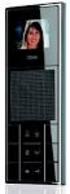 Performance features Siedle Scope General 1 Scope base station 2 Scope handset 3-5 Siedle app for Smart Gateway Mini 6-7 DECT repeater 8 Key 9 Performance features in general Finish Mobile video indoor
State of Maryland Participation Agreement for Pre-Tax and Roth Retirement Savings Accounts
 State of Maryland Partiipation Agreement for Pre-Tax and Roth Retirement Savings Aounts DC-4531 (08/2015) For help, please all 1-800-966-6355 www.marylandd.om 1 Things to Remember Complete all of the setions
OpenScape 4000 CSTA V7 Connectivity Adapter - CSTA III, Part 2, Version 4.1. Developer s Guide A31003-G9310-I200-1-76D1
 OpenSape 4000 CSTA V7 Connetivity Adapter - CSTA III, Part 2, Version 4.1 Developer s Guide A31003-G9310-I200-1-76 Our Quality and Environmental Management Systems are implemented aording to the requirements
Unit 12: Installing, Configuring and Administering Microsoft Server
 Unit 12: Installing, Configuring and Administering Mirosoft Server Learning Outomes A andidate following a programme of learning leading to this unit will be able to: Selet a suitable NOS to install for
AUDIO VIDEO INTERCOM SYSTEMS SECURITY & SAFETY AT YOUR FINGER TIPS AUDIO VIDEO INTERCOM SYSTEMS
 AUDIO VIDEO INTERCOM SYSTEMS SECURITY & SAFETY AT YOUR FINGER TIPS AUDIO VIDEO INTERCOM SYSTEMS 1 DORANI VIDEO INTERCOM - 2 WIRE SERIES 7 TFT MONITOR TECHNICAL SPECIFICATIONS 7 Colour TFT screen 480 x
Neural network-based Load Balancing and Reactive Power Control by Static VAR Compensator
 nternational Journal of Computer and Eletrial Engineering, Vol. 1, No. 1, April 2009 Neural network-based Load Balaning and Reative Power Control by Stati VAR Compensator smail K. Said and Marouf Pirouti
M.7 CONTENTS. Measurement transformers and shunts. Introduction Page 3 TC 5 TC 5,2 TC 6,2 TC 6 TC 8 TC 10 TC 12. Slim line current transformers Page 7
 Current transformers and shunts M7 M.7.01 GB CONTENTS Introdution Page 3 TC TCH T TC 5 TC 5,2 TC 6,2 TC 6 TC 8 TC 10 TC 12 TCH 6,2 TCH 6 TCH 8 TCH 10 TCH 12 T 400 T 0 T 600 Slim line urrent transformers
Open and Extensible Business Process Simulator
 UNIVERSITY OF TARTU FACULTY OF MATHEMATICS AND COMPUTER SCIENCE Institute of Computer Siene Karl Blum Open and Extensible Business Proess Simulator Master Thesis (30 EAP) Supervisors: Luiano Garía-Bañuelos,
From a strategic view to an engineering view in a digital enterprise
 Digital Enterprise Design & Management 2013 February 11-12, 2013 Paris From a strategi view to an engineering view in a digital enterprise The ase of a multi-ountry Telo Hervé Paault Orange Abstrat In
' R ATIONAL. :::~i:. :'.:::::: RETENTION ':: Compliance with the way you work PRODUCT BRIEF
 ' R :::i:. ATIONAL :'.:::::: RETENTION ':: Compliane with the way you work, PRODUCT BRIEF In-plae Management of Unstrutured Data The explosion of unstrutured data ombined with new laws and regulations
Electrician'sMathand BasicElectricalFormulas
 Eletriian'sMathand BasiEletrialFormulas MikeHoltEnterprises,In. 1.888.NEC.CODE www.mikeholt.om Introdution Introdution This PDF is a free resoure from Mike Holt Enterprises, In. It s Unit 1 from the Eletrial
BIBUS VOP. large blocks of flats with switchboard and mixed mainly audio systems. Ideal for door phone systems with up to 250 users.
 BIBUS VOP Advice for use: large blocks of flats with switchboard and mixed mainly audio systems Ideal for door phone systems with up to 250 users VOP technology Easy creation of mixed audio and video door
Wireless Networking Guide 2007 www.lexmark.com
 Wireless Networking Guide 2007 www.lexmark.om P/N 13L0828 E.C. 3L0101 Contents Installing the printer on a wireless network...4 Wireless network ompatiility...4 Information you will need to set up the
Customer Reporting for SaaS Applications. Domain Basics. Managing my Domain
 Produtivity Marketpla e Software as a Servie Invoiing Ordering Domains Customer Reporting for SaaS Appliations Domain Basis Managing my Domain Managing Domains Helpful Resoures Managing my Domain If you
A novel active mass damper for vibration control of bridges
 IABMAS 08, International Conferene on Bridge Maintenane, Safety and Management, 3-7 July 008, Seoul, Korea A novel ative mass damper for vibration ontrol of bridges U. Starossek & J. Sheller Strutural
Technical Data Manual Model Nos. and pricing: see Price List
 Tehnial Data Manual Model Nos. and priing: see Prie List Vitoell 100-V CVAA and CVA Series Indiret-fired domesti hot water storage tank 42 USG to 119 USG (160 L to 450 L) apaity Indiret-fired domesti hot
Account Contract for Card Acceptance
 Aount Contrat for Card Aeptane This is an Aount Contrat for the aeptane of debit ards and redit ards via payment terminals, on the website and/or by telephone, mail or fax. You enter into this ontrat with
2013 Wireless Video Intercom INSTALLATION GUIDE
 2013 Wireless Video Intercom INSTALLATION GUIDE INDEX System configuration and wiring VL-SWD501 System Component.. 4 VL-SWD501EX wiring schematic diagram VL-SWD501EX wiring type and length... 5.... 6 Door
Performance Rating of Unitary Air-Conditioning & Air-Source Heat Pump Equipment
 ANSI/AHRI Standard 210/240 with Addenda 1 and 2 (formerly ARI Standard 210/240) 2008 Standard for Performane Rating of Unitary Air-Conditioning & Air-Soure Heat Pump Equipment Approved by ANSI in Deember
User guide. MD PBX Light MD MD PBX Light AV MD PBX Light ES MD PBX Light BG
 User guide MD PBX Light MD MD PBX Light AV MD PBX Light ES MD PBX Light BG Doorstation with telephone line interface for the connection to telephone systems Version with 1 bell button Page 1 Contents Description...3
the machine and check the components
 Quik Setup Guide Start Here MFC-7860DW Please read the Safety and Legal ooklet first efore you set up your mahine. Then, please read this Quik Setup Guide for the orret setup and installation. To view
Baudisch.DoorController
 VoIP and SIP for analog door stations. Implementation of the analog signals of existing intercoms on Ethernet Connection of several call buttons Switching output for door opener and light Use of existing
Channel Assignment Strategies for Cellular Phone Systems
 Channel Assignment Strategies for Cellular Phone Systems Wei Liu Yiping Han Hang Yu Zhejiang University Hangzhou, P. R. China Contat: [email protected] 000 Mathematial Contest in Modeling (MCM) Meritorious
WATER CLOSET SUPPORTS TECHNICAL DATA
 WATER CLOSET SUPPORTS TECHNICAL DATA Smith engineers have developed an unusually omplete line of fixture supports for mounting all types of "off the floor" fixtures. Supports have been designed for water
Table of Contents. Appendix II Application Checklist. Export Finance Program Working Capital Financing...7
 Export Finane Program Guidelines Table of Contents Setion I General...........................................................1 A. Introdution............................................................1
Im portant Safety Notice
 1984 AC Custom Cruise III System s Servie Manual Foreword AC Spark Plug Division, General Motors Corporation has prepared this servie manual to help answer questions about operation and servie of the 1984
Course 8-9 DSL type digital access techniques (Digital Subscriber Line)
 Course 8-9 DSL type digital aess tehniques (Digital Subsriber Line) o The term refers to the tehnologies and equipments used in a telephone network to ensure the aess to a high speed digital network on
EVOline Multimedia Modules
 243 EVOline VGA cable EVOline DVI-A cable EVOline DVI-D cable EVOline HDMI cable Cable properties Flame retardant self extinguishing VW-1 Halogen free yes yes yes Colour Black Black Outer diameter 7,2
/ Our accessories complement all PV systems, simplify installation and ensure that the system meets the required safety standards.
 56 / Accessories for inverters Accessories for inverters / Our accessories complement all PV systems, simplify installation and ensure that the system meets the required safety standards. FRONIUS STRING
AT 6 OF 2012 GAMBLING DUTY ACT 2012
 i e AT 6 OF 2012 GAMBLING DUTY ACT 2012 Gambling Duty At 2012 Index i e GAMBLING DUTY ACT 2012 Index Setion Page PART 1 INTRODUCTORY 5 1 Short title... 5 2 Commenement... 5 3 General interpretation...
FIRE DETECTION USING AUTONOMOUS AERIAL VEHICLES WITH INFRARED AND VISUAL CAMERAS. J. Ramiro Martínez-de Dios, Luis Merino and Aníbal Ollero
 FE DETECTION USING AUTONOMOUS AERIAL VEHICLES WITH INFRARED AND VISUAL CAMERAS. J. Ramiro Martínez-de Dios, Luis Merino and Aníbal Ollero Robotis, Computer Vision and Intelligent Control Group. University
Deadline-based Escalation in Process-Aware Information Systems
 Deadline-based Esalation in Proess-Aware Information Systems Wil M.P. van der Aalst 1,2, Mihael Rosemann 2, Marlon Dumas 2 1 Department of Tehnology Management Eindhoven University of Tehnology, The Netherlands
Datasheet. Unified Video Surveillance Management. Camera Models: UVC, UVC-Dome, UVC-Pro NVR Model: UVC-NVR. Scalable Day or Night Surveillance
 Unified Video Surveillance Management Camera Models: UVC, UVC-Dome, UVC-Pro NVR Model: UVC-NVR Scalable Day or Night Surveillance Advanced Hardware with Full HD Video Powerful Features and Analytic Capabilities
In order to be able to design beams, we need both moments and shears. 1. Moment a) From direct design method or equivalent frame method
 BEAM DESIGN In order to be able to design beams, we need both moments and shears. 1. Moment a) From diret design method or equivalent frame method b) From loads applied diretly to beams inluding beam weight
A Holistic Method for Selecting Web Services in Design of Composite Applications
 A Holisti Method for Seleting Web Servies in Design of Composite Appliations Mārtiņš Bonders, Jānis Grabis Institute of Information Tehnology, Riga Tehnial University, 1 Kalu Street, Riga, LV 1658, Latvia,
Climate Ready Shade Operating Systems for residential applications.
 Climate Ready Shade Operating Systems for residential applications. This brochure contains examples of home plan configurations and how Climate Ready Shade Operating Systems can be applied and what is
Baudisch.SIP DoorStation
 Elegant terminals for IP door communication. Voice and image High quality aluminium metal housing State-of-the-art VoIP technology Use of existing networks Technology 01 Questions about IP and SIP? The
Product Information S N O. Portable VIP protection CCTV & Alarm System 2
 Product Information S N O Portable VIP protection CCTV & Alarm System 2 G O V E R N M E N T A L S E C U R I T Y S O L U T I VIP KIT Rapid Deployment VIP Protection Kit The VIP KIT has been designed to
Microcontroller Based PWM Controlled Four Switch Three Phase Inverter Fed Induction Motor Drive
 SERBIAN JOURNAL OF ELECTRICAL ENGINEERING Vol. 7, No., November 00, 95-04 UDK: 004.466 Miroontroller Based PWM Controlled Four Swith Three Phase Inverter Fed Indution Motor Drive Nalin Kant Mohanty, Ranganath
Information Security 201
 FAS Information Seurity 201 Desktop Referene Guide Introdution Harvard University is ommitted to proteting information resoures that are ritial to its aademi and researh mission. Harvard is equally ommitted
LDG DTS-4/4R Desktop Coaxial Switch / Remote
 LDG DTS-4/4R Desktop Coaxial Switch / Remote LDG Electronics 1445 Parran Road, PO Box 48 St. Leonard MD 20685-2903 USA Phone: 410-586-2177 Fax: 410-586-8475 [email protected] www.ldgelectronics.com
JNIOR. Overview. Get Connected. Get Results. JNIOR Model 310. JNIOR Model 312. JNIOR Model 314. JNIOR Model 410
 The INTEG is an Ethernet I/O (digital, analog) device that monitors and controls a small set of process signals. functions as both basic I/O for integration with another application or system AND as a
Using Live Chat in your Call Centre
 Using Live Chat in your Call Centre Otober Key Highlights Yesterday's all entres have beome today's ontat entres where agents deal with multiple queries from multiple hannels. Live Chat hat is one now
i e AT 35 of 1986 ALCOHOLIC LIQUOR DUTIES ACT 1986
 i e AT 35 of 1986 ALCOHOLIC LIQUOR DUTIES ACT 1986 Aloholi Liquor Duties At 1986 Index i e ALCOHOLIC LIQUOR DUTIES ACT 1986 Index Setion Page PART I PRELIMINARY 9 1 The aloholi liquors dutiable under
WATCH OVER YOUR WORLD FROM ANYWHERE IN THE WORLD
 WATCH OVER YOUR WORLD FROM ANYWHERE IN THE WORLD THE VERSATILE SOLUTION TO PROTECT YOUR HOME OR BUSINESS INSTANT REMOTE CONNECTIVITY DAY & NIGHT, INDOOR/OUTDOOR REAL-TIME RECORDING UP TO 9 MONTHS EXPANDABLE
video door entry system offer
 video door entry system offer CATALOGUE 2013 BTICINO Specialists in Video Door Entry Systems BTicino, introduces a complete range of products and systems capable of meeting all application and building
Easy Security Camera Set TX 28 User Manual
 Technaxx Easy Security Camera Set TX 28 User Manual This device complies with the requirements of the standards referred to the Directive R&TTE 1999/5/EC. The Declaration of Conformity you find here: www.technaxx.de/
The D.C. Long Term Disability Insurance Plan Exclusively for NBAC members Issued by The Prudential Insurance Company of America (Prudential)
 Plan Basis The D.C. Long Term Disability Insurane Plan Exlusively for NBAC members Issued by The Prudential Insurane Company of Ameria (Prudential) What does it over? The D.C. Long Term Disability Insurane
Mirror Mount Video Monitor/Recorder with Front and Rear View Night Cameras PLCMDVR5
 Mirror Mount Video Monitor/Recorder with Front and Rear View Night Cameras PLCMDVR5 www.pyleaudio.com Instruction Manual Installation and Connection: 1. Please disconnect your car battery. 2. In the contents
D45. SySTEm. ThE high-performance
 D45 ThE high-performance SySTEm Security monitoring system with digital BUS technologies High efficiency system and quick installation for both backbone and riserdevicesthankstotheuse of cat.5e UTP cables
DOOR COMMUNICATION 2.0
 DOOR COMMUNICATION 2.0 TCS over IP www.tcsag.de THE TCS IP-GATEWAY BASIC FOR THE SINGLE-FAMILY HOME Cost-effective integration of systems into the IP network Installed in the control cabinet, the new IP-Gateway
Analog Video product overview. March 2015
 Analog Video product overview March 2015 2 Table of Contents Fixed Cameras Indoor Dome Cameras Outdoor Dome Cameras 3 4 5 760H Analog Video Solutions Fixed Cameras Dome Cameras Specialty Cameras PTZ Cameras
Honeywell Security. Honeywell Hello Series Video Door Phone System Product Catalog. Smile reaches your heart. Smile reaches your heart
 Honeywell Security Smile reaches your heart Honeywell Hello Series Door Phone System Product Catalog Smile reaches your heart Honeywell Security, Your Partner of Choice! Commitment Constant Innovation
Electronic Control Devices The European Product Catalogue 2007
 FX14 Field Controller (1/4) FX14 Field Controller The FX14 is an equipment field controller in the Facility Explorer range of products. The controller is designed specifically for commercial Heating, Ventilating,
CARRIER VOICE NETWORK MANAGEMENT
 CARRIER VOICE NETWORK MANAGEMENT Elvis N. Ngah Supervised by: Dr. Sandjai Bhulai Department of Mathematis Vrije Universiteit Amsterdam The Netherlands Deryk Cole Network Operations Center Telesonique Global
Baudisch.SIP-DoorStation
 Elegant terminals for IP door communication. Voice and image High quality aluminium metal housing State-of-the-art VoIP technology Use of existing networks Technology 01 Compact door stations Our compact
UNIVERSITY AND WORK-STUDY EMPLOYERS WEB SITE USER S GUIDE
 UNIVERSITY AND WORK-STUDY EMPLOYERS WEB SITE USER S GUIDE September 8, 2009 Table of Contents 1 Home 2 University 3 Your 4 Add 5 Managing 6 How 7 Viewing 8 Closing 9 Reposting Page 1 and Work-Study Employers
SECURITY CAMERA SYSTEM
 SECURITY CAMERA SYSTEM WATCH OVER YOUR WORLD FROM ANYWHERE IN THE WORLD PROFESSIONAL-GRADE VIDEO SURVEILLANCE A high quality system connecting you to your entire property, expandable up to 16 cameras.
Computational Analysis of Two Arrangements of a Central Ground-Source Heat Pump System for Residential Buildings
 Computational Analysis of Two Arrangements of a Central Ground-Soure Heat Pump System for Residential Buildings Abstrat Ehab Foda, Ala Hasan, Kai Sirén Helsinki University of Tehnology, HVAC Tehnology,
DECT Gigaset N510 IP PRO
 DECT Gigaset N510 IP PRO SUMMARY Summary... 1 1. System Features of the DECT Gigaset N510 IP Pro... 2 Base Station Gigaset N510 IP Pro... 2 Environmental Requirements... 3 The base should be placed in
1.3 Complex Numbers; Quadratic Equations in the Complex Number System*
 04 CHAPTER Equations and Inequalities Explaining Conepts: Disussion and Writing 7. Whih of the following pairs of equations are equivalent? Explain. x 2 9; x 3 (b) x 29; x 3 () x - 2x - 22 x - 2 2 ; x
TX GSM SMS Auto-dial Alarm System. Installation and User Manual
 TX GSM SMS Auto-dial Alarm System Installation and User Manual Product Features: 1. 16 wireless zones, 3 wired zones alarm system, suitable for small to medium size offices and homes. 2. The system uses
IT Essentials II: Network Operating Systems
 Unit 13: IT Essentials II: Network Operating Systems Learning Outomes: A andidate following a programme of learning leading to this unit will be able to: demonstrate understanding of network operating
High definition day/night
 PROFESSIONAL High definition day/night security CAMERA HIGH DEFINITION 600 TVL colour CAMERA DELIVERING HIGH QUALITY VIDEO with accurate colour rendition POWERFUL NIGHT VISION 24 INFRA-RED LEDs FOR NIGHT
Digital display DA 48
 Loop powered plug-in LCD display No auxiliary energy source needed Scale freely adjustable on site Can be turned to any position Suitable for any 0 ma transmitter with EN 175301-803A connector Digital
How To Control A Power Supply With A Mini Transmitter And Switch (Power Supply)
 transmitter (2 wire) / switch for continuous or On/Off Control Indication, monitoring, transmitting and continuous or On/Off control in one device Output signal 4...20 ma, 2-wire for continuous control
THE PERFORMANCE OF TRANSIT TIME FLOWMETERS IN HEATED GAS MIXTURES
 Proeedings of FEDSM 98 998 ASME Fluids Engineering Division Summer Meeting June 2-25, 998 Washington DC FEDSM98-529 THE PERFORMANCE OF TRANSIT TIME FLOWMETERS IN HEATED GAS MIXTURES John D. Wright Proess
Local supplier shall be ISO 9001 & OHSAS 18001 Certified Company.
 VIDEO INTERCOM SYSTEM Introduction: The contractor shall supply, install, test and commission a modern Electronic Digital Open Voice Color Video Entry Phone System of an approved manufacturer and design
HMIGTO4310 advanced touchscreen panel 640 x 480 pixels VGA- 7.5" - TFT - 96 MB
 Product datasheet Characteristics HMIGTO4310 advanced touchscreen panel 640 x 480 pixels VGA- 7.5" - TFT - 96 MB Main Range of product Product or component type Display colour Display size Supply Magelis
Video surveillance camera Installation Guide
 Video surveillance camera Installation Guide TV7085 TV7086 TV7087 TV7088 14 1. Preface Dear Customer, Thank you for purchasing this Eyseo digital surveillance camera. You made the right decision in choosing
PBX System. Installation Manual AS 200 IT
 PBX System Installation Manual AS 200 IT Safety Notes - Installation and Maintenance of the System only by trained personnel. - Important! To prevent personal injury and damage to equipment please ensure
) ( )( ) ( ) ( )( ) ( ) ( ) (1)
 OPEN CHANNEL FLOW Open hannel flow is haraterized by a surfae in ontat with a gas phase, allowing the fluid to take on shapes and undergo behavior that is impossible in a pipe or other filled onduit. Examples
Henley Business School at Univ of Reading. Pre-Experience Postgraduate Programmes Chartered Institute of Personnel and Development (CIPD)
 MS in International Human Resoure Management For students entering in 2012/3 Awarding Institution: Teahing Institution: Relevant QAA subjet Benhmarking group(s): Faulty: Programme length: Date of speifiation:
Alcatel-Lucent OmniPCX Enterprise Communication Server TA-MMK (MMK V2)
 Alcatel-Lucent OmniPCX Enterprise Communication Server TA-MMK (MMK V2) Legal notice: Alcatel, Lucent, Alcatel-Lucent and the Alcatel-Lucent logo are trademarks of Alcatel-Lucent. All other trademarks are
VIDEO SURVEILLANCE PRODUCT CATALOG. www.uniden.com. 2015 Uniden America Corporation R15 2K 1212
 2015 VIDEO SURVEILLANCE PRODUCT CATALOG www.uniden.com 2015 America Corporation R15 2K 1212 KEY FEATURES Remote Access to Live and Recorded Video Portable, Rechargeable Monitor P2P Technology Night Vision
ACCESS CONTROL DOOR PHONES Installation and Programming Manual
 ACCESS CONTROL DOOR PHONES Installation and Programming Manual Pantel Pancode Installation and Programming Manual Version 5, Release 7, July 2008 Table of Contents 1 Introduction...1 1.1 Pancode...1 1.2
Datasheet. Unified Video Surveillance Management. Camera Models: UVC, UVC-Dome, UVC-Micro, UVC-Pro NVR Model: UVC-NVR
 Unified Video Surveillance Management Camera Models: UVC, UVC-Dome, UVC-Micro, UVC-Pro NVR Model: UVC-NVR Scalable Day or Night Surveillance Advanced Hardware with Full HD Video Powerful Features and Analytic
Security. Alarm central unit. Ref.-No. KNX Alarm central unit EAM 4000
 Security Alarm Central Unit 3 4 Technical KNX Alarm central unit EAM 4000 ETS-product family: Alarm system Product type: Alarm central unit The alarm central unit is a modern alarm system using the KNX
REDUCTION FACTOR OF FEEDING LINES THAT HAVE A CABLE AND AN OVERHEAD SECTION
 C I E 17 th International Conferene on Eletriity istriution Barelona, 1-15 May 003 EUCTION FACTO OF FEEING LINES THAT HAVE A CABLE AN AN OVEHEA SECTION Ljuivoje opovi J.. Elektrodistriuija - Belgrade -
BUILDING CODE SUMMARY GENERAL NOTES DESIGN BUILD ELECTRICAL DESIGN BUILD MECHANICAL & PLUMBING GENERAL NOTES GENERAL NOTES G101
 D D BUILDING CODE SUMMARY GENERAL NOTES PROJECT DESCRIPTION: THIS PROJECT IS THE MINOR RENOVATION OF AN EXISTING OUTPATIENT CLINIC. SCOPE CONSISTS OF PAINT, CARPET, TILE, AND UPGRADE TO DIGITAL X-RAY BUILDING
TS150 Visible (exposed) fixing with screws on a timber sub-frame
 TS150 Visile (exposed) fixing with srews on a timer su-frame This system offers a ost effetive solution for installing Trespa Meteon panels in a large variety of panel dimensions. Trespa Meteon panels
BUSINESS PRACTICE BULLETIN The School Board of Broward County, Florida
 PAGE: 1 OF 16 (ECE) GUIDELINES FOR INFANT, TODDLER AND PRE-K PROGRAMS TOPICS IN BULLETIN: I. GENERAL INFORMATION II. CRITERIA FOR OPENING PROGRAM III. ACCOUNTING AND FINANCIAL MANAGEMENT IV. OPERATIONAL
Mounting and Operating Instructions. TV gateway 2610..
 Mounting and Operating Instructions TV gateway 2610.. Table of contents Device description... 3 Connection to a television... 4 Connection to a BK system (cable connection)... 5 Connection to the world
MODULAR JUNCTION BOX MJB WITH GATEWAY
 PRODUCT DATA SHEET MODULAR JUNCTION BOX MJB WITH GATEWAY Features: Add on value for hospital & care application Compact and functional design which allows easy mounting 2 connections, Port 1 OpenBus connection
RTM X42 Multi-Channel Radio Transmission Tension Monitoring and Control System
 RTM X42 Multi-Channel Radio Transmission Tension Monitoring and Control System RTM X42 is an innovative system that utilizes force measuring rollers to capture the tension of individual wires or strands,
K Service Source. Video Conferencing. QuickTime Conferencing Kit, QuickTime Conferencing ISDN Kit
 K Service Source Video Conferencing QuickTime Conferencing Kit, QuickTime Conferencing ISDN Kit K Service Source Basics Video Conferencing Basics Introduction - 1 Introduction QuickTime Conferencing (QTC)
The telephone has three soft-touch silicone rubber push buttons that can be backlit and each has a clear and precise function symbol;
 2 The contemporary and stylistic bellissimo video telephone has a slim and curvaceous profile. It is supplied in white to complement most modern wall furnishings and is now the preferred choice of many
WxGoos-1 Climate Monitor Installation Instructions Page 1. Connections. Setting an IP Address
 Instructions Page 1 Connections The WxGoos-1 is a self-contained web server and requires 6vdc of power at 300ma. A center-positive 2.1 mm plug is used. There are five ports: 1. 10/100 Ethernet RJ-45 receptacle