
Cloud PBX Frequently Ask Questions
|
|
|
- Winifred Chase
- 10 years ago
- Views:
Transcription

1 Frequently Ask Questions Entrust ICT(EICT) reserves the right to change product specifications, functions, or features, at any time, without notice. Please refer to your EICT representatives for further details. Although all efforts have been made to ensure that the contents are correct, EICT shall not be liable for any direct, indirect, consequential or incidental damages resulting from the use of the equipment, manual or any related materials. The information contained herein is the property of EICT and shall not be reproduced without prior written approval from EICT. Copyright 2014 EICT. All rights reserved. EICT, EICT logo, and are trademarks or registered trademarks of EICT. All other trademarks are the property of their respective owners. All rights reserved. Printed in Australia. Note: This disclaimer also applies to all related documents previously published.

2 ABOUT THE SOLUTION What is EICT? is EICT s second generation virtualised PBX service hosted within EICT s Australian data centres. Unlike legacy PBX solutions, uses Voice over IP technology. The solution is ideal for Small and Medium Businesses (SMBs) with one or more sites and easily scales to 200+ extensions. EICT boasts all the features you would expect to get from a traditional on-site PBX, with a number of productivity enhancing Unified Communications features: Cloud Communicator, e-call and Presence Panel. These add-ons deliver Google Contacts and Microsoft Outlook integration, Instant Messaging, Click2Call, Softphone, Presence engine and more. Furthermore, requires no on-site PBX hardware or maintenance. All moves, adds and changes to your PBX can be performed remotely by your service provider. What is Cloud Communicator? Cloud Communicator is an optional Desktop Client and Soft Phone that can be added on an extension basis to your service. Cloud Communicator provides Instant Messaging/Chat, Presence, Click2Call, Outlook/Exchange Integration, Incoming Call Screen Pop-ups and Conferencing to your extension user s desktop. The plug-in is available for desktops running Windows, Linux and Mac OSX. What is e-call? e-call is an optional Windows desktop plugin for MS Outlook and Exchange. It synchronises with the client s Contact list to provide Click2Call and Incoming Call Screen Pop-ups. An extension user would not have this plug-in in conjunction with Cloud Communicator. What is Presence Panel? Presence Panel is an optional desktop plug-in for displaying extension user Presence and enables Click2Call. This is an add-on to Cloud PBX is suited for front desk personnel receiving and transferring calls to other users of the Cloud PBX service. The plug-in is available for desktops running Windows, Linux and Mac OSX. How many extensions can EICT provide my company with? EICT comes in a number of predefined PBX packages ranging from 4 to 200 extensions. Each package number identified the maximum number of extensions supported these can be upgraded to a higher package, or via the additional of a 4 extension add-on to the base package. Is it possible to upgrade my PBX? Yes. Being cloud based or hosted, EICT can upgrade your service as your business grows or your needs change. Simply contact your Service Provider and enquire about upgrade options and pricing. Does EICT allow all existing extensions within my company to remain the same? Yes. It is possible to easily configure and migrate all your existing extensions to the EICT solution using Local Number Portability (subject to your number range being portable between Carriage Service Providers). Can I have all my local and interstate offices and branch offices connected with the EICT solution? Yes. EICT can be used to connect all your offices (both local and remote) together into a common Unified Communications and Voice telephony network. EICT offers a range of private network and internet Access services with Australia-wide coverage to connect all your offices to your service. Does EICT include conference bridges with remote offices? Yes. Conference bridges or rooms are simple and easy to create through the PBX administration console. Each PBX package comes with a number of conference rooms as standard, contact EICT for more details. FAQ Version 1.0 Issued 1st June 2014

3 What are the software requirements for Cloud Communicator? Cloud Communicator works with Windows XP, Vista, and Windows 7, MacOS and Linux. Does the support call recording? Yes, call recording is an optional feature that can be purchased via EICT. What is the maximum duration of call recordings? Duration of call recording is not time limited. Voice recordings are maintained for 60 calendar days. Is Fax supported on? Yes, using both ATA adaptors and a FAX-to feature. FAX transmission using G7.11 has been tested on our platform; however, EICT s view is VOIP is not a 100% guaranteed delivery medium for transmission of facsimile. The various encoding schemes used, i.e.g.711, as well as line speeds used are all contributors to the unreliability of Fax over VoIP. EICT recommends that End Customers requiring an inbound and outbound facsimile service be advised to maintain a PSTN line associated for the transmission and reception of facsimiles. Does support video? Video is possible between handsets that support H.263 and H.264 codecs. Does EICT integrate with customer site door phones and door strike release devices? Not at this time. Are EFTPOS terminals supported? Are Secure Banking and HICAPS terminals supported? Our PSTN carrier support EFTPOS however this hasn t been tested. EICT is willing to work with customers to test their requirements. SECURITY AND REDUNDANCY How secure is EICT s? EICT s has been designed with security in mind using a permissions based access to the system. Reseller User, Administrator User and End User accounts can be setup each providing appropriate functionality and permissions so your service is protected from external malicious sources. What redundancy is available if the cloud fails? EICT is implemented using fully redundant infrastructure housed in secure data centres with multiple carrier connections. If a customer is concerned about on-site redundancy they may want to consider having redundant broadband access provisioned to their premises as well as having redundancy built into their own CPE infrastructure. THE TECHNOLOGY What is VoIP? VoIP (Voice over Internet Protocol) enables users to leverage the Internet or an IP enabled Private Network as the transmission medium for voice calls by sending voice data in packets using IP rather than by traditional PSTN circuit transmission. VoIP is usually more cost effective than traditional voice solutions which are based on circuit switched technologies such as ISDN and POTS. Can I use VoIP with a regular (analogue) telephone? Yes. To use VoIP with your regular analogue phone, you will need to install an ATA (Analogue Telephone Adapter). These devices convert the analogue signal to digital in order to work with VoIP. To make the most of the service, EICT certified IP Phones are recommended. How good is VoIP sound quality? EICT uses G.711 high quality voice codecs to ensure high quality voice experience that is superior to the voice quality experienced with traditional analogue phones. EICT also provides advice to Channel Partners on the amount of bandwidth and SIP sessions that should be provisioned with Cloud PBX to ensure optimum voice quality and availability of service. What access networks does EICT support? EICT is deployed using quality Internet connections with sufficient bandwidth and voice FAQ Version 1.0 Issued 1st June 2014

4 prioritisation required at each site. EICT has a range of quality internet Access services that are well suited for and VoIP. Further, the solution can be deployed via an EICT supplied Layer 2(VPLS) and Layer 3(MPLS) Private Network services. Note: Access to DNS and NTP servers via the Internet or direct EICT interconnect is required when using Private Network Solutions. Note: Use of Third Party supplied Internet connections (including modems/routers) not suited for Voice over IP is likely to lead to voice quality problems and other service difficulties. For this reason, EICT does not recommend the use of such internet connections with. What about an at-home worker? Will they need EICT PN or EICT inet or can it be accessed via any internet connection? Connection can be any of those 3 options however 3rd party (non-eict) internet connections must be of voice grade with appropriate QOS capabilities. Does this system support multi tenants? By virtue of the very nature of the EICT architecture the entire platform is a multi- tenanted PBX. Each channel partner s end customers virtual PBX is a tenant under the channel partner. To further sub-divide an end-customer site into sub-tenants is a function of configuration and billing on the part of the channel partner or end customer administrator. What are SIP Phones? SIP phones are the same as VoIP or soft phones and are used for VoIP (Voice over Internet Protocol) calls. There are two types of SIP phones: IP Phones (resembles common desktop phones) and Softphones (computer - software phone). EICT Cloud PBX can be used with a large range of SIP phones. Contact your Service Provider or EICT for a full list of approved SIP handsets. Can I use my own SIP Phones? In some cases it may be possible. For optimum quality of service, handsets used with should be EICT certified. If you choose to use a non-approved SIP handset then EICT will not be able to guarantee voice quality or that all features will work. Do you support auto configuration of SIP Phones? currently supports auto-configuration of Polycom IP phones (IP-331, IP-450 and IP-650 models) and NEC DT700 series phones. Handsets must be configured to download their configuration automatically from EICT. This can be achieved through Option 66 in a DHCP server or by manually entering the boot server configuration details. What handsets are supported? Polycom and NEC DT700 handsets are fully supported including autoconfiguration. Other SIP compliant handsets from vendors including Cisco, Snom will also work but are not supported. The Cloud Communicator SIP Soft Phone is our supported soft phone. Are there any DECT / Cordless Handset options? DECT/Cordless handsets are currently being tested and a solution will be released in the near future. Can you use X-Lite soft phone? Standard SIP softphones will work, but EICT is limited in the support resource that it can provide in the event of issues with 3rd party SIP clients other than those tested and supplied by EICT. What headsets do you support with Cloud Communicator? Plantronics CS50/60 USB headsets are certified for use with. Which Ports are required to be opened inside my network for EICT and the UC desktop applications to function? For Web GUI Access: TCP 443 For SIP phones: UDP 5060 (SIP), UDP dynamic(rtp) For EICT Cloud Communicator: TCP For EICT Cloud Communicator IM client: TCP 5222 What soft switch is used? We use a carrier grade NEC soft switch. FAQ Version 1.0 Issued 1st June 2014

5 How are voice gateways provided? Access to the PSTN is through redundant carrier interconnects with EICT Can a Channel Partner install their own carrier service? No. All PSTN access is via SIP trunks to the EICT Core softswitch. If an in-dial number isn t registered locally at the customer s site how does number location recognition work in regards to 000 calls etc? As part of the Indial number porting / Indial number provisioning process performed by EICT the geographic location of a site allocated a in-dial number range is documented and registered with the relevant Communications Authorities and made available to the required emergency service organisations. What if there is a remote handset for a business, say at home, how does 000 work? 000 will work but the Integrated Phone Number Database (IPND) details will only be correct if the customer has provided the correct details of the location of the number. As a part of the IPND registration process EICT flag that the number maybe at an alternate location so the Operator will confirm the address of the call. Where would the handset configuration server be located for Auto Provision - Local site? Handset configurations are stored in separate locations for each customer on the platform and handsets download these configurations using HTTP/FTP with strong authentication. No additional hardware or software is required at the customer site for this function other than a DHCP process that supports scope option 66. When using the csv method of configuring multiple extensions would it be possible to leave the secret null and have the system auto generate? Yes. The system will auto-populated the handset registration SECRET field with a robust and secure randomly selected password. Can Telephony integrate with KTS/PABX via SIP? Can this solution integrate an existing TDM network to the new cloud via IP.to form a hybrid solution to enable multiple gateways? EICT can supply SIP trunks for EICT KTS/PABX systems which will provide free on-net calls between and extensions. Are there such things as virtual extensions within the EICT platform or something that performs as they do in some KTS systems? supports virtual extensions for such functions as IVRs, queuing, ring groups, voic etc. Can an extension be in multiple queues at the same time? Yes. What about a comfort messages (ring group, queue 1st and 2nd delay announces where the extensions still ring whilst the caller is played a comfort message such as "we are busy please hold" and your call is important to us etc? There are various options in regards to IVR and Queue greetings that have options relating to how many times a greeting is played and the frequency of the greeting. I would need to do more investigation to identify if they could be made to operate exactly as they do in the KTS. It may be a case that the two platforms operate differently because they are two different platforms. Does support CLI pass-through for CFW External? Yes. It also supports the option of either forwarding original CLI in the case of CFW-External / Find-Me and Follow-Me calls or the CLI of the forwarded terminal can be sent. This can be configured on a terminal by terminal basis. Also, there is no need to enable or disable things like Call-Forward Off- Premises. Giving an individual extension user access to the call forward feature implies their ability to Call Forward Off Premises. Can you assign a range of DID's simultaneously? Not currently. FAQ Version 1.0 Issued 1st June 2014

6 Can you do a manual night switch for a group of extensions? The nightshift function can be assigned to DID, IVR, and Queue levels. Can the Voice and Fax be used on the one SIP trunk? i.e. have the same phone number for both; can the Cloud differentiate between a voice call and a fax call and do what is required accordingly. This cannot be done natively in. There may be an ATA that can do this. Can the Linksys 2100 ATA be used to allow other devices access to the Cloud, for instance analogue cordless phones for mobility hanging off an analogue extension? Yes. Will Cloud Communicator interface with MS Lync? This is on our roadmap. CALL TYPES SUPPORTED Does EICT support 000 Emergency call services? Yes. Emergency calls can be placed by direct dialling, or by using a prefix number for an outgoing phone and then dialling the emergency number. What call types does support? supports the following call types: Locals Calls (to fixed numbers) National Calls (to fixed numbers) Fixed to Mobile calls International Direct Dial (IDD) 13 numbers 18 numbers Directory Assistance (1223) Emergency (eg. 000) does not support the following call types: 190x numbers Operator Connect services Calls preselected to another Carrier USABILITY Do my employees need special education to use EICT? No. The EICT browser based system administration allows users to easily personalise their individual extension configuration for features such as Forwarding, Follow Me and Find Me (Group Hunt). EICT has a range of Quick Start and more in depth guides including one for End Users that show step by step how to configure their Cloud PBX extension and features so they will be up and running in no time. FEATURES HOW TO What are the Access Codes for PBX Features? *8 Call Pickup - extensions need to belong to the same group *72 Disable Call Forwarding *71 Enable Call Forwarding *123 User Voic Access *124 General Voic Access (Access other voic boxes) *149 Last Caller #700# Call Parking How do I enable BLF on my SIP Phone? It is easy to configure an extension with BLF settings when autoprovisioned. BLF settings are configured through your extension's "Directory/BLF List" enhanced services. EICT DT700 series phones also support simple BLF configuration through the handset. Please also make sure your extension settings "Presence Enabled" is set to "yes", and "Global Presence" is set to "no". How do I use the speakerphone/paging function? The speakerphone/paging feature is supported for EICT and Polycom handsets. First configure the "Speakerphone Page Auto-Answer SIP Header" in the extension setting and select the relevant handset option. Then configure the extensions to page using the speakerphone service under "Enhanced Services" of the extension. Then, to use the speakerphone function enter "*399". How can we use a different ringtone for internal calls? This feature is currently supported on IP Polycom handsets. In the extension settings set "Ringtone for Local calls" to "Internal". FAQ Version 1.0 Issued 1st June 2014

7 Can I divert incoming calls to my mobile phone? Yes. EICT includes a number of enhanced services called call forwarding and follow me that support diversion to your mobile phone. How do I park a call? To park a call press the "#" button, then enter 700 and the "#" button again. You will then hear an announcement indicating the extension that the call has been parked on. To retrieve the parked call enter this number. How do I customise the auto provisioned handset configuration? Under Extensions, go to Advanced options and then UAD Auto Provisioning Template. Add your handset configuration to override the default configuration. How do I get my auto provisioned handset to support a different time zone? Our Auto Provisoned handsets are configured for AEST time zone settings. For other time zones you will need to add the settings under the UAD Auto Provioning Template of an Extension. Does EICT support options to tailor / upload / assign customised Music On Hold for DID s, IVR s, Queues etc? Yes. There is a single default global MOH source provided, however, administrators / channel partners can also record, process, upload and assign multiple MOH files, announcements and greetings for IVR s, Queues, DID s etc using the Sound File Wizard and the Site Manager interface. The use of copyright protected material for use as MOH is of course subject to the relevant federal and state copyright regulations and matters relating to the unauthorised use of such materials are the responsibility of the end customer / channel partner. Are there individual codes for call forward all, busy and NA? Call forwarding is best controlled by the Web Portal which allows configuration of call forward call, busy and NA by the customer. The DTMF codes for call forwarding are limited. BILLING If the customer is porting their number range, is the customer billed with the carrier rates or EICT rates? If the Channel Partner opts to use the EICT Billing Service the end Customer is billed at the EICT rate plus the margin specified by their respective channel partner. SUPPORT What support is available if a customer site goes down, especially relating to assistance in troubleshooting for the client? If a customer sites goes down it needs to be determined if the issue is related to CPE or network access or platform. Channel Partner should troubleshoot to determine the likely cause. If the troubleshooting indicates the issue is with EICT supplied services then Channel Partners have access to the 24/7 NOC Helpdesk facility that have been trained in supporting the platform. EICT maintains 24/7 captures of all call traffic in and out of the core soft switch between the SIP trunks into the PSTN and from the core to the customer premises. This captured data is used to assist in identifying the most likely location and cause of any service issues. If EICT is responsible for provisioning the entire solution end-to-end the level of support and fault resolution capability is greatly enhanced over situations we don t own and manage the entire solution. STANDARD FEATURES AND SUPPORT Easily scales up to 200 users Single site and multi-site support End user self-help via web-based interface including enhanced service management, call detail records and voic management Automated call management solutions including configurable auto-attendant, call hunt groups and queues Inbound call management solutions for extensions including call forwarding; Find Me, Follow Me; and call filters FAQ Version 1.0 Issued 1st June 2014

8 Visual voic options including handset-based voic , -based voic forwarding or web-based listening and management PBX user directory service Conferences and conferencing management Call monitoring options Call parking Support for a wide range of IP handsets and softphones including EICT and Polycom Support provided by local 24 x 7 Operations Centre Securely hosted in Australia COMPLEMENTARY SERVICES EICT can be enhanced with the following features # : EICT s Enterprise SIP trunking service EICT s business grade internet, Layer 2 and Layer 3 Private Network connectivity services EICT Cloud Contact Centre ENHANCED FEATURES # Integrated unified communications desktop add-ons*: Cloud Communicator UC client e-call Exchange and Outlook Integration Presence Panel for PBX user presence Call recording End customer billing #Additional charges apply. FAQ Version 1.0 Issued 1st June 2014

Management Summary for Unified Communications IP PBX
 Management Summary for Unified Communications IP PBX Prepared By for YOU of General: The Unified Communication Internet Protocol Private Branch Exchange (UCIPPBX) is a fully realised 3 rd generation office
Introducing Cisco Voice and Unified Communications Administration Volume 1
 Introducing Cisco Voice and Unified Communications Administration Volume 1 Course Introduction Overview Learner Skills and Knowledge Course Goal and Course Flow Additional Cisco Glossary of Terms Your
Extension Manual. User portal, Dial codes & Voice mail for 3CX Phone System Version 7.0
 Extension Manual User portal, Dial codes & Voice mail for 3CX Phone System Version 7.0 Copyright 2006-2008, 3CX ltd. http:// E-mail: [email protected] Information in this document is subject to change without
Extension Manual User portal, Dial codes & Voice mail for 3CX Phone System Version 6.0
 Extension Manual User portal, Dial codes & Voice mail for 3CX Phone System Version 6.0 Copyright 2006-2008, 3CX ltd. http://www.3cx.com E-mail: [email protected] Information in this document is subject to change
With 360 Cloud VoIP, your company will benefit from more advanced features:
 Voice over IP (VoIP) has emerged as the new leader in cost-effective standards based communications. 360 Cloud VoIP enables customers have the benefits of an Enterprise PBX for a fraction of the cost of
Category: ClearTrunk Hosted PBX Features
 Category: ClearTrunk Hosted PBX s Group: Auto Attendants Customer Portal Top Level Auto Attendant (Always On) Multiple Top Level Auto Attendants (Always on) Top Level Auto Attendant (Time Based) Sub-Level
TXI Telephony Product Book 2012 2012
 TXI Telephony Product Book 2012 2012 PRICING, HOW TO This section details the common pricing scenarios for the following: Receptionist Call Centre SIP Trunking Fax to Email Messaging Receptionist: Receptionist
KISUMU LAW COURTS: SPECIFICATIONS FOR A UNIFIED COMMUNICATION SYSTEM / VOICE OVER INTERNET PROTOCOL (VOIP) SOLUTION. Page 54 of 60
 SPECIFICATIONS FOR A UNIFIED COMMUNICATION SYSTEM / VOICE OVER INTERNET PROTOCOL (VOIP) SOLUTION Page 54 of 60 UNIFIED COMMUNICATION SYSTEM (VOIP) PROPOSAL FOR KISUMU JUDICIARY COURTS. 1.0 PARTICULARS
To ensure you successfully install Timico VoIP for Business you must follow the steps in sequence:
 To ensure you successfully install Timico VoIP for Business you must follow the steps in sequence: Firewall Settings - you may need to check with your technical department Step 1 Install Hardware Step
Extension Manual. 3CX Assistant, MyPhone User portal, Dial codes & Voice mail for 3CX Phone System Version 8.0
 Extension Manual 3CX Assistant, MyPhone User portal, Dial codes & Voice mail for 3CX Phone System Version 8.0 Copyright 2006-2009, 3CX ltd. http:// E-mail: [email protected] Information in this document is
Multi Tenant. Bicom SYSTEMS. e d i t i o n. PBXware... Advanced Simplicity. PBXware Multi Tenant Edition
 ... Advanced Simplicity www.bicomsystems.com Edition The edition of offers an unlimited number of tenants, allowing service providers to serve the IP-PBX market with a feature-rich hosted IP-PBX solution.
CloudSpan VoIP Services Feature List
 CloudSpan VoIP Services Feature List Interested in learning how our proven software platform can revitalize your business communications? With CloudSpan by VoIP Supply, we give you the tools and features
How To Use An Ipcortex Pbx On A Pc Or Mac Or Ipcorta On A Cell Phone Or Ipbx At A Cost Of $99.99 Per Month (For A Sim Sim) Or $99 Per Year
 VoIPCortex IP PBX features and benefits Based on our strategy and using our core VoIPCortex platform we have optimised a small but powerful range of IP PBX solutions to suit a broad set of customer requirements.
Business. Business. Bicom SYSTEMS. e d i t i o n. PBXware... Advanced Simplicity. PBXware Business Edition
 ... Advanced Simplicity Edition Edition provides the business class with features that meet today s demanding communications needs that all businesses face. e d i t i o n In addition to the standard features
OfficeMaster Gate (Virtual) Enterprise Session Border Controller for Microsoft Lync Server. Quick Start Guide
 OfficeMaster Gate (Virtual) Enterprise Session Border Controller for Microsoft Lync Server Quick Start Guide October 2013 Copyright and Legal Notice. All rights reserved. No part of this document may be
The Foehn Transparent Pricing Guarantee. The Most Flexible Cloud Phone System. By Experts from Start to Finish
 The Foehn Transparent Pricing Guarantee The Most Flexible Cloud Phone System By Experts from Start to Finish -002 Introduction INTRODUCTION Whether you are a growing company or an established company looking
Quick Start Guide v1.0
 Quick Start Guide v1.0 Table of contents : 01. Quick Start Guide...03 O2. Configuring your VoIPOffice appliance...14 03. Adding a VoIPtalk trunk...21 04. Configuring UADs for use with VoIPOffice...25 05.
KIPCOM Limited. Contrex Service Description
 KIPCOM Limited Contrex Service Description CONTREX Contrex represents a new generation of communications platform. This new generation of PABX s is often referred to as an IP based PABX. The 'IP' refers
THE FOEHN TRANSPARENT PRICING GUARANTEE THE MOST FLEXIBLE CLOUD PHONE SYSTEM BY EXPERTS FROM START TO FINISH
 THE FOEHN TRANSPARENT PRICING GUARANTEE THE MOST FLEXIBLE CLOUD PHONE SYSTEM BY EXPERTS FROM START TO FINISH -002 INTRODUCTION INTRODUCTION Whether you are a growing company or an established company looking
MITEL SIP CoE. Technical. Configuration Notes. Configure MCD 6.X for use with babytel SIP trunks. SIP CoE 13-4940-00266
 MITEL SIP CoE Technical Configuration Notes Configure MCD 6.X for use with babytel SIP trunks SIP CoE 13-4940-00266 NOTICE The information contained in this document is believed to be accurate in all respects
UC Suite. For UNIVERGE SV9100. Smart Communications for Small and Medium Business
 UC Suite For UNIVERGE SV9100 Smart Communications for Small and Medium Business au.nec.com UC Suite Contents 4 Benefits of UC Suite 6 Streamlined access 7 Work anywhere 8 Operator consoles 9 Contact Centre
Whitepaper: Microsoft Office Communications Server 2007 R2 and Cisco Unified Communications Manager Integration Options
 Whitepaper: Microsoft Office Communications Server 2007 R2 and Cisco Unified Communications Manager Integration Options Document Summary This document provides information on several integration scenarios
VoIPOffice. VoIPOffice Hosted Edition provides advanced features such as Unified Messaging, Automatic Call Distribution,
 Telappliant Hosted Edition is the next generation call management solution providing ultimate flexibility and features, all via a high speed Internet connection. Hosted Edition provides all of the benefits
Plans Comparison. 855.900.KUMO (5866) [email protected]. [email protected] www.joinkumo.com 855.900.KUMO
 Plans Comparison 855.900.KUMO (5866) [email protected] Page 1 of 5 Elevate your business with scalable solutions and accessible services in the cloud. ON-DEMAND FLEXIBILITY Fully On-Demand Cloud Services
An Introduction to SIP
 SIP trunking, simply put, is a way for you to accomplish something that you already do, for less money, with equal or better quality, and with greater functionality. A Guide to SIP V4 An Introduction to
VMX Business Phone Systems. Connecting People Connecting Business. Customer Proposition
 VMX Business Phone Systems Connecting People Connecting Business What is the VMX? Private on-premise telephone system (PBX) that enables phones to communicate with the outside world through the Internet.
IP PBX. SD Card Slot. FXO Ports. PBX WAN port. FXO Ports LED, RED means online
 1 IP PBX SD Card Slot FXO Ports PBX LAN port PBX WAN port FXO Ports LED, RED means online 2 Connect the IP PBX to Your LAN Internet PSTN Router Ethernet Switch FXO Ports 3 Access the PBX s WEB GUI The
MITEL SIP CoE. Technical. Configuration Notes. Configure Ascom i62 phones for use with MiVoice Office. SIP CoE 14-4940-00310
 MITEL SIP CoE Technical Configuration Notes Configure Ascom i62 phones for use with MiVoice Office SIP CoE 14-4940-00310 NOTICE The information contained in this document is believed to be accurate in
SL1100 Communications Solution
 SL1100 Communications Solution NEC Australia nec.com.au Smart communication for small businesses The SL1100 is a cost effective and powerful communications solution specifically designed with the small
With HD quality Full transparent networking features And on-demand capacity enhancements
 Always more than you expect Panasonic NS1000 SIP BUSINESS COMMUNICATIONS SERVER With HD quality Full transparent networking features And on-demand capacity enhancements The NS1000 at a glance SIP and IP
Hosted vs On-Site IP-PBX A Guide for SMEs
 A Guide for SMEs When switching to Voice over Internet Protocol (VoIP) telephony, the decision of whether to use a hosted or on-site phone system (IP-PBX) must be made. Both have fundamental differences
Hosted PBX. What Is It? What Features Does It Have? How Will It Help My Business?
 1 Hosted PBX What Is It? What Features Does It Have? How Will It Help My Business? Hosted PBX Hosted PBX delivers an enterprise-grade phone system to small and medium-sized businesses via the cloud. It
Technical Configuration Notes
 MITEL SIPCoE Technical Configuration Notes Configure Mitel UC360 SIP Phone and Mitel MCD for use with VidyoWay SIP CoE 13-4940-00228 NOTICE The information contained in this document is believed to be
VoIP in the Enterprise
 VoIP in the Enterprise Date: March. 2005 Author: Sonia Hanson Version: 1.1 1 1 Background Voice over IP In the late 1990s Voice over IP (VoIP) was seen as a disruptive new technology that had the potential
ATA: An Analogue Telephone Adapter is used to connect a standard telephone to a high-speed modem to facilitate VoIP and/or calls over the Internet.
 KEY VOIP TERMS 1 ACD: Automatic Call Distribution is a system used to determine how incoming calls are routed. When the ACD system receives an incoming call it follows user-defined specifications as to
MITEL SIP CoE. Technical. Configuration Note. Configure MCD for use with Intelepeer Service provider SIP Trunking. SIP CoE 14-4940-00313
 MITEL SIP CoE Technical Configuration Note Configure MCD for use with Intelepeer Service provider SIP Trunking SIP CoE 14-4940-00313 NOTICE The information contained in this document is believed to be
Call Center. e d i t i o n. VISIONware Call Center Edition
 e d i t i o n Call Center Advanced Simplicity Call Center Edition The Call Center Edition offers a set of features needed for an organization to effectively start and manage inbound and outbound call campaigns.
X X X X X. Platinum Edition. Unlimited Extensions. Unlimited Auto Attendants. Unlimited Voicemail Boxes. ACD Features
 Feature Name Unlimited Extensions Unlimited Auto Attendants Unlimited Voicemail Boxes ACD Features Feature Description With Evo IP-PB you can add an extension at any time, with no limits and no need to
Technical Configuration Notes
 MITEL SIP CoE Technical Configuration Notes Configure MCD for use with OpenIP SIP Trunking service SIP CoE 11-4940-00186 NOTICE The information contained in this document is believed to be accurate in
NEWT Managed PBX A Secure VoIP Architecture Providing Carrier Grade Service
 NEWT Managed PBX A Secure VoIP Architecture Providing Carrier Grade Service This document describes the benefits of the NEWT Digital PBX solution with respect to features, hardware partners, architecture,
Auto Attendants. Call Management
 Auto Attendants Customer Portal Top Level Auto Attendant (Always On) Multiple Top Level Auto Attendants (Always on) Top Level Auto Attendant (Time Based) Sub-Level Auto Attendants Web based user interface
Hosted VoIP Feature Set
 Hosted VoIP Set AUTO ATTENDANTS Customer Portal Top Level Auto Attendant (Always On) Multiple Top Level Auto Attendants (Always on) Top Level Auto Attendant (Time Based) Sub-Level Auto Attendants Web based
ICE 008 IP PBX. 1. Product Information. 1.1. New Mini PBX. 1.2. Features 1.2.1. System Features
 1. Product Information 1.1. New Mini PBX ICE 008 IP PBX ICE008 is new generation office communication equipment that delivers traditional PBX (private branch exchange) functions and more with advanced
Cloud Voice & Cloud UC Feature Comparison
 Clear Connections In The Cloud Cloud Voice & Cloud UC Feature Comparison September 05, 2014 FUS-CloudVoice-UC-Comparison-090514-D4.3.docx TABLE OF CONTENTS DOCUMENT REVISIONS... 3 INTRODUCTION... 4 COMMON
12 THINGS YOU SHOULD KNOW before choosing your next Telephone System
 12 THINGS YOU SHOULD KNOW before choosing your next Telephone System Choosing a Telephone System for your business does not need to be done very often so it is easy to make the wrong long-term choice unless
Manual. ABTO Software
 Manual July, 2011 Flash SIP SDK Manual ABTO Software TABLE OF CONTENTS INTRODUCTION... 3 TECHNICAL BACKGROUND... 6 QUICK START GUIDE... 7 FEATURES OF FLASH SIP SDK... 10 2 INTRODUCTION Trends indicate
Configuration Notes 290
 Configuring Mediatrix 41xx FXS Gateway with the Asterisk IP PBX System June 22, 2011 Proprietary 2011 Media5 Corporation Table of Contents Introduction... 3 About Mediatrix 41xx Series FXS Gateways...
640-461: Introducing Cisco Voice and Unified Communications Administration (ICOMM) v8.0 Course Introduction
 640-461: Introducing Cisco Voice and Unified Communications Administration (ICOMM) v8.0 Course Introduction Course Introduction Module 01 - Overview of Cisco Unified Communications Solutions Understanding
Introducing Cisco Unified Communications Express
 CHAPTER 1 Introducing Cisco Unified Communications Express Cisco Unified Communications Express is an award-winning communications solution that is provided with the Cisco Integrated Services Router portfolio.
SIP Trunking, ITSP Checklist
 SIP Trunking, ITSP Checklist Note: This is not an official document of any kind so please do your own homework and research and also note that Vocale Ltd (owner of the SIP School) does not accept any responsibility
Mistral Hosted PBX. The future of business phone systems
 Mistral Hosted PBX The future of business phone systems Tel: 0870 751 6300 Web: www.mistral.net Mistral HOSTED PBX is a revolutionary futureproof way of implementing your office or enterprise phone system.
FOR COMPANIES THAT WANT TO EXPAND AND IMPROVE THEIR TELEPHONE SYSTEM
 IP PBX VH-500 FOR COMPANIES THAT WANT TO EXPAND AND IMPROVE THEIR TELEPHONE SYSTEM IP PBX VH-500 The Virtual IP PBX VH-500 is an unified communication system hosted in the cloud, and it's an excellent
Selling Strategies and Future Direction for NetVanta Unified Communications Solutions. Samir Kakkar IPT/UC Product Manager 11/16/10
 Selling Strategies and Future Direction for NetVanta Unified Communications Solutions Samir Kakkar IPT/UC Product Manager 11/16/10 2 Why are we here today? Selling strategies for NetVanta Unified Communications
Quick Setup Guide. Integration of Aastra MX-ONE / Aastra 700 and Microsoft Lync Server 2010
 Quick Setup Guide Integration of Aastra MX-ONE / Aastra 700 and Microsoft Lync Server 2010 Aastra MX-ONE TM and Aastra 700 running Telephony Server software V.4.1 SP3 and later Aastra Telecom Sweden AB
AUTO ATTENDANTS CALL MANAGEMENT
 AUTO ATTENDANTS Customer Portal Top Level Auto Attendant (Always On) Multiple Top Level Auto Attendants (Always on) Top Level Auto Attendant (Time Based) Sub-Level Auto Attendants Web based user interface
640-460 - Implementing Cisco IOS Unified Communications (IIUC)
 640-460 - Implementing Cisco IOS Unified Communications (IIUC) Course Introduction Course Introduction Module 1 - Cisco Unified Communications System Introduction Cisco Unified Communications System Introduction
1 VoIP/PBX Axxess Server
 - 1 1 VoIP/PBX Axxess Server The Axxess Server supports comprehensive Voice Over Internet Protocol network services, which are based on the Open Source Asterisk VoIP software. The Axxess Server VoIP telephony
Manual. 3CX Phone System for Windows Version 8.0
 Manual 3CX Phone System for Windows Version 8.0 Copyright 2006-2009, 3CX ltd. http:// E-mail: [email protected] Information in this document is subject to change without notice. Companies names and data used
Business. Business. e d i t i o n. PBXware... Advanced Simplicity. Business Edition
 ... Advanced Simplicity Edition PBXware Edition provides the business class features required by today s demanding communications needs that all businesses face. e d i t i o n In addition to the standard
Voice over IP Basics for IT Technicians
 Voice over IP Basics for IT Technicians White Paper Executive summary The IP phone is coming or has arrived on desk near you. The IP phone is not a PC, but does have a number of hardware and software elements
Implementation Guide. Simplify, Save, Scale VoIP: The Next Generation Phone Service. A single source for quality voice and data services.
 Implementation Guide Simplify, Save, Scale VoIP: The Next Generation Phone Service A single source for quality voice and data services. > > > > > > > > > > All signs point to VoIP so letês get started.
NEC Contact Centres (Genesys)
 Customisable and scalable solutions with enhanced functionality NEC Contact Centres (Genesys) On-premise or Cloud Solutions NEC Australia nec.com.au NEC supports more than 10,000 Genesys-based agent seats
Hosted PBX introduction
 Hosted PBX introduction Looking to buy a new phone system or replace your outdated business phone system? Don't overlook the potential of hosted PBX services as a reasonable phone system alternative. For
SIP Communicator Administrator Guide
 SIP Communicator Administrator Guide Version 5 Author: Dellwood 1 Contents 1. Logging on as Administrator. Page 3 2. Changing the Administrator password.. Page 3 3. Domain Settings Page 3 4. Creating Dial
BT One Voice - Service Annex to the General Service Schedule
 1. Definitions Application means the software which is loaded onto Mobile Devices by the User. BT One Voice Network means the network infrastructure that supports the BT One Voice Service. BT One Voice
OVERVIEW OPTUS OUTBOUND VOICE SOLUTIONS
 OVERVIEW OPTUS OUTBOUND VOICE SOLUTIONS ANSWER THE CALL TO KEEP COSTS DOWN CONTENTS YOUR VOICE SERVICES NEED TO KEEP UP WITH YOUR BUSINESS 01 EVOLVING AT A PACE THAT SUITS YOU 02 OUTBOUND VOICE SOLUTIONS
8335 Guilford Road Suite H Columbia MD 21046 www.acctelecom.com 410.995.0101 888.226.2216
 8335 Guilford Road Suite H Columbia MD 21046 www.acctelecom.com 410.995.0101 888.226.2216 VoIP s Group: Auto Attendant Customer Portal Top Level Auto Attendant (Always On) Multiple Top Level Auto Attendants
Wellwood Communications Limite d
 Wellwood Communications Limite d Unified Communications Platform, ipecs UCP ipecs UCP is Ericsson-LG Enterprise s unified communications platform designed to help organisations communicate and collaborate
How To Use An Ec.Com.Au'S Sl1100 (Sli1100) For Business
 SL1100 Communications Solution NEC Australia au.nec.com Smart communication for small businesses The SL1100 is a cost effective and powerful communications solution specifically designed with the small
G Cloud Service Description Premier SIP Trunk Software as a Service October 2015
 G Cloud Service Description Premier SIP Trunk Software as a Service October 2015 Premier Choice Telecom has been a trusted provider of communications solutions for businesses for over 15 years. Our clients
MyCloud Dedicated Unified Communications (UC) Transforming Business Communications
 MyCloud Dedicated Unified Communications (UC) Transforming Business Communications Businesses need communications tools that make their work easier and are available anywhere, anytime including within
SIP Trunking with Microsoft Office Communication Server 2007 R2
 SIP Trunking with Microsoft Office Communication Server 2007 R2 A Dell Technical White Paper By Farrukh Noman Dell Product Group - Enterprise THIS WHITE PAPER IS FOR INFORMATIONAL PURPOSES ONLY, AND MAY
Frequently Asked Questions about Integrated Access
 Frequently Asked Questions about Integrated Access Phone Service How are local, long distance, and international calls defined? Local access transport areas (LATAs) are geographical boundaries set by the
Hosted Business Class VoIP Features
 Hosted Business Class VoIP s Customer Portal Web based user interface that allows users to configure their PBX, create call queues and groups, view call detail records and billing information, listen to
Rev. 1.0.3. www.telinta.com
 Rev. 1.0.3 Copyright Notice Copyright 2014-2015 Telinta Inc. No part of this document may be reproduced or transmitted in any form or by any means, electronic or mechanical, for any purpose, without the
CloudPBX. A Big Business Phone System without the Big Business Price. Are you ready to upgrade your communications services?
 CloudPBX A Big Business Phone System without the Big Business Price Are you ready to upgrade your communications services? UPGRADE YOUR COMMUNICATIONS SERVICE Link s CloudPBX brings a big-business phone
EPYGI QX IP PBXs & GATEWAYS
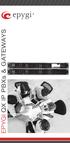 EPYGI QX IP PBXs & GATEWAYS Epygi QX IP PBXs This IP PBX is designed for offices of up to 50 users and supports up to 16 concurrent calls. The QX50 comes with 16 IP devices activated and can scale up to
business communications server KX-ns1000 Discover a world of benefits in one business communications solution.
 business communications server Discover a world of benefits in one business communications solution. An IP Platform to Deliver Business Communication INTRODUCING THE PANASONIC In the current era Business
MITEL SIP CoE. Technical. Configuration Notes. Configure the Mitel 3300 MCD 4.1 for use with Paetec Broadworks Softswitch. SIP CoE 08-4940-00035
 MITEL SIP CoE Technical Configuration Notes Configure the Mitel 3300 MCD 4.1 for use with Broadworks Softswitch SIP CoE 08-4940-00035 NOTICE The information contained in this document is believed to be
Introduction to Storm Hosted VoIP Phone Systems
 Introduction to Storm Hosted VoIP Phone Systems About Storm Established in 1996, Storm own and operate a cloud based VoIP telephone service, created especially for businesses. Storm specialise in providing
MITEL SIP CoE. Technical. Configuration Notes. Configure MCD 4.1 for use with SKYPE SIP Trunking. SIP CoE 10-4940-00120
 MITEL SIP CoE Technical Configuration Notes Configure MCD 4.1 for use with SKYPE SIP Trunking SIP CoE 10-4940-00120 NOTICE The information contained in this document is believed to be accurate in all respects
Buyers Guide to Cloud Phone Systems
 Buyers Guide to Cloud Phone Systems -002 -003 Introduction Highlights It s important to understand your options, your current business needs and future requirements before making a purchasing decision
Table of Contents. Confidential and Proprietary
 Table of Contents About Toshiba Strata CIX and Broadvox SIP Trunking... 1 Requirements... 2 Purpose, Scope and Audience... 3 What is SIP Trunking?... 4 Business Advantages of SIP Trunking... 4 Technical
The 21 st Century Business Telephone System. VOIP PBX Telephone System
 The 21 st Century Business Telephone System VOIP PBX Telephone System Develop with open standard PLATON is an all-in-one IP-PBX solution for your business operation. It s a PBX system which connect all
FortiVoice. Version 7.00 User Guide
 FortiVoice Version 7.00 User Guide FortiVoice Version 7.00 User Guide Revision 2 28 October 2011 Copyright 2011 Fortinet, Inc. All rights reserved. Contents and terms are subject to change by Fortinet
How To Get A Phone Service For Free
 1900 Wright Place, Suite 250 Carlsbad, CA 92008 (888) 441-4466 The Future of Phone Systems What features to look for in 2015 2014 Business.com Media, Inc. All Rights Reserved. The Future of Phone Systems:
VoIPCortex IP PBX features and benefits
 VoIPCortex IP PBX features and benefits Using our core VoIPCortex platform we have developed a powerful range of IP PBX solutions to suit a broad set of customer requirements. A comprehensive feature set,
VitalPBX. Hosted Voice That Works. For You
 VitalPBX Hosted Voice That Works For You Vital Voice & Data s VitalPBX VVD Hosted PBX solutions provide you with the stability of a traditional telephone PBX system and the flexibility that only a next
Zed One Hosted VoIP Telephony User Guide. A document to provide end user guidance on enterprise-class Hosted VoIP Telephony solution.
 Zed One Hosted VoIP Telephony User Guide A document to provide end user guidance on enterprise-class Hosted VoIP Telephony solution. Contents Unity Desktop Client Quick Start User Guide... 3 Broadworks
The 3CXIPPBX Tutorial
 The 3CXIPPBX Tutorial Develop a fully functional, low cost, phone system using 3CX professional PBX Matthew M. Landis Robert A. Lloyd «- PUBLISHING -J BIRMINGHAM - MUMBAI Preface 1 Chapter 1: Getting Started
D-Link, the D-Link logo, and VoiceCenter are trademarks or registered trademarks of D-Link Corporation or its subsidiaries in the United States and
 D-Link VoiceCenter TM Response Point TM with Microsoft Delivers a Fully- Featured Business Phone System with Leading-Edge Productivity and Integration Features White Paper Abstract Small Businesses Gain
BUYER S GUIDE FUSIONWORKS BUYER S GUIDE 03/04/2016
 FUSIONWORKS BUYER S GUIDE 03/04/2016 BUYER S GUIDE Contents: Overview 3 Select a Calling Plan 3 Select Usage & Phone Features 4 Select Employee and Phone Features 4 Common Area Seat Features 4 Voice Seat
RingCentral Office System. Cloud-based phone system for your business.
 RingCentral Office System Cloud-based phone system for your business. Cloud-based Business Phone Systems At one time companies turned to hardware-based systems for basic telephone services, such as call
White Paper. SIP Trunking. Abstract
 White Paper SIP Trunking Abstract This paper provides a brief description of SIP Trunks, how they are deployed and the benefits widely put forward in the marketplace as a reason for adopting them. Analysts
Evolution PBX User Guide for SIP Generic Devices
 Evolution PBX User Guide for SIP Generic Devices Table of contents Introduction... 1 Voicemail... Using Voicemail... Voicemail Menu... Voicemail to Email... 3 Voicemail Web Interface... 4 Find Me Rules...
Levelling the Playing Field
 ROGERS WHITE PAPER 1 Rev. May 2011 page 2 2 TABLE OF CONTENTS Introduction 3 Small Business Telephony Options 4 Basic Phone Service 4 Traditional PBX and Key Systems 4 Digital Services Business Cable and
MITEL SIP CoE Technical. Configuration Note. Configure MCD for use with Thinktel SIP Trunking Service. SIP CoE 12-4940-00197
 MITEL SIP CoE Technical Configuration Note Configure MCD for use with SIP Trunking Service SIP CoE NOTICE The information contained in this document is believed to be accurate in all respects but is not
Fax and Oracle Collaboration Suite. An Oracle White Paper August 2005
 Fax and Oracle Collaboration Suite An Oracle White Paper August 2005 Fax and Oracle Collaboration Suite Introduction... 3 Fax Support in Oracle Collaboration Suite... 4 Outbound Fax Configuration... 7