
Quick-Start Guide An easy-to-use guide for your easy-to-use phone. jitterbug
|
|
|
- Amos Gardner
- 9 years ago
- Views:
Transcription
1 jitterbug Quick-Start Guide An easy-to-use guide for your easy-to-use phone. jitterbug

2

3 Welcome to the GreatCall Family! Thank you for choosing the Jitterbug Flip. This Quick-Start Guide will help you get started with your new cell phone through the activation and set up process. For everything you need to know about your Jitterbug Flip, please reference your User Guide, contained in this package. If you have any questions or need assistance, our award-winning, 100% U.S.-based customer service team stands ready to assist you. Best Regards, Your friends at GreatCall

4 Quick-Start Guide II

5 Key Items in Your Jitterbug Box Quick-Start Guide Charging Dock USB Cable Wall Charger Jitterbug Flip i INFO The rechargeable battery has been pre-installed for your convenience. 1

6 Quick-Start Guide Your Jitterbug Flip Camera Headset Jack Flash / Flashlight Indicator Light Outside Display USB Connector 2 Dock Connector

7 Earpiece Speaker Up/Down Button Inside Display Quick-Start Guide Speakerphone Button On/Off Button YES Button NO Button Keypad 5Star Button Microphone 3

8 Quick-Start Guide Flashlight Button External Speaker Volume Button Battery Cover Battery Cover Release 4

9 Activating Your Jitterbug Depending where your Jitterbug was purchased, your phone may already be activated. The following three easy steps will guide you in powering on your phone for the first time. Quick-Start Guide IMPORTANT! Please do not turn on your phone until instructed to do so. If you turn it on prior to setting up your account, the device may fail to activate. If the device fails to activate, power off and start with STEP 1. 5

10 Quick-Start Guide STEP 1 Determine where your phone was purchased. If you purchased your Jitterbug from GreatCall or firststreet, your phone is already activated and you may skip to STEP 3. OR If you purchased your Jitterbug from Amazon, Best Buy, Fry s Electronics, Rite-Aid, Sears, or Walmart, your phone is not yet activated and you will need to continue to STEP 2. 6

11 STEP 2 Go online or call to activate your account. If you are new to GreatCall, go online at GreatCall.com/Activate to activate your account. You will be asked to enter in your Jitterbug Serial Number which can be found on the included Activation Card or on the side of the retail box. If you do not have Internet access, you can call our Activation Line at (888) Quick-Start Guide OR If your Jitterbug is already activated and you have questions about your phone or service, please call our customer service agents at (866)

12 Quick-Start Guide STEP 3 Turn on your Jitterbug to complete set up. Press the On/Off Button ( ) and your phone will automatically complete the set up process. This process may take a few minutes and you may notice the phone restart a few times. Once complete, you will see a screen Phone was set up successfully! You re now ready to enjoy the benefits of your easy-to-use Jitterbug phone. 8

13 Charging the Battery We ve included a Charging Dock to make it easy for you to always have your Jitterbug fully charged and ready to go. Charging Using the Charging Dock 1. Plug the smaller end of the USB Cable into the back of the Charging Dock. 2. Plug the larger end of the USB Cable into the Wall Charger. 3. Plug the Wall Charger into a standard wall outlet (110/220 VAC). 4. Place the Jitterbug into the Charging Dock as illustrated. Your Jitterbug is fully charged when you see Charging Complete on the Outside Display. Quick-Start Guide 9

14 Quick-Start Guide 10

15 Making and Answering Phone Calls Making a Phone Call You can dial a phone number directly from almost every screen on your Jitterbug. 1. When you open your Jitterbug, you will hear a dial tone indicating that service is available. If service is not available, there will be no dial tone and you will see No Service on the Inside Display. 2. Dial the full ten-digit phone number using the Keypad. You may be required to dial the number 1 first before placing a call in some areas. 3. Press the YES Button ( ) to place the call. Quick-Start Guide i INFO If you make a mistake while dialing, press the NO Button ( and delete the last number. ) to back up 11

16 Quick-Start Guide Answering a Call When Your Jitterbug is Closed 1. Open your Jitterbug when you hear it ring. The ring tone will stop when the phone is opened. 2. A Connected message will appear on the Inside Display and the caller s voice can be heard through the Earpiece Speaker. 3. To end the call, press the NO Button ( ) or close your Jitterbug. Answering a Call When Your Jitterbug is Open 1. When the ANSWER? question appears in the Action Line at the bottom of the Inside Display, press the YES Button ( ) to connect. 2. A Connected message will appear on the Inside Display and the caller s voice can be heard through the Earpiece Speaker. 3. To end the call, press the NO Button ( ) or close your Jitterbug. 12

17 The 5Star Button If you have a Health & Safety Package, press the red 5Star Button in an uncertain or unsafe situation to be connected to a highly-trained 5Star Agent. The Agent will assess your situation, confirm your location using GPS and connect you to emergency services if you need it. Quick-Start Guide Calling... 5Star NO TO HANG UP 13

18 Copyright 2016 GreatCall, Inc. GreatCall, 5Star, and GreatCall Link are trademarks of GreatCall, Inc. registered and/or pending in the United States and other countries ALCATEL is a trademark of Alcatel- Lucent used under license by TCL Communication LTD. Screen images simulated. Appearance of device may vary. Other marks are property of their respective owners and may be trademarks.

19 JB6-QSG-V2

greatcall.com Model SCH-R220 / Dual Band / Part # GH68-36426A
 greatcall.com Model SCH-R220 / Dual Band / Part # GH68-36426A Quick-Start Guide Coverage and service are not available everywhere. Other charges and restrictions may apply. 1 There are no additional fees
Welcome to the GreatCall Family.
 pms2603 pms1235 pms226 pms298 How-To Guide Welcome to the GreatCall Family. Thank you for choosing the Jitterbug. At GreatCall, we ve made it easy for you to stay Orange - pms 143 connected to friends
User Guide C 12 M 100 Y 36 K 0
 User Guide Welcome to GreatCall! Thank you for choosing the Jitterbug Touch3. We ve made it easy for you to stay connected to friends and family with the simplicity of GreatCall. Additionally, our service
Facebook f Logo CMYK /.ai Facebook f Logo CMYK /.ai THE SIMPLE SMARTPHONE WITH OUR BIGGEST SCREEN EVER.
 Facebook f Logo CMYK /.ai Facebook f Logo CMYK /.ai THE SIMPLE SMARTPHONE WITH OUR BIGGEST SCREEN EVER. All-New STAYING INDEPENDENT HAS NEVER BEEN THIS EASY. EASY The Jitterbug Smart is designed to be
 DO NOT RETURN THIS PRODUCT TO THE STORE! Please read the following important information For Siemens Customer Care, product operation information, or for problem resolution, call toll-free 1-888-777-0211
Jabra CRUISER2. User manual. www.jabra.com MUTE VOL - VOL + jabra
 Jabra CRUISER2 VOL - VOL + MUTE jabra User manual www.jabra.com Contents THANK YOU...2 ABOUT YOUR JABRA CRUISER2...2 WHAT YOUR SPEAKERPHONE CAN DO...3 GETTING STARTED...4 CHARGE YOUR SPEAKERPHONE...4 TURNING
Cisco Model SPA 303 Quick Start Guide
 Cisco Model SPA 303 Quick Start Guide Welcome Thank you for choosing the Cisco Small Business IP phone. This guide describes how to install your phone and how to perform some basic tasks. 1 Installing
Bluetooth Handsfree Kit. Car Speakerphone (For Bluetooth Mobile Phones)
 Bluetooth Handsfree Kit Car Speakerphone (For Bluetooth Mobile Phones) Table of Contents 1. Product Description 3 2. Product Overview 3 3. Charging 4 4. Power On/Off 4 Power On 4 Power Off 4 5. Selecting
NEC SV8100 Telephone System User Guide (for SV8100 12-button and 24-button phones)
 NEC SV8100 Telephone System User Guide (for SV8100 12-button and 24-button phones) KEYS AND BUTTONS ON YOUR PHONE Incoming Call/Message Waiting indicator light Flashes red quickly when a call is ringing
Premium Design Phone with Smartphone Connect
 Smartphone Connect App Guide Premium Design Phone with Smartphone Connect Model No. KX-PRW130 Thank you for purchasing a Panasonic product. This document explains how to use the Smartphone Connect app.
Cisco Phone Overview. Voicemail: Internal Hit messages (Envelope) button or dial 10000
 Cisco Phone Overview Providence School Department extensions are 5 digits. Dial 8 to place an outside call. Voicemail: Internal Hit messages (Envelope) button or dial 10000 To place a call, choose one
Optus VoIP IP Handset Quick Start Guide.
 Optus VoIP IP Handset Quick Start Guide. Congratulations on your new IP Handset The Linksys SPA-942 is a functionally powerful and easy to use business phone featuring a high resolution graphical display,
BUSINESS COMMUNICATIONS DIVISION. IP4100 SIP DECT User Guide
 BUSINESS COMMUNICATIONS DIVISION IP4100 SIP DECT User Guide TOSHIBA IP4100 DECT HANDSET END USER GUIDE FEATURES Toshiba IP4100 DECT Handset Features 2.0 inch colour TFT back-lit display Li-ion battery
CS540. Wireless Headset System. User Guide
 CS540 Wireless Headset System User Guide Contents Welcome 3 What s in the Box 4 Base and Headset Basics 5 Accessories 6 Customize Your Headset 7 Change Headset Configuration 7 Left Earloop Assembly 7 Headband
User s Guide. DECT 6.0 Cordless / Corded Phones with Answering System. Warning. For L402C / L403C / L404C / L405C
 User s Guide For L402C / L403C / L404C / L405C DECT 6.0 Cordless / Corded Phones with Answering System Warning Use only the power adapters and telephone line cords provided in the box. Welcome... to your
Optus VoIP IP Handset Quick Start Guide.
 Optus VoIP IP Handset Quick Start Guide. Congratulations on your new IP Handset The Linksys SPA-942 is a functionally powerful and easy to use business phone featuring a high resolution graphical display,
Model No. KX-TGP500. Model No. KX-TGP550
 Panasonic Telephone Systems KX-TGP500/KX-TGP550 KX-TGP500, KXTGP500, TGP500, KX-TGP550, KXTGP550, TGP550 www.voicesonic.com Phone 877-289-2829 User Guide SIP Cordless Phone Model No. KX-TGP500 Model No.
Contents Contents Contents Overview Charging your headset Wearing the headset Powering on the headset Connecting your headset for dictation
 1 Contents Contents Contents 2 Overview 3 Charging your headset 4 Wearing the headset 4 Powering on the headset 4 Connecting your headset for dictation 5 The adapter 5 Adjusting your computer's audio settings
Digital Voice Services User Guide
 Digital Voice Services User Guide * Feature Access Codes *72 Call Forwarding Always Activation *73 Call Forwarding Always Deactivation *90 Call Forwarding Busy Activation *91 Call Forwarding Busy Deactivation
Part 2. Copyright 1998 Philips Consumer Communications L.P. All rights reserved. Printed in Mexico. Issue 1AT&T 848229506
 2 User's Manual for Two-Line Digital Answering System Telephone with Speakerphone 1872 Fold open this paper for information about this telephone's installation and operation. Please read Part 1 Important
CS530. Wireless Headset System. User Guide
 CS530 Wireless Headset System User Guide Contents Welcome 3 What s in the Box 4 Base and Headset Basics 5 Accessories 6 Customize Your Headset 7 Change the Eartip 7 Position Your Headset 7 Connect Your
Jabra FREEWAY. User manual. www.jabra.com
 Jabra FREEWAY User manual www.jabra.com CONTENTS THANK YOU...2 ABOUT YOUR...2 WHAT YOUR SPEAKERPHONE CAN DO...3 GETTING STARTED...4 CHARGE YOUR SPEAKERPHONE...4 TURNING YOUR SPEAKERPHONE ON AND OFF...5
Quick Reference Guide for SPA9x2 Phones QUICK REFERENCE BUSINESS SERIES. Linksys IP Phone Models: SPA962, SPA942 and SPA922
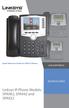 Quick Reference Guide for SPA9x2 Phones QUICK REFERENCE BUSINESS SERIES Linksys IP Phone Models: SPA962, SPA942 and SPA922 Phone Buttons and Features Handset Message Waiting Indicator LCD Screen Line Keys
Printed in China. Issue 1.2 AT&T 03/07. Advanced American Telephones. AT&T and the AT&T logo are trademarks of AT&T Knowledge Ventures, licensed to
 2007 Advanced American Telephones. All rights reserved. AT&T and the AT&T logo are trademarks of AT&T Knowledge Ventures, licensed to Advanced American Telephones. Printed in China. Issue 1.2 AT&T 03/07
CS530. Wireless Headset System. User Guide
 CS530 Wireless Headset System User Guide Contents Welcome 3 What s in the Box 4 Base and Headset Basics 5 Accessories 6 Customize Your Headset 7 Change the Eartip 7 Position Your Headset 7 Connect Your
Plantronics BackBeat 903/906 User Guide
 Plantronics BackBeat 903/906 User Guide Welcome Thank you for purchasing the Plantronics BackBeat 903/906 headphones. This guide contains instructions for setting up and using your new headphones. Before
Welcome! Cisco 8945 End User Training
 Welcome! Cisco 8945 End User Training Welcome Instructor: Name Schedule: One hour and fifteen minutes Phone Orientation Call Handling Features Voice Mail Reference Cards Conversion: Date and Details Cell
MiVoice 6725ip Microsoft Lync Phone 41-001368-00 REV04 WORK SMART USER GUIDE
 MiVoice 6725ip Microsoft Lync Phone 41-001368-00 REV04 WORK SMART USER GUIDE NOTICE The information contained in this document is believed to be accurate in all respects but is not warranted by Mitel Networks
Using the Cisco IP Phone 7940/7960
 CHAPTER 3 Using the Cisco IP Phone 7940/7960 Your Cisco IP Phone 7940/7960 provides features you might not have had before on an office phone. You can learn how to use these features by exploring the available
Model No. KX-TGP500. Model No. KX-TGP550
 User Guide SIP Cordless Phone Model No. KX-TGP500 Model No. KX-TGP550 Model shown is KX-TGP500. Model shown is KX-TGP550. Thank you for purchasing a Panasonic product. You can configure some of the features
Plantronics Inc 345 Encinal Street Santa Cruz, CA 95060 USA Tel: (800) 544-4660. www.plantronics.com
 Plantronics Inc 345 Encinal Street Santa Cruz, CA 95060 USA Tel: (800) 544-4660 www.plantronics.com 2005 Plantronics, Inc. All rights reserved. Plantronics, the logo design, Plantronics and the logo design
No more nuisance phone calls! Internet Control Panel & Weblink Guide
 No more nuisance phone calls! Internet Control Panel & Weblink Guide truecall Ltd 2009 2 Contents Welcome! 3 Weblink 4 Your Internet Control Panel 5 Frequently asked questions 15 Support/Data Protection
Cisco SPA 525G. Quick Start guide. Business
 Cisco SPA 525G Quick Start guide Business Cisco Small Business SPA IP Phone Model SPA 525G/SPA 525G2 Package Contents IP telephone (Fig. 1) Desk Stand RJ-45 Ethernet Cable Setup CD-ROM Quick Start Guide
User Guide. Aastra 6753i
 User Guide Aastra 6753i Content Phone overview Basic telephony features How to place a call How to answer a call How to terminate a call How to redial a number How to mute a call How to set a call on hold
JABRA DRIVE USER MANUAL
 JABRA DRIVE USER MANUAL Contents THANK YOU...2 ABOUT YOUR JABRA DRIVE...2 WHAT YOUR JABRA DRIVE CAN DO....3 HOW TO PRESS THE BUTTONS...4 WHAT THE LIGHT MEANS...4 GETTING STARTED.............................................
Cisco VoIP 8941/8945 Phones Reference Guide ICIT Technology Training and Advancement [email protected]
 Cisco VoIP 8941/8945 Phones Reference Guide ICIT Technology Training and Advancement [email protected] Updated on 7/31/2014 TABLE OF CONTENTS Phone Overview... 4 Phone Terms... 5 Operating Your Phone...
Quick start guide to your IP phone
 Quick start guide to your IP phone IP Phone Model SPA 525G/ SPA 525G2 Note The features available on your phone depend on the type of system to which your phone is connected. Contact your system administrator
Getting Started V500 Economy conferencing for small rooms
 Getting Started V500 Economy conferencing for small rooms Table of Contents Table of Contents... 1 Verify the Contents of Your Shipment... 2 Set Up and Connect the Equipment... 3 Follow System Setup Screens...
Key Connected Office Voice User Reference Guide
 Key Connected Office Voice User Reference Guide 02/10/2016 031114/FT/13v1/EX Page 0 Key System User Reference Guide Table of Contents PLACING/RECEIVING CALLS... 1 Answer a Call... 1 Dialing a Number or
ReSound Unite TV FREQUENTLY ASKED QUESTIONS. Setup & Configuration. Use & Operation. Troubleshooting
 Tip for use of FAQ: Click on questions to go to answer. Setup & Configuration How do I pair the hearing aids to the Unite TV?... 2 What is the latency of the streamed signal?... 2 Does the Unite TV use
CS510 /CS520. Wireless Headset System. User Guide
 CS510 /CS520 Wireless Headset System User Guide Contents Welcome 3 What s in the Box 4 Base and Headset Basics 5 Accessories 6 Headset Set Up 7 Connect Your Desk Phone 8 Connect the Power 8 Charge the
How to Use Your Companion Service Two-Way Voice Unit A personal response system from the #1 security company in America.
 How to Use Your Companion Service Two-Way Voice Unit A personal response system from the #1 security company in America. Thank you for choosing Companion Service, a service offered by ADT Health. You have
Voyager PRO UC v2 BT300-M
 TM Voyager PRO UC v2 Bluetooth headset BT300-M Bluetooth USB adapter USER GUIDE Contents Welcome 3 Voyager Pro UC next generation technology 3 System Requirements 3 What s in the Box 4 Adapter and Headset
BTH360-S Bluetooth Stereo Headset Specifications & User's Guide
 BTH360-S Bluetooth Stereo Headset Specifications & User's Guide www.kinivo.com Email: [email protected] Warranty BTH360-S is covered under 1 year limited hardware warranty. Please contact Kinivo technical
Link2Cell Digital Phone with Smartphone Integration and Answering Machine KX- PRD262B 2 Cordless Handsets
 Link2Cell Digital Phone with Smartphone Integration and Answering Machine KX- PRD262B 2 Cordless Handsets Features Sync smartphone to home phone via Bluetooth, no landline required Link up to two smartphones
Voyager PRO UC v2 BT300. Bluetooth Headset. Bluetooth USB Adapter USER GUIDE
 Voyager PRO UC v2 Bluetooth Headset BT300 Bluetooth USB Adapter USER GUIDE Contents Welcome 3 Voyager Pro UC next generation technology 3 System Requirements 3 What s in the Box 4 Adapter and Headset Basics
Hosted Voice Quick Start Guide
 Hosted Voice Quick Start Guide EATEL 225-621-4100 Welcome Welcome to Hosted Voice from EATEL! This guide is intended to get you up and running for the basic features associated with the product. Pages
How to Install and Set up a Jabra Go 6400 and Pro9400 Series Headset with an Avaya 96x1 Series IP Phone
 How to Install and Set up a Jabra Go 6400 and Pro9400 Series Headset with an Avaya 96x1 Series IP Phone Note: The EHS (Electronic Hook Switch) link 14201-35 is used with all Jabra Headsets sold by CNS/NI&S.
BEFORE YOU BEGIN CHARGE YOUR HEADSET
 motorola Bluetooth Handsfree Headset BEFORE YOU BEGIN Before using this product, read the Important Safety and Legal Information pamphlet and follow its instructions. Take a moment before you get started
2-Line CapTel User Guide
 2-Line CapTel User Guide This information is provided as a supplement for CapTel users who wish to use 2-line capabilities. For more complete information about using your CapTel, please refer to the CapTel
User s manual. w w w. v t e c h p h o n e s. c o m. Models: mi6885/mi6889/mi6890
 User s manual w w w. v t e c h p h o n e s. c o m Models: mi6885/mi6889/mi6890 Table of contents Getting started...................... 5 Parts checklist for mi6885............... 5 Parts checklist for
Quick start guide. ML17939/17959 Two-line corded telephone/ answering system with caller ID/call waiting
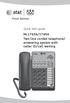 Quick start guide ML17939/17959 Two-line corded telephone/ answering system with caller ID/call waiting Installation preparation You must install the power adapter before using the telephone. See pages
Instruction Guide. Message Manager
 Instruction Guide TM Message Manager Welcome to Message Manager Message Manager service from CenturyLink adds more fun and functionality to your online experience. Now you can use your computer to see
Get started. Issue 1
 Get started Issue 1 2008 Nokia. All rights reserved. Nokia, Nokia Connecting People, Nseries, N85, Navi, and Nokia Care are trademarks or registered trademarks of Nokia Corporation. Other product and company
USER GUIDE_. SupraPlus Wireless... PROFESSIONAL HEADSET SYSTEM
 USER GUIDE_ SupraPlus Wireless... PROFESSIONAL HEADSET SYSTEM TABLE OF CONTENTS Package Contents Features Setup Setup Handset Lifter (Optional) Charging Positioning 6 8 9 9 PACKAGE CONTENTS Headset (One
Basic Features. In the Phone application. Making a call. Answer or divert calls
 Basic Features. Using the Phone applica5on Making a call In the Phone application, enter a number, and press the key to make a call. To change the number, use you have entered. to delete the digits After
Model SPA 303G Quick Start Guide
 mydatavo Model SPA 303G Quick Start Guide Welcome Thank you for choosing Datavo as your business solutions provider. This guide describes how to install your phone and how to perform some basic tasks.
How to Use Your Companion Service Two-Way Voice Unit.
 How to Use Your Companion Service Two-Way Voice Unit. A personal response system from the #1 security company in America. Thank you for choosing Companion Service, a service offered by ADT Security Services,
MDA200. Audio switcher. User guide
 MDA200 Audio switcher User guide Contents Welcome 3 What s in the box 4 MDA200 Basics 5 Accessories 6 Connect your headset 7 Desk phone: connect and call 8 Desk phone (standard) 8 Desk Phone Plus HL10
Your Phone This section introduces you to the hardware of the device.
 Your Phone This section introduces you to the hardware of the device. No. Items Functions 1 Earphone jack 2 Strap hole 3 LED / Speaker Use a headset for hands-free conversation or listening to music. It
2.4 GHz Cordless Telephone/Answering System E2125
 91-5743-10-00.E2125.RO.qxd 2/13/1950 7:21 PM Page 1 User Manual (Part 2) 2.4 GHz Cordless Telephone/Answering System E2125 with Caller ID & Call Waiting 91-5743-10-00.E2125.RO.qxd 2/13/1950 7:21 PM Page
Sprint WeGo User Guide
 Sprint WeGo User Guide [UG template version 14a] [Sprint_OEM_S155_ug_en_140305_d1] i Table of Contents Get Started... 4 Your Phone at a Glance... 4 Set Up Your Phone... 5 Activate Your Phone... 8 Sprint
Four-Line Intercom Speakerphone 944
 1 USER S MANUAL Part 2 Four-Line Intercom Speakerphone 944 Please also read Part 1 Important Product Information AT&T and the globe symbol are registered trademarks of AT&T Corp. licensed to Advanced American
2.4 GHz Dual Handset Cordless Telephone Answering System 2255 with Caller ID/Call Waiting
 USER S MANUAL Part 2 2.4 GHz Dual Handset Cordless Telephone Answering System 2255 with Caller ID/Call Waiting Please also read Part 1 Important Product Information AT&T and the globe symbol are registered
Four-Line Intercom Speakerphone 955
 1 USER S Revised: August 3, 2000 MANUAL Part 2 Four-Line Intercom Speakerphone 955 2000 Advanced American Telephones. All rights reserved. Printed in Indonesia. 850004037 Issue 1AT&T 8/00 Please also read
Installation Guide Smart-UPS X Tower/Rack-Mount 2U 2000/2200/3000 VA
 Installation Guide Smart-UPS X Tower/Rack-Mount 2U 2000/2200/3000 VA Important Safety Messages Read the instructions carefully to become familiar with the equipment before trying to install, operate, service
OM2260VW2 USER MANUAL VERIZON WIRELESS HOME PHONE CONNECT
 OM2260VW2 USER MANUAL VERIZON WIRELESS HOME PHONE CONNECT Welcome to Verizon Wireless Thank you for choosing Verizon Wireless Home Phone Connect. You re now connected to the power of America s most reliable
USB VoIP Phone Adapter. User s Manual
 USB VoIP Phone Adapter User s Manual FCC Certifications This Equipment has been tested and found to comply with the limits for a Class B digital device, pursuant to part 15 and part 68 of the FCC Rules.
AT&T MERLIN COMMUNICATIONS SYSTEM USER S GUIDE MODELS 206, 410 AND 820 WITH FEATURE PACKAGE 2
 AT&T MERLIN COMMUNICATIONS SYSTEM USER S GUIDE MODELS 206, 410 AND 820 WITH FEATURE PACKAGE 2 Table of Contents Page Page Available Features Key to Symbols Placing and Answering Calls Line Buttons and
COLLEGE OF MEDICINE. Sony Portable Video Conference Systems. Operations Manual
 COLLEGE OF MEDICINE Sony Portable Video Conference Systems Operations Manual SONY PORTABLE VIDEO CONFERENCE SYSTEM OPERATIONS MANUAL Produced by the University of Saskatchewan DIVISION OF MEDIA AND TECHNOLOGY
Quick Start Guide. U.S. Cellular Customer Care: 1-888-944-9400
 Quick Start Guide LG ENVOY III U.S. Cellular Customer Care: 1-888-944-9400 Getting to Know Your Phone Earpiece 3.5 mm Headset Jack Left Soft Key Text Message Key Volume Up/Down Keys Send Key Micro USB
Quick start guide to your IP phone
 Quick start guide to your IP phone IP Phone Models SPA501G, SPA502G, SPA504G, SPA508G, and SPA509G Welcome Thank you for choosing the Cisco Small Business IP Phone. This guide describes how to install
Documentation. HiPath 8000 OpenStage 40. Quick Reference Guide. Communication for the open minded
 Documentation HiPath 8000 OpenStage 40 Quick Reference Guide Communication for the open minded Siemens Enterprise Communications www.siemens-enterprise.com Using Your Telephone Using Your Telephone Function
D3588 Series User's Guide
 D3588 Series User's Guide What's in the box? You will also find: D3588 base with answering system and corded handset Accessory handset and charger Not pictured: x Rechargeable battery (BT-1031) x Belt
iloq P10S.10/20 Programming device User's Guide
 iloq P10S.10/20 Programming device User's Guide CONTENTS CONTENTS... 2 GENERAL... 3 USING THE PROGRAMMING DEVICE... 5 Starting the programming device... 5 Programming of locks... 5 Programming of keys...
KYOCERA DuraPro. User Guide
 KYOCERA DuraPro User Guide Table of Contents Phone Basics... 7 Battery and Charger... 7 Battery Capacity... 7 Install the Battery... 7 Charge the Battery... 8 Remove the Battery... 8 Turn Your Phone On
CS510-XD /CS520-XD. Wireless Headset System. User Guide
 CS510-XD /CS520-XD Wireless Headset System User Guide Contents Welcome 3 What s in the Box 4 Base and Headset Basics 5 Accessories 6 Headset Set Up 7 Connect Your Desk Phone 8 Connect the Power 8 Charge
SENSE: USER GUIDE. Read Me to Get the Most Out of Your Device...
 SENSE: USER GUIDE Read Me to Get the Most Out of Your Device... BlueAnt SENSE Speaker Multi-Function Button (the symbol) Battery Indicator Touch-Sensitive Volume Controls ENGLISH Charge Port On/Off Switch
NEC SV8100 Telephone System User Guide (for SV8100 12-button and 24-button phones with CAP/PARK keys)
 NEC SV8100 Telephone System User Guide (for SV8100 12-button and 24-button phones with CAP/PARK keys) KEYS AND BUTTONS ON YOUR PHONE Incoming Call/Message Waiting indicator light Flashes red quickly when
1608 PHONE INSTRUCTIONS FOR IP OFFICE. 1 Proprietary to CPCS 1608 Document
 1 Proprietary to CPCS 1608 Document CALL HANDLING FEATURES PLACING A CALL To Place an Outside Call Lift the handset and dial the number. To place a call using a headset, press the Headset button and dial
User s Guide for Polycom SoundStructure Systems and the Polycom Touch Control Device
 User s Guide for Polycom SoundStructure Systems and the Polycom Touch Control Device Version 1.0 January 2011 1725-33214-001/A Trademark Information Polycom, the Polycom Triangles logo, and the names and
user guide Consult Safety Instructions Before Use.
 user guide Consult Safety Instructions Before Use. Install Battery Pack Welcome to Flip UltraHD 1 Slide battery latch to unlock. 2 Slide front panel down. 3 Position rechargeable Lithium-ion battery pack
Quick Guide for Polycom VVX 300 Business Media Phone. Document Date: 01/27/14 Document Version: 1.0d
 Quick Guide for Polycom VVX 300 Business Media Phone Document Date: 01/27/14 Document Version: 1.0d VVX300/310 Quick Guide Content VVX300/310 Diagram... 3 Polycom VVX 300/310 Telephone Feature Overview...
Safety and General Information
 User Guide Safety and General Information Please read the following information before using this product Users are not permitted to make changes or modify the product and the accessories in any way. Do
Polycom IP 331 Phone User Guide
 UNIVERSITY INTEGRATED TELEPHONE SERVICE september 2010 Polycom IP 331 Phone User Guide Table of Content SCHEMA... 3 BASIC PHONE FEATURES... 4 PLACING CALLS... 4 ANSWERING CALLS... 4 ENDING CALLS... 5 MUTING
How To Use A Sim Sim Sims Phone With A Sims Cell Phone With Sims 2 (Sprint) And Sims 3 (Sparks) On A Simplon (Sperman) With A Cell Phone From Sims
 User s Guide PCS Phone (Nokia 3588i) 9310822 Table of Contents Welcome to Sprint................................... i Introduction........................................ ii Section 1: Getting Started.............................
Quick start guide. CL4939 Big button big display telephone/answering system with caller ID/ call waiting
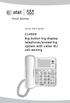 Quick start guide CL4939 Big button big display telephone/answering system with caller ID/ call waiting Introduction This quick start guide provides you basic installation and use instructions A limited
Using the Cisco IP Phone System
 Using the Cisco IP Phone System Chapter 0 The Cisco IP Phones 7970 and 7960G are full-feature telephones that provide voice communication over the same data network that your computer uses, allowing you
Vertical 4-Line Desk Phone Quick Reference Guide ACC-1145 PUG
 ACC-1145 PUG Vertical 4-Line Desk Phone Quick Reference Guide Table of Contents INTRODUCTION TO YOUR XCELERATOR DESK PHONE... 2 WELCOME... 2 DESK PHONE... 2 HOW TO USE YOUR XCELERATOR DESK PHONE... 3 Answering
Digital telephony. Softphone Getting Started Guide. Business Edition TEL-GDA-AFF-002-0902
 Digital telephony Business Edition Softphone Getting Started Guide TEL-GDA-AFF-002-0902 Contents ABOUT THIS GUIDE 3 911 EMERGENCY SERVICES 3 DOWNLOADING THE SOFTWARE 3 CONFIGURING THE SOFTWARE 5 INITIALIZING
Featuring the Vertical Xcelerator IP Phone System DESK PHONE USER GUIDE V1.5
 Featuring the Vertical Xcelerator IP Phone System DESK PHONE USER GUIDE V1.5 For Service Purchased After May 1 st 2009 Table of Contents INTRODUCTION TO YOUR XCELERATOR DESK PHONE... 2 WELCOME... 2 XCELERATOR
Enterprise Edge M7310 Quick Reference Guide
 Enterprise Edge M7310 Quick Reference Guide 2000 Nortel Networks P0908513 Issue 03 Your Enterprise Edge M7310 Telephone Shift button For using the top function of a dual-memory button. Display shows the
Personal Speed Dial Numbers
 Personal Speed Dial Numbers To dial a Personal Speed Dial number: Press Feature followed by the Dial Code. See panel 4 for programming instructions. Your system may also be programmed with System Speed
Phone Guide. Sprint PCS Vision Phone C290 by Motorola. www.sprint.com
 Phone Guide Sprint PCS Vision Phone C290 by Motorola www.sprint.com 2006 Sprint Nextel. All rights reserved. SPRINT, the Going Forward logo, the NEXTEL name and logo, and other trademarks are trademarks
Cisco 7941 / 7961 IP Phone User Guide
 Cisco 7941 / 7961 IP Phone User Guide Emergency To dial 911 for emergency service, you must dial the Outside Access Digit first (usually 9) + 911. Customer Service / Technical Support (919) 459-2300, option
BT Freestyle 750. User Guide
 BT Freestyle 750 User Guide Welcome to your BT Freestyle 750 Digital Cordless Telephone Answering Machine Answering machine with up to 15 minutes digital recording time and helpful voice prompts. 50 Name
Quick Start The StarLeaf Touch
 Quick Start The StarLeaf Touch Installing the Touch Before installing the Touch, refer to the safety information at: www.starleaf.com/safety. Step 1: Connect the base to the Touch Connect the base to the
Welcome to Cisco ūmi telepresence. User guide
 Welcome to Cisco ūmi telepresence User guide Intellectual property notice 2011 Cisco and/or its affiliates. All rights reserved. Cisco, ūmi, and the Cisco and ūmi logos are trademarks or registered trademarks