
PROGRAMMING MANUAL. English. Code: Date: P285U00
|
|
|
- Ashlee Walton
- 9 years ago
- Views:
Transcription
1 PROGRAMMING MANUAL English Code: P285U00 Date:

2

3 Introduction This Programming Manual is a very useful tool for those operators who want to get the most out of the potential of the installed software and know in detail all of the software available functions. This document is available in PDF format in the Reserved Area of our internet site or, on request, through our after-sales service. The Manual is divided into 2 parts: The First Part contains the information concerning the Filler Menu. The Second Part contains the information concerning the Technician Menu. The operations described can modify the functioning cycles, therefore they must be carried out only by personnel who have the specific knowledge of the machine functioning from a point of view of electrical safety and health regulations. Introduction The machines can function in 3 different operating modes: - Normal Vending - Filler Menu - Technician Menu Normal vending mode In Normal Vending mode it is possible to perform some operations with the door closed, keeping pressed the wash button for more than 2 seconds or the button (see figure) if the wash button is not present. The push-buttons take on numeric values as shown in the figure: The machine waits a few seconds for the entry of a 5-digit code that will allow the following operations if enabled in the Password option within the Technician Menu: - Reset counters - Jug Facility - Free Vending - Keypad lock - Wash - Test selections - Filter reset - Waste tray reset By default all passwords are disabled. A

4 programming menu In order to access the programming menu, open the front door of the vending machine, switch on the machine and insert the yellow key supplied in the relevant slot located on the left-hand side of the machine. 1 Press the programming access button as shown in the figure: The machine goes into Filler Menu mode. The buttons shown in the figure are used for surfing through the different menus: Scrolling buttons UP and DOWN The UP and DOWN scrolling buttons are used for moving from one programming menu item to the next one, located in the same level, and at the same time change the status or the numeric value of the corresponding functions. Confirm / enter button The confirm / enter button is used for moving to the lower level or for confirming a value after being entered or changed. Exit button The exit button is used for returning to the higher level or for exiting a change field of a function. When reaching the highest level in the menu, this button is pressed for going from the Technician menu into the Filler menu and vice versa. B

5 FILLER Menu 1 - STATISTICS 1 Statistics STATIS. PRINTING 1.1 Printing the Statistics Partial PRINTING Partial printout SEL. CNT. PRINT Printing the selection counters When confirming this function, the counters regarding the different selections are printed PRINT BAND CNT Printing the time band counters When confirming this function, the counters regarding the different time bands are printed DISC. CNT.PRINT Printing the discount counters When confirming this function, the counters regarding discounts and overprice are printed FAIL. CNT.PRINT Printing the failure counters When confirming this function, the counters regarding the different failure are printed COIN MECH. PRINT Printing the coin mechanism data When confirming this function, the counters regarding the coin mechanism data are printed. 1

6 FILLER Menu Total PRINTING Total printout When confirming this function, all statistics are printed PRINT REL. STAT. 1.2 Printing the relative statistics Partial PRINTING Partial printout SEL. CNT. PRINT Printing the selection counters When confirming this function, the relative counters regarding the different selections are printed PRINT BAND CNT Printing the time band counters When confirming this function, the relative counters regarding the different time bands are printed DISC. CNT.PRINT Printing the discount counters When confirming this function, the relative counters regarding discounts and overprice are printed FAIL. CNT.PRINT Printing the failure counters When confirming this function, the relative counters regarding failures are printed COIN MECH. PRINT Printing the coin mechanism data When confirming this function, the relative counters regarding the coin mechanism data are printed. 2

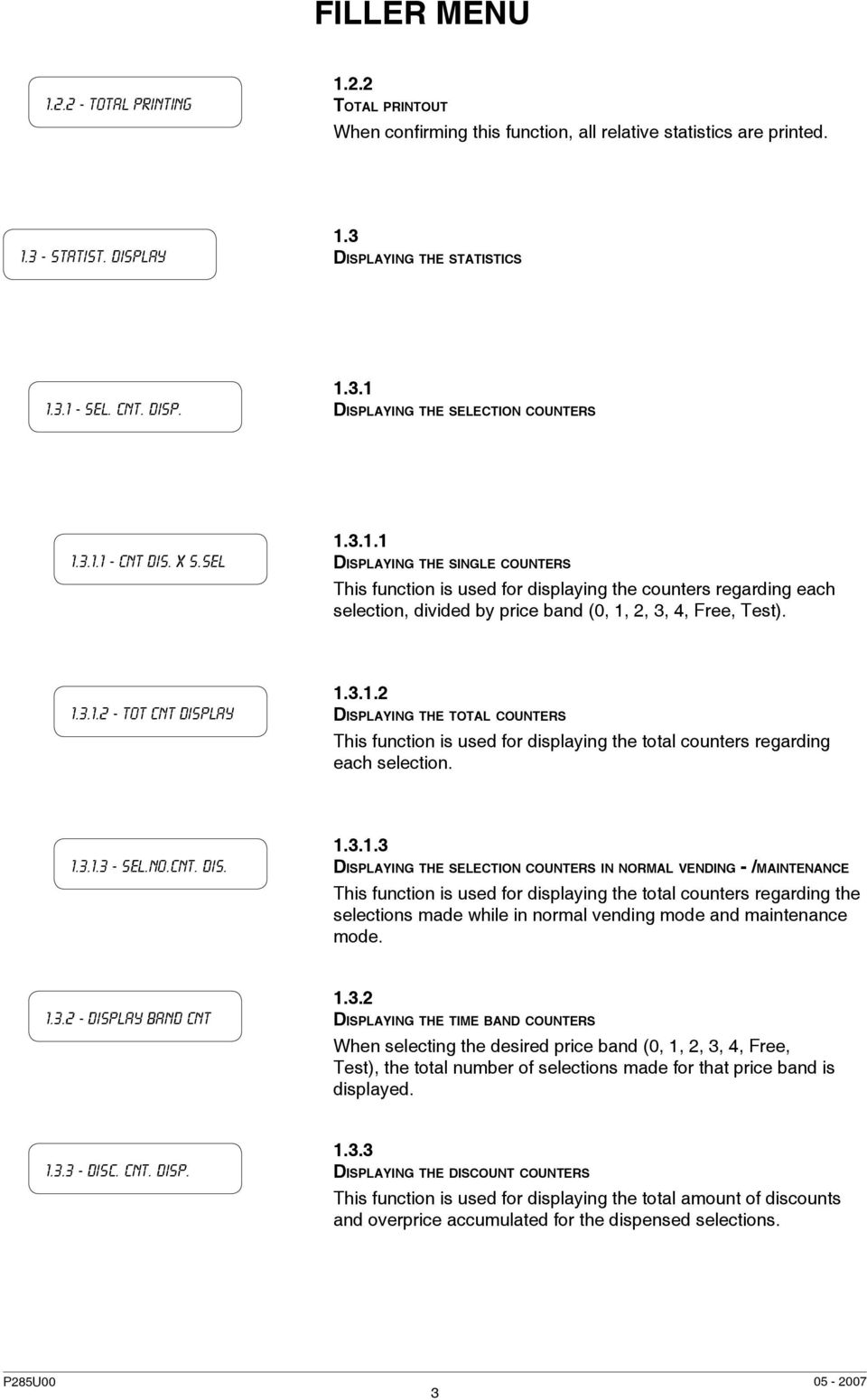
7 FILLER Menu Total PRINTING Total printout When confirming this function, all relative statistics are printed STATIST. DISPLAY 1.3 Displaying the statistics SEL. CNT. DISP Displaying the selection counters CNT DIS. X S.SEL Displaying the single counters This function is used for displaying the counters regarding each selection, divided by price band (0, 1, 2, 3, 4, Free, Test) TOT CNT DISPLAY Displaying the total counters This function is used for displaying the total counters regarding each selection SEL.NO.CNT. DIS Displaying the selection counters in normal vending - /maintenance This function is used for displaying the total counters regarding the selections made while in normal vending mode and maintenance mode DISPLAY BAND CNT Displaying the time band counters When selecting the desired price band (0, 1, 2, 3, 4, Free, Test), the total number of selections made for that price band is displayed DISC. CNT. DISP Displaying the discount counters This function is used for displaying the total amount of discounts and overprice accumulated for the dispensed selections. 3
8 FILLER Menu FAIL. CNT. DISP Displaying the failure counters This function is used for displaying the number of times each possible failure occurred in the vending machine COIN MECH. DISP Displaying the coin mechanism data AUDIT DATA DISP Displaying the audit data This function is used for displaying the number of coins inserted in the vending machine, differentiated by the type of coin CASH COUNT. DIS DISP. REL. STAT Displaying the cashed amount This function is used for displaying the value of: - Total cashed - Total sold - Total cashed by credit 1.4 Displaying the relative statistics SEL. CNT. DISP Displaying the selection counters CNT DIS. X S.SEL Displaying the single counters This function is used for displaying the counters regarding each selection, divided by price band (0, 1, 2, 3, 4, Free, Test) TOT CNT DISPLAY Displaying the total counters This function is used for displaying the total counters regarding each selection. 4

9 FILLER Menu SEL.NO.CNT. DIS Displaying the selection counters in normal vending - maintenance This function is used for displaying the total counters regarding the selections made while in normal vending mode and maintenance mode DISPLAY BAND CNT Displaying the time band counters When selecting the desired price band (0, 1, 2, 3, 4, Free, Test), the total number of selections made for that price band is displayed DISC. CNT. DISP Displaying the discount counters This function is used for displaying the total amount of discounts and overprice accumulated for the dispensed selections FAIL. CNT. DISP Displaying the failure counters This function is used for displaying the number of times each failure occurred in the vending machine COIN MECH. DISP Displaying the coin mechanism data AUDIT DATA DISP Displaying the audit data This function is used for displaying the number of coins inserted in the vending machine, differentiated by the type of coin CASH COUNT. DIS DELETE REL.STAT Displaying the cashed amount This function is used for displaying the value of: - Total cashed - Total sold - Total cashed by credit 1.5 Deleting the relative statistics 5

10 FILLER Menu PARTIAL RESET Partial delete SEL. CNT. RESET Deleting the selection counters When confirming this function, the counters regarding the different selections are deleted DISC. CNT. RESET Deleting the discount counters When confirming this function, the counters regarding discounts and overprice are deleted FAIL. CNT. RESET Deleting the failure counters When confirming this function, the counters regarding the different failure are deleted COIN MECH. RESET Deleting the coin mechanism data When confirming this function, the counters regarding the coin mechanism data are deleted TOTAL RESET Total delete When confirming this function, all relative statistics are deleted.

11 FILLER Menu 2 - SET INDIV. PRICE 2 Setting single prices This function is used for setting a different price for each selection Price band Price band 0 This function is used for setting the sales price for each selection during time band Price band Price band 1 This function is used for setting the sales price for each selection during time band 1 (if set) Price band Price band 2 This function is used for setting the sales price for each selection during time band 2 (if set) Price band Price band 3 This function is used for setting the sales price for each selection during time band 3 (if set) Price band Price band 4 This function is used for setting the sales price for each selection during time band 1 (if set). 7

12 FILLER Menu 3 - tube control 3 Change tubes control Filling tube 3.1 Filling the change tubes From this function, the change tubes can be filled manually. Confirming the refilling, the display will indicate Credit: which is the value of money available in change the tubes; insert the desired coin into the validator and the display will indicate the value of money available in the change tubes TUBE EMPTYING 3.2 Releasing the change tubes From this function, the change tubes can be released manually. When confirming the releasing, it will be possible to decide which tube to release. Each time the confirm button is pressed, a coin is ejected from the active tube. 4 - BOILERS TEMPER. 4 Boiler temperature This function is used for displaying the operating temperature, expressed in C, of the boilers actually installed in the machine. 5 - TEST 5 Test COMP. DISPENSING 5.1 Complete dispensing With this function it is possible to obtain, with the door open and without inserting any money, complete dispensing for each selection WATER ONLY 5.2 Water only With this function it is possible to dispense, with the door open and without inserting any money, only the water doses for each selection POWDER ONLY 5.3 Powder only With this function it is possible to dispense, with the door open and without inserting any money, only the powder doses for each selection. 8

13 FILLER Menu 6 - GSM 6 GSM RES PRE-ALM CNT. 6.1 Resetting the pre-alarm counters With this function the counters that control the pre-alarms are reset. 7 - EVADTS 7 EVADTS Connection 7.1 Connection This function places the machine in wait mode for connection to retrieve data.

14 1 - FAILURES FAILURE READING No water Waste cont. full 1. Failures 1.1 Reading the failures When the Failure function is displayed, press the confirm button to display the present failures. If no failures are currently present, after pressing the confirm button the message End failures will be displayed. The possible failures are indicated in the following cases: Water failure If the air-break micro-switch is closed for more than one minute, the water inlet solenoid valve will remain energized until the water flow is restored. If the machine is equipped with an internal water supply tank the pump will be switched off. Waste container full The espresso coffee based selections are disabled when reaching the number of used coffee doses that the solid waste tray can hold. Air-break Air-break The machine is locked if after 10 selections the micro-switch has never signalled the lack of water. Volum. counter Volumetric Counter The machine is locked in the event of failed computation of the volumetric counter (flow-meter) within a max. given time. Instant Boiler Instant Boiler The machine will lock if after 20 minutes of heating from the machine start, or from the last selection, the instant boiler fails to reach the operating temperature set at point of the Technician Menu. Machine control board Machine control board The machine will lock in the event of failed communication between C.P.U. board and machine control board. 10

15 COIN MECHANISM Coin mechanism The machine is locked if it receives a pulse longer than 2 seconds on a validator line or the communication with the serial coin mechanism does not take place for more than 30 seconds (Executive) or 75 seconds (BDV). Machine lock Machine lock The machine is locked if when reaching the number of selections set at point 2.3.B of the Technician Menu. Release Coffee Coffee release If after releasing the ground coffee dose the micro-switch of the coffee doser unit indicates the presence of coffee in the dosing chamber, all coffee-based selections are disabled. Espresso Unit Espresso unit Due to mechanical blocking of the coffee unit. The machine is not locked, but the espresso coffee-based selections are disabled. No coffee Grinder No coffee If the coffee grinder speed exceeds the value of 1200 rpm for longer than 5 seconds the no coffee failure is registered. It is possible to enable this type of warning and disable the coffee-based selections in the function Enable no coffee of the Technician Menu. Grinder blocked If the coffee grinder does not rotate or rotates too slowly, the espresso coffee-based selections are disabled; however, the decaffeinated coffee-based selections remain available. RAM data RAM Data One or more areas of the RAM contain wrong data which was corrected with the default values. The machine will continue to function, but it would be advisable to initialise as soon as possible. espresso boiler Espresso boiler The machine will lock if after 10 minutes of heating from the machine start, or from the last selection, the instant boiler fails to reach the operating temperature set at point of the Technician Menu. 11

16 FB 1/2 piston Fresh Brew piston It is due to wrong positioning of the unit. The machine is not locked, but all fresh product based selections are disabled. Fb 1/2 scraper Fresh Brew scraper Wrong positioning of the grounds ejection scraper. The machine is not locked, but all fresh product based selections are disabled. Coffee sel. out Espresso lock The machine is locked if when reaching the number of espresso coffee-based selections set separately at point 2.3.B of the Technician Menu. Instants unavail Instant prod. lock The machine is locked if when reaching the number of instant product-based selections set separately at point 2.3.B of the Technician Menu. Vuoto Caldaia V Steam boiler failure The machine does not dispense the milk-based selections or hot water if the presence of water in the steam boiler is not signalled. The boiler heating is disabled. If after 30 minutes from the machine power on or 10 minutes from the last selection the steam boiler does not reach the operating temperature, the milk-based selections are blocked FAILURE RESET 1.2 Resetting the failures By confirming this function all current failures will be reset V.M.NEON O.OF S. 1.3 Fluorescent lamps switched off This function is used for setting whether or not the lighting lamps in the external panels are to be switched on when the machine is out of service or during the Energy saving time band. 12

17 2 - Set parameters 2 Setting the parameters CASH 2.1 Cash This set of functions controls all parameters regarding the payment systems and the sales prices Prices Prices Four different prices can be set for each selection according to the programmed time bands for when the time table option is enabled. For each of the 4 time bands prices (0 to 65,535) can be programmed globally (same price for all selections) or for the single selections. Should the majority of products be sold at the same price, it will be convenient to set the price globally and then change the figure of the selections with different prices SET INDIV. PRICE Setting single prices This function is used for setting a different price for each selection in each price band that was set Price band Price band 0 The price of time band 0 can be set for each selection Price band Price band 1 The price of time band 1 can be set for each selection Price band Price band 2 The price of time band 2 can be set for each selection. 13

18 Price band Price band 3 The price of time band 3 can be set for each selection Price band Price band 4 The price of time band 4 can be set for each selection SET GLOB. PRICES Setting global prices This function is used for setting one price for all available selections Price band Price band 0 The price of time band 0 can be set for all selections Price band Price band 1 The price of time band 1 can be set for all selections Price band Price band 2 The price of time band 2 can be set for all selections Price band Price band 3 The price of time band 3 can be set for all selections Price band Price band 4 The price of time band 4 can be set for all selections. 14

19 Time SCHEDULE Time bands Four programmable time bands are provided for selling products at different prices. Time band 0 is not programmable and covers the 24 hours SET DATE & TIME Time Band Set Date and Time This function is used for setting the reference time given by an internal clock programmable for: day/month/year/week-day 1-7 (1=Monday, 2=Tuesday, etc ) and then hour/minutes/seconds Time Band 1 The time bands are programmable for beginning and end time by hours (00 to 23) and minutes (00 to 59). If the values for start and end of the time band are set to the time period is disabled Time Band Time Band 2 The time bands are programmable for beginning and end time by hours (00 to 23) and minutes (00 to 59). If the values for start and end of the time band are set to the time period is disabled Time Band Time Band 3 The time bands are programmable for beginning and end time by hours (00 to 23) and minutes (00 to 59). If the values for start and end of the time band are set to the time period is disabled Time Band Time Band 4 The time bands are programmable for beginning and end time by hours (00 to 23) and minutes (00 to 59). If the values for start and end of the time band are set to the time period is disabled. 15

20 Coin mechanism Coin mechanisms COIN MECH. SET. Validatori BDV Setting the coin mechanisms It is possible to decide which of the payment system protocols available are to be enabled for the functions. The available payment systems are: - Executive - Validators - BDV - MDB By selecting one of the systems it is possible to control its functions. Executive The following payments systems are available for the Executive system: - Standard - Price Holding - Coges - U-Key - Sida Validators When the Validator Lines function (line programming) of the programming menu is displayed, the value of the 6 Validator coin lines, A to F, can be changed. BDV The BDV protocol menus are used for defining the following functions: Type of vending Setting the operating mode for multiple or single dispensing. With multiple dispensing, the change is not automatically returned after a successful selection; however the credit is available for further selections. When pressing the coin return button, the available credit is returned if its value is lower than the maximum change value. Change control This function enables/disables the return of credit if no selections are made. If enabled, this function allows the return of coins even if the first selection was not dispensed. If however a selection fails for any reason, the change will be returned if requested. Maximum credit This function is used to define the maximum accepted credit. Maximum change It is possible to set a limit to the total amount of change returned by the coin mechanism when pressing the coin return button or after a single dispensing serving. Any credit exceeding the amount programmed with this function will be cashed. Accepted coins It is possible to define which, among the coins recognised by the validator, are to be accepted. Check the label on the coin mechanism for the correct coin to value matching, indicating the position of the coins. 16

21 MDB Not accepted coins This function programs the rejection of coins when in exact amount mode. Check the label on the coin mechanism for the correct coin to value matching, indicating the position of the coins. Dispensing buttons This function enables or not the buttons on the coin mechanism used to release the coins in the change return tubes. Value of exact amount This value defines the combination of empty coin tubes, setting the coin mechanism in exact amount mode. The possible combinations of empty coin tubes are indicated below. For greater simplicity, the combination is described with reference to tubes A, B and C, where tube A receives the lower value coins and tube C the greater value coins. 0 = A or (B and C) 1 = A and B and C 2 = A and B only 3 = A and (B or C) 4 = A only 5 = A or B only (default) 6 = A or B or C 7 = A or B only 8 = A or C only 9 = B and C only 10 = B only 11 = B or C only 12 = C only C.P.C. device It dialogues with the coin mechanism if devices are installed or removed from the serial interface (C.P.C.-type devices - the monitoring unit is always enabled by default). Minimum level of tubes It brings forward the Insert exact amount message for the user, by adding a number of coins between 0 and 15 to the programmed number of coins, to set the full change tubes status. Free Vend VMC Most payment systems with the BDV protocol control the free vend function. However, there are some payment systems without such function. In this case, if free selections are to be dispensed, free vending must be enabled with VMC (vending machine control, enabled by default) and the price of the selections must be set to zero. MDB The MDB protocol menus are used for defining the following functions: Type of vending Setting the operating mode for multiple or single dispensing. With multiple dispensing, the change is not automatically returned after a successful selection; however the credit is available for further selections. When pressing the coin return button (if the function is enabled), the available credit is returned up to the maximum change value. Change control To enable/disable the operation of the coin return button. 17
22 OFF Maximum credit This function is used to define the maximum accepted credit. Maximum change It is possible to set a limit to the total amount of change returned by the coin mechanism when pressing the coin return button or after a single dispensing serving. Any credit exceeding the amount programmed with this function will be cashed. Accepted coins It is possible to define which, among the coins recognised by the validator, are to be accepted when the change tubes are full. Check the coin mechanism configuration for the correct coin to value matching. Returned coins It is possible to define which, among the coins available in the tubes, are to be used for returning the change. This parameter is active only with coin mechanisms that do not automatically control the choice of tube to be used (Auto changer payout). Check the coin mechanism configuration for the correct coin to value matching. Accepted bills It is possible to define which, among the bills recognised by the reader, are to be accepted. Check the reader configuration for the correct bill to value matching. Minimum level of tubes This function is used for setting the number of coins (0 to 15) to determine the status of full change tubes and the Insert exact amount message for the user. Accepted coins with exact amount It is possible to define which, among the coins recognised by the validator, are to be accepted when the machine is in the exact amount condition. Check the coin mechanism configuration for the correct coin to value matching. Accepted bills with exact amount It is possible to define which, among the bills recognised by the accepter, are to be accepted when the machine is in the exact amount condition. Check the accepter s configuration for the correct bill to value matching. OFF In the event of configuring the machine in a bank, this setting permits the control of 2 payment systems installed in 2 vending machines, so that when one payment system fails or no longer works, automatically the other payment system becomes functional for the bank of machines. 18
23 Immediate change Immediate change This function is valid only in the case where a change-giver coin mechanism is installed in the machine. Normally the amount for a selection is cashed after the machine sends the message Selection successful, consequently the change is given at the end of dispensing the selected product. By enabling this function, disabled by default, the cashed signal is sent at the beginning of dispensing, consequently the change owed to the user is given at the same time of dispensing the product Decimal point Decimal point Press the confirm button to display the position of the decimal point, i.e.: 0 decimal point disabled 1 XXX.X 2 XX.XX 3 X.XXX Press the confirm button, these values will start blinking and can then be modified as necessary Selections 2.2 Selections Set water Setting the water Water doses Water doses With this function the water doses that compose the drink can be set for each selection button. These are expressed in: - cc for instant products; - fmp (number of pulses of the volumetric counter) for Espresso (coffee or tea). The display will indicate the number of the water dose being set (water 1, water 2, etc.) and the water value blinking. In order to verify the correspondence between the water doses refer to the Selection dose table. 19
24 SET WHIP DOSES Setting the whipper SET WHIP DOSES Setting the whipper doses The whipping time can be set for each selection button, for each water dose that composes such selection. The duration can be set in two different modes: SET MODALITY Setting the whipper mode It is possible to choose between two different modes: Absolute i.e. independent from the solenoid valve opening time. The whipping duration is set as tenths of a second for Instant models and as volumetric counter pulses for Espresso models. Relative i.e. based on the difference, plus or minus, from the moment the solenoid valve closes. The whipping duration is always expressed in tenths of a second EL.VALVE SETTING SET DRIPPING Solenoid valve settings It is possible to set the water flow rate of the single solenoid valves expressed in cc/s (the default value setting in cc/s is indicated in the selection dose table) to calculate the amount of water to be dispensed Setting the dripping The wait time (programmable from 0 to 2000 hundredths of a second) to the emission of an end of dispensing warning sound can be set for each selection in order to allow the tubes to drain SET STEPPED WATER Stepped dispensing of water This function is used for setting, for each instant product selection, the intermittence time of opening the solenoid valves, in order to adapt the effective flow to the dispensing time. With the value set to 100 the solenoid valve is open continuously. The intermittence is programmable from 50 to 80 hundredths of a second for each second of water dispensing. 20
25 PREBREW - Z3000V Pre-brewing - variable chamber Z Prebrewing Time Pre-brewing Time This function is used for setting, for each selection, the pre-brewing duration (programmable between 0 and 30 tenths of a second; 12 by default) Prebrewing VALUE PISTON PRESSURE Pre-brewing Dose This function is used for setting, for each espresso coffee-based selection, the amount of water to be dispensed for pre-brewing (programmable between 0 and 20 fmp (pulses of the volumetric counter; 20 by default) Pressurization This function is used for deciding, for each espresso coffee-based selection, whether or not perform the pressurization, i.e. the pressure of the upper piston onto the coffee dose during brewing. It is advisable to disable this function in the case of fine grinding in double espresso coffee selections NOZZLE HOT WATER Hot-water dispensing button NOZZLE HOT WATER Setting the dispensing time This function is used for setting the hot-water dispensing time through the special dispensing nozzle. While dispensing hot water, this can be interrupted with the button located above the nozzle MIXING PERC Mixing percentage This function is used for changing the outlet water temperature (approximately 98 C max) by controlling the flow of added cold water. The scrolling buttons are used for moving the cursor shown on the display to a greater flow (colder water) or hotter water (smaller flow). By increasing the cold water flow, also the total amount of dispensed water increases. 21
26 Set powder Setting the powders Powder doses Powder doses This function is used for setting, for each selection button, the instant product powder doses that compose the drink. These are expressed in gr. (grams). The display will indicate the combination of water and powder being set (water 1 - powder 1, etc.) and the powder dose value blinking. In order to verify the correct correspondence refer to the Selection dose table Set Powder Cycles Setting the Powder Cycles This function is used for setting, for each selection, the number of steps or the decaffeinated cycle for dispensing the powder, for the purpose of improving the appearance of the drink DOSER SETTING Setting the doser units This function is used for setting the flow rate of the single doser units, expressed in g/s, to calculate the amount of powder to be dispensed, for correct conversion of product dose values GL. POWDER DOSES Global powder doses This function is used for programming the doses of a product Globally, i.e. setting all selections with a single operation Selection status Selection status Each single selection button can either be enabled or disabled SEL. <-> BUTTON Button <--> Selection This function permits the association of a selection number, indicated in the selection dose table, to a button in the direct selection keypad. 22
27 x Button Double Button According to the model and to the external keypad, it is possible to combine two buttons to a single selection CHECK NO. SELEC Checking the selection number Verifying the selection number (for direct selection models only) associated to a button SET PROD. CODE Setting the product code This function is used for assigning a 4-digit code to each selection for processing the statistics MACHINE PARAM. 2.3 Machine parameters BOILERS TEMPER Boiler temperature This function is used for setting the operating temperature, expressed in C, of the boilers actually installed in the machine. After selecting the boiler, press the confirm button, the temperature value on the display will start blinking and can be modified as necessary Tank Tank The machine water supply can be from the mains or from an internal tank. For some applications it is also possible to use two internal tanks at the same time. With this function it is possible to define whether the machine water supply is from the mains (tank = 0) or from the tanks (tank = 1 or 2) ENAB.WASH BUTTON Enabling the wash button With this function it is possible to enable or disable the operation of the mixer wash button. Normally the button is disabled. 23
28 Fast cycles Water filter Fast cycles When this function is enabled, some of the time that is useful for improving the drink quality is eliminated: all products that compose the drink are dispensed at the same time, eliminating the postwhipping time Water filter This function is used for enabling the display of the warning Replace water filter after a programmable number of selections. In order to reset the counter with the door closed, it will be necessary to set the Filter Reset Password to the special function of the Technician Menu ENAB.AUTOM. WASH Enabling automatic wash Option of setting the time when automatically cleaning the mixers and rotating the brewer units installed. When setting the time to the function is disabled (default) Energy saving Energy saving This function is used for saving electric power when the machine is not in use SET ENERGY SAV Set Energy Saving This function is used for enabling or disabling the automatic switchoff of the vending machine boiler during the time when it is believed the machine would not be used ENERGY SAV. PAR Energy Saving parameters This function is used for setting the days of the week (1 Monday, 2 Tuesday, 3 Wednesday, etc.) and the time bands (band 1 and 2) when the boiler is to be switched off for energy saving DEC. CYCLE Decaffeinated cycle For the purpose of improving the appearance of the drink the lyophilised instant product powder (if present) is dispensed before dispensing water into the mixer Eq. cabinet Equipped base cabinet When this function is enabled, the machine is configured for operation with an equipped base cabinet, i.e. with water supply from a tank inside the base cabinet and control of the liquid waste container float. 24
29 2.3.a - Pregrinding 2.3.a Pre-grinding This function is used for enabling/disabling the grinding of coffee for the next selection. This permits the reduction of dispensing time for a coffee selection. The function is disabled by default. 2.3.B - CNT MAX NUMBER 2.3.b Counter maximum number This function is used for setting the maximum number of selections to be reached for the purpose of disabling the machine. The counters can be set for the following selections: - Espresso - Instant - Espresso + Instant When setting a new value for the counter, the previous count is cancelled. This function is active if the counter reset password was set before hand. 2.3.C - EN. HEATING ES 2.3.c Espresso Unit Heating If the vending machine has not dispensed espresso coffee-based drinks for a certain period of time, this function enables the possibility of choosing whether or not heat the unit by dispensing a small amount of hot water. The cycle is confirmed in normal vending mode through the illuminated buttons. 2.3.D - EN. EMPTY COFFEE 2.3.d Enable no coffee This function is used for enabling the No coffee warning through the message on the display Insert coffee and for disabling the coffee-based selections. In the event more than one coffee grinder are present in the machine, they will be indicated as follows: M1, M2 with a bullet next to each name, the empty bullet indicates the no coffee status. 25
30 2.4 - DISPLAY 2.4 Display Language Language First language First language With this function it is possible to select the language used for surfing within the programming menus and while in normal vending mode. The list of available languages is indicated in the dose table Second language Second language With this function it is possible to choose whether or not showing the messages on the display in a second language among the ones provided and indicated in dose table. The messages are displayed as an alternative to the ones in the main language PROMO. ADVERT Promotional message ENABLE PR. ADV Enabling the promotional message This function is used for enabling or disabling a promotional message appearing on the display during the machine normal vending mode SET PROMO. ADV CONTRAST CONTROL Setting the promotional message This function is used for writing the 4-line promotional message; by pressing the confirm button the first character starts blinking; this can then be changed using the and buttons, scrolling through the available characters. Once the message is completed, it can be stored by pressing button Contrast control This function is used for adjusting the LCD display contrast from 5% to 99%. 26
31 2.5 - Pre-selections 2.5 Pre-selections This function is used for setting the pre-selections present in this model, enabling or disabling the pre-selection for a certain selection, changing dose and price. An example for the first pre-selection is indicated below; the operations to be carried out are identical for each selection HALF Jug /2 Jug This pre-selection allows the dispensing of half a jug of the selected product in the event this selection is present in the alternative selections of the installed layout (see selection dose table) SELECTION ENABL Enabling the selection Press the confirm button to select the selection button for which the pre-selection is to be enabled DOSE VARIATION Changing the dose This function is used for changing the percentage of product dispensed with the pre-selection (function valid only for some pre-selections) PRICE VARIATION Changing the price This function is used for assigning a discount or overprice to the selection set with the pre-selection Jug Jug This pre-selection allows the dispensing of a jug of the selected product in the event this selection is present in the alternative selections of the installed layout (see selection dose table) Extra Sugar Extra Sugar Pre-selection not available in these models Sugar Sugar - Pre-selection not available in these models Sugar Sugar + Pre-selection not available in these models. 27
32 Water Water + This pre-selection is used for adding a modifiable amount of water in the coffee or tea based selections Water Water - This pre-selection is used for decreasing by a modifiable amount the water in the coffee or tea based selections STRONG Strong This pre-selection is used for increasing the powder dose (coffee or tea only) by a modifiable amount in the selections based on these products LIGHT Light This pre-selection is used for decreasing the powder dose (coffee or tea only) by a modifiable amount in the selections based on these products. 2.5.a - Coffee a Coffee 2 This pre-selection is used for making a coffee-based selection with the second type of available coffee (if present). 2.5.b - Extra Milk 2.5.b Extra Milk This pre-selection is used for increasing by a modifiable amount the milk dose (powder only) in the milk-based selections. 2.5.C - MOKKA 2.5.c Mokka This pre-selection is used for decreasing by a modifiable amount the water dose in the coffee selections for the purpose of obtaining a mokka type drink. 2.5.d - Sugar +/- 2.5.d Sugar +/- Pre-selection not available in these models. 2.5.e - Water +/- 2.5.e Water +/- Pre-selection not available in these models. 2.5.f - Powder +/- 2.5.f Powder +/- Pre-selection not available in these models. 28
33 2.6 - MISCELLANEOUS 2.6 Miscellaneous FB DATA Fresh-brew unit data FR. BREW 1 UNIT FR. BREW 2 UNIT JUG FACILITIES Fresh Brew 1 This function is used for setting the brewing time for the two freshbrew unit, the drying time for the used dose and whether or not to enable product whipping and automatic washing of the brewer unit (if fitted) Fresh Brew 2 This function is used for setting the brewing time for the two freshbrew unit, the drying time for the used dose and whether or not to enable product whipping and automatic washing of the brewer unit (if fitted) Jug facilities This function is used for setting a programmable number (1 to 9; 5 by default) of consecutive selections to fill a jug. 29
34 PASSWORD Password This function is used for setting a password for accessing the Technician menu mode SET PASSWORD Setting the password Enter a 5-digit numeric code to be set as password ENABLE password Enabling the password This function is used for enabling or disabling the password request when accessing the Technician menu mode (disabled by default) CNT RESET PWD Counter reset password This function is used for setting the password for resetting the counters set in the Technician menu 2.3.b JUG FACILITY PWD Jug facility password This function is used for setting the password for switching the machine to jug facility mode FREE VENDING PWD Free vending password This function is used for setting the password for switching the machine to free vending mode KEYPAD LOCK PWD Keypad lock password This function is used for setting the password in order to lock the selection keypad until the password in entered again WASH PWD Wash password This function is used for setting the password that must be entered while in normal vending mode (with the door closed) for performing a mixer wash cycle. 30
35 TEST SEL. PWD Test selection password This function is used for setting the password to access the Programming menu mode and therefore also the test selections made from the outside FILTER RESET PWD Filter reset password This function is used for setting the password required for resetting the message Replace water filter with the door closed and resetting the counter after replacing the filter A - WASTE RESET PWD a Waste tray reset password This function is used for setting the password for resetting the selection counters of the machine lock function for Waste tray full ENABLE FILL MENU ES UNIT AUT. UNIT WASH Enabling the Filler menu This function is used for determining which of the Filler menu functions are to be left active and which are to be disabled. The reference numbers of the menus do not change even if some are disabled Espresso unit This function is used for setting the standby position of the Z3000 espresso unit. - OPEN brewing chamber open; - CLOSED brewing chamber closed. By default the position is set to OPEN Automatic unit wash This function is used for setting the daily unit wash of the espresso unit by setting the time when it is to be performed. If setting the time to the function is disabled. 31
36 3 - STATISTICS 3 Statistics ELECTR. COUNTER 3.1 Electronic counter Display counters Displaying the selection counters This function is used for displaying the total number of selections dispensed by the vending machine RESET COUNTER Resetting the counters at power-on This function is used for resetting the general selection counter STATIST. DISPLAY 3.2 Displaying the statistics SEL. CNT. DISP Displaying the selection counters CNT DIS. X S.SEL Displaying the single counters This function is used for displaying the counters regarding each selection, divided by price band (0, 1, 2, 3, 4, Free, Test) TOT CNT DISPLAY Displaying the total counters This function is used for displaying the total counters regarding each selection SEL.NO.CNT. DIS Displaying the selection counters in normal vending - maintenance This function is used for displaying the total counters regarding the selections made while in normal vending mode and maintenance mode. 32
37 DISPLAY BAND CNT Displaying the time band counters When selecting the desired price band (0, 1, 2, 3, 4, Free, Test), the total number of selections made for that price band is displayed DISC. CNT. DISP Displaying the discount counters This function is used for displaying the total amount of discounts and overprice accumulated for the dispensed selections FAIL. CNT. DISP Displaying the failure counters This function is used for displaying the number of times each possible failure occurred in the vending machine COIN MECH. DISP Displaying the coin mechanism data AUDIT DATA DISP Displaying the audit data This function is used for displaying the number of coins inserted in the vending machine, differentiated by the type of coin CASH COUNT. DIS Displaying the cashed amount This function is used for displaying the value of: - Total cashed - Total sold - Total cashed by credit 33
38 3.3 - STATISTICS RESET 3.3 Deleting the statistics PARTIAL RESET Partial delete SEL. CNT. RESET Deleting the selection counters When confirming this function, the counters regarding the different selections are deleted DISC. CNT. RESET Deleting the discount counters When confirming this function, the counters regarding discounts and overprice are deleted FAIL. CNT. RESET Deleting the failure counters When confirming this function, the counters regarding the different failure are deleted COIN MECH. RESET Deleting the coin mechanism data When confirming this function, the counters regarding the coin mechanism data are deleted TOTAL RESET Total delete When confirming this function, all statistics are deleted. 34
39 3.4 - DISP. REL. STAT. 3.4 Displaying the relative statistics SEL. CNT. DISP Displaying the selection counters CNT DIS. X S.SEL Displaying the single counters This function is used for displaying the counters regarding each selection, divided by price band (0, 1, 2, 3, 4, Free, Test) TOT CNT DISPLAY Displaying the total counters This function is used for displaying the total counters regarding each selection SEL.NO.CNT. DIS Displaying the selection counters in normal vending - maintenance This function is used for displaying the total counters regarding the selections made while in normal vending mode and maintenance mode DISPLAY BAND CNT Displaying the time band counters When selecting the desired price band (0, 1, 2, 3, 4, Free, Test), the total number of selections made for that price band is displayed DISC. CNT. DISP Displaying the discount counters This function is used for displaying the total amount of discounts and overprice accumulated for the dispensed selections FAIL. CNT. DISP Displaying the failure counters This function is used for displaying the number of times each possible failure occurred in the vending machine. 35
40 COIN MECH. DISP Displaying the coin mechanism data AUDIT DATA DISP Displaying the audit data This function is used for displaying the number of coins inserted in the vending machine, differentiated by the type of coin CASH COUNT. DIS Displaying the cashed amount This function is used for displaying the value of: - Total cashed - Total sold - Total cashed by credit 36
41 3.5 - DELETE REL.STAT. 3.5 Deleting the relative statistics PARTIAL RESET Partial delete SEL. CNT. RESET Deleting the selection counters When confirming this function, the counters regarding the different selections are deleted DISC. CNT. RESET Deleting the discount counters When confirming this function, the counters regarding discounts and overprice are deleted FAIL. CNT. RESET Deleting the failure counters When confirming this function, the counters regarding the different failure are deleted COIN MECH. RESET Deleting the coin mechanism data When confirming this function, the counters regarding the coin mechanism data are deleted TOTAL RESET Total delete When confirming this function, all relative statistics are deleted EN. CNT AT START 3.6 Enabling the counters at power-on By enabling this function, it is possible to display the total counters when the machine is switched on. 37
42 3.7 - STATIS. PRINTING 3.7 Printing the Statistics PARTIAL PRINTING Partial printout SEL. CNT. PRINT Printing the selection counters When confirming this function, the counters regarding the different selections are printed PRINT BAND CNT Printing the time band counters When confirming this function, the counters regarding the different time bands are printed DISC. CNT.PRINT Printing the discount counters When confirming this function, the counters regarding discounts and overprice are printed FAIL. CNT.PRINT Printing the failure counters When confirming this function, the counters regarding the different failure are printed COIN MECH. PRINT Printing the coin mechanism data When confirming this function, the counters regarding the coin mechanism data are printed TOTAL PRINTING Total printout When confirming this function, all statistics are printed. 38
43 3.8 - PRINT REL. STAT. 3.8 Printing the relative statistics PARTIAL PRINTING Partial printout SEL. CNT. PRINT Printing the selection counters When confirming this function, the relative counters regarding the different selections are printed PRINT BAND CNT Printing the time band counters When confirming this function, the relative counters regarding the different time bands are printed DISC. CNT.PRINT Printing the discount counters When confirming this function, the relative counters regarding discounts and overprice are printed FAIL. CNT.PRINT Printing the failure counters When confirming this function, the relative counters regarding failures are printed COIN MECH. PRINT Printing the coin mechanism data When confirming this function, the relative counters regarding the coin mechanism data are printed Total PRINTING Total printout When confirming this function, all relative statistics are printed. 39
44 4 - TEST 4. Test Test dispensing 4.1 Test dispensing COMP. DISPENSING Complete dispensing With this function it is possible to obtain, with the door open and without inserting any money, complete dispensing for each selection WATER ONLY Dispensing water only With this function it is possible to dispense, with the door open and without inserting any money, only the water doses for each selection POWDER ONLY Dispensing powder only With this function it is possible to dispense, with the door open and without inserting any money, only the powder doses for each selection SPECIAL FUNCT. 4.2 Special functions ESPR.UNIT ROTAT Unit rotation This function is used for operating the espresso brewer unit (if fitted) RELEASE DOSE Releasing a dose This function is used for starting the grinder e release a coffee dose Empty ES. boiler Emptying the boiler This function is used for opening a solenoid valve to allow the intake of air in the event of emptying the boiler for maintenance. 40
45 Manual install Manual installation This function is used for manually installing the boilers and filling the water system AUTOTEST 4.3 Autotest This function allows testing, in a semiautomatic way, of the main machine components. It is possible to cancel each operation and go to the next one by pressing the exit button, but confirming with the confirm button to start the autotest routine. Some checks occur automatically, others need the manual operation of the monitored component. In a sequence: - the steam exhaust fan is activated for a few seconds - the doser units are activated for 2 seconds - the mixers are activated for 2 seconds - (only for the brewer units that are actually present) the brewer unit is rotated (grinding for the espresso brewers) and a coffee dose is dispensed - waste tray button; the machine waits until the waste tray is reinserted or the button is pressed manually - espresso safety switch test; the machine waits until the compartment is re-inserted or the button is pressed manually - push-button panel test; the machine will indicated on the display the number and by means of illumination the button which must be pressed and awaits the actuation before going to the next button - boiler temperature reading - sound signal actuation - coin mechanism test; checking that communication with the coin mechanism takes place correctly and which validator lines are set as being active (only if the coin mechanism is present and set correctly). 41
46 5 - MISCELLANEOUS 5 Miscellaneous D.A. REGISTRY 5.1 Vending machine information Install. date Installation date This function is used for storing the current date of system as installation date of the vending machine. This date will be indicated on the statistics printout PR. MACHINE CODE Setting the machine code This function is used for changing the 8-digit numeric code identifying the machine (set to 0 by default) OPER. CODE ENTRY Setting the operator code This function is used for changing the 6-digit numeric code identifying the group of machines (set to 0 by default). 42
47 5.2 - INITIALISING DB 5.2 Initialising the data-base This function is used for initialising the machine, resetting all data to default values. This function should be used if there is a memory data error or when the software is replaced. Except for the general electronic counter, all statistical data is reset. When confirming this function some parameter settings are requested, and namely: - COUNTRY Intended as type of basic doses for the different selections. The available countries vary according to the models. - LAYOUT A number of Button/Selection combinations to choose from is provided for each dose type model (the combinations available for each layout are indicated in the dose selection table supplied with the machine). - TANK Defining whether the water supply is: 0 - from the mains 1 - from an internal tank 2 - from two internal tanks - STEAM BOILER Defining the operation (if present) of the steam boiler: ON - enabled OFF - disabled When confirming the options the message Working is shown on the display for a few seconds. 43
48 5.3 - EVADTS 5.3 EVADTS The EVADTS (European Vending Association Data Transfer System) communication protocol has 2 codes for identifying the machine and for recognising the data transfer terminal PASS CODE Pass code It is a four-digit alphanumeric code (0-9; A-F) that must be the same as the one in the data transfer terminal to allow its identification. When pressing the confirm button the code is displayed as 0000 regardless of the actual value; then by pressing the confirm button the first digit will start blinking. Using the scrolling buttons, its value can be changed (during the change operation the value becomes visible). Repeat this operation for the 4 digits, after which the value is stored and the display will indicate 0000 again SECURITY CODE Security code It is a further alphanumeric code for reciprocal recognition between machine and EVADTS terminal. Programming works as in the Pass Code Connection Connection This function places the machine in wait mode for connection to retrieve data. 44
49 5.4 - UPKEY 5.4 Up-key Setup MANAGEMENT Setup control UPKEY->MACHINE MACHINE->UPKEY Delete DELETE ALL Up-Key -> vending machine When confirming this function after inserting the Up-Key in the special port located on the C.P.U. board, it will be possible to select the setup file from the list shown on the display using the scrolling buttons, then when confirming with the confirm button the selected setup will be loaded in the vending machine Vending machine -> Up-Key When confirming this function after inserting the Up-Key in the special port located on the C.P.U. board, it will be possible to save the setup file to the Up-Key with the configuration present in that moment in the vending machine, indicating the name to be assigned to the file (e.g.: KOBALTO000.STP) Delete This function is used for deleting one by one the setup files present in the inserted Up-Key Delete all This function is used for deleting all the setup files present in the inserted Up-Key AUDIT MANAGEMENT Statistics management MACHINE->UPKEY Vending machine -> Up-Key When confirming this function after inserting the Up-Key in the special port located on the C.P.U. board, it will be possible to save the statistics file to the Up-Key with all of the statistics files present in that moment in the vending machine, indicating the name to be assigned to the file (e.g.: KOBALTO000.STA) Delete Delete This function is used for deleting one by one the statistics files present in the inserted Up-Key DELETE ALL Delete all This function is used for deleting all the statistics files present in the inserted Up-Key. 45
50 6 - GSM 6 GSM The control software can send, via GSM modem, a signal indicating a machine failure or an ending product pre-alarm, after dispensing a certain (programmable) number of selections of a given product GSM PIN CODE 6.1 GSM Pin code This function is used for programming the identification code that will be sent to the GSM modem (optional) when switching the machine on GSM PRE-ALARMS 6.2 GSM pre-alarms SET GSM THRESH Pre-alarms thresholds This function is used for defining the number of pieces or grams of powder for a given product, after which a running-out pre-alarm is signalled via modem RES PRE-ALM CNT Resetting the pre-alarm counters With this function the counters that control the pre-alarms are reset GROUP NUMBER 6.3 Bank number The number in the bank of machines (1 to 7) that identifies the machines that have the slave GSM function, therefore sending data via the master machine modem. The number 0 identifies the machine that is connected directly to the modem, i.e. the master GSM. 46
Koro PROGRAMMING MANUAL. Rev 1.0. English. Code: P 252 rev. 1.0. Date: 09-2005
 PROGRAMMING MANUAL AL Koro Rev 1.0 English Code: P 252 rev. 1.0 Date: 09-2005 Programming Menu summary Necta s vending machines can function in 3 different operating modes: - Normal vending mode - Filler
Ambiente Quick Reference Manual
 Ambiente Quick Reference Manual Schaerer USA Corporation 2900 Orange Avenue, Suite 102 Signal Hill, CA 90755 Phone (888) 989-3004 Fax (562) 989-3075 TABLE OF CONTENTS Machine Overview Page 1 Button Panel
Saeco International Group SEPT.: 2003
 ROYAL CLASSIC ROYAL EXCLUSIV ROYAL DIGITAL ROYAL DIGITAL REDESIGN ROYAL DIGITAL PLUS ROYAL PROFESSIONAL ROYAL PROFESSIONAL REDESIGN ROYAL CAPPUCCINO ROYAL CAPPUCCINO REDESIGN ROYAL COFFEEBAR ROYAL OFFICE
Nexus FS Point of Use Installation Guide
 Nexus FS Point of Use Installation Guide Nexus FS POU Install Guide:12152011:rev-12152011 Technical Specifications Dimensions: Height: 43.5 Width: 11.65 Depth: 15 Weight: 34.39 LBS Electrical Specs: Voltage:
M A C C O C O F F E E M A C H I N E C A T A L O G U E
 M A C C O C O F F E E M A C H I N E C A T A L O G U E About Us As a truly independant company, and trading in the coffee market for over 24 years our business is to provide the right choice and work in
To Purchase This Item, Visit BMI Gaming www.bmigaming.com 1-800-746-2255 + 1-561-391-7200. Operation Manual
 Operation Manual 90MAN 01 B Copyright 2008 Patent Pending All Rights Reserved Table of Contents Game Play 3 Game Set up 4 Technical Description 5 Programming 6 10 Error Codes 9 Electronic Components 11
Porcia, 20 novembre 2012
 1 2 PLZ RANGE 14-18-20 3 TECHNICAL NUMBERS 4 MAIN COMPONENTS CONTROL SAFETY HYDRONIC OUTLET WATER TEMPERATURE INLET WATER TEMPERATURE AIR OR WATER EXTERNAL TEMPERATURE FRESH AIR WITH PRESSURE DIFFERENTIAL
cino ec type: xx espresso INSTALLATION AND MAINTENANCE MANUAL Original instructions MAN1010105 rel. 00 dated 04.11.2011 www.rheavendors.
 type: xx espresso INSTALLATION AND MAINTENANCE MANUAL Original instructions www.rheavendors.com notes 00 04.11.2011 First issue; REL. DATED DESCRIPTION page no. 2 of 46 page general guarantee conditions
LAUNDRY MACHINES. 143 Rev. B
 LAUNDRY MACHINES 8 8.1.1. Overview An important function of the SMS2 software is to manage Smart Card operated laundry machines that are equipped with Greenwald Intellicard Machine Card Readers. The Laundry
How To Make A Coffee Pot
 2009 range Edition 01 2009 For more information, please contact our export sales department: Tel.: + 33 388 494 050 Fax : + 33 388 492 040 Email : [email protected] Mosaic, attractive efficiency! Attractive
OPL BASIC. Dosing System for Professional Laundry machines. Contents
 OPL BASIC Dosing System for Professional Laundry machines Contents 1 Getting Started. Page 2 2 Installation. Page 4 3 Set Up & Operation. Page 8 4 Maintenance & Accessories. Page 10 5 Troubleshooting Page
Registered trademark of a company of the Melitta Group NEW THE NEW GENERATION OF
 Registered trademark of a company of the Melitta Group MELITTA Caffeo BARISTA T SILVER BLACK Type F730-101 F730-102 GTIN 40.06508. 208098 208081 NEW THE NEW GENERATION OF FULLY AUTOMATIC COFFEE MACHINES
FireSeeker Fire Alarm Control Panel Model FS-250 Programming Manual
 FireSeeker Fire Alarm Control Panel Model FS-250 Programming Manual P/N 315-049403-1 Siemens Building Technologies Fire Safety Table Of Contents Introduction...1 The Access levels...1 User Level...1 Maintenance
Tassimo The Art of the Perfect Cup
 USER INSTRUCTIONS Tassimo The Art of the Perfect Cup Thank you for purchasing the Tassimo hot beverage machine. With Tassimo, you can now enjoy your favourite hot beverage any time. Rich filter coffee,
Royal Digital Rapid steam
 Test program and Diagnosis menu for the models Royal Royal Exclusive senza Rapid steam Royal Digital senza Rapid steam Royal Digital Rapid steam Royal Digital Insta steam Index 2 Test program ROYAL PROFESSIONAL
MAP COFFEE MIA CAPSULE COFFEE MACHINE INSTRUCTION MANUAL MODEL: CM4725. Read this manual thoroughly before using and save it for future reference
 MAP COFFEE MIA CAPSULE COFFEE MACHINE INSTRUCTION MANUAL MODEL: CM4725 Read this manual thoroughly before using and save it for future reference Purchase MAP capsules at Harvey Norman stores nationwide
Monitoring Network DMN
 Monitoring Network DMN User Manual Table of contents Table of contents... 2 1. Product features and capabilities... 3 2. System requirements... 5 3. Getting started with the software... 5 3-1 Installation...
EZ DUPE DVD/CD Duplicator
 EZ DUPE DVD/CD Duplicator User s Manual Version 3.0 0 TABLE OF CONTENTS Introduction 2 Setup 11 LCD Front Panel Overview 2 o Auto Start Time 11 Menu Overview 3-5 o Display Mode 12 Functions 6 o Button
B150 Series Commercial Brewer. Direct Plumb Kit
 B150 Series Commercial Brewer Welcome Keurig Authorized Dealer! Direct Plumb Kit This manual provides: Installation of the Direct Plumb Kit (DPK) that allows you to connect your customer s B150 brewer
Firmware version: 1.10 Issue: 7 AUTODIALER GD30.2. Instruction Manual
 Firmware version: 1.10 Issue: 7 AUTODIALER GD30.2 Instruction Manual Firmware version: 2.0.1 Issue: 0.6 Version of the GPRS transmitters configurator: 1.3.6.3 Date of issue: 07.03.2012 TABLE OF CONTENTS
Super Automatic Coffee Machines
 Super Automatic Coffee Machines Barista Steam Wand: steam wand with temperature probe to heat and froth milk automatically at the desired temperature, ideal for two-step machines CoffeeCreator: useful
Cleaning instructions
 01 Siamonie 01 (TS) 415 00 904 01 Index 00 Date: 26 May 2014 Sielaff GmbH & Co. KG Automatenbau Postfach 20 D-91565 Herrieden Münchener Straße 20 D-91567 Herrieden Telephone: +49 (0) 9825 180 Telefax:
WMF COFFEE MACHINES. Operating instructions. WMF combination S / S4 / E Series 8600
 WMF COFFEE MACHINES Operating instructions WMF combination S / S4 / E Series 8600 Edition 9 - Printed in 09.08 Item-No. 33 0914 2000 79 Congratulations on your purchase of a WMF COFFEE MACHINE. Its advanced
S5 EK S5 EP MANUAL FOR USE AND MAINTENANCE. La Spaziale S.p.A.
 MANUAL FOR USE AND MAINTENANCE La Spaziale S.p.A. Via E. Duse, 8 40033 Casalecchio di Reno Bologna - (Italy) Tel. +39 05 6.0. Fax +39 05 6.0.40 E-mail: [email protected] Web Site: www.laspaziale.com
Distributor Catalogue. Bean to Cup Coffee Machines. Brought To You By
 Distributor Catalogue Bean to Cup Coffee Machines Brought To You By About Us Tchibo and Carimali are mirrored in their values of quality and innovation. With this ideal similarity, Tchibo and Carimali
OPERATION & SET-UP MANUAL. 5400 Series Coin Operated Controllers. USA Market
 OPERATION & SET-UP MANUAL 5400 Series Coin Operated Controllers USA Market 705 Progress Ave. Building 63 Toronto ON Canada M1H 2X1 ITC SYSTEMS 800 Fee Fee Rd. St Louis MO USA 63043 Document: 5400_USA_rev1_7.doc
FrontDesk Installation And Configuration
 Chapter 2 FrontDesk Installation And Configuration FrontDesk v4.1.25 FrontDesk Software Install Online Software Activation Installing State Related Databases Setting up a Workstation Internet Transfer
NESCAFÉ Solution 8/60 Beverage System. Operations Manual
 NESCAFÉ Solution 8/60 Beverage System Operations Manual 1 INDEX & WARNINGS INDEX Warnings SECTION: 1 INDEX & WARNINGS SECTION: 2 BASIC PARTS OF THE MACHINE SECTION: 3 LOADING PRODUCTS SECTION: 4 DISPENSING
Operating instructions Series 90
 Operating instructions Series 90 Table of contents 1 Introduction...3 1.1 Copyright protection...3 1.2 Purpose of operating instructions...3 1.3 Warranty...3 1.4 Symbols...3 1.5 Quality assurance...4 1.6
KLIX & FLAVIA ERROR CODE HANDBOOK
 207 KLIX & FLAVIA ERROR CODE HANDBOOK - 1 - Issue 3 Jan 2008 Mars Drinks Klix & Flavia Error Code Handbook Version:V3 Publication date: January 2008 Published by: Mars Drinks Armstrong Road Daneshill Industrial
HARDWIRED CONTROL PANELS
 USER GUIDE 9651 HARDWIRED CONTROL PANELS Contents 1. Introduction...3 The Alarm System...3 The Keypad...3 About This Guide...5 2. Everyday Operation...6 How Do I Know if the System is Working?...6 Setting
Owner s Manual RBC-AMS41E. Remote controller with weekly timer. Owner s Manual
 Owner s Manual Remote controller with weekly timer RBC-AMS41E Owner s Manual Remote controller Mode d emploi Télécommande Bedienungsanleitung Fernbedienung Manuale di istruzioni Telecomando Manual del
Crazy Monkey Board documentation
 Crazy Monkey Board documentation IGROSOFT 2003 Introduction «CRAZY MONKEY» is a five-reel video slot machine game with bonus and super-bonus games, with an additional possibility of increasing the reward
SATA Blu-ray/DVD/CD Duplicator Controller
 SATA Blu-ray/DVD/CD Duplicator Controller TM User Manual Version 1.70 TABLE OF CONTENTS Introduction 1 Setup 13 Image Manager 16 Specifications 1 o Power on Time 13 o Select Image 16 LCD Front Panel Overview
OPERATION AND MAINTENANCE
 Vending Machine model ROYAL OFFICE Type SUP 015V OPERATION AND MAINTENANCE TABLE OF CONTENTS MAIN PARTS.... 3 1 INTRODUCTION TO THE MANUAL.... 4 1.1 Foreword... 4 1.2 Symbols used... 4 2 GENERAL INFORMATION....
Name of Equipment Silver King Model SKMCD1P/C1. This equipment chapter is to be inserted in the appropriate section of the Equipment Manual.
 Name of Equipment Silver King Model SKMCD1P/C1 This equipment chapter is to be inserted in the appropriate section of the Equipment Manual. Manufactured exclusively for McDonald s By Silver King Refrigeration,
Virtual Measurements & Control. Flip/Flop Filler
 Virtual Measurements & Control Flip/Flop Filler OVERVIEW... 2 HARDWARE... 2 CONTROL... 3 OPERATIONAL SEQUENCE... 4 EXITING SMARTS... 5 1 Overview These instruments have been programmed for continuos filling
Contents. Introduction
 TION Contents Introduction...1 Basics...2 Main Menu Structure...3 Time Schedule Menu...4 Settings Menu...5 Reports Menu...6 Date / Time Adjustment Menu...7 Introduction TION is an advanced control device
Operating instructions Swiss Egro 50 Series
 Operating instructions Swiss Egro 50 Series Contents 1. Introduction... 6 1.1 Copyright protection... 6 1.2 Purpose of the operating instructions... 6 1.3 Warranty... 6 1.4 Quality assurance... 6 1.5
Operating instructions. METTLER TOLEDO MultiRange Application software IND690-Fill. www.mt.com/support
 Operating instructions METTLER TOLEDO MultiRange Application software IND690-Fill www.mt.com/support Congratulations on choosing the quality and precision of METTLER TOLEDO. Proper use according to these
Horizontal Sterilizer MU 012.B / I (09/07) Page 2/46. 1 Index... 2
 0932 Horizontal Sterilizer MU 012.B / I (09/07) Page 2/46 1 Index 1 Index... 2 2 Description of the Inputs / Outputs... 4 2.1 Inputs / Module OMRON ID201 / ID211...4 2.2 Outputs / Module OMRON OC211...5
AGRI-ALERT 800T / AGRI-ALERT 800 ALARM SYSTEM USER MANUAL
 AGRI-ALERT 800T / AGRI-ALERT 800 ALARM SYSTEM USER MANUAL Manufacturer: Viatron Electronics 3514 1st Street, St-Hubert (Quebec) Canada J3Y 8Y5 WARNING: the warranty can be void if the Agri-Alert 800T or
Measuring Method and Calculation Formula for the Electricity Consumption of Coffee Machines for Household Use
 Measuring Method and Calculation Formula for the Electricity Consumption of Coffee Machines for Household Use Contents Page Introduction 2 Scope 2 Measuring Instruments 2 Definitions 3 Notes on the measuring
TELLING THE GOOD STORY OF COFFEE SERVICE AND VENDING
 TELLING THE GOOD STORY OF COFFEE SERVICE AND VENDING KEY DEFINITIONS What is a Vending Machine? A Vending Machine is an operational machine located at either a client site or in a public location designed
IQAN MDM Operation Manual
 IQAN MDM Operation Manual Purpose The primary purpose of this document is to inform a user of the IQAN system on the ease of adjustments of the system. A person can create a much smoother machine control
Suma Café for better tasting coffee
 Suma Café for better tasting coffee Introducing Suma Café We at Diverseycan help you serve the best coffee taste you have ever served, because we know that a good coffee starts with a clean machine. Wehave
Instruction manual. testo easyheat Configuration and Analysis software
 Instruction manual testo easyheat Configuration and Analysis software en 2 General Information General Information This documentation includes important information about the features and application of
LEN s.r.l. Via S. Andrea di Rovereto 33 c.s. 16043 CHIAVARI (GE) Tel. +39 0185 318444 - Fax +39 0185 472835 mailto: [email protected] url: http//www.len.
 MA511 General Index 1 INTRODUCTION... 3 1.1 HARDWARE FEATURES:... 4 2 INTERFACE... 5 2.1 KEYBOARD... 6 2.2 POWER ON... 7 2.3 POWER OFF... 7 2.4 DETECTOR CONNECTION... 7 2.5 DETECTOR SUBSTITUTION...7 3
How To Set The Sensor On A Powerpoint 3.5 (Powerpoint) On A Blackberry 2.5A (Powerplant) On An Iphone Or Ipad (Powerplant) On The Blackberry 3.2 (
 VMBGPOD Touch panel with Oled display for VELBUS system 1 Binairy format: bits Description
TECHNICAL SERVICE DEPARTMENT Technical Service Bulletin 1-800-432-8373. Tankless Electric (RTE) Troubleshooting
 Sequence of Operations 1 Power supply and field wiring block 2 Energy Cut Off (ECO) 3 Water flow plunger and cold inlet 4 Magnetic flow switch 5 Water temperature thermistor 6 Control panel and circuit
INSTRUCTION FOR THE USER
 GB INSTRUCTION FOR THE USER All operation relative to installation and electric connection should be carried out by skilled personnel in conformity with the regulations in force. The specific instruction
Water Priming Mode Purge air from plumbing system. How do I solve ER-3 WATER PRIME: TIPS ON FILLING SPA IMPORTANT NOTE WARNING
 Water Priming Mode Purge air from plumbing system TIPS ON FILLING SPA Before filling remove spa skirt and be sure that all valves in the plumbing system are fully open to maximise the amount of air that
RAINCONTROL LCD Special
 RAINCONTROL LCD Special edition 1.1 01/2007 - code 5880 1/16 RAINCONTROL LCD SPECIAL... 3 RAINCONTROL SPECIAL LCD PANEL PRESENTATION... 4 AUTO... 5 LOW AND HIGH THRESHOLD SETTING... 6 LOW THRESHOLD...
Thermostat with display
 H/LN4691-0 674 59-64170 Thermostat with display RA00118AA_I-01PC-13W39 www.homesystems-legrandgroup.com Thermostat with display Contents Thermostat with display 1 Introduction 4 1.1 Warnings and recommendations
BEAN TO CUP ESPRESSO AND CAPPUCCINO MACHINE Instruction for use ECAM28.46X
 5713221861/10.13 BEAN TO CUP ESPRESSO AND CAPPUCCINO MACHINE Instruction for use DE GB ECAM28.46X B B2 B3 B4 B5 B6 B1 B7 B13 B8 B9 B10 B11 B12 C D D1 C1 D2 A18 C3 C2 D3 D4 C4 D5 D6 2 A A1 A2 A3 A4 A5 A6
Office and Home Coffee Machines
 Office and Home Coffee Machines Focus Manual Manual Espresso Machine (WxHxD) Weight Capacity of the Water Tank Shell Power Consumption 200x265x297 4Kg 1 Ltr Stainless Steel Black and Chrome ABS Plastic
CashFlow Programming Module CPM
 CashFlow Programming Module CPM Installation & User Guide GB REV G4 08/08/2006 Table of Content Table of Content... 2 CashFlow Programming Module (CPM)... 4 What is a CPM?... 4 CPM Identification... 4
Make sure oven is OFF. Never remove parts or touch the fan unless the oven is OFF.
 Morning Cleaning The following start-up procedures MUST be completed before using the oven. The procedures may be completed at night after the oven has completed the clean cycle, or in the morning BEFORE
PhoneWatch Smart Security System User Manual - Domonial
 PW0002 10/13 Customer Support: 1850 753 753 PhoneWatch Ltd., Unit 3/4, Sandyford Park, Burton Hall Rd, Sandyford Industrial Estate, Dublin 18. Email: [email protected] PhoneWatch Smart Security System
Dear Member of Czech business Club! SPECIAL OFFER FOR ALL CBC MEMBERS! 15% DISCOUNT ON EVERY MACHINE. We have your Coffee Solution right here for you.
 v Dear Member of Czech business Club! SPECIAL OFFER FOR ALL CBC MEMBERS! 15% DISCOUNT ON EVERY MACHINE. We have your Coffee Solution right here for you. About LavAzza: Italian s enjoy an espresso in the
February 2010 Version 6.1
 HansaWorld University Point Of Sales (POS) Training Material HansaWorld Ltd. February 2010 Version 6.1 Table Of Contents INTRODUCTION...5 What is Point Of Sales?...5 THE 4 DIFFERENT WAYS OF USING POS...6
IMPRESSA X7-S. Instructions for use
 IMPRESSA X7-S Instructions for use Legend: DISPLAY: serves as information. Note Important DISPLAY: please follow the instructions shown. A I B II Fig. 1 Fig. 2 Fig. 3 2 3 1 Fig. 4 Fig. 5 Fig. 6 III IV
C-more Remote Access, Data Log, FTP File Transfer, and Email Tutorial
 C-more Remote Access, Data Log, FTP File Transfer, and Email Tutorial P a g e 2 Introduction: This script will walk you through the basic process of setting up the remote access, data logging, FTP file
HP ProLiant ML150 System Monitor User Guide
 HP ProLiant ML150 System Monitor User Guide November 2003 Contents Introduction... 1 MSM Features...1 Installing MSM... 3 Installing MSM Server on the Server...3 Installing MSM Console on a Client PC...3
www.modbar.com Document 002-0041-1.1 Software Version 2.0 1
 Warnings and General Guidelines... 2 Product Handling and Transportation... 3 Product Description... 4 Power Switch Function... 5 Startup Instructions... 5 Installation... 5 General Use... 5 Operations
COMPUTHERM Q7 Programmable, digital room thermostat. Operating Instructions
 COMPUTHERM Q7 Programmable, digital room thermostat Operating Instructions GENERAL DESCRIPTION OF THE THERMOSTAT The COMPUTHERM Q7 type switched-mode room thermostat is suitable to regulate the overwhelming
GSM HOME SECURITY SYSTEM
 Cell /Mobile phone home security system GSM HOME SECURITY SYSTEM Model : GSM-120 TABLE OF CONTENTS 1. FEATURES... 1 2. APPLICATION... 2 3. SPECIFICATIONS... 3 4. FRONT PANEL & LAYOUT DESCRIPTION...6 5.
MACCHINA DA CAFFÈ COFFEE MAKER MACHINE À CAFÉ KAFFEE-/ESPRESSO-VOLLAUTOMAT KOFFIEZETAPPARAAT CAFETERA MÁQUINA DE CAFÉ KÁVOVAR
 MACCHINA DA CAFFÈ COFFEE MAKER MACHINE À CAFÉ KAFFEE-/ESPRESSO-VOLLAUTOMAT KOFFIEZETAPPARAAT CAFETERA MÁQUINA DE CAFÉ KÁVOVAR Istruzioni per l uso Instructions Mode d emploi Bedienungsanleitung Gebruiksaanwijzingen
BELLMAN CXE-25/27 INSTRUCTIONS
 IMPORTANT SAFEGUARDS BELLMAN CXE-25/27 INSTRUCTIONS 1. READ ALL INSTRUCTIONS. 2. WARNING: SCALDING MAY OCCUR IF TOP IS NOT TIGHTENED DOWN COMPLETELY OR IF TOP IS TAKEN OFF BEFORE MACHINE IS COOL AND ALL
EDA-Z5008 & Z5020. Radio Fire Alarm System. User Manual
 EDA-Z5008 & Z5020 Radio Fire Alarm System User Manual Electro-Detectors Ltd. Electro House, Edinburgh Way Harlow, Essex, CM20 2EG UK Tel: 01279 635668. Fax 01279 450185 Email: [email protected]
Instruction manual for models:
 Instruction manual for models: Prisma+ Prisma+ ivista Cast Aluminium Electric Radiators High Performance with Intelligent Technology INCORPORATiNG HiGH-PRECiSiON ELECTRONiC CONTROL WiTH THE LATEST ENERGY
2 4PI175 issue 1_6/01. How to unset system in alarm. Programs 1, 2 and 3. Access codes. How to operate Personal Attack
 Access codes Contents Unset system indications - - - - - - - - - - - System indication - - - - - - - - - - - - Access codes - - - - - - - - - - - - - - - - How to operate Personal - - - - - - How to unset
Carrier Thermostat Quick Reference Guide
 Cool Share Web-Programmable Thermostat Residential Carrier Thermostat Quick Reference Guide Thank you for taking an active role in helping reduce the region s demand for electricity during the summer.
Single Phase Magnetic Card Electricity Meter
 Single Phase Magnetic Card Electricity Meter Model Type: 5188A USER MANUAL issue 1.0 Contents 1 Introduction 2 1.1 Overview 2 2 Technical Data 2 2.1 Meter Element 2 2.2 Main Contactor & Auxiliary Relay
Höllerer + Bayer GmbH. Software- und Systemhaus. www.hoellerer-bayer.de. E-Mail : [email protected]. LMS-TAS Software
 Edisonstraße 1 86399 Bobingen Germany www.hoellerer-bayer.de E-Mail : [email protected] LMS-TAS Software Logistical-Management-System Software for Terminal Automation Systems Product overview
APPENDIX A: ERROR CODES
 APPENDIX A: ERROR 20001 Unable to load a Remove and replace cassette Check the micro-switch located on the inside left wall of the 20002 Low Cash. Replenish the cash If using less than 75 bills, disable
User Guide. Aastra 6753i
 User Guide Aastra 6753i Content Phone overview Basic telephony features How to place a call How to answer a call How to terminate a call How to redial a number How to mute a call How to set a call on hold
INSTALLATION, USE AND MAINTENANCE MANUAL. Colibrì. Espresso. MDB Protocol. English
 INSTALLATION, USE AND MAINTENANCE MANUAL Colibrì Espresso MDB Protocol UK English DOC. NO. H 217U 00 EDITION 1 03-2003 DICHIARAZIONE DI CONFORMITA DECLARATION OF CONFORMITY DÉCLARATION DE CONFORMITÉ KONFORMITÄTSERKLÄRUNG
STERILIZERS, LABORATORY DRYING OVENS
 TS9026 TS9053 TS9135 TS9430 TS 9000 SERIES: STERILIZERS, LABORATORY DRYING OVENS Series TS9000 consists of four different cabinets available in sizes from 26 litres to 430 litres. Interior housing and
User Guide for the Orchid Key Phones KP416 & KP832
 User Guide for the Orchid Key Phones KP416 & KP832 Contents Page Introduction 2 Setting Up 2 Setting Date & Time 2 Making & Answering Calls 2 Call Pick 3 Call Transfer 3 Calls On Hold 3 Caller Display
Using triggers and actions
 Using triggers and actions Important For Triggers and Actions to function correctly, the server PC must be running at all times. Triggers and Actions is a powerful feature. It can be used to report on
ZeusPOS User s Manual TABLE OF CONTENTS
 ZeusPOS User s Manual TABLE OF CONTENTS ZeusPOS Configuration Pag. Getting Started.. 2 Store Setup.. 4 Software Activation... 5 Employee Setup... 6 Table Setup.. 7 Menu Categories.. 8 Menu Setup.. 9 Items
 2 (. 3 4 5 . -,.. -,. 3. : 1 2 3 > 4, :!! 1,, 17 Lt MAX 2 3 4,, > 5.,,, 6 :, :1)! 2)! 7,, 1, :,. 2,, Bottom of steam generator 7 8 9 10 11 12 automatically and this phenomenon will continue for
User manual. 086U6297 Rev. 9 EN
 User manual Atria Atria Duo Atria Duo Optimum Atria Optimum Comfort Diplomat Diplomat Duo Diplomat Duo Optimum Diplomat Duo Optimum G2 Diplomat Optimum Diplomat Optimum G2 086U6297 Rev. 9 EN Thermia Värme
Comfort Compact Controller ZG 215N
 Comfort Compact Controller ZG 215N OPERATION AND PUTTING INTO SERVICE 1 2 3 4 5 6 7 20 16 12 86 4 2 Xp 100 % 90 80 70 60 50 40 A 20...90 C 2 1,4 4 2,8 6 4,2 8 5,5 10 7,0 12 8,2 14 9,6 16 10,9 18 12,4 20
Operator Manual 100 Series Coffee Grinders
 Operator Manual 100 Series Coffee Grinders Models 100 and 190SS Model 100 Model 190SS Specifications...2 Safety Information...2 Installation...3 Operation...3 Table of Contents Cleaning & Maintenance...6
SERVICE INSTRUCTION R410A. SPLIT TYPE ROOM AIR CONDITIONER Universal Floor / Ceiling Duct / Cassette Wall Mounted / Floor type INVERTER MULTI
 SERVICE INSTRUCTION SPLIT TYPE ROOM AIR CONDITIONER Universal Floor / Ceiling Duct / Cassette Wall Mounted / Floor type INVERTER MULTI R410A Models Indoor unit Outdoor unit AB*14LBAJ AB*18LBAJ AB*F14LAT
USER S MANUAL HSC-24A
 AIRREX AIR CONDITIONER USER S MANUAL HSC-24A Thank you for purchasing an AIRREX AIR CONDITIONER. BEFORE operation please read this user s manual carefully. Keep this manual readily available. It is ESSENTIAL
User s Guide. Table of Contents
 09/2009 User s Guide Table of Contents Getting Started 01. Logging In 1.1 Changing Login Name and Password 02. Entering Upgrade Codes Setting Up Your System Establishing Communication 03. Adding Clock
Descriptive Technical Documentation. DTD no. 521-7135
 Descriptive Technical Documentation - Model-dependent - DTD no. 521-7135 Model(s): PT 7135 C, PT 7136, PT 5135 C, PT 5136 14.10.2005, DE_en This information should not be duplicated or passed on without
Conical Burr Coffee Grinder. Operations Manual
 Conical Burr Coffee Grinder Operations Manual Skilled in the art of grinding Operations manuals are available in the following languages at www.baratza.com English.pdf French.pdf Spanish.pdf German.pdf
SWIMMING POOL HEAT PUMP Owners Manual
 SWIMMING POOL HEAT PUMP Owners Manual This manual refers to the 17.0kw and 21.0kw models only. The heat pump unit is sold with a 1 year warranty. In addition there is a 2 year parts warranty on the compressor
* Shown with #D041 Airpot dispenser (sold separately)
 The 3 Liter CBS-23 / 232 Touchscreen Series Airpot Coffee Brewers are a perfect hot beverage solution for high volume self-service environments such as convenience stores, cafeterias, specialty coffee
SERVICE MANUAL. SERVICE MANUAL AVALON La Petite-X Single-Cup Brewer
 Manufactured by: Cafection Enterprises Inc. 2355, Dalton, Quebec, (Quebec) G1P 3S3 Canada Tel.: 1-800-561-6162 Fax: 1-800-463-2739 [email protected] www.cafection.com SERVICE MANUAL Table of Contents
Service Manual. Coffee maker Senseo Viva Café HD7825/30 10/05. Philips Consumer Lifestyle
 Coffee maker Senseo Viva Café Philips Consumer Lifestyle Service Manual PRODUCT INFORMATION - This product meets the requirements regarding interference suppression on radio and TV. - After the product
DF-7506 1-to-2 SATA II RAID Box
 DF-7506 1-to-2 SATA II RAID Box Version 1.0 Table of Contents Chapter 1 Product Introduction...3 1.1 Features...3 1.1.1 Shipping Package Content...3 1.2 Front View...4 1.3 Rear View...6 1.4 Disk Drive
User s Manual. Management Software for Inverter
 WatchPower User s Manual Management Software for Inverter Table of Contents 1. WatchPower Overview... 2 1.1. Introduction... 2 1.2. Features... 2 2. WatchPower Install and Uninstall... 2 2.1. System Requirement...
How to do the End of Day
 Summary: How to do the End of Day This article is a guideline to using the End of Day Wizard. The End of Day Wizard is designed to guide you through the steps needed to balance the Register(s) and verify