
WMF COFFEE MACHINES. Operating instructions. WMF combination S / S4 / E Series 8600
|
|
|
- Allen Lucas
- 10 years ago
- Views:
Transcription
1 WMF COFFEE MACHINES Operating instructions WMF combination S / S4 / E Series 8600 Edition 9 - Printed in Item-No

2 Congratulations on your purchase of a WMF COFFEE MACHINE. Its advanced technology, long service life, economy and above all the quality of the coffee will delight you. No-one likes reading operating instructions. Please do so anyway! You will get more pleasure from your WMF COFFEE MA- CHINE afterwards and will find it was worth it after all! In your own interest, please follow all safety and cautionary instructions. This will help to avoid accidents and technical malfunctions. Never entrust the machine to anyone who is not familiar with the operating instructions. Keep these operating instructions near the machine. This will allow your operating personnel easy access to information at any time and will enable them to take the appropriate action should any technical malfunctions occur. 80

3 Contents 1 Designation of machine parts General description Warnings Hazard to the operator Hazard to the coffee machine Duties of the owner/operator Warranty claims Technical data Conditions of use and installation Operation Starting the machine Filling the coffee beans hopper and/or ground coffee hopper Preparing to dispense milk Beverage key selection and labelling Adjusting the height of the combination spout and/or front door Preparing coffee Coffee beverages (Espresso, Ristretto, Café Crème, Filter Coffee, etc.) Coffee beverages with milk (White Coffee, Cappuccino, Latte Macchiato etc.) Quantity pre-selection Manual input Hot water dispensing Steam dispensing Coffee grouts collector Unit number accounting Waiter accounting system Vending units Coin checker / token checker (Chip) card reader Coin changer Switching off the machine User guide Setting the milk froth quality Beverage settings Quantity of ground coffee Quantity of water Coffee temperature Crema Quality Quantity of milk or milk froth Addition of milk Beverage preparation sequence Beverage selection (acceptance of factory settings)

4 7.2.9 Storing beverage settings Machine settings Setting the date and time Access authorisations (PIN numbers) System of access authorisations Changing access authorisations (PIN numbers) Special unit: WMF combination S General description Technical data Filling the coffee hoppers Four-grinder operating concept Beverage settings Special features Special unit: WMF combination E General description Technical Data Features Timer program Timerstatus Set Timer Copy Day Timer Overview Timer Delete Timer Info Care of the machine Daily cleaning Cleaning the machine Cleaning the combination spout Intermediate cleaning the combination spout Automatic frother rinsing Cleaning the manual input Forced intermediate cleaning of the combination spout (or chocolate dispenser) General cleaning Error messages and remedial action Error messages Remedial action Maintenance and descaling HACCP cleaning concept

5

6 1 Designation of machine parts 1 Coffee beans hopper, optionally lockable 2 Ground coffee hopper, optionally lockable 3 Manual input/cleaning shaft 4 Display 5 Control panel 6 Rotary knob for steam dispensing 7 Combination spout 8 Steam nozzle 9 Drip tray 10 Hot water key 11 Hot water spout 12 Grouts collector 13 Clamping valve 14 Height-adjustable front door 15 On/off key switch 16 Milk intake hose 17 Beverage keys 18 Waiters lock (optional) 84

7 2 General description The WMF combination S coffee machine is a fully automatic single-cup machine for making Espresso, Café Crème, Cappuccino, White Coffee and Latte Macchiato. Hot water and/or steam dispensing and making filter coffee are both available as options. Both coffee beans and ground coffee can be used. The manual input allows an additional coffee beverage to be prepared. All the coffee and milk drinks are dispensed via a specially designed combination spout which also enables perfect milk froth and hot milk to be prepared. The height-adjustable spout can accommodate cup heights from 70 to 140 mm. The front door is also heightadjustable to enable jugs up to a height of 280 mm to be filled without any difficulty. Each portion is freshly brewed at the touch of a button to guarantee high quality for your beverages. The machine user guide is a graphic touch screen display. By pressing lightly on particular soft keys in the display you can activate certain machine functions or call up information. 85

8 3 Warnings 3.1 Hazard to the operator At WMF, safety is one of the most essential product features. The effectiveness of safety devices can only be ensured if the following points are observed: Read the user manuals carefully prior to use. Do not touch hot machine components. Do not use the machine if it is not working properly or if it is damaged. Built-in safety devices must never be altered. This device is not designed for persons (including children) with limited physical, sensory or mental capabilities or who lack the required experience and/or knowledge, unless they are supervised by a person responsible for their safety or have received instructions from them about how the device should be used. Children should be supervised to ensure that they do not play with the machine. Despite safety devices, every machine poses numerous hazards if incorrectly used. Please observe the following instructions when using the coffee machine so as to prevent injury and health hazards: Scald hazard! When dispensing coffee, hot water and steam there is hazard of scalding. Ensure that there is always a receptacle under the outlet when dispensing drinks. Bruising or crushing hazard! There is a hazard of bruising or crushing when handling all moving parts! Do not reach into the bean hopper or the brewing unit opening when the coffee machine is switched on. Health hazard! The product container (coffee beans) and manual insert may only be filled with materials for the use intended! Health hazard! When handling special cleaners for the milk foamer and cleaning tablets, please observe the protective measures on the packaging. The special cleaners for the milk foamer and cleaning tablets are irritants. Only put in cleaning tablets after instructions to do so are shown on the display. Irritation and scald hazard! Never reach under the spouts while cleaning! Cleaning fluid runs out of the combi spout when cleaning. 3.2 Hazard to the coffee machine Please observe the following points so as to prevent problems with and damage to the coffee machine: For water with a carbonate hardness in excess of 5 dkh, a WMF anti-scale filter must be fitted otherwise the coffee machine can be damaged due to build-up of scale. For insurance reasons always ensure that, at the end of operation, the mains water tap for the water supply is turned off and the mains power is switched off or the machine is unplugged. We recommend damage prevention measures such as: - installation of a suitable water monitor in the mains water supply - installation of smoke detectors. 86

9 After a company holiday we recommend running the cleaning mode at least twice before reusing the machine. Do not expose the coffee machine to frost. This machine is not for use outdoors, do not spray the machine with water. The maximum relative humidity should not exceed 80%; do not allow dewing. Do not use a water hose, steam jets, steam cleaners or the like to clean the device. The device must be set on a flat, level and secure surface. 3.3 Duties of the owner/operator The coffee machine fulfils the requirements of the EU Low Voltage Directive LVD (2006/95/EU) and the EMC Directive EMC (2004/108/EU) and carries the CE symbol. The pressure containers are not subject to the EC PED Directive (see Article 1 Paragraph 3.6) since they conform with Article 3 Paragraph 3 of the PED. The hot water/steam boiler is neither notifiable and does not require approval. Calculations conform to AD Every device was subjected to a pressure test. Currently valid national rules apply in countries outside of the European Union. The operator of such equipment must ensure regular maintenance by WMF Service technicians, their agents or other authorised persons and checking of safety devices. The coffee machine must be set up by the operator such that care and maintenance are possible unhindered. In office/floor supply or similar self-service applications, only staff instructed in operation of the machine should supervise the machine. Trained personal should carry out maintenance and be available for questions regarding use. The operator shall ensure that electrical equipment and operating facilities are in a fit state (e.g., to BGV A3) [German Accident Prevention Association or equivalent]. In order to ensure the operating safety of your coffee machine, it is essential, to perform regularly check safety valve(s) and the pressure containers(s), among other checks. These measures are conducted by the WMF Service or by WMF authorised service personnel as part of the maintenance work. The manufacturer s specifications regarding maintenance cycles and frequency of maintenance (see Maintenance and descaling chapter) are to be observed. This device is subject of the directive on waste electrical and electronic equipment (WEEE/EU directive) and may not be disposed of as domestic waste. Please contact your WMF Customer Service for information on proper disposal of the device. 3.4 Warranty claims During the warranty period of 12 months from transfer of risk, the purchaser has statutory warranty entitlements. The vendor should always be afforded the opportunity to rectify errors within an appropriate period. Claims that exceed the above terms, in particular damage claims as a result of consequential damage, are excluded to the extent that this is legally permissible. Material defects shall be reported to the vendor immediately and in writing. No warranty is provided: On any parts subject to natural wear and tear. This includes, seals, mixers and brewing unit, among other items. For malfunctions due to the effect of the weather, scale build-up, chemical, electrochemical or electrical effects, unless attributable to a fault on the part of the vendor. If a scale filter is not fitted even though the local water supply requires use of an scale filter and if malfunctions occur as a consequence. 87

10 If malfunctions which occur as a result of failure to follow handling instructions and regulations, maintenance and care of the unit (e.g., user manuals and maintenance instructions). If malfunctions which occur as the result of failure to use original WMF replacement parts or incorrect assembly by the purchaser or by third parties or by faulty or negligent treatment. If improper modifications are made without our consent or by repair or reconditioning work on the part of the purchaser or by third parties. If malfunctions are caused by inappropriate or improper use. Inappropriate use of the coffee machine shall be deemed to have taken place if the customer exceeds the annual number of coffee or choc mixer servings prescribed within the 12 month warranty period (from the date of purchase). Annual maximum volume is 60,000 coffee servings. The highest amounts are permissible for regular performance of maintenance work according to the Maintenance and Descaling chapter. 4 Technical data Rated power 3.3 kw 6.3 kw Hourly output * Espresso Café Crème Filter coffee 300 cups 190 cups 190 cups 300 cups 240 cups 220 cups Hot water output, total 24 l/h 48 l/h Coffee beans hoppers each 1.05 kg Ground coffee hopper 500 g Electricity supply 1/N/PE 50 Hz/230 V 3/N/PE 50 Hz/400 V External dimensions Width Height with coffee beans hopper Depth Empty weight Continuous sound pressure level (Lpa)** Subject to technical change without notice. 450 mm 764 mm 590 mm approx. 80 kg < 70 db (A) * The hourly outputs indicated are GUIDELINES and depend, among other things, on the quantity of ground coffee, type of coffee, fineness, brewing temperature, brewing aperture size, brewing pressure, water hardness and general condition of the machine (e.g. limescale, connections, power, water, sequence, wear, etc.) ** The A-weighted mean sound pressure level Lpa (slow) and Lpa (impulse) at the operator s workplace is below 70 db(a) in every operating mode. 88

11 5 Conditions of use and installation The machine operator must arrange for the site preparatory work. This should be carried out by approved contractors in accordance with general and local regulations. WMF customer service technicians are only permitted to connect up the machine to the prepared connections. They are not authorised to carry out plumbing or wiring work on site and will not be responsible for such work. Rated power 3.3 kw 6.3 kw Connecting cable, site supply* 3 x x Fuse, site supply 1 x 16 A 3 x 16 A Mains voltage tolerance 230 V / 400 V + 6 % - 10 % Power cut < 50 ms does not affect machine operation Water feed line TW 15 (DN 15 min. DN 6 or 1/4") with main shutoff valve and dirt filter installed by customer, min. 0,2 MPa flow pressure at 2 l/min, max. 0,6 MPa max. inlet temperature 35 C Water quality If the local water has a carbonate hardness over 5 a WMF water filter must be fitted in the supply line. Water drain line Hose, DN 19, minimum gradient 2 cm/m Ambient temperature + 5 C to + 35 C (drain water system in case of frost) Max. humidity 80 % rel. humidity without dewing; do not spray machine with water; do not use machine out of doors Installation clearance When operating for service and safety reasons, the machine should be installed with clearance of not less than 50 mm from the back and sides from the building or non-wmf components. A clear height of 1100 mm from the top of the supporting surface should be ensured. The height of the supporting surface from the floor surface should be not less than 700 mm and not more than 900 mm. Use of the area below the machine for accessories (e.g. water filter or grouts separator) requires a clear height of between 500 and 670 mm, depending on the configuration and local installation conditions. If the machine connections are to be routed down through the counter, remember also to allow space for the connections. These may restrict the available space below the machine. * The on-site electrical system must comply with IEC 364. An e.l.c.b. switch with 30 ma rated fault current to EN should be installed upstream of the unit for increased safety. An earthed socket outlet must be installed near the unit for one-phase connection. A 5-pole CEE/CEKON socket outlet to EN must be installed for three-phase connection. If the mains power cable of this unit is damaged, it must be replaced by our customer service engineer or a similarly qualified person. If the machine is permanently connected on site, a disconnecting device (master switch) to EN acting on all poles and with a contact gap of at least 3 mm must be installed upstream. The disconnecting device is also recommended for flexible connection. The mains power cable must not be allowed to come into contact with hot parts of the machine. Master switch and socket outlet are part of the on-site installation. The machine must not be installed with permanent on-site connection when mounted on a trolley. 89

12 6 Operation 6.1 Starting the machine Before the machine is started up, the main shutoff valve in the fresh water feed line must be opened and the main electrical switch supplying the machine must be turned on. 15 Turn the key switch 15 to position 1 (On). After switching on, the machine heats up to operating temperature (about 12 minutes). During the heating-up phase the display shows the following: When the machine has warmed up, the display shows the following: If the coffee beans hopper and/or ground coffee hopper are full (see chapter 6.2 on page 90) and the machine is ready for operation, coffee and hot water can be dispensed by pressing one of the beverage keys. 6.2 Filling the coffee beans hopper and/or ground coffee hopper To fill the coffee beans hopper 1 remove the hopper lid and fill the hopper with coffee beans. Then replace the lid to close the hopper. Each coffee beans hopper has a capacity of approx kg. 1 Note: Avoid cramming the coffee beans or ground coffee into the hoppers as this can cause machine to malfunction. 90

13 To fill the ground coffee hopper 2 remove the hopper lid and fill the hopper with ground coffee. Then replace the lid to close the hopper. The ground coffee hopper 2 has a capacity of approx. 500 g. 2 It is important to top up the coffee beans hopper and the ground coffee hopper before they are completely empty to ensure correct operation of the coffee machine. 6.3 Preparing to dispense milk In order to dispense milk from the machine, the milk tank supplied (e. g. in the WMF auxiliary cooler or, as shown here, the Tetra Pak) has to be connected to the combination spout 7 of the machine by the milk intake hose 16. If this is not the case, proceed as follows Slide the complete front door 14 upwards until the clamping valve 13 is easily accessible. Do this by grasping the front door at both sides and sliding the front door upwards with gentle pressure (see also chapter 6.5 on page 94) The milk intake hose 16 has a plastic connector on one end (bottom left in the picture) and a metal nozzle on the other end (top right in the picture)

14 Insert the connector of milk intake hose 16 into the connection provided on the underside of the combination spout 7. Then push the milk intake hose into the guide on the underside of the combination spout 7 to fasten the milk intake hose 16 to the combination spout Next, feed the milk intake hose 16 through the clamping valve 13 mounting. To do this, pull both ends of the milk intake hose 16 forward and press down into the mounting Then guide the metal nozzle of the milk intake hose 16 through the hole which is on the left next to the clamping valve 13. Finally, insert the metal nozzle of the milk intake hose 16 into the milk tank supplied (e.g. in the WMF auxiliary cooler or Tetra Pak). Always make sure the milk tanks are topped up or replaced in good time, to ensure correct operation of the coffee machine Beverage key selection and labelling Depending on the machine version chosen, you have either 5 or 9 beverage keys and one hot water key at your disposal (shown here: control panel 5 with 9 beverage keys 17). You can assign each beverage key 17 individually with your chosen coffee beverages. Around 40 pre-set standard beverages are provided for you (see chapter 7.2.8, page 120) or alternatively you can choose your own settings You can label the individual beverage keys 17 with different beverage symbols which your local WMF customer service engineer can replace according to your requirements. 92

15 The 2x key gives you access to a second level of keys. By selecting this key before pressing one of the beverage keys, you can either prepare an additional beverage alternative or call up the two-cup function automatically. Your local WMF customer service engineer will set up one of these alternatives for you at the time of installation of the machine. Example: additional beverage alternative 1 cup Espresso 2x + 1 cup Ristretto Example: two-cup function 1 cup Espresso 2x + 2 cups Espresso are prepared at the same time Note: We recommend to switch off the machine while labelling in order to avoid pressing one of the beverage keys inadvertently. You can also label the beverage keys 17 as you choose. To do this, press on either the left-hand or right-hand side of the key strip and, while still pressing, slide the key strip out sideways until the key strip comes out of its holder. 17 Remove the key strip from its holder. You can now replace the existing labels with the readymade labels supplied with the machine. Alternatively, you can print your own labels on plastic, cut to size and use these instead. Note: Ensure the black foil is always replaced correctly. 93

16 After changing the plastic labels, replace the key strip. To do this, insert the left-hand (or right-hand) edge of the key strip into the holder and press the opposite side of the key strip into the holder as well until the key strip clicks into place. 6.5 Adjusting the height of the combination spout and/or front door You can adjust the height of the combination spout 7 depending on the size of the coffee cups you use. Grasp the combination spout and slide it upwards or downwards as required. Caution! Scalding hazard in the area of the combination spout 7. 7 The clear height under the spout can be varied between 70 mm and 140 mm. Caution! Beware when adjusting the height of the combination spout 7 or the front door 14. Danger of crushing! To fill jugs over 140 mm high (e.g. thermos jugs) the complete front door 14 can be slid upwards. 14 Grasp the front door at both sides and slide it upwards, using gentle pressure. Also push the combination spout 7 upwards. This enables the clear height to be adjusted up to 280 mm. 94

17 6.6 Preparing coffee Coffee beverages (Espresso, Ristretto, Café Crème, Filter Coffee, etc.) Caution! Scalding hazard in the area of the combination spout 7. If the coffee beans hopper and/or ground coffee hopper are full (see chapter 6.2 on page 90) and the machine is ready for operation, coffee beverages can be dispensed by pressing one of the beverage keys. The following message appears in the display: If, for example, you want to prepare two cups of espresso, proceed as follows: 1. Place two espresso cups beneath the combination spout 7. You may need to adjust the height of the combination spout, depending on the size of cup used (see chapter 6.5 on page 94) Press the 2x key, then press the key labelled Espresso on the control panel 5 (to set the two-cup function, see 6.4 on page 92) While brewing is taking place, the green light around the beverage key pressed flashes, and the other key lights are not lit. The display shows the name of the coffee beverage selected and the progress of brewing. Quantity pre-selection is possible (see chapter on page 97). 95

18 4. At the end of the brewing process, the freshly prepared coffee beverage is ready. The used coffee grouts are collected in the built-in grouts collector 12. All the key lights are reactivated again and the display shows the Ready message. The machine is ready for the next brewing operation Coffee beverages with milk (White Coffee, Cappuccino, Latte Macchiato etc.) Caution! Scalding hazard in the area of the combination spout 7. If the coffee beans hopper and/or ground coffee hopper are full (see chapter 6.2 on page 90), milk dispensing has been prepared (see chapter 6.3 on page 91) and the machine is ready for operation, coffee beverages with milk can be dispensed by pressing one of the beverage keys. The following message appears in the display: If, for example, you want to prepare two cups of cappuccino, proceed as follows: 1. Place two cappuccino cups beneath the combination spout 7. You may need to adjust the height of the combination spout, depending on the size of cups used (see chapter 6.5 on page 94) Press the 2x key and then press the key labelled Cappuccino on the control panel 5 (to set the two-cup function, see chapter 6.4 on page 92) While brewing is taking place, the green light around the beverage key pressed flashes, and the other key lights are not lit. The display shows the name of the coffee beverage selected and the progress of brewing. Quantity pre-selection is possible (see chapter on page 97). 96

19 4. At the end of the brewing process, the freshly prepared coffee beverage is ready. The used coffee grouts are collected in the built-in grouts collector 12. All the key lights are reactivated again and the display shows the Ready message. The machine is ready for the next brewing operation Quantity pre-selection If you wish to prepare several cups one after the other, you can repeat each beverage selection automatically up to 12 times. By using the two-cup function 2x and quantity pre-selection you can, for example, prepare 12 x 2 = 24 beverages one after the other. Once the first brewing has started, the quantity preselection (number) of beverages to be dispensed can be increased or decreased by pressing the or soft key as appropriate. In the example shown here, a Latte Macchiato was selected and the quantity increased to 6 using quantity pre-selection. The display shows the pre-selection and progress of brewing (in this example: the first of six brews is taking place). Six brewing cycles are now carried out, one after the other. Remember to place a fresh cup under the combination spout each time. The quantity pre-selection can be altered while brewing is in progress. Once all the brews have been completed, the Ready message appears again in the display Manual input The machine is equipped with a manual input 3 for ground coffee to prepare additional coffee beverages (e.g. mild coffee or decaffeinated coffee). To use the manual input, proceed as follows: 1. The machine is ready and the following message appears in the display. Place the appropriate container beneath the combination spout. Then press the soft key to unlock the manual input 3. 97

20 2. The display asks you to put in the ground coffee. 3. Open the manual input 3. Take the measuring spoon (order no ) and pour in the appropriate quantity of ground coffee (max. 25g) for the quantity to be brewed. Then close the manual input After closing the manual input, press the appropriate beverage key on the control panel. 5. The beverage selected is prepared using the ground coffee put in. The display shows the name of the coffee beverage selected and the progress of brewing in the form of a filling cup. Quantity pre-selection is not possible in this mode. 6. At the end of the brewing process the freshly prepared coffee beverage is ready. The used coffee grouts are collected in the built-in coffee grouts collector 12. All the key lights are reactivated again and the display shows the Ready message. The machine is ready for the next brewing operation. 7. If no beverage keys are pressed within 40 seconds of unlocking the manual input 3, the ground coffee that was put in is ejected into the grouts collector and the machine is ready for operation again. 98

21 6.7 Hot water dispensing If the machine is ready for operation, hot water can be dispensed by pressing the optional hot water key 10. Caution! Scalding hazard in the area of the hot water spout 11. Hot water can be dispensed in three different ways via the hot water spout 11: 1. Measured dispensing Press the hot water key 10 to start dispensing. Dispensing stops automatically when a pre-defined quantity has been dispensed Start-stop function Press the hot water key 10 to start dispensing. Press again to stop. 3. Free flow Dispensing continues as long as the hot water key 10 is pressed. Your WMF customer service engineer will set your preferred alternative for you as required. During hot water dispensing, the beverage selected is shown in the display. In the example shown here, a small portion of hot water has been dispensed. If the machine is fitted with an eight key control panel you can press the 2x button and take a larger portion of hot water. 99
22 6.8 Steam dispensing Your WMF combination S can be fitted with an optional steam nozzle 8 for manual dispensing and portioning of steam. You can use steam to heat up drinks or to froth milk manually. Caution! Scalding hazard in the dispensing area of the steam nozzle 8. Caution! Burning hazard! When the machine is on, always hold the steam nozzle 8 by the handle only. Heating up drinks 1. Always insert the steam nozzle 8 well into the drink container. To swivel the steam nozzle, use the integral handle. 2. Turn the rotary knob 6 slowly towards the left (direction + ) to start steam dispensing Once the drink is hot, immediately close the rotary steam knob 6 by turning it to the right (direction - ). 4. After heating up the drink, swivel the steam nozzle 8 towards the drip tray 9 and briefly open the rotary steam knob 6 again. After closing it, wipe over the steam nozzle 8 with a damp cloth. Frothing milk Caution! Burning hazard! When the machine is on, always hold the steam nozzle 8 by the handle only. Caution! Burning hazard! When the machine is on, always hold the steam nozzle 8 by the handle only The best type of container to use is a tall, narrow stainless steel jug with a handle (e. g. WMF item ). Fill it no more than half-full with cold milk. 100
23 2. First insert the steam nozzle 8 well into the drink, then turn the rotary steam knob 6 slowly towards the left (direction + ) to start steam dispensing. 3. Now move the jug up and down so that the outlet in the steam nozzle 8 is repeatedly lifted out of the milk. A large quantity of froth rapidly forms. Take care not to overheat the milk, however, as this will reduce the quantity of froth. 4. When the milk has been frothed, swivel the steam nozzle 8 towards the drip tray 9 and briefly open the rotary steam dispensing knob 6 again. After closing it, wipe over the steam nozzle 8 with a damp cloth. 6.9 Coffee grouts collector The used coffee grouts are collected inside the machine in the coffee grouts collector 12. The coffee grouts collector has sufficient capacity for approximately 40 brews (jugs) to 75 brews (cups). 12 Caution! Injury hazard! Beware of danger of crushing when emptying the grouts collector 12. The display 4 will warn you when the coffee grouts collector 12 is full. A message asking you to empty the grouts collector appears in the display: A further 5 brews can be carried out after this message appears before coffee dispensing is blocked. To empty the grouts collector 12, slide the front door upwards (see chapter 6.5 on page 94) until the coffee grouts collector 12 is easily accessible. Then pull the coffee grouts collector 12 forward to remove from the machine and empty it
24 Coffee dispensing cannot take place during this time. The following message appears in the display: Replace the empty coffee grouts collector 12. Then press the soft key to confirm if you have emptied the coffee grouts collector or press if you merely checked the level in the container. If you press to confirm, the coffee grouts collector 12 must have been removed from the machine for at least 5 seconds, otherwise the confirmation of emptying will not be accepted. Important! Always empty the coffee grouts collector 12 before replacing it. Replacing the grouts collector 12 without emptying it will dirty the machine and can cause damage to the machine. A special version is also available in which the coffee grouts are ejected directly into a bin under the counter, provided by the customer. (This should be ordered separately). This enables larger quantities of grouts to be collected. Your WMF customer service engineer will set the maximum collection quantity on the machine Unit number accounting Note: For security purposes, we strongly advise allocating an accounting PIN number to the Unit number accounting. (see chapter 7.5 Access authorisations on page 123) In order to read off the unit numbers dispensed for each beverage, press the soft key in the selection menu. In the next display, you can now read off the precise number of every beverage dispensed. You can read off the counter of all beverages with the help of the -soft key. 102
25 To reset the complete daily counter to zero, press the soft key. Following display appears: Press again to confirm that you want to zero the counter. The complete counter (for all the beverages) is cleared now. Would you just like to zero the counter of a special beverage, press directly the soft key of this special beverage, e.g. the Cup coffee soft key. The following display appears: To reset the counter to zero, press the soft key Waiter accounting system Your WMF combination S can be fitted with a WMF Waiter Accounting System or in conjunction with an accounting system. The coffee machine is equipped with a waiter lock 14 and connected to the accounting unit. Beverages are released by inserting authorised waiter keys and, if table numbers are in use, by inputting a table number in the machine display. Beverages dispensed for each waiter or table number are calculated via the external accounting system or the WMF Multicounter (only when table numbers are not in use). The following modes are available: Debit mode (waiter self-service): The waiter inserts the authorised waiter key and, if appropriate, enters the table number in order to dispense beverages. If table numbers are in use, the following display appears upon inserting the waiter key: 103
26 The table number can now be entered in the display. Always press OK to confirm the entry. If the table number is already in use by another waiter, the table will appear scored through in the display and beverage dispensing will be disabled: Press the C key or remove and re-insert the waiter key to input another table number. Details of beverages dispensed, the table number (if in use) and waiter identification are reported to the accounting system. Credit mode: When working in Credit mode, a credit is indicated in respect of beverage dispensing from the WMF coffee machine. In other words, the waiter keys in the beverage sale information at the till. If the WMF coffee machine shows a credit for a beverage, the beverage can be dispensed either freely or by inserting the appropriate waiter key Vending units Coin checker / token checker Using for the first time The WMF combination S can be equipped with a coin checker or token checker for self-service mode. Note: The coin checker / token checker must only be connected and put into service by WMF Customer Service. Switch on your WMF coffee machine. The coin checker is now automatically switched on. If the coffee beans hopper or ground coffee hopper is full, then the machine is ready for operation. However, the key lights in the individual beverage keys are not lit. The value of the programmed selling price first has to be inserted, before the key lights in the beverage keys released light up and coffee can be dispensed. 104
27 The coin checker does not give change in case of overpayment. Coins already collected are retained. The manual dispensing softkey in the selection menu in the coffee machine display 4 allows the option of either releasing all the beverages or only dispensing a single beverage free, e.g. to dispense a jug of coffee. Note: For security purposes, we strongly advise allocating an accounting PIN number to the Free key setting or to beverage release. (see chapter 7.5 Access authorisations on page 123) To switch off the coin checker, press the Free key in the display to change over to free dispensing of all beverages. Coins and/or tokens inserted into the coin checker (coin slot) are collected in the lockable coin box. The coin checker can be set to 2 different selling prices. If the coin checker fails to operate, press the orange coin return key. The coins or tokens can then be removed from the coin return. If beverage dispensing is disabled, for instance because machine cleaning is taking place, coin acceptance is disabled. Any coins inserted drop down through the return chute. Note: In the case of machine malfunction, for example if there is no water pressure or if machine cleaning is in progress, coin acceptance is disabled. In the case of beverage malfunction, such as an empty coffee beans hopper or ground coffee hopper, coins will still be accepted but beverage dispensing will not take place. Note: In this case, please follow the instructions on your WMF coffee machine display. Dimensions (body) Height Width Depth 600 mm 170 mm 498 mm 105
28 Settings Once the coin checker has been commissioned by WMF Customer Service, you can program your own selling prices. This is done as follows: Pressing the Multicounter/SE soft key takes you into the menu, where the price-setting is possible. Choose the beverage you wish to set a price for by pressing the appropriate beverage button. Use the numbers pad to input the price (between 0000,00 and 9999,99) and confirm with OK. Now you can choose another beverage. Price 9999,99 means this beverage button is blocked. 106
29 (Chip) card reader The WMF combination S can be equipped with a card reader for self-service mode. The card reader is purchased by the customer and sent to WMF for fitting. The card reader manufacturer s specific instructions should always be followed. Switch on your WMF coffee machine. The card reader is now automatically switched on. The manual dispensing softkey in the selection menu in the coffee machine display 4 allows the option of either releasing all the beverages or only dispensing a single beverage free, e.g. to dispense a jug of coffee. Note: For security purposes, we strongly advise allocating an accounting PIN number to the Free key setting or to beverage release. (see chapter 8.3 Access authorisations on page 122). To switch off the card checker, press the Free key in the display to change over to free dispensing of all beverages. The card reader can be set up for a varying number of selling prices (depending on the card reader model). Note: Depending on the card reader model, if a malfunction occurs, the cards may not be accepted. In this case, please follow the error messages in your WMF coffee machine display. Dimensions (body) Height Width Depth 600 mm 170 mm 498 mm 107
30 Coin changer Starting up Note: The coin changer must only be connected and put into service by WMF Customer Service. The WMF combination S can be fitted with a coin changer for self-service mode. The attachment described here is an MEI (Mars Electronics International) CF 7000 /TM coin changer with a MDB interface. WMF Customer Service will set up the required beverages and beverage prices and instruct your operating personnel. You can make changes to the beverages or beverage prices yourself. Note: If faults occur that you cannot correct yourself, call WMF Customer Service. Do not switch the machine on again until the fault has been remedied. Rated voltage Dimensions Height Width Depth Weight 230 V 655 mm 190 mm 450 mm approx. 20 kg The manual dispensing softkey in the selection menu in the coffee machine display 4 allows the option of either releasing all the beverages or only dispensing a single beverage free, e.g. to dispense a jug of coffee. Note: For security purposes, we strongly advise allocating an accounting PIN number to the Free key setting or to beverage release. (see chapter 8.3 Access authorisations on page 122). If the coin changer is switched off at the On/Off switch, all the beverages can also be dispensed free. 108
31 Settings Filling the tubes with change 1. Set filling tubes at the the changer. 2. Tubes will be filled with chang for the first time. 3. Quit filling-mode. The display no change expires after the first run up. Paying out coins /emptying tubes On pressing the keys, one coin is paid out of the corresponding tube each time. If you press the A, B, C, D key for longer than three seconds, the coins will be paid out automatically until only a minimum (the minimum reserve) is left. This minimum is sufficient to operate the pay-out mechanism. To empty a tube or box, you may need to remove the last few coins manually. Automatic emptying to a preset level If your coin changer is programmed for this function, press the keys A, C to pay out coins until the levels in the tubes reach the preset levels. If the number of coins already in the tubes is the same as or less than the level, no coins will be paid out. Setting prices See chapter Coin checker / token checker. Coin devise menu In this sub-menu you can set the following:: - Tube combination - Token - Blocking the coin device Tube combination In this sub-menu you can set in which combination of empty coin tubes the message "Insert exact change" is to appear Empty tubes are named A, B C and D; A ist normaly the tube with the lowest value. The standard is: A = 5 Cent, B = 10 Cent, C = 50 Cent, D = 20 Cent This assignment is possible (presetting is 00): 109
32 00 = A or (B and C and D) 05 = only A or B 10 = only B 01 = A and B and C and D 06 = A or B or (C and D) 11 = only B or (C and D) 02 = only A and B 07 = only A and (C and D) 12 = only C and D 03 = A and (B or C) 08 = only A or (C and D) 04 = only A 09 = only B and C and D Token The small and large WMF token values can be set in this sub-menu. Blocking the coin device The individual coin canals can be blocked here. Please refer to the enclosed Operating Instructions from the change maker manufacturer on assigning canals to coins. The canals marked with Yes are blocked. This setting is activated only after the first run up or the second time coins are inserted. Expanded options In the expanded options of the MDB-menu you can set the following: - Maximum change - Maximum credit - Priceline Maximum change In this sub-menu you can set the input of the maximum change amount. This option can only be activated if either the option Multiple sale has been set to YES or with obligation to buy has been set to YES. Use the numbers pad to input the amount of maximum change. Maximum credit If this value is exceeded no more coins will be accepted. The last coin inserted before the maximum credit set is accepted (i.e. overpayment is possible). Sales options Multiple sales This is usually set to NO on coffee machines. If set to Yes this means that should more money than needed for a single beverage be inserted then beverages will be dispensed until the money if exhausted. Any change left insufficient to buy any beverage will only be returned of a change maker is installed. With purchase obligation If "with purchase obligation" is set to YES then no change will be given if no beverage was dispensed. Communications error display This setting suppresses the display of communications error in specific cases. Price 110
33 Machine cleaning Caution! Turn off the power supply to the machine before cleaning the coin changer. Please follow the manufacturer s cleaning instructions when cleaning the coin changer. These instructions can be found in the enclosed Quick Reference sheet, where all the cleaning steps are described in detail Switching off the machine Important! Daily cleaning must be carried out before switching off the machine (see chapter 9.1 on page 134). Turn the key switch 15 to position 0 (Off). 15 Important! After switching off the machine, the main shutoff valve on the water inlet must be closed and the main power switch to the machine must be switched off. 111
34 7 User guide The machine user guide is provided in the form of a touch screen display. When the machine is ready for operation, the following display appears: Pressing on the blank area of the display will produce the additional symbol, which can be used to call up user information. The symbol appears if a malfunction has occurred or user information is displayed (see chapter 10 on page 147). In self-service mode, no selection symbols are displayed. Pressing anywhere on the display will produce a request for access authorisation (PIN number, see chapter 7.5 on page 123). Pressing the soft key takes you into a second level, where a selection menu is available. If you have allocated access authorisations (PIN numbers) (see chapter 7.5 on page 123) on pressing the soft key you will be asked for your PIN number. Key in your PIN number. When the correct PIN number is inputted, the selection menu is displayed. This selection menu allows you to set or alter various settings, depending on your access authorisations. The individual menu items are explained step by step in the chapters that follow: 112
35 Setting the milk froth quality (see chapter 7.1 on page 113), Timer mode, Cleaning (see chapter 9, page 126), Managing access rights (PIN numbers) (see chapter 7.5, page 123), Beverage settings (see chapter 7.2, page 114), Machine settings (see chapter 7.3, page 121), Setting the date and time (see chapter 7.4, page 122), Access authorisations (PIN numbers) (see chapter 7.5, page 123), Unit number accounting (see chapter 6.10 page 102) For general menu control, the following symbols are used with the following meanings: - Confirm or start a step or store settings - Back to a previous menu level or quit without saving (exit) - Context-sensitive help or additional information - Clear symbol - Increase or reduce settings - Go to beginning or end of list - Scroll up or down one page of list - Scroll back or forwards through dialogues with several pages 7.1 Setting the milk froth quality The machine is ready for operation and the following display appears: Press the soft key to go to a second level where there is a selection menu which allows you to set the milk froth quality. If you have allocated access authorisations (PIN numbers) (see chapter 7.5 on page 123), on pressing the soft key you will be asked for your PIN number. Key in your PIN number. When the correct PIN number is inputted, the selection menu is displayed. 113
36 The quality of the milk froth (microporosity) is set centrally, for all beverages with frothed milk, via the option in the selection menu. This guarantees swift adaptation to fluctuations in the properties of the milk and avoids the need to alter the beverage settings in the setting program for every single drink made with frothed milk. Pressing the soft key causes another display to appear in which you can alter the milk froth quality by pressing the or soft keys as appropriate. Pressing the soft key makes the milk froth finer, whereas pressing the soft key makes it coarser in texture. Caution! Scalding hazard! In the dispensing area for coffee 7, hot water 11 and steam 8 there is a scalding hazard. By pressing the Test soft key at any time during setting, you can activate milk froth portioning to check the result of the changes you have made to the settings. Press the soft key to accept the new settings, or press to quit the setting menu without accepting the changes. 7.2 Beverage settings The machine is ready for operation and the following display is shown. By pressing the soft key you can access a second level with a selection menu which allows you to make beverage settings. If you have allocated access authorisations (PIN numbers) (see chapter 7.5 on page 123), on pressing the soft key you will be asked for your PIN number. Key in your PIN number. When the correct PIN number is inputted, the selection menu is displayed. If you would like to change the settings for your coffee beverages, press the soft key in the selection menu. 114
37 In the menu that appears next, you are asked to choose whether you wish to alter the beverage settings, machine settings, reset, timer program, date/time or the contrast. Choose the Beverages soft key. The following display appears: Now select the beverage key on the control panel for the beverage which you would like to change. You are now in the setting mode for the beverage selected (in this example, Latte Macchiato) and, depending on the beverage, you can now alter the quantity of ground coffee, quantity of water, coffee temperature, crema quality, milk froth quality, quantity of milk, portioning sequence and key allocation for the particular beverage. Press the soft key to scroll to the next setting page, or press the soft key to scroll one page back. Depending on the setting options for the beverage selected 3 to 6 setting pages are available (in the case of coffee beverages without milk, for example, the milk setting pages are not available) Quantity of ground coffee To change the quantity of ground coffee, enter the beverage settings menu (see chapter 7.2 on page 114), choose the setting mode for the beverage selected and use the and/or soft keys to scroll to the setting page where the soft key appears. Then press the soft key. The following display then appears, with the highlighted in white (activated): symbol Press the and/or soft keys to alter the quantity of ground coffee, starting from the current setting. The change is displayed both graphically and as a percentage (in relation to the current setting). 115
38 Caution! Scalding hazard! In the dispensing area for coffee 7, hot water 11 and steam 8 there is a scalding hazard. By pressing the Test soft key at any time during setting, you can activate a test brew to check the result of the changes you have made to the settings. Press the soft key to accept the new settings, or press to quit the setting menu without accepting the changes Quantity of water To alter the quantity of water, enter the beverage settings menu (see chapter 7.2 on page 114), choose the setting mode for the beverage selected and use the and/or soft keys to scroll to the setting page where the soft key appears. Then press the soft key. The following display then appears, with the highlighted in white (activated): symbol Press the and/or soft keys to alter the quantity of water, starting from the current setting. The change is displayed both graphically and as a percentage (in relation to the current setting). Caution! Scalding hazard! In the dispensing area for coffee 7, hot water 11 and steam 8 there is a scalding hazard. By pressing the Test soft key at any time during setting, you can activate a test brew to check the result of the changes you have made to the settings. Press the soft key to accept the new settings, or press to quit the settings menu without accepting the changes. 116
39 7.2.3 Coffee temperature To alter the coffee temperature, enter the beverage settings menu (see chapter 7.2 on page 114), choose the setting mode for the beverage selected and use the and/or soft keys to scroll to the setting page where the soft key appears. Then press the soft key. The following display then appears, with the highlighted in white (activated): symbol Press the and/or soft keys to alter the coffee temperature, starting from the current setting, in four steps (3 steps to increase the temperature, 1 step to reduce it). Caution! Scalding hazard! In the dispensing area for coffee 7, hot water 11 and steam 8 there is a scalding hazard. By pressing the Test soft key at any time during setting, you can activate a test brew to check the result of the changes you have made to the settings. Press the soft key to accept the new settings, or press to quit the setting menu without accepting the changes Crema Quality To alter the crema quality, enter the beverage settings menu (see chapter 7.2 on page 114), choose the setting mode for the beverage selected and use the and/or soft keys to scroll to the setting page where the soft key appears. Then press the soft key. The following display then appears, with the highlighted in white (activated): symbol Press the and/or soft keys to alter the crema quality, starting from the current setting. Caution! Scalding hazard! In the dispensing area for coffee 7, hot water 11 and steam 8 there is a scalding hazard. 117
40 By pressing the Test soft key at any time during setting, you can activate a test brew to check the result of the changes you have made to the settings. Press the soft key to accept the new settings, or press to quit the settings menu without accepting the changes Quantity of milk or milk froth To alter the quantity of milk or milk froth, enter the beverage settings menu (see chapter 7.2 on page 114), choose the setting mode for the beverage selected and use the and/or soft keys to scroll to the setting page where the or the symbol appears. Then press the or the soft key. One of the following displays appears (depending on whether milk or milk froth has been selected), with the selected symbol or highlighted in white (activated): Press the and/or soft keys to alter the quantity of milk, starting from the current setting. The change is displayed both graphically and as a percentage. The quantity of milk froth is altered in the same way as the milk quantity. Caution! Scalding hazard! In the dispensing area for coffee 7, hot water 11 and steam 8 there is a scalding hazard. By pressing the Test soft key at any time during setting, you can activate milk or milk froth portioning to check the result of the changes you have made to the settings. Press the soft key to accept the new settings, or press to quit the settings menu without accepting the changes. 118
41 7.2.6 Addition of milk To set or alter the setting for adding milk to a coffee beverage, enter the beverage settings menu (see chapter 7.2 on page 114), choose the setting mode for the beverage selected and use the and/or soft keys to scroll to the setting page where the Addition Milk soft key appears. Then press the Addition Milk soft key. The following display appears. You can now choose whether you wish to add no milk None, milk Milk, froth Foam or milk & froth Milk&Foam to the coffee beverage. Caution! Scalding hazard! In the dispensing area for coffee 7, hot water 11 and steam 8 there is a scalding hazard. In the example shown here, milk & froth Milk&Foam was selected. By pressing the Test soft key at any time during setting, you can activate milk or milk froth portioning to check the result of the changes you have made to the settings. Press the soft key to accept the new settings, or press to quit the settings menu without accepting the changes Beverage preparation sequence To set or alter the sequence in which the individual beverage ingredients are prepared, enter the beverage settings menu (see chapter 7.2, page 114), choose the setting mode for the beverage selected and use the and/or soft keys to scroll to the setting page where the Sequence soft key appears. Then press the Sequence soft key. The following display appears. Press the and/or soft keys to select the sequence in which the Coffee, Milk and Foam steps take place during preparation. 119
42 In the example shown here, the sequence selected was coffee Coffee, froth Foam and finally milk Milk. By pressing the Test soft key at any time during setting, you can activate a test brew to check the result of the changes you have made to the settings. Press the soft key to accept the new settings, or press to quit the settings menu without accepting the changes Beverage selection (acceptance of factory settings) To set or alter which beverage is allocated to a beverage key on the control panel, enter the beverage settings menu (see chapter 7.2 on page 114) choose the setting mode for the beverage selected and use the and/or soft keys to scroll to the setting page where the Beverage soft key appears. Then press the Beverage soft key. The following display appears. This list contains around 40 standard beverage settings which you can allocate to the individual beverage keys. By using the and/or arrow keys you can scroll one page forward or back through the list until you find the beverage you are looking for. Important! When you alter the beverage selection, the individual settings are overwritten by the default values for the beverage selected (factory settings). If you only want to alter the settings for a beverage key which has already been allocated, skip this setting step. If you want to allocate a new beverage to a beverage key on the control panel, press the name of your desired beverage on the list soft key. In the example shown here, the beverage selected was Latte Macchiato. Press the soft key to accept the new settings, or press to quit the setting menu without accepting the changes. 120
43 7.2.9 Storing beverage settings When you have finished your beverage settings, at the end you will be asked whether you want to accept these settings. Press the soft key to accept the new settings, or press to quit the setting menu without accepting the settings. 7.3 Machine settings The machine is ready for operation and the following display is shown: By pressing the soft key you can enter a second level where a selection menu allows you to adjust the machine settings. If you have allocated access authorisations (PIN numbers) (see chapter 7.5 on page 123), on pressing the soft key you will be asked for your PIN number. Key in your PIN number. When the correct PIN number is inputted, the selection menu is displayed. If you wish to alter your machine settings, press the soft key in the selection menu. In the menu that appears next, you are asked to choose whether you wish to alter the beverage settings, machine settings, reset, timer program, date/time or the contrast. Choose the Machine soft key. This menu allows you to choose to set up the display language Language German / English / other language, forced cleaning Cleaning of the combination spout or the mode OperatingMod as normal or self-service mode. In the example shown here, self-service mode OperatingMod has been selected. Press the soft key to accept the new settings, or press to quit the menu without accepting the changes. 121
44 7.4 Setting the date and time The machine is ready for operation and the following display is shown: By pressing the soft key you can enter a second level where a selection menu allows you to set the date and time. If you have allocated access authorisations (PIN numbers) (see chapter 7.5 on page 123), on pressing the soft key you will be asked for your PIN number. Key in your PIN number. When the correct PIN number is inputted, the selection menu is displayed. If you would like to alter the date and time shown in the display, press the soft key in the selection menu. In the menu that appears next, you are asked to choose whether you wish to alter the beverage settings, machine settings, reset, timer program, date/time or the contrast. Choose the Time/Date soft key. In this menu you can now alter the date (day, month, year, day of the week) and the time (hour, minute) individually by pressing the and/or soft keys. Press the soft key to accept the new settings, or press to quit the menu without accepting the changes. 122
45 7.5 Access authorisations (PIN numbers) System of access authorisations The access authorisation system featured in the WMF combination S restricts access to the selection menu, if desired. There are 4 levels of access authorisations: Level 0 Generally accessible information, not secured by a PIN. Level 1 Level 2 Level 3 Cleaning Setting the milk froth quality, timer mode and cleaning. The corresponding soft keys are available in the selection menu. The soft key is additionally displayed. This allows access rights to be extended by keying in the corresponding PIN number. Setting Beverage settings, machine settings and setting the date/time. The corresponding soft keys are available in the selection menu. The soft key is additionally displayed. This allows access rights to be extended by keying in the corresponding PIN number. Accounting Access authorisations (PIN numbers), unit number accounting and manual dispensing. The corresponding soft keys are available in the selection menu. The soft key is additionally displayed. This allows access rights to be extended by keying in the corresponding PIN number. You can allocate your own PIN numbers for levels 1 to 3 (Cleaning, Setting, Accounting). The PIN numbers are hierarchical in structure. The PIN numbers for level 2, for instance, can also be valid for level 1, but not for level 3 (see chapter on page 124). 123
46 7.5.2 Changing access authorisations (PIN numbers) The machine is ready for operation and the following display is shown: Pressing the soft key takes you to a second level where a selection menu allows you to change the access authorisations (PIN numbers). If you have already allocated access authorisations (PIN numbers), on pressing the soft key you will be asked for your PIN number. Key in your PIN number. When the correct PIN number is input, the selection menu is displayed. If access authorisations (PIN numbers) have not yet been allocated, the request for the PIN number is skipped and you enter the selection menu straight away. If you are authorised to alter or manage the access authorisations (PIN numbers), the following selection menu will appear, including the soft key. If you do not have that authorisation, the soft key will not appear. On pressing the soft key, the access control menu appears, showing the PIN numbers currently set for levels 1 to 3 (Cleaning, Setting, Accounting) (in the example shown here, the number is 0000 in each case). You can allocate your own PIN numbers for levels 1 to 3 (Cleaning, Setting, Accounting). If you wish to change the PIN number for level 1, press the Cleaning soft key in the access control menu. The following display will appear in which you can key in the new PIN number. The number keyed in will be displayed in clear. You can correct the number input, one digit at a time, by pressing the soft key. Press the soft key to accept the new settings, or press to quit the menu without accepting the changes. 124
47 For example, if you have chosen the PIN number 1234 for level 1 Cleaning the following display will appear if no PIN number has been allocated yet for the higher levels 2 and 3: The PIN number for the lower levels is therefore used for the higher levels. In the example shown here, the PIN number 1234 has also been used for level 2 Setting and level 3 Accounting. If the PIN number for a level is cleared by keying in the PIN number 0000, the PIN numbers for the lower levels will also be cleared. If the PIN number 0000 is allocated, no PIN number is requested for the corresponding level and access is unrestricted (as a rule, level 1 Cleaning). If you wish to change the PIN number for level 2, press the Setting soft key in the access control menu. The following display will appear in which you can key in the new PIN number: The number keyed in will be displayed in clear. You can correct the number input, one digit at a time, by pressing the soft key. Press the soft key to accept the new settings, or press to quit the menu without accepting the changes. For example, if the PIN number 9876 has been chosen for level 2 Setting, the following display will appear if no PIN number has been allocated yet for the higher level 3. If you wish to change the PIN number for level 3, press the Accounting soft key in the access control menu. The following display will appear in which you can key in the new PIN number: The number keyed in will be displayed in clear. You can correct the number input, one digit at a time, by pressing the soft key. Press the soft key to accept the new settings, or press to quit the menu without accepting the changes. For example, if the PIN number 7777 has been selected for level 3 Accounting, the following display will appear: 125
48 7.6 Special unit: WMF combination S4 Important! This is a supplement to the WMF combination S operator s manual. The warnings and safety instructions in that manual must be observed. The liability conditions set out in that manual apply. Please also observe all other sections of the combi- Nation S manual not specially mentioned in connection with the combination S General description There s no doubt about it: preparing coffee is a philosophy in its own right. But the art is to optimise the individual coffee sensation by using one s own blends of freshly ground coffee beans. The WMF combination S4 is equipped with four separately controllable coffee grinders. This machine only operates with coffee beans. A small quantity of ground coffee can also be processed via the manual input, if desired. The machine user guide is the graphic touch screen display. As well as the blend proportions for the four coffee beverages, the main quality factors, such as water quantity and temperature, milk froth quality and quantity are also set via the display. The proportions by weight of the types of coffee used are shown as bars in the diagram. The WMF combination S4 is the ideal machine for use wherever there s demand for an infinite variety of coffee. A professional barista! 126
49 7.6.2 Technical data Rated power 3.3 kw 6.3 kw Hourly output* Espresso Café Crème 300 cups 190 cups 300 cups 240 cups Hot water output, total 24 l/h 48 l/h 4 coffee beans hoppers from 1.09 kg to 1.25 kg Electricity supply 1/N/PE 50 Hz/230 V 3/N/PE 50 Hz/400 V External dimensions Width Height without coffee beans hopper Height with coffee beans hopper Depth Technical data subject to change without notice. 450 mm 650 mm 1310 mm 590 mm * The hourly outputs indicated are GUIDELINES and depend, among other things, on the quantity of ground coffee, type of coffee, degree, brewing temperature, brewing aperture size, brewing pressure, water hardness and general condition of the machine (e.g. limescale, connections, power, water, sequence, wear, etc.) Filling the coffee hoppers The four coffee beans hoppers have a bayonet fitting and can simply be removed for filling. If there are still beans left in the hoppers, push the slide provided for the purpose into the hopper base and twist hopper a little way to the left (anti-clockwise) to remove. After filling the hopper with coffee beans, repeat the above procedure in reverse order to replace the hopper on the machine. Then pull the slide out, as far as it will go. The machine is now ready for operation again. 127
50 7.6.4 Four-grinder operating concept You can set up your individual coffee blends and try out coffee recipes with the aid of the touch screen display. The procedure is as follows: When the four-grinder option is selected in the machine data, the following display appears first of all: The four bars in the display represent the four coffee grinders. The figures in the lower part of the bars indicate the percentage of coffee to be used from each hopper. All the bars are at zero to start with. 2 3 The next step is for you to select the proportions of coffee to be used, by weight. This is done by pressing the desired bars in the touch screen display. Press once on the corresponding coffee grinder bar to choose one part or press twice to choose two parts. If the bar is pressed three times, the proportion resets to zero. 1 4 Example 1: You want to prepare a Cappuccino, using coffee from grinder 1 only. So press bar 1 on the touch screen display. The following display appears: Use the Plus and Minus keys to increase or decrease the total quantity of ground coffee by 15% (for stronger or weaker coffee). Then press the desired beverage key and the Cappuccino will be prepared, using coffee beans from hopper 1. The percentage is shown in the lower part of the bar. All the bars reset to zero afterwards and you can program another coffee combination. 128
51 Example 2: You want to prepare a Latte Macchiato, using one part each from grinder 1 and grinder 4 and two parts from grinder 2. So on the touch screen display, press bar 1 and bar 4 once and press bar 2 twice. The following display appears: Use the Plus and Minus keys to increase or decrease the total quantity of ground coffee by 15% (for stronger or weaker coffee). Then press the desired beverage key and the Latte Macchiato will be prepared with the correct proportions of coffee beans from the three hoppers. The percentage for each hopper is shown in the lower part of the bar. All the bars reset to zero afterwards and you can program another coffee combination Beverage settings You can also refer to the Beverage Settings chapter in your combination S operator s manual, with one small difference: In the second step of the setting options, you can select the proportions of coffee to be used by weight for the default setting for each beverage. To do this, press the desired bars directly in the touch screen display (see chapter Fourgrinder operating concept on page 128). The values set are then transferred to the default setting for each beverage Special features - The WMF combination S4 has four coffee beans hoppers with a bayonet fitting and slide. - The removable beans hoppers are easy to wash out and clean. - There are no ground coffee hoppers on the combi- Nation S4. - Individual programming always resets to the default on pressing the button. 129
52 7.7 Special unit: WMF combination E Attention! This is a supplement to the WMF combination S operator s manual. The warnings and safety instructions in that manual must be observed as well as the liability conditions. Please also observe all other sections of the combi- Nation S manual not specially mentioned in connection with the combination E General description The coffee machine combination E is a single cup fully automatic coffee machine for coffee specialities (Espresso, Café Crème, Cappuccino, Latte macchiato, etc.). It is always equipped with a hot water outlet. Optionally, a steam outlet is possible. The processing of already grinded coffee is not possible. Moreover, the coffee machine can optionally be equipped with a jet option. Because of the jet option it is possible to brew coffee into pots in an optimized brewing time Technical Data Rated power 3,3 kw 6,3 kw Hourly output * Espresso Café Crème Café Crème (with jet brewing) 300 cups 190 cups 24 pots 300 cups 240 cups 30 pots Hot water output, total 24 l/h 48 l/h Coffee bean hoppers 1,05 kg each Electricity supply 1/N/PE 50 Hz/230 V 3/N/PE 50 Hz/400 V External dimensions Width Height with coffee bean hopper Depth Empty weight Continuous sound pressure level (Lpa)** Technical date subject to change without notice. 450 mm 764 mm 590 mm Ca. 80 kg < 70 db (A) * The hourly outputs are GUIDELINES and depend, among other things, on the following factors: quantity of ground coffee, type of coffee, degree, brewing temperature, brewing aperture size, brewing pressure, water hardness and general condition of the machine (e.g. limescale, connections, power, water, sequence, wear, etc.). ** The A-weighted mean sound pressure level Lpa (slow) and Lpa (impulse) at the operator s workplace is below 70 db(a) in every operating mode. 130
53 7.7.3 Features Standby display: The user guidance of the coffee machine is done via a touch display. In the standby mode, the combination E shows the following display: Exception: Coffee machines in self-service mode do not show any symbols to choose from (see chapter 8 user guidance). Pre-heating button By pressing this symbol the brewing system is pre-heated by warm water in order to guarantee after a longer standby period the optimal temperature for the first beverage. Beverage adjustments The beverage adjustments for the combination E are done as described in chapter 8.2. Exception: the -button is not available. The adjustments regarding the quality of the crema are done by the service technician during initial operation. 8 Timer program To set the timer, or to alter previous timer settings, or to call up information about the timer, press the soft key in the Selection menu. Alternative possibility: Press the soft key in the main menue to go to a second level where there is a another soft key Timerprogram on the second page. If you have allocated access authorisations (PIN numbers) (see chapter 7.5 on page 123), on pressing the soft key you will be asked for your PIN number. Key in your PIN number. When the correct PIN number is inputted, the selection menu is displayed. 131
54 The Timer Program sets on/off times. Main Timer Program menu contains the following selection options: Timer State Set Timer Timer Overview Timer Delete Timer Info 8.1 Timerstatus Touch Timerstatus. Activate / deactivate Timer. Note: When Timer is activated thetimer symbol, a little clock, appears in the display. 8.2 Set Timer Touch Timeradjustment. To set on / off times. Touch Running Time. Running Time display appears. Here the day, time and desired operation is set. Hinweis: For day 1-5 or day 1-7 timer events may be copied to the day set. Adjust settings with pads: + and - Updated selection is inversely displayed! Set day (Day). 1 = Monday 2 = Tuesday, etc, up to 7 = Sunday 1-5 = Monday to Friday (weekdays) 1-7 = Entire week (Monday to Sunday) Set time: (hr, min). Set desired on/off times. Set desired event (Action). On Time = I (on display) Off time = (on display) Confirm with. 132
55 Display programmed event times: Prg Programmed event times are displayed here. Up to 16 event times per day are possible. Programmed times are listed chronologically. Any new time is chronologically sorted immediately on input and confirmed with. Touching directly accesses Timer Overview. 8.3 Copy Day Any day may be copied complete with its switching events to other days. Touch number pad under Day. Day of the week selection is again displayed. Scroll through to page 4. Touch Copy Day. Day of the week selection is again displayed. Select the day that you want to copy. Touch Insert Day. Select the day to which you want to copy the time settings. The day is now copied. 8.4 Timer Overview To check programmed timer events touch Timer overview. The week overview is graphically displayed. Timer events are indicated by white bars. 8.5 Timer Delete Touch the Delete Timer pad on page 2 of the timer main program menu. Scroll to desired day and touch select. A security dialogue now appears querying whether deletion is actually intended. Confirm with.k The day is deleted with all its timer events. This action cannot be retrospectively cancelled! 8.6 Timer Info Touching Timerinfo accesses a display with the next timer event. 133
56 9 Care of the machine 9.1 Daily cleaning Daily cleaning of the coffee machine is very important in order to ensure correct operation of the machine and optimum coffee quality. Accordingly, 24 hours after switching on the machine, a message will appear in the display reminding you to carry out the daily cleaning program. To ensure the cleaning program is carried out, after a further 26 hours the machine will automatically halt beverage dispensing if the cleaning program has not yet been run. In this case the cleaning program must be run in order to operate the machine again. If the machine is switched off without cleaning after brewing and if more than 26 hours have elapsed since it was last cleaned when it is switched on again, then the machine will remain blocked after warming up. The cleaning program must be run before the machine can be operated again. Caution! There is a scalding and burning hazard in the area of the combination spout 7. In particular, take care not to press any beverage keys on the control panel 5 when the combination spout has been removed and not to run the cleaning program. Caution! Health hazard! Follow the precautions on the pack when using the cleaning beverage. The cleaner is corrosive. Cleaning fluid flows out of the combination spout 7 while cleaning is taking place. 134
57 9.1.1 Cleaning the machine The machine is ready for operation and the following display is shown: Press the soft key to enter a second level where a selection menu allows you to run the cleaning program. If you have allocated access authorisations (PIN numbers) (see chapter 7.5 on page 123), on pressing the soft key you will be asked for your PIN number. Key in your PIN number. When the correct PIN number is inputted, the selection menu is displayed. If you wish to run the machine cleaning program, press the soft key in the selection menu. In the menu that now appears you can choose whether you wish to clean the machine Machine or the milk foamer Foamer (combination spout). To clean the machine, press the Machine soft key. Important! Do not remove the combination spout 7 while cleaning of the machine is taking place! The SwitchingOff and No SwitchingOff soft keys appear in the display. You can use these soft keys to choose whether the machine is to go back into operating mode after cleaning No SwitchingOff, or whether you want to switch off after cleaning SwitchingOff. After selecting cleaning mode, you will be asked once again to confirm whether you wish to clean the machine. Press the soft key to confirm your selection, or press to quit the selection without carrying out cleaning. After you have selected the cleaning mode and confirmed that you wish to run the cleaning program, you will be asked to remove the coffee grouts collector 12 and empty it. 135
58 To empty the grouts collector 12, slide the front door upwards (see chapter 6.5 on page 94), until the grouts collector 12 is easily accessible. Then pull the grouts collector 12 forward out of the machine and empty it. Replace the grouts collector afterwards (see also chapter 6.9 on page 101). 12 After you have emptied the grouts collector and replaced it, you will be asked to insert a cleaning tablet in the manual input. Open the manual input 3, insert a cleaning tablet and close the manual input again. Only WMF special cleaning tablets should be used to clean this machine (WMF order no )
59 The cleaning program takes about 10 minutes. While the cleaning program is running, a message appears in the display to let you know how much cleaning time is left. Caution! Irritation and scalding hazard! Never reach under the spouts while cleaning is taking place Cleaning the combination spout Important! For hygiene reasons all surfaces which come into contact with milk must be thoroughly cleaned at least once a day. In addition, the milk intake hose 16 should be replaced at regular intervals. Slide the complete front door 14 upwards until the clamping valve 13 is easily accessible. To do this, release the lock, grasp the front door at both sides and slide the front door upwards using gentle pressure (see also chapter 6.5 on page 94). 14 Caution! Beware of danger of crushing when adjusting the height of the combination spout 7 or the front door Next, detach the milk intake hose 16 from the combination spout 7. The milk intake hose 16 has a plastic connector at one end (bottom left in the picture) and a metal nozzle at the other end (top right in the picture). 16 Detach the milk intake hose 16 connector from the connection on the underside of the combination spout 7 and remove the milk intake hose 16 from the holder on the underside of the combination spout
60 Remove the milk intake hose 16 from the clamping valve 13 by pulling both ends of the milk intake hose 16 forward and then pulling it up out of the mounting. Clean the milk intake hose 16 connector with a damp cloth after detaching it from the combination spout 7 as described above Warning! Beware of injury hazard when removing or fitting the milk intake hose to the clamping valve. Next, remove the combination spout 7. To do this, press down at the same time on the two levers that project to the left and right behind the cap. Remove the cap by pulling it upwards. You can now remove the combination spout (foamer) from the mounting by pulling it towards you. 138
61 Dismantle the combination spout 7 and clean it thoroughly under running warm water (until the water runs clear). Clean the ducts using the pipe cleaner (order no ) and cleaning brush supplied (order no ). Next, place all loose parts (including the pipecleaner, cleaning brush, milk intake hose, nozzle and connector) in a cleaning solution for at least 5 hours. To prepare the cleaning solution, place 5 ml WMF special cleaner (order no ) from the measuring bottle in a container with 0.5 l hand-hot water and mix the solution. The parts must be completely covered by the cleaning solution. After this time, the parts are sterile. Please take care not to introduce any new germs during the steps that follow. Re-assemble the combination spout 7 in the reverse order and fit it to the machine. Do this by pressing down at the same time on the two levers that project to the left and right behind the cap. Then replace the cap on the frother and attach the milk intake hose. Before the machine s next operation the combination spout 7 has to be cleaned thoroughly with clear water. 139
62 The machine is ready for operation and the following display is shown: By pressing the soft key you will enter a second level with a selection menu which allows you to carry out cleaning of the combination spout. If you have allocated access authorisations (PIN numbers) (see chapter 7.5 on page 123), on pressing the soft key you will be asked for your PIN number. Key in your PIN number. When the correct PIN number is input, the selection menu is displayed. If you wish to carry out cleaning of the combination spout, press the soft key in the selection menu. In the next menu you can choose whether you want to clean the machine Machine or the foamer Foamer (combination spout. To clean the combination spout, press the Foamer soft key. Press the Clear Rinsing soft key. After making your selection you will be asked again to confirm whether you wish to clean the foamer. Press the soft key to confirm your selection, or press to quit the selection without carrying out cleaning. You will now be asked whether you have prepared for rinsing the machine with water. Have a container of clean water ready and dip the nozzle of the milk intake hose into the container so that the water can be drawn in through the foamer. Then press to acknowledge the prompt. Caution! Hot water flows out of the combination spout 7. There is a scalding and burning hazard in this area. 140
63 Further recommendations: If operational reasons do not allow time for the fivehour thorough cleaning, we recommend purchasing a second combination spout. It is advisable in any case and especially with low throughput or when using uncooled milk to carry out intermediate cleaning after four to six hours operation. Never use left-over milk from the day before for frothing Intermediate cleaning the combination spout Important! For hygiene reasons all surfaces which come into contact with milk must be thoroughly cleaned at least once a day. In addition, the milk intake hose 16 should be replaced at regular intervals. The machine is ready for operation and the following display is shown: By pressing the soft key you will enter a second level with a selection menu which allows you to carry out cleaning of the combination spout. If you have allocated access authorisations (PIN numbers) (see chapter 7.5 on page 123), on pressing the soft key you will be asked for your PIN number. Key in your PIN number. When the correct PIN number is input, the selection menu is displayed. If you wish to carry out cleaning of the combination spout, press the soft key in the selection menu. In the next menu you can choose whether you want to clean the machine Machine or the foamer Foamer (combination spout. To clean the combination spout, press the Foamer soft key. 141
64 Press the Intermed.Clean. soft key. After making your selection you will be asked again to confirm whether you wish to clean the foamer. Press the soft key to confirm your selection, or press to quit the selection without carrying out cleaning. On completion of rinsing you will be asked whether you have prepared the cleaning beverage for thorough cleaning of the combination spout. If you have prepared the cleaning beverage, press the soft key to confirm. You will now be asked whether you have prepared for rinsing the machine with water. Have a container of clean water ready and dip the nozzle of the milk intake hose into the container so that the water can be drawn in through the foamer. Then press to acknowledge the prompt. Caution! Hot water flows out of the combination spout 7. There is a scalding and burning hazard in this area. A message then appears in the display asking you to dismantle the frother and clean it with the brush. Dismantle the combination spout 7 and clean the milk intake hose 16, if this has been used. 142
65 9.1.4 Automatic frother rinsing Note: Automatic frother rinsing is no substitute for daily cleaning. You should still clean the coffee machine and the milk frother every day. Frother rinsing involves rinsing the milk frother with cold water, hot water and steam at an adjustable time interval after dispensing a milk beverage. This removes most of the milk residues. Follow the steps in chapter 9.2 Forced intermediate cleaning of the combination spout - see page 145 until the following display appears: Press the Cleaning soft key to activate frother rinsing. The following display appears: Press the soft keys to access another level: To activate (or deactivate) frother rinsing, press the Foamer- Rinse soft key. You can now set up the rinsing interval time (in minutes) by means of the FoamerRinseInt option in the display. The milk frother will then be rinsed with cold water, hot water and steam at the chosen interval (in this example, 10 minutes) after the last milk beverage is dispensed, each time. Note: Ensure that no jugs or other containers are beneath the coffee spout while frother rinsing is taking place. Do not reach under the combination spout. The complete rinsing process takes about 15 seconds. Coffee dispensing is disabled during this time. If the set time happens to elapse while you are preparing coffee, frother rinsing will start 15 seconds after the last beverage is dispensed. WMF Customer Service can set up an acoustic warning signal to sound shortly before the start of automatic frother rinsing, if required. 143
66 9.1.5 Cleaning the manual input The machine is ready for operation and the following display appears: soft key to un- To clean the manual input, press the lock the manual input 3. You can now open the manual input 3 and clean the inside of the bowl with a damp cloth. 3 A message appears in the display asking you to add ground coffee. Ignore this message. On completion of cleaning, close the manual input 3 again. Once the manual input 3 is closed, the machine is ready for operation again. 144
67 9.2 Forced intermediate cleaning of the combination spout (or chocolate dispenser) Important! For hygiene reasons, all surfaces which come into contact with milk must be thoroughly cleaned at least once a day. In addition, the milk intake hose 16 should be replaced at regular intervals. The machine is ready for operation and the adjacent display is shown: Press the soft key to enter the Selection menu on the next level, where the Cleaning function is available. If access authorisations (PIN numbers) have been allocated (see chapter 7.5, page 123), a request for your PIN number appears on pressing the soft key. Key in your PIN number. When the correct PIN number is keyed in, the Selection menu will open. To alter your machine settings, press the the Selection menu. soft key in In the menu that appears next, you are asked to choose whether you wish to alter the beverage settings, machine settings, reset, timer program, date/time or the contrast. Choose the Machine soft key. This menu allows you to choose to set up the display language Language German / English / other language, forced cleaning Cleaning of the combination spout or the mode OperatingMod as normal or self-service mode. Press the Cleaning soft key to activate forced cleaning. The next step is to set up forced cleaning of the foamer or forced cleaning of the chocolate dispenser. Press the Foamer IntClean or Choco Int.Clean soft key in the display, as appropriate. 145
68 The following display appears: Forced cleaning is temporarily switched off. To activate it, use the Plus and Minus keys to set forced cleaning to Yes Yes and press Ok to confirm. The intervals between forced cleaning (in hours) can now be set up by means of the Interval option in the display. You will be reminded about intermediate cleaning of the combination spout or chocolate dispenser according to the rhythm selected (in the example shown here, after 6 hours). If the set interval is exceeded by 30 minutes, cleaning must be carried out (otherwise the machine is disabled). Note: Leftover milk from the previous day should never be used for frothing. 9.3 General cleaning When the machine has cooled down, clean the panels and drip tray with a damp cloth and then drub dry with a fine wool or chamois cloth. Avoid abrasive cleaning powders as these can cause scratches. We recommend WMF Purargan forte for care of the metal panelling parts (matt surface). Order numbers for the WMF care beverage range: WMF special cleaner for milk frothers Order no Special cleaning tablets Order no Special descaler Order no Pipecleaner Order no Cleaning brush Order no
69 10 Error messages and remedial action 10.1 Error messages Your WMF combination S has a built-in diagnostic program. Any errors occurring will appear in the display 4. However, the following error messages may also be due to a power failure. The symbol indicates that an error has occurred or that the operator s attention is required. The following error messages can appear at present: 147
70 10.2 Remedial action If an error occurs, the following remedial action should be taken: Water pressure not constant! open the shut off valve in the water inlet. Grouts collector removed empty the grouts collector and replace it. Beans grinder 01 empty* top up coffee beans grinder 01 (* this message only appears on machines with a built-in photoelectric barrier) Beans grinder 02 empty* top up coffee beans grinder 02 (* this message only appears on machines with a built-in photoelectric barrier) Hopper 03 empty* top up ground coffee hopper 03 (* this message only appears on machines with a built-in photoelectric barrier) After taking action to correct the error indicated, press the corresponding message in the display and press OK to confirm that the problem has been corrected. Call WMF Customer Service in the case of any error messages that cannot be dealt with in this way. If water splashes out of the drip tray, a possible reason could be: o Outlet hose is blocked o Outlet hose is installed in a way that it is not vented Please refer to the WMF customer service. 148
71 11 Maintenance and descaling Please observe that this is a professional industrial coffee machine which needs regular maintenance and descaling. The maintenance schedule is based on the degree of use of the machine and is shown on the display. If maintenance is undertaken by the WMF Service, then descaling of the brewing system is done at the same. The coffee machine can continue to be used after the maintenance message, but execution or commissioning of the service work is, however, only to be undertaken to secure the function safety and to avoid subsequent damages in real time. 12 HACCP cleaning concept Our aim in providing this customer information is to assist you in complying with the statutory food hygiene regulations relating to milk beverages as they apply to WMF coffee machines. The German food hygiene ordinance dated 5 th August 1997 places a legal obligation on you to ensure that your customers are not exposed to any health hazards due to consuming foods supplied by you. The HACCP (Hazard Analysis Critical Control Points) concept introduced by these regulations requires you to carry out a hazard analysis of your business. The aim of this analysis is to identify hazard points relating to food hygiene and remedy them. Monitoring and if necessary testing procedures have to be established and implemented to this end. If properly installed, maintained, cared for and cleaned, WMF coffee machines fulfil the conditions of the above mentioned requirements. If the machine is not properly cared for and cleaned, dispensing of milk beverages, even from WMF coffee machines, becomes a hazard point from a food hygiene point of view. Please therefore bear the following points in mind when planning your HACCP concept: Disinfect your milk system once a day It is essential to follow the operating instructions with regard to cleaning the milk dispensing system. That ensures your system is as sterile as possible at the start of operation. Start up each time with a fresh pack of cooled long-life milk Long-life milk in its original packaging is free from harmful germs as a rule. Never start working with a milk pack which has already been opened. When opening the fresh milk pack, it is important to ensure absolute cleanliness. Otherwise, dirty hands or scissors or knives can introduce germs as soon as the pack is opened. Keep the milk cool At the start of operation the milk should be at fridge temperature (approximately 6 8 C). The warmer the milk, the faster germs can multiply. 149
72 150 - Cooling is not necessary provided the pre-cooled fresh milk is used up within 3 hours at most (equivalent to about 20 cappuccinos from 1 litre of milk, depending on the machine setting). The milk does not warm up to a critical level during this time. - If your milk consumption is less than this, the milk should be cooled while in use. WMF AG offers various options for this purpose (e.g. the WMF auxiliary cooler or the WMF milk cooler). The same principle applies, however: the milk must be pre-cooled. Cooling warm milk takes some time and should therefore be done before the milk is opened. Always keep a spare unopened pack of milk in the WMF cooler or take a fresh pack from the cold storage room or fridge. - If it is not possible for you to cool the milk during operation and your milk consumption is very low, intermediate cleaning should be carried out at least every time the milk pack is changed.
73 HACCP cleaning concept Use only cooled long-life milk, as otherwise health hazards due to micro-bacteria cannot be ruled out Cleaning steps: 1. Run the fully automatic coffee machine cleaning program and empty the grouts collector 5. Clean the milk frother (leave in cleaning fluid for 5 hours) 6. Intermediate cleaning or replace the milk frother after every 4 hours operation (essential with low throughput and when using uncooled milk) 7. General cleaning of the machine, i.e. cleaning the panels, drip tray, manual input, etc. Month Year Date General Signature Date General Signature Cleaning steps cleaning Cleaning steps cleaning Time Time 151
74 152
Ambiente Quick Reference Manual
 Ambiente Quick Reference Manual Schaerer USA Corporation 2900 Orange Avenue, Suite 102 Signal Hill, CA 90755 Phone (888) 989-3004 Fax (562) 989-3075 TABLE OF CONTENTS Machine Overview Page 1 Button Panel
MAP COFFEE MIA CAPSULE COFFEE MACHINE INSTRUCTION MANUAL MODEL: CM4725. Read this manual thoroughly before using and save it for future reference
 MAP COFFEE MIA CAPSULE COFFEE MACHINE INSTRUCTION MANUAL MODEL: CM4725 Read this manual thoroughly before using and save it for future reference Purchase MAP capsules at Harvey Norman stores nationwide
www.morphyrichards.co.uk
 43922 rev2:x 06/01/2010 15:06 Page 1 Upon registration with Morphy Richards (UK & ROI only) Register online for your 2 year guarantee. See back of this instruction book for details. (UK and Ireland customers
Please read and keep these instructions. Run water through your machine before first use
 47070 Rev 1 24/3/05 2:23 PM Page 1 12 cup filter coffee maker Please read and keep these instructions getting the best from your new coffee maker Safety first Caution must be used when handling hot water,
Meaco 30L and Meaco 40L dehumidifier instruction manual
 Meaco 30L and Meaco 40L dehumidifier instruction manual Please read this instruction manual before using the dehumidifier and keep safe for future reference SAFETY INSTRUCTIONS PLEASE READ ALL INSTRUCTIONS
Instruction Manual. Image of SP-3015 & SP-3815. Important Safeguards. Automatic Dispensing Hot Water Pot with Reboil Function
 Important Safeguards READ ALL INSTRUCTIONS BEFORE USE. Instruction Manual Automatic Dispensing Hot Water Pot with Reboil Function Image of SP-3015 & SP-3815 SP-3015: 3.0L SP-3815: 3.8L SP-3017: 3.0L (Stainless
BEAN TO CUP ESPRESSO AND CAPPUCCINO MACHINE Instruction for use ECAM28.46X
 5713221861/10.13 BEAN TO CUP ESPRESSO AND CAPPUCCINO MACHINE Instruction for use DE GB ECAM28.46X B B2 B3 B4 B5 B6 B1 B7 B13 B8 B9 B10 B11 B12 C D D1 C1 D2 A18 C3 C2 D3 D4 C4 D5 D6 2 A A1 A2 A3 A4 A5 A6
Hot Water Urns. all models. Helpline. v3.0
 Hot Water Urns all models Helpline 01384 573999 instructions.indd 1 v3.0 02/06/2014 14:50 IMPORTANT INFORMATION - RETAIN FOR FUTURE USE When using any electrical appliance, basic safety precautions should
JURA F9 Instructions for Use
 JURA F9 Instructions for Use The Instructions for Use has been awarded the seal of approval by the independent German Technical Inspection Agency, TÜV SÜD, due to its easy-to-understand style, its thoroughness
Cleaning instructions
 01 Siamonie 01 (TS) 415 00 904 01 Index 00 Date: 26 May 2014 Sielaff GmbH & Co. KG Automatenbau Postfach 20 D-91565 Herrieden Münchener Straße 20 D-91567 Herrieden Telephone: +49 (0) 9825 180 Telefax:
Portable Air Conditioner
 Portable Air Conditioner Owner's Manual Model:3 in 1 12,000 Btu/h Series 3 Please read this owner s manual carefully before operation and retain it for future reference. CONTENTS 1. SUMMARY...1 2. PORTABLE
IMPRESSA XJ9 Professional Instructions for Use. JURA Type 683. Original instructions for use Before using the machine read the instructions for use.
 IMPRSSA XJ9 Professional Instructions for Use K Original instructions for use Before using the machine read the instructions for use. The Instructions for use has been awarded the seal of approval by the
Tassimo The Art of the Perfect Cup
 USER INSTRUCTIONS Tassimo The Art of the Perfect Cup Thank you for purchasing the Tassimo hot beverage machine. With Tassimo, you can now enjoy your favourite hot beverage any time. Rich filter coffee,
Getting the best from your urn
 444448538 Standard 444448539 Deluxe Getting the best from your urn Remove any plastic film from the urn before use. Any water in the urn is due to testing and is normal. The urn must be used on a flat
NewAir AC-10100E / AC-10100H Portable Air Conditioner Owner s Manual PLEASE READ AND SAVE THESE INSTRUCTIONS
 NewAir AC-10100E / AC-10100H Portable Air Conditioner Owner s Manual PLEASE READ AND SAVE THESE INSTRUCTIONS ELECTRICAL SAFETY This appliance is for indoor use only. Always turn off the unit and unplug
coffee wakes up the world User Manual Coffee machine English 01.01.001
 coffee wakes up the world User Manual Coffee machine English 01.01.001 Model Series 2000 Order number 33 2510 0010 Edition 03.2010 Introduction and General information Congratulations on the purchase of
E S P R E S S E R I A A U T O M AT I C X P 9 0 0 0
 E S P R E S S E R I A A U T O M AT I C P 9 0 0 0 APPLIANCE READY SELECT BEVERAGE FRANçAIS Operating instructions For household use only Check warranty card for details of warranty in your country with
English. Symbols used to mark instructions...3. Congratulations...5 Getting the best results...5. Warnings...6 Operating Procedure...
 2 Contents Components Attachments Guidance Installation Operation Maintenance Service Technical Troubleshooting Symbols used to mark instructions...3 Included Attachments...4 Congratulations...5 Getting
Registered trademark of a company of the Melitta Group NEW THE NEW GENERATION OF
 Registered trademark of a company of the Melitta Group MELITTA Caffeo BARISTA T SILVER BLACK Type F730-101 F730-102 GTIN 40.06508. 208098 208081 NEW THE NEW GENERATION OF FULLY AUTOMATIC COFFEE MACHINES
Flair. The art of excellent coffeemaking. Operating instructions. For your Safety. Please observe the safety instructions!
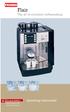 Flair The art of excellent coffeemaking For your Safety Please observe the safety instructions! Operating instructions Select Das System Flair Your coffeemachine in an overview We congratulate you to the
SunMaxx Solar Filling Station Operating Instructions
 SunMaxx Solar Filling Operating Instructions Content 1. Declaration of conformity... 2 2. Introduction... 2 3. Transportation and unpacking... 4 4. Mounting and commissioning... 5 5. End of operation...
IMPRESSA XJ9 Professional Instructions for Use. For your safety: read and understand manual before use. JURA Type 683
 IMPRSSA XJ9 Professional Instructions for Use K For your safety: read and understand manual before use. JURA Type 683 Table of contents Your IMPRSSA XJ9 Professional IMPORTANT SAFGUARDS 4 Control elements
Portable Air Conditioner. OWNER S MANUAL Read these instructions before use. Model: MF08CESWW. Voltage rating: 115V~60Hz Power rating : 800W
 MODE ALARM Portable Air Conditioner OWNER S MANUAL Read these instructions before use 8 Model: MF08CESWW Voltage rating: 115V~60Hz Power rating : 800W Customer Support : 1-800-474-2147 For product inquiries
MACCHINA DA CAFFÈ COFFEE MAKER MACHINE À CAFÉ KAFFEE-/ESPRESSO-VOLLAUTOMAT KOFFIEZETAPPARAAT CAFETERA MÁQUINA DE CAFÉ KÁVOVAR
 MACCHINA DA CAFFÈ COFFEE MAKER MACHINE À CAFÉ KAFFEE-/ESPRESSO-VOLLAUTOMAT KOFFIEZETAPPARAAT CAFETERA MÁQUINA DE CAFÉ KÁVOVAR Istruzioni per l uso Instructions Mode d emploi Bedienungsanleitung Gebruiksaanwijzingen
Portable Air Conditioner. OWNER S MANUAL Read these instructions before use. Model: MM14CCS. Voltage rating: 115V~60Hz Power rating : 1400W
 Portable Air Conditioner OWNER S MANUAL Read these instructions before use Model: MM14CCS Customer Support : 1-800-474-2147 Voltage rating: 115V~60Hz Power rating : 1400W For product inquiries or support
Electric Kettle. Model: SK-1717 INSTRUCTIONS MANUAL
 Electric Kettle Model: SK-1717 INSTRUCTIONS MANUAL Thank you for your purchase. Please read this Instruction Manual thoroughly before use and keep in a safe place for future reference. READ ALL INSTRUCTIONS
IMPORTANT SAFETY RULES TO FOLLOW
 WARNING FLOOR & CARPET CLEANER Any piece of equipment can be dangerous if not operated properly. YOU are responsible for the safe operation of this equipment. The operator must carefully read and follow
Portable Air Conditioner. OWNER S MANUAL Read these instructions before use. Model: MN12CES / MN10CESWW
 Portable Air Conditioner OWNER S MANUAL Read these instructions before use 8 Model: MN12CES / MN10CESWW Voltage rating: 120V~60Hz Power rating : 1100W (MN12CES) Power rating : 900W (MN10CESWW) Customer
NewAir AC-10000E, AC-10000H Portable Air Conditioner Owner s Manual PLEASE READ AND SAVE THESE INSTRUCTIONS
 NewAir AC-10000E, AC-10000H Portable Air Conditioner Owner s Manual PLEASE READ AND SAVE THESE INSTRUCTIONS BEFORE USE GENERAL SAFETY INSTRUCTIONS: ALWAYS OPERATE THE UNIT IN AN UPRIGHT POSITION AND PLACE
GIGA 5 Instructions for Use
 GIGA 5 Instructions for Use K For your safety: read and understand manual before use. Table of contents Your GIGA 5 IMPORTANT SAFGUARDS 4 Control elements 8 1 Preparing and using for the first time 10
Espresso/Cappuccino Maker MODELS MEXKITB, MEX1B
 READ AND SAVE THESE INSTRUCTIONS WARNING: A risk of fire and electrical shock exists in all electrical appliances and may cause personal injury or death. Please follow all safety instructions. Espresso/Cappuccino
Hot Water Central. Electric Hot Water Dispenser. Instruction Manual AAP-325W. www.aromaco.com
 Hot Water Central Electric Hot Water Dispenser Instruction Manual www.aromaco.com AAP-325W With the Aroma Hot Water Central, hot water is just a button away. Boil up to 3 liters of water in just 30 minutes,
Carpet Washer. vax.co.uk VRS5W. Vax Careline: (UK) 0844 412 8455 (ROI) 1-800 928 308. Vax model number: Version 1.0
 VRS5W Powermax User Guide V1.0.qxd:V1.0 23/7/10 15:35 Page 1 Vax Careline: (UK) 0844 412 8455 (ROI) 1-800 928 308 Carpet Washer Vax model number: VRS5W instruction manual Version 1.0 Please read carefully
Installation, Operating and Servicing Instructions. Electric Auto-Fill Push Button Water Boilers EB3F/PB and EB3F/PBM
 Installation, Operating and Servicing Instructions Electric Auto-Fill Push Button Water Boilers EB3F/PB and EB3F/PBM Please make a note of your product details for future use: Date Purchased: Model Number:
TMS TANK MANAGEMENT SYSTEM
 TMS TANK MANAGEMENT SYSTEM Page 1 of 9 Operating Instructions GENERAL The Tank Management System is a bespoke design to control, monitor and accommodate efficient storage and dispensing of TMS. FUNCTIONS
VACUUM CLEANER INSTRUCTION MANUAL
 VACUUM CLEANER INSTRUCTION MANUAL MODEL: SVC9702 PLEASE READ THIS MANUAL CAREFULLY BEFORE USING AND KEEP IT PROPERLY FOR FUTURE USE 1 Safety Cautions: WARNING: To reduce the risk of fire, electrical shock,
Instructions for use for IMPRESSA A9 One Touch pt
 de en fr it nl es Instructions for use for IMPRSSA A9 One Touch pt The Instructions for se has been awarded the seal of approval by the independent German Technical Inspection Agency, TÜV SÜD, due to its
the Soft Top Breville Customer Service Center www.breville.com Instruction Book - Livret d instructions
 Breville Customer Service Center the Soft Top Instruction Book - Livret d instructions US Customers Mail: Breville USA 19400 S. Western Ave Torrance CA CA 90501-1119 Phone: Customer Service 1 (866) BREVILLE
1 Description of the appliance 21. 2 Safety warning 23. 3 Installation 23. 4 Preparing the coffee maker 24. 4.1 Filling the water tank 24
 21 1 Description of the appliance 21 2 Safety warning 23 GB 3 Installation 23 4 Preparing the coffee maker 24 4.1 Filling the water tank 24 4.2 Filling the container with coffee beans 24 4.3 Using the
AN500T, AN1000, AN1000T, AN1500, AN1500T AN2000, AN2000T
 Product Instruction Manual Accona AN500T, AN1000, AN1000T, AN1500, AN1500T AN2000, AN2000T Panel heater v16.5/5 Version 3.2 Jan 2015 Contents 1. Important safety points 2. Installation 2.1. Wall mounting
Saeco International Group SEPT.: 2003
 ROYAL CLASSIC ROYAL EXCLUSIV ROYAL DIGITAL ROYAL DIGITAL REDESIGN ROYAL DIGITAL PLUS ROYAL PROFESSIONAL ROYAL PROFESSIONAL REDESIGN ROYAL CAPPUCCINO ROYAL CAPPUCCINO REDESIGN ROYAL COFFEEBAR ROYAL OFFICE
USER INSTRUCTIONS FOR GET PORTABLE 12k BTU AIR CONDITIONER MODEL No. GPACU12HR
 USER INSTRUCTIONS FOR GET PORTABLE 12k BTU AIR CONDITIONER MODEL No. GPACU12HR CONTENTS Introduction Safety Notes Identification of parts Installation instructions Operation instructions Maintenance Troubleshooting
Instruction Manual. www.aromaco.com AWK-115S
 Hot H2O X-Press Electric Water Kettle Instruction Manual www.aromaco.com AWK-115S Congratulations on your purchase of the Aroma Hot H20 X-Press Kettle. This handy appliance provides more speed and convenience
BEC300 CONTENT INSTRUCTION MANUAL
 EN INSTRUCTION MANUAL BEC300 Nespresso, an exclusive system creating the perfect espresso, time after time. All Nespresso machines are equipped with a unique extraction system that guarantees up to 19
SHOWER WATER HEATER MODEL BS 35 / 45 / 60 BS 35 E / 45 E / 60 E OPERATION AND INSTALLATION INSTRUCTIONS
 SHOWER WATER HEATER MODEL BS 35 / 45 / 60 BS 35 E / 45 E / 60 E OPERATION AND INSTALLATION INSTRUCTIONS 2 This water heater must be installed (water and electrical installation), commissioned and serviced
B150 Series Commercial Brewer. Direct Plumb Kit
 B150 Series Commercial Brewer Welcome Keurig Authorized Dealer! Direct Plumb Kit This manual provides: Installation of the Direct Plumb Kit (DPK) that allows you to connect your customer s B150 brewer
Instructions for use for ENA Micro 9 One Touch
 de en fr micro 9 it nl es Instructions for use for ENA Micro 9 One Touch pt The Instructions for Use has been awarded the seal of approval by the independent German Technical Inspection Agency, TÜV SÜD,
Instruction Booklet. iket2702
 Instruction Booklet iket2702 goodbye waiting hello ikettle Control your ikettle via your smartphone Use your smartphone or tablet with the ikettle. Easy one-touch set up Simple connectivity both quick
PORTABLE AIR CONDITIONER
 VERY IMPORTANT! MODEL: GDC-AC9RW / GDC-AC9RCS GDC-AC9RCW / GDC-AC12RW GDC-AC12RB / GDC-AC12RCB GDC-AC12RCW INSTRUCTIONS FOR USE PORTABLE AIR CONDITIONER Do not install and use your portable air conditioner
USERS GUIDE. LOGIC Combi 24, 30, 35. For installation guide see reverse of book
 USERS GUIDE LOGIC Combi 24, 30, 35 For installation guide see reverse of book When replacing any part on this appliance, use only spare parts that you can be assured conform to the safety and performance
User Manual THR840DUK Digital Thermostat
 User Manual THR840DUK Digital Thermostat 50051982-001 Rev. A WARNING: This product must be correctly installed and configured to work properly (see pages 12-24). If you are not experienced in wiring electrical
Electric Egg Boiler. Instruction Manual. Model Number: AEB-917
 Electric Egg Boiler Instruction Manual Model Number: AEB-917 Congratulations! Your Egg Boiler will surely become one of the most versatile and practical appliances in your home. Please read the following
Electric Water Kettle
 Electric Water Kettle Instruction Manual Model: AWK-101 Congratulations! Your Water Kettle will surely become one of the most versatile and practical appliances in your home and office. Please read the
MICA HEATER INSTRUCTION MANUAL Model No: UHM-786 230V 50Hz 2200W
 MICA HEATER INSTRUCTION MANUAL Model No: UHM-786 230V 50Hz 2200W Safety Precautions To reduce the risk of personal injury or damage to property, basic safety precautions must be observed including the
12 cup programmable coffee maker
 12 cup programmable coffee maker USER GUIDE Now that you have purchased a Kitchen Living product you can rest assured in the knowledge that as well as your 2 year parts and labor warranty you have the
USER S MANUAL HSC-24A
 AIRREX AIR CONDITIONER USER S MANUAL HSC-24A Thank you for purchasing an AIRREX AIR CONDITIONER. BEFORE operation please read this user s manual carefully. Keep this manual readily available. It is ESSENTIAL
JURA J80/J90/J95 Instructions for Use. For your safety: read and understand manual before use.
 JURA J80/J90/J95 Instructions for Use K For your safety: read and understand manual before use. Table of contents Your JURA J80/J90/J95 IMPORTANT SAFGUARDS 4 Control elements 8 1 Preparing and using for
- 2 - IMPORTANT SAFETY REMINDERS
 USER MANUAL IMPORTANT SAFETY REMINDERS This appliance should only be used for domestic cleaning, as described in this user guide. Please ensure that this guide is fully understood before operating the
Bench Autoclave. Standard Operating Procedure. For Installation, Use and Maintenance
 Bench Autoclave Standard Operating Procedure For Installation, Use and Maintenance 1. Introduction This SOP is intended for use with the following model, in a laboratory context: Type: Nuve Bench Top Steam
Melitta Cafina XT6. Coffee perfection in every cup. Made in Switzerland. Melitta SystemService
 Melitta Cafina XT6 Coffee perfection in every cup. Made in Switzerland. Melitta SystemService Cafina XT6 THE NEW MELITTA CAFINA XT6, WILL I BE CONVINCED? Choosing a new automatic coffee machine is an important
HYLA NST Cleaning System
 Owner s Manual HYLA NST Cleaning System The HYLA NST Cleaning System aspirates and cleans the air through a waterbased filtration process. The system is intended for household use only. Applications: Usual
Call us toll free at: 1-800-GEVALIA (1-800-438-2542)
 LIMITED WARRANTY: This appliance shall be free from defects in materials and workmanship under normal home use for a period of one year from the date of receipt. During that period, defects will be repaired
Dehumidifier Users manual. For Models: DH45S DH65S
 Dehumidifier Users manual For Models: DH45S DH65S 950-0062-revD Jan. 9 2007 FORWARD The appearance of the units that you purchase might be slightly different from the ones described in the Manual, but
For installation guide see reverse of book
 USERS GUIDE LOGIC Combi 24, 30, 35 For installation guide see reverse of book When replacing any part on this appliance, use only spare parts that you can be assured conform to the safety and performance
Evolution Plus Translation of the original operating instructions
 Evolution Plus Translation of the original operating instructions Read the operating instructions and the chapter on safety information before operating the machine. Keep the operating instructions near
Assembly and instructions
 Assembly and instructions Franke Minerva 3-in-1 Kettle Tap Retain for reference NB: For use only with Franke Heating Tank INTRODUCTION The Kettle Tap is suitable for dispensing boiling water (100 C) and
BELLMAN CXE-25/27 INSTRUCTIONS
 IMPORTANT SAFEGUARDS BELLMAN CXE-25/27 INSTRUCTIONS 1. READ ALL INSTRUCTIONS. 2. WARNING: SCALDING MAY OCCUR IF TOP IS NOT TIGHTENED DOWN COMPLETELY OR IF TOP IS TAKEN OFF BEFORE MACHINE IS COOL AND ALL
DIAMOND Retractable Rodding Robot Model SPRAYROD-R
 2004-12-21 2 1 (23) DIAMOND Retractable Rodding Robot Model SPRAYROD-R 2004-12-21 2 2 (23) Table of contents 1 TECHNICAL DESCRIPTION...4 1.1 MAIN DETAILS...5 1.2 COMPONENTS DESCRIPTION...5 1.2.1 Pneumatic
SUB Universal water baths SBB Boiling baths JB, PB Unstirred water baths
 SUB Universal water baths SBB Boiling baths JB, PB Unstirred water baths Operating instructions Universal water baths SUB6: 6 litres SUB14: 14 litres SUB28: 28 litres SUB36: 36 litres Boiling baths SBB6:
Daker DK 1, 2, 3 kva. Manuel d installation Installation manual. Part. LE05334AC-07/13-01 GF
 Daker DK 1, 2, 3 kva Manuel d installation Installation manual Part. LE05334AC-07/13-01 GF Daker DK 1, 2, 3 kva Index 1 Introduction 24 2 Conditions of use 24 3 LCD Panel 25 4 Installation 28 5 UPS communicator
Operating and Installation Instructions
 Operating and Installation Instructions System Drawer ESS 2062 To prevent accidents and en - US, CA appliance damage, read these instructions before installation or use. M.-Nr. 07 342 360 Contents IMPORTANT
Installation and Service Instructions. Neutralization System Part no. 7441823 Grünbeck part no. 410480
 Installation and Service Instructions for use by heating contractors Neutralization System Part no. 7441823 Grünbeck part no. 410480 Safety and Installation Requirements Please ensure that these instructions
Name of Equipment Silver King Model SKMCD1P/C1. This equipment chapter is to be inserted in the appropriate section of the Equipment Manual.
 Name of Equipment Silver King Model SKMCD1P/C1 This equipment chapter is to be inserted in the appropriate section of the Equipment Manual. Manufactured exclusively for McDonald s By Silver King Refrigeration,
INDEX GENERAL OPERATING RULES TECHNICAL DATA
 14 GENERAL OPERATING RULES Carefully read the instruction manual and warranty limitations. The machine must be connected to a grounded power outlet. The machine must be kept clean by frequently washing
Art.S001-S002 SOLAR MODULE WITH DELIVERY AND RETURN CONNECTIONS
 Art.S001-S002 SOLAR MODULE WITH DELIVERY AND RETURN CONNECTIONS Technical Information sheet 0001/07/Rev01 ENG FUNCTION Series S001 and S002 circulation units are applied to the primary circuit of solar
SWIMMING POOL HEAT PUMP Owners Manual
 SWIMMING POOL HEAT PUMP Owners Manual This manual refers to the 17.0kw and 21.0kw models only. The heat pump unit is sold with a 1 year warranty. In addition there is a 2 year parts warranty on the compressor
Portable Air Conditioner. OWNER S MANUAL Read these instructions before use. Model: MM14CHCSCS
 Portable Air Conditioner OWNER S MANUAL Read these instructions before use Model: MM14CHCSCS Voltage rating: 120V~60Hz Power rating : 1400W(Cooling) Power rating : 1350W(Heating) Customer Support : 1-800-474-21477
Use and Care Manual. Model CPA12KH AIR CONDITIONER
 Use and Care Manual Model CPA12KH AIR CONDITIONER Introduction Thank you for choosing this air conditioner to provide you and your family with all of the "Home Comfort" requirements for your home, cottage
IMPRESSA Z5 Generation II Quick Reference Guide
 IMPRSSA Z5 Generation II Quick Reference Guide The IMPRSSA Manual together with these short instructions IMPRSSA Z5 Quick Reference Guide has been awarded the seal of approval by the independent German
FLUORESCENT UV- RING LIGHT OPERATING INSTRUCTION
 FLUORESCENT UV- RING LIGHT OPERATING INSTRUCTION Caution! UV-radiation of this device is in the range of UV-A (320-400 nm). Direct exposure to eyes shall therefore be avoided. UV protection glasses shall
Super Automatic Coffee Machines
 Super Automatic Coffee Machines Barista Steam Wand: steam wand with temperature probe to heat and froth milk automatically at the desired temperature, ideal for two-step machines CoffeeCreator: useful
USER INSTRUCTIONS FOR 10 LITRE PORTABLE DEHUMIDIFIER MODEL NO. DHMD102
 USER INSTRUCTIONS FOR 10 LITRE PORTABLE DEHUMIDIFIER MODEL NO. DHMD102 THANK YOU FOR CHOOSING YOUR NEW DEHUMIDIFIER. BEFORE USING THE UNIT READ THESE INSTRUCTIONS FULLY AND RETAIN THEM FOR FUTURE REFERENCE
Office and Home Coffee Machines
 Office and Home Coffee Machines Focus Manual Manual Espresso Machine (WxHxD) Weight Capacity of the Water Tank Shell Power Consumption 200x265x297 4Kg 1 Ltr Stainless Steel Black and Chrome ABS Plastic
Rousseau 10. User Guide
 Rousseau 10 User Guide Base station overview ➀ LED signals White, permanent light: - Base station ready, you can register a handset Slow flashing white light: - Paging call in progress - Active call (you
8 716 473 216-00.3O. Gas boiler. Gaz 6000 W WBN 6000-30-H-E-N/L-S2400. Operating instructions for the end customer. 8 716 473 217 (2014/07) en
 8 716 473 216-00.3O Gas boiler WBN 6000-30-H-E-N/L-S2400 Operating instructions for the end customer en 2 Contents Contents 1 Key to symbols and safety instructions................... 2 1.1 Key to symbols..................................
Recommended with NESCAFÉ GOLD Barista Style. Experience the full range today.* NESCAFÉ GOLD BLEND
 Recommended with NESCAFÉ GOLD Barista Style. Experience the full range today.* TABLE OF CONTENTS SAFETY PRECAUTIONS...2-3 MACHINE OVERVIEW... 4 FIRST TIME USE & INITIAL RINSING...5 REFILLING WITH COFFEE...
Operating instructions in the back. www.blackanddecker.co.uk PD1020L
 Operating instructions in the back www.blackanddecker.co.uk PD1020L 2 ENGLISH (Original instructions) Intended use Your Black & Decker Dustbuster handheld vacuum cleaner has been designed for vacuum cleaning
Nexus FS Point of Use Installation Guide
 Nexus FS Point of Use Installation Guide Nexus FS POU Install Guide:12152011:rev-12152011 Technical Specifications Dimensions: Height: 43.5 Width: 11.65 Depth: 15 Weight: 34.39 LBS Electrical Specs: Voltage:
Important Safeguards
 Table of Contents Important Safeguards...2 Product Layout...3 Preparing for Use...4 Air-conditioning without installation...4 Air-conditioning with installation...5 Control Panel...6 Operating from the
Owner s manual. Free 5 year parts, 1 year labour gurantee Register your guarantee at www.dysonairblade.com
 Owner s manual Free 5 year parts, 1 year labour gurantee Register your guarantee at www.dysonairblade.com Thank you for choosing to buy a Dyson Airblade MK2 hand dryer Dyson customer care Your hand dryer
WARMER or COOKER/WARMER
 WARMER or COOKER/WARMER Use & Care Manual FW-S500 WARMER 3138365 Conforms to: UL STD: 197 3138365 Conforms to: NSF STD.4 FW-S600 COOKER / WARMER Model Description Size Voltage Hz Wattage FW-S500 Electric
OPL BASIC. Dosing System for Professional Laundry machines. Contents
 OPL BASIC Dosing System for Professional Laundry machines Contents 1 Getting Started. Page 2 2 Installation. Page 4 3 Set Up & Operation. Page 8 4 Maintenance & Accessories. Page 10 5 Troubleshooting Page
Carpet Shampooer 500w
 Carpet Shampooer 500w VC9388 Specification Parameters ZW-9006A - Bagless Rated Voltage: 220-240V Rated Power: 500W Rated Frequency: 50HZ Net Weight: 8kg Instruction Manual Please read this manual before
EVAPORATIVE AIR COOLER INSTRUCTION MANUAL
 EVAPORATIVE AIR COOLER INSTRUCTION MANUAL Model: SF-614P Please read this manual thoroughly before using this product. Keep in a safe place for future reference. CONTENTS A. PRODUCT INTRODUCTION 2 B. TECHNICAL
Overheating limit control
 Pahlén electric heater Maxi Heat with digital control is a compact and effective heater for swimming pools. It consists of a glassfibre reinforced polypropylene tank containing resistance-type heating
A200. Enjoyment through perfection
 A200 Enjoyment through perfection The essence of perfection For us at Franke, enjoyment means perfect coffee prepared with ease. With the A200, we have created a coffee machine that embodies this perfectly.
THE BOILING WATER DISPENSER INSTALLATION & OPERATING INSTRUCTIONS
 THE BOILING WATER DISPENSER INSTALLATION & OPERATING INSTRUCTIONS Applied Energy Products Limited, Morley Way, Peterborough, PE2 9JJ, UK Telephone: +44 (0) 844 372 7761 / Fax: +44 (0) 84 372 7762 Website:
Support Cleaning Apparatus. Operation, Cleaning, & Safety Manual
 Support Cleaning Apparatus Operation, Cleaning, & Safety Manual Revision 1.1 31 May 2014 WARNING: The instructions and precautionary statements contained herein are intended for the Support Cleaning Apparatus