
SIMATIC. SM 335 High-Speed Analog Input/Output Module for the SIMATIC S7-300
|
|
|
- Brooke Porter
- 10 years ago
- Views:
Transcription
1 SIMATIC SM 335 High-Speed Analog Input/Output Module for the SIMATIC S7-300 Manual Preface, Contents Characteristics and Technical Specifications of the SM 335 Connecting the Inputs and Outputs of the SM 335 Data Exchange with the SM 335 Interval Counter Input Special SM 335 Operating Modes Detecting and Correcting Faults List of Abbreviations A Index 08/2004 Edition
2 OChapter Safety-Related Guidelines This manual contains notices intended to ensure personal safety, as well as to protect the products and connected equipment against damage. These notices are highlighted by a warning triangle and are graded according to severity by the following texts! Danger Indicates that death, severe personal injury or substantial property damage will result if proper precautions are not taken.! Warning Indicates that death, severe personal injury or substantial property damage can result if proper precautions are not taken.! Caution Indicates that minor personal injury or property damage can result if proper precautions are not taken. Caution indicates that property damage can result if proper precautions are not taken. Notice contains important information about the product, its operation or a part of the document, to which special attention is drawn. Qualified Personnel A device/system may only be commissioned or operated by qualified personnel. Qualified personnel as referred to in the safety guidelines in this document are persons authorized to start up, ground and tag circuits, equipment and systems in accordance with established safety practice. Proper Usage Please observe the following! Warning The equipment/system or the system components may only be used for the applications described in the catalog or the technical description, and only in combination with the equipment, components, and devices of other manufacturers as far as this is recommended or permitted by Siemens. The product will function correctly and safely only if it is transported, stored, set up, and installed as intended, and operated and maintained with care. Registered Trademarks SIMATIC, SIMATIC HMI and SIMATIC NET are registered trademarks of SIEMENS AG. Other designations used in this document may be registered trademarks; the owner s rights may be violated if they are used by third parties for their own purposes. Copyright Siemens AG, All rights reserved The reproduction, transmission or use of this document or its contents is not permitted without express written authority. Offenders will be liable for damages. All rights, including rights created by patent grant or registration of a utility model or design, are reserved. Siemens AG Automation & Drives Motion Control Systems P.O. Box 3180, D Erlangen Siemens Index-2Aktiengesellschaft Exclusion of Liability We have checked the contents of this manual for agreement with the hardware and software described. Since deviations cannot be precluded entirely, we cannot guarantee full agreement. However, the data in this manual are reviewed regularly and any necessary corrections included in subsequent editions. Suggestions for improvement are welcomed. Siemens AG, Technical data subject to change.
3 Preface Important In order to obtain SIMATIC interference immunity, the SM 335 module must always be operated with an interference suppression filter (see Section 2.6). Content of this manual This manual describes the function of the SM 335 analog input/output module; AI4/AO4 x 14/12 bits. In the following, this module will simply be called SM 335. Aim of this manual The information contained in this manual will enable you to Use a SM 335 in a SIMATIC S See operator inputs, function descriptions and technical specifications in connection with the SM 335. Scope of this manual The manual is valid for the following modules Module Order Number From Revision Level SM 335 6ES HG01-0AB0 02 This manual contains the descriptions of these modules that are valid at the time the manual is released. For new modules and new versions of modules, we reserve the right to add to the manual a product information containing the current information about this module. Section 1.2 describes how to determine the revision level of a module. iii
4 Preface Scope of the documentation package You can order the documentation for the SM 335 separately from the module. The order number for the manual appears in the table below Documentation SM High-Speed Analog Input/Output Module for the SIMATIC S7-300 Order Number Other references More information about using and installing SIMATIC S7-300 analog modules can be found in SIMATIC Programmable Controller, S7-300 Module Data Reference Manual SIMATIC S7-300, Hardware and Installation Manual The installation guidelines described in this document also relate to the SM 335. Required basic knowledge This manual assumes general knowledge of automation engineering. Knowledge of the SIMATIC S7 programmable controller and the STEP 7 Engineering System is also required. Approbations The S7-300 programmable controller has obtained the following approvals Underwriters Laboratories, Inc. UL 508 registered (Industrial Control Equipment) Canadian Standards Association CSA C22.2 number 142, (Process Control Equipment) Factory Mutual Research Approval Standard Class Number CE Approval The S7-300 programmable controller meets the requirements and safety-related requirements of the following EC directives EC Directive 73/23/EEC Low-Voltage Directive EC Directive 89/336/EEC EMC Directive iv
5 Preface C-Tick-Mark The S7-300 programmable controller meets the requirements of the AS/NZS 2064 standard (Australia and New Zealand). Standards The S7-300 programmable controller meets the requirements and criteria of the IEC standard (Programmable Controllers, Part 2 Equipment Requirements and Tests). How the manual fits in Manual CPU 31xC and CPU 31x, Technical Specifications Reference Manual CPU data CPU 312 IFM DP Manual S7-300, CPU 31xC and CPU 31x Hardware and Installation Installation Manual S7-300 Programmable Controller Hardware and Installation CPU 312 IFM DP System Manual PROFINET system description Programming Manual From PROFIBUS DP to PROFINET IO Manual CPU 31xC Technological Functions Examples Reference Manual S7-300 Programmable ControllerModule Data Instruction List CPU 312 IFM DP CPU 31xC and CPU 31x Operation and display elements, communication, memory concept, cycle and response times, technical specifications. Operation and display elements, communication, memory concept, cycle and response times, technical specifications. Configuration, installation, wiring, addressing, commissioning, maintenance, diagnostics, and interference suppression. Configuration, installation, wiring, addressing, commissioning, maintenance, diagnostics, and interference suppression. Basic information about PROFINET Network components, data exchange and communication, PROFINET IO, component based automation, application example PROFINET IO and component based automation. Guide to migration from PROFIBUS DP to PROFINET IO. Description of individual technological functions Positioning, counting, point-to-point coupling, control. The CD contains examples for the technological functions. Descriptions of functions and technical specifications of signal modules, power supply modules and interface modules. The instruction set lists of the CPUs and their execution times; A list of executable blocks. v
6 Preface Getting Started The Getting Started documents below are available as an anthology CPU 31x Commissioning CPU 31xC Commissioning CPU 31xC Positioning with analog output CPU 314C Positioning with digital output CPU 31xC Counting CPU 31xC Rules CPU 31xC Point-to-point connection CPU 31x-2 PN/DP Commissioning of a PROFINET IO subnet Manual You are reading manual SM High-Speed Analog Input/Output Module for the SIMATIC S7-300 Reference Manual System software for the S7-300/400 system and standard functions Manual SIMATIC NET Twisted Pair and Fiber Optic Networks Manual Component based Automation Configuring systems with SIMATIC imap Manual Programming with STEP 7 V5.3 Manual Communication with SIMATIC Getting Started documents use a concrete example to guide you through the individual commissioning steps until you have a functioning application. Description of how you use the SM 335 module in a SIMATIC S Overview of operations, descriptions of functions and technical specifications of the SM 335. Description of system functions (SFC), system function blocks (SFB) and organization blocks (OB). This manual is part of the STEP 7 documentation package. The description can also be found in the STEP 7 online help. Description of industrial Ethernet networks, network configuration, components, installation guidelines for networked automation systems in buildings, etc. Description of SIMATIC imap configuration software. Programming with STEP 7. Fundamentals, services, networks, communication functions, connection of PG/OP, configuration in STEP 7. Additional Support Please contact your local Siemens representative if you have any queries about the product described in this manual, which are not answered here. http// vi
7 Preface Training center We offer a range of relevant courses to help you to get started with the SIMATIC S7 programmable controller. Please contact your local training center or the central training center in Nuremberg, D Germany. Phone +49 (911) Internet http// A&D Technical Support Worldwide, available 24 hours a day Johnson City Nuremberg Beijing Technical Support Worldwide (Nuremberg) Technical Support Local time 24 hours a day, 365 days a year Phone +49 (180) Fax +49 (180) adsupport@ siemens.com GMT +100 Europe/Africa (Nuremberg) Authorization Local time Mon.-Fri. 800 AM to 500 PM Phone +49 (180) Fax +49 (180) adsupport@ siemens.com GMT +100 United States (Johnson City) Technical Support and Authorization Local time Mon.-Fri. 800 AM to 500 PM Phone +1 (423) Fax +1 (423) simatic.hotline@ sea.siemens.com GMT 500 Asia/Australia (Beijing) Technical Support and Authorization Local time Mon.-Fri to 500 PM Phone Fax adsupport.asia@ siemens.com GMT +800 The languages of the technical support and authorization hotlines are generally German and English. vii
8 Preface Service & Support on the Internet In addition to our documentation, our whole range of expertise can be accessed online at http// Where you will find The Newsletter, which constantly provides you with up-to-date information about your products. The documents you need via our Search function in Service & Support. A forum, where users and experts from all over the world exchange their experiences. Your local representative for Automation & Drives, via our database of representatives. Information about field service, repairs and spare parts. Much more can be found under Services. Queries If you have any queries about the S7-300 programmable controller, please contact your local Siemens representative. In case you have any questions or suggestions concerning this manual, please fill in the correction sheet and return it to us. The correction sheet can be found at the end of the manual. viii
9 Contents 1 Characteristics and Technical Specifications of the SM Characteristics features of the SM Terminal connection diagram for the SM Block diagram of the SM Setting the measuring range with the measuring range module Technical specifications for the SM General technical specifications Technical specifications for the analog inputs Technical specifications for the analog outputs Technical specifications for the interval counter SM 335 operating modes Free Cycle mode Conditional Cycle mode Connecting the Inputs and Outputs of the SM Basic information about connecting the SM Connecting the analog inputs Connecting the analog outputs Connecting the interval counter input Connecting the sensor power supply Correcting the sensor power supply Interference suppression filter for 24 V supply voltage Data Exchange with the SM Access via the I/O addresses Output values Output values Analog value representation for analog input channels Analog value representation for analog output channels Setting parameters via HW Config SM 335 default settings SM 335 parameters assignable with HW Config Modifying SM 335 parameters with the help of system function SM 335 static parameters SM 335 parameters in the Free Cycle and Conditional Cycle Modes SM 335 parameter for Comparator mode SM 335 parameters for Measuring Only special mode ix
10 Contents 3.4 Evaluating SM 335 diagnostics Hardware interrupt Format of diagnostic data for the SM Module diagnostic byte 1 (byte 0) Module diagnostic byte 2 (byte 1) Module diagnostic byte 3 (byte 2) Module diagnostic byte 4 (byte 3) Channel-specific diagnostic bytes (bytes 4-15) Interval Counter Input Principle of an interval counter Principles of measuring with the interval counter Wiring the interval counter input Initializing the SM 335 s interval counter input Interval counter values Example for determining the speed by means of the interval counter Special SM 335 Operating Modes Switching to the special operating modes Comparator mode How comparator mode works SM 335 parameters for Comparator mode Measuring Only mode Switching to Measuring Only mode Detecting and Correcting Faults Principle of diagnostics Configuring diagnostics with HW Config Evaluating diagnostic data in OB SM 335 error tree Troubleshooting A List of Abbreviations A-1 Index Index-1 x
11 Characteristics and Technical Specifications of the SM SIMATIC S7-300 The SM 335 is an input/output module (signal module) for the SIMATIC S The SM 335 has the same general technical specifications as all signal modules of the SIMATIC S Order number Order the SM 335 under the following order number 6ES HG01-0AB0 In this chapter We deal with the following topics in this chapter Topic Section Characteristics of the SM Terminal connection diagram for the SM Block diagram of the SM Setting the measuring range with the measuring range module 1.4 Technical specifications for the SM Operating modes of the SM
12 Characteristics and Technical Specifications of the SM Characteristics features of the SM 335 Characteristic features The SM 335; AI4/AO4 14/12 bit has the following characteristic features Analog inputs Four isolated analog inputs Integrated 10 V/25 ma sensor power supply Measured-value resolution Bipolar 13 bits + sign Unipolar 14 bits Selectable measured value Two voltage inputs Two inputs, which can be used as either current or voltage inputs Analog outputs Four isolated analog outputs Selectable range for each analog output For the analog outputs, you can connect loads over a two-wire connection only! Analog value resolution Bipolar 11 bits + sign Unipolar 12 bits Operating modes 2 standard operating modes Free cycle Conditional cycle 2 special operating modes Comparator Measuring Only Interrupts/diagnostics Programmable diagnostics Programmable diagnostic interrupt Programmable end-of-cycle interrupt (generates a hardware interrupt on the CPU) 1-2
13 Characteristics and Technical Specifications of the SM Terminal connection diagram for the SM 335 Terminal connection diagram Figure 1-1 shows the terminal connections for the SM 335 analog input/output module. Fault LEDs red Analog inputs Voltage/ current measurement Analog outputs Voltage output SF L+ M 0+ M 0 24 V CH0 Sensor power supply L+ QV 0 QV 1 QV 2 QV 3 M ANA QV Ref M ANA 24 V CH0 CH1 CH2 CH3 10 V Reserved M 1+ M 1 M 2+ M 2 M 3+ M 3 IZ M IZ M CH1 CH2 CH3 Interval counter IZ M M M Revision level Terminal Connection Diagram Fig. 1-1 Terminal connection diagram of the SM 335 Wiring See Chapter 2 and to the SIMATIC S7-300, Hardware and Installation Manual for information about how to wire inputs and outputs on the SM
14 Characteristics and Technical Specifications of the SM 335 Revision Level Products with the same number can be distinguished by the revision level. The revision level is incremented by upwardly-compatible function expansions or fault corrections. The revision level of the module is identified by X (see Figure 1-1); in this case the revision level is
15 Characteristics and Technical Specifications of the SM Block diagram of the SM 335 Block diagram Figure 1-2 shows the block diagram of the SM 335. You will find detailed technical specifications for the SM 335 on the following pages. Internal power supply 24 V A CH0 CH1 Analog outputs SIMATIC S7-300 backplane bus Logic D CH2 CH3 10 V Sensor power supply A D Open-wire test circuit CH0 CH1 Analog inputs CH2 CH3 IZ Galvanic isolation Interval Counter Input Fig. 1-2 Block Diagram of the SM 335 Galvanic isolation As you can see from Figure 1-2, the SM 335 contains different analog parts. The analog outputs are isolated from the backplane bus of the SIMATIC S The outputs are on the same potential M ANA. The output for sensor supply has the same potential M ANA as the analog outputs. The analog inputs are isolated from each other and from the backplane bus of the SIMATIC S The input for the interval counter IZ is isolated from the other analog parts and from the backplane bus of the SIMATIC S
16 Characteristics and Technical Specifications of the SM Setting the measuring range with the measuring range module Measuring range module A measuring range module is located on the left of the input/output module. The measuring range module is used to set the method of measuring on the analog inputs, that is, to choose between voltage and current measuring. Settings The measuring range module can be set for A, C or D. The default setting is D. Table 1-1 shows the allocation of measuring range module settings to possible connections of the analog inputs. The measuring range is set using HW Config. You can select from different current or voltage ranges (see Section 3.2). The required measuring range module setting is also displayed in HW Config. Table 1-1 Measuring range module settings and measuring range defaults on the SM 335 Setting of the measuring range module Analog input wiring Measuring range (default value) A Input 0 Voltage 10 V Input 1 Voltage Input 2 Voltage Input 3 Current 10 V 10 V 4 to 20 ma B Not assigned C Input 0 Voltage 10 V Input 1 Voltage Input 2 Current Input 3 Current 10 V 4 to 20 ma 4 to 20 ma D Input 0 Voltage 10 V Input 1 Voltage Input 2 Voltage Input 3 Voltage 10 V 10 V 10 V 1-6
17 Characteristics and Technical Specifications of the SM Technical specifications for the SM General technical specifications Table 1-2 General technical specifications Dimensions and weight Dimensions W x H x D (mm) 40 x 125 x 120 Weight Approx. 300 g Module-specific data Number of inputs 4 Number of outputs 4 Cable length shielded With open-wire test in the range 0 to 10 V 200 m 30 m Voltages, currents, potentials Rated load voltage L+ Polarized Galvanic isolation Permissible potential difference Between inputs (U CM ) Between input (M terminal) and central grounding point Isolation tested with 500 V DC Power consumption From SIMATIC S7-300 backplane bus From L+ Module power loss 24 V DC Yes Yes 3 V/1.5 V (10 V ranges) 75 V DC/60 V AC Max. 75 ma Max. 150 ma Max. 3.6 W Status, interrupts, diagnostics Interrupts Comparator interrupt End-of-cycle interrupt Diagnostic interrupt Diagnostic functions Fault indication on the module in the event of a group fault Diagnostic information can be read out NO Yes, programmable Yes, programmable Yes, programmable Yes, red LED Yes Miscellaneous UL/CSA/FM Yes 1-7
18 Characteristics and Technical Specifications of the SM Technical specifications for the analog inputs Table 1-3 Technical specifications for the analog inputs Noise suppression and error limits for the inputs Suppression of noise voltage for f = n x (f1 1%), (f1 = interference frequency) Common-mode noise (U pp < 3 V) Series-mode noise (peak noise value < rated value of the input range) Crosstalk between inputs At 50 Hz At 60 Hz Operational limit for voltage measuring (over entire temperature range, based on input range) Operational limit for current measuring (over entire temperature range, based on input range) > 65 db 0 db 65 db 65 db 0.15% (for 14-bit resolution) 0.25% Basic error (operational limit at 25 C, based on input range) 0.1% (for 14-bit resolution) Temperature drift (based on input range) 0.13% Linearity error (based on input range) 0.015% Repeatability (in steady state at 25 C, based on input range) 0.05% Input ranges (rated values)/input resistance Voltage Current (max. 2 channels) Permissible input voltage for voltage input (destruction limit) Permissible input current for current input (destruction limit) Sensor selection data 1 V 10 V 2.5 V 0 to 2 V 0 to 10 V 10 ma 0 to 20 ma 4 to 20 ma 30 V 25 ma 10 M 10 M 10 M 10 M 10 M Connecting of sensors For measuring voltage For measuring current As 2-wire measuring transducer As 4-wire measuring transducer For measuring resistance Possible Not possible Possible Not possible 1-8
19 Characteristics and Technical Specifications of the SM 335 Table 1-3 Technical specifications for the analog inputs Analog value formation for the outputs Measuring principle Successive approximation Conversion time (per channel) in s Max. 200 Basic conversion time for 4 channels in ms Max. 1 Resolution Bipolar 13 bits + sign Unipolar 14 bits Rated voltage Max. output current Short-circuit-proof Operational limit (over entire temperature range) Temperature drift Data of output to sensor supply 10 V 25 ma Yes 0.2% 0.002%/K Basic error for rated voltage 0.1% 1-9
20 Characteristics and Technical Specifications of the SM Technical specifications for the analog outputs Table 1-4 Technical specifications for the analog outputs Analog value formation for the outputs Resolution (incl. overrange) 10 V From 0 to 10 V 11 bits + sign 12 bits (+ sign) Conversion time in s Max. 800 Setting time For resistive load For capacitive load For inductive load 0.1 ms 3.3 ms 0.5 ms Injection of substitute values Crosstalk between outputs Noise suppression and error limits for the outputs Operational limit (over entire temperature range, based on output range) Basic error (operational limit at 25 C, based on output range) Temperature drift (based on output range) Yes 40 db 0.5% 0.2% 0.02%/K Linearity error (based on output range) 0.05% Repeatability (in steady state at 25 C, based on output range) 0.05% Output ripple (based on output range) 0.05% Actuator Selection Data Output range (rated values) Burden resistance For voltage outputs For capacitive load For inductive load Voltage output Short-circuit protection Short-circuit current Connection of actuators For voltage output 2-wire connection 4-wire connection (measuring circuit) 10 V From 0 to 10 V Min. 3 k Max. 1 F Max. 1 mh Yes Max. 8 ma Possible Not possible 1-10
21 Characteristics and Technical Specifications of the SM Technical specifications for the interval counter Table 1-5 Technical specifications for the interval counter Interval-counter-specific data Number of inputs 1 Cable length shielded 200 m Voltages, currents, potentials Rated load voltage L+ 24 V DC Polarized Yes Galvanic isolation Yes Permissible potential difference Interval counter input (M IZ terminal) to the four analog inputs Between input (M IZ terminal) and central grounding point Measuring principle Resolution of the time difference Max. frequency Programmable Interference suppression for interference frequency f1 in db Analog value formation for the interval counter input Noise suppression and error limits for the input Noise suppression for F = n (f1 1%), (f1 = interference frequency) Common-mode noise (U pp 3 V) Series-mode noise (peak noise value rated value of the input range) Operational limit (over entire temperature range) Basic error (operational limit at 25 o C) Temperature drift (0 to 60 o C) 75 V DC/60 V AC 75 V DC/60 V AC Detection of a rising edge and measuring the amount of time between two edges 0.5 s 400 Hz NO 0 80 db 0 db Max. 1% at 400 Hz 0.005% 0.003%/K Linearity error
22 Characteristics and Technical Specifications of the SM 335 Table 1-5 Technical specifications for the interval counter Sensor selection data Permissible input voltage (destruction limit) Permissible input current for interval input (destruction limit) Minimum permissible pulse widths at the counter input Low High Permissible voltage range between IZ and M IZ terminals For Low pulse For High pulse 30 V 5 ma 1 ms 1 ms 30 V to + 5 V ( 4.4 ma to 0.7 ma) + 18 V to + 30 V (2.5 ma to 4.4 ma) 1-12
23 Characteristics and Technical Specifications of the SM SM 335 operating modes Operating modes The SM 335 can operate in the following modes Free cycle (corresponds to HW Config setting for SM ms cycle time) Conditional cycle (corresponds to HW Config setting for SM to 16 ms cycle time) Special operating modes In addition, the SM 335 can be switched to the following modes for a brief period of time Comparator special mode Measuring Only special mode The special operating modes are described in Chapter 5, where there is also a description of how to switch to the special operating modes Free Cycle mode Cycle In conjunction with the SM 335, the word cycle is used to mean the measuring of the analog value at all analog inputs in succession. Once the measuring cycle is complete and all inputs have been read, the cycle starts again from the beginning. This cycle has nothing to do with cyclic program scanning on a SIMATIC S7 CPU. Free Cycle When the SM 335 operates in Free Cycle mode, all SM 335 analog inputs and outputs are processed successively and without interruption. After all inputs and outputs have been processed, conversion once again begins with the first analog input. Free Cycle mode is activated when a cycle time of 0.5 ms is set for the SM 335 in HW Config. 1-13
24 Characteristics and Technical Specifications of the SM 335 Figure 1-3 shows the various components of the cycle time for a free cycle. Conversion time for analog input channel CH3 Conversion time for analog input channel CH2 Conversion time for analog input channel CH1 Conversion time for analog input channel CH0 Conversion time for analog output channel CH3 Cycle time Conversion time for analog output channel CH2 Conversion time for analog output channel CH1 Conversion time for analog output channel CH0 Fig. 1-3 Cycle time for the SM 335 free cycle The execution times in Free Cycle mode are comprised as follows Base load of a cycle approx. 200 µs Execution times for the reading in of an analog channel approx. 200 µs Execution time for the output of an analog value approx. 50 µs 1-14
25 Characteristics and Technical Specifications of the SM 335 The SM 335 only updates the relevant analog output channel when modifications are made to the output value. Four activated input channels and four activated output channels with the required output, which is dependent on constantly changing values, yields a cycle time of 1200 µs (200 µs + 4 x 200 µs + 4 x 50 µs). Four activated input channels and four activated output channels with unchanged or rarely changing output values, yields a cycle time of 1000 µs (200 µs + 4 x 200 µs + 4 x 0 µs). One activated input channel and four activated output channels with unchanged or rarely changing output values, yields a cycle time of 400 µs (200 µs + 1 x 200 µs + 4 x 0 µs). Deselecting diagnostics does not affect the cycle time. 1-15
26 Characteristics and Technical Specifications of the SM Conditional Cycle mode Conditional Cycle In the conditional cycle operating mode, you can define the cycle time. Following conversion of all analog inputs, the SM 335 can generate an end-of-cycle interrupt to the CPU (see Subsection Hardware Interrupt). The SM 335 then waits while the analog outputs are updated and begins the next processing cycle after the specified cycle time has expired. The end-of-cycle interrupt can be used to synchronize a user program via OB 40. Furthermore, the interrupt enables high-speed processing of the user program (e.g., for closed-loop control routines). Conditional Cycle mode is activated when a cycle time of 1 to 16 ms is set for the SM 335 in HW Config. Figure 1-4 shows the various components of the cycle time for a conditional cycle. every 1 ms, 1.5 ms, etc., up to 16 ms Conversion time for analog input channel CH3 Conversion time for analog input channel CH2 Conversion time for analog input channel CH1 Yes Time condition Start new cycle Conversion time for analog input channel CH0 NO Optional End-of-cycle interrupt Updating of the analog outputs Fig. 1-4 Cycle time for a conditional SM 335 cycle 1-16
27 Connecting the Inputs and Outputs of the SM Assembly Before connecting the SM 335, you must first assemble the SM 335. The SM 335 is assembled in the same way as all other SIMATIC S7-300 I/O modules. Please read the SIMATIC S7-300 Hardware and Installation Manual. SIMATIC S7-300 When connecting the SM 335, please note the installation guidelines in the SIMATIC S7-300 Hardware and Installation Manual. In the SM 335 Manual, we describe special features that only apply to the SM 335. In this chapter We deal with the following topics in this chapter Topic Section Basic information about connecting the SM Connecting the analog inputs 2.2 Connecting the analog outputs 2.3 Connecting the interval counter input 2.4 Connecting the sensor supply 2.5 Interference suppression filter for 24 V supply voltage
28 Connecting the Inputs and Outputs of the SM Basic information about connecting the SM 335 Connecting the analog inputs and outputs You can find detailed information about connecting the analog inputs and outputs in the SIMATIC Programmable Logic Controller, S7-300 Module Data Reference Manual. Rules The following applies The cables must be twisted-pair cables, protected against interference and shielded. The accuracy of your measurements depends on the following Load Cable between the SM 335 and the load Reference voltage Power supply The SM 335 must be supplied with 24 V DC. The 24 V must be connected to L+ (PIN 1), the 24 V s zero potential to M (PIN 20). Grounding You can ground the 24 V power supply in the following way Direct on the 24 V power supply unit or On the S7 CPU (if you use the 24 V power supply on the CPU). 2-2
29 Connecting the Inputs and Outputs of the SM Connecting the analog inputs Recommendation The high conversion speed of the SM 335 means that the interference produced can have a negative effect on the measurement input voltages in particular. The configuration described below is in general the configuration, which is least susceptible to interference. The SM 335 s analog inputs and the associated zero potential should be connected to a terminal block, and the zero potential for the analog inputs distributed over the block. Configuration The result is the following basic configuration Twisted-pair, shielded Terminal block SM M ANA Sensor 0 9 M M 0 CH0 Sensor 1 11 M M 1 CH1 Sensor 2 13 M M 2 CH2 Sensor 3 15 M M 3 CH3 CGP=Central Grounding Point CGP Fig. 2-1 Connecting Sensors to the Analog Inputs on the SM
30 Connecting the Inputs and Outputs of the SM 335 Non-Isolated In contrast to other applications (e. g., when connecting thermocouples), you should ground the sensors analog zero potential in the vicinity of the SM 335. The easiest way to do so is to connect pins 10, 12, 14 and 16 with analog zero potential M ANA (PIN 6) and connect M ANA in the vicinity of the module in the rack with the central grounding point (CGP) of the module. This connection should be as short as possible. Do not ground the sensors twice, however, as this would produce ground loops, which could result in interference. When using sensors, which are shielded and whose shields are connected to the analog zero potential, you must disconnect the shield from the analog zero potential. Limited potential difference U CM Only a limited potential difference U CM (common mode voltage) may occur between the measuring lines M- of the input channels and the reference point of the measuring circuit M ANA. In order to prevent the permissible value being exceeded, you must take various action, described below, depending on the potential connection of the sensors. For details please see the SIMATIC Programmable Logic Controller, S7-300 Module Data Reference Manual. If you use the SM 335 isolated, the maximum permissible common mode voltage must not be exceeded between the zero potential of the sensor and M ANA, otherwise the SM 335 triggers a diagnostic alarm and 7FFF H is read in from the relevant channel. 60 V AC/75 V DC must not be exceeded between M ANA and the ground of the 24 V voltage supply. Unused analog inputs Unused analog inputs on the SM 335 must be short-circuited and connected to M ANA. Deactivate the unused analog inputs as described in HW Config. This achieves the optimum in interference immunity for the SM 335 and the cycle time is reduced in the operating mode free cycle. You can also employ unused analog inputs to monitor the sensor power supply or analog outputs. This also enhances interference immunity. 2-4
31 Connecting the Inputs and Outputs of the SM Connecting the analog outputs Connecting the analog outputs The analog outputs must be connected as voltage outputs. Detailed information can be found in the SIMATIC Programmable Logic Controller, S7-300 Module Data Reference Manual. Recommendation If possible, the SM 335 s analog outputs, with the associated zero potential, should be connected to a terminal block from where you can tap the zero potential for the analog outputs. Configuration The result is the following basic configuration SM 335 CH0 2 CH1 3 CH2 4 CH3 5 Actuator 0 Actuator 1 Actuator 2 M ANA 6 Actuator 3 Twisted-pair, shielded Fig. 2-2 Connecting Actuators to the SM 335 Non-Isolated Actuators, which are shielded and whose shields are grounded and connected to the actuator s zero potential conductor, form a ground loop. You must therefore break the connection between shield and zero potential conductor on the actuator or use an actuator whose zero potential conductor is not connected to ground. 2-5
32 Connecting the Inputs and Outputs of the SM 335 Unused analog outputs To ensure that unused analog outputs on the SM 335 are dead, you must deactivate them and leave them open. An analog output is deactivated with HW Config. 2.4 Connecting the interval counter input Non-Isolated If you wire the interval counter input as a non-isolated input, connect pin 19 (M IZ ) and pin 20 (24 V power supply s zero potential). Isolated If you wire the interval counter input as an isolated input, you may not connect pin 19 (M IZ ) to pin 20 (24 V power supply s zero potential). Additional information See Section 4.3 for more information about connecting the interval counter input. 2-6
33 Connecting the Inputs and Outputs of the SM Connecting the sensor power supply Purpose The sensor power supply is designed for resistance-type sensors (e. g., linear potentiometers). Connections Figure 2-3 shows an example of how to connect the sensor power supply. SM M ANA ÉÉ ÉÉ ÉÉ ÉÉ ÉÉ ÉÉ 10 V 0 V U Ref =10 V U 7 10 V 8 9 M M 0 Sensor power supply Measuring signal Fig. 2-3 Example of How to Supply the Sensors with Power via the SM 335 Non-isolated configuration Internally, the SM 335 s analog zero potential (pin 6) is connected with the 10 V sensor power supply s zero potential. If you use the four-wire measuring method shown in Figure 2-3, you must not connect pin 10 to pin 6 or to zero potential. To do so would create a ground loop, which could cause interference. 2-7
34 Connecting the Inputs and Outputs of the SM 335 Cable There is a voltage drop on the cable between SM 335 and the linear potentiometer. Because of the SM 335 s high resolution, this can play a role in the measuring of the analog signal. You can compute the voltage drop on an electric cable as follows U Voltage drop along the cable r 0 I L U A r 0 Resistivity of the cable used (for Cu 0,0172 mm 2 /m) I Current flowing through the cable in amperes L Length of the cable in meters A Cross-section of the cable in mm 2 Because of this, we would recommend keeping the cables as short as possible and using a cable with the largest possible cross-section. 2-8
35 Connecting the Inputs and Outputs of the SM Correcting the sensor power supply Purpose The power supply for the sensors is a 10 V output voltage. This voltage may deviate slightly from 10 V. The deviation results from the tolerances of the components used on the SM 335. You can therefore read off the exact value of the sensor power supply for applications requiring very high accuracy. Sensor voltage (ModAdd + 10, 11) The analog value of the sensor voltage (U G ) is factory-set and stored in the module. The SM 335 supplies the analog value of the sensor voltage U G in input bytes ModAdd + 10 and ModAdd + 11 (see Table 3-1 in Subsection 3.1.1). Correction factor The correction factor K is computed from the sensor voltage U G and the desired voltage (6C00 H ) K U G U G lies between (6BE4 H ) and (6C1C H ), producing correction factors from to Measured value The corrected analog measured value is computed as follows U Corr = Corrected analog value U Corr K U AI K = Correction factor U AI = Analog value measured at the analog input 2-9
36 Connecting the Inputs and Outputs of the SM Interference suppression filter for 24 V supply voltage Caution The SM 335 module must always be used with an interference suppression filter to obtain interference immunity for SIMATIC. Interference Interference may reach the SM 335 via the 24 V voltage supply. One cause of such interference is the switching of loads connected to the 24 V circuit. The interference has a high-frequency content, which can impair proper functioning of the SM
37 Connecting the Inputs and Outputs of the SM 335 Interference suppression filter The SM 335 is protected from the high-frequency content by an interference suppression filter. Connect this filter to the 24 V voltage supply circuit of the SM 335 module (see Figure 2-4). Interference Suppression Filter SM V power supply L L + M M Other modules Other analog modules that generate no interference Fig. 2-4 Interference Suppression Filter for the 24 V Power Supply of the SM 335 The interference suppression filter can be used for a maximum of 4 SM 335 modules and should be located as close as possible to the SM 335. The interference suppression filter is brought into the 24 V supply circuit even if it can be used with a higher voltage. The interference suppression filter can be obtained by quoting order number 6ES HG00-6AA0 Type e. g., EPCOS SIFI C, order reference B84113-C-B30 Please contact your local Siemens representative for more information. 2-11
38 Connecting the Inputs and Outputs of the SM
39 Data Exchange with the SM Preliminary remark Data exchange with the SM 335 is defined here as follows Transfer of data to the SM 335 from the CPU and Reading of data from the SM 335 by the CPU. Overview In this chapter, we have summarized all the data that can be transferred to the SM 335 or supplied by the SM 335. Methods There are basically several methods of reading or writing data Access via the I/O addresses (e. g., with L PIW, T PQW) Setting parameters via HW Config Writing parameters with the help of system function 55 Reading diagnostics data via system function 59 Other methods see Reference Manual System Software for S7-300/400 System and Standard Functions. Measuring range module Before you plug in the SM 335, you must insert the measuring range module into the SM 335. The SIMATIC Programmable Logic Controller, S7-300 Module Data Reference Manual describes how to insert the measuring range module into the SM 335. The measuring method (current/voltage measurement) is set for the analog inputs depending on the position in which you plug in the measuring range module. 3-1
40 Data Exchange with the SM 335 In this chapter We deal with the following topics in this chapter Topic Section Access via the I/O addresses 3.1 Setting parameters via HW Config 3.2 Modifying SM 335 parameters with the help of system function 55 Evaluating SM 335 diagnostics
41 Data Exchange with the SM Access via the I/O addresses Principle You can access the SM 335 via I/O addresses. Input values Input values are values supplied by the SM 335. The input values contain measured values of the SM 335. You can load the input values via L PIB (or L PIW or L PID) operation. As an alternative, read access is possible within the process image via L IB (or L IW or L ID). (see Table 3-1, Subsection 3.1.1) Output values Output values are values you write to the SM 335 via T PQB (or T PQW or T PQD) operation. As an alternative, write access is possible within the process image via T IB (or T IW or T ID). You can transfer analog values to the SM 335 via output values. The output values are output via the SM 355 s analog outputs. (see Table 3-4, Subsection 3.1.2) Output values Principle The SM 335 converts the signals measured at the inputs into binary values. 3-3
42 Data Exchange with the SM 335 Configuration The input values are located in bytes ModAdd (module start address) to ModAdd See the SIMATIC Programmable Logic Controller, S7-300 Module Data Reference Manual for information about how to compute the module start address. Table 3-1 lists the input values, their addresses, and their default values. Table 3-1 SM 335 Input Values Byte Content Value ModAdd + 0 High-order byte of the measuring value from measuring 7F H *) or ***) channel CH0 ModAdd + 1 Low-order byte of the measuring value from measuring channel CH0 FF H *) or ***) ModAdd + 2 ModAdd + 3 ModAdd + 4 ModAdd + 5 ModAdd + 6 ModAdd + 7 ModAdd + 8 ModAdd + 9 ModAdd + 10 ModAdd + 11 High-order byte of the measuring value from measuring channel CH1 Low-order byte of the measuring value from measuring channel CH1 High-order byte of the measuring value from measuring channel CH2 Low-order byte of the measuring value from measuring channel CH2 High-order byte of the measuring value from measuring channel CH3 Low-order byte of the measuring value from measuring channel CH3 Number of end-of-cycle interrupts, only for Comparator and Measuring Only modes Default = 1; If end-of-cycle interrupts have been suppressed 1 + number of suppressed end-of-cycle interrupts Comparator mode (on power-up) or Return code for Comparator and Measuring Only modes. High-order byte of the sensor voltage (see Subsection 2.5.1) Low-order byte of the sensor voltage (see Subsection 2.5.1) 7F H *) or ***) FF H *) or ***) 7F H *) or ***) FF H *) or ***) 7F H *) or ***) FF H *) or ***) 00 H *) or ***) 00 H *) or 01 H *) or ***) ModAdd + 12 Interval counter (see Section 4.5) 00 H *) or ***) ModAdd + 13 Interval time values in bits 16 to 24 (see Section 4.5) FF H *) or ***) ModAdd + 14 Interval time values in bits 8 to 15 (see Section 4.5) FF H *) or ***) ModAdd + 15 Interval time values in bits 0 to 7 (see Section 4.5) FF H *) or ***) *) Initial value **) factory-set ***) current value Analog values (ModAdd ) See Subsections and for information about how an analog value is represented in binary in the CPU and on which binary value corresponds to which analog value. **) **) 3-4
43 Data Exchange with the SM 335 Number of end-of-cycle interrupts (ModAdd + 8) A user program can be synchronized via OB 40 using the end-of-cycle interrupt. Fast processing of the user program is also possible via the interrupt (e. g., for adjustment routines). There are however situations in which the SM 335 cannot send an interrupt when several hardware interrupts occur simultaneously, or in the special Comparator mode. The SM 335 suppresses end-of-cycle interrupts when the Comparator mode is enabled. The SM 335 enters the number of suppressed end-of-cycle interrupts (1 + number of suppressed end-of-cycle interrupts) in byte ModAdd + 8 when the Comparator mode is exited. Example Content of byte 8 = 5, i. e., for 5 end-of-cycle interrupts, OB 40 is called only once. The value is also stored in the local data of OB 40 (see Subsection 3.4.1, Hardware interrupt). Evaluation via OB 40 has the advantage of ensuring the consistency of the measured value and the number end-of-cycle interrupts. Return code (ModAdd + 9) When the Comparator or Measuring Only mode is activated, the SM 335 SM 335 enters the return code in byte ModAdd + 9. Figure 3-1 shows the format of the return code Error code Measured value not current Parameter assignment error Comparator is active/was last active mode Measuring Only is active/was last active mode Measuring Only/Comparator mode activated Fig. 3-1 SM 335 Return Codes The return code bits, with their descriptions, are shown in Table 3-2. Comparator mode is displayed instead of the return code on power-up of the SM
44 Data Exchange with the SM 335 Table 3-2 Meaning of the bits in the SM 335 return code Bit Description 7 = 1 SM 335 is in Measuring Only or Comparator mode = 0 SM 335 is in Conditional Cycle or Free Cycle mode 6 1) = 1 Measuring Only mode is activated / was last activated 5 1) = 1 Comparator mode is activated / was last activated 4 = 1 Mode cannot be activated. Reason The Comparator mode cannot be activated when Measuring Only mode is enabled. The Measuring Only mode cannot be activated when the Comparator mode is enabled or when the Measuring Only mode is already active. 3 = 1 The measured value from the analog inputs is not current (for Comparator mode only with Comparator 2, see Subsection 5.2.1, Principle of special Comparator mode) 2, 1, 0 Error code see Table 3-3 1) Only bit 5 or 6 can be set but not both Table 3-3 Description of Bits 0, 1, 2 in the Return Code of the SM 335 Bit2 Bit1 Bit0 Description No error Parameter for operating mode Comparator faulty (no analog input designated as comparator input) Analog input to be used for measuring is disabled Error detected at the analog input assigned to the comparator while Comparator mode was in force Operating mode exited. Reason Comparator Comparator time expired (see Subsection 5.2.2) Measuring Only (see Section 5.3 ) Measurement at one analog input 60 ms expired. Measurement at 2, 3 or 4 analog inputs 40 ms expired Comparator mode exited because new parameters were transferred via system function to the SM
45 Data Exchange with the SM Output values Principle The analog output values converted into binary in the CPU can be transferred to the SM 335 e. g., with the command T PQW. The SM 335 converts the binary form of the analog output signals into analog signals and forwards them to the relevant outputs. Configuration The output values can be transferred to bytes ModAdd (module start address) to ModAdd + 7 (module start address + 7). See Configuring the SM 335 in HW Config from STEP 7 onwards for how to compute the module start address. Table 3-4 Byte ModAdd + 0 ModAdd + 1 ModAdd + 2 ModAdd + 3 ModAdd + 4 ModAdd + 5 ModAdd + 6 ModAdd + 7 SM 335 Output Values Content High-order byte of the output value for analog output channel CH0 Low-order byte of the output value for analog output channel CH0 High-order byte of the output value for analog output channel CH1 Low-order byte of the output value for analog output channel CH1 High-order byte of the output value for analog output channel CH2 Low-order byte of the output value for analog output channel CH2 High-order byte of the output value for analog output channel CH3 Low-order byte of the output value for analog output channel CH3 Analog values See Subsections and for information about how an analog value is represented in binary in the CPU and on which binary value corresponds to which analog value. 3-7
46 Data Exchange with the SM Analog value representation for analog input channels The tables contain representations of the measuring values of individual measuring ranges of the analog inputs. Table 3-5 Analog Value Representation in the Bipolar Input Ranges Measuring Range Units Range V 1,1758 V 1 V 0.75 V µv 0 V µv V V V V 11,758 V 10 V 7.5 V µv 0 V µv 7.5 V 10 V V V V 2,938 V 2.5 V V µv 0 V µv V 2.5 V V V 11,85 ma 11,758 ma 10 ma 7.5 ma na 0 ma na 7.5 ma 10 ma ma ma FFF H Overflow 7F00H 7EFC H 6C04 H 6C00 H 5100 H 4 H 0 FFFC H AF00 H 9400 H 93FC H 8100 H 80FC H 8000 H Rated range + 1 V + 10 V V + 10 ma decimal hexadecimal Overrange Underrange Underflow 3-8
47 Data Exchange with the SM 335 Table 3-6 Analog Value Representation in the Unipolar Input Ranges Measuring Range Units Range 0 2 V 0 10 V 0 20 ma 4 20 ma decimal hexadecimal V V ma ma FFF H 7F00 H Overflow 2.35 V 11,75 V 23.5 ma 22.8 ma EFE H 6C02 H Overrange 2 V 1.5 V µv 0 V 10 V 7.5 V 723.4µV 0 V 20 ma 15 ma na 0 ma 20 ma 15 ma 4 ma na 4 ma C00 H 5100 H 2H 0 Rated range 144,68 µv mv 723,4 µv mv na µa <4 ma Open wire (7FFF H ) FFFE H FF00 H Underrange < mv < mv < µa H Underflow 3-9
48 Data Exchange with the SM Analog value representation for analog output channels 12 bits (+VZ) of the output value are converted in the 0-10 Volt range. Bit 0, Bit 1 and Bit 2 are not converted. 11 bits + VZ of the output value are converted in the + 10 Volt range. Bit 0, Bit 1, Bit 2 and Bit 3 are not converted. Table 3-7 Analog Value Representation in the Output Ranges from 0 to 10 V and + 10 V The table contains the analog value representation of the SM 335 s output channels. Output Value Range Output Voltage decimal hexadecimal 0-10 V +10 V FFF H 7F00 H 7EF8 H 7EF0 H 6C10 H 6C08 H 6C00 H 5100 H 10 H 8 H 0 H FFF8 H FFF0 H AF00 H 9400 H 93F8 H 93F0 H 8110 H 8108 H 8100 H 8000 H Overflow (off circuit and de-energized) Overrange Rated range Underrange Underflow (off circuit and de-energized) 0 V 0 V V V V V 10 V 7.5 V mv mv 0 V 0 V 0 V 0 V 0 V 0 V 0 V 0 V 0 V 0 V 0 V 0 V 0 V V V V 10 V 10 V 7.5 V mv 0 V 0 V 0 V mv 7.5 V 10 V 10 V V V V 0 V 0 V 3-10
49 Data Exchange with the SM Setting parameters via HW Config Measuring Range Module You must plug in the measuring range module into the side of the SM 335. You can learn how to do this in Reference Manual SIMATIC Programmable Logic Controller, S7-300 Module Data. Section 1.4 describes the measuring ranges to be set. HW Config Certain features of the SM 335 (e. g., cycle time, A/D conversion) are explained in HW Config, Parameter Assignment of STEP 7. The measuring range modules in the module must also be set to the necessary settings if required (see Section 1.4). 3-11
50 Data Exchange with the SM SM 335 default settings Default settings The analog input/output module has default settings. These default settings are used when no parameters are set using the STEP 7 HW Config tool. The defaults are listed in table 3-8. Table 3-8 SM 335 Default Settings Cycle time *) Parameters Measuring method Measuring Range Default Setting for Analog Inputs Free Cycle (equivalent to 0.5 ms [SM 335 cycle time] setting) U or I (4 DMU) as per measuring range module setting (see Table 1-1) with U +/ 10 V with I (4 DMU) 4-20 ma Default Setting for Analog Outputs U +/ 10 V Diagnostic interrupt *) no no Hardware interrupt on end-of-cycle Group diagnostics (= short-circuit test on analog output) Open-wire test no no no Response with CPU-STOP OCV (output have no current or voltage) Number of active channels 4 4 *) Setting is valid for entire module. no no 3-12
51 Data Exchange with the SM SM 335 parameters assignable with HW Config Parameter assignment application The STEP 7 tool used to initialize the analog modules in a STEP 7 environment is called HW Config. SM 335 parameters Table 3-9 provides an overview of the SM 335 parameters which can be assigned with HW Config. Table 3-9 SM 335 parameters in HW Config Parameters SM 335 Basic settings for inputs Hardware interrupt for end-of-cycle Diagnostic interrupt enable Diagnostics for inputs Enable includes Measuring range underrange Measuring range overrange Overrange of permitted common mode voltage Value Range yes/no yes/no yes/no Default no no no Open-wire test yes/no no Measurement Method Deactivated Voltage Current (4-wire transducer) Voltage Range Voltage 1 V; 2.5 V; 0 to 10 V; 0 V to + 2 V (channel CH0 to CH3) default 10 V; Current 10 ma; 0 ma to + 20 ma + 4 ma to + 20 ma (channel CH2 to CH3) Cycle time for A/D conversion 0,5; *) 1 to 16 ms 0.5 ms *) Diagnostics for outputs (short-circuit test) yes/no no Response with CPU-STOP Keep last value (KLV) or Output have no current or voltage (OCV) *) The setting 0.5 ms in HW Config means Free Cycle The setting of 1 to 16 ms in HW Config means Conditional Cycle Output have no current or voltage (OCV) 3-13
52 Data Exchange with the SM 335 Table 3-9 SM 335 parameters in HW Config Parameters SM 335 Value Range Default Output Method Deactivated / Voltage Voltage Range from 10 V to + 10 V from 0 V to + 10 V *) The setting 0.5 ms in HW Config means Free Cycle The setting 1 to 16 ms in HW Config means Conditional Cycle End-of-cycle interrupt enable When you enable the end-of-cycle interrupt, the SM 335 generates a hardware interrupt after A/D conversion of the active channels. You can use this to call OB 40 at fixed intervals. You can set the cycle time for the A/D conversion. The SM 335 can generate the end-of-cycle interrupt starting from a cycle time for A/D conversion of 1 ms. (see Subsection 3.4.1, Hardware Interrupt) Diagnostic interrupt enable When diagnostic interrupts are enabled, the SM 335 generates a diagnostic interrupt as soon as an error is found. Enable diagnostics If the diagnostics for inputs are enabled, the SM 335 checks for common-mode errors and measuring range violations. When you enable diagnostics for the outputs, the SM 335 executes a short-circuit test on the outputs. Open-wire test You can activate the open-wire test for any analog input. An open-wire test is possible in measuring ranges 0 to 10 V (when the A/D conversion cycle time is 2 ms or longer) 4 to 20 ma (when the A/D conversion cycle time is 1.5 ms or longer or with Free Cycle). 3-14
53 Data Exchange with the SM 335 Response with CPU-STOP When the CPU is at STOP or executing the startup routine, the SM 335 outputs the substitute value to the relevant analog output until a new value is specified. The SM 335 uses the following as a substitute value 0 V (if Outputs off circuit and de-energized has been set in HW Config) or the analog value last output (if Retain last value has been set in HW Config). 3-15
54 Data Exchange with the SM Modifying SM 335 parameters with the help of system function 55 HW Config In RUN mode of the CPU, you can modify some parameters (dynamic parameters) via system function 55. For other methods of modifying parameters see Reference Manual System Software for S7-300/400 System and Standard Functions. Parameters The SM 335 parameters are 16 bytes long and are divided into two data records (DR0 and DR1). The SM 335 parameters (complete DR1 to be transferred to the module) must be stored in a data area on the CPU (e.g., in a bit memory or data block). System function 55 WR_PARAM is used to transfer the parameters to the SM 335. Note You must always initialize the SM 335 parameters with HW Config before transferring them with system function 55. Reason The system function accesses SDB 1XX, which is generated with HW Config. Data Records The SM 335 parameters are stored in two data records (DR0 and DR1). Data Record 0 (DR0) Data record 0 of the SM 335 is 2 bytes long and contains the static parameters of the SM 335. You cannot modify these parameters with system function 55. Data Record 1 (DR1) Data record 1 contains the dynamic parameters of the SM 335. SM 335. You can modify these parameters with system function 55. The complete data record 1 (bytes 0 to 13) must always be transferred. 3-16
55 Data Exchange with the SM SM 335 static parameters The static parameters can only be modified via HW Config. Data Record 0 Data record 0 of the SM 335 contains static parameters (see Table 3-10) Table 3-10 SM 335 parameters in Data Record 0 Byte Content Default 0 Input and output diagnostics 00 H 1 Reserved 00 H Diagnostics The Input and output diagnostics parameter is used to specify in HW Config which analog inputs and outputs are to trigger a diagnostic interrupt in the event of an error Analog output CH3 Analog output CH2 Analog output CH1 Analog output CH0 = 1 Diagnostic interrupt enabled = 0 Diagnostic interrupt disabled Analog input CH0 Analog input CH1 Analog input CH2 Analog input CH3 = 1 Diagnostic interrupt enabled = 0 Diagnostic interrupt disabled Fig. 3-2 Meaning of the bits in the input and output diagnostics byte If the diagnostics for inputs are enabled, the SM 335 checks for common-mode errors and measuring range violations. When you enable diagnostics for the outputs, the SM 335 executes a short-circuit test on the outputs. 3-17
56 Data Exchange with the SM SM 335 parameters in the Free Cycle and Conditional Cycle Modes Data Record 1 (DR1) Data record 1 (DR1) of the SM 335 contains dynamic parameters (see Table 3-11). The parameters are set via HW Config, or can be modified via system function 55. Data record DR1 must always be completely transferred using system function 55. Table 3-11 SM 335 parameters in Data Record 1 (DR1) Byte Content Default 0 Interrupt and substitute value output 00 H 1 Reserved 00 H 2 Measuring range for analog input channel CH0 19 H 3 Measuring range for analog input channel CH1 4 Measuring range for analog input channel CH2 5 Measuring range for analog input channel CH3 19 H depends on measuring range mod- ule setting (see Table 3-12) 6 Output range for analog output channel CH0 19 H 7 Output range for analog output channel CH1 19 H 8 Output range for analog output channel CH2 19 H 9 Output range for analog output channel CH3 19 H 10 Measuring cycle time 01 H 11 Dynamic measurement cycle control fixed in Free Cycle and Conditional Cycle modes 00 H 00 H 12 Open-wire test 00 H 13 Factor for interval counter monitoring time 00 H (see Section 4.4) 3-18
57 Data Exchange with the SM 335 Interrupt and substitute value output (DR1, Byte 0) The interrupt and substitute value output parameter defines the following Whether a hardware interrupt (conditional cycle only) is to be generated Whether a diagnostics interrupt is to be generated Whether the last valid analog value or 0 V is to be output as a substitute value The hardware and diagnostic interrupt settings are effective on all module channels Enable hardware interrupt with end-of-cycle Enable diagnostic interrupt Analog output CH0 Analog output CH1 Analog output CH2 Analog output CH3 = 1 Substitute value = Last analog value = 0 Substitute value 0 V is output Fig. 3-3 Meaning of the bits in the interrupt and substitute value output byte (DR1, byte 0) 3-19
58 Data Exchange with the SM 335 Analog input measuring range (DR1, Byte 2-5) The default parameters for the analog input measuring range depend on the setting on the SM 335 s measuring range module. Table 3-12 Parameters for the analog input measuring range Measuring range module setting A B This measuring range module setting is not allowed. C D Default parameters (byte address in relation to data record 1) Byte 2 (CH0) 19 H (Voltage) Byte 3 (CH1) 19 H (Voltage) Byte 4 (CH2) 19 H (Voltage) Byte 5 (CH3) 23 H (Current) Byte 2 (CH0) 00 H Byte 3 (CH1) 00 H Byte 4 (CH2) 00 H Byte 5 (CH3) 00 H Byte 2 (CH0) 19 H (Voltage) Byte 3 (CH1) 19 H (Voltage) Byte 4 (CH2) 23 H (Current) Byte 5 (CH3) 23 H (Current) Byte 2 (CH0) 19 H (Voltage) Byte 3 (CH1) 19 H (Voltage) Byte 4 (CH2) 19 H (Voltage) Byte 5 (CH3) 19 H (Voltage) Permissible parameters and measuring ranges (bytes 2 to 5) For measuring voltage 14 H 1V to + 1V 15 H 2.5 V to V 18 H 0 V to + 10 V 19 H 10 V to + 10 V 1C H 0Vto+2V V For measuring current 21 H 10 to + 10 ma 22 H 0mAto+20mA 23 H 4 ma to + 20 ma Output range for analog output (DR1, Bytes 6-9) Permissible measuring ranges 19 H = +/ 10 V (default) 18 H = 0 10 V Channel assignment Byte 6 = Analog output channel CH0 Byte 7 = Analog output channel CH1 Byte 8 = Analog output channel CH2 Byte 9 = Analog output channel CH3 3-20
59 Data Exchange with the SM 335 Measuring cycle time (DR1, Byte 10) The measuring cycle time parameter specifies the length of a measuring cycle. Permissible values are those from 01 H to 00 H. The default value is 01 H. The value 01 H specifies a free cycle, i.e., a measuring cycle has a duration of about 0.9 ms (if additional analog outputs are updated, 1 to 1.2 ms are required, depending on the number of analog outputs). 02 H corresponds to a measuring cycle of 1 ms, 03 H to a measuring cycle of 1.5 ms, and so on. 00 H corresponds to a measuring cycle of 16 ms. Note Measuring cycle time of 1 ms The output values are modified before the first measurement (channel CH3). The measurements are then made. To ensure that all input and output channels are serviced within 1 ms, there are no short-circuit or measuring range violation diagnostics for a measuring cycle time of 1 ms. The Comparator function is not executed in a 1 ms cycle. The lack of time means that Comparator 1 cannot be executed! Dynamic measuring cycle control (DR1, Byte 11) The dynamic measuring cycle control parameter cannot be set with HW Config. It is used for switching to special operating modes. This byte always has the value 00 H in Free Cycle and Conditional Cycle modes = 0 Switch mode off = 1 Switch mode on Measuring Only mode Comparator mode Fig. 3-4 Meaning of the bits in the dynamic measuring cycle control byte 3-21
60 Data Exchange with the SM 335 Open-wire test (DR1, Byte 12) You use the open-wire test parameter (byte 12 in data record 1) to determine whether an open-wire test is to be executed for the relevant analog input Analog input CH0 Analog input CH1 Analog input CH2 Analog input CH3 = 1 Test channel for open wire = 0 No test Fig. 3-5 Meaning of the bits in the open-wire test byte 3-22
61 Data Exchange with the SM SM 335 parameter for Comparator mode In Comparator special mode, the SM 335 compares a specified analog value with the analog value measured on one of the analog inputs. The SM 335 behaves like a comparator in this operating mode. For detailed information about Comparator mode, see Section 5.2. Switching Chapter 5 describes how to switch to the Comparator mode. Restrictions The parameters for Comparator mode can be transferred with system function 55 WR_PARA only. Data record DR1 must always be transferred completely (bytes 0 to 13). Data Record 1 The parameters that can be switched dynamically are stored in data record 1 of the SM 335 (see Table 3-13). Table 3-13 SM 335 data record 1 for Comparator special mode Byte Content 0 High-order byte of analog output value 1 1 Low-order byte of analog output value 1 2 High-order byte of analog output value 2 3 Low-order byte of analog output value 2 4 High-order byte of analog output value 3 5 Low-order byte of analog output value 3 6 High-order byte of comparison value for Comparator 1 7 Low-order byte of comparison value for Comparator 1 8 High-order byte of comparison value for Comparator 2 9 Low-order byte of comparison value for Comparator 2 10 Comparator time 11 Dynamic measuring cycle control 12 Comparator control byte 13 Reserved 3-23
62 Data Exchange with the SM 335 Analog output value With Comparator 1 or 2, the SM 335 outputs the specified analog values on up to 3 analog outputs (see Section 5.2). Comparator time (DR1, Byte 10) During the time Comparator 2 is active, the SM 335 cannot generate a hardware interrupt for the end-of-cycle. It can therefore happen that the SM 335 does not generate an end-of-cycle interrupt for an extended period. You can use the comparator time to specify how long the comparator can remain active. If the comparator is active and the comparator time has expired, the SM 335 switches back autonomously to Conditional Cycle or Free Cycle mode. The comparator time is specified in milliseconds (1 = 1 ms, 2 = 2 ms, to 0 = 256 ms). Dynamic measuring cycle control (DR1, byte 11) The dynamic measuring cycle control byte has the following assignments in Comparator Mode = 0 Switch mode off = 1 Switch mode on Measuring Only mode Comparator mode Comparator Mode = 1 Analog input Comparator 2 00 Analog input CH0 01 Analog input CH1 10 Analog input CH2 11 Analog input CH3 Analog input Comparator 1 00 Analog input CH0 01 Analog input CH1 10 Analog input CH2 11 Analog input CH3 Fig. 3-6 Meaning of the bits in the dynamic measuring cycle control byte Bit 4 in the dynamic measuring control byte must be
63 Data Exchange with the SM 335 Note For reasons of compatibility with older module versions, the SM 335 has two comparator modes. Comparator mode is set via bit 4 Bit 4 = 0 Mode 0 (comparator 1 and comparator 2 work on one measuring channel only; this mode should only be used for reasons of compatibility with older module states.) Bit 4 = 1 Mode 1 (comparator 1 and comparator 2 work on different or the same measuring channels see Figure 3-6, Bit 3 to Bit 0.) With comparator mode 0, the bit assignment in Figure 3-6 changes (Bit 3 to Bit 0) as follows 0001 Analog input CH Analog input CH Analog input CH Analog input CH3 Comparator check byte (DR1, byte 12) You can additionally check the comparator in the comparator check byte The comparator check byte has the following structure Direction Comparator 1 Comparator 2 Hardware interrupt Analog output CH0 Analog output CH1 Analog output CH2 Analog output CH3 Fig. 3-7 Comparator Check Byte for Comparator Mode Direction (DR1, bit 12.7) If bit 7 in the comparator check byte is set to 0, the comparison is made in the direction of rising analog values. If bit 7 is set to 1, the comparison is made in the direction of falling analog values. 3-25
64 Data Exchange with the SM 335 Comparator 1 and Comparator 2 (DR1, bits ) You switch Comparator 1 and 2 on with the Comparator 1 and 2 bits (see Table 3-14). Table 3-14 Checking the comparator with check bits 1 and 2 Bit 6 Bit 5 Behavior of the comparator 1 1 Switch on Comparators 1 and 2 in succession 0 1 Switch on Comparator Switch on Comparator Comparator mode exited immediately. Hardware interrupt (DR1, bit 12.4) If you set bit 4 in the comparator check byte to 1, the SM 335 generates a hardware interrupt at the reversing point. Comparator 1 to Comparator 2 Reversing Point Comparator 1 is monitored in the Free and Conditional Cycles. If the measuring value has reached or exceeded the Comparator 1 value and a Comparator 2 has been defined, only the Comparator 2 channel is cyclically measured (approximately every 40 µs) from the reversing point. If the measuring value has reached or exceeded the Comparator 2 value, or the parameterized monitoring time (max. 8.3 seconds) is exceeded, the Free or Conditional Cycles continue. Analog output (DR1, Bit 12.3 to 12.0) In bits 0 to 3 of the comparator check byte (DR1, byte 12, see Figure 3-7), you specify the analog outputs that the analog values specified in DR1 (byte 0 to 5 in Table 3-13) are to be output to. Bit i = 1 Specified value is output Bit i = 0 Old analog value is retained You can set up to 3 bits. The analog values are output until a new value is written to the output. 3-26
65 Data Exchange with the SM SM 335 parameters for Measuring Only special mode In Measuring Only special mode, the SM 335 only measures the analog inputs in Free Cycle and does not update the analog outputs. For detailed information about Measuring Only mode, see Section 5.3. Switching Chapter 5 describes how to switch to Measuring Only mode. Data Record 1 You can transfer the dynamic parameters (data record 1) for Measuring Only mode with system function 55 WR_PARA. The data record must always be transferred completely. Note The parameters in data record 1 that you transfer to switch to Measuring Only mode must be identical with the parameters that you transferred for Free Cycle or Conditional Cycle modes, with the exception of byte 11. Table 3-15 Byte SM 335 Data record 1 for Measuring Only special mode Content Assigned as in Free Cycle and Conditional Cycle modes (see Table 3-11) Dynamic measuring cycle control 12 Assigned as in Free Cycle and Conditional Cycle modes 13 (see Table 3-11) 3-27
66 Data Exchange with the SM 335 Dynamic measuring cycle control Byte 11, dynamic measuring cycle control, has two tasks To switch on Measuring Only mode To disable/enable analog inputs Switching on the operating mode (DR1, Byte 11) To switch on Measuring Only mode, you must transfer all the SM 335 parameters and set bit in byte = 0 Switch mode off = 1 Switch mode on Comparator mode Measuring Only mode Fig. 3-8 Dynamic measuring cycle control for Measuring Only mode Dynamic disabling of analog inputs (DR1, Byte 11) You disable the associated analog input with bits 0 to 3. The default for bits 0 to 3 is 0. Setting a bit to 1 disables the associated analog input. If you disable three analog inputs, it is possible to attain a measuring cycle time of < 0.5 ms = 0 Switch mode off = 1 Switch mode on Measuring Only mode Comparator mode Analog input CH0 Analog input CH1 Analog input CH2 Analog input CH3 = 1 Analog input disabled = 0 Analog input read in Fig. 3-9 Meaning of the bits in the dynamic measuring cycle control byte Bit 4 in the dynamic measuring control byte must be
67 Data Exchange with the SM Evaluating SM 335 diagnostics Methods There are several methods of accessing SM 335 diagnostics With an enabled diagnostics interrupt via the local data in OB 82 With a hardware interrupt via the local data of the interrupt OB (e. g., OB 40) By reading the diagnostics data with system function 59 (RD_REC) Other methods see Reference Manual System Software for S7-300/400 System and Standard Functions. Diagnostics interrupt If you have enabled the diagnostics interrupt for the SM 335 and the SM 335 generates a diagnostics interrupt, the CPU processes OB 82. The local data of OB 82 contain some of the diagnostics data of the SM 335 (see Subsection 3.4.2). Hardware interrupt If the SM 335 generates a hardware interrupt, this hardware interrupt can have two causes Interrupt triggered by comparator End-of-cycle interrupt The cause leading to the SM 335 interrupt is stored in the local data of OB 40 (see Subsection 3.4.1) Principle The complete diagnostics data of the SM 335 can be accessed via system function 59. The structure of the diagnostics data is explained in Subsection
68 Data Exchange with the SM Hardware interrupt OB 40 OB 40 is invoked when the SM 335 generates a hardware interrupt. Information about the cause of the hardware interrupt is entered in the local data section of OB 40. Local data The reasons for the SM 335 hardware interrupt are entered in byte 8 of the local data (see Figure 3-10) Interrupt triggered by comparator End-of-cycle interrupt Fig Byte 8 in local data in the event of a hardware interrupt generated by the SM 335 Table 3-16 End-of-cycle interrupt Byte Content 8 Cause of hardware interrupt (see Figure 3-10) = 2# Number of measuring cycles 1) 10 not assigned 11 not assigned 1) The number of measuring cycles can also be read in the input range ModAdd+8. (see Subsection 3.1.1, Input Values) 3-30
69 Data Exchange with the SM 335 Table 3-17 Interrupt triggered by comparator Byte Content 8 Cause of hardware interrupt (see Figure 3-10) = 2# ) Comparator time [ms] The comparator time is set in byte 10 of the parameter assignment data record DR1 (see Subsection 5.2.2). 10 1) Low-order byte measuring value of Comparator ) High-order byte measuring value of Comparator 2 1) In comparator mode 0, bytes 9 to 11 are not assigned. 3-31
70 Data Exchange with the SM Format of diagnostic data for the SM 335 Format Once diagnostic data record DR1 has been read by system function 59, the SM 335 diagnostic data are available in the specified memory. The diagnostic data are formatted as shown in Table Table 3-18 SM 335 Diagnostic Data Module diagnostic byte Content Default 0 Module diagnostic byte 1 (see Subsection 3.4.3) 40 H 1 Module diagnostic byte 2 (see Subsection 3.4.4) Fixed 35 H 2 Module diagnostic byte 3 (see Subsection 3.4.5) 00 H 3 Module diagnostic byte 4 (see Subsection 3.4.6) 00 H 4 Channel-specific diagnostic byte (see Subsection 3.4.7) Channel type 00 H (general error), 71 H (input), 73 H (output) 00 H 5 Number of diagnostic bits per channel Fixed 08 H 6 Number of inputs/outputs Fixed 08 H 7 Change in diagnostic byte for input/output 00 H (set bit corresponds to changes in bytes 8 to 15) 8 Channel-specific diagnostic byte for analog input CH0 00 H 9 Channel-specific diagnostic byte for analog input CH1 00 H 10 Channel-specific diagnostic byte for analog input CH2 00 H 11 Channel-specific diagnostic byte for analog input CH3 00 H 12 Channel-specific diagnostic byte for analog output CH0 00 H 13 Channel-specific diagnostic byte for analog output CH1 00 H 14 Channel-specific diagnostic byte for analog output CH2 00 H 15 Channel-specific diagnostic byte for analog output CH3 00 H 3-32
71 Data Exchange with the SM Module diagnostic byte 1 (byte 0) Format The SM 335 module diagnostic byte 1 contains group error information. Byte 1 has the format shown in Figure Group fault Internal fault External fault Channel fault No 24 V load voltage SM 335 not initialized Invalid parameters Fig Module diagnostic byte 1 Group fault Bit 0 in module diagnostic byte 1 is set when the SM 335 flags an error/fault (the only exception being SM 335 not initialized). Internal fault Bit 1 is set in module diagnostic byte 1 when the SM 335 detects one of the following Watchdog EEPROM fault ADC/DAC error 3-33
72 Data Exchange with the SM 335 External fault Bit 2 is set in module diagnostic byte 1 when one of the following errors/faults occurs Measuring range module not connected Measuring range module not connected correctly (default parameters do not match the measuring range module setting) External auxiliary power supply failed Fault on one of the inputs Common-mode error Open wire Measuring range violation (overrange) Measuring range violation (underrange) Fault on one of the outputs (ground short) Channel error If bit 3 in the module diagnostic byte has been set, the SM 335 has detected a channel-specific error in one of the channels. You will find more detailed information in the channel-specific diagnostics bytes (bytes 8 to 15). No 24 V load voltage Bit 4 in module diagnostic byte 1 is set when the 24 V load voltage has dropped below 10 V. SM 335 not initialized Bit 6 in module diagnostic byte 1 is set when no parameters were assigned for the SM 335. Invalid parameters Bit 7 in module diagnostic byte 1 is set when the SM 335 was incorrectly initialized, that is, the parameters do not coincide with the measuring range module setting on the SM 335. This bit is set if parameter assignment failed (e. g., when system function 55 WR_PARA is called to transfer the parameters). 3-34
73 Data Exchange with the SM Module diagnostic byte 2 (byte 1) Content Module diagnostic byte 2 always contains the fixed value 35 H Module diagnostic byte 3 (byte 2) Format Three different errors are flagged in Module Diagnostic Byte 3 (see Figure 3-12) Measuring range module not/not properly inserted Operating mode Hardware fault Fig Module diagnostic byte 3 Measuring range module not connected/not connected correctly Bit 0 is set in module diagnostic byte 3 when the SM 335 recognizes that no measuring range module has been inserted, or when the measuring range module has not been properly inserted. Operating mode Bit 2 in module diagnostic byte 3 is set when the SM 335 parameter assignment is invalid. Hardware fault Bit 3 is set in module diagnostic byte 3 when the SM 335 detects an internal hardware fault In this case, the SM 335 outputs 0 V, and all inputs are set to 7FFF H and the counter input to FF FF FF H. 3-35
74 Data Exchange with the SM Module diagnostic byte 4 (byte 3) Format Two different errors are flagged in module diagnostic byte 4 (see Figure 3-13) EEPROM ADC/DAC fault Fig Module diagnostic byte 4 EEPROM fault Bit 2 is set in module diagnostic byte 4 when the SM 335 detects an internal error in the EEPROM. ADC/DAC fault Bit 4 is set in module diagnostic byte 4 when the SM 335 detects an analog-digital or digital-analog conversion fault. Such an error might occur for one of three reasons No 24 V load voltage or below 15 V EMC problem Internal hardware fault 3-36
75 Data Exchange with the SM Channel-specific diagnostic bytes (bytes 4-15) Channel type (byte 4) The SM 335 flags the type of channel in which the error occurred in byte 4 of the diagnostic data (00 H general error; 71 H input; 73 H output). Channel vector (byte 7) In byte 7 of the diagnostic data, the SM 335 flags the input or output on which a channel-specific error has been detected Channel output CH3 Channel output CH2 Channel output CH1 Channel output CH0 Channel input CH0 Channel input CH1 Channel input CH2 Channel input CH3 Fig Modification indicator bits for channel-specific diagnostic bytes Analog input (bytes 8-11) The SM 335 sets bits in the channel-specific diagnostic bytes for inputs when an error/fault is detected at one of the inputs. The channel-specific diagnostic bytes for inputs have the following format Parameter assignment error Common-mode error Open wire Underflow Overflow Fig Channel-specific diagnostic byte for an analog input Parameter assignment error (bytes 8-11, bit 0) A parameter assignment error has occurred if the bit is set. 3-37
76 Data Exchange with the SM 335 Common mode error (bytes 8-11, bit 1) There is an excessive common mode voltage at the analog input. If the common mode voltage is too high, the SM 335 simultaneously sets bit 2 in the module diagnostic byte 1 to 1 and the measured value to 7FFF H. As soon as the common-mode voltage returns to a permissible level, the SM 335 resets the bit. (see also Section 2.2, Connecting the Analog Inputs) Open wire (bytes 8-11, bit 4) Bit 4 is set in the channel-specific diagnostic byte for an analog input when a open wire is detected at that input. Underrange and overrange (byte 8-11, bit 6+7) The measured value at the input is checked for violation (overrange bit 6; underrange bit 7). Depending on the direction of the range violation, the SM 335 sets either the overrange or the underrange bit. Analog output (bytes 12-15) The SM 335 sets bits in the channel-specific diagnostic byte for an analog output when it detects a short circuit or a parameter assignment error at the analog input Parameter assignment error Short circuit on the analog output Fig Channel-specific diagnostic byte for an analog output 3-38
77 Interval Counter Input 4 Purpose With an interval counter, you can measure the number of intervals (continuous counter from 0 to 255) and the duration of an interval. You can use this data to calculate a speed, for example, if you know the path covered during the interval. You can also acquire signals from simple rotary sensors and determine the rotational speed from the interval duration. Alternatively, you can use the number of intervals to measure positions or the number of intervals per time unit to measure speeds. Principle You can acquire the following with the interval counter input Number of intervals Duration of an interval In this chapter We deal with the following topics in this chapter Topic Section Principle of an interval counter 4.1 Principle of measuring with an interval counter 4.2 Wiring the interval counter input 4.3 Parameterizing the SM 335 interval counter input 4.4 Values of the interval counter 4.5 Example of determining a rotational speed with the interval counter
78 Interval Counter Input 4.1 Principle of an interval counter Principle An interval counter counts the number of time intervals. Figure 4-1 shows a simple sensor. The sensor returns a 1 when light falls through one of the slots in the disc. When the disc rotates, the sensor returns the signal shown in the diagram. Signal Rotating slotted disc 1 Signal Interval counter 0 t 1 t 3 t 2 t 4 Interval duration t i Time t Fig. 4-1 Simple Sensor, e.g., With a Slotted Disc on a Shaft Interval counter The interval counter counts the number of intervals. The first interval begins on the first transition from 0 to 1 (positive edge), and ends with the next positive edge, which is also the start of the next interval. Interval duration counter The interval-counting procedure also includes acquiring the interval duration. On each positive edge, a counter is started, which is incremented by 1 every 0.5 s until the next positive edge is detected. This is called an interval duration counter. 4-2
79 Interval Counter Input 4.2 Principles of measuring with the interval counter Purpose Pulses from a simple sensor are acquired via an interval counter input. The sensor might, for example, be located on the barrel extruder of an injection molding machine. You can determine the rotational speed of the barrel from the interval between the 2 pulses. Principle The SM 335 measures the amount of time (time interval) that passes between two pulses. The SM 335 determines the interval with a resolution of 0.5 s. The number of intervals measured is also tallied. If you know the number of pulses the sensor generates for each revolution of the barrel extruder, you can compute the speed, at which the barrel extruder rotates. Example N = 16 pulses are generated per barrel extruder revolution (N is also referred to as the sensor s number of pulses per revolution). The interval between two pulses is 50,000 increments. The rotational speed of the barrel extruder is thus computed as follows v 1 T N rps 150 rpm s 16 Lower limiting value The interval duration counter returns a 3-byte value, enabling representation of up to FF FF FF H ( in decimal representation). For N = 1, the critical frequency thus computes to v 1 T N rps 7, 15rpm s 4-3
80 Interval Counter Input Upper limiting value The upper limiting value results from the condition that the interval between two positive edges must be at least 2.5 ms. The critical frequency is thus 400 Hz (equivalent to 24,000 revolutions per minute). At least 1 ms must be available for the high levels and the low level. These limiting values apply for sensors, which generate one pulse per revolution. When sensors generating several pulses per revolution are used, you must reassess the critical frequencies. A number of examples are listed in Table 4-1. Table 4-1 Limiting Values for Different Numbers of Pulses N N Lower limit Upper limit rev/min rev/min rev/min 6000 rev/min rev/min 3000 rev/min rev/min 1500 rev/min 4-4
81 Interval Counter Input 4.3 Wiring the interval counter input Principle Figure 4-2 shows how to connect the interval counter input with a switch. The switch is actuated by a cam. The cam is on a rotating shaft, such as the barrel extruder of an injection molding machine. +24 V L + Cam Low-bounce switch M I IZ M IZ Fig. 4-2 Connecting a Sensor to the Interval Counter Input Voltage supply A 24 V voltage is required for the interval counter input. Utilization of the load voltage (24 V) is recommended. Current In the 1 state (+ 24 V present), a current of no less than 2.5 ma and no more than 4.4 ma must flow through the signal line. The minimum current must be observed, for example, when an electronic switch (such as an initiator) with a certain voltage drop is used in place of the mechanical, low-bounce switch shown in Figure 4-2. The maximum current must be observed if you wish to use a voltage higher than 24 V to compensate for the voltage drop. 4-5
82 Interval Counter Input Cable A shielded, twisted-pair cable must be used. Connect the cable shield with the grounded rack via the shield connection in the same manner as all the other analog cables. Switch The switch and the cam must be such that the former remains closed for at least 1 ms and open for at least 1 ms at the highest attainable speed. Grounding The interval counter input is isolated from the other connections, and can thus form no ground loops with them. The input is sufficiently grounded when the 24 V load voltage is used to power it and the frame of the 24 V load voltage source has been grounded (see SIMATIC S7-300, Hardware and InstallationModule). 4-6
83 Interval Counter Input 4.4 Initializing the SM 335 s interval counter input Parameter assignments The interval counter on the SM 335 requires no parameters. The pulse input functions independently of the parameters assigned to the remaining analog channels. The pulse input, therefore, does not have to be parameterized. The external counter can be retrospectively parameterized with a timeout. Monitoring time After the monitoring time has expired, the interval duration FFFFFF H is initialized. This means that a failure can be detected early (not only after 8.3 seconds). The monitoring time is calculated as follows Monitoring time Byte 13 of DS1 [unit seconds] 256 Special case As a default, 0 equates to seconds. Examples Byte 13 (DS1) = 1 monitoring time = seconds Byte 13 (DS1) = 2 monitoring time = seconds 4-7
84 Interval Counter Input 4.5 Interval counter values Address The values, which the SM 335 computes for the pulse input, are stored at the I/O address module start address Table 4-2 Pulse input values Module address Content + 12 Interval counter + 13 Interval duration, byte Interval duration, byte Interval duration, byte 3 Interval counter (module address + 12) The interval counter is a ring counter in the range 0 to 255. The first pulse to arrive initializes the counter internally. When the second pulse arrives, the counter is incremented by 1. Each subsequent pulse increments the counter by 1. The SM 335 stores the number of intervals acquired to date in the data byte at module address This data byte is 0 as long as no interval has been detected. Each time an interval is detected, the counter is incremented by 1. Interval duration (module address +13 to 15) During an interval, the SM 335 counts the time until the interval ends in increments, or time slices, of 0.5 s. The SM 335 enters the duration of the interval in three bytes, beginning with the byte at module start address The byte at module start address + 13 is of a higher order than the byte at module start address The byte at module start address + 15 has the lowest order of all. Overflow If an interval is longer than (FF FF FF in hexadecimal) times 0.5 s ( s), the SM 335 interprets it as an overflow rather than as an interval. The value for the interval duration is left at FF FF FF in hexadecimal, and the interval counter stops. When the next pulse arrives, the interval duration is measured once again and, if it is of valid duration, the interval counter is again incremented by
85 Interval Counter Input 4.6 Example for determining the speed by means of the interval counter Prerequisites It has been assumed that the SM 335 is in slot 4 and has module start address 256. The pulse counter input receives pulses from a sensor located on a barrel extruder. The sensor generates 16 pulses per revolution. Procedure Proceed as follows 1. Read the value from the module. 2. Compute the speed of the barrel extruder. Ascertaining interval duration In order to be able to consistently access data from the pulse input, the interval counter and interval duration must be read out with double word access (address module address + byte 12, 13, 14, 15). You must subsequently delete byte 12, in order to retain the value for the interval duration in double word format. Example Interval duration = A7 F8 H, which corresponds to in decimal The interval number can be found in the byte (module address + 12). Computing the speed N = 16 pulses are generated per barrel extruder revolution (N is also referred to as the sensor s number of pulses per revolution). The interval between two pulses was 43,000 times 0.5 s long. The speed of the barrel extruder can then be computed as follows v 1 T N rps rpm s
86 Interval Counter Input 4-10
87 Special SM 335 Operating Modes 5 Definition The SM 335 has two special operating modes Comparator mode and Measuring Only mode Comparator In Comparator mode, the SM 335 compares an analog value with the analog value measured at one of the analog inputs. The SM 335 behaves like a comparator in this mode. In this way, particularly short response times are possible when parameterized limits are crossed. Measuring Only In Measuring Only mode, the SM 335 constantly measures without updating the analog outputs. In this way, particularly short cycle times are possible when acquiring analog inputs. In this chapter We deal with the following topics in this chapter Topic Section Switching to the special operating modes 5.1 Comparator special mode 5.2 Measuring Only special mode
88 Special SM 335 Operating Modes 5.1 Switching to the special operating modes Dynamic measuring cycle control To switch to one of the special operating modes, you must set the relevant control bits in data record 1, byte 11 and then transfer the entire data record 1 to the CPU using system function 55. Note A special operating mode may only be activated if a previously called special operating mode has been exited. If this is not observed, diagnostics signal an internal error. Comparator (DS1, byte 11) To switch on Comparator mode, you must transfer all the SM 335 parameters and set bits 5 and 7 in byte Comparator special mode Switch mode on Fig. 5-1 Dynamic measuring cycle control for Comparator mode Measuring Only (DS1, byte 11) To switch on Measuring Only mode, you must transfer all the SM 335 parameters and set bits 6 and 7 in byte Measuring Only special mode Switch mode on Fig. 5-2 Dynamic measuring cycle control for Measuring Only mode 5-2
89 Special SM 335 Operating Modes 5.2 Comparator mode Introduction Sometimes an analog value must be read frequently in order to make it possible to react quickly when it reaches a specific value. In very high-speed processes, the usual method employed by programmable controllers read signal, process signal in the CPU, output the response is not fast enough. To help solve this problem, the SM 335 has a special mode called Comparator mode. Definition of comparator A comparator, as its name implies, compares the measured analog value with a specified analog value (called the comparison value). If the measured analog value reaches the comparison value, the comparator initiates a specific response. A comparison value can be specified for every two comparators. Two comparators Comparator mode uses two comparators with different characteristic features. Table 5-1 Characteristics of the two comparators Comparator Measures End-of-cycle interrupts When the comparison value is reached 1 Analog input of Comparator 1 2 Analog input of Comparator 2 Will continue to be generated Are suppressed The SM 335 outputs the specified analog values to as many as three analog outputs Generates a hardware interrupt The SM 335 returns to Free Cycle or Conditional Cycle mode or Switches over to Comparator 2 The SM 335 outputs the specified analog values to as many as three analog outputs Generates a hardware interrupt Writes the number of suppressed end-of-cycle interrupts Returns to Free Cycle or Conditional Cycle mode Detailed information about parameterizing in Comparator mode can be found in Subsection
90 Special SM 335 Operating Modes How comparator mode works Three methods Comparator mode provides three methods of comparing a measured analog value with a specified analog value Comparator 1 As in normal mode, measuring at the parameterized inputs. Simultaneous comparison of the comparator input with a comparison value when a comparison value is reached, a hardware interrupt is generated and the specified analog values are output. With Comparator 1, the analog inputs can be accessed using peripheral input words. Comparator 2 Measuring only at the comparator input. When the comparison value is reached, a process interrupt is generated and specified analog values are output. With Comparator 2, the comparator input value cannot be accessed. Connection of Comparator 1 to Comparator 2 in series. Comparator 1 does not generate a hardware interrupt and does not output any analog values, but switches to Comparator
91 Special SM 335 Operating Modes Comparator 1 Figure 5-3 shows how Comparator 1 works Analog value at analog input Comparison value Comparator 1 Time Active Not active Execution time of the system function System function Exit operating mode Time Fig. 5-3 How Comparator 1 works After you have called system function 55, switched the SM 335 to Comparator mode and switched on only comparator 1, the SM 335 compares the analog value at the specified analog input with the comparison value. The analog inputs continue to be updated and can be read using peripheral input words. During this special operating mode, analog outputs are frozen. When the specified analog value is reached, the SM 335 exits Comparator mode. After exiting Comparator mode, the SM 335 outputs the analog values specified in system function 55. It continues to output these analog values until you forward a new analog value. The new analog value must differ in at least one bit from the one output in Comparator mode. Note Comparator 1 does not run with cycle time 1 ms. 5-5
92 Special SM 335 Operating Modes Comparator 2 Figure 5-4 shows how Comparator 2 works Analog value at analog input Comparison value Time Comparator 2 Active Case B Case A Not active System function Execution time of the system function Comparator time expired System function Comparison value reached Time Fig. 5-4 How Comparator 2 works Case A Comparison value reached As soon as the measured analog value has reached the comparison value The SM 335 generates a hardware interrupt. It outputs the specified analog values to the specified analog outputs. It writes the number of suppressed end-of-cycle interrupts to the input value area (module address byte + 8) and It exits Comparator mode. After exiting Comparator mode, the SM 335 outputs the analog values specified in system function 55. It continues to output these analog values until you forward a new analog value. The new analog value must differ in at least one bit from the one output in Comparator mode (see also the Hint under Case A and B ). 5-6
93 Special SM 335 Operating Modes Case B Comparator time expired The SM 335 remains in Comparator mode until the comparison value has been reached or the comparator time has expired. If the comparison value is not reached before the comparator time expires, the SM 335 exits Comparator mode and returns to Free Cycle or Conditional Cycle mode without modifying the analog outputs. Case A and B After calling the system function and switching the SM 335 to Comparator mode, when only Comparator 2 is activated, the SM 335 operates as follows It measures only at one analog input (as fast as possible). It suppresses and counts the end-of-cycle interrupts. It compares the measured analog value with the comparison value. Hint If you want to output the same analog value that was output in Comparator mode, change the least significant bit in the analog value s binary code. This has no effect on the analog value, since the least significant bit is truncated, but the SM 335 will interpret the new binary code as a new analog value. Note When Comparator mode is exited with Comparator 2, the values at the SM 335 s analog inputs are not current. The analog inputs are not updated until the next measuring cycle. Remedy Do not read the values from the analog inputs until the next end-of-cycle interrupt has been generated. 5-7
94 Special SM 335 Operating Modes Comparators 1 and 2 Figure 5-5 shows how the SM 335 works when both comparators are active Comparison value K2 Comparison value K1 Time Active Comparator 2 Not active Active Comparator 1 Not active Execution time of the system function Time System function Fig. 5-5 Comparators 1 and 2 in series Operation of Comparator 2 While Comparator 2 is being executed, the analog inputs on the control side are not updated. The module operates as a stand-alone module. Message via SM 335 return code, see Table 3-2, Subsec
95 Special SM 335 Operating Modes Application Figure 5-6 shows an application for the comparator function Decelerate Comparator 2 Comparator 1 Position Fig. 5-6 Application for Comparator Mode A mold is closed. The closing motion must be extremely fast. The position of the tool can be acquired, for example, using a linear potentiometer. The linear potentiometer s analog signal is measured by the SM 335. When the mold closes, the SM 335 switches to Comparator mode, with Comparators 1 and 2 switched in series. While the mold is being closed, Comparator 1 compares the measured analog value with the comparison value for Comparator 1. The analog value is reached when the form has assumed a certain position. The SM 335 now activates Comparator 2, and measures only the values at this analog input. Shortly before the mold is closed, the measured analog value reaches the comparison value for Comparator 2. A hardware interrupt is generated. You can initiate deceleration in the interrupt OB. If the whole process is to be performed even faster, specify an analog value that the SM 335 forwards to one of its analog outputs. Use this analog output for direct control of the drive that moves the mold. In this way, you will achieve fast closing and fast, repeatable deceleration. 5-9
96 Special SM 335 Operating Modes SM 335 parameters for Comparator mode Restrictions The parameters for Comparator mode can be passed with system function 55 WR_PARA. Data Record 1 The dynamic parameters are entered in data record 1 on the SM 335 (see Table 5-2). Table 5-2 Data record 1 on the SM 335 for Comparator mode Byte Content 0 Analog output value 1, high-order byte 1 Analog output value 1, low-order byte 2 Analog output value 2, high-order byte 3 Analog output value 2, low-order byte 4 Analog output value 3, high-order byte 5 Analog output value 3, low-order byte 6 Comparison value for Comparator 1, high-order byte 7 Comparison value for Comparator 1, low-order byte 8 Comparison value for Comparator 2, high-order byte 9 Comparison value for Comparator 2, low-order byte 10 Comparator time 11 Dynamic measuring cycle control 12 Comparator control byte 13 Reserved 5-10
97 Special SM 335 Operating Modes Comparator time (DS1, byte 10) While Comparator 2 is active, the SM 335 can not generate a hardware interrupt for end-of-cycle. It is therefore possible that the SM 335 will fail to generate an end-of-cycle interrupt for a longer period of time. You can set the Comparator Time parameter to define the amount of time the comparator may remain active. If the comparator time expires while the comparator is active, the SM 335 automatically returns to Free Cycle or Conditional Cycle mode. The comparator time is specified in milliseconds (1 = 1 ms, 2 = 2 ms, up to 0 = 256 ms). The set comparator time is acknowledged in the local data of the OB 40, as long as a corresponding hardware interrupt has been generated by the SM 335 (see also Subsection 3.4.1, Table 3-17) Dynamic Measuring Cycle Control (DS1, byte 11) The Dynamic Measuring Cycle Control byte has the following format in Comparator Mode = 0 Deactivate mode = 1 Activate mode Measuring Only mode Comparator mode Comparator mode = 1 Analog input of Comparator 2 00 Analog input CH0 01 Analog input CH1 10 Analog input CH2 11 Analog input CH3 Analog input of Comparator 1 00 Analog input CH0 01 Analog input CH1 10 Analog input CH2 11 Analog input CH3 Fig. 5-7 Meaning of bits in the dynamic measuring cycle control byte (Comparator) The Dynamic Measuring Cycle Control byte has several functions. Activation of Measuring Only mode Activation of Comparator mode Allocation of comparator 5-11
98 Special SM 335 Operating Modes Note To ensure compatibility with older module versions, the SM 335 has two comparator modes. Comparator mode is set via bit 4 Bit 4 = 0 mode 0 (Comparators 1 and 2 work on only one measuring channel; this mode should only be set to ensure compatibility with older module versions) Bit 4 = 1 mode 1 (Comparators 1 and 2 work on different or the same measuring channels see Figure 5-7, bit 3 to bit 0. With comparator mode 0, the bit allocation (bit 3 to bit 0) shown in Figure 5-7 changes as follows 0001 Analog input CH Analog input CH Analog input CH Analog input CH3 Comparator check byte (DS1, byte 12) The Comparator check byte provides an additional means of checking the comparator. The Comparator check byte has the following format Direction Comparator 1 Comparator 2 Hardware interrupt Analog output CH0 Analog output CH1 Analog output CH2 Analog output CH3 Fig. 5-8 Comparator check byte for Comparator mode Direction (DS1, bit 12.7) When bit 7 in the Comparator check byte is set to 0, the analog values are compared in ascending order (as in Figure 5-8). If bit 7 is set to 1, they are compared in descending order. 5-12
99 Special SM 335 Operating Modes Hardware interrupt (DS1, bit 12.4) If bit 4 in the Comparator check byte is set to 1, the SM 335 generates a hardware interrupt at the reversing point. Analog output (DS1, bit 12.3 to 12.0) Use bits 0 to 3 of the Comparator check byte (DS1, byte 12 see Figure 5-8) to specify the analog outputs, to which the analog values designated in DS1 (bytes 0 to 5 in Table 5-2) are to be forwarded. Bit i = 1 Specified value is output Bit i = 0 Old analog value is retained You may set as many as three bits. The analog values are output until a new value is forwarded to the output. Comparator 1 and Comparator 2 (DS1, Bit 12.6 to 12.5) Comparator bits 1 and 2 are used to activated Comparators 1 and 2 (see Table 5-3). Table 5-3 Controlling the comparator via check bits 1 and 2 Bit 6 Bit 5 Comparator performance 1 1 Activate Comparators 1 and 2 in series 0 1 Activate Comparator Activate Comparator Exit Comparator mode immediately Comparator 2 measured value The measured value of Comparator 2 can be taken from the local data of the OB 40. (Byte 10 and byte 11, see Subsection 3.4.1, Table 3-17) 5-13
100 Special SM 335 Operating Modes 5.3 Measuring Only mode Deactivating outputs In Measuring Only mode, the SM 335 measures only the analog inputs in the free cycle and does not update the analog outputs. The analog outputs retain their old analog value for a period of 40 to 60 ms. When measuring at one analog input 60 ms When measuring at 2 to 4 analog inputs 40 ms. Note While the SM 335 is measuring, the watchdog is not active. This makes it impossible to detect any internal module fault. Interrupts are not generated in this mode (no diagnostics or hardware interrupts). A new analog value is output after the time expires. Purpose You can use Measuring Only mode to read values from an analog input in rapid succession and thus obtain, for a short time, the most current analog values (T A < 0.5 ms). After the time expires, the SM 335 returns to the previously parameterized operating mode. 5-14
101 Special SM 335 Operating Modes Switching to Measuring Only mode Restrictions The parameters for Measuring Only mode can be passed to the SM 335 only with system function 55 WR_PARA. All parameters must be passed simultaneously. Data Record 1 The SM 335 s dynamic parameters for Measuring Only mode are forwarded in data record 1. Note The parameters, which you transfer in data record 1 in order to switch to Measuring Only mode, must be identical with the parameters you transferred for Free Cycle or Conditional Cycle mode, with the exception of byte 11. Table 5-4 SM 335 data record 1 for Measuring Only mode Byte Content As in Table Dynamic Measuring Cycle Control 12 As in Table
102 Special SM 335 Operating Modes Dynamic Measuring Cycle Control (DS1, byte 11) Byte 11 Dynamic Measuring Cycle Control serves three purposes Activation of Measuring Only mode Activation of Comparator mode Disabling/enabling analog inputs = 0 Switch mode off = 1 Switch mode on Measuring Only mode Comparator mode Analog input CH0 Analog input CH1 Analog input CH2 Analog input CH3 = 1 Analog input disabled = 0 Analog input read in Fig. 5-9 Meaning of the bits in the dynamic measuring cycle control byte (Measuring Only) Activating the mode In order to activate Measuring Only mode, set bit 7 and 6 to 1. Bits 5 and 4 must be set to 0. Dynamic disabling of analog inputs Bits 0 to 3 are used to disable the associated analog input. The default for bits 0 to 3 is 0. Setting a bit to 1 disables the associated input. If you disable three analog inputs, it is possible to attain a measuring cycle time < 0.5 ms. 5-16
103 Detecting and Correcting Faults 6 Principle The SM 335 can detect faults at inputs and outputs. You can respond to the faults according to the methods of the SIMATIC S In this chapter We deal with the following topics in this chapter Topic Section Principle of diagnostics 6.1 Setting diagnostics with HW Config 6.2 Evaluating diagnostics data in OB SM 335 error tree 6.4 Troubleshooting
104 Detecting and Correcting Faults 6.1 Principle of diagnostics LED When an error or fault occurs on an SM 335, the SF LED on both the CPU and the SM 335 lights up. (Diagnostics must be enabled.) Parameterize diagnostics Enable the diagnostic interrupt on the SM 335 for an entry to be made in the CPU diagnostic buffer if an error occurs. A diagnostic interrupt is also generated and the diagnostic OB (OB 82) is invoked in the CPU. See Subsection for information about how to initialize the SM 335 using HW Config. You can also enable diagnostics when the parameters are transferred with system function WR_PARA. Descriptions of the SM 335 parameters can be found in Subsection Diagnostic buffer The diagnostic buffer is a buffered memory area in the CPU, which stores the diagnostic events in the order in which they occurred. For troubleshooting, the user can read out the exact error cause with STEP 7 (target system module state) from the diagnostic buffer. Diagnostic OB 82 If you have enabled diagnostic interrupts, the SM 335 generates one. When a diagnostic interrupt is generated, the diagnostic OB (OB 82) is invoked in the CPU. You can program your response to the error/fault which caused the interrupt in this OB. See Section 6.3 for an example of how to read out the diagnostic data in OB 82. Diagnostic data format The SM 335 diagnostic data can be read with system function 59. See Subsection for information about data formats. Advantages of a diagnostic interrupt OB 82 is invoked automatically when diagnostic interrupts are enabled, and makes the module start address available as part of the local data. 6-2
105 Detecting and Correcting Faults Disadvantage of the diagnostic interrupt The program is interrupted when OB 82 is invoked. If the program contains timecritical sequences, the scan time needed for OB 82 may increase the response time. One way of preventing this is to save only the module start address in OB 82 and evaluate the diagnostic data in OB
106 Detecting and Correcting Faults 6.2 Configuring diagnostics with HW Config Introduction Diagnostic messages are programmed with the STEP 7 tool HW Config (see also Programming with STEP 7 Manual). Enabling diagnostics The SM 335 can ascertain a variety of diagnostic events for inputs and outputs and forward them to the CPU. In order for diagnostics to actually be carried out and an entry made in the diagnostic buffer, they must be enabled. The enable applies only to the specified channel group. The SM 335 generates a diagnostic message for the following events Table 6-1 SM 355 diagnostic messages Diagnostic messages for inputs Event flagged Parameter assignment error Always No external 24 V auxiliary voltage Always Common mode error Always Open wire Only when parameterized Measuring range violation (underrange) Only when parameterized Measuring range violation (overrange) Only when parameterized Diagnostic messages for outputs Short circuit at output Always Open wire The open-wire test is used to detect an open wire, if any, on the sensor or the sensor cable. The open-wire test is possible in the range 4 to 20 ma and 0 to 10 V. In the 4 to 20 ma, the SM 335 reports an open wire when the current to be measured drops below ma. This triggers a diagnostic message and signal 7FFF H. 6-4
107 Detecting and Correcting Faults Measuring range 0 to 10 V In the input range of 0 to 10 V, the open-wire test differs in that it is executed after completion of A/D conversion of the active analog inputs. The test is executed by outputting brief current pulses of approximately 30 A to the relevant input. The SM 335 can detect an open wire by analyzing the resulting voltage difference. In order to ensure that this form of open-wire test will function properly, the capacity of the connecting cable and the sensors must not exceed 10 nf. In general, cables of up to 30 m in length are no problem. The source resistance must not exceed 2.5 Kohms, as otherwise an open wire might be reported erroneously. This is ensured when, e.g., a linear potentiometer with max. 10 Kohms is connected. (When the grinder is located at an intermediate point, the partial resistances must be 5 Kohms and the cable connected in parallel, resulting in a resistance of 2.5 Kohms.) Diagnostic interrupt enable If the Diagnostic interrupt box is checked in HW Config and a diagnostic event occurs, the module generates a diagnostic interrupt. In addition, certain diagnostics can be switched on and off for specific channels (see Table 6-1). When the SM 335 generates a diagnostic interrupt, the CPU calls OB 82. Note It is possible to parameterize diagnostics monitoring in HW Config (e.g., open wire) while disabling the diagnostic interrupt. If the diagnostics are modified, data record 1 is also modified, and can always be read irrespective of parameter assignment. 6-5
108 Detecting and Correcting Faults 6.3 Evaluating diagnostic data in OB 82 Method There are several easy ways to acquire the diagnostic data. In principle, the procedure is as follows 1. The SM 335 detects a problem, and generates a diagnostic interrupt on the CPU. 2. The CPU fetches several items of diagnostic data from the SM The CPU calls OB 82 (diagnostic interrupt). The OB 82 local data contain information about the problem at hand. In addition, the local data provide the module address of the module, which is the subject of the diagnostics. 4. Using the information provided in the OB 82 local data, call system function You can read out data record DR1 using system function 59 RD_REC (read record), and also receive the channel-specific diagnostics information (see also Subsection 3.4.2) Once you have these data, you can respond accordingly in your program. 6-6
109 Detecting and Correcting Faults 6.4 SM 335 error tree Tips for readers Read the SM 335 error tree as follows Bit 0 of module diagnostic byte 1 indicates whether an error has occurred. 1. Check to see whether bit 0 in module diagnostic byte 1 is set. 2. If it is, check the bits to which the arrows going out from bit 0 of module diagnostic byte 1 point. 3. If a bit is set, follow the arrows going out from that bit and see which of those bits are set, and so on. 4. See Table 6-2 for a description of the error associated with each bit. Module diagnostic byte 1, bit 17 Module diagnostic byte 1, bit 0 Module diagnostic byte 1, bit 7 Module diagnostic byte 3, bit 3 Module diagnostic byte 4, bit 2 Module diagnostic byte 4, bit 4 Module diagnostic byte 1, bit 6 Module diagnostic byte 1, bit 2 Channel-specific diagnostic byte for analog output x, bit 0 Channel-specific diagnostic byte for analog input x, bit 0 Module diagnostic byte 1, bit 4 Module diagnostic byte 3, bit 0 Module diagnostic byte 1, bit 3 Channel-specific diagnostic byte for analog input x, bit 1 Channel-specific diagnostic byte for analog input x, bit 4 Channel-specific diagnostic byte for analog input x, bit 6 Channel-specific diagnostic byte for analog output x, bit 2 Channel-specific diagnostic byte for analog input x, bit 7 Fig. 6-1 SM 335 error tree 6-7
110 Detecting and Correcting Faults 6.5 Troubleshooting Overview If you want to evaluate the diagnostic data in your program, Table 6-2 will help you find the error description and corrective measure for the bits set in the diagnostic data. Table 6-2 Errors and corrective measures for the SM 335 Bits set Error description Corrective measure Module diagnostic byte 1 bit 1 AND Module diagnostic byte 3 bit 3 Internal hardware fault Module is defective. Make a note of the error description Module diagnostic byte 1 bit 1 AND and contact t your SIEMENS Module outputs 0 V; Module diagnostic byte 4 bit 2 representative. inputs are set to 7FFF H, counter value is = FFFFFF H Module diagnostic byte 1 bit 1 AND Module diagnostic byte 4 bit 4 DA/AD conversion error 1. Check the load voltage. Module diagnostic byte 1 bit 2 AND Module diagnostic byte 1 bit 4 Module diagnostic byte 1 bit 2 AND Module diagnostic byte 1 bit 3 AND channel-specific diagnostic byte for analog input x bit 1 Module diagnostic byte 1 bit 2 AND Module diagnostic byte 1 bit 3 AND channel-specific diagnostic byte for analog input x bit 4 Module diagnostic byte 1 bit 2 AND Module diagnostic byte 1 bit 3 AND channel-specific diagnostic byte for analog input x bit 6 Module diagnostic byte 1 bit 2 AND Module diagnostic byte 1 bit 3 AND channel-specific diagnostic byte for analog input x bit 7 Module diagnostic byte 1 bit 2 AND Module diagnostic byte 1 bit 3 AND channel-specific diagnostic byte for analog output x bit 2 The relevant channel is set to 7FFF H or 0 V. Possible causes of error No 24 V load voltage or load voltage is less than 10 V High-frequency interference disturbing the measuring signal A/D converter is defective No 24 V load voltage or load voltage less than 10 V; input values are set to 7FFF H. Common-mode error on input x Open wire on input x Range violation (high) on input x Range violation (low) on input x Ground short on output x 2. Check the input signal for high-frequency interference. You might have an EMC problem. 3. Have the module chekked and repaired if necessary. Check load voltage. Check the connections at input x. The error disappears when the input voltage goes into the nominal range or overrange. Check the connections at output x. 6-8
111 Detecting and Correcting Faults Table 6-2 Errors and corrective measures for the SM 335, continued Bits set Module diagnostic byte 1 bit 1 AND Module diagnostic byte 3 bit 0 Module diagnostic byte 1 bit 7 AND Module diagnostic byte 1 bit 6 (Module diagnostic byte 1 bit 0 = 0!) Module diagnostic byte 1 bit 2 AND channel-specific diagnostic byte for analog output x bit 0 channel-specific diagnostic byte for analog input x bit 0 Error description Measuring range module improperly inserted/not inserted. Module is not initialized. The SM 335 is using default parameters (no hardware interrupts, no diagnostic interrupts). Invalid parameters in channel x. When it detects an invalid channel-specific parameter, the SM 335 flags the channel for which the parameter was specified. Corrective measure Check to make sure that the measuring range module has been inserted correctly, and that the measuring range module setting conforms with the parameters. Initialize the SM 335 correctly. Initialize the SM 335 correctly. 6-9
112 Detecting and Correcting Faults 6-10
113 List of Abbreviations A The abbreviations used in this documentation are listed in alphabetical order in the appendix, along with the corresponding explanations. Abbreviation AC ADC AI AO CPU DAC DB DC EMC EPROM KLV Alternating current Analog/digital converter Analog input Analog output Central processing unit Digital/analog converter Data block Direct current Explanation Electromagnetic compatibility Erasable programmable read-only memory Keep last value L+ Terminal for 24 V DC supply voltage M Ground terminal M+ Measuring lead (positive) M Measuring lead (negative) M ANA OB OCV SF SFB SFC SM U CM Reference potential of the analog measuring circuit Organization block Output have no current or voltage Group error LED System function block System function Signal module Common mode voltage A-1
114 A-2
115 Index Numbers 24-V-supply voltage, 2-10 E EEPROM-fault, 3-36 A ADU/DAU-fault, 3-36 Analog inputs Connect, 2-3 Technical specifications, 1-7 Analog outputs Connect, 2-5 Technical specifications, 1-10 B Basic settings for inputs, Parameter block, 3-13 C Common mode error, 3-38 Comparator. See Comparator mode Comparator-check byte, 3-25, 5-12 Comparator mode, 5-3 Principle, 5-4 Comparator 1, 5-5 Comparator 2, 5-6 Conditional, Cycle Mode, 1-16 Conditional Cycle See also Conditional Cycle Mode Parameters for, 3-18 Connecting the SM 335, Principle, 2-2 Cycle time, for A/D conversion, 3-13 D Default settings, 3-12 Diagnostic data, Format, 3-32 Diagnostic interrupt enable, 3-13 Diagnostics, 3-17 Diagnostics for inputs, Parameter block, 3-13 Diagnostics for outputs, Parameter block, 3-13 F Faults, Troubleshooting, 6-8 Free Cycle See also Free Cycle mode Parameters for, 3-18 H Hardware interrupt for end-of-cycle, 3-13 I Interference suppression filter, 2-10 Interval counter Determine speed, 4-9 Technical specifications, 1-11 Interval counter input Connect, 2-6 Measuring principle, 4-3 Parameterize, 4-7 Values calculated, 4-8 M Measurement, Parameter block, 3-13 Measuring Only. See Measuring Only Mode Measuring Only mode, 5-14 Principle, 5-14 Switch to, 5-15 Measuring Range Module, 1-6 Measuring range overrange, 3-13 Measuring range underrange, 3-13 N Number of pulses, 4-3 Index-1
116 Index O Open wire, 3-38 Open-wire test, 3-13 Operating mode, Free Cycle, 1-13 Output, Parameter block, 3-14 Output values, 3-7 P Parameter block Basic settings for inputs, 3-13 Diagnostics for inputs, 3-13 Diagnostics for outputs, 3-13 Measurement, 3-13 Output, 3-14 Substitute value, 3-13 S Sensor power supply, Connect, 2-7 SM 335 Block Diagram, 1-5 Operating Modes, 1-13 Order number, iii Technical specifications, 1-7 Terminal Connection Diagram, 1-3 SM 335 Diagnostic data, 3-32 Evaluate, 6-6 Diagnostics, 6-4 Error tree, 6-7 Input values, 3-3 Output values, 3-7 Parameters, 3-16 Assignable in S7-Configuration, 3-13 Data record 0, 3-17 Data record 1, 3-18 For Free Cycle and Conditional Cycle modes, 3-18 Substitute value, Parameter block, 3-13 W Wiring the Interval Counter, Input, 4-5 Index-2
117 To SIEMENS AG A&D MC BMS P.O. Box 3180 D Erlangen Federal Republic of Germany Phone +49 (180) (Technical Support) Fax +49 (9131) (Documentation) From Name Position Company Address Phone Please check the field that represents your industry sector Automotive industry Chemical industry Electrical manufacturing industry Food industry Instrumentation and control Mechanical engineering Petrochemicals Pharmaceuticals Plastics processing Paper Textiles Transportation Others 3
118 Remarks/Suggestions Any remarks or suggestions you may have will help us to improve the quality and standard of our documentation. Please complete this questionnaire when you have a moment to spare, and return it to us at Siemens. Title of Manual SM 335 Manual High-Speed Analog Input/Output Module for the SIMATIC S7-300, 8/2004 Edition Order No. of Manual Please give the manual the grades you think it merits from 1 = good to 5 = poor. 1. Does the content meet your expectations? 2. Were you able to find the information you were looking for easily? 3. Did you find the texts easy to understand? 4. Did the technical details meet your requirements? 5. How do you rate the quality of the illustrations and tables? If you have encountered any problems, please describe these below 4
SIMATIC. ET 200S distributed I/O 2AO I ST analog electronic module (6ES7135-4GB01-0AB0) Preface. Properties 1. Parameters 2.
 SIMATIC ET 200S distributed I/O SIMATIC ET 200S distributed I/O 2AO I ST analog electronic module (6ES7135-4GB01-0AB0) Manual Preface Properties 1 Parameters 2 Diagnostics 3 Analog value representation
SIMATIC NET. CP 243-2 AS-Interface Master B C. Preface Contents. Technical Description and Installation Instructions Interface to the User Program
 Preface Contents SIMATIC NET CP 243-2 AS-Interface Master Manual Technical Description and Installation Instructions Interface to the User Program 2 in the S7-200 CPU Access to the Data of the AS-i Slaves
6ES7313-5BF03-0AB0. Supply voltages Rated value 24 V DC Yes permissible range, upper limit (DC) circuit breaker type B, min. 4 A
 6ES7313-5BF03-0AB0 Page 1 Product data sheet 6ES7313-5BF03-0AB0 SIMATIC S7-300, CPU 313C, COMPACT CPU WITH MPI, 24 DI/16 DO, 4AI, 2AO 1 PT100, 3 FAST COUNTERS (30 KHZ), INTEGRATED 24V DC POWER SUPPLY,
SIMATIC. ET 200S distributed I/O 2AI U ST analog electronic module (6ES7134-4FB01-0AB0) Preface. Properties 1. Parameters 2.
 SIMATIC ET 200S distributed I/O SIMATIC ET 200S distributed I/O 2AI U ST analog electronic module (6ES7134-4FB01-0AB0) Manual Preface Properties 1 Parameters 2 Diagnostics 3 Analog value representation
SIMATIC. ET 200S distributed I/O Digital electronic module 8DO DC24V/0.5 A (6ES7132-4BF00-0AA0) Preface. Properties 1. Diagnostics 2.
 SIMATIC ET 200S distributed I/O SIMATIC Preface Properties 1 Diagnostics 2 ET 200S distributed I/O Digital electronic module 8DO DC24V/0.5 A (6ES7132-4BF00-0AA0) Manual 04/2007 A5E01077385-01 Safety Guidelines
SIMATIC. ET 200S distributed I/O Digital electronic module 8DI DC24V (6ES7131-4BF00-0AA0) Preface. Properties 1. Diagnostics 2.
 SIMATIC ET 200S distributed I/O SIMATIC Preface Properties 1 Diagnostics 2 ET 200S distributed I/O Digital electronic module 8DI DC24V (6ES7131-4BF00-0AA0) Manual 04/2007 A5E01077339-01 Safety Guidelines
CPU 317-2 PN/DP: Configuring an ET. 200S as PROFINET IO device SIMATIC. PROFINET CPU 317-2 PN/DP: Configuring an ET 200S as PROFINET IO device
 CPU 317-2 PN/DP: Configuring an ET 200S as PROFINET IO device SIMATIC PROFINET CPU 317-2 PN/DP: Configuring an ET 200S as PROFINET IO device Introduction 1 Preparation 2 Learning units 3 Further Information
6ES7314-6CG03-0AB0. Supply voltages Rated value 24 V DC Yes permissible range, upper limit (DC) circuit breaker type B, min. 4 A
 6ES7314-6CG03-0AB0 Page 1 Product data sheet 6ES7314-6CG03-0AB0 SIMATIC S7-300, CPU 314C-2DP COMPACT CPU WITH MPI, 24 DI/16 DO, 4AI, 2AO, 1 PT100, 4 FAST COUNTERS (60 KHZ), INTEGRATED DP INTERFACE, INTEGRATED
Contents. Document information
 User Manual Contents Document information... 2 Introduction... 3 Warnings... 3 Manufacturer... 3 Description... Installation... Configuration... Troubleshooting...11 Technical data...12 Device Scope: PCB
SIMATIC. S7-300 and M7-300 Programmable Controllers Module Specifications. Preface, Contents. General Technical Specifications. Power Supply Modules
 SIMATIC S7-300 and M7-300 Programmable Controllers Module Specifications Reference manual This manual is part of the following documentation packages with order nos: S7 300 Programmable Controller: 6ES7
SIMATIC S7-300. Getting Started for First Time Users. Order No.: 6ZB5310-0NC02-0BA0 04/2007 A5E01094750-01
 SIMATIC S7-300 Getting Started for First Time Users Order No.: 6ZB5310-0NC02-0BA0 04/2007 A5E01094750-01 Safety Guidelines This manual contains notices you have to observe in order to ensure your personal
DVPPF02-H2. PROFIBUS DP Slave Communication Module Application Manual
 DVPPF02-H2 PROFIBUS DP Slave Communication Module Application Manual Warning Please read this instruction carefully before use and follow this instruction to operate the device in order to prevent damages
Process modules Digital input PMI for 24 V DC inputs for 120 V AC inputs
 E031026 000823 Process modules Digital input PMI for inputs for 120 V AC inputs PMI Input E4, E5, GND L- PMI 120 V AC Input E4, E5, Common C E6, E7, GND L- E6, E7, Common C LEDs for the inputs operation
Fieldbus slave modules with I/Os, DIO
 140 Fieldbus slave modules with I/Os, DIO 1534CF00 1534CH00 1534PF00 1534PH00 1536CH00 1536CL10 1536PH00 1536PL00 Order number 1534CF00 1534CH00 1534PF00 1534PH00 Figure Type SM 153, CANopen slave, DIO
CPUs - CPU 315-2 PN/DP
 Overview The CPU with a medium program memory and quantity framework High processing performance in binary and floating-point arithmetic Used as a central controller on production lines with central and
6ES7 313-6BE01-0AB0 6ES7 313-5BE01-0AB0
 4 SIMATIC S7-300 Central processing units CPU 312C to CPU 317F-2 DP CPU 317F-2 DP The failsafe CPU with a large program memory and quantity framework for demanding applications For configuration of a failsaf
SIMATIC. ET 200S distributed I/O IM151-1 STANDARD interface module (6ES7151-1AA05-0AB0) Preface. Properties 1. Parameters 2.
 Preface SIMATIC ET 200S distributed I/O SIMATIC ET 200S distributed I/O IM151-1 STANDARD interface module (6ES7151-1AA05-0AB0) Manual Properties 1 Parameters 2 Functions 3 Interrupt, error, and system
Isolated AC Sine Wave Input 3B42 / 3B43 / 3B44 FEATURES APPLICATIONS PRODUCT OVERVIEW FUNCTIONAL BLOCK DIAGRAM
 Isolated AC Sine Wave Input 3B42 / 3B43 / 3B44 FEATURES AC averaging technique used to rectify, amplify, and filter 50 Hz to 400 Hz sine-wave signals. Accepts inputs of between 20 mv to 550 V rms to give
Brake module AX5021. Documentation. Please read this document carefully before installing and commissioning the brake module!
 Documentation Brake module AX5021 Please read this document carefully before installing and commissioning the brake module! Version : 1.2 : 2012.03.05 Date Article-no. : TDmlAX-5021-0000-0200 Page 2/8
4 non-safe digital I/O channels 2 IO-Link Master V1.1 slots. Figure 1. Figure 2. Type code. TBPN-L1-FDIO1-2IOL Ident no. 6814053.
 PROFINET slave Integrated Ethernet switch 100 Mbps supported 2 x M12, 4-pin, D-coded, Ethernet fieldbus connection Glass-fiber reinforced housing Shock and vibration tested Potted module electronics Protection
ABB Drives. User s Manual. Pulse Encoder Interface Module RTAC-01
 ABB Drives User s Manual Pulse Encoder Interface Module RTAC-0 Pulse Encoder Interface Module RTAC-0 User s Manual 3AFE 64486853 REV A EN EFFECTIVE:.5.00 00 ABB Oy. All Rights Reserved. Safety instructions
Modular I/O System Analog and Digital Interface Modules
 OPERATING INSTRUCTIONS Modular I/O System Analog and Digital Interface Modules Installation Operation Maintenance Document Information Document ID Title: Operating Instructions Modular I/O System Part
http://support.automation.siemens.com/ww/view/en/4067870&td=1
 6ES7316-2AG00-0AB0 SIMATIC S7-300, CPU 316 Technical / CAx data nmlkji Technical Data nmlkj CAx data As of 2010-01-24 Power supply Input voltage Rated value (DC) permissible range, lower limit (DC) permissible
SIMATIC S7-300, CPU 315-2DP CPU WITH MPI INTERFACE INTEGRATED 24 V DC POWER SUPPLY 128 KBYTE WORKING MEMORY 2
 6ES7315-2AG10-0AB0 Page 1 Product data sheet 6ES7315-2AG10-0AB0 SIMATIC S7-300, CPU 315-2DP CPU WITH MPI INTERFACE INTEGRATED 24 V DC POWER SUPPLY 128 KBYTE WORKING MEMORY 2. INTERFACE DP-MASTER/SLAVE
CMC-PD01 PROFIBUS DP Slave Communication Card Operation Manual
 CMC-PD01 PROFIBUS DP Slave Communication Card Operation Manual CMC-0205820-01 Table of Content 1 Introduction to CMC-PD01... 2 1.1 Product Introduction... 2 1.2 Features... 2 2 Product Profile and Outline...
ABB Drives. User s Manual HTL Encoder Interface FEN-31
 ABB Drives User s Manual HTL Encoder Interface FEN-31 HTL Encoder Interface FEN-31 User s Manual 3AUA0000031044 Rev B EN EFFECTIVE: 2010-04-06 2010 ABB Oy. All Rights Reserved. 5 Safety instructions
Applications & Tools. Configuration of Messages and Alarms in WinCC (TIA Portal) WinCC (TIA Portal) Application description December 2012
 Cover Configuration of Messages and Alarms in WinCC (TIA Portal) WinCC (TIA Portal) Application description December 2012 Applications & Tools Answers for industry. Siemens Industry Online Support This
PROFINET IO Diagnostics 1
 PROFINET IO is a very cost effective and reliable technology. However, extensive installations can have thousands of PROFINET IO devices operating on many networks. The reliable operation of these networks
Creating the program. TIA Portal. SIMATIC Creating the program. Loading the block library. Deleting program block Main [OB1] Copying program blocks
![Creating the program. TIA Portal. SIMATIC Creating the program. Loading the block library. Deleting program block Main [OB1] Copying program blocks](/thumbs/37/17675850.jpg "Creating the program. TIA Portal. SIMATIC Creating the program. Loading the block library. Deleting program block Main [OB1] Copying program blocks") Loading the block library 1 Deleting program block Main [OB1] 2 TIA Portal SIMATIC Getting Started Copying program blocks 3 Cyclic interrupt OB 4 Copying tag tables 5 Compiling a project 6 Load project
Loading the block library 1 Deleting program block Main [OB1] 2 TIA Portal SIMATIC Getting Started Copying program blocks 3 Cyclic interrupt OB 4 Copying tag tables 5 Compiling a project 6 Load project
How To Write A Profibus Dpl (Profibus) Program
 SIMATIC NET DP Base Programming Interface for CP 5613/CP 5614 Manual Preface, Contents Basic Steps in Creating a DP Application 1 Overview of PROFIBUS DP 2 Overview of the DP Base Interface 3 Description
MCR-VDC-UI-B-DC. Voltage Transducer for DC Voltages. INTERFACE Data Sheet 100260_en_01. 1 Description
 Voltage Transducer for DC Voltages TERFACE Data Sheet 000_en_0 PHOENIX CONTACT - /00 Description The MCR voltage transducer measures DC voltages in several signal ranges from 0... ±0 V DC to 0... ±0 V
WinCC. Communication Manual. Manual 2. This manual is part of the documentation package with the order number: 6AV6392-1CA05-0AB0 C79000-G8276-C156-01
 WinCC Communication Manual Manual 2 This manual is part of the documentation package with the order number: 6AV6392-1CA05-0AB0 Release: September 1999 WinCC, SIMATIC, SINEC, STEP are trademarks of Siemens.
MINI MCR-SL-R-UI(-SP)
 Resistance/potiposition transducer INTERFACE Data Sheet 0807_en_05 Description PHOENIX CONTACT - 0/008 Features The slim MINI MCR-SL-R-UI... potiposition transducer has a width of only 6. mm and converts
Documentation for. KL2602 and KL2622. Two-channel Relay Output Terminals for 230 V AC / 30 V DC. Version: 1.4 Date: 2013-03-20
 Documentation for KL2602 and KL2622 Two-channel Relay Output Terminals for 230 V AC / 30 V DC Version: 1.4 Date: 2013-03-20 Table of contents Table of contents 1 Foreword 1 1.1 Notes on the documentation
Permissible ambient temperature Operation Storage, transport
 The Sitras PRO combined DC protective unit and controller is used in the power supply for DC railways in mass transit and main-line systems up 3,000 V DC. It protects DC switch gear and contact line systems
Training Document for Comprehensive Automation Solutions Totally Integrated Automation (T I A) MODULE A5 Programming the CPU 314C-2DP
 Training Document for Comprehensive Automation Solutions Totally Integrated Automation (T I A) MODULE T I A Training Document Page 1 of 25 Module This document has been written by Siemens AG for training
SIMATIC. WinCC V7.0. Getting started. Getting started. Welcome 2. Icons 3. Creating a project 4. Configure communication 5
 SIMATIC WinCC V7.0 SIMATIC WinCC V7.0 Printout of the Online Help 1 Welcome 2 Icons 3 Creating a project 4 Configure communication 5 Configuring the Process Screens 6 Archiving and displaying values 7
Getting Started - SINAMICS Startdrive. Startdrive. SINAMICS Getting Started - SINAMICS Startdrive. Introduction 1
 Introduction 1 Connecting the drive unit to the PC 2 Startdrive SINAMICS Getting Started - SINAMICS Startdrive Getting Started Creating a project 3 Going online and incorporating devices 4 Commissioning
PCAN-B10011S Bus Converter High-speed CAN to Truck Trailer CAN. User Manual. Document version 2.1.0 (2013-11-15)
 PCAN-B10011S Bus Converter High-speed CAN to Truck Trailer CAN User Manual Document version 2.1.0 (2013-11-15) Products taken into account Product Name Model Part number PCAN-B10011S IPEH-002041 CANopen
MPC 4. Machinery Protection Card Type MPC 4 FEATURES. Continuous on-line Machinery Protection Card
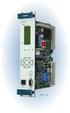 Machinery Protection Card Type FEATURES Continuous on-line Machinery Protection Card Real-time measurement and monitoring using state-of-the-art DSP techniques Fully VME-compatible slave interface Fully
Inwall 4 Input / 4 Output Module
 Inwall 4 Input / 4 Output Module IO44C02KNX Product Handbook Product: Inwall 4 Input / 4 Output Module Order Code: IO44C02KNX 1/27 INDEX 1. General Introduction... 3 2. Technical data... 3 2.1 Wiring Diagram...
Micro800 Programmable Controllers. Bulletin 2080 Selection Guide
 Micro800 Programmable Controllers Bulletin 2080 Selection Guide Important User Information Solid state equipment has operational characteristics differing from those of electromechanical equipment. Safety
SIMATIC NET. DP Base Programming Interface for CP 5613/CP 5614. Preface, Contents. Basic Steps in Creating a DP Application 1
 SIMATIC NET DP Base Programming Interface for CP 5613/CP 5614 Manual Preface, Contents Basic Steps in Creating a DP Application 1 Overview of PROFIBUS DP 2 Overview of the DP Base Interface 3 Description
SIMATIC. C7-621, C7-621 AS-i Control Systems. Volume 2 Working with C7 A B C D E. Contents. User Information. Introduction. Startup.
 Contents User Information Introduction 1 Startup 2 SIMATIC C7-621, C7-621 AS-i Control Systems Volume 2 Working with C7 Manual Controlling Controlling with the C7 CPU 3 Addessing, Parameter Assignment,
What ensures easy and fast wiring?
 What ensures easy and fast wiring? SIMATIC TOP connect: the system cabling for connecting sensors and actuators to SIMATIC S7. Answers for industry. More efficient cabling made easy: SIMATIC TOP connect
SIMATIC HMI. WinCC flexible 2008 Getting Started - First-Time Users Getting Started. Printout of the Online Help 06/2008 A5E00279548-04
 SIMATIC HMI WinCC flexible 2008 Getting Started - First-Time Users Getting Started Printout of the Online Help 06/2008 A5E00279548-04 Safety Guidelines This manual contains notices you have to observe
EMOSAFE EN-100. Network Isolators for PCB assembly 1 GENERAL DESCRIPTION. Product Data Sheet ENGLISH
 ENGLISH EMOSAFE EN-100 Product Data Sheet Network Isolators for PCB assembly November 2013 1 GENERAL DESCRIPTION The EMOSAFE EN-100 Network Isolator interrupts all galvanically conducting connections (conductors
Option field bus: without bus with profibus DP. Design-Index (Subject to change)
 Amplifier / controller cards ED1 Digital amplifier / controller card ED1 for 1 or 2 proportional solenoids 4 analogue inputs, of which 2 for differential inputs 8 digital inputs Card setting via PC, multi-function
1 Application Description... 3. 1.1 Objective... 3 1.2 Goals... 3
 Contents Moxa Technical Support Team [email protected] 1 Application Description... 3 1.1 Objective... 3 1.2 Goals... 3 2 System Topology... 3 3 Hardware and Software Requirements... 4 4 Configuration...
ABB i-bus EIB / KNX Analogue Input AE/S 4.2
 Product Manual ABB i-bus EIB / KNX Analogue Input AE/S 4.2 Intelligent Installation Systems This manual describes the functionality of Analogue Input AE/S 4.2. Subject to changes and errors excepted. Exclusion
CompactLogix Power Supplies Specifications
 Technical Data CompactLogix Power Supplies Specifications 1768 CompactLogix Power Supplies Catalog Numbers 1768-PA3, 1768-PB3 1769 Compact I/O Power Supplies Catalog Numbers 1769-PA2, 1769-PB2, 1769-PA4,
is then retained absolutely without interruption.
 Page 1 of 11 DC UPS uninterruptible power supplies - DC UPS module 15 A Compact design, only 50 mm wide Absolutely interruption-free buffering of power failures through immediate electronic connection
EXTERNAL DIMENSIONS AND PARTS
 FX2N-4DA SPECIAL FUNCTION BLOCK USER S GUIDE JY992D65901A This manual contains text, diagrams and explanations which will guide the reader in the correct installation and operation of the FX2N-4DA special
Allen-Bradley/Rockwell
 MANUFACTURER DATA SHEET High Speed Counter Manufacturer: Allen-radley/Rockwell Model Number: 1746-HSCE See www.geomartin.com for additional PDF datasheets Martin Part Number: E-014901-03 VendorPartNumber:
Visualization SIMATIC. Visualization. Present sample project. HMI configuration. Insert HMI device from libraries 3. Configuring HMI connection 4
 Present sample project 1 HMI configuration 2 SIMATIC Getting Started Insert HMI device from libraries 3 Configuring HMI connection 4 Configuring system diagnostics 5 Simulating an HMI device 6 05/2014
Switch Actuator, 8-fold, 10 A, MDRC AT/S 8.10.1, GH Q631 0075 R0111
 , GH Q631 0075 R0111 The 8-fold switch actuator is a DIN rail mounted device for insertion in the distribution board. It is connected to the EIB via a bus terminal. In the event of bus voltage failure,
Part 1: User information SIMATIC ET 200B Distributed I/O Station Manual Part 2: Reference information Appendices EWA 4NEB 812 6089-02c Edition 04
 Preface, Contents SIMATIC ET 200B Distributed I/O Station Manual Part 1: User information System Overview Technical Description Mechanical and Electrical 3 Installation Configuration and 4 Parameterization
Substation Automation Products Relion 670/650 series IEC and ANSI Hardware
 Substation Automation Products Relion 670/650 series IEC and ANSI Hardware ABB Group 1MRG014097 October 2013 Relion 670/650 series hardware Contents Relion 670/650 series Relion Hardware Relion Common
SIMADYN D Digital Control System. Interface module SE21.2. User Manual. Edition 05.95 DK-Nr. 282042
 SIMADYN D Digital Control System User Manual Interface module SE21.2 Edition 05.95 DK-Nr. 282042 User Manual, Interface module SE21.2 Edition Edition status 1 Interface module SE21.2 04.91 2 Interface
Series Six Plus Programmable Controller
 Series Six Plus Programmable Controller Gl?K-0147B June 1989 Central Processor Unit 8-Slot Rack 1l-Slot Rack General Description The Central Processor Unit (CPU) for the Series Six Plus Programmable Logic
IBS IP KIS A. Data Sheet INTERBUS-S. Digital I/O Module
 IBS IP KIS A Data Sheet Digital I/O Module Data Sheet Revision C Product Description The IBS KIS IP A module is a digital I/O module for the extended installation remote bus. Features - InterBuS-S protocol
Digital input modules
 8 172 TX-I/O Digital input modules TXM1.8D TXM1.16D Two fully compatible versions: TXM1.8D: 8 inputs, each with a three-color LED (green, yellow or red) TXM1.16D: As TXM1.8X, but 16 inputs, each with a
L5354 ControlNet Communications Interface
 L5354 ControlNet Communications Interface Technical Manual HA470733 Issue 2 Copyright SSD Drives Inc 2005 All rights strictly reserved. No part of this document may be stored in a retrieval system, or
DATA COMMUNICATION BETWEEN PROGRAMMABLE LOGIC CONTROLLERS IN THE INDUSTRIAL DISTRIBUTION APPLICATIONS
 DATA COMMUNICATION BETWEEN PROGRAMMABLE LOGIC CONTROLLERS IN THE INDUSTRIAL DISTRIBUTION APPLICATIONS Anna BYSTRICANOVA 1, Andrej RYBOVIC 1 1 Department of Mechatronics and Electronics, Faculty of Electrical
Electronic-Key-System. Manual Electronic-Key Adapter EKS and EKS FSA with PROFINET Interface. Order no. 109 283 PROFINET
 Electronic-Key-System Manual Electronic-Key Adapter EKS and EKS FSA with PROFINET Interface Order no. 109 283 PROFINET Table of contents 1 General notes... 4 1.1 Use of the manual... 4 1.1.1 Explanation
Data sheet SLIO CPU 015 (015-CEFPR00)
 Data sheet SLIO CPU 015 (015-CEFPR00) Technical data Order no. 015-CEFPR00 SLIO CPU 015 Module ID - General information Note - Features SPEED7 technology 256 kb work memory Memory extension (max. 512 kb)
CPU systron S 200 - S 250 - S 250c. systron S 200 - S 250 - S 250c. CPUs to the process modules. Stand-alone PLC
 E031019 000823 systron S 200 - S 250 - S 250c CPU systron S 200 - S 250 - S 250c 45 mm width Flexible and expandable Easy to use software for bus connection (S 250/ S 250c) CPUs to the process modules
NEW. EVEN MORE data acquisition and test stand automation
 NEW EVEN MORE data acquisition and test stand automation the new class of data The plug&play complete package User benefits Expert Series is the latest generation of data acquisition Complete hardware
Technical data. General specifications. Indicators/operating means. 30 Hz Multiplex operation 30 Hz / n, n = number of sensors, n 5
 Model Number Single head system Features Parameterization interface for the application-specific adjustment of the sensor setting via the service program ULTRA 000 programmable switch outputs Hysteresis
Analog signal converters CC-E I/I Current / current isolators
 ata sheet Analog signal converters CC-E I/I Current / current isolators The CC-E I/I is an isolator for the electrical isolation of current signals without auxiliary supply. It allows the isolation between
DS1621 Digital Thermometer and Thermostat
 Digital Thermometer and Thermostat www.dalsemi.com FEATURES Temperature measurements require no external components Measures temperatures from 55 C to +125 C in 0.5 C increments. Fahrenheit equivalent
NTE2053 Integrated Circuit 8 Bit MPU Compatible A/D Converter
 NTE2053 Integrated Circuit 8 Bit MPU Compatible A/D Converter Description: The NTE2053 is a CMOS 8 bit successive approximation Analog to Digital converter in a 20 Lead DIP type package which uses a differential
Automation System TROVIS 6400 TROVIS 6493 Compact Controller
 Automation System TROVIS 6400 TROVIS 6493 Compact Controller For panel mounting (front frame 48 x 96 mm/1.89 x 3.78 inch) Application Digital controller to automate industrial and process plants for general
DDX 7000 & 8003. Digital Partial Discharge Detectors FEATURES APPLICATIONS
 DDX 7000 & 8003 Digital Partial Discharge Detectors The HAEFELY HIPOTRONICS DDX Digital Partial Discharge Detector offers the high accuracy and flexibility of digital technology, plus the real-time display
SIMATIC NET. AS-Interface - Introduction and Basics A B. Preface, Contents
 Preface, Contents SIMATIC NET AS-Interface - Introduction and Basics Manual AS-Interface (AS-i) 1 AS- Interface Safety at Work (ASIsafe) 2 AS-i System Components 3 The Master Mode - Commands, Sequence,
WinCC Runtime Professional Readme SIMATIC HMI. WinCC V11 SP1. Readme WinCC Runtime Professional. Special considerations for Windows 7.
 WinCC Runtime Professional Readme SIMATIC HMI WinCC V11 SP1 Special considerations for Windows 7 1 Installation 2 Runtime 3 Options 4 HMI devices 5 Readme WinCC Runtime Professional System Manual Online
SIMOTION. Supplement to the FM 350-1, FM 350-2 and FM 352 Modules. Preface. Description 1. Function blocks of the FM 350-1
 Preface SIMOTION Supplement to the FM50-1, FM50-2 and FM 352 Modules SIMOTION Supplement to the FM 350-1, FM 350-2 and FM 352 Modules Function Manual Description 1 Function blocks of the FM 350-1 2 Function
Measuring Temperature withthermistors a Tutorial David Potter
 NATIONAL INSTRUMENTS The Software is the Instrument Application Note 065 Measuring Temperature withthermistors a Tutorial David Potter Introduction Thermistors are thermally sensitive resistors used in
Computer Controlled Generating Stations Control and Regulation Simulator, with SCADA SCE
 Technical Teaching Equipment Computer Controlled Generating Stations Control and Regulation Simulator, with SCADA SCE EDIBON SCADA System Teaching Technique used 4 5 2 Data Acquisition Board Cables and
TRACTION NETWORK MONITORING AND PROTECTION SYSTEM SMTN-3 CITY ELECTRIC TRANSPORT RAILWAYS METRO INDUSTRY
 TRACTION NETWORK MONITORING AND PROTECTION SYSTEM SMTN-3 CITY ELECTRIC TRANSPORT RAILWAYS METRO INDUSTRY 2 TRACTION NETWORK MONITORING AND PROTECTION SYSTEM Traction network monitoring and protection system,
WEA-Base. User manual for load cell transmitters. UK WEA-Base User manual for load cell transmitters Version 3.2 UK
 WEA-Base User manual for load cell transmitters 1 Contents 1. Technical data... 3 2. Assembly... 4 2.1 Power supply... 4 2.2 Load cells... 4 2.3 RS-485... 4 2.4 Relays... 5 2.5 Digital input... 5 2.6 Analogue
DS1621 Digital Thermometer and Thermostat
 www.maxim-ic.com FEATURES Temperature measurements require no external components Measures temperatures from -55 C to +125 C in 0.5 C increments. Fahrenheit equivalent is -67 F to 257 F in 0.9 F increments
Product Information. Gateway For Connecting EnDat Encoders to PROFIBUS-DP
 Product Information Gateway For Connecting EnDat Encoders to PROFIBUS-DP April 2012 PROFIBUS Gateway For Connecting EnDat Encoders Encoders with EnDat interface for connection via gateway All absolute
AC 800M. EtherNet/IP DeviceNet Linking Device LD 800DN. Power and productivity for a better world TM SP1134
 AC 800M EtherNet/IP DeviceNet Linking Device LD 800DN SP1134 Power and productivity for a better world TM AC 800M EtherNet/IP DeviceNet Linking Device LD 800DN NOTICE This document contains information
DUAL%CHANNEL BROADBAND%LINEAR%AMPLIFIER Model&A800D
 ELECTRONICS AB DUAL%CHANNEL BROADBAND%LINEAR%AMPLIFIER Model&A800D & HIGH&VOLTAGE& FIXED&GAIN& BROADBAND & 800Vpp&60mA& 100x& DC&to&ca&200&kHz & LOW&OUTPUT&IMPEDANCE& HIGH&SLEW&RATE &
Compact multiprotocol I/O module for Ethernet 8 digital PNP inputs and 8 digital PNP outputs 2 A TBEN-L1-8DIP-8DOP
 EtherNet/IP, Modbus TCP, or PROFINET slave Integrated Ethernet switch Supports 10 Mbps/100 Mbps 2 x M12, 4-pin, D-coded, Ethernet fieldbus connection 7/8" males, 5-pin, for power supply Separated power
MILLENIUM INSTALLATION MANUAL NTR 735 A. Simple Automation Control Module (MAS)
 MILLENIUM Table of contents 1. INTRODUCTION 1 2. HARDWARE DESCRIPTION 2 3. INSTALLATION 5 4. CONNECTION 6 5. USER SAFETY AND PROTECTION OF EQUIPMENT 8 1. Introduction The MILLENIUM series has been designed
Product Manual. ABB i-bus KNX Data Logging Unit BDB/S 1.1. Intelligent Installation Systems ABB
 Product Manual ABB i-bus KNX Data Logging Unit BDB/S 1.1 Intelligent Installation Systems ABB This manual describes the function of the Data Logging Unit BDB/S 1.1. Subject to changes and errors excepted.
S7-1500/S7-1500F Technical Data
 CPU 1511-1 PN CPU 1513-1 PN CPU 1515-2 PN Type Standard CPU Standard CPU Standard CPU Dimensions 35 x 125 x 130 mm 35 x 125 x 130 mm 70 x 147 x 129 mm Spare part availability after 10 years 10 years 10
SIMATIC S7-1200. It s the Interplay that makes the difference. Siemens AG 2010. All Rights Reserved.
 SIMATIC S7-1200 It s the Interplay that makes the difference SIMATIC S7-1200 Controller SIMATIC S7-1200 CPUs CPU 1211C 3 configurations per CPU Dimensions W x H x D (mm) CPU 1212C CPU 1214C DC/DC/DC, AC/DC/RLY,
Combi switchbox with integrated 3/2 way pilot valve
 H Combi switchbox with integrated 3/2 way pilot valve Construction The GEMÜ combi switchbox with integrated 3/2 way pilot valve for pneumatically operated quarter turn actuators has a micro-processor controlled
DRM75A 230V 20/100A DIN rail single phase two wire energy meter
 DRM75A 230V 20/100A DIN rail single phase two wire energy meter 1.1 Safety instruction 1.2 Foreword 1.3 Performance criteria 1.4 Specifications 1.5 Basic errors 1.6 Description 1.7 Dimensions 1.8 Installation
User's Guide. Integrating Sound Level Datalogger. Model 407780. Introduction
 User's Guide 99 Washington Street Melrose, MA 02176 Phone 781-665-1400 Toll Free 1-800-517-8431 Visit us at www.testequipmentdepot.com Back to the Extech 407780 Product Page Integrating Sound Level Datalogger
Documentation. M-Bus 130-mbx
 Documentation M-Bus 130-mbx Introduction The mx M-Bus module is part of the mx Smart Slot communications family. With the integrated SmartSlot technology, mx systems ag offers automatic consumer data read-out
Using the WAGO 750-340 PROFINET Coupler as Remote I/O with a Siemens S7 PLC
 Using the WAGO 750-340 PROFINET Coupler as Remote I/O with a Siemens S7 PLC, English Version 1.0.0 2 General Copyright 2007 by WAGO Kontakttechnik GmbH & Co. KG All rights reserved. WAGO Kontakttechnik
S7-1200 and STEP 7 Basic V10.5
 S7-1200 and STEP 7 Basic V10.5 S7-200 vs. S7-1200 Expandability S7-200 S7-1200 max. 7 Modules max. 3 Modules (CM) max. 8 Modules (SM) Page 2 Advantages of S7-1200, compared to S7-200 I/O Internal periphery
How To Use An American Zw.Com V20-20 (V20) V20 (Veu) V2.20 (Femalese) V1.2.2 (V2.1) V3.
 Cover SINAMICS V: Speed Control of a V20 with S7-1200 via USS Protocol in TIA Portal SINAMICS V20, SIMATIC S7-1200 Short Documentation November 2012 Applications & Tools Answers for industry. Siemens Industry
Technical data. General specifications. Indicators/operating means. Electrical specifications Operating voltage U B Power consumption P 0 Interface
 Release date: 06-0- 09: Date of issue: 06-0- 009_eng.xml Model Number Single head system Features Parameterization interface for the application-specific adjustment of the sensor setting via the service
SIMATIC NET. Functions (FC) and function blocks (FB) for SIMATIC NET S7 CPs. Preface. Overview and general information on working with FCs and FBs
 Preface Overview and general information on working with FCs and FBs 1 SIMATIC NET Functions (FC) and function blocks (FB) for SIMATIC NET S7 CPs Programming Manual FCs / FBs for Industrial Ethernet 2
ADM1TE 5/30A DIN rail single phase two wire energy meter
 ADMTE 5/30A DIN rail single phase two wire energy meter. Safety instruction.2 Foreword.3 Performance criteria.4 Specifications.5 Basic errors.6 Description.7 Dimensions.8 Installation.9 Operating.0 Troubleshooting.