
Computer Program for the Analysis of Loads On Buildings. Using the ASCE 7-93 Standard. Stephen E. Browning. Master of Engineering.
|
|
|
- Gwendoline Mosley
- 10 years ago
- Views:
Transcription
1 Computer Program for the Analysis of Loads On Buildings Using the ASCE 7-93 Standard Minimum Design Loads for Buildings and Other Structures by Stephen E. Browning Report submitted to the Faculty of Virginia Polytechnic Institute and State University in partial fulfillment of the requirements for the degree of Master of Engineering in Civil Engineering APPROVED Kamal B. Rojiani, Chairman W. Samuel Easterling Don A. Garst January, 1998 Blacksburg, Virginia
2 Computer Program for the Analysis of Loads on Buildings Using the ASCE 7-93 Standard Minimum Design Loads for Buildings and Other Structures by Stephen E. Browning Kamal B. Rojiani, Chairman Civil Engineering (ABSTRACT) A computer program for the analysis of loads on buildings is developed. The program determines wind loads, earthquake loads, and snow loads according to the ASCE 7-93 Standard Minimum Design Loads for Buildings and Other Structures (ASCE 7-93). The program is developed using the object-oriented programming methodology and runs on the Microsoft Windows 95 graphical environment. It is a valuable and useful tool for determining loads on buildings. ii
3 Acknowledgment I want to thank my advisor Dr. Kamal B. Rojiani for his patience during my struggle to complete this degree. Learning C and C++ proved to be a great challenge, but with perseverance and help from Dr. Rojiani, I succeeded. Also, I want to thank the other members of my advisory committee, Dr. W. Samuel Easterling and Dr. Don A. Garst, for their continual patience and support. Special thanks to my wife, mother, and four sisters for their continual encouragement. In memory of my father, Claude M. Browning, this degree is completed. He, along with my mother, worked diligently to provide their children with opportunities to learn and grow. iii

4 TABLE OF CONTENTS Abstract Acknowledgment Table of Contents List of Figures List of Tables ii iii iv viii xii 1. Introduction Determining Building Loads Project Objective Report Objective Load Analysis Program Features 4 2. Structural Loads Types of Structural Loads Gravity Loads Wind Loads Earthquake Loads Snow Loads Load Analysis Program Limitations 18 iv

5 3. Load Analysis Program Introduction Building Properties and the Structure Menu Project Information Building Geometry Building Occupancy Classification Wind Loads and the Wind Menu Wind Importance Factor Wind Speed and Internal Pressure Coefficient Building Exposure Wind Load Analysis and Output Earthquake Loads and the Earthquake Menu Initial Data Story Information Performance Category Earthquake Load Analysis and Output Snow Loads and the Snow Menu Importance Factor Ground Snow Load Thermal Factor Exposure Factor Object Oriented Programming 40 v

6 3.7 Verification Summary and Conclusions Summary Conclusions Future Improvements 44 References 46 Appendix A-User s Guide and Example Problems 47 A.1 Hardware and Software Requirements and Installation 47 A.1.1 Hardware and Software Requirements 47 A.1.2 Installation 47 A.2 Using Standard Controls 48 A.3 On-line Help 51 A.4 Example 1-Two Story Residential Building 52 A.4.1 Structure Data 52 A.4.2 Wind Loads 55 A.4.3 Snow Loads 60 A.5 Example 2-Eight Story Commercial Building 66 A.5.1 Wind Loads 67 vi
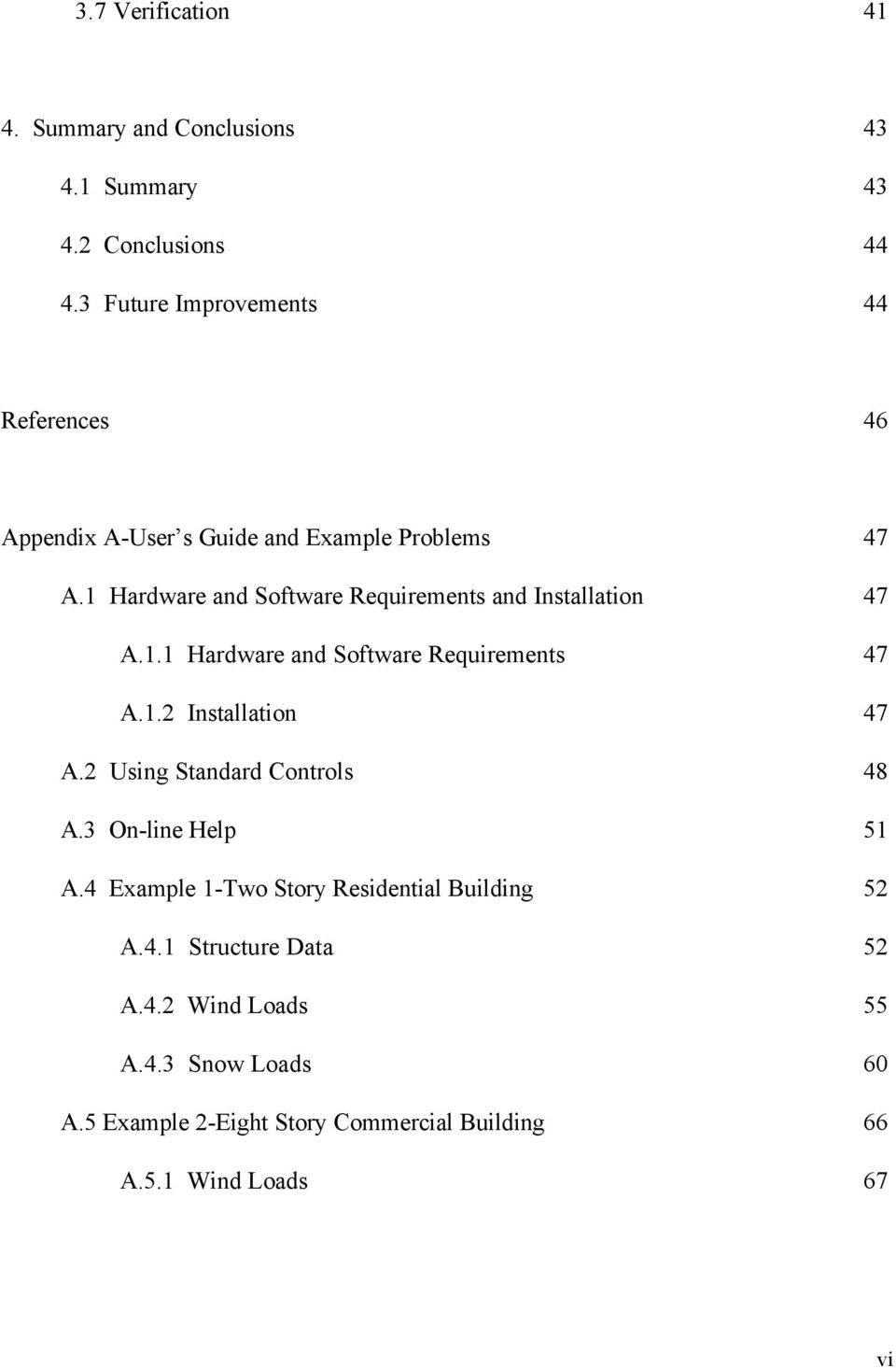
7 A.5.2 Earthquake Loads 68 Appendix B-Example Output and Verification 73 B.1 Example 1 Load Analysis Program Output 73 B.2 Example 1 Verification Calculations 75 B.3 Example 2 Load Analysis Program Output 78 B.4 Example 2 Verification Calculations 82 Vita 88 vii

8 LIST OF FIGURES Figure 3.1 Main Window of the Load Analysis Program 20 Figure 3.2 Main Window of the Load Analysis Program With An Untitled Project 21 Figure 3.3 Project Information Dialog Box 22 Figure 3.4 Building Geometry Dialog Box 23 Figure 3.5 Occupancy Classification Category Dialog Box 24 Figure 3.6 Wind Importance Factor Dialog Box 26 Figure 3.7 Wind Speed Dialog Box 27 Figure 3.8 Internal Pressure Coefficients Dialog Box 28 Figure 3.9 Building Exposure Dialog Box 29 Figure 3.10 Initial Earthquake Data Dialog Box 33 Figure 3.11 Story Information Dialog Box 35 Figure 3.12 Performance Category Dialog Box 35 Figure 3.13 Ground Snow Load Dialog Box 38 Figure 3.14 Thermal Factor Dialog Box 38 Figure 3.15 Exposure Factor Dialog Box 39 Figure A.1 Taskbar Properties-Adding A Program 48 Figure A.2 Example Menu Bar and Pull-down Menu 49 Figure A.3 Building Geometry Dialog Box 50 Figure A.4 Building Exposure Dialog Box 50 viii

9 Figure A.5 Load Analysis Program Help Topics 51 Figure A.6 Project Information Command 52 Figure A.7 Example 1 Project Information Data 53 Figure A.8 Geometry Command 53 Figure A-9 Example 1 Geometry Data 54 Figure A-10 Classification Command 54 Figure A-11 Example 1 Occupancy Classification Category Selection 55 Figure A-12 Wind Importance Factor Command 56 Figure A-13 Figure A-13: Example 1 Wind Importance Factor Selection 56 Figure A-14 Wind Speed Command 57 Figure A-15 Example 1 Wind Speed Input 57 Figure A-16 Internal Pressure Command 57 Figure A-17 Example 1 Internal Pressure Coefficient Selection 58 Figure A-18 Building Exposure Command 59 Figure A-19 Example 1 Building Exposure Category Selection 59 Figure A-20 Example 1 Final Wind Calculations 60 Figure A-21 Snow Importance Factor Command 61 Figure A-22 Example 1 Snow Importance Factor Selection 61 Figure A-23 Ground Snow Load Command 62 Figure A-24 Example 1 Ground Snow Load Input 62 Figure A-25 Thermal Factor Command 63 ix

10 Figure A-26 Example 1 Thermal Factor Selection 63 Figure A-27 Exposure Factor Command 64 Figure A-28 Example 1 Exposure Factor Selection 64 Figure A-29 Example 1 Final Snow Calculations 65 Figure A-30 Example 2 Building Dimensions 66 Figure A-31 Building Geometry Command 67 Figure A-32 Example 2 Building Geometry Data 68 Figure A-33 Initial Earthquake Data Command 68 Figure A-34 Example 2 Initial Earthquake Data 69 Figure A-35 Story Information Command 69 Figure A-36 Example 2 Story Information Data 70 Figure A-37 Performance Category Command 70 Figure A-38 Example 2 Seismic Performance Category Selection 71 Figure A-39 Example 2 Final Earthquake Calculations 72 Figure B-1 Example 1 Project Information and Building Geometry 73 Figure B-2 Example 1 Wind Load Calculations from the Load Analysis Program 74 Figure B-3 Example 1 Snow Load Calculations from the Load Analysis Program 75 Figure B-4 Example 1 Wind Load Calculations from the Spreadsheet 76 Figure B-5 Example 1 Manual Snow Load Calculations 77 Figure B-6 Example 2 Project Information and Building Geometry 78 x
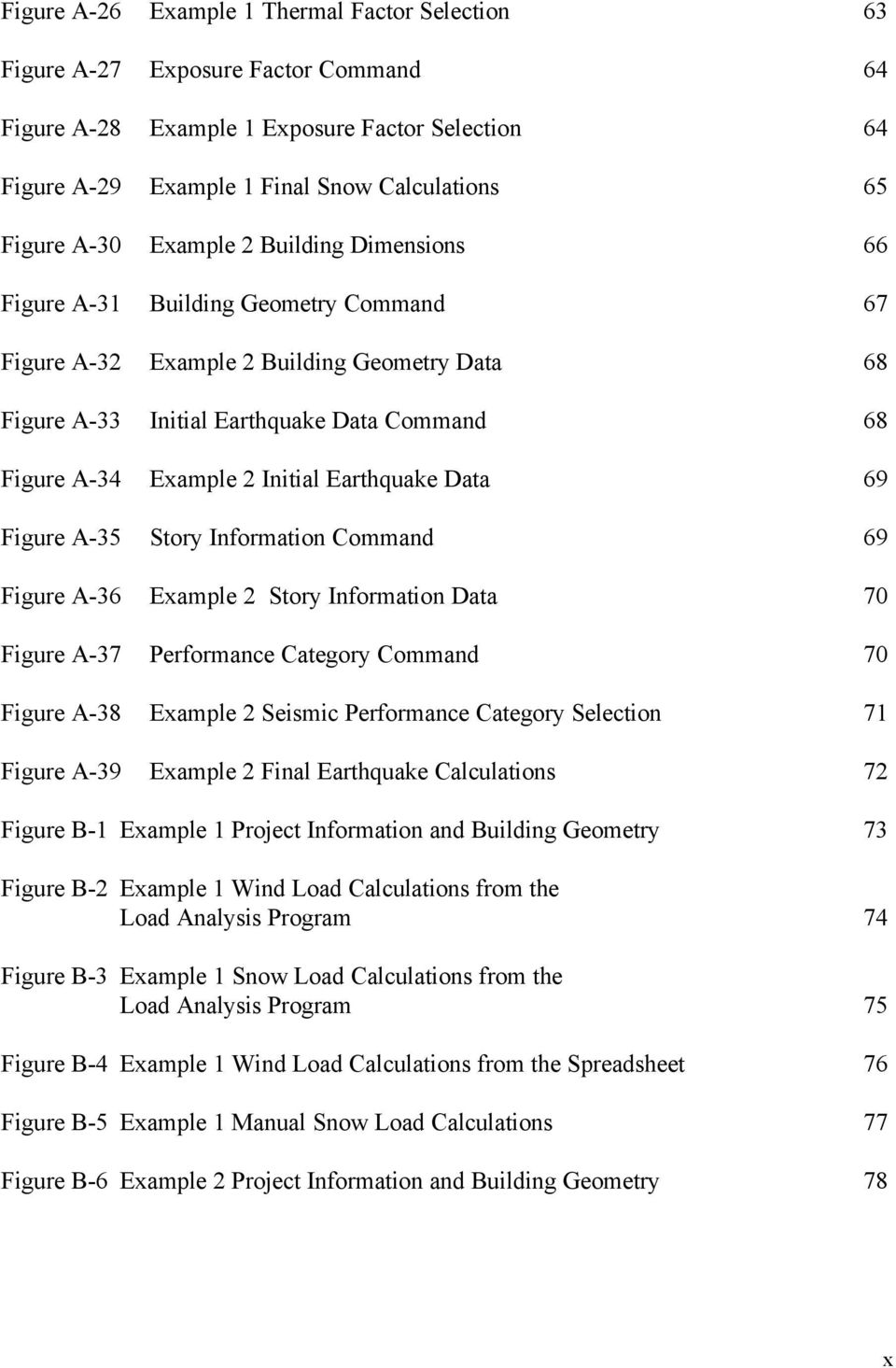
11 Figure B-7 Example 2 Wind Load Calculations from the Load Analysis Program 79 Figure B-8 Example 2 Wind Load Calculations from the Load Analysis Program (Continued) 80 Figure B-9 Example 2 Earthquake Load Calculations from the Load Analysis Program 81 xi

12 LIST OF TABLES Table B-1 Components and Cladding Manual Roof Calculation Results 82 Table B-2 Components and Cladding Manual Wall Calculation Results 83 Table B-3 Component and Cladding Manual Wall Calculation Results 83 Table B-4 Main Wind Force Resisting System Manual Wall Calculation Results 85 Table B-5 Manual Earthquake Calculation Results 87 xii

13 CHAPTER ONE INTRODUCTION 1.1 Determining Building Loads Accurately designing a building for the loads sustained during its service life is not an exact science. During the design process, dead loads are typically approximated and then verified later, meaning that the dead loads are often unknown until the design is completed. Live loads are typically based upon accepted practice rather than calculated values, and they are often conservative (Salmon and Johnson, 5). This is due to the difficulty in accurately determining the magnitudes and positions of live loads. Determining special design loads such as wind and earthquake loads is not a simple task either, and it often involves tedious calculations also. The development of building codes has aided in standardizing methods for calculating special design loads due to wind, earthquake and snow. Furthermore, the building codes have started to combine knowledge from research and practice to help with calculating all types of design loads. The calculations presented by the building codes are still complicated and tedious and engineers are subjected to time constraints. The constraints often limit their ability to fully learn and use the methods found in the building codes. Therefore, ways to simplify the complicated calculations are continually sought. 1
14 Computers are being used more and more to perform tedious calculations. Engineers are actively taking advantage of the speed and consistency provided by computers. Although computers have been used in structural engineering for quite some time now, there is still a great demand for reliable and accurate engineering analysis and design programs. Many of the structural engineering computer programs available today provide more design and analysis tools than what is needed, and they can also be a significant expense. Thus, there is a demand for more simple, lower cost computer programs to perform the day-to-day tedious calculations. An example of such a program is one which will compute special loads such as wind, earthquake and snow loads using a common building code. 1.2 Project Objective The project objective was to develop a load analysis program for personal computers that computes design loads on buildings based on the ASCE Standard Minimum Design Loads for Buildings and Other Structures (ASCE 7-93). The Load Analysis Program determines wind loads, earthquake loads and snow loads on buildings according to the ASCE 7-93 Standard. The ASCE 7-93 Standard was chosen because it is nationally accepted and referred to by many regional building codes such as the Standard Building Code. The Load Analysis Program is intended to be used as a tool along with the ASCE 7-93 Standard. C++ was the chosen programming language because it is the most popular object-oriented programming language used to develop programs to run in the Windows 95 graphical environment. The Microsoft Windows 95 operating system is currently the most common operating system used on personal computers. 2

15 Since learning to calculate loads is a part of the Civil Engineering student s curriculum, it is hoped that this software can be used not only in a design office, but also in a classroom. 1.3 Report Objective The objective of this report is not to replace, but to supplement the ASCE 7-93 Standard and describe the Load Analysis Program. The ASCE 7-93 Standard is the main source for load development methodology and a required item for the appropriate use of the Load Analysis Program. Therefore, this report will primarily focus upon subjects related to the Load Analysis Program and how it follows the ASCE 7-93 Standard. The following topics are discussed. Chapter 2 discusses structural loads based upon the ASCE 7-93 Standard. Topics include how the ASCE 7-93 Standard defines gravity loads, wind loads, earthquake loads and snow loads. Chapter 3 describes the Load Analysis Program s features. Appendix A contains a users guide and two example problems and Appendix B contains output for the example problems and calculations performed for verification of the Load Analysis Program. 1.4 Load Analysis Program Features The Load Analysis Program, as mentioned before, is a Windows 95 program. It has all of the functionality of a standard Windows 95 program, such as toolbars, dialog boxes, scrolling views and on-line help. The Load Analysis Program has the following features: 3

16 1. It runs under Microsoft Windows It utilizes the C++ programming language. 3. It is developed using the object-oriented programming approach. 4. It is a multiple document interface (MDI) program which allows for several projects to be open simultaneously. 5. It closely follows the ASCE 7-93 Standard in order to minimize error. 6. It calculates design wind loads as recommended by ASCE 7-93 by computing design pressures for component and cladding for multiple tributary areas and building locations. 7. It calculates earthquake loads for regular shaped buildings up to 240 feet high using the Equivalent Static Lateral Force Method. 8. It calculates regular and unbalanced roof snow loads. 9. It has clear and thorough output. 4

17 CHAPTER TWO STRUCTURAL LOADS This chapter presents a brief overview of the different types of structural loads which primarily apply to building analysis and design. The ASCE 7-93 Minimum Design Loads for Buildings and Other Structures (ASCE 7-93) will be used to for determining building design loads. Gravity loads, wind loads, earthquake loads and snow loads are discussed. 2.1 Types of Structural Loads Structural loads are classified as either dead or live. Dead loads are gravity loads that remain constant in magnitude and location, such as walls, floors, roof members, plumbing, and miscellaneous fixtures. Live loads can vary in magnitude and location, and they are not always gravity loads. Examples of live loads are office furniture, construction loads, and occupancy floor loads. The life use of the building should be considered when determining loads for analysis and design. The ASCE 7-93 Standard addresses each type of load. Furthermore, it separates wind loads, snow loads, and earthquake loads into individual categories and provides analytical procedures for determining magnitudes for each load. The Load Analysis Program, described in Chapter 3, is a tool for determining wind, earthquake and snow loads using the ASCE 7-93 Standard. It maintains the nomenclature of ASCE 7-93 and follows the procedures discussed in the subsequent sections. 5
18 2.2 Gravity Loads Gravity loads are forces exerted by objects upon a building due to their weight, and weight is a function of gravity. The most obvious building gravity loads are dead loads such as a concrete floor, finished flooring materials, permanent partitions and the building s framework. Live loads, on the other hand, can be gravity loads. Building occupants, moveable partitions, furniture and construction loads are types of gravity live loads. Table 2, page 4 of ASCE 7-93 and Tables C1-C3, pages of ASCE 7-93 provide data for determining both minimum live loads and material dead loads. The ASCE 7-93 Standard also provides guidelines (Section 4.8, page 6) for reducing live loads in cases where the design live loads tend to be significantly large due to large influence areas. As an example, it is unlikely that a column s tributary areas will simultaneously sustain full design loads. Therefore, the design load on a column with a large influence area can be reduced according to the ASCE 7-93 Standard s guidelines. 2.3 Wind Loads The ASCE 7-93 Standard provides analytical procedures for determining main wind-force resisting system wind loads and individual components and cladding wind loads for buildings and other structures. The main wind-force resisting system is described as major structural elements such as rigid and braced frames, roof and floor diaphragms and shear walls. Components and cladding are elements directly loaded by wind such as exterior windows, panels, studs, roof sheathing and roof trusses. As an alternative to the analytical 6
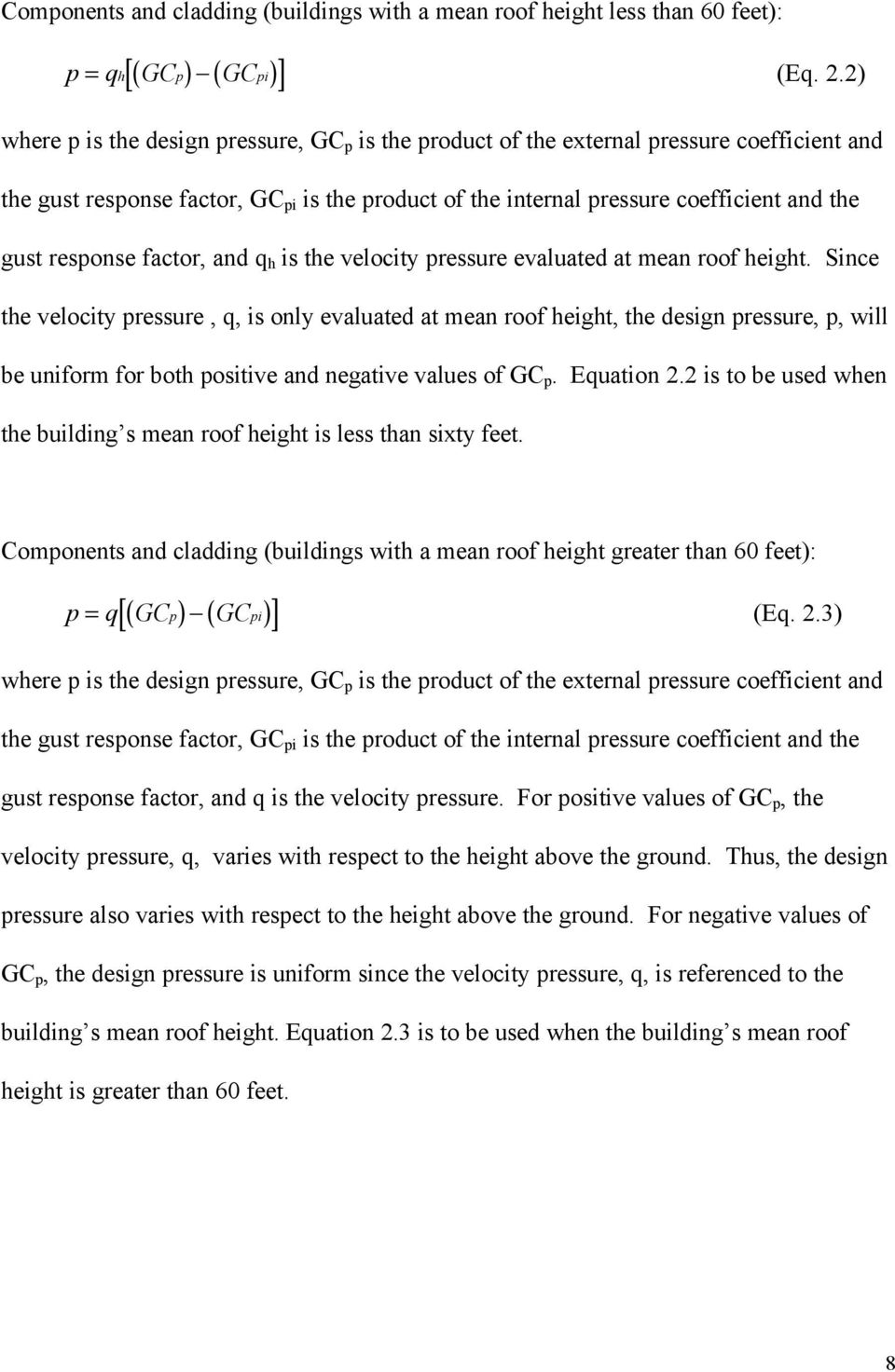
19 procedure, a wind-tunnel procedure is acceptable but it is not specifically outlined within ASCE A wind-tunnel procedure is recommended for buildings and structures having unusual geometry and response characteristics or site locations where channeling effects or buffeting in the wake of upwind obstructions may warrant special consideration. The analytical procedure begins by choosing the appropriate equation from Table 4 of ASCE Equations are presented for both the main wind-force resisting system and components and cladding for non-flexible buildings and other structures and flexible buildings and other structures. The Load Analysis Program determines loads for nonflexible buildings only. It does not determine loads for non-flexible structures other than buildings or flexible buildings and structures. The following equations are used and the external and internal pressures are algebraically combined to acquire the most critical load. Main wind-force resisting system (All mean roof heights): p = qghcp qh( GCpi) (Eq. 2.1) where p is the design pressure, q is the velocity pressure, G h is the gust response factor evaluated at mean roof height, C p is the external pressure coefficient and GC pi is the product of the internal pressure coefficient and the gust response factor. The velocity pressure, q, is evaluated at height z above the ground, and q h is the velocity pressure evaluated at mean roof height. Equation 2.1 is used for all mean roof heights. 7
20 Components and cladding (buildings with a mean roof height less than 60 feet): [( ) ( )] p = qh GCp GCpi (Eq. 2.2) where p is the design pressure, GC p is the product of the external pressure coefficient and the gust response factor, GC pi is the product of the internal pressure coefficient and the gust response factor, and q h is the velocity pressure evaluated at mean roof height. Since the velocity pressure, q, is only evaluated at mean roof height, the design pressure, p, will be uniform for both positive and negative values of GC p. Equation 2.2 is to be used when the building s mean roof height is less than sixty feet. Components and cladding (buildings with a mean roof height greater than 60 feet): [( p) ( pi) ] p = q GC GC (Eq. 2.3) where p is the design pressure, GC p is the product of the external pressure coefficient and the gust response factor, GC pi is the product of the internal pressure coefficient and the gust response factor, and q is the velocity pressure. For positive values of GC p, the velocity pressure, q, varies with respect to the height above the ground. Thus, the design pressure also varies with respect to the height above the ground. For negative values of GC p, the design pressure is uniform since the velocity pressure, q, is referenced to the building s mean roof height. Equation 2.3 is to be used when the building s mean roof height is greater than 60 feet. 8
21 The gust response factor, G, accounts for additional loading due to turbulence but does not consider cross-wind deflection, vortex shedding or instability due to galloping or flutter. One value for G, which is evaluated at mean roof height, is used for the main wind-force resisting system. For components and cladding, the gust response factor, G, is combined with the external pressure coefficient, C p, to form the product GC p. The ASCE 7-93 Standard requires that each component and cladding member be designed for the maximum positive and negative pressures. As a result, each component and cladding member s location and tributary area should be considered. The external pressure coefficient, C p, is used for determining main wind-force resisting system design pressures for walls and roofs. For windward walls, the pressure is positive and varies over the building s height due to the change in the velocity pressure over the height of the building. For side and leeward walls, the pressures are negative and uniform over the height of the building because the velocity pressure is calculated at the building s mean roof height. The product of the gust response factor and the internal pressure coefficient, GC pi, accounts for the tendency of a building to become internally pressurized. The ASCE 7-93 Standard requires two conditions to be considered. Condition I is for buildings completely open or enclosed. Condition II is for partially open (or partially enclosed) buildings. Since ASCE 7-93 requires the algebraic combination of external and internal pressures, the value of GC pi for Condition II will increase the design pressure for both the main wind- 9
22 force resisting system and the components and cladding. Buildings with large windows susceptible to breakage from flying objects should be considered as partially open. The velocity pressure, q, is determined from the following equation: q z ( ) = Kz IV 2 (Eq. 2.4) where V is the basic wind speed, K z is the velocity pressure exposure coefficient, I is the importance factor, and the constant is the air mass density for standard atmospheric pressure at sea level and a conversion to miles-per-hour. Equation 2.4 is used to convert the basic wind speed, V, into a velocity-related pressure. The wind speeds shown in Figure 1 and Table 7 of ASCE 7-93 are based upon fastest-mile wind for smooth terrain (Exposure C) at a height of 33 feet above ground. The velocity pressure exposure coefficient, K z, accounts for the variation of wind speed with respect to height above ground and ground friction. The importance factor, I, adjusts the design wind speed based upon the type and importance of the structure. The design wind speeds given in Figure 1 and Table 7 of the ASCE 7-93 Standard are based on a probability of exceeding the design wind speeds once in 50 years. The importance factor allows one wind speed map to be used for average recurrence intervals of 25, 50 and 100 years. Design wind speeds are more likely to be exceeded at ocean lines, therefore the importance factors are higher in order to provide the same probabilities of exceeding the 10
23 design wind speeds at ocean lines as for inland areas. The importance factors given in Table 5, page 11 of ASCE 7-93 depend upon the building occupancy classification category (described in Table 1 of ASCE 7-93). The gust response factor calculations and the velocity pressure exposure coefficient calculations are a function of the exposure category constants given in Table C6 of ASCE These constants vary depending upon the applicable exposure category. The building s exposure condition is to be matched to the suitable exposure category depending upon the ground surface characteristics of the building s site location. Exposure categories range from Exposure A to Exposure D and are discussed in Section of ASCE For the main wind-force resisting system, the exposure category constants affect only one value of G calculated at the building s mean roof height. For the building s components and cladding, the exposure category constants do not affect the value of the gust response factor. Both main wind-force resisting system pressures and component and cladding pressures are adjusted by the velocity pressure exposure coefficient K z in the calculation of the velocity pressure. 2.4 Earthquake Loads Earthquake loads are usually determined by approximating the horizontal component of the earthquake s acceleration and applying an equivalent, static lateral force to the base of the structure and distributing the force over the height of the structure. This approach is referred to as the Equivalent Seismic Lateral Force Procedure within the ASCE
24 Standard. One limitation is that the building is assumed to be fixed at the base. Other limitations are given in Section 9.3.5, page 49 of the ASCE 7-93 Standard. A building s fundamental period, T, is first determined for each of the building s axes. The ASCE 7-93 Standard specifies using a properly substantiated analysis for determining the fundamental period. As an alternative, two empirical formulas are available for approximating the fundamental period. They are as follows: T a = C t h n 3/4 (Eq. 2.5) T a = 0.1N (Eq. 2.6) where T a is the approximate fundamental period, C T is the building period coefficient, h n is the height above the base level to story number n, and N is the total number of stories. The building period coefficient, C T, in Equation 2.5, varies depending upon the building s lateral-force resisting system (described on page 54 of ASCE 7-93). Equation 2.6 is an alternative to Equation 2.5 if the number of stories, N, does not exceed 12 and the lateralforce resisting system consists entirely of a concrete or steel moment resisting frame. The story height must also be at least 10 feet. Generally, fundamental periods determined by the approximate formulas are shorter than those calculated from a properly substantiated analysis, therefore they increase the base shear. The ASCE 7-93 Standard limits the calculated fundamental period by not allowing it to exceed the product of the approximate fundamental period, T a, and the coefficient for upper limit on the calculated period, C a. Values for C a can be obtained from Table
25 of the ASCE 7-93 Standard. The coefficient for upper limit increases the approximate fundamental period and is dependent upon the peak velocity-related acceleration, A v (determined from Figure 9-2 of the ASCE 7-93 Standard). Such an increase can ultimately decrease the base shear. Other practices commonly limit the base shear force to 80% of the value obtained using the empirical formulas (Paz, 1991). The base shear, V, is determined by the following equation: V = C s W (Eq. 2.7) where W represents the total dead load and applicable portions of other loads (described in Section of ASCE 7-93), and C s is the seismic design coefficient. The seismic design coefficient is determined by the following equation: C s = 12. AvS (Eq. 2.8) 2/ 3 RT where A v is the effective peak velocity-related acceleration, S is the site coefficient, R is the response modification factor and T is the building s fundamental period. The seismic design coefficient, C s, cannot be greater than the value obtained from following equation: Cs( max) = 2. 5A R a (Eq. 2.9) where A a is the seismic coefficient representing the effective peak acceleration and R is the response modification factor. 13
26 The effective peak velocity-related acceleration, A v, is determined from Figure 9-2 of the ASCE 7-93 Standard, and the effective peak acceleration, A a, is determined from Figure 9-1 of the Standard. The site coefficient, S, accounts for the possibility of the building and site having close enough natural periods to encounter resonance. The site coefficient is obtained from Table of ASCE If a particular soil profile is not listed in the table, a value of 2.0 is to be used. Acceptable alternatives for determining soil-structure interaction are allowed. The response modification factor, R, varies depending upon the type of lateral resisting system and its ability to resist lateral forces. It is determined from Table of ASCE The vertical distribution of the equivalent, lateral seismic force is accomplished by the following equations: F x = C vx V (Eq. 2.10) C vx = w h n i= 1 x x k wihi k (Eq. 2.11) where F x is the lateral seismic force at any level x, C vx is the vertical distribution factor, V is the base shear, w x and w i are the gravity loads at story number x and i and h x and h i are the heights from the base level to story number x and i. The distribution exponent, k, is related to the building s fundamental period as follows: 14
27 T 0.5 seconds k = 1 T 2.5 seconds k = 2 For periods between 0.5 and 2.5 seconds, k can be taken as 2 or can be determined by linear interpolation between 1 and 2. The seismic design story shear in any story is obtained by the next equation: V x = n Fi (Eq. 2.12) i= x where V x is the story design shear and F i is a portion of the seismic base shear imposed at level i. The ASCE 7-93 Standard requires that the building be designed to resist overturning. The following equation determines overturning moments at any level within the structure. n Mx = τ Fi ( hi - hx) (Eq. 2.13) i = x where M x is the overturning moment at level x, F i is the portion of the seismic base shear induced at level i, h i and h x are the height in feet from the base level to level i and x, and τ is the overturning moment reduction factor. The overturning moment reduction factor is determined as follows: For top 10 stories τ = 1.0 For the 20th story from the top and below τ =
28 For stories between the 20th and 10th stories linear interpolation from the top between 1.0 and 0.8 Building foundations are to be designed for overturning using the same equation but a value of 0.75 is to be used for the overturning moment reduction factor. 2.5 Snow Loads Design snow loads are affected by geographic location, roof slope, roof surface texture, sheltering from adjacent objects and the potential for drift. The temperature of the space beneath the roof is also a consideration. The ASCE 7-93 Standard provides an analytical procedure for determining the flat roof snow load from a design ground snow load, and adjusting it for conditions such as roof slope and surface, wind effects and thermal effects. Unbalanced loading and snow drifts are also considerations. The flat-roof snow load is determined by the following equation: p f = 0.7C e C t Ip g (Eq. 2.14) For locations in Alaska, the equation changes to the following: p f = 0.6C e C t Ip g (Eq. 2.15) where in both equations p f is the design snow load, p g is the ground snow load, C e is the snow exposure factor, C t is the thermal factor, and I is the importance factor. Within both equations, the exposure factor, C e, adjusts the ground snow load due to wind effects and is found in Table 18 of the ASCE 7-93 Standard. The thermal factor, C t, adjusts the ground snow load due to thermal effects and it is found in Table 19 of the ASCE
29 Standard. The importance factor, I, adjusts the design snow load for the probability of exceeding the snow loads recorded in Figures 5-7 of ASCE The design snow load is increased for essential facilities due to a higher importance factor. Importance factors are found in Table 20 of the ASCE 7-93 Standard. Ground snow loads are found in Figures 5-7 of the Standard. Table 17 contains ground snow loads for locations in Alaska. Sloped roof snow loads can be computed using the following equation: p s = C s p f (Eq. 2.16) where p s is the sloped roof design snow load, C s is the roof slope factor, and p f is the flat roof design snow load. The roof slope factor, C s, adjusts the ground snow load due to a roof s tendency to shed snow. Roofs with higher slopes will have lower design snow loads. The roof slope factor is a function of the thermal factor, C t and whether the roof has an unobstructed slippery surface. Values for the roof slope factor are found in Figure 8 of ASCE For hip and gable roofs having a roof slope between 15 and 70 degrees, an unbalanced uniform snow load is considered on the lee side. The unbalanced load is determined using the following equation: ps( unbalanced) = 15. p Ce s (Eq. 2.17) where p s (unbalanced) is the unbalanced design snow load, p s is the sloped roof design snow load and C e is the exposure factor. 17
30 2.6 Load Analysis Program Limitations The Load Analysis Program determines wind, earthquake and snow loads for buildings according to the ASCE 7-93 Standard Minimum Design Loads for Buildings and Other Structures. It only determines wind loads for non-flexible buildings. The categories of non-flexible other structures and flexible buildings and other structures are not considered. The Load Analysis Program only uses the Equivalent Lateral Force procedure for determining earthquake loads. Furthermore, it does not calculate the torsional moment, M t, which involves type 1 torsional irregularities (See Table of ASCE 7-93). Drift determination and P-Delta effects are not considered by the Load Analysis Program. To include these effects, it is necessary to use a matrix structural analysis program for determining internal member forces, drift conditions and second order effects once loads are determined using the Load Analysis Program. 18
31 CHAPTER THREE LOAD ANALYSIS PROGRAM 3.1 Introduction The purpose of this chapter is to provide an overview of the Load Analysis Program. The topics covered include input, processing and output, and related dialog boxes and views. A users guide is presented in Appendix A. The main window of the program is shown in Figure 3-1. Figure 3-1: Main Window of the Load Analysis Program When a new project is created, either by clicking on the first toolbar button from the left, or by choosing the File menu and selecting the New command, the main window shown in Figure 3-2 is displayed. 19
32 Figure 3-2: Main Window of the Load Analysis Program With an Untitled Project Once a working project is created, several pull-down menus are displayed on the menu bar. Three of the menus represent the three load analysis modules incorporated within the program. As mentioned in Chapter 1, one of the features of this program is that it is a multiple document interface (MDI) application, which means it is possible to work on several projects simultaneously. Each project is represented by a separate window. 3.2 Building Properties and the Structure Menu The Structure menu has three main commands: Project Information, Geometry and Classification. These commands are used for entering project information and structural data necessary for determining loads. 20
33 Project Information The Project Information command displays the Project Information dialog box in Figure 3-3. Within this dialog box, a Project Name, Project Number, and Project Description can be entered. Any combination of letters or real numbers is acceptable. As is typical of most Windows applications, the OK button accepts the entered information and closes the dialog box, the Cancel button ignores the entered information and closes the dialog box, and the Help button executes a series of help screens which provide additional information regarding the input fields. Figure 3-3: Project Information Dialog Box Building Geometry The second command on the Structure menu is the Geometry command. When selected, it displays the Building Geometry dialog box shown in Figure 3-4. The building geometry, such as building width, length, mean roof height, number of stories, and distance between floors, is entered in this dialog box. There is also a check box for forcing an exposure C condition on buildings with a mean roof height between 60 feet and 90 feet. 21
34 The check box labeled Exposure C, when selected (checked), instructs the program to use the exposure C condition. Recall that in the ASCE 7-93 Standard, components and cladding for buildings up to 60 feet in mean height are required to be designed for exposure C. The Load Analysis Program will automatically apply this constraint to such buildings. For buildings between 60 feet and 90 feet, the designer has the option to determine components and cladding pressures using exposure C by selecting the check box. If the check box is not checked, the component and cladding design pressures for buildings between 60 feet and 90 feet will be determined using the exposure condition selected in the Building Exposure Category dialog box. Figure 3-4: Building Geometry Dialog Box Building Occupancy Classification Category The Occupancy Classification Category dialog box (See Figure 3-5) is displayed when the Classification command is selected from the Structure menu. This dialog box is similar to 22
35 Table 1 of the ASCE 7-93 Standard. The appropriate occupancy classification category can be specified by selecting the corresponding radio button. Figure 3-5: Occupancy Classification Category Dialog Box 3.3 Wind Loads and the Wind Menu The Load Analysis Program determines wind loads, using the ASCE 7-93 Standard, for regular, non-flexible buildings, up to a mean roof height of 240 feet. Two parts to the wind load analysis exist. One part for the building main wind force resisting system and the other part for components and cladding design loads. Table 4 of ASCE 7-93 shows 23
36 the applicable equations and variables for this two part wind load analysis. For components and cladding, design wind loads are categorized for specific locations on the building. For example, the wind load on an exterior corner panel is different (typically greater) than the wind load on an adjacent center panel, therefore different values are calculated. In its simplest form, the design wind load is the wind force, due to a particular wind speed, converted to a pressure. Once the wind pressure is determined, it is increased or decreased based upon the building s geometry, geographic location, location relative to it s surroundings, and importance. The Wind Load menu deals with the wind load module of the Load Analysis Program. The Wind menu has four commands for using the wind load analysis module: Importance Factor, Wind Speed, Internal Pressure and Exposure. Wind Importance Factor The wind importance factor is selected in the Importance Factor dialog box shown in Figure 3-6. The dialog box displays a table of Building Classification Categories and the corresponding Importance Factor. Considering Figure 3-6, the Category column shows the building occupancy classification category that was previously selected in the Building Classification dialog box. If necessary, the building classification category can be changed here and the change will be reflected in the Building Classification dialog box. Once a category has been chosen, the appropriate importance factor is entered in the edit field. 24
37 Figure 3-6: Wind Importance Factor Dialog Box Wind Speed and Internal Pressure Coefficient The Wind Speed dialog box simply allows the user to enter a basic wind speed from Figure 1 of ASCE Figure 3-7: Wind Speed Dialog Box The Internal Pressure Coefficients dialog box allows the user to select a value for the product of the internal pressure coefficient and the gust response factor. This product, 25
38 GC pi, represents the tendency for a building to become internally pressurized. Two conditions are possible: condition I is for buildings which are open (or enclosed) and condition II is for partially open buildings. The dialog box is similar to Table 9 of ASCE Figure 3-8: Internal Pressure Coefficients Dialog Box Building Exposure Figure 3-9 shows the Building Exposure Category dialog box, which is displayed when the Exposure command chosen. Once again, the dialog box matches the corresponding table within ASCE
39 Figure 3-9: Building Exposure Dialog Box The building exposure category represents a method for approximating boundary layer, surface roughness, and adjacent sheltering effects in the wind analysis. The building exposure category is selected by choosing the appropriate radio button on the Building Exposure dialog box (Figure 3-9). For a complete description of building exposure categories, see Section of ASCE When determining components and cladding loads for buildings having a mean height less than 60 feet, ASCE 7-93 requires exposure category C to be used. The Load Analysis Program automatically takes this into account. For buildings having a mean height between 60 feet and 90 feet, ASCE 7-93 allows an exposure condition C to be used. The 27
40 Load Analysis Program implements this option by providing the Exposure C check box in the Building Geometry dialog box. Wind Load Analysis and Output After all building geometry and wind data has been entered, the program performs the wind load analysis and displays the results. When computing wind loads for the main wind force resisting system and components and cladding, the program first calculates the pressure zone coefficient, a, and sets building geometry values such as width, height and roof pitch. Wind load information such as wind speed, V, and the product of the internal pressure coefficient and the gust response factor, GC pi, are also established. Next, the exposure category constants, α, z g and D o (See Table C6 of ASCE 7-93) are established using the information obtained from the Building Exposure Category dialog box. The product of the internal pressure coefficient and the gust response factor, GC pi, is obtained from user input. The product of the external pressure coefficient and the gust response factor, GC p, is determined using Figure 3 of ASCE A logarithmic equation is fitted to each curve representing each component and cladding location of the building. The equation is arrived at by solving two simultaneous equations with the two known values of GC p. For example, for roof components and cladding, GC p is known for 28
41 tributary areas of 10 and 100. Therefore, those values can be used in fitting the correct equation. The values for the importance factor, I, and the wind speed, V, are acquired directly from user input. Since the velocity pressure exposure coefficient, K z, varies with height, two values are calculated: K h -calculated at mean roof height for buildings with a mean roof height less than 60 feet, and K z -calculated at each story height for buildings with a mean height more than 60 feet. There is however one exception. If Exposure C is selected in the Building Geometry dialog box, loads on a building with mean height between 60 and 90 feet will be determined as for a building with mean height of 60 feet or less. The values of K z and K h are determined using Equation C3 in the ASCE 7-93 commentary. The velocity pressure equation is the same for both the main wind force resisting system the components and cladding. On the other hand, the design wind pressure equation changes by separating the gust response factor and the external pressure coefficient into two separate variables. The gust response factor, G h, is determined by using the mean roof height value along with Equations C5 and C6 of the ASCE 7-93 commentary. Equations C5 and C6, similar to components and cladding, utilize the exposure category constants found in Table C6 of the ASCE 7-93 commentary. The external pressure coefficient, C p, is separated into two tables within ASCE 7-93 Figure 2. The Load Analysis Program uses a series of 29
42 conditional statements to determine the wall pressure coefficient, C p. Based upon the roof pitch, mean height to length ratio and mean height to width ratio, the program selects an appropriate roof pressure coefficient, C p. The program displays the following results for the wind load analysis. First, the project information and building geometry parameters are displayed. This information is followed by input data which appears under the Wind Loads heading. Next, the program displays the roof and wall design values for components and cladding, and next displays the roof and wall design values for the main wind force resisting system. The output for components and cladding design values consists of two tables which show the tributary areas and the corresponding wind design pressures. A significant feature of the Load Analysis Program is that it provides components and cladding and main wind force resisting system design pressures, as a function of the tributary area, for the entire building. See Figure B-2 of Appendix B for example wind load analysis output. 3.4 Earthquake Loads and the Earthquake Menu The Earthquake menu has three commands: Initial Data, Story Information and Performance Category. The Load Analysis Program uses the Equivalent Lateral Force Method for determining earthquake loads. 30
43 Initial Data The Initial Data dialog box is shown in Figure Using Figure 9-1 of ASCE 7-93, the effective peak acceleration, A a, can be obtained. The effective peak velocity-related acceleration, A v, can be obtained from Figure 9-2 of ASCE Values for the site coefficient, S, can be obtained from Table of ASCE If a particular soil profile does not match one of the profiles given in Table 9.3-1, a value of 2.0 is to be used. Figure 3-10: Initial Earthquake Data Dialog Box The six remaining data items involve the two building axes, therefore there are two values for each item. The response modification factor, R, and the deflection amplification 31
44 factor, C d, are obtained from Table of ASCE The fundamental periods are determined by a structural analysis and are not to exceed the product of the coefficient for upper limit on calculated period, C s, and the approximate fundamental period, T a. Section of ASCE 7-93 discusses the determination of the fundamental period and lists some approved approximate values. The Load Analysis Program allows both Equations and 9.4-4a to be used for calculating the fundamental period. Whenever the entered fundamental period, T, exceeds the product of C s and T a, the calculations are based upon the approximate fundamental period and a note is printed on the calculations.. Also, if the approximate fundamental period is calculated using Equation 9.4-4, the building period coefficient, C T has to be entered into the appropriate input field. Story Information The Story Information dialog box is executed when the Story Information command is selected. Building story heights relative to the ground, and the story dead loads and story live loads are entered in this dialog box (See Figure 3-11). Performance Category The Performance Category dialog box appears when this menu item is selected. Figure 3-12 shows the Performance Category dialog box. 32
45 Figure 3-11: Story Information Dialog Box Figure 3-12: Performance Category Dialog Box The appropriate performance category is chosen based upon the seismic hazard exposure group (Table of ASCE 7-93) and the effective peak velocity-related acceleration, A v. The effective peak velocity-related acceleration is shown in the upper left-hand corner of 33
46 the Performance Category dialog box. The radio buttons for the seismic hazard exposure group are primarily an aid for choosing the correct performance category. Earthquake Load Analysis and Output As previously mentioned, the Load Analysis Program utilizes the Equivalent Lateral Force Procedure for determining earthquake loads on buildings. Once input is completed, the program calculates equivalent, static lateral forces for modeling seismic loads. The output of the calculations, which are shown in Figure B-9 of Appendix B, also includes the base shear and overturning moments. The information used for approximating the fundamental period is also printed. The output also indicates whether the maximum seismic design coefficient, C s, is based upon ASCE 7-93 Equation Snow Loads and the Snow Menu The Snow Menu provides access to the module for calculating snow loads. It has four commands: Importance Factor, Ground Snow Load, Thermal Factor and Exposure Factor. Importance Factor The snow importance factor adjusts the design snow load for the probability of exceeding the snow loads given in Figures 5-7 of ASCE It also considers the risk of damaging essential facilities. A hospital, for example, has an importance factor of 1.2 versus 0.8 for a livestock barn. The importance factor can be selected using the appropriate radio button 34
47 corresponding to the pre-chosen building classification category from Table 1 of ASCE Ground Snow Load The Ground Snow Load command activates the Ground Snow Load dialog box (see Figure 3-13). This box contains three items to be entered. First, using Figures 5-7 of ASCE 7-93, the user can determine the ground snow load. If the building is located in Alaska, Table 17 should be used and the equation for calculating the design snow load changes. This is indicated by checking the box labeled Alaska. If the building has a roof that can effectively shed snow, the ASCE 7-93 Standard allows a decrease in the design snow load. The program takes this into consideration if this option is checked in the corresponding check box. Thermal Factor The thermal factor, C t, is a number representing the thermal condition of a building s roof. The warmer the roof, the more likely the snow is to melt and fall from the roof. The higher the thermal factor, the higher the design snow load. Figure 3-14 shows the Thermal Factor dialog box. The value of the factor is entered by selecting the appropriate radio button and the program adjusts the ground snow load according to the selection. 35
48 Figure 3-13: Ground Snow Load Dialog Box Figure 3-14: Thermal Factor Dialog Box 36
49 Exposure Factor Figure 3-15 shows the Exposure Factor dialog box. The exposure factor, C e, for snow load analysis, takes into account the possibility of wind blowing snow off of a building s roof but it does not consider the possibility of drift. The value is entered by selecting the appropriate radio button and the ground snow load is adjusted accordingly. Figure 3-15: Exposure Factor Dialog Box 37
50 3.6 Object Oriented Programming The Load Analysis Program, as mentioned before, was written in the C++ programming language. It uses class construction in an object oriented programming approach. Microsoft Visual C++ was the compiler. Four classes were developed for the load analysis modules. Two were developed for the wind load module (one for components and cladding and another for the main wind force resisting system) and one for each of the remaining load modules. The Microsoft Foundation Class Library (MFC) was used to develop the graphical interface. The recommended structure of most C++ programs, when using the MFC, is to utilize the document class for handling data and utilize the view class for handling graphical operations. The Load Analysis Program does such. All data is transferred from the view class to the load classes by the document class. The document class creates and deletes objects for each of the load classes. Furthermore, each of the objects contains all data and functions needed to perform their respective tasks. Regarding the views, the view class handles all viewing of input and output data. Code for viewing output was written at the end of each load analysis class in ShowData functions. 38
51 3.7 Verification A Microsoft Excel spreadsheet was developed to calculate design wind loads for buildings with a mean roof height of 60 feet or less. Furthermore, the spreadsheet s results were verified by manual calculations produced by three individuals in an engineering office. Considering only buildings with a mean roof height less than 60 feet, the only difference between the spreadsheet and the Load Analysis program is that the spreadsheet calculates windward main wind-force resisting system design pressures uniformly over the height of the building. One design pressure is computed at the building s mean roof height, and another design pressure is computed 15 feet above the ground level. The Load Analysis Program, on the other hand, calculates the windward main wind-force resisting system design pressures as they vary along the building s height. This variation is from 15 feet to the mean roof height. The design pressures are not constant from 15 feet above ground to the mean roof height. The windward main wind-force resisting system design pressures, obtained from the spreadsheet (even though they are limited compared to the Load Analysis Program), and the windward main-wind force resisting system design pressures, obtained from the Load Analysis Program, were compared and found to not differ more than 3 percent. The calculated values for leeward and side main wind-force resisting system design pressures were found to not differ more than 3 percent as well. Both the spreadsheet and the Load Analysis Program compute components and cladding design pressures (for buildings with a mean roof height less than 60 feet), and the roof main wind-force resisting system design pressures by the same method. The results of 39
52 these calculations were also the same. Output from the Excel spreadsheet for Example 1 is in Appendix B. With regard to earthquake loads, snow loads and wind loads on buildings with a mean roof height greater than 60 feet, verification of the Load Analysis Program s results were performed by manual calculations. Manual calculations of Example 1 and Example 2 are in Appendix B. 40
53 CHAPTER FOUR SUMMARY AND CONCLUSIONS 4.1 Summary A program for the analysis of loads on buildings was developed. The program is based on the ASCE 7-93 Minimum Design Loads for Buildings and Other Structures and was written in C++ using object-oriented programming methodology. The ASCE 7-93 Standard was chosen because it is nationally accepted and widely referenced by many local building codes. The Load Analysis Program is a tool for determining wind loads, earthquake loads and snow loads, and it is to be used along with the ASCE 7-93 Standard. It is a Windows 95 application and has the functionality of Windows 95 programs. A series of dialog boxes can be accessed by selecting commands from the program s main menu. These dialog boxes allow the user to enter building data and load analysis data to be used to calculate loads. Input and output data can be printed or stored on standard computer storage media. The Load Analysis Program is an object-oriented application written in the C++ programming language. It was developed using Microsoft Visual C++ and the Microsoft Foundation Class Library (MFC). Separate classes were created for each of the different 41
54 load modules (one module for each load analysis type) and they can be used again in other C++ applications. 4.2 Conclusions The Load Analysis Program provides accurate results for normal, non-flexible buildings up to 240 feet in mean height and less than 30 stories. It is an efficient tool for determining wind, earthquake and snow loads and it is also a useful tool for teaching students the fundamentals about calculating building loads. Although the program produced accurate results for the example problems given in Appendix A and Appendix B, it is recommended that the program be tested further before being used in the engineering workplace. 4.3 Future Improvements Many possible future modifications can be made to the program. Suggestions for future modifications include the following: Update the load analysis classes to the latest ASCE 7 standard. Improve the output by using more graphics. Improve the earthquake load module to perform additional earthquake load analyses, such as the Modal Analysis Procedure. Improve the wind load module to perform load analysis on other structures than buildings alone. Improve the snow load module to include a more comprehensive unbalanced snow load analysis. 42
55 REFERENCES ASCE Standard (1994), Minimum Design Loads for Buildings and Other Structures (ASCE 7-93 a revision of ANSI/ASCE 7-88), ASCE, New York, New York. ASCE (1991), Guide To the Use of the Wind Load Provisions of ASCE 7-88 (formerly ANSI A58.1), first edition, ASCE, New York, New York. Paz, Mario (1991), Structural Dynamics Theory and Computations, third edition, Van Nostrand Reinhold Publishing, New York, New York. Salmon, Charles G., and John E. Johnson. (1990) Steel Structures Design and Behavior, third edition, Harper Collins Publishers, New York, New York. 43
56 APPENDIX A USER S GUIDE AND EXAMPLE PROBLEMS This appendix provides information for installing and using the Load Analysis Program. Two examples are also provided to show the process of entering data for determining wind, earthquake, and snow loads. Printed output of Example 1 and Example 2 is in Appendix B. A.1 Hardware and Software Requirements and Installation Hardware and Software Requirements The Load Analysis Program will run on an IBM compatible personal computer with an Intel or higher processor, a minimum of 8 MB of RAM and Microsoft Windows 95 or Windows NT. Installation To install the Load Analysis Program, follow these step-by-step instructions: 1. Create a subdirectory named ASCE on the computer hard drive. 2. Copy the executable file ASCE794.EXE and the help file ASCE794.HLP to the ASCE subdirectory. 3. Add the program to the Windows 95 Start Program Taskbar (See Figure A-1). 4. Execute the Load Analysis Program by choosing the program icon from the Taskbar. 44
57 Figure A-1: Taskbar Properties-adding a program. A.2 Using Standard Controls A pull-down menu can be activated by selecting a command on the menu located at the top of the main program window (See Figure A-2). Tasks such as opening a file, saving a file, and entering building geometry can be accessed from the menu bar. See Figure A-2 for a view of the program menu bar and a pull-down menu with the Geometry command highlighted. 45
58 Figure A-2: Example Menu Bar and Pull-Down Menu A dialog box is usually displayed when a command is selected. Within any dialog box, there are edit boxes for entering information, check boxes for turning an option on or off, radio buttons for selecting mutually independent choices and command buttons for executing specific tasks. The Building Geometry dialog box in Figure A-3 and the Building Exposure Category dialog box in Figure A-4 show examples of these standard controls. 46
59 Figure A-3: Building Geometry Dialog Box Figure A-4: Building Exposure Category Dialog Box 47
60 A.3 Online Help Online help can be accessed from most dialog boxes by clicking the Help command button. When online help is accessed from a dialog box, the help subject displayed is the same as the dialog box from which online help was called. Online help can also be accessed by selecting the Index command from the Help pull-down menu. This command displays the Help Index for the Load Analysis Program (See Figure A-5). Users are encouraged to solicit help from the program s online help. A Getting Started topic, which is available for first time users, describes the basic steps involved in using the program. Figure A-5: Load Analysis Program Help Topics 48
61 A.4 Example 1-Two Story Residential Building This step-by-step example is a rectangular, 2 story residential building (house) for which wind and snow loads will be determined. The building geometry is as follows. Mean roof height: 21.0 Length: 54.5 Width: 31.0 Roof pitch: 8/12 Location: Blacksburg, Virginia The house is located in a residential subdivision with some shelter ing from trees, adjacent buildings or adjacent houses, therefore the wind will not be relied upon to remove any snow from the roof. Structure data The steps for entering the structure data are as follows. 1. Select the Project Information Command from the Structure pull-down menu (See Figure A-6). This command accesses the Project Information dialog box. Enter the project information, shown in Figure A-7, and click on the OK button. Figure A-6: Project Information Command 49
62 Figure A-7: Example 1 Project Information Data 2. Select the Geometry Command from the Structure pull-down menu (See Figure A-8). This command activates the Building Geometry dialog box. Enter the structural geometry shown in Figure A-9 and click on the OK button. Figure A-8: Geometry Command 50
63 Figure A-9: Building Geometry Dialog Box 3. Select the Classification Command from the Structure pull-down menu (See Figure A- 10). This command activates the Occupancy Classification Category dialog box seen in Figure A-11. Select the appropriate classification and click the OK button. Figure A-10: Classification Command 51
64 Figure A-11: Example 1 Occupancy Classification Category Selection Wind Loads The steps for entering wind load data and computing wind loads are as follows. 1. Select the Importance Factor Command from the Wind pull-down menu (See Figure A- 12). This command activates the Wind Importance Factor dialog box. Enter the appropriate importance factor, shown in Figure A-13, and click on the OK button. 52
65 Figure A-12: Wind Importance Factor Command Figure A-13: Example 1 Wind Importance Factor Selection 2. Select the Wind Speed Command from the Wind pull-down menu (See Figure A-14). This command activates the Wind Speed dialog box shown in Figure A-15. Use Figure 1, page 13 of the ASCE 7-93 Standard and enter the wind speed. Next, Click on the OK button 53
66 Figure A-14: Wind Speed Command Figure A-15: Example 1 Wind Speed Input 3. Select the Internal Pressure Command from the Wind pull-down menu (See Figure A- 16). This command activates the Internal Pressure Coefficient dialog box. Select the appropriate internal pressure coefficient seen in Figure A-17. Condition II indicates buildings which are likely to become internally pressurized while Condition I indicates the opposite. Next, click on the OK button. Figure A-16: Internal Pressure Command 54
67 Figure A-17: Example 1 Internal Pressure Coefficient Selection 4. Select the Exposure Command from the Wind pull-down menu (See Figure A-18). This command activates the Building Exposure Category dialog box. Select the appropriate exposure category seen in Figure A-19. Section of ASCE 7-93 contains descriptions of each category. Clicking on the OK button completes the data entry for determining wind loads. 55
68 Figure A-18: Exposure Command Figure A-19: Example 1 Building Exposure Category Selection The program computes the wind loads and displays the results in the main window (See Figure A-20). The scroll bar at the right of the main window can be used to view the data not visible at the bottom of the screen. The results can be printed by selecting the Print Command from the File pull-down menu. 56
69 Figure A-20: Example 1 Final Wind Calculations Snow Loads The steps for entering snow load data and computing snow loads are as follows. 1. Select the Importance Factor Command from the Snow pull-down menu (See Figure A-21). This command activates the Snow Importance Factor dialog box. Select the appropriate importance factor seen in Figure A-22. The building classification category is provided since the importance factor is dependent upon the classification category. 57
70 Changing the classification category here will also change it at the Occupancy Classification Dialog Box (See Figure A-11). Next, click on the OK button. Figure A-21: Snow Importance Factor Command Figure A-22: Example 1 Snow Importance Factor Selection 2. Select the Ground Snow Load Command from the Snow pull-down menu (See Figure A-23). This command activates the Ground Snow Load dialog box. Use Figures 5, 6 an 58
71 7, pages of ASCE 7-93 and enter the ground snow load seen in Figure A-24. Also, if the house has a warm unobstructed roof surface, the corresponding check box can be selected. The roof is not slippery in this example, therefore leave it unchecked. Next, click on the OK button. Figure A-23: Ground Snow Load Command Figure A-24: Example 1 Ground Snow Load Input 3. Select the Thermal Factor Command from the Snow pull-down menu (See Figure A- 25). This command activates the Thermal Factor dialog box. Select the thermal factor 59
72 corresponding to the appropriate thermal condition seen in Figure A-26. Next, click on the OK button. Figure A-25: Thermal Factor Command Figure A-26: Example 1 Thermal Factor Selection 4. Select the Exposure Factor Command from the Snow pull-down menu (See Figure A- 27). This command activates the Exposure Factor dialog box. Select the exposure factor corresponding to the appropriate site condition seen in Figure A-28. Next, clicking on the OK button completes the data input for determining snow loads. 60
73 Figure A-27: Exposure Factor Command Figure A-28: Example 1 Exposure Factor Selection The program computes the snow loads and displays the results in the main window (See Figure A-29). The scroll bar at the right of the main window can be used to view the data 61
74 not visible at the bottom of the screen. The results can be printed by selecting the Print Command from the File pull-down menu. Figure A-29 : Example 1 Final Snow Calculations 62
75 A.5 Example 2-Eight Story Commercial Building This step-by-step example is of an eight story (including the roof), reinforced concrete building for which wind and earthquake loads will be determined. The building contains reinforced concrete shear walls in both directions and is rectangular in both the plan and elevation. The building geometry is given below. Mean roof height: 68.0 Length: Width: 95.5 Roof pitch: 1/12 (practically flat) Location: Charleston, South Carolina Story Live Load: psf (including storage) Story Dead Load: 90.0 psf (including partitions) Fundamental Period from analysis: 0.56 (both axes) Soil Profile Type: S1 Figure A-30: Example 2 Building Dimensions 63
76 Wind Loads 1. Select the Geometry Command from the Structure pull-down menu (See Figure A-31) and enter the building geometry data seen in Figure A-32. Since the building s mean roof height is less than 90 feet, the Exposure C check box is selected to calculate components and cladding loads within the Exposure C constraints (See Table 4 footnotes, page 10 of ASCE 7-93). Next, click on the OK button. Enter the remaining data, such as Wind Importance Factor and Wind Speed as is shown in Example 1. The program performs calculations and displays the results in the main window. The calculations can be printed by selecting the Print Command from the File pull-down menu. Figure A-31: Geometry Command 64
77 Figure A-32: Example 2 Building Geometry Data Earthquake Loads 1. Select the Initial Data Command from the Earthquake pull-down menu (See Figure A- 33). This command activates the Initial Earthquake Data dialog box. Enter the correct data and choose the approximate fundamental period equation to be used (See Figure A- 34). Next, click on the OK button. Figure A-33: Initial Data Command 65
78 Figure A-34: Example 2 Initial Earthquake Data 2. Select the Story Information Command from the Earthquake pull-down menu (See Figure A-35). This command activates the Story Information dialog box. Enter the story height and gravity loads seen in Figure A-36 and click on the Apply button. There will be one dialog box for every story level. Figure A-35: Story Information Command 66
79 Figure A-36: Example 2 Story Information Data 3. Select the Performance Category Command from the Earthquake pull-down menu (See Figure A-37). This command activates the Seismic Performance Category dialog box. Select the appropriate seismic performance category (See Figure A-38). The seismic hazard exposure group is found in Section , page 33 of ASCE 7-93 and the effective peak velocity-related acceleration is shown in the dialog box. Figure A-37: Performance Category Command 67
80 Figure A-38: Example 2 Seismic Performance Category Selection The program computes the earthquake loads and displays the results in the main window (See Figure A-39). The scroll bars at the right and bottom of the main window can be used to view the data not visible at the bottom of the screen. The results can be printed by selecting the Print Command from the File pull-down menu.. 68
81 Figure A-39: Example 2 Final Earthquake Calculations 69
82 APPENDIX B EXAMPLE OUTPUT AND VERIFICATION The example problems given in Appendix A are used for verifying the Load Analysis Program. This appendix contains printed output of the example problems given in Appendix A, and calculations for verifying the Load Analysis Program. Output from the wind spreadsheet, which is discussed in Chapter 3, is compared to the wind output from the Load Analysis Program. Manual wind load calculations are provided for example 2 because of the spreadsheet s height limitation. Manual snow load and earthquake load calculations are provided for comparing the earthquake and snow load calculations produced by the Load Analysis Program. B.1 Example 1 Load Analysis Program Output This section contains output from the Load Analysis Program for Example 1 (See Figures B-1, B-2, and B-3). Data for verifying the output (wind spreadsheet results and manual snow load calculations) is shown in the following section. Figure B-1: Example 1 Project Information and Building Geometry 70
83 Figure B-2: Example 1 Wind Load Calculations from the Load Analysis Program 71
84 Wind p s p s (unbalanced) Figure B-3: Example 1 Snow Load Calculations from the Load Analysis Program B.2 Example 1 Verification Calculations This section contains output from the wind spreadsheet (See Figure B-4) and manual snow load calculations (See Figure B-5) for verifying the Load Analysis Program. 72
85 Figure B-4: Example 1 Wind Load Calculations from the Spreadsheet 73
86 Building Geometry (Two Story House) Width = 31.0 ft Length = 54.5 ft Roof Pitch = 8/12 Roof Slope = 33.7 degrees Mean Roof Height = 21.0 ft Classification = I (From ASCE 7, Table 1) Building site has minimum shelter from trees, adjacent buildings or adjacent Since roof slope is 33.7 degrees, unbalanced loading must be considered. houses. Snow Input Data Ground Snow Load, p g = 25 psf (From ASCE 7, Figure 7) Exposure Factor, Ce = 1.0 (From ASCE 7, Table 18) Thermal Factor, C t = 1.0 (From ASCE 7, Table 19) Importance Factor, I = 1.0 (From ASCE 7, Table 20) Slope Factor, C s = 0.91 (From ASCE 7, Figure 8) Snow Load Calculations Flat roof snow load, p f = = 17.5 psf (by Eq. 2.14) Sloped roof snow load, p s = = 15.9 psf (by Eq. 2.16) Unbalanced snow load, p s (unbalanced) = = 23.9 psf (by Eq. 2.17) Wind p s p s (unbalanced) Figure B-5: Example 1 Manual Snow Load Calculations 74
87 B.3 Example 2 Load Analysis Program Output This section contains output from the Load Analysis Program for Example 2 (See Figures B-6, B-7, B-8 and B-9). Data for verifying the output (manual wind load calculations and manual earthquake load calculations) is shown in the following section. Figure B-6: Example 2 Project Information and Building Geometry 75
88 Figure B-7: Example 2 Wind Load Calculations from the Load Analysis Program 76
89 Figure B-8: Example 2 Wind Load Calculations (Continued) 77
90 Figure B-9: Example 2 Earthquake Load Calculations from the Load Analysis Program 78
91 B.4 Example 2 Verification Calculations Building Geometry (8 Story Building) Width = 95.5 ft Length = ft Roof Pitch = 1/12 Roof Slope = 4.76 degrees Mean Roof Height = 68.0 ft Classification = I Wind Input Data Wind Speed = 95 mph Importance Factor = 1.05 Exposure Category = B Enclosure Condition = NOT Partially Enclosed Pressure zone, a, is to be 5% of the minimum width or 0.5h, whichever is smaller. a = 0.05(95.5) = 4.8 ft (From ASCE 7, Figure 4) Negative Wind Pressure Calculations (Components and Cladding) Velocity pressure exposure coefficient, K z = K h (evaluated at mean roof height) K h = 0.72 (From ASCE 7, Table 6) Velocity pressure, q = q h (evaluated at mean roof height) q h = (0.72)[(1.05)(95)] 2 = 18.3 psf (by Eq. 2.4) Internal pressure coefficient, GC pi = 0.25 (From ASCE 7, Table 9) Design pressure, p = 18.3[(GC p ) - (0.25)] (by Eq. 2.3) where GC p varies with tributary area (See Tables B-1 and B-2) Table B-1: Components and Cladding Manual Roof Calculation Results Roof Design Values Tributary Area Surface Suction Suction Suction Suction
92 Table B-2: Components and Cladding Manual Wall Calculation Results Wall Design Values Tributary Area Surface Suction Suction Suction Positive Wind Pressure Calculations (Components and Cladding) Velocity pressure exposure coefficient, K z, varies with height. Values are obtained from ASCE 7, Table 6. Velocity pressure, q = q z (evaluated at each story level z) q z = K z [(1.05)(95)] 2 (by Eq. 2.4) Internal pressure coefficient, GC pi = (From ASCE 7, Table 9) Design pressure, p = p z (evaluated at each story level z) p z = q z [(GC p ) - (-0.25)] (by Eq. 2.3) where GC p varies with tributary area (See Table B-3) Table B-3: Component and Cladding Manual Wall Calculation Results Story Level Pressures (Surfaces 5-7) Tributary Area Story Elevation Roof 82.0' ' ' ' ' ' ' At 15' 15.0' Wind Pressure Calculations (Main Wind Force Resisting System) Velocity pressure exposure coefficient, K z = K h (evaluated at mean roof height) K h = 0.72 (From ASCE 7, Table 6) 80
93 Velocity pressure, q = q h (evaluated at mean roof height) q h = (0.72)[(1.05)(95)] 2 = 18.3 psf (by Eq. 2.4) Internal pressure coefficient, GC pi = 0.25 (From ASCE 7, Table 9) Gust response factor, G = Gh (evaluated at mean roof height) Gh = 1.37 (From ASCE 7, Table 8) Windward Roof Pressures (Parallel to Ridge) Roof pressure coefficient, C p, where h/l = 0.6 C p = -0.7 (From ASCE 7, Figure 2) Design pressure, p p = 18.3[(1.37)(-0.7) - (0.25)] = psf (by Eq. 2.1) Leeward Roof Pressures (Parallel to Ridge) Roof pressure coefficient, C p = -0.7 (From ASCE 7, Figure 2) Design pressure, p p = 18.3[(1.37)(-0.7) - (0.25)] = psf (by Eq. 2.1) Windward Roof Pressures (Normal to Ridge) Roof pressure coefficient, C p, where θ=4.8 degrees and h/l = 0.6 C p = -0.8 (From ASCE 7, Figure 2) Design pressure, p p = 18.3[(1.37)(-0.8) - (0.25)] = psf (by Eq. 2.1) Leeward Roof Pressures (Normal to Ridge) Roof pressure coefficient, C p = -0.7 (From ASCE 7, Figure 2) Design pressure, p p = 18.3[(1.37)(-0.7) - (0.25)] = psf (by Eq. 2.1) Leeward Wall Pressures Roof pressure coefficient, C p, where L/B = 1.2 C p = (From ASCE 7, Figure 2) Design pressure, p p = 18.3[(1.37)(-0.47) - (0.25)] = psf (by Eq. 2.1) 81
94 Side Wall Pressures Roof pressure coefficient, C p, where L/B = 1.2 C p = -0.7 (From ASCE 7, Figure 2) Design pressure, p p = 18.3[(1.37)(-0.7) - (0.25)] = psf (by Eq. 2.1) Windward Wall Pressures Velocity pressure exposure coefficient, K z, is evaluated at the mean roof height and at each story level. Values for K z are obtained from ASCE 7, Table 6. K h = 0.72 (From ASCE 7, Table 6) Velocity pressure, q, is evaluated at the mean roof height and at each story level. q h = (0.72)[(1.05)(95)] 2 = 18.3 psf (by Eq. 2.4) q = q z = K z [(1.05)(95)] 2 (by Eq. 2.4) Internal pressure coefficient, GC pi = (From ASCE 7, Table 9) Design pressure, p = p z (at story level z) p = q z (1.37)(0.8) (-0.25) (by Eq. 2.1) (See Table B-4) Table B-4: Main Wind Force Resisting System Manual Wall Calculation Results Windward Walls Story Elevation Design Pressure Roof 82.0' 26.3 psf ' 25.1 psf ' 24.0 psf ' 22.3 psf ' 20.8 psf ' 18.9 psf ' 16.6 psf At 15' 15.0' 14.9 psf Earthquake Input Data Performance Category = C Hazard Exposure Group = I A a = 0.12 A v = 0.11 R(x) = 4.50 R(y) = 4.50 Cd(x) = 4.00 Cd(y) = 4.00 T(x) = 0.56 T(y) = 0.61 S =
95 Earthquake Period Calculations Building period coefficient, C T = (ASCE 7, Section 9.4.4) Coefficient for upper limit, Ca = 1. (ASCE 7, Table 9.4-1) Approximate fundamental period, T a T a = 0.020(68.0) 3/4 = 0.47 seconds (by Eq. 2.5) The calculated fundamental period is limited by the product of the coefficient for upper limit, C a and the approximate fundamental period, T a. Therefore, T(x) and T(y) < 1.66(0.47) = 0.79 OK Use T(x) = 0.56 seconds Use T(y) = 0.61 seconds Earthquake Base Shear Calculations Seismic coefficient, C s Cs( x) Cs( y) 12. ( 011. )( 10. ) = (by Eq. 2.8) 2 3 ( 4. 5)( 056. ) = / 12. ( 011. )( 10. ) = (by Eq. 2.8) 2 3 ( 4. 5)( 0. 61) = / The seismic coefficient, C s, need not be greater than the result of the following equation-arbitrarily called C s (max): 2. 5( 012. ) Cs( max) = = (by Eq. 2.9) 4. 5 Therefore, C s (x) and C s (y) < C s (max) OK Use C s (x) = Use C s (y) = Total load, W W = [8(90) (8)(100)] = 920 psf W = 920(95.5)(110) = 9,665 kips Base Shear, V V(x) = (9665) = kips (by Eq. 2.7) V(y) = (9665) = kips (by Eq. 2.7) 83
96 Once the base shear, V, is computed, Equations are used to complete Table B-5. See Table B-5 for the final results of the manual earthquake calculations Table B-5: Manual Earthquake Calculation Results Story Elev.(ft.) W(kips) Cv(x,y) F(x)(kips) V(x)(kips) M(x)(kip-ft.) F(y)(kips)V(y)(kips) M(y)(kip-ft.) Roof , , , , , , , , , , , ,
97 VITA Stephen Edward Browning was born on January 17 of 1970 in Man, West Virginia. He attended Bluefield State College from September of 1988 to December of 1991 and received his Bachelor of Science degree in Civil Engineering Technology. After Bluefield State College, he attended West Virginia University for two semesters studying Civil Engineering preparing for graduate school. In September of 1993, he enrolled in the graduate program in the Department of Civil Engineering at Virginia Polytechnic Institute and State University where he earned his Master of Engineering degree. Stephen E. Browning 85
CH. 2 LOADS ON BUILDINGS
 CH. 2 LOADS ON BUILDINGS GRAVITY LOADS Dead loads Vertical loads due to weight of building and any permanent equipment Dead loads of structural elements cannot be readily determined b/c weight depends
determining wind and snow loads for solar panels America s Authority on Solar
 determining wind and snow loads for solar panels America s Authority on Solar Determining wind and snow loads for solar panels 1 introduction As one of the largest and most established vertically integrated
Prof. Dr. Zahid A. Siddiqi, UET, Lahore WIND LOAD
 WIND LOAD Wind load is produced due to change in momentum of an air current striking the surface of a building. A building is less likely to experience the other design loads in its life but it is almost
ETABS. Integrated Building Design Software. Concrete Shear Wall Design Manual. Computers and Structures, Inc. Berkeley, California, USA
 ETABS Integrated Building Design Software Concrete Shear Wall Design Manual Computers and Structures, Inc. Berkeley, California, USA Version 8 January 2002 Copyright The computer program ETABS and all
4B-2. 2. The stiffness of the floor and roof diaphragms. 3. The relative flexural and shear stiffness of the shear walls and of connections.
 Shear Walls Buildings that use shear walls as the lateral force-resisting system can be designed to provide a safe, serviceable, and economical solution for wind and earthquake resistance. Shear walls
DESIGN OF SLABS. 3) Based on support or boundary condition: Simply supported, Cantilever slab,
 DESIGN OF SLABS Dr. G. P. Chandradhara Professor of Civil Engineering S. J. College of Engineering Mysore 1. GENERAL A slab is a flat two dimensional planar structural element having thickness small compared
TECHNICAL NOTE. Design of Diagonal Strap Bracing Lateral Force Resisting Systems for the 2006 IBC. On Cold-Formed Steel Construction INTRODUCTION
 TECHNICAL NOTE On Cold-Formed Steel Construction 1201 15th Street, NW, Suite 320 W ashington, DC 20005 (202) 785-2022 $5.00 Design of Diagonal Strap Bracing Lateral Force Resisting Systems for the 2006
EUROCODE 1 Actions on Building Structures
 EU-Russia cooperation on standardisation for construction Moscow, 9-10 October 2008 1 EUROCODE 1 Actions on Building Structures Paolo Formichi CEN/TC250/SC1 University of Pisa (Italy) EU-Russia cooperation
SLAB DESIGN. Introduction ACI318 Code provides two design procedures for slab systems:
 Reading Assignment SLAB DESIGN Chapter 9 of Text and, Chapter 13 of ACI318-02 Introduction ACI318 Code provides two design procedures for slab systems: 13.6.1 Direct Design Method (DDM) For slab systems
NUMERICAL ANALYSIS OF THE EFFECTS OF WIND ON BUILDING STRUCTURES
 Vol. XX 2012 No. 4 28 34 J. ŠIMIČEK O. HUBOVÁ NUMERICAL ANALYSIS OF THE EFFECTS OF WIND ON BUILDING STRUCTURES Jozef ŠIMIČEK email: [email protected] Research field: Statics and Dynamics Fluids mechanics
EVALUATION OF SEISMIC RESPONSE - FACULTY OF LAND RECLAMATION AND ENVIRONMENTAL ENGINEERING -BUCHAREST
 EVALUATION OF SEISMIC RESPONSE - FACULTY OF LAND RECLAMATION AND ENVIRONMENTAL ENGINEERING -BUCHAREST Abstract Camelia SLAVE University of Agronomic Sciences and Veterinary Medicine of Bucharest, 59 Marasti
Loads and Seismic Design. 2005 National Building Code Wind and Snow Importance Factors
 Loads and Seismic Design 2005 National Building Code Wind and Snow Importance Factors Russ Riffell, P.Eng. Chair, Standing Committee on Structural Design Part 4 of the National Building Code of Canada
Chapter 6 ROOF-CEILING SYSTEMS
 Chapter 6 ROOF-CEILING SYSTEMS Woodframe roof-ceiling systems are the focus of this chapter. Cold-formed steel framing for a roof-ceiling system also is permitted by the IRC but will not be discussed;
[TECHNICAL REPORT I:]
![[TECHNICAL REPORT I:]](/thumbs/26/8259375.jpg "[TECHNICAL REPORT I:]") [Helios Plaza] Houston, Texas Structural Option Adviser: Dr. Linda Hanagan [TECHNICAL REPORT I:] Structural Concepts & Existing Conditions Table of Contents Executive Summary... 2 Introduction... 3 Structural
[Helios Plaza] Houston, Texas Structural Option Adviser: Dr. Linda Hanagan [TECHNICAL REPORT I:] Structural Concepts & Existing Conditions Table of Contents Executive Summary... 2 Introduction... 3 Structural
CHAPTER 6 WIND LOADS
 CHAPTER 6 WIND LOADS C6-1 CHAPTER 6 WIND LOADS Outline 6.1 General 6.1.1 Scope of application 6.1. Estimation principle 6.1.3 Buildings for which particular wind load or wind induced vibration is taken
Roof Tutorial. Chapter 3:
 Chapter 3: Roof Tutorial The majority of Roof Tutorial describes some common roof styles that can be created using settings in the Wall Specification dialog and can be completed independent of the other
Wind Load Design Criteria 3.0
 Wind Load Design Criteria 3.0 Wind Loads Design Criteria 3.0 is produced and distributed by Engineer Educators, Inc. and is based on information contained in the 5 th Edition of the Florida Building Code
A 38-story design-build steel structure features a staggered-truss frame
 ALADDIN HOTEL A 38-story design-build steel structure features a staggered-truss frame Robert J. McNamara is president of McNamara/Salvia, Inc., in Boston. Among his more notable projects during his more
ANSI/SPRI Wind Design Standard Practice for Roofing Assemblies
 Approved September 19, 2007 ANSI/SPRI WD-1 ANSI/SPRI Wind Design Standard Practice for Roofing Assemblies TABLE OF CONTENTS Section Page 1.0 INTRODUCTION...........................................................
TABLE OF CONTENTS. INTRODUCTION... 5 Advance Concrete... 5 Where to find information?... 6 INSTALLATION... 7 STARTING ADVANCE CONCRETE...
 Starting Guide TABLE OF CONTENTS INTRODUCTION... 5 Advance Concrete... 5 Where to find information?... 6 INSTALLATION... 7 STARTING ADVANCE CONCRETE... 7 ADVANCE CONCRETE USER INTERFACE... 7 Other important
Eurocodes Background and Applications
 Eurocodes Background and Applications Eurocode example: Actions on a six storey building 18-2 February 28 Prepared by: Kirstine Bak-Kristensen vend Ole Hansen 2 TABLE OF CONTENT 1. ntroduction... 3 2.
MacroFlo Opening Types User Guide <Virtual Environment> 6.0
 MacroFlo Opening Types User Guide 6.0 Page 1 of 18 Contents 1. Introduction...4 2. What Are Opening Types?...5 3. MacroFlo Opening Types Manager Interface...5 3.1. Add... 5 3.2. Reference
Technical Notes 3B - Brick Masonry Section Properties May 1993
 Technical Notes 3B - Brick Masonry Section Properties May 1993 Abstract: This Technical Notes is a design aid for the Building Code Requirements for Masonry Structures (ACI 530/ASCE 5/TMS 402-92) and Specifications
CHAPTER 2 HYDRAULICS OF SEWERS
 CHAPTER 2 HYDRAULICS OF SEWERS SANITARY SEWERS The hydraulic design procedure for sewers requires: 1. Determination of Sewer System Type 2. Determination of Design Flow 3. Selection of Pipe Size 4. Determination
Advanced FBC: Changes to the Wind Load Provisions of the 2010 Florida Building Code and ASCE 7-10
 Advanced FBC: Changes to the Wind Load Provisions of the 2010 Florida Building Code and ASCE 7-10 presented by T. Eric Stafford T. Eric Stafford & Associates, LLC This material is protected and the property
Page & Turnbull imagining change in historic environments through design, research, and technology
 DCI+SDE STRUCTURAL EVALUATIONS OFFICE BUILDING, TOOL SHED & WATER TANK, AND BLACKSMITH & MACHINE SHOP BUILDINGS SAN FRANCISCO, CALIFORNIA [14290] PRIMARY PROJECT CONTACT: H. Ruth Todd, FAIA, AICP, LEED
INSTALLATION. General. Important Note. Design. Transport
 General The roof trusses you are about to install have been manufactured to precise engineering standards. To ensure that the trusses perform as designed, it is essential that they be handled, erected
ETABS. Integrated Building Design Software. Composite Floor Frame Design Manual. Computers and Structures, Inc. Berkeley, California, USA
 ETABS Integrated Building Design Software Composite Floor Frame Design Manual Computers and Structures, Inc. Berkeley, California, USA Version 8 January 2002 Copyright The computer program ETABS and all
SEISMIC DESIGN. Various building codes consider the following categories for the analysis and design for earthquake loading:
 SEISMIC DESIGN Various building codes consider the following categories for the analysis and design for earthquake loading: 1. Seismic Performance Category (SPC), varies from A to E, depending on how the
Wind-Resistive Design of Wood Buildings
 Wind-Resistive Design of Wood Buildings Wood is a proven choice for wind-resistive construction Sponsored by rethink Wood and the American Wood Council By Jeffrey B. Stone, Ph.D. M ost regions of the United
POST AND FRAME STRUCTURES (Pole Barns)
 POST AND FRAME STRUCTURES (Pole Barns) Post and frame structures. The following requirements serve as minimum standards for post and frame structures within all of the following structural limitations:
Comparison of the Structural Provisions in the International Existing Building Code 2012 versus the Rhode Island State Rehabilitation Code
 August 3, 2012 Existing Building Code 2012 versus the Rhode Island State By: Structural Engineers Association of Rhode Island, Building Code Committee Introduction At the request of the Building Code Standards
Perforated Shearwall Design Method 1
 Perforated Shearwall Design Method 1 Philip Line, P.E., Bradford K. Douglas, P.E., American Forest & Paper Association, USA Abstract Wood frame shearwalls are traditionally designed using full-height shearwall
Common Errors in Truss Design
 In today s competitive world of trusses, component manufacturers are always looking for ways to generate more efficient truss designs. Occasionally, truss designs need to be changed in order to be sealed
House Design Tutorial
 Chapter 2: House Design Tutorial This House Design Tutorial shows you how to get started on a design project. The tutorials that follow continue with the same plan. When we are finished, we will have created
Prepared For San Francisco Community College District 33 Gough Street San Francisco, California 94103. Prepared By
 Project Structural Conditions Survey and Seismic Vulnerability Assessment For SFCC Civic Center Campus 750 Eddy Street San Francisco, California 94109 Prepared For San Francisco Community College District
Report on. Wind Resistance of Signs supported by. Glass Fiber Reinforced Concrete (GFRC) Pillars
 Report on Wind Resistance of Signs supported by Glass Fiber Reinforced Concrete (GFRC) Pillars Prepared for US Sign and Fabrication Corporation January, 2006 SUMMARY This study found the attachment of
National Council of Examiners for Engineering and Surveying. Principles and Practice of Engineering Structural Examination
 Structural Effective Beginning with the April 2011 The structural engineering exam is a breadth and exam examination offered in two components on successive days. The 8-hour Vertical Forces (Gravity/Other)
Seismic Risk Prioritization of RC Public Buildings
 Seismic Risk Prioritization of RC Public Buildings In Turkey H. Sucuoğlu & A. Yakut Middle East Technical University, Ankara, Turkey J. Kubin & A. Özmen Prota Inc, Ankara, Turkey SUMMARY Over the past
Helical Antenna Optimization Using Genetic Algorithms
 Helical Antenna Optimization Using Genetic Algorithms by Raymond L. Lovestead Thesis submitted to the Faculty of the Virginia Polytechnic Institute and State University in partial fulfillment of the requirements
6 RETROFITTING POST & PIER HOUSES
 Retrofitting Post & Pier Houses 71 6 RETROFITTING POST & PIER HOUSES by James E. Russell, P.E. 72 Retrofitting Post & Pier Houses Retrofitting Post & Pier Houses 73 RETROFITTING POST AND PIER HOUSES This
Element Property Definition for the Space Satellite
 LESSON 5 Element Property Definition for the Space Satellite Z Y X Objectives: Define shell, bar, and point mass element properties for the Space Satellite. Create and apply a Field to describe a spatially
Commercial Residential Model Reviews
 Commercial Residential Model Reviews Prepared by the Professional Team for The Florida Commission on Hurricane Loss Projection Methodology May 2002 I. Background and Items for Consideration In May, 2000,
4.3.5 - Breakaway Walls
 4.3.5 - Breakaway Walls Elevation of a structure on a properly designed foundation reduces the potential for water damage from flooding. When the space below the lowest elevated floor is maintained free
Loads and Load Combinations for NBCC. Outline
 Loads and Load Combinations for NBCC Prepared by Dr Michael Bartlett, P.Eng University of Western Ontario Presented with minor modifications by Dr Robert Sexsmith, P.Eng. University of British Columbia
Earthquakes and Data Centers
 7x24 Exchange Fall Symposium September 11, 2013 Hilton Bellevue Andrew W. Taylor, Ph.D., S.E., FACI Earthquake Hazards 2 September 11, 2013 1 Cascadia Earthquake Sources Figure Credit: Craig Weaver, Pacific
Critical Facility Round Table
 Critical Facility Round Table October 16, 2003 San Francisco Seismic Risk for Data Centers David Bonneville Senior Principal Degenkolb Engineers San Francisco, California Presentation Outline Seismic Risk
Seismic Risk Evaluation of a Building Stock and Retrofit Prioritization
 Seismic Risk Evaluation of a Building Stock and Retrofit Prioritization Seismic risk assessment of large building stocks can be conducted at various s depending on the objectives, size of the building
Window Glass Design 5 According to ASTM E 1300
 A User s Guide to: Window Glass Design 5 According to ASTM E 1300 A product of: 1 Table of Contents Table of Contents List of Figures Chapter 1: Window Glass Design 5 1.1 Introduction 1.2 Features ii iv
Fire Preventive and Fireproof Performance Test and Evaluation Procedure Manual
 BR BO-01-02 Effective from June 1, 2000 Revision: March 26, 2002 Fire Preventive and Fireproof Performance Test and Evaluation Procedure Manual (Unofficial Manual) Technical Appraisal Department, Building
Figure 1. An embedded chart on a worksheet.
 8. Excel Charts and Analysis ToolPak Charts, also known as graphs, have been an integral part of spreadsheets since the early days of Lotus 1-2-3. Charting features have improved significantly over the
Approximate Analysis of Statically Indeterminate Structures
 Approximate Analysis of Statically Indeterminate Structures Every successful structure must be capable of reaching stable equilibrium under its applied loads, regardless of structural behavior. Exact analysis
GelAnalyzer 2010 User s manual. Contents
 GelAnalyzer 2010 User s manual Contents 1. Starting GelAnalyzer... 2 2. The main window... 2 3. Create a new analysis... 2 4. The image window... 3 5. Lanes... 3 5.1 Detect lanes automatically... 3 5.2
Microsoft Excel Tutorial
 Microsoft Excel Tutorial by Dr. James E. Parks Department of Physics and Astronomy 401 Nielsen Physics Building The University of Tennessee Knoxville, Tennessee 37996-1200 Copyright August, 2000 by James
ARCHITECTURE. Asst. Prof. Meltem VATAN KAPTAN [email protected]
 STRUCTURES IN ARCHITECTURE Asst. Prof. Meltem VATAN KAPTAN [email protected] Istanbul Aydin University, Faculty of Engineering and Architecture ISTANBUL, TURKEY December 15, 2011 - GAZIANTEP If
Loads Tools Checks Reports
 Loads Tools Checks Reports SDC Verifier or the Structural Design Code Verifier is a powerful postprocessor program with an advanced calculation core which works seamlessly with Siemens multi-solver, FEA
Egcobox Software Manuel Version 2.0. 2007-2010 Max Frank GmbH & Co. KG
 Egcobox Software Manuel Version 2.0 2007-2010 Max Frank GmbH & Co. KG Egcobox Software Contents Page Contents 3-4 Overview 5-13 Example calculation type 1: cantilever balcony 14-15 Language and standard
PROJECT SUMMARY. Scope of work details: (If phased construction, please see plan submittal guidelines.)
 APPENDIX B BUILDING CODE SUMMARY FOR ALL COMMERCIAL FIRE RESTORATION PROJECTS (EXCEPT 1 AND 2-FAMILY DWELLINGS AND TOWNHOUSES) (Reproduce the following data on the building plans sheet 1 or 2) Name of
Free Fall: Observing and Analyzing the Free Fall Motion of a Bouncing Ping-Pong Ball and Calculating the Free Fall Acceleration (Teacher s Guide)
 Free Fall: Observing and Analyzing the Free Fall Motion of a Bouncing Ping-Pong Ball and Calculating the Free Fall Acceleration (Teacher s Guide) 2012 WARD S Science v.11/12 OVERVIEW Students will measure
Roof Tutorial. Chapter 3:
 Chapter 3: Roof Tutorial The first portion of this tutorial can be completed independent of the previous tutorials. We ll go over some common roof styles that can be created using settings in the Wall
Commercial Building Valuation Report
 INSURED University of Houston - Victoria Effective Date: Expiration Date: Cost as of: 09/2010 BUILDING 1 217 - University Center 77901 Location Adjustments Climatic Region: High Wind Region: Seismic Zone:
Data Visualization. Prepared by Francisco Olivera, Ph.D., Srikanth Koka Department of Civil Engineering Texas A&M University February 2004
 Data Visualization Prepared by Francisco Olivera, Ph.D., Srikanth Koka Department of Civil Engineering Texas A&M University February 2004 Contents Brief Overview of ArcMap Goals of the Exercise Computer
SPECIFICATIONS, LOADS, AND METHODS OF DESIGN
 CHAPTER Structural Steel Design LRFD Method Third Edition SPECIFICATIONS, LOADS, AND METHODS OF DESIGN A. J. Clark School of Engineering Department of Civil and Environmental Engineering Part II Structural
GUIDELINES FOR PLAN CHECK AND PERMIT REQUIREMENTS FOR SOLAR ENERGY SYSTEMS
 INFORMATION BULLETIN / PUBLIC GENERAL INFORMATION REFERENCE NO.: LAMC 91.1301, 93.690 Effective: 01-01-2014 DOCUMENT NO.: P/GI 2014-027 Revised: 11-07-2014 Previously Issued As: P/GI 2011-027 GUIDELINES
Appendix 4-C. Open Channel Theory
 4-C-1 Appendix 4-C Open Channel Theory 4-C-2 Appendix 4.C - Table of Contents 4.C.1 Open Channel Flow Theory 4-C-3 4.C.2 Concepts 4-C-3 4.C.2.1 Specific Energy 4-C-3 4.C.2.2 Velocity Distribution Coefficient
Appendix A How to create a data-sharing lab
 Appendix A How to create a data-sharing lab Creating a lab involves completing five major steps: creating lists, then graphs, then the page for lab instructions, then adding forms to the lab instructions,
INTRODUCTION TO BEAMS
 CHAPTER Structural Steel Design LRFD Method INTRODUCTION TO BEAMS Third Edition A. J. Clark School of Engineering Department of Civil and Environmental Engineering Part II Structural Steel Design and Analysis
Tutorial for Assignment #2 Gantry Crane Analysis By ANSYS (Mechanical APDL) V.13.0
 Tutorial for Assignment #2 Gantry Crane Analysis By ANSYS (Mechanical APDL) V.13.0 1 Problem Description Design a gantry crane meeting the geometry presented in Figure 1 on page #325 of the course textbook
Expected Performance Rating System
 Expected Performance Rating System In researching seismic rating systems to determine how to best classify the facilities within the Portland Public School system, we searched out what was used by other
Michael W. Kuenstle, AIA School of Architecture, University of Florida, U.S.A. [email protected]
 PHOENICS Abstract A COMPARATIVE STUDY OF A SIMPLE BUILDING TYPE SITUATED IN THREE VARYING CONDITIONS WITHIN A SINGLE EXPOSURE CATEGORY 3 Second gust wind 63 m/s exposure C, ASCE 7-98, α 11.5 Michael W.,
Introduction to Solid Modeling Using SolidWorks 2012 SolidWorks Simulation Tutorial Page 1
 Introduction to Solid Modeling Using SolidWorks 2012 SolidWorks Simulation Tutorial Page 1 In this tutorial, we will use the SolidWorks Simulation finite element analysis (FEA) program to analyze the response
In order to solve this problem it is first necessary to use Equation 5.5: x 2 Dt. = 1 erf. = 1.30, and x = 2 mm = 2 10-3 m. Thus,
 5.3 (a) Compare interstitial and vacancy atomic mechanisms for diffusion. (b) Cite two reasons why interstitial diffusion is normally more rapid than vacancy diffusion. Solution (a) With vacancy diffusion,
Linear Static Analysis of a Cantilever Beam Using Beam Library (SI Units)
 APPENDIX A Linear Static Analysis of a Cantilever Beam Using Beam Library (SI Units) Objectives: Create a geometric representation of a cantilever beam. Use the geometry model to define an MSC.Nastran
Vehicle-Bridge Interaction Dynamics
 Vehicle-Bridge Interaction Dynamics With Applications to High-Speed Railways Y. B. Yang National Taiwan University, Taiwan J. D. Yau Tamkang University, Taiwan Y. S. Wu Sinotech Engineering Consultants,
CATIA V5 Tutorials. Mechanism Design & Animation. Release 18. Nader G. Zamani. University of Windsor. Jonathan M. Weaver. University of Detroit Mercy
 CATIA V5 Tutorials Mechanism Design & Animation Release 18 Nader G. Zamani University of Windsor Jonathan M. Weaver University of Detroit Mercy SDC PUBLICATIONS Schroff Development Corporation www.schroff.com
The Impact of Market Demands on Residential Post-Tensioned Foundation Design: An Ethical Dilemma
 The Impact of Market Demands on Residential Post-Tensioned Foundation Design: An Ethical Dilemma Bart B. Barrett, B.S., P.E.1 Kerry S. Lee, M.B.A., P.E., M. ASCE2 Erik L. Nelson, Ph.D., P.E., M. ASCE3
Learning Module 4 - Thermal Fluid Analysis Note: LM4 is still in progress. This version contains only 3 tutorials.
 Learning Module 4 - Thermal Fluid Analysis Note: LM4 is still in progress. This version contains only 3 tutorials. Attachment C1. SolidWorks-Specific FEM Tutorial 1... 2 Attachment C2. SolidWorks-Specific
Hunter College school of Social Work Thesis Proposal
 Fall 2009 Hunter College school of Social Work Thesis Proposal To analyze how energy efficiency can be implemented using facade and green roof redesign. It ties structural engineering concepts with existing
Project Setup and Data Management Tutorial
 Project Setup and Heavy Construction Edition Version 1.20 Corporate Office Trimble Navigation Limited Engineering and Construction Division 5475 Kellenburger Road Dayton, Ohio 45424-1099 U.S.A. Phone:
INTRODUCTION TO LIMIT STATES
 4 INTRODUCTION TO LIMIT STATES 1.0 INTRODUCTION A Civil Engineering Designer has to ensure that the structures and facilities he designs are (i) fit for their purpose (ii) safe and (iii) economical and
Building Permit Application Packet. BUILDING CODES Adopted by La Plata County For Enforcement In The Unincorporated Areas Of La Plata County
 Building Permit Application Packet The purpose of Building Codes is to establish the minimum requirements to safe guard the public health, safety and general welfare through structural strength, means
Natural Convection. Buoyancy force
 Natural Convection In natural convection, the fluid motion occurs by natural means such as buoyancy. Since the fluid velocity associated with natural convection is relatively low, the heat transfer coefficient
AB3080 L. Learning Objectives: About the Speaker:
 AB3080 L While architects have tested their designs in wind tunnels for many years, the process is typically outsourced to engineering firms and not easily accessible to architects during the conceptual
Designing a Structural Steel Beam. Kristen M. Lechner
 Designing a Structural Steel Beam Kristen M. Lechner November 3, 2009 1 Introduction Have you ever looked at a building under construction and wondered how the structure was designed? What assumptions
ASSESSMENT AND RETROFITTING OF EXISTING RC BUILDINGS IN VIETNAM IN TERMS OF EARTHQUAKE RESISTANCES
 GEM-SEA Workshop on Seismic Vulnerability of Buildings Nanyang Technological University, Singapore 1 st July 2013 ASSESSMENT AND RETROFITTING OF EXISTING RC BUILDINGS IN VIETNAM IN TERMS OF EARTHQUAKE
How To Design A Post Tensioned Deck For A Building
 SAMUEL ÁVILA STRUCTURAL OPTION FACULTY CONSULTANT: THOMAS BOOTHBY UNIVERSITY OF CENTRAL FLORIDA S ACADEMIC VILLAGES ORLANDO, FL THESIS PROPOSAL EXECUTIVE SUMMARY DECEMBER 12, 2005 Introduction: The University
REINFORCED CONCRETE. Reinforced Concrete Design. A Fundamental Approach - Fifth Edition. Walls are generally used to provide lateral support for:
 HANDOUT REINFORCED CONCRETE Reinforced Concrete Design A Fundamental Approach - Fifth Edition RETAINING WALLS Fifth Edition A. J. Clark School of Engineering Department of Civil and Environmental Engineering
TVM 4155 Numerical modelling and hydraulics 10. March 2014. OpenFOAM homework
 TVM 4155 Numerical modelling and hydraulics 10. March 2014 OpenFOAM homework OpenFOAM is the most popular open-source CFD program in the world today. In this homework we will use the program to determine
Reinforced Concrete Design
 FALL 2013 C C Reinforced Concrete Design CIVL 4135 ii 1 Chapter 1. Introduction 1.1. Reading Assignment Chapter 1 Sections 1.1 through 1.8 of text. 1.2. Introduction In the design and analysis of reinforced
A Case Study Comparing Two Approaches for Applying Area Loads: Tributary Area Loads vs Shell Pressure Loads
 1 A Case Study Comparing Two Approaches for Applying Area Loads: Tributary Area Loads vs Shell Pressure Loads By Dr. Siriwut Sasibut (Application Engineer) S-FRAME Software Inc. #1158 13351 Commerce Parkway
Development of Seismic-induced Fire Risk Assessment Method for a Building
 Development of Seismic-induced Fire Risk Assessment Method for a Building AI SEKIZAWA National Research Institute of Fire and Disaster 3-14-1, Nakahara, Mitaka, Tokyo 181-8633, Japan [email protected]
Raising the Roof Creating Roofs in Revit David Cohn
 David Cohn AB322-1 Roofs are one of the most complex architectural elements to model, but with Revit you can create just about any type of roof. This class will explore the best methods for creating various
HURRICANE MITIGATION RETROFITS FOR EXISTING SITE-BUILT SINGLE FAMILY RESIDENTIAL STRUCTURES
 HURRICANE MITIGATION RETROFITS FOR EXISTING SITE-BUILT SINGLE FAMILY RESIDENTIAL STRUCTURES 101 Retrofits Required. Pursuant to Section 553.844 553.884, Florida Statutes, strengthening of existing site-built,
Open channel flow Basic principle
 Open channel flow Basic principle INTRODUCTION Flow in rivers, irrigation canals, drainage ditches and aqueducts are some examples for open channel flow. These flows occur with a free surface and the pressure
EN 1991-1-6 DK NA:2007
 EN 1991-1-6 DK NA:2007 National Annex to Eurocode 1: Actions on structures - Part 1-6: General actions Actions during execution Foreword In connection with the incorporation of Eurocodes into Danish building
Structural Design for Residential Construction
 Structural Design for Residential Construction Cynthia Chabot, P.E. Chabot Engineering www.chabotengineering.com What is residential construction? One and two family dwellings Typically wood framed construction
ETABS. Integrated Building Design Software. Concrete Frame Design Manual. Computers and Structures, Inc. Berkeley, California, USA
 ETABS Integrated Building Design Software Concrete Frame Design Manual Computers and Structures, Inc. Berkeley, California, USA Version 8 January 2002 Copyright The computer program ETABS and all associated