
INDEX MITSUBISHI HEAVY INDUSTRIES - PAC SERVICE MANUAL MAINTENANCE DATA 2 ERROR CODES 4 PCB INDOOR UNITS 8 ERROR DISPLAY & REMEDY CHART 12
|
|
|
- Molly Freeman
- 10 years ago
- Views:
Transcription
1 SERVICE MANUAL FDA Series Split Systems FDA Series Multi Systems

2

3 MITSUBISHI HEAVY INDUSTRIES - PAC SERVICE MANUAL INDEX MAINTENANCE DATA 2 ERROR CODES 4 PCB INDOOR UNITS 8 ERROR DISPLAY & REMEDY CHART 12 PCB OUTDOOR UNITS 22 ERROR DISPLAY OUTDOOR UNIT 25 OPERATIAL DATA CHECK WIRED CTROLLER 35 REMOTE CTROL WIRED 36 - SETTING FUNCTIS 37 ERROR DISPLAY WIRELESS CTROL 43 REMOTE CTROL WIRELESS 44

4 1. MAINTENANCE DATA 1.1 Servicing (1) Evacuation The evacuation is a procedure to purge impurities, such as noncondensable gas, air, moisture from the refrigerant equipment by using a vacuum pump. Since the refrigerant R410A is very insoluble in water, even a small amount of moisture left in the refrigerant equipment will freeze, causing what is called ice clogging. Evacuation procedure Make sure that the both service valves of gas and liquid line are fully opened. (a) Check to ensure that there is no internal pressure in the unit. If there is an internal pressure, it should be relived through the service port. (b) Connect the charging hose of the gauge manifold to the service port of the gas piping. Close high pressure valve 2 of gange manifold. (c) Connect the charging hose A to a vacuum pump. Repeat evacuation in the following sequence. Vacuuming begins Please run the vacuum pump for at least one hour after the vacuum gauge shows -101kPa or lower. (-755mmHg or lower) Vacuuming completed No increase in the reading of the vacuum gauge's needle pointer. Vacuum gauge check When the vacuum gauge's needle pointer creeps up, there is moisture left in the system or a leak. Pull air again after you have checked the system for a leak and rectified it. Use a reverse flow stop adapter to prevent the vacuum pump's lubricant oil from flowing into the refrigerant system. Handle Lo Charge hose (for R410A only) Charge valve Vacuum adapter (for R410A only) Gus line Charge port Liquid line Gauge manifold (for R410A only) 1 2 Vacuum pump Handle Hi Charge hose A (for R410A only) 3 Refrigerant cylinder Notes (1) Refer to the exterior-view drawing for the position of the service valve. Notes (2) When connecting of ther service valve, flare connection for both the indoor and outdoor unit. Notes (1) Do not use the refrigerant pressure to expel air. Notes (2) Do not use the compressor for evacuation. Notes (3) Do not operate the compressor in a vacuum condition

5 (2) Refrigerant charging (a) After the evacuation shown in the above, change the connection of the charge hose A to the refrigerant cylinder. (b) Purge air from the charge hose A. First loosen the connecting portion of the charge hose at the gauge manifold side and open valve 3 for a few seconds, and then immediately retighten it after observing that gas has blown out from loosened connecting portion. (c) Open valves 1 and 3 then gas refrigerant begins flowing from the cylinder into the unit. When refrigerant has been charged into the unit to some extent, refrigerant flow becomes stagnant. When that happens, start the compressor in cooling cycle until the system is filled with the specified amount of gas, then close valves 1 and 3 and remove the gauge manifold. Cover the service port with caps and tighten them securely. (d) Check for gas leakage by applying a gas leak detector around the piping connection. (e) Start the air conditioner and make sure of its operating condition. 1.2 Trouble shooting for refrigerant circuit (1) Judgement of operating condition by operation pressure and temperature difference Making an accurate judgement requires a skill that is acquired only after years of experience, one trouble may lead to an another trouble from a single trouble source and several other troubles may exist at the same time which comes from a undetected different trouble source. Filtering out the trouble sources can be done easier by comparing with daily operating conditions. Some good guides are to judge the operating pressure and the temperature difference between suction air and delivery air. Following are some pointers, Pressure Indication Circuit Too low A little low Normal A little high Trouble cause High side 1) Excessive overcharging of refrigerant Low side 2) Mixture of non condensable gas (air etc.) High side Ineffective compression Low side (defective compressor) High side Low side Too high High side Low side High side Low side 1) Insufficient refrigerant in circuit 2) Clogging of strainer 3) Gas leakage 4) Clogging of air filter (in cooling) 5) Decrease in heat load (in cooling) 6) Locking of indoor fan (in cooling) 1) Locking of outdoor unit fan (in cooling) 2) Dirty outdoor heat exchanger (in cooling) 3) Mixture of non condensable gas (air etc.) 1) Too high temperature of room - 3 -

6 - 4 - (1) Selfdiagnosis function (a) Remote controller error code No-indication Check Indicator Table Whether a failure exists or not on the indoor unit and outdoor unit can be know by the contents of remote controller eroor code, indoor/outdoor unit green LED (power pilot lamp and microcomputer normality pilot lamp) or red LED (check pilot lamp). 1) side LCD flashes continuously or is off. E1 E5 E6 E7 E8 E9 E10 E16 E28 LED Green Red LED Green Red Power OFF, L phase wiring is open, power source failure microcomputer failure Stay OFF or Lights continously *3 time flash Stay OFF Stay OFF 2 time flash 2 time flash 2 time flash 1 time flash 1 time flash 1 time flash Note (1) The green LED in the outdoor unit is used in the FDCA301 ~ 601 models only. 2 time flash 2 time flash 1 time flash Normal PCB fault Indoor / outdoor transmission error. control PCB is faulty when the power is turned on, or the inverter parts are faulty (FDCVA 151~251 type). microcomputer failure Cause Remote controller wires X and Y are reversely connected. *For wire breaking at power, the LED is OFF. Remote controller wire is open. (X wire breaking : A beep is produced and no indication is made. Z wire breaking : No beep and no indication) The remote controller wires Y and Z are reversely connected. Poor connection or disconnection in wires connecting the indoor and outdoor units. When multiple remote controllers are used for control, the power supply to some indoor units is OFF. The remote controller wire Y is open. The remote controller wires X and Y are reversely connected. Noise is penetrating the remote control lines. The remote controller or indoor control PCB is faulty. (The communications circuit is faulty.) heat exchanger thermistor failure return air thermistor failure Heating overload (indoor heat exchanger temperature is abnormally high) and indoor heat exchanger thermistor is faulty. The float SW operates (with FS only). Drain up kit wiring fault. When multi-unit control by remote controller is performed, the number of units is over (more than 17 units). Two remote controller are provided for one controller is performed. Fan motor is faulty (FDTA 501, 601 type, FDKN type). Remote controller thermistor failure 1.3 Diagnosing of microcomputer circuit

7 2) side Remote controller error code E32 E33 LED Green Red LED Green Red 1 time flash 1 time flash Cause Wiring is open or reversal phase (FDCA 301~601 type) Inverter primary side current is abnormal. (FDCVA151~251 type) Abnormal current cut of compressor (FDCA 301~601 type) E34 E35 E36 E37 E38 E39 E40 E42 E47 E48 1 time flash 1 time flash 52C secondary side L3-phase wiring is open. (FDCA 301~601 type) Outdoor heat exchanger temperature is high or outdoor heat exchanger thermistor is faulty. 1 time flash Discharge temperature abnormality. 1 time flash heat exchanger thermistor failure 1 time flash 1 time flash 1 time flash Outdoor air temperature thermistor failure Discharge pipe thermistor failure 63H1 operation (FDCA 301~601 type) 1 time flash Current (Abnormalities in a compressor over current) 1 time flash 1 time flash Inverter Over-voltage Trouble. (FDCVA 151~251 type) DC fan motor abnormal. (FDCVA 151~251 type) E52 E56 E57 E59 E60 Lights contiously 52C abnormal. (FDCA 301~601 type) 1 time flash Power transistor thermistor is faulty or disconnection or connector connections are poor. (FDCVA 151~251 type) 1 time flash Insufficient refrigerant. 1 time flash 2 time flash Compressor startup error (FDCVA 151~251 type) 3 time flash 1 time flash Compressor loader position detection error. (FDCVA 151~251 type) Note (1) The green LED in the outdoor unit is used in the FDCA301 ~ 601 models only.

8 (b) Display sequence of error, inspection display lamp 1) One kind error Display corresponding to the error is shown. 2) More than one errors. Section Error code of remote controller Display section Displays the error of higher priority (When plural errors are persisting) Inspection LED (red) of indoor unit PCB Inspection LED (red) of outdoor unit PCB Displays the present errors. (When a new error has occurred after the former error was reset.) 3) Timing of error detection side. Error detail Error code Timing of error detection Drain error (float switch motion) Wrong connection between the indoor and outdoor units. Transmission error of remote controller indoor unit Transmission error between indoor/outdoor units The number of connected indoor units exceeds the connection limit (when multiple units are control by a single remote controller). Broken wire of indoor unit return air thermistor Broken wire of heat exchanger thermistor Wait Normally, 30 seconds after the power is turned. No communications even once with the outdoor unit. After 1 or more communications of the indoor unit with the remote controller following power on, transmission errors cause an interruption for 2 minutes. After communications with the outdoor unit 1 or more times, communications are abnormal continuously for 2 minutes. Normally after the power is turned (during communications). When an input temperature of 50 C or lower is measured by the return air thermistor is measured for 5 seconds or longer within 60 minutes after the first detection. When an input temperature of 50 C or lower is measured by the heat exchanger thermistor is measured for 5 seconds or longer within 60 minutes after the first detection. side. Error detail Error code Timing of error detection Broken wire of outdoor air temperature thermistor Broken wire of heat exchanger thermister Broken wire of discharge pipe thermistor Broken wire of power transistor thermistor When a thermistor input temperature of 30 C or lower is measured for 5 seconds or longer 3 times within 40 (60) minutes after the 1st detection between 2 minutes and 2 minutes 20 seconds after compressor operation starts. When a thermistor input temperature of 30 C or lower is measured for 5 seconds or longer 3 times within 40 (60) minutes after the 1st detection between 2 minutes and 2 minutes 20 seconds after compressor operation starts. When a thermistor input temperature of 10 C or lower is measured for 5 seconds or longer 3 times within 40 (60) minutes after the 1st detection between 10 minutes and 10 minutes 20 seconds (between 2 minutes and 2 minutes 20 seconds) after compressor operation starts. When the under-dome thermistor input temperature of 10 C is measured for 5 seconds or longer 3 times within 40 minutes after the 1st detection between 10 minutes and 10 minutes 20 seconds after compressor operation starts. Notes (1) Values in ( ) show for the FDCA301~601 models. (2) The power transistor temperature sensor is used in the FDCVA151~251 models only

9 4) Recording and reset of error Error display Memory Reset Error code of remote controller inspection lamp (red) inspection lamp (red) Saves in memory the mode (1) of higher priority Cannot save in memory Saves in memory the mode (1) of higher priority Notes (1) Priority is in the order of E1 >... > E10 >... > E60. Stop the unit operation by pressing the /OFF switch of remote controller. Operation can be started again if the error has been reset. : Press the /OFF button on the remote controller. Or disconnect and reconnect the power supply connector (CNW1 or CNW0) on the indoor unit control PCB or turn the main power supply OFF. : Turn the main power supply OFF. (2) Procedures of trouble diagnosis When any error occurs, inspect in following sequence. Detailed explanation on each step is given later in this text. Check of inspection display [Indoor/outdoor unit PCB, remote Power supply reset Power supply check Error (indoor/outdoor unit) (1) controller or Indication board] Replacement or repair of defective parts Test run/adjustment Check of unit controller Check of inspection display [Indoor/outdoor unit PCB, remote controller or Indication board] Note (1) It means the operation to turn off the power and back on again more than 1 min. later in order to reset the malfunction of microcomputer due to the effect of power supply conditions or accidental noise. (3) Error diagnosis procedures at the indoor unit side To diagnose the error, measure the voltage (AC, DC), resistance, etc. at each connector around the circuit board of indoor unit based on the inspection display or the operation state of unit (no operation of compressor or blower, no switching of 4-way valve, etc.) If any defective parts are discoverd, replace with the assembly of parts as shown below. (a) Single-unit replacement parts for circuit board of indoor unit. (Peripheral electric parts for circuit board.) printed circuit board, thermistor (return, heat exchanger), operating switches, limit switches, transformers, fuses. Note (1) Use normal inspection methods to determine the condition of strong electrical circuits and frozen cycle parts. (b) Replacement procedure of indoor unit microcomputer printed circuit board Microcomputer printed circuit board can be replaced with following procedure. (i) Confirm the parts numbers. (Refer to the following parts layout drawing for the location of parts number.) Model FDTA 151~401 FDTA 501, 601 FDE Parts number PJA505A122ZD PJA505A122ZC PJA505A128ZF Model FDKA 151~251 FDKA 301 FDUR Parts number PHA505A018ZF PHA505A018ZG PJA505A131ZC - 7 -

10 Parts layout on the indoor unit PCB Model: FDT series Fan motor (501, 601) Power supply PCB (CNW8) To power supply PCB (501, 601) (CNW9) Connector (CNT) Address switch (SW2) CNT CNM2 CNW8 Heat exchanger thermistor, Return air thermistor (Thi-R1, Thi-A) C13 IC9 CNY PC5 L1 C58 C3 IC2 CNI C12 CNW9 C2 C1 IC3 PC3 CNM3 52X6 52X1 52X2 52X3 C4 X1 SW2 CNH Heat exchanger thermistor (Thi-R2) CNN1 J9~J11 (SW10) IC12 J8 J10 J11 J12 Fan motor (151~401) CNG C5 SW10 CNR 52X X8-2 CNE LED2 LED1 J5 J6 J7 J8 SW8 SW5 SW7 C41 J1 J2 J3 J SW9 KN1 TVS1 CNV IC8 IC11 J5~J6 (SW8) DIP switch (SW5) F2 F1 J1~J4 (SW7) DIP switch (SW9) 52X7 Z2D Z3D Z4D Z5D L2 C23 TM1 52X8-1 CNB C11 CNW7 PC2 PC1 D2 R17 IC7 To power supply (CNW7) R16 ZD1 CNJ Remote controller Louver motor Change by the jumper wire Name Function With Input signal - Reverse invalid J1 (SW7-1) None (1) Input signal - Rus stop With Heating thermostat OFF-Lo J2 (SW7-2) None (1) Heating thermostat OFF-Stop, Lo With Normal operation operable J3 (SW7-3) None (1) Operation permission prohibited With Normal J4 (SW7-4) None (1) Heating temp. +3 With Louver free stop control - Invalid J5 (SW8-1) None (1) Louver free stop control - Effective With Freeze prevention fan control activated. J6 (SW8-2) None (1) Freeze prevention fan control deactivated. Note (1) None means that jumper wire is not provided on the PCB or the connection is cut (2) The replacement board is not equipped with jumpers J1 ~ J6. Instead, SW7 and 8, with the same functions as jumpers J1~J6, are used in the position where the jumpers were previously. Set SW7 and 8 locally in accordance with the above table. Control change switch (SW5, SW9, SW10) Function of DIP switch SW5 (Usually all turned OFF) SW5-3 SW10-1 (J9) SW10-2 (J10) Switch Function Setting time : 1000hrs. (Unit stop) SW5-4 OFF Setting time : 1000hrs. (Display) Setting time : 600hrs. (Display) OFF OFF Setting time : 180hrs. (when shipped from factory) Function of DIP switch SW9 (Usually all turned OFF) Switch Function SW9-3 OFF Emergency operation Normal SW9-4 Fan control : Powerful mode OFF Fan control : Mild mode Note (1) It is normally only in the case of SW9-4. Function of DIP switch SW10 (Usually all turned OFF) Switch OFF SW10-3 (J11) OFF OFF OFF Function Auto swing fanction - None Auto swing function - With Remote controller air flow Remote controller air flow 1 speed Remote controller air flow 2 speed Remote controller air flow 3 speed - 8 -

11 Model: FDEN series PCB power supply connector (Primary side) Power supply L2 CNW1 CNW0 CNM1 Fan motor CNJ2 CNM3 52X6 52X2 52X2 52X3 52X5 L3 L1 F1 ZNR CNE IC7 IC8 CNB CNW2 PCB power supply connector (Secondary side) Remote controller CNV KN1 CNR 52X4 LED1 LED2 C57 52X8-2 52X8-1 52X7 CNQ CNT CNH CNN1 SW2 SW5 SW10 SW9 SW8 SW7 DIP switch (SW5) J5, J6 (SW8) J1~J4 (SW7) Connector (CNT) Address switch (SW2) J9~J11 (SW10) DIP switch (SW9) Heat exchanger thermistor, Return air thermistor (Thl-R1, Thl-A) Heat exchanger thermistor (Thl-R2) Change by the jumper wire Name Function With Input signal - Reverse invalid J1 (SW7-1) None (1) Input signal - Rus stop With Heating thermostat OFF-Lo J2 (SW7-2) None (1) Heating thermostat OFF-Stop, Lo With Normal operation operable J3 (SW7-3) None (1) Operation permission prohibited With Normal J4 (SW7-4) None (1) Heating temp. +3 With Louver free stop control - Invalid J5 (SW8-1) None (1) Louver free stop control - Effective With Freeze prevention fan control activated. J6 (SW8-2) None (1) Freeze prevention fan control deactivated. Note (1) None means that jumper wire is not provided on the PCB or the connection is cut (2) The replacement board is not equipped with jumpers J1 ~ J6. Instead, SW7 and 8, with the same functions as jumpers J1~J6, are used in the position where the jumpers were previously. Set SW7 and 8 locally in accordance with the above table. Control change switch (SW5, SW9, SW10) Function of DIP switch SW5 (Usually all turned OFF) Switch Function Setting time : 1000hrs. (Unit stop) SW5-3 SW5-4 OFF Setting time : 1000hrs. (Display) Setting time : 600hrs. (Display) OFF OFF Setting time : 180hrs. (when shipped from factory) Function of DIP switch SW9 (Usually all turned OFF) SW9-3 SW9-4 SW10-1 (J9) Switch Switch OFF Function Emergency operation OFF Normal Fan control : Powerful mode OFF Fan control : Mild mode Note (1) It is normally only in the case of SW9-4. Function of DIP switch SW10 (Usually all turned OFF) SW10-2 (J10) SW10-3 (J11) OFF OFF OFF Function Auto swing fanction - None Auto swing function - With Remote controller air flow Remote controller air flow 1 speed Remote controller air flow 2 speed Remote controller air flow 3 speed - 9 -

12 Model: FDKN series This diagram shows the PCB for the 151~251. The component layout on the 301 PCB is different, but the functions are the same. J31 Heat exchanger thermistor (Thl-R2) Heat exchanger thermistor, Return air thermistor (Thl-R1, Thl-A) Remote controller TB,3 Dip switch (SW5) J9~J11 (SW10) Dip switch (SW9) J5~J8 (SW8) J1~J4(SW7) Adress switch (SW2) SW10 J11 J10 J9 SW8 J8 J7 J6 J5 SW2 IC9 CNZ LED1 SW5 SW9 J4 J3 J2 J1 CNE SW7 IC10 C92 CNG IC8 J31 CNN1 CNH L4 R62 CNB C2 BZ IC11 L1 R17 CNW1 R16 L2 R151 C104 PCB power supply connector (Primary side) PCB power supply connector (Secondary side) TB,2 TB,1 G CNL CNY CNJ CNT CNM Louver motor Connector (CNT) Fan motor Change by the jumper wire Name Function With Input signal - Reverse invalid J1 (SW7-1) None (1) Input signal - Rus stop With Heating thermostat OFF-Lo J2 (SW7-2) None (1) Heating thermostat OFF-Stop, Lo With Normal operation operable J3 (SW7-3) None (1) Operation permission prohibited With Normal J4 (SW7-4) None (1) Heating temp. +3 With Louver free stop control - Invalid J5 (SW8-1) None (1) Louver free stop control - Effective With Freeze prevention fan control activated. J6 (SW8-2) None (1) Freeze prevention fan control deactivated. With Model 151~251 J8 (SW8-4) None (1) Model 301 Note (1) None means that jumper wire is not provided on the PCB or the connection is cut (2) The replacement board is not equipped with jumpers J1 ~ J8. Instead, SW7 and 8, with the same functions as jumpers J1~J8, are used in the position where the jumpers were previously. Set SW7 and 8 locally in accordance with the above table. Control change switch (SW5, SW9, SW10) Function of DIP switch SW5 (Usually all turned OFF) Switch Function Setting time : 1000hrs. (Unit stop) SW5-3 SW5-4 OFF Setting time : 1000hrs. (Display) Setting time : 600hrs. (Display) OFF OFF Setting time : 180hrs. (when shipped from factory) Function of DIP switch SW9 (Usually all turned OFF) Switch Function Custom code - Change SW9-1 OFF Custom code - Normal Power failure security - Effective SW9-2 OFF Power failure security - Invalid SW9-3 SW9-4 Note (1) It is normally only in the case of SW9-4. OFF Emergency operation Normal Fan control : Powerful mode OFF Fan control : Mild mode Function of DIP switch SW10 (Usually all turned OFF) SW10-1 (J9) SW10-2 (J10) Switch OFF SW10-3 (J11) OFF OFF OFF Function Auto swing fanction - None Auto swing function - With Remote controller air flow Remote controller air flow 1 speed Remote controller air flow 2 speed Remote controller air flow 3 speed

13 Model: FDUR series Connector (CNT) Heat exchanger thermistor, Return air thermistor (Thl-R1, Thl-A) Heat exchanger thermistor (Thl-R2) Remote controller Address swith (SW2) DIP switch (SW5) J10~J11 (SW10) J6 (SW8) DIP switch (SW9) J1~J4 (SW7) Float switch CNT CNV CNH CNN1 CNN2 CNF CNB CNQ SW2 SW10 SW8 SW9 CNZ CNI Drain motor CNJ2 CNR 52X5 52X4 C SW5 LED2 LED1 L4 SW7 F2 F3 C CNA L3 L2 52X3 52X2 52X1 52X6 F1 L1 CNE CNG CNW1 CNM3 CNW0 CNW2 CNK1 CNK2 PCB power supply connector (Primary side) Power supply PCB power supply connector (Secondary side) Change by the jumper wire Name Function With Input signal - Reverse invalid J1 (SW7-1) None (1) Input signal - Rus stop With Heating thermostat OFF-Lo J2 (SW7-2) None (1) Heating thermostat OFF-Stop, Lo With Normal operation operable J3 (SW7-3) None (1) Operation permission prohibited With Normal J4 (SW7-4) None (1) Heating temp. +3 With Freeze prevention fan control activated J6 (SW8-2) None (1) Freeze prevention fan control deactivated Note (1) None means that jumper wire is not provided on the PCB or the connection is cut (2) The replacement board is not equipped with jumpers J1 ~ J4, J6. Instead, SW7 and 8, with the same functions as jumpers J1~J4, J6, are used in the position where the jumpers were previously. Set SW7 and 8 locally in accordance with the above table. Control change switch (SW5, SW9, SW10) Function of DIP switch SW5 (Usually all turned OFF) Switch Function Setting time : 1000hrs. (Unit stop) SW5-3 SW5-4 OFF Setting time : 1000hrs. (Display) Setting time : 600hrs. (Display) OFF OFF Setting time : 180hrs. (when shipped from factory) Function of DIP switch SW9 (Usually all turned OFF) Switch Function Emergency operation SW9-3 OFF Normal Fan control : High speed (High Ceiling) SW9-4 OFF Fan control : Standard Function of DIP switch SW10 (Usually all turned OFF) SW10-2 (J10) Switch OFF SW10-3 (J11) OFF OFF Function Remote controller air flow Remote controller air flow 1 speed Remote controller air flow 2 speed Remote controller air flow 3 speed

14 (c) Check method when the error code is display Remote controller or Indication board: Inspection LED, error code PCB: (inspection display), (CPU. normal display) PCB: A (inspection display), (CPU. normal display) 1 Error display : No display LCD display : No display [Power supply line error] Note (1) The green LED in the outdoor unit is used in the FDCA301 ~ 601 models only. Start Is the voltage between 1 and 2/N of the indoor unit s terminal block AC220/240V? Voltage between 1 and 2/N of the outdoor unit s terminal block is AC220/240V. Control lines connected wrong or disconnected. check Fuse OK? Disconnect the transformer s primary side (CNW1) and measure the resistance on both ends of CNW1 (using a tester, etc.). Several 10K Ω or higher. Replacement indoor unit power supply PCB Notes (1) In models other than FDT, replace the fuse. (2) FDT only Fuse exchange Is the voltage at CNW3 or 10 (1) (red red) on the transformer s secondary side 14 V or higher? Transformer exchange Note (1) In models other than FDT, it is CNW2. (1)(2) Is the voltage between CNW5 2 and 3 DC 12V? Replacement indoor unit power supply PCB Note (1) 3 is GND (1)(2) Is the voltage between CNW8 2 and 3 DC 12V? Harness disconnection Does it return to normal when the power supply is reset? Unit is normal. (Malfunction was due to noise, etc.) Replacement indoor unit control PCB

15 3 time flash Note (1) The green LED in the outdoor unit is used in the FDCA301 ~ 601 models only. Remote controller wiring connect check (Red White Black) OK Correction (1) Approximately 10 ~ 11 V between X and Z. Power supply reset Normal? Remote controller wire disconnection? Remote controller defective Note (1) Z is GND. Remote controller wire is removed Maltifunction by accidental noise Remeasure between X~Z. 10~11V. Remote controller wire short circuit? Remote controller defective Only case of FDT (2) Is the voltage between CNW V? Note (2) 3 is GND. Check the CNW5-8 harness. NG Harness exchange OK Replacement indoor unit power supply PCB Replacement indoor unit control PCB

16 2 Error display WAIT Indoor outdoor communications trouble (Initial (when the power is turned on) 2 time flash Notes (1) If trouble occurs during communications, the error code E5 is displayed (Outdoor, flashes 2 times). The check procedure is as shown below. (However, excluding connection related problems) Also, if the power supply is reset after E5 occurs, if the trouble is intermittent, it will be displayed in the LCD( WAIT ). (2) The green LED in the outdoor unit is used in the FDCA301 ~ 601 models only. 151~ ~601 The remote controller s LCD( WAIT ) display remains unchanged after waiting 2 minutes after the power is turned on. Note (1) 1 phase is removed. The remote controller s LCD ( WAIT ) display remains unchanged after waiting 2 minutes after the power is turned on. Is the outdoor unit controller's power fuse F5 (20A) blown? (1) Is the voltage at the secondary side of the noise filter AC220/240V? (1) Are the wires connecting to the noise filter board OK? Is the indoor unit s green LED flashing? * Power supply fuse exchange Noise filter exchange Connects corrently control PCB defect Is the outdoor green LED flashing? Is the indoor green LED flashing? Is the outdoor red LED flashing 2 times? control PCB defect control PCB defect Remote controller defect Remote controller wire disconnection (Y) Is the fuse (10A) OK? (1) Is the voltage on the outdoor unit s transformer secondary side (red red) 14 V? Fuse exchange Transformer defect Is the outdoor unit s control red LED flashing 2 times? Are the wires connecting the indoor and outdoor units connected according to specifications? Measure the voltage between 2/N and 3 of the outdoor unit s terminal block. DC 20V Measure the voltage between 2/N and 3 of the indoor unit s terminal block. DC 20V Approx. 0V DC Approx. 0V DC Indoor/outdoor unit control PCB defect Remote controller defect Remote controller wire disconnection (Y) Repair the wires connecting the indoor and outdoor units. control PCB defect Connection wires are faulty (disconnection) Noise Are the wires connecting the indoor and outdoor units connected according to specifications? Measure the voltage between 2/N and 3 of the outdoor unit s terminal block. DC 20V Measure the voltage between 2/N and 3 of the indoor unit s terminal block. Approx. 0V DC Approx. 0V DC Repair the wires connecting the indoor and outdoor units. control PCB defect control PCB defect control PCB defect Approx. 20V DC control PCB defect Connection wires are faulty (disconnection) Noise Inverter check before replacing the power supply fuse. Remote controller does not display after the power is turned on. Is the noise filter out of phase or short circuited? Nois filter exchange Is the indoor green LED flashing? Is the fuse on the indoor unit control PCB OK? Fuse exchange Are there any cracks or burnouts in the power module or diode stack? Is the outdoor red LED flashing 2 times? Is the voltage on the outdoor unit s transformer secondary side (red red) AC15V? Transformer defect Is the reactor abnormal? Replacement outdoor unit control PCB Reactor exchange Are the wires connecting the indoor and outdoor units connected according to specifications? Measure the voltage between 2/N and 3 of the outdoor unit s terminal block. Approx. 20V DC Approx. 0V DC Repair the connection lines. The indoor/outdoor control board is faulty. The remote controller is faulty. The X or Z lines in the remote controller are disconnected. Is the voltage between the red and black wires in the remote controller DC10~11V when the remote controller is disconnected? Remote controller defect The remote controller wires are short circuited. control PCB defect Power supply fuse exchange Measure the voltage between 2/N Approx. 0V DC and 3 of the indoor unit s terminal block. Approx. 20V DC control PCB defect Connection wires are faulty (disconnection) Noise

17 3 Error display : e1 [Communication error between remote controller~] Note (1) The green LED in the outdoor unit is used in the FDCA301 ~ 601 models only. Voltage between X and Z approximately 10~11 V? Replacement remote controller Remote controller wire is removed Voltage fluctuates between 5~11 V between Y and Z. Power supply OFF Is the resistance between Y~Z on the remote controller approximately 10kΩ? Replacement remote controller Voltage fluctuates between 5~10 V between Y and Z indoors. Voltage fluctuates between 5~10 V between CNB Y and Z. Remote controller wire disconnection Terminal block CNB harness is defective. Resistance is approximately 10kΩ between indoor Y~Z. Remote controller wire short circuit Replacement indoor unit control PCB resets every 4 minutes. Power supply reset Power supply reset After the green LED lights up once, it begins flashing again continuously. The louver moves once in the close direction. Normal? Replacement remote controller Noise? Normal? Noise Replacement indoor unit control PCB or Lights continuously Is the voltage between CNW V? Lighting Note (1) The green LED in the outdoor unit is used in the FDCA301 ~ 601 models only. Only case of FDT Power supply reset Normal The unit is normal. (The malfunction is due to noise, etc.) Check the CNW5- CNW8 harness. Replacement indoor unit control PCB Cases of other than FDT Power supply reset Disconnection? Is the voltage at the transfomer's secondary side (red-red) 15V or higher? Replacement indoor unit power supply PCB Is it normalized? Defective indoor unit control PCB Replace. (Defective CPU) Harness exchange Transformer exchange Unit is normal. (Runaway of indoor unit CPU due to noise, etc. Transient trouble)

18 4 Error display : e6 [Defective indoor unit heat exchanger thermistor] 1 time flash Note (1) The green LED in the outdoor unit is used in the FDCA301 ~ 601 models only. Defective indoor unit control PCB Replace-ment (Defective indoor unit heat exchanger thermistor input circuit) 15 Return air thermistor (ThI-A) heat exchanger thermistor (ThI-R1, R2) Resistance temperature characteristics Is the indoor unit heat exchanger thermistor connector connection OK? Are characteristics of indoor unit heat exchanger thermistor OK or is there any broken wire? Resistance (kω) kΩ at 25 C Correction Defective indoor unit heat exchanger thermistor Replacement Temperature ( C) Note (1) 22.5 kω at -6 C Display condition If a temperature of 50ºC or lower is detected continuously for 5 seconds or longer by the thermistor, the compressor stops. After a 3 minute delay, the compressor restarts. If this state is detected again within 60 minutes after the first detection. 5 Error display : e7 [Detective return air thermistor] 1 time flash Note (1) The green LED in the outdoor unit is used in the FDCA301 ~ 601 models only. Is the return air thermistor connector connection OK? Is the return air thermistor characteristics OK or is there a broken wire? Defective indoor unit control PCB Replacement (Defective return air thermistor input circuit) Correction Defective return air thermistor Replacement Note (1) Characteristics as per the above graph. Display condition If a temperature of 50ºC or lower is detected continuously for 5 seconds or longer by the thermistor, the compressor stops. After a 3 minute delay, the compressor restarts. If this state is detected again within 60 minutes after the first detection

19 6 Error display : e8 [Heating overload] 1 time flash Note (1) The green LED in the outdoor unit is used in the FDCA301 ~ 601 models only. Is the air filter clogged? Clean it. ( Notes (1) Check if the overload state exists or not using the following check points. Is there a short circuit? Is the indoor heat exchanger dirty or clogged? Is the outdoor unit s fan control normal? Is the indoor or outdoor air temperature too high? (2) See the figure page 142 for indoor heat exchanger thermistor characteristics. ( Are the connections to the indoor heat exchanger thermistor OK? Are the characteristics of the indoor heat exchanger thermistor OK? Check the remote controller for abnormal data. Repair Abnormal Temperature Detection Abnormal stop Heating is possible heat exchanger temp. ( C) Defective indoor unit heat exchanger thermistor Replacement Does the heating overload state exist? Check the cooling system. Adjust Display condition An abnormal stop occurs if this state is detected 5 times within 60 minutes of the first detection, or if the overload state is detected continuously for 6 minutes. 7 Error display : e9 [Drain trouble] 1 time flash Note (1) The green LED in the outdoor unit is used in the FDCA301 ~ 601 models only. Abnormal data check in remote controller Is there any overflow? DC 12 V at both terminals of CNI? Replacement indoor unit PCB Float switch check Drain motor from remote controller. DM operation AC 220/240 V at both terminals of CNR? Replacement indoor unit control PCB Is drain piping unclogged? Is the slop OK? Correction DM check of motor wiring DM check

20 8 Error display : e10 [Control of 1 remote controller VS multiple units Excessive number of units (more than 17 units) ] Note (1) The green LED in the outdoor unit is used in the FDCA301 ~ 601 models only. Are more than 17 units connected to a remote controller? Reduce to 16 units or less Defective indoor unit control PCB Replacement 9 Error display : e16 [Fan motor abnormalities] Note (1) The green LED in the outdoor unit is used in the FDCA301 ~ 601 models only. S Only case of FDTA501, 601 types Abnormal data check with remote controller After check reset, fan runs on weak. Fan? White is GND. CNM1 1 and 3 (Red White) DC280V? Replacement indoor unit power supply PCB Was it reproduced? Check the circumstances. CNW9 1 and 3 DC15V? (1) DC 15V between CNW9-3 and CNM2 4? 3 is GND. Note (1) CNW9-3 is GND. Secondary side of transformer (red-red) 15V or more Replacement transformer Replacement indoor unit control PCB When the motor is turning, does the voltage at CNM2 2 fluctuate between 0 ~ 15 V? Replacement indoor unit control PCB Does the fan motor turn smoothly by hand? (2) Is the voltage at CNM2 3 DC 1V or higher? Note (2) CNW9-3 is GND. Detective fan motor Display conditions If an indoor unit fan motor s speed is detected to be less than 200 rpm continuously for 30 seconds, the fan motor stops for 2 seconds. After 2 seconds, it starts again, but this occurs 4 times within a period of 1 hour. Replacement indoor unit control PCB
![Reduce to 16 units or less Defective indoor unit control PCB Replacement 9 Error display : e16 [Fan motor abnormalities] Note (1) The green LED in the outdoor unit is used in the FDCA301 ~ 601 models](/docs-images/40/15337892/images/page_20.jpg "only. S Only case of FDTA501, 601 types Abnormal data check with remote controller After check reset, fan runs on weak. Fan? White is GND. CNM1 1 and 3 (Red White) DC280V?")
21 S Only case of FDKN Only case of 151~251 types Abnormal data check with remote controller After check reset, fan runs on Me. Fan? CNM 1 and 3 (Red Black) DC280V? 3 (Black) is GND. Replacement indoor unit control PCB Was it reproduced? Check the circumstances. CNM 4 and 3 (White-Black) DC15V? Does the fan motor turn smoothly by hand? 3 (Black) is GND. Secondary side of transformer (red-red) 14V or more Replacement transformer Detective fan motor When the (1) motor is turning, does the voltage at CNM 6 (Blue) fluctuate between DC 0 ~ 15 V? Note (1) CNM 3 (Black) is GND. Replacement indoor unit control PCB (2) Is the voltage at CNM 5 (Yellow) DC 1V or higher? Note (2) CNM 3 (Black) is GND. Replacement indoor unit control PCB Display conditions If an indoor unit fan motor s speed is detected to be less than 200 rpm continuously for 30 seconds, the fan motor stops for 2 seconds. After 2 seconds, it starts again, but this occurs 4 times within a period of 1 hour. Only case of 301 type After check reset, fan runs on Me. Fan? 3 (black) is GND. CNM 1 and 4 (Red-Blue) DC 0~60V? Was it reproduced? Check the circumstances. Turn the power off and wait a short time (30 min. ~ 1 hr.) When tried again, the fan goes. Replacement fan motor When (1) the motor is turning, does the voltage at CNM 5 (White) fluctuate between DC 0 ~ 15 V? Replacement fan motor Note (1) CNM 4 (Blue) is GND. Replacement indoor unit control PCB Check the circumstances. Replacement indoor unit control PCB Display conditions If an indoor unit fan motor s speed is detected to be less than 200 rpm continuously for 30 seconds, the fan motor stops for 2 seconds. After 2 seconds, it starts again, but this occurs 4 times within a period of 1 hour
22 10 Error display : e28 [Directive remote controller thermistor.] Note (1) The green LED in the outdoor unit is used in the FDCA301 ~ 601 models only. Is the remote controller thermistor connector connection OK? Are characteristics of remote controller thermistor OK or is there any broken wire? Detectivie remote controller PCB Replacement (Detective remote thermistor input circuit) Correction Detective remote controller thermistor Replacement Resistance-temperature characteristic of remote controller thermister Temperrature( C) Resistance value (kω) Temperrature( C) Resistance value (kω) Temperrature( C) Resistance value (kω) Temperrature( C) Resistance value (kω)
23 (4) Error diagnosis procedures at the outdoor units side At the error diagnosis related to the outdoor unit, check at first the error code of remote controller and the illumination patterns of norma1 and inspection display lamps in the same manner as the case of indoor unit. Then estimate the outline, the cause and the location of error based on the pattern and proceed to the inspcetion and repair. Since the self diagnosis function by means of the microcomputers of indoor/outdoor units provide the judgement of error of microcomputers them selves irregularity power supply line, overload, etc. caused by the installation space, inadequate volume of refrigerant etc., the location and cause of trouble will be discovered without difficulty. In addition, the display lamps error code of indoor/outdoor unit is kept flashing, (except when the power supply is iterrupted) after the irregularity is automatically recovered to give irregularity information to the service presonnel. If any mode of higher priority than the error retained in memory occurs after the reset of error, it is switched to that mode and saved in the memory. (a) Replacement parts assembly related to the outdoor unit controller PCB, power transistor module, capacitor, noise filter, thermistor, (heat exchanger, discharge pipe, outdoor temperature, power transistor), fuse, transformer, etc. (b) Replacement procedure of outdoor unit microcomputer printed circuit board. Microcomputer printed circuit board can replaced with following procedure. 1) Confirm the parts numbers. (Refer to the following parts layout drawing for the location of parts number.) Parts No. PCA505A080Z PCA505A065ZN PCA505A065ZS Applicable Model FDCVA151HEN, 201HEN, 251HEN FDCA301HEN, 401HEN FDCA301HES, 401HES, 501HES, 601HES 2) Set the model using the model setting switch (SW6). (In the case of the 151~251 only). Switch Setting Table (All switches are set in the OFF position when shipped from the factory.) Model Switch Setting Table Set the switches or OFF for each switch No. (, OFF) ) Set the overcurrent value using the overcurrent setting switch for CM (SW3). (In the case of the 301~601 only) Switch Setting Table (All switches are set in the OFF position when shipped from the factory.) Model 301HEN 301HES 401HEN 401HES 501HES 601HES Setting Value (A) Switch Setting Table Set the switches or OFF for each switch No. (, OFF) ) Set the control select switch to match the previously set settings on the previous board. If the previously set settings were set with jumper wires, the control select switch should be set in the position if there was a jumper wire and in the OFF position if there wasn t a jumper wire. 5) Connect the faston terminals and connectors to the control board. When connecting the wires to the faston terminals, connect each wire to the terminal printed with the same color on the board. Note (1) When connecting the faston terminals to the control board, connect them so that there is no deformation of the far end of the circuit board
24 Parts layout on the outdoor unit PCB S FDCVA151~251 type Sub PCB (Noise filter) Reactor Fan motor Stepping motor F3 CNM CNV1 CNI2 T2 T5 F1 T1 CNW F2 T4 CNI CN W V U T8 T7 T6 SW7 CNI3 CNL CNTR Outdoor air temp. thermistor, Outdoor heat exchanger themistor, Discharge pipe thermistor (Tho-A, Tho-R, Tho-D) CNE CNQ SW6 Power transistor thermistor (Tho-IPM) DIP switch (SW6) DIP switch (SW7) Change by the jumper wire Model JA1 (SW7-1) None None None JA5 (SW6-1) None None None JA6 (SW6-2) None With None JA7 (SW6-3) None None With JA8 (SW6-4) With With With Notes (1) None means that jumper wire is not provided on the PCB or the connection is cut Notes (2) The replacement PCB is not equipped with jumper wires JA1 and JA5~JA8. Instead, SW6 and 7 are mounted in the same position and have the same functions as jumper wires JA1 and JA5~JA8. Carry out the local settings in accordance with the table using SW6 and 7. Function of DIP switches (SW5) (Usually all turned OFF) Switch Function Defrost Setting Select For cold regions. SW5-1 OFF Normal Snow-guard fan control-effective SW5-2 OFF Snow-guard fan control-invalid Low refrigerant protection control-effective SW5-3 OFF Low refrigerant protection control-invalid Test run operation-heating SW5-4 OFF Test run operation-cooling Change by the JA3 Switch JA3 (SW7-3) with None Function Model selection-energy saving Model selection-standerd Note (1) None means that jumper wire is not provided on the PCB or the connection is cut. External PCB SW5 SW9 Test run operation switch SW SW9 CNQ1-22 -
25 S FDCA301~601 type Outdoor air thermistor, Outdoor heat exchanger thermistor, Discharge pipe thermistor (Tho-A, Tho-D, Tho-R1, 2) SW3 SW6 CNL SW6 Stepping motor C6 L6 C7 L7 C6 C8 L8 C9 L10 C10 SW3 C13 L5 IC12 C11 C12 C5 C4 HT1 C2 CNA2 C1 PCB power supply connector (Secondary side) C3 CNA1 CNW power supplly PCB power supply connector (Primary side) SW5 SW4 SW5 L11 J8 J7 J6 J L12 J16 J15 J14 J13 J12 J11 SW4 J4 J3 J2 J1 CT2 LED-R LED-G SW2 CNQ CNE X04 X03 X02 CNV1 CNP2 CNP1 CNP3 High pressure switch (63H1) SW2 (Test run operation switch) KN1 X07 X05 X01 X06 Crankcase heater CT1 CNM1 CNM3 KN2 CNR CNS C CNM2 CNM4 Magnetic contactor (52C) 4 way valve Fan motor Capacitor for FMo Change by the jumper wire Switch Function J1 with 1 Phase (SW4-1) None (1) 3 Phase J2 with Cooling (SW4-2) None (1) Heating J6 with Defrost recovery temperature 14ºC (SW6-2) None (1) Defrost recovery temperature (See page 88) J7 with Defrost prohibited temperature 45 min. (SW6-3) None (1) Defrost prohibited temperature 37 min. J8 (SW6-4) None (1) - Notes (1) None means that jumper wire is not provided on the PCB or the connection is cut Notes (2) The replacement board is not equipped with jumper wires JA1~JA8. Instead, SW4 and 6 are mounted in the same position and have the same functions as jumper wires JA1~JA8. Carry out the local settings in accordance with the above table using SW4 and 6. Function of DIP switches (SW5) (Usually all turned OFF) Switch Function Defrost Setting Select For cold regions. SW5-1 OFF Normal Snow-guard fan control-effective SW5-2 OFF Snow-guard fan control-invalid Low refrigerant protection control-effective SW5-3 OFF Low refrigerant protection control-invalid Test run operation-heating SW5-4 OFF Test run operation-cooling Overcurrent Setting Model 301HEN 301HES 401HEN 401HES 501HES 601HES Setting Value (A) J11 (SW3-1) J12 (SW3-2) J13 (SW3-3) 17 With None (1) None (1) 10 With None (1) None (1) 27 With None (1) With 11 With None (1) With 12 With With None (1) 14 With With With Notes (1) None means that jumper wire is not provided on the PCB or the connection is cut Notes (2) The replacement board is not equipped with jumper wires J11~J13. Instead, SW3 is mounted in the same position and has the same functions as jumper wires J11~J13. Carry out the local settings in accordance with the above table using SW3. (3) The overcurrent setting value becomes the above setting value (A) automatically in accordance with the settings on J11(SW3-1) ~ J13(SW3-3) and J1(SW4-1)
26 Outdoor Unit controller failure diagnosis circuit diagram FDCVA151~251 type check points Check items with the *mark when the power is Power Supply Check Measure the power supply at L.N. (It is normal if it is AC 220/240V.) L N E TB TB Red White Y/NG F5 (20A) Fuse Check: There should be continuity. Noise Filter Check: There should be continuity. There should be no shorts between phases. T21 T22 T24 T25 Sub PCB (Noise filter) T26 CNI1 T28 T30 T27 CNI2 CNI3 T2 T4 Orange Gray Brown To indoor unit DC Reactor Continuity Check: 50 mω or higher, less than 100 mω. Orange Yellow T1 T5 Red Power transistor module check: Is there a short circuit, open circuit or damage? (See 160 page for the check procedure.) CM White Black U V W T6 T7 T8 Power transistor module CnTR Power transistor thermistor temperature and resistance characteristics check Thermistor resistance (kω) [T> = 80 C] T< 80 C T >80 C Temperature [ T ] ( C) Thermistor resistance (kω) [T< = 80 C] Control PCB F2 (250V 20A) DC280V F3 (250V 1A) LED1 Red FM0 When the outdoor unit fan motor is abnormal: (Refer to page 157) LED1 (Red) Check Light continuously : Normal : EEV 1~3 time flash : Refer to 131 page Fuse Check: There should be continuity. If faulty, replace the control PCB.
27 1 Error display : e5 [Communications error during operation] 2 time flash 2 time flash Note (1) The green LED in the outdoor unit is used in the FDCA301 ~ 601 models only. (1) (2) Is the connection of the signal wires at the Is the connection of the signal wires at the outdoor unit poor? indoor unit poor? Reset power Did the remote WAIT WAIT controller s LCD return supply. to normal? Go to display diagnosis (page 140). Repair Repair The unit is normal. Malfunction was due to transient noise, etc. Notes (1) Check for poor connections (disconnection, looseness) on the outdoor unit s terminal block. (2) Check for poor connections or disconnection of the signal lines between the indoor and outdoor units. 2 time flash Note (1) The green LED in the outdoor unit is used in the FDCA301 ~ 601 models only. Reset power supply. Did it return to normal? Malfunction is due to noise, etc. (The outdoor unit s CPU went out of control due to noise during power on.) s control PCB is faulty. (Network communications circuit is faulty.) Replace 2 Error display : e32 [Power supply phases reversed] [Only case of 301~601 type] 1 time flash Are the power supply phases reversed? Repair Are the connections to the reverse phase detection circuit lines correct? Repair s control PCB is faulty. Replace (Reverse phase detection circuit is faulty.)
28 3 Error display : e33 [Inverter primary current abnormal] [Only case of 151~251 type] 1 time flash Is the power supply normal? Is the voltage within the specified range? Restore it to the normal state. Restore it to the normal state. Display Conditions If the inverter s primary current exceeds the set value for 3 seconds, the compressor stops. After a 3 minute delay, it restarts, but when this occurs 5 times within 60 minutes. Is there any foreign matter such as dust or dirt on the control PCB soldered surfaces? Remove any foreign matter such as dust or dirt. Replace the control PCB. [Compressor overcurrent trouble] [Only case of 301~601 type] 1 time flash Is the voltage AC220/240V between the L1 and L3 phases and between the L2 and L3 phases on the 52C secondary side? Is there overcurrent at the compressor? (1) control PCB is faulty. Replace (The CT input circuit is faulty.) Out of phase between the L1 and L2 phases. Is the power supply voltage proper? (Isn t it too low?) Are the power lines proper? (Aren t they too thin?) Is the overcurrent setting correct? (SW3 setting) Is the compressor running with an overload? Is the compressor locked? 52C is faulty. There is a disconnection between 52C and CM or in the L1 and L2 phases between TB1 and 52C. Check the unit side. During cooling: Is FMo turning? During heating: Is FMI turning? Is the service valve (gas side) fully open? Is the filter clogged? Is there an overcharge? Is the installation space for the indoor and outdoor units proper? Is there a short circuit in the indoor or outdoor units? Compressor is faulty. Replace Notes (1) Measure the overcurrent value to make sure. Also make sure the overcurrent setting set with SW3 and SW4-1 on the outdoor unit control PCB is not incorrect
29 AAA [Open phase at L3 phase of 52C secondary side] (Only case of 301~601 type) 4 Error display : e34 1 time flash 52C secondary side L3 phase open? (1) The outdoor unit control PCB is faulty. (The CT circuit is faulty) Replace (2) Repair Notes (1) Also check if there is voltage at the L3 phase on the 52C primary side, but no voltage on the secondary side (coil wire disconnection or faulty contacts). (2) If there is voltage at the L3 phase on the 52C primary side and it is not abnormal, the outdoor unit control PCB is faulty. AAAAAAAAAAAAAAAAAAAAAAAA AAA AAAAAAAAAAAAAAAAAAAAAAAA If the unit is operated with the service valve closed, 49C (internal thermostat) operates. E34 may also be displayed. Check the service valve. 5 Error display : e35 [Cooling overload operation] 1 time flash Note (1) The green LED in the outdoor unit is used in the FDCA301 ~ 601 models only. Are the characteristics of the outdoor heat exchanger thermistor normal? Replace the outdoor heat exchanger thermistor. Is the unit normal? Abnormal Temperature Detection Error stop Return Is there cooling overload operation? Is high pressure control normal? Abnormal temperature detection Is it (the actual measurement) correct? The outdoor control PCB is faulty. Replace Check the unit side. Is there a short circuit in the outdoor unit? Is the installation space proper? Is the refrigerant level too high? Is the heat exchanger dirty or clogged? (1) The compressor s speed drops when all the following conditions are met (151~251). In the case of the 301~601, expansion valve control is performed. 1Outdoor heat exchanger temperature: A C or higher 2Outdoor air temperature: 41ºC or higher 3The outdoor unit s fan runs at 7 speed (UHi) (1) continuously for 30 seconds or longer. (2) Control is cancelled when the temperature drops to BºC or lower. Model 151~251 type 301~601 type Compressor speed (rps) Item less than to less than or higher A B Note (1) Values in ( ) show for the case of the 301~601 models (1) Outdoor air temp. (ºC) Note (1) In the case of the 151 ~ 251, the abnormal stop temperature differs depending on the compressor s speed. Compressor speed (rps) less than to less than or higher Indoor heat exchanger temprature ( C) 65 or more 60 or more 55 or more Display Conditions If the outdoor heat exchanger temperature becomes 65ºC 5 times within 60 minutes, including while the compressor is stopped, or if it continues at that temperature for 10 minutes or longer. Resistance(kΩ) heat exchanger themistor (Tho-R) Resistancetemperature characteristics 5kΩ at 25 C Temperature ( C)
30 6 Error display : e36 [Discharge temperature error] 1 time flash Note (1) The green LED in the outdoor unit is used in the FDCA301 ~ 601 models only. Is the discharge pipe thermistror characteristics normal? Discharge pipe thermistor replacement Operoble Is the unit normalized Error stop Discharge pipe temp. ( C) Discharge temperature error? (At cooling/heating operation) Is discharge temperature control normal? Abnormal temperature sensed Is the (actual measurement) normal? Defective outdoor unit PCB Replacement Operoble Error stop Discharge pipe temp. ( C) Check the unit side. Insufficient refrigerant Charge the refrigerant (measure) Is it the oveload operation? Display conditions If the discharge temperature is as shown at left 2 (5) times within 60 minutes, or continuously for 60 minutes, including when the compressor is stopped. Note (1) Values in ( ) show for the case of the 301~601 models. Abnormal Temperature Detection 151~251 type 301~601 type Thermistor resistance Check the unit side. During cooling: Is FM0 operating? During heating: Is FM1 operating? Are service valves (both liquid, gas) fully opened during both cooling and heating. Is the installation space of indoor/ outdoor unit adequate? Is there any short circuit air flow for indoor/outdoor units? If the discharge pipe temperature exceeds the set value, the compressor s speed (151~251) or the expansion valve s opening angle (301~601) is controlled to prevent the discharge pipe temperature from rising. Compressor control The compressor s capacity is lowered (Each minute the speed is reduced (151~251). Hold Expansion valve control (301~601) Release 151~251 type ~601 type Discharge pipe temperature ( C) 151~251 type 301~601 type Temperature-resistance characteristics of discharge pipe thermistor (Tho-D) Temperature [T] ( C) Thermistor resistance (kω)[t < 80 C] Temperature-resistance characteristics of discharge pipe thermistor (Tho-D) T<80 C Temperature [T] ( C) T >80 C 5 0 Thermistor resistance (kω)[t > 80 C] 7 Error display : e37 [Defective outdoor unit heat exchanger thermistor] 1 time flash Note (1) The green LED in the outdoor unit is used in the FDCA301 ~ 601 models only. Is the outdoor unit heat exchanger thermistor connector OK? Repair Are the outdoor unit heat exchanger thermistor characteristics OK, is there any broken wire? Defective outdoor unit heat exchanger thermistor Replacement Defective outdoor unit control PCB Replacement (Defective outdoor unit heat exchanger thermistor input circuit) heat exchanger thermistor (ThO-R) Resistance temperature characteristics 15 Display conditions If the temperature sensed by the thermistor is 30ºC or lower continuously for 5 seconds between 2 minutes and 2 minutes 20 seconds after the compressor goes, the compressor stops. After a 3 minute delay, the compressor restarts. If this state is detected 3 times in 40 (60) minutes. Resistance(kΩ) kΩ at 25 C Note (1) Values in ( ) show for the case of the 301~601 models Temperature ( C)
31 8 Error display : e38 [Defective outdoor air temperature thermistor] 1 time flash Note (1) The green LED in the outdoor unit is used in the FDCA301 ~ 601 models only. Is the outdoor air temperature thermistor connector connection OK? Is the outdoor air temperature thermistor characteristics OK, is there no broken wire? Defective outdoor unit control PCB Replacement (Defective outdoor air temperature thermistor input circuit) Repair Defective outdoor air temperature thermistor Replacement 400 Temperature-resistance characteristics of outdoor air temperature thermistor (ThO-A) 40 Display conditions If the temperature sensed by the thermistor is 30ºC or lower continuously for 5 seconds between 2 minutes and 2 minutes 20 seconds after the compressor goes, the compressor stops. After a 3 minute delay, the compressor restarts. If this state is detected 3 times in 40 (60) minutes. Thermistor resistance (kω)[t<0 C] T < 0 C T > 0 C Thermistor resistance (kω)[t>0 C] Note (1) Values in ( ) show for the case of the 301~601 models Temperature [T]( C) 0 9 Error display : e39 [Defective discharge pipe thermistor] 1 time flash Note (1) The green LED in the outdoor unit is used in the FDCA301 ~ 601 models only. Is the discharge pipe thermistor connector connection OK? Are the discharge pipe thermistor characteristics OK, is there no broken wire? Defective outdoor unit control PCB Replacement (Defective discharge pipe thermistor input circuit) Repair Defective discharge pipe thermistor Replacement Display conditions If the temperature sensed by the thermistor is 10ºC or lower continuously for 5 seconds between 10 minutes and 10 minutes 20 seconds (2minutes and 2minutes 20seconds) after the compressor goes, the compressor stops. After a 3 minute delay, the compressor restarts. If this state is detected 3 times in 40 (60) minutes. Note (1) Values in ( ) show for the case of the 301~601 models Thermistor resistance (kω)[t < 80 C] Temperature-resistance characteristics of discharge pipe thermistor (ThO-D) T< 80 C T> 80 C Temperature [T] ( C) Thermistor resistance (kω)[t > 80 C]
32 10 Error display : e40 [63H1 operation] (Only case of 301~601 type) 1 time flash Is the 63H1 operating? The outdoor unit control PCB is faulty. (The 63H1 input circuit is faulty.) Replace While the 63H1 is operating 1. During Cooling Is the outdoor unit fan motor running? Is there a short circuit in the outdoor unit? Is there enough space for inlet and outlet? 2. During Heating Is the indoor unit heat exchanger thermistor separated from the sensing case? Is the filter clogged? 3. During Cooling and Heating Is the refrigerant overcharge? Is the service valve fully open? [Open phase at L3-phase of 52C primary side] 1 time flash 52C (1) primary side L3 phase open? The outdoor unit control PCB is faulty. Replace (2) Repair Notes (1) Also check if there is voltage at the L3 phase on the 52C primary side, but no voltage on the secondary side (coil wire disconnection or faulty contacts). (2) If there is voltage at the L3 phase on the 52C primary side and it is not abnormal, the outdoor unit control PCB is faulty. 11 Error display : e42 [Current cut] (Only case of 151~251 type) 1 time flash Is the power supply voltage proper? Is the high Check the Is the service pressure during operation compressor's insulation valve fully open? proper? resistance and winding resistance. Check the power supply. Display conditions If the inverter s output current exceeds the set value, the compressor stops. After a 3-minute delay, it restarts, but if this occurs 3 times within 20 minutes. Open it fully. Check the power transistor module (See page 160) OK Is the installation space for the indoor and outdoor units proper? Is there a short circuit in the indoor or outdoor units? During cooling: Is FMo operating? Is the service valve fully open? During heating: Is FMI operating? Is the service valve fully open? Is the filter clogged? Is liquid flowing back to the compressor? Is the compressor making abnormal noises? Check the refrigerant level and refrigerant circuit. NG Replace the outdoor unit control PCB. Does it return to normal if the power supply is reset (2 of 3 times)? Replace the compressor. Replace the outdoor unit control PCB. It may be malfunction due to transient noise. If there is a noise source nearby, take measures to eliminate it
33 12 Error display : e47 [Inverter over-voltage trouble] (Only case of 151~251 type) 1 time flash Is there foreign matter such as dust or dirt on the soldered surfaces of the control PCB? Remove the foreign matter such as dust and dirt. Is the fuse (F1: 250V, 20A) blown? The outdoor unit control PCB is faulty. Replace Replace Display Conditions If the inverter voltage exceeds 340V, (3 times in 20 minutes), this error is displayed. After 3 minutes passes, it can be reset using the remote controller. 13 Error display : e48 [DC Fan motor abnormal] (Only case of 151~251 type) 1 time flash Is any foreign object wedged into the rotating parts of the fan motor? Turn the fan by hand several revolutions. Does itturn smoothly? Is there foreign matter such as dust or dirt on the soldered surfaces of the control PCB? Is fuse F3 (250V, 1A) blown? Replace the outdoor unit control PCB. Remove the foreign object. Replace the fan motor. Remove the foreign mater such as dust or dirt. Replace the fuse. Display conditions When the DC fan motor s output is, if the fan motor s speed drops to 75 rpm or lower continuously for 30 seconds or longer, the compressor stops. After a 3-minute delay, the compressor is restarted, but if this state is detected 5 times within 60 minutes. 14 Error display : e52 [52C Abnormal] (Only case of 301~601 type) Lights contiously Is E52 Cooling operation E52 Heating operation displayed in the remote controller s screen? The 52C is abnormal
34 15 Error display : e56 [Power transistor thermistor faulty.] (Only case of 151~251 type) 1 time flash Is the power transistor thermistor connector connection OK? Are the power transistor thermistor characteristics OK, is there no broken wire? Defective outdoor unit control PCB Replacement (Defective power transistor thermistor input circuit) Repair Defective power transistor thermistor Replacement Display conditions If the temperature sensed by the thermistor is 10ºC or lower continuously for 5 seconds between 10 minutes and 10 minutes 20 seconds after the compressor goes, the compressor stops. After a 3 minute delay, the compressor restarts. If this state is detected 3 times in 40 minutes. Thermistor resistance (kω)[t < 80 C] Temperature-resistance characteristics of power transistor thermistor (ThO-D) T< 80 C T> 80 C Temperature [T] ( C) Thermistor resistance (kω)[t > 80 C] Error display : [Insufficient refrigerant volume.] 16 e57 1 time flash Note (1) The green LED in the outdoor unit is used in the FDCA301 ~ 601 models only. Is the service valve opened fully? Fully opened. Return air thermistor (ThI-A) heat exchanger thermistor (ThI-R1, R2) Resistance temperature characterisics 15 Are the connections of the connectors to the indoor heat exchanger and return air thermistor OK? Are the characteristics of the indoor heat exchanger and return air thermistor OK? Normal Indoor heat exchanger and return air thermistor faulty Replace Resistance(kΩ) kΩ at 25 C Temperature ( C) Is the low pressure during operation normal? Charge with refrigerant. Indoor control PCB faulty Replace (The indoor heat exchanger and return air thermistor input circuits are faulty.) Display conditions If insufficient refrigerant protection (See page 92) is implemented 3 times within 30 minutes
35 Error display : [Abnormalities in compressor starting] (Only case of 151~251 type) 17 e59 1 time, 2 time, 3 time flash Is the power supply voltage correct proper? Is the balance pressure appropriate during starting? Check the compressor s insulation resistance and winding resistance. OK Check of power transistor module (Reference to 160) Inverter NG Replacement control PCB NG Inverter OK (1) Check of power supply Check the refrigerant level and refrigerant circuit. Replacement compressor Carry out test operation (starting) another 2 or 3 times. Did it improve? Replacement compressor Note (1) If the test operation is repeated 2 or 3 times, the liquid refrigerant inside the compressor may be expelled from the compressor may recover from its starting abnormality. Display conditions (1) If it won t start 2 times out of 7 attempted starts. (2) Remote controller reset is possible after 3 minutes have passed. Error display : [Compressor loader position detection error] (Only case of 151~251 type) 18 e60 Note (1) Check if the power supply system is normal. 1 time flash Again Operation Does the compressor start? Does E42 occur? It doesn t. Does the compressor make any abnormal noise? (E59) It does. It does. E59 diagnosis E42 diagnosis Compressor check It doesn t. Does it return to normal when the power is reset? E60 recurs. Replacement control PCB It doesn t recur. It is possible that transient noise could be causing malfunction. If there is a noise source, take countermeasures to prevent it. Display conditions (1) If a rotor position detection operation is conducted, then the rotor position cannot be detected again after that (4 times in 15 minutes), an abnormal state is displayed. (2) After 3 minutes passes, it is reset with the remote controller is possible
36 Power transistor module (including drive circuit) check method Is the power transistor module cracked or burnt? Is there a short circuit between the power transistor module terminals? 1 Compressor operation Is the balance between the compressor current phases good? If there is a 10% or greater difference in the current in different phases. (except during acceleration or deceleration) Normal Replacement control PCB 1 Power transistor module terminal short circuit check procedure Disconnect the compressor wiring, then conduct a short circuit check. P-U, P-V, P-W N-U, N-V, N-W Check between the P-N terminals. Bring the tester probes in contact with the following places on each terminal. P: Power transistor P terminal, U: End of red harness to compressor N: Power transistor N terminal, V: End of white harness to compressor W: End of black harness to compressor
37 (4) Check abnormal operation data with the remote controller Operation data are recorded when there is an abnormal state and these data can be displayed in the remote controller by operating the remote controller buttons. (1) Press the CHECK button. The display will change from FUNCTI SET OPERATI DATA (2) Press the button once. The display will change to ERROR DATA. (3) Press the SET button to enter the abnormal operation data display mode. (4) If there are abnormalities from the past, they will be displayed by an error code and unit No. (Example) E8 (Lighted up) I/U No. 00 (Flashing) (5) Using the or button, select the indoor unit No. you want to display the error data for. If only one indoor unit is connected, the indoor unit No. does not change. (6) Fix the selection using the SET button. (The displayed indoor unit No. will change from flashing to light up continuously.) (Example) E8 DATA LOADING (This message flashes while data are being read.) E8 ERROR DATA The data are then displayed beginning with item No. 01. Displayed items are as shown below. (7) Display the other data for when the error occurred in order from the currently displayed operation data No. 01 using the or button. Depending on the model, items for which corresponding data do not exist are not displayed. (8) To change the indoor unit, press the AIR C No. button and return to the indoor unit selection display. (9) Press the /OFF button to end the abnormal operation data check. If you press the RESET button during the settings, the display returns to the previous setting screen. No. Data item 01 Operation mode (Example: ) 02 SET TEMP. 27 C 03 RETURN AIR 28 C 04 I/U HEAT EXCH1 6 C 05 I/U HEAT EXCH2 5 C 07 I/U FAN Hi 11 TOTAL I/U RUN 10500H 21 OUTDOOR 35 C 22 O/U HEAT EXCH1 55 C 23 O/U HEAT EXCH2 55 C 24 COMP HERTZ 85.0Hz 26 Lo PRESSURE 0.40MPa 27 DISCHARGE 98 C 28 DOME BOTTOM 56 C 29 CT 26A 31 O/U FAN Hi 32 SILENT MODE 34 63H1 /OFF 35 DEFROST OFF 36 TOTAL COMP RUN 8500H 37 EEV1 480PULS 38 EEV2 480PULS
38 2 OUTLINE OF OPERATI CTROL BY MICROCOMPUTER (1) Remote controller (a) Wired remote controller The figure below shows the remote controller with the cover opened. Note that all the items that may be displayed in the liquid crystal display area are shown in the figure for the sake of explanation. Characters displayed with dots in the liquid crystal display area are abbreviated. Pull the cover downward to open it. Central control display Displayed when the air conditioning system is controlled by the option controller. Vent Indicator Indicates operation in the Ventilation mode. Timer operation display Displays the settings related to timer operation. Weekly timer display Displays the settings of the weekly timer. Operation setting display area Displays setting temperature, airflow volume, operation mode and operation message. Temperature setting switches These switches are used to set the temperature of the room. TIMER switch This switch is used to select a timer mode. 27 C Operation/Check indicator light During operation: Lit in green In case of error: Flashing in red Operation/Stop switch This switch is used to operate and stop the air conditioning system. Press the switch once to operate the system and press it once again to stop the system. MODE switch This switch is used to switch between operation modes. Timer setting switches These switches are used to set the timer mode and time. GRILL switch This switch has no function. When this switch is pressed, (Invalid Operation) is displayed, but it does not mean a failure. AIR C No. (Air conditioning system No.) switch Displays the number of the connected air conditioning system. CHECK switch This switch is used at servicing. FAN SPEED switch This switch is used to set the airflow volume. VENT switch Switch that operates the connected ventilator. LOUVER switch This switch is used to operate/stop the swing louver. SET switch This switch is used to apply the timer operation setting. This switch is also used to make silent mode operation settings. TEST switch This switch is used during test operation. *If you oress any of the switches above and " But it does not mean a failure. " is display, the switch has no function. RESET switch Press this switch while making settings to go back to the previous operation. This switch is also used to reset the FILTER CLEANING message display. (Press this switch after cleaning the air filter.)
39 (2) Setting functions using the remote controller (a) The factory settings of this unit's functions are as follows: If you want to charge a setting, follow the procedure found in the installation manual and set to your desired setting. For the method of setting, please refer to the installation manual of a remote control unit. 1 Remote controller unit functions ( FUNCTI ) 2 functions (I/U FUNCTI ) Function number A Function description B GRILLE AUTO RUN SET TEMP S/W MODE S/W /OFF /OFF S/W FANSPEED S/W LOUVER S/W TIMER S/W Remote control SENSOR S/W sensor setting VENTI SET TEMP RANGE SET MODEL TYPE EXTERNAL CTROL SET C/ F SET Grille lift SET ( panel setting) ( ) POWER FAILURE COMPENSATI SET I/U FA SPEED ( fan speed setting) ERROR DISP SET Louver POSITI( control setting) Setting C INVALID 50Hz AREA LY 60Hz AREA LY AUTO RUN AUTO RUN OFF VALID INVALID VALID INVALID /OFF VALID /OFF INVALID VALID INVALID VALID INVALID VALID INVALID INSENSOR OFF (Invalid) SENSOR (Valid) INVALID VALID VENTI VENTI LINK SET VENTI LINK DISP CHARGE DISP CHARGE 3 FAN SPEED 2 FAN SPEED 1 FAN SPEED HEAT PUMP COOLING LY INDIVIDUAL OPERATI SAME OPERATI FOR ALL UNITS ERROR DISP ERROR DISP FIX (1 OF 4) (4 position stop) IN MOTI (Free stop) C F Factory setting * * * * * Function number A Function description B Setting C STANDARD (Mild mode) Hi CEILING SET Hi CEILING 1 (Powerful mode) DISPLAY AFTER 180H FILTER SIGN SET AFTER 600H AFTER 1000H 1000H STOP Louver control FIX (1 OF 4) (4 positiion stop) POSITI( setting ) IN MOTI (Free stop) LEVEL INPUT EXTERNAL INPUT SET PULSE INPUT OPERATI PERMISSI RMAL OPERATI PROHIBITED VALID RMAL OPERATI ROOM TEMP OFF SET (Heating room temperature off set) TEMP SHIFT +3 C Heating LOW FAN FAN CTROL ( fan control) STOP LOW FAN (Intermittent operation) TEMP Hi FREEZE PREVENT TEMP TEMP Lo FAN CTROL FREEZE PREVENT CTROL FAN CTROL OFF Factory setting Notes(1) Setting marked with [ ] are the default setting. (2) Setting marked with [ *] are those that are set automatically according to an indoor unit or an outdoor unit connected. Please check default settings with the indoor unit's installation manual. * * * Notes(1) Setting marked with [ ] are the default setting. (2) Setting marked with [ *] are those that are set automatically according to an indoor unit or an outdoor unit connected. Please check default settings with the indoor unit's installation manual. (3) When Item 17 : POSITI is changed, please also change Item 04 POSITI setting found in functions
40 (b) Function setting method 1) Stop the air conditioner 2) Press the SET and MODE buttons simultaneously for 3 seconds or longer. The screen display will be switched as follows: SELECT ITEM SET" FUNCTI SET Operating guide message Function description: B, Settting: C AUTO RUN SET Function number: A Confirm Button /OFF Button FUNCTI SET 3) Press the SET button. The unit will enter the function setting mode. The screen display will charge to FUNCTI. Start Button Selector button selector button Previous screen button 4) Check which category your desired setting belongs to, FUNCTI (Remote controller unit function) or I/U FUNCTI " ( function). 5) Press either or button. Select either FUNCTI or I/U FUNCTI. FUNCTI I/U FUNCTI 6) Press the SET button. When FUNCTI is selected. 1 DATA LOADING (blinking) FUNCTI GRILLE SET (Function number: A, Function description: B) The screen display will be switched like this. 2 Press either or button. Function number: A, Function description: B from the list of remote controller unit functions will be displayed one by one. Select a desired function. 3 Press the SET button. The screen display will be switched as follows: SETTING Setting: C (ex. AUTO RUN ) 4 Press either or button. A list of Settings: C will be displayed one by one. Select your desired setting. 5 Press the SET button. The selected setting is displayed for 2 seconds, then followed by SET COMPLETE and the function setting process is completed. Then the screen display will be swiched to Function number: A, Function description: B, so if you want to comtinue to set another function, repeat the steps as explained above. To finish the function setting process, please proceed to Step (c). * When AUTO RUN SET is selected. AUTO RUN SET AUTO RUN AUTO RUN Function number: A Function description: B Setting: C AUTO RUN OFF SET COMPLETE
41 When I/U FUNCTI is selected. 1 The screen display will be switched as follows: I/U SELECT SET I/U No.00 (blinking) I/U No.00 2 Press either or button. Select the indoor unit number that you want to change settings. If only one indoor unit is connected, the indoor unit number will not charge, so please proceed to Step 3. If ALL I/U is selected while indoor group control is in effect, you can set all units to the same settings. 3 Press the SET button. number indication will change from blinking to lit continuously, The screen display will be switched as follows: "DATA LOADING" (blinking for about 2 to 23 seconds) FUNCTI Hi CEILING SET (Function number: A, Function description: B) * When Hi CEILING SET is selected. Hi CEILING SET Function number: A Function description: B 4 Press either or button. Function number: A, Function description: B from the list of indoor unit functions will be displayed one by one. Select a desired function. 5 Press the SET button. The screen display will be switched as follows: SETTING Setting: C (ex. STANDARD ) STANDARD Settings: C (c) 6 Press either or button. A list Setting: C will be displayed one by one. Select your desired setting. 7 Press the SET button. The selected setting is displayed for 2 seconds, then followed by SET COMPLETE and the function setting process is completed. Then the screen display will be switched to Function number: A, Function description: B so if you want to continue to set another function, repeat the stepa as explained above. To finish the function setting process, please proceed to Step 8. 8 Press AIR C No. button. The screen display will go back to the indoor unit selection screen (ex. I/U No.00 ). If you want to continue to set another indoor unit, please follow the steps explained above. Press the /OFF button. This ends a function setting process. Even if a function setting process is not completed, this ends the process. Please note that any setting that is not complated will become void. Pressing the RESET button during a function setting process will allow you to go back the previous step. Please note that any setting that is not completed will become void. Method of checking the current setting While following the above mentioned step, the setting that appears when the SET button is pressed for each Function number: A, Function description: B is the current setting Stting: C. (When "ALL I/U " is selected, the setting of the indoor unit with the lowest number is displayed) Settings are stored in the controller and not lost even a power outage occurs
42 (d) Changing the remote controller s temperature setting range 1) The temperature setting range of the remote controller can be changed. Through remote controller button operations, the upper limit and lower limit set temperature values can be changed individually. During heating operation, the changed upper limit value becomes valid and at times other than during heating operation, (during cooling, dehumidification, auto and fan operation), the changed lower limit value becomes valid. Range of Possible Changes Upper Limit Value: 22~30ºC (valid during heating) Lower Limit Value: 18 ~ 26ºC (valid at times other than during heating) 2) Operation a) With the remote controller in the stopped state, press the SET and MOFDE buttons simultaneously for 3 seconds or longer. The display will changed from SELECT ITEM SET FUNCTI SET b) Press the button once. The display will change to TEMP RANGE. c) Press the SET button to enter the temperature range setting mode. d) Using the or button, select Hi LIMIT SET or Lo LIMIT SET, the press the SET button. e) If Hi LIMIT SET is selected, 1 The display changes from SET UP Hi LIMIT 22ºC (flashing). 2 Using the button, select the upper limit value. Display example: Hi LIMIT 22ºC (flashing) 3 Press the SET button to fix the setting. Display example: Hi LIMIT 22ºC (lighted up) f) If Lo LIMIT SET is selected, 1 The display changes from SET UP Lo LIMIT 26ºC (flashing). 2 Using the button, select the upper limit value. Display example: Lo LIMIT 26ºC (flashing) 3 Press the SET button to fix the setting. Display example: Lo LIMIT 26ºC (lighted up) g) Press the /OFF button to end the setting procedure. (The procedure also ends if the /OFF button is pressed during the setting operation. However, settings which have not been fixed become invalid, so exercise caution.) If the RESET button is pressed during a setting operation, the display returns to the previously displayed setting screen. However, settings which have not been fixed become invalid, so exercise caution. * If DISP CHANGE is selected in No. 12, TEMP RANGE SET of the remote controller s functions, No. 1 of the function setting modes, the remote controller s display does not change even if the temperature range has been changed. (Example) If the upper limit is set at 28 C Function No. A Function Contents B Setting Contents C Control Contents 12 TEMP RANGE SET DISP CHANGE DISP CHANGE The remote controller s display and sent data upper limit changes to 28 C. The remote controller s display upper limit remains at 30ºC and only the upper limit of the sent data is changed to 28 C
43 (3) Cooling Test Operation Procedure Carry out the following test operation procedure using the remote controller. (a) Starting the Cooling Test Operation 1 Press the /OFF button to start operation. 2 Press the MODE button and select COOL. 3 Press the TEST button continuously for 3 seconds or longer. The display changes from SELECT ITEM SET" TEST RUN. 4 When TEST RUN is displayed, press the SET button to begin the cooling test operation. The display shows TEST RUN. (b) Canceling the Cooling Test Operation Pressing the /OFF button or the button ends the cooling test operation. The TEST RUN display is cleared. (4) Checking Operation Data Operation data can be checked using the remote controller. 1 Press the CHECK button. The display will change from SELECT ITEM SET" OPERATI DATA. Number DATA ITEM 2 When OPERATI DATA is displayed, pres the SET button. 01 Operation mode 02 Temperature setting 3 The display changes to I/U No. 00 (flashing). 03 Intake temperature Using the or button, select the number of the indoor unit you want to 04 Indoor heat exchanger temperature 1 display. (When there is only one indoor unit connected, the indoor unit No. does not change.) 4 Fix the No. by pressing the SET button Indoor heat exchanger temperature 2 Indoor fan speed operation hours Outside air temperature 22 Outdoor heat exchanger temperature 1 (The indoor unit No. changes from flashing to lighted up continuously.) 23 Outdoor heat exchanger temperature 2 The message DATA LOADING is displayed flashing while data are being 24 Operation Hz read. OPERATI DATA and data No. 01 are displayed Low pressure Discharge pipe temperature Temperature beneath the dome 5 Display the other data in order from the currently displayed operation data No. 29 CT current 01 by using the or button. 31 Outdoor fan speed 32 Silent mode enabled/disabled The items displayed are as shown at right H2 /OFF Note (1) Depending on the model, items for which corresponding data do not exist are not displayed H1 /OFF 6 To change the indoor unit, press the AIR C No. button and return to the 35 Defrost /OFF indoor unit selection display. 7 Press the /OFF button to end the data check Compressor operation hours Expansion valve opening 1 Expansion valve opening 2 If the RESET button is pressed during the setting operation, the screen returns to the previous setting screen
44 (5) Test run (a) Test run method 1) A test run can be initiated from an outdoor unit by using SW9 (SW2) and SW5-4 for on-site setting. 2) Models FDCVA151~251 When SW9 (press button switch) is pressed for 1 second and then released, the compressor will start operation approximately 5 seconds later. Models FDCA301~601 Press SW2 (push-button switch) for one second. The compressor will start when the button is released. The compressor will stop when 30 minutes elaps. 3) The unit will start a cooling operation, when SW5-4 is OFF, or a heating operation, when SW5-4 is. 4) When a test run is completed, press SW9 (SW2) (push-button switch) again for one second and then release it. Note (1) Items in ( ) show for the FDCA 301~601. (b) Checking the state of the unit in operation Check discharge pressure and suction pressure, using the check joint provided inside the outdoor unit and the gas charge valve charge port. The check joint in the unit is provided on the pipe connecting the four-way valva and the heat exchanger, and these points offer different pressure measurements depending on a cooling or heating operation as summarized in the table below. Cooling Heating Check joint in the unit Discharge pressure (high pressure) Suction pressure (low pressure) Gas operation valve charge port Suction pressure (low pressure) Discharge pressure (high pressure) (c) Setting SW5-1, SW5-2 on-site 1) Defrost conteol switching (SW5-1) a) When this switch is turned on, the unit will run in the defrost mode more frequentiy. b) Please set this switch to, when installed in a region where outdoor temperaure falls below zero during the season the unit is run for a heating operation. 2) Snow guard fan control (SW5-2) a) When this switch is turned on, the outdoor unit fan will run for 10 seconds in every 10 minutes, when outdoor temperature falls to 3 C or lower and the compressor is not running. b) When the unit is used in a very snowy country, please set this switch to
45 3. Check display on wireless specification models (FDTN FDEN FDKN) (1) Indication board (a) FDEN Series Romote controller signal receiving part TIMER CHECK RUN Backup switch Operation display light (Green) Lights continously: Under air conditioner operaton : Under heating preparation (At the time of heating operation) 3 time flash: Under reception of a remote controller signal Check monitor (Error code display E1~E60) Timer/Check display light (Yellow) Lights continously: Under timer operation 0.5 second lighting,0.5 second stays OFF: At the time of abnormalities 2 second lighting, 1 second stays OFF: Filter sign (b) FDKN Series This figure shows the display on the 301 model. The shape of the display differs slightly on other models, but the functions are the same. Error code [ ~ ] Operation display light (Green) The following two kinds are displayed. Lights contimously: Under air conditioner operation : Under heating preparation Flashes 3 times when a signal is received from the remote controller. TIMER/CHECK RUN Timer/Check display (Yellow) The following three kinds are displayed. Lights contimously:under timer operation Long lighting (2 second lighting, 1 second stays OFF): Filter sign (Clean the air filter when this display is output.) Short lighting (0.5 second lighting, 0.5 second stays OFF): At the time of the abnormalites air conditioner
46 (c) Wireless remote controller OPERATI MODE indicator Indicates selected operation mode Fan speed Indicates the selected fan speed Auto swing Indicates the selection of swing louver. Timer time Indicates the timer time. When the timer mode is CT or OFF, the present time is indicated. AUTO COOL DRY FAN HEAT FILTER FAN HI ME LO AM PM AM OFF PM C MODE TEMP /OFF Signal sender Signals are sent to the air conditioner from here. Filter reset indicator The FILTER mark is indicated when the FILTER RESET button is pressed. Temperature indicator Set temperature is indicated. Timer OFF time Indicated the timer OFF time. When the timer mode is CT or OFF, there is no indication. OPERATI MODE select button This button, whenever pressed, changes the mode in the following order. AUTO COOL DRY HEAT FAN FAN SPEED AIR FLOW FILTER /OFF button When the button is pressed, the air conditioner is started, and when the button is pressed once again, it is stopped. (When the air conditioner is stopped, the present time only is indicated. When the air conditioner is operating, details of setting are indicated.) ROOM TEMP. button FAN SPEED button Every time when the button is pressed, the mode is sequentially changed HI LOW. Air flow direction button Used to start or stop the swing louver. TIMER ACL SET TIME Room temperature is set within the range of C by operating the, or button. Filter button Used to reset (turn off) the filter sign. (Press for more than 1 second.) Press the button only after completing the filter cleaning. Timer mode button Every time when the button is pressed, the mode is sequentially changed CT OFF PROGRAM. TIME button Used to set the present time and the timer operation time. Reset switch Set button Used to reset the microcomputer when something is wrong on the remote controller display. Used to switch from the hour to minute or vice versa when setting the present time or timer operation time. Above figure shows all indications for the purpose of explanation, but practically only the pertinent parts are indicated. Clock switch Press this before setting the present time
47
48 TICE The installation of this equipment must comply with all NATIAL, STATE and LOCAL CODES. This Service Guide does not cover all installation circumstances and is meant for guidance only and therefore will not form part of any legally binding contract. An installation guide is provided with the air conditioning equipment. CE These Air Conditioners comply with: - EMC Directive 89/336/EEC LV Directive 73/23/EEC 3D Air Sales Ltd Sales & Marketing Office 840 Brighton Road, Purley, Surrey, CR8 2BH Telephone: Facsimile: D Air Sales Ltd Technical, Sales Admin., Spares, Warranty Anglia House, Priors Way, Coggeshall, Essex, CO6 1TL Telephone: Facsimile:
INDEX MITSUBISHI HEAVY INDUSTRIES - VRF SERVICE MANUAL MAINTENANCE DATA 2 ERROR CODES 2 PCB INDOOR UNITS 11 PCB OUTDOOR UNITS 19
 SERVICE MANUAL KX4 2-pipe VRF Systems KXR4 3-pipe VRF Systems MITSUBISHI HEAVY INDUSTRIES - VRF SERVICE MANUAL INDEX MAINTENANCE DATA 2 ERROR CODES 2 PCB INDOOR UNITS 11 PCB OUTDOOR UNITS 19 ERROR DISPLAY
AIR CONDITIONING & HEAT PUMP SYSTEMS
 AIR CDITIING & HEAT PUMP SYSTEMS SERVICE GUIDE Including outdoor unit (FDC 6 Series and 8 Series) FDT 4-Way Cassette FDEN Ceiling Suspended FDKN Wall Mounted FDR Ducted Cassette FDU Ducted - gh Static
14. Troubleshooting Guide
 14. Guide 14.1 Refrigeration Cycle System In order to diagnose malfunctions, ensure the air conditioner is free from electrical problems before inspecting the refrigeration cycle. Such problems include
SERVICE INSTRUCTION R410A. WALL MOUNTEDtype INVERTER SPLIT TYPE ROOM AIR CONDITIONER. Models Indoor unit Outdoor unit
 SERVICE INSTRUCTION SPLIT TYPE ROOM AIR CONDITIONER WALL MOUNTEDtype INVERTER Models Indoor unit Outdoor unit ASYG07LECA ASYG09LECA ASYG12LECA ASYG14LECA AOYG07LEC AOYG09LEC AOYG12LEC AOYG14LEC R410A CONTENTS
LG Air Conditioning - Universal Split Fault Codes Sheet. Universal Split Systems
 Universal Split Systems If there is a fault on any LG Universal unit, a two digit number will appear on the remote controllers led display. If the unit does not have a remote controller the fault will
LG Air Conditioning Multi F(DX) Fault Codes Sheet. Multi Split Units
 Multi Split Units If there is a fault on any LG Multi unit, an Error mark is indicated on the display window of the indoor unit, wired-remote controller, and LED s of outdoor unit control board. A two
SERVICE INSTRUCTION R410A. WALL MOUNTEDtype SPLIT TYPE ROOM AIR CONDITIONER INVERTER. Models Indoor unit Outdoor unit AOU 9RLFW AOU12RLFW AOU15RLS
 SERVICE INSTRUCTION SPLIT TYPE ROOM AIR CONDITIONER WALL MOUNTEDtype INVERTER Models Indoor unit Outdoor unit ASU 9RLF ASURLF ASU5RLS AOU 9RLFW AOURLFW AOU5RLS R40A CONTENTS. DESCRIPTION OF EACH CONTROL
Si10-417_C. Pocket Manual. Service Diagnosis SPLIT & MULTI
 Pocket Manual Service Diagnosis SPLIT & MULTI Service Diagnosis SPLIT & MULTI 1. Troubleshooting with LED...5 1.1 Indoor Unit... 5 1.2 Outdoor Unit... 10 2. Troubleshooting by Symptoms...11 2.1 Air conditioner
PANASONIC TROUBLE SHOOTING GUIDE
 A General Guide To Room Style Products Pipework Pipe sizes and lengths should be as the relevant Technical Guide Both lines should be insulated No line accessories or oil traps should be fitted In cooling
R22. K Control. Indoor Unit. Nomenclature. Compatibility PL H 3 G K H B. Unit style Heat Pump Horse Power
 R22. K Control. Indoor Unit. Nomenclature. PL H 3 G K H B Compatibility Unit style Heat Pump Horse Power Control Boost Heaters R22. K Control. Outdoor Unit. Nomenclature. PU H 3 Y K A Compatibility Outdoor
Indoor coil is too warm in cooling mode or too cold in heating mode. Reversing valve or coil thermistor is faulty
 Codes Room Air Conditioner range: Indoor unit alarm s If timer lamp flashes for 1 second on, 1 second off, this indicates pre heating on the coil during heating mode and is not an error. If timer lamp
SERVICE INSTRUCTION R410A. SPLIT TYPE ROOM AIR CONDITIONER Universal Floor / Ceiling Duct / Cassette Wall Mounted / Floor type INVERTER MULTI
 SERVICE INSTRUCTION SPLIT TYPE ROOM AIR CONDITIONER Universal Floor / Ceiling Duct / Cassette Wall Mounted / Floor type INVERTER MULTI R410A Models Indoor unit Outdoor unit AB*14LBAJ AB*18LBAJ AB*F14LAT
Table Z. Troubleshooting Chart for Air Conditioners. Cause
 Troubleshooting Chart for Air Conditioners Type of Unit Complaint Cause With open-type compressor Electric motor will not start Power failure Check circuit for power source Compressor stuck Locate cause
SERVICE MANUAL SPLIT SYSTEM ROOM AIR CONDITIONER SHARP CORPORATION SHARP CORPORATION CONTENTS
 SERVICE MANUAL SPLIT SYSTEM ROOM AIR CONDITIONER INDOOR UNIT AH-129 AH-MP14 OUTDOOR UNIT AU-129 AU-MP14 CONTENTS SPECIFICATIONS...2 EXTERNAL DIMENSIONS...4 WIRING DIAGRAMS...5 ELECTRICAL PARTS...6 MICROCOMPUTER
1 4. 3 4-2 ABNORMAL OPERATION. 4-2-1 Error code Display. Specifics Error Code. Subsection Error Code. Subsection and Specifics Error code target
 4-2 ABNORMAL OPERATI 4-2-1 An is represented by 3 digit characters. The first 2 digit means the subsection, and the last 1 digit means the specifics. Ex.) Indoor unit Network communication Error Subsection
SERVICE MANUAL. Room Air Conditioner Multi Split type Outdoor unit /R410A DC Inverter/
 SERVICE MANUAL Room Air Conditioner Multi Split type Outdoor unit /R410A DC Inverter/ FS2MI-147HFD FS2MI-187HFD FS3MI-217HFD FS3MI-277HFD FS4MI-277HFD FS4MI-367HFD FS5MI-367HFD NOTE: Before servicing the
Simple Self-Diagnosis by Malfunction Code
 Simple Self-Diagnosis by Code After Sales Service Division (SM-TS2) Detail Division 0 Indoor Unit System Others A C E F H J L P U M 7 8 9 External device activated (unified) Protection devices activated
How To Measure Temperature On A Thermostat
 Кондиционеры Mitsubishi Heavy Техническое руководство Кондиционеры настенного типа SRK20HD-S, SRK28HD-S, SRK40HD-S, SRK20CD-S, SRK28CD-S, SRK40CD-S CTENTS 1. GENERAL INFORMATI... 1 1.1 Specific features...
FILE NO. SVM-07013 11. HOW TO DIAGNOSE THE TROUBLE
 FILE. SVM-070. HOW TO DIAGSE THE TROUBLE The pulse motor circuits are mounted to both indoor and outdoor units. Therefore, diagnose troubles according to the trouble diagnosis procedure as described below.
INVERTER WALL MOUNTED TYPE ROOM AIR-CONDITIONER ( Split system, air to air heat pump type )
 Manual No. 06. SRK-T. 050 updated September 29, 2009 INVERTER WALL MOUNTED TYPE ROOM AIR-CDITIER ( Split system, air to air heat pump type ) SRK20ZD-S1, SRK25ZD-S1, SRK35ZD-S1, SRK50ZD-S1 SRK63ZE-S1, SRK71ZE-S1
Technical service manual 2009
 MULTI SPLIT TYPE, HEAT PUMP AIR CONDITIONERS Technical service manual 2009 KSIM MULTI ZONE SERIES R410A DC Inverter multi Series Models KSIM20912-H216 KSIM30912-H216 KSIM40912-H216 CONTENT 1. Product features
543-0032-00, 943-0032-00. User s Manual
 543-0032-00, 943-0032-00 User s Manual 1 Comfort Alert Diagnostics Faster Service And Improved Accuracy The Comfort Alert diagnostics module is a breakthrough innovation for troubleshooting heat pump and
Failure code manual. content
 Failure code manual content 一 wall split AC series 2 二 floor standing AC series. 4 三 portable AC series.. 5 四 dehumidifer 6 五 DC inverter single split series...7 六 DC inverter multi-split series 10 1 一
SERVICE MANUAL FOR 6535 SERIES TWO TON HIGH EFFICIENCY PACKAGED HEAT PUMPS
 SERVICE MANUAL FOR 6535 SERIES TWO TON HIGH EFFICIENCY PACKAGED HEAT PUMPS TABLE OF CONTENTS 1. Warnings...2 2. Accessibility Of Appliance...3 3. Unit Dimensions And Specifications...3 4. Unit Specifications
ON-VEHICLE INSPECTION
 Sight Glass I11244 ONVEHICLE INSPECTION 1. INSPECT REFRIGERANT VOLUME Observe the sight glass on the liquid tube. AC3 AC22F05 Test conditions: Running engine at 1,500 rpm Blower speed control switch: HI
13. Troubleshooting. Indoor unit s LED indication of Corona DC inverter unit. Indoor unit s LED indication of Alfa DC inverter unit
 Troubleshooting 13. Troubleshooting Indoor unit s LED indication of Corona DC inverter unit MCAC-HTSM-2007-11 E0 E1 E2 E3 E5 E6 P0 P1 P2 P3 P5 EEPROM error outdoor communication error Zero-crossing examination
AUTOMATIC CONTROL HEATING, VENTILATION AND AIR CONDITIONING SYSTEM
 SECTION 7D AUTOMATIC CONTROL HEATING, VENTILATION AND AIR CONDITIONING SYSTEM TABLE OF CONTENTS Description and Operation... 7D- General... 7D- FATC Control... 7D- FATC Input/Output Routing Diagram...
Service manual. Website: www.andico.com.au CAUTION - BEFORE SERVICING THE UNIT, READ THE SAFETY - PRECAUTIONS IN THIS MANUAL.
 Website: www.andico.com.au Service manual CAUTION - BEFORE SERVICING THE UNIT, READ THE SAFETY - PRECAUTIONS IN THIS MANUAL. - ONLY FOR AUTHORISED SERVICE PERSONNEL. MODELS: MPK1-09CR-QB8 MPK1-12ER-QB6
Air Conditioner Water Heater - A Product of HotSpot Energy LLC
 Air Conditioner Water Heater - A Product of HotSpot Energy LLC PLEASE READ THIS BEFORE YOU INSTALL THE UNIT 1. This air conditioner must be installed and/or repaired by a qualified technician. If you perform
SYLLABUS For BASIC TRADE COURSE (360 Hours) On REFRIGERATION AND AIR CONDITIONING
 SYLLABUS For BASIC TRADE COURSE (360 Hours) On REFRIGERATION AND AIR CONDITIONING INDEX 1. Introduction 3 2. Objectives 3 3. Employment Opportunity 4 4. Course Structure 4 5. Entry Qualification 4 6. List
Split and Multi Split air conditioners Service information
 Split and Multi Split air conditioners Service information Programming LG wired controllers 2 New type 2 Old type 7 Fault codes 9 Wall units (single split) 9 Universal split and multi split 10 Detailed
Haier Air conditioner
 For Europe Haier Air conditioner HAND in HAND HIGHER and HIGHER Page:1 For Europe HSU-09/12HVA103/R2(DB) HSU-09/12RHA103/R2(DB) Page:2 Error Codes and Description indoor and outdoor display(1) indoor Code
Technical Information
 Date of last update: Oct-11 Ref: D7.8.4/1011/E Application Engineering Europe CORESENSE DIAGNOSTICS FOR STREAM REFRIGERATION COMPRESSORS CoreSense Diagnostics for Stream Refrigeration Compressors... 1
Technical service manual
 GD Midea Refrigeration Equipment Co.,Ltd ODMI-A-1202 MULTI SPLIT TYPE, HEAT PUMP AIR CONDITIONERS Technical service manual R410A Multi DC inverter 220~240V-1Ph-50Hz Outdoor units Models M2OC-14HRDN1 M2OC-14HRDN1-Q
Service manual. The voltage in P3 and P4 in outdoor PCB is high voltage about 310V The voltage in P5 and P6 in outdoor PCB is high voltage about 310V
 Resistance The voltage in P3 and P4 in outdoor PCB is high voltage about 310V The voltage in P5 and P6 in outdoor PCB is high voltage about 310V 9.2 Troubleshooting for indoor unit E0 E1 E2 E3 E5 E6 P0
Table V. Troubleshooting Checklist for Refrigeration Systems. Air or non-condensable gas in system. Inlet water warm.
 Table V Troubleshooting Checklist for Refrigeration Systems TROUBLE POSSIBLE CAUSE CORRECTIVE MEASURE High condensing pressure. Low condensing pressure. Air or non-condensable gas in system. Inlet water
sip Sanyo Modbus Guide Technical Specification Pinouts, Cable Connections & Wiring Issue 2: February 2009 Synapsys Solutions Ltd, all rights reserved
 Sanyo Section : Section : Section : Section : Section : sip Modbus Guide Configuration Modbus Table Technical Specification Pinouts, Cable Connections & Wiring Alarm Fault Codes Issue : February 009 Section
Section 7. Evaporator thermistor. Under-and-over pressure safety switches. Connections to the ECU
 Automatic Temperature Control Diagnosis and Repair Diagnosis of Automatic A/C Systems The most common automatic A/C system malfunctions tend to be the result of basic air conditioning problems. These problems
Heating, Ventilation, Air Conditioning and Refrigeration (HVACR)
 Heating, Ventilation, Air Conditioning and Refrigeration (HVACR) I. Demonstrate safety skills in typical HVACR work situations to NATE Core Installer Knowledge Areas for Technician Excellence for Safety
SERVICE MANUAL INDOOR UNIT
 SPLIT-TYPE AIR CONDITIONERS Revision B: "How to check miswiring and serial signal error" for MUZ type has been added. The description about "Low standby power control" has been added to "TECHNICAL CHANGES".
TAS-18MVHN/O TAS-27MVHN/O TAS-36MVHN/O
 SERVICE MANUAL AIRCONDITIONER DC INVERTER MULTI TYPE TAS-18MVHN/O TAS-27MVHN/O TAS-36MVHN/O DC MULTI OUTDOOR UNITS CONTENTS 1. General information of Outdoor Units... 3 2. Dimensions... 4 3. Wiring Diagram...
ENERGY SMART TROUBLESHOOTING GUIDE TABLE OF CONTENTS:
 ENERGY SMART TROUBLESHOOTING GUIDE TABLE OF CONTENTS: COMPONENTS/BOARD LAYOUT... 2 HOT WATER... 3 1 FLASH (GREEN DIAGSTIC LIGHT)... 4 2 FLASHES (GREEN DIAGSTIC LIGHT)... 5 3 FLASHES (GREEN DIAGSTIC LIGHT)...
6. Diagnostics for A/C System Malfunction
 6. A: A/C OR SELF-DIAGNOSIS SYSTEMS DO NOT OPERATE TROUBLE SYMPTOM: Set temperature is not indicated on the display, switch LEDs are faulty or switches do not operate. Self-diagnosis system does not operate.
SERVICE MANUAL 12VDC WALL THERMOSTAT AIR CONDITIONING SYSTEMS ROOFTOP UNITS ONLY
 SERVICE MANUAL 12VDC WALL THERMOSTAT AIR CONDITIONING SYSTEMS ROOFTOP UNITS ONLY! WARNING - SHOCK HAZARD! TO PREVENT THE POSSIBILITY OF SEVERE PERSONAL INJURY, DEATH, OR EQUIPMENT DAMAGE DUE TO ELECTRICAL
800-292-3279 916 638-0828
 800-292-3279 916 638-0828 http://easycleansystems.com/heaters/heater-parts.html VAL6 KBE5S and KBE5L Service manual KBE5S 1 2 Specifications Type VAL6 KBE5S Heat Output 111,000BTU/h Fuel Kerosene, Diesel
CDS TROUBLESHOOTING SECTION I. VACUUM. 1.0. Weak vacuum at wand. Gauge reads normal (10hg to 14hg)
 CDS TROUBLESHOOTING SECTION I. VACUUM 1.0. Weak vacuum at wand. Gauge reads normal (10hg to 14hg) 1.1. Clogged hoses or wand tube. Disconnect hoses and carefully check for an obstruction. 1.2. Excessive
SERVICE & MAINTENANCE MANUAL
 SERVICE & MAINTENANCE MANUAL 2005 TABLE OF CONTENTS PAGE NO. 1. Precautions for Service & Maintenance 2 2. Split System Description 3 3. Unit Model Designation & Identification 4 4. Unit Models & Part
WALL MOUNTED SPLIT TYPE AIR CONDITIONER
 WALL MOUNTED SPLIT TYPE AIR CONDITIONER MANUAL 8 OM-G12-ACSON CONTENTS - Operating Guide page 1 - G12 Remote Controller Indication page 2 - Indicator Lights page 4 - Installation of Aroma page 5 - Auto
Split-type Air-Conditioner INSTALLATION MANUAL CONTENTS FOR INSTALLER MXZ-3A30NA MXZ-4A36NA ATTENTION. English. Français. Español
 Split-type Air-Conditioner MXZ-3A30NA MXZ-4A36NA INSTALLATION MANUAL Refer to the installation manual of each indoor unit for indoor unit installation. English Français Español ATTENTION This manual mentions
CONTENTS 1. IMPORTANT NOTICE 2 2. TECHNICAL SPECIFICATION 3 3. OPERATION DETAILS 4 4. WIRING DIAGRAM 11 5. EXPLOSION VIEW 12 6.
 TCL WALL MOUNTED SPLIT-TYPE AIR CONDITIONERS SERVICE MANUAL No.TE051220 Models TAC-09CHSA/GI TAC-12CHSA/GI CONTENTS 1. IMPORTANT NOTICE 2 2. TECHNICAL SPECIFICATION 3 3. OPERATION DETAILS 4 4. WIRING DIAGRAM
Oil and Coolant Circulating Heating System. Model - OCSM
 Oil and Coolant Circulating Heating System Model - OCSM Installation & Operation Manual 216280-000 REV 2 Identifying Your System The HOTSTART heating system is designed to heat fluids for use in marine
DTC B1423/23 Pressure Sensor Circuit
 AIR CONDITIONI AIR CONDITIONI SYSTEM (for Manual Air Conditioning System) 145 DTC B1423/23 Pressure Sensor Circuit DESCRIPTION This DTC is output when the refrigerant pressure is either extremely low (0.19
Thermo Top - Troubleshooting Tree
 Thermo Top - Troubleshooting Tree 07-15-2002 CAUTION Troubleshooting requires comprehensive knowledge about the structure and theory of operation of the Thermo Top heater. Troubleshooting and repairs may
Programmable Thermostat MODEL 3312026.XXX With Dehumidify 3312024.XXX With Out Dehumidify
 Comfort Control Center 2 Thermostat Operating Instructions Programmable Thermostat MODEL 3312026.XXX With Dehumidify 3312024.XXX With Out Dehumidify TABLE OF CONTENTS About your new thermostat Features...2
HEAT PUMP FREQUENTLY ASKED QUESTIONS HEAT PUMP OUTDOOR UNIT ICED-UP DURING COLD WEATHER:
 HEAT PUMP FREQUENTLY ASKED QUESTIONS HEAT PUMP OUTDOOR UNIT ICED-UP DURING COLD WEATHER: It is normal for a heat pump to have a build up of white frost on the outside coil during cold damp weather. The
Single Zone LCD Thermostat Operating Instructions
 Fan Cool Furnace *Heat Pump or Heat Strip On/Off F Single Zone LCD Thermostat Operating Instructions MODEL 3313192.XXX Cool/Furnace 3313193.XXX Cool/Furnace/Heat Pump 3313194.XXX Cool/Furnace/Heat Strip
HVAC SYSTEM (AUTO A/C) (DIAGNOSTICS) AC
 HVAC SYSTEM (AUTO A/C) (DIAGNOSTICS) AC Page. Basic Diagnostic Procedure.... General Description...3 3. Electrical Components Location...6 4. A/C Control Module I/O Signal...8 5. Self-diagnosis...0 6.
Panasonic/Sanyo A/C Interface Modbus RTU Installation Instructions
 Panasonic/Sanyo A/C Interface Modbus RTU Installation Instructions Preface Safety warnings To avoid injury, or damage to the Modbus interface, read all installation and configuration instructions in this
HVAC. (w) HVAC SYSTEM. Blower unit. (See BLOWER UNIT REMOVAL/INSTALLATION.) (See BLOWER UNIT DISASSEMBLY/ASSEMBLY.) Air filter
 HVAC HVAC SYSTEM Blower unit 1 (See BLOWER UNIT REMOVAL/INSTALLATION.) (See BLOWER UNIT DISASSEMBLY/ASSEMBLY.) Air filter 2 3 (See AIR FILTER REMOVAL/INSTALLATION.) (See AIR FILTER INSPECTION.) A/C unit
Heat Pump Water Heater IOM Manual
 Heat Pump Water Heater IOM Manual Installation Operation & Maintenance This manual is intended as an aid to qualified service personnel for proper installation, operation and maintenance of the heat pump
Elements Elements describe the essential outcomes. 1. Prepare to diagnose and repair air conditioning and HVAC system
 AURETU004 Application Competency Field Unit Sector Elements Elements describe the essential outcomes. 1. Prepare to diagnose and repair air conditioning and HVAC system 2. Diagnose air conditioning and
CONTENTS 1. IMPORTANT NOTICE 2 2. TECHNICAL SPECIFICATION 3 3. OPERATION DETAILS 4 4. ELECTRICAL SCHEMATIC DIAGRAM 13 5. EXPLOSION VIEW 16 6
 TCL WALL MOUNTED SPLIT-TYPE AIR CONDITIONERS SERVICE MANUAL No.TE080528 Models KFTHP-12 KFTHP-18 KFTHP-24 CONTENTS 1. IMPORTANT NOTICE 2 2. TECHNICAL SPECIFICATION 3 3. OPERATION DETAILS 4 4. ELECTRICAL
SERVICE MANUAL. Room Air Conditioner Multi Split Wall-Mounted Type Indoor. FSAI-Pro-91AE2 FSAI-Pro-121AE2 FSAIF-Pro-181AE2
 SERVICE MANUAL Room Air Conditioner Multi Split Wall-Mounted Type Indoor FSAI-Pro-91AE2 FSAI-Pro-121AE2 FSAIF-Pro-181AE2 NOTE: Before servicing the unit, please read this at first. Always contact with
Hoshizaki America, Inc.
 Hoshizaki America, Inc. Stackable Crescent Cuber Models KM-1301SAH/3, SWH/3, SRH/3 KM-1400SWH-M, SWH3-M KM-1601SAH/3, SWH/3, SRH/3 KM-1900SAH/3, SWH/3, SRH/3 KM-2100SWH3, SRH3 KM-2500SWH3, SRH3 KMH-2000SWH/3,
Heater and Air Conditioner, Blend Air System, Troubleshooting 83.06
 A/C Performance Diagnosis Problem Warm Airflow When the Air Conditioner is On, A/C Not Working, or Poor A/C Performance (dash outlet temperature is too high) Problem Warm Airflow When the Air Conditioner
How To Use A Power Supply Unit (Upu)
 BRAVER UPS (Uninterruptible Power System) User s Manual Safety CAUTION! This UPS utilizes voltages that may be hazardous. Do not attempt to disassemble the unit. The unit contains no user replaceable parts.
Manual for Fire Suppression & Methane Detection System
 Manual for Fire Suppression & Methane Detection System Fogmaker North America Post address: 150 Gordon Dr Exton, PA 19341 Delivery address: 150 Gordon Dr Exton, PA 19341 Tel: 610-265-3610 Fax: 610-265-8327
10.1 Indoor Unit Error Display
 10.1 Indoor Unit Error Display Display E0 E1 E2 E3 E5 E6 P0 P1 P2 P4 LED STATUS EEPROM parameter error Indoor / outdoor units communication protection Zero-crossing signal error Fan speed out of control
A/C-HEATER SYSTEM - AUTOMATIC
 A/C-HEATER SYSTEM - AUTOMATIC 1995 Volvo 850 1995-96 Auto. A/C-Heater Systems Volvo 850 * PLEASE READ THIS FIRST * WARNING: To avoid injury from accidental air bag deployment, read and carefully follow
NO-FROST CUSTOMER SUPPORT INFORMATION INFORMATION ON THE NO-FROST TECHNOLOGY WHITE GOODS
 INFORMATION INFORMATION ON THE TECHNOLOGY The -Frost refrigerators are different from the other static refrigerators in terms of their operational system. In normal refrigerators, in the freezing section,the
9ASNA-A1-1202 SERVICE MANUAL SENVILLE AIRCONDITIONER DC INVERTER SPLIT WALL-MOUNTED TYPE
 9ASNA-A1-1202 SERVICE MANUAL SENVILLE AIRCONDITIONER DC INVERTER SPLIT WALL-MOUNTED TYPE CONTENTS 1. Precaution... 1 1.1 Safety Precaution... 1 1.2 Warning... 1 2. Function... 6 3. Dimension... 9 3.1 Indoor
MP-4000 Alarm List (Software version 2.4.3 or later)
 Service Bulletin SUBJECT: MP4000 Alarm s BULLETIN: C 100 DATE: June 19, 2013 ALARM LIST Where it is possible the alarm number is kept the same as for MP-3000. MP-3000 holds alarm number from 0 to 127.
SERVICE MANUAL MUZ-GE09NA MUZ-GE12NA MUZ-GE15NA MUZ-GE18NA MUZ-GE24NA MUY-GE09NA MUY-GE12NA MUY-GE15NA MUY-GE18NA MUY-GE24NA OUTDOOR UNIT
 SPLIT-TYPE AIR CONDITIONERS Revision B: Descriptions regarding the outdoor fan motor have been corrected. Please void OBH549 REVISED EDITION-A. OUTDOOR UNIT SERVICE MANUAL HFC utilized R410A. OBH549 REVISED
USER S MANUAL HSC-24A
 AIRREX AIR CONDITIONER USER S MANUAL HSC-24A Thank you for purchasing an AIRREX AIR CONDITIONER. BEFORE operation please read this user s manual carefully. Keep this manual readily available. It is ESSENTIAL
EVANS ELECTRONIC TEMPERATURE CONTROL TROUBLESHOOTING GUIDE for systems equipped with electric coolant valve and external PC board.
 EVANS ELECTRONIC TEMPERATURE CONTROL TROUBLESHOOTING GUIDE for systems equipped with electric coolant valve and external PC board. This Troubleshooting Guide covers the electric coolant valve and control
National Competency Based Skill Training Refrigeration and Air-conditioning Mechanic Logbook
 National Competency Based Skill Training Refrigeration and Air-conditioning Mechanic Logbook Trainee:... Training Provider:... Year:... Trainee Contact no:... Competency Based Skill Training Logbook Introduction
york air-conditioning products Residential & VRF News 2015
 york air-conditioning products Residential & VRF News 2015 york air-conditioning products Catalogue Content Split Systems Pag. High wall High Efficiency Inverter YWHJZH 09 to 24 K 6 High wall Inverter
Panel Mounted Air Conditioners by Dantherm, Inc.
 Panel Mounted Air Conditioners by Dantherm, Inc. CS020020A/B with USACG-6 Control PRODUCT INFORMATION MANUAL AC-2 CS020020 USACG-6 Manual Rev H Page 1 of 17 Dantherm, Inc. 110 Corporate Drive, Suite K
HEATER, AIR CONDITIONING AND VENTILATION
 55-1 GROUP 55 HEATER, AIR CONDITIONING AND VENTILATION CONTENTS GENERAL DESCRIPTION 55-2 HEATER AND AIR CONDITIONING SYSTEM 55-4 HEATER CONTROL 55-6 A/C-ECU 55-7 A/C COMPRESSOR 55-9 CONDENSER 55-9 DUCT
CARING FOR YOUR WATER HEATER
 http://waterheatertimer.org/troubleshoot-rheem-tankless-water-heater.html Water Heater Inspections CARING FOR YOUR WATER HEATER Venting System (Direct Vent Only) The venting system should be inspected
http://waterheatertimer.org/how-to-troubleshoot-gas-water-heater.html
 http://waterheatertimer.org/how-to-troubleshoot-gas-water-heater.html APPLY POWER TO APPLIANCE FIELD WIRING CORRECT? DPLAY ERROR CODE 1 OR 2 Intelli-Vent TM Sequence of Operation REQUEST FOR HEAT PRESENT?
INVERTER WALL MOUNTED TYPE ROOM AIR-CONDITIONER ( Split system, air to air heat pump type )
 Manual No. 08. SRK-T. 079 INVERTER WALL MOUNTED TYPE ROOM AIR-CDITIER ( Split system, air to air heat pump type ) SRK50ZHX-S, SRK60ZHX-S - 3 - CTENTS 1 GENERAL INFORMATI... 1 1.1 Specific features... 1
A.Y. McDonald Mfg. Co. Troubleshooting Submersible and Jet Pumps
 A.Y. McDonald Mfg. Co. Troubleshooting Submersible and Jet Pumps Troubleshooting Submersible Pumps Fuse overload or circuit breaker trips when motor is started 1. Incorrect line voltage. Check the line
New Deluxe Wall Mounted Heat Pump Series EXTERIOS
 New Deluxe Wall Mounted Heat Pump Series EXTERIOS May 2013 New Deluxe Wall Mounted Heat Pump Series Panasonic Adding New Air Conditioner Lineup Setting Another Mile Stone in the US Ductless Split History
WALL MOUNTED TYPE ROOM AIR-CONDITIONER ( Split system, air to air heat pump type )
 Manual No. 06. SRK-T. 050 updated September 29, 2009 WALL MOUNTED TYPE ROOM AIR-CDITIER ( Split system, air to air heat pump type ) SRK50HE-S1, SRK56HE-S1 SRK63HE-S1, SRK71HE-S1-3 - 2. WALL MOUNTED TYPE
ESPD8-301R MODEL ESP-D FAN COIL UNIT TROUBLESHOOTING GUIDE
 ESPD8-301R MODEL ESP-D FAN COIL UNIT TROUBLESHOOTING GUIDE Protected by one or more of the following U.S. Patents (3,507,354; 3,575,234; 3,596,936; 3,605,797; 3,685,329; 4,045,977; 4,698,982; 926,673 and
HITACHI INVERTER-DRIVEN MULTI-SPLIT SYSTEM HEAT PUMP AIR CONDITIONERS
 HITACHI INVERTER-DRIVEN MULTI-SPLIT SYSTEM HEAT PUMP AIR CONDITIONERS SET FREE FSG(1)/FS3, FS5 SERIES AND SET FREE FXG/FX3 SERIES Models In-the-Ceiling Type RPI-0.8FSG1 RPI-2.5FSG1 RPI-8FSG1
01-3 0000-00 6810-20 AIR CONDITIONING SYSTEM 1. FFH SPECIFICATION AIR CONDITIONING SYSTEM RODIUS 2004.09
 0000-00 01-3 6810-20 1. FFH SPECIFICATION 01-4 0000-00 2. SYSTEM LAYOUT AND COMPONENTS 0000-00 01-5 01-6 0000-00 3. FFH GENERAL INFORMATION The system is to increase the coolant temperature quickly by
Customized Assessment Blueprint
 Customized Assessment Blueprint HVAC Installer Basic - Test Codes: 7906 and 7796 Measuring What Matters Competencies and Skills Tested in this Assessment: HVAC Theory Heat Theory and Refrigeration HVAC
SERVICE MANUAL INDOOR UNIT MSZ-EF35VEW MSZ-EF22VEB - - E1 MSZ-EF25VEB E1 MSZ-EF35VEB - - E1 MSZ-EF35VEB E1 MSZ-EF35VES - E1 - E1 MSZ-EF22VEW -
 SPLIT-TYPE AIR CONDITIONERS Revision A: Airflow in the Silent mode in the cooling operation has been changed. "TROUBLESHOOTING" has been corrected. Please void OBH589. INDOOR UNIT SERVICE MANUAL. OBH589
HP 5 Microprocessor Control for Mammoth Water Source Heat Pumps
 HP 5 Microprocessor Control for Mammoth Water Source Heat Pumps Operation and Maintenance Manual Model: 71028004 Applies to: Single Circuit Water-to-Water Twin Circuit Units Without DDC Controls MAMM WHSP
How To Power A Car With A Fan And A Fan (Power)
 SPLIT TYPE ROO AIR CONDITIONER CEILING WALL TYPE INVERTER Indoor unit AWYZLBC AWYZLBC AWYZLBC AWYZLBC Outdoor unit AOYZLBC AOYZLBL AOYZLBC AOYZLBL CONTENTS SPECIFICATIONS................... OUTLINE AND
SERVICE MANUAL MUZ-FE09NA MUZ-FE12NA MUZ-FE18NA OUTDOOR UNIT. No. OBH543 REVISED EDITION-A. Models HFC
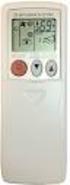 SPLIT-TYPE AIR CONDITIONERS Revision A: MUZ-FE18NA has been added. Please void OBH543. OUTDOOR UNIT SERVICE MANUAL HFC utilized R410A. OBH543 REVISED EDITION-A Models MUZ-FE09NA MUZ-FE12NA MUZ-FE18NA Indoor
DC INVERTER MULTI-SYSTEM AIR CONDITIONER
 TECHNICAL & SERVICE MANUAL OUTDOOR UNIT : AEMI0AH AEMIAHB AEMIAH AEMI0AH FILE NO. Destination: Europe DC INVERTER MULTI-SYSTEM AIR CONDITIONER Capacity.0k.k.k.0k Outdoor Model No. AEMI0AH AEMIAHB AEMIAH
TECHNICAL SERVICE DEPARTMENT Technical Service Bulletin 1-800-432-8373. 2 Inch PowerVent LED Indicator Explanations & Troubleshooting Table
 New Robertshaw control valve was introduced in May 2008 as a replacement part. See last page for troubleshooting this replacement part. All voltage inputs are 120V. All electrical connectors are Molex
its ELECTRIC POSITION for electric heat, or set the units fan control appropriately to ELECTRIC or another appropriate setting.
 Troubleshooting Poor Temperature Regulation This page lists problems that may affect the temperature performance of your LUX thermostat with suggested resolutions. For more detailed information please
USER S MANUAL FH052EAV1 FH070EAV1. System Air Conditioner (Cooling and Heating) ENGLISH ESPAÑOL FRANÇAIS ITALIANO PORTUGUÊS DEUTSCH E HNIKA
 USER S MANUAL FH052EAV1 FH070EAV1 E HNIKA PORTUGUÊS ENGLISH ESPAÑOL ITALIANO DEUTSCH FRANÇAIS System Air Conditioner (Cooling and Heating) E S F I P D G DB98-29263A(1) Safety Precautions Register your
REMOTE CONTROL MANUAL
 REMOTE CONTROL MANUAL ENGLISH CONTENT PRECAUTIONS...1-2 USING THE REMOTE CONTROL UNIT...3 OPERATION...4-9 Thank you for purchasing our Room Air Conditioner. Before using your air-conditioner, please read
Owner s Manual AIR CONDITIONER (SPLIT TYPE) Indoor Unit RAV-SM564UT-E RAV-SM804UT-E RAV-SM1104UT-E RAV-SM1404UT-E. Model name:
 AIR CONDITIONER (SPLIT TYPE) Indoor Unit Not accessible to the general public Model name: 4-way Air Discharge Cassette Type RAV-SM564UT-E RAV-SM804UT-E RAV-SM1104UT-E RAV-SM1404UT-E Air conditioner (Split
INSTALLATION GUIDE. Card Reader & Controller with KIM Swipe Reader for Solitaire 850 / 950 / 850L Learnlok PK2930
 INSTALLATION GUIDE Card Reader & Controller with KIM Swipe Reader for Solitaire 850 / 950 / 850L Learnlok PK2930 Card Reader and Controller Model 3.5 with KIM Swipe Reader Table of Contents 1. Features..................................