
Corporate Online. S.A.P. Multicash format for Accounts. A guide for Corporate Online users
|
|
|
- Cory Bryant
- 10 years ago
- Views:
Transcription
1 Corporate Online S.A.P. Multicash format for Accounts A guide for Corporate Online users

2 About this Guide About Corporate Online Westpac Corporate Online is an internet-based electronic platform, providing a single point of entry to a suite of online transactional services specifically designed for major Australian, New Zealand and international corporations and government bodies. By working closely with customers like you, Westpac has developed Corporate Online as a portal environment that delivers greater control, productivity and flexibility to your business. Control how your organisation uses Corporate Online, including which applications and features staff members can use and which accounts and services they have access to. Increase productivity by getting straight to work with Corporate Online s easy-to-use interface and simple workflows. Use Corporate Online s flexibility to create a setup that matches your business needs and can grow and change as your business does. Copyright 2014 Westpac Banking Corporation ABN AFSL and Australian credit licence S.A.P. Multicash format for Accounts Page 2 of 15

3 About this Guide Contents About this Guide... 4 Introducing export formats for accounts... 5 S.A.P. Multicash Export format... 6 Westpac accounts domiciled in Australia, the Pacific and Other bank accounts... 7 Westpac accounts domiciled in New Zealand... 9 S.A.P. Multicash Export format (2) Westpac accounts domiciled in Australia & the Pacific S.A.P. Multicash format for Accounts Page 3 of 15

4 About this Guide About this Guide This guide describes the standard export formats in which account information may be exported through Corporate Online for reconciliation. S.A.P. Multicash format for Accounts Page 4 of 15

5 Introducing export formats for accounts Introducing export formats for accounts Corporate Online allows you to export your account transactions and balances in a number of standard formats: Comma separated values (CSV) Comma separated values (CSV) balances only Comma separated values (CSV) transactions only S.A.P. Multicash format (SAP) S.A.P. Multicash format (SAP2) Westpac extended format (BRW) Balance reporting system (BRS) Balance reporting system (BRS) balances only Service U The exported file may then be uploaded into your own system for reconciliation purposes. Before you are able to export segment account information, your Corporate Online Administrators will need to assign you access to this feature. This guide has been designed to give you a better understanding of the S.A.P. Multicash format/s for accounts. S.A.P. Multicash format for Accounts Page 5 of 15

6 S.A.P. Multicash Export format S.A.P. Multicash Export format The S.A.P. Multicash format allows account information to be exported from Westpac s Corporate Online to a file that can be imported into the S.A.P. general ledger system. What type of accounts can be exported into S.A.P.? What is the file format? Any Westpac account domiciled in Australia, Fiji, Westpac New Zealand, Papua New Guinea or an account held with another bank where transactions and balances are available for viewing in Online Accounts may be exported in S.A.P. Multicash format whether they are held in a local or foreign currency. S.A.P. Multicash data is formatted into fields which are separated by semicolons ( ; ). Each line/record is variable length and is delimited by a CR/LF pair. The S.A.P. Multicash format is compromised of two (2) export formats: Balances Transactions To export the balances and transactions into your S.A.P. system, both exports must be performed and loaded into your general ledger system. The exports are complimentary. Westpac reserves the right to final interpretation of these formats which are provided in good faith that they are accurate at time of distribution. These formats will need to be tested in your environment prior to placing into your production systems. S.A.P. Multicash format for Accounts Page 6 of 15

7 S.A.P. Multicash Export format Westpac accounts domiciled in Australia, the Pacific and Other bank accounts Balances Transactions Field Field description Possible values 1 Bank & branch details Westpac accounts in Australia: 6 numeric Branch number, for example: Westpac accounts in Fiji or Papua New Guinea and other banks: 4 digit Bank code, for example CHUS for JP Morgan Chase N.A., USA. 2 Account number Up to 34 alphanumeric characters. 3 Statement number 5 numeric, in format YYNNN where NNN is Julian date 4 Statement date In format DD.MM.YY (8 characters) 5 Currency The currency of the account, AUD = Australian dollars, FJD = Fijian dollars, PGK = Papua New Guinea kina 6 Opening balance For example: $13.41 is or $13.41 overdrawn is Total debits For example: $13.41 is Total credit For example: $13.41 is Closing balance For example: $13.41 is or $13.41 overdrawn is Account name 11 Not used Intentionally left blank 12 Not used Intentionally left blank 13 Not used Intentionally left blank 14 Not used Intentionally left blank 15 Not used Intentionally left blank 16 Not used Intentionally left blank 17 Not used Intentionally left blank 18 Number of available transactions (No trailing semi-colon) S.A.P. Multicash format for Accounts Page 7 of 15

8 S.A.P. Multicash Export format Field Field description Field description and possible values 1 Bank & branch details Westpac accounts in Australia: 6 numeric Branch number, for example: Westpac account in Fiji or Papua New Guinea and other banks: 4 digit Bank code, for example CHUS for JP Morgan Chase N.A., USA. 2 Account number Up to 34 alphanumeric characters. 3 Statement number 5 numeric, in format YYNNN where NNN is Julian date 4 Value date In format DD.MM.YY (8 characters) 5 Not used Intentionally left blank 6 Narrative 1 First 27 characters of the Transaction description 7 Not used Intentionally left blank 8 Not used Intentionally left blank 9 Not used Intentionally left blank 10 Serial number Includes cheque numbers 11 Transaction amount For example: $13.41 is or $13.41 debit is Not used Intentionally left blank 13 No of collector Always populated with a zero 0 14 Booking date The date the transaction was posted to the bank statement in format DD.MM.YY. 15 Not used Intentionally left blank 16 Not used Intentionally left blank 17 Not used Intentionally left blank 18 Narrative Next 27 characters of the Transaction description (where 19 Narrative Next 27 characters of the Transaction description (where 20 Narrative Next 27 characters of the Transaction description (where 21 Narrative Next 27 characters of the Transaction description (where 22 Narrative Next 27 characters of the Transaction description (where 23 Narrative Next 27 characters of the Transaction description (where 24 Narrative Next 27 characters of the Transaction description (where 25 Narrative Next 27 characters of the Transaction description (where S.A.P. Multicash format for Accounts Page 8 of 15

9 S.A.P. Multicash Export format Field Field description Field description and possible values 26 Narrative Next 27 characters of the Transaction description (where 27 Narrative Next 27 characters of the Transaction description (where 28 Not used Intentionally left blank 29 Not used Intentionally left blank 30 Not used Intentionally left blank 31 Not used Intentionally left blank 32 Not used Intentionally left blank 33 Not used Intentionally left blank 34 Transaction code 3 digit bank transaction code in format XXX, e.g: transaction code 50 is Not used Intentionally left blank (trailing semi-colon present) Westpac accounts domiciled in New Zealand Balances Field Field description Possible values 1 Bank & Branch details NZD accounts: 6 numeric, i.e: Foreign Currency accounts: 3 alpha, ie: RET or WRE 2 Account details NZD accounts: 9 numeric, (last 7 of Account number & last 2 of suffix). 3 Year and Julian date Foreign Currency accounts: 15 alphanumeric In format YYNNN where NNN is Julian date 4 Statement date In format DD.MM.YY (8 characters) 5 Currency For example: NZD or USD 6 Opening balance For example: $13.41 is or $13.41 overdrawn is Total debits For example: $13.41 is Total credit For example: $13.41 is Closing balance For example: $13.41 is or $13.41 overdrawn is Account name 11 Not used Intentionally left blank S.A.P. Multicash format for Accounts Page 9 of 15

10 S.A.P. Multicash Export format Field Field description Possible values 12 Not used Intentionally left blank 13 Not used Intentionally left blank 14 Not used Intentionally left blank 15 Not used Intentionally left blank 16 Not used Intentionally left blank 17 Not used Intentionally left blank 18 Number of available transactions (No trailing semi-colon) Transactions Field Field description Possible values 1 Bank & Branch details NZD accounts: 6 numeric, i.e: Foreign Currency accounts: 3 alpha, ie: RET or WRE 2 Account details NZD accounts: 9 numeric, (last 7 of Account number & last 2 of suffix). 3 Year and Julian date Foreign Currency accounts: 15 alphanumeric In format YYNNN where NNN is Julian date 4 Value date In format DD.MM.YY (8 characters) 5 Not used Intentionally left blank 6 Narrative 1 NZD accounts: Particulars (12 characters), Analysis code (12 characters) and Reference (1 character). Each set of characters is separated by a single space. 7 Not used Intentionally left blank 8 Not used Intentionally left blank 9 Not used Intentionally left blank Foreign Currency accounts: Owner reference (16 characters) 10 Serial number NZD accounts: Always displayed as Foreign Currency accounts: Intentionally left blank. 11 Transaction amount For example: $13.41 is or $13.41 debit is Not used Intentionally left blank 13 Not used Intentionally left blank S.A.P. Multicash format for Accounts Page 10 of 15

11 S.A.P. Multicash Export format Default file name Field Field description Possible values 14 Posting date The date the transaction was posted to the bank statement in format DD.MM.YY. 15 Not used Intentionally left blank 16 Not used Intentionally left blank 17 Not used Intentionally left blank Note: For foreign currency accounts Posting Date may be different to Value date. 18 Narrative NZD accounts: Reference (12 characters) Foreign Currency accounts: Our reference (16 characters) 19 Narrative NZD accounts: Other party name (20 characters) Foreign Currency accounts: Extra reference (first 27 characters) 20 Narrative NZD accounts: Intentionally left blank 21 Not used Intentionally left blank 22 Not used Intentionally left blank 23 Not used Intentionally left blank 24 Not used Intentionally left blank 25 Not used Intentionally left blank 26 Not used Intentionally left blank 27 Not used Intentionally left blank 28 Not used Intentionally left blank 29 Not used Intentionally left blank 30 Not used Intentionally left blank 31 Not used Intentionally left blank 32 Not used Intentionally left blank Foreign Currency accounts: Extra reference (characters 28 to 32) 33 MTS Source code NZD accounts: 2 digit MTS source code, eg: AP, DC, DD. Foreign Currency accounts: Intentionally left blank 34 Transaction code NZD accounts: 3 digit bank transaction code, i.e: trancode 50 is 050. Foreign Currency accounts: Intentionally left blank. 35 Not used Intentionally left blank (trailing semi-colon present) S.A.P. Multicash format for Accounts Page 11 of 15

12 S.A.P. Multicash Export format When you execute the download of a file in S.A.P. Multicash format from Corporate Online you will be required to save the Balance and Transaction files simultaneously. The default export file names are: ACCOUNTS_DD-MM-CCYY_ _X.SAP Where: Field name ACCOUNTS DD-MM-CCYY Description The type of data being downloaded Today s date The customer number of the user performing the action. X SAP B for Balance file and T for Transaction file File format S.A.P. Multicash format for Accounts Page 12 of 15

13 S.A.P. Multicash Export format (2) S.A.P. Multicash Export format (2) The S.A.P. Multicash format 2 allows account information to be exported from Westpac s Corporate Online to a file that can be imported into the S.A.P. general ledger system. What type of accounts can be exported into S.A.P.? What is the file format? Any Westpac account domiciled in Australia, Fiji and Papua New Guinea may be exported in S.A.P. Multicash format (2) whether they are held in a local or foreign currency. S.A.P. Multicash data is formatted into fields which are separated by semicolons ( ; ). Each line/record is variable length and is delimited by a CR/LF pair. The S.A.P. Multicash format is compromised of two (2) export formats: Balances Transactions To export the balances and transactions into your S.A.P. system, both exports must be performed and loaded into your general ledger system. The exports are complimentary. Westpac reserves the right to final interpretation of these formats which are provided in good faith that they are accurate at time of distribution. These formats will need to be tested in your environment prior to placing into your production systems. Westpac accounts domiciled in Australia & the Pacific Balances Field Field description Possible values 1 Bank & branch details 6 numeric Branch number, for example: Account number 6 numeric, for example: Statement number In format YYNNN where NNN is Julian date 4 Statement date In format DD.MM.YY (8 characters) 5 Currency For example: AUD 6 Opening balance For example: $13.41 is or $13.41 overdrawn is Total debits For example: $13.41 is Total credit For example: $13.41 is Closing balance For example: $13.41 is or $13.41 overdrawn is Account name S.A.P. Multicash format for Accounts Page 13 of 15

14 S.A.P. Multicash Export format (2) Field Field description Possible values Not used Intentionally left blank 18 Number of available transactions (No trailing semi-colon) Transactions Default file name Field Field description Field description and possible values 1 Bank & branch details 6 numeric Branch number, for example: Account number 6 numeric, for example: Statement number In format YYNNN where NNN is Julian date 4 Value date In format DD.MM.YY (8 characters) 5 Not used Intentionally left blank 6 Narrative 1 Characters 1 to 27 of the Transaction description 7-9 Not used Intentionally left blank 10 Serial number 6 numeric for trancode 000 (cheque) 11 Transaction amount Not used Intentionally left blank 7 numeric for trancode 009 (cheque) For example: $13.41 is or $13.41 debit is Narrative 2 Characters 28 to 54 of the Transaction description 18 Narrative 3 Characters 55 to 81 of the Transaction description 19 Narrative 4 Characters 82 to 106 of the Transaction description 20 Narrative 5 Characters 107 to 132 of the Transaction description 21 Narrative 6 Characters 133 to 158 of the Transaction description 22 Narrative 7 Characters 159 to 185 of the Transaction description 23 Narrative 8 Characters 186 to 200 of the Transaction description Not used Intentionally left blank 34 Transaction code 3 digit bank transaction code in format XXX, e.g: trancode 50 is Not used Intentionally left blank (trailing semi-colon present) When you execute the download of a file in S.A.P. Multicash format from Corporate Online you will be required to save the Balance and Transaction files simultaneously. The default export file names are: S.A.P. Multicash format for Accounts Page 14 of 15

15 S.A.P. Multicash Export format (2) ACCOUNTS_DD-MM-CCYY_ _X.SAP2 Where: Field name Description ACCOUNTS The type of data being downloaded DD-MM-CCYY Today s date The customer number of the user performing the action. X B for Balance file and T for Transaction file SAP2 File format S.A.P. Multicash format for Accounts Page 15 of 15

Corporate Online. Import format for Payment Processing Service files
 Corporate Online Import format for Payment Processing Service files Payment Processing Service file specification About Corporate Online Westpac Corporate Online is an internet-based electronic platform,
Business Online Transaction Import & Export (Download) File Formats REFERENCE DOCUMENT
 Business Online Transaction Import & Export (Download) File Formats REFERENCE DOCUMENT Table of Contents Introduction... 3 Import (Payments)... 3 Export/Download... 3 Import Formats... 4 Deskbank Import
Internet Banking for Business
 INTERNET BANKING FOR BUSINESS Information you need to know about importing transaction files into Internet Banking for Business For more info bnz.co.nz Internet Banking for Business. This guide provides
1.1. Overview... 5 1.2. Direct credits... 6 1.3. Direct debits... 9 1.4. Nab direct credits... 12
 1.1. Overview... 5 1.2. Direct credits... 6 1.3. Direct debits... 9 1.4. Nab direct credits... 12 2.1. Overview... 16 2.2. Credit card transaction... 17 2.3. Credit card response... 20 3.1. Overview...
International payments in Fiji
 International payments in Fiji Follow this guide to create a payment to a beneficiary who has an account outside of Fiji. Please note, payments from accounts in Fiji cannot include a mixture of domestic
ANZ TRANSACTIVE FILE FORMATS WEB ONLY 07.2013. Page 1 of 118
 ANZ TRANSACTIVE FILE FORMATS WEB ONLY 07.2013 Page 1 of 118 ANZ Transactive and ANZ Transactive - Mobile are provided by Australia and New Zealand Banking Group Limited (ACN 005 357 522). References to
ANZ Secure Gateway Virtual Terminal QUICK REFERENCE GUIDE NOVEMBER 2015
 ANZ Secure Gateway Virtual Terminal QUICK REFERENCE GUIDE NOVEMBER 2015 2 Contents Welcome 3 1. Getting Started 4 1.1 Virtual Terminal Activation 4 2. Configuring the Virtual Terminal 7 2.1 General Settings
Transaction Accounts Fees and Charges
 Transaction Accounts Fees and Charges ANZ BUSINESS BANKING 28.08.2015 For ANZ Business Advantage Accounts, ANZ Business Extra Accounts, ANZ Business Classic Accounts (ii) ANZ Business Extra 50 Accounts
global currency card travel card save that could you money overseas smarts Proudly supported by Westpac
 global currency card a travel card save that could you money overseas smarts Proudly supported by Westpac Think local, shop global Introducing the Global Currency Card. It s the re-loadable prepaid Visa
Chapter A5: Creating client files and attaching bank accounts
 Chapter A5: Creating client files and attaching bank accounts This chapter is aimed at BankLink Administrators It covers the set up of your BankLink Practice clients. A BankLink Practice user needs BankLink
Westpac Live Quick Reference Guides
 Westpac Live Quick Reference Guides Accounts Overview How do I conduct a transaction search? How do I generate an online service fees report? How do I look up a merchant for a transaction? How do I dispute
April 2012 Setup, Configuration and Use. Document Version: Product Version: SAP Version: Localization: 1.1.0 8.80.103 8.
 April 2012 Setup, Configuration and Use Document Version: Product Version: SAP Version: Localization: 1.1.0 8.80.103 8.8 All regions Enprise Bank 2012 Enprise Solutions All rights reserved. No parts of
PeopleSoft Training Notes. Accounts Payable New Forms and Best Practice
 PeopleSoft Training Notes Accounts Payable New Forms and Best Practice FINANCIAL SERVICES FINANCE & RESOURCES OFFICE CENTRAL ADMINISTRATION UNIVERSITY OF WESTERN AUSTRALIA FINANCIAL SERVICES (M449) UNIVERSITY
User Guide Electronic Funds Transfer (EF T) Service
 User Guide Electronic Funds Transfer (EF T) Service Contents What You Need to Know About ATB s EFT Service 4 Funding EFT Files 4 1.Liquidity Limit 4 2.Exchange Funding 5 Limits 5 1.File Limits 6 2.Limits
Chapter 7: Historical and manual data entry
 Chapter 7: Historical and manual data entry Historical data is comprised of transactions that are dated before the first transaction downloaded for a bank account. You can only enter historical data for
PayBiz Bank Accounts
 PayBiz Bank Accounts 30/01/2014 Document Contents Bank Accounts...2 Window Control Buttons....3 Create an Opening Balance....4 Create a Bank Transaction....5 Create the Bank Statement....5 Enter Unpresented
SUPPLEMENTARY SCHEDULE OF FEES ACCOUNTS AND ACCESS FACILITIES
 Credit Union Australia Limited (ABN 44 087 650 959) SUPPLEMENTARY SCHEDULE OF FEES ACCOUNTS AND ACCESS FACILITIES Prepared 7 January 2016 At CUA, we regularly review our fees to ensure we remain competitive
TRANS-TASMAN ANZ TRANSACTIVE AUSTRALIA AND NEW ZEALAND 01.2012. Simplifying and connecting your transaction banking across Australia and New Zealand
 TRANS-TASMAN ANZ TRANSACTIVE User GUIDE AUSTRALIA AND NEW ZEALAND 01.2012 Simplifying and connecting your transaction banking across Australia and New Zealand contents Notes...4 Introduction to the ANZ
NAB Connect Consolidated File Format Specifications
 NAB Connect Consolidated File Format Specifications November 2015 1 Introduction... 3 1.1 Document Purpose... 3 1.2 Important Notice... 3 2 Account Information... 4 2.1 Functional Description... 4 2.2
Deposit Accounts for Business Customers
 Deposit Accounts for Business Customers Terms and Conditions. Effective as at 1 July 2015. This booklet contains information on the following Deposit Accounts for Business Customers Currently available
a banking guide for overseas travel
 Global ATM Alliance a banking guide for overseas travel Proud member of the Global ATM Alliance. Avoid the overseas ATM withdrawal fee at participating Global ATM Alliance partner ATMs. 2 Going overseas?
Bankline internet banking import file layout user guide
 Bankline internet banking import file layout user guide Bankline internet banking import file layout user guide 2 Contents 1. Introduction to Bankline import...3 1.1 What is Bankline import?...3 1.2 How
Setting up Business Banking Online
 Setting up Business Banking Online Step-by-step Company Administrator Guide This guide will show you all the important tasks you need to complete as a Company Administrator before you can begin using Business
Sage 300 ERP 2014. Tax Services User's Guide
 Sage 300 ERP 2014 Tax Services User's Guide This is a publication of Sage Software, Inc. Copyright 2014. Sage Software, Inc. All rights reserved. Sage, the Sage logos, and the Sage product and service
AMP Bank. Deposit Products Fees and Charges Guide
 Bank Deposit Products Fees and Charges Guide Effective date: 18 August 2014 This guide outlines the fees and charges for Bank deposit products. If you have any questions call Bank on 13 30 30 or speak
Rounding. Last updated: Friday, May 09, 2014. 2014 Health Communication Network Limited Level 4, 201 Pacific Highway, St Leonards, NSW 2065 1
 Level 4, 201 Pacific Highway, St Leonards, NSW 2065 1 Medicare Australia payments are sometimes affected by GST, which affects the patient account by making it differ between 1c to 5c due to rounding.
Business Foreign Exchange Contracts
 Business Foreign Exchange Contracts Product Disclosure Statement 1 August 2012 Copyright HSBC Bank Australia Limited ABN 48 006 434 162. 1 August 2012. ALL RIGHTS RESERVED. No part of this publication
Accounts Payable Expense Distribution Tables
 Accounts Payable Expense Distribution Tables Use Expense Distribution Table Maintenance to set up tables with general ledger accounts and distribution percentages. The tables can then be selected in Invoice
Banking solutions for international employees. NAB can help your business to provide the right banking solutions to employees arriving from overseas.
 Banking solutions for international employees NAB can help your business to provide the right banking solutions to employees arriving from overseas. About National Australia Bank Group NAB Migrant & Expatriate
Creating international money transfers
 Creating international money transfers About this guide This guide takes you through the process of creating international money transfers (IMT) through CommBiz. Important information If you are making
Your Guide to setting up Sage One Accounting from your Accountant. Setting Up Sage One Accounting
 Your Guide to setting up Sage One Accounting from your Accountant Setting Up Sage One Accounting 1 Contents Introduction Introduction...3 Quick Start Guide entering key business information...4 Set Up
Online Banking Record Descriptions
 Record s [email protected] Page 1 of 65 Contents Introduction... 3 Sydbank format... 3 Format descriptions... 5 of fixed-length records... 5 of variable-length records... 6 Payment start... 7 IB000000000000...
Foreign Currency Savings Accounts & Foreign Currency Fixed Term Deposit Accounts. Product Disclosure Statement
 Foreign Currency Savings Accounts & Foreign Currency Fixed Term Deposit Accounts Product Disclosure Statement 30 October 2015 01 These products are issued by Delphi Bank - A Division of Bendigo and Adelaide
How To Price Out Of Hong Kong Korea
 This Pricing Guide is your quick reference to charges for products and services offered by United Overseas Bank (UOB) Hong Kong. This is only applicable to accounts maintained with UOB in the Hong Kong
Online Banking Notes for Reckon Accounts 2013
 Online Banking Notes for Reckon Accounts 2013 Importing Transactions Online Banking is a feature fully available in Reckon Accounts 2013. Online Banking allows the user to import their bank statements
Foreign Currency Accounts
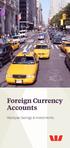 Foreign Currency Accounts Westpac Savings & Investments If you re planning to go overseas, doing business with overseas companies,or simply wanting to invest in another currency, a foreign currency account
Schedule of Fees and Charges
 Citibank Accounts Schedule of Fees and Charges Transaction and Savings Accounts Effective 3 March 2014 Schedule of Fees and Charges What is the Schedule of Fees and Charges? This Schedule of Fees and Charges
Standard Fees. International Products & Services
 Standard Fees International Products & Services Effective as at August 2014 The following schedule outlines the standard fees applicable to our range of international services. Documentary Credits Import
Online Savings Account Key Features Statement
 Online Savings Account Online Savings Account Key Features Statement newcastlepermanent.com.au Newcastle Permanent Building Society Ltd ACN 087 651 992 Australian Financial Services Licence / Australian
Deposit Accounts for Business Customers. (No longer available for sale) Terms and Conditions.
 Deposit Accounts for Business Customers. (No longer available for sale) Terms and Conditions. Effective as at 01 July 2015 1 Your Bank The advisory services and the banking products you ll find in this
Welcome to the convenience of a Bank of Melbourne. Visa Debit Card.
 Welcome to the convenience of a Bank of Melbourne Visa Debit Card. Everyday Purchases Type of transaction ATM cash withdrawal In-store purchase In-store cash-out Bill payment How to access funds in Australia
Personal financial services charges - your guide. including small business
 Personal financial services charges - your guide including small business 12 March 2014 Contents About this guide... 2 Important Information... 2 A: PRODUCT RELATED FEES AND CHARGES 1. Savings and Investment
Product Disclosure Statement. WHAT YOU NEED TO KNOW Flexible Forward Cash Settled. Issue date: 12 March 2014 Issued by:
 WHAT YOU NEED TO KNOW Flexible Forward Cash Settled Product Disclosure Statement Issue date: 12 March 2014 Issued by: Commonwealth Bank of Australia ABN 48 123 123 124 AFSL 234945 You should read all sections
Clearing Firm ID No. Asset Account ID No.
 CLEARING MEMBER SETTLEMENT AND CUSTODY LISTING AND DEBIT AUTHORIZATION Clearing Firm ID No. Asset Account ID No. NOTE: CLEARING MEMBER FIRM MUST CONTACT ITS DESIGNATED S AND EXECUTE ALL DEBIT AUTHORITY
Get in touch. Personal banking support for your personal economy
 Get in touch Visit HSBC s Premier Centre Call 1300 131 605 or +61 2 9005 8114 (overseas), Monday Friday, 8am 8pm (AEST) hsbcpremier.com.au Personal banking support for your personal economy Issued by HSBC
NAB Traveller Card User guide Including Terms and Conditions Effective 7 June 2014
 NAB Traveller Card User guide Including Terms and Conditions Effective 7 June 2014 i Welcome to the NAB Traveller Card When you re travelling, it s reassuring to know your NAB Traveller Card is packed
Bendigo Foreign Exchange Contracts. Product Disclosure Statement.
 Product Disclosure Statement Bendigo Foreign Exchange Contracts. Product Disclosure Statement. 27 October 2014 1 About this document This Product Disclosure Statement (PDS) is an important document. It
ANZ Pacific Money Transfer Card PRODUCT DISCLOSURE STATEMENT 09.06.14
 ANZ Pacific Money Transfer Card PRODUCT DISCLOSURE STATEMENT 09.06.14 ANZ Contact Details Postal address Australia and New Zealand Banking Group Limited Locked Bag 35006 Collins Street West, VIC, 8007
ANZ TRANSACTIVE TRADE PAYABLES FINANCE BUYER USER GUIDE OCTOBER 2014
 ANZ TRANSACTIVE TRADE PAYABLES FINANCE BUYER USER GUIDE OCTOBER 2014 DISCLAIMER Copyright Australia and New Zealand Banking Group Limited (ANZ) 100 Queen Street, Melbourne 3000, ABN 11 005 357 522. ANZ
NAB cash back Terms and Conditions. effective 14.01.11
 NAB cash back Terms and Conditions effective 14.01.11 NAB Cash Back Terms and Conditions The meaning of words printed like this in these terms and conditions is explained in 25. When these terms and conditions
Banking with SEAWire
 Banking with SEAWire Overview The SEAwire program enables officers working under a Seagoing Employment Agreement (SEA) to have their paychecks automatically deposited into their home country bank accounts.
BackOffice 7.3 Bet a Release Notes BackOffice 7.3 Release Notes Accounts Receivable New Features Open Issues
 ebackoffice 7.3 Beta Release Release Notes Notes Accounts Receivable New Features 2 Credit Memo 2 AR Netting 2 Customer 3 Dunning Letters 3 Non-AR Cash Receipts 4 Settlement 4 Terms 5 Write-off Receivable
First 10 transactions Transactions 11 to 50 Transactions 51 and above
 This is our standard Tariff of charges for your accounts held at the UK Branch of Silicon Valley Bank. It sets out the prices that we charge you for our most frequently used account services in the UK.
D a n s k e B a n k M e s s a g e I m p l e m e n t a t i o n G u i d e. M a s t e r C a r d C o r p o r a t e C a r d T r a n s a c t i o n s
 D a n s k e B a n k M e s s a g e I m p l e m e n t a t i o n G u i d e M a s t e r C a r d C o r p o r a t e C a r d T r a n s a c t i o n s Page 1 10 Change log Version Date Change 2 14.10.2014 Unique
Fees and Charges. www.homelend.net.au
 Fees and Charges The fees in this home loan fees and charges brochure may be applicable to HomeLend Home Line, HomeLend Term Loan and HomeLend 100% Offset Home Loan accounts. All information is correct
CashManager OnLine Positive Pay Set-Up Information
 CashManager OnLine Positive Pay Set-Up Information Branch Banking and Trust Company, Member FDIC. Only deposit products are FDIC insured. 2015, Branch Banking and Trust Company. All rights reserved. Revised:
Leumi Online Transfers and Payments. Volume 1
 Leumi Online Transfers and Payments Volume 1 Transfers and Payments Volume 1 Updated: March 2016 2 Transfers and Paymens Volume 1 Table of Contents INTERNAL TRANSFER... 5 About Internal Transfer... 5 Transferring
Amadeus Mid Office Solutions Suite
 Amadeus Mid Office Solutions Suite Amadeus offers a choice of mid and back office solutions designed to cater for all types of One technology partner Amadeus works with you to choose the solution that
www.nextstepaustralia.com Banking
 www.nextstepaustralia.com Banking Banking Organising your finances will be one of your first priorities when relocating to Australia. In order to make your move as smooth as possible you can open an Australian
Time Clock Import Setup & Use
 Time Clock Import Setup & Use Document # Product Module Category CenterPoint Payroll Processes (How To) This document outlines how to setup and use of the Time Clock Import within CenterPoint Payroll.
Chapter 13: Producing reports
 This Chapter covers how to produce the various kinds of report available in BankLink Practice, as well as options common to all reports: Standard report options Cash flow reports Profit and loss reports
Barclaycard Spend Management Training Guide. December 2010
 Barclaycard Spend Management Training Guide December 2010 About this Guide The following slides are intended to assist with cardholder and manager (approver) Barclaycard Spend Management training. The
Hal E-Bank Foreign payments (Format of export/import files)
 Hal E-Bank Foreign payments (Format of export/import files) Hal E-Bank Foreign payments: format of export/import files Version: 17.x.x.20 Author: HALCOM d.d., Ljubljana Editor: HALCOM a.d., Beograd, July
Setup procedures for EFT Processing
 Setup procedures for EFT Processing North American Banks V5.4 to V2014 Last updated V1.63 01/03/2010 EFT Options... 9 A/P Options... 9 A/R Options... 10 E-mail... 11 Options... 12 Canadian CIBC Bank...
SWIFT MT940 MT942 formats for exporting data from OfficeNet Direct
 SWIFT MT940 MT942 formats for exporting data from OfficeNet Direct January 2008 2008 All rights reserved. With the exception of the conditions specified in or based on the 1912 Copyright Act, no part of
FOREIGN EXCHANGE CONTRACTS
 Product Disclosure Statement 14th July 2003 This Product Disclosure Statement is an important document. We are providing this information to ensure that you receive key information about our foreign exchange
Our global technology. Your advantage. Telegraphic Transfers. Product Disclosure Statement Issued 2 June 2008
 Our global technology. Your advantage. Telegraphic Transfers Product Disclosure Statement Issued 2 June 2008 ONLINE SECURE SIMPLE FX INTERNATIONAL PAYMENTS Contents Product Disclosure Statement Telegraphic
Bank Reconciliation Import BR-1005
 Bank Reconciliation Import BR-1005 Overview This Extended Solution to the standard MAS 90 MAS 200 Bank Reconciliation module imports a text file and validates cleared checks against the Bank Reconciliation
ACCESSING YOUR MONEY OVERSEAS.
 ACCESSING YOUR MONEY OVERSEAS. ACCESSING YOUR MONEY, ANYTIME, ANYWHERE No matter where you re going, you ll need easy, secure access to your money. Travel Money Card A prepaid MasterCard that lets you
Financial Services Guide Effective 1 August 2009
 Financial Services Guide Effective 1 August 2009 stuff you should know About this document This Financial Services Guide (FSG) is an important document which contains information intended to assist you
Chapter 4.1. Intermarket Relationships
 1 Chapter 4.1 Intermarket Relationships 0 Contents INTERMARKET RELATIONSHIPS The forex market is the largest global financial market. While no other financial market can compare to the size of the forex
PayWay. User Guide. Westpac Banking Corporation ABN 33 007 457 141
 PayWay User Guide Westpac Banking Corporation ABN 33 007 457 141 Table of Contents 1 Introduction... 4 2 Quick Start... 6 2.1 Setting Up Your Facility... 6 2.2 Overview of Menu and PayWay Features... 7
Cash Management Balance Reporting Specifications Version 2. Technical Reference Manual
 Cash Management Balance Reporting Specifications Version 2 Technical Reference Manual 10/2005 Printed in the United States of America Copyright 2005 by BAI, Chicago, Illinois All rights reserved. No part
Personal deposit accounts.
 Papua New Guinea Personal deposit accounts. Features, fees and charges. Effective November 2009 2 Contents Personal accounts 4 Fees 4 Features 4 Transactional Fees 6 Standard banking product charges 8
Westpac Business Debit MasterCard Application
 Westpac Business Debit MasterCard Application Westpac Banking Corporation ABN 33 007 457 141 AFSL and Australian credit licence 233714 In order to apply for a Westpac Business Debit MasterCard, the following
Terms and conditions. BOQ Specialist Banking Package. Dated November 2014
 Terms and conditions BOQ Specialist Banking Package Dated November 2014 2 This page has been intentionally left blank Banking Package This document consists of PART A: Summary of banking package features
Foreign Currency Options. Product Disclosure Statement. 1 December 2015
 . Product Disclosure Statement. 1 December 2015 Product Disclosure Statement About this document Issuer The issuer of the products described in this PDS is Bendigo and Adelaide Bank Limited, ABN 11 068
NAB Traveller Card User Guide Effective 20 January 2014
 NAB Traveller Card User Guide Effective 20 January 2014 Welcome to the NAB Traveller Card When you re travelling, it s reassuring to know your NAB Traveller Card is packed with travel friendly features,
NZD 1.0000 GBP 0.3842. Telegraphic Transfers (New Zealand)
 NZD 1.0000 GBP 0.3842 Telegraphic Transfers (New Zealand) Product Disclosure Statement Issued 1 July 2009 1 VND 11107.55 USD 1.00 NZD 1.0000 EUR 0.4550 Contents. Product Disclosure Statement. Introduction
ANZ Internet Banking for Business. Customer User Guide 03.13
 ANZ Internet Banking for Business Customer User Guide 03.13 Contents Viewing your accounts and activity 3 Logging on to ANZ Internet Banking for Business 3 Viewing account activity 3 Downloading account
How To Use Optimum Control EDI Import. EDI Invoice Import. EDI Supplier Setup General Set up
 How To Use Optimum Control EDI Import EDI Invoice Import This optional module will download digital invoices into Optimum Control, updating pricing, stock levels and account information automatically with
PARITY SOFTWARE S SAGE ERP X3 CASHBOOK USER MANUAL
 PARITY SOFTWARE S SAGE ERP X3 CASHBOOK USER MANUAL Introduction Parity s Cashbook allows for the efficient reconciliation of Bank Statements to Bank Entry transactions within Sage ERP X3. Parity s Cashbook
RURAL BANK SCHEDULE OF FEES AND CHARGES. Effective date: 1 November 2015
 RURAL BANK SCHEDULE OF FEES AND CHARGES Effective date: 1 November 2015 Rural Bank Schedule of Fees and Charges This booklet forms part of the Rural Bank Accounts Terms and Conditions for the following
General Service Fees and Charges
 General Service Fees and Charges ANZ BUSINESS BANKING 28.08.2015 Contents General Banking Agent Deposit Books 4 2 3 Bank Cheques 4 Certificates Supplied 4 Custodial Services 4 Miscellaneous Service Fee
Supply Chain Finance WinFinance
 Supply Chain Finance WinFinance Customer User Guide Westpac Banking Corporation 2009 This document is copyright protected. Apart from any fair dealing for the purpose of private study, research criticism
Travelling overseas? TRAVEL TIPS, MONEY AND INSURANCE FOR OVERSEAS TRAVEL
 Travelling overseas? TRAVEL TIPS, MONEY AND INSURANCE FOR OVERSEAS TRAVEL Travel and Foreign Exchange We provide a one-stop-shop for all your foreign exchange needs, making it easy for you to manage your
Straight2Bank Payments Initiation User Guide
 Straight2Bank Payments Initiation User Guide Last Updated: June 2014 Table of Contents PURPOSE... 4 1. OVERVIEW OF PAYMENT SERVICES ON STRAIGHT2BANK... 5 2. MAKING PAYMENTS ON STRAIGHT2BANK... 7 3. USING