
Telegrams for Operating/Configuring the LMS 2xx Laser Measurement Systems Firmware Version V2.10/X1.14
|
|
|
- Marcia Watkins
- 10 years ago
- Views:
Transcription
1 Telegrams for Operating/Configuring the LMS 2xx Laser Measurement Systems Firmware Version V2.10/X1.14 T E L E G R A M L I S T I N G

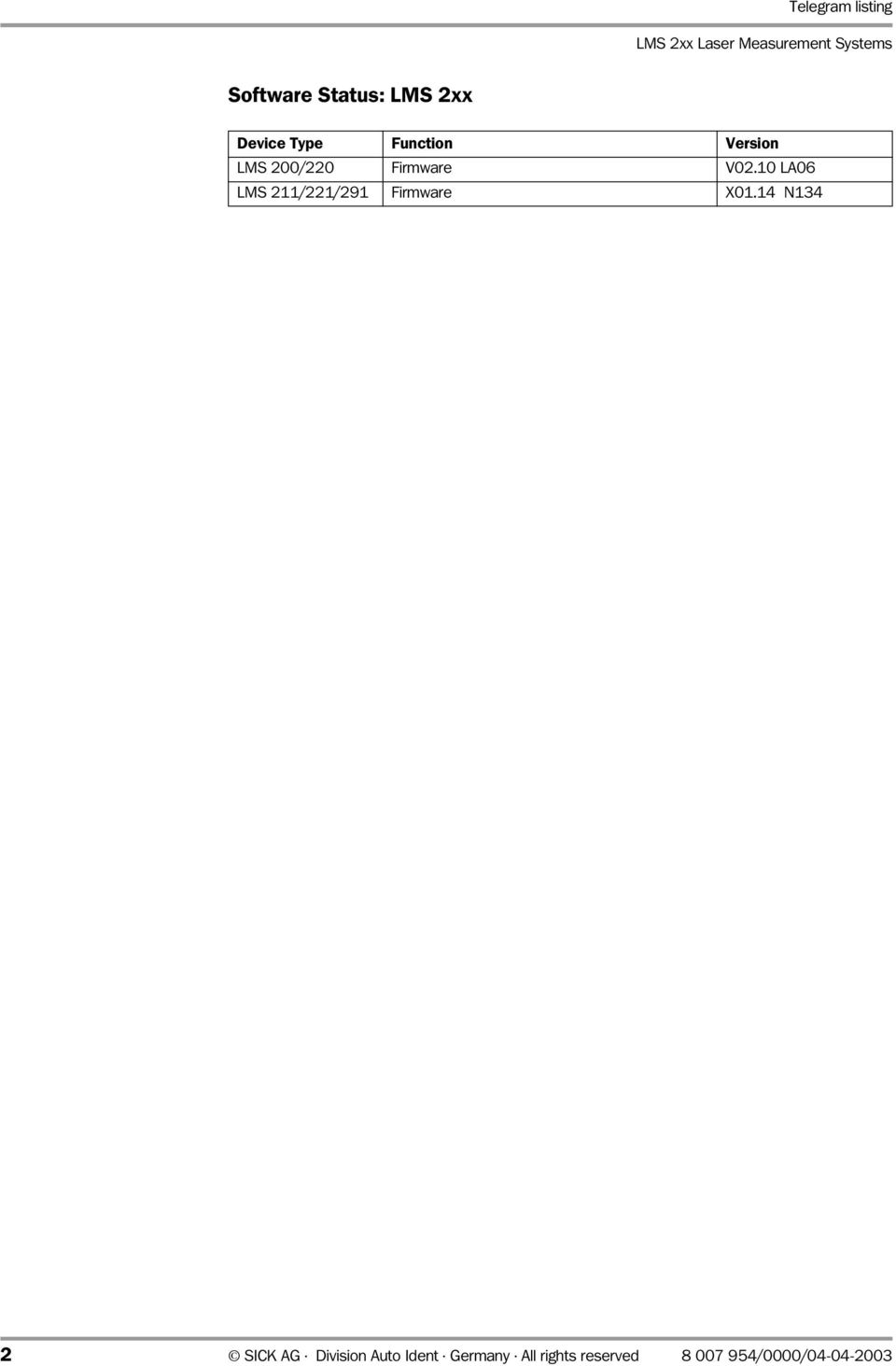
2 Telegram listing LMS 2xx Laser Measurement Systems Software Status: LMS 2xx Device Type Function Version LMS 200/220 Firmware V02.10 LA06 LMS 211/221/291 Firmware X01.14 N134 2 SICK AG Division Auto Ident Germany All rights reserved /0000/
3 Telegram listing s LMS 2xx s 1 Notes on this Document Purpose Target Audience Information Symbols Safety Information Authorised Users Intended Use General Safety Instructions and Protection Measures Introduction Design of the LMS 2xx Operating Principle Types in the LMS 2xx Range Measurement and Data Output Principle Coding the Distance Values Coding the Energy Values Data Communication Data Format, Transmission Rate, and Telegram Structure of the RS 232/422 Interface Data Format and Transmission Rate Telegram Structure Time Conditions During Bi-Directional Communication Software Compatibility Configuring the LMS 2xx Telegram Representation Parameterisation Message After Power-On Installation Mode Command 20h to LMS 2xx: Switch operating mode Response A0h from the LMS 2xx to "Switch Operating Mode" Configuration Telegrams (77h and 7Ch) Response F7h and FCh from the LMS 2xx to the Configuration Telegram Completing the Configuration Process Monitoring Mode Calibration Mode Command 0Bh Command 0Ch Initialise and Reset Command 10h to LMS 2xx: Initialise and Reset Response 90h from the LMS 2xx: Message After Power-On Response 91h from the LMS 2xx: Confirmation of the Software Reset Command Response 92h from the LMS 2xx: Not Acknowledge, Incorrect Command Choosing the Operating Mode Command 20h to LMS 2xx: Choose/Switch Operating Mode Response A0h from the LMS 2xx to "Switch Operating Mode" Requesting Measured Values Command 30h to LMS 2xx: Request Measured Values Response B0h from the LMS 2xx (Response to Measured Value Request) Request the LMS Status Command 31h to LMS 2xx: Request LMS Status Response B1h from LMS 2xx: Output the LMS Status /0000/ SICK AG Division Auto Ident Germany All rights reserved 3

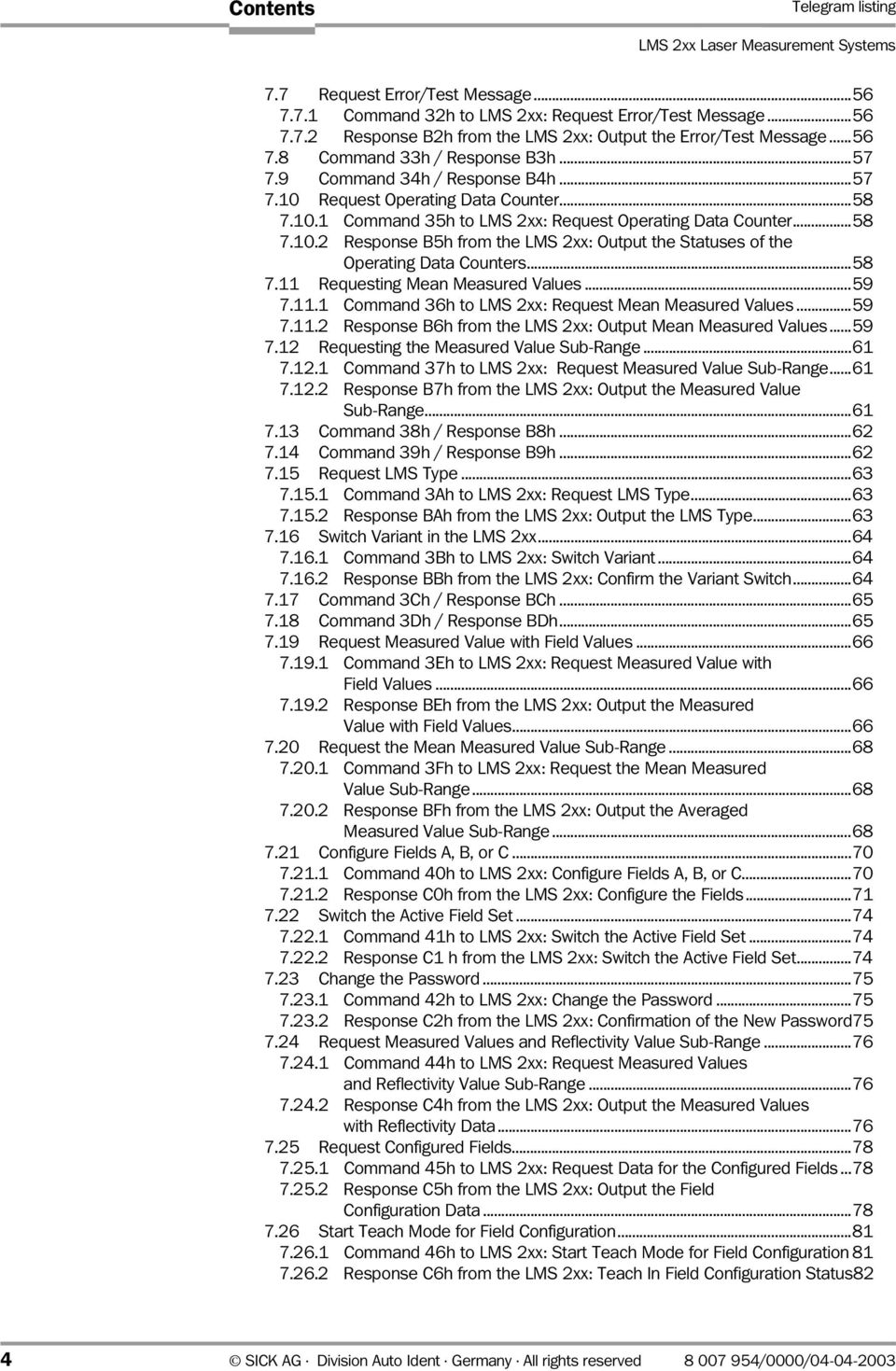
4 s Telegram listing LMS 2xx Laser Measurement Systems 7.7 Request Error/Test Message Command 32h to LMS 2xx: Request Error/Test Message Response B2h from the LMS 2xx: Output the Error/Test Message Command 33h / Response B3h Command 34h / Response B4h Request Operating Data Counter Command 35h to LMS 2xx: Request Operating Data Counter Response B5h from the LMS 2xx: Output the Statuses of the Operating Data Counters Requesting Mean Measured Values Command 36h to LMS 2xx: Request Mean Measured Values Response B6h from the LMS 2xx: Output Mean Measured Values Requesting the Measured Value Sub-Range Command 37h to LMS 2xx: Request Measured Value Sub-Range Response B7h from the LMS 2xx: Output the Measured Value Sub-Range Command 38h / Response B8h Command 39h / Response B9h Request LMS Type Command 3Ah to LMS 2xx: Request LMS Type Response BAh from the LMS 2xx: Output the LMS Type Switch Variant in the LMS 2xx Command 3Bh to LMS 2xx: Switch Variant Response BBh from the LMS 2xx: Confirm the Variant Switch Command 3Ch / Response BCh Command 3Dh / Response BDh Request Measured Value with Field Values Command 3Eh to LMS 2xx: Request Measured Value with Field Values Response BEh from the LMS 2xx: Output the Measured Value with Field Values Request the Mean Measured Value Sub-Range Command 3Fh to LMS 2xx: Request the Mean Measured Value Sub-Range Response BFh from the LMS 2xx: Output the Averaged Measured Value Sub-Range Configure Fields A, B, or C Command 40h to LMS 2xx: Configure Fields A, B, or C Response C0h from the LMS 2xx: Configure the Fields Switch the Active Field Set Command 41h to LMS 2xx: Switch the Active Field Set Response C1 h from the LMS 2xx: Switch the Active Field Set Change the Password Command 42h to LMS 2xx: Change the Password Response C2h from the LMS 2xx: Confirmation of the New Password Request Measured Values and Reflectivity Value Sub-Range Command 44h to LMS 2xx: Request Measured Values and Reflectivity Value Sub-Range Response C4h from the LMS 2xx: Output the Measured Values with Reflectivity Data Request Configured Fields Command 45h to LMS 2xx: Request Data for the Configured Fields Response C5h from the LMS 2xx: Output the Field Configuration Data Start Teach Mode for Field Configuration Command 46h to LMS 2xx: Start Teach Mode for Field Configuration Response C6h from the LMS 2xx: Teach In Field Configuration Status82 4 SICK AG Division Auto Ident Germany All rights reserved /0000/
5 Telegram listing s LMS 2xx 7.27 Command 48h / Response C8h Requesting the Status of the Field Outputs Command 4Ah to LMS 2xx: Request the Status of Field Outputs Response CAh from the LMS 2xx: Status of the Field Outputs Command 4Bh / Response CBh Command 4Ch / Response CCh Command 4Dh / Response CDh Command 4Eh / Response CEh Command 4Fh / Response CFh Command 50h / Response D0h Command 51h / Response D1h Command 52h / Response D2h Define the Permanent Baud Rate or LMS Type Command 66h to LMS 2xx: Define the Permanent Baud Rate or LMS Type Response E6h from the LMS 2xx: Define Status of Permanent Data Transmission Rate/LMS Type Command 67h / Response E7h Command 68h / Response E8h Define the Angular Range for Positioning Aid Command 69h to LMS 2xx: Define Angular Range for Positioning Aid Response E9h from the LMS 2xx: Status for "Define Angular Range for Positioning Aid" Command 70h / Response F0h Command 72h / Response F2h Request the LMS Configuration Command 74h to LMS 2xx: Request the LMS Configuration Data Response F4h from the LMS 2xx: Output the LMS Configuration Request Measured Values with Reflectivity Data Command 75h to LMS 2xx: Request Measured Values with Reflectivity Data Response F5h from the LMS 2xx: Measured Value Output with Reflectivity Data Request Measured Values in Cartesian Coordinates Command 76h to LMS 2xx: Request Measured Values in Cartesian Coordinates Response F6h from the LMS 2xx: Measured Value Output in Cartesian Coordinates Configuring the LMS 2xx Command 77h to LMS 2xx: Configure the LMS 2xx Response F7h from the LMS 2xx: Confirmation of the Configuration Command 78h / Response F8h Command 79h / Response F9h Command 7Ah / Response FAh Configure the LMS 2xx (Continued) Command 7Ch to LMS 2xx: Configure the LMS 2xx (Continued) Response FCh from the LMS 2xx: Confirmation of the Configuration (Continued) Receive Telegrams Structure of the Status Bytes Structure of the Checksums Appendix Overview Terminology Electrical Connection Required Components Power Supply /0000/ SICK AG Division Auto Ident Germany All rights reserved 5

6 s Telegram listing LMS 2xx Laser Measurement Systems Data Interface for Serial Data Exchange Availability of the Commands Standard Delivery Types in the LMS 2xx Range Address Allocation for the LMS 2xx The LMS Configuration on Delivery Overflow Values Scan overflow in the measurement range 8 m/80 m Scan overflow in a max. measurement range of 16 m Scan overflow in a max. measurement range of 32 m Data Transmission Rates/Number of Scans Transmitted Scan Time Sequence Resolution: 1, Field of Vision: 180 with 500 kbd Resolution: 0.5, Field of Vision: 180, Transmission with 500 kbd Resolution: 0.25, Field of Vision: 100, Transmission with 500 kbd Resolution: 0.25 Interlaced, Field of Vision: 180 kbd Transmission Error List SICK AG Division Auto Ident Germany All rights reserved /0000/

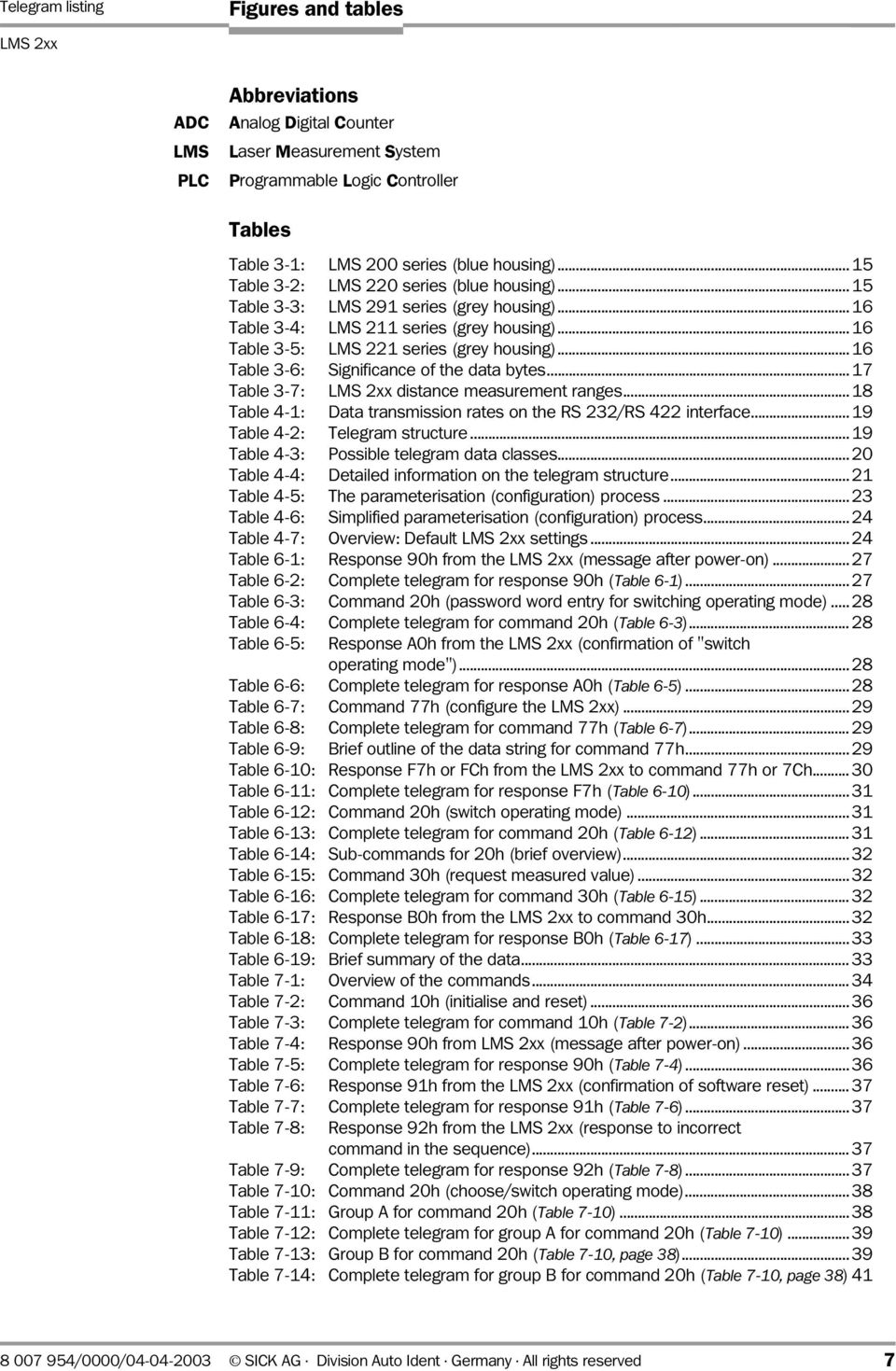
7 Telegram listing Figures and tables LMS 2xx ADC LMS PLC Abbreviations Analog Digital Counter Laser Measurement System Programmable Logic Controller Tables Table 3-1: LMS 200 series (blue housing) Table 3-2: LMS 220 series (blue housing) Table 3-3: LMS 291 series (grey housing) Table 3-4: LMS 211 series (grey housing) Table 3-5: LMS 221 series (grey housing) Table 3-6: Significance of the data bytes Table 3-7: LMS 2xx distance measurement ranges Table 4-1: Data transmission rates on the RS 232/RS 422 interface Table 4-2: Telegram structure Table 4-3: Possible telegram data classes Table 4-4: Detailed information on the telegram structure Table 4-5: The parameterisation (configuration) process Table 4-6: Simplified parameterisation (configuration) process Table 4-7: Overview: Default LMS 2xx settings Table 6-1: Response 90h from the LMS 2xx (message after power-on) Table 6-2: Complete telegram for response 90h (Table 6-1) Table 6-3: Command 20h (password word entry for switching operating mode) Table 6-4: Complete telegram for command 20h (Table 6-3) Table 6-5: Response A0h from the LMS 2xx (confirmation of "switch operating mode") Table 6-6: Complete telegram for response A0h (Table 6-5) Table 6-7: Command 77h (configure the LMS 2xx) Table 6-8: Complete telegram for command 77h (Table 6-7) Table 6-9: Brief outline of the data string for command 77h Table 6-10: Response F7h or FCh from the LMS 2xx to command 77h or 7Ch Table 6-11: Complete telegram for response F7h (Table 6-10) Table 6-12: Command 20h (switch operating mode) Table 6-13: Complete telegram for command 20h (Table 6-12) Table 6-14: Sub-commands for 20h (brief overview) Table 6-15: Command 30h (request measured value) Table 6-16: Complete telegram for command 30h (Table 6-15) Table 6-17: Response B0h from the LMS 2xx to command 30h Table 6-18: Complete telegram for response B0h (Table 6-17) Table 6-19: Brief summary of the data Table 7-1: Overview of the commands Table 7-2: Command 10h (initialise and reset) Table 7-3: Complete telegram for command 10h (Table 7-2) Table 7-4: Response 90h from LMS 2xx (message after power-on) Table 7-5: Complete telegram for response 90h (Table 7-4) Table 7-6: Response 91h from the LMS 2xx (confirmation of software reset) Table 7-7: Complete telegram for response 91h (Table 7-6) Table 7-8: Response 92h from the LMS 2xx (response to incorrect command in the sequence) Table 7-9: Complete telegram for response 92h (Table 7-8) Table 7-10: Command 20h (choose/switch operating mode) Table 7-11: Group A for command 20h (Table 7-10) Table 7-12: Complete telegram for group A for command 20h (Table 7-10) Table 7-13: Group B for command 20h (Table 7-10, page 38) Table 7-14: Complete telegram for group B for command 20h (Table 7-10, page 38) /0000/ SICK AG Division Auto Ident Germany All rights reserved 7
8 Figures and tables Telegram listing LMS 2xx Laser Measurement Systems Table 7-15: Group C for command 20h (Table 7-10, page 38)...42 Table 7-16: Complete telegram for group C for command 20h (Table 7-10, page 38)42 Table 7-17: Group D for command 20h (Table 7-10, page 38)...42 Table 7-18: Complete telegram for group D for command 20h (Table 7-10, page 38)42 Table 7-19: Response A0h from the LMS 2xx (confirmation of "switch operating mode")...43 Table 7-20: Complete telegram for response A0h (Table 7-19)...43 Table 7-21: Command 30h (request measured values)...44 Table 7-22: Parameter data for command 30h (Table 7-21)...44 Table 7-23: Complete telegram for group A for command 30h (Table 7-21)...44 Table 7-24: Response B0h from the LMS 2xx (measured value output)...47 Table 7-25: Group A to E for response B0h (Table 7-24)...47 Table 7-26: Explanation of block A (from Table 7-25)...47 Table 7-27: Significance of the data bytes from Table Table 7-28: Measured value output: distance measurement ranges coded by data bits...48 Table 7-29: Complete telegram for response B0h (Table 7-24, page 47)...49 Table 7-30: Command 31h (request LMS status)...50 Table 7-31: Complete telegram for command 31h (Table 7-30)...50 Table 7-32: Response B1h from the LMS 2xx (output the LMS status)...50 Table 7-33: Parameter data for command 30h (Table 7-32, page 50)...51 Table 7-34: Complete telegram for response B1h (Table 7-32, page 50)...55 Table 7-35: Command 32h (request error/test message)...56 Table 7-36: Complete telegram for command 32h (Table 7-35)...56 Table 7-37: Response B2h from the LMS 2xx (error/test message output)...56 Table 7-38: Parameter data for command B2h (Table 7-37)...56 Table 7-39: Complete telegram for response B2h (Table 7-37)...57 Table 7-40: Command 35h (request operating data counter)...58 Table 7-41: Complete telegram for command 35h (Table 7-40)...58 Table 7-42: Response B5h from the LMS 2xx (output the operating data counters).58 Table 7-43: Complete telegram for response B5h (Table 7-42)...58 Table 7-44: Command 36h (request mean measured values)...59 Table 7-45: Complete telegram for command 36h (Table 7-44)...59 Table 7-46: Response B6h from the LMS 2xx (output mean measured values)...59 Table 7-47: Parameter data for command B6h (Table 7-46)...59 Table 7-48: Complete telegram for response B6h (Table 7-46)...60 Table 7-49: Command 37h (request measured value sub-range)...61 Table 7-50: Complete telegram for command 37h (Table 7-49)...61 Table 7-51: Response B7h from the LMS 2xx (output of the measured value sub-range)...61 Table 7-52: Parameter data for command B7h (Table 7-51)...61 Table 7-53: Complete telegram for response B7h (Table 7-51)...62 Table 7-54: Command 3Ah (request LMS type)...63 Table 7-55: Complete telegram for command 3Ah (Table 7-54)...63 Table 7-56: Response BAh from the LMS 2xx (output the LMS type)...63 Table 7-57: Complete telegram for response BAh (Table 7-56)...63 Table 7-58: Command 3Bh (switch variant in the LMS 2xx)...64 Table 7-59: Complete telegram for command 3Bh (Table 7-58)...64 Table 7-60: Response BBh from the LMS 2xx (confirm the variant switch)...64 Table 7-61: Complete telegram for response BBh (Table 7-60)...64 Table 7-62: Command 3Eh (request measured value with field values)...66 Table 7-63: Complete telegram for command 3Eh (Table 7-62)...66 Table 7-64: Response BEh from the LMS 2xx (output of the measured value with field values)...66 Table 7-65: Parameter data for command BEh (Table 7-64)...66 Table 7-66: Command 3Fh (request mean measured value sub-range)...68 Table 7-67: Complete telegram for command 3Fh (Table 7-66) SICK AG Division Auto Ident Germany All rights reserved /0000/

9 Telegram listing Figures and tables LMS 2xx Table 7-68: Response BFh from the LMS 2xx (output of the averaged measured value sub-range) Table 7-69: Parameter data for command BFh (Table 7-68) Table 7-70: Command 40h (configure fields A, B, or C) Table 7-71: Parameter data for command 40h (Table 7-70, page 70) Table 7-72: Complete telegram for command 40h (Table 7-70, page 70) Table 7-73: Response C0h from the LMS 2xx (configure the fields) Table 7-74: Parameter data for response C0h (Table 7-73, page 71) Table 7-75: Command 41h (switch the active field set) Table 7-76: Complete telegram for command 42h (Table 7-75) Table 7-77: Response C1h from the LMS 2xx (switch the active field set) Table 7-78: Complete telegram for response C1h (Table 7-77) Table 7-79: Command 42h (change the password) Table 7-80: Complete telegram for command 42h (Table 7-79) Table 7-81: Response C2h from the LMS 2xx (change the password) Table 7-82: Complete telegram for response C2h (Table 7-81) Table 7-83: Command 44h (request measured values and reflectivity value sub-range) Table 7-84: Complete telegram for command 44h (Table 7-83) Table 7-85: Response C4h from the LMS 2xx (Output of the measured values with reflectivity value sub-range) Table 7-86: Parameter data for response C4h (Table 7-85) Table 7-87: Command 45h (request configured fields) Table 7-88: Complete telegram for command 45h (Table 7-87) Table 7-89: Response C5h from the LMS 2xx Table 7-90: Parameter data for response C5h (Table 7-89, page 78) Table 7-91: Command 46h (start teach mode for field configuration) Table 7-92: Parameter data for command 46h (Table 7-91) Table 7-93: Complete telegram for command 46h (Table 7-92) Table 7-94: Response C6h from the LMS 2xx (status output of the field configuration to be taught in) Table 7-95: Command 4Ah (request the status of the field outputs) Table 7-96: Complete telegram for command 4Ah (Table 7-95) Table 7-97: Response CAh from the LMS 2xx (output of the field output status) Table 7-98: Complete telegram for response CAh (Table 7-97) Table 7-99: Command 66h (define the permanent baud rate or permanent LMS type) Table 7-100: Complete telegram for command 66h (Table 7-99) Table 7-101: Response E6h from the LMS 2xx (status of the permanent baud rate/lms type) Table 7-102: Complete telegram for response E6h (Table 7-101) Table 7-103: Command 69h (define angular range for positioning aid) Table 7-104: Parameter data for command 69h (Table 7-103) Table 7-105: Complete telegram for command 69h (Table 7-103) Table 7-106: Response E9h from the LMS 2xx (status for "Define Angular Range for Positioning Aid") Table 7-107: Parameter data for response E9h (Table 7-106) Table 7-108: Command 4Ah (request the LMS configuration) Table 7-109: Complete telegram for command 4Ah (Table 7-108) Table 7-110: Response F4h from the LMS 2xx (output the LMS configuration) Table 7-111: Complete telegram for response F4h (Table 7-110) Table 7-112: Command 75h (request measured values with reflectivity data) Table 7-113: Parameter data for command 75h (Table 7-112) Table 7-114: Complete telegram for command 75h (Table 7-113) Table 7-115: Response F5h from the LMS 2xx (measured value output with reflectivity data)...90 Table 7-116: Parameter data for response F5h (Table 7-115, page 90) /0000/ SICK AG Division Auto Ident Germany All rights reserved 9

10 Figures and tables Telegram listing LMS 2xx Laser Measurement Systems Table 7-117: Command 76h (request measured values in cartesian coordinates)...92 Table 7-118: Complete telegram for command 76h (Table 7-117)...92 Table 7-119: Response F6h from the LMS 2xx (measured value output in cartesian coordinates)...93 Table 7-120: Parameter data for response F6h (Table 7-119)...93 Table 7-121: Command 77h (configure the LMS 2xx)...94 Table 7-122: Parameter data for command 77h (Table 7-121)...94 Table 7-123: Complete telegram for command 77h (Table 7-121, page 94) Table 7-124: Response F7h from the LMS 2xx (confirmation of the configuration) Table 7-125: Command 7Ch (configure the LMS 2xx (continued)) Table 7-126: Parameter data for command 7Ch (Table 7-125) Table 7-127: Complete telegram for 7Ch (Table 7-125) Table 7-128: Response FCh from the LMS 2xx (confirmation of the configuration... (continued)) Table 8-1: Structure of the status bytes Table 8-2: Bits 0, 1, and 2 of the status byte Table 8-3: Bits 3 and 4 of the status byte Table 10-1: Device-specific spot diameter and distance Table 10-2: Accessories for LMS 200/LMS Table 10-3: Accessories for LMS 211/LMS 220/LMS Table 10-4: Pin assignment for LMS 200/LMS Table 10-5: Pin assignment for LMS 211/LMS 220/LMS Table 10-6: LMS 200/291: connecting the RS 232 interface to the PC Table 10-7: LMS 200/291: Connecting the RS 422 interface to the PC Table 10-8: Overview of the commands Table 10-9: Standard delivery types Table 10-10: Address allocation Table 10-11: The LMS configuration on delivery (default setting) Table 10-12: Scan overflow in the measurement range 8 m/80 m Table 10-13: Scan overflow in a max. measurement range of 16 m Table 10-14: Scan overflow in a max. measurement range of 32 m Table 10-15: Number of data bytes per scan Table 10-16: Number of data bytes lost per scan Table 10-17: Error list Figures Fig. 3-1: Time-of-flight measurement with the LMS 2xx...14 Fig. 5-1: Explanation of the structure of the telegram listing (for legend, see next page)...25 Fig. 7-1: 180 field of vision (top view, scan from right to left)...46 Fig. 7-2: 100 field of vision (top view, scan from right to left)...46 Fig. 10-1: Edge strike Fig. 10-2: Halo effect around the measured object due to a larger spot diameter Fig. 10-3: Spot diameter and spot distance Fig. 10-4: Connecting the power supply to the LMS 200/LMS Fig. 10-5: Connecting the power supply to the LMS 211/LMS 220/LMS Fig. 10-6: LMS 211/LMS 220/LMS 221: Connecting the RS 232 interface Fig. 10-7: to the PC LMS 211/LMS 220/LMS 221: Connecting the RS 422 interface to the PC Fig. 10-8: Scan time sequence for an angular resolution of 1 and a 180 field of vision Fig. 10-9: Scan time sequence for an angular resolution of 0.5 and a 180 field of vision Fig : Scan time sequence for an angular resolution of 0.25 and a 100 field of vision Fig : Scan time sequence for an angular resolution of 0.25 interlaced, and a 180 field of vision SICK AG Division Auto Ident Germany All rights reserved /0000/

11 Telegram listing Chapter 1 LMS 2xx Notes on this Document 1 Notes on this Document 1.1 Purpose This document shows you how to use and configure (parameterise) the following laser measurement systems: INDOOR LMS LMS OUTDOOR LMS /LMS 211-S07 LMS /LMS 221-S07 LMS 291-S05 LMS 211/221/291-S14 (LMS Fast) with a compact command language (telegrams). All the laser measurement systems described have a measurement resolution of 10 mm and are of the LMS type 6 series. The document contains information on: The operating principle of the laser measurement system Measurements and data output Data communication between the host/driver and laser measurement system Configuration by means of telegrams Commands/responses in the telegrams The hardware required for communicating with the laser measurement system Scan sequence and data output Error messages Note From now on, the laser measurement system will simply be referred to as the "LMS 2xx" (unless a distinction is required). 1.2 Target Audience This document is aimed at technicians and engineers. 1.3 Information This document contains all the information required for communicating with the LMS 2xx by means of telegrams. Step-by-step instructions are provided for all the required activities. Note The document Telegram Listing LMS/LMI 400, Version 12/97 (order no ) describes how to configure the LMS 2xx with a resolution of 50 mm (type 1 to 5) and the LMI 400 (laser measurement interface). The LMS 2xx is mounted and installed electrically in accordance with the specifications in Technical Description of the LMS 200 Laser Measurement System (order no ). The operating instructions "LMSIBS User Software" (order no ) explain how to operate and configure the LMS 2xx for field monitoring and basic measurement data /0000/ SICK AG Division Auto Ident Germany All rights reserved 11

12 Chapter 1 Notes on this Document Telegram listing LMS 2xx Laser Measurement Systems evaluation, as well as the basic configuration for outputting raw measurement data using the PC-based software "LMSIBS". For further information on laser measurement technology, please contact the Auto Ident division at SICK AG or visit the Sick Web site at Symbols Certain information in this documentation is specially highlighted to draw your attention to it: Note Explanation Tip Default Provide information on special features. Provide background information on technical aspects. Provide advice on how to carry out a task more effectively. Lists the default factory settings for the LMS 2xx. This symbol indicates that further technical documentation is available for the subject in question. This symbol indicates important information. This symbol warns against improper use of the LMS 2xx. ¾ This symbol provides instructions on a single action that you have to carry out. Multi-step instructions are provided in a numerical sequence. 12 SICK AG Division Auto Ident Germany All rights reserved /0000/
13 Telegram listing Chapter 2 LMS 2xx Safety Information 2 Safety Information 2.1 Authorised Users To ensure that the LMS 2xx works properly and safely, it must be installed, parameterised, and operated by sufficiently qualified personnel. The following qualifications are required for commissioning and operation: Basic, practical training in electrical engineering Knowledge of the relevant safety guidelines Knowledge of the hardware and software environment for the relevant application Basic data transfer knowledge Basic programming knowledge 2.2 Intended Use The LMS 2xx is a non-contact, stand-alone remote measuring system designed for use in industrial environments. The LMS 2xx outputs different measured values via a serial data interface. Depending on the application, these can be: Displayed and evaluated manually either on the PC using the "LMSIBS" software (limited data volume) to detect objects in their relative position and size, for example Queried and evaluated in real time by a host computer with fast data communication by means of a driver provided by the customer (telegrams). Integrated evaluation routines also enable the LMS 2xx to be implemented directly as a sensor with the required switching outputs in programmable field monitoring applications (two-dimensional fields/contours). Up to two LMS 2xx can be operated simultaneously as a master/slave configuration to cover larger monitoring areas. The optional PC software development tool "MST 200" (either in combination with the measurement technology interface LMI 200 as a system enhancement or a PC with a RS 422 high-speed card) supports additional, more complex, customer-specific real-time measurement tasks for up to two LMS 2xx. Implementing the device in any other applications, modifying it in any way, whether during mounting and electrical installation, or making changes to the SICK software will result in an annulment of any warranty claims vis-à-vis SICK AG. 2.3 General Safety Instructions and Protection Measures 1. The LMS 2xx uses a class 1 laser (eye-safe). Observe the laser safety standards to DIN EN (latest version). 2. When using electrical systems, observe the standard safety precautions. (The LMS 2xx requires 24 V DC). in: The LMS 2xx laser measurement systems are not devices for personnel protection in the sense of valid safety standards for machines /0000/ SICK AG Division Auto Ident Germany All rights reserved 13

14 Chapter 3 Introduction Telegram listing LMS 2xx Laser Measurement Systems 3 Introduction 3.1 Design of the LMS 2xx The standard version of the LMS 2xx laser measurement system comprises the following components: Laser scanner Digital switch inputs and outputs Data interface (RS-232/422, switchable) Visual indicators (LEDs) (LMS 200/LMS 291 only) Measurement and evaluation software (firmware) 3.2 Operating Principle The laser scanners in the LMS 2xx range operate according to the time-of-flight principle (LIDAR, or laser radar). A light pulse emitted for a defined length of time is reflected off a target object and is received via the same path along which it was sent. A counter starts as soon as the light pulse is transmitted and stops when the signal is received. The counter value correlates with the appropriate path. The emitted pulse is diverted by a rotating mirror in the scanner. Since the time-of-flight measurement runs at the speed of light, the rotation of the mirror for an individual pulse measurement is not relevant. Fig. 3-1: Time-of-flight measurement with the LMS 2xx The devices in the LMS 2xx range have a defined length and angular resolution. The LMS types available up to now are listed in Section 3.3, page 15. The length resolution is defined by the increments of the internal counter. To ensure that the level of precision specified in the Technical Description (Chapter 13: "Technical Data") is achieved, each individual LMS 2xx is referenced against known measurement objects at various distances in the final inspection process. This results in two typical reference tables, a distance table, and an energy value table in each LMS 2xx (device specific). The current types in the range (except types LMS 211/221/291-S14 (LMS Fast)) support a configurable angular resolution in steps of 1, 0.5, and The corresponding setting options for the effective field of vision are listed in Table 10-9, page 119. The light beams emitted from laser scanner have a physical circumference, the diameter of which increases with distance. This can result in edge strikes (see Edge Strike/Halo Effect 14 SICK AG Division Auto Ident Germany All rights reserved /0000/

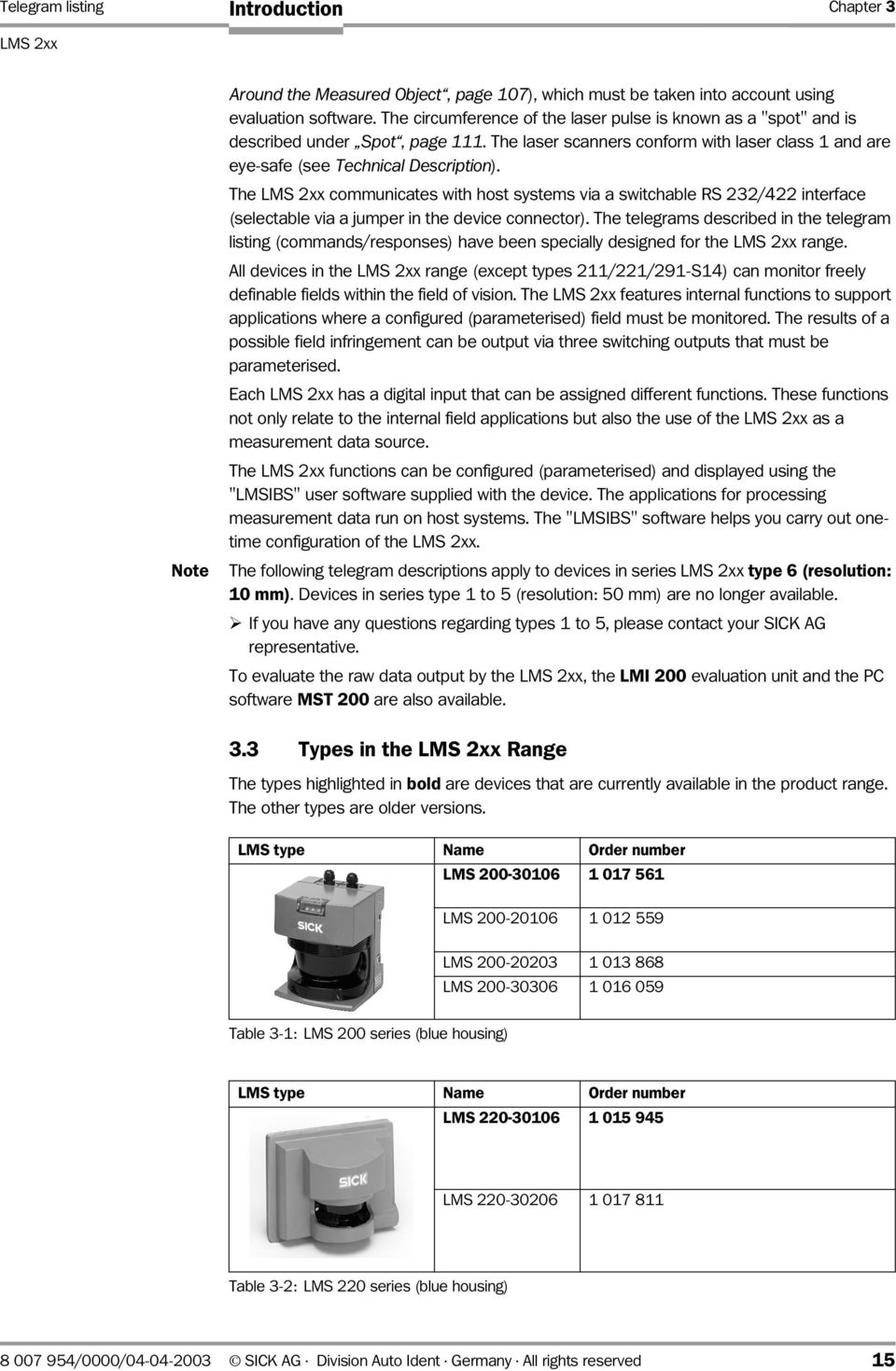
15 Telegram listing Chapter 3 LMS 2xx Introduction Note Around the Measured Object, page 107), which must be taken into account using evaluation software. The circumference of the laser pulse is known as a "spot" and is described under Spot, page 111. The laser scanners conform with laser class 1 and are eye-safe (see Technical Description). The LMS 2xx communicates with host systems via a switchable RS 232/422 interface (selectable via a jumper in the device connector). The telegrams described in the telegram listing (commands/responses) have been specially designed for the LMS 2xx range. All devices in the LMS 2xx range (except types 211/221/291-S14) can monitor freely definable fields within the field of vision. The LMS 2xx features internal functions to support applications where a configured (parameterised) field must be monitored. The results of a possible field infringement can be output via three switching outputs that must be parameterised. Each LMS 2xx has a digital input that can be assigned different functions. These functions not only relate to the internal field applications but also the use of the LMS 2xx as a measurement data source. The LMS 2xx functions can be configured (parameterised) and displayed using the "LMSIBS" user software supplied with the device. The applications for processing measurement data run on host systems. The "LMSIBS" software helps you carry out onetime configuration of the LMS 2xx. The following telegram descriptions apply to devices in series LMS 2xx type 6 (resolution: 10 mm). Devices in series type 1 to 5 (resolution: 50 mm) are no longer available. ¾ If you have any questions regarding types 1 to 5, please contact your SICK AG representative. To evaluate the raw data output by the LMS 2xx, the LMI 200 evaluation unit and the PC software MST 200 are also available. 3.3 Types in the LMS 2xx Range The types highlighted in bold are devices that are currently available in the product range. The other types are older versions. LMS type Name Order number LMS LMS LMS LMS Table 3-1: LMS 200 series (blue housing) LMS type Name Order number LMS LMS Table 3-2: LMS 220 series (blue housing) /0000/ SICK AG Division Auto Ident Germany All rights reserved 15
16 Chapter 3 Introduction Telegram listing LMS 2xx Laser Measurement Systems LMS type Name Order number LMS 291-S LMS 291-S LMS 291-S Table 3-3: LMS 291 series (grey housing) LMS type Name Order number LMS LMS 211-S LMS LMS LMS Table 3-4: LMS 211 series (grey housing) LMS type Name Order number LMS LMS 221-S LMS Table 3-5: LMS 221 series (grey housing) 3.4 Measurement and Data Output Principle The laser scanners in the LMS 2xx range are optimised for distance measurements. The basic operating principle of the system is the initial pulse evaluation, which means that the first return pulse received by the laser scanner triggers the distance measurement. Additional return pulses on the path are ignored. Advantages: No interference caused by reflections. When an object is detected, this ensures that it is in the path. The time-of-flight principle ensures that the theoretical accuracy of the measured value is the same along the entire measurement path (the time-of-flight within the scanner remains the same, irrespective of the measured distance). Continuous measurement is another basic principle of the laser scanner, which means that one measurement cycle always takes place at the scan level during each rotation. Because of the physical mass of the mirror, the measurements must be carried out at the respective angular values. The mirror cannot be stopped. Reliable measurements take priority over data communication. Section 4.3, page 22 describes the associated requirements regarding the time sequence of the log. 16 SICK AG Division Auto Ident Germany All rights reserved /0000/

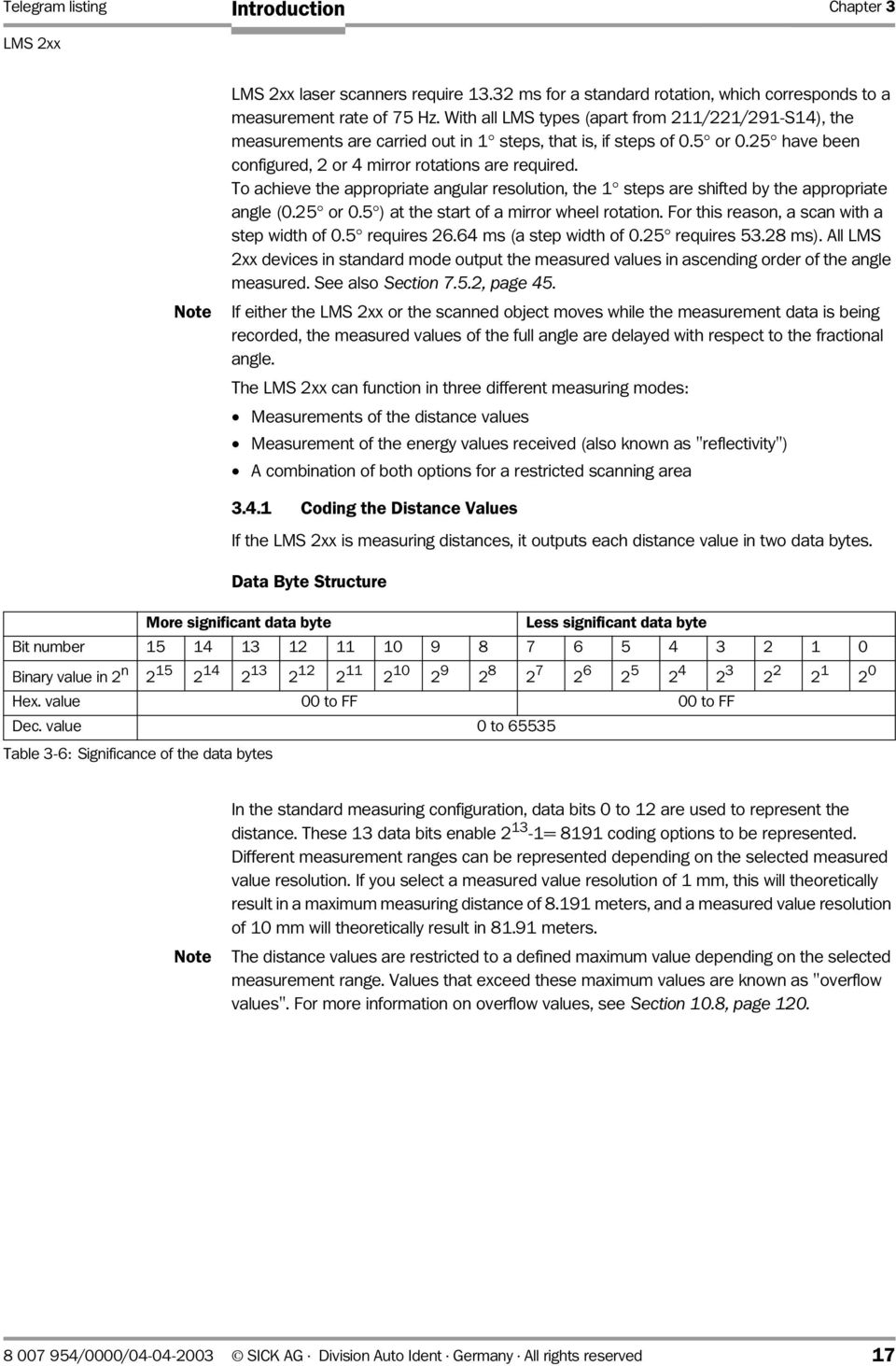
17 Telegram listing Chapter 3 LMS 2xx Introduction Note LMS 2xx laser scanners require ms for a standard rotation, which corresponds to a measurement rate of 75 Hz. With all LMS types (apart from 211/221/291-S14), the measurements are carried out in 1 steps, that is, if steps of 0.5 or 0.25 have been configured, 2 or 4 mirror rotations are required. To achieve the appropriate angular resolution, the 1 steps are shifted by the appropriate angle (0.25 or 0.5 ) at the start of a mirror wheel rotation. For this reason, a scan with a step width of 0.5 requires ms (a step width of 0.25 requires ms). All LMS 2xx devices in standard mode output the measured values in ascending order of the angle measured. See also Section 7.5.2, page 45. If either the LMS 2xx or the scanned object moves while the measurement data is being recorded, the measured values of the full angle are delayed with respect to the fractional angle. The LMS 2xx can function in three different measuring modes: Measurements of the distance values Measurement of the energy values received (also known as "reflectivity") A combination of both options for a restricted scanning area Coding the Distance Values If the LMS 2xx is measuring distances, it outputs each distance value in two data bytes. Data Byte Structure More significant data byte Less significant data byte Bit number Binary value in 2 n to FF 00 to FF Dec. value 0 to Table 3-6: Significance of the data bytes Note In the standard measuring configuration, data bits 0 to 12 are used to represent the distance. These 13 data bits enable = 8191 coding options to be represented. Different measurement ranges can be represented depending on the selected measured value resolution. If you select a measured value resolution of 1 mm, this will theoretically result in a maximum measuring distance of meters, and a measured value resolution of 10 mm will theoretically result in meters. The distance values are restricted to a defined maximum value depending on the selected measurement range. Values that exceed these maximum values are known as "overflow values". For more information on overflow values, see Section 10.8, page /0000/ SICK AG Division Auto Ident Germany All rights reserved 17
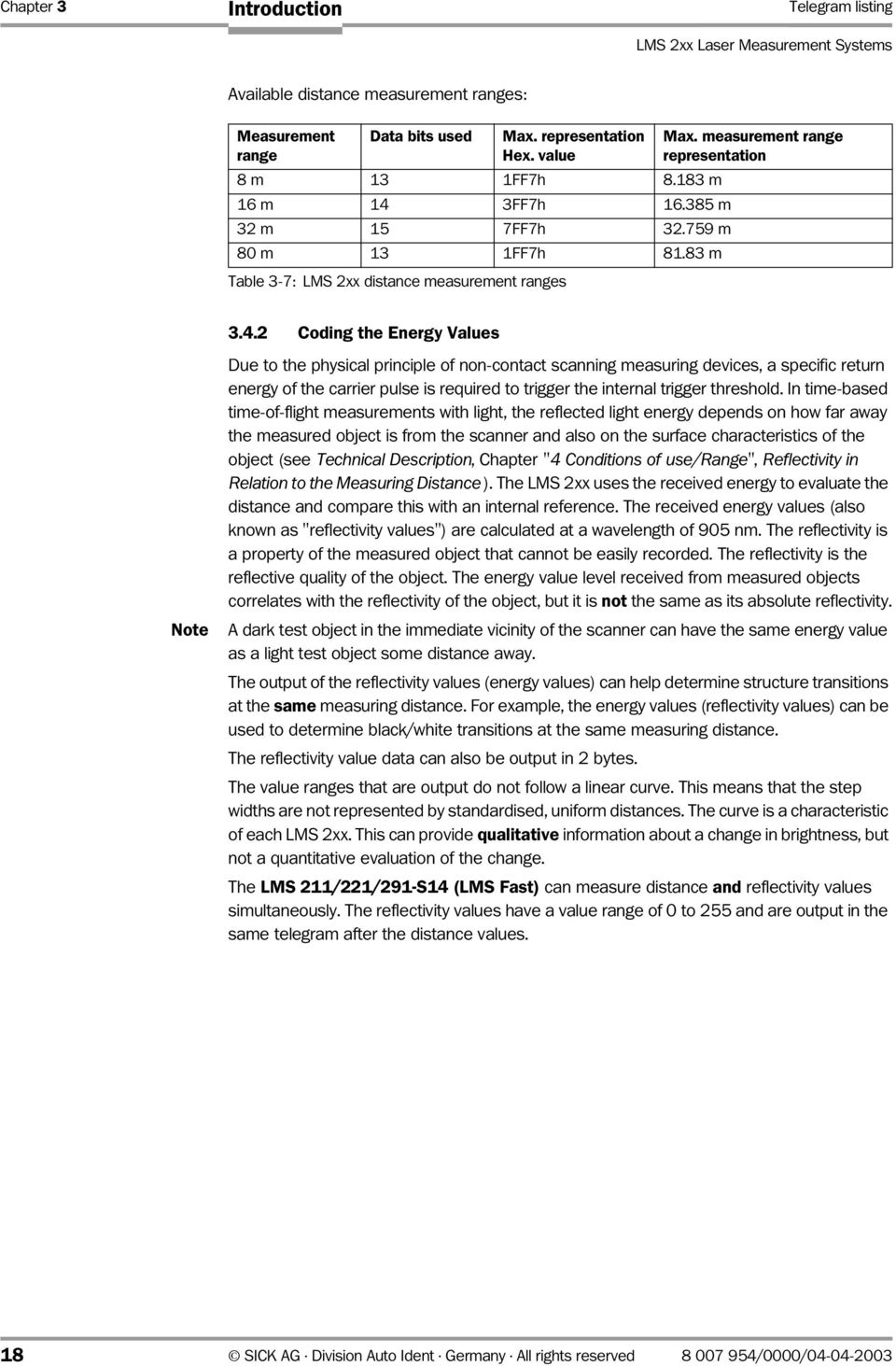
18 Chapter 3 Introduction Telegram listing LMS 2xx Laser Measurement Systems Available distance measurement ranges: Measurement range Data bits used Max. representation 8 m 13 1FF7h m 16 m 14 3FF7h m 32 m 15 7FF7h m 80 m 13 1FF7h m Table 3-7: LMS 2xx distance measurement ranges Max. measurement range representation Coding the Energy Values Note Due to the physical principle of non-contact scanning measuring devices, a specific return energy of the carrier pulse is required to trigger the internal trigger threshold. In time-based time-of-flight measurements with light, the reflected light energy depends on how far away the measured object is from the scanner and also on the surface characteristics of the object (see Technical Description, Chapter "4 Conditions of use/range", Reflectivity in Relation to the Measuring Distance ). The LMS 2xx uses the received energy to evaluate the distance and compare this with an internal reference. The received energy values (also known as "reflectivity values") are calculated at a wavelength of 905 nm. The reflectivity is a property of the measured object that cannot be easily recorded. The reflectivity is the reflective quality of the object. The energy value level received from measured objects correlates with the reflectivity of the object, but it is not the same as its absolute reflectivity. A dark test object in the immediate vicinity of the scanner can have the same energy value as a light test object some distance away. The output of the reflectivity values (energy values) can help determine structure transitions at the same measuring distance. For example, the energy values (reflectivity values) can be used to determine black/white transitions at the same measuring distance. The reflectivity value data can also be output in 2 bytes. The value ranges that are output do not follow a linear curve. This means that the step widths are not represented by standardised, uniform distances. The curve is a characteristic of each LMS 2xx. This can provide qualitative information about a change in brightness, but not a quantitative evaluation of the change. The LMS 211/221/291-S14 (LMS Fast) can measure distance and reflectivity values simultaneously. The reflectivity values have a value range of 0 to 255 and are output in the same telegram after the distance values. 18 SICK AG Division Auto Ident Germany All rights reserved /0000/
19 Telegram listing Chapter 4 LMS 2xx Data Communication 4 Data Communication 4.1 Data Format, Transmission Rate, and Telegram Structure of the RS 232/422 Interface Data Format and Transmission Rate The data format for transmitting data via the RS 232/422 interface is set as follows (settings cannot be changed): 1 start bit 8 data bits 1 stop bit This means that each data byte that is transmitted is 10 bits long. You can select the data transmission rate: Data transmission rate Interface Notes 9,600 Bd RS 232/RS 422 Default after "power-on" 19,200 Bd RS 232/RS ,400 Bd RS 232/RS KBd RS 422 RS 422 only Table 4-1: Data transmission rates on the RS 232/RS 422 interface In the delivery status (default setting), the LMS 2xx starts with a data transmission rate of 9,600 Bd after the power has been switched on. 4.2 Telegram Structure Some telegrams are sent by the host/driver to the LMS 2xx, while others are sent to the host/driver by the LMS 2xx. Because the commands are control commands sent to the LMS 2xx or responses received from the LMS 2xx, they are referred to below as "send telegrams" and "response telegrams". A send telegram always contains only one control command for the LMS 2xx. A response telegram contains one response from the LMS 2xx. Commands/responses are always one byte long. The LMS 2xx normally responds to a send telegram with a response telegram. Commands can be extended with an additional data string. The extensions (or SUBcommands) are also considered as data. The entire telegram has an LMS 2xx-specific frame around the commands and data. To send the data to the LMS 2xx, the telegram must be structured as follows. The LMS 2xx responds using the same structure. The telegram itself is binary. Frame Commands and data Frame Description STX Address Length Command/ Data Checksum Response Byte position to n n+1 n+2 Described in Table 4-4, page 21 Table 4-4, page 21 Table 4-4, page 21 Section 7, page 34 ff. (Status Section 8, page 103) Section 9, page 104 (and Table 4-4, page 21) Table 4-2: Telegram structure The "command/response" and "data" blocks are described in detail in the telegram listing section /0000/ SICK AG Division Auto Ident Germany All rights reserved 19

20 Chapter 4 Data Communication Telegram listing LMS 2xx Laser Measurement Systems Explanation The length of the send telegrams to the LMS 2xx and the corresponding response telegrams varies depending on the selected command. The telegram ends with a checksum (CRC) and not an "End of Text" symbol (ETX). In receive telegrams (response), a status byte is a fixed component of the data block. This byte is always located before the checksum. In binary telegrams, the data block can contain the symbol values "End of Text" (ETX) and "Start of Text". An ETX would prevent the telegram from being transmitted. In standard versions of the LMS 2xx, a response telegram contains no more than 812 bytes. During a single mirror wheel rotation (13.32 ms), a maximum of 508 bytes are transmitted. Exception: The special type LMS 211/221/291-S14 (LMS Fast) transmits up to 559 bytes during one mirror wheel rotation. Note Data is transmitted in accordance with the INTEL standard (Little Endian). When a data word (comprising several data bytes) is transmitted, the less significant byte is sent (or received) first, followed by the more significant byte. Example: Data word 458 decimal from 2 bytes corresponds to 01h CAh, and is transmitted in the sequence CAh 01h. The following data classes have been defined for the LMS 2xx range : Value range Length in bytes Sign Output sequence BYTE 0 to No None CHAR -2 7 to Yes None WORD 0 to No Low byte, high byte SHORT to Yes Low byte, high byte DWORD 0 to No From low to high byte LONG to Yes From low to high byte Table 4-3: Possible telegram data classes Note A byte comprises 8 bits and can cover a value range of between 00h and FFh. The BYTE data class, however, describes a variable. The STRUCT data class also exists, which outputs a variable comprising data classes for the cell. This is described in the relevant command. 20 SICK AG Division Auto Ident Germany All rights reserved /0000/

21 Telegram listing Chapter 4 LMS 2xx Data Communication All telegrams sent to the LMS 2xx result in two consecutive responses from the LMS 2xx: With the correct mnemonic, the LMS 2xx processes a send telegram received from the host/driver and sends an "Acknowledge" (ACK) (06h) in response. The LMS 2xx then sends a corresponding response telegram. The response telegram confirms the request and can also contain the requested data. The response telegram contains a value increased by 80h as a corresponding response command. Example: The LMS 2xx responds to command 20h (switch operating mode) with A0h (response to "switch operating mode"). If the send telegram is incorrect, only the "Not Acknowledge" response (NAK) (15h) is sent. Description of the telegram components The following table provides more information on the structure of telegrams: Data length in bits / data length in bytes / data class Explanation STX (Start of Text) 8/1/ BYTE Start byte (02h) Address 8/1/ BYTE Address of the subscriber. For a precise allocation of addresses, see Table 10-10, page 119. The LMS 2xx are not busable. The address can be used, for example, to differentiate between various SICK measurement interfaces in the LMS 2xx range. Length 16/2/ WORD Number of subsequent data bytes excluding the checksum. Command/response 8/1/ BYTE Command/response Description in Section 7, page 34 ff. Data Data for send telegrams Status (re-sponse telegram only) N x 8 (n x 1) (defined in Section 7, page 34) Refers to the previous command (optional). With send telegrams, this can be command extensions and/or limit values. For a description, see Section 7, page 34 ff. 8/1/ BYTE LMS 2xx communicates a status. The host must not send a status byte in the send telegram. For a description, see Section 8, page 103. Checksum 16/2/ WORD CRC checksum of the entire data package, starting with STX and up to and including the status byte. For a description of the calculation procedure, see Section 9, page 104. Table 4-4: Detailed information on the telegram structure Note In some cases, a correct telegram frame with a logically incorrect command may be sent to the LMS 2xx (the start sequence of STX, address, length, and the checksum at the end are correct). This can occur with commands that the LMS 2xx does not recognise or cannot process because the corresponding preceding telegram is missing. Example: The LMS 2xx receives the corresponding command for "stop teach-in field", although it has not been set to this mode by the previous command. In this case, the LMS 2xx responds with command 92h. Section 7.3, page 36 describes the declarations for transmission errors /0000/ SICK AG Division Auto Ident Germany All rights reserved 21
22 Chapter 4 Data Communication Telegram listing LMS 2xx Laser Measurement Systems The LMS 2xx can send high data rates. To ensure that all scans (measured values) are processed in the host, the interface buffer of the host must be interrogated at short intervals. This interval depends on the selected angular resolution of the LMS 2xx (see also Section 10.10, page 122). To enable the host to be synchronised with the data received, various help functions are integrated in the telegram. The start of a data string is identified by the STX, address, telegram length evaluation, and response. In the response telegram, the LMS 2xx sends an address increased by 80h with respect to the original address (for example, send address 20h has address A0h in the response). In the response telegram, the LMS 2xx sends an address increased by 80h with respect to the original command (exception: "power up" and initialisation, see Section 7.3, page 36). 4.3 Time Conditions During Bi-Directional Communication No longer than 6 ms must elapse between two bytes within a telegram sent to the LMS 2xx, otherwise a timeout is detected. The telegram is then ignored. An interval of up to 14 ms can elapse between two bytes sent from the LMS 2xx within a telegram. The minimum interval between two bytes sent to the LMS 2xx should be at least 55 µs. The response to a command sent by the host must be issued within a response time that depends on the telegram requested. The maximum response time of the LMS 2xx for a request for the current measured values of a scan is 60 ms (angular resolution: 0.25 ). The response to a "change operating mode" can take up to 3 seconds. The host is the communication master. Requests issued by the host interrupt all transmission procedures from the LMS 2xx. The LMS 2xx carries out a software handshake with ACK (06h) when it receives a correct request. If an error is detected, the LMS 2xx responds with NAK (15h). Behaviour of the LMS 2xx when it receives a command: The LMS 2xx does not respond (remains silent): The wrong address has been specified in the address part of the send telegram. The LMS 2xx sends a NAK: The address is correct, but the checksum in the send telegram is incorrect. The LMS 2xx sends an ACK: The address is correct and the checksum is correct. The maximum response time of the LMS 2xx for NAK or ACK is 60 ms. Once it has received a NAK, the host must wait at least 30 ms before it retransmits the telegram. 22 SICK AG Division Auto Ident Germany All rights reserved /0000/
23 Telegram listing Chapter 4 LMS 2xx Data Communication 4.4 Software Compatibility The LMS 2xx is configured by means of commands. A specific pattern is used to address the LMS 2xx. Extensions and enhancements of the LMS 2xx system software (firmware) result in extensions to the telegrams. Where technically possible, the downwards compatibility with the LMS 2xx is checked. If a send command is extended, LMS 2xx devices using an older software version ignore the additional bytes within the data part. If an older driver does not use the additional data extensions to communicate with the latest generation of LMS 2xx, the settings that are relevant here are not made. In both cases, no error message is output. 4.5 Configuring the LMS 2xx The LMS 2xx is configured in the following order: Step Activity Note 1 Switch on the LMS 2xx (power-on). - 2 The LMS 2xx sends a "power-on" string. During switch-on only 3 The command "Switch to installation mode" is sent to the Command 20h LMS 2xx. 4 The LMS 2xx responds with "Acknowledge". 06h 5 The LMS 2xx responds to the command. Response A0h 6 The command to set the parameters is sent to the LMS 2xx. Normally command 77h 7 The LMS 2xx responds with "Acknowledge". 06h 8 The LMS 2xx responds with "Parameters successfully Response F7h changed". 9 The command "Switch to monitoring mode" is sent to the Command 20h LMS 2xx. 10The LMS 2xx responds with "Acknowledge". 06h 11 The LMS 2xx responds with "Mode successfully changed". Response A0h 12 Wait for the next request or (for example) start data Start the next action transmission (measured value output). Table 4-5: The parameterisation (configuration) process For a detailed description, see Section 6, page 27. The LMS 2xx requires up to 3 s to switch between different modes (see Time Conditions, Section 4.3, page 22). You must wait for the response telegram from the LMS 2xx after the acknowledgement. Every parameterisation process results in a write cycle to the EPROM of the LMS 2xx. The write cycles of an EPROM are limited (thousands). Once the parameters have been stored once in the EPROM, the configuration does not have to be changed every time the power is switched on. You may only have to adjust the communication parameters (data transmission rate, and so on) in the "switch operating mode" command /0000/ SICK AG Division Auto Ident Germany All rights reserved 23
24 Chapter 4 Data Communication Telegram listing LMS 2xx Laser Measurement Systems Default Setting The devices in the LMS 200/220 and LMS 211/221/291 series are shipped with the appropriate default settings. If the default setting or the LMS 2xx parameters already saved in a configuration are suitable for the application, communication is much easier. Step Activity Note 1 Switch on the LMS 2xx (power-on). - 2 LMS 2xx sends a "power-on" string. During switch-on only 3 The command "Send data" (or "Set operating mode") is sent to the LMS 2xx. In accordance with the required data (see Section 7, page 34). 4 The LMS 2xx responds with "Acknowledge". 06 h 5 The LMS 2xx responds to the command. In accordance with the selected data output (see Section 7, page 34). 6 Wait for the next request or (for example) start data Start the next action transmission (measured value output). Table 4-6: Simplified parameterisation (configuration) process Table 4-7 shows the most important ex-works default settings for the LMS types. Parameter LMS 200/LMS 220 LMS 221/LMS 291 LMS 211 LMS 211/221-S14 LMS 291-S14 Data transmission rate 9,600 Bd at power-on Angular resolution 0.5 Aperture angle Measurement range 8 m 80 m 80 m 80 m Measured value 10 mm 100 mm 100 mm 10 mm resolution Flag indicators Field A, field B, and dazzle Address 00h SUB command setting 25h (measured distance values are only output on request) for command 20h Table 4-7: Overview: Default LMS 2xx settings For a detailed table, see Section 10.6, page SICK AG Division Auto Ident Germany All rights reserved /0000/
25 Telegram listing Chapter 5 LMS 2xx Telegram Representation 5 Telegram Representation (1) Frame Commands and data Frame Description STX Address Length Command/ Data Checksum Response Byte position to n n+1 n+2 Described in Table 4-4, page 21 Table 4-4, page 21 Table 4-4, page 21 Section 7, page 34 ff. (Status Section 8, page 103) Section 9, page 104 (and Table 4-4, page 21) (2) Command Parameter data of command of sub-command A of sub-command B of command of sub-command A of sub-command B of command of sub-command A of sub-command B (a) Parameter data No further data (b) (c) Parameter data BYTE WORD Provides information on whether the variant switchover was successful: Scanning angle in (degrees): Angular resolution in 1/100 : Three variants currently 00h: Switchover aborted. 100 or 180 available: Previous variant still active. 100: Angular resolution 1 01h: Switchover successful. 50: Angular resolution 0.5 New variant active. 25: Angular resolution 0.25 xxh xx xxh xx xxh Parameter data See Table 7-126, (block A to D). 2 ( i d)) (d) Block Parameter data for command 7Ch A BYTE Bit 0: "Contour on plain" 1: "Contour on plain" activated 0: The contour is processed radially (LMS 211/221/291 only) For LMS 200/220, the flag must be deselected! Default setting: 0 Bit : reserved xxh B CHAR Field A: Only applicable when "Contour on plain" is activated. Example of a complete telegram: (3) Description STX Address Length Command Data Checksum Byte position to C F C4 Table 7-127: Complete telegram for 7Ch (Table 7-125) Fig. 5-1: Explanation of the structure of the telegram listing (for legend, see next page) /0000/ SICK AG Division Auto Ident Germany All rights reserved 25
26 Chapter 5 Telegram Representation Telegram listing LMS 2xx Laser Measurement Systems Note: Legend for Fig. 5-1, page 25 (1) Entire telegram structure: In the following tables, the "command/response" and "data" blocks are described in detail. (2)"Command/response" and "data": The (main) command is always on the left-hand side, while the parameter data and/or sub-commands are always on the right-hand side. The telegrams can be structured as follows: (a) No parameter data or sub-commands exist. (b) Between 1 and 3 sub-commands exist. In this case, they are in the same table from left to right (here: 2 sub-commands). (c) If more than three sub-commands exist, a new table is displayed containing the subcommands and parameter data to provide a better overview. Each individual sub-command is uniquely defined by a "block" (see (d)). Due to the size of command 20h, the display differs from the structure described above (see Section 7.4.1, page 38). (3) An example is used to illustrate the description. 26 SICK AG Division Auto Ident Germany All rights reserved /0000/
27 Telegram listing Chapter 6 LMS 2xx Parameterisation 6 Parameterisation The following description follows the steps described in Table 4-5, page Message After Power-On Once you have switched on the LMS 2xx, it responds with a power-on string (90h). The string contains the device type and the system software version. A maximum of 60 s can elapse before the device is ready for operation after it has been switched on. + Response Parameter data BYTE One BYTE per ASCII character Power-on For LMS type 6 90h Example: LMS200;301063;V02.10 (in hex. values) Table 6-1: Response 90h from the LMS 2xx (message after power-on) Example of a complete telegram: Description STX Address Length Response Data Checksum Data LMS status Byte position to C 4D B B E Table 6-2: Complete telegram for response 90h (Table 6-1) 6.2 Installation Mode To switch to installation mode, a command for switching the operating mode must always be issued. All the device parameters are configured in installation mode Command 20h to LMS 2xx: Switch operating mode Three operating modes are available: Installation mode Monitoring mode Calibration mode A sub-command of command 20h (switch operating mode) is used to switch to installation mode. Table 7-1, page 34 provides information on the telegrams available in the different modes and device types. To switch to installation mode, you have to enter a password. The "SICK_LMS" default value (with underscore) is converted to an ASCII value and entered as a hexadecimal value. This corresponds to the hexadecimal string " B4 5F 4C 4D 53". Because "BYTE" is defined as a data type here, the individual characters are written consecutively as byte values. The password is always 8 bytes long. The complete command is structured as follows: /0000/ SICK AG Division Auto Ident Germany All rights reserved 27
28 Chapter 6 Parameterisation Telegram listing LMS 2xx Laser Measurement Systems Command Switch operating mode Sub-command and parameter data Installation mode BYTE Password: "SICK_LMS" 20h 00h 53h 49h 43h B4h 5Fh 4Ch 4Dh 53h Table 6-3: Command 20h (password word entry for switching operating mode) Example of a complete telegram: Description STX Address Length Command Data Checksum Byte position to A B 5F 4C 4D 53 5F B2 Table 6-4: Complete telegram for command 20h (Table 6-3) For a complete description of command 20h, see Section 7.4.1, page Response A0h from the LMS 2xx to "Switch Operating Mode" When the LMS 2xx successfully receives the command, it confirms it with an acknowledge (06h). After a pause, the corresponding telegram (A0h) is then sent. The response is structured as follows: Response Parameter data BYTE Response to 20h Mode successfully switched A0h 00 h Table 6-5: Response A0h from the LMS 2xx (confirmation of "switch operating mode") Example of a complete telegram: Description STX Address Length Response Data Checksum Data LMS status Byte position A A Table 6-6: Complete telegram for response A0h (Table 6-5) For a complete description of response A0h, see Section 7.4.2, page Configuration Telegrams (77h and 7Ch) Every parameterisation process results in a write cycle to the EPROM of the LMS 2xx. The write cycles of an EPROM are limited (thousands). Once the parameters have been stored once in the EPROM, the configuration does not have to be changed every time the power is switched on. You may only have to adjust the communication parameters (data transmission rate, and so on) in command 20h (switch operating mode). 28 SICK AG Division Auto Ident Germany All rights reserved /0000/
29 Telegram listing Chapter 6 LMS 2xx Parameterisation Note The LMS 2xx is normally configured by means of configuration telegrams 77h and 7Ch. With the system software V 2.10 (LMS 200/220) and X 1.10 (LMS 211/221/291), command 77h is frozen. Future extensions to the parameterisation are also represented in command 7Ch. These telegrams transfer settings such as measured value resolution and measurement range. The data length after the command is 34 bytes for command 77h. Further telegrams are available that can be chosen in installation mode. These can be used for parameterizing the monitored fields, amongst other things. See the lists in Section 7, page 34 ff. Compatibility Older software versions in the LMS 2xx required a shorter data length for command 77h. These software versions are also compatible with the latest driver versions. The response telegram can be used to check the configuration. The command is structured as follows: Command Parameter data BYTE WORD and BYTE (depending on the position) LMS configuration BYTE 1 to 34 77h xxh Table 6-7: Command 77h (configure the LMS 2xx) Example of a complete telegram: Description STX Address Length Command Data Checksum Byte position to See also Table Table 6-8: Complete telegram for command 77h (Table 6-7) Position in the data string Due to the length of the data, it is briefly described in the following sections for the relevant application. For a detailed description, see the telegram listing in Section 7.46, page 94. Description Default setting Application 6 WORD Low byte Blanking 00h Fields 7 High byte 0 h 8 WORD Low byte Peak stop threshold 70h Measuring 9 High byte 0 h 10 BYTE Availability 00h Fields and measuring 11 BYTE Measuring mode 00h Measuring: setting the measurement range, etc. 12 BYTE Measured value unit 00h or 01h 13 BYTE Transient field set 00h Fields 14 BYTE Subtractive fields 00h Fields Table 6-9: Brief outline of the data string for command 77h Measuring: measured value resolution (depending on the device type) 00h = LMS 211/LMS 221/LMS h = LMS 200/LMS /0000/ SICK AG Division Auto Ident Germany All rights reserved 29
30 Chapter 6 Parameterisation Telegram listing LMS 2xx Laser Measurement Systems Position in the data string Description Default setting Application 15 BYTE Multiple evaluation 02h Fields 16 BYTE Restart 02h Fields 17 BYTE Restart time 00h Fields 18 BYTE Multiple evaluation for suppressed 00h Fields objects 19 BYTE Contour A as reference 00h Fields 20BYTE Contour A as a positive tolerance 00h Fields band 21 BYTE Contour A as a negative tolerance 00h Fields band 22 BYTE Contour A start angle 00h Fields 23 BYTE Contour A stop angle 00h Fields 24 BYTE Contour B as reference 00h Fields 25 BYTE Contour B as a positive tolerance 00h Fields band 26 BYTE Contour B as a negative tolerance 00h Fields band 27 BYTE Contour B start angle 00h Fields 28 BYTE Contour B stop angle 00h Fields 29 BYTE Contour A as reference 00h Fields 30BYTE Contour A as a positive tolerance 00h Fields band 31 BYTE Contour C as a negative tolerance 00h Fields band 32 BYTE Contour C start angle 00h Fields 33 BYTE Contour C stop angle 00h Fields 34 BYTE Pixel-oriented evaluation 00h Fields 35 BYTE Single measured value evaluation 00h Measuring 36 WORD Low byte Restart time fields 00h Fields 37 High byte 00h 38 WORD Low byte Multiple blanking evaluation 02h Fields 39 High byte 00h Table 6-9: Brief outline of the data string for command 77h (contd) Response F7h and FCh from the LMS 2xx to the Configuration Telegram The correct response from the LMS 2xx to the configuration telegram is two bytes longer after the acknowledge (06h) has been received. The response is structured as follows: Response Parameter data BYTE BYTE Data from 77h repeated Response to 77h Status Parameter data for bytes 2 to 35 or 7Ch F7h or FCh 01h xxh Table 6-10: Response F7h or FCh from the LMS 2xx to command 77h or 7Ch 30 SICK AG Division Auto Ident Germany All rights reserved /0000/
31 Telegram listing Chapter 6 LMS 2xx Parameterisation Example of a complete telegram: Description STX Address Length Response Data Checksum Data LMS status Byte position to F C5 7A Table 6-11: Complete telegram for response F7h (Table 6-10) The status in the data at byte position 6 with content 01h indicates that the configuration has been successfully activated. The LMS 2xx then immediately outputs the parameter set stored in the memory again. Note If you are using an older software versions in the LMS 2xx with the latest driver version, the LMS 2xx only outputs the data record up to the length supported by the system software version you are using. If you are using an older driver version with new system software, the response telegram also contains the additional bytes for the new functions. ¾ You must configure the driver in such a way that it checks the structure in accordance with the length specified in the receive telegram. Irrespective of the software status of the LMS 2xx, the send structure always shows the right telegram length (see Section 4.2, page 19). For status output 00h (configuration rejected), the LMS 2xx outputs its current configuration as a data record following the status byte Completing the Configuration Process In installation mode, further configuration telegrams can now follow. You have to switch the LMS 2xx to monitoring mode so that it can start taking measurements. To do so, the command for switching operating modes (20h) is resent to the LMS 2xx. The command is now structured as follows: Command BYTE Operating mode switchover 20h xxh Table 6-12: Command 20h (switch operating mode) Sub-command and parameter data Operating mode 20h to 50h Example of a complete telegram: Description STX Address Length Command Data Checksum Byte position Table 6-13: Complete telegram for command 20h (Table 6-12) /0000/ SICK AG Division Auto Ident Germany All rights reserved 31
32 Chapter 6 Parameterisation Telegram listing LMS 2xx Laser Measurement Systems Brief overview of the sub-commands: Subcommand 24h 25h 2Bh Meaning Particularities Application The LMS 2xx continuously outputs all the measured values of a scan. The LMS 2xx only outputs measured distance values if requested. (default setting) The LMS 2xx continuously outputs all the measured distance values of n partial scans (including reflectivity data). Table 6-14: Sub-commands for 20h (brief overview) none none The configuration in 77h must be chosen accordingly. Continuously sending measured distance values. Outputting measured distance values of single scans. Outputting measured distance values and the energy value level of the signal received. For a detailed description, see Section 7.4, page 38. This is followed by an acknowledge (06h) and confirmation telegram A0h. The next action can now be carried out depending on the chosen configuration. If you choose continuous data output as the monitoring mode, the LMS 2xx outputs a constant data stream. The LMS 2xx stops the continuous output when it receives telegram 20h and sub-command 25h. 6.4 Monitoring Mode As described in Section 6.2.1, page 27, different operating modes are available. In the case of continuous data output, the telegram from the LMS 2xx corresponds to the response to the request for a complete single scan. The command for requesting an individual scan with distance values is: Command Parameter data BYTE BYTE Request for measured values Measured value mode 30h 01h Table 6-15: Command 30h (request measured value) Example of a complete telegram: Description STX Address Length Command Data Checksum Byte position Table 6-16: Complete telegram for command 30h (Table 6-15) For a detailed description, see Section 7.5.1, page 44. The response from the LMS 2xx to the request or configuration "Send all data cont." is: Response Parameter data BYTE Measured value data Response to 30h Parameter data for byte 2 to n B0h xxh Table 6-17: Response B0h from the LMS 2xx to command 30h 32 SICK AG Division Auto Ident Germany All rights reserved /0000/
33 Telegram listing Chapter 6 LMS 2xx Parameterisation Example of a complete telegram: Description STX Address Length Response Data Checksum Data LMS status Byte position to D6 02 B0 724 bytes D4 Table 6-18: Complete telegram for response B0h (Table 6-17) The data is structured as follows: Byte position in the data string Description Default setting 1 WORD Low byte Number of measured values sent, coded in 69h 2 High byte bits 0 to 9. This corresponds to a value range of 0 to 1023 dec. or 0h to 3FFh. In the upper bits (bits 14 and 15), the measured value units and the partial scan output are coded; the default setting described applies to LMS 200. See Section 7.5.2, page h 3 WORD Low byte Measured value 1 4 High byte 5 WORD Low byte Measured value 2 6 High byte...n WORD Low byte Measured value x (default setting: 361..n+1 High byte values for LMS 200/220/221/291) Table 6-19: Brief summary of the data The parameter data changes depending on the LMS 2xx selected or if the configuration has been changed. Example: for an LMS 211, the default settings for positions 1 and 2 are low byte = 9h and high byte = 00h. For a detailed description, see Section 7.5.2, page Calibration Mode This (SICK-internal) mode is not freely available /0000/ SICK AG Division Auto Ident Germany All rights reserved 33
34 Chapter 7 Telegram listing LMS 2xx Laser Measurement Systems 7 As already described, some telegrams are sent by the driver to the LMS 2xx (send telegrams) and some are received by the driver from the LMS 2xx (receive telegrams). A telegram for the LMS 2xx is always structured as described in Section 4.2, page 19. The list below and the detailed descriptions of the telegrams contain the following information: Description of the send telegram from the driver. Description of the response telegram from the LMS 2xx. The commands 00 h to 8Fh are theoretically located in the send telegrams. As of 90h, the corresponding responses are located in the receive telegrams. Table 7-1 provides an overview of the available commands/responses for the individual operating modes and LMS types: Command/Action Operating mode Device Type Telegram no.: Command to LMS 2xx Telegram no.: Response from the LMS 2xx Monitoring mode Installation mode Calibration mode LMS type 1-5 LMS type 6 LMS special type 90 /0.5 See chapter/page Reserved 0Bh / 35 Reserved 0Ch / 35 Initialise and reset 10h 90h X X X X X X 7.3 / 36 Choose/switch operating mode 20h A0h X X X X X X 7.4 / 38 Request measured values 30h B0h X X X X X X 7.5 / 44 Request LMS status 31h B1h X X X S S S 7.6 / 50 Request error/test message 32h B2h X X X X X X 7.7 / 56 Reserved 33h B3h 7.8 / 57 Reserved 34h B4h 7.9 / 57 Request operating data counter 35h B5h X X X X X 7.10 / 58 Request mean measured values 36h B6h X X X X X X 7.11 / 59 Request measured value sub-range 37h B7h X X X X X X 7.12 / 61 Reserved 38h B8h 7.13 / 62 Reserved 39h B9h 7.14 / 62 Request LMS type 3Ah BAh X X X X X X 7.15 / 63 Switch variant in the LMS 2xx 3Bh BBh X X X X X 7.16 / 64 Reserved 3Ch BCh 7.17 / 65 Reserved 3Dh BDh 7.18 / 65 Request measured value with field values 3Eh BEh X X X X 7.19 / 66 Request the mean measured value sub-range 3Fh BFh X X X X X X 7.20 / 68 Configure fields A, B, or C 40h C0h X X X 7.21 / 70 Switch the active field set 41h C1h X X X X 7.22 / 74 Change the password 42h C2h X X X X X 7.23 / 75 Request measured values and reflectivity value subrange 44h C4h X X X X 7.24 / 76 Request configured fields 45h C5h X X X X 7.25 / 78 Table 7-1: Overview of the commands 34 SICK AG Division Auto Ident Germany All rights reserved /0000/
35 Telegram listing Chapter 7 LMS 2xx Command/Action Operating mode Device Type Telegram no.: Command to LMS 2xx Telegram no.: Response from the LMS 2xx Monitoring mode Installation mode Calibration mode LMS type 1-5 LMS type 6 LMS special type 90 /0.5 See chapter/page Start teach mode for field configuration 46h C6h X X X 7.26 / 81 Reserved 48h C8h 7.27 / 82 Request the status of the field outputs 4Ah CAh X X X X X 7.28 / 83 Reserved 4Bh CBh 7.29 / 83 Reserved 4Ch CCh 7.30 / 83 Reserved 4Dh CDh 7.31 / 83 Reserved 4Eh CEh 7.32 / 84 Reserved 4Fh CFh 7.33 / 84 Reserved 50h D0h 7.34 / 84 Reserved 51h D1h 7.35 / 84 Reserved 52h D2h 7.36 / 84 Define the permanent baud rate or LMS type 66h E6h X X X X X 7.37 / 85 Reserved 67h E7h 7.38 / 85 Reserved 68h E8h 7.39 / 85 Define the angular range for positioning aid 69h E9h X X X X X 7.40 / 86 Reserved 70h F0h 7.41 / 87 Reserved 72h F2h 7.42 / 87 Request the LMS configuration 74h F4h X X X X X 7.43 / 88 Request measured value with reflectivity data 75h F5h X X X X 7.44 / 89 Request measured values in cartesian coordinates 76h F6h X X X X 7.45 / 92 Configure the LMS 2xx 77h F7h X X X X 7.46 / 94 Reserved 78h F8h 7.47 / 100 Reserved 79h F9h 7.48 / 100 Reserved 7Ah FAh 7.49 / 100 Configure the LMS (continued) 7Ch FCh X X X X 7.50 / 101 Table 7-1: Overview of the commands (contd) Key: X: Telegram available S: Telegram available, but note the device specifications. 7.1 Command 0Bh Reserved 7.2 Command 0Ch Reserved /0000/ SICK AG Division Auto Ident Germany All rights reserved 35
36 Chapter 7 Telegram listing LMS 2xx Laser Measurement Systems 7.3 Initialise and Reset Command 10h to LMS 2xx: Initialise and Reset Initialising the LMS 2xx has the same effect as a hardware reset: The configured fields remain active The fault memory is cleared The history memory for storing fatal errors is retained Once the device has been initialised (max. 60 s for LMS 200), response 90h is issued from the LMS 2xx with the "power-on" string. Command Parameter data BYTE No further data Start sequence 10h Table 7-2: Command 10h (initialise and reset) Example of a complete telegram: Description STX Address Length Command Data Checksum Byte position Table 7-3: Complete telegram for command 10h (Table 7-2) Response 90h from the LMS 2xx: Message After Power-On When the power is switched on, the LMS 2xx informs the host that it is ready for operation. The LMS 2xx sends this telegram after a hardware reset and a requested software reset. In a software reset, however, the LMS 2xx outputs response telegram 91h first. The LMS 2xx sends this telegram within 60 s of the power being switched on. Response Parameter data BYTE BYTE, per ASCII character Message during power-on For LMS type 6 90h Example: LMS200;301063;V02.10 (in hex. values) Table 7-4: Response 90h from LMS 2xx (message after power-on) Example of a complete telegram: Description STX Address Length Response Data Checksum Data LMS status Byte position to C 4D B B E Table 7-5: Complete telegram for response 90h (Table 7-4) 36 SICK AG Division Auto Ident Germany All rights reserved /0000/
37 Telegram listing Chapter 7 LMS 2xx Response 91h from the LMS 2xx: Confirmation of the Software Reset Command When the LMS 2xx has received command 10h for a software reset, it sends an ACK and resets the software after approx. 10 ms. Response Parameter data BYTE No further data Confirmation of software reset 91h Table 7-6: Response 91h from the LMS 2xx (confirmation of software reset) Example of a complete telegram: Description STX Address Length Response Data Checksum Data LMS status Byte position Table 7-7: Complete telegram for response 91h (Table 7-6) Inconsistency in the response telegram: The rule that the response from the LMS 2xx is increased by 80h does not apply to command 10h. The LMS 2xx sends response 90h immediately after telegram 91h Response 92h from the LMS 2xx: Not Acknowledge, Incorrect Command Unlike the response "Not Acknowledge" (15h) for a telegram that has been sent incorrectly, this is a "Not Acknowledge" sent by the LMS 2xx for an incorrect command in the correct telegram frame (for an impermissible operating mode switchover or invalid number of segments in a measured value request, for example). Response Parameter data BYTE No further data Error message output 92h Table 7-8: Response 92h from the LMS 2xx (response to incorrect command in the sequence) Example of a complete telegram: Description STX Address Length Response Data Checksum Data LMS status Byte position F 33 Table 7-9: Complete telegram for response 92h (Table 7-8) /0000/ SICK AG Division Auto Ident Germany All rights reserved 37
38 Chapter 7 Telegram listing LMS 2xx Laser Measurement Systems 7.4 Choosing the Operating Mode Command 20h to LMS 2xx: Choose/Switch Operating Mode Note Command 20h is one of the most important commands. Choosing the data string accordingly determines whether the LMS 2xx is in monitoring mode, configuration mode, or calibration mode. At the same time, this mode also adopts the data interface settings. After a reset, operating mode 25h (output measured value on request only) is the default setting (on delivery) with a data transmission rate of 9,600 Bd. The switching outputs are only blocked in installation and calibration mode. To reset the password (if necessary), you first have to switch to diagnostic mode. A password is a string that is exactly 8 bytes long and comprises numbers from "0" to "9" and letters from "a" to "z" and "A" to "Z", as well as an underscore ("_"). Additional data is included depending on the sub-command. Command/Sub-Command Declaration for 20h: No more than one consecutive sub-command can be sent to the LMS 2xx in command 20h. The sub-commands are all exclusive and have the same level of significance. They are divided into groups A, B, C, and D for clarity purposes. Command Parameter data BYTE BYTE Choose/switch Sub-command and parameter data operating mode 20h Group A (Table 7-11) or Group B (Table 7-13, page 39) or Group C (Table 7-15, page 42) or Group D (Table 7-17, page 42) Table 7-10: Command 20h (choose/switch operating mode) Group A: "Mode selection": Group A: sub-command and parameter for command 20h Installation mode 00h for configuration BYTE 01h Sub-command Password string 1 (installation password): The default password is "SICK_LMS"; you can change this if required. 00h Default setting for LMS 2xx: 53h 49h 43h 4Bh 5Fh 4Ch 4Dh 53h (must otherwise be defined) Reserved 02h Reserved Diagnosis Mode 10h No further data 10h Table 7-11: Group A for command 20h (Table 7-10) 38 SICK AG Division Auto Ident Germany All rights reserved /0000/
39 Telegram listing Chapter 7 LMS 2xx Example of a complete telegram: Description STX Address Length Command Data Checksum Byte position to A B 5F 4C 4D 53 BE C5 Table 7-12: Complete telegram for group A for command 20h (Table 7-10) Note Group B: "Monitoring Mode": If you choose sub-commands with continuous data output for measured distance values, the LMS 2xx outputs the data directly after confirming command 20h. It is structured in the same way as response B0h. Group B: sub-command and parameter for command 20h 20h BYTE The LMS 2xx outputs minimum measured values for each segment continuously (no additional parameter is required). The data output is structured in the same way as response B0h (Section 7.5.2, page 45). 20h 21h BYTE The LMS 2xx outputs minimum measured values for each segment when it detects an object in the field in each scan (the measured values can be requested; no additional parameter is required). The data output is structured in the same way as response B0h (Section 7.5.2, page 45). 21h 22h BYTE The LMS 2xx outputs the minimum vertical distance between it and the object continuously (no additional parameter is required). In a defined rectangular field, the LMS 2xx views a corridor defined by the side dimensions of the rectangle. The LMS 2xx calculates and transmits the minimum vertical distance. If only segmented fields are configured, the LMS 2xx outputs the overflow values if the field is free. If the field is infringed, the minimum measured value in the field is output. The data output is structured in the same way as response B0h (Section 7.5.2, page 45). 22h 23h BYTE The LMS 2xx outputs the minimum vertical distance when it detects an object in the field in each scan. The measured values can be requested, although this is only advisable for a defined rectangular field; the device views a corridor defined by the side dimensions of the rectangle. In this corridor, the LMS 2xx outputs the minimum vertical distance and outputs this value (no additional parameter is required). The data output is structured in the same way as response B0h (Section 7.5.2, page 45). 23h 24h BYTE The LMS 2xx outputs all the measured values in a scan continuously (no additional parameter is required). The data output is structured in the same way as response B0h (Section 7.5.2, page 45). 24h 25h BYTE The LMS 2xx only outputs measured values if they are requested. It does not output any data if the field is infringed (no additional parameter is required). The data output is structured in the same way as response B0h (Section 7.5.2, page 45). 25h (default setting) Table 7-13: Group B for command 20h (Table 7-10, page 38) /0000/ SICK AG Division Auto Ident Germany All rights reserved 39
40 Chapter 7 Telegram listing LMS 2xx Laser Measurement Systems Group B: sub-command and parameter for command 20h 26h BYTE BYTE The LMS 2xx outputs mean measured values continuously. The data output is structured in the same way as response B6h (Section , page 59). Number of mean values Range: 2 to h xxh (value 02h to FAh) 27h BYTE WORD The LMS 2xx outputs a measured value sub-range continuously. The data output is structured in the same way as response B7h (Section , page 61). Start of the range: Range: 1 to 401 Bit 15 is coded within these two bytes: 0: standard measured value sub-range 1: direct measured value sub-range 27h xx xxh xx xxh 28h BYTE WORD The LMS 2xx outputs a mean measured value sub-range continuously. The data output is structured in the same way as response B7h (Section , page 61). Number of mean values: Range: 2 to h xx xxh (00 02h to 00 FAh) 29h BYTE WORD The LMS 2xx outputs a measured value along with the associated field values continuously. The data output is structured in the same way as response BEh (Section , page 66). Start: 1 to h xx xxh (00 01h to 01 91h) 2Ah BYTE Start of the mean value sub-range: 1 to 401 xx xxh (00 01h to 01 91h) End of the range: Range: 1 to 401 End of the mean value sub-range: 1 to 401 xx xxh (00 01h to 01 91h) End: 1 to 401 xx xxh (00 01h to 01 91h) The LMS 2xx outputs measured values of a partial scan directly after the measurement continuously (no additional parameter required; data for rapid trigger). The data is output in measuring mode 15h (immediate data transmission) after the individual measurement. The partial scans comprise 180 or 181 measured values at 1 intervals (see Description of Command 30h (Section 7.5.1, page 44) and Response B0h (Section 7.5.2, page 45)). 2Ah Table 7-13: Group B for command 20h (Table 7-10, page 38) (contd) 40 SICK AG Division Auto Ident Germany All rights reserved /0000/
41 Telegram listing Chapter 7 LMS 2xx Group B: sub-command and parameter for command 20h 2Bh BYTE WORD The LMS 2xx outputs all the measured values of n partial scans (including reflectivity data) continuously. The data output is structured in the same way as response F5h (Section , page 90). Number of ranges n [1 to 5] 2Bh xx xxh (00 01h to h) in each case: x n Start: Value range: 1 to 401 xx xxh (00 01h to 01 91h) 2Ch BYTE BYTE WORD The LMS 2xx outputs Number of segments in each case: x n minimum measured (n) Start of the mean values for each Value range: value sub-range: segment in a 1 to 201 Value range: measured value subrange continuously. 1 to 401 The data output is structured in the same way as response B7h (Section , page 61). 2Dh 2Ch xxh (01h to C9h) Reserved 2Eh BYTE 2Fh Reserved The LMS 2xx outputs navigation data records. 2Eh 50h BYTE WORD The LMS 211/221/ 291-S14 outputs all the measured values of a scan and the sub-range of the reflectivity values continuously. Start and end of the reflectivity range follows as a parameter. Start: Reflectivity value range 1 to h xx xxh (00 01h to 00 B5h) Table 7-13: Group B for command 20h (Table 7-10, page 38) (contd) xx xxh (00 01h to 01 91h) End: Value range: 1 to 401 xx xxh (00 01h to 01 91h) End of the mean value sub-range: Value range: 1 to 401 xx xxh (00 01h to 01 91h) End: Reflectivity value range 1 to 181 xx xxh (00 01h to 00 B5h) Example of a complete telegram: Description STX Address Length Command Data Checksum Byte position to B 00 2B 01 FF FE Table 7-14: Complete telegram for group B for command 20h (Table 7-10, page 38) /0000/ SICK AG Division Auto Ident Germany All rights reserved 41
42 Chapter 7 Telegram listing LMS 2xx Laser Measurement Systems Group C: "Test Passwords": Group C: sub-command and parameter for command 20h 30h BYTE Test the installation password (field monitoring remains active). Password string 1: ASCII value of the string "SICK_LMS" converted to a hexadecimal value. 30h Default setting for LMS 2xx: 53h 49h 43h B4h 5Fh 4Ch 4Dh 53h 31h Reserved Table 7-15: Group C for command 20h (Table 7-10, page 38) Example of a complete telegram: Description STX Address Length Command Data Checksum Byte position to A B4 5F 4C 4D 53 0F 82 Table 7-16: Complete telegram for group C for command 20h (Table 7-10, page 38) Group D "Setting the Data Transmission Rate": Note A password string is not required for changing the data transmission rate. Group D: sub-command and parameter for command 20h 40h BYTE Setting to 38,400 Bd 40h 41h BYTE Setting to 19,200 Bd 41h 42h BYTE Setting to 9,600 Bd 42h 48h BYTE Setting to 500,000 Bd 48h Table 7-17: Group D for command 20h (Table 7-10, page 38) Example of a complete telegram: Description STX Address Length Command Data Checksum Byte position Table 7-18: Complete telegram for group D for command 20h (Table 7-10, page 38) 42 SICK AG Division Auto Ident Germany All rights reserved /0000/
43 Telegram listing Chapter 7 LMS 2xx Response A0h from the LMS 2xx to "Switch Operating Mode" The LMS 2xx sends telegram A0h in response to command 20h. Response Parameter data BYTE Response to "switch operating mode" 00h: Mode switchover successful 01h: Mode switchover not possible due to incorrect password 01h: Mode switchover not possible due to a fault in the LMS 2xx A0h xxh Table 7-19: Response A0h from the LMS 2xx (confirmation of "switch operating mode") Example of a complete telegram: Description STX Address Length Response Data Checksum Data LMS status Byte position A A Table 7-20: Complete telegram for response A0h (Table 7-19) /0000/ SICK AG Division Auto Ident Germany All rights reserved 43
44 Chapter 7 Telegram listing LMS 2xx Laser Measurement Systems 7.5 Requesting Measured Values Command Parameter data BYTE See Table 7-22, Request measured values (block A). 30h Table 7-21: Command 30h (request measured values) Command 30h to LMS 2xx: Request Measured Values The introduction provided a description of how the LMS 2xx functions in measuring mode. The way in which measured values are requested depends on the LMS type used and its configuration. Block Parameter data for command 30h A BYTE 00h: Reserved 01h: The LMS 2xx outputs all the measured values of a scan. The measured value data record that is transmitted corresponds to operating mode 24h in command 20h. 02h: The LMS 2xx sends the minimum vertical distance of the object (viewed from the LMS 2xx). Between 1 and 3 measured values are sent, depending on the number of active fields. Only advisable for a rectangular field. The measured value data record that is transmitted corresponds to operating mode 22h or 23h in command 20h. 03h: The LMS 2xx sends the taught-in data. 04h: Reserved 05h: Reserved 06h: The LMS 2xx outputs every other measured value. 07h: The LMS 2xx outputs every 20th measured value. 08h: Interlaced mode: The LMS 2xx outputs unfiltered values directly after the measurement. The measured value data record that is transmitted corresponds to operating mode 2Ah in command 20h. xxh Table 7-22: Parameter data for command 30h (Table 7-21) Example of a complete telegram: Description STX Address Length Command Data Checksum Byte position Table 7-23: Complete telegram for group A for command 30h (Table 7-21) In interlaced mode (for a description, see Section 7.5.2, page 45), mode 08h supplies the partial scan that is currently being measured with a scanning angle of 180. In an x partial scan for integers, this amounts to 181 measured values; otherwise 180 measured values for angular resolution x.25 ; x.50, and x.75. The LMS 2xx outputs this number of measured values irrespective of the LMS variant that has been set (scanning angle, angular resolution). This means that even if the scanning angle is set to 100, 181, or 180, measured values will still be sent. 44 SICK AG Division Auto Ident Germany All rights reserved /0000/
45 Telegram listing Chapter 7 LMS 2xx Response B0h from the LMS 2xx (Response to Measured Value Request) If continuous data output is configured for the monitoring mode (20h to 25h, 2Ah), the response from the LMS 2xx will also have the same structure as B0h. The data length changes depending on the selected angular resolution and the available data output formats. For this reason, the measured value length is coded in the response telegram directly after the initial command byte. The scan index and telegram index can be output in the same response telegram directly after the measured value data. Command 77h can be used to select whether or not the data is output. The scan index counter increases incrementally from 0 to 255 every time the mirror rotates, before starting again at 0. The telegram index counter increases step by step from 0 to 255 every time a telegram is output, before starting again at 0. For a description of the structure of the two measured value bytes, see Section 3.4.1, page 17. Measured Value Output: Standard Mode This section explains the standard mode for outputting measured values to provide a detailed description of the measured values. The LMS 2xx outputs data in ascending angular steps. The angular values themselves are not transmitted; instead, the data field only comprises distance values. Due to the position in which the angle is defined in the data field (if an angular resolution of 0.5 and a 180 field of vision are chosen, for example), 361 distance values are measured (0 to 360 ). The LMS 2xx outputs the distance values in the sequence 0 ; 0.5 ; 1 ; 1.5 and so on to 360 in ascending order. In the default setting, an angular resolution of 0.25 only allows a restricted field of vision (100 ). The LMS 2xx then outputs 401 measured values. With a selectable angular resolution of 0.25 and the associated 100 field of vision, the conditions regarding the available internal memory (max. 812 bytes) are fulfilled. Measured Value Output: Interlaced Mode "Interlaced" mode enables the maximum possible field of vision of the LMS 2xx to be used, even with a higher angular resolution (0.25 ). After every complete rotation of the mirror, the LMS 2xx always outputs the measured distance data in raster 1. With every subsequent mirror rotation, raster 1 shifts from the starting point by 0.25 as follows: First rotation: measured values for angles 0 ; 1 ; 2 ; 3, etc. Second rotation: measured values for angles 0.25 ; 1.25 ; 2.25, etc. Third rotation: measured values for angles 0.5 ; 1.5 ; 2.5 ; 3.5, etc. Fourth rotation: measured values for angles 0.75 ; 1.75 ; 2.75 ; 3.75, etc. With the fifth rotation, the distance measurement starts again with the angles 0. The response telegram for 30h (measured value output) displays which raster has been transmitted. You can use command 30h to switch the LMS 2xx to this mode /0000/ SICK AG Division Auto Ident Germany All rights reserved 45
46 Chapter 7 Telegram listing LMS 2xx Laser Measurement Systems The devices in the LMS 200/211/221/291 series always scan in 1 steps. In standard mode, they output the measured values in the correct, ascending angular sequence (for example, an angular resolution of 0.25 and a 100 field of vision: measured value for 0.25 ; 0.5 to 100 ). If the LMS 2xx or the scanned object moves while the measurement data is being recorded, there is a delay between the measured values of the full angle and the measured values of the fractional angle. During one rotation of the mirror (13.32 ms), the LMS 211/221/291-S14 only measures in 0.5 steps and its field of vision is restricted to 90. When the distance values are output, you must check whether a 180 or 100 field of vision has been selected as the LMS variant: with a 100 field of vision, the measured value that was output first is the same as the 40 scan with a 180 field of vision. The last measured value in a 100 field of vision is the same as the 140 scan with a 180 field of vision. (Fig. 7-1 and Fig. 7-2) Fig. 7-1: 180 field of vision (top view, scan from right to left) Fig. 7-2: 100 field of vision (top view, scan from right to left) 46 SICK AG Division Auto Ident Germany All rights reserved /0000/
47 Telegram listing Chapter 7 LMS 2xx Response B0h from the LMS 2xx: Response Parameter data BYTE See Table 7-25, Response to request for measured values (block A to D). B0h Table 7-24: Response B0h from the LMS 2xx (measured value output) Block Parameter data for response B0h A WORD See also Table The "number of measured values sent" (AS=2 bytes) is stored in bit 0 to 9. Bits 15 and 14 code the measured value unit. Bit 15 Bit 14: 0 0: Unit in cm 01: Unit in mm (standard setting) 1 x : Reserved Bit 13: 0: Complete scan (standard) 1: Partial scan Bits 12 and 11 code the partial scan number. Bit 12 Bit 11: 0 0: Measured values belong to partial scan x.00 01: Measured values belong to partial scan x : Measured values belong to partial scan x : Measured values belong to partial scan x.75 B... WORD Measured value[1] flags and measured distance...to... B (cont.) WORD Measured value[as] flags and measured distance xx xxh...if "Send real-time indices" (see Table 7-122, Block C, page 94) is active: C BYTE Scan index Continuously running scan counter (modulo 256) that is incremented with every mirror wheel rotation. xxh D Telegram index BYTE xxh Table 7-25: Group A to E for response B0h (Table 7-24) Continuously running telegram counter (modulo 256) that is incremented every time a measured value telegram is sent. For block A from Table 7-25: 0 More significant data byte Less significant data byte Bit number Binary value in 2 n to FF 00 to FF Table 7-26: Explanation of block A (from Table 7-25) /0000/ SICK AG Division Auto Ident Germany All rights reserved 47
48 Chapter 7 Telegram listing LMS 2xx Laser Measurement Systems The individual bits code as follows: Bits 0 and 9 code the number of measured values. This corresponds to a value range of max. 511 measured values (01 FFh). Bits 11 and 12 code the transmitted partial scanning and indicate which scanning angle has been transmitted in interlaced mode. The bits are 0 if bit 13 is set to 0. Bit 13 indicates the status of the scan: 0: Standard output 1: Interlaced mode Bits 14 and 15 code the unit in which the measured values are measured. In interlaced mode, the LMS 2xx outputs a total of 181 measured values for full degree steps (0 ; 1 ; 2 to 180 ). Partial scans in 0.25, 0.5 or 0.75 steps result in 180 measured values (e.g.: 0.25 ; 1.25 ; 2.25 to ). For block B: "Representing the measured value" from Table 7-25, page 47: More significant data byte Less significant data byte Bit number Binary value in 2 n to FF 00 to FF Dec. value 0 to Table 7-27: Significance of the data bytes from Table 7-25 The following measurement ranges can be coded: 0 Measurement range Measured value resolution Data bits used Max. representation Max. measurement range representation 8 m 10 mm 13 1FF7h m 16 m 10 mm 14 3FF7h m 32 m 10 mm 15 7FF7h m 80 m 100 mm 13 1FF7h m Table 7-28: Measured value output: distance measurement ranges coded by data bits The measurement range is set using command 77h, which is described in Section , page 94. As already explained in Section 3.4.1, page 17, different bits code the distance values in the response telegram: Bits 0 to 12 code the measured distance value for a measurement range of 8 m Bits 0 to 13 code the measured distance value for a measurement range of 16 m Bits 0 to 14 code the measured distance value for a measurement range of 32 m Bits 0 to 12 code the measured distance value for a measurement range of 80 m if 10 mm has been chosen in command 77h as the measurement basis. The remaining bits, which do not display the measured distance value, are called "flags". Their meaning is also defined in command 77h (Section , page 94) in block D. 48 SICK AG Division Auto Ident Germany All rights reserved /0000/
49 Telegram listing Chapter 7 LMS 2xx Example: For the measurement range of 8 m and the field monitoring application, bit 13 codes whether field A has been infringed. Bit 14 outputs an infringement of field B, and bit 15 codes field C. Example of a complete telegram: Description STX Address Length Command Data Checksum Data LMS status Byte position to D6 02 B0 724 bytes D4 Table 7-29: Complete telegram for response B0h (Table 7-24, page 47) /0000/ SICK AG Division Auto Ident Germany All rights reserved 49
50 Chapter 7 Telegram listing LMS 2xx Laser Measurement Systems 7.6 Request the LMS Status Command 31h to LMS 2xx: Request LMS Status Command Parameter data BYTE No further data Request LMS status 31h Table 7-30: Command 31h (request LMS status) Example of a complete telegram: Description STX Address Length Command Data Checksum Byte position Table 7-31: Complete telegram for command 31h (Table 7-30) Response B1h from LMS 2xx: Output the LMS Status Response Parameter data (software version, operating mode, status, etc.) BYTE See Table 7-33, page 51, Output LMS status (block A to C7). B1h Table 7-32: Response B1h from the LMS 2xx (output the LMS status) 50 SICK AG Division Auto Ident Germany All rights reserved /0000/
51 Telegram listing Chapter 7 LMS 2xx Block A Software version B Operating mode Parameter data for response B1h BYTE System software version: ASCII characters (e.g. "V02.10") E B1 30 BYTE Operating mode: 00h: Installation mode for configuration 01h: Calibration mode: used for calibrating the LMS 2xx in the plant. 02h: Reset password to the default setting for installing and maintaining the LMS 2xx. Default password: "SICK_LMS" (not possible in monitoring mode). You have to switch to diagnostic mode beforehand. 10h: Diagnostic mode: carrying out tests 20h: Monitoring mode: the LMS 2xx continuously outputs minimum measured values for each segment. 21h: Monitoring mode: for each segment, the LMS 2xx outputs the minimum measured value for each scan every time it detects an object. Measured values can be requested. 22h: Monitoring mode: the LMS 2xx continuously outputs the minimum vertical distance between itself and the object. In a defined rectangular field, the LMS 2xx views a corridor defined by the side dimensions of the rectangle. The minimum vertical distance is calculated and transmitted in this corridor. If only segmented fields are configured, the LMS 2xx outputs the overflow values if the field is free. If the field is infringed, the minimum measured value in the field is output. 23h: Monitoring mode: the LMS 2xx outputs the minimum distance for each scan when it detects an object in the field. The minimum vertical distance to the LMS 2xx is only output on request. This is only advisable for a defined rectangular field. The LMS 2xx views a corridor defined by the side dimensions of the rectangle. The minimum vertical distance is calculated and transmitted in this corridor. Only possible LMS type 6! 24h: Monitoring mode: the LMS 2xx continuously outputs all the measured values of a scan. 25h: Monitoring mode: the LMS 2xx outputs measured values only on request, no data if a field is infringed. 26h: Monitoring mode: the LMS 2xx continuously outputs mean measured values. The number of means values follows as a parameter. 27h: Monitoring mode: the LMS 2xx continuously outputs the measured value sub-range. The start and end of the range follows as a parameter. 28h: Monitoring mode: the LMS 2xx continuously outputs the mean measured value sub-range. The number of means values, as well as the start and end of the range follow as parameters. 29h: Monitoring mode: the LMS 2xx continuously outputs a measured value with the associated field values. Measured value range ( ) follows as a parameter. 2Ah: Monitoring mode: the LMS 2xx continuously outputs all the measured values of a partial scan immediately after they have been measured. 2Bh: Monitoring mode: the LMS 2xx continuously outputs all the measured values from n partial scans (including reflectivity data). 2Ch: Monitoring mode: the LMS 2xx continuously outputs minimum measured values for each segment in a measured value sub-range. 2Eh: Monitoring mode: the LMS 2xx outputs the navigation data records. xxh (00h, 01h, 02h, 10h, 20h, 21h...) C BYTE Status Status: when > 0, LMS 2xx defective (error or fatal error) xxh Table 7-33: Parameter data for command 30h (Table 7-32, page 50) /0000/ SICK AG Division Auto Ident Germany All rights reserved 51
52 Chapter 7 Telegram listing LMS 2xx Laser Measurement Systems Block D Manufacturer code E Variant type F Pollution values G Reference pollution values H Calibrating the pollution channels I Calibrating the reference pollution channels J No. of motor revolutions CHAR[8] Manufacturer code: 8-digit number, 8 ASCII characters xxh BYTE 00h: Field set in NON-volatile memory range 01h: Field set in volatile memory range xxh (00h, 01h) WORD Pollution values: 8 integers with the current measured amplitudes through the front window xx xxh WORD Reference pollution values: 4 integers with the current measured amplitudes of the reference diodes xx xxh WORD Calibrating the pollution channels: 8 integers with the amplitudes measured through the front window during calibration xx xxh WORD Calibrating the reference pollution channels: 4 integers with the reference channel amplitudes measured during calibration xx xxh WORD No. of motor revolutions: 1 Integer value in microseconds for 1/90 duration of rotation xx xxh K WORD L Reference scale 1, Dark signal 100 % Reserved xx xxh WORD Receive signal amplitude in ADC incs when the reference signal is switched off xx xxh M WORD N Reference scale 2, Dark signal 100 % O Reference scale 1, Dark signal 66 % Parameter data for response B1h Reserved xx xxh WORD Receive signal amplitude in ADC incs when the reference signal is switched off xx xxh WORD Receive signal amplitude in ADC incs when the reference signal is switched off xx xxh Table 7-33: Parameter data for command 30h (Table 7-32, page 50) (contd) 52 SICK AG Division Auto Ident Germany All rights reserved /0000/
53 Telegram listing Chapter 7 LMS 2xx Block P WORD Reserved Q WORD Reference Receive signal amplitude in ADC incs when the reference signal is switched off scale 2, Dark signal 66 % R Signal amplitude S Current angle T Peak threshold U Angle of measurement V Calibration value of the signal amplitude W Target value of stop threshold X Target value of peak threshold Y Actual value of stop threshold Z Actual value of peak threshold WORD Laser power in % of the calibration value xx xxh WORD Angle used for power measurement xx xxh WORD Peak threshold in ADC incs for power measurement xx xxh WORD Angle used to reference target for power measurement xx xxh WORD Calibration of the laser power (= 100%). WORD Target value of stop threshold in ADC incs xx xxh WORD Target value of peak threshold in ADC incs xx xxh WORD Actual value of stop threshold in ADC incs xx xxh WORD Actual value of peak threshold in ADC incs xx xxh A1 BYTE A2 Measuring mode Parameter data for response B1h Reserved xxh BYTE Measuring mode: See definition in command 77h, Section , page 94 xxh Table 7-33: Parameter data for command 30h (Table 7-32, page 50) (contd) /0000/ SICK AG Division Auto Ident Germany All rights reserved 53
54 Chapter 7 Telegram listing LMS 2xx Laser Measurement Systems Block A3 Reference target single measured values A4 Reference target "mean measured values" A5 Scanning angle A6 Angular resolution A7 Restart mode A8 Restart time Parameter data for response B1h WORD Reference target "single measured values" Low byte: current number of filtered single measured values High byte: maximum number of filtered single measured values since power-on WORD Reference target "mean measured values": Low byte: current number of filtered mean measured values High byte: maximum number of filtered mean measured values since power-on xx xxh WORD Scanning angle in (degrees) xx xxh WORD Angular resolution in 1/100 BYTE Restart mode: See definition in command 77h (Section , page 94) xxh BYTE Restart time: See definition in command 77h (Section , page 94) xxh A9 BYTE Reserved xxh B1 BYTE Reserved xh B2 WORD Baud rate Integer for the active LMS 2xx data transmission rate: 0x ,000 Bd 0x ,400 Bd 0x ,200 Bd 0x8067 9,600 Bd (80 01h, 80 19h, 80 33h, 80 67h) B3 Evaluation number B4 Permanent baud rate B5 LMS address BYTE Byte value for the number of evaluations when the field is infringed. Must be between 2 and 125. xxh (02h to 7Dh) BYTE Permanent data transmission rate: 00h: When the power is switched on, the data transmission rate is set to 9,600 Bd. 01h: When the power is switched on, the configured data transmission rate is retained. xxh (01h, 02h) BYTE LMS address: Range: 0 to 127 xxh (00h to 7F) Table 7-33: Parameter data for command 30h (Table 7-32, page 50) (contd) 54 SICK AG Division Auto Ident Germany All rights reserved /0000/
55 Telegram listing Chapter 7 LMS 2xx Block B6 Field set number B7 Current measured value unit B8 Laser switch-off B9 Software version Parameter data for response B1h BYTE Active field set no. xxh BYTE Current measured value unit: 0:Unit in cm 1: Unit in mm 2: Reserved xxh BYTE 00h: Laser is switched off 00h: Laser is switched on xxh (00h, 01h) WORD Boot PROM software version: 7 ASCII characters (e.g. "V02.10"). xx xxh C1 WORD Calibration value 1 for counter 0 in counter units C2 WORD Calibration value 2 for counter 0 in counter units C3 WORD Calibration value 1 for counter 1 in counter units C4 WORD Calibration value 2 for counter 1 in counter units C5 WORD M0 value counter 0 C6 WORD M0 value counter 1 C7 WORD Calibration interval period in nanoseconds xx xxh Table 7-33: Parameter data for command 30h (Table 7-32, page 50) (contd) Example of a complete telegram: Description STX Address Length Response Data Checksum Data LMS status Byte position to A 00 B1 142 bytes Table 7-34: Complete telegram for response B1h (Table 7-32, page 50) /0000/ SICK AG Division Auto Ident Germany All rights reserved 55
56 Chapter 7 Telegram listing LMS 2xx Laser Measurement Systems 7.7 Request Error/Test Message Command 32h to LMS 2xx: Request Error/Test Message Command Parameter data BYTE No further data Request error/test message 32h Table 7-35: Command 32h (request error/test message) Example of a complete telegram: Description STX Address Length Command Data Checksum Byte position Table 7-36: Complete telegram for command 32h (Table 7-35) Response B2h from the LMS 2xx: Output the Error/Test Message When a test or error message is requested, this response provides a description of the errors that occurred. With a test request, the LMS 2xx only supplies the result of the test requested, whereas with an error request, it supplies all the data stored in the error memory. For an overview or errors that can occur in the LMS 2xx, see Section 10.11, page 126. Response Parameter data BYTE See Table 7-38, Output error/test message (block A to D). B2h Table 7-37: Response B2h from the LMS 2xx (error/test message output) Block A Error type 1 Parameter data for command B2h BYTE Error type 1 provides information on the type of error: 0: No error, test OK 1: Info 2: Warning 3: Error 4: Fatal error B Error number 1 The highest bit (15) describes an error that is old or no longer relevant: 0x81: Information no longer relevant 0x82: Warning no longer relevant 0x83: Error no longer relevant 0x82: Fatal error no longer relevant xxh BYTE Error number 1: Describes the error xxh...to... Table 7-38: Parameter data for command B2h (Table 7-37) 56 SICK AG Division Auto Ident Germany All rights reserved /0000/
57 Telegram listing Chapter 7 LMS 2xx Block C Error type n D Error number n Parameter data for command B2h BYTE Error type n provides information on the type of error: 0: No error, test OK 1: Info 2: Warning 3: Error 4: Fatal error The highest bit (15) describes an error that is old or no longer relevant: 0x81: Information no longer relevant 0x82: Warning no longer relevant 0x83: Error no longer relevant 0x82: Fatal error no longer relevant xxh BYTE Error number n: Describes the error xxh Table 7-38: Parameter data for command B2h (Table 7-37) Example of a complete telegram: Description STX Address Length Response Data Checksum Data LMS status Byte position to B2 Not applicable if no errors present 103F 13 Table 7-39: Complete telegram for response B2h (Table 7-37) 7.8 Command 33h / Response B3h Reserved 7.9 Command 34h / Response B4h Reserved /0000/ SICK AG Division Auto Ident Germany All rights reserved 57
58 Chapter 7 Telegram listing LMS 2xx Laser Measurement Systems 7.10 Request Operating Data Counter This command is only valid for LMS 2xx in the LMS 211/221/291 series Command 35h to LMS 2xx: Request Operating Data Counter This command requests the status of the operating hours and switch-on counter of the LMS 2xx. In response, the LMS 2xx always sends the complete telegram 0xB5h. Command Parameter data BYTE WORD Request for the operating data counter 0Read the operating data counter 35h 00 00h Table 7-40: Command 35h (request operating data counter) Example of a complete telegram: Description STX Address Length Command Data Checksum Byte position Table 7-41: Complete telegram for command 35h (Table 7-40) Response B5h from the LMS 2xx: Output the Statuses of the Operating Data Counters Response Parameter data BYTE WORD Output operating data counters Value of the operating hours counters Resolution: 2 hours B5h xx xxh xx xxh Table 7-42: Response B5h from the LMS 2xx (output the operating data counters) Value of the switch-on counter (incremented by one step with every switch-on) Example of a complete telegram: Description STX Address Length Response Data Checksum Data LMS status Byte position to B to Table 7-43: Complete telegram for response B5h (Table 7-42) 58 SICK AG Division Auto Ident Germany All rights reserved /0000/
59 Telegram listing Chapter 7 LMS 2xx 7.11 Requesting Mean Measured Values Command 36h to LMS 2xx: Request Mean Measured Values This command requests the mean measured values recorded with n scans. With a maximum of 250 mean values, the LMS 2xx sends the response telegram after approx. 10 s at the earliest. Command Parameter data BYTE BYTE Request for mean measured values Number of mean values The number of mean scans must be between 2 and h xxh (02h to FAh) Table 7-44: Command 36h (request mean measured values) Example of a complete telegram: Description STX Address Length Command Data Checksum Byte position E 1E Table 7-45: Complete telegram for command 36h (Table 7-44) Response B6h from the LMS 2xx: Output Mean Measured Values The LMS 2xx outputs the mean measured values recorded with n scans. The measurement range/flags of a sent measured value are structured in accordance with the configuration. Response Parameter data BYTE See Table 7-47, Mean measured value output (block A to E). B6h Table 7-46: Response B6h from the LMS 2xx (output mean measured values) Block Parameter data for command B6h A BYTE Number of mean values [2 to 250] XXh (02h to FFh) B WORD The number of measured values sent (2 bytes) is stored in bits 0 to 13. Bit 15 and bit 14 code the measured value units. Bit 15 Bit 14: 00: Unit in cm 01: Unit in mm (standard setting) 1 x : Reserved xx xxh C WORD MV [1] to MV [AS] Mean measured distance. Flags are suppressed and set to 0....if "Send real-time indices" (see Table 7-122, block C, on page 94) is active: Table 7-47: Parameter data for command B6h (Table 7-46) /0000/ SICK AG Division Auto Ident Germany All rights reserved 59
60 Chapter 7 Telegram listing LMS 2xx Laser Measurement Systems Block D Scan index E Telegram index Parameter data for command B6h BYTE Continuously running scan counter (modulo 256) that is incremented with every mirror wheel rotation. xxh BYTE Continuously running telegram counter (modulo 256) that is incremented every time a measured value telegram is sent. xxh Table 7-47: Parameter data for command B6h (Table 7-46) (contd) Example of a complete telegram: Description STX Address Length Response Data Checksum Data LMS status Byte position to D7 02 B6 725 bytes Table 7-48: Complete telegram for response B6h (Table 7-46) 60 SICK AG Division Auto Ident Germany All rights reserved /0000/
61 Telegram listing Chapter 7 LMS 2xx 7.12 Requesting the Measured Value Sub-Range Command 37h to LMS 2xx: Request Measured Value Sub-Range This command requests the measured values of the specified measured value sub-range. The LMS 2xx outputs response telegrams depending on the selected angular resolution (between 1 and 4). Command Parameter data BYTE WORD Request for a measured value subrange 1st measured value: Value between 1 and 401 with a 100 scanning angle and an angular resolution of 0.25, or value between 1 and 361 with a 180 scanning angle and an angular resolution of 0.5. Bit 15: 0: Combined sub-range (standard) 1: Direct output of the sub-ranges Last measured value: Value between 1 and 401 with a 100 scanning angle and an angular resolution of 0.25, or value between 1 and 361 with a 180 scanning angle and an angular resolution of 0.5. This value must be greater than or equal to the 1st measured value. 37h xx xxh (00 01h to 01 91h or 01 69h) xx xxh (00 01h to 01 91h or 01 69h) Table 7-49: Command 37h (request measured value sub-range) Example of a complete telegram: Description STX Address Length Command Data Checksum Byte position to EB 75 Table 7-50: Complete telegram for command 37h (Table 7-49) Response B7h from the LMS 2xx: Output the Measured Value Sub-Range The LMS 2xx outputs the measured values of a scan sub-range. The measurement range/ flags of a sent measured value are structured in accordance with the configuration. Response Parameter data BYTE See Table 7-52, Measured value sub-range output (block A to F). B7h Table 7-51: Response B7h from the LMS 2xx (output of the measured value sub-range) Block Parameter data for response B7h A WORD 1st measured value B WORD Last measured value Table 7-52: Parameter data for command B7h (Table 7-51) /0000/ SICK AG Division Auto Ident Germany All rights reserved 61
62 Chapter 7 Telegram listing LMS 2xx Laser Measurement Systems Block C WORD The number of measured values sent (2 bytes) is stored in bits 0 to 9. Bits 15 and14 code the measured value unit. Bit 15 Bit 14: 0 0: Unit in cm 01: Unit in mm 1 x : Reserved Bit 13: 0: Combined partial scans (standard) 1: Partial scan immediately after every scan Bits 12 and 11 code the partial scan number. Bit 12 Bit 11: 00: Measured values belong to partial scan x. 0 01: Measured values belong to partial scan x : Measured values belong to partial scan x : Measured values belong to partial scan x.75 D WORD MV [1] to MV [AS] Flags and measured distance...if "Send real-time indices" (see Table 7-122, block C, on page 94) is active: E BYTE Scan Continuously running scan counter (modulo 256) that is incremented with every mirror wheel rotation. index xxh F Telegram index Parameter data for response B7h BYTE Continuously running telegram counter (modulo 256) that is incremented every time a measured value telegram is sent. xxh Table 7-52: Parameter data for command B7h (Table 7-51) (contd) Example of a complete telegram: Description STX Address Length Response Data Checksum Data LMS status Byte position to DA 02 B7 718 bytes 10 EB 87 Table 7-53: Complete telegram for response B7h (Table 7-51) 7.13 Command 38h / Response B8h Reserved 7.14 Command 39h / Response B9h Reserved 62 SICK AG Division Auto Ident Germany All rights reserved /0000/
63 Telegram listing Chapter 7 LMS 2xx 7.15 Request LMS Type Command 3Ah to LMS 2xx: Request LMS Type This command requests the device ID from the LMS 2xx. Command Parameter data BYTE No further data Request LMS type 3Ah Table 7-54: Command 3Ah (request LMS type) Example of a complete telegram: Description STX Address Length Command Data Checksum Byte position A - 1E 12 Table 7-55: Complete telegram for command 3Ah (Table 7-54) Response BAh from the LMS 2xx: Output the LMS Type The LMS 2xx outputs the required type ID. Response Parameter data BYTE ASCII string in bytes Output of LMS type ASCII string with the product ID; type key and system software version. (e.g.: "LMS ;V02.10") BAh 4C 4D B B E Table 7-56: Response BAh from the LMS 2xx (output the LMS type) Example of a complete telegram: Description STX Address Length Response Data Checksum Data LMS status Byte position to BA 4C 4D B B E Table 7-57: Complete telegram for response BAh (Table 7-56) /0000/ SICK AG Division Auto Ident Germany All rights reserved 63
64 Chapter 7 Telegram listing LMS 2xx Laser Measurement Systems 7.16 Switch Variant in the LMS 2xx Command 3Bh to LMS 2xx: Switch Variant This command sends a variant definition with the scanning angle and angular resolution to the LMS 2xx. Default setting: scanning angle 180, angular resolution 0.5. This command is not valid for LMS 211/221/291-S14 (LMS Fast). Command Parameter data BYTE WORD Variant switch Scanning angle in (degrees): Two variants are currently available: Value 100 = scanning angle 100 Value 180 = scanning angle 180 3Bh xx xxh xx xxh Table 7-58: Command 3Bh (switch variant in the LMS 2xx) Angular resolution in 1/100 : Three variants are currently available: Value 100 = angular resolution 1 Value 50 = angular resolution 0.5 Value 25 = angular resolution 0.25 Example of a complete telegram: Description STX Address Length Command Data Checksum Byte position to B B B 1F Table 7-59: Complete telegram for command 3Bh (Table 7-58) Response BBh from the LMS 2xx: Confirm the Variant Switch The LMS 2xx sends the variant definition with the scanning angle and angular resolution. Response Parameter data BYTE BYTE WORD Response to variant switch Provides information on whether the variant switchover was successful: 00h: Switchover aborted. Previous variant still active. 01h: Switchover successful. New variant active. Scanning angle in (degrees): 100 or 180 BBh xxh xx xxh xx xxh Table 7-60: Response BBh from the LMS 2xx (confirm the variant switch) Angular resolution in 1/100 : Three variants currently available: 100: Angular resolution 1 50: Angular resolution : Angular resolution 0.25 Example of a complete telegram: Description STX Address Length Response Data Checksum Data LMS status Byte position to BB 01 B D Table 7-61: Complete telegram for response BBh (Table 7-60) 64 SICK AG Division Auto Ident Germany All rights reserved /0000/
65 Telegram listing Chapter 7 LMS 2xx 7.17 Command 3Ch / Response BCh Reserved 7.18 Command 3Dh / Response BDh Reserved /0000/ SICK AG Division Auto Ident Germany All rights reserved 65
66 Chapter 7 Telegram listing LMS 2xx Laser Measurement Systems 7.19 Request Measured Value with Field Values Command 3Eh to LMS 2xx: Request Measured Value with Field Values This command requests from the LMS 2xx the required measured value range, including flags with the three field values currently being used in the evaluation. If the first measured value number matches the final measured value number, only one measured value along with the associated field values are transmitted. A range with a maximum of 100 measured value numbers can be requested. Command Parameter data BYTE WORD Request for measured value with field values Number of the 1st measured value between 1 and 401 Example of a complete telegram: Number of the last measured value between 1 and 401 3Eh xx xxh (00 01h to 01 91h) xx xxh (00 01h to 01 91h) Table 7-62: Command 3Eh (request measured value with field values) Description STX Address Length Command Data Checksum Byte position to E B C4 Table 7-63: Complete telegram for command 3Eh (Table 7-62) Response BEh from the LMS 2xx: Output the Measured Value with Field Values The LMS 2xx outputs the requested measured value range with the associated field values. Maximum: 100 x 4 values (measured value, value of field A, value of field B, value of field C). Response Parameter data BYTE See Table 7-65, Output of measured values with field values (block A to M). BEh Table 7-64: Response BEh from the LMS 2xx (output of the measured value with field values) Block Parameter data for response BEh A WORD First Number of the 1st measured value between 1 and 401 measured value number B WORD Last Number of the last measured value between 1 and 401 measured value number Table 7-65: Parameter data for command BEh (Table 7-64) 66 SICK AG Division Auto Ident Germany All rights reserved /0000/
67 Telegram listing Chapter 7 LMS 2xx Block Parameter data for response BEh C WORD Number of subsequent values (total of mean value and field value) Bits 15 and 14 code the value unit. Bit 15 Bit 14: 0 0: Unit in cm 01: Unit in mm (standard setting) 1 x : Reserved D WORD 1st measured value with flags E WORD 1st value of field A F WORD 1st value of field B G WORD 1st value of field C... H WORD Last measured value with flags I WORD Last value of field A J WORD Last value of field B K WORD Last value of field C...if "Send real-time indices" (see Table 7-122, block C, on page 94) is active: L Scan index M Telegram index BYTE Table 7-65: Parameter data for command BEh (Table 7-64) (contd) Continuously running scan counter (modulo 256) that is incremented with every mirror wheel rotation. xxh BYTE Continuously running telegram counter (modulo 256) that is incremented every time a measured value telegram is sent. xxh /0000/ SICK AG Division Auto Ident Germany All rights reserved 67
68 Chapter 7 Telegram listing LMS 2xx Laser Measurement Systems 7.20 Request the Mean Measured Value Sub-Range Command 3Fh to LMS 2xx: Request the Mean Measured Value Sub-Range This command requests the mean measured values of the specified measured value sub-range. Command Parameter data BYTE BYTE WORD Request for the mean measured value sub-range Number of messages: The number of averaged scans can be between 2 and 250 Example of a complete telegram: 1st measured value: Value between 1 and 401 with a scanning angle of 100 and an angular resolution of 0.25, or value between 1 and 361 with a scanning angle of 180 and an angular resolution of Fh xxh xx xxh xx xxh Table 7-66: Command 3Fh (request mean measured value sub-range) Last measured value: Value between 1 and 401 with a scanning angle of 100 and an angular resolution of 0.25, or value between 1 and 361 with a scanning angle of 180 and an angular resolution of 0.5. This value must be greater than or equal to the 1st measured value. Description STX Address Length Command Data Checksum Byte position to F A 01 9D 4E Table 7-67: Complete telegram for command 3Fh (Table 7-66) Response BFh from the LMS 2xx: Output the Averaged Measured Value Sub-Range Measured value structure: the LMS 2xx sends the averaged measured value without flags. If the average of more than 20 % of the measured values cannot be determined, an overflow value is output instead of the mean value. With a maximum of 250 mean values, the LMS 2xx sends the response telegram after 14 s at the earliest. With 2 mean values, the minimum time is 26 ms with an angular resolution of 1, 52 ms with an angular resolution of 0.5, and 104 ms with an angular resolution of Response Parameter data BYTE See Table 7-69, page 69, Output of mean measured value sub-range (block A to G). BFh Table 7-68: Response BFh from the LMS 2xx (output of the averaged measured value sub-range) 68 SICK AG Division Auto Ident Germany All rights reserved /0000/
69 Telegram listing Chapter 7 LMS 2xx Block A Number of mean values B 1st measured value Parameter data for command BFh BYTE Number of mean values: the number of averaged scans is between 2 and 250. xxh WORD 1st measured value: Value between 1 and 401 with a scanning angle of 100 and a resolution of 0.25 or value between 1 and 361 with a scanning angle of 180 and a resolution of 0.5 C WORD Last Last measured value: measured Value between 1 and 401 with a scanning angle of 100 and a resolution of 0.25 value or value between 1 and 361 with a scanning angle of 180 and a resolution of 0.5 This value must be greater than or the same as the 1st measured value. D WORD The number of measured values sent (2 bytes) is stored in bit 0 to 13. Bits 15 and 14 code the value unit. Bit 15 Bit 14: 0 0: Unit in cm 01: Unit in mm (standard setting) 1 x : Reserved E WORD M[1] to MV[AS] averaged measured distance...if "Send real-time indices" (see Table 7-122, block C, on page 94) is active: F BYTE Scan index Continuously running scan counter (modulo 256) that is incremented with every mirror wheel rotation. xxh G Telegram index BYTE xxh Table 7-69: Parameter data for command BFh (Table 7-68) Continuously running telegram counter (modulo 256) that is incremented every time a measured value telegram is sent /0000/ SICK AG Division Auto Ident Germany All rights reserved 69
70 Chapter 7 Telegram listing LMS 2xx Laser Measurement Systems 7.21 Configure Fields A, B, or C Command 40h to LMS 2xx: Configure Fields A, B, or C Command Parameter data BYTE See Table 7-71, Field configuration (block A to M). 40h Table 7-70: Command 40h (configure fields A, B, or C) Block A Field set number B Field type C Scanning angle Parameter data for command 40h BYTE Field set no. (1 or 2) xxh (01h to 02h) BYTE Field type: 00h: Field A in cm, 40h: Field A in mm 01h: Field B in cm, 41h: Field B in mm 02h: Field C in cm, 42h: Field C in mm 00h, 01h, 02h; 40h, 41h, 42h WORD Scanning angle in (degrees), i.e.: 100 or 180 xx xxh D WORD Angular Angular resolution in 1/100 : resolution Three variants are currently available: Value 100 = 1 Value 50 = 0.5 Value 25 = 0.25 E BYTE Mode Mode: 00h: Rectangular field 01h: Radial field (semi-circle with radius r) 02h: Segmented field 00h, 01h, 02h F BYTE Reserved 00h Depending on E - for RADIAL field Description +G WORD During configuration, you can Radius Radius of the semi-circle of the field specify the radius for a semi-circle as a field. Table 7-71: Parameter data for command 40h (Table 7-70, page 70) 70 SICK AG Division Auto Ident Germany All rights reserved /0000/
71 Telegram listing Chapter 7 LMS 2xx Block Parameter data for command 40h Depending on E - for a RECTANGLE Description +H WORD The field is configured via three Distance (left) from the LMS 2xx in mm or cm corner points of a rectangle with the distance (from left and right) and the height as viewed from the +I WORD LMS 2xx. Distance (right) from the LMS 2xx in mm or cm +J WORD Height of the rectangle as viewed from the LMS 2xx in mm or cm Depending on E - for a SEGMENTED field Description +K BYTE With this third option, you can Possible number of segments: specify between 9 and 180 Scanning angle 180 segments or 10 to 181 segment 9, 10, 15, 18, 30, 45, 90, 180, 360 (0xFE) point that are connected by Scanning angle 100 straight, convergent lines. 5, 10, 50, 100, 400 (0xFF) When the LMS 2xx has a scanning angle of 100, you can specify Since only one byte is available, 0xFE = 360 segments, and 0xFF = 400 segments. between 5 and 100 segments, or 6 to 101 segment points that are connected by straight, convergent xxh lines. +L WORD Radius for the corner point [1] in units of mm or cm...to... +M WORD Radius for the corner point [AS+1] in units of mm or cm Table 7-71: Parameter data for command 40h (Table 7-70, page 70) (contd) Example of a complete telegram: Description STX Address Length Command Data Checksum Byte position to E8 03 D0 07 B8 0B A0 0F EC 72 Table 7-72: Complete telegram for command 40h (Table 7-70, page 70) Response C0h from the LMS 2xx: Configure the Fields This returns the data received for the configuration so that it can be confirmed. Response Parameter data BYTE See Table 7-74, Output the field configuration (block A to M). COh Table 7-73: Response C0h from the LMS 2xx (configure the fields) /0000/ SICK AG Division Auto Ident Germany All rights reserved 71
72 Chapter 7 Telegram listing LMS 2xx Laser Measurement Systems Block A Status B Field set number C Field type D Scanning angle E Angular resolution F Mode Parameter data for response C0h BYTE Provides information on whether or not the configuration was successful. 00h: Configuration aborted: previous fields remain active 01h: Configuration copied: new fields active. 00h or 01 h BYTE Field set no. (1 or 2) xx h BYTE Field type 00h: Field A in cm, 40h: Field A in mm 01h: Field B in cm, 41h: Field B in mm 02h: Field C in cm, 42h: Field C in mm 00h, 01h 02h; 40h, 41h, 42h WORD Scanning angle n (degrees): e.g.: 100 or 180 WORD Angular resolution in 1/100 : Three variants are currently available: Value 100 = 1 Value 50 = 0.5 Value 25 = 0.25 xx xxh BYTE 00h: Rectangular field 01h: Radial field (semi-circle with radius r) 02h: Segmented field 00h, 01h, 02h G BYTE Reserved xxh Depending on block F or command 40h (Table 7-71, page 70, block E) - RECTANGLE data H WORD Distance (left) from the LMS 2xx in set unit I WORD Distance (right) from the LMS 2xx in set unit J WORD Height of the rectangle from the LMS 2xx in set unit Table 7-74: Parameter data for response C0h (Table 7-73, page 71) 72 SICK AG Division Auto Ident Germany All rights reserved /0000/
73 Telegram listing Chapter 7 LMS 2xx Block Parameter data for response C0h Depending on block F or command 40h (Table 7-71, page 70, block E) - SEGMENT data K BYTE Possible number of segments: Scanning angle 180 9, 10, 15, 18, 30, 45, 90, 180, 360 (0xFE) Scanning angle 100 5, 10, 50, 100, 400 (0xFF) Since only one byte is available, 0xFE = 360 segments, and 0xFF = 400 segments. xxh L WORD Radius for the corner point [1] in set unit...to... M WORD Radius for the corner point [AS+1] in set unit Table 7-74: Parameter data for response C0h (Table 7-73, page 71) (contd) /0000/ SICK AG Division Auto Ident Germany All rights reserved 73
74 Chapter 7 Telegram listing LMS 2xx Laser Measurement Systems 7.22 Switch the Active Field Set Command 41h to LMS 2xx: Switch the Active Field Set This command activates the evaluation of the corresponding field set. Default setting Field set no. 1 Command Parameter data BYTE BYTE Switch the active field set 0: Request to determine which field set is active 1: Activate field set no. 1 2: Activate field set no. 2 41h 00h, 01h, 02h Table 7-75: Command 41h (switch the active field set) Example of a complete telegram: Description STX Address Length Command Data Checksum Byte position D2 69 Table 7-76: Complete telegram for command 42h (Table 7-75) Response C1 h from the LMS 2xx: Switch the Active Field Set The field set has been activated. The response from the LMS 2xx can take up to 200 ms. Response Parameter data BYTE BYTE Confirmation of field set switchover 1: Field set 1 active 2: Field set 2 active C1h 01h, 02h Table 7-77: Response C1h from the LMS 2xx (switch the active field set) Example of a complete telegram: Description STX Address Length Response Data Checksum Data LMS status Byte position C A0 D0 Table 7-78: Complete telegram for response C1h (Table 7-77) 74 SICK AG Division Auto Ident Germany All rights reserved /0000/
75 Telegram listing Chapter 7 LMS 2xx 7.23 Change the Password Command 42h to LMS 2xx: Change the Password When you change the password, the driver must send this telegram twice (the status must change from 00h to 01h). Default setting "SICK_LMS" Command Parameter data BYTE BYTE Password string s1 Password change 00h: New password 00h: String with 8 characters Password for SICK comprising "0... 9", "a... -z", "A... Service and authorised Z", and "_". customers. 01h: Confirmation of the new password 01h: Password for maintenance. 42h 00h, 01h 00h, 01h B4 5F 4C 4D 53h (default setting) Table 7-79: Command 42h (change the password) Example of a complete telegram: Description STX Address Length Command Data Checksum Byte position to B B4 5F 4C 4D 53 E2 59 Table 7-80: Complete telegram for command 42h (Table 7-79) Response C2h from the LMS 2xx: Confirmation of the New Password The LMS 2xx provides information on whether or not the password has been changed successfully and/or requests that the new password be confirmed. Response Parameter data BYTE BYTE Confirmation of the new password 00h: The new password has not been accepted. 01h: The new password has been accepted. 02h: The new password must be confirmed by the user. C2h 00h, 01h, 02h 00h, 01h Table 7-81: Response C2h from the LMS 2xx (change the password) 00h: Password for SICK Service and authorised customers 01h: Password for maintenance Example of a complete telegram: Description STX Address Length Response Data Checksum Data LMS status Byte position C AC D6 Table 7-82: Complete telegram for response C2h (Table 7-81) /0000/ SICK AG Division Auto Ident Germany All rights reserved 75
76 Chapter 7 Telegram listing LMS 2xx Laser Measurement Systems 7.24 Request Measured Values and Reflectivity Value Sub- Range Command 44h to LMS 2xx: Request Measured Values and Reflectivity Value Sub-Range This command requests all the measured values of a scan and a scan for the reflectivity. This command is only valid for LMS 2xx in the LMS 211/221/291-S14 series. Command Parameter data BYTE WORD Request for measured vales and reflectivity value sub-range Reflectivity value between 1 and 181 Reflectivity value between 1 and 181. This value must be greater than or equal to the first reflectivity value. 44h xx xxh (00 01h to 00 B5h) xx xxh (00 01h to 00 B5h) Table 7-83: Command 44h (request measured values and reflectivity value sub-range) Example of a complete telegram: Description STX Address Length Command Data Checksum Byte position to B Table 7-84: Complete telegram for command 44h (Table 7-83) Response C4h from the LMS 2xx: Output the Measured Values with Reflectivity Data The LMS 2xx sends all the measured values of a scan and a sub-range of the scan for the reflectivity. Response Parameter data BYTE See Table 7-86, Output of the measured values with reflectivity value subrange (block A to M). C4h Table 7-85: Response C4h from the LMS 2xx (Output of the measured values with reflectivity value sub-range) 76 SICK AG Division Auto Ident Germany All rights reserved /0000/
77 Telegram listing Chapter 7 LMS 2xx Block Parameter data for response C4h A WORD The number of measured values sent (2 bytes) is stored in bit 0 to 9. Bits 15 and 14 code the value unit. Bit 15 Bit 14: 0 0: Unit in cm 01: Unit in mm (standard setting) 1 x : Reserved Bits 10 to 13: reserved B WORD MV[1] Flags and measured distance...to... C WORD MV[181] Flags and measured distance D WORD The number of reflectivity values sent (2 bytes) is stored in bits 0 to 9. Bits 10 to 15: reserved E WORD First Value between 1 and 181 reflectivity (00 01h to 00 B5h) value F WORD Last Value between 1 and 181. This value is greater than or equal to the first reflectivity value. reflectivity (00 01h to 00 B5h) value G BYTE RV[1] Reflectivity xxh...to... H BYTE RV[AS] Reflectivity xxh...if "Send real-time indices" (see Table 7-122, block C, on page 94) is active: I Scan index BYTE Continuously running scan counter (modulo 256) that is incremented with every mirror wheel rotation. xxh J BYTE Telegram Continuously running telegram counter (modulo 256) that is incremented every time a measured index value telegram is sent. xxh Table 7-86: Parameter data for response C4h (Table 7-85) /0000/ SICK AG Division Auto Ident Germany All rights reserved 77
78 Chapter 7 Telegram listing LMS 2xx Laser Measurement Systems 7.25 Request Configured Fields Command Parameter data BYTE BYTE Request for configured fields Field set no.: 1 or Command 45h to LMS 2xx: Request Data for the Configured Fields This command requests the data for the fields configured in the LMS 2xx. Example of a complete telegram: Field type: 00h: Field A 01h: Field B 02h: Field C 45h xx (01h to 04h) 00h, 01h, 02h Table 7-87: Command 45h (request configured fields) Description STX Address Length Command Data Checksum Byte position to DA 6D Table 7-88: Complete telegram for command 45h (Table 7-87) Response C5h from the LMS 2xx: Output the Field Configuration Data The LMS 2xx sends the data for the configured fields. Response Parameter data BYTE See Table 7-90, Output of field configuration data (block A to F). C5h Table 7-89: Response C5h from the LMS 2xx 78 SICK AG Division Auto Ident Germany All rights reserved /0000/
79 Telegram listing Chapter 7 LMS 2xx Block A Field set number B Field type Parameter data for response C5h BYTE Field set no. (1 or 2) WORD 00h: Field A, rectangular configuration 01h: Field A: radial configuration 02h: Field A: configuration with n segments 03h: Field A: taught-in field 04h: Reserved 05h: Reserved 06h: Field B: rectangular configuration 07h: Field B: radial configuration 08h: Field B: configuration with n segments 09h: Field B: taught-in field 0Ah: reserved 0Bh: Reserved 0Ch: Field C: rectangular configuration 0Dh: Field C: radial configuration 0Eh: Field C: configuration with n segments 0Fh: Field C: taught-in field 10h: Reserved 11h: Reserved C Scan angle D Angular resolution Bits 6 and 7 code the value unit. Bit 6 Bit 7: 0 0: Unit in cm 01: Unit in mm (standard setting) 1 x : Reserved WORD Scanning angle in (degrees): i.e. 100 or 180 xx xxh WORD Angular resolution in 1/100 : Three variants are currently available: Value 100 = 1 Value 50 = 0.5 Value 25 = 0.25 E BYTE Reserved xxh Table 7-90: Parameter data for response C5h (Table 7-89, page 78) /0000/ SICK AG Division Auto Ident Germany All rights reserved 79
80 Chapter 7 Telegram listing LMS 2xx Laser Measurement Systems Block F Field data Parameter data for response C5h (WORD / BYTE) For field type 00h, 06h, 0Ch: LI, RE, HO as corner values of the rectangle in the unit supplied. TYPE: WORD For field type 01h, 07h, 0Dh: RADIUS of the field in the unit supplied. TYPE: WORD For field type 02h, 08h, 0Eh: n segments, TYPE: BYTE, n+1 radii of the equidistant segments of the field in the unit supplied. TYPE: WORD For field type 03h, 09h, 0Fh: n radii of the taught-in measurement points in the unit supplied TYPE: WORD n is calculated as follows: (scanning angle / angular resolution) +1 For field type 04h, 0Ah, 10h: data of the rectangular dynamic field For field type 05h, 0Bh, 11h: data of the segmented dynamic field (xxh / xx xxh) Table 7-90: Parameter data for response C5h (Table 7-89, page 78) (contd) 80 SICK AG Division Auto Ident Germany All rights reserved /0000/
81 Telegram listing Chapter 7 LMS 2xx 7.26 Start Teach Mode for Field Configuration In teach mode, the LMS 2xx stores the measured distances of the individual beams as target values for the field limits. When you exit teach mode, the LMS 2xx adopts the field limit values and reduces the field limits by a defined distance Command 46h to LMS 2xx: Start Teach Mode for Field Configuration The host/driver informs the LMS 2xx when teach mode is started/ended. The LMS 2xx does not expect any confirmation when teach mode is aborted. The host can use the taught-in data as an editing basis for a field that has to be processed manually. The host/driver sends the date and time at which teach mode was started to the LMS 2xx. Command Parameter data BYTE See Table 7-92, Start teach mode for field configuration (block A to M). 46h Table 7-91: Command 46h (start teach mode for field configuration) Block A Field set number B Field type C Scanning angle D Angular resolution E Action F Difference Parameter data for command 46h BYTE Field set no.: 1 or 2 xxh (00h to 02h) BYTE Field type 00h: Field A in cm, 40h: Field A in mm 01h: Field B in cm, 41h: Field B in mm 02h: Field C in cm, 42h: Field C in mm 00h, 01h, 02h; 40h, 41h, 42h WORD Scanning angle in (degrees): i.e.: 100 or 180 xx xxh WORD Angular resolution in 1/100 : Three variants are currently available: Value 100 = 1 Value 50 = 0.5 Value 25 = 0.25 BYTE 00h: Start teach mode 01h: End teach mode (normal) 02h: Abort teach mode 00h, 01h, 02h WORD Difference between the fields to be taught in and the contour in mm xx xxh G WORD Reserved 00 00h Table 7-92: Parameter data for command 46h (Table 7-91) /0000/ SICK AG Division Auto Ident Germany All rights reserved 81
82 Chapter 7 Telegram listing LMS 2xx Laser Measurement Systems Block H Zero Parameter data for command 46h WORD (00 00h) The parameter must be zero so that the difference specified above is used. Otherwise, the difference is 70 mm. Table 7-92: Parameter data for command 46h (Table 7-91) (contd) Example of a complete telegram: Description STX Address Length Command Data Checksum Byte position to E B CF FF Table 7-93: Complete telegram for command 46h (Table 7-92) Response C6h from the LMS 2xx: Teach In Field Configuration Status The LMS 2xx provides information on the status of the field configuration in teach mode. Response Parameter data BYTE BYTE Output of teach mode status 00h: Teach mode not correctly terminated 01h: Teach mode terminated, verification can begin 03h: Teach mode is active C6h 00h, 01h, 02h Table 7-94: Response C6h from the LMS 2xx (status output of the field configuration to be taught in) 7.27 Command 48h / Response C8h Reserved 82 SICK AG Division Auto Ident Germany All rights reserved /0000/
83 Telegram listing Chapter 7 LMS 2xx Command Parameter data BYTE No further data Request for the status of the field outputs 4Ah Table 7-95: Command 4Ah (request the status of the field outputs) 7.28 Requesting the Status of the Field Outputs Command 4Ah to LMS 2xx: Request the Status of Field Outputs This command requests the current status of the field outputs. Example of a complete telegram: Description STX Address Length Command Data Checksum Byte position A - 6E 12 Table 7-96: Complete telegram for command 4Ah (Table 7-95) Response CAh from the LMS 2xx: Status of the Field Outputs The LMS 2xx sends the current status of outputs A, B, and C. Response Parameter data BYTE BYTE Password string 1 Output the status 0 : Output A LOW 0: Output B LOW 0: Output C LOW of the field outputs (field A infringed) (field B infringed) (field C infringed) 0: Output A HIGH 0: Output B HIGH 0: Output C HIGH CAh xxh xxh xxh Table 7-97: Response CAh from the LMS 2xx (output of the field output status) Example of a complete telegram: Description STX Address Length Response Data Checksum Data LMS status Byte position to CA C B8 Table 7-98: Complete telegram for response CAh (Table 7-97) 7.29 Command 4Bh / Response CBh Reserved 7.30 Command 4Ch / Response CCh Reserved 7.31 Command 4Dh / Response CDh Reserved /0000/ SICK AG Division Auto Ident Germany All rights reserved 83
84 Chapter 7 Telegram listing LMS 2xx Laser Measurement Systems 7.32 Command 4Eh / Response CEh Reserved 7.33 Command 4Fh / Response CFh Reserved 7.34 Command 50h / Response D0h Reserved 7.35 Command 51h / Response D1h Reserved 7.36 Command 52h / Response D2h Reserved 84 SICK AG Division Auto Ident Germany All rights reserved /0000/
85 Telegram listing Chapter 7 LMS 2xx 7.37 Define the Permanent Baud Rate or LMS Type Command 66h to LMS 2xx: Define the Permanent Baud Rate or LMS Type This command is used for defining the behaviour of the LMS 2xx at power-on for the current baud rate or LMS type. Default setting: Data transmission rate: 9,600 Bd at power-on. Command Parameter data BYTE BYTE Permanent baud rate or 00h: The baud rate is set to 9,600 Bd at power-on permanent LMS type 01h: The configured baud rate is retained after power-on definition 02h: The configured LMS 2xx type is retained after power-on 66h 00h, 01h, 02h Table 7-99: Command 66h (define the permanent baud rate or permanent LMS type) Example of a complete telegram: Description STX Address Length Command Data Checksum Byte position C 4E Table 7-100: Complete telegram for command 66h (Table 7-99) Response E6h from the LMS 2xx: Define Status of Permanent Data Transmission Rate/LMS Type The LMS 2xx provides information on whether or not the permanent baud rate/lms type has been successfully defined. Default setting 00h Response Parameter data BYTE BYTE Response to definition of the permanent baud rate or permanent LMS type 00h: Definition of permanent baud rates/lms type not accepted 01h: Definition of permanent baud rates/lms type accepted E6h 00h, 01h 00h, 01h, 02h Table 7-101: Response E6h from the LMS 2xx (status of the permanent baud rate/lms type) 00h: Baud rate at power-on: 9,600 Bd 01h: Baud rate after power-on: unchanged 02h: LMS type after power-on: unchanged Example of a complete telegram: Description STX Address Length Response Data Checksum Data LMS status Byte position E C 9E Table 7-102: Complete telegram for response E6h (Table 7-101) 7.38 Command 67h / Response E7h Reserved 7.39 Command 68h / Response E8h Reserved /0000/ SICK AG Division Auto Ident Germany All rights reserved 85
86 Chapter 7 Telegram listing LMS 2xx Laser Measurement Systems 7.40 Define the Angular Range for Positioning Aid Command 69h to LMS 2xx: Define Angular Range for Positioning Aid This command defines up to 3 angular ranges for positioning aid. Command Parameter data BYTE See Table 7-104, Define angular range for positioning aid (block A to H). 69h Table 7-103: Command 69h (define angular range for positioning aid) Block A Angular resolution B Number of ranges C Start angle 1 D Stop angle 1 E Start angle 2 F Stop angle 2 G Start angle 3 10 Parameter data for command 69h BYTE Defines the angular resolution of the shots between start angle n and stop angle n in 1/100 : Degrees Dec. value xxh BYTE Specifies the number of positioning ranges: MIN 1, MAX 3 xxh WORD Start angle 1 in (degrees) xx xxh WORD Stop angle 1 in (degrees) xx xxh WORD Start angle 2 in (degrees) xx xxh WORD Stop angle 2 in (degrees) xx xxh WORD Start angle 3 in (degrees) xx xxh H WORD Stop angle 3 Stop angle 3 in (degrees) Table 7-104: Parameter data for command 69h (Table 7-103) Example of a complete telegram: Description STX Address Length Command Data Checksum Byte position to F A D 00 Table 7-105: Complete telegram for command 69h (Table 7-103) 86 SICK AG Division Auto Ident Germany All rights reserved /0000/
87 Telegram listing Chapter 7 LMS 2xx Response E9h from the LMS 2xx: Status for "Define Angular Range for Positioning Aid" The LMS 2xx provides information on whether or not the angular range for positioning aid was successfully defined. Response Parameter data BYTE See Table 7-107, Confirm definition of the angular range for positioning aid (block A to D). E9h Table 7-106: Response E9h from the LMS 2xx (status for "Define Angular Range for Positioning Aid") Block A Status B Angular resolution C Start angle Parameter data for response E9h BYTE 00h: Definition not accepted 01h: Definition accepted xxh (00h, 01h) BYTE 25, 50, or 100 depending on the resolution xxh (19h, 32h, or 64h) WORD Start angle in (degrees) xx xxh D WORD Stop Stop angle in (degrees) angle Table 7-107: Parameter data for response E9h (Table 7-106) 7.41 Command 70h / Response F0h Reserved 7.42 Command 72h / Response F2h Reserved /0000/ SICK AG Division Auto Ident Germany All rights reserved 87
88 Chapter 7 Telegram listing LMS 2xx Laser Measurement Systems 7.43 Request the LMS Configuration Command 74h to LMS 2xx: Request the LMS Configuration Data This command requests the saved LMS configuration. Command Parameter data BYTE No further data Request for the LMS configuration 74h Table 7-108: Command 4Ah (request the LMS configuration) Example of a complete telegram: Description STX Address Length Command Data Checksum Byte position Table 7-109: Complete telegram for command 4Ah (Table 7-108) Response F4h from the LMS 2xx: Output the LMS Configuration Response Parameter data BYTE Same parameter set as for command 77h (Section , page 94) Output of the current LMS configuration F4h Table 7-110: Response F4h from the LMS 2xx (output the LMS configuration) Example of a complete telegram: Description STX Address Length Response Data Checksum Data LMS status Byte position to F4 33 bytes 10 3C FB Table 7-111: Complete telegram for response F4h (Table 7-110) 88 SICK AG Division Auto Ident Germany All rights reserved /0000/
89 Telegram listing Chapter 7 LMS 2xx 7.44 Request Measured Values with Reflectivity Data Command 75h to LMS 2xx: Request Measured Values with Reflectivity Data This command requests measured values and reflectivity values for the defined ranges. Command Parameter data BYTE See Table 7-113, Request for measured values with reflectivity data (block A to E). 75h Table 7-112: Command 75h (request measured values with reflectivity data) Block A Number of ranges B Start of range 1 C End of range 1...to... D Start of range n Parameter data for command 75h WORD Number of ranges: value range n from 1 to 5 (00 01h to 00 05h) WORD Start of range 1: Measured value number from 1 to 401 (00 01h to 01 91h) WORD End of range 1: Measured value number from 1 to 401 (00 01h to 01 91h) WORD Start of range n: Measured value number from 1 to 401 (00 01h to 01 91h) E WORD End of End of range n: range n Measured value number from 1 to 401 (00 01h to 01 91h) Table 7-113: Parameter data for command 75h (Table 7-112) Example of a complete telegram: Description STX Address Length Command Data Checksum Byte position to D B6 Table 7-114: Complete telegram for command 75h (Table 7-113) /0000/ SICK AG Division Auto Ident Germany All rights reserved 89
90 Chapter 7 Telegram listing LMS 2xx Laser Measurement Systems Response F5h from the LMS 2xx: Measured Value Output with Reflectivity Data The LMS 2xx transmits measured values and reflectivity values for the defined ranges. Response Parameter data BYTE See Table 7-116, Output of measured values with reflectivity data (block A to F). F5h Table 7-115: Response F5h from the LMS 2xx (measured value output with reflectivity data) Block A Number of ranges n B Start of range 1 C End of range 1 D Number Value pairs m E Range 1 Measured value 1 F Range 1 Reflectivity value 1...to... G Range 1 Measured value m Parameter data for response F5h WORD Number of ranges n: Value range n from 1 to 5 WORD Start of range 1: Measured value number from 1 to 401 (00 01h to 01 91h) WORD End of range 1: Measured value number from 1 to 401 (00 01h to 01 91h) WORD Number of value pairs m end-start+1: A value pair comprises a measured distance value and a reflectivity value. The units of the measured values are coded in bits 14 and 15. Bit 15 Bit : Unit in cm 01: Unit in mm (standard setting) 1 x : Reserved WORD Range 1: Measured value 1 in the defined unit WORD Range 1: Reflectivity value 1 in the value range from 0 to approx. 13,000 WORD Range 1: Measured value m in the defined unit H WORD Range 1 Range 1: Reflectivity value m in the value range from 0 to approx. 13,000 Reflectivity value m...to... Table 7-116: Parameter data for response F5h (Table 7-115, page 90) 90 SICK AG Division Auto Ident Germany All rights reserved /0000/
91 Telegram listing Chapter 7 LMS 2xx Block I Start of range n J End range n K Number Value pairs m L range n Measured value 1 M Range n Reflectivity value 1...to... N Range n Measured value m Parameter data for response F5h WORD Start of range n: Measured value number from 1 to 401 (00 01h to 01 91h) 0 0 WORD End of range n: Measured value number from 1 to 401 (00 01h to 01 91h) WORD Number of value pairs m end-start+1: A value pair comprises a measured distance value a reflectivity value. The units of the measured values are coded in bits 14 and 15. Bit 15 Bit 14 : Unit in cm 01: Unit in mm (standard setting) 1 x : Reserved WORD Range n: Measured value 1 in the defined unit WORD Range n: Reflectivity value 1 in the value range from 0 to approx. 13,000 WORD Range n: Measured value m in the defined unit O WORD Range n Range n: Reflectivity value m in the value range from 0 to approx. 13,000 Reflectivity value m...if "Send real-time indices" (see Table 7-122, block C, on page 94) is active: P Scan index Q Telegram index BYTE Continuously running scan counter (modulo 256) that is incremented with every mirror wheel rotation. xxh BYTE Continuously running telegram counter (modulo 256) that is incremented every time a measured value telegram is sent. xxh Table 7-116: Parameter data for response F5h (Table 7-115, page 90) (contd) /0000/ SICK AG Division Auto Ident Germany All rights reserved 91
92 Chapter 7 Telegram listing LMS 2xx Laser Measurement Systems 7.45 Request Measured Values in Cartesian Coordinates Command 76h to LMS 2xx: Request Measured Values in Cartesian Coordinates The LMS 2xx sends the measured value sub-range of a scan in cartesian coordinates. A maximum of 200 measured values can be requested. Command Parameter data BYTE WORD Request measured values in cartesian coordinates Value between 1 and 401 with a scanning angle of 100 and a resolution of 0.25, or value between 1 and 361 with a scanning angle of 180 and a resolution of h xx xxh xx xxh Table 7-117: Command 76h (request measured values in cartesian coordinates) Value between 1 and 401 with a scanning angle of 100 and a resolution of 0.25, or value between 1 and 361 with a scanning angle of 180 and a resolution of 0.5 This value must be greater than or the same as the 1st measured value. Example of a complete telegram: Description STX Address Length Command Data Checksum Byte position to A BA Table 7-118: Complete telegram for command 76h (Table 7-117) Response F6h from the LMS 2xx: Measured Value Output in Cartesian Coordinates The LMS 2xx sends the measured value sub-range of a scan to the host in cartesian coordinates. Structure of a measured value that is sent: Y value Bit [0..12]: Measured distance for the measuring point in a parameterisable unit, value range from 0 to ( ). Bit [13]: Dazzle flag. This flag is set if dazzling was detected in this segment. Bit [14]: Field B flag. This flag is set if field B was infringed in this measuring point. Bit [15]: Field A flag. This flag is set if field A was infringed in this measuring point. Structure of a measured value that is sent: X value Bit [0..12]: Measured distance for the measuring point in a parameterisable unit value range from 0 to ( ). Bit [15]: Sign flag. This flag is set if the value is negative. 92 SICK AG Division Auto Ident Germany All rights reserved /0000/
93 Telegram listing Chapter 7 LMS 2xx Response Parameter data BYTE See Table 7-120, Measured value output in cartesian coordinates (block A to I). F6h Table 7-119: Response F6h from the LMS 2xx (measured value output in cartesian coordinates) Block A 1st measured value B Last measured value Parameter data for response F6h WORD 1st measured value Value between 1 and 401 with a scanning angle of 100 and a resolution of 0.25 or value between 1 and 361 with a scanning angle of 180 and a resolution of 0.5 xx xxh WORD Last measured value: Value between 1 and 401 with a scanning angle of 100 and a resolution of 0.25 or value between 1 and 361 with a scanning angle of 180 and a resolution of 0.5. This value must be greater than or the same as the 1st measured value. C WORD Number of measured values sent (2 bytes) D LONG MVX[1] Measured distance (with sign) in x direction E WORD MVY[1] Flags and measured distance (always positive) in y direction...to... F LONG MVX[AS] Measured distance (with sign) in x direction G WORD MVY[AS] Flags and measured distance (always positive) in y direction...if "Send real-time indices" (see Table 7-122, block C, on page 94) is active: H BYTE Scan index Continuously running scan counter (modulo 256) that is incremented with every mirror wheel rotation. xxh I Telegram index BYTE xxh Table 7-120: Parameter data for response F6h (Table 7-119) Continuously running telegram counter (modulo 256) that is incremented every time a measured value telegram is sent /0000/ SICK AG Division Auto Ident Germany All rights reserved 93
94 Chapter 7 Telegram listing LMS 2xx Laser Measurement Systems 7.46 Configuring the LMS 2xx Command 77h to LMS 2xx: Configure the LMS 2xx This command defines the configuration parameters in the LMS 2xx. Command Parameter data BYTE See Table 7-122, Define LMS configuration (block A to A4). 77h Table 7-121: Command 77h (configure the LMS 2xx) Block A Blanking B Peak threshold/ Stop threshold Parameter data for command 77h WORD Maximum diameter of objects that are not to be detected. Unit: 1 cm e.g. value 7: objects 70 mm are suppressed. Default setting: 0 WORD LMS 200/220: LOW BYTE defines the stop threshold in mv. HIGH BYTE defines the peak threshold/black correction. The following constants exist for HIGH BYTE: 00h: Standard: peak threshold detection, no black extension 01h: Peak threshold detection, active black extension 02h: No peak threshold detection, no black extension 03h: No peak threshold detection, active black extension Default setting for all types: LOW BYTE 46h HIGH BYTE 00h xx 46h Table 7-122: Parameter data for command 77h (Table 7-121) LMS 211/221/291: LOW BYTE is not relevant. HIGH BYTE enables 4 different sensitivity thresholds to be set: 00h: Standard sensitivity: range approx. 30 m at 10 % reflectivity 01h: Medium sensitivity: range approx. 25 m at 10 % reflectivity 02h: Low sensitivity: range approx. 20 m at 10 % reflectivity 03h: High sensitivity: range approx. 42 m at 10 % reflectivity 94 SICK AG Division Auto Ident Germany All rights reserved /0000/
95 Telegram listing Chapter 7 LMS 2xx Block C Availability level Parameter data for command 77h BYTE Bit 0: Availability level 3 If set to 1, the LMS 2xx functions with the highest possible availability. The availability can be compared with LMS types 1 to 5. Default setting: 0 Bit 1: "Send real-time indices" If set to 1, the LMS 2xx adds the real-time indices "scan counter" and "telegram counter" to each measured value telegram. For more detailed information, see the section on measured value telegrams. To ensure compatibility with host computers that cannot use these indices, this parameter must be set to 0. Default setting: 0 Bit 2: Availability level 2 If set to 1, the dazzle evaluation has no effect on the switching outputs. Default setting: 0 Bit : Reserved xxh Table 7-122: Parameter data for command 77h (Table 7-121) (contd) /0000/ SICK AG Division Auto Ident Germany All rights reserved 95
96 Chapter 7 Telegram listing LMS 2xx Laser Measurement Systems Block D Measuring mode Parameter data for command 77h BYTE Declaration for representing the measured values (coding the measured value bytes) See Section 3.4.1, page 17 and Section 7.5.2, page 45. E Measured value and field value units 00h: Measurement range 8 m/80 m; field A, field B, and dazzle (default setting) Bit 0 to bit 12 Bit 13 Bit 14 Bit 15 Measured value (8 m /80 m) Field A Field B Dazzle 01h: Measurement range 8 m/80 m; reflector bits in 8 levels Bit 0 to bit 12 Bit 13 to bit 15 Measured value (8 m /80 m) 8 steps (2 3 ) of reflector values are coded 02h: Measurement range 8 m/80 m; field A, field B, and field C Bit 0 to bit 12 Bit 13 Bit 14 Bit 15 Measured value (8 m /80 m) Field A Field B Field C 03h: Measurement range 16 m/theoretically 160 m; reflector bits in 4 levels Bit 0 to bit 13 Bit 14 to bit 15 Measured value (16 m) 4 levels (2 2 ) of reflector values are coded 04h: Measurement range 16 m/theoretically 160 m; field A and field B Bit 0 to bit 13 Bit 14 Bit 15 Measured value (16 m) Field A Field B 05h: Measurement range 32 m/theoretically 320 m, reflector bit in 2 levels Bit 0 to bit 13 Bit 14 to bit 15 Measured value (32 m) 2 levels (2 1 ) of reflector values are coded 06h: Measurement range 32 m/theoretically 320 m, field A Bit 0 to bit 14 Bit 15 Measured value (32 m) Field A 0Ah: 0Bh: 0Ch: 0Dh: 0Eh: 0Fh: Reserved Reserved Reserved Reserved Reserved Immediate data transmission, measurement range 32m/theoretically 320 m for block E and 00h, no flags. The LMS 2xx outputs the measured value directly before the measurement before it measures the next value. 10h: Reserved 11h: Reserved Table 7-122: Parameter data for command 77h (Table 7-121) (contd) Internal measuring modes: 61: 3Dh Reserved 62: 3Eh Reserved 63: 3Fh Reflectivity values instead of distance: instead of outputting measured distance values, the LMS 2xx only outputs energy values. The structure of the energy values is described in Section 3.4.2, page 18. xxh (00h to 11h, 3Dh, 3Eh, 3Fh) BYTE Determining the distance resolution: 00h: Unit for all length dimensions is 1 cm (max. 80 m) 01h: Unit for all length dimensions is 1 mm (max. 8/16/32 m) (default setting) 02h: Reserved 00h, 01h, 02h 96 SICK AG Division Auto Ident Germany All rights reserved /0000/
97 Telegram listing Chapter 7 LMS 2xx Block F Temporary field G Field A, Field B as subtractive fields H Multiple evaluation I Restart Parameter data for command 77h BYTE 00h: Temporary field is not used (default setting) 01h: Temporary field belongs to field set no. 1 02h: Temporary field belongs to field set no. 2 00h, 01h, 02h BYTE 00h: Fields are not to be evaluated subtractively (default setting) 01h: Fields must be evaluated subtractively. The monitored area is defined as follows: Value from field A minus the value from field B. The flag from field A represents the result. 00h, 01h BYTE Minimum setting: 1 Maximum setting: 125 Default setting: 2 xxh (01h to 7Dh) BYTE 00h: Restart when restart button is actuated 01h: Restart after a set time 02h: No restart block (default setting) 03h: Restart button switches field set, restart after a set time 04h: Restart button switches field set, no restart block 05h: LMS 2xx operates as a slave, restart after a set time 06h: LMS 2xx operates as a slave, immediate restart J Restart time K 2nd multiple evaluation for suppressed objects Bit 5: 0: No motor flap (default setting) 1: Use motor flap (output A controls the motor flap, output A cannot be used for evaluating the field) Bit 6: 0 : No master (default setting) 1: Master (output C outputs the synchronisation cycle) Bit 7: 0: Time basis for restart 1 s (default setting) 1: Time basis for restart 1/10 s xxh BYTE In mode 01h, the time is transmitted in s or 1/10 s, after which LMS 2xx frees the outputs if field A is free. This parameter is not relevant to the other two modes. Default setting: 02h xxh BYTE Multiple evaluation for objects that are smaller than the blanking size. Only effective when the "blanking" option has been selected. Not active: 0 (default setting) Minimum setting: 1 Maximum setting: 255 xxh (00h to FFh) Table 7-122: Parameter data for command 77h (Table 7-121) (contd) /0000/ SICK AG Division Auto Ident Germany All rights reserved 97
98 Chapter 7 Telegram listing LMS 2xx Laser Measurement Systems Block L Contour A as reference M Contour A as a positive tolerance band N Contour A as a negative tolerance band O Contour A start angle P Contour A stop angle Q Contour B as reference R Contour B as a positive tolerance band S Contour B as a negative tolerance band T Contour B start angle Parameter data for command 77h BYTE 0: 00h Function not active (default setting) : 01h... FFh Function is active and is monitoring field A in both directions within a tolerance band and angular range. The minimum object size (in cm) that is to be detected is defined here (same process as defining the blanking). xxh (00h to FFh) BYTE When the contour function is active, the positive tolerance band is defined in cm. Default setting: 0Ah xxh BYTE When the contour function is active, the negative tolerance band is defined in cm. Default setting: 0Ah xxh BYTE When the contour function is active, the start angle of the area to be monitored is defined in (degrees). Default setting: 50h xxh BYTE When the contour function is active, the stop angle (incl.) of the area to be monitored is defined in (degrees). Default setting: 64h xxh BYTE 0: 00h Function not active (default setting) : 01h... FFh Function is active and is monitoring field B in both directions within a tolerance band and angular range. The minimum object size (in cm) that is to be detected is defined here (same process as defining the blanking). xxh (00h to FFh) BYTE When the contour function is active, the positive tolerance band is defined in cm. Default setting: 0Ah xxh BYTE When the contour function is active, the negative tolerance band is defined in cm. Default setting: 0Ah xxh BYTE Table 7-122: Parameter data for command 77h (Table 7-121) (contd) When the contour function is active, the start angle of the area to be monitored is defined in (degrees). Default setting: 50h xxh 98 SICK AG Division Auto Ident Germany All rights reserved /0000/
99 Telegram listing Chapter 7 LMS 2xx Block U Contour B stop angle V Contour C as reference W Contour C as a positive tolerance band X Contour C as a negative tolerance band Y Contour C start angle Z Contour C stop angle A1 Pixeloriented evaluation A2 Mode for single measured value evaluation A3 Restart times for fields B and C Parameter data for command 77h BYTE When the contour function is active, the stop angle (incl.) of the area to be monitored is defined in (degrees). Default setting: 64h xxh BYTE 0: 00h Function not active (default setting) : 01h... FFh Function is active and is monitoring field C in both directions within a tolerance band and angular range. The minimum object size (in cm) that is to be detected is defined here (same process as defining the blanking). xxh (00h to FFh) BYTE When the contour function is active, the positive tolerance band is defined in cm. Default setting: 0Ah xxh BYTE When the contour function is active, the negative tolerance band is defined in cm. Default setting: 0Ah xxh BYTE When the contour function is active, the start angle of the area to be monitored is defined in (degrees). Default setting: 50h xxh BYTE When the contour function is active, the stop angle (incl.) of the area to be monitored is defined in (degrees). Default setting: 64h xxh BYTE 00h: Evaluation is not pixel-oriented (default setting) 01h: Pixel-oriented evaluation is active 00h, 01h BYTE 00h: Evaluation of single measurements without threshold fade-out (default setting) 00h: Evaluation of single measurements with threshold fade-out and a fixed amplitude. Requested mean values are always faded out. 00h, 01h WORD Low byte: In restart mode 01h, the time is defined in s or 1/10 s, after which the LMS 2xx frees the outputs if field B is free. High byte: In restart mode 01h, the time is defined in s or 1/10 s, after which the LMS 2xx frees the outputs if field C is free. Default setting: 00h Table 7-122: Parameter data for command 77h (Table 7-121) (contd) /0000/ SICK AG Division Auto Ident Germany All rights reserved 99
100 Chapter 7 Telegram listing LMS 2xx Laser Measurement Systems Block A4 Multiple evaluation of dazzling Parameter data for command 77h WORD Number of scans that take place before the LMS 2xx switches the outputs when dazzling occurs. This parameter only applies to availability level 1. Range: 1 to 255 Default setting: 2 xx xxh (00 00h to 00 FFh) Table 7-122: Parameter data for command 77h (Table 7-121) (contd) Example of a complete telegram: Description STX Address Length Command Data Checksum Byte position to A 0A A 0A A 0A B 4B Table 7-123: Complete telegram for command 77h (Table 7-121, page 94) Response F7h from the LMS 2xx: Confirmation of the Configuration The LMS 2xx provides information on the LMS configuration. Response Parameter data BYTE BYTE Same parameter set as Confirmation of the definition of 00h: LMS configuration not accepted. for command 77h, the LMS configuration 01h: LMS configuration received the definition is Section , page 94 activated in LMS 2xx. F7h 00h, 01h Table 7-124: Response F7h from the LMS 2xx (confirmation of the configuration) 7.47 Command 78h / Response F8h Reserved 7.48 Command 79h / Response F9h Reserved 7.49 Command 7Ah / Response FAh Reserved 100 SICK AG Division Auto Ident Germany All rights reserved /0000/
101 Telegram listing Chapter 7 LMS 2xx 7.50 Configure the LMS 2xx (Continued) Command 7Ch to LMS 2xx: Configure the LMS 2xx (Continued) Command Parameter data BYTE See Table 7-126, LMS configuration (cont.) (block A to D). 7Ch Table 7-125: Command 7Ch (configure the LMS 2xx (continued)) Block Parameter data for command 7Ch A BYTE Bit 0: "Contour on plain" 1: "Contour on plain" activated 0: The contour is processed radially (LMS 211/221/291 only) For LMS 200/220, the flag must be deselected! Default setting: 0 Bit : reserved xxh B CHAR Field A: Only applicable when "Contour on plain" is activated. The pitch angle is entered in (degrees). Value range 90 to +90 For LMS 200/220: must be 0! Default setting: 0 xxh C CHAR Field B: Only applicable when "Contour on plain" is activated. The pitch angle is entered in (degrees). Value range 90 to +90 For LMS 200/220: must be 0! Default setting: 0 xxh D CHAR Field C: Only applicable when "Contour on plain" is activated. The pitch angle is entered in (degrees). Value range 90 to +90 For LMS 200/220: must be 0! Default setting: 0 xxh Table 7-126: Parameter data for command 7Ch (Table 7-125) Example of a complete telegram: Description STX Address Length Command Data Checksum Byte position to C F C4 Table 7-127: Complete telegram for 7Ch (Table 7-125) /0000/ SICK AG Division Auto Ident Germany All rights reserved 101
102 Chapter 7 Telegram listing LMS 2xx Laser Measurement Systems Response FCh from the LMS 2xx: Confirmation of the Configuration (Continued) Response Parameter data BYTE BYTE Same parameter set as for command 7Ch, Section , Confirmation LMS configuration (continued) 00h: LMS configuration not accepted 01h: LMS configuration accepted and activated page 101 FCh xxh (00h, 01h) Table 7-128: Response FCh from the LMS 2xx (confirmation of the configuration (continued)) 102 SICK AG Division Auto Ident Germany All rights reserved /0000/
103 Telegram listing Chapter 8 LMS 2xx Receive Telegrams 8 Receive Telegrams 8.1 Structure of the Status Bytes The status byte comprises 8 bits. Bit number Binary value in 2 n to FF Table 8-1: Structure of the status bytes Combining bits 0, 1, and 2 results in values from 0 to 4, which are evaluated as follows: Bit 2 Bit 1 Bit 0 Decimal Meaning value No errors Info Warning Error Fatal Error Table 8-2: Bits 0, 1, and 2 of the status byte Bits 3 and 4 describe the data sources. The following matrix applies: Bit 4 Bit 3 00Reserved 0 1 Reserved 1 0LMS type Special device Table 8-3: Bits 3 and 4 of the status byte Bit 5 Bit 6 Status of the RESTART input: 1: HIGH 0: LOW Implausible measured values Bit 7 Pollution /0000/ SICK AG Division Auto Ident Germany All rights reserved 103
104 Chapter 9 Structure of the Checksums Telegram listing LMS 2xx Laser Measurement Systems 9 Structure of the Checksums /************************************************************ FUNCTION: Signature formation via CRC16 polynomial generator unsigned int build_crc16 (unsigned char * CommData, unsigned int len) DESCRIPTION Forms the checksum by means of CRC16_GEN_POL. The following algorithm is used for a 16-bit checksum via the BYTE-oriented buffer: CRC_sum[High BYTE] = CRC_sum[Low BYTE] CRC_sum[Low BYTE] = new data BYTE Formation of the 16-bit CRC via CRC_sum The following polynomial generator is used: x16 + x15 + x2 + 1 CRC16_GEN_POL EQU 8005H ; This constant is equal to x15 + x2 + 1, x16 is in the CARRY flag Implementation in assembler for INTEL 80C196 *************************************************************/ unsigned int build_crc16 (unsigned char *CommData, unsigned int ulen) { unsigned int ucrc16 = 0; /* Signature register */ unsigned int crc_data = 0; /* Current date */ static register unsigned int reg_len = ulen; unsigned char *reg_data_ptr; /* Pointer to transferred data */ reg_data_ptr = CommData; /* Load transfer values from stack to register RAM */ /* Calculate CRC16 checksum */ CONT_CRC16: asm SHL crc_data, #8; /*Shift low byte to high byte */ asm LDB crc_data, [reg_data_ptr]+; /*Load next byte and auto-increment */ asm SHL ucrc16, #1; /* Shift signature register one place to the left */ asm BNC NO_CARRY_SET; /* Interrogate the set CARRY flag */ asm XOR ucrc16, #CRC16_GEN_POL; /* If CARRY is set, XOR with polynomial gen. */ NO_CARRY_SET: asm XOR ucrc16, crc_data; /* XOR the current date with signature reg. */ asm DEC reg_len; /* Continue loop until all data processed */ asm BNE CONT_CRC16; END_CRC16: return (ucrc16); /*return value is CRC16 checksum of data flow. */ 104 SICK AG Division Auto Ident Germany All rights reserved /0000/
105 Telegram listing Chapter 9 LMS 2xx Structure of the Checksums } Irrespective of the implementation, this ANSI C function appears as follows: #define CRC16_GEN_POL 0x8005 #define MKSHORT(a,b) ((unsigned short) (a) ((unsigned short)(b) << 8)) /* :: :: FN: CreateCRC; CRC in ANSI - C :: Synopsis: static void CreateCRC(BYTE *CommData,WORD ulen) :: Function: formation of the CRC16 checksum */ static WORD CreateCRC(unsigned char *CommData, unsigned int ulen ) { unsigned short ucrc16: unsigned char abdata[2]; ucrc16 = 0; abdata[0] = 0; while (ulen-- ) { abdata[1] = abdata[0]; abdata[0] = *CommData++; if(ucrc16 & 0x8000) { ucrc16 = (ucrc16 & 0x7fff) << 1; ucrc16 ^= CRC16_GEN_POL; } else { ucrc16 <<= 1; } ucrc16 ^= MKSHORT (abdata[0], abdata[1]); } return(ucrc16); } /0000/ SICK AG Division Auto Ident Germany All rights reserved 105
106 Chapter 10 Appendix Telegram listing LMS 2xx Laser Measurement Systems 10 Appendix 10.1 Overview The appendix contains the following additional information: Terminology Electrical Connection Overview: Command Availability List List of Standard Types Available Delivered Condition of the LMS 2xx Overflow Values Data Transmission Rates/Number of Scans Transmitted Scan Time Sequence Error List for the LMS 2xx 106 SICK AG Division Auto Ident Germany All rights reserved /0000/
107 Telegram listing Chapter 10 LMS 2xx Appendix 10.2 Terminology Angular Resolution The angular resolution is the scanning steps into which the field of vision can be divided. With laser scanners in the LMS 2xx range (except types LMS 211/221/291-S14), predefined angular resolutions of 0.25 ; 0.5, and 1 are possible. Note Blanking Set as a "blanking factor" in "cm". The blanking factor determines the minimum object size that triggers a message at the switching outputs. Blanking is only possible in scan-oriented evaluations (not pixel-oriented evaluations, see below) Contour as Reference This function also monitors the area around a monitoring field (background). An object (e.g. wall of a building) is constantly checked to ensure that it still "exists". If the contour is missing, the switching output is activated, even if the field has not been infringed. The validity range of the reference contour can be set as required: the minimum object size specifies how many consecutive centimetres of a reference contour can be "lost" before a switching signal is set. The positive/negative tolerance provides a corridor for the measured values of the LMS 2xx to capture its tolerances or compensate for contour variations (positive = tolerance range for larger measured values = contour measured at a greater distance; negative = tolerance range for smaller measured values = contour measured at a closer distance). Measured values outside the corridor are evaluated as a loss of contour. This function can be used to protect against sabotage. The standard field evaluation is always used outside the defined corridor. Distance Resolution The resolution of a laser scanner specifies the level of precision with which a distance value is determined and output. With time-of-flight measurement, this largely depends on the counter resolution ("stopwatch"). Edge Strike/Halo Effect Around the Measured Object The LMS 2xx laser scanners have a defined spot diameter, the size of which increases with distance. As a non-contact scanning, light-based measuring device, the LMS 2xx requires a specific return energy to stop the time-of-flight measurement. This results in a correlation between the reflectivity of the object and the measurable distance. The further away the measured object is, the brighter the object must be. When distances are measured, the system always assumes a full spot strike on the measured object. In theory, a brighter object a short distance away does not require the full spot area to trigger the distance measurement. Example: The LMS 2xx requires a reflectivity value of 10 % at a measuring distance of 10 m. For a measured object with a reflectivity value of 100 %, only 10 % of the spot area would theoretically be required to trigger the object measurement. In practice, a measurement is also triggered on a sufficiently bright object that is smaller than the spot diameter. Due to the internal corrections to the raw measured values (see " Output Measured Value ", page 110), distance values can arise that are outside the specified error tolerance limits (partial spots on the measured object) /0000/ SICK AG Division Auto Ident Germany All rights reserved 107
108 Chapter 10 Appendix Telegram listing LMS 2xx Laser Measurement Systems This is also the case with edge strikes on an object. Because the energy values are also taken into account when the measured values are corrected, the measured distance values may be outside the specified measurement tolerance above the measured object. This occurs when the edge strike and the background are within the length of the measurement pulse (approx. 1 m). In this case, the received energy measured returns an "incorrect" correction value. The formula provided under Output Measured Value, page 110 shows that the correction factors influence the measured values. A definitive statement regarding the measurement accuracy cannot be made because of the different applications. Edge strikes or objects smaller than the spot diameter can result in measured values that are above the measured object, on the measured object, between the measured object and the background, or on the background. Because it is not easy to determine the reflectivity value of a measured object, and the correction factors are device specific, no statement can be made regarding the accuracy of the LMS 2xx with partial spots or thin objects. m A distance measurement is triggered on a measuring beam if an object is located in the beam. The measured value lies exactly within the specified tolerances, provided that the beam hits the object with a full radial spot diameter. LM Object Fig. 10-1: Edge strike Field (Temporary) The shape of a field can be defined and activated online via the user interface by means of external data information. Transfer time approx. 200 ms (the field is described as "temporary" because the field data is lost as soon as the power supply is switched off). Field Evaluation To prevent interference from particles, for example, a number of different procedures are used to evaluate the fields (scan/pixel-oriented, see below). Field Evaluation (Pixel Oriented) Unlike scan-oriented evaluation, pixel-oriented evaluation involves evaluating and storing each individual beam from the laser scanner. If further infringements occur consecutively in 108 SICK AG Division Auto Ident Germany All rights reserved /0000/
109 Telegram listing Chapter 10 LMS 2xx Appendix the stored beam (pixel), the associated switching signal is set. This method is ideally suited for increasing availability during rain or snow. Field Evaluation (Scan Oriented) In scan-oriented evaluation, a field infringement (wherever it occurs) is stored and verified by means of multiple readings. If further infringements are reported in subsequent scans, the corresponding field switching output is activated in accordance with the number of set multiple readings. Field Infringement An object is detected within a specified monitoring field. Field of Vision The field of vision is defined by means of the maximum aperture angle of the LMS 2xx. The maximum distance is defined by the distance resolutions of 8 m/16 m/32 m/80 m. The angular resolution also determines the field of vision. At an angular resolution of 0.25, the field of vision is reduced to 100. Fields/Monitoring Fields Freely programmable zones (areas). Objects that the LMS 2xx detects in a field trigger a switching signal at its outputs. Fields, Teach In Instead of programming fields, the data can be "taught in" with the "segmented fields" setting. The LMS 2xx defines its entire free field of vision as a monitoring area. This function is very useful for protecting large fields, such as facades. The field limit follows the environment contour precisely and ensures the largest possible coverage. Field areas that are not required (e.g. the outermost edges) can be deleted with a few simple steps in the "LMSIBS" user software ("Cut" function). Field Set A field set comprises 3 individual monitoring fields (fields A, B, and C). Field Set Switchover Switchover between different field sets. Either field set 1 or field set 2 is active in the LMS 2xx. The field set switchover is carried out via the restart input (24 V DC, static). You can also use commands (telegrams) to switch between field sets. Fields (Subtractive) When field B is subtracted from field A, this function enables the remaining area to be monitored. Halo Effect Around the Measured Object A halo effect occurs when the measured object is smaller than the spot diameter. The effects of this are described under "Edge Strike/Halo Effect Around the Measured Object" /0000/ SICK AG Division Auto Ident Germany All rights reserved 109
110 Chapter 10 Appendix Telegram listing LMS 2xx Laser Measurement Systems Measuri ng object Measuring spot Fig. 10-2: Halo effect around the measured object due to a larger spot diameter Master Refers to the LMS 2xx that is defined as the master in the configuration. The master outputs the synchronisation signal at output C. Output Measured Value The measured value that is output is the raw measured value that has been corrected internally. Output measured value = raw measured value + distance correction in accordance with the internal distance table + correction in accordance with the internal received energy table Measured values are corrected by the system on the basis of the assumption that there is always one full spot strike. Reflectivity Refers to the reflective quality of an object and is based on the internationally recognised KODAK standard for photography (see also Technical Description of the LMS LMS 291) Restart, after a set time The associated switching output is activated after a set time delay has elapsed (when the field is free). Restart, automatic The associated field switching output is activated as soon as the field becomes free. Restart, with button The associated switching output is activated when the external button is actuated (when the field is free). 110 SICK AG Division Auto Ident Germany All rights reserved /0000/
111 Telegram listing Chapter 10 LMS 2xx Appendix Slave Refers to the LMS 2xx that is defined as the slave in the configuration. The slave receives the synchronisation signal from the master at its restart input. Spot The spot is the part of the object surface that the beam strikes. Ideally, it should be round. The following applies to devices in the LMS 200/220 series: The spot diameter on the outlet disc is 12 mm, the divergence is 4.4 mrad. The following applies to devices in the LMS 211/221/291 series: The spot diameter on the outlet disc is 16 mm, the divergence is 11.9 mrad. Spot distance Spot- Spot distance + Spot diameter Fig. 10-3: Spot diameter and spot distance Distance Spot diameter in cm 1) Spot distance in cm 2) in m LMS 200/220 LMS 211/221/ Table 10-1: Device-specific spot diameter and distance /0000/ SICK AG Division Auto Ident Germany All rights reserved 111
112 Chapter 10 Appendix Telegram listing LMS 2xx Laser Measurement Systems Distance in m Spot diameter in cm 1) Spot distance in cm 2) LMS 200/220 LMS 211/221/ ) Rounded up to the next full cm 2) Rounded up to the next decimal point Table 10-1: Device-specific spot diameter and distance (contd) Synchronisation If two LMS 2xx are used next to one another (distance < 6 m), cross-interference may occur. Synchronisation ensures that the mirror wheels of the two LMS 2xx are harmonised. The mirrors then rotate synchronously with an offset of 180. In the user software, ("LMSIBS"), one LMS 2xx is defined as the master, and one as the slave (for the electrical connections, see Technical Description of the LMS LMS 291). 112 SICK AG Division Auto Ident Germany All rights reserved /0000/
113 Telegram listing Chapter 10 LMS 2xx Appendix 10.3 Electrical Connection Required Components The following device-specific accessories are required to ensure reliable data transmission: LMS 200/LMS 291 Order number Description Product description LMS x LMS 2xx with connector LMS 291-S LMS 291-S V DC/2.1 A power supply unit Connection set 2: Length: 5 m Connection set 3: Length: 10 m Table 10-2: Accessories for LMS 200/LMS x 24 V DC power supply unit ±15 %, min. 2.1 A 1 x cable for the power supply and switching outputs (open cable ends) 1 x data cable (configured to RS 232) LMS 211/LMS 220/LMS 221 Order number Description Product description LMS x LMS 2xx with connector LMS 211-S LMS LMS LMS 221-S V DC/2.1 A power supply unit V DC/10 A power supply unit Parameterisation cable, length 5m Table 10-3: Accessories for LMS 211/LMS 220/LMS x 24 V DC power supply unit ±15 %, min. 2.1 A for the LMS 2xx electronics 1 x 24 V DC power supply unit ±15 %, min. 5 A for the LMS 2xx heater 1 x cable for the power supply and switching outputs 1 x data line Note If longer cables are required, these must be supplied by the user. Ensure that you use the appropriate cross-sections to prevent voltage drops along the cables! A wide range of mounting accessories is available. You require a laptop or PC as a user interface with the LMS 2xx. A simple connection via the serial interface enables communication. RS 232 interface (up to 10 m), standard COM1 or COM2 on most PCs RS 422 interface (up to 300 m), special interface card required for PC If you require high-speed data transmission with 500 KBd, SICK offers the appropriate interface cards as accessories /0000/ SICK AG Division Auto Ident Germany All rights reserved 113
114 Chapter 10 Appendix Telegram listing LMS 2xx Laser Measurement Systems Power Supply The LMS 2xx are supplied with 24 V DC ±15 %. The appropriate supply current must be provided in accordance with the length of the power supply cable. Due to the shape of the housing, the connection diagrams for the LMS 200/LMS 291 and LMS 220/LMS 211/LMS 221 are different. LMS 200/LMS 291 LMS 200 Control cabinet LMS 291 Supply voltage 24 V DC Data interface switching inputs and Supply voltage Connection from above or from the front Fig. 10-4: Connecting the power supply to the LMS 200/LMS 291 Pin Signal Input/Output Wire colour 1 GND_EXT (ground) Power supply Brown 2 Restart Input Blue 3 VCC_EXT (24 V DC ±15 %) Power supply Red 4 Not assigned OUT C (with field assignment) or weak Output Grey signal 6 Not assigned Not assigned OUT B (for fields) Output Turquoise 9 OUT A (for fields) Output Orange Table 10-4: Pin assignment for LMS 200/LMS 291 Note The pins highlighted in grey must be connected for the minimum configuration. 114 SICK AG Division Auto Ident Germany All rights reserved /0000/
115 Telegram listing Chapter 10 LMS 2xx Appendix LMS 211/LMS 220/LMS 221 LMS 211 LMS 220 LMS 221 Electronics Heater Control cabinet Supply voltage 24 V DC Supply voltage 24 V DC IMPORTANT! Fit external current limit (e.g. fuse) Fig. 10-5: Connecting the power supply to the LMS 211/LMS 220/LMS 221 Pin Signal Input/Output Note 1 RxD Data interface 2 RxD+ Data interface 3 RS 232/422 jumper 1 With jumper: RS 422 Without jumper: RS 232 (default) 4 GND_EXT for heater Power supply unit 5 Motor flap (optional) Input 6 Not assigned - 7 OUT C (for field) or weak signal Output 8 GND_EXT for electronics Power supply unit 9 TxD Data interface 10TxD+ Data interface 11 RS 232/422 jumper 2 12 VCC_EXT for heater Power supply unit 13 OUT A (for field) Output 14 OUT A (for field) Output 15 Restart 16 VCC_EXT for electronics Power supply unit Table 10-5: Pin assignment for LMS 211/LMS 220/LMS 221 Note The pins highlighted in grey must be connected for the minimum configuration /0000/ SICK AG Division Auto Ident Germany All rights reserved 115
116 Chapter 10 Appendix Telegram listing LMS 2xx Laser Measurement Systems Data Interface for Serial Data Exchange The LMS 2xx range is equipped with an RS 232/422 interface to support serial data exchange. The RS 422 or RS 232 can be activated using the jumper in the connector. ¾ Check whether the jumper is required. Connecting the RS 232 interface LMS 200/LMS 291: LMS Cable PC Signal Pin Pin Signal Not assigned 1 1 NC RxD 2 2 RxD TXD 3 3 TXD Not assigned 4 4 Not assigned GND 5 5 GND Not assigned 6 6 Not assigned Not assigned 7 7 Not assigned Not assigned 8 8 Not assigned Not assigned 9 9 Not assigned Table 10-6: LMS 200/291: connecting the RS 232 interface to the PC Note Pins 2 and 3 are crossed. The connection on the PC is normally a 9-pin D Sub connector. LMS 211/LMS 220/LMS 221: Fig. 10-6: LMS 211/LMS 220/LMS 221: Connecting the RS 232 interface to the PC Note The connection on the PC is normally a 9-pin D Sub connector. 116 SICK AG Division Auto Ident Germany All rights reserved /0000/
117 Telegram listing Chapter 10 LMS 2xx Appendix Connecting the RS 422 interface LMS 200/LMS 291: LMS Cable PC Signal Pin Pin Signal RxD 1 1 RxD RxD+ 2 2 RxD+ TxD+ 3 3 TxD+ TxD 4 4 TxD GND 5 5 GND Not assigned 6 6 Not assigned Jumper Not assigned Jumper Not assigned Not assigned 9 9 Not assigned Table 10-7: LMS 200/291: Connecting the RS 422 interface to the PC Note No standard pin assignment exists for the RS 422 interface. ¾ Check the signal designation and pin assignment of the RS 422 interface card. Refer to the manufacturer documentation for the RS 422 interface card. ¾ If you notice any discrepancies, alter the assignment accordingly. To choose the RS 422 interface, fit a jumper between pin 7 and 8 on the LMS side in the connector. Pins 2 and 3, as well as 1 and 4 are crossed in the cable. You should use a twisted-pair cable. LMS 211/LMS 220/LMS 221: Fig. 10-7: LMS 211/LMS 220/LMS 221: Connecting the RS 422 interface to the PC Note To choose the RS 422 interface, you must fit a jumper between pin 3 and 11 on the LMS side in the connector. Pins 2 and 3, as well as 1 and 4 are crossed in the cable. You should use a twisted-pair cable /0000/ SICK AG Division Auto Ident Germany All rights reserved 117
118 Chapter 10 Appendix Telegram listing LMS 2xx Laser Measurement Systems 10.4 Availability of the Commands Command/Action Operating mode Device Type Telegram no.: Command to LMS 2xx Telegram no.: Response from the LMS 2xx Monitoring mode Installation mode Calibration mode LMS type 1-5 LMS type 6 LMS special type 90 /0.5 See chapter/page Reserved 0Bh / 35 Reserved 0Ch / 35 Initialise and reset 10h 90h X X X X X X 7.3 / 36 Choose/switch operating mode 20h A0h X X X X X X 7.4 / 38 Request measured values 30h B0h X X X X X X 7.5 / 44 Request LMS status 31h B1h X X X S S S 7.6 / 50 Request error/test telegram 32h B2h X X X X X X 7.7 / 56 Reserved 33h B3h 7.8 / 57 Reserved 34h B4h 7.9 / 57 Request operating data counter 35h B5h X X X X X 7.10 / 58 Request mean measured values 36h B6h X X X X X X 7.11 / 59 Request measured value sub-range 37h B7h X X X X X X 7.12 / 61 Reserved 38h B8h 7.13 / 62 Reserved 39h B9h 7.14 / 62 Request LMS type 3Ah BAh X X X X X X 7.15 / 63 Switch variant in the LMS 2xx 3Bh BBh X X X X X 7.16 / 64 Reserved 3Ch BCh 7.17 / 65 Reserved 3Dh BDh 7.18 / 65 Request measured value with field values 3Eh BEh X X X X 7.19 / 66 Request mean measured value sub-range 3Fh BFh X X X X X X 7.20 / 68 Configure fields A, B, or C 40h C0h X X X 7.21 / 70 Switch active field set 41h C1h X X X X 7.22 / 74 Change the password 42h C2h X X X X X 7.23 / 75 Request measured values and reflectivity value sub-range 44h C4h X X X X 7.24 / 76 Request configured fields 45h C5h X X X X 7.25 / 78 Start teach mode for configuring fields 46h C6h X X X 7.26 / 81 Reserved 48h C8h 7.27 / 82 Request the status of the field outputs 4Ah CAh X X X X X 7.28 / 83 Reserved 4Bh CBh 7.29 / 83 Reserved 4Ch CCh 7.30 / 83 Reserved 4Dh CDh 7.31 / 83 Reserved 4Eh CEh 7.32 / 84 Reserved 4Fh CFh 7.33 / 84 Reserved 50h D0h 7.34 / 84 Reserved 51h D1h 7.35 / 84 Reserved 52h D2h 7.36 / 84 Define the permanent baud rate or LMS type 66h E6h X X X X X 7.37 / 85 Table 10-8: Overview of the commands 118 SICK AG Division Auto Ident Germany All rights reserved /0000/
119 Telegram listing Chapter 10 LMS 2xx Appendix Command/Action Operating mode Device Type Telegram no.: Command to LMS 2xx Telegram no.: Response from the LMS 2xx Monitoring mode Installation mode Calibration mode LMS type 1-5 LMS type 6 LMS special type 90 /0.5 See chapter/page Reserved 67h E7h 7.38 / 85 Reserved 68h E8h 7.39 / 85 Define the angular range for positioning aid 69h E9h X X X X X 7.40 / 86 Reserved 70h F0h 7.41 / 87 Reserved 72h F2h 7.42 / 87 Request the LMS configuration 74h F4h X X X X X 7.43 / 88 Request the measured value with reflectivity data 75h F5h X X X X 7.44 / 89 Request the measured values in cartesian coordinates 76h F6h X X X X 7.45 / 92 Configuring the LMS 2xx 77h F7h X X X X 7.46 / 94 Reserved 78h F8h 7.47 / 100 Reserved 79h F9h 7.48 / 100 Reserved 7Ah FAh 7.49 / 100 Configure the LMS (Continued) 7Ch FCh X X X X 7.50 / 101 Table 10-8: Overview of the commands (contd) 10.5 Standard Delivery Types in the LMS 2xx Range LMS type Order number Counter resolution Scanning angle Angular resolution Data interface LMS mm ; 0.5 ; 1 RS 232/422 LMS mm ; 0.5 ; 1 LMS 291-S mm ; 0.5 ; 1 LMS 291-S mm LMS mm ; 0.5 ; 1 LMS 211-S mm LMS mm ; 0.5 ; 1 LMS 221-S mm Table 10-9: Standard delivery types 10.6 Address Allocation for the LMS 2xx Device Address Broadcast (universal address) 0 Individual device x 7Fh Table 10-10: Address allocation /0000/ SICK AG Division Auto Ident Germany All rights reserved 119
120 Chapter 10 Appendix Telegram listing LMS 2xx Laser Measurement Systems 10.7 The LMS Configuration on Delivery Parameter LMS 200/220 LMS 221/291 LMS 211 LMS 211/221-S14 LMS 219-S14 Start baud rate 9,600 Bd Angular resolution 0.5 Aperture angle Measurement range 8 m 80 m 80 m 80 m Counter resolution 10 mm 100 mm 100 mm 10 mm Flag indicators Field A, field B, and blanking Set address 00h SUB command setting 25h (measured distance values are only output if required) for command 20h SUB command setting for command 40h Default field settings after calibration: Field set 1: Field A: 180, 0.5, mm, 10 segments, each with 50 mm Field B: 180, 0.5, mm, 10 segments, each with 50 mm Field C: 180, 0.5, mm, 10 segments, each with 50 mm Field set 2: Field A: 180, 0.5, mm, 10 segments, each with 50 mm Field B: 180, 0.5, mm, 10 segments, each with 50 mm Field C: 180, 0.5, mm, 10 segments, each with 50 mm... Table 10-11: The LMS configuration on delivery (default setting) not relevant 10.8 Overflow Values Scan overflow in the measurement range 8 m/80 m Value Meaning x1FFF Measured value not valid (counter did not receive a stop signal) x1FFE Dazzling (hardware reports dazzling) x1FFD Operation overflow (software calculation overflows, pulse width < start of table) x1FFB Signal-to-noise ratio too small (receive signal < peak & > stop threshold) x1FFA Error when reading channel x1FF7 Measured value > Maximum value Table 10-12: Scan overflow in the measurement range 8 m/80 m 120 SICK AG Division Auto Ident Germany All rights reserved /0000/
121 Telegram listing Chapter 10 LMS 2xx Appendix Scan overflow in a max. measurement range of 16 m Value Meaning x3FFF Measured value not valid (counter did not receive a stop signal) x3FFE Dazzling (hardware reports dazzling) x3FFD Operation overflow (software calculation overflows, pulse width < start of table) x3FFB Signal-to-noise ratio too small (receive signal < peak & > stop threshold) x3FFA Error when reading channel x3FF7 Measured value > Maximum value Table 10-13: Scan overflow in a max. measurement range of 16 m Scan overflow in a max. measurement range of 32 m Value Meaning x7FFF Measured value not valid (counter did not receive a stop signal) x7FFE Dazzling (hardware reports dazzling) x7FFD Operation overflow (software calculation overflows, pulse width < start of table) x7FFB Signal-to-noise ratio too small (receive signal < peak & > stop threshold) x7FFA Error when reading channel x7FF7 Measured value > Maximum value Table 10-14: Scan overflow in a max. measurement range of 32 m Number of bytes transmitted 10.9 Data Transmission Rates/Number of Scans Transmitted Table shows the maximum number of bytes for the corresponding resolution and the greatest possible field of vision. Angular resolution interlaced 0.5 fix (LMS 211/221/ 291-S14) Per scan During each of the 4 mirror wheel rotations per scan, 362 (or 360) bytes are transmitted. Per scan with indices During each of the 4 mirror wheel rotations per scan, 364 (or 362) bytes are transmitted. Table 10-15: Number of data bytes per scan Table shows the number of scans that are lost between two transmitted scans and with the corresponding transmission rate. These specifications are based on a "best-case" scenario and will nearly always be exceeded. Only a 500 kbd data connection can ensure that all the scans are transmitted /0000/ SICK AG Division Auto Ident Germany All rights reserved 121
122 Chapter 10 Appendix Telegram listing LMS 2xx Laser Measurement Systems Data Resolution transmission interlaced 0.5 fix rate (LMS 211/221/ 291-S14) 9,600 Bd ,200 Bd ,400 Bd ,000 Bd none none none none none Table 10-16: Number of data bytes lost per scan Scan Time Sequence Resolution: 1, Field of Vision: 180, Transmission with 500 kbd Fig. 10-8: Scan time sequence for an angular resolution of 1 and a 180 field of vision 122 SICK AG Division Auto Ident Germany All rights reserved /0000/
123 Telegram listing Chapter 10 LMS 2xx Appendix Resolution: 0.5, Field of Vision: 180, Transmission with 500 kbd Fig. 10-9: Scan time sequence for an angular resolution of 0.5 and a 180 field of vision /0000/ SICK AG Division Auto Ident Germany All rights reserved 123
124 Chapter 10 Appendix Telegram listing LMS 2xx Laser Measurement Systems Resolution: 0.25, Field of Vision: 100, Transmission with 500 kbd Fig : Scan time sequence for an angular resolution of 0.25 and a 100 field of vision 124 SICK AG Division Auto Ident Germany All rights reserved /0000/
125 Telegram listing Chapter 10 LMS 2xx Appendix Resolution: 0.25 Interlaced, Field of Vision: 180, 500 kbd Transmission Fig : Scan time sequence for an angular resolution of 0.25 interlaced, and a 180 field of vision /0000/ SICK AG Division Auto Ident Germany All rights reserved 125
126 Chapter 10 Appendix Telegram listing LMS 2xx Laser Measurement Systems Error List Error no. Description Weighting 05 Dazzle test ERROR/INFO* 06 Peak comparator test FATAL ERROR 07 Stop comparator test FATAL ERROR 15 TDC initialisation and gate function test FATAL ERROR 17 Front window pollution evaluation oil channel 1 > 120 %: WARNING/INFO* > 125 %: ERROR/INFO* 18 Front window pollution evaluation dirt channel 1 < 50 % or 75 %: WARNING < 30 %: ERROR 19 Front window pollution evaluation dirt channel 2 < 50 % bzw. 75 %: WARNING < 30 %: ERROR 20 Front window pollution evaluation oil channel 2 > 120 %: WARNING/INFO* > 125 %: ERROR/INFO* 21 Front window pollution evaluation reference channel 0 FATAL ERROR/INFO* 22 Front window pollution evaluation reference channel 1 FATAL ERROR/INFO* 27 Output A defective FATAL ERROR 28 Output B defective FATAL ERROR 29 No. of motor revolutions ERROR 37 Calibration front window pollution FATAL ERROR 39 Timeout on TDC Calibration FATAL ERROR 45 1 measurement value missing INFO 46 1 scan missing, scan lasts too long INFO 47 Reference target: load/pulse width value implausible FATAL ERROR 48 Calibration of laser power WARNING 49 Laser power: outside 50 % to 140 % Laser power: > 140 % INFO FATAL ERROR 50 Initialisation TDC M0 channel 0 and 1 ERROR 51 DA/AD test stop branch FATAL ERROR 52 DA/AD test peak branch FATAL ERROR 53 FLASH written ERROR 54 Pollution channel measurement without active transmitter INFO 55 No two different angles detected on laser power calibration INFO 56 Watchdog (hardware) defective FATAL ERROR 57 No zero index signal available FATAL ERROR 58 Slave cannot synchronise itself to the master cycle during initialisation ERROR/INFO* 59 Synchronisation in operating state lost 30 s: INFO 30 s: ERROR/INFO* 60 Synchronisation cycle from master missing ERROR/INFO* 61 Hardware is unsuitable for synchronisation (slave operating mode) ERROR 62 Wrong DIP switch position ERROR 86 Reference target: smallest pulse width too small INFO 87 Reference target: largest pulse width too large INFO 88 Reference target: pulse width spectrum (largest/smallest pulse width) too large INFO, but if more than 12 measurements fail: FATAL ERROR 89 Reference target: reference target erroneous, ref. table less than 2 cycles update FATAL ERROR 91 Reference target: reflectivity measurement cannot be calibrated INFO 92 Reference target: teach-in mode is not completed INFO Table 10-17: Error list 126 SICK AG Division Auto Ident Germany All rights reserved /0000/
127 Telegram listing Chapter 10 LMS 2xx Appendix Error no. Description Weighting 124 Out of memory: Measurement routine FATAL ERROR 125 Out of memory: Reference target routine FATAL ERROR 126 Out of memory: Reference target angular table FATAL ERROR * The values in italics apply when "availability level 3" is activated. Table 10-17: Error list (contd) /0000/ SICK AG Division Auto Ident Germany All rights reserved 127
128 Australia Phone toll free Fax Austria Phone / Fax / Belgium/Luxembourg Phone Fax Brazil Phone Fax China Phone Fax Czech Republic Phone Fax Denmark Phone Fax Japan Phone Fax Korea Phone /4 Fax Netherlands Phone Fax Norway Phone Fax Poland Phone Fax Singapore Phone Fax Spain Phone Fax /0000/ M/TR <FM5.5/PM6.0> SMD Printed in Germany Subject to change without prior notice AftE4105sw Finland Phone Fax France Phone Fax Germany Phone ( ) Fax ( ) Great Britain Phone Fax Italy Phone Fax Sweden Phone Fax Switzerland Phone Fax Taiwan Phone Fax USA/Canada/Mexico Phone +1(952) Fax +1(952) Representatives and agencies in all major industrial countries. SICK AG Auto Ident Nimburger Strasse Reute Germany
MTS Master Custom Communications Protocol APPLICATION NOTES
 MTS Master Custom Communications Protocol APPLICATION NOTES Rev. 0 12/6/94 Contents INTRODUCTION... 1 ACCOL TERMINAL ASSIGNMENTS... 1 MTS PROTOCOL SIGNAL LIST... 2 COMMUNICATIONS INTERFACE... 3 Line Parameter
Belimo Gateway MP to Modbus RTU - UK24MOD
 Product information UK24MOD MODBUS RTU Belimo Gateway MP to Modbus RTU - UK24MOD Contents Complete overview 2 Technical data 3 Safety notes 4 Product features 4 Installation and commissioning 4 Electrical
Laser Measurement Systems of the LMS100 Product Family
 ONLINE HELP Laser Measurement Systems of the LMS100 Product Family In full view in all weathers compact and economical Software version Online Help Laser Measurement Systems of the LMS100 Product Family
Softstarters. Type PSTX Fieldbus communication, Built-in Modbus RTU. 1SFC132089M0201 April 2015 1SFC132089M0201 1
 Softstarters Type PSTX Fieldbus communication, Built-in Modbus RTU 1SFC132089M0201 April 2015 1SFC132089M0201 1 1 Modbus RTU The Modbus protocol is a fieldbus protocol that provides full control and status
SensyCal FCU200, FCU400 Universal measuring computer M-Bus protocol
 Protocol description COM/FCU/MBUS-EN SensyCal FCU200, FCU400 Universal measuring computer M-Bus protocol Measurement made easy Contents Contents Universal measuring computer SensyCal FCU200, FCU400 Protocol
CAM-VGA100 User Manual
 CAM-VGA100 User Manual Release Note: 1. Jan 28, 2004 official released v1.0 2. Feb 24, 2004 official released v1.1 Fix the definition of verify code Fix the bug of unable jump to power save mode Fix the
CLV 41x Bar Code Scanner Standard line
 CLV 41x Bar Code Scanner Standard line O P E R A T I N G I N S T R U C T I O N S CLV 41x Bar Code Scanner Operating Instructions General These Operating Instructions describe the procedure for installing
Projector Control Command Reference Manual
 Projector Control Reference Manual Copyright (C) NEC Display Solutions, Ltd. 2014-2015 BDT140013 Revision 4.0 Introduction This manual describes the commands used to control an NEC-made projector from
EA-200. http://world.casio.com/edu/ Technical Reference. Contents. Sampling... 2 Analog Sampling... 3 Memory... 3 Pulse Sampling...
 E Contents EA-200 Technical Reference Sampling... 2 Analog Sampling... 3 Memory... 3 Pulse Sampling... 4 Command Tables... 5 Command 1: Channel Settings... 9 Command 3: Sampling and Trigger Settings...
NortechCommander Software Operating Manual MAN-00004 R6
 NortechCommander Software Operating Manual MAN-00004 R6 If the equipment described herein bears the symbol, the said equipment complies with the applicable European Union Directive and Standards mentioned
ABB i-bus EIB / KNX Analogue Input AE/S 4.2
 Product Manual ABB i-bus EIB / KNX Analogue Input AE/S 4.2 Intelligent Installation Systems This manual describes the functionality of Analogue Input AE/S 4.2. Subject to changes and errors excepted. Exclusion
Single channel data transceiver module WIZ2-434
 Single channel data transceiver module WIZ2-434 Available models: WIZ2-434-RS: data input by RS232 (±12V) logic, 9-15V supply WIZ2-434-RSB: same as above, but in a plastic shell. The WIZ2-434-x modules
DS1621 Digital Thermometer and Thermostat
 www.maxim-ic.com FEATURES Temperature measurements require no external components Measures temperatures from -55 C to +125 C in 0.5 C increments. Fahrenheit equivalent is -67 F to 257 F in 0.9 F increments
Event counters in NOVA
 Case study: how to use the event counters in NOVA? 1 Event counter support NOVA Technical Note 22 Event counters in NOVA Most of the measurement commands, like CV staircase or Record signals (> 1 ms) provide
Bar Code Reader Series BCL 20 A flexible reader for a variety of applications
 Bar Code Reader Series BCL 20 A flexible reader for a variety of applications PRODUCT INFORMATION The benchmark for flexibility. Laser scanners of the BCL 20 series as variable as your requirements demand.
CNC-STEP. "LaserProbe4500" 3D laser scanning system Instruction manual
 LaserProbe4500 CNC-STEP "LaserProbe4500" 3D laser scanning system Instruction manual 2 Hylewicz CNC-Technik Siemensstrasse 13-15 D-47608 Geldern Fon.: +49 (0) 2831 133236 E-Mail: [email protected] Website:
ModBus Server - KNX. Gateway for integration of KNX equipment into Modbus (RTU and TCP) control systems.
 IntesisBox ModBus Server - KNX Gateway for integration of KNX equipment into Modbus (RTU and TCP) control systems. Integrate KNX based lighting control into your SCADA, BMS, PLC "talking" Modbus. Master
Brunata Optuna W (171)
 Brunata Optuna W (171) Communication description Edition 1.1 UK-QB101414 / 26.02.2013 Brunata a/s is a Danish owned company. We have more than 90 years of experience within developing and producing meters,
4511 MODBUS RTU. Configuration Manual. HART transparent driver. No. 9107MCM100(1328)
 4511 MODBUS RTU Configuration Manual HART transparent driver No. 9107MCM100(1328) 9107 CONTENTS Introduction... 3 Modbus basics... 3 Modbus RTU... 3 Supported Function Codes... 3 Modbus Parameters and
LENORD. +BAUER... automates motion. Fieldbus connection absolute encoders CANopen. Reference. Communication profile DS-301 Device profile DS-406
 Fieldbus connection absolute encoders CANopen Communication profile DS-30 Device profile DS-406 LENORD +BAUER... automates motion. Reference D-0R-xCO (.) Right to technical changes and errors reserved.
DS1621 Digital Thermometer and Thermostat
 Digital Thermometer and Thermostat www.dalsemi.com FEATURES Temperature measurements require no external components Measures temperatures from 55 C to +125 C in 0.5 C increments. Fahrenheit equivalent
Application Unit, MDRC AB/S 1.1, GH Q631 0030 R0111
 , GH Q631 0030 R0111 SK 0010 B 98 The application unit is a DIN rail mounted device for insertion in the distribution board. The connection to the EIB is established via a bus connecting terminal at the
Documentation. M-Bus 130-mbx
 Documentation M-Bus 130-mbx Introduction The mx M-Bus module is part of the mx Smart Slot communications family. With the integrated SmartSlot technology, mx systems ag offers automatic consumer data read-out
Appendix B RCS11 Remote Communications
 Appendix B RCS11 Remote Communications B.1 Host Computer Remote Communications Control and status messages are conveyed between the RCS11 and the host computer using packetized message blocks in accordance
Technical data. General specifications. Indicators/operating means. 30 Hz Multiplex operation 30 Hz / n, n = number of sensors, n 5
 Model Number Single head system Features Parameterization interface for the application-specific adjustment of the sensor setting via the service program ULTRA 000 programmable switch outputs Hysteresis
EnDat 2.2 Bidirectional Interface for Position Encoders
 Technical Information EnDat 2.2 Bidirectional Interface for Position Encoders Digital drive systems and feedback loops with position s for measured value acquisition require fast data transfer with high
User Manual. Interface Adapter IA1 / Computer Interface EFOY 600 / EFOY 900 / EFOY 1200 / EFOY 1600
 User Manual Interface Adapter IA1 / Computer Interface EFOY 600 / EFOY 900 / EFOY 1200 / EFOY 1600 2 1. Introduction 1. Introduction 1.1 Introduction Thank you for choosing an EFOY product. Please read
Z-Wave Gas Reader. Product Manual NQ-9121-EU. From your Z-wave network directly to the cloud! DESCRIPTION
 Product Manual NQ-9121-EU Z-Wave Gas Reader From your Z-wave network directly to the cloud! DESCRIPTION The NorthQ Gas Reader is a small device based on the Z-Wave wireless standard-ideal for home automation.
Laser Barcode Scanner
 Laser Barcode Scanner User s Manual FCC Compliance This equipment has been tested and found to comply with the limits for a Class A digital device, pursuant to Part 15 of the FCC Rules. These limits are
PACKAGE OUTLINE DALLAS DS2434 DS2434 GND. PR 35 PACKAGE See Mech. Drawings Section
 PRELIMINARY DS2434 Battery Identification Chip FEATURES Provides unique ID number to battery packs PACKAGE OUTLINE Eliminates thermistors by sensing battery temperature on chip DALLAS DS2434 1 2 3 256
DS1721 2-Wire Digital Thermometer and Thermostat
 www.dalsemi.com FEATURES Temperature measurements require no external components with ±1 C accuracy Measures temperatures from -55 C to +125 C; Fahrenheit equivalent is -67 F to +257 F Temperature resolution
Flash Microcontroller. Memory Organization. Memory Organization
 The information presented in this chapter is collected from the Microcontroller Architectural Overview, AT89C51, AT89LV51, AT89C52, AT89LV52, AT89C2051, and AT89C1051 data sheets of this book. The material
Inwall Room Temperature Unit
 Inwall Room Temperature Unit TM11B01KNX TM11B11KNX TM11B21KNX Product Handbook Product: Inwall Room Temperature Unit Order Code: TM11B01KNX TM11B11KNX TM11B21KNX Application Program ETS: TM11B_1KNX Inwall
Soft-Starter SSW-06 V1.6X
 Motors Energy Automation Coatings Soft-Starter SSW-06 V1.6X Serial Communication Manual Language: English Document: 0899.5731 / 04 Serial Communication Manual Series: SSW-06 V1.6X Language: English Document
CB15/CB155. PROFIBUS Module
 CB15/CB155 PROFIBUS Module Contents Warning and Caution Notes 1. OVERVIEW 1.1 Description and Features 1.2 Application on a PROFIBUS Link 2. INSTALLATION 2.1 Installing the Module 2.1.1 CB15 Installation
Instruction Manual Service Program ULTRA-PROG-IR
 Instruction Manual Service Program ULTRA-PROG-IR Parameterizing Software for Ultrasonic Sensors with Infrared Interface Contents 1 Installation of the Software ULTRA-PROG-IR... 4 1.1 System Requirements...
Software Manual RS232 Laser Merge Module. Document # SU-256521-09 Rev A
 Laser Merge Module Document # SU-256521-09 Rev A The information presented in this document is proprietary to Spectral Applied Research Inc. and cannot be used for any purpose other than that for which
Light scene push button 8gang comfort flush-mounted 751688xx
 751688xx Documentation Product name: Light scene push button 8gang comfort Design: flush-mounting type (Up) ETS search path: Push button / Push button general / Light scene push button 8gang comfort Functional
L-LAS-TB-CL serie. laser light curtains for inline measuring tasks
 L-LAS-TB-CL serie laser light curtains for inline measuring tasks Maximum distance 2.000 mm Measurement range 6 up to 98 mm Resolution up to 4 µm up to 1,5 khz scan rate 0-10 V or 4-20 ma analogue output
ABB i-bus EIB / KNX EIB Monitoring Unit EUB/S 1.1
 Product Manual ABB i-bus EIB / KNX EIB Monitoring Unit EUB/S 1.1 Intelligent Installation Systems This manual describes the function of the EIB monitoring module EUB/S 1.1 with the Application program
Technical Information POWER PLANT CONTROLLER
 Technical Information POWER PLANT CONTROLLER Content The Power Plant Controller offers intelligent and flexible solutions for the control of all PV power plants in the megawatt range. It is suitable for
Barcode positioning systems BPS 8, BPS 34/37 Innovations that truly move you forwards.
 Barcode positioning systems BPS 8, BPS 34/37 Innovations that truly move you forwards. PRODUCT INFORMATION Flexible, tolerant and millimetre precision. The Leuze electronic barcode positioning system.
PPM Users Manual Signature Software 01-12-00
 PPM Users Manual Signature Software 0-2-00 PPM User Manual /8/02 Software Versions: 0.0.27 Contents. Introduction 2 2. Parameters 3 2. Overload Limit...4 2.2 Relative Upper Limit...4 2.3 Relative Lower
How To Use A Power Supply On A Powerline 2.2 (Ai)
 KNX/EIB Product documentation Issue: 05.08.2010 629x1220 Push button sensor 3 comfort 1-gang Push button sensor 3 comfort 2-gang (1+1) Push button sensor 3 comfort 3-gang Push button sensor 3 comfort 4-gang
2CSG445012D0201 M2M ETHERNET. ETHERNET interface user manual M2M ABB
 2CSG445012D0201 ETHERNET interface user manual M2M 1 GERAL INFORMATION 4 1.1 ETHERNET NETORK CONNECTION...4 1.2 SELF-DIAGNOSIS...4 2 CONFIGURATION 5 2.1 PAGES ACCESS...5 2.2 INSTRUMT SETUP...6 2.3 DEFAULT
Tubular Analog model resolution: 0,5 mm (SLOW mode), 1 mm (FAST mode) Right angle Repeatibility: 0,7 mm Vdc
 Ultrasonic sensors for high precision detection of clear and transparent objects Clear object detection, inspection on transparent or highly reflective film and liquid level measurement Standard M18 tubular
Technical data. General specifications. Signal voltage 15... 30 V DC Signal duration. 1 s Input 2. Signal voltage. 1 s Analog output.
 Model Number Features Very small housing High climatic resistance 4 Bit multiturn Analog output Surge and reverse polarity protection Description This absolute rotary encoder with internal magnetic sampling
Inwall 4 Input / 4 Output Module
 Inwall 4 Input / 4 Output Module IO44C02KNX Product Handbook Product: Inwall 4 Input / 4 Output Module Order Code: IO44C02KNX 1/27 INDEX 1. General Introduction... 3 2. Technical data... 3 2.1 Wiring Diagram...
Building a Simulink model for real-time analysis V1.15.00. Copyright g.tec medical engineering GmbH
 g.tec medical engineering GmbH Sierningstrasse 14, A-4521 Schiedlberg Austria - Europe Tel.: (43)-7251-22240-0 Fax: (43)-7251-22240-39 [email protected], http://www.gtec.at Building a Simulink model for real-time
Operating instructions Optical distance sensor O1D100 O1D103 704991 / 00 08 / 2012
 Operating instructions Optical distance sensor UK O1D100 O1D103 704991 / 00 08 / 2012 Contents 1 Preliminary note4 1.1 Symbols used 4 1.2 Warning signs used 4 2 Safety instructions 4 3 Functions and features
Temp. & humidity Transmitter Instructions
 Temp. & humidity Transmitter Instructions AQ3485/AQ3485Y www.aosong.com 1 Product Overview AQ3485/ AQ3485Y outdoor network temperature and humidity transmitter is accurate measurement of relative humidity
Digital Single Axis Controller
 Digital Single Axis Controller The concept of intelligent hydraulic drive a vision? DSAC (Digital Single Axis Controller) Do you need hydraulic servo drive for your machine/system? What would it be like
ABB i-bus EIB Logic Module LM/S 1.1
 Product Manual ABB i-bus EIB Logic Module LM/S 1.1 Intelligent Installation System Contents page 1 General... 3 1.1 About this manual... 3 1.2 Product and functional overview... 3 2 Device technology...
Process Control and Automation using Modbus Protocol
 Process Control and Automation using Modbus Protocol Modbus is the fundamental network protocol used in most industrial applications today. It is universal, open and an easy to use protocol. Modbus has
Series 7500 Torque Sensor
 Properties PTO (Power Take-Off) shaft with integrated torque and angle measurement Non-contact measurement system, high robustness Plug & Play solution, no additional electronics required Performance Measurement
RS-485 Protocol Manual
 RS-485 Protocol Manual Revision: 1.0 January 11, 2000 RS-485 Protocol Guidelines and Description Page i Table of Contents 1.0 COMMUNICATIONS BUS OVERVIEW... 1 2.0 DESIGN GUIDELINES... 1 2.1 Hardware Design
DeviceNet Bus Software Help for Programming an Allen Bradley Control System
 FBP FieldBusPlug V7 DeviceNet Bus Software Help for Programming an Allen Bradley Control System DeviceNet Software Help for Programming an Allen Bradley Control System Contents Page General Purpose...
Collision Prevention and Area Monitoring with the LMS Laser Measurement System
 Collision Prevention and Area Monitoring with the LMS Laser Measurement System PDF processed with CutePDF evaluation edition www.cutepdf.com A v o i d...... collisions SICK Laser Measurement Systems are
SPECTRO Series SPECTRO-3-FIO-JR. Design. SPECTRO-3 Series True Color Sensors. Product name: Accessories: (cf. p. 11-13)
 SPECTRO Series - Big working range: typ. mm... 5 mm (depends on the fiber optics used and attachment optics) - Big assortment of fiber optics available (reflected light or transmitted light operation)
LED red (-): Measuring value < lower tolerance threshold LED red (+): Measuring value > upper tolerance threshold. Page 1/6
 L-LAS Series L-LAS-LT-165-CL - Line laser 1 mw, laser class 2 - Visible laser line (red light 670 nm), typ. 2 mm x 3 mm - Reference distance approx. 165 mm - Measuring range typ. 65... 265 mm - Resolution
E-i. Section E. Code Formatting. E/D = Enable/Disable T/DNT = Transmit/Do Not Transmit EX/DNEX = Expand/Do Not Expand
 Section E Code Formatting E/D = Enable/Disable T/DNT = Transmit/Do Not Transmit EX/DNEX = Expand/Do Not Expand C/DNC = Convert/Do Not Convert E/DNE = Enable/Do Not Enable T/DNT UPC-A Check Digit (E - 1)
LDCDP 11999.GdW. L force Controls. Ä.GdWä. Software Manual. Industrial PC. WindowsR CE Thin Client. Operating system
 L force Controls Ä.GdWä LDCDP 11999.GdW Software Manual Industrial PC WindowsR CE Thin Client Operating system l Please read these instructions before you start working! Follow the enclosed safety instructions.
RIEGL VQ-480. Airborne Laser Scanning. Airborne Laser Scanner with Online Waveform Processing. visit our website www.riegl.com
 Airborne Laser Scanner with Online Waveform Processing RIEGL VQ-48 high-accuracy ranging based on echo digitization and online waveform processing high laser repetition rate - fast data acquisition multiple
MPC 4. Machinery Protection Card Type MPC 4 FEATURES. Continuous on-line Machinery Protection Card
 Machinery Protection Card Type FEATURES Continuous on-line Machinery Protection Card Real-time measurement and monitoring using state-of-the-art DSP techniques Fully VME-compatible slave interface Fully
I.S. 1 remote I/O system Redundant coupling via PROFIBUS DP
 I.S. 1 remote I/O system Redundant coupling via PROFIBUS DP 1. Functions An I. S. 1 fieldstation can be equipped with a primary and a redundant central unit (), whereby each has its own independent PROFIBUS
2. Terminal arrangement. Default (PV display) (SV display) Communication protocol selection Selects the Communication protocol. Modbus ASCII mode:
 COMMUNICATION INSTRUCTION MANUAL TEMPERATURE CONTROLLER KT4, KT8 and KT9 No.KTC1E6 2009.05 To prevent accidents arising from the misuse of this controller, please ensure the operator receives this manual.
Automation System TROVIS 6400 TROVIS 6493 Compact Controller
 Automation System TROVIS 6400 TROVIS 6493 Compact Controller For panel mounting (front frame 48 x 96 mm/1.89 x 3.78 inch) Application Digital controller to automate industrial and process plants for general
User Manual. AS-Interface Programmer
 AS-Interface Programmer Notice: RESTRICTIONS THE ZMD AS-INTERFACE PROGRAMMER HARDWARE AND ZMD AS-INTERFACE PROGRAMMER SOFTWARE IS DESIGNED FOR IC EVALUATION, LABORATORY SETUP AND MODULE DEVELOPMENT ONLY.
Technical Support Bulletin Nr.18 Modbus Tips
 Technical Support Bulletin Nr.18 Modbus Tips Contents! Definitions! Implemented commands! Examples of commands or frames! Calculating the logical area! Reading a signed variable! Example of commands supported
ESPA 4.4.4 Nov 1984 PROPOSAL FOR SERIAL DATA INTERFACE FOR PAGING EQUIPMENT CONTENTS 1. INTRODUCTION 2. CHARACTER DESCRIPTION
 PROPOSAL FOR SERIAL DATA INTERFACE FOR PAGING EQUIPMENT CONTENTS 1. INTRODUCTION 2. CHARACTER DESCRIPTION 2.1 CHARACTER STRUCTURE 2.2 THE CHARACTER SET 2.3 CONTROL CHARACTERS 2.3.1 Transmission control
Modbus Communications for PanelView Terminals
 User Guide Modbus Communications for PanelView Terminals Introduction This document describes how to connect and configure communications for the Modbus versions of the PanelView terminals. This document
Barcode Reader Series BCL 31, BCL 32, BCL 34
 P R O D U C T I N F O R M A T I O N Barcode Reader Series BCL 31, BCL 32, BCL 34 BCL 31, BCL 32 and BCL 34: Barcode readers for universal use in conveyor and storage technology. 3 models: numerous advantages.
PROPERTY MANAGEMENT SYSTEM
 PROPERTY MANAGEMENT SYSTEM COMMUNICATION INTERFACE SPECIFICATION NEC America, Inc. NDA-305-00 Revision.0 June, 998 Stock # 24727 LIABILITY DISCLAIMER NEC America reserves the right to change the specifications,
Bar code scanners CLV45x / CLV450 / Standard Density
 ONLINE DATA SHEET www.mysick.com Bar code scanners CLV45x / CLV450 / Standard Density CLV450-0010 Bar code scanners CLV45x / CLV450 / Standard Density Model Name > CLV450-0010 Part No. > 1018556 At a glance
HT1632C 32 8 &24 16 LED Driver
 328 &216 LED Driver Features Operating voltage: 2.V~5.5V Multiple LED display 32 ROW /8 COM and 2 ROW & 16 COM Integrated display RAM select 32 ROW & 8 COM for 6 display RAM, or select 2 ROW & 16 COM for
Serial Communications / Protocol in AirTest Products
 Serial Communications / Protocol in AirTest Products General The standard sensor has two different ways of serial communication with sensor s peripherals and the outside world. One is through the UART
Bar code scanners CLX49x / CLX490 / Standard Density
 ONLINE DATA SHEET www.mysick.com Bar code scanners CLX49x / CLX490 / Standard Density CLX490-0010 Bar code scanners CLX49x / CLX490 / Standard Density Model Name > CLX490-0010 Part No. > 1019318 At a glance
TRIMBLE ATS TOTAL STATION ADVANCED TRACKING SYSTEMS FOR HIGH-PRECISION CONSTRUCTION APPLICATIONS
 TRIMBLE ATS TOTAL STATION ADVANCED TRACKING SYSTEMS FOR HIGH-PRECISION CONSTRUCTION APPLICATIONS BY MARTIN WAGENER APPLICATIONS ENGINEER, TRIMBLE EUROPE OVERVIEW Today s construction industry demands more
Develop a Dallas 1-Wire Master Using the Z8F1680 Series of MCUs
 Develop a Dallas 1-Wire Master Using the Z8F1680 Series of MCUs AN033101-0412 Abstract This describes how to interface the Dallas 1-Wire bus with Zilog s Z8F1680 Series of MCUs as master devices. The Z8F0880,
DS18B20 Programmable Resolution 1-Wire Digital Thermometer
 www.dalsemi.com FEATURES Unique 1-Wire interface requires only one port pin for communication Multidrop capability simplifies distributed temperature sensing applications Requires no external components
MANUAL FOR RX700 LR and NR
 MANUAL FOR RX700 LR and NR 2013, November 11 Revision/ updates Date, updates, and person Revision 1.2 03-12-2013, By Patrick M Affected pages, ETC ALL Content Revision/ updates... 1 Preface... 2 Technical
Single 2.5V - 3.6V or 2.7V - 3.6V supply Atmel RapidS serial interface: 66MHz maximum clock frequency. SPI compatible modes 0 and 3
 32Mb, 2.5V or 2.7V Atmel ataflash ATASHEET Features Single 2.5V - 3.6V or 2.7V - 3.6V supply Atmel RapidS serial interface: 66MHz maximum clock frequency SPI compatible modes 0 and 3 User configurable
The I2C Bus. NXP Semiconductors: UM10204 I2C-bus specification and user manual. 14.10.2010 HAW - Arduino 1
 The I2C Bus Introduction The I2C-bus is a de facto world standard that is now implemented in over 1000 different ICs manufactured by more than 50 companies. Additionally, the versatile I2C-bus is used
Absolute rotary encoder GEL 235EC
 Absolute rotary encoder GEL 235EC EtherCAT fieldbus interface Reference D-02R-235EC (1.1) Right to technical changes and errors reserved. 2011-11 Device manufacturer and publisher: Lenord, Bauer & Co.
Software User Guide UG-461
 Software User Guide UG-461 One Technology Way P.O. Box 9106 Norwood, MA 02062-9106, U.S.A. Tel: 781.329.4700 Fax: 781.461.3113 www.analog.com ezlinx icoupler Isolated Interface Development Environment
Laser Barcode Scanner User s Manual
 Laser Barcode Scanner User s Manual FCC Compliance This equipment has been tested and found to comply with the limits for a Class A digital device, pursuant to Part 15 of the FCC Rules. These limits are
AN601 I2C 2.8 Communication Protocol. SM130 SM130 - Mini APPLICATION NOTE
 AN601 I2C 2.8 Communication Protocol SM130 SM130 - Mini APPLICATION NOTE 2 1. INTRODUCTION This application note explains I2C communication protocol with SM130 or SM130-Mini Mifare module based on the
1 QPro HelpFile 01.EN.2010 2010 COPYRIGHT CONTRIVE
 QPro is a free software tool for Burner Management Systems made using Quad and TraxBus TM. Using QPro it s possible to upload and download configuration parameters for the following devices: Quad Quad400
DT50 A new age in Laser Distance Measurement
 Product information DT50 A new age in Laser Distance Measurement Redefining Performance Maximum performance for your application Automation solutions, and sequences, are becoming increasingly complex,
WA Manager Alarming System Management Software Windows 98, NT, XP, 2000 User Guide
 WA Manager Alarming System Management Software Windows 98, NT, XP, 2000 User Guide Version 2.1, 4/2010 Disclaimer While every effort has been made to ensure that the information in this guide is accurate
NG360 Inclinometer with digital RS485 communications port and 360 degree measuring range
 Inclinometer with digital RS485 communications port and 360 degree measuring range Features integrated 16bit microprocessor RS485 bus output signal no measuring range limitation 0.01 degree resolution
B0099 - Robo Claw 2 Channel 5A Motor Controller Data Sheet
 B0099 - Robo Claw 2 Channel 5A Motor Controller Feature Overview: 2 Channel at 5A, Peak 7A Hobby RC Radio Compatible Serial Mode TTL Input Analog Mode 2 Channel Quadrature Decoding Thermal Protection Lithium
ZME_05459 Wall Blind Control Set for Busch-Jaeger DURO 2000 Firmware Version : 1.8
 ZME_05459 Wall Blind Control Set for Busch-Jaeger DURO 2000 Firmware Version : 1.8 Quick Start A This device is a Z-Wave Actuator. Triple click one of the buttons on the device will include the device.
Series 6000 Torque measured metal bellow coupling
 Properties Free of float metal bellow coupling with integrated torque measurement Non-contact measurement system, high robustness High torsional stiffness Limited torque of inertia Performance Measurement
Flexible Counter Series in DIN size 24 x 48 mm
 Flexible Counter Series in DIN size 24 x 48 mm high contrast 8-digit LCD display or brilliant 6-digit LED display 2 different supply voltages available: independent of mains supply with lithium battery
TAP Interface Specifications
 TAP Interface Specifications This Document is for those who want to develop their own paging control software or add an interface for the WaveWare v9 Series Paging Encoder to their existing software applications.
In-Vehicle Networking
 In-Vehicle Networking SAE Network classification Class A networks Low Speed (
Fiessler Programmable Safety Center. Flexible Hard- and Software concept. Available with a safe bus system or/and two counter inputs
 E L E K T R O N I K Appliance Description Programmable safety center FPSC Fiessler Programmable Safety Center Flexible Hard- and Software concept Available with a safe bus system or/and two counter inputs
Application Note. Introduction AN2471/D 3/2003. PC Master Software Communication Protocol Specification
 Application Note 3/2003 PC Master Software Communication Protocol Specification By Pavel Kania and Michal Hanak S 3 L Applications Engineerings MCSL Roznov pod Radhostem Introduction The purpose of this