
INSTRUCTION MANUAL VHF TRANSCEIVER. if1610 UHF TRANSCEIVER. if2610
|
|
|
- Homer Lang
- 9 years ago
- Views:
Transcription
1 INSTRUCTION MANUAL VHF TRANSCEIVER if1610 UHF TRANSCEIVER if2610

2 IMPORTANT READ ALL INSTRUCTIONS carefully and completely before using the transceiver. SAVE THIS INSTRUCTION MANUAL This instruction manual contains important operating instructions for the IC-F1610 VHF TRANSCEIVER or IC-F2610 UHF TRANSCEIVER. EXPLICIT DEFINITIONS CAUTIONS RWARNING! NEVER connect the transceiver to an AC outlet. This may pose a fire hazard or result in an electric shock. NEVER connect the transceiver to a power source of more than 16 V DC such as a 24 V battery. This connection will ruin the transceiver. NEVER cut the DC power cable between the DC plug and fuse holder. If an incorrect connection is made after cutting, the transceiver might be damaged. WORD RWARNING CAUTION NOTE DEFINITION Personal injury, fire hazard or electric shock may occur. Equipment damage may occur. If disregarded, inconvenience only. No risk of personal injury, fire or electric shock. NEVER place the transceiver where normal operation of the vehicle may be hindered or where it could cause bodily injury. Place unit in a secure place to avoid inadvertent use by children. NEVER expose the transceiver to rain, snow or any liquids. USE supplied microphones only. Other microphones have different pin assignments and may damage the transceiver. ii Versions of the transceiver which display the CE on the serial number seal, comply with the essential requirements of the 89/336/EEC directive for Electromagnetic Compatibility. SmarTrunk II is a trademark of SmarTrunk Systems, Inc.

3 DO NOT connect the transceiver to a power source using reverse polarity. This connection will not only blow fuses but also may damage the transceiver. DO NOT use or place the transceiver in areas with temperatures below 20 C or above +55 C or, in areas subject to direct sunlight, such as the dashboard. AVOID operating the transceiver without running the vehicle s engine. The vehicle s battery will quickly run out if the transceiver is in transmission while the vehicle s engine is off. AVOID placing the transceiver is excessively dusty environments. AVOID placing the transceiver against walls. This will obstruct heat dissipation. AVOID the use of chemical agents such as benzine or alcohol when cleaning, as they can damage the transceiver s surfaces. BE CAREFUL! The transceiver will become hot when operating continuously for long periods. iii

4 TABLE OF CONTENTS SUPPLIED ACCESSORIES iv IMPORTANT ii EXPLICIT DEFINITIONS ii CAUTIONS ii TABLE OF CONTENTS iv SUPPLIED ACCESSORIES iv 1 PANEL DESCRIPTION Front panel Programmable function keys Function display OPERATION Turning power on Channel selection Receiving and transmitting CONNECTION AND INSTALLATION Rear panel connections Mounting Seaparation Optional UT-105 installation OPTIONAL SmarTrunk II OPERATION SmarTrunk II and conventional modes SmarTrunk II operation OPTIONS q t w e y u i r o!0!1!2 q Microphone (HM-100) w Microphone hanger and screw set set e Microphone cable r DC power cable (OPC-345) t Mounting bracket y Bracket bolts LCD-STICKER!3 u Mounting screws (M5 12) 4 i Self-tapping screws (M5 20) o Flat washers !0 Spring washers !1 Nuts !2 Fuses (15A) !3 Function name stickers 1 set NOTE: Some versions include the SP-22 EXTERNAL SPEAKER. D Function name stickers Use these to label the programmable function keys ([P0] to [P4]) according to their assigned functions.

5 PANEL DESCRIPTION 1 Front panel VOLUME CONTROL FUNCTION DISPLAY (p. 6) CH UP/DOWN KEYS (p. 2) (programmable) LOW P0 P1 P2 P3 P4 M 0 # MICROPHONE CONNECTOR PROGRAMMABLE FUNCTION KEYS (pgs. 2 6) POWER SWITCH KEYPAD 1

6 1 PANEL DESCRIPTION VOLUME CONTROL Adjusts the audio output Minimum audio level (when setting control maximum counter clockwise) is pre-programmed. CHANNEL UP/DOWN KEYS [ ]/[ ]([CH UP]/[CH DN]) Push to select an operating channel. Can be programmed for one of several functions by your dealer. POWER SWITCH Turns the power on and off. The following functions are available at power on as options: Automatic scan start Password prompt KEYPAD The keypad allows you to enter digits to: Select memory channels Select tone channels Select DTMF codes (during transmit) Set SmarTrunk II codes MICROPHONE CONNECTOR Connects the supplied microphone or optional DTMF microphone for SmarTrunk II operation. NEVER connect other microphones. The pin assignments may be different and the transceiver may be damaged. MICROPHONE The supplied microphone has a PTT switch and a cradle. The following functions are available when the microphone is taken off the cradle or put back on hook: Automatic scan start when putting on hook Automatic priority channel selection when taken off hook Set to inaudible (mute condition) when putting on hook Set to audible (unmute condition) when taken off hook Programmable keys The following functions can be assigned to the programmable function keys. Assigned function names can be affixed to the corresponding keys using the supplied stickers*. *Some functions do not have supplied stickers. D Programmable functions with supplied stickers MEMORY CHANNEL KEYS Select a memory channel directly. MR 1 MR 2 MR 3 MR 4 2

7 PANEL DESCRIPTION 1 BANK KEY BANK Selects a memory bank. PRIORITY CHANNEL KEYS PRI A Select priority A or priority B channel. PRI B SCAN KEYS SCN A Start/stop scan A or scan B. SCN B SCAN TAG KEY Adds or deletes the selected channel to the scan TAG group. appears above the [TAG] key when the channel belongs to the scan group. MONITOR KEY Activates one of (or two of) the following functions MONI on each channel independently. Push and hold the key to unmute the channel (audio is emitted; audible condition). Push the key to toggle the mute and unmute conditions (toggles audible and inaudible ). Push the key to mute the channel (sets to inaudible only). Push the key to unmute the channel (sets to audible only). Push the key after communication is finished to send a reset code. NOTE: The unmute condition ( audible conditions) may automatically return to the mute condition ( inaudible condition) after a specified period. PUBLIC ADDRESS KEY When an optional OPC-617 ACC CABLE PA is installed, the audio output via the cable can be controlled from the transceiver separately from the [VOLUME] control. This audio output can be used as a public address function when an external audio amplifier and speaker are connected additionally. Push this key, then speak into the microphone while pushing the PTT switch. The [CH UP]/[CH DN] keys allow you to set the audio output level from minimum to maximum. EXTERNAL SPEAKER KEY When external connections are made for the public SP address function, the external speaker drive function is also available simultaneously. The received audio can be heard via the external speaker when this key is pushed. This function is useful when you are out of the vehicle. The audio output level is linked to the transceiver s volume control. LOCK KEY LOCK Electronically locks all programmable keys except 3

8 1 PANEL DESCRIPTION the following: [CALL] (incl. CAL A and CAL B), [MONI] and [EMER] keys. OUTPUT POWER SELECTION KEYS LOW1 Select the transmit output power temporarily or permanently, depending on the pre-setting. LOW2 Ask your dealer or system operator for the output power level for each selection. BEEP KEY Push to toggle beep tones on and off. BEEP These are the confirmation beep tones that by default are emitted each time a key is pushed. LIGHT KEY LITE Push to select the keypad and LCD backlighting condition. ON : Turns backlighting on continously. OFF : Turns backlighting off. AUTO : Turns backlighting on or off depending on the ACC socket pin 1 voltage. ON: low (0 V) OFF: high (12 V) CONTINUOUS TONE CHANNEL ENTRY KEY Push this key, then input a continous tone memory TONE channel number via the keypad to change the tone frequency. TALK AROUND KEY TA Toggles the talk around function on and off. The talk around function equalizes the transmit frequency to the receive frequency for mobile-to-mobile communication. WIDE/NARROW KEY Push [W/N] to toggle the bandwidth between wide W/N and narrow operation. This function is available for wide/narrow transceiver versions only. DTMF CHANNEL SELECT KEY DTMF Push this key to select a DTMF channel. Push this key, then select the desired DTMF channel using the [CH UP]/[CH DN] keys. Push and hold this key to transmit the selected DTMF code. CALL KEYS CALL Transmit a 5-tone call. Call transmission is necessary before you call another CAL A station, depending on your signalling system. CAL B The [CAL A] and/or [CAL B] keys may be available when your system employs selective Individual/Group calls. Ask your system operator which call is assigned to each key. 4

9 PANEL DESCRIPTION 1 EMERGENCY KEY EMER Push and hold the key to transmit an emergency call. If you want to cancel the emergency call, push (or push and hold) the key again before transmitting the call. The emergency call is transmitted one time only or repeatedly until receiving a control code, depending on the pre-settting. TX CODE KEY Selects a transmit 5-tone code (station code) channel. CODE Push and hold to change the contents of the station code using the [CH UP]/[CH DN] keys. Push to select a TX 5-tone code channel using the [CH UP]/[CH DN] keys after pushing this key. ID MEMORY READ KEY ID MR Recalls detected ID codes. Push this key, then push [CH UP]/[CH DN] for selection. Up to 5 ID s are remembered. Push and hold this key to erase all memorized ID s. OPT OPTION KEY TRUNKING GROUP KEY Push to select a trunking group (when operating in GRP SmarTrunk II mode). D Programmable functions without supplied stickers TX CODE CHANNEL UP/DOWN KEY Push to select a TX code channel directly. CHANNEL UP/DOWN FUNCTION When a key is assigned this function, push it to increment or decrement the operating channel. CHANNEL SELECT FUNCTION When a key is assigned this function, push it to increment or decrement the operating channel. BANK UP/DOWN FUNCTION When a key is assigned this function, push it to increment or decrement the selected channel bank. PRIORITY CHANNEL A REWRITE FUNCTION When a key is assigned this function: Push momentarily to select PRIO A channel. Push and hold to set the current channel to PRIO A. DTMF RE-DIAL FUNCTION When a key is assigned this function, push it to automatically re-dial the most recent (manually transmitted) DTMF code. 5

10 1 PANEL DESCRIPTION TX CODE CHANNEL UP/DOWN FUNCTION When a key is assigned this function, push it to increment or decrement the TX code channel. TURBO SpeeDial A/B/C/D FUNCTIONS During SmarTrunk II operation, when a key is assigned this function, push it to automatically dial a commonly used number with one push. q w e r t y LOW CH W LOW 6 Function display q TRANSMIT INDICATOR Appears while transmitting or sending a 5-tone code. w BUSY INDICATOR Appears while the channel is busy. e BELL INDICATOR Appears or flashes when the specified 5-tone call is received. r LOCK INDICATOR Appears when the lock function is activated. t AUDIBLE INDICATOR Appears when the channel is in the audible condition (unmute) condition. y LOW POWER INDICATOR Appears when the selected channel is set for low power i u output. u ACTIVATED KEY INDICATOR Appears or flashes to indicate the key directly below it has been activated. i DOT MATRIX INDICATORS These 2 lines of 16 characters each display operating information such as the selected channel, frequency, etc.

11 OPERATION 2 Turning power on ➀ Push [ ] to turn power on. A power-up alert tone sounds for about 1 sec. and an opening message may appear. ➁ If the transceiver is programmed with a startup password, input the code from the keypad as instructed by your system operator. ➂ When the password prompt does not clear after inputting the code, you may have input the code incorrectly. In such a case, turn power off, then on again. Channel selection The method for selecting channels may differ according to your system. NON-BANK TYPE: Push the [CH UP]/[CH DN] keys to select the desired operating channel, in sequence or; push one of the digit keys on the keypad to select a channel directly. BANK TYPE: ➀ Push [BK S], then push [CH UP]/[CH DN] to select the desired bank number; or Push [BD UP] or [BK DN] if the transceiver has these keys. ➁ Push [CH UP]/[CH DN] to select the desired channel in the selected bank. AUTOMATIC SCAN TYPE: Channel setting is not necessary for this type. When turning the power ON, the transceiver automatically starts scanning. Scanning stops when receiving a call or taking the microphone off from the microphone hanger. 7

12 2 OPERATION Receiving and transmitting RECEIVING: ➀ Push [ ] to turn power ON. ➁ Push [CH UP]/[CH DN] to select a channel. ➂ When receiving a call, adjust the volume to comfortable listening level. TRANSMITTING: ➃ Lift the microphone off the microphone hanger. 5-tone mute may be released (the audible condition is selected and [ ] appears. A priority channel may be selected automatically. ➄ Wait for the channel to become clear. The channel is busy when [ ] appears. ➅ Push the [CALL] key when initiating a call from your side. Coded audio may be heard from the transceiver, then [ ] appears. This step may not be necessary depending on your signalling system. Ask your system operator or dealer. ➆ While pushing and holding [PTT], speak into the microphone at your normal voice level. ➇ Release [PTT] to receive. D Transmitting notes Transmit inhibit function The transceiver has several lockout/inhibit functions which restricts the transmission under the following conditions: The channel is in mute condition ( inaudbile condition; [ ] does not appear). Channel is busy. Not matched (or matched) CTCSS is being received. The selected channel is a receive only channel. Time-out timer After continuous transmission for a pre-programmed period, the time-out timer is activated causing the transceiver to stop transmitting and automatically select receive. Penalty timer Once the time-out timer is activated, transmission is further inhibited for a period determined by the penalty timer. 8 IMPORTANT: To maximize the readability of your signal: Pause briefly after pushing [PTT]. Hold the microphone 15 to 20 cm from your mouth, then speak into the microphone at a normal voice level.
![➄ Wait for the channel to become clear. The channel is busy when [ ] appears. ➅ Push the [CALL] key when initiating a call from your side.](/docs-images/46/21113357/images/page_12.jpg "Coded audio may be heard from the transceiver, then [ ] appears. This step may not be necessary depending on your signalling system. Ask your system operator or dealer.")
13 OPERATION 2 D Tx code channel selection If the transceiver has the [TX CH] key, display can be toggled with the operating channel number (or name) and Tx code channel number (or name). When the Tx code channel number (or name) is displayed, the [ ]/[ ] key selects the Tx code channel. TO SELECT A TX CHANNEL: ➀ Push [TX CH] a Tx code channel appears. ➁ Push [ ]/[ ] to select the desired Tx code channel. ➂ Push [CALL] to transmit the selected Tx code. ➃ Push [TX CH] again to return to the channel display. FOR TX CODE CHANNEL TYPE: When the [STN UP] and/or [STN DN] are available on the transceiver, a TX code channel may appear constantly. In this case, these keys select the TX code channel directly. D Tx code number selection If the transceiver has the [CODE] key, Tx code contents can be changed within the allowable digits. TO SELECT A TX CODE: ➀ Push [CODE] a Tx code number appears and an allowable digit flashes. ➁ Enter the desired number directly using the keypad. Repeat from step ➀ when you want to enter another Tx code. ➂ Push [CALL] to transmit the selected Tx code. D DTMF transmission If the transceiver has the [CODE] key, the automatic DTMF transmission function is available. Up to 10 DTMF channels may be available. TO SELECT A TX CODE: ➀ Push [DTMF] a DTMF channel appears. ➁ Push [ ]/[ ] to select the desired DTMF channel. ➂ Push and hold [DTMF] to transmit the DTMF code in the selected DTMF channel. 9
![➁ Push [ ]/[ ] to select the desired Tx code channel. ➂ Push [CALL] to transmit the selected Tx code. ➃ Push [TX CH] again to return to the channel display.](/docs-images/46/21113357/images/page_13.jpg "FOR TX CODE CHANNEL TYPE: When the [STN UP] and/or [STN DN] are available on the transceiver, a TX code channel may appear constantly. In this case, these keys select the TX code channel directly.")
14 3 CONNECTION AND INSTALLATION Rear panel and connections Antenna fi Optional cable (OPC-617) red Supplied speaker SP-22 (optional for some versions) Supplied DC power cable black 12 V battery 10

15 CONNECTION AND INSTALLATION 3 q ANTENNA CONNECTOR Connects to an antenna. Ask your dealer about antenna selection and optimal antenna locations. w MICROPHONE HANGER Connects the supplied microphone hanger to the vehicle s ground for the hanger function. e DC POWER RECEPTACLE Connects to a 12 V DC battery. Pay attention to polarities. NEVER connect to a 24 V battery. This could damage the transceiver. r EXTERNAL SPEAKER JACK Connects the supplied external speaker. t OPTIONAL CABLE (OPC-617) Connects an external modem unit, LCD backlight control, audio amplifier for the public address function, etc. 11

16 3 CONNECTION AND INSTALLATION Mounting Separation (using RMK-1) Flat washer Spring washer Attachment (for front panel) OPC-609 Rear plate Fig When using self-tapping screws Separation ➀ Separate the front panel from the transceiver main unit using the allen wrench ( 1 32 ). ➁ Connect the optional OPC-609 cable to both the front and main unit attachments (figures 1 and 2). Remove the rear plate of the attachment. Use the supplied screw to connect a cable lug. For the main unit attachment, attach to the main unit using the supplied screws, in advance. ➂ Attach the front panel and attachment with the 3 removed allen socket bolts (fig. 3). Fig. 2 Fig. 3 Attachment (for main unit ) Supplied screws with the RMK-1

17 CONNECTION AND INSTALLATION 3 Optional UT-105 installation The Optional UT-105 provides SmarTrunk II functions. Install the unit as follows: ➀ Turn power off, then disconnect the DC power cable. ➁ Unscrew the 4 screws, then remove the bottom cover. ➂ Install the unit as shown in the diagram below. ➃ Replace the bottom cover and screws, then the DC power cable. 13

18 4 OPTIONAL SmarTrunk II OPERATION SmarTrunk II and conventional modes This transceiver has SmarTrunk II compatible capabilities. The optional UT-105 allows communication in conventional channels or SmarTrunk II channels. Select a channel bank for SmarTrunk II before trunking operation. Push [BK UP] or [BK DN] one or more times to select a channel bank for conventional channels or SmarTrunk II channels. Pushing [CH UP] or [CH DN] while pushing [BK S] can also select the channel bank. Scanning starts when a channel bank for SmarTrunk II is selected. Contact your dealer for channel bank details. NOTE: Depending on how your transceiver has been set up, the keypad or an optional DTMF microphone can be used to input SmarTrunk II commands. Contact your dealer for details. SmarTrunk II operation These features are enabled by a dealer or system operator and may not be available in your system. Contact your dealer for details. D Placing a telephone call Enter the phone number followed by [1], [M]. A high-pitched beep indicates that the number is accepted. When the called party answers, push the [PTT] switch to talk, and release it to listen. D Calling another local system subsriber Enter the subscriber number followed by [3], [M]. A high-pitched beep indicates that the number is accepted. You hear ringing, then two short beeps when the subscriber answers. If the other subscriber is on another call or out of range, you hear a fast busy signal and the call terminates automatically. D Receiving a call When you hear ringing, push [M] to answer. For a group call, you hear a short ring followed by two short beeps. You do not have to answer a group call to hear it over the air. 14
![Push [BK UP] or [BK DN] one or more times to select a channel bank for conventional channels or SmarTrunk II channels. Pushing [CH UP] or [CH DN] while pushing [BK S] can also select the channel bank.](/docs-images/46/21113357/images/page_18.jpg "Scanning starts when a channel bank for SmarTrunk II is selected. Contact your dealer for channel bank details.")
19 OPTIONAL SmarTrunk II OPERATION 4 D Terminating a call After completing a call, push [#] to disconnect (hang up). IMPORTANT: If one person in the conversation terminates a call, all participants will be cut off. D Last number redial Push [M], [M] to automatically redial the last number called. A high-pitched beep indicates that the number is accepted. D Memory speed-dialing To automatically dial a commonly used number from memory: Push [M] followed by the memory location (0 9). D Turbo SpeeDial To automatically dial a commonly used number with one push: Push one of the turbo SpeeDials ([A], [B], [C] or [D]). D Programming memory speed dial ➀ Push and hold [M] until you hear a high-pitched beep. ➁ Enter the memory location (0 9, A, B, C, D), the telephone or subscriber number, then [1], [M] (or [3], [M] if for another system subscriber). A high-pitched beep indicates successful programming. Memories [A] [D] are used for Turbo SpeeDial. D System busy indication If all calls are busy, three low beeps sound after you initiate a call. Try the call again later. D PTT dispatch operation ➀ Push [PTT] once (without dialing) to initiate a dispatch call. ➁ Begin talking after you hear three beeps (one short, highpitched, two very short, low-pitched). ➂ Receiving a dispatch call is indicated by the same three beep sequence. It is not necessary to push [M] to answer a dispatch call. D Emergency call Push [0], [M] to initiate an emergency call. Contact your dealer for details. 15
![A high-pitched beep indicates that the number is accepted. D Memory speed-dialing To automatically dial a commonly used number from memory: Push [M] followed by the memory location (0 9).](/docs-images/46/21113357/images/page_19.jpg "D Turbo SpeeDial To automatically dial a commonly used number with one push: Push one of the turbo SpeeDials ([A], [B], [C] or [D]).")
20 4 OPTIONAL SmarTrunk II OPERATION D Clear channel alerting If all channels are busy the transceiver automatically begins searching for an open channel and beeps every ten seconds. When two short beeps (low-pitched, then high-pitched) are heard, a channel is available. Push [M], [M] immediately to redial the last number. NOTE: For additional operating instructions, contact your dealer for details. 16

21 OPTIONS 5 EX-1761 MEMORY EXPANSION UNIT Expands the number of available memory channels to 256 for large system operation. SP-22 EXTERNAL SPEAKER Supplied with some versions. Input impedance: 4 Ω Max. input power: 5 W HM-100T DTMF MICROPHONE UT-96 5-TONE UNIT Provides 5-tone decoder capabilities (supplied with some versions). OPC-617 ACC CABLE Provides external terminal connection. OPC-822 INTERFACE CABLE UT-105 SmarTrunk II LOGIC BOARD* For SmarTrunk II operation. *SmarTrunk II is a trademark of SmarTrunk Systems Inc. RMK-1 SEPARATION KIT + OPC-609 SEPARATION CABLE Allows you to install the transceiver main unit separately from the front panel for operating convenience (1.9 m). 17
22 Count on us! A-5547H-1EX-q Printed in Japan 1998 Icom Inc Kamihigashi, Hirano-ku, Osaka Japan
if1721/d if1821/d if2721/d if2821/d INSTRUCTION MANUAL VHF MOBILE TRANSCEIVER UHF MOBILE TRANSCEIVER Above photo shows the IC-F1721/D or IC-F2721/D.
 INSTRUCTION MANUAL VHF MOBILE TRANSCEIVER if1721/d if1821/d UHF MOBILE TRANSCEIVER if2721/d if2821/d This device complies with Part 15 of the FCC Rules. Operation is subject to the condition that this
if11/s if21/s INSTRUCTION MANUAL VHF TRANSCEIVER UHF TRANSCEIVER
 INSTRUCTION MANUAL VHF TRANSCEIVER if11/s UHF TRANSCEIVER if21/s This device complies with Part 15 of the FCC rules. Operation is subject to the following two conditions: (1) This device may not cause
PT2508/3508 VHF/UHF HANDHELD TRANSCEIVER INSTRUCTION MANUAL
 PT2508/3508 VHF/UHF HANDHELD TRANSCEIVER INSTRUCTION MANUAL 0681 0681 TO THE USER THANK YOU! We are grateful you have chosen application. for your land mobile We believe this easy to use transceiver will
ic- 2730a (USA, EXP) ic- 2730e (Europe)
 November 2014 VHF/UHF DUAL BAND TRANSCEIVERS ic- 2730a (USA, EXP) ic- 2730e (Europe) Icom proudly announces the debut of the new VHF/UHF dual band transceiver, IC-2730A/2730E. It is the successor of the
Dealer s Manual VHF FM MOBILE TRANSCEIVER
 VHF FM MOBILE TRANSCEIVER Dealer s Manual Alinco s DR-135 transceivers support the Channel Indication mode (User s mode), which protects dealer-defined parameter settings from being changed by the user.
G.A.L. HANDS FREE EMERGENCY TELEPHONE MODEL GAL-6400
 I. GENERAL G.A.L. HANDS FREE EMERGENCY TELEPHONE MODEL GAL-6400 The GAL-6400 Hands Free Emergency Telephone permits a pre-programmed number to be dialed when the "push to call" button is depressed on the
GSM Door Phone System
 GSM Door Phone System System Installation, Setting and Operation Manual User Manual (263-S V1) Please read this user manual completely before operating this system and keep it in a safe place for future
Operation Manual for Users
 Operation Manual for Users Model No.: FLTAMFMRCD!!!!!!!!!! ATTENTION!!!!!!!!!! THE RESET BUTTON MUST BE PRESSED TO ENSURE PROPER OPERATION. SEE INSTRUCTION MANUAL Table of Contents Table of Contents ---------------------------------------------------------------------------------------------
Dialog 4220 Lite/Dialog 4222 Office
 Dialog 4220 Lite/Dialog 4222 Office System telephones for MD110 Communication System User Guide Flinders University Table of Contents Description 2 Incoming Calls... 10 Outgoing Calls... 12 During Calls
Digital Radio/DAB+/FM RDS digital clock radio with dual alarm Operating instruction
 381SE1D-A Digital Radio/DAB+/FM RDS digital clock radio with dual alarm Operating instruction GB Contents Controls... 2-3 Using the clock radio for the first time... 4 Operating your clock radio... 5 Selecting
Printed in China. Issue 1.2 AT&T 03/07. Advanced American Telephones. AT&T and the AT&T logo are trademarks of AT&T Knowledge Ventures, licensed to
 2007 Advanced American Telephones. All rights reserved. AT&T and the AT&T logo are trademarks of AT&T Knowledge Ventures, licensed to Advanced American Telephones. Printed in China. Issue 1.2 AT&T 03/07
Operating Instructions
 PLEASE READ BEFORE USE AND SAVE. Integrated Telephone System Model No. KX-T7FXW Pulse-or-tone dialing capability Operating Instructions Preparation Basic Operation Advanced Operation Useful Information
Part 2. Copyright 1998 Philips Consumer Communications L.P. All rights reserved. Printed in Mexico. Issue 1AT&T 848229506
 2 User's Manual for Two-Line Digital Answering System Telephone with Speakerphone 1872 Fold open this paper for information about this telephone's installation and operation. Please read Part 1 Important
How To Use A Ppanasonic Cell Phone With A Cell Phone From A Cellphone From Alexa (Panasonic) For A Long Distance Phone From An Older Model (Panoramos) For An Extra Money (Panamontani
 INTERCOM PLEASE READ BEFORE USE AND SAVE. Integrated Telephone System Operating Instructions Model No. KX-TS8B KX-TS8W Pulse-or-tone dialing capability KX-TS8W LINE Caller ID Compatible Panasonic World
Wireless Home Security System Product Manual (Model #80355)
 Wireless Home Security System Product Manual (Model #80355) Installation Instructions During set-up, if no key is pressed for 15 seconds it will come out of the setup mode and you will have to start over.
AUTODIALLER / QUICKDIALLER - SA132
 AUTODIALLER / QUICKDIALLER - SA132 INSTRUCTION LEAFLET ENGLISH www.thermomax-group.com CONTENTS 1 SETUP AT A GLANCE... 2 2 FOREWORD....... 3 3 INSTALLATION...... 4 4 KEYPAD AND INDICATORS...... 5 SETTING
CelluLine CGW-TS GSM Cellular Gateway. Installation and Programming Manual
 CelluLine CGW-TS GSM Cellular Gateway Installation and Programming Manual CelluLine CGW-TS GSM Cellular Gateway Installation and Programming Manual CGWTS-M001A Version 1, Release 1, December 2004 NOTICE
Instruction Manual. CORTELCO 2700 Single-Line / Multi-Feature Set
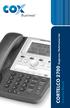 1 Instruction Manual CORTELCO 2700 Single-Line / Multi-Feature Set Table of Contents Why VoiceManager SM with Cortelco Phones?... 2 Cortelco 2700 Set Features... 3 Telephone Set Part Identification...
User Guide. Oricom UHF080 40 Channel UHF CB Radio Downloaded from www.cbradio.nl
 User Guide Oricom UHF080 40 Channel UHF CB Radio Downloaded from www.cbradio.nl Table of contents Important Information 4 Please read before installing or operating your Oricom Radio 4 Safety Warning 5
Four-Line Intercom Speakerphone 944
 1 USER S MANUAL Part 2 Four-Line Intercom Speakerphone 944 Please also read Part 1 Important Product Information AT&T and the globe symbol are registered trademarks of AT&T Corp. licensed to Advanced American
Operating Instructions
 Integrated Telephone System Model No. KX-TS05HGW PLEASE READ BEFORE USE AND SAVE. Pulse-or-tone dialing capability Operating Instructions Preparation Basic Operation Advanced Operation Useful Information
AA9604 Auto Attendant
 AA9604 Auto Attendant Operation Manual 10AA96V4M.2.13.EN1 DSG, DSG logo, AA9604, VL880, VL880L, IM1200, IM2400, IL1000 and IL5000 are trademarks of DSG Technology. Windows and Outlook Express are trademarks
User s manual. ML17929 Two-line corded telephone with caller ID/call waiting
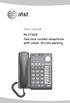 User s manual ML17929 Two-line corded telephone with caller ID/call waiting Congratulations on purchasing your new AT&T product. Before using this AT&T product, please read Important safety information
Model No. KX-TGP500. Model No. KX-TGP550
 Panasonic Telephone Systems KX-TGP500/KX-TGP550 KX-TGP500, KXTGP500, TGP500, KX-TGP550, KXTGP550, TGP550 www.voicesonic.com Phone 877-289-2829 User Guide SIP Cordless Phone Model No. KX-TGP500 Model No.
Four-Line Intercom Speakerphone 955
 1 USER S Revised: August 3, 2000 MANUAL Part 2 Four-Line Intercom Speakerphone 955 2000 Advanced American Telephones. All rights reserved. Printed in Indonesia. 850004037 Issue 1AT&T 8/00 Please also read
ISDN 970 Telephone USER MANUAL. Copyright 1999 Lucent Technologies Inc. All rights reserved. Printed in Mexico. Issue L3 847937794
 ISDN 970 Telephone USER MANUAL Copyright 1999 Lucent Technologies Inc. All rights reserved. Printed in Mexico. Issue L3 847937794 Table of Contents ABOUT ISDN... 3 ISDN TERMS... 3 A GUIDE TO THIS MANUAL...
Printed in China. Issue 4 AT&T 12/11. Message Guard is a registered trademark of Advanced American Telephones.
 www.telephones.att.com 2011 Advanced American Telephones. All Rights Reserved. AT&T and the AT&T logo are trademarks of AT&T Intellectual Property licensed to Advanced American Telephones, San Antonio,
2.4 GHz Dual Handset Cordless Telephone Answering System 2255 with Caller ID/Call Waiting
 USER S MANUAL Part 2 2.4 GHz Dual Handset Cordless Telephone Answering System 2255 with Caller ID/Call Waiting Please also read Part 1 Important Product Information AT&T and the globe symbol are registered
INSTRUCTION MANUAL UHF C.R.S.TRANSCEIVER. i41s
 INSTRUCTION MANUAL UHF C.R.S.TRANSCEIVER i41s i IMPORTANT READ ALL INSTRUCTIONS carefully and completely before using the transceiver. SAVE THIS INSTRUCTION MANUAL This instruction manual contains important
PR-D9W. GB Version 1
 PR-D9W Version 1 Table of contents Important safety instructions... 2-3 Introduction... 4 Controls... 5-8 Using your weather alert radio for the first time... 9 Operating your radio Search tuning AM/FM...
GERONIMO ANALOGUE HEAVY DUTY TELEPHONE
 GERONIMO ANALOGUE HEAVY DUTY TELEPHONE Installation and Connection Instructions K a l i k a L t d., I n n o v a t i o n H o u s e, A l e x a n d e r B e l l C e n t r e, H o p k i n s o n Wa y, A n d o
Operating Instructions
 PQQX04YA-0 0..8 8: AM y[w PLEASE READ BEFORE USE AND SAVE. Integrated Telephone System Model No. KX-T78JXW Pulse-or-tone dialing capability Operating Instructions LINE Preparation Basic Operation Advanced
User s Guide EKT-824
 User s Guide EKT-824 The Communiqué Telephone Station Table of Contents Introduction 3 About This Guide 3 The Basics Answering and Making Calls 4 Answering an External Call 4 Answering an Internal Call
AT&T. DEFINITY Communications. and System 85 8102 and 8110 Telephone User's Guide. System Generic 2
 AT&T DEFINITY Communications System Generic and System 85 810 and 8110 Telephone User's Guide NOTICE While reasonable efforts were made to ensure that the information in this document was complete and
Quick start guide. CL84109/CL84209/CL84309 DECT 6.0 corded/cordless telephone/answering system with caller ID/call waiting
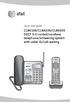 Quick start guide CL84109/CL84209/CL84309 DECT 6.0 corded/cordless telephone/answering system with caller ID/call waiting Installation You must install and charge the battery before using the telephone.
GSM1000 The Orchid Mobile Gateway. Benefits & Feature List
 GSM1000 The Orchid Mobile Gateway. Benefits & Feature List The Gateway to cost savings A Fixed Cellular terminal with Full Call Divert - getting the most Benefits from your mobile phone s free minutes
Professional answering machine with time control, SMS service and message transfer. Retell 540 office
 Manual (UK) Professional answering machine with time control, SMS service and message transfer Retell 540 office Safety instructions Safety instructions When installing, connecting and operating the Retell
OPERATING INSTRUCTIONS Model ST-888 DTMF ANI/ENI Display Decoder
 P R O D U C T G R O U P OPERATING INSTRUCTIONS Model ST-888 DTMF ANI/ENI Display Decoder Manual # 600-0901 November 30, 1999 Rev. D - 99068 DESCRIPTION The ST-888 Mobilecall Display Decoder is a desktop
Elite 8D/Lite Version 8 Zone Controller. Arrowhead Alarm Products Ltd. Operating Guide. Proudly Designed and Manufactured in New Zealand
 Elite 8D/Lite Version 8 Zone Controller 8 Arrowhead Alarm Products Ltd Operating Guide 1 Proudly Designed and Manufactured in New Zealand 2 CONTENTS Page No. INTRODUCTION 4 About your Alarm 4 OPERATING
MANUAL PC1000R [email protected]
 MANUAL PC1000R [email protected] Features The APart PC1000R is a professional multisource CD/USB/SD card music player, equipped with balanced and unbalanced analog outputs, coaxial and optical digital
VOCALISER USER INSTRUCTIONS. Pyronix Ltd OCTOBER 2000. RINS113 Issue 2
 VOCALISER USER INSTRUCTIONS Pyronix Ltd OCTOBER 2000 RINS113 Issue 2 9 RECEIVING A CALL FROM THE VOCALISER A telephone call from the Vocaliser is easily recognised by the distinctive three tones heard
Model No. KX-TGP500. Model No. KX-TGP550
 User Guide SIP Cordless Phone Model No. KX-TGP500 Model No. KX-TGP550 Model shown is KX-TGP500. Model shown is KX-TGP550. Thank you for purchasing a Panasonic product. You can configure some of the features
ADA COMPLIANT BOX STYLE TELEPHONE INSTALLATION, PROGRAMMING AND OPERATING INSTRUCTIONS FOR MODEL PBX
 ADA COMPLIANT BOX STYLE TELEPHONE INSTALLATION, PROGRAMMING AND OPERATING INSTRUCTIONS FOR MODEL PBX INSTALLATION INSTRUCTIONS Step 1. Determine the position for the Hands-free phone in the elevator phone
EP4300 4 Line Intercom Speakerphone with Caller ID and Jumbo Pivoting Display
 EP4300 4 Line Intercom Speakerphone with Caller ID and Jumbo Pivoting Display User s Guide Please read before using telephone Getting Started Congratulations! You ve purchased a HGC EP4300 System Intercom
CAUTION RISK OF ELECTRIC SHOCK DO NOT OPEN
 BeoLab 4 Guide CAUTION RISK OF ELECTRIC SHOCK DO NOT OPEN CAUTION: To reduce the risk of electric shock, do not remove cover (or back). No User-serviceable parts inside. Refer servicing to qualified service
Daily use. Never use alcohol or other solvents to clean any part of the loudspeakers!
 BeoLab 6002 Guide WARNING: To reduce the risk of fire or electric shock, do not expose this appliance to rain or moisture. Do not expose this equip ment to dripping or splashing and ensure that no objects
Edition 4 26 March 97. Response 130 telephone and answering machine. User guide
 Edition 4 26 March 97 Response 130 telephone and answering machine User guide At a glance Directory label For making a note of numbers stored in the memories. One-touch dial memory buttons Allows you to
DAB1001. Wireless Digital Radio Interface. Installation & User Guide
 DAB1001 Wireless Digital Radio Interface Installation & User Guide Contents Contents... 2 Introduction... 3 Contents of Package... 4 Installation... 5 Product Overview... 5 Installation Procedure... 5
2402 Digital Telephone User s Guide
 2402 Digital Telephone User s Guide 555-233-789 Issue 1 October 2003 NOTICE While reasonable efforts were made to ensure that the information in this document was complete and accurate at the time of printing,
System Administration Guide. Model KS 832. Expandable up to 1664
 System Administration Guide Model KS 832 Expandable up to 1664 Introduction 4 Installation Hints 4 System Programming 5 - System Password 5 - Changing Password 5 Exchange Line Set up 6 - Caller Display
Four-Line Small Business System Speakerphone 945
 945 CIB 2ATT 3/14/05 9:58 AM Page III USER S MANUAL Part 2 Four-Line Small Business System Speakerphone 945 Please also read Part 1 Important Product Information 2005 Advanced American Telephones. All
AGRI-ALERT 800T / AGRI-ALERT 800 ALARM SYSTEM USER MANUAL
 AGRI-ALERT 800T / AGRI-ALERT 800 ALARM SYSTEM USER MANUAL Manufacturer: Viatron Electronics 3514 1st Street, St-Hubert (Quebec) Canada J3Y 8Y5 WARNING: the warranty can be void if the Agri-Alert 800T or
Automatic Telephone Dialer TD-101(W)
 Automatic Telephone Dialer TD-101(W) The TD-101 is an automatic dialing device which can transmit prerecorded information via the telephone line. The dialer can send two different 10 second voice messages
Humboldt State University. 661Digital User Guide. TNS User Support 826-5000. 661 Digital
 Humboldt State University TNS User Support 826-5000 661 Digital 661Digital User Guide Humboldt State University owns and operates its own telephone switch, often referred to as a PBX (Private Branch Exchange).
OPERATING INSTRUCTIONS
 Gemini Speakerphone OPERATING INSTRUCTIONS This Interquartz telephone has been manufactured to very high standards and is very easy to use. Please read this manual carefully to find out how to use the
Polycom SoundPoint IP 550
 Polycom SoundPoint IP 550 User Guide For training/documentation, please visit us @ http://customertraining.verizonbusiness.com or call 1 800 662 1049 2009 Verizon. All Rights Reserved. The Verizon and
Content. Maintenance. Features ENGLISH. 1 transceiver 1 antenna 1 battery pack 1 belt clip 1 fast desktop charger User manual
 Contents Maintenance... 2 Features... 2 Main indicators/controls... 3 LCD display... 5 Basic operations... 6 Advanced operations... 15 Menu operations Self-Programming mode... 17 Self-programming chart...
User s manual. 993 Two-line speakerphone with caller ID/call waiting
 User s manual 993 Two-line speakerphone with caller ID/call waiting Congratulations on purchasing your new AT&T product Before using this AT&T product, please read the Important product information on
Emergency Dialer DIAL-ALERT MODEL: AD-105. www.skylinkhome.com
 www.skylinkhome.com Emergency Dialer TM DIAL-ALERT MODEL: AD-105 If you would like to order Skylink s products or have difficulty getting them to work or download information and user manual, please :
CONTENTS QUICK SETUP & INSTALLATION USER MANUAL. SUPA8 Quick Setup & User Manual
 SUPA8 Quick Setup & User Manual QUICK SETUP & INSTALLATION CONTENTS FACTORY DEFAULTS... 1 INSTALLATION OF THE SECURITY SYSTEM... 2 COMMISSIONING THE DIALLER PANEL... 5 ZONE INPUT CONNECTIONS... 7 PANEL
TABLETOP CONTROLLER USER'S MANUAL
 TABLETOP CONTROLLER USER'S MANUAL Preface TABLETOP CONTROLLER USER S MANUAL CLEARONE PART NO. 800-151-891 OCTOBER 2009 (REV. 2.1) 2009 ClearOne Communications, Inc. All rights reserved. No part of this
Polycom SoundPoint IP 650
 Polycom SoundPoint IP 650 User Guide For training/documentation, please visit us @ http://customertraining.verizonbusiness.com or call 1 800 662 1049 2009 Verizon. All Rights Reserved. The Verizon and
SPECIAL CONTROL BUTTON FUNCTIONS
 Operating Guide 1 2 3 CONTENTS Page No. OPERATING YOUR ALARM 5 General Information 5 Arming the Alarm 5 Disarming the Alarm 6 Arming in Stay Mode 7 Disarming Stay Mode 8 Bypassing Zones 8 Manual Panic,
User Guide for the Orchid Key Phones KP416 & KP832
 User Guide for the Orchid Key Phones KP416 & KP832 Contents Page Introduction 2 Setting Up 2 Setting Date & Time 2 Making & Answering Calls 2 Call Pick 3 Call Transfer 3 Calls On Hold 3 Caller Display
How To Program An Autodialer
 GJD HYL005 GSM Autodialer Instruction Manual Please read these instructions before you start the installation Features: LCD display. Programmable 9 x 32 digit phone numbers for each trigger. 10 second
GSM AD05 Slave GSM Auto Dialer- Instruction Manual
 GSM AD05 Slave GSM Auto Dialer- Instruction Manual Please read these instructions before you start the installation Features LCD display Programmable 9 x 32 digit phone numbers for each trigger. 10 second
Owner s Manual AWM910 JENSEN AWM910 COMPACT DISC PLAYER RADIO CD COMPACT MUSIC SYSTEM MUTE AUX BAND AUX IN PUSH PUSH PWR VOL ALARM T/F AUD SPK A SPK B
 AWM910 Owner s Manual COMPACT DISC PLAYER PUSH 1 2 3 4 5 6 RPT SCAN RDM H M PUSH PWR VOL ALARM SET ON/OFF EQ T/F AUD RADIO CD COMPACT MUSIC SYSTEM MUTE AUX BAND CD AUX IN A B A+B JENSEN AWM910 Thank You!
When you switch off your system, or mute the sound, the red indicator light appears immediately, indicating that the subwoofer is not in use.
 BeoLab 11 Guide WARNING: To reduce the risk of fire or electric shock, do not expose this appliance to rain or moisture. Do not expose this equip ment to dripping or splashing and ensure that no objects
BT Big Button 100. User Guide
 BT Big Button 100 User Guide Welcome to your BT Big Button 100 phone Large buttons for easy dialling. Handsfree make and receive calls using the loudspeaker. One-touch 1571 button dials your network answering
TOA INTERCOM SYSTEM. TOA Corporation OPERATING INSTRUCTIONS
 OPERATING INSTRUCTIONS TOA INTERCOM SYSTEM INTERCOM STATION HF-250M Please follow the instructions in this manual to obtain the optimum results from this unit. We also recommend you to keep this manual
USER GUIDE. Cisco Small Business Pro. SPA 500 Series IP Phones Models 504G, 508G, and 509G. Provided by
 USER GUIDE Cisco Small Business Pro SPA 500 Series IP Phones Models 504G, 508G, and 509G Provided by Understanding Your Phoneʼs Lines and Buttons Use the following graphic and table to identify the parts
USER GUIDE. Cisco Small Business Pro. SPA 504G IP Phone for 8x8 Virtual Office
 USER GUIDE Cisco Small Business Pro SPA 504G IP Phone for 8x8 Virtual Office Cisco and the Cisco Logo are trademarks of Cisco Systems, Inc. and/or its affiliates in the U.S. and other countries. A listing
Manufactures of: All. Dallas Delta Corporation Pty.Ltd. Pty.Ltd. 102 Albert St. East Brunswick, 3057 Vic. Tel: 613 93877388 Fax: 613 93873128
 Dallas Delta Corporation Pty.Ltd. 102 Albert St. East Brunswick, 3057 Vic. Tel: 613 93877388 Fax: 613 93873128 Email: [email protected] www.dallasdelta.com.au LP GUARD DOORSTATION MK II G UARD Doorstation
Auto Dialer. Manual E-921APQ E-921GPQ
 Troubleshooting: Auto dialer will not arm/disarm Auto dialer will not dial out Unit doesn t respond to a call-back Difficulty in activating room monitor by telephone remote control Make sure that you have
HiPath 1100. HiPath 1120 HiPath 1130 HiPath 1150 HiPath 1190. Instruction Manual System Telephone Profiset 3030
 HiPath 1100 HiPath 1120 HiPath 1130 HiPath 1150 HiPath 1190 Instruction Manual System Telephone Profiset 3030 Contents Installation Recommendations... 3 Installation... 4 Profiset 3030 System Telephone...
Hand-Held Radio Interface User s Guide Models: NB-HHRI-01 & WB-HHRI-01
 PROGRAM Hand-Held Radio Interface User s Guide Models: NB-HHRI-01 & WB-HHRI-01 The Hand-Held Radio Interface (HHRI) system is designed to operate Toro computerized central irrigation control systems and
Compact Rugged Design. 300 Memory Channels. Single Head Remote Option. 6 Programmable Function Keys. Enhanced Kenwood Audio. 100W Transmit Power*
 HF TRANSCEIVER Compact Rugged Design 300 Memory Channels Single Head Remote Option 6 Programmable Function Keys Enhanced Kenwood Audio 100W Transmit Power* High-stability TCXO Enhanced Security Features
Model No. KX-TS560MX. Model shown is KX-TS580MX
 Operating Instructions Integrated Telephone System Model No. KX-TS560MX KX-TS580MX Model shown is KX-TS580MX This unit is compatible with Caller ID. You must subscribe to the appropriate service offered
Model 25423/24. 4-Line Intercom Speakerphone User s Guide. Quick Guide on Pgs. 7-14
 4-Line Intercom Speakerphone User s Guide Quick Guide on Pgs. 7-14 Please read this manual before operating product for the first time. Model 25423/24 Important Information Equipment Approval Information
OWNER S MANUAL. Permolock C3. Docking system for Power wheelchair in vehicle
 OWNER S MANUAL US Permolock C3 Docking system for Power wheelchair in vehicle How to contact Permobil Head Office of the Permobil group Permolock C3 Docking system for electric wheelchair in vehicle Produced
Model PBX 308 Plus System Administration Guide
 Model PBX 308 Plus System Administration Guide Introduction 4 Installation Hints 4 System Programming 5 - System Password 5 - Changing Password 5 Exchange Line Set up 6 - Caller Display 6 - Setting Date
Setting Up the Cisco Unified IP Phone
 CHAPTER 3 This chapter includes the following topics, which help you install the Cisco Unified IP Phone on an IP telephony network: Before You Begin, page 3-1 Understanding the Cisco Unified IP Phone 7962G
Single Day Alarm Clock with. Bluetooth and USB Play-through
 Single Day Alarm Clock with Bluetooth and USB Play-through MODEL : BSC 200 READ THIS INSTRUCTION MANUAL BEFORE OPERATING THE APPLIANCE. SAVE THIS MANUAL FOR FUTURE REFERENCE. TABLE OF CONTENTS IMPORTANT
Mini Portable Reader (MPR) Model HS 5900L F
 Mini Portable Reader (MPR) Model HS 5900L F TABLE OF CONTENTS Chapter 1: Mini Portable Reader (MPR) Basics 1 1.1 Preparing for Operation 1 1.2 Installing/Changing Batteries 1 1.3 Scanning with the Mini
Operating Instructions. Telephone System tiptel 1/8 fax clip tiptel 2/8 clip. (Release 2) tiptel
 Operating Instructions (UK) Telephone System tiptel 1/8 fax clip tiptel 2/8 clip (Release 2) tiptel Table of Contents Connection of 8 extensions..........3 Connection of 7 extensions and 1 door intercom................4
Setting Up the Cisco Unified IP Phones
 CHAPTER 3 This chapter includes the following topics, which help you install the Cisco Unified IP Phones on an IP telephony network: Before You Begin, page 3-1 Understanding the Cisco Unified IP Phone
OWNER S INSTRUCTION MANUAL
 OWNER S INSTRUCTION MANUAL 2-LINE PHONE 9225 MODEL IR-9225 THANK YOU FOR PURCHASING THE 2-LINE PHONE 9225 We want you to know all about your new Telephone,how to install it, the features it provides, and
There are three different ways to program Bendix/King radios:
 HOW TO PROGRAM RADIOS There are three different ways to program Bendix/King radios: * By Keyboard A radio with a keyboard and LCD display can be programmed by using its keyboard and a programming plug
HANDS FREE COMMUNICATION (UConnect ) IF EQUIPPED
 UConnect Hands Free Communications- Complete Instructions HANDS FREE COMMUNICATION (UConnect ) IF EQUIPPED UConnect is a voice-activated, hands-free, in- vehicle communications system. UConnect allows
PD 100A. Printing data system
 PD 100A Printing data system Operating instructions ENGLISH IMPORTANT: Read these instructions carefully before installing and using the device; do not forget following all additional information. Keep
Tiny Audio C3. English TINY AUDIO C3. Please read carefully before using this product
 English TINY AUDIO C3 Please read carefully before using this product 1 Safety Instructions: 1. Do not use this radio near water. 2. Clean with dry cloth. 3. Do not block any ventilation openings. 4. Do
PS 29M DUAL CHANNEL BELTPACK IN METAL CASE
 PS 29M DUAL CHANNEL BELTPACK IN METAL CASE USER MANUAL October 2013 This product is designed and manufactured by: ASL Intercom BV Zonnebaan 42 3542 EG Utrecht The Netherlands Phone: +31 (0)30 2411901 Fax:
Model PBX 308 Plus System Administration Guide
 Model PBX 308 Plus System Administration Guide Introduction 3 Installation Hints 4 System Programming 5 IMPORTANT Exchange Lines 6 Assign Incoming calls to ring Nominated Extensions 7 Cascade Ringing Of
Four-Line Intercom Speakerphone 964
 1 USER S MANUAL Part 2 Four-Line Intercom Speakerphone 964 2000 Advanced American Telephones. All rights reserved. Printed in Indonesia. 850002940 Issue 1AT&T 6/00 Please also read Part 1 Important Product
i560 TELUS Handset User s Guide
 i560 TELUS Handset User s Guide Contents Getting Started... 1 Battery... 3 Activating your Mike Account... 6 Powering On and Off... 6 Finding Your Phone Number and Private ID... 7 Handset Basics... 7
Operating Instructions
 Integrated Telephone System Model No. KX-TS08HGW PLEASE READ BEFORE USE AND SAVE. Pulse-or-tone dialing capability Operating Instructions Preparation Basic Operation Advanced Operation Useful Information
4 Line Intercom Speakerphone User s Guide. Please read this manual before operating this product for the first time.
 4 Line Intercom Speakerphone User s Guide Please read this manual before operating this product for the first time. Model 25413/14 Important Information Equipment Approval Information Your telephone equipment
Operating Instructions
 5.8 GHz Digital Cordless Phone Operating Instructions Model No. KX-TG5050 Pulse-or-tone dialing capability The unit is Caller ID compatible. To display the Caller s name and phone number, you must subscribe
WIRELESS ALARM SYSTEM WITH TELEPHONE AUTO DIALER
 BAT.LOW AC WIRELESS ALARM SYSTEM WITH TELEPHONE AUTO DIALER THE SYSTEM THAT CALLS YOU! Our WIRELESS ALARM SYSTEM WITH TELEPHONE AUTO DIALER is designed to allow you to create your own security system.