
OPERATING INSTRUCTIONS
|
|
|
- Dylan Nicholson
- 10 years ago
- Views:
Transcription
1 Gemini Speakerphone OPERATING INSTRUCTIONS

2 This Interquartz telephone has been manufactured to very high standards and is very easy to use. Please read this manual carefully to find out how to use the features. Contents 1. Important Notes... 2 Intended use... 2 Telephone facilities... 2 REN number... 3 Emergency calls Installation... 4 Connection... 4 Wall mounting Telephone Features... 6 Store Button... 6 Handsfree/Headset Button... 6 Ringer Indicator... 7 Ringer Volume Switch... 7 Recall Button... 7 Memory Stores... 7 Volume Control... 7 Mute Button... 7 Redial / Pause Button Operation PABX & System Usage Maintenance and Problem Solving Warranty and Service Figure 1 Wall Mounting... 4 Figure 2 Handset Retainer for Wall Mount... 5 Figure 3 General Appearance... 6 Figure 4 Bottom View... 8 Figure 5 Recall Switch

3 1. IMPORTANT NOTES Intended use This apparatus is intended for use on 2 wire analogue PSTN and PABX circuits within Europe. Declaration of Conformity Interquartz (UK) Limited declares under its sole responsibility that this product Model : GEMINI Speakerphone Is in conformity with the following relevant harmonized standards Health & Safety EN60950 : 1992 Electromagnetic Compatibility EN55022 : 1998 & EN55024 : 1998 Telecoms EN301437:1999 & TBR38: 1998 Following the provisions of Council Directive on radio equipment and telecommunications terminal equipment. May 2005 Telephone facilities This telephone has been designed for the use of the following facilities : manual dialling recall (earth or timed break selectable) MF signalling ringer volume control ringing indicator 2

4 last number re-dial pause function mute function headset function speakerphone function line powered 10 memory buttons inductive loop hearing aid compatible REN number The REN number of this telephone is 1. If you wish to connect any other equipment to the line, simply add the REN numbers of each device together and ensure that the total does not exceed 4. If too many phones are connected to the line, the circuit may be overloaded and your telephone may not ring. Not all telephones have the same REN. If a British Telecom phone is supplied unmarked, you can assume that it has a REN of 1. Emergency calls Calls can be made on this telephone to contact the emergency services. The European code for emergency services is 112, however, you can still use 999 in the UK. An access code may also be required, if the phone is connected to a PABX. 3

5 2. INSTALLATION This telephone is designed to plug straight into a modular style socket. If you do not have one of these sockets, they can be obtained from your Network Supplier. Connection Insert the line cord into the socket. Set the ringer volume control, as desired. Wall mounting Using the template supplied, position the telephone where you want to wall mount. Drill two holes and fix roundheaded screws, leaving them slightly proud of the surface. Position the telephone over the screws and slide downwards into place. Figure 1 Wall Mounting 4

6 To enable the handset to be supported in the cradle when the phone is mounted on the wall, follow the procedure shown in Figure 2 to reserve the HANDSET RETAINER. 1. Use your thumb to press the HANDSET RETAINER 2. Push the HANDSET RETAINER out of the slot 3. Turn the HANDSET RETAINER Insert the HANDSET RETAINER back into it's slot Figure 2 Handset Retainer for Wall Mounting 5

7 3. TELEPHONE FEATURES Figure 3 General Appearance To help you find your way round the telephone, various features and buttons are briefly described below. You should refer to the relevant section of this user guide to learn how to use the features available. Store Button Used to store numbers into the direct access memory buttons. Handsfree/Headset Button When the Handsfree/Headset button is pressed a red indicator will glow to indicate that the HANDSFREE or HEADSET mode is activated. 6

8 Ringer Indicator Flashes when the telephone rings with an incoming call or with a message waiting signal (See PABX section). Ringer Volume Switch Located on the base of the unit (see Figure 4). Move switch to select ringer volume, ringer off (OFF), ringer low (LOW) or ringer high (HIGH) for ringing on incoming call. Recall Button For PABX use, to carry out call transfers and access other PABX facilities. Memory Stores There are 10 buttons able to retrieve 10 memory locations, each able to store 32 digits. Volume Control Allows the volume of the incoming caller to be adjusted, in Handsfree/Headset operation. Simply move the slider switch to give a satisfactory level. Mute Button Pressing and releasing this button mutes the microphone so that the caller cannot hear your conversation. The red LED will light indicating that the mute is on. Pressing and releasing the button a second time will cancel the mute and return to normal conversation. If the telephone handset is replaced on the cradle with the mute on, the mute will automatically be released when the handset is next lifted. 7

9 Redial / Pause Button If pressed once the dial tone is heard, the last number dialled will be redialled. Otherwise, it serves as a pause button inserting a 3.6 second pause in the number sequence. Figure 4 Bottom View 8

10 4. OPERATION Handset / Headset / Handsfree Operation To dial a number, either lift the Handset or press Handsfree / Headset button wait for the dial tone and then dial in the number required. The Handsfree / Headset button has auto detection function. When the Headset is connected the Handsfree function is disabled to allow the Handsfree / Headset button to work in Headset mode. Unplug the Headset to revert to Handsfree mode (even during a call). Answering a call You may answer a call by simply lifting the Handset. To answer in Handsfree mode, press the Handsfree / Headset button, the call will automatically be answered in full Handsfree mode. To answer in headset mode, press the Handsfree / Headset button, the call will automatically be answered in Headset mode. (Headset must be plugged into Headset Port). For servicing and replacement, you can purchase a suitable headset through an INTERQUARTZ approved distributor or call + 44 (0) or [email protected] Manual Dialling Lift the handset, listen for the dial tone and then dial the required number using the keypad. Handsfree and Headset dialing Press the Handsfree / Headset button firmly and dial tone will be heard in the speaker. Dial the required number on the keypad. 9

11 When the called party answers the phone, continue to speak using microphone in the telephone or pick up the Handset. While the Handset is in use it is possible to revert to speakerphone by pressing the Handsfree/Headset button BEFORE replacing the Handset. Note: if using the Handset and the Handsfree/Headset button is pressed to revert to speakerphone operation, both the Handset and the speakerphone microphones are muted until the Handset is replaced. The call is terminated by replacing the Handset on the cradle or by pressing the Handsfree/Headset button. The telephone will continue to ring an unanswered number until the call is terminated by pressing the Handsfree/Headset button. When the Headset is connected, the Handsfree function is disabled to allow the Headset/Handsfree button to work in Headset mode. Press the Handsfree/Headset button firmly and dial out tone will be heard in the Headset. Dial the required number on the keypad. Memory Storage / Dialling This telephone can store ten memories. The numbers are stored in Flash memory which means that they will never be lost. To store numbers, ensure that the telephone is connected to the line. either lift the Handset or press the Handsfree/Headset button press the Store button dial the number to be stored using the keypad press the Store button again press the Memory button where you want to save the number replace the Handset or press the Handsfree/Headset button to clear the line. 10

12 To dial numbers from memory either lift the Handset or press the Handsfree/Headset button once dial tone is present press the required memory button, the stored number will then be dialled automatically. Redial / Pause Function Redial If the number dialled is busy, hang-up and obtain a new line by either lifting the Handset or pressing the Handsfree/Headset button. press the button labelled Redial/Pause and the last number (up to 32 digits) that you dialled will automatically be redialled. Pause The Pause command may be needed if the phone is connected to certain types of PABX or to any network where a pause is required. Lift handset Dial any digits required before the pause Press Pause button Dial remaining digits 11

13 5. PABX & SYSTEM USAGE This telephone can be used behind a PABX or on a network that utilises the recall function. There are many such systems and whilst it is likely that no problems will be encountered, it cannot be guaranteed that the telephone will operate correctly under all circumstances. Any difficulties should be referred to your supplier. Recall Before you attempt to change the recall switch, labelled TBR ER, see (Figure 4&5), you should disconnect the phone from the network. Figure 5 Recall Switch You will need a screwdriver, or similar tool to remove the cover plate over the switch. Simply slide the Switch marked TBR ER to the appropriate setting ( the factory default is TBR ). If you are unsure which setting is applicable, please consult your PABX manager or supplier. Do not adjust the switch marked N, S2, S1. Replace the cover, plug the phone back into the socket and it is ready for use. PABX access Where a PABX access digit is required to obtain a direct outside line, it may be necessary to insert a pause after dialling the access digit (see page 8 Redial and Pause function of this manual). 12

14 Voice messaging This telephone will respond to voice messaging systems on many PABX types, giving a visual signal of a message waiting. Your telephone manager will be aware of which system is relevant to your organisation and will adjust or advise you on the adjustment of your telephone accordingly. This adjustment is carried out by means of a switch, labelled N/S2/S1, located next to the recall switch, mentioned above. As supplied, the telephone is set to the N (normal) position. Under no circumstances should this Voice messaging switch (Figure 4) be set at the S1 or S2 without the approval of your telecoms manager. In either of the S positions, the telephone must NOT be connected directly the public network. (Technical note : S1 and S2 are for reverse polarity messaging systems. With such a system in use, if the telephone does not respond in the S1 position, switch it to the S2 position and it should then respond. Some PABX s require a certain level of software and/or hardware within the switch. If your telephone appears not to work, make sure that you have the correct software/hardware installed. 13

15 6. MAINTENANCE AND PROBLEM SOLVING Your telephone is a precision electronic instrument. Avoid rough handling and extreme temperatures. Use a mild detergent and a damp cloth when cleaning. Never use a stronger cleaner. If your telephone does not appear to be working correctly, please check the following : No Dial tone Will not ring - Is phone cord properly connected to the wall socket? - ringer switch is set to off? - REN number may exceed 4, disconnect a phone until the number is below 4. If there are still problems, and you have more than one telephone: Remove the problem phone. Insert another phone and check that it works. If yes then the problem phone is possibly faulty. If not, then you may have a faulty line. Try using the other socket and see which phones work. If you do have a faulty line then you should contact your Network Supplier. You should however be aware that if you request them to carry out a repair that is found not to be their fault, then they are entitled to charge you for a visit. In the event that you still have problems then you should consult your supplier. 14

16 7. WARRANTY AND SERVICE This product is guaranteed, by Interquartz (UK) Limited, for six years from the date of manufacture. Every Interquartz telephone has a unique serial number and part of that number refers to the date of manufacture. A label, similar to that shown below is affixed to each telephone (model no) The figure 0520 means that the telephone was made during week 20 (19 May) The six year warranty, cover will apply until 19 May A warranty is designed to cover either manufacturing faults or component defects. It is not designed to cover fair wear and tear. The Interquartz warranty is no exception. We look to you, our customer, to be reasonable and sensible over the warranty. We will endeavour to repair any telephone sent in to us within the warranty period but we reserve the right to charge for items that we consider replaceable under wear and tear. For example, if a handset cord splits within a few months, it will be replaced. If a phone is returned after, say, four years of heavy use with a similar problem, we might take a different view and wish to charge. If you have a genuine warranty problem and provided that the warranty seal has not been broken, we will either repair your telephone, or, at our sole discretion, replace it with a similar telephone. In the event that a model may have been discontinued, any replacement would have similar or enhanced features. If you need to return a faulty unit to us, send it to: Interquartz (UK) Limited Pennine House Salford Street Bury BL9 6YA 15

17 16

18 17

19 Make sure that you tell us what is wrong with the phone. DO NOT FORGET TO INCLUDE YOUR OWN NAME AND ADDRESS. We ask that you bear the cost of returning the telephone to us. We will return it to you, at our expense. This warranty is in addition to any statutory rights. For further advice visit our Website This telephone is approved to EEC directive 1999/5/EC Distributed in the United Kingdom by Interquartz (UK) Limited Manufactured by International Quartz Limited 3C HS12B A Subsidiary of Chiaphua Industries Ltd. Copyright INTERNATIONAL QUARTZ LTD

Enterprise Telephone. Model 98390 OPERATING INSTRUCTIONS
 Enterprise Telephone Model 98390 OPERATING INSTRUCTIONS This Interquartz telephone has been manufactured to very high standards and is very easy to use. Please read this manual carefully to find out how
Enterprise Discovery CALLER DISPLAY TELEPHONE USER MANUAL
 Enterprise Discovery CALLER DISPLAY TELEPHONE USER MANUAL This Interquartz telephone has been manufactured to very high standards and is very easy to use. Please read this manual carefully to find out
BT Big Button 100. User Guide
 BT Big Button 100 User Guide Welcome to your BT Big Button 100 phone Large buttons for easy dialling. Handsfree make and receive calls using the loudspeaker. One-touch 1571 button dials your network answering
Converse 320. Userfriendly Guide
 Converse 0 Userfriendly Guide Return Diversion Minder On Off At a glance IMPORTANT Next Inserts a space in a number when storing numbers in the memory. Clear Used to edit numbers when pre-dialling or when
UK s best selling phone brand. User Guide. BT Big Button 200 Corded Phone
 UK s best selling phone brand User Guide BT Big Button 200 Corded Phone 2 Welcome. to your BT Big Button 200 telephone Large buttons for easy, accurate and more comfortable dialling Large display to assist
User Guide BT CONVERSE 425
 User Guide BT CONVERSE 425 This product is intended for connection to analogue public switched telephone networks and private switchboards in the United Kingdom. Please open this page for an At a glance
UK s best selling phone brand. User Guide. BT Decor 2200 Corded Phone
 UK s best selling phone brand User Guide BT Decor 2200 Corded Phone 2 This User Guide provides you with all the information you need to get the most from your phone. Before you make your first call you
HANDSFREE HEADSET TELEPHONE MODEL IQ360
 HANDSFREE HEADSET TELEPHONE MODEL IQ360 OPERATING INSTRUCTIONS 27 CONTENTS 1. FEATURES... 3 2. GENERAL CONTROLS AND INDICATORS... 4 MULTIFUNCTIONAL INDICATOR LIGHT... 5 RINGER PITCH CONTROL... 6 RINGER
User Guide. Response 75. Digital Answering Machine
 Response 75 Plus Digital Answering Machine User Guide This product is intended for connection to analogue public switched telephone networks and private switchboards in the United Kingdom. At a glance
UK s best selling phone brand. User Guide. BT Response 75+ Answering Machine
 UK s best selling phone brand User Guide BT Response 75+ Answering Machine Welcome to your BT Response 75+ Digital Answering Machine 50 minutes recording capacity Offers the benefits of digital recording.
AASTRA 9110 User Guide
 AASTRA 9110 User Guide Key Descriptions Redial Save Flash Mute Handset Ringer Switch Set Indicator Light Volume Bar Dial Pad Handsfree/Mute 7 Memory Keys Making and Answering Calls Making a call With your
ALCATEL 2315 USER GUIDE
 ALCATEL 2315 USER GUIDE 1 1. LAYOUT 2. INSTALLATION 3. OUTGOING CALL 3.1 Handset Mode 3.2 Handsfree Mode 4. INCOMING CALL 4.1. Handset Mode 4.2. Handsfree Mode 5. HOLD 5.1. Handset Mode 5.2. Handsfree
Four-Line Intercom Speakerphone 944
 1 USER S MANUAL Part 2 Four-Line Intercom Speakerphone 944 Please also read Part 1 Important Product Information AT&T and the globe symbol are registered trademarks of AT&T Corp. licensed to Advanced American
GERONIMO ANALOGUE HEAVY DUTY TELEPHONE
 GERONIMO ANALOGUE HEAVY DUTY TELEPHONE Installation and Connection Instructions K a l i k a L t d., I n n o v a t i o n H o u s e, A l e x a n d e r B e l l C e n t r e, H o p k i n s o n Wa y, A n d o
ADA COMPLIANT BOX STYLE TELEPHONE INSTALLATION, PROGRAMMING AND OPERATING INSTRUCTIONS FOR MODEL PBX
 ADA COMPLIANT BOX STYLE TELEPHONE INSTALLATION, PROGRAMMING AND OPERATING INSTRUCTIONS FOR MODEL PBX INSTALLATION INSTRUCTIONS Step 1. Determine the position for the Hands-free phone in the elevator phone
Quick Reference Guide
 Important Information Quick Reference Guide Model No. KX-T7710 When using the KX-T7710, keep the following conditions in mind. If there is any problem, unplug the extension line and connect a known working
Big Button Plus 20200
 Big Button Plus 20200 Congratulations on your selection of the Big Button Plus 20200 from Northwestern Bell Phones. This quality telephone, like all Genuine BELL products, has been designed to give you
B220. two-line business speakerphone
 users guide B220 two-line business speakerphone HEADSET PROGRAM REDIAL FLASH RELEASE HEADSET JACK B220 TELEPHONE DIAGRAM PRGM REDIAL FLASH RELEASE FIGURE 1 /HEADSET TABLE OF CONTENTS 1) FEATURES......2
UK s best selling phone brand. User Guide. BT Decor 2500 Corded Phone
 UK s best selling phone brand User Guide BT Decor 2500 Corded Phone 2 This User Guide provides you with all the information you need to get the most from your phone. Before you make your first call you
Quick start guide to your IP phone
 Quick start guide to your IP phone IP Phone Model SPA 525G/ SPA 525G2 Note The features available on your phone depend on the type of system to which your phone is connected. Contact your system administrator
Quick Reference Guide
 Important Information Digital Proprietary Telephone Quick Reference Guide Model No. KX-T7665 When using the KX-T7665, keep the following conditions in mind. If there is any problem, unplug the extension
Enterprise Edge M7310 Quick Reference Guide
 Enterprise Edge M7310 Quick Reference Guide 2000 Nortel Networks P0908513 Issue 03 Your Enterprise Edge M7310 Telephone Shift button For using the top function of a dual-memory button. Display shows the
Four-Line Intercom Speakerphone 955
 1 USER S Revised: August 3, 2000 MANUAL Part 2 Four-Line Intercom Speakerphone 955 2000 Advanced American Telephones. All rights reserved. Printed in Indonesia. 850004037 Issue 1AT&T 8/00 Please also read
AT&T SPIRIT. Communications System User Manual
 AT&T SPIRIT Communications System User Manual Table of Contents How to Use this Manual 2 Key to Symbols 4 Ringing Patterns 5 Groups (2448 System) 5 Indicator Light Patterns 5 Parts of the Telephones 6
Edition 4 26 March 97. Response 130 telephone and answering machine. User guide
 Edition 4 26 March 97 Response 130 telephone and answering machine User guide At a glance Directory label For making a note of numbers stored in the memories. One-touch dial memory buttons Allows you to
Quick start guide to your IP phone
 Quick start guide to your IP phone IP Phone Models SPA501G, SPA502G, SPA504G, SPA508G, and SPA509G Welcome Thank you for choosing the Cisco Small Business IP Phone. This guide describes how to install
Operating Instructions
 PLEASE READ BEFORE USE AND SAVE. Integrated Telephone System Model No. KX-T7FXW Pulse-or-tone dialing capability Operating Instructions Preparation Basic Operation Advanced Operation Useful Information
How To Use A Cell Phone On A Cellphone On A Kx-Tvm Series 2 (Kx) (Kox-Tvp) ( Kx) Series 2.5 (Kuk) Series (Kq) Series 1
 Model No. KX-DT321 Thank you for purchasing a Digital Proprietary Telephone (DPT). Please read this manual carefully before using this product and save this manual for future use. For more details, please
FUTURE CALL PICTURE CARE PHONE MODEL: FC-1007 USER MANUAL
 FUTURE CALL PICTURE CARE PHONE MODEL: FC-1007 USER MANUAL Please follow instructions for repairing if any otherwise do not alter or repair any parts of device except specified. IMPORTANT SAFETY INSTRUCTIONS
PANASONIC Speaker Phone Easa-Phone Model No. KX-T2315
 PANASONIC Speaker Phone Easa-Phone Model No. KX-T2315 For product service Panasonic Service centers are listed in the service center directory. Call 1-800-545-2672 for the location of an authorized service
Quick Reference Guide
 Important Information Digital Proprietary Telephone Quick Reference Guide Model No. KX-T7668 When using the KX-T7668, keep the following conditions in mind. If there is any problem, unplug the extension
System Administration Guide. Model KS 832. Expandable up to 1664
 System Administration Guide Model KS 832 Expandable up to 1664 Introduction 4 Installation Hints 4 System Programming 5 - System Password 5 - Changing Password 5 Exchange Line Set up 6 - Caller Display
Euroset 5005. Connections
 Euroset 5005 Connections 1 Repertory keys 2 Recall key 3 Redial key 4 Handset volume control key 5 Pause key 6 Speed dial key 7 Set key 8 Mute key 1 Touches d accès rapide 2 Touche de double appel 3 Touche
HEADSET TELEPHONE MODEL IQ260
 HEADSET TELEPHONE MODEL IQ260 OPERATING INSTRUCTIONS 25 CONTENTS 1. FEATURES... 3 2. GENERAL CONTROLS AND INDICATORS... 4 MULTIFUNCTIONAL INDICATOR LIGHT... 5 RINGER PITCH CONTROL... 6 RINGER VOLUME SWITCH...
CALLER ID Telephone. Users Manual
 CALLER ID Telephone Users Manual Cover Models: HCD9888(38)TSD HCD9888(38)TSD-CW Please read this manual before use Thank you for purchasing your new 38TSD phone HCD9888(38)TSD telephone is FSK/DTMF caller
Doro PhoneEasy 331ph
 Doro PhoneEasy 331ph 1 2 6 3 4 5 English 1 Ringer indicator 2 Hanging Hook for Handset 3 Redial function 4 Volume control 5 Flash button/programming 6 Speed dial memories This device is intended for the
AT&T Small Business System Speakerphone with Intercom and Caller ID/Call Waiting 974
 974QSG_(Rev14)ml_23.5.06 5/23/06 11:28 AM Page 1 QUICK START GUIDE AT&T Small Business System Speakerphone with Intercom and Caller ID/Call Waiting 974 This Quick Start Guide provides basic instructions.
Four-Line Small Business System Speakerphone 945
 945QSG_(rev22)ml23.5.06 5/23/06 11:29 AM Page 1 QUICK START GUIDE Four-Line Small Business System Speakerphone 945 This Quick Start Guide provides basic instructions. For additional installation options
Quick Reference Guide
 Quick Reference Guide Model No. KX-T7710 Attention When using the KX-T7710, keep the following conditions in mind. If there is any problem, unplug the extension line and connect a known working phone.
Four-Line Intercom Speakerphone 964
 1 USER S MANUAL Part 2 Four-Line Intercom Speakerphone 964 2000 Advanced American Telephones. All rights reserved. Printed in Indonesia. 850002940 Issue 1AT&T 6/00 Please also read Part 1 Important Product
AT&T MERLIN COMMUNICATIONS SYSTEM ADMINISTRATION MANUAL: MODELS 206 AND 410 WITH FEATURE PACKAGE 1
 AT&T MERLIN COMMUNICATIONS SYSTEM ADMINISTRATION MANUAL: MODELS 206 AND 410 WITH FEATURE PACKAGE 1 Table of Contents Page How to Use This Manual The MERLIN Voice Terminal Setting the Control Unit Model
OWNER S INSTRUCTION MANUAL
 OWNER S INSTRUCTION MANUAL 2-LINE PHONE 9225 MODEL IR-9225 THANK YOU FOR PURCHASING THE 2-LINE PHONE 9225 We want you to know all about your new Telephone,how to install it, the features it provides, and
Important Information
 Important Information Proprietary Telephones Quick Reference Guide Model KX-T7730 When using the KX-T7730, keep the following conditions in mind. If there is any problem, unplug the extension line and
General Instructions... 1. User Controls...
 Contents General Instructions... 1. User Controls... 2. Setting Up... 2.1 Important information... 2.2 Contents of package... 2.3 Connecting the base station and charging base... 2.4 Replacing the batteries...
AVAYA VOICE OVER INTERNET PROTOCOL (VOIP) TELEPHONE USER MANUAL. Revised by Leeward CC IT October 2012. University of Hawaiʻi Community Colleges
 AVAYA VOICE OVER INTERNET PROTOCOL (VOIP) TELEPHONE USER MANUAL Revised by Leeward CC IT October 2012 University of Hawaiʻi Community Colleges Hawaiian Telecom Copyright 2012 Table of Contents PLACING
AT&T. DEFINITY Communications. and System 85 8102 and 8110 Telephone User's Guide. System Generic 2
 AT&T DEFINITY Communications System Generic and System 85 810 and 8110 Telephone User's Guide NOTICE While reasonable efforts were made to ensure that the information in this document was complete and
AVAYA 9608/9611G SIP DESKPHONE INSTRUCTIONS
 AVAYA 9608/9611G SIP DESKPHONE INSTRUCTIONS MESSAGE WAITING INDICATOR PHONE DISPLAY NAVIGATION ARROWS and the OK BUTTON PHONE BUTTON MESSAGE BUTTON CONTACTS HISTORY HOME HEADSET SPEAKER VOLUME BUTTON MUTE
User s manual. ML17929 Two-line corded telephone with caller ID/call waiting
 User s manual ML17929 Two-line corded telephone with caller ID/call waiting Congratulations on purchasing your new AT&T product. Before using this AT&T product, please read Important safety information
BT Contour 100 User guide
 BT Contour 100 User guide br Everyday features These are the most common features and functions, which you will probably use most often. For any other features, see the Extra features section on page
TELEPHONE BUTTONS & ICONS TOUCHSCREEN OVERVIEW
 This Telephone Guide describes the various features available to you. Telephone Buttons and Icons describe the physical buttons and keys on the phone, the Touchscreen Overview outlines basic functions,
Cisco SPA 525G. Quick Start guide. Business
 Cisco SPA 525G Quick Start guide Business Cisco Small Business SPA IP Phone Model SPA 525G/SPA 525G2 Package Contents IP telephone (Fig. 1) Desk Stand RJ-45 Ethernet Cable Setup CD-ROM Quick Start Guide
Operating Instructions
 Integrated Telephone System Model No. KX-TS05HGW PLEASE READ BEFORE USE AND SAVE. Pulse-or-tone dialing capability Operating Instructions Preparation Basic Operation Advanced Operation Useful Information
USER GUIDE. Cisco Small Business Pro. SPA 500 Series IP Phones Models 504G, 508G, and 509G. Provided by
 USER GUIDE Cisco Small Business Pro SPA 500 Series IP Phones Models 504G, 508G, and 509G Provided by Understanding Your Phoneʼs Lines and Buttons Use the following graphic and table to identify the parts
AT&T MERLIN COMMUNICATIONS SYSTEM USER S GUIDE MODELS 206, 410 AND 820 WITH FEATURE PACKAGE 2
 AT&T MERLIN COMMUNICATIONS SYSTEM USER S GUIDE MODELS 206, 410 AND 820 WITH FEATURE PACKAGE 2 Table of Contents Page Page Available Features Key to Symbols Placing and Answering Calls Line Buttons and
About Your Telephone. Call appearances/feature buttons
 About Your Telephone Your 8410B is a multi-appearance digital telephone. To familiarize yourself with your telephone, refer to the figure below and then read the following explanations. Call appearances/feature
Venture Multiline Communications System
 THREE LINE TELEPHONE User Guide Venture Multiline Communications System Introduction...1 Your Venture phone... 2 Key descriptions... 3 Unpacking the phone... 4 Getting started...5 Preparing for the installation...
Four-Line Small Business System Speakerphone 945
 945 CIB 2ATT 3/14/05 9:58 AM Page III USER S MANUAL Part 2 Four-Line Small Business System Speakerphone 945 Please also read Part 1 Important Product Information 2005 Advanced American Telephones. All
User s manual. Corded telephone. w w w.v t e c h c a n a d a. c o m. Big Button Big Display. Model:CD1281 DIR CID
 User s manual w w w.v t e c h c a n a d a. c o m DIR CID Model:CD1281 Corded telephone Big Button Big Display Congratulations on purchasing your new VTech product. Before using this telephone, please read
Model SPA 303G Quick Start Guide
 mydatavo Model SPA 303G Quick Start Guide Welcome Thank you for choosing Datavo as your business solutions provider. This guide describes how to install your phone and how to perform some basic tasks.
2-9451. Four-Line Business Phone with Intercom User s Guide. We bring good things to life.
 2-9451 Four-Line Business Phone with Intercom User s Guide We bring good things to life. FCC REGISTRATION INFORMATION Your telephone equipment is registered with the Federal Communications Commission and
Vista. Vista 150 User Guide
 Vista Vista 150 User Guide TABLE of CONTENTS Call Waiting Display 1 Installing your Vista telephone 2 Checking your telephone 2 Key reference 3 Personalizing your telephone 3 Options 4 Visual Call Waiting
Optus VoIP IP Handset Quick Start Guide.
 Optus VoIP IP Handset Quick Start Guide. Congratulations on your new IP Handset The Linksys SPA-942 is a functionally powerful and easy to use business phone featuring a high resolution graphical display,
Cisco IP 7961 Telephone & Unity Voicemail User s Guide
 Cisco IP 7961 Telephone & Unity Voicemail User s Guide Office of Information Technology Telecommunications and Network Operations Table of Contents General Information...1 Understanding Lines vs. Calls...2
Meridian 8314 Business Terminal User Guide
 For additional information, Dial Telecommunications Center Centrex Services... - University of Nebraska - Lincoln Telecommunications Center Nebraska Hall Lincoln, NE 6888-0 (0) 7-000 The University of
Model PBX 416+ Programming & User Guide
 Model PBX 416+ Programming & User Guide 1 Introduction... 5 Installation hints... 5 Wall mounting... 5 System programming... 6 System password... 6 Changing the password... 6 Exchange line set up... 6
Part 2. Copyright 1998 Philips Consumer Communications L.P. All rights reserved. Printed in Mexico. Issue 1AT&T 848229506
 2 User's Manual for Two-Line Digital Answering System Telephone with Speakerphone 1872 Fold open this paper for information about this telephone's installation and operation. Please read Part 1 Important
Quick Reference Guide
 Important Information Digital Proprietary Telephone Quick Reference Guide Model No. KX-T7665 When using the KX-T7665, keep the following conditions in mind. If there is any problem, unplug the extension
BT 8528 Digital Phone
 0 BT 8528 Digital Phone 2 3 1 8 4 5 1 Handset 2 Display 3 Ring/Message Indicator 4 Feature Keys 5 Dialpad 6 Navigation Keys 7 Programmable Keys 8 External Speaker 7 6 Handset: The handset is hearing aid
Single Line Business Telephones Desk, Wall, and Trimline Models User s Guide
 Single Line Business Telephones Desk, Wall, and Trimline Models User s Guide 999-500-270 Issue 4 July 2003 NOTICE While reasonable efforts were made to ensure that the information in this document was
OM2260VW2 USER MANUAL VERIZON WIRELESS HOME PHONE CONNECT
 OM2260VW2 USER MANUAL VERIZON WIRELESS HOME PHONE CONNECT Welcome to Verizon Wireless Thank you for choosing Verizon Wireless Home Phone Connect. You re now connected to the power of America s most reliable
Optus VoIP IP Handset Quick Start Guide.
 Optus VoIP IP Handset Quick Start Guide. Congratulations on your new IP Handset The Linksys SPA-942 is a functionally powerful and easy to use business phone featuring a high resolution graphical display,
Model PBX 308 Plus System Administration Guide
 Model PBX 308 Plus System Administration Guide Introduction 4 Installation Hints 4 System Programming 5 - System Password 5 - Changing Password 5 Exchange Line Set up 6 - Caller Display 6 - Setting Date
VOCALISER USER INSTRUCTIONS. Pyronix Ltd OCTOBER 2000. RINS113 Issue 2
 VOCALISER USER INSTRUCTIONS Pyronix Ltd OCTOBER 2000 RINS113 Issue 2 9 RECEIVING A CALL FROM THE VOCALISER A telephone call from the Vocaliser is easily recognised by the distinctive three tones heard
User s Guide EKT-824
 User s Guide EKT-824 The Communiqué Telephone Station Table of Contents Introduction 3 About This Guide 3 The Basics Answering and Making Calls 4 Answering an External Call 4 Answering an Internal Call
users guide B120D line powered speakerphone with Caller ID
 users guide B120D line powered speakerphone with Caller ID B120D TELEPHONE DIAGRAM CALLER ID DISPLAY MESSAGE WAITING INDICATOR REVIEW KEYS DELETE DELETE REVIEW PROGRAM REDIAL FLASH RELEASE PRGM REDIAL
Model PBX 308 System Administration Guide
 Model PBX 308 System Administration Guide Introduction 4 Installation Hints 4 Wall Mounting System Programming 5 System Password Changing the Password IMPORTANT Exchange Lines 6 1 Exchange Line connected:
CS55H HOME EDITION... WIRELESS HEADSET SYSTEM
 CS55_HO_606.qxd /6/06 : PM Page ii WARRANTY Limited Warranty This warranty covers defects in materials and workmanship of products manufactured, sold or certified by Plantronics which were purchased and
2.4 GHz Dual Handset Cordless Telephone Answering System 2255 with Caller ID/Call Waiting
 USER S MANUAL Part 2 2.4 GHz Dual Handset Cordless Telephone Answering System 2255 with Caller ID/Call Waiting Please also read Part 1 Important Product Information AT&T and the globe symbol are registered
TABLE: The 2420 Telephone Components
 2420 Telephone TABLE: The 2420 Telephone Components 1. Display, Call Appearance and Feature buttons: Call Appearance Keys allow the user to handle multiple calls and the display shows call information.
BT Contour 200 User guide
 BT Contour 200 User guide Everyday features These are the most common features and functions, which you will probably use most often. For any other features, see the Extra features section on page 10.
Model PBX 308 Plus System Administration Guide
 Model PBX 308 Plus System Administration Guide Introduction 3 Installation Hints 4 System Programming 5 IMPORTANT Exchange Lines 6 Assign Incoming calls to ring Nominated Extensions 7 Cascade Ringing Of
Model PBX 416 Plus System Administration Guide
 Model PBX 416 Plus System Administration Guide Introduction 4 Installation Hints 4 System Programming 5 - System Password 5 - Changing Password 5 - Entering password in Direct 5 Dial Mode Exchange Line
OWNER S INSTRUCTION MANUAL CALLER ID TYPE II MULTI-FEATURE TELEPHONE MODEL 2730
 OWNER S INSTRUCTION MANUAL CALLER ID TYPE II MULTI-FEATURE TELEPHONE MODEL 2730 1 THANK YOU FOR PURCHASING THE 2730 CALLER ID TYPE II MULTI-FEATURE TELEPHONE We want you to know all about your new Telephone,
Models: CS6449/CS6449-2/ CS6449-3. User s manual. w w w.v t e c h c a n a d a. c o m
 Models: CS6449/CS6449-2/ CS6449-3 User s manual w w w.v t e c h c a n a d a. c o m Congratulations on purchasing your new VTech product. Before using this telephone, please read Important safety instructions
DS-2100B KEYSET QUICK REFERENCE GUIDE
 SAMSUNG DS-2100B KEYSET QUICK REFERENCE GUIDE DS-2100B Keyset Speaker For hands-free operation and ringing Volume Control Keys Used to set independent levels for handset, speaker, ring and page volume
TALKSWITCH TS-400 TELEPHONE
 TALKSWITCH USER TALKSWITCH TS-400 TELEPHONE CT.TP005.005401 ANSWERS WITH INTELLIGENCE TalkSwitch. Copyright 2006. All Rights Reserved. Reproduction, adaptation or translation without prior written permission
User s manual. 993 Two-line speakerphone with caller ID/call waiting
 User s manual 993 Two-line speakerphone with caller ID/call waiting Congratulations on purchasing your new AT&T product Before using this AT&T product, please read the Important product information on
AT&T Small Business System Speakerphone with Intercom and Caller ID/Call Waiting 974
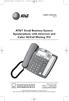 974CIB_(Rev11-12)ml24.05.06 5/24/06 9:29 PM Page II USER S MANUAL Part 2 AT&T Small Business System Speakerphone with Intercom and Caller ID/Call Waiting 974 For Customer Service Or Product Information,
Doro Secure 350. English
 Doro Secure 350 English 1 2 3 4 5 20 19 18 17 16 15 14 6 7 13 8 9 10 11 12 English 1. Microphone level 2. Additional alert equipment 3. Phonebook 4. Alarm key 5. Powerful amplification (boost) 6. Tone
How To Use An Ip Phone On A Cell Phone On An Ipphone On A Sim Sim Sim (Cisco) Or Ip Phone (Ip Phone) On A Iphone Or Ipphone (Ipphone) On An Iphon Or Ip
 USER GUIDE Cisco Small Business SPA 300 Series IP Phones Models 301 and 303 Contents Chapter 1: Getting Started 6 About This Document 6 Overview of the Cisco Small Business 300 Series IP Phones 8 Caring
G.A.L. HANDS FREE EMERGENCY TELEPHONE MODEL GAL-6400
 I. GENERAL G.A.L. HANDS FREE EMERGENCY TELEPHONE MODEL GAL-6400 The GAL-6400 Hands Free Emergency Telephone permits a pre-programmed number to be dialed when the "push to call" button is depressed on the
Model PBX 308 Plus. Extension User Guide
 Model PBX 308 Plus Extension User Guide Introduction 3 Internal Calls 3 Making Outgoing Calls 3 - From Direct Dial Extensions - Last Number Redial Transferring Calls 4 - Manually - Automatically Calls
Dialog 4220 Lite/Dialog 4222 Office
 Dialog 4220 Lite/Dialog 4222 Office System telephones for MD110 Communication System User Guide Flinders University Table of Contents Description 2 Incoming Calls... 10 Outgoing Calls... 12 During Calls
CarePartner Telephone With Reminders
 Philips wordmark and Lifeline K100 CarePartner Telephone With Reminders Model 9500 User s Manual Black and white version For use with newsprint and other one-color applications. 1 x P height 1 x P height
USER GUIDE. Cisco Small Business. SPA 303 IP Phone for 8x8 Virtual Office
 USER GUIDE Cisco Small Business SPA 303 IP Phone for 8x8 Virtual Office May 2011 Cisco and the Cisco Logo are trademarks of Cisco Systems, Inc. and/or its affiliates in the U.S. and other countries. A
Quick Start Guide to Your IP Phone
 Quick Start Guide to Your IP Phone SPA 300 Series IP Phone Models SPA 301 and SPA 303 SPA 300 Series IP phone Phone stand RJ-45 Ethernet cable Quick start guide Product CD-ROM Welcome Thank you for choosing
Instruction Manual. CORTELCO 2700 Single-Line / Multi-Feature Set
 1 Instruction Manual CORTELCO 2700 Single-Line / Multi-Feature Set Table of Contents Why VoiceManager SM with Cortelco Phones?... 2 Cortelco 2700 Set Features... 3 Telephone Set Part Identification...