
Fitting guide.
|
|
|
- Phoebe Christal Ellis
- 9 years ago
- Views:
Transcription
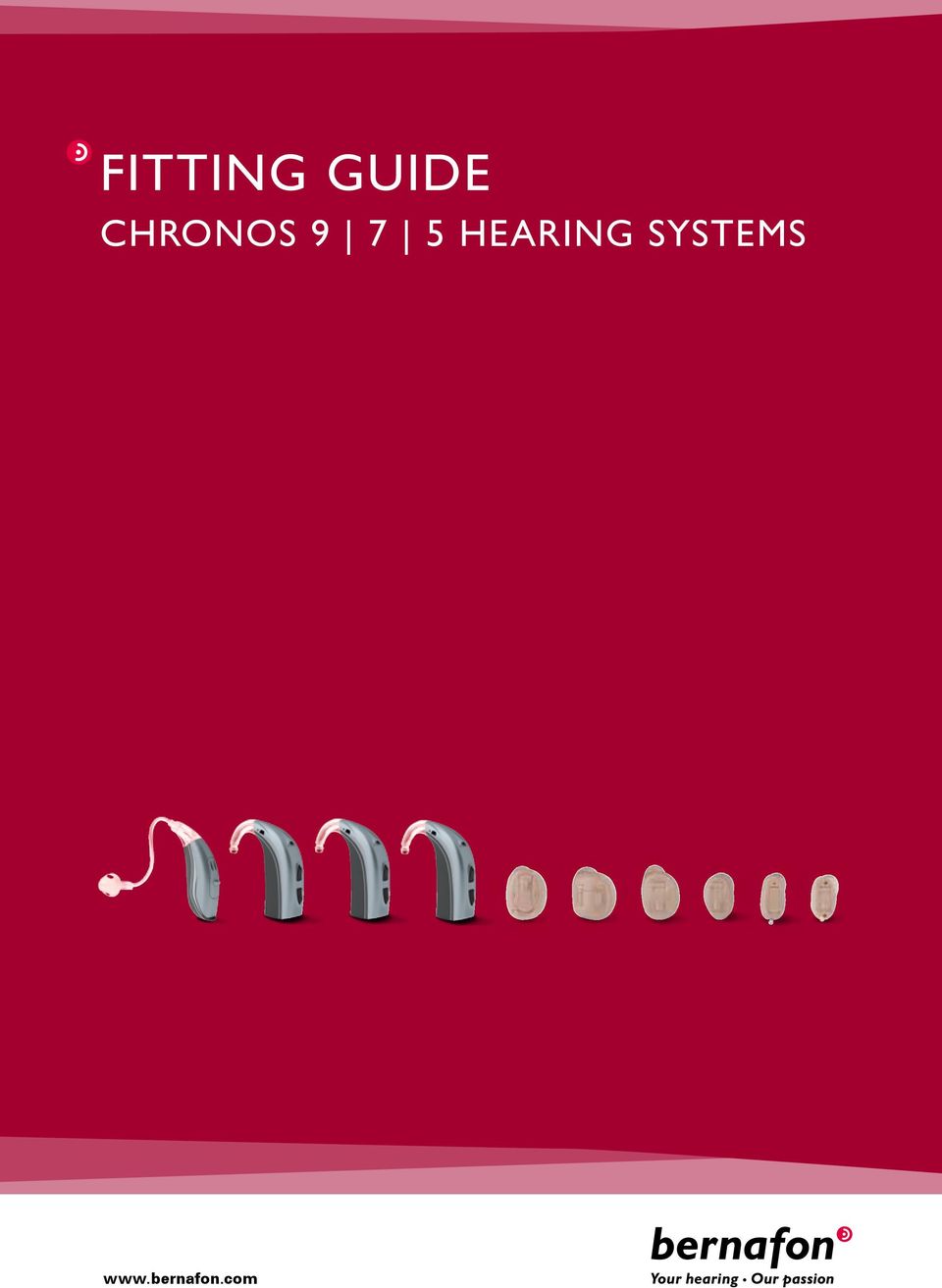
1 Fitting guide CHRONOS hearing systems
2

3 BERNAFON CHRONOS Chronos Fitting Guide Table of contents Overview 4 Chronos Behind The Ear (BTE) Hearing Aids Attaching and removing Spira Flex adapter and earhook 6 Changing Spira Flex domes 7 Installation of right/left indicators 7 Replacing battery drawer 8 Chronos In The Ear (ITE) Hearing Aids Wax protection 10 Microphone shield 11 Fitting Chronos with Oasis Attaching programming cables 12 Screen by screen fitting instruction 13 Ordering information 21 3

4 Chronos Overview Chronos contains a full range of BTE and custom instrument styles, all available within three technology levels. ChannelFree signal processing is the core technology for each Chronos instrument, and varying levels of binaural coordination, adaptive features and wireless connectivity are available within the entire Chronos family. This guide will help you to successfully fit and manage all Chronos hearing systems. Bernafon Veras IFU micro BTE VR_ILU_microBTEwithSpira_BW_HI Chronos Micro BTE with Spira Flex sound tube system 2a Multi control 2 Microphone 2a Second microphone 3 Adapter 4 Spira Flex sound tube 5 Sound outlet 6 Dome 7 Concha clip 8 Battery drawer 9 Direct Audio Input (with an optional DAI adapter) 9 8 Bernafon Veras IFU micro BTE 7 Chronos Compact Power (CP) and Compact Power Plus (CPx) BTE with hook 2 2a 1 1 VR_ILU_microBTEwithHook_BW_HI Bernafon nano BTE IFU Multi control 2 Microphone 2a Second microphone 3 Earhook 4 Sound outlet 5 Battery drawer 6 Direct Audio Input (with an optional DAI adapter) 6 5 Chronos Nano BTE with Spira Flex sound tube system VR_ILU_nanoBTEwithSpira_BW_HI 2 2a Push button 2 Microphone 4 2a Second microphone 3 Adapter 4 Spira Flex sound tube Sound outlet 6 Dome 7 Concha clip 8 Battery drawer 7 4

5 BERNAFON CHRONOS Chronos custom models Bernafon Forte IFUs Bernafon Veras IFU ITC ITED ITCD CN_ILU_ITEDoverview_BW_HI VR_ILU_ITC1overview_BW_HI Vent 2 Canal 3 Sound outlet with wax protection 4 Microphone opening 5 Battery drawer 6 Push button (optional) 7 Volume control (optional) 8 Second microphone opening friline, Bernhard Carrel Bernafon Forte IFUs ITCPD Bernafon Forte IFUs ITCP CN_ILU_ITCPDoverview_BW_HI 3 CN_ILU_ITCPoverview_BW_HI Vent 2 Canal 3 Sound outlet with wax protection 4 Microphone opening 5 Battery drawer 6 Push button (optional) 7 Volume control (optional) 8 Second microphone opening Bernafon Veras IFU CIC Bernafon Forte IFUs CICP 4 CN_ILU_CICPoverview_BW_HI friline, Bernhard Carrel CIC 6 4 VR_ILU_CICoverview_BW_HI friline, Bernhard Carrel Vent 2 Canal 3 Sound outlet with wax protection 4 Microphone opening 5 Battery drawer 6 Pull-out string friline, Bernhard Carrel

6 Chronos BTEs All Chronos BTEs are available with either Bernafon s Spira Flex thin tube and dome system or a conventional earhook. Attaching and removing the earhook or Spira Flex adapter Chronos Micro, CP, and CPx BTE 1 Use the pointed end of the disassembly tool to push the lock pin free. 2 Replace the hook or adapter with the desired part. VR_ILU_MicroCompactBTERemovePin_CMYK_HI 3 Replace the lock pin. (Tweezers make this easier.) VR_ILU_MicroCompactBTERemoveHook_BW_HI Use the pointy end of the disassembly tool to push the lock pin. Remove hook or adapter. Chronos Nano BTE VR_ILU_NanoBTERemoveSpira_BW_HI VR_ILU_NanoBTERemoveHook_BW_HI 1 Pull the Spira Flex adapter or the hook upwards from the instrument. 2 Replace with a new hook or an adapter by pushing the desired part firmly onto the instrument. 6

7 BERNAFON CHRONOS Changing Spira Flex domes 1 Pull the used dome off the tube and discard. 2 With clean hands, firmly push a new dome onto the tube as far as it will go. If the dome is not pushed all the way onto the tube, it could fall off in the ear canal. The soft domes are a disposable part. The client should be supplied with spare domes and shown how to change them. VR_ILU_MicroCompactBTEInstMarking1_CMYK_HI Installation of right/left indicators 1 Open battery drawer and insert marker end into slot as shown. VR_ILU_MicroCompactBTEInstMarking2_CMYK_HI VR_ILU_MicroCompactBTEInstMarking3_CMYK_HI 2 Twist and rotate the stick to break off the marker. Chronos Micro BTE VR_ILU_NanoBTEInstMarking3_CMYK_HI VR_ILU_NanoBTEInstMarking1_BW_HI VR_ILU_NanoBTEInstMarking2_CMYK_HI Chronos Nano BTE 7

8 Chronos CP and CPx BTE 1 Open the battery drawer. 2 Insert the marker end into the slot as shown. 3 Twist and rotate the stick to break off the marker. 4 Close battery drawer. Replacing battery drawer Chronos Micro, CP, and CPx BTE Battery drawer removal 1 Open the battery drawer and place the battery removal tool as shown. 2 Gently pull the battery drawer off. 3 Snap the new battery drawer in place and close. 8

9 BERNAFON CHRONOS Chronos Nano BTE 1 Push out the metal pin with the disassembly tool. 2 Pull the pin out with a pair of tweezers. 3 When replacing the drawer, snap in the new drawer (closed position) and use the tweezers to place the pin into the hole. 4 Use the flat end of the tweezers to push the pin completely in. VR_ILU_NanoBTEbatteryDrawerRemove2_BW_HI VR_ILU_NanoBTEbatteryDrawerRemove1_CMYK_HI Tamper resistant battery drawer The following models have an optional tamper resistant battery drawer that can be ordered separately. Bernafon Veras IFU micro BTE VR_ILU_TamperResitantBatteryDrawerMicroBTE_BW_HI Micro BTE Bernafon Veras IFU micro BTE VR_ILU_TamperResitantBatteryDrawerMicroBTE2_BW_HI CP and CPx BTE Bernafon Veras IFU micro BTE VR_ILU_TamperResitantBatteryDrawerCompactBTE_BW_HI 9

10 Chronos ITE Wax Protection Chronos custom models may be supplied with one of several types of wax protection. The following shows the insertion and removal procedure for the most common types. NoWax 1. Remove a tool from the turtle. 2. Insert the empty end of the tool into the old filter and pull it out. 3. Push a new filter into instrument Discard the used tool Micro Wax Buster (MWB) 1. Use the tool to pull out the old filter. 2. Take a new filter from the box Place the gray side of filter on the small end of the tool as shown. 4. Push the filter into the instrument. 5. To clean, push down and move the filter back and forth on a clean cloth

11 BERNAFON CHRONOS Wax Buster (WB) 1. Insert the tool into the old filter and twist. 2. Remove the filter from the instrument. 3. Take a new filter from the box. 4. Place the filter in the instrument with the gray side up. 5. Use the tool to tighten the filter. 6. To clean, push down and move the filter back and forth on a clean cloth. Wind Screen for Chronos ITC instruments VR_ILLU_ITC_WindScreen_Removal_CMYK_HI 1. Locate the microphone opening on the face plate. VR_ILLU_ITC_WindScreen_Place1_CMYK_HI 2. With the dome side facing up, grasp the wind screen with a pair of tweezers and snap it into the hole. 3. To remove, carefully insert the service tool into the wind screen and pop it out. VR_ILLU_ITC_WindScreen_Place2_CMYK_HI Dome side Rear side 11

12 Fitting Chronos with Oasis Chronos is programmed with Oasis 14.0 and higher using Bernafon s programming cables New Standard (no. 2). Please always insert a fresh battery or battery pill adapter (ITCD only) prior to hearing aid programming. Note: For the convenience of wireless hearing instrument programming, wireless compatible Chronos devices are also compatible with the nearcom fitting system. Attach the programming cables as follows: Bernafon Veras IFU micro BTE Chronos Micro, CP, and CPx BTE VR_ILU_DaiFMAdapterOnMicroBTE_BW_MOD_HI VR_ILU_MicroCompactBTEprogramAdapter_BW_HI 1 Open the battery drawer fully and slide the programming adapter into the slot until it lines up with the instrument. 2 Close the battery drawer again and plug in the cable as shown. VR_ILU_NanoBTEprogRemoveCover1_BW_HI VR_ILU_NanoBTEprogConnectCable_BW_HI VR_ILU_NanoBTEprogRemoveCover2_BW_HI Chronos Nano BTE 1 Remove the cover with the small tool as shown. 2 Plug the cable into the connector. 3 To replace the cover, hook the top end under the shell first, then snap it in place. 12

13 BERNAFON CHRONOS Chronos custom models 1 For Chronos ITCD models, insert the battery pill with the red indicator pointing to the + sign and close the battery drawer. 2 For Chronos ITED, ITCPD, ITCP, CIC and CICP models, use the FlexConnect strip. Insert a fresh battery. VR_ILU_ITCDinsertPill1_BW_HI Open the battery drawer slightly. With the black dot facing up, insert the end of the FlexConnect into the space between the battery door and the hinge until the black dot touches the faceplate. Close the drawer. 3 Place the instrument in the client s ear and drape the strip over and behind the ear. ITCD ITED, ITCPD, ITCP, CIC, CICP Oasis Fitting Software Open Oasis The first screen you will see is the product overview screen. Select the instrument family you prefer or press Detect if you already have instruments connected for fitting. Activate the new Easyfit option if you would like to proceed quickly through the fitting process. 13

14 Connection Connection Bar The connection bar at the bottom of the screen allows you to see at a glance if your instruments are connected. If an instrument has a low battery you will see a visual indication on the screen. The Hi-Pro/NOAHlink bar in the center is in motion when the software is saving data in the active program. Navigation bar On the left side of your screen you will see the navigation bar, clearly showing Oasis functions organized by category. 14

15 BERNAFON CHRONOS Client Personal Data Review your client s Personal Data and hearing instrument Experience Level for accuracy. You will also find a choice of fitting rationales. We recommend our BernaFit NL-1 rationale for Chronos fittings. For maximum initial comfort for first time hearing aid users, you may also choose our BernaFit Comfort rationale. Audiogram The Client s Noah audiogram will form the basis for the Chronos frequency response. Alternatively, in situ audiometry may be performed at this point by clicking on Create in situ audiogram. Your client s real ear data may also be entered to facilitate a more customized hearing aid fitting. Lifestyle Profile The Lifestyle Profile helps to identify and prioritize listening situations for your client. If completed, it will determine the default settings for listening programs and features in the fitting phase. 15

16 Hearing Instrument Instrument view This screen shows a summary of the instruments you are fitting, including serial number, acoustics and accessories that have been paired to the instruments. Acoustics Oasis will recommend acoustics based on the hearing loss. If you wish to modify the choices, you may do so in the Acoustics screen. Be sure that the ear piece selected in the software matches that actually fitted to Chronos. Fitting Program assignment In this screen you may add or change programs as desired. If you have completed the Lifestyle Profile, the programs chosen for the client will be displayed. Live Music Plus and the new Cinema program for Chronos 9 models can be selected here. 16

17 BERNAFON CHRONOS Amplification Amplification Adjustment Oasis offers three levels of fine-tuning, from simple (level 1) to advanced (level 3). Buttons across the top of the screen allow you to quickly change the tuning level as desired. Additional buttons on the bottom of the screen allow you to select the program that you would like to adjust. Advanced Soft Noise Management The controls for this feature can be found on both the Level 2 and Level 3 amplification screens as shown. Additional Program Access The arrow on the bottom right of the Amplification screen leads to additional programs, depending on the hearing instrument model or optional accessories selected. Here you may find the following programs to adjust the: SoundGate Phone and Entertainment programs AutoTelephone program DAI/FM program 17

18 Features Feature Options This screen allows you to optimize the features specific to each program. The buttons at the bottom of the screen allow you to easily switch between the programs. Transient Noise Reduction (CN9 and CN7) A new feature to suppress short duration, high intensity sounds: Off, Medium, High. Directionality Program Omnidirectional, Fixed or Adaptive Directional microphone settings according to your client s needs. True Directionality TM (CN9 BTE models) Provides a directional microphone behavior similar to the pinna for BTE wearers. Adaptivity The Adaptivity control affects how fast the automatic features change. The default of this control depends on the age of the client. Environment Optimizer (CN9 and CN7) The Environment Optimizer allows you to select a listening environment in the Multi-environment program for special enhancement: Off, Quiet, Speech in Quiet, Speech in Noise, Noise. Adaptive Noise Reduction Manages distracting environmental noises: Off, Minimum, Medium or Maximum. Wind Noise Monitor Activate to provide relief from noise resulting from windy environments. Binaural Coordination Select this feature to binaurally coordinate the following options: Volume control, program changes, environment classification, and non-telephone ear attenuation, depending on the style and model chosen. 18

19 BERNAFON CHRONOS Feedback Manager Adaptive Feedback Canceller Plus The Adaptive Feedback Canceller Plus in Chronos automatically calculates the predicted feedback limits (shown as a dashed purple line). For greater accuracy, it is beneficial to measure the actual feedback limits for your client. Click on Measure and follow the prompts. The feedback manager settings can be adjusted to ensure feedback-free listening for your client in all programs. Logging and Learning Data logging The data logging in Chronos records operational statistics including program usage, listening environments, user adjustments and feedback monitoring. Click on the appropriate button to view the logged data. Note that the instruments must be worn a minimum of 8 hours before statistics are available. VC learning (CN9 and CN7) Chronos has a learning feature that works to track volume control changes and gradually modify the volume level setting over time to match the level preferred by the listener. Learning is available for all microphone programs and can be enabled in Oasis. Volume level changes are applied after 20 hours of learning in the same program. 19

20 End Session Options In this section you have access to all local controls, indicators and external devices. Controls The Controls tab includes on-screen instructions to help you pair Chronos instruments to either the SoundGate or RC-P remote control. You will also find synchronization of controls, volume control range and Smart VC (CN9) options here. Tips for Successful Pairing: 1. Make sure the device has a fully charged battery (SoundGate) or a relatively fresh battery (RC-P). 2. Hold the device at least 50 cm (2 feet) away from the instruments. 3. When the screen instructions appear, wait 2 4 seconds before pushing the button each time. 4. Press OK to save. Indicators This screen allows you to configure the frequency and level of all indicators. It is also possible to demonstrate each indicator to the client. Save and Quit This screen shows a summary of the programs and settings in the instrument as well as providing a space for fitting comments. 20

21 BERNAFON CHRONOS Ordering Information 1 Accessories (optional) 1.1 RC-P Remote control RC-P Kit Battery cover RC-P These parts are delivered Lanyard cord in the standard packaging of Pouch RC-P the RC-P. Can be ordered as spare part separately. 1.2 SoundGate SoundGate Wireless communication link and remote control Charger cradle (optional) Optional SoundGate charging accessory 1.3 TV adapter TV adapter complete Wireless reception of TV audio 1.4 phone adapter Phone adapter neutral US Phone adapter neutral EU Phone adapter neutral JP Wireless link to land-line phones Phone adapter neutral NZ Phone adapter neutral AU 1.5 dai adapter DAI adapter Suitable for Micro and Compact Power BTEs CP/CPx 21
22 1.6 fm adapter FM adapter Suitable for Micro and Compact Power BTEs CP/CPx 2 Spira Flex Fitting Kit Containing all Spira Flex parts 3 Programming equipment 3.1 Cables Prog. cable, Nr. 2 New standard (HiPro) Blue, left Prog. cable, Nr. 2 New standard (HiPro) Red, right Prog. cable, Nr. 2 New standard (NOAHlink) Blue, left Prog. cable, Nr. 2 New standard (NOAHlink) Red, right 3.2 Adapters VR_ILU_ITCDinsertPill1_BW_HI Programming adapter Suitable for Micro and Compact Power BTEs CP/CPx Programming adapter Suitable for ITCD FlexConnect Suitable for ITED, ITCPD, ITCP, CIC and CICP 22
23 BERNAFON CHRONOS 4 spare parts 4.1 adapter Spira adapter #4 Nano BTE Earhook damped Nano BTE Spira adapter #3 Suitable for Micro and Compact Power BTEs CP/CPx Earhook damped Suitable for Micro and Compact Power BTEs CP/CPx 4.2 Nano BTE battery drawer Battery drawer MAC Battery drawer GP Suitable for MPL, MAC, MBE, MCO, DCR, CR Suitable for BE, DB, GB, GR 4.3 micro BTE battery drawer Battery drawer MAC Battery drawer GP Suitable for MPL, MAC, MBE, MCO, DCR, CR Suitable for BE, DB, GB, GR 4.4 Compact power bte battery drawer Battery drawer MAC Suitable for MPL, MAC, MBE, MCO, DCR, CR Battery drawer GP Suitable for BE, DB, GB, GR 23
24 4.5 Tamper resistant battery drawer Micro BTE, graphite Suitable for all colors Compact Power BTE, graphite Suitable for all colors 4.6 Wind screen Wind screen beige, BE Wind screen light brown, LB Wind screen medium brown, MB Wind screen dark brown, DB 4.7 Indicator, left-right marking Color plug set, right/left for Micro and Nano BTE 2 red and 2 blue Color plug set right/left for CP/CPx BTEs 1 red and 1 blue Battery drawer removal tool set for Micro, CP and CPx BTE 4.8 Tools Disassembly tool for lock pin 24
25 BERNAFON CHRONOS 5 wax filter 5.1 nowax NoWax system Turtle with 6 filters each (10 turtles) NoWax system 100 filters bulk 5.2 wax buster Wax Buster set, right incl. 1 Wax Buster, removing tool, instructions for use Wax Buster set, left incl. 1 Wax Buster, removing tool, instructions for use Wax Buster set, right, 10 pieces Wax Buster set, left, 10 pieces 5.3 micro wax buster Micro Wax Buster set, white incl. 1 Micro Wax Buster, removing tool, instructions for use Micro Wax Buster set, white, 10 pieces Micro Wax Buster tool Micro Wax Buster cleaning pad 6 cleaning sets Cleaning tool kit for ITE instruments Cleaning & drying set Bernafon Drying capsules (6 pieces) Cleaning tablets (24 pieces) Cleaning cloth 25
26 Note 26
27
28 Since 1946, we have been passionate about developing quality hearing systems that enable people with hearing difficulties to enjoy authentic listening experiences. With Swiss Engineering, precision technology, and our commitment to individual service, we strive to exceed our customers' expectations. Our aim is to provide extra value to our partners every day. Bernafon representatives and employees in over 70 countries fulfill our vision to help people with impaired hearing communicate again without limitations. World Headquarters Switzerland Bernafon AG Morgenstrasse Bern Phone Fax Australia Bernafon Australia Pty. Ltd. 12/97 Castlemaine Street Milton QLD 4064 Freecall Phone Fax New Zealand Bernafon New Zealand Ltd. Level 1, Building F William Pickering Drive Albany, Auckland 0632 Toll Free Telephone Fax United Kingdom Bernafon UK Cadzow Industrial Estate Off Low Waters Road Hamilton ML3 7QE Scotland Phone Fax Bernafon Companies Australia Canada Denmark Finland France Germany Italy Japan Korea Netherlands New Zealand Poland Sweden Switzerland UK USA 04.11/BAG/112441/UK/subject to change
OTICON RIA pro OTICON RIA
 product information Oticon Ria is built on the new Inium platform and is our best performing hearing solution in the essential category. The audiological features in Ria provide users essential listening
360 Programming Guide
 360 Programming Guide TABLE OF CONTENTS Toolbar......................... 2 Status Bar....................... 2 FastTrack by Ufit................ 3 FastTrack Client Screen.......... 3 FastTrack Instruments
PRODUCT INFORMATION oticon ALtA PRo oticon ALtA
 PRODUCT INFORMATION oticon ALtA PRo oticon ALtA Oticon Alta is built on the Inium platform and is our best performing hearing solution with our most advanced technologies. The audiology in Alta provides
ReSound Aventa 3.7 fitting software supports all ReSound instruments built on the ReSound Range, Range II and Smart Range chips.
 Fitting guide 1 This fitting guide gives an overview of how to fit ReSound LiNX wireless hearing instruments with ReSound Aventa 3.7. A ReSound LiNX 988 wireless binaural fitting is depicted. Not all features
Pediatric Fitting Guide
 Pediatric Fitting Guide October 2013 / Phonak Target 3.2 This guide aims to provide a detailed introduction to Phonak Target Junior Mode for hearing care professionals who fit children of all ages. Introduction...
Slim tube HE. Complete guide for Quantum products
 Slim tube HE Complete guide for Quantum products Table of contents Slim tube HE fitting...1 Components of a slim tube HE hearing instrument...2 Slim tube HE sizes...2 Measuring for an accurate slim tube
Everybody has the right to
 Everybody has the right to good hearing The Guide TO Hearing satisfaction for more people Beltone was founded on the act of helping a friend to enjoy life more. Since 19, we have provided knowledge, tools,
Essential hearing technology, shaped for life
 Essential hearing technology, shaped for life P E R F O R M A N C E L I N E Premium INIUM WIRELESS Advanced Essential Improved Performance Reduced Listening Effort Improved PersonalisATION premium ADVANCED
Savia ArtTM. Product Line. Product information
 Product information avia ArtTM Product Line avia Art is a complete new product line with a broad spectrum of innovations. The authentic sound quality is possible due to an intelligent combination of two
Contents Contents Contents Overview Charging your headset Wearing the headset Powering on the headset Connecting your headset for dictation
 1 Contents Contents Contents 2 Overview 3 Charging your headset 4 Wearing the headset 4 Powering on the headset 4 Connecting your headset for dictation 5 The adapter 5 Adjusting your computer's audio settings
User Installation Guide
 Careline Alarm User Installation Guide 1.1 IMPORTANT INFORMATION The user s telephone MUST BE connected to the Reach TEL socket - a double adapter on the incoming line must not be used. If the user has
4.2. Desktop Fitting Guide. Content. August 2015
 4.2 August 2015 Desktop Fitting Guide This guide provides you with a detailed introduction to latest hearing instrument fitting with Phonak Target. www.phonakpro.com/target_guide Please also find the [News]
User Guide Audéo PFE 232 with microphone
 Manufacturer: Phonak AG Laubisrütistrasse 28 8712 Stäfa Switzerland www.audeoworld.com 029-3110-02/V1.00/2011-09/na Phonak AG All rights reserved User Guide Audéo PFE 232 with microphone 2 3 Congratulations
User s instructions The mind 440 Series
 NB: Special Pantone orange: Pantone Warm Red: 45% Pantone Orange 21: 45% Black: 10% User s instructions The mind 440 Series m4-9 Behind-the-ear The hearing aid, ear-set and accessories shown in these instructions
Hearing Direct.com. Operating instructions. Model HD 350
 Hearing Direct.com Operating instructions Before use, please read these instructions to help you get the best out of your HearingDirect.com hearing aid Model HD 350 Introduction Hearing Direct.com Welcome
MAINTENANCE & TROUBLESHOOTING
 MAINTENANCE & TROUBLESHOOTING This section describes how to: clean the lens replace the projection lamp replace the batteries in the remote use the security lock feature troubleshoot the projector Cleaning
ReSound Unite TV FREQUENTLY ASKED QUESTIONS. Setup & Configuration. Use & Operation. Troubleshooting
 Tip for use of FAQ: Click on questions to go to answer. Setup & Configuration How do I pair the hearing aids to the Unite TV?... 2 What is the latency of the streamed signal?... 2 Does the Unite TV use
Nucleus CP810 Sound Processor and Nucleus CR110 Remote Assistant Troubleshooting Guide
 Nucleus CP810 Sound Processor and Nucleus CR110 Remote Assistant Troubleshooting Guide Symbols Contents Note Important information or advice. Can save inconvenience. Tip Time saving hint or saves inconvenience.
STEREO BLUETOOTH WIRELESS SPORTS In-Ear Headphones
 STEREO BLUETOOTH WIRELESS SPORTS In-Ear Headphones USER MANUAL model: X7 PACKAGE CONTENTS EN X7 Stereo Bluetooth Wireless Sports In-Ear Headphones Micro-USB charging cable Carrying case 3 pairs of eartips
Using Your Fitting Software This guide provides comprehensive, task-based information about all the fitting software features.
 Gravity Fitting Software User's Manual part #: S0273-01 Rev A Using Your Fitting Software This guide provides comprehensive, task-based information about all the fitting software features. You may access
Comfort Contego User Manual
 Comfort Contego User Manual Please read the User Manual before using this product. Comfort Contego T900 Transmitter English Comfort Contego R900 Receiver DO NOT USE the COMFORT CONTEGO if you have a PACEMAKER
nüvi 1400 series quick start manual
 nüvi 1400 series quick start manual for use with these nüvi models: 1410, 1490 2009 Garmin Ltd. or its subsidiaries April 2009 190-01073-01 Rev. A Printed in Taiwan Looking at Your nüvi See the Important
MDHearingAidAIR Diagram
 MDHearingAidAIR Diagram Thin Tubing Thin Tubing Base Microphone Volume Dial (on/off switch) Hearing Aid Body Program Button Battery Compartment Stabilizer Bar 6 ComfortTIP TM (Open). Steps and Assembling
Jabra BIZ 2400. User manual. www.jabra.com
 Jabra BIZ 2400 User manual www.jabra.com 1 2012 GN Netcom A/S. All Rights Reserved. This user guide is published by GN Netcom A/S. The information in this user guide is furnished for informational use
ReSound Vea Mini, standard and power
 Hearing Instrument Supplement ReSound Vea Mini, standard and power behind-the-ear (BTE) hearing instruments This supplement details the how-to aspects of your newly purchased hearing instruments. Please
How To Install A Gel Doc Xr+ Camera On A Computer Or Mouse Or Tv (For A Powerbook) With A Zoom Lens (For An Ipa) With An Iphone Or Ipa (For Mac) With The Zoom Lens
 Molecular Imager Gel Doc XR+ Installation Guide To install your Gel Doc XR+, perform these seven steps in the following order: 1. Unpack the Gel Doc XR+ system. 2. Install Image Lab software. 3. Set up
Instructions for Using the Watch Works Tool Kit to Change a Watch Battery
 Instructions for Using the Watch Works Tool Kit to Change a Watch Battery Click on this link http://www.allamericanwatches.com/site/626101/product/e2306-a to purchase the Watch Battery Replacement Tool
Cover Page. Factory Radio Other Documents Available For This Vehicle:
 & nstall Publication, Duplication, or Retransmission Of This Document Not Expressly Authorized n Writing By The nstall Doctor s Prohibited. Protected By U.S. Copyright Laws. 1997,1998,,2000. Factory Radio
CS540. Wireless Headset System. User Guide
 CS540 Wireless Headset System User Guide Contents Welcome 3 What s in the Box 4 Base and Headset Basics 5 Accessories 6 Customize Your Headset 7 Change Headset Configuration 7 Left Earloop Assembly 7 Headband
Nucleus CP800 and CR100 Series. Product Catalogue
 Nucleus CP800 and CR100 Series Product Catalogue Symbols Note Important information or advice. Can avoid inconvenience. Colour index White Black Charcoal Brown Sand This document shows all components and
Bose SoundSport. in-ear headphones. for use with Samsung Galaxy devices. Owner s Guide
 Bose SoundSport in-ear headphones for use with Samsung Galaxy devices Owner s Guide Important Safety Information Please read this owner s guide carefully and keep for future reference. WARNINGS: DON T
Phonak Wireless Communication Portfolio
 Phonak Wireless Communication Portfolio Product information The accessories of the Phonak Wireless Communication Portfolio offer great benefits in difficult listening situations and unparalleled speech
Service Guide. Gateway M275
 Service Guide Gateway M275 Contents Replacing Gateway M275 Components.................................... 1 Identifying the convertible tablet PC model...................................... 2 Identifying
Jabra BIZ 2400 USB USER MANUAL
 Jabra BIZ 2400 USB USER MANUAL 1 2011 GN Netcom A/S. All Rights Reserved. This user guide is published by GN Netcom A/S. The information in this user guide is furnished for informational use only, is subject
Jabra MOTION OFFICE. User Manual. jabra.com/motionoffice
 Jabra MOTION OFFICE User Manual jabra.com/motionoffice 1. WELCOME... 4 2. PRODUCT OVERVIEW... 6 2.1 TOUCHSCREEN BASE 2.2 HEADSET 2.3 BLUETOOTH ADAPTER (JABRA LINK 360 TM ) 2.4 OPTIONAL ACCESSORIES 3. HOW
Point of View SmartTV HDMI 210 dongle - Android 4.2. General notices for use... 2 Disclaimer... 2 Box Contents... 2
 Table of Contents General notices for use... 2 Disclaimer... 2 Box Contents... 2 1.0 Product basics... 3 1.1 Connecting your device for the first time... 3 1.2 Connections... 4 1.3 Using the remote control
Windows 10.1 Tablet (UB-15MS10 and UB-15MS10SA) FAQ December 2014
 Windows 10.1 Tablet (UB-15MS10 and UB-15MS10SA) FAQ December 2014 Navigation... 2 Question 1: What are charms used for?... 2 Question 2: How do I navigate while using a mouse or trackpad?... 3 Question
Phonak Naída Q. Product information
 Phonak Naída Q Product information Phonak Naída Q is the most complete, water resistant power portfolio covering moderate to profound hearing losses. It includes three models, available in four performance
Operating Instructions MA 27
 Operating Instructions MA 27 1162-7830 Rev G 03/11 Maico Diagnostics 7625 Golden Triangle Drive Eden Prairie, MN 55344 Toll free (888) 941-4201 Maico Diagnostic GmbH Salzufer 13/14 10587 Berlin, Germany
Welcome to the GreatCall Family.
 pms2603 pms1235 pms226 pms298 How-To Guide Welcome to the GreatCall Family. Thank you for choosing the Jitterbug. At GreatCall, we ve made it easy for you to stay Orange - pms 143 connected to friends
CS530. Wireless Headset System. User Guide
 CS530 Wireless Headset System User Guide Contents Welcome 3 What s in the Box 4 Base and Headset Basics 5 Accessories 6 Customize Your Headset 7 Change the Eartip 7 Position Your Headset 7 Connect Your
I Click on a link tab to jump to that page. Cover Page
 Publication, Duplication, or Retransmission Of This Document Not Expressly Authorized n Writing By The nstall Doctor s Prohibited. Protected By U.S. Copyright Laws. 1997,1998,1999,2000. Factory Radio Other
Featuring EP1 EARPHONES. Owner s Manual
 Featuring EP1 EARPHONES Owner s Manual INTRODUCTION Thank you for your choice of RBH earphones. We are confident you will enjoy their ability to engage you with music as much as our speakers do. Please
Video Baby Monitor System. User Guide
 Video Baby Monitor System User Guide What s inside Welcome!... 2 Getting started... 3 Tour of the system... 7 Everyday use...13 Cameras... 14 Motion/Alerts... 18 Recording... 21 Playing Back Pictures and
Widex Dex FAQ. General
 Widex Dex FAQ General Q: What is WidexLink Technology? A: WidexLink is the proprietary digital wireless transmission technology for hearing aids and external devices like cell phones, TV etc Q: What is
PA500II Enterprise Mobile Computer
 PA500II Enterprise Mobile Computer - PA500II - Quick Reference Guide 400891G Version 1.0 PA500II Product Introduction & Accessory Kit After opening the box, ensure the following accessories for the PA500II
PXC 450. Bedienungsanleitung Instruction Manual Notice d emploi Istruzioni per l uso Instrucciones de uso Gebruiksaanwijzing
 PXC 450 Bedienungsanleitung Instruction Manual Notice d emploi Istruzioni per l uso Instrucciones de uso Gebruiksaanwijzing Contents Safety instructions...2 Included with delivery...4 PXC 450 Headphones...4
BLU Vivo 4.3 User Manual
 BLU Vivo 4.3 User Manual 1 Table of Contents Phone Safety Information... 3 Appearance and Key Functions... 4 Installation and Charging... 5 Phone Operation... 7 Communication... 10 Camera... 11 Gallery...
The advantage in the ear. A Phonak, customized
 The advantage in the ear A Phonak, customized 2 3 The advantage of getting it right We invite you to discover our amazing custom made products, and to embrace our market leading technology for clients
SYMBOL MC9060 HAND HELD TERMINAL USER MANUAL
 SYMBOL MC9060 HAND HELD TERMINAL USER MANUAL CORPORATE VERSION FEBRUARY 2007 TABLE OF CONTENTS Welcome... 3 Getting Started... 3 Equipment Setup... 3 Battery Installation... 4 About the Stylus... 5 Aligning
Stream Boost: All About That Bass
 Carreen Pederson, M.A., & Alyson Gruhlke, Au.D. Stream Boost is an automatic feature that activates hearing aid settings optimized for high-quality streamed audio. Stream Boost settings are not part of
instruction guide Version 2.2 Table of contents
 instruction guide Version 2.2 Table of contents Programming in Unitron TrueFit software................................. 2 Main menu........................................................... 3 Tool bar
Internal Modem Installation with Windows 95
 Internal Modem Installation with Windows 95 You will need these items from your U.S. Robotics modem box: modem phone cord Plus: a screwdriver (not included) Determining Available Resources Your U.S. Robotics
Compaq Presario Desktop Products. Upgrading and Servicing Guide
 Compaq Presario Desktop Products Upgrading and Servicing Guide The information in this document is subject to change without notice. Hewlett-Packard Company makes no warranty of any kind with regard to
Q3 USER GUIDE. Read Me to Get the Most Out of Your Device...
 Q3 USER GUIDE Read Me to Get the Most Out of Your Device... TO GET STARTED 1. Turn The Q3 On 2. Put It On 3. Listen In Model: Q3 Contents Charge Your Earpiece 6 Wearing the Q3 7 Pair Your Earpiece 7 Use
Hearcentres Guide to Hearing Aid Terminology
 Hearcentres Guide to Hearing Aid Terminology Sophisticated modern hearing aids use a number of complicated technologies and techniques to ensure great improvements in hearing. Not only are the terms used
HP Pavilion All-in-One MS200 series PC. Upgrading and Servicing Guide. Printed in
 HP Pavilion All-in-One MS200 series PC *579907-001* *579907-001* Printed in Upgrading and Servicing Guide Replacing a Wireless Keyboard or Mouse...2 Before You Begin... 2 Replacing the Keyboard or Mouse...
Table of Contents. Use. Troubleshooting. Setup. Welcome. 11 How to arm/disarm system/camera(s) 19 Sync Module setup issues. 3 Installing the Blink app
 User Guide Table of Contents Welcome Setup Use Troubleshooting 2 What s in the box 2 What you need 3 Installing the Blink app 4 Setting up the Sync Module 5 Connecting the Sync Module to Your Wi-Fi 7 Adding
resoundpro.com WIRELESS CONNECTIVITY Expand your clients hearing experience A GUIDE FOR PROFESSIONALS
 WIRELESS CONNECTIVITY resoundpro.com Expand your clients hearing experience A GUIDE FOR PROFESSIONALS Empower your clients with all the benefits of Smart Hearing In today s world, we take for granted that
Your Simple Guide to Battery. www.firstalertpro.com. Replacement. Customer Care: 1-800-852-0086. www.firstalertpro.
 Previous Menu Your Simple Guide to Battery www.firstalertpro.com Replacement p e t s ts ep -by Customer Care: 1-800-852-0086 FA/1565 9/00 www.firstalertpro.com Table of Contents: page Introduction...............................
User Guide. BlackBerry Remote Stereo Gateway
 User Guide BlackBerry Remote Stereo Gateway MAT-17698-001 PRINTSPEC-021 SWD-324580-0416090732-001 Contents Basics...3 About the BlackBerry Remote Stereo Gateway...3 Components...4 LED notification...5
Nokia Bluetooth Headset BH-607. Issue 2. 1
 Nokia Bluetooth Headset BH-607 2 3 1 4 5 6 7 8 9 11 10 Issue 2. 1 12 13 14 DECLARATION OF CONFORMITY Hereby, NOKIA CORPORATION declares that this BH-607 product is in compliance with the essential requirements
CS510-XD /CS520-XD. Wireless Headset System. User Guide
 CS510-XD /CS520-XD Wireless Headset System User Guide Contents Welcome 3 What s in the Box 4 Base and Headset Basics 5 Accessories 6 Headset Set Up 7 Connect Your Desk Phone 8 Connect the Power 8 Charge
TABLE OF CONTENTS. TABLE OF CONTENTS... 1 Package content... 1. INTRODUCTION Dear customer... 2 Features... 2 Caution... 2
 Headset Englisch 19.07.2001 14:26 Uhr Seite 1 TABLE OF CONTENTS 1 TABLE OF CONTENTS............................................................... 1 Package content..................................................................
BTE hearing aids. User Guide
 BTE hearing aids User Guide Contents 1. Welcome 5 2. Important safety information: Please read before operating your hearing aid for the first time 6 2.1 Hazard warnings 6 2.2 Information on product safety
Kurzweil KORE 64. ROM Expansion Board for the PC3 and PC3K
 Kurzweil KORE 64 ROM Expansion Board for the PC3 and PC3K Installation Instructions August 1, 2012 2012 Young Chang Co., Ltd. All rights reserved. Kurzweil is a product line of Young Chang Co., Ltd. Kurzweil,
BUSINESS COMMUNICATIONS DIVISION. IP4100 SIP DECT User Guide
 BUSINESS COMMUNICATIONS DIVISION IP4100 SIP DECT User Guide TOSHIBA IP4100 DECT HANDSET END USER GUIDE FEATURES Toshiba IP4100 DECT Handset Features 2.0 inch colour TFT back-lit display Li-ion battery
Lenovo Miix 2 8. User Guide. Read the safety notices and important tips in the included manuals before using your computer.
 Lenovo Miix 2 8 User Guide Read the safety notices and important tips in the included manuals before using your computer. Notes Before using the product, be sure to read Lenovo Safety and General Information
Generating Element. Frequency Response. Polar Pattern. Impedance. Output Level
 Generating Element Frequency Response Polar Pattern Impedance Output Level Weight Pro 7: Dynamic Pro 7 ic: ic Electret Pro 7: 100 Hz - 12 khz Pro 7 ic: 35 Hz - 12 khz Pro 7: Heil Cardioid Pro 7 ic: Cardioid
162 CB CABLE TRACER. Filter Probe & Tone Generator INSTRUCTION MANUAL
 162 CB CABLE TRACER Filter Probe & Tone Generator INSTRUCTION MANUAL INDEX PAGE 1. INTRODUCTION... 1 2. FILTER PROBE... 1-3 3. TONE GENERATOR... 3-6 4. SPECIFICATION... 7-8 5. MAINTENANCE... 8 1. INTRODUCTION
Replacing Faceplate Ribbon Cable on Kenwood KDC-715S (these instructions MAY apply to similar Kenwood motorized faceplate units.)
 Replacing Faceplate Ribbon Cable on Kenwood KDC-715S (these instructions MAY apply to similar Kenwood motorized faceplate units.) Warning: I am not an electronics expert but have done my share of electrical
Step-by-Step RECD Guide
 Precision Audiometric Instruments www.medrx-usa.com Step-by-Step RECD Guide The RECD task involves 4 steps: 1 - Complete Calibration of the Speakers and Probe Tube 2 - Measure an Ear Response 3 - Perform
UPGRADING AND SERVICING GUIDE
 UPGRADING AND SERVICING GUIDE HPTouchSmart 610 PC Computer features may vary by model. Removing and Replacing a CD/DVD Drive...2 Removing the CD/DVD Drive... 2 Installing a New CD/DVD Drive... 5 Removing
freestyle wearing options and accessories The world s only swimmable sound processor
 freestyle wearing options and accessories The world s only swimmable sound processor Get ready to freestyle freestyle design Developed for all ages and lifestyles, the lightweight Neptune sound processor
KEYPAD LOCK RETROFIT KIT
 KEYPAD LOCK RETROFIT KIT INSTRUCTIONS FOR ASSEMBLY IMPORTANT READ & SAVE THESE INSTRUCTIONS Tools Required for Assembly 5/32 hex (Allen) wrench #2 Phillips screwdriver Isopropyl alcohol or alcohol wipes
SW10. User Guide. Smart Watch. Please read the manual before use.
 SW10 Smart Watch User Guide www. ScinexUSA.com Please read the manual before use. 1 About this manual You can use this Watch as a companion device to most Android and IOS mobile devices. This user manual
Replacing a Vantage Vue Transmitter
 Replacing a Vantage Vue Transmitter Included in this replacement transmitter kit: SIM transmitter Cable tray Instructions Tools Required Phillips head screwdriver Small pliers To replace the transmitter
application note Directional Microphone Applications Introduction Directional Hearing Aids
 APPLICATION NOTE AN-4 Directional Microphone Applications Introduction The inability to understand speech in noisy environments is a significant problem for hearing impaired individuals. An omnidirectional
Setting Up the MimioCapture Device
 Setting Up the MimioCapture Device The MimioCapture device enables you to use dry erase markers to draw on the whiteboard and record your writing without the need of a projector. Using MimioStudio Ink
snom 320 VoIP Business Phone Quick Installation www.snom.com 2005 snom technology AG All rights reserved. Version 1.00
 snom 320 VoIP Business Phone Quick Installation 2005 snom technology AG All rights reserved. Version 1.00 www.snom.com snom technology AG Gradestr. 46 12347 Berlin, Germany Note to the reader This is a
Instruction manual EAR SET 1 EAR SET 4
 Instruction manual EAR SET 1 EAR SET 4 Contents Safety instructions... 2 Delivery includes... 3 Ear Set 1... 3 Ear Set 4... 3 Ear Set 1 / Ear Set 4... 4 Features of the Ear Set 1 / Ear Set 4... 4 Putting
CS530. Wireless Headset System. User Guide
 CS530 Wireless Headset System User Guide Contents Welcome 3 What s in the Box 4 Base and Headset Basics 5 Accessories 6 Customize Your Headset 7 Change the Eartip 7 Position Your Headset 7 Connect Your
Original Assembly Guide
 TCT Multipurpose Single Bevel Sliding Compound Mitre Saw Original Assembly Guide Read instructions before assembling this tool. Table of Contents GB Assembly Guide Read instructions before assembling this
Zebra. accessories brochure. Zebra Technologies
 Zebra TC70/TC75 accessories brochure brochure Zebra Rugged ALL-Touch android Computer A robust accessory family to tailor the TC70/TC75 to meet any enterprise. The comprehensive family of accessories includes
The Ultimate XBOX 360 Guide to Fix 3 Red Lights (RROD)
 The Ultimate XBOX 360 Guide to Fix 3 Red Lights (RROD) We offer a wide range of repair kits to meet just about everyone's needs. We offer kits ranging from just hardware, to kits that include hardware,
User Guide SmartAid and SmartAid Digital BTE Hearing Aids
 Clear Hearing Delivered To Your Door From Hearing Care Experts User Guide SmartAid and SmartAid Digital BTE Hearing Aids www.clearlyhearing.com Thank You for choosing Clearly Hearing on your journey to
EnergySmart monitor user instructions
 EnergySmart monitor user instructions britishgas.co.uk/energysmart Your new EnergySmart monitor has arrived It s a great way to learn how to use less electricity and save money, and just one of the ways
Building A Computer: A Beginners Guide
 Building A Computer: A Beginners Guide Mr. Marty Brandl The following was written to help an individual setup a Pentium 133 system using an ASUS P/I- P55T2P4 motherboard. The tutorial includes the installation
GE Wireless Devices Battery Replacement
 60-506-319.5 Crystal Smoke Detector Two 9V Duracell 9V 1. Twist counter-clockwise until detector become loose from base. 2. Replace batteries observing correct polarity. 3. Replace detector by twisting
USER MANUAL. M9B Stereo Wireless Earphones. Please read this manual in its entirety to ensure best fit and sound.
 USER MANUAL M9B Stereo Wireless Earphones Please read this manual in its entirety to ensure best fit and sound. R PACKAGE CONTENTS EN M9B Stereo Wireless Earphones M9B Stereo Wireless Earphones Micro-USB
Nokia Bluetooth Stereo Headset BH-221
 Nokia Bluetooth Stereo Headset BH-221 Issue 2.0 2 Introduction About your headset With the Nokia Bluetooth Stereo Headset BH-221, you can handle calls hands-free, enjoy your favourite music, and listen
Hi! Let s get started.
 Hi! Let s get started. 1 What s in the box Roku Streaming Stick TM Enhanced remote control 2 x AA Alkaline batteries What you need High speed Internet Wireless Router Roku Ready TM TV (or other device)
Setting up and Using the Bluetooth Card
 Setting up and Using the Bluetooth Card Cell Phone Instructions for Vanguard Plus and Essence VG Software Version 5.06 or higher * For Bluetooth Card instructions for a Vantage+ or Vanguard II with software
Sprint Worldwide Services Guide
 Sprint Worldwide Services Guide HTC Touch Pro2 www.sprint.com 2009 Sprint. Sprint and the logo are trademarks of Sprint. Other marks are the property of their respective owners. Table of Contents Sprint
site monitoring Kit Site Monitoring Kit User Manual we prove it.
 site monitoring Kit 1 User Manual Site Monitoring Kit User Manual we prove it. 2 site monitoring Kit Content 1. Introduction 3 2. Content of the Site Monitoring Kit 4 3. Preparation 6 1. Positioning of
COUNTRYMAN E6 OMNIDIRECTIONAL EARSET MICROPHONE
 COUNTRYMAN E6 OMNIDIRECTIONAL EARSET MICROPHONE Thanks for choosing the Countryman E6 Omnidirectional Earset microphone. We re confident you ll find the E6 Omni to be the finest, most natural sounding
Phonak AG Laubisrütistrasse 28 CH-8712 Stäfa Switzerland www.audeoworld.com. User Guide
 Phonak AG Laubisrütistrasse 28 CH-8712 Stäfa Switzerland www.audeoworld.com 029-3078-02/V1.00/2008-12 Phonak AG All rights reserved User Guide Thank you for choosing the Audéo Perfect Fit Earphones from