
Automatic Transfer Switch FT-10 Network Control Communications Module (CCM-T) Kit
|
|
|
- Buddy Dennis
- 9 years ago
- Views:
Transcription
1 Instruction Sheet Automatic Transfer Switch FT-10 Network Control Communications Module (CCM-T) Kit PURPOSE OF KIT A CCM-T is used to monitor and control an automatic transfer switch. The CCM-T interfaces with the PowerCommand FT-10 Network for remote monitoring and control. Relay outputs on the CCM-T provide control of the transfer switch from the network. This instruction sheet describes mounting a CCM-T to a wall and connecting the monitoring and control leads between the CCM-T and an automatic transfer switch. This kit must be installed by trained and experienced generator set and transfer switch service personnel only or equipment failure and damage can result. CAUTION Electrostatic discharge will damage circuit boards. To prevent damage, do not handle circuit boards unless you are adequately grounded with a wrist strap. Use a protective shipping bag for storing or transporting circuit boards. PRE-INSTALLATION For transfer switches equipped without meters, a Current Transformer (CT) kit is required to monitor the current and power factor over the network. Contact an authorized parts distributor with the Model and Spec letter of the transfer switch to determine the kit number. For transfer switches equipped with meters, refer to the part number on the existing CTs. Check Table 1 for the maximum distance between the CCM-T and the CTs. If the distance shown is not adequate or no distance is given, a CT kit is needed. See Table 1. If the part number on the existing CT is unknown, contact an authorized parts distributor with the Model and Spec letter of the transfer switch to determine the CT number. If a CT kit is needed, install the kit before installing the CCM-T. Refer to the instructions provided with the CT kit. PowerCommand is a registered trademark of Cummins Inc. InPower is a trademarks of Onan Corporation. LonMaker is a trademark of Echelon Corporation. Neuron is a registered trademark of Echelon Corporation. After installation, the CCM-T will be ready for connection to a PowerCommand network. Refer to the PowerCommand Network Installation and Operation Manual ( ) for instructions on network wiring, network software installation and connection of the CCM-T to the network. GENERAL INFORMATION CCM-T Inputs The CCM-T has 16 channels of analog input and 32 digital inputs (Figures 7 and 8). Most of the analog channels are configurable for monitoring analog signals such as AC volts, current, temp, pressure, etc. The spare analog inputs are used for signal monitoring (4-20 ma, 0-1 ma, 0-5V). The sensor inputs are used for monitoring temperature or pressure. Temperature inputs accept RTD values between 80 and 2200 ohms. The pressure input can be used generically with any sensor that provides 0-9 VDC. The 32 discrete inputs permit monitoring of numerous status/fault conditions. These inputs must be referenced back to either analog ground (J7) through dry contacts or through a pulldown resistor when the active OPEN input is +5 to +36 VDC (see notes 6 and 17 in Figure 10). The values of the analog and discrete inputs are read from the network. CCM-T Outputs The CCM-T has eight 250 volt, 3 amp Form-C relay outputs (see Figure 1). The relays are controlled from the network and are used to transmit Remote Test, Transfer Inhibit, Re-Transfer Inhibit, Load Shed control signals, and four customer-defined events. External devices that are wired to these relays should be fused appropriately to prevent damage to the CCM-T. Page 1 of 14

2 S4 (NODE ADDRESS SWITCH) S1 (TERMINATION SWITCH) NETWORK POWER J3 J4 (RJ45 SERVICE PORT) NETWORK DATA J10 (CIRCUIT BOARD GROUND) (NOT B ) J1 (DIGITAL INPUTS 1 16) J8 FORM-C RELAY OUTPUTS J9 FORM-C RELAY OUTPUTS S2 (SERVICE BUTTON) J2 (DIGITAL INPUTS 17 32) S3 (RESET BUTTON) NETWORK ERROR LED FORM-C RELAYS J7 (RETURN) J11 (A/D INPUTS) TB1 (AC VOLTAGE INPUT) J12 (A/D SPARES) J5 (AC CURRENT INPUT) S5 AND S6 (TEMPERATURE INPUT SWITCHES) Page 2 of 14 FIGURE 1. ATS CONTROL COMMUNICATION MODULE

3 CCM-T Power Supply The CCM-T power supply consists of a sealed 12-volt battery and a battery charger. These parts are included in the kit and are located inside the CCM-T control box. Supply a 120 VAC, 50 Hz or 60 Hz power source to the battery charger at TB2 (see Figure 2). The battery should be replaced every two years. Make a note in the Maintenance section of the ATS Operator s Manual, or add this information to a master maintenance schedule for the facility. Maintain power to the circuit during battery replacement by connecting the new battery in parallel with the power supply circuit, then disconnect the old battery. If a low battery condition is being monitored, this will prevent a low battery alarm signal. 120 VAC is needed to power the battery charger. If 120 VAC is not available, kits listed in Table 1 are available for obtaining the voltage from the ATS. Install the enclosed 3-amp fuse in the location shown in Figure 2. An arc may occur when the fuse is installed; this is normal. TABLE 1. TRANSFORMER KITS Kit Number Voltage V, 240V, 480V V, 380V, 416V V Standard Displays Solid state indicators are provided to aid in diagnosis of module operating status. These include a service LED for the Neuron chip, a running LED on the main processor, and LEDs to show when the relays are activated. 3 AMP FUSE CONTROLS COMMUNICATIONS MODULE 12 VOLT BATTERY BATTERY CHARGER CONNECT AC POWER FIGURE 2. CONTROL COMMUNICATION MODULE FOR ATS APPLICATIONS Page 3 of 14

4 PHYSICAL INSTALLATION Mounting the CCM-T Mount the CCM-T control box as close as possible to the Automatic Transfer Switch (ATS) to keep the wire size to a minimum. The CCM-T is preassembled inside an enclosure that is designed for wall mounting. Choose a clean, vibration-free mounting surface near the transfer switch. Avoid locations that are hot, damp or dusty. The temperature range must not exceed the range of 40 F to 158 F ( 40 C 70 C). Refer to the PowerCommand Network Installation and Operation Manual ( ) for network topology and maximum network length. Control Box Mounting Outer dimensions (see Figure 3) of the CCM-T do not include clearance for wire connections. When the mounting location and wire routing are determined (see Wiring Connections section), make holes in the control box for AC, DC, and data wire routing. Be careful not to damage the CCM-T module. If the CCM-T is removed during mounting, make sure the ground lead is reconnected to the mounting stud when reinstalling the CCM-T. CAUTION Installation debris can cause equipment failure and damage. Use extreme care to keep drill chips and filings out of the CCM-T control box. Use tools carefully to prevent damage to components. Make sure that no wires, plumbing, gas or exhaust lines run behind the wall before drilling the mounting holes. 1 1/4 KO 3/4 KO 1/2 KO 4.25 (22.9) DIMENSIONS SHOWN IN INCHES (mm).38 (9.6) 6.0 (152.4) 12.0 (304.8) 10.0 (25.4) (7.9) 6.0 (152.4).75 (19) 14.0 (355.6) Page 4 of 14 FIGURE 3. CCM-T MOUNTING FOOTPRINT

5 WIRE AND CONDUIT Measure the wiring distance, one way, between the CCM-T mounting location and the ATS connection points. Refer to notes 7 and 8 in Figure 5 to determine the appropriate wire gauge for CT, monitor and control wires (see Table 2 for additional CT wire information). Use stranded wire with a minimum insulation rating of 600V and a temperature rating of 105 C. Run a conduit for the AC wire connections and a separate conduit for the DC wire connections between the CCM-T and the ATS. Round off or cover the ends of the conduit to prevent sharp edges from cutting the insulation. Use waterproof conduit if the CCM-T installation will be exposed to moisture. The number of leads pulled through each conduit will be determined by the features available on the ATS and the desired monitor and control features selected. Refer to Figures 5 through 8 for a list of the possible AC and DC connections. Number both ends of each lead for identification before pulling the wire through the conduit. Grounding must comply with all codes. Use the grounding lug located inside the CCM-T control box. TABLE 2. CURRENT TRANSFORMER WIRE SIZE vs. DISTANCE CHART EXISTING CTs MAXIMUM DISTANCE BETWEEN CT AND CCM-T (A CT KIT IS REQUIRED IF THE DISTANCE IS BLANK) CT LIST RATIO AWG 12 FEET (m) AWG 14 FEET (m) AWG 16 FEET (m) NOTES /5 1-Turn /5 1-Turn /5 1-Turn /5 30 (9.1) 20 (6.1) 14 (4.1) 1-Turn /5 30 (9.1) 20 (6.1) 14 (4.1) 1-Turn /5 30 (9.1) 20 (6.1) 14 (4.1) 1-Turn /5 30 (9.1) 20 (6.1) 14 (4.1) 1-Turn /5 30 (9.1) 20 (6.1) 14 (4.1) 1-Turn /5 1-Turn /5 30 (9.1) 20 (6.1) 14 (4.1) 1-Turn /5 30 (9.1) 20 (6.1) 14 (4.1) 1-Turn /5 30 (9.1) 20 (6.1) 14 (4.1) 1-Turn /5 1-Turn /5 1-Turn /5 30 (9.1) 20 (6.1) 14 (4.1) 1-Turn /5 30 (9.1) 20 (6.1) 14 (4.1) 1-Turn /5 30 (9.1) 20 (6.1) 14 (4.1) 1-Turn /5 30 (9.1) 20 (6.1) 14 (4.1) 1-Turn /5 30 (9.1) 20 (6.1) 14 (4.1) 1-Turn /5 30 (9.1) 20 (6.1) 14 (4.1) 1-Turn /5 30 (9.1) 20 (6.1) 14 (4.1) 1-Turn /5 30 (9.1) 20 (6.1) 14 (4.1) 3-Turns /5 30 (9.1) 20 (6.1) 14 (4.1) 2-Turns NOTES: 1. This table is for copper wire at 50 C (122 F). Derate the distance by 0.4% per C over 50 C. 2. The number of turns in the notes column refers to the number of times a lead passes through the CT. In some cases more than one turn is used to compensate for the difference in the replacement CT ratio. (Example: If 2-turns are required, the lead must pass through the CT once and then loop around the CT and pass through a second time.) Page 5 of 14

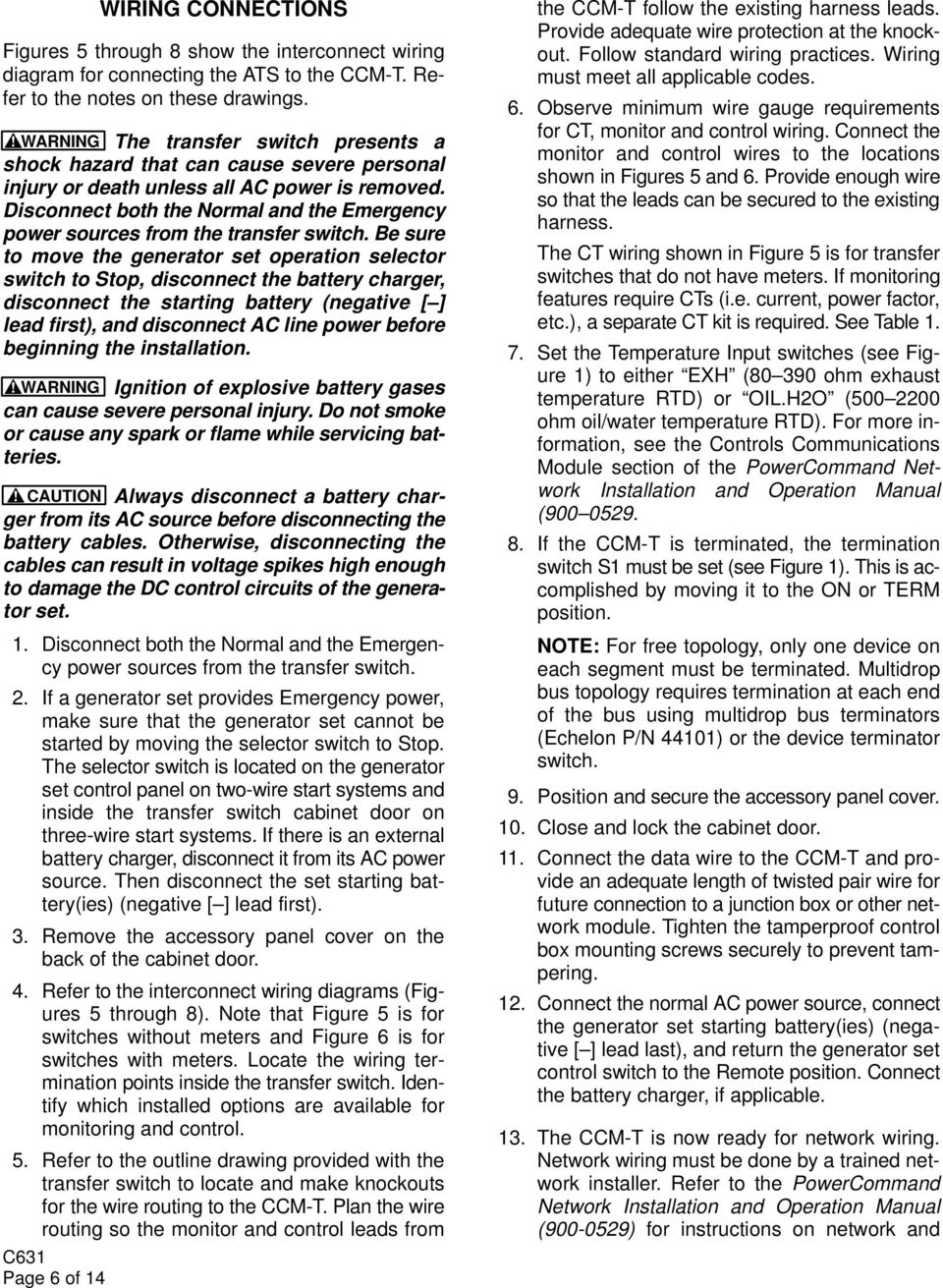
6 Page 6 of 14 WIRING CONNECTIONS Figures 5 through 8 show the interconnect wiring diagram for connecting the ATS to the CCM-T. Refer to the notes on these drawings. WARNING The transfer switch presents a shock hazard that can cause severe personal injury or death unless all AC power is removed. Disconnect both the Normal and the Emergency power sources from the transfer switch. Be sure to move the generator set operation selector switch to Stop, disconnect the battery charger, disconnect the starting battery (negative [ ] lead first), and disconnect AC line power before beginning the installation. WARNING Ignition of explosive battery gases can cause severe personal injury. Do not smoke or cause any spark or flame while servicing batteries. CAUTION Always disconnect a battery charger from its AC source before disconnecting the battery cables. Otherwise, disconnecting the cables can result in voltage spikes high enough to damage the DC control circuits of the generator set. 1. Disconnect both the Normal and the Emergency power sources from the transfer switch. 2. If a generator set provides Emergency power, make sure that the generator set cannot be started by moving the selector switch to Stop. The selector switch is located on the generator set control panel on two-wire start systems and inside the transfer switch cabinet door on three-wire start systems. If there is an external battery charger, disconnect it from its AC power source. Then disconnect the set starting battery(ies) (negative [ ] lead first). 3. Remove the accessory panel cover on the back of the cabinet door. 4. Refer to the interconnect wiring diagrams (Figures 5 through 8). Note that Figure 5 is for switches without meters and Figure 6 is for switches with meters. Locate the wiring termination points inside the transfer switch. Identify which installed options are available for monitoring and control. 5. Refer to the outline drawing provided with the transfer switch to locate and make knockouts for the wire routing to the CCM-T. Plan the wire routing so the monitor and control leads from the CCM-T follow the existing harness leads. Provide adequate wire protection at the knockout. Follow standard wiring practices. Wiring must meet all applicable codes. 6. Observe minimum wire gauge requirements for CT, monitor and control wiring. Connect the monitor and control wires to the locations shown in Figures 5 and 6. Provide enough wire so that the leads can be secured to the existing harness. The CT wiring shown in Figure 5 is for transfer switches that do not have meters. If monitoring features require CTs (i.e. current, power factor, etc.), a separate CT kit is required. See Table Set the Temperature Input switches (see Figure 1) to either EXH ( ohm exhaust temperature RTD) or OIL.H2O ( ohm oil/water temperature RTD). For more information, see the Controls Communications Module section of the PowerCommand Network Installation and Operation Manual ( If the CCM-T is terminated, the termination switch S1 must be set (see Figure 1). This is accomplished by moving it to the ON or TERM position. NOTE: For free topology, only one device on each segment must be terminated. Multidrop bus topology requires termination at each end of the bus using multidrop bus terminators (Echelon P/N 44101) or the device terminator switch. 9. Position and secure the accessory panel cover. 10. Close and lock the cabinet door. 11. Connect the data wire to the CCM-T and provide an adequate length of twisted pair wire for future connection to a junction box or other network module. Tighten the tamperproof control box mounting screws securely to prevent tampering. 12. Connect the normal AC power source, connect the generator set starting battery(ies) (negative [ ] lead last), and return the generator set control switch to the Remote position. Connect the battery charger, if applicable. 13. The CCM-T is now ready for network wiring. Network wiring must be done by a trained network installer. Refer to the PowerCommand Network Installation and Operation Manual ( ) for instructions on network and
7 power wiring the CCM-T and for installation and connection of this module to the network. Requirements SELF-INSTALLATION This procedure can be used to logically install the CCM-T when the following requirements are met. Self-installation is limited to one PowerCommand ATS or CCM-T, one PowerCommand Genset or CCM-G, and no more than four annunciators and five DIMs. The CCM-T can autobind to a genset and be autobound by up to two annunciators and two DIMs, but by no more than a total of three annunciators and DIMs. With networks containing a genset, the transfer switch CCM-T must be logically installed after the genset is logically installed and before the annunciator(s) and DIMs are logically installed. If these requirements cannot be met, the system must be installed with LonMaker. Refer to Lon- Maker Installation on Page 8. Node Address Each node on a self-installed network must have a unique address. Switches 1 through 4 of switch S4 are used to set the Node Address (see Figure 4). The default node address is 0010, which is a STA- TUS LED pulse rate of 2. The switches are oriented so that switch S4-1 is the most significant bit (MSB) of the Node Address. Thus, S4-1 has a value of 8 when it is ON. S4-2 has a value of 4, S4-3 has a value of 2, and S4-4 has a value of 1. For example, to set the Node Address to 9, set switch S4 to 1001 ( =9). See Table 2. Be sure to assign each node in the network a unique address. After the device has been installed, the Node Address can be verified by counting the number of pulses of the STATUS LED (DS4). See Figure 4. Make sure each device has a unique node address. RESET NODE ADDRESS BUTTON (S3) SWITCH (S4) SWITCH S4-1 SERVICE BUTTON (S2) STATUS LED (DS4) NETWORK ERROR LED (DS2) FIGURE 4. NODE ADDRESS SWITCH NETWORK ACTIVITY LED (DS3) TABLE 2. SETTING THE NODE ADDRESS (S4) S4-1 (8) S4-2 (4) S4-3 (2) S4-4 (1) Address (binary) Address (decimal) OFF OFF OFF OFF OFF OFF OFF ON OFF OFF ON OFF ON ON ON ON NOTE1. 0 (zero) is not a valid Node Address. Logical Installation After the ATS is physically connected to the genset, the CCM-T is ready to be logically connected to the genset. Logically connecting to another device is referred to as binding. Binding may be done at any time once all nodes are installed, connected, and powered. NOTE: The genset and ATS must be FT-10 devices which are able to self-install in the network. Each device on the network must have a unique address. Page 7 of 14

8 1. Make sure the genset node is powered, connected to the twisted-pair data bus, and that it has been logically installed first. 2. Make sure the CCM-T node is powered and connected to the twisted-pair data bus. 3. Make sure S4-1, S4-2, S4-3, and S4-4 on the CCM-T are configured for the desired address. Each device on the network must have a unique address. 4. Make sure the network bus is terminated. 5. Press and hold the Service button (S2) see (Figure 4), for approximately two seconds until the Status LED (DS4) begins flashing. 6. Release the Service button. The CCM-T will install itself and search for a Cummins Power Generation (CPG) FT-10 genset device. If found, the CCM-T will update its node address and bind to the genset Start Inputs and Status. An FT-10 annunciator or DIM can now install itself and bind to the ATS. Binding Sequence Logically connecting to another device is referred to as binding. Binding may be done when all the nodes are installed, connected, and powered. Binding the node must occur in the proper sequence. Logically install the genset first, followed by the transfer switch, and then the annunciator(s) and other network accessories. NOTE: The genset module and ATS (CCM-T) must be Cummins Power Generation (CPG) devices which are able to self-install in the network. Each device on the network must have a unique address. Verify Binding To verify the ATS has installed itself properly and is bound to the genset, disconnect the twisted-pair data cable at J30. The Network Error LED (DS2) (Figure 4) should turn on (red) within 10 seconds. This indicates communications have failed and that the device was properly bound. Reconnect the twisted pair cable and confirm that DS2 turns off within 10 seconds. If no error is produced, use InPower to verify the Test Interval (located in the LONWORKS folder from Page 8 of 14 the Adjustments directory) is set for 10.0 seconds. Also check the wiring and Address of each node. Repeat the Self-Installation steps to re-initiate binding. Remove Bindings If unresolved system errors occur, the bindings can be removed and then re-installed to reset the system. The bindings can also be removed if the network is being changed or the device is being moved to another network. To remove all bindings from the device, change the Node Address (S4) to 0 (zero) and logically reinstall the device. The node will remove all bindings at this time, including the genset and annunciator bindings. The STATUS LED will not flash when the Node Address is 0, nor will it attempt to bind to a genset. Re-Binding Re-Binding the node must occur in the proper sequence. Logically install the genset first, followed by the transfer switch, and then the annunciator(s) and DIMs. To re-bind an annunciator to the transfer switch node, press and hold the annunciator s Silence/ Lamp Test button or service pin for 2 seconds. To rebind a DIM to the transfer switch, press and hold the service pin for two seconds. LONMAKER INSTALLATION The CCM-T can be installed with LonMaker. The Device Stencil is required. To install using LonMaker: 1. Run LonMaker. Refer to the PowerCommand Network Installation and Operation Manual ( ). 2. Open the Device Stencil. 3. Create a new site (or update an existing site). 4. Define, install and bind devices. 5. Verify system operation. The CCM-T is defined and installed like any other device in LonMaker where: Device Type: CCM ATS

9 NOTES FOR FIGURES 9, 6, 7, AND 8 No Sh 1 of 4 Rev. A Sys: HP Modified 3/02 FIGURE 5. CCM-T ATS INTERCONNECT WIRING DIAGRAM (1 OF 4) Page 9 of 14

10 NOTES: SEE FIGURE 9 No Sh 2 of 4 Rev. A Sys: HP Modified 3/02 FIGURE 6. CCM-T ATS INTERCONNECT WIRING DIAGRAM (2 OF 4) Page 10 of 14

11 NOTES: SEE FIGURE 9 No Sh 3 of 4 Rev. A Sys: HP Modified 3/2002 FIGURE 7. CCM-T ATS INTERCONNECT WIRING DIAGRAM (3 OF 4) Page 11 of 14

12 NOTES: SEE FIGURE 9 No Sh 4 of 4 Rev. A Sys: HP Modified 3/2002 FIGURE 8. CCM-T ATS INTERCONNECT WIRING DIAGRAM (4 OF 4) Page 12 of 14

13 NOTES: SEE FIGURE 10 No Sh 1 of 2 Rev. C Sys: HP Modified 12/2002 FIGURE 9. CCM-T INTERCONNECT WIRING DIAGRAM (1 OF 2) Page 13 of 14

14 FOR FIGURES 9 AND 10 No Sh 2 of 2 Rev. B Sys: HP Modified 9/2002 FIGURE 10. CCM-T INTERCONNECT WIRING DIAGRAM (2 of 2) Page 14 of 14

Installation Instructions for FT-10 Network PowerCommand ATS Communication Module (NCM) Kits 541 0812 and 541 0868
 Instruction Sheet 10-2004 Installation Instructions for FT-10 Network PowerCommand ATS Communication Module (NCM) Kits 541 0812 and 541 0868 PowerCommand is a registered trademark of Cummins Inc. InPower
12 Volt 30 Amp Digital Solar Charge Controller
 12 Volt 30 Amp Digital Solar Charge Controller User s Manual WARNING Read carefully and understand all INSTRUCTIONS before operating. Failure to follow the safety rules and other basic safety precautions
Installation Instructions for Alarm Module Kit A043F059
 Instruction Sheet 07-2013 Installation Instructions for Alarm Module Kit A043F059 1 Introduction The information contained within is based on information available at the time of going to print. In line
Advantium 2 Plus Alarm
 ADI 9510-B Advantium 2 Plus Alarm INSTALLATION AND OPERATING INSTRUCTIONS Carefully Read These Instructions Before Operating Carefully Read These Controls Corporation of America 1501 Harpers Road Virginia
Model 201 Wiegand Touchpad Reader Installation Guide
 Model 201 Wiegand Touchpad Reader Installation Guide P/N 460353001C 15AUG11 2011 UTC Fire & Security. All rights reserved. This document may not be copied in whole or in part or otherwise reproduced without
INSTALLATION INSTRUCTIONS
 LIGHTING CONTROL PANELS 4 AND 8 RELAYS INSTALLATION INSTRUCTIONS INSTALLATION OVERVIEW The installation instructions contained in this document are provided as a guide for proper and reliable installation.
PART 8: FIELD WIRING. n WARNING NOTICE. Boiler Manual
 PART 8: FIELD WIRING A. INSTALLATION MUST COMPLY WITH: 1. National Electrical Code and any other national, state, provincial or local codes or regulations. 2. In Canada, CSA C22.1 Canadian Electrical Code
EMBEDDED ACCESS CONTROL Hardware Installation Guide
 EMBEDDED ACCESS CONTROL Hardware Installation Guide Lenel goentry Hardware Installation Guide, product version 1.00. This guide is item number DOC- ENHW-ENU, revision 1.003, April 2009 Copyright 2009 Lenel
LIEBERT VNSA Installation Sheet
 LIEBERT VNSA Installation Sheet Description The Liebert vnsa network switch is designed for connecting multiple Ethernet-ready devices and comes in various models. The unit may have: A Liebert icom display
RMM2 Heat-Tracing Remote Monitoring Module for the Raychem NGC Control System Installation Instructions
 Heat-Tracing Remote Monitoring Module for the NGC Control System Installation Instructions Tools Required 3 mm slotted screwdriver 3/8 hex key (for -4X only) Approvals Nonhazardous locations Type NM LISTED
UniStream CPU-for-Panel
 UniStream CPU-for-Panel Installation Guide USC-P-B10 Unitronics UniStream platform comprises control devices that provide robust, flexible solutions for industrial automation. This guide provides basic
T7560A,B,C Digital Wall Module
 T7560A,B,C Digital Wall Module HONEYWELL EXCEL 5000 OPEN SYSTEM BEFORE INSTALLATION All wiring must comply with local electrical codes and ordinances or as specified on installation wiring diagrams. Digital
Air-cooled Generator Battery Charger Installation Guidelines
 Air-cooled Generator Battery Charger Installation Guidelines Table of Contents Table of Contents...Inside Front Cover Section 1 General Information... IFC 1.1 Introduction...IFC 1.2 Battery Charger Compatibility...
HM-W536 Install Guide
 HM-W536 Install Guide 9/13/2013 IMPORTANT SAFETY INSTRUCTIONS Warning - When using electrical devices, basic safety precautions should be followed to reduce the risk of fire, electrical shock or injury.
Introduction. Safety Guidelines. Part Numbers. Operation and Maintenance Manual. Operation and Maintenance Manual
 Operation and Maintenance Manual Introduction Read all instructions thoroughly. Installation of the OilTector must comply with all Federal, State and Local Codes, Regulations and Practices. The OilTector
DORMA MODEL PS-406BB POWER SUPPLY INSTALLATION INSTRUCTIONS
 Features: INSTALLATION Install in accordance with NFPA 70. DORMA MODEL PS-406BB POWER SUPPLY INSTALLATION INSTRUCTIONS Up to 1.95 Amps Load Capacity Class 2 Rated Outputs Overload, Over Voltage, and Short
MAKING MODERN LIVING POSSIBLE. AK-SC255 On-Site Installation Guide DANFOSS ELECTRONIC CONTROLS & SENSORS
 MAKING MODERN LIVING POSSIBLE AK-SC255 On-Site Installation Guide DANFOSS ELECTRONIC CONTROLS & SENSORS How to Use This Guide Read this Guide completely as you install and start up your new AK-SC 255 controller.
Fiber Optic Selector Guide for Analog & Digital Data Links, Contact Closures & Multiplexers
 Fiber Optic Selector Guide for Analog & Digital Data Links, Contact Closures & Multiplexers Analog Data Links Multi-Channel Contact Closures Multiplexers Digital Data Links - Contact Closures Power Supply
INSTALLATION & SERVICE MANUAL. Display Panel
 INSTALLATION & SERVICE MANUAL Display Panel The PowerLine EMS TM is a specialized power distribution and energy management system intended to be used in recreational vehicles. The Control Module is housed
When any of the following symbols appear, read the associated information carefully. Symbol Meaning Description
 Samba OPLC SM35-J-R20 Installation Guide The Unitronics SM35-J-R20 offers the following onboard I/Os: 12 Digital Inputs, configurable via wiring to include: 1 HSC/Shaft-encoder Input, 2 Analog inputs (only
PowerLogic Sub Meter Display (SMD and SMDOPN)
 Instruction Bulletin Z203742-0B PowerLogic Sub Display (SMD and SMDOPN) CONTENTS Introduction... 2 Parts of the Sub Display... 3 Dimensional Drawing... 4 Installation... 5 Mounting the SMD... 5 Mounting
HMI display Installation Guide
 HMI display Installation Guide Product Description Specifications Important Information o Package Contents o Related Documents o Accessories Cautions and Warnings Mounting and Dimensions o BAC-DIS-ENC
RAY-MAX Integrated Solar Power Strip
 RAY-MAX Integrated Solar Power Strip 600008, 600009, 600010, 600208, 600209, 600210 Owner s Manual NEXTRONEX, INC. Revision Date: 10/27/14 Contents 1. Safety Instructions... 3 2. General Equipment Warnings...
SECTION 16720 - FIRE AND SMOKE ALARM SYSTEM. City of San Diego, CWP Guidelines
 PART 1 -- GENERAL 1.1 WORK OF THIS SECTION SECTION 16720 - City of San Diego, CWP Guidelines A. The WORK of this Section includes providing manual and automatic fire alarm and smoke detection systems meeting
INSTALLATION GUIDE. Card Reader & Controller with KIM Swipe Reader for Solitaire 850 / 950 / 850L Learnlok PK2930
 INSTALLATION GUIDE Card Reader & Controller with KIM Swipe Reader for Solitaire 850 / 950 / 850L Learnlok PK2930 Card Reader and Controller Model 3.5 with KIM Swipe Reader Table of Contents 1. Features..................................
TraceTek TTDM Series Leak Detection and Location Modules Replacement Parts Installation Instructions
 TraceTek TTDM Series Leak Detection and Location Modules Replacement Parts Installation Instructions TRACETEK TraceTek TTDM Replacement Parts General Information These instructions detail the steps to
WxGoos-1 Climate Monitor Installation Instructions Page 1. Connections. Setting an IP Address
 Instructions Page 1 Connections The WxGoos-1 is a self-contained web server and requires 6vdc of power at 300ma. A center-positive 2.1 mm plug is used. There are five ports: 1. 10/100 Ethernet RJ-45 receptacle
Fire Fighter Phone System Installation Instructions
 Fire Fighter Phone System Installation Instructions Introduction This publication describes the installation procedure for the Fire Fighter s Phone on a 4100U or a 4100ES Fire Alarm Control Panel (FACP).
VLT Series 300 Watt True Sine Wave Inverter
 VLT Series 300 Watt True Sine Wave Inverter PURE SINE WAVE INVERTER I ON 0 OFF REMOTE CONTROL AC OUTPUT POWER STATUS Vout Vin Models VLT12-300 VLT24-300 300 Watt VLT Series Inverter - 1 - TABLE OF CONTENTS
98371000 REV. REL 1302 WEST BEARDSLEY AVENUE P.O. BOX 1127 ELKHART IN 46515 (574) 295-8330 FAX (574) 293-9914 2011 ELKHART BRASS MFG. CO., INC.
 81471067 Electric Monitor Motor Control Panel For use with Model 8394059 SPIT-FIRE Monitor Installation, Operation, and Maintenance Instructions FOR ATEX APPLICATIONS 1302 WEST BEARDSLEY AVENUE P.O. BOX
12 Volt 30 Amp Digital Solar Charge Controller Installation & Operation Manual
 12 Volt 30 Amp Digital Solar Charge Controller Installation & Operation Manual This 30Amp charge controller is designed to protect your 12Volt Lead-acid or Gel-cell battery from being overcharge by solar
DRM75A 230V 20/100A DIN rail single phase two wire energy meter
 DRM75A 230V 20/100A DIN rail single phase two wire energy meter 1.1 Safety instruction 1.2 Foreword 1.3 Performance criteria 1.4 Specifications 1.5 Basic errors 1.6 Description 1.7 Dimensions 1.8 Installation
PS4-24 OWNERS MANUAL 24 VAC 90 WATT WALL MOUNTED CCTV POWER SUPPLY
 PS4-24 OWNERS MANUAL 24 VAC 90 WATT WALL MOUNTED CCTV POWER SUPPLY 7320 Ashcroft, Suite 104 Houston, Texas 77081 p: 713-772-1404 f: 713-772-7360 e: [email protected] www.juicegoose.com 06-06 CONGRATULATIONS
DTM04 TANK MONITOR DTM08 TANK MONITOR Dtm12 TANK MONITOR. Installation and Operation Manual
 DTM04 TANK MONITOR DTM08 TANK MONITOR Dtm12 TANK MONITOR Installation and Operation Manual 1 ENGLISH Safety Instructions 2 Features 2-3 Specifications 3 Installation 4-5 Wiring Diagrams 6-7 Warranty 8
ADM1TE 5/30A DIN rail single phase two wire energy meter
 ADMTE 5/30A DIN rail single phase two wire energy meter. Safety instruction.2 Foreword.3 Performance criteria.4 Specifications.5 Basic errors.6 Description.7 Dimensions.8 Installation.9 Operating.0 Troubleshooting.
Applied Electronics. Commercial Dimming System UPDATE NOTICE
 REV. A Applied Electronics Commercial Dimming System UPDATE NOTICE This notice is to inform the end user of an additional feature added to this DP12/2400 dimming unit. This unit has been outfitted with
DTW Works Master Specification Version 2006
 Issued 2006/08/01 Section 13852 Multiplex Fire Alarm System Page 1 of 10 PART 1 GENERAL 1.1 RELATED WORK.1 Section 01330 Submittal Procedures..2 Section 01780 Closeout Procedures..3 Section 01810 Commissioning..4
DIGITAL ALARM II FOR HOSPITALS AND LABORATORIES INSTALLATION AND OPERATING INSTRUCTIONS 52 635.0
 Form No. 74-00-4001 S168-195-001 Revision E DIGITAL ALARM II FOR HOSPITALS AND LABORATORIES INSTALLATION AND OPERATING INSTRUCTIONS 52 635.0 INTRODUCTION Allied Healthcare Products, Inc. s Digital Alarm
FIREDEX 2200. Conventional Fire Panels
 68 Flexible, high specification system Choice of 1, 2, 4 or 8 zones Simple one-shot auto-reset user test facility Approved to EN54 Maintenance free poly switch circuit protection, with auto reset Class
SECTION 26 09 26 LOW VOLTAGE LIGHTING CONTROLS
 SECTION 26 09 26 LOW VOLTAGE LIGHTING CONTROLS PART 1 - GENERAL 1.01 RELATED DOCUMENTS: A. The Conditions of the Contract and applicable requirements of Division 1, "General Requirements", and Section
PowerCommand iwatch 100
 PowerCommand iwatch 100 Remote Network Monitoring Description The PowerCommand iwatch 100 system provides convenient means for remotely monitoring generator sets and transfer switches that are interconnected
DISCONTINUED PRODUCT. Infrastructure Management & Monitoring For Business-Critical Continuity. Liebert icom-do. User Manual
 Infrastructure Management & Monitoring For Business-Critical Continuity Liebert icom-do User Manual TABLE OF CONTENTS 1.0 INTRODUCTION............................... 1 2.0 INSTALLATION...............................
AutoRanging Digital MultiMeter
 Owner's Manual AutoRanging Digital MultiMeter Model No. 82139 CAUTION: Read, understand and follow Safety Rules and Operating Instructions in this manual before using this product. Safety Operation Maintenance
Installation and Operation Manual. Digital Remote Meter for Monitoring System Performance. Version: RM-1
 REMOTE METER TM Installation and Operation Manual. Digital Remote Meter for Monitoring System Performance. Version: RM-1 1098 Washington Crossing Road Washington Crossing, PA 18977 USA www.morningstarcorp.com
Modular I/O System Analog and Digital Interface Modules
 OPERATING INSTRUCTIONS Modular I/O System Analog and Digital Interface Modules Installation Operation Maintenance Document Information Document ID Title: Operating Instructions Modular I/O System Part
Troubleshooting Guide, Freedom and Fleet Power Inverter/Chargers
 Technical Note Freedom/Fleet Power 512-0084-01-01 Rev 1 Troubleshooting Guide, Freedom and Fleet Power Inverter/Chargers Overview This document is a guide for troubleshooting inverters, battery chargers,
MGL Avionics CAN bus interface for Trig Avionics TT21/TT22 transponders
 MGL Avionics CAN bus interface for Trig Avionics TT21/TT22 transponders General The MGL Avionics CAN bus interface for the Trig Avionics TT21 and TT22 transponders provides a simple solution to allow any
AUTOMATIC BEST BATTERY SELECTOR INSTALLATION & OPERATION BBS-1600 BBS-1600E
 AUTOMATIC BEST BATTERY SELECTOR INSTALLATION & OPERATION BBS-1600 BBS-1600E SENS part no: 101314 Document revision: F DCN No. 106811 Date 8/3/15 1840 Industrial Circle Longmont, CO 80501 Fax: (303) 678-7504
Single Station Remote Alarm
 ADI 5106G Certified ISO 9001:2000 Single Station Remote Alarm 529 5106-01-120 529 5106-01-220 INSTALLATION AND OPERATING INSTRUCTIONS Carefully Read These Instructions Before Operating Controls Corporation
FTW 175 VERIZON Wireless Monitoring System Reference Manual Part Number 7911751VERIZON
 FTW 175 VERIZON Wireless Monitoring System Reference Manual Part Number 7911751VERIZON SERIAL NUMBER Flash Technology, 332 Nichol Mill Lane, Franklin, TN 37067 (615) 261-2000 Front Matter Abstract This
White Paper SolarEdge Three Phase Inverter System Design and the National Electrical Code. June 2015 Revision 1.5
 White Paper SolarEdge Three Phase Inverter System Design and the National Electrical Code June 2015 Revision 1.5 Shalhevet Bar-Asher; SolarEdge Technologies, Inc. Bill Brooks, PE; Brooks Engineering LLC
Solid Core and Split Core Adjustable Current Status Switches CSS-O, CSS-C; CSP-O, CSP-C
 Solid Core and Split Core Adjustable Current Status Switches CSS-O, CSS-C; CSP-O, CSP-C DESCRIPTION FEATURES PRODUCT DATA Very low operating trip points LED status indication Integral DIN rail mounting
PowerCommand iwatch 100 Remote Network Monitoring
 PowerCommand iwatch 100 Remote Network Monitoring Description The PowerCommand iwatch provides a convenient means for remotely monitoring generator sets and transfer switches. The Microsoft Internet Explorer
T7079A,B Solid State Remote Temperature Controllers
 T7079A,B Solid State Remote Temperature Controllers FEATURES PRODUCT DATA Switch selection of heat or cool mode. Temperature sensing up to 400 feet. Does not require field calibration. 0K NTC temperature
INTRODUCTION. The data provided is for The Standard Products and any variation will be dealt with at the end of this manual.
 INTRODUCTION The information provided herein covers the range of products known as the 'Sensor 901' series. The range of equipment is designed to meet the requirements of BS 5839 parts 1 & 4 1988. The
Operation. PowerScan Wireless Monitor GM29535 GM29536. Wireless Monitoring System. Models: TP-6223 10/05a
 Operation Wireless Monitoring System Models: PowerScan Wireless Monitor GM29535 GM29536 TP-6223 10/05a Product Identification Information Record the product identification information in the spaces below
Manual Ranging MultiMeter
 Owner s Manual Manual Ranging MultiMeter Model 82345 CAUTION: Read, understand and follow Safety Rules and Operating Instructions in this manual before using this product.! Safety! Operation! Maintenance!
MTE SERIES RLW. World REACTORS USER MANUAL PART NO. INSTR 030 REL. 090930. 2009 MTE Corporation
 MTE SERIES RLW World REACTORS USER MANUAL PART NO. INSTR 030 REL. 090930 2009 MTE Corporation IMPORTANT USER INFORMATION NOTICE MTE Series RLW reactors are components designed to improve the reliability
BATTERY BOX INSTALLATION WARNING WARNING CAUTION ATTENTION AVERTISSEMENT ADVERTENCIA PRECAUCIÓN SOLBBOX12V CARTON INVENTORY COMPLETED OVERVIEW
 WARNING CARTON INVENTORY CAUTION with: Charger, Cable 15', Fuses (2), Battery Strap and Strain Relief (2) Model SOLBBOX 12V Battery Not Included AVERTISSEMENT ATTENTION DC Power Adapter 12Vdc to 32Vdc
Installation Instructions. Before Installation. Read these installation instructions carefully before commissioning the pressure transmitter.
 Installation Instructions Differential Air-pressure Transmitter Catalog Numbers 1414-IPZ10FODAA, 1414-IPZ10FNDAA, 1414-IPD10FNRAA, 1414-CPZ10FODAA, 1414-CPZ10FNDAA, 1414-CPD10PNRAA Topic Page Before Installation
NOTE: It is the responsibility of the installation organization to have only technically qualified personnel performing the installation.
 This quick start guide provides, basic installation information, drawings, first time power-on instructions, and short descriptions of key terms and concepts for installing the EntraGuard Platinum Telephone
with MERCURY FREE 1 HP Relays ! WARNING Before using this product read and understand instructions.
 B Installation & Maintenance Instructions MM-414 Series 150E and 157E Low Water Cut-Off/Pump Controllers For Steam Boilers and Other Level Control Applications A Typical Applications: Primary or secondary
PowerCommand Paralleling System Digital MasterControl
 PowerCommand Paralleling System Digital MasterControl Description The PowerCommand Digital MasterControl is a systemlevel controller designed to interface directly with Cummins Power Generation PowerCommand
Outdoor 33.6W Dual Port Passive Power-over-Ethernet Midspan For External Security Cameras and Wireless Access Points
 Outdoor 33.6W Dual Port Passive Power-over-Ethernet Midspan For External Security Cameras and Wireless Access Points Features SELV Compliant No Detection Passive Injector Gigabit Compatible Full Protection
FriendlyNet Hub 5-Port or 8-Port Ethernet Hub User s Manual
 FriendlyNet Hub 5-Port or 8-Port Ethernet Hub User s Manual Asanté Technologies, Inc. 821 Fox Lane San Jose, CA 95131 Copyright Notice Copyright 1997 by Asanté Technologies, Inc. All rights reserved. No
EVC40 EMERGENCY VOICE COMMUNICATION SYSTEM
 EVC40 EMERGENCY VOICE COMMUNICATION SYSTEM INSTALLATION MANUAL Protec Fire Detection PLC, Protec House, Churchill Way, Nelson, Lancashire, BB9 6RT. Telephone: +44 (0) 1282 717171 Fax: +44 (0) 1282 717273
Operation and Installation Manual
 Operation and Installation Manual RCM-10 Remote Control Monitor and RSM-10 Remote Status Monitor for the CNA-100 & CNA-200 Automations Revision 1.1 9/98 WARRANTY INFORMATION The RCM-10 Remote Control
SSW-iLM Keypad. Wire Harness Configuration. Note: This product is designed to be installed and serviced by security and lock industry professionals
 SSW-iLM Keypad Note: This product is designed to be installed and serviced by security and lock industry professionals Specifications Case dimensions: 6 1/2 L x 1 3/4 W x 1 1/8 D Electrical: 5-12VDC Only
40.3. Control Relays and Timers
 .3 Contents EASY500/700/800 Intelligent Relays........ EASY/MFD Expansion Modules............ MFD Intelligent Relays................... EASY/MFD Communication Modules....... EASY/MFD Power Supplies, Accessories
Operating Instructions
 VMD202 Vehicle Motion Detector Operating Instructions CAUTIONS AND WARNINGS Never use the VMD202 as a safety reversing or presence detection system. The VMD202 requires that a vehicle be moving for detection.
INTELLICHLOR POWER CENTER FOR USE WITH INTELLILCHLOR CHLORINE GENERATOR MODEL IC20, IC40 & IC60
 INTELLICHLOR POWER CENTER FOR USE WITH INTELLILCHLOR CHLORINE GENERATOR MODEL IC20, IC40 & IC60 INSTALLATION AND USER S GUIDE IMPORTANT SAFETY INSTRUCTIONS READ AND FOLLOW ALL INSTRUCTIONS SAVE THESE INSTRUCTIONS
Battery Power Inverters
 Battery Power Inverters Renogy 500W 1000W 2000W Pure Sine Wave Inverter Manual 2775 E. Philadelphia St., Ontario, CA 91761 1-800-330-8678 1 Version 1.1 Important Safety Instructions Please save these instructions.
i ChatterBox! Motorcycle Security
 i Before you Start the Installation * Please read this manual to become familiar with the requirements necessary to complete the installation. * Use a high quality multi-meter to test all wires before
Installation. Smart-UPS VT MGE Galaxy 3500. Maintenance Bypass Panel. 10-40 kva 400 V
 Installation Smart-UPS VT MGE Galaxy 3500 Maintenance Bypass Panel 10-40 kva 400 V Contents Safety.................................................. 1 Save these instructions...................................
INSTALLATION MANUAL 3RP / 5RP 4-BUTTON SERIES VEHICLE SECURITY SYSTEMS
 3RP / 5RP 4-BUTTON SERIES VEHICLE SECURITY SYSTEMS INSTALLATION MANUAL Before you begin the installation Read the INSTRUCTIONS! Always use a multi-meter when verifying vehicle wiring. Before mounting the
Lighting Controls ! WARNING RISK OF ELECTRIC SHOCK. Installation Instructions DESCRIPTION
 GE Lighting Installation Instructions Lighting Controls Centralized Lighting Control Panel Interior Catalog Number CLCINTxx DESCRIPTION The Centralized Lighting Control System is a small network of relay
Manual for Fire Suppression & Methane Detection System
 Manual for Fire Suppression & Methane Detection System Fogmaker North America Post address: 150 Gordon Dr Exton, PA 19341 Delivery address: 150 Gordon Dr Exton, PA 19341 Tel: 610-265-3610 Fax: 610-265-8327
OPL BASIC. Dosing System for Professional Laundry machines. Contents
 OPL BASIC Dosing System for Professional Laundry machines Contents 1 Getting Started. Page 2 2 Installation. Page 4 3 Set Up & Operation. Page 8 4 Maintenance & Accessories. Page 10 5 Troubleshooting Page
INSTALLATION AND OPERATING INSTRUCTIONS For Model GL1 Gate Locks
 Securitron Magnalock Corp. www.securitron.com ASSA ABLOY, the global leader Tel 800.624.5625 [email protected] in door opening solutions INSTALLATION AND OPERATING INSTRUCTIONS For Model GL1 Gate
ARCO Electric Products Installation and Maintenance Manual Low Voltage Automatic Power Factor Correction Capacitor Systems 2013
 ARCO Electric Products Installation and Maintenance Manual Low Voltage Automatic Power Factor Correction Capacitor Systems 2013 READ CAREFULLY These instructions are intended to cover good practices in
NL708 (XWA11V) Walk-In Temp / Door /Alarm / Light Module
 NL708 (XWA11V) Walk-In Temp / Door /Alarm / Light Module 1. General Description 1 2. General Warnings 1 3. Interface 2 4. Temp Alarms Setting 3 5. Programming 3 6. Light Management 4 7. Installation and
HONEYWELL COMMERCIAL FIRE/BURG PANEL UL LISTING REQUIREMENTS (Compiled from VistaFBPT Installation Instructions 800-09617V1 Rev A 11/12)
 HONEYWELL COMMERCIAL FIRE/BURG PANEL UL LISTING REQUIREMENTS (Compiled from VistaFBPT Installation Instructions 800-09617V1 Rev A 11/12) UL864 (Commercial Fire) Compliance General Requirements The VISTA-128FBPT/VISTA250FBPT
MCR1900 Media Converter 19-Slot Chassis
 MCR1900 Media Converter 19-Slot Chassis Installation Guide Part #5500304-11 Copyright Statement This document must not be reproduced in any way whatsoever, either printed or electronically, without the
PT-6000 Power Tower INSTALLATION MANUAL SPECIFICATIONS
 PT-6000 Power Tower INSTALLATION MANUAL 10.5 9.75 12 22.75 10.75 MAXIMUM SOIL HEIGHT: DO NOT ALLOW FILL TO EXCEED THIS LEVEL! 11.5 4 4 13 Optional PT-BASE for new installations or when previous 2000/6000
FAQ s on Siemens Magmeters
 FAQ s on Siemens Magmeters 1. The cables for the coils and electrodes for the magmeters look the same. Does it matter which cable is used for coils and which one is used for the electrodes? Both cables
Infrastructure Management & Monitoring For Business-Critical Continuity. Liebert AC4. User Manual
 Infrastructure Management & Monitoring For Business-Critical Continuity Liebert AC4 User Manual TABLE OF CONTENTS 1.0 INTRODUCTION 1.1 Methods of Viewing and Configuring the Liebert AC4..............................
Provides one channel for Ethernet over existing
 LB304A LBPS301A LBPS304A Hardened Ethernet Extender Quick Start Guide Provides one channel for Ethernet over existing voice-grade copper twisted-pair wire. copper BLACK wire. BOX Customer Support Information
OPLC Installation Guide
 Samba OPLC SM43-J-T20/ SM35-J-T20 OPLC Installation Guide 12 Digital Inputs, include 1 HSC/Shaft-encoder Input, 2 Analog inputs (only when the digital inputs are set to pnp), 8 Relay Outputs 12 Digital
Installation and Operation Guide PD4600 Series Converter Replacement
 Installation and Operation Guide PD4600 Series Converter Replacement Extended warranties are available for purchase at www.progressivedyn.com Member Thank you for selecting Progressive Dynamics as your
CM705B - Universal Expander Module CM707B - Plug On Zone Expander Security Systems
 CM705B - Universal Expander Module CM707B - Plug On Zone Expander Security Systems EN Security System CM705B CM705B - Universal Expander Module The CM705B universal expander provides a cost effective way
OWNER'S MANUAL. Model 20-1050CUL AC Power Inverter/Charger System OM/A96283 REV. A
 OWNER'S MANUAL Model 20-1050CUL AC Power Inverter/Charger System OM/A96283 REV. A Table of Contents Section 1 Introduction... 1 Section 2 Installing the 20-1050CUL... 4 Section 3 Installing the IFM1 Interface
BX7000 Multi-Access Gateway Getting Started Guide
 BX7000 Multi-Access Gateway Getting Started Guide This guide provides instructions on connecting the Juniper Networks BX Series 7000 Multi-Access Gateway to a network. For more information, see the BX7000
THE INPUT/OUTPUT SYSTEM. Key Points
 M O D U L E T W O THE 2 INPUT/OUTPUT SYSTEM Key Points In the first module, you learned about the basic architecture and operation of the Allen-Bradley Micrologix 1000, including a brief introduction to
IPX AUTOMATIC IP NETWORK LOSS BACKUP A/B SWITCH INSTRUCTION BOOK IB6444-02
 IPX AUTOMATIC IP NETWORK LOSS BACKUP A/B SWITCH INSTRUCTION BOOK IB6444-02 TABLE OF CONTENTS DESCRIPTION 2 MOUNTING INSTRUCTIONS 2 HOW TO CABLE THE IPX 2/3 POWER SUPPLY INSTALLATION 3 OPERATION 3 CARE
StructureScan HD Module. Installation Guide ENGLISH. www.bandg.com www.simrad-yachting.com www.lowrance.com
 StructureScan HD Module Installation Guide ENGLISH www.bandg.com www.simrad-yachting.com www.lowrance.com Disclaimer As Navico is continuously improving this product, we retain the right to make changes
How To Wire Wireline Cable To A Cell Phone (New Zealand)
 Installation Guide EnerNOC Site Server - S2 Installation Guide - AUS, NZ v 1.7 EnerNOC New Zealand Limited 2 Collina Terrace PO Box 12-202 Thorndon Wellington NZ 6144 +64 4 909 7546 1 Table of Contents
GST301. (Single Protection Zone) Operation Manual
 GST301 Gas Extinguishing Control Panel (Single Protection Zone) Operation Manual 2 of 19 CONTENTS 1 OVERVIEW... 4 2 TECHNICAL DATA... 4 3 STRUCTURES... 5 3.1 FRONT SURFACE DESCRIPTION... 5 3.1.1 Indicators...
Wiser Panel Meter, Model Number WISERCTPM200 Installer s Guide
 Instruction Bulletin EAV85226 08/2014 Wiser Panel Meter, Model Number WISERCTPM200 Installer s Guide Retain for future use. Product Description Kit Contents The Wiser Panel Meter is for use in energy management
Installation and Operation Guide for PD4000 Series Power Control Center
 Extended warranties are available for purchase at www.progressivedyn.com Installation and Operation Guide for PD4000 Series Power Control Center Member Thank you for selecting Progressive Dynamics as your
FIRE ALARM SYSTEM TECHNICAL SPECIFICATIONS Page 1 of 10
 TECHNICAL SPECIFICATIONS Page 1 of 10 FIRE DETECTION AND ALARM SYSTEM Scope Furnish a complete 24V DC conventional, electrically supervised, zone annunciated, fire detection and alarm system as specified