
Installation & Operation Manual Dial-A-Flow Adjustable Frequency Drives
|
|
|
- Donna Johnson
- 9 years ago
- Views:
Transcription
1 GM Installation & Operation Manual Dial-A-Flow Adjustable Frequency Drives for 1/8 HP thru 1HP 3-Phase AC Motors rated VAC, 50 & 60 Hz NEMA-1 / IP-40 Operates from 115 and 208/230 Volt 50/60 Hz AC Line Variable Speed / Soft-Start with Electronic Motor Overload Protection This Manual Covers Models DAF and DAFR The information contained in this manual is intended to be accurate. However, the manufacturer retains the right to make changes in design which may not be included herein.
2 Contents 1 QUICK START INSTRUCTIONS SAFETY WARNINGS INTRODUCTION IMPORTANT APPLICATION INFORMATION MOUNTING INSTRUCTIONS ELECTRICAL CONNECTIONS SETTING SELECTABLE JUMPERS RECOMMENDED HIGH VOLTAGE DIELECTRIC WITHSTAND TESTING (HI-POT TESTING) DRIVE OPERATION PILOT LIGHT AND DIAGNOSTIC LEDS TRIMPOT ADJUSTMENTS LIMITED WARRANTY Table 1 - General Performance Specification... 7 Table 2 - Electrical Ratings... 7 Table 3 - Terminal Block Wire & Tightening Torque Table 4 - Drive Operating Conditions & Run/Fault Relay Contact Status Table 5 - Drive Operating Conditions & LED Indicationons Figure 1 Quick-Start Connection Diagram... 3 Figure 2 - Cover Layout... 8 Figure 3 - Mechanical Specifications (Inches/mm)... 8 Figure 4 - Drive Layout... 9 Figure 5 - Maximum Allowed Motor Torque vs. Speed Figure 6 - Open Ventilated Motor with External Fan Cooling Figure 7 - AC Line Input, Motor & Ground Connections Figure 8 - Run/Fault Relay Output Contacts Connections Figure 9 - AC Line Input Voltage Selection Figure 10 - Motor Horsepower Selection Figure Hz or 50 Hz Motor Selection Figure 11 - Automatic or Manual Start & Reset Selection Figure 13 - Available Torque vs. Output Frequency Figure Hz & 100 Hz Drive Output Frequency Selection Figure 15 - "RUN" or "FAULT" Output Relay Operation Selection Figure 16 - Typical Hi-Pot Test Setup Figure 17 - Minimum Speed Trimpot Range Figure 18 - Maximum Speed Trimpot Range Figure 19 - Acceleration Trimpot Range Figure 20 - Deceleration Trimpot Range Figure 21 - Slip Compensation Trimpot Range Figure 22 - Current Limit Trimpot Range Figure 23 - I 2 t Trip Time vs. Motor Current Items Included In this Package: Dial-A-Flow Adjustable Frequency Drive, Installation and Operation Manual, Hardware Bag (containing Trimpot Adjustment Tool, AC Line Input Voltage Selection Jumper, and an extra Feed-Through Bushing), CE Approved Product Information Card, and Warranty Registration Card, Mounting Template. UL Notice 230 VAC Controls Suitable For Use On A Circuit Capable Of Delivering Not More Than 5 ka RMS Symmetrical Amperes, 230 Volts Maximum. Use Copper Conductors Rated 75 ºC. Suitable for Operation in a Maximum Surrounding Air Temperature of 40 ºC. 2
3 1 QUICK START INSTRUCTIONS Important You must read these simplified instructions before proceeding. These instructions are to be used as a reference only and are not intended to replace the details provided herein. You must read Section 2: SAFETY WARNINGS, on page 4, before proceeding. Note: This drive contains bus capacitors which must be reconditioned if the drive has been in storage for over 1 year. To recondition the bus capacitors, apply the AC line, with the main speed potentiometer set to zero, for a minimum of 30 minutes. See Figure 1. Also see Section 4: IMPORTANT APPLICATION INFORMATION, on page 10. Disconnect main power before making connections to the drive. Note: It is recommended that both Feed-Through Bushings be used to connect the drive. If signal wiring (for the Run/Fault Relay Output Contacts or for a remote Main Speed Potentiometer) is required, it is recommended that the extra Feed-Through Bushing (supplied with the drive) be used to replace the center Hole Plug. Standard 3/4 fittings (not supplied) can also be used in lieu of the Feed-Through Bushings. 1.1 MOUNTING INSTRUCTIONS See Section 5, on page AC LINE INPUT CONNECTION Connect the single-phase AC line input to Terminal Block TB1 (Terminals L1, L2 ), as shown in Figure 1. See Section 6.1. Application Note Do not connect this drive to a GFCI. If operation with a GFCI is required, contact our Sales Department. Note: The drive is factory set for 208/230 Volt AC line input (Jumper J1 not installed). For 115 Volt AC line input, install Jumper J1 (supplied). See Section 7.1, on page AC LINE FUSING It is recommended that a fuse(s) or circuit breaker be installed in the AC line. Fuse each conductor that is not at ground potential. For the recommended fuse size, see Table 3, page 7. Also see Section 6.1. Figure 1 Quick-Start Connection Diagram 1.4 GROUND CONNECTION Connect the ground wire (earth) to Terminal Block TB1 (Terminal GND ), as shown in Figure MOTOR CONNECTION Connect the motor to Terminal Block TB1 (Terminals U, V, W ), as shown in Figure 1. (Special reactors may be required for cable lengths over 100 ft. (30 m) consult our Sales Department.). See Section JUMPER SETTINGS All jumpers have been factory set for most applications, as shown in Figure 4, on page 12. Some applications require setting of the jumpers in order to set the drive for a specific application. Jumper J2 must be set to match the horsepower of the motor being used. See Section Hz and 50 Hz MOTOR OPERATION The drive is factory set for 60 Hz motor operation (Jumper J5 set to the 60Hz position). For 50 Hz motor operation, set Jumper J5 to the 50Hz position. See Section PILOT LIGHT After applying power to the drive and setting the On/Off AC Line Switch to the ON position, the panel mounted Pilot Light will illuminate. 3
4 1.9 DIAGNOSTIC LEDs After applying power to the drive and setting the On/Off AC Line Switch to the ON position, observe the PC board mounted LEDs for proper drive operation. See Section TRIMPOT SETTINGS All trimpots have been factory set for most applications, as shown in Figure 4. Some applications require adjustment of the trimpots in order to setup the drive for a specific requirement. See Section SAFETY WARNINGS You will find various types of safety information on the following pages and on the labels attached to Graymills equipment. The following Safety Statements explain their meaning: This is the safety alert symbol. It is used to alert you to potential personal injury hazards. Obey all safety messages that follow this symbol to avoid personal injury or death. DANGER indicates a hazardous situation which, if not avoided, will result in death or serious injury. WARNING indicates a hazardous situation which, if not avoided, could result in death or serious injury. CAUTION, used with the safety alert symbol, indicates a hazardous situation which, if not avoided, could result in minor or moderate injury. CAUTION, without the safety alert symbol, is used to address practices not related to personal injury. ELECTRIC SHOCK: Safety Warnings accompanied by this symbol indicate an electrical hazard. Failure to observe these warnings could result in electrical shock or electrocution. This product should be installed and serviced by a qualified technician, electrician, or electrical maintenance person familiar with its operation and the hazards involved. Proper installation, which includes wiring, fusing or other current protection, and grounding can reduce the chance of electrical shocks, and/or fires, in this product or products used with this product, such as electric motors, switches, coils, solenoids, and/or relays. Do not use this drive in an explosion-proof application. Eye protection must be worn and insulated adjustment tools must be used when working with drive under power. This product is constructed of materials (plastics, metals, carbon, silicon, etc.) which may be a potential hazard. Proper shielding, grounding, and filtering of this product can reduce the emission of radio frequency interference (RFI) which may adversely affect sensitive electronic equipment. It is the responsibility of the equipment manufacturer and individual installer to supply this Safety Warning to the ultimate end user of this product. (SW 1/2006) The drive contains electronic Start/Stop circuits which can be used to start and stop the drive. However, these circuits are never to be used as safety disconnects since they are not fail-safe. Use only the AC line for this purpose. Be sure to follow all instructions carefully. Fire and/or electrocution can result due to improper use of this product. This product complies with all CE directives pertinent at the time of manufacture. Contact our Sales Department for Declaration of Conformity. Installation of a CE approved RFI filter is required. Additional shielded cable and/or AC line cables may be required along with a signal isolator. 4
5 3 INTRODUCTION Thank you for purchasing the Dial-A-Flow Adjustable Frequency Drive. Graymills Corporation is committed to providing total customer satisfaction by producing quality products that are easy to install and operate. The Dial-A-Flow is manufactured with surface mount components incorporating advanced circuitry and technology. The Dial-A-Flow Adjustable Frequency Drives are variable speed controls housed in a NEMA-1 / IP-40 enclosure. They are designed to operate Volt 50 & 60 Hz 3-phase AC induction motors from 1/8 HP thru 1 HP. The sine wave coded Pulse Width Modulated (PWM) output operates at a carrier frequency of 16 khz which provides high motor efficiency and low noise. Adjustable Linear Acceleration and Deceleration make the drive suitable for soft-start applications. The Motor Horsepower Selection Jumper allows the drive to be used on a wide range of motor horsepower (1/8, 1/4, 1/2, 3/4, 1 HP) without recalibration or programming. All DAF models contain a built-in AC line Class A RFI (EMI) filter which meets the CE Council Directive 89/336/EEC Industrial Requirement. Its user-friendly design makes the Dial-A-Flow easy to install and operate. Setting the drive to specific applications is accomplished with selectable jumpers and trimpots, which eliminates the computer-like programming required on other drives. However, for most applications no adjustments are necessary. Main features include adjustable RMS Current Limit and I 2 t Motor Overload Protection. 1 In addition, Adjustable Slip Compensation with Static Auto-Tune and Boost provides high torque and excellent load regulation over a wide speed range. Power Start delivers over 200% motor torque to ensure startup of high frictional loads. Electronic Inrush Current Limit (EICL ) eliminates harmful AC line inrush current. A Run/Fault Relay is provided, which can be used to turn on or off equipment or to signal a warning if the drive is put into the Stop Mode or a fault has occurred. Standard front panel features include an On/Off AC Line Switch, a pilot light for power on, and a Main Speed Potentiometer. Other features include PC board mounted diagnostic LEDs (Power On (ON), Drive Status (ST) and Overload (OL)), Barrier Terminal Blocks to facilitate wiring (AC line, motor, ground (earth), and Run/Fault Relay Output Contacts), adjustable trimpots (MIN, MAX, ACCEL, DECEL, COMP, CL), customer selectable jumpers (AC Line Input Voltage Selection, Motor Horsepower, Automatic or Manual Start and Reset 2, Motor Frequency, Frequency Multiplier, and a Run/Fault Output Relay). Notes: 1. UL approved as an electronic overload protector for motors. 2. The optional Forward-Stop-Reverse Switch is required for Manual Start. 3.1 STANDARD FEATURES Simple to Operate Does not require programming. Uses trimpots and jumpers, which are factory set for most applications. Dual AC Line Input Voltage (115 or 208/230 Volt AC Operation) Controls Volt AC, 50 & 60 Hz, 3-phase motors from 115 or 208/230 Volt AC line. (Jumper J1 must be installed for 115 Volt AC line operation.) Motor Horsepower Selection Jumper Allows the drive to be used on a wide range of motor horsepower (1/8, 1/4, 1/2, 3/4, 1 HP) without recalibration or programming. Diagnostic LEDs PC board mounted LEDs for Power On (ON), Drive Status (ST), and Overload (OL). Run/Fault Relay Output Contacts Can be used to turn on or off equipment or to signal a warning if the drive is put into the Stop Mode or a fault has occurred. Barrier Terminal Blocks Facilitate wiring of AC line, motor, ground (earth) and Run/Fault Relay Output Contacts. On/Off AC Line Switch Panel mounted. Used to turn the power on or off to the drive. Pilot Light Panel mounted. Indicates that power is applied to the drive and the On/Off AC Line Switch is set to the ON position. Main Speed Potentiometer Panel mounted. Provides adjustment of motor speed. Jumper Selection of Drive Output Frequency Increases the motor speed up to two times the rated RPM. Compatible with GFCIs (with optional software). 5
6 3.2 PERFORMANCE FEATURES Power Start Provides more than 200% starting torque which ensures startup of high frictional loads. Slip Compensation with Static Auto-Tune and Boost Provides excellent load regulation over a wide speed range. Speed Range 60:1 3.3 PROTECTION FEATURES Motor Overload (I 2 t) with RMS Current Limit Provides motor overload protection which prevents motor burnout and eliminates nuisance trips.* Electronic Inrush Current Limit (EICL ) Eliminates harmful inrush AC line current during startup. Short Circuit Shuts down the drive if a short circuit occurs at the motor (phase-to-phase). Regeneration Eliminates tripping due to bus overvoltage caused by rapid deceleration of high inertial loads. Undervoltage and Overvoltage Shuts down the drive if the AC line input voltage goes above or below the operating range. MOV input transient suppression. Microcontroller self monitoring and auto-reboot. *UL approved as an overload protector for motors. 3.4 SELECTABLE JUMPERS (See Section 7, on page 13) AC Line Input Voltage Selection (115/230 Volts AC) (J1) Motor Horsepower (1/8, 1/4, 1/2, 3/4, 1 HP) (J2) Automatic or Manual Start and Reset (J3) Frequency Multiplier (1X, 2X) (J4) Motor Frequency (50/60 Hz) (J5) Run or Fault Output Relay Operation (J6) 3.5 TRIMPOT ADJUSTMENTS (See Section 11, on page 18) Minimum Speed (MIN) Maximum Speed (MAX) Acceleration (ACCEL) Deceleration (DECEL) Slip Compensation (COMP) Current Limit (CL) 6
7 Table 1 - General Performance Specification Volt AC Line Input Voltage Operating Range (Volts AC) (±15%) 208/230 Volt AC Line Input Voltage Operating Range (Volts AC) (-15%) / 230 (+15%) 2 Maximum Load (% Current Overload for 1 Minute) 150 Horsepower Selection (HP) (J2) 1/8, 1/4, 1/2, 3/4, 1 1 Carrier, Switching Frequency (khz) 16, 8 Output Frequency Resolution (Bits, Hz) 10,.06 Minimum Speed Trimpot (MIN) Range (% Frequency Setting) Maximum Speed Trimpot (MAX) Range (% Frequency Setting) Acceleration Trimpot (ACCEL) and Deceleration Trimpot (DECEL) Range (Seconds) Slip Compensation Trimpot (COMP) Range at Drive Rating (Volts/Hz) Current Limit Trimpot (CL) Range (% Full Load) Motor Frequency Setting (Hz) (Jumper J5) 50, Output Frequency Multiplier (1X, 2X) (Jumper J4) 3 1, 2 1 Minimum Operating Frequency at Motor (Hz) 0.3 Speed Range (Ratio) 60:1 Speed Regulation (30:1 Speed Range, 0 Full Load) (% Base Speed) Overload Protector Trip Time for Stalled Motor (Seconds) 6 Undervoltage/Overvoltage Trip Points for 115 Volt AC Line Input (±5%) (Volts AC) Undervoltage/Overvoltage Trip Points for 208/230 Volt AC Line Input (±5%) (Volts AC) Run/Fault Relay Output Contact Rating (Amps at 30 Volts DC, 125 Volts AC, 250 Volts AC) 1, 0.5, 0.25 Operating Temperature Range ( C / F) 0 45 / Notes: 1. Do not operate the drive outside the specified AC line input voltage operating range. 2. The drive is factory set for 208/230 Volt AC line input (Jumper J1 not installed). For 115 Volt AC line input, install Jumper J1 (supplied). See Figure 9, on page Allows the motor to operate up to two times the rated RPM. Constant motor horsepower will result when operating the drive in the 2X mode above the motor nameplate rated RPM. 4. Dependent on motor performance. Table 2 - Electrical Ratings AC Line Input Output Net Weight Model Volts AC (50/60 Hz) Phase (φ) Maximum Current (Amps AC) Fuse or Circuit Breaker Rating (Amps) Voltage Range (Volts AC) Maximum Continuous Load Current (RMS Amps/Phase) Maximum Horsepower (HP (kw)) lbs. kg DAF-A DAF-B 208/ (.75) DAFR-A (.75) DAFR-B 208/ Notes: 1. The drive is factory set for 208/230 Volt AC line input (J1 not installed). For 115 volt AC line input, install Jumper J1 (supplied). See Figure 9, on page All DAF models contain a built-in AC line Class A RFI (EMI) filter which meets the CE Council Directive 89/336/EEC Industrial Requirement. 7
8 Figure 3 - Mechanical Specifications (Inches/mm) Figure 2 - Cover Layout 8
9 Figure 4 - Drive Layout 9
10 4 IMPORTANT APPLICATION INFORMATION 4.1 MOTOR WITH EXTERNAL FAN COOLING Most totally enclosed fan cooled (TEFC) and open ventilated 3-phase AC induction motors will overheat if used beyond a limited speed range at full torque. Therefore, it is necessary to reduce motor load as speed is decreased. Note: Some fan-cooled motors can be used over a wider speed range. Consult the motor manufacturer for details. Some motors have low speed characteristics which cause overheating and winding failure under light load or no load conditions. If the motor is operated in this manner for an extended period of time, it is recommended that the unloaded motor current be checked from 2 15 Hz ( RPM) to ensure motor current does not exceed the nameplate rating. Do not use motor if the motor current exceeds the nameplate rating. It is recommended that the drive be used with Inverter Duty or TENV motors. Inverter duty and most totally enclosed nonventilated (TENV) motors can provide full rated torque over an extended speed range without overheating. See Figure 5. If external fan cooling is provided, open ventilated motors can also achieve an extended speed range at full rated torque. A box fan or blower with a minimum of 100 CFM per HP is recommended. Mount the fan or blower so the motor is surrounded by the airflow. See Figure ELECTRONIC MOTOR OVERLOAD PROTECTION The drive contains Modified I 2 t Overload Protection.* Part of this function consists of a Current Limit (CL) circuit, which limits the drive current to a factory preset level of 160% of the rated drive current. The CL trimpot is used to recalibrate the drive current from 60% thru 200%. The Power Start circuit provides an overshoot function that allows most motors to develop more than 200% of starting torque and breakdown torque. Standard I 2 t is undesirable because it causes nuisance tripping. It allows a very high motor current to develop and will turn the drive off after a short period of time. Dial-A-Flow s RMS Current Limit Circuit avoids this nuisance tripping while providing maximum motor protection. If the motor is overloaded to 120% of full load (75% of the CL setting), the I 2 t Timer starts. If the motor continues to be overloaded at the 120% level, the timer will shut down the drive after 30 minutes. If the motor is overloaded to 160% of full load, the drive will trip in 6 seconds. See Section *UL approved as an overload protector for motors. Figure 5 - Maximum Allowed Motor Torque vs. Speed Figure 6 - Open Ventilated Motor with External Fan Cooling 10
11 5 MOUNTING INSTRUCTIONS The drive is designed with a NEMA-1 / IP-40 enclosure for indoor use. It is recommended that the drive be mounted vertically on a flat surface with adequate ventilation. Leave enough room below the drive to allow for AC line, motor connections, and any other wiring that is required. Care should be taken to avoid extreme hazardous locations where physical damage can occur. When mounting the drive in an enclosure, the enclosure should be large enough to allow for proper heat dissipation so that the ambient temperature does not exceed 45 C (113 F) at full rating. See Figure 2. A mounting template is included to facilitate mounting of the drive. Do not use this drive in an explosion-proof application. 6 ELECTRICAL CONNECTIONS See Table 4 for terminal block wire and tightening torque specifications. Read SAFETY WARNINGS, on page 4, before using the drive. Disconnect main power before making connections to the drive. To avoid electric shock, be sure to properly ground the drive. Application Note: To avoid erratic operation, do not bundle the AC line and motor wires with each other or with wires from signal following, start/stop contacts, or any other signal wires. Also, do not bundle motor wires from multiple drives in the same conduit. Use shielded cables on all signal wiring over 12 (30 cm). The shield should be earth grounded on the drive side only. Connect the drive in accordance with the National Electrical Code requirements and other local codes that may apply. Be sure to properly fuse each AC line conductor that is not at ground potential. Do not fuse neutral or grounded conductors. A separate AC line switch or contactor must be installed as a disconnect so that each ungrounded conductor is opened. For fuse or circuit breaker rating, see Table 3. Also see Section 6.1. The drive is designed with a removable cover. To open the cover, the two front cover screws must be removed. After mounting and connections, install and tighten the two front cover screws to 5 in-lbs (6 kgcm). Do not over tighten. Terminal Block Table 3 - Terminal Block Wire & Tightening Torque Description Maximum Wire Size (Cu) Recommended Tightening Torque AWG mm 2 in-lbs kg-cm TB1 AC Line Input and Motor Wiring TB2 Run/Fault Relay Output Contacts AC LINE INPUT CONNECTION Connect the single-phase AC line input to Terminal Block TB1 (Terminals L1, L2 ), as shown in Figure 7. The rated AC line voltage of the drive must match the actual AC line input voltage setting of Jumper J1. The drive is factory set for 208/230 Volt AC line input (Jumper J1 not installed). For 115 Volt AC line input, install Jumper J1 (supplied). See Section 7.1. GFCI Operation Do not connect this drive to an AC power source controlled by a Ground-Fault Circuit- Interrupter. Special software is available for GFCI operation contact our Sales Department. AC Line Fusing The drive does not contain line fuses. Most electrical codes require that each ungrounded conductor contain circuit protection. Do not fuse neutral or ground connections. It is recommended to install a fuse (Littelfuse 326, Buss ABC, or equivalent) or a circuit breaker in series with each ungrounded conductor. Connect the drive in accordance with the National Electrical Code requirements and other local codes that may apply to the application. Do not fuse motor leads. For the recommended fuse size, see Table 3, page 7. 11
12 6.2 GROUND CONNECTION Connect the ground (earth) wires from the AC line and motor to Terminal Block TB1 (Terminal GND ). See Figure MOTOR CONNECTION Connect the motor to Terminal Block TB1 Terminals U, V, W. See Figure 7. Motor cable length should not exceed 100 ft (30 m) special reactors may be required consult our Sales Department. Be sure Jumper J2 is set to the corresponding motor horsepower rating, as described in Section 7.2. Note: If the motor rotates in the incorrect direction, it will be necessary to disconnect the AC line and change the position of the jumper on CON2 from F to R or reverse any two motor leads. 6.4 RUN/FAULT RELAY CONNECTION The Run/Fault Relay Output Contacts are located at TB2 and can be used to turn on or off equipment or to signal a warning if a fault has occurred or the drive is put into the Stop Mode (DAFR models only). See Figure 8. The Run/Fault Relay Contact status for various drive operating conditions is shown in Table 5, on page 17. Also see Section 7.5. Relay Contacts Ratings 1 Amp at 30 Volts DC, 0.5 Amps at 125 Volts AC, and 0.25 Amps at 250 Volts AC. Figure 7 - AC Line Input, Motor & Ground Connections Figure 8 - Run/Fault Relay Output Contacts Connections Drive Operating Condition Table 4 - Drive Operating Conditions & Run/Fault Relay Contact Status Description Run Relay Operation (J5 Installed in RUN Position) Normally Open Contact Normally Closed Contact Fault Relay Operation (J5 Installed in FLT Position) Normally Open Contact Normally Closed Contact Power Off Main Power Disconnected Open Closed Open Closed Run Mode 1 Normal Drive Operation Closed Open Closed Open Stop Mode 2 Selected by Operator Open Closed Closed Open Fault 3 Drive Tripped Open Closed Open Closed Notes: 1. Run Mode is selected with the optional Forward-Stop-Reverse Switch or with the jumper installed in CON2 (jumper installed in the F-S position for forward direction (factory setting) or jumper installed in the R-S position for reverse direction). 2. Stop Mode is selected using the optional Forward-Stop-Reverse Switch. 3. I2t, Short Circuit, Undervoltage, Overvoltage. 12
13 7 SETTING SELECTABLE JUMPERS The drive has customer selectable jumpers which must be set before the drive can be used. For the location of jumpers, see Figure 4. Disconnect the AC line before changing position of Jumpers. 7.1 AC LINE INPUT VOLTAGE (J1) The drive is factory set for 208/230 Volt AC line input (Jumper J1 not installed). For 115 Volt AC line input, install Jumper J1. See Figure 9. Figure 9 - AC Line Input Voltage Selection 1 Notes: 1. The drive is factory set for 208/230 Volt AC line input (Jumper J1 not installed). For 115 Volt AC line input, install Jumper J1 (supplied). 2. Jumper J1 is supplied in the hardware bag. Figure 10 - Motor Horsepower Selection 7.2 MOTOR HORSEPOWER (J2) Set Jumper J2 to the corresponding position for the motor being used. See Figure AUTOMATIC OR MANUAL START AND RESET SELECTION (J3) See Figure Automatic Start and Reset Jumper J3 is factory set to the AUTO position to automatically start the drive when the power is applied and the On/Off AC Line Switch is set to the ON position. The drive will also automatically restart after an Undervoltage or Overvoltage Fault has cleared. If an I2t or Short Circuit Fault occurs, the drive must be restarted by setting the On/Off AC Line Switch to the OFF position for a minimum of 5 seconds. 13
14 7.3.2 Manual Start and Reset* In Manual Start Mode, the drive must be manually restarted, after a fault has cleared, using the optional Forward-Stop-Reverse Switch. If a Short Circuit or I 2 t Fault occurs, the drive can be restarted by setting either the On/Off AC Line Switch to the OFF position for a minimum of 5 seconds or setting the Forward-Stop- Reverse Switch to the STOP position. *Note: The optional Forward-Stop-Reverse Switch must be installed in order to use the drive for Manual Start operation. Automatic Start and Reset (Factory Setting) (J3 Installed in AUTO Position) J3 Figure 11 - Automatic or Manual Start & Reset Selection MAN AUTO Manual Start and Reset (J3 Installed in MAN Position) J3 MAN AUTO Hz OR 50 Hz MOTOR OPERATION AND DRIVE OUTPUT FREQUENCY (J4 AND J5) Both jumpers must be set for the appropriate motor nameplate frequency rating. Figure Hz or 50 Hz Motor Selection 60 Hz Motor Operation (Factory Setting) (J4 Installed in 1X Position) (J5 Installed in 60Hz Position) 50 Hz Motor Operation (J4 Installed in 1X Position) (J5 Installed in 50Hz Position) J4 1X MULT 2X J5 60HZ FREQ 50HZ J4 1X MULT 2X J5 60HZ FREQ 50HZ Setting the Drive for 60 Hz or 50 Hz Motor Operation The drive is factory set to operate 60 Hz motors. Jumper J5 is factory set to the 60Hz position. For 50 Hz motors, set Jumper J5 to the 50Hz position, and be sure Jumper J4 is set to the 1X position. See Figure Setting the Drive for Two Times the Rated Motor RPM The drive can also be used to operate the motor up to two times the rated RPM. However, constant horsepower will result when operating the drive in the 2X mode above the motor rated frequency. See Figure 13. Figure 13 - Available Torque vs. Output Frequency 14
15 For 120 Hz output with 60 Hz motor, set Jumper J4 to the 2X position and be sure Jumper J5 is set to the 60Hz position. For 100 Hz output with 50 Hz motor, set Jumper J4 to the 2X position and set Jumper J5 to the 50Hz position. See Figure 14. Figure Hz & 100 Hz Drive Output Frequency Selection 120 Hz Output with 60 Hz Motor (J4 Installed in 2X Position) (J5 Installed in 60Hz Position) 100 Hz Output with 60 Hz Motor (J4 Installed in 2X Position) (J5 Installed in 50Hz Position) J4 1X MULT 2X J5 60HZ FREQ 50HZ J4 1X MULT 2X J5 60HZ FREQ 50HZ 7.5 RUN/FAULT OUTPUT RELAY OPERATION (J6) Jumper J6 is factory set to the RUN position for Run operation of the Run/Fault Relay. For Fault operation of the Run/Fault Relay, set Jumper J6 to the FLT position. See Figure 15. Figure 15 - "RUN" or "FAULT" Output Relay Operation Selection Run Output Relay Operation (Factory Setting) (J6 Installed in RUN Position) Fault Output Relay Operation (J6 Installed in FLT Position) J6 RUN FLT J6 RUN FLT 8 RECOMMENDED HIGH VOLTAGE DIELECTRIC WITHSTAND TESTING (HI-POT TESTING) Testing agencies such as UL, CSA, VDE, etc., usually require that equipment undergo a hi-pot test. In order to prevent catastrophic damage to the drive which has been installed in the equipment, the following procedure is recommended. A typical hi-pot test setup is shown in Figure 16. All drives have been factory hi-pot tested in accordance with UL requirements. All equipment AC line inputs must be disconnected from the AC power. 8.1 Connect all equipment AC power input lines together and connect them to the H.V. lead of the hipot tester. Connect the RETURN lead of the hi-pot tester to the frame on which the drive and other auxiliary equipment are mounted. 8.2 The hi-pot tester must have an automatic ramp-up to the test voltage and an automatic rampdown to zero voltage. Note: If the hi-pot tester does not have automatic ramping, then the hi-pot output must be manually increased to the test voltage and then manually reduced to zero. This procedure must be followed for each machine to be tested. A suggested hi-pot tester is Slaughter Model
16 High Voltage Dielectric Withstand Tester Instantly applying the hi-pot voltage will cause irreversible damage to the drive, which will void the warranty. Figure 16 - Typical Hi-Pot Test Setup Sectional View of DAF PC Board AC Line Input Connect TB1 Terminals U, V, W, L1, L2 Together (Except Terminal GND ) (Main Power Disconnected) Connect Hi-Pot to AC Line Inputs (Main Power Disconnected) Auxiliary Equipment L1 L2 Chassis Frame Motor Wires Do Not Hi-Pot Run/Fault Relay Output Contacts (Terminal Block TB2) Machine or Equipment Frame 9 DRIVE OPERATION 9.1 START-UP PROCEDURE After the drive has been properly setup (jumpers and trimpots set to the desired positions) and wiring completed, the startup procedure can begin. Note: This drive contains bus capacitors which must be reconditioned if the drive has been in storage for over 1 year. To recondition the bus capacitors, apply the AC line, with the main speed potentiometer set to zero, for a minimum of 30 minutes. The motor will run at the Main Speed Potentiometer setting when the AC line is applied. To start the drive, set the On/Off AC Line Switch to the ON position. If the AC power has been properly brought to the drive, the Pilot Light will illuminate. If the optional Forward-Stop-Reverse Switch has been installed, set it to the FWD or REV position. The motor will begin to accelerate to the set speed. The PC board mounted ST and OL LEDs will indicate the drive status, as described in Sections 10.3 and Note: If the motor rotates in the incorrect direction, it will be necessary to disconnect the AC line and change the position of the jumper on CON2 from F to R or reverse any two motor leads, and repeat the startup procedure. 9.2 RESTARTING THE DRIVE AFTER A FAULT HAS BEEN CLEARED The drive monitors four faults (Undervoltage, Overvoltage, Short Circuit (at the motor (phase-to-phase)), and Overload). The PC board mounted ST and OL LEDs will indicate the drive status, as described in Sections 10.3 and Also see Section 7.3, for Automatic or Manual Start and Reset selection with Jumper J3. 16
17 9.2.1 Drive Set for Automatic Start and Reset (Factory Setting) The drive will automatically restart after an Undervoltage or Overvoltage Fault has cleared (J3 set to the AUTO position). For an I 2 t Fault, be sure the fault has been cleared before restarting the drive. Check the motor current with an AC RMS responding ammeter. Also, the CL setting may be set too low. See Section For an I 2 t or Short Circuit Fault, the drive must be restarted by setting the On/Off AC Line Switch to the OFF position for a minimum of 5 seconds Drive Set for Manual Start and Reset* In Manual Start Mode, the drive must be manually restarted, after a fault has cleared, using the optional Forward-Stop-Reverse Switch. If a Short Circuit or I 2 t Fault occurs, the drive can be restarted by setting either the On/Off AC Line Switch to the OFF position for a minimum of 5 seconds or setting the Forward-Stop-Reverse Switch to the STOP position. *Note: The optional Forward-Stop-Reverse Switch must be installed in order to use the drive for Manual Start operation. 10 PILOT LIGHT AND DIAGNOSTIC LEDS Do not depend on the Pilot Light or the PC board mounted LEDs to no longer be illuminated as a guaranteed power off condition. Be sure the main power switch or circuit breaker is in the OFF position before servicing the drive PILOT LIGHT Located on the front cover. The Pilot Light will illuminate orange when the AC line is applied to the drive and the On/Off AC Line Switch is set to the ON position POWER ON LED (ON) Located on the PC board. The ON LED will illuminate green when the AC line is applied to the drive and the On/Off AC Line Switch is set to the ON position STATUS LED (ST) Located on the PC board. The ST LED is a green LED, which provides indication of a fault or abnormal condition. The information provided can be used to diagnose an installation problem such as incorrect input voltage and drive output miswiring. It also provides a signal which informs the user that all drive and microcontroller operating parameters are normal. Table 6 summarizes the ST LED functions OVERLOAD LED (OL) Located on the PC board. The OL LED is a red LED, which provides indication of an overload condition. Table 6, summarizes the OL LED functions. Drive Operating Condition Table 5 - Drive Operating Conditions & LED Indicationons LED and Flash Rate Information ST (Green) Normal Operation Slow Flash Off Overload (120%-160% Full Load) Off On2 OL (Red) I 2 t (Drive Timed Out) Off Quick Flash Short Circuit Off Slow Flash Undervolatage Quick Flash3 On Overvoltage Slow Flash3 On Stop On On Notes: 1. Slow Flash = 1 second on and 1 second off. Quick Flash = 0.25 second on and 0.25 second off. 2. When the Overload is removed, before the I2t times out and trips the drive, the ST LED will flash green and the OL LED will turn off. 3. In Manual Restart Mode, when the Undervoltage or Overvoltage condition is cleared, the ST and OL LEDs will flash red / (red and green) / green. 17
18 11 TRIMPOT ADJUSTMENTS The drive contains trimpots which are factory set for most applications. See Figure 4, for the location of the trimpots and their approximate factory calibrated positions. Some applications may require readjustment of the trimpots in order to set the drive for a specific requirement. The trimpots may be readjusted as described below. If possible, do not adjust trimpots with the main power applied. If adjustments are made with the main power applied, an insulated adjustment tool must be used and safety glasses must be worn. High voltage exists in this drive. Fire and/or electrocution can result if caution is not exercised. SAFETY WARNINGS, on page 4, must be read and understood before proceeding MINIMUM SPEED (MIN) Sets the minimum speed of the motor. The MIN trimpot is factory set to 0% of frequency setting. For a higher minimum speed, setting, rotate the MIN trimpot clockwise. See Figure MAXIMUM SPEED (MAX) Sets the maximum speed of the motor. The MAX Trimpot is factory set for 100% of frequency setting. For a lower maximum speed setting, rotate the MAX trimpot counterclockwise. For a higher maximum speed setting, rotate the MAX Trimpot clockwise. See Figure ACCELERATION (ACCEL) Sets the amount of time for the motor to accelerate from zero speed to full speed. The ACCEL trimpot is factory set to 1.5 seconds. For a longer acceleration time, rotate the ACCEL trimpot clockwise. For more rapid acceleration, rotate the ACCEL trimpot counterclockwise. See Figure 19. Note: Rapid acceleration settings may cause the current limit circuit to activate, which will extend the acceleration time DECELERATION (DECEL) Sets the amount of time for the motor to decelerate from full speed to zero speed. The DECEL trimpot is factory set to 1.5 seconds. For longer deceleration time, rotate the DECEL trimpot clockwise. For more rapid deceleration, rotate the DECEL trimpot counterclockwise. See Figure 20. On applications with high inertial loads, the deceleration may automatically increase in time. This will slow down the rate of speed decrease to prevent the bus voltage from rising to the Overvoltage Trip point. This function is called Regeneration Protection. It is recommended that for very high inertial loads that both the ACCEL and DECEL trimpots be set to greater than 10 seconds. Figure 17 - Minimum Speed Trimpot Range Figure 18 - Maximum Speed Trimpot Range Figure 19 - Acceleration Trimpot Range Figure 20 - Deceleration Trimpot Range 18
19 11.5 SLIP COMPENSATION (COMP) Sets the amount of Volts/Hz to maintain set motor speed under varying loads. The COMP trimpot is factory set to 1.5 Volts/Hz, which provides excellent speed regulation for most motors. To increase the slip compensation, rotate the COMP trimpot clockwise. To decrease the slip compensation, rotate the COMP trimpot counterclockwise. See Figure 21. The slip compensation may be adjusted as follows: 1. Connect an AC RMS ammeter in series with one motor phase. 2. Run the motor and set the unloaded speed to approximately 50% (900 RPM on 4pole 1500/1725 RPM motors). 3. Using a tachometer, record the unloaded speed. 4. Load the motor to the nameplate rated current (AC Amps). 5. Adjust the COMP trimpot until the loaded RPM is equal to the unloaded RPM. The motor is now compensated to provide constant speed under varying loads MOTOR OVERLOAD (I2t) WITH RMS CURRENT LIMIT (CL)* Sets the current limit (overload), which limits the maximum current to the motor, preventing motor burnout and eliminating nuisance trips. The CL trimpot is factory set to 160% of the drive rated current. To increase the current limit, rotate the CL trimpot clockwise. To decrease the current limit, rotate the CL trimpot counterclockwise. See Figure 22. Figure 23 shows the I 2 t Trip Time vs. Motor Overload. Also see Section 4.2. *UL approved as an electronic overload protector for motors Adjusting the current limit above 160% of the motor nameplate rating can cause overheating of the motor. Consult the motor manufacturer. Do not leave the motor in a locked rotor condition for more than a few seconds since damage may occur. In order to ensure that the motor is properly protected with the I 2 t feature, it is required that the CL trimpot be set for 160% of the motor nameplate rated current. Note: This adjustment must be made within 6 seconds or an I 2 t Trip will occur. The current limit may be adjusted as follows: 1. Connect an AC RMS ammeter in series with one motor phase. 2. Set the CL trimpot fully counterclockwise. 3. Adjust the speed setting to 30%. 4. Lock the motor shaft and adjust the CL trimpot to 160% of the motor nameplate rated current. Figure 21 - Slip Compensation Trimpot Range Figure 22 - Current Limit Trimpot Range Figure 23 - I 2 t Trip Time vs. Motor Current 19
20 12 LIMITED WARRANTY Graymills Corporation warrants that the equipment manufactured and delivered hereunder when properly installed and maintained, shall be free from defects in workmanship. This warranty does not apply to damages or defects caused by operator carelessness, misuse, abuse, improper application, or abnormal use; the use of add-on parts or equipment which damages or impairs the proper function of the unit and modifications made by Buyer. Graymills obligation under this Warranty shall be limited to: 1. Replacing or repairing tank and structural parts within one year from the date of installation or 13 months from the date of shipment whichever occurs first. The decision to replace rather than repair shall be made by Graymills Corporation; 2. Replacing or repairing components supplied but not manufactured by Graymills, such as pneumatic cylinders, controls, pneumatic systems, motors, heater controls and heaters to the extent such components are warranted by the original manufacturer s warranty, provided that Buyer gives Graymills prompt notice of any defect or failure and satisfactory proof thereof. Before Graymills can repair or replace a defective part under warranty, call Graymills for a Return Merchandise Authorization number (RMA number must appear on outside of package or it will be refused and returned). Upon prepaid return to Graymills factory, Graymills examination must disclose such part to be defective. This warranty does not apply to expendable parts such as rollers, bearings, cylinder packings and any other parts which need replacement periodically due to normal wear nor to rusting of a mild steel heated unit used with aqueous (water) based cleaning solutions. A new warranty period shall not be established for repaired or replaced materials, or products. Such items shall remain under warranty for only the remainder of the warranty period of the original materials or products. Graymills warrants that the equipment will function mechanically as quoted in the published specification. Graymills does not warrant process performance nor does Graymills assume liability for equipment selection, adaption or installation. The foregoing warranties are in lieu of all other warranties whether oral, written, expressed, implied or statutory. Implied warranties of fitness for a particular purpose and merchantability shall not apply. Graymills warranty obligations and Buyer s remedies thereunder (except as to title) are solely and exclusively as stated herein. In no case will Graymills be liable for consequential damages, loss of production or any other loss incurred because of interruption of service 20
Installation and Operating Manual
 DC DRIVE BC138 BC139 DC CONTROL Installation and Operating Manual 7/2001 MN708 TABLE OF CONTENTS Section Page i. Simplified Operating Instructions.......................................... 1 ii. Safety
VARI-DRIVE NEMA1 / IP20 SCR Variable Speed DC Motor Controls
 TM TM INSTALLATION AND OPERATING INSTRUCTIONS VARI-DRIVE NEMA1 / IP20 SCR Variable Speed DC Motor Controls Model KBWM-120 rated 1/100-1/3 HP (90 Volts DC) @ 115 Volts AC, 50/60 Hz Model KBWM-240 rated
KBIC Solid State SCR DC Motor Speed Controls See table 2 page 4 for KBIC models covered by this manual
 KBIC Solid State SCR DC Motor Speed Controls See table 2 page 4 for KBIC models covered by this manual Patented Ultra Fast CL Circuit Prevents Demagnetization in PM Motors Installation and Operating Instructions
Installation and Operating Manual
 PWM DRIVE BC354 PWM DC MOTOR SPEED CONTROL Installation and Operating Manual 10/2000 MN731 TABLE OF CONTENTS Section Page i. Safety Warning....................................................... 1 I. Introduction..........................................................
Single Phase Soft Starter
 Single Phase Soft Starter Installation & Operating Manual 6/02 Table of Contents Section 1 General Information................................................... 1 1 General Description................................................
Installation and Operating Manual
 REGEN DRIVE BC254 REGEN DC MOTOR SPEED CONTROL Installation and Operating Manual 3/2001 MN730 TABLE OF CONTENTS Section Page i. Simplified Operating Instructions..........................................
543-0032-00, 943-0032-00. User s Manual
 543-0032-00, 943-0032-00 User s Manual 1 Comfort Alert Diagnostics Faster Service And Improved Accuracy The Comfort Alert diagnostics module is a breakthrough innovation for troubleshooting heat pump and
Bulletin 150 Smart Motor Controllers SMC-3 Smart Motor Controller
 Overview/Modes of Operation Bulletin 150 Smart Motor Controller The SMC-3 is a compact, simple to use, solid-state motor controller designed to operate 3-phase motors. It features a built-in overload relay
A1000 Cheat Sheet (Open Loop Vector)
 A1000 Cheat Sheet (Open Loop Vector) The following procedure is a supplement to supplied with this equipment and will guide the user in properly wiring the A1000 and. It will also show the user how to
REB 1 REB 3 REB 5 REB 6 REB 8 REB 10 REB 12 REB 16
 REB 1 REB 3 REB 5 REB 6 REB 8 REB 10 REB 12 REB 16 Manually Operated Electronic Speed Controller Single Phase For all applications using suitably specified single-phase induction motor fans 1 GENERAL The
MTE SERIES RLW. World REACTORS USER MANUAL PART NO. INSTR 030 REL. 090930. 2009 MTE Corporation
 MTE SERIES RLW World REACTORS USER MANUAL PART NO. INSTR 030 REL. 090930 2009 MTE Corporation IMPORTANT USER INFORMATION NOTICE MTE Series RLW reactors are components designed to improve the reliability
TIG INVERTER INSTRUCTION MANUAL
 TIG INVERTER INSTRUCTION MANUAL Contents Warning General Description Block Diagram Main Parameters Circuit Diagram Installation and Operation Caution Maintenance Spare Parts List Troubleshooting 3 4 4
Digi-Motor Installation Guide
 Digi-Motor Installation Guide Installation Video...located at marsdelivers.com Digi-Motor Installation Guide Digi-Motor For technical assistance with your Azure Digi-Motor, call the MARS technical support
CAT AVR V2.3. Instruction Manual. Voltage regulator for generators. March 2008
 CAT AVR V2.3 Voltage regulator for generators March 2008 Instruction Manual Warnings WARNING The system should not be installed, operated, serviced or modified except by qualified personnel who understand
TECHNICAL DATASHEET #TD1404AX PWM CONTROLLED SOLENOID DRIVER
 TECHNICAL DATASHEET #TD1404AX PWM CONTROLLED SOLENOID DRIVER (PWM Input, 1.2A or 2A Output, Metal Box or PCB) PCB Board - P/N: PWMC-PCB-2A, PWMC-PCB-1.2A Packaged Driver (metal box with 1.5 m (5 ft.) cable)
Advantium 2 Plus Alarm
 ADI 9510-B Advantium 2 Plus Alarm INSTALLATION AND OPERATING INSTRUCTIONS Carefully Read These Instructions Before Operating Carefully Read These Controls Corporation of America 1501 Harpers Road Virginia
Specifying a Variable Frequency Drive s
 Specifying a Variable Frequency Drive s Put on by Bruce Reeves and Jeremy Gonzales Dykman Electrical Covering the Western US For all of your VFD and Soft Start and Motor Needs How To Specify a Variable
MC1000 Series Installation and Operation Manual
 MC1000 Series Installation and Operation Manual NOTE! The manual covers software version M108314 and above. Refer to parameter 63 for the software version of the drive you are working with. If you are
SECTION 26 29 23 VARIABLE FREQUENCY DRIVES
 SECTION 26 29 23 VARIABLE FREQUENCY DRIVES PART 1 GENERAL 1.01 SCOPE A. Furnish and install individual freestanding variable frequency AC drives (VFD) as shown on the Drawings and specified herein. 1.02
BroadBand PowerShield. User Manual
 BroadBand PowerShield User Manual 990-0375G 12/2006 Chapter 1 General Information The PowerShield provides a power source for broadband telephony and other DC applications. Safety This Safety Guide contains
Service manual. Website: www.andico.com.au CAUTION - BEFORE SERVICING THE UNIT, READ THE SAFETY - PRECAUTIONS IN THIS MANUAL.
 Website: www.andico.com.au Service manual CAUTION - BEFORE SERVICING THE UNIT, READ THE SAFETY - PRECAUTIONS IN THIS MANUAL. - ONLY FOR AUTHORISED SERVICE PERSONNEL. MODELS: MPK1-09CR-QB8 MPK1-12ER-QB6
INSTALLATION & SERVICE MANUAL. Display Panel
 INSTALLATION & SERVICE MANUAL Display Panel The PowerLine EMS TM is a specialized power distribution and energy management system intended to be used in recreational vehicles. The Control Module is housed
INSTALLATION AND MAINTENANCE INSTRUCTIONS FOR THREE PHASE INDUCTION MOTORS
 INSTALLATION AND MAINTENANCE INSTRUCTIONS FOR THREE PHASE INDUCTION MOTORS Frames 143T - 449TZ 5100 North IH 35 Round Rock, Texas 78681 Phone: 800-451-8798 512-255-4141 Fax: 512-244-5512 RECEIVING 1. Check
AMFA-27 AMFA-29. Operator s Manual & Installation Instructions. Rev. 2.5
 AMFA-27 AMFA-29 Operator s Manual & Installation Instructions Rev. 2.5 Date: 17 July, 2010 Permanently-connected, utility Interactive, single-phase, inverters Model AMFA-27 WIND TURBINE INVERTER (240 VAC
ABB Drives. User s Manual. Pulse Encoder Interface Module RTAC-01
 ABB Drives User s Manual Pulse Encoder Interface Module RTAC-0 Pulse Encoder Interface Module RTAC-0 User s Manual 3AFE 64486853 REV A EN EFFECTIVE:.5.00 00 ABB Oy. All Rights Reserved. Safety instructions
EPM3. Phase Sequence and Motor Rotation Tester. Users Manual
 EPM3 Phase Sequence and Motor Rotation Tester Users Manual 1 L1 L2 L3 2 3 A B C CAT 600V 3-PHASE TESTER 5 TEST M1 M2 BATT M3 EPM3 MOTOR ROTATION TESTER EPM3 MOTOR ROTATION DETERMINED WHILE FACING MOTOR
VLT Series 3500 Adjustable Frequency Drive Instruction Manual
 Adjustable Frequency Drive Instruction Manual VLT Series 3500 Instruction Manual 175R5237 - Document Version 5.00 This manual applies to all VLT Series 3502-3800 Adjustable Frequency Drives with software
Owner s Manual. For Automatic Transfer Switch. 100-200 Amp, Service Entrance/Non-Service Entrance
 Owner s Manual For Automatic Transfer Switch 100-200 Amp, Service Entrance/Non-Service Entrance Model Numbers RTST100A3 RTSP100A3 RTST150A3 RTST200A3 RTSP200A3 MODEL NUMBER: SERIAL NUMBER: DATE PURCHASED:
Variable Speed AC Motor Drives SM-Basic Installation and Operation Manual
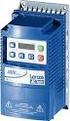 ELECTRIC MOTORS, GEARMOTORS AND DRIVES Variable Speed AC Motor Drives SM-Basic Installation and Operation Manual We, EC Declaration of Conformity In accordance with EN45014:1998 Leeson Electric Corporation
Installation and Operation Guide for PD4000 Series Power Control Center
 Extended warranties are available for purchase at www.progressivedyn.com Installation and Operation Guide for PD4000 Series Power Control Center Member Thank you for selecting Progressive Dynamics as your
CONNECTOR AMPLIFIER FOR PROPORTIONAL VALVES (4-20 ma Input Version)
 TECHNICAL DATASHEET #TD1102AX CONNECTOR AMPLIFIER FOR PROPORTIONAL VALVES (4-20 ma Input Version) Part Number: Connector Amplifier CAPV-H-4-20MA-x complete with cable CAPV-4C-yM Where: x = current output
REGAL-BELOIT. Installation and Operation Manual. Variable Speed AC Motor Drives. Micro and PowerWash Series
 REGAL-BELOIT Variable Speed AC Motor Drives Micro and PowerWash Series Installation and Operation Manual Manual Number: SB184 TABLE OF CONTENTS 1.0 GENERAL................................................1
Bulletin 150 SMC Flex Smart Motor Controller Specifications
 Specifications Specifications Standard Features Optional Features Installation Setup Communications Power Wiring Control Wiring Keypad Software Starting and Stopping Modes Protection and Diagnostics Metering
KBPC-240D (Part Nos. 9338 and 9342) Installation and Operation Manual Supplement
 The Right Control for Your Application. 12095 NW 39 Street, Coral Springs, FL 33065-2516 Telephone: 954-346-4900; Fax: 954-346-3377 KB Electronics, Inc. www.kbelectronics.com KBPC-240D (Part Nos. 9338
SAFETY PRECAUTIONS AND INSTRUCTIONS FOR USE OF TECHNICAL INFORMATION
 SAFETY PRECAUTIONS AND INSTRUCTIONS FOR USE OF TECHNICAL INFORMATION Please read and understand the product instruction manual before installing, servicing or operating Yaskawa products. Technical content
Dear Customer, User Memo: Please visit us on facebook or twitter! Thank you for purchasing this product.
 Owner s Manual 1 Dear Customer, Thank you for purchasing this product. For optimum performance and safety, please read these instructions carefully. User Memo: Date of purchase: Dealer name: Dealer address:
AGS. Owner's Manual. Xantrex Automatic Generator Start Control System
 AGS Owner's Manual Xantrex Automatic Generator Start Control System TABLE OF CONTENTS INTRODUCTION...3 Main Features...3 Safety Summary...3 THINGS YOU SHOULD KNOW...4 THEORY OF OPERATION...5 System...5
XC120 XC180. Owner's Guide Conforms to / Conforme à UL std. 458, Toll Free 1 866 295 6775. www.powerbright.com
 WARNING: This Unit employs Components that tend to produce arcs or sparks To prevent fire or explosion, do not install in compartments containing batteries or flammable materials - SHOCK HAZARD. DO NOT
12-Volt 10-Amp Regulated Power Supply
 22-506.fm Page 1 Friday, August 6, 1999 12:55 PM Cat. No. 22-506 OWNER S MANUAL Please read before using this equipment. 12-Volt 10-Amp Regulated Power Supply 22-506.fm Page 2 Friday, August 6, 1999 12:55
Fan Coil EC Motor Control
 Fan Coil EC Motor Control G3 PWM BARD The Enviro-Tec Generation 3 PWM (G3 PWM) board provides a pulse-width modulated (PWM) signal to the EC motor to control fan speed. The board is factory programmed
SECTION 4 ELECTRIC MOTORS UNIT 17: TYPES OF ELECTRIC MOTORS
 SECTION 4 ELECTRIC MOTORS UNIT 17: TYPES OF ELECTRIC MOTORS UNIT OBJECTIVES After studying this unit, the reader should be able to Describe the different types of open single-phase motors used to drive
Operation and Installation Manual
 Operation and Installation Manual RCM-10 Remote Control Monitor and RSM-10 Remote Status Monitor for the CNA-100 & CNA-200 Automations Revision 1.1 9/98 WARRANTY INFORMATION The RCM-10 Remote Control
VLT Series 300 Watt True Sine Wave Inverter
 VLT Series 300 Watt True Sine Wave Inverter PURE SINE WAVE INVERTER I ON 0 OFF REMOTE CONTROL AC OUTPUT POWER STATUS Vout Vin Models VLT12-300 VLT24-300 300 Watt VLT Series Inverter - 1 - TABLE OF CONTENTS
OPERATING MANUAL CONTRACTOR STYLE AXIAL FANS
 Manual No. BLWR043 Rev. 4 September 2012 OPERATING MANUAL CONTRACTOR STYLE AXIAL FANS CVF-8AC CVF-8AC50 CVF-6ACAN CVF-15ACAN CVF-25ACAN CVF-8A15KIT CVF-8A25KIT MODELS: CVF-8DC CVF-6DCAN CVF-15DCAN CVF-25DCAN
LESTRONIC DV AUTOMATIC 12 OR 24 VOLT DUAL OUTPUT DUAL MODE BATTERY CHARGER MODEL 16350 TYPE 12/24EL40-10ET
 LESTRONIC DV AUTOMATIC 12 OR 2 VOLT DUAL OUTPUT DUAL MODE BATTERY CHARGER MODEL 16350 TYPE 12/2EL0-10ET PLEASE SAVE THESE IMPORTANT SAFETY AND OPERATING INSTRUCTIONS For correct operation of the equipment,
Load Cell Amplifier Module. Instruction Manual LCA210-000
 Load Cell Amplifier Module Instruction Manual LCA210-000 Table of Contents 1. General Description...3 2. Specifications...3 2.1 Electrical...3 2.2 Physical...4 3. Installation...4 3.1 Wiring Guidelines...4
i410/i1010 AC/DC Current Clamp
 /i1010 AC/DC Current Clamp Instruction Sheet Safety Information XW Read First: Safety Information To ensure safe operation and service of the current clamp, follow these instructions: Read all operating
User s Manual Before using the inverter, you need to read and save the safety instructions.
 User s Manual Before using the inverter, you need to read and save the safety instructions. STI SERIES (STI200, STI300, STI500, STI700, STI1000) Power Frequency Pure Sine Wave Inverter The information
DLP-PU/E Instruction Manual
 Instruction Manual BEFORE USING THE POWER SUPPLY UNIT Pay attention to all warnings and cautions before using the unit. Incorrect usage could lead to an electrical shock, damage to the unit or a fire hazard.
GPD 506/P5 Start-up Procedure and Checklist
 GPD 506/P5 Start-up Procedure and Checklist Preparation for GPD506/P5 Drive Start-Up...2 HVAC Start-Up Procedure for GPD 506/P5 WITH Bypass Option:...4 HVAC Start-Up Procedure for GPD 506/P5 WITHOUT Bypass
OWNER'S MANUAL. Model 20-1050CUL AC Power Inverter/Charger System OM/A96283 REV. A
 OWNER'S MANUAL Model 20-1050CUL AC Power Inverter/Charger System OM/A96283 REV. A Table of Contents Section 1 Introduction... 1 Section 2 Installing the 20-1050CUL... 4 Section 3 Installing the IFM1 Interface
Installation, Operation and Maintenance Manual
 Document 473681 Vari-Green Motor and Controls Installation, Operation and Maintenance Manual Please read and save these instructions for future reference. Read carefully before attempting to assemble,
PT-6000 Power Tower INSTALLATION MANUAL SPECIFICATIONS
 PT-6000 Power Tower INSTALLATION MANUAL 10.5 9.75 12 22.75 10.75 MAXIMUM SOIL HEIGHT: DO NOT ALLOW FILL TO EXCEED THIS LEVEL! 11.5 4 4 13 Optional PT-BASE for new installations or when previous 2000/6000
ST Series POWER SUPPLIES USER INSTRUCTIONS
 Introduction These instructions detail the installation and operation requirements for the ST20 & ST35 power supplies. These have been designed for operation in RV s providing a DC power system, with optional
LS1024B / LS2024B/ LS3024B. Solar Charge Controller USER MANUAL
 EPSOLAR LS1024B / LS2024B/ LS3024B Solar Charge Controller USER MANUAL Thank you very much for selecting our product! This manual offers important information and suggestions with respect to installation,
PowerFlex Dynamic Braking Resistor Calculator
 Application Technique PowerFlex Dynamic Braking Resistor Calculator Catalog Numbers 20A, 20B, 20F, 20G, 22A, 22B Important User Information Solid-state equipment has operational characteristics differing
VSD Series Drives. November 2009 Supersedes September 2006. Powered by Eaton Technology. User Manual
 Powered by Eaton Technology VSD Series Drives User Manual Supersedes September 2006 LIT-1201828 For more information visit: www.johnsoncontrols.com Powered by Eaton Technology VSD Series Drives User Manual
Whale 3. User Manual and Installation Guide. DC Servo drive. Contents. 1. Safety, policy and warranty. 1.1. Safety notes. 1.2. Policy. 1.3. Warranty.
 Whale 3 DC Servo drive User Manual and Installation Guide Contents 1. Safety, policy and warranty. 1.1. Safety notes. 1.2. Policy. 1.3. Warranty. 2. Electric specifications. 2.1.Operation ranges. 3. Connections
Rotary Phase Converters
 FACTS from Ronk Electrical Industries, Inc. Bulletin 11981 Rotary Phase Converters ROTOVERTER Pat. No. 3,670,238 ROTO-CON Pat. No. 4,158,225 What are the ROTO-CON and ROTOVERTER power converters? The ROTO-CON
32VFD Variable Frequency Drives for Centrifugal Chillers
 32VFD 32VFD Variable Frequency Drives for Centrifugal Chillers ENERGY-SAVING CONTROL FOR CENTRIFUGAL CHILLERS Reduce energy consumption in your existing centrifugal chiller Your chiller was specified to
Sierra Dual 24 Volt Brushless DC Motor Controller Product Specification
 Sierra Dual 24 Volt Brushless DC Motor Controller Product Specification Assembly 025A0215 600A0942 Rev. A May 14, 2012 025A0215 Brushless DC Motor Controller Page 1 Revision History ECN # Date Rev Description
Comfort Control Relay Panel (CCRP)
 CCRP9 "Commitment to Innovation" OPERATION & INSTALLATION GUIDE FOR Comfort Control Panel (CCRP) Off-Peak System Control 9 Pole CCRP 4 Pole CCRP (Applicable to Software Version 14.0-14.9) "Manufactured
Product Description Full Voltage Starting Electric Fire Pump Controllers FTA1000
 Product Description Full Voltage Starting Electric Fire Pump Controllers FTA1000 Description Firetrol FTA1000 Full Voltage Fire Pump Controllers are intended for use with electric motor driven fi re pumps
Name of Equipment Silver King Model SKMCD1P/C1. This equipment chapter is to be inserted in the appropriate section of the Equipment Manual.
 Name of Equipment Silver King Model SKMCD1P/C1 This equipment chapter is to be inserted in the appropriate section of the Equipment Manual. Manufactured exclusively for McDonald s By Silver King Refrigeration,
LG Air Conditioning Multi F(DX) Fault Codes Sheet. Multi Split Units
 Multi Split Units If there is a fault on any LG Multi unit, an Error mark is indicated on the display window of the indoor unit, wired-remote controller, and LED s of outdoor unit control board. A two
Owner s Manual 900.4. 4 channel amplifier
 Owner s Manual 900.4 4 channel amplifier THANK YOU Limited Warranty: for purchasing RE AUDIO Bluetooth amplifiers BT-900.4. With almost no sacrifice on sound quality, BT-900.4 easily plays the music from
This equipment has been tested and found to comply with the limits for a Class B digital device, pursuant to part 15 of the FCC Rules.
 Power Max Level 2 Charging Station en Installation and Operating Instructions This equipment has been tested and found to comply with the limits for a Class B digital device, pursuant to part 15 of the
CONTROL PANEL INSTALLATION INSTRUCTIONS. Single Phase Simplex Page 2-7. 3-Phase Simplex Page 8-13
 CONTROL PANEL INSTALLATION INSTRUCTIONS Single Phase Simplex Page 2-7 3-Phase Simplex Page 8-13 Single Phase Simplex SXL21=3, SXL24=3, SXH21=3, and SXH24=3 Manufactured by SJE-Rhombus Installation Instructions
Ceiling Mount Air Handler Manual
 www.surna.com 303.993.5271 Ceiling Mount Air Handler Manual Models: CMAH12, CMAH18, CMAH24, CMAH30, CMAH36, CMAH48, CMAH60 Revised: September 2014 Table of Contents Warranty Information 4 Limited Warranty
DUAL%CHANNEL BROADBAND%LINEAR%AMPLIFIER Model&A800D
 ELECTRONICS AB DUAL%CHANNEL BROADBAND%LINEAR%AMPLIFIER Model&A800D & HIGH&VOLTAGE& FIXED&GAIN& BROADBAND & 800Vpp&60mA& 100x& DC&to&ca&200&kHz & LOW&OUTPUT&IMPEDANCE& HIGH&SLEW&RATE &
USER GUIDE TURBOCORD TM PORTABLE CHARGER 120V/240V: DUAL VOLTAGE. AeroVironment EV Solutions
 USER GUIDE TURBOCORD TM PORTABLE CHARGER 120V/240V: DUAL VOLTAGE AeroVironment EV Solutions 2013 AeroVironment, Inc. All rights reserved. AeroVironment, EV Solutions, and the AeroVironment logo are trademarks
RM17TE 183...528 V AC. Main. Product or component type. Product specific application. Relay monitored parameters 250 V DC 5 A DC
 Characteristics multifunction control relay RM17-TE - range 183..528 V AC Complementary Reset time Maximum switching voltage Minimum switching current Maximum switching current [Us] rated supply voltage
3000W Power Inverter
 3000W Power Inverter OWNER S MANUAL Model number-4573000 TO REDUCE THE RISK OF INJURY, USER MUST READ AND UNDERSTAND THIS INSTRUCTIONAL MANUAL. THIS MANUAL CONTAINS IMPORTANT INFORMATION REGARDING THE
Battery Power Inverters
 Battery Power Inverters Renogy 500W 1000W 2000W Pure Sine Wave Inverter Manual 2775 E. Philadelphia St., Ontario, CA 91761 1-800-330-8678 1 Version 1.1 Important Safety Instructions Please save these instructions.
OWNER S MANUAL BIG BEAR VORTEX FAN MODEL #BB-1 INTRODUCTION OPERATION SAFETY SERVICE WARRANTY CONTACT SPECIFICATIONS TROUBLESHOOTING
 OWNER S MANUAL BIG BEAR VORTEX FAN MODEL #BB-1 INTRODUCTION OPERATION SAFETY SERVICE WARRANTY CONTACT SPECIFICATIONS TROUBLESHOOTING PLEASE READ AND SAVE THESE INSTRUCTIONS - 2 - INTRODUCTION TO THE BIG
ARCO Electric Products Installation and Maintenance Manual Low Voltage Automatic Power Factor Correction Capacitor Systems 2013
 ARCO Electric Products Installation and Maintenance Manual Low Voltage Automatic Power Factor Correction Capacitor Systems 2013 READ CAREFULLY These instructions are intended to cover good practices in
GENERATOR START CONTROL MODULE - MINI (2 Wire to 3 Wire)
 FEATURES & APPLICATIONS Inexpensive 2 wire to 3 wire start controller for electric start high speed gas generators. Optimized for use with Outback Invertors. Supports three types of 3 wire generator control
SERVICE MANUAL FOR 6535 SERIES TWO TON HIGH EFFICIENCY PACKAGED HEAT PUMPS
 SERVICE MANUAL FOR 6535 SERIES TWO TON HIGH EFFICIENCY PACKAGED HEAT PUMPS TABLE OF CONTENTS 1. Warnings...2 2. Accessibility Of Appliance...3 3. Unit Dimensions And Specifications...3 4. Unit Specifications
REDI-LINE ELECTRIC GENERATORS USER'S GUIDE. Rugged, Reliable, DC to AC Power Conversion
 REDI-LINE ELECTRIC GENERATORS USER'S GUIDE Rugged, Reliable, DC to AC Power Conversion REDI-LINE ELECTRIC GENERATOR MODEL INPUT ACTUAL OUTPUT ACTUAL OUTPUT WATTS SERIAL NO. PACIFIC SCIENTIFIC MOTOR PRODUCTS
Installation, Operation and Maintenance Manual
 Installation, Operation and Maintenance Manual VLT 6000 Series Adjustable Frequency Drive 12/01 23-6108-00 Revision K Rotating shafts and electrical equipment can be hazardous. Therefore, it is strongly
SINGLE PHASE MOTORS. INSTALLATION AND MAINTENANCE MANUAL March 21, 2006
 SINGLE PHASE MOTORS INSTALLATION AND MAINTENANCE MANUAL March 21, 2006 Irvine, California (800) 474-0520 Indianapolis, Indiana (800) 866-7973 Hamilton, Ontario (800) 809-0330 e-mail: [email protected]
AEROMOTIVE Part # 16302 INSTALLATION INSTRUCTIONS
 AEROMOTIVE Part # 16302 INSTALLATION INSTRUCTIONS CAUTION: Installation of this product requires detailed knowledge of automotive systems and repair procedures. We recommend that this installation be carried
Instruction Manual. This manual covers models: 8-125E 60-18E 20-50E 80-13E 33-33E 150-7E 40-25E 300-3.5E 50-20E 600-1.7E
 DCS-E SERIES POWER SUPPLIES Instruction Manual This manual covers models: 8-125E 60-18E 20-50E 80-13E 33-33E 150-7E 40-25E 300-3.5E 50-20E 600-1.7E SORENSEN Division of Elgar 9250 Brown Deer Road San Diego,
MCR1900 Media Converter 19-Slot Chassis
 MCR1900 Media Converter 19-Slot Chassis Installation Guide Part #5500304-11 Copyright Statement This document must not be reproduced in any way whatsoever, either printed or electronically, without the
Product Description Primary Resistance Starting Electric Fire Pump Controllers FTA1500
 Product Description Primary Resistance Starting Electric Fire Pump Controllers FTA1500 Description Firetrol FTA1500 Primary Resistance Fire Pump Controllers use resistors in the line to reduce line voltage
Safety Manual BT50(T) Safety relay / Expansion relay
 Safety Manual BT50(T) Safety relay / Expansion relay ABB Jokab Safety Varlabergsvägen 11, SE-434 39, Sweden www.abb.com/jokabsafety Read and understand this document Please read and understand this document
Owner's Manual. Automatic Transfer Switch. This manual should remain with the unit.
 Owner's Manual Automatic Transfer Switch REFERENCE THE OWNER'S MANUAL SUPPLIED WITH THE GENERATOR WHEN USING THIS DOCUMENTATION. NOT INTENDED FOR USE IN CRITICAL LIFE SUPPORT APPLICATIONS. THIS PRODUCT
What are the basic electrical safety issues and remedies in solar photovoltaic installations?
 What are the basic electrical safety issues and remedies in solar photovoltaic installations? Presented by: Behzad Eghtesady City of Los Angeles Department of Building and Safety Topics Covered Photovoltaic
Installation Manual Version 7.3 IMPORTANT:
 Installation Manual Version 7.3 IMPORTANT: READ ENTIRE MANUAL CAREFULLY, THIS PHASE CONVERTER MUST BE INSTALLED BY A INDUSTRIAL LICENSED ELECTRICIAN 230 VOLTS MODEL ONLY READ FIRST!!!!!! DANGER: HIGH VOLTAGE
LEESON ELECTRIC CORPORATION GRAFTON, WI 53024-0241 U.S.A. TELEPHONE (262)377-8810 FAX (262)377-9025
 TM SPEEDMASTER Variable Speed D.C. Control INSTRUCTION MANUAL TM This Book Covers Speedmaster Control Numbers 174902 & 174903 LEESON ELECTRIC CORPORATION GRAFTON, WI 53024-0241 U.S.A. TELEPHONE (262)377-8810
INSTRUCTION MANUAL MODEL PCD-88
 INSTRUCTION MANUAL MODEL PCD-88 CLOSED CAPTION DECODER LINK ELECTRONICS, INC. 2137 Rust Avenue Cape Girardeau, Missouri 63703 Phone: 573-334-4433 Fax: 573-334-9255 e-mail: sales @ linkelectronics.com website:
NSI DIGITAL DIMMING SYSTEM DDS 9800 DIMMER PACKS
 NSI DIGITAL DIMMING SYSTEM NSI DIGITAL DIMMING SYSTEM DDS 9800 DIMMER PACKS Software Revision 1.41, Version C UL, Mfg Q3/96, and above SPECIFICATIONS Number of Channels: 9800 : 8 channels Output capacity:
PSDC 08128. PSDC 12V/8A/8x1A Power supply for up to 8 analog cameras PTC/TOPIC.
 PSDC 08128 v.1.2 PSDC 12V/8A/8x1A Power supply for up to 8 analog cameras PTC/TOPIC. EN** Edition: 9 from 25.05.2015 Supersedes the edition: 8 from 12.12.2014 the 8x 1A/12V DC power output for powering
Telefon (+45) 43 43 82 00 Telefax (+45) 43 43 74 75 [email protected] www.uni-valve.com. Installation and operating manual
 Uni-Valve A /S VENTILER & INSTRUMENTER Telefon (+45) 43 43 82 00 Telefax (+45) 43 43 74 75 [email protected] www.uni-valve.com UNI-EL Electric actuator Installation and operating manual Remote position
How To Use A Cdm250 Digital Multimeter
 User Manual CDM250 Digital Multimeter 070-6736-03 Copyright Tektronix, Inc. 1987. All rights reserved. Tektronix products are covered by U.S. and foreign patents, issued and pending. Information in this
..OR How To Protect your 3-Phase Equipment Investment with 3-Phase Monitors from Time Mark...
 ..OR How To Protect your 3-Phase Equipment Investment with 3-Phase Monitors from Time Mark... TIME MARK CORPORATION 11440 EAST PINE STREET TULSA, OK 74116 USA tel 918 438-1220 fax 918 437-7584 www.time-mark.com
Multi-Protocol decoder 76 200 with Load regulation
 Multi-Protocol decoder 76 2 with Load regulation For locomotives with universal motors on digital layouts operating in the DCC and Motorola data format. Features 76 2 Load regulated multi-protocol decoder
Daker DK 1, 2, 3 kva. Manuel d installation Installation manual. Part. LE05334AC-07/13-01 GF
 Daker DK 1, 2, 3 kva Manuel d installation Installation manual Part. LE05334AC-07/13-01 GF Daker DK 1, 2, 3 kva Index 1 Introduction 24 2 Conditions of use 24 3 LCD Panel 25 4 Installation 28 5 UPS communicator
I nstallation. M100Q Series Proportional Actuator with R81Q Controller Board for Thermistor Sensor Applications. Tools Needed.
 FANs 268.1, 1628.3 Installation Bulletin M100Q Issue Date 1099 M100Q Series Proportional Actuator with R81Q Controller Board for Thermistor Sensor Applications I nstallation Parts Included M110QGA-1 and