
ERGL OWNER S MANUAL Elevated Runway Guard Light (ERGL)
|
|
|
- Karin Mitchell
- 9 years ago
- Views:
Transcription
1 ERGL OWNER S MANUAL Elevated Runway Guard Light (ERGL) September 5, 2008, Carmanah Technologies Corp. Sales Support: [email protected] Technical Support: [email protected] Toll Free in North America: 1 (877) International: +1 (250) Fax: +1 (250)

2

3 Owner s Manual Elevated Runway Guard Light (ERGL) Table of Contents 1.0 Precautions Introduction How it Works Component Identification Unidirectional Lamp Fixture Solar Engine foot connector harness (not shown) Tools and Materials Required Product Assembly Assemble Your System Solar Engine Assembly LED Lamp Housing Configuration Brightness Configuration Adjusting Brightness Installation Activation Maintenance and Product Care Troubleshooting Service and Additional Products Customer Service Additional Products Product Specifications Document number: MAN_AVIA ERGL 50746_vB4

4 Owner s Manual Elevated Runway Guard Light 1.0 Precautions WARNING: Exercise caution when handling the batteries. They are capable of generating enormous short-circuit currents. Remove all jewelry (bracelets, metal-strap watches, rings) before attempting to handle or remove the batteries. ESD Precautions and Proper Handling Procedures Dissipate static electricity before handling any system components (Energy Management System, LED lights) by touching a grounded metal object, such as the unpainted metal housing on the system unit. If possible, use antistatic devices, such as wrist straps. Avoid touching the contacts and components on the Energy Management System. Take care when connecting or disconnecting cables. A damaged cable can cause a short in the electrical circuit. Prevent damage to the connectors by aligning connector pins before you connect the cable. Misaligned connector pins can cause damage to system components at power-on. Failure to observe proper ESD handling procedures can void your warranty 2.0 Introduction Congratulations on purchasing the Carmanah Elevated Runway Guard Light, the world s most advanced solar LED elevated runway guard light. Carmanah s Elevated Runway Guard Light (ERGL) is a 24-hour flashing, unidirectional LED lamp fixture combined with a remotely mounted solar engine. Using Carmanah s advanced Energy Management System, the unit is designed to operate reliably with no scheduled maintenance for up to five (5) years except for routine cleaning. 2.1 How it Works The ERGL is completely power-autonomous. It operates using solar-charged batteries that are maintenance-free for up to five (5) years; therefore no wiring to an external power supply is required. The solar panels, Energy Management System and batteries are housed in the solar engine. The LED lights are housed in a separate housing that can be placed up to twenty (20) feet from the solar engine. The ERGL is designed for continuous, 24-hour flashing operation with user-configurable LED intensity settings. 4 Document number: MAN_AVIA ERGL 50746_vB

5 Owner s Manual Elevated Runway Guard Light (ERGL) 3.0 Component Identification 3.1 Unidirectional Lamp Fixture Lamp Housing LED Lamps Tether Cable Frangible Coupling Base Plate 3.2 Solar Engine 0 to 60 Solar Engine Pivot Solar Engine Housing Solar Panels Solar Engine Mounting Post Tether Cable Frangible Coupling Base Plate foot connector harness (not shown) 5 Document number: MAN_AVIA ERGL 50746_vB4

6 Owner s Manual Elevated Runway Guard Light 4.0 Tools and Materials Required Imperial socket set Crescent wrench with opening to 2.5 Compass Multi-bit screwdriver 1/8 hex driver If the connection harness between the lamp fixture and solar engine is to be buried, a shovel or trenching equipment will be required 5.0 Product Assembly Installation time can be budgeted at approximately ten (10) minutes in the shop plus thirty (30) minutes in the field per ERGL. 5.1 Assemble Your System Your ERGL Solar Engine and LED Lamp Fixture ship factory-assembled except for the base plates, tethers, frangible couplings, and the solar engine mounting post. You will need to connect these before installing your light. WARNING: The solar engine and LED lamp fixture are heavy. Handle with caution to avoid tipping during assembly and installation Solar Engine Assembly 1. Remove the two central fasteners and tether from the bracket (located on the bottom of the solar engine). See Figure 5.0. Remove 2. Slip the post into the bracket, and reinstall the fasteners and tether. Do not tighten the fasteners at this point. See Figure 5.1. Figure Document number: MAN_AVIA ERGL 50746_vB Figure 5.1

7 Owner s Manual Elevated Runway Guard Light (ERGL) 3. Install anti-rotation plate. 4. Thread the frangible coupling into the base plate and tighten securely. See Figure Place the solar engine assembly onto the frangible coupling and temporarily tighten the six set screws. See Figure 5.3. Figure LED Lamp Housing 1. Install anti-rotation plate. 2. Thread the frangible coupling into the base plate and tighten securely. See Figure 5.4. Figure 5.3 Figure Place the LED lamp housing onto the frangible coupling and temporarily tighten the six set screws. See Figure 5.5. Figure Document number: MAN_AVIA ERGL 50746_vB4

8 Owner s Manual Elevated Runway Guard Light 6.0 Configuration 6.1 Brightness Configuration Note: Your ERGL is factory configured for brightness and does not typically need additional configuration. Carmanah recommends speaking with a qualified Carmanah representative before setting the brightness. Important: Light intensity (brightness) is user-configurable; however, setting light intensity with energy requirements greater than the available solar energy will result in automatically reduced brightness (Automatic Light Control), reduced system efficiency, reduced battery lifetime, or even complete system failure. Contact your Carmanah representative if you need guidance in adjusting your settings for your geographic location and solar conditions. Contact Carmanah prior to adjusting the brightness settings. WARNING: When adjusting the brightness, the harnesses MUST be disconnected from the Energy Management System (EMS) in the following sequence: Harness Disconnection Sequence 1. Disconnect the solar panel connections. 2. Disconnect the batteries. 3. Disconnect the LED lamps. This sequence minimizes any potential safety hazard. Once the brightness is adjusted reconnect the harnessing in the order shown below: 3. Connect the LED lamps. 4. Connect the batteries. a. If the batteries are charged and the EMS is connected, the LED lamps will begin to flash. 5. Connect the solar panel connections. Should you need to adjust the brightness of your ERGL follow the steps outlined on the next page. 8 Document number: MAN_AVIA ERGL 50746_vB

9 Owner s Manual Elevated Runway Guard Light (ERGL) Adjusting Brightness 1. To adjust the brightness on your ERGL, open the hinged solar engine cover by removing the two fasteners located on the front face of the housing (use prop on left-hand side to support cover). 2. Inside you will see two batteries, an Energy Management System (EMS) and harnessing. See figure 6.0. Harnessing Battery Battery Figure Disconnect the solar panel connections. 4. Disconnect the batteries. 5. Disconnect the LED lamps. 6. Disconnect the large harness connector from the EMS. See Figure 6.1. EMS Figure Remove the four fasteners securing the EMS to the housing. See Figure Remove the EMS and turn it over. WARNING: Follow ESD precautions when handling the EMS. Refer to Section 1.0 Precautions for more information. Failure to observe proper ESD handling procedures can void your warranty Figure Document number: MAN_AVIA ERGL 50746_vB4

10 Owner s Manual Elevated Runway Guard Light On the circuit board within the EMS housing, there is a rotary dial SW2. See Figure To adjust brightness, use a small, flat-headed screwdriver to turn SW2 to the desired setting. Refer to Table 6.0 for brightness settings. Table 6.0: LED Brightness Settings SW2: Brightness Setting Setting Brightness Level Approx Intensity cd cd cd (cd = Candela) WARNING: Do not exceed a brightness setting of 3 Figure Once the brightness is adjusted, return the EMS to its location in the solar engine housing. 11. Secure the four fasteners. 12. Reconnect the large harness connector to the EMS. 13. Reconnect the LED lamps. 14. Reconnect the batteries. 15. Reconnect the solar panel connections. 16. Close the solar engine cover and refasten. 10 Document number: MAN_AVIA ERGL 50746_vB

11 Owner s Manual Elevated Runway Guard Light (ERGL) 7.0 Installation Evaluate the suitability of your installation location. Your ERGL is solar powered and, for optimal performance, the solar engine should be installed in a location that is shade-free and allows for unobstructed solar charging. If you trenching between the lamp fixture and solar engine is required, it is recommended to perform the trenching prior to installation to avoiding damaging the system. 1. Install your ERGL using the supplied base plates, anti-rotation plates, tethers and mounting hardware by securing the solar engine assembly and LED lamp housing onto standard airport light bases. Note: Leave one fastener out when installing the base plate to the light base. This provides a location for the tether. 2. When the base plate is secured to the light base, place the tether over the remaining hole and securely tighten using the supplied hardware. 3. If you are located in the northern hemisphere face the solar panels south. If you are located in the southern hemisphere face the solar panels north. Use the compass if you are unsure. When the solar engine is correctly oriented, tighten the six set screws located near the base. Calculating Solar Engine Tilt Angle If your ERGL is located at a latitude 15 or greater from the equator, calculate the solar engine tilt angle by adding 15 to the absolute value of your latitude. If your ERGL is located at a latitude less than 15 from the equator the tilt angle will be Remove the small fastener from the solar engine bracket and adjust the engine as close as you can to the tilt angle you calculated. (Note the solar engine bracket has adjustment from 0 to 60 in 15 increments). Securely tighten the fastener. See Figure 7.0. WARNING: The solar engine is heavy, use caution when tilting Figure Adjust the horizontal and vertical settings for the lamp housing as desired. Securely tighten the six set screws near the base Document number: MAN_AVIA ERGL 50746_vB4

12 Owner s Manual Elevated Runway Guard Light 8.0 Activation To activate your ERGL connect the harnesses as outlined below. If you need to trench, the bury the harness once you have adjusted the length as described below. If potential animal damage is a concern, you may consider running the harness through a suitable conduit. 1. Connect the supplied 20 foot (6.1 meter) harness coming from the LED lamp housing to the underside of the solar engine. See Figures 8.0 and 8.1. Figure 8.0 Figure If the solar engine and lamp housing are mounted less than twenty feet apart, the gland nut on the lamp housing may be loosened and the slack harness coiled inside the housing to take up the slack. See Figures 8.2 to 8.4. Figure 8.2 Figure Remove the two fasteners securing the cover of the solar engine. 4. Open the solar engine cover. The ERGL is shipped with the large harness connector already connected to the EMS. Plug in the other harnesses in the following order: a. Connect LED lamps. b. Connect batteries. c. Connect solar panel connections. Figure Your ERGL will now begin to flash. Close the cover and secure the fasteners. Your light is ready for use. 12 Document number: MAN_AVIA ERGL 50746_vB

13 Owner s Manual Elevated Runway Guard Light (ERGL) 9.0 Maintenance and Product Care Although your ERGL is designed to be maintenance free, optimum performance can be achieved by cleaning the solar panels and lamp lenses as required. Clean on a regular basis, or whenever the panels are visibly dirty. Use water and a soft sponge or cloth for cleaning and a mild, nonabrasive cleaning agent for more stubborn residue. Rinse well. In the event of heavy snowfall, clear the solar panels as soon as possible to allow maximum charging efficiency. WARNING: Pressure washers should not be used. Water may be forced up into the ventilating louvers and soak internal components. Following this check list will help to ensure your ERGL performs optimally: 1. Clean the solar panels more frequently during drier months, as they may become soiled more quickly. 2. Check all electrical and mechanical connectors yearly to ensure they are clean, secure and undamaged. 3. The solar engine has several vents and drain holes. Ensure that they are free of debris. 4. Visual inspection check over exterior for cracks, missing or broken hardware or other potential problems. Battery Lifetime Your ERGL s battery lifetime depends on the ambient temperature in the location it is installed. Typical battery lifetimes for your ERGL are outlined in Table 9.0. Table 9.0: Battery Lifetime Average Annual Ambient Temperature Approximate Expected Battery Lifetime 20 C years 25 C years 30 C years More than 30 C 1.1 years or less WARNING: Remember, exercise caution when handling the battery packs. They are capable of generating enormous short-circuit currents. Remove all jewelry (bracelets, metal-strap watches, rings) before attempting to handle or remove the battery packs. The 12 Volt batteries are sealed, rechargeable lead-acid. Consult your local municipal bylaws for information on recycling the batteries when replacing. Do not discard these batteries in the garbage please recycle! 13 Document number: MAN_AVIA ERGL 50746_vB4

14 Owner s Manual Elevated Runway Guard Light 10.0 Troubleshooting If the Light is not Flashing 1. Check the battery connection and the LED array connection to ensure the connectors are fully inserted. As the light is designed to function as soon as the battery and LED lamps are connected, this should be fairly simple to diagnose. 2. Try disconnecting and reconnecting the harnesses from the Energy Management System (EMS) in the sequence outlined below. Disconnect the harnesses in the following sequence: a. Disconnect the solar panel connections. b. Disconnect the batteries. c. Disconnect the LED lamps. Now reconnect the harnesses in the following sequence: a. Connect the LED lamps. b. Connect the batteries. c. Connect the solar panel connections. 3. Inspect the connection harness for damage. If the harness has been buried without protective conduit, there is a possibility of animal damage. If The Light is Exhibiting Irregular Flash Patterns Your Carmanah ERGL may exhibit irregular flasher patterns under certain conditions. If you notice that your ERGL is flashing irregularly, it may be a result of one of the following conditions: 1. Low battery condition: Under a low battery condition, the ERGL will exhibit the following repeating flash pattern: on 0.1 seconds, off 2.5 seconds. If your light is exhibiting this flash pattern you will need to charge the batteries. This can be done in two ways. In both cases, disconnect the LED lamps to prevent additional battery drain. The first method, if there is sufficient sunlight, is to allow the unit to charge for three to five days in the ambient light. The second method is to charge the batteries by placing the solar engine under high-powered halogen flood lights for three days. Warning: Maintain at least 18 to 24 inches between the lamp and solar panels to prevent heat damage. When your ERGL is operational again, if you had previously increased the brightness, you will need to consider lowering the brightness setting as it is likely the unit is drawing more energy than the solar input can provide. 2. The solar engine has not been exposed to sunlight in 24 hours: Under this condition, the ERGL will exhibit the following repeating flash pattern: on 0.1 seconds, off 0.5 seconds. In this situation it is best to expose the unit to sunlight or high-powered halogen flood lamps. It is not necessary to disconnect the LED lamps as the unit should recover quickly. If your ERGL continues to experience a problem, please contact either Carmanah Technologies Corp. (See Section 11.0 for contact information) or your distributor. 14 Document number: MAN_AVIA ERGL 50746_vB

15 Owner s Manual Elevated Runway Guard Light (ERGL) 11.0 Service and Additional Products 11.1 Customer Service Before contacting Carmanah s customer service department, please have the serial number of your ERGL available, a brief description of the problem, as well as all details of the installation. Carmanah products are covered by a standard 3-year pro-rated warranty. A warranty card is supplied with each unit. The warranty can also be viewed online at: To contact Carmanah s Customer Service Department: Mail: Carmanah Technologies Corp. Building 4, 203 Harbour Rd. Victoria, BC Canada V9A 3S2 Phone: (U.S. and Canada Toll-Free) Fax: Website: [email protected] [email protected] Additional Products Carmanah offers a variety of solar-powered and energy-efficient LED lighting products. For aviation applications, Carmanah also manufactures solar LED runway lights, as well as LED General Illumination products. For more information, please visit our website at: 15 Document number: MAN_AVIA ERGL 50746_vB4

16 Owner s Manual Elevated Runway Guard Light 12.0 Product Specifications 16 Document number: MAN_AVIA ERGL 50746_vB

17

GreenWay Solar LED Path and Trail Lighting System. Installation and Owner s Manual
 GreenWay Solar LED Path and Trail Lighting System Installation and Owner s Manual Important Notes and Warnings This installation and instruction manual provides installation, operation, and maintenance
HP UPS R1500 Generation 3
 HP UPS R1500 Generation 3 Installation Instructions Part Number 650952-001 NOTE: The rating label on the device provides the class (A or B) of the equipment. Class B devices have a Federal Communications
Installation Guide of Sunrise Solartech PV Modules. Term 2013. Contents. Purpose of this guide. General. Safety precaution for installing a solar
 Installation Guide of Sunrise Solartech PV Modules Term 2013 Contents Purpose of this guide General Safety precaution for installing a solar Photovoltaic system Product Identification Mechanical Installation
Express5800/120Ed. Rack Mount Kit Installation Procedures PN: 455-01607-001
 Express5800/120Ed Rack Mount Kit Installation Procedures PN: 455-01607-001 Proprietary Notice and Liability Disclaimer The information disclosed in this document, including all designs and related materials,
Global Water Instrumentation, Inc.
 Global Water Instrumentation, Inc. 11390 Amalgam Way Gold River, CA 95670 T: 800-876-1172 Int l: (916) 638-3429, F: (916) 638-3270 Solar Panels 2 Watt Solar Panel: SP101 5 Watt Solar Panel: SP102 01-752
INSTALLATION AND OPERATING INSTRUCTIONS For Model GL1 Gate Locks
 Securitron Magnalock Corp. www.securitron.com ASSA ABLOY, the global leader Tel 800.624.5625 [email protected] in door opening solutions INSTALLATION AND OPERATING INSTRUCTIONS For Model GL1 Gate
Trillium 40 Axis Spring Tensioner Wire Replacement Instructions
 Trillium 40 Axis Spring Tensioner Wire Replacement Instructions 1 Overview The objective is to replace the broken axis spring tensioner wire. This requires the following tasks: 1. Remove the seismometer
Small Flat Panel Lift Arm FSA-1004 and KSA-1004
 I N S T A L L A T I O N I N S T R U C T I O N S Small Flat Panel Lift Arm FSA-1004 and KSA-1004 The Lift Arm is an accessory that can be used with a broad range of Small Flat Panel Displays. The allows
2100 AD 015 0009 Mirror Elevator Ball Nut Replacement Procedure
 2100 AD 015 0009 Mirror Elevator Ball Nut Replacement Procedure Derek Guenther 1/28/2015 Rev. Purpose The purpose of this document is to describe the procedure necessary to replace one of the ball nuts
Uninterruptible Power Supply. 500 kva - 750 kva
 9 315 Uninterruptible Power Supply 500 kva - 750 kva T1 and T3 Installation Addendum 164201244-001 Rev. A ------------------------------------------------------------------------ ------------------------------------------------------------------------
with MERCURY FREE 1 HP Relays ! WARNING Before using this product read and understand instructions.
 B Installation & Maintenance Instructions MM-414 Series 150E and 157E Low Water Cut-Off/Pump Controllers For Steam Boilers and Other Level Control Applications A Typical Applications: Primary or secondary
Solar Power Systems Models: PVS220W-24 and PVS220W-48 Installation Manual
 Solar Power Systems Models: PVS220W-24 and PVS220W-48 Installation Manual 255379 Rev. D0 1015 Printed in U.S.A. Copyright 2015 Federal Signal Corporation Limited Warranty The Alerting and Notification
GENUINE PARTS INSTALLATION INSTRUCTIONS
 GENUINE PARTS INSTALLATION INSTRUCTIONS 1. DESCRIPTION: Auto-Dimming Mirror Kit with Compass and HomeLink 2. APPLICATION: Titan 3. PART NUMBER: 999L1 WS000 4. KIT CONTENTS: Item Qty Description Service
7 Watt Solar Charger Solar Panel
 7 Watt Solar Charger Solar Panel Owner s Manual Warning: Read carefully and understand all ASSEMBLY AND OPERATION INSTRUCTIONS before operating. Failure to follow the safety rules and other basic safety
INSTALLATION INSTRUCTION SPEC. SHEET 7/00. City of New York Calendar #40747 ETL LISTED UNDER U.L. STD. 2108 LOW VOLTAGE TRACK LIGHTING SYSTEM
 7/00 INSTALLATION INSTRUCTION SPEC. SHEET 99052 99063 City of New York Calendar #40747 Copyright c 2000 ALFA Lighting, Inc. All rights reserved. Call:1-415-975-8080 QUICK JACK QJS R LISTED 9901483 ETL
BUILT-IN DISHWASHER INSTALLATION INSTRUCTIONS
 BUILT-IN DISHWASHER INSTALLATION INSTRUCTIONS PLEASE READ COMPLETE INSTRUCTIONS BEFORE YOU BEGIN LEAVE INSTALLATION INSTRUCTIONS AND USER'S GUIDE WITH OWNER ALL ELECTRIC WIRING AND PLUMBING MUST BE DONE
Overview PARTS LIST. B. Lever mounting base C. Flush handle assembly D. Grey/Blue float stop E. Grey float (Full Flush) F. Flush valve washer
 Overview READ ENTIRE INSTRUCTIONS BEFORE STARTING INSTALLATION PARTS LIST A. Flush valve B. Lever mounting base C. Flush handle assembly D. Grey/Blue float stop E. Grey float (Full Flush) F. Flush valve
INSTALLATION MANUAL. Installation Instructions
 INSTALLATION MANUAL Power-Pole Signature Series Shallow Water Anchor Installation Instructions CAUTION: Read this instruction manual carefully. Become familiar with the controls and know how to operate
430 Power/Electronics Replacement
 Replacing the main board WARNING Before proceeding, turn off the main power switch and unplug the power cord. Caution Make sure you are properly grounded with an ESD strap before continuing. The main printed
TraceTek TTDM Series Leak Detection and Location Modules Replacement Parts Installation Instructions
 TraceTek TTDM Series Leak Detection and Location Modules Replacement Parts Installation Instructions TRACETEK TraceTek TTDM Replacement Parts General Information These instructions detail the steps to
Intel RAID Maintenance Free Backup Unit 4 Quick Installation User's Guide
 Intel RAID Maintenance Free Backup Unit 4 Quick Installation User's Guide Thank you for buying an Intel RAID Maintenance Free Backup Unit 4. The Intel RAID Maintenance Free Backup Unit 4 supports the Intel
SOLAR ELECTRIC MODULE ES-124 & ES-62T Owners Manual and Installation Guide
 SOLAR ELECTRIC MODULE ES-124 & ES-62T Owners Manual and Installation Guide circuit. Reverse connection will damage the module and may result in fire. CAUTIONS Solar electric modules produce DC electricity
Assembly Instructions for the InteliTrack 3000 Rail Tracking System
 Assembly Instructions for the InteliTrack 3000 Rail Tracking System InteliTrack is a trademark of Sedona Solar Technology. Sedona Solar Technology 16 April 2013 1 1. Before you begin WARNING Safety equipment
About the BitStorm 6051 POTS Splitter
 BitStorm 6051 Installation Instructions Document Number 6051-A2-GZ40-10 July 2002 About the BitStorm 6051 The BitStorm system enables simultaneous high-speed digital data access and analog voice service
SECTION G2: CABLE PROCESSOR MODULE MAINTENANCE
 SECTION G2: CABLE PROCESSOR MODULE MAINTENANCE Cable Processor Module overview WARNING! When tipping the Cable Processor Module back, (after removing the toggle arm pin), use extreme caution not to drop
ATS Overhead Table Shelf System INSTRUCTION MANUAL
 ATS Overhead Table Shelf System INSTRUCTION MANUAL ATS Overhead Table Shelf System Instruction Manual Warranty Newport Corporation warrants this product to be free of defects in material and workmanship
Auto-belay Cable Replacement Process
 Auto-belay Cable Replacement Process Version 2.00 WARNING: The air pressure in the auto-belay system is what causes the cable to be retracted when releasing the cable or climbing the wall with the cable
Installation Instructions for FT-10 Network PowerCommand ATS Communication Module (NCM) Kits 541 0812 and 541 0868
 Instruction Sheet 10-2004 Installation Instructions for FT-10 Network PowerCommand ATS Communication Module (NCM) Kits 541 0812 and 541 0868 PowerCommand is a registered trademark of Cummins Inc. InPower
TruPower-Portable-500W. Solar Starter kit
 TruPower-Portable-500W Solar Starter kit This Solar starter kit is an easy to use solar power supply system that is the complete solution for all your solar power needs. It is a solar generator that converts
SNQ-60x0-320 Series Data Center Switch. Quick Installation Guide
 Introduction This guide is to assist the reader with the most basic form of installation and connection to switches in this series. As there is more than one switch in this series, the diagrams might slightly
Installing the Broadband Global Area Network (BGAN) Fixed Mount Kit
 Installing the Broadband Global Area Network (BGAN) Fixed Mount Kit Product description BGAN fixed mount kit Although the BGAN satellite modem terminal is designed for portable use, the BGAN Fixed Mount
OASIS-PLUS 120V READ ALL INSTRUCTIONS BEFORE OPERATING READ ALL INSTRUCTIONS BEFORE OPERATING OZONE IS A POWERFUL OXIDIZER AND MUST BE USED WITH CARE
 OASIS-PLUS 120V INFORMATION & OPERATING INSTRUCTIONS READ ALL INSTRUCTIONS BEFORE OPERATING READ ALL INSTRUCTIONS BEFORE OPERATING OZONE IS A POWERFUL OXIDIZER AND MUST BE USED WITH CARE 56041852 WARNING:
CP2 Buried Cable Pedestal Initial & Rehab Installation Instructions
 Printing 3 March 2008 CP2 Buried Cable Pedestal Initial & Rehab Installation Instructions This instruction is intended for CP2 cable pedestal installations and replacements. The following tools will be
Hard Disk Drive (HDD)
 Installation Instructions Hard Disk Drive (HDD) Catalog Number 6189V-35HDDST80, 6189V-35HDDST160 Topic Page About This Publication 1 Important User Information 2 Electrostatic Discharge (ESD) Precautions
4.3-inch Back-Up Camera
 TM 4.-inch Back-Up Camera Model No.: PKC0BU4 Owner s Manual and Warranty Information Read these instructions completely before using this product. Retain this Owner s Manual for future reference. INTRODUCTION
PRODUCT: WASHER / WASHER-DRYER COMBO MODEL: AW 120 / AW 122 / AW 125 AWD 120 / AWD 121 / AWD 129
 PRODUCT: WASHER / WASHER-DRYER COMBO MODEL: The information included in this Splendide Repair Manual may change without notice. Please see our web site www.splendide.com/service/docs.html for updates,
Installer s Guide WARNING: 18-GJ11D1-2. Ultraviolet (UV-C) Lamp Kit for 2-5 Ton Air Handlers HAZARDOUS VOLTAGE - DISCONNECT POWER BEFORE SERVICING
 Installer s Guide 18-GJ11D1-2 : Models: BAYUVCLK001-40 Watt, 2 Lamp NOTE: A BAYCC24VK01 can be installed for Series 8 Air Handlers to extend the life of the lamp. This accessory kit will disable the lamp
Dear Neuton Owner, This is a helpful hint to guide you in getting the most out of your NEUTON Battery and Charger.
 Battery-Powered Mower NEUTON 24-Volt Charger Instructions Booklet Dear Neuton Owner, In order for you to get the most out of your Neuton Mower, we recently reviewed and revised our battery-charging instructions.
EasyNote TJ Series. Disassembly Manual
 EasyNote TJ Series Disassembly Manual CHAPTER3 Replacing notebook components Preventing static electricity discharge Preparing the work space Required tools Preparing the notebook Adding or replacing memory
HID H4 BI-XENON FITTING GUIDE. Carefully read the following notes before starting work.
 HID H4 BI-XENON FITTING GUIDE Carefully read the following notes before starting work. WARNING! This HID kit should only be installed by someone competent in vehicle wiring and electrics. Incorrect fitment
SECURITY LIGHT. motion-activated. Assembly & operating instructions Solar Motion-Activated Security Light - 80 LED Lights
 motion-activated SECURITY LIGHT Model #: 40225, 40226 Assembly & operating instructions Solar Motion-Activated Security Light - 80 LED Lights Important: Read all instructions carefully before use About
Installing the Broadband Global Area Network (BGAN) Fixed Mount Kit
 Installing the Broadband Global Area Network (BGAN) Fixed Mount Kit Product description BGAN fixed mount kit Although the BGAN satellite modem terminal is designed for portable use, the BGAN Fixed Mount
OWNER S MANUAL. Model M700 Series Solar LED Marine Lanterns M701-5 M702-5
 OWNER S MANUAL Model M700 Series Solar LED Marine Lanterns M701-5 M702-5 Contents 1.0 Introduction... 5 2.0 Installing a Lantern... 6 3.0 Infrared Programmer... 7 3.1 Setting up the Programmer...7 4.0
Companion Service Guide
 Companion Service Guide This Service Guide contains: Troubleshooting Replacement Instructions Contact Information Golden Technologies 401 Bridge Street Old Forge, PA 18518 Toll-free: 800-624-6374 Fax:
Strut Spring Compressor
 Strut Spring Compressor Item 43753 Read this material before using this product. Failure to do so can result in serious injury. SAVE THIS MANUAL. When unpacking, make sure that the product is intact and
VL3000Q Spot Luminaire 20.9678.0003 VL3000Q Wash Luminaire 20.9678.0004 CAUTION:
 AFTER SWITCHING OFF. Page 1 of 13 SUBJECT: VL3000 To VL3000Q Luminaire Conversion (Rev A) SERIES: 3000 DISTRIBUTION: Service Centers Only STATUS: Advanced Introduction 2 Hours Purpose This technical bulletin
GAERTNER SCIENTIFIC CORPORATION 3650 Jarvis Ave. Skokie, Illinois 60076 U.S.A. tel: 1 847 673-5006 fax: 1 847 673-5009 email@gaertnerscientific.
 7109-C-244E-R1 Field Installation of HeNe Laser in B, C, and D-Type Auto Gain Ellipsometers GAERTNER SCIENTIFIC CORPORATION 3650 Jarvis Ave. Skokie, Illinois 60076 U.S.A. tel: 1 847 673-5006 fax: 1 847
SERVICE GUIDE. Gateway Notebook
 SERVICE GUIDE Gateway Notebook Contents Replacing Gateway Notebook Components...................................1 Identifying the notebook model......................................... 2 Identifying
Installation Instructions
 520 Installation Instructions Thank you very much for purchasing PIAA product. Please read this entire manual before installation and use of this product. For Installers Please give this Installation Manual
Service Guide. Gateway M275
 Service Guide Gateway M275 Contents Replacing Gateway M275 Components.................................... 1 Identifying the convertible tablet PC model...................................... 2 Identifying
Arecont Vision H.264 Color or Day/Night SurroundVideo Series Installation Manual
 0 P a g e H.264 Color or Day/Night SurroundVideo Installation Manual Inside the box: A. Arecont Vision SurroundVideo camera B. Mounting template C. RJ45 female to female coupler D. Hex key E. Security
Owners & Installation Manual for the Sheridan, Mountainair, Pine Valley and Old Forge Ceiling Fan Family
 Owners & Installation Manual for the Sheridan, Mountainair, Pine Valley and Old Forge Ceiling Fan Family Part of the Kiva Lighting Family Custom Lighting and Fans Since 1992 1312 12th St NW Albuquerque,
Wall-Mounting your HP computer. User Guide
 Wall-Mounting your HP computer User Guide The only warranties for Hewlett-Packard products and services are set forth in the express statements accompanying such products and services. Nothing herein should
OEM Manual MODEL 2350 ELECTRONIC DUAL CYLINDER SCALE
 OEM Manual MODEL 2350 ELECTRONIC DUAL CYLINDER SCALE Scaletron Industries, Ltd. Bedminster Industrial Park 53 Apple Tree Lane P.O. Box 365 Plumsteadville, PA 18949 USA Toll Free: 1-800-257-5911 (USA &
Cable Support System Guide for Andersen Bow, Bay, and Box Projecting Window Units
 for Andersen Bow, Bay, and Box Projecting Window Units Congratulations! You have just purchased one of the many fine Andersen products. Proper assembly, installation and maintenance are essential if the
Table of Contents. www.hunterfan.com. What to Expect with. Preparation. Tools Needed. Wiring. Hanging the Fan. Blades. Motor Housing.
 www.hunterfan.com Table of Contents What to Expect with Your Installation 30 inches Hanging the Fan Wiring 8 Maintenance, Operation & Cleaning Light Kit 13??? 14 1 9 Troubleshooting 11 5 Blades Motor Housing
5800 Temperature Sensor Cable Assembly
 5800 Temperature Sensor Cable Assembly Removal and Replacement Instruction Sheet #60-4702-070 Revision D, January 14, 2013 Overview The 5800 has two refrigeration temperature sensors, one attached to the
IMPORTANT INSTRUCTIONS & OPERATING MANUAL. Houston 50 Inch Electric Wall Mounted Fireplace Black / White
 IMPORTANT INSTRUCTIONS & OPERATING MANUAL Houston 50 Inch Electric Wall Mounted Fireplace Black / White Model Number:MFE5050BK Model Number:MFE5050WH Read these instructions carefully before attempting
TWIN EAGLES ALL WEATHER ELECTRIC RADIANT HEATER
 TWIN EAGLES, INC. Defining the Art of Outdoor Cooking TWIN EAGLES ALL WEATHER ELECTRIC RADIANT HEATER OWNER S MANUAL MODEL TEEH-1512 TEEH-2524 TEEH-3524 NEED ASSISTANCE? PLEASE CALL: (562) 802-3488 This
About the HotWire 7900 10-Slot Standalone Shelf
 TM HotWire Model 7900 10-Slot Standalone Shelf Installation Instructions Document Number 7900-A2-GN10-10 About the HotWire 7900 10-Slot Standalone Shelf The HotWire 7900 10-Slot Standalone Shelf is designed
lamp post light Set up and Operating Instructions
 lamp post light 66240 Set up and Operating Instructions Distributed exclusively by Harbor Freight Tools. 3491 Mission Oaks Blvd., Camarillo, CA 93011 Visit our website at: http://www.harborfreight.com
IP DSLAM IDL-2402. Quick Installation Guide
 IP DSLAM IDL-2402 Quick Installation Guide Table of Contents Package Contents... 3 Overview... 4 Setup the IDL series IP DSLAM... 5 Safety Instruction... 5 Hardware Installation... 6 WEB Configuration...
RMM2 Heat-Tracing Remote Monitoring Module for the Raychem NGC Control System Installation Instructions
 Heat-Tracing Remote Monitoring Module for the NGC Control System Installation Instructions Tools Required 3 mm slotted screwdriver 3/8 hex key (for -4X only) Approvals Nonhazardous locations Type NM LISTED
BB -508L/509L INSTALLATION MANUAL LATTICE BOOM CRANES. Greer Company Crane Systems. Greer Company
 BB -508L/509L ANTI TWO-BLOCK ALARM SYSTEM LATTICE BOOM CRANES INSTALLATION MANUAL BB TM -508/509 Anti Two-Block System Lattice 1 of 14 PN W250015 01/21/01 BB -508L/509L ANTI TWO-BLOCK ALARM SYSTEM INSTALLATION
Installing Your 960 or 980 Server into a Rackmount Cabinet
 Installing Your 960 or 980 Server into a Rackmount Cabinet 1 2 Contents Installing Your Gateway Server into a Rackmount Cabinet...1 Identifyingpartsintheaccessorykit...2 Rackmounthandlekit... 2 Rackmountrailkit...
StorTrends 3400 Hardware Guide for Onsite Support
 StorTrends 3400 Hardware Guide for Onsite Support MAN-3400-SS 11/21/2012 Copyright 1985-2012 American Megatrends, Inc. All rights reserved. American Megatrends, Inc. 5555 Oakbrook Parkway, Building 200
Installation and Troubleshooting Instructions for Electric Tankless Residential Water Heaters.
 Model Number: Serial Number: Information Manual Installation and Troubleshooting Instructions for Electric Tankless Residential Water Heaters. ATTENTION: IF YOU ARE NOT A LICENSED PLUMBER OR A LICENSED
Solar Home System. User Manual. AEH-SHS01-10W2L Solar Home System 2 Lamps
 Solar Home System User Manual AEHSHS0110W2L Solar Home System 2 Lamps All rights reserved Specifications subject to change without prior notice 2 Dear Customer, Thank you for purchasing Schneider Electric
Step 1. Item 6. Item 1
 Voltage Regulators QD3/T350 Motor Replacement Kit Kit Number 57A63675100B Service Information S225-50-35 Contents General..................................... 1 Parts Supplied...............................
FOXAIR 60/50 ALL MODELS
 FOXAIR 60/50 ALL MODELS OPERATION AND SERVICE MANUAL UNIT WEIGHT - ALL MODELS APPROX. 300 POUNDS FOXTRONICS, INC. 38 L x 28 W x 24 H Love Field-Dallas TX MADE IN THE USA 3448 West Mockingbird Lane Dallas,
Removing memory and option cards
 These instructions can help you remove memory or option cards. Use the following illustration to locate the connector for the card you want to remove. Hard disk connector 1 Option card connector Firmware
LOW-VOLTAGE TRANSFORMER QUICK START GUIDE PLANNING GUIDE INSTALLATION GUIDE
 LOW-VOLTAGE TRANSFORMER QUICK START GUIDE PLANNING GUIDE INSTALLATION GUIDE Applies to Models: 75W, 150W, 300W, 600W, 900W, 1200W ATTENTION: Please read this guide carefully to ensure safe and efficient
42U/45U 28" Wide Rack Installation & Service Guide
 42U/45U 28" Wide Rack Installation & Service Guide 96-00171-005 Rev B Important Information Information in this document is subject to change without notice and does not represent a commitment on the part
PORTABLE SOLAR MODULE for PRECISION APPROACH PATH INDICATOR. Model CT-675
 OPERATOR'S AND MAINTENANCE MANUAL (INCLUDING REPAIR PARTS AND SPECIAL TOOLS LIST) PORTABLE SOLAR MODULE for PRECISION APPROACH PATH INDICATOR Model CT-675 Technical Support: Email: [email protected]
Reliance DuraStar ORDINARY LOCATION INSTALLATION, OPERATING & MAINTENANCE INSTRUCTIONS
 STORAGE and HANDLING The LED Illuminator meets or exceeds all applicable specifications when shipped from the factory. All units should be inspected upon receipt to ensure that no damage has been incurred
Home Signal Distribution Kit for Satellite TV Plus SIRIUS
 SR-101C SIRIUS/DBS Signal Combiner System SR-2261 Combiner-Outdoor Made in China DBS IN SIRIUS IN SR-101C SIRIUS/DBS Signal Combiner System SR-2251 Splitter-Indoor Made in China DC IN DBS OUT SIRIUS OUT
Portable Air Conditioner. OWNER S MANUAL Read these instructions before use. Model: MN12CES / MN10CESWW
 Portable Air Conditioner OWNER S MANUAL Read these instructions before use 8 Model: MN12CES / MN10CESWW Voltage rating: 120V~60Hz Power rating : 1100W (MN12CES) Power rating : 900W (MN10CESWW) Customer
Cooktop Low-Profile Ventilation Hoods
 INSTALLATION GUIDE Cooktop Low-Profile Ventilation Hoods Contents Wolf Cooktop Low-Profile Ventilation Hoods........ 3 Cooktop Low-Profile Hood Specifications.......... 4 Cooktop Low-Profile Hood Installation............
RS Monitor Backlight Replacement
 Replacement Instructions The RS Monitor s two backlight bulbs should provide many hours of service. However, if they burn out, you can easily replace them. Note Backlight bulbs tend to have a consistent
Mobile Data Power Model: MDP-25
 Mobile Data Power Model: MDP-25 Topic Section Features... 2 Operational Features Summary... 2 Back-up Battery Power Internal Charger Voltage Spike Protection RF Noise Filtering Warning of Imminent Loss
Replacing N-300 PCB. 2014 YZ Systems for use by YZ s distribution network and end-users. www.yzsystems.com
 Replacing N-300 PCB Replacing N-300 PCB Record all Parameters and other operational information from The N-300 if Possible for Use in Programing The new PCB. If Parameters are not Obtainable from The Old
Portable Air Conditioner. OWNER S MANUAL Read these instructions before use. Model: MM14CCS. Voltage rating: 115V~60Hz Power rating : 1400W
 Portable Air Conditioner OWNER S MANUAL Read these instructions before use Model: MM14CCS Customer Support : 1-800-474-2147 Voltage rating: 115V~60Hz Power rating : 1400W For product inquiries or support
Assembly and Usage Instructions
 Assembly and Usage Instructions A Product 5885 West Van Horn Tavern Road Columbia, MO 65203 www.caldwellshooting.com Instruction #1001667 Limited Warranty Every Caldwell product is warrantied to be free
Installation and Operating Instructions (for chargers shown below)
 Installation and Operating Instructions (for chargers shown below) For additional information please call our Technical Support Group 800.742.2740 PRO CHARGING SYSTEMS, LLC 1551 Heil Quaker Boulevard,
Vertical Display and Storage B1350-2. SKOPE Gen2: Three Door Chiller
 Vertical Display and Storage User Manual MAN1227 Rev. 3.0 March 2008 edition CONTACT ADDRESSES Designed and Manufactured by New Zealand SKOPE INDUSTRIES LIMITED PO Box 1091, Christchurch New Zealand Freephone:
3. SEISCO PARTS & SERVICE REMOVAL AND REPAIR GUIDE
 4 3. SEISCO PARTS & SERVICE REMOVAL AND REPAIR GUIDE A. Changing the Control Board B. Replacing a Heating Element C. Thermistor Replacement D. High Limit Switch Replacement E. Level Detector Replacement
CHARGING SYSTEMS INTERNATIONAL
 CHARGING SYSTEMS INTERNATIONAL INSTALLATION AND OPERATING INSTRUCTIONS FOR THE FOLLOWING BATTERY CHARGING SYSTEMS: MODELS MAX AMPS/BANK NO. OF BANKS BATTERY SYSTEM PRO XL 6 1 12 DUAL PRO XL 6 2 12/24 PRO
Navico-Northstar 2kW JRC Radar Package, Scanner Cable Removal and Replacement
 Navico-Northstar 2kW JRC Radar Package, Scanner Cable Removal and Replacement This work instruction describes the methods and means for which to remove and reinstall optional scanner cable configurations
Amps Per Bank. Total Output. Battery System. Model Name. 6 amps 12 amps 10 amps 20 amps 30 amps 40 amps 15 amps 30 amps 45 amps
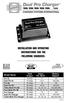 Model Name Total Output Amps Per Bank Battery System Pro XL Dual Pro XL Pro SE Dual Pro SE Three Bank Pro SE Four Bank Pro SE Pro Charger Dual Pro Charger Three Bank Pro Charger 6 amps 12 amps 10 amps
BUILDING INSTRUCTIONS
 etap2hw 38 mm I2C to LCD Interface BUILDING INSTRUCTIONS October 2013 P. Verbruggen Rev 1.01 15-Oct-13 Page 1 Table of Contents Chapter 1 General Information 1.1 ESD Precautions 1.2 Further Supplies 1.3
To Purchase This Item, Visit BMI Gaming www.bmigaming.com 1-800-746-2255 + 1-561-391-7200
 Table of Contents General Description and Play 2 Game Set Up 2 Loading Balloons 2 Technical Operation-General 3 Adjusting Balloon Sensor Wire 4 Programming Instructions 4 Default Settings Troubleshooting
Home Signal Distribution Kit for Cable TV Plus SIRIUS
 Home Signal Distribution Kit for Cable TV Plus SIRIUS For Use With a Single SIRIUS Radio Installation Manual Thank you for purchasing the Home Signal Distribution Kit for Cable TV Plus SIRIUS The Home
GPS AutoSteer System Installation Manual
 GPS AutoSteer System Installation Manual Supported Vehicles John Deere Sprayers 4720 4630 4730 4830 AutoTrac Ready PN: 602-0227-01-A LEGAL DISCLAIMER Note: Read and follow ALL instructions in this manual
UPGRADING AND SERVICING GUIDE
 UPGRADING AND SERVICING GUIDE HPTouchSmart 610 PC Computer features may vary by model. Removing and Replacing a CD/DVD Drive...2 Removing the CD/DVD Drive... 2 Installing a New CD/DVD Drive... 5 Removing
In-Ground Basketball System Owners Manual
 In-Ground Basketball System Owners Manual Customer Service Center N53 W4700 South Corporate Circle Sussex, WI 53089 U.S.A. Write Model Number From Box Here: WARNING! 3 Capable Adults REQUIRED TOOLS AND
2. Remove rear cover of head lamp if bulbs are covered/sealed within the housings, and remove halogen bulb carefully.
 These instructions are designed to address most general installation procedures across vehicles and should not be considered vehicle make, model or year specific. Please contact the vendor directly for
BBWX1 Satellite Weather Receiver. Installation and Maintenance Guide
 BBWX1 Satellite Weather Receiver Installation and Maintenance Guide Rev FUSA 15JUL2007 Table of Contents Safety Precautions 3 Disclaimer. 3 Contents of Package. 4 Tools Required..4 Installation General
Portable Air Conditioner. OWNER S MANUAL Read these instructions before use. Model: MF08CESWW. Voltage rating: 115V~60Hz Power rating : 800W
 MODE ALARM Portable Air Conditioner OWNER S MANUAL Read these instructions before use 8 Model: MF08CESWW Voltage rating: 115V~60Hz Power rating : 800W Customer Support : 1-800-474-2147 For product inquiries