
COMPTROL 5000 INDEX 52. Issue 5.99 AIR CONDITIONING MICROPROCESSOR OPERATING INSTRUCTIONS. STULZ GmbH, Hamburg
|
|
|
- Stuart Terry
- 10 years ago
- Views:
Transcription
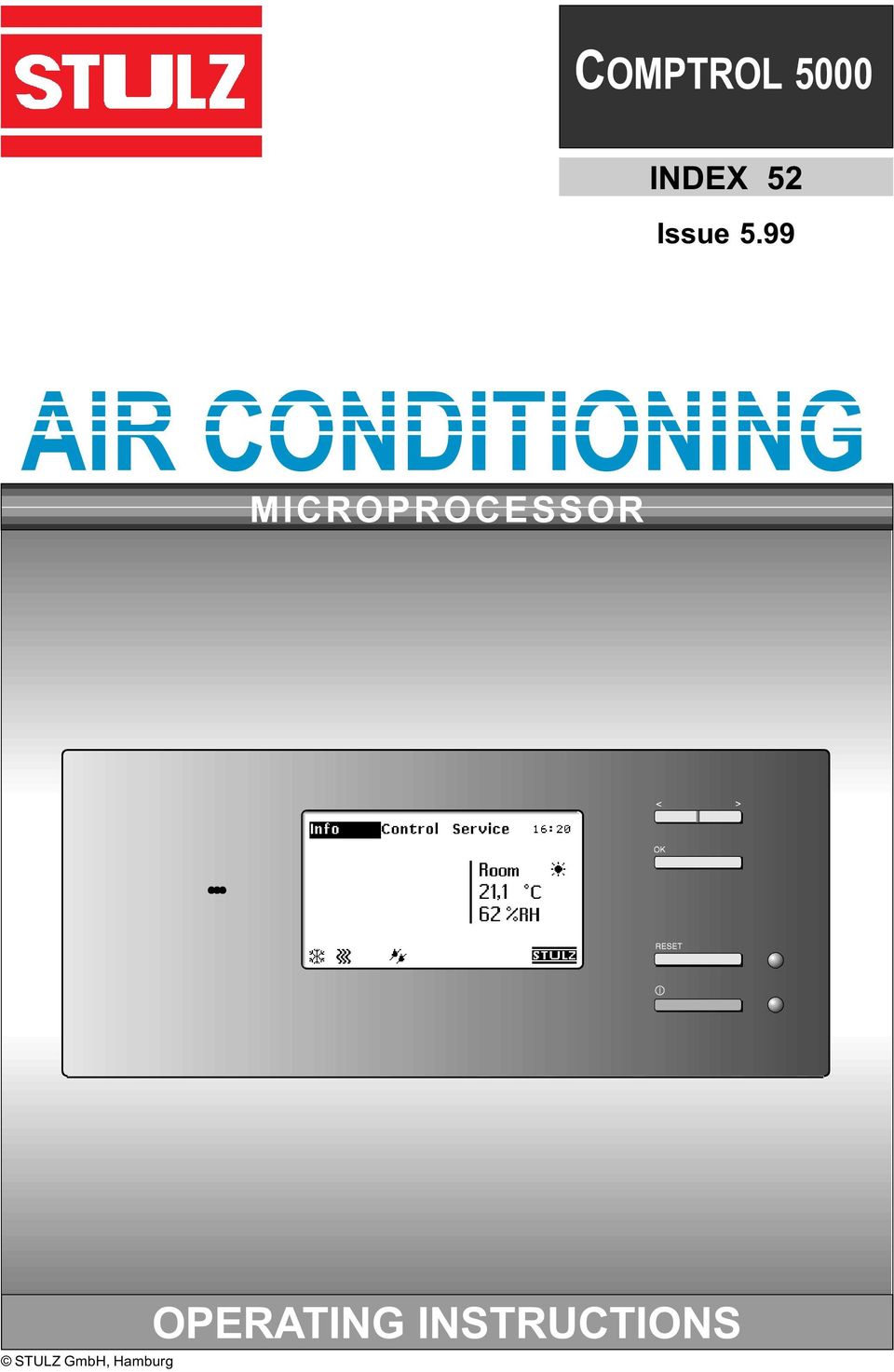
1 COMPTROL 5000 INDEX 52 Issue 5.99 AIR CONDITIONING MICROPROCESSOR STULZ GmbH, Hamburg OPERATING INSTRUCTIONS
2 Contents Page INTRODUCTION... 4 NOTES ON SAFETY... 4 PAGE CODE... 4 DESCRIPTION OF THE CONTROLLER... 5 OPERATOR INTERFACE... 7 OPERATING THE CONTROLLER... 8 DESCRIPTION OF MENUS, DIALOGUE WINDOWS AND PARAMETER FIELDS Start up window... 9 Standard window "Info" menu "Control" menu "Service" menu FUNCTION DESCRIPTION Supervisor operation GE operation Dry cooler operation Internal sequencing for two units ZLT/SEQ board Stand-by operation Sensor broken SIGNALS DEFAULT SETTINGS OF THE CONTROLLER AT THE FACTORY CONTROL DIAGRAM HARDWARE DESCRIPTION Controller Installation of new software while keeping the parameters Standard I/O board Expansion I/O board Supply printed circuit board Temperature/humidity sensors SYSTEM CONFIGURATION Wiring diagram of C5000 with I/O boards Wiring diagram of C5000 with supervisor in 1st module Wiring diagram of C5000 with supervisor in 2nd module DESCRIPTION OF INTERFACE CARDS Card for C4000 relay board actuation PRINTER CONNECTION COMPUTER CONNECTION TROUBLESHOOTING CHECKING THE TRIACS OVERVIEW OF INFO LEVEL OVERVIEW OF CONTROL LEVEL OVERVIEW OF SERVICE LEVEL E/0599/52/3

3 Introduction This manual describes the operation and design of the controller. The controller forms the central control station of the A/C unit. The complete A/C unit is controlled and monitored by the controller. Notes on safety Changing the parameters of individual components of the unit at the controller requires a high level of experience of dealing with refrigerant-conducting systems and must therefore only be carried out by an authorised trained specialist. We recommend STULZ customer service for the adjustment and service of your A/C unit. It is absolutely essential to carefully read through and comply with the operating instructions before operating the A/C unit. If faults occur when operating the A/C unit or when changing the parameters, these are to be immediately eliminated in accordance with the respective section "fault cause/ elimination" of the operating instructions for the A/C unit. The notes on safety listed at the start of all operating instructions must be complied with without fail. If danger occurs or if refrigerant escapes, the A/C unit must be immediately switched off with the emergency switch and the cause of the fault must be eliminated. Page code The page code contains the following information. E/0599/52/3 Page no. Index no. Language (D) German Date of operating instructions (month, year) (E) English (F) French (S) Spanish E/0599/52/4

4 Description of the controller The controller (CompTrol 5000) is used for operating, controlling and monitoring the complete A/C unit. It consists of a main printed circuit board with voltage processing unit. The following function groups are located on the main printed circuit board: - Voltage processing unit for I/O boards - Micro controller for controlling and monitoring the A/C unit. - System bus interface for building services management system (BMS) options - CAN BUS interface for connecting decentralised I/O boards - Serial PC/RS232 printer interface - Various analog sensor connections (temperature and humidity sensors) - Controller handshake for linking a supervisor (second controller) - LCD and LEDs for displaying data and operating conditions of the controller (A/C unit) - Button for operating the controller - Various plug connections A basic I/O board and an expansion I/O board can be connected to the main board of the controller. The description of the expansion board can be found on the following page. The controller can also be expanded with an interface printed circuit board (RS485, RS232C) and options for the BMS connection. The basic I/O board is provided with the following interfaces: Air flow Compressor high pressure Compressor low pressure Electrical heater fault Humidifier fault Filter monitoring External alarm Digital Inputs Outputs Analog Outputs Fan Compressor Heater 1 Dehumidifying Humidifying Heater 2 Alarm GE/CW valve Suction throttle/ humidifier Voltage supply CAN bus E/0599/52/5

5 Each A/C unit is fitted as standard with a controller and each module with an I/O board. A separate power supply unit is required for the I/O board if it is not located on the controller. The controller and the I/O boards are connected to each other via a CAN bus. The following illustration shows the basic configuration of a three-module A/C unit. Module Module Module Voltage supply Voltage supply Voltage supply CAN bus CAN bus Power supply unit Power supply unit CompTrol 5000 I/O board I/O board I/O board The A/C unit can be equipped with an additional controller (supervisor). If the controller fails, the supervisor takes over the control and monitoring of the complete A/C unit. Expansion I/O board The expansion I/O board enables you to equip your A/C unit with further options. You can see from the following table which options you require an expansion I/O board for. Standard board (N02) Expansion board (N03) IO board IO board Connection Adress 12 x 12 x X1.1 GND GND X1.2 Fan GE pump X1.3 1-stage compressor 2-stage compressor X1.4 Heater 1 Heater 3 X1.5 Heater 2 Dry cooler X1.6 Dehumidifying Louver X1.7 GND GND X1.8 Humidifying (R) Pump changer (R) X1.9 Humidifying (A) Pump changer (A) X1.10 Humidifying (B) Pump changer (B) X1.11 Alarm 1 (R) Alarm 2 (R) X1.12 Alarm 1 (A) Alarm 2 (A) X1.13 Alarm 1 (B) Alarm 2 (B) X1.14 GND GND X1.15 GE/CW 0-10V PWW valve 0-10V X1.16 GND GND X1.17 Suction/humidif./PWW 10V Humidifying 0-10V X1.18 Air flow Conductivity meter X1.19 Compressor high pressure UPS (heater,humidifier off) X1.20 Compressor low pressure Water detector X1.21 Electrical heater alarm Dry cooler alarm X1.22 Filter monitor Pump alarm X1.23 Humidifier alarm Auxiliary alarm 3 X1.24 Auxiliary alarm 1 Auxiliary alarm 2 E/0599/52/6

6 Operator interface The "C 5000" controller is installed in the control section of the A/C unit and can be operated from the front of the A/C unit. Operational controls of the controller <> = Selector button Ok = Confirmation button Reset = Reset button Audible indicator Display LED = Alarm LED = On/off = On/off switch Selector button You can select menus and change parameters with the selector button Confirmation button You acknowledge the functions/parameters selected with the selector button with the confirmation button Reset button Alarm signals are acknowledged with the reset button, whereby the alarm tone is silenced. The changed parameter values can also be reset to the standard setting. LED alarm This LED display lights up in the event of an alarm. LED on/off On/off switch Audible indicator Display This LED display lights up when the A/C unit is switched on. The A/C unit is switched on/off with this button. The audible indicator issues an alarm tone when there are alarm signals in the display The display shows data, operating conditions and information for the operator's guidance. E/0599/52/7

7 Display face Menu line Time Status symbols Cooling Heating Humidifying Dehumidifying Displays the operating conditions of the A/C unit. This symbol appears together with the message "Service required". Night operation Day operation Status display Displays the current room or supply air temperature and humidity. If the unit stops, the display shows why the unit has stopped. 1.Remote on/off 2. I button on controller 3. PC (InCompTrol, TeleCompTrol, etc.) 4.Internal time switch (Day/night operation) Operating the controller The controller is operated in three function levels (info, control, service) which are shown in the menu line of the display. All set parameters and function states of the A/C unit can be called up in the info menu by the operator. This menu is basically only intended for displaying all values and parameters. However there is the possibility of changing parameters after entering a password in the info/total climate/display/change menu and in the info/day, night/change menu. The parameters of the A/C unit such as specified temperature, specified humidity and switching on/off values of the individual components can be changed and entered in the control menu. The service menu is used to configure the A/C unit and should only be operated by experienced customer service staff. You will find the following parameter settings in the dialogue windows: S = constant actuation (0-10V) 0 = off 1/2 = single (stage)/2-stage 0-99 = degree of opening of a valve - = components not fitted = option selected = components currently active E/0599/52/8

8 Selecting menu contents Menu You select the menu contents by selecting the required option of the menu line shown with a dark background using the "selector button" and then confirm with "OK". The menus are shown in the display. Opening dialogue window Dialogue window You open a dialogue window by selecting an option with the "selector button" from the menu and confirm with "OK". The dialogue window now appears on the display. Changing parameters Parameter field Select the parameter field in the dialogue window using the "selector button" and confirm with "OK". The parameter field is now provided with a frame. Change the value shown using the "selector button". When you confirm with "OK", the revised value is entered and the frame of the parameter field disappears. You can now change other parameters. Description of menus, dialogue windows and parameter fields When the A/C unit is switched on, the start up window appears on the display which is faded out after a short period. After this the standard window is shown from which you enter all sub menus and dialogue windows. Start up window C 5000 VX.X The start up window shows you the version number of the software as well as the manufacturer of the A/C unit. The configuration of modules 1-5 (MOD) is also displayed. B = Basic I/O board E = Expansion I/O board If you keep the "<" button pressed whilst starting, you can observe the start up window for a longer period. Explanation of letters below the "EXT" text field: I = Interface card available A = ZLT board available R = Interface card for actuating C4000 relay boards available M = MIB board available E/0599/52/9

9 Standard window The standard window is continuously displayed when the A/C unit is operating. In this standard window you can adjust the time, changeover between room and supply air display and changeover from day to night operation. You can also enter the additional menus from this standard window. You enter the left dialogue window by pressing the "OK" button. When the "OK" button is pressed again, you enter the next page, to the display of the menu sub-items. If, by contrast you press the "<>" button, you enter the display of the right window. Assuming that you have a second temp./ humidity sensor connected, you can then change from the display of room air conditions to the display of supply air conditions in this window. By pressing the "OK" button a frame appears around the field to be changed. You change the display with "<>". The change is adopted with "OK" and using the "<>" button you reach the next window in which you can change over from day to night operation. The button operation is based on the same sequence as just outlined. Day operation corres-ponds to operation at the initial setpoint temp. Night operation corresponds to operation at the second setpoint (see page P.13). The final item which you can change in the standard window is the time as shown in the left window, which you can reach using the "<>" button. The following can be adjusted in sequence: - Year -Month -Day -Hour -Minute "OK" "OK" "OK" "OK" E/0599/52/10

10 "Info" menu Various data and operating states of the individual modules and components of the A/C unit are displayed in the "info" menu. Parameters cannot be changed in this function level. The temperature and air humidity in the last 24 hours are shown in this dialogue window. The vertical line identifies the current time. To the right of the line yesterday is shown and left of the line today is shown. The "change" option is only available if an option is selected in the previous dialogue window. The outside air limit values cannot be changed. In this menu you obtain information about the room climate, about the A/ C unit modules about the day/night operation and as well about the unit runtimes. In this dialogue window you select the required information and call up the display. Not all combinations are possible. Only the values which are provided with sensors can be selected. Non assigned values are shown in grey. Further information can be found on the following pages of this index. Password XXX You can change the room temperature and air humidity in this dialogue window. The description of the dialogue window can be found in the "control/temperature" menu. The password can be found in the "control menu " chapter. All alarm signals of the A/C unit are listed in this dialogue window. The signals contain the following information: Module, alarm report, day and time. When the unit was started and stopped is also displayed. Up to 20 events can be displayed. The alarm memory is erased by keeping pressed the button combination of "RESET" and "OK" (until the standard window is visible) while switching on the voltage. E/0599/52/11

11 "Info" menu continued This dialogue window shows the actual and specified temperature/humidity. Furthermore the setpoints shifted by the controller (CORR.) are displayed. These setpoints are due to the week cycle program (see below) or by the sensor limitation control (see page 21). The shifted setpoints are priority setpoints. The operating state of the components of the refrigerant circuit of each individual module is displayed in this dialogue window. This dialogue window displays how many modules your A/C unit is comprised of. A cross shows which function of the module is currently active. An "S" indicates a stand-by module. If the individual modules of your A/C unit are equipped with a heater, the operating state is displayed in this dialogue window. The daily operating time and required room temperature is shown on a weekly cycle in this dialogue window. The two setpoints are also displayed in this dialogue window. The runtimes of the listed components of the A/C unit are shown in hours in this dialogue window. Further modules (M3, 4) of the A/C unit are displayed by "continue". You reach the main menu with "return". Password XXX After entering the correct password, with "change" you have the facility of specifying the operating time or changing one of the setpoints. The description of the dialogue window can be found in the "control/day/night" menu. If individual modules of your A/C unit are equipped with a humidifier, the operating state of the humidifier is displayed in this dialogue field. In addition the display indicates whether the dehumidification circuit is switched on or off. E/0599/52/12

12 "Control" menu In the "control" menu you have the facility for changing various parameters and operating states of individual modules and components of the A/C unit. Password XXX The password is entered using the selector buttons and the confirmation button. The password is: "<" = left selector button, "OK" = button, ">" = right selector button, the first two buttons must be pressed, whilst the double dot of the clock is visible. Limit values and setpoints for the required room temperature are to be entered in this dialogue window. The specified limits can be changed for the supply air temperature and water temperature. You only enter the control mode after entering the correct password. The limit values and setpoints for the required room humidity are to be entered in this dialogue window. Specified limit values can be changed for the supply air humidity if an optional supply air sensor is installed. Changing the parameters in the "control/module functions" menu requires a high level of experience of dealing with refrigerant-conducting systems and must therefore only be carried out by an authorised specialist. Further dialogue windows can be selected in this menu in which the limit parameters and setpoint parameters of the individual A/ C unit components can be changed. Further information can be found on the following pages in this index. The operating time and the setpoint of room temperature is displayed in this dialogue field. The A/C unit then works in a weekly cycle according to the set values. After going through the days Mon to Sun, you enter the field where you can change the second setpoint. If you select "change" you have the facility for establishing the operating time and the setpoint of room temperature. thick line: setpoint, day operation dotted: 2nd setpoint, night operation Line No line: A/C unit off, appears in the display Further dialogue windows can be selected in this menu, in which the values shown can be changed. Further information can be found on the following pages in this index. E/0599/52/13

13 Continuation of the "control/module function/cooling" dialogue window Der The Kompress start temperature for the first and second stage (option) can be adjusted for the compressor in this dialogue window. The hysteresis can be adjusted in Kelvin. The setpoint temperature is established in the "control/temperature" dialogue window. All start values are entered as the difference from the setpoint in K If your A/C unit is fitted with a suction throttle you can adjust the start temperature (suction throttle opens) and the gradient of the suction valve in this dialogue field. Hysteresis:margin between the cut-in and cut-out point. On Off Gradient: Hysteresis Using the example of the compressor Increase in the opening angle depending on temperature Gradient Temp. If your A/C unit is equipped with a GE/CW control valve, you can determine the start temperature and the proportional gradient of the GE/CW control valve. GE off closes the GE/CW valve when the entered temperature is exceeded. GE dehumidifying ends the dehumidifying when the entered temperature is not achieved, the GE/CW valve being completely closed. Also refer to P.28. If your A/C unit is connected to a dry cooler, you can determine the cut-in temperature of the dry cooler and the hysteresis in this dialogue window. A detailed description of the dry cooler operation can be found on P.29. The optional glycol pump is only installed in the pump section on GE units. You determine the cut-in temperature and the hysteresis of the glycol pump in this dialogue window. Continuation of "control/module functions/heating" dialogue window If your A/C unit is equipped with a LPHW heater, you can control this via the proportional LPHW valve. You enter the opening temperature and the gradient of the LPHW valve in this dialogue window. You can establish the start temperature for the optional electrical heaters installed in your A/C unit in this dialogue window. E/0599/52/14

14 Continuation of "control/module functions/humidification" dialogue window If your A/C unit is equipped with an optional humidifier, you have the facility in this dialogue window for determining the start humidity, the hysteresis of the humidifier as well as the starting humidity and the gradient of the associated proportioning valve. All start values are entered as the difference from the setpoint in % rel. H. Continuation of "control/module functions/dehumidification" dialogue window You can define the start point of the dehumidifying circuit as well as the hysteresis in this dialogue window. If the humidity exceeds the entered value, the solenoid valve upstream of the evaporator closes and humidity is withdrawn from the air flowing through. "Dehumid. stop" function. If the temperature drops by the set temperature "5" below the setpoint when dehumidifying, dehumidification is interrupted with a hysteresis of 1 Kelvin. Continuation of "control/module functions/default settings" dialogue window If you confirm this dialogue window with "yes" all the parameters of the control of the A/C unit are set to the basic settings established at the factory. The basic settings can be found on P.39/40. The same effect is achieved by switching off the voltage, and keeping simul-taneously pressed the ON/OFF button and the RESET button (until the standard window is visible), while switching on again the voltage. E/0599/52/15

15 Continuation "control/preference" Continuation of the "control/preference/ alarm tone" menu You can adjust the volume of the alarm tone in this dialogue window. Continuation of the "control/preference/ alarm priority" menu Alarm relay assignment Module Basic I/O board Expansion I/O board You can assign the alarm signals to the alarm relay in this dialogue window. External alarm signal systems can be connected to the alarm relay. Depending on the number of existing I/O boards, 1-10 alarm relays are available under priority (one alarm relay per I/O module). "0" means no assignment. Alarm relay 1 can not be deconfigured. It corresponds to a collective alarm and is also set, if e.g. alarm relay 2 is set by an alarm message. If a ZLT-board is fitted some additional alarm relays are available (see page 31). Continuation of the "control/preference/ sensor compensation" menu You can have the actual values of the sensors displayed in this dialogue window and compared with the values of external measuring devices. The measured values displayed can be calibrated here. Continuation of the "control/preference/ C/ F" menu The temperature display of all dialogue windows can be changed over to C or F in this dialogue window. Continuation of the "control/preference/ date format" menu The date display can be changed over to dd/mm/yy or mm/dd/yy in this dialogue window. Continuation of the "control/preference/ languages" menu You can select the language in which the commentaries are displayed in the dialogue windows in this dialogue window. The illustration only shows a selection of possible languages. E/0599/52/16

16 "Service" menu In the "Service" menu you have the facility for changing the configuration of the A/C unit. Furthermore you can change the settings in respect of types of control and other parameters as well as scan further data and operate the A/C unit in the manual operation level, without having to use the controller as a control unit. Alarm signals do not appear in the service level on the dialogue window but only by means of an acoustic signal and the alarm LED. If you want to know which alarm has occurred, you must return to the main menu. Whilst you are in the "Service" level, the control of the A/C unit is continued. Only in manual operation is the module, which you control in hand operation, taken out of the control by the controller. Password XXX The password is entered with the selector buttons and the confirmation button. The password is ">" = right selector button, "OK" = button, "<" = left selector button, the first two buttons having to be pressed while the double dot of the clock is visible. The equipment of the A/C unit is divided up into four areas. In this dialogue window you select the area in which you wish to configure the unit. Further information can be found on pages 18 and 19. You enter the service level only after entering the correct password. You select the area in which you wish to make further adjustments in this dialogue window. The sub-item "Function" is important during supervisor operation, for the configuration of stand-by modules and for internal sequencing. Further information can be found on pages Predominantly sub-items in which you can scan data are in this menu. You should call up the sub-item "Service data" after service is complete. You need the sub-item "Print data" to select the values which are to be printed and to start printing. Further information can be found on page 23. Control is possible in manual operation in this menu. However, only those components which are configured in the "Service/ equipment" menu or are actually fitted (e.g. the louver) can be put into operation. Refer to pages 24/25. E/0599/52/17

17 Continuation of the "Service/ equipment" dialogue window Der Kompress You enter the number of the modules which are to be controlled in this dialogue window. If you enter more modules than are actually present, the "Transmission error" alarm appears. If you press the "OK" button in the upper dialogue window, the dialogue window appears which is illustrated on the right. The value from 1 to 5 can be changed using the "<>" button. You return again to the left dialogue window using the "OK" button. At the same time the new value has been adopted. Here you specify which module is equipped with a suction valve, with a GE valve, with a glycol pump, with a dry cooler and with a louver. With the compressor you can choose between "-" (no compressor = CWversion see page 49) "1" and "2" for the 2- stage compressor. The suction valve is actuated analogously, the control is (S) constant. The procedure for the entry is explained on the next page. Here you specify which module is equipped with an electrical heater, with a hot gas heater and with a LPHW heater. With the electrical heater you can also choose the "2" for the 2-stage electrical heater. The valve for the LPHW heater is actuated analogously, the control is (S) constant. The procedure for the entry is the same as for the "Service/equipment/cooling" menu, refer to next page. Here you specify which module is equipped with a humidifier (steam humidifier or ultrasonic), with a conductivity measuring instrument (for ultrasonic only) and with a dehumidifying valve. With the humidifier you can choose between constant control (S) and 2-point control (1) depending on the actual equipment of your unit. The procedure for the entry is the same as for the "Service/equipment/cooling" menu, refer to next page. E/0599/52/18

18 Changing values using the example of the "Service/equipment/cooling" dialogue window. After you have pressed the "OK" button, the adjacent dialogue window appears. You can now make a choice between the modules using the "<>" button. If you press the "OK" button again, the dialogue window below appears. You can now change the value in the box by operating the "<>" button. With the compressor you choose between "1" = single-stage compressor and "2" = two-stage compressor. In the case of the other components you only choose between "1" or "S" and "-". "1" stands for components which are actuated digitally and "S" for constant, i.e. components, which are actuated proportionally. Only the suction throttle valve and the GE valve are actuated proportionally in this dialogue window. With "OK" you confirm the entry and can return to the dialogue window below using the "<>" button in order to configure any other components. The applicable values for the equipment of the modules have the following significance : - : not fitted 1 : 1st stage switched on 2 : 2nd stage switched on S : components are controlled proportionally E/0599/52/19

19 Continuation of the "Service/ setting" dialogue window Der You Kompress can select the type of control, which are described in detail on the following page, in this dialogue window. The parameters field can only be selected if you have selected one of the two types of control below. In this window you set whether the controller is to work as a supervisor (0 = controller operation, 1 = supervisor operation). Also refer to P.26. You select which module is to be operated as a stand-by module (0-4, 0 = there is no stand-by mode). Also refer to P.33/34. If you have set the Autostart function on "1", the unit is started automatically after a power failure. If the unit was switched off before the power failure (local, remote, PC or time switch), it also remains switched off after the power is restored. The sequencing time can be set between 0 and 255 hours, the sequencing temperature between 0 and 10 Kelvin. Also refer to P.30. The Baud rate can be set between 0.3 and 19.2 k Baud. Refer to the printer/computer connection P.58 for further settings. The CPU address can be varied between 1 and 255 and gives the unit (controller) a name in the data exchange with other systems (sequencing box, telecomptrol). Here you can adjust the time delays, with which certain components are switched on or alarms are displayed. This prevents all equipment being switched on at the same time resulting in a mains overload. The switch-on delay of the system can be adjusted in 10 second stages between 0 and 2550 seconds (approx. 42 minutes). With several units installed, different switchingon delays are recommended so that you avoid a mains overload after a power failure if all units restart automatically. The switch-on delay of a control stage (e.g. heating, humidifying, cooling) can be varied between 2 and 255 seconds within a module. The alarm signals for all exceeded temperature and humidity limit values can be delayed by 0 to 2550 seconds in 10 second stages. This is appropriate in rooms under extreme conditions such, that after a power failure, if the unit starts automatically, a series of alarm signals does not immediately result. Likewise a time delay of 0 to 255 seconds can be set for all alarms. The compressor delay, which is used to increase the service life of the compressor, by delaying the restart by the set value, can be adjusted between 1 and 255 seconds. The fan after-running can be varied between 1 and 255 seconds and applies to all modules. The "louver" start delay applies to the fan in the first module, if the unit is fitted with louvers. These are opened simultaneously after the system starts (except the louver of the stand-by module), and then the first fan runs with the set time delay ( seconds). The low pressure switch is bridged for the winter start. The time of bridging can be adjusted between 0 and 255 seconds. There will be no "low pressure fault" alarm within this time. In this window you enter custom texts for the auxiliary alarms. With "OK" the cursor goes letter for letter through the text, the letters are changed using "<>". All upper and lower case letters can be used as well as numbers and some special symbols. E/0599/52/20

20 Changing values using the example of the "Service/control/type of control" dialogue window. After you have pressed the "OK" button, the adjacent dialogue window appears. Using the "<>" button you can now choose between the types of control. The display of the actual values changes corresponding to the above adjusted type of control (Room / Sup.Air). With OK you conclude the entry and return again to the right-hand dialogue window. The room air control is the standard control. The temperature/humidity sensor is placed in the return air intake and the C5000 controls in accordance with the setpoints set in the "Control/temperature/humidity" menu. The limit values of room air are monitored. An external T/H sensor is required for supply air control. The control takes place for the room air control in accordance with setpoints for the supply air set in the "Control/temperature/humidity" menu. The limit values of the supply air are monitored. With the room control with supply air limitation the control takes place via the T/H sensor in the return air intake and via a second T/H sensor in the supply air. Primarily the control takes place as for room air control, only if the measured supply air temperature exceeds a certain temperature which is described with "Start temperature" in the "Service/adjustment/control/parameters" menu item, does an increase in setpoint occur. The extent of the setpoint increase is determined by a factor which you enter, as a gradient, in the "Service/adjustment/control/ parameters" menu. The relationship, according to which this happens, is made clear by the graph opposite. A steep gradient drastically corrects the failure to meet the supply air temperature, but has the risk that the control circuit starts to hunt. With humidity control the setpoint shift takes place in the opposite direction. If the adjusted starting humidity is exceeded by the measured supply air humidity, the setpoint is reduced. You can also enter a gradient factor for this. The relationship is shown in the graph opposite. You can select the parameters field and then obtain the lower dialogue window below for the "Room, supply air limited" and "Supply air, room-limited" types of control. The start temperature can be varied between 0 and 40 K in 0.1 K stages. The gradient can be varied between 0 and 2 in stages of 0.1. The start humidity can be varied between 0 and 90% in 1% stages. Setpoint Setpoint Temperature Humidity Actual value New setpoint = old setpoint + gradient (start value - actual value) Example (temperature): 20.5 = (16-15) Example (humidity): 49 = (70-72) Actual value E/0599/52/21

21 The supply air control with room air limitation is based on the same control principle as the supply-air limited room air control. Only here the setpoint shift works in the opposite direction, because it works on the basis that the supply air is colder than the return air. If the room temperature exceeds the start temperature entered, the temperature setpoint is reduced. If the room humidity drops below the starting humidity entered, the humidity setpoint is increased. Return air T/H sensor for return air T/H sensor for room air Height > 1.5 m T/H sensor for supply air Supply air The limit values of all four input variables are monitored for room air control with supply air limitation and for supply air control with room air limitation. - Room air temperature - Room humidity - Supply air temperature - Supply air humidity The sensor should be positioned depending on the space available, thermal load distribution and selected type of control. E/0599/52/22
22 Continuation of the "Service/data" dialogue window You can Der read Kompress off the operating hours per module for the components shown below in the "Runtime" menu: - Fan - Compressor - Electrical heater - Pump 1 - Pump 2 - Humidifier Using the "Ok" button you change to the numerical field, and can select a module with the "<>" button and reset the counter status to 0 by "OK". If you do not wish to change anything, you exit the numerical field using the "<>" button. The last 80 alarms which occurred are listed in the menu item "Alarm history". The number in front of the colon specifies the defective module. "C" stands for controller. A summary of all potential signals can be found on Page 37/38. The alarm memory is erased by keeping pressed the button combination of "RESET" and "OK" (until the standard window is visible) while switching on the voltage. The "Service data" menu item represents a control device. If the service interval entered is exceeded, the message "Service" appears on the controller. You can vary the service interval between 0 and 12 months. You by-pass the service message by entering zero. After the unit has been serviced, set the 0 in the "Service carried out" row to 1 and the current date appears in the row under it. The compressor statistics show the runtime of the compressor for each module, the number of cut-ins (cycles) and the mean runtime which can be calculated as follows: The temperature data will automatically printed at 0 o'clock, if the value for the print intervall is not zero. You can obtain additional printings if you select the temp. data case and change the 0 to 1. The temperature curves of the last 24 hours are then printed out in the form of a table. You must specify the curve interval for this. Possible values: 15 min. produces 96 values per sensor 30 min. produces 48 values per sensor 60 min. produces 24 values per sensor Old mean value + new runtime 2 In the "Print data" window you can mark with a cross which data you wish to print out, by setting the "0" to "1". Printing is initiated by this operation and the "1" changes back to "0" again. A print order must be triggered separately for each data area (temp. data, alarm history etc). From version 1.40 all printings contain the CPU address. E/0599/52/23
23 Continuation of the "Service/manual operation" dialogue window Der Kompress Operation in this menu item is explained in more detail on the next page. When exiting the manual operating level manual operation is ended automatically. You can start the compressor, the glycol pump, the dry cooler and the function of the suction valve and the GE valve in this dialogue window. The symbols in the table have the same meaning as for the configuration of the unit in the "Service/equipment" menu. You can start the function of the electrical heater, the hot gas heater and the LPHW heater in this dialogue window. The symbols in the table have the same meaning as for the configuration of the unit in the "Service/ equipment" menu. You can start the humidifier and the function of the dehumidifying valve in this dialogue window. The compressor can also be put into operation with the "Dehumidification" function. The symbols in the table have the same meaning as for the configuration of the unit in the "Service/equipment" menu. You can start the fan and open or close the louver in this dialogue window. - = open, 1 = closed. The symbols in the table have the same meaning as for the configuration of the unit in the "Service/ equipment" menu. If the fan is switched off, all the other components are locked electrically and cannot be started. E/0599/52/24
24 Changing values using the example of the "Service/manual operation/ modules" dialogue window After you have pressed the "OK" button, the adjacent dialogue window appears. You can now choose between the modules using the "<>" button. If you press the "OK" button again, the dialogue window below appears. You can now change the value in the box by pressing the "<>" button. On components which are controlled analogously, such as: - LPHW heater - Humidifying (2-point control also possible) - Suction throttle valve - GE/CW valve percentage indication appears in the display which specifies the degree of opening of the valves in the case of the above mentioned valves. The number specifies the degree of opening of the LPHW valve for the LPHW heater. The number represents a percentage output indication for humidifying. You confirm the entry with "OK" and you can now go back to the dialogue window below using the "<>" button in order to switch individual components. Module 1 now operates in manual operation and is excluded from the control by the controller. The applicable values for the equipment of the modules have the following significance: - : not fitted or off 0 : fitted but off 1 : 1st stage switched on 2 : 2nd stage switched on 0-99 : 0-99% output If the module is switched off again in manual operation, all adjustments in the cooling, heating etc. menus are reset to zero and the controller takes over the control again. E/0599/52/25
25 Function description Supervisor operation The supervisor takes over the control of the system if the controller reports a broken sensor or no data transmission to the I/O board has been registered for at least 15 seconds. Previously all the adjusted parameters of the first controller are automatically transferred to the supervisor except for the following: - Time - CPU address (only required for remote monitoring) - Loudness of alarm tone - Parameters of serial interfaces - Sensor calibration values In addition to the current parameters the controller transmits the START/STOP condition to the supervisor. In normal operation of the first controller the supervisor shows the following display. If the first controller fails or there is a broken sensor on the first controller, the supervisor takes over the control and displays the following signal. In addition there is an alarm tone which can be acknowledged using the reset button. If the fault is eliminated and the first controller is required to take over the control, the supervisor must be de-energised. The unit must be switched off briefly for this purpose. After replacing a controller, which is to act as a supervisor, proceed as follows: 1. Disconnect the controller, which controls in the normal case, from the mains (disconnect 24 V at terminal 1). If the controller and the supervisor are installed in different modules, it is sufficient to switch off the module, in which the controller is located, at the master switch. 2. Switch on unit. 3. Configure supervisor as supervisor (refer to P.20). 4. Disconnect supervisor from the supply voltage (refer to item 1). 5. Connect controller (connect voltage or switch on the module concerned). 6. Connect supervisor (refer to item 5). E/0599/52/26
26 From the version 1.40 the following changes affect on the supervisor operation: 1. The message "Supervisor" is also visible in stop mode. 2. The local time of the supervisor is adjusted with the controller time when the supervisor is switched on and when the controller time is changed. 3. Status messages (menu INFO) will be transformed to the supervisor when they have been changed. They are displayed by means of symbols as on the controller. 4. Alarm messages are transmitted to the supervisor. The reset of the alarms has to be done with the resetbutton on the controller and supervisor. An alarm reset on the controller is transmitted to the supervisor. An alarm reset on the supervisor is not transmitted to the controller. As an indication for the source of fault an "S" for the supervisor was added. A fire alarm appearing on the supervisor is transmitted to the controller. E/0599/52/27
27 GE operation Various adjustments can be made during GE operation, which concern the two components of the GE unit: The GE valve and the pump (s) (if fitted). You have to call up the "Control/ module function/cooling" menu window for this purpose. You can enter the start temperature in the form of a positive difference to the setpoint of air temperature in this window. With the aid of the gradient you determine to what extent a setpoint deviation is to be counteracted. The smaller the gradient the more the GE/CW valve is opened at a particular temperature difference to the start temperature. The term "gradient" is used here in the sense of a "proportional band". On Glycol pump Off Hysteresis Start temp. glycol pump Return air temp. Enter the water temperature, in the "GE off" field, from which GE operation is no longer required, because the water is too hot and may even contribute to the air heating up. The GE/CW valve is fully open for dehumidifying in GE operation. In the "GE dehumidification" field you enter the water temperature below which dehumidifying is completed, in which the GE/CW valve is fully closed. GE/CW valve Setpoint Start temp. Gradient in K GE/CW valve Return air temp. If you have selected a GE piping system with one or two pumps for the A/C unit equipment, you can enter the start temperature of the pump(s) in the form of a positive temperature difference to the setpoint in an additional window. A pump switch-over occurs after 20 operating hours, provided 2 pumps are configured (Refer to P.17 "Service/equipment/ cooling" menu). If only one pump is configured, no changeover takes place. E/0599/52/28
28 Dry cooler operation Dry cooler operation depends on water temperature, the temperature setpoint of the return air and in the case of the "external sensor" option also on the outside air temperature. A distinction is made between two methods of operation, these being summer operation and winter operation. With summer operation the start temperature for the dry cooler is entered in the "Control/ module function/cooling/dry cooler" menu and the hysteresis can be varied between 0 and 20 K. If the water temperature drops sufficiently due to a falling outside temperature so that it is lower than the stop temperature for the dry cooler, this is only switched on for 10 minutes every 4 hours. If the water temperature in this time reaches a temperature of 2 Kelvin below the setpoint for the return air temperature, a changeover is made to winter operation. The start temperature for the dry cooler in this case is 10 C and the hysteresis is 3 Kelvin. Dry cooler On Off Water temperature too low The dry cooler is switched on for 10 minutes every 4 hours in this temperature range. Winter operation Setpoint of return air Summer operation Stop temp. Start temp. Water temperature too high Water temp. Outside air temperature A second alternative that the controller changes over into dry cooler winter operation arises for the "External sensor" option if the outside air temperature is 8 Kelvin below the setpoint for the return air temperature. Note: A GE/CW-valve must be configured to have the dry coolers correctly started at a water temperature > 10 C in winter operation. E/0599/52/29
29 Internal sequencing for two units Additional outputs and inputs are required to realise the sequencing function. An additional IO board is used in order to retain the existing outputs. In addition the ZLT/SEQ board offers the facility of assigning BMS* signals to the free outputs. The assignment of the outputs can be configured in the C5000 using software. The sequencing function is configured in the service level of the C5000: Unit 1: Unit 2: The sequencing time is set between 1 and 254 hours in Unit 1. Unit 2 must be set to 255 hours. A changeover always takes place on the hour. Value zero causes the deactivation of the sequencing function. If the value seq. temp. (connection of load ) is more than zero, the stand-by unit switches on, if the actual temperature is more than the instantaneous setpoint + seq. temp. value (in K). When the setpoint temperature + seq. temp./2 is reached the stand-by unit switches off again. In the event of a fault the defective unit switches off and the other unit takes over. If there is a fault in both units, both units switch on in order to ensure the room is cooled if there are slight faults (e.g. humidifier defective). The connection of both units can be seen from the following sketch. In order to test the sequencing function there is the facility of setting the clock of the controller to 59 minutes. The first changeover then takes place on the hour. On Standby unit Off Setpoint Seq. temp. 2 Seq. temp. Unit 1 C5000 controller Unit 2 C5000 controller Basic IO board Basic IO board ZLT/SEQ-board Output: X1.12-X1.13 (24V supplied on X1.12) Input: X1.23, 24V ZLT/SEQ board Remote ON/OFF X1.18 Group alarm: X1.9-X1.10 Group alarm: X1.9-X1.10 Input: X1.23, 24V * BMS - Building Management System E/0599/52/30
30 ZLT/SEQ board The ZLT IO board provides the facility of supplying up to 7 BMS* signals (individual fault signals). The assignment of some outputs can be configured in the C5000 according to customer requirements (in menue Control / preferences / alarm priority). In this menu the additional alarm relays are available. As a result the alarm outputs existing in the C4000 system can also be made available in the C5000 system. The ZLT board is based on the existing hardware and only differs from the normal IO boards by the position of the address switch. ON OFF The two analogue outputs of the ZLT IO board can be used to transmit the actual values for humidity and temperature to a BMS. Here the voltage of 0 V - 10 V corresponds to the temperature range of 0 C C and the humidity range 0% - 100% relative humidity. Adress -N08 ZLT board IO board Connection 12 x 12 x X1.1 GND X1.2 Compressor fault (HP/LP) Module 1 (fixed) X1.3 Compressor fault (HP/LP) Module 2 (fixed) X1.4 Compressor fault (HP/LP) Module 3 (fixed) X1.5 Alarm 11 (can be configured) X1.6 Alarm 12 (can be configured) X1.7 GND X1.8 Alarm 13 (R) for sequencing: Copy of alarm relay 1 X1.9 Alarm 13 (A) for sequencing: Copy of alarm relay 1 (can be configured) X1.10 Alarm 13 (B) for sequencing: Copy of alarm relay 1 X1.11 Alarm 14 (R) for sequencing: Unit#1 - > remote IO Unit#2 X1.12 Alarm 14 (A) for sequencing: Unit#1 - > remote IO Uni#2 (can be configured) X1.13 Alarm 14 (B) for sequencing: Unit#1 - > remote IO Unit#2 X1.14 GND X1.15 Actual temperature 0 V - 10 V = 0 C C X1.16 GND X1.17 Actual humidity 0 V - 10 V = 0% - 100% rh X1.18 Remote ON/OFF remote (24 V = OFF) X FREE - X FREE - X FREE - X FREE - X1.23 For sequencing: Group alarm from other unit X FREE - Both relays X1.8 - X1.10 and X X1.13 are assigned exclusively for sequencing when using the sequencing function and are not available as an alarm output. * BMS - Building Management System E/0599/52/31
31 From version 1.40 the assignment of the outputs X1.3 to x1.6 depends of the number of configured compressors. This number corresponds generally to the number of modules (exception CW-units). So the above mentionned outputs are only available as compressor fault outputs, if the corresponding compressors are configured. Otherwise they are available as freely assignable alarms. Adress -N08 ZLT board IO board Connection 12 x 12 x X1.1 GND X1.2 Compressor fault (HP/LP) Module 1 (fixed) X1.3 Compressor fault (HP/LP) Module 2 / Alarm 15 (can be configured) X1.4 Compressor fault (HP/LP) Module 3 / Alarm 16 (can be configured) X1.5 Compressor fault (HP/LP) Module 4 / Alarm 11 (can be configured) X1.6 Compressor fault (HP/LP) Module 5 / Alarm 12 (can be configured) X1.7 GND X1.8 Alarm 13 (R) for sequencing: Copy of alarm relay 1 X1.9 Alarm 13 (A) for sequencing: Copy of alarm relay 1 (can be configured) X1.10 Alarm 13 (B) for sequencing: Copy of alarm relay 1 X1.11 Alarm 14 (R) for sequencing: Unit#1 - > remote IO Unit#2 X1.12 Alarm 14 (A) for sequencing: Unit#1 - > remote IO Uni#2 (can be configured) X1.13 Alarm 14 (B) for sequencing: Unit#1 - > remote IO Unit#2 X1.14 GND X1.15 Actual temperature 0 V - 10 V = 0 C C X1.16 GND X1.17 Actual humidity 0 V - 10 V = 0% - 100% rh X1.18 Remote ON/OFF remote (24 V = OFF) X FREE - X FREE - X FREE - X FREE - X1.23 For sequencing: Group alarm from other unit X FREE - An 'A' in the lowest line is shown in the switch-on display of the C5000 if a ZLT board is fitted to the system. E/0599/52/32
32 Stand-by operation Only one module can be configured as a stand-by module in a unit. The stand-by module is not started when the unit is started. If the stand-by module is equipped with louvers, these remain closed when the unit starts. The stand-by module runs with its own parameters and is only started by one of the following alternatives: 1. False start 2. Alarm start 3. Sequencing 4. Manual start It is possible to switch off the stand-by module by entering a "0" at the "Stand-by module" item in the "Service/Gen. settings/function" menu. In this case the module which failed previously starts again. 1. False start (highest priority) The stand-by module is started if one of the following conditions occur in a module - Air flow failure - Compressor HP fault - Compressor LP fault - Heater fault - Humidifier defective - Ultrasonic defective The defective module is switched off and the louvers (if fitted) are closed. 2. Alarm start (average priority) The stand-by module is switched on at 1.5 Kelvin or 3% rel. humidity before reaching the limit values of the main type of control. The hysteresis is 1.0 Kelvin and 3% rel. humidity. E/0599/52/33
33 3. Sequencing (lowest priority) Redesignating the stand-by module within a unit, is carried out once a week. The stand-by module exchanges with modules which are identically equipped in sequence through the unit. The same equipment relates to: - Cooling (compressor) - Heating (electrical heater 1+2, refrigerant heater) - Humidifying - Dehumidifying The parameters between the old and the new stand-by module are replaced in the process. If the stand-by module is already started (due to false start, alarm start or manual start), the sequencing between the modules is suspended for this time. The weekly redesignation time shifts accordingly. The weekly redesignation time can be reduced to 5 minutes for test purposes. 1. Switch off the voltage. 2. Keep simultaneously pressed the > button and the RESET button. 3. Switch on the voltage. 4. Release the buttons when the standard window is visible. Switching off and on the voltage sets the redesignation time back to 1 week. 4. Manual start The stand-by module can be started and stopped manually. This occurs in the "Service/ manual operation" menu. Refer to Pages 24/25. E/0599/52/34
34 Sensor broken Valid value range of sensors (values measured by the sensor without readjustment) Return air temperature C Return air humidity % rel. humidity Supply air temperature C Supply air humidity % rel. humidity Water temperature C If one of the measured values is outside the specified range, the sensor is recorded as defective. If only part of the sensor (temperature or humidity) fails, the operative part continues to be used for the control. The defective part is ignored and no longer contributes to the control. If sensors for return air and supply air are fitted, the defective sensor is switched off and the appropriate type of control for the operative sensor is selected. If, for example, the return air sensor fails during return air control with supply air limitation, changeover is made to supply air control. In this case, the new set values are the supply air set values, which can be adjusted previously by switching over to supply air control (Service\Control\Control type). If a water sensor fails, the pumps and the dry cooler are switched on permanently, if cooling or dehumidification is required. E/0599/52/35
35 Signals General definition A signal always appears on the display if the entered limit values are exceeded or if any components of the A/C unit do not work satisfactorily. A distinction is made between four types of signals. Limit value alarms Unit faults Internal faults Information texts Always occur if the entered limit values of the control of the A/C unit are not achieved or are exceeded. Limit value alarms are also evaluated in stop-mode. Always occur if components of the A/C unit are defective or do not work satisfactorily. If a component is not configured, the corresponding alarm is passive. Example: If no electrical heater in the 2nd module is configured, the alarm input "electrical heater fault" in the 2nd module has no function. The alarms "fire alarm" and "water alarm" are also evaluated in stop-mode. Other alarms are only evaluated in start-mode. Occur when there is a controller or peripheral components which are defective or do not work satisfactorily. Occur if redundant circuits are developed or service intervals have expired. An alarm is displayed by a text output on the display of the controller, an audible signal and by the alarm lamp (LED) lighting-up. If you operate the "Reset" button, the alarm tone stops. Operating the "Reset" button again cancels the alarm. However the alarm occurs again if the cause of the fault has not been eliminated. After an alarm signal the cause of the fault must be eliminated in accordance with the "Fault/cause elimination" chapter in the unit-specific operating instructions. If an alarm input is provided with +24V, no alarm is displayed. In a lack of voltage (cable rupture also) the alarm is displayed. E/0599/52/36
36 Possible signals on the display Display Delay Cause Limit value alarms Room temp. too high Act. val. greater than limit val. Room temp. too low Act. val. less than limit val. Supply air temp. too high Act. val. greater than limit val. Supply air temp. too low Act. val. less than limit val. Water temp. too high Adjustable between Act. val. greater than limit val. Water temp. too low s Act. val. less than limit val. Room humidity too high Act. val. greater than limit val. Room humidity too low Act. val. less than limit val. Supply air hum. too high Act. val. greater than limit val. Supply air hum. too low Act. val. less than limit val. Unit faults Air flow failure D (15s after US) Fan failure/v-belt defective Compressor LP fault 0-255s after CS Insufficient refrigerant Compressor HP fault 3s + V Compressor defective Electrical heater fault 3s + V Heater has over-heated Humidity defective 3s + V Steam humidifier defective Filter fault D (15s after US) Filter contaminated Supervisor alarm D Actual value > or < limit value Conductivity failure 30 min. + D Conductivity > 5µ S Ultrasonic fault 30 min. + D Conductivity > 20µ S Pump 1 fault 3s + D Glycol pump (GE) defective Pump 2 fault 3s + D Glycol pump (GE) defective Dry cooler fault 3s + D Dry cooler defective Water alarm D (10s after US) Water in raised floor Auxiliary alarm 1 D (10s after US) (Freely assignable) Auxiliary alarm 2 D (10s after US) (Freely assignable) Auxiliary alarm 3 D (10s after US) (Freely assignable) D : Adjustable delay 0-255s (Service/adjustment/delay menu) US : Unit start CS : Compressor start E/0599/52/37
37 Display Delay Cause Fire alarm 0s Fire/Fire alarm system RT sensor broken Room temp. sensor cable broken RF sensor broken Room humidity sensor cable broken ZT sensor broken Supply air temp. sensor cable broken ZF sensor broken 5s Supply air humidity sensor cable broken WT sensor broken Water temp. sensor cable broken AT sensor broken Outside temp. sensor cable broken E1 sensor broken External sensor 1 cable broken E2 sensor broken External sensor 2 cable broken Internal faults I/O transmission fault B 0s Connection or basic I/O board defective I/O transmission fault E 0s Connection or expansion I/O board defective CAN bus fault 0s Controller defective/cable connection or transmission faulty Information texts Service due 8 o'clock* Service interval expired Supervisor 0s Controller works as supervisor Supervisor failure 0s Supervisor defective Supervisor operation 30s Controller defective Stand-by module active 0s Main module defective/limit value exceeded UPS 0s Uninterrupted power supply * The information/alarm is delayed until 8 o'clock the next day. E/0599/52/38
38 Default settings of the controller at the factory Temperature Min Setpoint Max C Menu Room Control/temperature Supply air Water Humidity Min Setpoint Max % r.h. Room Control/humidity Supply air Setpoint + Kelvin M1 M2 M3 M4 Compressor Start temperature lst stage Start temperature 2nd stage Hysteresis Control/module function/ cooling/compressor Suction valve (option) Control/module function/ Start temperature cooling/suction valve Gradient, proportional GE/CW valve (option) Control/module function/ Start temperature cooling/ge/cw valve Gradient, proportional GE off GE dehumidification Glycol pump (option) Control/module function/ Start temperature cooling/pumping Hysteresis Water temperature Drycooler Control/module function/ Start temperature cooling/drycooler Hysteresis E/0599/52/39
39 Setpoint - Kelvin Electrical heater (option) M1 M2 M3 M4 Control/module function/ Start temperature EH heating Hysteresis EH Start temperature EH Hysteresis EH Start temperature HZ Hysteresis HZ LPHW valve (option) Control/module function/ Start temperature heating/lphw valve Gradient, proportional Setpoint - % rel. humidity Humidification (option) Control/module function/ Start humidity humidification Hysteresis Use, proportional Gradient, proportional Setpoint + % rel. humidity Dehumidification (option) Control/module function/ Start temperature dehumidification Hysteresis Setpoint - Kelvin Dehumidifying stop Settings Type of control Room Delay sec. System 0 Stage 5 Temp./humidity alarm 40 All alarms 0 Compressor interval 240 Fan 60 Louver 90 Winter start 180 Function Supervisor 0 Stand-by module 0 Autostart 1 Sequencing 0 Seq. temp. 0 Interfaces Baud rate 9,6 Parity N Stop bit 1 Data flow XON CPU address 1 E/0599/52/40
40 Control diagram Temperature control Return air temp. too high Temp./K Supply air temp. too high Suction valve Compressor GE-CW valve GE pump Setpoint Refrigerant heater Electrical heater 1 Electrical heater 2 LPHW heater per module per module Supply air control Stand-by module start Return air control Stand-by module start Supply air temp. too low Return air temp. too low ON OFF E/0599/52/41
41 Control diagram Humidity control Return air humidity too high Humidity Supply air humidity too high Dehumidifying Setpoint Humidifying Proportional humidifying Stand-by module start Return air control Stand-by module start ON OFF per module per module Supply air control Supply air humidity too low Return air humidity too low E/0599/52/42
42 Controller Connection assignment and technical data 24V AC GND Return air temp. Return air humidity 15V DC GND Supply air temp. Supply air humidity 15V DC GND Water temp. Outside temp. External temp. External humidity External on/off External on/off Reset in Reset in Reset out Reset out Fire alarm 5 V DC TX data RX data PC detect PC detect CAN low CAN high GND CAN low CAN high GND Technical Data: Dimensions: 240 x 120 x 40 mm Voltage supply: 24(+20%/-15%) VAC Power consumption: 12 VA Fuse: 1 A time-lag Sensor inputs: ma or 0-10 V Outputs: 15 VDC for sensor Printer interface: RS 232 (cable approx. 10 m long) I/O board interface: CAN Operating temperature: 5 C...40 C Storage temperature: -30 C...60 C RS 232 E/0599/52/43
43 Adjustments on the controller board a) Jumper positions for various sensor signals on the C5000 b) Contrast adjustment of the LCD-display (All jumpers are set to a sensor signal of 0-20 ma at the factory) Contrast adjusting device for the display (to be adjusted with a screw driver) CAN 3 x EPROM 2 CAN 3 x EPROM RS x GLT strip Controller Remote I/0, Reset,Sensor x I/O board Connection Jumper Battery CPU Jumper J4 J2 J3 24V, div. Fühler x without jumper with jumper Terminal strips V 0-20 ma J1 J3 J5 J7 J9 J11 J13 J15 J2 J4 J6 J8 J10 J12 J14 J16 Room temp. Room humid. Supply air temp. Supply air humid. Water temp. Outside temp. External temp. External humid. Resistors E/0599/52/44
44 Replacing the EPROM set on the C5000 controller The unit must be switched off at the master switch before you start the work. It is wise to note or print out the parameters set as all parameters must be re-entered after changing the EPROMs. Use a small screwdriver to carefully prise the EPROMs out of the sockets on both sides until the EPROMs can be removed by hand. Before installing the new EPROMs it may be necessary to bend the "small legs" on both EPROMs somewhat closer together on a smooth surface, so that the EPROMs can be more easily installed in the socket. When you install the new EPROMs ensure that the small notch on the EPROM is on the same side as shown in the following drawing. Battery CPU I/O cards Push-on terminal strip Controller printed circuit board BMS-Interface EPROM 1 (PRG) EPROM 2 (TXT) V, Sensors x Ext. ON/OFF, Reset x RS x CAN 3 x CAN 3 x EPROM Notch After the EPROMs have been replaced, the master switch can be switched on again. When switching on, ensure that the new version number as well as the connected I/O cards are correctly displayed. In the next step all parameters, if they deviate from the default settings, must be readjusted. The default language is English. If you require another language, you can change this in the "Control\Preferences\Languages" menu. E/0599/52/45
45 Installation of new software while keeping the parameters The installation of new software without loosing the parameters is only possible with the presence of a supervisor. The following description is based on a 2-module-unit with the controller in the first module and the supervisor in the second module. 1. Switch off all modules at the main switch (if existant) or disconnect the 24V voltage from the controllers. Mod.2 Mod.1 2. Disconnect the cable between the controller and the supervisor (pin 17 to 20 on the C5000). 3. Exchange the supervisor-software. 4. Switch on only the module with the supervisor (mod. 2). The new software is reset from the supervisor mode back to controller mode. Set the supervisor function to "1" in the menu Service / Gen. settings / Function. 5. Switch on the module with the controller too (mod. 1). The parameters will now be transmitted from the controller to the supervisor. After a short "beep" the transmission is accomplished. trans. 6. Switch off all modules. 7. Exchange the controller-software. E/0599/52/46
46 8. Switch on module 1 only. Set the supervisor function to "1" in the menu Service / Gen. settings / Function. The C5000 in module 1 is now in supervisor operation mode too. Mod.2 Mod.1 S 9. Switch off module Switch on module 2 only. Set the supervisor function to "0" in menu Service / Gen. settings / Function. The C5000 in module 2 is now in controller operation mode. C 11. Switch on module 1 too. The parameters will now be transmitted from the controller (now module 2) to the supervisor (now module 1). After a short "beep" the transmission is accomplished. trans. 12. To restore the original constellation - set the supervisor function to "0" in module 1 - set the supervisor function to "1" in module 2 in the menu Service / Gen. settings / Function. 13. Switch off all modules and replace the cable between the controller and the supervisor (pin 17 to 20 on the C5000). The changes will take effect after switching on all modules. S C Legend: switch on the voltage. switch off the voltage. E/0599/52/47
47 Standard I/O board (A,G,GE-version) Connection assignment and technical data Switch position ON OFF ON OFF Module 1 Module 2 GND Fan Compressor 1st stage Heater 1 Heater 2 Dehumidifying GND Humidifying ON OFF ON OFF ON OFF Module 3 Module 4 Module 5 Adress Alarm 1 GND 0-10 V GE/CW valve GND 0-10 V suction valve Humidifier LPHW valve Air flow monitor Compressor high pressure Compressor low pressure Electrical heater fault Filter monitor Humidifier fault Ultrasonic 20 µs External alarm 1 Technical data: Dimensions: Voltage supply: Power consumption: Alarm inputs: Outputs: I/O board interface: Adjustable addresses: Operating temperature: 5 C - 40 C Storage temperature: -30 C C 145 x 100 x 30 mm 5 VDC / 15 VDC 4 VA 7 (24 VAC/DC) 24V = no alarm 2 analogue 0-10 VDC load rating: 20 ma 2 digital max. 10 A at max. 125 VAC 5 digital 24 VAC max. 6 A CAN 1 to 5 (16 possible) E/0599/52/48
48 Standard I/O board (CW-Version) Connection assignment and technical data Switch position ON OFF ON OFF Module 1 Module 2 GND Fan Louver Heater 1 Heater 2 Dehumidifying GND Humidifying ON OFF ON Module 3 Module 4 Alarm 1 GND 0-10 V GE/CW valve GND 0-10 V Humidifier/ LPHW valve OFF ON OFF Module 5 Adress Air flow monitor Water detector Conductimeter 5 µs Electrical heater fault Filter monitor Humidifier fault/ Ultrasonic 20 µs External alarm 1 Technical data: Dimensions: Voltage supply: Power consumption: Alarm inputs: Outputs: I/O board interface: Adjustable addresses: Operating temperature: 5 C - 40 C Storage temperature: -30 C C 145 x 100 x 30 mm 5 VDC / 15 VDC 4 VA 7 (24 VAC/DC) 24V = no alarm 2 analogue 0-10 VDC load rating: 20 ma 2 digital max. 10 A at max. 125 VAC 5 digital 24 VAC max. 6 A CAN 1 to 5 (16 possible) E/0599/52/49
49 Expansion I/O board Connection assignment and technical data Switch position ON OFF Module 1 GND GE pump Compressor 2nd stage Heater 3 Drycooler Louver GND ON Module 2 GE pump changer OFF Alarm 2 ON OFF ON OFF ON OFF Module 3 Module 4 Module 5 GND 0-10 V LPHW valve GND 0-10 V humidifying ENS Conductivity measuring instrument 5 µs UPS (heating, humidifying off) Water detector Drycooler Pump fault External alarm 3 External alarm 2 Adress Technical Data: Dimensions: Voltage supply: Power consumption: Alarm inputs: Outputs: I/O board interface: Adjustable addresses: Operating temperature: 5 C - 40 C Storage temperature: -30 C C 145 x 100 x 30 mm 5 VDC / 15 VDC 4 VA 7 (24 VAC/DC) 24V = no alarm 2 analogue 0-10 VDC load rating: 20 ma 2 digital max. 10 A at max. 125 VAC 5 digital 24 VAC max. 6 A CAN 1 to 5 (16 possible) E/0599/52/50
50 Connection of contactors, valves and sensors on the I/O board 12 x I/O board I/O board Connection 12 x Adrese Digt. inputs Voltage, e.g. 24 V AC Analogue outputs Voltage supply, e.g. 24 V AC Digt. outputs Digt. outputs 24 V AC I/O board 0-10 V E/0599/52/51 Optically decoupled inputs for 24 V AC and DC Higher voltages possible with series resistor I/O board The analogue outputs supply a 0-10 V DC signal as a control voltage for the valves etc. No power output I/O board Floating contacts for arbitrary use. Switching capacity: Max. 10 A at max. 125 V AC I/O board Switch Triac outputs to GND or 0 V. DC voltages cannot be switched 24V AC max. 6 A
51 Supply printed circuit board Connection assignment and technical data CAN HI CAN LO CAN HI CAN LO Technical data: Dimensions: Voltage supply: Power consumption: Outputs: 145 x 90 x 30 mm 24 (+20%/-15%) VAC power consumption 0.5 VA 5 VDC / 15 VDC with max. total output 15 W 1 A time-lag CAN Fuse: I/O board interface: Operating temperature: 5 C - 40 C Storage temperature: -30 C C E/0599/52/52
52 Temperature/humidity sensors Notes on sensor calibration 1. Temperature (R7) The fine adjustment takes place in the "Control/preference/sensor calibration" menu. If the difference between the display and the reference thermometer is more than 5 Kelvin, it must be rebalanced at R7. 2. Humidity (R2) The fine adjustment takes place in the "Control/preference/sensor calibration" menu. If the difference between the display and the reference hygrometer is more than 10% rel. humidity, it must be rebalanced at R2. 3. Humidity (R20) Calibration is only required if the display is correct at approx. 50% rel. humidity and a larger difference occurs at approx. 70% rel. humidity. Readjustment of the resistors only on consultation with the factory (tel / ). E/0599/52/53
53 System configuration Wiring diagram of C5000 with I/O boards With separate installation of modules the maximum permitted cable length between the controller and the last I/O-board is 30 m. For this a special data cable must be used. A. Maximum equipment 1st module 2nd - 5th module Controller Can Bus Supply Can Bus Supply I/O board ZLT board I/O board Expansion I/O board Expansion I/O board B. Minimum equipment 1st module 2nd - 5th module Controller Can Bus Supply I/O board I/O board E/0599/52/54
54 Wiring diagram of C5000 with supervisor in first module 1st module Controller Can Bus Supervisor Can Bus Supply Control line I/O board Expansion I/O board 2nd - 5th module Can Bus Supply Can Bus Supply ZLT board I/O board Expansion I/O board E/0599/52/55
55 Wiring diagram of C5000 with supervisor in second module 1st module Can Bus Can Bus Controller 31 7 Supply 4 7 Supply I/O board ZLT board Control line Expansion I/O board Can Bus 2nd module 3rd - 5th module Supervisor Can Bus Supply Supply I/O Board I/O Board Expansion I/O board Expansion I/O board Can Bus E/0599/52/56
56 Description of interface cards Card for C4000 relay board actuation The C5000 max. interface card makes a further RS 485 interface available in the C5000 system. These interfaces are required in order to connect the relay boards of the C4000 system to the C5000 CPU and/or in order to incorporate the C5000 in the STULZ monitoring system or another building services management system. The interface card is connected and screwed onto the system bus interface of the C5000 CPU. No other connection is required. Due to the mechanical design it is possible to put a second interface card on the first card, if, for example, apart from the connection of the C5000 to the relay boards of a C4000 system a further connection to a STULZ monitoring system is to take place. Adress Terminal strip Adress The function (address) of the card is adjusted with a jumper. Adress Function 1 Interface for monitoring system or another building services management system 2 Interface for C4000 relay boards 3 reserved 4 reserved Shielding Terminal strip The data line is connected to this terminal strip. Connection Meaning 1 5 VDC (operating voltage of the interface card) 2 RS 485 dataline HIGH 3 RS 485 dataline LOW 4 0 V (ground of interface card) Shielding The shielding of the dataline is connected to this 6.3 mm flat connector. This connection has no connection to the ground of the interface card. The ground potential must be brought in from outside. E/0599/52/57
57 Printer connection A requirement for a printer connection is a serial RS 232 interface on the printer. The printer is connected to the terminals 23, 24 and to a ground (e.g. terminal 29) of the controller printed circuit board. Further adjustments can be made in the "Interfaces" dialogue window, corresponding to the technical data on the printer. Adjustments under Port 0 are substantial here. The following adjustments are possible: Baud rate Parity Stop bit Data flow (in k Baud) 0.3 N 0 XON 0.6 E 1 XOFF 1.2 O N: none E: even O: odd The "XON" setting must always be selected for the connection of a printer. All other settings must agree with the settings on the printer. If you use the STULZ printer cable, the assignment is as follows: Printer Printer cable with C pin plug 3 RX white 23 TX 2 TX brown 24 RX 7 GND green 10 or 29 GND Computer connection You can also print the data to a file and have it displayed on a screen. To do this you must connect a PC at terminals 23, 24 and GND (e.g. 29) instead of a printer and provide terminals 25 and 26 on the controller printed circuit board with a bridge. In the menu window shown above the "XOFF" setting is selected for the type of data flow automatically if terminals 25 and 26 are bridged. As in the case of the printer, a serial RS 232 interface is also required on your PC. E/0599/52/58
58 Troubleshooting Signal in display Cause / elimination 1-5 : I/O transmission fault B 1-5 : I/O transmission fault E CAN bus fault The data transmission with the basic I/O board is no longer operative. The number before the colon shows in which module the fault has occurred. Data transmission with the expansion I/O board is no longer operative. The number before the colon shows in which module the fault has occurred. 1. First check whether the configuration of the A/C unit agrees with the actual equipment. (Service/ equipment/modules menu) 2. Check the set addresses on the I/O board (refer to P.48-50). 3. Check the cable connections in accordance with the appropriate wiring diagram (refer to P.54-56). 4. If the fault still occurs after these checks and is continuous from a particular module onwards, presumably the cable connection between the last operative module and the first defective module is defective. Otherwise the I/O board is defective and must be replaced. The controller is defective or the cable connection/ transmission to other supply printed circuit boards is faulty. E/0599/52/59
59 Checking the TRIACS The TRIAC outputs are 0-switching, which means, that the appliance is at 24 V. The function of a TRIAC must not be checked with an electronic continuity tester or Ohm meter. Measurements using such devices would give incorrect results, because a TRIAC requires a load for reliable functioning. Continuity testers with a bulb (approx. 2 W) are suitable for function checking. The outputs are only designed for 24 VAC. Direct voltages cannot be switched. E/0599/52/60
60 Overview of INFO level Actual/Setpoint Module state Day/Night Runtimes Alarm display + password + password B A Cooling Heating Humidity E/0599/52/61
61 E/0599/52/62 Overview of CONTROL level A Temperature A Humidity Module functions B Day/Night Preferences Cooling Electrical heater Humidifying Dehumidifying Default Settings LPHW valve Compressor Suction valve GE/CW valve Dry cooler Glycol pump Alarm tone Alarm priority Sensor calibration C/ F Date format Languages
62 Overview of SERVICE level Equipment Gen. settings Data Manual operation Number of modules Cooling Heating Humidity Run times Alarm display Maintenance Data Compressor statistics Print data Control Delay Interfaces Options text E/0599/52/63 Type of control Parameters Number of modules Cooling Heating Humidity Air
HEAT HEAT COOL HEAT PUMP COOL
 OWNER S MANUAL RESIDENTIAL THERMOSTAT P/N P374-1800 HEAT COOL HEAT PUMP Su AUTO 0I20: Pm 74 COOL HEAT 27 7-DAY MABLE DIGITAL THERMOSTAT 3 Configurable Outputs Accepts Optional Humidity Module: Control
RZAHUC program version 1.1 Regulation for Reznor Air Handling Units
 INSTALLATION INSTRUCTIONS OPTION 1xxx 1104_1000_EN Comfort Regulation (Carel pco) Detailed instructions RZAHUC program version 1.1 Regulation for Reznor Air Handling Units INDEX 1. Introduction... 4 1.1.
Variable Air Volume - VAV
 Mode Enable Sensor Options Variable Air Volume - VAV The temperature of this sensor will determine if the unit is in heating, cooling or vent mode during occupied operation. The following options are available:
T-100-R Installation Guide
 T-100-R Installation Guide Table of Contents Page 2 Overview T-100-R Z-Wave Thermostat 3-4 Installation HVAC System Setup 6 Installer Settings Menu Items 7-9 Installer Settings Summary 10-11 Wiring Standard
Automation System TROVIS 5100 Ventilation Controller TROVIS 5177
 Automation System TROVIS 5100 Ventilation Controller TROVIS 5177 ounting and Operating Instructions EB 5177 EN Electronics from SASON Firmware version 1.05 Edition September 2000 Contents 1 Scope of the
UM-X Field display for continous level sensors
 Technical Documentation Field display for continous level sensors 10/2007 Edition: 1 Item No.: 207120 FAFNIR GmbH Bahrenfelder Str. 19 D-22765 Hamburg Telephone: +49 (0)40-39 82 07-0 Fax: +49 (0)40-3 90
User's Guide. CTS6000 WebControl
 User's Guide CTS6000 WebControl Version 1.01, 29.06.2010 Contents Contents... 2 List of figures... 3 Introduction... 4 Introduction to CTS6000... 4 Reading instructions... 4 Quick startup... 5 Daily operation...
Liebert Deluxe System/3
 Precision Cooling For Business-Critical Continuity Liebert Deluxe System/3 Operation and Maintenance Manual 50 and 60 Hz, 6-30 Ton DX Systems (DH/DE/VH/VE); 12-60 Ton CW Systems (FH/UH) TABLE OF CONTENTS
Programmable Thermostat MODEL 3312026.XXX With Dehumidify 3312024.XXX With Out Dehumidify
 Comfort Control Center 2 Thermostat Operating Instructions Programmable Thermostat MODEL 3312026.XXX With Dehumidify 3312024.XXX With Out Dehumidify TABLE OF CONTENTS About your new thermostat Features...2
B/S/H/ Error codes and service programmes PH
 1 ERROR CODES AND APPLIANCE MESSAGES... 3 1.1 Complete overview of all error codes (in order)... 3 Automatic switch-off... 3 Display is dark and any individual LEDs are lit... 3 E 005... 3 E 011... 3 E
HP 5 Microprocessor Control for Mammoth Water Source Heat Pumps
 HP 5 Microprocessor Control for Mammoth Water Source Heat Pumps Operation and Maintenance Manual Model: 71028004 Applies to: Single Circuit Water-to-Water Twin Circuit Units Without DDC Controls MAMM WHSP
1 General information
 1 General information 1.1 About this manual This manual describes the installation, function and operation of an integrated solar control system, which is suitable for split pressurized solar heating system.
TABLE 1: Wiring Terminals. Connect to... 1C 1H 2C 2H 1H1C 2H1C 2H2C 3H2C
 Installation TURN OFF POWER TO THE SYSTEM AT THE MAIN POWER PANEL TO AVOID ELECTRICAL SHOCK. Installation should be carried out by an electrician or a qualified technician. 1.1 Find a Location for the
REMOTE CONTROL MANUAL
 REMOTE CONTROL MANUAL ENGLISH CONTENT PRECAUTIONS...1-2 USING THE REMOTE CONTROL UNIT...3 OPERATION...4-9 Thank you for purchasing our Room Air Conditioner. Before using your air-conditioner, please read
Firmware version: 1.10 Issue: 7 AUTODIALER GD30.2. Instruction Manual
 Firmware version: 1.10 Issue: 7 AUTODIALER GD30.2 Instruction Manual Firmware version: 2.0.1 Issue: 0.6 Version of the GPRS transmitters configurator: 1.3.6.3 Date of issue: 07.03.2012 TABLE OF CONTENTS
sip Sanyo Modbus Guide Technical Specification Pinouts, Cable Connections & Wiring Issue 2: February 2009 Synapsys Solutions Ltd, all rights reserved
 Sanyo Section : Section : Section : Section : Section : sip Modbus Guide Configuration Modbus Table Technical Specification Pinouts, Cable Connections & Wiring Alarm Fault Codes Issue : February 009 Section
Air-conditioning controller. User's Manual NRT 107 F031, F041 7000986003 R2. 7000986003 R2 Sauter Components
 R Air-conditioning controller User's Manual NRT 107 F031, F041 7000986003 R2 - 3 - Table of contents 1 General information... 5 1.1 Introduction... 5 1.2 Safety instructions... 5 1.3 Key to the operating
Tebis application software
 Tebis application software Input products / ON / OFF output / RF dimmer Electrical / Mechanical characteristics: see product user manual Product reference Product designation TP device RF devices WYC81xQ
Liebert icom - PEX Product Application
 Precision Cooling For Business-Critical Continuity Liebert icom - PEX Product Application User Manual - Intelligent Communications & Monitoring 1.0 INTRODUCTION TABLE OF CONTENTS 1.1 Features...................................................................
THERMO KING TRUCK & TRAILER UNIT ALARM CODES THIS DOCUMENT SHOWS ALL CURRENT ALARM CODES FOR THERMO KING TRUCK AND TRAILER UNITS.
 THERMO KING TRUCK & TRAILER UNIT ALARM CODES THIS DOCUMENT SHOWS ALL CURRENT ALARM CODES FOR THERMO KING TRUCK AND TRAILER UNITS. NOT ALL CODES ARE POSSIBLE ON ANY INDIVIDUAL UNIT. IF THE ALARM APPLIES
IQAN MDM Operation Manual
 IQAN MDM Operation Manual Purpose The primary purpose of this document is to inform a user of the IQAN system on the ease of adjustments of the system. A person can create a much smoother machine control
HVAC-32A. Operation Manual. Specifications. Digital Multistage Air Conditioning Controller with inbuilt Outside Air Economy function
 Specifications Supply Voltage 240VAC @ 0.07Amps or 24VAC @ 0.380Amps Relays 240V @ 12A max (resistive) / Comp1,2,3, Aux Ht, Rv O/B) Fuses (Equipment) 15 Amps Maximum 3AG Control Range Minus 10 to 50C Control
OS 3030. Instruction Manual. Electronic Controllers for Reverse Osmosis Plants. Software version 0004 2.00
 OS 3030 Electronic Controllers for Reverse Osmosis Plants Instruction Manual Software version 0004 2.00 Contents Functional Description...1 PRODUCTION phase...1 Standby phase...1 Rinse after production
NX Series Inverters. HVAC Pocket Programming Guide
 NX Series Inverters HVAC Pocket Programming Guide HVAC Pocket Programming Guide HVAC Pocket Programming Guide / Contents This guide provides a single reference document for the user of NXL HVAC (product
Failure code manual. content
 Failure code manual content 一 wall split AC series 2 二 floor standing AC series. 4 三 portable AC series.. 5 四 dehumidifer 6 五 DC inverter single split series...7 六 DC inverter multi-split series 10 1 一
NetworkAIR FM Precision Air Conditioner. Operation and Maintenance
 NetworkAIR FM Precision Air Conditioner Operation and Maintenance Contents Operation...1 Display Interface.................................... 1 Using the Display................................... 2
SMM. Installation Operation Maintenance
 SMM Configuration SMM Module for Scroll Units, H Generation Installation Operation Maintenance 1 0 L80 IM 022 GB SMM Configuration SMM Module for Scroll Units, H generation Foreword These installation,
B.IQ push button 3-5gang with room thermostat and display V2, flush-mounted 7566359x, 7566459x, 7566559x
 B.IQ push button 3-5gang with room Product name: Design: ETS search path: B.IQ push button 3-, 4-, 5gang with room thermostat and display V2 Flush-mounted Push button / B.IQ / B.IQ push button xgang with
PROCEDURES FOR SELF DIAGNOSTICS
 PROCEDURES FOR SELF DIAGNOSTICS Baum Tools Unlimited Inc. March 31, 1999 TAU 2.1 READING ACTUAL VALUES 1. Remove the operating console from the TAU 2. At the upper side of the operating consol there is
TABLE OF CONTENTS. 1.1 Features... 1. 2.1 System Screen... 4 2.2 Main Unit Screen... 6 2.3 Navigating Through the Liebert icom Menus...
 Liebert icom User Manual -Intelligent Communications & Monitoring for Liebert Challenger 3000, Liebert Challenger ITR, Liebert CW, Liebert DS Liebert PeX with Software Version PA2.01.029.03R TABLE OF
Operating Instructions Thermo Call TC3. General Information. Use. Dear Webasto customer,
 Operating Instructions Thermo Call TC3 General Information Dear Webasto customer, Thank you for purchasing the new Thermo Call TC3. This product provides you with a convenient, innovative way to operate
MANUAL FOR MODEL MP30 ELECTRIC MOTOR DRIVEN LIMITED SERVICE CONTROLLER
 MANUAL FOR MODEL MP30 ELECTRIC MOTOR DRIVEN LIMITED SERVICE CONTROLLER Starting Serial No. "LA" This manual provides General Information, Installation, Operation, Maintenance and System Set-Up Information
 AIR COOLED CHILLER CHILLED WATER PUMP CONTROL: The chilled water pump with the lowest runtime will automatically start when the outside air temperature rises above the system enable setpoint. When the
SERVICE MANUAL FOR 6535 SERIES TWO TON HIGH EFFICIENCY PACKAGED HEAT PUMPS
 SERVICE MANUAL FOR 6535 SERIES TWO TON HIGH EFFICIENCY PACKAGED HEAT PUMPS TABLE OF CONTENTS 1. Warnings...2 2. Accessibility Of Appliance...3 3. Unit Dimensions And Specifications...3 4. Unit Specifications
4 Alarm and info. Alarm. Yes Warning. No Information No Reset alarms > No Current list > Alarm log list > Delete alarm log > No
 6. 6.1 and info (Menu 4) NB are shown in the event of unit faults or irregular operation Check the Current list (Menu 4) for alarm messages and refer to the list of alarms given at the end of these instructions.
Air conditioning, electrical testing
 just a test. Air conditioning, electrical testing 01-253 Wire and component test using VAG1598 A test box Special tools and equipment VAG 1598 A test box and VAG 1598/11 adapter cable and VAG 1598/12 VAG1526
NortechCommander Software Operating Manual MAN-00004 R6
 NortechCommander Software Operating Manual MAN-00004 R6 If the equipment described herein bears the symbol, the said equipment complies with the applicable European Union Directive and Standards mentioned
User and installation manual
 User and installation manual aquaero 5 The information contained in this manual is subject to change without prior notice. All rights reserved. Current as of April 2011 ENGLISH: PAGE 1 DEUTSCH: SEITE 13
INSTALLATION OPERATING & MAINTENANCE MANUAL
 INSTALLATION OPERATING & MAINTENANCE MANUAL Basic Climatic TM Controller Ecologic English November 2002 CONTENTS PAGE GENERAL DESCRIPTION 3 USER INTERFACE 4 The keypad incorporated on the unit 4 The keypad
Contents. Introduction
 TION Contents Introduction...1 Basics...2 Main Menu Structure...3 Time Schedule Menu...4 Settings Menu...5 Reports Menu...6 Date / Time Adjustment Menu...7 Introduction TION is an advanced control device
Monitoring Network DMN
 Monitoring Network DMN User Manual Table of contents Table of contents... 2 1. Product features and capabilities... 3 2. System requirements... 5 3. Getting started with the software... 5 3-1 Installation...
Inwall Room Temperature Unit
 Inwall Room Temperature Unit TM11B01KNX TM11B11KNX TM11B21KNX Product Handbook Product: Inwall Room Temperature Unit Order Code: TM11B01KNX TM11B11KNX TM11B21KNX Application Program ETS: TM11B_1KNX Inwall
Controller for temperature control - EKC 102 REFRIGERATION AND AIR CONDITIONING. Manual
 Controller for temperature control - EKC 102 REFRIGERATION AND AIR CONDITIONING Manual Introduction Application The controller is used for temperature control refrigeration appliances and cold room Defrost
Technical Support Bulletin Nr. 20 Special AC Functions
 Technical Support Bulletin Nr. 20 Special AC Functions Summary! Introduction! Hot Start Control! Adaptive Control! Defrost Start Temperature Compensation Control! Anti-Sticking Control! Water Free Cooling
Heating and Cooling Basics Thermostat Control
 Heating and Cooling Basics Thermostat Control UNI-LINE PRODUCT KNOWLEDGE 2012 Invensys. All Rights Reserved. The names, logos, and taglines identifying the products and services of Invensys are proprietary
CompTrol 1002. INDEX 50 Edition 5.97 AIRCONDITIONING MICROPROCESSOR TECHNICAL MANUAL
 CompTrol 1002 INDE 50 Edition 5.97 AIRCONDITIONING MICROPROCESSOR TECHNICAL MANUAL Contents Page 1. Features... 3 2. Operation and Status Elements... 4 3. Start-up... 6 4. Menue... 10 5. Alarms and Failures...
Programmer/Controller
 Systems Plus START 7 8 9 envirotronics ALARM STOP 4 5 6 ALARM ACK Instrument Manual Systems Plus Programmer/Controller OFF HELP 1 2 0 3. ENTER ALARM RESET DEL Revision 6 9/12/97 Table of Contents 2 Menu
SERVICE INSTRUCTION R410A. WALL MOUNTEDtype INVERTER SPLIT TYPE ROOM AIR CONDITIONER. Models Indoor unit Outdoor unit
 SERVICE INSTRUCTION SPLIT TYPE ROOM AIR CONDITIONER WALL MOUNTEDtype INVERTER Models Indoor unit Outdoor unit ASYG07LECA ASYG09LECA ASYG12LECA ASYG14LECA AOYG07LEC AOYG09LEC AOYG12LEC AOYG14LEC R410A CONTENTS
How To Set The Sensor On A Powerpoint 3.5 (Powerpoint) On A Blackberry 2.5A (Powerplant) On An Iphone Or Ipad (Powerplant) On The Blackberry 3.2 (
 VMBGPOD Touch panel with Oled display for VELBUS system 1 Binairy format: bits Description
Product Description Full Voltage Starting Electric Fire Pump Controllers FTA1000
 Product Description Full Voltage Starting Electric Fire Pump Controllers FTA1000 Description Firetrol FTA1000 Full Voltage Fire Pump Controllers are intended for use with electric motor driven fi re pumps
User Manual. Humidity-Temperature Chart Recorder. Model RH520
 User Manual Humidity-Temperature Chart Recorder Model RH520 Introduction Congratulations on your purchase of the Extech RH520 Temperature + Humidity Chart Recorder. The RH520 measures and displays Temperature,
DeviceNet Bus Software Help for Programming an Allen Bradley Control System
 FBP FieldBusPlug V7 DeviceNet Bus Software Help for Programming an Allen Bradley Control System DeviceNet Software Help for Programming an Allen Bradley Control System Contents Page General Purpose...
WA Manager Alarming System Management Software Windows 98, NT, XP, 2000 User Guide
 WA Manager Alarming System Management Software Windows 98, NT, XP, 2000 User Guide Version 2.1, 4/2010 Disclaimer While every effort has been made to ensure that the information in this guide is accurate
TABLE OF CONTENTS. 1.1 Features... 1. 2.1 Control Interface Large Display... 4. 2.1.1 Navigating to Various Views in the Liebert icom...
 Liebert icom User Manual -Intelligent Communications & Monitoring for Liebert Challenger 3000, Liebert CW and Liebert DS with Software Version PA2.01.48R TABLE OF CONTENTS 1.0 INTRODUCTION..........................................................1
GSM HOME SECURITY SYSTEM
 Cell /Mobile phone home security system GSM HOME SECURITY SYSTEM Model : GSM-120 TABLE OF CONTENTS 1. FEATURES... 1 2. APPLICATION... 2 3. SPECIFICATIONS... 3 4. FRONT PANEL & LAYOUT DESCRIPTION...6 5.
RVL470. Heating Controller. Building Technologies HVAC Products. Series B
 2 522 Heating Controller Series B RVL470 Multifunctional heating controller for use in residential and non-residential buildings; suitable for weather-dependent flow temperature control of heating zones
01-3 0000-00 6810-20 AIR CONDITIONING SYSTEM 1. FFH SPECIFICATION AIR CONDITIONING SYSTEM RODIUS 2004.09
 0000-00 01-3 6810-20 1. FFH SPECIFICATION 01-4 0000-00 2. SYSTEM LAYOUT AND COMPONENTS 0000-00 01-5 01-6 0000-00 3. FFH GENERAL INFORMATION The system is to increase the coolant temperature quickly by
SERVICE MANUAL REFRIGERATION
 SERVICE MANUAL REFRIGERATION ELECTROLUX HOME PRODUCTS S.p.A. Publication no. Spares Operations Italy 599 36 16-90 Corso Lino Zanussi, 30 031117 I - 33080 PORCIA / PN (ITALY) ITZ/SERVICE/AA Fax +39 0434
USER MANUAL WARNING! CONTENTS MODEL 1 SPECIFICATIONS READ ALL INSTRUCTIONS BEFORE PROCEEDING. Non-Programmable Single Stage Heat/Cool Thermostat
 Builder MODEL 1010 Series Non-Programmable Single Stage Heat/Cool Thermostat USER MANUAL Compatible with low voltage single stage gas, oil or electric heating or cooling systems, including single stage
Conventional Fire Detection and Extinguishant Control System Specification
 Conventional Fire Detection and Extinguishant Control System Specification Page 1 of 9 Scope Furnish a complete 24VDC Conventional, electrically supervised, combined fire detection and extinguishant release
Push button 2, 3, 5gang with room thermostat (RTR) and display flush-mounted 756627xx, 756637xx, 756657xx
 756627xx, 756637xx, 756657xx Documentation Product name: Push button 2-, 3-, 5- gang RTR + display Design: UP (flush-mounting type) ETS search path: Push button / Push button xgang / Push button xgang
EDA-Z5008 & Z5020. Radio Fire Alarm System. User Manual
 EDA-Z5008 & Z5020 Radio Fire Alarm System User Manual Electro-Detectors Ltd. Electro House, Edinburgh Way Harlow, Essex, CM20 2EG UK Tel: 01279 635668. Fax 01279 450185 Email: [email protected]
Heating Actuators in the MIX2 Series HMG 6 T, HME 6 T and FIX2 HM 12 T
 Heating Actuators in the MIX2 Series HMG 6 T, HME 6 T and FIX2 HM 12 T HMG 6 T 4930240 HME 6 T 4930245 HM 12 T 4940245 Updated: Dec-14 (subject to change) Page 1 of 61 Contents 1 Contents 2 FUNCTIONAL
C-Bus Application Messages & Behaviour Chapter 25 Air Conditioning
 C-Bus Application Messages & Behaviour Chapter 25 Air Conditioning Document Number: CBUS-APP/25 Comments on this document should be addressed to: Engineering Manager Clipsal Integrated Systems PO Box 103
Operating instructions. RCD flat 4-fold, 6-fold
 Operating instructions 1. Safety instructions Electrical equipment must be installed and fitted by qualified electricians only. Observe the current accident prevention regulations. Failure to observe the
User manual. 086U6297 Rev. 9 EN
 User manual Atria Atria Duo Atria Duo Optimum Atria Optimum Comfort Diplomat Diplomat Duo Diplomat Duo Optimum Diplomat Duo Optimum G2 Diplomat Optimum Diplomat Optimum G2 086U6297 Rev. 9 EN Thermia Värme
..OR How To Protect your 3-Phase Equipment Investment with 3-Phase Monitors from Time Mark...
 ..OR How To Protect your 3-Phase Equipment Investment with 3-Phase Monitors from Time Mark... TIME MARK CORPORATION 11440 EAST PINE STREET TULSA, OK 74116 USA tel 918 438-1220 fax 918 437-7584 www.time-mark.com
The following information can be output as speech: status of the teacher / student connection. time markers of the timers.
 1 V2 software 1.1 Update from V1 to V2 Additional files must be installed when updating from software version 1 to version 2. In version 2.xx, the volume settings are stored in the model memory. The volume
Si10-417_C. Pocket Manual. Service Diagnosis SPLIT & MULTI
 Pocket Manual Service Diagnosis SPLIT & MULTI Service Diagnosis SPLIT & MULTI 1. Troubleshooting with LED...5 1.1 Indoor Unit... 5 1.2 Outdoor Unit... 10 2. Troubleshooting by Symptoms...11 2.1 Air conditioner
DC-8706K Auto Dial Alarm System
 DC-8706K Auto Dial Alarm System User Guide Basic Contents: 1x the host unit; 1x wireless door (window) magnet; 1x wireless infrared detector; 2x remote control; 1x siren; 1x phone core; 1x AC to DC power
Electronic Power Control
 Service. Self-Study Programme 210 Electronic Power Control Design and Function With the Electronic Power Control system, the throttle valve is actuated only by an electric motor. This eliminates the need
DATA AIRE, Inc. MINI DATA ALARM PROCESSOR II
 DATA AIRE, Inc. MINI DATA ALARM PROCESSOR II Operation and Maintenance Manual Precise Temperature and Humidity Control Air and Water/Glycol Cooled and Chilled Water TABLE OF CONTENTS INTRODUCTION... 1-5
Operation manual. Daikin Altherma low temperature monobloc EBLQ05CAV3 EBLQ07CAV3 EDLQ05CAV3 EDLQ07CAV3
 EBLQ05CAV3 EBLQ07CAV3 EDLQ05CAV3 EDLQ07CAV3 English Table of Contents Table of Contents 1 About this document 2 2 About the system 2 2.1 Components in a typical system layout... 2 3 Operation 3 3.1 Overview:
Water Priming Mode Purge air from plumbing system. How do I solve ER-3 WATER PRIME: TIPS ON FILLING SPA IMPORTANT NOTE WARNING
 Water Priming Mode Purge air from plumbing system TIPS ON FILLING SPA Before filling remove spa skirt and be sure that all valves in the plumbing system are fully open to maximise the amount of air that
User manual. Solid (FR 98,),
 User manual Solid (FR 98,), If these instructions are not followed during installation and service, Thermia Värme ABliability according to the applicable warranty is not binding. Thermia Värme AB retains
M 140i. Multifunction Calibrator. Operation Manual
 M 140i Multifunction Calibrator Operation Manual M-140i Multifunction Calibrator MEATEST, s.r.o. 2 Operation Manual v33 MEATEST, s.r.o. M-140i Multifunction Calibrator Content Operation Manual... 1 Basic
Domestic heat pumps. DHP-A Opti DHP-C Opti DHP-C Opti W/W DHP-H DHP-H Opti DHP-H Opti Pro/Opti Pro + DHP-L DHP-L Opti DHP-L Opti Pro/Opti Pro +
 MAKING MODERN LIVING POSSIBLE User Guide DHP-A Opti DHP-C Opti DHP-C Opti W/W DHP-H DHP-H Opti DHP-H Opti Pro/Opti Pro + DHP-L DHP-L Opti DHP-L Opti Pro/Opti Pro + www.heating.danfoss.com The English language
REGTRONIC OPERATING INSTRUCTIONS
 REGTRONIC OPERATING INSTRUCTIONS 1.FEATURES Electrical connection: M12 8-pin connector Preset pressure range 0.05-10 bar with possible full scale regulation. 10 100 mbar adjustable deadband Supply pressure:
30RB/30RQ. Operation and maintenance instructions
 R 30RB/30RQ PRO-DIALOG Control A B C A B C Operation and maintenance instructions Contents 1 - SAFETY CONSIDERATIONS...4 1.1 - General...4 1.2 - Avoid electrocution...4 2 - GENERAL DESCRIPTION...4 2.1
Operating ambient temperature range: 5ºC to 50ºC Storage temperature range: -30ºC to 70ºC
 HOJA TÉCNICA 1400H101 Edición 01 (02 de 08) www.ako.es GENERAL TECHNICAL SPECIFICATIONS Temperature range: -50ºC to +99ºC type: NTC Total accuracy ( + controller): ±1ºC lead extension with cable AKO-15586:
ABB i-bus KNX Fan Coil Controller FC/S 1.1
 Product manual ABB i-bus KNX Fan Coil Controller FC/S 1.1 Intelligent Installation Systems Contents Page 1 Introduction... 2 2 Device technology... 3 3 Application and planning 3.1 Heating, ventilation
Central Controller G-50A/GB-50A Web Browser Operation Manual (For System Maintenance Engineer)
 Mitsubishi Electric Building Air-conditioner Control System Central Controller G-50A/GB-50A Web Browser Operation Manual (For System Maintenance Engineer) Contents 1 Introduction...1 1-1 Conventions Used
Aerona Air Source Heat Pumps
 ADDENDUM to INSTALLATION INSTRUCTIONS for Aerona Air Source Heat Pumps DOC.87-05/05 Rev.04 March 2013 ATTENTION INSTALLERS - UPDATED INFORMATION! Your Grant Aerona Air Source Heat Pump has a number of
Electrical Systems - IQAN Digital Control System. IQAN Control System Components... 5.1.3
 Section 5.1 Electrical Systems - IQAN Digital Control System IQAN Control System Components........................... 5.1.3 IQAN Operational Description: At Machine Startup.....................................
pco 2 Standard Application Pack Control Code: FLSTDMFC0A Version 1.2 s manual
 pco 2 Standard Application Pack Control Code: FLSTDMFC0A Version 1.2 s manual We wish to save you time and money! We can assure you that the thorough reading of this manual will guarantee correct installation
COMPUTHERM Q7 Programmable, digital room thermostat. Operating Instructions
 COMPUTHERM Q7 Programmable, digital room thermostat Operating Instructions GENERAL DESCRIPTION OF THE THERMOSTAT The COMPUTHERM Q7 type switched-mode room thermostat is suitable to regulate the overwhelming
Indoor coil is too warm in cooling mode or too cold in heating mode. Reversing valve or coil thermistor is faulty
 Codes Room Air Conditioner range: Indoor unit alarm s If timer lamp flashes for 1 second on, 1 second off, this indicates pre heating on the coil during heating mode and is not an error. If timer lamp
Service manual. Website: www.andico.com.au CAUTION - BEFORE SERVICING THE UNIT, READ THE SAFETY - PRECAUTIONS IN THIS MANUAL.
 Website: www.andico.com.au Service manual CAUTION - BEFORE SERVICING THE UNIT, READ THE SAFETY - PRECAUTIONS IN THIS MANUAL. - ONLY FOR AUTHORISED SERVICE PERSONNEL. MODELS: MPK1-09CR-QB8 MPK1-12ER-QB6
UM0272 User manual. Central Unit for Alarm System (CUAS) Evaluation Board. Introduction
 User manual Central Unit for Alarm System (CUAS) Evaluation Board Introduction The Central Unit for Alarm System (CUAS) Evaluation Board provides a complete reference system addressing the low- to middle-end
STERILIZERS, LABORATORY DRYING OVENS
 TS9026 TS9053 TS9135 TS9430 TS 9000 SERIES: STERILIZERS, LABORATORY DRYING OVENS Series TS9000 consists of four different cabinets available in sizes from 26 litres to 430 litres. Interior housing and
AGRI-ALERT 800T / AGRI-ALERT 800 ALARM SYSTEM USER MANUAL
 AGRI-ALERT 800T / AGRI-ALERT 800 ALARM SYSTEM USER MANUAL Manufacturer: Viatron Electronics 3514 1st Street, St-Hubert (Quebec) Canada J3Y 8Y5 WARNING: the warranty can be void if the Agri-Alert 800T or
M&M Refrigeration, Inc. Computer Control System. Screw Compressor Control Sullair Retro Fit Panel
 & M&M Refrigeration, Inc. Computer Control System Screw Compressor Control Sullair Retro Fit Panel Standard Screw Compressor - Sullair Copyright protection claimed includes all forms and matters now and
LEN s.r.l. Via S. Andrea di Rovereto 33 c.s. 16043 CHIAVARI (GE) Tel. +39 0185 318444 - Fax +39 0185 472835 mailto: [email protected] url: http//www.len.
 MA511 General Index 1 INTRODUCTION... 3 1.1 HARDWARE FEATURES:... 4 2 INTERFACE... 5 2.1 KEYBOARD... 6 2.2 POWER ON... 7 2.3 POWER OFF... 7 2.4 DETECTOR CONNECTION... 7 2.5 DETECTOR SUBSTITUTION...7 3
Model: AC-S13CG x 2. Model No: AC-S13CGx2.doc Version 1.0
 Air Conditioner Service Manual 2 3 Model: AC-S13CG x 2 3 Content Technical specification.. 4 Performance curve.5 Outline & dimension of indoor unit..10 Outline & dimension of outdoor unit 11 Exploded view
Automation System TROVIS 6400 TROVIS 6493 Compact Controller
 Automation System TROVIS 6400 TROVIS 6493 Compact Controller For panel mounting (front frame 48 x 96 mm/1.89 x 3.78 inch) Application Digital controller to automate industrial and process plants for general
SFC-200 SERIES LCD FIRE ALARM PANEL
 SFC-200 SERIES LCD FIRE ALARM PANEL User Guide LT-954SUM SFC-200 Series LCD Version User Guide Contents Introduction... 1 About this Manual... 1 Technical Support... 1 Main Display... 1 The Buzzer and
14. Troubleshooting Guide
 14. Guide 14.1 Refrigeration Cycle System In order to diagnose malfunctions, ensure the air conditioner is free from electrical problems before inspecting the refrigeration cycle. Such problems include
Electronic Control Devices The European Product Catalogue 2007
 FX07 Field Controller (1/4) FX07 Field Controller Display Model Dimensions in mm (inches) The FX07 is a terminal unit controller in the Facility Explorer range of products. The controller is designed specifically
WeatherLink for Alarm Output. Introduction. Hardware Installation and Requirements. Addendum
 WeatherLink for Alarm Output Addendum Introduction This Streaming Data Logger is designed to provide an electrical interface between a Vantage Pro2, Vantage Vue, or Vantage Pro weather station console
Limited Service Fire Pump Controllers Features
 Must Be Installed Per Applicable Code and Manufacturers Recommendations Limited Service Fire Pump Controllers Features 1-1 FD20 Full Voltage - Limited Service with Plus Microprocessor Power I/O Board Transformers