
MANUAL FOR MODEL MP30 ELECTRIC MOTOR DRIVEN LIMITED SERVICE CONTROLLER
|
|
|
- Gordon Pope
- 10 years ago
- Views:
Transcription
1 MANUAL FOR MODEL MP30 ELECTRIC MOTOR DRIVEN LIMITED SERVICE CONTROLLER Starting Serial No. "LA" This manual provides General Information, Installation, Operation, Maintenance and System Set-Up Information for METRON Model MP30 Electric Motor Driven Limited Service Controllers. TABLE OF CONTENTS PART I General Information...PAGE 3 PART II Functions...PAGE 3 PART III Operation of the Controller...PAGE 4 PART IV Installation & Test Procedure...PAGE 5 PART V Operator Interface Device (OID) Use and Navigation...PAGE 8 PART VI System Set Point Definitions...PAGE 17 PART VII Alarm and Event Log Messages...PAGE 23 PART VIII SD Card File Format... PAGE 24 Appendix A Modbus Communication... PAGE 25 METRON, INC West Third Avenue Denver, Colorado Telephone: (303) Fax: (303) Metron, Inc. Date: 01/22/10 Approved: GP DOC#: 662 Revision: Date: Approved: Page: 1 of 29

2 THIS PAGE IS BLANK Page 2 of 29

3 PART I: GENERAL INFORMATION The basic function of the model MP30 Limited Service Controller for electric motor driven pumps is to automatically start the electric motor upon a drop in pressure in the water main, or from a number of other demand signals. This controller provides alarm and/or alarm shutdown protection for various motor and power failures. Stopping of the motor after the demand period is over may be either manual or automatic. This controller also includes an automatic weekly test starting feature. PART II: FUNCTIONS Equipment is provided in the Controller to provide the following functions: A. Automatic Starting From: a. Drop in water line pressure b. Operation of optional remote start switches, such as remote start switch, deluge valve switch, fire alarm switch, etc. c. Weekly test timer B. OID Operator Interface Device - Provided for display of alarm functions, system pressure, 3 phase AC volts, 3 phase motor current and alarm conditions, etc. Includes an LED for Test Mode. Also features a 4 line by 20 character LCD for display C. Alarms and Signal Lights - Three (3) Standard LED lights are provided to give visual signals for; "Power On, "System Fault, and "Phase Reversal. When a transfer switch is supplied, Three (3) additional LED lights are provided for Transfer Sw in Normal, Transfer Sw in Emerg and Emerg Iso Switch Open. Additional "Pump Room Alarms" are displayed on the OID as text messages. The most recent Event is displayed with additional events visible by using the Up and Down Arrow keys on the OID. An audible alarm horn is mounted on the front of the cubicle for sounding in the event of failure. Terminals are provided for remote failure indication of the following: "Power Available" "Phase Reversal" "Pump Running" "Controller Not in Auto" Note: Phase Reversal Alarm not provided on single phase power type controllers. D. A data logger is provided as standard to record system pressure along with numerous alarm conditions and system events. The data can be displayed on the OID or can be downloaded to a PC through the RS485 port provided on the main system board. Data is stored on an SD Memory card. This card contains individual pressure files with each file containing one days worth of pressure data. Each file is of the PressXXX.txt format. Each entry is stamped with the date and time and system pressure at that time. The Events.txt file contains all of the logged events with each event stamped with date and time. The SD memory card can be removed and files transferred directly to a PC using appropriate memory card reader. The controller will continue to operate normally with the SD card removed. The SD card must be installed in the unit when it is powered on for the microprocessor to boot up normally. There will, however, be a visual and audible alarm when the card is removed. Events and pressure data will continue to be logged while the card is missing. The memory cards should be replaced within 12 hours to ensure that no data is lost. E. A weekly test timer is supplied to automatically start the pump any set day of the week, at a set time of day, and a preset run time. See System Config Screen 109 to 112. F. Start Push button A green push button is provided on the exterior of the cabinet to manually start the pump. When this button is pressed, the motor will continue to run until it is stopped using the Stop push button. G. "Stop" Push button - A red pushbutton is provided on the exterior of the cabinet to stop the pump only after starting causes have returned to normal. This returns the controller to the standby, ready to start condition. H. Cabinet - A heavy gauge steel cubicle encloses the controller. The OID, alarm horn and manual start/stop pushbuttons are mounted on the outer door. Page 3 of 29

4 PART III: OPERATION OF THE CONTROLLER A. Series MP30 Across the line Start. When the main circuit breaker is the "On" position, the controller is in standby condition ready to start the pump automatically. The green "Power On" light should be ON indicating that all power is available and the controller is ready to start the pump. When the water pressure drops below a level, which is set in System Config Screen 101, the Controller will actuate the starting sequence based on the Model of the controller selected in Screen 301. If the pump fails to start after a set time delay (Screen #103), the "Pump Failed to Start" message will show on the LCD, and the alarm horn will sound. In addition, the "System Fault light will illuminate. The panel is wired so that optional remote start switches may be used, such as Deluge Valve, Remote Start pushbutton, Fire Alarm switches, etc. The Deluge Valve Switch Option (Screen #124), is a normally closed switch that when opened starts the pump similar to the pressure drop start. In addition, when Supervisory Power Failure Startup feature is enabled (System Config Screen 116), the Controller will automatically start the pump upon loss of a Separate 120VAC Supervisory Power, after an adjustable time delay (System Config Screen 117). If the pump stops while running, and there is still an auto start demand, the control will attempt to restart the pump. If the pump fails to start the "Pump Failed to Start" message will show on the LCD and the alarm will sound. If the motor current exceeds a set overload value (Screen #319) while the pump is running, the Motor Overload message will show on the LCD and the alarm will sound indicating motor overload. The Controller may be configured as either "Manual" or "Automatic" stop as required (System Config Screen 104). "Manual" stop is set as standard. The current status of this setting is visible on the Main System Status Screen where the letter A will appear in the upper right hand corner of the screen when set to Automatic Stop and an M will appear when set for Manual stop. When Automatic stop is enabled the stop timer is preset at the factory to 10 minutes. Longer time settings can be set in System Config screen 105. When Automatic Stop is disabled, the pump will continue to run even though the pressure switch or other remote starting switch returns to its normal position. The pump can be stopped immediately only by pressing the stop button. If set up for "Automatic" stop, the pump will be stopped automatically upon restoration to normal of whatever demand switch started the pump, providing it has run at least 10 minutes or longer as set in System Config screen 105. If the demand period was less than the time set on the auto stop timer, the pump will continue to run until the timer times out and then will stop. B. When the "Test" mode button is pressed for two or more seconds, the pump will be started by causing a drop in water pressure if the Solenoid Drain Valve Option (Screen #108) is selected. If the Solenoid Drain Valve Option is set to NO, the unit will start automatically similar to the Deluge Valve switch start feature. Failure alarm circuits will be operative in the "Test" mode. This method of starting provides a test of the Controller, thereby assuring proper operation when required. The pump will run continuously in this position until the "Stop" push button is pressed. C. Periodic Self Testing - The Weekly Test Start Timer can be set to give test runs on any day of the week and time of day desired. A timing element is incorporated in the controls so that when the pump starts in this manner, it will run for a definite time before it shuts down. See System Config Screens 109 through 112 to set the starting time and length of pump running. See item B. above. The Weekly test feature will also use the Solenoid Drain Valve option to start the pump if it is enabled as described in B. above. If Screen #113 (Stop Motor During Test on Alarm) is set to Yes, the motor will be stopped should an alarm condition occur during the weekly test operation. See Section VI Screen 113 for more information. D. Provision for sequential starting is accomplished by the use of adjustable time delay on pressure drop starting or Deluge Valve starting. On Multiple Pump installations these timers are set sequentially and progressively longer in time to prevent more than one (1) pump from starting simultaneously with another pump. Failure of the lead pump to start will not prevent subsequent pumps from starting. The time delay on starting is set in System Config Screen 103. E. Emergency Manual Operation: Emergency manual operation is provided in case of failure of control circuitry. This lever is manually moved to the "On" position and must be manually latched in the "ON" position or it will return to "Off" when released. The lever should be moved from the "Off" position to the "On" position in as quickly a motion as possible to prevent burning the contacts. The circuit breaker should be turned off to disconnect the circuit before releasing emergency lever. This lever is for emergency use only. A mechanical interlock switch is connected to the emergency lever to operate the contactor electrically when all circuitry is functioning properly. This is provided to prevent inadvertent slow closing of contactor and burning of contacts. Page 4 of 29

5 PART IV: INSTALLATION AND TEST PROCEDURE A. INSTALLATION The Limited Service Controller has been assembled and wired at the factory in accordance with the highest workmanship standards. All circuits and functions have been thoroughly tested to assure correct operation when properly installed. The installer should be completely familiar with the external hookup of the pump junction box to the terminal bar in the Controller. All local electric codes should be used for proper installation, wiring and grounding of the controller prior to startup. A weekly test drain solenoid valve may be provided to relieve water pressure to the pressure transducer thus initiating the start sequence. This test simulates an actual start demand. Since the Controller operates the drain valve only momentarily, a small amount of water is drained off. The water pressure sensing line to the Controller from the pump must be thoroughly flushed before connection to the Controller in order to remove chips, particles, or other matter, that could enter the plumbing components in the Controller. Controllers configured with "Automatic Stop" enabled may be changed to "Manual" stop by disabling this feature in System Config Screen 104. If deluge valve switches are to be used for starting, enable the Deluge Valve Option in Config Screen 124 and connect the remote normally closed switch to terminals 74 and 111. B. TEST PROCEDURE All of the following tests should be made on each unit after installation. If each test is satisfactory, the operator may depend upon the panel operating properly when required. Also, any one or all of these tests may be carried out at any time after installation, if so desired. NOTE: If the Supervisory Power Failure Start Option has been Enabled (Screen #116) and 115 Volts A.C. is not connected to Controller, the "System Fault" light will illuminate and the controller will start automatically after a time delay. The 115VAC must be turned on to prevent the pump from starting. Phase Reversal Alarm Upon initial power up, if a phase reversal alarm should sound, the following process can be used to correct the alarm. If a test of the motor rotation indicates that the motor is turning opposite of the correct direction, the motor leads must be reversed to cure the condition. Turn the controller circuit breaker off and verify that incoming power on the load side of the controller circuit breaker has been disconnected. Then reverse any two of the motor leads. Then turn the controller circuit breaker back on and check for correct rotation of the motor and then follow the procedure below to correct the Phase Reversal alarm. If the motor is turning the correct direction but there is a Phase Reversal alarm then this can be corrected as follows. Press the Config button on the front of the OID. Press the Config (2) button again to access the User Preferences Setup screens. Press the Down arrow key until the OID reads 223 User Preferences Reversed Phase. Press the Change/Enter button. The system will then ask for a password. Enter 1111 and then press Change/Enter. Press the Up or Down arrow key to change the setting in the lower left hand corner of the screen from No to Yes then press the Change/Enter button. After a few seconds the Phase Reversal LED will reset. Also, press the Silence/ Reset button for approx. 3 seconds to silence the audible alarm. Note: The Phase Reversal Alarm is not provided on Single Phase power type controllers. INPUT/OUTPUT STATUS INDICATOR LIGHTS Light Emitting Diodes (L.E.D.) lights have been installed on the microprocessor module to indicate the status of each input and output terminal. Status indication for the standard functions is given below: Terminal Number L.E.D. (light) "ON" Indication (Microprocessor Func #) (Out 04) Run Contactor relay (In 01) Emergency Start lever activated (In 02) Start Pushbutton (In 03) Stop Pushbutton (In 04) Run Contactor closed (In 05) Start Contactor closed (In 06) Transfer Switch position (if applicable) (In 07) Transfer Switch ready to transfer (if applicable) (In 08) Transfer Switch Emergency Iso Switch Open (if applicable) Page 5 of 29

6 a. AUTOMATIC STARTING TESTS: 1. Bleed off pressure in system until pressure drops below the low set point. 2. Pump should start automatically and continue to run after pressure rises above the high set point, if arranged for "Manual" stop. If arranged for "Automatic" stop, pump will continue to run for time set on Auto Stop Timer and then stop. 3. Press the "Stop" push button to stop the pump. 4. Repeat tests for each demand switch such as deluge valve (if enabled), remote start, etc. b. PERIODIC WEEKLY START TEST: 1. Pressure must be up and all other demand switches de-activated. 2. When the current day and time of day matches the settings in System Config screens 110 and 111, the solenoid drain valve will energize (if enabled and supplied, see screen #108) and the pump will start. It will continue to run for the amount of time set and then stop automatically. 3. Should a remote manual start occur or a low pressure condition occur while the pump is running on Weekly Test, the pump will not stop until the Stop pushbutton is pressed or if set for Automatic Stop, the Minimum run timer times out. 4. The periodic Weekly Test function is factory set to No in Screen 109. Contact the Metron Factory Service department for instructions to turn this function on. c. SETTING PROGRAM WEEKLY TEST TIME: System Config screen 109 through 112. d. REMOTE START SWITCH CIRCUITS: Field wiring terminals are provided on the controller so that optional remote start switches such as Remote Pushbutton Stations, Deluge Valve Switch, Fire Alarm Switches, etc., may be used to start the pump. Two (2) sets of terminals are provided. Terminals #112 and #74 are used for remote manual start push buttons (close to start). Terminals #111 and #74 are used for remote Deluge Valve Switch or other remote automatic start switches (open to start). Upon automatic start from this type of switch, the pump will be stopped either automatically after the demand switch de-activates and Pump Auto Stop Timer times out, or manually at the Controller. Terminals #111 and #74 must have a jumper installed if a remote Deluge switch is Enabled but not to be used. When the controller is shipped from the factory Deluge Valve start is Disabled (System Config screen 124). e. AC POWER FAILURE STARTING: If this feature has been enabled it can be tested by disconnecting the supervisory power 115 V.A.C. to the Controller. After the preset time delay (which is specified in System Config screen 112), the Controller will commence starting of the pump. The "System Fault" LED will illuminate and the alarm will sound. f. NORMAL OPERATION AUTOMATIC: The pump will automatically start upon drop in pressure or operation of other start switches. If the Auto Stop Timer is disabled (Manual Stop) the pump must be stopped at the Controller. When the Auto Stop Timer is enabled, upon termination of the demand signal, the pump will run for the length of time left on the Auto Stop Timer and then will stop automatically. g. AN ADJUSTABLE SEQUENTIAL START TIMER IS SUPPLIED FOR MULTIPLE PUMP INSTALLATION: Normally, the leading pump Controller will not have a delay timer and will commence starting of the pump immediately upon operation of a demand signal (other than Power Failure which is time delayed). The subsequent Controllers will have a time delay which is adjustable from 0 to 999 seconds. Each time delay should be set with progressively longer times on each subsequent pump. The recommended time interval is ten (10) to fifteen (15) seconds. This may be extended or shortened as required by the local authorities having jurisdiction. h. PUMP ROOM ALARMS: Field terminals may be provided for various inputs from pump room alarms. These alarms include: Low Pump Room Temperature, Reservoir Low, Reservoir Empty, Low Suction Pressure, Relief Valve Discharge and/or Flow Meter On etc. A maximum of twelve (12) (or nine (9) if a transfer switch is supplied), pump room alarms are available. Each auxiliary alarm is configurable so that the alarm horn may or may not sound and an event message will be displayed on the OID (if configured) when the alarm sensor contacts close. These pump room alarms can be silenced with the Silence push button on the OID if they have been configured as silenceable. i. ELECTRIC MOTOR LOCKOUT : Terminals 110 and 74 are provided to connect to an external switch to lock out the electric motor. This may be necessary to prevent the motor from starting when a diesel engine controller is used in conjunction with the electric motor controller or when a low suction cutoff panel is used, etc. The external switch will close to prevent the electric motor controller from starting automatically or stop it if it is already running under an automatic start condition. With the Electric Motor Lockout feature energized it is still possible to start the motor manually via the door mounted Start pushbutton or a remote start signal is received. Page 6 of 29

7 j. DELUGE VALVE: Terminals 111 and 74 are provided to connect a deluge valve Normally Closed (NC) switch. When this feature is activated in screen 124 the pump will start when this Normally Closed Switch Opens. If the Automatic Stop Feature is also activated, then the pump will stop when the switch recloses and the Automatic Stop timer has expired. If the Electric Motor Lockout is active the controller will not start with the deluge valve contact opening. k. REMOTE START: Terminals 112 and 74 are provided to connect to a Normally Open (NO) Remote Start Switch to start the motor manually. When the motor is started via the Remote Start switch, it must be stopped manually at the controller. Page 7 of 29

8 PART V: OPERATOR INTERFACE DEVICE (OID) USE AND NAVIGATION The Operator Interface Device (OID) provides visual indication of the alarms, status of system parameters, and an interface to change set points to configure the controller to operate appropriately for various installation requirements. Labeled LED Annunciator Common Tasks Performed Using The OID Silencing Horn: If a horn is sounding and the alarm is silenceable, a quick press of the [SILENCE/LAMP TEST] will silence the horn (less than 1 second press). Resetting Alarms: If the alarm condition has cleared, press and hold the [RESET/ESC] button 2 to 5 seconds to reset alarms. Test Mode: Pressing and holding the [TEST] button for two or more seconds will open the pressure drain solenoid thus dropping the pressure, which causes the controller to start the pump. Pressing and releasing the [TEST] button if the pressure drain solenoid is not supplied, will initiate a pump start through software only. Lamp Test: To illuminate and check all the OID LED s and the horn, press and hold the [SILENCE/LAMP TEST] button 5 or more seconds or until all the lights turn on. System Operation and Control Type Buttons Digital Display With Navigation Buttons Page 8 of 29
![Labeled LED Annunciator Common Tasks Performed Using The OID Silencing Horn: If a horn is sounding and the alarm is silenceable, a quick press of the [SILENCE/LAMP TEST] will silence the horn (less](/docs-images/41/14411854/images/page_8.jpg "than 1 second press). Resetting Alarms: If the alarm condition has cleared, press and hold the [RESET/ESC] button 2 to 5 seconds to reset alarms.")
9 OID Screen Map METRON OID200 POWER SYSTEM STATUS SYSTEM LOGS CONFIG PRINT CHANGE/ ENTER TEST RESET/ ESC SILENCE/ LAMP TEST 1 SYSTEM STATUS A PRES STRT AB 460V BC 461V psi psi AC 460V SYSTEM LOGS 1) Event Log 2) Pressure Log 1 CONFIG 1) SYSTEM SETPOINTS 2) USER PREFERENCES 3) TECH SCREENS 2 SYSTEM STATUS Phase A 125 Amps Phase B 124 Amps Phase C 125 Amps 2 CONFIG 1) ANALOG SIGNALS 2) AUXILLIARY ALARMS 3 SYSTEM STATUS Pump Countdown Tmr 0min Until Start 0min Until Stop 4 SYSTEM STATUS Pump run Hr 0.0 # of Starts 0 Fri04/21/09 09:51:38 5 SYSTEM STATUS Controller Power On Time: 18.5 Hrs Mon04/21/09 17:53:26 # 1 EVENT LOG System in Off Mode Occurred 04/21/09 13:15:15 # 1 EVENT DETAILS System in Off Mode Occurred 04/21/09 13:15:15 # 1 EVENT DETAILS Pressure: 83.2psi System Auto:Yes Pump Running:No PRESSURE LOG 04/21/09 17:52: psi Skip Rate:[EACH ] PRESSURE LOG 04/21/09 17:52: psi Skip Rate:[EACH ] PRESSURE LOG 04/21/09 17:52: psi Skip Rate:[EACH ] Continued on next page. 6 SYSTEM STATUS Firmware Ver SV 1.02 Commissioned Date: 04/15/09 # 1 EVENT DETAILS AB 460V 0 Amps BC 461V 0 Amps AC 464V 0 Amps # 2 EVENT LOG Pump Failed To Start Alarm Occurred 04/21/09 07:32:15 # 3 EVENT LOG Supvr Power Failure Alarm Cleared 04/21/09 07:09:48 Page 9 of 29

10 OID Screen Map (continued) 1 CONFIG 1) SYSTEM SETPOINTS 2) USER PREFERENCES 3) TECH SCREENS 2 CONFIG 1) ANALOG SIGNALS 2) AUXILLIARY ALARMS 101 SYSTEM SETPOINTS Pump Start Pressure [ 60.0]psi USER PREFERENCES Set System Real Time Clock [17:03:52] 301 TECH SCREENS Controller Model Number [ MP30] 400 ANALOG SIGNALS Analog Input 01 Slope: [ ] 501 AUX USER PROGRAM Enabled [Yes] 102 SYSTEM SETPOINTS Pump Stop Pressure [ 90.0]psi USER PREFERENCES Set System Date [12/16/09] 302 TECH SCREENS Transfer Switch Supplied 401 ANALOG SIGNALS Analog Input 01 Offset: [ ] 502 AUX USER PROGRAM Input Number [30] SYSTEM SETPOINTS Pump Start Delay Time [ 1] seconds USER PREFERENCES Set System Day Of The Week [Sun] 303 TECH SCREENS Nominal System Voltage [480]VAC ANALOG SIGNALS Analog Input Minimum Counts [ 200] 503 AUX USER PROGRAM Input Contact Type [NO ] 104 SYSTEM SETPOINTS Pump Automatic Stop Enabled 204 USER PREFERENCES Log System Pressure Drop Events 304 TECH SCREENS CPT Primary Voltage Rating [ 480] ANALOG SIGNALS Analog Input Maximum Counts [2500] 504 AUX USER PROGRAM Trip Time [ 0]sec SYSTEM SETPOINTS Pump Minimum Run Time [10]minutes USER PREFERENCES Low Pressure Event Trip Pressure [ 60]psi TECH SCREENS Current Transformer Ratio [ 200] / ANALOG SIGNALS Analog Input Minimum PSI [ 3] AUX USER PROGRAM Reset Time [ 0]sec SYSTEM SETPOINTS Not Used 206 USER PREFERENCES System Pressure Drop Event Time Span [ 5] seconds TECH SCREENS Restart Time Delay [ 3]sec ANALOG SIGNALS Analog Input 02 Slope [ ] 506 AUX USER PROGRAM Auto Reset Enabled [Yes] 107 SYSTEM SETPOINTS Not Used 207 USER PREFERENCES Time Between Pressure Log Samples [ 15] seconds TECH SCREENS Motor Full Load Amps [ 34]Amps ANALOG SIGNALS Analog Input 02 Offset [ ] 507 AUX USER PROGRAM Horn Enabled [No ] 108 SYSTEM SETPOINTS Solenoid Drain Valve Option 208 USER PREFERENCES Auto Print Each Pressure Log Sample [No ] 308 TECH SCREENS Low Voltage Trip Percent [85]% ANALOG SIGNALS Analog Input Minimum Counts [ 0] 508 AUX USER PROGRAM Horn Silence [No ] 109 SYSTEM SETPOINTS Automatic Weekly Test Run 209 USER PREFERENCES Auto Print Each Event Log Entry [No ] 309 TECH SCREENS Low Voltage Time Delay [ 5]sec ANALOG SIGNALS Analog Input 03 Slope [ ] 509 AUX USER PROGRAM Disply on LCD [No] 110 SYSTEM SETPOINTS Auto Weekly Test Day Of The Week [Tue] 210 USER PREFERENCES Selective Range Printing [ 1] Before TECH SCREENS High Voltage Alarm % of Nominal [125]% ANALOG SIGNALS Analog Input 03 Offset [ ] 510 AUX USER PROGRAM Output1 Number [ 0] SYSTEM SETPOINTS Auto Weekly Pump Test Start Time [10:00:00] 211 USER PREFERENCES Selective Range Printing [ 1] After TECH SCREENS High Voltage Time Delay [ 5]sec ANALOG SIGNALS Analog Input 03 Minimum Counts [ 0] 511 AUX USER PROGRAM Output2 Number [ 0] SYSTEM SETPOINTS Auto Weekly Test Length Of Run Time [10] minutes USER PREFERENCES High Discharge Press Alarm Option 312 TECH SCREENS Phase Loss % of Nominal Voltage [70]% ANALOG SIGNALS Minimum Volts [10] AUX USER PROGRAM Output3 Number [ 0] SYSTEM SETPOINTS Stop Motor during Test on Alarm [No] 114 SYSTEM SETPOINTS Supervisory Power Option [No] 213 USER PREFERENCES High Discharge Alarm Pressure [175] USER PREFERENCES High Discharge Alarm Time Delay [ 8]sec TECH SCREENS Phase Loss Time Delay [5]sec TECH SCREENS Start Transition Time Delay [ 2]sec ANALOG SIGNALS Phase AB Voltage Slope: [ ] 413 ANALOG SIGNALS Phase AB Voltage Offset: [ ] 513 AUX USER PROGRAM Record In Event Log [No ] 514 AUX USER PROGRAM Text Message Number [ 0] 0-27 Page 10 of 29
![3401360] 501 AUX USER PROGRAM Enabled [Yes] 102 SYSTEM SETPOINTS Pump Stop Pressure [ 90.0]psi 0-999.](/docs-images/41/14411854/images/page_10.jpg "9 202 USER PREFERENCES Set System Date [12/16/09] 302 TECH SCREENS Transfer Switch Supplied 401 ANALOG SIGNALS Analog Input 01 Offset: [- 76.")
11 117 SYSTEM SETPOINTS Supvervisory Power Fail Start Dly Time [ 1]minutes USER PREFERENCES Low Discharge Press Alarm Option 315 TECH SCREENS Single Phase Alarm % of FLA [ 5]% ANALOG SIGNALS Phase BC Voltage Slope: [ ] 118 SYSTEM SETPOINTS Pressure Transducer Failure Pump Start 216 USER PREFERENCES Low Discharge Alarm Pressure [ 15] TECH SCREENS Single Phase Loss Time Delay [2]seconds ANALOG SIGNALS Phase BC Voltage Offset: [ ] 119 SYSTEM SETPOINTS Shutdown On Low Intake Pressure/Lvl [No ] 217 USER PREFERENCES Low Discharge Alarm Time Delay [ 8]sec TECH SCREENS Motor Run % of FLA [20]% ANALOG SIGNALS Phase AC Voltage Slope: [ ] 120 SYSTEM SETPOINTS Shutdown On Low Intake Trip Time [ 0]seconds USER PREFERENCES No Load Amps % of FLA [ 5] TECH SCREENS Use Motor Current for Pump Running Sig 417 ANALOG SIGNALS Phase AC Voltage Offset: [ ] 121 SYSTEM SETPOINTS Low Intake Shutdown Auto Reset 219 USER PREFERENCES No Load Time Time Delay [ 3]sec TECH SCREENS Overload Alarm % of FLA [125]% ANALOG SIGNALS Minimum Amps [10] SYSTEM SETPOINTS Low Intake Shutdown Auto Reset Time [ 0]seconds USER PREFERENCES LCD Back Light Mode 0=Always on [0]] 1=Power Save 320 TECH SCREENS Overload Alarm Time Delay [3]sec ANALOG SIGNALS Phase A Amps Slope: [ ] 123 SYSTEM SETPOINTS Pressure Switch Pump Start [No ] 221 USER PREFERENCES Language Select 0=English [0] 1=Spanish 321 TECH SCREENS Start on Single Phase Loss [Yes] 420 ANALOG SIGNALS Phase A Amps Offset: [ ] 124 SYSTEM SETPOINTS Deluge Valve Pump Start [No] 222 USER PREFERENCES Change User Password Level 1 [****] 322 TECH SCREENS Motor Run Amps Time Delay [5]sec ANALOG SIGNALS Phase B Amps Slope: [ ] 223 USER PREFERENCES Reversed Phase order (1-3-2) [No] 323 TECH SCREENS Motor Start Time Delay [10]sec ANALOG SIGNALS Phase B Amps Offset: [ ] 224 USER PREFERENCES Save Aux alarms to SD memory card [No] 323A TECH SCREENS Nominal Line Frequency [60] ANALOG SIGNALS Phase C Amps Slope: [ ] 225 USER PREFERENCES Load Aux alarms from SD memory card [No] 324 TECH SCREENS Under Frequency % of Nominal [25] ANALOG SIGNALS Phase C Amps Offset: [ ] 226 USER PREFERENCES Pressure Units [psi] 325 TECH SCREENS Under Frequency Time Delay [5]sec 0-99 ANALOG INPUT COUNTS USER PREFERENCES Modbus address [001] TECH SCREENS Over Frequency % of Nominal [25]% Daughter board counts USER PREFERENCES Modbus Enabled (Disables Printer) 327 TECH SCREENS Over Frequency Time Delay [5]sec ANALOG SIGNALS Set Volts/Amps Slope Offset to Fact Dflt[Yes] 229 USER PREFERENCES Modbus/Printer Baud [ 9600] 230 USER PREFERENCES Modbus Parity [None] 328 TECH SCREENS Alarm log 31/2 Event log 50/ 4 Pr. log 0/ TECH SCREENS System Commissioned Date [00/00/00] 426 USER PREFERENCES Load all settings from SD card [Yes] 427 USER PREFERENCES Save all settings to SD card [Yes] 330 TECH SCREENS Change Tech Password [******] 331 TECH SCREENS Password Logout Time [5]min TECH SCREENS Single Phase Operation Page 11 of 29
![729750] 118 SYSTEM SETPOINTS Pressure Transducer Failure Pump Start 216 USER PREFERENCES Low Discharge Alarm Pressure [ 15] 0-999 316 TECH SCREENS Single Phase Loss Time Delay [2]seconds 0-99 415](/docs-images/41/14411854/images/page_11.jpg "ANALOG SIGNALS Phase BC Voltage Offset: [6.")
12 The [SYSTEM STATUS], [SYSTEM LOGS], and [CONFIG] buttons navigate the user to the top screen of a column of similarly grouped screens or menus. SYSTEM STATUS: The [SYSTEM STATUS] button can be pressed at any time to return the screen to the home System Status screen #1. System Status screens display the real time information variables about the pump system. SYSTEM LOGS: The [SYSTEM LOGS] button displays the System Logs menu. Once the menu is displayed, buttons with numbers on them can be used to enter the selected data log. See the following page for details on navigating the System Logs. CONFIGURATION: The [CONFIG] button displays the Config menu which groups the different types of set points that configure the system to operate in the desired manner. Use the [UP] and [DOWN] buttons to scroll between the two menu screens. Buttons with numbers on them can be used to enter the selected configuration screen group. See the System Setpoint Definitions section for descriptions on the functionality of each set point. 1 SYSTEM STATUS A PRES STRT AB 460V BC 461V psi psi AC 460V 2 SYSTEM STATUS Phase A 125 Amps Phase B 124 Amps Phase C 125 Amps 3 SYSTEM STATUS Pump Countdown Tmr 0sec Until Start 0min Until Stop 4 SYSTEM STATUS Pump Run Hrs: 5.3 # Of Starts: 8 Mon 10/17/04 17:53:26 5 SYSTEM STATUS Controller Power On Time 18.5 Hrs 10/15/04 17:53:26 6 SYSTEM STATUS Firmware Ver SV 1.1 Commissioned Date: 11/15/02 SYSTEM LOGS 1) Event Log 2) Pressure Log # 1 EVENT LOG System in Off Mode Occurred 10/16/04 13:15:15 PRESSURE LOG 10/16/04 17:52: psi Skip Rate:[EACH ] See the following page for an example of scrolling through the Alarm, Event, and Pressure Logs 1 CONFIG 1) SYSTEM SETPOINTS 2) USER PREFERENCES 3) TECH SCREENS 2 CONFIG 1) ANALOG SIGNALS 2) AUXILLIARY ALARMS 101 SYSTEM SETPOINTS Pump Start Pressure [100.0]psi USER PREFERENCES Set System Real Time Clock [17:03:52] 301 TECH SCREENS Controller Model Number [MP300] 401 ANALOG SIGNALS Analog Input 01 Slope: [ ] 501 AUX USER PROGRAMS Enabled [Yes] Page 12 of 29
![System Status screens display the real time information variables about the pump system. SYSTEM LOGS: The [SYSTEM LOGS] button displays the System Logs menu.](/docs-images/41/14411854/images/page_12.jpg "Once the menu is displayed, buttons with numbers on them can be used to enter the selected data log. See the following page for details on navigating the System Logs.")
13 SYSTEM LOGS: The Model MP30 Limited Service controller has two separate data logs; 1) event log, and 2) pressure log. The event log records all alarm and system function type events. The pressure log records the system pressure at periodic intervals. SYSTEM LOGS 1) Event Log 2) Pressure Log SYSTEM LOGS: The [UP] and [DOWN] arrow buttons can be used to scroll through the three data logs. The [CHANGE/ENTER] button enters and exits the alarm/event details in the Event logs. In the Pressure Log the [CHANGE/ENTER] button changes the skip rate used to scroll through the logged pressure readings. # 1 EVENT LOG System in Off Mode Occurred 10/16/04 13:15:15 # 1 EVENT DETAILS System in Off Mode Occurred 10/16/04 13:15:15 # 1 EVENT DETAILS AB V 460 A 32 BC V 461 B 32 AC V 460 C 33 # 1 EVENT DETAILS Pump Running: Yes PRESSURE LOG 10/16/04 17:52: psi Skip Rate:[EACH ] PRESSURE LOG 10/16/04 17:52: psi Skip Rate:[EACH ] PRESSURE LOG 10/16/04 17:52: psi Skip Rate:[EACH ] # 2 EVENT LOG Pump Failed To Start Alarm Occurred 10/16/04 07:32:15 # 3 EVENT LOG Superv Power Failure Alarm Cleared 10/16/04 07:09:48 Page 13 of 29
![SYSTEM LOGS 1) Event Log 2) Pressure Log SYSTEM LOGS: The [UP] and [DOWN] arrow buttons can be used to scroll through the three data logs.](/docs-images/41/14411854/images/page_13.jpg "The [CHANGE/ENTER] button enters and exits the alarm/event details in the Event logs.")
14 Printing System Log Data: The following applies if a printer has been connected to the RS485 port using the appropriate cable. When the [PRINT] button is pressed when looking at data in one of the three logs, a menu for what is to be printed is displayed. Pressing [1] prints just the alarm/event/pressure reading currently being displayed. Pressing [2] prints a range of data before and after the currently displayed alarm/event/pressure reading currently displayed. The range can be changed in the User Preferences setpoints 210 and 211. When the print button on the OID is pressed, data will be sent to the PC via the port you have connected to. #1 EVENT LOG Superv Power Failure Alarm Occurred On 10/16/04 07:32:15 #1 EVENT LOG Superv Power Failure Alarm Occurred On 10/16/04 07:32:15 #1 EVENT DETAILS Superv Power Failure Alarm Occurred On 10/16/04 07:32:15 #1 EVENT DETAILS AB V 460 A 32 BC V 461 B 32 AC V 460 C 33 # 1 EVENT DETAILS Pump Running: Yes Pressure: 118 psi PRESSURE LOG 01/01/03 17:52: psi Skip Rate:[EACH ] PRESSURE LOG 01/01/03 17:52: psi Skip Rate:[EACH ] PRINT OPTIONS 1) PRINT THIS EVENT 2) PRINT EVENT RANGE 10 BEFORE,10 AFTER PRINT OPTIONS 1) PRINT THIS EVENT 2) PRINT EVENT RANGE 10 BEFORE,10 AFTER PRINT OPTIONS 1) PRINT THIS ENTRY 2) PRINT ENTRY RANGE 10 BEFORE,10 AFTER Typical Event Log Message Printout #1 EVENT LOG AC Power Restored Occurred On 11/16/02 07:32:15 #2 EVENT LOG AC Power Restored Occurred On 11/16/02 07:32:15 Typical Event Details Printout #1 EVENT DETAILS AC Power Restored Occurred On 11/16/02 07:32:15 AB V 460 A 32 BC V 461 B 32 AC V 460 C 33 Pump Running:Yes Pressure: 118 psi #2 EVENT DETAILS AC Power Restored Occurred On 11/16/02 07:32:15 AB V 460 A 32 BC V 461 B 32 AC V 460 C 33 Pump Running:Yes Pressure: 118psi Typical Pressure Log Printout PRESSURE LOG 01/01/03 17:52: psi 01/01/03 17:52: psi 01/01/03 17:52: psi 01/01/03 17:52: psi Page 14 of 29
![Pressing [1] prints just the alarm/event/pressure reading currently being displayed.](/docs-images/41/14411854/images/page_14.jpg "Pressing [2] prints a range of data before and after the currently displayed alarm/event/pressure reading currently displayed. The range can be changed in the User Preferences setpoints 210 and 211.")
15 CONFIGURATION SCREENS: All parameters that control the operation of the controller can be viewed and changed within the Configuration set point screens. Each set point is protected by a user password to prevent unauthorized changes. The system set points are separated into five different group s. 1 CONFIG 1) SYSTEM SETPOINTS 2) USER PREFERENCES 3) TECH SCREENS 2 CONFIG 1) ANALOG SIGNALS 2) AUXILLIARY ALARMS 1) SYSTEM SETPOINTS (Level 1 password): These setpoints adjust the conditions for starting and stopping the pump. 2) USER PREFERENCES (Level 1 password): These setpoints adjust settings not related to pump operation. 3) TECH SCREENS (Level 2 password): These setpoints are for factory/technician purposes only and are used to fine tune special systems. 1) ANALOG SIGNALS (Level 2 password): These setpoints calibrate the analog pressure, voltage and amp readings. 2) AUXILLIARY ALARMS (Level 2 password): These 12 user programs are used to setup any auxiliary signals that need to be monitored. Changing Values: 1) Navigate to the configuration set point screen that contains the value that needs to be changed. 2) Press [CHANGE/ENTER]. If a password has not been entered for a while, the ENTER PASSWORD screen will be displayed. Use the [1] [2] and [3] buttons to enter the appropriate password. 3) Once the correct password level has been attained, the CHANGE VALUE screen for the value to be changed will be displayed. An underscore cursor will appear beneath the first digit on the entry. Use [UP] or [DOWN] arrow buttons to scroll the value of the digit with the cursor. Press [CHANGE/ENTER] to accept each digit s entry. The cursor will move to the right so the next digit can be changed. Pressing [RESET/ESC] or the [SYSTEM STATUS] button will exit change mode without changing the original value. Example of how to change a setpoint value: 101 SYSTEM SETPOINTS Pump Start Pressure [100.0]psi ENTER PASSWORD: **** Press the [1], [2], or [3] keys to enter the password. 101 CHANGE VALUE Pump Start Pressure [ 60] psi Press the [UP] and [DOWN] arrow keys to change each digit at the cursor, press [CHANGE/ENTER] to accept the digit and move the cursor to the right. Press [RESET/ESC] to escape the change value screen and to keep the original value. Page 15 of 29

16 Printing Configuration Setpoints: The following applies if a printer has been installed or a PC is connected to the RS232 com port using a null modem cable. When the [PRINT] button is pressed while looking at a configuration setpoint screen, a menu for what is to be printed is displayed. Pressing [1] prints just the set point screen currently being displayed. Pressing [2] prints all the set points in the section of set points currently displayed. Pressing [3] prints all the set point screens of all five set point sections. NOTE: when printing all set points, only Aux#01 User Programs 501 through 515 will be printed. To print any of the remaining eleven aux alarm settings, press [PRINT] when inside the appropriate Aux alarm and select [2] for 2) PRINT 500 SETPTS. The 501 through 515 Aux User Programs for that aux alarm will be printed. 101 SYSTEM SETPOINTS Pump Start Pressure [ 60] psi PRINT OPTIONS 1) PRINT THIS SETPT 2) PRINT 100 SETPTS 3) PRINT ALL SETPTS Typical Configuration Setpoint Printout 101 SYSTEM SETPOINTS Pump Start Pressure [ 60] psi SYSTEM SETPOINTS Pump Stop Pressure [ 90] psi SYSTEM SETPOINTS Pump Start Delay Time [ 10] seconds AUX USER PROGRAMS Aux# 1 Output2 Number [ 0] AUX USER PROGRAMS Aux# 1 Output3 Number [ 0] 0-19 Page 16 of 29
![Pressing [1] prints just the set point screen currently being displayed. Pressing [2] prints all the set points in the section of set points currently displayed.](/docs-images/41/14411854/images/page_16.jpg "Pressing [3] prints all the set point screens of all five set point sections. NOTE: when printing all set points, only Aux#01 User Programs 501 through 515 will be printed.")
17 PART VI: SYSTEM SET POINT DEFINITIONS Configure System Setpoints 101 SYSTEM SETPOINTS Pump Start Pressure [ 60] psi SYSTEM SETPOINTS Pump Stop Pressure [ 90] psi SYSTEM SETPOINTS Pump Start Delay Time [ 10] seconds SYSTEM SETPOINTS Pump Automatic Stop Enabled [Yes] 105 SYSTEM SETPOINTS Pump Minimum Run Time [10]minutes SYSTEM SETPOINTS Not Used If system pressure is at or below this setting the pump will start. The start pressure should never be set higher than the stop pressure. There should be approximately 5 psi difference between the pump start pressure and the pump stop pressure. If system pressure is at or above this setting and the pump is running, the pump can be stopped using the stop pushbutton or can automatically stop if auto stop is enabled in setting 104. This time setting delays the start of the pump when a low pressure condition or deluge valve start signal is received. This setting is normally used for multiple pump installations where sequencing of pump starting is desired. When enabled, the pump will stop automatically after all starting demands have been satisfied. The timer set in 105 below must also time out before the pump will stop. Requires Tech password to change. Please consult factory. The minimum run time that the pump must run before stopping automatically. Must be set to at least 10 minutes per NFPA 20. Only active if 104 above is set to Enabled. Not Used 107 SYSTEM SETPOINTS Not Used Not Used 108 SYSTEM SETPOINTS Solenoid Drain Valve Option [No] 109 SYSTEM SETPOINTS Automatic Weekly Test Run [No] 110 SYSTEM SETPOINTS Auto Weekly Test Test Day Of The Week [Mon] 111 SYSTEM SETPOINTS Auto Weekly Test Start Time [00:00:00] The optional solenoid drain valve is used in the Manual Test Mode and the Automatic Weekly test mode to initiate starting of the pump by draining pressure off the sensing line. When this feature is enabled, the pump will start the pump at the predetermined time each week as set in the following screens and run it for the time set in screen 112. Requires Tech Password to change, please consult factory. The day of the week that the pump will be started automatically each week if the option is enabled in screen 109. The time of day that the pump will be started automatically each week if the option is enabled in screen 109. Page 17 of 29

18 112 SYSTEM SETPOINTS Auto Weekly Test Length of Run Time [ 10] minutes SYSTEM SETPOINTS Stop Motor During Test on Alarm. [Yes] 114 SYSTEM SETPOINTS Supervisory Power Option [Yes] 115 SYSTEM SETPOINTS Supervisory Power Delay Time [ 15] seconds SYSTEM SETPOINTS Supervisory Power Failure Startup [No ] 117 SYSTEM SETPOINTS Supervisory Power Start Time Delay [ 1]minutes SYSTEM SETPOINTS Pressure Transducer Failure Pump Start [No ] 119 SYSTEM SETPOINTS Shutdown on Low Intake Pressure/Lvl [No ] 120 SYSTEM SETPOINTS Shutdown on Low Intake Trip Time [ 5]seconds SYSTEM SETPOINTS Low Intake Shutdown Auto Reset [No ] 122 SYSTEM SETPOINTS Low Intake Shutdown Auto Reset Time [ 5]seconds SYSTEM SETPOINTS Pressure Switch Pump Start The length of time the pump will run when started on automatic weekly test. Must be set for a minimum of 10 minutes per NFPA 20.. When this feature is enabled, the controller will stop the pump during the automatically weekly test or the manual test mode should the Motor Overload or Phase Failure alarm occur. Note:If the system pressure is below the stop setpoint in (screen 102) the pump will continue to run in the event there is a demand for fire water. When this option is enabled, the controller will monitor a separate 120VAC power source for availability and alarm on it s failure. The amount of time the controller will wait until sounding the alarm on loss of the 120VAC Supervisory power source. This is used to override momentary outages. When this option is enabled along with the Supervisory Power Option in screen 114, the controller will start the pump on loss of the Supervisory Power after the delays set in screen 117. The amount of time the controller will delay starting of the pump on loss of the 120VAC Supervisory power source. If enabled, the controller will start the pump if a failure of the pressure transducer is detected. If enabled, the controller will stop the pump when a normally closed contact closes indicating low suction pressure or low reservoir/tank level. The time delay that the Low Intake condition must be active before pump will stop on the condition. If enabled, the pump will restart if there is a demand, after the Low Intake condition is cleared. If set to No, the Reset button must be pressed before the pump will restart. The time delay that the Low Intake condition must be cleared before the pump will be allowed to be restarted automatically. This prevents cycling of the pump on and off. When this is set to Yes and a mechanical pressure switch is connected to the field terminals, the pump will start when this switch closes. Page 18 of 29
![SETPOINTS Supervisory Power Start Time Delay [ 1]minutes 0-500 118 SYSTEM SETPOINTS Pressure Transducer Failure Pump Start [No ] 119 SYSTEM SETPOINTS Shutdown on Low Intake Pressure/Lvl [No ] 120](/docs-images/41/14411854/images/page_18.jpg "SYSTEM SETPOINTS Shutdown on Low Intake Trip Time [ 5]seconds 0-99 121 SYSTEM SETPOINTS Low Intake Shutdown Auto Reset [No ] 122 SYSTEM SETPOINTS Low Intake Shutdown Auto Reset Time [ 5]seconds 0-99")
19 124 SYSTEM SETPOINTS Deluge Valve Pump Start [No ] If enabled this setting activates the logic to monitor an optional deluge valve normally closed dry contact that will start the pump when it opens. Page 19 of 29

20 Configure User Preferences 201 USER PREFERENCES Set System Real Time Clock [17:03:52] 202 USER PREFERENCES Set System Date Set the current controller clock (24 hour clock). Set the current controller date. [12/31/99] 203 USER PREFERENCES Set System Day Of The Week [Monday ] 204 USER PREFERENCES Log System Pressure Drop Events [Yes ] 205 USER PREFERENCES System Pressure Drop Needed to Log Event [ 60.0]psi USER PREFERENCES System Pressure Drop Event Time Span [ 5] seconds USER PREFERENCES Time Between Pressure Log Samples [ 15] seconds USER PREFERENCES Auto Print Each Pressure Log Sample [No ] 209 USER PREFERENCES Auto Print Each Event Log Entry [No ] 210 USER PREFERENCES Selective Range Printing [ 1] Before USER PREFERENCES Selective Range Printing [ 1] After USER PREFFENCES High Discharge Pressure Alarm Option [No] Set the local day of the week. When this feature is enabled, the controller will log the current system pressure in the event log when system pressure has dropped below the set pressure value. Typically set to No as not to needlessly fill up the event log. The desired pressure setting that will cause a log of system pressure in addition to the normal periodic logging of system pressure. The amount of time the pressure must be above the pressure setting in screen 205 before the Pressure Drop Event is logged as being cleared. The frequency at which system pressure is automatically logged. Normally set to 15 seconds. Lower values will increase the number of logged pressures and fill up the memory in a shorter period of time. When set to Yes, each pressure log entry will be printed as it occurs. This should be set to No to save printer paper and wear on the printer. When set to Yes, each event log entry will be printed as it occurs. This should be set to No to save printer paper and wear on the printer. This setting will determine the start point of print range of the pressure, alarm, or event log based on which log entry is currently being viewed. This setting will determine the stop point of print range of the pressure, alarm, or event log based on which log entry is currently being viewed. This setting is used to monitor the system pressure and sound an alarm if it rises above a preset pressure. Page 20 of 29
![[12/31/99] 203 USER PREFERENCES Set System Day Of The Week [Monday ] 204 USER PREFERENCES Log System Pressure Drop Events [Yes ] 205 USER PREFERENCES System Pressure Drop Needed to Log Event [ 60.](/docs-images/41/14411854/images/page_20.jpg "0]psi 0-999 206 USER PREFERENCES System Pressure Drop Event Time Span [ 5] seconds 0-20 207 USER PREFERENCES Time Between Pressure Log Samples [ 15] seconds 15-999 208 USER PREFERENCES Auto Print")
21 Configure User Preferences (continued) 213 USER PREFERENCES High Discharge Pressure Alarm Pressure [185] psi USER PREFERENCES High Discharge Alarm Pressure Time Delay [ 5]seconds USER PREFFENCES Low Discharge Pressure Alarm Option [No] 216 USER PREFERENCES Low Discharge Pressure Alarm Pressure [45] psi USER PREFERENCES Low Discharge Alarm Pressure Time Delay [ 5]seconds USER PREFERENCES No Load Amps % Of FLA [ 5] USER PREFERENCES No Load Time Delay [ 3]seconds USER PREFERENCES LCD Back Light Mode 0=Always on [0]] 1=Power Save 221 USER PREFERENCES Language Select 0=English [0] 1=Spanish 222 USER PREFERENCES Change User Password Level 1 [****] 223 USER PREFERENCES Reversed Phase Order (1-3-2) [No] 224 USER PREFERENCES Save Aux alarms to SD memory card The pressure at or above which will cause a High Pressure alarm condition The amount of time the pressure must be at or above the set pressure before the alarm condition is activated. This setting is used to monitor the system pressure and turn on the LOW PRESSURE LED and sound an alarm if it drops below a preset pressure. The pressure at or below which will cause a Low Pressure alarm condition The amount of time the pressure must be at or below the set pressure before the alarm condition is activated. The % of motor full load current at which or below that will cause an event to be logged indicating a No Load Motor Condition. The amount of time the motor current must be at or below the set level before the event condition is logged. Set to Always on or to Power Save if it is desired to have the backlight automatically shut off when no buttons have been pressed for a preset period of time. Set to English or Spanish Used to set the password necessary to access the System config screens. Used to change the phase sequence sensing of the incoming power. If a Phase reversal alarm occurs on initial installation and the motor is turning the correct direction, change this setting to YES to reset the alarm indication. Used to save auxiliary alarm configuration parameters to the SD card Page 21 of 29
22 225 USER PREFERENCES Load Aux alarms from SD memory card 226 USER PREFERENCES Pressure Units Used to load auxiliary alarm configuration parameters from the SD card Used to determine the units for display of pressure [psi] 227 USER PREFERENCES Modbus Address Sets the Modbus Address when turned on via screen 228 [ 1] USER PREFERENCES Modbus Enabled (Disables Printer) [Yes] 229 USER PREFERENCES Modbus/Printer Baud [ 9600] 230 USER PREFERENCES Modbus Parity Turns on the Modbus protocol via the RS485 and turns off the ASCII text output for the printer. Baud Rate for the Modbus or Printer, depending on which is selected in screen 228 Parity setting for the Modbus, either Even or Odd [None] Page 22 of 29
23 PART VII: EVENT LOG MESSAGES The following is a sample of the possible messages that could be recorded within either the alarm or event logs. Phase Failure Alarm Occurred/ Alarm Cleared Pump Failed to Start Alarm Occurred Start Alarm Cleared Pressure Transducer Alarm Occurred/ Alarm Cleared Stop pushbutton Pressed in Pump Started / running Stopped Motor Lockout Sig Occurred Cleared Remote Start Sig Occurred Cleared Auto Test Start Occurred Alarm Reset Button Occurred Low Pressure Start Occurred Cleared Low Press Condition Occurred Cleared Deluge Start Occurred Cleared Controller Reboot Occurred Pressure Drop Occurred Cleared Low Intake Pressure Shutdown Occurred Shutdown Cleared Auxiliary Alarm Occurred Cleared Phase Failure declared when all three phases of the incoming power is present not within the limits set in the configuration screens. Controller attempted to start pump but the pump failed to start (ie a pump run signal was never received). The reset button on the OID must be pressed to reset this alarm. The pressure signal from the pressure transducer has fallen outside normal operating range potentially indicating a problem with the transducer or its wiring. An operator pressed the Stop pushbutton. Pump was started either by an automatic means or the manual start pushbutton or it has stopped. A remote motor lockout signal was received or cleared. A remote start signal was received or cleared. An automatic pump test sequence was started while in Auto mode by either the weekly program clock function or a user pressing the [TEST] button for 2 or more seconds A user did an alarm reset by pressing and holding the [SILENCE/RESET/ESC] button for 2 to 5 seconds. A low pressure start was attempted because of a low pressure reading from the transducer or optional pressure switch. System pressure dropped below the start pressure or the optional pressure switch indicates a low pressure condition. This can be logged in all modes of operation. A deluge start signal was received and the pump has started. Power was restored to the microprocessor. If setpoint #204 is set to yes, this event gets recorded when the system pressure drops below the setting in setpoint #205. If the low intake shutdown option is enabled in setpoint #119, a low suction signal will stop the pump. Indicates one of the aux alarms occurred as programmed in the user programs and was set to record in the event or alarm log but the text message assigned was 0. See Aux Alarm Text List Messages below for possible auxiliary alarm messages. Page 23 of 29
24 PART VIII: SD CARD FILE FORMAT. The controller is equipped with an SD (Secure Digital) memory card on the motherboard to store the Pressure log, Event log, Operators Manual in PDF format, Auxiliary Alarm configuration information and the controller drawings in PDF format. The SD card is located on the right hand edge of the motherboard and is removed by pressing in on the right edge of the card to release from the card holder. When the SD card is removed, data is still being recorded on temporary flash memory on the motherboard. Once the card is replaced, the stored data will be written back to the SD Card. When the SD card is removed, the LCD display will indicate that the card is missing and that is should be replaced. If the card is not replaced within approximately 1 minute, the alarm will sound and the System Fault LED will come on. Once the SD card is replaced, the System Fault LED will go out but the Alarm Silence button must be pressed to silence the alarm horn. The data stored on the SD card is in standard ASCII text format and can be read by an computer equipped with an appropriate SD card reader. These are readily available at any electronics store. The data on the SD card is in the following format: Pressure Log: The pressure log provides a continuous pressure record for 30 days. The pressure log samples shall be time and date stamped and stored in permanent non-volatile SD memory card. The pressure log can be searched by each sample, by minute, or by hour through the OID. PressXXX.txt file Data is stored in a standard comma delimited file as follows: 07/27/07, 11:07:52, 060 Date Time Pressure Each file starting with Press contains one days worth of pressure data. Event Log: The event log will store up to 3000 of the most current events. Events.txt file Data is stored in a standard comma delimited file as follows: 07/27/07,11:09:26,Pump Failed to Start,Occurred,208,209,208 Date Time Event Action A-B Voltage B-C Voltage A-C Voltage,0000,0000,0000,096 0,003 Phase 1 Amps, Phase B Amps Phase C Amps Pressure Pump Running Text Message # Aux Alarm Text List Messages 0 Auxiliary Alarm 1 Low Pump Room Temp 2 Reservoir Low 3 Reservoir Empty 4 Reservoir High 5 Flow Meter On 6 Relief Valve Open 7 Low Suction Pressure 8 High Pump Room Temp 9 Low Firewater Press 10 Low Purge Pressure 11 Low Gear Oil Press 12 High Gear Oil Temp 13 High Vibration 14 Gas Detection 15 Emergency Power On 16 Pump Room Door Ajar List of possible internal variables used as inputs for aux alarm user programs. 30 Pump Running 31 Power Available 32 Phase Reversal 33 Motor Overload 34 Remote Start 35 Local Start 36 Pump On Demand, Fire Condition 37 System Fault 38 Auto Mode 41 Pressure Transducer Fault 42 Pump Failed to Start 43 Low Intake Shutdown Alarm 44 Supervisory Power Failure 45 NA 46 Low Pressure 47 Auto Weekly Test Start 48 Under Frequency 49 Over Frequency 50 Low Zone/Hi Zone Contacts 51 High Discharge Pressure 52 No Load Condition 53 High Voltage 54 Low Voltage Page 24 of 29
25 RS485 Port Usage For Serial Modbus RTU protocol: The Modbus option on the limited service controller boards can be enabled by disabling the printer option to the onboard RS485 port. All communications to this port will be in a 2 wire RS485 format. 255 controllers can communicate on a single network. The pinout cabling required for connection to the port is as follows. It is necessary to apply a terminating resistor to both ends of the network. Note-Only 50 Modbus registers can be polled at time from the controller. I/O servers must be set up accordingly. Modbus Setup From Controller Interface: From the 200 series user preference configuration screens the Modbus setting can be access from screens 220 through 223. Screen 220 is used to set the Modbus address All Modbus devices on a network must have a unique address. Screen 221 is used to enable/disable the Modbus option. If Yes is selected the Modbus will be enabled and the RS485 port can no longer be used as a printer port. Screen 222 is used to set the baud rate for the RS485 port. The baud rates possible are 2400, 4800, 9600, 19200, and bits/second. Note that the baud rate setting is for the RS485 port in general and applies for Modbus and printer usage. Screen 223 is used to set the Modbus parity. Valid selections are Even, Odd, and None. This setting must match the parity setting of all other Modbus devices on the network. Modbus Register Usage Description: The historical event and pressure logs, real time clock, and user set points can be accessed and controlled through the Modbus registers listed below. Register is a write to controller only register where commands can be entered to accomplish the following as seen in figure 1.1. Depending on the Modbus I/O server used, either the individual bits in register can be toggled or integer values can be written. Either way, the controller automatically zeros register after a valid command is received. Figure 1.1 Real Time Event Monitoring: All events listed below in figure 1.2 are real time and can be viewed in Modbus register Figure 1.2 depicts the 16 bit breakdown and cross reference. This is not to be confused with the historical event log. Page 25 of 29
26 Figure 1.2 Setting And Reading The Real Time Clock Through Modbus: Modbus registers through are real time clock read registers as seen in figure 1.3. To set the clock current values must be entered into registers through Any of these registers left to zero will result in an incorrect clock setting. Once desired clock date and time values are entered bit 0 of register must be toggled for the controller to accept the values. This can be done by setting bit 0 high or writing a 1 to register The controller will then accept the new values. Figure 1.3 Most Current And Historical Alarms and Events: The most recent event or alarm date time stamped can be viewed from Modbus registers through Register contains a number representing the most current alarm or event and if it is an occurring or clearing event. The meaning of this number can be cross referenced from figures 1.6 through 1.9. Date and time for the event or alarm are viewed in registers through See figure 1.4 for register interpretation. Figure 1.4 The historical events and alarms can be viewed from Modbus registers through Here it is possible to scroll through the entire log and set the log pointer to the most current record. Register contains a number representing the actual log number entry location in the controller. Register contains a number representing the event or alarm that can be indexed using figures 1.6 through 1.9. Registers through show the date and time stamp information for the log record being pointed to. Page 26 of 29
27 To maneuver through the log: Toggling bit 3 or writing an 8 to register will increment the log by one entry. Toggling bit 4 or writing a 16 to register will decrement the log by one entry. Toggling bit 7 or writing a 128 to register will set the log to view the most current log entry. It is recommended to set the log to the most current entry before scrolling. Upon doing this the historical log should show the same data from registers in Figure 1.4. When scrolling, it is possible to move forward and backward through roughly a full weeks worth of data. Figure 1.5 Figure 1.6 Figure 1.7 Page 27 of 29
28 Figure 1.8 Figure 1.9 Most Current And Historical Pressure Readings: The most recent system pressure with date time stamp can be viewed from Modbus registers through Register contains a number representing the most current pressure read by the controller. The value is scaled and should match the pressure displayed on the main status screen on the controller OID. Date and time stamp for the pressure reading is viewed in registers through See figure 1.10 for register interpretation. The pressure log must be set up to log on an interval for these pressure readings to be logged. Figure 1.10 Page 28 of 29
29 The historical pressure readings can be viewed from Modbus registers through Here it is possible to scroll through the entire log and set the log pointer to the most current record. Register contains a number representing the actual log number entry location in the controller. Register contains a number representing the logged pressure reading. Registers through show the date and time stamp information for the log record being pointed to. To maneuver through the log: Toggling bit 5 or writing a 32 to register will increment the log by one entry. Toggling bit 6 or writing a 64 to register will decrement the log by one entry. Toggling bit 8 or writing a 256 to register will set the log to view the most current log entry. It is recommended to set the log to the most current entry before scrolling. Upon doing this the historical log should show the same data from registers in Figure When scrolling, it is possible to move forward and backward through roughly a full weeks worth of data. Figure 1.11 Miscellaneous Floating Point Readings: System pressure, pump start pressure, controller 3 phase voltage, motor 3 phase amps and pump run hours can all be read from the controller Real or Floating Point registers. These are Modbus registers through These registers will be double word and a separate poll definition must be used. No more that 50 registers can be pulled at a time. All available floating point registers are shown in Figure 1.12 and do not require scaling. Figure 1.12 Page 29 of 29
MANUAL FOR MODEL MP300 to MP700 ELECTRIC MOTOR DRIVEN FIRE PUMP CONTROLLERS
 MANUAL FOR MODEL MP300 to MP700 ELECTRIC MOTOR DRIVEN FIRE PUMP CONTROLLERS Starting Serial No. "RA" This manual provides General Information, Installation, Operation, Maintenance and System Set-Up Information
Product Description Full Voltage Starting Electric Fire Pump Controllers FTA1000
 Product Description Full Voltage Starting Electric Fire Pump Controllers FTA1000 Description Firetrol FTA1000 Full Voltage Fire Pump Controllers are intended for use with electric motor driven fi re pumps
AUTOMATIC TRANSFER SWITCH CONTROL UNIT OPERATOR S MANUAL
 ATS-220 AUTOMATIC TRANSFER SWITCH CONTROL UNIT OPERATOR S MANUAL For Use in 208 to 240 Volts Single and 3 Phase ATS Systems With 110Volt AC or DC Control Motors and selenoids 4501 NW 27 ave Miami FL 33142
Limited Service Fire Pump Controllers Features
 Must Be Installed Per Applicable Code and Manufacturers Recommendations Limited Service Fire Pump Controllers Features 1-1 FD20 Full Voltage - Limited Service with Plus Microprocessor Power I/O Board Transformers
FireSeeker Fire Alarm Control Panel Model FS-250 Programming Manual
 FireSeeker Fire Alarm Control Panel Model FS-250 Programming Manual P/N 315-049403-1 Siemens Building Technologies Fire Safety Table Of Contents Introduction...1 The Access levels...1 User Level...1 Maintenance
DORMA MODEL PS-406BB POWER SUPPLY INSTALLATION INSTRUCTIONS
 Features: INSTALLATION Install in accordance with NFPA 70. DORMA MODEL PS-406BB POWER SUPPLY INSTALLATION INSTRUCTIONS Up to 1.95 Amps Load Capacity Class 2 Rated Outputs Overload, Over Voltage, and Short
Chapter 9 N.C. C. N.O. Single-Pole Double-Throw
 rather than providing multiple choices. The sensor modules used may only be suitable for use with the matching controller so it is wise to read the specifications to make sure the unit suits your application.
Controller Automation, Model II+
 Controller Automation Page 2 of 2 Automation with the RADAK II+ power controller II+ I/O Points: Inputs 5 Programmable Digital inputs 2 Dedicated digital inputs (Channel select and External SCR control
Product Description Full Voltage Starting Electric Fire Pump Controllers FTA1000
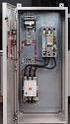 Product Description Full Voltage Starting Electric Fire Pump Controllers FTA1000 Description Firetrol FTA1000 Full Voltage Fire Pump Controllers are intended for use with electric motor driven fire pumps
OWNERS MANUAL. Status Monitor. for Windows 95, 98, ME, NT 4, 2000 & XP. SIGNALCRAFTERS TECH, INC. www.signalcrafters.com
 OWNERS MANUAL Status Monitor for Windows 95, 98, ME, NT 4, 2000 & XP SIGNALCRAFTERS TECH, INC. www.signalcrafters.com 57 Eagle Rock Avenue, East Hanover, NJ 07936 Tel: 973-781-0880 or 800-523-5815 Fax:
Product Description Digital Solid State Starting Electric Fire Pump Controllers FTA1930
 Product Description Digital Solid State Starting Electric Fire Pump Controllers FTA1930 Description Firetrol FTA1930 Digital Solid State Starting Fire Pump Controllers feature soft start, soft stop and
Operational Overview and Controls Guide. Two or Three Pump IronHeart Lite with Variable Frequency Drives
 DOCUMENT: ECSEQ6-0 EFFECTIVE: 09/23/10 SUPERSEDES: Operational Overview and Controls Guide Two or Three Pump IronHeart Lite with Variable Frequency Drives 6700 Best Friend Road. Norcross, GA 30071. (770)
Product Description Primary Resistance Starting Electric Fire Pump Controllers FTA1500
 Product Description Primary Resistance Starting Electric Fire Pump Controllers FTA1500 Description Firetrol FTA1500 Primary Resistance Fire Pump Controllers use resistors in the line to reduce line voltage
Operational Overview and Controls Guide
 DOCUMENT: ECSEQ2-1 EFFECTIVE: 02/14/07 SUPERSEDES: 02/26/03 Operational Overview and Controls Guide Standard Two or Three Pump Type VFD Booster Controls 6700 Best Friend Road. Norcross, GA 30071. (770)
HP 5 Microprocessor Control for Mammoth Water Source Heat Pumps
 HP 5 Microprocessor Control for Mammoth Water Source Heat Pumps Operation and Maintenance Manual Model: 71028004 Applies to: Single Circuit Water-to-Water Twin Circuit Units Without DDC Controls MAMM WHSP
FTA1100-J DIESEL ENGINE FIRE PUMP CONTROLLERS STANDARD SUBMITTAL PACKAGE
 FTA1100-J DIESEL ENGINE FIRE PUMP CONTROLLERS STANDARD SUBMITTAL PACKAGE SBP1100J FTA1100J Diesel Engine Fire Pump Controllers Product Description Description Firetrol combined automatic and manual Mark
NELSON VOLTAGE MONITOR INSTALLATION & PROGRAMMING MANUAL
 NELSON VOLTAGE MONITOR INSTALLATION & PROGRAMMING MANUAL CONTENTS GENERAL INFORMATION...3 INSTALLATION...3 FIELD WIRING...4 PROGRAMMING...4 Circuit Monitor Options...5 Power Frequency...5 Alarm Silence
Firmware version: 1.10 Issue: 7 AUTODIALER GD30.2. Instruction Manual
 Firmware version: 1.10 Issue: 7 AUTODIALER GD30.2 Instruction Manual Firmware version: 2.0.1 Issue: 0.6 Version of the GPRS transmitters configurator: 1.3.6.3 Date of issue: 07.03.2012 TABLE OF CONTENTS
EATON Diesel Plus Diesel Engine Fire Pump Controller
 O & M Manual IM05805019K-002 Effective April 2015 EATON Diesel Plus Diesel Engine Fire Pump Controller Powering Business Worldwide O & M Manual IM05805019K-002 Effective April 2015 EATON Diesel Plus Diesel
Uninterruptible Power Supply
 9 315 30 kva -160kVA Uninterruptible Power Supply Operation Manual 164200252 Rev. I ------------------------------------------------------------------------ ------------------------------------------------------------------------
LTM-1338B. Plus Communications Manual
 LTM-1338B Plus Communications Manual 2000. Best Power, Necedah, Wisconsin All rights reserved. Best Power The System Setup option from the Main Menu on the front panel is passwordprotected. The default
Limited Service Pump Controllers (Produced after July 18, 2006) Installation- Start Up - Service
 Instruction Bulletin Limited Service Pump Controllers (Produced after July 18, 2006) Installation- Start Up - Service This instruction is a guide for personnel involved with Maintenance, Engineering and
T Sentry 4 Multi-Point Digital Alarm Instruction Manual
 T Sentry 4 Multi-Point Digital Alarm Instruction Manual Introduction The T Sentry4 (TS4) is a microprocessor-based temperature monitoring and alarm device with user programmable high-low alarm setpoints
..OR How To Protect your 3-Phase Equipment Investment with 3-Phase Monitors from Time Mark...
 ..OR How To Protect your 3-Phase Equipment Investment with 3-Phase Monitors from Time Mark... TIME MARK CORPORATION 11440 EAST PINE STREET TULSA, OK 74116 USA tel 918 438-1220 fax 918 437-7584 www.time-mark.com
MODEL 5010 DUAL CHANNEL SMOKE/FIRE DETECTION MODULE
 DESCRIPTION MODEL 5010 DUAL CHANNEL SMOKE/FIRE DETECTION MODULE DESCRIPTION The SST Model 5010 Two Channel Smoke/Fire Detection Module provides two independent detection input channels for the NOVA-5000
Model 5511 Filler Controller User s Manual Version 1.1 October 2011
 Thompson Scale Company WEIGHING SYSTEMS & PACKAGING MACHINERY CONTROLS 2758 Bingle Road Houston, Texas 77055 Phone: 713/932-9071 Fax: 713/932-9379 www.thompsonscale.com Model 5511 Filler Controller User
Conventional Fire Detection and Extinguishant Control System Specification
 Conventional Fire Detection and Extinguishant Control System Specification Page 1 of 9 Scope Furnish a complete 24VDC Conventional, electrically supervised, combined fire detection and extinguishant release
SMS Alarm Messenger. Setup Software Guide. SMSPro_Setup. Revision 090210 [Version 2.2]
![SMS Alarm Messenger. Setup Software Guide. SMSPro_Setup. Revision 090210 [Version 2.2]](/thumbs/29/13662687.jpg "SMS Alarm Messenger. Setup Software Guide. SMSPro_Setup. Revision 090210 [Version 2.2]") SMS Alarm Messenger SMSPro_Setup Revision 090210 [Version 2.2] ~ 1 ~ Contents 1. How to setup SMS Alarm Messenger?... 3 2. Install the SMSPro_Setup software... 5 3. Connection Type... 6 4. Connection Port
SMS Alarm Messenger SMSPro_Setup Revision 090210 [Version 2.2] ~ 1 ~ Contents 1. How to setup SMS Alarm Messenger?... 3 2. Install the SMSPro_Setup software... 5 3. Connection Type... 6 4. Connection Port
USER MANUAL CHARGING STATIONS FOR ELECTRIC VEHICLES
 USER MANUAL CHARGING STATIONS FOR ELECTRIC VEHICLES 204.CAxxx 204.CBxxx 204.UBxxx 204.WBxxx MP36289 1 ZP90856-GB-6 INDICE 1 SYSTEM DESCRIPTION... 4 1.1 MODES OF OPERATION... 4 2 USER INTERFACE... 6 2.1
Transfer Equipment Controls
 Control Types Manual Transfer Switches Nonautomatic Transfer Switches Automatic Transfer Switches The type of control system for the transfer switch will vary depending on the type of switching equipment
KCU Communication. PC Software Installation and User s Guide For KCU-30 / KCU-40 / KCU-50 modules. System requirement: Windows XP or above
 KCU Communication PC Software Installation and User s Guide For KCU-30 / KCU-40 / KCU-50 modules System requirement: Windows XP or above KCU Communication PC Software User Guide TABLE OF CONTENTS SECTION
STERILIZERS, LABORATORY DRYING OVENS
 TS9026 TS9053 TS9135 TS9430 TS 9000 SERIES: STERILIZERS, LABORATORY DRYING OVENS Series TS9000 consists of four different cabinets available in sizes from 26 litres to 430 litres. Interior housing and
NX Series Inverters. HVAC Pocket Programming Guide
 NX Series Inverters HVAC Pocket Programming Guide HVAC Pocket Programming Guide HVAC Pocket Programming Guide / Contents This guide provides a single reference document for the user of NXL HVAC (product
Short Form Catalogue. Alarm Systems. Reliable Supervision and Control
 Short Form Catalogue Alarm Systems Reliable Supervision and Control Alarm Monitors and Indicators The SELCO product range includes a number of alarm monitors and indicator panels for use in numerous applications.
*.ppt 11/2/2009 12:48 PM 1
 Digital Compressor Controller *.ppt 11/2/2009 12:48 PM 1 Copeland Scroll Digital Controller Simple Controller That Enables OEM s To Use Digital Scrolls Relieves OEM From Developing Special Controllers
Application Engineering
 Application Engineering February 2011 Electronic Unit Controller Table of Contents 1. Introduction and Features... 2 1.1 Technical Specifi cations... 3 1.2 Pressure Probe Error Bypass... 3 1.3 Bump Start...
SFC-200 SERIES LCD FIRE ALARM PANEL
 SFC-200 SERIES LCD FIRE ALARM PANEL User Guide LT-954SUM SFC-200 Series LCD Version User Guide Contents Introduction... 1 About this Manual... 1 Technical Support... 1 Main Display... 1 The Buzzer and
ABC-1000 Automatic Boiler Level Controller Operation and Installation Manual
 QUALITY STEAM SPECIALTIES SINCE ABC-1000 Automatic Boiler Level Controller Operation and Installation Manual Section: C500 Bulletin: C500.40 Date: 06-26-01 Supersedes: New PRODUCT DESCRIPTION: The Clark-Reliance
FLORIDA ATLANTIC UNIVERSITY FIRE ALARM SYSTEM INSTALLATION MANUAL
 FLORIDA ATLANTIC UNIVERSITY FIRE ALARM SYSTEM INSTALLATION MANUAL January, 2003 Environmental Health and Safety Florida Atlantic University 777 Glades Rd. Boca Raton, FL 33431 Phone: 561-297-3129 Fax:
Medical Vacuum Systems-PXMI
 Medical Vacuum Systems-PXMI Please read and save these instructions. Read carefully before attempting to assemble, install, operate or maintain the product described. Protect yourself and others by observing
MTS Power Products MIAMI FL 33142 ATS-22AG. Automatic Transfer Switch And Control PLC Operator s Manual
 MTS Power Products MIAMI FL 33142 ATS-22AG Automatic Transfer Switch And Control PLC Operator s Manual Dedicated Single Phase Transfer Switch With Touch Screen Controls Normal Power Connections Emergency
PPM Users Manual Signature Software 01-12-00
 PPM Users Manual Signature Software 0-2-00 PPM User Manual /8/02 Software Versions: 0.0.27 Contents. Introduction 2 2. Parameters 3 2. Overload Limit...4 2.2 Relative Upper Limit...4 2.3 Relative Lower
User Manual. Humidity-Temperature Chart Recorder. Model RH520
 User Manual Humidity-Temperature Chart Recorder Model RH520 Introduction Congratulations on your purchase of the Extech RH520 Temperature + Humidity Chart Recorder. The RH520 measures and displays Temperature,
Master Time Clock MTC-200 MTC-400 MTC-600. Users Manual
 Master Time Clock MTC-200 MTC-400 MTC-600 Users Manual Toll Free (888)713-0373 Phone (972)987-4408 FAX (877)720-9291 www.midwest-time.com [email protected] TABLE OF CONTENTS TOPIC PAGE GENERAL DESCRIPTION
Oil and Coolant Circulating Heating System. Model - OCSM
 Oil and Coolant Circulating Heating System Model - OCSM Installation & Operation Manual 216280-000 REV 2 Identifying Your System The HOTSTART heating system is designed to heat fluids for use in marine
VLT 6000 HVAC. Contents
 Contents Introduction Safety...3 Safety Guidelines...3 Warnings Against Unintended Start...3 Introduction...4 About this manual...4 Assumptions...4 References...4 Trademarks...5 Programming the VLT 6000
Technical Information
 Date of last update: Oct-11 Ref: D7.8.4/1011/E Application Engineering Europe CORESENSE DIAGNOSTICS FOR STREAM REFRIGERATION COMPRESSORS CoreSense Diagnostics for Stream Refrigeration Compressors... 1
REGTRONIC OPERATING INSTRUCTIONS
 REGTRONIC OPERATING INSTRUCTIONS 1.FEATURES Electrical connection: M12 8-pin connector Preset pressure range 0.05-10 bar with possible full scale regulation. 10 100 mbar adjustable deadband Supply pressure:
Liebert Deluxe System/3
 Precision Cooling For Business-Critical Continuity Liebert Deluxe System/3 Operation and Maintenance Manual 50 and 60 Hz, 6-30 Ton DX Systems (DH/DE/VH/VE); 12-60 Ton CW Systems (FH/UH) TABLE OF CONTENTS
FIRE DETECTION Note: Your installer must enable the fire detection portion of this equipment before it becomes functional.
 Table of Contents Introduction... 2 About Your Security System... 2 Fire Detection... 2 Monitoring... 2 General System Operation... 3 Keypad LED Displays... 3 System Master Menu Functions... 3 Partition
T-100-R Installation Guide
 T-100-R Installation Guide Table of Contents Page 2 Overview T-100-R Z-Wave Thermostat 3-4 Installation HVAC System Setup 6 Installer Settings Menu Items 7-9 Installer Settings Summary 10-11 Wiring Standard
NortechCommander Software Operating Manual MAN-00004 R6
 NortechCommander Software Operating Manual MAN-00004 R6 If the equipment described herein bears the symbol, the said equipment complies with the applicable European Union Directive and Standards mentioned
DTW Works Master Specification Version 2006
 Issued 2006/08/01 Section 13852 Multiplex Fire Alarm System Page 1 of 10 PART 1 GENERAL 1.1 RELATED WORK.1 Section 01330 Submittal Procedures..2 Section 01780 Closeout Procedures..3 Section 01810 Commissioning..4
Fire Pump Controllers Remote Alarm Panels
 Fire Pump Controllers Remote Alarm Panels Remote Alarm Panels 1.8 Remote Alarm Panels FDAP-M Electric... DFDAP-M Diesel... Product Specifications... 2 6 9 Features 1-1 DFDAP-M / FDAP-M Remote Alarm Panel
How to read this guide
 How to read this guide The following shows the symbols used in this Quick start guide with descriptions and examples. Symbol Description Example P oint Reference Caution [ ] This symbol explains information
PARAGON ELECTRIC, INC. LIQUID LEVEL CONTROLLER USER MANUAL MODELS: LLC-I, LLC-II AND TELEMETRY OPTIONS
 PARAGON ELECTRIC, INC. LIQUID LEVEL CONTROLLER USER MANUAL MODELS: LLC-I, LLC-II AND TELEMETRY OPTIONS 2 Table of Contents Safety... 4 Introduction... 5 Features and Benefits... 6 Control Overview... 7
Part Number 129777-01 Revision A, January 1996. 3500 Monitoring System Rack Configuration and Utilities Guide
 Part Number 129777-01 Revision A, January 1996 3500 Monitoring System Rack Configuration and Utilities Guide Copyright 1995 Bently Nevada Corporation All Rights Reserved. No part of this publication may
FA-300 Series. LCD Fire Alarm Control Panel. User Guide. LT-954 Rev. 0.1 February 2013. FA-300 SERIES Fire Alarm Control Panel
 ABC DEF GHI JKL MNO PQR STU YZ WXY FA-300 Series LCD Fire Alarm Control Panel Advanced Life Safety Solutions System Normal 10:36AM WED 2003-10-01 SYSTEM RESET A.C. ON ALARM SUPV TRBL CPU FAIL SIGNAL SILENCE
COMPTROL 5000 INDEX 52. Issue 5.99 AIR CONDITIONING MICROPROCESSOR OPERATING INSTRUCTIONS. STULZ GmbH, Hamburg
 COMPTROL 5000 INDEX 52 Issue 5.99 AIR CONDITIONING MICROPROCESSOR STULZ GmbH, Hamburg OPERATING INSTRUCTIONS Contents Page INTRODUCTION... 4 NOTES ON SAFETY... 4 PAGE CODE... 4 DESCRIPTION OF THE CONTROLLER...
HVAC-32A. Operation Manual. Specifications. Digital Multistage Air Conditioning Controller with inbuilt Outside Air Economy function
 Specifications Supply Voltage 240VAC @ 0.07Amps or 24VAC @ 0.380Amps Relays 240V @ 12A max (resistive) / Comp1,2,3, Aux Ht, Rv O/B) Fuses (Equipment) 15 Amps Maximum 3AG Control Range Minus 10 to 50C Control
WITH POWER TRANSFER SWITCH STANDARD SUBMITTAL PACKAGE
 WITH POWER TRANSFER SWITCH STANDARD SUBMITTAL PACKAGE SBP1930-61 FTA1930 Digital Solid State Starting Electric Fire Pump Controllers Product Description Fire Pump Controllers for Business-Critical Continuity
MAKING MODERN LIVING POSSIBLE. AK-SC255 On-Site Installation Guide DANFOSS ELECTRONIC CONTROLS & SENSORS
 MAKING MODERN LIVING POSSIBLE AK-SC255 On-Site Installation Guide DANFOSS ELECTRONIC CONTROLS & SENSORS How to Use This Guide Read this Guide completely as you install and start up your new AK-SC 255 controller.
GPD 506/P5 Start-up Procedure and Checklist
 GPD 506/P5 Start-up Procedure and Checklist Preparation for GPD506/P5 Drive Start-Up...2 HVAC Start-Up Procedure for GPD 506/P5 WITH Bypass Option:...4 HVAC Start-Up Procedure for GPD 506/P5 WITHOUT Bypass
Back-UPS Pro 1300/1500 Installation and Operation
 Back-UPS Pro 1300/1500 Installation and Operation Inventory Safety Do not install the Back-UPS in direct sunlight, in excessive heat, humidity, or in contact with fluids. Connect the battery bu059a bu058a
EDI Distributor Control Interface Wiring and Setup Instructions
 Universal I/O EDI Distributor Control Interface Wiring and Setup Instructions EDI UNIVERSAL I/O INTERFACE MODULE The only interface needed for EDI-V5 controls Network compatible with all older EDI controls
Installation and Operation Back-UPS 1250, 1300, 1500
 Installation and Operation Back-UPS 1250, 1300, 1500 Inventory bu001a Safety and General Information This unit is intended for indoor use only. Do not operate this unit in direct sunlight, in contact with
UPS Monitoring and Management Software
 UPS Monitoring and Management Software LEN.MAN.SOF.141 Rev.1.00/2008 User s Guide: Easy-Mon X 1. Configuration Before Easy-Mon X software can display the electrical data of LEONICS UPS, user has to configure
Programmer/Controller
 Systems Plus START 7 8 9 envirotronics ALARM STOP 4 5 6 ALARM ACK Instrument Manual Systems Plus Programmer/Controller OFF HELP 1 2 0 3. ENTER ALARM RESET DEL Revision 6 9/12/97 Table of Contents 2 Menu
SFC-200 SERIES FIRE ALARM CONTROL PANELS. SFC-200 Series Fire Alarm Control Panels. Features. Description
 SFC-200 SERIES FIRE ALARM CONTROL PANELS SFC-200 Series Fire Alarm Control Panels Description Summit s SFC-200 Series fire alarm control panels consist of six and twelve zone models which are equipped
Application/Connection Examples
 This Quick Start Guide is designed to familiarize the user with the connection and configuration of the DTS-305 DIN rail mounted single / 3 phase power & energy meter with RS-485 or TCP communications.
EGCP-3 LS 8406-113 Revision L. Explanation of Software Changes Made for the EGCP-3 LS Control. Application Note 51294
 EGCP-3 LS 8406-113 Revision L Explanation of Software Changes Made for the EGCP-3 LS Control Application Note 51294 WARNING DANGER OF DEATH OR PERSONAL INJURY WARNING FOLLOW INSTRUCTIONS Read this entire
Maintenance Manual PC6010. WARNING This manual contains information on limitations regarding product use and function
 WARNING This manual contains information on limitations regarding product use and function and information on the limitations as to liability of the manufacturer. The entire manual should be carefully
Control/Communicator Installation Manual
 DAS NETWORX NX-8 Control/Communicator Installation Manual Page General Description... 2 Ordering Information... 2 Option Definitions... 2 Programming the LED Code Pads... 4 Programming the NX-8... 8 Types
Safety Requirements Specification Guideline
 Safety Requirements Specification Comments on this report are gratefully received by Johan Hedberg at SP Swedish National Testing and Research Institute mailto:[email protected] -1- Summary Safety Requirement
LiteKeeper 4 & 8 Programming Guide and User Manual
 LiteKeeper 4 & 8 Programming Guide and User Manual Table of Contents Safety Instructions... 3 Chapter 1: Introduction... 4 p1 How It Works... 4 What are relays?... 4 What are inputs?... 4 How do I program
EZ DUPE DVD/CD Duplicator
 EZ DUPE DVD/CD Duplicator User s Manual Version 3.0 0 TABLE OF CONTENTS Introduction 2 Setup 11 LCD Front Panel Overview 2 o Auto Start Time 11 Menu Overview 3-5 o Display Mode 12 Functions 6 o Button
Application Note - Connecting an Electricity Meter to SolarEdge Devices (Europe and APAC)
 February 2015 February 2015 Application Note - Connecting an Electricity Meter to SolarEdge Devices (Europe and APAC) This document describes how to connect an electricity meter to a SolarEdge device (inverters,
ALARM ANNUNCIATOR ME - 3010 INSTRUCTION MANUAL
 ALARM ANNUNCIATOR ME - 3010 INSTRUCTION MANUAL INTRODUCTION... 2.. TECHNICAL DATA... 3 ACCESSORIES... 5. INSTALLATION... 7 OPERATION... 12. TECHNICAL INFORMATION... 13 MAINTENANCE... 14. CONFIGURATIONS...
User's Guide DylosLogger Software Version 1.6
 User's Guide DylosLogger Software Version 1.6 The DylosLogger software allows users of Dylos Air Quality Monitors equipped with PC interface to easily record, download, and graph data. The COM port is
PRECISION LINK SYSTEM INSTALLATION, OPERATION AND TROUBLESHOOTING MANUAL
 T L Irrigation Company Hastings, Nebraska PRECISION LINK SYSTEM INSTALLATION, OPERATION AND TROUBLESHOOTING MANUAL CD90441 Nov. 26, 2013 Precision Link 11/26/13 CONTENTS INTRODUCTION... 1 INSTALLATION
INTELLIGENT FIRE ALARM CONTROL PANELS. MR-2100/MR-2200 Intelligent Fire Alarm Control Panels MEA. Features. Description
 INTELLIGENT FIRE ALARM CONTROL PANELS MR-2100/MR-2200 Intelligent Fire Alarm Control Panels Description MR-2100/MR-2200 Intelligent Fire Alarm Control Panel (shown with optional LED modules) Secutron's
AC-115 Compact Networked Single Door Controller. Installation and User Manual
 AC-115 Compact Networked Single Controller Installation and User Manual December 2007 Table of Contents Table of Contents 1. Introduction...5 1.1 Key Features... 6 1.2 Technical Specifications... 7 2.
Medical Air Systems: Scroll
 GENERAL The Chemetron skid mount scroll medical air system is designed to provide medical breathing air for hospital and medical institutions. This system meets NFPA 99 requirements for Level 1 breathing
FIRE ALARM SYSTEM. A. Shop drawings shall be submitted as follows: 1. Manufacturer's published literature. for aspproval.
 Polk School District Specifications for the New Fire Alarm in the Existing Building Eastside Elementary School FIRE ALARM SYSTEM 1.01 SUBMITTALS A. Shop drawings shall be submitted as follows: 1. Manufacturer's
BREEAM CRITERIA WATER LEAK DETECTION SYSTEM Type WG2 - CONTROL PANEL CONNECTIONS
 BREEAM CRITERIA WATER LEAK DETECTION SYSTEM Type WG2 - CONTROL PANEL CONNECTIONS WG2 Dimensions: LxHXW: 26 x 14.5 x 29.5 cm INTERNAL Alarm Terminals EXTERNAL Alarm Terminals WG2 Control Unit WaterGuard
Electrical Systems - IQAN Digital Control System. IQAN Control System Components... 5.1.3
 Section 5.1 Electrical Systems - IQAN Digital Control System IQAN Control System Components........................... 5.1.3 IQAN Operational Description: At Machine Startup.....................................
User Manual WatchPower
 User Manual WatchPower Management Software for Inverter Table of Contents 1. WatchPower Overview... 1 1.1. Introduction... 1 1.2. Features... 1 2. WatchPower Install and Uninstall... 1 2.1. System Requirement...
INSTALLER S & OWNER S MANUAL
 INSTALLER S & OWNER S MANUAL HVAC INSTALLER: PLEASE LEAVE MANUAL FOR HOMEOWNER DEH 3000 DEH 3000 Part No. 4028539 Dehumidifier & Ventilation System Controller P.O. Box 8680 Madison, WI 53708 TOLL-FREE
AIR QUALITY SURVEILLANCE BRANCH ACCEPTANCE TEST PROCEDURE (ATP) FOR. Teledyne Advanced Pollution Instruments Model 400 E Ozone Analyzer AQSB ATP 002
 AIR QUALITY SURVEILLANCE BRANCH ACCEPTANCE TEST PROCEDURE (ATP) FOR Teledyne Advanced Pollution Instruments Model 400 E Ozone Analyzer AQSB ATP 002 First Edition MONITORING AND LABORATORY DIVISION August
M&M Refrigeration, Inc. Computer Control System. Standard Screw Compressor A Series
 & M&M Refrigeration, Inc. Computer Control System Standard Screw Compressor A Series Standard Screw Compressor - A Series Copyright protection claimed includes all forms and matters now and hereinafter
EGCP-3 MC 8406-114 Revision H Software 5448-145 Revision F. Explanation of Software Changes Made for the EGCP-3 MC Control. Application Note 51298
 EGCP-3 MC 8406-114 Revision H Software 5448-145 Revision F Explanation of Software Changes Made for the EGCP-3 MC Control Application Note 51298 WARNING DANGER OF DEATH OR PERSONAL INJURY WARNING FOLLOW
Embedded Web Server. User Guide. General usage guide lines to the ISONAS Embedded Web Server available on all ISONAS PowerNet reader-controllers
 Embedded Web Server User Guide General usage guide lines to the ISONAS Embedded Web Server available on all ISONAS PowerNet reader-controllers 06/12/09 Contents Revision history... 4 Scope... 4 Introduction...
DC LOAD TESTING Gian Trento June 18 th, 2004
 DC LOAD TESTING Gian Trento June 18 th, 2004 THIS TECHNICAL NOTE DESCRIBES THE PROCESS OF CONNECTING THE UNIVERSAL VOLTRONICS CORPORATION (UVC) POWER SYSTEM TO THE DC LOAD AS WELL AS OPERATING THE UVC
Programming and Using the Courier V.Everything Modem for Remote Operation of DDF6000
 Programming and Using the Courier V.Everything Modem for Remote Operation of DDF6000 1.0 Introduction A Technical Application Note from Doppler System July 5, 1999 Version 3.x of the DDF6000, running version
HandHeld Display (HHD)
 Title page Digital Energy Multilin HandHeld Display (HHD) Instruction manual HHD revision: 1.0x Manual P/N: 1601-9096-A1 GE publication code: GEK-113540 Copyright 2009 GE Multilin E83849 GE Multilin 215
PSBC12XX-X Charger Management Software User Guide
 B r o a d A c c e s s PSBC12XX-X Charger Management Software User Guide P/N 760-000332 Rev C BroadAccess PSBC12XX-X Charger Management Software User Guide Table of Contents List of Figures iii List of
tattletale User Guide Consumer unit version 2.48 1 P a g e
 tattletale User Guide Consumer unit version 2.48 1 P a g e Contents Basic 1... 4 Base Unit Features... 4 Initial Setup... 4 Arming... 5 Disarming... 5 Quiet Button... 5 Settings... 5 Settings 2... 6 Quick
PRT3 Printer Module: ASCII Protocol Programming Instructions
 PRT3 Printer Module: ASCII Protocol Programming Instructions We hope this product performs to your complete satisfaction. Should you have any questions or comments, please visit www.paradox.com and send
AGRI-ALERT 800T / AGRI-ALERT 800 ALARM SYSTEM USER MANUAL
 AGRI-ALERT 800T / AGRI-ALERT 800 ALARM SYSTEM USER MANUAL Manufacturer: Viatron Electronics 3514 1st Street, St-Hubert (Quebec) Canada J3Y 8Y5 WARNING: the warranty can be void if the Agri-Alert 800T or
Daker DK 1, 2, 3 kva. Manuel d installation Installation manual. Part. LE05334AC-07/13-01 GF
 Daker DK 1, 2, 3 kva Manuel d installation Installation manual Part. LE05334AC-07/13-01 GF Daker DK 1, 2, 3 kva Index 1 Introduction 24 2 Conditions of use 24 3 LCD Panel 25 4 Installation 28 5 UPS communicator