
CASSANDRA. Computational Atomistic Simulation Software At Notre Dame for Research Advances
|
|
|
- Janis Owens
- 10 years ago
- Views:
Transcription
1 1 CASSANDRA Computational Atomistic Simulation Software At Notre Dame for Research Advances User Manual 1.0 Written by: Edward J. Maginn, Jindal K. Shah, Eliseo MarinRimoldi, Sandip Khan, Neeraj Rai, Thomas Rosch, Andrew Paluch c University of Notre Dame du Lac, 2014

2 2 Preface and Disclaimer Cassandra is free software: you can redistribute it and/or modify it under the terms of the GNU General Public License as published by the Free Software Foundation, either version 3 of the License, or (at your option) any later version. This program is distributed in the hope that it will be useful, but WITHOUT ANY WARRANTY; without even the implied warranty of MERCHANTABILITY or FITNESS FOR A PARTICULAR PURPOSE. See the GNU General Public License for more details. This user manual is distributed along with the Cassandra software to aid in setting up various input files required for carrying out a Cassandra Monte Carlo simulation. Every effort is made to release the most updated and complete version of the manual when a new version of the software is released. To report any inconsistencies, errors or missing information, or to suggest improvements, send to Edward Maginn ([email protected]).

3 3 Acknowledgements Support for this work was provided by a grant from the National Science Foundation entitled SI2-SSE: Development of Cassandra, a General, Efficient and Parallel Monte Carlo Multiscale Modeling Software Platform for Materials Research, grant number ACI Ed Maginn would like to acknowledge financial support from Sandia National Laboratory s Computer Science Research Institute, which enabled him to take a research leave and lay the foundation for Cassandra in collaboration with Jindal Shah, who stayed behind at Notre Dame and helped keep the group going. The hospitality of Steve Plimpton and co-workers at Sandia is gratefully acknowledged. Finally, we would also like to thank the Center for Research Computing at Notre Dame, which provided support, encouragement, and infrastructure to help bring Cassandra to life. People who have contributed to Cassandra through algorithm development and / or writing code (to date) include: Ed Maginn Jindal Shah Tom Rosch Neeraj Rai Eliseo Marin Sandip Khan Andrew Paluch Some legacy code was used in the creation of Cassandra, and the following former students are recognized for their work: David Eike Jim Larentzos Craig Powers

4 4

5 Contents 1 Introduction Distribution Force Field Bonds Angles Dihedrals Impropers Nonbonded Repulsion-Dispersion Interactions Electrostatics Cassandra Units Cassandra Basics Flow Diagram Cassandra Simulation Setup Cassandra File Preparation MCF File Input File Fragment Library Generation Running a Simulation Restarting a Simulation Cassandra Output Files Files Required to Run Cassandra Simulation Input File Run Name Simulation Type Number of species VDW Style Charge Style Intramolecular Scaling Mixing Rule Starting Seed

6 6 CONTENTS Minimum Cutoff Pair Energy Storage Molecule Files Simulation Box Temperature Pressure Chemical Potential Move Probabilities Start Type Run Type Frequency Average Property Output Fragment Files File Info CBMC parameters MCF File Atom Info Bond Info Angle Info Dihedral Info Fragment Info Fragment Connectivity

7 Chapter 1 Introduction Cassandra is an open source Monte Carlo package capable of simulating any number of molecules composed of rings, chains, or both. It can be used to simulate compounds such as small organic molecules, oligomers, aqueous solutions and ionic liquids. It handles a standard Class I -type force field having fixed bond lengths, harmonic bond angles and improper angles, a CHARMM or OPLS-style dihedral potential, a Lennard-Jones 12-6 potential and fixed partial charges. It does not treat flexible bond lengths. Cassandra uses OpenMP parallelization and comes with a number of scripts, utilities and examples to help with simulation setup. Cassandra is capable of simulating systems in the following ensembles: Canonical (NVT) Isothermal-Isobaric (NPT) Grand canonical (µvt) Constant volume Gibbs (NVT-Gibbs) Constant Pressure Gibbs (NPT- Gibbs) 1.1 Distribution Cassandra is distributed as a tar file cassandra.tar. You can unpack the distribution by running the command > tar -xvf cassandra.tar Upon successful unpacking of the archive file, the Cassandra directory will have a number of subdirectories. Please refer to the README file in the main Cassandra directory for a detailed information on each of the subdirectories. Documentation - Contains this user guide and a document showing how molecular connectivity files are 7

8 8 CHAPTER 1. INTRODUCTION generated. Examples - Contains example input files and short simulations of various systems in the above ensembles. MCF - Molecular connectivity files for a number of molecules. These can be used as the basis for generating your own MCF files for molecules of interest. Scripts - Useful scripts to set up simulation input files. Src - Cassandra source code.

9 Chapter 2 Force Field 2.1 Bonds Cassandra is designed assuming all bond lengths are fixed. If you wish to utilize a force field developed with flexible bond lengths, we recommend that you either use the nominal or equilibrium bond lengths of the force field as the fixed bond lengths specified for a Cassandra simulation or carry out an energy minimization of the molecule with a package that treats flexible bond lengths and utilize the bond lengths obtained from the minimization. 2.2 Angles Cassandra supports two types of bond angles: fixed : The angle declared as fixed is not perturbed during the course of the simulation. harmonic : The bond angle energy is calculated as E θ = K θ (θ θ 0 ) 2 (2.1) where the user must specify K θ and θ 0. Note that a factor of 1/2 is not used in the energy calculation of a bond angle. Make sure you know how the force constant is defined in any force field you use. 2.3 Dihedrals Cassandra can handle four different types of dihedral angles: OPLS : The functional form of the dihedral potential is E φ = a 0 +a 1 (1+cos(φ))+a 2 (1 cos(2φ))+a 3 (1+cos(3φ)) (2.2) where a 0, a 1, a 2 and a 3 are specified by the user. 9

10 10 CHAPTER 2. FORCE FIELD CHARMM : The functional form of the potential is E φ = a 0 (1+cos(a 1 φ δ)) (2.3) where a 0, a 1 and δ are specified by the user. harmonic : The dihedral potential is of the form: E φ = K φ (φ φ 0 ) 2 (2.4) where K φ and φ 0 are specified by the user. none : There is no dihedral potential between the given atoms. 2.4 Impropers Improper energy calculations can be carried out with the following two options: none : The improper energy is set to zero for the improper angle. harmonic : The following functional form is used to calculate the energy due to an improper angle E ψ = K ψ (ψ ψ 0 ) 2 (2.5) where K ψ and ψ 0 are specified by the user. 2.5 Nonbonded The nonbonded interactions between two atoms i and j are due to repulsion-dispersion interactions and electrostatic interactions (if any) Repulsion-Dispersion Interactions The repulsion-dispersion interactions can take one of the following forms: Lennard-Jones 12-6 potential (LJ): [ (σij ) 12 V(r ij ) = 4ǫ ij r ij ( σij r ij ) 6 ] (2.6) where ǫ ij and σ ij are the energy and size parameters set by the user. For unlike interactions, different combining rules can be used, as described elsewhere. Note that this option only evaluates the energy up to a specified cutoff distance. As described below, analytic tail corrections to the pressure and energy can be specified to account for the finite cutoff distance.

11 2.6. CASSANDRA UNITS 11 Cut and shift potential: [ (σij ) 12 V(r ij ) = 4ǫ ij r ij ( σij r ij ) 6 ] [ ( ) 12 ( ) ] 6 σij σij 4ǫ ij r cut r cut whereǫ ij and σ ij arethe energyand size parametersset by the userand r cut is the cutoff distance. This option forces the potential energy to be zero at the cutoff distance. For unlike interactions, different combining rules can be used, as described elsewhere. Cut and switch potential: The factor f takes the following values: [ (σij ) 12 V(r ij ) = 4ǫ ij r ij ( σij r ij ) 6 ] (2.7) f (2.8) 1.0 r ij r on (r f = 2 off r2 ij )(r2 off r2 on +2r2 ij ) r (roff 2 r2 on) 3 on <r ij <r off (2.9) 0.0 r ij r off where ǫ ij and σ ij are the energy and size parameters set by the user. This option smoothly forces the potential to go to zero at a distance r off, and begins altering the potential at a distance of r on. Both of these parameters must be specified by the user. For unlike interactions, different combining rules can be used, as described elsewhere. Tail corrections: If the Lennard-Jones potential is used, standard Lennard-Jones tail corrections are used to approximate the long range dispersion interactions Electrostatics Electrostatic interactions are given by Coulomb s law V elec (r ij ) = 1 4πǫ 0 q i q j r ij. (2.10) where q i and q j are partial charges specified by the user and placed on atomic positions given by r i and r j. In a simulation, the electrostatic interactions are calculated using either an Ewald summation or a direct summation using the minimum image convention. Note that the total energy that is printed out in the property file is extensive. Consequently, to obtain intensive energies, the printed energies must divided by the total number of molecules in the system. 2.6 Cassandra Units The following table provides units used in Cassandra:

12 12 CHAPTER 2. FORCE FIELD Table 2.1: Cassandra units for input variables Bond length l Å Angles Nominal bond angle θ 0 degrees Bond angle force constant K θ K/rad 2 Dihedral angle OPLS a 0, a 1, a 2, a 3 kj/mol CHARMM a 0 kj/mol a 1 dimensionless δ degrees harmonic K φ K/rad 2 φ 0 degrees Improper angle Force constant K ψ K/rad 2 ψ 0 degrees Nonbonded Energy parameter ǫ/k B K Collision diameter σ Å Charge q e Simulation Parameters Simulation box length Å Volume Å 3 Distances Å Rotational width degrees Temperature K Pressure bar Chemical potential kj/mol Energy kj/mol Fugacity bar

13 Chapter 3 Cassandra Basics 3.1 Flow Diagram A flow diagram that overviews the setup for a Cassandra simulation is displayed on figure 3.1. This diagram employs two automation scripts located in the /Scripts/ directory: mcfgen.py and library setup.py. These scripts are particularly useful when simulating large molecules. For details about each step, please refer to the document MCF tutorial.pdf, to the README files located in the subdirectories inside the directory /Scripts/, and to this document. 3.2 Cassandra Simulation Setup Once a system is identified, setting up a Cassandra simulation from scratch requires preparation of the following files. A molecular connectivity file (MCF) (*.mcf) containing the molecular connectivity information on bonds, angles, dihedrals, impropers and whether the molecule is composed of fragments. For information on the MCF file, please refer to section 4.2. An input file (*.inp) (See section 4.1) If the molecule is composed of fragments, then a fragment library file for each of the fragments is required. For instructions on how to generate these files, please refer to the document MCF tutorial.pdf. MCF files for united-atom models of methane, isobutane, dimethylhexane, cyclohexane and diethylether are provided in the MCF directory. Input files for NVT, NPT, GCMC and GEMC ensembles are located in the Examples directory which also contains fragment library files for a number of molecules simulated in these ensembles. 13


14 14 CHAPTER 3. CASSANDRA BASICS Figure 3.1: Flow diagram representing a typical setup of a Cassandra simulation 3.3 Cassandra File Preparation MCF File One MCF file is required for each unique species in a simulation. A species is defined as a collection of atoms associated with each other through bonds. Thus a molecule is a species as is an ion. If you wanted to simulate sodium sulfate, you would need separate MCF files for the sodium ion and the sulfate ion. MCF files can be built by hand or by using the scripts provided with the code, as described in the Documentation/MCF tutorial.pdf. Instructions for generating an MCF file can also be found in the Scripts/MCF Generation/README file. We will collect MCF files submitted to us by users and will post them on the Cassandra website If you have an MCF file you would like us to post, send it to [email protected].

15 3.4. RUNNING A SIMULATION Input File An input file is required for a Cassandra simulation. The input file specifies conditions for the simulation and various keywords required for the simulation in a given ensemble. Please refer to Chapter 4.1 for further details Fragment Library Generation Cassandra makes use of reservoir sampling schemes to sample correctly and efficiently various coupled intramolecular degrees of freedom associated with branch points and rings. Details may be found in our publication [1]. The idea is to decompose the entire molecule into fragments that are either branch points or ring groups, each coupled to other fragments via a single dihedral angle. Thus, the total number of fragments of a molecule is the sum of branch points and ring groups in the molecule. The neighboring fragments are connected by two common atoms present in each of the fragments. Note that the ring group contains all the ring atoms and those directly bonded to the ring atoms. For each fragment identified, Cassandra runs a pre simulation in the gas phase to sample the intramolecular degrees of freedom. A library of a large number of these conformations are stored for use in an actual simulation. The gas phase library generation has been automated with the script library setup.py located in the Scripts/Frag Library Setup directory. Use the following command for generating the fragment library. > python path to Scripts/Frag Library Setup/library setup.py cassandra executable input filename mol1.pdb (mol1.cml) mol2.pdb (mol2.cml)... where input filename is the name of the input file for the actual simulation and mol1.pdb mol2.pdb... or mol1.cml mol2.cml... correspond to the names of the pdb (or cml) files used to generated the MCF files. Make sure that if a file does not exist in the current working directory, its path relative to the current working directory is specified. 3.4 Running a Simulation To launch a Cassandra simulation, run the following command: > cassandra executable input filename The executable will read input filename and execute the instructions. Make sure that the required files (MCF, fragment library files) are located in the directories as given in the input file. 3.5 Restarting a Simulation Restarting a simulation requires either a checkpoint file (*.chk produced by Cassandra) or a configuration file obtained from xyz files generated from a previous simulation. For the set up of these simulations, a script in Scripts/Read Old is provided. Detailed instructions are contained in the README file in this directory.

16 16 CHAPTER 3. CASSANDRA BASICS 3.6 Cassandra Output Files Cassandra generates several output files which can be used for later analysis. All have as a prefix the Run Name specified in the input file. See Chapter 4.1 for details. The type of output is specified by the file name suffix. The following are generated: Log file (*.log): Contains basic information on what the run is, timing information and reports the various parameters specified by the user. A complete copy of the input file is reproduced. Other important information includes the move acceptance rates. You can use the log file to keep track of what conditions were simulated. Coordinate file (*.xyz): For each box in the system, a set of xyz coordinates are written out with a frequency specified by the user (Ncoordfreq). The file has as a header the number of atoms in the box. Following this, the atomic coordinates of molecule 1 of species 1 are written, then the coordinates of molecule 2 of species 1 are written, etc. After all the coordinates of the molecules of species 1 are written, the coordinates of the molecules of species 2 are written, etc. You can use this file to do all your structural analysis and post processing. Checkpoint file (*.chk): A checkpoint file is written every Ncoordfreq steps. This can be used to restart a simulation from this point using all of the same information as the run that was used to generate the checkpoint file. To do this, you must use the checkpoint restart option (see Chapter 4.1). It will basically pick up where the simulation left off, using the same random number seed, maximum displacements, etc. This is useful in case your job crashes and you want to continue running a job. You can also use the checkpoint file to start a new simulation using the configuration of the checkpoint file as an initial configuration and the optimized maximum displacements. To do this, use the script read old.py. You will need to set a new random number seed if you do this. See the documentation in Chapter 4.1 for more details. H-matrix file (* H.box#): This file is written to every Ncoordfreq MC steps. The first line is the box volume in angstrom 3. The next three lines are the box coordinates in angstrom in an H-matrix form. Since Cassandra only supports cubic boxes at the moment, this is just a diagonal and symmetric matrix, but is included here for later versions that will enable non-orthogonal boxes. After this, a blank line is written. The next line is the box number, and the final line(s) is(are) the species ID and number of molecules for that species in this box. If there are three species, there will be three lines. This output is repeated every Ncoordfreq times. This file allows you to compute the density of the box during constant pressure simulations. Property file (*.instnt prp# box#): This file lists the instantaneous thermodynamic and state properties for each box. Note that you can have more than one property file (hence the# after prp ) and more than one box (also why there is a # after box ). The user specifies which properties are to be written and in what order, and these are then reproduced in this file. The file is written to every Nthermofreq steps. A header is written to the first two lines to designate what each property is. You may use this file to compute thermodynamic averages. Initial configuration(*.init config box#): If you generate your initial configuration using the make config command, this file will be created for each box. It contains the initial coordinates of all the species in the system. You can use this to check on whether the initial configuration is reasonable, or use it as an input to other codes. For example, the initial configuration will be generated using CBMC, so it may be a better starting configuration that if you used other methods.

17 Chapter 4 Files Required to Run Cassandra 4.1 Simulation Input File This is a required file that is given as an argument to the Cassandra executable. You must generate this by hand, but you can use the input files in the Examples directory as a guide. The input file contains a number of keywords that define simulation parameters and thermodynamic state point for the simulation. A keyword is identified by a # while comments follow a!. Note that the order of the keywords in the input file is immaterial, but the format of the arguments of the keyword are important and are explained below, along with a complete listing of all keywords Run Name # Run Name - Simulation run name Character*120 The run name is specified on the next line following the keyword. This name is used as a prefix for all the files produced by the simulation. For example, # Run Name dee Cassandra will then use dee as prefix for all output files created Simulation Type # Sim Type Character*120 Sets the ensemble (and thus the suite of moves) of a Cassandra simulation. Currently the following ensembles are supported: 17

18 18 CHAPTER 4. FILES REQUIRED TO RUN CASSANDRA NVT MC (Canonical ensemble) NVT MIN (Canonical ensemble in which minimization is carried out) NPT MC (Isothermal-isobaric ensemble) GCMC (Grand canonical ensemble) GEMC (Gibbs ensemble) NVT MC Fragment (Canonical ensemble simulation of a non-ring fragment) NVT MC Ring Fragment (Canonical ensemble simulation of a ring fragment) Note that NVT MC Fragment and NVT MC Ring Fragment are used only for the fragment generation and are not used in the normal simulation. For example, # Sim Type NPT MC will run an NPT MC simulation Number of species # Nbr Species Integer Total number of species in the simulation. For ionic systems, each ion is counted as a separate species. For example, for a mixture of two species, use the following: # Nbr Species VDW Style # VDW Style Character(i,1) Character(i,2) Real(i,3) Real(i,4)/Logical(i,4) This keyword specifies the functional form of repulsion dispersion interactions to be used and if tail corrections are added for the box i. One line is required for each box. The options for Character(i,1) are LJ for a Lennard-Jones 12-6 potential or None if you wish to turn off all repulsion-dispersion interactions. Character(i,2) and Real(i,3) are specified only if Character(i,1) is set to LJ. Character(i,2) describes the truncation scheme used for the Lennard-Jones potential. Options are cut, cut tail, cut switch and cut shift. Refer to Chapter?? for the functional forms. The other parameters Real(i,3) and Real(i,4)/Logical(i,4) depend on the selection of Character(i,2) as described below: cut: This option cuts the potential off at the distance specified by (Real(i,3)). The fourth parameter is omitted.

19 4.1. SIMULATION INPUT FILE 19 For example, to simulate one box with a 14 Å cutoff specify the following: # VDW Style LJ cut 14.0 Similarly, for a two box simulations such as used in the Gibbs ensemble where both boxes have a 14 Å cutoff, use the following: # VDW Style LJ cut 14.0 LJ cut 14.0 cut tail: This options cuts the potential off at a distance corresponding to (Real(i,3)) and applies analytic tail corrections to the energy and pressure. An optional fourth argument (Logical(i,4)) can be set to TRUE or true, in which case Real(i,3) is ignored and the cutoff distance is always set to half of the simulation box length. The cutoff will change during the course of the simulation when attempting volume moves. This option is provided to enable reproduction of literature simulations that use a cut off distance of half the simulation box length, but its use is highly discouraged. For example, to simulate one box with a 14 Å cutoff using tail corrections, specify the following: # VDW Style LJ cut tail 14.0 For a two box simulation where the first box has a 14 Å cutoff and the second one has a 20 Å cutoff, use the following: # VDW Style LJ cut tail 14.0 LJ cut tail 20.0 cut switch: This option cuts the potential off and smoothly brings the potential to zero using a spline. The potential is cutoff and the spline turned on at a distance specified by Real(i,3) (r on in Eq 2.8) and the potential goes to zero at a distance specified by Real(i,4) (r off in Eq 2.8). For example, a one box simulation using the cut switch option could be specified as follows: # VDW Style LJ cut switch In this case, the Lennard-Jones potential would end at 12.0 Å and be smooothly taken to zero at 14.0 Å. Obviously, r on < r off or Real(i,3) < Real(i,4). cut shift: This option cuts the potential off at a distance specified by Real(i,3) and shifts the entire potential so that at this distance the potential is zero. The fourth parameter Real(i,4)/Logical(i,4) is omit-

20 20 CHAPTER 4. FILES REQUIRED TO RUN CASSANDRA ted. The functional form of this potential is given in eq 2.7. To perform a two box simulation with a cut shift option in which both boxes have a 10.5 Å cutoff, use the following: # VDW Style LJ cut shift 10.5 LJ cut shift 10.5 Note: For all options, cutoff distances must be less than or equal to the shortest edge length of a simulation box Charge Style # Charge Style Character(i,1) Character(i,2) Real(i,3) Real(i,4) Cassandra allows the use of fixed partial charges on atomic centers using a Coulomb potential of the form given in Eq To specify this option for box i, set Character(i,1) to coul. For this option, Character(i,2) can be set to either Ewald if you want to use an Ewald sum to compute Coulombic interactions or it can be set to cut, in which case the Coulombic interactions will be cut off and the long range interactions ignored. For the Ewald option, Real(i,3) is the real space cutoff distance and Real(i,4) specifies the accuracy of the Ewald summation. A reasonable value for the accuracy is Note that the number of reciprocal vectors for the Ewald summation is determined in the code based on the accuracy parameter. For more details, see the paper by Fincham [2]. For example, # Charge Style coul Ewald E-5 will use the Ewald sum for a single box. The real space cutoff will be 12 Å and the accuracy will be If you have two boxes, like in a Gibbs ensemble calculation, then you could use the following: # Charge Style coul Ewald E-5 coul Ewald E-5 This will use an Ewald sum for both boxes. In the first box, the real space cutoff will be 12 Å while in the second box a larger cutoff of 30 Å will be used. Note: When performing Gibbs ensemble simulations of vapor-liquid equilibria, the vapor box is often much larger than the liquid box. In this case, you will want to use a longer real space cutoff for the larger vapor box to avoid using too many reciprocal space vectors. Also note that the real space cutoffs must always be less than or equal to half of the shortest edge length of a simulation box. If you do not wish to use a Coulomb potential (for example, your model has no partial charges), you

21 4.1. SIMULATION INPUT FILE 21 still must specify # Charge Style. In this case, set Character(i,1) to NONE. If NONE is selected for Character(i,1) then Character(i,2), Real(i,3) and Real(i,4) are omitted. For example, # Charge Style NONE should be used if you have no partial charges and are simulating a single box. A two box simulation with no partial charges would be specified as # Charge Style NONE NONE Note : If the cutoff in VDW Style is set to half of the simulation box length, any cutoff distance specified in the Charge Style section will default to the half of the simulation box length. In the case of Ewald summation, however, the accuracy will be the same as Real(i,4) Intramolecular Scaling # Intra Scaling Real(i,1) Real(i,2) Real(i,3) Real(i,4) Real(i,5) Real(i,6) Real(i,7) Real(i,8) This keyword sets the intramolecular scaling for 1-2, 1-3, 1-4 and 1-N interactions within a given species. 1-2 means interactions between a given atom 1 and another atom 2 directly bonded to it, 1-3 means interactions between atom 1 and other atoms 3 separated from atom 1 by exactly two bonds, etc. The first line corresponds to the VDW scaling: Real(i,1) Real(i,2) Real(i,3) Real(i,4) apply to 1-2, 1-3, 1-4 and 1-N interactions, where N corresponds to all atoms separated from atom 1 by more than three bonds. The second line corresponds to the Coulomb scaling: Real(i,5) Real(i,6) Real(i,7) Real(i,8) apply to 1-2, 1-3, 1-4 and 1-N interactions. These lines are repeated for each species in the simulation. Note that intramolecular scaling applies to all the boxes in the simulation. For example, # Intra Scaling would turn off 1-2 and 1-3 interactions, would scale the VDW and Coulombic interactions for 1-4 atoms by 50% and would use full interactions for all other atom pairs in the species. If you had two species in the simulation and wanted the same intramolecular scaling as above, you would specify
22 22 CHAPTER 4. FILES REQUIRED TO RUN CASSANDRA # Intra Scaling In the absence of the # Intra Scaling keyword, default values of 0.0, 0.0, 0.5 and 1.0 will be used for 1-2, 1-3, 1-4 and 1-N for VDW and Coulomb interactions for all the species in the simulation. If # Charge Scaling is set to NONE, you must still specify the Intra Scaling for Coulombic interactions, but no interactions will be computed Mixing Rule # Mixing Rule Character Sets the method by which Lennard-Jones interactions between unlike atoms are calculated. Acceptable options are LB for Lorentz-Berthelot and geometric for geometric. If this keyword is missing, LB is used as default Starting Seed # Seed Info Integer(1) Integer(2) Inputs for the starting random number seeds for the simulation. Note that Cassandra uses a random number generator proposed by L Ecuyer [3], which takes five seeds to calculate a random number, out of which three are defined internally while two Integer(1) and Integer(2) are supplied by the user. When a checkpoint file is used to restart a simulation (see # Start Type below), the user supplied seeds will be overwritten by those present in the checkpoint file. If # Start Type is set to read old, then the seeds specified in the input file are used. As an example, # Seed Info is an acceptable way of specifying the seeds. Note that two independent simulations can be run using the same input information if different seeds are used. If two simulations having exactly the same input information and the same seeds are run, the results will be identical Minimum Cutoff # Rcutoff Low Real(1)
23 4.1. SIMULATION INPUT FILE 23 Sets the minimum distance Real(1) in Å such that any MC move bringing two sites closer than this distance will be immediately rejected. It avoids numerical problems associated with random moves that happen to place atoms very close to one another such that they will have unphysically strong repulsion or attraction. This distance must be less than the intramolecular distance of all atoms in a species which are not bonded to one another. For models that use dummy sites without explicitly defining bonds between dummy and atomic sites of the molecules (for example, the TIP4P water model), it is important that the minimum distance is set to be less than the shortest distance between any two sites on the molecule. For most systems, 1 Å seems to work OK, but for models with dummy sites, a shorter value may be required Pair Energy Storage # Pair Energy Logical(1) Cassandra can use a time saving feature in which the energies between molecules are stored and used during energy evaluations after a move, thereby saving a loop over all molecules. This requires more memory, but it can be faster. The default is to not use this feature. If you wish to use this, set Logical(1) to TRUE or true Molecule Files # Molecule Files Character(i,1) Integer(i,2) This specifies the name of the molecular connectivity file(*.mcf) and the maximum total number of molecules of a given species specified by this MCF file. A separate line is required for each species present in the simulation. Character(i,1) is the name of the MCF file for species i. Integer(i,2) denotes the maximum number of molecules expected for the species. For example # Molecule Files butane.mcf 100 hexane.mcf 20 octane.mcf 5 specifies that there are three different species, and the MCF files state the names of the files where information on the three species can be found. Species 1 is butane, species 2 is hexane and species 3 is octane. There can be a maximum of 100 butane molecules, 20 hexane molecules and 5 octane molecules in the total system. The maximum number of molecules specified here will be used to allocate memory for each species, so do not use larger numbers than are needed Simulation Box # Box Info Integer(1)
24 24 CHAPTER 4. FILES REQUIRED TO RUN CASSANDRA Character(i,2) Real(i,3) This keyword sets parameters for the simulation boxes. Integer(1) specifies the total number of boxes in the simulation. For now, Gibbs ensemble simulations must have two boxes. Character(i,2) is the shape of the i th simulation box. Right now, the only supported box shape in Cassandra is cubic, so use the keyword CUBIC. Real(i,3) is the length of the box edges for a cubic box in Å. Information for additional boxes is provided in an analogous fashion and is separated from the previous box by a blank line. For a two box simulation, box information is given as: # Box Info 2 CUBIC 30.0 CUBIC 60.0 This will construct two cubic boxes. The first will be 30 X 30 X 30 cubic Å and the second will be 60 X 60 X 60 cubic Å Temperature # Temperature Info Real(1) Real(2)... Sets the temperature in Kelvin Real(1) Real(2)... for simulation boxes 1, 2, Pressure # Pressure Info Real(1) Real(2)... Specifies the pressure in bar Real(1) Real(2)... for simulation boxes 1, 2,... Note that if the simulation type does not require an input pressure (for example, an NVT simulation), this command will be ignored Chemical Potential # Chemical Potential Info Real(1) Real(2)... This keyword is only used for grand canonical simulations. It sets the chemical potential of the insertable species in the order in which they appear in the Molecule Files section. Note that this chemical potential differs from the actual chemical potential by a constant. The chemical potentials will be set arbitrarily to zero for species that cannot be swapped or exchanged with a reservoir. Units of chemical potential are kj/mol.
25 4.1. SIMULATION INPUT FILE Move Probabilities # Move Probabilities This section specifies the probabilities associated with different types of MC moves to be performed during the course of simulation. Please ensure that the move probabilities add up to 1.0. An error will be generated if this is not the case. All the headers are optional but an error will be produced if a move is required (for example, volume fluctuations in an NPT simulation) and the move is not specified. Translation # Prob Translation Real(1) Real(i,j) *One line required for each box, and one value required for each species on each line. Real(1) is the probability of performing a center of mass translation move. For each box i, the maximum displacement of species j is specified by Real(i,j). For example, if you have two species and two boxes, you would specify the translation probability as # Prob Translation This will tell Cassandra to attempt center of mass translations 25% of the time. For box 1, the maximum displacement will be 2.0 Å for species 1 and 2.5 Å for species 2. For box 2, the maximum displacement for species 1 will be 10.0 Å and it will be 11.0 Å for species 2. Note that attempted moves will occur with equal probability for a give box, but attempts for a species are proportional to their mole fraction in the box. Rotation # Prob Rotation Real(1) Real(i,j) *One line required for each box, and one value required for each species on each line. The probability of performing a rotation move is specified by Real(1) while Real(i,j) denotes the maximum roational width for species j in box i in degrees. If you are only simulating spherical molecules (such as Lennard-Jones particles), then do not use this keyword. If you are simulating a multi-species system where some of the species have rotational degrees of freedom and some species are spheres, then specify an appropriate value of Real(i,j) for the species having rotational degrees of freedom, and set Real(i,j) equal to zero for the spherical species. Linear molecules are a special case, where rotation is handled in Eulerian space. If you have a linear molecule such as carbon monoxide, specify any non-zero value for Real(i,j). Cassandra will properly sample the rotational degrees of freedom but will not use the value set by Real(i,j). Note that spherical molecules are not considered when choosing which species to perform a rotational move on. For example, if you are simulating two species in two boxes and if the first species has rotational degrees of freedom while the second is spherical, you would specify the rotational probability as
26 26 CHAPTER 4. FILES REQUIRED TO RUN CASSANDRA # Prob Rotation This will tell Cassandra to perform rotational moves 25% of the time. For box 1, the maximum rotational width will be 30 for species 1 and 0.0 for species 2. For box 2, the maximum rotational width will be 180 for species 1 and 0.0 for species 2. Note that, since the maximum rotational width of species 2 is set to 0 in both boxes, no rotational moves will be attempted on species 2. For a single box simulation with three species such that the first species has rotational degree of freedom, the second is a linear molecule and the third species is spherical, you would specify # Prob Rotation This will tell Cassandra to attempt rotational move 25% of the time. The maximum rotational width for species 1 is 30 and that for species 2 is Since the species 2 is a linear molecule, its rotation will be attempted in Eulerian angles and Cassandra will not use this value. Since the rotational width is set equal to 0 for species 3, no rotational moves will be attempted for this species. Regrowth # Prob Regrowth Real(1) Real(i,2)* One for each species A regrowth move consists of deleting part of the molecule randomly and then regrowing the deleted part via a configurational bias algorithm. This can result in relatively substantial conformational changes for the molecule, but the cost of this move is higher than that of a simple translation or rotation. The probability of attempting a regrowth move is specified by Real(1) while Real(i,2) specifies the relative probability of performing this move on species i. For monatomic species, Real(i,2) is set to zero. Note that the user needs to ensure that the relative probabilities add up to 1 otherwise Cassandra will display an error and quit. For example, if you are simulating three species of which the first species is monatomic, you would specify the following: # Prob Regrowth This will tell Cassandra to attempt regrowth move 30% of the time. The relative probabilities of performing regrowth moves on species 1, 2 and 3 are 0.0, 0.7 and 0.3 respectively.
27 4.1. SIMULATION INPUT FILE 27 Volume # Prob Volume Real(1) Real(2,i) * One line required for each box except for GEMC-NVT Sets the probability of volume displacement moves. This flag is required for NPT, GEMC-NPT and GEMC- NVT simulations. Do not specify for any other simulation type. Real(1) is the relative probability of attempting a box volume change. Note that volume changes are bold and expensive moves and should be attempted infrequently. This probability should normally not exceed 0.05 and values from are typical. Real(2,i) specifies the maximum volume displacement in Å 3 for box i. If you are simulating a two box system, a value of Real(2,i) is required for each box on separate lines. Note that the exception to this is for a GEMC-NVT simulation, where there are two boxes but the volume moves are coupled. In this case, only a single value of Real(2,i) is specified. The default is to change the box volume by random amounts up to the maximum value specified by Real(2,i). For example, if you are simulating a liquid with a single box in the NPT ensemble, you would specify the following: # Prob Volume This will tell Cassandra to attempt volume moves 2% of the time. The box volume would be changed by random amounts ranging from -300 Å 3 to +300 Å 3. For a liquid box 20 Å per side, this would result in a maximum box edge length change of about 0.25 Å, which is a reasonable value. Larger volume changes should be used for vapor boxes. If you wish to perform a GEMC-NPT simulation, you might specify the following: # Prob Volume This will tell Cassandra to attempt volume moves 2% of the time. The first box volume (assumed here to be smaller and of higher density, such as would occur if it were the liquid box) would be changed by random amounts ranging from -300 Å 3 to +300 Å 3. The second box volume would be changed by random amounts ranging from Å 3 to Å 3. As with all move probabilities, you can experiment with making bolder or more conservative moves. Note that if the # Run Type is set to Equilibration, Cassandra will attempt to optimize the boldness of moves to achieve about 50% acceptance rates. Insertion and Deletion Moves # Prob Insertion Real(1) Character(i,1) Character(i,2)
28 28 CHAPTER 4. FILES REQUIRED TO RUN CASSANDRA This flag is set only for GCMC simulations. Real(1) sets the probability of attempting insetion moves. If there is more than one species, each is chosen for an insertion attempt with equal probability. Character(i,1) and Character(i,2) control the manner with which the insertions are carried out for each species i. Right now, Cassandra only uses one insertion method (a reservoir sampling approach). Later versions will have other options. So for now, the only option is to set Character(i,1) equal to insertion method. If the species can be inserted or deleted, set Character(i,2) equal to reservoir. If the species is non-volatile and should not be inserted or deleted or should stay in its original box, then set Character(i,2) equal to none. Then whichever box that species starts in, it will remain there for the whole simulation. You must repeat these flags for each species i. For example, if you are performing a GCMC simulation with two species that can be inserted, you might specify the following # Prob Insertion 0.1 insertion method reservoir insertion method reservoir This will tell Cassandra to attempt insertions 10% of the time and both species will be inserted using the reservoir insertion method. # Prob Insertion 0.1 insertion method reservoir insertion method none This will tell Cassandra to attempt insertions 10% of the time. Only species 1 will be inserted, while species 2 will not get inserted. # Prob Deletion Real (1) Sets the relative probability of deletion during the course of a simulation. Each exchangeable species is randomly chosen and a deletion move is attempted on a randomly chosen molecule of this species. If a species has an insertion method none, no attempt is made to delete it. You must specify the same deletion probability as the insertion probability to satisfy microscopic reversibility. If you fail to do this, Cassandra will give an error and quit. # Prob Swap Real(1) Character(i,1) Character(i,2) This keyword is set only for a GEMC simulation to enable transfer of species between two boxes. Real(1)
29 4.1. SIMULATION INPUT FILE 29 sets the relative probability of attempting transfer of a molecule from one box to the other. During the swap, the donor and receiving boxes are chosen randomly. The species chosen for transfer is selected according to its overall mole fraction which is calculated only for the species that can be exchanged between boxes. Thus, species that are non-volatile are not included while computing the mole fractions. A molecule is then chosen randomly for transfer. Similar to the # Prob Insertion section, Character(i,1) and Character(i,2) describe the manner in which the swap is carried out for each species i. At present, the only option is to set Character(i,1) equal to insertion method. If the species can be swapped, set Character(i,2) equal to reservoir. If the species is not to be transferred between boxes, then set Character(i,2) to none. Then whichever box that species starts in, it will remain in that box for the whole simulation. These flags are to be repeated for each species i. For example, while performing a GEMC simulation for three species the first two of which are exchanged while the third is not, you might specify the following: # Prob Swap 0.1 insertion method reservoir insertion method reservoir insertion method none This will tell Cassandra to attempt swap moves 10% of the time. Attempts will be made to transfer species 1 and 2 between available boxes while molecules of species 3 will remain in the boxes they are present in at the start of the simulation. Flip Move # Prob Ring Real(1) Real(2) This keyword is used when flip moves are to be attempted to sample bond angles and dihedral angles in a ring fragment. For more details on this move, see our publication [1]. The relative probability of attempting a flip move is specified by Real(1) while the maximum angular displacement in degrees for the move is given by Real(2). For example, if the flip is to be attempted 30% of the time and the maximum angular displacement for the move is 20 specify the following: # Prob Ring # Done Probability Info This is a required keyword that marks the end of the section for specifying move probabilities. It must occur after # Move Probability and all the move probabilities must be specified between these two keywords. Once Cassandra reads # Done Probability info, it checks to make sure the probabilities sum to unity. If not, an error will be given.
30 30 CHAPTER 4. FILES REQUIRED TO RUN CASSANDRA Start Type # Start Type Character(1) This keyword specifies whether Cassandra generates an initial configuration or uses a previously generated configuration to start a simulation. Character(1) takes one of the three options: make config, checkpoint or read old and it determines what configuration is used to start a simulation. When make config is used as the start type, Cassandra will generate an initial configuration. With this option, additional information is required on the number of molecules of each species in every box and is specified as follows: make config Integer(j,k) * One line for each species and one entry on each line for each box where Integer(j,k) represents the number of molecules of species j in box k. Thus, for example, to generate an initial configuration for two species in two boxes such that the numbers of molecules of species 1 in box 1 and 2 are 100 and 50 respectively and those for species 2 are 75 and 25 respectively, the input file must contain the following: # Start Type make config During the course of a simulation, Cassandra periodically generates a checkpoint file (*.chk) containing information about the total number of translation, rotation and volume moves along with the random number seeds and the coordinates of all the molecules and their box number at the time the file is written. Cassandra provides the capability of restarting from this state point in the event that a simulation crashes or running a production simulation from an equilibrated configuration. For this purpose, in addition to the checkpoint keyword, additional information in the form of the name of the checkpoint file Character(2) is required in the following format: checkpoint Character(2) For example, to continue simulations from a checkpoint file methane vle T148.chk, you might specify: # Start Type checkpoint methane vle T148.chk Cassandra also provides a read old option to make use of just the coordinates of molecules to start a simulation. For example, a configuration generated at a lower temperature may be used to jump start a simulation at a higher temperature. When the read old option is used, additional information in the form
31 4.1. SIMULATION INPUT FILE 31 of the file names Character(k,3) is required as shown below: read old Character(k,3) * One line for each box For example, to start a GEMC simulation simulation using the configurations of the two boxes, you might specify: # Start Type read old box1.readold box2.readold This will tell Cassandra to use the configurations of the two boxes stored in box1.readold and box2.readold to start a simulation. Note that configurations of the boxes can be easily extracted from the checkpoint file using the utility read old.py provided in Scripts/Read Old Run Type # Run Type Character(1) Integer(1) Integer(2) This keyword is used to specify whether a given simulation is an equilibration or a production run. For an equilibration run, the maximum translational, rotational and volume widths (for an NPT or a GEMC simulation) are adjusted to achieve 50% acceptance rates. During a production run, the maximum displacement width for different moves are held constant. Depending on the type of the simulation, Character(1) can be set to either Equilibration or Production. For an Equilibration run, Integer(1) denotes the number of MC steps performed for a given thermal move before the corresponding maximum displacement width is updated. Integer(2) is the number of MC volume moves after which the volume displacement width is updated. This number is optional if no volume moves are performed during a simulation (for example in an NVT or a GCMC simulation). When the run type is set to Production, the MC moves refer to the frequency at which the acceptance ratios for various moves will be computed and output to the log file. These acceptance rates should be checked to make sure proper sampling is achieved. For an NPT equilibration run in which the widths of the thermal move are to be updated after 100 MC moves and maximum volume displacements after 10 volume moves, specify the following: # Run Type Equilibration For an NVT production run in which the acceptance ratios of various thermal moves are printed to the log file after every 250 MC steps of a given thermal move, use the following: # Run Type
32 32 CHAPTER 4. FILES REQUIRED TO RUN CASSANDRA Production Frequency # Frequency Info freq type Character(1) Nthermofreq or thermofreq Integer(2) Ncoordfreq or coordfreq Integer(3) MCsteps or Stop Integer(4) # Done Frequency Info This section specifies the frequency at which thermodynamic properties and coordinates are output to a file. Character(1) determines the method by which the simulation is terminated and data is output. If Character(1) is to Timed, then the simulation stops after the specified time in minutes. The format for this option is given below: freq type Timed thermofreq Integer(2) coordfreq Integer(3) Stop Integer(4) With this option, thermodynamic quantities are output every Integer(2) minutes, coordinates are written to the disk every Integer(3) minutes and the total simulation time is specified in minutes by Integer(4). For example, to run a simulation for 60 minutes such that thermodynamic quantities are written every minute and the coordinates are output every 10 minutes, use the following: # Frequency Info freq type Timed thermofreq 1 coordfreq 10 Stop 60 # Done Frequency Info Note that similar to # Move Probabilities section, the end of the frequency section always includes the # Done Frequency Info line. Simulations can also be run for a given number of MC steps. To enable this feature, Character(1) is set to none. Additional information is required and is given in the following format: freq type none Nthermofreq Integer(2) Ncoordfreq Integer(3) MCsteps Integer(4) With this option, thermodynamic quantities are output every Integer(2) MC steps, coordinates are written at a frequency of Integer(3) MC steps and the simulation terminates after Integer(4) steps. Note that an
33 4.1. SIMULATION INPUT FILE 33 MC step is defined as a single MC move, regardless of type and independent of system size. To run a simulation of 50,000 steps such that thermodynamic quantities are printed every 100 MC steps and coordinates are output every 10,000 steps, use the following: # Frequency Info freq type none Nthermofreq 100 Ncoordfreq MCsteps # Done Frequency Info Average # Average Info Integer(1) This section specifies how thermodynamic quantities are output. At present, Cassandra writes instantaneous values of thermodynamic quantities at a frequency given by either Nthermofreq or thermofreq in the # Frequency Info section. Integer(1) is set to 1 for this purpose. Later versions of Cassandra will have the ability to output block averages as well. Thus, you will specify the following section in your input file: # Average Info Property Output # Property Info Integer(i) Character(i,j) * One line for each property This section provides information on the properties that are output. More than one section is allowed for multiple boxes. In this case, each section is separated by a blank line. Integer(i) is the identity of the box for which the properties are desired. Character(i,j) is the property that is to be output. Each property is specified on a separate line. At present, the acceptable entries include: Energy Total: Total energy of the system (Extensive) in kj/mol Energy LJ: Lennard-Jones energy of the sytem in kj/mol Energy Elec: Electrostatic energy of the sytem in kj/mol Energy Intra: Total intramolecular energy of the system including bonded and non-bonded interactions in kj/mol Enthalpy: Enthalpy of the system (Extensive) kj/mol Pressure: Pressure of the system in bar Volume: Volume of the system in Å 3 Nmols: Number of mols of species Density: Density of a species in #/Å 3
34 34 CHAPTER 4. FILES REQUIRED TO RUN CASSANDRA For example, if you would like total energy, volume and pressure of a one box system to be written, you may specify the following: # Property Info 1 Energy Total Volume Pressure For a GEMC-NVT simulation, total energy and density of all the species in box 1 and total energy, density of all the species in box 2 along with the pressure may be output using the following format: # Property Info 1 Energy Total Density # Property Info 2 Energy Total Density Pressure Fragment Files # Fragment Files Character(i,j) Integer(i,j) * One line for each fragment i in species j In this section, information about the fragment library is specified. Character(i,j) gives the location of the fragment library of fragment i in species j; Integer(i,j) is the corresponding integer id specifying the type of the fragment. This section is automatically generated by library setup.py. However, if there is a need to change this section, follow the example given below. For a simulation involving two species of which the first one contains three distinct fragments and species 2 has two identical fragments, this section might look like: # Fragment Files frag 1 1.dat 1 frag 2 1.dat 2 frag 3 1.dat 3 frag 1 2.dat 4 frag 1 2.dat 4 This will tell Cassandra to use the files frag 1 1.dat, frag 2 1.dat and frag 3 1.dat for the three fragments of species 1. Since species 2 has two identical fragment, Cassandra will use the same fragment library frag 1 2.dat for these fragments.
35 4.1. SIMULATION INPUT FILE File Info # File Info Character(1) This section is used only while generating a fragment library. Cassandra will use the filename specified in Character(1) to store different conformations of the fragment being simulated. Once again, this section is automatically handled by library setup.py. However, if the user wishes to modify this part, use the following template: # File Info frag.dat This will tell Cassandra to store the fragment library in the file named frag.dat CBMC parameters # CBMC Info kappa ins Integer(1) kappa rot Integer(2) kappa dih Integer(3) rcut cbmc Real(i,4) * Number of entries equal to number of simulation boxes Cassandra utilizes a configurational bias methodology based on reservoir sampling [1]. This section sets a number of parameters required for biased insertion/deletion (refer to the sections # Prob Insertion, # Prob Deletion and # Prob Swap) and configurational regrowth (# Prob Regrowth section) of molecules. For a biased insertion, a fragment is chosen at random and given a random orientation. A number of trial positions are generated for the center-of-mass of the fragment. One of the trial positions is then selected randomly based on the Boltzmann weight of the energy of the trial position. The number of trial insertion positions is given by Integer(1). Once a trial position for the insertion is chosen, rotational bias may be applied by generating a number of trial orientations. Integer(2) specifies the number of such trial orientations. This feature will be implemented in later versions of Cassandra and any value for Integer(2), at present, is ignored. To avoid any confusion, Integer(2) is set to 0. After the biased placement of the first fragment, additional fragments directly bonded to the first fragment are placed. Each of these fragments undergoes a number of trial orientations with respect to the fragment to which it is added. Integer(3) controls the number of such orientations that are generated. For all the trials, energy of the partially grown molecule with itself and surrounding molecules is to be calculated. For this purpose, a short cutoff is used. Real(i,4) specifies the cutoff distance in Å for each of the boxes in a simulation. A short cutoff is fast, but might miss some overlaps. You can experiment with this value to optimize it for your system. For a GEMC simulation in which 12 candidate positions are generated for biased insertion/deletion, 10
36 36 CHAPTER 4. FILES REQUIRED TO RUN CASSANDRA trials for biased dihedral angle selection and the cutoff for biasing energy calculation is set to 5.0 Å in box 1 and 6.5 Å in box 2, this section would look like: # CBMC Info kappa ins 12 kappa rot 0 kappa dih 10 rcut cbmc MCF File A Molecular Connectivity File (MCF) defines the information related to bonds, angles, dihedrals, impropers fragments and non bonded interactions for a given species. One MCF file is required for each species present in the system. The information contained in this file involves the force field parameters, atoms participating in each of the interactions and the functional form used in each potential contribution. The keywords are preceeded by a # and comments follow a!. Similarly to the input file, the order of the keywords is not important. A complete list of the keywords is provided below. Note that parameters for all of the following keywords must be separated by spaces only. Do not use the tab character. Note that MCF files are generated by the script mcfgen.py automatically. The following description is provided for the users who wish to modify the MCF file or build the MCF file on their own Atom Info # Atom Info Integer(1) Integer(2) Character(3)*6 Character(4)*2 Real(5) Real(6) Character(7)*20 Real(8) Real(9) Character(10) This keyword specifies the information for non-bonded interactions. It is a required keyword in the MCF file. If not specified, the code will abort. The inputs are specified below: Integer(1): Total number of atoms in the species. Integer(2): Atom index. Character(3)*6: Atom type up to 6 characters. This string of characters should be unique for each interaction site in the system, i.e. do not use the same atom type for two atoms in the same (or different) species unless the (pseudo)atoms have the same atom types. Character(4)*2: Atom element name up to 2 characters. Real(5): Mass of the atom in amu. Note that for united atom models, this would be the mass of the entire pseudoatom.
37 4.2. MCF FILE 37 Real(6): Charge on the atom. Character(7): Specifies functional form for VDW interactions to be used in the simulation. This must match what is given for # VDW Style (subsection 4.1.4) in the input file. At present only LJ style is permitted. Real(8): The energy parameter in K. Real(9): Collision diameter (σ) in Å. Character(10): Set to ring only if a given atom is part of a ring fragment. Note that a ring fragment is defined as those atoms that belong to the ring (e.g. in cyclohexane, all the six carbons) and any atom directly bonded to these ring atoms (e.g. in cyclohexane, all the hydrogens). In other words, all of the ring and exoring atoms are given the ring flag. For atoms that are not part of rings, leave this field blank. Note that for species with a single fragment, the branch point atom is listed as the first atom. For example, for a united atom pentane model: # Atom Info 5 1 C1 s1 C LJ C2 s1 C LJ C3 s1 C LJ C4 s1 C LJ C5 s1 C LJ The number below the keyword # Atom Info specifies a species with 5 interaction sites, consistent with a united atom pentane model. The first column specifies the atom ID of each of the pseudo atoms. The second and third columns provide the atom type and atom name, respectively. The fourth column represents the atomic mass of each pseudoatom. Note that the mass of C1 s1 is for this united atom model, as it involves a carbon and three hydrogen atoms. The same applies for all other interaction sites. The fifth column contains the partial charges placed on each of these pseudoatoms. The sixth, seventh and eighth columns contain the repulsion-dispersion functional form, the energy parameter and the collision diameter respectively. In this case, the usual Lennard-Jones functional form is used. Note that none of these atoms used the flag ring, as no rings are present in this molecule. For a molecule containing rings, for example cyclohexane: # Atom Info 6 1 C1 s1 C LJ ring 2 C2 s1 C LJ ring 3 C3 s1 C LJ ring 4 C4 s1 C LJ ring 5 C5 s1 C LJ ring 6 C6 s1 C LJ ring
38 38 CHAPTER 4. FILES REQUIRED TO RUN CASSANDRA Note the flag ring was appended as the last column for this cyclic molecule. Finally, for the SPC/E water model: # Atom Info 3 1 O1 s1 O LJ H2 s1 H LJ H3 s1 H LJ This is a molecule with a single fragment. Therefore, the branch point atom must be specified as the first atom in the list. In this case, oxygen is the branch point and thus its atom ID is Bond Info # Bond Info Integer(1) Integer(i,2) Integer(i,3) Integer(i,4) Character(i,5) Real(i,6) Real(i,7) This section provides information on the number of bonds in a molecule and atoms involved in each bond along with its type. It is a required keyword in the MCF file. If not specified, the code will abort. The inputs are specified below: Integer(1): Total number of bonds in the species. From the next line onwards, the bonds are listed sequentially and information for each bond is included on a separate line. Integer(i,2): Index of the i th bond. Integer(i,3) Integer(i,4): IDs of the atoms participating in the bond. Character(i,5): Type of the bond. At present only fixed is permitted. Real(i,6): Specifies the bond length for a particular bond in Å. Note that at present, Cassandra simulations can be carried out only for fixed bond length systems. For example, for the water model SPC/E, the # Bond Info section is the following: # Bond Info fixed fixed 1.0 In the above example, two bonds are specified whose fixed length is set to 1.0 Å.
39 4.2. MCF FILE Angle Info # Angle Info Integer(1) Integer(i,2) Integer(i,3) Integer(i,4) Integer(i,5) Character(i,6) Real(i,7) Real(i,8) The section lists the information on the angles in the species. It is a required keyword in the MCF file. If not specified, the code will abort. Integer(1): Number of angles in the species. Integer(i,2): Index of the i th angle. Integer(i,3) Integer(i,4) Integer(i,5): IDs of the atoms participating in the i th angle. Note that Integer(i,4) is the ID of the central atom. Character(i,6): Type of the angle. Currently, Cassandra supports fixed and harmonic (Eq. section 2.1) angles. For the fixed option, Real(i,7) is the value of the angle and Real(i,8) is ignored by the code if specified. In the case of harmonic potential type, Real(i,7) specifies the harmonic force constant (K/rad 2 ) while Real(i,8) is the nominal bond angle (in degrees). For example, for a united atom pentane molecule with flexible angles, this section is the following: # Angle Info harmonic harmonic harmonic In the above example, the three angles between the pseudoatoms found in the pentane model are specified. The three angles have an harmonic potential, whose force constant is equal and is set to K/rad 2. Finally, the equilibrium angle for these angles is An example for SPC/E water model with fixed angles is provided below: # Angle Info fixed This model has only one angle that is set to Note that this angle is fixed, so there is no force constant Dihedral Info # Dihderal Info Integer(1) Integer(i,2) Integer(i,3) Integer(i,4) Integer(i,5) Integer(i,6) Character(i,7) Real(i,8) Real(i,9) Real(i,10)
40 40 CHAPTER 4. FILES REQUIRED TO RUN CASSANDRA Real(i,11) This section of the MCF file lists the number of dihedral angles and associated information for a given species. It is a required keyword in the MCF file. If not specified, the code will abort. Integer(1): Lists the number of dihedral angles. Integer(i,2): Index of the i th dihedral angle. Integer(i,3): Integer(i,6) - IDs of the atoms in the i th dihedral angle. Character(i,7) : Dihedral potential type. Acceptable options are OPLS, CHARMM, harmonic and none. If OPLS dihedral potential type is selected, then the real numbers Real(i,8) - Real(i,11) are the coefficients in the Fourier series (see Eq 2.2). The units are in kj/mol. For the CHARMM dihedral potential type, three additional parameters are specified: a 0,a 1 and δ (section 2.3). If harmonic dihedral potential type is used, then two additional parameters, K phi and φ 0 (section Eq 2.4), are specified. For the none dihedral potential type, no additional parameters are necessary. For example, for a united atom pentane molecule using an OPLS dihedral potential type, the dihedrals are specified as follows: # Dihedral Info OPLS OPLS In this model two dihedral angles are specified by atoms 1,2,3,4 and 2,3,4,5. This model uses an OPLS functional form and thus four parameters are provided after the OPLS flag Fragment Info # Fragment Info Integer(1) Integer(i,2) Integer(i,3) Integer(i,4) Integer(i,5)... Integer(i,2+Integer(i,3)) This section defines the total number of fragments in a given species. It is an optional keyword. However, if the species is composed of fragments, then this section must be specified. The inputs are specified below: Integer(1): Total number of fragments. Integer(i,2): Index of the i th fragment. Integer(i,3): Number of atoms in the i th fragment. Integer(i,4)... Integer(i,2+integer(i,3)): List of the atom IDs in the fragment. The first atom ID is that for the branch point atom. Atom ordering for the remaining atoms must match the order of atoms in the fragment library files.
41 4.2. MCF FILE 41 For example, for a pentane united atom model: # Fragment Info This specifies three fragments. Each of these fragments has three atoms. The first atom specified for each of the fragments is the branch point atom Fragment Connectivity # Fragment Connectivity Integer(1) Integer(i,2) Integer(i,3) Integer(i,4) The section lists the fragment connectivity - which fragment is bonded to which other fragment. It is a required keyword if Fragment Info is specified. Integer(1): total number of fragment connections. Integer(i,2): index of the i th fragment connectivity. Integer(i,3) Integer(i,4): fragment IDs participating in the connectivty. For example, for a pentane united atom model: # Fragment Connectivity In this example, there are three fragments, therefore, two fragment connectivities must be specified. Note that fragment 1 is connected to fragment 2 and fragment 2 is connected to fragment 3.
42 42 CHAPTER 4. FILES REQUIRED TO RUN CASSANDRA
43 Bibliography [1] J. K. Shah and E. J. Maginn. A General And Efficient Monte Carlo Method for Sampling Intramolecular Degrees of Freedom of Branched and Cyclic Molecules. J. Chem. Phys., 135:134121, [2] D. Fincham. Optimization of the Ewald Sum For Large Systems. Mol. Sim, 13:1 9, [3] P. L Ecuyer. Tables of Maximally Equidistributed Combined LFSR Generators. Math. Comput., 68: ,
LAMMPS Developer Guide 23 Aug 2011
 LAMMPS Developer Guide 23 Aug 2011 This document is a developer guide to the LAMMPS molecular dynamics package, whose WWW site is at lammps.sandia.gov. It describes the internal structure and algorithms
Overview of NAMD and Molecular Dynamics
 Overview of NAMD and Molecular Dynamics Jim Phillips Low-cost Linux Clusters for Biomolecular Simulations Using NAMD Outline Overview of molecular dynamics Overview of NAMD NAMD parallel design NAMD config
Molecular Dynamics Simulations
 Molecular Dynamics Simulations Yaoquan Tu Division of Theoretical Chemistry and Biology, Royal Institute of Technology (KTH) 2011-06 1 Outline I. Introduction II. Molecular Mechanics Force Field III. Molecular
CHM 579 Lab 1: Basic Monte Carlo Algorithm
 CHM 579 Lab 1: Basic Monte Carlo Algorithm Due 02/12/2014 The goal of this lab is to get familiar with a simple Monte Carlo program and to be able to compile and run it on a Linux server. Lab Procedure:
Visualizing molecular simulations
 Visualizing molecular simulations ChE210D Overview Visualization plays a very important role in molecular simulations: it enables us to develop physical intuition about the behavior of a system that is
Structural Health Monitoring Tools (SHMTools)
 Structural Health Monitoring Tools (SHMTools) Getting Started LANL/UCSD Engineering Institute LA-CC-14-046 c Copyright 2014, Los Alamos National Security, LLC All rights reserved. May 30, 2014 Contents
Data Visualization for Atomistic/Molecular Simulations. Douglas E. Spearot University of Arkansas
 Data Visualization for Atomistic/Molecular Simulations Douglas E. Spearot University of Arkansas What is Atomistic Simulation? Molecular dynamics (MD) involves the explicit simulation of atomic scale particles
Section 3: Crystal Binding
 Physics 97 Interatomic forces Section 3: rystal Binding Solids are stable structures, and therefore there exist interactions holding atoms in a crystal together. For example a crystal of sodium chloride
file:///c /Documents%20and%20Settings/terry/Desktop/DOCK%20website/terry/Old%20Versions/dock4.0_faq.txt
 -- X. Zou, 6/28/1999 -- Questions on installation of DOCK4.0.1: ======================================= Q. Can I run DOCK on platforms other than SGI (e.g., SparcStations, DEC Stations, Pentium, etc.)?
Physics 9e/Cutnell. correlated to the. College Board AP Physics 1 Course Objectives
 Physics 9e/Cutnell correlated to the College Board AP Physics 1 Course Objectives Big Idea 1: Objects and systems have properties such as mass and charge. Systems may have internal structure. Enduring
State of Stress at Point
 State of Stress at Point Einstein Notation The basic idea of Einstein notation is that a covector and a vector can form a scalar: This is typically written as an explicit sum: According to this convention,
Network Detective Client Connector
 Network Detective Copyright 2014 RapidFire Tools, Inc. All Rights Reserved. v20140801 Overview The Network Detective data collectors can be run via command line so that you can run the scans on a scheduled
1 The water molecule and hydrogen bonds in water
 The Physics and Chemistry of Water 1 The water molecule and hydrogen bonds in water Stoichiometric composition H 2 O the average lifetime of a molecule is 1 ms due to proton exchange (catalysed by acids
The Mole Concept. The Mole. Masses of molecules
 The Mole Concept Ron Robertson r2 c:\files\courses\1110-20\2010 final slides for web\mole concept.docx The Mole The mole is a unit of measurement equal to 6.022 x 10 23 things (to 4 sf) just like there
Unit 11 Practice. Name: Class: Date: Multiple Choice Identify the choice that best completes the statement or answers the question.
 Name: Class: Date: Unit 11 Practice Multiple Choice Identify the choice that best completes the statement or answers the question. 1) Crystalline solids. A) have their particles arranged randomly B) have
Lecture L22-2D Rigid Body Dynamics: Work and Energy
 J. Peraire, S. Widnall 6.07 Dynamics Fall 008 Version.0 Lecture L - D Rigid Body Dynamics: Work and Energy In this lecture, we will revisit the principle of work and energy introduced in lecture L-3 for
Infrared Spectroscopy: Theory
 u Chapter 15 Infrared Spectroscopy: Theory An important tool of the organic chemist is Infrared Spectroscopy, or IR. IR spectra are acquired on a special instrument, called an IR spectrometer. IR is used
Solving Simultaneous Equations and Matrices
 Solving Simultaneous Equations and Matrices The following represents a systematic investigation for the steps used to solve two simultaneous linear equations in two unknowns. The motivation for considering
Chapter 2 Polar Covalent Bonds: Acids and Bases
 John E. McMurry www.cengage.com/chemistry/mcmurry Chapter 2 Polar Covalent Bonds: Acids and Bases Modified by Dr. Daniela R. Radu Why This Chapter? Description of basic ways chemists account for chemical
Random Map Generator v1.0 User s Guide
 Random Map Generator v1.0 User s Guide Jonathan Teutenberg 2003 1 Map Generation Overview...4 1.1 Command Line...4 1.2 Operation Flow...4 2 Map Initialisation...5 2.1 Initialisation Parameters...5 -w xxxxxxx...5
Coding and decoding with convolutional codes. The Viterbi Algor
 Coding and decoding with convolutional codes. The Viterbi Algorithm. 8 Block codes: main ideas Principles st point of view: infinite length block code nd point of view: convolutions Some examples Repetition
Chapter 13 - LIQUIDS AND SOLIDS
 Chapter 13 - LIQUIDS AND SOLIDS Problems to try at end of chapter: Answers in Appendix I: 1,3,5,7b,9b,15,17,23,25,29,31,33,45,49,51,53,61 13.1 Properties of Liquids 1. Liquids take the shape of their container,
Hydrogen Bonds The electrostatic nature of hydrogen bonds
 Hydrogen Bonds Hydrogen bonds have played an incredibly important role in the history of structural biology. Both the structure of DNA and of protein a-helices and b-sheets were predicted based largely
AP Chemistry A. Allan Chapter 8 Notes - Bonding: General Concepts
 AP Chemistry A. Allan Chapter 8 Notes - Bonding: General Concepts 8.1 Types of Chemical Bonds A. Ionic Bonding 1. Electrons are transferred 2. Metals react with nonmetals 3. Ions paired have lower energy
. Tutorial #3 Building Complex Targets
 . Tutorial #3 Building Complex Targets. Mixed Gas/Solid Targets Gas Ionization Chamber Previous Tutorials have covered how to setup TRIM, determine which ion and energy to specify for a semiconductor n-well
2054-2. Structure and Dynamics of Hydrogen-Bonded Systems. 26-27 October 2009. Hydrogen Bonds and Liquid Water
 2054-2 Structure and Dynamics of Hydrogen-Bonded Systems 26-27 October 2009 Hydrogen Bonds and Liquid Water Ruth LYNDEN-BELL University of Cambridge, Department of Chemistry Lensfield Road Cambridge CB2
NMR and IR spectra & vibrational analysis
 Lab 5: NMR and IR spectra & vibrational analysis A brief theoretical background 1 Some of the available chemical quantum methods for calculating NMR chemical shifts are based on the Hartree-Fock self-consistent
CHAPTER 6 Chemical Bonding
 CHAPTER 6 Chemical Bonding SECTION 1 Introduction to Chemical Bonding OBJECTIVES 1. Define Chemical bond. 2. Explain why most atoms form chemical bonds. 3. Describe ionic and covalent bonding.. 4. Explain
Summary. Load and Open GaussView to start example
 Summary This document describes in great detail how to navigate the Linux Red Hat Terminal to bring up GaussView, use GaussView to create a simple atomic or molecular simulation input file, and then use
FUNDAMENTALS OF ENGINEERING THERMODYNAMICS
 FUNDAMENTALS OF ENGINEERING THERMODYNAMICS System: Quantity of matter (constant mass) or region in space (constant volume) chosen for study. Closed system: Can exchange energy but not mass; mass is constant
CHEM 101/105 BONDING (continued) Lect-16
 CHEM 0/05 BONDING (continued) Lect6 A Second covalent bonding theory, MOLECULAR ORBITAL THEORY accounts for covalent bonding by... before looking at MO, return for a moment to the individual unbonded atom
Carbon Dioxide and an Argon + Nitrogen Mixture. Measurement of C p /C v for Argon, Nitrogen, Stephen Lucas 05/11/10
 Carbon Dioxide and an Argon + Nitrogen Mixture Measurement of C p /C v for Argon, Nitrogen, Stephen Lucas 05/11/10 Measurement of C p /C v for Argon, Nitrogen, Carbon Dioxide and an Argon + Nitrogen Mixture
Lecture 3 Fluid Dynamics and Balance Equa6ons for Reac6ng Flows
 Lecture 3 Fluid Dynamics and Balance Equa6ons for Reac6ng Flows 3.- 1 Basics: equations of continuum mechanics - balance equations for mass and momentum - balance equations for the energy and the chemical
CATIA V5 Tutorials. Mechanism Design & Animation. Release 18. Nader G. Zamani. University of Windsor. Jonathan M. Weaver. University of Detroit Mercy
 CATIA V5 Tutorials Mechanism Design & Animation Release 18 Nader G. Zamani University of Windsor Jonathan M. Weaver University of Detroit Mercy SDC PUBLICATIONS Schroff Development Corporation www.schroff.com
CLASSICAL CONCEPT REVIEW 8
 CLASSICAL CONCEPT REVIEW 8 Kinetic Theory Information concerning the initial motions of each of the atoms of macroscopic systems is not accessible, nor do we have the computational capability even with
: : Solutions to Additional Bonding Problems
 Solutions to Additional Bonding Problems 1 1. For the following examples, the valence electron count is placed in parentheses after the empirical formula and only the resonance structures that satisfy
Chapter 10 Molecular Geometry and Chemical Bonding Theory
 Chem 1: Chapter 10 Page 1 Chapter 10 Molecular Geometry and Chemical Bonding Theory I) VSEPR Model Valence-Shell Electron-Pair Repulsion Model A) Model predicts Predicts electron arrangement and molecular
The Role of Electric Polarization in Nonlinear optics
 The Role of Electric Polarization in Nonlinear optics Sumith Doluweera Department of Physics University of Cincinnati Cincinnati, Ohio 45221 Abstract Nonlinear optics became a very active field of research
Modern Construction Materials Prof. Ravindra Gettu Department of Civil Engineering Indian Institute of Technology, Madras
 Modern Construction Materials Prof. Ravindra Gettu Department of Civil Engineering Indian Institute of Technology, Madras Module - 2 Lecture - 2 Part 2 of 2 Review of Atomic Bonding II We will continue
2, 8, 20, 28, 50, 82, 126.
 Chapter 5 Nuclear Shell Model 5.1 Magic Numbers The binding energies predicted by the Liquid Drop Model underestimate the actual binding energies of magic nuclei for which either the number of neutrons
IBM SPSS Direct Marketing 23
 IBM SPSS Direct Marketing 23 Note Before using this information and the product it supports, read the information in Notices on page 25. Product Information This edition applies to version 23, release
Bonding & Molecular Shape Ron Robertson
 Bonding & Molecular Shape Ron Robertson r2 n:\files\courses\1110-20\2010 possible slides for web\00bondingtrans.doc The Nature of Bonding Types 1. Ionic 2. Covalent 3. Metallic 4. Coordinate covalent Driving
KINETIC THEORY OF MATTER - molecules in matter are always in motion - speed of molecules is proportional to the temperature
 1 KINETIC TERY F MATTER - molecules in matter are always in motion - speed of molecules is proportional to the temperature TE STATES F MATTER 1. Gas a) ideal gas - molecules move freely - molecules have
Study the following diagrams of the States of Matter. Label the names of the Changes of State between the different states.
 Describe the strength of attractive forces between particles. Describe the amount of space between particles. Can the particles in this state be compressed? Do the particles in this state have a definite
Introduction to Principal Components and FactorAnalysis
 Introduction to Principal Components and FactorAnalysis Multivariate Analysis often starts out with data involving a substantial number of correlated variables. Principal Component Analysis (PCA) is a
Indiana's Academic Standards 2010 ICP Indiana's Academic Standards 2016 ICP. map) that describe the relationship acceleration, velocity and distance.
 .1.1 Measure the motion of objects to understand.1.1 Develop graphical, the relationships among distance, velocity and mathematical, and pictorial acceleration. Develop deeper understanding through representations
Information Theory and Coding Prof. S. N. Merchant Department of Electrical Engineering Indian Institute of Technology, Bombay
 Information Theory and Coding Prof. S. N. Merchant Department of Electrical Engineering Indian Institute of Technology, Bombay Lecture - 17 Shannon-Fano-Elias Coding and Introduction to Arithmetic Coding
A Simple Pseudo Random Number algorithm
 Lecture 7 Generating random numbers is a useful technique in many numerical applications in Physics. This is because many phenomena in physics are random, and algorithms that use random numbers have applications
Molecular Geometry and Chemical Bonding Theory
 Chapter 10 Molecular Geometry and Chemical Bonding Theory Concept Check 10.1 An atom in a molecule is surrounded by four pairs of electrons, one lone pair and three bonding pairs. Describe how the four
SELF DIFFUSION COEFFICIENT OF LENNARD-JONES FLUID USING TEMPERATURE DEPENDENT INTERACTION PARAMETERS AT DIFFERENT PRESSURES
 JIChE06 The Sixth Jordan International Chemical Engineering Conference 12 14 March 2012, Amman, Jordan SELF DIFFUSION COEFFICIENT OF LENNARD-JONES FLUID USING TEMPERATURE DEPENDENT INTERACTION PARAMETERS
Molecular Geometry & Polarity
 Name AP Chemistry Molecular Geometry & Polarity Molecular Geometry A key to understanding the wide range of physical and chemical properties of substances is recognizing that atoms combine with other atoms
Piston Ring. Problem:
 Problem: A cast-iron piston ring has a mean diameter of 81 mm, a radial height of h 6 mm, and a thickness b 4 mm. The ring is assembled using an expansion tool which separates the split ends a distance
TwinCAT NC Configuration
 TwinCAT NC Configuration NC Tasks The NC-System (Numeric Control) has 2 tasks 1 is the SVB task and the SAF task. The SVB task is the setpoint generator and generates the velocity and position control
Chapter 7: Polarization
 Chapter 7: Polarization Joaquín Bernal Méndez Group 4 1 Index Introduction Polarization Vector The Electric Displacement Vector Constitutive Laws: Linear Dielectrics Energy in Dielectric Systems Forces
AP CHEMISTRY 2007 SCORING GUIDELINES. Question 6
 AP CHEMISTRY 2007 SCORING GUIDELINES Question 6 Answer the following questions, which pertain to binary compounds. (a) In the box provided below, draw a complete Lewis electron-dot diagram for the IF 3
Group Theory and Chemistry
 Group Theory and Chemistry Outline: Raman and infra-red spectroscopy Symmetry operations Point Groups and Schoenflies symbols Function space and matrix representation Reducible and irreducible representation
HYDRONMR and Fast-HYDRONMR
 File:hydronmr7c-pub.doc HYDRONMR and Fast-HYDRONMR Index 1. Introduction to HYDRONMR 2. Literature 3. Running HYDRONMR. Input data file 4. Output files 5. Notes and hints 7. Release notes Version 7c, September
Physical Chemistry. Tutor: Dr. Jia Falong
 Physical Chemistry Professor Jeffrey R. Reimers FAA School of Chemistry, The University of Sydney NSW 2006 Australia Room 702 Chemistry School CCNU Tutor: Dr. Jia Falong Text: Atkins 9 th Edition assumed
Chapter 8 Maxwell relations and measurable properties
 Chapter 8 Maxwell relations and measurable properties 8.1 Maxwell relations Other thermodynamic potentials emerging from Legendre transforms allow us to switch independent variables and give rise to alternate
Calculation of Source-detector Solid Angle, Using Monte Carlo Method, for Radioactive Sources with Various Geometries and Cylindrical Detector
 International Journal of Pure and Applied Physics ISSN 0973-1776 Volume 3, Number 2 (2007), pp. 201 208 Research India Publications http://www.ripublication.com/ijpap.htm Calculation of Source-detector
FOR TEACHERS ONLY. The University of the State of New York REGENTS HIGH SCHOOL EXAMINATION PHYSICAL SETTING/CHEMISTRY
 FOR TEACHERS ONLY PS CH The University of the State of New York REGENTS HIGH SCHOOL EXAMINATION PHYSICAL SETTING/CHEMISTRY Wednesday, January 29, 2003 9:15 a.m. to 12:15 p.m., only SCORING KEY AND RATING
Gaussian Processes to Speed up Hamiltonian Monte Carlo
 Gaussian Processes to Speed up Hamiltonian Monte Carlo Matthieu Lê Murray, Iain http://videolectures.net/mlss09uk_murray_mcmc/ Rasmussen, Carl Edward. "Gaussian processes to speed up hybrid Monte Carlo
CHAPTER 6 REVIEW. Chemical Bonding. Answer the following questions in the space provided.
 Name Date lass APTER 6 REVIEW hemical Bonding SETIN 1 SRT ANSWER Answer the following questions in the space provided. 1. a A chemical bond between atoms results from the attraction between the valence
CHEMISTRY STANDARDS BASED RUBRIC ATOMIC STRUCTURE AND BONDING
 CHEMISTRY STANDARDS BASED RUBRIC ATOMIC STRUCTURE AND BONDING Essential Standard: STUDENTS WILL UNDERSTAND THAT THE PROPERTIES OF MATTER AND THEIR INTERACTIONS ARE A CONSEQUENCE OF THE STRUCTURE OF MATTER,
Orbits of the Lennard-Jones Potential
 Orbits of the Lennard-Jones Potential Prashanth S. Venkataram July 28, 2012 1 Introduction The Lennard-Jones potential describes weak interactions between neutral atoms and molecules. Unlike the potentials
Structure Factors 59-553 78
 78 Structure Factors Until now, we have only typically considered reflections arising from planes in a hypothetical lattice containing one atom in the asymmetric unit. In practice we will generally deal
VIRTUAL LABORATORY: MULTI-STYLE CODE EDITOR
 VIRTUAL LABORATORY: MULTI-STYLE CODE EDITOR Andrey V.Lyamin, State University of IT, Mechanics and Optics St. Petersburg, Russia Oleg E.Vashenkov, State University of IT, Mechanics and Optics, St.Petersburg,
CHEM 340 CHEMICAL BONDING - in General Lect-07 IONIC COVALENT METAL COVALENT NETWORK
 CHEM 340 CHEMICAL BONDING in General Lect07 BONDING between atoms classified as belonging to one of the following types: IONIC COVALENT METAL COVALENT NETWORK or each bond type, the valence shell electrons
Chapter 22: Electric Flux and Gauss s Law
 22.1 ntroduction We have seen in chapter 21 that determining the electric field of a continuous charge distribution can become very complicated for some charge distributions. t would be desirable if we
IBM SPSS Direct Marketing 22
 IBM SPSS Direct Marketing 22 Note Before using this information and the product it supports, read the information in Notices on page 25. Product Information This edition applies to version 22, release
Lecture 16 - Free Surface Flows. Applied Computational Fluid Dynamics
 Lecture 16 - Free Surface Flows Applied Computational Fluid Dynamics Instructor: André Bakker http://www.bakker.org André Bakker (2002-2006) Fluent Inc. (2002) 1 Example: spinning bowl Example: flow in
Polymers: Introduction
 Chapter Outline: Polymer Structures Hydrocarbon and Polymer Molecules Chemistry of Polymer Molecules Molecular Weight and Shape Molecular Structure and Configurations Copolymers Polymer Crystals Optional
Active Vibration Isolation of an Unbalanced Machine Spindle
 UCRL-CONF-206108 Active Vibration Isolation of an Unbalanced Machine Spindle D. J. Hopkins, P. Geraghty August 18, 2004 American Society of Precision Engineering Annual Conference Orlando, FL, United States
Appendix A. An Overview of Monte Carlo N-Particle Software
 Appendix A. An Overview of Monte Carlo N-Particle Software A.1 MCNP Input File The input to MCNP is an ASCII file containing command lines called "cards". The cards provide a description of the situation
Copyright The McGraw-Hill Companies, Inc. Permission required for reproduction or display. Two Forms of Energy
 Module 2D - Energy and Metabolism Objective # 19 All living organisms require energy for survival. In this module we will examine some general principles about chemical reactions and energy usage within
T = 1 f. Phase. Measure of relative position in time within a single period of a signal For a periodic signal f(t), phase is fractional part t p
 Data Transmission Concepts and terminology Transmission terminology Transmission from transmitter to receiver goes over some transmission medium using electromagnetic waves Guided media. Waves are guided
CHEM 120 Online Chapter 7
 CHEM 120 Online Chapter 7 Date: 1. Which of the following statements is not a part of kinetic molecular theory? A) Matter is composed of particles that are in constant motion. B) Particle velocity increases
Adaptive Resolution Molecular Dynamics Simulation (AdResS): Changing the Degrees of Freedom on the Fly
 Adaptive Resolution Molecular Dynamics Simulation (AdResS): Changing the Degrees of Freedom on the Fly Luigi Delle Site Max Planck Institute for Polymer Research Mainz Leipzig December 2007 Collaborators
2. Atoms with very similar electronegativity values are expected to form
 AP hemistry Practice Test #6 hapter 8 and 9 1. Which of the following statements is incorrect? a. Ionic bonding results from the transfer of electrons from one atom to another. b. Dipole moments result
Evaluation of Quantitative Data (errors/statistical analysis/propagation of error)
 Evaluation of Quantitative Data (errors/statistical analysis/propagation of error) 1. INTRODUCTION Laboratory work in chemistry can be divided into the general categories of qualitative studies and quantitative
Chapter 6 An Overview of Organic Reactions
 John E. McMurry www.cengage.com/chemistry/mcmurry Chapter 6 An Overview of Organic Reactions Why this chapter? To understand organic and/or biochemistry, it is necessary to know: -What occurs -Why and
Molecular Geometry and VSEPR We gratefully acknowledge Portland Community College for the use of this experiment.
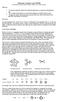 Molecular and VSEPR We gratefully acknowledge Portland ommunity ollege for the use of this experiment. Objectives To construct molecular models for covalently bonded atoms in molecules and polyatomic ions
Kinetic Molecular Theory of Matter
 Kinetic Molecular Theor of Matter Heat capacit of gases and metals Pressure of gas Average speed of electrons in semiconductors Electron noise in resistors Positive metal ion cores Free valence electrons
Fluid Mechanics: Static s Kinematics Dynamics Fluid
 Fluid Mechanics: Fluid mechanics may be defined as that branch of engineering science that deals with the behavior of fluid under the condition of rest and motion Fluid mechanics may be divided into three
ENERGY CONSERVATION The First Law of Thermodynamics and the Work/Kinetic-Energy Theorem
 PH-211 A. La Rosa ENERGY CONSERVATION The irst Law of Thermodynamics and the Work/Kinetic-Energy Theorem ENERGY TRANSER of ENERGY Heat-transfer Q Macroscopic external Work W done on a system ENERGY CONSERVATION
Chapter 4: Structure and Properties of Ionic and Covalent Compounds
 Chapter 4: Structure and Properties of Ionic and Covalent Compounds 4.1 Chemical Bonding o Chemical Bond - the force of attraction between any two atoms in a compound. o Interactions involving valence
Kinetic Theory of Gases. Chapter 33. Kinetic Theory of Gases
 Kinetic Theory of Gases Kinetic Theory of Gases Chapter 33 Kinetic theory of gases envisions gases as a collection of atoms or molecules. Atoms or molecules are considered as particles. This is based on
PARTICLE SIMULATION ON MULTIPLE DUST LAYERS OF COULOMB CLOUD IN CATHODE SHEATH EDGE
 PARTICLE SIMULATION ON MULTIPLE DUST LAYERS OF COULOMB CLOUD IN CATHODE SHEATH EDGE K. ASANO, S. NUNOMURA, T. MISAWA, N. OHNO and S. TAKAMURA Department of Energy Engineering and Science, Graduate School
Type of Chemical Bonds
 Type of Chemical Bonds Covalent bond Polar Covalent bond Ionic bond Hydrogen bond Metallic bond Van der Waals bonds. Covalent Bonds Covalent bond: bond in which one or more pairs of electrons are shared
CS257 Introduction to Nanocomputing
 CS257 Introduction to Nanocomputing Overview of Crossbar-Based Computing John E Savage Overview Intro to NW growth methods Chemical vapor deposition and fluidic assembly Nano imprinting Nano stamping Four
THE KINETIC THEORY OF GASES
 Chapter 19: THE KINETIC THEORY OF GASES 1. Evidence that a gas consists mostly of empty space is the fact that: A. the density of a gas becomes much greater when it is liquefied B. gases exert pressure
7. DYNAMIC LIGHT SCATTERING 7.1 First order temporal autocorrelation function.
 7. DYNAMIC LIGHT SCATTERING 7. First order temporal autocorrelation function. Dynamic light scattering (DLS) studies the properties of inhomogeneous and dynamic media. A generic situation is illustrated
0.1 Phase Estimation Technique
 Phase Estimation In this lecture we will describe Kitaev s phase estimation algorithm, and use it to obtain an alternate derivation of a quantum factoring algorithm We will also use this technique to design
Alkanes. Chapter 1.1
 Alkanes Chapter 1.1 Organic Chemistry The study of carbon-containing compounds and their properties What s so special about carbon? Carbon has 4 bonding electrons. Thus, it can form 4 strong covalent bonds
Lecture 24 - Surface tension, viscous flow, thermodynamics
 Lecture 24 - Surface tension, viscous flow, thermodynamics Surface tension, surface energy The atoms at the surface of a solid or liquid are not happy. Their bonding is less ideal than the bonding of atoms
CHEM 101 Exam 4. Page 1
 CEM 101 Exam 4 Form 1 (White) November 30, 2001 Page 1 Section This exam consists of 8 pages. When the exam begins make sure you have one of each. Print your name at the top of each page now. Show your
NEW MEXICO Grade 6 MATHEMATICS STANDARDS
 PROCESS STANDARDS To help New Mexico students achieve the Content Standards enumerated below, teachers are encouraged to base instruction on the following Process Standards: Problem Solving Build new mathematical
SOLID MECHANICS TUTORIAL MECHANISMS KINEMATICS - VELOCITY AND ACCELERATION DIAGRAMS
 SOLID MECHANICS TUTORIAL MECHANISMS KINEMATICS - VELOCITY AND ACCELERATION DIAGRAMS This work covers elements of the syllabus for the Engineering Council exams C105 Mechanical and Structural Engineering
sqlite driver manual
 sqlite driver manual A libdbi driver using the SQLite embedded database engine Markus Hoenicka [email protected] sqlite driver manual: A libdbi driver using the SQLite embedded database engine