
Model 3430 (and Model 3430-M) Surface Moisture-Density Gauge
|
|
|
- Stella Ray
- 10 years ago
- Views:
Transcription
1 Manual of Operation and Instruction Model 3430 (and Model 3430-M) Surface Moisture-Density Gauge Troxler Electronic Laboratories, Inc Cornwallis Rd. P.O. Box Research Triangle Park, NC Phone: TROXLER Outside the USA: Fax:

2 The Troxler Model 3430 Surface Moisture-Density Gauge is protected by U.S. and Foreign Patents Copyright Troxler Electronic Laboratories, Inc. All Rights Reserved No part of this manual may be reproduced or transmitted in any form or by any means, electronic or mechanical, including photocopying, recording, or information storage and retrieval systems, for any purpose without the express written permission of Troxler Electronic Laboratories, Inc. Fantastic is a trademark of Dow Consumer Products, Inc. Federal Express is a registered trademark of the Federal Express Corporation. 409 is a trademark of the Clorox Company. Magnalube-G is a registered trademark of Carleton-Stuart Corporation. WD-40 is a registered trademark of the WD-40 Company. PN December 2006 Edition 8.1 ii

3 TROXLER SERVICE CENTERS Troxler Corporate Headquarters 3008 Cornwallis Road P.O. Box Research Triangle Park, NC Phone: TROXLER ( ) Outside the U.S.A.: Fax: Web: Technical Support Phone: TROXLER ( ) Midwestern Branch Office 1430 Brook Drive Downers Grove, IL Fax: Florida Service Center 2376 Forsyth Road Orlando, FL Fax: Western Regional Branch Office Sanders Drive, Suite 7 Rancho Cordova, CA Fax: Southwestern Branch Office 2016 East Randol Mill Road Suite 406 Arlington, TX Fax: Troxler European Subsidiary Troxler Electronics GmbH Gilchinger Strasse 33 D Alling nr. Munich, Germany Phone: Fax: [email protected] NOTE To locate an independent, Troxler-authorized service center near you, call TROXLER ( ). Model 3430 iii

4 CAUTIONS AND WARNINGS Units intended for use in countries that are members of the European Community are shipped with a CE-approved AC adapter, Troxler bin number Gauge cover is to be removed by trained service personnel only. There are no user-serviceable components inside. Note that components behind the cover can have voltage potentials in excess of 50 volts during normal operation of the gauge. Appendix A, Radiation Theory and Safety should be read carefully and understood before using the gauge. See page C-8, Alkaline Battery Use. The source rod should automatically retract to the SAFE position when the gauge is lifted by the handle. See page C-12, Tungsten Sliding Block. iv

5 EU DECLARATION OF CONFORMITY Application of Council EMC Directive 89/336/EEC and Low Voltage Directive 73/23/EEC Standards to which Conformity is Declared: EN EN Group 1, Class A EN An EMC Technical Report/Certificate has been issued in accordance with Part IV (Reg 50) of the UK Regulations (SI 1992 No. 2372) by a UK appointed Competent Body, namely, Interference Technology International Limited Shrivenham, Hundred Business Park Shrivenham, Swindon, Wiltshire SN6 8TZ Certificate Number C283TRO.1ABS Dated 16th January 1997 Troxler Document Number Manufacturer: Apparatus: Year of Declaration: Troxler Electronic Laboratories, Inc. PO Box Cornwallis Road Research Triangle Park, North Carolina USA Model 3430 Surface Moisture-Density Gauge 1997 (Original) 2006 (Corrected) Model 3430 v

6 HOW TO USE THIS MANUAL Congratulations on the purchase of the Troxler Model 3430 Surface Moisture-Density Gauge. The Model 3430 Manual of Operation and Instruction contains information on how the Model 3430 operates, and provides directions on the use of this gauge. Site selection, basic parameter setup, moisture and density determination, storage, and advanced operations are included, along with radiological information and system troubleshooting. GUIDE TO SYMBOLS AND FORMATTING Throughout this manual, symbols and special formatting are used to reveal the purpose of the text as follows: CAUTION NOTE KEY DISPLAY Indicates conditions or procedures that, if not followed correctly, may cause personal injury or equipment damage. Indicates important information that must be read to ensure proper operation. Diamonds indicate a list of things needed (such as equipment) or things to know. Check marks indicate the performance of an action. With lists of check marks, follow the instructions in the order of the check marks. Triangles indicate that more than one option is available. Carefully select the option that applies. Angle brackets and a different typestyle indicate a key or character (number or letter) to press on the control unit keypad. For example, Press STD means to press the key labeled STD. A different typestyle is also used to indicate text displayed on the control unit. vi

7 TABLE OF CONTENTS CHAPTER 1. INTRODUCTION TO THE MODEL 3430 Introduction Gauge Parts and Accessories Unpacking and Inspection Storage Site Selection CHAPTER 2. THEORY OF OPERATION Density Moisture CHAPTER 3. OPERATING THE GAUGE The Keypad Source Rod Positions Daily Inspection Turning the Gauge On Gauge Parameter Setup Taking the Standard Count Site Preparation/Gauge Positioning Taking a Measurement Soil Mode Taking a Measurement Asphalt Mode CHAPTER 4. ADVANCED GAUGE OPERATION Offsets Special Calibrations Thin Layer Measurements CHAPTER 5. SPECIAL FUNCTIONS Recall Offset Stat Test Drift Test Special Calibration Specific Gravity Voidless Density Set Units Calibration Constants Memory Reset Test Reading Language Model 3430 vii

8 TABLE OF CONTENTS (Continued) APPENDIX A. RADIOLOGICAL INFORMATION Radiation Theory...A-2 Radiation Safety...A-5 APPENDIX B. SPECIFICATIONS Measurement...B-2 Radiological...B-4 Electrical...B-5 Mechanical...B-6 APPENDIX C. TROUBLESHOOTING AND SERVICE Troubleshooting...C-2 Battery Charging...C-8 Mechanical Maintenance...C-10 Leak Testing...C-15 Replacement Parts...C-16 Returning the Gauge for Service...C-26 Troxler Service Centers...C-28 APPENDIX D. TRANSPORTATION AND SHIPPING U.S. Requirements...D-2 Canadian Shipping Requirements...D-4 APPENDIX E. STANDARD COUNT LOG APPENDIX F. UNIT CONVERSION Measurement Units... F-2 Radiological Units... F-2 INDEX WARRANTY viii

9 LIST OF FIGURES Figure Title Page 1-1 Model 3430 Gauge and Accessories Direct Transmission Geometry Backscatter Geometry Backscatter Surface Density Effects (Top Layer Effect Curves) Effect of Moisture on Depth of Measurement Model 3430 Keypad Source Rod Positions Standard Count Position Drill Rod Positioning Marking the Test Area Voids Illustration A-1 Diagram of an Atom... A-2 A-2 Variation of Radioactive Emission... A-4 A-3 Effect of Distance on Exposure... A-6 A-4 Model 3430 Gauge and Transport Case... A-8 C-1 Removing the Tungsten Sliding Block... C-13 C Gauge Assembly... C-17 C Gauge Base Mechanical Assembly... C-19 C Source Rod Handle Assembly... C-19 C Gauge Preamplifier Assembly... C-21 C Gauge Scaler Assembly... C-23 Model 3430 ix

10 LIST OF TABLES Table Title Page 3-1 Model 3430 Keypad Functions K Values for Thin Lift Overlays A-1 Radiation Profile for Model 3430 Gauge...A-9 A-2 Radiation Profile for Model 3430-M Gauge...A-10 x

11 ATTENTION GAUGE OWNER This gauge contains functions that require an ACCESS CODE. This code must be entered before these functions may be used. For more information on using the access code refer to the specific function in Chapter 5. The ACCESS CODE for this gauge is: 4678 This page should be removed if the access code is not to be distributed to other parties or users of this gauge. Model 3430 xi

12 xii NOTES

13 CHAPTER 1 INTRODUCTION TO THE MODEL 3430 INTRODUCTION This chapter provides a general introduction to the Model 3430 Surface Moisture-Density Gauge and its applications. Also included are a list of the gauge parts and accessories, instructions for unpacking and inspecting the system, and guidelines for site selections. CONTENTS Introduction Gauge Parts and Accessories Unpacking and Inspection Storage Site Selection Model

14 INTRODUCTION The Model 3430 Surface Moisture-Density Gauge can quickly and precisely determine the moisture and density of soils, soil bases, aggregate, concrete and asphaltic concrete without the use of core samples or other destructive methods. Using direct transmission or backscattered gamma radiation, the 3430 gauge determines the density of materials by counting the number of photons emitted by a cesium-137 source. Geiger-Mueller (G-M) detectors located in the gauge base detect the gamma radiation and a microprocessor converts the counts into a density reading. Using the principle of neutron thermalization, the Model 3430 determines the moisture content of soils and soil-like materials. Hydrogen (water) in the material slows neutrons emitted from an americium-241:beryllium source (or californium-252 in the Model 3430-M). Helium-3 detectors located in the gauge base detect the slowed neutrons. The nuclear method of testing density and moisture has been approved by the American Society of Testing and Materials (ASTM). The Model 3430 meets or exceeds all the requirements of ASTM Standards C1040, D2922, D2950, and D3017. Some information contained in this manual is used in training courses offered by Troxler Electronic Laboratories, Inc. and to assist purchasers in obtaining a Radioactive Materials License from the U.S. Nuclear Regulatory Commission or an Agreement State. Owners of this gauge must maintain a current radioactive materials license as long as they own the gauge, even if it is in storage and not actively being used. 1-2

15 Any licensing issues discussed in this manual are for the United States. To purchase a Model 3430 in Canada, owners must obtain a radioisotope license from the Canadian Nuclear Safety Commission (CNSC). The owner should obtain copies of the CNSC Regulations and the Transportation of Dangerous Goods Act and Regulations. This manual provides a guide to Canadian shipping requirements in Appendix D. Owners are encouraged to require study of this manual by users before allowing any use of the instrument. To monitor exposure to radiation, personnel should wear a dosimeter while operating or cleaning the gauge. The sections of the manual covering radiation safety should be required reading for all operators and potential operators. If these sections are not completely understood, users should seek assistance from Troxler, an appointed Troxler representative or others designated within the user organization. Additional radiation safety information is available by attending a Troxler Nuclear Gauge Training Course. INTRODUCTION As changes are made to local, state, and federal regulations on a continuing basis, the owner/user must maintain a knowledge of these regulations. The responsibility for compliance ultimately falls upon the owner. The owner may also wish to purchase and subscribe to Titles 10 and 49 of the Code of Federal Regulations in addition to applicable local/state regulations. NOTE This manual also contains radiological information for the Model 3430-M. The 3430 and 3430-M have the same functions and operational aspects but different neutron sources. Model

16 GAUGE PARTS AND ACCESSORIES Figure 1-1 shows the Model 3430 gauge and its accessories. Use this figure and the list below to identify the gauge and parts as they are unpacked. 1. The Gauge is a portable instrument containing all electronic modules, battery packs, detectors, and radioactive sources. 2. The Reference Standard Block provides a uniform reference material for gauge adjustment to compensate for source decay. 3. The Scraper Plate/Drill Rod Guide is used to prepare the test site and aid in guiding the drill rod into the soil. 4. The Drill Rod is used to prepare a hole for a direct transmission reading. Do Not Use the Source Rod For This Purpose! 5. Two Chargers/Adapters are supplied: one for DC (12 VDC) and one for AC (115/230 VAC 50/60 Hz.) 6. The Transport Case is a container designed for transportation of the gauge and associated parts. 7. The Extraction Tool provides a means of removing the drill rod from the test material after use. 1-4

17 INTRODUCTION Figure 1-1. Model 3430 Gauge and Accessories Model

18 UNPACKING AND INSPECTION Upon receipt of the gauge from the factory, a complete inspection and inventory should be performed. If the shipping case, any other part of the container, or the gauge appears to be damaged, notify the carrier and your Troxler Representative immediately. For shipping to another location or back to the factory, save the box and any packing material. For shipping instructions and regulations, please see Appendix D. Check to see if the following literature and components have been included: Manual of Operation and Instruction Gauge Warranty Source Certificate 3430 Gauge Scraper Plate Drill Rod AC Battery Charger DC Charger/Adapter One handle lock with keys Lift the gauge from the case. Inspect the gauge for damage. Check the lock on the handle. Ensure the keys fit the lock. 1-6

19 STORAGE SITE SELECTION When deciding where to store the gauge, take into consideration the rules governing the storage of low-level radioactive devices that are set forth by your regulatory agency and the conditions of your gauge license. Ë The handle should be locked and the gauge stored in its transport case. INTRODUCTION Ë It is recommended that the gauge and transport case be stored at least 15 ft (5 m) from work areas, preferably in a locked closet/storage area in a dry location (indoors). Ë The storage area should be marked with a radiation sign that reads CAUTION RADIOACTIVE MATERIALS (can be obtained from Troxler). Ë The storage of a nuclear gauge in a motor vehicle is not recommended. Model

20 1-8 NOTES

21 CHAPTER 2 THEORY OF OPERATION This chapter contains a brief description of the theory of operation of the Model 3430 Surface Moisture-Density Gauge. The direct transmission and backscatter modes of operation are illustrated along with a brief explanation of the cesium-137 source, americium- 241:beryllium or californium-252 source, and detector geometry. CONTENTS Density OPERATION THEORY Moisture Model
22 DENSITY The Troxler Model 3430 gauge utilizes two modes of operation: direct transmission mode (source rod extended into the material) and backscatter mode. Figures 2-1 and 2-2 illustrate the two modes of operation. In direct transmission mode (Figure 2-1), the rod containing the cesium-137 (8 mci/0.3 GBq) source is lowered to the desired depth. The detectors (G-M tubes) in the gauge base measure the radiation emitted by the source rod. Gamma photons reaching the detectors must first pass through the material, colliding with electrons present in the material. In general, the lower the number of photons that reach the detectors, the higher the material density. In backscatter mode (Figure 2-2), the gamma photons that enter the material must be scattered (or reflected) at least once to reach the detectors in the gauge. With the rod locked in the first notch below the SAFE position, the source and detectors are in the same plane, referred to as the backscatter position. Photons emitted from the source penetrate the material, and the detectors measure the scattered photons. Shielding between the source and detectors greatly reduces the number of photons reaching the detectors in a direct path with the source. While the direct transmission geometry measures the average density of the material from the source to the surface, the backscatter geometry yields an average heavily weighted by the density close to the surface. Figure 2-3 shows two normalized top layer effect curves, illustrating the percentages of photons at the detectors for various depths. The two curves can be used to compute the gauge response to layered material of different densities. For example, the density of the top inch of a surface layer accounts for approximately 52% of the backscatter density measurement. 2-2
23 Figure 2-1. Direct Transmission Geometry OPERATION THEORY Figure 2-2. Backscatter Geometry Model
24 2-4 Figure 2-3. Backscatter Surface Density Effects (Top Layer Effect Curves)
25 MOISTURE The Model 3430 gauge uses a 40 mci (1.48 GBq) americium- 241:beryllium neutron source to measure the hydrogen content (consequently the water content) of the material. The 3430-M gauge employs a 60 µci (2.22 MBq) californium-252 source. Neutrons emitted by the Am-241:Be (or Cf-252) source penetrate the material and are thermalized (or slowed). Thermalization is the process where neutrons are slowed to the point where further collisions with hydrogen or other materials will not continue to slow the neutron. The 3430 gauge contains a helium-3 neutron detector that is sensitive to thermalized neutrons. This detector is insensitive to non-thermalized, or fast neutrons and, as a result, the counts obtained are directly proportional to the amount of hydrogen/moisture present in the material. The depth of measurement, or depth at which 98% of the counted neutrons pass before reaching the detector, is a function of moisture content: OPERATION THEORY Depth (inches) = 11 (0.17 M), where: M = moisture in pcf Depth (mm) = (0.27 M), where: M = moisture in kg/m 3 Therefore, the higher the moisture content in the material being measured, the smaller the depth of measurement. The normalized curve set shown in Figure 2-4 illustrates the effect of moisture content on the depth of measurement. or Model
26 2-6 Figure 2-4. Effect of Moisture on Depth of Measurement
27 CHAPTER 3 OPERATING THE GAUGE This chapter explains the basic operation of the Model 3430 Surface Moisture-Density Gauge. Instructions for conducting a daily gauge inspection, setting gauge parameters, taking the daily standard count, preparing the site, positioning the gauge, and taking moisture and density measurements are included. CONTENTS The Keypad Source Rod Positions Daily Inspection Turning the Gauge On Gauge Parameter Setup Setting Measurement Units Setting the Count Time Setting the Depth Selecting the Mode (Marshall/Proctor) GAUGE OPERATION Taking the Standard Count Site Preparation/Gauge Positioning Soil and Base Course Preparation Asphalt Surface Preparation Taking a Measurement Soil Mode Taking a Measurement Asphalt Mode Model
28 THE KEYPAD Figure 3-1. Model 3430 Keypad The keypad (Figure 3-1) of the Model 3430 Surface Moisture- Density Gauge consists of ten keys an eight-function keypad and the ON/YES and OFF/NO keys. The gauge is equipped with a beeper to verify keystrokes. If a beep is not heard when a key is pressed, the keystroke was not recognized and should be repeated. The ON/YES and OFF/NO keys are used for responses to specific questions displayed on the screen and to turn the gauge on and off. The up and down arrows allow the operator to scroll through various function lists displayed by the gauge. Table 3-1 provides a more detailed description of the individual keys and the location in the manual where the functions are described. 3-2
29 Table 3-1. Model 3430 Keypad Functions KEYS DESCRIPTION PAGE ON YES OFF NO MA PR TIME Turns on the gauge and answers Yes to prompts. Turns gauge off and answers No to prompts Scrolls the display up. Scrolls the display down. Allows entering or enabling of a Proctor or Marshall value. Allows the operator to change the count time STD Use to access the Standard Count mode DEPTH Allows entry of the source rod depth. 3-8 SPECIAL START ENTER Provides access to the Special functions. Starts a measurement or completes answer entry. 3-7, 4-3, 4-4, 4-7, 5-1 GAUGE OPERATION Model
30 SOURCE ROD POSITIONS Figure 3-2 shows the available positions of the source rod. NOTE The source rod should always be in the SAFE position when the gauge is not in use. Figure 3-2. Source Rod Positions 3-4
31 DAILY INSPECTION The gauge should be inspected daily before use to ensure proper operation of all safety features as follows: Push the source rod down into the backscatter position, and then raise it back to the SAFE (shielded) position. The source rod opening in the bottom of the gauge is equipped with a springloaded tungsten sliding block that shuts when the source rod is in the SAFE position. Turn the gauge over and verify that the sliding block is completely shut. If any portion of the opening is uncovered, the sliding block should be cleaned before using, transporting, or storing the gauge. Refer to the Mechanical Maintenance section of Appendix C for instructions on cleaning the tungsten sliding block. CAUTION Do not store or transport the gauge unless the sliding block is completely closed. Increased radiation levels may violate transportation regulations and cause excessive personnel radiation exposure. If a radiation survey instrument is available, verify that the radioactive gamma source is in place by measuring the exposure rate at the surface of the gauge. The exposure rate should be approximately mrem per hour. A reading of about 1 mrem or less indicates either that the survey instrument is not working properly or that the cesium-137 source may be missing. Refer to the Troubleshooting section of Appendix C for further instructions. GAUGE OPERATION GE OPERATION Model
32 TURNING THE GAUGE ON The gauge uses rechargeable NiCad batteries (included) as a power source. When first turned on, the control panel displays test characters before proceeding to the self-test. NOTE If the gauge turns off immediately after it is turned on, the battery charge may be low or the gauge may be wet inside. Refer to the information in Appendix C on battery charging and gasket replacement. To turn the gauge on, press ON/YES. The gauge performs a test of its liquid crystal display (LCD): Testing LCD ABCDEFG After the 300-second self-test, the gauge will enter the Ready mode. In this state any of the gauge functions may be accessed. The Ready mode display is: READY xx min Depth: xx inches The first line of the display indicates the current count time. The second line of the display indicates the source rod depth that has been selected. NOTE The gauge will automatically turn off after five hours if no keys are pressed. 3-6
33 GAUGE PARAMETER SETUP After unpacking the gauge and turning it on, there are several parameters that can be initialized. These parameters do not usually require changing and include the measurement units and count time. SETTING MEASUREMENT UNITS The 3430 gauge allows measurement results to be displayed in either metric or US units. To set the measurement units, first access the Special function menu by pressing SPECIAL. RECALL ( or ENTER) Press the down arrow seven times to display: SET UNITS ( or ENTER) To select Set Units, press START/ENTER. Units: PCF ( or ENTER) GAUGE OPERATION Use the up and down arrows to scroll through the available units. When the desired units are displayed, press START/ENTER. Model
34 SETTING THE COUNT TIME The count time defines how long the gauge reads. Longer count times produce better measurement precision. Troxler recommends a count time of one minute for most sample measurements. To change the count time, press TIME to display: Time: xx min. ( or ENTER) Use the up and down arrows to scroll through the available count times. When the desired count time is displayed, press START/ENTER. SETTING THE DEPTH To change the depth of measurement, press DEPTH. Depth: xx in. ( or ENTER) Use the up and down arrows to scroll through the available measurement depths. When the desired depth is displayed, press START/ENTER. SELECTING THE MODE (MARSHALL/PROCTOR) The 3430 gauge may be used on construction materials (soils, asphalt, concrete, and so on). To select the Soil mode, enter or activate a Proctor value. To select the Asphalt mode, enter or activate a Marshall value. Only one Marshall and one Proctor can be stored in the gauge at one time. 3-8
35 NOTE To measure concrete, use either the Asphalt or Soil mode. For moisture results select the Soil mode. For density measurement only, use the Asphalt mode. To enter or activate a Marshall or Proctor value, press MA/PR. The display will be one of the following: MA: ( ) Change MA value? PR: ( ) Change PR value? To switch from a Marshall value to a Proctor value, or vice versa, use the arrow keys. To activate the displayed value, press OFF/NO. To change the displayed value, press ON/YES. The first digit of the value will flash. Use the arrow keys to scroll through the possible entries (0 9 and.). When the correct value for the current digit is displayed, press START/ENTER. The gauge will proceed to the next digit to the right. When the value entry is complete, the gauge activates the value and returns to the Ready mode. GAUGE OPERATION Model
36 TAKING THE STANDARD COUNT The 3430 gauge uses a cesium-137 and an americium-241:beryllium source for taking measurements. These radioactive sources undergo a natural decay process, resulting in a gradual loss in the intensity of their radiation. The time required for the source strength to diminish by 50% is referred to as the half-life. To compensate for the source decay and to check proper operation of the gauge, a daily reference standard count should be performed. To ensure the highest accuracy possible with the gauge, it is important to take a daily standard count. The gauge is equipped with a reference standard block for taking the standard count. Place the reference standard block on a dry, flat surface at least three meters (10 ft) from any large vertical surface and at least ten meters (33 ft) from any other radioactive source. The surface should be asphalt, concrete or soil at least ten centimeters (4 in) thick and with a density of at least 100 pcf. The right side of the gauge, farthest from the handle, should be against the metal butt plate (Figure 3-3). To begin the standard count procedure, press STD. DS=xxxx MS=xxxx New Std Cnt? To take a new standard count, press ON/YES. Press START for Standard Count Ensure that the gauge is positioned as shown in Figure 3-3. To initiate the standard count, press START/ENTER. After the count is complete, the display will be: Standard Count: DS=xxxx MS=xxxx 3-10
37 Figure 3-3. Standard Count Position Troxler recommends that the operator keep a daily log of the moisture and density standard counts (see Appendix E). To verify gauge stability, compare the daily standard count to a reliable reference as follows: During the first four days of operation of a new or recalibrated gauge, compare the daily standard count to the factory calibrated values. After the first four days of operation (or after taking four standard counts), compare the daily standard count to the average of the last four counts. Acceptable standard count limits are: ±1% each day for DS (density standard) and ±2% each day for MS (moisture standard). GAUGE OPERATION After recording the standard counts, return to the Ready mode by pressing ON/YES. Model
38 SITE PREPARATION/GAUGE POSITIONING Preparation of the test site surface is critical to gauge performance. This section provides site preparation procedures for both soils and base courses and asphalt surfaces. To ensure the most accurate gauge readings, the appropriate preparation procedure should be followed. SOIL AND BASE COURSE PREPARATION Since soil surface conditions are critical to accurate measurements, locate a level site free from any large holes, cracks, or debris. Smooth the surface by moving the scraper plate in a back and forth motion. Filler such as fine sand may be used to decrease the surface voids. NOTE Use only enough filler to fill the voids. Too much filler will cause an error in the measurement. For direct transmission measurements, put the drill rod through the extraction tool and then through one of the guides on the plate (see Figure 3-4) Figure 3-4. Drill Rod Positioning
39 Wearing a radiation badge and safety glasses (or other locally approved safety devices), step on the plate and hammer the drill rod at least 50 millimeters (2 in) deeper than the desired test depth. The drill rod increments include the additional depth. Remove the drill rod by pulling straight up and twisting the extraction tool. Do not loosen the drill rod by tapping from side to side with a hammer. This will distort the hole or cause loose material to fall into the hole. To ensure accurate placement of the gauge, before removing the scraper plate mark the test area using the drill rod as shown in Figure 3-5. Carefully pick up the scraper plate and place the gauge on the surface prepared by the plate. Insert the source rod into the hole made by the drill rod. Use care when inserting the source rod, trying not to disturb the soil around the hole. Lower the source rod into the hole. Release the trigger and lock the source rod into the correct position. A click should be heard when the source rod is locked into position. Gently slide the gauge toward the keypad so the source rod makes contact with the wall of the hole. MARK FOR SCRAPER PLATE CENTER EDGE MARKS GAUGE OPERATION GE OPERATION SCRAPER PLATE MARK FOR DRILL ROD CENTER SCRAPER PLATE METHOD 1 METHOD 2 Figure 3-5. Marking the Test Area Model
40 ASPHALT SURFACE PREPARATION It is possible, but usually not necessary, to take direct transmission readings on asphalt. Drilling a hole in asphalt can be difficult, and may require the use of a drill (rather than the drill rod) if the asphalt has cooled and hardened. Under normal conditions, a backscatter reading provides an accurate measurement of asphalt density. Find a smooth, level location on the asphalt. The operator may want to fill the voids on open mixes with sand or cement. Take care to leave the asphalt exposed. The gauge base must rest on the asphalt, not the fill material! Ensure that the gauge does not rock. It must remain steady. If rocking occurs, find a more suitable test site. If taking a measurement around a core, the gauge may be moved a few inches away from the hole to level the gauge. 3-14
41 TAKING A MEASUREMENT SOIL MODE The Soil mode is automatically selected when a Proctor value is enabled (see page 3-8). NOTE When not taking measurements, always keep the source rod in the SAFE position. For added operator safety, the source rod on the 3430 gauge automatically retracts to the SAFE position when the gauge is lifted by the handle. If you do not hear a click when the source rod is raised to the SAFE position, look at the bottom of the gauge to verify that the tungsten sliding block is completely closed. If the gauge base opening is not completely closed by the sliding block, the sliding block may require cleaning. Refer to Appendix C for cleaning instructions. CAUTION Do not store or transport the gauge unless the tungsten sliding block is completely closed. Increased radiation levels may violate transportation regulations and cause excessive personnel exposure. Place the gauge over the test site. Release the gauge handle and push it down until it is in the correct position. Ensure that the pin engages the notch in the index rod. Press START/ENTER. GAUGE OPERATION GE OPERATION Depth: xx in. Time: xxx sec. After the count time has elapsed, the gauge displays the measurement results in a series of six screens, as follows. Use the up and down arrows to scroll through the various screens. Model
42 WD: xxxxx PCF (Use & keys) DD: xxxxx PCF %PR: xx.x % Moist: xxxxx PCF % Moist: xx.x % Air Void: Void Ratio xx.x% MOIST CR: xx.x DENS CR: xx.x M Count: xxxxx D Count: xxxxx where: WD = Wet density in kg/m 3 or pcf DD = Dry density in kg/m 3 or pcf %PR = Percent Proctor (This value is valid only if an appropriate target has been entered for the material being tested.) MOIST = Moisture value in kg/m 3 or pcf % MOIST = Percent moisture Air Void = See description below Void Ratio = See description below MOIST CR = Moisture count ratio DENS. CR = Density count ratio M Count = Moisture counts as read by the gauge D Count = Density counts as read by the gauge 3-16
43 Figure 3-6 illustrates the terms void ratio and % air voids. The void ratio is the ratio of the volume occupied by air and water in the soil to the volume occupied by solid particles. The term % air voids refers to the volume of air voids only as a percentage of the total volume. The following formulas are used to calculate the % air voids and void ratio values. % AIR VOIDS = 100 (1 (Vs/Vt) (Vw/Vt)) where: Vs = Volume of Soil Vt = Total Volume Vw = Volume of Water or, % AIR VOIDS = 100 (1 (DD / SG(Dw)) (M / (Dw))) where: Dw = Density of Water SG = Specific Gravity of Soil Particles DD = Dry Density M = Moisture VOID RATIO = Volume of Voids / Volume of Soil = ( SG(Dw) DD ) / DD GAUGE OPERATION Figure 3-6. Voids Illustration Model
44 TAKING A MEASUREMENT ASPHALT MODE The Asphalt mode is automatically selected when a Marshall value is enabled (see page 3-8). NOTE When not taking measurements, always keep the source rod in the SAFE position. For added operator safety, the source rod on the 3430 gauge automatically retracts to the SAFE position when the gauge is picked up by the handle. If you do not hear a click when the source rod is raised to the SAFE position, look at the bottom of the gauge to verify that the tungsten sliding block is completely closed. If the gauge base opening is not completely closed by the sliding block, the sliding block may require cleaning. Refer to Appendix C for cleaning instructions. CAUTION Do not store or transport the gauge unless the tungsten sliding block is completely closed. Increased radiation levels may violate transportation regulations, and may cause personnel exposure. Place the gauge over the test site. Release the gauge handle and push it into the backscatter position. Set the depth to Backscatter. Ensure that the pin engages the notch in the index rod. Gently tap the handle down to ensure proper source rod seating. Press START/ENTER. Depth: BACKSCAT. Time: xxx sec. After the count time has elapsed, the gauge displays the measurement results in a series of six screens, as follows. Use the up and down arrows to scroll through the various screens. 3-18
45 WD: xxxxx PCF % MA xx.x % DD: xxxxx PCF (Use & keys) Moist: xxxxx PCF % Moist: xx.x % % VOIDS xx.x % 100 % MA xx.x % MOIST CR: xx.x DENS CR: xx.x where: M Count: xxxxx D Count: xxxxx WD = Wet density in kg/m 3 or pcf % MA = Percent Marshall (This value is valid only if an appropriate target has been entered for the material being tested.) DD = Dry density in kg/m 3 or pcf MOIST = Moisture value in kg/m 3 or pcf % MOIST = Percent moisture % VOIDS = 100 (1 WD/VOIDLESS) 100 % MA = Value given by subtracting the percent Marshall value from 100 MOIST CR = Moisture count ratio DENS. CR = Density count ratio M Count = Moisture counts as read by the gauge D Count = Density counts as read by the gauge GAUGE OPERATION Model
46 3-20 NOTES
47 CHAPTER 4 ADVANCED GAUGE OPERATION This chapter provides instructions for using the Model 3430 Surface Moisture-Density Gauge in special circumstances where the gauge may require an offset or special calibration. This chapter also explains the procedure for using the gauge to measure thin layers of asphalt. CONTENTS Offsets Density Offset Moisture Offset Trench Offsets Special Calibrations Entering a New B Value Gauge-calculated Calibration Thin Layer Measurements ADVANCED OPERATION Model
48 OFFSETS The Model 3430 is factory-calibrated for soils, asphalt, and concrete with an approximate density range of 1100 to 2700 kg/m 3 (70 to 170 pcf). With an offset, the operator can adjust the gauge readings to correlate to traditional laboratory methods, such as core samples. The 3430 gauge provides three offsets: density, moisture, and trench. NOTE When an offset has been enabled, all future readings will automatically be adjusted with the offset factor regardless of the test site. It is very important that the operator disable the offset function prior to taking readings on materials that do not require an offset. Offsets are disabled if the gauge is turned off for more than 10 seconds. Density offsets are common when the material being measured is outside the range of 70 to 170 pcf (1121 to 2723 kg/m 3 ) or if the material composition varies from average soil/asphalt on which the factory calibration is based. Moisture offsets are required for accurate measurements if the material to be measured contains elements that can cause the gauge to yield erroneous results. A negative offset is required if the material to be measured is high in hydrogenous components such as cement, gypsum, coal, or lime. A positive offset is required if the material is high in neutron-absorbing material such as boron or cadmium. The 3430 gauge requires an offset if measurements are to be taken inside a trench or close to vertical structures. Vertical structures can scatter neutrons and gamma photons back to the gauge, increasing the possibility of moisture or density errors due to high counts. 4-2
49 DENSITY OFFSET To access the Special functions, press SPECIAL. Press the down arrow key once to access the Offset function. Press START/ENTER to display: Offset: Density ( or ENTER) Press START/ENTER. Dens. Offset OFF Want to Enable? To enable the Density Offset function, press ON/YES. D off= 0.0 PCF ( or ENTER) Input the difference between the gauge and actual density readings. To input a minus sign (for a negative offset), press the down arrow first. To scroll through the numerals, press up and down arrows. To select the next digit and/or exit, press START/ENTER. The display will be: Dens. Offset ON ADVANCED OPERATION Model
50 MOISTURE OFFSET Some soils contain hydrogen sources other than water and/or neutron absorbers. Since the 3430 gauge measures moisture by determining the hydrogen content of the material and relating this to the water content, both types of material could cause gauge readings that differ from the true moisture. If measuring such materials, use a moisture offset to adjust the readings. The offset factor (k) is determined by comparing the moisture content of a laboratory sample with the moisture content determined by a gauge reading. To determine the offset factor, use the following procedure: Take a gauge reading at the site. Record the reading (%M GAUGE ). Remove a sample from the measurement site, then use laboratory methods methods (for example, oven dry, and so on) to determine the moisture content of the sample (%M LAB ). Multiple samples and measurements may be taken. Calculate the average moisture of the samples. This average value should be used for the offset factor calculation. Calculate the offset factor (k). k = %M LAB %M GAUGE %M GAUGE 1000 NOTE If the k value is negative, a minus sign ( ) must be entered by pressing the down arrow before entering the first digit. To access the Special functions, press SPECIAL. 4-4
51 Press the down arrow key once to access the Offset function. Press START/ENTER to display: Offset: Density ( or ENTER) To enter a moisture offset, press the down arrow once and press START/ENTER. Moist Offset OFF Want to enable? To enable the Moisture Offset function, press ON/YES. K= 0.0 ( or ENTER) The first digit will flash. To input a minus ( ) sign (for a negative offset), press the down arrow first! To scroll through the possible values for each digit, press the arrow key. To select the next digit, press START/ENTER. When all digits are entered, the gauge will enable the offset. The display will be: Moist Offset ON ADVANCED OPERATION Model
52 TRENCH OFFSETS If the Model 3430 gauge is to be used for moisture or density measurements in a trench or within two feet (0.6 m) of a large vertical structure, a trench offset may be required. If used, the trench offset adjusts all moisture measurements but only the density measurements from backscatter through four inches (10 cm). To perform a trench offset: Take the daily standard count (outside the trench) and record the density count (DS) and moisture count (MS)values. Place the gauge on the reference standard block in the trench the same distance from the wall as the anticipated readings. Do not take another standard count. Set the count time to four minutes. With the source rod in the SAFE (standard count) position, take a four-minute count. To start the count, press the START/ENTER key. Record the trench density count (DC Trench ) and moisture count (MC Trench.). Subtract the daily standard count values from the trench count values: Dens Const = (DC Trench ) DS Moist Const = (MC Trench ) MS To enable a trench offset, choose Trench from the Offset options under the Special functions. The gauge requests the Dens Const and Moist Const values determined above. The procedure for entering the values is the same as for moisture and density offsets, ignoring the ± sign on the display. 4-6
53 SPECIAL CALIBRATIONS Troxler gauges are calibrated to average soil. Average soil is defined as material consisting of 50% limestone (calcareous) and 50% granite (siliceous). This factory calibration provides accurate results for the majority of materials encountered in the field. However, there are situations when varying material compositions could affect the gauge accuracy. In these special cases the gauge B value can be recalculated either by the gauge or by considering the mass attenuation (µ/ρ) of the material. If the chemical composition of the soil is known, Troxler can provide a procedure for recalculating the B value for manual entry (see page 4-8) to accurately measure the soil density. This calculation requires in-depth knowledge of the gauge geometry and the detected energy spectrum of the Cs-137 source. The Special Calibration function allows the Model 3430 gauge to be recalibrated for material densities and compositions other than those covered by the factory calibration. The true density of a sample of the material must be obtained prior to calculating a special calibration. This density may be obtained from a laboratory sample. To access the Special functions, press SPECIAL. To access the Special Calibration function, press the down arrow four times. Press START/ENTER to display: SPECIAL CALIB. Want to Recalib? ADVANCED OPERATION Model
54 To recalibrate the gauge for the densities outside the factory calibration range, press ON/YES. To disable the Special Calibration feature, press OFF/NO at the above display and ON/YES at the disable inquiry. After disabling this feature, the gauge will return to the Ready mode. SPECIAL CALIB. Enter B Value? To enter a known B value obtained with the procedure available from Troxler, press ON/YES. To have the gauge calculate the recalibration, press OFF/NO. If entering a new known B value, see the following explanation. For gauge-calculated special calibration, see page 4-9. ENTERING A NEW B VALUE Depth = xx in ( or ENTER) To change the value of the flashing digit for the measurement depth, use the up and down arrows. To accept the flashing value and select the next digit, press START/ENTER. B VAL = x.xxxx ( or ENTER) The gauge displays the current B value. To change the value of the flashing digit, use the up and down arrows. To accept the flashing digit and select the next digit, press START/ENTER. 4-8
55 Upon entry completion, the gauge will indicate that the special calibration is enabled and return to the Ready mode. Note that when the gauge is turned off the Special Calibration is disabled. SPECIAL CALIB. ENABLED! GAUGE-CALCULATED CALIBRATION The true density of the sample and a gauge reading must be performed on the material for the special calibration routine to adjust the gauge calibration. NOTE When using destructive methods such as drilling cores or sample removal for true density measurement, take gauge readings before removing samples. To select the depth and/or exit, press START/ENTER. Depth: xx in. ( or ENTER) To scroll through the numerals for the depth of the measurement, press the up and down keys. To select the next field and/or exit, press START/ENTER. If calibration counts have not been taken, the gauge will take four one-minute counts. The gauge provides the operator with a partial calibration feature. Since a partial calibration allows the operator to enter the density after taking counts, it is helpful to those performing destructive material testing. If the operator has previously taken calibration counts, the gauge asks if these counts should be used in calibrating the gauge. To use the previous counts, press ON/YES. The gauge will then request the density. To take new counts, press OFF/NO. ADVANCED OPERATION Model
56 Press START for Reading # x Place the gauge on the test material. To begin taking the four oneminute counts, press START/ENTER. After each count is complete, the operator must initiate the next count by pressing START/ENTER. Enter known density now? To create a partial calibration and return to the Ready mode, press OFF/NO. To complete the special calibration by entering the density, press ON/YES. Density: xx ( or ENTER) To change the value of a digit, press the up and down arrows. To select the next digit, press START/ENTER. After the density value is entered, the special calibration routine readjusts the gauge for the new material and indicates that the special calibration is enabled. The special calibration is only valid for the depth selected during the special calibration. SPECIAL CALIB. ENABLED! 4-10
57 THIN LAYER MEASUREMENTS With the increase in thin lift overlay applications and the limitations of conventional backscatter gauges to measure these overlays the following method (formula) has been developed: DT = WD DB K 1 K where: DT = Overlay density WD = Density read by gauge DB = Bottom layer density K = Effect of top layer thickness on the gauge To use the above method of overlay measurement, follow the procedure below: Determine the density of the bottom layer (underlying material) (DB). Apply the thin lift overlay. Determine the thickness of the overlay and select the corresponding (k) value from Table 4-1. Measure the thin lift overlay density with the gauge in backscatter position (WD). Enter all values into the above equation and calculate the overlay density (DT). ADVANCED OPERATION Model
58 EXAMPLE Given the following values: Bottom Density (DB) = 135 pcf (2162 kg/m 3 ) Overlay Thickness = 1.2 inches (30 mm) K (from Table 4-1) = Density read by gauge (WD) = pcf (2275 kg/m 3 ) DT = ( ) DT = pcf or, DT = 2275 ( ) DT = 2345 kg/m 3 NOTE The majority of the backscattered gamma rays reaching the detectors are the result of interactions in the top 3.3 inches (84 mm) of the overlay. In applications where the overlay thickness is greater than 3.3 inches (84 mm), use (0) for the k value or use the actual gauge readings (WD). 4-12
59 Table 4-1. K Values for Thin Lift Overlays Thickness (inches) Thickness (mm) K Thickness (inches) Thickness (mm) K ADVANCED OPERATION Model
60 4-14 NOTES
61 CHAPTER 5 SPECIAL FUNCTIONS This chapter gives brief explanations of the Special functions available on the Model 3430 Surface Moisture-Density Gauge, or directs the reader to the appropriate section dealing with a particular function. SPECIAL FUNCTIONS CONTENTS Recall Offset Stat Test Drift Test Special Calibration Specific Gravity Voidless Density Set Units Calibration Constants Memory Reset Test Reading Language second Inhibit Model
62 RECALL The Recall function allows the operator to view the data from the last reading. Even though the 3430 gauge does not store multiple readings, this function displays the latest data. To access the Special functions, press SPECIAL. To access the Recall feature, press START/ENTER. The gauge displays the data from the last measurement. Scroll through the screens using the up and down arrow keys. OFFSET For information on offsetting gauge readings, refer to Chapter 4. STAT TEST The statistical stability test, or stat test, may be performed to validate the normal operation of the gauge. Erratic readings or readings that seem to fluctuate may indicate a problem with the gauge. In the event the readings are suspect, a stat test may be executed. A stat test consists of twenty 1-minute counts. After the twenty counts, the gauge calculates the standard deviation. This standard deviation is compared to a theoretical standard deviation value. Ideally this ratio should be one. However, the 3430 gauge pre-scales (or divides) the counts by 16, resulting in an ideal ratio of The acceptable limits for the ratio are from 0.17 to The gauge is considered to be unstable if the ratio is outside these limits. 5-2
63 To perform a stat test on the 3430 gauge, place the gauge on the reference standard block in the standard count position (see Chapter 3). To access the Special functions, press SPECIAL. To access the Stat Test feature, press the down arrow twice and press START/ENTER. press START for 20 min Stat Test SPECIAL FUNCTIONS To begin the twenty counts, press START/ENTER. The gauge will display the stat test count progress as shown below. STAT TEST Rdg.#:xx xx sec Upon completion of the stat test, the gauge displays the pass/fail status. If the stat test fails, repeat the test twice more. If two out of three stat tests fail, contact Troxler. If the stat test passes, the display is: D: PASS M: PASS to view data To view the stat test data, use the up and down arrow keys. Dens. R = xxxx to view data Dens. Avg. xxxx to view data Model
64 Moist R = xxxx to view data Moist Avg. xxxx to view data #20 D xxxx M xxxx (Use & keys) 5-4
65 DRIFT TEST If the stat test has already been performed (and passed), but gauge readings seem to drift between tests, the drift test can check the long-term drift of the 3430 gauge. A drift test consists of five 4-minute counts taken approximately 3 to 8 hours after completion of a stat test with no movement of the gauge between tests. Pass/fail limits are set using the percent difference between the average of the stat and drift test results. If the percent difference exceeds 0.5% for density or 1% for moisture, the drift test fails. SPECIAL FUNCTIONS NOTE The gauge should not be turned off between the stat test and drift test. The stat test must be current. In addition, the gauge must not be moved between the stat and drift tests to eliminate possible failure due to positioning changes. With the gauge still in the standard count position (on the reference standard block), press SPECIAL. From the Special functions, select the Drift Test feature by pressing the down arrow three times and START/ENTER. press START for 20 min Drift Test To begin the five counts, press START/ENTER. DRIFT TEST Rdg.#:xx xxx sec As with the stat test, the gauge indicates the count progress during the drift test. Model
66 After the five counts have been completed, the display is: D: PASS M: PASS to view data To view the stat test data, use the up and down arrow keys. D% Drift xxxx to view data Dens. Avg. xxxx to view data M% Drift xxxx to view data #5 D xxxx M xxxx (Use and keys) 5-6
67 SPECIAL CALIBRATION For information on performing a special calibration, see Chapter 4. SPECIFIC GRAVITY The specific gravity of a solid is defined as the density of the material divided by the density of water. The Specific Gravity function allows the operator to input the specific gravity of a material into the gauge. This value (SG) is used in the calculation of % Air Voids and Void Ratio (see Chapter 3). SPECIAL FUNCTIONS To access the Special functions, press SPECIAL. To access the Specific Gravity feature, press the down arrow five times and press START/ENTER. SG = 2.70 ( or ENTER) To change the value of the flashing digit, use the up and down arrows. To accept the flashing value and select the next digit, press START/ENTER. If a value is not entered, the default value is the specific gravity for soil grains (2.70). Model
68 VOIDLESS DENSITY The Voidless Density function allows the input of the theoretical voidless density value of the material being measured. This value is used in the % Voids calculation. To access the Special functions, press SPECIAL. To access the Voidless Density feature, press the down arrow six times and press START/ENTER. VD = xxx.x ( or ENTER) To change the value of the flashing digit, use the up and down arrows. To accept the flashing value and select the next digit, press START/ENTER. SET UNITS For information on the Set Units feature, see Chapter
69 CALIBRATION CONSTANTS The Calibration Constants function allows the operator to change the mathematical constants used for calculating a test result. If the gauge has been repaired or the memory has been lost, the constants must be verified or re-entered. NOTE Each 3430 gauge contains a unique set of constants. The constants used in one gauge will not work in another gauge! The constants for your 3430 gauge are developed at the factory and are reflected on the factory calibration sheet. SPECIAL FUNCTIONS To access the Special functions, press SPECIAL. To access the Calibration Constants feature, press the down arrow key eight times and press START/ENTER. Enter code 0 This feature requires the input of the access code found in the front of this manual. Using the up and down arrow keys to select the correct number for the flashing digit, enter the access code. To accept the flashing value and select the next digit, press START/ENTER. The gauge will prompt for the input of the E value. NOTE If the value is negative, enter a minus sign ( ) by pressing the down arrow key prior to entering the first digit. Leading zeros must be entered (for example: ). To change the value of the flashing digit for the E value, use the up and down arrows. To accept the flashing value and select the next digit, press START/ENTER. Model
70 Enter the remaining constants for each depth. NOTE If the calibration sheet lists B and F values, instead of B*1000 and F*1000 values, then the calibration is in English, rather than metric, units. Therefore, the B and F values must be converted to metric values and multiplied by 1000 before they are entered into the gauge. A more direct method is to multiply the B and F values by , then enter the resulting products into the gauge. MEMORY RESET NOTE This function is for authorized service personnel only! CAUTION Memory Reset erases all data stored in the gauge and sets all constants, except calibration constants, to the default values. TEST READING NOTE This function is for authorized service personnel only! 5-10
71 LANGUAGE The 3430 gauge supports three language displays (English, French, and Spanish). Troxler also offers keypad inserts in each of these three languages (see Appendix C). To change the display language, first access the Special functions by pressing SPECIAL. Press the up arrow once. SPECIAL FUNCTIONS LANGUAGE ( Or ENTER) To access the Language feature, press START/ENTER. Enter code 0 To prevent unauthorized language changes, this feature requires the input of the access code found in the front of this manual. Using the up and down arrow keys to select the correct number for the flashing digit, enter the access code. To accept the flashing value and select the next digit, press START/ENTER. English ( Or ENTER) To display all gauge operations in English, press START/ENTER. The gauge returns to the Ready mode. To access either of the other two languages, use the arrow keys. When the desired language is displayed, press START/ENTER. The gauge returns to the Ready mode. Model
72 15-SECOND INHIBIT The 15-second Inhibit function enables the gauge owner or operator to disable the 15-second count option. When this function is enabled, the 3430 gauge can only conduct one- or four-minute counts. To disable the 15-second count option, first access the Special functions by pressing SPECIAL. Use the up or down arrows to display: SECONDS ( Or ENTER) To access the 15-second Inhibit function, press START/ENTER. Enter Code 0 This feature requires the input of the access code found in the front of this manual. Using the up and down arrow keys to select the correct number for the flashing digit, enter the access code. To accept the flashing value and select the next digit, press START/ENTER. If the 15-second count option is currently enabled, the gauge displays: 15 SECONDS Want to DISABLE? Press ON/YES to disable the 15-second count option. The gauge returns to the Ready mode. If the 15-second count option is currently disabled, the gauge displays: 15 SECONDS Want to ENABLE? Press ON/YES to enable the 15-second count option. The gauge returns to the Ready mode.
73 APPENDIX A RADIATION THEORY AND SAFETY This appendix is required reading for anyone who will operate the Model 3430 Surface Moisture-Density Gauge. This information covers radiation theory, along with a brief explanation of radiation statistics and radiation terminology. CONTENTS Radiation Theory... A-2 Atomic Structure... A-2 Radiation Terminology... A-3 Radiation Theory... A-3 Radiation Statistics... A-4 RADIATION THEORY Radiation Safety... A-5 Types of Radiation... A-5 Limiting Exposure... A-5 Monitoring Radiation... A Radiation Profile... A-8 Source Encapsulation... A-11 Emergency Procedures... A-12 Model 3430 A-1
74 RADIATION THEORY A more detailed discussion of radiological theory can be found in the Troxler Nuclear Gauge Safety Training Program manual, provided at the Troxler safety class. ATOMIC STRUCTURE All materials consist of chemical elements that can not decompose by ordinary chemical methods. Some examples are: (H) Hydrogen (C) Carbon (O) Oxygen (U) Uranium (Cf) Californium (Co) Cobalt Each element contains an atom with a unique structure. The atom consists of protons, neutrons, and electrons (Figure A-1). The protons and neutrons are grouped together in the nucleus. The electrons orbit the nucleus. An atom is normally electrically neutral because the positive charge of the protons cancels out the negative charge of the electrons. ELECTRONS NEUTRON PROTON Figure A-1. Diagram of an Atom Protons carry a positive charge and are described as having a mass of one. Neutrons have no charge and also have a mass of one. Electrons carry a negative charge and essentially have no mass. MASS (ATOMIC WEIGHT SCALE) CHARGE Protons Neutrons Electrons A-2
75 Since protons and neutrons are clustered together in the nucleus, the mass of an atom is concentrated in the nucleus. The atom shown in Figure A-1 has two protons and two neutrons; therefore, it is a helium atom. The atomic weight of an atom is the sum of the number of protons and the number of neutrons. RADIATION TERMINOLOGY The curie, defined as the quantity of radioactive material giving disintegrations per second, is equal to the number of disintegrations/second of one gram of radium-226. Note that the source used in the 3430 is small, with quantities expressed in millicurie (mci). The SI unit of radiation is the becquerel (Bq). A becquerel equals one disintegration per second. Therefore, one curie equals Bq. The rad, or radiation absorbed dose, is the unit of absorbed dose equal to 0.01 joules/kg in any medium. To account for the effect of various types of radiation on biological tissue, the roentgen equivalent man (rem), or, more appropriate for Troxler operators, the millirem is used when measuring radiation dose. The unit rem is derived by multiplying the radiation absorbed dose (rad) by a quality factor (QF). One rad is equal to the exposure of one rem of photon radiation. For example, the average neutron energy of an americium-241:beryllium source is approximately 4.5 MeV. The quality factor (QF) for this radiation is about 10. The absorbed dose of 1 rad of neutron radiation gives a dose equivalent (absorbed dose QF) of 10 rem (0.1 Sv). RADIATION THEORY RADIATION THEORY Radioactivity is the spontaneous breakdown of unstable nuclei (radioisotopes) with the resulting emission of radiation. The strength of radioactive material is measured by its activity, or rate of decay. This activity decreases with time. The length of time it takes a given amount of radioactive material to decay to half of its original strength is referred to as the half-life. The half-life of cesium-137 is 30 years, while that of americium-241 is 432 years. Californium- 252 has a half-life of 2.6 years. Model 3430 A-3
76 RADIATION STATISTICS Radioactive emission is a random process. The number of emissions in a given time period is not constant but varies statistically about an average value. The variation about the true mean value is a Poisson distribution. In this distribution, the standard deviation (σ) about the mean (n) is defined as: σ = n When the mean is greater than 100, the Poisson distribution can be closely approximated by the normal distribution (Figure A-2). The normal distribution predicts the probability that any given count rate will fall within a selected region about the mean. Normal Distribution -3σ -2σ -1σ MEAN 68.3% 95.4% 99.7% 1σ 2σ 3σ Figure A-2. Variation of Radioactive Emission Using the average of a large number of counts to approximate the true mean, the distribution shows that 68.3% of the time the count rate obtained will be within ±1 standard deviation of the mean. Figure A-2 shows the probability of counts falling within three standard deviations of the mean. The operator may perform a statistical stability test (stat test) to compare the experimental standard deviation to the theoretical standard deviation (see Chapter 5). A-4
77 RADIATION SAFETY This section provides a brief discussion of general radiation safety. The exposure profile for the Model 3430 gauge is also included, along with a discussion of the source encapsulation. TYPES OF RADIATION The radioactive sources in the Model 3430 produce four types of radiation: Alpha Particles Beta Particles Photons (Gamma Rays) Neutrons The alpha and beta particles are stopped by the source capsule. Only the photons and neutrons contribute to any occupational radiation exposure. RADIATION THEORY Photon (gamma) radiation is electromagnetic radiation, as are x- rays, radio waves, and visible light. Photons have no mass, no electrical charge, and travel at the speed of light. Photons are energetic and penetrating. Dense materials (such as lead, tungsten, and so on) provide the best shielding against photon radiation. Neutron radiation allows measurement of the hydrogen (water) content in a material because the neutrons are slowed by collisions with materials containing hydrogen atoms (i.e. water, polyethylene, etc). Neutrons have no charge and are very penetrating. LIMITING EXPOSURE Government agencies set occupational exposure limits. The current limit in the United States and many other countries is 5,000 mrem per year. Under average conditions, a full-time employee working with the 3430 gauge will receive less than 200 mrem per year. By comparison, people in the US receive an average of 360 mrem per year from natural background radiation and medical radiation. Model 3430 A-5
78 Taking advantage of all available means to limit radiation exposure is always recommended. The three methods of limiting exposure are: Time Distance Shielding These methods are a part of the ALARA (As Low As Reasonably Achievable) philosophy of radiation protection. Time The simplest way to reduce exposure is to keep the time spent around a radioactive source to a minimum. If time is cut in half, then exposure is cut in half, provided all other factors remain constant. Distance Distance is another effective means to reduce radiation exposure. A formula known as the inverse square law relates the radiation exposure rate to distance (Figure A-3). Doubling the distance from a radiation source reduces the exposure to one-fourth its original value. If the distance is tripled, the exposure is reduced by a factor of nine, and so on. A-6 Figure A-3. Effect of Distance on Exposure
79 Shielding Shielding is any material used to reduce the radiation reaching the operator from a radioactive source. While some types of radiation (such as alpha particles) may be stopped by a single sheet of paper, other radiation (such as photons and neutrons) require much more shielding. Dense materials, such as lead, shield photons. Materials containing large amounts of hydrogen, such as polyethylene, shield neutrons. The Model 3430 gauge has shielding built into the system to reduce the exposure. MONITORING RADIATION In the United States, anyone working with or near radioactive materials is subject to the limits on occupational exposure mentioned earlier and must complete a radiation safety training course to be designated an authorized user. To verify that occupational exposures do not exceed the regulatory limits, authorized users may be monitored using personnel dosimeters. The most common methods of personnel monitoring are thermoluminescent dosimeter (TLD) badges and film badges. Troxler recommends using TLD badges, since they can measure both gamma and neutron radiation. Film badges are not suitable for measuring neutrons. RADIATION THEORY In Canada, nuclear gauge users are not normally classified as Atomic Radiation Workers. In such cases, the general public dose limit of 0.5 rem per year would apply to nuclear gauge users. Users may not be required to wear a dosimeter. To establish the personnel monitoring requirements for your application, consult the conditions of your radioactive materials license and the Canadian Nuclear Safety Commission (CNSC) regulatory document R91, Monitoring and Dose Recording for the Individual. Model 3430 A-7
80 RADIATION PROFILE Table A-1 shows the radiation profile for the Model 3430 gauge; Table A-2 shows the profile for the Model 3430-M gauge. Each table lists the radiation dose equivalent rates (in mrem/hour) for each side of the gauge and transport case shown in Figure A-4. TRANSPORT CASE GAUGE Figure A-4. Model 3430 Gauge and Transport Case A-8
81 Table A-1. Radiation Profile for Model 3430 Gauge SURFACE 10 CENTIMETERS 30 CENTIMETERS 1 METER Gamma Neutron Total Gamma Neutron Total Gamma Neutron Total Gamma Neutron Total GAUGE Front Back Left Side Right Side Top Bottom TRANSPORT CASE WITH GAUGE Front Back Left Side Right Side Top Bottom RADIATION THEORY NOTES: 1. All readings in mrem/hr. 2. indicates a reading less than or equal to 0.1 mrem/hr. 3. Gamma measurements made with Ludlum Model 14C Survey Meter, calibrated March 9, Neutron measurements made with Nuclear Research Corp., Model NP-2 Survey Meter, calibrated March 22, Dose rates measured by the State of North Carolina Department of Environment, Health, and Natural Resources, Division of Radiation Protection. Model 3430 A-9
82 Table A-2. Radiation Profile for Model 3430-M Gauge SURFACE 30 CENTIMETERS 1 METER Gamma Neutron Total Gamma Neutron Total Gamma Neutron Total GAUGE Front Back Left Side Right Side Top Bottom TRANSPORT CASE WITH GAUGE Front Back Left Side Right Side Top Bottom NOTES: 1. All readings in mrem/hr. 2. indicates a reading less than or equal to 0.1 mrem/hr. 3. Gamma measurements made with Ludlum Model 14C Survey Meter, calibrated January 7, Neutron measurements made with Nuclear Research Corp., Model NP-2 Survey Meter, calibrated April 18, A-10
83 SOURCE ENCAPSULATION The source in the Model 3430 gauge meets regulatory requirements of U.S. and international authorities as Special Form sealed source material. The sources are encapsulated to prevent leakage of radioactive material and meet radiation safety requirements. The neutron source (americium-241:beryllium in the Model 3430 or californium-252 in the Model 3430-M) is compressed and then welded inside stainless steel capsules. The photon (gamma) source (cesium-137) is sealed in a welded capsule. Proper use of this instrument (following the instructions in this manual) and the shielding design of the instrument will keep the exposure levels at a minimum under normal conditions. The operator may, however, be required to wear personnel dosimetry when using the Model 3430 gauge. RADIATION THEORY Model 3430 A-11
84 EMERGENCY PROCEDURES If the nuclear gauge is lost or stolen, then immediately notify the gauge owner s Radiation Safety Officer (RSO). The gauge owner should complete the emergency contact information on the lines furnished below. (Note that company refers to the gauge owner s company, not Troxler Electronic Laboratories.) This information should be readily available to the gauge operator at all times. The company RSO is Call the RSO at The regulatory agency is Call the agency at If a gauge is damaged, then follow the steps below: Locate the gauge and/or source. Do not touch or move the gauge. Immediately cordon off an area around the nuclear gauge and/or source. A radius of fifteen feet (5 m) will be sufficient. Do not leave the area unattended. Keep all unauthorized personnel from the nuclear gauge. If a vehicle is involved, it must be stopped until the extent of contamination, if any, can be established. The gauge operator should perform a visual inspection of the nuclear gauge to determine if the source housing and/or shielding has been damaged. Use a survey meter to measure the dose rate at a distance of three feet (1 m) from the gauge. A-12
85 Contact the company RSO (name and number given at the beginning of this section). Provide the RSO with the following: The date, time, and location of the accident The gauge model and serial number The nature of the accident The location and condition of the gauge and/or source The dose rate at three feet (1 m) from the gauge. If you are unable to reach the RSO, then call your regulatory agency (name and number given at the beginning of this section). Follow the instructions of the RSO. The RSO should report the incident to the regulatory agency. The RSO may also be required to notify the U.S. DOT of accidents during transport. RADIATION THEORY Before shipping a damaged gauge to Troxler, obtain an RGA (Returned Goods Authorization) number from the Troxler RSO as described in the Returning the Gauge for Service section of Appendix C. Model 3430 A-13
86 A-14 NOTES
87 APPENDIX B 3430 SPECIFICATIONS This appendix contains gauge and measurement specifications for the Model 3430 and Model 3430-M Surface Moisture-Density Gauges. CONTENTS Measurement Specifications... B-2 Density at 2000 kg/m 3... B-2 Moisture at 240 kg/m 3... B-2 Density at 125 pcf... B-3 Moisture at 15 pcf... B-3 Radiological Specifications... B-4 Electrical Specifications... B-5 Mechanical Specifications... B-6 SPECIFICATIONS Model 3430 B-1
88 MEASUREMENT SPECIFICATIONS DENSITY AT 2000 KG/M 3 Direct Transmission (150 mm).25 min 1 min 4 min Precision (kg/m 3 ) ±6.8 ±3.40 ±1.70 Composition error (kg/m 3 ) ±20.0 ±20.0 ±20.0 Surface error (kg/m 3 ) (100% Void) Backscatter (98%, 100 mm).25 min 1 min 4 min Precision (kg/m 3 ) ±16.0 ±8.00 ±4.00 Composition error (kg/m 3 ) ±40.0 ±40.0 ±40.0 Surface error (kg/m 3 ) (100% Void) MOISTURE AT 240 KG/M 3.25 min 1 min 4 min Precision (kg/m 3 ) ±10.3 ±5.1 ±2.6 Precision is defined as ±one (1) standard deviation in density readings. This number is calculated by the ratio of the standard deviation in the counting rate and the slope of the calibration curve at a given density. B-2
89 DENSITY AT 125 PCF Direct Transmission (6 inches).25 min 1 min 4 min Precision (pcf) ±0.42 ±0.21 ±0.11 Composition error (pcf) ±1.25 ±1.25 ±1.25 Surface error (pcf) (100% Void) Backscatter (98%, 4 inches).25 min 1 min 4 min Precision (pcf) ±1.00 ±0.50 ±0.25 Composition error (pcf) ±2.50 ±2.50 ±2.50 Surface error (pcf) (100% Void) MOISTURE AT 15 PCF.25 min 1 min 4 min Precision (pcf) ±0.64 ±0.32 ±0.16 SPECIFICATIONS Model 3430 B-3
90 RADIOLOGICAL SPECIFICATIONS Gamma Source Neutron Source Model 3430 Model 3430-M Source Type Source Housing Shielding 0.3 ±10% GBq (8 ±10% mci) cesium ±10% GBq (40 ±10% mci) americium-241:beryllium 2.22 ±10% MBq (60 ±10% µci) californium-252 Sealed Source - Special Form Stainless Steel Tungsten, Lead and Cadmium Surface Dose Rate See Radiation Profiles in Appendix A. Source Rod Material Shipping Case Stainless Steel DOT 7A, Type A, Yellow II TI. 0.3 (0.6 for Model 3430-M) B-4
91 ELECTRICAL SPECIFICATIONS Stored Power Battery Recharge Time 15 watt-hours 14 to 16 hours Gauge Charging Requirements Liquid Crystal Display Keypad Power Consumption 12 V dc, 500 ma minimum 2 line x 16 character alphanumeric 10-key sealed membrane < 0.10 watts average SPECIFICATIONS Model 3430 B-5
92 MECHANICAL SPECIFICATIONS Base Gauge Size (w/o handle) Gauge Height (w/ handle) Transportation Case Weight Shipping Weight Cast Aluminum in mm in (591 mm) for 12" rod in (489 mm) for 8" rod in cm 29 lb (13 kg) 86 lb (39 kg) Operating Temperature Ambient: 14 to 158 F 10 to 70 C Surface: 350 F 175 C Storage Temperature 70 to 185 F 55 to 85 C Vibration Test Drop Test 0.1 in (2.54 mm) at 12.5 Hz 300 mm onto 25 mm steel ball B-6
93 APPENDIX C PERIODIC MAINTENANCE AND SERVICE This appendix contains information for maintaining and servicing the Model 3430 Surface Moisture-Density Gauge. The following procedures should be performed to keep the 3430 gauge in good working order. If a serious problem with the gauge arises, contact the nearest Troxler Service Center or representative for instructions. CONTENTS Troubleshooting... C-2 Possible Malfunction Indicators... C-6 Error Messages... C-7 Battery Charging... C-8 Alkaline Battery Use... C-8 Mechanical Maintenance... C-10 Inspecting the Source Rod... C-10 Cleaning... C-10 Source Rod Bearing... C-11 Tungsten Sliding Block... C-12 Gasket Replacement... C-14 Leak Testing... C-15 Replacement Parts... C-16 Gauge Assembly... C-16 Base Mechanical Assembly... C-18 Source Rod Handle Assembly... C-18 Preamplifier Assembly... C-20 Scaler Assembly... C-22 Other Standard Parts... C-24 Accessories... C-25 Maintenance Supplies... C-25 Returning the Gauge for Service... C-26 Troxler Service Centers... C-28 MAINTENANCE Model 3430 C-1
94 TROUBLESHOOTING GAUGE FAILS STANDARD COUNTS Ensure that the source rod opening on the gauge bottom is completely closed or covered by the tungsten sliding block. If any opening is visible, the sliding block should be cleaned as described later in this chapter. If the sliding block still does not close completely, contact the nearest Troxler Service Center. NO DENSITY READINGS The most likely reason for no density readings is an electronic problem, such as a failure of the detector preamplifier. However, as a precaution, ensure that the tip of the source rod is intact and undamaged (that is, ensure that the source is not missing). Use a radiation survey meter to check the radiation levels on contact with the surface of the gauge base (without extending the source rod). A maximum reading of mrem/hr is normal, and indicates the source is present. However, if the maximum reading is less than 1 mrem/hr or if a survey meter is not available, perform a visual inspection of the source rod tip as follows to confirm its integrity: C-2 1. Extend the source rod just far enough to see the source rod tip. The tip should appear flat to slightly rounded and smooth. 2. Stay at least three feet away from the tip of the unshielded source rod and complete the inspection as quickly as possible to minimize exposure (the dose rate at three feet from the unshielded source is about 2.7 mrem/hr). If the visual inspection indicates that the source rod tip is broken off (source is missing): 1. Immediately contact your Radiation Safety Officer (RSO). 2. Initiate a search for the source starting at the location where the gauge was last used.
95 3. Report lost or missing radioactive sources to your state or federal radiation control agency in accordance with applicable regulatory requirements. 4. Contact the Troxler Radiation Safety Department for further advice. GAUGE READINGS APPEAR ERRATIC Ensure that the source rod is properly locked in the desired backscatter or direct transmission position, and is not resting on the test material. Check the inside of the gauge for moisture. To dry the gauge interior, remove the keypad. If necessary, use a hair dryer (on low heat) to circulate warm air for one to three hours. Remove any foreign objects from inside the gauge. Ensure the hardware mounting screws are tight and in place. Check count time a four-minute count will give the highest precision with a repeatability of ±1 pcf. Erratic density readings may be caused by a dirty sliding block. Clean the sliding block as described on page C-12. Perform a statistical stability (stat) test. If test passes, proceed with job. If test fails, repeat two more times. If test fails two out of three times, contact the nearest Troxler Service Center. NOTE To aid in verifying gauge readings, after a gauge has been calibrated, mark a test area on a concrete floor, sidewalk, or equivalent and measure the density (WD). This measurement can then be used as a reference to verify later gauge readings. MAINTENANCE Model 3430 C-3
96 GARBAGE OR XXXXXX IS DISPLAYED Check the standard counts in memory. If the standard counts are suspect, perform new standard counts. If counts equal zero for both systems, replace high voltage board (contact the nearest Troxler Service Center). Check gauge for water damage. If the gauge is wet, dry the gauge interior with hairdryer (on low heat) for 3 hours. Check the calibration constants. They should match the constants on your calibration data sheet if your calibration sheet is in metric units. (Refer to the note on page 5-10 to determine if your calibration sheet is in metric units and, if not, for instructions on converting B and F values from English to metric units.) If necessary, perform a statistical stability (stat) test, record the results and contact the nearest Troxler Service Center. GAUGE TURNS OFF AFTER IT IS TURNED ON The gauge automatically turns off after five hours if no keys are pressed. Try to turn the gauge on again. The gauge may be wet. Do not turn the gauge on until moisture is removed from gauge interior! Component damage may result. If the battery is below 3.0 volts, recharge or replace the batteries. The scaler may be defective. To test, replace the suspect scaler with a good scaler. SHORT BATTERY LIFE AFTER RECHARGING NiCad batteries may be charged up to 100 full charge-discharge cycles. The batteries may be reaching end of life cycle - replace. Note that all information stored in the gauge except the calibration constants and the chosen language is lost when the batteries are disconnected. Charger/adapter may not be supplying full charge check the AC outlet and the DC output (12 VDC). C-4
97 Check the output voltage of your charger. The correct output voltage is indicated on the charger unit. Check that you are using the correct charger. Remove any loose screws or foreign objects from the gauge interior that may cause an electrical short to ground. The AC charger may be defective. Check voltage output of charge with a voltmeter, or use the DC charger to charge the batteries. SATISFACTORY COUNTS, BUT RESULTS ARE IN ERROR Ensure the measurement depth corresponds to the actual source rod depth. Check calibration constants. Check to see if an offset (density, moisture, trench or special) is enabled. Ensure that the standard counts are correct. Ensure that the index rod is seated in bottom of notch. MAINTENANCE Model 3430 C-5
98 POSSIBLE MALFUNCTION INDICATORS CPU Board Display Malfunctions No Keypad Response RAM Test Fails Batteries Do Not Recharge Battery Low Indicator Does Not Function Correctly Display Test Fails Gauge Doesn't Turn "Off" Beeper Stops (or is erratic) Gauge Does Not Turn On When Charger Is Connected Preamp Board No Moisture or Density Counts Batteries Do Not Recharge Gauge Fails Tube Test Fails Stability or Drift Tests HV Board No Moisture or Density Counts Moisture or Density Counts are Unstable Batteries Discharge Prematurely Gauge Fails Stability or Drift Tests C-6
99 ERROR MESSAGES The following error messages are not user-serviceable. Contact Troxler Customer Service for more information. KEY PAD TEST ERROR! GM TUBE TEST ERROR! HELIUM TUBE TEST ERROR! DISPLAY TEST ERROR! MAINTENANCE Model 3430 C-7
100 BATTERY CHARGING With fully charged batteries, the 3430 gauge will remain operational for approximately eight weeks under normal (8-hour day) conditions. If the batteries become discharged, the following message will be displayed on the gauge: *** WARNING *** Battery Low! When this display appears, there are a few hours remaining before the battery must be recharged. In an emergency, a 30-minute recharge with the DC or AC charger gives several hours of use. Although batteries cannot be overcharged, rechargeable batteries have a memory and repeated unnecessary recharging will shorten the battery life. If possible, run the batteries down before recharging. NOTE Batteries should not be recharged unless the Battery Low! indication is displayed! ALKALINE BATTERY USE CAUTION Do not mix alkaline and rechargeable batteries in the gauge. Charging may cause alkaline batteries to explode! If recharging the NiCad batteries is not an option, alkaline batteries may be used. A separate battery case (PN ) can be purchased as an option. Note that all information stored in the gauge except the calibration constants and the chosen language is lost when the batteries are disconnected. C-8
101 Turn the gauge off. Remove the display panel assembly by loosening the four captive screws on the display panel. Disconnect the ribbon cable from the baseboard. The ribbon cable connection is a locking release. To disconnect, push the levers on either side of the ribbon down. Remove the four screws that attach the topshell to the gauge base. Lift the topshell up and secure it to the handle. After noting the polarity of the connection, disconnect the battery pack. The connector is a white plug with red and black wires. Do not remove the connector with the red jumper. Loosen the battery pack screw closest to the baseboard. This screw does not have to be completely removed in order to remove the pack. To remove the battery pack, slide the pack forward and lift up. Replace the battery pack by sliding the optional alkaline battery case beneath the rear screw and washer. Replace the front screw for the battery case. Connect the battery case to the baseboard, observing the correct polarity. Replace the topshell. Be careful not to over-tighten the screws, and tighten them evenly to prevent warping of the topshell (tighten to about 6 in-lb torque). Reconnect the ribbon cable to the baseboard assembly and replace the front panel assembly. MAINTENANCE Model 3430 C-9
102 MECHANICAL MAINTENANCE CAUTION Personnel should wear a dosimeter to monitor radiation exposure while performing maintenance on the gauge. INSPECTING THE SOURCE ROD To ensure the integrity of the source rod, Troxler recommends that a qualified Troxler service person inspect the gauge and the source rod at least once every five years. This inspection includes checking for excessive wear, corrosion, or damage that could affect the safe operation of the gauge. CLEANING If the 3430 gauge is to provide precise and accurate measurements over a long period of time the gauge should be kept as clean as possible. Monitor the outside surfaces of the instrument for accumulations of dirt, oil, asphalt, or any other foreign matter. If a build-up of material is visible on the gauge base or topshell, use the following procedures for cleaning: To clean the gauge base, use a putty knife to scrape away any builtup accumulations of soil or asphalt. Be careful not to damage the gauge base! After removing any large accumulations, wipe the gauge base with a cloth soaked in WD-40. The WD-40 should remove the remaining debris. C-10 CAUTION WD-40 can damage the keypad. Do not allow WD-40 to come in contact with the keypad! Currently, the 3430 gauge topshell is manufactured from an engineering thermoplastic designed specifically to provide high impact strength and to offer excellent compatibility with many industrial solvents and petrochemicals. The topshell may be cleaned with mild (low alkaline) soap and water. Other approved cleaning substances include methyl, isopropyl, or isobutyl alcohols. A cloth dampened with kerosene or diesel fuel may be used on this topshell
103 (see following notes) to remove heavy soils. Avoid prolonged exposure and do not soak. CAUTION The use of any unapproved cleaning agents such as methyl-ethyl-ketones, amines, and methylene chloride will damage the topshell and void the warranty. NOTE In the past, the topshell was not compatible with petrochemicals. Your topshell is compatible with petrochemicals only if upon removal of the keypad there is a ridge around the exposed opening. If not, use a mild soap (such as 409 or Fantastic ) or alcohols (such as methyl or isopropyl.) SOURCE ROD BEARING If the source rod does not slide up and down freely, the source rod bearing may require cleaning and lubrication. Carefully remove the gauge topshell and slide it up out of the way. Secure the topshell to the handle. To catch any grease, place a rag or cloth under the vent valve located below the grease fitting on the source rod tower. NOTE The vent valve was not installed on earlier gauges. Instead, an Allen-head screw was located beneath the grease fitting. On the gauges, remove the Allen-head screw before applying lubricant to allow the old grease to be ejected. Failure to remove the Allen screw may result in severe mechanical damage to the base assembly. Using a standard 16-ounce grease gun loaded with a Magnalube -G cartridge, apply five shots of lubricant or enough to eject all dirty grease until clean grease is visible. Re-assemble the gauge. Do not apply more than 6 in-lb torque to the topshell screws. Model 3430 C-11 MAINTENANCE NTENANCE
104 TUNGSTEN SLIDING BLOCK If the tungsten sliding block is not kept clean, it may stick partially or completely open when the source rod is raised to the SAFE (shielded) position. This will result in high radiation levels near or in line with the source rod opening on the bottom of the gauge. After cleaning and reassembling the gauge as described below, check the operation of the sliding block by pushing the source rod into the backscatter position, then returning it to the SAFE position. You should hear a click as the sliding block snaps shut. Inspect the opening on the base of the gauge to confirm that the sliding block is completely closed. If not, check that the sliding block spring was properly installed after cleaning. If the sliding block still does not close properly, immediately contact your nearest Troxler Service Center. C-12 CAUTION Do not store or transport the gauge unless the sliding block is completely closed. Increased radiation levels may violate transportation regulations and cause excessive personnel radiation exposure. The tungsten sliding block may require cleaning if the source rod becomes difficult to lower into the measure position or if a click is not heard when the source rod is raised to the SAFE position. An improperly operating sliding block may also result in erratic or incorrect density readings and increased radiation levels. With the source rod in the SAFE position, place the gauge on its side. Clean the heads of the four screws holding the bottom plate to the gauge base (Figure C-1). Using a screwdriver, remove the four screws and the plate. Replace the plate if excessive wear is evident on the inside surface of the plate. To reduce radiological exposure, stand to one side of the gauge. Paying close attention to the position of the sliding block, remove the block. Clean the block and the cavity with a stiff brush or rag soaked in alcohol or WD-40.
105 Re-install the sliding block with the angled side up. Apply a light coating of Magnalube-G to the top angled surface of the block. Do not apply grease to any other surface on the sliding block or in the sliding block area. Replace the wiper ring in the bottom plate. Re-install the bottom plate. Do not over-tighten screws! Ensure that the source rod moves up and down freely. Figure C-1. Removing the Tungsten Sliding Block MAINTENANCE Model 3430 C-13
106 GASKET REPLACEMENT Four gaskets seal the gauge from moisture, dirt, and debris. Condensation may form inside the gauge if the gauge has been out in extremely wet weather or in high humidity, or if it is used in the cold and stored in a warm building. In this case, remove the topshell and allow the gauge to dry. If necessary, use a hairdryer (on low heat) to remove any built-up moisture. If moisture continues to be a problem or debris is present inside the gauge base, the gaskets may need replacing. To replace the control panel gasket, loosen the four screws in the corners of the panel, and remove the panel from the gauge topshell. Use care in removing the panel and ribbon cable. Gently peel the old gasket from the panel and replace with a new gasket. Replace the connectors and the control panel. To replace the two post gaskets and the topshell gasket, remove the screws that hold the topshell to the gauge base. Gently peel the gaskets away from the topshell and gauge base and replace. Tighten topshell screws to 6 in-lb. If replacing the post gaskets, slide them over the source rod. A light coating of talcum powder on the inside of the new post gasket will aid in reassembly. C-14
107 LEAK TESTING Unless specified otherwise by your license, the gauge must be leak tested at intervals not exceeding 12 months to ensure the integrity of the radioactive source encapsulation. Sample analysis must be performed by a licensed laboratory only. Using the Troxler Model 3880 Leak Test Kit and accompanying instructions, perform the following procedure: NOTE Ensure that the source rod is in the SAFE position (see Figure 3-2). Write the date, gauge model number, and serial number on the wipe disk. Remove the control panel from the gauge topshell. Locate the yellow radiation label on the top surface of the base. Place two drops of leak test solution on the wipe disk. Holding the wipe disk with the tongs, wipe the radiation label. Turn the gauge on its side and locate the opening where the source rod extends through the gauge base. Holding the wipe disk with tongs, wipe the area around and inside the opening where the source rod extends from the gauge base. Pack the disk, as instructed, in the envelope and mail to Troxler Electronic Laboratories, Inc. for analysis. Secure the gauge properly. MAINTENANCE Model 3430 C-15
108 REPLACEMENT PARTS Figures C-2 through C-6 show the replaceable parts of the Model 3430 gauge. GAUGE ASSEMBLY Match the reference number (Ref #) shown below with the correct part in Figure C-2 on the opposite page. Ref # Part Number Description Qty Washer #6 INT Lock SS Gauge Gasket (topshell to base) /3440 Preamplifier Assembly Gasket, Depth Strip Hole Battery Assembly (w/case) High Voltage Cover Box Gasket-Molded for Base Post Topshell Nameplate Radiation Label Screw, #4 (.114 Dia.) x 3/16" Drive Screw, 6-32 x 5/8 SHCS w/ Insert Front Panel Assembly Scaler Label ( ) Roll Pin, 3/32 D X 5/8 L (Index Rod Top) Gasket, Flat Tower (do not use on old 1 topshell) Loctite, 290 Wick & Seal Cap Screw Cap Screw Bumper 1 C-16
109 Figure C Gauge Assembly MAINTENANCE Model 3430 C-17
110 BASE MECHANICAL ASSEMBLY Match the reference number (Ref #) shown below with the correct part in Figure C-3 on the opposite page. Ref # Part Number Description Qty Base Machining Sliding Block Round Bioshield Bottom Plate Assembly Wiper Cap Source Rod Bearing (2 required) Source Plug 3200/ Shield Spring Screw, x 1/2 FHMS Phil SS Seal, Wiper Seal, Oil ID 5/8" ID Fitting, 3/16 Grease w/ Serrated Shank 1 Alemite #1728B Screw, 5/16-18 x 3/8 Set Screw /32 Dia. x 5/16 L. Roll Pin Lubricant, Magnalube-G 14.5 oz Baseplate Gasket Loctite, Spring Guide 1 SOURCE ROD HANDLE ASSEMBLY Match the reference number (Ref #) shown below with the correct part in Figure C-4 on the opposite page. Ref # Part Number Description Qty Gauge Handle Plunger Trigger Spring (for trigger) Roll Pin, 1/8 Dia. x 1" Plug, Heyco Cap. #2643, Black Screw, 1/4-20 x 1-1/2 Soc. HD Cap 1 C-18
111 Figure C Gauge Base Mechanical Assembly MAINTENANCE Figure C Source Rod Handle Assembly Model 3430 C-19
112 PREAMPLIFIER ASSEMBLY Match the reference number (Ref #) shown below with the correct part in Figure C-5 on the opposite page. Ref # Part Number Description Qty , 3430 Assembly, HV Baseboard Assembly 3430, 3440 Pre-amp PC BD Spacer, 4-40 x 1" Hex M/F Threaded Loctite, 242 Medium Strength , 3440 Preamplifier Mech Assembly Interface PC Board Bracket Screw, 4-40 x 3/8 PHMS Phil GM Tube Interface PC Board Geiger-Mueller (GM) Tube Washer, #10 Int. Lock SS Screw, 4-40 x 1/4" PHMS Phil SS Washer, #4 Int. Lock SS VDC Moisture Tube Assembly 1 (He-31 Tube) Washer, #6 Int. Lock SS Screw, 6-32 x 3/8 PHMS Phil SS GM Tube Holder Modified Tube Clamp Screw, x 1/4 PHMS Phil 1 C-20
113 Figure C Gauge Preamplifier Assembly MAINTENANCE Model 3430 C-21
114 SCALER ASSEMBLY Match the reference number (Ref #) shown below with the correct part in Figure C-6 on the opposite page. Ref # Part Number Description Qty Charger Well Overlay-w/inserts Front Panel Front Panel Gasket PCB, Assembly, 3430 CPU Washer Cable, 3400B (front panel to base) Nut Assembly, Metal Cap w/lug Washer, #4 Int. Lock SS Screw, 4-40 x 1/4 PHMS Phil SS Screw 4-40 x 1/8 PHMS Phil SZP Grounding Clamp x 1/4 PHMS Slotted Nylon # 4 Flat Washer Nylon 1 C-22
115 MAINTENANCE Figure C Gauge Scaler Assembly Model 3430 C-23
116 OTHER STANDARD PARTS The following standard parts are not shown in Figures C-2 through C-6: Part Number Description Kit, 3430 Language Mod, French (Overlay) Kit, 3430 Language Mod, Spanish (Overlay) Kit, 3430 Language Mod, Chinese (Mainland Overlay) Kit, 3430 Language Mod, Chinese (Taiwan Overlay) LCD Display Seal, (for Bearing T. S-625) Ring Scraper Ring Retaining (for scraper ring) Lock with 2 Keys (handle) Handle Sleeve Screw, Captive (for Battery Pack) Charger Jack PC MT Fuse 2A 3AG Battery Pack Assembly C-24
117 ACCESSORIES The following accessories are not shown in Figures C-2 through C-6: Part Number Description Accessory Battery Case Assembly AC Charger, 12 V dc, 500 ma (Domestic) AC Charger, 13.6 V dc, 500 ma (International) AC Adapter, 12 V dc, CE International DC Charger Leak Test Kit w/ 4 packets Leak Test Packet (4 unit refill) oz Solution Detergent (leak test) Survey Meter Radiation sign kit Operator Manual English Operator Manual French Operator Manual Spanish Operator Manual Chinese-Mainland Operator Manual Chinese-Taiwan Drill Rod Scraper Plate (Drill Rod Guide) Standard Assembly (3400) (Reference Standard Block) Extraction Tool Shipping Case/Carton Assembly Concrete Adapter " w/ Accessories Concrete Adapter " w/ Accessories Concrete Adapter " w/ Accessories Concrete Adapter " w/ Accessories MAINTENANCE SUPPLIES The following maintenance supplies are not shown in Figures C-2 through C-6: Part Number Description Lubricant, Magnalube-G paste 1.5 oz tube Lubricant, Magnalube-G paste 1 lb can Lubricant, Magnalube-G 14.5 oz Source rod pig MAINTENANCE Model 3430 C-25
118 RETURNING THE GAUGE FOR SERVICE All shipments within the U.S. to the factory must comply with 49 CFR (see Appendix D) and must be accompanied by an RGA (Returned Goods Authorization) number. This will provide information to shipping and service personnel for expediting the repair work. Please call or fax the factory or branch office to obtain the RGA number. NOTE When you contact Troxler for an RGA number, you will be given shipping instructions that will save you considerable time and money.* Please ask for special 2-day air shipment rates. Please have the following information available when calling: System model and serial number. Part number/serial number (if applicable). Is system still under warranty? Problem or difficulty you are having with the instrument. Shipment method to Troxler and for return shipment. Shipping and billing address (not PO Box) - street address and zip. Phone number and contact (for questions from Troxler). Will estimate be required prior to performing any work on the system? Purchase Order Number. All Government Agencies (city, county, state and federal) must send purchase order numbers. * Special offers may be discontinued at any time without prior notice. C-26
119 NOTE To prevent order duplication, if an order has been placed by telephone, please write Confirming Order on any follow-up written requests. NOTE Returning a 3430 gauge requires special handling and shipping procedures. Follow the instructions in Appendix D. Please contact a Troxler Sales Support or Service Representative with any questions. MAINTENANCE Model 3430 C-27
120 TROXLER SERVICE CENTERS Troxler Corporate Headquarters 3008 Cornwallis Road P.O. Box Research Triangle Park, NC Phone: TROXLER ( ) Outside the U.S.A.: Fax: Web: Technical Support Phone: TROXLER ( ) Midwestern Branch Office 1430 Brook Drive Downers Grove, IL Fax: Florida Service Center 2376 Forsyth Road Orlando, FL Fax: Western Regional Branch Office Sanders Drive, Suite 7 Rancho Cordova, CA Fax: Southwestern Branch Office 2016 East Randol Mill Road Suite 406 Arlington, TX Fax: Troxler European Subsidiary Troxler Electronics GmbH Gilchinger Strasse 33 D Alling nr. Munich, Germany Phone: Fax: [email protected] NOTE To locate an independent, Troxler-authorized service center near you, call TROXLER ( ). C-28
121 APPENDIX D TRANSPORTATION AND SHIPPING Devices containing radioactive materials must be transported in accordance with the rules of the U.S. Department of Transportation (DOT) and the International Atomic Energy Agency (IAEA). The IAEA recommendations have been codified in the International Air Transport Association (IATA) Dangerous Goods Regulations. International customers should consult their local government or licensing authority for applicable regulations. TRANSPORTATION CONTENTS U.S. Shipping Requirements... D-2 Accident Notification Requirements... D-3 Hazmat Training... D-3 Canadian Shipping Requirements... D-4 Model 3430 D-1
122 U.S. SHIPPING REQUIREMENTS The U.S. DOT hazmat regulations (49 CFR, Parts ) apply any time a nuclear device is transported by motor vehicle on a public highway or by other means of transport (rail, air, ship). The major requirements for transporting a nuclear gauge in the United States are listed below. For more detailed information about these requirements, please refer to the Troxler Transportation Guide. A copy of the current IAEA Certificate of Competent Authority for each source in the gauge (Special Form Certificate) must be kept on file. Current versions can be downloaded from the Troxler website, A copy of the results of the Type A package testing must be kept on file. Hazmat employee training records must be kept on file. An Emergency Response Information document must be in the vehicle and immediately accessible to the driver. A properly completed bill of lading must be in the vehicle and immediately accessible to the driver. The shipping papers must include a 24-hr emergency response phone number. If shipping by air, a Shipper's Declaration for Dangerous Goods must accompany the air waybill. The package must be properly marked and labeled in accordance with hazmat regulations. The package must have a tamper-evident seal. The package must be inspected prior to each shipment. The package must be securely blocked and braced in the vehicle to prevent shifting during transport. D-2
123 Accident Notification Requirements In the event of a reportable incident involving radioactive material, notify the licensing agency as soon as practical. The operator is also required to notify, at the earliest practical moment, the U.S. DOT at of an accident that occurs during the course of transportation (including loading, unloading, and temporary storage) in which fire, breakage, spillage, or suspected contamination occurs involving shipment of radioactive materials. TRANSPORTATION Hazmat Training The U.S. DOT regulations require every hazmat employer to train, test, certify, and maintain records for each hazmat employee. Hazmat training applies to anyone who transports or prepares for transport radioactive materials. Refresher training is required every three years. Model 3430 D-3
124 CANADIAN SHIPPING REQUIREMENTS The Transportation of Dangerous Goods Act and Regulations (TDG) and Transport Packaging of Radioactive Materials Regulations (TPRM) apply any time a nuclear device used in commerce is transported by any means in Canada. For training and accident notification requirements, consult the Transportation Of Dangerous Goods Regulations. For further information on transporting a nuclear device, contact the transportation section of The Canadian Nuclear Safety Commission (CNSC). D-4
125 APPENDIX E STANDARD COUNT LOG Use the form in this appendix as a guide when recording the daily standard counts. To verify gauge stability, compare the daily standard count to the average of the last four recorded standard counts. STANDARD COUNT LOG Model 3430 E-1
126 STANDARD COUNT LOG Gauge Serial Number Date MS DS Date MS DS E-2
127 STANDARD COUNT LOG Gauge Serial Number Date MS DS Date MS DS STANDARD COUNT LOG Model 3430 E-3
128 STANDARD COUNT LOG Gauge Serial Number Date MS DS Date MS DS E-4
129 APPENDIX F UNIT CONVERSION The 3430 (3430-M) gauge can display measurement results in either SI (metric) units or English units. Also, HM-181 of 49 CFR changes the standard units of radioactivity in the United States from the English unit of curies (Ci) to the SI unit of becquerel (Bq). This requires the shipper to convert the activity on the Bill of Lading from curies to becquerels (GBq). Until everyone is accustomed to the SI units, it is permitted to follow the SI units with the English units in parentheses to clarify the description [for example: 1.48 GBq (40 mci)]. To help our users convert from English units to SI units, the table in this appendix provides SI conversion factors for common English units relevant to the 3430 (3430-M) gauge. CONTENTS Measurement Units...F-2 Radiological Units...F-2 UNIT CONVERSION Model 3450 F-1
130 MEASUREMENT UNITS 1 in = 25.4 mm 1 in = 2.54 cm 1 ft = cm 1 ft = m 1 pcf = kg/m 3 1 pcf = g/cm 3 RADIOLOGICAL UNITS 1 rem = 0.01 Sv 1 Ci = 37 GBq 1 mci = 37 MBq 1 µci = 37 kbq The following table is provided to assist the operator in converting from millicuries to gigabequerels: µci to MBq mci to GBq F-2
131 INDEX A Access Code... xi Accessories , C-25 Accident notification... D-5 Advanced operation Alkaline batteries... C-8 Americium-241:beryllium , 2-5, A-3, A-11, B-4 Asphalt mode ASTM standards Atomic structure... A-2 B Backscatter Geometry Mode Base mechanical assembly... C-18 Battery Alkaline use... C-8 Charging... C-8 Bequerel... A-3 C Calibration Constants Special Californium , A-3, A-11, B-4 Case, transport...1-4, A-8 Centers, service... iii, C-28 Cesium , 2-2, A-3, A-11 Charging, battery... C-8 Cleaning... C-10 Count Standard Time View Curie... A-3 INDEX Model 3450 Index-1
132 D Density Measurement theory Offset , 4-3 Voidless Depth Function Setting Direct transmission Geometry Mode Display languages Dosimetry... A-7, A-11 Drift test E Effect of top layer Electrical specifications...b-5 Emergency response Information...D-2 Telephone number...d-3 Encapsulation...A-11 G Gasket replacement...c-14 Gauge Assembly...C-16 Geometry Position Size...B-6 Geiger-Mueller (G-M) tubes Geometry, gauge H Handle Assembly, source rod...c-18 Positions Index-2
133 I Index rod positions Inhibit, 15-second K Keypad L Language, display Leak testing... C-15 Limits, stat test Log, standard count...e-1 M Maintenance Gasket... C-14 Mechanical... C-10 Sliding block... C-12 Source rod bearing... C-11 Supplies... C-25 Malfunction indicators... C-6 Marshall value, entering Marshall/Proctor (MA/PR) Mode mci... A-3 Measurement Asphalt mode Converting units...f-1 Mode Position Site, asphalt Site, soils and base courses Soil mode Specifications... B-2 Taking, asphalt Taking, soils and base courses Theory Thin layer INDEX Model 3450 Index-3
134 Mechanical Maintenance...C-10 Specifications...B-6 Memory reset Mode Backscatter Direct transmission Selection Moisture In the gauge...c-3, C-4, C-14 Offset , 4-4 Moisture measurement theory O Offset Density , 4-3 Moisture , 4-4 Trench , 4-6 Operation Advanced General Special functions Temperature...B-6 Theory Optional equipment...c-25 P Parameter setup Parts Gauge Replacement...C-16 Position Safe Source Rod Preamplifier assembly...c-20 Proctor, entering Q Quantity, source...b-4 Index-4
135 R Rad... A-3 Radiation Converting units...f-1 Profile, A-8, A-9 Profile, 3430-M...A-8, A-10 Safety... A-5 Specifications... B-4 Statistics... A-4 Terminology... A-3 Theory...A-2, A-3 Types... A-5 Reading Asphalt Soils and base courses Recall Reference standard block , 3-10, 5-3 Replacement Gaskets... C-14 Parts... C-16 Returning the gauge for service... C-26 S Safe position Scaler assembly... C-22 Self-test Service... C-26 Centers... iii, C-28 Returning the gauge for... C-26 Setup, parameters Shipping Regulations... D-2 Weight... B-6 Site, measurement Asphalt Soils and base courses INDEX Model 3450 Index-5
136 Size, gauge...b-6 Sliding block maintenance...c-12 Source quantity...b-4 Source rod Bearing maintenance...c-11 Handle assembly...c-18 Positions Special calibration Entering B value Gauge-calculated Special functions , 5-1 Specific gravity Specifications...B-1 Electrical...B-5 Measurement...B-2 Mechanical...B-6 Radiological...B-4 Standard count Log...E-1 Standards, ASTM Stat test Limits STD function , 3-10 Storage site T Temperature, operating...b-6 Test reading Theory Density measurement Moisture measurement Thermoluminescent dosimeter (TLD)...A-7 Thin layer measurement Time function TLD...A-7 Top layer effect Training, Hazmat...D-3 Transport case , A-8 Index-6
137 Transportation regulations... D-2 Trench offset...4-2, 4-6 Troubleshooting... C-2 Tungsten sliding block maintenance... C-12 U, V, W Units Converting...F-1 Unpacking and inspection Viewing data Voidless density Weight... B-6 INDEX Model 3450 Index-7
138 Index-8 NOTES
139 NOTES WARRANTY Model 3430 Warranty-1
140 TROXLER ELECTRONIC LABORATORIES, INC. LIMITED WARRANTY TROXLER ELECTRONIC LABORATORIES, INC., and subsidiary, TROXLER INTERNATIONAL, LTD., hereinafter referred to as TROXLER, warrants this instrument, Model 3430, Serial Number, against defects in material and workmanship for a period of twelve (12) months from date of shipment. For gauges sold through authorized TROXLER representatives, the date of shipment will be as of the transfer from representative to purchaser. During the applicable warranty period, TROXLER s obligation under this warranty shall be limited exclusively to the repair at no charge, except for shipping to and from TROXLER S plant, of any instrument which may prove defective under normal use and which TROXLER s examination shall disclose to its satisfaction to be thus defective. Normal use is defined for the purpose of this warranty as operation under normal load, usage, and conditions with proper care and maintenance and competent supervision. In no event shall TROXLER be held liable for damages, delays, or losses consequential, incidental, or otherwise attributable to the failure of this instrument. TROXLER s liability being specifically limited to repair as stated hereinabove. This warranty is automatically initiated except where modified by contractual or other written and signed agreement. THERE ARE NO WARRANTIES WHICH EXTEND BEYOND THE DESCRIPTION ON THE FACE HEREOF, AND THIS WARRANTY IS EXPRESSLY IN LIEU OF ALL OTHER WARRANTIES, EXPRESSED OR IMPLIED, AND TROXLER NEITHER ASSUMES, NOR AUTHORIZES ANYONE TO ASSUME FOR IT ANY OTHER LIABILITY IN CONNECTION WITH THE SALE OF THE INSTRUMENT. THIS WARRANTY SHALL NOT APPLY TO THE INSTRUMENT OR ANY PART WHICH HAS BEEN SUBJECTED TO DAMAGE BY ACCIDENT, NEGLIGENCE, ALTERATION, ABUSE, MISUSE, OR SERVICE NOT AUTHORIZED IN WRITING BY TROXLER. SUCH DAMAGE TO INCLUDE BUT NOT BE LIMITED TO BURNING OF CIRCUIT BOARDS AND HARNESS FROM IMPROPER SOLDERING TECHNIQUES AND DAMAGE TO THE INSTRUMENT DUE TO PURCHASER S FAILURE TO PERFORM MAINTENANCE AS OUTLINED IN THE AUTHORIZED OPERATOR S MANUAL. DUE TO THE NATURE OF THEIR USE, MECHANICAL ACCESSORY PARTS AND BATTERIES ARE WARRANTED FOR NINETY (90) DAYS FROM SHIPMENT DATE. TROXLER ELECTRONIC LABORATORIES, INC. Troxler International, Ltd. Troxler Electronics (Canada), Ltd Cornwallis Road Post Office Box Research Triangle Park, NC USA NOTICE TO CONSUMERS Any disclaimer or limitation on the remedies expressed above shall not be effective to the extent prohibited by state or federal law. NOTE: THIS WARRANTY EXCLUDES DAMAGE INCURRED IN SHIPMENT. IF THIS INSTRUMENT IS RECEIVED IN DAMAGED CONDITION, THE CARRIER SHOULD BE CONTACTED IMMEDIATELY. ALL CLAIMS FOR DAMAGE IN TRANSIT SHOULD BE FILED WITH THE CARRIER. IF REQUESTED, TROXLER WILL AID IN FILING OF CLAIMS AND/OR LOCATING GAUGES LOST IN TRANSIT.
Model 3430 Plus & 3440 Plus
 Manual of Operation and Instruction Model 3430 Plus & 3440 Plus Surface Moisture-Density Gauge NOTE The Model 3440 Plus Surface Moisture Density Gauge can be equipped with an optional global positioning
product manual HS-5001EZ HS-5001EZ_MAN_0614 Moisture-Density Gauge
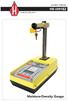 HS-5001EZ_MAN_0614 product manual HS-5001EZ Moisture-Density Gauge COPYRIGHT NOTICE Copyright (C) HUMBOLDT SCIENTIFIC, INC., 1983-2012 All Rights Reserved. This manual or parts thereof, may not be reproduced
Table of Contents Section 1 - General Information Section 2 - Operation Section 3 - Field Use
 CPN INSTROTEK, INC. 4057 Port Chicago Highway Suite 100 Concord, CA 94520 USA TEL: (925) 363-9770 FAX: (925) 363-9385 Website: www.instrotek.com i CAUTION CPN nuclear gauges contain sealed sources of radioactive
ATS Overhead Table Shelf System INSTRUCTION MANUAL
 ATS Overhead Table Shelf System INSTRUCTION MANUAL ATS Overhead Table Shelf System Instruction Manual Warranty Newport Corporation warrants this product to be free of defects in material and workmanship
Quick Start Guide See Inside for Use and Safety Information
 3 rd Generation Personal 3D Printer Quick Start Guide See Inside for Use and Safety Information The USB Mass Storage Device Contains the User Guide and Quick Start Guide in other Languages Congratulations
INSTALLATION AND OPERATING INSTRUCTIONS For Model GL1 Gate Locks
 Securitron Magnalock Corp. www.securitron.com ASSA ABLOY, the global leader Tel 800.624.5625 [email protected] in door opening solutions INSTALLATION AND OPERATING INSTRUCTIONS For Model GL1 Gate
RI-215A Operator s Manual. Part Number: 71-0045RK Revision 0 Released: 10/3/05
 RI-215A Operator s Manual Part Number: 71-0045RK Revision 0 Released: 10/3/05 Warranty RKI Instruments, Inc., warrants gas alarm equipment sold by us to be free from defects in materials and workmanship,
OPL BASIC. Dosing System for Professional Laundry machines. Contents
 OPL BASIC Dosing System for Professional Laundry machines Contents 1 Getting Started. Page 2 2 Installation. Page 4 3 Set Up & Operation. Page 8 4 Maintenance & Accessories. Page 10 5 Troubleshooting Page
Working Safely With Nuclear Gauges
 Working Safely With Nuclear Gauges Working Safely With Nuclear Gauges Working Safely With Nuclear Gauges INFO-9999-4 (E) Revision 2 Published by the Canadian Nuclear Safety Commission This publication
Mercury Helios 2 ASSEMBLY MANUAL & USER GUIDE
 Mercury Helios 2 ASSEMBLY MANUAL & USER GUIDE TABLE OF CONTENTS INTRODUCTION...1 1.1 MINIMUM SYSTEM REQUIREMENTS 1.1.1 Apple Mac Requirements 1.1.2 PC Requirements 1.1.3 Supported PCIe Cards 1.2 PACKAGE
NX-591NE-GSM NetworX GSM 3G HSPA+ Module Installation Sheet
 NX-591NE-GSM NetworX GSM 3G HSPA+ Module Installation Sheet The NX-591NE-GSM is a microprocessor-controlled GSM interface module used to connect the NetworX series of control panels to GSM cellular networks
The University of Toledo Soil Mechanics Laboratory
 The University of Toledo Soil Mechanics Laboratory 1 Soil Moisture-Density Relationship Standard and Modified Proctor Tests Introduction For earthork construction it is important to compact soils to a
Manual for Fire Suppression & Methane Detection System
 Manual for Fire Suppression & Methane Detection System Fogmaker North America Post address: 150 Gordon Dr Exton, PA 19341 Delivery address: 150 Gordon Dr Exton, PA 19341 Tel: 610-265-3610 Fax: 610-265-8327
DIAMOND Retractable Rodding Robot Model SPRAYROD-R
 2004-12-21 2 1 (23) DIAMOND Retractable Rodding Robot Model SPRAYROD-R 2004-12-21 2 2 (23) Table of contents 1 TECHNICAL DESCRIPTION...4 1.1 MAIN DETAILS...5 1.2 COMPONENTS DESCRIPTION...5 1.2.1 Pneumatic
D7050/D7050TH. Installation Instructions. Multiplex Photoelectric Smoke Detectors
 D7050/D7050TH EN Installation Instructions Multiplex Photoelectric Smoke Detectors D7050/D7050TH Installation Instructions.0 Description Notices These instructions cover the installation of the D7050/D7050TH
Dual Laser InfraRed (IR) Thermometer with Color Alert
 User Manual Dual Laser InfraRed (IR) Thermometer with Color Alert MODEL 42509 Introduction Congratulations on your purchase of the Model 42509 IR Thermometer with Color Alert. This Infrared thermometer
AC-115 Compact Networked Single Door Controller. Installation and User Manual
 AC-115 Compact Networked Single Controller Installation and User Manual December 2007 Table of Contents Table of Contents 1. Introduction...5 1.1 Key Features... 6 1.2 Technical Specifications... 7 2.
Owner s Manual & Safety Instructions
 Owner s Manual & Safety Instructions Save This Manual Keep this manual for the safety warnings and precautions, assembly, operating, inspection, maintenance and cleaning procedures. Write the product s
Wide Range InfraRed (IR) Thermometer with Type K input and Laser Pointer
 User Manual Wide Range InfraRed (IR) Thermometer with Type K input and Laser Pointer MODEL 42515 Introduction Congratulations on your purchase of the Model 42515 IR Thermometer. The Model 42515 IR thermometer
MCR1900 Media Converter 19-Slot Chassis
 MCR1900 Media Converter 19-Slot Chassis Installation Guide Part #5500304-11 Copyright Statement This document must not be reproduced in any way whatsoever, either printed or electronically, without the
Trimble CFX-750 Display with the Yield Monitoring System
 Trimble CFX-750 Display with the Yield Monitoring System Quick Reference Card This Quick Reference Card is intened to help you with the basic operation and calibration of the Trimble CFX-750 display with
RL HW / RL HW+ / RL HGW / RL HV / RL HVPW/RL HVPW-G
 Auto-Levelling Rotary Laser Level RL HW / RL HW+ / RL HGW / RL HV / RL HVPW/RL HVPW-G 77-496 / 77-429 / 77-439 / 77-497 / 77-427/ 77-441 Please read these instructions before operating the product Auto-Levelling
Pavement Quality Indicator Model 300 Operator s Handbook
 Pavement Quality Indicator Model 300 Operator s Handbook TransTech Systems, Inc. 2469 Albany Street Schenectady, NY, 12304 USA Toll Free: 1-800-724-6306 Phone: 518-370-5558 Fax: 518-370-5538 E-mail: [email protected]
WIRELESS STATUS MONITOR
 INSTALLATION INSTRUCTIONS WIRELESS STATUS MONITOR (WSM or AUWSM) The most current version of this document is available for download at: http://www.ir-swa.com P/N: M053-032-D Schlage 245 W. Roosevelt Road,
RIGOL. Quick Guide. DS1000CA Series Oscilloscope. Aug. 2011. RIGOL Technologies, Inc.
 Quick Guide DS1000CA Series Oscilloscope Aug. 2011 Technologies, Inc. Guaranty and Declaration Copyright 2011 Technologies, Inc. All Rights Reserved. Trademark Information is a registered trademark of
Microwave Meter. Instruction Manual
 Microwave Meter 840046 Instruction Manual Microwave Meter 840046 Copyright 2009 by Sper Scientific ALL RIGHTS RESERVED Printed in the USA The contents of this manual may not be reproduced or transmitted
MODELS 8007 Gorilla Cycle Alarm 8017 Gorilla Cycle Alarm with 2-way pager system 1018 2-way pager system
 MODELS 8007 Gorilla Cycle Alarm 8017 Gorilla Cycle Alarm with 2-way pager system 1018 2-way pager system Remote Control Motorcycle Alarm System Installation & Operation Instructions Sistema de Alarma de
Dual Laser InfraRed (IR) Thermometer
 User s Manual Dual Laser InfraRed (IR) Thermometer MODEL 42511 Introduction Congratulations on your purchase of the Model 42511 IR Thermometer. This Infrared thermometer measures and displays non-contact
BLOOD COLLECTION MIXER
 USER S MANUAL BLOOD COLLECTION MIXER Model CM735 No. CAT.CM73522Ce Centron Technologies Corporation 319-25 Sadang-4-dong, Dongjak-ku Seoul, Korea 156-823 Tel. +82-2.522.7807 Fax +82-2.522.7806 Table of
IMPORTANT SAFETY RULES TO FOLLOW
 WARNING FLOOR & CARPET CLEANER Any piece of equipment can be dangerous if not operated properly. YOU are responsible for the safe operation of this equipment. The operator must carefully read and follow
Chlorophyll Content Meter. CCM-200 plus
 Chlorophyll Content Meter CCM-200 plus www.apogeeinstruments.com [email protected] 435.792.4700 Fax: 435.787.8268 Table of Contents Unit Overview...2 About the Instrument... 4 How It Works...
Bulk Flow Meter LB 442 P R O C E S S C O N T R O L
 Bulk Flow Meter LB 442 P R O C E S S C O N T R O L Mass flow determination using the LB 442 Versatile uses Contactless mass flow determination of solid matter on continuous conveyor systems Conveyor belts
METHOD OF TEST FOR UNIT WEIGHT OF FRESH CONCRETE
 STATE OF CALIFORNIA BUSINESS, TRANSPORTATION AND HOUSING AGENCY DEPARTMENT OF TRANSPORTATION DIVISION OF ENGINEERING SERVICES Transportation Laboratory 5900 Folsom Blvd. Sacramento, California 95819-4612
FCC COMPLIANCE STATEMENT FOR AMERICAN USERS
 FCC COMPLIANCE STATEMENT FOR AMERICAN USERS This equipment has been tested and found to comply with the limits for a CLASS A digital device, pursuant to Part 15 of the FCC Rules. These limits are designed
Installation Instructions. Wireless Adapter/Repeater. Introduction. 30-3001-887 Rev C
 /Repeater Installation Instructions 30-3001-887 Rev C Workstation Ethernet bcx Controller Repeater Repeater Introduction Schneider Electric has designed a device that allows Andover Continuum controllers
Ground Resistance Clamp On Tester
 USER MANUAL Ground Resistance Clamp On Tester MODEL 382357 Introduction Congratulations on your purchase of Extech s 382357 Ground Resistance Tester. This Clamp on device allows the user to measure ground
CL90i. 77-021 Please read these instructions before operating the product. 3 - Beam Self-Leveling Cross Line Laser
 3 - Beam Self-Leveling Cross Line Laser CL90i 77-01 Please read these instructions before operating the product Self-Leveling GB D F I E PT NL DK SE FIN NO PL GR CZ RU HU SK SI BG RO EE LV LT Contents
Lecture 2 Macroscopic Interactions. 22.106 Neutron Interactions and Applications Spring 2010
 Lecture 2 Macroscopic Interactions 22.106 Neutron Interactions and Applications Spring 2010 Objectives Macroscopic Interactions Atom Density Mean Free Path Moderation in Bulk Matter Neutron Shielding Effective
Series 510 Submersible Level Transmitters
 Series 510 Submersible Level Transmitters The Series 510 Submersible Level Transmitters are solid state instruments designed for direct submergence into many types of liquid for quick, accurate and reliable
Instruction Manual Temp 4/5/6 Temperature Meter Series
 Instruction Manual Temp 4/5/6 Temperature Meter Series 68X243607 Technology Made Easy... Rev. 2 01/03-1 - Preface This instruction manual serves to explain the use of the Temp 4/5/6 temperature meter.
product manual HS-4210 HS-4210_MAN_09.08 Digital Static Cone Penetrometer
 HS-4210_MAN_09.08 product manual HS-4210 Digital Static Cone Penetrometer Introduction This Manual covers the measurement of bearing capacity using the Humboldt Digital Static Cone Penetrometer (DSCP).
Owners & Installation Manual for the Sheridan, Mountainair, Pine Valley and Old Forge Ceiling Fan Family
 Owners & Installation Manual for the Sheridan, Mountainair, Pine Valley and Old Forge Ceiling Fan Family Part of the Kiva Lighting Family Custom Lighting and Fans Since 1992 1312 12th St NW Albuquerque,
Phoenix Body Fat Scale Manual
 Phoenix Body Fat Scale Manual Low Batteries & bad battery connections are the #1 cause of scale malfunction and inaccuracy! We test all of our scale returns from consumers. Fully 60% of consumer returns
Uninterruptible Power Supply. 500 kva - 750 kva
 9 315 Uninterruptible Power Supply 500 kva - 750 kva T1 and T3 Installation Addendum 164201244-001 Rev. A ------------------------------------------------------------------------ ------------------------------------------------------------------------
FT-100 Fire Training Fog Machine User Manual English
 FT-100 Fire Training Fog Machine User Manual English 2015 Antari Lighting and Effects Ltd. User Manual - English Safety Information Please read the following safety information carefully before operating
Multi Tube Rotator. Model No. 4632Q 4632-1CE 4632-1CECN 057-213-00 11/05/11
 Multi Tube Rotator Model No. 4632Q 4632-1CE 4632-1CECN 057-213-00 11/05/11 Table of Contents Safety Information...3 Alert Signals...3 Description...4 Specifications...5 Power Requirements...5 Shaker Motion...5
INSTALLATION GUIDE. Card Reader & Controller with KIM Swipe Reader for Solitaire 850 / 950 / 850L Learnlok PK2930
 INSTALLATION GUIDE Card Reader & Controller with KIM Swipe Reader for Solitaire 850 / 950 / 850L Learnlok PK2930 Card Reader and Controller Model 3.5 with KIM Swipe Reader Table of Contents 1. Features..................................
Elo Touch Solutions Wall-mounting Kit for the 5501L IDS Touchmonitors
 Installation Manual Elo Touch Solutions Wall-mounting Kit for the 5501L IDS Touchmonitors SW602206 Rev B Table of Contents Chapter 1: Safety Warning... 3 Chapter 2: Kit Contents... 4 Included in Kit...
New Energy Lab. Experiment Guide. New Energy Lab - Experiment Guide 1
 New Energy Lab Experiment Guide New Energy Lab - Experiment Guide 1 NEW ENERGY LAB Experiment Guide Version 1.5 August 2013 Heliocentris Academia GmbH Rudower Chaussee 29 12489 Berlin Germany All rights
Express5800/120Ed. Rack Mount Kit Installation Procedures PN: 455-01607-001
 Express5800/120Ed Rack Mount Kit Installation Procedures PN: 455-01607-001 Proprietary Notice and Liability Disclaimer The information disclosed in this document, including all designs and related materials,
WARNING CANADIAN D.O.C. WARNING
 Each product and program carries a respective written warranty, the only warranty on which the customer can rely. Avery Dennison Corp. reserves the right to make changes in the product, the programs, and
Pocket Tach 99 (PT99) Non-Contact Tachometer
 CE DECLARATION OF CONFORMITY As Manufacturer: Monarch Instrument Division of Monarch International Inc. 15 Columbia Drive, Amherst NH 03031 USA declares under Monarch s sole responsibility that the product:
Nucleus CP810 Sound Processor and Nucleus CR110 Remote Assistant Troubleshooting Guide
 Nucleus CP810 Sound Processor and Nucleus CR110 Remote Assistant Troubleshooting Guide Symbols Contents Note Important information or advice. Can save inconvenience. Tip Time saving hint or saves inconvenience.
About this Manual. Support for Your Product
 About this Manual We ve added this manual to the Agilent website in an effort to help you support your product. This manual is the best copy we could find; it may be incomplete or contain dated information.
INSTRUCTION MANUAL. NC-500 NETcat Pro Wiring Tester
 INSTRUCTION MANUAL English...1 16 Français...17 32 Español...33 48 Deutsch...49 64 NC-500 NETcat Pro Wiring Tester Read and understand all of the instructions and safety information in this manual before
User Guide. Heavy Duty Dissolved Oxygen Meter. Model 407510
 User Guide Heavy Duty Dissolved Oxygen Meter Model 407510 Introduction Congratulations on your purchase of Extech's Heavy Duty Dissolved Oxygen / Temperature Meter which simultaneously displays Dissolved
Electrical Stability Tester, Model 23E Instruction Manual Manual No. 102149576, Revision B Instrument No. 102130986
 Electrical Stability Tester, Model 23E Instruction Manual Manual No. 102149576, Revision B Instrument No. 102130986 Fann Instrument Company Electrical Stability Tester Instruction Manual 2012 Fann Instrument
CQ-Series. User Manual. American Weigh Scales, Inc. CQ-350 (350x0.1g) CQ-500 (500x0.1g) Digital Pocket Scale . = + CALC AC CE % TARE OFF ON MC MR CALI
 American Weigh Scales, Inc. CQ-Series Digital Pocket Scale 7 4 1 0. 8 9 5 6 2 3 x = - CALI + CALC MODE M CAL AC CE % TARE OFF ON MC MR CQ-350 (350x0.1g) CQ-500 (500x0.1g) User Manual CQ-Series Manual Thank
site monitoring Kit Site Monitoring Kit User Manual we prove it.
 site monitoring Kit 1 User Manual Site Monitoring Kit User Manual we prove it. 2 site monitoring Kit Content 1. Introduction 3 2. Content of the Site Monitoring Kit 4 3. Preparation 6 1. Positioning of
Step-by-step instructions:
 Spark plug thread repair for Ford Triton cylinder heads Step-by-step instructions: Identification Installation Verification Specifically designed and tested for 4.6L, 5.4L, and 6.8L 2 and 4 valve heads,
Vista. Vista 150 User Guide
 Vista Vista 150 User Guide TABLE of CONTENTS Call Waiting Display 1 Installing your Vista telephone 2 Checking your telephone 2 Key reference 3 Personalizing your telephone 3 Options 4 Visual Call Waiting
HG600/HG800. Hydro-Power Unit. Installation and Operation Guide
 HG600/HG800 Hydro-Power Unit Installation and Operation Guide Copyright 04 HydroSpin, All rights reserved. The data contained in this document is proprietary to HydroSpin. It is disclosed to the receiving
MODELS 7007 Gorilla Cycle Alarm 7017 Gorilla Cycle Alarm with 2-way pager system 1017 2-way pager system
 MODELS 7007 Gorilla Cycle Alarm 7017 Gorilla Cycle Alarm with 2-way pager system 1017 2-way pager system Remote Control Motorcycle Alarm System Installation & Operation Instructions Sistema de Alarma de
T7560A,B,C Digital Wall Module
 T7560A,B,C Digital Wall Module HONEYWELL EXCEL 5000 OPEN SYSTEM BEFORE INSTALLATION All wiring must comply with local electrical codes and ordinances or as specified on installation wiring diagrams. Digital
NOTE: FOR PROJECTS REQUIRING CONTRACTOR MIX DESIGN, THE DESIGN PROCEDURES ARE SPECIFIED IN THE SPECIAL PROVISIONS OF THE CONTRACT.
 September 1, 2003 CONCRETE MANUAL 5-694.300 MIX DESIGN 5-694.300 NOTE: FOR PROJECTS REQUIRING CONTRACTOR MIX DESIGN, THE DESIGN PROCEDURES ARE SPECIFIED IN THE SPECIAL PROVISIONS OF THE CONTRACT. 5-694.301
PROFORMA ACCEPTANCE / QUALITY ASSURANCE TESTS OF REMOTE AFTERLOADING BRACHYTHERAPY UNIT
 RP&AD /Remote QA/ 01 PROFORMA FOR ACCEPTANCE / QUALITY ASSURANCE TESTS OF REMOTE AFTERLOADING BRACHYTHERAPY UNIT BHABHA ATOMIC RESEARCH CENTRE Radiological Physics & Advisory Division CT & CRS Building,
OI Inventory Monitor Units
 OI Inventory Monitor Units Bulletin Number: BF6-600 Effective: 9/14/07 Write Down Your Serial Numbers Here For Future Reference: We are committed to a continuing program of product improvement. Specifications,
LABORATORY DETERMINATION OF CALIFORNIA BEARING RATIO
 LABORATORY DETERMINATION OF CALIFORNIA BEARING RATIO STANDARD IS: 2720 (Part 16) 1979. DEFINITION California bearing ratio is the ratio of force per unit area required to penetrate in to a soil mass with
XP Series Balances Operation Manual
 XP Series Balances Operation Manual North and South America: 6542 Fig Street Arvada, Colorado 84 1-8-321-1135 Tel: 33-431-7255 Fax: 33-423-4831 U.K. and Ireland: Denver House, Sovereign Way Trafalgar Business
High Temperature InfraRed Thermometer with Laser Pointer
 User s Manual High Temperature InfraRed Thermometer with Laser Pointer MODEL 42540A 6 42540 6 Introduction Congratulations on your purchase of the Model 42540A IR Thermometer. The 42540A is capable of
INFO-0545 RADIOISOTOPE SAFETY MONITORING FOR RADIOACTIVE CONTAMINATION
 INFO-0545 RADIOISOTOPE SAFETY MONITORING FOR RADIOACTIVE CONTAMINATION 1. INTRODUCTION This document provides general guidance for monitoring and controlling radioactive contamination, and relating the
User's Manual. Heavy Duty Dissolved Oxygen Meter Model 407510
 User's Manual Heavy Duty Dissolved Oxygen Meter Model 407510 Introduction Congratulations on your purchase of Extech's Heavy Duty Dissolved Oxygen / Temperature Meter which simultaneously displays Dissolved
Compaq Presario Desktop Products. Upgrading and Servicing Guide
 Compaq Presario Desktop Products Upgrading and Servicing Guide The information in this document is subject to change without notice. Hewlett-Packard Company makes no warranty of any kind with regard to
ExStik TM ph Waterproof Meters
 User Guide ExStik TM ph Waterproof Meters Models PH100 & PH110 Patent Pending ExStik TM Description Front Panel Controls 1. Battery compartment cap 2. LCD Display 3. MODE / HOLD button 4. CAL / RECALL
The Bose 601 TM Series IV Direct/Reflecting Speaker System
 The Bose 601 TM Series IV Direct/Reflecting Speaker System Owner s Guide October 25, 2001 AM257731_00_V.pdf Customer Information Declaration of Conformity We, the offerer: Bose Corporation, The Mountain,
State of Illinois Department Of Transportation CONSTRUCTION INSPECTOR S CHECKLIST FOR STORM SEWERS
 State of Illinois Department Of Transportation CONSTRUCTION INSPECTOR S CHECKLIST FOR STORM SEWERS While its use is not required, this checklist has been prepared to provide the field inspector a summary
TS93 EMR T/PT/TDE. Surface applied door closer
 TS EMR T/PT/TDE Surface applied door closer Installation instructions: Pull side track mount door closer with smoke detector (EMR T) Push side track mount door closer with smoke detector (EMR PT) Double
WSD130 SOLDERING STATION
 NOTES S2032ACH 8/98 Rev. 11/01 WSD130 SOLDERING STATION 1. Power Switch 2. Digital Display 3. UP Button 4. DOWN Button 5. Optical Regulator, Right 6. Connection for Soldering Iron, Right 7. Selection Switch
Introduction to Geiger Counters
 Introduction to Geiger Counters A Geiger counter (Geiger-Muller tube) is a device used for the detection and measurement of all types of radiation: alpha, beta and gamma radiation. Basically it consists
HP UPS R1500 Generation 3
 HP UPS R1500 Generation 3 Installation Instructions Part Number 650952-001 NOTE: The rating label on the device provides the class (A or B) of the equipment. Class B devices have a Federal Communications
Aura SSD. for the 2013 Apple Mac Pro INSTALLATION GUIDE
 Aura SSD for the 2013 Apple Mac Pro INSTALLATION GUIDE TABLE OF CONTENTS 1. INTRODUCTION...1 1.1 SYSTEM REQUIREMENTS 1.2 PACKAGE CONTENTS 1.3 ABOUT THIS MANUAL 2. INSTALLATION...2 2.1 PREPARING THE MAC
Hygro-Thermometer + InfraRed Thermometer Model RH101
 User's Guide Hygro-Thermometer + InfraRed Thermometer Model RH101 Introduction Congratulations on your purchase of the Extech Hygro-Thermometer plus InfraRed Thermometer. This device measures relative
110244-003. PrintPAD CN3/4/3e/4e. User Guide
 110244-003 PrintPAD CN3/4/3e/4e User Guide TABLE OF CONTENTS PrintPAD CN3/4 & PrintPAD CN3e/4e Printer Views...1 Open View...1 Closed View...1 Using Batteries: General Guidelines...1 Installing and/or
Otium Gear S Smart Watch User Guide Please read the manual before use. * For further information, please visit www.otiumobile.com
 Otium Gear S Smart Watch User Guide Please read the manual before use. * For further information, please visit www.otiumobile.com 1 About this manual You can use this Gear S as a companion device to some
12 Volt 30 Amp Digital Solar Charge Controller
 12 Volt 30 Amp Digital Solar Charge Controller User s Manual WARNING Read carefully and understand all INSTRUCTIONS before operating. Failure to follow the safety rules and other basic safety precautions
Global Water Instrumentation, Inc.
 Global Water Instrumentation, Inc. 11390 Amalgam Way Gold River, CA 95670 T: 800-876-1172 Int l: (916) 638-3429, F: (916) 638-3270 6 Tipping Bucket: RG200 02/05/10 01-343 - 1 - Congratulations on your
OPERATOR S MANUAL 18 VOLT, 1 HOUR CHARGER
 OPERATOR S MANUAL 18 VOLT, 1 HOUR CHARGER P110 Your battery charger has been engineered and manufactured to Ryobi s high standard for dependability, ease of operation, and operator safety. When properly
Venture Multiline Communications System
 THREE LINE TELEPHONE User Guide Venture Multiline Communications System Introduction...1 Your Venture phone... 2 Key descriptions... 3 Unpacking the phone... 4 Getting started...5 Preparing for the installation...
Wireless Auto-dial Intruder Alarm System
 Wireless Auto-dial Intruder Alarm System User Manual User s Manual Profile For a better understanding of this product, please read this user manual thoroughly before using it. Features and Function 1.
The entire document shall be read and understood before proceeding with a test. ISTA 3B 2013 - Page 1 of 35
 Packaged-Products for Less-Than-Truckload (LTL) Shipment ISTA 3 Series General Simulation Performance Test PROCEDURE VERSION DATE Last TECHNICAL Change: NOVEMBER 2012 Last EDITORIAL Change: JANUARY 2013
Silicon Pyranometer Smart Sensor (Part # S-LIB-M003)
 (Part # S-LIB-M003) The smart sensor is designed to work with the HOBO Weather Station logger. The smart sensor has a plug-in modular connector that allows it to be added easily to a HOBO Weather Station.
SECTION G2: CABLE PROCESSOR MODULE MAINTENANCE
 SECTION G2: CABLE PROCESSOR MODULE MAINTENANCE Cable Processor Module overview WARNING! When tipping the Cable Processor Module back, (after removing the toggle arm pin), use extreme caution not to drop
EUROPE S LARGEST SELECTION OF TEST & MEASUREMENT EQUIPMENT FOR HIRE INLEC.COM. Nationwide Low Call 0333 6000 600
 EUROPE S LARGEST SELECTION OF TEST & MEASUREMENT EQUIPMENT FOR HIRE INLEC.COM Nationwide Low Call 0333 6000 600 WHY BUY WHEN YOU CAN HIRE SlopeView TLL-90 User Guide V20100426 1 CONTENT Title Page 1 Introduction
FTP-1000 Touchpad/Display. Installation Manual. Stay. Away. Disarm. Quick Exit
 FTP-1000 Touchpad/Display Installation Manual A B 1 2 3 4 5 6 7 8 9 0 * # Stay Away Disarm Quick Exit C D Copyright Disclaimer Trademarks and patents Intended use FCC compliance Copyright 2005, GE Security
WIRELESS ALARM KIT INSTRUCTION MANUAL COMPLETE ALARM SYSTEM FOR HOME OR BUSINESS. Model Number: IT214054
 WIRELESS ALARM KIT COMPLETE ALARM SYSTEM FOR HOME OR BUSINESS Model Number: IT214054 INSTRUCTION MANUAL Warranty Details/Support This product is warranted against defects for a period of One year if the
Subminiature Load Cell Model 8417
 w Technical Product Information Subminiature Load Cell 1. Introduction... 2 2. Preparing for use... 2 2.1 Unpacking... 2 2.2 Using the instrument for the first time... 2 2.3 Grounding and potential connection...
PHOTOELECTRIC EFFECT AND DUAL NATURE OF MATTER AND RADIATIONS
 PHOTOELECTRIC EFFECT AND DUAL NATURE OF MATTER AND RADIATIONS 1. Photons 2. Photoelectric Effect 3. Experimental Set-up to study Photoelectric Effect 4. Effect of Intensity, Frequency, Potential on P.E.
Packaged Terminal Air Conditioner Wall Sleeve Installation
 Installation & Maintenance Data IM 1196 Group: PTAC Part Number: 910141799 Date: October 2013 Packaged Terminal Air Conditioner Installation x 42" PGAN with Top-Mounted Hydronic Heat Note: Installation
Operating instructions Platform/floor scales
 KERN & Sohn GmbH Ziegelei 1 D-72336 Balingen email: [email protected] Phone: +49-[0]7433-9933-0 Fax: +49-[0]7433-9933-149 Internet: www.kern-sohn.com Operating instructions Platform/floor scales KERN
The table below lists the symbols used on the Clamp and/or in this manual. Important Information. See manual.
 i800 AC Current Clamp Instruction Sheet Introduction The i800 AC Current Clamp, the Clamp, has been designed for use with multimeters, recorders, power analyzers, safety testers, etc., for accurate non-intrusive