
Educational (Android) App Development Toolkit for Students
|
|
|
- Matilda Cameron
- 10 years ago
- Views:
Transcription


1 Educational (Android) App Development Toolkit for Students A Report on 8th, 9th and 11th April, 2015 Organised by Commonwealth Educational Media Centre for Asia in collaboration with Kulachi Hansraj Model School, Ashok Vihar, Delhi 1

2 Workshop on Educational Android App Development Toolkit for students 8 th, 9 th and 11 th April, 2015 Commonwealth Educational Media Centre for Asia (CEMCA), New Delhi hosted a workshop on Educational (Android) App Development Toolkit on 8th, 9th and 11th April, 2015, for students in collaboration with Kulachi Hansraj Model School (KHMS), New Delhi on behalf of Commonwealth of Learning (COL), Vancouver, Canada. Twenty five students studying at KHMS from classes 7 to 12 attended the workshop which was facilitated by Ms. Nita Arora and Ms. Archika Bhatia of Comuter Science Department at KHMS. Ms. Sneh Verma, Principal of the school encouraged students in creating educational android app which may help in enhancing learning and creating interest in different subjects. She appreciated the efforts done by COL and CEMCA in taking this initiative of training students. The workshop was appreciated by all the participating students. Icebreaking session started with a presentation about the workshop objectives which can be summarized as Skill development Empowerment of learners Preparation of future citizens 2

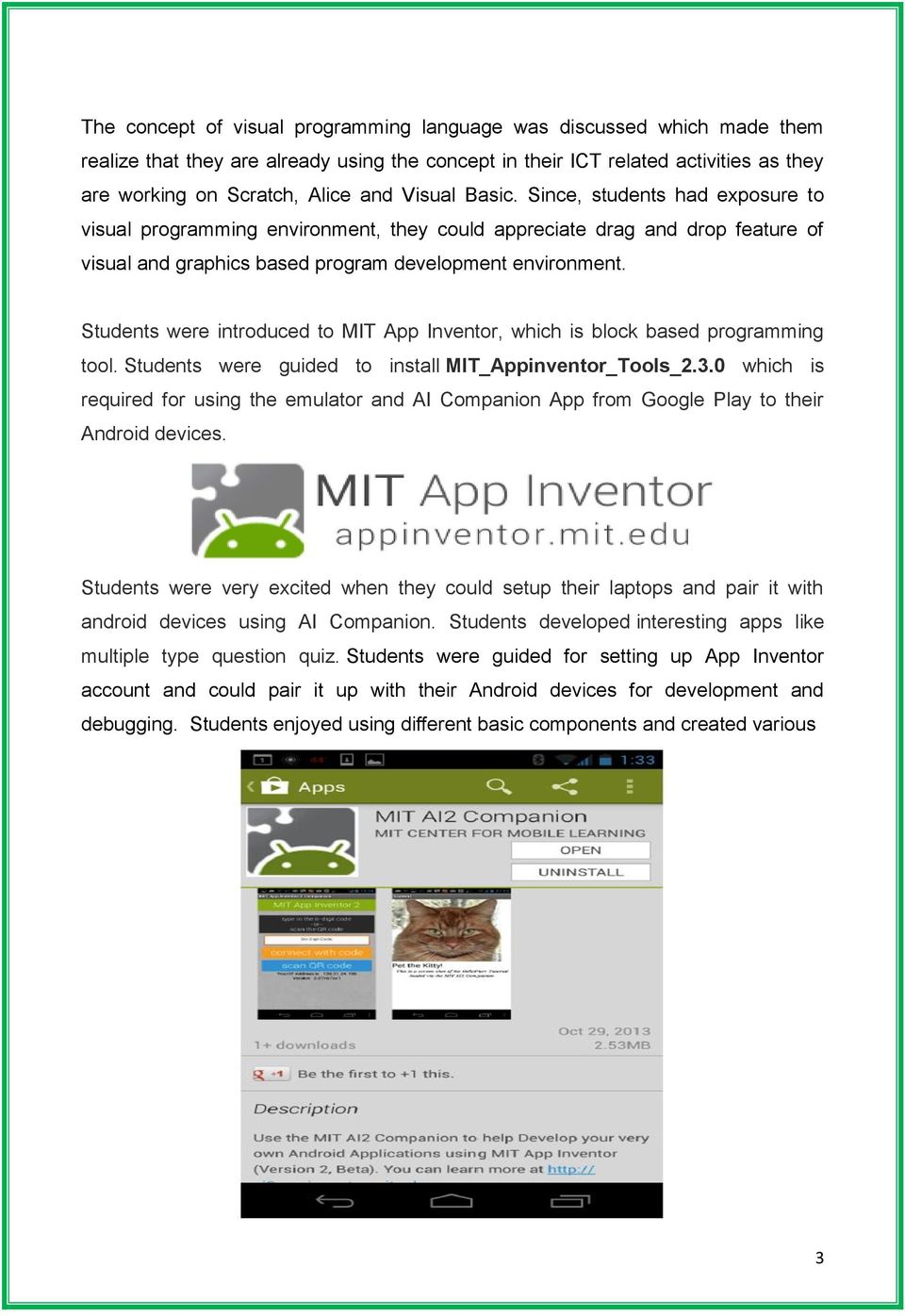
3 The concept of visual programming language was discussed which made them realize that they are already using the concept in their ICT related activities as they are working on Scratch, Alice and Visual Basic. Since, students had exposure to visual programming environment, they could appreciate drag and drop feature of visual and graphics based program development environment. Students were introduced to MIT App Inventor, which is block based programming tool. Students were guided to install MIT_Appinventor_Tools_2.3.0 which is required for using the emulator and AI Companion App from Google Play to their Android devices. Students were very excited when they could setup their laptops and pair it with android devices using AI Companion. Students developed interesting apps like multiple type question quiz. Students were guided for setting up App Inventor account and could pair it up with their Android devices for development and debugging. Students enjoyed using different basic components and created various 3
4 Apps on first day itself which are listed below: a. LoudMouth App (TextToSpeech Component) b. StopShakingMe App (AcclerometerSensor Component) c. TheDictation App (SpeechRecognizer Component) d. JoinTheDots App (Canvas Component) e. MoveTheBall App (Ball, ImageSprite, Player Components) Students developed different projects and showed their creativity. It was a very happy moment when one student shared his idea for creating App using speech recognizer component for blind/partially blind students so as to help them during Exams. 4

5 Ms. Rashmi Kathuria, Mathematics teacher at KHMS, coordinator of this workshop from KHMS created a blog and uploaded recorded videos of students and teachers. Dr. Manas Ranjan Panigrahi, Programme Officer, CEMCA and Ms. Sneh Verma, Principal, KHMS distributed certificates to all the participants on the culmination day. On behalf of CEMCA, Dr. Manas Ranjan Panigrahi honoured Mrs Sneh Verma with an appreciation certificate and a memento. A certificate of honour and memento were given to resource persons. 5

6 Annex: I Workshop on Educational (Android) App Development Toolkit for Students Commonwealth Educational Media Centre for Asia in collaboration with Kulachi Hansraj Model School, Ashok Vihar, Delhi List of Participants Sl. No. Name of the Students Male/Female Grade 1 Tanishq Taleraja M 8 B 2 Ashlesha Dikshit F 8 B 3 Idhika Minocha F 8 B 4 Mahim Kapoor M 8 F 5 Tanishq Gupta M 8 J 6 Aishwarya Raman F 9 A 7 Namit Soneja M 9B 8 Mitul Bharti M 9 B 9 Apoorva Jain F 10 B 10 Abhishek Vashisht M 9 B 11 Vaibhav Sharma M 9 B 12 Sarthak Khandelwal M 9 C 13 Garvit Arora M 9 E 14 Akshit Goyal M 9 F 15 Samarth Mehta M 9 J 16 Jaya Jain F 10 B 17 Manav Aggarwal M 10 E 18 Diksha Dogra F 10 I 19 Jatin Aggarwal M 10 I 20 Kunal Ratra M 10 J 21 Harshit Gupta M Anubhav A. Kumar M 12 C 23 Arnav Chaudhary M 12 C 24 Shubham Sharma M 12 C 25 Paras Kapoor M 12 C 6

7 Annex: II Workshop on Educational (Android) App Development Toolkit for Students Commonwealth Educational Media Centre for Asia in collaboration with Kulachi Hansraj Model School, Ashok Vihar, Delhi Date: 8th, 9th and 11th April, 2015 Venue: Computer Lab, Kulachi Hansraj Model School, Ashok Vihar, Delhi Prerequisites: Each participant MUST have a Google/Gmail account Laptop, Dongle and Android Smart phone/tablet (Desirable) TIME DAY 1 (8 th April, 2015) Getting started with Android App Development 8:15-8:30 am Inauguration 8:30-8:8:45 am Icebreaking Objective of the workshop 8:45-9:45 am Introduction to Visual Programming and MIT App Inventor Downloading of QR Droid App on Android device Downloading AI2 Companion on Android device Creating an App Inventor Account 9:45-10:00 am Break 10:00-10:30 am Introduction to development environment (Designer and Blocks editor) Introduction to available modules 10:30-11:00 am App development Using basic components : 1. TextToSpeech : App : Loud Mouth 11:00-11:30 am Lunch Break 11:30-1:00 pm 2. AcclerometerSensor- App: Shivers 3. Speech recognizer- App: Speak to Me 4. Canvas- App: Scribble 1:00-1:10 pm Break 1:10-2:00 pm 5. Orientation, Sensor and clock- App :Move the Ball (Image Sprite) 2:00-2:10 pm Wrap-up TIME DAY 2 (9 th April, 2015) Intermediate Concepts 8:15-8:30 am Quick Recap 8:30-9:30 am App development Using basic components : (Contd.) 1. Camera App- App: Say Cheese 7
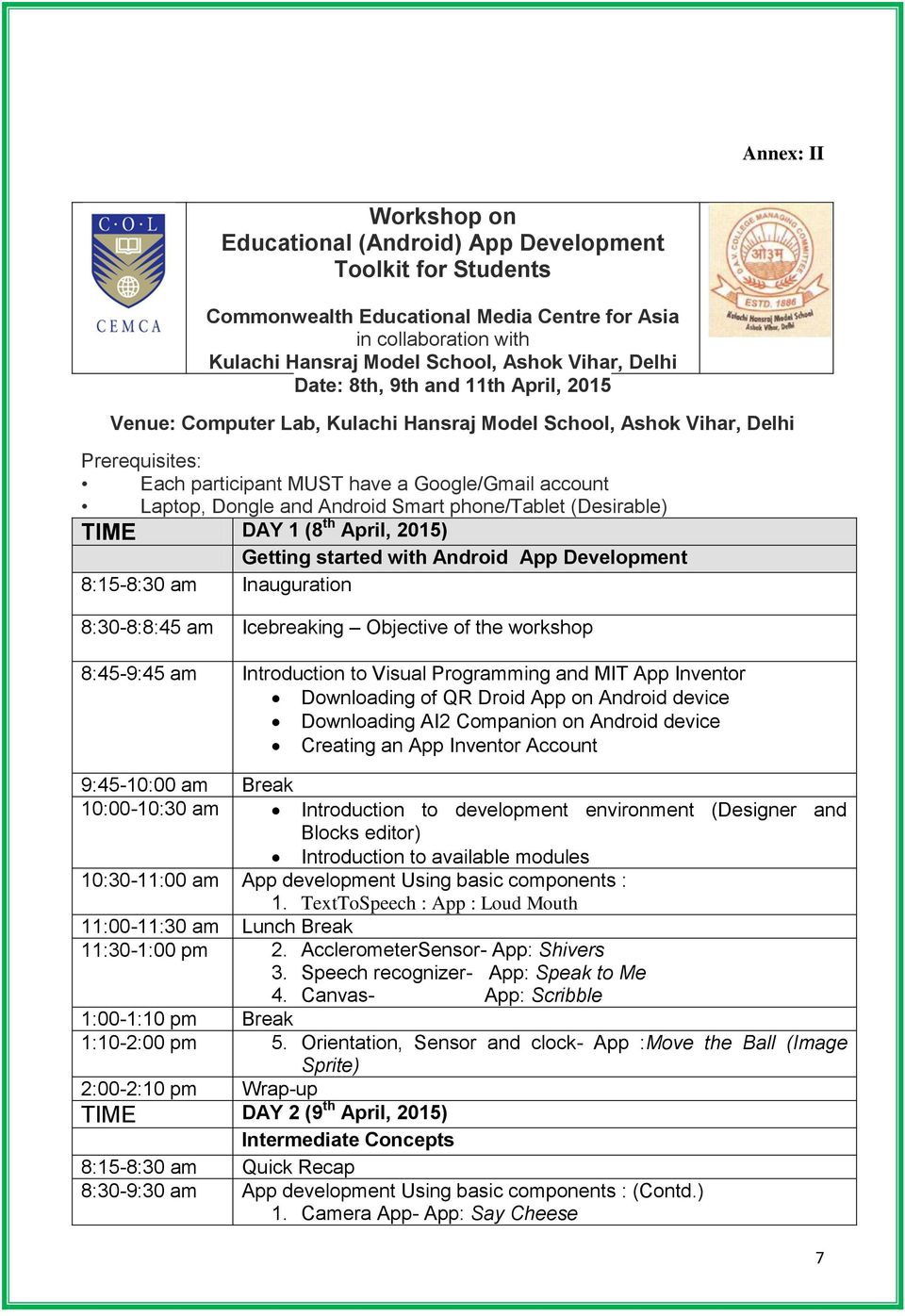
8 2. Camcorder and Video Player- App: Action Capture 9:30-9:45 am Break 9:45-11:00 am Tutorial 1: Pet the Kitty 11:00-11:30 am Lunch Break 11:30-12:30 pm Tutorial 2: Dice 12:30-12:40 pm Break 12:40-2:00 pm Tutorial 3: Swat the Mosquito 2:00-2:10 pm Q & A Session and Wrap up TIME DAY 3 (11 th April, 2015) Advanced Concepts 8:15-8:45 am Using advanced concepts: 1. Built-in blocks 2. Procedures 3. Variables 4. Arithmetic and Boolean Algebra 5. Control Structures 6. Database and storage 7. connectivity 8. Exception Handling * 8:45-9:45 am Tutorial : Database Handling and storage 9:45-10:00 am Break 10:00-11:00 am Tutorial: Database Handling and storage Contd... 11:00-11:30 am Lunch Break 11:30-12:00 pm Packaging and distribution Publishing Apps on Google play 12:00-12:15 pm Important Links 12:15-12:30 pm Break 12:30-2:00 pm Showcasing Certificate Distribution 8
Educational App Development Toolkit for Teachers and Learners
 Educational App Development Toolkit for Teachers and Learners Educational App Development Toolkit for Teachers and Learners Ishan Sudeera Abeywardena The Commonwealth of Learning (COL) is an intergovernmental
Mobile App Design Tool for Smartphones: A Tutorial
 Mobile App Design Tool for Smartphones: A Tutorial Hak. J. Kim and Jonathan Modell Abstract The paper presents the basics of mobile application creation for smartphones using the visual programming tool,
Mobile Programming (MIT App Inventor 2)
 Mobile Programming (MIT App Inventor 2) http://www.plk83.edu.hk/cy/ai2 Contents 1. Understanding the working environment (Page 1) 2. First Android Program (HelloPurr) (Page 4) 3. Completing HelloPurr (Page
Mobile Apps with App Inventor
 Mobile Apps with App Inventor written for 91.113 Michael Penta Table of Contents Mobile Apps... 4 Designing Apps in App Inventor... 4 Getting Started... 5 App Inventor Layout... 5 Your First App... 7 Making
App Inventor Beginner Tutorials
 App Inventor Beginner Tutorials 1 Four Simple Tutorials for Getting Started with App Inventor 1.1 TalkToMe: Your first App Inventor app 4 1.2 TalkToMe Part 2: Shaking and User Input 23 1.3 BallBounce:
Syllabus: MOBILE MEDIA AND APPS
 Syllabus: MOBILE MEDIA AND APPS Mato Brautovic, Ph.D. Associate Professor Department of Communication Science University of Dubrovnik Adjunct Professor College of Journalism and Communication University
Mobile App Development to Empower Educators and to Prepare Students as Future Leaders
 Mobile App Development to Empower Educators and to Prepare Students as Future Leaders Dr. Tahir Aziz, Ph.D., MBA, BBA, BS ISNA West Coast Education Forum, Anaheim, CA January 16-17, 2015 Abstract This
Android Programming Family Fun Day using AppInventor
 Android Programming Family Fun Day using AppInventor Table of Contents A step-by-step guide to making a simple app...2 Getting your app running on the emulator...9 Getting your app onto your phone or tablet...10
TalkToMe: A beginner App Inventor app
 TalkToMe: A beginner App Inventor app This step-by-step picture tutorial will guide you through making a talking app. To get started, sign up for a free Google Account: http://accounts.google.com/signup
CoCubes Id Candidate Name Roll Number Current Degree Current Branch Date of Pre-Assess Slot Time Testing Lab 1778635 AMAN BHARGAVA 13815602811 B.
 CoCubes Id Candidate Name Roll Number Current Degree Current Branch Date of Pre-Assess Slot Time Testing Lab 1778635 AMAN BHARGAVA 13815602811 B.Tech Electronics and Communications Engineering 12/17/2014
Creating Assessments Using Online Tools PRDV74419 Online 1 Credit Instructor: Barbara Murray Email: [email protected]
 Sessions 1 & 2 2016 Creating Assessments Using Online Tools PRDV74419 Online 1 Credit Instructor: Barbara Murray Email: [email protected] Course Description: Welcome to Creating Assessments Using
ANDROID A Workshop on Android Application Development Organized by Computer Science & Engg Dept Lingaya s University
 ANDROID A Workshop on Android Application Development Organized by Computer Science & Engg Dept Lingaya s University 2nd, 3rd March 2012 With the experts of i3indya Technologies (A unit of I THREE INFOTECH
Scratch Game Design (Grade 3-5, Beginners)
 Scratch Game Design (Grade 3-5, Beginners) Scratch was developed at MIT as a graphical programming language, and this course is designed to cultivate interests of younger students. In this course, elementary
Mobile App Development Using App Inventor
 Mobile App Development Using App Inventor October 2013 Mahsa Mohaghegh and Mobile Development Team @ Unitec The Post-PC Era 2007: Apple releases ios on the iphone 2008: Google releases Android on the HTC
CHAPTER 1 HelloPurr. The chapter covers the following topics:
 CHAPTER 1 HelloPurr This chapter gets you started building apps. It presents the key elements of App Inventor, the Component Designer and the Blocks Editor, and leads you through the basic steps of creating
City of Dublin Education & Training Board. Programme Module for. Mobile Technologies. leading to. Level 6 FETAC. Mobile Technologies 6N0734
 City of Dublin Education & Training Board Programme Module for Mobile Technologies leading to Level 6 FETAC Version 3 1 Introduction This programme module may be delivered as a standalone module leading
Named Memory Slots. Properties. CHAPTER 16 Programming Your App s Memory
 CHAPTER 16 Programming Your App s Memory Figure 16-1. Just as people need to remember things, so do apps. This chapter examines how you can program an app to remember information. When someone tells you
I Have a Dream, a Two-Part Introductory Tutorial
 I Have a Dream, a Two-Part Introductory Tutorial Most people have never even dreamed of building an app; software is this mysterious world of 0s and 1s and computer nerds. The goal of this lesson is to
INTERMEDIATE ANDROID DEVELOPMENT Course Syllabus
 6111 E. Skelly Drive P. O. Box 477200 Tulsa, OK 74147-7200 INTERMEDIATE ANDROID DEVELOPMENT Course Syllabus Course Number: APD-0248 OHLAP Credit: No OCAS Code: None Course Length: 120 Hours Career Cluster:
Emerging Use of ICT for Teaching and Learning in Schools of Pakistan
 Article Summary Tazmeen Sultan is part of the Educational Technology team at a Private School, in Lahore, Pakistan. Her responsibilities include facilitating the effective use of computers and other instructional
Online Course Development Guide and Review Rubric
 Online Course Development Guide and Review Rubric Thank you for participating in our online course review process! Your input is extremely valuable to us, and we appreciate the time you are taking to help
MOBILE MARKETING. A guide to how you can market your business to mobile phone users. 2 April 2012 Version 1.0
 MOBILE MARKETING A guide to how you can market your business to mobile phone users 2 April 2012 Version 1.0 Contents Contents 2 Introduction 3 Skill Level 3 Terminology 3 Video Tutorials 4 What is Mobile
2342-4. Scientific m-learning. 4-7 June 2012. Mobile Application Development using App Inventor for Android Devices
 2342-4 Scientific m-learning 4-7 June 2012 Mobile Application Development using App Inventor for Android Devices TRIVEDI Kirankumar Rajnikant Shantilal Shah Engineering College New Sidsar Campu, PO Vartej
Processing: A Venture in Android Application Development
 Processing: A Venture in Android Application Development Mihir Patankar 1, Vignesh Srinivasan 2, Dhanesh Pradhan 3, Asawari Dudwadkar 4 1,2,3,4 VES Institute of Technology, Chembur, Mumbai-74, India Abstract
SENSORS ON ANDROID PHONES. Indian Institute of Technology Kanpur Commonwealth of Learning Vancouver
 SENSORS ON ANDROID PHONES Indian Institute of Technology Kanpur Commonwealth of Learning Vancouver Keerthi Kumar Samsung Semiconductors Keerthi Kumar IIT Kanpur Keerthi Kumar Overview What are sensors?
Girls Make Apps Workshop FAQ
 Girls Make Apps Workshop FAQ The Technovation Girls Make Apps Workshop is a coding party where students, mentors and teachers come together to learn App Inventor 2 the programming language they will use
115 responses. Summary. How often do you use the official Moodle Mobile app?
 Juan Leyva Edit this form 115 responses View all responses Publish analytics Summary How often do you use the official Moodle Mobile app? Never 29 25% Less than once a month 44 38% Monthly 18 16% Weekly
Availability of the Program A free version is available of each (see individual programs for links).
 Choosing a Programming Platform Diane Hobenshield Tepylo, Lisa Floyd, and Steve Floyd (Computer Science and Mathematics teachers) The Tasks Working Group had many questions and concerns about choosing
App Inventor Tutorial 4 Cat & Mouse Game
 App Inventor Tutorial 4 Cat & Mouse Game This is an app that will let you get familiar with using image sprites, canvas, sound, clock and the accelerometer (Movement Sensor) within a Game in App Inventor.
START TEACHER'S GUIDE
 START TEACHER'S GUIDE Introduction A complete summary of the GAME:IT Intermediate curriculum. Welcome to STEM Fuse's GAME:IT Intermediate Whether GAME:IT Intermediate is being taught as a technology course,
Creating Mobile Apps Development and Deployment
 Creating Mobile Apps For Teachers Introduction This video is the second in the series on creating apps for mobile platforms. The video covers the methods used by developers to get a good understanding
Managing Content in Canvas Content Pages, Files and Modules Pages... 3
 Managing Content in Canvas Content Pages, Files and Modules Pages... 3 What are Pages?... 3 Creating a New Page... 3 Files... 3 What are Files?... 3 Adding Files... 4 Option 1: Drag and Dropping Files
UPDATED WeDo 2.0 SOFTWARE FAQ:
 UPDATED WeDo 2.0 SOFTWARE FAQ: **We have updated the WeDo 2.0 software FAQs to reflect the upcoming special promotion on the curriculum pack as well as an update on some of the known challenges with loading
Padlet Instruction Manual. Incorporating Junior Cycle Key Skills, School Self-Evaluation and suggestions for use
 Padlet Instruction Manual Incorporating Junior Cycle Key Skills, School Self-Evaluation and suggestions for use 1 Padlet Padlet is a free online tool that is best described as an online notice board. Padlet
COMPUTER SCIENCE Introduction to Programming: Visual Basic 1 CIHS C++ AP Java
 COMPUTER SCIENCE Our courses provide information to address a wide range of interests. The computer programming courses have a strong connection to engineering, mathematics, and the sciences. It is common
TalkToMe Part 2: Shaking and User Input
 TalkToMe Part 2: Shaking and User Input This tutorial shows you how to extend the basic TalkToMe app so that it responds to shaking, and so that the user can make the phone say any phrase s/he types in.
Foundation Degree in Animation and Creative Video. This programme is only offered at Barking & Dagenham College
 UNIVERSITY OF EAST LONDON UNDERGRADUATE PROGRAMME SPECIFICATION Foundation Degree in Animation and Creative Video Production This programme is only offered at Barking & Dagenham College Final award Intermediate
N/A. Art and Design CONTENTS. This programme specification contains the following components:
 UNIVERSITY OF EAST LONDON UNDERGRADUATE PROGRAMME SPECIFICATION BA (Hons) Degree in Animation This programme is only offered at Barking & Dagenham College Final award BA (Hons) in Animation Intermediate
Challenges in Android Application Development: A Case Study
 Available Online at www.ijcsmc.com International Journal of Computer Science and Mobile Computing A Monthly Journal of Computer Science and Information Technology IJCSMC, Vol. 4, Issue. 5, May 2015, pg.294
COURSE TITLE. Computer Programming 1 LENGTH. One Semester Grades 9-12 DEPARTMENT. Computer Department Barbara O Donnell, Supervisor SCHOOL
 COURSE TITLE Computer Programming 1 LENGTH One Semester Grades 9-12 DEPARTMENT Computer Department Barbara O Donnell, Supervisor SCHOOL Rutherford High School DATE Spring 2015 Computer Programming 1 Page
PD 360 Training. Getting Started Series. PD 360 Essentials (Distance Learning) PD 360 Essentials. School Leadership and PD 360
 Getting Started Series is an essential part of the successful implementation of any new initiative. To ensure a successful start for your organization, School Improvement Network has created the Getting
Name Qualification Designation Specialization Experience (in years)
 Department of & Name Qualification Designation Specialization Experience (in years) BHANU KAPOOR SUDHIR MAHAJAN SUMEET DUA Master and Doctorate of from Southern Methodist University, Dallas, Texas. BE
The 21 st Century Art and Design Primary Teacher
 The 21 st Century Art and Design Primary Teacher Learning and Teaching Twenty-first century art and design teachers ensures teaching is enhanced through the informed use of ICT. They use technology to
Des Moines Area Community College
 Des Moines Area Community College Course Information EFFECTIVE FL 2012-01 Acronym/Number MDT 210 Historical Ref Title Android App Development II Credit breakout 3 3 0 0 0 (credit lecture lab practicum
Blended Instructional Design
 Blended Instructional Design Introduction Before We Get Started This guide explains how to teach lesson with Prentice Hall Algebra 1, Geometry, and Algebra 2 the new Prentice Hall High School Math series.
OCR LEVEL 3 CAMBRIDGE TECHNICAL
 Cambridge TECHNICALS OCR LEVEL 3 CAMBRIDGE TECHNICAL CERTIFICATE/DIPLOMA IN IT EXPLORING COMPUTER APPLICATIONS M/505/5403 LEVEL 3 UNIT 36 GUIDED LEARNING HOURS: 60 UNIT CREDIT VALUE: 10 EXPLORING COMPUTER
KIDS LEARNING CODE: LUNCH +AFTER SCHOOL PROGRAMS
 KIDS LEARNING CODE: LUNCH +AFTER SCHOOL PROGRAMS We love technology, and want to teach others. With the help of developers, designers and professional educators, we ve created content that not only showcases
TINKERING WITH POCKET CODE, A SCRATCH-LIKE PROGRAMMING APP FOR YOUR SMARTPHONE. Wolfgang Slany 1 )
 TINKERING WITH POCKET CODE, A SCRATCH-LIKE PROGRAMMING APP FOR YOUR SMARTPHONE Wolfgang Slany 1 ) Abstract Pocket Code allows you to create and execute Catrobat programs in a visual, "LEGO-style" programming
Expand K-5 STEM Experiences While Developing A Maker Mindset
 Expand K-5 STEM Experiences While Developing A Maker Mindset Presenters: Edward A. Salina Ed.D., Superintendent Todd Winch, Assistant Superintendent for Curriculum and Instruction Guy J. Le Vaillant, Ed.D.,
What makes a good coder and technology user at Mountfields Lodge School?
 What makes a good coder and technology user at Mountfields Lodge School? Pupils who persevere to become competent in coding for a variety of practical and inventive purposes, including the application
Blogging in the Language Classroom
 Blogging in the Language Classroom Thea Pallut Teacher of French Grantown Grammar School Background Computers are now a one stop shop for students, which they use for shopping, talking to friends, creating
Jawaharlal Nehru University, New Delhi Communication and Information Services. Report on Digital India Week
 Report on Digital India Week Communication & Information Services (CIS), JNU organized the Digital India Week programme on 3 rd -4 th July 2015 as per the DO letter no. F75-9/2015(EGov) issued dated 25.06.2015
NCCA. Transition Unit Having fun with computer programming and games
 Transition Unit Having fun with computer programming and games NCCA An Chomhairle Náisiúnta Curaclaim agus Measúnachta t National Council for Curriculum and Assessmen t Area of Study Top up and Tasters
TECHconnect Classes for Seniors
 Events for Seniors TECHconnect Classes for Seniors Covering computer basics, social media and mobile technology. LIMITED SPACES Regular hands-on computer workshops for beginners and intermediate users
Introduction: How does a student get started? How much time does this course require per week?
 College Algebra Online (MATH 1111WEB) Spring 2016 Instructor: Mrs. Deltrye Eagle Holt Email: [email protected] Office: Allgood Hall N32 Phone: 706-667-4484 Skype: Prof.Holt1 Face-to-Face Office Hours Monday,
Android Application Development
 Android Application Development 3TECHSOFT INNOVATION*INTELLIGENCE*INFORMATION Effective from: JUNE 2013 Noida Office: A-385, Noida (UP)- 201301 Contact us: Email: [email protected] Website: www.3techsoft.com
Blackboard Pilot Report July 12, 2013
 Blackboard Pilot Report July 12, 2013 Introduction DeSales will adopt Blackboard Learn 9.1 as its Learning Management System to replace ANGEL in AY 2013-14. All courses starting on or after August 19th,
1. Get to know the SCRATCH Work Space:
 1. Get to know the SCRATCH Work Space: iquest Lesson http://www.csusm.edu/iquest - NSF Project Award Number: 0833753 Scratch 1 2. Click Control Drag When green flag is clicked. Always start every new script
Sample only. Unit 4a Lesson 1: Pop game 50 minutes. Cross-curricular links. Overview. Learning objectives. Success Criteria. Key words. 1.
 Cross-curricular links Unit 4a Lesson 1: Pop game 50 minutes Maths: addition, multiplication, time Overview In this lesson children will be introduced to variables and how they can be used in computer
TERMS OF REFERENCE FOR INDIVIDUAL CONTRACTORS/ CONSULTANTS
 TERMS OF REFERENCE FOR INDIVIDUAL CONTRACTORS/ CONSULTANTS Title of Assignment Location Duration An individual consultant to support the production of a training module and a video tutorial for youth-led
COMPUTER SCIENCE, COMPUTING AND ICT
 AQA Development COMPUTER SCIENCE, COMPUTING AND ICT Continuing Professional Development Computer Science Computer technology continues to advance and the way that technology is consumed has also been changing
2015 2016 fashion pre-masters programme
 2015 2016 fashion pre-masters programme fashion pre-masters programme 02 1. Award Programme: Mode of delivery: 2. Entry Route: Progression to: Fashion Pre-Masters Full time Fashion Pre-Masters Master in
Learning MIT App Inventor
 Learning MIT App Inventor Addison-Wesley Learning Series Visit informit.com/learningseries for a complete list of available publications. The Addison-Wesley Learning Series is a collection of hands-on
How to Run a Scratch Competition
 How to Run a Scratch Competition Barbara Ericson Laura Boullain http://coweb.cc.gatech.edu/ ice-gt/1489 What is Scratch? Free software from MIT scratch.mit.edu Designed for elementary to college aged Low
Instructor. Phone: (855) 11:00 12:00 TH. This. released. industry is the. tested and. have. textbooks and. computer Software ts.
 6640 Introduction to Game 6640 Introduction to Game Spring 2013 Block Instructor Information Name: Carlotta Eaton Email: [email protected] Phone: (855) 882-16622 Pager: (202) 657-4958
START TEACHER'S GUIDE
 START TEACHER'S GUIDE Introduction A complete summary of the GAME:IT Junior curriculum. Welcome to STEM Fuse's GAME:IT Junior Course Whether GAME:IT Junior is being taught as an introductory technology
It is my pleasure to join you here today at the Youth. Infocomm Day. I am heartened to see such enthusiasm and
 SPEECH BY MS SIM ANN, SENIOR PARLIAMENTARY SECRETARY FOR COMMUNICATIONS AND INFORMATION & EDUCATION AT THE YOUTH INFOCOMM DAY ON WEDNESDAY, 7 NOVEMBER 2012, 12.30 PM, AT F1 PIT BUILDING Parents, Teachers
Innovative Policing 2
 1 Delhi Police 2 Innovative Policing Citizen Facilitation Services 3 Online Mobile & Web Apps launched by Delhi Police Lost Report App Traffic Police Mobile App Police Clearance Certificate Himmat 4 RATING
Bergen Community College - Information Technology Course Syllabus
 Bergen Community College - Information Technology Course Syllabus Course Title: Game Programming 2D Credits/Hours: 3 credits/2 hours lecture, 2-hour lab Prerequisite: None Recommended Co-requisite: CIS-165
Adobe Connect and Zoom are web conferencing tools with many features. Google Hangouts and Skype are primarily for voice calling or text chat.
 Group Work Options The group work options listed below can be used during IVC course sessions. Students will have to have a pair of headphones and a microphone for all of these options. Individual groups
KS3 Computing Group 1 Programme of Study 2015 2016 2 hours per week
 1 07/09/15 2 14/09/15 3 21/09/15 4 28/09/15 Communication and Networks esafety Obtains content from the World Wide Web using a web browser. Understands the importance of communicating safely and respectfully
NAS 136 Controlling ASUSTOR Portal
 NAS 136 Controlling ASUSTOR Portal Use the ASUSTOR Remote and AiRemote to control ASUSTOR Portal A S U S T O R C O L L E G E COURSE OBJECTIVES Upon completion of this course you should be able to: 1. Use
Multimedia. Master Level: Multimedia Content Manager. Specialist Level: Multimedia Content Specialist
 Progression pathway for Multimedia in ICT industry Multimedia Master Level: Multimedia Content Manager Specialist Level: Multimedia Content Specialist Practitioner Level: Multimedia Content Developer P.1
MIT App Inventor Getting Started Guide
 MIT App Inventor Getting Started Guide What is App Inventor? App Inventor lets you develop applications for Android phones using a web browser and either a connected phone or an on-screen phone emulator.
BSc (Hons) Computer Games. Options in Art and Animation, Design, Software Development or Indie Development
 BSc (Hons) Computer Games Options in Art and Animation, Design, Software Development or Indie Development BSc (Hons) Computer Games Options in Art and Animation, Design, Software Development or Indie Development
Clarity Middle School Survey
 Clarity Middle School Survey Instructions Take 10 minutes to help your school with technology in the classroom. This is an anonymous survey regarding your technology use. It will take approximately 10
SAUDER SCHOOL OF BUSINESS UNIVERSITY OF BRITISH COLUMBIA
 Helping Students Become Better Presenters in 2 Days and 400 Videos SAUDER SCHOOL OF BUSINESS UNIVERSITY OF BRITISH COLUMBIA CAPTURING 400 STUDENT PRESENTATIONS IN JUST 48 HOURS The vision for the class
Program Overview. This guide discusses Language Central for Math s program components, instructional design, and lesson features.
 Program Overview Introduction This guide discusses Language Central for Math s program components, instructional design, and lesson features. What is Language Central for Math? Program Components Language
Grow Your Business with a Mobile App
 Grow Your Business with a Mobile App About Us» Web Source International develops Apps and full e-commerce websites for small to intermediate size businesses and K-12 Schools. We Provide Custom Merchant
1.00 Lecture 1. Course information Course staff (TA, instructor names on syllabus/faq): 2 instructors, 4 TAs, 2 Lab TAs, graders
 1.00 Lecture 1 Course Overview Introduction to Java Reading for next time: Big Java: 1.1-1.7 Course information Course staff (TA, instructor names on syllabus/faq): 2 instructors, 4 TAs, 2 Lab TAs, graders
City of Dublin Education & Training Board. Programme Module for. Digital Marketing. Leading to. Level 5 FETAC. Digital Marketing 5N1364
 City of Dublin Education & Training Board Programme Module for Digital Marketing Leading to Level 5 FETAC May 2012/June 2012 1 Introduction This programme module may be delivered as a standalone module
Summary Discussion of the Pre-retirement counseling workshop held on 27.08.2014 at India International Centre (IIC), New Delhi.
 Summary Discussion of the Pre-retirement counseling workshop held on 27.08.2014 at India International Centre (IIC), New Delhi. A Pre-retirement counseling workshop with retiring employees of various Ministries/Departments
QUICK FEATURE GUIDE OF SNAPPII'S ULTRAFAST CODELESS PLATFORM
 QUICK FEATURE GUIDE OF SNAPPII'S ULTRAFAST CODELESS PLATFORM (* Click on the screenshots to enlarge) TABLE OF CONTENTS 1. Visually Develop Mobile Applications 2. Build Apps for Any Android or ios Device
HEALTHCARE MOBILE APP DEVELOPMENT WITH APP INVENTOR IN
 HEALTHCARE MOBILE APP DEVELOPMENT WITH APP INVENTOR IN A HEALTH IT COURSE Chi Zhang Southern Polytechnic State University [email protected] ABSTRACT App Inventor for Android is a no-code open platform
Interaction and communication
 Android tablets to support students with special educational needs and disabilities and inclusive education. This article explores some of the benefits of using tablets in school for pupils with special