
Horizon - Managed Cloud Voice Service
|
|
|
- Jack Rodgers
- 10 years ago
- Views:
Transcription
1 Horizon - Managed Cloud Voice Service Service Description V3.0 Gamma Network Solutions, 2 Manor Court, Barnes Wallis Road, Segensworth, Fareham PO15 5TH [email protected] Registered in England Number ; Registered Office: 5 Fleet Place, London, EC4M 7RD

2 The information contained within this document, or subsequently provided, whether verbally or in documentary form, is confidential to Gamma Network Solutions ( Gamma ) and is provided to the organisation named within this document only. It shall not be published, disclosed or reproduced wholly or in part to any other party without our prior written consent. Gamma has made all reasonable efforts to ensure the accuracy and validity of the information provided herein and we make no warranties or representations as to its accuracy. Gamma should be notified of all requests for disclosure of Gamma supplied information under the Freedom of Information Act.

3 Contents Contents... 3 Introduction and Purpose... 7 What is Horizon?... 7 Gamma Access and Network... 8 Information Assurance... 8 Disaster Recovery / Backup... 9 Handsets Customer Responsibilities Commonly deployed features Bolt Ons Services Supported by Horizon Call Termination and Call Barring Local Dialling DTMF CLI Presentation Call Diverts Emergency Services Support Number Porting Services Not Supported Horizon Web Portal Administrator End User Horizon Desktop Client Horizon Mobile Client Onboarding Process Implementation Team Project Service Levels Site Survey Ordering Number Porting Installation Horizon - Managed Cloud Voice Service Service Description Page 3 of 41 Gamma Network Solutions All rights reserved. Confidential.

4 Handset Connectivity and Testing...25 Training...26 Customer Administration Training End user training Offboarding Process Service Management Support...28 Support Hours and Contacts...28 Classification of Support...28 Service Levels & Lead Times...29 Provisioning Repair Service Availability...30 Call Quality Performance...31 Service Credits...31 In life changes...32 Handset Returns and Warranty...32 Other Equipment Returns and Warranty...32 Billing and Invoicing Invoicing...34 Appendix 1 Feature Explanation Account codes...35 Anonymous Call Rejection...35 Authentication...35 Authorisation codes...35 Automatic Call Back...35 Busy Lamp Fields...36 Call Admission Control...36 Call Forward Always...36 Call Forward Busy...36 Call Forward No Answer...36 Call Forward Not Reachable...36 Call From Anywhere (Remote Office)...36 Call Log/History (Top 10 missed, received, dialled)...36 Page 4 of 41
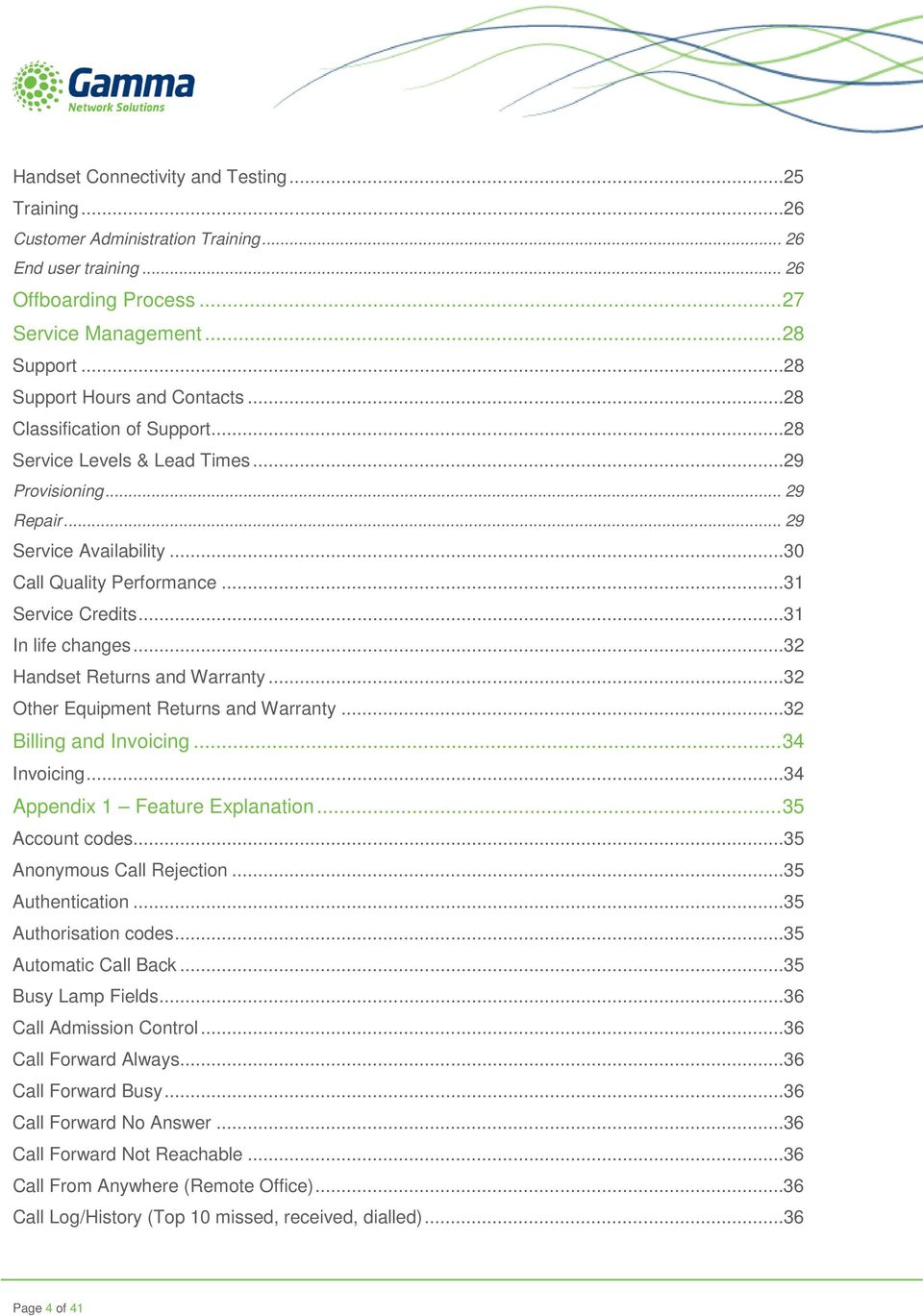
5 Call Me Anywhere (Twining) Call Notify by Call Park Call Pickup Call Return Call Recording Inbound and Outbound Call Transfer Call Waiting Calling Line id Blocking Calling Line id Delivery (External) Calling Line id Delivery (Internal) Calling Name Retrieval Calling Policy Call Hold Diversion Inhibitor Do not Disturb Hot Desking Hunt Groups Instant Group Call Last Number Redial Music on Hold Music on Hold (user) N Way Conferencing (Up to 13) Pre-set availability Profiles Scheduling Selective Call Rejection Sequential Ring Speed Dials Voice Messaging Horizon - Managed Cloud Voice Service Service Description Page 5 of 41 Gamma Network Solutions All rights reserved. Confidential.
6

7 Introduction and Purpose The purpose of this document is to introduce the Horizon product and detail the services that are offered as part of the product offering. What is Horizon? Horizon is a cloud based complete communications service for organisations that provides an extensive range of fixed and mobile telephony capabilities through easy to use web and mobile interfaces. Horizon can be delivered as a private, public or hybrid cloud solution and is directly connected to a number of private and public networks such as Janet. Please contact Gamma to discuss your preferred method of connectivity. The Horizon service allows you to easily manage your business telephony environment whilst enabling your employees to maximise their productivity. The service offers a range of clever features and an emphasis on control and administration through the web that takes the burden away from your IT team. For administrators, you can quickly configure the system according to your organisation s changing requirements, whilst your employees can manage calls easily and effectively through additional services such as desktop and mobile client software. A typical Horizon install would include: 1. Premium handsets Providing high standards of phone interoperability with a choice of handsets from a range of manufacturers. 2. An easy-to-use web interface providing feature control and valuable user information With an experienced in-house software development team, we are able to provide a positive user experience for both using the service and monitoring performance. 3. An IP network, reliable and secure Horizon can operate on both public and private networks, if connectivity is supplied by Gamma then a complete end-to-end service level is achieved. 4. Broadsoft call controller platform Supporting millions of business users worldwide, the World s leading call controller platform from Broadsoft sits at the heart of Horizon providing the broadest feature set and a sole focus on delivering the richest user experience in Unified Communications. Horizon - Managed Cloud Voice Service Service Description Page 7 of 41 Gamma Network Solutions All rights reserved. Confidential.

8 Gamma Access and Network The Gamma network is one of the UK s largest tier 1 providers of voice and data services, switching in excess of 800 million minutes per month over our soft switch infrastructure. Our Next Generation architecture which interconnects to BT at 650 local exchanges has been specifically designed to: Support the end to end automation of customer transactions between our network platforms Facilitate the rapid development and deployment of new product functionality Ensure high levels of system availability via multiple layers of technical and geographic resilience. Interconnect with a range of ISPs and community based networks such as Janet. We offer a wide range of data products and Horizon can be offered in conjunction with one of our data services. For small site offices we offer a range of voice focused and guaranteed connections through our IP Assured or Converged Broadband range, whereas for head offices or larger deployments requiring data access, also fully converged Ethernet and Ethernet over the First Mile (EFM) solutions are available. By using our access solutions, the voice traffic does not leave our network when making or receiving calls, ensuring our focus on quality business IP connections is provided on every call. If an issue does occur, the customer only needs to make one phone call, to our service teams who have sight of the entire call route and are in complete control of resolving the end user s issue. Alternatively, Gamma can provision Horizon over existing appropriate data connectivity. Information Assurance Gamma's Horizon service is covered by our ISO27001, ISO22301, ISO9001 certification and is fully compliant with ND1643. Currently the service is not IL accredited. However, we believe the service will achieve a target Impact Level (IL) of IL2 and are in the process of obtaining certification. Page 8 of 41

9 Disaster Recovery / Backup Our business continuity capability is built into the architecture of the network, our support systems, organisational structure and business processes and is certified to both ISO27001 and ISO Our physical infrastructure is based in multiple geographic locations and we have multiple levels of resilience should we see components fail. This includes essential services such as power and air-conditioning. Our service platforms and billing systems are housed in a replicated server environment with several layers of backup systems and process, including offsite storage. Horizon - Managed Cloud Voice Service Service Description Page 9 of 41 Gamma Network Solutions All rights reserved. Confidential.

10 Handsets Horizon can be used with a range of handsets from a choice of manufacturers, and is not tied to one type of manufacturer or hardware for an installation. We currently can provide a wide range of Cisco or Polycom devices from basic to executive, wireless, desk based or wall mounted. Page 10 of 41

11 Customer Responsibilities As part of the Horizon offering we can provide handsets and the installation of the service. The customer is responsible for the power on site, the cabling on site and the data LAN, as well any 3rd party equipment that they may have or wish to use with the Horizon service. Alternatively, Gamma can supply cabling and LAN switching as part of the monthly service fee. Horizon - Managed Cloud Voice Service Service Description Page 11 of 41 Gamma Network Solutions All rights reserved. Confidential.

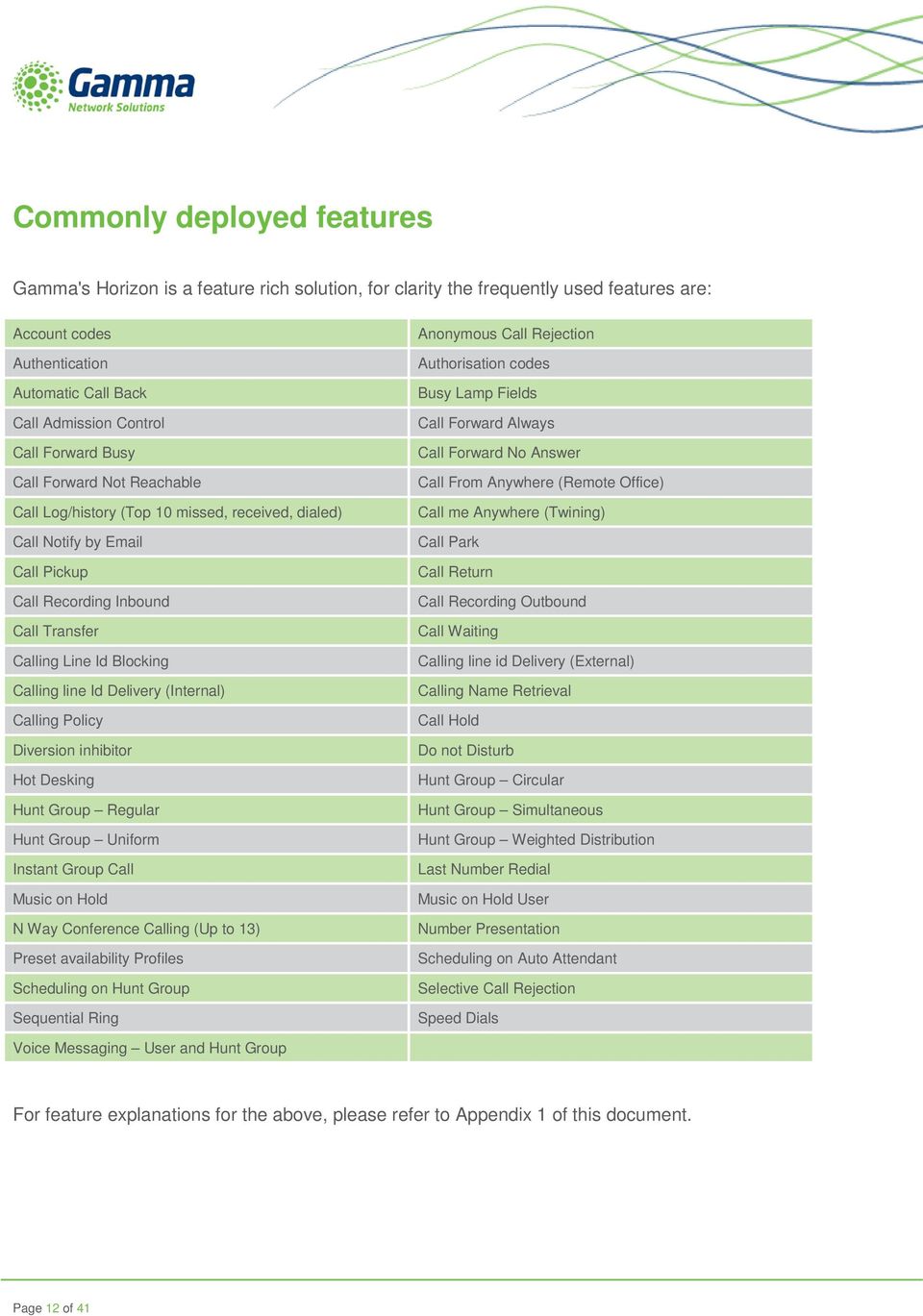
12 Commonly deployed features Gamma's Horizon is a feature rich solution, for clarity the frequently used features are: Account codes Authentication Automatic Call Back Call Admission Control Call Forward Busy Call Forward Not Reachable Call Log/history (Top 10 missed, received, dialed) Call Notify by Call Pickup Call Recording Inbound Call Transfer Calling Line Id Blocking Calling line Id Delivery (Internal) Calling Policy Diversion inhibitor Hot Desking Hunt Group Regular Hunt Group Uniform Instant Group Call Music on Hold N Way Conference Calling (Up to 13) Preset availability Profiles Scheduling on Hunt Group Sequential Ring Anonymous Call Rejection Authorisation codes Busy Lamp Fields Call Forward Always Call Forward No Answer Call From Anywhere (Remote Office) Call me Anywhere (Twining) Call Park Call Return Call Recording Outbound Call Waiting Calling line id Delivery (External) Calling Name Retrieval Call Hold Do not Disturb Hunt Group Circular Hunt Group Simultaneous Hunt Group Weighted Distribution Last Number Redial Music on Hold User Number Presentation Scheduling on Auto Attendant Selective Call Rejection Speed Dials Voice Messaging User and Hunt Group For feature explanations for the above, please refer to Appendix 1 of this document. Page 12 of 41
13 Bolt Ons At present Horizon has the following chargeable service additions that may be applied: Call Recording Storage It should be noted that the cost of call recording storage will vary, dependent upon the number and size of the calls recorded. On average you can expect 1 minute of recording to use around 0.2MB of storage. Call recording storage is provided in a range of charging tier s and designed to complement the on demand or X% of calls recorded capability over both user and groups. Recordings are held for 6 months from the date of the call and will then be deleted so we recommend that call recordings are downloaded if required for more than 6 months. Horizon - Managed Cloud Voice Service Service Description Page 13 of 41 Gamma Network Solutions All rights reserved. Confidential.
14 Services Supported by Horizon As part of the core product offering we also provide the following services: Call Termination and Call Barring Gamma will support voice calls to all UK, mobile and international destinations. Call barring is available for the following destinations: UK national 01, 02, 03. UK mobile 07 UK non-geographic (05, 08 and 09) International 00, 155 International mobile Directory Enquiries (118 XXX) Operator Services Emergency Services 999/112 Local Dialling Local dialling, where you dial a number without the area code, is supported on Horizon and a full area code does not need to be dialled for local calls. Please note that the local area is defined as the user s DDI, or where not assigned the main site DDI that the user is associated to. DTMF DTMF is the ability for the network to identify the digits on a handset that a caller can press and this is supported over Horizon. CLI Presentation CLI Presentation is supported on Horizon and allows an administrator to present a choice of either the Site number, Withheld aka Private or User DDI. The numbers presented have to be Horizon numbers either allocated at point of order or ported to the Horizon product. Alternative Number Presentation is also available where any number owned by an End User can be presented, as long as it meets Ofcom guidance on CLI Presentation. Page 14 of 41

15 This means it must be: A Diallable number, or A number that has been received, from the public network and passed on unchanged It will have been allocated either to the caller or if allocated to a 3rd party only used with the 3rd party s explicit permission It must not be a number that generates an excessive call charge (i.e. one prefixed 090 or 091) It is supported by an underlying network number and service For calls to the Emergency Services Operator, the presentation to the Called Party will always be defaulted to the Site Number allocated to the Company, and where address information is stored. Call Diverts Where call diverts are setup from the Horizon user account to an external number then the following rules will be applied: User Provided CLI / Outgoing Caller ID Presentation to Called Party * CDR Record * Site Number Site Number Site Number Private The displayed presentation to the called party will be dependent on what is supported within the destination network. For example Unavailable or Private Number may be presented to the called party Site Number Individual CLI Individual CLI Individual CLI * Note: In the case of call divert, the Presentation CLI and CDR Record entry will be a number from the HORIZON Platform, not the originating CLI of the calling party. Emergency Services Support The emergency services can be accessed through Horizon by dialling either 999/112. When provisioning the Horizon service Gamma will ensure that the site CLI defined by the Customer is logged in the emergency services database, with a VoIP service type and address information provided to us. This will ensure that where an emergency call is presented the operator will always aim to confirm the address with the customer because of the nomadic capabilities of these numbers. However aside from this, the call will be handled no differently to a traditional analogue call. To ensure the correct record is always accessed by the emergency services, Gamma will default the outbound CLI presentation for any 999/112 call to be that of the defined site CLI for that user. Please note that maintaining the correct site CLI and address details for the site, is the Customers responsibility, however it is accepted for remote users this will be based on best efforts. Horizon - Managed Cloud Voice Service Service Description Page 15 of 41 Gamma Network Solutions All rights reserved. Confidential.

16 Horizon also does not operate identically to traditional phone systems and lines when contacting 999 or 112 emergency services, in that if an underlying component of an IP network fails, calls cannot be made. Scenarios that could impact the ability to make emergency calls are: During a service outage, where an end customer loses connectivity, for example owing to a power outage or the failure of DSL routing equipment If an end customer s account has been suspended In such circumstances the end customer should ensure they have an analogue phone available to plug into a PSTN line, however in reality it is likely mobile devices will be available to use. Other consideration should be given on design and installation for sites where specific issues are known, e.g. power outages and backup power options. Please note that in the event of such an emergency, there are a number of features Horizon can implement to ensure incoming business is maintained whilst the emergency is dealt with. Please discuss this with your account manager if you need specific examples of disaster recovery plans that could be implemented. Number Porting In order to port a number Gamma must have a porting agreement in place with both the current owning provider and the original range holder. Page 16 of 41

17 Services Not Supported Horizon does not at present support the following services: Analogue phones and devices, although a terminal adapter box can be used to connect these if required ISDN Data calls Numbers not allocated to the Horizon platform International number presentation (we cannot guarantee presentation of a UK CLI across International carriers) Door entry options IP Handsets that have not been supplied by Gamma Call Recording service on Horizon is not currently PCI compliant Some manufacturer advertised functions on the supplied phones are not available on Horizon We strongly recommend that fax and franking machines are used on a separate analogue line rather than included within the Horizon solution using an Analogue Terminal Adapter (ATA) Horizon - Managed Cloud Voice Service Service Description Page 17 of 41 Gamma Network Solutions All rights reserved. Confidential.

18 Horizon Web Portal Horizon can be accessed at and supports Internet Explorer 6.0, 7.0, 8.0, 9.0, Mozilla FireFox, Safari, Chrome, and Opera. Administrator The company administrator has the ability to change service options and establish departments and policies as well as managing numbers and subscriptions over the whole company. Company Administration The ability to define for the company the call profiles, service options, company portal, and company voice portal amongst other key information and options. Site Management The ability to define per site the main site DDI, and additional key information such as Schedules, Music on Hold, and Call Barring. User Management The ability to create users of the system and assign them a phone to activate the devices supplied. You can also assign a telephone number, decide on any call barring, and give them optional services such as Voic , controlled from the system login provided. Group Management The ability to manage incoming calls and present a profile image for your company through the use of Auto Attendants and Hunt Groups. The administrator can also access statistical information across the company for both inbound and outbound calls. Page 18 of 41

19 End User On logging in for the first time the user will be prompted to setup a few basic features to establish their user account including: Call Handling decide how to route incoming calls Twinning the ability to phone a mobile device or another number if your phone or extension is dialled Change of password change the password assigned to ensure this is unique to the user From the Horizon dashboard users have the ability to influence a number of user settings as well as review their own call usage and performance. The dashboard can be customised to ensure your users achieve the best view for their specific needs. Functionality for end users includes: Call handling - inbound and outbound Click to dial Call forwarding, call waiting, call transfer etc. Manage profile settings - call routing based on pre-set profiles such as "out of office", "unavailable" etc. View individual user call statistics - made, missed, received etc. Blacklist nuisance callers Setup speed dials Setup Hot desking ability Setup Remote office Horizon - Managed Cloud Voice Service Service Description Page 19 of 41 Gamma Network Solutions All rights reserved. Confidential.

20 Horizon Desktop Client The Horizon desktop client has been designed to be used in conjunction with the core Horizon service, and allow connection of either a Mac or PC desktop/laptop device. The desktop client for PC has been tested to work with the following operating systems: Windows XP, Vista, or Windows 7 Other operating systems may also allow the client to run without issue, but support of these is not provided. The client provides additional features through an easy to use software client: Soft Phone Instant Messaging Presence Management of your existing Horizon account Page 20 of 41

21 Horizon Mobile Client The Horizon mobile worker client allows users to utilise their smartphone as a Horizon extension. We currently support Apple ios and Android. The mobile worker client can be used to ensure that a user who is out of the office or moves between them on a regular basis, can simply use their mobile device for all telephony purposes. This enables the user to work from anywhere with a good quality data connection and remain part of the company's telephony environment. It also ensures that any call charges are always billed back to the company, and as it utilises an IP connection ensures there are no high call costs as you may expect if say you were working from a hotel room or international office. Horizon - Managed Cloud Voice Service Service Description Page 21 of 41 Gamma Network Solutions All rights reserved. Confidential.
22 Onboarding Process The Horizon service is ordered and delivered as per the below process flow. Throughout this process, detailed status updates will be provided to the customer to ensure that they are fully aware of when the service will be delivered. Implementation Team The Implementation Team has key responsibility for: Project management for all elements of a Horizon installation Technical validation of the Horizon solution Confirmation of the configuration with the customer Provision of the access i.e. broadband, Assured, Converged Broadband, Ethernet Management of the installation with our Installation Partners Management of the porting of customer geographic numbers as required Project handover to the Customer Development Manager Opening Hours Function Standard opening hours Exceptions Out of hours cover (for escalations) Implementation Team Monday Friday 09:00 17:00 Closed UK bank holidays 24/7 for fault escalations please refer to the Managed Service Desk Installation Team Monday Friday 09:00 17:00 Closed UK bank holidays but out of hours installations can be specifically agreed Customer specific Page 22 of 41
23 Project Service Levels All stated timelines are from the receipt of a fully validated order which comprises a fully completed Customer Requirement Form, Horizon proposal tool and a signed service agreement. The timelines exclude any activity that requires site survey, non-gold addresses or installations that require additional line plant. They are also subject to supplier engineer availability and failure to meet the guidelines below will not result in any financial compensation. All timelines are stated in working days. Action Order acknowledgement Configuration call agreed with customer (assuming customer availability) Completed configuration details sent to customer Site survey date set (assuming customer availability) Site survey visit Survey report provided and revised quotation confirmed * Installation date agreed with customer Project handover to Customer Development Manager Timeline 1 day following receipt of complete order details 1 day from order acknowledgement Within 2 days of the configuration call 1 day from order acknowledgement Between 1 5 days unless this is not suitable for the customer Within 6 days from date of site survey Subject to access completion or within 2 days of receipt of the revised quotation by the 15th calendar day of the following month after installation Site Survey For solutions with 30 or less users, we would generally provide a quotation to the customer and if accepted, we would agree a date for installation of the solution. There is no need for site survey in this case. For solutions with 31 or more users, we will complete a site survey which will ascertain what is currently on site and what is required to support the intended solution. In order to start this process, the Customer Requirement Form should be completed to provide the full detail of the solution that has been discussed with the customer. We will arrange for a full site survey to be carried out at a conveniently arranged time. A member of our Installation team will attend your premises and action/discuss the following: Location of the PSTN line Available power sockets and stability of power Power requirements, and number of Power over Ethernet switches needed Location of new CAT 5/6 cabling, and location of handsets Location of the mains comms room/box and relevant structure Environmental survey, e.g. electrical interference, post code checks Horizon - Managed Cloud Voice Service Service Description Page 23 of 41 Gamma Network Solutions All rights reserved. Confidential.
24 Confirmation of configuration of the Horizon system with appropriate contact Identification of training with appropriate contact Confirmation of sign off authority Once this is completed, a confirmed quotation will be provided detailing what will be required to complete the installation. Once the quotation and the work have been agreed, the relevant orders will be placed. For certain Horizon solutions, the equipment maintenance contracts can be offered which will include the replacement of the equipment supplied as part of the Horizon service (excluding the handsets). We strongly recommend that the customer considers the various options for equipment maintenance that are available as it can take up to 2 weeks to replace service affecting equipment without an equipment maintenance contract being in place. For more information, please see the Installation Services service description. Irrespective of the size of the solution, all customer requirements will be captured on the Customer Requirement Form which is agreed by all parties prior to installation. Please note that some requirements such as power and environmental factors are not within our control. It would be the responsibility of the customer or the landlord responsible for the property to resolve if preventing service establishment or is identified as the cause of service impacting faults. Ordering All order requirements will be discussed with you by your Business Development Manager or your Customer Development Manager. The main documentation required to place an order for Horizon are the completed order form, following a detailed quotation, and the Customer Requirement Form, which details the full solution requirements. As part of the order, we would ask the customer to ensure that a named technical contact at site is provided who will be attendance and responsible for the initial site survey, the subsequent installation and then the final approval of the installation. This person should also be the main site administrator and so should also be readily available to deal with resolving on site requests. Number Porting In order to port a number we must have a porting agreement in place with both the current owning provider and the original range holder. A full list of porting agreements is available from your Customer Development Manager. Page 24 of 41
25 Installation We will carry out the installation of the Horizon system keeping the customer fully informed on the delivery and installation dates throughout the order process. On attending the customer s premises we will: Undertake a full site survey (if required) Arrive with the relevant equipment and handsets at site Install the relevant handsets, router, switches etc. Carry out any additional cabling as agreed Set out all handsets in accordance with the Customer Requirement Form detail Configure the Horizon service to the customer s requirements in accordance with the Customer Requirement Form detail Provide onsite training to key nominated personnel The Customer Requirement Form (CRF) is a key document to ensure the smooth installation of the Horizon solution. It will detail the agreed solution details as well as the user configuration. The completed CRF, including the full customer configuration details, will be required at least 5 working days prior to the relevant installation date.. If voic wav files are to be included as part of the installation, then these will also need to be provided at least 5 working days prior to the relevant installation date. If the user configuration is unavailable at least 5 working days prior to the relevant installation date, then the configuration of the Horizon user interface (GUI) will be the customer s responsibility. Please note that our Horizon service is a fully managed service and it is not possible for the customer or a customer nominated 3rd party to complete the installation of the service. Handset Connectivity and Testing If possible, the Horizon service will be set up, configured and tested on the same day as the installation, however if this cannot be achieved due to the complexity of the solution, the visit schedule will be fully agreed with the customer. To be able to test all aspects of the system, the nominated contact that has the authority to sign off the installation, will need to be on site, along with any other end users who will require training on the system. Once all aspects of system configuration, testing and training have been completed, the customer will confirm in writing that the installation is complete. Horizon - Managed Cloud Voice Service Service Description Page 25 of 41 Gamma Network Solutions All rights reserved. Confidential.
26 Training Customer Administration Training The administrator will be trained on the configuration that has been completed for the system which formed part of the Customer Requirement Form. The training will include using the Horizon portal to set up and manage the system going forward. A comprehensive user guide is available on the user portal itself. End user training In addition to the administrator training, we will complete basic end user training based on the user configuration specified on the Customer Requirement Form. It is, however, expected that the main administrator will complete any further user training after installation. The Horizon portal has a comprehensive help section to assist individual users. For the avoidance of doubt we will not train the customers on 3rd party equipment which we have not supplied ourselves. Page 26 of 41
27 Offboarding Process Numbers can be ported from Gamma to another supplier following the industry standard process. The Horizon subscriptions are non-transferrable. Horizon - Managed Cloud Voice Service Service Description Page 27 of 41 Gamma Network Solutions All rights reserved. Confidential.
28 Service Management Support The Horizon service is fully supported by us and will cover all aspects of installation, testing, fault diagnostics and support, application support and billing. Onsite maintenance of infrastructure at the end users site is the customer s responsibility and they should ensure that the service is unaffected if work is being undertaken. Support Hours and Contacts Our support teams are available on our standard number, , and are available from 8am to 6pm, Monday Friday excluding public holidays. They are responsible for managing any query surrounding the operation of the Horizon service and raising any associated faults. If a fault cannot be rectified over the phone, a case will be raised and a reference supplied for the fault. In all cases it is expected that the system administrator for the end user s site will make the support call and would be able to run some basic first line checks on the query prior to raising the issue. Please note that our Installation Team is available from Monday Friday 9am to 5.30pm and if out of hours visits are required, additional charges will be incurred. Classification of Support For the purpose of supporting the Horizon service, there will be two types of support: Application support: Where an end user requires assistance in the use or setup of their phone system over and above the training supplied to the customer administrator Service impacting faults: Where an end user is unable to receive or make calls or is encountering a service impacting issue such as quality of call. For both of these types of faults, a call should be made to us on and we will be able to assist in diagnosing the underlying issue, and where required, arrange for further investigation and rectification of the service. Page 28 of 41
29 Service Levels & Lead Times Provisioning All stated timelines are from the receipt of a fully validated order and they exclude any activity that requires site survey, non-gold addresses or installations that require additional line plant. Timelines are subject to supplier engineer availability and failure to meet the guidelines below will not result in any financial compensation. All timelines are stated in working days. Product Order Type Target Provision Timeline Horizon Number Porting Number Porting Number Porting Delivery of Handsets Single numbers Multiline (no DDIs) Multiline (with DDIs) 5 days (subject to completed site survey, access provision, access stabilisation and agreed installation date) 4 7 days (maximum lead times shown, dependent on current Communications Provider) 7 10 days (maximum lead times shown, dependent on current Communications Provider) days (maximum lead times shown, dependent on current Communications Provider) Repair Please note that the following table excludes service requests and is based on the assumption that the incident has been successfully reported by telephone to the appropriate department. All resolution timescales are based on the delivery of either full resolution or workaround and any issue requiring significant product development will follow standard service request principles. For faults where we need to involve our external suppliers, the following Service Levels may not apply, although the target resolution timeline will still be our aim. Failure to meet the guidelines below will not result in any financial compensation. All timelines are in working days. Product Priority or Care Level Target Resolution Timeline Horizon platform Critical Fault - Loss of service. Multiple services affected 4 clock hours Horizon platform High - Loss of service - single customer or service 8 clock hours Horizon platform Medium - Disrupted service 3 working days Horizon platform Low - Single number destinations or Quality of Service 7 working days Please note that clock hours run during the time in which the fault is within our control. Where a fault is with the customer for further action, the clock stops and will restarts when details are confirmed back to us. Horizon - Managed Cloud Voice Service Service Description Page 29 of 41 Gamma Network Solutions All rights reserved. Confidential.
30 Service Availability We are able to provide service availability for Horizon. Service Availability is defined as the ability of a Service to perform its required function over a stated period of time. It is reported as the percentage of time that a Service is actually available for use by the customer within agreed Service Hours. Availability is calculated as: Total number of minutes in the measurement period Unplanned Downtime Total number of minutes in the measurement period x 100 Note: If a Service is partially available then the Unplanned Downtime shall be calculated in equal proportion i.e. if a service is 50% available then the unplanned downtime will be calculated as 50% x elapsed period of the incident. Availability Measurement Period: 1 Calendar month. Target availability for each service components is as follows: Service Core services (1) Non-Core services (2) Horizon Auto Attendant, Call Recording, and Unified Messaging subscriptions 99.0% Horizon Graphical User Interface (GUI) 99.9% Horizon user subscriptions 99.5% Inbound call management platform 99.99% Inbound end user portal ( % SIP Trunk Endpoint Resilient Build (3) 99.99% 99.50% SIP Trunk Endpoint Standard Build 99.95% 99.50% The following shall not be included when calculating the Service Levels: Outages which are deemed by us to be the result of matters outside of its direct control Planned or notified emergency maintenance works User error Page 30 of 41
31 Notes related to Service Availability: 1. Core functions are defined as Gamma Switching infrastructure, transmission equipment and core network, the service that supports call routing and termination. 2. Non-Core functions include Gamma Support Systems, access to any relevant portals and feature based services such as Call Plans, Call diverts, Auto Attendant, Call Recording, and Unified Messaging 3. Please note the Service Availability relates to the core Horizon services and does not include access or local CPE elements. Call Quality Performance We are able to provide call quality performance for Horizon. As a means of determining and measuring the call quality of the Horizon service we measure the call quality of calls passing through the Gamma core IP network. The performance is measured using Perceptual Evaluation of Speech Quality (PESQ) score that cover a scale from 1 (bad) to 5 (excellent) for call quality. Our Horizon product supports the following codecs, G.711 and G.729 for external call termination. The PESQ score targets for the supported CODECs for the Horizon product are as follows: Codecs Mean Average PESQ Score Period G One Calendar Month G One Calendar Month Service Credits Service credits will be applicable should the level of core service availability not meet the target monthly percentage, as per the table below. Service credits will be applied to the monthly subscription charges only. Service credits would need to be requested by the Customer with evidence of services that you feel have been impacted. Any agreed service credits would be applied against the next scheduled payment to be made to Gamma. Target Availability Measured Availability Service Credit 99.95% 99.90%-99.94% 5% 99.5% % 7.5% <99.5% 10% Horizon - Managed Cloud Voice Service Service Description Page 31 of 41 Gamma Network Solutions All rights reserved. Confidential.
32 In life changes Once a service has been provided there could be a number of changes which you would need to make, and these can all be actioned by contacting your Customer Development Manager. Manage Company The ability to add Call Recording to an end user and adjust other areas of the end user s company account Manage Administrators The ability to add, edit and delete additional administrators Manage Subscriptions The ability to add additional subscriptions to an end user s company account Manage Numbers The ability to add additional numbers to an end user s company account Manage Devices The ability to add additional equipment to an end user s company account Manage Sites The ability to add additional sites to an end user s company account Cease Company The ability to fully cease an end user s company account. Please note minimum term charges will be applied Handset Returns and Warranty All Horizon handsets are provided with a standard 12 month warranty. If for any reason a handset develops a fault, then our support team should be contacted on and they will be able to diagnose the problem. If the equipment is identified as faulty, then a replacement handset will be despatched to your premises and the faulty handset collected. We aim to send the replacement handset on the same day however if this is not possible, then the handset will be despatched within 48 hours. If the fault is not covered by the standard manufacturer warrantee then a charge for the handset will be applied to your account. Other Equipment Returns and Warranty The other equipment supplied (with the exception of the Horizon handsets) will vary depending upon the type of solution and the number of users. For solutions with 30 or less users (either based on one site or across several sites, all with 30 or less users) we will replace the relevant switch or equipment once during the first 12 months free of charge. This replacement service will include replacement of the pre-configured switch by an engineer to the customer s site. This will be arranged as soon as possible once the fault is identified however we are unable to provide a service level to this visit. If further faults occur within the first 12 months or if the fault is found to be user induced, then the replacement equipment and engineer visit will be chargeable to the customer. Page 32 of 41
33 For solutions with 31 or more users (either based on one site or across several sites), we are able to offer various equipment maintenance options which can provide replacement equipment. Further information on this can be found in the Installation Services service description. If an equipment maintenance contract has not been purchased (for solutions with 31 or more users) then the replacement of the faulty equipment is dependent upon the warranty offered by the relevant manufacturer and it can take up to 14 days to provide a replacement. If an additional engineer visit is required, then this will be chargeable to the customer and will be arranged within usual working hours. We therefore strongly recommend that the customer considers the available options for all business critical equipment. Further information is available in the Installation Services service description. Please note that if the root cause is deemed to be outside of our control and the manufacturer warrantee, additional charges may be raised for engineering time and replacement of the hardware affected. As an example, these root causes may well be environmental or associated to onsite influences such as 3rd party work or decisions which have affected the installation. Horizon - Managed Cloud Voice Service Service Description Page 33 of 41 Gamma Network Solutions All rights reserved. Confidential.
34 Billing and Invoicing Gamma will invoice based on the following service criteria: Service Setup Project Management Subscription Subscription + inc. handset Subscription + inc. calls Subscription + inc. calls + inc. handset Service Credits from Gamma Handset (purchased) Frequency One-off on completion One-off on completion Monthly in advance Monthly in advance + calls monthly in arrears Monthly in advance + calls monthly in arrears Monthly in advance + calls monthly in arrears Monthly in arrears following the breach period One-off on delivery Invoicing In all cases, the chargeable events will be added to your monthly invoice. All monthly rentals will be charged in advance and all initial charges will be raised after installation. The monthly invoice is provided as per your agreed billing and collection terms. Additional charges for cancellations and missed appointments will be raised as applicable. Page 34 of 41
35 Appendix 1 Feature Explanation Please see below explanation of features available on the Horizon service. Account codes Enables the tracking of calls made to external parties by prompting users for an account code prior to making a call. Account codes are managed by the administrator of the Company and can be 2 to 14 digits in length Account codes can also be implemented on a per call basis in which users have the option to enter an account code by dialling the feature access code prior to a call. Once these codes have been used they will appear in the 12th field of the Gamma CDRs, enabling a Customer to implement their billing system to bill accordingly. Please note you can t have Accounts codes activated whilst authorisation codes are in use. Anonymous Call Rejection Enables a user to reject calls from anonymous parties who have restricted their CLI Presentation. By implementing this service the caller will receive a message stating that the applied number is not receiving anonymous calls. Authentication This service provides authentication via SIP Registrar and SIIP Invite to secure a phone s incoming or outgoing calls with the Horizon service. Authorisation codes Performs an authorisation of calls made to external parties by prompting a user for an authorisation code prior to making a call. Calls will not be connected unless a valid code is entered. Authorisation codes are managed by the administrator of the Company and can be 2 to 14 digits in length. Please note you can t have Authorisation codes activated whilst account codes are in use. Automatic Call Back Enables a call back to be set when dialling a user within the Horizon group if a busy tone is received. Horizon - Managed Cloud Voice Service Service Description Page 35 of 41 Gamma Network Solutions All rights reserved. Confidential.
36 Busy Lamp Fields Busy Lamp Fields allows a user to monitor a defined extension by the colour of the lamp of the line key assigned. It also acts as a speed dial which when pushed will call that extension or user. Call Admission Control Provides the ability to limit the number of external calls that can be made from a Horizon site. Call Forward Always Allows a user to redirect all incoming calls to an alternative destination. Users have the option to activate and deactivate this service through dialling a feature access code or configuring the service via their web interface. Call Forward Busy Allows a user to redirect calls to an alternative destination when an incoming call encounters a busy tone. Users have the option to activate and deactivate this service through dialling a feature access code or configuring the service via their web interface. Call Forward No Answer Allows a user to redirect calls to an alternative destination when an incoming call is not answered within a specified number of rings. Users have the option to activate or deactivate this service through dialling a feature access code or configuring the service via their web interface. Call Forward Not Reachable Allows a user to redirect calls to an alternative destination when an incoming call cannot route to the intended user, e.g. faulty line. Call From Anywhere (Remote Office) Provides the ability for the user to define a location potentially outside of the Horizon service i.e. hotel room, where they can receive and make calls, whilst out of the office. This feature works through re-routing incoming calls to the defined destination, as well as implementing a 2 staged call setup when using click to dial through the Horizon service. Call Log/History (Top 10 missed, received, dialled) Provides the user with a short term view of both incoming and outgoing calls, and the relevant results of each, through easy to use and interpret graphs displayed on the dashboard of the service. Page 36 of 41
37 Call Me Anywhere (Twining) Allows the user to define one or more locations that can be used as extensions to the user s desk phone. These locations when defined and activated would also ring at the same time as a desk phone when an incoming call is delivered. Call Notify by Provides the ability to define which call types you would like to be notified about via . This could range from missed calls during business hours through to outgoing calls from devices which should be locked or out of use. Call Park Enables a call to be parked and retrieved from another phone within the same Call Park group, through using the relevant feature access codes and user extension. Call Pickup Enables an incoming call to be picked up by another user within a Call Pickup group, through using the relevant feature access code and user extension. If there is more than one call ringing within a Call Pickup group, the call that has been ringing the longest will be retrieved. Call Return Allows a user to call the last party that called assuming a CLI was presented, regardless of whether or not the call was answered. Call Recording Inbound and Outbound Provides the ability to record calls both inbound and outbound, over users, hunt groups and auto attendants, so that the recordings can be accessed later through the Horizon system. Additional charges are applied to the maximum storage used within each month. In order to further enhance the security of call recordings on Horizon, a secure digital signature has been added to all call recording files. The application of this digital signature will happen to all files at the end of the audio file processing, and if a customer needs to prove that it has not been altered, an authenticity check can be run by the support teams. This check can still also be made if our standard storage retention limit of six months has been exceeded. For customers who are required to prove the authenticity of call recordings by the FCA (Financial Conduct Authority), this new feature will prove that a recording has not been altered in transit from Gamma to the customer s premise. Horizon - Managed Cloud Voice Service Service Description Page 37 of 41 Gamma Network Solutions All rights reserved. Confidential.
38 What a digital signature will not do: It does not encrypt the content of the actual audio file. The file can be played back by anyone who has access to the recording in the Horizon interface The assurance around the validity of the file is based around Gamma's network security processes. Our ISO27001 security processes ensure that no employee can alter/change the files How the signing procedure works The recording, in mp3 format, is signed with the corresponding metadata (present in the same file) by the AudioConverter. Then the signature is written into a special field in the mpg3 file s ID3v2 tag. N.B the metadata can be used for linking a call recording to call data stored in our reporting system (should it be required). On verification the signature is fetched and removed from the mp3. The remaining data in the file (which is equal to that before signing) is validated for the now fetched signature data. Call Transfer Enables a user to redirect a ringing, active, or held call to another number or directly to voic . Prior to forwarding the call a user can choose to answer it and put the caller on hold whilst they contact the 3rd party to be transferred to. Call Waiting Provides sight of additional incoming calls to the user s device while the user is engaged on another call. Calling Line id Blocking Allows a user to block or allow their user identity (name and number) to be presented to a called party. Calling Line id Delivery (External) Allows a user to present their user identity (name and number) for external calls. Calling Line id Delivery (Internal) Allows a user to present their user identity (name and number) for internal calls within the Horizon service Page 38 of 41
39 Calling Name Retrieval. Provides the ability to deliver a user s name, as well as a number for calls made and received. Calling Policy Enables an administrator to define the Calling Policies for both site and user to restrict or allow specific call routing, i.e. Call barring Call Hold Allows a call to be put on hold for any length of time, whilst the user performs other activities. Diversion Inhibitor Enables a user to prevent calls made being redirected again by the called party, i.e. redirecting calls to voic when trying to forward a call Do not Disturb Allows a user to set their phone to unavailable so that incoming calls are given a busy tone. This feature can be enabled through feature access codes, on supported devices, or through the Horizon GUI. Hot Desking Provides the ability for any user to login to any device assigned to their Company throughout all sites. A user can log in to a device through either activating the phone on supported devices, or through the Horizon GUI, or Company Voice Portal. When activated that user will have the ability to make and receive calls as themselves, however programmed line keys or BLFs will only show when logged into their assigned device. Hunt Groups Allows the delivery of incoming calls to users in predetermined and configured routing. Group administrators can choose from any of the following Hunt routing, and attach users and configuration as required: Circular sends calls in a fixed order. The call is sent to the first available user on the list, starting with the user following the last user to receive a call Regular sends calls to users in the order they are listed. The call is sent to the first user in the list, always starting with the first user. Simultaneous sends calls to all users within a group. The first user to pick up the phone will have the call routed to them. Horizon - Managed Cloud Voice Service Service Description Page 39 of 41 Gamma Network Solutions All rights reserved. Confidential.
40 Uniform sends calls to the user who has been idle the longest. Once a call is completed that user will be moved to the bottom of the list. Calls received but not routed through the Hunt Group will not be applied to this routing. Weighted sends calls to users based on a weighted % of calls to answer. For example out of 10 calls 2 users may be weighted as 40% and 60% meaning 4 calls and 6 calls are delivered as defined to the associated users. Administrators can also define call waiting to enable calls from outside of the Hunt Group routing to be delivered and answered. Instant Group Call Provides an instant conference bridge connecting all members within the group. When a member of the group calls the specific group number, all users will receive a call inviting them to join the group. Last Number Redial Enables users to redial the last number they called through supported devices or through a feature access code. Music on Hold Allows the administrator to setup and maintain audio files that can be used in various call scenarios (e.g. Call Park, Call Hold). These files can be recorded through supported devices or uploaded through saved files. Music on Hold (user) Allows users to enable or disable music on hold on a per call basis, through either a feature access code or via the Horizon GUI. This service is especially useful when attending conference calls or similar where you may wish to put a line on hold. N Way Conferencing (Up to 13) Enables the ability to call up to 13 people and enable them to participate within a conference call. Pre-set availability Profiles Allows a user to enable a predefined availability profile, in order to implement specific call routing. These are defined as: Available in the Office Available out of the office Busy Unavailable Page 40 of 41
41 Scheduling Allows the definition of set schedules for business hours and other company specific events. These schedules can then be implemented over Auto Attendants or Hunt Groups to provide specific routing during set hours or days. Selective Call Rejection Enables a user to define criteria to prevent incoming calls being delivered, i.e. a black list. This ranges from specific numbers, through to time of day and day of week. Sequential Ring Allows a user to define a find me list of numbers that incoming calls will route to sequentially. While the incoming call is routed, callers will hear comfort announcements, and can interrupt the search to leave a message. The user must set the number of rings after which the service will move on to the next number. Speed Dials Allows a user to define either 1 or 2 digit speed dials that can be made from their device to key external or internal destinations. Local speed dials can also be established, however we recommend using the system to ensure both the phone and Horizon GUI is in sync. Voice Messaging Enables voic services to be established either against users or hunt groups so that messages can be left and accessed by users. Please note that Horizon does not display voic s in its system, but enables a Voic to function or access via the Horizon devices. Horizon - Managed Cloud Voice Service Service Description Page 41 of 41 Gamma Network Solutions All rights reserved. Confidential.
A complete communications service for your business
 A complete communications service for your business Easily control your fixed and mobile telephony WHAT IS HORIZON? Horizon is a complete communications service for business that provides an extensive
A complete communications service for your business
 A complete communications service for your business Easily control your fixed and mobile telephony WHAT IS HORIZON? Horizon is a complete communications service for business that provides an extensive
Contents How do I gain access to the Horizon website... 2 Logging in as the Administrator... 2 How do I customise my Dashboard?...
 Contents How do I gain access to the Horizon website... 2 Logging in as the Administrator... 2 How do I customise my Dashboard?... 2 How do I setup the Horizon GUI?... 3 How do I setup the Company Administration?...
Unity Hosted Telephony service
 Unity Hosted Telephony service Easily control your fixed and mobile telephony WHAT is Hosted Telephony? WHAT IS A HOSTED TELEPHONE SERVICE Hosted Telephony is a complete communications service for business
A complete communications service for your business
 A complete communications service for your business Easily control your fixed and mobile telephony WHAT IS Genius Hosted Communications? Genius Hosted Communications is a complete communications service
Contents How do I gain access to the Horizon website... 2 Logging in as the End User... 2 How do I customise my Dashboard?... 2 How do I initially
 Contents How do I gain access to the Horizon website... 2 Logging in as the End User... 2 How do I customise my Dashboard?... 2 How do I initially configure my user access?... 2 The Dashboard... 3 How
Conditions for ICT Partner Solutions Service Schedule for BT Cloud Unified Communications
 Conditions for ICT Partner Solutions Service Schedule for BT Cloud 1. Provision of Service The Service will be provided by BT to the Customer using BT s Supplier. For the avoidance of doubt no contractual
SIP Trunking. Service Definition V2.3
 SIP Trunking Service Definition V2.3 Gamma Network Solutions, 2 Manor Court, Barnes Wallis Road, Segensworth, Fareham PO15 5TH 0808 168 1808 0844 324 1906 [email protected] www.gamma.co.uk/gns Registered
Hosted Voice Exchange. High definition telephony for growth you control
 Hosted Voice Exchange High definition telephony for growth you control 2 Contents About HVX... 4 Why choose HVX?... 4 The Business Benefits... 5 HVX Handsets... 6 Key Features... 8 Productivity and efficiency
A host of hybrid phone solutions... SIP Trunk Solutions
 SIP Trunk Solutions A host of hybrid phone solutions... SIP Trunking Quick Start Guide SIP Trunking Quick Start Guide SIP Trunking Overview The VoiceHost SIP Trunking solution provides substantially more
Horizon. A complete communications service for your business
 Horizon A complete communications service for your business Easily control your fixed and mobile telephony Horizon is a complete communications service for your business that provides an extensive range
Your Phones Display and Buttons. Using Your Phone. Personalising Your Phone. Call Handling Features
 Your Phones Display and Buttons Using Your Phone Using Line Keys Using Busy Lamp Fields Handling Missed Calls Do Not Disturb Making Calls Taking Calls Taking Multiple Calls Accessing Voicemail Personalising
TXI Telephony Product Book 2012 2012
 TXI Telephony Product Book 2012 2012 PRICING, HOW TO This section details the common pricing scenarios for the following: Receptionist Call Centre SIP Trunking Fax to Email Messaging Receptionist: Receptionist
G Cloud Service Description Premier SIP Trunk Software as a Service October 2015
 G Cloud Service Description Premier SIP Trunk Software as a Service October 2015 Premier Choice Telecom has been a trusted provider of communications solutions for businesses for over 15 years. Our clients
What is ViP? ViP is a complete package for your hosted/voip telephone solution. The ViP package has been created to keep things simple for you.
 What is ViP? Voice internet Phone ViP is a complete package for your hosted/voip telephone solution. The ViP package has been created to keep things simple for you. We bundle in all the hardware, software,
BT CLOUD VOICE. CUSTOMER ADMINISTRATOR GUIDE.
 BT CLOUD VOICE. CUSTOMER ADMINISTRATOR GUIDE. A comprehensive guide to setting up and using the many features of BT Cloud Voice, and how they can help you get the very best out of your business. WHAT S
HORIZON HOSTED VOIP A COMPLETE COMMUNICATIONS SERVICE FOR YOUR BUSINESS
 HORIZON HOSTED VOIP A COMPLETE COMMUNICATIONS SERVICE FOR YOUR BUSINESS Easily control your fixed and mobile telephony Horizon is a complete communications service for your business that provides an extensive
KIPCOM Limited. Contrex Service Description
 KIPCOM Limited Contrex Service Description CONTREX Contrex represents a new generation of communications platform. This new generation of PABX s is often referred to as an IP based PABX. The 'IP' refers
Management Summary for Unified Communications IP PBX
 Management Summary for Unified Communications IP PBX Prepared By for YOU of General: The Unified Communication Internet Protocol Private Branch Exchange (UCIPPBX) is a fully realised 3 rd generation office
HORIZON HOSTED TELEPHONY
 HORIZON HOSTED TELEPHONY A COMPLETE COMMUNICATIONS SERVICE FOR YOUR BUSINESS Easily control your fixed and mobile telephony Horizon is a complete communications service for your business that provides
FIXED SERVICE SCHEDULE LANDLINE SERVICE. The following additional terms and conditions apply to the provision of the Landline Service.
 FIXED SERVICE SCHEDULE LANDLINE SERVICE The following additional terms and conditions apply to the provision of the Landline Service. 1 DEFINITIONS In this Service Schedule, in addition to those terms
Digital Communication Systems Limited Hosted VoIP Telephony
 1 Digital Communication Systems Limited Hosted VoIP Telephony Service Definition G-Cloud VI 2 Contents Digital Communication Systems Limited Hosted VoIP Telephony Service Definition G-Cloud VI... 1 Hosted
EASYNET CHANNEL PARTNERS LIMITED PARTNER MASTER SERVICES AGREEMENT HOSTED IP TELEPHONY SERVICE PRODUCT TERMS
 EASYNET CHANNEL PARTNERS LIMITED PARTNER MASTER SERVICES AGREEMENT HOSTED IP TELEPHONY SERVICE PRODUCT TERMS Registered Office at: St James House Oldbury Bracknell RG12 8TH Company No: 03676297 BMI MSA
G Cloud Service Description Premier Hosted Voice Software as a Service March 2014
 G Cloud Service Description Premier Hosted Voice Software as a Service March 2014 Premier Choice Telecom has been a trusted provider of communications solutions for businesses for over 12 years. Our clients
APPENDIX 1 LOT 1: IP TELEPHONY SERVICES
 APPENDIX 1 LOT 1: IP TELEPHONY SERVICES A. TECHNICAL SPECIFICATIONS EXISTING SYSTEMS IP based phone service and phone sets, rented: IP based Phone service for 35 phone numbers/users; Centrex PBX solution
Digital Voice Services Residential User Guide
 Digital Voice Services Residential User Guide 2 P a g e * Feature Access Codes *11 Broadworks Anywhere (pulling call to alternate phone) *62 Access Voicemail *72 Call Forwarding Always Activation *73 Call
An Introduction to SIP
 SIP trunking, simply put, is a way for you to accomplish something that you already do, for less money, with equal or better quality, and with greater functionality. A Guide to SIP V4 An Introduction to
Sipstream Hosted PBX Supervisor Guide. Sipstream Hosted PBX Supervisor Guide
 Sipstream Hosted PBX Supervisor Guide 2 Table of Contents Getting Started... 4 Basic Concepts... 4 Pre-requisites... 5 The Supervisor Homepage... 8 Extension Management... 12 Add a New Extension and Associated
Gamma SIP Trunks with Microsoft Lync
 Phone systems and services Gamma SIP Trunks with Microsoft Lync A cost effective alternative to ISDN that provides flexibility and continuity for your business Reliable voice services Gamma SIP Trunks
EASYNET CHANNEL PARTNERS LIMITED PARTNER MASTER SERVICES AGREEMENT SIP TRUNKING SERVICE PRODUCT TERMS
 EASYNET CHANNEL PARTNERS LIMITED PARTNER MASTER SERVICES AGREEMENT SIP TRUNKING SERVICE PRODUCT TERMS Registered Office at: St James House Oldbury Bracknell RG12 8TH Company No: 03676297 BMI MSA 20140901
Receptionist console. User guide 1.1
 Receptionist console User guide 1.1 Contents Introduction and purpose... 4 Common deployments of the receptionist console... 5 Fixed Receptionist Console... 5 Soft Receptionist Console... 5 Multiple site
ihub VoIP HIPT Service Definition Document
 ihub VoIP HIPT Service Definition Document Contents VOIP Service... 3 Hosted PBX Functionality... 3 Standard Services... 4 Business Plus... 4 Business Lite... 4 Office... 4 Company Number... 4 Service
Clear Choice Communications. Digital Voice Services User Guide
 Clear Choice Communications Digital Voice Services User Guide 2 P a g e * Feature Access Codes *62 Access Voicemail *72 Call Forwarding Always Activation *73 Call Forwarding Always Deactivation *90 Call
SIP Trunking Service Definition
 SIP Trunking Service Definition SD032 V1.1 Issue Date 22 July 2010 SIP Trunking Service Definition Introduction InTechnology s SIP Trunking service enables organisations to run voice and data services
Schedule Document. Leased Lines & Ethernet Based Services. Node4 Limited 29/11/2007
 Schedule Document Leased Lines & Ethernet Based Services Node4 Limited 9//007 SCHEDULE Additional terms, Service Description & Service Level Agreement for Leased Lines & Ethernet Based Services. SERVICE
Digital Voice Services User Guide
 Digital Voice Services User Guide 2 P a g e * Feature Access Codes *11 Broadworks Anywhere (pulling call to alternate phone) *62 Access Voicemail *72 Call Forwarding Always Activation *73 Call Forwarding
Horizon End User Guide
 Horizon End User Guide Contents How do I gain access to the Horizon website?... 4 How do I change my password?... 4 Logging in as the End User... 5 How do I customise my Dashboard?... 5 How do I initially
Welltel IP PBX features. Our Handy a-z guide
 Welltel IP PBX features Our Handy a-z guide IP PBX FEATURES our handy A - Z Guide Analogue Support Supports analogue gateways to connect fax machines or credit card machines. ANI Routing Routes calls to
SIP Trunking Service Definition
 SIP Trunking Service Definition SD032 V1.2 Issue Date 15 April 2011 SIP Trunking Service Definition Introduction InTechnology s SIP Trunking service enables organisations to run voice and data services
Magnet Voice. What s Involved? Why choose Magnet Voice in the Cloud?
 integrates all the voice communication needs of your business in the cloud. We re taking Irish Business Calls to the Cloud, be part of it! Why choose in the Cloud? What s Involved? Business Continuity
Vision User Manual. Version 1.4 December 2012
 Vision User Manual Version 1.4 December 2012 Document No. 013 Version No. v1.4/1212/6 Copyright SpliceCom Ltd SpliceCom Ltd The Hall Business Centre, Berry Lane Chorleywood, Herts WD3 5EX Tel: 01923 287700
Your guide to Hosted Telephony
 Your guide to Hosted Telephony www.bpnetworks.co.uk 0844 822 1212 Contents What is Hosted telephony? 3 How your business can benefit... 4 Hardware & Features 5 Price Overview 6 www.bpnetworks.co.uk 0844
VoiceManager User Guide Release 2.0
 VoiceManager User Guide Release 2.0 Table of Contents 2013 by Cox Communications. All rights reserved. No part of this document may be reproduced or transmitted in any form or by any means, electronic,
Business Voice Feature Guide
 Business Voice Feature Guide TABLE OF CONTENTS Account / Authorization Codes 1 Advanced Hunting 2 Anonymous Call Rejection 2 Anywhere 3 Auto Attendant 4 Call Block 6 Caller ID 6 Call Forwarding 7 Call
Cloud Telephony from Blue Saffron
 Cloud Telephony Cloud Telephony from Blue Saffron Blue Saffron combines Gamma s Cloud based Telephony service, Horizon, with a configurable IT support package to deliver an industry defining cloud operated
Hosted IP Telephony. An easy to understand guide. A white paper from Mason Infotech September 2013. Helping business communicate
 Hosted IP Telephony An easy to understand guide A white paper from Mason Infotech September 2013 Contents Introduction What is hosted telephony? Who is hosted good for? Why consider hosted telephony? The
Business Telephone User Guide
 Business Telephone User Guide 1 Proud to provide Conway s Electric, Water, Cable, Internet and Telephone services. Welcome to Conway Corporation Business Telephone Service We take pride in providing superior
communicatiothen A fully hosted phone system. No hardware installation, no maintenance and inclusive of upgrades. Welcome to The Future of Telecoms.
 communicatiothen A fully hosted phone system. No hardware installation, no maintenance and inclusive of upgrades. Welcome to The Future of Telecoms. 0203 393 0000 Making life Introducing Hosted VoIP from
IP PBX. SD Card Slot. FXO Ports. PBX WAN port. FXO Ports LED, RED means online
 1 IP PBX SD Card Slot FXO Ports PBX LAN port PBX WAN port FXO Ports LED, RED means online 2 Connect the IP PBX to Your LAN Internet PSTN Router Ethernet Switch FXO Ports 3 Access the PBX s WEB GUI The
A host of cloud phone solutions... Hosted PBX Solutions
 Hosted PBX Solutions A host of cloud phone solutions... Hosted PBX Quick Start Guide Hosted PBX Quick Start Guide Hosted PBX Overview The VoiceHost Hosted PBX solution has the same functionality as a Traditional
Hosted Telephony. An Introduction to Our Hosted Services. Managing your Customers. IPW Products. IPW Hosted Telephony
 Hosted Telephony An Introduction to Our Hosted Services IPW Hosted Telephony About IP Wholesale Why partner with IPW? Features of IPW Hosted Telephony Page 2 Managing your Customers Web Portal Wallboard
Introduction to Storm Hosted VoIP Phone Systems
 Introduction to Storm Hosted VoIP Phone Systems About Storm Established in 1996, Storm own and operate a cloud based VoIP telephone service, created especially for businesses. Storm specialise in providing
VIRTUAL COMMUNICATIONS EXPRESS FEATURE DESCRIPTIONS
 VIRTUAL COMMUNICATIONS EXPRESS FEATURE DESCRIPTIONS End-User Features: All end users are provided with the features described in this section. Alternate Numbers Enables users to have up to ten phone numbers
Xorcom IP-PBX Software Features
 Xorcom IP-PBX Software s Based on the Elastix Asterisk i distribution, Xorcom s entire family of IP-PBX appliances provide all the standard telephone functionality supported by Asterisk at no extra cost,
Hosted Business Class VoIP Features
 Hosted Business Class VoIP s Customer Portal Web based user interface that allows users to configure their PBX, create call queues and groups, view call detail records and billing information, listen to
Benefit from a fully managed and supported IP telephony system specially designed for LGfL schools.
 Telephony service designed for schools Managed by Benefit from a fully managed and supported IP telephony system specially designed for LGfL schools. Save money with no line rental charges, free calls
AAPT Business Inbound Voice
 AAPT Business Inbound Voice Service Schedule An AAPT Data & Networking Solution This Service Schedule forms part of the Agreement between Us and You and cannot be used as a stand-alone agreement. Any terms
Receptionist Console User Guide
 Receptionist Console User Guide Contents 1.0 Introduction and Purpose... 4 2.0 Common deployments of the Receptionist Console... 4 2.1 Fixed Receptionist Console... 4 2.2 Soft Receptionist Console... 4
VoiceManager User Guide Release 2.0
 VoiceManager User Guide Release 2.0 Cox Communications Policies Terms and Conditions Customer Obligations/911 Disclaimer Refer to item (8) of the Cox Communications Policies, Terms and Conditions, Customer
Zed One Hosted VoIP Telephony User Guide. A document to provide end user guidance on enterprise-class Hosted VoIP Telephony solution.
 Zed One Hosted VoIP Telephony User Guide A document to provide end user guidance on enterprise-class Hosted VoIP Telephony solution. Contents Unity Desktop Client Quick Start User Guide... 3 Broadworks
Quick Installation and Configuration Guide OX10
 Quick Installation and Configuration Guide OX10 Hybrid Office Business Telephone System with Built-In Analog Phone Ports, CO Line Ports and SIP Adaptors Table of Contents 1. INTRODUCTION... 3 2. GETTING
Contents. Cbeyond Communicator for Mobile (ios) extends TotalCloud Phone System (TCPS) calling capabilities to an iphone.
 Cbeyond Communicator for TotalCloud Phone System for Mobile Cbeyond Communicator for Mobile (ios) extends TotalCloud Phone System (TCPS) calling capabilities to an iphone. Cbeyond Communicator is an intuitive
Hosted PBX Admin and End User Guide
 Hosted PBX Admin and End User Guide 3/11/15 CONTENTS Account / Authorization Codes 2 Advanced Hunting 3 Anonymous Call Rejection 3 Anywhere 4 Auto Attendant 5 Call Block 7 Caller ID 7 Call Forwarding 8
Telco Depot IP-PBX Software Features
 Telco Depot IP-PBX Software Features Based on the Elastix Asterisk distribution, Telco Depot s entire family of IP-PBX appliances provide all the standard telephone functionality supported by Asterisk
Select the IP Telephony features that best suit you
 TELSTRA IP TELEPHONY FEATURE PACKS The Telstra IP Telephony feature packs offer a tailored solution for your business. Select the IP Telephony features that best suit you There are many ways to harness
User Features. Hosted VoIP Services. Administrator Guide. Revision 1.2 GCI. Global House. 2 Crofton Close. Lincoln LN3 4NT. www.gcicom.
 User Features Administrator Guide Revision 1.2 GCI Global House 2 Crofton Close Lincoln LN3 4NT www.gcicom.net Copyright GCI 2012 GCI VoIP User Features Guide v1.2.doc 1 of 143 Administrator Guide Copyright
managedip Hosted TDS Table of Contents Calling Features User Guide
 Table of Contents Anonymous Call Rejection... 2 Automatic Callback... 2 Call Forwarding... 3 Call Park/Directed Call Park... 7 Call Park Retrieve... 8 Call Pickup... 8 Call Retrieve... 8 Call Return...
Hosted OCS Service Definition
 Hosted OCS Service Definition SD033 v1.2 Issue Date 28 th February 2013 Hosted OCS Service Definition Overview InTechnology s Hosted OCS service is a corporate Instant Messaging (IM), Presence, and Conferencing
VoIPOffice. VoIPOffice Hosted Edition provides advanced features such as Unified Messaging, Automatic Call Distribution,
 Telappliant Hosted Edition is the next generation call management solution providing ultimate flexibility and features, all via a high speed Internet connection. Hosted Edition provides all of the benefits
CloudSpan VoIP Services Feature List
 CloudSpan VoIP Services Feature List Interested in learning how our proven software platform can revitalize your business communications? With CloudSpan by VoIP Supply, we give you the tools and features
Featureline. Site User Guide To make an external call press 9 followed by the telephone number
 Featureline Site User Guide To make an external call press 9 followed by the telephone number Call forwarding for when I m out and about - well that s a real bonus We find it s the best way of dealing
Mistral Hosted PBX. The future of business phone systems
 Mistral Hosted PBX The future of business phone systems Tel: 0870 751 6300 Web: www.mistral.net Mistral HOSTED PBX is a revolutionary futureproof way of implementing your office or enterprise phone system.
Service Schedule 4 Fixed Services Terms & Conditions. Publish Date: July 2015 Version: 1.3
 Service Schedule 4 Fixed Services Terms & Conditions Publish Date: July 2015 Version: 1.3 Contents Overriding Provisions... 2 Fixed Services Terms... 2 Definitions... 2 1. Commencement & Term... 2 2. Availability
Voice over Internet Protocol (VoIP) Provisioning and Service Level Agreement
 Voice over Internet Protocol (VoIP) Provisioning and Service Level Agreement Version: 2.0 Created: April 2012 Last Updated: April 2012 Copyright Copyright 2005-2012 MyPhones Ltd. Information in this document
8335 Guilford Road Suite H Columbia MD 21046 www.acctelecom.com 410.995.0101 888.226.2216
 8335 Guilford Road Suite H Columbia MD 21046 www.acctelecom.com 410.995.0101 888.226.2216 VoIP s Group: Auto Attendant Customer Portal Top Level Auto Attendant (Always On) Multiple Top Level Auto Attendants
SpliceCom Navigate. Flip Connect. User Guide
 Flip Connect SpliceCom Navigate User Guide _- Flip Solutions Ltd t/a Flip Connect Unit 5/6, 29 Mill Lane, Welwyn Hertfordshire, AL6 9EU 020 3056 5060 0870 421 5411 [email protected] www.flipconnect.co.uk
ENTERPRISE VOICE SERVICE TERMS. Enterprise Voice Service Terms
 Enterprise Voice Service Terms Contents 1. How these Service Terms work... 3 2. Our Obligations... 3 3. Your Obligations... 3 4. Emergency Calls... 4 5. Service Constraints... 4 6. Number Porting... 5
Featureline and Featureline Corporate
 Featureline and Featureline Corporate Site User Guide Offices worldwide The telecommunications services described in this publication are subject to availability and may be modified from time to time.
www.shopglenwood.net [email protected] 866-756-4746 Hosted IP PBX
 www.shopglenwood.net [email protected] 866-756-4746 Hosted IP PBX Upgrade Your Communications Service Are you ready to upgrade your communications services? Our hosted IP PBX brings a big-business
CloudPBX. A Big Business Phone System without the Big Business Price. Are you ready to upgrade your communications services?
 CloudPBX A Big Business Phone System without the Big Business Price Are you ready to upgrade your communications services? UPGRADE YOUR COMMUNICATIONS SERVICE Link s CloudPBX brings a big-business phone
Featurenet Embark. How to use your new service To make an external call press 9 followed by the telephone number. More power to you.
 Featurenet Embark How to use your new service To make an external call press 9 followed by the telephone number Offices Worldwide The telecommunications services described in this publication are subject
Fax to Email v2.0. Service Description
 Fax to Email v2.0 Service Description Contents Introduction and Purpose... 3 What is the Fax to Email service... 3 Service Components... 3 Fax Number... 4 Porting Numbers... 4 Online Portal... 4 Email
SCOPE OF SERVICE Hosted Cloud Storage Service: Scope of Service
 Hosted Cloud Storage Service: Scope of Service 1. Definitions 1.1 For the purposes of this Schedule: Access Account is an End User account with Data Storage requiring authentication via a username and
MyIP. Overview. listening, 6/3/2011 understanding, delivering
 MyIP Overview 1 Proposition MyIP includes our SIP trunking and hosted telephony services which are designed to be easy to sell, implement and use so that customers enjoy stable and resilience IP telephony
Introduction to Storm Hosted VoIP Phone Systems
 Introduction to Storm Hosted VoIP Phone Systems About Storm Established in 1996, Storm own and operate a cloud based VoIP telephone service, created especially for businesses. Storm specialise in providing
Get Started User Guide
 GUIDE TO SYSTEM DOCUMENTATION 2 Get Started Guide 2 Phone Quick Reference Guide 2 Detailed User Manual 2 Detailed Broadband Module Manual 2 BT VERSATILITY WIZARD User Manual 2 SYSTEM DESCRIPTION 3 System
OP26 VIRTUAL OFFICES
 VIRTUAL OFFICES Virtual Offices provide any business with a high level of professionalism, whilst reducing overhead costs. The Hartham Park Virtual Office is perfect for start-up companies or established
1 P a g e. Digital Voice Services Business User Guide
 1 P a g e Digital Voice Services Business User Guide Feature Access Codes *62 Voice Portal *86 Direct Voice Mail Retrieval *77 Anonymous Call Rejection Activation *87 Anonymous Call Rejection Deactivation
These terms are product specific terms which apply to our AdamTalk VoIP Services.
 CONDITIONS OF SERVICE ADAMTALK 1. ABOUT These terms are product specific terms which apply to our AdamTalk VoIP Services. 2. APPLICATION We will supply the AdamTalk VoIP Services to you pursuant to the
To ensure you successfully install Timico VoIP for Business you must follow the steps in sequence:
 To ensure you successfully install Timico VoIP for Business you must follow the steps in sequence: Firewall Settings - you may need to check with your technical department Step 1 Install Hardware Step