
Innovative banking with EFDIS.ONLINE
|
|
|
- Simon Marcus Little
- 10 years ago
- Views:
Transcription
1 The more similar things are, the more important the differences become. An overview of the online banking solution from EFDIS AG Bankensoftware. Innovative banking with EFDIS.ONLINE

2 Innovative banking with EFDIS.ONLINE // Legal details EFDIS AG Bankensoftware Marienplatz Freising Tel.: / Fax: / [email protected] Board of Directors: Konrad Filser, Kirsten Klosin Status April 2013 Changes and errors reserved. 2

3 Innovative banking with EFDIS.ONLINE // Preface Preface Dear Sir or Madam, before we present our EFDIS.ONLINE banking application to you in this brochure, we would like to introduce ourselves briefly to those readers who are not yet familiar with us. Since our founding in 1997 EFDIS AG has established itself on a continuous growth path as a modern, efficient solutions provider in the core banking business. We started as a 100% subsidiary of the private bank Ludwig Sperrer in Freising. Today we service over 20 clients of various sizes and with different business models. Our EFDIS.CIFRA product is a very efficient and flexible standard software, which we develop ourselves. EFDIS.CIFRA covers all the technical requirements of a core banking system comprehensively. We operate two data centres where we run our applications as part of an ASP approach. Our service includes the provision of hardware and all security facilities as well as maintenance, monitoring and regular servicing of our systems. Since 2006 we have added the business process outsourcing sector to our service portfolio. Through our subsidiary EFDIS Servicing GmbH we offer flexible models for outsourcing business processes in the credit and deposits sectors. Our range of services includes not only new business and existing client service in the back office but also call centre services for end customers and intermediaries. This is also where our banking frontend add-on services are located. A look at our range of services shows that we are more than just a software supplier. We wish to offer our clients a comprehensive range of solutions. From a technical perspective fully integrated and without media breaks but of course usable as modules and custom designed. A contemporary banking solution without an online application is hardly conceivable these days. Which is why we have expanded our portfolio to include our modern and secure real time application EFDIS.ONLINE. On the following pages we would like to give you a general idea of the technical and functional aspects of EFDIS.ONLINE as well as our add-on services. But no brochure however comprehensive can replace a face-to-face meeting. We would be delighted to provide you with individual information and arrange an appointment to meet you. We appreciate your interest and remain With kind regards Konrad Filser Kirsten Klosin 3
4 Innovative banking with EFDIS.ONLINE // Contents Contents 01 The application 02 Overview of functions 03 Online account application 04 HBCI and EBICS 05 Services 4

5 Innovative banking with EFDIS.ONLINE // The application The application With EFDIS.ONLINE our intention is not only to provide our clients with a major add-on module to EFDIS.CIFRA but to be present in the market with a universally usable application and a wide range of outsourcing services. Banks that offer online banking solutions to their customers always have to be at the cutting edge of technology. The community of Internet banking users is large and steadily growing. As it becomes widespread, customer demands grow as well. As such, functionality and security are right at the top of the list of quality criteria. An inconvenient banking front end or concerns about security are reasons for many customers to switch banks. Customer loyalty is increasingly established online these days. But in developing online banking and keeping it constantly updated is expensive and ties up resources. This is why we developed EFDIS.ONLINE. The fact that our software solutions are always upgraded to the very latest version goes without saying. We know our clients needs and cater to them flexibly and individually in our services. With EFDIS.ONLINE on a licenced or outsourced basis from us you have the best service at fair rates and terms. First of all, let us take you through some important aspects of our EFDIS.ONLINE application. 5
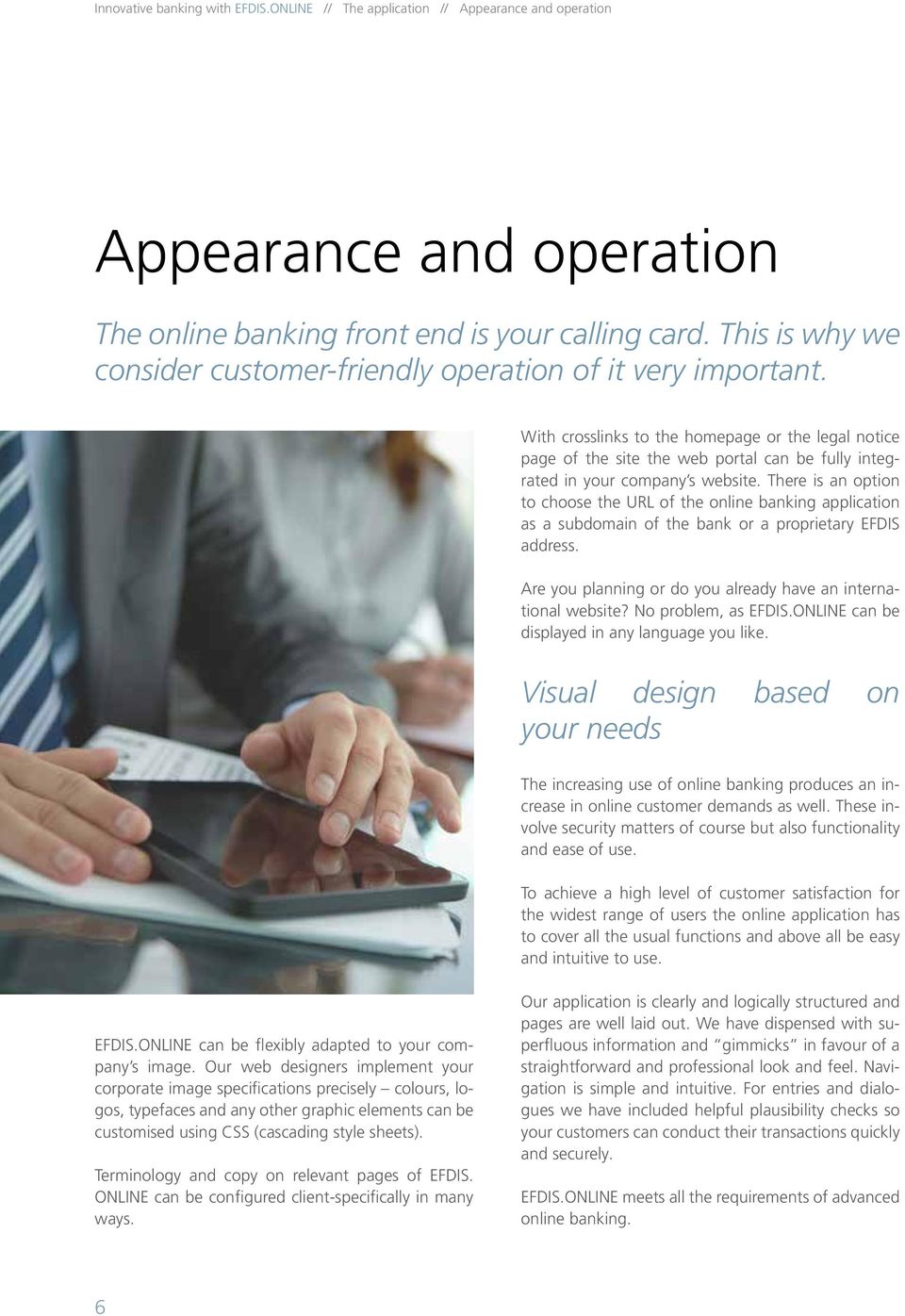
6 Innovative banking with EFDIS.ONLINE // The application // Appearance and operation Appearance and operation The online banking front end is your calling card. This is why we consider customer-friendly operation of it very important. With crosslinks to the homepage or the legal notice page of the site the web portal can be fully integrated in your company s website. There is an option to choose the URL of the online banking application as a subdomain of the bank or a proprietary EFDIS address. Are you planning or do you already have an international website? No problem, as EFDIS.ONLINE can be displayed in any language you like. Visual design based on your needs The increasing use of online banking produces an increase in online customer demands as well. These involve security matters of course but also functionality and ease of use. To achieve a high level of customer satisfaction for the widest range of users the online application has to cover all the usual functions and above all be easy and intuitive to use. EFDIS.ONLINE can be flexibly adapted to your company s image. Our web designers implement your corporate image specifications precisely colours, logos, typefaces and any other graphic elements can be customised using CSS (cascading style sheets). Terminology and copy on relevant pages of EFDIS. ONLINE can be configured client-specifically in many ways. Our application is clearly and logically structured and pages are well laid out. We have dispensed with superfluous information and gimmicks in favour of a straightforward and professional look and feel. Navigation is simple and intuitive. For entries and dialogues we have included helpful plausibility checks so your customers can conduct their transactions quickly and securely. EFDIS.ONLINE meets all the requirements of advanced online banking. 6
7 Innovative banking with EFDIS.ONLINE // The application // Authentication Authentication Authentication procedures represent an important security criterion customers can measure. Apart from the security architecture of the application itself the authentication procedures employed are a major security factor. Our priority is to adhere to the highest market standards, not only for the security architecture of the application itself but also in our configuration of login methods. Customer login with EFDIS.ONLINE involves three pieces of information. User ID This is a unique identifier for each individual. It is used to identify the person sitting in front of the monitor. Each customer therefore receives only one user ID and only one password to identify them when logging into online banking. Customer ID This second security criterion is used among other things to distinguish between several access options by an individual. With the appropriate link to the core banking data model the customer ID can control access to a customer s various linked accounts (e.g. private and business). Password By this we mean a unique ID for each individual that is matched to the user ID. Passwords in EF- DIS.ONLINE are securely encrypted using a complex algorithm and only stored encrypted. Each bank can individually determine the names of these three criteria. We have selected the requirements in terms of the complexity of access identification and passwords in the standard configuration in such a way that they conform to a high level of security. At the same time, we have made sure that the complexity of characters to be used is still acceptable to customers. Banks are not obliged to follow our suggestions, however, but can adapt these conventions to their own specific needs. For example, they can individually determine which security requirements are to be applied to particular login criteria. If need be, you can reduce the login procedure for your customers to two pieces of information, which then consists of a user ID and password. The ideal interaction between security and convenience At every bank you can specify whether the login process for the two access routes of web and HBCI should be feasible with the same or two different sets of login data. The first time your customer registers online the access codes have to be unlocked. This is done both for the web as well as for HBCI via the login window or an appropriate link on the web application s landing page. When unlocking the access codes the mailed password has to be changed. The authentication procedures available provide the highest possible security standards first of all but can also be configured individually for each bank, so you can determine the ideal mix of unlock security and convenience for your customers. 7

8 Innovative banking with EFDIS.ONLINE // The application // Security Security Security in online banking is our highest priority. In developing our software solutions we always insist on current technology standards and in relation to security on the Internet. Our approach to security includes various aspects. Secure communication by 5-zone programme First we ensure by means of a five-zone architecture in our server landscape absolute protection of communication channels from the Internet to the core banking system. Secondly we have only used secure programming code in our software development. In addition to our extensive internal quality assurance measures we have had the entire development phase supervised by external specialists. This also includes an extensive penetration test, which we passed with a very good score. For our banks audit compliance is the top priority, which is why we subject EFDIS.ONLINE to regular testing and reporting by our auditors as with our other software and service products. Five-zone security programme with protocol and format breaks for optimum protection of communication Protection of zone transitions with firewalls Web frontend in JSF (JavaServer Faces) without using JavaScript (one of the most frequently targeted points of attack on the web) Message broker zone with passive connection to the downstream zone, whereby no active connection can be established between the front and rear zone Complete audit security Hardened systems 8

9 Innovatives Internet-Banking mit EFDIS.ONLINE // X Integration and connectivity The online banking system s type of connection is crucial for achieving convenience and security in day-to-day use. Integrating EFDIS.ONLINE smoothly in existing portals is very important to us. Which is why we decided on a service-based approach when designing our architecture. All formats and files comply with current standards, are clearly structured and documented, which enables an efficient method of integrating EFDIS.ON- LINE. Apart from the advantages of fast implementation this approach supports real-time access to the data of any core banking system (EFDIS.CIFRA and others). This means huge benefits for your customers and your staff. Compatible with any core banking system no need for parallel data provision and management. The configuration of the master data for online customers is done directly within the core banking system. Which means all the rules that apply to online banking customers can be managed directly in the core database rather than in a separate one. This applies, for example, to proxy types, authorisation structures, allocation and transaction limits, etc. Real-time system for up-tothe-second information With EFDIS.ONLINE you can implement real online banking without media breaks or duplicated data storage. Unlike the widespread use of a mirrored database in communication between online banking and the core banking system, with EFDIS.ONLINE your customers and staff always have the same, up-to-the-second information. As the data are accessed directly, there is 9
10 Innovatives Internet-Banking mit EFDIS.ONLINE // Die Anwendung Quality begins with people, not with things. 10

11 Innovative banking with EFDIS.ONLINE // Overview of functions Overview of functions Convince your customers with a comprehensive range of transactional and display options. EFDIS.ONLINE offers an extensive feature set even as standard. You can configure these in line with your business model and include or exclude specific sectors, for example. You can also display various functions completely dynamically depending on your bank customer s profile. Navigation within the online banking portal occurs via a menu tree on the left side, which is subdivided into sections My Finances, Banking, Service, Preferences and Account Management. A detailed description of the EFDIS.ONLINE functions available follows in this section in this particular structure. My Finances Account overview and balance Transactions Banking Bank transfer Scheduled transfer SEPA transfer Direct debit Standing orders Data file submission Templates Outbox/collective bank transfer Approvals Service Reference account Exemption order Download centre Post box Preferences Online access Change password TAN management Account Management Establish new account Rollover Authorisation 11

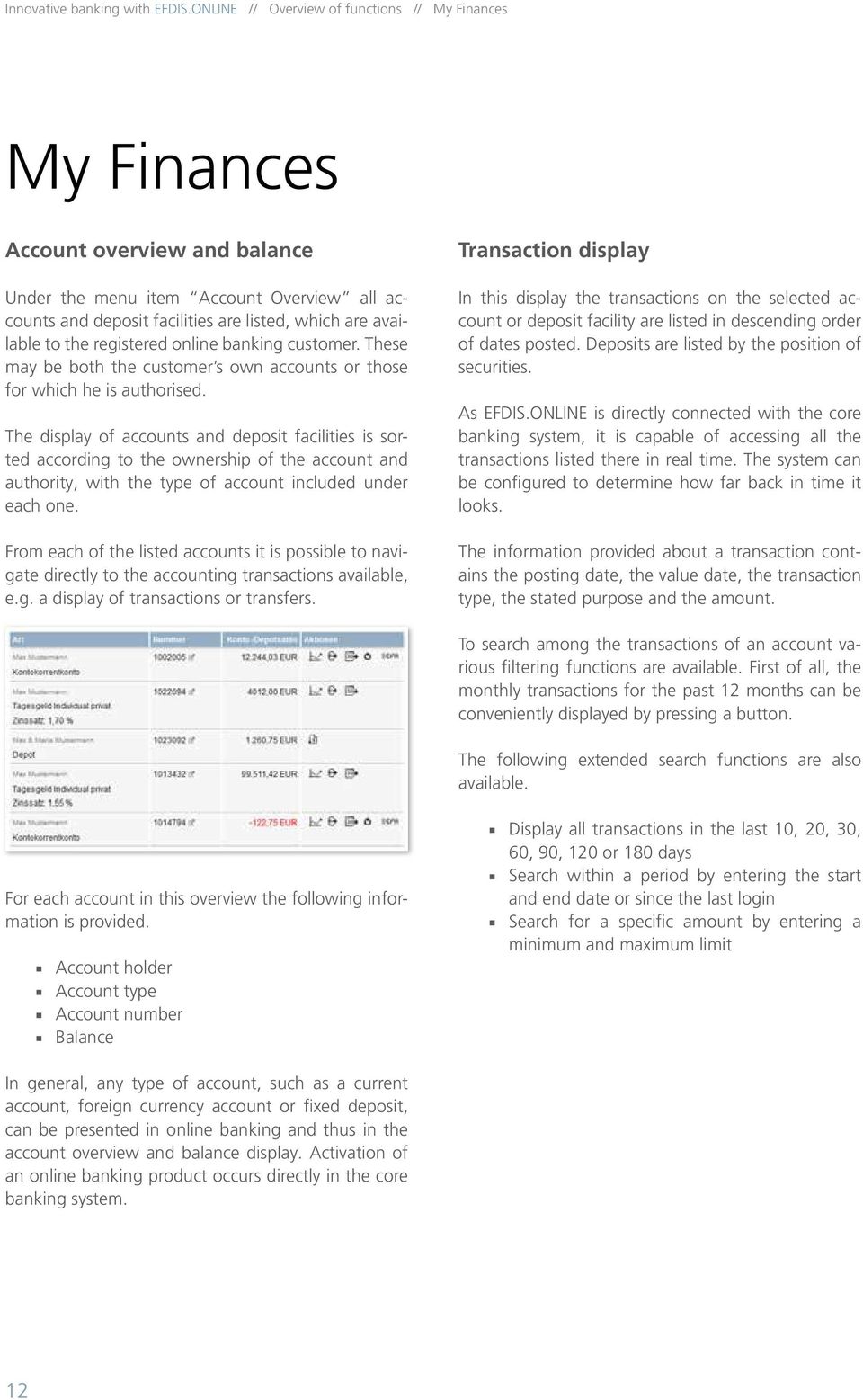
12 Innovative banking with EFDIS.ONLINE // Overview of functions // My Finances My Finances Account overview and balance Under the menu item Account Overview all accounts and deposit facilities are listed, which are available to the registered online banking customer. These may be both the customer s own accounts or those for which he is authorised. The display of accounts and deposit facilities is sorted according to the ownership of the account and authority, with the type of account included under each one. From each of the listed accounts it is possible to navigate directly to the accounting transactions available, e.g. a display of transactions or transfers. Transaction display In this display the transactions on the selected account or deposit facility are listed in descending order of dates posted. Deposits are listed by the position of securities. As EFDIS.ONLINE is directly connected with the core banking system, it is capable of accessing all the transactions listed there in real time. The system can be configured to determine how far back in time it looks. The information provided about a transaction contains the posting date, the value date, the transaction type, the stated purpose and the amount. To search among the transactions of an account various filtering functions are available. First of all, the monthly transactions for the past 12 months can be conveniently displayed by pressing a button. The following extended search functions are also available. For each account in this overview the following information is provided. Account holder Account type Account number Balance Display all transactions in the last 10, 20, 30, 60, 90, 120 or 180 days Search within a period by entering the start and end date or since the last login Search for a specific amount by entering a minimum and maximum limit In general, any type of account, such as a current account, foreign currency account or fixed deposit, can be presented in online banking and thus in the account overview and balance display. Activation of an online banking product occurs directly in the core banking system. 12
13 Innovative banking with EFDIS.ONLINE // Overview of functions // Banking Banking Bank transfer In the Bank transfer menu item orders for domestic payments can be recorded. The only accounts that can be selected as the client account are those for which the user has the appropriate authorisation, i.e. of which he is the account holder or authorised agent. The amount available (transaction balance) is displayed for each account. To prevent invalid user input, after the form is sent a check is made on mandatory information and plausibility. This includes examining the check digit of the recipient s account number stored in the core banking system. In addition the name of the recipient s bank is automatically added when the bank sorting code is entered. As an option the transfer data entered can be saved as templates for further transactions. In the event of incorrect entries, such as a wrong sorting code or incomplete mandatory fields, an appropriate message is displayed directly in the input field. The user always has the option of pressing the back button and returning to the input screen to correct any entries. If the system s validation of data does not produce an error message, a summary of the instruction is displayed so the user can review the data. If all the data have been recorded correctly, the user can either place the transfer in the outbox to be approved later or approve it immediately using a TAN. The preset TAN procedure is provided as standard. It is also possible at this stage, however, to switch to a different authorisation procedure. If there is only a joint authorisation to access the outgoing account, the transfer order is then visible under the Authorisation menu item and has to be approved by a second authorised person to be executed. Scheduled transfer Under this menu item the already recorded and not yet executed scheduled domestic transfers for each available account are listed and sorted by execution date respectively. Each of these scheduled transfers can be displayed to the recipient with details, edited or deleted. In addition there is an option in this menu to record new scheduled transfers. It is possible to access already saved transfer templates in this case. The check routines in relation to the data entered correspond to the functions used in the transfer. Creating a scheduled transfer has to be confirmed using a TAN. SEPA transfer To make a transfer within the European Economic Area the SEPA transfer function is available. An appropriate note gives the user an overview of all the member states. A SEPA transfer is recorded by entering the recipient s IBAN and BIC or SWIFT code. Similar to the functions stored for the standard transfer, the data entered are also checked for mandatory information and plausibility, such as in the form of a digit check, in order to prevent incorrect entries as far as possible. To set up a SEPA transfer previously saved SEPA transfer templates can be used. Executing a SEPA transfer is completed using a TAN. 13

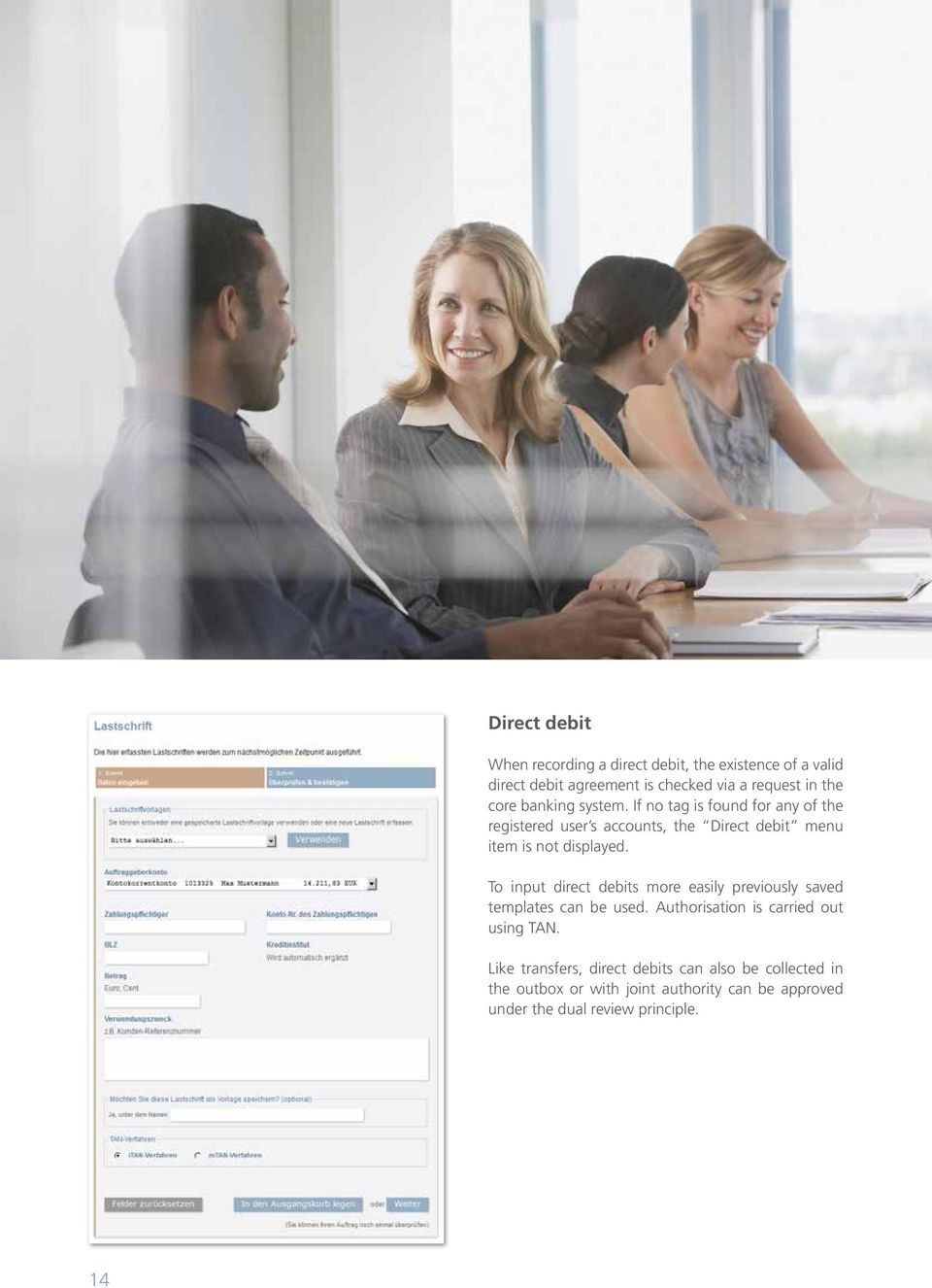
14 Innovatives Internet-Banking mit EFDIS.ONLINE // Funktionsüberblick Direct debit When recording a direct debit, the existence of a valid direct debit agreement is checked via a request in the core banking system. If no tag is found for any of the registered user s accounts, the Direct debit menu item is not displayed. To input direct debits more easily previously saved templates can be used. Authorisation is carried out using TAN. Like transfers, direct debits can also be collected in the outbox or with joint authority can be approved under the dual review principle. 14
15 Innovative banking with EFDIS.ONLINE // Overview of functions // Banking Standing orders Under this menu item all the recorded standing orders for the selected account are listed and sorted by execution date. The order details can be displayed or edited for each saved standing order or the entire order can be deleted. In this menu there is also the option to set up a new standing order. Based on the bank s instructions, different execution intervals to be defined as required are provided. Once the standing order has been approved by using a TAN, the new order appears in the aforementioned list of current standing orders. Outbox / collective bank transfer In the Outbox individually entered transactions can be collected and approved later on with only one TAN. The listing of collected transactions is done separately for each client account. The approval can be carried out by tagging either the entire outbox or individual transactions. Transactions that have not been approved are saved even when logging out of online banking but the user can delete them again as required. System-wide it is possible to configure whether all the transactions approved together should be posted individually ( Outbox function) or collectively ( Collective transfer function ). Data file submission Under the Data File Submission menu item your customers have the option of uploading a DTA file generated by an external accounting programme. Here again the only accounts available as a submitter s account are those for which the registered user is authorised. For security reasons these files must match the DTA format requirements exactly; formats that do not comply are rejected by the system and are not processed further. With this function when sending an order that requires the use of TAN the outbox options and approval under the dual review principle are available. Templates The Templates function provides a more convenient way of recording payment orders. Under this menu item all the saved templates can be inspected, modified or deleted. Saving templates can be done either directly from the payment order or separately in this menu item. Approvals Using the Approvals function the order approval has been implemented in EFDIS.ONLINE based on the dual review principle. If a user has joint authorisation for a particular account, the orders issued are not executed immediately but displayed in the Approvals menu item. This is done both to check on the author as well as all other users who also have joint or individual authority to access this account. One of the other users may then approve or delete the orders by tagging the transactions as required. Similar to the description in the outbox/collective transfer section it is possible to configure system-wide whether all the jointly approved transactions are posted individually or collectively. 15

16 Innovative banking with EFDIS.ONLINE // Overview of functions // Service Service Download centre The Download centre menu item is used to save various documents, which you wish to provide to your customers as downloads. These documents can be used, for example, as product information, general terms and conditions and forms for data modification purposes for customers, etc. Post box The Post box function enables customer messages und account statements to be sent electronically. Reference account The Reference account menu item provides an overview of the reference accounts set up at the bank. Depending on the settings in the core banking system, online banking customers have access to one or more reference accounts. To change the reference account a link can be included to download a modification form. Exemption order The Exemption order item displays the currently saved lump sum and validity. To modify the approved amount a link can be included to download a modification form. The post box refers to the customer s electronic file (e-file) in the core banking system. Selected documents intended for the customer from the e-file can be individually marked and placed in the post box. After retrieving a document it is marked as read for verification purposes and to give customers a better overview. An additional customer service option is notification by if the document in the post box has not been read within a specific time. 16

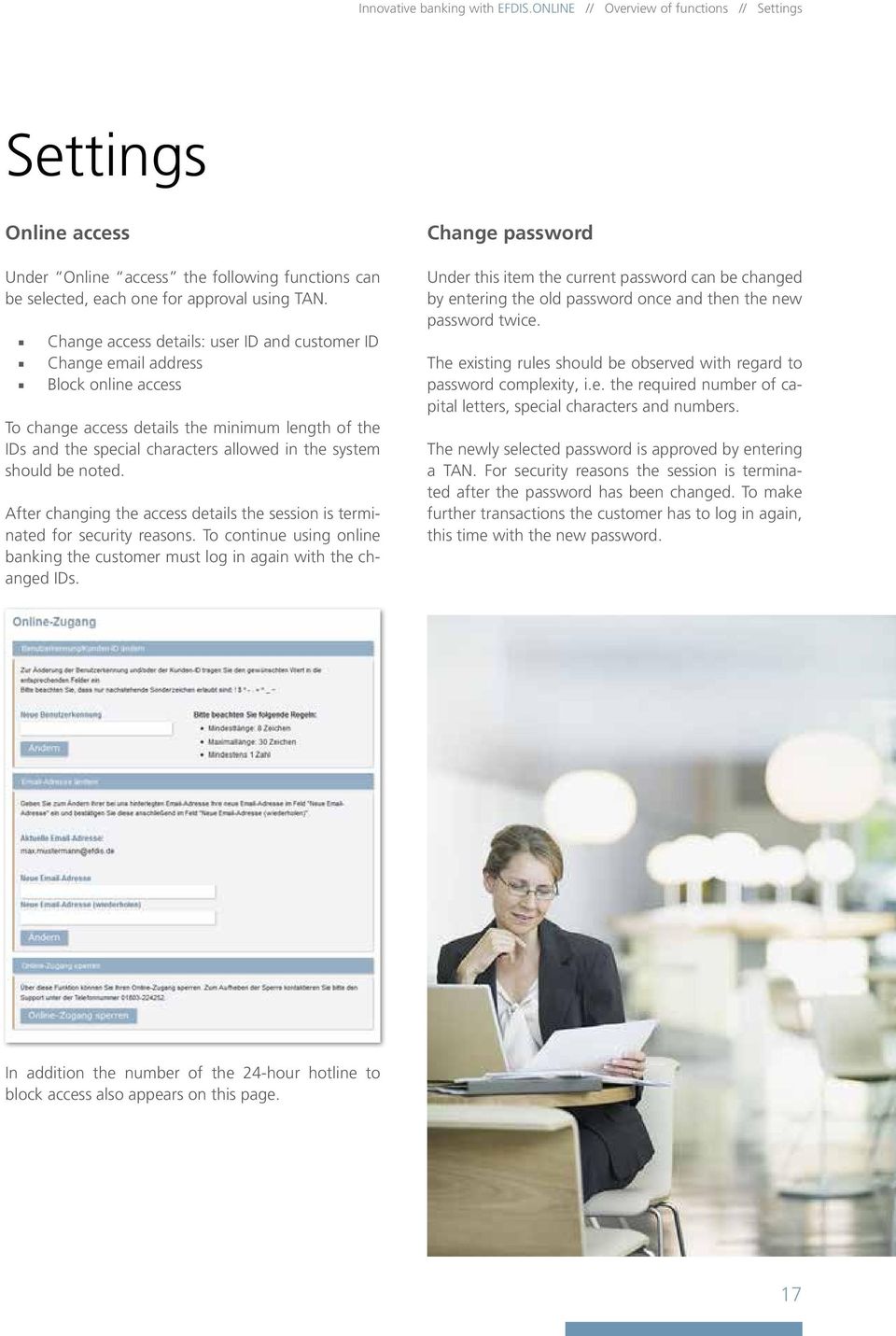
17 Innovative banking with EFDIS.ONLINE // Overview of functions // Settings Settings Online access Under Online access the following functions can be selected, each one for approval using TAN. Change access details: user ID and customer ID Change address Block online access To change access details the minimum length of the IDs and the special characters allowed in the system should be noted. After changing the access details the session is terminated for security reasons. To continue using online banking the customer must log in again with the changed IDs. Change password Under this item the current password can be changed by entering the old password once and then the new password twice. The existing rules should be observed with regard to password complexity, i.e. the required number of capital letters, special characters and numbers. The newly selected password is approved by entering a TAN. For security reasons the session is terminated after the password has been changed. To make further transactions the customer has to log in again, this time with the new password. In addition the number of the 24-hour hotline to block access also appears on this page. 17
18 Innovative banking with EFDIS.ONLINE // Overview of functions // Settings TAN management EFDIS.ONLINE includes the itan procedure with the TAN list and mtan procedure with transmission of TANs via SMS as standard. The customer can select a TAN procedure at the beginning, which will then always be presented to him as a standard recommendation in the approval process. Based on the individual transaction the procedure can be changed, however. Depending on the development of generally applicable security standards or the individual requests of our clients, further procedures will be integrated in EFDIS. ONLINE. itan In the itan procedure the randomly selected serial number of the TAN to be entered is displayed to the customer. Unlike the regular TAN procedure this method provides additional protection from phishing attacks. On the itan screen the customer can complete the following tasks. phone number it is first verified by retrieving a unique TAN sent to this number. For final confirmation an itan must be entered from the customer s currently valid TAN list. This is done to prevent a possibly stolen mobile phone from being used. To produce the required media break, it is also possible at this point to send an activation code by post. Requesting a new TAN list The customer receives a new list well before the existing TAN list expires. Irrespective of this, he can request a new list at any time and without using a TAN. This is relevant for example in the event of losing a TAN list. Activating a TAN list A TAN list is activated by entering a TAN from the new list. Up to this point the customer can use the previous TAN list. Request a new TAN list Activate a TAN list Display the previously used TAN mtan In the mtan procedure the TAN to be entered by the customer via SMA is sent to a mobile phone number stored in the system. If not already stated in the account opening contract, the customer may activate this function under the mtan menu item by entering his mobile phone number. The saved mobile phone number can also be changed here. For security reasons the activation and change process is completed in two steps. After entering the Displaying the previous used TAN On this page the customer is given the following information about his activated TAN list. TAN list number Still available TANs Previously used TANs The previously used TANs are shown in a summary and the following information is also available. Date and time of use Serial number and sequence of digits of the TANs used Description of use, e.g. PIN change, transfer, etc. 18

19 Funktionsüberblick Innovatives Internet-Banking mit EFDIS.ONLINE // X Account management Creating an account In the Create account menu item new accounts can be set up via the web portal under an already existing framework contract. Your customer first chooses the desired account product by tagging it in a table. Depending on the product, more information is requested with fixed-term deposits the amount invested and the term, for example. The created account is then activated by entering a TAN. You can now confirm for your customer that the account has been created by sending a message to this effect to his post box. Rollover Fixed-term deposits that are close to maturity can be reinvested for the same term via the Rollover function. The customer has the option here of whether interest accrued is also invested or should be posted to the clearing account or money market account. This task is also completed by entering a TAN. The time from when the fixed-term deposits are offered for rollover is freely definable like the routine in the event of missing instructions (payment to at call, payment to a reference account, automatic rollover, etc.). Authorisation The displayed Authorisation function provides information about the authorisations stored for the registered account. In addition, forms can be provided for download to issue or revoke authorisations as well as the postal ID form. 19

20 Innovatives Internet-Banking mit EFDIS.ONLINE // Nothing in the world has never been thought of before. It just depends on thinking it again, differently. 20

21 Innovative banking with EFDIS.ONLINE // Online account application Online account application Thanks to our well-designed online application, any prospective user can become a satisfied customer quickly and securely. EFDIS.ONLINE s application module is provided as an add-on to the banking application; its purpose is to open up a client s new account connection via the online sales and marketing channel. Visually the application module and online banking can be adapted to your company s current website CI and seamlessly integrated with it. Convenient process for the customer complete information for the bank The online form to input customer data can be configured for various investment and account products, such as fixed and at call deposits. The following account parameters are currently available. Individual accounts Joint accounts Accounts for minors During the application process the customer can issue authorisations or exemption orders or designate other account holders. Depending on which options he chooses, the appropriate entry screens are presented to him dynamically. All the data required to open an account including tax details can be retrieved using the online form and forwarded to the core banking system. Various plausibility tests on individual fields and cross-referencing of information provided by the customer ensure the data record is consistent. An additional mechanism, which is based on a confirmation code sent by post, allows the address given by the customer to be verified during the application process. Since payment transactions in online banking are usually only allowed via the customer s permanently established reference accounts, the appropriate management also exists of course with routine checks of accounts and automated completion of the bank name. High quality data due to intelligent plausibility tests After sending the completed online form the customer receives the appropriately filled application forms including the prepared post ID pre-printed form as a PDF for download. The form templates used can be custom-designed by the bank. 21
22 Innovative banking with EFDIS.ONLINE // Online account application When the customer enters and sends the data it is transferred to the core banking. Each bank itself defines the validation steps required in processing them on their way from the application to account stage. Fully automatic generation of PIN letters and TAN lists The account records already have a barcode on them and are therefore available for fully automated allocation of return documents as well as further processing in the context of workflows. This enables real-time processing without any media break, so it is fast and secure for your customers. We independently support automated account creation in the back office by the process individually established by the client. We can also automatically adjust the parameter settings required for online authorisation of each customer. The generation of PIN letters and TAN lists is of course also done completely electronically. 22
23 Innovative banking with EFDIS.ONLINE // HBCI and EBICS HBCI and EBICS For your private and institutional clients we offer additional market-ready services with the support of HBCI banking and EBICS services. HBCI For retail home banking HBCI is still a medium in widespread use. Your customers can all use the usual clients on the market. We operate our own HBCI servers, based on the current FinTS 3.0 market standard. Transactions via HBCI can be authorised alternatively via the PIN/TAN method or by using a key card. The business transactions normally available via HBCI can be configured similarly using the functions provided on the web portal. This means customers have consistent information and transaction types available through both access routes. EBICS With electronic mass payments by institutional clients especially EBICS is gaining increasing importance as a secure and sustainable method. We have integrated this service so you can provide your corporate clients with a further option of transmitting payment transaction files and obtaining account statements. 23
24 Innovatives Internet-Banking mit EFDIS.ONLINE // Most of what we learn, we learn from our clients. 24
25 Innovative banking with EFDIS.ONLINE // Services Services In the online business especially a number of service-related activities are required, for which we are pleased to offer our expertise. In the previous sections we presented our software product EFDIS.ONLINE to you. Like our other system solutions, EFDIS.ONLINE is a standalone product that can be used separately in the context of licence agreements at any time. Our approach goes far beyond that of a mere software supplier, however. We wish to offer our clients solutions for interrelated issues and see our technical facilities as part of a whole. At our subsidiary EFDIS Servicing GmbH trained and qualified teams with a solid banking background handle specific business processes, which we would like to present to you here. 25
26 Innovative banking with EFDIS.ONLINE // Services // Postage Postage We make sure that sensitive mail reaches the customer quickly and securely. PIN letters and TAN lists that are sent regularly in online banking contain sensitive data and have to be processed with a keen understanding of security. We deal with this situation by taking various programming and operational precautions. We can produce secure PIN letters by using Hydalam letterheads. The bank can customise the copy, while the relevant access codes are printed in the protected field and can be made legible only by removing the adhesive security strip as instructed. These letters are posted in shielded envelopes. To safeguard the postage method TAN lists can be printed and posted no sooner than one day after the access codes (PIN letters). In addition it is possible to incorporate a receipt process in which the access details are only activated when a return form signed by the customer is received. We are happy to provide the printing and posting of PIN letters and TAN lists as a service of EFDIS Servicing GmbH at attractive rates and terms. In order to ensure a high standard of security, the access codes and transaction numbers are only generated the moment they are printed and are not cached. The password and the TAN are encrypted using a secure method and only stored in encrypted form. 26
27 Innovative banking with EFDIS.ONLINE // Services // Call centre Call centre Show your customers not only the efficiency of your modern online banking frontend but also a qualified and courteous phone service. We provide fully client-capable, first and second level call centre services for any enquiries about online banking. Our teams are excellently qualified to deal with any bank-related issues as well as provide solutions to technical problems. Their professional phone manner is assured thanks to the following. Carefully selected staff Regular coaching and training Quality controls In addition to web banking the service also includes HBCI banking. Our staff members are familiar with the usual client requirements, so they can help your customers directly in most cases and quickly at first level. For more complex issues our second level specialists are available. Communication with your customers is by phone (in and outbound) as well as or by post (electronic or letter). The choice is yours. A hotline to block access manned 24/7 is of course part of our service package. Use our professional call centre, whenever you need that personal touch in our virtual business. 27
28 Innovative banking with EFDIS.ONLINE // Services // Servicing Servicing As you can see from the preface of this brochure, we have always been at home in the services industry. We have operated high-performance data centres and provided IT outsourcing from way back. In the business process-outsourcing sector we have made quite a name for ourselves with EFDIS Servicing GmbH since Competetive advantage by Business Process Outsourcing Our clients have the opportunity here to outsource complete business sectors and processes, regardless of whether they involve deposits, credit and lending, payment transactions, accounting or regulatory reporting. We implement our service package out of the box and on demand from online frontend to the most micro-managed back office processes. We employ highly automated workflows to manage business processes. What we guarantee. Competitive service levels High quality Fast processing Short setup times for implementation Individual agreement on service components Please refer below to the example the servicing of deposit transactions using our EFDIS.ONLINE banking frontend. Client call to EFDIS.ONLINE Online banking Scan and index the documents received EFDIS Servicing Send by post: account applications and identity check Complete and print out account opening documents Supply application data and documents via interface to EFDIS Online banking EFDIS Servicing Check incoming messages Start CIFRA.WORKFLOW new client application EFDIS Servicing EFDIS Servicing Data input in CIFRA.ANTRAG Process end electronic data import EFDIS Servicing Documents and application check complete supplement data if necessary Workflow Documents and application check incomplete initiate action to remedy Documents in in-box / begin standard application processing End CIFRA.WORKFLOW new client application transfer to existing client base Client communication 28
29 Innovative banking with EFDIS.ONLINE // Services // Migration Migration Do you already provide your customers with online banking access and would like to improve it by switching to EFDIS.ONLINE? Our company has years of extensive experience in the data migration and system integration sector. This also includes the replacement of various online banking systems, which we carry out in accordance with secure and proven methods. Adjustment and configuration of the application (functions, copy, CI,...) Definition of standards with authentication procedures Analysis, design and implementation of master data migration Analysis, design and implementation of electronic customer file migration Analysis, design and implementation of integration in the core banking system (online processes for transactions, balances, etc.) Definition of individual correspondence and processing methods Test run of Friends & Family in parallel operation Planning and execution of the re-initialisation of existing customers We help you with implementation - quickly, securely and with no disruptions for your customers. 29
30 Innovative banking with EFDIS.ONLINE // Your benefits at a glance Your benefits at a glance There are good reasons why we are sure we can provide you with a sustainable solution with EFDIS.ONLINE. We present you with a modern application with comprehensive functionality. EFDIS.ONLINE is universally applicable. HBCI is integrated for every client. We guarantee full integration without a media break. We provide real real-time banking without data duplication. With EFDIS.ONLINE integration in any platform is possible. Customising for individual CI is assured. We have implemented the highest security standards and are 100% audit-compliant. We have extensive experience and guarantee secure migration and implementation. From licencing to ASP and full service we provide you with financially attractive solutions. 30
31 Innovatives Internet-Banking mit EFDIS.ONLINE // X Have we sparked your interest? If you have questions or suggestions or would simply like to get to know us, do not hesitate to call. Konrad Filser Managing Board EFDIS AG Bankensoftware Marienplatz Freising Phone: / Fax: / [email protected] Kirsten Klosin Managing Board EFDIS AG Bankensoftware Marienplatz Freising Phone: / Fax: / [email protected] 31
32 EFDIS AG Bankensoftware Marienplatz Freising Phone: / Fax: /
The DirectOne E-Commerce System
 The DirectOne E-Commerce System SecurePay Pty. Ltd. Level 4, 20 Queen St Melbourne 3000 Australia November 05 Contents INTRODUCTION 3 WELCOME TO THE DIRECTONE E-COMMERCE SYSTEM 3 AN OVERVIEW OF E-COMMERCE
USER MANUAL FOR INTERNET BANKING (IB) SERVICE
 USER MANUAL FOR INTERNET BANKING (IB) SERVICE Content: Introduction and General questions. Accessing and using Internet Banking. 1. Log In, Log Out and Printing screen/transaction information 2. Inquiries
Cathay Business Online Banking
 Cathay Business Online Banking A QUICK GUIDE TO CATHAY BUSINESS ONLINE BANKING R6119 CATHAY 8_5x11 Cover V2.indd 1 6/11/13 5:50 PM Welcome Welcome to Cathay Business Online Banking (formerly known as Cathay
TERMS AND CONDITIONS OF REMOTE DATA TRANSMISSION
 TERMS AND CONDITIONS OF REMOTE DATA TRANSMISSION I. Scope of services 1. The bank offers to its customers (account holders) data transmission by electronic means hereinafter referred to as remote data
redcoal EmailSMS for MS Outlook and Lotus Notes
 redcoal EmailSMS for MS Outlook and Lotus Notes Technical Support: [email protected] Or visit http://www.redcoal.com/ All Documents prepared or furnished by redcoal Pty Ltd remains the property of redcoal
IBM Campaign and IBM Silverpop Engage Version 1 Release 2 August 31, 2015. Integration Guide IBM
 IBM Campaign and IBM Silverpop Engage Version 1 Release 2 August 31, 2015 Integration Guide IBM Note Before using this information and the product it supports, read the information in Notices on page 93.
Workflow Templates Library
 Workflow s Library Table of Contents Intro... 2 Active Directory... 3 Application... 5 Cisco... 7 Database... 8 Excel Automation... 9 Files and Folders... 10 FTP Tasks... 13 Incident Management... 14 Security
IBM Campaign Version-independent Integration with IBM Engage Version 1 Release 3 April 8, 2016. Integration Guide IBM
 IBM Campaign Version-independent Integration with IBM Engage Version 1 Release 3 April 8, 2016 Integration Guide IBM Note Before using this information and the product it supports, read the information
www.cathaybank.com Cathay Business Online Banking Quick Guide
 www.cathaybank.com Cathay Business Online Banking Quick Guide Effective 06/2016 Disclaimer: The information and materials in these pages, including text, graphics, links, or other items are provided as
Updated 08/2015. Wire Transfer User Guide
 Updated 08/2015 Wire Transfer User Guide Wire Transfers The Wire section provides you with the ability to create one-time wires or set up template-based wires for ongoing use. Wiring Funds The tasks you
Table of Contents. Welcome... 2. Login... 3. Password Assistance... 4. Self Registration... 5. Secure Mail... 7. Compose... 8. Drafts...
 Table of Contents Welcome... 2 Login... 3 Password Assistance... 4 Self Registration... 5 Secure Mail... 7 Compose... 8 Drafts... 10 Outbox... 11 Sent Items... 12 View Package Details... 12 File Manager...
Cash Management. Getting Started Guide
 Cash Management Getting Started Guide Table of Contents Accessing Cash Management Online... 3 Multifactor Authentication... 3 Navigation... 5 Administration... 5 Manage Users... 6 User Activity Reports...
Swedbank Business Internet Banking User Manual
 Swedbank Business Internet Banking User Manual Content Introduction 1. HOW TO START 1.1 USING INTERNET BANKING 1.2 TERMINATING INTERNET BANKING SESSION 2. INTERNET BANKING SECURITY 2.1 PASSWORD SYSTEM
Wealth and Investment Management Intermediaries. Online Banking. Bulk Payments User guide
 Wealth and Investment Management Intermediaries Online Banking Bulk Payments User guide Contents Contents 1. Introduction 3 2. Log in steps 4 3. Make BACS payments 5 3.1 Select BACS from account 6 3.2
User manual for the Sberbank Online Banking application
 User manual for the Sberbank Online Banking application Manual version: 1.12 June 2015. Sberbank d.d. Page 1 TABLE OF CONTENTS 1 INTRODUCTION... 3 2 FIRST LOGIN... 4 3 USAGE OF THE SBERBANK ONLINE BANKING
Business On Line File Gateway Guide for Customers
 Business On Line File Gateway Guide for Customers This document is published by Bank of Ireland, and both it, and its contents, are the property of Bank of Ireland. This document may not be reproduced
Terms and Conditions for Remote Data Transmission
 Terms and Conditions for Remote Data Transmission (Status 31 October 2009) 1. Scope of services (1) The Bank is available to its Customers (account holders) for remote transmission of data by electronic
Bottom line you must be compliant. It s the law. If you aren t compliant, you are leaving yourself open to fines, lawsuits and potentially closure.
 Payment Card Industry Security Standards Over the past years, a series of new rules and regulations regarding consumer safety and identify theft have been enacted by both the government and the PCI Security
FAQs Electronic residence permit
 FAQs Electronic residence permit General 1) When was the electronic residence permit introduced? Since 1 September 2011, foreigners in Germany have been issued with the new electronic residence permit
14.95 29.95. 3 Unlimited. Click4Assistance - Package Comparison. The Packages...
 The Packages... Lite Low cost, entry level live chat software, available for small businesses with a single operator. This option allows unlimited chats, and offers a great range of button images and chat
DOCMAIL: ADVANCED USER GUIDE. Version 2.4 February 2016
 DOCMAIL: ADVANCED USER GUIDE Version 2.4 February 2016 CONTENTS Welcome to docmail 3 Navigating around docmail 3 Overview of the docmail main page 5 Library 6 Templates 7 Create / edit template 7 Mailpack
DOCUMATION S CUSTOMER SERVICES SOLUTION
 Documation s Customer Services Solution Documation is a leading provider of document-centric workflow and content management software, delivering services and solutions to businesses and organisations
Electronic Funds Transfer (EFT) Guide
 Electronic Funds Transfer (EFT) Guide 112614 2009 Blackbaud, Inc. This publication, or any part thereof, may not be reproduced or transmitted in any form or by any means, electronic, or mechanical, including
7.0 Self Service Guide
 7.0 Self Service Guide Copyright 2010 Sage Technologies Limited, publisher of this work. All rights reserved. No part of this documentation may be copied, photocopied, reproduced, translated, microfilmed,
Making your payment transactions flow.
 Making your payment transactions flow. Cutting-edge e-banking. UC EBANKING PRIME We ve made our electronic banking system even better for you: UC ebanking prime is impressively fast, user-friendly and
Albany epay. Intelli gent Payments Management
 Albany epay Intelli gent Payments Management Working in Partnership Albany works closely with relevant industry bodies to ensure high quality solutions are developed that directly meet the ongoing needs
BUSINESS ONLINE USER MANUAL
 BUSINESS ONLINE USER MANUAL Version, date: June 2015 Table of Contents INTRODUCTION... 3 SECURITY... 4 WHAT IS DHB BUSINESS ONLINE?... 5 User Profiles... 5 APPLICATION... 6 If you are already using DHB
theguard! SmartChange Intelligent SAP change management think big, change SMART!
 theguard! SmartChange Intelligent SAP change management think big, change SMART! theguard! SmartChange theguard! SmartChange takes an intelligent SAP change management approach. It provides maximum automation,
Information Security Policy September 2009 Newman University IT Services. Information Security Policy
 Contents 1. Statement 1.1 Introduction 1.2 Objectives 1.3 Scope and Policy Structure 1.4 Risk Assessment and Management 1.5 Responsibilities for Information Security 2. Compliance 3. HR Security 3.1 Terms
Sage Accpac CRM 5.8. Self Service Guide
 Sage Accpac CRM 5.8 Self Service Guide Copyright 2005 Sage Technologies Limited, publisher of this work. All rights reserved. No part of this documentation may be copied, photocopied, reproduced, translated,
Software solutions from Integrated Engineering to Integrated Operations
 siemens.com/comos Software solutions from Integrated Engineering to Integrated Operations COMOS Making data work. Answers for industry. Basic Engineering First choice for comprehensive plant project COMOS
Business Internet Banking System Customers User Guide
 Business Internet Banking System Customers User Guide Version 1.1 Table of Contents Table of Contents... 2 Introduction... 3 Using Business Internet Banking... 4 Accessing the Website... 4 Logging onto
Portal Administration. Administrator Guide
 Portal Administration Administrator Guide Portal Administration Guide Documentation version: 1.0 Legal Notice Legal Notice Copyright 2013 Symantec Corporation. All rights reserved. Symantec, the Symantec
Business Online Banking & Bill Pay Guide to Getting Started
 Business Online Banking & Bill Pay Guide to Getting Started What s Inside Contents Security at Vectra Bank... 4 Getting Started Online... 5 Welcome to Vectra Bank Business Online Banking. Whether you re
imanage V2.0 Overview
 imanage V2.0 Overview What is imanage? 4 Signing up for your free 30 day trial 4 What to do after signing up 4 The Dashboard 5 Customers 6 Customer Profiles 6 Profile Tab 7 Addresses Tab 7 Job Sheets Tab
WORKFLOW MANAGEMENT FOR THE CLINICAL RADIOLOGY
 RADIOLOGY WORKFLOW SOLUTIONS WORKFLOW MANAGEMENT FOR THE CLINICAL RADIOLOGY RADIOLOGY WORKFLOW MANAGEMENT OPTIMISED WORKFLOW MAXIMUM EFFICIENCY medavis. Your trusted partner for workflow management in
Policy Based Encryption E. Administrator Guide
 Policy Based Encryption E Administrator Guide Policy Based Encryption E Administrator Guide Documentation version: 1.2 Legal Notice Legal Notice Copyright 2012 Symantec Corporation. All rights reserved.
Policy Based Encryption E. Administrator Guide
 Policy Based Encryption E Administrator Guide Policy Based Encryption E Administrator Guide Documentation version: 1.2 Legal Notice Legal Notice Copyright 2012 Symantec Corporation. All rights reserved.
BUSINESS ONLINE BANKING AGREEMENT
 BUSINESS ONLINE BANKING AGREEMENT This Business Online Banking Agreement ("Agreement") establishes the terms and conditions for Business Online Banking Services ( Service(s) ) provided by Mechanics Bank
EMDEON CONSUMER BILLING & PAYMENT SOLUTIONS
 EMDEON CONSUMER BILLING & PAYMENT SOLUTIONS Collect More, Faster. With Emdeon Consumer Connect TM, our comprehensive suite of Consumer Billing & Solutions, you can start collecting more consumer payments.
SANTANDER ONLINE CORPORATE BANKING ACCOUNT REPORTING Your guide to getting started
 SANTANDER ONLINE CORPORATE BANKING ACCOUNT REPORTING Your guide to getting started FUELLING BUSINESS AMBITION September 2013 Contents Welcome 03 How to get started 04 Administrator role 05 Managing users
Cathay Business Online Banking. User Guide. Version 1.0
 Cathay Business Online Banking User Guide Version 1.0 07/2013 Disclaimer: The information and materials in these pages, including text, graphics, links, or other items are provided as is and available.
Optus EmailSMS for MS Outlook and Lotus Notes
 Optus EmailSMS for MS Outlook and Lotus Notes Service Description, August 2005. OVERVIEW This document provides an overview of the Optus EmailSMS service delivered jointly by Optus and redcoal. It highlights
Mail & Telephone Order Payments Service (WorldAccess) Guide. Version 4.3 February 2014 Business Gateway
 Mail & Telephone Order Payments Service (WorldAccess) Guide Version 4.3 February 2014 Business Gateway Table Of Contents About this Guide... 1 Update History... 1 Copyright... 1 Introduction... 2 What
Merchant Operating Guide
 PB 1 Merchant Operating Guide ANZ FastPay MOBILE PAYMENT SOLUTION Contents 1. Welcome 4 1.1 Merchant Agreement 4 1.2 Contact Details 4 1.3 How to get started 4 1.4 Authorisation 4 1.4.1 Authorisation Declined
Fraport: Integrating Key System Management with SAP Software
 2013 SAP AG or an SAP affiliate company. All rights reserved. Picture Credit Fraport AG, Frankfurt am Main, Germany. Used with permission. Fraport: Integrating Key System Management with SAP Software Partner
Quick Start Guide. Contents. Quick Start Guide Version 1.0 webcrm November 09
 Quick Start Guide Contents Introduction... 2 Main Menu... 3 Creating Users... 4 Organisations and Persons... 5 Activities... 6 Emails... 7 Opportunities Sales Pipeline... 8 Simple Customisation... 8 Making
M&S CURRENT ACCOUNT AND M&S MONTHLY SAVER. Terms and conditions EFFECTIVE FROM 8 JANUARY 2015 NEW FASHIONED BANKING
 M&S CURRENT ACCOUNT AND M&S MONTHLY SAVER Terms and conditions EFFECTIVE FROM 8 JANUARY 2015 1 NEW FASHIONED BANKING Contents Page Page Summary of our M&S Current Account Terms and Conditions 3 Contact
Guidance for Industry
 #108 Guidance for Industry How to Register with the CVM Electronic Submission System To Submit Information in Electronic Format Using the FDA Electronic Submissions Gateway This version of the guidance
Corporate Access File Transfer Service Description Version 1.0 01/05/2015
 Corporate Access File Transfer Service Description Version 1.0 01/05/2015 This document describes the characteristics and usage of the Corporate Access File Transfer service, which is for transferring
Supply Chain Finance WinFinance
 Supply Chain Finance WinFinance Customer User Guide Westpac Banking Corporation 2009 This document is copyright protected. Apart from any fair dealing for the purpose of private study, research criticism
Daily Traffic Control Log
 Daily Traffic Control Log User Instructions Name: FAP&A940/3.1 Property of Ford Motor Company GIS: 37.01 S+3T Proprietary Table of Contents Page IntrodUCTIon 3 SELECTING A LANGUAGE 4 1. RegisterING a DealershIP
Richmond Systems. Self Service Portal
 Richmond Systems Self Service Portal Contents Introduction... 4 Product Overview... 4 What s New... 4 Configuring the Self Service Portal... 6 Web Admin... 6 Launching the Web Admin Application... 6 Setup
Chapter 10 Encryption Service
 Chapter 10 Encryption Service The Encryption Service feature works in tandem with Dell SonicWALL Email Security as a Software-as-a-Service (SaaS), which provides secure data mail delivery solutions. The
MANAGED FILE TRANSFER: 10 STEPS TO SOX COMPLIANCE
 WHITE PAPER MANAGED FILE TRANSFER: 10 STEPS TO SOX COMPLIANCE 1. OVERVIEW Do you want to design a file transfer process that is secure? Or one that is compliant? Of course, the answer is both. But it s
The United States Office Of Personnel Management eopf Human Resources Specialist Training Manual for eopf Version 4.0.
 The United States Office Of Personnel Management eopf Human Resources Specialist Training Manual for eopf Version 4.0. Copyright 1994-2007 by Northrop Grumman. All rights reserved. Northrop Grumman, the
SugarCRM for Law Firms A Whitepaper
 SugarCRM for Law Firms A Whitepaper Summer 2010 Prepared by David Gilroy (Sales & Marketing Director) Conscious Solutions Limited Royal London Buildings, Baldwin Street, Bristol, BS1 1PN Tel: 0117 325
How To Create An Overseas Telegraphic Transfer
 VELOCITY@OCBC 2.0 BUSINESS INTERNET BANKING USER GUIDE 1 of 131 1 Contents 1. Log in to Velocity@ocbc 2.0 4 2. View Trade Finance portfolio 12 3. View and download a bank statement 15 4. Create a Letter
Expat Tracker. User Manual. 2010 HR Systems Limited
 Expat Tracker User Manual Expat Tracker Assignee Management Software HR Systems Limited Expat Tracker All rights reserved. No parts of this work may be reproduced in any form or by any means - graphic,
Customer Management Services (CMS)
 Customer Management Services (CMS) Customer User Manual Version 1.2 April 2009 Page 1 of 23 Table of Contents 1 AN INTRODUCTION TO CMS... 3 2 GETTING STARTED WITH CMS... 4 ONLINE HELP... 4 ACCESSING CMS...
Electronic approvals for forms FAQs
 Click on any of the boxes below to explore more detail, including answers to frequently asked questions, video quick links, and more. Advisor experience Client experience Security Electronic approvals
ITA Dynamics Waste & Recycling Document Management System enwis) DOCMA
 ITA Dynamics Waste & Recycling Document Management System enwis) DOCMA From a technological point of view, ITA Dynamics enwis) Docma is the optimum product for Microsoft SharePoint and enlarges SharePoint
Cloud Services. Email Anti-Spam. Admin Guide
 Cloud Services Email Anti-Spam Admin Guide 10/23/2014 CONTENTS Introduction to Anti- Spam... 4 About Anti- Spam... 4 Locating the Anti- Spam Pages in the Portal... 5 Anti- Spam Best Practice Settings...
Electronic Funds Transfer (EFT) Guide
 Electronic Funds Transfer (EFT) Guide 121613 2013 Blackbaud, Inc. This publication, or any part thereof, may not be reproduced or transmitted in any form or by any means, electronic, or mechanical, including
Business Operations. Module Db. Capita s Combined Offer for Business & Enforcement Operations delivers many overarching benefits for TfL:
 Module Db Technical Solution Capita s Combined Offer for Business & Enforcement Operations delivers many overarching benefits for TfL: Cost is reduced through greater economies of scale, removal of duplication
Remote Services. Managing Open Systems with Remote Services
 Remote Services Managing Open Systems with Remote Services Reduce costs and mitigate risk with secure remote services As control systems move from proprietary technology to open systems, there is greater
Audit of NSERC Award Management Information System
 Internal Audit Audit Report Audit of NSERC Award Management Information System TABLE OF CONTENTS 1. EXECUTIVE SUMMARY... 2 2. INTRODUCTION... 3 3. AUDIT FINDINGS- BUSINESS PROCESS CONTROLS... 5 4. AUDIT
Need help? The Accounts Payable Help Documentation is designed to make your Accounts Payable experience as efficient as possible.
 Need help? The Accounts Payable Help Documentation is designed to make your Accounts Payable experience as efficient as possible. All you have to do to navigate through this document is simply use the
WHAT DOES PROFIBANKA OFFER YOU?
 Profibanka Dear Client, please allow us to welcome you as a user of the Profibanka service a modern direct banking system offered by Komerční banka. Profibanka combines the convenience and performance
axsguard Gatekeeper Internet Redundancy How To v1.2
 axsguard Gatekeeper Internet Redundancy How To v1.2 axsguard Gatekeeper Internet Redundancy How To v1.2 Legal Notice VASCO Products VASCO data Security, Inc. and/or VASCO data Security International GmbH
HertSFX. User Guide V2.04. Hertfordshire s Secure File Exchange Portal. (Jan 2014) HertSFX User Guide V2.04 Jan 2014 Page 1 of 17
 Hertfordshire s Secure File Exchange Portal User Guide V2.04 (Jan 2014) HertSFX User Guide V2.04 Jan 2014 Page 1 of 17 CONTENTS 1. About HertSFX... 3 2. HertSFX Limitations... 3 3. Getting Started... 3
Entering payment order abroad and payment order in a foreign currency in the Czech Republic via electronic banking service ČSOB InternetBanking 24
 Entering payment order abroad and payment order in a foreign currency in the Czech Republic via electronic banking service ČSOB InternetBanking 24 Content 1. Payment order abroad... 2 1.1. Entering payment
Printgroove JT Suite. The complete print process fast, simple and productive. Applications Printgroove JT Suite
 Printgroove JT Suite The complete print process fast, simple and productive Applications Printgroove JT Suite Printgroove JT Suite, applications Automation for the print workflow The Printgroove JT Suite
BlackShield ID Agent for Remote Web Workplace
 Agent for Remote Web Workplace 2010 CRYPTOCard Corp. All rights reserved. http:// www.cryptocard.com Copyright Copyright 2010, CRYPTOCard All Rights Reserved. No part of this publication may be reproduced,
More power for your processes
 >> ELO business solution for ERP applications More power for your processes - the integration module for ERP-oriented process solutions The (BLP) enables the efficient linking of different ERP systems
LMS Evaluation Tool User Guide
 LMS Evaluation Tool User Guide August 2004 CC-BY-SA 3waynet Inc. and the Commonwealth of Learning LMS Evaluation Tool User Guide: Issue 1.2 ii Table of Contents 1. Introduction...1 2. General Overview...2
Liquidity management with clockwork precision
 Liquidity management with clockwork precision Cash management and payments Corporate Banking Efficient management of accounts and cash flows Professional management of accounts and cash flows is a key
Richmond ServiceDesk v10 Release Notes
 Richmond ServiceDesk v10 Release Notes September, 2014 [email protected] 01428 647333 www.richmondsys.com/customerzone @richmondsupport Richmond Systems Ltd, West House, West Street, Haslemere, Surrey,
CounterACT Plugin Configuration Guide for ForeScout Mobile Integration Module MaaS360 Version 1.0.1. ForeScout Mobile
 CounterACT Plugin Configuration Guide for ForeScout Mobile Integration Module Version 1.0.1 ForeScout Mobile Table of Contents About the Integration... 3 ForeScout MDM... 3 Additional Documentation...
Electronic Funds Transfer (EFT) Guide
 Electronic Funds Transfer (EFT) Guide 012612 2009 Blackbaud, Inc. This publication, or any part thereof, may not be reproduced or transmitted in any form or by any means, electronic, or mechanical, including
e-ambiz User Guide N A V I G A T I O N INTRODUCTION Page 1 from 35
 INTRODUCTION Page 1 from 35 e-ambiz is your Online Banking facility that keeps you up to date on your company s account status. It also gives you the control you need to manage your day-to-day transactions
Siemens HiPath ProCenter Multimedia
 Siemens HiPath ProCenter Multimedia Today s business climate is tougher than ever, and chances are your competitors are no longer just a local concern. All this means finding ways of improving customer
Compare versions with Maximizer CRM 12: Summer 2013
 Compare versions with Maximizer CRM 12: Summer Group and Enterprise Editions The Summer release of 12 continues to build on the theme of enhanced performance, usability and productivity while maintaining
TouchBase Pro. Users Guide
 TouchBase Pro Automated Emailing System Users Guide Z-Micro Technologies, Inc. Copyright 2005. Z-Micro Technologies, Inc. All Rights Reserved 2 Table of Contents Chapter 1: Overview & Installation Features
Module. Aperio TM Branch Platform For Signature A Component of Aperio Operational CRM Platform
 Module Aperio TM Branch Platform For Signature A Component of Aperio Operational CRM Platform Now you can exceed customer expectation and remove process roadblocks to focus on profit, while accelerating
AppShore Premium Edition Campaigns How to Guide. Release 2.1
 AppShore Premium Edition Campaigns How to Guide Release 2.1 Table of Contents Campaigns Overview...3 How to create a Campaign Message...3 How to create a List...5 How to relate a Message to a List...6
RSA Authentication Manager 7.1 Security Best Practices Guide. Version 2
 RSA Authentication Manager 7.1 Security Best Practices Guide Version 2 Contact Information Go to the RSA corporate web site for regional Customer Support telephone and fax numbers: www.rsa.com. Trademarks
RSA Authentication Manager 8.1 Help Desk Administrator s Guide
 RSA Authentication Manager 8.1 Help Desk Administrator s Guide Contact Information Go to the RSA corporate website for regional Customer Support telephone and fax numbers: www.emc.com/domains/rsa/index.htm
NETWRIX USER ACTIVITY VIDEO REPORTER
 NETWRIX USER ACTIVITY VIDEO REPORTER ADMINISTRATOR S GUIDE Product Version: 1.0 January 2013. Legal Notice The information in this publication is furnished for information use only, and does not constitute
Reduce Costs and Improve Efficiency by Automating Oracle Document Distribution. Open Text Fax and Document Distribution Group October 2009
 Reduce Costs and Improve Efficiency by Automating Oracle Document Distribution Open Text Fax and Document Distribution Group October 2009 2 White Paper Contents Introduction...3 The Challenge: Efficiently
Pcounter. counting on cost efficiency. Pcounter Applications
 Pcounter counting on cost efficiency Pcounter Applications Pcounter, Intro The central printing strategy Pcounter is a print tracking and accounting software that enables organisations to assign costs
PSW Guide. Version 4.7 April 2013
 PSW Guide Version 4.7 April 2013 Contents Contents...2 Documentation...3 Introduction...4 Forms...5 Form Entry...7 Form Authorisation and Review... 16 Reporting in the PSW... 17 Other Features of the Professional
Brainloop Secure Dataroom Version 8.30. QR Code Scanner Apps for ios Version 1.1 and for Android
 Brainloop Secure Dataroom Version 8.30 QR Code Scanner Apps for ios Version 1.1 and for Android Quick Guide Brainloop Secure Dataroom Version 8.30 Copyright Brainloop AG, 2004-2015. All rights reserved.
Account Management System Guide
 Account Management System Guide Version 2.2 March 2015 Table of Contents Introduction...5 What is the Account Management System?...5 Accessing the Account Management System...5 Forgotten Password...5 Account
PORTAL ADMINISTRATION
 1 Portal Administration User s Guide PORTAL ADMINISTRATION GUIDE Page 1 2 Portal Administration User s Guide Table of Contents Introduction...5 Core Portal Framework Concepts...5 Key Items...5 Layouts...5
Protected PDF Common Installation Issues
 Protected PDF Common Installation Issues July 14, 2011 Version 1.1 TABLE OF CONTENTS Basic Instructions for Readers ------------------------------------------------------------------------- 2 Common Questions
Zenith Bank Corporate Internet Banking User Guide. Zenith Bank Corporate Internet Banking User Guide
 Zenith Bank Corporate Internet Banking User Guide 1 STEP-BY-STEP USER GUIDE The following information will help you make the most of your Corporate Internet Banking (CIB). Table of Contents i. Brief on