
Surface-mounted remote switch FS20 SA
|
|
|
- Jasmin Doyle
- 10 years ago
- Views:
Transcription
1 OPERATING INSTRUCTIONS Version 07/07 Surface-mounted remote switch FS20 SA Item no

2 Introduction Dear customer, Thank you for purchasing this product. This product meets the requirements of both current European and national guidelines. In order to preserve this condition and ensure the safe operation of the product we kindly ask you to carefully follow these operating instructions! Please read the operating instructions completely and observe the safety and operation notes before using the product! All company names and product names contained herein are trademarks of the respective owners. All rights reserved. Should you have any further questions, please contact our technical advisory service: Germany: Tel. no.: / Fax. no.: / [email protected] Mon. to Thur. 8.00am to 4.30pm Fri. 8.00am to 2.00pm 2

3 Table of contents Page 1. Prescribed use Scope of delivery Technical specifications and features Explanation of icons Safety instructions Installation Programming and operation a) Operating modes Ein/Aus (on/off, or switch-over) Dauer (permanent function) Timer b) Programming the timer Timer programming on the device Timer programming using a remote control c) Direct mode d) Operation using the remote control Address assignment Remote programming of the timer Operation Resetting to the factory settings FS20 address system basics Handling Maintenance and cleaning Disposal Tips and notes Quick reference guide a) Direct mode (manual) b) Timer programming/operation c) Channel assignment/operation using the remote control Declaration of conformity (DOC)

4 1. Prescribed use The surface-mounted remote switch FS20 SA functions exclusively in conjunction with the FS20 wireless control system. The remote switch can be operated wirelessly via transmitters from this wireless control system. The remote switch is designed especially for remote switching of stationary objects such as garage doors, door openers, pumps, lamps, etc. Direction control (such as gate mechanisms) is also possible via two dependent, potential-free switching contacts, as both relays never switch themselves on at the same time Another feature is the integrated programmable timer function. The casing is designed in accordance with protection class IP65 and is weatherproof when used outdoors, provided it is appropriately and properly installed. Any use other than the one described above may damage the product and can also increase the risk of short-circuit, fire, electric shock, etc. No part of the product may be modified or adapted. The safety instructions and installation notes in this user manual must be observed without fail. 2. Scope of delivery Surface-mounted remote switch User manual 4

5 3. Technical specifications and features Power supply: V~/50Hz Power consumption:... approx. 0.5 W Breaking capacity per relay:... max. 3680W (230V~/16A) Programmable timer duration:... 1 second to 255 minutes (=4 hours 15 min) Protection class:... IP65 Transmission frequency: MHz Modulation:... AM Range:... up to 100m (in free-field) 4. Explanation of icons The icon with a lightning flash in a triangle is used to alert you to potential personal injury hazards such as electric shock. The This icon with an exclamation mark in a triangle points to particular dangers associated with the handling, function or operation of the product. hand icon indicates special tips and operational notes. 5

6 5. Safety instructions The product s guarantee becomes invalid if the product is damaged as a result of failure to observe these operating instructions. We do not assume any liability for any resulting damages! Nor do we assume liability for damage to property or personal injury caused by improper use or failure to observe the safety instructions. In such cases the product s guarantee becomes invalid! Do not use this product in hospitals or medical institutions. Although the FS20 wireless control system only emits relatively weak radio signals, these may cause life-support systems to malfunction. This may also be the case in other areas. For safety and licensing (CE) reasons any unauthorised alterations to and/or modification of the product are not permitted. The product is designed in accordance with protection class I. Voltage/power may only be supplied via the public power supply (230V~/50Hz). This product is not a toy. Devices operated via the supply voltage should be kept out of the reach of children. Therefore, take particular care when children are around. Never dismantle the product! There is danger of a fatal electric shock! Do not leave packaging material lying around. This may become a dangerous plaything in the hands of children. The device is manufactured according to protection class IP65. The product may be used outdoors, provided that it has been appropriately and properly installed and its casing is closed correctly. To connect the device to the supply voltage as well as the consumer load or loads, work must be carried out on the supply voltage or on live voltage-carrying parts. Disconnect the device from the supply voltage (all poles) before you open its covers or casing. Make sure you do the same for all the consumer loads that are to be connected or are already connected. Ensure that the supply voltage cannot be switched on by a third party while work is carried out on the device. This can be done, for example, using mechanical security fixtures and additionally using conspicuous warning signs. 6

7 Always replace the control panel cover in the casing and screw it in tightly before switching on the supply voltage. Only people who are appropriately trained are permitted to carry out work on voltagecarrying parts. If you are not appropriately trained, please consult a qualified electrician who is authorised to carry out such work. Make sure you only load the product up to the capacity indicated. An overload may lead to the destruction of the device, a fire or an electrical accident. Do not use inadequate power cords. These should be sized according to the load to be connected. In addition to indoor installation, the device may also be installed outdoors, in damp rooms and in particularly dusty areas, provided that the safety and assembly instructions in this user manual are followed. The product then has the protection class IP 65 (protection against contact and protection against penetration of dust and hose water). Only rigid installation cables that are designed for fixed installations may be connected to the device. The device should be fixed firmly within a solid installation (for example, wallmounted using screws/dowels). The accident-prevention regulations, established by the Employer s Liability Insurance Association for electrical equipment and facilities, must be adhered to in commercial facilities. Consult a skilled technician if you have doubts about the mode of operation, safety or connection of the device. Handle the product with care; knocks, blows or even a fall from a low height can damage it. 7

8 6. Installation Before assembling and using the device, make sure you take note of all the safety and assembly instructions in this user manual. Only people who are appropriately trained are permitted to carry out work on voltage-carrying parts. If you are not appropriately trained, please consult a qualified electrician who is authorised to carry out such work. Any incorrect work carried out on the supply voltage may lead to a fatal electric shock. You endanger not only your own life but also the lives of others! Two important factors play a part in determining a suitable installation location: Any cabling that may already exist Good radio reception We therefore recommend that you test the radio reception at the installation location. When you have found a suitable installation location, proceed with the installation as follows: Disconnect the remote switch from the supply voltage! Open the remote switch s casing by removing the 4 screws on the upper surface of the device using a suitable screwdriver. There is 1 hole in each of the device s 4 corners. You can use a suitable pencil to mark the position of the remote switch through the four holes, in order to drill holes in a wall to insert dowels, for example. The installation location must be positioned so as to allow the rigid installation cables to be securely guided into the remote switch. Make sure that the drill holes or screws do not damage any cables, power supply lines, gas pipes, or similar! Life-threatening danger! Use appropriate screws/dowels to attach the remote switch at the installation location. The 4 openings/plastic lock nuts for the consumer load must face downwards to the ground. 8

9 Using a suitable screwdriver, remove the three plastic screws from the front cover and carefully lift it off. Ein/Aus Dauer Timer Aus/ Ein/ Mode KL1 KL2 (REL 2) KL3 (REL 1) KL4 L N PE Figure 1: Wiring diagram and control panel The radio receiver s circuit board is located at the top edge, almost in the centre. Do not touch it. Make sure that the rigid installation cables do not damage the circuit board later on during installation! 9

10 You will find 4 screwable clamping terminals on the circuit board in the remote switch s casing. The installation cables are attached to these. Please note: The power supply connection in the remote switch (KL1, the fourth screwable clamping terminal on the left) only serves as the power supply for the remote switch. No power supply is carried over to the consumer loads! Only the cables that otherwise go to the buttons, switches or controls are to be connected to the screwable clamping terminals KL2 or KL3. You can see a simple wiring example below: Figure 2: Wiring example for controlling, for example, a motor 10

11 You can connect a VDE-approved button to the right clamp (KL4), so that the remote switch is operational without a remote control even with closed casing. The KL4 s middle contact is connected to both buttons or to a double/rocker button s change-over contact, the right contact to the normally open contact for Ein/ (In) and the left contact to the normally open contact for Aus/ (Out). Please note: Two separate buttons can absolutely be used, for example, for the Ein/ (In) and Aus/ (Out) functions. Faulty operation (deliberate or unintentional) is not possible as such, since no undefined switching states can occur when the buttons are pressed simultaneously. It is therefore impossible to activate both switching relays simultaneously. If both buttons are pressed simultaneously, the switching relays are deactivated. Furthermore, there is an obligatory switch-over gap of 0.5 seconds for security purposes, to prevent both relays from switching on simultaneously and any resulting short circuits. The consumer load to be switched is connected to both screw terminals KL2 and/or KL3 according to the desired functions. Finally, the power cable for the remote switch is connected to KL1 with L, N and PE. The rigid installation cable must be properly secured on the outside, using fixed plastic insulation tubes, for example, or similar. Strip the cable ends of the installation cable off professionally. Loosen the cable bushings lock nuts. Guide the installation cable through the lock nut (note the direction) and then through the cable bushing s grommet. First wire the cables to the control panel and to the consumer load, according to your planned operation purpose. The network connection of the remote switch may only be attached after the wiring to the control panel and consumer load is complete. Firmly tighten the cable bushings lock nuts. Seal off the unused cable bushings in a suitable fashion, to ensure the impermeability of the remote switch. Check that the cabling is correct. Are all screws on the screwable clamping terminals firmly tightened (do not over-tighten!)? Replace the control panel cover correctly. Be sure that the push button caps come through the corresponding holes. Tighten the control panel cover with the three plastic screws. 11

12 The remote switch may only be connected to the power grid, or the power supply may only be turned on, after the control panel cover has been screwed into the remote switch using the three plastic screws. Replace the casing cover and screw it on after programming (see below). Make sure that the cover s rubber seal sits in its groove properly and does not get pinched when you screw on the cover. Otherwise, the impermeability of the remote switch cannot be guaranteed. When operated indoors in clean and dry conditions, the casing cover does not have to be used, allowing the connected consumer load to be operated using the internal buttons. Caution! The remote switch can theoretically also be used for controlling low-voltage devices as the relay contacts are potential-free. All the same, for security reasons the switching outputs should not be considered isolated from line voltage due to the 230V operational construction! As usual, inadequately insulated low-voltage components (buttons also count!) may not be connected! 12

13 7. Programming and operation c) Operating modes The remote switch can either be used directly, from an external rocker button or two separate buttons, or also using a remote control. Whereby, the functions which can be used on the remote control are pre-selected using the control panel on the remote switch. The following operating modes are available: Ein/Aus (on/off, or switch-over) Alternating switch-over of the relay contacts. The outputs remain in the chosen switch state until another switching command is given by other button in the button combination. In order to cancel the activated procedure (for example, opening the gate) before it is finished (for example, if you only wish to open the gate half-way), you can stop it by pressing the same button for a longer period of time. Dauer (permanent function) Depending on how the relay is switched, it remains OFF or ON for as long as the control button is held. Activation of the other relay is not possible during this time. If you release the button, both relays are switched to OFF. Timer After switching on one channel (output), it is automatically switched off (or switched over) after a programmable amount of time (1 second to 255 minutes, = 4 hours 15 min), both relays are in the OFF position. Please note: As a special feature during the timer mode, one of the relays can be permanently switched on, if the corresponding on or off button is held for longer than 0.4 seconds. The relays can only be switched again for the set amount of time with a short press of the key. The chosen operating mode is indicated directly on the remote switch using light-emitting diodes (LEDs, see figure 1). After the supply voltage has returned, for example, after a power outage, the remote switch automatically is set to the previous operating mode with switched-off relays. All programming is permanently stored in a EEPROM (up to 10 years). 13

14 b) Programming the timer The integrated timer can be programmed either directly on the remote switch or using most of the FS20 wireless control system s remote controls. The timer is factory set to 10 seconds. This running time can be programmed to a setting of 0.25 seconds or a value between 1 seconds and 255 minutes (= 4 hours 15 min). Timer programming on the device Press both Mode and Aus buttons simultaneously for approximately 3 seconds. The LED Timer on the remote switch blinks. The time measurement for the desired on-time begins. After the desired on-time has elapsed, press any key on the remote switch. The on-time is now programmed. Please note: If the time measurement is not ended manually, the timer programming mode will automatically be ended after 255 minutes (4 hours 15 min). The timer is then programmed for an on-time of 255 hours (4 hours 15 min). In order to set the timer value to 0.25 seconds, a key must be pressed to end the time measurement within 1 second of the start of the measurement! Timer programming using a remote control See d) Operation with remote control 14

15 d) Direct mode Direct operation is possible using the buttons Ein, Aus and Mode on the control panel cover of the remote switch. After presetting the desired operating mode by repeated pressing of the Mode button (LED above Ein/Aus lights up) the switching procedures can be manually activated using the Ein and Aus buttons. Pre-programming is required for timer operation (see b) Timer programming ). d) Operation with remote control The remote switch can be controlled and programmed remotely using the FS20 wireless control system s wireless remote controls from a distance of up to 100 m (free-field, please read the information on range at the end of the user manual). In any case, you must pre-select the desired operating mode on the remote switch using the Mode button. Address assignment Integration of the remote switch into the FS20 wireless control system is carried out using address assignment. As long as the remote switch is only being operated using only one remote control, you can proceed directly with address assignment. However, if the remote switch is meant to work in a system in conjunction with several transmitters and receivers, you should first read the section about address systems and then program the transmitter accordingly. In its delivery state the remote switch s transmitter will not respond to any remote commands and should first be addressed as follows: Simultaneously press and hold Ein and Mode on the remote switch for 3 seconds until the LED Ein/Aus blinks. On the remote control press a button (on or off) of the transmitter channel to which the remote switch is to be assigned. Now the transmission channel between the remote control and the remote switch has been defined and an address has been assigned to the remote switch. 15

16 Remote programming of the timer No operation on the remote switch itself is necessary for remote programming of the timer. In this way, you can re-program the timer using the remote control at any time. Press both buttons assigned to the remote switch ( Ein and Aus ) on the remote control simultaneously for one to five seconds (1 sec to 5 sec). Time measurement for the desired on-time starts. After the desired on-time has elapsed, press both buttons on the remote control again simultaneously for one to five seconds (1 sec to 5 sec). The on-time is now programmed. Operation Operation using the remote control conforms with stationary operation of the Ein and Aus control buttons on the remote switch. You will find detailed instructions for operation and addressing of the respective remote control in its manual. 8. Resetting to the factory settings If necessary, you can delete in one step all programming and settings that were previously saved in the remote switch, thus setting the remote switch back to its delivery state with all default settings. To do so, proceed as follows: Press and hold the Ein and Mode buttons on the remote switch for 3 seconds until the LED Ein/Aus blinks. The remote switch is now in programming mode. Now press any key on the remote switch. The remote switch erases all set addresses, the timer is reset to 10 seconds. The LED goes out and the programming mode is ended. The remote switch no longer responds to any remote command and must be re-programmed for new operations! 16

17 9. FS20 address system basics The FS20 wireless control system operates with a house code. This means that your neighbour can also use the same wireless control system and the two systems will not interfere with each other (provided that the house code has been programmed differently). 256 different addresses can be set within a house code. These addresses are divided into 4 address types (available number is in brackets): Single addresses (225) Function group addresses (15) Local master addresses (15) Global master address (1) One address from each address type can be assigned to each receiver. This means that each receiver can respond to up to four different addresses, but only ever to one address per address type. If you need a receiver to respond to more than one transmitter, you can program the transmitters to the same address or, if different transmitter address types have been set, you can program the receiver consecutively to these different addresses. The individual address types have the following function: Single addresses Each receiver should be set to a single address so that it can be controlled separately. Function group addresses Several receivers are defined as a functional unit by being assigned to a function group address. If, for example, all the lamps in a house are assigned to a function group, then all the lamps in the entire house can be switched on or off by pressing one button. Local master addresses Several receivers are spatially defined as one unit and controlled via the local master address. If, for example, all the receivers in a room are each allocated to a local master address, then all you need to do is press one button when leaving the room to switch off all the consumer loads in the room. Global master address Several receivers are assigned to the global master address and are jointly controlled via this address. All the consumer loads can easily be switched off simply by pressing one single button when leaving a house, for example. 17

18 This address system opens up a variety of possibilities. For example, you can even implement access authorisations by assigning three garage doors to different single addresses and a joint function group ( garage doors ). Several people can then each be given a hand-held transmitter with a relevant single address for one garage door, while all the garage doors can be opened via a hand-held transmitter with a programmed function group address or all the doors can be automatically closed in the evening via an FS20 timer. The various address types and addresses are only set on the transmitter and these settings are transmitted to the receivers via the address assignment. A receiver must be in programming mode in order for this to take place. If one address or address type is to be removed from the address list of a receiver, without erasing the other address types, then proceed as follows: Press and hold the Ein and Mode buttons on the remote switch simultaneously for 3 seconds until the LED Ein/Aus blinks. Then press the button assigned to this remote switch on the remote control for longer than approx. 0.5 seconds. The LED goes out and the address type of the previously operated transmitter is erased. 18

19 10. Handling Take note of all the safety instructions in this user manual. Due to its construction (protection class IP65) the product can be used outdoors, provided that the remote switch s casing is fully and correctly closed. At the same time the product must be assembled and wired properly and professionally. If the casing is removed, the product may only be used when the following requirements are fulfilled: The control panel cover is correctly screwed on with the three plastic screws. The product is used indoors in dry and clean conditions. In case the product is secured in an outdoor area and programming is to be carried out using the remote switch s internal buttons, the dry and clean environmental conditions still apply (for example, no rain, etc.). Caution! Life-threatening danger! Only people who are appropriately trained are permitted to carry out work on voltage-carrying parts. If you are not appropriately trained, please consult a qualified electrician who is authorised to carry out such work. Never use the product immediately after it has been brought from a cold room into a warm one. The condensation that forms could damage the device! Allow the device to reach room temperature before switching it on. This may take several hours. Make sure that the insulation of the entire product is neither damaged nor destroyed. Normally the remote switch is installed only once and remains fixed at the installation location. Depending on the installation location, check occasionally if the product is in perfect condition. 19

20 Avoid the following adverse ambient conditions at the installation location or during transport: - Moisture or excessive air humidity (Note: Do not overstep the bounds of protection class IP65 even when the casing cover is properly closed at the installation location!) - Extreme cold or heat - Dust or flammable gases, vapours or solvents - Strong vibrations - Strong magnetic fields such as those found near machines or loudspeakers 11. Maintenance and cleaning This product does not require maintenance. Before cleaning, disconnect the remote switch as well as all the consumer loads from the supply voltage (all poles). Then clean the remote switch using a soft, clean, dry and lint-free cloth. To remove heavier dirt, use a cloth which is slightly moistened with lukewarm water. Never use solvent-based cleaning agents, as these may damage the surface of the plastic casing and its inscription. Afterwards, allow the remote switch to dry completely before connecting it and the consumer loads to the supply voltage. 12. Disposal When the product is no longer usable, dispose of it in accordance with the applicable statutory regulations. 20

21 13. Tips and notes Ranges and interference The FS20 wireless control system works in the 868MHz range, which is also used by other radio services. Therefore devices that operate on the same or neighbouring frequency may restrict both its operation and its range. The specified range of up to 100m is the free-field range, which means the range with visual contact between the transmitter and receiver. In practice, however, walls, ceilings, etc. between the transmitter and the receiver may affect and reduce the range. Other causes of reduced ranges: All types of high-frequency interference Any buildings or vegetation Conductive metal parts that are located near the devices or within or near their transmission path, for example, radiators, metallised insulation glass windows, reinforced concrete ceilings, etc. Influence on the radiation pattern of antennas due to the distance from the transmitter or receiver to conductive surfaces or objects (also to human bodies or the ground) Broadband interference in urban areas that reduces the signal-to-noise ratio; the signal is no longer recognised due to this noise Interference radiation resulting from insufficiently shielded electronic devices, for example, operating computers or similar Do not position several radio receivers directly next to each other as these may interfere with each other (minimum distance 0.2m, we recommend 0.5m or more). 21
22 14. Quick reference guide a) Direct mode (manual) Select the desired operating mode by pressing the Mode button on the remote switch; the appropriate LED lights up. Manual switch-on/off is possible by using the Ein or Aus buttons, when manual operation is selected using the Mode button (LED Ein/Aus lights up). The timer must first be programmed for timer operation. b) Timer programming/operation Select the timer mode using the Mode button; LED Timer lights up. Press both Mode and Aus buttons for three seconds. The LED Timer blinks. After the desired timer duration has elapsed, press any key on the remote switch. The LEDs stop blinking. To start the timer go to Timer mode and press the Ein or Aus buttons or the appropriate button on the remote control. c) Channel assignment/operation using the remote control Press the Mode and Ein buttons for three seconds. The LED Ein/Aus blinks. Press the desired button for the remote switch on the remote control. Select the desired operating mode by pressing the Mode button on the remote switch. Switch the consumer load on or off using the remote control. 22
23 15. Declaration of conformity (DOC) We, Conrad Electronic, Klaus-Conrad-Straße 1, D Hirschau (Germany), hereby declare that this product complies with the fundamental requirements and other relevant regulations of directive 1999/5/EG. You can find the declaration of conformity for this product at 23
24 CONRAD IM INTERNET % recycling paper. Bleached without chlorine. Imprint These operating instructions are published by Conrad Electronic SE, Klaus-Conrad-Str. 1, D Hirschau/Germany. No reproduction (including translation) is permitted in whole or part e.g. photocopy, microfilming or storage in electronic data processing equipment, without the express written consent of the publisher. The operating instructions reflect the current technical specifications at time of print.we reserve the right to change the technical or physical specifications. Copyright 2006 by Conrad Electronic SE. Printed in Germany.
Wireless PIR motion detector FS20 PIRI-2
 OPERATING INSTRUCTIONS Version 12/06 Wireless PIR motion detector FS20 PIRI-2 Item no. 62 05 94 Table of contents Page 1. Introduction... 4 2. Prescribed use... 5 3. Scope of delivery... 5 4. Explanation
Installation and Operating Manual p. 23. Radio push button 2 channel: HM-PB-2-WM55-2
 Installation and Operating Manual p. 23 Radio push button 2 channel: HM-PB-2-WM55-2 1. English edition 10/2013 Documentation 2013 eq-3 Ltd., Hong Kong All rights reserved. No parts of this manual may be
CAUTION RISK OF ELECTRIC SHOCK DO NOT OPEN
 BeoLab 4 Guide CAUTION RISK OF ELECTRIC SHOCK DO NOT OPEN CAUTION: To reduce the risk of electric shock, do not remove cover (or back). No User-serviceable parts inside. Refer servicing to qualified service
Portable Air Conditioner
 Portable Air Conditioner Owner's Manual Model:3 in 1 12,000 Btu/h Series 3 Please read this owner s manual carefully before operation and retain it for future reference. CONTENTS 1. SUMMARY...1 2. PORTABLE
Transmitter Actuator 230V wave UP 560. Operation
 Transmitter ctuator 230V wave UP 560 5WG3 560-201 Product- and pplication Description Diagram The transmitter actuator 230V wave UP 560 (Diagram ) is a flush-mounted device with radio communication for
Daily use. Never use alcohol or other solvents to clean any part of the loudspeakers!
 BeoLab 6002 Guide WARNING: To reduce the risk of fire or electric shock, do not expose this appliance to rain or moisture. Do not expose this equip ment to dripping or splashing and ensure that no objects
IMPORTANT INSTRUCTIONS & OPERATING MANUAL. Houston 50 Inch Electric Wall Mounted Fireplace Black / White
 IMPORTANT INSTRUCTIONS & OPERATING MANUAL Houston 50 Inch Electric Wall Mounted Fireplace Black / White Model Number:MFE5050BK Model Number:MFE5050WH Read these instructions carefully before attempting
User Manual THR840DUK Digital Thermostat
 User Manual THR840DUK Digital Thermostat 50051982-001 Rev. A WARNING: This product must be correctly installed and configured to work properly (see pages 12-24). If you are not experienced in wiring electrical
CAUTION RISK OF ELECTRIC SHOCK DO NOT OPEN
 BeoLab 7-6 Guide CAUTION RISK OF ELECTRIC SHOCK DO NOT OPEN CAUTION: To reduce the risk of electric shock, do not remove cover (or back). No User-serviceable parts inside. Refer servicing to qualified
www.somfy.com Telis 4 Soliris RTS Operating and installation guide Ref.5054466A
 www.somfy.com Telis 4 Soliris RTS Operating and installation guide Ref.5054466A Contents 1. Brief introduction to the Telis 4 Soliris RTS remote control 3 1.1 What is the Telis 4 Soliris RTS for? 3 1.2
Operating Manual Remote Cost Control Monitor
 Operating Manual Remote Cost Control Monitor INTRODUCTION: Congratulations on purchasing the Remote Cost Control. This is a state-of-the-art power monitoring socket that is highly accurate and easy to
Single Day Alarm Clock with. Bluetooth and USB Play-through
 Single Day Alarm Clock with Bluetooth and USB Play-through MODEL : BSC 200 READ THIS INSTRUCTION MANUAL BEFORE OPERATING THE APPLIANCE. SAVE THIS MANUAL FOR FUTURE REFERENCE. TABLE OF CONTENTS IMPORTANT
Mercury Helios 2 ASSEMBLY MANUAL & USER GUIDE
 Mercury Helios 2 ASSEMBLY MANUAL & USER GUIDE TABLE OF CONTENTS INTRODUCTION...1 1.1 MINIMUM SYSTEM REQUIREMENTS 1.1.1 Apple Mac Requirements 1.1.2 PC Requirements 1.1.3 Supported PCIe Cards 1.2 PACKAGE
WALL MOUNTED SPLIT TYPE AIR CONDITIONER
 WALL MOUNTED SPLIT TYPE AIR CONDITIONER MANUAL 8 OM-G12-ACSON CONTENTS - Operating Guide page 1 - G12 Remote Controller Indication page 2 - Indicator Lights page 4 - Installation of Aroma page 5 - Auto
Portable Air Conditioner. OWNER S MANUAL Read these instructions before use. Model: MN12CES / MN10CESWW
 Portable Air Conditioner OWNER S MANUAL Read these instructions before use 8 Model: MN12CES / MN10CESWW Voltage rating: 120V~60Hz Power rating : 1100W (MN12CES) Power rating : 900W (MN10CESWW) Customer
Portable Air Conditioner. OWNER S MANUAL Read these instructions before use. Model: MM14CCS. Voltage rating: 115V~60Hz Power rating : 1400W
 Portable Air Conditioner OWNER S MANUAL Read these instructions before use Model: MM14CCS Customer Support : 1-800-474-2147 Voltage rating: 115V~60Hz Power rating : 1400W For product inquiries or support
4.3-inch Back-Up Camera
 TM 4.-inch Back-Up Camera Model No.: PKC0BU4 Owner s Manual and Warranty Information Read these instructions completely before using this product. Retain this Owner s Manual for future reference. INTRODUCTION
Evolution Digital HD Set-Top Box Important Safety Instructions
 Evolution Digital HD Set-Top Box Important Safety Instructions 1. Read these instructions. 2. Keep these instructions. 3. Heed all warnings. 4. Follow all instructions. 5. Do not use this apparatus near
CAUTION RISK OF ELECTRIC SHOCK NO NOT OPEN
 Evolution Digital HD Set-Top Box Important Safety Instructions 1. Read these instructions. 2. Keep these instructions. 3. Heed all warnings. 4. Follow all instructions. 5. Do not use this apparatus near
When you switch off your system, or mute the sound, the red indicator light appears immediately, indicating that the subwoofer is not in use.
 BeoLab 11 Guide WARNING: To reduce the risk of fire or electric shock, do not expose this appliance to rain or moisture. Do not expose this equip ment to dripping or splashing and ensure that no objects
CAUTION RISK OF ELECTRIC SHOCK DO NOT OPEN
 BeoLab 4000 Guide CAUTION RISK OF ELECTRIC SHOCK DO NOT OPEN CAUTION: To reduce the risk of electric shock, do not remove cover (or back). No User-serviceable parts inside. Refer servicing to qualified
Portable Air Conditioner. OWNER S MANUAL Read these instructions before use. Model: MF08CESWW. Voltage rating: 115V~60Hz Power rating : 800W
 MODE ALARM Portable Air Conditioner OWNER S MANUAL Read these instructions before use 8 Model: MF08CESWW Voltage rating: 115V~60Hz Power rating : 800W Customer Support : 1-800-474-2147 For product inquiries
Stove Guard Kit User Manual
 Stove Guard Kit User Manual Innohome improves the Safety of your Home. inno home www.innohome.com Stove Guard Kit User Manual Stove Guard Kit User Manual Congratulations! You now own one of the most intelligent
LUCCI AIRFUSION QUEST II CEILING FAN
 LUCCI AIRFUSION QUEST II CEILING FAN WITH IR REMOTE INSTALLATION OPERATION MAINTENANCE WARRANTY INFORMATION CAUTION READ INSTRUCTIONS CAREFULLY FOR SAFE INSTALLATION AND FAN OPERATION. V1.0 QUEST II IR
Operating Instructions Drill rig DRU160
 Operating Instructions Drill rig DRU160 Index 000 / 001 Original operating instructions 10988825 en / 20.10.2009 Congratulations! With a Hydrostress unit from TYROLIT you have chosen a tried and tested
Business Audio System: Music & Messaging MP3 Player. by Grace Digital Audio. User Guide. Model No. GDI-USBM10
 Business Audio System: Music & Messaging MP3 Player by Grace Digital Audio User Guide Model No. GDI-USBM10 User Guide Contents Introduction 2 Safety & General Use Information 2 Features 3 Set Up & Operation
HERZ-Thermal Actuators
 HERZ-Thermal Actuators Data Sheet 7708-7990, Issue 1011 Dimensions in mm 1 7710 00 1 7710 01 1 7711 18 1 7710 80 1 7710 81 1 7711 80 1 7711 81 1 7990 00 1 7980 00 1 7708 11 1 7708 10 1 7708 23 1 7709 01
Active Monitor Box McCrypt S.T.E.V.E. 15. Order No. 30 17 06
 Active Monitor Box McCrypt S.T.E.V.E. 15 Order No. 30 17 06 1 McCrypt Active Monitor 15 Introduction Dear Customer, Thank you for purchasing this McCrypt Active Monitor. You have chosen a quality product
Wireless Indoor/ Outdoor Thermometer
 Wireless Indoor/ Outdoor Thermometer Owner s Manual Please read before using this equipment. ˆ Contents FCC Information... 3 FCC Declaration of Conformity... 5 Preparation... 5 Installing Batteries...
Infrarot-Bewegungsmelder IP44
 Infrarot-Bewegungsmelder IP44 infrared motion sensors IP44 ODA (weiß) slim ODA (schwarz) slim 95174 96000 ODA (weiß) ODA (schwarz) 95175 96001 Betriebsanleitung User s Manual User s Manual infrared motion
Getting started with
 PART NO. CMA113 MADE IN CHINA 1. Measuring CAT II 2. Max. voltage 250V ~ 3. Max. current 71 Amp Getting started with Electricity consumption monitoring single phase for homes and some smaller light commercial
Owners & Installation Manual for the Sheridan, Mountainair, Pine Valley and Old Forge Ceiling Fan Family
 Owners & Installation Manual for the Sheridan, Mountainair, Pine Valley and Old Forge Ceiling Fan Family Part of the Kiva Lighting Family Custom Lighting and Fans Since 1992 1312 12th St NW Albuquerque,
MAC-821SC-E. Centralized On-Off Remote Controller. English ÏÏËÓÈÎ. Русский [FOR INSTALLER] INSTALLATION MANUAL
![MAC-821SC-E. Centralized On-Off Remote Controller. English ÏÏËÓÈÎ. Русский [FOR INSTALLER] INSTALLATION MANUAL](/thumbs/24/3019861.jpg "MAC-821SC-E. Centralized On-Off Remote Controller. English ÏÏËÓÈÎ. Русский [FOR INSTALLER] INSTALLATION MANUAL") Centralized On-Off Remote Controller MC-821SC-E [FOR INSTLLER] INSTLLTION MNUL English [ [ π À À π ] E XEIPI IO O H IøN E KT T H [ [MONTÖR Ç N] MONTJ ELK TBI ÏÏËÓÈÎ [ДЛЯ УСТАНОВИТЕЛЯ] РУКОВОДСТВО ПО УСТАНОВКЕ
Centralized On-Off Remote Controller MC-821SC-E [FOR INSTLLER] INSTLLTION MNUL English [ [ π À À π ] E XEIPI IO O H IøN E KT T H [ [MONTÖR Ç N] MONTJ ELK TBI ÏÏËÓÈÎ [ДЛЯ УСТАНОВИТЕЛЯ] РУКОВОДСТВО ПО УСТАНОВКЕ
BeoLab 1. User s guide
 BeoLab 1 User s guide Legal notice: CAUTION RISK OF ELECTRIC SHOCK DO NOT OPEN CAUTION: To reduce the risk of electric shock, do not remove cover (or back). No User-serviceable parts inside. Refer servicing
Service manual. Website: www.andico.com.au CAUTION - BEFORE SERVICING THE UNIT, READ THE SAFETY - PRECAUTIONS IN THIS MANUAL.
 Website: www.andico.com.au Service manual CAUTION - BEFORE SERVICING THE UNIT, READ THE SAFETY - PRECAUTIONS IN THIS MANUAL. - ONLY FOR AUTHORISED SERVICE PERSONNEL. MODELS: MPK1-09CR-QB8 MPK1-12ER-QB6
THE NEW GENERATION IN TECHNOLOGY. NI-3103A Alarm Clock w/fm Radio ipod & iphone Docking. Operating Instructions
 THE NEW GENERATION IN TECHNOLOGY NI-3103A Alarm Clock w/fm Radio ipod & iphone Docking Operating Instructions Table of Contents Important Safeguards... 3 Parts... 6 Controls... 6 To Set Up... 7 ipod/iphone
MICA HEATER INSTRUCTION MANUAL Model No: UHM-786 230V 50Hz 2200W
 MICA HEATER INSTRUCTION MANUAL Model No: UHM-786 230V 50Hz 2200W Safety Precautions To reduce the risk of personal injury or damage to property, basic safety precautions must be observed including the
INFRARED QUARTZ WALL HEATER
 INFRARED QUARTZ WALL HEATER MODEL NO: IQ2000 PART NO: 6939004 MOUNTING & OPERATION INSTRUCTIONS GC0715 INTRODUCTION Thank you for purchasing this CLARKE Infrared Wall Heater. Before attempting to use this
Solar Weather Station Model: BAR806 / BAR806A
 Solar Weather Station Model: BAR806 / BAR806A EN CONTENTS USER MANUAL Overview... 2 Front view... 2 Back view... 3 Remote sensor... 3 Getting started... 3 Solar panel... 3 Insert batteries... 4 Remote
INSTALLATION GUIDE 1
 INSTALLATION GUIDE 1 Setting information MAC-558IF-E address(mac) MAC-558IF-E serial number(id) MAC-558IF-E code(pin) Indoor unit model name Indoor unit serial number Outdoor unit model name Outdoor unit
esata External Storage
 esata External Storage Operation Manual DA-ES110 Before reading this manual This operation manual contains basic instruction on installing and using esata External Storage, an IDIS product. Users who are
ST815 Illumination Sensor with LCD
 ST815 Illumination Sensor with LCD The Illumination Sensor with LCD (refer to as Illumination Sensor hereafter) is a Z-Wave TM enabled device which is fully compatible with any Z-Wave TM enabled network.
BeoLab 7-1 BeoLab 7-2. Guide
 BeoLab 7-1 BeoLab 7-2 Guide CAUTION: To reduce the risk of electric shock, do not remove cover (or back). No User-serviceable parts inside. Refer servicing to qualified service personnel. WARNING: To prevent
COMPUTHERM Q7 Programmable, digital room thermostat. Operating Instructions
 COMPUTHERM Q7 Programmable, digital room thermostat Operating Instructions GENERAL DESCRIPTION OF THE THERMOSTAT The COMPUTHERM Q7 type switched-mode room thermostat is suitable to regulate the overwhelming
Product and functional description
 Product and functional description The KNX / DALI gateway N 141/02 is a 4 MU wide, DINrail mounted KNX device with one DALI interface to which up to 64 DALI actuators (e.g. DALI ballasts) can be connected
Rousseau 10. User Guide
 Rousseau 10 User Guide Base station overview ➀ LED signals White, permanent light: - Base station ready, you can register a handset Slow flashing white light: - Paging call in progress - Active call (you
WEATHER STATION Instruction Manual Cat. No. 35.1115.IT
 WEATHER STATION Instruction Manual Cat. No. 35.1115.IT Thank you for choosing this wireless weather station from TFA. BEFORE YOU USE IT Please be sure to read the instruction manual carefully. This information
2013 VTech Printed in China 91-009656-000 US
 Rechargeable Power Pack User s Manual 2013 VTech Printed in China 91-009656-000 US INTRODUCTION The Rechargeable Power Pack makes it easier than ever to keep the InnoTab 3 or InnoTab 3S charged and ready
Wiser Panel Meter, Model Number WISERCTPM200 Installer s Guide
 Instruction Bulletin EAV85226 08/2014 Wiser Panel Meter, Model Number WISERCTPM200 Installer s Guide Retain for future use. Product Description Kit Contents The Wiser Panel Meter is for use in energy management
IH 17025 E Sigma Island 90
 INSTRUCTIONS FOR USE Kitchen extractor hood Type: IH 17025 E Sigma Island 90 Dear Customer!! You are now a user of the newest generation kitchen extractor hood type IH 17025 E Sigma Island 90. This hood
CELO5. User & Installation Manual. www.audac.eu
 CELO5 User & Installation Manual www.audac.eu 2 Introduction 5 High-end Slim Ceiling Speaker The CELO5 is the 5 version of AUDAC s CELO High-end Slim ceiling speaker series with an RMS power of 50 Watt
Antenna Splitter ASA 1. Instruction manual
 Antenna Splitter ASA 1 Instruction manual Contents Important safety instructions... 2 The ASA 1 active antenna splitter... 4 Delivery includes... 4 Operating elements... 5 Putting the ASA 1 into operation...
Installation & User Manual Radio Remote rev1.0.3
 EN Installation & User Manual Radio Remote rev1.0.3 RC-20E RC-21E RC-22E RC-23E SLEIPNER MOTOR AS P.O. Box 519 N-1612 Fredrikstad Norway Tel: +47 69 30 00 60 Fax: +47 69 30 00 70 www.side-power.com [email protected]
Use and Care Manual. Model CPA12KH AIR CONDITIONER
 Use and Care Manual Model CPA12KH AIR CONDITIONER Introduction Thank you for choosing this air conditioner to provide you and your family with all of the "Home Comfort" requirements for your home, cottage
Power Socket (2 Gang)
 Version 2.1 Power Socket (2 Gang) Model No. LW270 Instruction Manual Connect Series www.lightwaverf.house EC DECLARATION OF CONFORMITY Responsible Authority: LightwaveRF PLC, Innovation Campus Birmingham
COLOR VIDEO DOOR PHONE CDV-71BE/D
 COLOR VIDEO DOOR PHONE CDV-71BE/D 513-11, Sangdaewon-dong, Jungwon-gu, Seongnam-si, Gyeonggi-do, Korea Int l Business Dept. : Tel.; +82-31-7393-540~550 Fax.; +82-31-745-2133 Web site : www.commax.com Printed
Advantium 2 Plus Alarm
 ADI 9510-B Advantium 2 Plus Alarm INSTALLATION AND OPERATING INSTRUCTIONS Carefully Read These Instructions Before Operating Carefully Read These Controls Corporation of America 1501 Harpers Road Virginia
If you are familiar with these matters, then you can use this manual as a work of reference.
 PRODUCT CODE : MFX0370 VERSION : 1.0 DATE : 16.12.2013 User documentation MAGICFX Confetti Gun 1. FOREWORD Congratulations! You have bought a great new product from MAGICFX. The MAGIC FX Confetti Gun is
How To Use A Power Supply On A Powerline 2.2 (Ai)
 KNX/EIB Product documentation Issue: 05.08.2010 629x1220 Push button sensor 3 comfort 1-gang Push button sensor 3 comfort 2-gang (1+1) Push button sensor 3 comfort 3-gang Push button sensor 3 comfort 4-gang
FT-100 Fire Training Fog Machine User Manual English
 FT-100 Fire Training Fog Machine User Manual English 2015 Antari Lighting and Effects Ltd. User Manual - English Safety Information Please read the following safety information carefully before operating
TIG INVERTER INSTRUCTION MANUAL
 TIG INVERTER INSTRUCTION MANUAL Contents Warning General Description Block Diagram Main Parameters Circuit Diagram Installation and Operation Caution Maintenance Spare Parts List Troubleshooting 3 4 4
AIR-CONDITIONER SPLIT TYPE
 FILE NO. A08-016 SERVICE MANUAL AIR-CONDITIONER SPLIT TYPE RAS-M10PKVP-E, RAS-M13PKVP-E, RAS-M16PKVP-E, RAS-M18PKVP-E / RAS-M10PKVP-ND, RAS-M13PKVP-ND, RAS-M16PKVP-ND, RAS-M18PKVP-ND / RAS-3M26GAV-E1,
Wiring Instructions and Operating Manual 12 POINT ULTRABEAM REMOTE MONITORING SYSTEM
 Wiring Instructions and Operating Manual 12 POINT ULTRABEAM REMOTE MONITORING SYSTEM Hycontrol Limited, Larchwood House, Orchard Street, Redditch, Worcestershire, B98 7DP, UK. Tel: +44 (0)1527 406800 Fax:
To suit Daikin FDY "F" Series and FD "F" Series. (and other models incorporating BRC1B62/52 Remote Controller)
 OPERATION MANUAL Split System Ducted Air Conditioner To suit Daikin FDY "F" Series and FD "F" Series AIR CONDITIONER A hr o C (and other models incorporating BRC1B62/52 Remote Controller) Dear Owner, Thank
IN-OUT Thermometer with Cable Free Sensor and Clock
 IN-OUT Thermometer with Cable Free Sensor and Clock MODEL: RAR232 USER'S MANUAL INTRODUCTION Congratulations on your purchase of the RAR232 In-Out Thermometer with 433MHz cable free sensor and calendar
Drayton Digistat +2RF/+3RF
 /+3RF Programmable Room Thermostat Wireless Model: RF700/22090 Model: RF701/22092 Power Supply: Battery - Thermostat Mains - Digistat SCR Invensys Controls Europe Customer Service Tel: 0845 130 5522 Customer
Time switch D21-1-channel 4 126 31 / 32 / 33-047 61 / 63 / 6047 60. General information. Overview. Set language
 Time switch D21-1-channel 4 126 31 / 32 / 33-047 61 / 63 / 6047 60! Safety notes GB This product should be installed in line with installation rules, preferably by a qualified electrician. Incorrect installation
DRM75A 230V 20/100A DIN rail single phase two wire energy meter
 DRM75A 230V 20/100A DIN rail single phase two wire energy meter 1.1 Safety instruction 1.2 Foreword 1.3 Performance criteria 1.4 Specifications 1.5 Basic errors 1.6 Description 1.7 Dimensions 1.8 Installation
Vertical Display and Storage B1350-2. SKOPE Gen2: Three Door Chiller
 Vertical Display and Storage User Manual MAN1227 Rev. 3.0 March 2008 edition CONTACT ADDRESSES Designed and Manufactured by New Zealand SKOPE INDUSTRIES LIMITED PO Box 1091, Christchurch New Zealand Freephone:
Wolflite Safety Handlamp H-251E
 Wolflite Safety Handlamp H-251E & H-251 Mk1 & Mk2 Wolflite Safety Handlamp H-251E H 18Y H 17 H 31Y H 21A H 30 H 24 H 26 H 19 H 25 H 03 H 15Y H 22 H 104 H 29 H 66 H 13 H 14 H 09 H 12 H 48 H 11 H 62 H 63
Wireless Powerlink II Receiver Set Active
 Wireless Powerlink II Receiver Set Active Installation Guide Contents 1 General WirelessPowerlink Page 2 Package Contents Safety Instructions Page 3 Disposal of Old Electrical Devices Page 4 Installation
NewAir AC-10100E / AC-10100H Portable Air Conditioner Owner s Manual PLEASE READ AND SAVE THESE INSTRUCTIONS
 NewAir AC-10100E / AC-10100H Portable Air Conditioner Owner s Manual PLEASE READ AND SAVE THESE INSTRUCTIONS ELECTRICAL SAFETY This appliance is for indoor use only. Always turn off the unit and unplug
GSM HOME SECURITY SYSTEM
 Cell /Mobile phone home security system GSM HOME SECURITY SYSTEM Model : GSM-120 TABLE OF CONTENTS 1. FEATURES... 1 2. APPLICATION... 2 3. SPECIFICATIONS... 3 4. FRONT PANEL & LAYOUT DESCRIPTION...6 5.
MOBILE CALL GSM Alarm System User s Manual
 MOBILE CALL GSM Alarm System User s Manual Profile For a better understanding of this product, please read this user manual thoroughly before using it. Contents Function Introduction Alarm Host Diagram
Short Range Wireless Switch System Handheld 8 Installation and Operations Guide
 Phone: (866) 701-1146 Fax: (425) 216-7558 www.remotecontroltech.com Short Range Wireless Switch System Handheld 8 Installation and Operations Guide Introduction... 2 Before Installation... 2 Receiver Installation...
Modular I/O System Analog and Digital Interface Modules
 OPERATING INSTRUCTIONS Modular I/O System Analog and Digital Interface Modules Installation Operation Maintenance Document Information Document ID Title: Operating Instructions Modular I/O System Part
Documentation for. KL2602 and KL2622. Two-channel Relay Output Terminals for 230 V AC / 30 V DC. Version: 1.4 Date: 2013-03-20
 Documentation for KL2602 and KL2622 Two-channel Relay Output Terminals for 230 V AC / 30 V DC Version: 1.4 Date: 2013-03-20 Table of contents Table of contents 1 Foreword 1 1.1 Notes on the documentation
PRELIMINARY MANUAL STAGE COLOR 48. Preliminary User Guide. Official version will follow soon on: WWW.BRITEQ-LIGHTING.COM TABLE OF CONTENTS
 STGE COO 48 Preliminary User Guide Official version will follow soon on: WWW.BITEQ-IGHTIG.COM TBE OF COTETS 1. Safety Instruction 2. Technical Specification 3. How To Set The Unit 4. How To Control The
Important Safeguards
 Table of Contents Important Safeguards...2 Product Layout...3 Preparing for Use...4 Air-conditioning without installation...4 Air-conditioning with installation...5 Control Panel...6 Operating from the
USER S MANUAL HSC-24A
 AIRREX AIR CONDITIONER USER S MANUAL HSC-24A Thank you for purchasing an AIRREX AIR CONDITIONER. BEFORE operation please read this user s manual carefully. Keep this manual readily available. It is ESSENTIAL
Rapide Inline Ceiling Extractor Fan, White Fascia 41800040590. Rapide Inline Ceiling Extractor Fan, Chrome Fascia 41800040580
 Any Queries Call : 08000 23 23 23 Rapide Inline Ceiling Extractor Fan, White Fascia 41800040590 Rapide Inline Ceiling Extractor Fan, White Fascia Illuminated 41800040670 Rapide Inline Ceiling Extractor
WIRELESS HOME ALARM SYSTEM (WHA1)
 WIRELESS HOME ALARM SYSTEM (WHA1) IMPORTANT : PLEASE READ THIS MANUAL CAREFULLY BEFORE ATTEMPTING TO INSTALL AND OPERATE THIS ALARM SYSTEM. SAFETY Please note: Before you start to install this alarm, we
BUSINESS. Elektronisches Türschloss. Installation and User Manual. www.burg-waechter.de. Ingeniously safe. Ingeniously simple.
 Elektronisches Türschloss BUSINESS Set 5011 PINCODE Set 5012 FINGERSCAN Set 5013 E-KEY Ingeniously safe. Ingeniously simple. BA/MA TSE Set 5000 dp/fsc 04/2012 Installation and User Manual BURG-WÄCHTER
1. CONGRATULATIONS! You have bought a great new product from MAGICFX.
 PRODUCT CODE : MFX0301 VERSION : 1.0 DATE : 11.12.2012 User documentation MAGICFX Power Shot 1. CONGRATULATIONS! You have bought a great new product from MAGICFX. MAGIC FX is a Dutch manufacturer of professional
14. Troubleshooting Guide
 14. Guide 14.1 Refrigeration Cycle System In order to diagnose malfunctions, ensure the air conditioner is free from electrical problems before inspecting the refrigeration cycle. Such problems include
Doorbell Intercom Security System
 Doorbell Intercom Security System POWER IN USE OFF A B C LOCK CALL TALK Installation Guide Model WHDB-301 EXPLANATION OF GRAPHIC WARNING SYMBOLS This symbol is intended to alert the user to the presence
User Guide Nokia Portable Wireless Charging Plate DC-50
 User Guide Nokia Portable Wireless Charging Plate DC-50 Issue 1.1 EN User Guide Nokia Portable Wireless Charging Plate DC-50 Contents For your safety 3 About your accessory 4 Keys and parts 5 Top up your
BroadBand PowerShield. User Manual
 BroadBand PowerShield User Manual 990-0375G 12/2006 Chapter 1 General Information The PowerShield provides a power source for broadband telephony and other DC applications. Safety This Safety Guide contains
User Manual. Video Doorphone CDV-1020AQ
 User Manual Video Doorphone CDV-1020AQ 513-11, Sangdaewon-dong, Jungwon-gu, Seongnam-si, Gyeonggi-do, Korea Int l Business Dept. Tel. : +82-31-7393-540~550 Fax. : +82-31-745-2133 Web site : www.commax.com
GSM Door Phone System
 GSM Door Phone System System Installation, Setting and Operation Manual User Manual (263-S V1) Please read this user manual completely before operating this system and keep it in a safe place for future
LED Par 56 Short DMX ORDERCODE 42421
 LED Par 56 Short DMX ORDERCODE 42421 Congratulations! You have bought a great, innovative product from Showtec. The Showtec LED Par 56 brings excitement to any venue. Whether you want simple plug-&-play
Wireless Alarm System. Window/Door Sensor. User s Manual. Choice ALERT. Control all Sensors & accessories from one location
 45131 Wireless Alarm System Window/Door Sensor User s Manual Choice ALERT Control all Sensors & accessories from one location Table of Contents Important Safeguards 4 Introduction 5 Installation 6 Assigning
GeekDesk Max Instructions for Assembly & Use
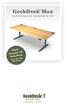 GeekDesk Max Instructions for Assembly & Use Work Sitting OR Standing! With the touch of a button... Elevate Your Work Instructions release 1.5, 2012-08-09 WELCOME! Thank you for purchasing a GeekDesk!
On/Off Relay Switch and 3-Way Switch Kit
 45637/45638 Wireless Lighting Control On/Off Relay Switch and 3-Way Switch Kit marthome Control the On/Off status of permanently installed lighting, fans and more! www.lowes.com/iris 2012 JASCO Made in
USER MANUAL WARNING! CONTENTS MODEL 1 SPECIFICATIONS READ ALL INSTRUCTIONS BEFORE PROCEEDING. Non-Programmable Single Stage Heat/Cool Thermostat
 Builder MODEL 1010 Series Non-Programmable Single Stage Heat/Cool Thermostat USER MANUAL Compatible with low voltage single stage gas, oil or electric heating or cooling systems, including single stage
TABLE 1: Wiring Terminals. Connect to... 1C 1H 2C 2H 1H1C 2H1C 2H2C 3H2C
 Installation TURN OFF POWER TO THE SYSTEM AT THE MAIN POWER PANEL TO AVOID ELECTRICAL SHOCK. Installation should be carried out by an electrician or a qualified technician. 1.1 Find a Location for the
Dehumidifier Users manual. For Models: DH45S DH65S
 Dehumidifier Users manual For Models: DH45S DH65S 950-0062-revD Jan. 9 2007 FORWARD The appearance of the units that you purchase might be slightly different from the ones described in the Manual, but
TX GSM SMS Auto-dial Alarm System. Installation and User Manual
 TX GSM SMS Auto-dial Alarm System Installation and User Manual Product Features: 1. 16 wireless zones, 3 wired zones alarm system, suitable for small to medium size offices and homes. 2. The system uses
Installation and operating instructions: Radio dimmer Type: DALI DM ADVANCED LI
 Installation and operating instructions: Radio dimmer Type: DALI DM ADVANCED LI OSRAM GmbH Hellabrunner Str. 1 D-81536 Munich Tel.: +49 (0) 89 6213 0 Fax: +49 (0) 89 6213 2020 Customer Service Center (KSC)
Remote Engine Start System User s Information Manual
 Remote Engine Start System User s Information Manual A Few Words About Safety Your safety, and the safety of others, is very important. Operating this Remote Engine Starter System safely is an important