
VersaCare Bed. Quick Reference Guide
|
|
|
- Shanna Brown
- 10 years ago
- Views:
Transcription
1 VersaCare Bed Quick Reference Guide

2 Bed Features Item Description Page A Emergency CPR and Emergency 3 Trendelenburg a Control B Battery Back-Up 4 C Foot Controls 4 D Point-of-Care Caregiver Control Panel 5, 6 E Control Pod 7, 8, 9 F IntelliDrive Transport System (optional) 10 G Active Integrated Response Treatment 12 Surface or P500 Surface (optional) H SafeView Alerts (optional) 9 a. There must be power to the bed, either AC or battery, for the Emergency Trendelenburg function to operate. NOTE: In this document, there are references to different bed models. To identify your bed model, look at the serial number label. The label is on the right side of the weigh frame, under the patient s shoulder. For example, P3200AXXXX identifies an A model bed. Also in this document where two versions of a symbol are shown, one or the other will be used on your bed. Page 2 of 16

3 Emergency CPR The emergency CPR controls are handles located under the sleep deck, between the head and intermediate siderails on both sides of the bed. NOTE: The headboard can be used as a CPR board. 1. Pull and hold the CPR handle. If the bed has an treatment/therapy surface, the surface will go into Max-Inflate. 2. Hold the CPR handle until the head and knee section come to a stop in the flat position. 3. Release the CPR handle. Emergency Trendelenburg The emergency Trendelenburg controls are handles located under the sleep deck, between the head and intermediate siderails on both sides of the bed. The handles used to operate CPR are also used to operate emergency Trendelenburg. NOTE: There must be power to the bed, either AC or battery, for the Emergency Trendelenburg function to operate. 1. Make sure the bed is plugged into AC power or the battery is activated. 2. Pull and hold the CPR handle. 3. Hold the CPR handle until the head and knee section come to a stop in the flat position. 4. Continue to hold the CPR handle until you reach the applicable bed angle. 5. Release the CPR handle. Safety and Information Indicators NOTE: For the indicators to operate, there must be AC or battery power to the bed. NOTE: A through F models have the wrench (Service is Required) indicator only. Plug (Disconnected from AC Power) If the bed is disconnected from AC power and the battery is active, the plug indicator flashes. Wrench (Service Is Required) When the wrench indicator comes on solid or flashes, contact your facility-authorized maintenance person. Battery ON = battery is active. FLASHING = battery needs to be charged. OFF = battery is inactive or is discharged below the level necessary to operate the motors. Brake Not Set If the bed is connected to AC power, and the brake is not set, the Brake Not Set indicator (available on some beds) flashes and a continuous alarm comes on. Set the brake to stop the alarm. Emergency CPR and Trendelenburg and Safety and Information Indicators Bed Page 3 of 16

4 Bed Obstacle Detection and Battery and Foot Controls Obstacle Detection The bed is equipped with an obstacle detection system that runs along the three open sides of the base frame. This system detects objects that are between the upper frame and the base frame. If an object is detected, the Bed Not Down indicator on both siderails will flash and you will not be able to lower the bed. If an object is detected while the bed sleep deck is lowering, the bed will stop lowering, and then raise automatically for 2 seconds. The Bed Not Down indicator on both siderails will flash. Battery Back-up When the bed does not receive AC power, battery back-up can be activated. When the bed operates on battery back-up The functions on the caregiver control panel are available. The functions on the control pod are not available, and the surface indicators are off. The battery stays active for 10 minutes (A through J models) or 1 minute (K model and newer) after the last control is used. The battery indicator on the caregiver control panel shows its status (see Battery on page 3). A through J models press the Battery control that is at the right-side head end, just below the power cord. K model and newer press any caregiver siderail control except the Lockout control. Foot Controls 1. To enable the controls, step down on one of the Head Down/Up or Bed Down/Up pedals for 1 to 3 seconds. 2. Release the pedal. 3. Step down on the pedal of the applicable function until the bed is in the correct position. Bed Down/Up Head Down/Up Page 4 of 16

5 Enable Control A through F models the control is on both the caregiver control panel and control pod. You must press the Enable control to use the controls outside of the caregiver control panel s blue section and all controls on the control pod. G model and newer the control is on the control pod only. You must press the Enable control to use the controls in the green sections of the control pod. NOTE: The siderail Enable controls do not enable the Foot pedal controls. 1. Press the Enable control. The indicator comes on. The Enable control is active for 60 seconds. 2. During the 60-second period, press the applicable caregiver control. The 60-second period starts over each time you press another control. Caregiver Control Panel Controls Chair 1. Set the brake. 2. A through F models, press the Enable control. G model and newer, go to step Press and hold the Chair control until the patient deck goes into the chair position. NOTE: Use the reverse Trendelenburg control for an additional 10 of forward chair angle. Bed Flat A through F models the Bed Flat control returns only the sleep deck to the flat position; it does not change the angle of the bed. G model and newer the Bed Flat control returns the sleep deck and bed to the flat and level position. 1. A through F models, press the Enable control. G model and newer, go to step Press and hold the Bed Flat control until all sections are flat and the system stops. Enable, Chair, Bed Flat, and Foot Length Controls Bed Foot Extend/Longer and Foot Retract/ Shorter 1. A through F models, press the Enable control. G model and newer, go to step Press and hold the applicable Foot Extend/Longer or Foot Retract/Shorter control until the bed is at the applicable position. Page 5 of 16

6 Bed Boost Position and Lockout Controls Boost Position System G model and Newer When you activate the Boost Position System, the bed will go to a mid-height and flat and level position. If you continue to hold the control for 5 more seconds, the bed will adjust to 7 Trendelenburg. If a treatment/therapy surface is installed, the surface will go into Max-Inflate for 30 minutes unless the Boost function is deactivated. NOTE: The Boost Position is contraindicated for some patients. Follow your facility's protocols when you adjust the patient s position, and refer to Warnings and Contraindications on page Press and hold the Boost Position control: Release the control when the bed is at the flat and level position. Or If Trendelenburg is not contraindicated for your patient, hold the control for 5 seconds longer for the bed to go into the 7 Trendelenburg position. 2. Move the patient to the head of the bed as necessary. 3. To deactivate the Boost function, press any of the bed function controls except these: Boost System, Bed Up/Down, or Trendelenburg. Lockout Controls A through F Models At the same time, press and hold the Enable control and the applicable Lockout control. An indicator comes on solid when a lockout is activated. The indicator stays on until the lockout is deactivated. All Motors Bed Head Knee Up/Down Up/Down Up/Down Deactivate At the same time, press and hold the Enable control and the locked out control until its indicator is off. Lockout Control G Model and Newer At the same time, press and hold the Lockout control and the direction control of the applicable function. An indicator and an alarm come on when a lockout is activated. The indicator stays on until the lockout is deactivated. NOTE: When you activate the lockout for either the knee up/down or foot longer/shorter control, both knee up/down and foot longer/shorter functions will be locked out. Deactivate At the same time, press and hold the Lockout control and the locked out function control until its indicator is off. Page 6 of 16

7 Control Pod Controls Scale Setup 1. Make sure the bed is plugged into AC power. 2. Put all linens, blankets, pillows, equipment, and standard items on the bed. 3. Make sure none of the items on the bed touch the headboard. 4. Make sure the bed does not touch anything that could affect the patient weight (headwall, lines such as pendant controls, ventilators, or drainage bags). 5. Make sure the patient is not on the bed. 6. Zero the scale as follows: NOTE: The scale must be zeroed before the patient is put on the bed. a.press the Enable control. b.press and hold the Zero control until 00.0 shows on the display (HOLD will show until 00.0 shows). NOTE: After you release the Zero control, the display will flash CALC. Do not touch the bed until the display shows 0.0. Weigh the Patient NOTE: For a more accurate reading, make sure the patient is lying still and is centered on the mattress. 1. A through F models, press the Enable control. G model and newer, go to step Press the Weigh control. The bed shows the current patient weight on the display. Change the Scale Units Bed with the Bed Exit Alarm Silence Feature Only The default units shown on the scale display is both pounds (lb) and kilograms (kg). To change the units to lb or kg only, do as follows: 1. Make sure the Enable control indicator is off. 2. Press the Zero control for approximately five seconds. And then, as you continue to press the Zero control, press the Weigh control until you hear a beep. The display will be in configuration mode with the current unit setting highlighted: lb only; kg only; or lb/kg. 3. Press and release the Weigh control to move through the settings. When you reach the applicable setting, release the control and wait until you hear a beep (approximately ten seconds). The display will store the new configuration and exit the configuration mode. NOTE: If you do not press the Weigh control within ten seconds, you will hear a beep to let you know that the selected configuration has been stored and the display is exiting configuration mode. Scale Bed Page 7 of 16

8 Bed Bed Exit Alarm System Bed Exit Alarm System Patient Position Bed Exiting Out-of-Bed 1. Make sure the patient is not on the bed. 2. Zero the scale. See Scale on page Put the patient in the center of the bed and aligned with the hip locator. 4. Press the Enable control. 5. Press the applicable Bed Exit mode control. When the system beeps one time and the indicator stays on solid, the system is armed. If the system does not arm, the system will beep rapidly for a few seconds and the selected mode indicator will flash. This means: The patient weight is outside these ranges: A model 70 lb to 500 lb (31.8 kg to 227 kg) B model and newer 50 lb to 500 lb (23 kg to 227 kg) The patient is not in the correct position. The system has malfunctioned. NOTE: If a Bed Exit mode is active and the bed gets unplugged or the battery activated, the Bed Exit Alarm System will be inactive. When the bed is plugged in again, the Bed Exit mode will activate at the previous setting. NOTE: When there is a Bed Exit alarm condition, the mode indicator flashes and an alarm comes on. Deactivate 1. Press the Enable control. 2. Press any Bed Exit mode control until its indicator is off. Turn Off the Alarm Sound Bed without the Alarm Silence control you must deactivate the Bed Exit Alarm System. Bed with the Alarm Silence control either deactivate the Bed Exit Alarm System, or use the Alarm Silence control to temporarily turn off the alarm sound. Alarm Silence While Bed Exit is alarming, press the Alarm Silence control until its indicator is on solid. The system stays in Silence mode until the patient is on the bed and has met all the conditions to not cause an alarm for the current Bed Exit setting. Page 8 of 16

9 SafeView Alerts When the bed is connected to AC power and the Bed Exit System is active, the Alerts show the safety condition of the bed as defined: Bed is in the low position. Siderails are up (as configured). Brake is set. NOTE: If the head angle alarm is installed and active, it is included in the safe condition requirements. Alerts Are On Green Bed Exit is active, and the conditions shown above are met. Alerts Flash Yellow Bed Exit is active, and one or more of the conditions shown above are not met. Bed Exit is not active, the optional head angle alarm is active, and the head section goes below the specified angle. Bed Exit is in Silence mode (bed with the Bed Exit Alarm Silence feature). Alerts Flash Yellow and Green there is a technical problem with the Alerts. Call your facility-authorized maintenance person. Alerts are Off Bed Exit is not active, the Alerts have been deactivated, or the bed is disconnected from AC power. 30 Head Angle Alarm (G Model and Newer) 1. Raise the head section above Press the Enable control. 3. Press the Alarm control until its indicator is on solid. The indicator stays on until the alarm is deactivated. NOTE: When the bed operates on battery power and the alarm is set, if the head section goes below 30, an audible alarm will come on and the alarm indicator will flash. The display on the control pod will be off. Turn Off the Alarm Raise the head section above 30. Deactivate 1. Press the Enable control. 2. Press the Alarm control until its indicator is off. SafeView Alerts and 30 Head Angle Alarm Bed Page 9 of 16

10 Bed IntelliDrive Transport System IntelliDrive Transport System 1. Raise all siderails to the up and locked position. 2. Secure all equipment being transported with the bed (monitors, IV poles, and such). 3. Adjust the bed s position to make sure your view is unobstructed. 4. Unplug the bed power cord and, if installed, the auxiliary outlet power cord from their power source. 5. Set the Brake/Steer control to Steer Steer 6. Hold one or both transport handles at the head end of the bed. 7. Press one or both of the Enable switches on the transport handles. 8. While you press the Enable switches, push the transport handles forward or pull them backward for the applicable direction. 9. To stop, release the handles. 10. If the bed is to be left unattended, set the brake. 11. Stow the handles and set the brake when the transport is complete. 12. Plug the bed into AC power. 13. To deactivate the IntelliDrive Transport System, set the Brake/Steer control to Neutral or Brake, and plug the bed into an applicable power source. NOTE: In case of battery or motor power loss, press the electronic brake switch to the Off position to permit forward and reverse bed movement with a deployed, unpowered IntelliDrive Transport System. The electronic brake switch is on the right side of the bed, near the foot pedal controls. On/Off Switch Neutral Brake Page 10 of 16

11 NOTE: If the troubleshooting information shown below does not fix the problem, contact your facility-authorized maintenance person. The Bed Does Not Work Make sure the bed is plugged into AC power or the battery is active. For battery information, refer to Battery Back-up on page 4. The Service Is Required (Wrench) Indicator Is On or Flashing When the system determines the bed or treatment/therapy surface operation is not correct, the wrench indicator comes on solid (bed error) or flashes (treatment/therapy surface error). Contact your facility-authorized maintenance person. The Bed Controls Do Not Work Make sure the bed is plugged into AC power or the battery is active. Make sure the lockouts are deactivated. See page 6 to deactivate them. NOTE: If all lockout indicators and the service required indicator are on, contact your facilityauthorized maintenance person. The Bed Does Not Lower Make sure of these: The bed is plugged into AC power or the battery is active. The Bed Down control is not locked out. The Bed Not Down indicator is not flashing. There is nothing between the upper frame and the base frame. There is nothing between the obstacle detect sensors on the base frame. The obstacle detect covers, located in the caster covers, are installed correctly. The Foot Controls Do Not Work Make sure of these: The bed is plugged into AC power or the battery is active. The lockouts are deactivated. You have enabled the foot controls. Refer to Foot Controls on page 4. Troubleshooting Bed The Display on the Control Pod Is Off Make sure the bed is plugged into AC power. When the bed operates on battery power, the display will be off. NOTE: If the bed has the 30 Head Angle Alarm option and the alarm is set, if the head section goes below 30, the audible alarm will come on and the Head Angle Alarm indicator will flash. The Display on the Control Pod Flashes when a Weight Is Taken The maximum weight the scale will show has been exceeded. The Head Section Angle Appears to be much different than the Head Angle Display Shows (G model and newer beds) Contact your facility-authorized maintenance person. The Bed Exit Alarm Does Not Arm and All Three Mode Indicators Are Flashing Remove the patient, and zero the Bed Exit system. See Bed Exit Alarm System on page 8. Page 11 of 16

12 Active Integrated Response Treatment (AIR) Surface or P500 Surface The controls for these surfaces are on the control pod. You must press the Enable control to use the surface controls. NOTE: For a surface with Advanced Microclimate Technology (AMT) (next-generation Low Air Loss), AMT operates continuously while the patient is on the bed. The surface should always be used with the AMT coverlet installed. Pressure Relief/Normal 1. Press the Enable control. 2. Press the Pressure Relief/Normal control. An indicator will come on when the mode is active. Treatment/ Therapy Surface Surface Modes Max-Inflate Max-Inflate mode causes the sleep surface to become very firm. After 30 minutes, if no other mode is selected, the surface automatically returns to the Pressure Relief/Normal mode. NOTE: If the surface is in Max-Inflate mode and the bed gets unplugged, the surface will stay in Max-Inflate mode. When the bed is plugged in again, the surface will go into Pressure Relief/ Normal mode. 1. Press the Enable control. 2. Press the Max-Inflate control. An indicator will come on when the mode is active. Deactivate 1. Press the Enable control. 2. Press the Pressure Relief/Normal control. Heel Relief For the patient to get heel relief, extend or retract the bed foot section to align the patient's heels in the heel relief zone. NOTE: The Foot Extend/Longer and Retract/ Shorter controls are on the caregiver control panel. 1. A through F models, press the Enable control. G model and newer, go to step Press and hold the Foot Extend/Longer or Retract/Shorter control to move the foot section in or out. Page 12 of 16

13 Turn Assist The turn assist bladder inflates and rotates the patient approximately 20, which takes about 30 seconds. The system will hold the pressure for ten seconds. After ten seconds, an alarm sounds, the turn assist bladder deflates and returns to Pressure Relief/Normal mode. NOTE: If a siderail is lowered during Turn Assist operation, a brief alarm will sound and the Siderail Not Up indicator will come on. 1. Make sure the head angle is below Make sure the siderails are in the up and locked position on the side the patient is turning towards. Turn assist will not start until the siderails are up. 3. Press the Enable control. 4. Press the Left Turn or Right Turn control until its indicator is on solid. 5. NOTE: If the siderails are not in the correct position or the head section is not below 25, an indicator will flash and an alarm will sound. Deactivate 1. Press the Enable control. 2. Press the opposite Turn control, Pressure Relief/Normal control, or Max-Inflate control. Sleep Mode The Sleep Mode is used to minimize the frequency of air system adjustments to allow patients who are sensitive to sleep surface Left Turn movement to sleep. The air pressure in the mattress is monitored, but the air pump does not run unless the air pressure falls below or raises above a preset level. Right Turn 1. Press the Enable control. 2. At the same time, press and hold the Left Turn and Right Turn controls for 5 seconds. After 5 seconds, the Left and Right Turn indicators will come on. Deactivate Pressure Relief/ The bed will automatically return to Pressure Normal Relief/Normal mode after 3 hours or 8 hours (on some bed models) or if it is necessary to adjust the mattress pressure. or Max-Inflate 1. Press the Enable control. 2. Press any air system control until its indicator is on solid. Surface Modes Treatment/ Therapy Surface Page 13 of 16

14 Treatment/ Therapy Surface Troubleshooting NOTE: If the troubleshooting information shown below does not fix the problem, contact your facility-authorized maintenance person. The Wrench (Service Is Required) Indicator Is On or Flashing When the wrench indicator comes on solid or flashes, contact your facility-authorized maintenance person. The Surface Does Not Inflate or Does Not Inflate Correctly Make sure of these: The bed is plugged into AC power. The Service Is Required indicator is not on or flashing. You press the Enable control before you press the applicable mattress function. The surface has been put into Sleep mode; not turned off. If you press the Max-Inflate and the Normal/Pressure Relief controls at the same time, the surface will turn off. If the surface is off for an extended amount of time, the mattress could deflate. To turn the surface on 1. Press the Enable control. 2. Press any surface control until its indicator is on solid. To activate Sleep mode, refer to Sleep Mode on page 13. The scale system is used correctly. If it is not used correctly, the surface may go into the non-operational safe mode (see All Surface Mode Indicators are Flashing on page 14). To make sure the scale system is used correctly, refer to 30 Head Angle Alarm (G Model and Newer) on page 9. The mattress retaining straps at the head and foot ends of the bed are installed in their retainers. Retainer Retaining Strap Turn Assist Does Not Work Make sure of these: The bed is plugged into AC power. The siderails that the patient is turning toward are in the up and locked position. The head section is below 25. You press the Enable control before you press the applicable Turn Assist Mode control. All Surface Mode Indicators are Flashing The patient should not be on the surface; the surface is in the non-operational safe mode. 1. Make sure the mattress hose connections are fully connected to the bed frame. 2. Reset the surface as follows: a.press the Enable control. b.press the Normal/Pressure Relief control until its indicator is on solid. c.if the surface does not reset, unplug the bed, wait 10 seconds, and then plug the bed in. The surface should go into the Normal/Pressure Relief mode. Page 14 of 16

15 Evaluate patients for entrapment risk according to facility protocol, and monitor patients appropriately. Make sure all siderails are fully latched when in the raised position. Failure to do either of these could cause serious injury or death. Relative Contraindication for beds with a treatment/therapy surface use of active therapy surfaces with patients with unstabilized spinal cord injury could cause serious injury to the patient. Beds with the Boost Position System do not use the Boost function if there are concerns of spinal instability. To do so could cause patient injury. We recommend that you do not transport a patient when the bed is in the Chair or Boost positions. And, use caution if you transport a patient when the bed is in the Trendelenburg or Reverse Trendelenburg positions. IV pole use the head-end equipment sockets do not move up and down with the sleep deck. Use applicable precautions with gravity-sensitive devices such as ventricular drains or lumbar drains before, during, and after you operate the bed functions. Make sure flow rates on all gravityfed IVs are correct after you adjust the bed height. Failure to correctly manage patient equipment could cause patient injury. Make sure the bed is in the low position when the patient is unattended. This can reduce the possibility of patient falls and the severity of any resultant injuries. NOTE: Whenever the bed is not in its low position, the Bed Not Down indicator will be on. Bed with an auxiliary outlet do not plug both power cords into the same wall receptacle. Plug the power cords into different receptacles on separate circuits. Failure to do so can cause equipment damage or tripping of facility power breakers. Do not use the accessory receptacle for life support equipment. Plug life support equipment directly into facility power supply. Beds with the IntelliDrive Transport System if the bed moves forward or reverse unintentionally, contact your facility-authorized maintenance person. Failure to do so can cause personal injury or equipment damage. Beds with the Line Managers do not use the Line Manager for ventilator circuits. To do so could cause patient injury. Page 15 of 16 Warnings and Contraindications

16 Patient Weight Safe Working Load (includes patient weight, mattress, IV pumps, poles, bags, traction equipment, and such) Active Integrated Response Treatment Surface (manufactured before January 1, 2010) Patient Characteristics P500 Surface and Active Integrated Response Treatment Surface (manufactured after January 1, 2010) Patient Characteristics Patient Characteristics 500 lb (227 kg) maximum 550 lb (250 kg) 500 lb (227 kg) maximum 475 lb (215 kg) maximum for effective pressure redistribution Width up to 35" (89 cm), and a height between 57" and 84" (145 cm to 213 cm). 500 lb (227 kg) maximum Width up to 35" (89 cm), and a height between 57" and 84" (145 cm to 213 cm) by Hill-Rom Services, Inc. ALL RIGHTS RESERVED. No part of this text shall be reproduced without written permission from Hill-Rom Services, Inc. Active Integrated Response is a registered trademark of Hill-Rom Services, Inc. Advanced Microclimate is a registered trademark of Hill-Rom Services, Inc. Boost is a registered trademark of Hill-Rom Services, Inc. Hill-Rom is a registered trademark of Hill-Rom Services, Inc. IntelliDrive is a registered trademark of Hill-Rom Services, Inc. Point-of-Care is a registered trademark of Hill-Rom Services, Inc. SafeView is a trademark of Hill-Rom Services, Inc. VersaCare is a registered trademark of Hill-Rom Services, Inc. DS142 REV 5/March 2011 Rental: USA: Canada: International:

USER MANUAL. VersaCare Bed. From Hill-Rom. Product No. P3200 and P3201 USR119 REV 5
 USER MANUAL VersaCare Bed From Hill-Rom Product No. P3200 and P3201 USR119 REV 5 2005 by Hill-Rom Services, Inc. ALL RIGHTS RESERVED. Manufactured by: HILL-ROM COMPANY, INC. 1069 STATE ROUTE 46 E BATESVILLE,
USER MANUAL. Advanta Bed. From Hill-Rom. Product No. P1600
 USER MANUAL Advanta Bed From Hill-Rom Product No. P1600 2002 by Hill-Rom Services, Inc. ALL RIGHTS RESERVED. No part of this text shall be reproduced or transmitted in any form or by any means, electronic
USER MANUAL. TotalCare Bariatric Bed. From Hill-Rom. Product No. P1830A
 USER MANUAL TotalCare Bariatric Bed From Hill-Rom Product No. P1830A Table of Contents Symbol Definition.................................................................1 Intended Use.....................................................................2
SERVICE MANUAL. Product No. P1320
 SERVICE MANUAL Procedural Recliner From Hill-Rom Product No. P1320 For Parts Or Technical Assistance man132ra USA (800) 445-3720 Canada (800) 267-2337 International: Contact your distributor. Procedural
Back-UPS 650 VA 120 V with AVR (BX650CI-LM)
 Back-UPS 650 VA 120 V with AVR (BX650CI-LM) Overview Do not install the unit in direct sunlight, in areas of excessive heat or humidity, or in contact with fluids ON/OFF button Battery connector Circuit
Stryker S3 Safe. Simple. Secure.
 Medical Stryker S3 Safe. Simple. Secure. Stryker S3 Med/Surg Bed Stryker S3 The standard of care preferred by more hospitals than any other. Retractable Frame Exclusive retractable frame allows proximal
EKOS Cart. Instructions for Use
 EKOS Cart Instructions for Use EKOS Corporation 11911 North Creek Parkway South Bothell, WA 98011 USA (425) 415-3100 (tel) (425) 415-3102 (fax) [email protected] (e-mail) - 1-4913-002 REV E Intended Use
Operation Manual FOR 14029 & 14030
 Operation Manual FOR 14029 & 14030 IMPORTANT SAFEGUARDS When using electrical products, especially when children are present, basic safety precautions should always be followed, including the following:
Compella Bariatric Bed Advancing bariatric care.
 Compella Bariatric Bed Advancing bariatric care. Compella Bariatric Bed Overcoming barriers to efficient, safe and dignified bariatric care. Impact of obesity on health care providers: More than 34% of
Installation and Operation Manual Back-UPS BX800CI-AS/BX1100CI-AS
 + Installation and Operation Manual Back-UPS BX800CI-AS/BX1100CI-AS Inventory Safety and General Information bu001c This unit is intended for indoor use only. Do not operate this unit in direct sunlight,
GE Concord 4 Quick User Guide
 GE Concord 4 Quick User Guide GE Concord 4 Quick User Guide Page 1 Before Calling Is the keypad beeping? Press *. This will silence the beeping and let you know where the trouble is. Is there a flashing
NewAir AC-14100E / AC-14100H Portable Air Conditioner Owner s Manual PLEASE READ AND SAVE THESE INSTRUCTIONS
 NewAir AC-14100E / AC-14100H Portable Air Conditioner Owner s Manual PLEASE READ AND SAVE THESE INSTRUCTIONS PARTS LIST Front Back FIG.5 FIG.6 1. Control panel 2. Carrying handle 3. Water tank 4. Casters
HP ProDisplay P19A LED Backlit Monitor. User Guide
 HP ProDisplay P19A LED Backlit Monitor User Guide 2013 Hewlett-Packard Development Company, L.P. The only warranties for HP products and services are set forth in the express warranty statements accompanying
Single Day Alarm Clock with. Bluetooth and USB Play-through
 Single Day Alarm Clock with Bluetooth and USB Play-through MODEL : BSC 200 READ THIS INSTRUCTION MANUAL BEFORE OPERATING THE APPLIANCE. SAVE THIS MANUAL FOR FUTURE REFERENCE. TABLE OF CONTENTS IMPORTANT
Sitter Elite. Instruction Manual
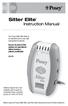 Sitter Elite Instruction Manual The Posey Sitter Elite Alarm is an important part of your falls management protocols. Ensure all parts of this system are operational before leaving a patient unattended.
CarePartner Telephone With Reminders
 Philips wordmark and Lifeline K100 CarePartner Telephone With Reminders Model 9500 User s Manual Black and white version For use with newsprint and other one-color applications. 1 x P height 1 x P height
Using your LED Plus keypad
 Using your LED Plus keypad System 238 System 2316 System 238i System 2316i Part Number 5-051-372-00 Rev B Thank you for purchasing this C&K alarm system Your system is one of the most powerful and advanced
QuickSpecs. HP Managed and Unmanaged Notebook Charging Carts. Models HP 30-Notebook Charging Cart
 Overview HP Managed and Unmanaged Notebook Charging Carts Models HP 20-Notebook Charging Cart HP 30-Notebook Charging Cart HP 20-Notebook Managed Charging Cart HP 30-Notebook Managed Charging Cart QL488AA#ABA
Cellular Medical Alert User s Guide
 Cellular Medical Alert User s Guide What s in the Box 70 F MAY 03 FRI 10:05 AM RESET 70 F Volume: 10:05 AM RESET RESET + TEST TEST Cellular Base Station Neck Pendant and/or Wrist Button Setup Guide Cellular
Portable Air Conditioner. OWNER S MANUAL Read these instructions before use. Model: MF08CESWW. Voltage rating: 115V~60Hz Power rating : 800W
 MODE ALARM Portable Air Conditioner OWNER S MANUAL Read these instructions before use 8 Model: MF08CESWW Voltage rating: 115V~60Hz Power rating : 800W Customer Support : 1-800-474-2147 For product inquiries
THE NEW GENERATION IN TECHNOLOGY. NI-3103A Alarm Clock w/fm Radio ipod & iphone Docking. Operating Instructions
 THE NEW GENERATION IN TECHNOLOGY NI-3103A Alarm Clock w/fm Radio ipod & iphone Docking Operating Instructions Table of Contents Important Safeguards... 3 Parts... 6 Controls... 6 To Set Up... 7 ipod/iphone
tattletale User Guide Consumer unit version 2.48 1 P a g e
 tattletale User Guide Consumer unit version 2.48 1 P a g e Contents Basic 1... 4 Base Unit Features... 4 Initial Setup... 4 Arming... 5 Disarming... 5 Quiet Button... 5 Settings... 5 Settings 2... 6 Quick
Med-Aire 8 Alternating Pressure Mattress Replacement System With Low Air Loss
 Med-Aire 8 Alternating Pressure Mattress Replacement System With Low Air Loss OPERATOR S MANUAL Item # 14027 www.drivemedical.com TABLE OF CONTENTS IMPORTANT SAFEGUARDS... 3 STATEMENTS & SYMBOLS...4 INTRODUCTION...5
HP ProDisplay P17A LED Backlit Monitor. User Guide
 HP ProDisplay P17A LED Backlit Monitor User Guide 2013 Hewlett-Packard Development Company, L.P. Microsoft, Windows, and Windows Vista are either trademarks or registered trademarks of Microsoft Corporation
Taurus Super-S3 LCM. Dual-Bay RAID Storage Enclosure for two 3.5-inch Serial ATA Hard Drives. User Manual March 31, 2014 v1.2 www.akitio.
 Dual-Bay RAID Storage Enclosure for two 3.5-inch Serial ATA Hard Drives User Manual March 31, 2014 v1.2 www.akitio.com EN Table of Contents Table of Contents 1 Introduction... 1 1.1 Technical Specifications...
466-1936 Rev E October 2004 ZZZ*(6HFXULW\FRP. Part No: 60-883-95R. CareGard. User Guide
 ) *(6HFXULW\ 466-1936 Rev E October 2004 ZZZ*(6HFXULW\FRP Part No: 60-883-95R CareGard User Guide FCC Notices FCC Part 15 Information to the User Changes or modifications not expressly approved by GE Security
Installation and Operation Back-UPS 1250, 1300, 1500
 Installation and Operation Back-UPS 1250, 1300, 1500 Inventory bu001a Safety and General Information This unit is intended for indoor use only. Do not operate this unit in direct sunlight, in contact with
HP Managed and Unmanaged Notebook Charging Carts Overview. Models HP 30-Notebook Charging Cart. HP 30-Notebook Managed Charging Cart
 Overview Models HP 20-Notebook Charging Cart HP 30-Notebook Charging Cart HP 20-Notebook Managed Charging Cart HP 30-Notebook Managed Charging Cart QL488AA#ABA H4F31AA#ABA QL489AA#ABA QL490AA#ABA Introduction
Daker DK 1, 2, 3 kva. Manuel d installation Installation manual. Part. LE05334AC-07/13-01 GF
 Daker DK 1, 2, 3 kva Manuel d installation Installation manual Part. LE05334AC-07/13-01 GF Daker DK 1, 2, 3 kva Index 1 Introduction 24 2 Conditions of use 24 3 LCD Panel 25 4 Installation 28 5 UPS communicator
Range of Motion. A guide for you after spinal cord injury. Spinal Cord Injury Rehabilitation Program
 Range of Motion A guide for you after spinal cord injury Spinal Cord Injury Rehabilitation Program This booklet has been written by the health care providers who provide care to people who have a spinal
Back-UPS Pro 1300/1500 Installation and Operation
 Back-UPS Pro 1300/1500 Installation and Operation Inventory Safety Do not install the Back-UPS in direct sunlight, in excessive heat, humidity, or in contact with fluids. Connect the battery bu059a bu058a
SPECIAL CODES AUXILIARY CODES SYSTEM NOTES
 Installing/Service Company Monitoring Center SPECIAL CODES Master Code Duress Code AUXILIARY CODES "Quick Arm" " Chime" 08 02 09 03 10 04 11 05 12 06 13 07 14 SYSTEM NOTES Exit Delay Time Entry Delay Time
Portable Air Conditioner. OWNER S MANUAL Read these instructions before use. Model: MM14CHCSCS
 Portable Air Conditioner OWNER S MANUAL Read these instructions before use Model: MM14CHCSCS Voltage rating: 120V~60Hz Power rating : 1400W(Cooling) Power rating : 1350W(Heating) Customer Support : 1-800-474-21477
Informer Plus Silver System User Guide
 Informer Plus Silver System User Guide Model 81830 800-206-1045 0163-358-B FCC ID: HCQ 3B6UMXF Canada: 2309 101 597 This device complies with Part 15 of the FCC rules. Operation is subject to the following
Mobile, Powered Positioning Multi-Purpose. Stretcher-Chairs. A Universal Care Platform TMM4 Series
 Mobile, Powered Positioning Multi-Purpose Stretcher-Chairs A Universal Care Platform TMM4 Series Mobile, Powered Positioning Multi-Purpose Stretcher-Chairs Standard Features 500 LB PATIENT WEIGHT CAPACITY
Owner s Manual. Not suitable for mobile applications. Important Safety Instructions 2. Quick Installation 3. Basic Operation 4. Storage & Service 7
 Register online today for a chance to win a FREE Tripp Lite product! www.tripplite.com/warranty Owner s Manual Internet Office & BC Personal UPS Systems Not suitable for mobile applications. Important
SECURITY SYSTEM NOTES. EMERGENCY ACTIVATION KEYS (check if enabled) PROGRAMMED FUNCTIONS
 SECURITY SYSTEM NOTES Installing/Service Company For Service Call Installation Date / / Central Station Duress Code EMERGENCY ACTIVATION KEYS (check if enabled) Fire Auxiliary Emergency Police PROGRAMMED
SECURITY SYSTEM NOTES SPECIAL CODES ENTRY / EXIT DELAY TIMES ARM / DISARM CODES
 SECURITY SYSTEM NOTES Installing/Service Company For Service Call SPECIAL CODES "Chime" Digit 1 "Partial Arm" Digit 2 "Quick Arm" Digit 3 ENTRY / EXIT DELAY TIMES Exit Delay Time Entry Delay Time Secondary
Portable Air Conditioner. OWNER S MANUAL Read these instructions before use. Model: MN12CES / MN10CESWW
 Portable Air Conditioner OWNER S MANUAL Read these instructions before use 8 Model: MN12CES / MN10CESWW Voltage rating: 120V~60Hz Power rating : 1100W (MN12CES) Power rating : 900W (MN10CESWW) Customer
Heart of America Medical Center EMR, EMT, EMT-Intermediate & AEMT Protocols
 USE OF THE LUCAS DEVICE TO PROVIDE EXTERNAL CHEST COMPRESSIONS IN PATIENTS SUFFERING CARDIAC ARREST Purpose This procedure describes the appropriate methods to apply, operate, and discontinue the LUCAS
How To Set Up An Rv Camper Trailer
 Atlanta RV Rental Folding Camper Photos An addendum to Manual. Setting up unit. Rotate Tongue Jack and Lower. Disconnect Electric Cord and Chains and Brake-Away cable from Vehicle. Get Key, Wheel Chocks,
Portable Air Conditioner. OWNER S MANUAL Read these instructions before use. Model: MM14CCS. Voltage rating: 115V~60Hz Power rating : 1400W
 Portable Air Conditioner OWNER S MANUAL Read these instructions before use Model: MM14CCS Customer Support : 1-800-474-2147 Voltage rating: 115V~60Hz Power rating : 1400W For product inquiries or support
SECURITY SYSTEM NOTES SPECIAL CODES. Security System Configuration
 Installing / Service Company: SECURITY SYSTEM NOTES For Service Call: Master Code SPECIAL CODES Duress Code Security System Configuration Auxiliary Code(s) Quick Arm" Digit: 2 9 3 10 4 11 5 12 6 13 7 14
SECURITY SYSTEM NOTES. Security System Configuration
 Installing / Service Company: For Service Call: SECURITY SYSTEM NOTES Security System Configuration Master Code: Auxiliary Code(s) 2 3 4 5 6 "Quick Arm" Digit: Exit Delay Time Auxiliary Exit Delay Time
Wireless Home Security System Product Manual (Model #80355)
 Wireless Home Security System Product Manual (Model #80355) Installation Instructions During set-up, if no key is pressed for 15 seconds it will come out of the setup mode and you will have to start over.
HP SATA/SAS hard drive and Solid State Drive installation
 HP SATA/SAS hard drive and Solid State Drive installation This document describes how to install Serial ATA (SATA) and Serial Attached SCSI (SAS) hard drives or Solid State Drives (SSD) in an internal
USER S MANUAL HSC-24A
 AIRREX AIR CONDITIONER USER S MANUAL HSC-24A Thank you for purchasing an AIRREX AIR CONDITIONER. BEFORE operation please read this user s manual carefully. Keep this manual readily available. It is ESSENTIAL
GoFit Platinum Power Vibe
 GoFit Platinum Power Vibe GFVT011 GoFit Platinum Pty Ltd Phone 1800 446 348 fax 1300 446 348 www.gofit.com.au IMPORTANT PRECAUTIONS When using an electrical appliance, the basic following precautions
Wireless Alarm System. Window/Door Sensor. User s Manual. Choice ALERT. Control all Sensors & accessories from one location
 45131 Wireless Alarm System Window/Door Sensor User s Manual Choice ALERT Control all Sensors & accessories from one location Table of Contents Important Safeguards 4 Introduction 5 Installation 6 Assigning
Dehumidifier Users manual. For Models: DH45S DH65S
 Dehumidifier Users manual For Models: DH45S DH65S 950-0062-revD Jan. 9 2007 FORWARD The appearance of the units that you purchase might be slightly different from the ones described in the Manual, but
BLOOD COLLECTION MIXER
 USER S MANUAL BLOOD COLLECTION MIXER Model CM735 No. CAT.CM73522Ce Centron Technologies Corporation 319-25 Sadang-4-dong, Dongjak-ku Seoul, Korea 156-823 Tel. +82-2.522.7807 Fax +82-2.522.7806 Table of
INSTALLER S & OWNER S MANUAL
 INSTALLER S & OWNER S MANUAL HVAC INSTALLER: PLEASE LEAVE MANUAL FOR HOMEOWNER DEH 3000 DEH 3000 Part No. 4028539 Dehumidifier & Ventilation System Controller P.O. Box 8680 Madison, WI 53708 TOLL-FREE
RCR-22 AM/MW 2 bands Digital Clock Radio instruction manual
 RCR-22 AM/MW 2 bands Digital Clock Radio instruction manual Important safety instructions 1. Read and understand all safety and operating instructions before the radio is operated. 2. Retain instruction:
Portable Evaporative Air Cooler. OWNER S MANUAL Read and save these instructions before use. Model: CL30XC
 Portable Evaporative Air Cooler OWNER S MANUAL Read and save these instructions before use Model: CL30XC Power rating: 250 Watts Voltage rating: 230 Volt, 50Hz Made in P.R.C. QUICK START GUIDE Fill with
Dear Customer, User Memo: Please visit us on facebook or twitter! Thank you for purchasing this product.
 Owner s Manual 1 Dear Customer, Thank you for purchasing this product. For optimum performance and safety, please read these instructions carefully. User Memo: Date of purchase: Dealer name: Dealer address:
User Guide. Model: MAS-WA-SYS
 User Guide Model: MAS-WA-SYS CONTENTS Section : Getting started... 4. General system overview. Introduction to the system.3 Items included with the system.4 Introduction to the Wireless Alarm Panel.5 Introduction
DE1600 DSA E-Series iscsi Disk Arrays. Installation Manual
 DE1600 DSA E-Series iscsi Disk Arrays en Installation Manual DE1600 DSA E-Series iscsi Disk Arrays Table of Contents en 3 Table of Contents 1 Safety Precautions 4 1.1 Warning Notices 4 1.2 Caution Notices
SECURITY SYSTEM NOTES AREA LISTINGS SPECIAL CODES ENTRY / EXIT DELAY TIMES ARM / DISARM CODES ZONE DESCRIPTIONS
 SECURITY SYSTEM NOTES Installing/Service Company For Service Call Area 1 Area 2 Area 3 AREA LISTINGS SPECIAL CODES "Quick Arm" Digit "Partial Arm" Digit "Chime" Digit ENTRY / EXIT DELAY TIMES Exit Delay
2009 QUICK REFERENCE GUIDE GET INFORMED. ROLL.
 xb 2009 QUICK REFERENCE GUIDE GET INFORMED. ROLL. 2009 Scion xb This Quick Reference Guide is a summary of basic vehicle operations. It contains brief descriptions of fundamental operations so you can
USER MANUAL CHARGING STATIONS FOR ELECTRIC VEHICLES
 USER MANUAL CHARGING STATIONS FOR ELECTRIC VEHICLES 204.CAxxx 204.CBxxx 204.UBxxx 204.WBxxx MP36289 1 ZP90856-GB-6 INDICE 1 SYSTEM DESCRIPTION... 4 1.1 MODES OF OPERATION... 4 2 USER INTERFACE... 6 2.1
PC Tab INSTALLATION MANUAL SECURE-IT, INC. EAST LONGMEADOW, MA 01028. 800-451-7592 / 413-525-7039 (fax) 413-525-8807 http://www.secure-it.
 PC Tab INSTALLATION MANUAL SECURE-IT, INC. EAST LONGMEADOW, MA 01028 800-451-7592 / 413-525-7039 (fax) 413-525-8807 http://www.secure-it.com IMPORTANT READ ENTIRE MANUAL BEFORE STARTING!!! System Overview
Wireless Home Security Alarm System AM 500
 Wireless Home Security Alarm System AM 500 12 MONTH GUARANTEE Installation & Operating Instructions INTRODUCTION The AM500 is a simple self-contained alarm system. It protects the home by sounding a siren
Controller Demo Software. Simple V1.6. Copyright 2010 Reef Angel. All Rights Reserved
 Reef Angel Controller Demo Software Simple V1.6 Copyright 2010 Reef Angel All Rights Reserved The product and the information contained herein are subject to change without notice. This manual may not,
Model 2300DR Installation Guide
 Model 2300DR Installation Guide POWER ACCESS CORPORATION P.O. BOX 1050 170 MAIN STREET NEW HARTFORD, CT 06057 800-344-0088 WEBSITE: www.power-access.com EMAIL: [email protected] 1 STANDARD PARTS
Uno 102. Product Description. Instruction Guide
 Uno 102 Instruction Guide English 7EN150104-04 2013-08-22 Applies to the following models: Uno 102 EE Prod. No. 2010004 Product Description Uno 102 is a mobile lift with electric raising and lowering of
PR-D9W. GB Version 1
 PR-D9W Version 1 Table of contents Important safety instructions... 2-3 Introduction... 4 Controls... 5-8 Using your weather alert radio for the first time... 9 Operating your radio Search tuning AM/FM...
PORTABLE AIR CONDITIONER
 VERY IMPORTANT! MODEL: GDC-AC9RW / GDC-AC9RCS GDC-AC9RCW / GDC-AC12RW GDC-AC12RB / GDC-AC12RCB GDC-AC12RCW INSTRUCTIONS FOR USE PORTABLE AIR CONDITIONER Do not install and use your portable air conditioner
CR9971 2 Band Auto Set Dual Alarm Clock Radio ROBERTS. Sound for Generations. Please read this manual before use
 ROBERTS Sound for Generations CR9971 2 Band Auto Set Dual Alarm Clock Radio Please read this manual before use Contents Contents... 1 Controls...2-5 Switching on... 6 Setting the time manually... 6 Setting
Destiny 4100. Destiny 4100. Owners Manual
 Destiny 4100 Destiny 4100 Owners Manual TABLE OF CONTENTS INTRODUCTION Control Panel...3 Detection Devices...3 Telephone Keypads...3 GLOSSARY... 4-5 LOCAL PHONE ACCESS Using Your Telephones As Keypads...6
42U/45U 28" Wide Rack Installation & Service Guide
 42U/45U 28" Wide Rack Installation & Service Guide 96-00171-005 Rev B Important Information Information in this document is subject to change without notice and does not represent a commitment on the part
Express5800/120Ed. Rack Mount Kit Installation Procedures PN: 455-01607-001
 Express5800/120Ed Rack Mount Kit Installation Procedures PN: 455-01607-001 Proprietary Notice and Liability Disclaimer The information disclosed in this document, including all designs and related materials,
Guide To Returning Your Satellite Modem and Radio Assembly Model: HN7000S
 Guide To Returning Your Satellite Modem and Radio Assembly Model: HN7000S The HughesNet modem with power supply and radio must be returned to Hughes, in good condition, within 45 days of your termination.
Understanding the Code Pad lights...4. Code Pad tones...5. Fully arming the system On MODE...6. Fully arming the system - Quick Arm MODE...
 TABLE OF CONTENTS...Glossary of terms...2...code Pad Diagram...3 Understanding the Code Pad lights...4 Code Pad tones...5 Fully arming the system On MODE...6 Fully arming the system - Quick Arm MODE...6
Energy Smart Electric Water Heater Controller
 Installation, Operation and Troubleshooting Instructions Energy Smart Electric Water Heater Controller Table of Contents Installation and Setup, 2 Operation, 5 Troubleshooting, 7 Regulatory Notices, 11
Vertical Display and Storage B1350-2. SKOPE Gen2: Three Door Chiller
 Vertical Display and Storage User Manual MAN1227 Rev. 3.0 March 2008 edition CONTACT ADDRESSES Designed and Manufactured by New Zealand SKOPE INDUSTRIES LIMITED PO Box 1091, Christchurch New Zealand Freephone:
2.4 GHz Dual Handset Cordless Telephone Answering System 2255 with Caller ID/Call Waiting
 USER S MANUAL Part 2 2.4 GHz Dual Handset Cordless Telephone Answering System 2255 with Caller ID/Call Waiting Please also read Part 1 Important Product Information AT&T and the globe symbol are registered
Automatic Phone-Out Home Monitoring Systems
 Automatic Phone-Out Home Monitoring Systems Power Outage and Freeze Alarm Model Number: THP202 Power Outage, Freeze and Flood Alarm Product Description Model Number: THP201 These monitoring systems are
NetworX Series. NX- 4/8 Code Pad. User Manual (Australian Version)
 NetworX Series NX- 4/8 Code Pad User Manual (Australian Version) Table Of Contents Code Pad Diagram... Inside Front Glossary of Terms...2 Understanding the Code Pad lights...3 Code Pad Tones...4 Fully
WIRELESS HOME ALARM SYSTEM (WHA1)
 WIRELESS HOME ALARM SYSTEM (WHA1) IMPORTANT : PLEASE READ THIS MANUAL CAREFULLY BEFORE ATTEMPTING TO INSTALL AND OPERATE THIS ALARM SYSTEM. SAFETY Please note: Before you start to install this alarm, we
Online UPS. PowerWalker VFI 1000R/1U
 Online UPS PowerWalker VFI 1000R/1U Manual Uninterruptible Power Supply System Table of Contents 1. Important Safety Warning... 1 1-1. Transportation... 1 1-2. Preparation... 1 1-3. Installation... 1 1-4.
Use and Care Manual. Model CPA12KH AIR CONDITIONER
 Use and Care Manual Model CPA12KH AIR CONDITIONER Introduction Thank you for choosing this air conditioner to provide you and your family with all of the "Home Comfort" requirements for your home, cottage
HWS100 Wireless Home Security System
 4902000 HWS100 Wireless Home Security System Owner s Manual WARNING: Security system devices cannot compensate for loss of life or property. Company is not responsible for any loss or intrusion. CONTENTS
Secure Them for Life. Child safety seats. From infant seats to seat belts, everything you need to know to ensure your child s safety.
 Secure Them for Life Child safety seats From infant seats to seat belts, everything you need to know to ensure your child s safety. It s the law In a vehicle, children whose sitting height is less than
The Child Reminder System Installation Manual
 The Child Reminder System Installation Manual Revised June, 2006 Detailed installation information can be found at www.childreminder.com. Get through your installation quickly and easily by calling 1-888-330-6786
HUNTER-PRO 32 Ver. 3.8 Intruder Alarm System RXN-9/416 User Guide
 HUNTER-PRO 32 Ver. 3.8 Intruder Alarm System RXN-9/416 User Guide PIMA Electronic Systems Ltd. 5 Hatzoref Street, Holon 58856, Israel +972-3-5587722 +972-3-5500442 [email protected] http://www.pima-alarms.com
HP Compaq LE1902x, LE2002x, LE2002xm, and LE2202x LED Backlit LCD Monitors. User Guide
 HP Compaq LE1902x, LE2002x, LE2002xm, and LE2202x LED Backlit LCD Monitors User Guide 2011 Hewlett-Packard Development Company, L.P. Microsoft, Windows, and Windows Vista are either trademarks or registered
quick start manual FR60 SPORT WATCH WITH WIRELESS SYNC
 quick start manual FR60 SPORT WATCH WITH WIRELESS SYNC Warning: Always consult your physician before you begin or modify any exercise program. See the Important Safety and Product Information guide in
Rain+Birdt. Simple To Set Timer (SST) Setup & Operation Instructions. English. 1-800- RAIN BIRD (800-724-6247) or visit www.rainbird.
 Rain+Birdt Simple To Set r (SST) Setup & Operation Instructions English Installation...2 Tools and Supplies Needed...2 Step 1. Mount r...2 Step 2. Connect Power...2 Indoor r...2 Outdoor r...2 Step 3. Connect
CM500 High Speed Cable Modem User Manual
 User Manual February 2015 202-11472-04 350 East Plumeria Drive San Jose, CA 95134 USA Support Thank you for selecting NETGEAR products. After installing your device, locate the serial number on the label
Universal medical bed platform
 Universal medical bed platform Designed for Value, for Choice, for Life. Focused on meeting customer needs common to all healthcare environments. Standardisation of key components. Low acuity to high dependency
Medical Alarm Unit. Instruction Manual. TEST Your Medical Button Weekly. Traditional Installation USING BASIC LANDLINE
 Medical Alarm Unit Instruction Manual Power Light Normally STEADY GREEN Blinks SLOWLY when back-up battery is charging Blinks QUICKLY if AC is absent (Console is on battery power) TEST Your Medical Button
Installation Manual. Rental Services. Air Handling Units CHS-SVN01A-EN. July 2008
 Installation Manual Rental Services Air Handling Units July 2008 CHS-SVN01A-EN Copyright 2008 Trane All rights reserved This document and the information in it are the property of Trane and may not be
IDS X-Series User Manual 700-398-01D Issued July 2012
 1 2 Contents 1. Introduction to the IDS X-Series Panels... 7 2. Before Operating Your Alarm System... 7 3. Understanding the Keypad LEDs... 8 3.1 Viewing Data on an LED Keypad... 12 3.1.1 LED Status Indicators...
IMPORTANT SAFETY INSTRUCTIONS WARNING READ AND SAVE THESE OPERATING AND SAFETY INSTRUCTIONS BEFORE USING THIS HEATER.
 THERMAWAVE CERAMIC HEATER Model HZ-850 Series Model HZ-860 Series IMPORTANT SAFETY INSTRUCTIONS WARNING READ AND SAVE THESE OPERATING AND SAFETY INSTRUCTIONS BEFORE USING THIS HEATER. Warning Failure to
User Manual GSM Alarm System. www.deltasecurity.cn. All rights reserved by Delta Security Co., Ltd
 User Manual GSM Alarm System All rights reserved by Delta Security Co., Ltd Dear Clients, Thank you for using our GSM Alarm System. We are committed to giving you the best home security available today
SECURITY SYSTEM NOTES
 SECURITY SYSTEM NOTES Installing/Service Company For Service Call Central Station Duress Code FUNCTION CODES Function Code Controls Function EMERGENCY ACTIVATION KEYS (check if enabled) Fire Auxiliary
BW-500 BED WEIGHER USER MANUAL
 BW-500 BED WEIGHER USER MANUAL 0 1 TABLE OF CONTENTS SPECIFICATION... 3 Equipment... 4 INSTALLING WEIGH BEAM... 5 PREPARATION FOR MEASUREMENT... 6 DP3800 Indicator... 8 POWER SUPPLY... 8 PANEL... 9 KEY
SECURITY SYSTEM NOTES SPECIAL CODES AUXILIARY ARM / DISARM CODES ENTRY / EXIT DELAY TIMES ZONE DESCRIPTIONS
 SECURITY SYSTEM NOTES Installing/Service Company For Service Call SPECIAL CODES Master Code Duress Code "Quick Arm" Digit "Chime" Digit "Entry-Guard" Digit AUXILIARY ARM / DISARM CODES 02 12 22 03 13 23
Portable Air Conditioner
 Portable Air Conditioner Owner's Manual Model:3 in 1 12,000 Btu/h Series 3 Please read this owner s manual carefully before operation and retain it for future reference. CONTENTS 1. SUMMARY...1 2. PORTABLE
F O R E R U N N E R 6 1 0. q u i c k s t a r t m a n u a l
 F O R E R U N N E R 6 1 0 q u i c k s t a r t m a n u a l Important Information warning Always consult your physician before you begin or modify any exercise program. See the Important Safety and Product