
SECURITY SYSTEM NOTES AREA LISTINGS SPECIAL CODES ENTRY / EXIT DELAY TIMES ARM / DISARM CODES ZONE DESCRIPTIONS
|
|
|
- Maximillian Dixon
- 9 years ago
- Views:
Transcription
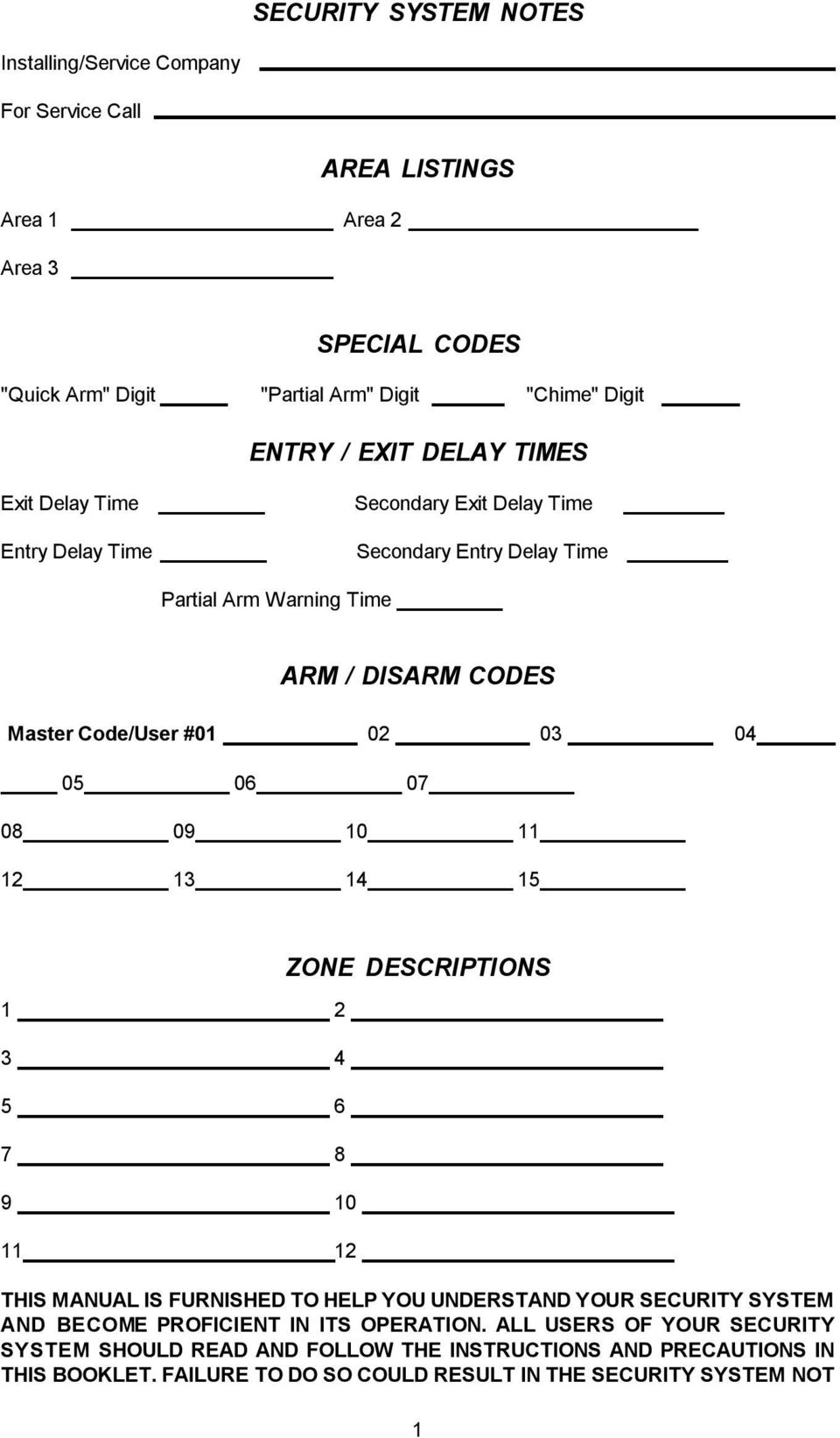
1 SECURITY SYSTEM NOTES Installing/Service Company For Service Call Area 1 Area 2 Area 3 AREA LISTINGS SPECIAL CODES "Quick Arm" Digit "Partial Arm" Digit "Chime" Digit ENTRY / EXIT DELAY TIMES Exit Delay Time Entry Delay Time Secondary Exit Delay Time Secondary Entry Delay Time Partial Arm Warning Time ARM / DISARM CODES Master Code/User # ZONE DESCRIPTIONS THIS MANUAL IS FURNISHED TO HELP YOU UNDERSTAND YOUR SECURITY SYSTEM AND BECOME PROFICIENT IN ITS OPERATION. ALL USERS OF YOUR SECURITY SYSTEM SHOULD READ AND FOLLOW THE INSTRUCTIONS AND PRECAUTIONS IN THIS BOOKLET. FAILURE TO DO SO COULD RESULT IN THE SECURITY SYSTEM NOT 1
2 WORKING PROPERLY. THIS BOOKLET SHOULD BE KEPT IN AN ACCESSIBLE LOCATION FOR THE LIFE OF THE SECURITY SYSTEM. IF YOU DO NOT UNDERSTAND ANY PART OF THIS MANUAL YOU SHOULD NOTIFY YOUR INSTALLING COMPANY AND ASK FOR THAT SECTION OF THE MANUAL TO BE EXPLAINED FULLY. The SECURITY CONTROL CENTER is turned on (Armed) and off (Disarmed) by entering a 4 digit code into the Code Pad Control, which is similar to a telephone code pad. The Code Pad Control includes 12 lights and a built in electronic sounder. These provide specific information relating to the status of the security system which is described in this booklet. Understanding what the lights and sounds mean will help you to easily operate your system. SO REMEMBER, READ THE ENTIRE MANUAL, AND, IF POSSIBLE PRACTICE ON THE CODE PAD CONTROL WHILE YOUR PROFESSIONAL INSTALLER IS AT YOUR BUILDING. IF YOU HAVE ANY QUESTIONS ASK YOUR INSTALLING COMPANY. PLEASE KEEP IN MIND THAT THE LEVEL OF SECURITY YOU WILL OBTAIN WITH THIS SYSTEM RELATES SPECIFICALLY WITH TWO MAJOR FACTORS: 1. The quantity, quality, and placement of security devices attached to this system. 2. The knowledge you have of the security system and how that knowledge is utilized in a weekly test of the complete system. YOU SHOULD BE AWARE OF THE FOLLOWING FACTS WHEN PREPARING A SAFETY/SECURITY PLAN FOR YOUR HOME/BUSINESS. 1. Your security system is an electronic device and is subject to failure or malfunction. Do not rely on it as your single source of security. 2. Your system should be tested weekly. 3. Your system will not work without power. 4. Warning devices will need to be loud enough, wired correctly, and properly placed to provide notification of an alarm event. 5. Smoke and heat detectors may not detect heat and smoke in all situations. 6. Use qualified security professionals to select, install, and maintain your security system. 7. It may be possible to arm the security system without the backup battery connected. Your periodic test should be done with A.C. Power removed to verify the battery is connected and adequately charged. 8. Care should be taken to plug in and properly restrain the A.C. Transformer after testing. PLEASE READ THIS ENTIRE BOOKLET CAREFULLY BEFORE OPERATING YOUR SECURITY CONTROL SYSTEM. IF YOU DO NOT UNDERSTAND ANY PORTION OF THIS MANUAL, OR IF YOU HAVE ANY QUESTIONS ABOUT YOUR SYSTEM, CONTACT THE INSTALLING COMPANY LISTED ON PAGE 1 OF THIS BOOKLET. HOW TO ARM YOUR SECURITY SYSTEM To Arm the security system, close all of the protected doors and windows. The green "READY" light on the code pad control will be illuminated when all of the protected zones and sensors are secure. If any of the zones are isolated, a sensor in that zone can be violated without affecting the "READY" light. The security system will not arm if the "READY" light is not illuminated. With the "READY" light on, you may arm the security system with your Master Code or one of the 2
3 auxiliary codes. Each time a key is pressed on the code pad control, a short tone (beep) will sound. If the code pad beeps three times after a code entry, it is an indication that that code has not been accepted. Press the [#] key (reset) and re-enter a valid code. If the code pad control beeps continuously after code entry, it is an indication that the "POWER" light is off. The code pad sounder can be silenced by re-entering your four digit code. If the "POWER" light is off, you should restore power to the system if possible. When the security system has accepted a valid code, the red "ARMED" light will illuminate indicating that the system has been turned on. If you choose to leave the protected area, you must exit within the exit delay time. If you choose to stay within the protected area, insure that all interior zones which may be tripped by your movement are isolated. HOW TO DISARM YOUR SECURITY SYSTEM When you enter the protected area through one of the designated entry/exit doors, the code pad control will sound a continuous tone (beep) for the duration of the entry delay time, or until you enter a valid code. After a valid code has been entered, the red "ARMED" light will turn off, and the tone will stop. The security system is now DISARMED (off). If a valid code is not entered before the end of the entry delay time, an alarm will occur. (NOTE: IF THE RED "ARMED" LIGHT IS FLASHING DURING THE ENTRY DELAY, THE ALARM SYSTEM HAS BEEN ACTIVATED IN YOUR ABSENCE. LEAVE THE BUILDING IMMEDIATELY AND CALL YOUR ALARM COMPANY AND/OR THE POLICE.) HOW TO ISOLATE ZONES To isolate any of the zones, press [r ], zone number(s) to be isolated (01 thru 08), and [r ]. Zones cannot be isolated or deisolated while the control is armed. When the security system is disarmed, all isolated zones willbe deisolated. As isolated zones are not protected, this procedure should only be given to authorized persons. For example, to isolate zone 1, the sequence would be as follows: [r ] - [0] [1] - [r ] To isolate zones 1, 5, 7, and 8, the sequence would be as follows: [r ] - [0] [1] - [0] [5] - [0] [7] - [0] [8] - [r ] QUICK-ARM FEATURE If this box is checked, your security system will have the [ ] "QUICK ARM" code programmed. This feature will allow you to arm the security system by pressing one, pre-designated key on the code pad control. This "QUICK ARM" code is for ARMING ONLY, and will not disarm the security system. This makes it ideal for a maid code, babysitter code, etc. This code can only be programmed and/or changed by your installing company. PARTIAL ARM ARMING If this box is checked, your installing company has selected the "Partial Arm" feature for your security system. "Partial Arm" allows "At Home" system arming for added security. To use this feature, press the selected [ ] key on the code pad control. After 5 seconds the "ARMED" and "PARTIAL" lights on the Code pad Control will be illuminated, indicating that your Security System has entered the "Partial Arm" mode. When selected, the following listed zones will be isolated, and all other zones will cause the code pad buzzer only to sound for seconds before the system siren is activated and the alarm signal is transmitted to a Base Station (if your security system is monitored by a Base Station). This allows you to reset your security 3

4 system prior to it reaching an emergency stage in the event of an accidental zone violation. To turn this feature off, enter your four digit code at the code pad control. The "Armed" and "Partial" lights on the code pad control will go out and the security system will be in a full disarmed condition. AUTOMATIC ARMING OPTION If this box is checked, the "Automatic Arming" option has been selected by your installing company. This feature is used to make your system automatically arm itself at a designated time of day if it is not already armed. The code pad will sound a continuous tone for a 50 second time frame before automatically arming. If a valid code is entered during this time frame, the system will not automatically arm. When automatic arming occurs, all zones that are not secure, will become isolated. AUTOMATIC ISOLATE OPTION If this box is checked, the "AUTOMATIC ISOLATE" feature has been selected by your installing company. With this feature enabled, your security system can be armed with any or all zones violated. Any violated zone which does not return to a normal state by the end of the exit delay time will be automatically isolated. Caution should be used when arming your security system to insure that zones necessary for minimal, or desired protection levels are not violated, and thus isolated from the security system. AUTO HOME MODE OPTION If this box is checked, the "AUTO HOME MODE" option has been selected by your installing company. With this feature enabled, if you do not wish to have a delay on your entry/exit doors, this can be accomplished by pressing the [r ] key on your code pad while the system is "ARMED". At this time, the "PARTIAL" light will illuminate and there will be no entry delay when the entry/exit doors are opened. Any time the "PARTIAL" light is on and the exit delay has expired, the opening of an entry/exit door will produce an immediate alarm, making this feature ideal when a high level of security is desired, and no authorized entries are anticipated. By pressing the [r ] key again, the "PARTIAL" light will turn off, and an entry delay will be present on designated entry/exit doors. NOTE: Your installing company may have programmed the "AUTO HOME MODE" option to occur in conjunction with the "AUTOMATIC ISOLATE" feature. In this case, the "PARTIAL" light and the isolated "ZONE" lights will become illuminated at the end of the exit delay. If this occurs, you still have the ability to turn the "AUTO HOME MODE" feature off, and/or on by pressing the [r ] key. GROUP ISOLATE OPTION If this box is checked, the "GROUP ISOLATE" option has been selected by your installing company. If you wish to isolate all zones designated as "GROUP ISOLATE" zones, you may do so by pressing the [r ] key during the exit delay. Once these zones have been isolated, they will remain isolated until the system is disarmed. Once "GROUP ISOLATE" zones have been isolated, the "AUTOMATIC ISOLATE" option will not take effect for this arming time.. TURNING ON THE CHIME FEATURE If this box is checked, your security system will operate in the "CHIME" mode, allowing the monitoring of pre-designated zones while the security system is not armed. While in the "CHIME" mode, the opening of any of these zones will produce a tone from the code pad control. To 4

5 activate this feature, press the "CHIME" digit which is noted on page 1 of this manual. Five seconds after pressing this digit, a tone will occur indicating that the "CHIME" feature has been activated. Repeat this procedure to turn the "CHIME" feature off. MANUAL CODE PAD PANIC/HOLD-UP ALARM If this box is checked, the "MANUAL PANIC/HOLD-UP" option has been selected. When selected, pressing the star [r ] and hatch [#] keys at the same time for one second, will sound a local audible alarm. If your system is connected to a monitoring centre, an emergency report could be transmitted to that centre. These keys should only be pressed in an emergency situation requiring immediate response by law enforcement personnel. PLEASE NOTE: Some Panic/Hold-up alarms are programmed to be silent at the protected building while reporting an alarm to the monitoring centre. Check with your installing company to determine how your security system will respond to the Panic/Hold-up input. MANUAL CODE PAD FIRE ALARM If this box is checked, the "MANUAL FIRE ALARM" option has been selected by your installing company. If so, you can activate the steady siren by pressing the [1] and [3] keys at the same time for one second. If your system is connected to a monitoring centre, an emergency report could be sent to that centre. These keys should only be pressed in an emergency situation requiring response by fire department personnel. MANUAL CODE PAD MEDICAL ALARM If this box is checked, the "MANUAL MEDICAL ALARM" feature has been selected by your installing company. If so, you can activate the auxiliary alarm by pressing the four [4] and six [6] keys at the same time for one second. If your system is connected to a monitoring centre, an emergency report could be sent to that centre. These keys should only be pressed in an emergency situation requiring response by emergency personnel. DURESS CODE If this box is checked, your security system has a "DURESS CODE" option. If so, this code may be programmed to send a special message to the central monitoring station if you are forced to arm or disarm your security system against your will. Check with your Installing/Servicing company to see if this option has been enabled for your system. TELEPHONE LINE MONITOR If this box is checked, your installing company has selected the TELEPHONE LINE MONITOR which will monitor the telephone line that links your security system to the monitoring station. When selected, the loss of this telephone line will flash the "READY" light while giving either immediate, or delayed audible notification by sounding the siren and/or code pad sounder. Check with the installing company listed on page 1 to find out if notification will be delayed or immediate, and what kind of sound will be created in case of a telephone line fault. PROGRAMMING ARM/DISARM CODES Your security system can be armed and disarmed by the Master code (User Code #1) and up to 28 auxiliary codes. All codes must have 4 digits. These Auxiliary codes are individually numbered from 2 to 15 (User code 15 may be reserved for an optional Duress code, see page 5 under "DURESS CODE"). If Auxiliary codes are desired, they must be programmed individually. Only persons knowing the Master code can assign or change auxiliary codes (see programming 5

6 Auxiliary codes below). CHANGING THE MASTER CODE - The master code is user code #1, and must be referred to by its number. For example, if the Master code is [1]-[2]-[3]-[4] and you want to change it to [5]-[3]- [4]-[2], the sequence would be as follows: Press [r ]-[1]-[#] (this enters programming for user #01), then [1]-[2]-[3]-[4] (the old Master code), then [r ]-[1]-[#], then [5]-[3]-[4]-[2] (new Master code) then [r ]-[1]-[#]. The entire sequence would consist of pressing the 17 keys shown below. [r ]-[1]-[#] - [1]-[2]-[3]-[4] - [r ]-[1]-[#] - [5]-[3]-[4]-[2] - [r ]-[1]-[#] (Code 01) (Master Code) (New Code) PROGRAMMING AUXILIARY CODES - In order to program Auxiliary Codes you must know the Master code. As stated earlier, each auxiliary code has its own unique number from 2 to 15. It is programmed much like the Master Code. For example, to program Auxiliary user code #12, the sequence would be as follows: [r ]-[1]-[2]-[#] - [5]-[3]-[4]-[2] - [r ]-[1]-[2]-[#] - [6]-[7]-[8]-[9] - [r ]-[1]-[2][#] (Code 12) (Master Code) (New Code) REMOVING AUXILIARY CODES - To remove an Auxiliary user code, simply program that code with the same code as the master code (01). For example, to remove user code #12, the sequence would be as follows: [r ]-[1]-[2]-[#] - [5]-[3]-[4]-[2] - [r ]-[1]-[2]-[#] - [6]-[7]-[8]-[9] - [r ]-[1]-[2]-[#] (Code 12) (Master Code) (Master Code) RESETTING YOUR SECURITY CONTROL CENTER In the event of a system malfunction in the Security Control Center, press the [#] (reset) key on the code pad control. This should reset the code sequence and restore normal operation. If the problem persists, call the service number located on page 1 of this booklet for service. 6
![[1]-[2]-[3]-[4] (the old Master code), then [r ]-[1]-[#], then [5]-[3]-[4]-[2] (new Master code) then [r ]-[1]-[#]. The entire sequence would consist of pressing the 17 keys shown below.](/docs-images/49/16170704/images/page_6.jpg "[r ]-[1]-[#] - [1]-[2]-[3]-[4] - [r ]-[1]-[#] - [5]-[3]-[4]-[2] - [r ]-[1]-[#] (Code 01) (Master Code) (New Code) PROGRAMMING AUXILIARY CODES - In order to program Auxiliary Codes you must know the")
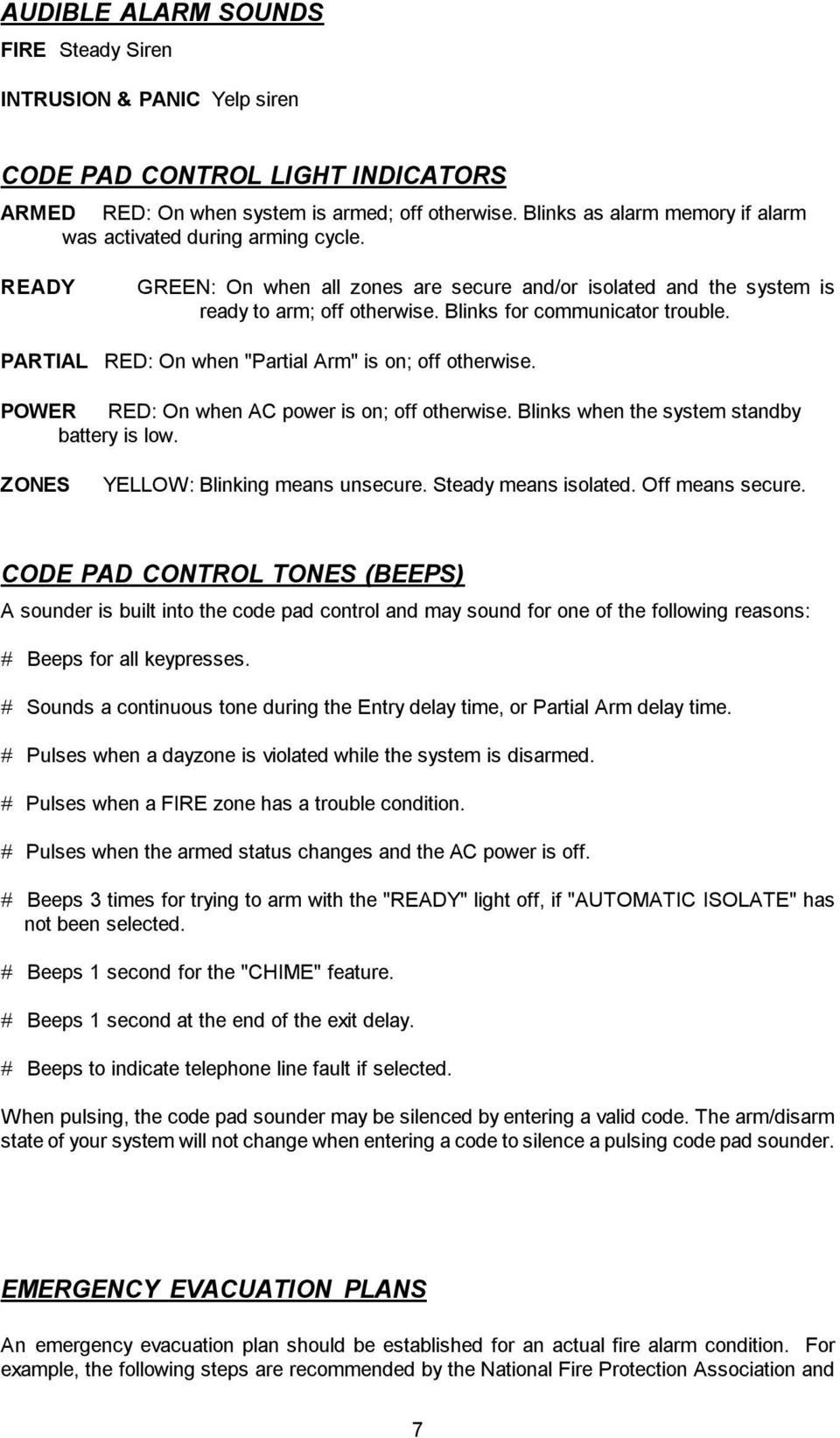
7 AUDIBLE ALARM SOUNDS FIRE Steady Siren INTRUSION & PANIC Yelp siren CODE PAD CONTROL LIGHT INDICATORS ARMED RED: On when system is armed; off otherwise. Blinks as alarm memory if alarm was activated during arming cycle. READY GREEN: On when all zones are secure and/or isolated and the system is ready to arm; off otherwise. Blinks for communicator trouble. PARTIAL RED: On when "Partial Arm" is on; off otherwise. POWER RED: On when AC power is on; off otherwise. Blinks when the system standby battery is low. ZONES YELLOW: Blinking means unsecure. Steady means isolated. Off means secure. CODE PAD CONTROL TONES (BEEPS) A sounder is built into the code pad control and may sound for one of the following reasons: # Beeps for all keypresses. # Sounds a continuous tone during the Entry delay time, or Partial Arm delay time. # Pulses when a dayzone is violated while the system is disarmed. # Pulses when a FIRE zone has a trouble condition. # Pulses when the armed status changes and the AC power is off. # Beeps 3 times for trying to arm with the "READY" light off, if "AUTOMATIC ISOLATE" has not been selected. # Beeps 1 second for the "CHIME" feature. # Beeps 1 second at the end of the exit delay. # Beeps to indicate telephone line fault if selected. When pulsing, the code pad sounder may be silenced by entering a valid code. The arm/disarm state of your system will not change when entering a code to silence a pulsing code pad sounder. EMERGENCY EVACUATION PLANS An emergency evacuation plan should be established for an actual fire alarm condition. For example, the following steps are recommended by the National Fire Protection Association and 7
8 can be used as a guide in establishing an evacuation plan for your building. Draw up a floor plan of your home. Show windows, doors, stairs, and rooftops that can be used for escape. Indicate each occupant's escape routes. Always keep these routes free from obstruction. Determine two means of escape from each room. One will be the normal exit from the building. The other may be a window that opens easily. An escape ladder may have to be located near the window if there is a long drop to the ground below. Set a meeting place outdoors for a headcount of the building occupants. Practice escape procedures. In a home, sleep with bedroom door closed; this will increase your escape time. If you suspect fire, test the door for heat. If you think it is safe, brace your shoulder against the door and open it cautiously. Be ready to slam the door if smoke or heat rush in. Practice escaping to the outdoors and meeting in an assigned spot. NOTE: After the installation of your Security System has been completed, notify your local Fire and Police Departments to give them your name and address for their records. Early warning fire detection is best achieved by the installation of fire detection equipment in all rooms. The following are examples of evacuation plans. A plan unique to your home or business should be drawn and memorized by each occupant. 8
SECURITY SYSTEM NOTES SPECIAL CODES ENTRY / EXIT DELAY TIMES ARM / DISARM CODES
 SECURITY SYSTEM NOTES Installing/Service Company For Service Call SPECIAL CODES "Chime" Digit 1 "Partial Arm" Digit 2 "Quick Arm" Digit 3 ENTRY / EXIT DELAY TIMES Exit Delay Time Entry Delay Time Secondary
SPECIAL CODES AUXILIARY CODES SYSTEM NOTES
 Installing/Service Company Monitoring Center SPECIAL CODES Master Code Duress Code AUXILIARY CODES "Quick Arm" " Chime" 08 02 09 03 10 04 11 05 12 06 13 07 14 SYSTEM NOTES Exit Delay Time Entry Delay Time
SECURITY SYSTEM NOTES. Security System Configuration
 Installing / Service Company: For Service Call: SECURITY SYSTEM NOTES Security System Configuration Master Code: Auxiliary Code(s) 2 3 4 5 6 "Quick Arm" Digit: Exit Delay Time Auxiliary Exit Delay Time
SECURITY SYSTEM NOTES SPECIAL CODES. Security System Configuration
 Installing / Service Company: SECURITY SYSTEM NOTES For Service Call: Master Code SPECIAL CODES Duress Code Security System Configuration Auxiliary Code(s) Quick Arm" Digit: 2 9 3 10 4 11 5 12 6 13 7 14
SECURITY SYSTEM NOTES SPECIAL CODES AUXILIARY ARM / DISARM CODES ENTRY / EXIT DELAY TIMES ZONE DESCRIPTIONS
 SECURITY SYSTEM NOTES Installing/Service Company For Service Call SPECIAL CODES Master Code Duress Code "Quick Arm" Digit "Chime" Digit "Entry-Guard" Digit AUXILIARY ARM / DISARM CODES 02 12 22 03 13 23
SECURITY SYSTEM NOTES
 SECURITY SYSTEM NOTES Installing/Service Company For Service Call Central Station Duress Code FUNCTION CODES Function Code Controls Function EMERGENCY ACTIVATION KEYS (check if enabled) Fire Auxiliary
SECURITY SYSTEM NOTES. EMERGENCY ACTIVATION KEYS (check if enabled) PROGRAMMED FUNCTIONS
 SECURITY SYSTEM NOTES Installing/Service Company For Service Call Installation Date / / Central Station Duress Code EMERGENCY ACTIVATION KEYS (check if enabled) Fire Auxiliary Emergency Police PROGRAMMED
SECURITY SYSTEM NOTES
 SECURITY SYSTEM NOTES Installing/Service Company For Service Call Central Station Duress Code FUNCTION CODES Function Code Controls Function This system is is not partitioned. EMERGENCY ACTIVATION KEYS
NetworX NX-6V2. LED Keypad User Manual
 NetworX NX-6V2 LED Keypad User Manual POWER Light is on when AC power is present; flashes to indicate a low battery condition. ARMED Light is on when armed; off when disarmed; flashes to indicate a previous
NetworX Series. NX- 4/8 Code Pad. User Manual (Australian Version)
 NetworX Series NX- 4/8 Code Pad User Manual (Australian Version) Table Of Contents Code Pad Diagram... Inside Front Glossary of Terms...2 Understanding the Code Pad lights...3 Code Pad Tones...4 Fully
HILLS Series LED Code Pad User Manual
 HILLS Series LED Code Pad User Manual Not all features may be available on your system Check with your installer to find out which features are programmed Page 2 TABLE OF CONTENTS Code Pad Diagrams...2
HILLS Series LED Code Pad User Manual
 HILLS Series LED Code Pad User Manual Not all features may be available on your system Check with your installer to find out which features are programmed Page 2 TABLE OF CONTENTS Code Pad Diagrams...2
NetworX Series. NX-148E LCD Keypad. User Manual
 NetworX Series NX-148E LCD Keypad User Manual TABLE OF CONTENTS I. GLOSSARY OF TERMS... 3 II. UNDERSTANDING THE LIGHTS... 4 III. KEYPAD FUNCTIONS... 5 ARMING YOUR SYSTEM IN THE AWAY MODE... 5 MAKING YOUR
Users Guide to Keypad Functions
 Users Guide to Keypad Functions MANUAL NO. 700-175-01J ISSUED JAN 2002 VERSION 1.41 Summary of Operation A rm/ disarm [#] + [USER CODE] Quick Quick Quick Panic Fire Medical Away Arm Stay Arm Stay Arm &
IDS. Users Guide to Keypad Functions S E C U R I T Y MANUAL NO. 700-171-01B ISSUED AUG 2002 VERSION 1.18
 INHEP DIGITAL IDS S E C U R I T Y Users Guide to Keypad Functions MANUAL NO. 700-171-01B ISSUED AUG 2002 VERSION 1.18 Summary of Operation A rm/ disarm [#] + [USER CODE] Quick Quick Quick Away Arm Stay
www.ealarm.com.my P/N 5-051-371-00 Rev D
 System 236 System 236i P/N 5-051-371-00 Rev D Thank you for purchasing this C&K alarm system Your system is one of the most powerful and advanced alarm systems on the market today, designed to provide
Understanding the Code Pad lights...4. Code Pad tones...5. Fully arming the system On MODE...6. Fully arming the system - Quick Arm MODE...
 TABLE OF CONTENTS...Glossary of terms...2...code Pad Diagram...3 Understanding the Code Pad lights...4 Code Pad tones...5 Fully arming the system On MODE...6 Fully arming the system - Quick Arm MODE...6
FIRST ALERT INSTRUCTION MANUAL FOR FA 270 KEYPADS SECURITY SYSTEM
 FIRST ALERT INSTRUCTION MANUAL FOR FA 270 KEYPADS SECURITY SYSTEM Page 0 Table of Contents Introduction 1 System Basics.. 1 Burglary Protection.. 1 Fire Protection.. 1 Security Codes. 1 Zones and Partitions
Using your LED Plus keypad
 Using your LED Plus keypad System 238 System 2316 System 238i System 2316i Part Number 5-051-372-00 Rev B Thank you for purchasing this C&K alarm system Your system is one of the most powerful and advanced
User Guide for the DS7060 Control/Communicator
 DS7060 User Guide Copyright 1996-97 Detection Systems, Inc. User Guide for the DS7060 Control/Communicator Copyright 1996-97 Detection Systems, Inc. Detection Systems, Inc., 130 Perinton Parkway, Fairport,
IDS X-Series User Manual 700-398-01D Issued July 2012
 1 2 Contents 1. Introduction to the IDS X-Series Panels... 7 2. Before Operating Your Alarm System... 7 3. Understanding the Keypad LEDs... 8 3.1 Viewing Data on an LED Keypad... 12 3.1.1 LED Status Indicators...
616, 626, 636 & 646 Keypads
 616, 626, 636 & 646 Keypads User s Manual TABLE OF CONTENTS 1.0 BASIC OPERATION...2 2.0 ACCESS CODES...4 3.0 ARMING & DISARMING...6 4.0 PANIC ZONES...13 5.0 KEY ACCESS PROGRAMMING.14 6.0 ADDITIONAL FEATURES...15
TABLE OF CONTENTS HOW TO AVOID FALSE ALARMS... 2
 TABLE OF CONTENTS HOW TO AVOID FALSE ALARMS... 2 THE BRINK S HOME SECURITY SYSTEM Equipment in the Standard Systems... 3 Optional Equipment... 4 Optional Features... 5 Description of the Keypad... 6 OPERATING
TABLE OF CONTENTS HOW TO AVOID FALSE ALARMS... 1
 TABLE OF CONTENTS HOW TO AVOID FALSE ALARMS... 1 THE BRINK S HOME SECURITY SYSTEM Equipment in the Standard Systems... 2 Optional Equipment... 3 Description of the Keypad... 5 OPERATING THE BRINK S SYSTEM
CONTENTS 4. HOW TO UNSET THE PANEL...7
 Pi-8 USER MANUAL CONTENTS 1. THE KEYPAD AND ITS OPERATION...3 1.1 DESCRIPTION OF THE KEYPAD LEDS... 3 1.1.1 READY LED (RED)...3 1.1.2 TAMPER LED (RED)...3 1.1.3 POWER LED (GREEN)...3 1.1.4 CIRCUIT LEDs
National Security Systems Inc (800)457-1999. Security System User's Guide
 National Security Systems Inc (800)457-1999 Security System User's Guide Security System Glossary As security system technology has evolved, a special jargon has developed. Some terms widely used within
Security System. User's Manual VISTA-20BAY. N7527-4 03/98 File No: S1632 SINCE 1946
 Security System User's Manual VISTA-20BAY SINCE 1946 N7527-4 03/98 File No: S1632 TABLE OF CONTENTS System Overview...4 General Information...4 Zones...4 Burglary Protection...4 Security Codes...5 Fire
MONITOR ISM / AFx Multi-Tenant Security System User Guide V1.3
 MONITOR ISM / AFx Multi-Tenant Security System User Guide V.3 Multi-Tenant Security System User Guide Welcome New Users! There are two types of suite security keypads. Follow the instructions in the proceeding
GE Concord 4 Quick User Guide
 GE Concord 4 Quick User Guide GE Concord 4 Quick User Guide Page 1 Before Calling Is the keypad beeping? Press *. This will silence the beeping and let you know where the trouble is. Is there a flashing
INSTRUCTION MANUAL LCD-6OO SECURITY STATION
 INSTRUCTION MANUAL 1993 Digital Security Controls Ltd. 1645 Flint Road, Downsview, Ontario, Canada M3J 2J6 Printed in Canada 29000144 R1 LCD-6OO SECURITY STATION Table of Contents Introduction 1 About
User's Manual 5120XM N8031 6/96
 Fire and Burglary System User's Manual 5120XM N8031 6/96 SYSTEM OVERVIEW...3 General...3 Zones...3 Fire & Emergency Protection...3 Burglary Protection...4 Alarms...4 Memory of Alarm...4 ABOUT THE KEYPADS...5
INSTRUCTION MANUAL PC255O
 INSTRUCTION MANUAL PC255O Canadian Department of Communications Notice NOTICE: The Canadian Department of Communications label identifies certified equipment. This certification means that the equipment
User s Guide. Security Systems D220
 User s Guide Security Systems D220 Table of Contents About This User s Guide... 3 Introduction... 3 Security System Basics... 4 Controlled Points... 5 24-Hour Points... 6 Keypad Keys... 6 Keypad Lights...
Lynx Plus Series Security System
 Lynx Plus Series Security System User Guide ARMED READY ESCAPE ADD OFF AWAY RECORD LIGHTS ON 1 2 3 VOLUME TEST PLAY 4 5 6 BYPASS 7 8 9 STAY DELETE AUX SELECT LIGHTS OFF 0 CODE CHIME STATUS NO DELAY FUNCTION
Control/Communicator Installation Manual
 DAS NETWORX NX-8 Control/Communicator Installation Manual Page General Description... 2 Ordering Information... 2 Option Definitions... 2 Programming the LED Code Pads... 4 Programming the NX-8... 8 Types
USER GUIDE SERIES 4250 AUDIO ALARM CONFIRMATION SYSTEM CONTROL UNIT
 USER GUIDE SERIES 4250 AUDIO ALARM CONFIRMATION SYSTEM CONTROL UNIT CONTENTS Page INTRODUCTION... 2 Security conditions... 3 Full Set (Fully armed)... 3 Part Set (Partially armed)... 3 Unset (Disarmed)...
Intruder alarm system Operating Instructions
 New remote keypad Intruder alarm system Operating Instructions 0 2 3 4 5 6 7 8 9 CHIME OMIT RESET PROG SET Power Power 0 2 3 5 6 7 8 Chime Omit Prog 4 9 Set AccentaG3 mini Servicing organisation details
3 6HFXULW\6\VWHP 8VHU*XLGH K4333 9/99 AWAY BYPASS STAY ALARM FIRE ARMED OFF AWAY STAY READY MAX TEST BYPASS INSTANT CODE CHIME
 ARMED READY OFF AWAY STAY MAX TEST BYPASS INSTANT CODE CHIME READY ARMED READY NIGHT NO AC PHONE TEST NOT READY CHIME BAT CHECK INSTANT CANCELED OFF AWAY STAY MAX TEST BYPASS INSTANT CODE CHIME READY 3
Security System. User's Guide. Keypad
 Security System EN User's Guide Keypad Security System User's Guide This system includes a telephone line seizure feature. The system can be programmed to communicate with a central monitoring station
VISTA-50P VISTA-50PUL
 S e c u r i t y S y s t e m User's Manual VISTA-50P VISTA-50PUL N5943-6 7/95 TABLE OF CONTENTS SYSTEM OVERVIEW... 3 A Partitioned System... 3 Zones... 3 Fire Protection... 4 Burglary Protection... 4 Alarms...
Security module CG2 User manual
 Security module CG2 User manual TRIKDIS, JSC Draugystes str. 17, LT-51229 Kaunas LITHUANIA E-mail [email protected] Web http://www.trikdis.lt This manual is furnished to help You understand Your security
642 LCD Keypad User Manual
 642 LCD Keypad User Manual TABLE OF CONTENTS Introduction...3 Legend... 3 Basic Operation...5 Keypad Indicator Lights... 5 Visual Feedback... 5 Auditory Feedback... 6 Info List... 7 Access Codes...8 User
Wireless Security System
 Wireless Security System 2GIG-CP2 User s Guide WARNING: Owner s Instruction Notice Not to be removed by anyone except occupant The Go!Control Security System Congratulations on your ownership of a Go!Control
VISTA-128FBP VISTA-250FBP Commercial Fire and Burglary Partitioned Security Systems with Scheduling
 VISTA-128FBP VISTA-250FBP Commercial Fire and Burglary Partitioned Security Systems with Scheduling User Guide K0377V2 7/09 Rev. C 2 TABLE OF CONTENTS SYSTEM OVERVIEW... 5 General... 5 A Partitioned System...
Security System User's Guide
 Security System User's Guide Security System Glossary As security system technology has evolved, a special jargon has developed. Some terms widely used within the industry are these: Arm and Disarm Your
Accenta/Optima. User Guide. Servicing Organisation (Installer) name: Telephone Number: Date of Installation: Account Number: Honeywell Security
 Accenta/Optima User Guide ZONE 1 2 3 4 5 6 7 8 9 Chime Omit Prog PA 0 1 2 3 4 5 6 7 8 9 CHIME OMIT RESET PROG SET Accenta + TA PA DAY POWER PA! " # $ % & 0 1 2 3 5 6 7 8 Chime Omit Reset Prog 4 9 Set PA
5HDG\*XDUG5 6HFXULW\6\VWHP 8VHU*XLGH K5481-1 8/00 OFF AWAY STAY AUX
 5HDG\*XDUG5 6HFXULW\6\VWHP OFF AWAY STAY AUX 8VHU*XLGH K5481-1 8/00 7$%/(2)&217(176 SYSTEM OVERVIEW...3 Features...3 General Operation...4 Quick View of System Functions...6 About the Master Keypad...7
USER'S MANUAL. N7527-1V2 Rev B 4/99
 USER'S MANUAL FA162C Security System N7527-1V2 Rev B 4/99 2 SYSTEM OVERVIEW... 4 General... 4 A Partitioned System... 4 Zones... 4 Burglary Protection... 5 Security Codes... 5 Fire Protection... 6 Alarms...
USER'S MANUAL. N7527-1V2 Rev B 4/99
 USER'S MANUAL FA162C Security System N7527-1V2 Rev B 4/99 2 SYSTEM OVERVIEW... 4 General... 4 A Partitioned System... 4 Zones... 4 Burglary Protection... 5 Security Codes... 5 Fire Protection... 6 Alarms...
Your Ademco. Fir&Burglar Alarm System. LogiCenter INTRODUCTION: 1. _- ALARM DEVICE MANUFACTURING CO.
 Your Ademco LogiCenter Fir&Burglar Alarm System i INTRODUCTION: Your LogiCenter is designed to alert you in the event of either a forced entry into a protected area or signal an alarm if a fire alarm condition
First Alert N8600 2/97
 USER'S MANUAL FA145C Security System First Alert N8600 2/97 SYSTEM OVERVIEW... 3 General... 3 Zones... 3 Burglary Protection... 3 Chime Feature... 3 Alarms... 4 Fire Protection... 4 Memory of Alarm...
MANUAL. FA142C Security System. N7229 1V2 Rev B 4/99
 USER'S MANUAL FA142C Security System N7229 1V2 Rev B 4/99 SYSTEM OVERVIEW...3 General...3 Keypads...3 Zones...3 Burglary Protection...4 Fire Protection...4 Alarms...4 Memory of Alarm...4 Phone Access &
User's Manual VIA-30PSE, VISTA-10SE. N7229V2 Rev B. 1/97
 Security System User's Manual VIA-30PSE, VISTA-10SE N7229V2 Rev B. 1/97 SYSTEM OVERVIEW...3 General...3 Zones...3 Burglary Protection...3 Chime Feature...3 Alarms...4 Fire Protection...4 Memory of Alarm...4
Using your Alpha Plus keypad With your
 Using your Alpha Plus keypad With your q q q System 236 System 238 System 2316 q q q System 236i System 238i System 2316i Part Number 5-051-373-00 Rev B Thank you for purchasing this C&K alarm system Your
User's Manual. Safewatch Pro
 S e c u r i t y S y s t e m User's Manual Safewatch Pro N7229 6V2 1/00 Model SA10ADTEG IMPORTANT! PROPER INTRUSION PROTECTION For proper intrusion coverage, sensors should be located at every possible
How To Use A Keypad On A Iphone Or Ipad (Awn) With A Security System On A Powerline (Apl) With An Alarm System On It (Aldeen) And A Power Button On It
 WARNING This manual contains information on limitations regarding product use and function and information on the limitations as to liability of the manufacturer. The entire manual should be carefully
GC2 Panel User Guide
 GC2 Panel User Guide ENGLISH (International) WIRELESS SECURITY SYSTEM WARNING: OWNER S I NSTRUCTION NOTICE Not to be removed by anyone except occupant THIS PAGE INTENTIONALLY LEFT BLANK CONTENTS System
INSTRUCTION MANUAL DSC 1550
 INSTRUCTION MANUAL DSC 1550 A WORD ABOUT YOUR SYSTEM The PC1550 Security System has been designed to give you the greatest possible flexibility and convenience. Read this manual carefully and become familiar
Using Your GEM-P400 Security System
 Using Your GEM-P400 Security System ARMED GEMINI STATUS 1 2 3 4 &20387(5,=(' 6(&85,7< 6
User's Manual AM100. N7527-3V1 Rev B 4/99
 Security System User's Manual AM100 N7527-3V1 Rev B 4/99 2 SYSTEM OVERVIEW... 4 General... 4 Zones... 4 Burglary Protection... 5 Security Codes... 5 Fire Protection... 5 Alarms.... 6 Memory of Alarm...
8VHU V*XLGH 6HFXULW\6\VWHPV (QWUHSUHQHXU(1 6HFXULW\0DQDJHU(1. Meets ADT Security Services Triple Standards Requirements:
 6DIHZDWFK3UR Š (1 (QWUHSUHQHXU(1 6HFXULW\0DQDJHU(1 6HFXULW\6\VWHPV 8VHU V*XLGH Meets ADT Security Services Triple Standards Requirements: C US LISTED Standards for Security and Fire Standard for False
LYNX Touch Security System
 LYNX Touch Security System User Guide 800-10615V1 12/12 Rev. A LYNX Touch L5100 Series Your Honeywell security system is designed for use with devices manufactured or approved by Honeywell for use with
D1260/D1260B. Keypad. National Security Systems Inc (800)457-1999. Owner's Manual
 D1260/D1260B EN Owner's Manual Keypad National Security Systems Inc (800)457-1999 D1260/D1260B Owner's Manual This system includes a telephone line seizure feature. The system may be programmed to communicate
ADEMCO LYNXR-EN Security System
 ADEMCO LYNXR-EN Security System User Guide ARMED READY OFF ESCAPE AWAY ADD STAY RECORD LIGHTS ON 1 2 3 VOLUME 4 5 6 TEST 7 8 9 PLAY BYPASS DELETE AUX SELECT LIGHTS OFF CODE CHIME 0 # STATUS NO DELAY FUNCTION
LYNX Touch Security System
 LYNX Touch Security System User Guide 1:35 2 PM October 26, 2011 72 Mostly Sunny 68 F F Feels Like 71 Security Messages Automation 5-Day Forecast News Traffic 800-10615 1/12 Rev. A LYNX Touch L5100 Series
Power864. User s Guide. Now classified in accordance with ANSI/SIA CP-01-2000 (SIA-FAR)
 WARNING This manual contains information on limitations regarding product use and function and information on the limitations as to liability of the manufacturer. The entire manual should be carefully
Wireless Security System
 Wireless Security System 2GIG-CNTRL2 (2GIG-CP2) User s Guide WARNING: Owner s Instruction Notice Not to be removed by anyone except occupant The Go!Control Security System Congratulations on your ownership
User s Information Guide R1A
 HSC505-R Home Security Controller - User Manual Release R1a Pi HSC505 and Pi HSC505R Home Security Controller User s Information Guide R1A Page 1 QD Dynamics (Pty) Ltd reserves the right to make changes
READY ARMED 2 AWAY 1 OFF 3 STAY B 5 TEST 6 C D MAX BYPASS 9 CHIME # 8 CODE INSTANT READY I I I I I I FA560 K4855V1 3/00
 ARMED MAX INSTANT READY READY R BYPASS R R )$& )$&&1 6HFXULW\6\VWHP A 1 OFF 2 AWAY 3 STAY B 4 5 TEST 6 C D 7 * FA560 8 CODE 0 9 CHIME # I I I I I I HEAT COOL BYPASS ACTIVE 8VHU*XLGH K4855V1 3/00 TABLE
astec Integrated Alarm System USER GUIDE
 astec Integrated Alarm System USER GUIDE 020008599 CONTENTS Full Set, Part Set and Disarm 3 Instant Full Set 3 Part Set with exit time 4 Bell Test 4 Bypassing zones 4 Switch Lights on/off 4 Bypass (24
Wireless Security System
 Wireless Security System 2GIG-CNTRL2 Operation & User s Guide WARNING: Owner s Instruction Notice Not to be removed by anyone except occupant Technical Support 866-670-1591 www.2gig.com The GO!control
Destiny 4100. Destiny 4100. Owners Manual
 Destiny 4100 Destiny 4100 Owners Manual TABLE OF CONTENTS INTRODUCTION Control Panel...3 Detection Devices...3 Telephone Keypads...3 GLOSSARY... 4-5 LOCAL PHONE ACCESS Using Your Telephones As Keypads...6
VR8. User Guide Intruder Alarm System
 VR8 EN User Guide Intruder Alarm System VR8 User Guide Notices EN 2 Copyright Notice Unless otherwise indicated, this publication is the copyright of Bosch Security Systems Pty Ltd ( Bosch ). All rights
6HFXULW\6\VWHPV 8VHU V*XLGH K5309-1V1 8/01
 9,67$39,67$3&1 9,67$39,67$3&1 6HFXULW\6\VWHPV 8VHU V*XLGH K5309-1V1 8/01 1 IMPORTANT! PROPER INTRUSION PROTECTION For proper intrusion coverage, sensors should be located at every possible point of entry
Using Your. Security System. With LED Keypad S5030, S5031, S5032
 Using Your Security System With LED Keypad S5030, S5031, S5032 Contents 1 Overview Your Security System... 1 How Your Security System Works... 2 Your System's Programming... 3 Getting Used to Your System...
Solution-16 Operators Manual ISSUE 1.60
 Solution-16 Operators Manual ISSUE 1.60 !"#$%&"'()*+ Operators Manual Copyright 2002 by, SYDNEY, AUSTRALIA Document Part Number MA880O DOCUMENT ISSUE 1.60 Printed 22 March 2002 This documentation is provided
ADEMCO VISTA SERIES VISTA-20P / VISTA-20PSIA VISTA-15P / VISTA-15PSIA Security Systems
 ADEMCO VISTA SERIES VISTA-20P / VISTA-20PSIA VISTA-15P / VISTA-15PSIA Security Systems User Guide K5309-1V4 10/04 Rev. A IMPORTANT! PROPER INTRUSION PROTECTION For proper intrusion coverage, sensors should
ADEMCO VISTA SERIES VISTA-20P / VISTA-20PSIA VISTA-15P / VISTA-15PSIA Security Systems
 ADEMCO VISTA SERIES VISTA-20P / VISTA-20PSIA VISTA-15P / VISTA-15PSIA Security Systems User Guide K5309-1V7 3/15 Rev A IMPORTANT! PROPER INTRUSION PROTECTION For proper intrusion coverage, sensors should
LYNX Touch L7000 Series Security System
 LYNX Touch L7000 Series Security System User Guide 800-16084 12/13 Rev. A LYNX Touch L7000 Series Your Honeywell security system is designed for use with devices manufactured or approved by Honeywell for
FA701 Series. User s Guide. K6249-2V2 5/09 Rev. A
 FA701 Series TouchCenter Keypads User s Guide K6249-2V2 5/09 Rev. A Table of Contents ABOUT THE TOUCHCENTER... 5 Introduction... 5 2 The TouchCenter Interface... 5 Navigating through the TouchCenter...
INSTRUCTION MANUAL. DSC Security Products PC1500/PCI550
 INSTRUCTION MANUAL DSC Security Products PC1500/PCI550 ABOUT YOUR SECURITY SYSTEM Your DSC security equipment has been designed to give you the greatest possible flexibility and convenience. Read this
1 2 3 4 5 6 7 8 9 STAY AWAY 0 NIGHT
 1 2 3 4 5 6 7 8 9 AWAY 0 STAY NIGHT THIS BOOKLET CONTAINS CONFIDENTIAL INFORMATION ABOUT YOUR SECURITY SYSTEM. KEEP IT IN A SECURE PLACE. TABLE OF CONTENTS System Overview............................ 1
Go!Control Panel User Guide
 Go!Control Panel User Guide ENGLISH (International) WIRELESS SECURITY SYSTEM WARNING: OWNER S I NS TRUCTION NOTICE Not to be removed by anyone except occup ant CONTENTS System Overview..................
Control panel software versions 2.00 and beyond.
 ESPRIT BURGLAR ALARM CONTROL PANEL Welcome to the world of ESPRIT technology. Your Esprit control panel has been designed with ease of use and simplicity in mind. We ve developed a highly advanced technology
XR6/XR10 User s Guide
 XR6/XR10 User s Guide Silencing an Alarm All/Perimeter and Home/Away Systems 1. While the alarm bell or siren is sounding, enter your user code. The keypad displays DISARM SILENCE. 2. Press the SELECT
User s Guide. Security Systems
 User s Guide Security Systems National Security Systems Inc (800)457-1999 2 Table of Contents About This Users Guide... 4 Introduction... 4 Security System Basics... 5 Controlled Points... 6 24-Hour Points...
User s Guide. Security Systems
 User s Guide Security Systems 2 Table of Contents About This Users Guide... 4 Introduction... 4 Security System Basics... 5 Controlled Points... 6 24-Hour Points... 7 Keypad Keys... 7 Keypad Tones... 8
TABLE OF CONTENTS FEATURES
 TABLE OF CONTENTS FEATURES 2 Keypad Programmable... 2 EEPROM Memory... 2 Static/Lightning Protection... 2 Supervision... 2 Operation... 2 SPECIFICATIONS 2 PC1550 Control Panel... 2 PC1500RK Keypad... 2
Changes or modifications not expressly approved by Interactive Technologies, Inc. can void the user s authority to operate the equipment.
 0 FCC Notices FCC Part 15 Information to the User Changes or modifications not expressly approved by Interactive Technologies, Inc. can void the user s authority to operate the equipment. FCC Part 15 Class
THANK YOU FOR VOTING TEXECOM MASTER USER MANUAL. Security Control Panels with Integrated Communicator. Issue 6
 THANK YOU FOR VOTING TEXECOM MASTER USER MANUAL Security Control Panels with Integrated Communicator Issue Contents Premier 4// Master User Manual Contents. About the System... Introduction... About this
Concord 4 User Manual
 Concord 4 User Manual P/N 466-2183 REV NOV12 Copyright Disclaimer 2012 UTC Fire & Security Americas Corporation, Inc. Interlogix is part of UTC Climate Controls & Security, a unit of United Technologies
INTRODUCTION TO THE FEELSAFE@ OMNI SECURITY SYSTEM THE HEART OF YOUR SECURITY SYSTEM IS THE OMNI 1000 CONTROL PANEL
 i a A OMNI.I000 USER S GUIDE INTRODUCTION TO THE FEELSAFE@ OMNI SECURITY SYSTEM Congratulations! You now have a Security System engineered using the latest advances in electronic and computer technology.
Using Your. Security System With Icon Keypad S5020, S5021, S5022
 Using Your Security System With Icon Keypad S5020, S5021, S5022 Contents 1 Overview Your Security System... 1 How Your Security System Works... 2 Your System's Programming... 3 Getting Used to Your System...
XT30/XT50 U S E R G U I D E
 XT30/XT50 USER GUIDE Silencing an Alarm When the alarm bell or siren is sounding, enter your user code or present your card to a keypad or reader during the Status List display. All/Perimeter or Home/Sleep/Away
Solution 880 Operators Manual ISSUE 1.10
 Solution 880 Operators Manual ISSUE 1.10 Solution 880 Operators Manual Copyright 2001 by, SYDNEY, AUSTRALIA Document Part Number MA408O DOCUMENT ISSUE 1.10 Printed 25 May 2001 This documentation is provided
Security System Owner s Manual
 Security System Owner s Manual Interactive Technologies Inc. 2266 North 2nd Street North St. Paul, MN 55109 FCC Notices FCC Part 15 Information to the User Changes or modifications not expressly approved
VISTA-100. Commercial Fire and Burglary 8VHU*XLGH. Partitioned Security System. N6020-2 Rev B 4/99 FIRE FIRE PULL
 VISTA-100 Commercial Fire and Burglary Partitioned Security System 8VHU*XLGH FIRE FIRE * PULL N6020-2 Rev B 4/99 TABLE OF CONTENTS SYSTEM OVERVIEW... 3 A Partitioned System... 3 Zones... 3 Fire Protection...