
USER MANUAL. TotalCare Bariatric Bed. From Hill-Rom. Product No. P1830A
|
|
|
- Anthony Chase
- 9 years ago
- Views:
Transcription
1 USER MANUAL TotalCare Bariatric Bed From Hill-Rom Product No. P1830A

2

3 Table of Contents Symbol Definition Intended Use Introduction Features Dimensions Caregiver Point-of-Care Siderail Controls Enable Control Lockout Controls Bed Up/Down (Hi-Lo) Control Head Up/Down Control Knee Up/Down Control Foot Up/Down Controls FlexAfoot Retractable Foot Control Trendelenburg and Reverse Trendelenburg Controls Bed Flat Control Chair Positioning FullChair Patient Position Mechanism Chair Chair Egress Recliner Point-of-Care Brake and Steer System Emergency Caregiver Foot Controls HandsFree Emergency Trendelenburg Release Mechanism HandsFree Emergency CPR Release Mechanism Head and Intermediate Siderails Headboard Footboard Standard Casters Equipment Sockets Safety and Information Indicators Brake Not Set Chair Position Remove Ft Board Unplugged AC i

4 Bed Exit System Battery Power Service Required Line-of-Site Trendelenburg Angle Indicator Hip Position Locator Line-of-Site Head Angle Indicator WallGuard Bumper System IV Sockets Drainage Bag Holders Patient Restraint Interface TotalCare Bariatric Bed Surface Fluoroscopy X-Ray Cassette Sleeve (Optional) IntelliDrive Transport System Siderail Extenders Bed Pendant Traction Equipment Caregiver Controls Graphical Caregiver Interface (GCI) Control Home Screen Bed Exit System Alarm Scale Functions Bed Setup/Reset Manual Weight Input Preset Bed Options Foot Elevation Preliminary Tilt Table Manual Controls Patient Controls Head Up/Down Control Knee Up/Down Control Safety Tips Bed Positions Brakes Fluids Siderails/Restraints/Patient Monitoring ii

5 Electricity Parts and Accessories Operating Bed/Surface Precautions Transport Mode Flammability Bed Articulations Chair Positioning Visitor Notification Preventive Maintenance TotalCare Bariatric Bed Main Battery IntelliDrive Transport System Batteries Troubleshooting General Cleaning/Disinfecting General Cleaning Steam Cleaning Cleaning Hard to Clean Spots Disinfecting Cleaning Sleep Surface Cleaning Medical Fluid Spills Cleaning Blood And Excreta Product Symbol Definition Technical Specifications iii

6 iv NOTES:

7 Symbol Definition Symbol Definition This manual contains different typefaces and icons designed to improve readability and increase understanding of its content. Note the following examples: Standard text used for regular information. Boldface text emphasizes a word or phrase. NOTE: sets apart special information or important instruction clarification. The symbol below highlights a WARNING or CAUTION: Warning and Caution A WARNING identifies situations or actions that may affect patient or user safety. Disregarding a warning could result in patient or user injury. A CAUTION points out special procedures or precautions that personnel must follow to avoid equipment damage. The symbol below highlights a CAUGHT HAZARD Caught Hazard Warning The symbol below highlights a CHEMICAL HAZARD Chemical Hazard Warning The symbol below highlights an ELECTRICAL SHOCK HAZARD Electrical Shock Hazard Warning 1

8 Intended Use Intended Use The TotalCare Bariatric Bed is intended to provide a patient support ideally suited for use in healthcare environments. The TotalCare Bariatric Bed may be used in a variety of settings including, but not limited to, acute care, including critical care, step down/progressive care, medical/surgical, high acuity sub-acute care, post anesthesia care unit (PACU), and sections of the emergency department (ED). The TotalCare Bariatric Bed is capable of being used with a broad patient population whose weight is between 250 and 460 lb (113 to 209 kg) and as determined appropriate by the caregiver or institution. Introduction This manual provides the information required for normal operation of the TotalCare Bariatric Bed from Hill-Rom. Before operating the TotalCare Bariatric Bed, be sure that you have read and understood in detail the contents of this manual. It is important that you read and strictly adhere to the aspects of safety contained in this manual. Any reference to a side of the bed is from the patients view lying in the bed on their back. Features Line-of-Site Head Angle Indicator IntelliDrive Transport System Stowable Handles Line-of-Site Trendelenburg Angle Indicator Point-of-Care Siderail Controls Graphical Caregiver Interface (GCI) Control Patient Control Panel Siderail Extender OneStep Siderail Release Mechanism Removable Footboard Removable Headboard WallGuard Bumper System HandsFree Emergency CPR/Trendelenburg Release Mechanism Point-of-Care Brake and Steer System IntelliDrive Transport System Manual Foot Pedal 6" (15 cm) Casters FlexAfoot Retractable Foot Mechanism Patient Characteristics: Height: 74" (188 cm) maximum, 54" (137 cm) minimum Width: 40" (102 cm) maximum Patient weight: 250 lb (113 kg) minimum 460 lb (209 kg) maximum Safe working load: *500 lb (227 kg) maximum * Includes: patient weight, mattress, IV pumps, poles, bags, etc. Do not use the product outside the recommended patient height, weight, and width ranges. Patient injury or equipment damage can occur. 2

9 Features Dimensions Mattress size:...39" (99.1 cm) head/seat; 32" (81.3 cm) foot x 85" (216 cm) Automatic Knee Contour:...10 Foot Retraction:...12" (31 cm) Foot:...85 Down Trendelenburg/Reverse Trendelenburg:...15 /15 Preliminary Tilt Table:...20 Emergency Trendelenburg:...20 Knee:...20 Head Section:...75 Weighing Capacity: lb (227 kg) Articulating Deck: " (92.7 cm) head/seat; 32.5" foot (82.6 cm) x 84" (213 cm) Maximum Safe Working Load: lb (227 kg) 3

10 Features Caregiver Point-of-Care Siderail Controls Caregiver Point-of-Care Siderail controls are located on the outboard side of the intermediate siderails. Instruct visitors not to use caregiver controls at any time. Visitors may assist patients in the use of patient controls. Unauthorized use of the caregiver controls may result in personal injury or equipment damage. Enable Control The Enable control deters unauthorized operation of certain user panel controls. The Enable control must be pressed and the indicator light illuminated before the caregiver control will operate. The Enable indicator stays on for 20 seconds. While this indicator light is on, the caregiver can activate any caregiver controls that have not been locked out. To Activate: Press the Enable control. The Enable indicator light comes on for 20 seconds. During the 20-second period, you may activate other caregiver controls without pressing the Enable control again. The 20-second period will start over when another control is pressed. See Lockout Controls on page 5 for instruction on lockouts. NOTE: The following patient controls, located on the outside of the rail in the caregiver control panel, do not require activation of the Enable Control: Bed Up/Down, Head Up/Down, and Knee Up/Down. Bed Up/Down Control (Located on head rail) Head Up/Down Control; Knee Up/Down Control 4

11 Features Lockout Controls The Lockout controls located on the caregiver siderail control panel disable the bed articulating functions. The Lockout controls are used to prevent bed articulation by either the caregiver or the patient. To Activate: Simultaneously press the Enable control and the specific lockout control desired. Both patient and caregiver controls are locked out. An audible alarm sounds when a lockout is activated. Disable any lockout by simultaneously pressing the Enable control and the relevant lockout control. NOTE: The master lockout disables all articulation controls, scale, and bed exit. No movement of the system is allowed, except for emergency CPR and Trendelenburg functions. Bed Up/Down (Hi-Lo) Control The TotalCare Bariatric Bed adjusts in height from a low position for patient egress to a high position for examination. Use the Bed Up/Down controls to raise or lower the bed. To Activate: Press and hold the Bed Up control to raise the system. Press and hold the Bed Down control to lower the system. Release the control when the desired height is reached. Disable the Bed Hi-Lo Activate the Hi-Lo lockout control. Head Up/Down Control The caregiver can raise or lower the head section by using the Head Up/Down Controls. Using the Line-of-Site Angle Indicators, the caregiver can articulate the head section to a maximum of 75. To Activate: Press and hold the Head Up Control to raise the head section. Press and hold the Head Down Control to lower the head section. When raising the head section above 50, use care to prevent wedging of extremities between the siderails and the mattress. Failure to do so may cause patient injury. NOTE: Additionally, the TotalCare Bariatric Bed is equipped with an automatic contour mode. When the Head Up Control is pressed, the automatic contour mode is enabled, and the knee section rises to a maximum of 10. Automatic Contour Feature Press and hold the Head Control. The head and knee sections rise together to reduce patient migration toward the foot end of the system. Disable Automatic Contour Activate the Knee lockout control. NOTE: The automatic contour feature can also be disabled by pressing and holding the Knee Down Control while raising the head section. 5

12 Features Knee Up/Down Control The caregiver can raise or lower the knee section by using the Knee Up/Down Controls to a maximum of 20 up. To Activate: Basic Knee Up/Down Press and hold the Knee Up control to raise the knee section. Press and hold the Knee Down control to lower the knee section. NOTE: The automatic contour feature does not work when using only the Knee Up/Down controls. Foot Up/Down Controls The foot section can be lowered and raised by using the Foot Up/Down Controls. To Activate: Press the Enable Control. Press and hold the Foot Down control to lower the foot section. Press and hold the Foot Up control to raise the foot section. Do not use ankle restraints when activating this feature; injury to the patient may result. CAUTION: Before activating the foot section controls, make sure the area around the foot section is clear of equipment, or equipment damage may occur. FlexAfoot Retractable Foot Control The foot section can be extended or retracted using the foot retraction In/Out controls. This feature allows the TotalCare Bariatric Bed to customize the length of the sleep surface to the patient. The foot section can be retracted 12" (30 cm). To Activate: Press the Enable Control. Press and hold the Foot Out control to extend the foot section. Press and hold the Foot In control to retract the foot section. Patient comfort can be affected by an improperly adjusted foot section. Do not use ankle restraints when activating this feature; injury to the patient may result. 6

13 Features The retractable foot section provides multiple patient benefits. These include facilitating the prevention of footdrop, allowing chair mode patient ingress/egress, and preventing transmission of shear forces from the mattress to the patient during chair mode articulations. However, for certain patients a retracted foot section may increase the risk of patient entanglement between the siderails and footboard. If a potential for entanglement exists, such as with patients who are agitated or disoriented, or who lack the physical strength to extract themselves should they become entangled, the foot section should be left fully extended when the patient is not under direct supervision. Trendelenburg and Reverse Trendelenburg Controls The TotalCare Bariatric Bed is capable of 15 Trendelenburg and 15 Reverse Trendelenburg. The powered Trendelenburg and Reverse Trendelenburg controls can be activated at any bed height. The Trendelenburg feature includes Line-of-Site Angle Indicators located in the intermediate siderails for determining Trendelenburg angles. To Activate: Press the Enable control. Trendelenburg Press and hold the Trendelenburg control. The foot end of the bed system articulating frame raises relative to the head end. Reverse Trendelenburg Press and hold the Reverse Trendelenburg control. The head end of the bed system articulating frame raises relative to the foot end. Return to flat position Press the opposite control. (If in Trendelenburg, press Reverse Trendelenburg. If in Reverse Trendelenburg, press Trendelenburg.) When the level position is reached, the bed system will stop. NOTE: If the foot section is in the down position when Reverse Trendelenburg is activated, the foot section will automatically raise. This prevents the articulated foot section from interfering with the floor. Bed Flat Control The patient deck can be easily returned to the level position from any articulated position by using the Bed Flat control. To Activate: Press the Enable Control. Press and hold the Bed Flat control. The patient deck moves to the flat position in a two-step motion, first the articulating frame and then the individual sections. When all sections are flat, the system stops. 7

14 Features Chair Positioning FullChair Patient Position Mechanism Using the FullChair Patient Position Mechanism, the caregiver can place the TotalCare Bariatric Bed in one of three basic chair positions: chair, chair egress, and recliner. Chair positioning can only be accessed through the caregiver control panel. Patient articulation controls are automatically locked out while the system is in the chair or chair egress positions. The chair indicator on the caregiver control panel illuminates when the chair position is entered. Use facility protocol to assess a patient s ability to be safely articulated into the chair position. Chair The head section rises 65, the knee section rises 10, and the foot section lowers 70. The chair feature allows the caregiver to place the patient in a fully seated position without having to remove the patient from the TotalCare Bariatric Bed. The chair feature also provides a means to support the patient s feet for comfort and security. To Activate: Set the brake. Press the Enable control. Press the Chair control. The patient deck transitions to the chair position. If the footboard is installed, when the articulation stops and a tone sounds, the system has reached the full chair position. To Support Patient s Feet: Check for support in the full chair position. Many patients are adequately supported with no action required. Retract the foot section if necessary. For shorter patients, reverse the footboard so that the product label is up. Move the mattress foot section up to remain within the footboard. Adjust the foot section length using the Foot In control to position the legs correctly while maintaining foot support. Many shorter patients may not require that the footboard be reversed. Use of pillows and blankets may provide adequate support. Extremely short patients may require use of pillows and blankets in addition to reversing the footboard for adequate foot support. NOTE: For large patients or patients at risk for skin breakdown, use of the Trendelenburg control to tilt the chair position back will optimize interface pressure performance. NOTE: When the brake is not set and the bed system is in the chair or chair egress positions, the brake not set and chair indicators will flash and an audible alarm will sound. NOTE: If the footboard is installed with the bed in the maximum chair position and the chair control or foot down control is pressed, the Remove Ft Board and Chair indicators will flash and an audible alarm will sound. 8

15 Features Check periodically to ensure that the patient remains properly positioned. If necessary, use the optional seat belt to keep patients from sliding or falling forward while in a chair position. Use of pillows can maintain side-toside positioning. Injury to the patient may result from improper positioning. Do not articulate the head section with the patient buckled with the Seat Belt. Patient injury can occur. Do not use the Seat Belt as a restraint device. The Seat Belt is only to maintain correct patient positioning in the chair position. The patient s feet must be supported at all times while in the chair position. Extended periods of time without support can cause discomfort and reduced circulation. Refer to page 6, the FlexAfoot Retractable Foot Control, and/or move the patient down in the bed until the patient s feet are supported. Injury to the patient may result from improper positioning. Do not transport a patient with the TotalCare Bariatric Bed in a chair position. Injury to the patient may result. CAUTION: Do not stand or sit on the footboard. Damage to equipment may result. Chair Egress The head section rises 75, the knee section lowers to 0, the foot section lowers to 85, and the Hi-Lo lowers to its lowest height. The foot section also fully retracts automatically. The chair egress feature allows the caregiver to easily position a patient to egress from the foot end of the TotalCare Bariatric Bed. NOTE: The FullChair Patient Egress Position Mechanism is intended to facilitate patient egress and not long-term sitting. To Activate: Ensure the casters are in the trailing position. Set the brake. Remove the footboard. Press the Enable control. Press the Chair control. The patient deck transitions to the chair egress position. Monitor the patient as the system moves to the egress position. Assist the patient with egress. 9

16 Features NOTE: When the brake is not set while the bed system is in the chair egress position, the brake not set and chair indicators flash, and an alarm sounds. NOTE: The TotalCare Bariatric Bed will not move to the maximum position for the FullChair Egress Position Mechanism until the footboard is removed. When the footboard is removed the Remove Ft Board indicator light goes out. If the patient is left sitting in the chair egress position, a thigh angle of 10 should be maintained, except during actual patient egress. The patient s feet must be supported by the floor at all times while in the egress chair position. Injury to the patient may result from improper positioning. Do not transport a patient with the TotalCare Bariatric Bed in a chair position, injury to the patient may result. Do not use ankle restraints when activating this feature, injury to the patient may result. If bed sheets contact the floor during chair egress use, follow standard infection control procedures. CAUTION: Do not install the footboard in the chair egress position. The Remove Ft Board and Chair indicators flash and an alarm sounds. When moving the bed out of the chair egress position, a beep sounds to remind the caregiver to install the footboard. Recliner The head section rises 50, the knee section rises 10, and the foot section lowers 30. The recliner feature allows the patient to be placed in a customized semi-seated position. To Activate: Set the brake. Press the Enable control. Press the Chair control. The patient deck transitions to the reclined position. When the system has reached the approximate desired position, release the Chair control. If desired, use the Head, Knee, Foot, or Foot Retract Controls to make custom recliner position adjustments. 10

17 Features Do not transport a patient with the TotalCare Bariatric Bed in a recliner position, injury to the patient may result. Do not use ankle restraints when using this feature, injury to the patient may result. The patient s feet must be supported at all times while in the recliner position. Extended periods of time without support can cause discomfort and reduced circulation. Injury to the patient may result from improper positioning. Point-of-Care Brake and Steer System The Point-of-Care Brake and Steer System pedal control is located above the casters at the head end of the system. Use the steer mode to move the TotalCare Bariatric Bed. Engaging the Brake feature keeps the TotalCare Bariatric Bed from moving. The neutral position allows the system to be moved sideways in a room or small enclosed area. To Activate: Brakes - Step down on the orange Brake Pedal. The Brake not Set indicator goes out, indicating the four casters are locked. Push and pull on the system to make sure that the brake function is fully engaged. To Steer - Step down on the green Steer Pedal. The Brake not Set indicator comes on. If the bed is unplugged, the IntelliDrive Transport System will deploy. Neutral Position - Move the Brake/Steer pedal to the level position. The Brake not Set indicator comes on. The system can now be moved in any direction. NOTE: The TotalCare Bariatric Bed should be pushed from the head end of the bed using the transport handles. When the brake and steer pedal is placed in steer, the front casters are not locked into steer mode. All four casters on the bed are put into the neutral position. This allows the bed to pivot on the IntelliDrive Transport System drive wheel. Pivoting on the drive wheel allows for tighter turns, and enhanced ease of steering. Always set the brake when the bed and/or patient is not being transported. Failure to set the brake can cause personal injury or equipment damage from the bed moving under its own power. 11

18 Features Emergency Caregiver Foot Controls An Emergency CPR and an Emergency Trendelenburg control pedal is located on each side of the base frame between the head end and foot end casters. HandsFree Emergency Trendelenburg Release Mechanism Under normal power, the TotalCare Bariatric Bed is capable of 15 Trendelenburg and 15 Reverse Trendelenburg. The emergency Trendelenburg feature is capable of achieving up to a 20 angle if the bed is in the full height position. To Activate: The head section must be flat for the Emergency Trendelenburg feature to achieve the desired position. With your foot, lift and hold the TREN pedal. When the articulating frame has reached the full or desired Trendelenburg position, release the TREN pedal. If movement of the articulating frame stops before the maximum 15 is achieved, raise the articulating frame higher by using the Bed Up control. The overall angle of emergency Trendelenburg is directly proportional to the height of the bed. To ensure that a maximum of 15 can be achieved, the bed system should always be transported in a mid-height position. If the bed is in low position and AC power is not available, use pillows to elevate the patient s feet until Trendelenburg can be achieved. HandsFree Emergency CPR Release Mechanism When connected to AC power, the CPR release lowers the head and knee sections, and raises the foot section. The head section moves to a flat position within 10 seconds. Emergency CPR is also functional in the chair egress and recliner positions. When the pedal is held down for 4 seconds, a tone sounds and the foot section rises. The foot section moves to a flat position within a maximum of 25 seconds if fully articulated. If the power cord is unplugged, only the head section lowers. To stop the automatic foot up articulation, press any control except for Bed Up/Down, and the foot section will stop. NOTE: The headboard can be used as a CPR board in emergency situations. 12

19 Features To Activate: If the master lockout is enabled, it must be deactivated to allow other controls to stop the foot section. Hold the CPR pedal down with your foot until the head section reaches the flat or desired position and you hear the audible tone. Release the CPR pedal to stop head section movement. The foot and knee sections will automatically move to a flat position. A cardiac arrest board is required. The head board can be used in place of the cardiac arrest board. To stop foot section movement, simply press any other siderail control. When the AC power is lost, only the head section will lower. NOTE: The Bed Up/Down controls can be used when the CPR function is activated. Head and Intermediate Siderails TotalCare Bariatric Bed siderails have been designed for one-step operation. Siderails in the raised position are intended to make the patient aware of the proximity of the edge of the sleep surface. Siderails in the down position, below the patient surface, facilitates a patient s entry or exit from the bed. This design feature also facilitates unobstructed access to the patient. Siderails Raised Applying forces of greater than 100 lb (45.5 kg) into a siderail while the patient is on his or her side may create an unstable bed situation. Care should be taken when a patient rolls against a siderail. Failure to do so can result in patient injury. To Activate: Raise a siderail by pulling the siderail up until it latches into the locked position. While raising the siderails, a click will be heard when it latches into the locked position. Lower a siderail by grasping the release handle and pulling out. The siderail automatically lowers and tucks under the sleep surface perimeter. Siderails Lowered OneStep Siderail Release Mechanism 13

20 Features Siderails are not intended to be used as restraint devices. The appropriate medical personnel should determine the level of restraint necessary to ensure that a patient will remain safely in the bed system. Although the siderails have been designed to reduce the risk of patient entanglement, the potential exists particularly for patients who are agitated or disoriented, as well as patients who lack the physical strength to extract themselves if they become entangled. Caregivers should carefully evaluate the need for siderails and periodically check patients in accordance with facility protocols for safe positioning. CAUTION: When placing the bed into a chair position, ensure the siderails are raised. Failure to do so can result in damage to the siderail extenders when the foot section retracts. Headboard The headboard is located at the head end of the bed. It attaches to the head end of the frame, and it articulates with the frame. The headboard can be removed for increased access to the patient s head. It also can be used as a back board during emergency CPR procedures. A caregiver can quickly remove or attach the headboard in a single step without the use of tools. To Remove/Install: To remove, grasp the headboard and lift straight up. To Install, position the headboard sockets over the pins on the frame. Then, lower the headboard onto the pins. Push the headboard down until the bottom rests on the frame. Footboard The footboard is located at the foot end of the bed. It attaches to the articulating foot section, and it remains perpendicular to the surface of the foot section at all times. The footboard protects the patient during transport and room docking. A caregiver can quickly remove or attach the footboard in a single step without the use of tools. To Remove/Install: To remove, grasp the handles on the footboard and lift straight up. To install, insert the pins of the footboard into the blue sockets in the articulating frame. Push the footboard down until it rests on the deck. Standard Casters The TotalCare Bariatric Bed comes equipped with 6" (15 cm) casters. The casters are integral components of the brake and steer system. 14

21 Features Equipment Sockets Equipment sockets are provided at each corner of the deck for equipment such as IV poles and infusion support. CAUTION: The equipment sockets are not to be used for overhead fracture frame equipment. Equipment damage can occur. CAUTION: Before moving the TotalCare Bariatric Bed into any of the chair positions, remove all equipment from the sockets at the foot end of the articulating deck. Equipment damage can occur. CAUTION: While articulating into a Trendelenburg position, ensure adequate headwall clearance. Equipment damage can occur. Safety and Information Indicators Safety and Information Indicators provide the caregiver with visual and audio indications about Brake Status, Chair Position, Remove Ft board Alarm, AC Power, Bed Exit Alarm, and Battery Status. Brake Not Set If the brake is not engaged, the Brake not set indicator flashes. If the system is in the chair or chair egress position and the brake is not engaged, the Brake not set indicator flashes and an alarm sounds. Chair Position The Chair Position indicator comes on when the system is in the chair or chair egress position. If the bed system is in the chair or chair egress position and the brake is not engaged, the Chair position indicator flashes and an alarm sounds. If the bed system is in the chair egress position and the footboard is installed, the Chair position indicator flashes and an alarm sounds. Remove Ft Board If the bed system is in the chair egress position and the footboard is installed, the Remove Ft Board indicator flashes and an alarm sounds. Unplugged AC The Unplugged AC indicator flashes when the AC power cord is disconnected and a battery is present. Bed Exit System The Bed exit ON indicator comes on when the Bed Exit System detection feature has been activated. 15
22 Features Battery Power Charged The Charged indicator comes on when the battery is charged. Low The Low indicator flashes when the battery is low. An intermittent tone sounds every two minutes when the battery reaches low condition and AC is unplugged. Off If the battery is too low to operate the bed. CAUTION: Although a fully-charged battery is preferred, transport may be done when the battery charge is low. The bed should be reconnected to AC power as soon as possible. Equipment damage can occur. If the Battery Indicator changes from Charged to Low consistently within four hours of being disconnected from AC power, replace the battery. Service Required The Service required indicator flashes when the system detects a malfunction. Refer to the TotalCare Bariatric Bed Service Manual (man299). Line-of-Site Trendelenburg Angle Indicator The Line-of-Site Trendelenburg Angle Indicator mechanically indicates up to 15 of Trendelenburg and 15 of Reverse Trendelenburg in 5 increments. The degree number where the indicator ball rests is the correct Trendelenburg angle with respect to the floor. Hip Position Locator The hip position label indicates the correct position of the patient s hips while on the bed. The labels are on the inside of the intermediate siderail just below the Head Up/Down controls on the patient control panel. Proper placement of the patient increases the effectiveness of the Shearless Pivot Patient Position Mechanism frame and minimizes gravitation of the patient to the foot end of the bed when raising the head section. Traditional Bed Patient placement towards the head end of the bed TotalCare Bariatric Bed Hip position locator indicates correct position of patient s hips 16
23 Features Line-of-Site Head Angle Indicator The Line-of-Site Angle Indicators mechanically indicate the angle of the head section from 15 to +80 with respect to the floor. The head siderails contain head Line-of-Site Angle Indicators on their outboard sides. The degree where the indicator ball rests is the correct angle. WallGuard Bumper System The WallGuard Bumper System protects the perimeter of the TotalCare Bariatric Bed when it is being moved or transported. Roller bumpers protect the headwall system when the system is docked in the patient room. IV Sockets The TotalCare Bariatric Bed comes with six standard IV sockets. Four are located at the head end and two are located at the foot end of the bed. Drainage Bag Holders The TotalCare Bariatric Bed is equipped with six drainage bag holders. Four centrally located at the side of the bed and two at the foot. Drainage bags should be placed on these holders. The holders accommodate any combination of the following drainage devices: Fecal incontinence bag 250/2000 ml Foley collection bag PLEUR-EVAC 1 devices on foot-end holders (during transport only) When the bed system is docked, place the PLEUR-EVAC or other chest drainage devices on the floor clear of the bed system to allow space for articulation. The primary drainage bag holders are not located on the weigh frame. Secondary drainage bag holders, located on the sides of the foot section, are located on the weigh frame. Do not tie restraints to the primary drainage bag holders. 1. Pleur-Evac is a registered trademark of Deknatel, Inc. 17
24 Features Patient Restraint Interface The TotalCare Bariatric Bed facilitates the use of vest, wrist, waist, and ankle restraints. Hill-Rom makes no recommendation regarding the use of physical restraints. Users should refer to legal restrictions and appropriate facility protocols before physical restraints are used. Patient restraints are not intended as substitutes for good nursing practices. Physical restraints, even properly installed, can result in entanglement, physical injury, and death, particularly with agitated and disoriented patients. Monitor patients when using physical restraints in accordance with legal requirements and facility protocol. Restraints must be attached to the articulating sections of the system at the proper attachment points to prevent injury to the patient. Never use ankle restraints in a chair position or when the foot section is retracted. Patient injury can occur. TotalCare Bariatric Bed Surface The TotalCare Bariatric Bed surface is an all-foam, modular, three-layered foam system with a viscoelastic core. The TotalCare Bariatric Bed surface reduces patient pressure. The TotalCare Bariatric Bed surface is for use with patients weighing between 250 and 460 lbs. (113 and 209 kg) who need a pressure reducing foam surface. The TotalCare Bariatric Bed surface is designed to work with the following system features: Step deck Shearless Pivot Patient Position Mechanism FlexAfoot Retractable Foot Mechanism FullChair Patient Position Mechanism FullChair Patient Egress Position Mechanism Loose fitting sheets (preferably knitted) must be used for correct operation of the sleep surface. Use extreme care when transferring a patient from one surface to another. Use facility protocol for patient transfer. Failure to do so can result in personal injury. 18
25 Features Care should be used while raising the head section above 50 to prevent the wedging of extremities between the siderails and the mattress. Failure to do so can result in personal injury. Fluoroscopy The fluoroscopy provides a radiolucent head section that measures 23" L x 22" W (58 cm x 56 cm). The radiolucent head section allows a caregiver to perform fluoroscopy of patients from head to waist when the patient is lying flat. Fluoroscopy of the patient s head and chest cavity is possible when the head section angle is at 75. X-Ray Cassette Sleeve (Optional) LARGE 20" x 17" (51 cm x 43 cm) SMALL 19" x 17" (48 cm x 43 cm) The optional x-ray cassette sleeve improves placement of x-ray film. IntelliDrive Transport System The IntelliDrive Transport System is a permanently attached powered drive mechanism built into the bed. This mechanism deploys or stows based on the position of the brake/steer pedal and AC power availability. It is activated by applying pressure to the transport handles located at the head end of the bed. This allows the caregiver to propel the TotalCare Bariatric Bed during patient transport with minimal applied force. To prepare the bed for transport: Raise all four siderails to the up and locked position. Adjust the bed height to a comfortable height. Adjust the bed position to ensure an unobstructed view from the head end of the bed. Secure all equipment being transported with the bed, such as monitors, oxygen tanks, and IV poles. Ensure the transport handles are up and locked in position. 19
26 Features To activate the IntelliDrive Transport System for transport: Unplug the bed from its power source. Set the brake/steer pedal to steer. NOTE: Unplugging the bed, and putting the bed in steer mode will automatically deploy the drive wheel, but will not power the IntelliDrive Transport System. To power the IntelliDrive Transport System: Grip one or both of the transport handles located at the head end of the bed. Depress at least one of the enable switches on the inside of the transport handles. Depressing an enable switch engages the drive wheel on the bed so it can move when pressure is applied to the handles. The bed will not start moving unless there is pressure applied to the handles. Push the transport handles forward to start forward movement or pull them toward you to start reverse movement. Pressure sensors located in the transport handles sense the applied pressure, activate the motor, and propel the bed in the direction of applied pressure. The amount of applied pressure to the handles will regulate the speed of the bed. Increasing the forward applied pressure, will move the bed forward faster. Maximum forward speed is between 2.5 and 3.5 mph on level flooring. Increasing the reverse applied pressure, will move the bed in reverse faster. Maximum reverse speed is between 1.0 and 2.0 mph on level flooring. Decreasing pressure on the transport handles will slow the bed down. To deactivate the IntelliDrive Transport System: Releasing the enable switch(es) on the transport handles will cause the bed to stop. Set the brake/steer system to neutral or brake, or Plug the bed into an appropriate power source. To store the transport handles: Grasp the handles, and lift upwards to unlock the handles. Swing the handles inward toward the center of the bed into the stowed position. 20
27 Features In case of battery or motor power loss, press the electronic brake switch to OFF to permit forward and reverse bed movement with a deployed, unpowered, IntelliDrive Transport System. If the bed propels forward or reverse when depressing one of the enable switches and not applying any pressure on either of the handles, contact your local service personnel for repair. Failure to do so can result in personal injury or equipment damage. If the bed propels forward or reverse while applying pressure on either of the transport handles and not pressing either of the enable switches, contact your local service personnel for repair. Failure to do so can result in personal injury or equipment damage. If the bed is stopped on a ramp, or a patient is left unattended, set the brake to avoid unwanted bed movement. Failure to do so can result in personal injury or equipment damage. Significantly reduce the speed of travel when powering the IntelliDrive Transport System when using freestanding patient attached equipment or traveling through doorways. Failure to do so can result in personal injury or equipment damage. CAUTION: The IntelliDrive Transport System is intended for indoor use only. Outdoor use may cause temporary or permanent damage to the powered drive mechanism and/or drive belt. Siderail Extenders The siderail extenders are placed at the end of the intermediate siderail for protection against patient injury. CAUTION: When placing the bed into a chair position, ensure the siderails are raised. Failure to do so can result in damage to the siderail extenders when the foot section retracts. Although siderail pads have been designed to reduce the risk of patient injury, the potential exists for patient entanglement, particularly in agitated or disoriented patients, as well as patients who lack the physical strength to extract themselves if they become entangled. Caregivers should carefully evaluate the need for siderail pads and periodically check patients in accordance with facility protocols for safe positioning. 21
28 Features Ensure the patient uses the siderails, and not the extender, for support when exiting the bed. Failure to do so may result in patient injury if the extender gives way. Ensure the patient uses the siderail, and not the extender, for support when exiting the bed. Traction Equipment Do not use traction equipment on the TotalCare Bariatric Bed. Using traction equipment can cause equipment damage leading to patient injury. The TotalCare Bariatric Bed is not to be used with any traction equipment. 22
29 Caregiver Controls Caregiver Controls Graphical Caregiver Interface (GCI) Control The Graphical Caregiver Interface (GCI) Control feature is located on an intermediate siderail on the caregiver control panel. The Graphical Caregiver Interface (GCI) Control uses a graphic display to provide for full caregiver interaction. Menu choices appear on the right side of the screen. The left side of the screen provides unique information or instructions for the menu item highlighted on the right side of the screen. Features that are present on the TotalCare Bariatric Bed appear on the screen menus. The caregiver interacts with the control by using three controls located at the bottom of the control screen: scroll Up arrow, ENTER, and scroll Down arrow. Generally, to operate system functions, selections are made through the Home Screen. From the Home Screen, the caregiver can also quickly access standard system functions (such as Bed Exit alarm, Weigh patient, and Change LBS/KGS). Specific system setup or configuration functions are selected through the Main Menu. To Activate: Using the Up /Down controls, select the desired menu function, and then press the ENTER control. Begin selection at either the Home Screen or the Main Menu. NOTE: After a menu selection has been made, and the system receives no further input, the control will eventually return to the Home Screen and the screen will turn off. To reactivate the Graphical Caregiver Interface (GCI) Control, press the ENTER button or either the Up or Down arrow. Home Screen Change LBS/KGS From the Home Screen, scroll to Change LBS/KGS. Press ENTER. For additional scale functions, scroll to Main Menu. Press ENTER. Scroll to Scale functions. Press ENTER. Follow the on-screen instructions. 23
30 Caregiver Controls Weigh Patient Center the patient on the surface. Raise the siderails. Ensure the bed is clear of all obstructions such as lines, tubing, walls, etc. Ensure the head and foot sections are flat to a maximum 30 articulation and the bed must is level. From the Home screen, scroll to Weigh patient. Press ENTER. For additional Scale functions, scroll to Main menu. Press ENTER. Scroll to Scale functions. Press ENTER. Follow the on-screen instructions. CAUTION: Failure to place the bed within the stated limits will affect scale accuracy. Bed Exit System Alarm To Activate: At the Home Screen, scroll to Bed exit alarm. Press ENTER. This activates the Bed Exit detection feature. The Bed Exit ON indicator comes on to indicate that the Bed Exit detection feature is activated. For additional Bed Exit alarm functions, scroll to Main Menu. Press ENTER. Scroll to Config. Bed exit alarm. Press ENTER. Follow the on-screen instructions. When 50% of the weight, recorded at the time the Bed Exit alarm is armed, is removed from the bed, the Bed Exit alarm activates, sending a nurse call signal and turns on an audible alarm. NOTE: The Bed Exit Alarm does not activate if the patient is not on the bed. To Deactivate: At the Home Screen, scroll to Bed exit alarm. Press ENTER. The Bed Exit ON indicator goes off to indicate that the Bed Exit detection feature has been deactivated. The Bed Exit System is not intended as a substitute for good nursing practices. The Bed Exit system must be used in conjunction with a sound risk assessment and protocol. The addition of a significant weight to the bed (such as a visitor sitting on the bed) may allow the patient to exit without the Bed Exit System alarming. 24
31 Caregiver Controls NOTE: The Bed exit alarm can also be activated through the Bed exit alarm panel located on the siderail opposite the Graphical Caregiver Interface (GCI) Control. To Activate: Press the Enable control. Press the Alarm ON OFF control. Panel options include Audible Alarm control: To Activate: Press the Enable control. Press the Sound control. Alarm Delay control: To Activate: Press the Enable control. Press Alarm Delay Control. Continue to press Alarm Delay Control until LED indicates the desired station (0, 2, 4, 6 seconds). Scale Functions From the Main Menu, scroll to Scale functions. Press ENTER. The screen displays the scale menu. Scroll to desired function. Press ENTER. Example: At the Scale menu, scroll to Weigh patient. Press ENTER. The left side of the display screen becomes active. Follow the on-screen instructions. To return to the Scale menu for another selection, press the Cancel/Exit function. At the scale menu, scroll to the applicable function. Press ENTER. Scale menu functions include Zero, Delayed Weigh, Tare List, Change LBS/KGS, Access Weight History, Add/Remove Items, or Set Weight. Follow the on-screen instructions for each selection. Prior to adding or removing items from the bed, the Add/Remove Items option must be used. Using the Add/Remove Items option will hold the patient s weight in memory while items are being added or removed. Follow the on-screen instructions for using the Add/Remove Items option. NOTE: Scale accuracy: 1% of patient weight Scale repeatability: ±.1% 250 to 460 lb (113 to 209 kg) Config. Bed Exit Alarm From the Main menu, scroll to Config. Bed exit alarm. Press ENTER. Bed Exit Alarm Delay Scroll to Change delay. Press ENTER. On the left side of the screen, scroll to either a 0-, 2-, 4-, or 6-second alarm delay. Press ENTER. The filled circle indicates the selected delay duration. 25
32 Caregiver Controls Bed Exit Scroll to Bed exit: On/Off. Press ENTER. Select either On to activate the Bed Exit detection feature or Off to cancel the Bed Exit functions. Sound On/Off Scroll to Sound On/Off. Press ENTER. Select either On for active audible indication or Off to cancel audible indication. The Bed Exit System is not intended as a substitute for good nursing practices. The Bed Exit System must be used in conjunction with a sound risk assessment and protocol. The activation of 2-, 4-, or 6-second delay of the Bed Exit alarm feature will reduce the effectiveness of the Bed Exit System. Bed Setup/Reset The Bed setup/reset control clears the weight history. Bed RESET From the Main menu, scroll to Bed setup/reset. Press ENTER. Set Time and Date Scroll to Set time and date. Press ENTER. Move the up and down arrows to change the time and date. Press ENTER. Screen Contrast Scroll to Screen contrast. Press ENTER. An arrow is highlighted on the left side of the screen. Move the arrow up and down for lighter or darker settings. Press ENTER. Manual Weight Input From the Home screen, scroll to Scale Functions. Press ENTER. Scroll to Set Weight. Press ENTER. Scroll to ERASE/change weight. Press ENTER. Use the Up/Down arrows to change the number. Press ENTER to move to the next number. After last number is input, press ENTER. Scroll to DONE/accept weight. Press ENTER. Follow the on-screen instructions. After the bed recalculates the weight, a tone is sounded. After the tone sounds, press ENTER to return to the Home screen. 26
33 Caregiver Controls Preset Bed Options The Graphical Caregiver Interface (GCI) Control is equipped with two preset system positions: Foot elevation and Preliminary tilt table. Both positions can be activated through the control. To remove the bed from the preset positions, activate the bed level function. Foot Elevation The preset Foot elevation feature raises the patient s feet while lowering the head position. From the Main Menu, scroll to Preset bed positions. Press ENTER. Select Foot elevation, and then press and hold ENTER until the patient is in the desired position. Preliminary Tilt Table The preset Preliminary tilt table feature articulates the system to a maximum 20 Reverse Trendelenburg position. From the Main Menu, scroll to Preset bed positions. Press ENTER. Select Preliminary tilt table, and then press and hold ENTER until the patient is in the desired position. Manual Controls In the absence of AC power, the manual control can be used to operate all bed system articulation functions. To Activate: Press and hold the appropriate caregiver control while stepping down on the blue manual foot pedal repeatedly. Continue until the desired position is achieved. To activate the following controls, press the Enable control first: Foot Retraction, Foot Up/Down, Chair, Trendelenburg, and Reverse Trendelenburg controls. To operate the Foot Down control, use the hydraulic foot pump. To operate the other down functions, press the appropriate caregiver control. 27
34 Patient Controls Patient Controls The patient controls are located on the inboard side of the intermediate siderails. Operation of this feature is the same as that for the caregiver control previously described in this manual except head elevation is restricted to 55. Head Up/Down Control The patient can raise or lower the head section by using the Head Up/Down controls. NOTE: When in chair mode, as indicated by an illuminated chair position indicator, the patient positioning controls are disabled. Knee Up/Down Control The patient can raise or lower the knee section using the Knee Up/Down controls. Operation of this feature is the same as that for the caregiver control previously described in this manual. NOTE: When in chair mode, as indicated by an illuminated chair position indicator, the patient positioning controls are disabled. Bed Pendant The pendant is used to raise or lower the head or foot sections of the bed. The pendant controls will not work when the head section is raised above
35 Safety Tips Safety Tips For over 65 years Hill-Rom has set the standard for quality in patient beds. During this time, with input from many of our customers, we have acquired these useful tips. Bed Positions Brakes Make sure the bed is in the low position when the patient is unattended. This can reduce the possibility of patient falls and the severity of any resultant injuries. Always set the brakes when the bed is occupied, except during patient transport. To ensure that the bed will not move, push and pull on the bed to check it after the brakes are engaged. Fluids Brakes should always be set when the bed is occupied and especially when moving a patient from one surface to another. Patients often use the bed for support when getting out of bed and could be injured if the bed unexpectedly moves. After setting the brakes, push and pull the bed to ensure stability. Significant fluid spills onto the bed electronics can result in a hazard. If such a spill occurs, unplug the bed, and remove it from service. Failure to do so could result in personal injury or equipment damage. When significant fluid spills occur, outside that seen in normal use, immediately do the following: Unplug the bed from its power source. Remove the patient from the bed. Clean the fluid spill from the bed system. Have maintenance inspect the system completely. Do not put the bed back into service until it is completely dry, tested, and determined to be safe to operate. Siderails/Restraints/Patient Monitoring Siderails may serve several beneficial uses including providing an edge reminder, bed exit assist, and access to caregiver interface and patient controls. The use of siderails also may provide a sense of security. Siderails should always be in the upright and latched position when the TotalCare Bariatric Bed is in the chair position. The use of siderails in the bed position should be determined according to patient need after assessing any risk factors according to the facility protocols for safe positioning. When raising the siderails, a click indicates that the siderails are completely raised and locked in place. Siderails are intended to be a reminder, not a patient restraining device. Hill-Rom recommends that the appropriate medical personnel determine the level of restraint necessary to ensure a patient will remain safely in bed. For restraining devices, consult the restraint manufacturer s instructions for use to verify the correct application of each restraining device. 29
36 Safety Tips Although the siderails have been designed to reduce the risk of patient entanglement, the potential exists, particularly with patients who are agitated or disoriented as well as patients who lack the physical strength to extract themselves if they become entangled. Caregivers should carefully evaluate the need for siderails and periodically check patients in accordance with facility protocols for safe positioning. When a patient s condition (such as disorientation due to medication or clinical condition) could lead to patient entrapment, the mattress support platform should be left in the flat position when unattended (except when otherwise required by medical staff for special or particular circumstances). Patient restraints are not intended as substitutes for good nursing practices. Physical restraints, even properly installed, can result in entanglement, physical injury, and death, particularly with agitated and disoriented patients. Monitor patients when using physical restraints in accordance with legal requirements and facility protocol. 1. Develop guidelines for all patients that indicate the following: Which patients may need to be restrained and the appropriate restraint to utilize. The proper method to monitor a patient, whether restrained or not, including time interval, visual check of restraint, etc. 2. Develop training programs for all caregivers concerning the proper use and application of restraints. 3. Maintain the bed at its lowest position whenever a caregiver is not in the room. 4. Clarify the need for restraint devices with families or guardians. Electricity Establish policies and procedures to train and educate your staff on the risks associated with electrical equipment. Failure to do so could result in personal injury or equipment damage. Significant fluid spills onto the bed electronics can result in a hazard. If such a spill occurs, unplug the bed, and remove it from service. Thoroughly clean the bed and allow it to dry; then have the bed checked by service personnel. Failure to do so could result in personal injury or equipment damage. CAUTION: Before transporting the bed, ensure that the power cord is properly stored. Failure to do so could result in equipment damage. Improper use or handling of the power cord may result in damage to the power cord. If damage has occurred to the power cord, immediately remove the bed from service, and contact the appropriate maintenance personnel. Failure to do so could result in personal injury or equipment damage. 30
37 Safety Tips If the integrity of the external protective earth conductor is in doubt, operate the bed from its internal electrical power source. Failure to do so could result in personal injury. CAUTION: This device meets all requirements for electromagnetic compatibility per IEC It is unlikely that the user will encounter problems with this device because of inadequate electromagnetic immunity. However, electromagnetic immunity is always relative, and standards are based on anticipated environments of usage. If the user notes unusual device behavior, particularly if such behavior is intermittent and associated with nearby usage of radio or TV transmitters, cell phones, or electro-surgical equipment, this could be an indication of electromagnetic-interference. If such behavior occurs, the user should try moving the interfering equipment further from this device. Policies and procedures must be established to train and educate your staff on the risks associated with electric equipment. It is never prudent or necessary for personnel to place any part of their body under or between moving parts of the bed. Whenever a bed is being cleaned or serviced, it should be unplugged from its power source, and the lockouts should be activated to keep the bed from accidentally operating due to the battery backup. Refer to the TotalCare Bariatric Bed Service Manual (man299). Parts and Accessories Use only Hill-Rom parts and accessories. Do not modify the bed system without authorization from Hill-Rom. Operating Bed/Surface Precautions Do not operate the bed in the presence of flammable gas or vapors. Doing so could result in personal injury or equipment damage. Use oxygen administering equipment of the nasal, mask, or ventilator type only. Do not use the bed with oxygen tents. Doing so could result in personal injury or equipment damage. Deactivate the bed functions by using the lockout control. Movement of a patient or inadvertent activation of the bed functions by anyone else could result in personal injury. CAUTION: When placing the bed into a chair position, ensure the siderails are raised. Failure to do so can result in damage to the siderail extenders when the foot section retracts. 31
38 Safety Tips Transport Mode The TotalCare Bariatric Bed is intended to be used to transport patients with the foot end of the system forward. Prior to transport, properly store the power cord to prevent tripping. Take care to prevent damage to AC power cord. An electrical shock hazard exists. Use only transport handles or the footboard to move the bed. Make sure that the patient, equipment, and all lines are securely placed within the perimeter of the bed for intra-hospital transport. The TotalCare Bariatric Bed is not intended to be used to transport a patient in the chair, recline chair, or chair egress positions. SLEEP SURFACE/MATTRESS Do not use mattresses, mattress overlays, mattress replacements, or speciality mattress products that have not been designed by Hill-Rom for the TotalCare Bariatric Bed. Use of surface products other than those designed for the TotalCare Bariatric Bed could substantially reduce the effectiveness of the safety features incorporated into the system. The sleep surface should be regularly inspected for damage. Flammability Reduce the possibility of fires by observing fire prevention rules and regulations. The sleep surface mattress meets the following specifications: The sleep surface foam meets applicable requirements of California Technical Bulletin 117 Flame Retardance of Materials Used in Upholstered Furniture. The sleep surface meets applicable requirements of California Technical Bulletin 129 Flame Retardance of Materials Used in Public Buildings and Boston Fire Department BFD, IX-11. Patients should not be allowed to smoke in bed. Sheets and pillows generally do not have flame retardance properties. Bed Articulations Do not operate system controls until all persons and equipment are clear of mechanisms. To stop a function, release the control, and/or activate the opposite function, and/or immediately unplug the power cord. Observe lines closely during articulations. Always use good line management techniques, particularly as the head section rises. Chair Positioning Always set the brakes before placing the system in a chair position. Observe lines closely during head up/down and chair articulation. Visitor Notification Instruct visitors not to attempt operation of caregiver controls. They may assist the patient with patient controls. 32
39 Safety Tips Preventive Maintenance Only facility-authorized personnel should perform preventive maintenance on the TotalCare Bariatric Bed. Preventive maintenance performed by unauthorized personnel could result in personal injury or equipment damage. TotalCare Bariatric Bed Main Battery Replace the battery if any of the following conditions exist (refer to the TotalCare Bariatric Bed Service Manual (man299): The battery indicator does not light within 3 minutes of bed connection to AC mains. The battery indicator does not stop flashing (low condition) within 12 hours of bed connection to AC mains. Successive transports of 4 hours or less cause the battery to discharge to low condition as indicated by a flashing battery indicator. IntelliDrive Transport System Batteries Replace the batteries if the IntelliDrive Transport System automatically shuts down power before the final battery charge indication LED flashes (refer to the TotalCare Bed System Service Manual (man112). After replacing the batteries, charge the batteries a minimum of 20 hours before use. NOTE: Follow instructions on the batteries for proper disposal or recycling. Troubleshooting Only facility-authorized personnel should troubleshoot the TotalCare Bariatric Bed. Troubleshooting by unauthorized personnel could result in personal injury or equipment damage. Always check the battery charge status on the siderail. The bed may not be functioning due to the battery being drained and the bed needing to be plugged into its appropriate power source. 33
40 General Cleaning/Disinfecting General Cleaning/Disinfecting Follow the cleaning product manufacturer s instructions. Failure to do so could result in personal injury or equipment damage. Unplug the unit from its power source. Failure to do so could result in personal injury or equipment damage. Do not expose the unit to excessive moisture that would allow for liquid pooling. Personal injury or equipment damage could occur. CAUTION: Do not use harsh cleansers/detergents, such as scouring pads and heavy duty grease removers, or solvents, such as toluene, xylene, and acetone. Equipment damage could occur. CAUTION: Ensure that the metal platform is dry before placing the mattress back onto the bed. Failure to do so could result in equipment damage. If there is no visible soilage with possible body fluids, we recommend that you clean the unit with a mild detergent and warm water. If disinfection is desired, you may use a combination cleanser/disinfectant as explained in Disinfecting on page 35. In either case, ensure that the metal platform is dry before placing the mattress back onto the bed. General Cleaning CAUTION: Ensure that the metal platform is dry before placing the mattress back onto the bed. Failure to so could result in equipment damage. Clean the unit with a lightly dampened cloth and ordinary disinfectants. Do not use excessive liquid. Allow the metal platform to dry before placing the mattress back onto the bed. Steam Cleaning Do not use any steam cleaning device on the TotalCare Bariatric Bed. Excessive moisture can damage mechanisms in this unit. Cleaning Hard to Clean Spots To remove difficult spots or stains, use standard household cleaners and a soft bristle brush. To loosen heavy, dried-on soil or excreta, you may first need to saturate the spot. 34
41 General Cleaning/Disinfecting Disinfecting When there is visible soilage and between patients, we recommend that you disinfect the unit with a tuberculocidal disinfectant. (For customers in the US, the disinfectant should be registered with the Environmental Protection Agency.) Dilute the disinfectant according to the manufacturer s instructions. Cleaning Sleep Surface Follow these instructions for cleaning the Sleep Surface: Unplug the system from its power source. To clean directly beneath the sleeping surface at the head end, lift the head end of the mattress. To clean directly beneath the sleeping surface at the foot end, lift the foot end of the mattress. To remove the sleep surface mattress: Lift up on the foot and head ends of the sleep surface until the magnets inside the ticking release the frame. Slide the sleep surface off the articulating deck. To replace the sleep surface mattress, do the following: Return the patient deck to the level position, and fully extend the foot section. Position the sleep surface on the system frame. Ensure that the foot section of the sleep surface is extended completely to the foot board. Cleaning Medical Fluid Spills Fluid spills should be wiped up as soon as possible. Always unplug the unit from its power source before cleaning up major fluid spills. Some fluids used in the hospital environment, such as iodophor and zinc oxide creams, can cause permanent stains. Temporary stains can be removed by wiping vigorously with a lightly-dampened sponge or rag and an approved cleaner/disinfectant solution. Cleaning Blood And Excreta If possible, wipe up excess blood and excreta when wet since the cleaning process is more difficult after these substances dry on the surface. In the presence of visible blood or other body fluids, the use of an intermediate-level (tuberculocidal) detergent/disinfectant would be recommended. 35
42 Product Symbol Definition Product Symbol Definition The following symbols are used on the TotalCare Bariatric Bed: Symbol Description Type B applied part according to EN According to IEC 529, rating for protection against fluid ingress CAUTION: Consult accompanying documents. 1 Medical electrical equipment classified by Underwriters Laboratories Inc. with respect to electric shock, fire, and mechanical and other specified hazards only in accordance with UL , IEC , IEC , IEC CPR function Identifies the release lever, and direction of travel, manually drops the inclined head section in order that cardiopulmonary resuscitation can be performed without delay Battery charge status Steady indicator light means fully charged battery; flashing indicator means battery charging; no indicator light means battery charge is too low to operate the bed Master Lockout control status When the lockout control status light is on, the lockout function is activated. Hi-Lo Lockout control status When the lockout control status light is on, the lockout function is activated. Head Lockout control status When the lockout control status light is on, the lockout function is activated. 1. The UL logo is a registered trademark of Underwriter s Laboratories, Inc. 36
43 Product Symbol Definition Symbol Description Knee Lockout control status When the lockout control status light is on, the lockout function is activated. Identifies mains fuse Alternating current Electric shock hazard Trendelenburg control Reverse Trendelenburg control Bed Flat control (returns the bed to a flat position) Chair position control Foot Up/Down control Foot In/Out Control 37
44 Product Symbol Definition Symbol Description Enable Control (Enable switch for caregiver controls only, not intended for patient use) Up/Down arrows (used with Bed Up/Down, Head Up/Down, and Knee Up/Down) Up/Down arrows (used with the Graphical Caregiver Interface (GCI) Control) Hip Locator (used to position the patient s hips for optimum pressure relief with mattress) Emergency Trend label Identifies the release lever and direction of travel for placing the patient in the Trendelenburg position. IntelliDrive Transport System Battery Charge Indicator IntelliDrive Transport System Activation Sequence (located on the SideCom Communication System cover on the head end of the bed) 38
45 Technical Specifications Technical Specifications Dimensions for TotalCare Bariatric Bed Feature Total Length (transport handles stored) Maximum Width (siderails stored) Maximum Width (siderails up) Maximum Headboard Height Maximum Siderail Height (without mattress) Minimum Under-Bed Clearance Wheel Base Mattress Width Mattress Length Mattress Thickness (head/seat) Mattress Thickness (foot) Mattress weight Caster Size Total Weight Dimension 93.5" (237.5 cm) 42.0" (106.7 cm) 44.5" (113.0 cm) 55.75" (141.6 cm) 14¾" (37.47 cm) 4.25" (108.0 mm) 1.25" (31.7 mm) IntelliDrive Transport System 42" (106.7 cm) x 25.75" (65.4 cm) foot end; 23.5" (59.7 cm) head end 39" (99.1 cm) head and seat section; 32" (81.3 cm) foot section 85" (216 cm) 9.5" (24.1 cm) (includes 2.5" (6.4 cm) step deck thickness) 6.5" (16.5 cm) 40 lb (18 kg) 6" (15 cm) 750 lb (340.2 kg) maximum Feature Specifications for TotalCare Bariatric Bed Dimension Head Section Inclination (maximum) 75 Seat Section Inclination (maximum) 15 Bed Height Range 19.0" (48.3 cm) to 38.0" (96.5 cm) Bed Height Range (with mattress) 26" (66.0 cm) to 44.5" (113.0 cm) Trendelenburg/Reverse Trendelenburg position 15 Preliminary Tilt Table 20 Bed Lift capacity (maximum safe working load) 500 lb (227 kg) Foot Section Lift capacity (maximum) 400 lb (181 kg) Head Section Lift capacity (maximum) 200 lb (91 kg) Maximum Height of Seat Section (in Trendelenburg 40" (102 cm) position) 39
46 Technical Specifications Product Identification P1830A Product Number Description TotalCare Bariatric Bed Environmental Conditions for Transport and Storage Temperature Relative humidity Pressure Condition Range -40 F to 158 F (-40 C to 70 C) 95% non-condensing 500 hpa to 1060 hpa Environmental Conditions for Use Condition Temperature Relative humidity range Atmospheric Pressure Range 50 F to 104 F (10 C to 40 C) ambient temperature 30% to 75% non-condensing 700 hpa to 1060 hpa Mains Power Requirements Rated voltage Power/input Frequency Condition 120 V AC 9.9 A/5.0 A 60/50 Hz Range Fuse Specifications Condition Battery fuse Mains fuse a. Slo-Blo is a registered trademark of Littelfuse, Inc. 10 A, 32 V~, ATO Range 2 each 15 A, 250 V~, ¼" x 1¼", UL 198G Slo-Blo a or equivalent 40
47 Technical Specifications Classification and Standards The TotalCare Bariatric Bed is designed and manufactured according to the following equipment classifications and standards: Technical and Quality Assurance Standards UL IEC EN IEC IEC EN ISO 9001 and EN Equipment Classification per EN Class I equipment, internally powered equipment Degree of Protection Against Electric Shock Type B Classification according to Directive 93/42/EEC Class I Degree of Protection Against Ingress of Water Degree of Protection Against the Presence of Flammable Anaesthetic Mixtures Mode of Operation Sound level (measured 1 meter from patient s ear) Ordinary Equipment - IPX0 Not for use with flammable anaesthetics. Not to be used with oxygen tents. Use oxygen administering equipment of the nasal, mask, or ventilator type only. Continuous operation with intermittent loading, 3 minutes ON/30 minutes OFF < 65 db(a) without IntelliDrive Transport System active < 73 db(a) with IntelliDrive Transport System active 41
48 Technical Specifications NOTES: 42
49 Technical Specifications NOTES: 43
50 1069 STATE ROUTE 46 E, BATESVILLE, IN USA Rental: (800) USA: (800) usr086/april, 2003 FlexAfoot is a trademark of Hill-Rom Services, Inc. FullChair is a registered trademark of Hill-Rom Services, Inc. Graphical Caregiver Interface (GCI) is a registered trademark of Hill-Rom Services, Inc. HandsFree is a registered trademark of Hill-Rom Services, Inc. Hill-Rom is a registered trademark of Hill-Rom Services, Inc. IntelliDrive is a trademark of Hill-Rom Services, Inc. Line-of-Site is a registered trademark of Hill-Rom Services, Inc. OneStep is a registered trademark of Hill-Rom Services, Inc. Pleur-Evac is a registered trademark of Deknatel, Inc. Point-of-Care is a registered trademark of Hill-Rom Services, Inc. Shearless Pivot is a registered trademark of Hill-Rom Services, Inc. Slo-Blo is a registered trademark of Littlefuse, Inc. Therapy-on-Demand is a trademark of Hill-Rom Services, Inc. TotalCare is a registered trademark of Hill-Rom Services, Inc. The UL logo is a registered trademark of Underwriter s Laboratories, Inc. WallGuard is a registered trademark of Hill-Rom Services, Inc. Hill-Rom, Inc. (Hill-Rom) reserves the right to make changes without notice in design, specifications, and models. The only warranty Hill-Rom makes is the express written warranty extended on the sale or rental of its products. The information in this manual is confidential and may not be disclosed to third parties without the prior written consent of Hill-Rom. To order additional copies of this manual, call (800) , and place a parts order for part number usr by Hill-Rom Services, Inc. ALL RIGHTS RESERVED.
VersaCare Bed. Quick Reference Guide
 VersaCare Bed Quick Reference Guide Bed Features Item Description Page A Emergency CPR and Emergency 3 Trendelenburg a Control B Battery Back-Up 4 C Foot Controls 4 D Point-of-Care Caregiver Control Panel
USER MANUAL. Advanta Bed. From Hill-Rom. Product No. P1600
 USER MANUAL Advanta Bed From Hill-Rom Product No. P1600 2002 by Hill-Rom Services, Inc. ALL RIGHTS RESERVED. No part of this text shall be reproduced or transmitted in any form or by any means, electronic
USER MANUAL. VersaCare Bed. From Hill-Rom. Product No. P3200 and P3201 USR119 REV 5
 USER MANUAL VersaCare Bed From Hill-Rom Product No. P3200 and P3201 USR119 REV 5 2005 by Hill-Rom Services, Inc. ALL RIGHTS RESERVED. Manufactured by: HILL-ROM COMPANY, INC. 1069 STATE ROUTE 46 E BATESVILLE,
SERVICE MANUAL. Product No. P1320
 SERVICE MANUAL Procedural Recliner From Hill-Rom Product No. P1320 For Parts Or Technical Assistance man132ra USA (800) 445-3720 Canada (800) 267-2337 International: Contact your distributor. Procedural
Mobile, Powered Positioning Multi-Purpose. Stretcher-Chairs. A Universal Care Platform TMM4 Series
 Mobile, Powered Positioning Multi-Purpose Stretcher-Chairs A Universal Care Platform TMM4 Series Mobile, Powered Positioning Multi-Purpose Stretcher-Chairs Standard Features 500 LB PATIENT WEIGHT CAPACITY
HP ProDisplay P19A LED Backlit Monitor. User Guide
 HP ProDisplay P19A LED Backlit Monitor User Guide 2013 Hewlett-Packard Development Company, L.P. The only warranties for HP products and services are set forth in the express warranty statements accompanying
RESTWELL RISE & RECLINE ARMCHAIRS BORG - OWNER S HANDBOOK PARTS DESCRIPTION
 RESTWELL RISE & RECLINE ARMCHAIRS BORG - OWNER S HANDBOOK CONTENTS 1. Introduction 2. Model Description 3. Parts Description 4. Personal Safety 5. Installation Instructions 6. Backrest Removal 7. Operating
Range of Motion. A guide for you after spinal cord injury. Spinal Cord Injury Rehabilitation Program
 Range of Motion A guide for you after spinal cord injury Spinal Cord Injury Rehabilitation Program This booklet has been written by the health care providers who provide care to people who have a spinal
GoFit Platinum Power Vibe
 GoFit Platinum Power Vibe GFVT011 GoFit Platinum Pty Ltd Phone 1800 446 348 fax 1300 446 348 www.gofit.com.au IMPORTANT PRECAUTIONS When using an electrical appliance, the basic following precautions
Portable Evaporative Air Cooler. OWNER S MANUAL Read and save these instructions before use. Model: CL30XC
 Portable Evaporative Air Cooler OWNER S MANUAL Read and save these instructions before use Model: CL30XC Power rating: 250 Watts Voltage rating: 230 Volt, 50Hz Made in P.R.C. QUICK START GUIDE Fill with
TOTAL HIP REPLACEMENT
 PENN ORTHOPAEDICS TOTAL HIP REPLACEMENT Home Exercise Program Maintain Your 3 HIP PRECAUTIONS! The purpose of your hip precautions is to allow for the best healing and the most successful outcomes from
The Ideal Solution for Hospice Care
 The Ideal Solution for Hospice Care Comfort and Pain Management Quality of Life Safety Durability www.brodaseating.com 1-800-668-0637 1 Why BRODA chairs are the ideal choice for hospice care: Comfort and
Sicuro pesa. intensive care. The basis of. Clinic Care Homecare Assist
 Sicuro pesa Clinic Care Homecare Assist The basis of intensive care 1. The basis of intensive care Hospital beds are an important part of the medical equipment in an intensive care unit and have a demanding
REARWARD- & FORWARD-FACING USER MANUAL ECE R44 04. GROUP WEIGHT AGE 0+/1 0-18 kg 6m-4y
 REARWARD- & FORWARD-FACING USER MANUAL ECE R44 04 GROUP WEIGHT AGE 0+/1 0-18 kg 6m-4y 1 Thank you for choosing BeSafe izi Combi ISOfix. BeSafe has developed this seat with much care, to protect your child
Featuring Blue Seal TM HANDLING WITH CARE. Safe Patient Handling Transfer and Turning
 R Featuring Blue Seal TM HANDLING WITH CARE Safe Patient Handling Transfer and Turning HANDLING WITH CARE Featuring Blue Seal TM At last a One Way Slide that really works! Blue Seal TM All SlideAssist
Physiotherapy Database Exercises for people with Spinal Cord Injury
 Physiotherapy Database Exercises for people with Spinal Cord Injury Compiled by the physiotherapists associated with the following Sydney (Australian) spinal units : Last Generated on Mon Mar 29 16:57:20
HYDRAULIC TABLE CART 500-LB.
 HYDRAULIC TABLE CART 500-LB. OWNER S MANUAL WARNING: Read carefully and understand all MACHINE ADJUSTMENT AND OPERATION INSTRUCTIONS before operating. Failure to follow the safety rules and other basic
OPERATOR S MANUAL WARNING
 ELECTRIC PALLET TRUCK E30 SERIES OPERATOR S MANUAL WARNING DO NOT INSTALL, OPERATE OR SERVICE THIS PRODUCT UNLESS YOU HAVE READ AND FULLY UNDERSTAND THE ENTIRE CONTENTS OF THIS MANUAL. FAILURE TO DO SO
ZAPPY 3 OWNER S MANUAL. Read this manual completely before riding your Electric ZAPPY 3.
 ZAPPY 3 OWNER S MANUAL Read this manual completely before riding your Electric ZAPPY 3. TECHNICAL INFORMATION Model No. : ZAPPY 3 Product size Type of motor Motor power Battery type Battery Charger Charging
W850. Maintenance Guide
 W850 Maintenance Guide August 2011 www.lexmark.com Contents...3 Cleaning the exterior of the printer...3 Storing supplies...3 Conserving supplies...3 Checking the status of supplies...4 Checking the status
2009 QUICK REFERENCE GUIDE GET INFORMED. ROLL.
 xb 2009 QUICK REFERENCE GUIDE GET INFORMED. ROLL. 2009 Scion xb This Quick Reference Guide is a summary of basic vehicle operations. It contains brief descriptions of fundamental operations so you can
Portable Air Conditioner. OWNER S MANUAL Read these instructions before use. Model: MF08CESWW. Voltage rating: 115V~60Hz Power rating : 800W
 MODE ALARM Portable Air Conditioner OWNER S MANUAL Read these instructions before use 8 Model: MF08CESWW Voltage rating: 115V~60Hz Power rating : 800W Customer Support : 1-800-474-2147 For product inquiries
Stryker S3 Safe. Simple. Secure.
 Medical Stryker S3 Safe. Simple. Secure. Stryker S3 Med/Surg Bed Stryker S3 The standard of care preferred by more hospitals than any other. Retractable Frame Exclusive retractable frame allows proximal
DMSG_0152_0112_V4 Mamas & Papas (Holdings) Ltd. 2012 Dream Swing - 1 -
 DMSG_0152_0112_V4 Mamas & Papas (Holdings) Ltd. 2012 Dream Swing - 1 - DREAM SWING THESE INSTRUCTIONS ARE IMPORTANT. PLEASE READ CAREFULLY AND RETAIN FOR FUTURE REFERENCE. Read the entire instruction before
160 ATJ 180 ATJ. 16,25 m (160 ATJ) 17,65 m (180 ATJ) 9,10 m (160 ATJ) 10,60 m (180 ATJ)
 160 ATJ 180 ATJ 160 ATJ 180 ATJ MANITOU, the world leader in materials handling, has the ability to accompany you on all types of terrain. The 160 and 180ATJ models have been developed to respond to all
- 2 - IMPORTANT SAFETY REMINDERS
 USER MANUAL IMPORTANT SAFETY REMINDERS This appliance should only be used for domestic cleaning, as described in this user guide. Please ensure that this guide is fully understood before operating the
Basic Operating Instructions Table of Contents
 Basic Operating Instructions Table of Contents Glider Chairs Models 301PC2-G, 301MPC2-G, 301MPC2-G, 329PC2-G, 529PC2-G...2 Three Position Recliners Weight Activated Foot Rest, Weight Activated Back Recline
Sitter Elite. Instruction Manual
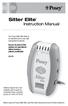 Sitter Elite Instruction Manual The Posey Sitter Elite Alarm is an important part of your falls management protocols. Ensure all parts of this system are operational before leaving a patient unattended.
IMPORTANT INFORMATION - PLEASE READ. Table of Contents. Introduction. General Information
 IMPORTANT INFORMATION - PLEASE READ Introduction Congratulations! Welcome to the world of the ELLIPTICAL CROSS TRAINER. The ELLIPTICAL CROSS TRAINER is one of the finest and most comprehensive pieces of
Portable Air Conditioner. OWNER S MANUAL Read these instructions before use. Model: MN12CES / MN10CESWW
 Portable Air Conditioner OWNER S MANUAL Read these instructions before use 8 Model: MN12CES / MN10CESWW Voltage rating: 120V~60Hz Power rating : 1100W (MN12CES) Power rating : 900W (MN10CESWW) Customer
WATERBED ASSEMBLY INSTRUCTIONS
 WATERBED ASSEMBLY INSTRUCTIONS WARNING: Never leave any infant, or handicapped child who cannot turn over, unattended on this or any other adult mattress. Infant or handicapped children can suffocate in
General Guidelines. Neck Stretch: Side. Neck Stretch: Forward. Shoulder Rolls. Side Stretch
 Stretching Exercises General Guidelines Perform stretching exercises at least 2 3 days per week and preferably more Hold each stretch for 15 20 seconds Relax and breathe normally Stretching is most effective
OWNER S MANUAL. Permolock C3. Docking system for Power wheelchair in vehicle
 OWNER S MANUAL US Permolock C3 Docking system for Power wheelchair in vehicle How to contact Permobil Head Office of the Permobil group Permolock C3 Docking system for electric wheelchair in vehicle Produced
Portable Air Conditioner. OWNER S MANUAL Read these instructions before use. Model: MM14CCS. Voltage rating: 115V~60Hz Power rating : 1400W
 Portable Air Conditioner OWNER S MANUAL Read these instructions before use Model: MM14CCS Customer Support : 1-800-474-2147 Voltage rating: 115V~60Hz Power rating : 1400W For product inquiries or support
ReadyKart Mobile Processing Station Instructions for Use
 GE Healthcare Instructions 28-9606-47 AB ReadyKart Mobile Processing Station Instructions for Use Contents ReadyToProcess 1 Introduction... 1 2 General Description... 2 3 Description of Components... 4
Patient Slings. Owner s Operator and Maintenance Manual. DEALER: This manual must be given to the user of the product.
 Owner s Operator and Maintenance Manual Patient Slings DEALER: This manual must be given to the user of the product. USER: BEFORE using this product, read this manual and save for future reference. For
Instructor Training Program Levels 1 through 4 Uneven Bars
 USA Gymnastics Online: Technique: Uneven Bars Page 1 of 9 Instructor Training Program Levels 1 through 4 Uneven Bars Level 1 - Uneven Bars MOUNT: BACK HIP PULLOVER Grasp bar with hands "shoulder width"
ENGLISH INSTRUCTION & INSTALLATION MANUAL DUCTLESS MINI SPLIT AIR CONDITIONING SYSTEMS
 ENGLISH INSTRUCTION & INSTALLATION MANUAL DUCTLESS MINI SPLIT AIR CONDITIONING SYSTEMS Céliera Corporation. All rights reserved. Unauthorized duplication, reproduction prohibited. CONTENTS SAFETY PRECAUTIONS...
Vertical Display and Storage B1350-2. SKOPE Gen2: Three Door Chiller
 Vertical Display and Storage User Manual MAN1227 Rev. 3.0 March 2008 edition CONTACT ADDRESSES Designed and Manufactured by New Zealand SKOPE INDUSTRIES LIMITED PO Box 1091, Christchurch New Zealand Freephone:
Xerox Nuvera Production System and Xerox igen Digital Production Press
 January 2015 702P01084 Xerox Nuvera Production System and Xerox igen Digital Production Press Xerox Nuvera 100/120/144/157 EA Production System Xerox Nuvera 100/120/144 MX Production System Xerox Nuvera
Compella Bariatric Bed Advancing bariatric care.
 Compella Bariatric Bed Advancing bariatric care. Compella Bariatric Bed Overcoming barriers to efficient, safe and dignified bariatric care. Impact of obesity on health care providers: More than 34% of
Shoulders (free weights)
 Dumbbell Shoulder Raise Dumbbell Shoulder Raise 1) Lie back onto an incline bench (45 or less) with a DB in each hand. (You may rest each DB on the corresponding thigh.) 2) Start position: Bring the DB
CYBEX GmbH Riedinger Str. 18 95448 Bayreuth Germany. [email protected] www.cybex-online.com www.facebook.com/cybex.online
 CYBEX GmbH Riedinger Str. 18 95448 Bayreuth Germany [email protected] www.cybex-online.com www.facebook.com/cybex.online GO TO WWW.CYBEX-ONLINE.COM TO WATCH AN INSTRUCTIONAL VIDEO C233_051-3_01A PALLAS
IMPORTANT SAFETY INSTRUCTIONS WARNING READ AND SAVE THESE OPERATING AND SAFETY INSTRUCTIONS BEFORE USING THIS HEATER.
 THERMAWAVE CERAMIC HEATER Model HZ-850 Series Model HZ-860 Series IMPORTANT SAFETY INSTRUCTIONS WARNING READ AND SAVE THESE OPERATING AND SAFETY INSTRUCTIONS BEFORE USING THIS HEATER. Warning Failure to
Operation Manual FOR 14029 & 14030
 Operation Manual FOR 14029 & 14030 IMPORTANT SAFEGUARDS When using electrical products, especially when children are present, basic safety precautions should always be followed, including the following:
MODELS 8007 Gorilla Cycle Alarm 8017 Gorilla Cycle Alarm with 2-way pager system 1018 2-way pager system
 MODELS 8007 Gorilla Cycle Alarm 8017 Gorilla Cycle Alarm with 2-way pager system 1018 2-way pager system Remote Control Motorcycle Alarm System Installation & Operation Instructions Sistema de Alarma de
FJ2. 2 Ton Trolley Floor Jack Assembly & Operating Instructions
 FJ2 2 Ton Trolley Floor Jack Assembly & Operating Instructions READ ALL INSTRUCTIONS AND WARNINGS BEFORE USING THIS PRODUCT. This manual provides important information on proper operation & maintenance.
Compressor Supreme Force Feedback User Manual
 1. Setting up Compressor Supreme 1. Connect the gear shifter to the back panel of the steering wheel column. 2. Connect the foot pedals to the back panel of the steering wheel column. 3. Connect the A.C.
HP Compaq LE1902x, LE2002x, LE2002xm, and LE2202x LED Backlit LCD Monitors. User Guide
 HP Compaq LE1902x, LE2002x, LE2002xm, and LE2202x LED Backlit LCD Monitors User Guide 2011 Hewlett-Packard Development Company, L.P. Microsoft, Windows, and Windows Vista are either trademarks or registered
Electronic Brake Controller Hayes Brake Controller Company ENERGIZE III P/N # 81741B or ENERGIZE XPC P/N #81745 OPERATION MANUAL
 Electronic Brake Controller Hayes Brake Controller Company ENERGIZE III P/N # 81741B or ENERGIZE XPC P/N #81745 OPERATION MANUAL ENERGIZE III is for trailers with 2 or 4 electric brakes and vehicles with
CAR SEAT/ STROLLER INSTRUCTION MANUAL
 CAR SEAT/ STROLLER INSTRUCTION MANUAL English PM-0624AB 3/98 Do not use this 4-in-1 System until you read and understand these instructions! IMPORTANT INFORMATION Thank you for selecting this 4-in-1 System
VACUUM CLEANER INSTRUCTION MANUAL
 VACUUM CLEANER INSTRUCTION MANUAL MODEL: SVC9702 PLEASE READ THIS MANUAL CAREFULLY BEFORE USING AND KEEP IT PROPERLY FOR FUTURE USE 1 Safety Cautions: WARNING: To reduce the risk of fire, electrical shock,
Safe Lifting and Carrying
 PART 1 Basic Lifts Proper lifting and handling will help protect against injury and make your job easier. It takes training and practice to do it right. The following are basic steps in safe lifting and
MAINTENANCE & TROUBLESHOOTING
 MAINTENANCE & TROUBLESHOOTING This section describes how to: clean the lens replace the projection lamp replace the batteries in the remote use the security lock feature troubleshoot the projector Cleaning
Adaptive cruise control (ACC)
 Adaptive cruise control (ACC) PRINCIPLE OF OPERATION The Adaptive Cruise Control (ACC) system is designed to assist the driver in maintaining a gap from the vehicle ahead, or maintaining a set road speed,
Uno 102. Product Description. Instruction Guide
 Uno 102 Instruction Guide English 7EN150104-04 2013-08-22 Applies to the following models: Uno 102 EE Prod. No. 2010004 Product Description Uno 102 is a mobile lift with electric raising and lowering of
Thank you for your recent purchase of the Exerciser 2000. Exerciser 2000 Elite Platinum Series. Own e r s Ma n u a l
 Exerciser 2000 Elite Platinum Series Own e r s Ma n u a l LED Timer Thank you for your recent purchase of the Exerciser 2000 Elite MultiSpeed. The Exerciser 2000 Elite is ETL approved, which insures you
AUTOMATIC SWINGING DOOR
 AAADM American Association of Automatic Door Manufacturers AUTOMATIC SWINGING DOOR OWNER'S MANUAL Distributed by: Section Contents Page Caution 2 To Our Customers 3 Service Availability 3 Compliance with
HP ProDisplay P17A LED Backlit Monitor. User Guide
 HP ProDisplay P17A LED Backlit Monitor User Guide 2013 Hewlett-Packard Development Company, L.P. Microsoft, Windows, and Windows Vista are either trademarks or registered trademarks of Microsoft Corporation
RZ Guardrail System Installation Manual
 TM RZ Guardrail System Installation Manual RZ Guardrail System Compliance is based on OSHA standards: (Standards - 29 CFR) 1910.23 (e) and (Standards - 29 CFR) 1926.502 (b) Failure to read, understand
Standing With You! Solid Seat Standing and Positioning System
 Standing With You! Solid Seat Standing and Positioning System Two-Piece Pump Handle Height and Depth Adjustable Clear Tray Adjustable Body Support Pad Quad Pump Handle Hydraulic Lift System Padded Chest
PA500II Enterprise Mobile Computer
 PA500II Enterprise Mobile Computer - PA500II - Quick Reference Guide 400891G Version 1.0 PA500II Product Introduction & Accessory Kit After opening the box, ensure the following accessories for the PA500II
MIGRATION HEIGHT-ADJUSTABLE DESKS. Troubleshooting Guide
 Troubleshooting Guide Control Box Power Cable Wire Manager Controller Lifting Column Foot Low-Voltage Cable MIGRATION HEIGHT-ADJUSTABLE DESKS HOW THEY WORK Each Lifting Column contains an individual motorized
Max load: 450/625lbs, 205/285kg
 Rise450/625M 450/625T Manual Max load: 450/625lbs, 205/285kg The ceiling track lift Rise 450/625 has been developed for use in combination with the correct lifting accessories for convenient and trouble-free
Chapter. Some days I m so stiff. But even then, your firm yet gentle guidance always helps me move more easily. MOVING AND POSITIONING
 15 MOVING AND POSITIONING Chapter Helping a resident move and be comfortably positioned is one of the most important things you do as a nurse assistant. Remember that CMS Guidelines say that all long term
Operation Guide. Operation Guide. Winnebago Hydraulic Leveling Systems by Kwikee. Introduction. Table of Content WARNINGS
 Operation Guide 05/07 Kwikee #1422192 Rev. 0F Table of Content Page Introduction 1 Safety Information 1 Operation 2 Control Panel 3 Manual Leveling 3 Automatic Leveling 3 Remote Operation 4 Stabilizing
Multicare LE. Bed for critical care and ICU FOR HEALTHCARE
 Multicare LE Bed for critical care and ICU FOR HEALTHCARE The Multicare LE bed offers an optimal solution to problems during hospitalisation in critical and intensive care units. The safety of the patient,
e 1 0 0 I N S T RUC TION M ANU A L
 e 1 0 0 I N S T RUC TION M ANU A L The Empire Digital Level Accuracy, Readability, Durability one FEATURES: Easy to read back light Display reads right side up even if the level is upside down Audio beep
Premier Orthopaedic Pathway. Physiotherapy after dynamic hip screw (DHS)
 Premier Orthopaedic Pathway Physiotherapy after dynamic hip screw (DHS) The surgery After a fractured hip a dynamic hip screw (DHS) is used to hold the bones in place while the fracture heals. It allows
Moving and Handling Techniques
 Moving and Handling Techniques Introduction Manual handling involves any activity that requires the use of force exerted by a person to lift, lower, push, pull, carry or otherwise move or hold an object.
BW-500 BED WEIGHER USER MANUAL
 BW-500 BED WEIGHER USER MANUAL 0 1 TABLE OF CONTENTS SPECIFICATION... 3 Equipment... 4 INSTALLING WEIGH BEAM... 5 PREPARATION FOR MEASUREMENT... 6 DP3800 Indicator... 8 POWER SUPPLY... 8 PANEL... 9 KEY
EXCAVATOR SAFETY TRAINING
 EXCAVATOR SAFETY TRAINING INSPECTION CHECKLIST INSPECTION AREA INSPECTION RESULTS Sat. Unsat. N/A Comments Carrier & Car Body Rotation system Tracks Rollers Frame, welds, bolts Drive system Upper Structure
Passive Range of Motion Exercises
 Exercise and ALS The physical or occupational therapist will make recommendations for exercise based upon each patient s specific needs and abilities. Strengthening exercises are not generally recommended
CHILD BOOSTER SEAT. Instructions for Installation & Use Series No. 4050/A/2013 IMPORTANT: KEEP THIS BOOK IN THE PLACE PROVIDED ON THE CHILD RESTRAINT
 CHILD BOOSTER SEAT Instructions for Installation & Use Series No. 4050/A/2013 IMPORTANT: KEEP THIS BOOK IN THE PLACE PROVIDED ON THE CHILD RESTRAINT INDEX PAGE 3 4 6 7 9 10 14 19 21 22 INTRODUCTION WARNINGS
THE NEW GENERATION IN TECHNOLOGY. NI-3103A Alarm Clock w/fm Radio ipod & iphone Docking. Operating Instructions
 THE NEW GENERATION IN TECHNOLOGY NI-3103A Alarm Clock w/fm Radio ipod & iphone Docking Operating Instructions Table of Contents Important Safeguards... 3 Parts... 6 Controls... 6 To Set Up... 7 ipod/iphone
GSM Autodialer Professional GJD700 Speech & Text Autodialer
 Text Edit message GSM Autodialer Professional GJD700 Speech & Text Autodialer Introduction The GSM Autodialer Professional works in conjunction with standard alarm systems and makes use of your preferred
How To Fit Out A Hospital Bed For A Patient
 Hospital Emergency Room Ergonomic Evaluations & Recommendations Karleigh Burns Janna Burrows Chris Moe Lily Nirenberg Course taught by Professor Alan Hedge DEA 470, Spring 2004 Introduction Computers &
Exercise 1: Knee to Chest. Exercise 2: Pelvic Tilt. Exercise 3: Hip Rolling. Starting Position: Lie on your back on a table or firm surface.
 Exercise 1: Knee to Chest Starting Position: Lie on your back on a table or firm surface. Action: Clasp your hands behind the thigh and pull it towards your chest. Keep the opposite leg flat on the surface
Multi-Pitch Pitching Machine USER MANUAL
 Multi-Pitch Pitching Machine USER MANUAL TABLE OF CONTENTS Thank you for purchasing the Cimarron Multi-Pitch Pitching Machine. The Cimarron Multi-Pitch Pitching Machine is a high performance pitching machine
Just-Like-Mine! Doll or Stuffed Toy. Car Seat. Instruction Manual. These instructions are for the following Joovy Style # s: 002, 003
 Just-Like-Mine! Doll or Stuffed Toy Car Seat Instruction Manual These instructions are for the following Joovy Style # s: 002, 003 Please read this instruction manual completely before using your doll
Introduction. What does PICO do? How does PICO work?
 Patient Information Introduction This patient handbook will provide you with important information while you are receiving negative pressure wound therapy (NPWT) from Smith & Nephew s PICO system. The
MODELS 7007 Gorilla Cycle Alarm 7017 Gorilla Cycle Alarm with 2-way pager system 1017 2-way pager system
 MODELS 7007 Gorilla Cycle Alarm 7017 Gorilla Cycle Alarm with 2-way pager system 1017 2-way pager system Remote Control Motorcycle Alarm System Installation & Operation Instructions Sistema de Alarma de
Table of Contents. Use. Troubleshooting. Setup. Welcome. 11 How to arm/disarm system/camera(s) 19 Sync Module setup issues. 3 Installing the Blink app
 User Guide Table of Contents Welcome Setup Use Troubleshooting 2 What s in the box 2 What you need 3 Installing the Blink app 4 Setting up the Sync Module 5 Connecting the Sync Module to Your Wi-Fi 7 Adding
HP Laser Jet 4200/4240/4250/4300/4350 Swing Plate
 HP Laser Jet 4200/4240/4250/4300/4350 Swing Plate 1 Swing Plate Assembly-RM1-0043 1 Swing Plate Kit-5851-2766 (RM1-0043 plus RM1-1091 gear) CAUTION: Fuser may be hot. Turn off printer, unplug it and allow
Walking and Working Surface Checklist:
 Walking and Working Surfaces Purpose: This information is presented to improve the level of safety in our operations, and to inform you that we will comply with the OSHA Standard 29 CFR 1910.23. Responsibility:
TOTAL KNEE REPLACEMENT
 PENN ORTHOPAEDICS TOTAL KNEE REPLACEMENT Home Exercise Program PENN ORTHOPAEDICS TOTAL KNEE REPLACEMENT HOME EXERCISE PROGRAM To get the best results from your surgery, it is important that you do your
Do s and Don ts with Low Back Pain
 Do s and Don ts with Low Back Pain Sitting Sit as little as possible and then only for short periods. Place a supportive towel roll at the belt line of the back especially when sitting in a car. When getting
Power Lift & Recline Chair
 Power Lift & Recline Chair OWNER S MANUAL MAXICOMFORT MODELS The Best Power Lift and Recline Chair Made in the USA 401 Bridge Street Old Forge PA 18518 www.goldentech.com Dear Valued Customer, Thank you
Videos for Safety Meetings
 Videos for Safety Meetings 2474 2005, ERI Safety Videos OPERATING ELECTRIC PALLET JACKS SAFELY This easy-to-use Leader s Guide is provided to assist in conducting a successful presentation. Featured are:
Range of Motion Exercises
 Range of Motion Exercises Range of motion (ROM) exercises are done to preserve flexibility and mobility of the joints on which they are performed. These exercises reduce stiffness and will prevent or at
total hip replacement
 total hip replacement EXCERCISE BOOKLET patient s name: date of surgery: physical therapist: www.jointpain.md Get Up and Go Joint Program Philosophy: With the development of newer and more sophisticated
HP SATA/SAS hard drive and Solid State Drive installation
 HP SATA/SAS hard drive and Solid State Drive installation This document describes how to install Serial ATA (SATA) and Serial Attached SCSI (SAS) hard drives or Solid State Drives (SSD) in an internal
BLOOD COLLECTION MIXER
 USER S MANUAL BLOOD COLLECTION MIXER Model CM735 No. CAT.CM73522Ce Centron Technologies Corporation 319-25 Sadang-4-dong, Dongjak-ku Seoul, Korea 156-823 Tel. +82-2.522.7807 Fax +82-2.522.7806 Table of
Portable Air Conditioner
 Portable Air Conditioner Owner's Manual Model:3 in 1 12,000 Btu/h Series 3 Please read this owner s manual carefully before operation and retain it for future reference. CONTENTS 1. SUMMARY...1 2. PORTABLE
Small form factor bay converter and hard drive installation
 Small form factor bay converter and hard drive installation HP xw6600 and HP xw8600 Workstations This document describes how to convert HP xw6600 and HP xw8600 Workstation 3.5-inch hard drive bays to hold
OPERON B 810 INSTALLATION & OPERATING MANUAL
 OPERON B 810 INSTALLATION & OPERATING MANUAL INSTALLATION AND OPERATOR MANUAL 70-000-0026 Related Publications: OPERON B 810 Uncrating Instructions 60-000-0002 OPERON B 810 Service and Parts Manual 70-000-0027
EKOS Cart. Instructions for Use
 EKOS Cart Instructions for Use EKOS Corporation 11911 North Creek Parkway South Bothell, WA 98011 USA (425) 415-3100 (tel) (425) 415-3102 (fax) [email protected] (e-mail) - 1-4913-002 REV E Intended Use
Replacing the Gateway M320 Keyboard
 Replacing the Gateway M320 Keyboard This package includes a replacement keyboard for your Gateway M320 notebook and these printed instructions. Tools you need You need a small Phillips and a small flat-blade
ENTERPRISE 8000 E8X RANGE
 ENTERPRISE 8000 E8X RANGE with people in mind DESIGNED FOR YOU AND YOUR PATIENT The new Enterprise 8000 hospital bed from ArjoHuntleigh delivers significant benefits to the patient, caregiver and healthcare
Ski on specific terrain (green, blue, black diamond, double black diamond) B Balancing Maintaining balance while in motion
 Developing Skills A ski lesson should focus on a skier s skill development through the use of various encouraging tactics which include using exercises to help a student: Reinforce key movement Ski in