
Wireless Access Point (AP) Installation Process for Contractors at CMU 1/12/2015
|
|
|
- Lily Cross
- 10 years ago
- Views:
Transcription
1 Wireless Access Point (AP) Installation Process for Contractors at CMU 1/12/2015 Overview CMU has had contractors install data jacks and mount brackets for APs. The new process that contractors are to use includes additional work for marking location for AP bracket, removal of temporary stickers, installing AP bracket, installation/positioning of antennas, mounting the AP device, plugging patch cords into the correct port on the AP and data jack and installation of locks and caps. Each project may call for multiple options for models of: AP s, antennas, mounting brackets and enclosures. Outdoor AP s are not addressed in this document. Contractors need to check individuals Scopes of Work and floor plans to correctly match these various options. CMU will provide the contractor with floor plans, APs, AP mounting brackets and patch cords. AP s are costly devices and are tested in advance for proper operation. Contractors are to take care not to drop/damage APs. Please report any mishaps rather than continue to mount an AP that may have been damaged. The overall goal is to have the contractor do all work that requires ladders to minimize CMU s Network Operations group from having to go to each location to do that work. Prior to contractor work, Network Operations will have already gone through the areas to test wireless coverage by use of any ladders, AP s mounted on tripods and placement of stickers to mark AP locations. The installation process may first require removal of an existing AP. Otherwise, all new AP installations are typically performed in the following sequence: 1. Verify outlet can be installed within vicinity of AP (if new outlet) 2. Mark location of AP bracket 3. Remove temporary sticker marking AP location 4. Install AP bracket on wall if wall or hard ceiling mounted or on AP if drop ceiling mounted AP 5. Install communications outlet (if new outlet is installed) label and test 6. Install patch cord into port on AP 7. Install antennas (if detachable) 8. Install AP onto bracket if wall or hard ceiling mounted, Install AP/bracket onto spline if drop ceiling mounted. 9. Install patch cord into outlet NOTE: Failure to install all antennas -before- plugging patch cord into the communications outlet can damage the AP. Min. height Above Finished Floor (AFF) to center of AP body is 7 Max. height AFF to center of AP body is 7 6 Min. height distance between ceiling to center of AP body is 11 WALL MOUNTED AP HEIGHTS - NOTE: Antennas not shown with correct positioning, diagram not intended for ceiling mounted APs For installs prior to June 2013, patch cords are to be plugged into the jacks on top when labels are orientated in the horizontal position General Mounting Height, Clearances, Coverage and Performance Guidelines - For wall mounted AP s, the minimum height Above Finished Floor (AFF) to center of AP body is 7 and the Maximum height AFF to center of AP body is 7 6 It is preferred that wall mounted AP s are installed as high as possible without exceeding the maximum height. Average sq. ft. coverage based on drywall construction from 200 to 800 sq. ft. depending on capacity: performance ratio. Example: classrooms and lecture halls will require more dense placements. Average sq. ft. coverage based on hard plaster or masonry construction from 50 to 400 sq. ft. depending on capacity: performance ratio. Example: classrooms and lecture halls will require more dense placements. Clearances for ceiling mounted AP s are shown in the diagram at the top of the proceeding page which take into account the final clearance of existing and future APs that need to fit near vertical surfaces such as adjacent walls. As an example: an AP-220-MNT-W2 mount is 5.5 wide however AP-215 is 7 wide whereas a AP-220 is 7.8 wide. 1
2 Installing outlets with only AP-215s in mind may not allow enough clearance for future AP s which may be larger. Therefore the center of an outlet box or mount or AP should not be less than 4 from an adjacent perpendicular surface, which will accommodate AP s that are up to 8 wide. AP OUTLET BOX OR NO-BOX C L 4 MINIMUM CLEARANCE BETWEEN WALL AND CENTERLINE CEILING OR HORIZONTAL SURFACE Example of Wall Mount Sticker WALL OR VERTICAL SURFACE Example of Ceiling Mount Sticker ABOVE: Side cutaway view indicating minimum clearances between adjoining horizontal and vertical surfaces for centering outlets for all ceiling mounted Aruba APs AP & Outlet Locations Projects will be preceded by placement of temporary, removable stickers to mark exact locations of ceiling mount AP s and exact horizontal center of wall mounted APs. Exact placement is desired however if installation requires horizontal repositioning of wall mounted APs, contractors can relocate center of AP to left or right up to 18 in either direction. Since relocation of one AP can affect overall wireless coverage, any variation from the planned locations of ceiling mounted APs must be approved by CMU. Contractors are to remove any temporary stickers, taking care not to harm wall or ceiling finishes. Install outlets along either side of AP such that faceplate is not above or below the top and bottom edges of the AP body, typically centered with AP body. Outlets are to be positioned such that a 12 patch cord can connect to the correct port on the AP without exceeding a minimum bend radius of 4 x the diameter of the cable jacket. A typical distance from either side of an average Aruba AP to the center of the jack is no more than 4 between edge of AP body and edge of outlet faceplate. Floor Plans The floor plans provided by CMU will be labeled to show the AP and data outlet locations as well as the name of each AP and the outlet labels to be used. The outlet labels provide information for which closet, rack, panel and port each cable is to terminate within the communications closet. The APs will be labeled to correspond to the labels of the APs shown on the floor plans. It is important to match each AP with the location to where it is to be installed. AP Mounting Brackets It is important to match the correct AP mounting bracket to the model of AP as each bracket is specific to the model of AP and each model has multiple brackets based on construction. Each model AP may have multiple mounting bracket options depending if using a hard ceiling or drop ceiling. Due to the force required to install the drop ceiling bracket onto AP and to prevent damage to the drop ceiling spline, first attach bracket to AP before attaching bracket to spline. Correct AP & Faceplate Jacks - Patch cord/s must be inserted at each end to match jacks of each duplex outlet to ports on APs. Verify that plug is fully inserted in outlet jack by observing clicking sound of tab on modular plug. APs have multiple ports that the Ethernet patch cords can be plugged into. Verify that plug is fully inserted into each AP by observing clicking sound of tab on modular plug. These ports are uniquely labeled. The specific ports that the patch cords are to plug into are shown in the table and diagrams on the following page. 2
3 AccessPoint Model Available Ports "ENET" & "CONSOLE" "ENET 0", ENET 1" & "CONSOLE" "ENET 0", ENET 1" & "CONSOLE" "ENET 0", ENET 1" & "CONSOLE" "ENET" & "CONSOLE" "ENET 0", ENET 1" & "CONSOLE" "ENET 0", ENET 1" & "CONSOLE" Port/s to Plug Into "ENET" Antenna Type Internal, not visible/adjustable Smallest of all models "ENET 0" External, attached Do not use port on back "ENET 0" "ENET 0" "ENET" "ENET 0" & "ENET 1" "ENET 0" & "ENET 1" External, removable Internal, not visible/adjustable Internal, not visible/adjustable Internal, not visible/adjustable External, removable Notes Wall mount. Positioning of antennas may be challenging Ceiling mount only. For drop ceilings: install bracket on AP before attaching to drop ceiling spline Ceiling mount only. For drop ceilings: install bracket on AP before attaching to drop ceiling spline Ceiling mount only. For drop ceilings: install bracket on AP before attaching to drop ceiling spline Wall mount. Positioning of antennas may be challenging Aruba Model 125 Plug into port labeled ENET 0 which is the port on the left as shown above Aruba Model 105 Plug into port labeled ENET which is the port on the right as shown above Aruba Model 134 or 135 Plug into port labeled ENET 0 which is the port on the right as shown above Use of Category-6A Cabling All communications outlets for APs are to have two (2) of Category-6A cables/jacks installed using Panduit plenum rated cabling with blue jacketing (Part# PUP6AM04BU-UG). AP installations will no longer employ Category-6 cabling. Aruba Model 134 Plug into port labeled ENET 0 which is the port on the left as shown above Additional AP outlets Scopes of Work for some residence halls may call for additional AP outlets to be installed without AP s for future use. Such outlets are to be covered with a blank that matches surrounding surfaces. Check the particular SoW for details. 3
4 Category-5E upgrades Scopes of Work for some residence halls may call for replacing existing AP outlets with one or two Category-5E cabling/jacks to have two of Category-^A cables/jacks. Check the particular SoW for details. Patch Cord Locks & Jack Caps for Residence Halls To deter tampering with AP s in residence halls, contractors are to secure locking patch cord plugs into outlet jacks and install caps in the unused outlet jacks. CMU will provide patch cords with locks, jack caps and removal tools for both locks and caps. The locks will be Panduit part number PSL-DCPLX-BL. The caps will be Panduit part number PSL-DCJB-BL. Upon completion of each project, the contractor is to return all removal tools to the Cable Plant Project Manager. Each patch cord will have a lock installed on one plug. The plug with the lock is to be inserted into the jack at the top of each outlet. The jack at the top can be distinguished from the jack on the bottom when the labels are orientated correctly in the horizontal position on the faceplate. The lock may first need rotated clockwise to properly orientate the locking mechanism. After the patch cord is inserted, the contractor is to place the removal tool/key into the round opening on the lock and rotate the tool no more than 1/2 turn counterclockwise to lock the plug into place. Verify that the white line at the bottom of the lock is aligned with the white line on the removal tool, then de-insert and retain the removal tool. Patch cord plug lock & cap properly installed in AP outlet jacks A cap will be provided for each unused jack on each faceplate. The cap is to be inserted into the jack at the bottom of each outlet. The jack at the bottom can be distinguished from the jack on the top when the labels are orientated correctly in the horizontal position on the faceplate. Insert cap with prongs protruding into the jack and by aligning tab of cap with the tap opening on the jack and verify correct insertion by observing clicking sound. No tools are required to install the caps but sometimes mistakes occur. If a cap needs to be removed, insert removal tool so that the tab of the tool that has the molded P is facing downward and that each of the two tabs of the removal tool are aligned with the slots on each side of the cap. Push tool into the jack/cap and pull out to remove the cap. Cap in jack shown with removal tool inserted Patch cord plug lock shown with removal tool inserted 4
5 Antenna Positioning Several different models of AP s may be used within the same building. Some models have internal antennas that do not require positioning, some have attached, external antennas that require positioning and some have detachable, external antennas that require positioning. Proper antenna positioning is important for optimum coverage and performance. Contractors are to position external antennas based on the model of AP as per the following diagrams Aruba Model 105 Contains internal antennas. No antenna positioning required. Aruba Model 135 Contains internal antennas. No antenna positioning required. The AP-134 antennas are more difficult to position. Shown is a front view with center antenna positioned straight up and the side antennae positioned with 45 degree slant outward and forward. Attach each antenna by rotating the knurled collar clockwise onto the connector of the AP. Gently make sure antenna collar is fastened securely, and ONLY tighten from the collar, not from the antenna paddle. Move the antenna into its proper orientation, ONLY then should the antenna to be rotated by the paddle. 5
6 AP-134 side view with center antenna positioned straight up and left and right antennae on a 45 degree slant outward and forward AP-134 top view with center antenna positioned straight up and left and right antennae on a 45 degree slant outward and forward Aruba Model 125 This wall mounted AP requires all 3 antennas positioned to be parallel to the wall. Aruba model AP-224 wall mount unit with external antennas to be adjusted similar to model AP-134 6
7 Ventev Wall Enclosure CMU is evaluating an enclosure from Ventev that adapts a ceiling mounted AP to a wall, similar to the adapter from Oberon. These enclosures are not yet in production for CMU wireless deployments. This document will be updated when that occurs but for now we are providing a preview of the product. The plastic bubbles that enclose the AP are available in clear (shown below) white and with a mirrored surface. The picture below on the right shows the label on the underside of the enclosure and placed to the left identifying the jack on the top of the faceplate. There would be a corresponding label on the right of the enclosure to identify the jack on the bottom. Oberon Wall Adapters for Ceiling Mounted APs In some cases it may be necessary to use adapters to attach ceiling mounted APs to walls. This will allow use of ceiling mount AP s in residence halls to avoid using wall mount APs that are prone to having external antennas harmed. Previously, adapters that were installed prior to June 2014 were the Oberon Model All ceiling mounted APs are to have LEDs facing away from the wall. TYPICAL CEILING Read before stating installation: STEP-1 Prior to mounting on wall, match predrilled holes of Aruba AP ceiling mount bracket and Oberon wall-mount enclosure and insert screws to attach units together. Bracket shown with cutaway to display routing of patch cord & alignment of transposed communications faceplate STEP-2 Determine location of communications faceplate on wall taking into consideration that it is recommended to later mount one side of the enclosure directly to a stud if possible. Install outlet/faceplate and labels. STEP-3 Remove cover and place enclosure over the communications faceplate. Mark the 4 screw locations. Using four #10 x 2 screws, secure one side of enclosure to the stud and other side of enclosure to the wall using suitable anchors. If there is no stud at the location, use 4 suitable anchors to secure the mount in place. STEP-4 Run the Ethernet patch cord/s through the rubber grommet then through the hole located on the top cover of the mount. Place the grommet in the hole of the enclosure. Plug patch cord in port of AP labeled ENET 0, secure AP to ceiling mount and plug other end of patch cord to the top jack of the communications faceplate. For models 224 & 225, install 2 nd patch cord between port of AP labeled ENET 1 ands the bottom jack. 7
8 STEP-5 Adhere label to left side of enclosure s front edge (as shown in picture above) that corresponds to the label of the top jack. Adhere label to right side of enclosure s front edge (as shown in picture above) that corresponds to the label of the bottom jack. Secure cover to the enclosure using the 4 screws. Use of new Oberon model 1012-CMU/2 Wall Adapters for Ceiling Mounted APs As of June 2014, the model CMU/2 will replace the model shown on previous pages. The adapter will allow use of ceiling mount AP s in locations such as residence halls to avoid using wall mount APs that are prone to having external antennas tampered with. The Oberon Wallmount enclosure Model has now been replaced with the new model 1012-CMU/2. This model still mounts over a single gang box or can be installed over a double gang box (preferred), can be field modified to rotate a single gang box 90 degrees, can be installed with direct conduit penetration (for hard surfaces) by use of 1 knockouts on either side, is of the same dimensions as previous models, is equipped with an adapter bracket that replaces the Aruba bracket and features a hinged/lockable cover and is equipped with a ty-wrap used a as LEFT: Bracket with cover removed to show outlet and patch cord placement. RIGHT: Cover showing lable on left corresponding to jack at top of faceplate and label on right corresponding to jack at bottom of faceplate. Oberon Model with Aruba model 135 AP on Aruba model AP-130-MNT-W2 security bracket tether between the AP and the adapter so that the AP does not fall and cause injury and to prevent the AP from being damaged. The supplied ty-wrap was intended to be installed if the AP s LEDs were facing the wall however CMU wants to LEDs to face into the hallways for ease of monitoring. Therefore the ty-wrap should be secured to where it starts to grip to itself (about an inch protruding through the ty-wrap s opening) and the protruding end should be cut flush with the ty-wrap opening. Given the combined weight of adapter and AP, the preferred installation is over a secured double gang work box using 4 screws into work box and 4 more screws through keyhole openings and into wall by use of anchors. It is preferred if one side of keyhole openings were to penetrate a stud. Contractor is to return all keys to CMU after completion of project. Realizing that the preferred installation is not always feasible, variations of the installation are allowable if not compromising the overall attachment to the wall as to avoid creating a safety hazard. 8
9 3. AP being secured to adapter plate by fastening screw in middle New Oberon Model 1012-CMU/2 adapter shown installed with AP model 135 on adapter plate over 2 gang old-work box using yoke with tabs cut off and no faceplate to allow clearance for hinged cover and secured with screw/nut in middle position, secured with 4 screws into work box, further secured to wall with 4 screws/anchors using keyhole slots, key on right in locked position, ty-wrap tether installed through adapter plate over lock mechanism, outlet labels installed inside and outside of adapter, patch cord plugs installed into upper jack and into AP port ENET 0, 4. Mounting adapter plate to Oberon model 1012-CMU/2 2. Adapter plate to slide over AP for mounting. 5. Adapter plate secured to Oberon model 1012-CMU/2by use of key/lock mechanism. 9
10 Aruba model AP-130-MNT-W2 security bracket As of May 2014, the Aruba model AP-130-MNT-W2 security bracket is the preferred bracket for use on hard walls and ceilings when not using Oberon brackets. The brackets are to be mounted over deeper, 2-gang, old-work boxes such as the Carlon model BH234R available at The Home Depot. Contained within the work box is to be entry of 2 Category-6A cables, the 2 Category-6A jacks the cables are terminated with, and slack for the patch cord/s. Biscuits are not to be used. The bracket mounts over the box using holes provided for screws. The AP is then mounted onto the bracket by first pulling the release tab on the bracket, pushing AP onto bracket and then pulling on the tab. Use the security screw provided to lock the tab into place. Orientate duplicated outlet labels correctly based on whether wall or ceiling mount. Attach additional labels around each cable jacket within outlet box. Carlon model BH234R. two-gang, old-work box for hard ceilings and walls. Aruba AP-130-MNT- W2 security bracket is to mount over box and secured with 4 screws into existing holes. Aruba AP ready to be installed on Aruba model AP- 130-MNT-W2 security bracket (release tab shown at top of bracket, wall box beneath bracket). Aruba AP model 134 on Aruba model AP-130- MNT-W2 security bracket (jacks contained in wall box beneath). 10
11 Looking upward towards ceiling: Correct outlet labeling orientation on Aruba model AP-130-MNT- W2 security bracket for Aruba model 134 wallmounted AP. Correct outlet labeling orientation on Aruba model AP-130-MNT-W2 security bracket for Aruba model 135 ceiling-mounted AP. NOTE: All ceiling mounted APs are to have LEDs facing away from the wall. Use of No-Box and Biscuits - Although the use of the 2-gang, old-work box is preferred, sometimes clearance of existing construction will not allow for placement. In those situations the next preference is use of a single gang nobox frame such as Panduit part# LV-W-1G is acceptable. The no-box frame does not provide for proper support of the AP and bracket, therefore use of 4 additional anchors is required. The jacks are to be contained by use of a 2 jack surface mount (also known as a biscuit ) which is Panduit part# CBX2EI-AY (ivory) or part# CBX2IW- AY (off white) which will contain a quantity of 2 of Panduit Mini-Com Category-6A jacks part # CJ6X88TGBL. Furthermore, to avoid the installed biscuit from falling within the wall and no longer be accessible, the use of a Velcro ty-wrap is to be used to tether the biscuit to the no-box frame. The following pictures illustrate the installation process. Panduit biscuit Part# CBX2IW-AY, separated to show internal structure. On left is the top with one open slot to accept a Category-6A jack and a knockout to be removed to accept the 2 nd jack. Biscuit with Velcro ty-wrap secured to hole in base with plastic ty-wrap 11
12 Tether hidden behind cables, cables terminated and secured with plastic ty-wrap (provided with biscuit) with enough pressure so ty-wrap does not distort cable jacket, jacks installed on base and outlet labels installed on cover. Opening for no-box emphasized by use of tracing with black marker, showing overlay of Aruba AP-130-MNT-W2 bracket emphasized with blue marker and location of 4 anchors which line up with holes in AP-130-MNT-W2 Opening with no-box frame inserted. Biscuit with tether secured to no-box with screw inserted through Velcro, permanent cabling with butterflied labeling and knockout on cover removed for 2 nd jack. Not shown is knockout removed at rear of cover for cabling to exit. Completed mounting of AP-130-MNT-W2 over no-box with patch cords protruding, frame ready for mounting of AP and security screw. Not shown are labels on bracket with jack IDs as in previous pages. 12
13 Drop Ceiling Mounted APs Each Aruba model 135 ceiling mounted APs comes with two drop ceiling brackets, one bracket for 9/16 wide rails and one bracket for 15/16 wide rails. Some ceiling tiles protrude below the rails and require cutting so that the tiles reseat properly. These type of tiles are also known as Tegular (Armstrong s term for protruding tiles or recessed rails). All ceiling mounted APs are to have LEDs facing away from the wall. Outlet labels are to be placed on outlet faceplate above drop ceiling as well as on adjacent drop ceiling rails. Aruba provides Model AP-130-MNT- C2 for other types of drop ceilings. That model includes one bracket for Open (Silhouette) rails and one bracket for Flanged (Interlude) ceiling rails as show below. Cutting of ceiling tiles to allow for tiles to reseat properly for Tegular ceiling tiles. Correct outlet labeling on drop ceiling rails and correct orientation of Aruba model 135 ceiling-mounted AP with LEDs facing away from wall. From left to right: Brackets for 9/16 wide rails and 15/16 wide rails (included with each Aruba model 135 ceiling mounted AP). Brackets for Flanged and Open rails (included in Aruba Model AP-130-MNT-C2). 13
14 Removal of Factory installed Stickers on APs- In some cases, contractors may receive APs with stickers containing SN numbers, MAC numbers and bar codes. If so, contractors should remove those stickers and discard. Please ignore the pictures in this document incorrectly showing stickers still on APs. Sticker to be removed from AP and discarded. New Aruba Model 200 Series AC APs - As of June 2014, new Aruba model 224 and 225 AP s Aruba model 224 wall mount with will be deployed in place external antennas of the 130 series. These AP s have wall/ceiling brackets similar to the brackets Aruba has for the 130 series and can use the same adapter plates on the Oberon mounts. These units are slightly larger, heavier and provide for faster network speeds. To help obtain the faster network speeds, the Aruba AP-220-MNT-W2 mount contractor is to install two patch cords between the two jacks and both ports so that the top jack of the outlet is connected to port ENET 0 on the AP and the bottom jack of the outlet is connected to port ENET 1 on the AP. The port labeled CONSOLE is not to be used. Aruba model 225 ceiling mount with internal antennas Back of Aruba model 225 (similar to model 224) showing ENET 0 port to use in upper right, circled in yellow. 14
15 New Aruba Model AC APs As of January 2015, the Aruba model AP-215 will be used for many new deployments. It is similar to the models AP-224 and AP-225 but slightly smaller. Antennas are internal therefore require no attachment or positioning. Like the models AP-224 and AP- 225, it also uses the same model AP-220-MNT-W2 mount and follows the same installation processes shown on preceding pages. Only one patch cord if required to connect each AP There are two ports on the AP-215 however the patch cord should only be connected to the port labeled ENET as shown in the picture to the right. Aruba model AP-215 (top) Changing the color of the surface of Aruba 220 series APs - We have found a few occasions where the glossy white surface of a 220 series AP will not blend well with its surroundings. An example is where CMU had created black box theaters where all surfaces within are painted flat black. CMU had taken measures to paint the surface of the AP to match which can void warranties. A skin is now available for each model of the Aruba 220 series. The skin is paintable and can be attached and detached from the AP surface without warranty concerns. Back of Aruba model AP-215 showing ENET port in upper right (circled in yellow) to connect patch cord. 15
16 Removal of Existing APs and Data Outlets Many wireless projects will entail removal of old AP s manufactured by Xirrus. These AP s appear as larger, disk units that always attached by use of the same type of ceiling mount. The ceiling mounts can be directly attached to the ceiling, attached to a wall bracket or attached inside a specially made enclosure equipped with a lockable hinged Xirrus wall mount (left) and Xirrus ceiling mount (right) cover. Detaching the AP from the bracket is done the same way regardless of wall, direct ceiling or enclosure by following this procedure: While pushing up on the AP (and done as one swift motion) turn the AP counterclockwise roughly 2 which will disengage the AP from its bracket. At this point the AP will still be attached via a short patch cord and the contractor will be supporting the AP in their hands. Be careful not to drop the AP to avoid injury and damage to the AP and the surroundings! Many Xirrus AP s are in enclosures that have a locked/hinged cover that may take place of a ceiling tile. The contractor is to remove these AP s by first obtaining a key from the Cable Plant project manager to unlock two locks located on 2 of the 4 corners of the enclosure, and then open the hinged cover downward. Follow the instructions above to detach the AP from it s bracket. Once detached, the AP can be temporarily placed inside the opened enclosure cover to help free hands to unplug the patch cord. Do not leave the AP in its cover unsupervised as it presents a dangerous condition in that the AP could fall and cause injury or damage. After removing old AP, remove the enclosure and fill the void with a matching ceiling tile provided by the Cable Plant project manager. Return all removed AP s, brackets and patch cords to the Cable Plant project manager. Some projects require placement of a new AP on a wall then returning on a separate visit to remove the old AP from the ceiling. Some projects will entail reuse of existing data outlets and existing AP locations such that both old and new AP s are on ceilings using the same locations and outlets. In those situations, the old AP/bracket is to be changed from one vendor/model to a new vendor/model. An important goal for each scenario is to avoid causing service outages by coordinating closely with the Cable plant project manager to have the new AP placed into service before removal of the old AP. Clarification on transitioning AP s may be needed on a per project basis. Some existing AP outlets that are to be reused may only have one jack per faceplate. If so, the contractor is to install a 2 nd jack on the same faceplate. Contractor should anticipate installing new AP s before removing old AP s by close coordination with CMU. This is done by first installing a 2 nd jack (if needed) the new AP bracket, AP and patch cord for all AP locations, then alerting the Cable plant project manager (who will have Network Operations activate the new AP and deactivate the old AP), then after being given order Xirrus enclosures, from left to right: Enclosure closed, Enclosure opened, to proceed from CMU, the Enclosure temporarily holding AP in cover (CAUTION! Do not leave in this condition contractor is to then remove unsupervised as it can fall and cause damage/injury) the old AP s and schedule any patching and painting so there are no remnants of the old AP installations. 16
17 Patching and Painting In many cases, contractors will be asked to remove existing AP s and brackets which may leave anchor holes and mismatches of paint. Contractors are to provide Network Operations with any AP s and brackets that have been removed. Contact information for the painter that many CMU groups use is: Mauro Nofi, , [email protected] CMU Contact info Pete Bronder. Manager of the Cable Plant Office, , [email protected] Daryl Hollinger, Manager of Network Operations, , [email protected] 17
Kiosk Group, Inc. ASSEMBLY INSTRUCTIONS FOR THE STANDALONE. EXQUISITE ipad KIOSK. For ipad 2-3-4-5 Version Tablets.
 Kiosk Group, Inc. ASSEMBLY INSTRUCTIONS FOR THE STANDALONE EXQUISITE ipad KIOSK For ipad 2-3-4-5 Version Tablets ipad 2-3-4-5 Version Tablet Items Required: ipad data/power cable that came with your ipad.
Cooktop Low-Profile Ventilation Hoods
 INSTALLATION GUIDE Cooktop Low-Profile Ventilation Hoods Contents Wolf Cooktop Low-Profile Ventilation Hoods........ 3 Cooktop Low-Profile Hood Specifications.......... 4 Cooktop Low-Profile Hood Installation............
Electrical Wiring Technical Bulletin
 Electrical Wiring Technical Bulletin Overview In general, SIP construction is easier and more cost effective when things are planned and thought out before the panels are manufactured. This process will
UPLIFT Height Adjustable Standing Desk (T-Frame) DIRECTIONS FOR ASSEMBLY AND USE - - ALSO - - Watch our assembly video
 UPLIFT Height Adjustable Standing Desk (T-Frame) DIRECTIONS FOR ASSEMBLY AND USE - - ALSO - - Watch our assembly video http://bit.ly/9ywwh! CAUTION MAKE SURE NO OBSTACLES ARE IN THE DESK S PATH AND ALL
TCTC Cabling Specifications
 TCTC Cabling Specifications Purpose: To provide a standard specification that will be used for all Tri County Technical College (TCTC) facilities requiring structured cabling installation. Product specifications,
MGB Chrome Bumper Conversion
 MGB Chrome Bumper Conversion Installation Instructions For 1974 1/2-1980 MGB This kit requires cutting, welding, and painting. Professional installation recommended. Note: Every MGB body is slightly different
Installation Instructions
 Installation Instructions READ BEFORE INSTALLING UNIT For Low Profile Window Air Conditioner INSTALLATION WARNINGS AND CAUTION Carefully read the installation manual before beginning. Follow each step
EasyNote TJ Series. Disassembly Manual
 EasyNote TJ Series Disassembly Manual CHAPTER3 Replacing notebook components Preventing static electricity discharge Preparing the work space Required tools Preparing the notebook Adding or replacing memory
Organizing and Managing Equipment Rooms
 Organizing and Managing Equipment Rooms How you organize and maintain your equipment room can be just as important as maintaining the operating systems on the boxes themselves. Although many companies
PS6500 Storage Arrays Rack Mount Instructions
 PS6500 Storage Arrays Rack Mount Instructions Part Number: R724M Rev. A01 Copyright 2010 Dell, Inc. All rights reserved. Dell is a trademark of Dell, Inc. EqualLogic is a registered trademark. All trademarks
Rack Installation Instructions
 Rack Installation Instructions Second Edition (June 2014) 2014 Contents Chapter 1. Safety information..... 1 Chapter 2. Rack kit parts inentory... 3 Chapter 3. Rack installation...... 5 Identifying the
AM/FM ANTENNA RELOCATION KIT
 -J0 REV. 008-09-0 AM/FM ANTENNA RELOCATION KIT GENERAL Kit Number 766-09 Models This kit is used to relocate a fender-mounted AM/FM antenna to a Detachable Tour-Pak on specific model motorcycles. For model
AutoDome Easy II. VEZ Series. Mounting Manual
 AutoDome Easy II VEZ Series en Mounting Manual AutoDome Easy II Table of Contents en 3 Table of Contents 1 Important Safety Instructions 5 2 Unpacking 7 2.1 Parts List 7 3 Description 9 4 Installing a
Express5800/120Ed. Rack Mount Kit Installation Procedures PN: 455-01607-001
 Express5800/120Ed Rack Mount Kit Installation Procedures PN: 455-01607-001 Proprietary Notice and Liability Disclaimer The information disclosed in this document, including all designs and related materials,
Speed-Mat Rectangle Cutter
 Speed-Mat Rectangle Cutter 1 Honeycomb baseboard. 2 Left hold down. 14 3 Bottom hold down. 4 4 Left / right rule. 8 5 8 5 Left / right rule pointer. 1 6 Top / bottom rule. 7 Top / bottom rule pointer.
INSTRUCTIONS: LocknCharge Laptop Carts
 INSTRUCTIONS: LocknCharge Laptop Carts www.lockncharge.com Extra Tools required: Hammer, Philips head screwdriver, medium adjustable spanner. (Allen key supplied) (Panel colours for illustration purposes
Elo Touch Solutions Wall-mounting Kit for the 5501L IDS Touchmonitors
 Installation Manual Elo Touch Solutions Wall-mounting Kit for the 5501L IDS Touchmonitors SW602206 Rev B Table of Contents Chapter 1: Safety Warning... 3 Chapter 2: Kit Contents... 4 Included in Kit...
March 14, 2007. Installation of Bay, Bow and Garden Windows
 March 14, 2007 Re: Installation of Bay, Bow and Garden Windows Attached are the Atrium Companies, Inc recommendation for the installation of bay, bow and garden windows. These instructions were developed
Dell P Series Monitor VESA Mounting Bracket Installation Instructions
 Dell P Series Monitor VESA Mounting Bracket Installation Instructions The VESA mounting bracket enables a Wyse cloud client to be mounted to the Dell P Series Monitor and the Dell E24 Monitor. The cloud
ADC Structured Cabling Solutions
 ADC Structured Cabling Solutions The highest performing cross-connect system in the world HighBand Wall Mount Patching Solution Reliable, secure and cost effective ADC s HighBand cross connect solution
UNPACKING AND ASSEMBLY
 UNPACKING AND ASSEMBLY Assembly Instructions Step 1. Open the two boxes and remove all the parts. Lay out the parts as shown below and read through the assembly instructions before beginning assembly.
Sliding Door Hardware Installation Instructions
 Sliding Door Hardware Installation Instructions Installation Instructions Structural Information For standard systems and most custom single door opening systems. General Overview ff All Krown Lab sliding
Anthro Tablet Charging Cabinets
 Owner's Manual for Anthro Tablet Charging Cabinets Covers part numbers beginning TAB16 and TAB20. Components at a Glance The open views of the front and side of the cabinet below are for the TAB20 cabinet.
Horizontal Mini Blinds Installation Guide
 Horizontal Mini Blinds Installation Guide We make it easy! BTG 468298 EN_ rev0614 For more safety information: 1-866-662-0666 or.www.healthcanada.gc.ca/blindcords Before starting Your new Blinds To Go
16/32 Channel 1U Rack Mount CCTV Power Supply
 16/32 Channel 1U Rack Mount CCTV Power Supply Manual PH-A3224-GUQ Shown 16-Channel 32-Channel PTC PH-A1612-PUQ PH-A3224-PUQ Glass Fuse PH-A1612-GUQ PH-A3224-GUQ Industrial design 12 Amp 3 Amps per channel
GPS AutoSteer System Installation Manual
 GPS AutoSteer System Installation Manual Supported Vehicles John Deere Sprayers 4720 4630 4730 4830 AutoTrac Ready PN: 602-0227-01-A LEGAL DISCLAIMER Note: Read and follow ALL instructions in this manual
Installation Instructions
 Installation Instructions For Use with PXPV230, PXPV265, PXPD230, and PXPD265 models Attention! - Please read these instructions completely before attempting installation. Always unplug the power supply
Rack Installation Instructions
 Rack Installation Instructions Guidelines This publication provides information about how to install your server into a standard rack cabinet using the rail kit shipped with your server. If you no longer
CP2 Buried Cable Pedestal Initial & Rehab Installation Instructions
 Printing 3 March 2008 CP2 Buried Cable Pedestal Initial & Rehab Installation Instructions This instruction is intended for CP2 cable pedestal installations and replacements. The following tools will be
2&3 SECTION LOFT LADDER
 TWIST CATCH ASSEMBLY A4 A2 A1 A3 A7 A6 A5 2&3 SECTION LOFT LADDER Images feature the 3 section loft ladder, but the same instructions apply to both 2 & 3 section ladders Installation and Operating Instructions
Lunette 2 Series. Curved Fixed Frame Projection Screen. User s Guide
 Lunette 2 Series Curved Fixed Frame Projection Screen User s Guide Important Safety and Warning Precautions Please follow these instructions carefully to ensure proper maintenance and safety with your
SELF INSTALLATION GUIDE
 Ultrafast Fibre-optic Broadband SELF INSTALLATION GUIDE Gigaclear install permission July2012 v1.0 Before you begin Please make sure you have the correct length of cable. Bear in mind that you may need
LIEBERT VNSA Installation Sheet
 LIEBERT VNSA Installation Sheet Description The Liebert vnsa network switch is designed for connecting multiple Ethernet-ready devices and comes in various models. The unit may have: A Liebert icom display
Rack installation instructions
 Rack installation instructions Review the documentation that comes with the rack cabinet for safety and cabling information. Before you install the server in a rack cabinet, review the following guidelines:
AM/FM ANTENNA KIT (TOUR-PAK MOUNT)
 -J077 REV. 008-0-0 AM/FM ANTENNA KIT (TOUR-PAK MOUNT) GENERAL Kit Number 7-98A Models For model fitment information, see the P&A Retail Catalog or the Parts and Accessories section of www.harley-davidson.com
Installing the Video Input and TV Tuner Cards in a Compact Computer or a Dual PCI-Slot Tower Computer
 Installing the Video Input and TV Tuner Cards in a Compact Computer or a Dual PCI-Slot Tower Computer This booklet describes how to install the video input and TV tuner cards in a compact Macintosh computer
ScreenLogic Wireless Connection Kit. Installation Guide. pool/spa control system
 pool/spa control system ScreenLogic Wireless Connection Kit Installation Guide P/N 520663 - Rev B 8 Technical Support Contact Technical Support at: Sanford, North Carolina (8 A.M. to 5 P.M.) Phone: (800)
Installation Manual For Support Call 01704 807114 or email [email protected]
 Installation Manual Hip Smart Hub (Standard BT and BT FTTP Sites) The Home Network Hub houses the Home Owner s Broadband Router and connects the hardwired network ports on that Router to three network
SCREENLOGIC INTERFACE WIRELESS CONNECTION KIT
 SCREENLOGIC INTERFACE WIRELESS CONNECTION KIT FOR INTELLITOUCH AND EASYTOUCH CONTROL SYSTEMS INSTALLATION GUIDE IMPORTANT SAFETY INSTRUCTIONS READ AND FOLLOW ALL INSTRUCTIONS SAVE THESE INSTRUCTIONS Technical
Basic Spring Motor Roller Shades
 Comprehensive Roller Shade Installation Guide Basic Spring Motor Roller Shades ATTENTION!!! READ CAREFULLY! This shade has a reliable long-lasting Spring Motor. The Spring Motor must have proper tension
4RU High Density Shelf Installation Instructions
 4RU High Density Shelf Installation Instructions Table of Contents General Product Information... 1.0 Safety Precautions... 2.0 Tools Required... 3.0 Package Contents... 4.0 Installing the Product Unpacking...
Changing the SIM in a BANDIT Product s GSM Card
 encor! enetworks TM Version A.2, January 2013 2013 Encore Networks, Inc. All rights reserved. Changing the SIM in a BANDIT Product s GSM Card Wireless connections use radiofrequencies (RFs) through airwaves
Speaker Installation Guide: In-Wall / In-Ceiling
 Speaker Installation Guide: In-Wall / In-Ceiling MODELS IWST52, IWST62, IC6, IC6-DVC, ICT62A and ICT82A All In-Wall and In-Ceiling application are for the following model numbers: In-Ceiling- IC6, IC6DVC,
Table of Contents. www.hunterfan.com. What to Expect with. Preparation. Tools Needed. Wiring. Hanging the Fan. Blades. Motor Housing.
 www.hunterfan.com Table of Contents What to Expect with Your Installation 30 inches Hanging the Fan Wiring 8 Maintenance, Operation & Cleaning Light Kit 13??? 14 1 9 Troubleshooting 11 5 Blades Motor Housing
Flue Installation. High Efficiency Condensing Boilers
 Flue Installation High Efficiency Condensing Boilers Table of contents INTRODUCTION 1 Instruction guidance...4 1.1 Product documentation...4 1.2 Explanation of symbols...4 1.3 Important Notes...4 INSTALLATION
Sliding Barn Door Hardware Installation Instructions BALDUR and ODEN
 Sliding Barn Door Hardware Installation Instructions BALDUR and ODEN Installation Instructions Structural Information For standard systems and most custom single door opening systems. General Overview
Installation Instructions
 READ BEFORE INSTALLING UNIT For Through-the-Wall Air Conditioners To avoid risk of personal injury, property damage, or product damage due to the weight of this device and sharp edges that may be exposed:
All-Season Sunroom Sliding Glass Door Installation Instructions
 ASRESGD-08 All-Season Sunroom Sliding Glass Door Installation Instructions Panel Frame Door Frame Left Side Foam Insulator IE241 H Bar Assembly Door Frame Top Track Panel Frame Door Frame Right Side Stationary
Processor Cage Fans, Front and Rear Replacement Instructions
 apple Mac Pro Processor Cage Fans, Front and Rear Replacement Instructions First Steps 1 Shut down computer. Note: Follow these instructions carefully. Failure to do so could damage your equipment and
Installation Instructions For Slider Casement Air Conditioners
 Installation Instructions For Slider Casement Air Conditioners NOTE: These instructions describe installation in a typical wood framed window with a wood SLIDE-BY sash, or installation in a metal CASEMENT
Ceiling Mounted Folding Attic Ladders Installation Instructions
 Ceiling Mounted Folding Attic Ladders Installation Instructions WARNING Before you start installing your new Louisville Ceiling Mounted Folding Attic Ladder, you must read and understand the following:
42U/45U 28" Wide Rack Installation & Service Guide
 42U/45U 28" Wide Rack Installation & Service Guide 96-00171-005 Rev B Important Information Information in this document is subject to change without notice and does not represent a commitment on the part
Andersen Electric Window Opener for Andersen Awning and Roof Windows
 W A Electric Window Opener Electric Window Opener for Awning and Roof Windows Congratulations! You have just purchased one of the many fine products. For ease of installation and continued enjoyment of
Hollow or Cinder Block Wall Mount Job Aid
 Summary This Job Aid covers: Hollow or Cinder Block Wall Mount Job Aid Hollow or Cinder Block wall Mount Bracket Installing the Mount Bracket into Cinder Block This Job Aid supports the Technician audience.
BUILT-IN DISHWASHER INSTALLATION INSTRUCTIONS
 BUILT-IN DISHWASHER INSTALLATION INSTRUCTIONS PLEASE READ COMPLETE INSTRUCTIONS BEFORE YOU BEGIN LEAVE INSTALLATION INSTRUCTIONS AND USER'S GUIDE WITH OWNER ALL ELECTRIC WIRING AND PLUMBING MUST BE DONE
Installation instructions, accessories - Handsfree for cellular phone, system B, entry level
 XC90 Section Group Weight(Kg/Pounds) Year Month 3 39 0.5/1.1 2006 07 XC90 2003, XC90 2004 IMG-249663 Page 1 of 18 Required tools A0000162 A0000163 IMG-239664 M0000232 IMG-253123 IMG-252223 Page 2 of 18
Cabinets 101: Configuring A Network Or Server Cabinet
 Cabinets 101: Configuring A Network Or Server Cabinet North, South and Central America White Paper May 2012 www.commscope.com Contents Background Information 3 What is a network or server cabinet? 3 What
Time and Attendance System
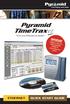 Time and Attendance System ETHERNET Pyramid TimeTrax EZ ETHERNET MODEL SOFTWARE MUST BE FULLY INSTALLED PRIOR TO CONNECTING ANY TERMINAL CABLES WHAT S IN THE BOX? Pyramid TimeTrax time recorder AC Power
ATS Overhead Table Shelf System INSTRUCTION MANUAL
 ATS Overhead Table Shelf System INSTRUCTION MANUAL ATS Overhead Table Shelf System Instruction Manual Warranty Newport Corporation warrants this product to be free of defects in material and workmanship
Guidelines for Earthquake Bracing of Residential Water Heaters
 Guidelines for Earthquake Bracing of Residential Water Heaters Department of General Services Division of the State Architect 1102 Q Street, Suite 5100 Sacramento, CA 95814 Phone: (916) 324-7099 Fax: (916)
Navico-Northstar 2kW JRC Radar Package, Scanner Cable Removal and Replacement
 Navico-Northstar 2kW JRC Radar Package, Scanner Cable Removal and Replacement This work instruction describes the methods and means for which to remove and reinstall optional scanner cable configurations
Front Panel Board Cable Replacement Instructions
 apple Mac Pro Front Panel Board Cable Replacement Instructions First Steps 1 Shut down computer. Note: Follow these instructions carefully. Failure to do so could damage your equipment and void its warranty.
19" Data Racks. Adjustable feet To compensate for uneven floors and assure great stability all feet can be up to 20 mm adjusted.
 19" Data Racks Attractive design and high quality are characteristic. Basic framework is welded from multiple bent metal plate, which assures great rigidity suitable for heavier equipment. All profile
UT Southwestern Medical Center Information Resources Cable Installation Standard
 UT Southwestern Medical Center Information Resources Cable Installation Standard PART 1- GENERAL 1.01 SUMMARY A. Furnish and install wire, cable, devices, equipment, and accessories for a complete system
Rack Installation. Unpacking the System. Choosing a Setup Location. General Server Precautions. Barracuda Appliances
 This set of instructions applies to racking and rail kit installation for 6XX and above. The Rack Mounting Instructions section below provides information on installing the SC825 chassis into a rack unit
InstaPATCH ZERO Solution Guide
 SYSTIMAX Solutions InstaPATCH ZERO Solution Guide Rapid Server Deployment and Change Management North, South and Central Americas 1 As data centers face ever-increasing IT demands, growth demands and evolving
Panel Track Installation Guide
 Panel Track Installation Guide We make it easy! BTG 493361 EN_0510 Before starting Your new Blinds To Go panel track is custom made to your specifications from the finest materials available. To ensure
Vertical Phone System Upgrades 2014. Scope of Work
 Vertical Phone System Upgrades 2014 Scope of Work Project Overview Install new Vertical phone system and phones on site. Complete testing with API helpdesk. Remove old phone system, phones and box up for
Owner s Guide and Installation Manual. Vancouver Model Name. 21321, 21328 Model No. English Español
 For Your Records and Warranty Assistance For reference, also attach your receipt or a copy of your receipt to the manual. Vancouver Model Name 21321, 21328 Model No. Type A Models Owner s Guide and Installation
Important Information for Installer & Homeowner
 Important Information for Installer & Homeowner Homeowner: Please keep this information for your records, do not discard! Installation Instructions for Wood Frame Construction Replacement (See other side
Networkfleet 3500 Product Line Installation Guide
 Networkfleet 3500 Product Line Installation Guide Light/Medium Duty (L3500) Heavy Duty (H3500) Universal (U3500) www.networkcar.com/fleet Customer Care: (866) 227-7323 [email protected] Table
6720616592.00-1.SD. Flat roof. Rack Mounting. Installation instructions 6 720 647 036 (2010/11) AU
 6720616592.00-1.SD Flat roof Rack Mounting AU Installation instructions 2 Contents AU Contents 1 Key to symbols and safety instructions....... 3 1.1 Explanation of symbols................ 3 1.2 Safety
CordlessPleated FabricShade including Top-Down/Bottom-Up. owner's handbook
 CordlessPleated FabricShade including Top-Down/Bottom-Up owner's handbook July, 2013 español página 9 2 INSTALLATION INSTRUCTIONS Step 1. Check Package Contents Missing part? Call 1-800-264-1190 Mounting
GAERTNER SCIENTIFIC CORPORATION 3650 Jarvis Ave. Skokie, Illinois 60076 U.S.A. tel: 1 847 673-5006 fax: 1 847 673-5009 email@gaertnerscientific.
 7109-C-244E-R1 Field Installation of HeNe Laser in B, C, and D-Type Auto Gain Ellipsometers GAERTNER SCIENTIFIC CORPORATION 3650 Jarvis Ave. Skokie, Illinois 60076 U.S.A. tel: 1 847 673-5006 fax: 1 847
WINDOW REPAIR MANUAL & REFERENCE GUIDE
 WINDOW REPAIR MANUAL & REFERENCE GUIDE TABLE OF CONTENTS DOUBLE HUNG & SINGLE HUNG PARTS 4-5 CASEMENT PARTS 6 SCREEN PARTS 7-8 HOW TO REMOVE TILT-IN SASH 9 HOW TO REMOVE A BALANCE 10 HOW TO INSTALL BALANCE
Lynx Broadband Installation Manual for Residential Packages with a 20 db Amp Quick Start Guide (first two pages)
 Lynx Broadband Installation Manual for Residential Packages with a 20 db Amp Quick Start Guide (first two pages) 1. Be sure that your kit includes all the parts shown in the Check the Equipment section
TABLE OF CONTENTS. I. TROUBLESHOOTING... 2 - Section 1.01: Common Problems/Solutions... 2
 BAL Accu-Slide System I. Table of Contents TABLE OF CONTENTS I. TROUBLESHOOTING... 2 - Section 1.01: Common Problems/Solutions... 2 II. GETTING STARTED... 5 - Section 2.01: Tools You Will Need... 5 - Section
POD Visor Instructions
 POD Visor Instructions Please read fully before beginning assembly and mounting the Visor Parts List - Visor Left Part (LV), Visor Right Part (RV) Qty 2, Aluminum Crossbars Hardware - Qty 17, 1/4" X 3/4"
Sash Replacement Guide
 for Andersen 200/400 Series Awning Windows Read all instructions carefully before attempting this procedure. If you have any questions about your ability to complete this procedure, call Andersen at 1-888-888-7020
EZ-Steer Assisted Steering System
 EZ-Steer Assisted Steering System Installation Instructions Platform Kit P/N 53059-54 Case IH CVX 1135 CVX 1145 CVX 1155 CVX 1170 CVX 1190 CVX 1195 CVX 135 CVX 145 CVX 155 CVX 175 CVX 195 New Holland TVT
DMSG_0152_0112_V4 Mamas & Papas (Holdings) Ltd. 2012 Dream Swing - 1 -
 DMSG_0152_0112_V4 Mamas & Papas (Holdings) Ltd. 2012 Dream Swing - 1 - DREAM SWING THESE INSTRUCTIONS ARE IMPORTANT. PLEASE READ CAREFULLY AND RETAIN FOR FUTURE REFERENCE. Read the entire instruction before
ReachFree ID Installation Instructions For Portal TI, Sentinel and C-Start. Unitec www.startwithunitec.com
 ReachFree ID Installation Instructions For Portal TI, Sentinel and C-Start Unitec www.startwithunitec.com Proprietary Information and Materials of Unitec, Inc. Such proprietary information and materials
Installation Instructions
 READ BEFORE INSTALLING UNIT For Slider Casement Air Conditioners To avoid risk of personal injury, property damage, or product damage due to the weight of this device and sharp edges that may be exposed:
Installation Manual. SKU# 21000 series (Base Rails) SKU# 22000 series (Overhead Racks)
 Installation Manual SKU# 21000 series (Base Rails) SKU# 22000 series (Overhead Racks) Welcome to the world of TracRac! We re delighted that you have chosen TracRac, the ultimate sliding truck rack system.
House Design Tutorial
 Chapter 2: House Design Tutorial This House Design Tutorial shows you how to get started on a design project. The tutorials that follow continue with the same plan. When we are finished, we will have created
Service Guide. Gateway M275
 Service Guide Gateway M275 Contents Replacing Gateway M275 Components.................................... 1 Identifying the convertible tablet PC model...................................... 2 Identifying
DE Frame with C Series Sidelight
 TOOLS REQUIRED Tape measure 6' magnetic level 3' magnetic level Screw gun with clutch adjusted #2 phillips tip #3 phillips tip Screwdriver (used to adjust frame on will using oval slots) Pry Bar Powder
Beadboard Wall Bookcase
 Beadboard Wall Bookcase Note: The maximum load for each shelf is 30lbs.This hanging system is meant for drywall/wood stud mounting only. If walls are concrete, brick or plaster, please consult your local
We urge you to read and follow the attached installation instructions. Failure to do so may void the warranty of this garden window unit.
 Important Information for New Construction Installations Attention Installer! We urge you to read and follow the attached installation instructions. Failure to do so may void the warranty of this garden
TENSION ISSUES? ROLLER SEE PAGE 7
 ROLLER TENSION ISSUES? SEE PAGE 7 Roller Shade Installation Guide Important: If you have ordered a valance for your shade, you must first read the Valance Installation Guide found in your box. We make
HP 36-Port InfiniBand Switch Cable Management Kit Installation Guide
 HP 36-Port InfiniBand Switch Cable Management Kit Installation Guide HP Part Number: 574412-doc Published: May 2009 Copyright 2009 Hewlett-Packard Development Company, L.P. The information contained herein
Z-Truck (Vertical Moving) Z-truck Flag. Y-Truck (Horizontal Moving) FIGURE 1: VIEW OF THE Z-TRUCK. Flexshaft Assembly
 Replacing the Cover Micro-Switch To remove and replace the Cover Micro-Switch you will need the following tools: #2 Phillips screwdriver (magnetic tip preferred) #1 Phillips screwdriver (magnetic tip preferred)
Internal Modem Installation with Windows 95
 Internal Modem Installation with Windows 95 You will need these items from your U.S. Robotics modem box: modem phone cord Plus: a screwdriver (not included) Determining Available Resources Your U.S. Robotics
AT&T. PARTNER Plus Door Phone. Installation and Operation Manual
 AT&T PARTNER Plus Door Phone Installation and Operation Manual Copyright 1990 AT&T All Rights Reserved Printed in U.S.A. CIC# 999-500-317 OII722050-051 Issue 1 October 1990 PARTNER Plus Door Phone is a
IMPORTANT INSTRUCTIONS & OPERATING MANUAL. Houston 50 Inch Electric Wall Mounted Fireplace Black / White
 IMPORTANT INSTRUCTIONS & OPERATING MANUAL Houston 50 Inch Electric Wall Mounted Fireplace Black / White Model Number:MFE5050BK Model Number:MFE5050WH Read these instructions carefully before attempting
ELECTRONICS G H I J K L M
 ELECTRONICS TM LASER INSTALLATION INSTRUCTIONS PARTS KIT Parts Kit includes the following: A- (1) Universal Mounting Bracket A B- (1) Red L.E.D. Laser Alert Light C- (1) Piezo Beeper w/ O Ring Tape D-
1. Furnish and install faceplate and modular jacks at each single gang outlet as described below:
 Washington University in St. Louis Building: Communication Specification: Research Voice/Network/Typical 1. Furnish and install faceplate and modular jacks at each single gang outlet as described below:
Replacement Window Installation Guide Non-Impact & Impact Resistant Windows without Nailing Fin
 Replacement Window Installation Guide Non-Impact & Impact Resistant Windows without Nailing Fin americancraftsmanwindows.com Project Requirements: Failure to follow these instructions may void product
INSTALLATION INSTRUCTIONS
 door frames Engineered product systems INSTALLATION INSTRUCTIONS door frames MINIMALIST DOOR FRAME Fry Reglet Flush Door frames are designed for use with 3 5/8 studs with ½ drywall both sides (4 5/8 throat
GEH6290. Mechanism Circuit Breaker. Handle Operating Mechanism Cat. No. Type NEMA 1, 3R, 12, 13 NEMA 4/4X Cat. No. Cat. No. Series Instruction
 GEH6290 g Cable Operator Mechanisms for E150, SE150, SF250, and SG600 Spectra RMS Circuit Breakers Type SCH1/1X, SCH2/2X Flange-Mounted Handle Assemblies, Cable Series SC3L SC10L and Type SC0M1A, SCOM1EF,